Learn Python in
20 minutes
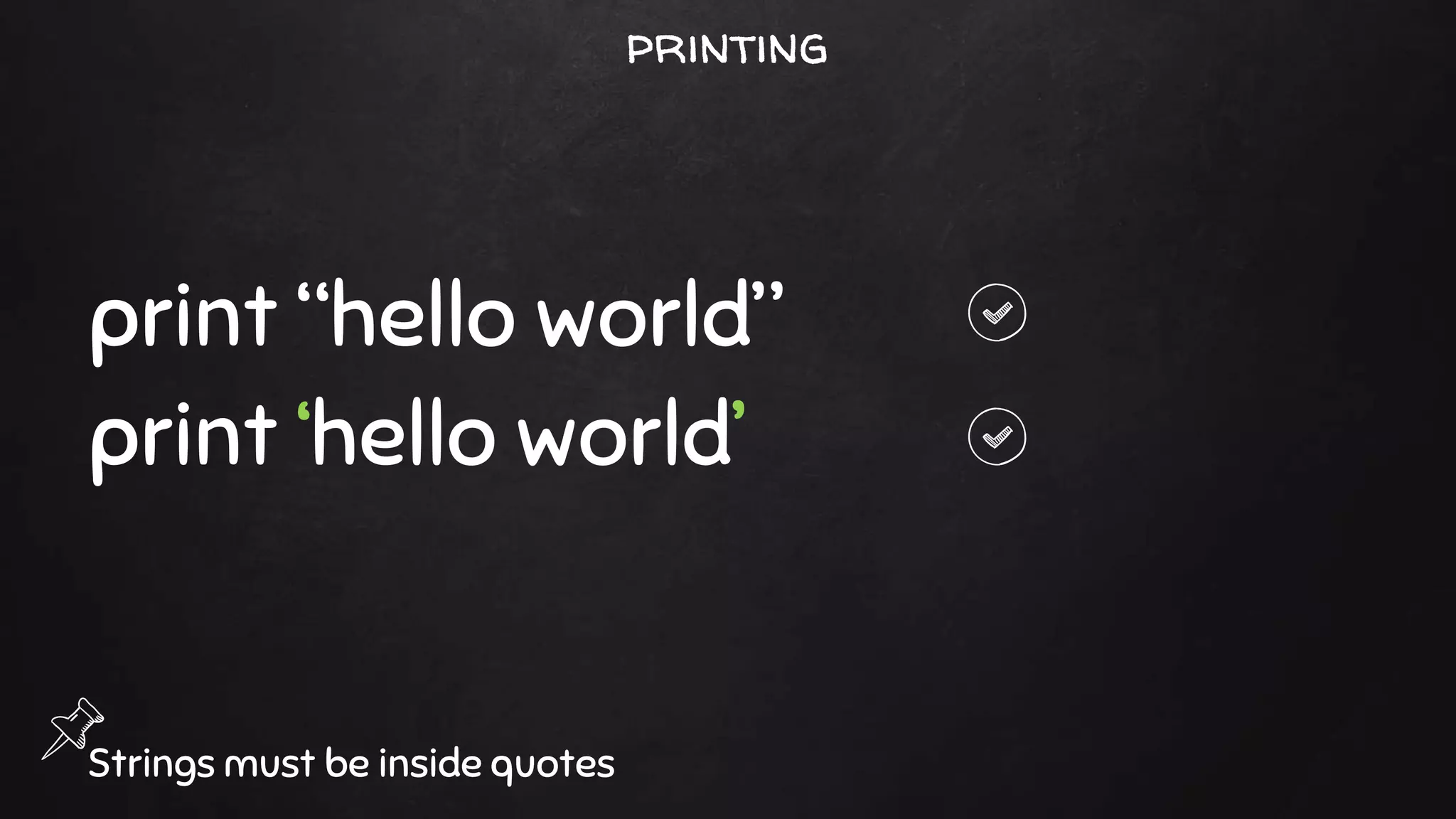
printing
print “hello world”
print ‘hello world’
Strings must be inside quotes
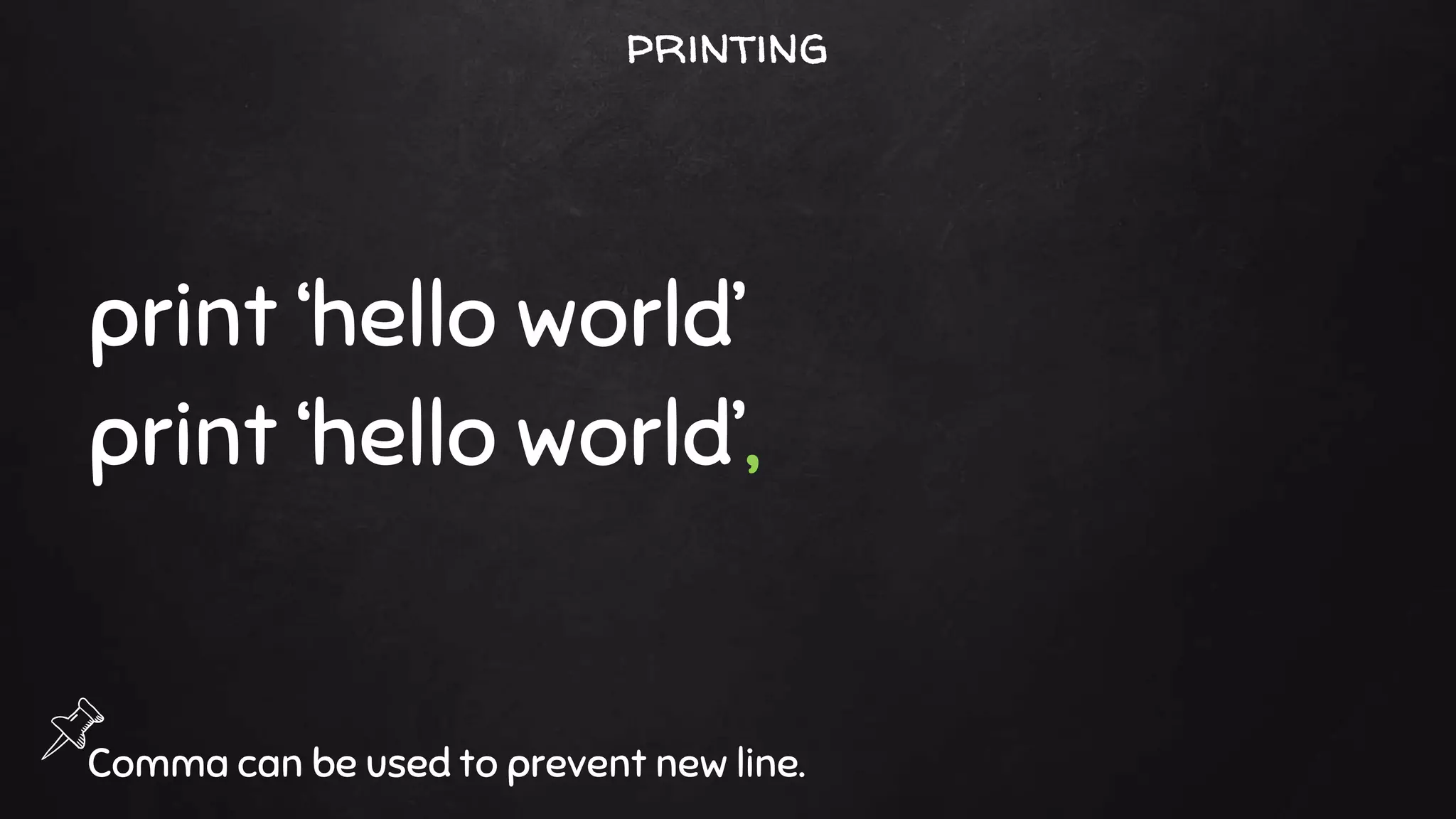
print ‘hello world’
print ‘hello world’,
Comma can be used to prevent new line.
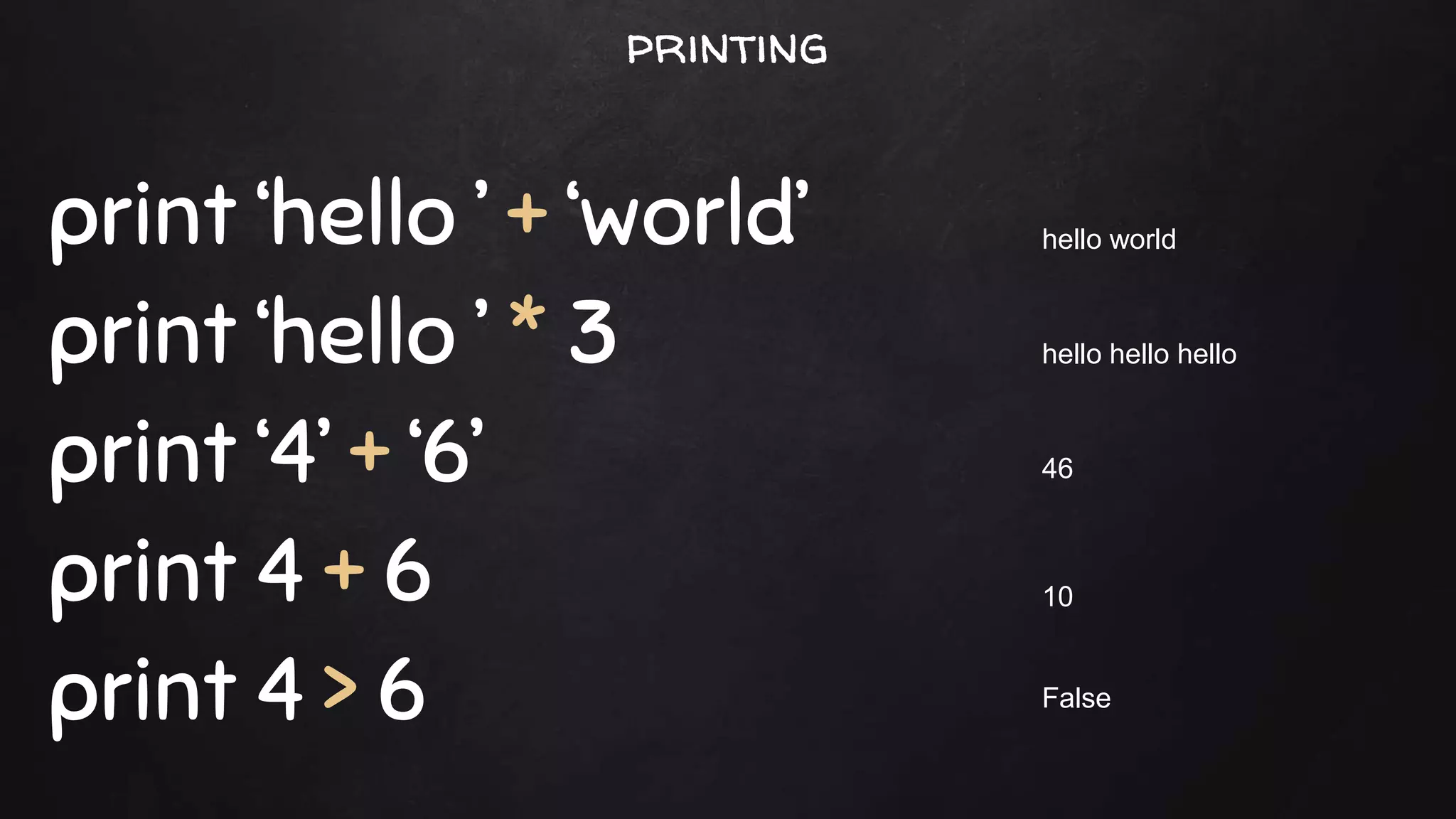
printing
print ‘hello ’ + ‘world’
print ‘hello ’ * 3
print ‘4’ + ‘6’
print 4 + 6
print 4 > 6
hello world
hello hello hello
10
46
False
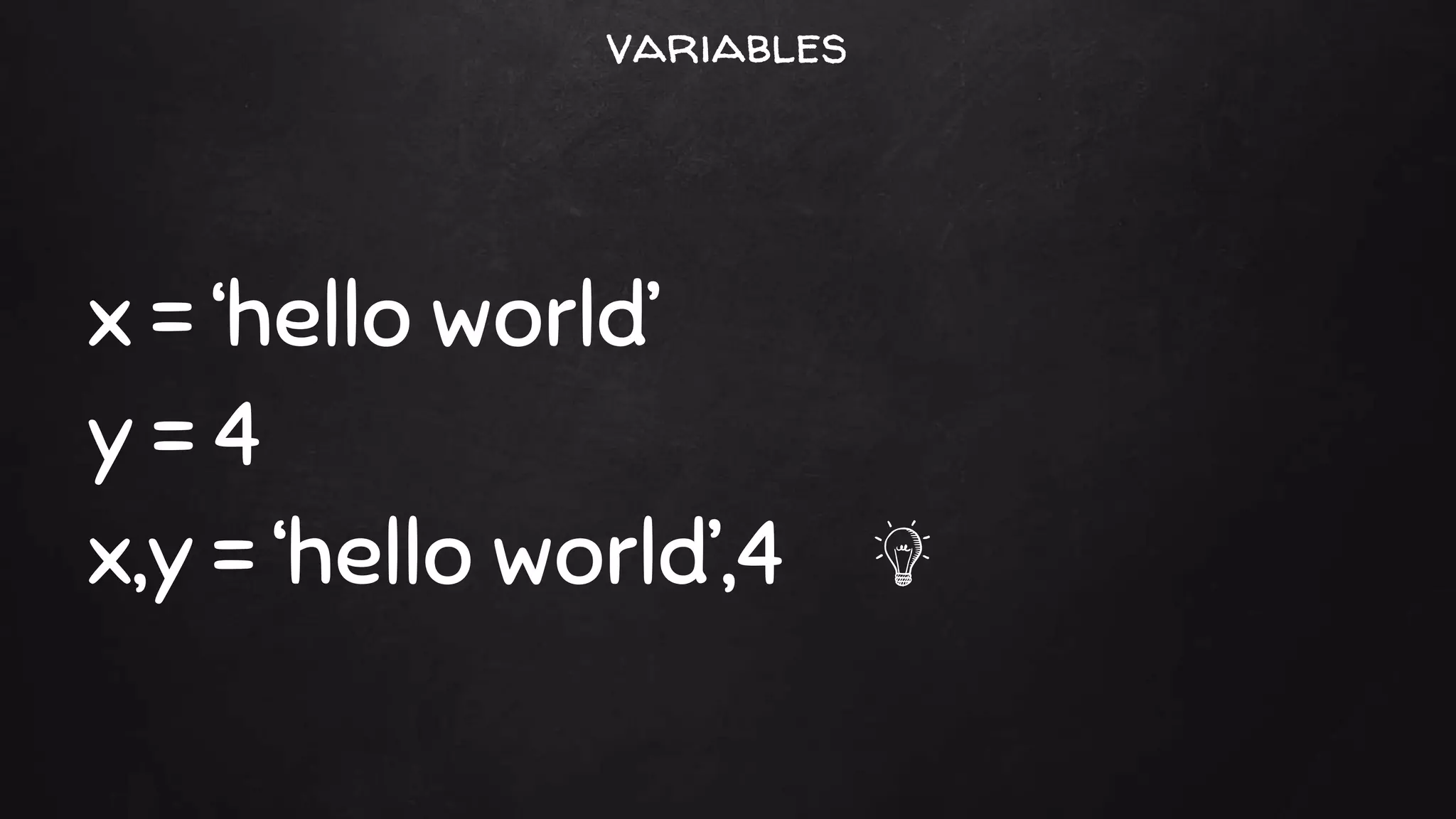
printing
x = ‘hello world’
y = 4
x,y = ‘hello world’,4
variables
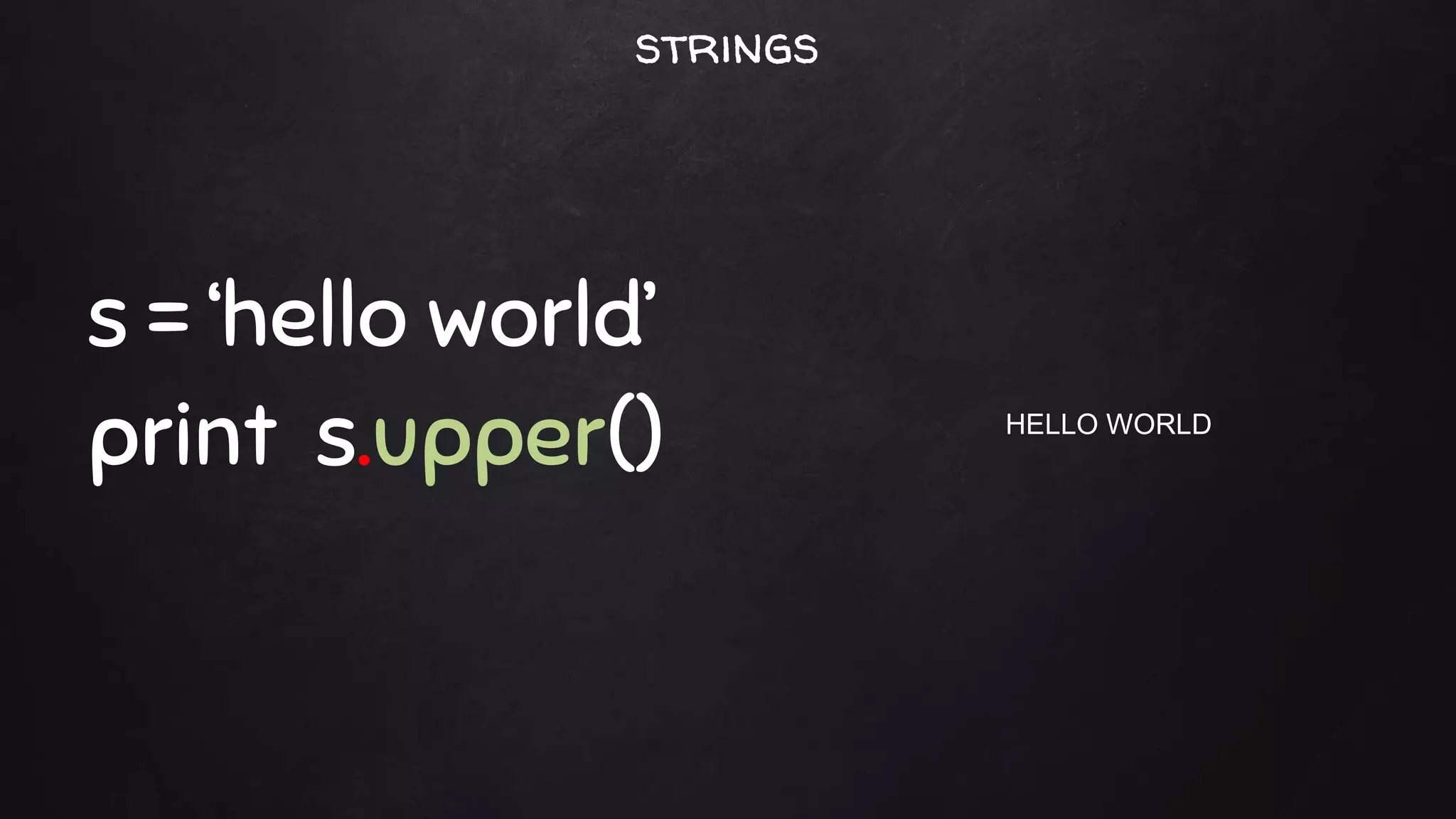
s = ‘hello world’
print s.upper() HELLO WORLD
strings
s.capitalize() Capitalizes the first character.
s.center(width [, pad]) Centers the string in a field of length width.
s.count(sub [,start [,end]]) Counts occurrences of sub
s.endswith(suffix [,start [,end]]) Checks the end of the string for a suffix.
s.find(sub [, start [,end]]) Finds the first occurrence of sub or returns -1.
s.isalnum() Checks whether all characters are alphanumeric.
s.isalpha() Checks whether all characters are alphabetic.
s.isdigit() Checks whether all characters are digits.
s.islower() Checks whether all characters are lowercase.
s.isspace() Checks whether all characters are whitespace.
s.istitle() Checks whether the string is titlecased
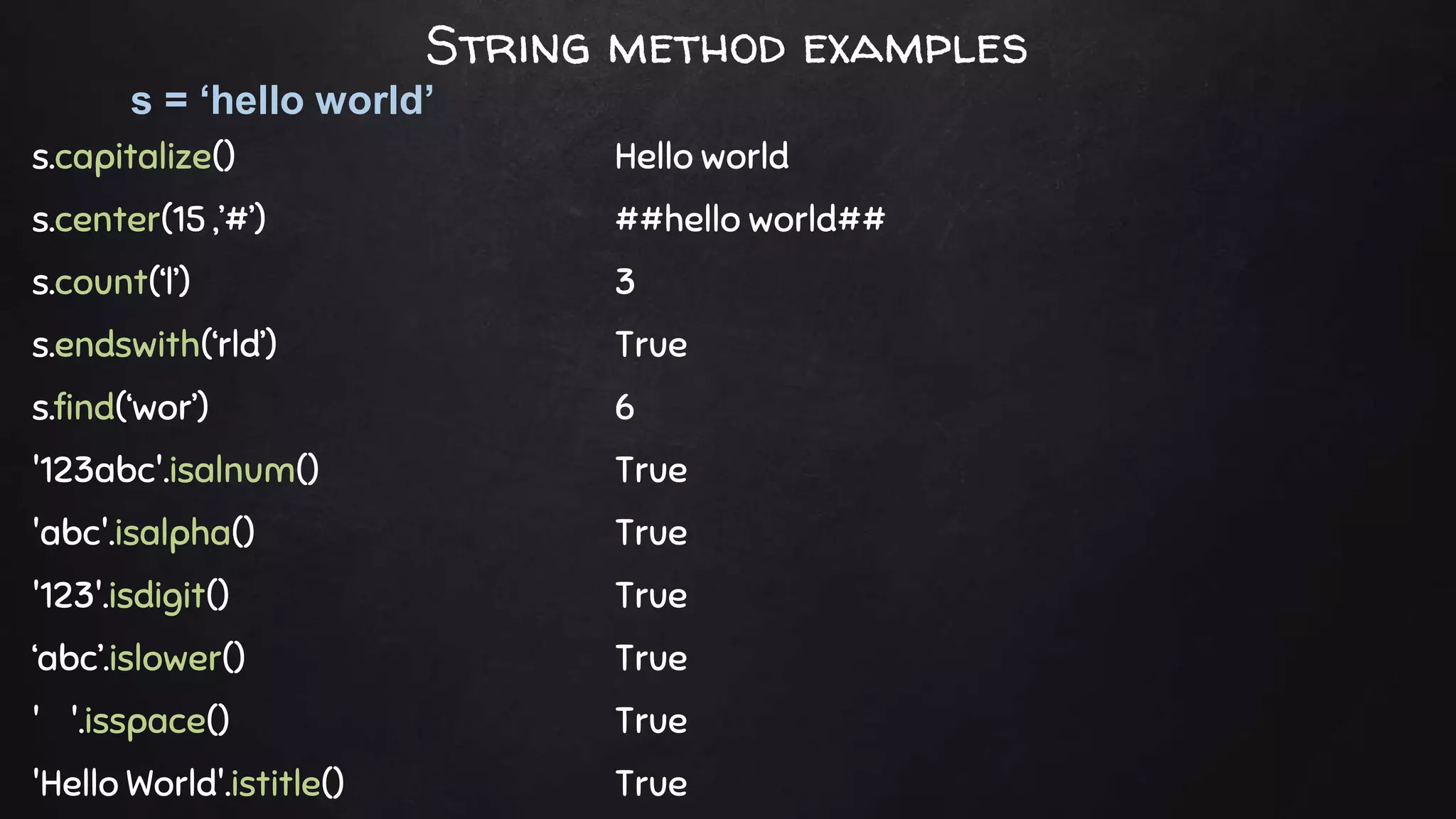
s = ‘hello world’
String methods
s.capitalize() Hello world
s.center(15 ,’#’) ##hello world##
s.count(‘l’) 3
s.endswith(‘rld’) True
s.find(‘wor’) 6
'123abc'.isalnum() True
'abc'.isalpha() True
'123'.isdigit() True
‘abc’.islower() True
' '.isspace() True
'Hello World'.istitle() True
s = ‘hello world’
String method examples
s.join(t) Joins the strings in sequence t with s as a separator.
s.split([sep [,maxsplit]]) Splits a string using sep as a delimiter
s.ljust(width [, fill]) Left-aligns s in a string of size width.
s.lower() Converts to lowercase.
s.partition(sep) Partitions string based on sep.Returns (head,sep,tail)
s.replace(old, new [,maxreplace]) Replaces a substring.
s.startswith(prefix [,start [,end]]) Checks whether a string starts with prefix.
s.strip([chrs]) Removes leading and trailing whitespace or chrs.
s.swapcase() Converts uppercase to lowercase, and vice versa.
s.title() Returns a title-cased version of the string.
s = ‘hello world’
String more methods
'/'.join(['a','b','c']) a/b/c
'a/b/c'.split('/') ['a', 'b', 'c']
s.ljust(15,’#’) hello world####
‘Hello World’.lower() hello world
'hello;world'.partition(';') ('hello', ';', 'world')
s.replace('hello','hi') hi world
s.startswith(‘hel’) True
'abcabca'.strip('ac') bcab
'aBcD'.swapcase() AbCd
s.title() Hello World
s = ‘hello world’
String methods examples
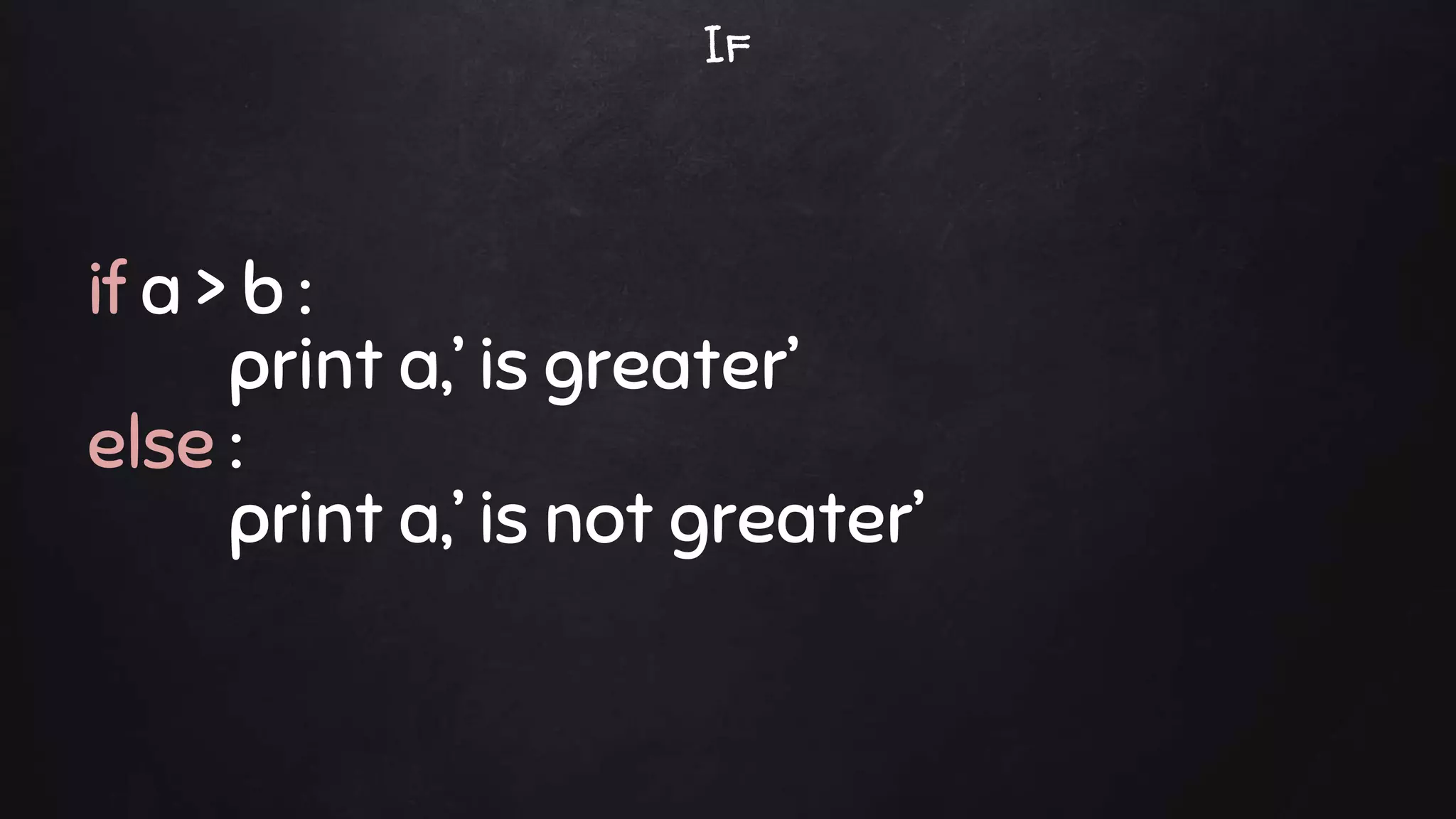
if a > b :
print a,’ is greater’
else :
print a,’ is not greater’
If
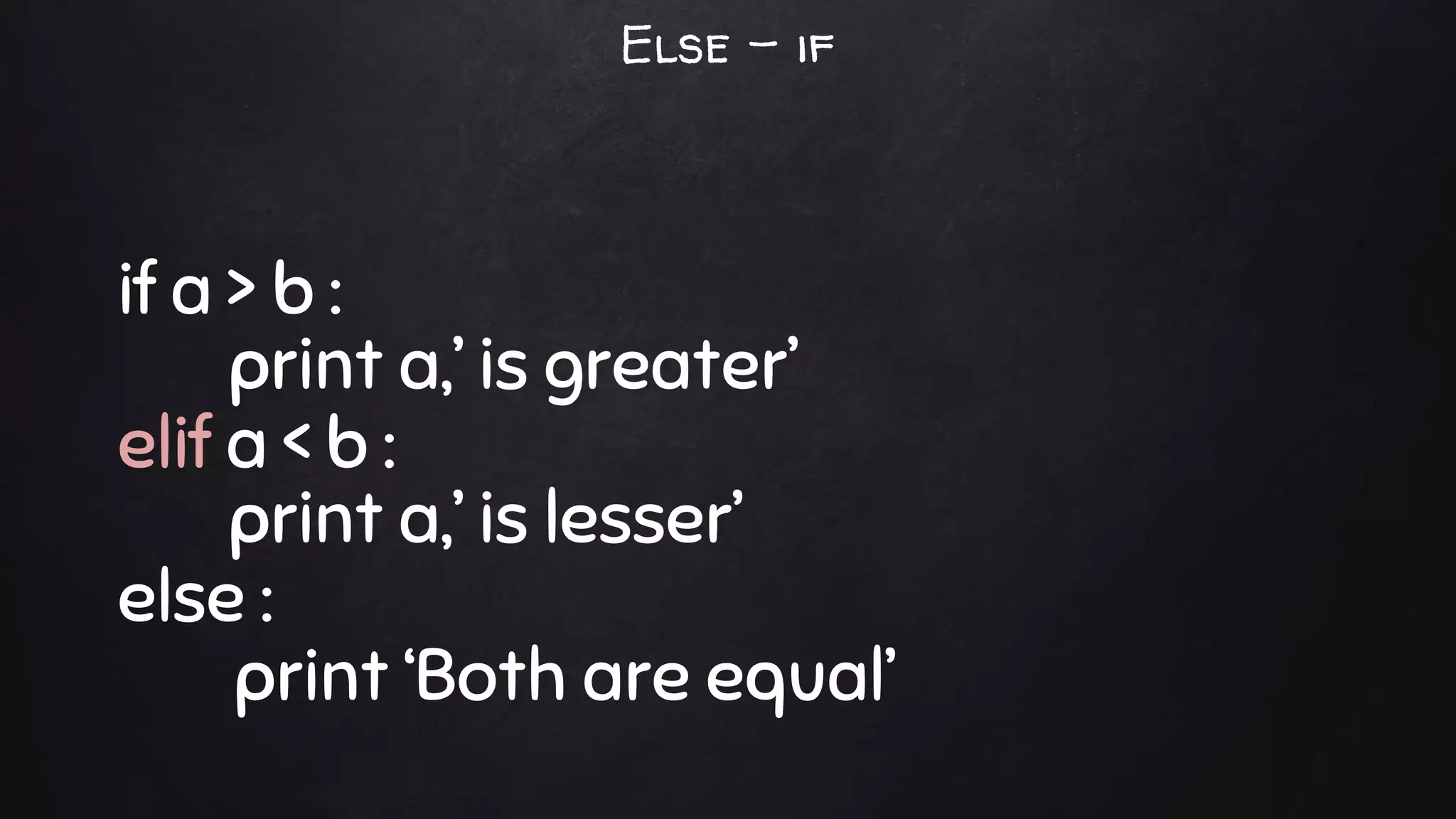
if a > b :
print a,’ is greater’
elif a < b :
print a,’ is lesser’
else :
print ‘Both are equal’
Else – if
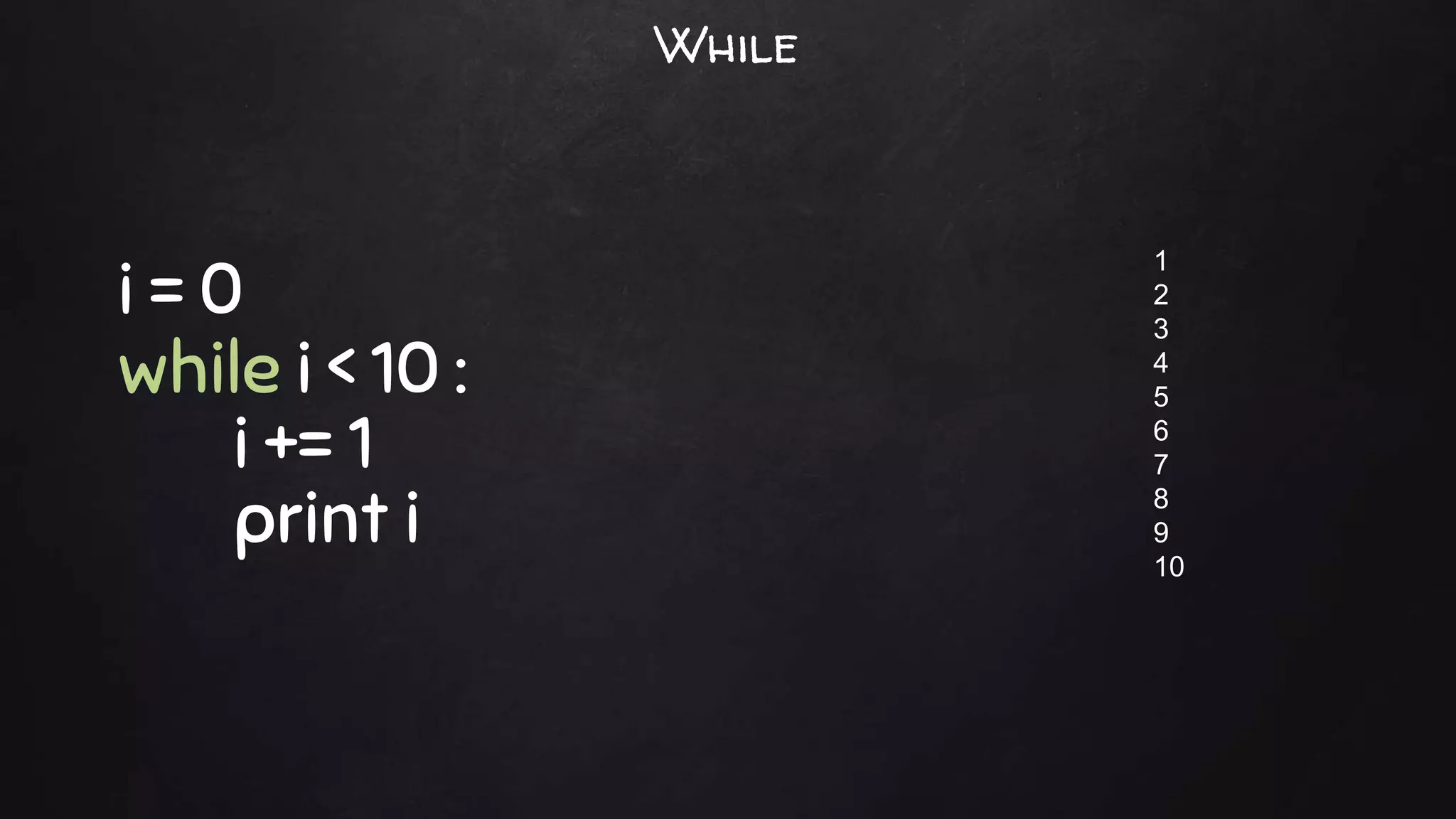
i = 0
while i < 10 :
i += 1
print i
1
2
3
4
5
6
7
8
9
10
While
xrange is a built-in function which returns a sequence of integers
xrange(start, stop[, step])
for i in xrange(0,10):
print i,
for i in xrange(0,10,2):
print i,
0 1 2 3 4 5 6 7 8 9
0 2 4 6 8
For - in
s.append(x) Appends a new element, x, to the end of s
s.extend(t) Appends a new list, t, to the end of s.
s.count(x) Counts occurrences of x in s.
s.index(x [,start [,stop]]) Returns the smallest i where s[i]==x.
s.insert(i,x) Inserts x at index i.
s.pop([i]) Returns the element i and removes it from the list.
s.remove(x) Searches for x and removes it from s.
s.reverse() Reverses items of s in place.
s.sort([key [, reverse]]) Sorts items of s in place.
s = [ ‘jan’ , ’feb’ , ’mar’ , ’apr’ , ’may’ ]
x = ‘jun’
List
Slices represent a part of sequence or list
a = ‘01234’
a[1:4]
a[1:]
a[:4]
a[:]
a[1:4:2]
123
1234
0123
01234
13
Slice
s = ( ‘jan’ , ’feb’ , ’mar’ , ’apr’ , ’may’ )
Tuples are just like lists, but you can't change their values
Tuples are defined in ( ), whereas lists in [ ]
tuple
s = { ‘jan’ : 12, ’feb’ : 32, ’mar’ : 23, ’apr’ : 17, ’may’ : 9 }
print s[‘feb’]
for m in s :
print m, s[m]
32
jan 12
feb 32
mar 23
apr 17
may 9
Dictionary
len(m) Returns the number of items in m.
del m[k] Removes m[k] from m.
k in m Returns True if k is a key in m.
m.clear() Removes all items from m.
m.copy() Makes a copy of m.
m.fromkeys(s [,value]) Create a new dictionary with keys from sequence s
m.get(k [,v]) Returns m[k] if found; otherwise, returns v.
m.has_key(k) Returns True if m has key k; otherwise, returns False.
m.items() Returns a sequence of (key,value) pairs.
m.keys() Returns a sequence of key values.
m = { ‘jan’ : 12, ’feb’ : 32, ’mar’ : 23, ’apr’ : 17, ’may’ : 9 }
x = ‘feb’
Dictionary
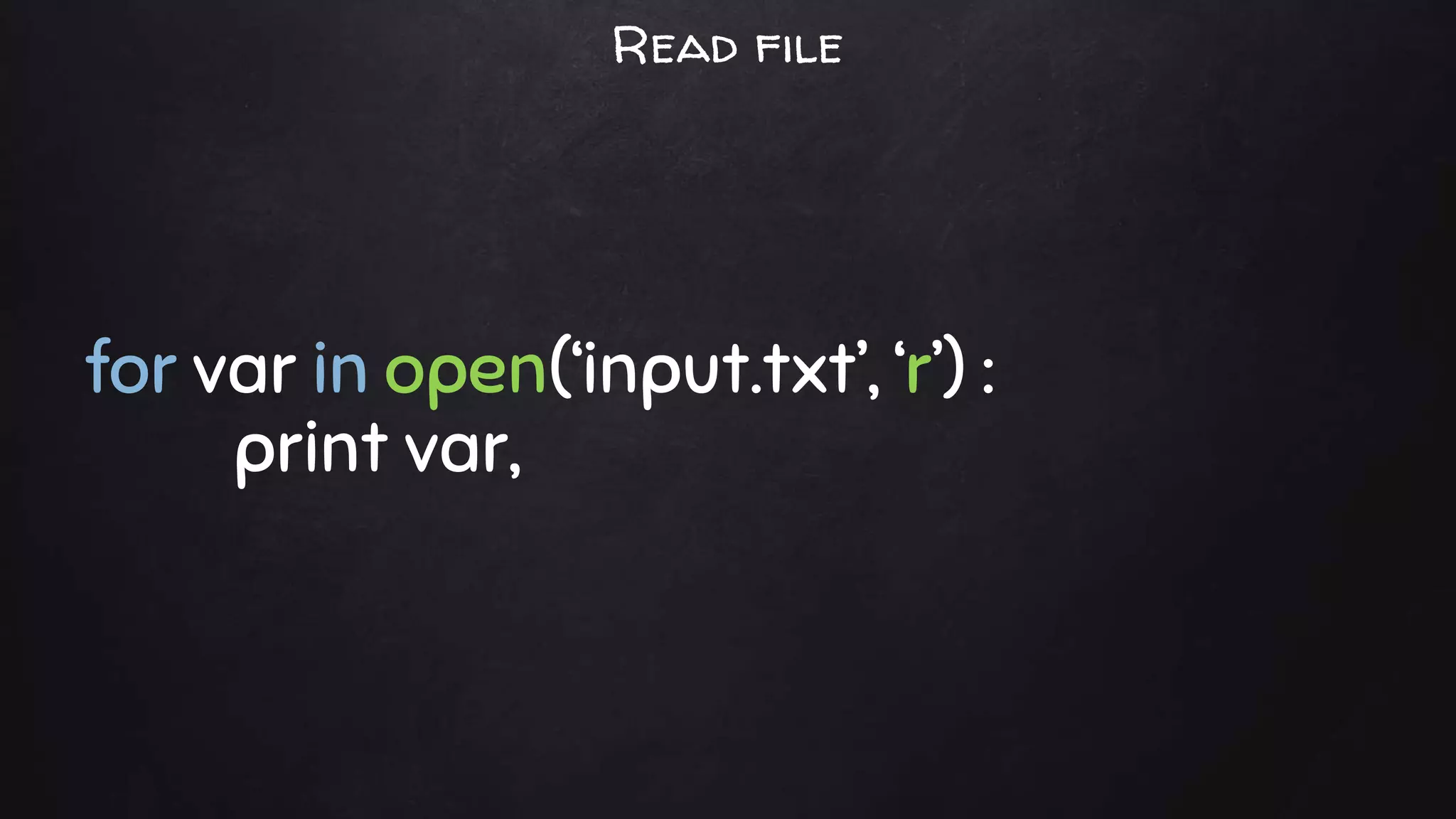
for var in open(‘input.txt’, ‘r’) :
print var,
Read file
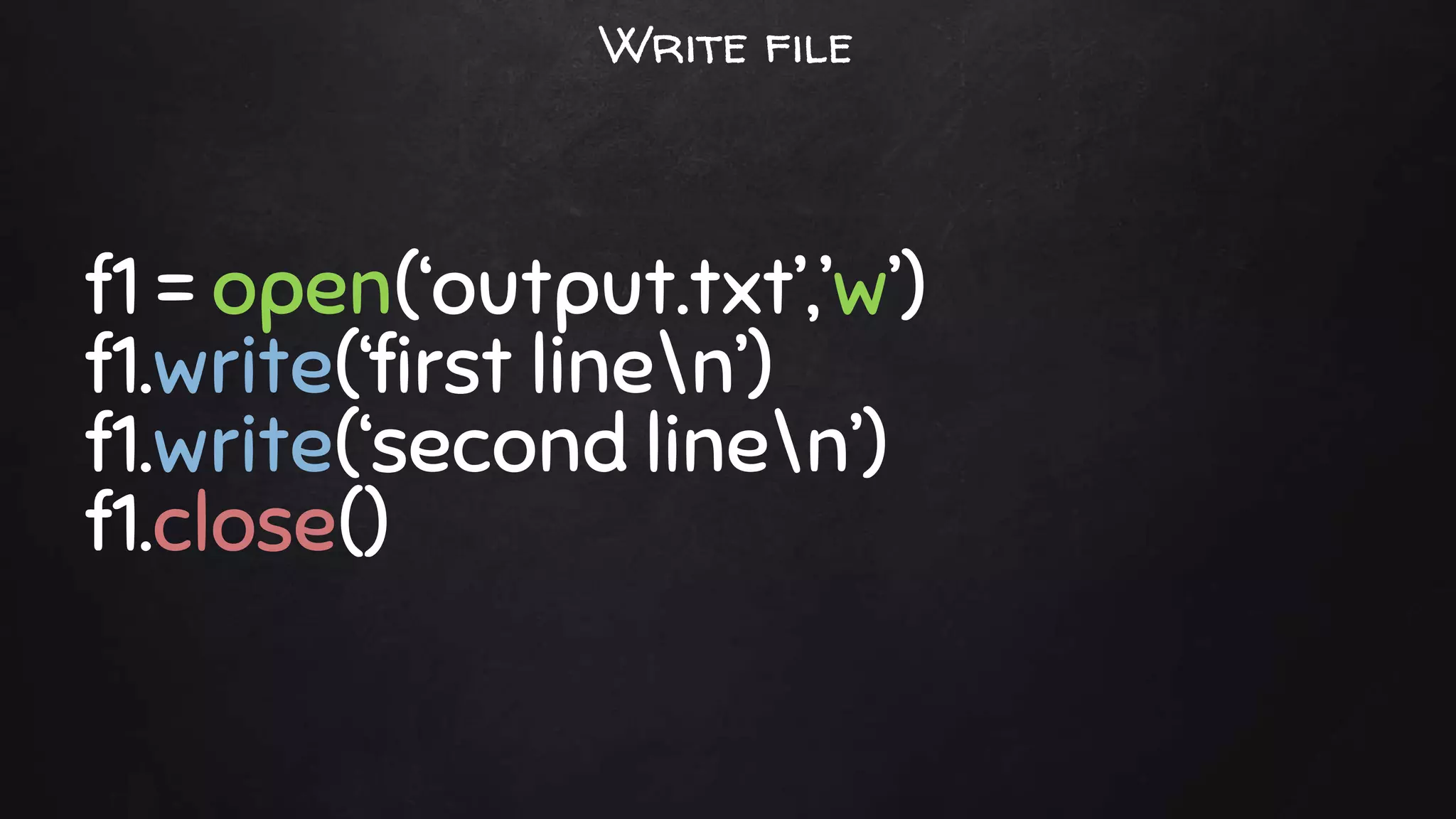
f1 = open(‘output.txt’,’w’)
f1.write(‘first linen’)
f1.write(‘second linen’)
f1.close()
Write file
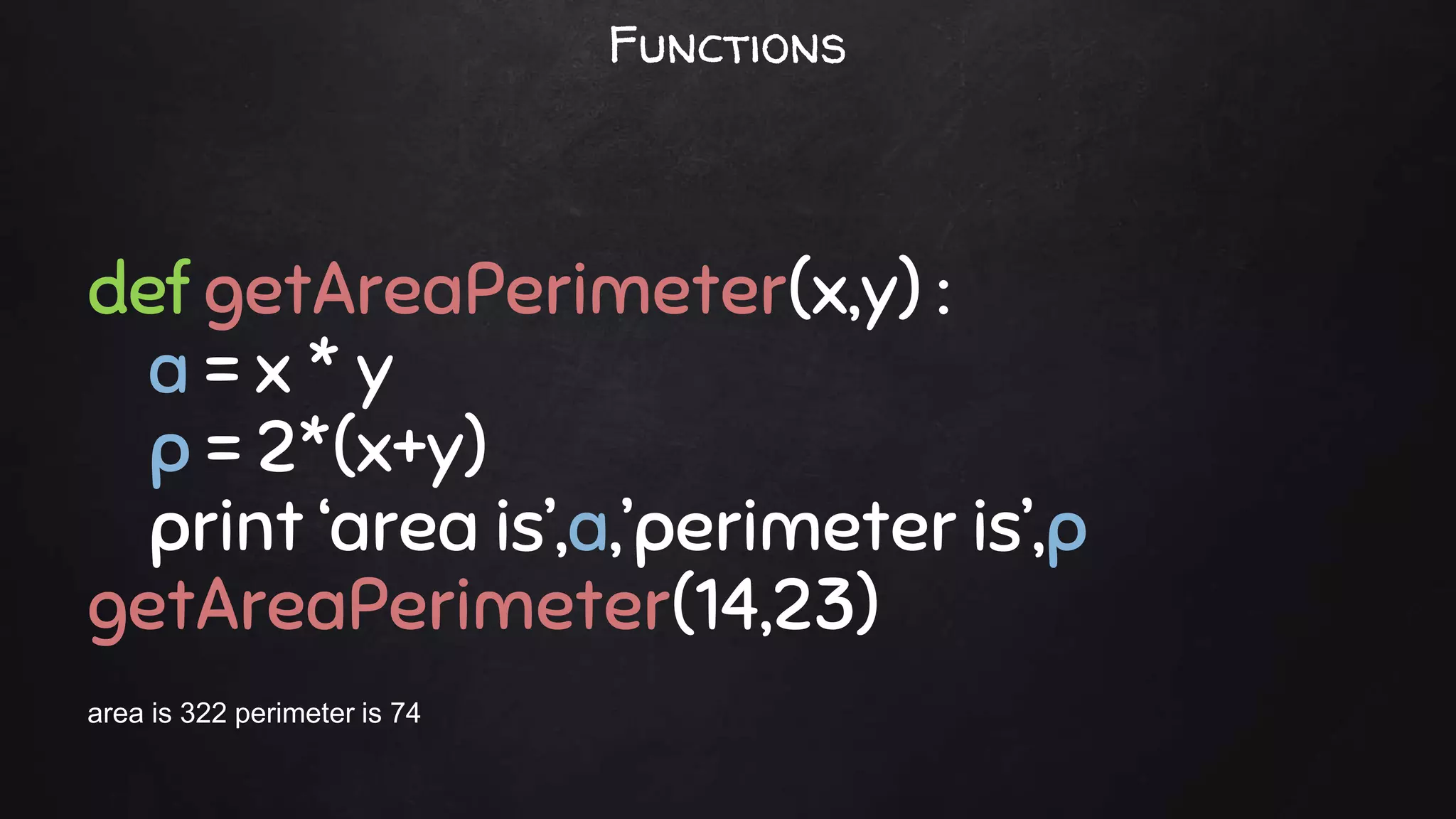
def getAreaPerimeter(x,y) :
a = x * y
p = 2*(x+y)
print ‘area is’,a,’perimeter is’,p
getAreaPerimeter(14,23)
area is 322 perimeter is 74
Functions
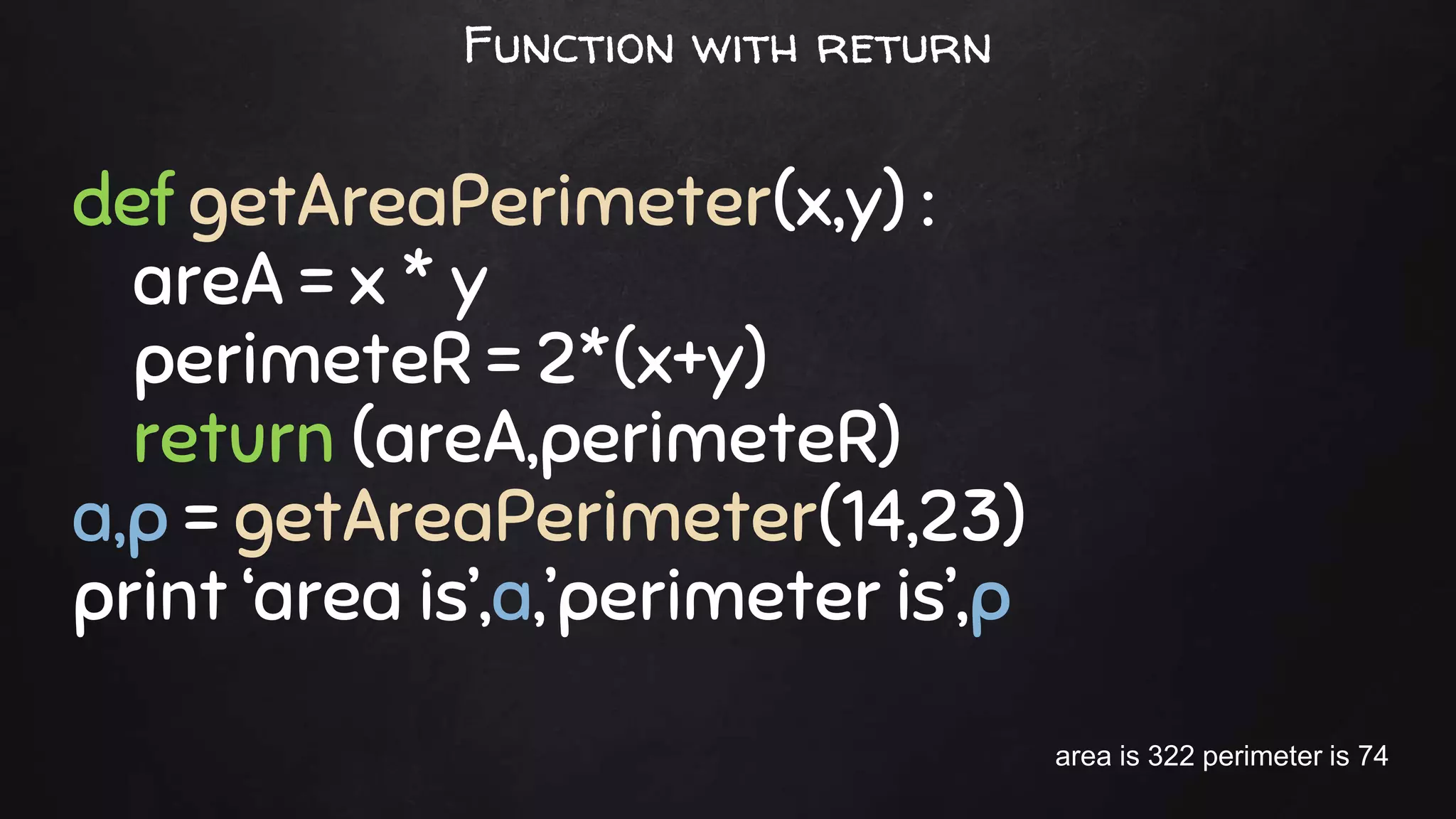
def getAreaPerimeter(x,y) :
areA = x * y
perimeteR = 2*(x+y)
return (areA,perimeteR)
a,p = getAreaPerimeter(14,23)
print ‘area is’,a,’perimeter is’,p
area is 322 perimeter is 74
Function with return
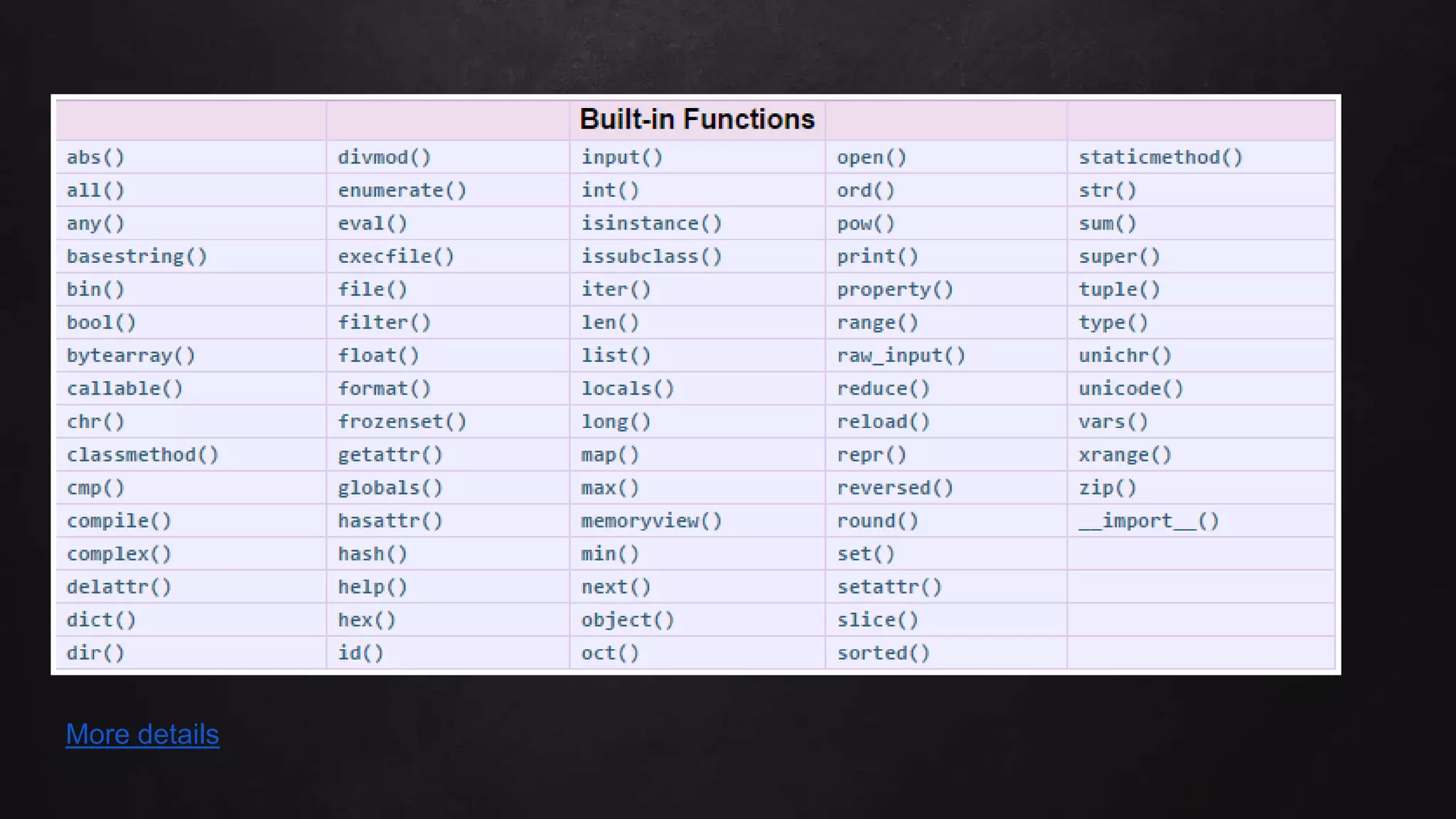
Built-in functions
More details
Useful modules
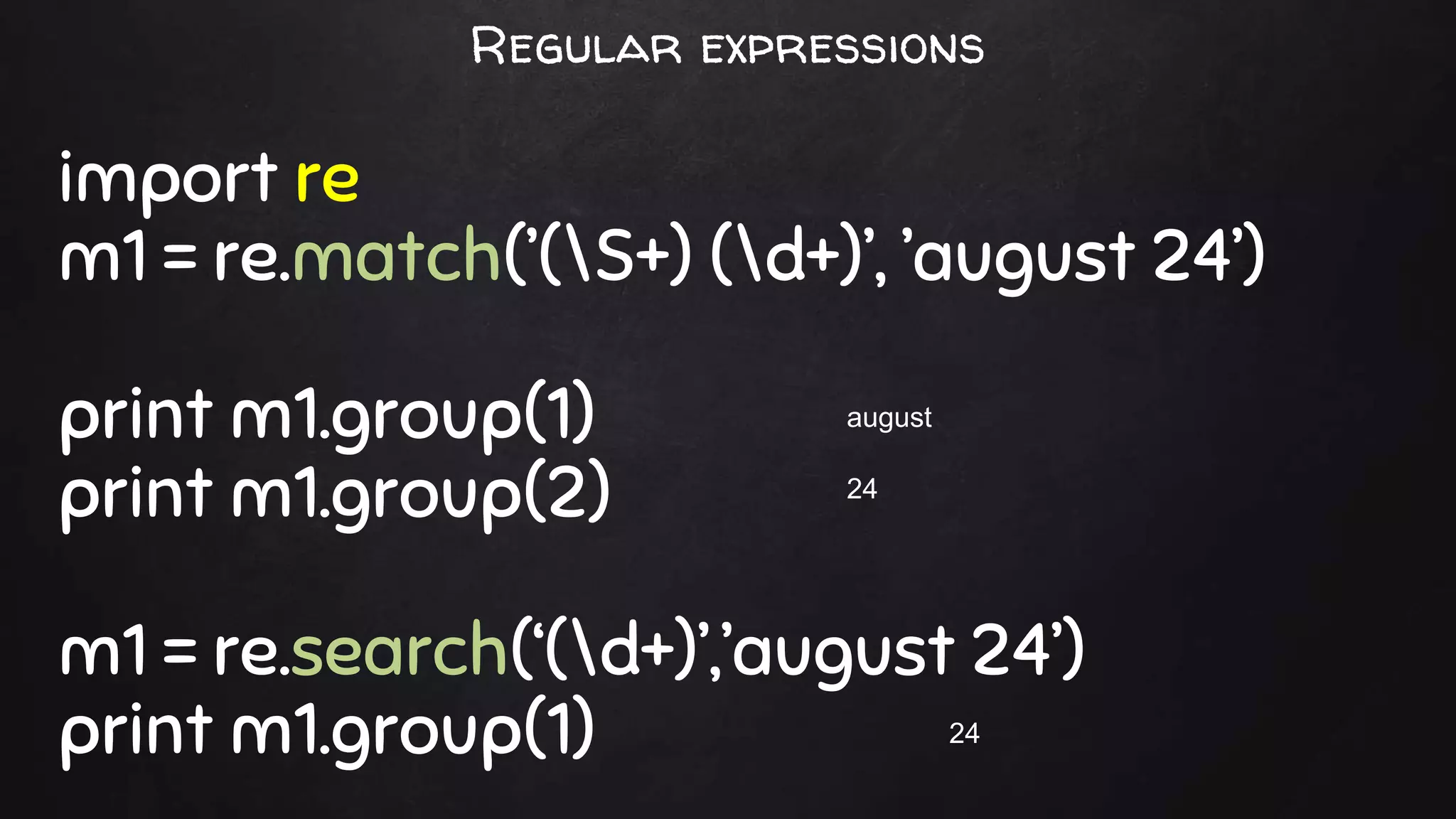
import re
m1 = re.match(’(S+) (d+)’, ’august 24’)
print m1.group(1)
print m1.group(2)
m1 = re.search(‘(d+)’,’august 24’)
print m1.group(1)
august
24
24
Regular expressions
Command line arguments
sys - System-specific parameters and functions
script1.py: import sys
print sys.argv
python script1.py a b
[‘script1.py’, ‘a’, ‘b’]
sys.argv[0] script.py
sys.argv[1] a
sys.argv[2] b
from subprocess import Popen,PIPE
cmd = ‘date’
Popen(cmd,stdout=PIPE,shell=True).communicate()[0]
Thu Oct 22 17:46:19 MYT 2015
Calling unix commands inside python
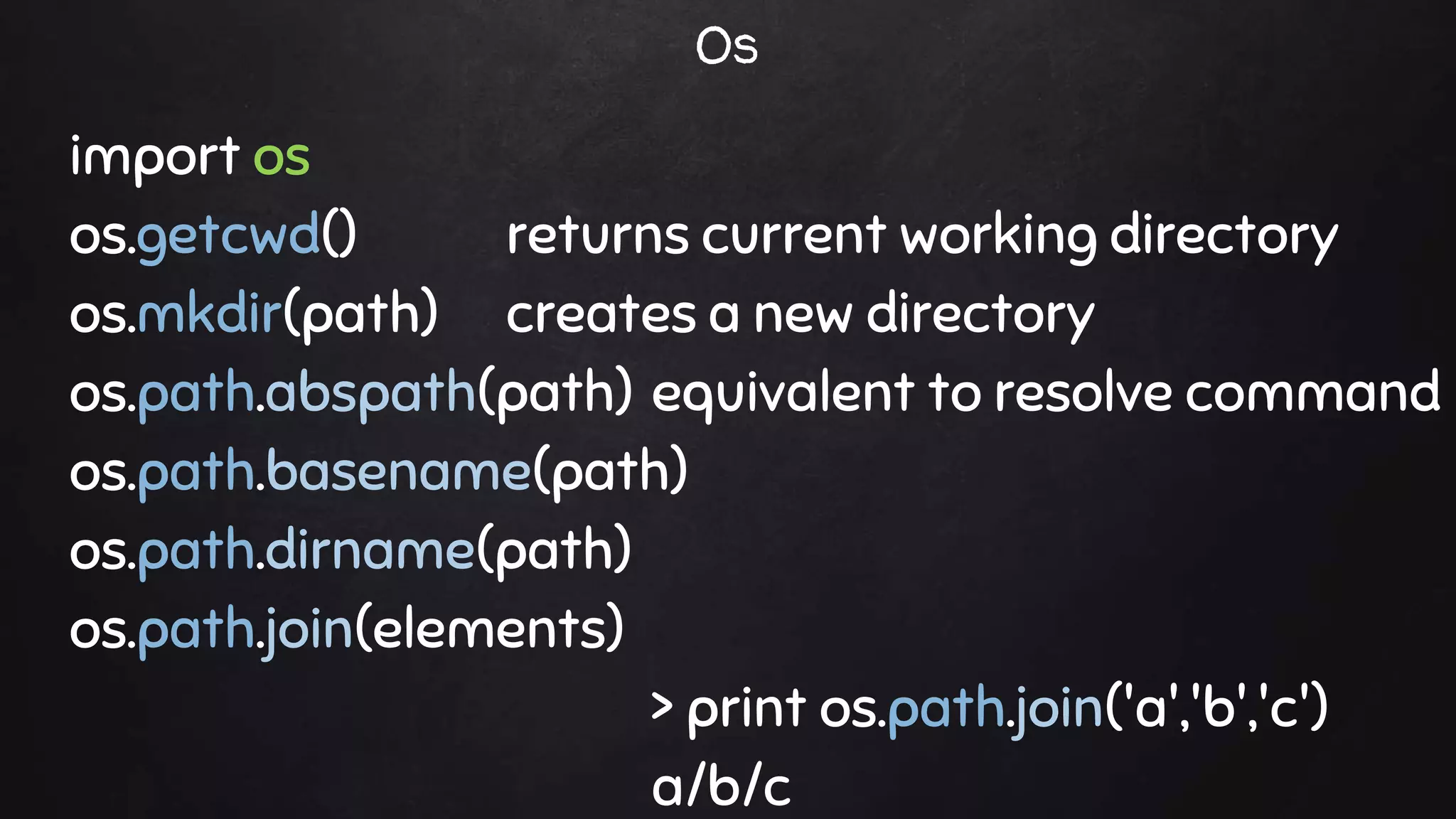
import os
os.getcwd() returns current working directory
os.mkdir(path) creates a new directory
os.path.abspath(path) equivalent to resolve command
os.path.basename(path)
os.path.dirname(path)
os.path.join(elements)
> print os.path.join('a','b','c')
a/b/c
Os
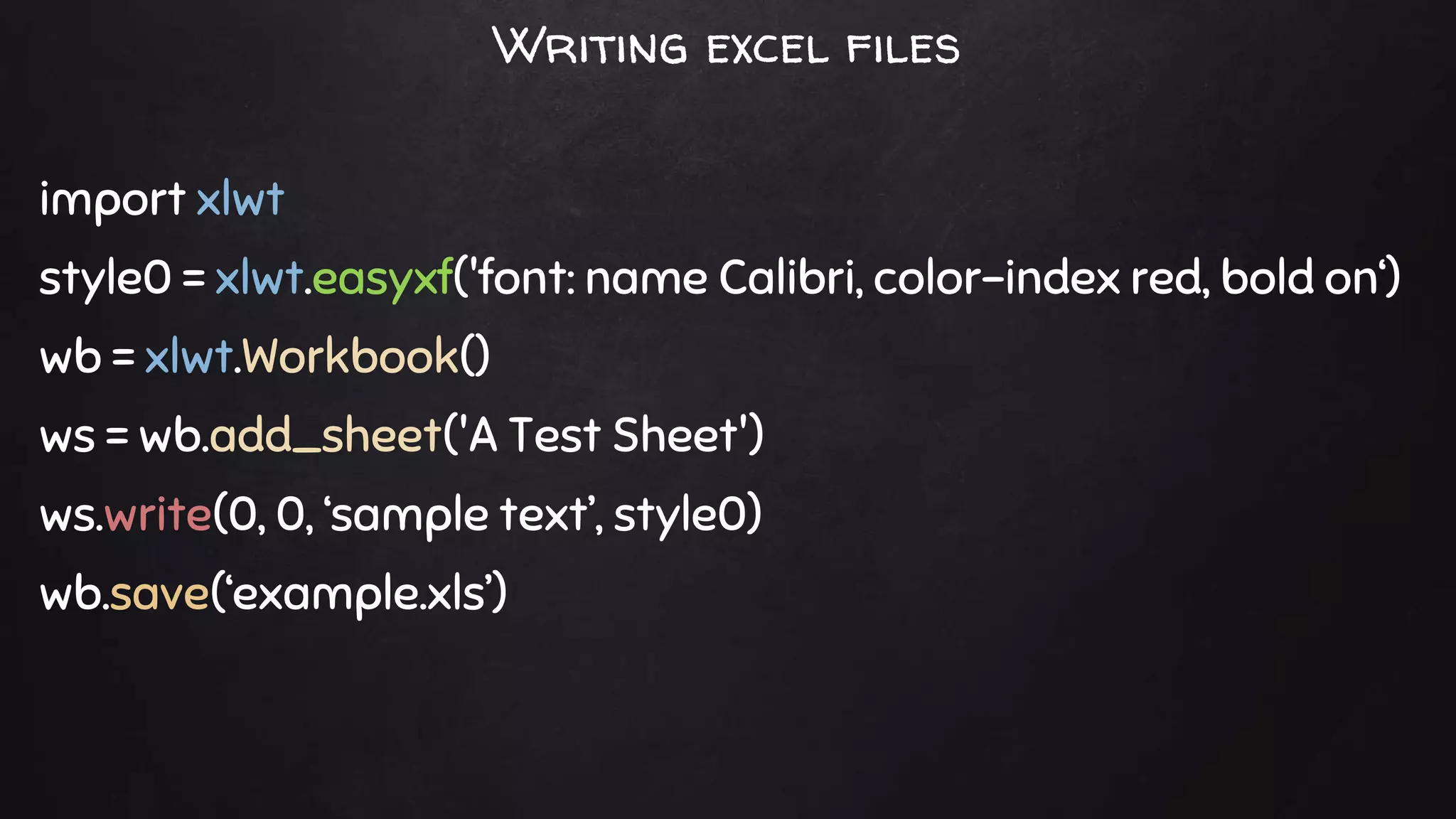
Writing excel files
import xlwt
style0 = xlwt.easyxf('font: name Calibri, color-index red, bold on‘)
wb = xlwt.Workbook()
ws = wb.add_sheet('A Test Sheet')
ws.write(0, 0, ‘sample text’, style0)
wb.save(‘example.xls’)
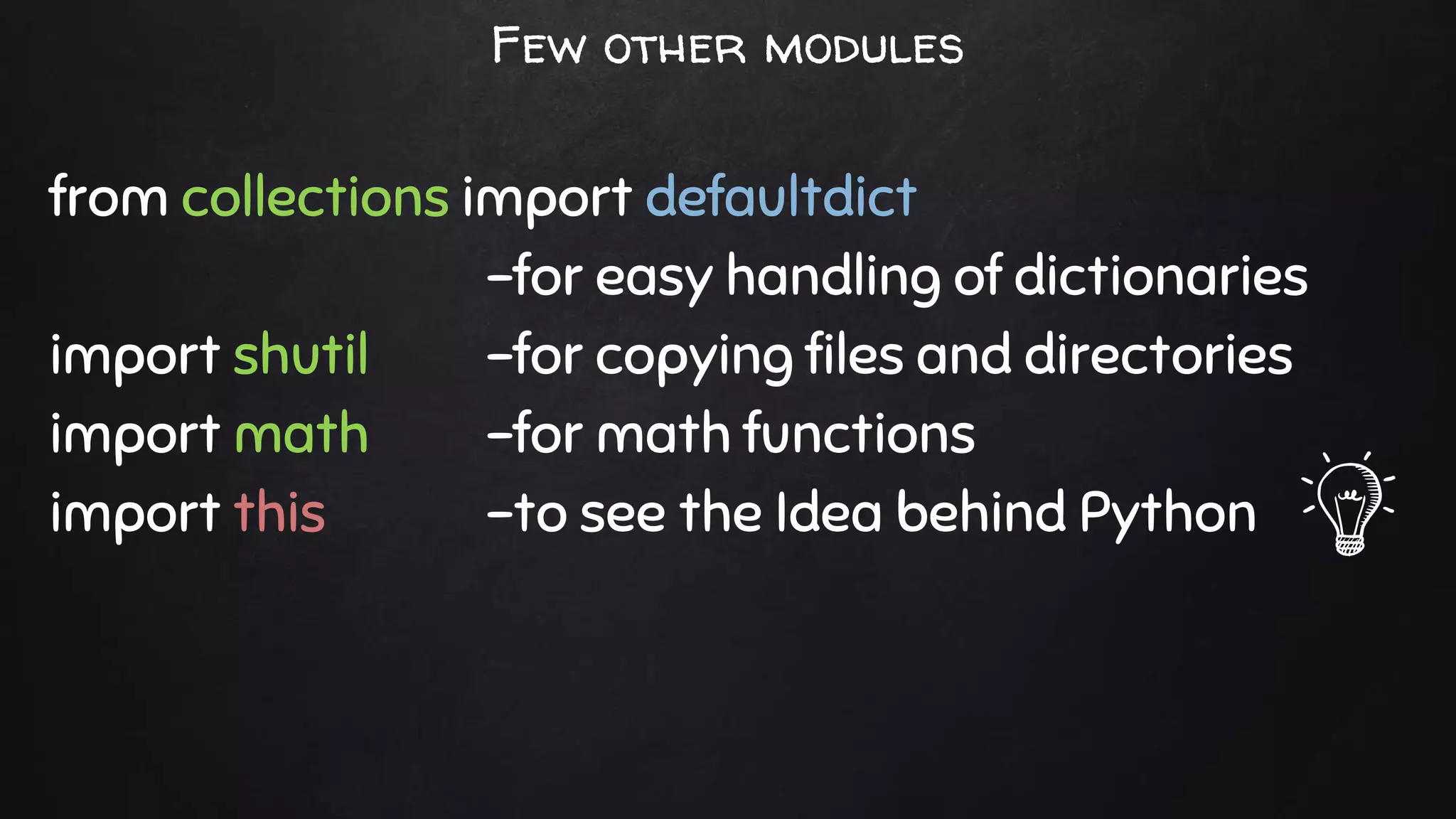
from collections import defaultdict
-for easy handling of dictionaries
import shutil -for copying files and directories
import math -for math functions
import this -to see the Idea behind Python
Few other modules
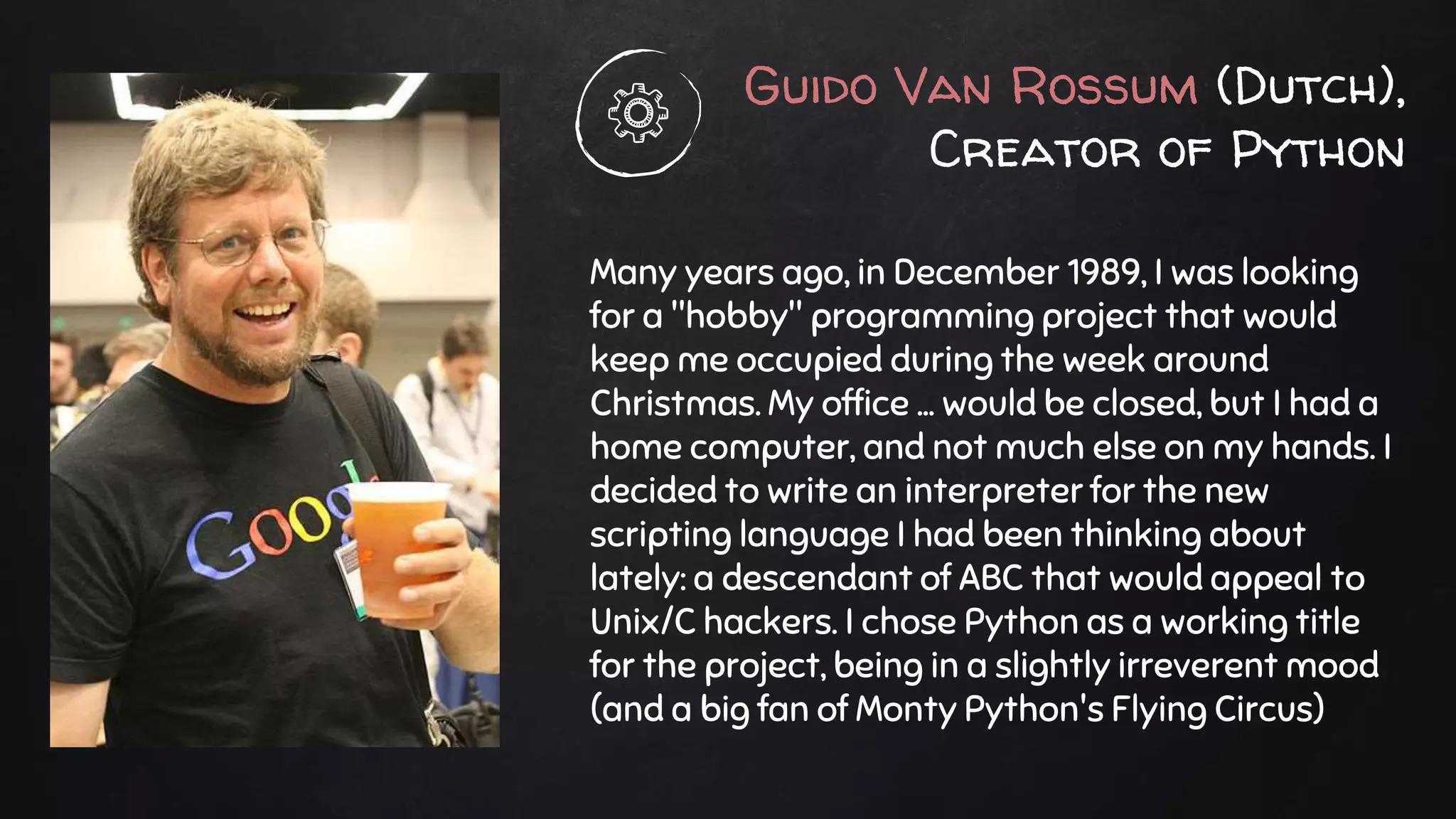
Guido Van Rossum (Dutch),
Creator of Python
Many years ago, in December 1989, I was looking
for a "hobby" programming project that would
keep me occupied during the week around
Christmas. My office ... would be closed, but I had a
home computer, and not much else on my hands. I
decided to write an interpreter for the new
scripting language I had been thinking about
lately: a descendant of ABC that would appeal to
Unix/C hackers. I chose Python as a working title
for the project, being in a slightly irreverent mood
(and a big fan of Monty Python's Flying Circus)
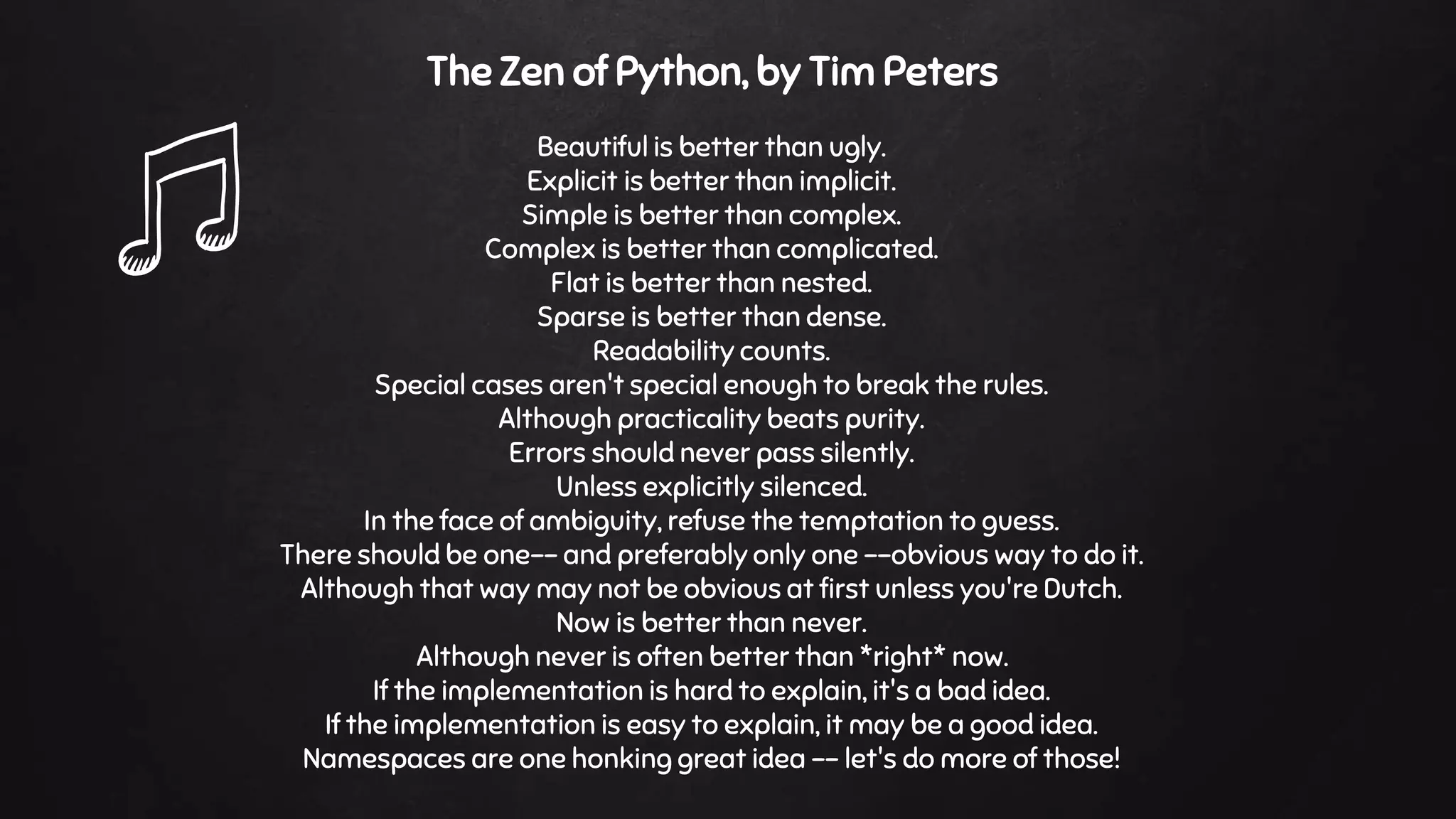
The Zen of Python, by Tim Peters
Beautiful is better than ugly.
Explicit is better than implicit.
Simple is better than complex.
Complex is better than complicated.
Flat is better than nested.
Sparse is better than dense.
Readability counts.
Special cases aren't special enough to break the rules.
Although practicality beats purity.
Errors should never pass silently.
Unless explicitly silenced.
In the face of ambiguity, refuse the temptation to guess.
There should be one-- and preferably only one --obvious way to do it.
Although that way may not be obvious at first unless you're Dutch.
Now is better than never.
Although never is often better than *right* now.
If the implementation is hard to explain, it's a bad idea.
If the implementation is easy to explain, it may be a good idea.
Namespaces are one honking great idea -- let's do more of those!
That’s it !
Created by Sidharth C. Nadhan
Hope this helped
You can find me at @sidharthcnadhan@gmail.com

Learn python in 20 minutes

  • 1.
  • 2.
    printing print “hello world” print‘hello world’ Strings must be inside quotes
  • 3.
    print ‘hello world’ print‘hello world’, Comma can be used to prevent new line. printing
  • 4.
    print ‘hello ’+ ‘world’ print ‘hello ’ * 3 print ‘4’ + ‘6’ print 4 + 6 print 4 > 6 hello world hello hello hello 10 46 False printing
  • 5.
    x = ‘helloworld’ y = 4 x,y = ‘hello world’,4 variables
  • 6.
    s = ‘helloworld’ print s.upper() HELLO WORLD strings
  • 7.
    s.capitalize() Capitalizes thefirst character. s.center(width [, pad]) Centers the string in a field of length width. s.count(sub [,start [,end]]) Counts occurrences of sub s.endswith(suffix [,start [,end]]) Checks the end of the string for a suffix. s.find(sub [, start [,end]]) Finds the first occurrence of sub or returns -1. s.isalnum() Checks whether all characters are alphanumeric. s.isalpha() Checks whether all characters are alphabetic. s.isdigit() Checks whether all characters are digits. s.islower() Checks whether all characters are lowercase. s.isspace() Checks whether all characters are whitespace. s.istitle() Checks whether the string is titlecased s = ‘hello world’ String methods
  • 8.
    s.capitalize() Hello world s.center(15,’#’) ##hello world## s.count(‘l’) 3 s.endswith(‘rld’) True s.find(‘wor’) 6 '123abc'.isalnum() True 'abc'.isalpha() True '123'.isdigit() True ‘abc’.islower() True ' '.isspace() True 'Hello World'.istitle() True s = ‘hello world’ String method examples
  • 9.
    s.join(t) Joins thestrings in sequence t with s as a separator. s.split([sep [,maxsplit]]) Splits a string using sep as a delimiter s.ljust(width [, fill]) Left-aligns s in a string of size width. s.lower() Converts to lowercase. s.partition(sep) Partitions string based on sep.Returns (head,sep,tail) s.replace(old, new [,maxreplace]) Replaces a substring. s.startswith(prefix [,start [,end]]) Checks whether a string starts with prefix. s.strip([chrs]) Removes leading and trailing whitespace or chrs. s.swapcase() Converts uppercase to lowercase, and vice versa. s.title() Returns a title-cased version of the string. s = ‘hello world’ String more methods
  • 10.
    '/'.join(['a','b','c']) a/b/c 'a/b/c'.split('/') ['a','b', 'c'] s.ljust(15,’#’) hello world#### ‘Hello World’.lower() hello world 'hello;world'.partition(';') ('hello', ';', 'world') s.replace('hello','hi') hi world s.startswith(‘hel’) True 'abcabca'.strip('ac') bcab 'aBcD'.swapcase() AbCd s.title() Hello World s = ‘hello world’ String methods examples
  • 11.
    if a >b : print a,’ is greater’ else : print a,’ is not greater’ If
  • 12.
    if a >b : print a,’ is greater’ elif a < b : print a,’ is lesser’ else : print ‘Both are equal’ Else – if
  • 13.
    i = 0 whilei < 10 : i += 1 print i 1 2 3 4 5 6 7 8 9 10 While
  • 14.
    xrange is abuilt-in function which returns a sequence of integers xrange(start, stop[, step]) for i in xrange(0,10): print i, for i in xrange(0,10,2): print i, 0 1 2 3 4 5 6 7 8 9 0 2 4 6 8 For - in
  • 15.
    s.append(x) Appends anew element, x, to the end of s s.extend(t) Appends a new list, t, to the end of s. s.count(x) Counts occurrences of x in s. s.index(x [,start [,stop]]) Returns the smallest i where s[i]==x. s.insert(i,x) Inserts x at index i. s.pop([i]) Returns the element i and removes it from the list. s.remove(x) Searches for x and removes it from s. s.reverse() Reverses items of s in place. s.sort([key [, reverse]]) Sorts items of s in place. s = [ ‘jan’ , ’feb’ , ’mar’ , ’apr’ , ’may’ ] x = ‘jun’ List
  • 16.
    Slices represent apart of sequence or list a = ‘01234’ a[1:4] a[1:] a[:4] a[:] a[1:4:2] 123 1234 0123 01234 13 Slice
  • 17.
    s = (‘jan’ , ’feb’ , ’mar’ , ’apr’ , ’may’ ) Tuples are just like lists, but you can't change their values Tuples are defined in ( ), whereas lists in [ ] tuple
  • 18.
    s = {‘jan’ : 12, ’feb’ : 32, ’mar’ : 23, ’apr’ : 17, ’may’ : 9 } print s[‘feb’] for m in s : print m, s[m] 32 jan 12 feb 32 mar 23 apr 17 may 9 Dictionary
  • 19.
    len(m) Returns thenumber of items in m. del m[k] Removes m[k] from m. k in m Returns True if k is a key in m. m.clear() Removes all items from m. m.copy() Makes a copy of m. m.fromkeys(s [,value]) Create a new dictionary with keys from sequence s m.get(k [,v]) Returns m[k] if found; otherwise, returns v. m.has_key(k) Returns True if m has key k; otherwise, returns False. m.items() Returns a sequence of (key,value) pairs. m.keys() Returns a sequence of key values. m = { ‘jan’ : 12, ’feb’ : 32, ’mar’ : 23, ’apr’ : 17, ’may’ : 9 } x = ‘feb’ Dictionary
  • 20.
    for var inopen(‘input.txt’, ‘r’) : print var, Read file
  • 21.
    f1 = open(‘output.txt’,’w’) f1.write(‘firstlinen’) f1.write(‘second linen’) f1.close() Write file
  • 22.
    def getAreaPerimeter(x,y) : a= x * y p = 2*(x+y) print ‘area is’,a,’perimeter is’,p getAreaPerimeter(14,23) area is 322 perimeter is 74 Functions
  • 23.
    def getAreaPerimeter(x,y) : areA= x * y perimeteR = 2*(x+y) return (areA,perimeteR) a,p = getAreaPerimeter(14,23) print ‘area is’,a,’perimeter is’,p area is 322 perimeter is 74 Function with return
  • 24.
  • 25.
  • 26.
    import re m1 =re.match(’(S+) (d+)’, ’august 24’) print m1.group(1) print m1.group(2) m1 = re.search(‘(d+)’,’august 24’) print m1.group(1) august 24 24 Regular expressions
  • 27.
    Command line arguments sys- System-specific parameters and functions script1.py: import sys print sys.argv python script1.py a b [‘script1.py’, ‘a’, ‘b’] sys.argv[0] script.py sys.argv[1] a sys.argv[2] b
  • 28.
    from subprocess importPopen,PIPE cmd = ‘date’ Popen(cmd,stdout=PIPE,shell=True).communicate()[0] Thu Oct 22 17:46:19 MYT 2015 Calling unix commands inside python
  • 29.
    import os os.getcwd() returnscurrent working directory os.mkdir(path) creates a new directory os.path.abspath(path) equivalent to resolve command os.path.basename(path) os.path.dirname(path) os.path.join(elements) > print os.path.join('a','b','c') a/b/c Os
  • 30.
    Writing excel files importxlwt style0 = xlwt.easyxf('font: name Calibri, color-index red, bold on‘) wb = xlwt.Workbook() ws = wb.add_sheet('A Test Sheet') ws.write(0, 0, ‘sample text’, style0) wb.save(‘example.xls’)
  • 31.
    from collections importdefaultdict -for easy handling of dictionaries import shutil -for copying files and directories import math -for math functions import this -to see the Idea behind Python Few other modules
  • 32.
    Guido Van Rossum(Dutch), Creator of Python Many years ago, in December 1989, I was looking for a "hobby" programming project that would keep me occupied during the week around Christmas. My office ... would be closed, but I had a home computer, and not much else on my hands. I decided to write an interpreter for the new scripting language I had been thinking about lately: a descendant of ABC that would appeal to Unix/C hackers. I chose Python as a working title for the project, being in a slightly irreverent mood (and a big fan of Monty Python's Flying Circus)
  • 33.
    The Zen ofPython, by Tim Peters Beautiful is better than ugly. Explicit is better than implicit. Simple is better than complex. Complex is better than complicated. Flat is better than nested. Sparse is better than dense. Readability counts. Special cases aren't special enough to break the rules. Although practicality beats purity. Errors should never pass silently. Unless explicitly silenced. In the face of ambiguity, refuse the temptation to guess. There should be one-- and preferably only one --obvious way to do it. Although that way may not be obvious at first unless you're Dutch. Now is better than never. Although never is often better than *right* now. If the implementation is hard to explain, it's a bad idea. If the implementation is easy to explain, it may be a good idea. Namespaces are one honking great idea -- let's do more of those!
  • 34.
    That’s it ! Createdby Sidharth C. Nadhan Hope this helped You can find me at @sidharthcnadhan@gmail.com