Course Code: CSE 202
Course Title: Computer Programming Lab
Lecture 7: Object in JS
Course Teacher: Saurav Barua (SB)
Assistant Professor, Dept. of CE, DIU
Phone: +88-01715334075
Email: saurav.ce@diu.edu.bd
Contents
2
Worked out
project for
object
How to create
Objects
Syntax for an
Object
Accessing
properties
What is Object
.
Practice problems
on object
Objects
3
✓ An object in JavaScript is a data structure used to
store related data collections.
✓ It stores data as key-value pairs, where each key is
a unique identifier for the associated value.
✓ Objects are dynamic, which means the properties
can be added, modified, or deleted at runtime.
How to create object?
4
There are two primary ways to create an object in JavaScript:
❑ Object Literal and
❑ Object Constructor.
Syntax for an object
5
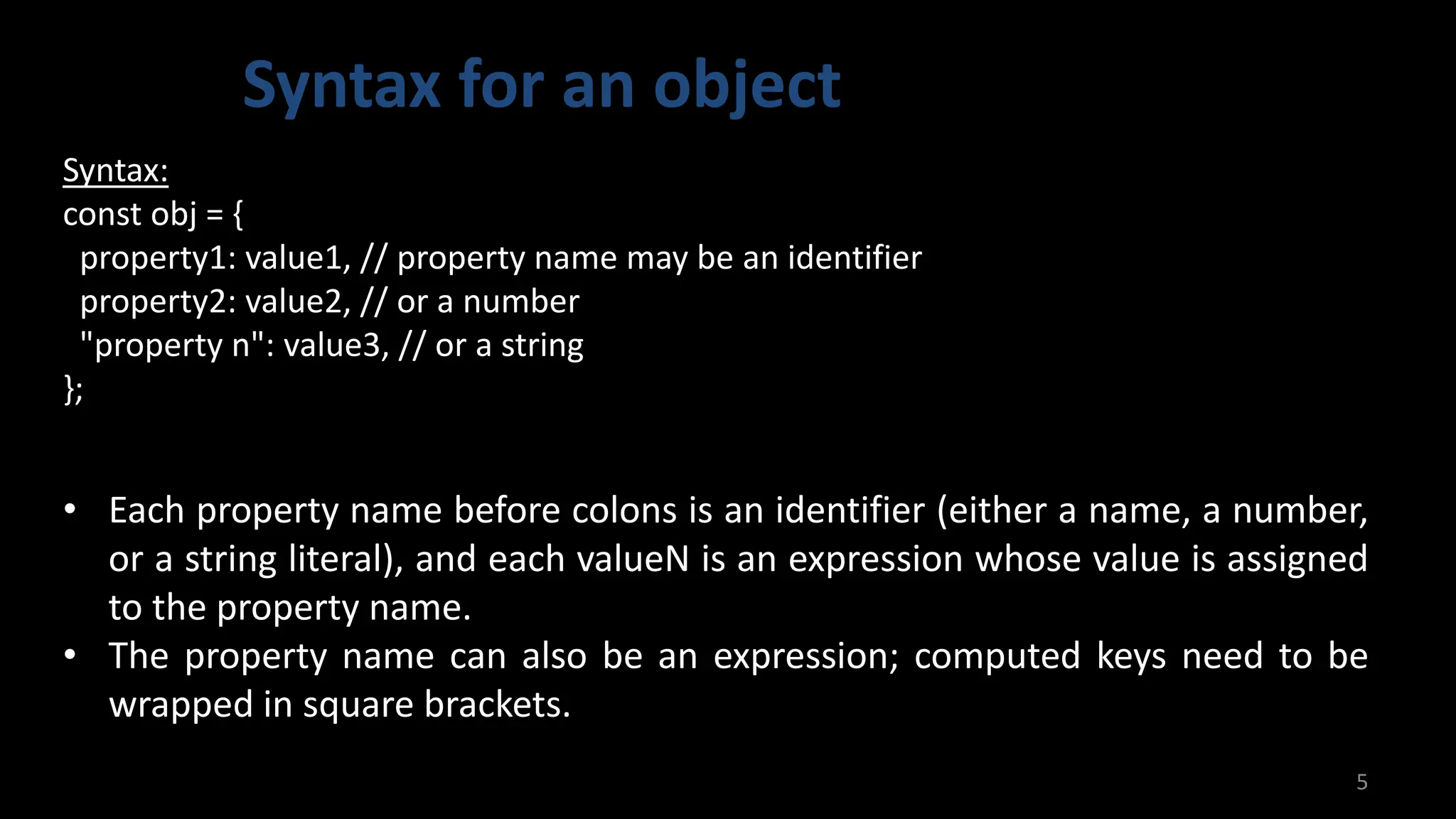
Syntax:
const obj = {
property1: value1, // property name may be an identifier
property2: value2, // or a number
"property n": value3, // or a string
};
• Each property name before colons is an identifier (either a name, a number,
or a string literal), and each valueN is an expression whose value is assigned
to the property name.
• The property name can also be an expression; computed keys need to be
wrapped in square brackets.
Accessing properties
6
Syntax:
obj.make = “Ford”; // Dot notation
obj[“year”] = 1969; //Bracket notation
• You can access a property of an object by its property name. Property
accessors come in two syntaxes: dot notation and bracket notation.
Worked out project
7
7.0 Project name: Program to create objects and display value in the
browser. (Create objects of 3 employees, where properties will be
name, age, occupation, income and Professional License and display
name of 4th person and income of third person)
Google drive link:
https://drive.google.com/drive/folders/15NS4cuLZV1BMMEMprq0V
vNQ9xiiqWvfu?usp=drive_link
Github link:
https://github.com/sauravbarua02/ConstructionEmployeeList
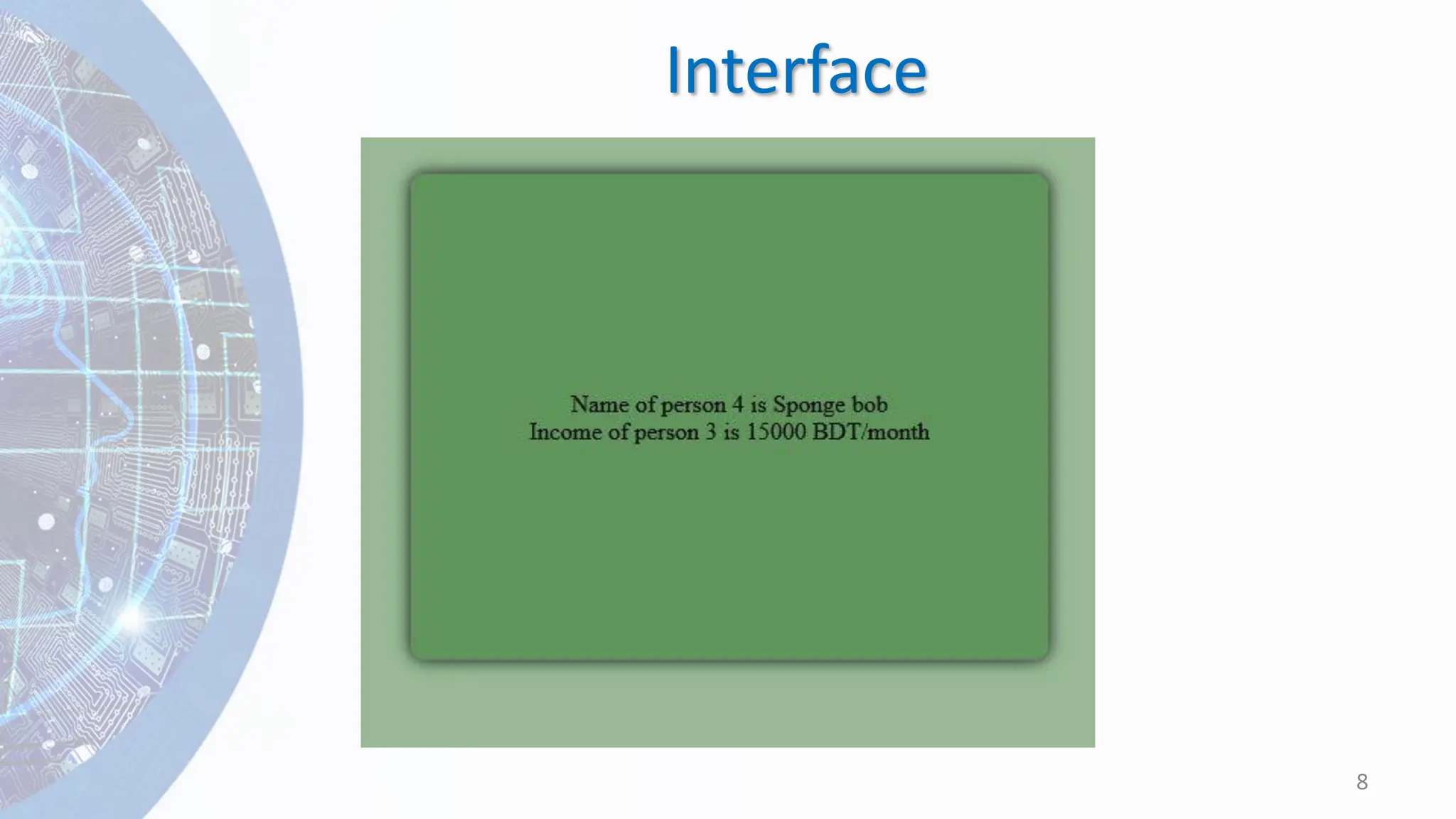
Interface
8
html codes
9
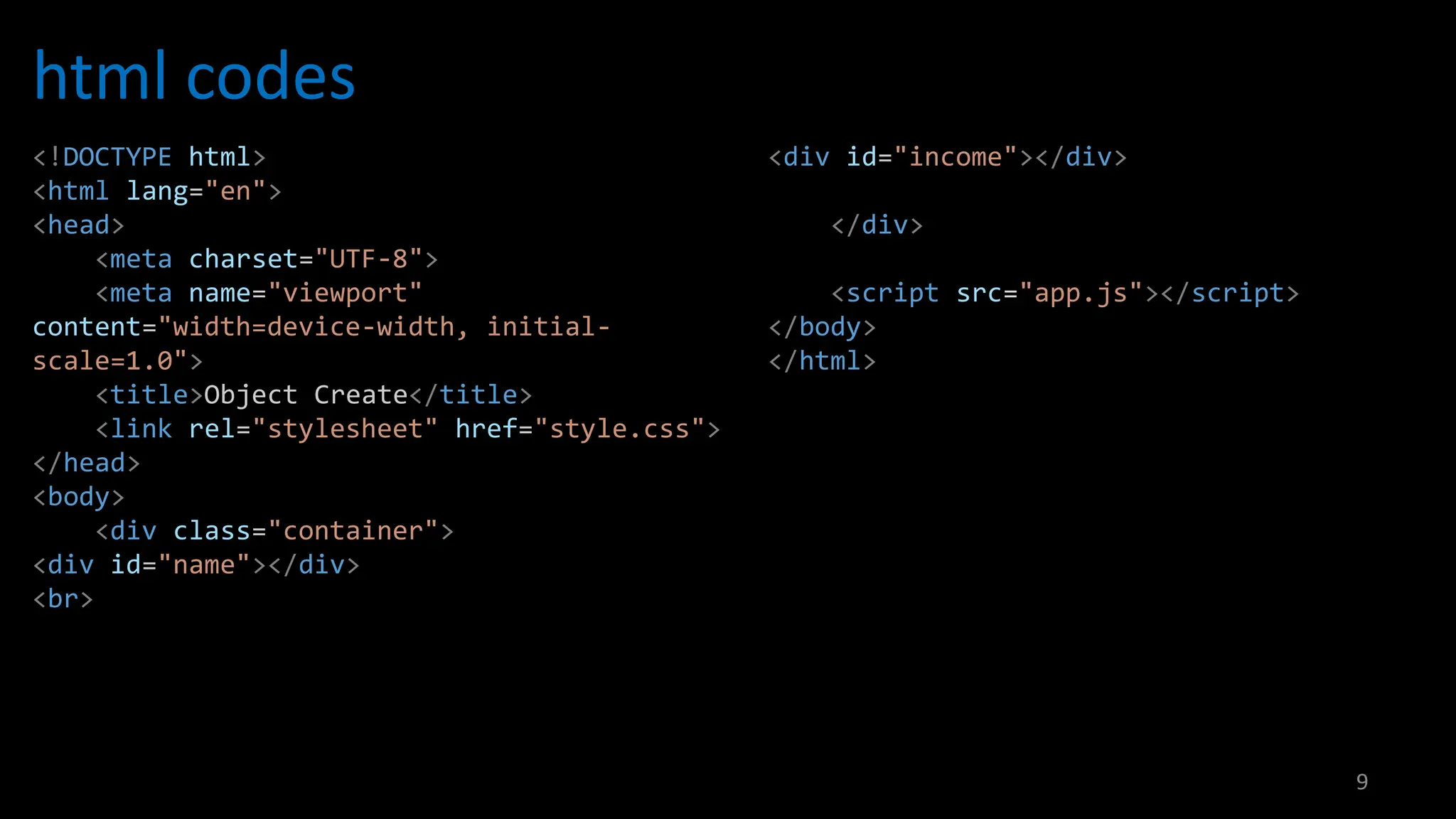
<!DOCTYPE html>
<html lang="en">
<head>
<meta charset="UTF-8">
<meta name="viewport"
content="width=device-width, initial-
scale=1.0">
<title>Object Create</title>
<link rel="stylesheet" href="style.css">
</head>
<body>
<div class="container">
<div id="name"></div>
<br>
<div id="income"></div>
</div>
<script src="app.js"></script>
</body>
</html>
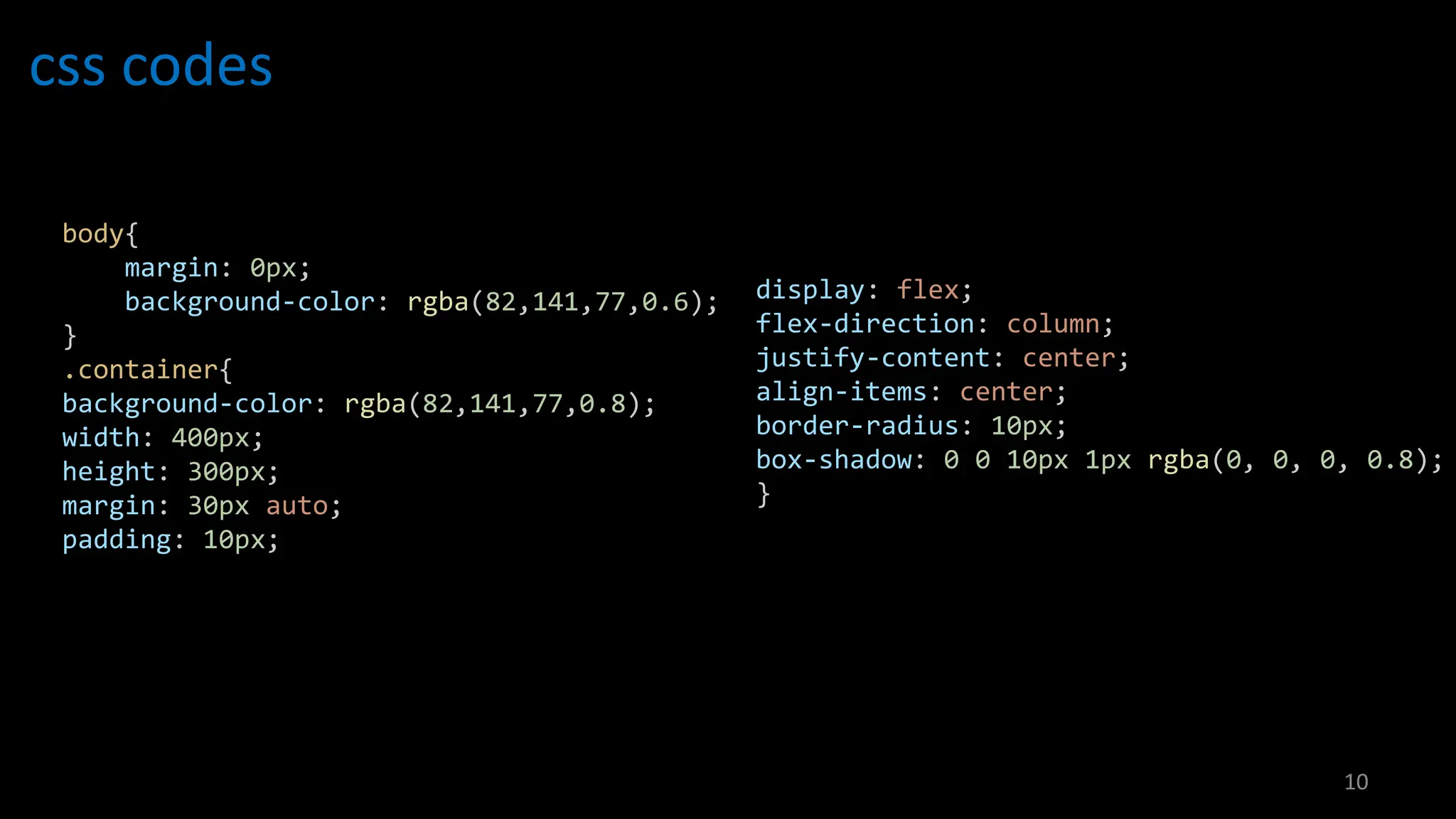
css codes
10
body{
margin: 0px;
background-color: rgba(82,141,77,0.6);
}
.container{
background-color: rgba(82,141,77,0.8);
width: 400px;
height: 300px;
margin: 30px auto;
padding: 10px;
display: flex;
flex-direction: column;
justify-content: center;
align-items: center;
border-radius: 10px;
box-shadow: 0 0 10px 1px rgba(0, 0, 0, 0.8);
}
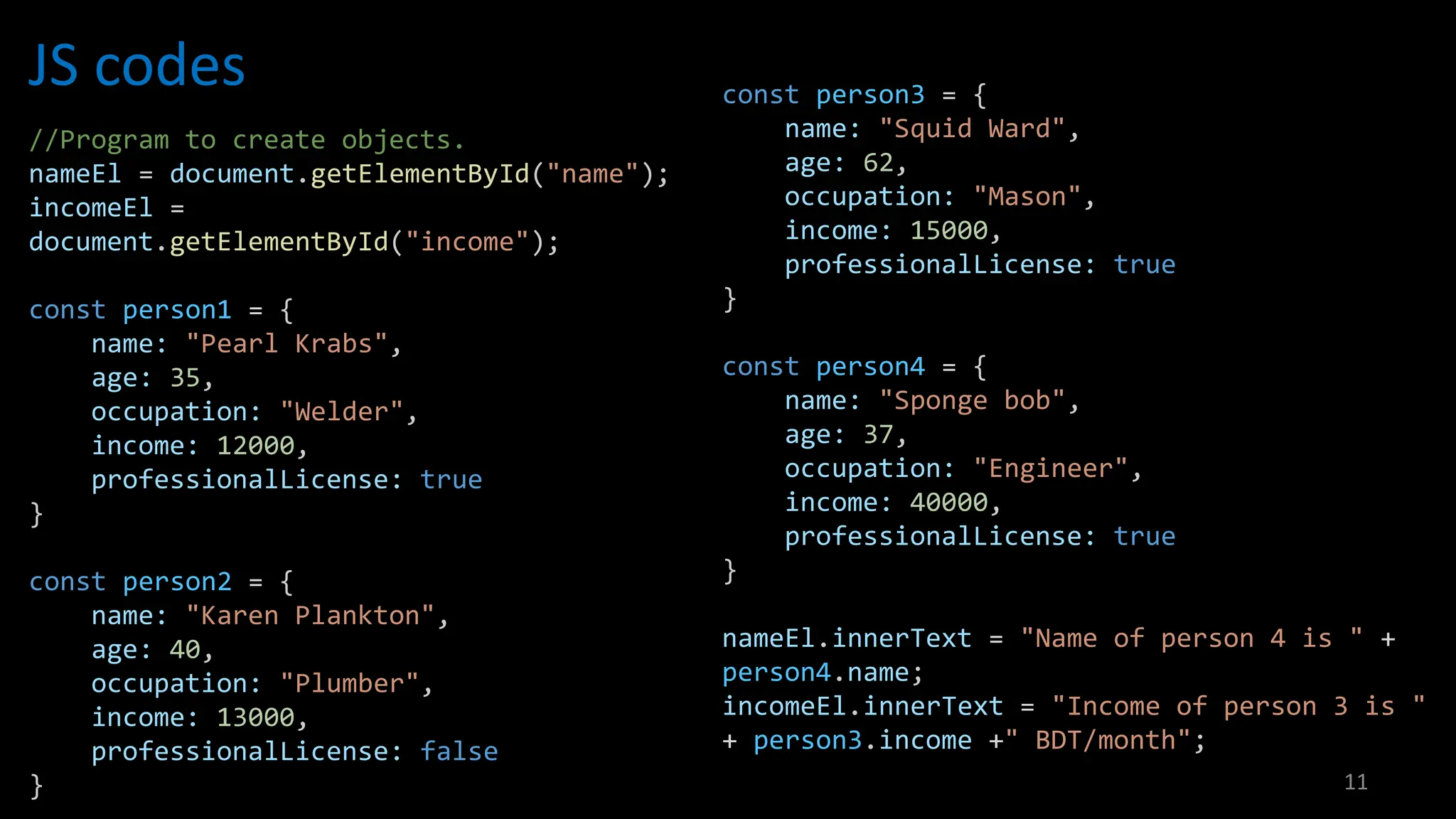
JS codes
11
//Program to create objects.
nameEl = document.getElementById("name");
incomeEl =
document.getElementById("income");
const person1 = {
name: "Pearl Krabs",
age: 35,
occupation: "Welder",
income: 12000,
professionalLicense: true
}
const person2 = {
name: "Karen Plankton",
age: 40,
occupation: "Plumber",
income: 13000,
professionalLicense: false
}
const person3 = {
name: "Squid Ward",
age: 62,
occupation: "Mason",
income: 15000,
professionalLicense: true
}
const person4 = {
name: "Sponge bob",
age: 37,
occupation: "Engineer",
income: 40000,
professionalLicense: true
}
nameEl.innerText = "Name of person 4 is " +
person4.name;
incomeEl.innerText = "Income of person 3 is "
+ person3.income +" BDT/month";
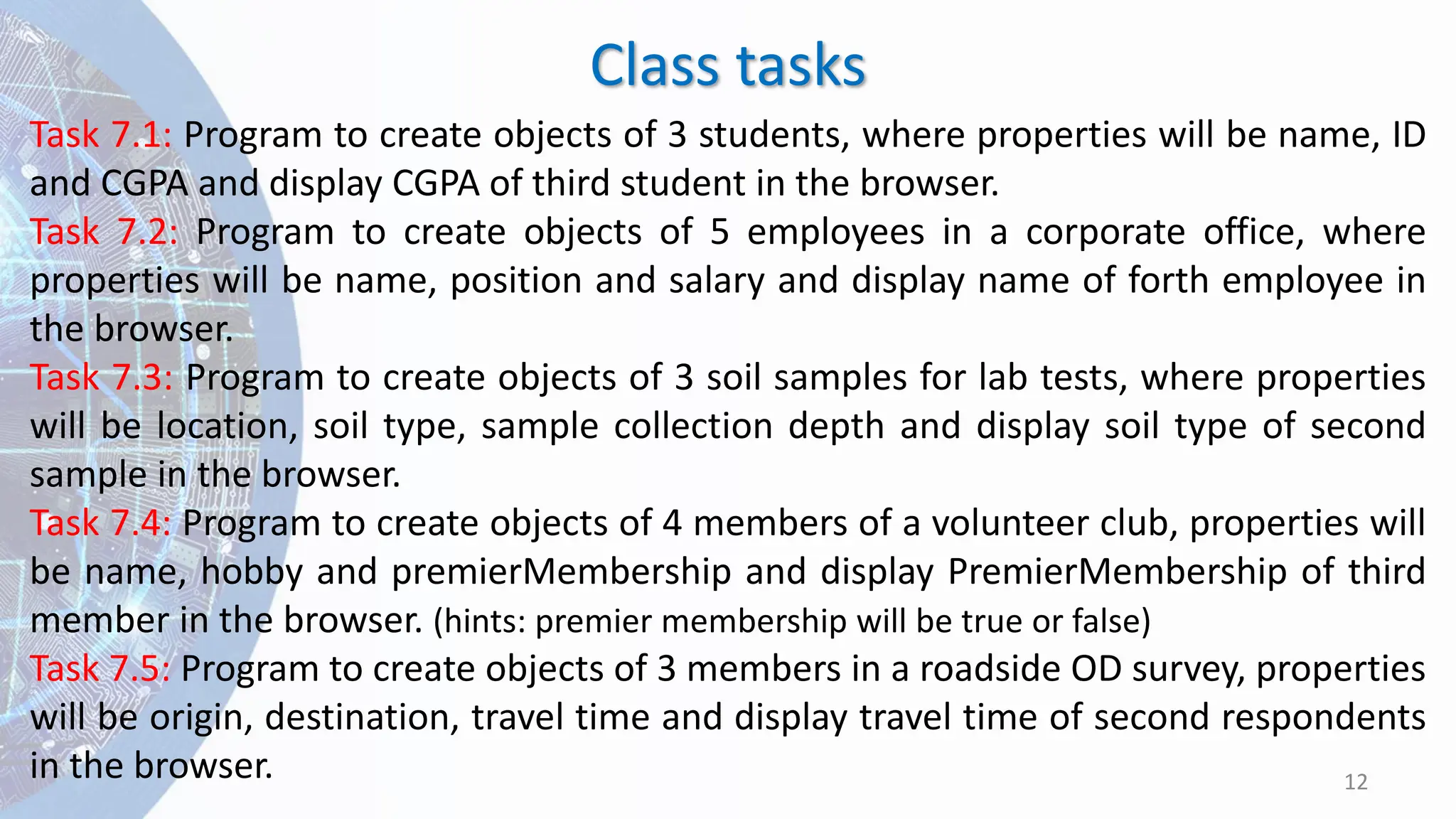
Class tasks
12
Task 7.1: Program to create objects of 3 students, where properties will be name, ID
and CGPA and display CGPA of third student in the browser.
Task 7.2: Program to create objects of 5 employees in a corporate office, where
properties will be name, position and salary and display name of forth employee in
the browser.
Task 7.3: Program to create objects of 3 soil samples for lab tests, where properties
will be location, soil type, sample collection depth and display soil type of second
sample in the browser.
Task 7.4: Program to create objects of 4 members of a volunteer club, properties will
be name, hobby and premierMembership and display PremierMembership of third
member in the browser. (hints: premier membership will be true or false)
Task 7.5: Program to create objects of 3 members in a roadside OD survey, properties
will be origin, destination, travel time and display travel time of second respondents
in the browser.
End of the Lecture
13

L7. Object in JS, CSE 202, BN11.pdf JavaScript

  • 1.
    Course Code: CSE202 Course Title: Computer Programming Lab Lecture 7: Object in JS Course Teacher: Saurav Barua (SB) Assistant Professor, Dept. of CE, DIU Phone: +88-01715334075 Email: saurav.ce@diu.edu.bd
  • 2.
    Contents 2 Worked out project for object Howto create Objects Syntax for an Object Accessing properties What is Object . Practice problems on object
  • 3.
    Objects 3 ✓ An objectin JavaScript is a data structure used to store related data collections. ✓ It stores data as key-value pairs, where each key is a unique identifier for the associated value. ✓ Objects are dynamic, which means the properties can be added, modified, or deleted at runtime.
  • 4.
    How to createobject? 4 There are two primary ways to create an object in JavaScript: ❑ Object Literal and ❑ Object Constructor.
  • 5.
    Syntax for anobject 5 Syntax: const obj = { property1: value1, // property name may be an identifier property2: value2, // or a number "property n": value3, // or a string }; • Each property name before colons is an identifier (either a name, a number, or a string literal), and each valueN is an expression whose value is assigned to the property name. • The property name can also be an expression; computed keys need to be wrapped in square brackets.
  • 6.
    Accessing properties 6 Syntax: obj.make =“Ford”; // Dot notation obj[“year”] = 1969; //Bracket notation • You can access a property of an object by its property name. Property accessors come in two syntaxes: dot notation and bracket notation.
  • 7.
    Worked out project 7 7.0Project name: Program to create objects and display value in the browser. (Create objects of 3 employees, where properties will be name, age, occupation, income and Professional License and display name of 4th person and income of third person) Google drive link: https://drive.google.com/drive/folders/15NS4cuLZV1BMMEMprq0V vNQ9xiiqWvfu?usp=drive_link Github link: https://github.com/sauravbarua02/ConstructionEmployeeList
  • 8.
  • 9.
    html codes 9 <!DOCTYPE html> <htmllang="en"> <head> <meta charset="UTF-8"> <meta name="viewport" content="width=device-width, initial- scale=1.0"> <title>Object Create</title> <link rel="stylesheet" href="style.css"> </head> <body> <div class="container"> <div id="name"></div> <br> <div id="income"></div> </div> <script src="app.js"></script> </body> </html>
  • 10.
    css codes 10 body{ margin: 0px; background-color:rgba(82,141,77,0.6); } .container{ background-color: rgba(82,141,77,0.8); width: 400px; height: 300px; margin: 30px auto; padding: 10px; display: flex; flex-direction: column; justify-content: center; align-items: center; border-radius: 10px; box-shadow: 0 0 10px 1px rgba(0, 0, 0, 0.8); }
  • 11.
    JS codes 11 //Program tocreate objects. nameEl = document.getElementById("name"); incomeEl = document.getElementById("income"); const person1 = { name: "Pearl Krabs", age: 35, occupation: "Welder", income: 12000, professionalLicense: true } const person2 = { name: "Karen Plankton", age: 40, occupation: "Plumber", income: 13000, professionalLicense: false } const person3 = { name: "Squid Ward", age: 62, occupation: "Mason", income: 15000, professionalLicense: true } const person4 = { name: "Sponge bob", age: 37, occupation: "Engineer", income: 40000, professionalLicense: true } nameEl.innerText = "Name of person 4 is " + person4.name; incomeEl.innerText = "Income of person 3 is " + person3.income +" BDT/month";
  • 12.
    Class tasks 12 Task 7.1:Program to create objects of 3 students, where properties will be name, ID and CGPA and display CGPA of third student in the browser. Task 7.2: Program to create objects of 5 employees in a corporate office, where properties will be name, position and salary and display name of forth employee in the browser. Task 7.3: Program to create objects of 3 soil samples for lab tests, where properties will be location, soil type, sample collection depth and display soil type of second sample in the browser. Task 7.4: Program to create objects of 4 members of a volunteer club, properties will be name, hobby and premierMembership and display PremierMembership of third member in the browser. (hints: premier membership will be true or false) Task 7.5: Program to create objects of 3 members in a roadside OD survey, properties will be origin, destination, travel time and display travel time of second respondents in the browser.
  • 13.
    End of theLecture 13