JS-TYPES
大綱
 htmlString
 Number

 Object
 Array
 PlainObject
font-size

HTMLSTRING
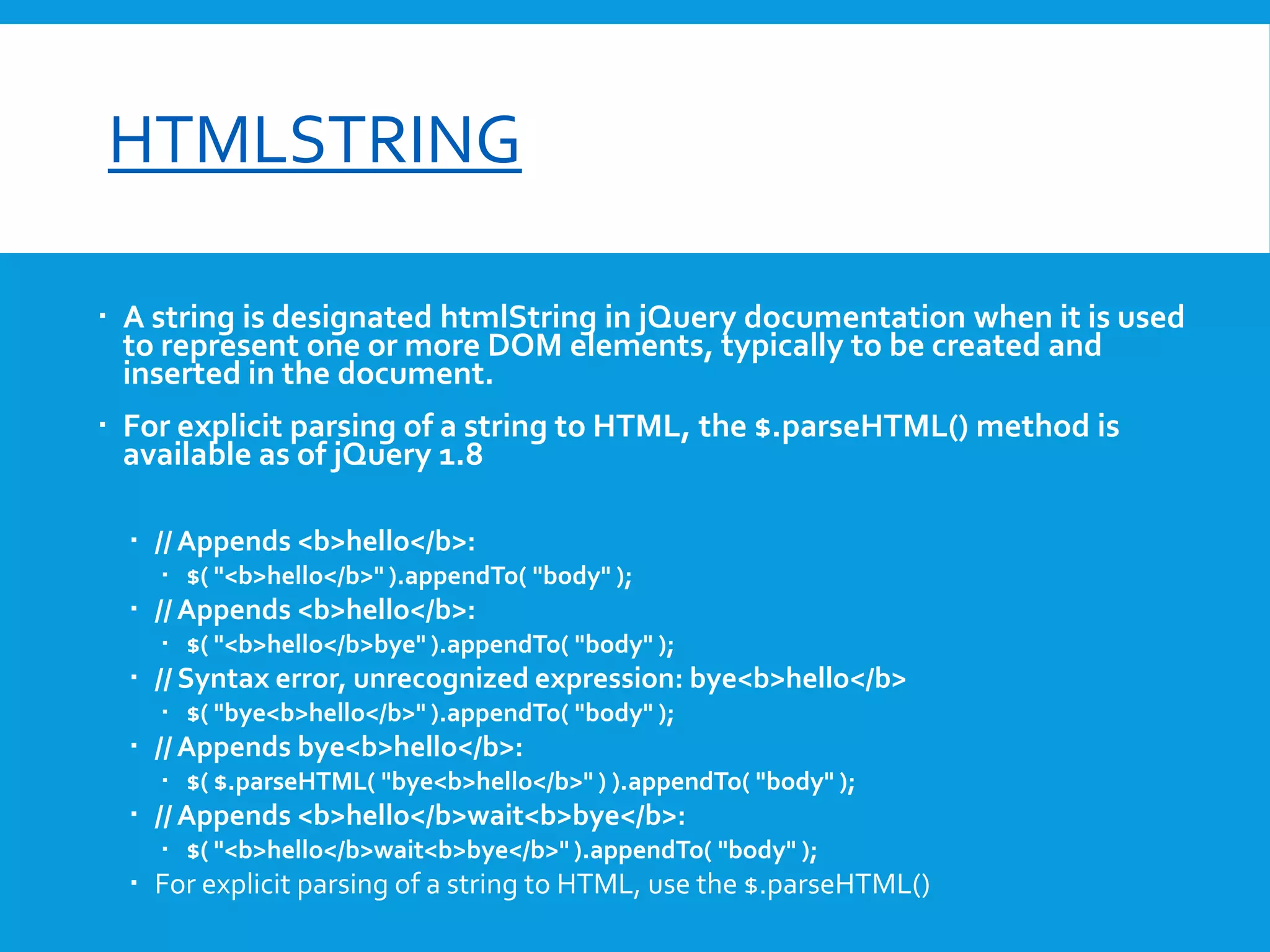
 A string is designated htmlString in jQuery documentation when it is used
to represent one or more DOM elements, typically to be created and
inserted in the document.

 For explicit parsing of a string to HTML, the $.parseHTML() method is
available as of jQuery 1.8
 // Appends <b>hello</b>:
 $( "<b>hello</b>" ).appendTo( "body" );

 // Appends <b>hello</b>:
 $( "<b>hello</b>bye" ).appendTo( "body" );

 // Syntax error, unrecognized expression: bye<b>hello</b>
 $( "bye<b>hello</b>" ).appendTo( "body" );

 // Appends bye<b>hello</b>:
 $( $.parseHTML( "bye<b>hello</b>" ) ).appendTo( "body" );

 // Appends <b>hello</b>wait<b>bye</b>:
 $( "<b>hello</b>wait<b>bye</b>" ).appendTo( "body" );

 For explicit parsing of a string to HTML, use the $.parseHTML()
font-size

NUMBER
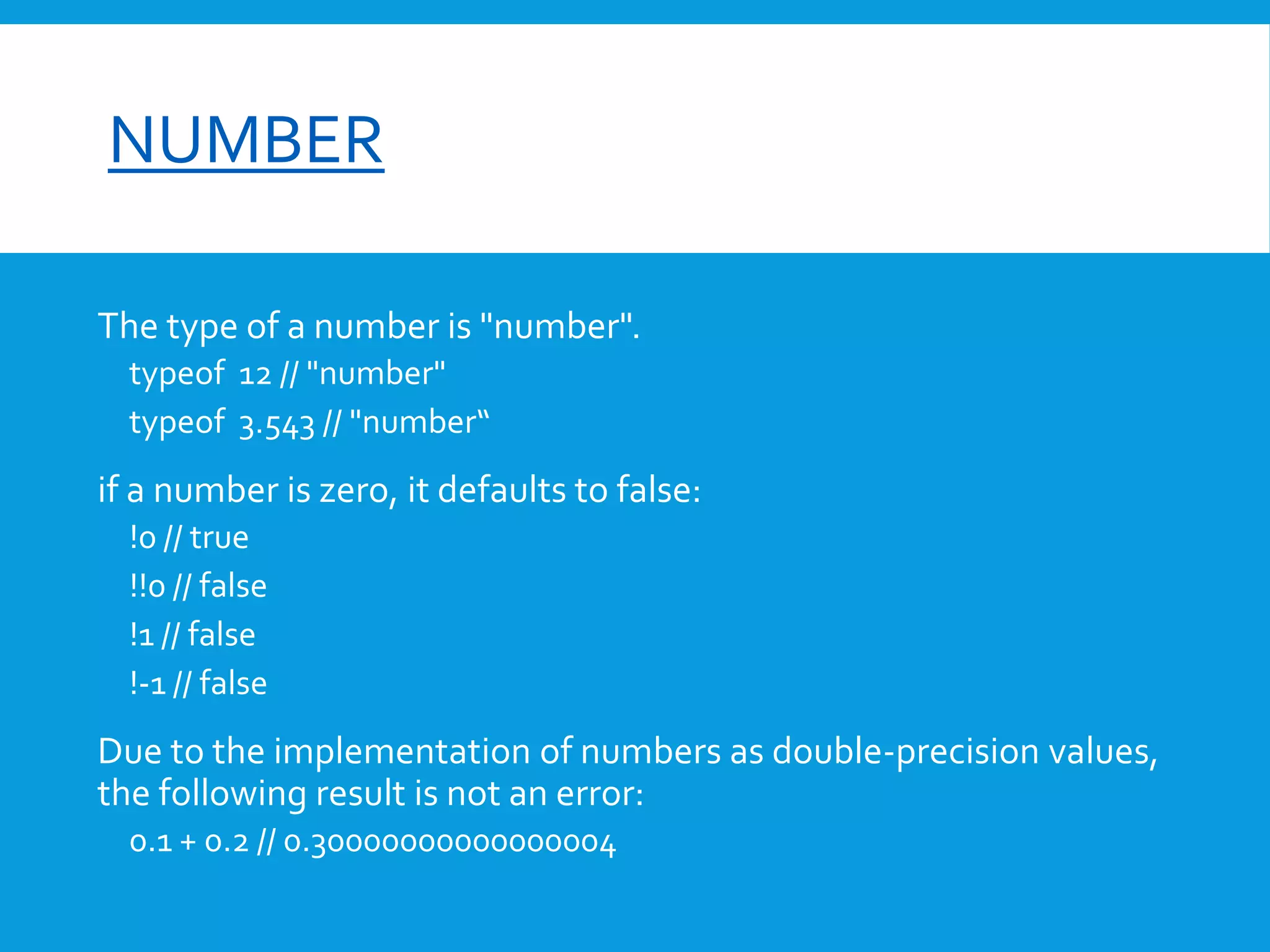
The type of a number is "number".
typeof 12 // "number"
typeof 3.543 // "number“

if a number is zero, it defaults to false:
!0 // true
!!0 // false
!1 // false
!-1 // false

Due to the implementation of numbers as double-precision values,
the following result is not an error:
0.1 + 0.2 // 0.30000000000000004
font-size

NUMBER
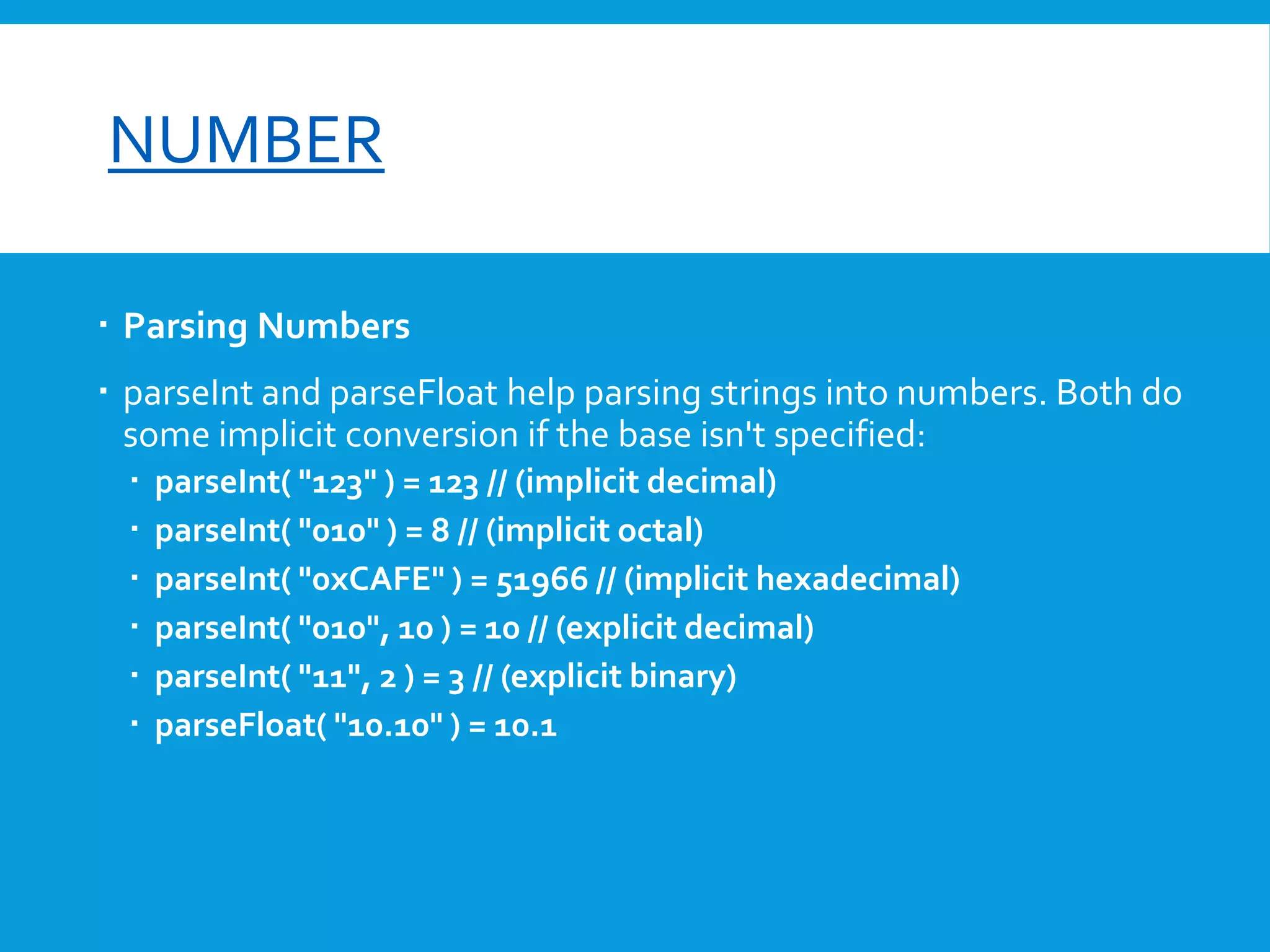
 Parsing Numbers
 parseInt and parseFloat help parsing strings into numbers. Both do
some implicit conversion if the base isn't specified:







parseInt( "123" ) = 123 // (implicit decimal)
parseInt( "010" ) = 8 // (implicit octal)
parseInt( "0xCAFE" ) = 51966 // (implicit hexadecimal)
parseInt( "010", 10 ) = 10 // (explicit decimal)
parseInt( "11", 2 ) = 3 // (explicit binary)
parseFloat( "10.10" ) = 10.1
font-size

NUMBER
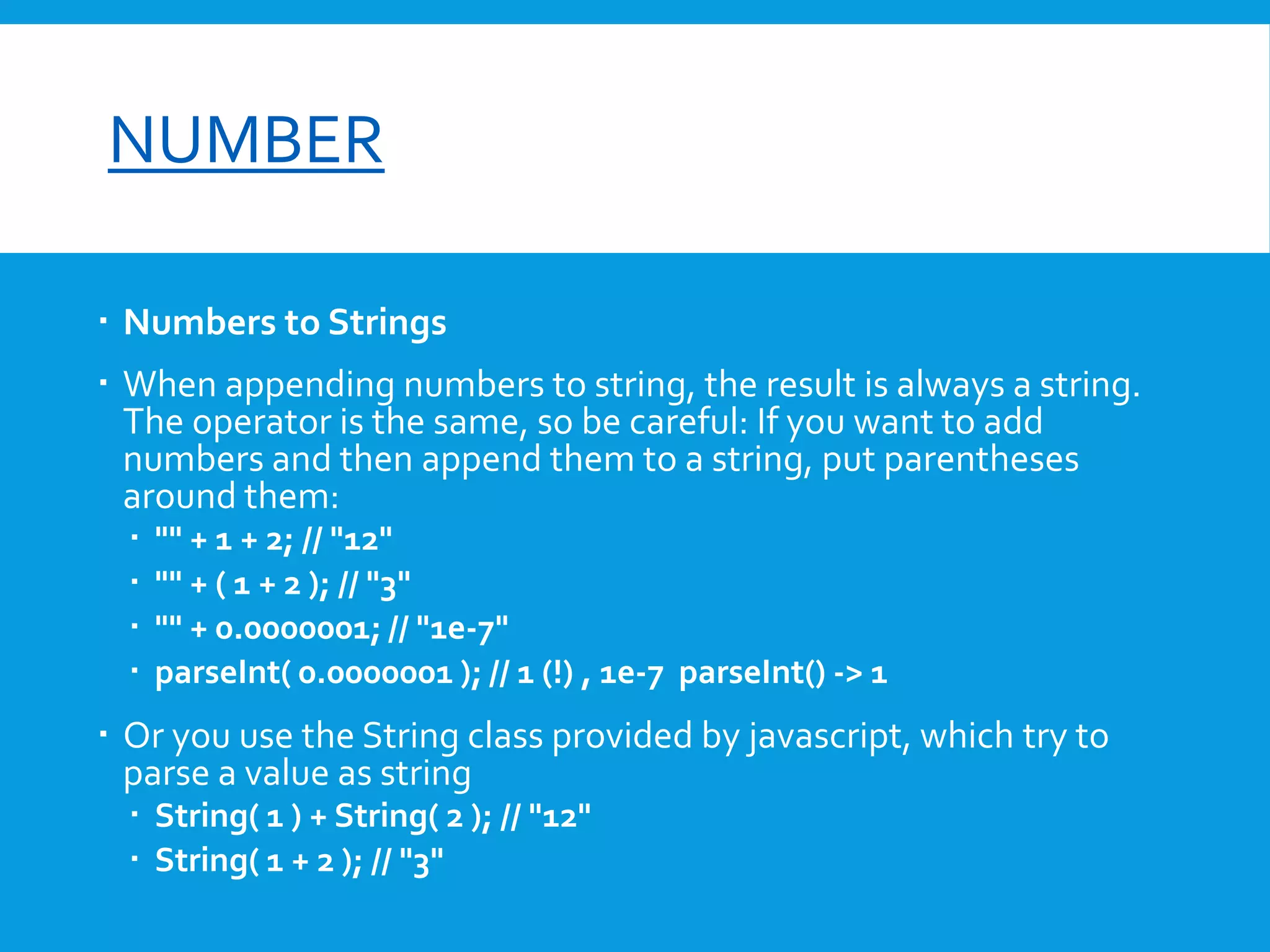
 Numbers to Strings
 When appending numbers to string, the result is always a string.
The operator is the same, so be careful: If you want to add
numbers and then append them to a string, put parentheses
around them:





"" + 1 + 2; // "12"
"" + ( 1 + 2 ); // "3"
"" + 0.0000001; // "1e-7"
parseInt( 0.0000001 ); // 1 (!) , 1e-7 parseInt() -> 1

 Or you use the String class provided by javascript, which try to
parse a value as string
 String( 1 ) + String( 2 ); // "12"
 String( 1 + 2 ); // "3"
font-size

NUMBER
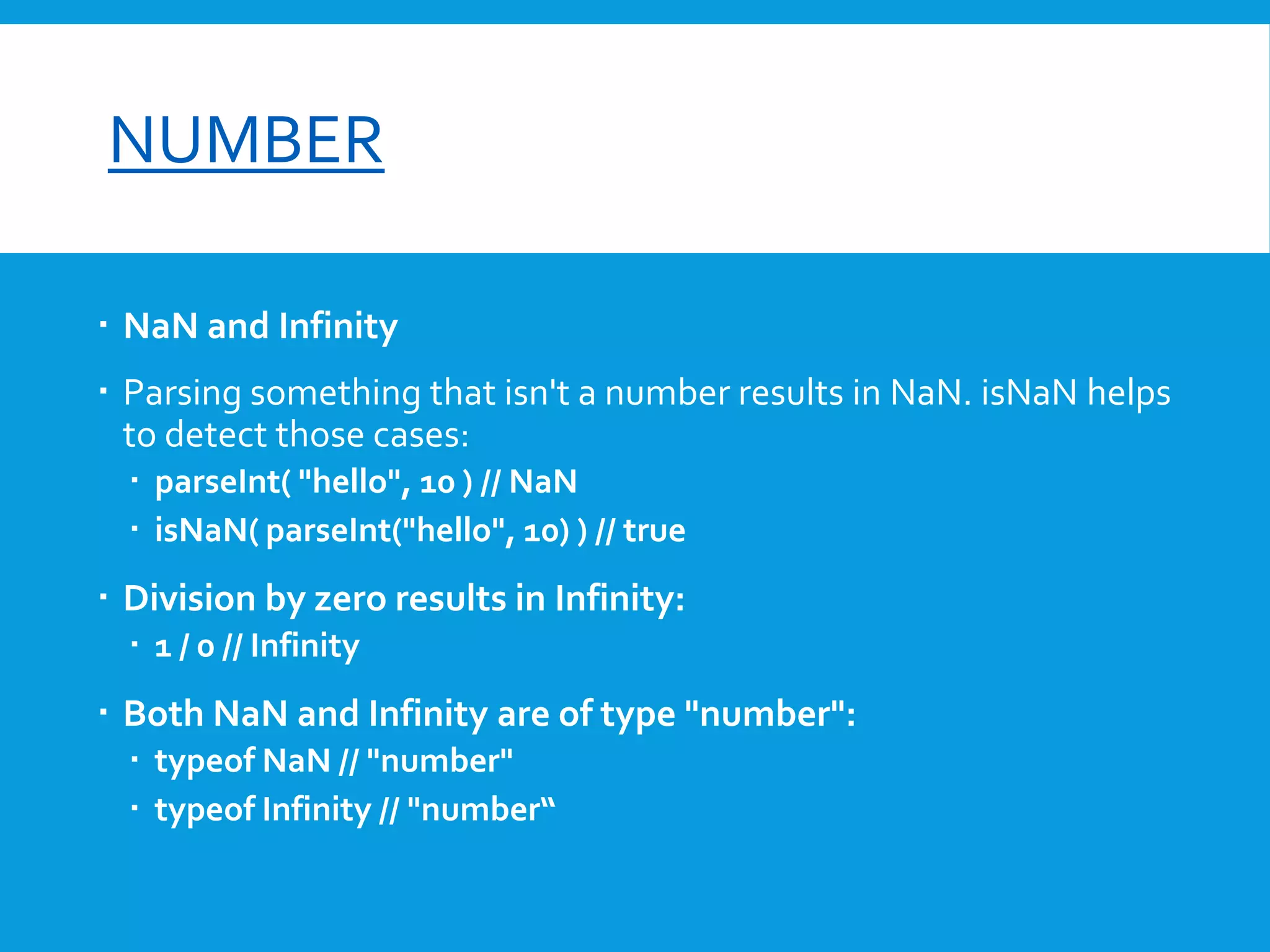
 NaN and Infinity
 Parsing something that isn't a number results in NaN. isNaN helps
to detect those cases:
 parseInt( "hello", 10 ) // NaN
 isNaN( parseInt("hello", 10) ) // true

 Division by zero results in Infinity:
 1 / 0 // Infinity

 Both NaN and Infinity are of type "number":
 typeof NaN // "number"
 typeof Infinity // "number“
font-size

NUMBER
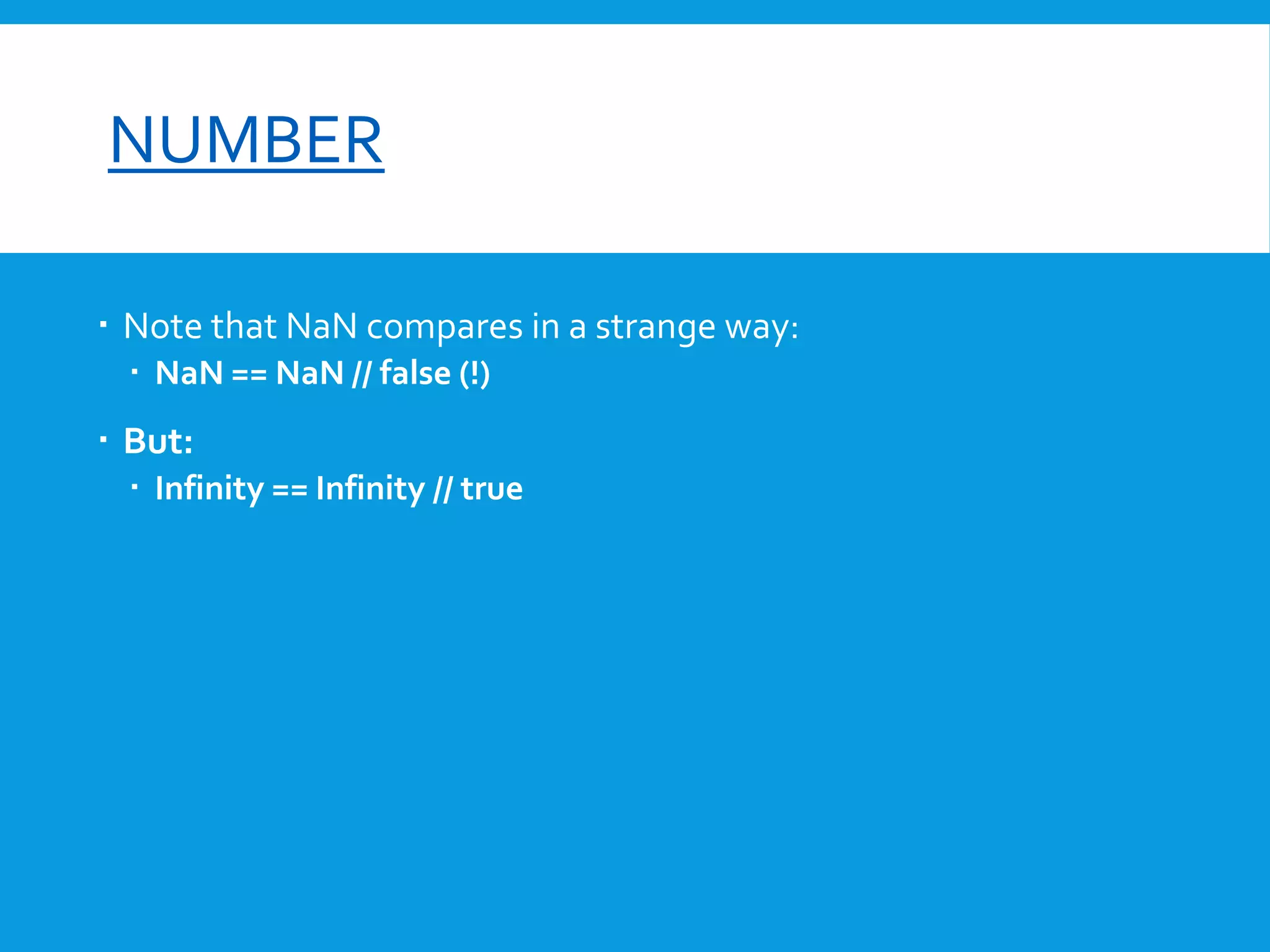
 Note that NaN compares in a strange way:
 NaN == NaN // false (!)

 But:
 Infinity == Infinity // true
font-size

OBJECT
Everything in JavaScript is an object
var x = {};
var y = {
name: "Pete",
age: 15

};

The type of an object is "object":
typeof {} // "object“

Use Dot or Array Notation to write and read properties
var obj = {

name: "Pete",
age: 15
};
for( key in obj ) {
alert( "key is " + [ key ] + ", value is " + obj[ key ] );
}

Note that for-in-loop can be spoiled by extending Object.prototype so take care when using other
libraries.Use jQuery.each(obj, function( key, value ))
font-size

OBJECT
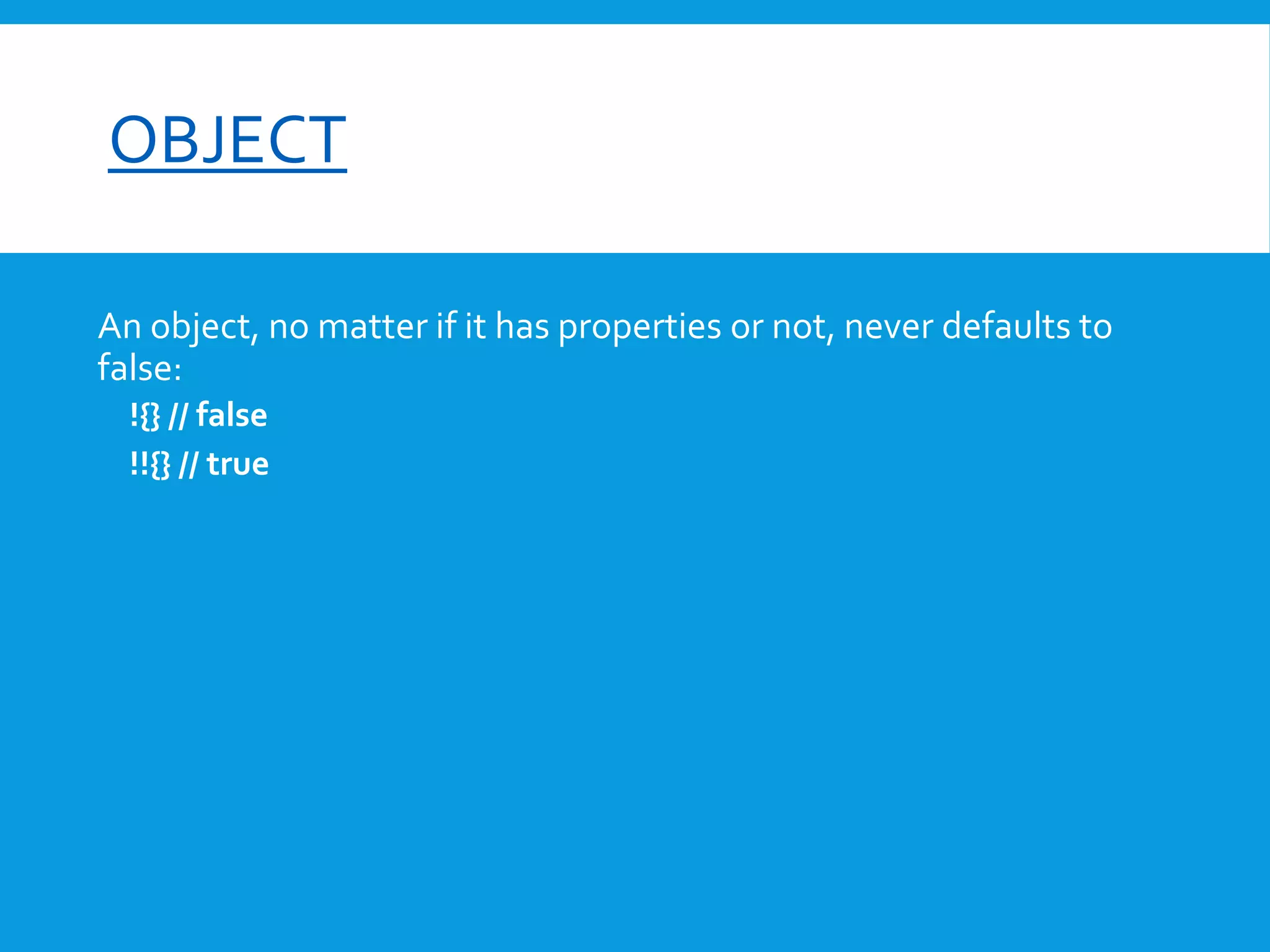
An object, no matter if it has properties or not, never defaults to
false:
!{} // false
!!{} // true
font-size

ARRAY
Arrays in JavaScript are mutable lists with a few built-in methods. You can
define arrays using the array literal:
var x = [];
var y = [ 1, 2, 3 ];

The type of an array is "object":
typeof []; // "object"
typeof [ 1, 2, 3 ]; // "object“

Reading and writing elements to an array uses the array-notation:
x[ 0 ] = 1;
y[ 2 ] // 3

 The length property can also be used to add elements to the end of an array
var x = [];
x.push( 1 );
x[ x.length ] = 2;
x[1000] = 1; // x.length = 1000
font-size

ARRAY
jQuery provides a generic each function to iterate over element of arrays, as well as properties of
objects:
var x = [ 1, 2, 3 ];
jQuery.each( x, function( index, value ) {
console.log( "index", index, "value", value );
});

The length property can also be used to add elements to the end of an array. That is equivalent to
using the push-method:
var x = [ 0, 3, 1, 2 ];
x.reverse() // x = [ 2, 1, 3, 0 ]
x.join(" – ") // "2 - 1 - 3 - 0"
x.pop() // pop 0 , x= [ 2, 1, 3 ]
x.unshift( -1 ) // newlength 4 , x = [ -1, 2, 1, 3 ]
x.shift() // remove -1 , x = [ 2, 1, 3 ]
x.sort() // [ 1, 2, 3 ]
x.splice( 1, 2 ) // remove 2,3 , x =[1 ]
An array, no matter if it has elements or not, never defaults to false:
![] // false
!![] // true
font-size

PLAINOBJECT
The PlainObject type is a JavaScript object containing zero or more keyvalue pairs. The plain object is, in other words, an Object object. It is
designated "plain" in jQuery documentation to distinguish it from other
kinds of JavaScript objects: for example, null, user-defined arrays, and host
objects such as document, all of which have a typeof value of "object." The
jQuery.isPlainObject() method identifies whether the passed argument is a
plain object or not, as demonstrated below:
var a = [];
var d = document;
var o = {};
typeof a; // object
typeof d; // object
typeof o; // object
jQuery.isPlainObject( a ); // false
jQuery.isPlainObject( d ); // false
jQuery.isPlainObject( o ); // true
font-size

REFERENCE
http://api.jquery.com/Types/

Js types

  • 1.
  • 2.
    大綱  htmlString  Number Object  Array  PlainObject
  • 3.
    font-size HTMLSTRING  A stringis designated htmlString in jQuery documentation when it is used to represent one or more DOM elements, typically to be created and inserted in the document.  For explicit parsing of a string to HTML, the $.parseHTML() method is available as of jQuery 1.8  // Appends <b>hello</b>:  $( "<b>hello</b>" ).appendTo( "body" );  // Appends <b>hello</b>:  $( "<b>hello</b>bye" ).appendTo( "body" );  // Syntax error, unrecognized expression: bye<b>hello</b>  $( "bye<b>hello</b>" ).appendTo( "body" );  // Appends bye<b>hello</b>:  $( $.parseHTML( "bye<b>hello</b>" ) ).appendTo( "body" );  // Appends <b>hello</b>wait<b>bye</b>:  $( "<b>hello</b>wait<b>bye</b>" ).appendTo( "body" );  For explicit parsing of a string to HTML, use the $.parseHTML()
  • 4.
    font-size NUMBER The type ofa number is "number". typeof 12 // "number" typeof 3.543 // "number“ if a number is zero, it defaults to false: !0 // true !!0 // false !1 // false !-1 // false Due to the implementation of numbers as double-precision values, the following result is not an error: 0.1 + 0.2 // 0.30000000000000004
  • 5.
    font-size NUMBER  Parsing Numbers parseInt and parseFloat help parsing strings into numbers. Both do some implicit conversion if the base isn't specified:       parseInt( "123" ) = 123 // (implicit decimal) parseInt( "010" ) = 8 // (implicit octal) parseInt( "0xCAFE" ) = 51966 // (implicit hexadecimal) parseInt( "010", 10 ) = 10 // (explicit decimal) parseInt( "11", 2 ) = 3 // (explicit binary) parseFloat( "10.10" ) = 10.1
  • 6.
    font-size NUMBER  Numbers toStrings  When appending numbers to string, the result is always a string. The operator is the same, so be careful: If you want to add numbers and then append them to a string, put parentheses around them:     "" + 1 + 2; // "12" "" + ( 1 + 2 ); // "3" "" + 0.0000001; // "1e-7" parseInt( 0.0000001 ); // 1 (!) , 1e-7 parseInt() -> 1  Or you use the String class provided by javascript, which try to parse a value as string  String( 1 ) + String( 2 ); // "12"  String( 1 + 2 ); // "3"
  • 7.
    font-size NUMBER  NaN andInfinity  Parsing something that isn't a number results in NaN. isNaN helps to detect those cases:  parseInt( "hello", 10 ) // NaN  isNaN( parseInt("hello", 10) ) // true  Division by zero results in Infinity:  1 / 0 // Infinity  Both NaN and Infinity are of type "number":  typeof NaN // "number"  typeof Infinity // "number“
  • 8.
    font-size NUMBER  Note thatNaN compares in a strange way:  NaN == NaN // false (!)  But:  Infinity == Infinity // true
  • 9.
    font-size OBJECT Everything in JavaScriptis an object var x = {}; var y = { name: "Pete", age: 15 }; The type of an object is "object": typeof {} // "object“ Use Dot or Array Notation to write and read properties var obj = { name: "Pete", age: 15 }; for( key in obj ) { alert( "key is " + [ key ] + ", value is " + obj[ key ] ); } Note that for-in-loop can be spoiled by extending Object.prototype so take care when using other libraries.Use jQuery.each(obj, function( key, value ))
  • 10.
    font-size OBJECT An object, nomatter if it has properties or not, never defaults to false: !{} // false !!{} // true
  • 11.
    font-size ARRAY Arrays in JavaScriptare mutable lists with a few built-in methods. You can define arrays using the array literal: var x = []; var y = [ 1, 2, 3 ]; The type of an array is "object": typeof []; // "object" typeof [ 1, 2, 3 ]; // "object“ Reading and writing elements to an array uses the array-notation: x[ 0 ] = 1; y[ 2 ] // 3  The length property can also be used to add elements to the end of an array var x = []; x.push( 1 ); x[ x.length ] = 2; x[1000] = 1; // x.length = 1000
  • 12.
    font-size ARRAY jQuery provides ageneric each function to iterate over element of arrays, as well as properties of objects: var x = [ 1, 2, 3 ]; jQuery.each( x, function( index, value ) { console.log( "index", index, "value", value ); }); The length property can also be used to add elements to the end of an array. That is equivalent to using the push-method: var x = [ 0, 3, 1, 2 ]; x.reverse() // x = [ 2, 1, 3, 0 ] x.join(" – ") // "2 - 1 - 3 - 0" x.pop() // pop 0 , x= [ 2, 1, 3 ] x.unshift( -1 ) // newlength 4 , x = [ -1, 2, 1, 3 ] x.shift() // remove -1 , x = [ 2, 1, 3 ] x.sort() // [ 1, 2, 3 ] x.splice( 1, 2 ) // remove 2,3 , x =[1 ] An array, no matter if it has elements or not, never defaults to false: ![] // false !![] // true
  • 13.
    font-size PLAINOBJECT The PlainObject typeis a JavaScript object containing zero or more keyvalue pairs. The plain object is, in other words, an Object object. It is designated "plain" in jQuery documentation to distinguish it from other kinds of JavaScript objects: for example, null, user-defined arrays, and host objects such as document, all of which have a typeof value of "object." The jQuery.isPlainObject() method identifies whether the passed argument is a plain object or not, as demonstrated below: var a = []; var d = document; var o = {}; typeof a; // object typeof d; // object typeof o; // object jQuery.isPlainObject( a ); // false jQuery.isPlainObject( d ); // false jQuery.isPlainObject( o ); // true
  • 14.