iFour ConsultancyjQuery Plugins & JSON
 JQuery Plugins
 How to use Plugins
 How to develop a Plugin
 Jquery Plugin Examples
 Introduction to JSON
 JSON Objects
 Arrays in JSON
 Data types : Objects and Arrays
INDEX
http://www.ifourtechnolab.com/
 Simply a new method that we use to extend jQuery's prototype object. By extending the
prototype object you enable all jQuery objects to inherit any methods that you add.
 As established, whenever you call JQuery() you're creating a new jQuery object, with all of
jQuery's methods inherited.
 The idea of a plugin is to do something with a collection of elements. You could consider
each method that comes with the jQuery core a plugin, like .fadeout() and .addclass()
JQuery Plugins
VB.NET Software Development Companies Indiahttp://www.ifourtechnolab.com/
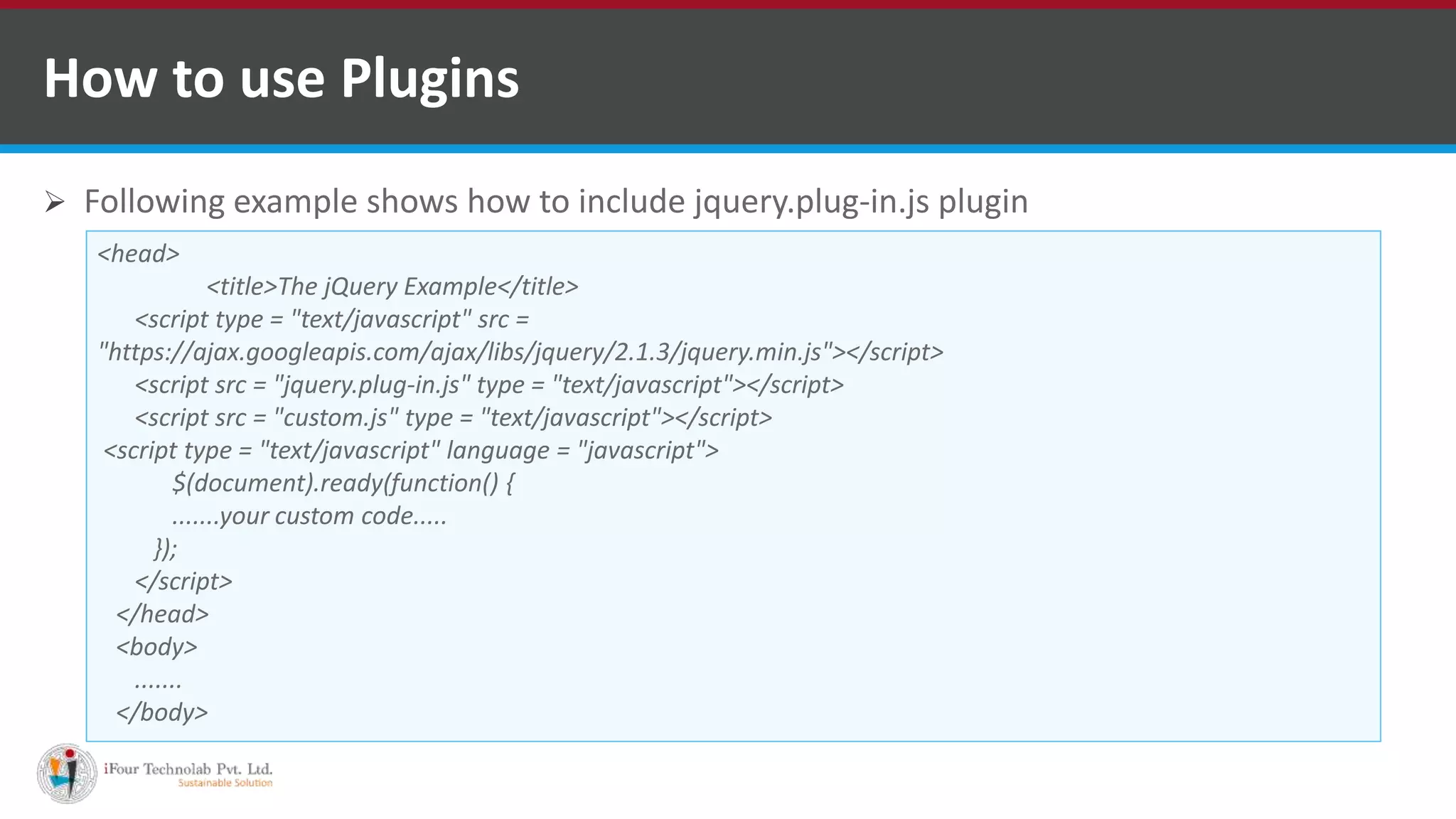
 Following example shows how to include jquery.plug-in.js plugin
How to use Plugins
<head>
<title>The jQuery Example</title>
<script type = "text/javascript" src =
"https://ajax.googleapis.com/ajax/libs/jquery/2.1.3/jquery.min.js"></script>
<script src = "jquery.plug-in.js" type = "text/javascript"></script>
<script src = "custom.js" type = "text/javascript"></script>
<script type = "text/javascript" language = "javascript">
$(document).ready(function() {
.......your custom code.....
});
</script>
</head>
<body>
.......
</body>
VB.NET Software Development Companies Indiahttp://www.ifourtechnolab.com/
 Any methods or functions you attach must have a semicolon (;) at the end
 Your method must return the jQuery object, unless explicitly noted otherwise
 You should use this.each to iterate over the current set of matched elements - it
produces clean and compatible code that way
 Prefix the filename with jQuery, follow that with the name of the plugin and
conclude with .js
 Always attach the plugin to jQuery directly instead of $, so users can use a custom
alias via noConflict() method
How to develop a plug-in
VB.NET Software Development Companies Indiahttp://www.ifourtechnolab.com/
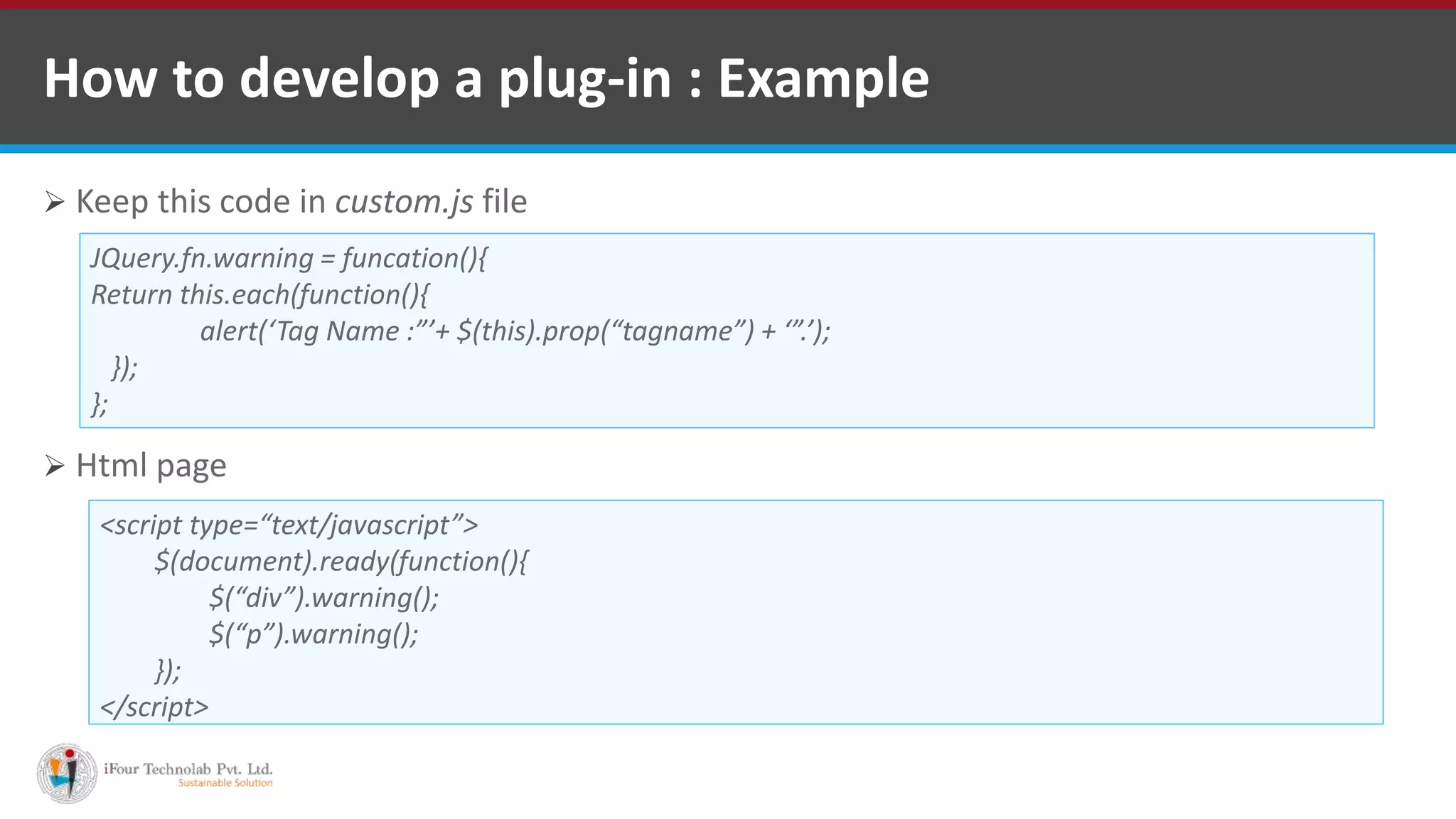
How to develop a plug-in : Example
 Keep this code in custom.js file
 Html page
JQuery.fn.warning = funcation(){
Return this.each(function(){
alert(‘Tag Name :”’+ $(this).prop(“tagname”) + ‘”.’);
});
};
<script type=“text/javascript”>
$(document).ready(function(){
$(“div”).warning();
$(“p”).warning();
});
</script>
VB.NET Software Development Companies Indiahttp://www.ifourtechnolab.com/
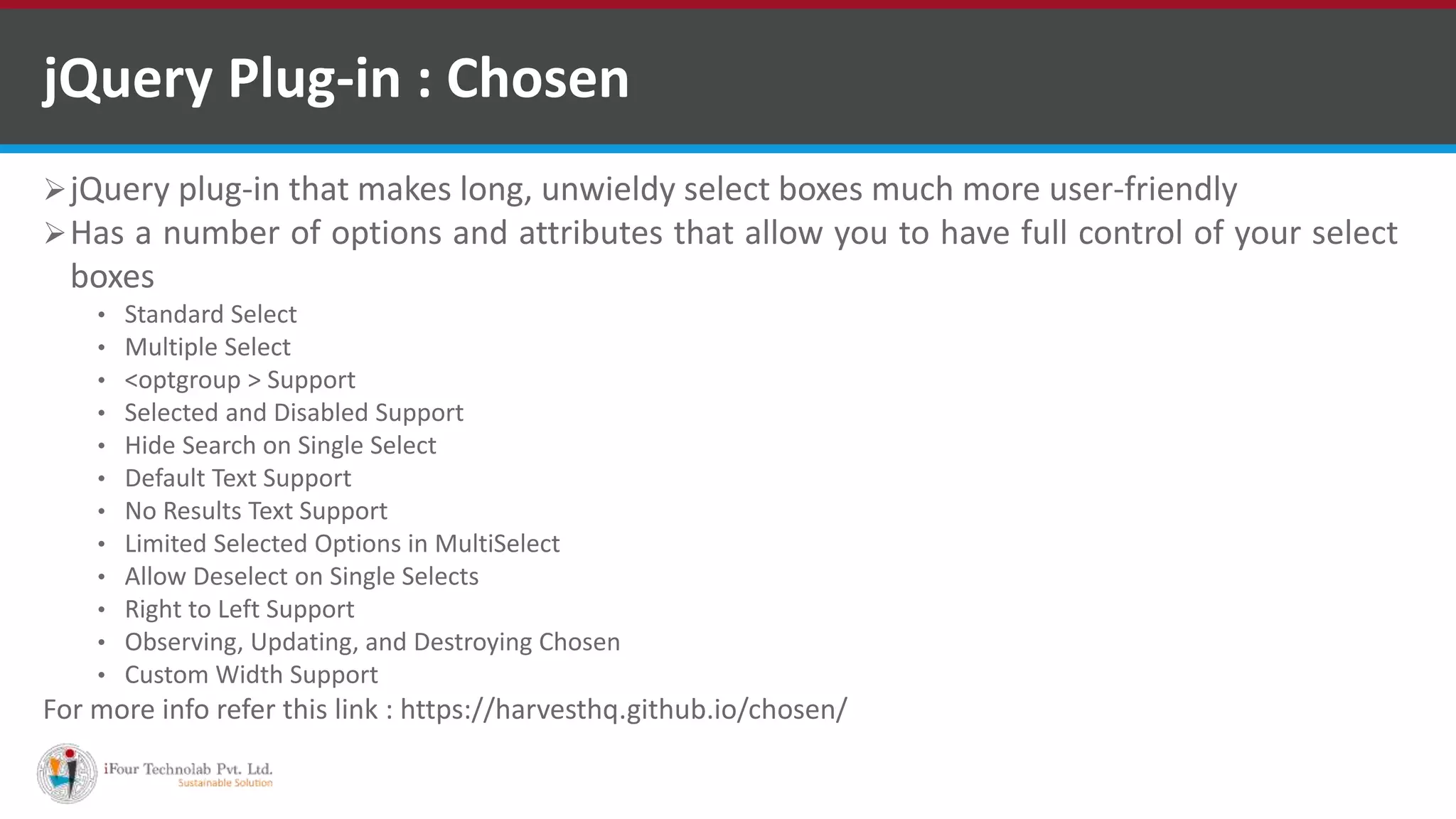
jQuery Plug-in : Chosen
jQuery plug-in that makes long, unwieldy select boxes much more user-friendly
Has a number of options and attributes that allow you to have full control of your select
boxes
• Standard Select
• Multiple Select
• <optgroup > Support
• Selected and Disabled Support
• Hide Search on Single Select
• Default Text Support
• No Results Text Support
• Limited Selected Options in MultiSelect
• Allow Deselect on Single Selects
• Right to Left Support
• Observing, Updating, and Destroying Chosen
• Custom Width Support
For more info refer this link : https://harvesthq.github.io/chosen/
VB.NET Software Development Companies Indiahttp://www.ifourtechnolab.com/
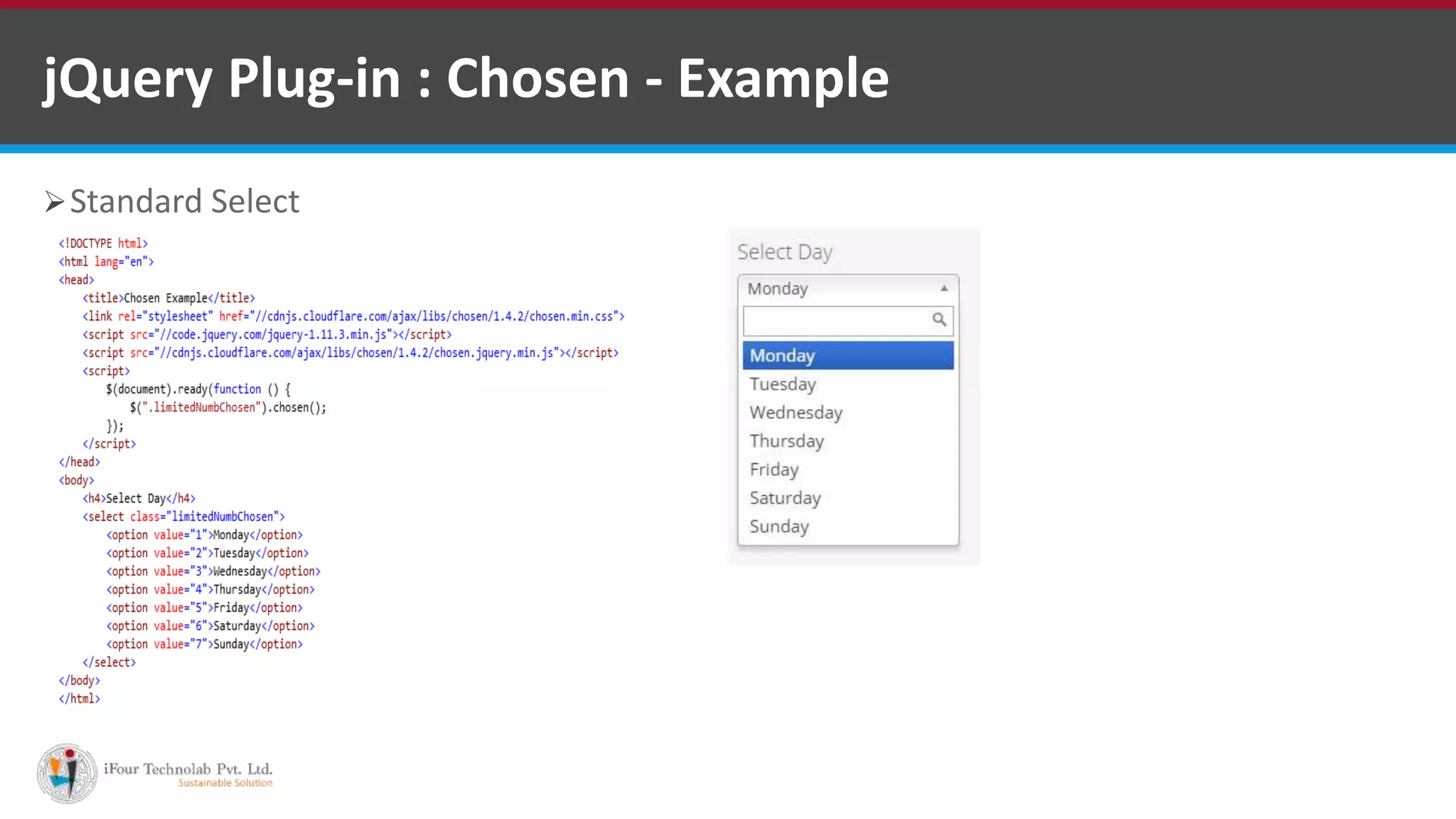
jQuery Plug-in : Chosen - Example
Standard Select
VB.NET Software Development Companies Indiahttp://www.ifourtechnolab.com/
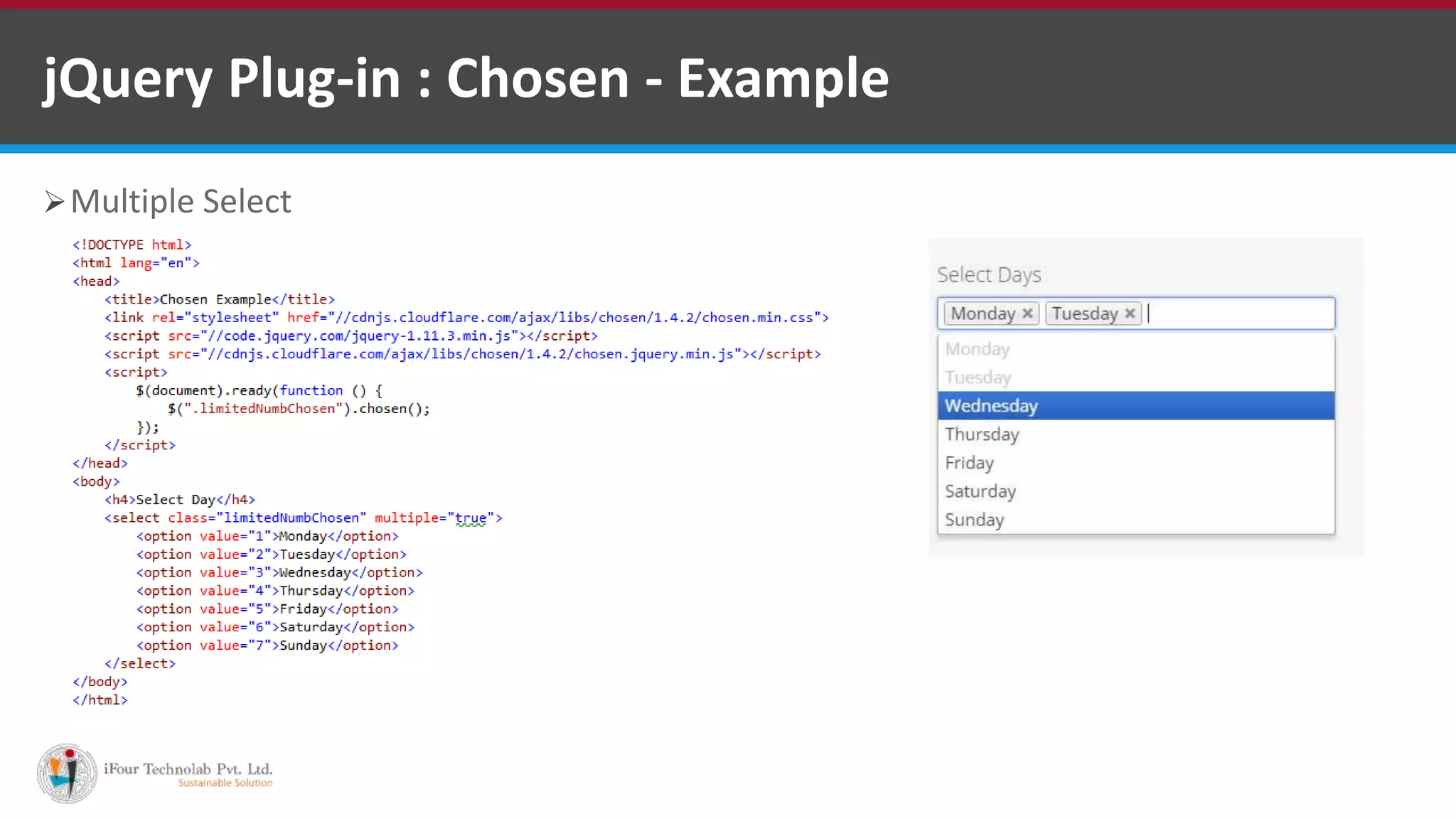
Multiple Select
jQuery Plug-in : Chosen - Example
VB.NET Software Development Companies Indiahttp://www.ifourtechnolab.com/
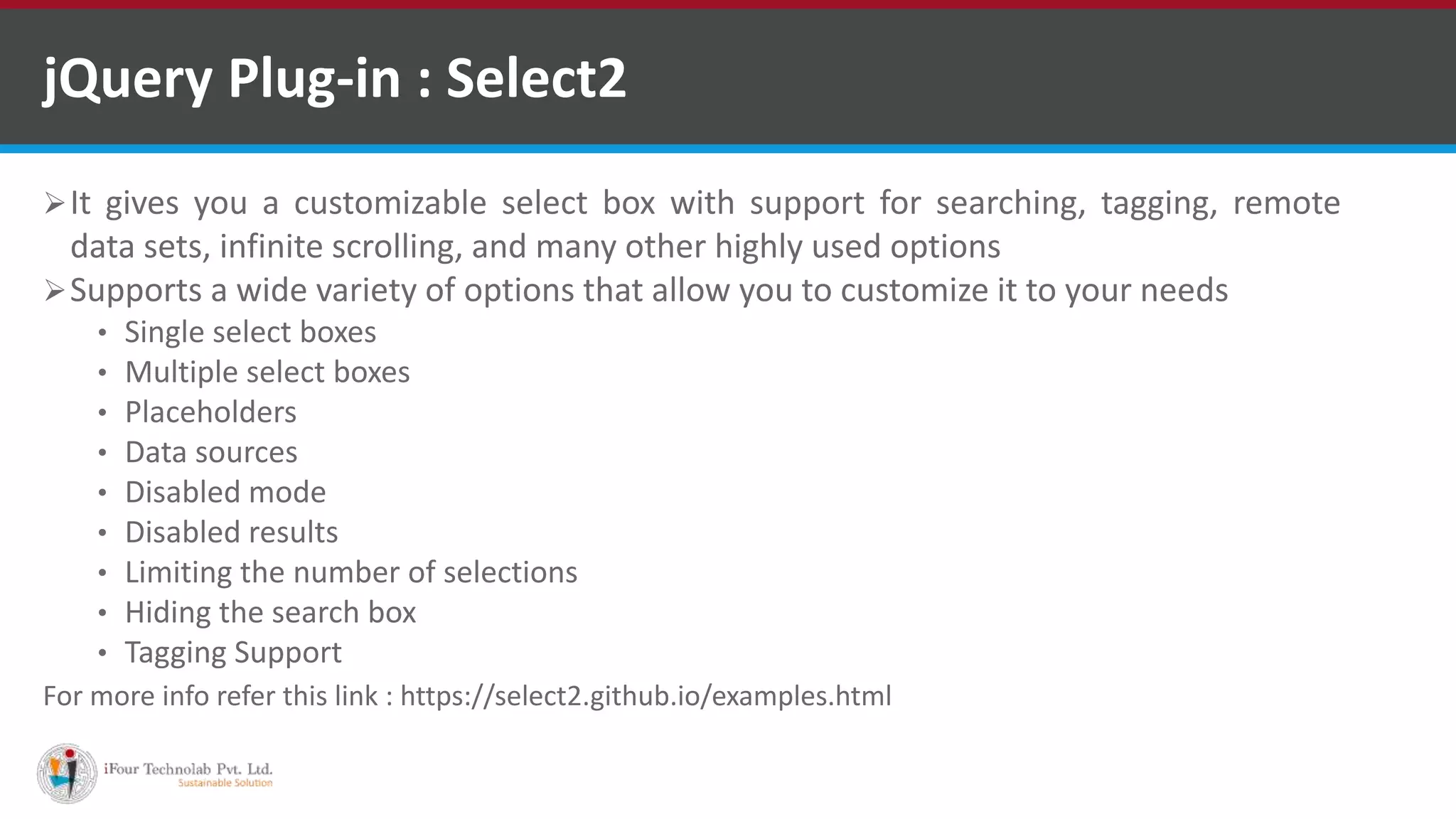
jQuery Plug-in : Select2
It gives you a customizable select box with support for searching, tagging, remote
data sets, infinite scrolling, and many other highly used options
Supports a wide variety of options that allow you to customize it to your needs
• Single select boxes
• Multiple select boxes
• Placeholders
• Data sources
• Disabled mode
• Disabled results
• Limiting the number of selections
• Hiding the search box
• Tagging Support
For more info refer this link : https://select2.github.io/examples.html
VB.NET Software Development Companies Indiahttp://www.ifourtechnolab.com/
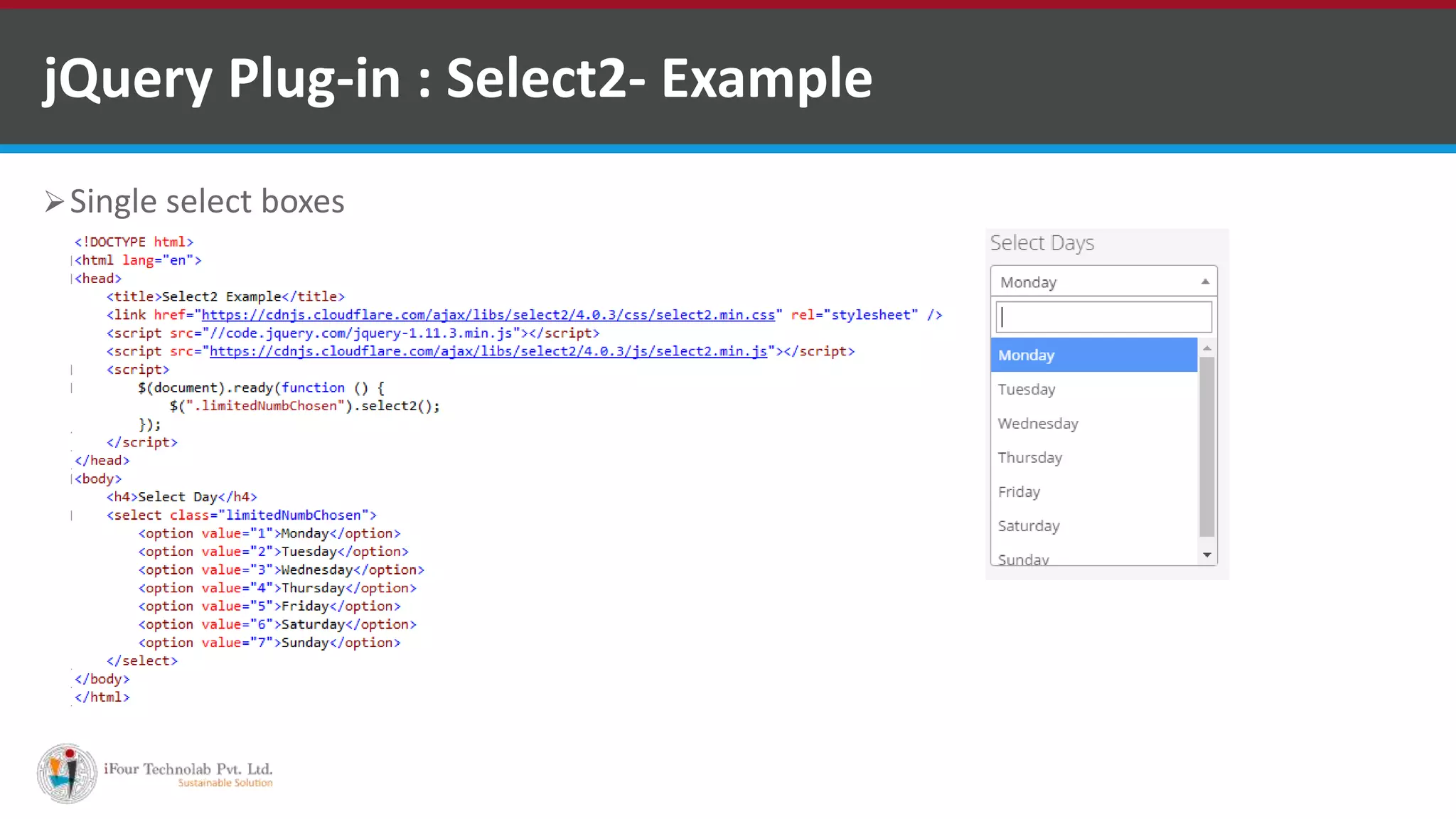
jQuery Plug-in : Select2- Example
Single select boxes
VB.NET Software Development Companies Indiahttp://www.ifourtechnolab.com/
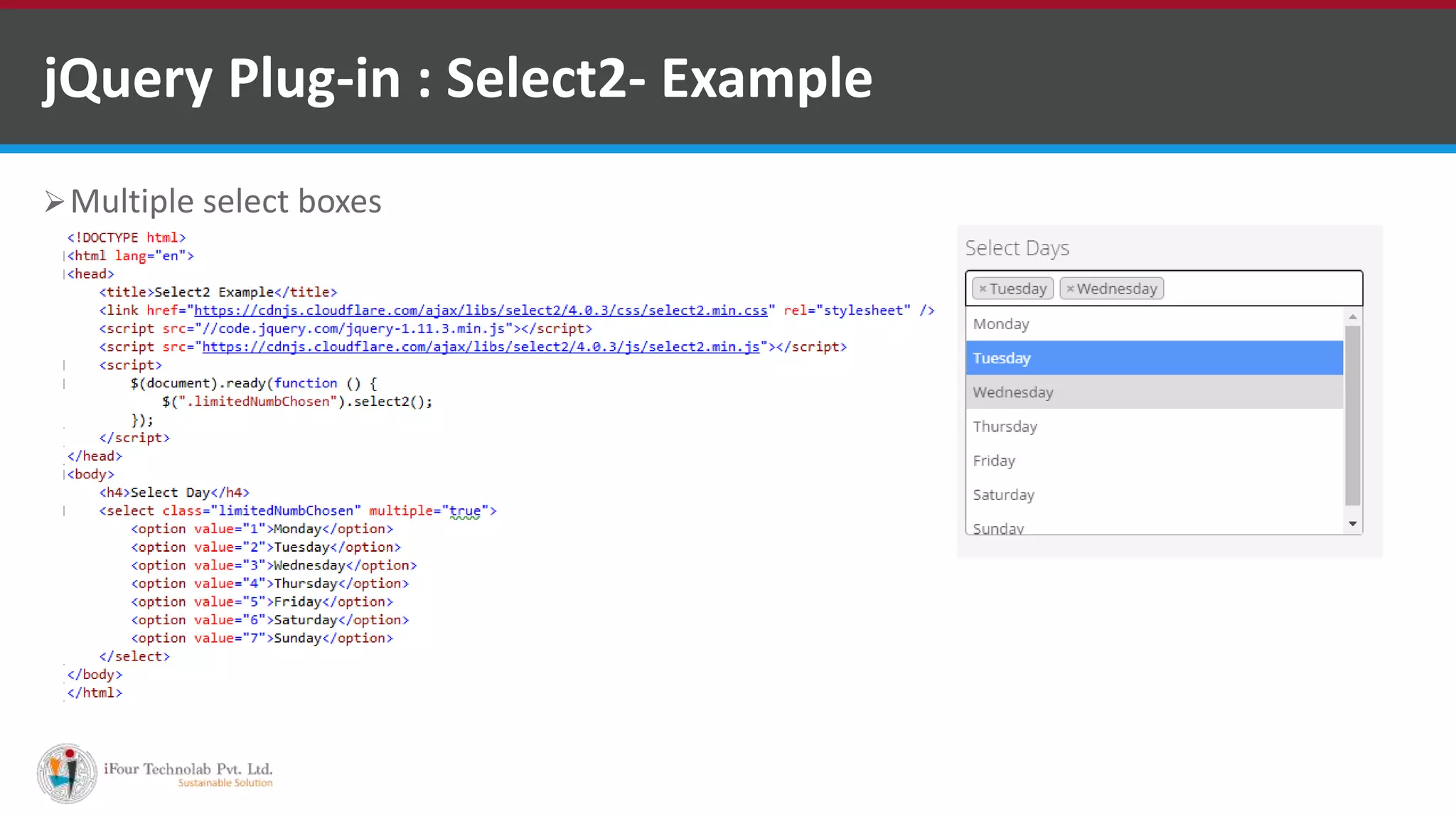
jQuery Plug-in : Select2- Example
Multiple select boxes
VB.NET Software Development Companies Indiahttp://www.ifourtechnolab.com/
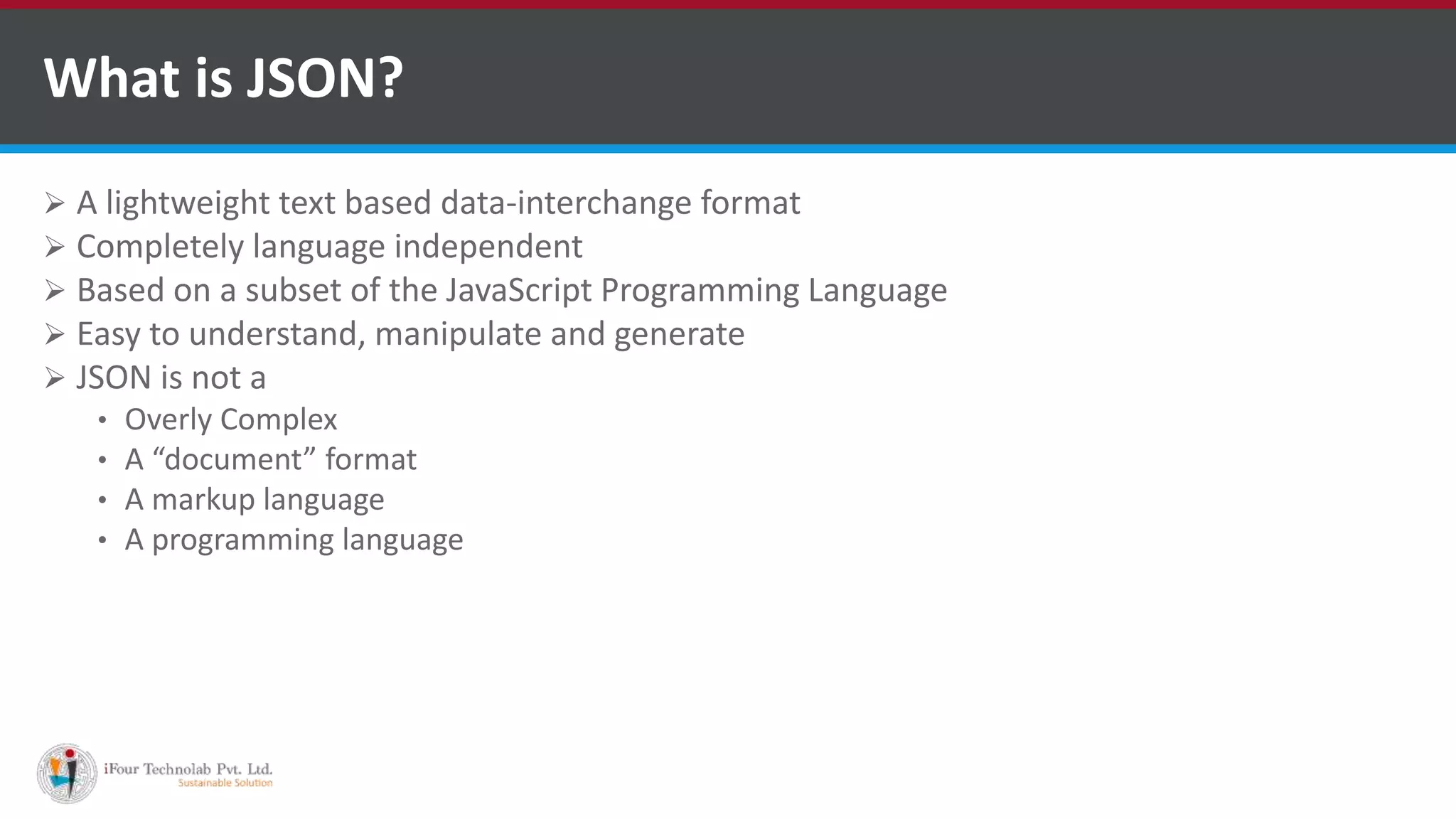
What is JSON?
 A lightweight text based data-interchange format
 Completely language independent
 Based on a subset of the JavaScript Programming Language
 Easy to understand, manipulate and generate
 JSON is not a
• Overly Complex
• A “document” format
• A markup language
• A programming language
VB.NET Software Development Companies Indiahttp://www.ifourtechnolab.com/
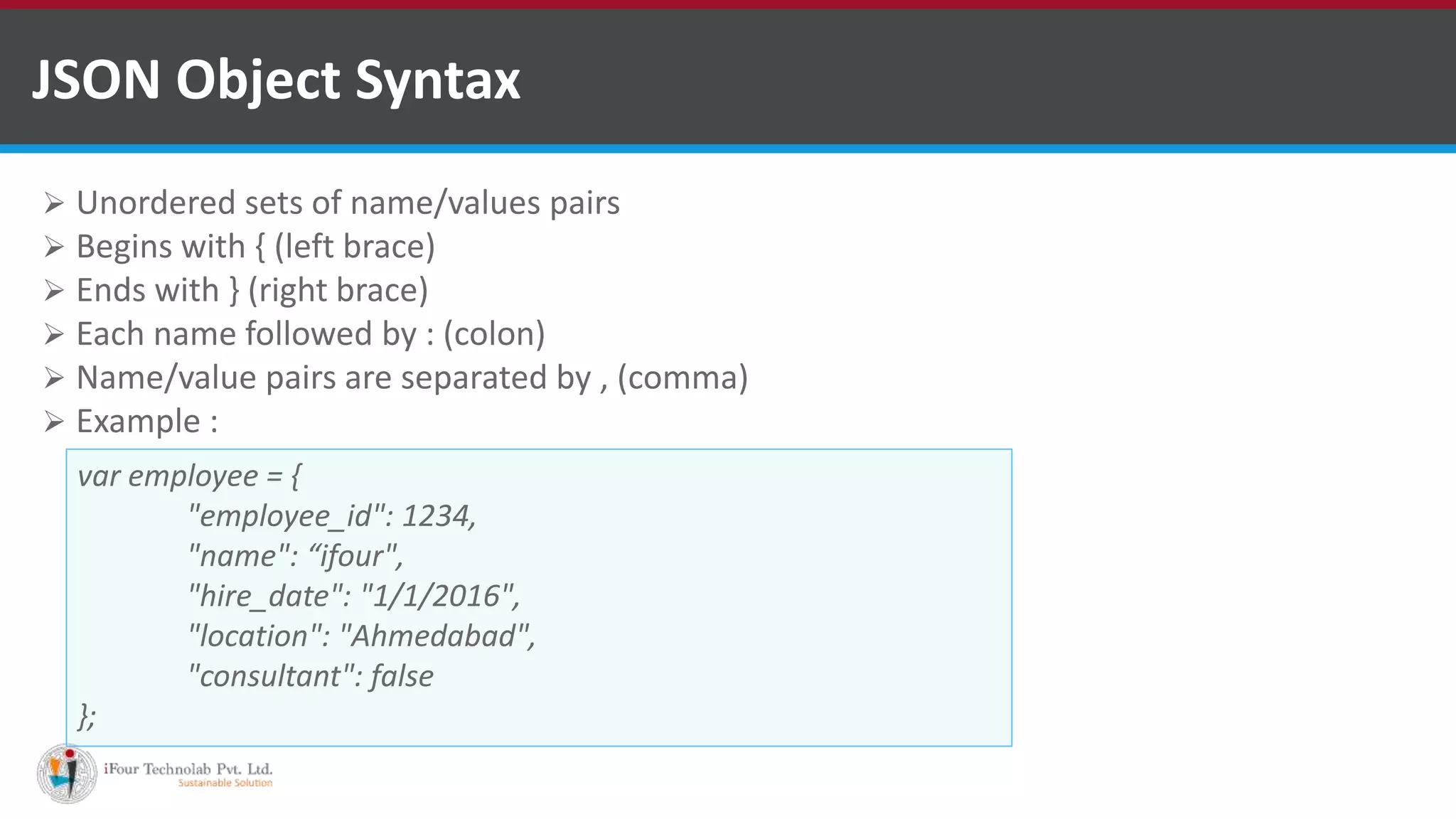
JSON Object Syntax
 Unordered sets of name/values pairs
 Begins with { (left brace)
 Ends with } (right brace)
 Each name followed by : (colon)
 Name/value pairs are separated by , (comma)
 Example :
var employee = {
"employee_id": 1234,
"name": “ifour",
"hire_date": "1/1/2016",
"location": "Ahmedabad",
"consultant": false
};
VB.NET Software Development Companies Indiahttp://www.ifourtechnolab.com/
 An ordered collection of values
 Begins with [ (left bracket)
 Ends with ] (right bracket)
 Name/value pairs are separated by , (comma)
 Example :
Arrays in JSON
var employee = {
"employee_id": 123,
"name": “ifour",
"hire_date": “01/01/2013",
"location": "Ahmedabad",
"consultant": false,
"random_nums": [ 24,65,12,94 ]
};
VB.NET Software Development Companies Indiahttp://www.ifourtechnolab.com/
Data types : Objects and Arrays
 Objects : Unordered key/value pairs wrapped in {}
 Arrays : Ordered key/value pairs wrapped in []
 How and when to use JSON
• Transfer data to and from a server
• Perform asynchronous data calls without requiring a page refresh
• Working with data stores
• Compile and save form or user data for local storage
VB.NET Software Development Companies Indiahttp://www.ifourtechnolab.com/
Where is JSON used today?
 Anywhere and everywhere
VB.NET Software Development Companies Indiahttp://www.ifourtechnolab.com/
 https://www.tutorialspoint.com/jquery/jquery-plugins.htm
 https://harvesthq.github.io/chosen/
 https://select2.github.io/
 https://select2.github.io/examples.html
 http://www.w3schools.com/js/js_json_intro.asp
References
VB.NET Software Development Companies Indiahttp://www.ifourtechnolab.com/
Questions?
VB.NET Software Development Companies Indiahttp://www.ifourtechnolab.com/

jQuery plugins & JSON

  • 1.
  • 2.
     JQuery Plugins How to use Plugins  How to develop a Plugin  Jquery Plugin Examples  Introduction to JSON  JSON Objects  Arrays in JSON  Data types : Objects and Arrays INDEX http://www.ifourtechnolab.com/
  • 3.
     Simply anew method that we use to extend jQuery's prototype object. By extending the prototype object you enable all jQuery objects to inherit any methods that you add.  As established, whenever you call JQuery() you're creating a new jQuery object, with all of jQuery's methods inherited.  The idea of a plugin is to do something with a collection of elements. You could consider each method that comes with the jQuery core a plugin, like .fadeout() and .addclass() JQuery Plugins VB.NET Software Development Companies Indiahttp://www.ifourtechnolab.com/
  • 4.
     Following exampleshows how to include jquery.plug-in.js plugin How to use Plugins <head> <title>The jQuery Example</title> <script type = "text/javascript" src = "https://ajax.googleapis.com/ajax/libs/jquery/2.1.3/jquery.min.js"></script> <script src = "jquery.plug-in.js" type = "text/javascript"></script> <script src = "custom.js" type = "text/javascript"></script> <script type = "text/javascript" language = "javascript"> $(document).ready(function() { .......your custom code..... }); </script> </head> <body> ....... </body> VB.NET Software Development Companies Indiahttp://www.ifourtechnolab.com/
  • 5.
     Any methodsor functions you attach must have a semicolon (;) at the end  Your method must return the jQuery object, unless explicitly noted otherwise  You should use this.each to iterate over the current set of matched elements - it produces clean and compatible code that way  Prefix the filename with jQuery, follow that with the name of the plugin and conclude with .js  Always attach the plugin to jQuery directly instead of $, so users can use a custom alias via noConflict() method How to develop a plug-in VB.NET Software Development Companies Indiahttp://www.ifourtechnolab.com/
  • 6.
    How to developa plug-in : Example  Keep this code in custom.js file  Html page JQuery.fn.warning = funcation(){ Return this.each(function(){ alert(‘Tag Name :”’+ $(this).prop(“tagname”) + ‘”.’); }); }; <script type=“text/javascript”> $(document).ready(function(){ $(“div”).warning(); $(“p”).warning(); }); </script> VB.NET Software Development Companies Indiahttp://www.ifourtechnolab.com/
  • 7.
    jQuery Plug-in :Chosen jQuery plug-in that makes long, unwieldy select boxes much more user-friendly Has a number of options and attributes that allow you to have full control of your select boxes • Standard Select • Multiple Select • <optgroup > Support • Selected and Disabled Support • Hide Search on Single Select • Default Text Support • No Results Text Support • Limited Selected Options in MultiSelect • Allow Deselect on Single Selects • Right to Left Support • Observing, Updating, and Destroying Chosen • Custom Width Support For more info refer this link : https://harvesthq.github.io/chosen/ VB.NET Software Development Companies Indiahttp://www.ifourtechnolab.com/
  • 8.
    jQuery Plug-in :Chosen - Example Standard Select VB.NET Software Development Companies Indiahttp://www.ifourtechnolab.com/
  • 9.
    Multiple Select jQuery Plug-in: Chosen - Example VB.NET Software Development Companies Indiahttp://www.ifourtechnolab.com/
  • 10.
    jQuery Plug-in :Select2 It gives you a customizable select box with support for searching, tagging, remote data sets, infinite scrolling, and many other highly used options Supports a wide variety of options that allow you to customize it to your needs • Single select boxes • Multiple select boxes • Placeholders • Data sources • Disabled mode • Disabled results • Limiting the number of selections • Hiding the search box • Tagging Support For more info refer this link : https://select2.github.io/examples.html VB.NET Software Development Companies Indiahttp://www.ifourtechnolab.com/
  • 11.
    jQuery Plug-in :Select2- Example Single select boxes VB.NET Software Development Companies Indiahttp://www.ifourtechnolab.com/
  • 12.
    jQuery Plug-in :Select2- Example Multiple select boxes VB.NET Software Development Companies Indiahttp://www.ifourtechnolab.com/
  • 13.
    What is JSON? A lightweight text based data-interchange format  Completely language independent  Based on a subset of the JavaScript Programming Language  Easy to understand, manipulate and generate  JSON is not a • Overly Complex • A “document” format • A markup language • A programming language VB.NET Software Development Companies Indiahttp://www.ifourtechnolab.com/
  • 14.
    JSON Object Syntax Unordered sets of name/values pairs  Begins with { (left brace)  Ends with } (right brace)  Each name followed by : (colon)  Name/value pairs are separated by , (comma)  Example : var employee = { "employee_id": 1234, "name": “ifour", "hire_date": "1/1/2016", "location": "Ahmedabad", "consultant": false }; VB.NET Software Development Companies Indiahttp://www.ifourtechnolab.com/
  • 15.
     An orderedcollection of values  Begins with [ (left bracket)  Ends with ] (right bracket)  Name/value pairs are separated by , (comma)  Example : Arrays in JSON var employee = { "employee_id": 123, "name": “ifour", "hire_date": “01/01/2013", "location": "Ahmedabad", "consultant": false, "random_nums": [ 24,65,12,94 ] }; VB.NET Software Development Companies Indiahttp://www.ifourtechnolab.com/
  • 16.
    Data types :Objects and Arrays  Objects : Unordered key/value pairs wrapped in {}  Arrays : Ordered key/value pairs wrapped in []  How and when to use JSON • Transfer data to and from a server • Perform asynchronous data calls without requiring a page refresh • Working with data stores • Compile and save form or user data for local storage VB.NET Software Development Companies Indiahttp://www.ifourtechnolab.com/
  • 17.
    Where is JSONused today?  Anywhere and everywhere VB.NET Software Development Companies Indiahttp://www.ifourtechnolab.com/
  • 18.
     https://www.tutorialspoint.com/jquery/jquery-plugins.htm  https://harvesthq.github.io/chosen/ https://select2.github.io/  https://select2.github.io/examples.html  http://www.w3schools.com/js/js_json_intro.asp References VB.NET Software Development Companies Indiahttp://www.ifourtechnolab.com/
  • 19.
    Questions? VB.NET Software DevelopmentCompanies Indiahttp://www.ifourtechnolab.com/

Editor's Notes

  • #2 Software Outsourcing Company India - http://www.ifourtechnolab.com/
  • #4 Software Outsourcing Company India - http://www.ifourtechnolab.com/
  • #5 Software Outsourcing Company India - http://www.ifourtechnolab.com/
  • #6 Software Outsourcing Company India - http://www.ifourtechnolab.com/
  • #7 Software Outsourcing Company India - http://www.ifourtechnolab.com/
  • #8 Software Outsourcing Company India - http://www.ifourtechnolab.com/
  • #9 Software Outsourcing Company India - http://www.ifourtechnolab.com/
  • #10 Software Outsourcing Company India - http://www.ifourtechnolab.com/
  • #11 Software Outsourcing Company India - http://www.ifourtechnolab.com/
  • #12 Software Outsourcing Company India - http://www.ifourtechnolab.com/
  • #13 Software Outsourcing Company India - http://www.ifourtechnolab.com/
  • #14 Software Outsourcing Company India - http://www.ifourtechnolab.com/
  • #15 Software Outsourcing Company India - http://www.ifourtechnolab.com/
  • #16 Software Outsourcing Company India - http://www.ifourtechnolab.com/
  • #17 Software Outsourcing Company India - http://www.ifourtechnolab.com/
  • #18 Software Outsourcing Company India - http://www.ifourtechnolab.com/
  • #19 Software Outsourcing Company India - http://www.ifourtechnolab.com/
  • #20 Software Outsourcing Company India - http://www.ifourtechnolab.com/