CS 425- Webapplication development
Lecture 6
JavaScript Part 2
2.
2
Outline
JavaScript Basics:Placement (Inline, Internal, External)
Arrays & Methods: push(), pop(), splice(), forEach(), map(), filter(), reduce()
Functions: Declaration, Expressions, Arrow Functions, Higher-Order
Functions
HTML Forms: Elements like <form>, <input>, <button>, <label>
JavaScript Form Validation: Prevent incorrect inputs, check fields before
submission
Exercise: Create & Validate a Form (Name, Age, Email, Password, Checkbox)
3.
3
Learning Outcomes
By theend of this lecture, you will be able to:
1 ️
1️⃣Use JavaScript in Web Pages (Inline, Internal, External)
2️⃣Manipulate Arrays (push(), pop(), splice(), map(), filter(), reduce())
3 ️
3️⃣Create & Use Functions (Regular, Arrow, Higher-Order)
4️⃣Build & Structure Forms (<input>, <button>, <label>)
5 ️
5️⃣Validate Forms with JavaScript (Check required fields, prevent errors)
6️⃣Enhance User Experience (Ensure correct input before submission)
5
Where to WriteJavaScript
Explanation:
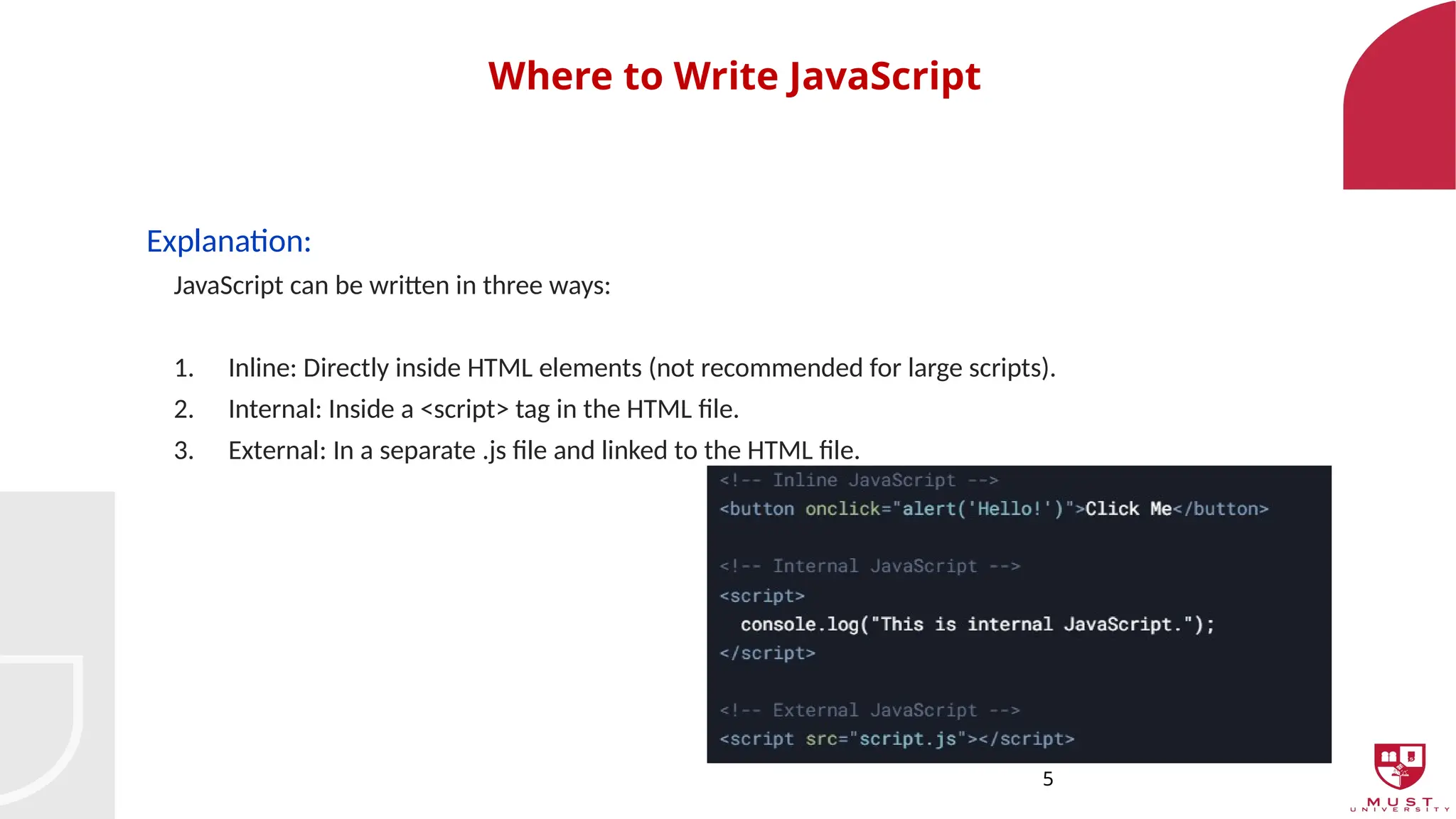
JavaScript can be written in three ways:
1. Inline: Directly inside HTML elements (not recommended for large scripts).
2. Internal: Inside a <script> tag in the HTML file.
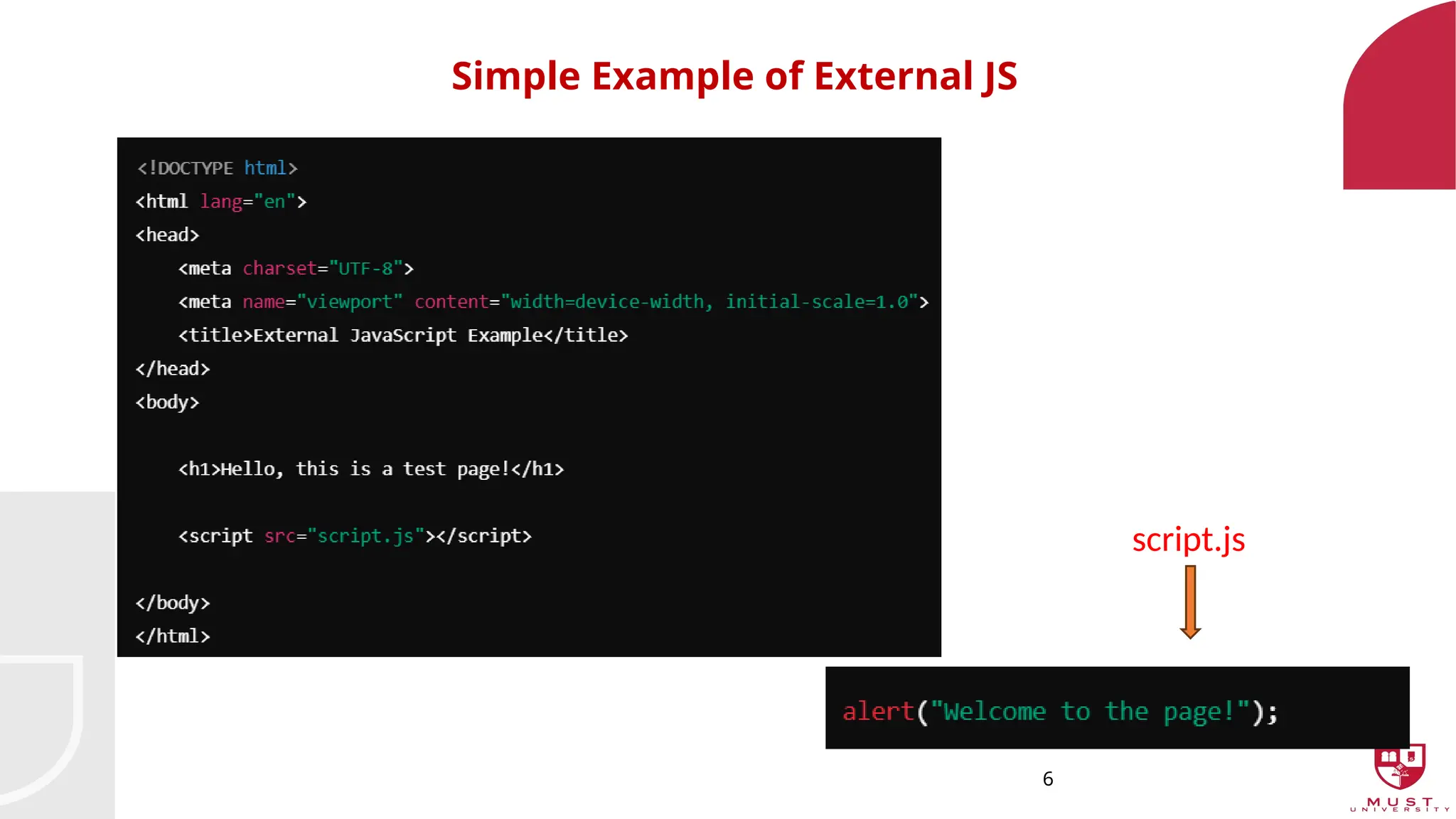
3. External: In a separate .js file and linked to the HTML file.
7
Arrays and CommonMethods
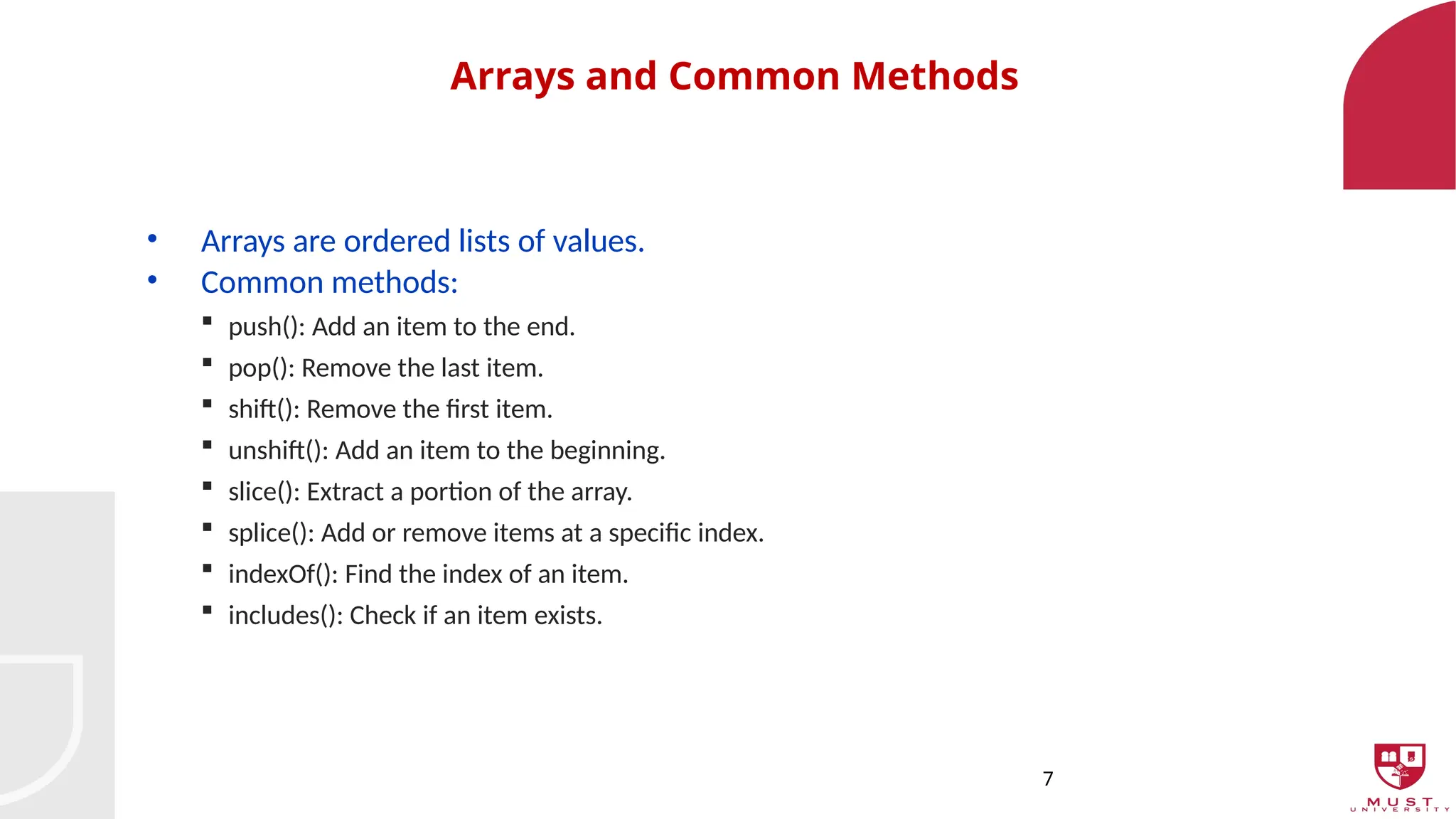
• Arrays are ordered lists of values.
• Common methods:
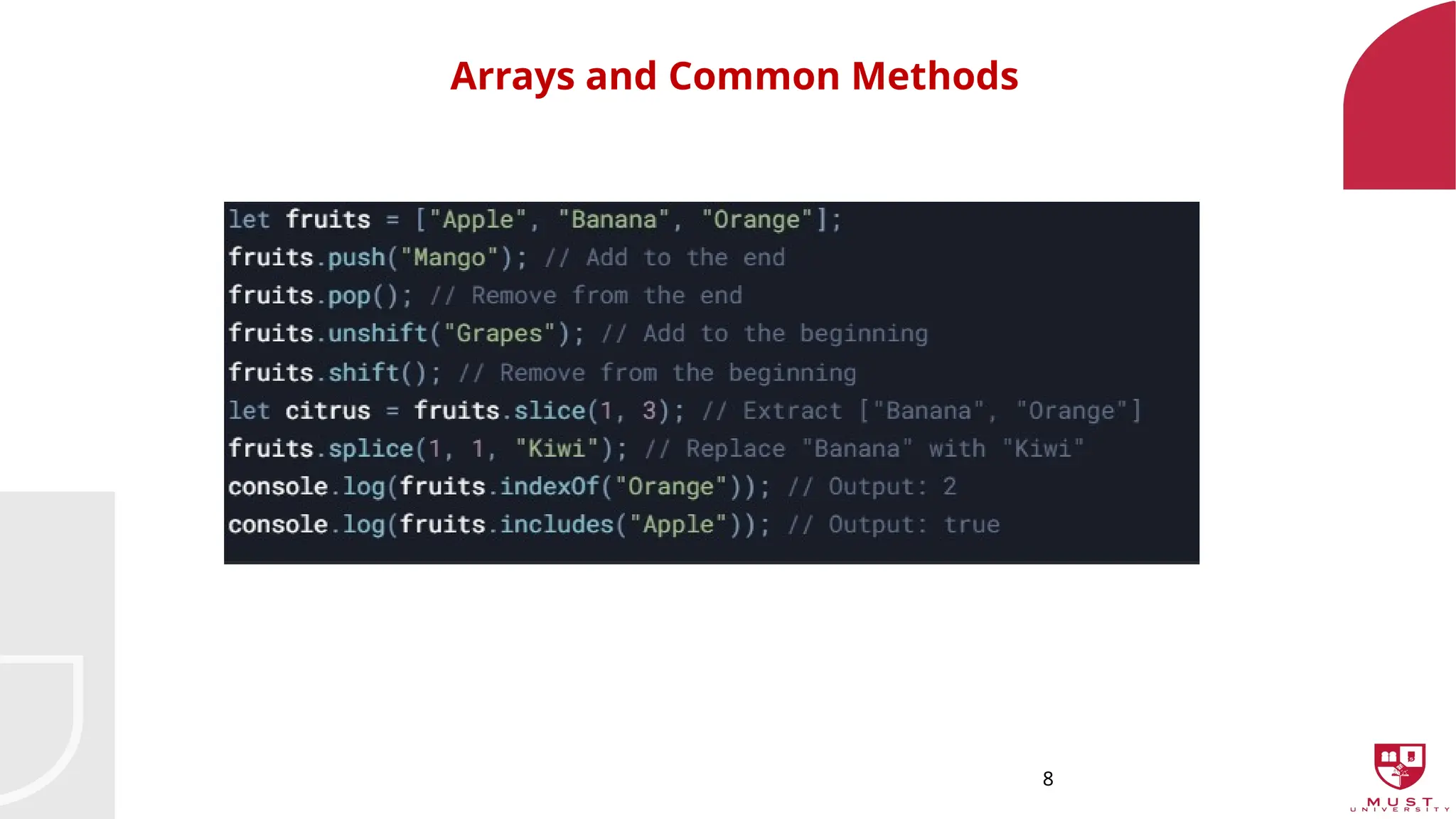
push(): Add an item to the end.
pop(): Remove the last item.
shift(): Remove the first item.
unshift(): Add an item to the beginning.
slice(): Extract a portion of the array.
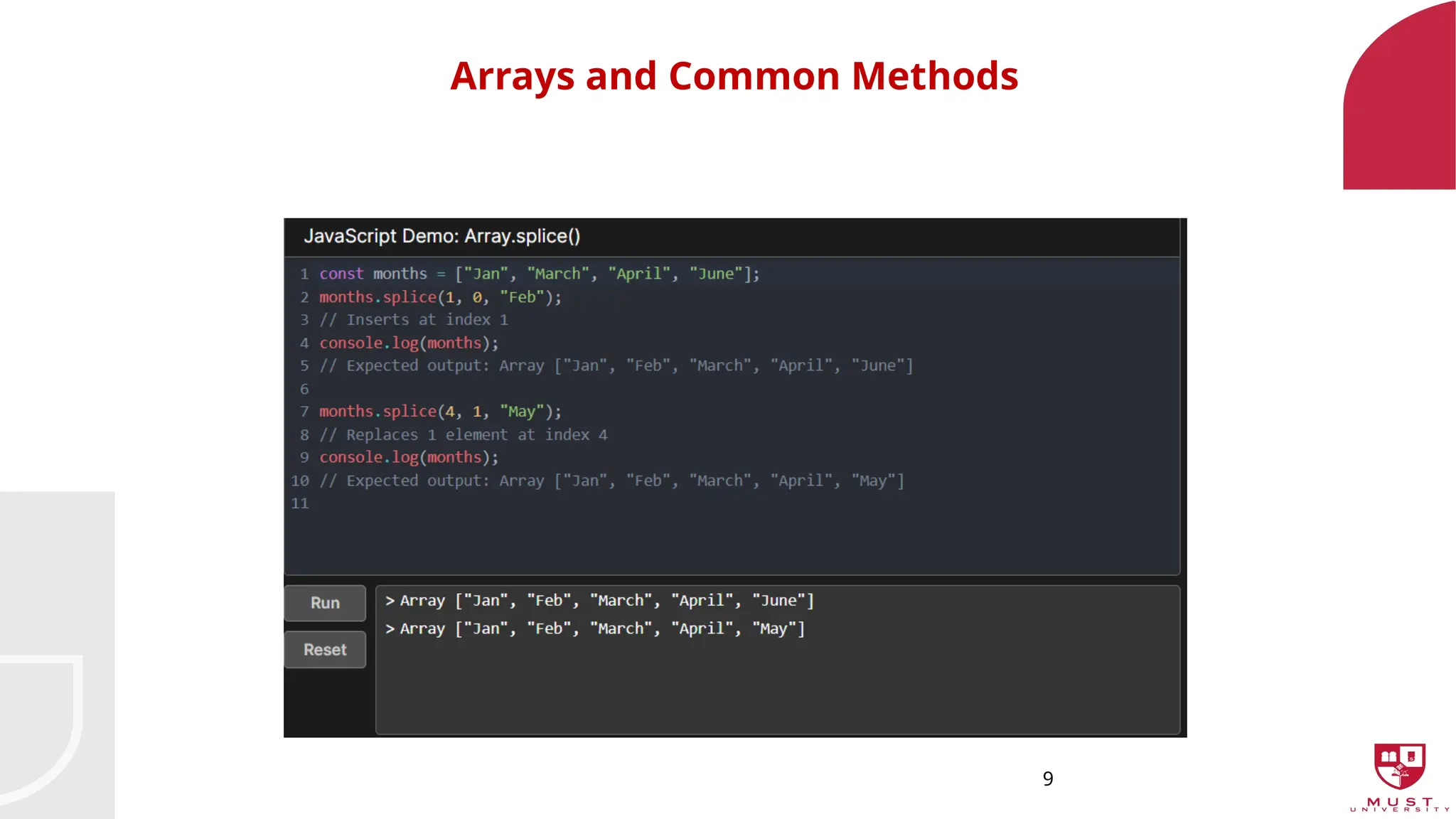
splice(): Add or remove items at a specific index.
indexOf(): Find the index of an item.
includes(): Check if an item exists.
10
Exercise
Create an arraycalled weekdays containing the days of the week from Monday to
Friday.
• Use push() to add Saturday and Sunday to the array.
• Use pop() to remove the last element (Sunday).
• Use splice() to replace Thursday with "NewDay".
• Display the modified array in the console.
11.
11
Array Iteration (forEach,map, filter, reduce)
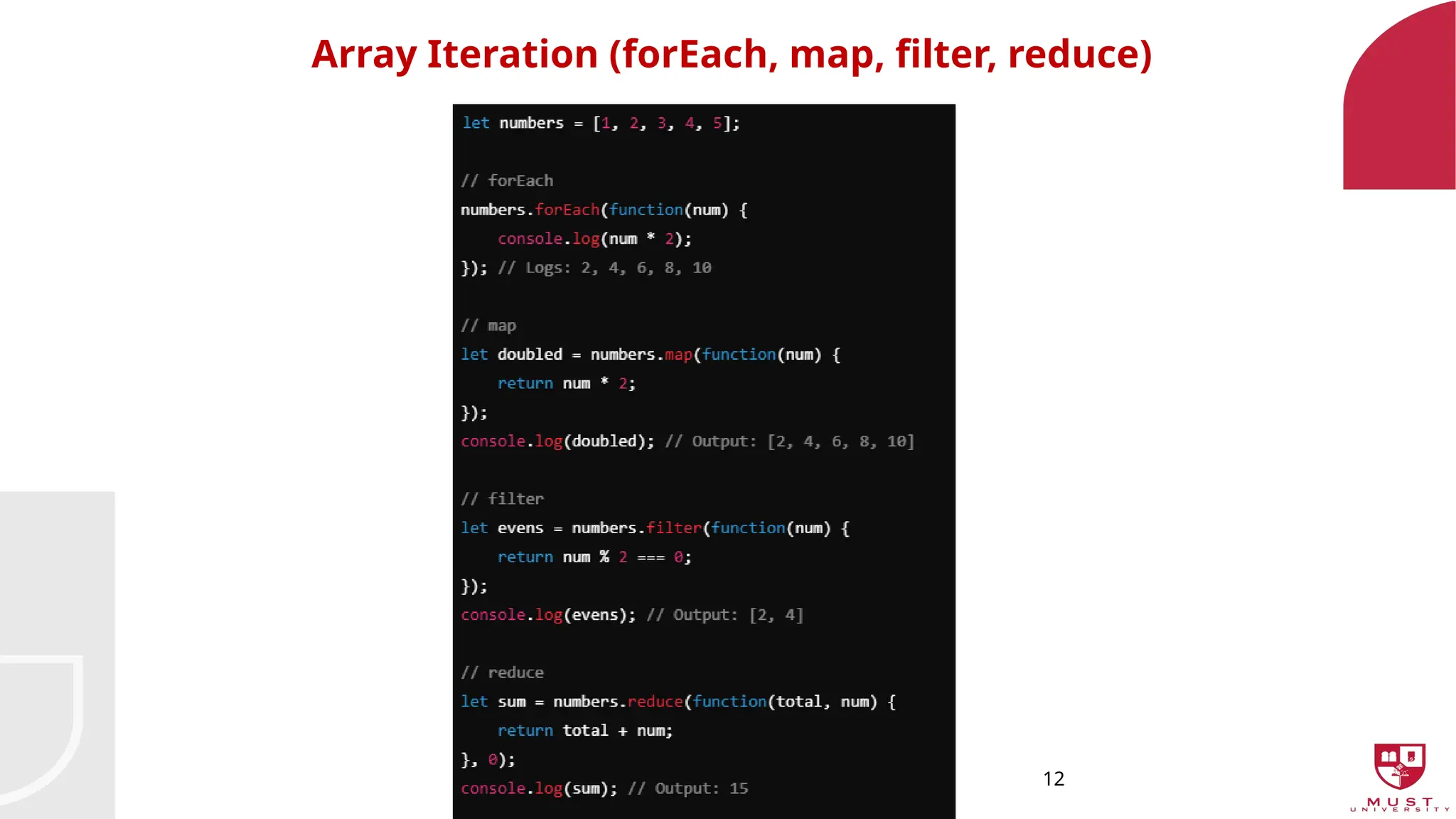
• forEach: Executes a function for each array element.
• map: Creates a new array by transforming each element.
• filter: Creates a new array with elements that pass a test.
• reduce: Reduces the array to a single value.
13
Exercise
•Exercise:
•Create an arrayof numbers.
•Use map() to create a new array where each number is squared.
•Use filter() to create a new array with only numbers greater than 10.
•Use reduce() to calculate the sum of all numbers.
14.
14
Functions in JavaScript
•Functions in JavaScript are reusable blocks of code that take inputs (parameters),
perform an operation, and return outputs (values).
15.
15
1. Function Declaration(Regular Function)
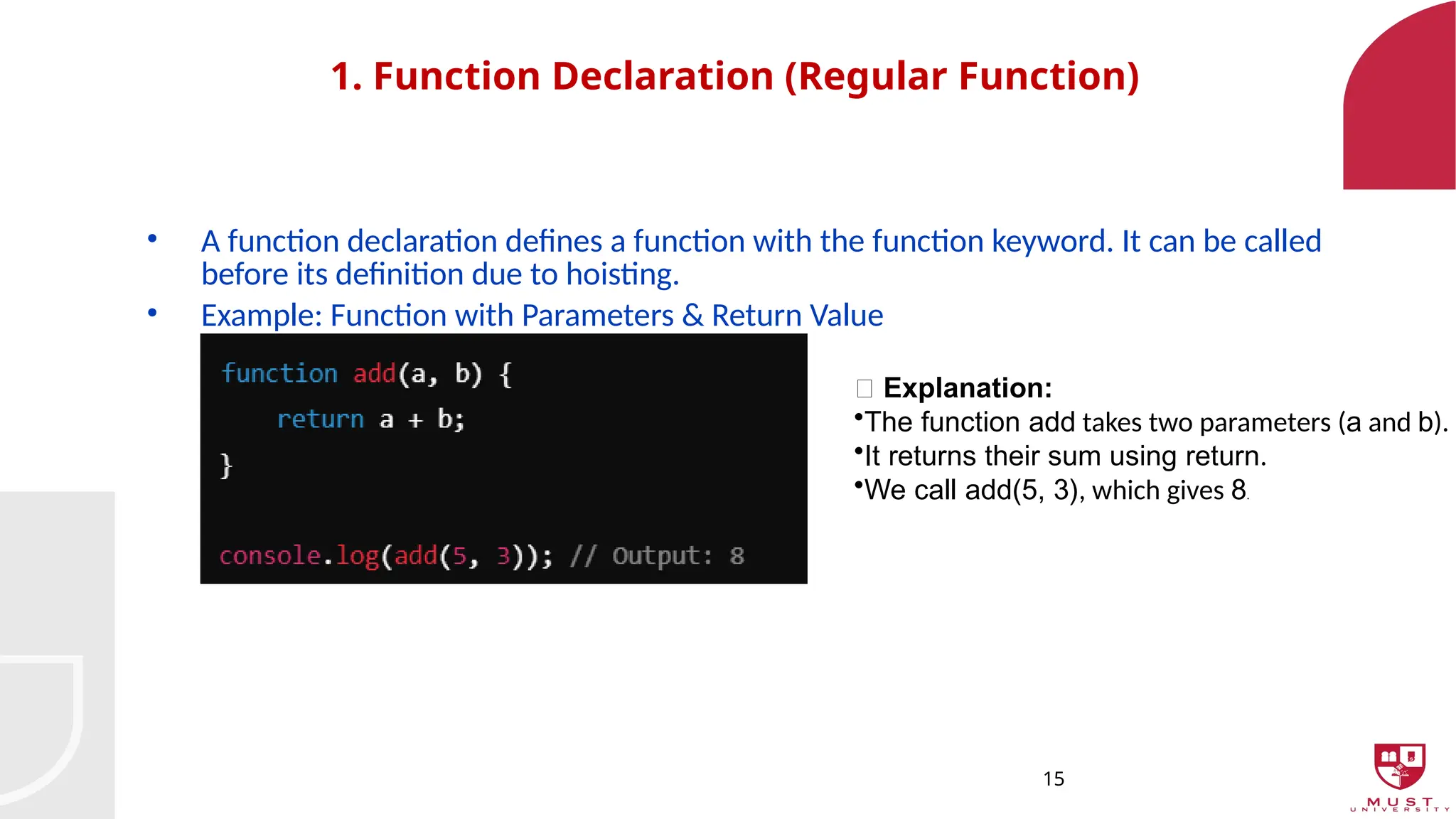
• A function declaration defines a function with the function keyword. It can be called
before its definition due to hoisting.
• Example: Function with Parameters & Return Value
🔹 Explanation:
•The function add takes two parameters (a and b).
•It returns their sum using return.
•We call add(5, 3), which gives 8.
16.
16
2. Function Expression
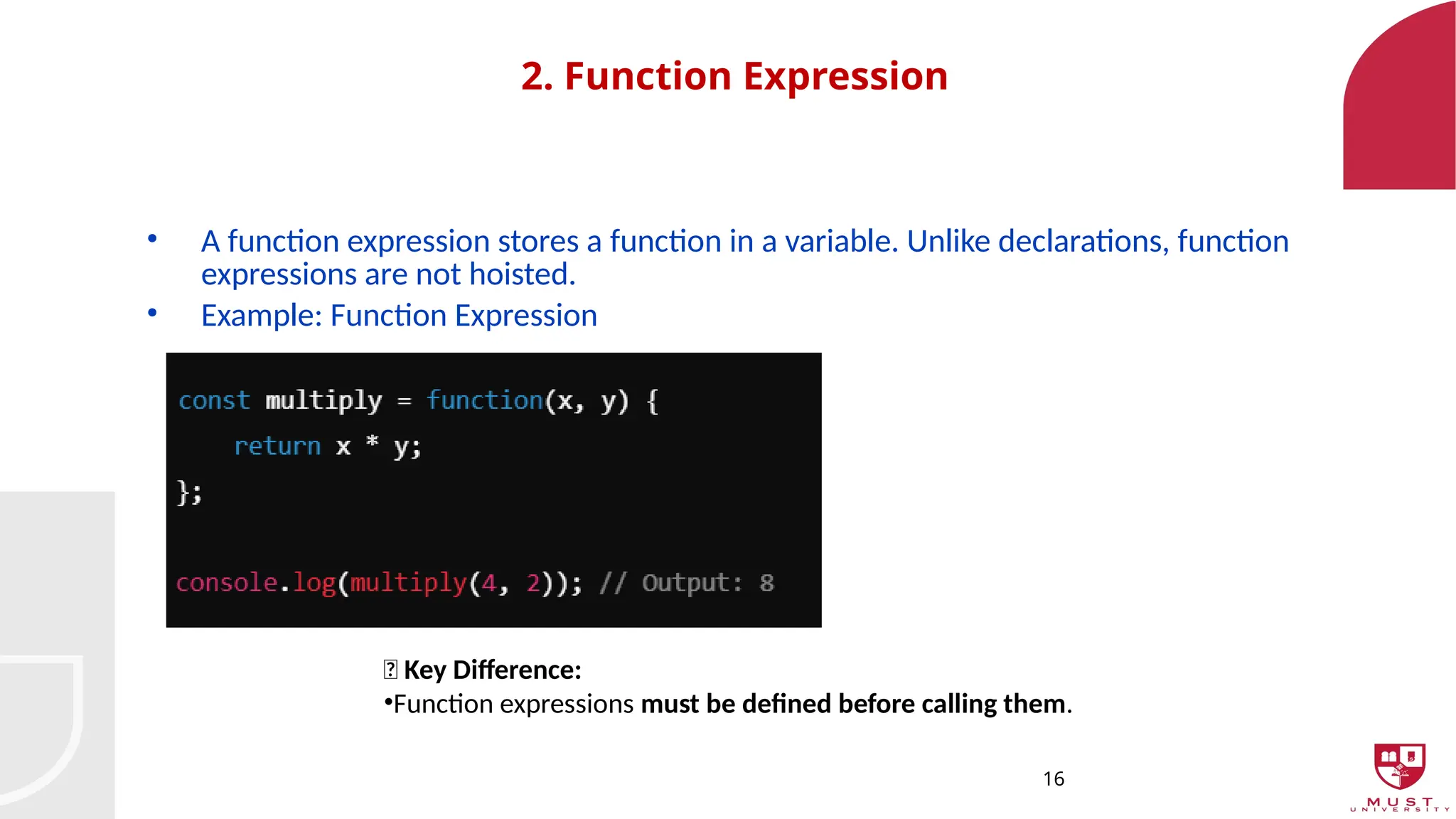
•A function expression stores a function in a variable. Unlike declarations, function
expressions are not hoisted.
• Example: Function Expression
🔹 Key Difference:
•Function expressions must be defined before calling them.
17.
17
Arrow Functions (ShorterSyntax)
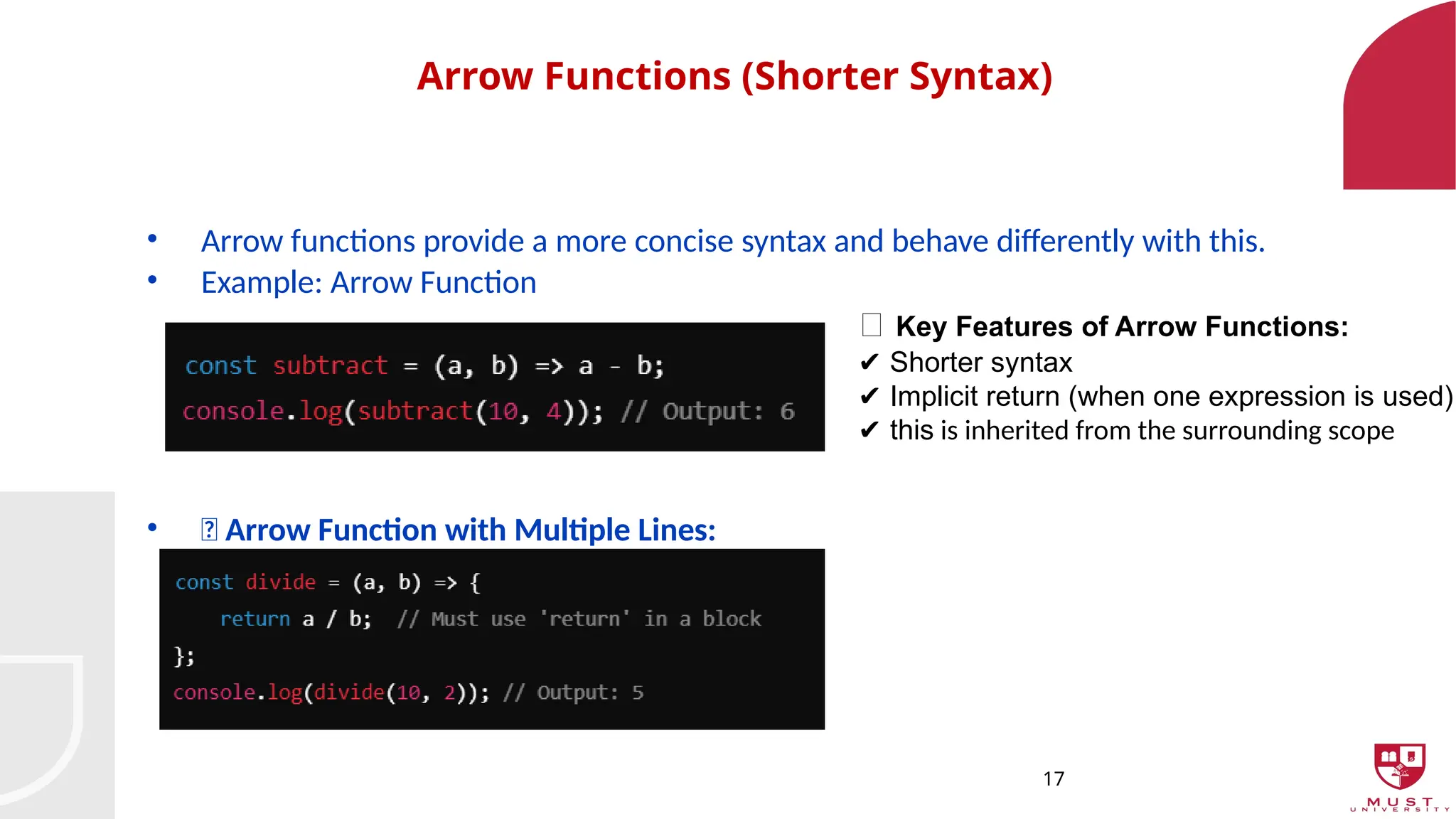
• Arrow functions provide a more concise syntax and behave differently with this.
• Example: Arrow Function
• 🔸 Arrow Function with Multiple Lines:
🔹 Key Features of Arrow Functions:
Shorter syntax
✔️
Implicit return (when one expression is used)
✔️
✔️this is inherited from the surrounding scope
18.
18
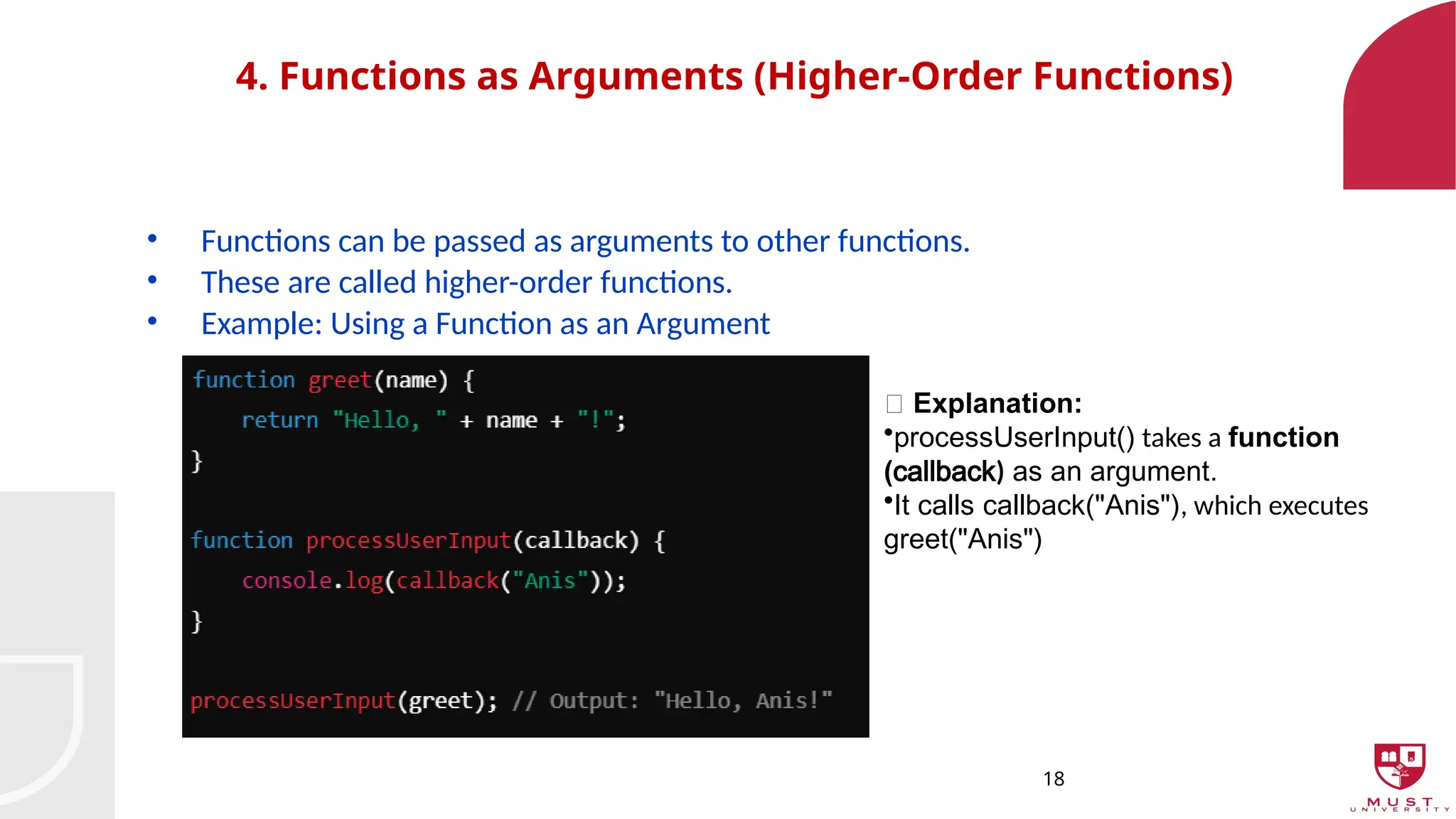
4. Functions asArguments (Higher-Order Functions)
• Functions can be passed as arguments to other functions.
• These are called higher-order functions.
• Example: Using a Function as an Argument
🔹 Explanation:
•processUserInput() takes a function
(callback) as an argument.
•It calls callback("Anis"), which executes
greet("Anis")
19.
19
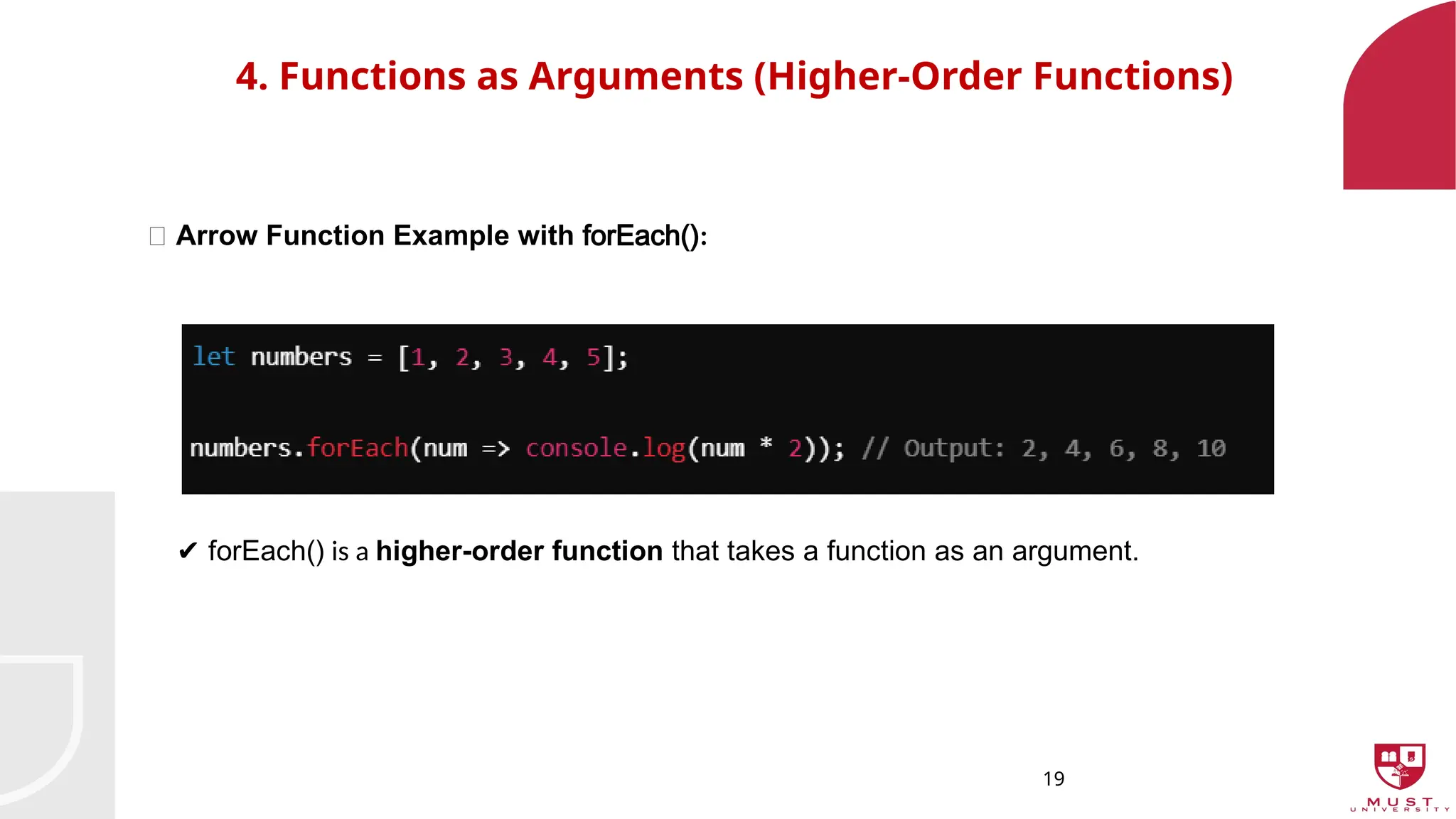
4. Functions asArguments (Higher-Order Functions)
🔸 Arrow Function Example with forEach():
✔️forEach() is a higher-order function that takes a function as an argument.
20.
20
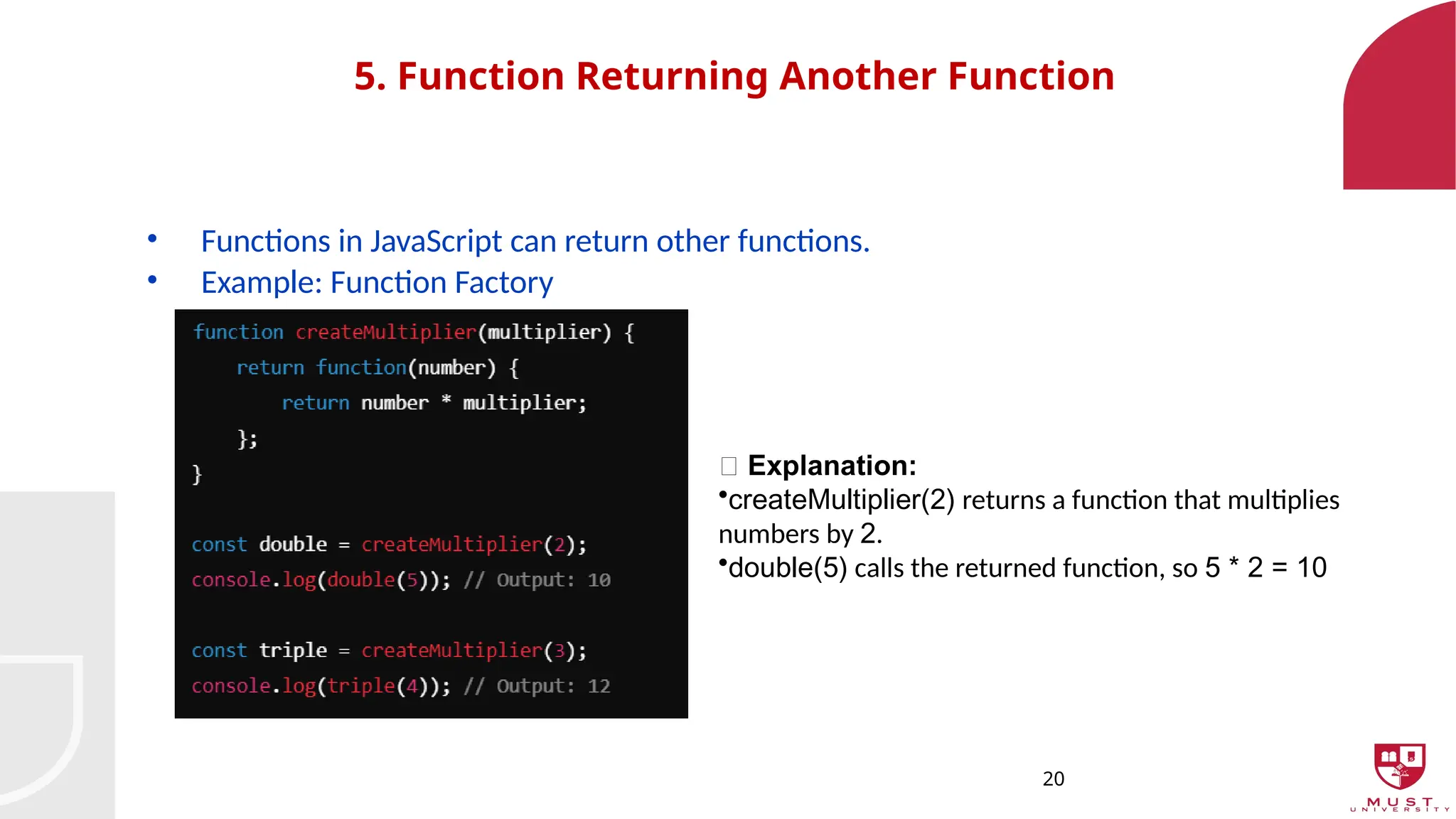
5. Function ReturningAnother Function
• Functions in JavaScript can return other functions.
• Example: Function Factory
🔹 Explanation:
•createMultiplier(2) returns a function that multiplies
numbers by 2.
•double(5) calls the returned function, so 5 * 2 = 10
21.
21
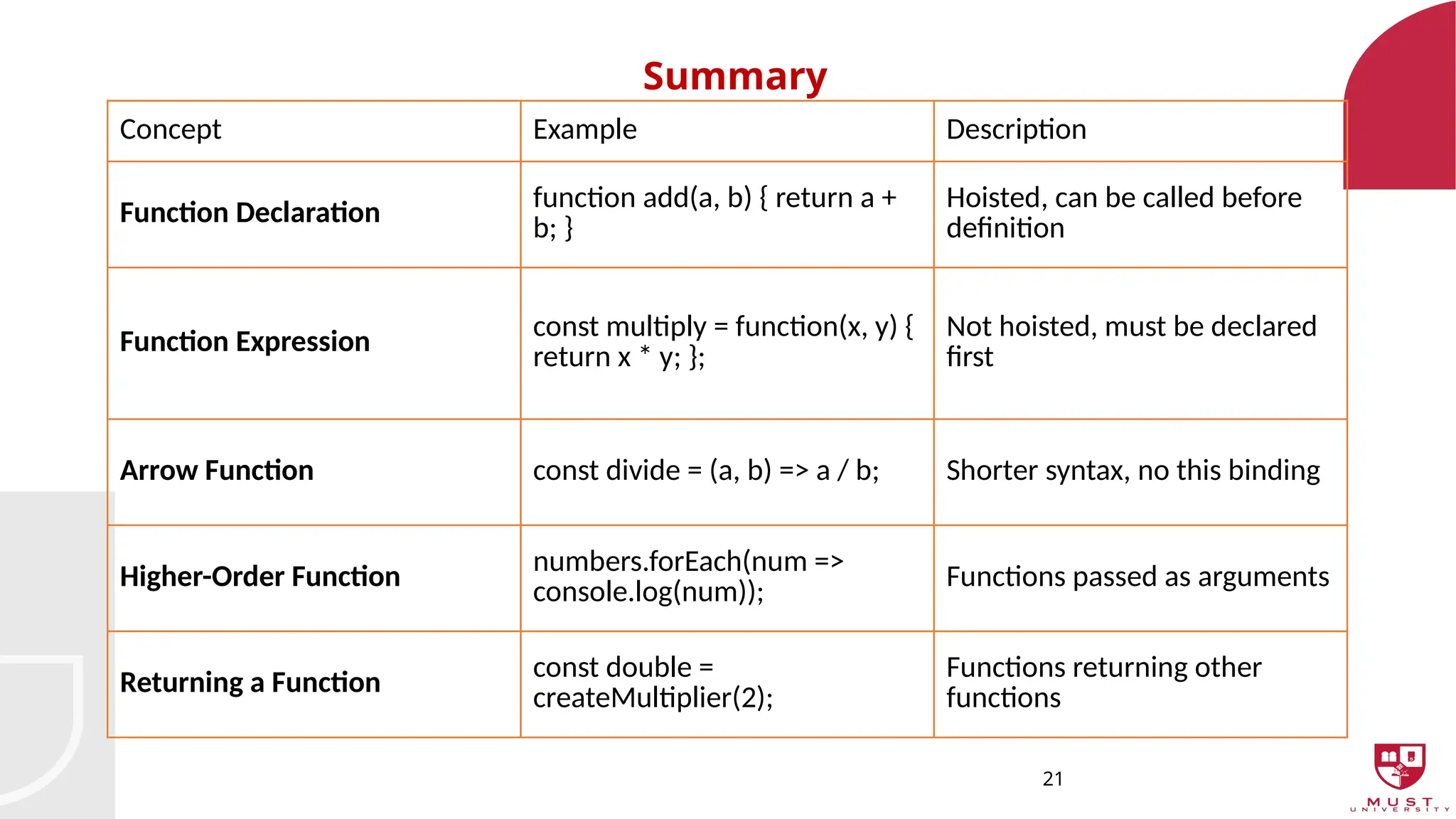
Summary
Concept Example Description
FunctionDeclaration function add(a, b) { return a +
b; }
Hoisted, can be called before
definition
Function Expression const multiply = function(x, y) {
return x * y; };
Not hoisted, must be declared
first
Arrow Function const divide = (a, b) => a / b; Shorter syntax, no this binding
Higher-Order Function
numbers.forEach(num =>
console.log(num)); Functions passed as arguments
Returning a Function
const double =
createMultiplier(2);
Functions returning other
functions
22.
22
Exercises
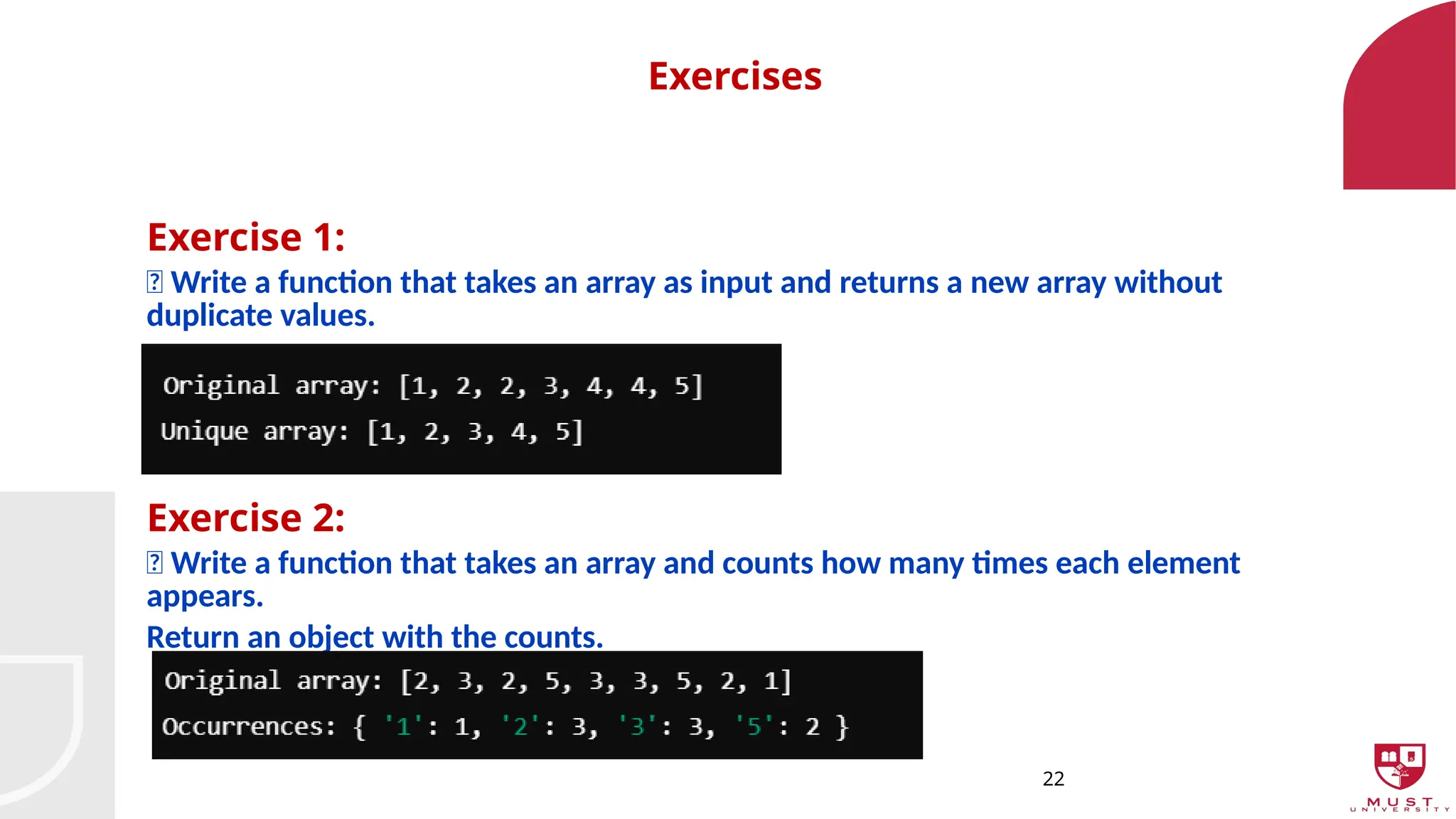
Exercise 1:
📌 Writea function that takes an array as input and returns a new array without
duplicate values.
Exercise 2:
📌 Write a function that takes an array and counts how many times each element
appears.
Return an object with the counts.
23.
23
HTML Form Elements& JavaScript Validation
Introduction to Forms
• Forms allow users to input and submit data.
• Key form elements: text fields, buttons, checkboxes, and more.
• JavaScript can validate user input before submission.
24.
24
HTML Form Elements& JavaScript Validation
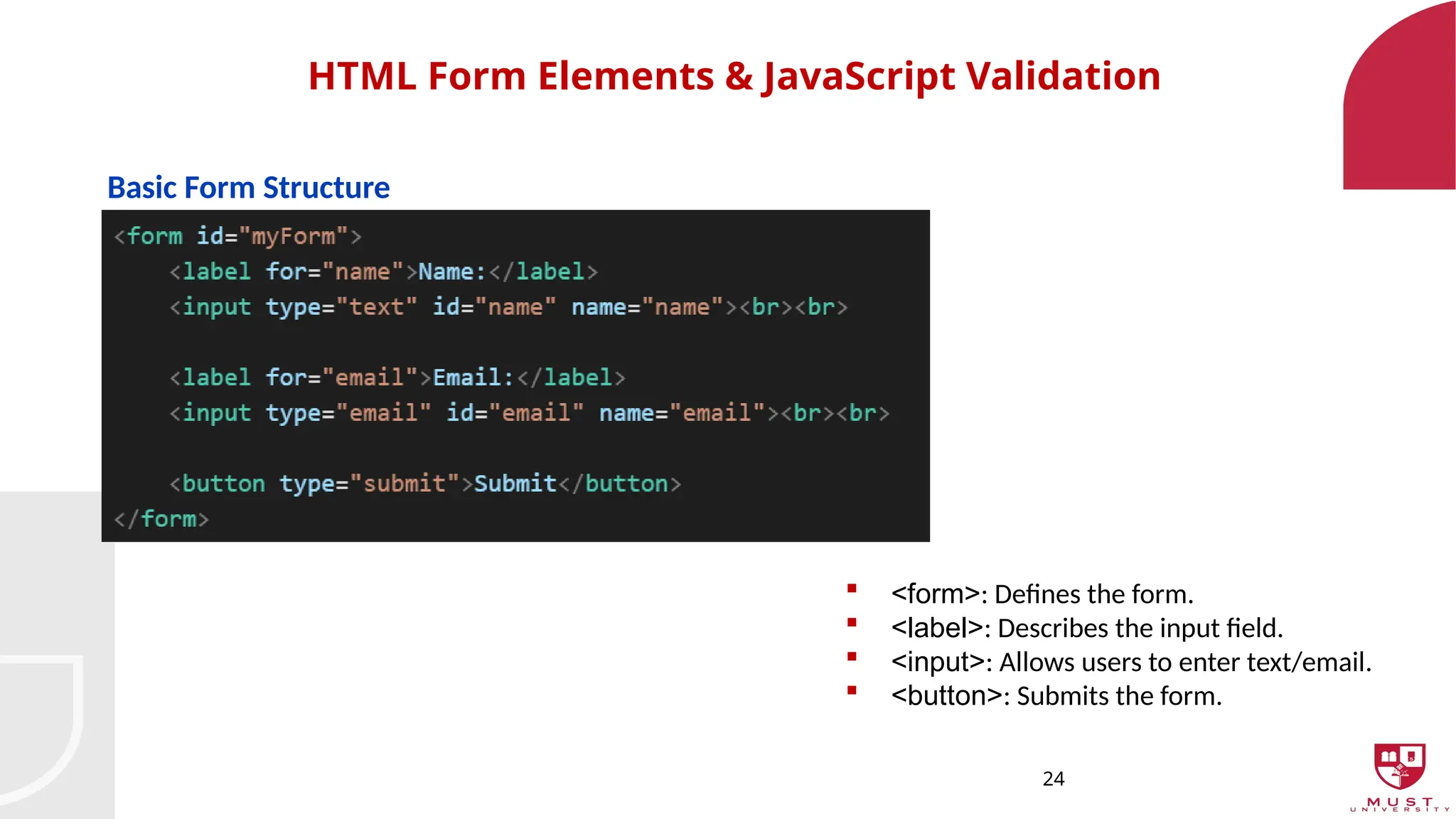
Basic Form Structure
<form>: Defines the form.
<label>: Describes the input field.
<input>: Allows users to enter text/email.
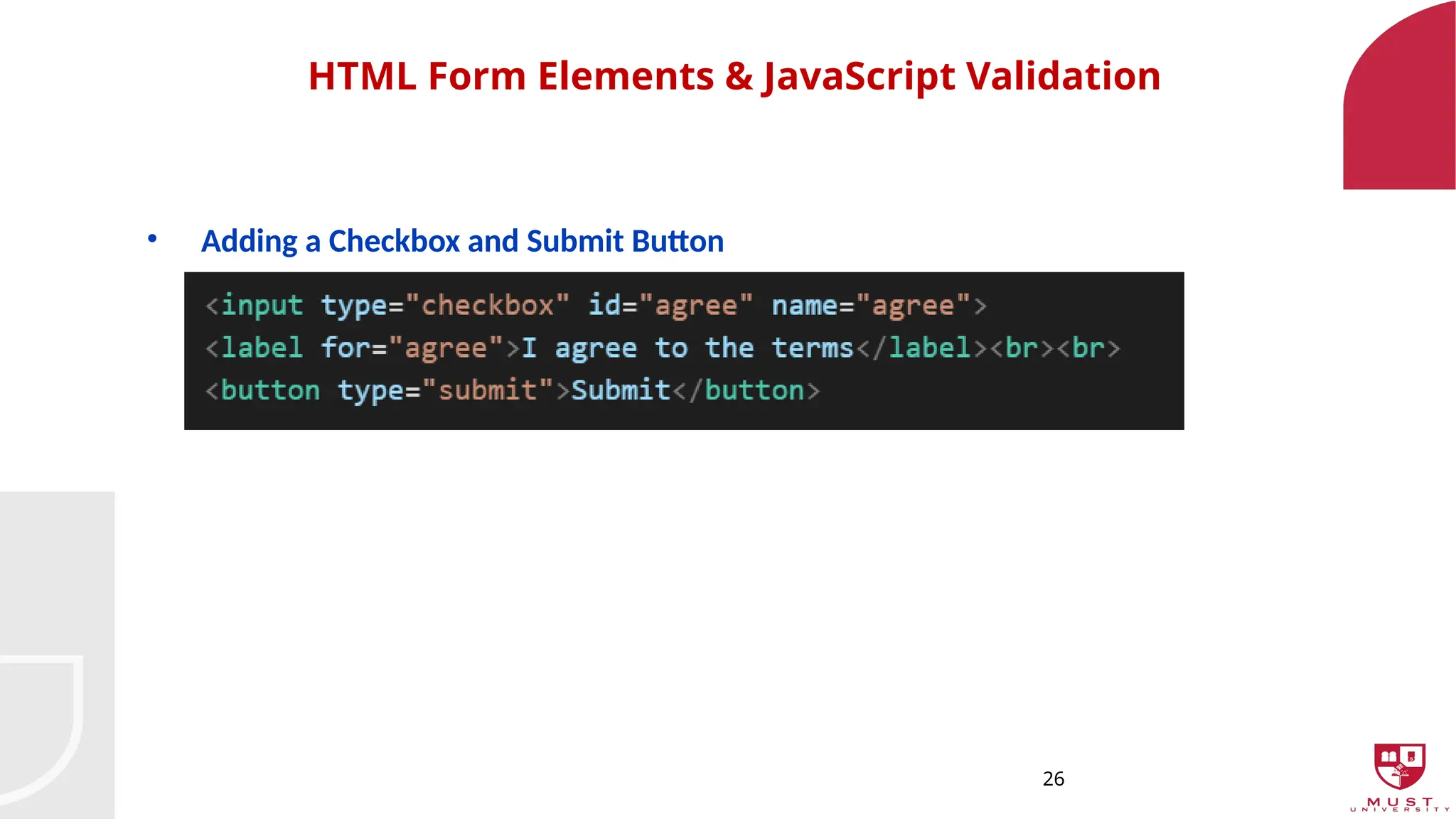
<button>: Submits the form.
25.
25
HTML Form Elements& JavaScript Validation
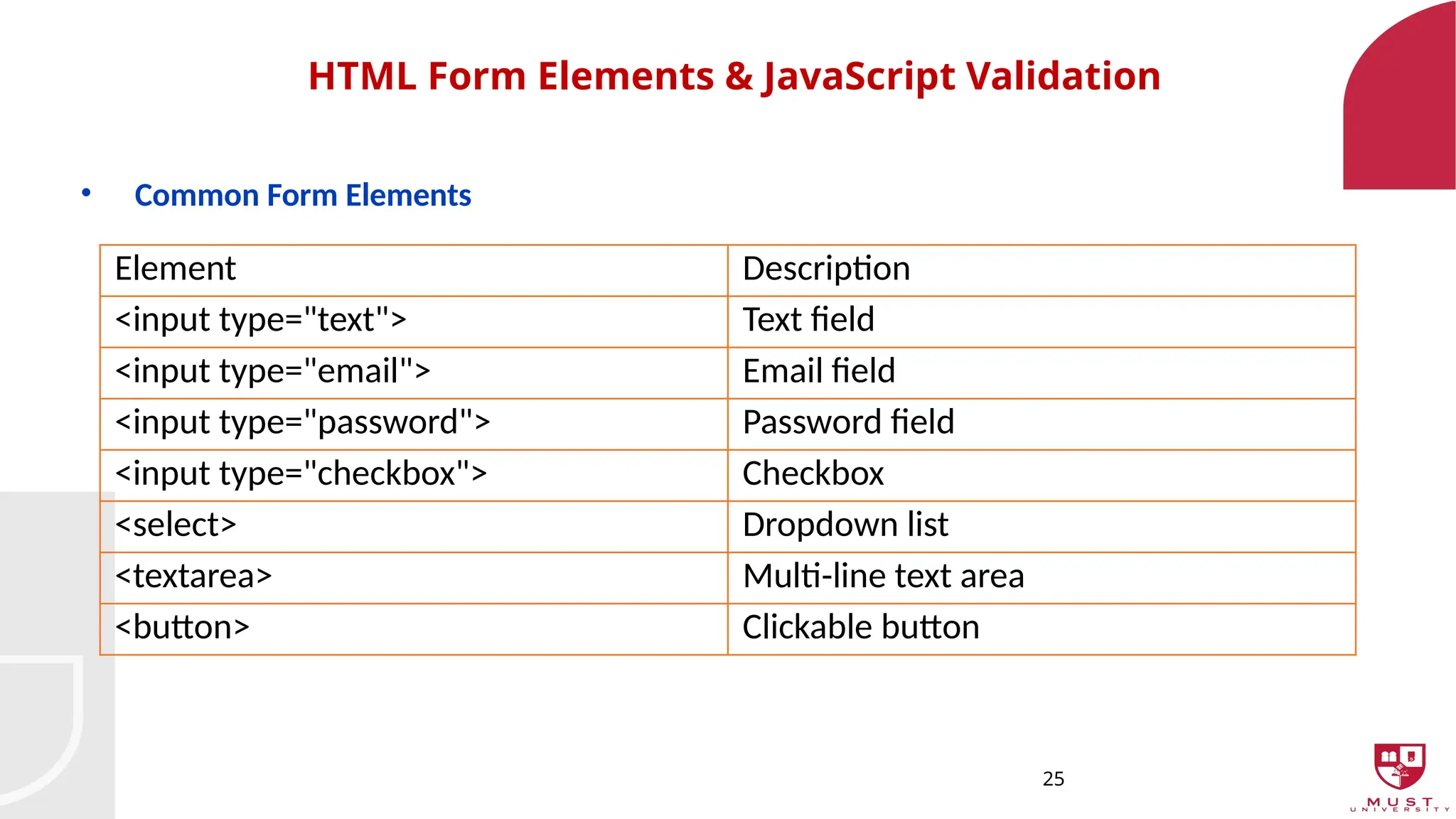
• Common Form Elements
Element Description
<input type="text"> Text field
<input type="email"> Email field
<input type="password"> Password field
<input type="checkbox"> Checkbox
<select> Dropdown list
<textarea> Multi-line text area
<button> Clickable button
27
HTML Form Elements& JavaScript Validation
JavaScript Form Validation - Introduction
• We use JavaScript to ensure valid input before submission.
• Prevents users from submitting empty or incorrect data.
• Provides alerts for errors.
28.
28
HTML Form Elements& JavaScript Validation
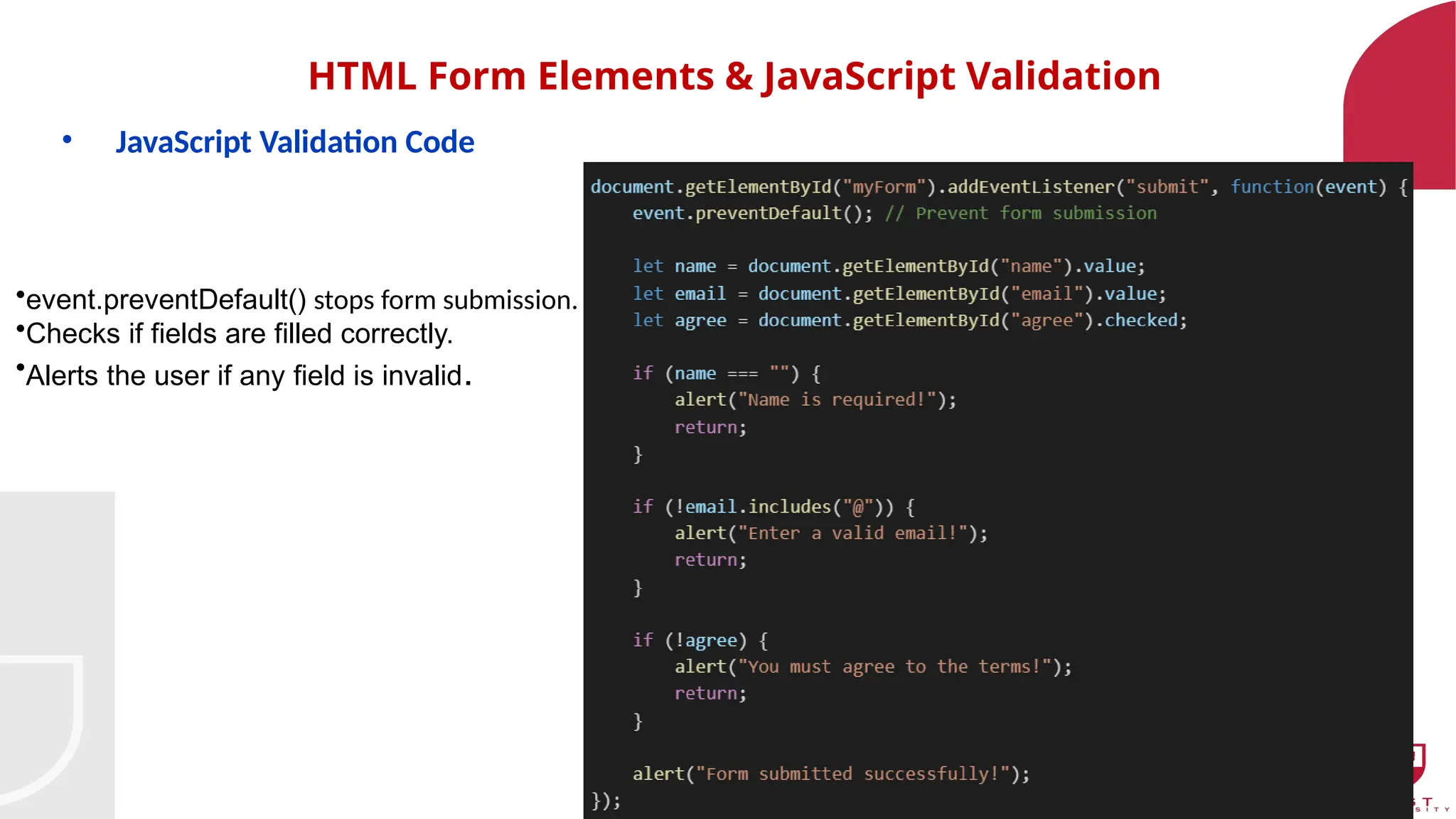
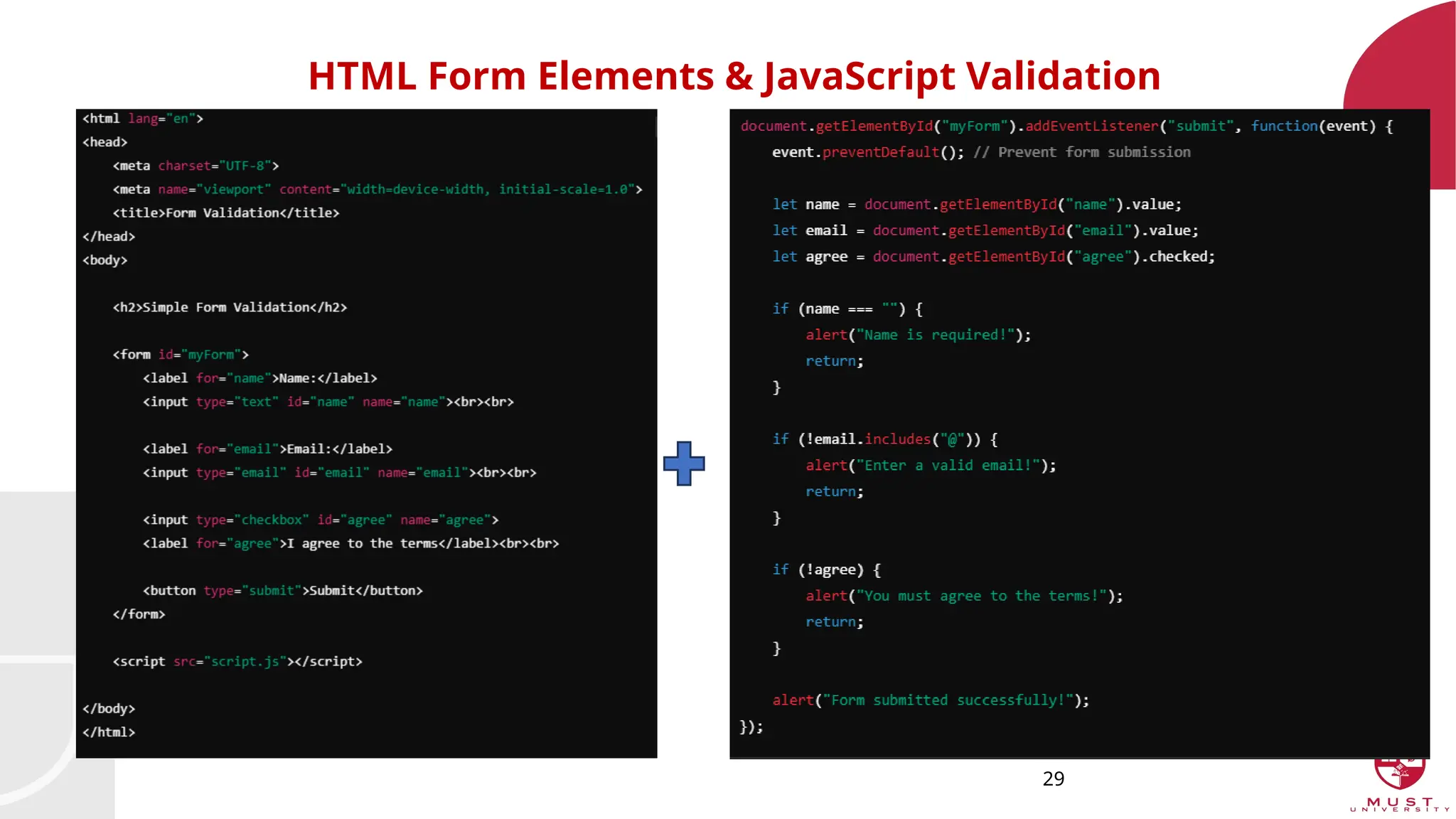
• JavaScript Validation Code
•event.preventDefault() stops form submission.
•Checks if fields are filled correctly.
•Alerts the user if any field is invalid.
30
HTML Form Elements& JavaScript Validation
Exercise
1. Create an HTML file with the following form fields:
Full Name (Text Input)
Age (Number Input, must be ≥ 18)
Email (Must contain "@")
Password (At least 6 characters)
Confirm Password (Must match Password)
"I agree to the terms" checkbox (Required)
Submit button
2. Write JavaScript to validate the form before submission:
Full Name cannot be empty.
Age must be 18 or older.
Email must be in a valid format.
Password must have at least 6 characters.
Confirm Password must match Password.
Checkbox must be checked.
3. Show error messages if validation fails and prevent form submission.
4. Display a success message if the form is correctly filled.