Ext JS classes and Scoping
Agenda
• Get   back to the basics!
 • Master    references (variables and object keys)
• Learn   about the new class system
 • Ext.class.Base

 • Explore   Mixins
 • Ext.Loader
What have I been up to?
• Bootstrapping   a new company, Modus Create

 • Focusing on architecting and building kick-ass Ext JS and
   Sencha Touch apps!

 • Regionaland open training on Advanced JavaScript, Ext JS 4
   and Sencha Touch

 • Rapidly  expanding and looking for experienced
   developers (Sencha Touch and Ext JS)

• http://moduscreate.com
On the book front...
• Earlyaccess to Sencha Touch
 in Action available.
• Chapters 1-3 being
 distributed
• Chapter 7 is next to be
 published
• Chapter4 will be published in
 about 2 weeks
• Chapters
         5 and 6 are being
 worked on
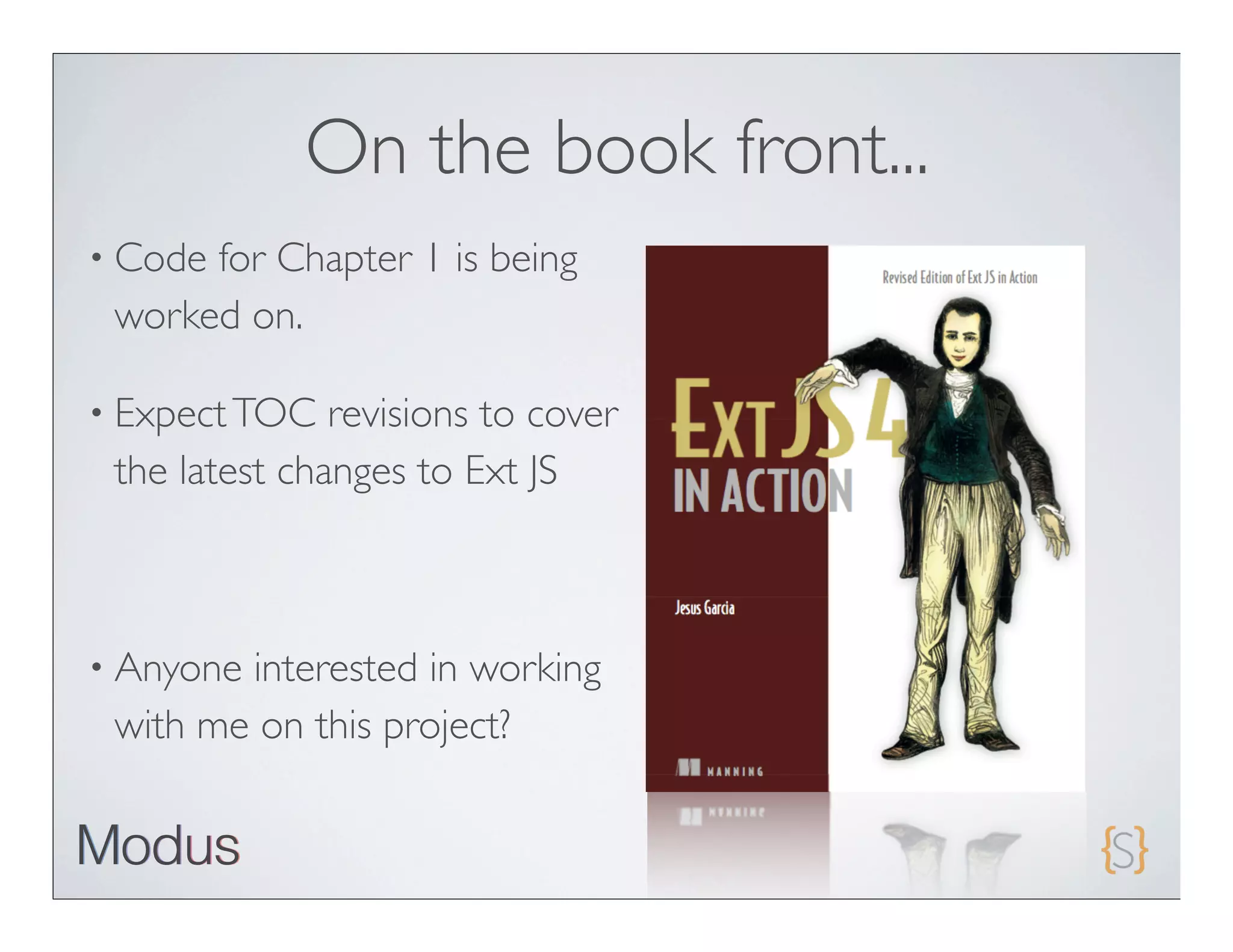
On the book front...
• Codefor Chapter 1 is being
 worked on.

• Expect TOC   revisions to cover
 the latest changes to Ext JS


• Anyoneinterested in working
 with me on this project?
References


A “variable” reference is a pointer
to a chunk of memory where some
value or object is stored.
References


• Stop    saying “variable”!
• Use   the word “reference”
 • It   will remind you of what it really is - a pointer!
 • We     will use this word from now on
Global references
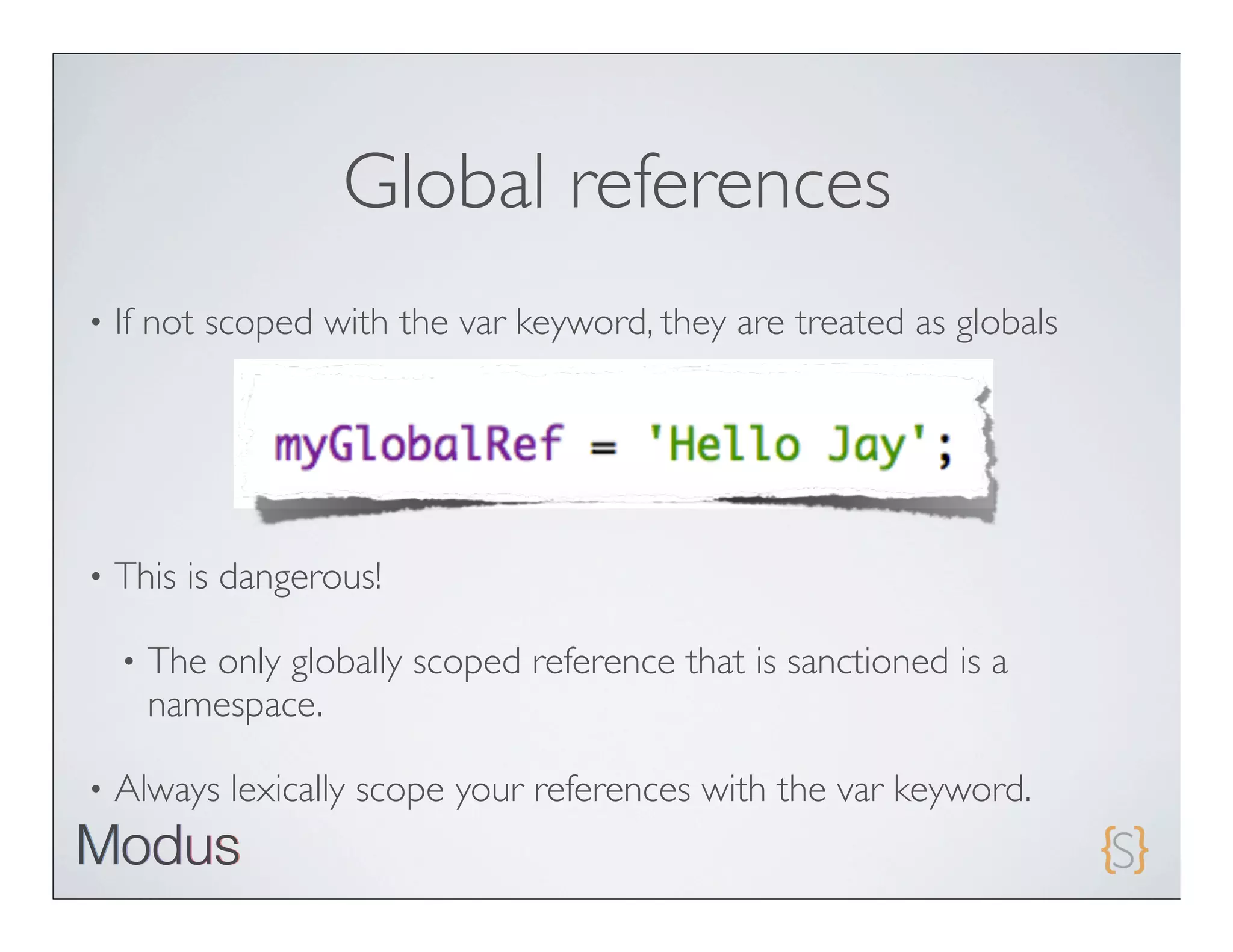
•   If not scoped with the var keyword, they are treated as globals


•   This is dangerous!

    •   The only globally scoped reference that is sanctioned is a
        namespace.

•   Always lexically scope your references with the var keyword.
Naming convention
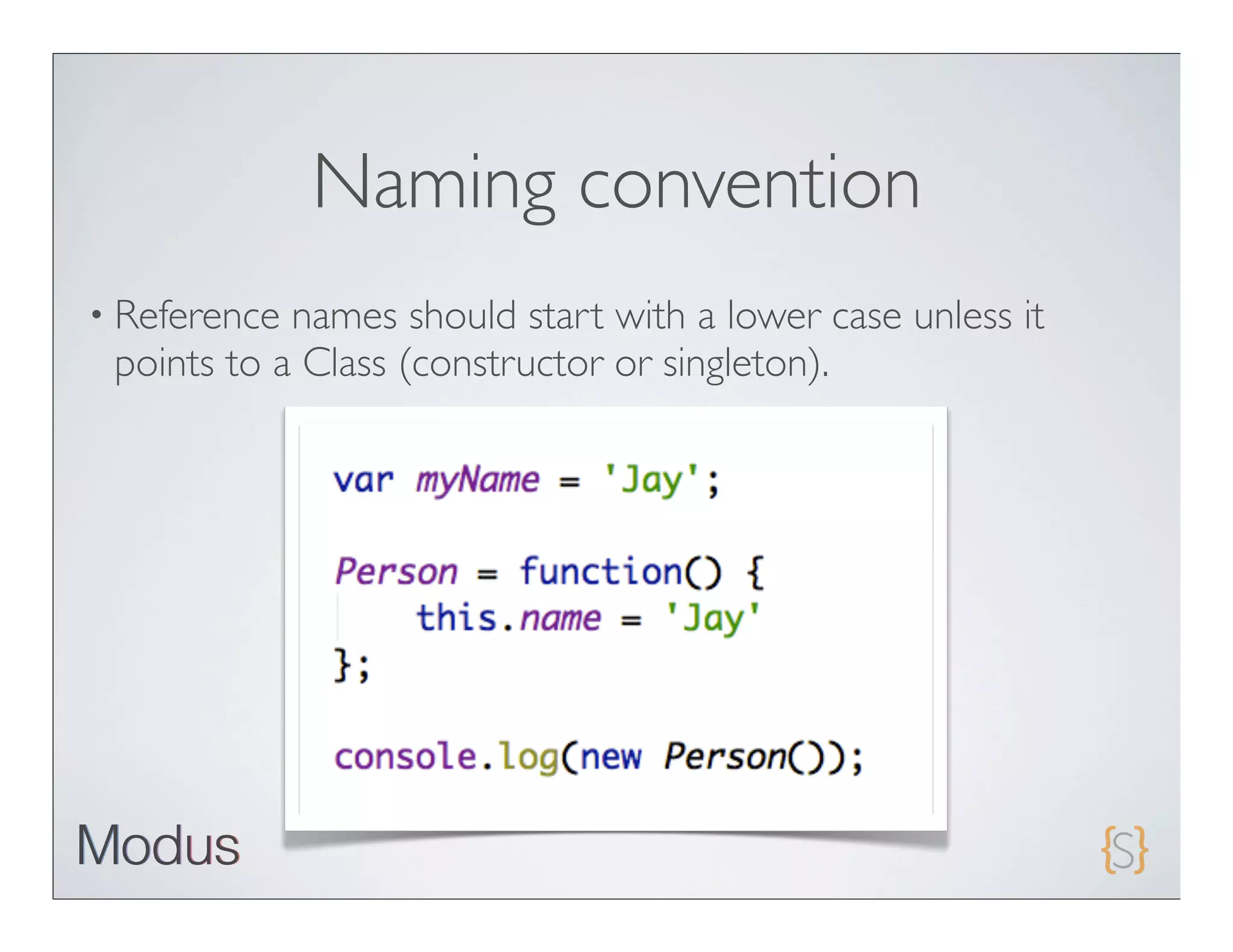
• Reference names should start with a lower case unless it
 points to a Class (constructor or singleton).
References

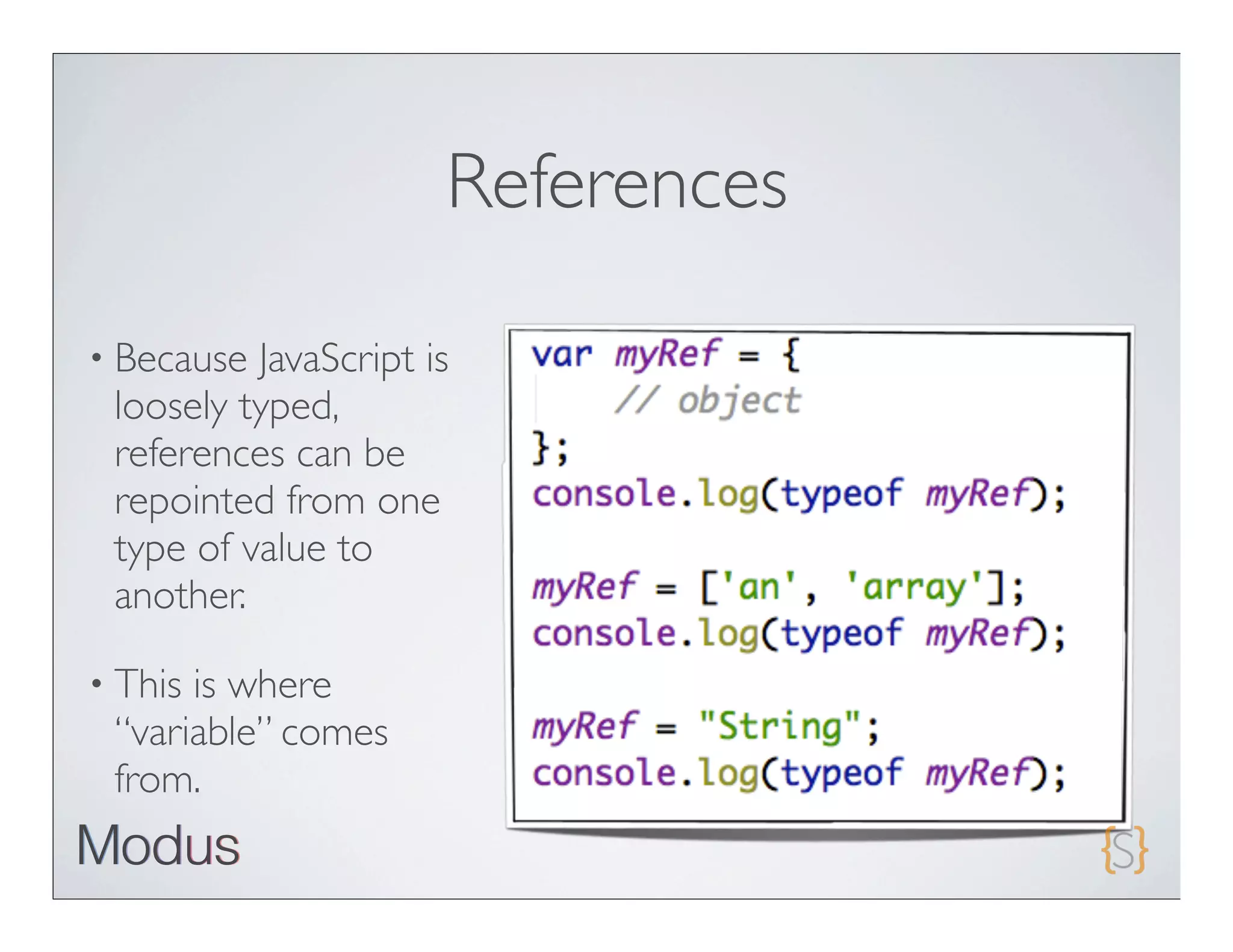
• Because JavaScript is
 loosely typed,
 references can be
 repointed from one
 type of value to
 another.

• Thisis where
 “variable” comes
 from.
References

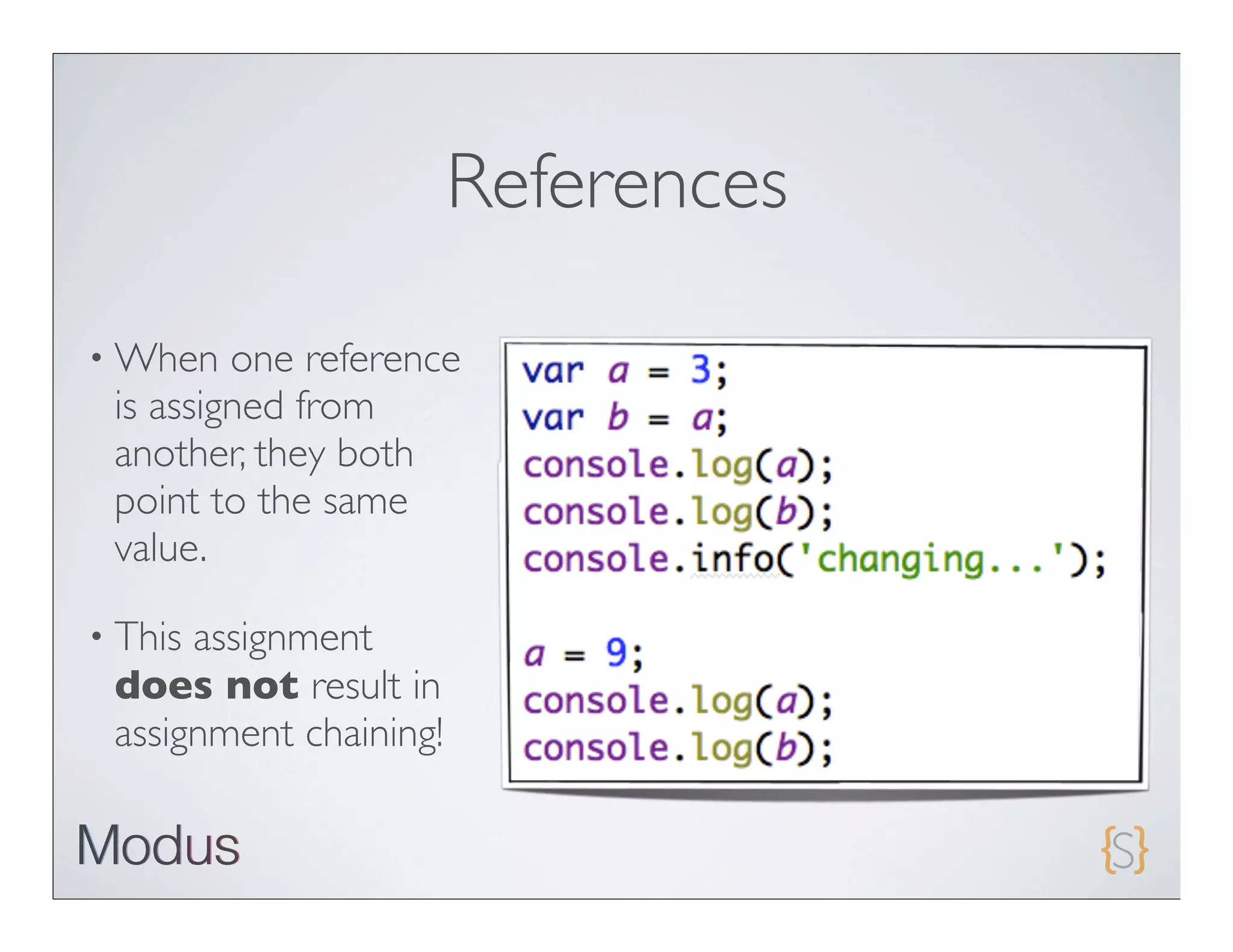
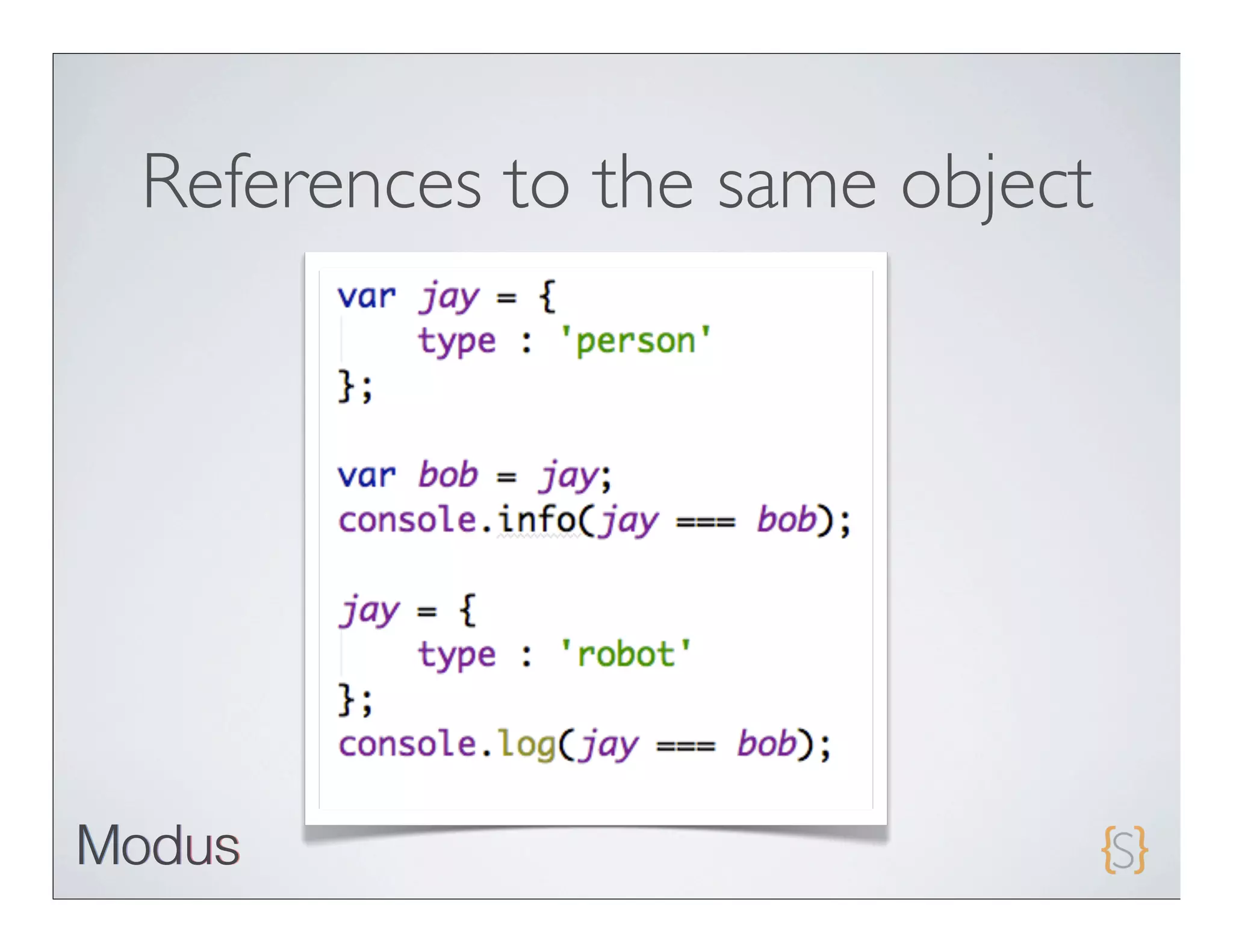
• When   one reference
 is assigned from
 another, they both
 point to the same
 value.

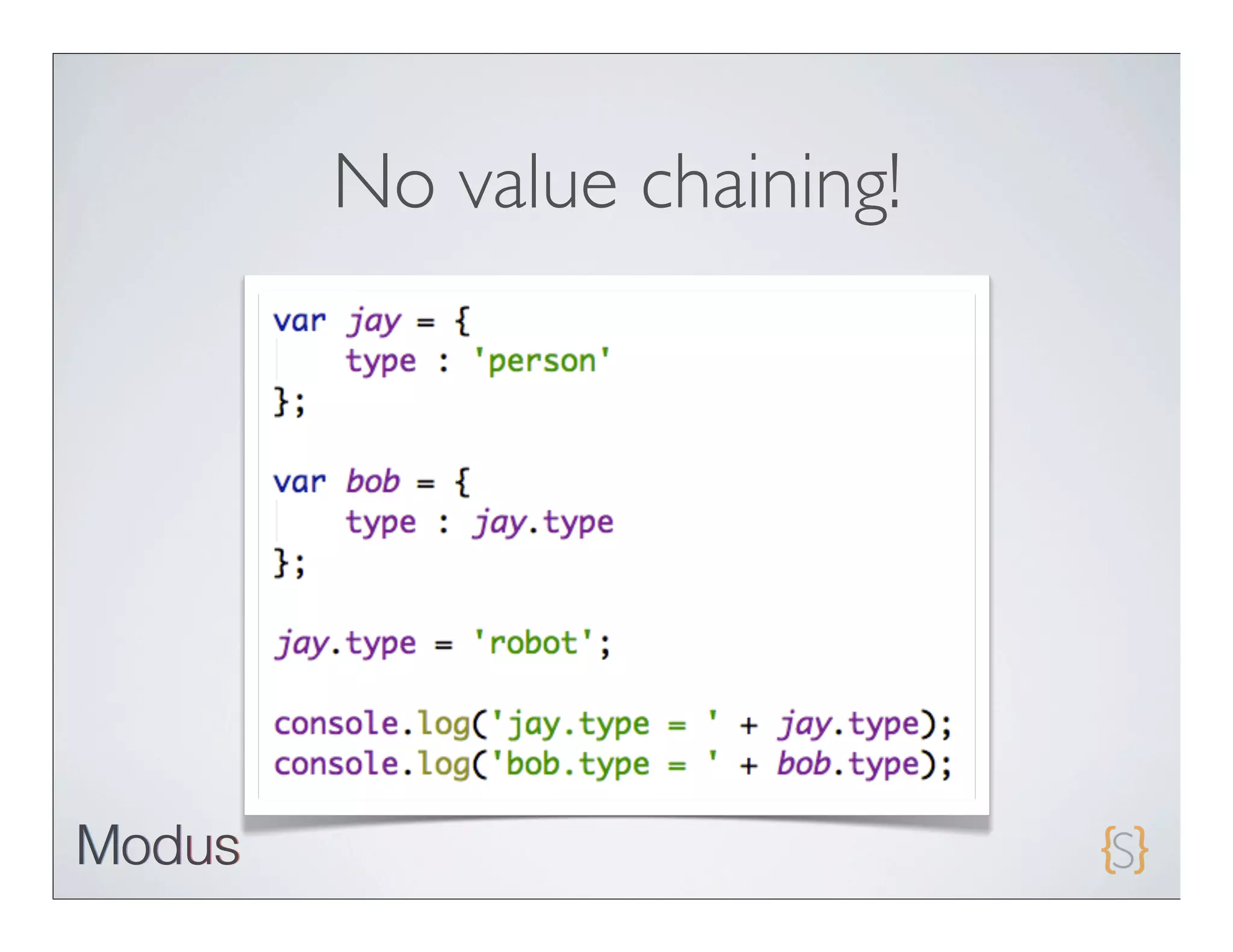
• Thisassignment
 does not result in
 assignment chaining!
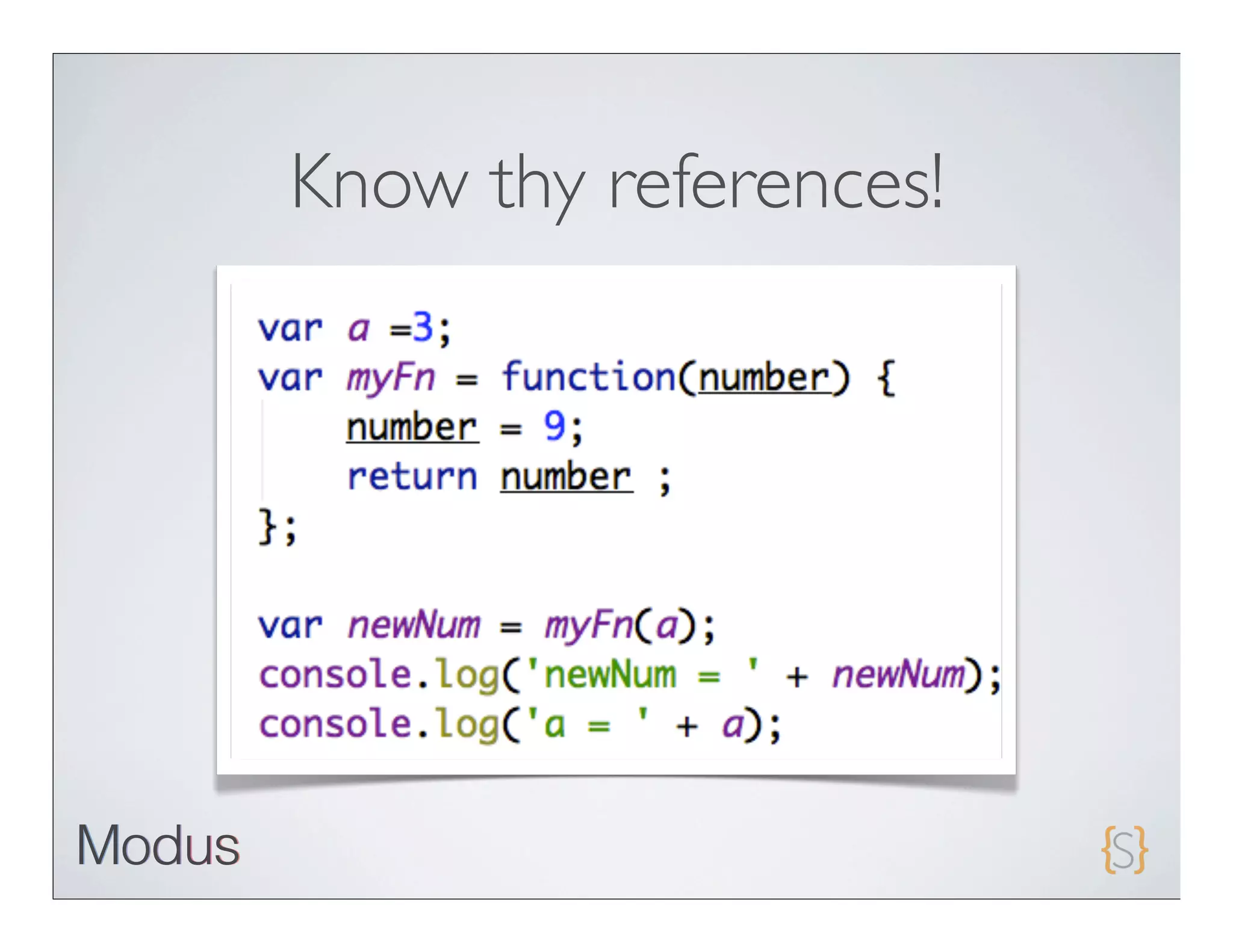
Know thy references!
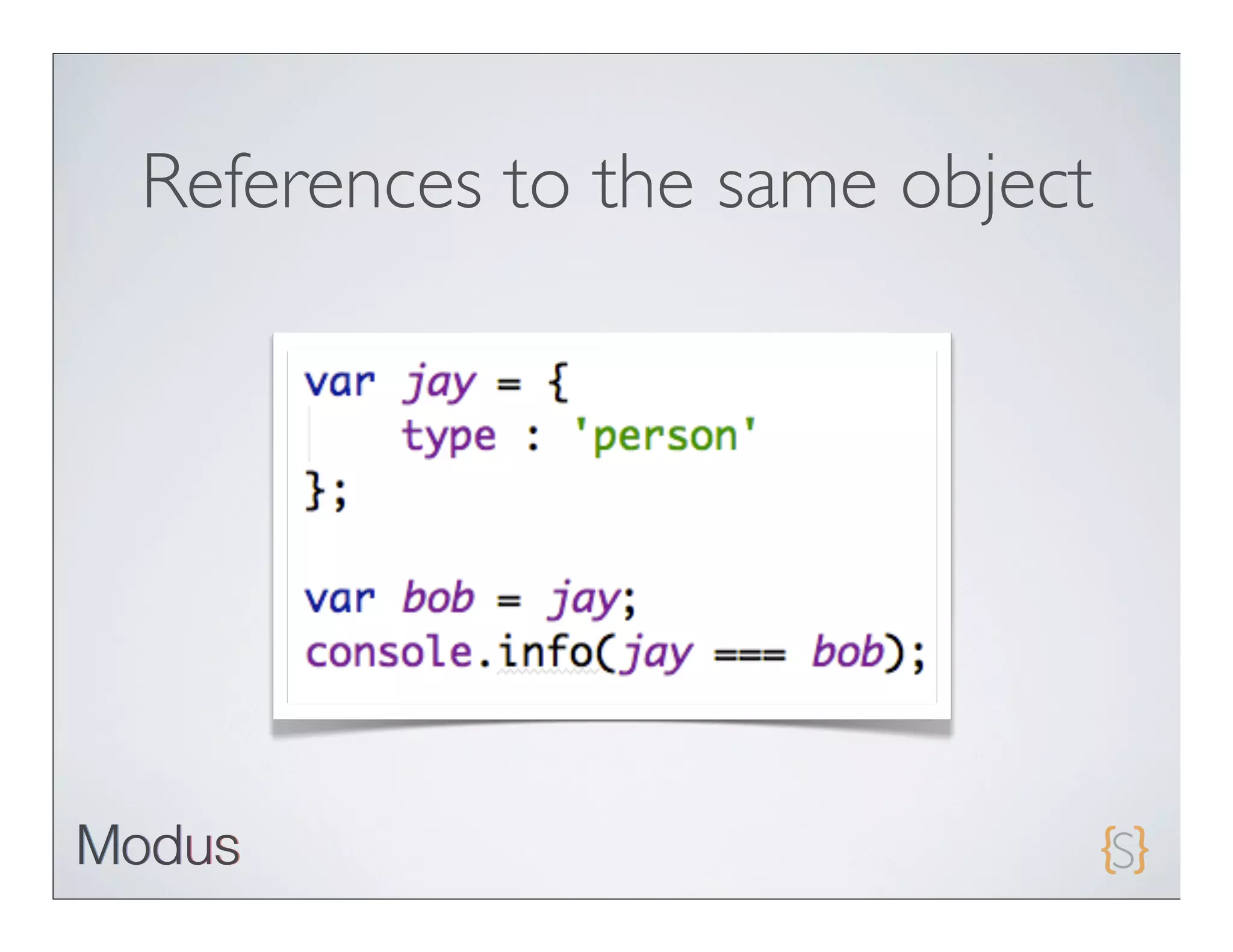
References to the same object
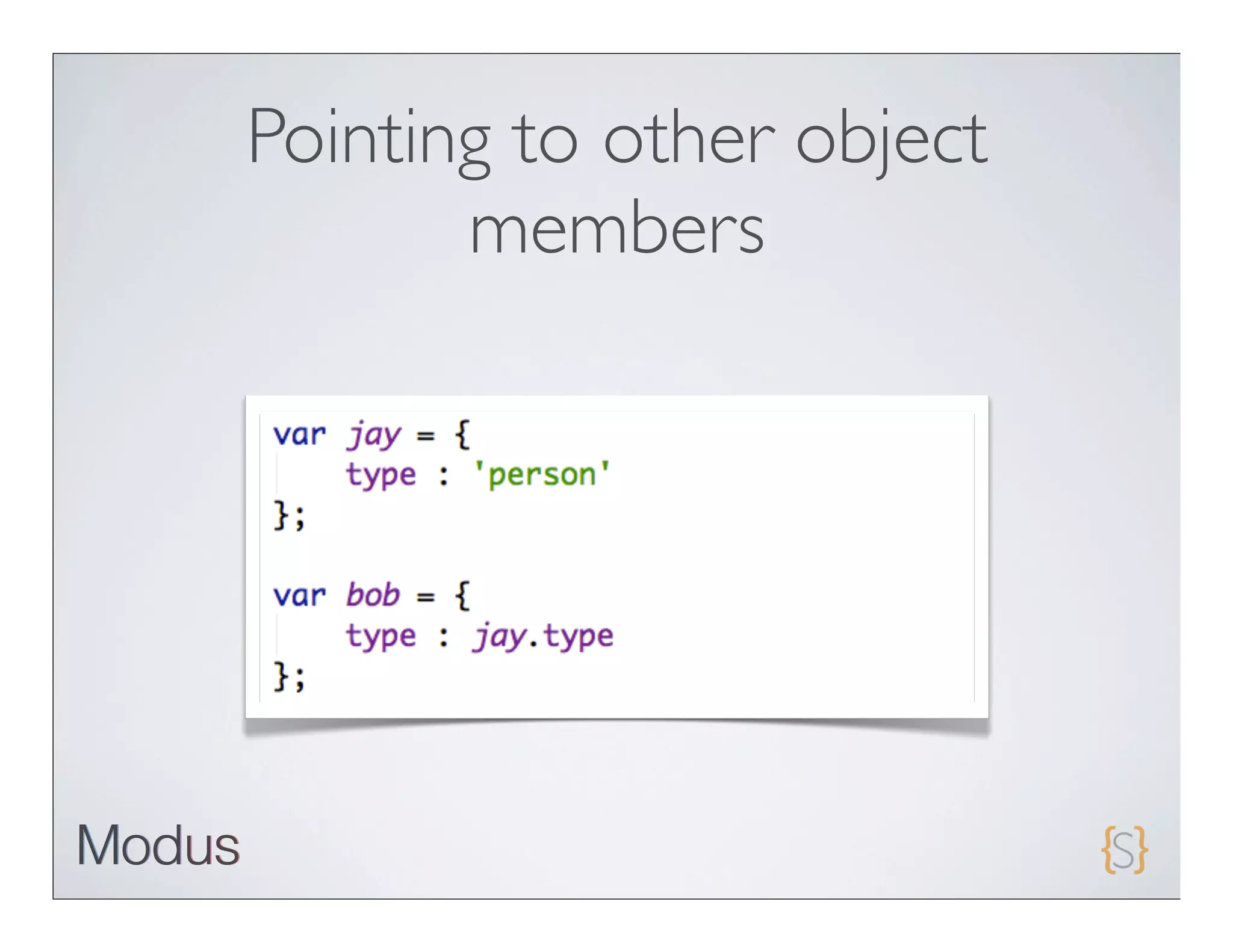
Pointing to other object
       members
No value chaining!
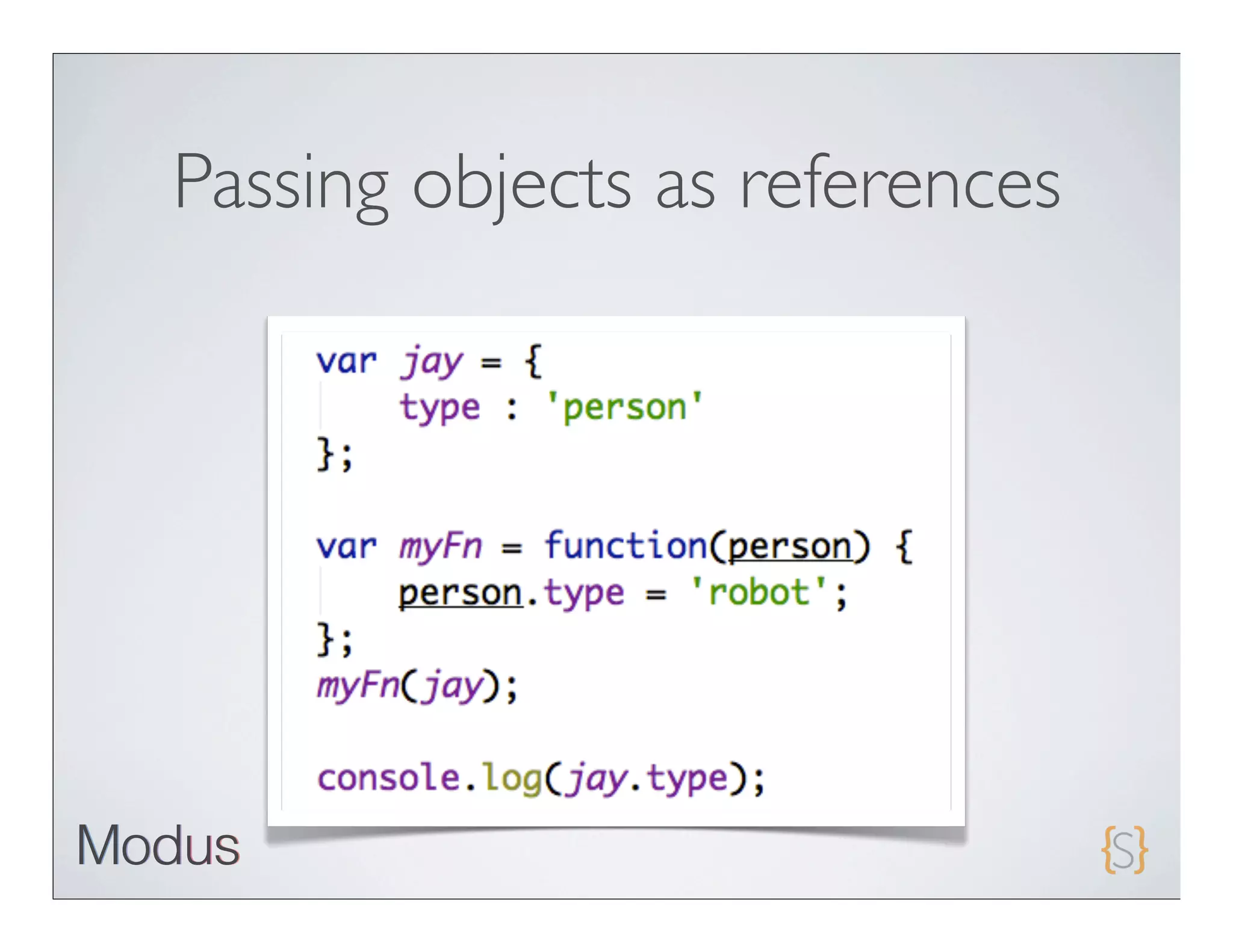
Passing objects as references
Defining Functions

• Functions   are first class objects

 • They     have properties and methods

 • They     extend from Object

 • They     inherit from Function.prototype

   • call   and apply methods are inherited
Know “this"

• In   JavaScript, “this” is a magic reference

  • It   is set upon execution of a function and is accessible inside
       that function

  • “this” defines    the execution scope

• Understanding “this” is    very important.
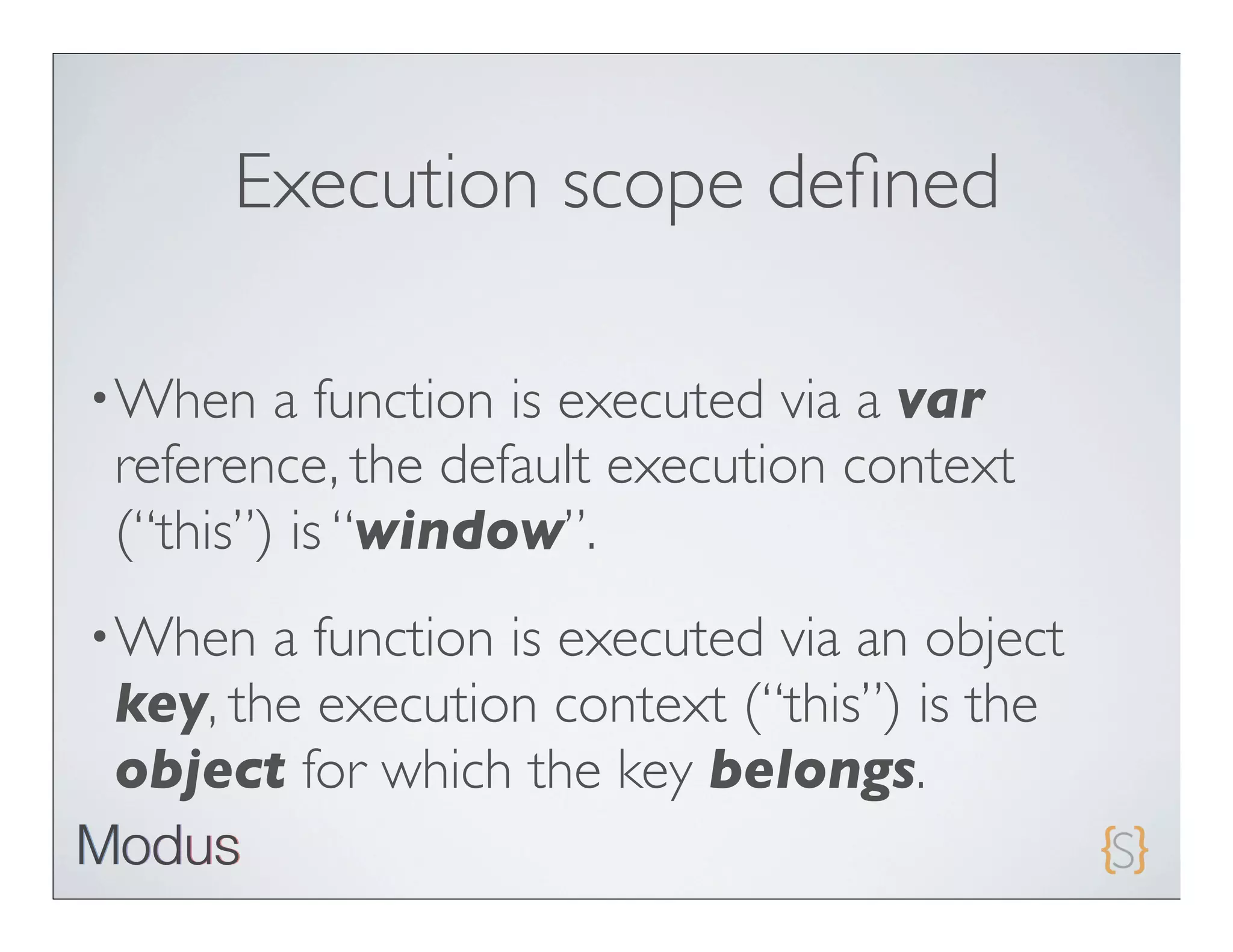
Execution scope defined

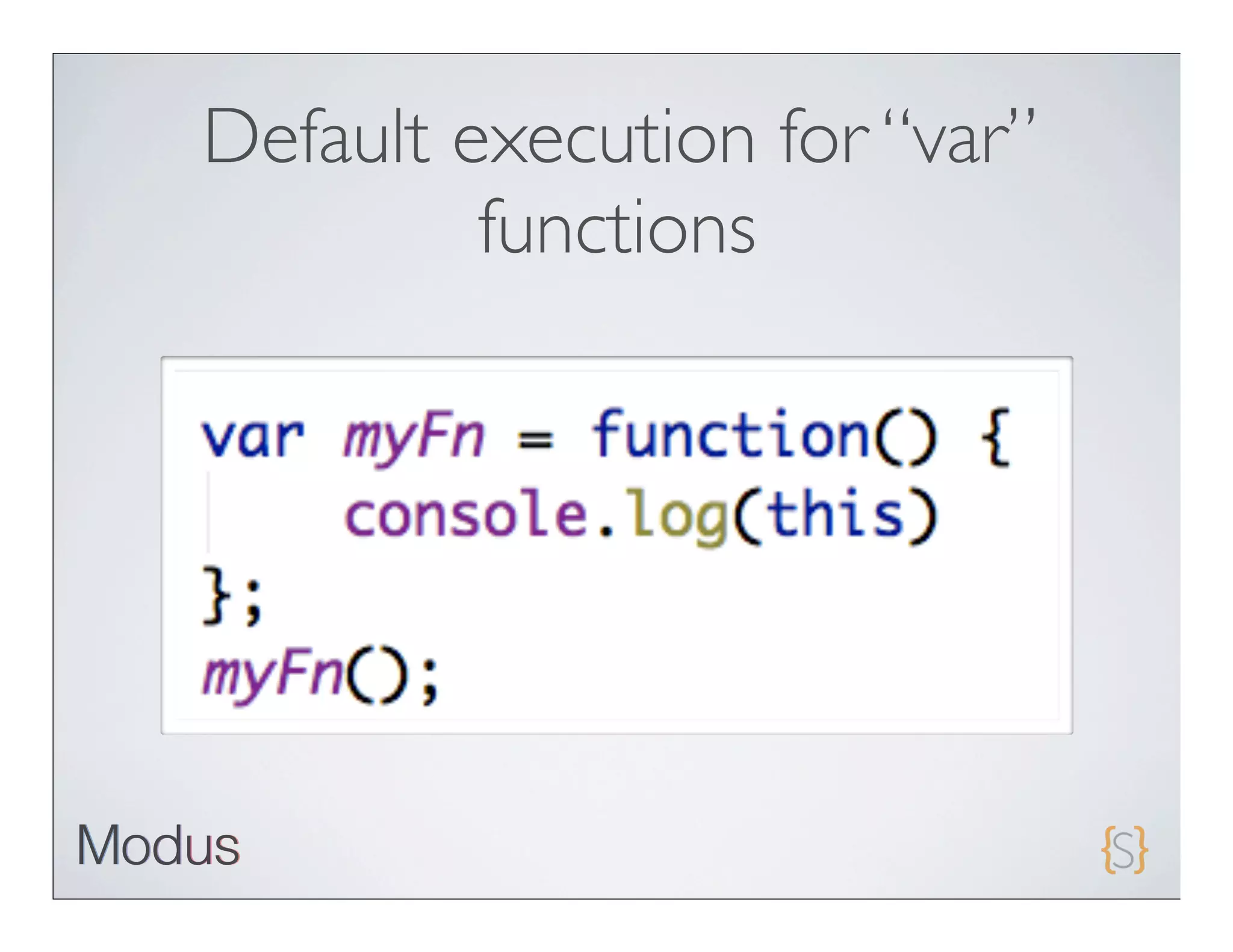
• When  a function is executed via a var
reference, the default execution context
(“this”) is “window”.
• When a function is executed via an object
key, the execution context (“this”) is the
object for which the key belongs.
Default execution for “var”
         functions
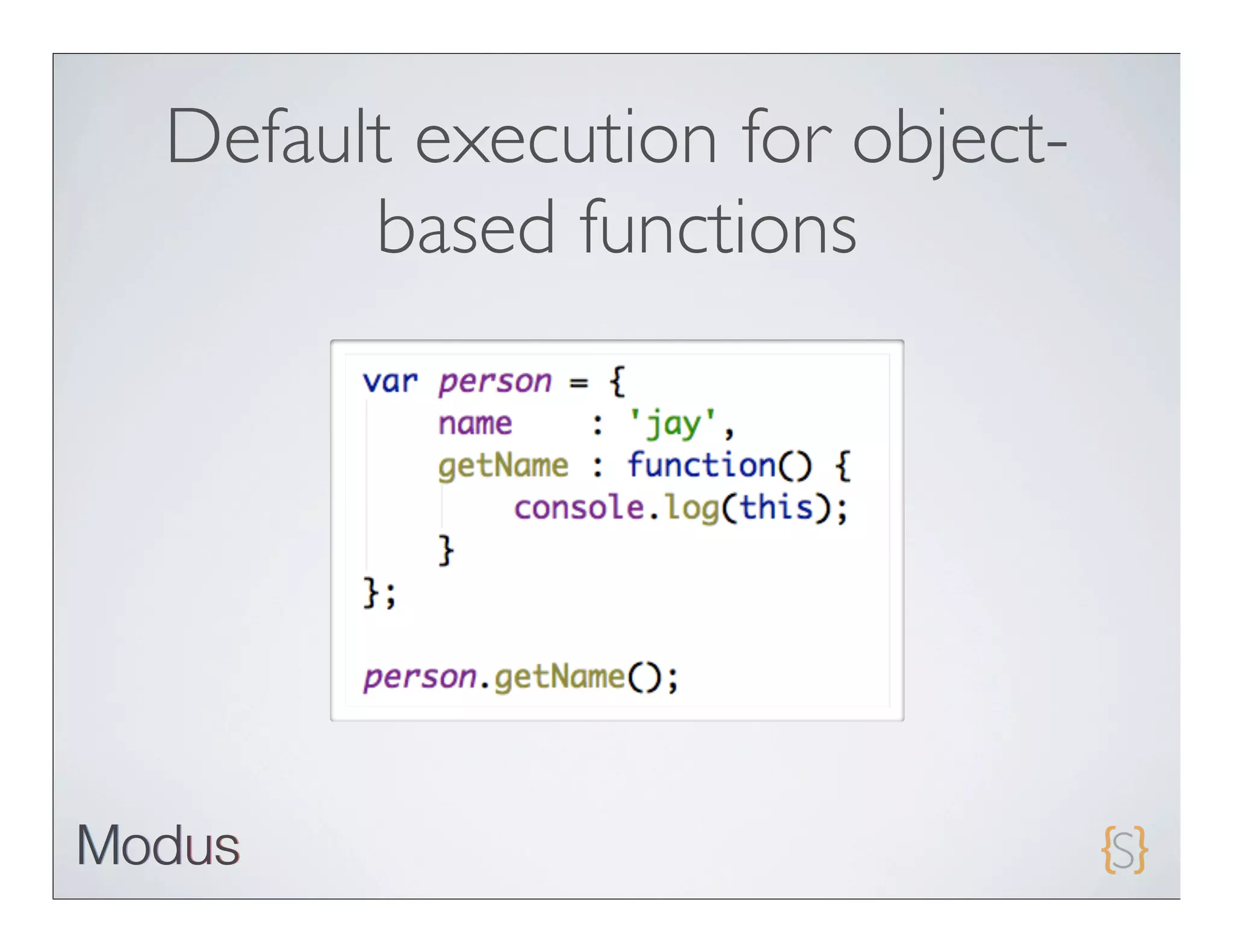
Default execution for object-
      based functions
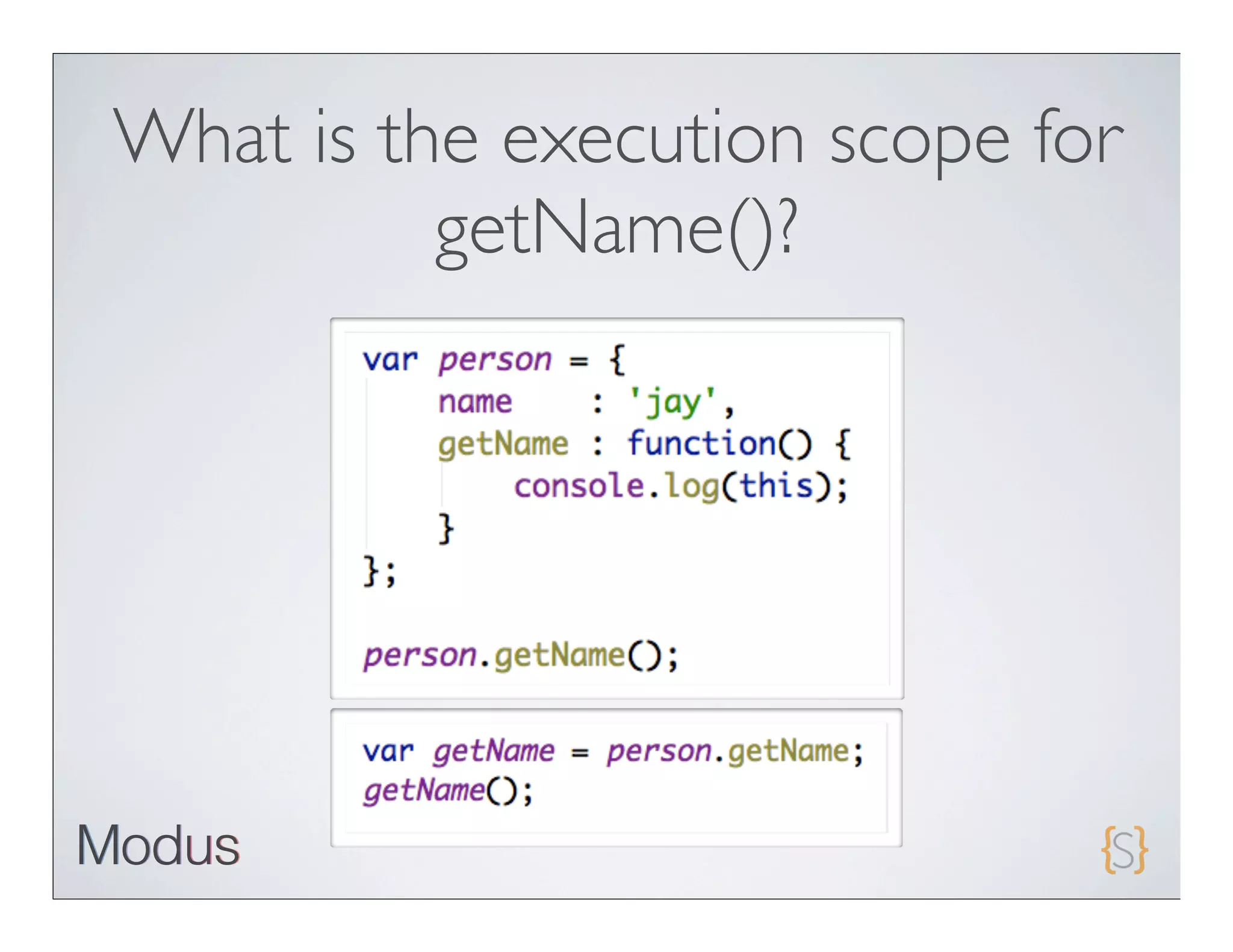
What is the execution scope for
          getName()?
Execution scope defined

• When  a function is executed via a var
reference, the default execution context
(“this”) is “window”.
• When a function is executed via an object
key, the execution context (“this”) is the
object for which the key belongs.
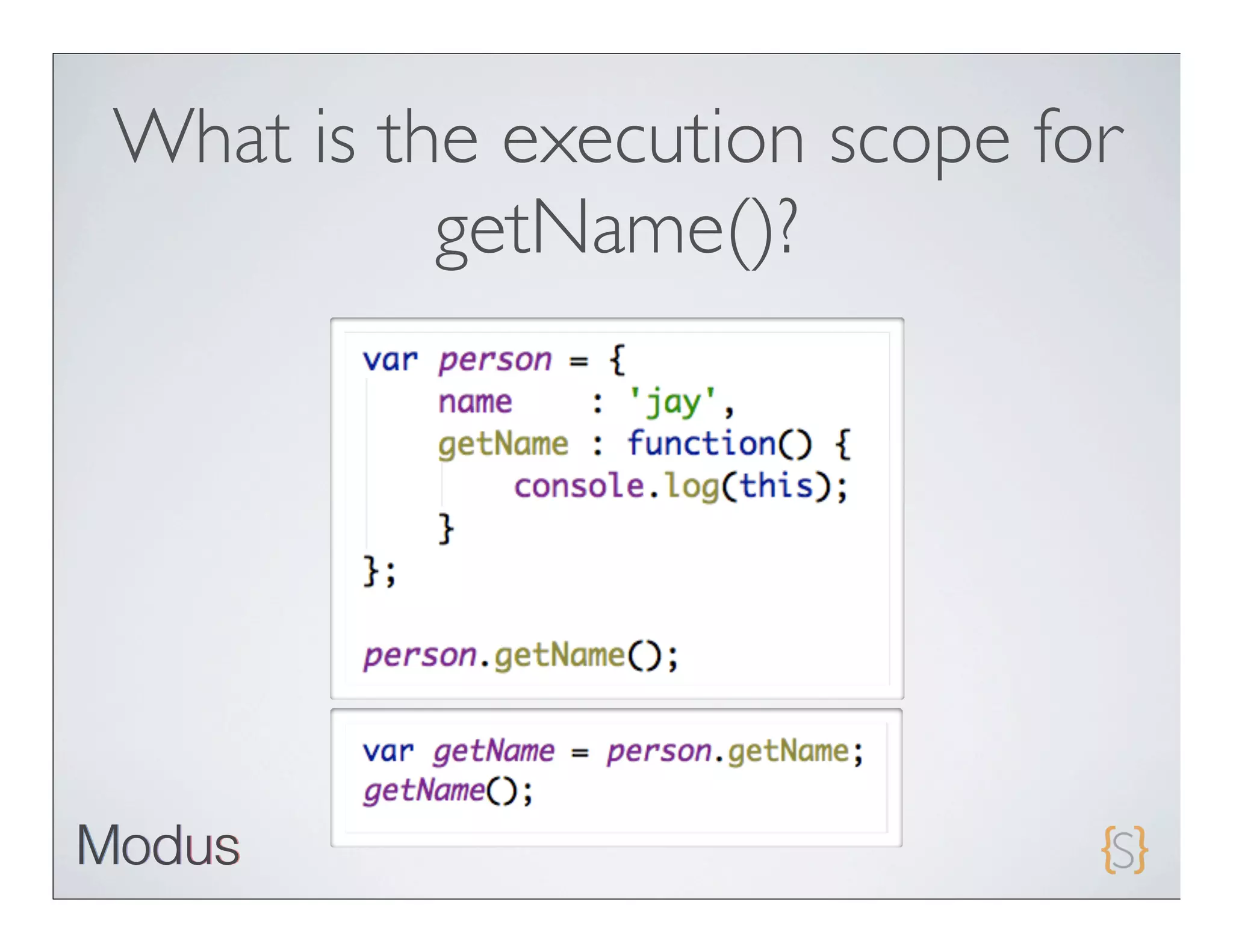
What is the execution scope for
          getName()?
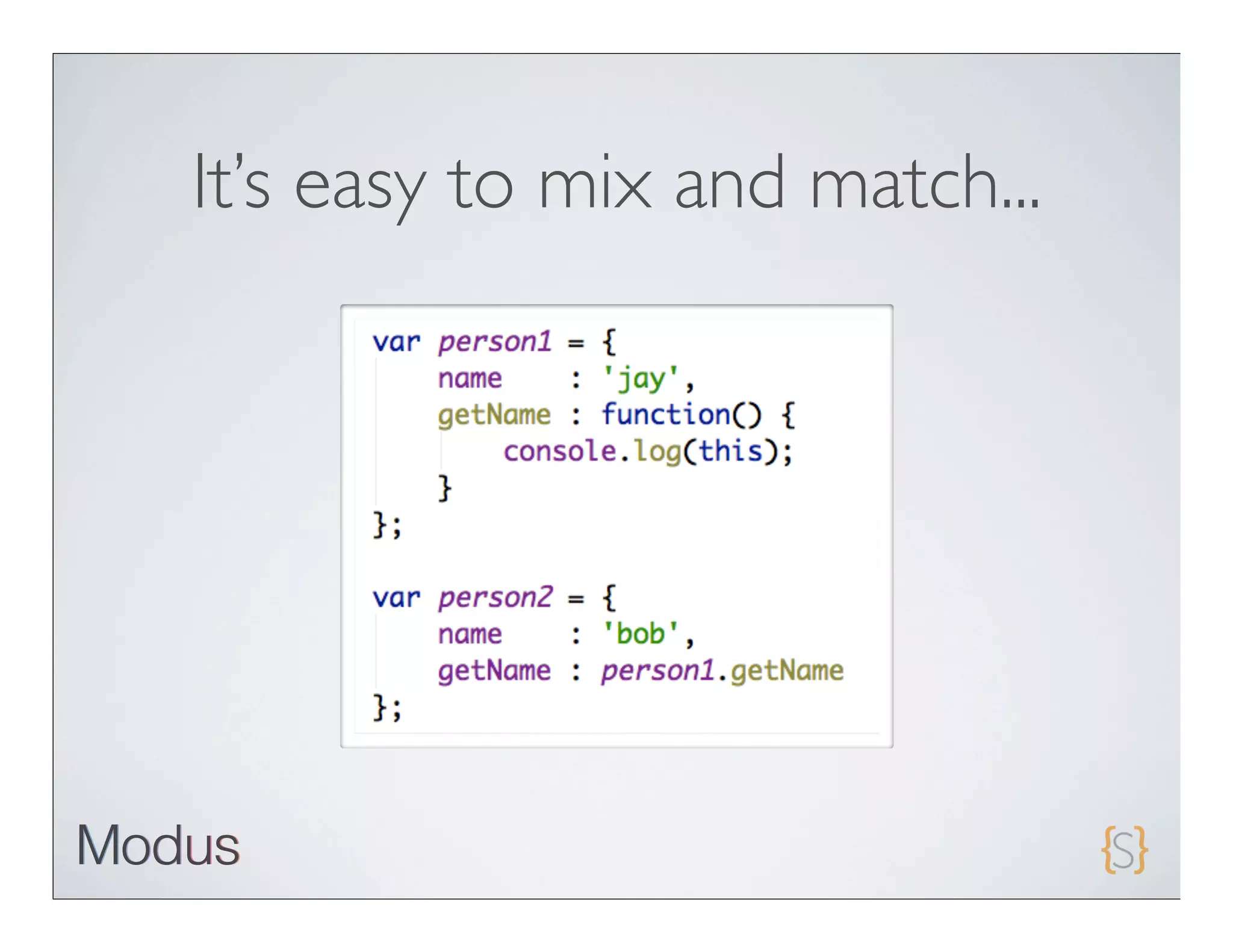
It’s easy to mix and match...
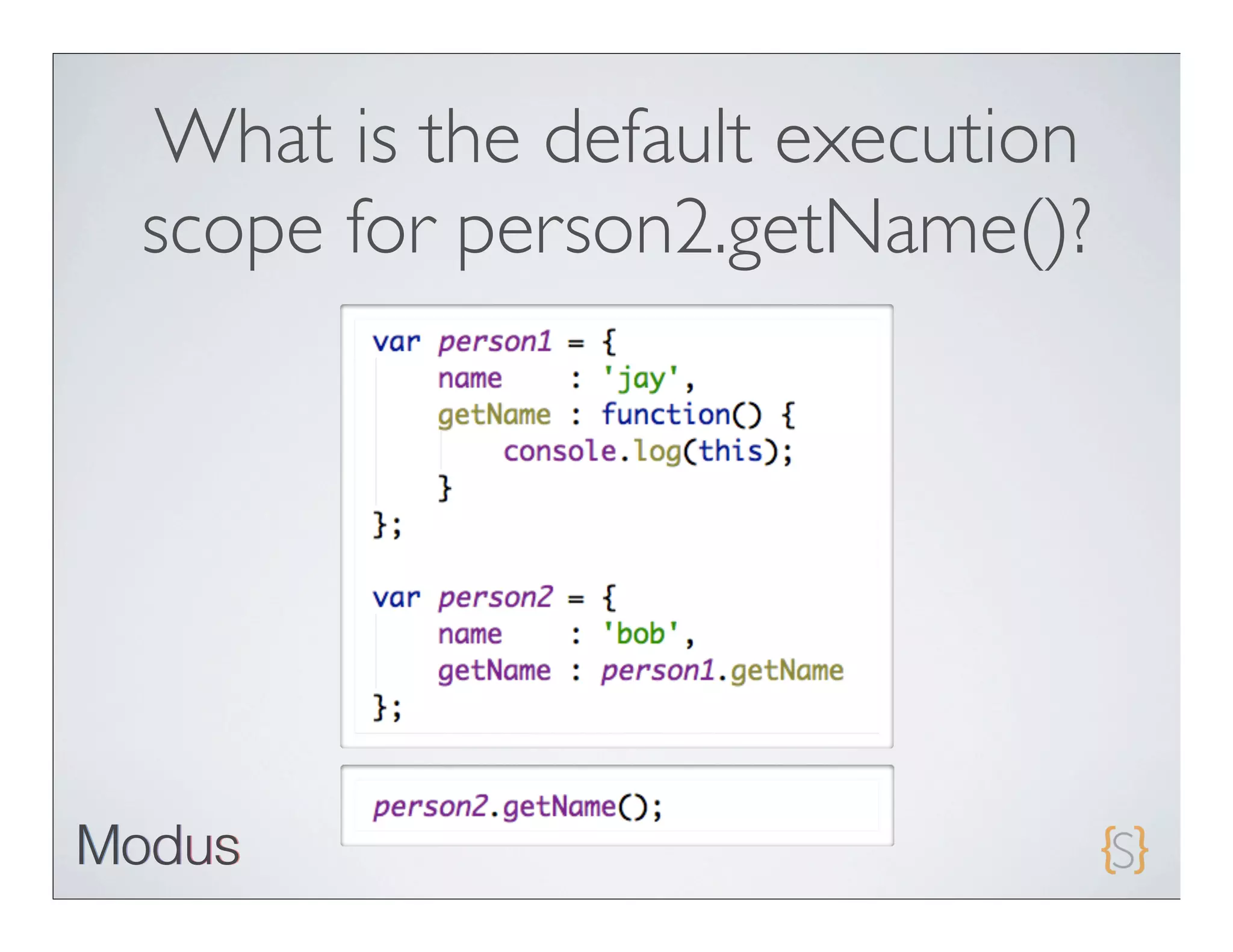
What is the default execution
scope for person2.getName()?
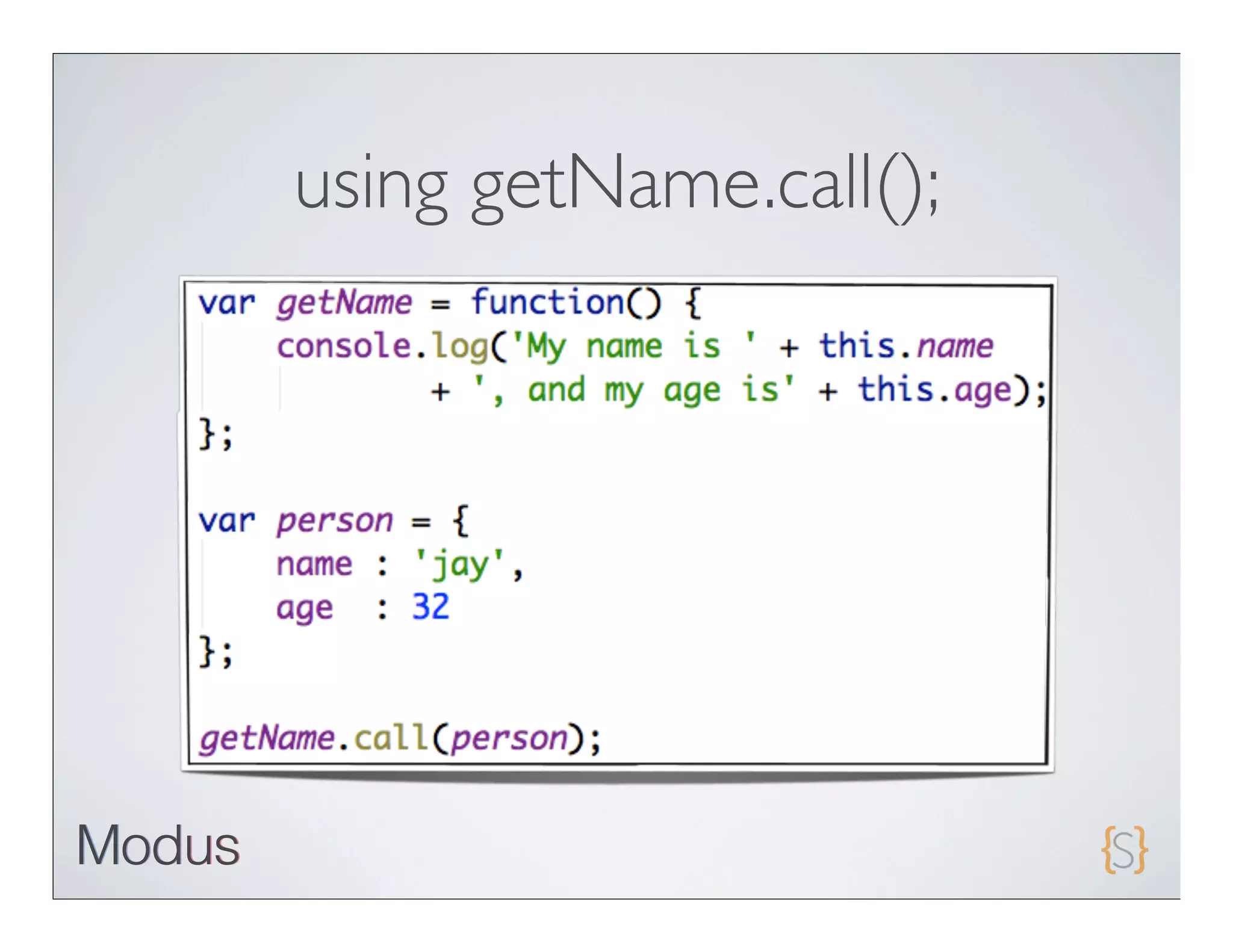
Forcing scope execution


• call   and apply can be used to force scope execution.

• Inother words, you have full control over the execution scope
 of any function in JavaScript.
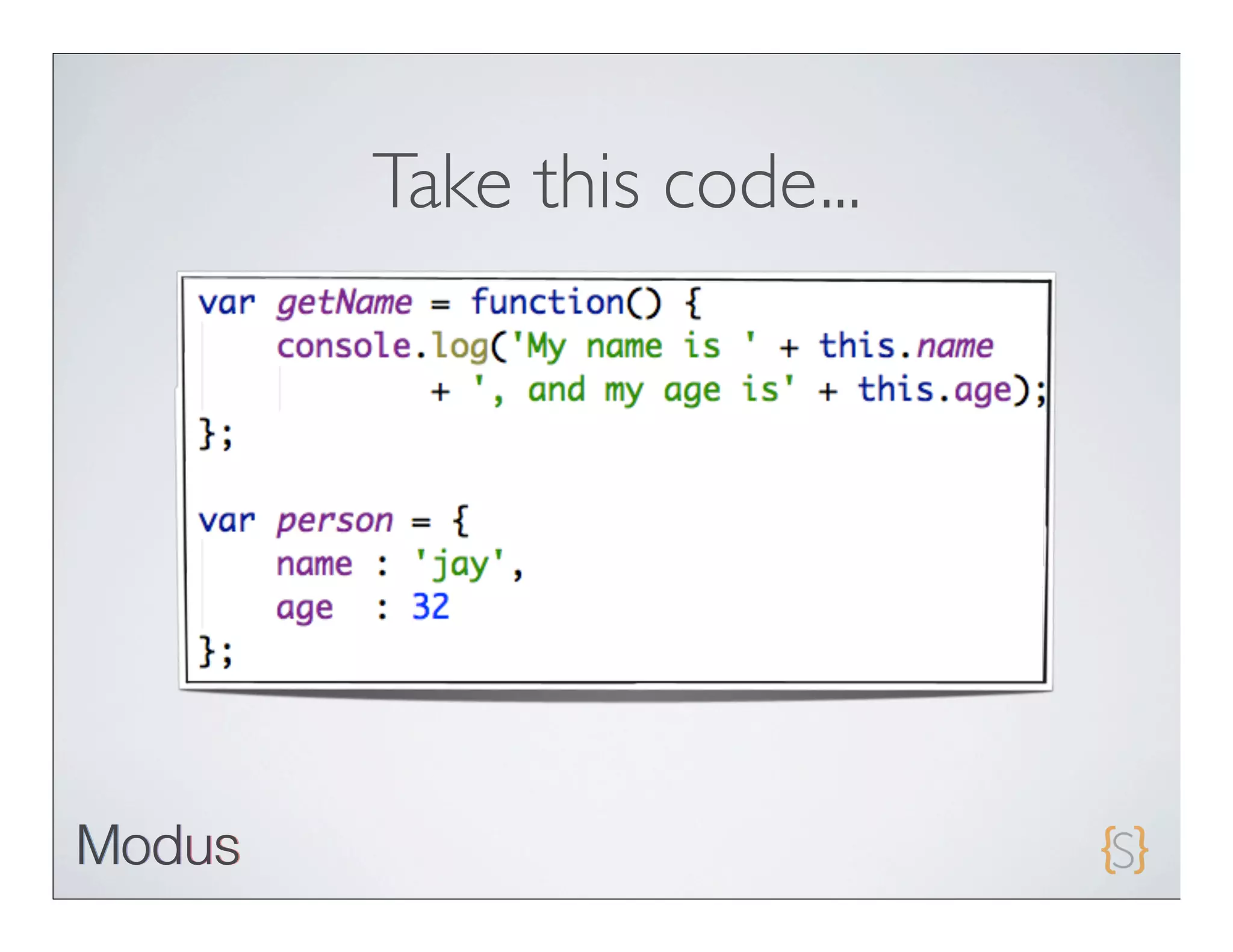
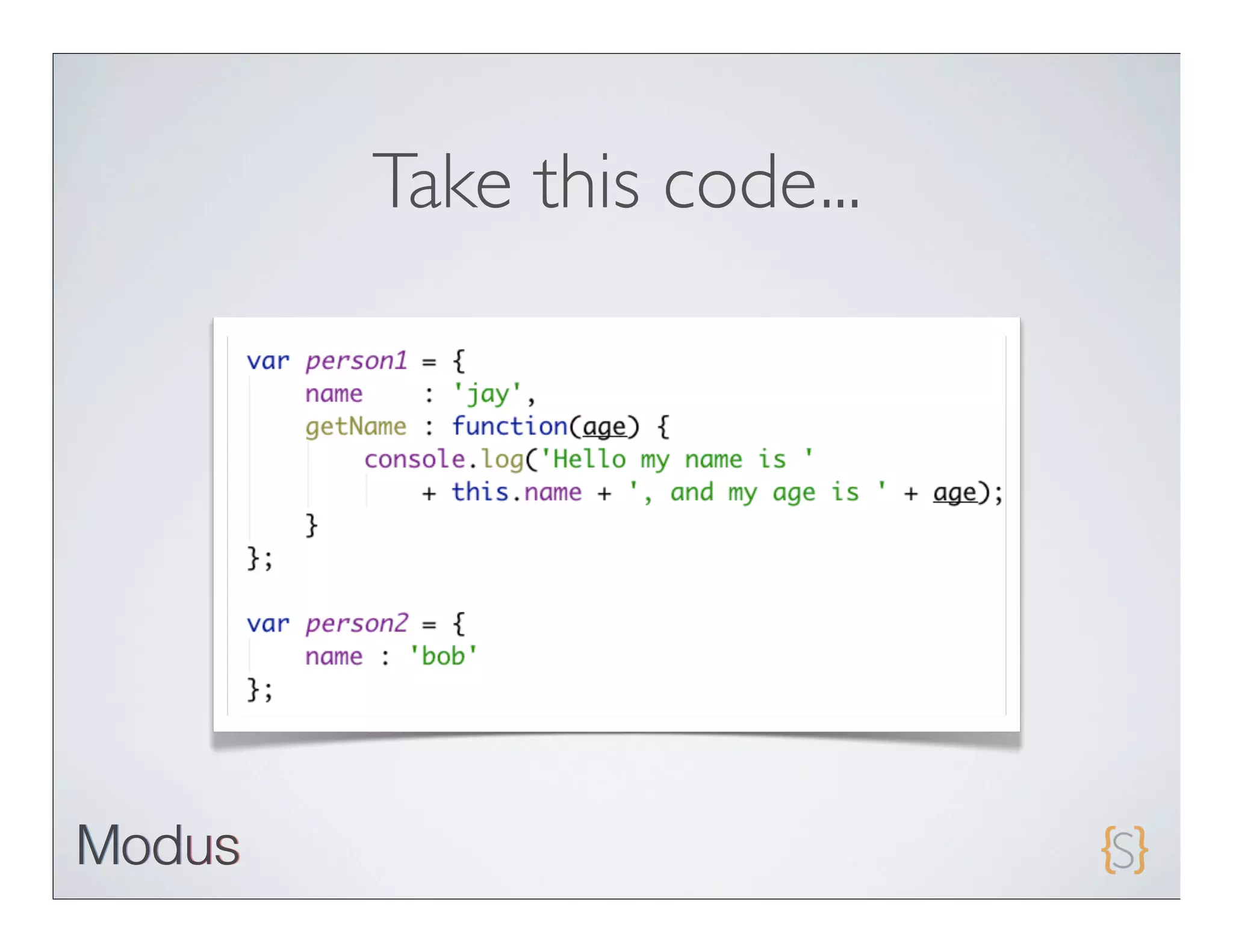
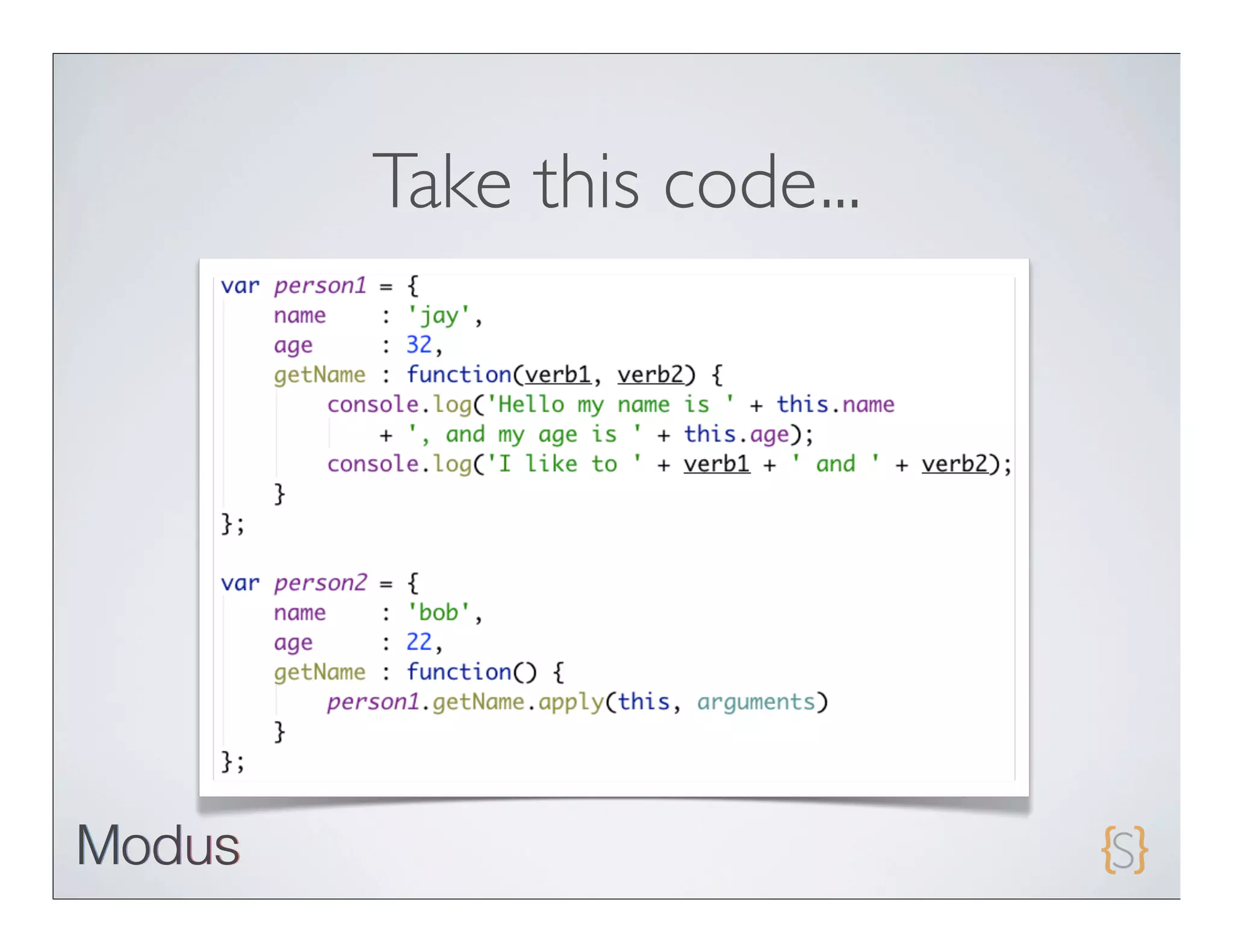
Take this code...
using getName.call();
Take this code...
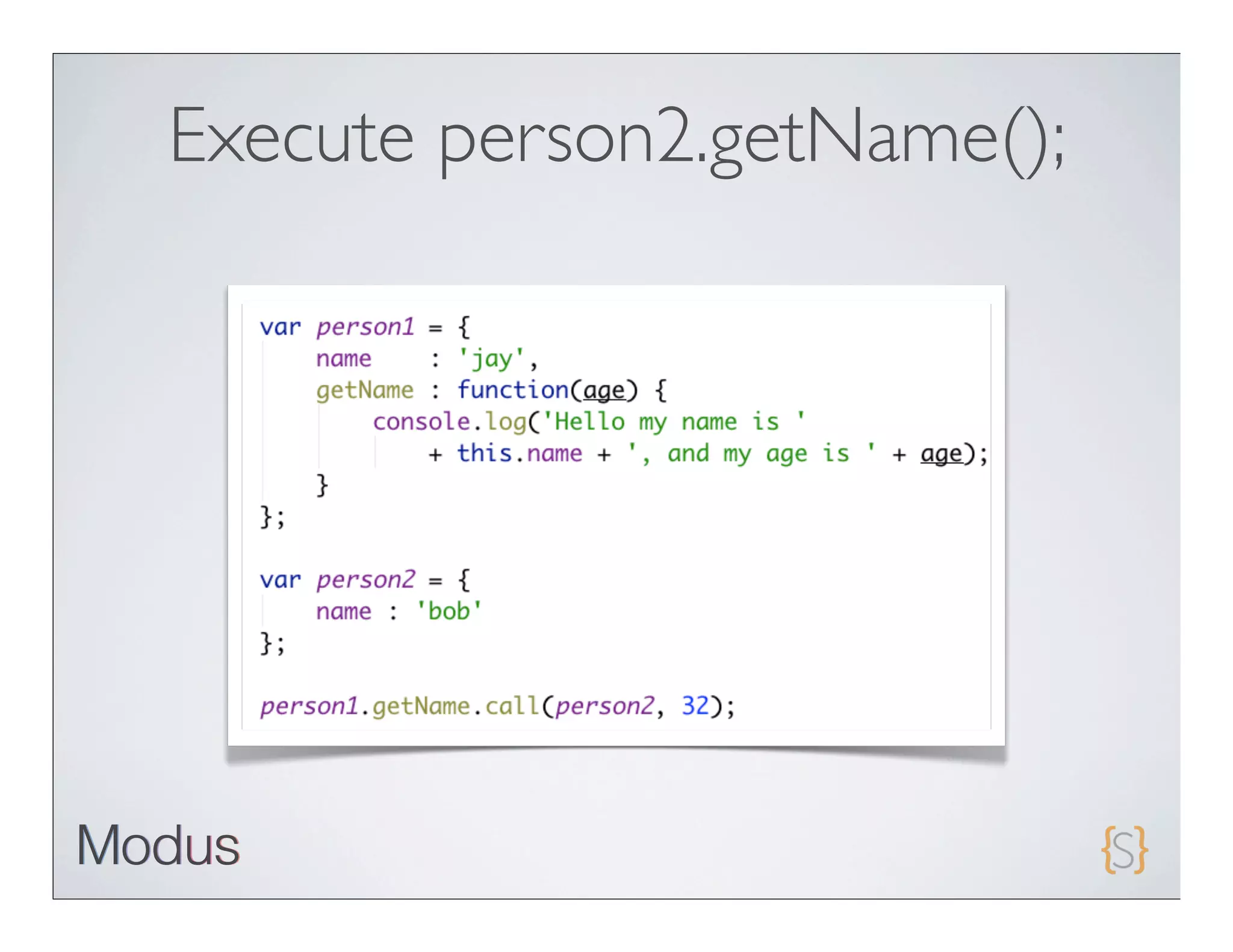
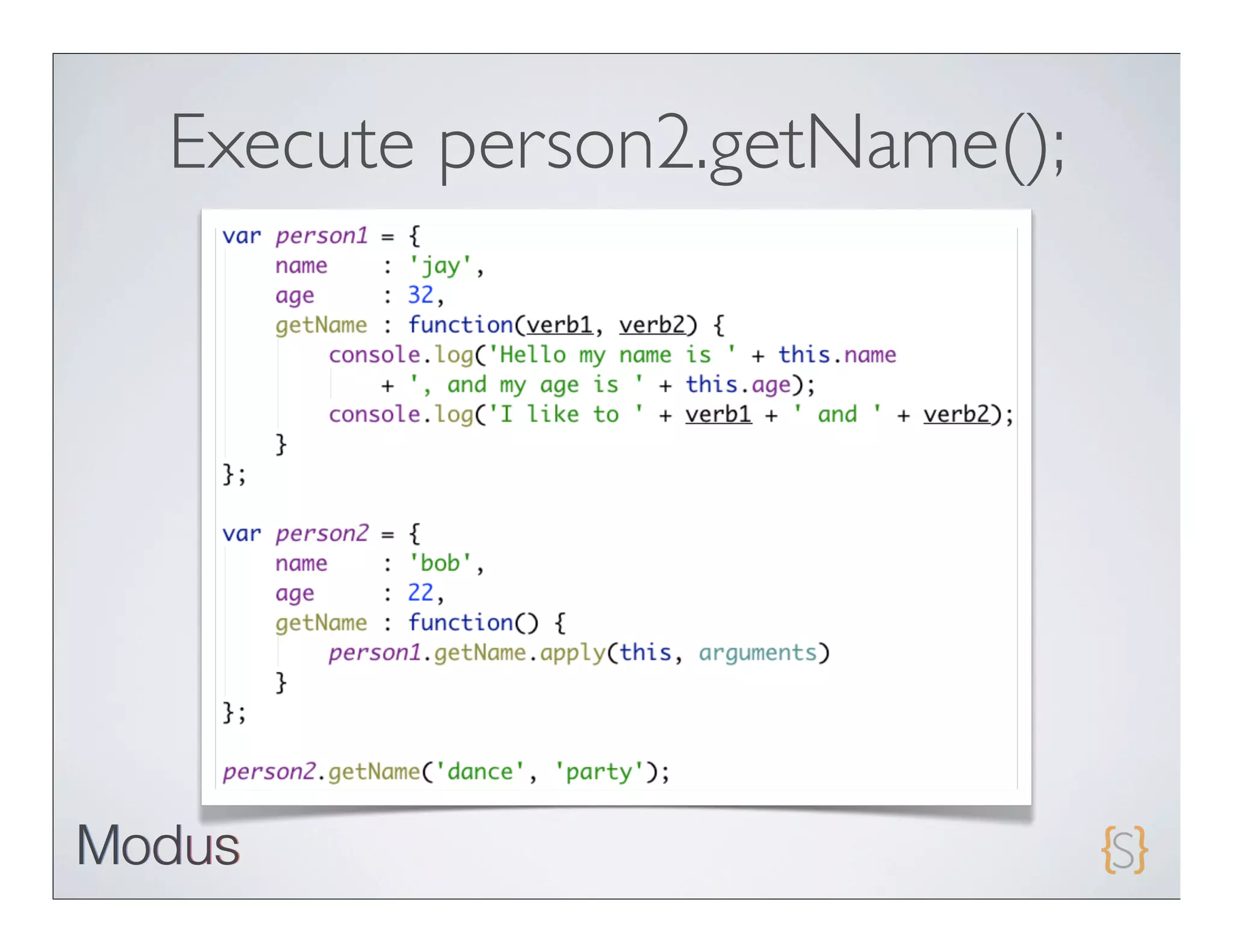
Execute person2.getName();
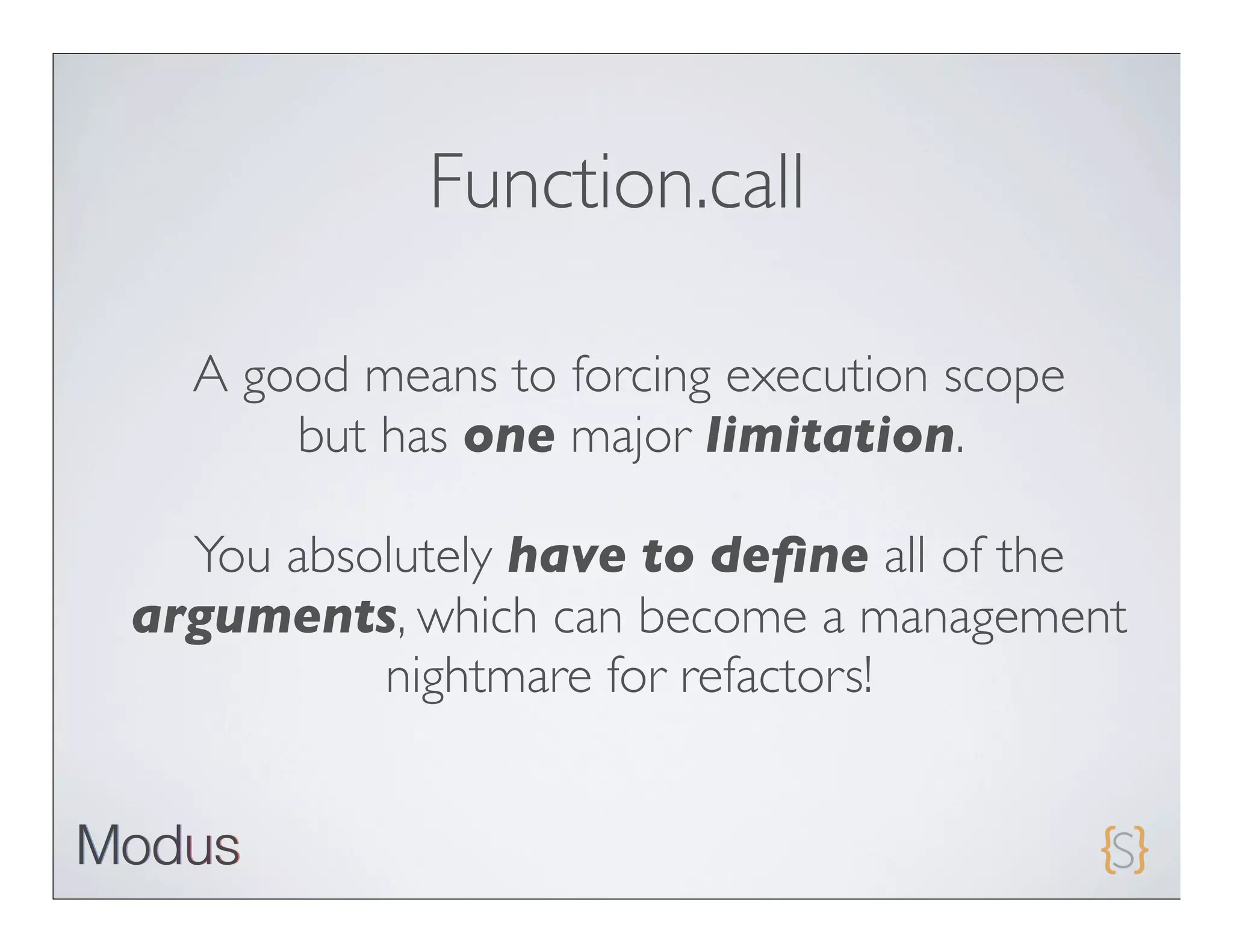
Function.call

  A good means to forcing execution scope
      but has one major limitation.

  You absolutely have to define all of the
arguments, which can become a management
          nightmare for refactors!
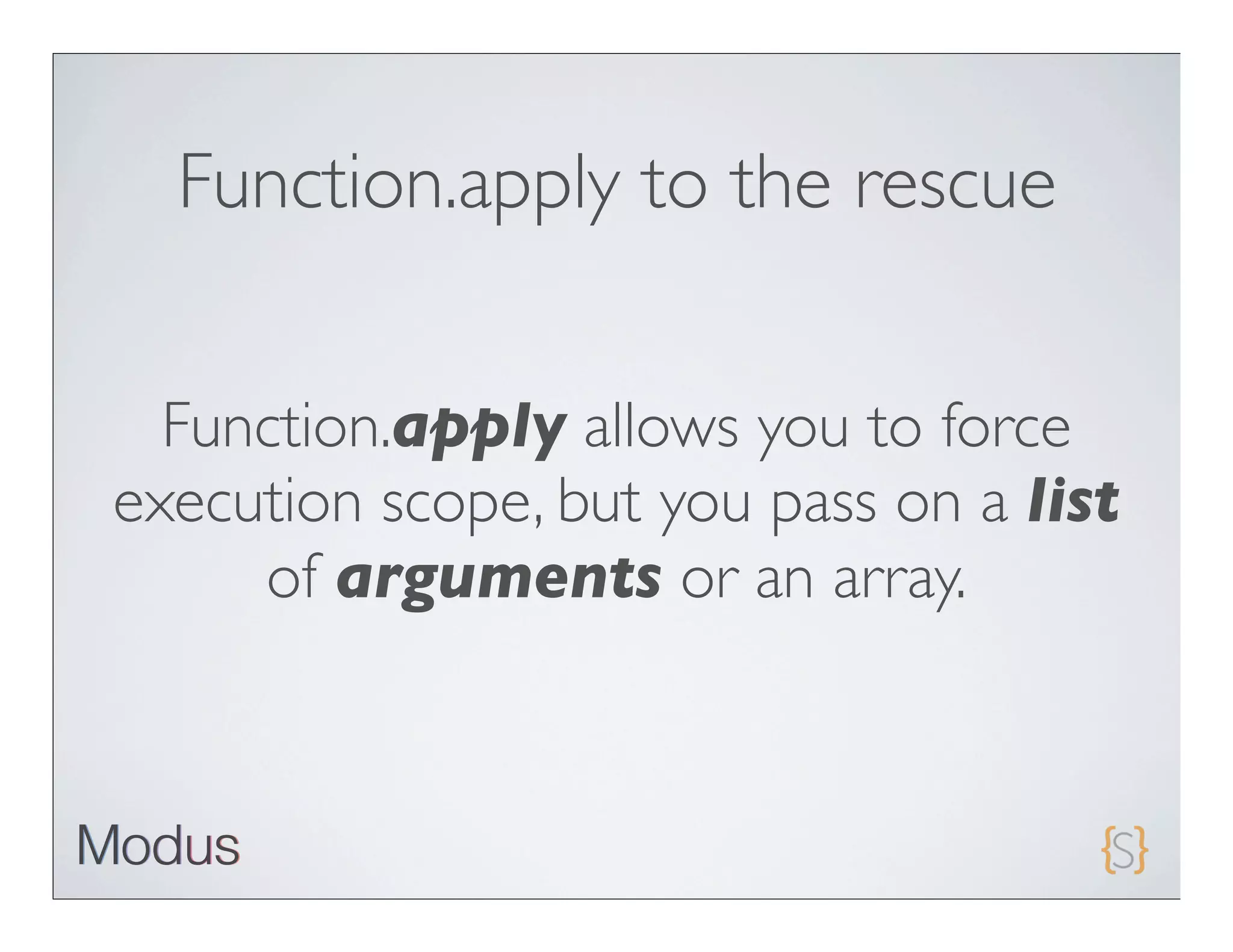
Function.apply to the rescue


  Function.apply allows you to force
execution scope, but you pass on a list
     of arguments or an array.
Take this code...
Execute person2.getName();
How constructors work
Objects == root?
• Object is the base “class” for just about everything inside of
 JavaScript.

• Just
     about all of the values that you code and interact with
 extend from Object.

• Strings, Arrays, Functions,etc

• Usingthe DOM API method document.getElementByID
 returns an element reference that ultimately extends Object.
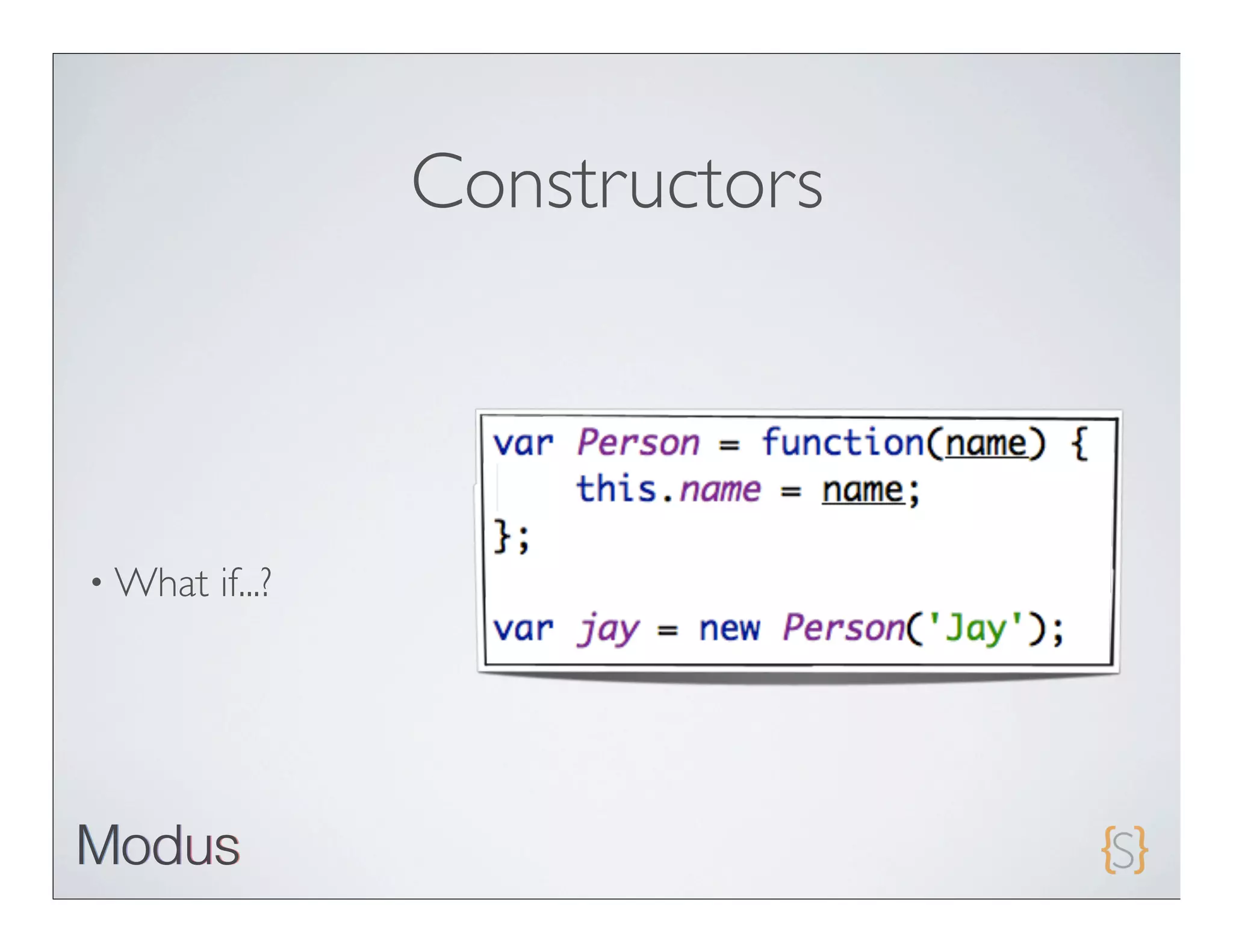
Constructors


• All   objects are initialized with constructors

• Constructorsare nothing more than a function that is
 executed within the scope of a new Object

  • It’s   that simple!
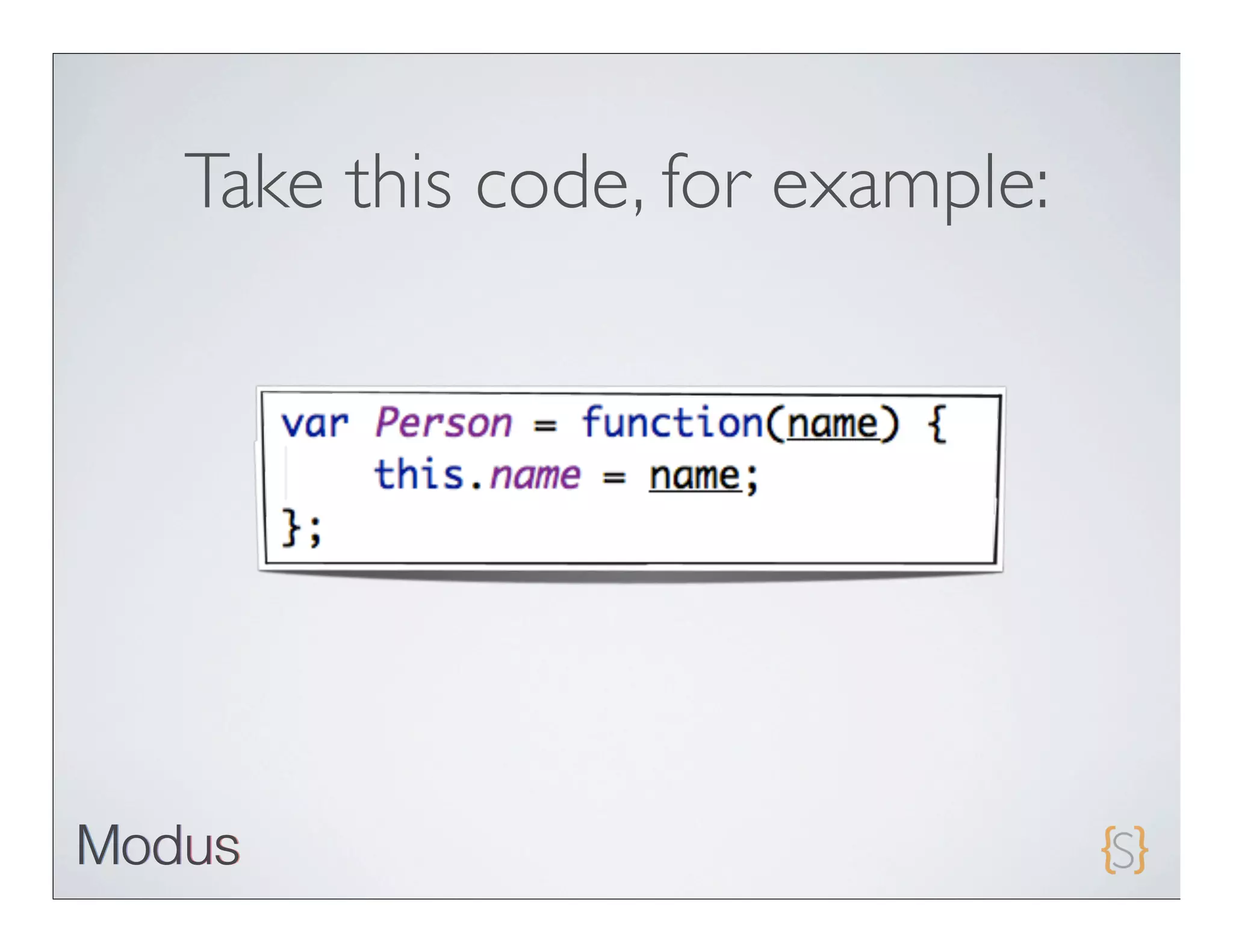
Take this code, for example:
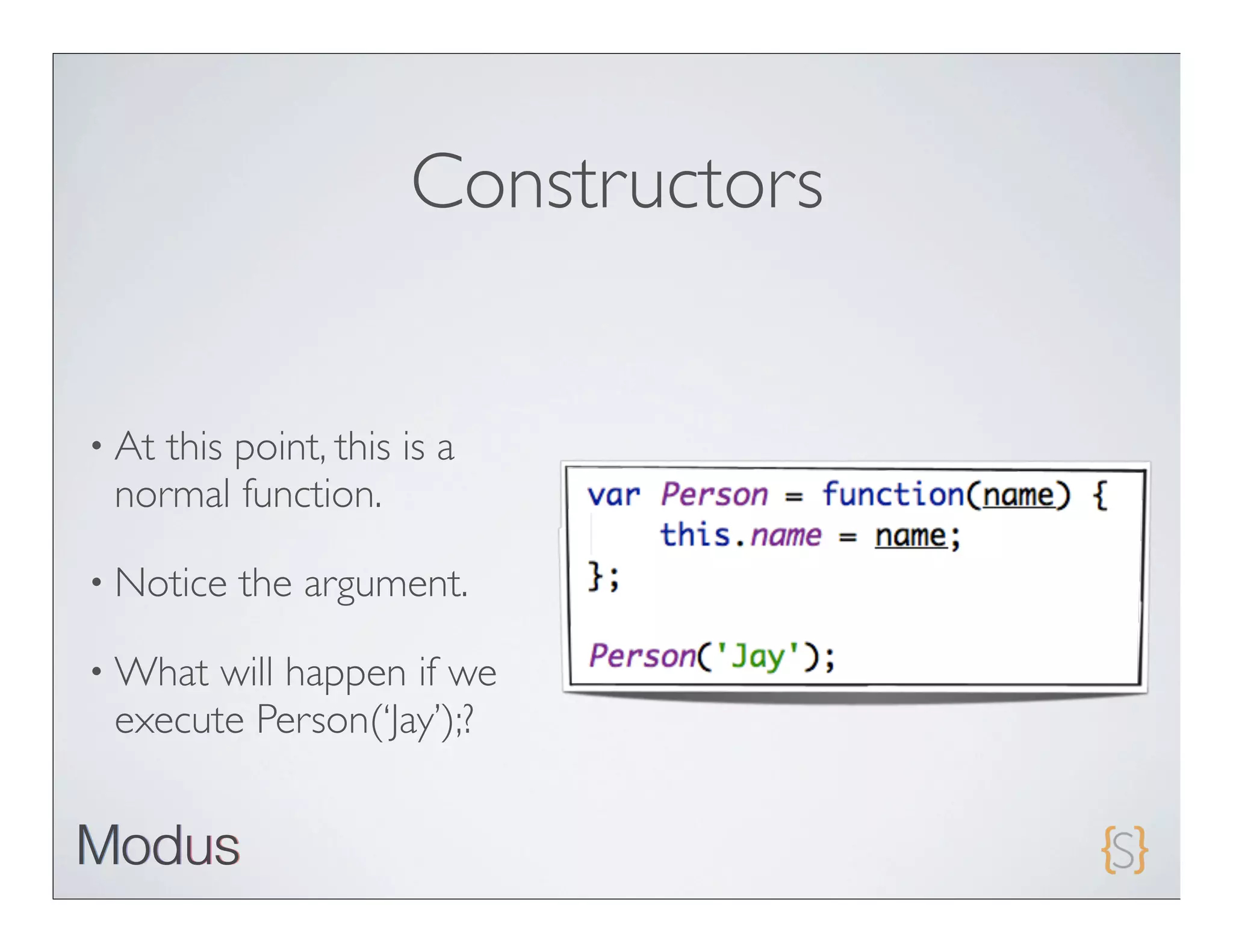
Constructors


• Atthis point, this is a
 normal function.

• Notice   the argument.

• What will happen if we
 execute Person(‘Jay’);?
Constructors


• What   if...?
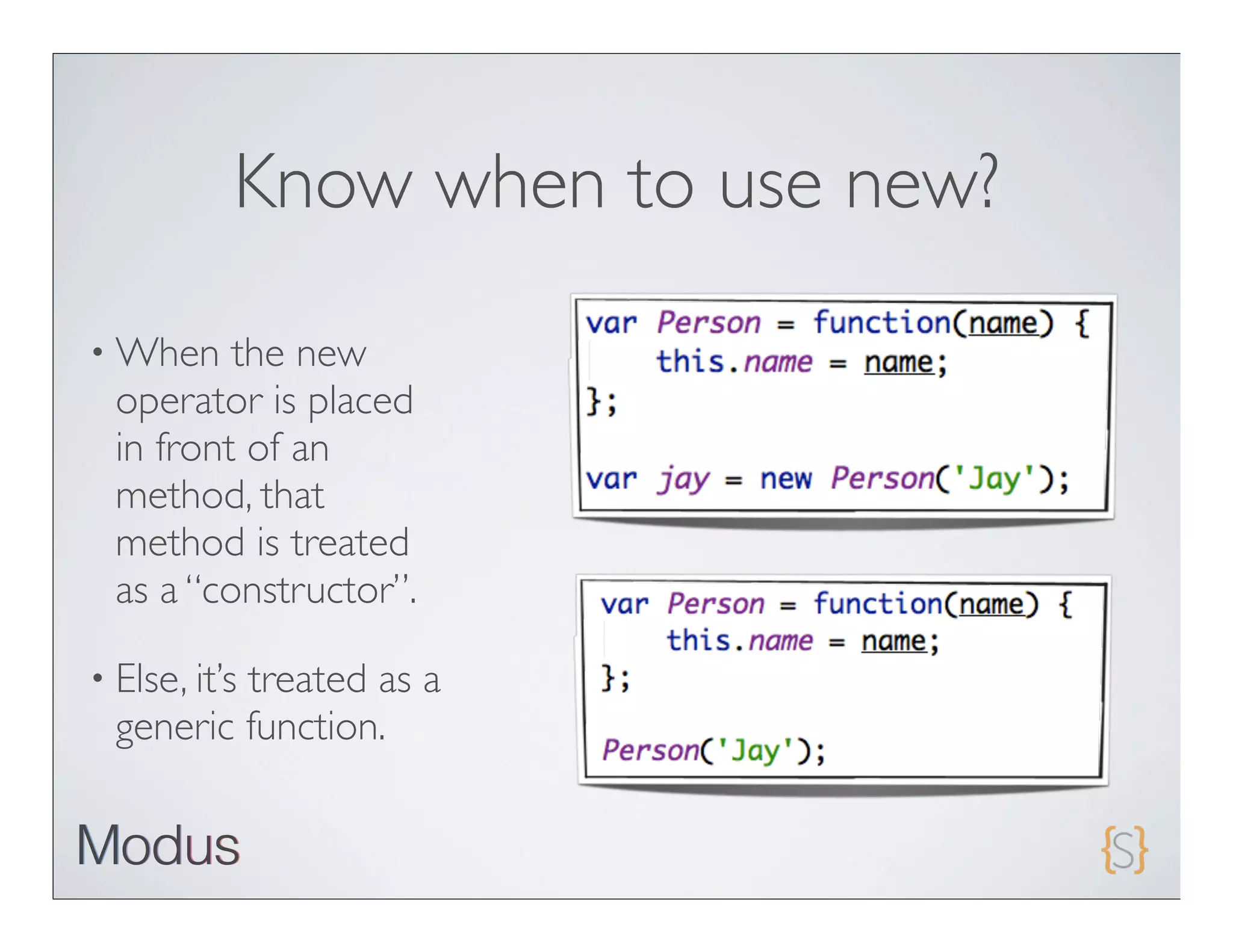
Know when to use new?
• When    the new
  operator is placed
  in front of an
  method, that
  method is treated
  as a “constructor”.

• Else, it’s
          treated as a
  generic function.
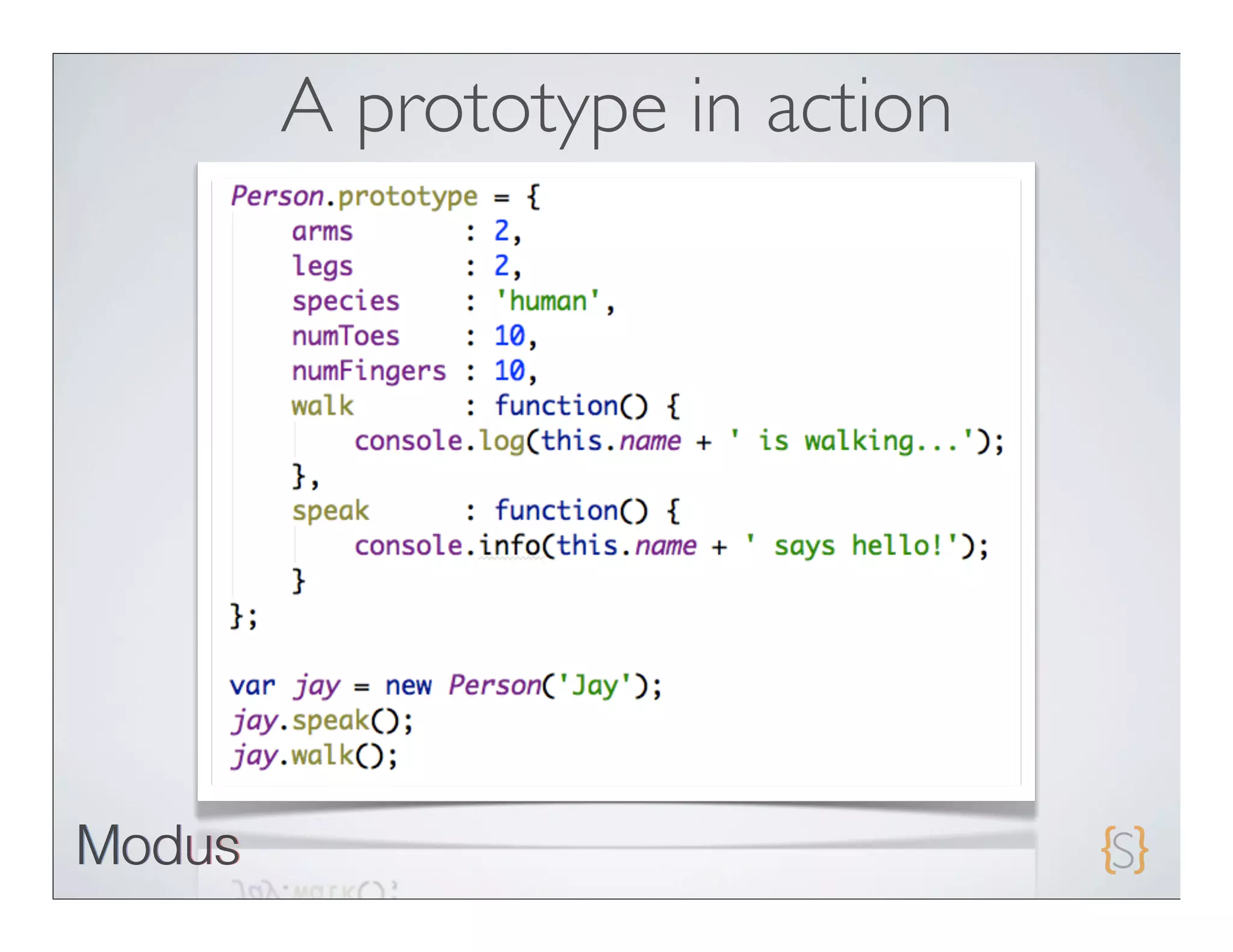
Prototype == reusability


• A “prototype” isan object that is more or less a blue print for
 future instances of an object

  • Itallows JavaScript to “stamp out” instances of an object that
    inherit the same properties
A prototype in action
Ext JS 4.0 Class System

• Completely   revised from 3.0
• No    use for the “new” keyword
• Use   Ext.create
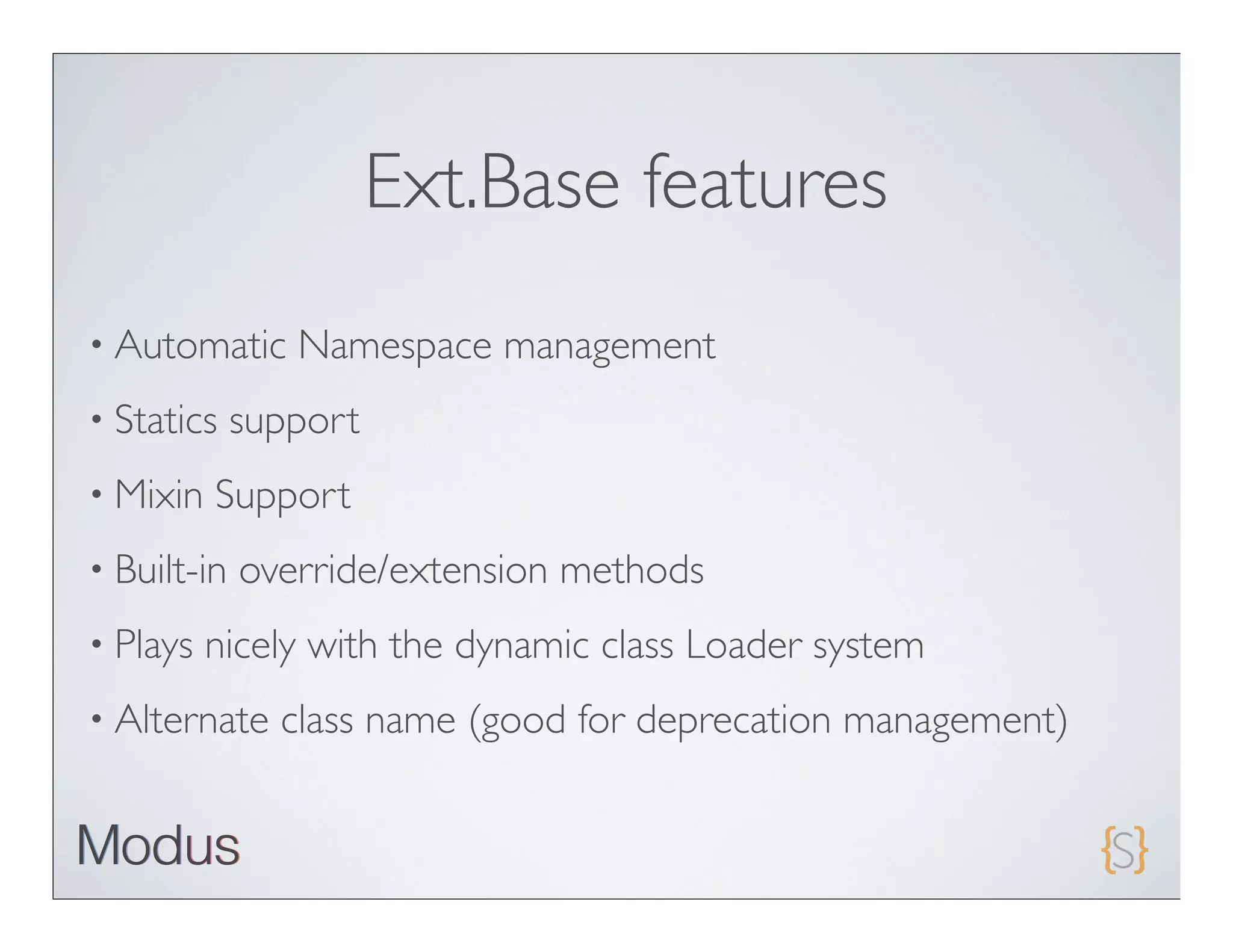
Ext.Base features
• Automatic     Namespace management
• Statics    support
• Mixin   Support
• Built-in   override/extension methods
• Plays   nicely with the dynamic class Loader system
• Alternate    class name (good for deprecation management)
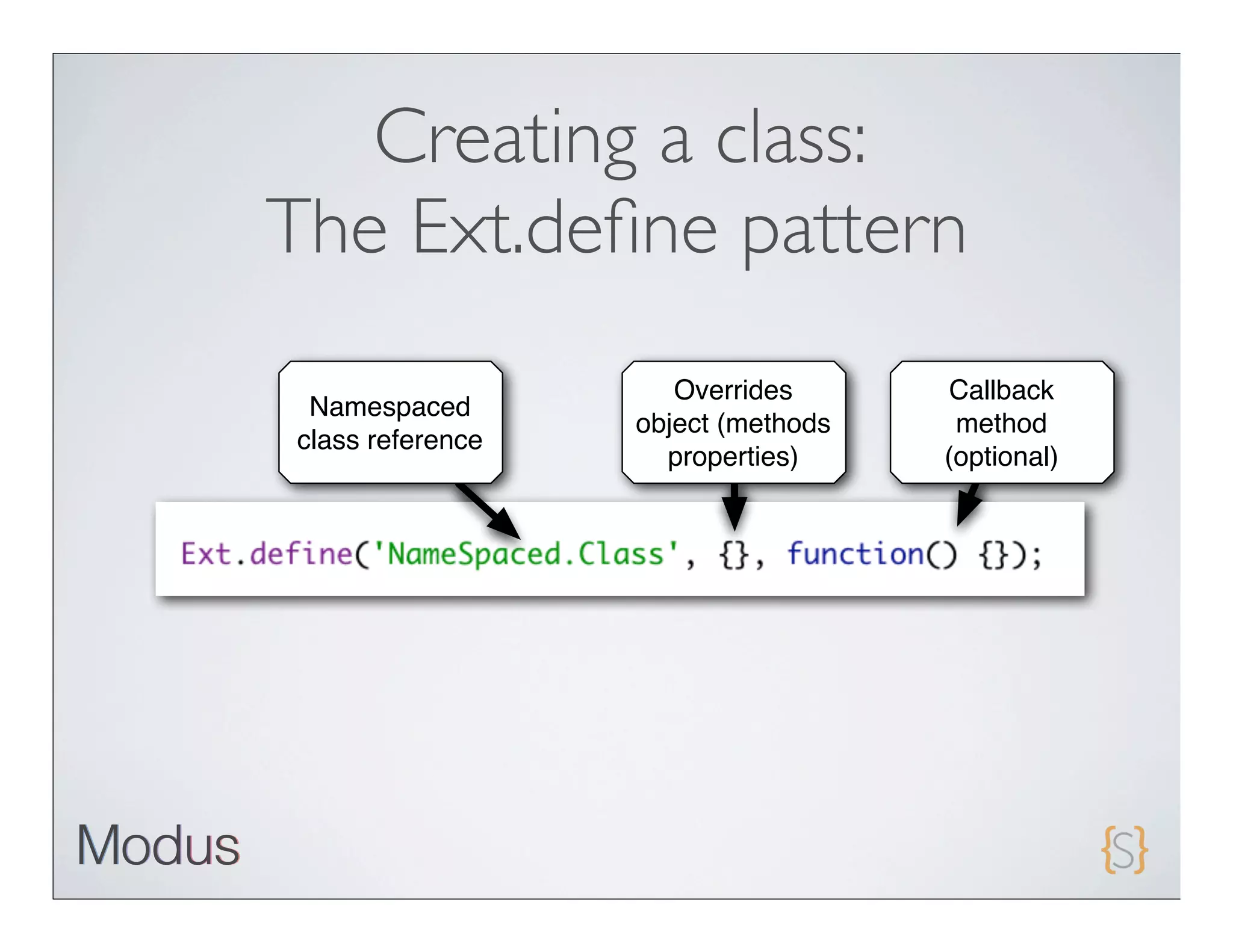
Creating a class:
The Ext.define pattern
                     Overrides       Callback
 Namespaced
                  object (methods    method
class reference
                    properties)     (optional)
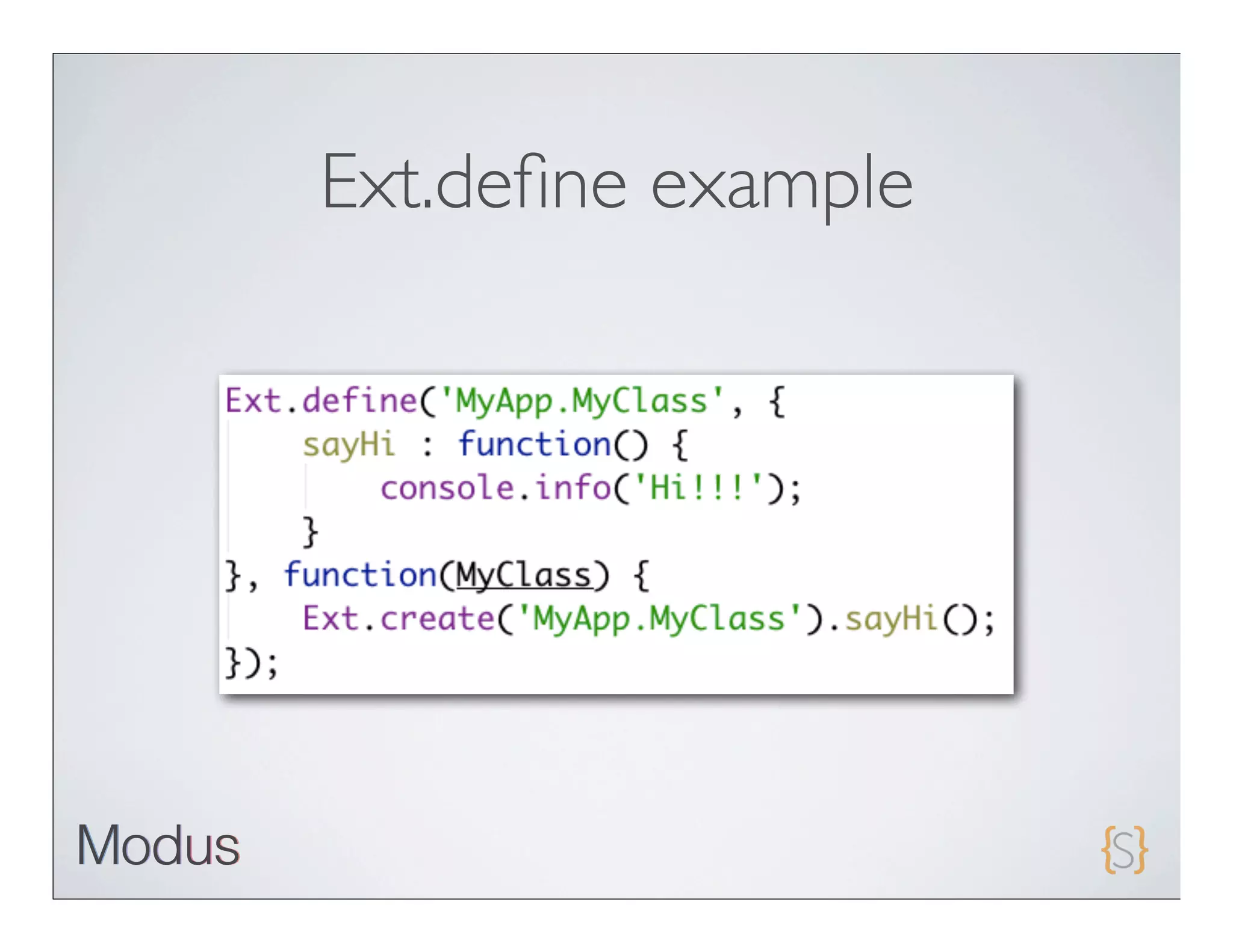
Ext.define example
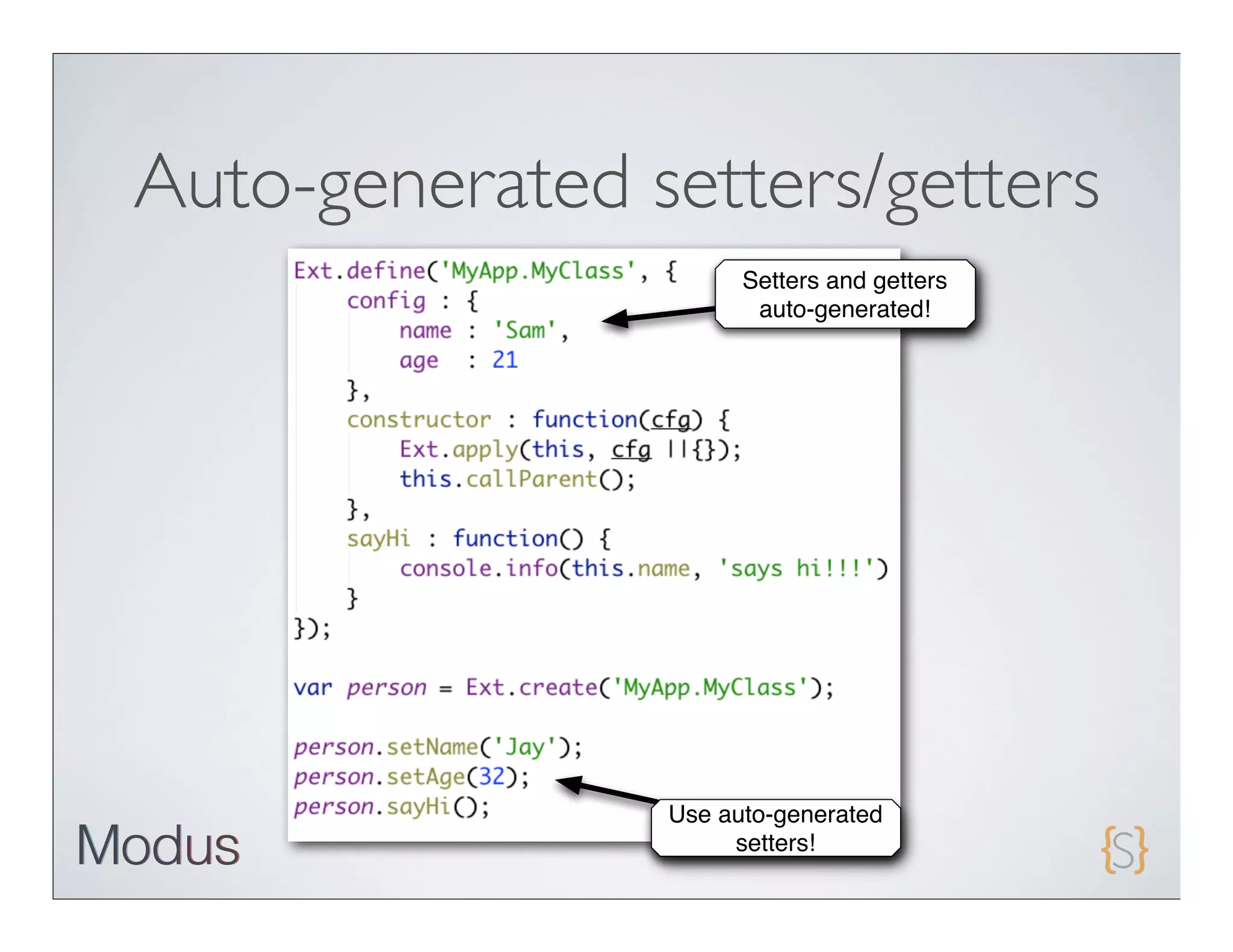
Auto-generated setters/getters
                      Setters and getters
                       auto-generated!


                Use auto-generated
                     setters!
Ext JS 4 Class statics

• Providesscope-independent
 access to static members.

• Applied    before constructor is
 called
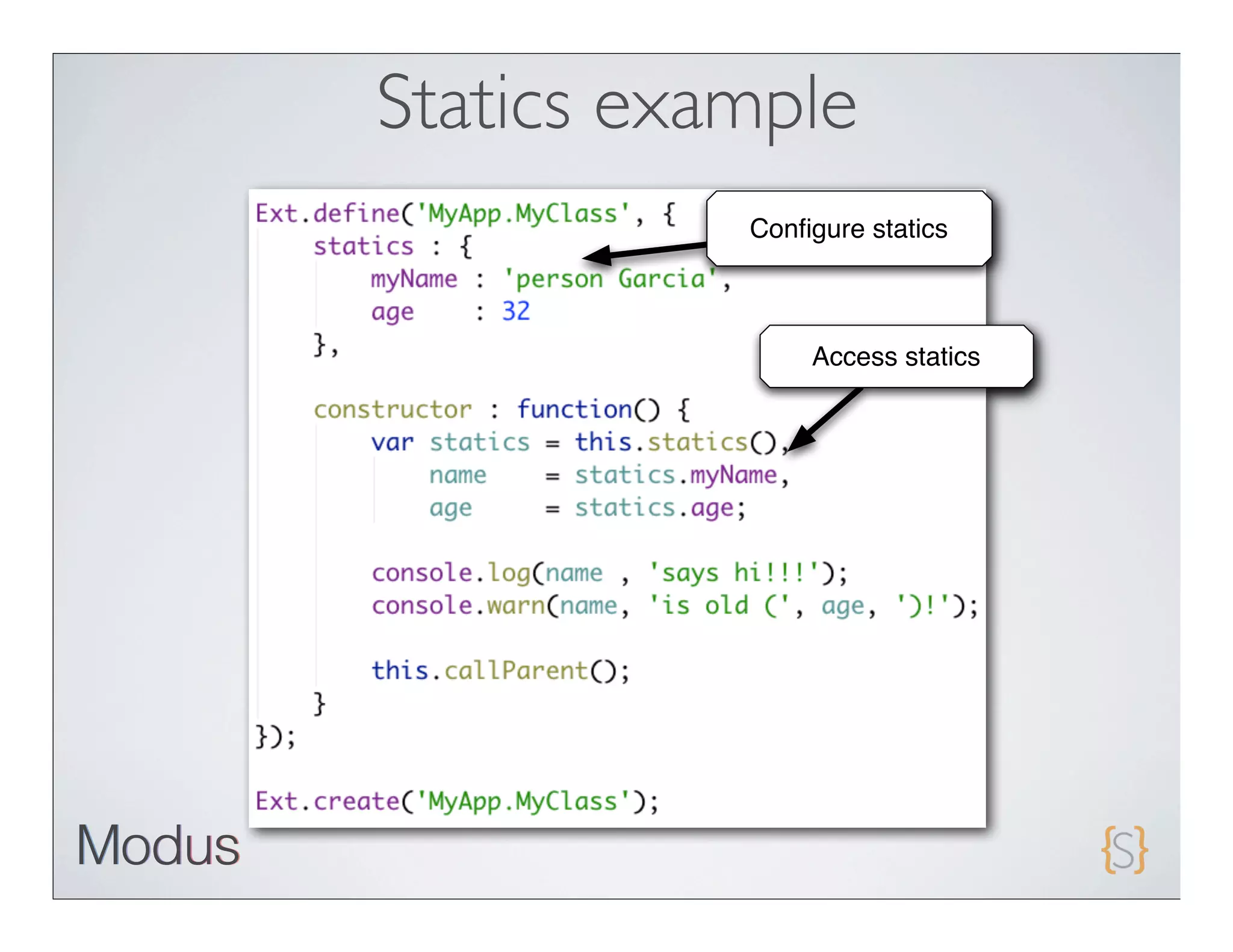
Statics example
           Configure statics


                Access statics
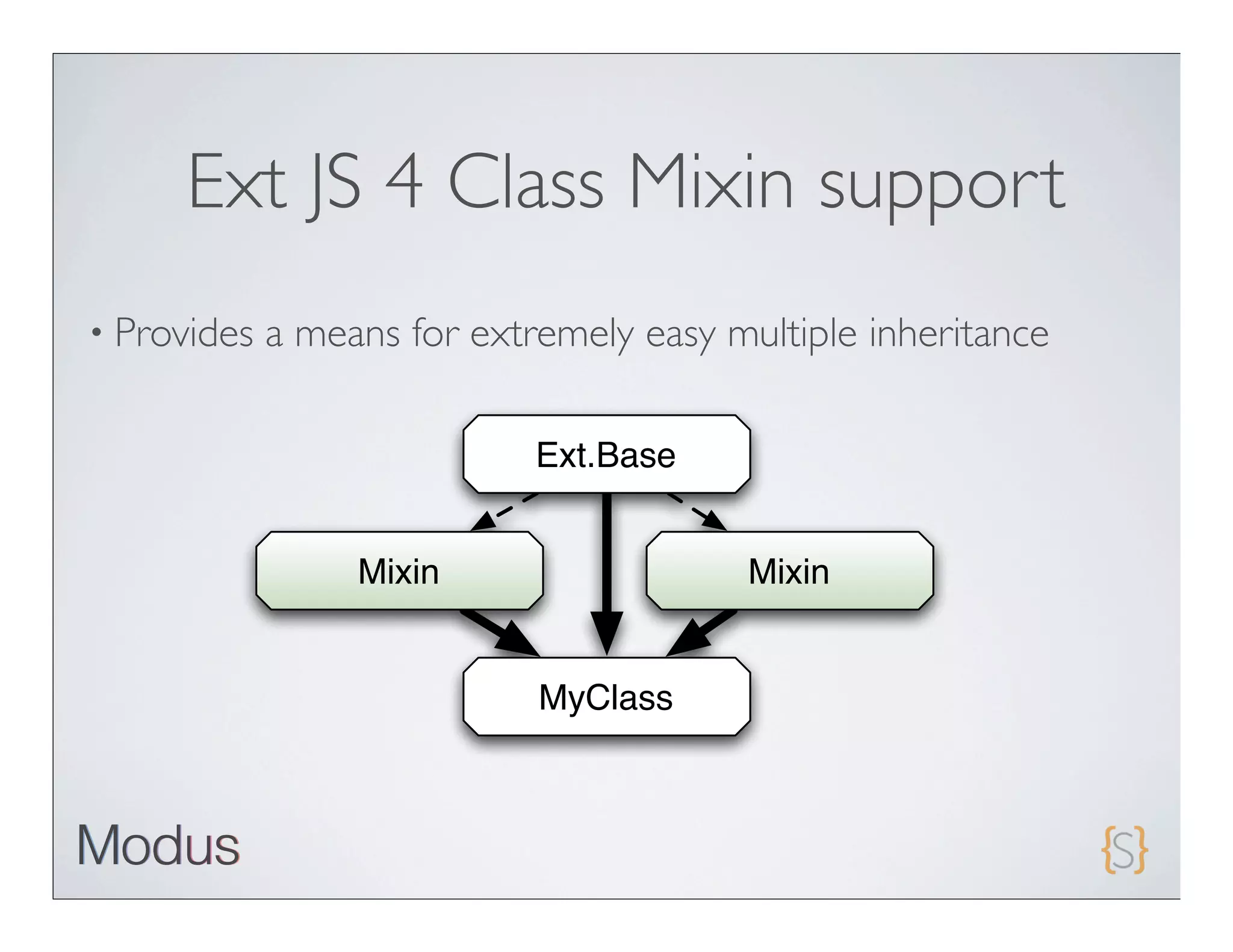
Ext JS 4 Class Mixin support
• Provides   a means for extremely easy multiple inheritance

                             Ext.Base


                  Mixin                  Mixin


                             MyClass
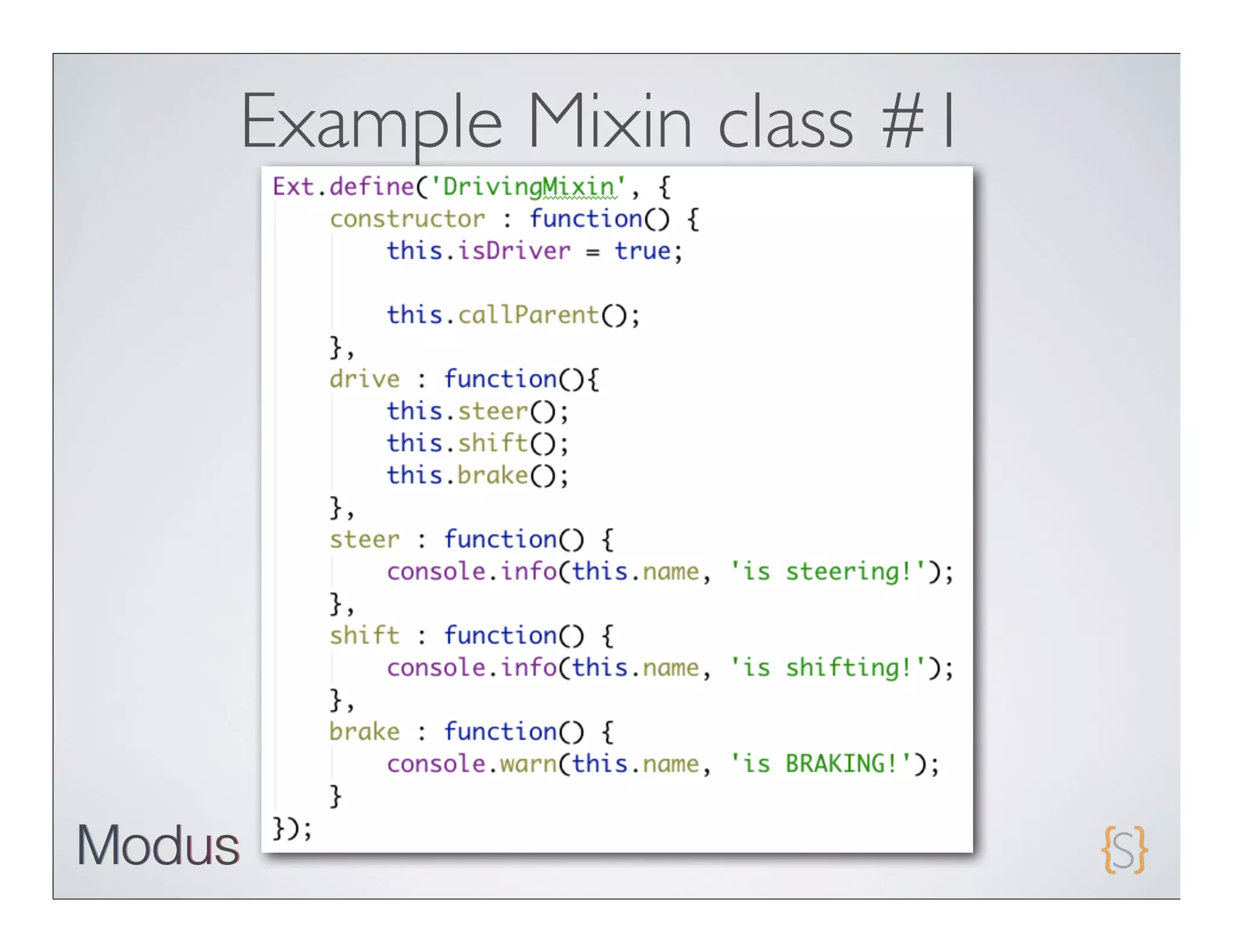
Example Mixin class #1
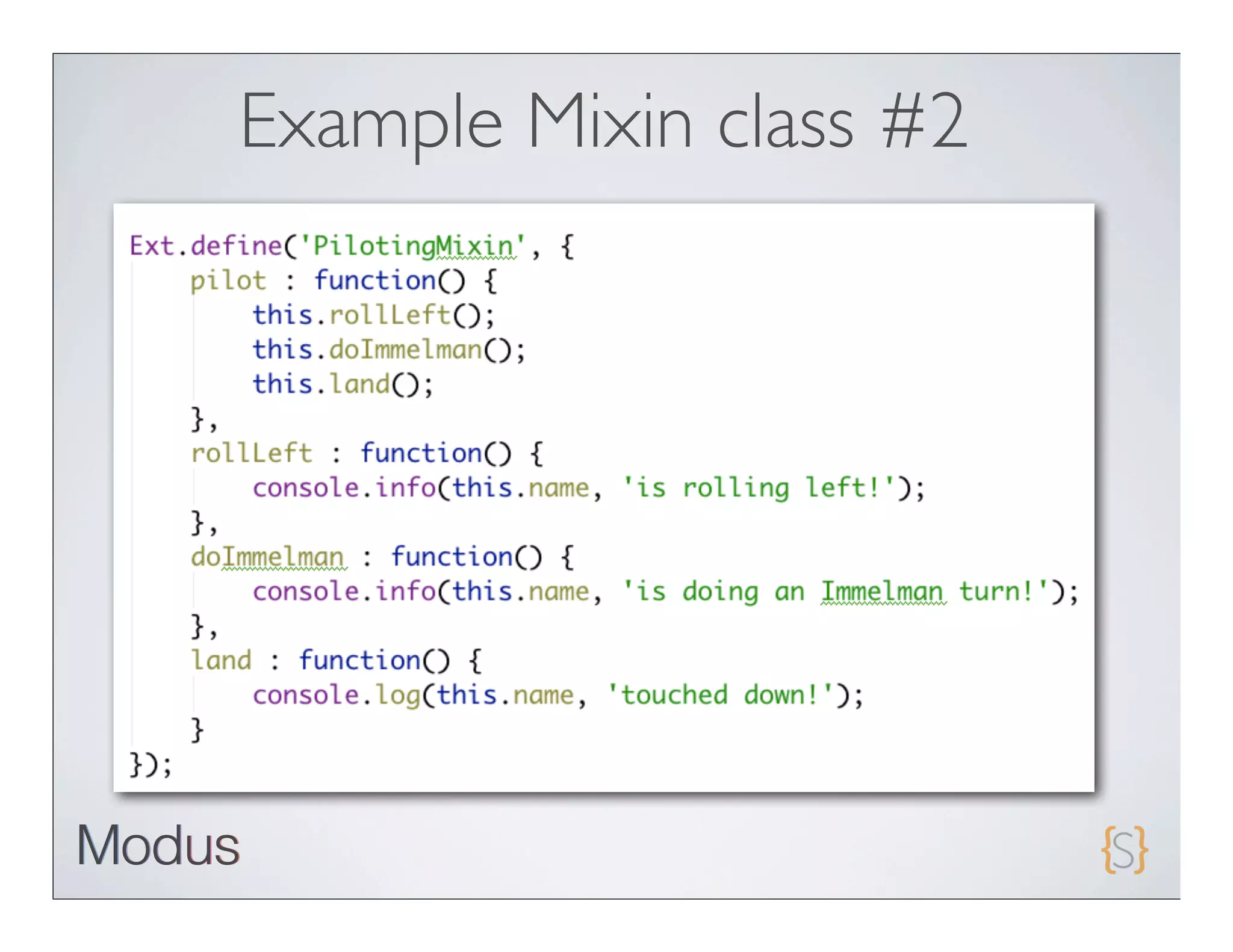
Example Mixin class #2
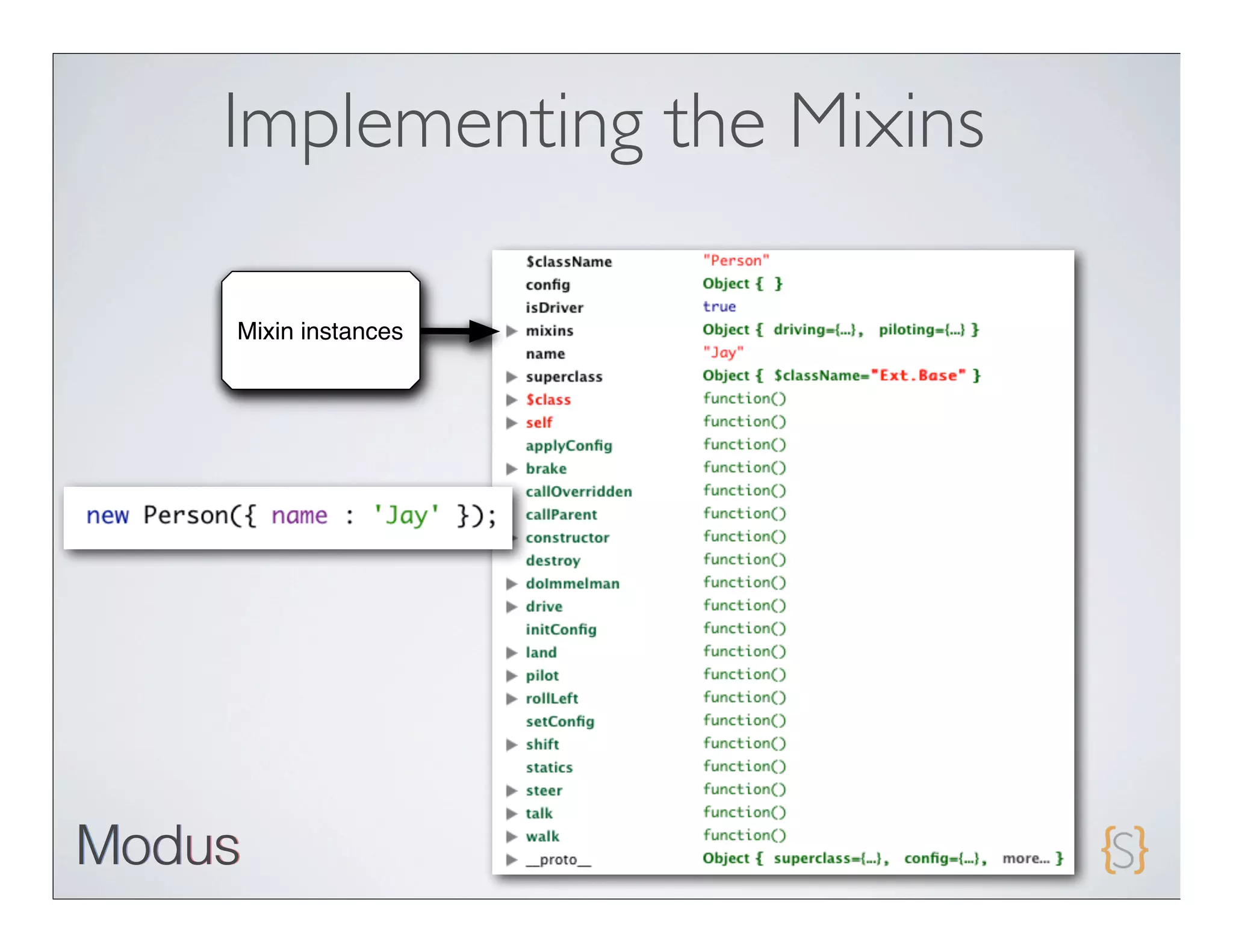
Implementing the Mixins

Mixin instances
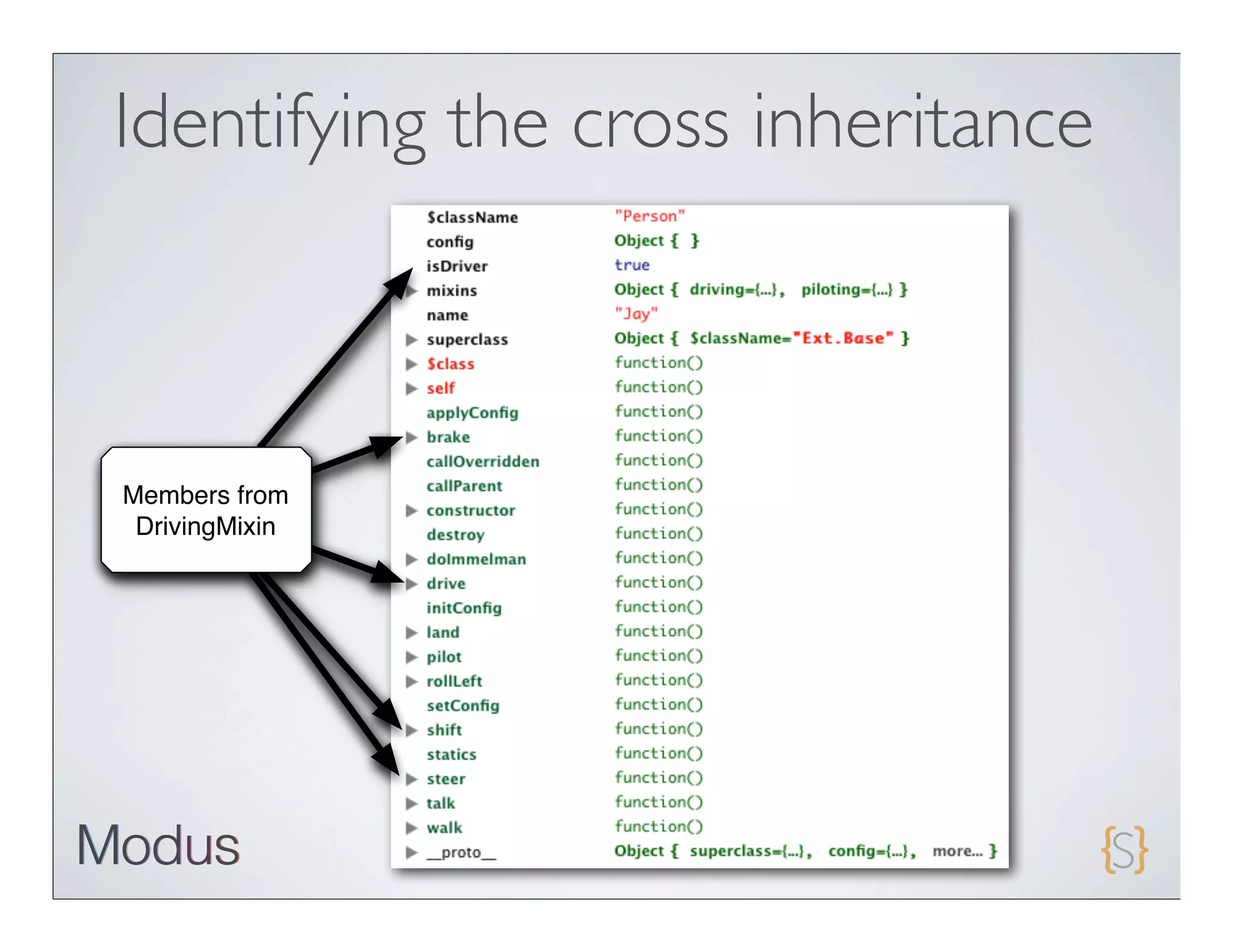
Identifying the cross inheritance


Members from
 DrivingMixin
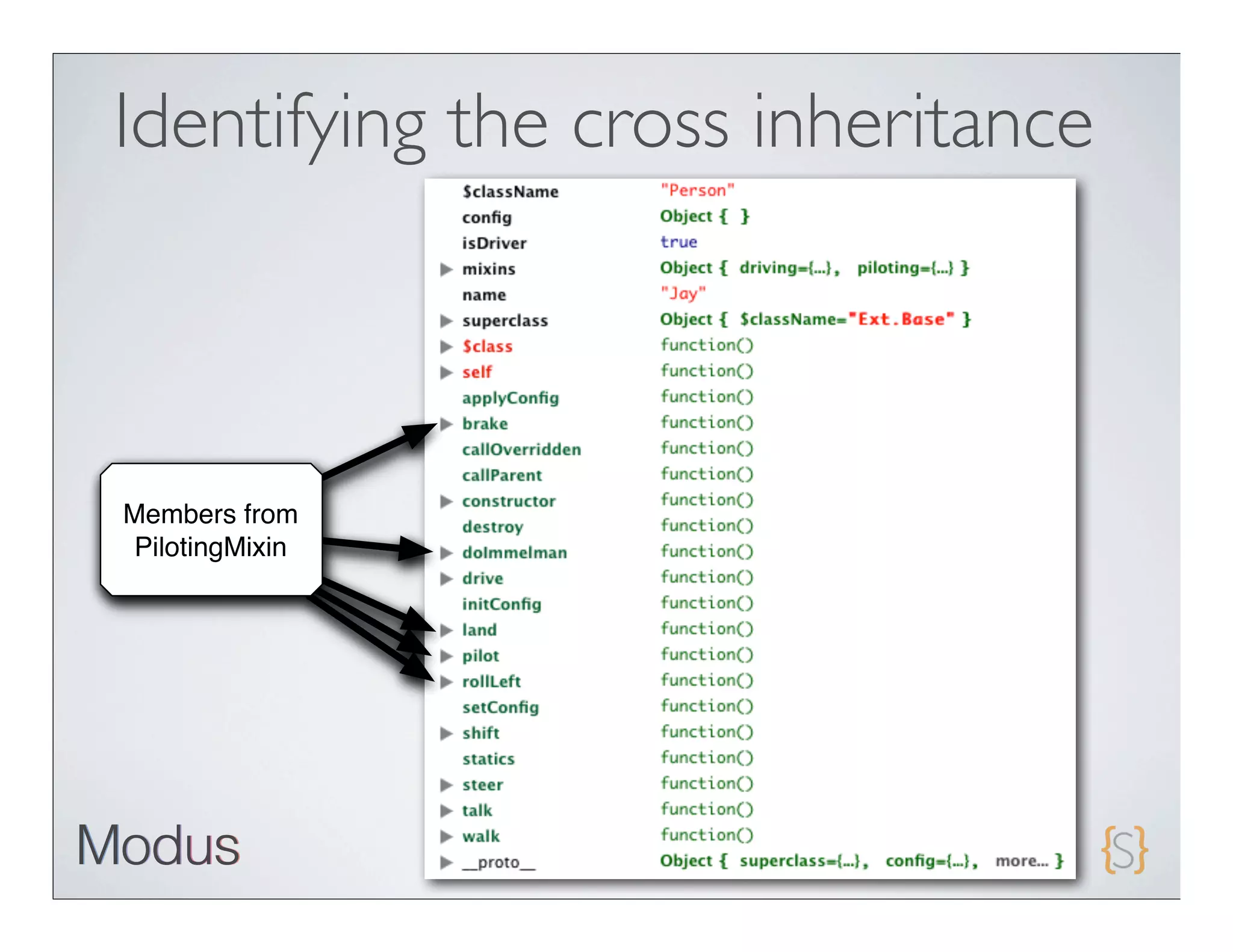
Identifying the cross inheritance


Members from
PilotingMixin
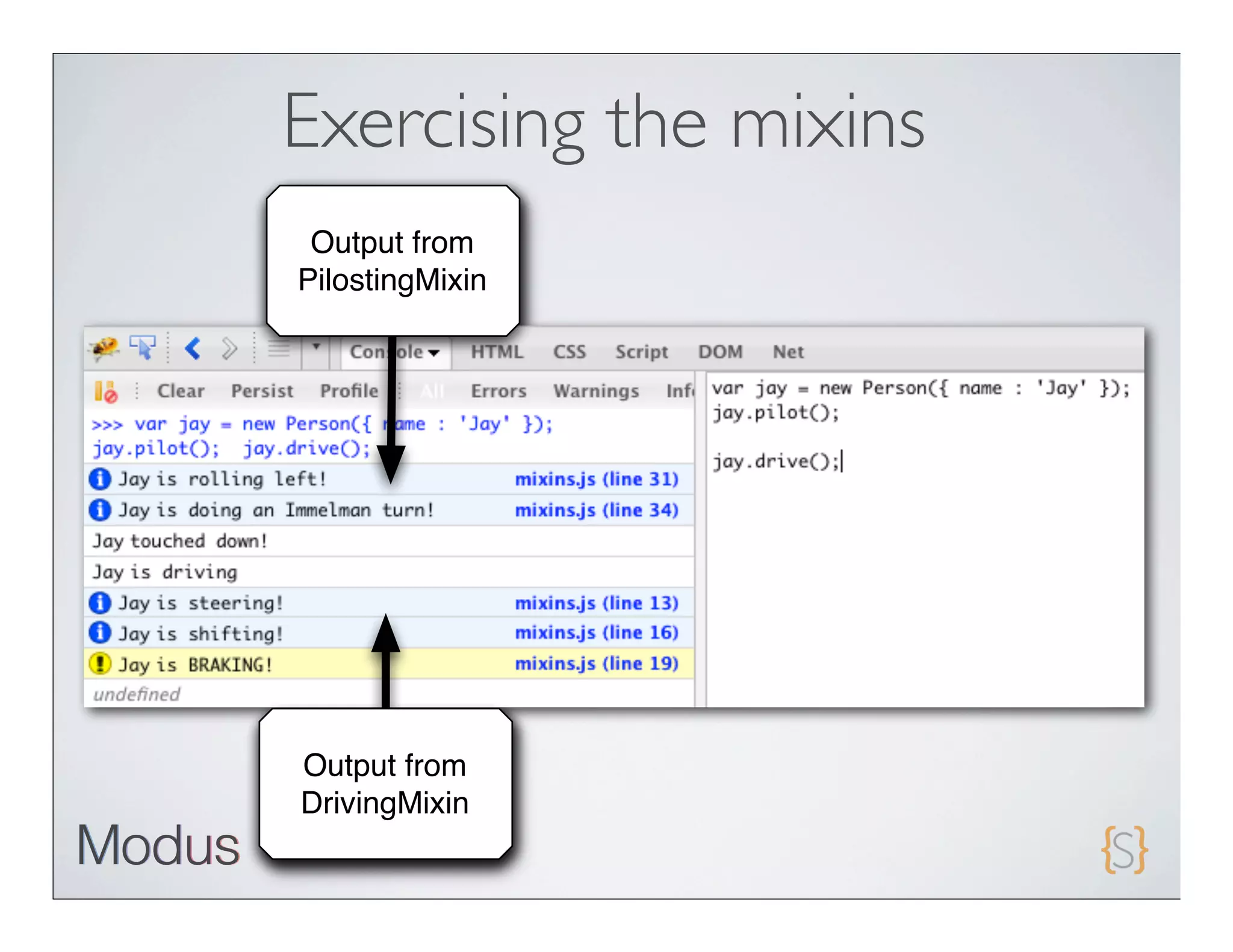
Exercising the mixins
 Output from
PilostingMixin


Output from
DrivingMixin

Javascript classes and scoping

  • 1.
    Ext JS classesand Scoping
  • 2.
    Agenda • Get back to the basics! • Master references (variables and object keys) • Learn about the new class system • Ext.class.Base • Explore Mixins • Ext.Loader
  • 3.
    What have Ibeen up to? • Bootstrapping a new company, Modus Create • Focusing on architecting and building kick-ass Ext JS and Sencha Touch apps! • Regionaland open training on Advanced JavaScript, Ext JS 4 and Sencha Touch • Rapidly expanding and looking for experienced developers (Sencha Touch and Ext JS) • http://moduscreate.com
  • 4.
    On the bookfront... • Earlyaccess to Sencha Touch in Action available. • Chapters 1-3 being distributed • Chapter 7 is next to be published • Chapter4 will be published in about 2 weeks • Chapters 5 and 6 are being worked on
  • 5.
    On the bookfront... • Codefor Chapter 1 is being worked on. • Expect TOC revisions to cover the latest changes to Ext JS • Anyoneinterested in working with me on this project?
  • 6.
    References A “variable” referenceis a pointer to a chunk of memory where some value or object is stored.
  • 7.
    References • Stop saying “variable”! • Use the word “reference” • It will remind you of what it really is - a pointer! • We will use this word from now on
  • 8.
    Global references • If not scoped with the var keyword, they are treated as globals • This is dangerous! • The only globally scoped reference that is sanctioned is a namespace. • Always lexically scope your references with the var keyword.
  • 9.
    Naming convention • Referencenames should start with a lower case unless it points to a Class (constructor or singleton).
  • 10.
    References • Because JavaScriptis loosely typed, references can be repointed from one type of value to another. • Thisis where “variable” comes from.
  • 11.
    References • When one reference is assigned from another, they both point to the same value. • Thisassignment does not result in assignment chaining!
  • 12.
  • 13.
    References to thesame object
  • 14.
    References to thesame object
  • 15.
    Pointing to otherobject members
  • 16.
  • 17.
  • 18.
    Defining Functions • Functions are first class objects • They have properties and methods • They extend from Object • They inherit from Function.prototype • call and apply methods are inherited
  • 19.
    Know “this" • In JavaScript, “this” is a magic reference • It is set upon execution of a function and is accessible inside that function • “this” defines the execution scope • Understanding “this” is very important.
  • 20.
    Execution scope defined •When a function is executed via a var reference, the default execution context (“this”) is “window”. • When a function is executed via an object key, the execution context (“this”) is the object for which the key belongs.
  • 21.
    Default execution for“var” functions
  • 22.
    Default execution forobject- based functions
  • 23.
    What is theexecution scope for getName()?
  • 24.
    Execution scope defined •When a function is executed via a var reference, the default execution context (“this”) is “window”. • When a function is executed via an object key, the execution context (“this”) is the object for which the key belongs.
  • 25.
    What is theexecution scope for getName()?
  • 26.
    It’s easy tomix and match...
  • 27.
    What is thedefault execution scope for person2.getName()?
  • 28.
    Forcing scope execution •call and apply can be used to force scope execution. • Inother words, you have full control over the execution scope of any function in JavaScript.
  • 29.
  • 30.
  • 31.
  • 32.
  • 33.
    Function.call Agood means to forcing execution scope but has one major limitation. You absolutely have to define all of the arguments, which can become a management nightmare for refactors!
  • 34.
    Function.apply to therescue Function.apply allows you to force execution scope, but you pass on a list of arguments or an array.
  • 35.
  • 36.
  • 37.
  • 38.
    Objects == root? •Object is the base “class” for just about everything inside of JavaScript. • Just about all of the values that you code and interact with extend from Object. • Strings, Arrays, Functions,etc • Usingthe DOM API method document.getElementByID returns an element reference that ultimately extends Object.
  • 39.
    Constructors • All objects are initialized with constructors • Constructorsare nothing more than a function that is executed within the scope of a new Object • It’s that simple!
  • 40.
    Take this code,for example:
  • 41.
    Constructors • Atthis point,this is a normal function. • Notice the argument. • What will happen if we execute Person(‘Jay’);?
  • 42.
  • 43.
    Know when touse new? • When the new operator is placed in front of an method, that method is treated as a “constructor”. • Else, it’s treated as a generic function.
  • 44.
    Prototype == reusability •A “prototype” isan object that is more or less a blue print for future instances of an object • Itallows JavaScript to “stamp out” instances of an object that inherit the same properties
  • 45.
  • 46.
    Ext JS 4.0Class System • Completely revised from 3.0 • No use for the “new” keyword • Use Ext.create
  • 47.
    Ext.Base features • Automatic Namespace management • Statics support • Mixin Support • Built-in override/extension methods • Plays nicely with the dynamic class Loader system • Alternate class name (good for deprecation management)
  • 48.
    Creating a class: TheExt.define pattern Overrides Callback Namespaced object (methods method class reference properties) (optional)
  • 49.
  • 50.
    Auto-generated setters/getters Setters and getters auto-generated! Use auto-generated setters!
  • 51.
    Ext JS 4Class statics • Providesscope-independent access to static members. • Applied before constructor is called
  • 52.
    Statics example Configure statics Access statics
  • 53.
    Ext JS 4Class Mixin support • Provides a means for extremely easy multiple inheritance Ext.Base Mixin Mixin MyClass
  • 54.
  • 55.
  • 56.
  • 57.
    Identifying the crossinheritance Members from DrivingMixin
  • 58.
    Identifying the crossinheritance Members from PilotingMixin
  • 59.
    Exercising the mixins Output from PilostingMixin Output from DrivingMixin