Document	
  Object	
  Model	
  and	
  
JavaScript	
  
Jussi	
  Pohjolainen	
  
Tampere	
  University	
  of	
  Applied	
  Sciences	
  
W3C	
  DOM	
  
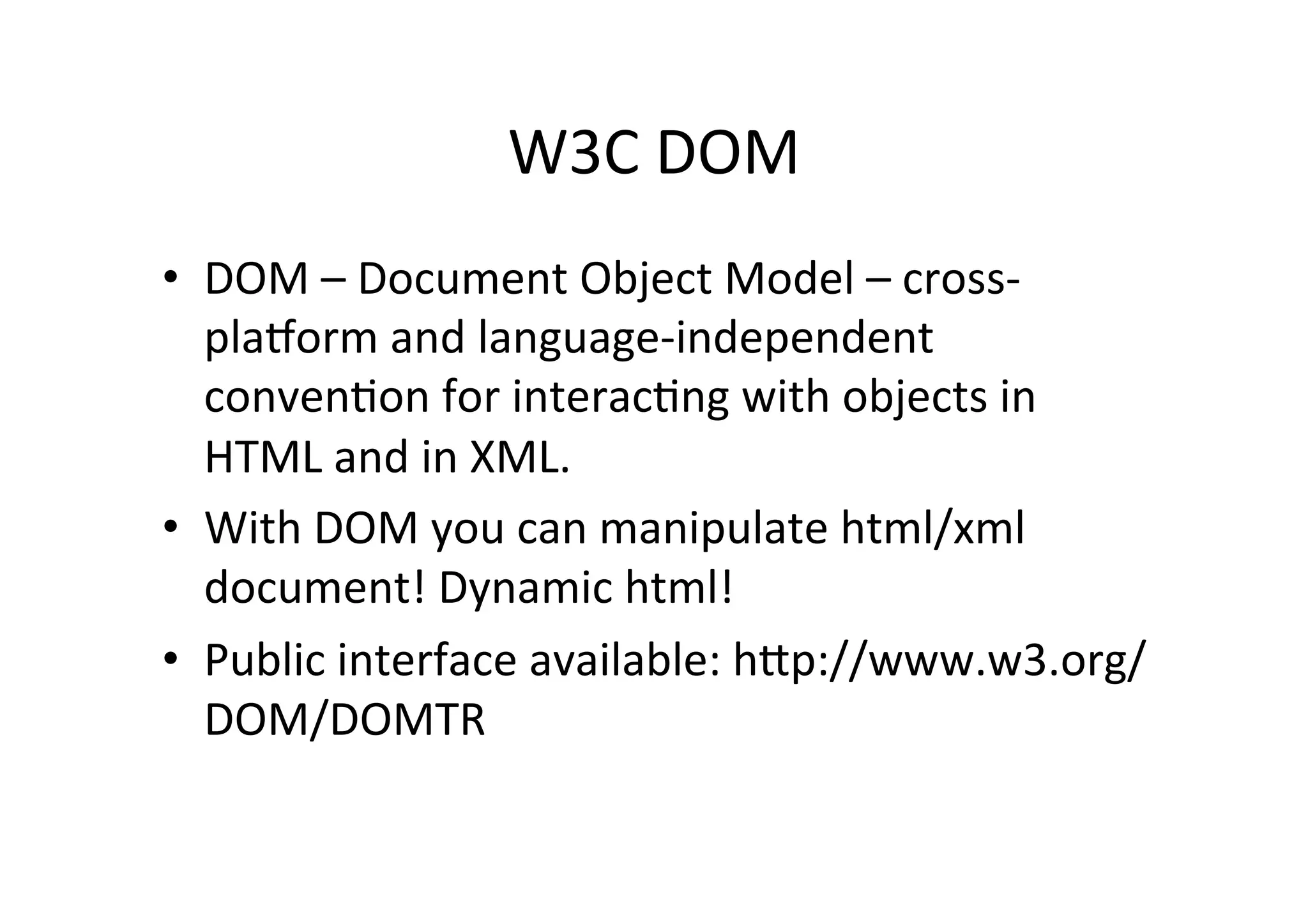
•  DOM	
  –	
  Document	
  Object	
  Model	
  –	
  cross-­‐
plaDorm	
  and	
  language-­‐independent	
  
convenFon	
  for	
  interacFng	
  with	
  objects	
  in	
  
HTML	
  and	
  in	
  XML.	
  
•  With	
  DOM	
  you	
  can	
  manipulate	
  html/xml	
  
document!	
  Dynamic	
  html!	
  
•  Public	
  interface	
  available:	
  hPp://www.w3.org/
DOM/DOMTR	
  	
  
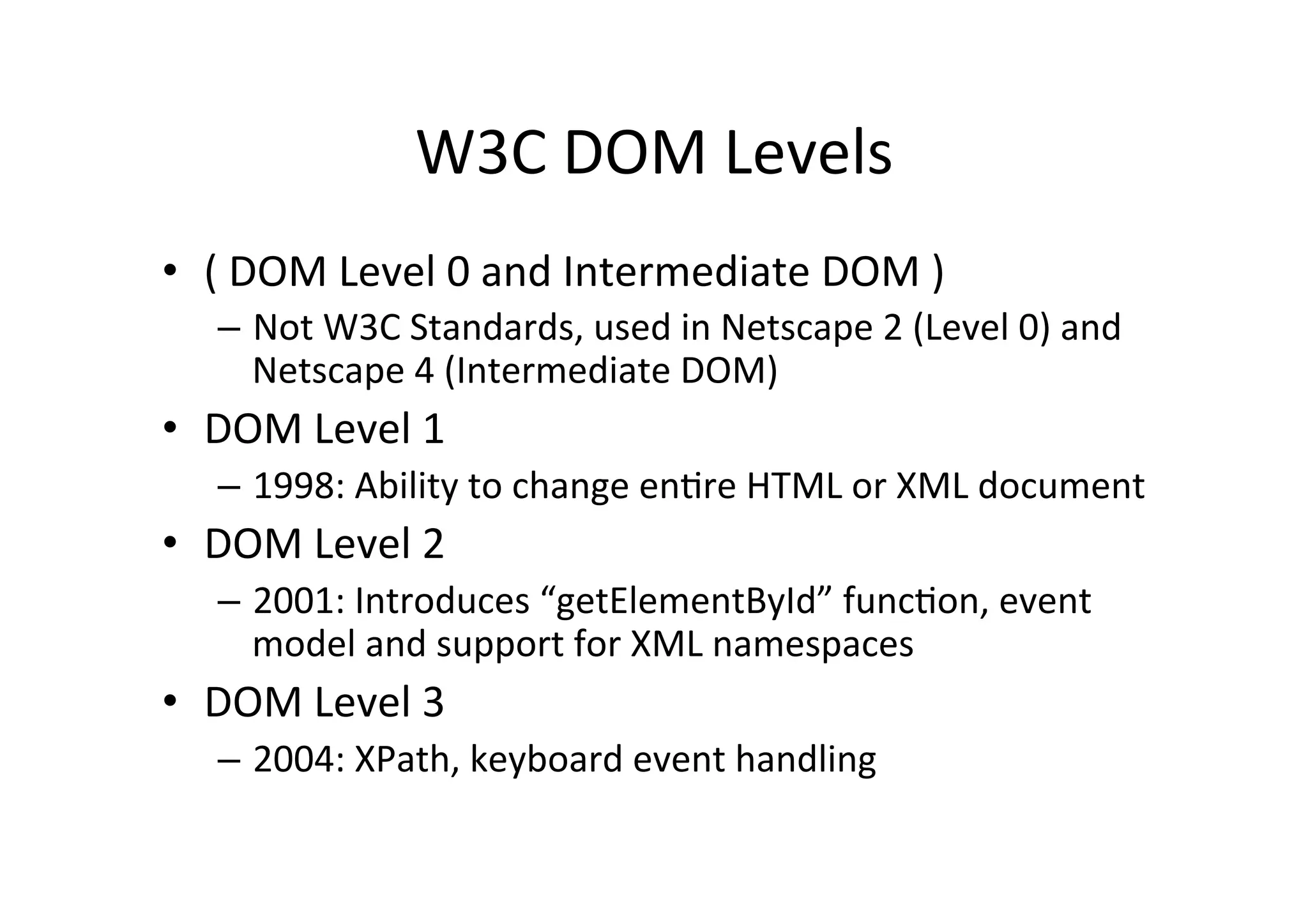
W3C	
  DOM	
  Levels	
  
•  (	
  DOM	
  Level	
  0	
  and	
  Intermediate	
  DOM	
  )	
  
–  Not	
  W3C	
  Standards,	
  used	
  in	
  Netscape	
  2	
  (Level	
  0)	
  and	
  
Netscape	
  4	
  (Intermediate	
  DOM)	
  	
  
•  DOM	
  Level	
  1	
  
–  1998:	
  Ability	
  to	
  change	
  enFre	
  HTML	
  or	
  XML	
  document	
  
•  DOM	
  Level	
  2	
  
–  2001:	
  Introduces	
  “getElementById”	
  funcFon,	
  event	
  
model	
  and	
  support	
  for	
  XML	
  namespaces	
  
•  DOM	
  Level	
  3	
  
–  2004:	
  XPath,	
  keyboard	
  event	
  handling	
  
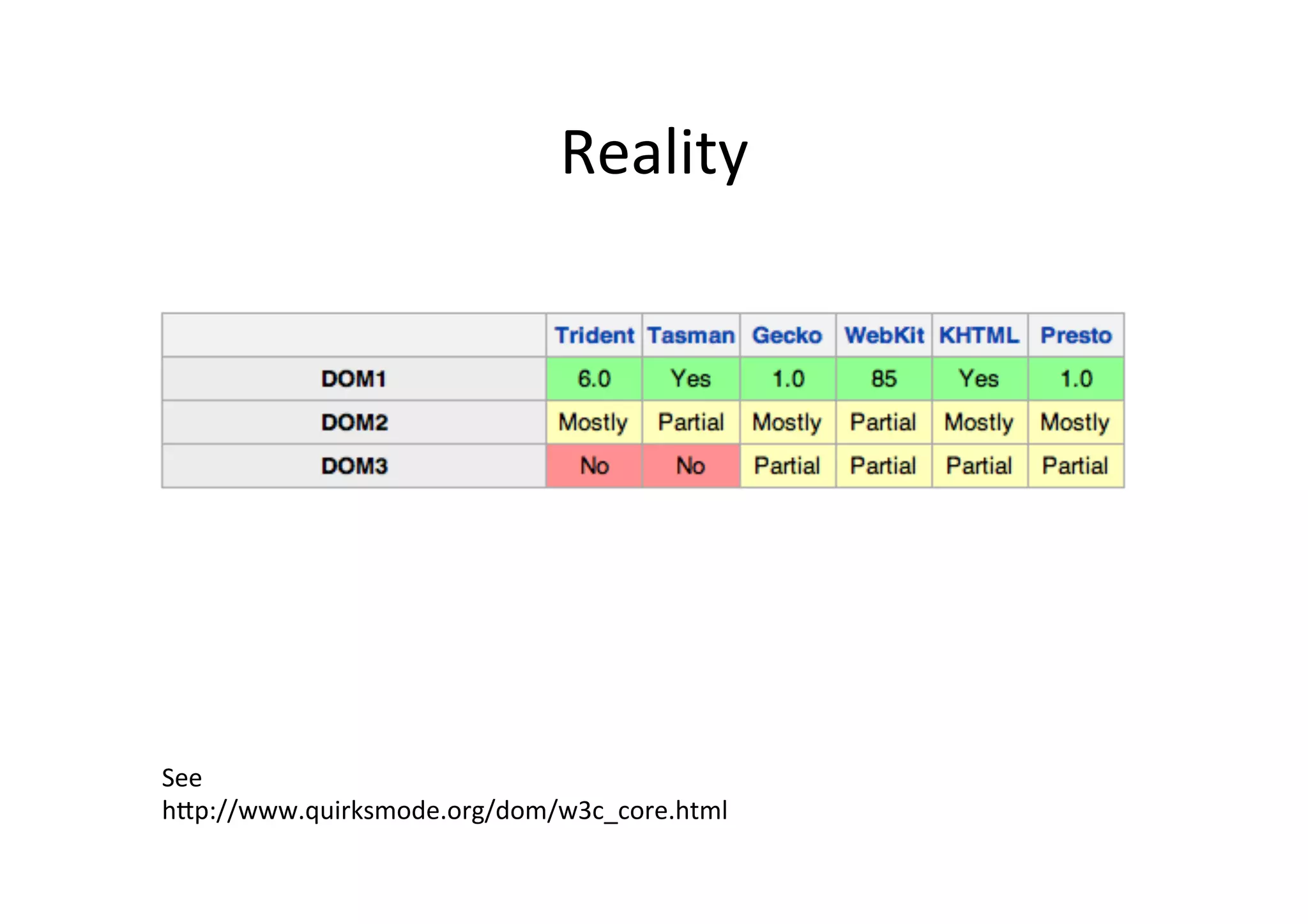
Reality	
  
See	
  
hPp://www.quirksmode.org/dom/w3c_core.html	
  
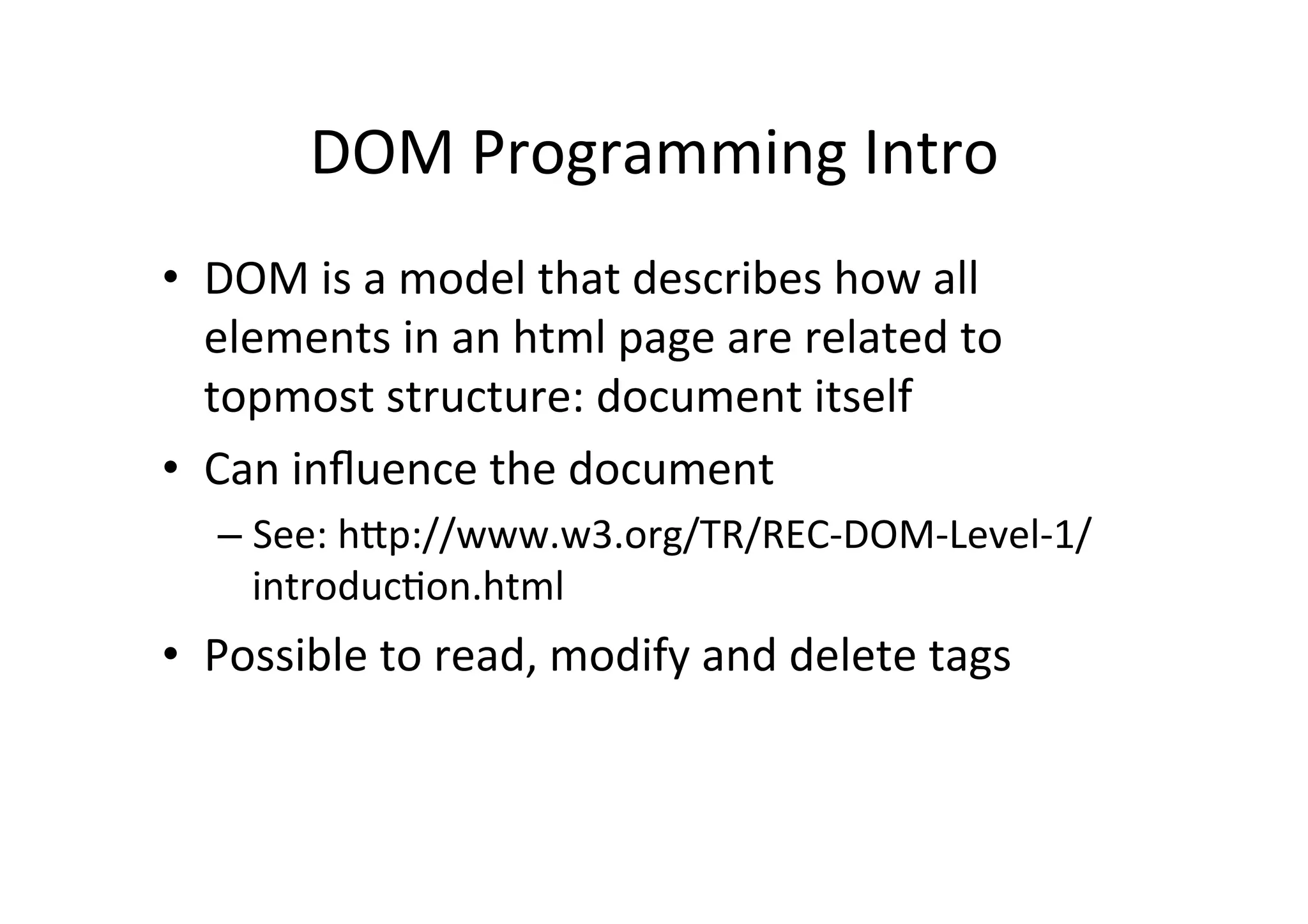
DOM	
  Programming	
  Intro	
  
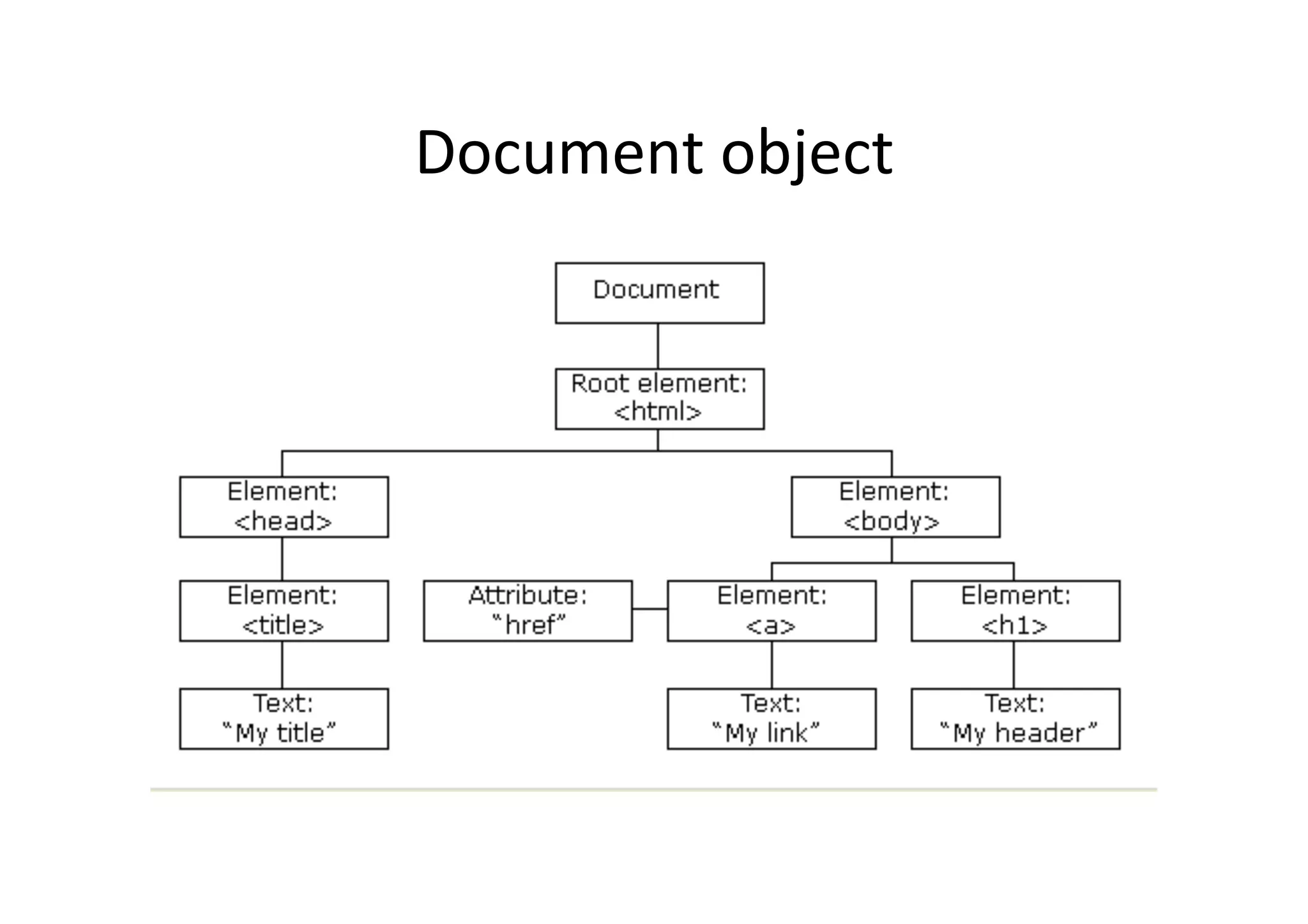
•  DOM	
  is	
  a	
  model	
  that	
  describes	
  how	
  all	
  
elements	
  in	
  an	
  html	
  page	
  are	
  related	
  to	
  
topmost	
  structure:	
  document	
  itself	
  
•  Can	
  influence	
  the	
  document	
  
– See:	
  hPp://www.w3.org/TR/REC-­‐DOM-­‐Level-­‐1/
introducFon.html	
  
•  Possible	
  to	
  read,	
  modify	
  and	
  delete	
  tags	
  
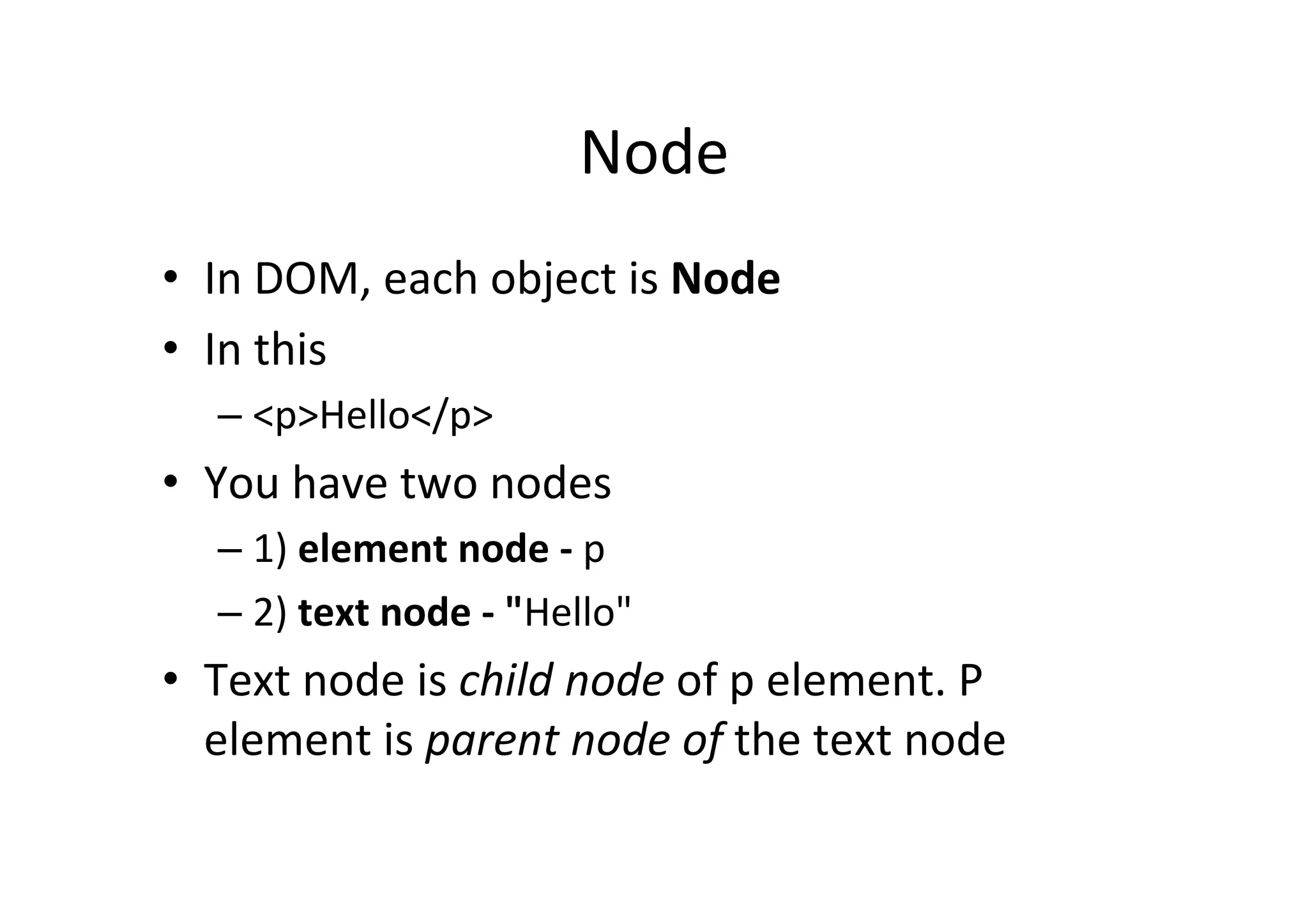
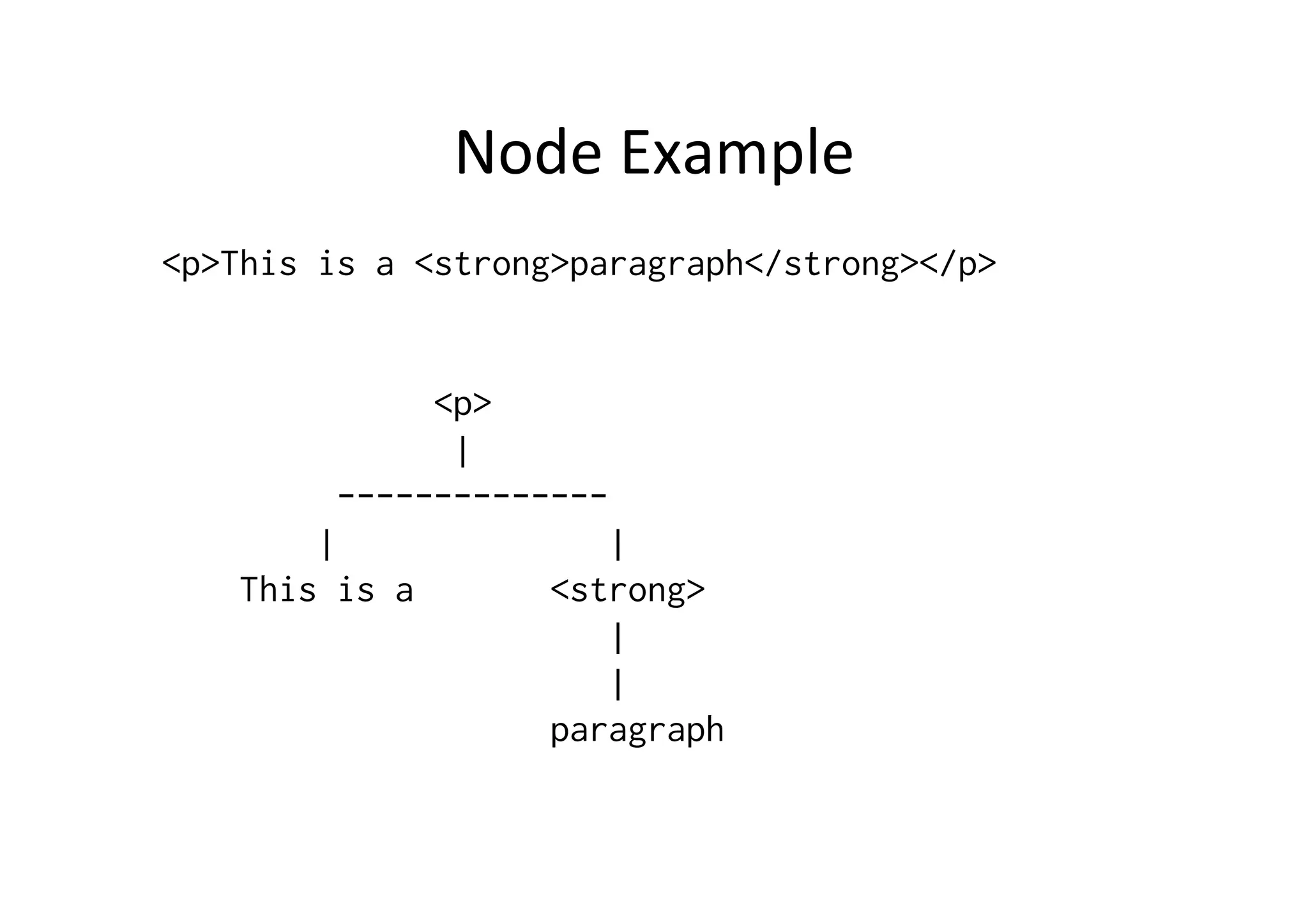
Node	
  
•  In	
  DOM,	
  each	
  object	
  is	
  Node	
  
•  In	
  this	
  
– <p>Hello</p>	
  
•  You	
  have	
  two	
  nodes	
  	
  
– 1)	
  element	
  node	
  -­‐	
  p	
  	
  
– 2)	
  text	
  node	
  -­‐	
  "Hello"	
  
•  Text	
  node	
  is	
  child	
  node	
  of	
  p	
  element.	
  P	
  
element	
  is	
  parent	
  node	
  of	
  the	
  text	
  node	
  
Node	
  Example	
  
<p>This is a <strong>paragraph</strong></p>
<p>
|
--------------
| |
This is a <strong>
|
|
paragraph
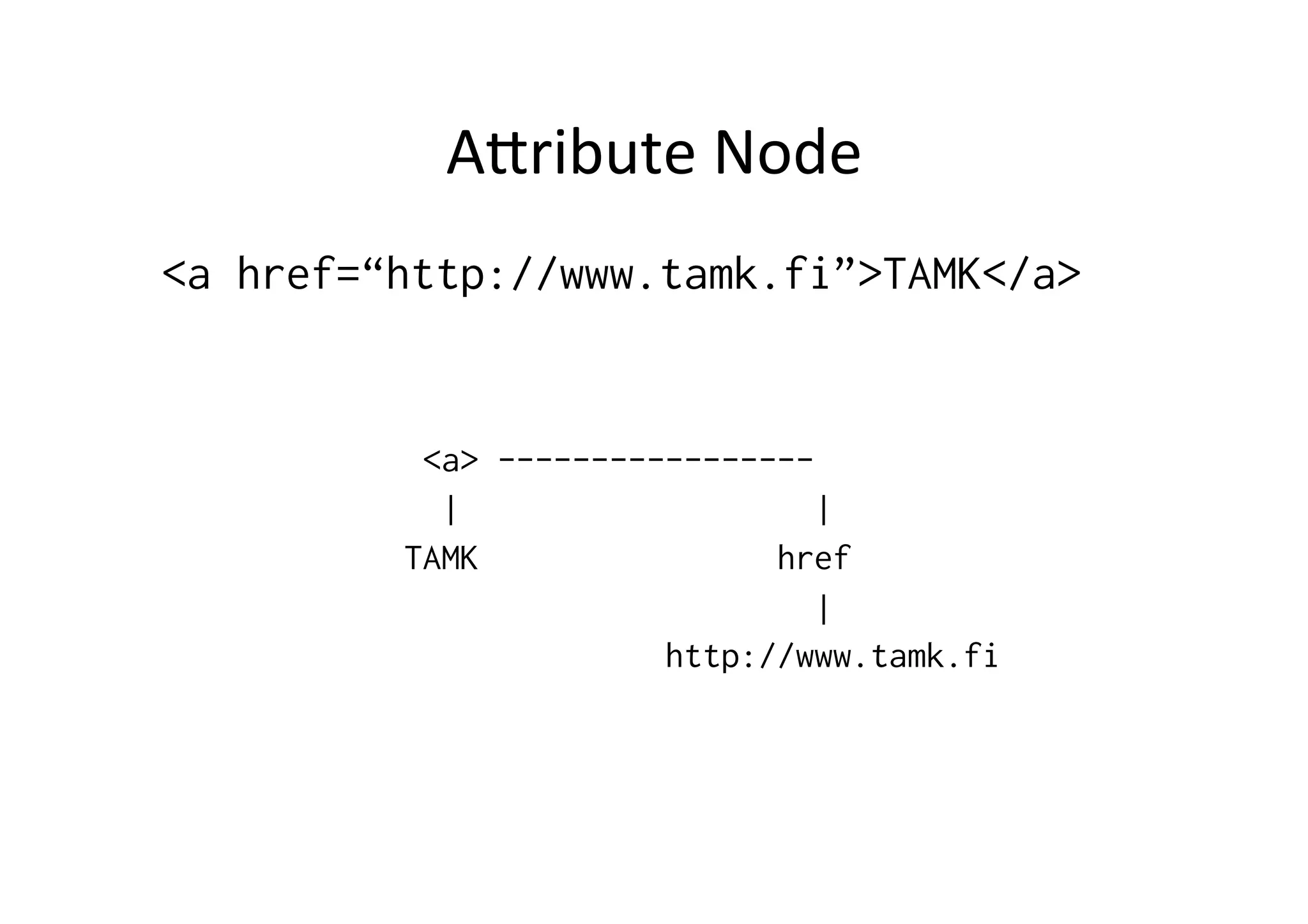
APribute	
  Node	
  
<a href=“http://www.tamk.fi”>TAMK</a>
<a> -----------------
| |
TAMK href
|
http://www.tamk.fi
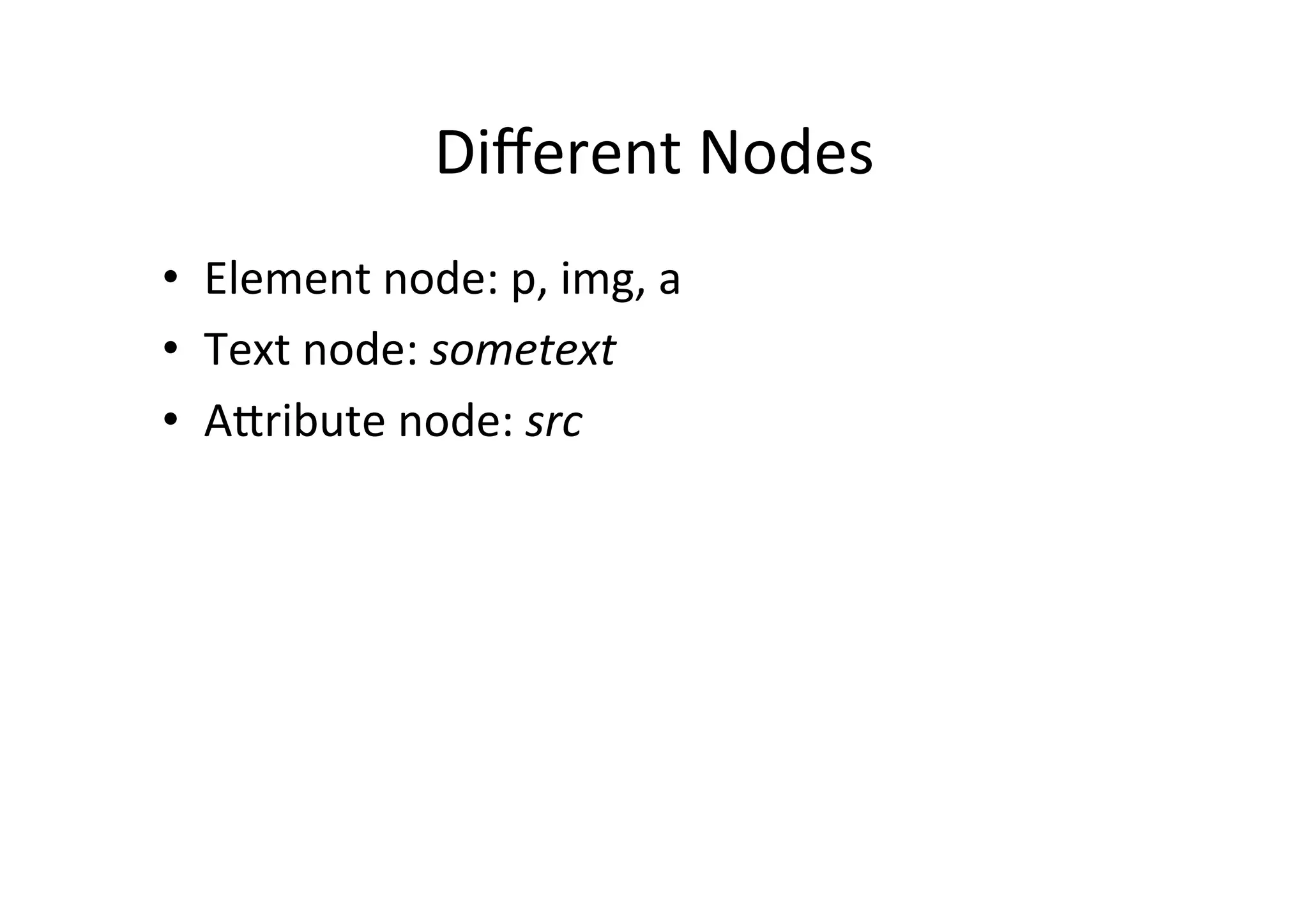
Different	
  Nodes	
  
•  Element	
  node:	
  p,	
  img,	
  a	
  
•  Text	
  node:	
  sometext	
  
•  APribute	
  node:	
  src	
  
DOM	
  Level	
  1:	
  To	
  Access	
  DOM	
  tree	
  
•  X	
  can	
  be	
  some	
  node	
  
– var parent = x.parentNode;
– var firstchild = x.childNodes[0];
•  How	
  to	
  get	
  reference	
  to	
  x?	
  
Document	
  object	
  
Access	
  
var title =
document.firstChild.firstChild.lastChild;
// document.html.head.title
var title =
document.firstChild.childNodes[0].childNodes[
0];
Gelng	
  Element	
  Easier	
  Way	
  
var x =
document.getElementsByTagName(‘strong')[0]
var x = document.getElementById('hereweare');
	
  
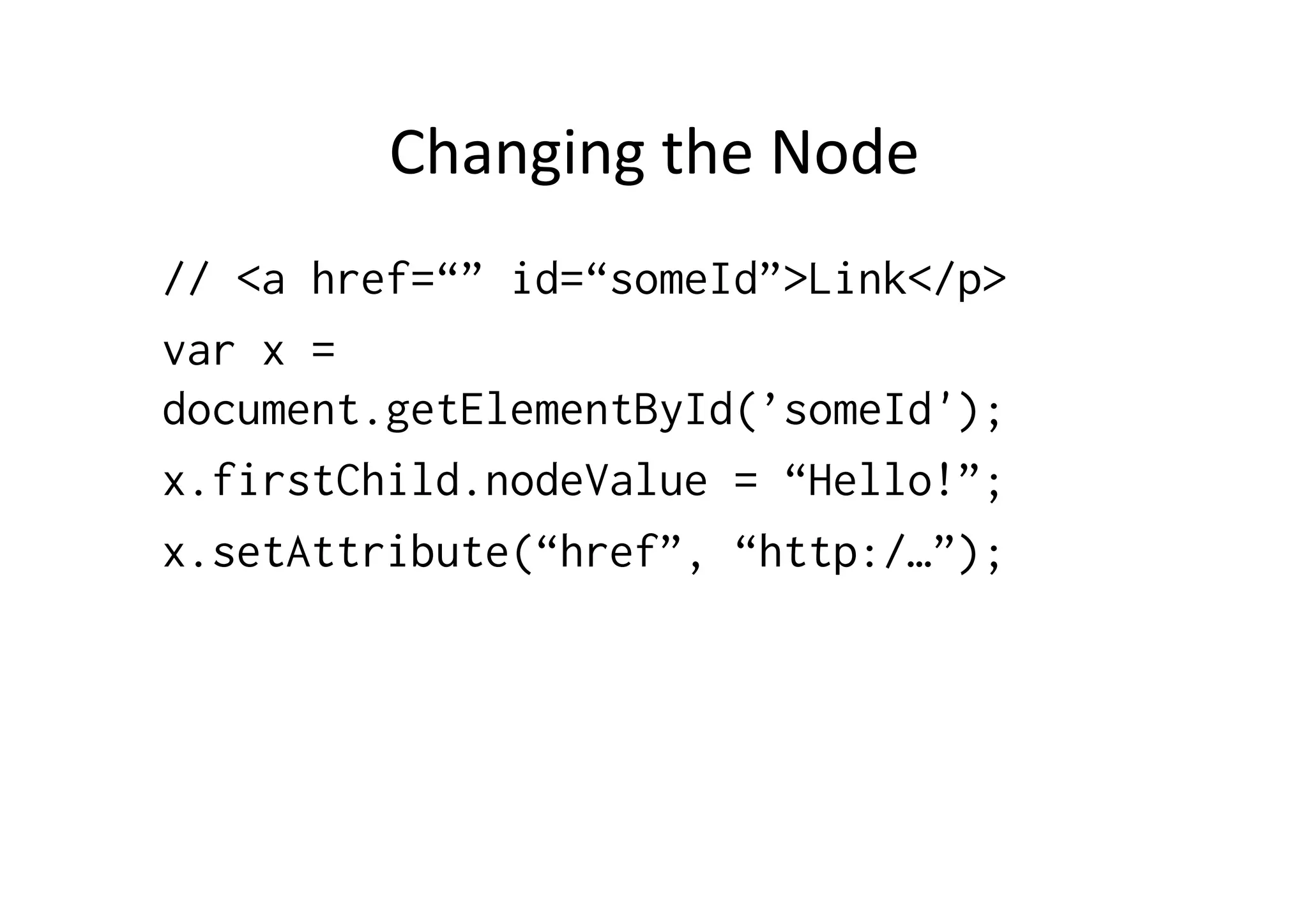
Changing	
  the	
  Node	
  
// <a href=“” id=“someId”>Link</p>
var x =
document.getElementById(’someId');
x.firstChild.nodeValue = “Hello!”;
x.setAttribute(“href”, “http:/…”);
	
  
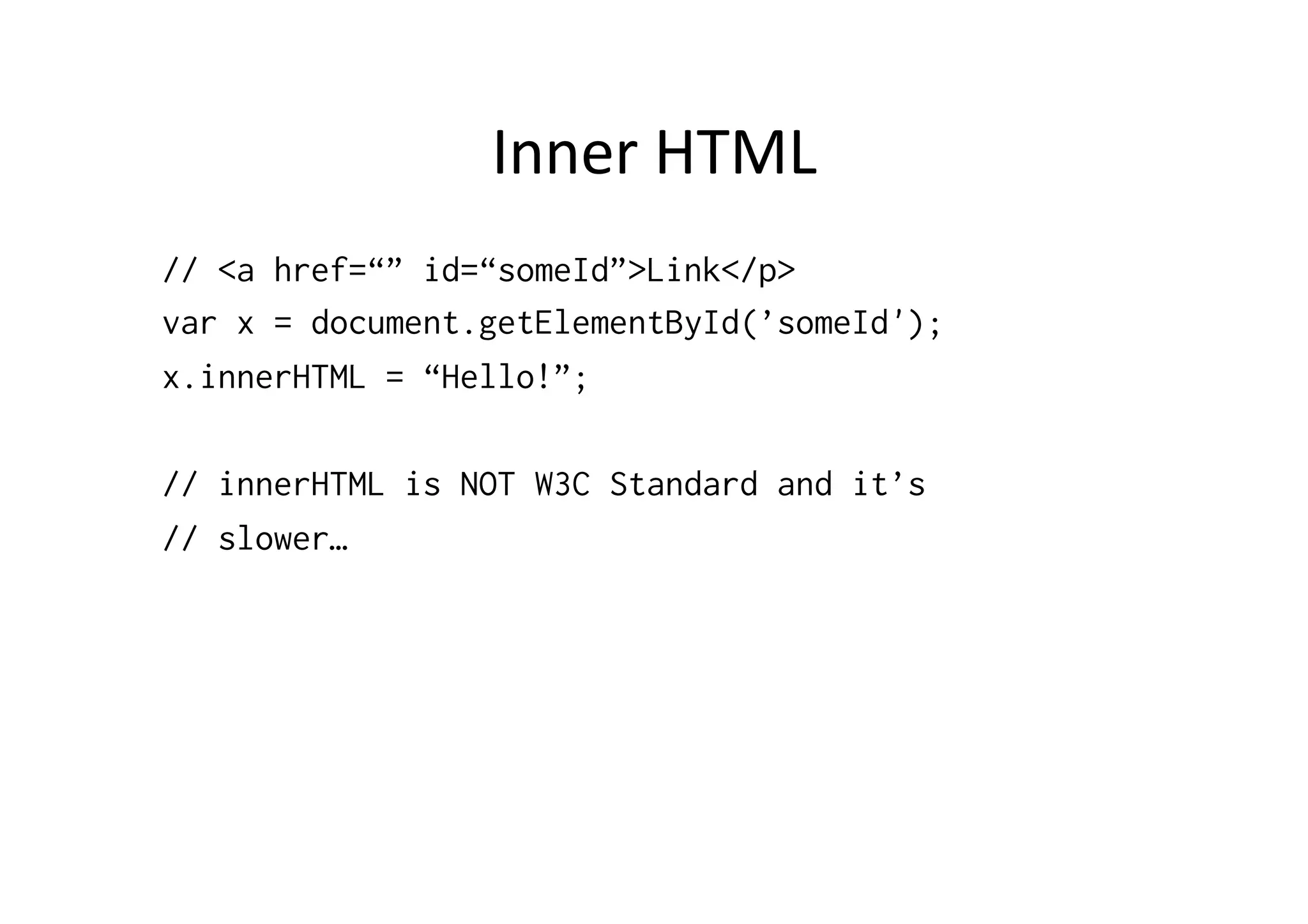
Inner	
  HTML	
  
// <a href=“” id=“someId”>Link</p>
var x = document.getElementById(’someId');
x.innerHTML = “Hello!”;
// innerHTML is NOT W3C Standard and it’s
// slower…
CreaFng	
  and	
  Removing	
  Nodes	
  
var x = document.createElement(’hr');
document.getElementById('inserthrhere').appendChild(x);
var node = document.getElementById('inserthrhere')
node.removeChild(node.childNodes[0]);
var x = document.createTextNode(’SomeText');
document.getElementById('hereweare').appendChild(x);
<!DOCTYPE html PUBLIC "-//W3C//DTD XHTML 1.0 Strict//EN"
"http://www.w3.org/TR/xhtml1/DTD/xhtml1-strict.dtd">
<html xmlns="http://www.w3.org/1999/xhtml">
<head>
<title></title>
<meta http-equiv="content-type" content="application/xhtml+xml; charset=utf-8" />
<script type="text/javascript">
//<![CDATA[
function change()
{
// Get list of ALL <h1> - elements
var listOfHeading1 = window.document.getElementsByTagName("h1");
// Find the first <h1> - element in the list
var heading1 = listOfHeading1[0];
// Get the child - element of the first <h1> - element (Text)
var text = heading1.firstChild;
// Replace the text
text.data = "Hello from JS!";
}
//]]>
</script>
</head>
<body>
<h1>Title</h1>
<input type="submit" onClick="change();" value="click!"/>
</body>
</html>
<!DOCTYPE html PUBLIC "-//W3C//DTD XHTML 1.0 Strict//EN"
"http://www.w3.org/TR/xhtml1/DTD/xhtml1-strict.dtd">
<html xmlns="http://www.w3.org/1999/xhtml">
<head>
<title></title>
<meta http-equiv="content-type" content="application/xhtml+xml; charset=utf-8" />
<script type="text/javascript">
//<![CDATA[
function change()
{
// Reference to the table - element
var table = document.getElementById("mytable");
var tr = document.createElement("tr"); // <tr>
var td1 = document.createElement("td"); // <td>
var td1Text = document.createTextNode("New Cell"); // "New Cell"
td1.appendChild(td1Text); // <td>New Cell</td>
var td2 = document.createElement("td"); // <td>
var td2Text = document.createTextNode("New Cell"); // "New Cell"
td2.appendChild(td2Text); // <td>New Cell</td>
tr.appendChild(td1);
tr.appendChild(td2);
table.appendChild(tr);
}
//]]>
</script>
</head>
<body>
<table id="mytable" border="1">
<tr><td>&nbsp;</td><td>&nbsp;</td></tr>
</table>
<input type="submit" onClick="change();" value="Add Row"/>
</body>
</html>

JavaScript and DOM

  • 1.
    Document  Object  Model  and   JavaScript   Jussi  Pohjolainen   Tampere  University  of  Applied  Sciences  
  • 2.
    W3C  DOM   • DOM  –  Document  Object  Model  –  cross-­‐ plaDorm  and  language-­‐independent   convenFon  for  interacFng  with  objects  in   HTML  and  in  XML.   •  With  DOM  you  can  manipulate  html/xml   document!  Dynamic  html!   •  Public  interface  available:  hPp://www.w3.org/ DOM/DOMTR    
  • 3.
    W3C  DOM  Levels   •  (  DOM  Level  0  and  Intermediate  DOM  )   –  Not  W3C  Standards,  used  in  Netscape  2  (Level  0)  and   Netscape  4  (Intermediate  DOM)     •  DOM  Level  1   –  1998:  Ability  to  change  enFre  HTML  or  XML  document   •  DOM  Level  2   –  2001:  Introduces  “getElementById”  funcFon,  event   model  and  support  for  XML  namespaces   •  DOM  Level  3   –  2004:  XPath,  keyboard  event  handling  
  • 4.
  • 5.
    DOM  Programming  Intro   •  DOM  is  a  model  that  describes  how  all   elements  in  an  html  page  are  related  to   topmost  structure:  document  itself   •  Can  influence  the  document   – See:  hPp://www.w3.org/TR/REC-­‐DOM-­‐Level-­‐1/ introducFon.html   •  Possible  to  read,  modify  and  delete  tags  
  • 6.
    Node   •  In  DOM,  each  object  is  Node   •  In  this   – <p>Hello</p>   •  You  have  two  nodes     – 1)  element  node  -­‐  p     – 2)  text  node  -­‐  "Hello"   •  Text  node  is  child  node  of  p  element.  P   element  is  parent  node  of  the  text  node  
  • 7.
    Node  Example   <p>Thisis a <strong>paragraph</strong></p> <p> | -------------- | | This is a <strong> | | paragraph
  • 8.
    APribute  Node   <ahref=“http://www.tamk.fi”>TAMK</a> <a> ----------------- | | TAMK href | http://www.tamk.fi
  • 9.
    Different  Nodes   • Element  node:  p,  img,  a   •  Text  node:  sometext   •  APribute  node:  src  
  • 10.
    DOM  Level  1:  To  Access  DOM  tree   •  X  can  be  some  node   – var parent = x.parentNode; – var firstchild = x.childNodes[0]; •  How  to  get  reference  to  x?  
  • 11.
  • 12.
    Access   var title= document.firstChild.firstChild.lastChild; // document.html.head.title var title = document.firstChild.childNodes[0].childNodes[ 0];
  • 13.
    Gelng  Element  Easier  Way   var x = document.getElementsByTagName(‘strong')[0] var x = document.getElementById('hereweare');  
  • 14.
    Changing  the  Node   // <a href=“” id=“someId”>Link</p> var x = document.getElementById(’someId'); x.firstChild.nodeValue = “Hello!”; x.setAttribute(“href”, “http:/…”);  
  • 15.
    Inner  HTML   //<a href=“” id=“someId”>Link</p> var x = document.getElementById(’someId'); x.innerHTML = “Hello!”; // innerHTML is NOT W3C Standard and it’s // slower…
  • 16.
    CreaFng  and  Removing  Nodes   var x = document.createElement(’hr'); document.getElementById('inserthrhere').appendChild(x); var node = document.getElementById('inserthrhere') node.removeChild(node.childNodes[0]); var x = document.createTextNode(’SomeText'); document.getElementById('hereweare').appendChild(x);
  • 17.
    <!DOCTYPE html PUBLIC"-//W3C//DTD XHTML 1.0 Strict//EN" "http://www.w3.org/TR/xhtml1/DTD/xhtml1-strict.dtd"> <html xmlns="http://www.w3.org/1999/xhtml"> <head> <title></title> <meta http-equiv="content-type" content="application/xhtml+xml; charset=utf-8" /> <script type="text/javascript"> //<![CDATA[ function change() { // Get list of ALL <h1> - elements var listOfHeading1 = window.document.getElementsByTagName("h1"); // Find the first <h1> - element in the list var heading1 = listOfHeading1[0]; // Get the child - element of the first <h1> - element (Text) var text = heading1.firstChild; // Replace the text text.data = "Hello from JS!"; } //]]> </script> </head> <body> <h1>Title</h1> <input type="submit" onClick="change();" value="click!"/> </body> </html>
  • 18.
    <!DOCTYPE html PUBLIC"-//W3C//DTD XHTML 1.0 Strict//EN" "http://www.w3.org/TR/xhtml1/DTD/xhtml1-strict.dtd"> <html xmlns="http://www.w3.org/1999/xhtml"> <head> <title></title> <meta http-equiv="content-type" content="application/xhtml+xml; charset=utf-8" /> <script type="text/javascript"> //<![CDATA[ function change() { // Reference to the table - element var table = document.getElementById("mytable"); var tr = document.createElement("tr"); // <tr> var td1 = document.createElement("td"); // <td> var td1Text = document.createTextNode("New Cell"); // "New Cell" td1.appendChild(td1Text); // <td>New Cell</td> var td2 = document.createElement("td"); // <td> var td2Text = document.createTextNode("New Cell"); // "New Cell" td2.appendChild(td2Text); // <td>New Cell</td> tr.appendChild(td1); tr.appendChild(td2); table.appendChild(tr); } //]]> </script> </head> <body> <table id="mytable" border="1"> <tr><td>&nbsp;</td><td>&nbsp;</td></tr> <tr><td>&nbsp;</td><td>&nbsp;</td></tr> <tr><td>&nbsp;</td><td>&nbsp;</td></tr> </table> <input type="submit" onClick="change();" value="Add Row"/> </body> </html>

Editor's Notes

  • #5 See:http://en.wikipedia.org/wiki/Comparison_of_layout_engines_(Document_Object_Model)Trident: IE 4.0 -&gt;Tasman: IE For MacPresto: Opera