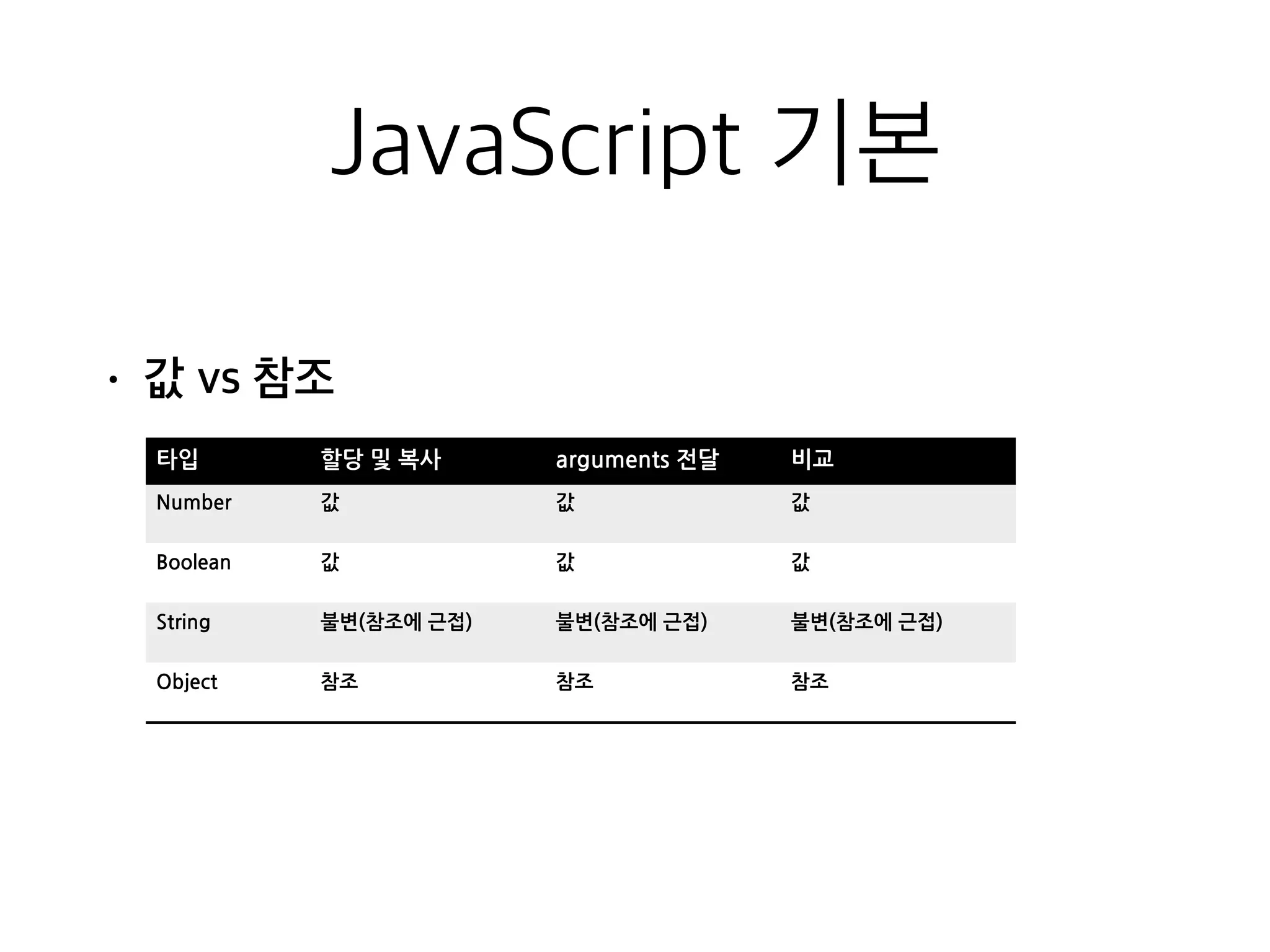
JavaScript 기본
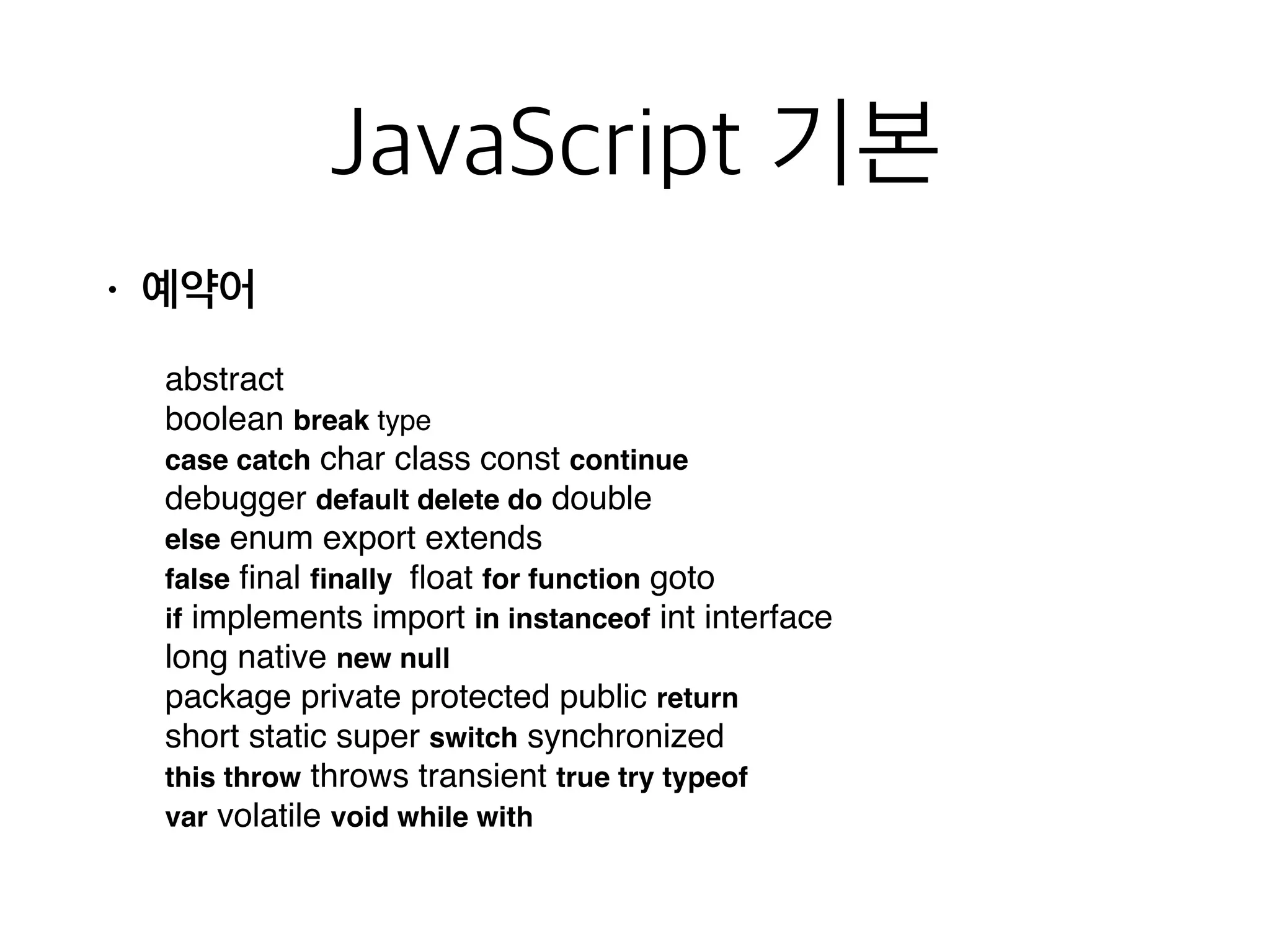
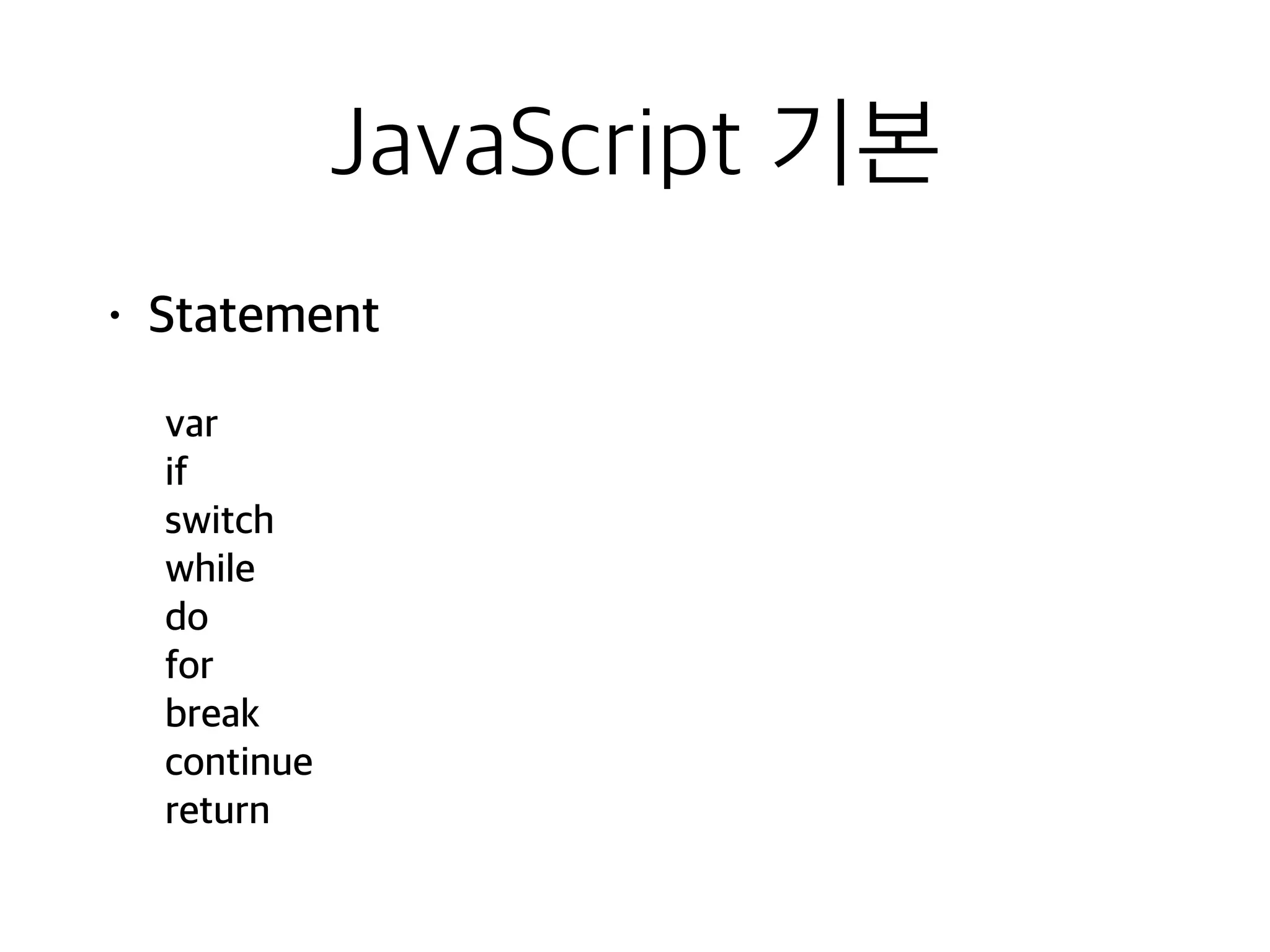
• 예약어
abstract
booleanbreak type
case catch char class const continue
debugger default delete do double
else enum export extends
false final finally float for function goto
if implements import in instanceof int interface
long native new null
package private protected public return
short static super switch synchronized
this throw throws transient true try typeof
var volatile void while with
JavaScript 기본
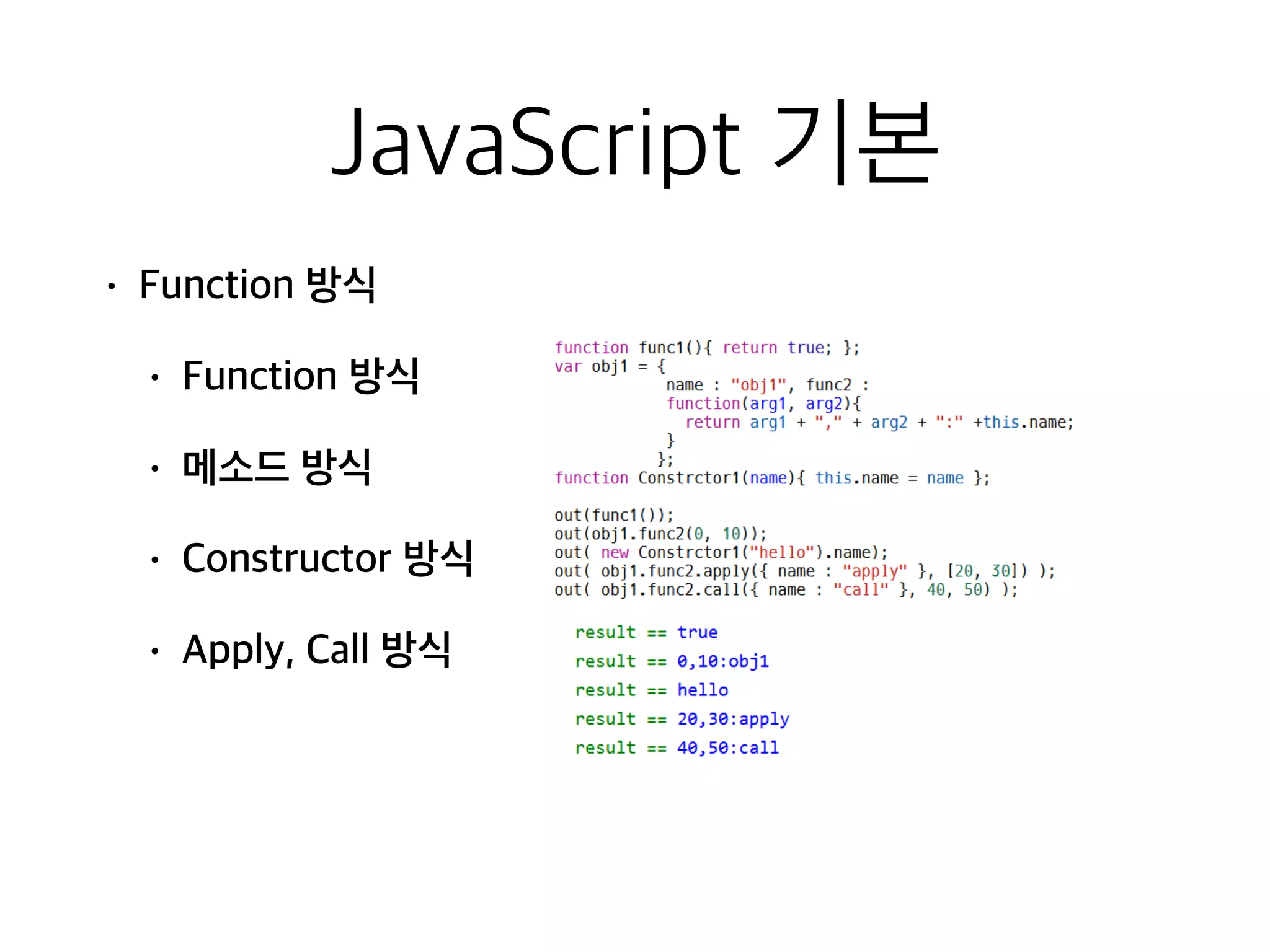
• Functionthis context
• 함수 호출 방식에 따라 대상이 다름
• 객체 자신을 접근할 수 있는 방법 제공
• 실행시점에 동적으로 바인딩 가능
실행방법% this%
function% global%object%===%window%
method% the%object%
constructor% the%new%object%
Apply,Call% arguments[0]%object%
20.
JavaScript 기본
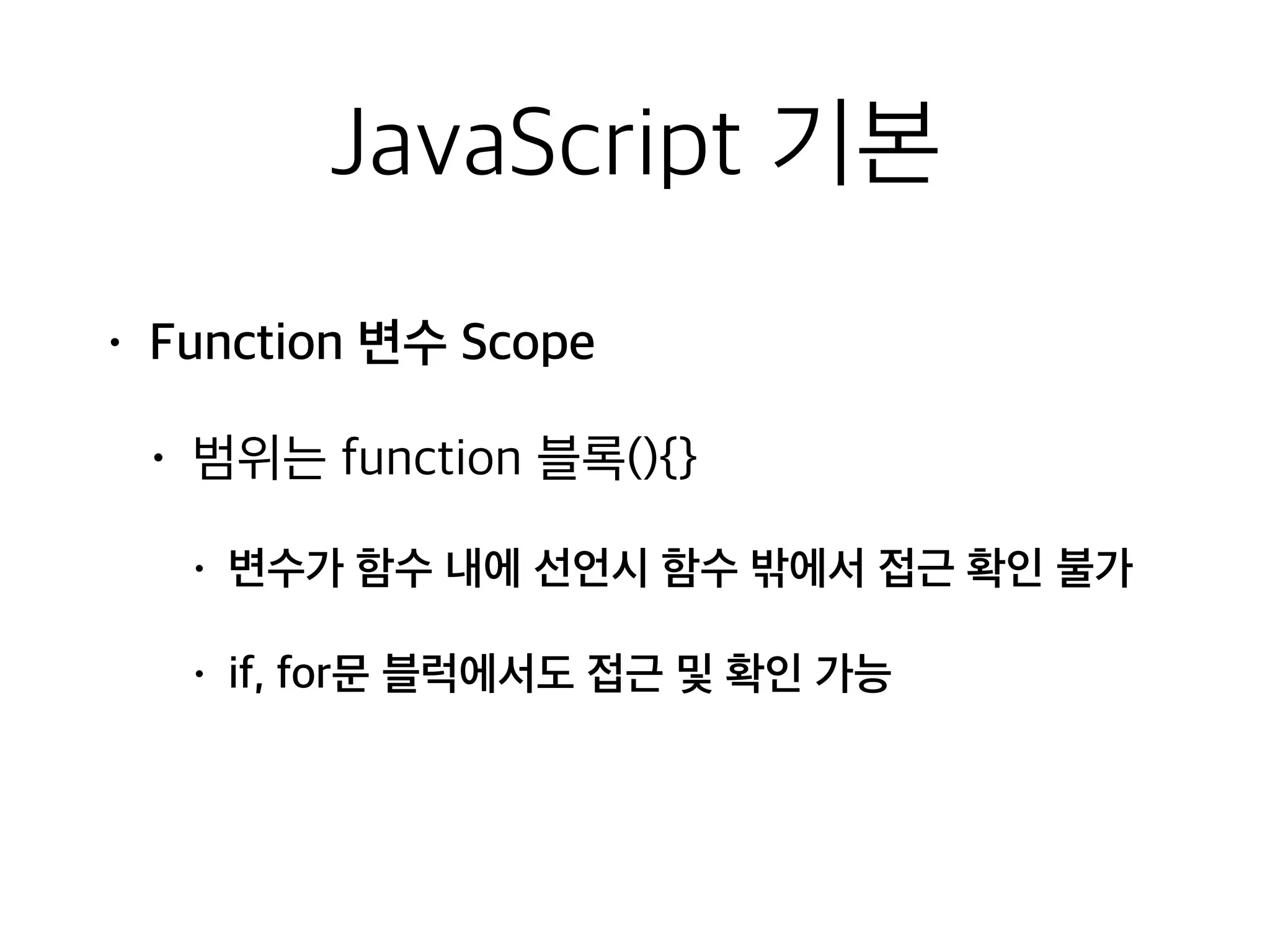
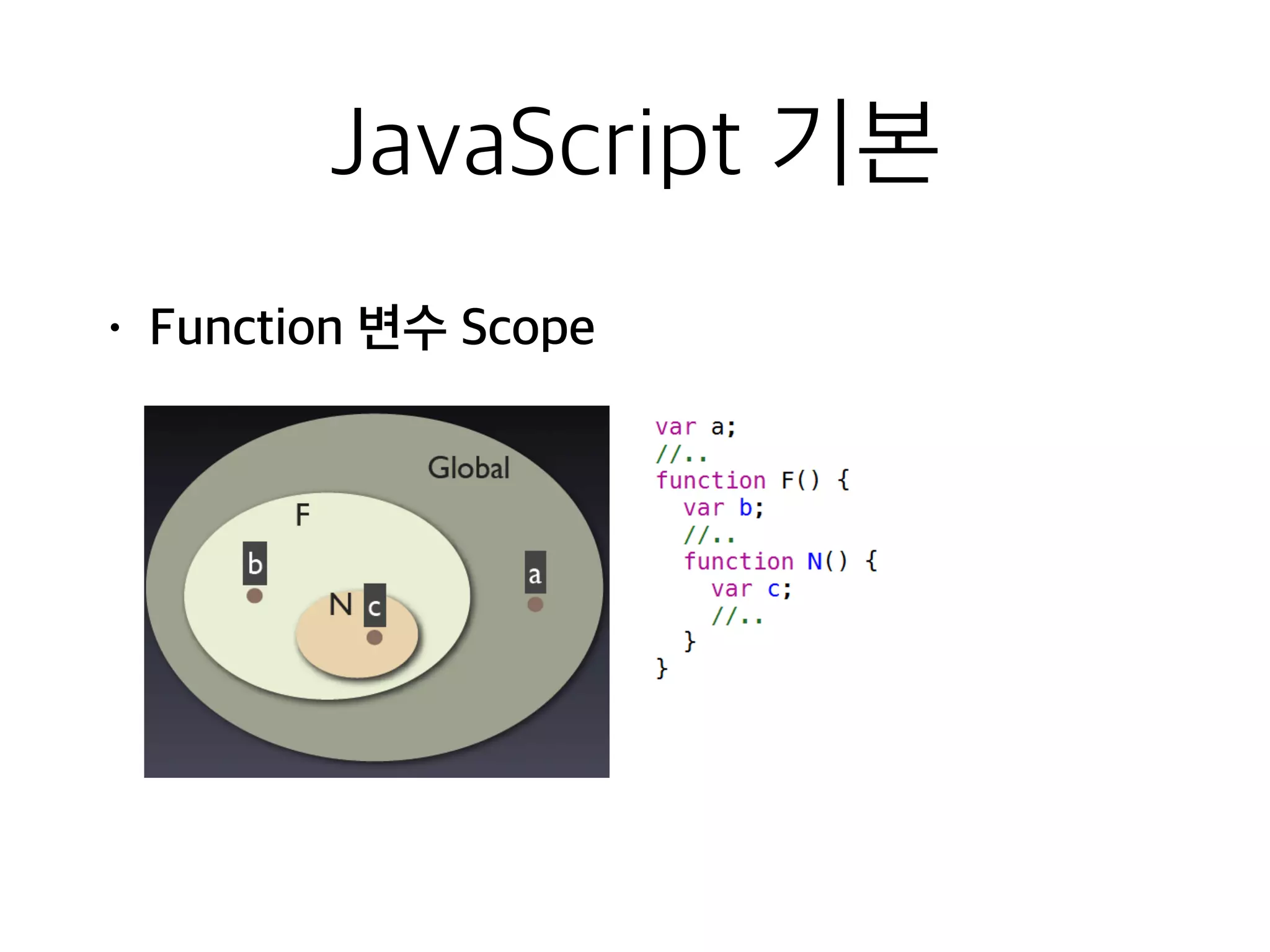
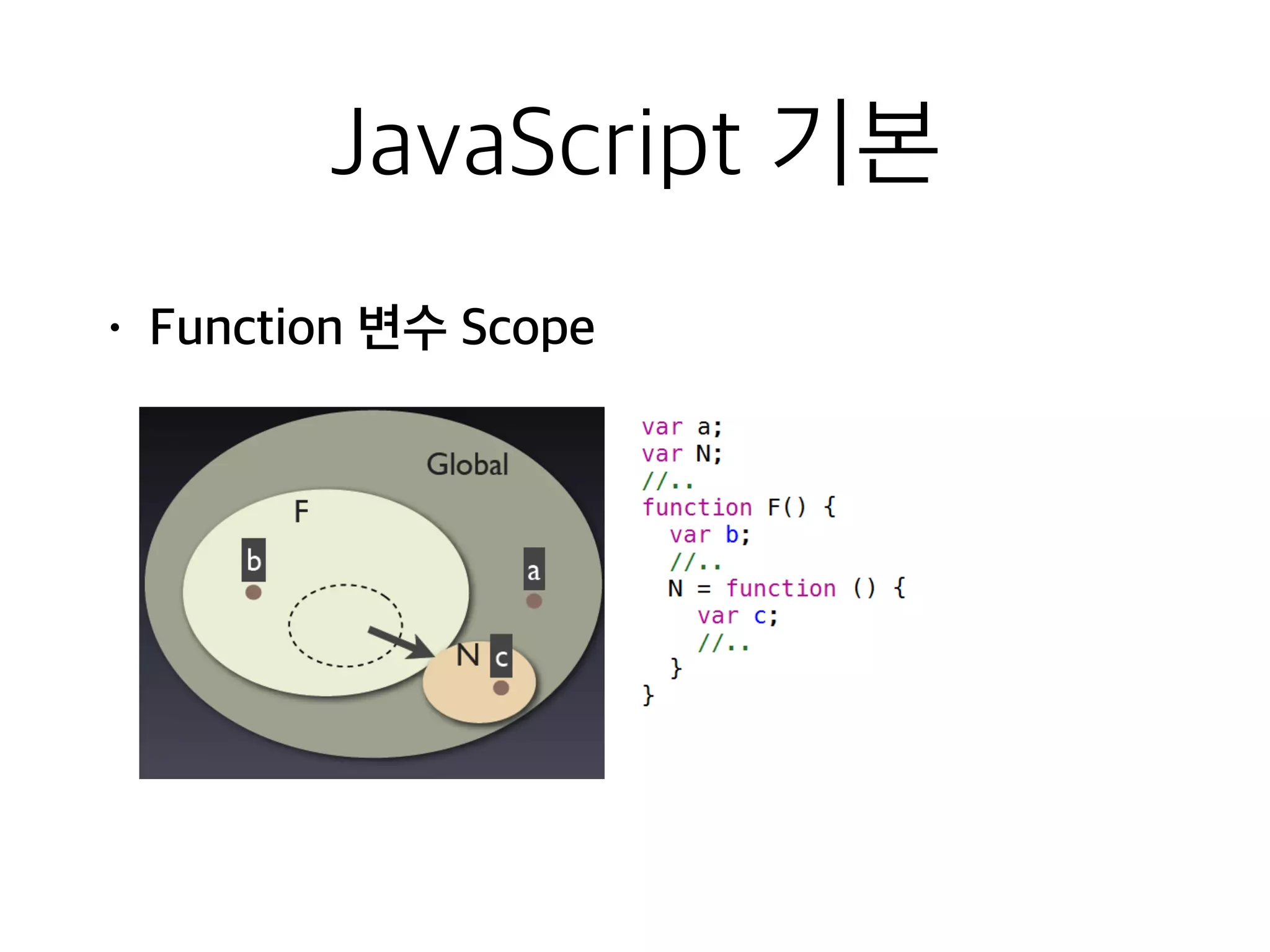
• Function변수 Scope
• 범위는 function 블록(){}
• 변수가 함수 내에 선언시 함수 밖에서 접근 확인 불가
• if, for문 블럭에서도 접근 및 확인 가능
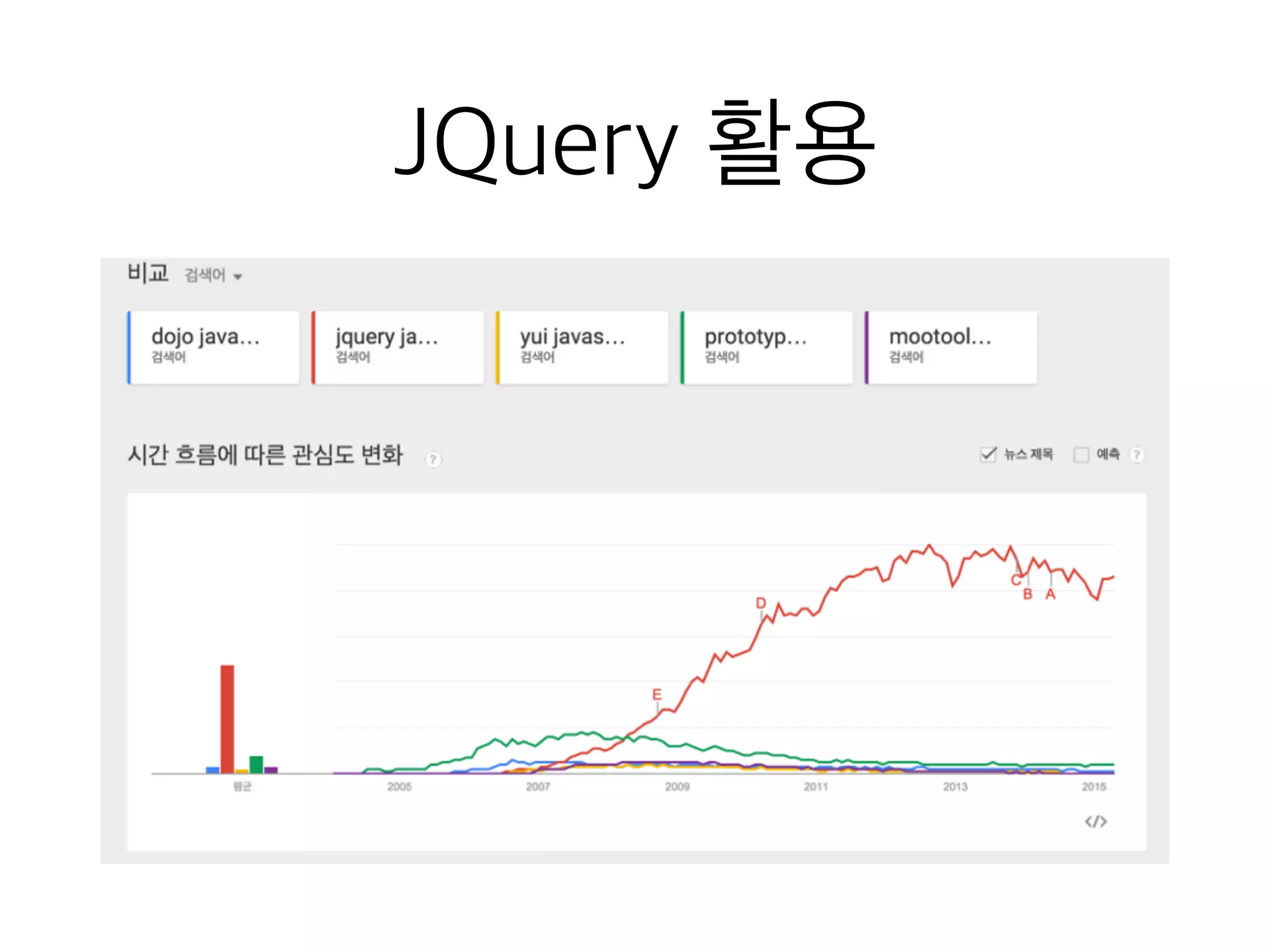
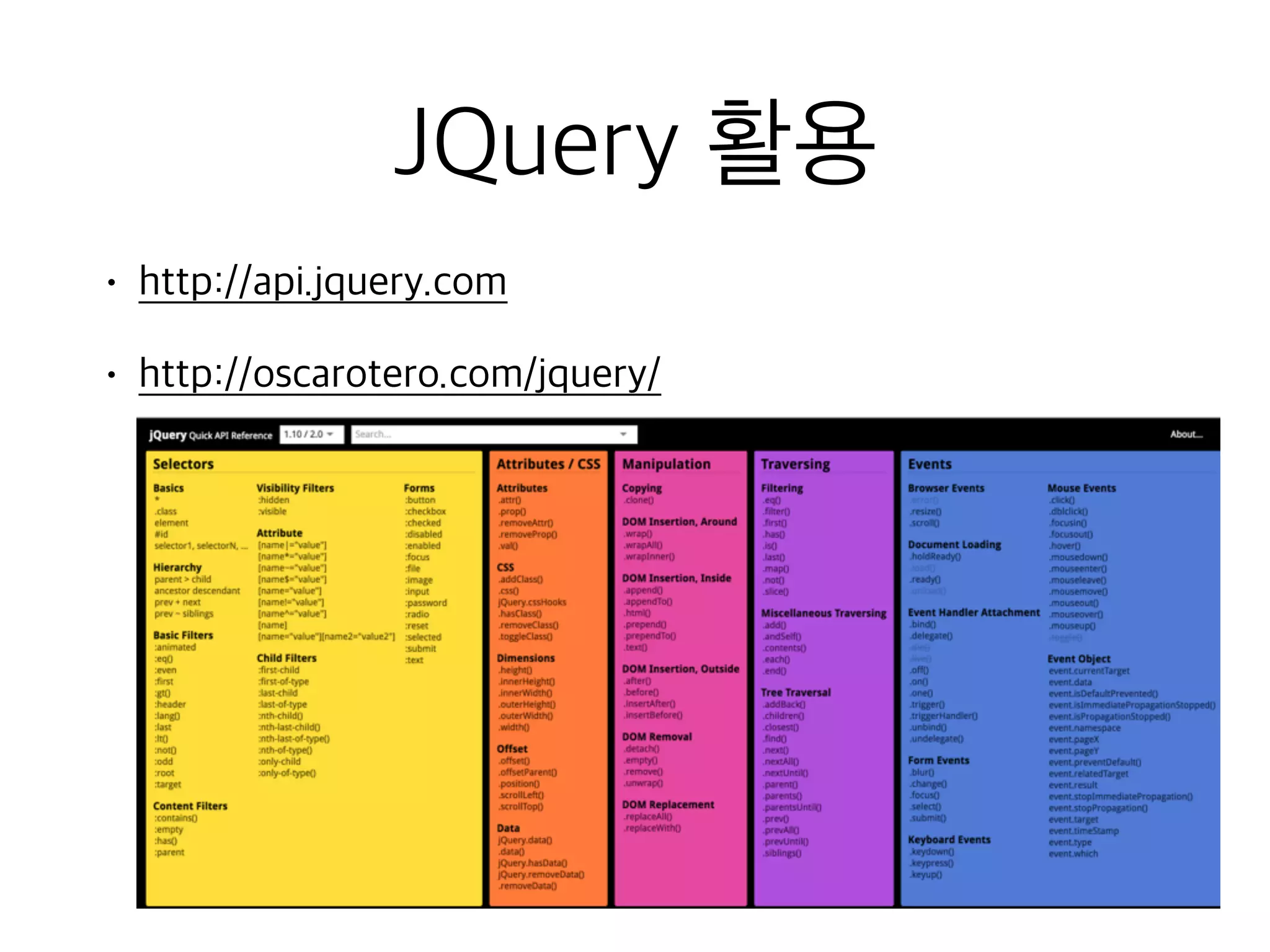
JQuery 활용
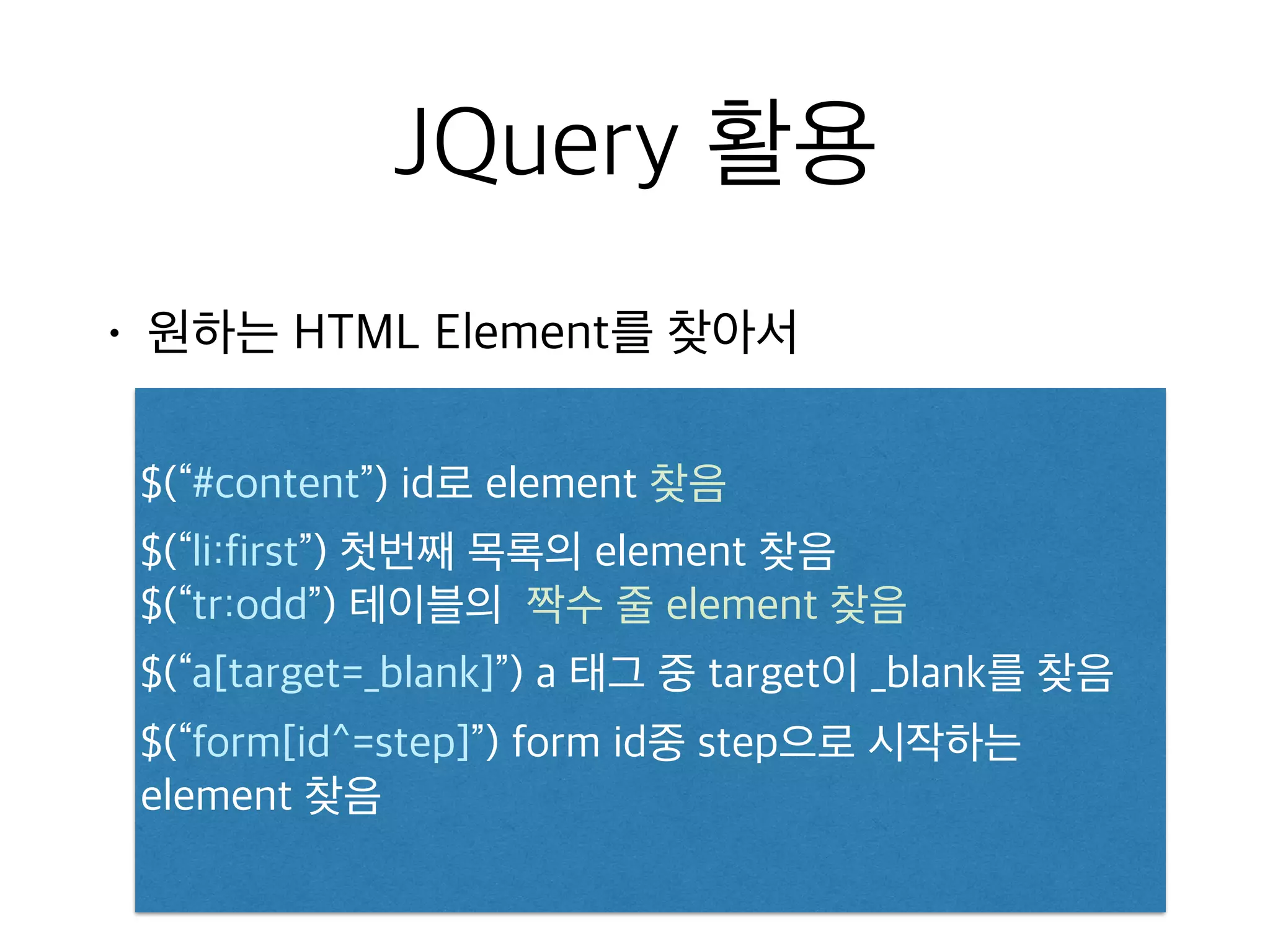
• 원하는HTML Element를 찾아서
$(“#content”) id로 element 찾음
$(“li:first”) 첫번째 목록의 element 찾음
$(“tr:odd”) 테이블의 짝수 줄 element 찾음
$(“a[target=_blank]”) a 태그 중 target이 _blank를 찾음
$(“form[id^=step]”) form id중 step으로 시작하는
element 찾음
45.
JQuery 활용
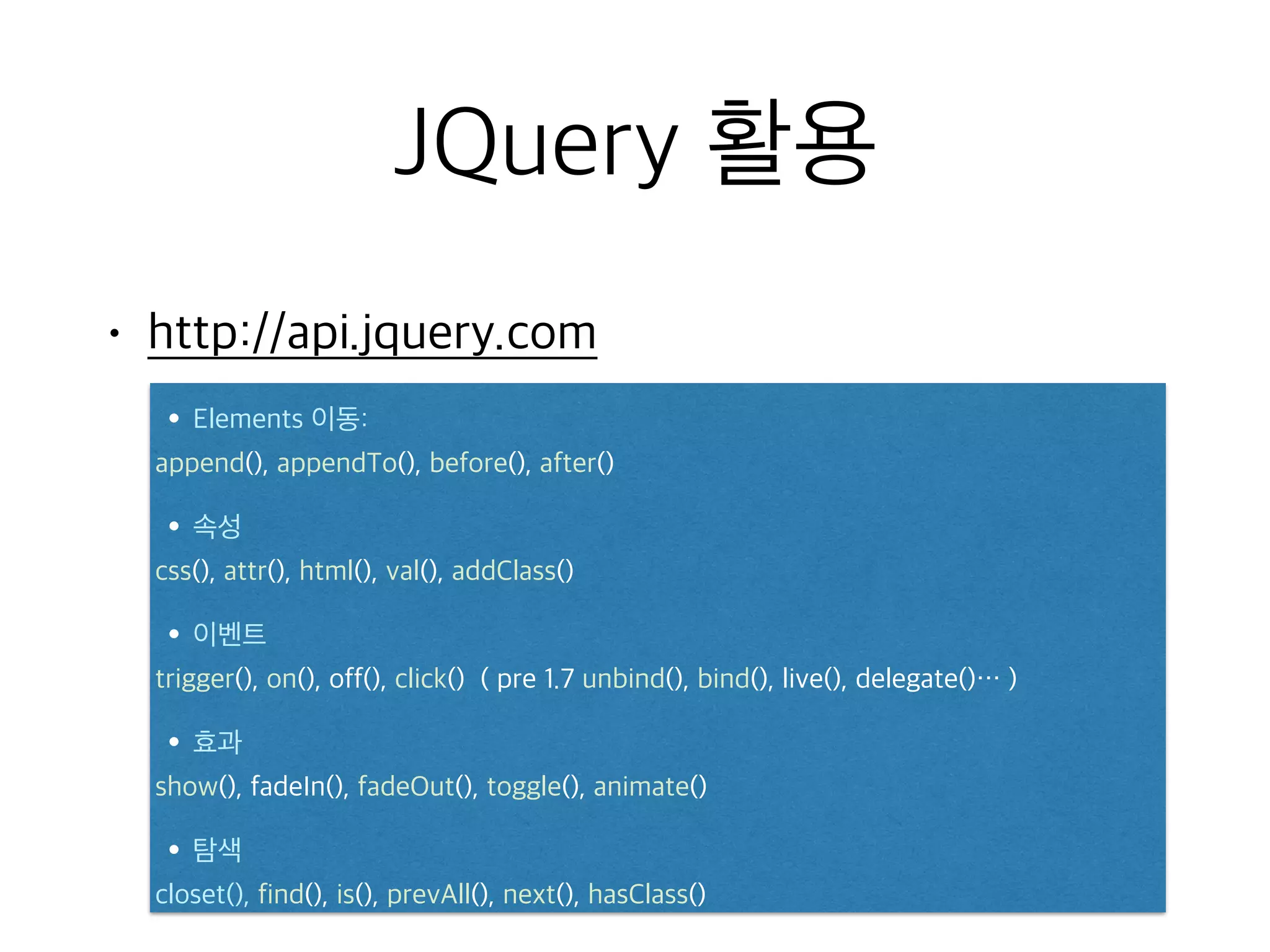
• 특정작업을 수행
$(“#content”).addClass(‘redbox’);
$(“#content”).fadeOut();
Chain Methods
$(“#content”).addClass(‘redbox’).fadeOut();
46.
JQuery 활용
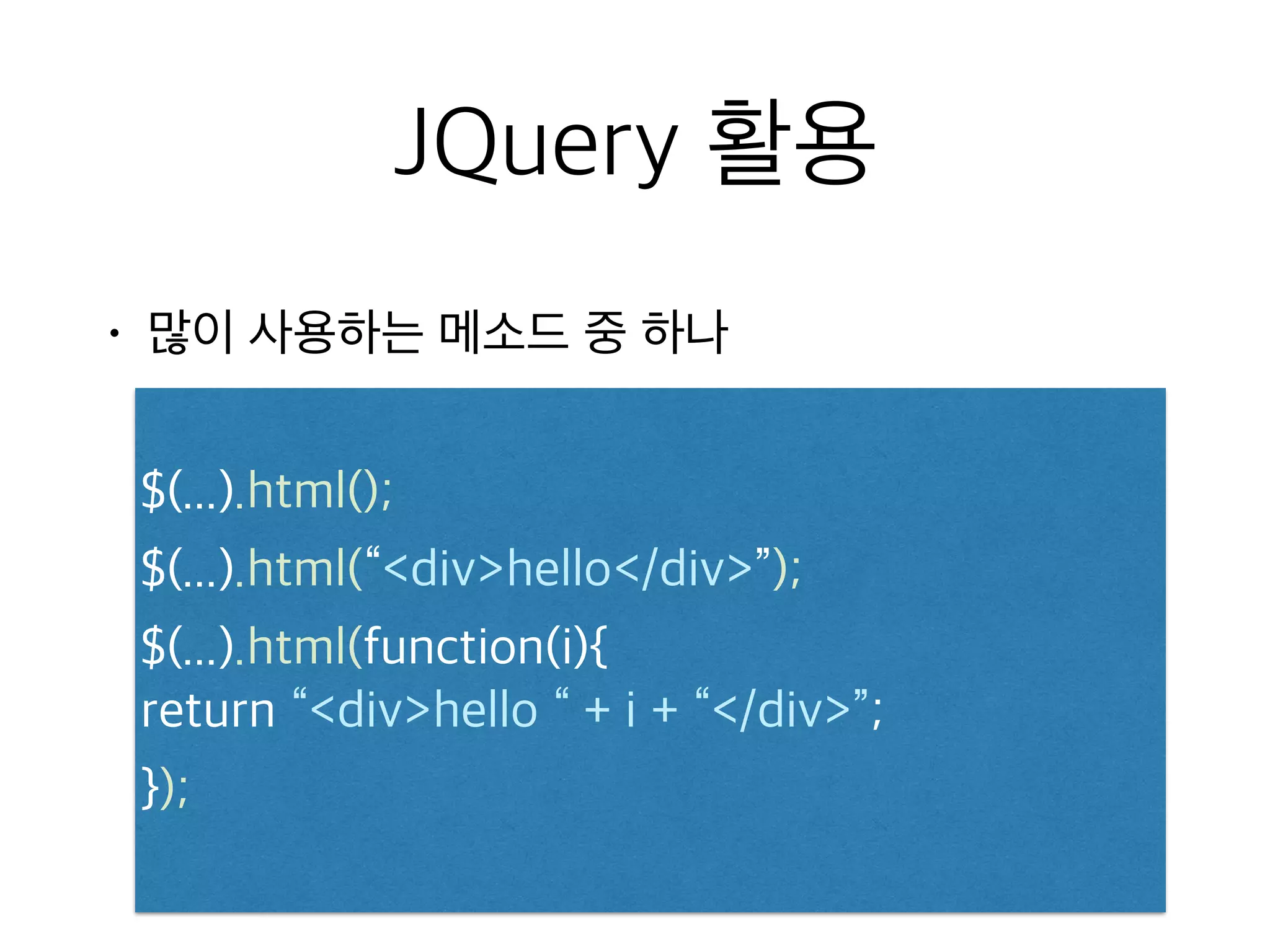
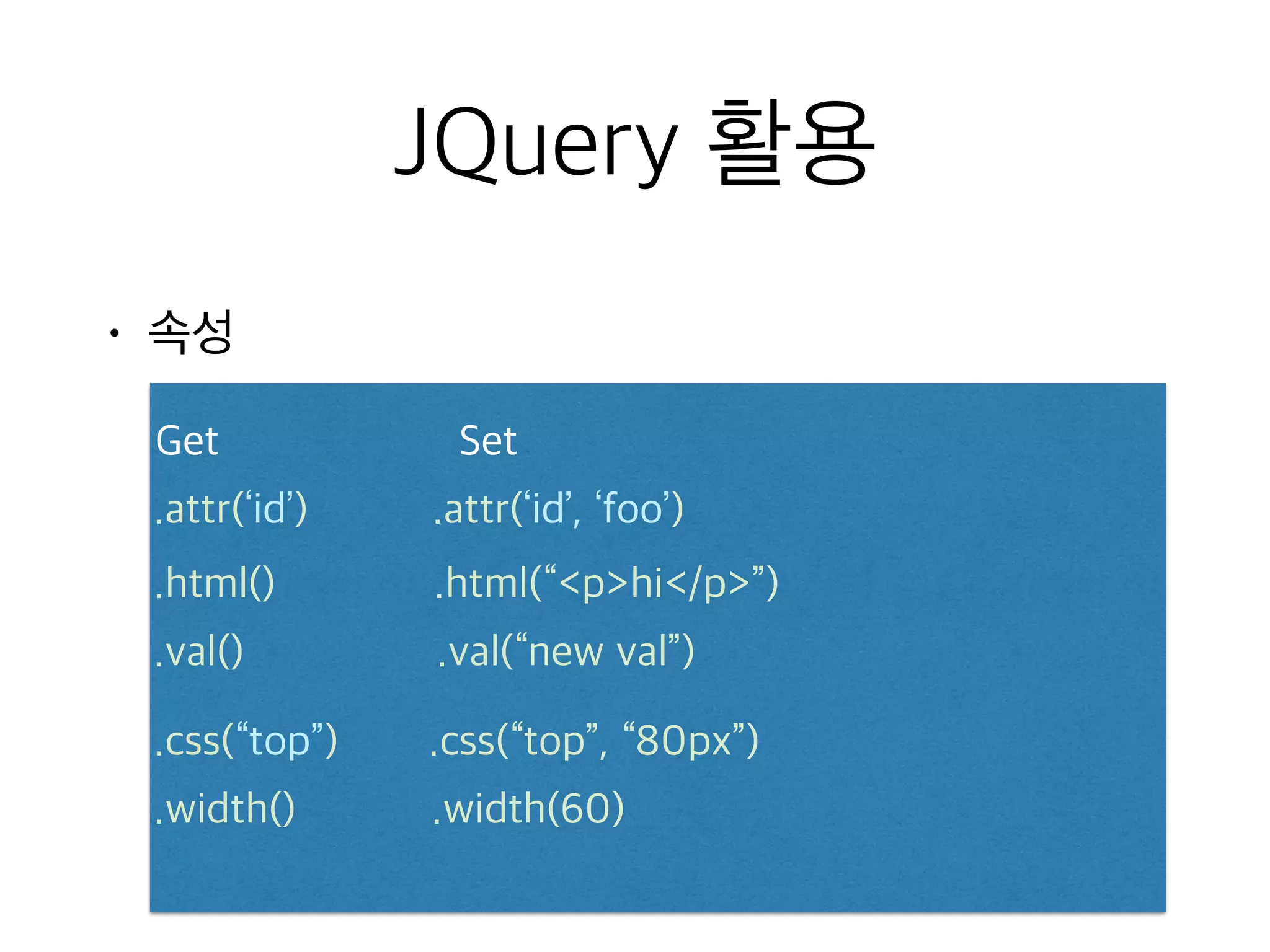
• 많이사용하는 메소드 중 하나
$(...).html();
$(...).html(“divhello/div”);
$(...).html(function(i){
return “divhello “ + i + “/div”;
});
47.
JQuery 활용
• 많이사용하는 메소드 중 하나
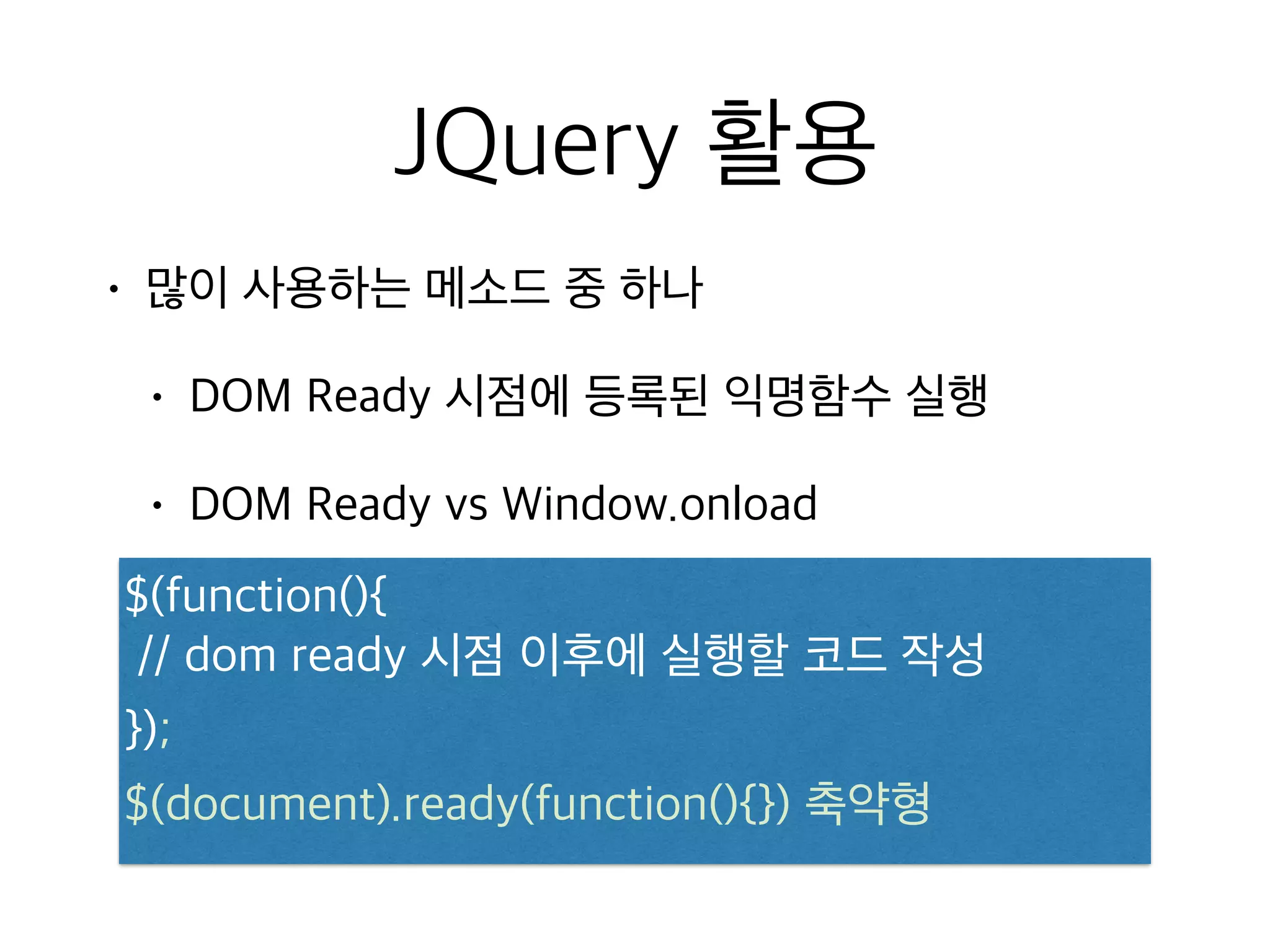
• DOM Ready 시점에 등록된 익명함수 실행
• DOM Ready vs Window.onload
$(function(){
// dom ready 시점 이후에 실행할 코드 작성
});
$(document).ready(function(){}) 축약형
JQuery 활용
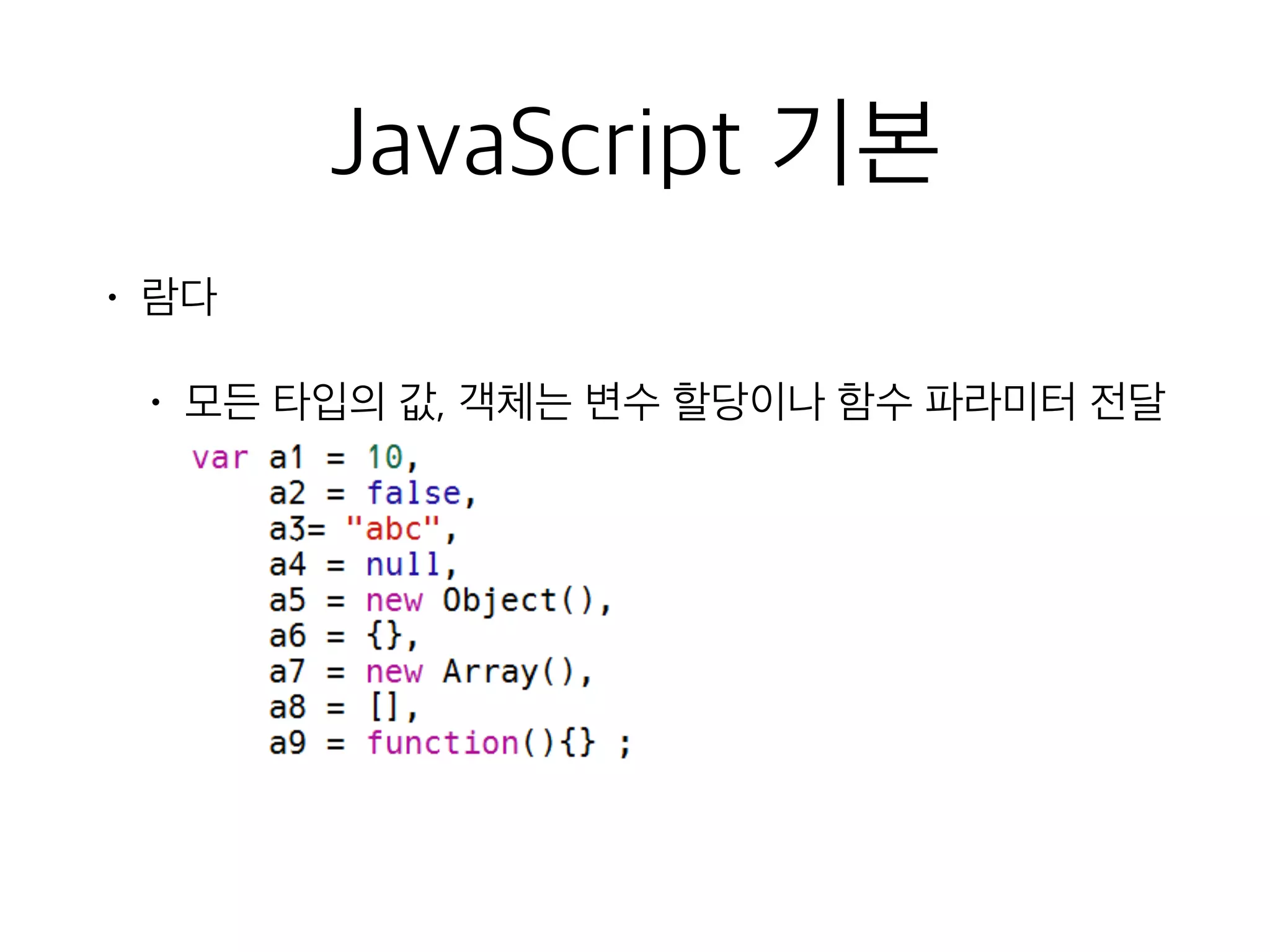
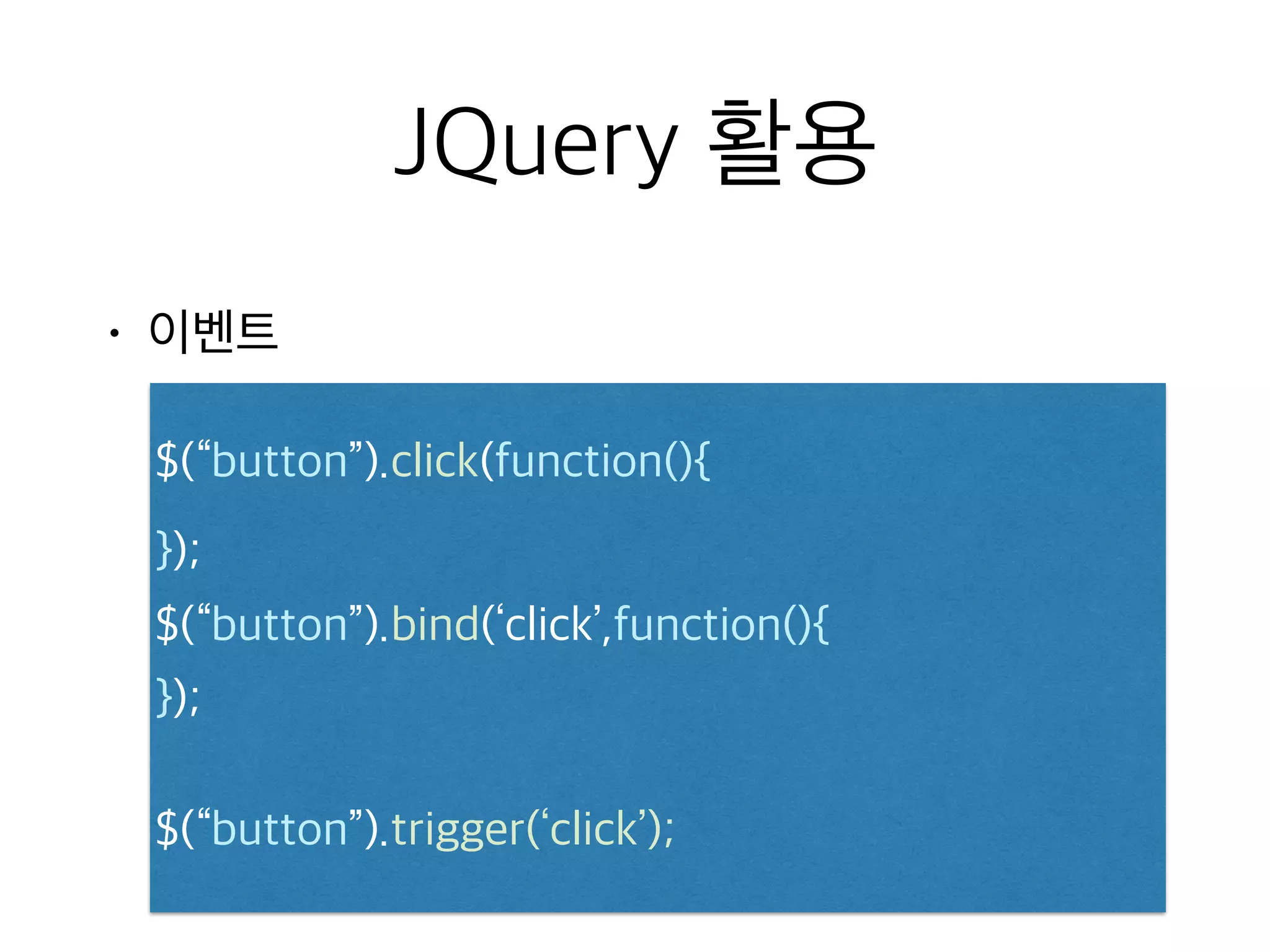
• 효과
div클릭 시, slide up / slide down 효과 적용
$(...).click(function(){ $
(“div:first”).slideToggle();
});
1s동안 500px의 크기로 애니메이션 진행
$(...).animate({ “width”: “500px” }, 1000);
54.
JQuery 활용
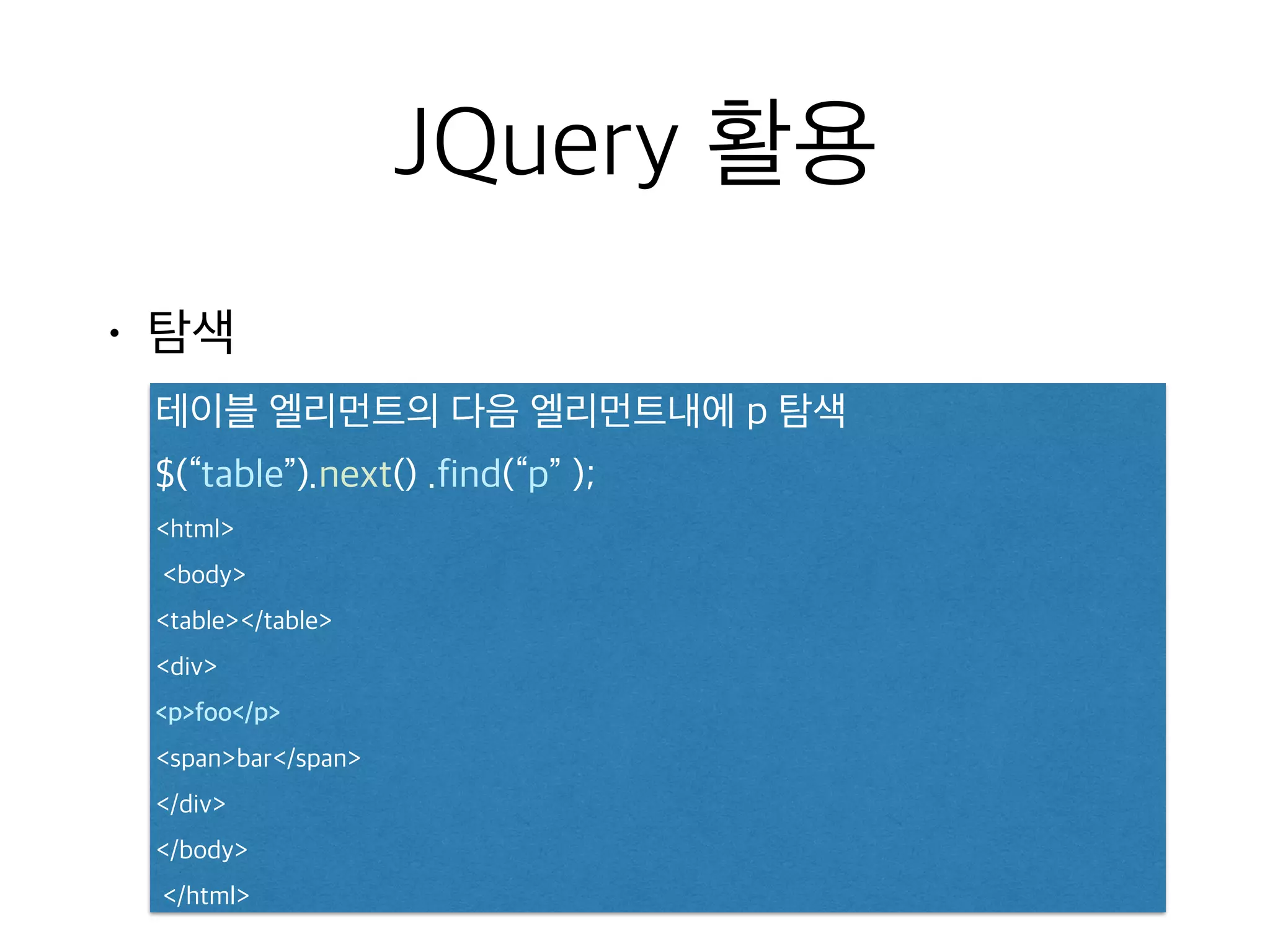
• 탐색
테이블엘리먼트의 다음 엘리먼트내에 p 탐색
$(“table”).next() .find(“p” );
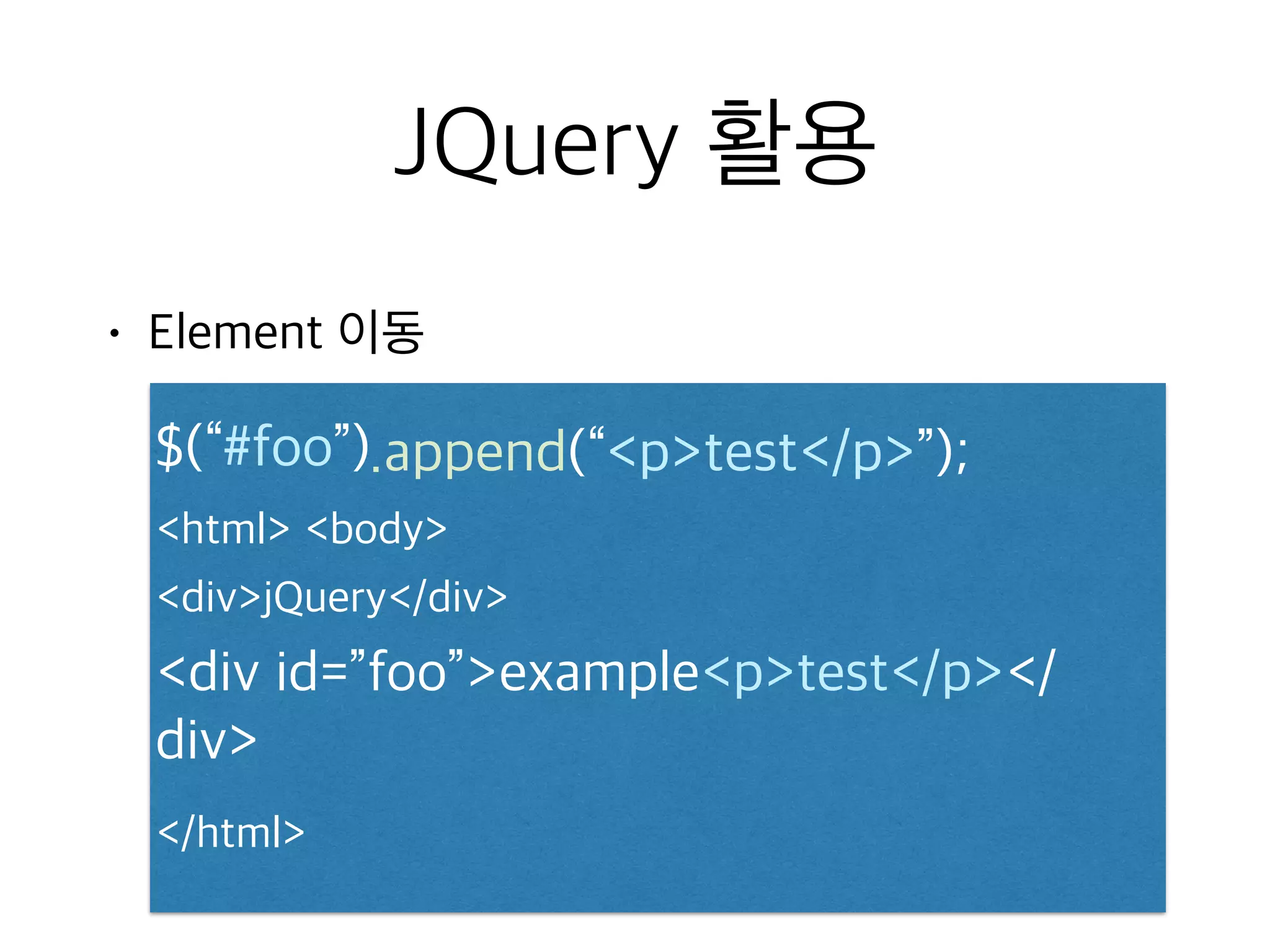
html
body
table/table
div
pfoo/p
spanbar/span
/div
/body
/html


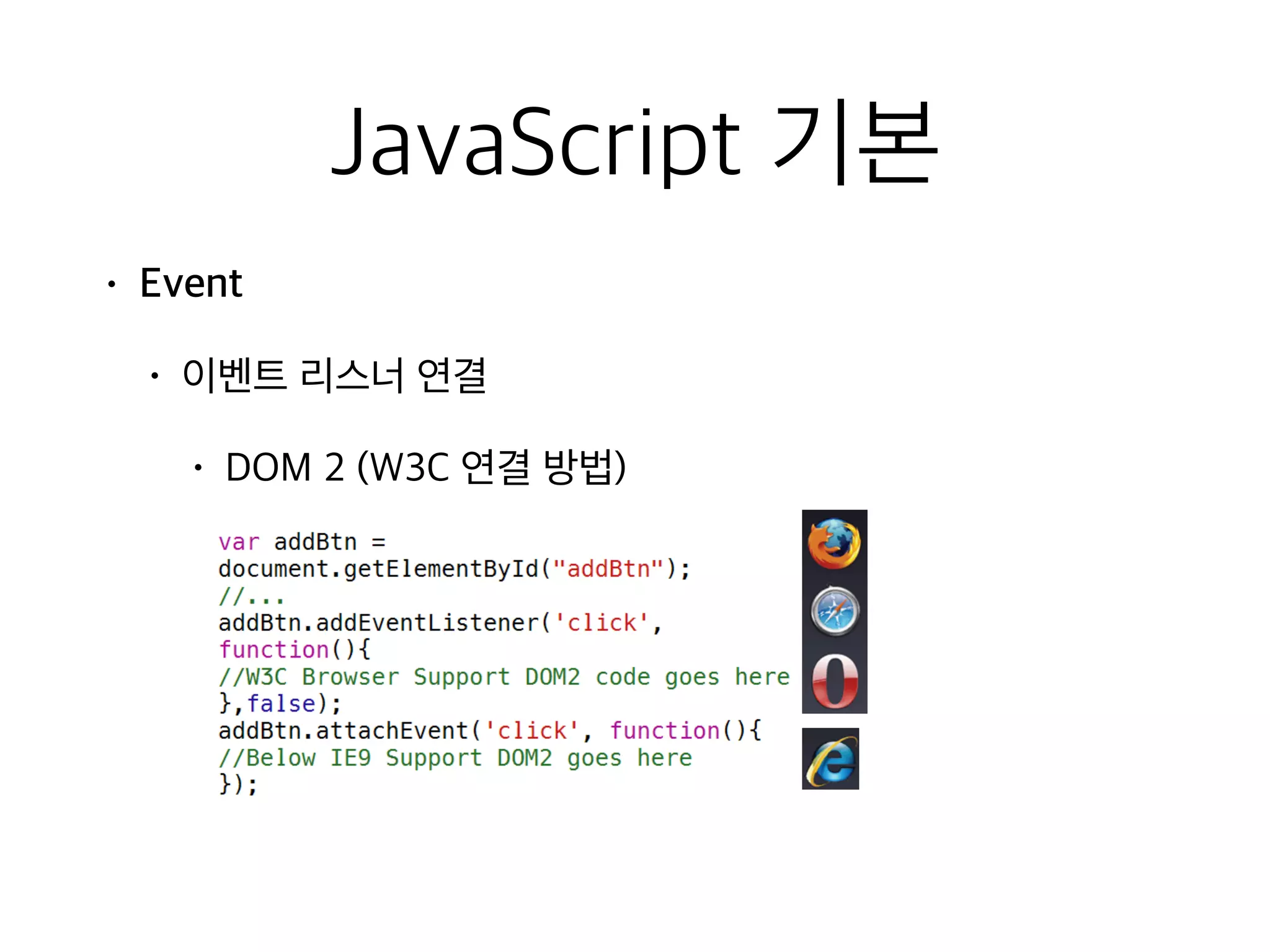
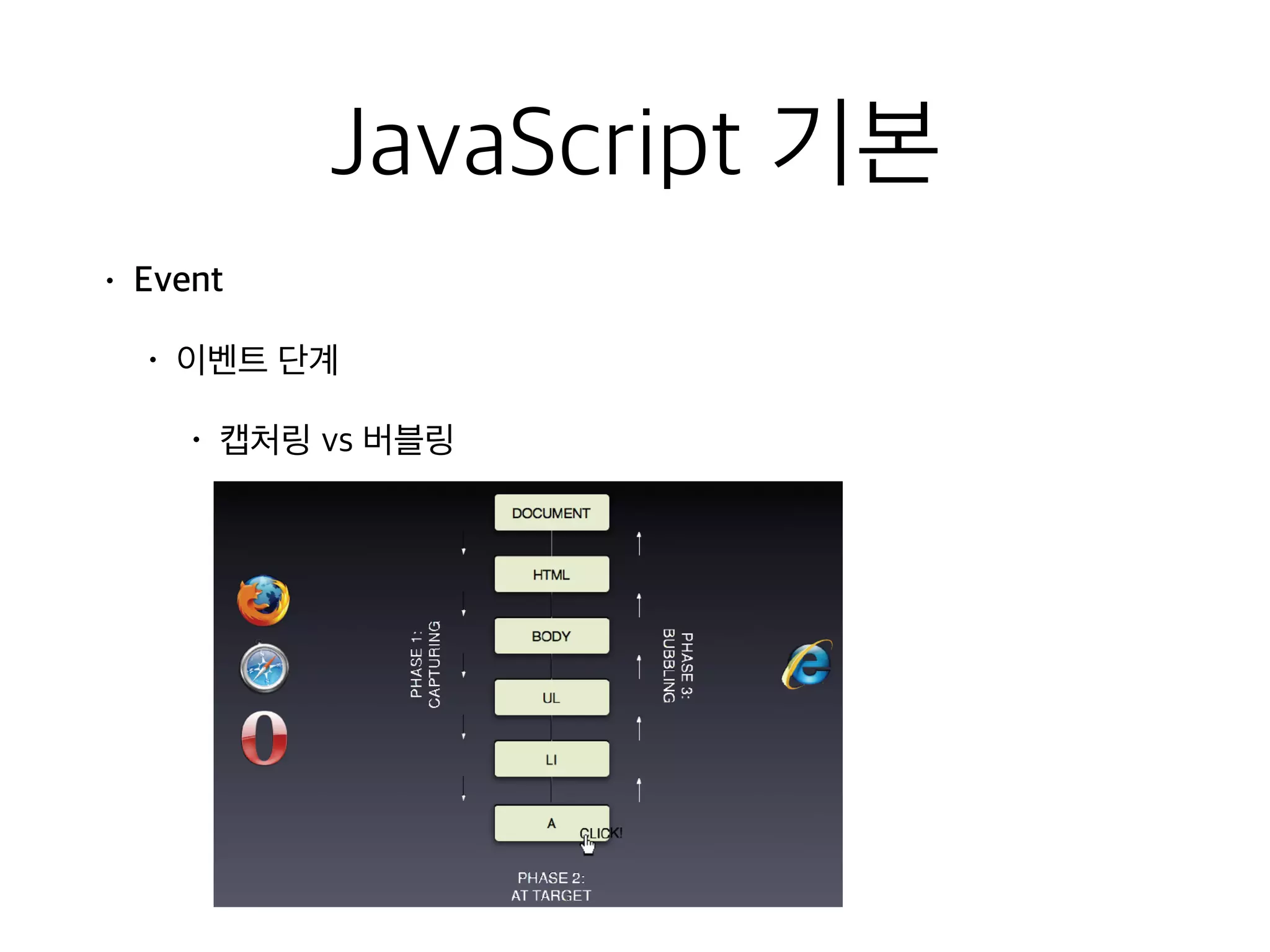
![JavaScript 기본
• Function this context
• 함수 호출 방식에 따라 대상이 다름
• 객체 자신을 접근할 수 있는 방법 제공
• 실행시점에 동적으로 바인딩 가능
실행방법% this%
function% global%object%===%window%
method% the%object%
constructor% the%new%object%
Apply,Call% arguments[0]%object%](https://image.slidesharecdn.com/javascriptjqueryslideshare-150426203947-conversion-gate02/75/Java-script-jquery-19-2048.jpg)

![JQuery 활용
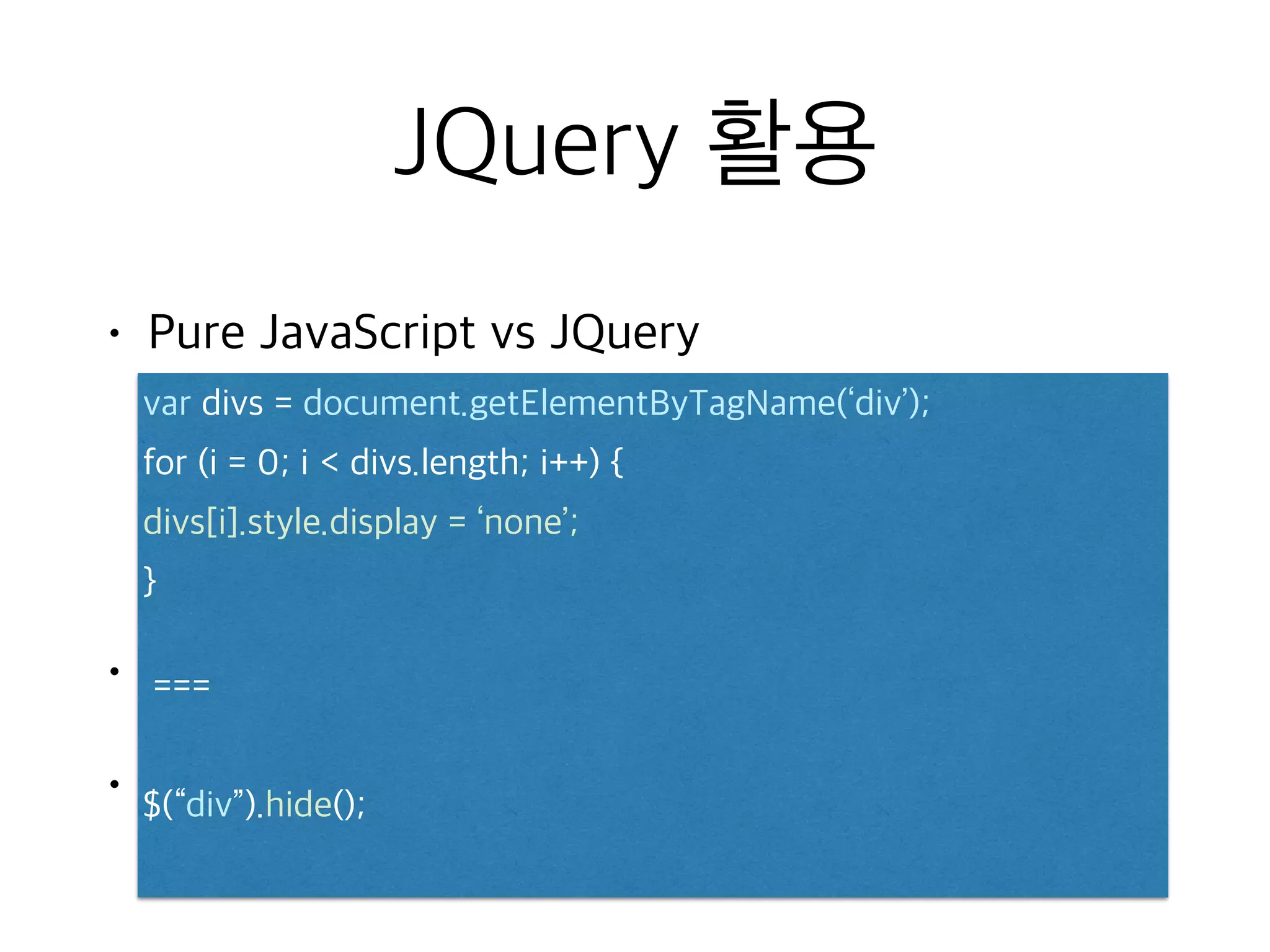
• Pure JavaScript vs JQuery
•
•
var divs = document.getElementByTagName(‘div’);
for (i = 0; i divs.length; i++) {
divs[i].style.display = ‘none’;
}
===
$(“div”).hide();](https://image.slidesharecdn.com/javascriptjqueryslideshare-150426203947-conversion-gate02/75/Java-script-jquery-42-2048.jpg)
![JQuery 활용
• 원하는 HTML Element를 찾아서
$(“#content”) id로 element 찾음
$(“li:first”) 첫번째 목록의 element 찾음
$(“tr:odd”) 테이블의 짝수 줄 element 찾음
$(“a[target=_blank]”) a 태그 중 target이 _blank를 찾음
$(“form[id^=step]”) form id중 step으로 시작하는
element 찾음](https://image.slidesharecdn.com/javascriptjqueryslideshare-150426203947-conversion-gate02/75/Java-script-jquery-44-2048.jpg)




![[대구] 준성이엔씨 서비스 홍보문서](https://cdn.slidesharecdn.com/ss_thumbnails/random-151105091005-lva1-app6892-thumbnail.jpg?width=640&height=640&fit=bounds)


![[울산]이이알앤씨 기업 홍보문서](https://cdn.slidesharecdn.com/ss_thumbnails/random-151110011709-lva1-app6892-thumbnail.jpg?width=640&height=640&fit=bounds)


![[하코사세미나] 한 시간 만에 배우는 Jquery](https://cdn.slidesharecdn.com/ss_thumbnails/jquery-151208015421-lva1-app6891-thumbnail.jpg?width=640&height=640&fit=bounds)

![[D2CAMPUS]JavaScript 다시 시작하기](https://cdn.slidesharecdn.com/ss_thumbnails/d2campusjavascript-150822065956-lva1-app6891-thumbnail.jpg?width=640&height=640&fit=bounds)


