JAVA Multithreading
Unit 2
Topics :
• Introduction to thread
• Creation of thread
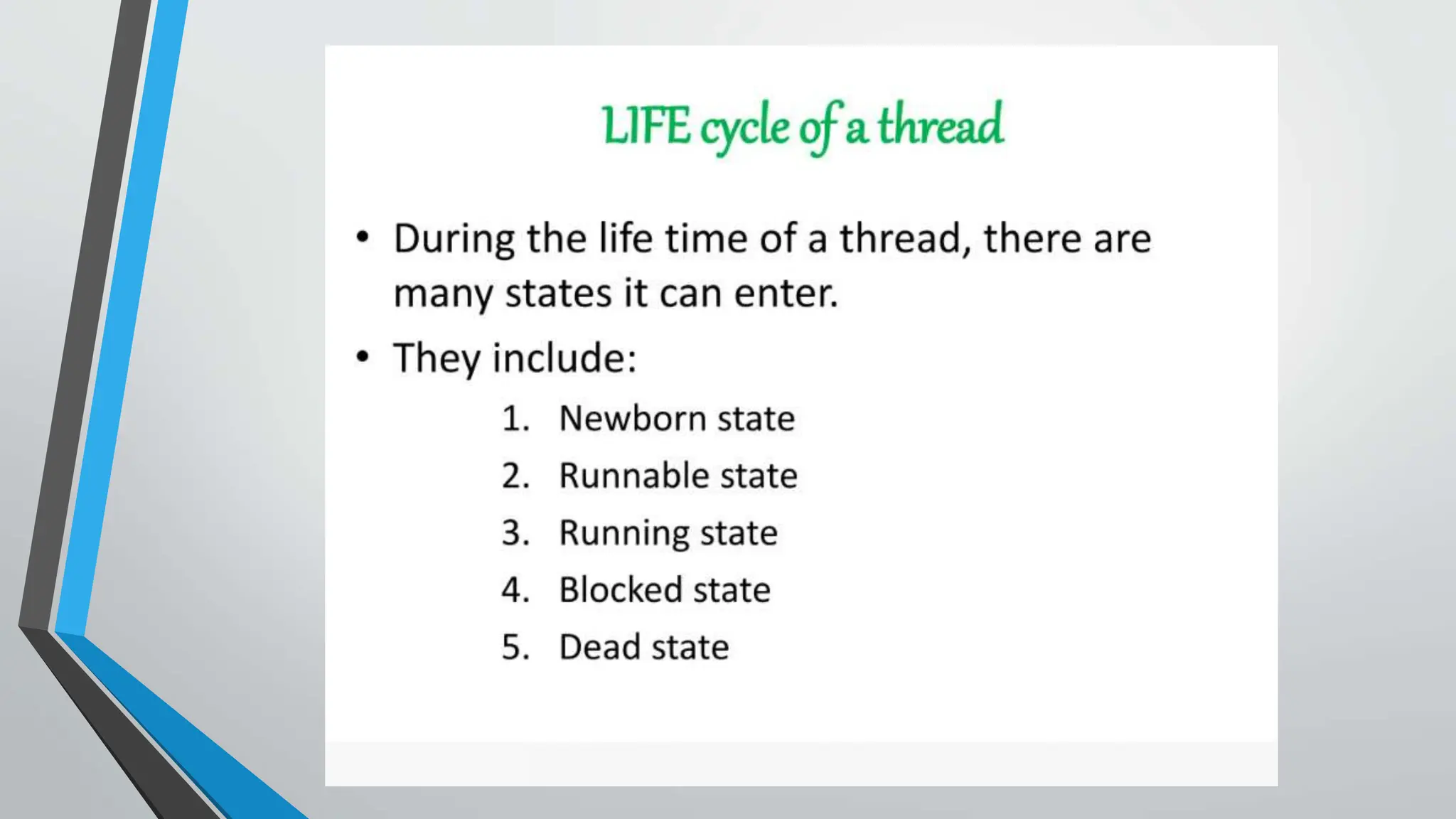
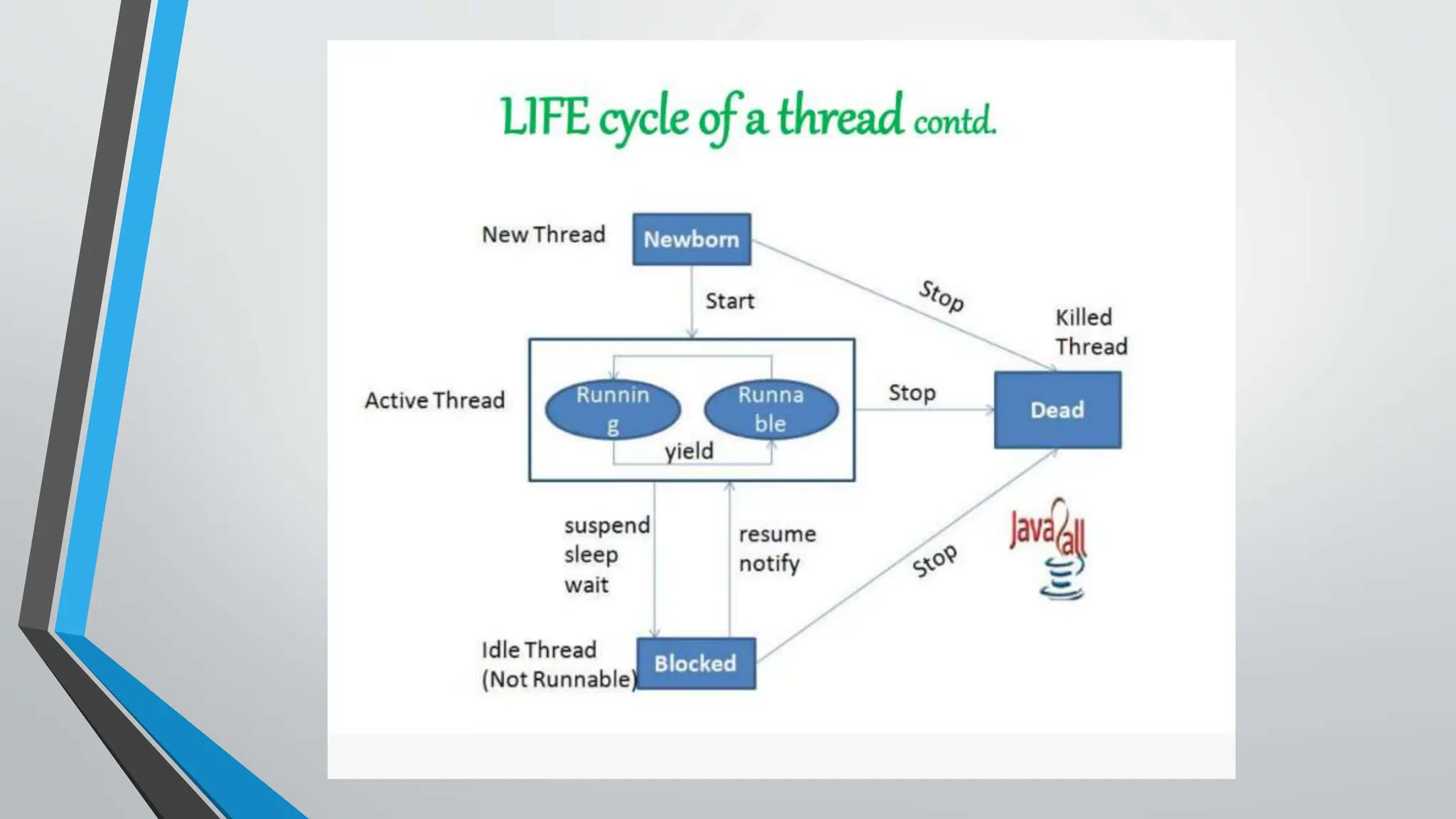
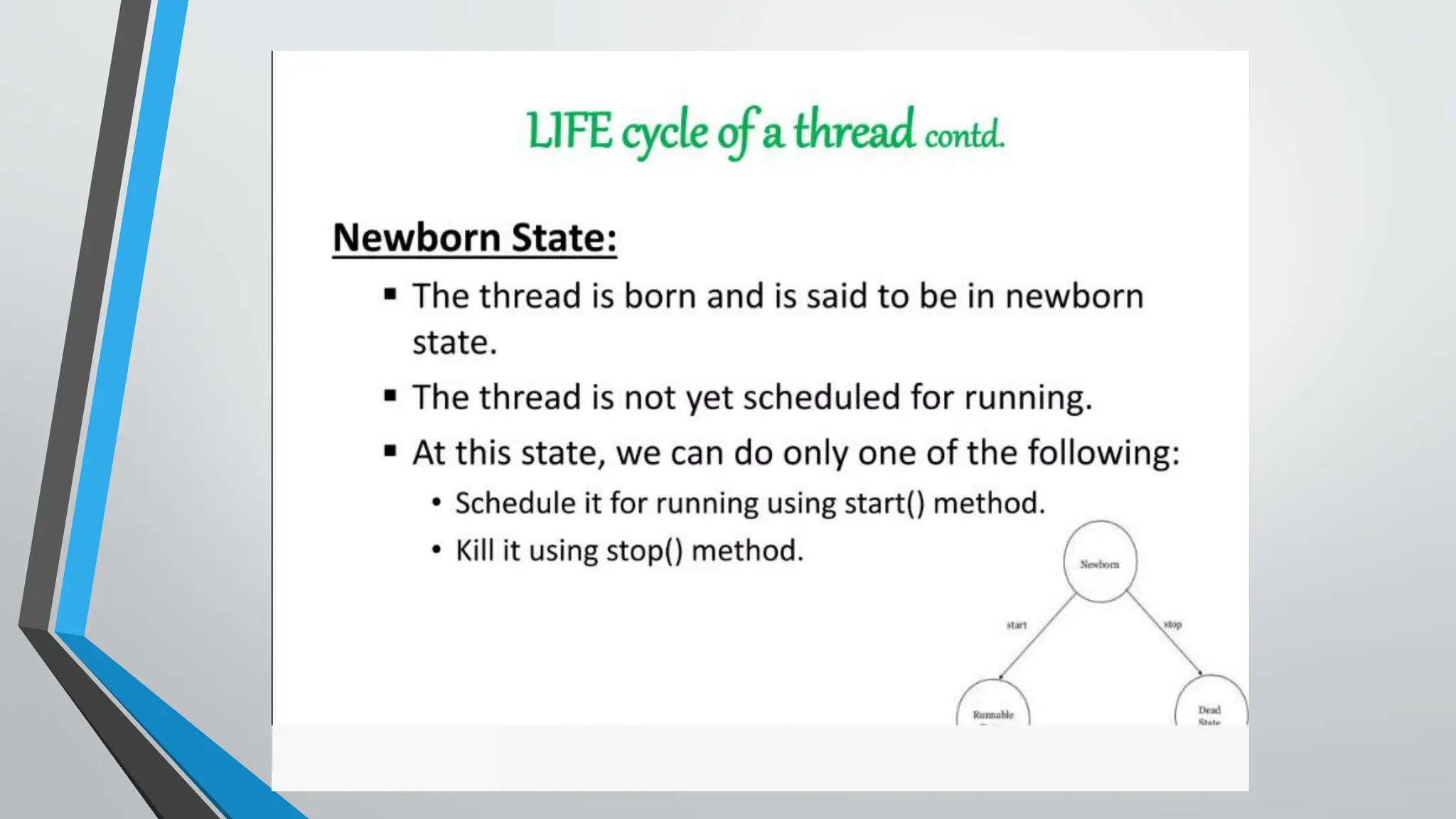
• Life cycle of thread
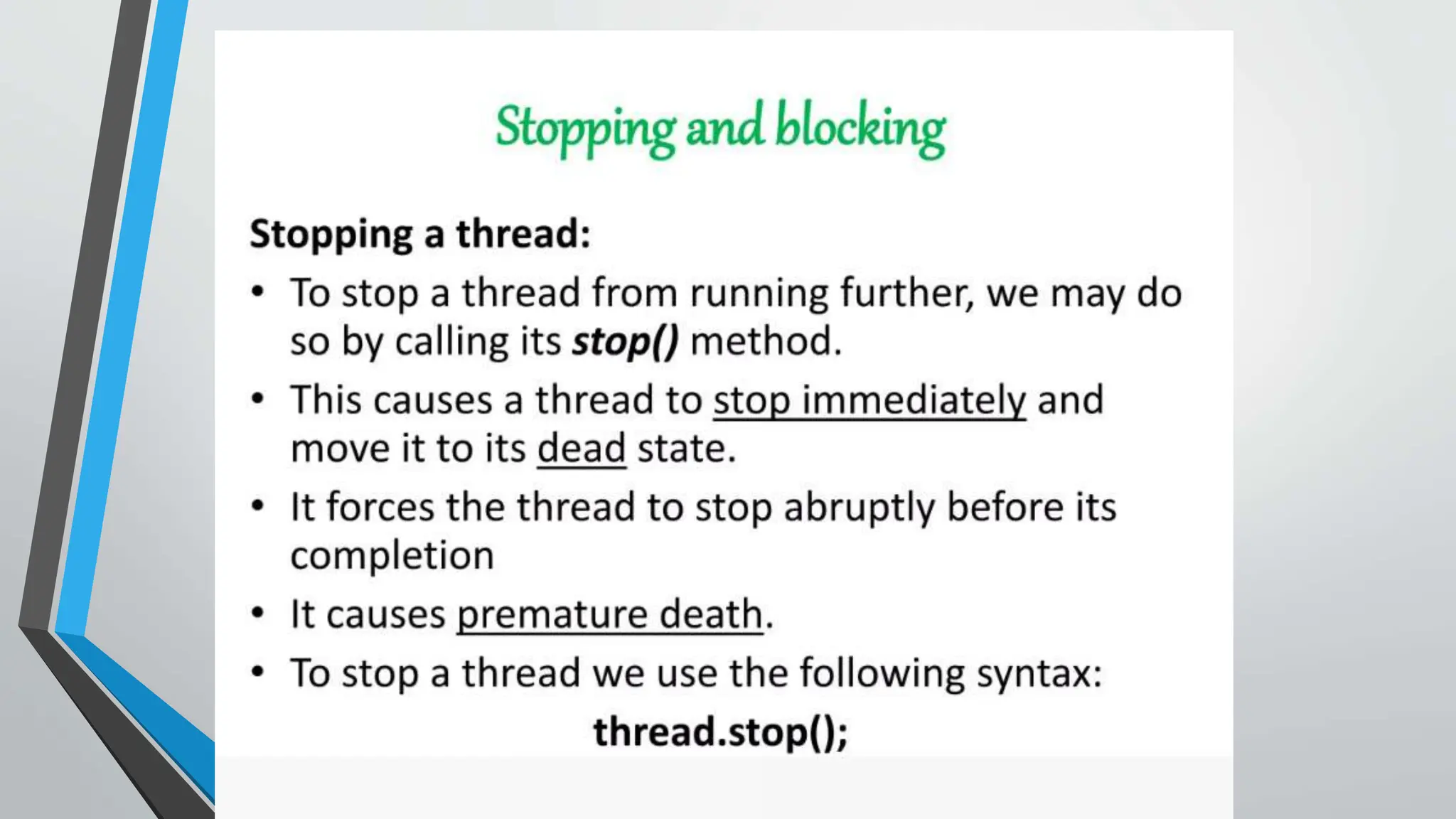
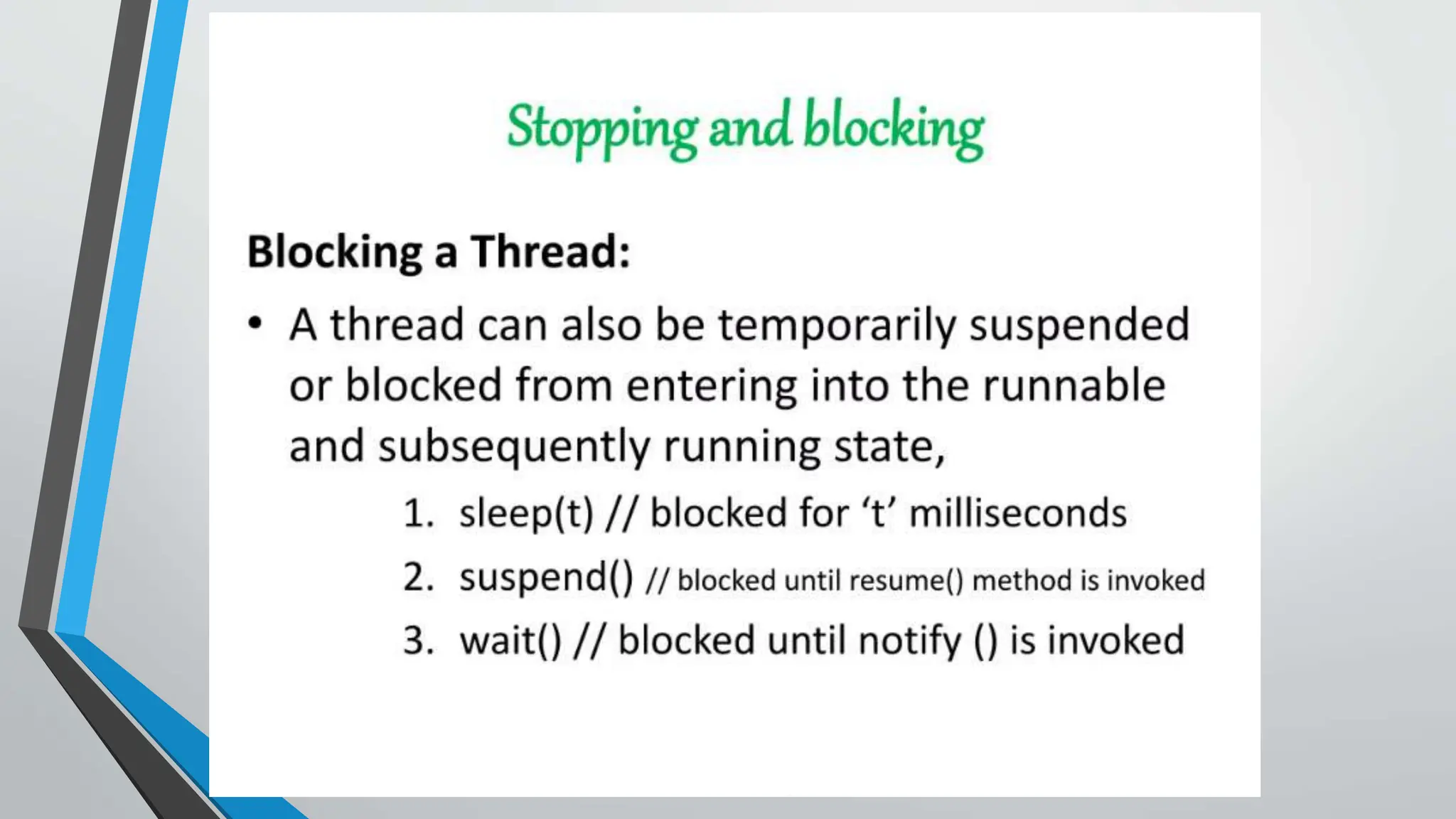
• Stopping and blocking of thread
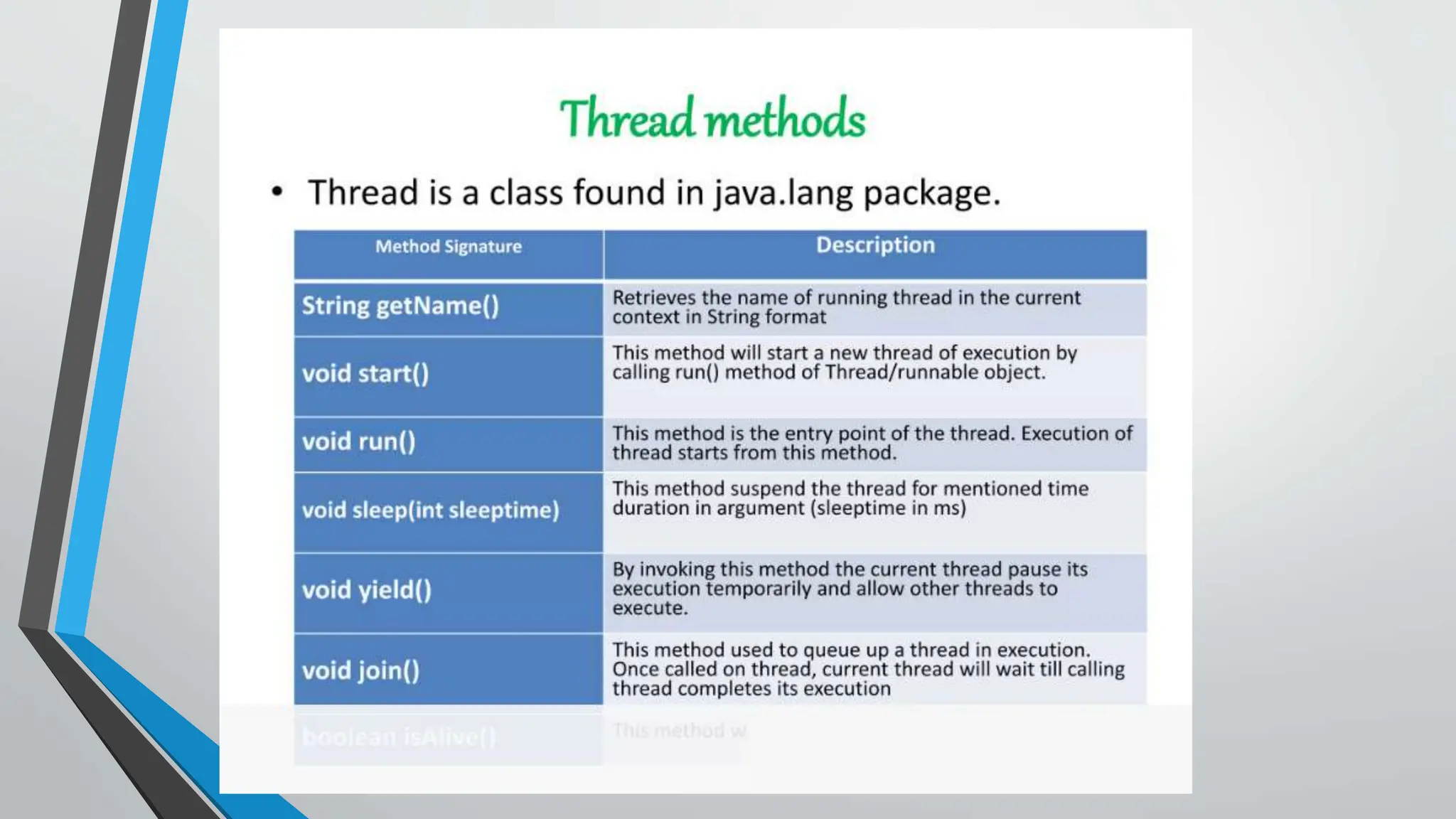
• Using thread Methods
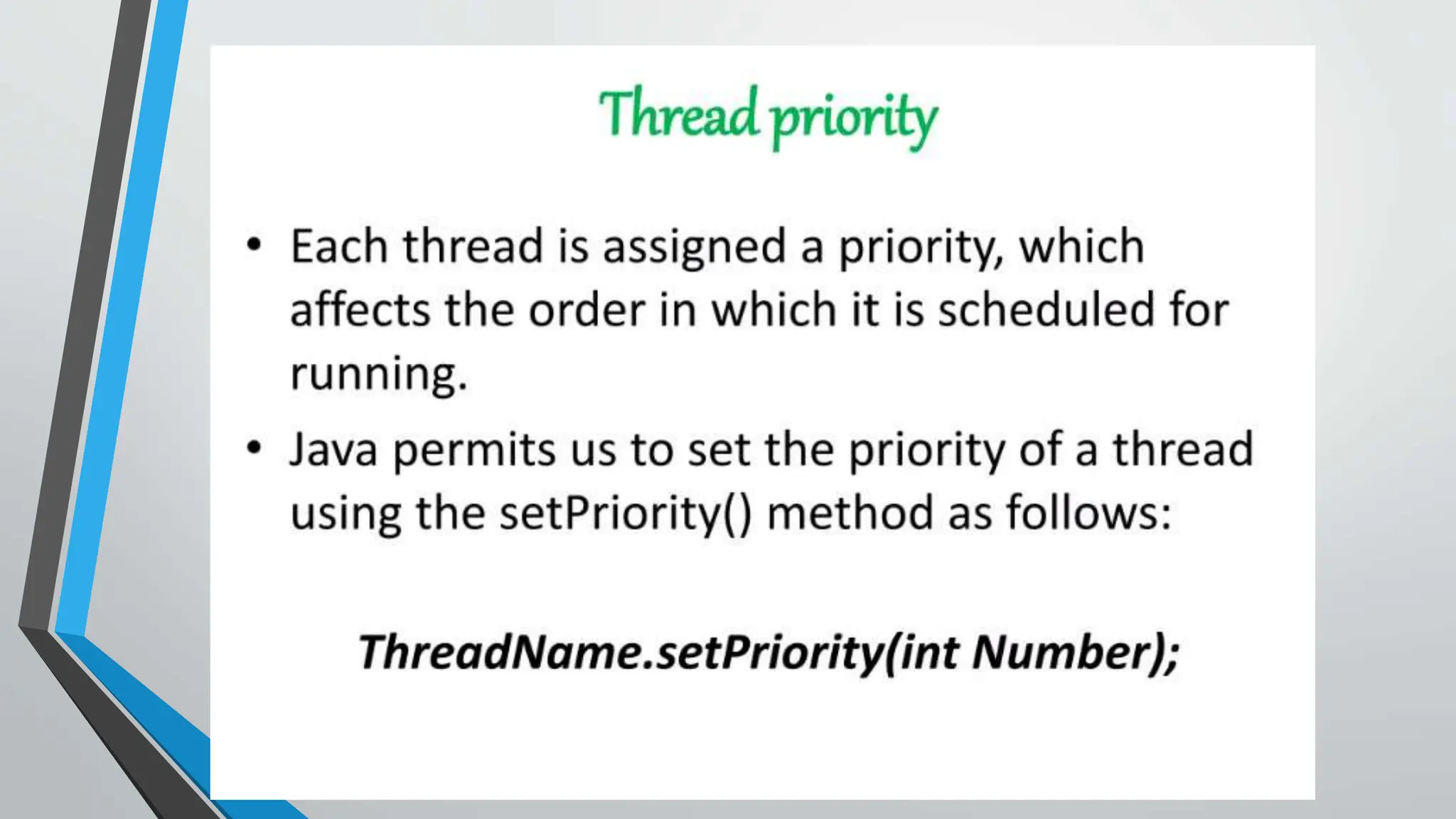
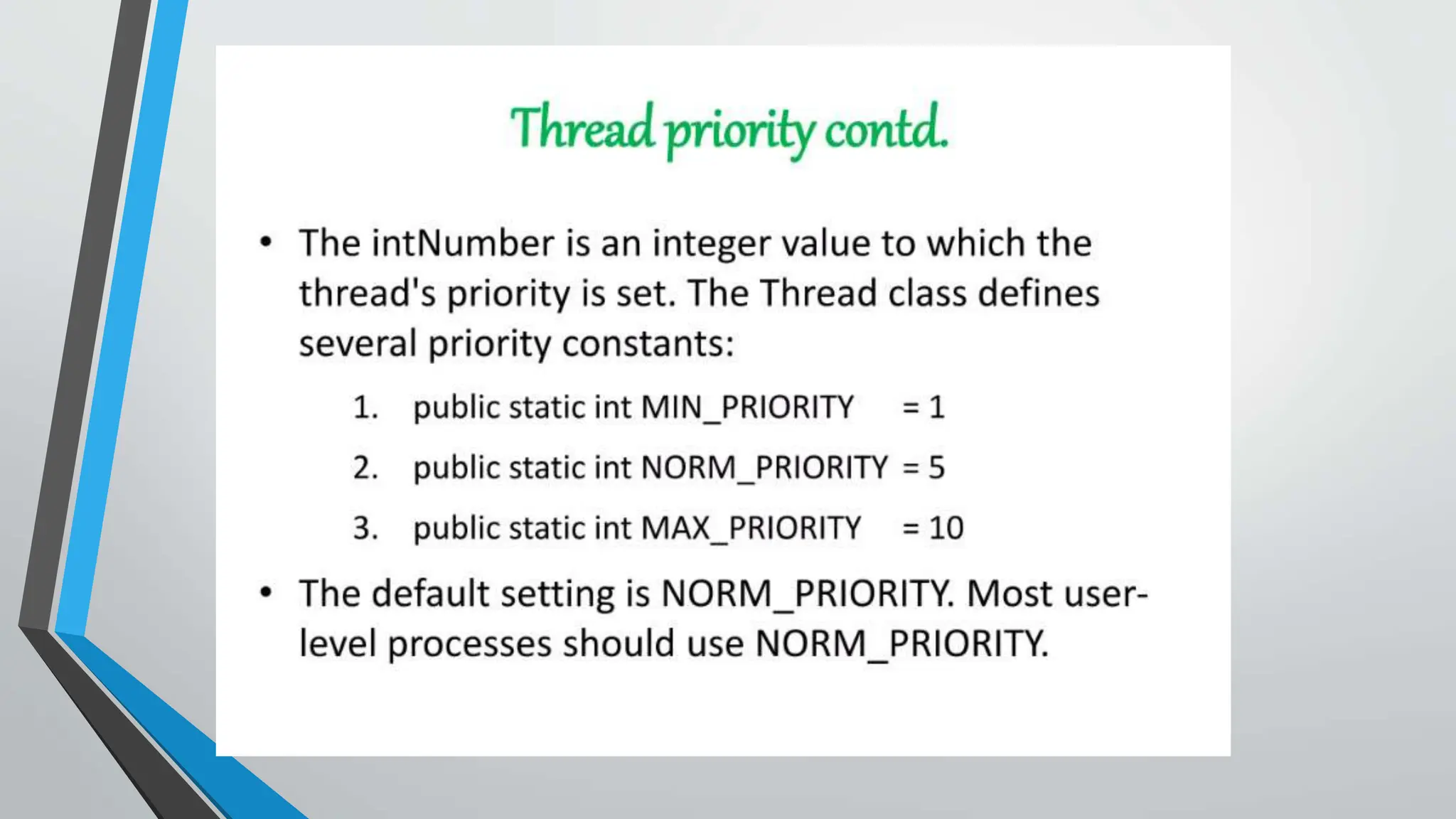
• Thread Priority
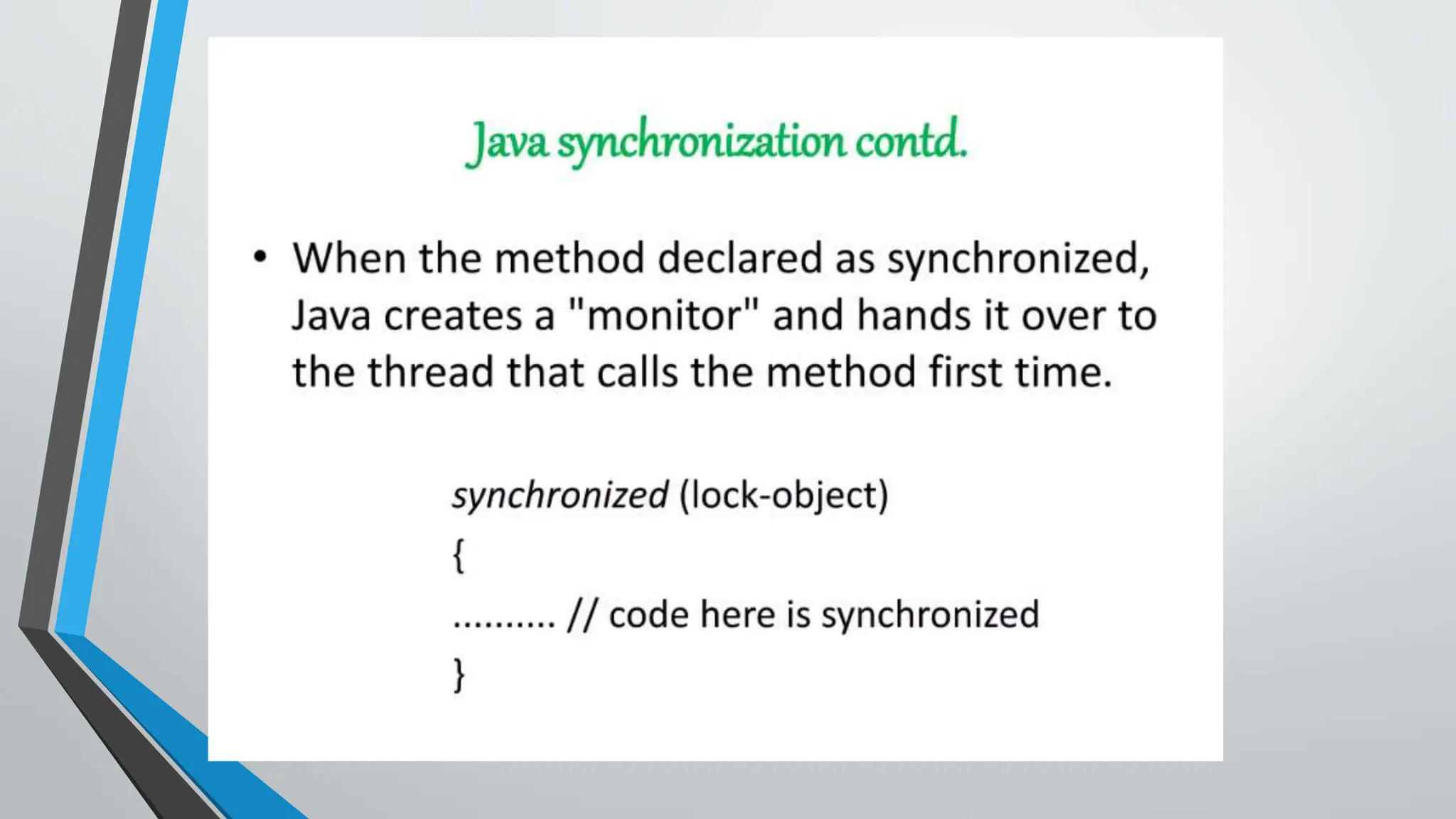
• Thread Synchronization
• Inter-Thread Communication
IntroductionToThread
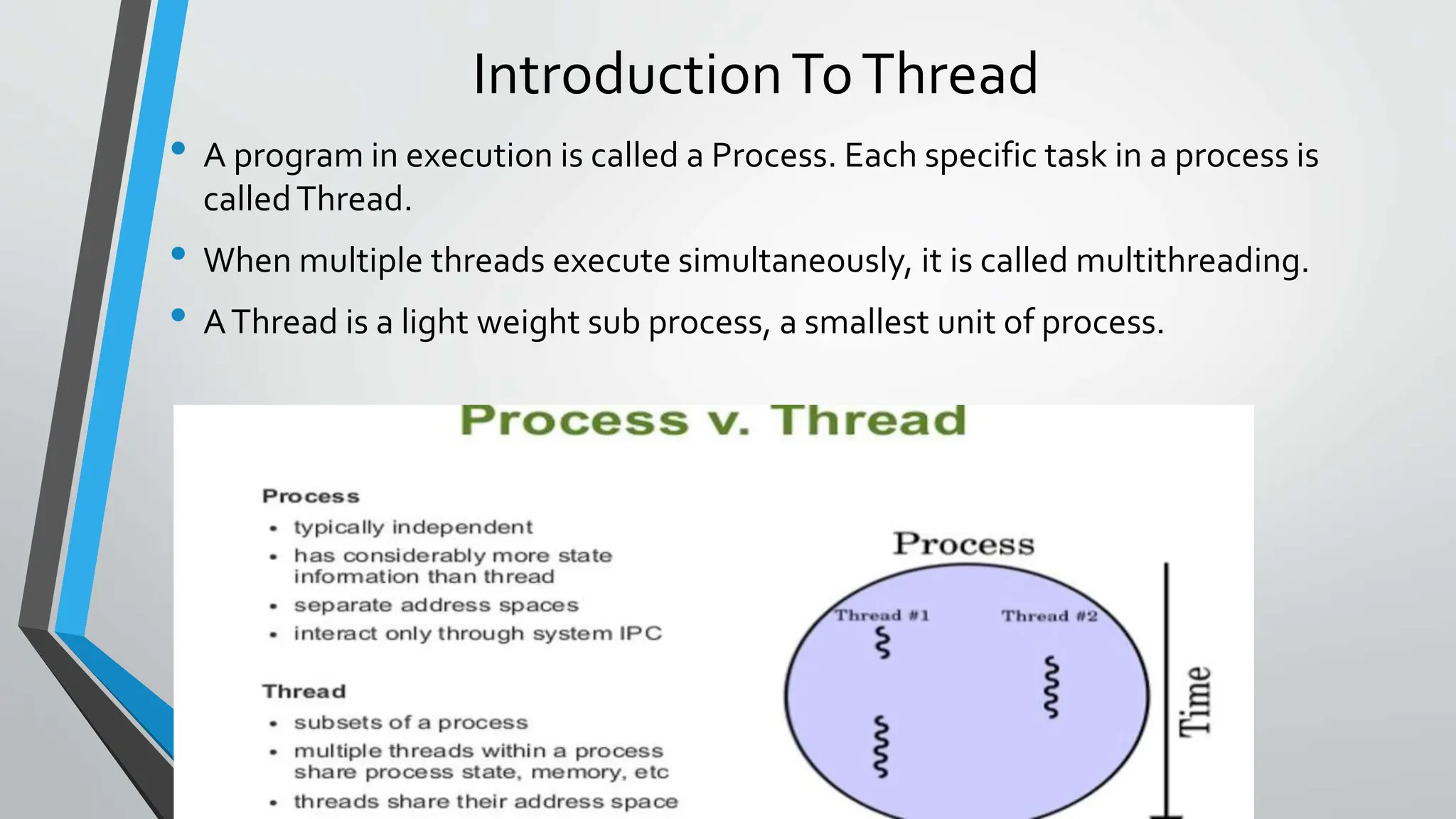
• A program in execution is called a Process. Each specific task in a process is
calledThread.
• When multiple threads execute simultaneously, it is called multithreading.
• AThread is a light weight sub process, a smallest unit of process.
MULTITHREADING
• MultiThreading in java is a process of executing multiple processes
simultaneously.
• A program is divided into two or more sub-programs, which can be
implemented at the same time I parallel.
• Multiprocessing and multithreading, both are used to achive multitasking.
• Java Multithreading is mostly used in games, animation etc.
Multithreading Advantages
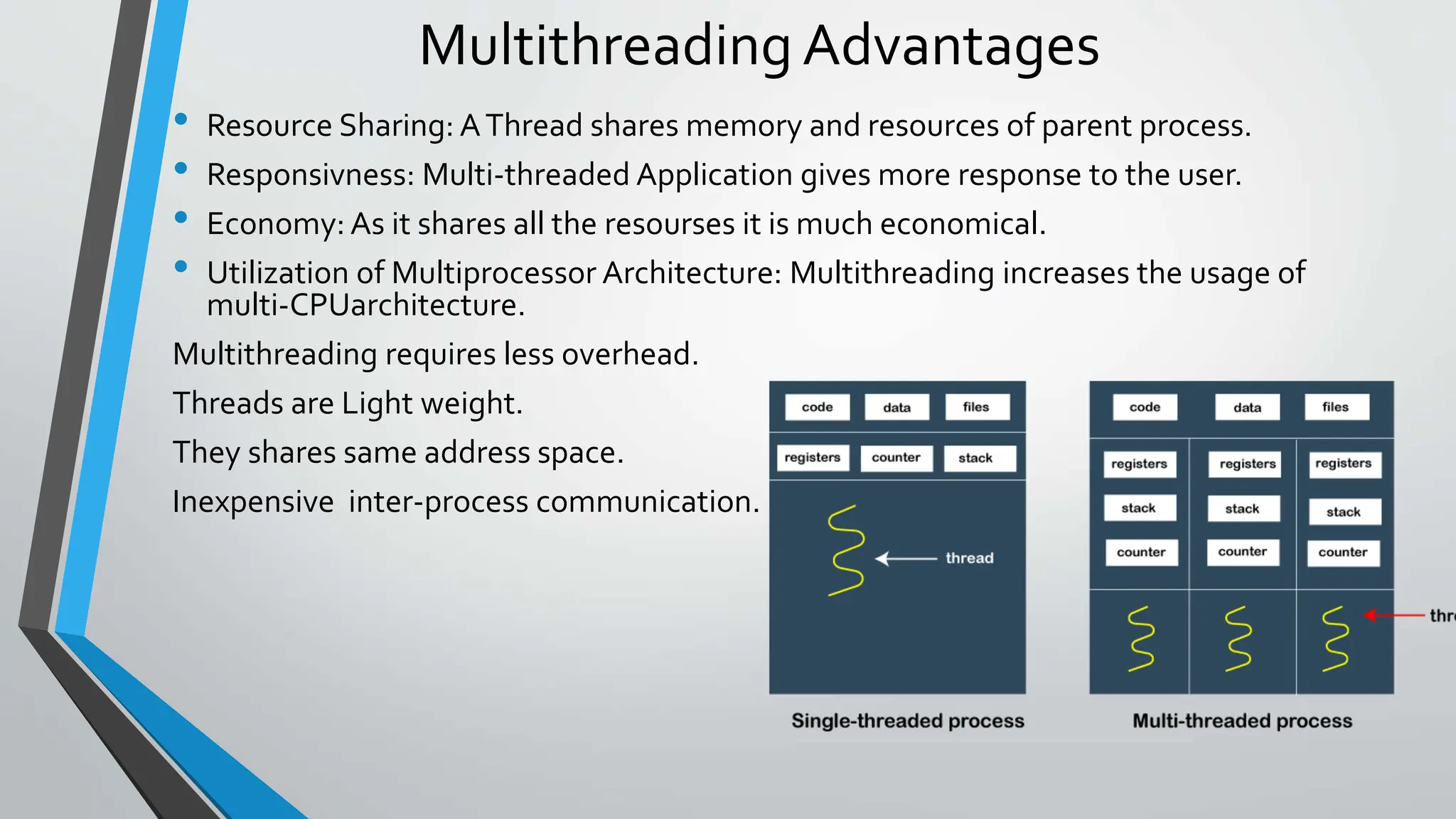
• Resource Sharing: AThread shares memory and resources of parent process.
• Responsivness: Multi-threaded Application gives more response to the user.
• Economy: As it shares all the resourses it is much economical.
• Utilization of Multiprocessor Architecture: Multithreading increases the usage of
multi-CPUarchitecture.
Multithreading requires less overhead.
Threads are Light weight.
They shares same address space.
Inexpensive inter-process communication.
CreatingThread
• Threads are created in the form of objects.
• The run() and start() are two inbuilt methods which helps to thread
implementation.
• The run() method is the heart and soul of any thread
---It makes the entire body of the thread.
• The run() method can be initiatingwith the help of start() method.
//Program to use setPriority and getPriority
public class Demo extends Thread
{
public void run()
{
System.out.println("Priority of thread is: "+Thread.cur
rentThread().getPriority());
}
public static void main(String args[])
{
// creating one thread
Demo t1=new JavaSetPriorityExp1();
// print the maximum priority of this thread
t1.setPriority(Thread.MAX_PRIORITY);
// call the run() method
t1.start();
}
}
Output:
Priority of thread is: 10
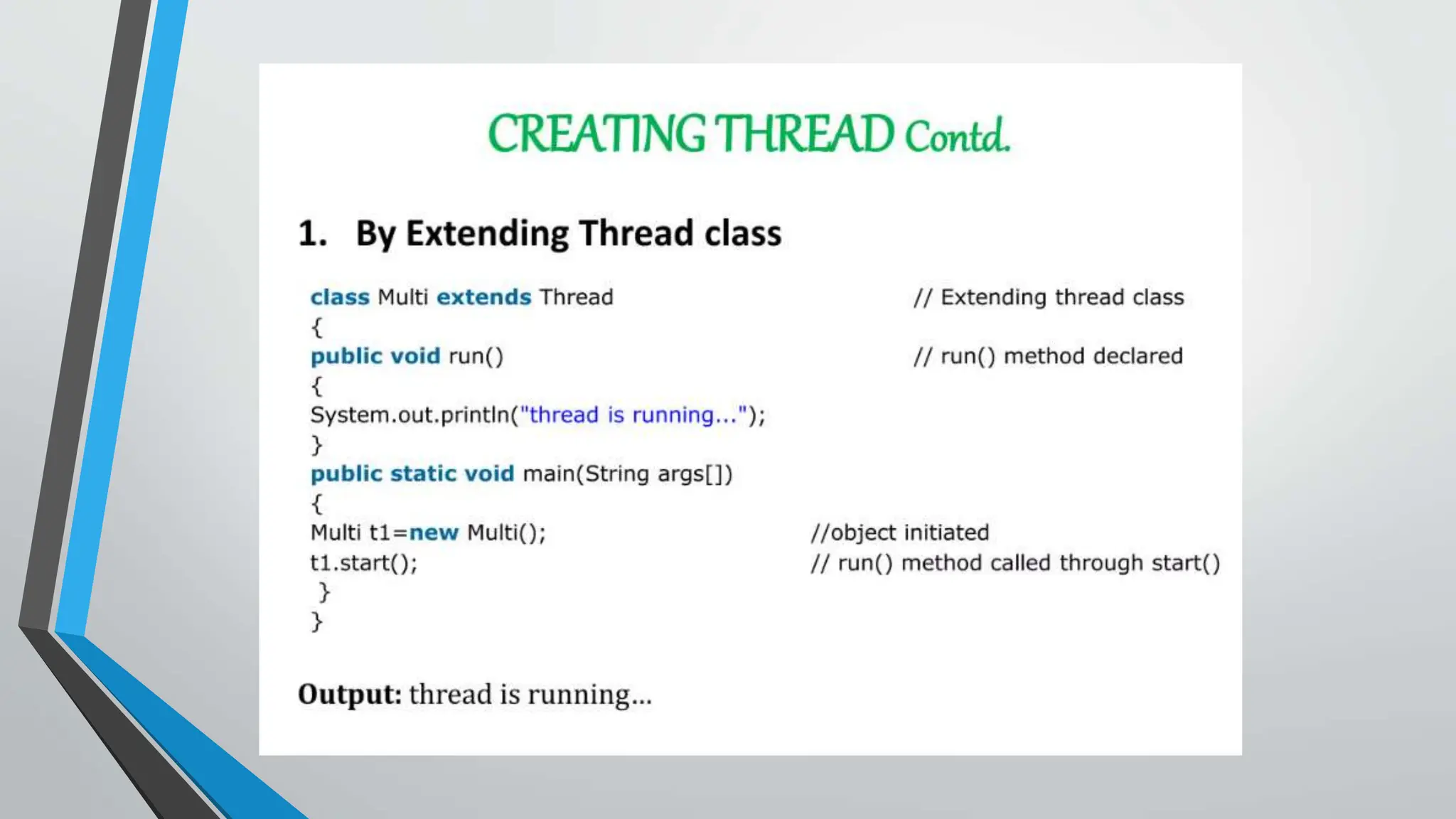
1) Java Thread Example by extending Thread
class
class Multi extends Thread{
public void run(){
System.out.println("thread is running...");
}
public static void main(String args[]){
Multi t1=new Multi();
t1.start();
}
}
WAP Using the Thread Class: Thread(Runnable r, String
name)
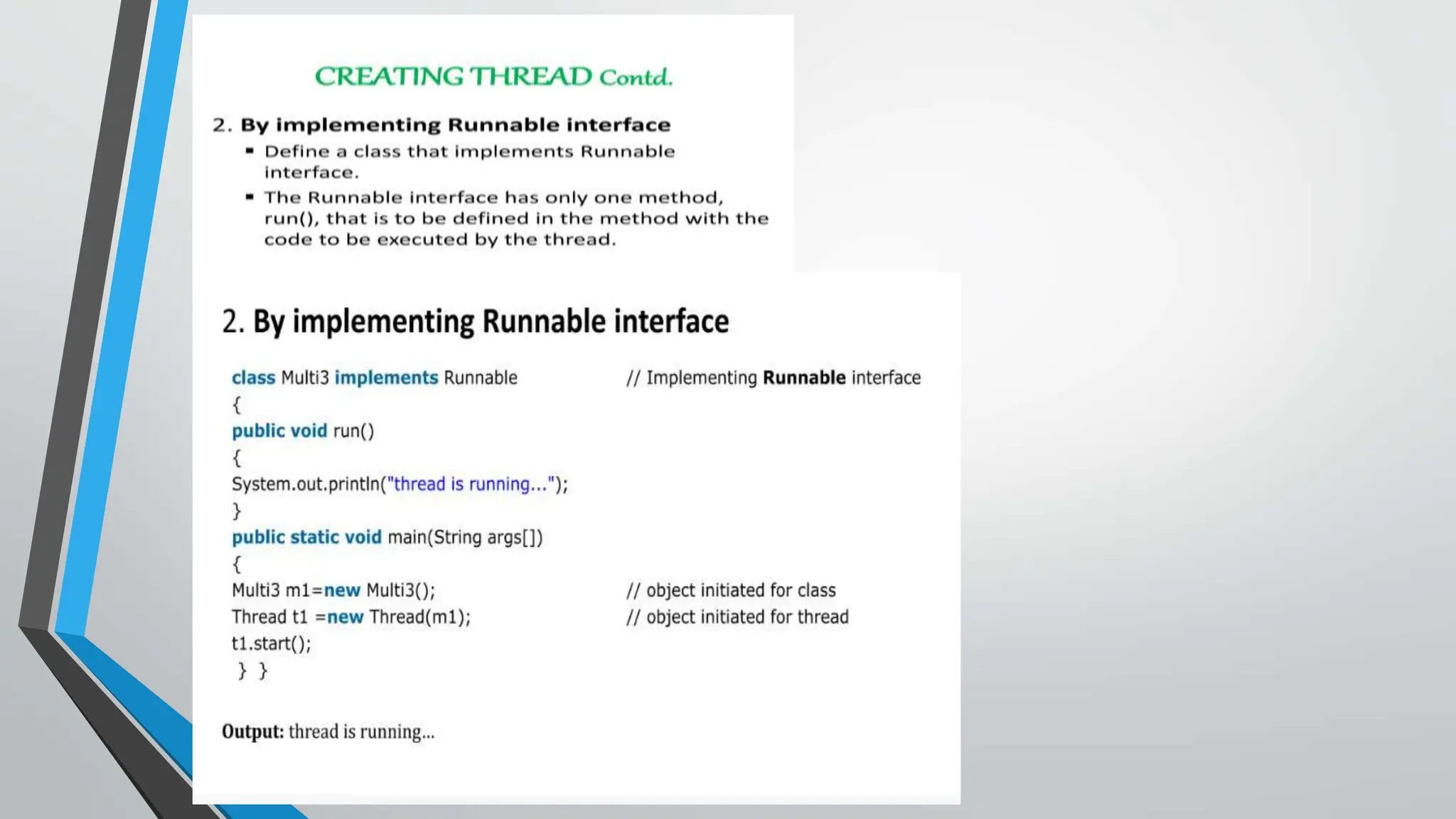
public class MyThread2 implements Runnable
{
public void run()
{
System.out.println("Now the thread is running ...");
}
public static void main(String argvs[])
{
Runnable r1 = new MyThread2(); // creating an object of the class MyThread2
Thread th1 = new Thread(r1, "My new thread"); // creating an object of the class Thread using Thread(Run
nable r, String name)
// the start() method moves the thread to the active state
th1.start();
// getting the thread name by invoking the getName() method
String str = th1.getName();
System.out.println(str);
} }
Output:
My new thread
Now the thread is running ...
Example of the sleep() Method in Java : on the main
thread
import java.lang.Thread;
import java.io.*;
public class TestSleepMethod2
{ public static void main(String args[])
{ try {
for (int j = 0; j < 5; j++)
{
// The main thread sleeps for the 1000 milliseconds, which is 1 sec
Thread.sleep(1000); // whenever the loop runs
System.out.println(j); // displaying the value of the variable
} }
catch (Exception expn)
{ System.out.println(expn); }
}
}
Output:
0
1
2
3
4
// Java code for thread creation by extending the Thread class
class MultithreadingDemo extends Thread {
public void run()
{
try {
// Displaying the thread that is running
System.out.println(
"Thread " + Thread.currentThread().getId() + " is running");
}
catch (Exception e) {
// Throwing an exception
System.out.println("Exception is caught");
}}}
// Main Class
public class Multithread {
public static void main(String[] args)
{
int n = 8; // Number of threads
for (int i = 0; i < n; i++) {
MultithreadingDemo object= new MultithreadingDemo();
object.start();
}
}
}
Output:
Thread 15 is running
Thread 14 is running
Thread 16 is running
Thread 12 is running
Thread 11 is running
Thread 13 is running
Thread 18 is running
Thread 17 is running
Program for Syncronization
Class mythread extendsThread
{
String msg[]={“Java”, “Supports”, “Multithreading”,”Concepts”};
mythread(String name)
{
super(name)
public void run()
{
Display(getName());
System.out.println(“Exit From “+getName());
}
)//Synchronized method
Synchronized void display(String name
{
For(int i=0;i<msg.length;i++)
{ System.out.println(name+msg[i]);
}
}
//Main Class
Class MySynchro
{
Public static void main(String args[])
{
mythread t1=new mythread(“Thread 1 :”);
mythread t2=new mythread(“Thread 2 :”);
T1.start();
T2.start();
System.out.println(“Main thread Exited”);
}
}
Output:
StartingThread - 1
StartingThread - 2
Counter --- 5
Counter --- 4
Counter --- 3
Counter --- 2
Counter --- 1
ThreadThread - 1 exiting.
Counter --- 5
Counter --- 4
Counter --- 3
Counter --- 2
Counter --- 1
ThreadThread - 2 exiting.
Inter-Thread Communication
• Inter-thread communication in Java is a mechanism in which a thread is
paused running in its critical section and another thread is allowed to enter
(or lock) in the same critical section to be executed.
• How Java multi-threading tackles this problem?
• To avoid polling, Java uses three methods, namely, wait(), notify(), and
notifyAll(). All these methods belong to object class as final so that all
classes have them. They must be used within a synchronized block only.
• wait(): It tells the calling thread to give up the lock and go to sleep until
some other thread enters the same monitor and calls notify().
• notify(): It wakes up one single thread called wait() on the same object. It
should be noted that calling notify() does not give up a lock on a resource.
• notifyAll(): It wakes up all the threads called wait() on the same object.
Chat {
boolean flag = false;
public synchronized void Question(String msg) {
if (flag) {
try {class
wait();
} catch (InterruptedException e) {
e.printStackTrace();
}
}
System.out.println(msg);
flag = true;
notify();
}
public synchronized void Answer(String msg) {
if (!flag) {
try {
wait();
} catch (InterruptedException e) {
e.printStackTrace();
}
}
System.out.println(msg);
flag = false;
notify();}}
classT1 implements Runnable {
Chat m;
String[] s1 = { "Hi", "How are you ?", "I am also doing fine!" };
publicT1(Chat m1) {
this.m = m1;
newThread(this, "Question").start();
}
public void run() {
for (int i = 0; i < s1.length; i++) {
m.Question(s1[i]);
}
} }
classT2 implements Runnable {
Chat m;
String[] s2 = { "Hi", "I am good, what about you?", "Great!" }
publicT2(Chat m2) {
this.m = m2;
newThread(this, "Answer").start();
}
public void run() {
for (int i = 0; i < s2.length; i++) {
m.Answer(s2[i]);
}
} }
public classTestThread {
public static void main(String[] args) {
Chat m = new Chat();
newT1(m);
newT2(m);
}
}
Output:
Hi
Hi
How are you ?
I am good, what about you?
I am also doing fine!
Great!

Java programming PPT. .pptx

  • 1.
  • 2.
    Topics : • Introductionto thread • Creation of thread • Life cycle of thread • Stopping and blocking of thread • Using thread Methods • Thread Priority • Thread Synchronization • Inter-Thread Communication
  • 3.
    IntroductionToThread • A programin execution is called a Process. Each specific task in a process is calledThread. • When multiple threads execute simultaneously, it is called multithreading. • AThread is a light weight sub process, a smallest unit of process.
  • 4.
    MULTITHREADING • MultiThreading injava is a process of executing multiple processes simultaneously. • A program is divided into two or more sub-programs, which can be implemented at the same time I parallel. • Multiprocessing and multithreading, both are used to achive multitasking. • Java Multithreading is mostly used in games, animation etc.
  • 5.
    Multithreading Advantages • ResourceSharing: AThread shares memory and resources of parent process. • Responsivness: Multi-threaded Application gives more response to the user. • Economy: As it shares all the resourses it is much economical. • Utilization of Multiprocessor Architecture: Multithreading increases the usage of multi-CPUarchitecture. Multithreading requires less overhead. Threads are Light weight. They shares same address space. Inexpensive inter-process communication.
  • 6.
    CreatingThread • Threads arecreated in the form of objects. • The run() and start() are two inbuilt methods which helps to thread implementation. • The run() method is the heart and soul of any thread ---It makes the entire body of the thread. • The run() method can be initiatingwith the help of start() method.
  • 19.
    //Program to usesetPriority and getPriority public class Demo extends Thread { public void run() { System.out.println("Priority of thread is: "+Thread.cur rentThread().getPriority()); } public static void main(String args[]) { // creating one thread Demo t1=new JavaSetPriorityExp1(); // print the maximum priority of this thread t1.setPriority(Thread.MAX_PRIORITY); // call the run() method t1.start(); } } Output: Priority of thread is: 10
  • 20.
    1) Java ThreadExample by extending Thread class class Multi extends Thread{ public void run(){ System.out.println("thread is running..."); } public static void main(String args[]){ Multi t1=new Multi(); t1.start(); } }
  • 21.
    WAP Using theThread Class: Thread(Runnable r, String name) public class MyThread2 implements Runnable { public void run() { System.out.println("Now the thread is running ..."); } public static void main(String argvs[]) { Runnable r1 = new MyThread2(); // creating an object of the class MyThread2 Thread th1 = new Thread(r1, "My new thread"); // creating an object of the class Thread using Thread(Run nable r, String name) // the start() method moves the thread to the active state th1.start(); // getting the thread name by invoking the getName() method String str = th1.getName(); System.out.println(str); } } Output: My new thread Now the thread is running ...
  • 22.
    Example of thesleep() Method in Java : on the main thread import java.lang.Thread; import java.io.*; public class TestSleepMethod2 { public static void main(String args[]) { try { for (int j = 0; j < 5; j++) { // The main thread sleeps for the 1000 milliseconds, which is 1 sec Thread.sleep(1000); // whenever the loop runs System.out.println(j); // displaying the value of the variable } } catch (Exception expn) { System.out.println(expn); } } } Output: 0 1 2 3 4
  • 23.
    // Java codefor thread creation by extending the Thread class class MultithreadingDemo extends Thread { public void run() { try { // Displaying the thread that is running System.out.println( "Thread " + Thread.currentThread().getId() + " is running"); } catch (Exception e) { // Throwing an exception System.out.println("Exception is caught"); }}} // Main Class public class Multithread { public static void main(String[] args) { int n = 8; // Number of threads for (int i = 0; i < n; i++) { MultithreadingDemo object= new MultithreadingDemo(); object.start(); } } } Output: Thread 15 is running Thread 14 is running Thread 16 is running Thread 12 is running Thread 11 is running Thread 13 is running Thread 18 is running Thread 17 is running
  • 29.
    Program for Syncronization Classmythread extendsThread { String msg[]={“Java”, “Supports”, “Multithreading”,”Concepts”}; mythread(String name) { super(name) public void run() { Display(getName()); System.out.println(“Exit From “+getName()); } )//Synchronized method Synchronized void display(String name { For(int i=0;i<msg.length;i++) { System.out.println(name+msg[i]); } } //Main Class Class MySynchro { Public static void main(String args[]) { mythread t1=new mythread(“Thread 1 :”); mythread t2=new mythread(“Thread 2 :”); T1.start(); T2.start(); System.out.println(“Main thread Exited”); } } Output: StartingThread - 1 StartingThread - 2 Counter --- 5 Counter --- 4 Counter --- 3 Counter --- 2 Counter --- 1 ThreadThread - 1 exiting. Counter --- 5 Counter --- 4 Counter --- 3 Counter --- 2 Counter --- 1 ThreadThread - 2 exiting.
  • 30.
    Inter-Thread Communication • Inter-threadcommunication in Java is a mechanism in which a thread is paused running in its critical section and another thread is allowed to enter (or lock) in the same critical section to be executed. • How Java multi-threading tackles this problem? • To avoid polling, Java uses three methods, namely, wait(), notify(), and notifyAll(). All these methods belong to object class as final so that all classes have them. They must be used within a synchronized block only. • wait(): It tells the calling thread to give up the lock and go to sleep until some other thread enters the same monitor and calls notify(). • notify(): It wakes up one single thread called wait() on the same object. It should be noted that calling notify() does not give up a lock on a resource. • notifyAll(): It wakes up all the threads called wait() on the same object.
  • 31.
    Chat { boolean flag= false; public synchronized void Question(String msg) { if (flag) { try {class wait(); } catch (InterruptedException e) { e.printStackTrace(); } } System.out.println(msg); flag = true; notify(); } public synchronized void Answer(String msg) { if (!flag) { try { wait(); } catch (InterruptedException e) { e.printStackTrace(); } } System.out.println(msg); flag = false; notify();}} classT1 implements Runnable { Chat m; String[] s1 = { "Hi", "How are you ?", "I am also doing fine!" }; publicT1(Chat m1) { this.m = m1; newThread(this, "Question").start(); } public void run() { for (int i = 0; i < s1.length; i++) { m.Question(s1[i]); } } } classT2 implements Runnable { Chat m; String[] s2 = { "Hi", "I am good, what about you?", "Great!" } publicT2(Chat m2) { this.m = m2; newThread(this, "Answer").start(); } public void run() { for (int i = 0; i < s2.length; i++) { m.Answer(s2[i]); } } } public classTestThread { public static void main(String[] args) { Chat m = new Chat(); newT1(m); newT2(m); } } Output: Hi Hi How are you ? I am good, what about you? I am also doing fine! Great!