Java Performance &
Profiling
M. Isuru Tharanga Chrishantha Perera
Technical Lead at WSO2
Co-organizer of Java Colombo Meetup
Measuring Performance
We need a way to measure the performance:
o To understand how the system behaves
o To see performance improvements after doing
any optimizations
There are two key performance metrics.
o Latency
o Throughput
What is Throughput?
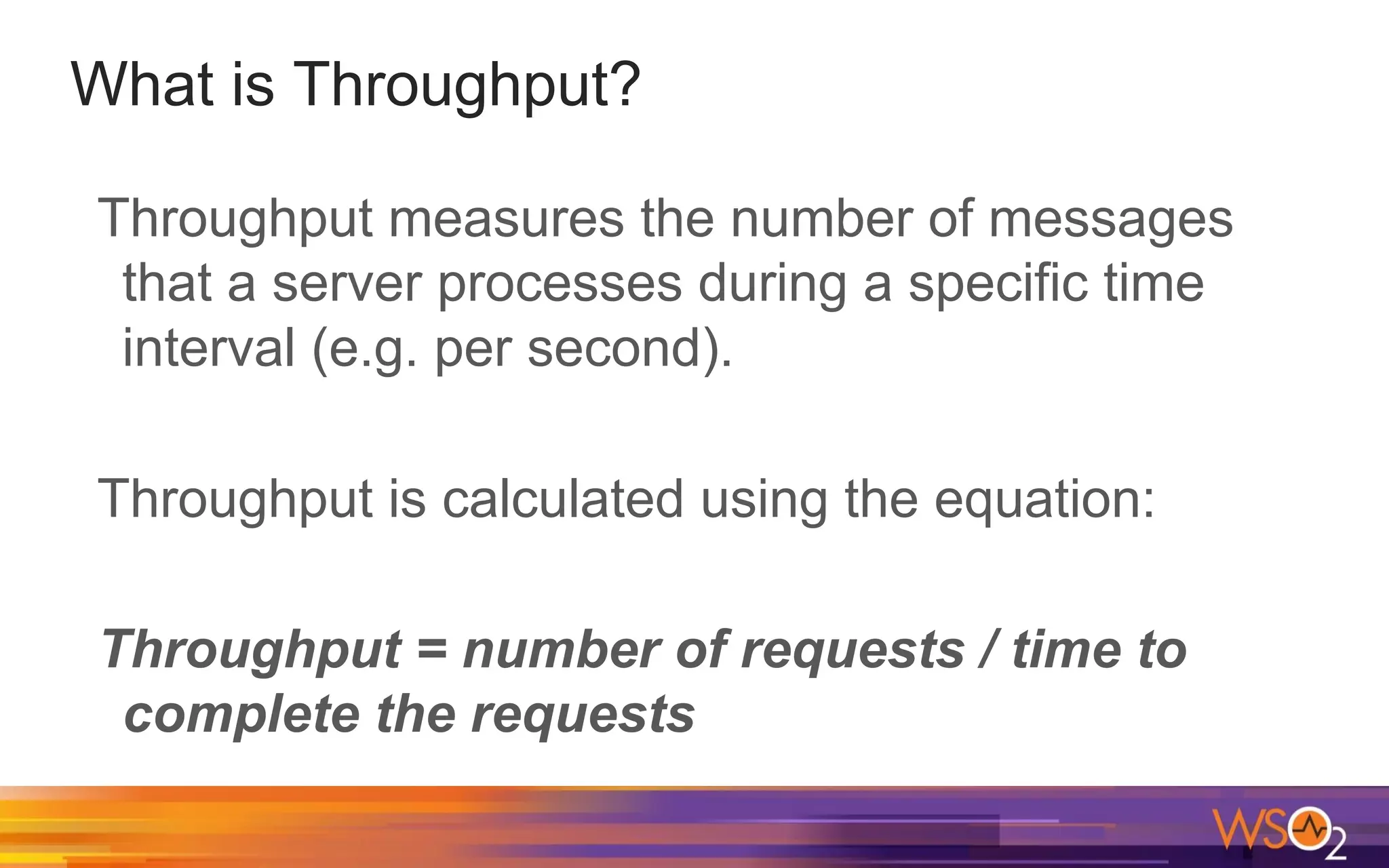
Throughput measures the number of messages
that a server processes during a specific time
interval (e.g. per second).
Throughput is calculated using the equation:
Throughput = number of requests / time to
complete the requests
What is Latency?
Latency measures the end-to-end processing
time for an operation.
Benchmarking Tools
Apache JMeter
Apache Benchmark
wrk - a HTTP benchmarking tool
Tuning Java Applications
We need to have a very high throughput and very low
latency values.
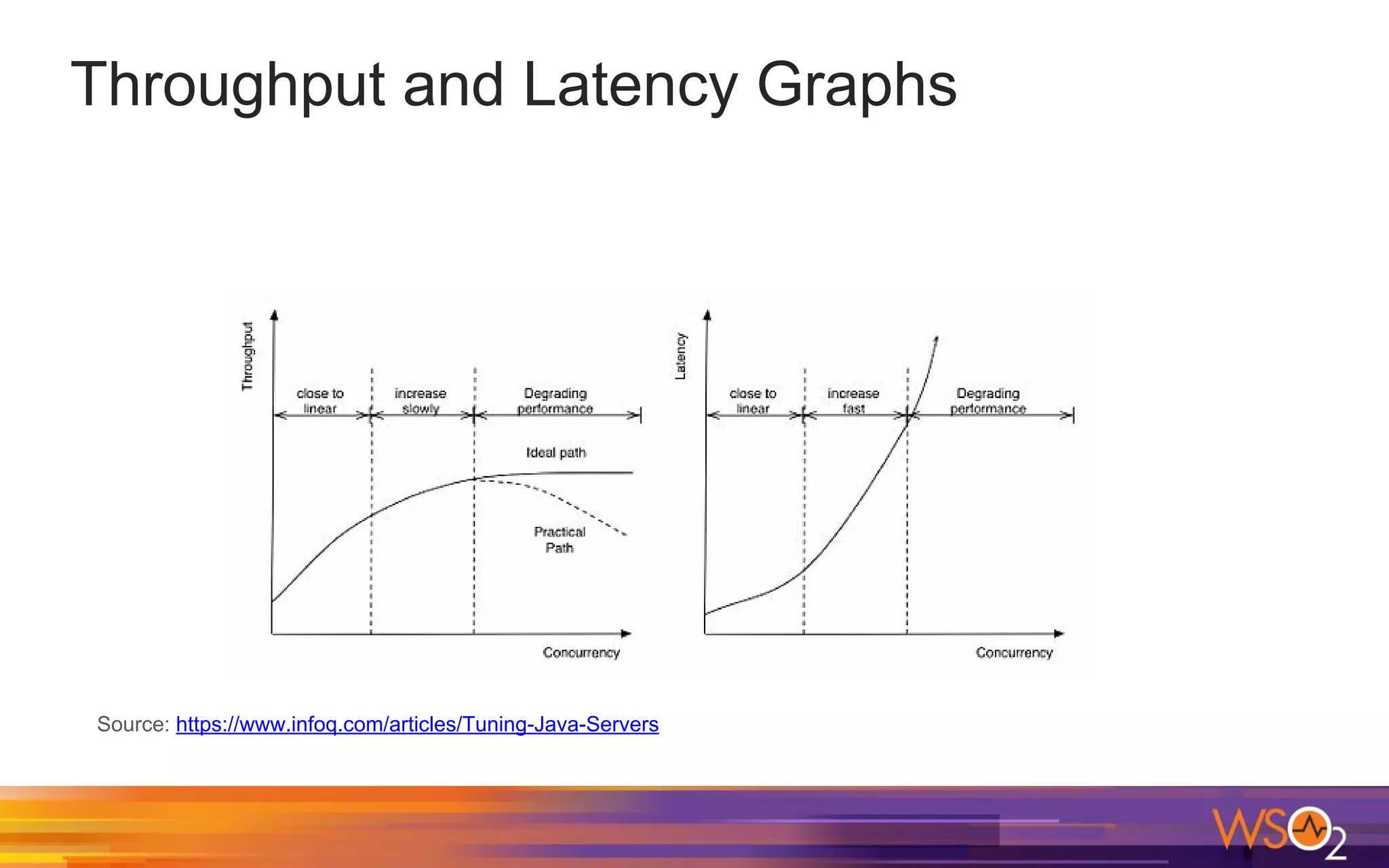
There is a tradeoff between throughput and latency. With
more concurrent users, the throughput increases, but the
average latency will also increase.
Usually, you need to achieve maximum throughput while
keeping latency within some acceptable limit. For eg: you
might choose maximum throughput in a range where
latency is less than 10ms
Throughput and Latency Graphs
Source: https://www.infoq.com/articles/Tuning-Java-Servers
Latency Distribution
When measuring latency, it’s important to look at
the latency distribution: min, max, avg, median,
75th percentile, 98th percentile, 99th percentile
etc.
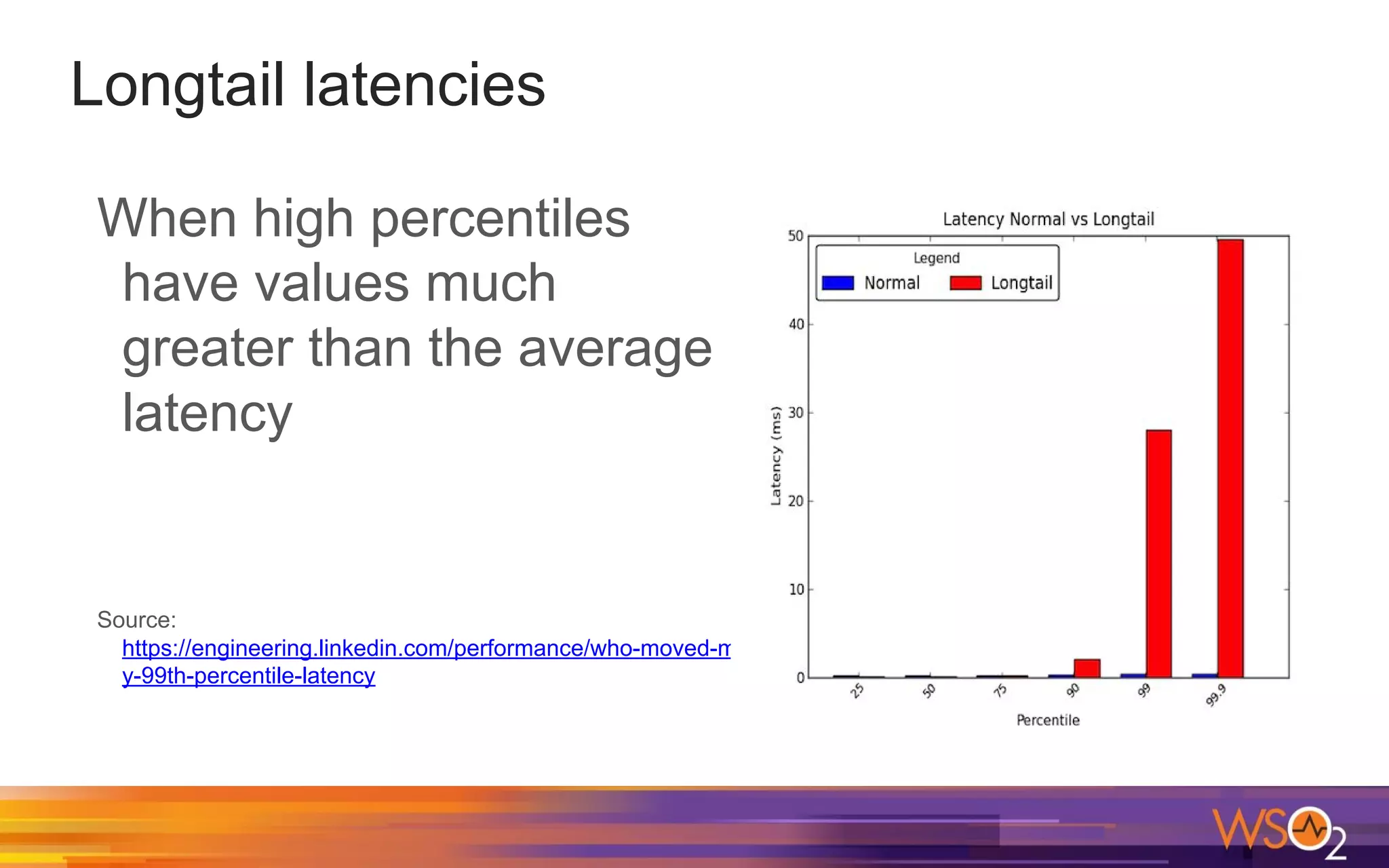
Longtail latencies
When high percentiles
have values much
greater than the average
latency
Source:
https://engineering.linkedin.com/performance/who-moved-m
y-99th-percentile-latency
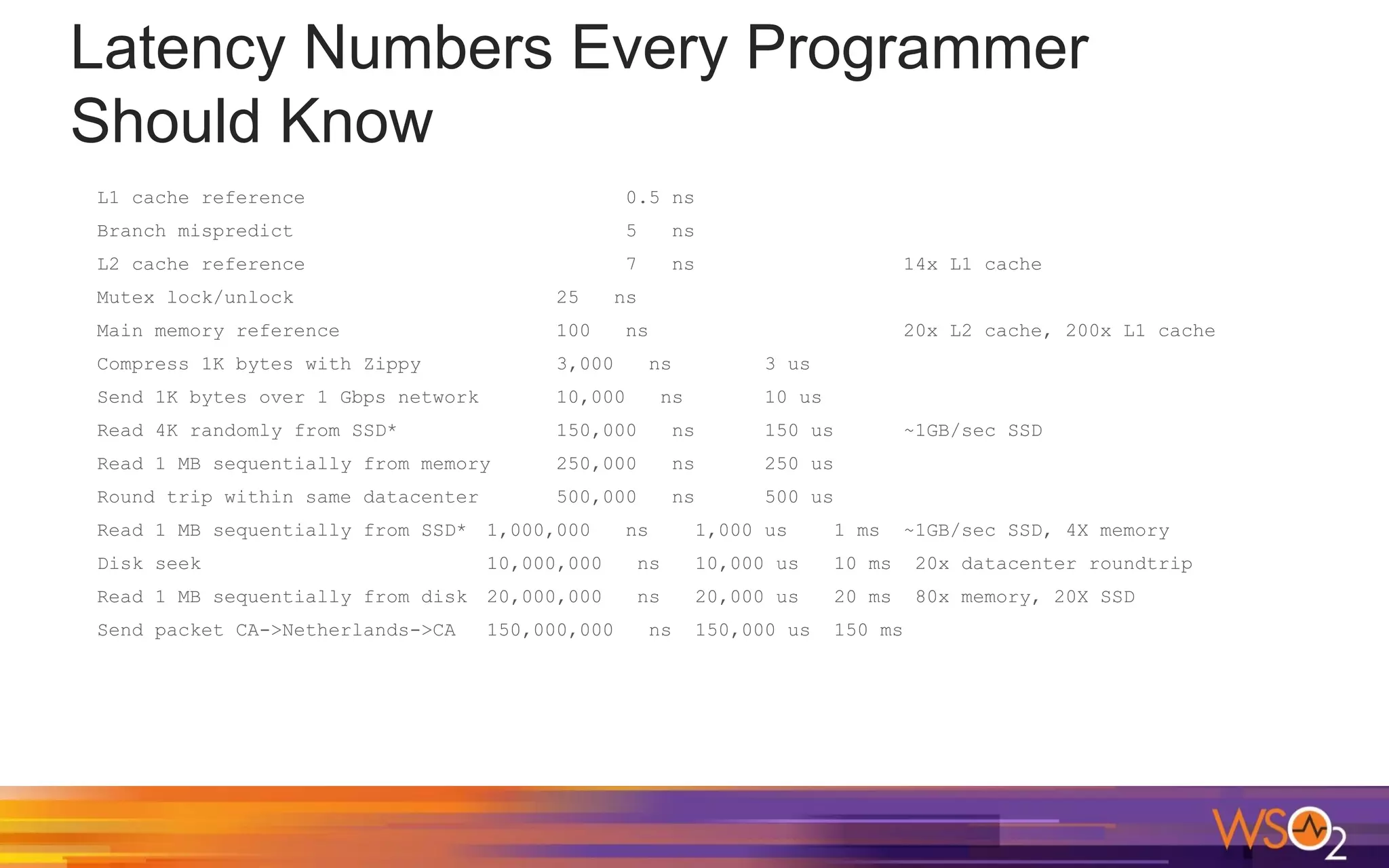
Latency Numbers Every Programmer
Should Know
L1 cache reference 0.5 ns
Branch mispredict 5 ns
L2 cache reference 7 ns 14x L1 cache
Mutex lock/unlock 25 ns
Main memory reference 100 ns 20x L2 cache, 200x L1 cache
Compress 1K bytes with Zippy 3,000 ns 3 us
Send 1K bytes over 1 Gbps network 10,000 ns 10 us
Read 4K randomly from SSD* 150,000 ns 150 us ~1GB/sec SSD
Read 1 MB sequentially from memory 250,000 ns 250 us
Round trip within same datacenter 500,000 ns 500 us
Read 1 MB sequentially from SSD* 1,000,000 ns 1,000 us 1 ms ~1GB/sec SSD, 4X memory
Disk seek 10,000,000 ns 10,000 us 10 ms 20x datacenter roundtrip
Read 1 MB sequentially from disk 20,000,000 ns 20,000 us 20 ms 80x memory, 20X SSD
Send packet CA->Netherlands->CA 150,000,000 ns 150,000 us 150 ms
Java Garbage Collection
Java automatically allocates memory for our
applications and automatically deallocates
memory when certain objects are no longer
used.
"Automatic Garbage Collection" is an important
feature in Java.
Marking and Sweeping Away Garbage
GC works by first marking all used objects in the
heap and then deleting unused objects.
GC also compacts the memory after deleting
unreferenced objects to make new memory
allocations much easier and faster.
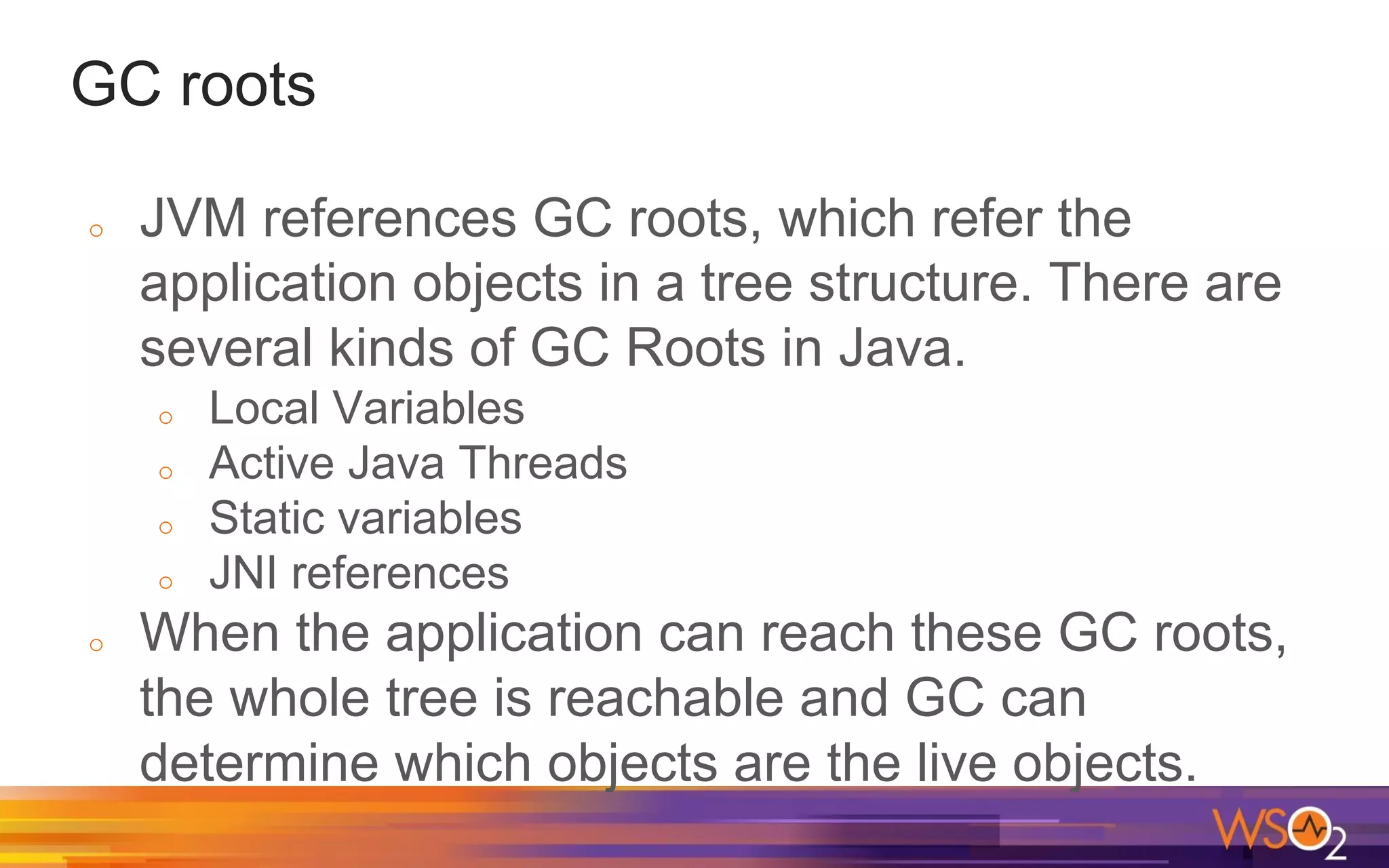
GC roots
o JVM references GC roots, which refer the
application objects in a tree structure. There are
several kinds of GC Roots in Java.
o Local Variables
o Active Java Threads
o Static variables
o JNI references
o When the application can reach these GC roots,
the whole tree is reachable and GC can
determine which objects are the live objects.
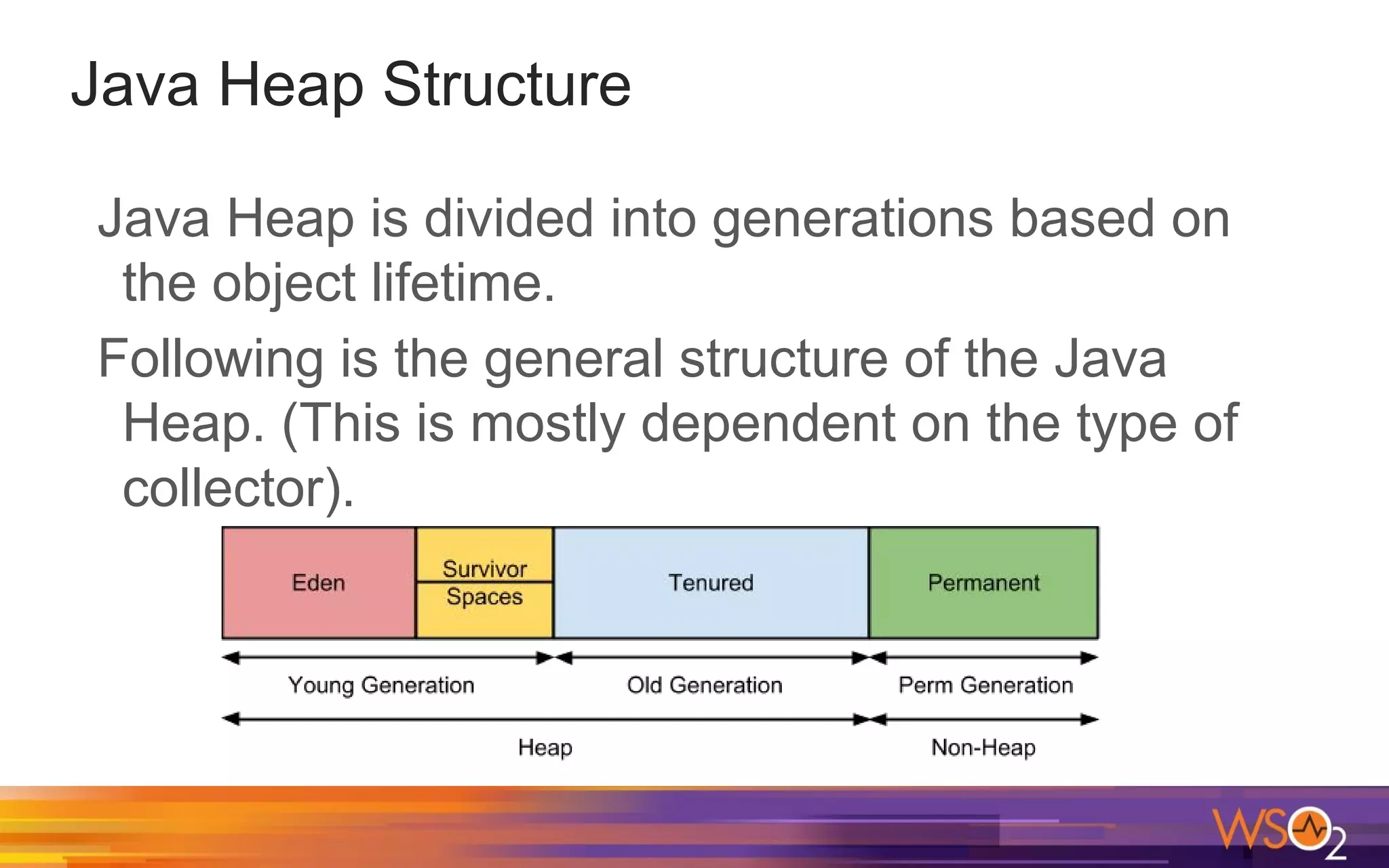
Java Heap Structure
Java Heap is divided into generations based on
the object lifetime.
Following is the general structure of the Java
Heap. (This is mostly dependent on the type of
collector).
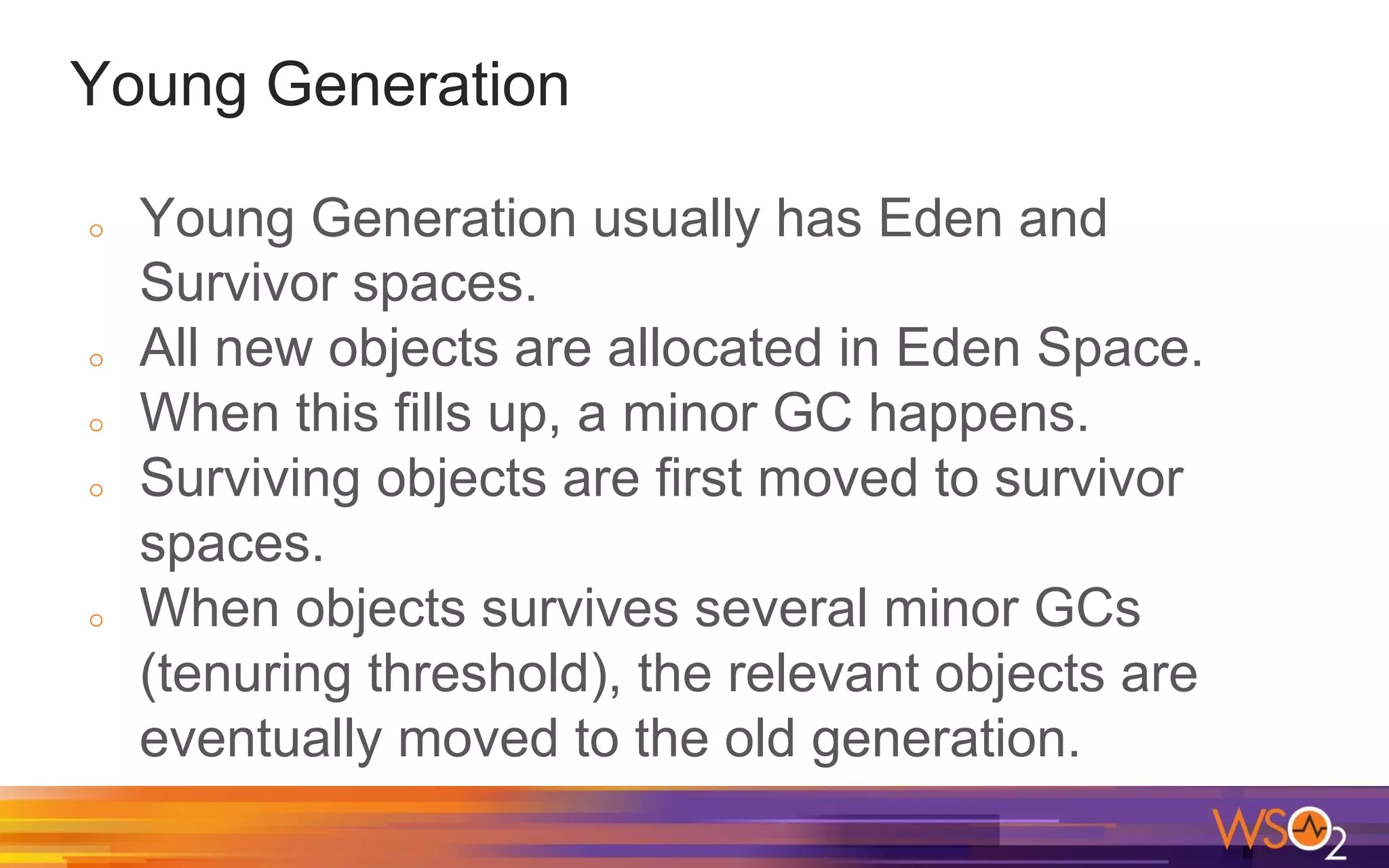
Young Generation
o Young Generation usually has Eden and
Survivor spaces.
o All new objects are allocated in Eden Space.
o When this fills up, a minor GC happens.
o Surviving objects are first moved to survivor
spaces.
o When objects survives several minor GCs
(tenuring threshold), the relevant objects are
eventually moved to the old generation.
Old Generation
o This stores long surviving objects.
o When this fills up, a major GC (full GC)
happens.
o A major GC takes a longer time as it has to
check all live objects.
Permanent Generation
o This has the metadata required by JVM.
o Classes and Methods are stored here.
o This space is included in a full GC.
Java 8 and PermGen
In Java 8, the permanent generation is not a part
of heap.
The metadata is now moved to native memory to
an area called “Metaspace”
There is no limit for Metaspace by default
"Stop the World"
o For some events, JVM pauses all application
threads. These are called Stop-The-World
(STW) pauses.
o GC Events also cause STW pauses.
o We can see application stopped time with GC
logs.
GC Logging
o There are JVM flags to log details for each GC.
o -XX:+PrintGC - Print messages at garbage collection
o -XX:+PrintGCDetails - Print more details at garbage
collection
o -XX:+PrintGCTimeStamps - Print timestamps at garbage
collection
o -XX:+PrintGCApplicationStoppedTime - Print the
application GC stopped time
o -XX:+PrintGCApplicationConcurrentTime - Print the
application GC concurrent time
o The GCViewer is a great tool to view GC logs
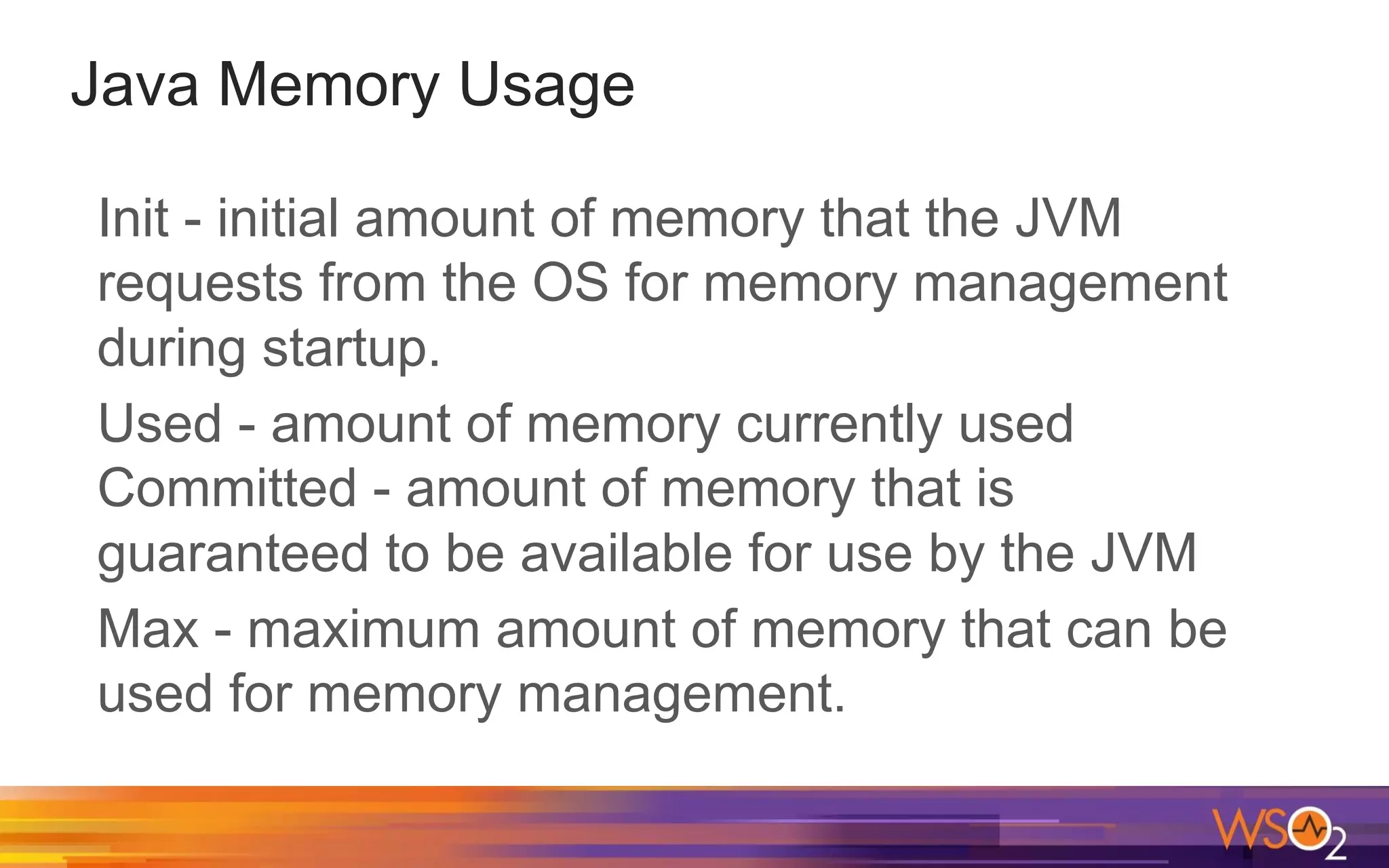
Java Memory Usage
Init - initial amount of memory that the JVM
requests from the OS for memory management
during startup.
Used - amount of memory currently used
Committed - amount of memory that is
guaranteed to be available for use by the JVM
Max - maximum amount of memory that can be
used for memory management.
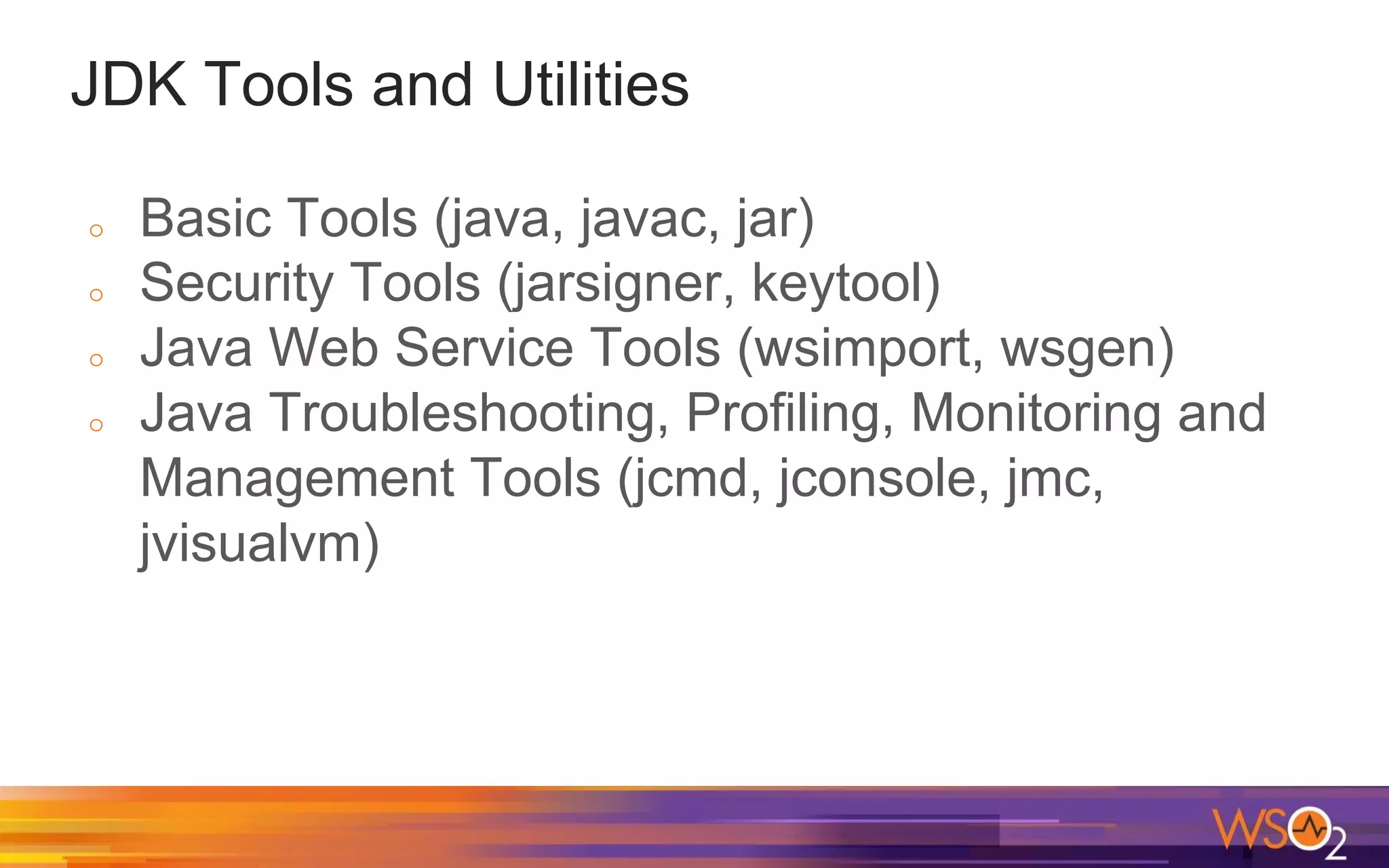
JDK Tools and Utilities
o Basic Tools (java, javac, jar)
o Security Tools (jarsigner, keytool)
o Java Web Service Tools (wsimport, wsgen)
o Java Troubleshooting, Profiling, Monitoring and
Management Tools (jcmd, jconsole, jmc,
jvisualvm)
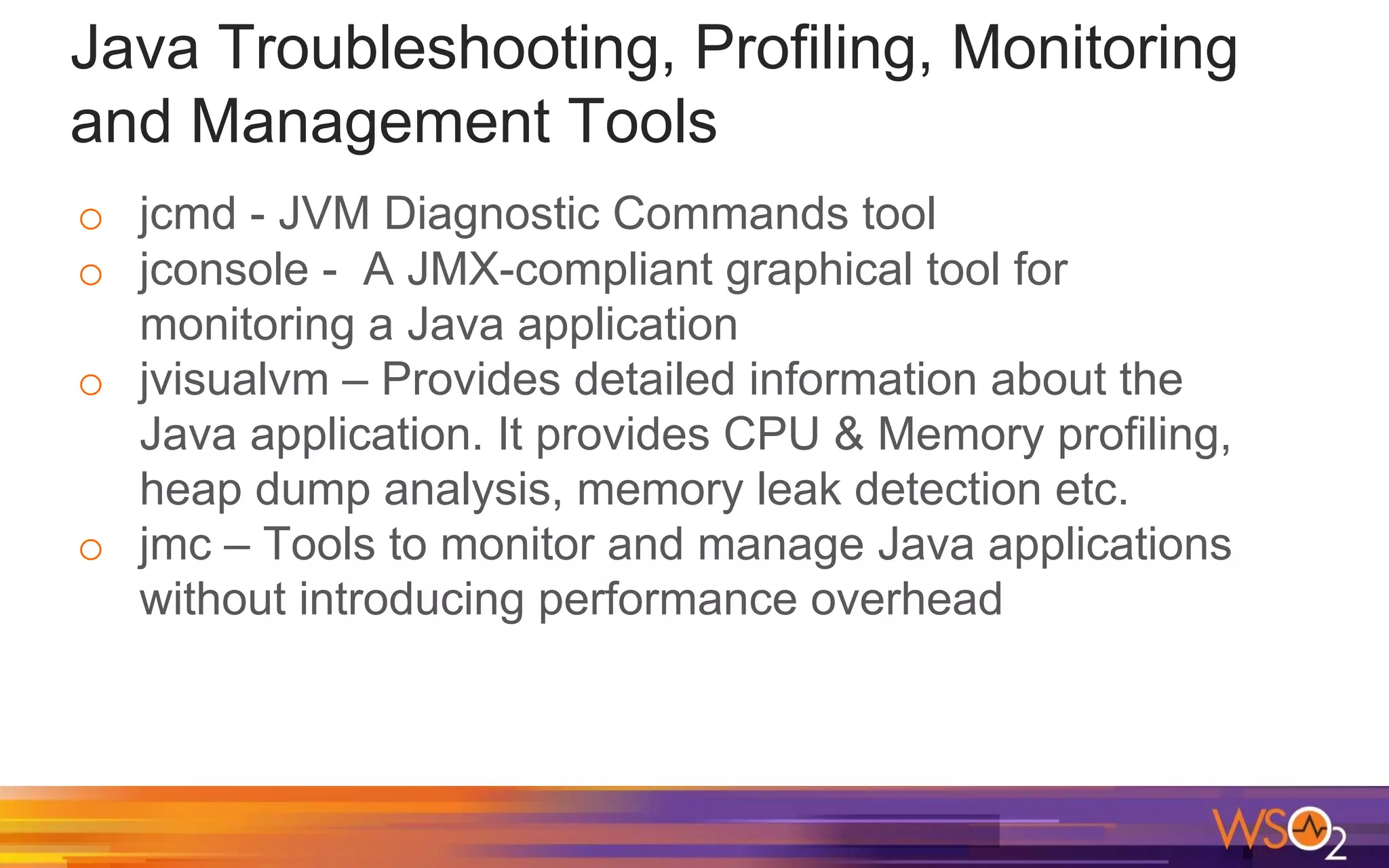
Java Troubleshooting, Profiling, Monitoring
and Management Tools
o jcmd - JVM Diagnostic Commands tool
o jconsole - A JMX-compliant graphical tool for
monitoring a Java application
o jvisualvm – Provides detailed information about the
Java application. It provides CPU & Memory profiling,
heap dump analysis, memory leak detection etc.
o jmc – Tools to monitor and manage Java applications
without introducing performance overhead
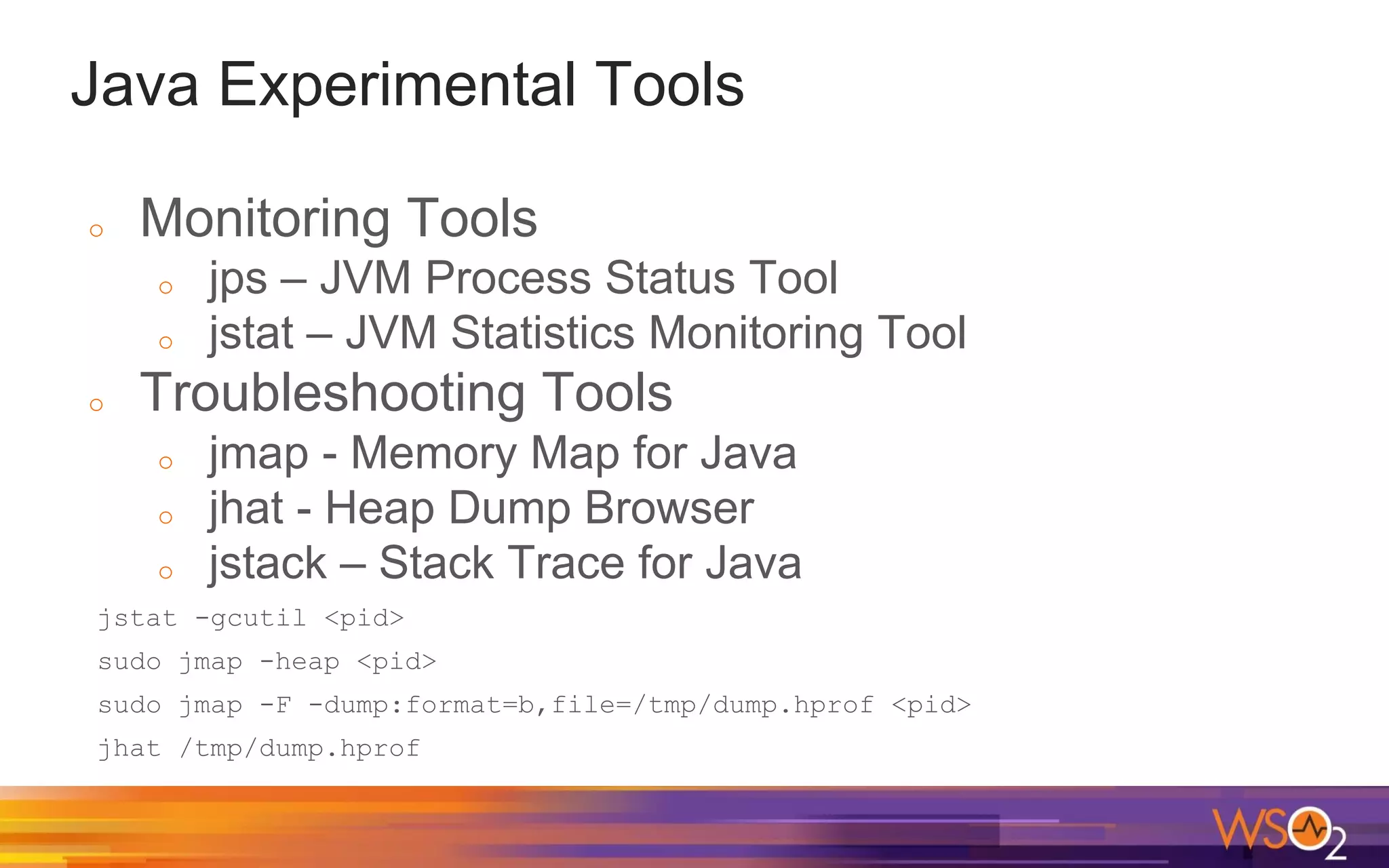
Java Experimental Tools
o Monitoring Tools
o jps – JVM Process Status Tool
o jstat – JVM Statistics Monitoring Tool
o Troubleshooting Tools
o jmap - Memory Map for Java
o jhat - Heap Dump Browser
o jstack – Stack Trace for Java
jstat -gcutil <pid>
sudo jmap -heap <pid>
sudo jmap -F -dump:format=b,file=/tmp/dump.hprof <pid>
jhat /tmp/dump.hprof
Java Ergonomics and JVM Flags
Java Virtual Machine can tune itself depending on
the environment and this smart tuning is referred
to as Ergonomics.
When tuning Java, it's important to know which
values were used as default for Garbage
collector, Heap Sizes, Runtime Compiler by Java
Ergonomics
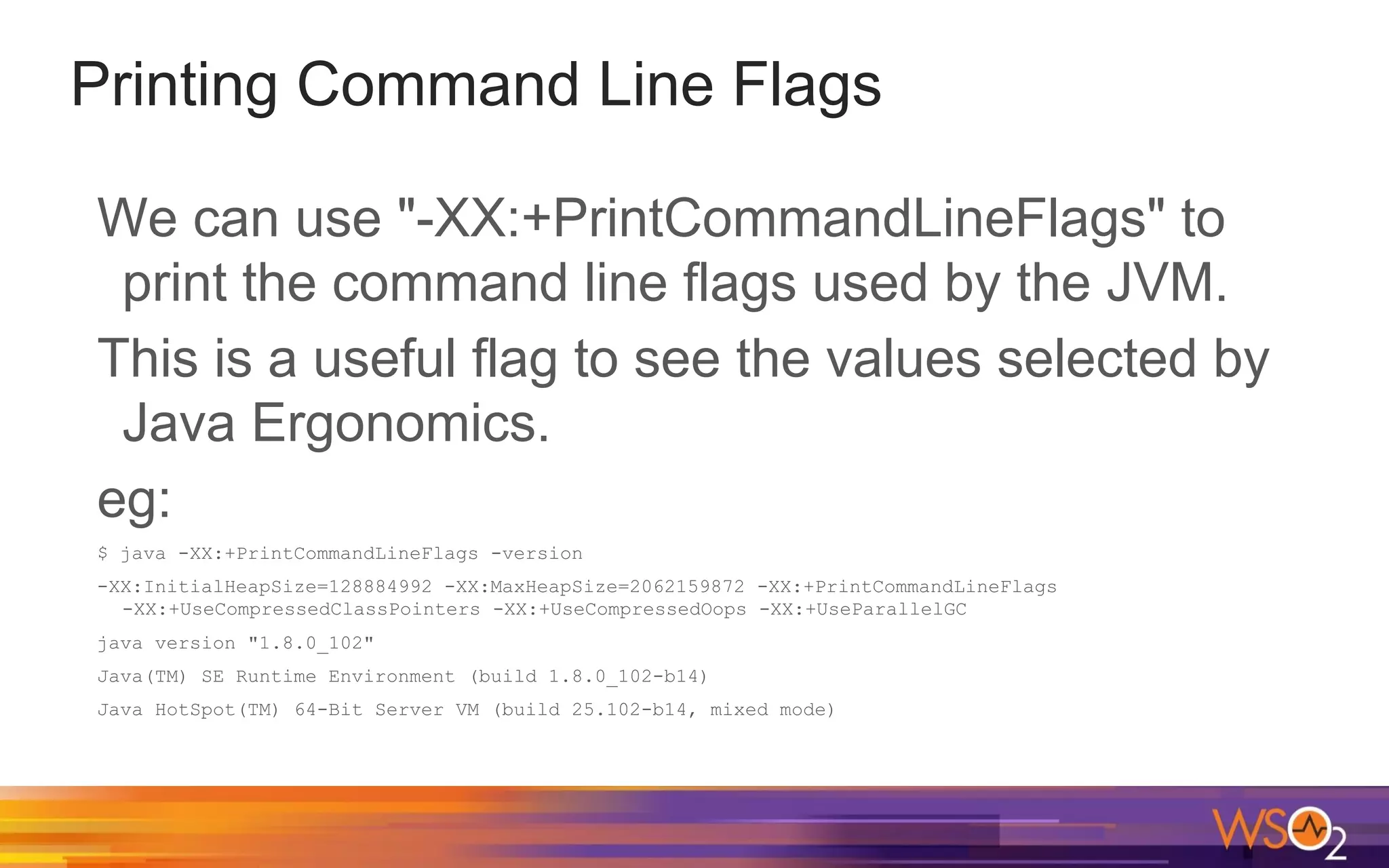
Printing Command Line Flags
We can use "-XX:+PrintCommandLineFlags" to
print the command line flags used by the JVM.
This is a useful flag to see the values selected by
Java Ergonomics.
eg:
$ java -XX:+PrintCommandLineFlags -version
-XX:InitialHeapSize=128884992 -XX:MaxHeapSize=2062159872 -XX:+PrintCommandLineFlags
-XX:+UseCompressedClassPointers -XX:+UseCompressedOops -XX:+UseParallelGC
java version "1.8.0_102"
Java(TM) SE Runtime Environment (build 1.8.0_102-b14)
Java HotSpot(TM) 64-Bit Server VM (build 25.102-b14, mixed mode)
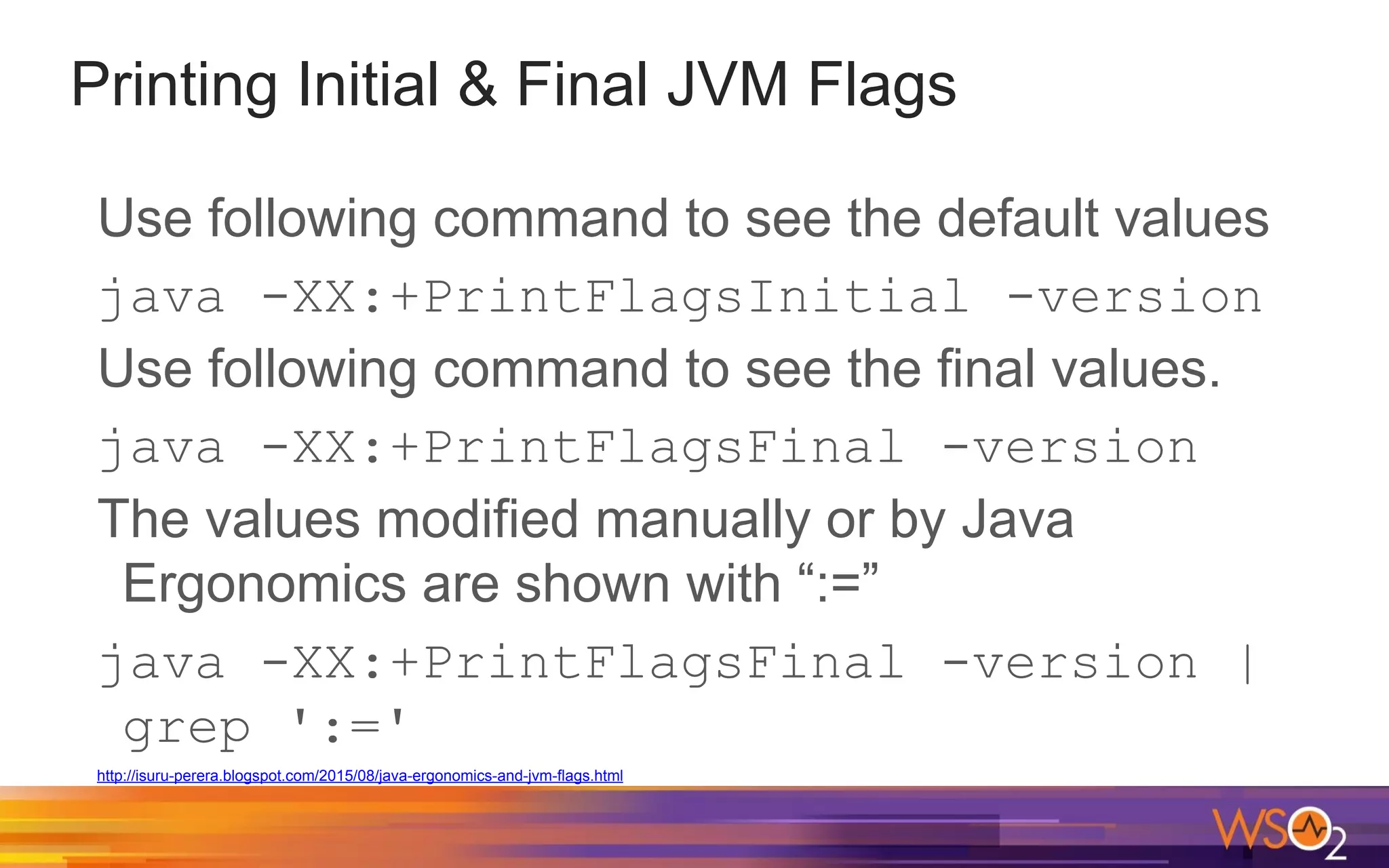
Use following command to see the default values
java -XX:+PrintFlagsInitial -version
Use following command to see the final values.
java -XX:+PrintFlagsFinal -version
The values modified manually or by Java
Ergonomics are shown with “:=”
java -XX:+PrintFlagsFinal -version |
grep ':='
http://isuru-perera.blogspot.com/2015/08/java-ergonomics-and-jvm-flags.html
Printing Initial & Final JVM Flags
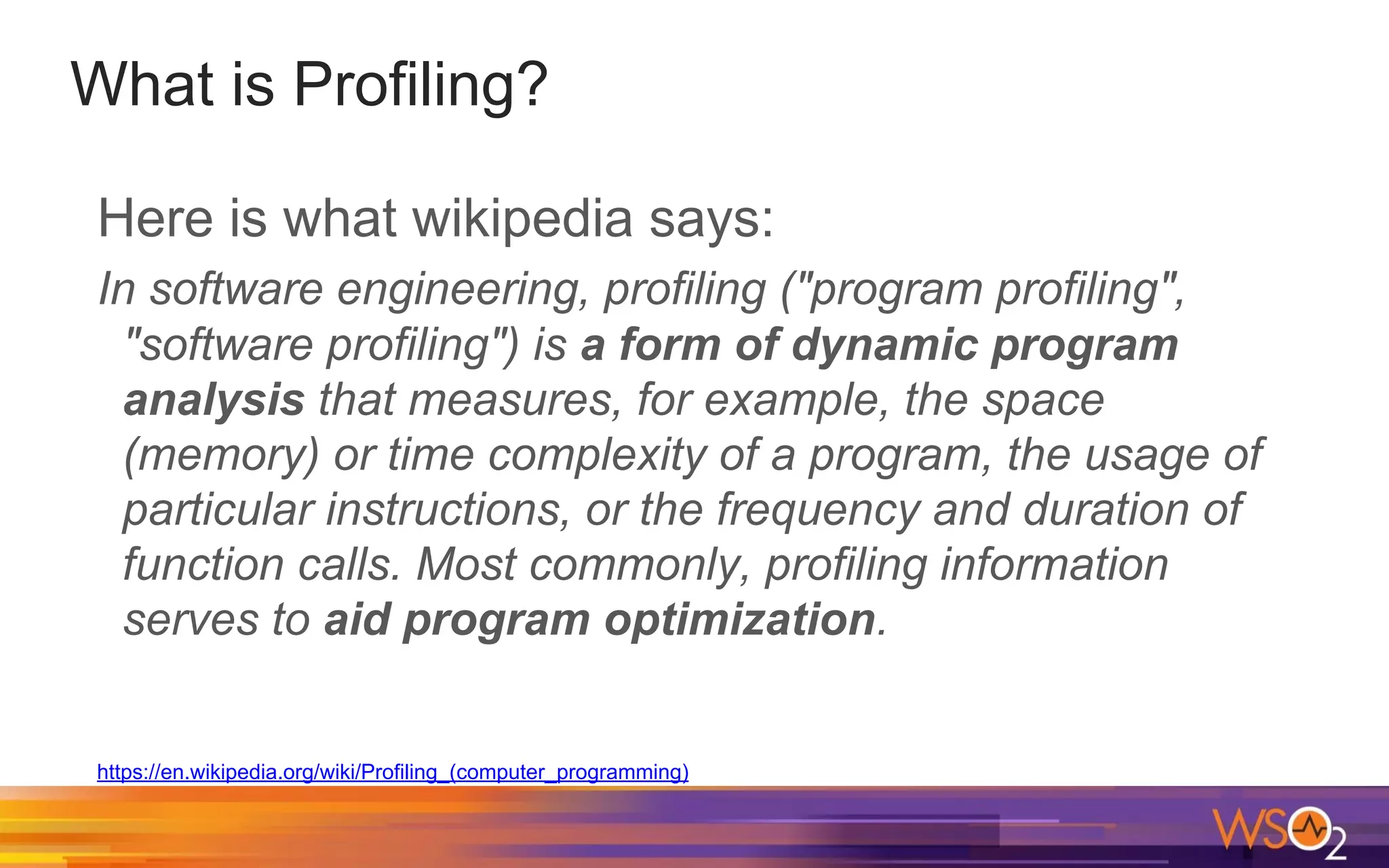
What is Profiling?
Here is what wikipedia says:
In software engineering, profiling ("program profiling",
"software profiling") is a form of dynamic program
analysis that measures, for example, the space
(memory) or time complexity of a program, the usage of
particular instructions, or the frequency and duration of
function calls. Most commonly, profiling information
serves to aid program optimization.
https://en.wikipedia.org/wiki/Profiling_(computer_programming)
What is Profiling?
Here is what wikipedia says:
Profiling is achieved by instrumenting either the program
source code or its binary executable form using a tool
called a profiler (or code profiler). Profilers may use a
number of different techniques, such as event-based,
statistical, instrumented, and simulation methods.
https://en.wikipedia.org/wiki/Profiling_(computer_programming)
Why do we need Profiling?
o Improve throughput (Maximizing the
transactions processed per second)
o Improve latency (Minimizing the time taken to
for each operation)
o Find performance bottlenecks
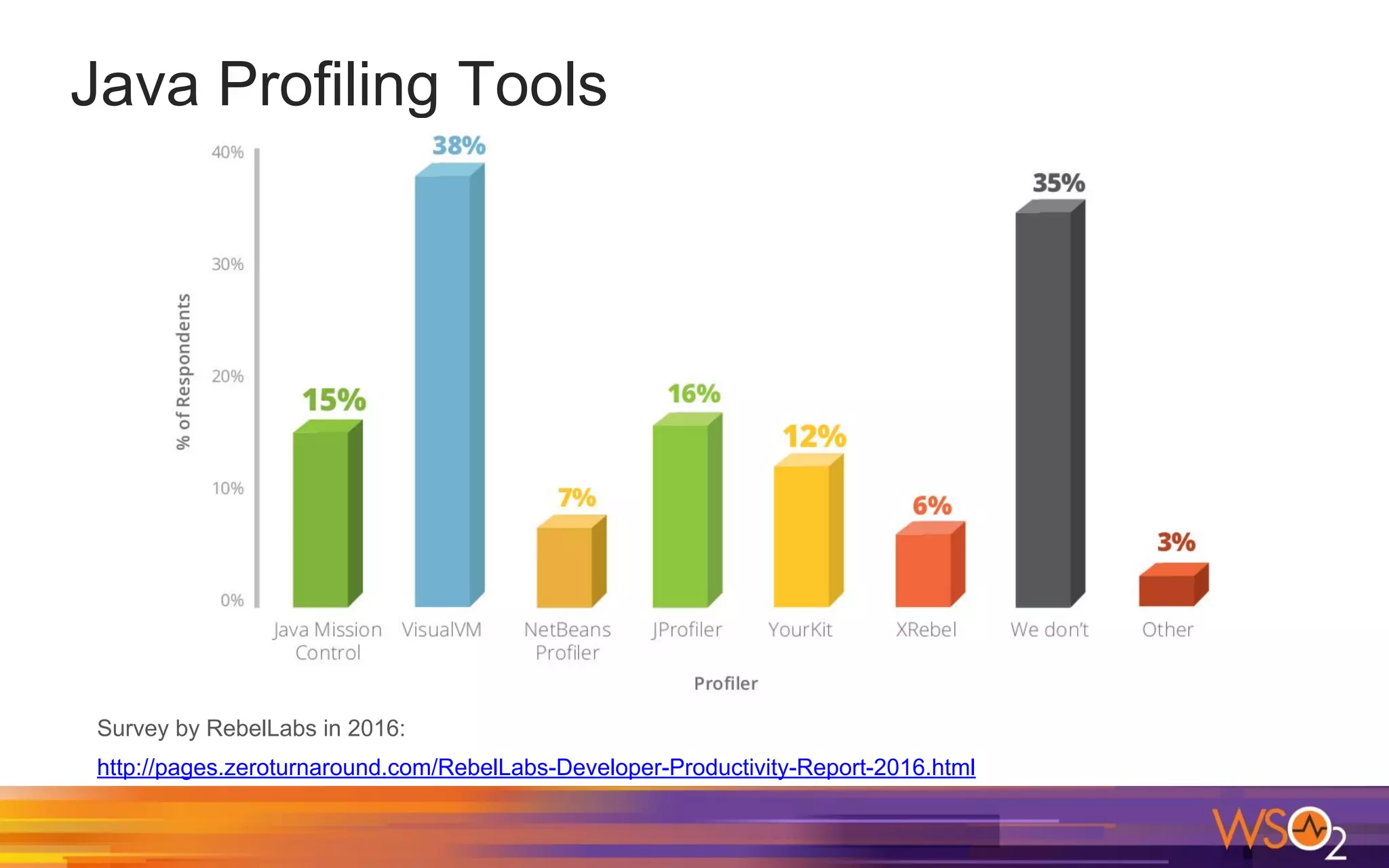
Java Profiling Tools
Survey by RebelLabs in 2016:
http://pages.zeroturnaround.com/RebelLabs-Developer-Productivity-Report-2016.html
Java Profiling Tools
Java VisualVM - Available in JDK
Java Mission Control - Available in JDK
JProfiler - A commercially licensed Java profiling
tool developed by ej-technologies
Honest Profiler - Open Source Sampling CPU
profiler
How Profilers Work?
Generic profilers rely on the JVMTI spec
JVMTI offers only safepoint sampling stack trace
collection options
Safepoints
A safepoint is a moment in time when a thread’s
data, its internal state and representation in the
JVM are, well, safe for observation by other
threads in the JVM.
● Between every 2 bytecodes (interpreter mode)
● Backedge of non-’counted’ loops
● Method exit
● JNI call exit
Measuring Methods for CPU Profiling
Sampling: Monitor running code externally and
check which code is executed
Instrumentation: Include measurement code into
the real code
Profiling Applications with Java VisualVM
CPU Profiling: Profile the performance of the
application.
Memory Profiling: Analyze the memory usage of
the application.
Java Mission Control
o A set of powerful tools running on the Oracle
JDK to monitor and manage Java applications
o Free for development use (Oracle Binary Code
License)
o Available in JDK since Java 7 update 40
o Supports Plugins
o Two main tools
o JMX Console
o Java Flight Recorder
Sampling vs. Instrumentation
Sampling:
o Overhead depends on the sampling interval
o Can see execution hotspots
o Can miss methods, which returns faster than
the sampling interval.
Instrumentation:
o Precise measurement for execution times
o More data to process
Sampling vs. Instrumentation
o Java VisualVM uses both sampling and
instrumentation
o Java Flight Recorder uses sampling for hot
methods
o JProfiler supports both sampling and
instrumentation
Problems with Profiling
o Runtime Overhead
o Interpretation of the results can be difficult
o Identifying the "crucial“ parts of the software
o Identifying potential performance improvements
Java Flight Recorder (JFR)
o A profiling and event collection framework built
into the Oracle JDK
o Gather low level information about the JVM and
application behaviour without performance
impact (less than 2%)
o Always on Profiling in Production Environments
o Engine was released with Java 7 update 4
o Commercial feature in Oracle JDK
JFR Events
o JFR collects data about events.
o JFR collects information about three types of
events:
o Instant events – Events occurring instantly
o Sample (Requestable) events – Events with a user
configurable period to provide a sample of system
activity
o Duration events – Events taking some time to occur.
The event has a start and end time. You can set a
threshold.
Java Flight Recorder Architecture
JFR is comprised of the following components:
o JFR runtime - The recording engine inside the
JVM that produces the recordings.
o Flight Recorder plugin for Java Mission Control
(JMC)
Enabling Java Flight Recorder
Since JFR is a commercial feature, we must
unlock commercial features before trying to run
JFR.
So, you need to have following arguments.
-XX:+UnlockCommercialFeatures
-XX:+FlightRecorder
Dynamically enabling JFR
If you are using Java 8 update 40 (8u40) or later,
you can now dynamically enable JFR.
This is useful as we don’t need to restart the
server.
Improving the accuracy of JFR Method
Profiler
o An important feature of JFR Method Profiler is
that it does not require threads to be at safe
points in order for stacks to be sampled.
o Generally, the stacks will only be walked at safe
points.
o HotSpot JVM doesn’t provide metadata for
non-safe point parts of the code. Use following
to improve the accuracy.
o -XX:+UnlockDiagnosticVMOptions
-XX:+DebugNonSafepoints
JFR Event Settings
o There are two event settings by default in
Oracle JDK.
o Files are in $JAVA_HOME/jre/lib/jfr
o Continuous - default.jfc
o Profiling - profile.jfc
JFR Recording Types
o Time Fixed Recordings
o Fixed duration
o The recording will be opened automatically in JMC
at the end (If the recording was started by JMC)
o Continuous Recordings
o No end time
o Must be explicitly dumped
Running Java Flight Recorder
There are few ways we can run JFR.
o Using the JFR plugin in JMC
o Using the command line
o Using the Diagnostic Command
Running Java Flight Recorder
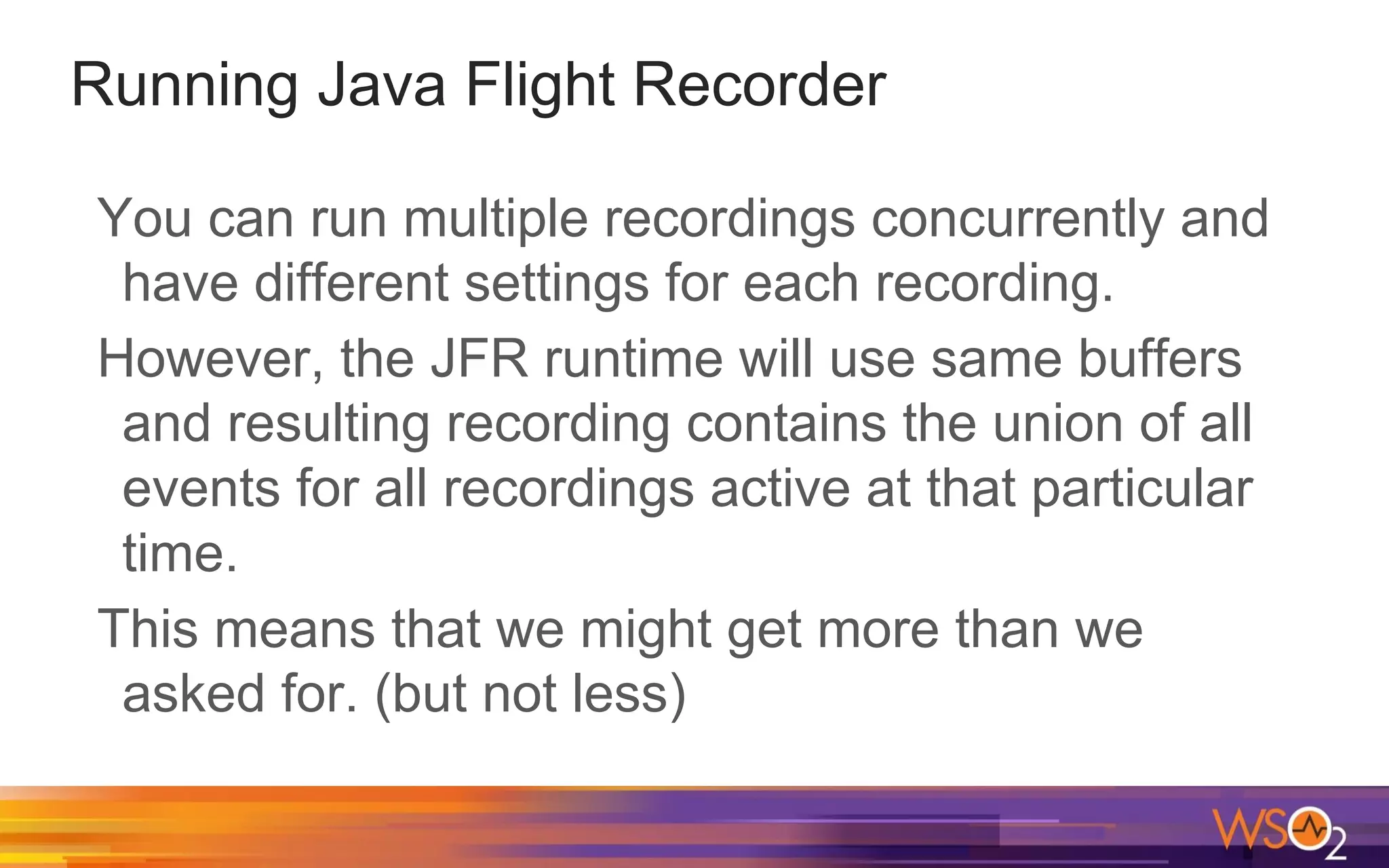
You can run multiple recordings concurrently and
have different settings for each recording.
However, the JFR runtime will use same buffers
and resulting recording contains the union of all
events for all recordings active at that particular
time.
This means that we might get more than we
asked for. (but not less)
Running JFR from JMC
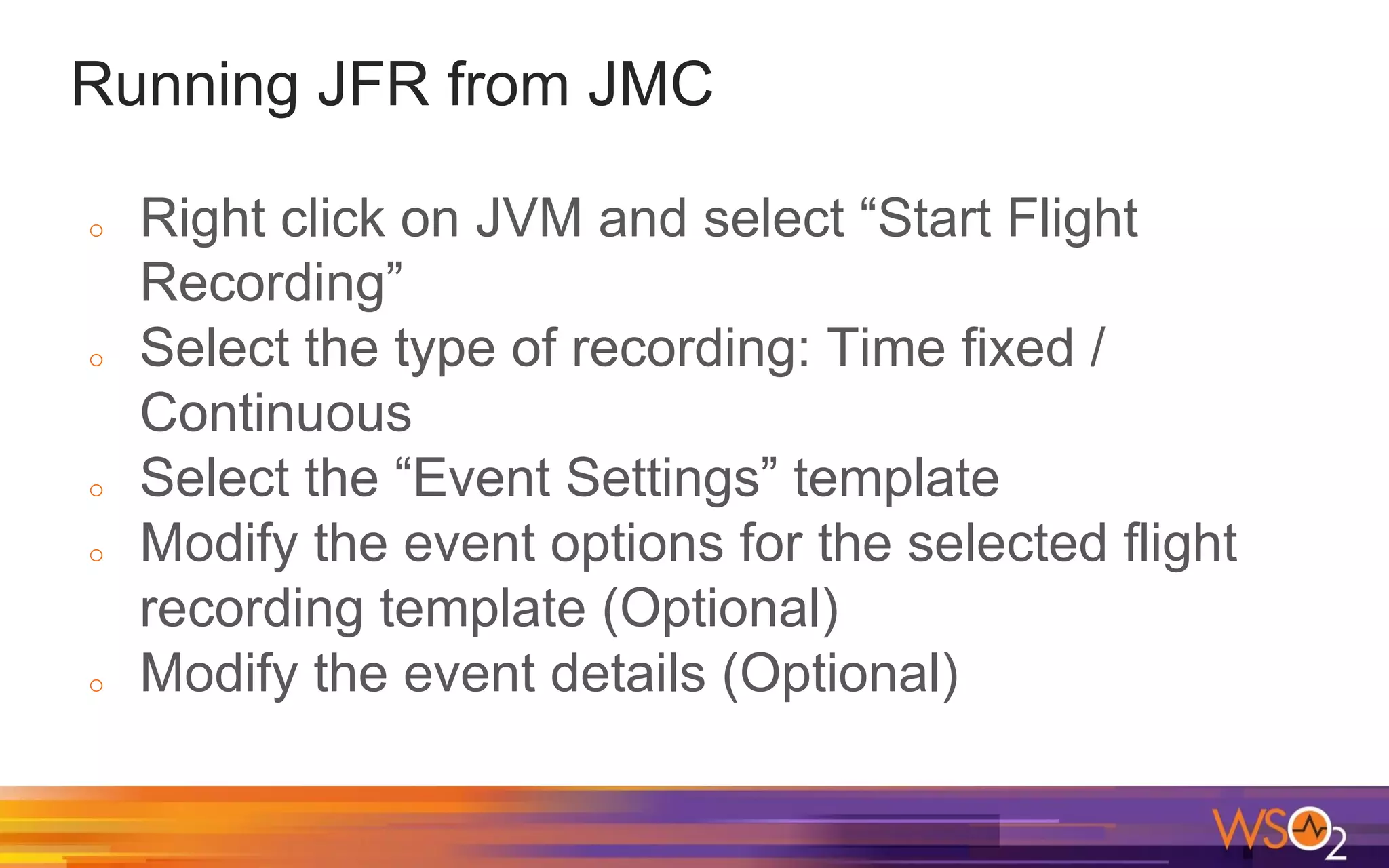
o Right click on JVM and select “Start Flight
Recording”
o Select the type of recording: Time fixed /
Continuous
o Select the “Event Settings” template
o Modify the event options for the selected flight
recording template (Optional)
o Modify the event details (Optional)
Running JFR from Command Line
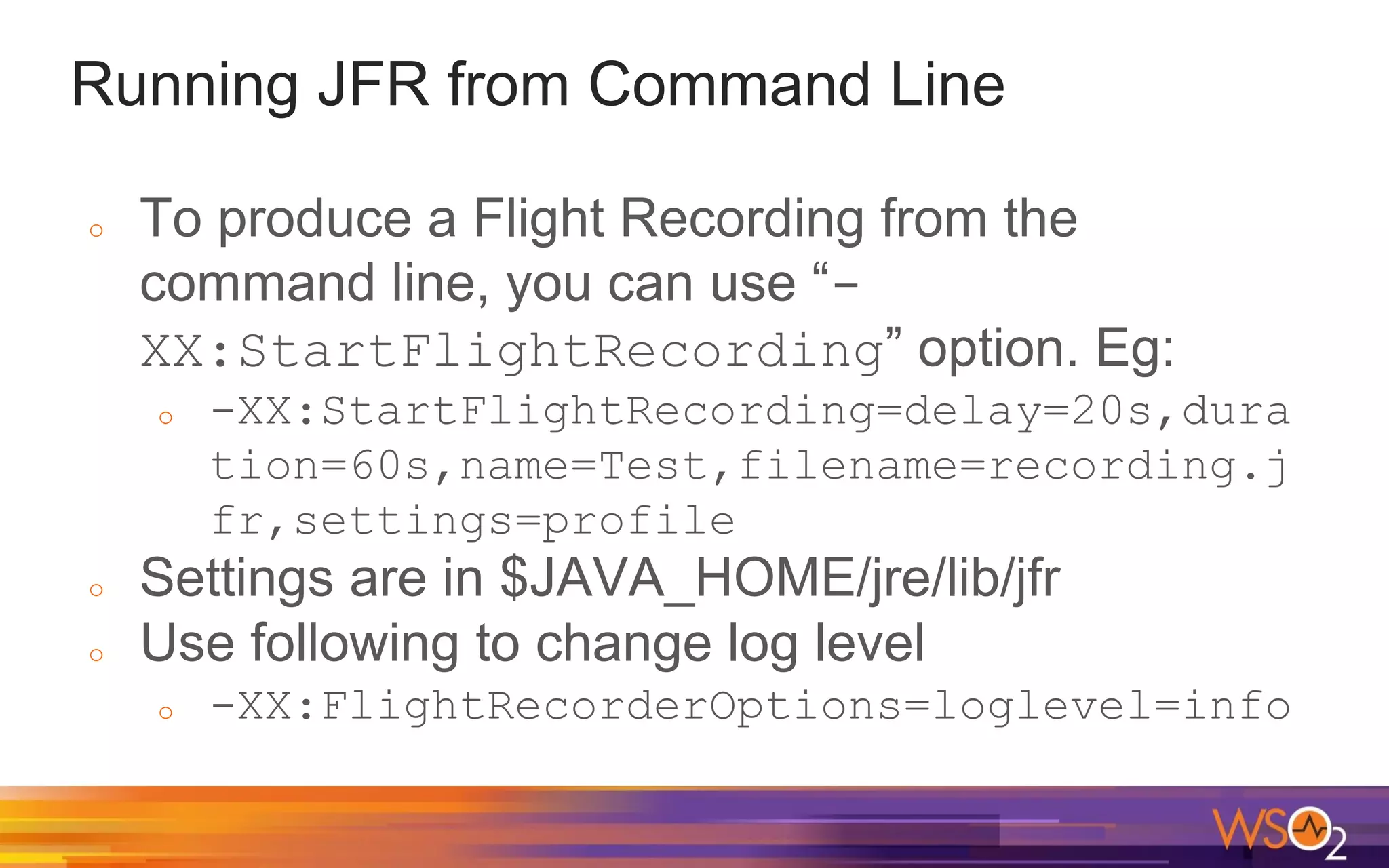
o To produce a Flight Recording from the
command line, you can use “-
XX:StartFlightRecording” option. Eg:
o -XX:StartFlightRecording=delay=20s,dura
tion=60s,name=Test,filename=recording.j
fr,settings=profile
o Settings are in $JAVA_HOME/jre/lib/jfr
o Use following to change log level
o -XX:FlightRecorderOptions=loglevel=info
Continuous recording from Command Line
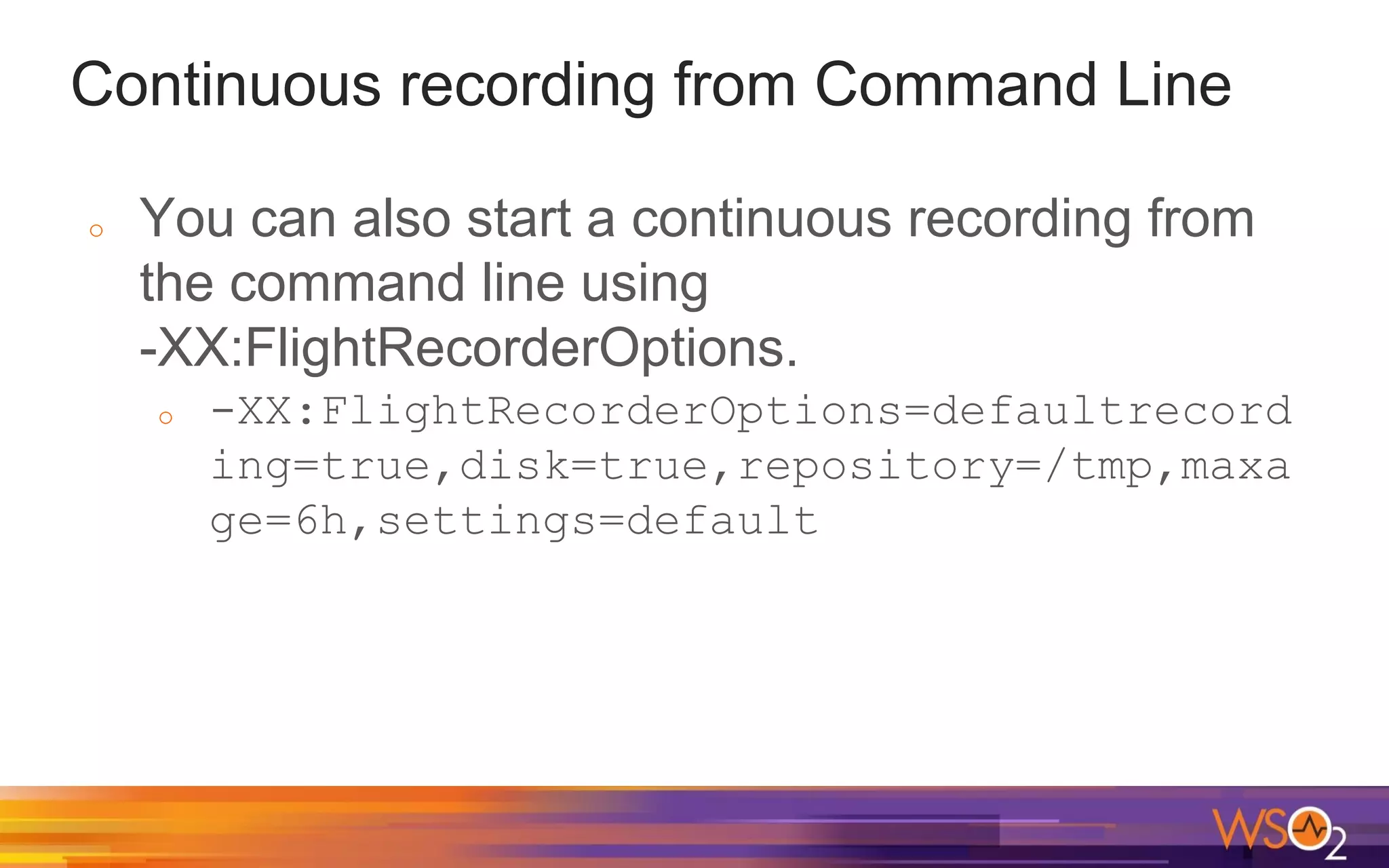
o You can also start a continuous recording from
the command line using
-XX:FlightRecorderOptions.
o -XX:FlightRecorderOptions=defaultrecord
ing=true,disk=true,repository=/tmp,maxa
ge=6h,settings=default
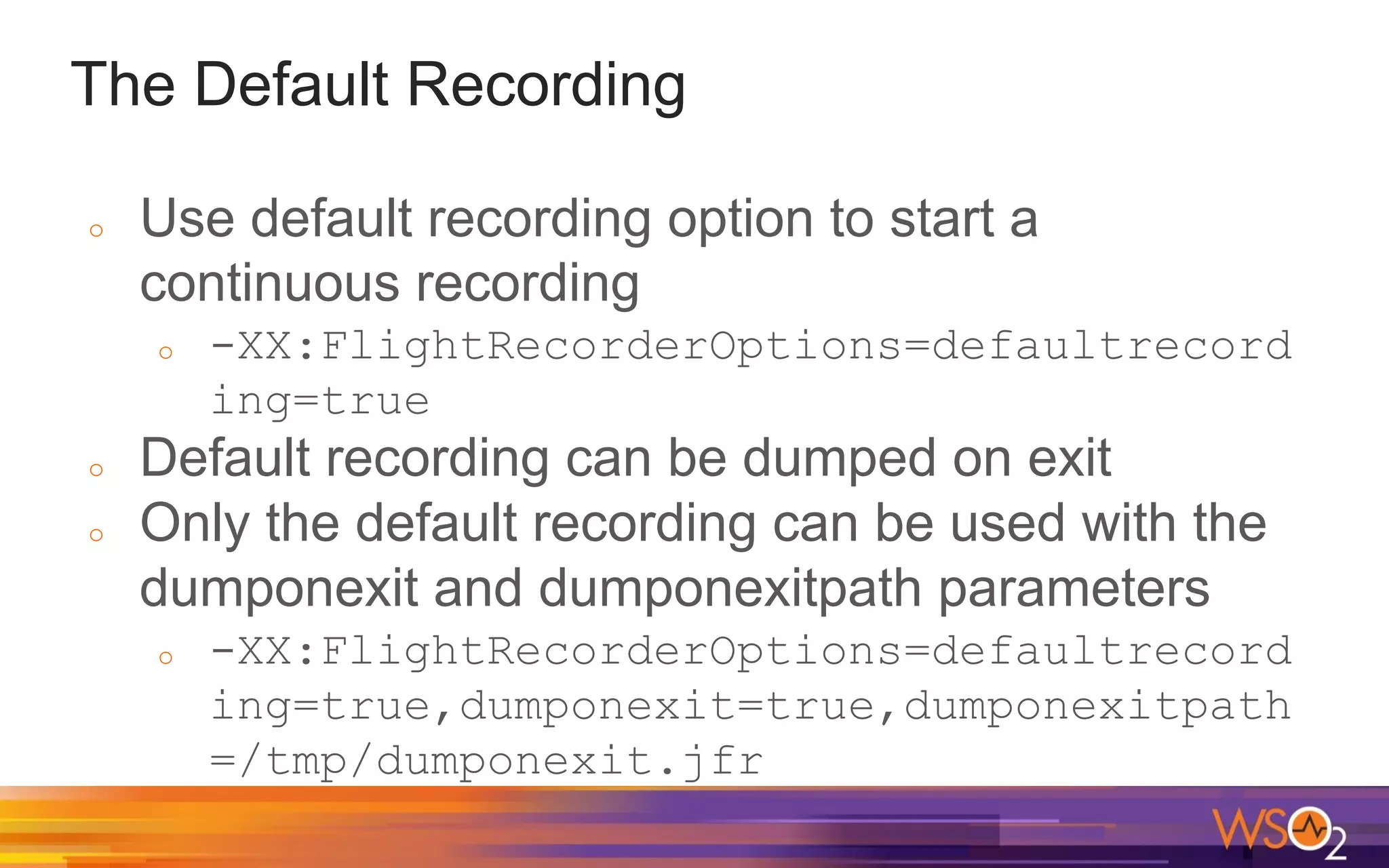
The Default Recording
o Use default recording option to start a
continuous recording
o -XX:FlightRecorderOptions=defaultrecord
ing=true
o Default recording can be dumped on exit
o Only the default recording can be used with the
dumponexit and dumponexitpath parameters
o -XX:FlightRecorderOptions=defaultrecord
ing=true,dumponexit=true,dumponexitpath
=/tmp/dumponexit.jfr
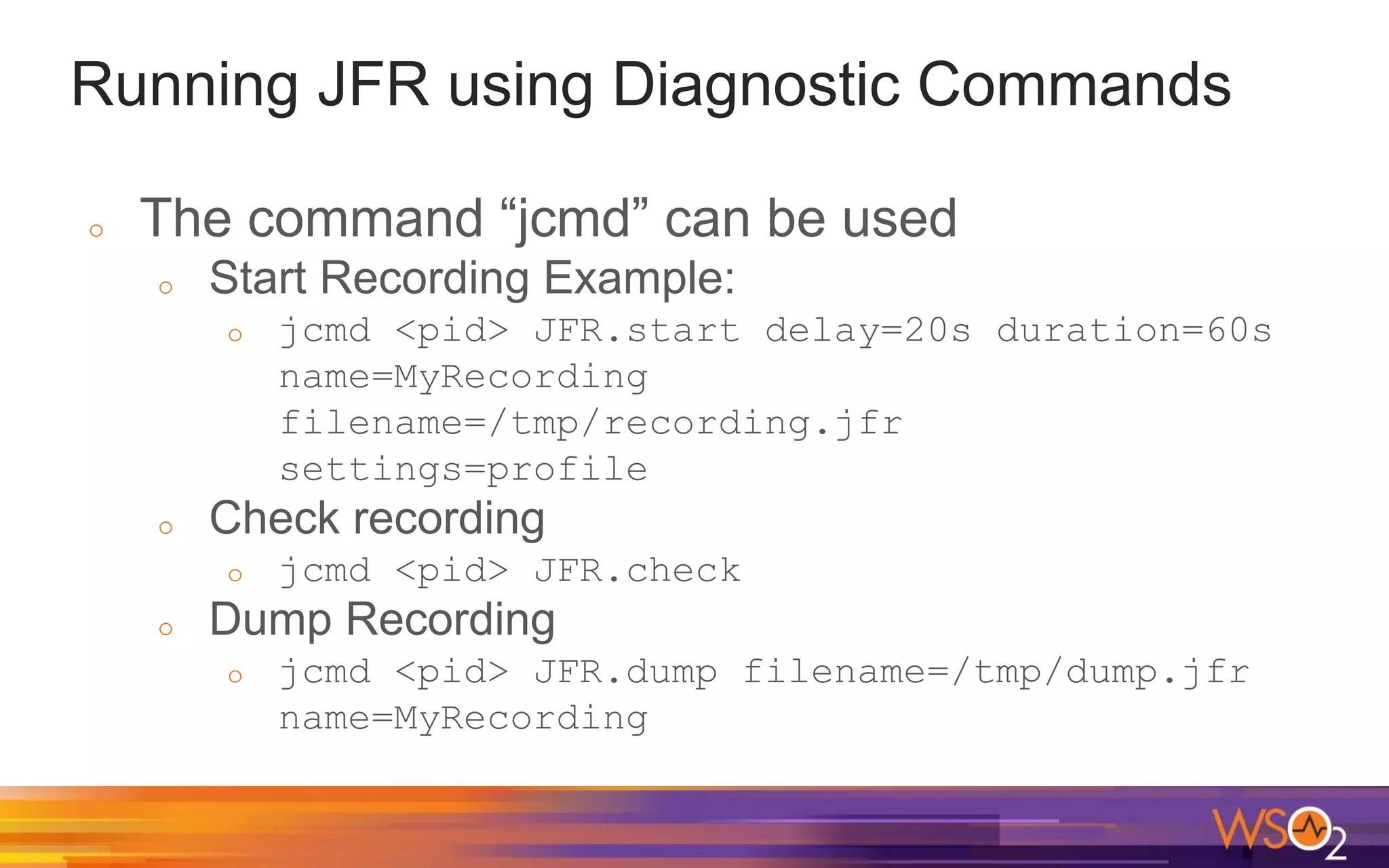
Running JFR using Diagnostic Commands
o The command “jcmd” can be used
o Start Recording Example:
o jcmd <pid> JFR.start delay=20s duration=60s
name=MyRecording
filename=/tmp/recording.jfr
settings=profile
o Check recording
o jcmd <pid> JFR.check
o Dump Recording
o jcmd <pid> JFR.dump filename=/tmp/dump.jfr
name=MyRecording
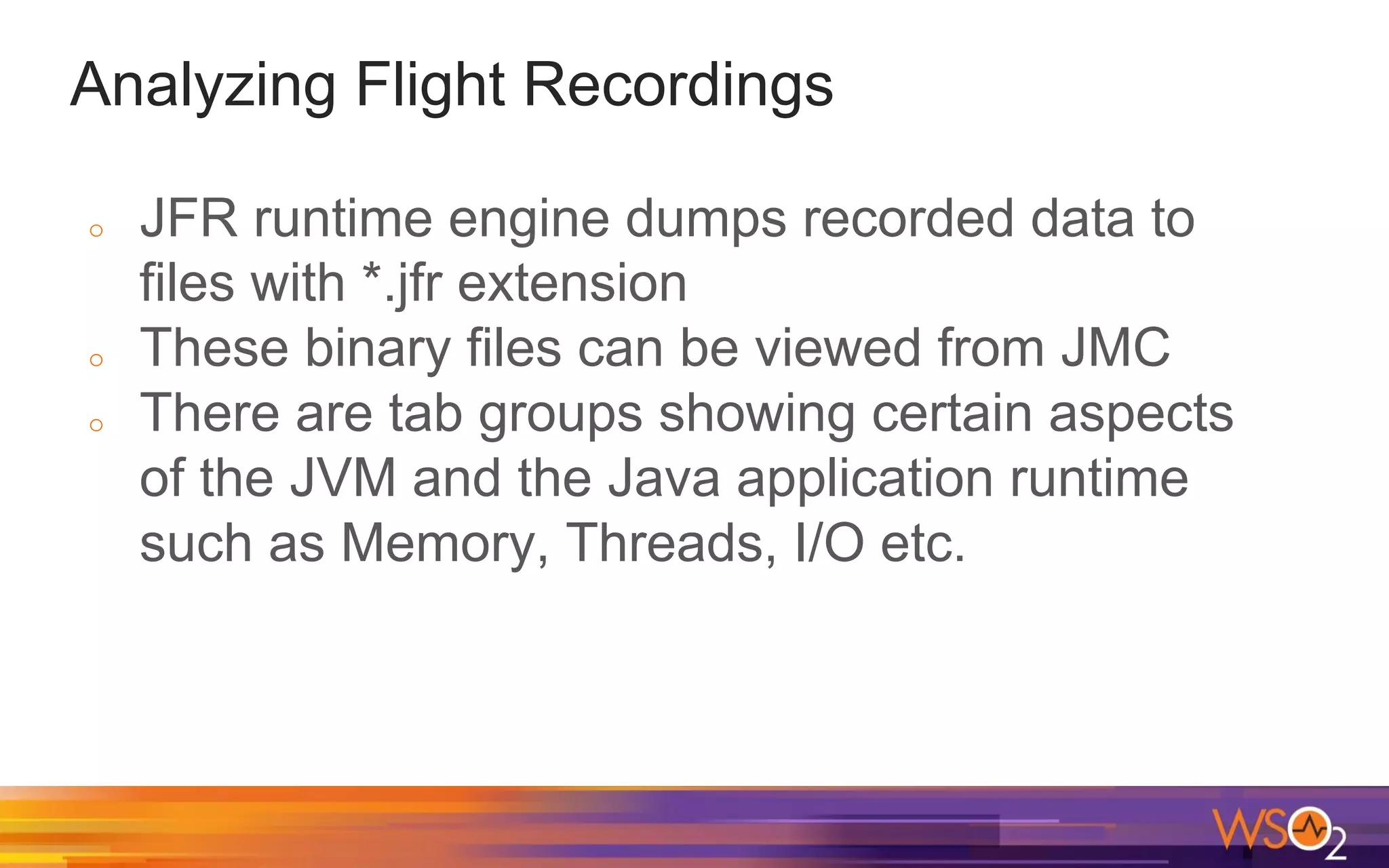
Analyzing Flight Recordings
o JFR runtime engine dumps recorded data to
files with *.jfr extension
o These binary files can be viewed from JMC
o There are tab groups showing certain aspects
of the JVM and the Java application runtime
such as Memory, Threads, I/O etc.
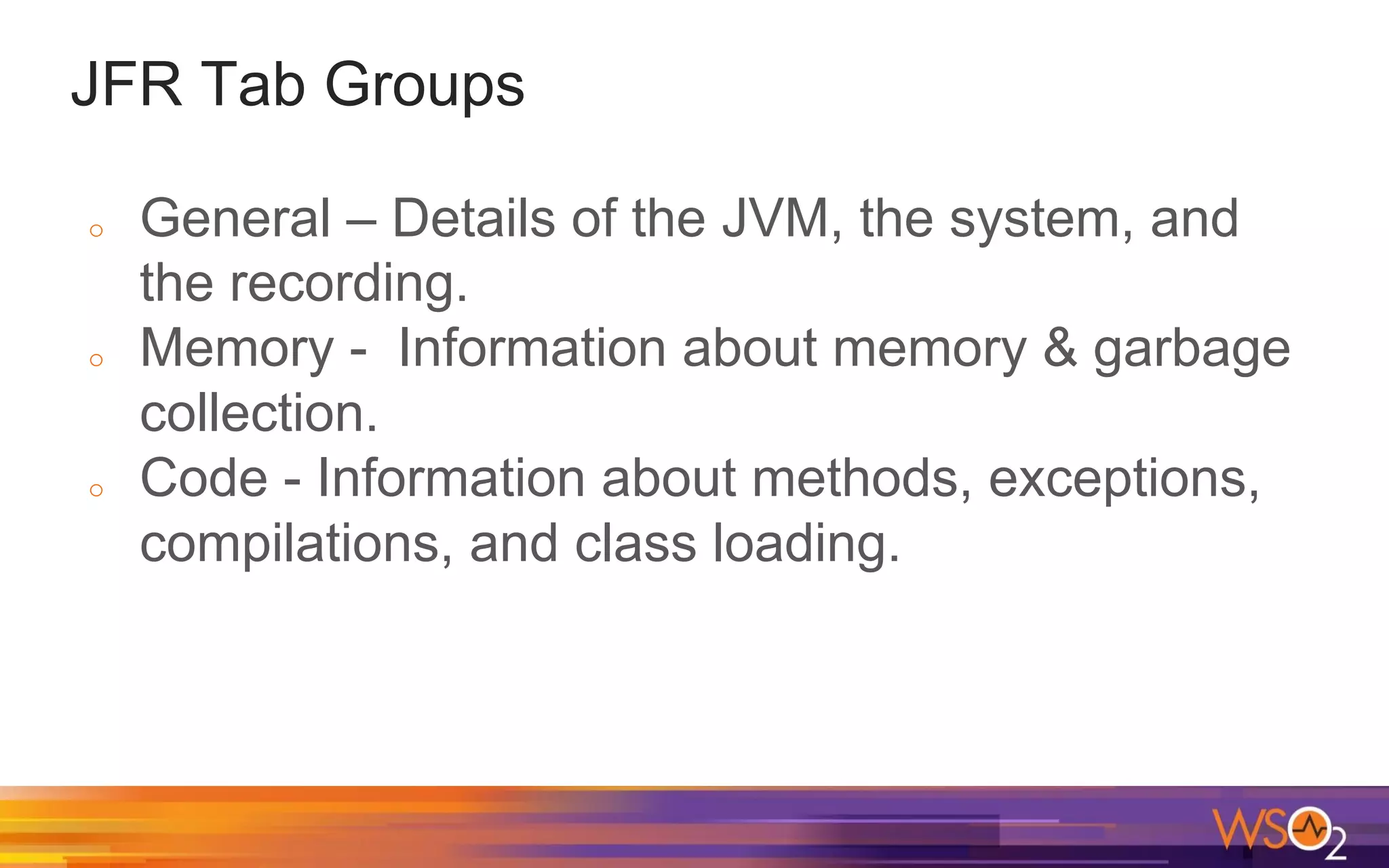
JFR Tab Groups
o General – Details of the JVM, the system, and
the recording.
o Memory - Information about memory & garbage
collection.
o Code - Information about methods, exceptions,
compilations, and class loading.
JFR Tab Groups
o Threads - Information about threads and locks.
o I/O: Information about file and socket I/O.
o System: Information about environment
o Events: Information about the event types in the
recording
Java Just-In-Time (JIT) compiler
Java code is usually compiled into platform
independent bytecode (class files)
The JVM is able to load the class files and
execute the Java bytecode via the Java
interpreter.
Even though this bytecode is usually interpreted,
it might also be compiled into native machine
code using the JVM's Just-In-Time (JIT)
compiler.
Java Just-In-Time (JIT) compiler
Unlike the normal compiler, the JIT compiler
compiles the code (bytecode) only when required.
With JIT compiler, the JVM monitors the methods
executed by the interpreter and identifies the “hot
methods” for compilation. After identifying the Java
method calls, the JVM compiles the bytecode into
a more efficient native code.
JIT Optimization Techniques
Dead Code Elimination
Null Check Elimination
Branch Prediction
Loop Unrolling
Inlining Methods
JITWatch
The JITWatch tool can analyze the compilation
logs generated with the “-XX:+LogCompilation”
flag.
The logs generated by LogCompilation are
XML-based and has lot of information related to
JIT compilation. Hence these files are very large.
https://github.com/AdoptOpenJDK/jitwatch
Flame Graphs
o Flame graphs are a visualization of profiled
software, allowing the most frequent code-paths
to be identified quickly and accurately.
o Flame Graphs can be generated using
https://github.com/brendangregg/FlameGraph
o This creates an interactive SVG
http://www.brendangregg.com/flamegraphs.html
Types of Flame Graphs
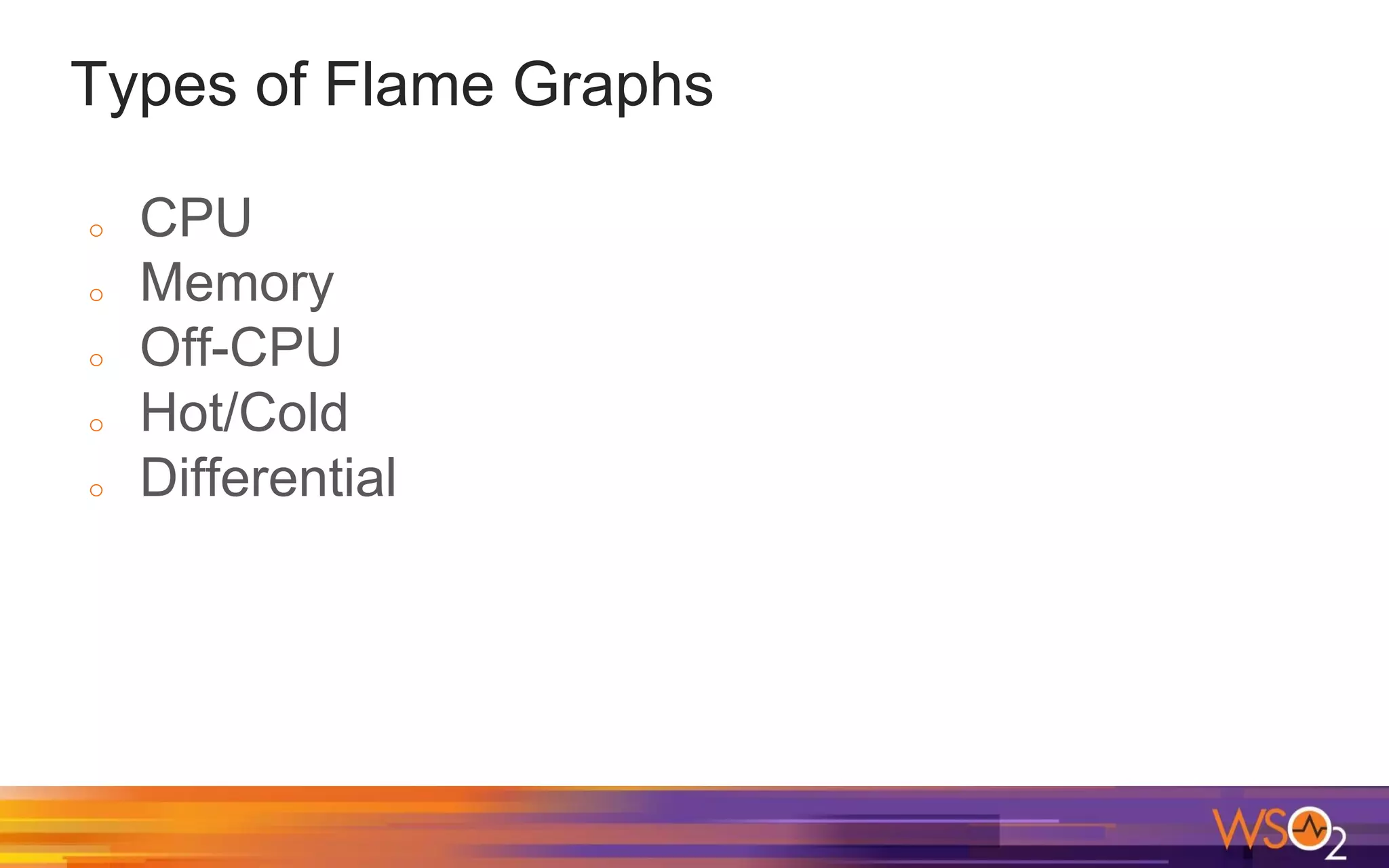
o CPU
o Memory
o Off-CPU
o Hot/Cold
o Differential
Flame Graph: Definition
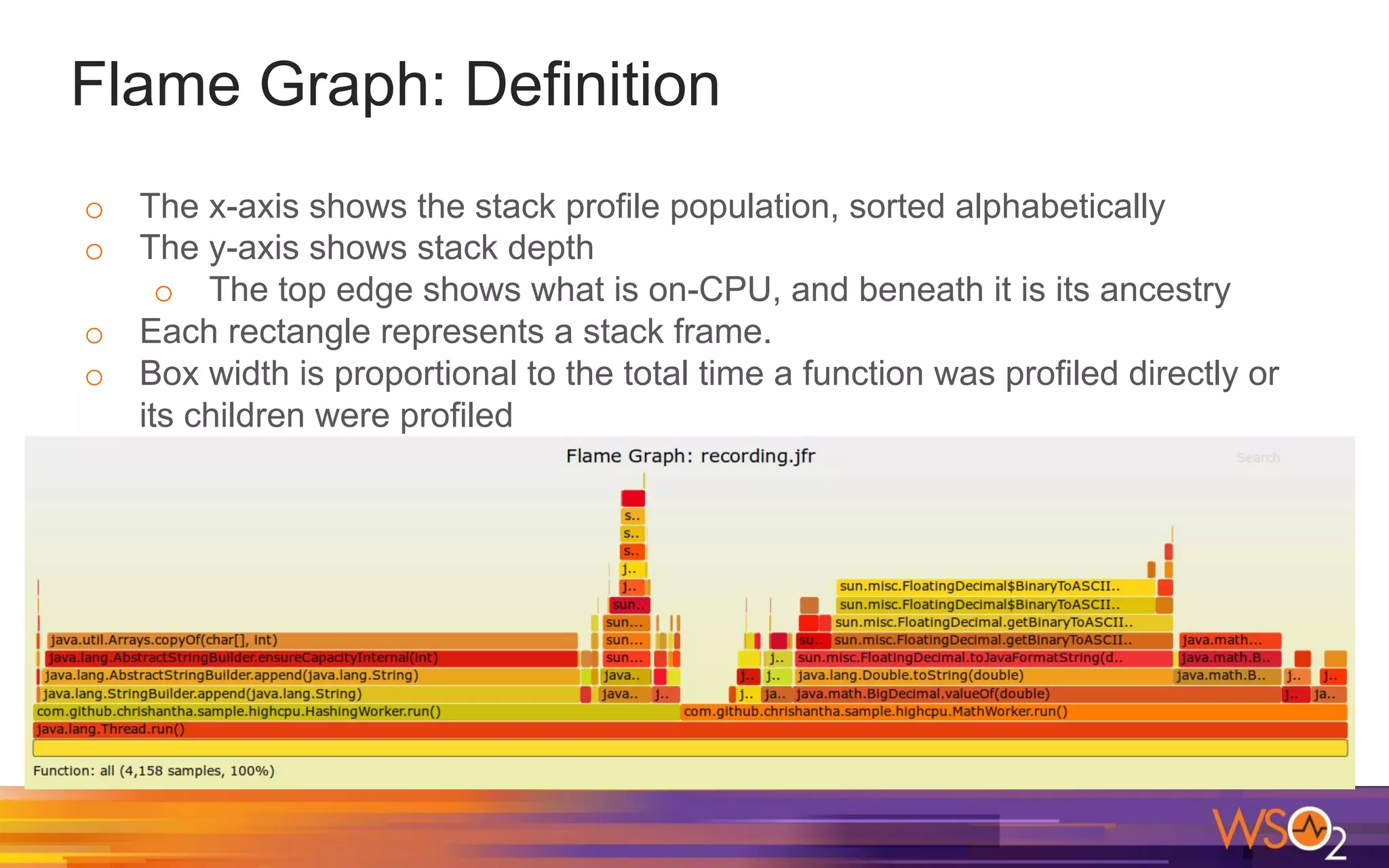
o The x-axis shows the stack profile population, sorted alphabetically
o The y-axis shows stack depth
o The top edge shows what is on-CPU, and beneath it is its ancestry
o Each rectangle represents a stack frame.
o Box width is proportional to the total time a function was profiled directly or
its children were profiled
Flame Graphs with Java Flight Recordings
o We can generate CPU Flame Graphs from a
Java Flight Recording
o Program is available at GitHub:
https://github.com/chrishantha/jfr-flame-graph
o The program uses the (unsupported) JMC
Parser
Generating a Flame Graph using JFR dump
o JFR has Method Profiling Samples
o You can view those in “Hot Methods” and “Call Tree”
tabs
o A Flame Graph can be generated using these
Method Profilings Samples
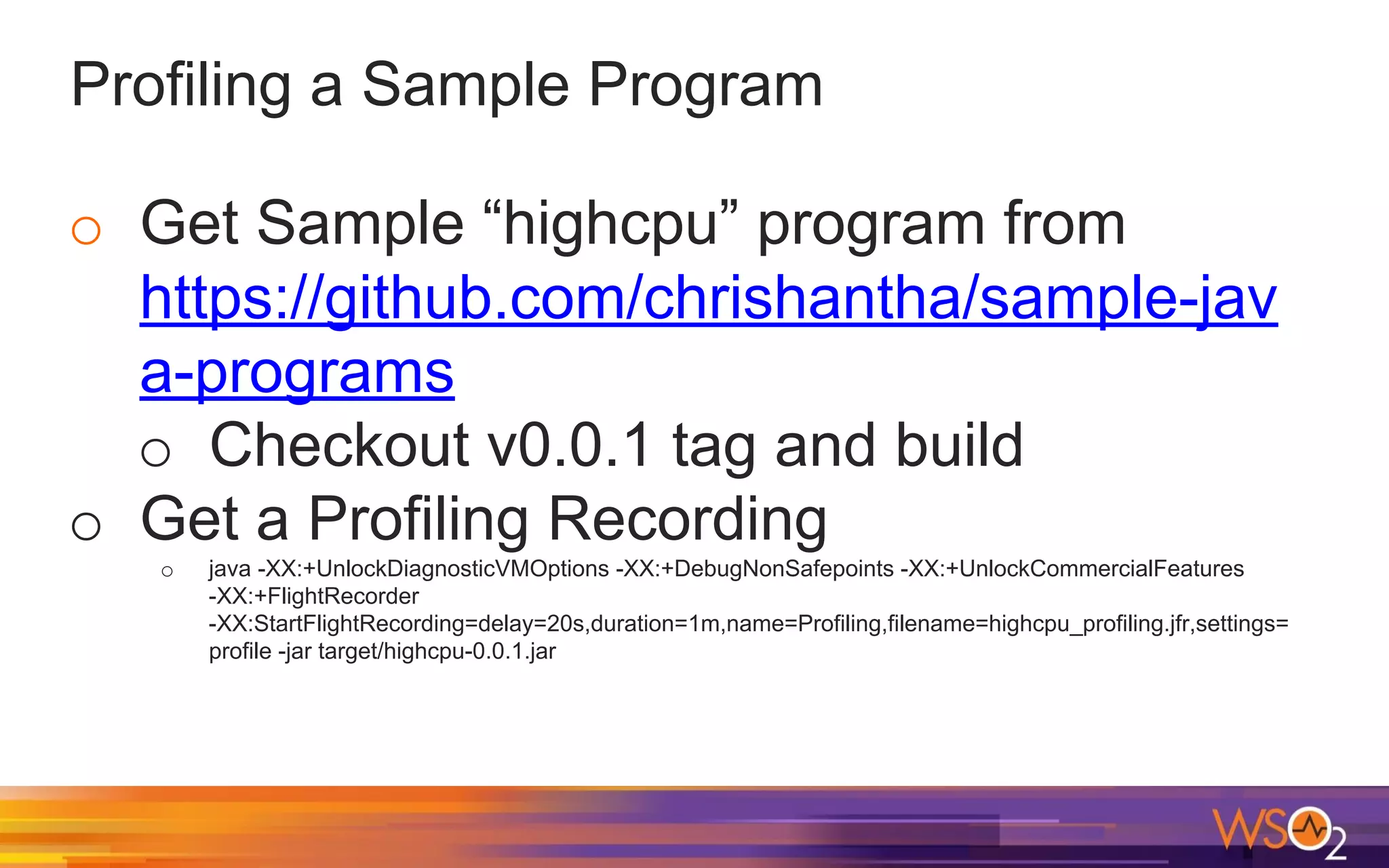
Profiling a Sample Program
o Get Sample “highcpu” program from
https://github.com/chrishantha/sample-jav
a-programs
o Checkout v0.0.1 tag and build
o Get a Profiling Recording
o java -XX:+UnlockDiagnosticVMOptions -XX:+DebugNonSafepoints -XX:+UnlockCommercialFeatures
-XX:+FlightRecorder
-XX:StartFlightRecording=delay=20s,duration=1m,name=Profiling,filename=highcpu_profiling.jfr,settings=
profile -jar target/highcpu-0.0.1.jar
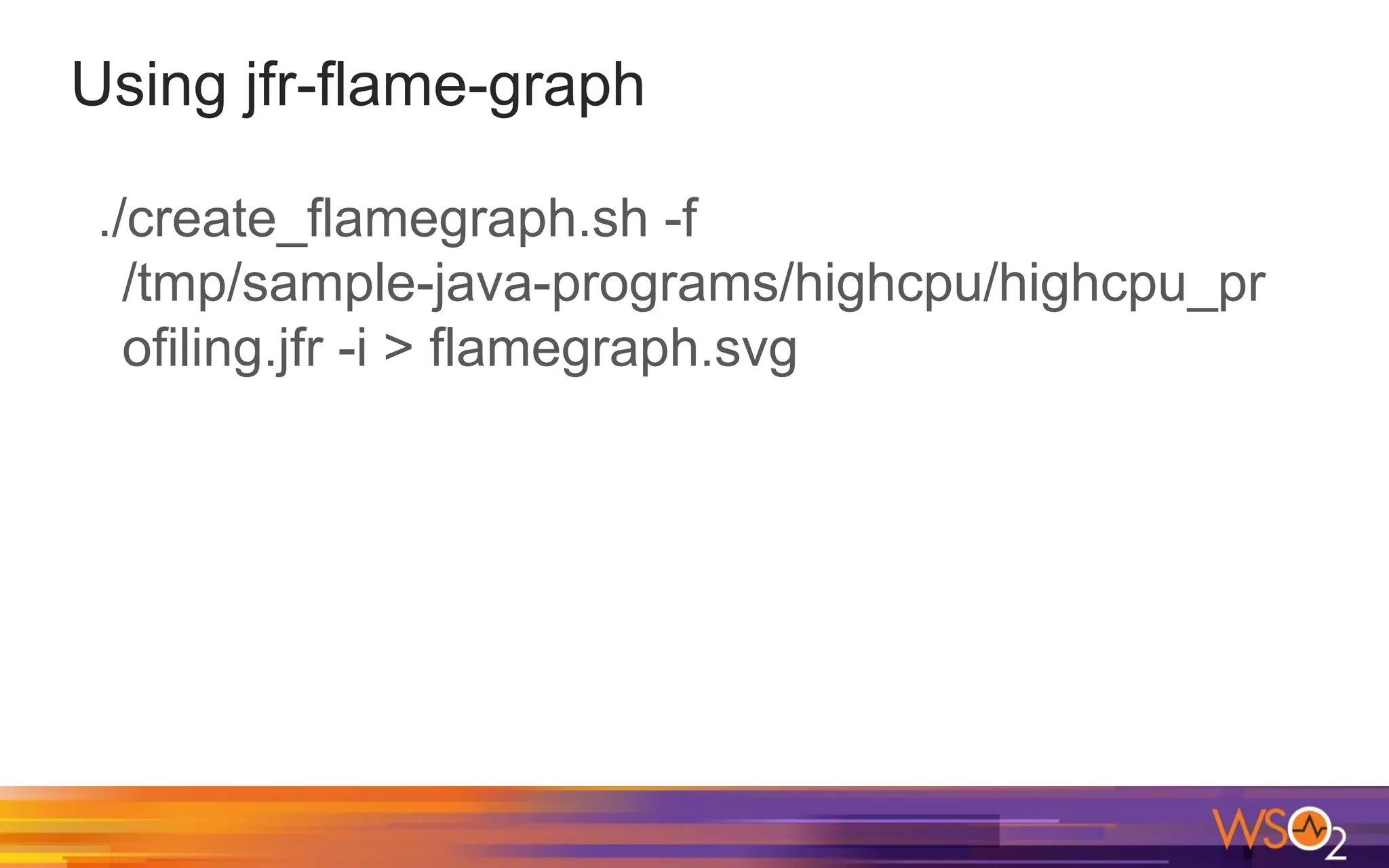
Using jfr-flame-graph
./create_flamegraph.sh -f
/tmp/sample-java-programs/highcpu/highcpu_pr
ofiling.jfr -i > flamegraph.svg
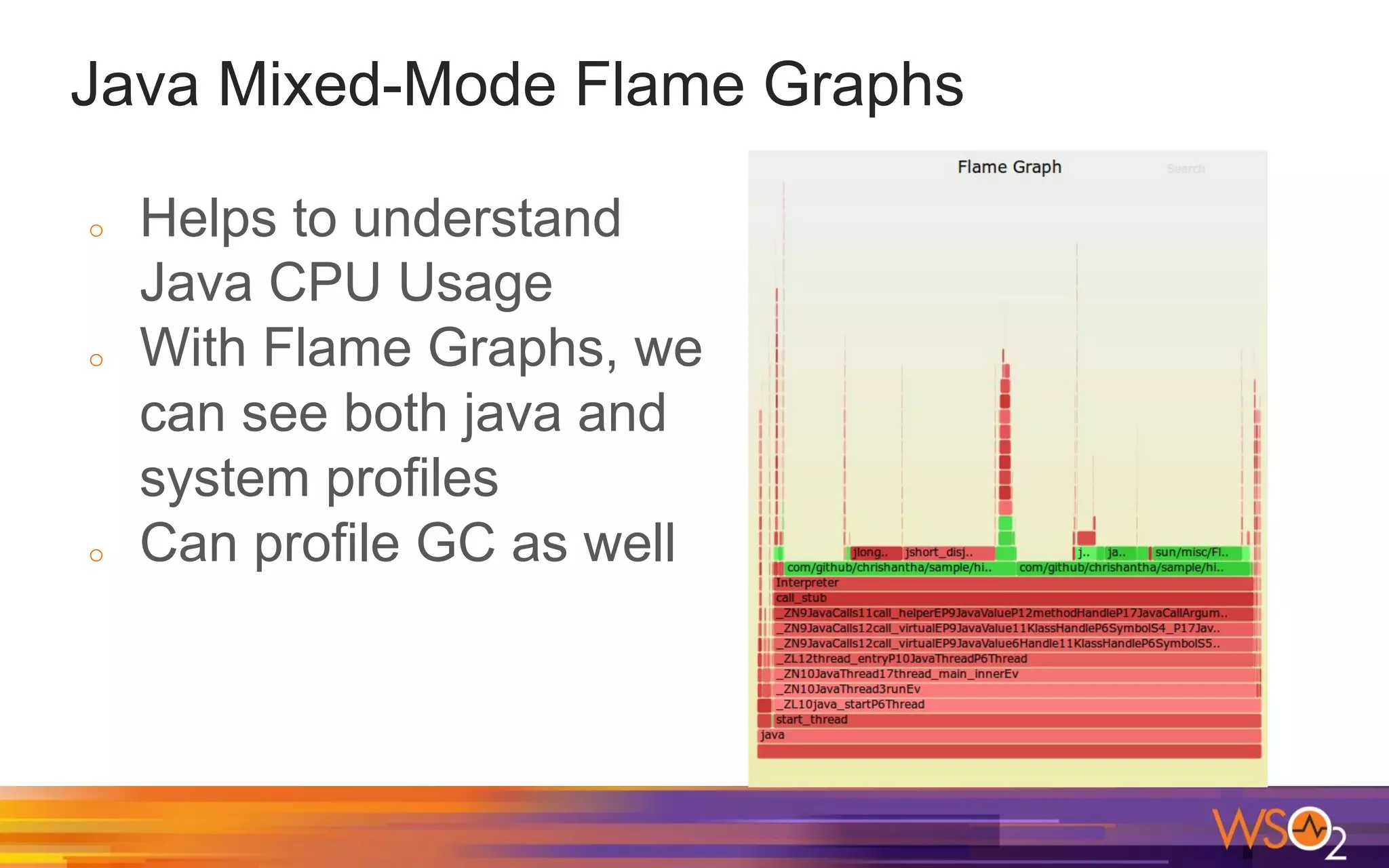
Java Mixed-Mode Flame Graphs
o With Java Profilers, we can get information
about Java process only.
o However with Java Mixed-Mode Flame Graphs,
we can see how much CPU time is spent in
Java methods, system libraries and the kernel.
o Mixed-mode means that the Flame Graph
shows profile information from both system
code paths and Java code paths.
Installing “perf_events” on Ubuntu
o On terminal, type perf
o sudo apt-get install linux-tools-generic
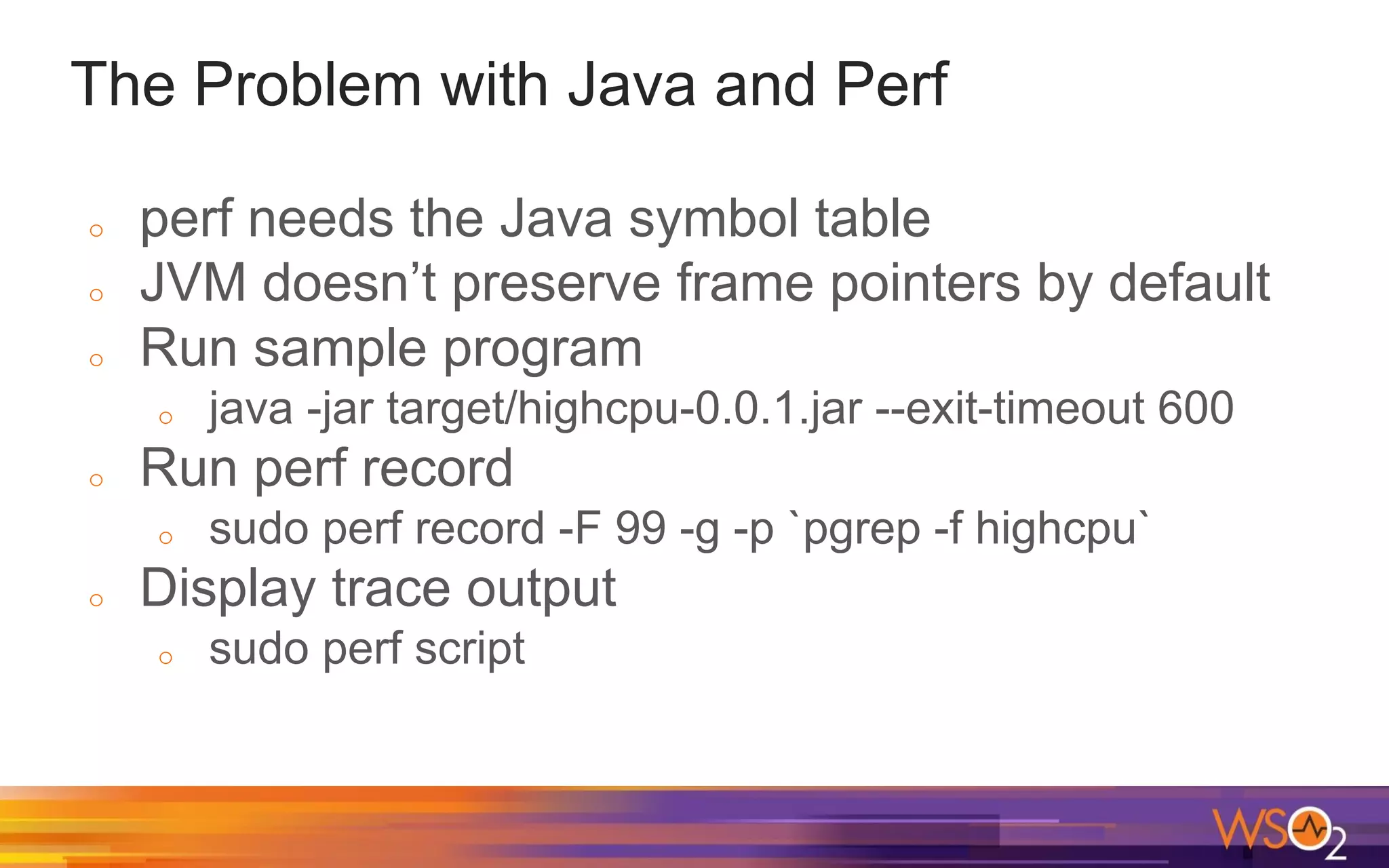
The Problem with Java and Perf
o perf needs the Java symbol table
o JVM doesn’t preserve frame pointers by default
o Run sample program
o java -jar target/highcpu-0.0.1.jar --exit-timeout 600
o Run perf record
o sudo perf record -F 99 -g -p `pgrep -f highcpu`
o Display trace output
o sudo perf script
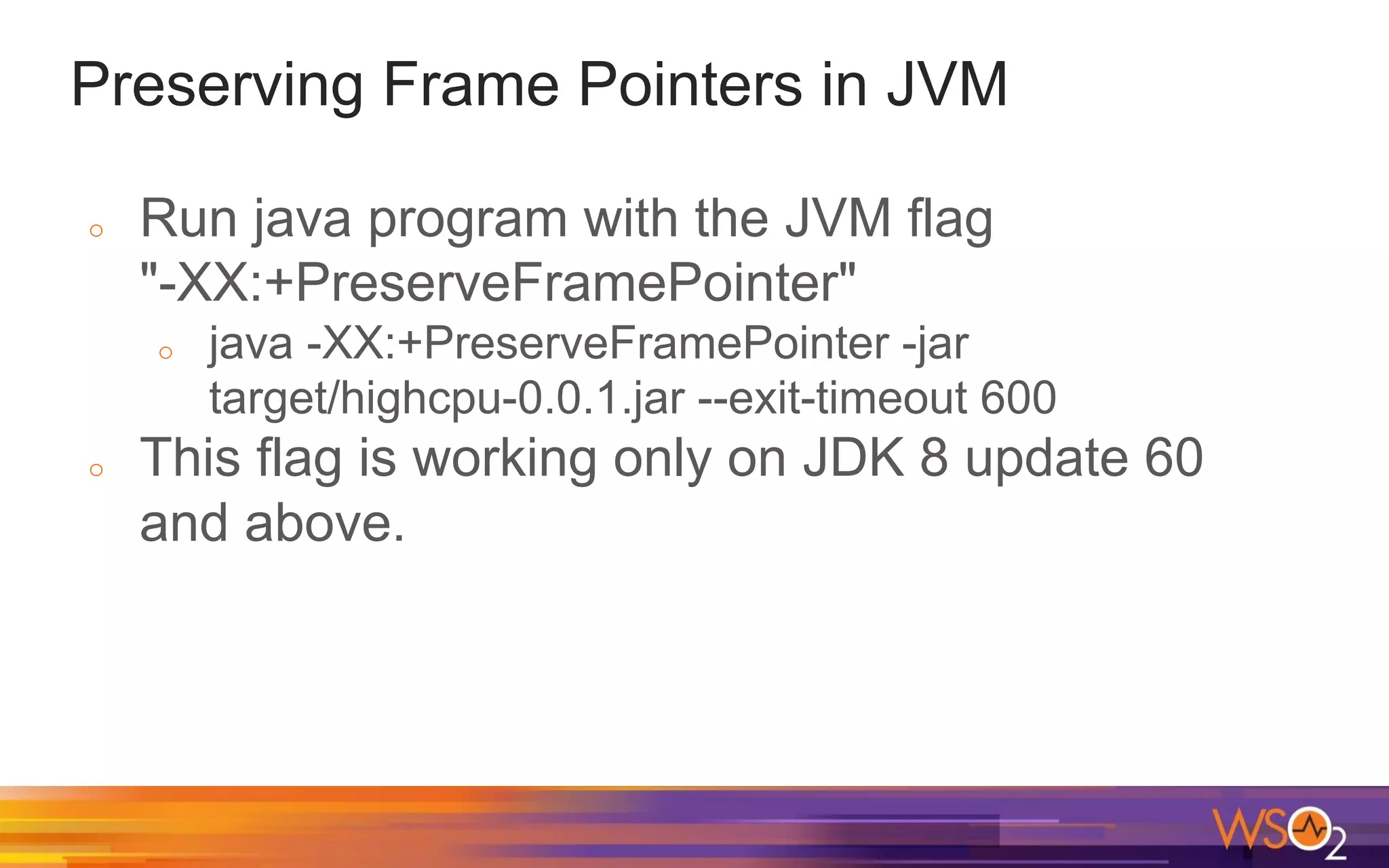
Preserving Frame Pointers in JVM
o Run java program with the JVM flag
"-XX:+PreserveFramePointer"
o java -XX:+PreserveFramePointer -jar
target/highcpu-0.0.1.jar --exit-timeout 600
o This flag is working only on JDK 8 update 60
and above.
How to generate Java symbol table
o Use a java agent to generate method mappings
to use with the linux `perf` tool
o Clone & Build
https://github.com/jrudolph/perf-map-agent
o Create symbol map
o ./create-java-perf-map.sh `pgrep -f highcpu`
Generate Java Mixed Mode Flame Graph
o Run perf
o sudo perf record -F 99 -g -p `pgrep -f highcpu` --
sleep 60
o Create symbol map
o Generate Flame Graph
o sudo perf script > out.stacks
o $FLAMEGRAPH_DIR/stackcollapse-perf.pl
out.stacks | $FLAMEGRAPH_DIR/flamegraph.pl
--color=java --hash --width 1680 >
java-mixed-mode.svg
Java Mixed-Mode Flame Graphs
o Helps to understand
Java CPU Usage
o With Flame Graphs, we
can see both java and
system profiles
o Can profile GC as well
Does profiling matter?
Yes!
Most of the performance issues are in the
application code.
Early performance testing is key. Fix problems
while developing.
Thank you!

Java Performance and Profiling

  • 1.
    Java Performance & Profiling M.Isuru Tharanga Chrishantha Perera Technical Lead at WSO2 Co-organizer of Java Colombo Meetup
  • 2.
    Measuring Performance We needa way to measure the performance: o To understand how the system behaves o To see performance improvements after doing any optimizations There are two key performance metrics. o Latency o Throughput
  • 3.
    What is Throughput? Throughputmeasures the number of messages that a server processes during a specific time interval (e.g. per second). Throughput is calculated using the equation: Throughput = number of requests / time to complete the requests
  • 4.
    What is Latency? Latencymeasures the end-to-end processing time for an operation.
  • 5.
    Benchmarking Tools Apache JMeter ApacheBenchmark wrk - a HTTP benchmarking tool
  • 6.
    Tuning Java Applications Weneed to have a very high throughput and very low latency values. There is a tradeoff between throughput and latency. With more concurrent users, the throughput increases, but the average latency will also increase. Usually, you need to achieve maximum throughput while keeping latency within some acceptable limit. For eg: you might choose maximum throughput in a range where latency is less than 10ms
  • 7.
    Throughput and LatencyGraphs Source: https://www.infoq.com/articles/Tuning-Java-Servers
  • 8.
    Latency Distribution When measuringlatency, it’s important to look at the latency distribution: min, max, avg, median, 75th percentile, 98th percentile, 99th percentile etc.
  • 9.
    Longtail latencies When highpercentiles have values much greater than the average latency Source: https://engineering.linkedin.com/performance/who-moved-m y-99th-percentile-latency
  • 10.
    Latency Numbers EveryProgrammer Should Know L1 cache reference 0.5 ns Branch mispredict 5 ns L2 cache reference 7 ns 14x L1 cache Mutex lock/unlock 25 ns Main memory reference 100 ns 20x L2 cache, 200x L1 cache Compress 1K bytes with Zippy 3,000 ns 3 us Send 1K bytes over 1 Gbps network 10,000 ns 10 us Read 4K randomly from SSD* 150,000 ns 150 us ~1GB/sec SSD Read 1 MB sequentially from memory 250,000 ns 250 us Round trip within same datacenter 500,000 ns 500 us Read 1 MB sequentially from SSD* 1,000,000 ns 1,000 us 1 ms ~1GB/sec SSD, 4X memory Disk seek 10,000,000 ns 10,000 us 10 ms 20x datacenter roundtrip Read 1 MB sequentially from disk 20,000,000 ns 20,000 us 20 ms 80x memory, 20X SSD Send packet CA->Netherlands->CA 150,000,000 ns 150,000 us 150 ms
  • 11.
    Java Garbage Collection Javaautomatically allocates memory for our applications and automatically deallocates memory when certain objects are no longer used. "Automatic Garbage Collection" is an important feature in Java.
  • 12.
    Marking and SweepingAway Garbage GC works by first marking all used objects in the heap and then deleting unused objects. GC also compacts the memory after deleting unreferenced objects to make new memory allocations much easier and faster.
  • 13.
    GC roots o JVMreferences GC roots, which refer the application objects in a tree structure. There are several kinds of GC Roots in Java. o Local Variables o Active Java Threads o Static variables o JNI references o When the application can reach these GC roots, the whole tree is reachable and GC can determine which objects are the live objects.
  • 14.
    Java Heap Structure JavaHeap is divided into generations based on the object lifetime. Following is the general structure of the Java Heap. (This is mostly dependent on the type of collector).
  • 15.
    Young Generation o YoungGeneration usually has Eden and Survivor spaces. o All new objects are allocated in Eden Space. o When this fills up, a minor GC happens. o Surviving objects are first moved to survivor spaces. o When objects survives several minor GCs (tenuring threshold), the relevant objects are eventually moved to the old generation.
  • 16.
    Old Generation o Thisstores long surviving objects. o When this fills up, a major GC (full GC) happens. o A major GC takes a longer time as it has to check all live objects.
  • 17.
    Permanent Generation o Thishas the metadata required by JVM. o Classes and Methods are stored here. o This space is included in a full GC.
  • 18.
    Java 8 andPermGen In Java 8, the permanent generation is not a part of heap. The metadata is now moved to native memory to an area called “Metaspace” There is no limit for Metaspace by default
  • 19.
    "Stop the World" oFor some events, JVM pauses all application threads. These are called Stop-The-World (STW) pauses. o GC Events also cause STW pauses. o We can see application stopped time with GC logs.
  • 20.
    GC Logging o Thereare JVM flags to log details for each GC. o -XX:+PrintGC - Print messages at garbage collection o -XX:+PrintGCDetails - Print more details at garbage collection o -XX:+PrintGCTimeStamps - Print timestamps at garbage collection o -XX:+PrintGCApplicationStoppedTime - Print the application GC stopped time o -XX:+PrintGCApplicationConcurrentTime - Print the application GC concurrent time o The GCViewer is a great tool to view GC logs
  • 21.
    Java Memory Usage Init- initial amount of memory that the JVM requests from the OS for memory management during startup. Used - amount of memory currently used Committed - amount of memory that is guaranteed to be available for use by the JVM Max - maximum amount of memory that can be used for memory management.
  • 22.
    JDK Tools andUtilities o Basic Tools (java, javac, jar) o Security Tools (jarsigner, keytool) o Java Web Service Tools (wsimport, wsgen) o Java Troubleshooting, Profiling, Monitoring and Management Tools (jcmd, jconsole, jmc, jvisualvm)
  • 23.
    Java Troubleshooting, Profiling,Monitoring and Management Tools o jcmd - JVM Diagnostic Commands tool o jconsole - A JMX-compliant graphical tool for monitoring a Java application o jvisualvm – Provides detailed information about the Java application. It provides CPU & Memory profiling, heap dump analysis, memory leak detection etc. o jmc – Tools to monitor and manage Java applications without introducing performance overhead
  • 24.
    Java Experimental Tools oMonitoring Tools o jps – JVM Process Status Tool o jstat – JVM Statistics Monitoring Tool o Troubleshooting Tools o jmap - Memory Map for Java o jhat - Heap Dump Browser o jstack – Stack Trace for Java jstat -gcutil <pid> sudo jmap -heap <pid> sudo jmap -F -dump:format=b,file=/tmp/dump.hprof <pid> jhat /tmp/dump.hprof
  • 25.
    Java Ergonomics andJVM Flags Java Virtual Machine can tune itself depending on the environment and this smart tuning is referred to as Ergonomics. When tuning Java, it's important to know which values were used as default for Garbage collector, Heap Sizes, Runtime Compiler by Java Ergonomics
  • 26.
    Printing Command LineFlags We can use "-XX:+PrintCommandLineFlags" to print the command line flags used by the JVM. This is a useful flag to see the values selected by Java Ergonomics. eg: $ java -XX:+PrintCommandLineFlags -version -XX:InitialHeapSize=128884992 -XX:MaxHeapSize=2062159872 -XX:+PrintCommandLineFlags -XX:+UseCompressedClassPointers -XX:+UseCompressedOops -XX:+UseParallelGC java version "1.8.0_102" Java(TM) SE Runtime Environment (build 1.8.0_102-b14) Java HotSpot(TM) 64-Bit Server VM (build 25.102-b14, mixed mode)
  • 27.
    Use following commandto see the default values java -XX:+PrintFlagsInitial -version Use following command to see the final values. java -XX:+PrintFlagsFinal -version The values modified manually or by Java Ergonomics are shown with “:=” java -XX:+PrintFlagsFinal -version | grep ':=' http://isuru-perera.blogspot.com/2015/08/java-ergonomics-and-jvm-flags.html Printing Initial & Final JVM Flags
  • 28.
    What is Profiling? Hereis what wikipedia says: In software engineering, profiling ("program profiling", "software profiling") is a form of dynamic program analysis that measures, for example, the space (memory) or time complexity of a program, the usage of particular instructions, or the frequency and duration of function calls. Most commonly, profiling information serves to aid program optimization. https://en.wikipedia.org/wiki/Profiling_(computer_programming)
  • 29.
    What is Profiling? Hereis what wikipedia says: Profiling is achieved by instrumenting either the program source code or its binary executable form using a tool called a profiler (or code profiler). Profilers may use a number of different techniques, such as event-based, statistical, instrumented, and simulation methods. https://en.wikipedia.org/wiki/Profiling_(computer_programming)
  • 30.
    Why do weneed Profiling? o Improve throughput (Maximizing the transactions processed per second) o Improve latency (Minimizing the time taken to for each operation) o Find performance bottlenecks
  • 31.
    Java Profiling Tools Surveyby RebelLabs in 2016: http://pages.zeroturnaround.com/RebelLabs-Developer-Productivity-Report-2016.html
  • 32.
    Java Profiling Tools JavaVisualVM - Available in JDK Java Mission Control - Available in JDK JProfiler - A commercially licensed Java profiling tool developed by ej-technologies Honest Profiler - Open Source Sampling CPU profiler
  • 33.
    How Profilers Work? Genericprofilers rely on the JVMTI spec JVMTI offers only safepoint sampling stack trace collection options
  • 34.
    Safepoints A safepoint isa moment in time when a thread’s data, its internal state and representation in the JVM are, well, safe for observation by other threads in the JVM. ● Between every 2 bytecodes (interpreter mode) ● Backedge of non-’counted’ loops ● Method exit ● JNI call exit
  • 35.
    Measuring Methods forCPU Profiling Sampling: Monitor running code externally and check which code is executed Instrumentation: Include measurement code into the real code
  • 36.
    Profiling Applications withJava VisualVM CPU Profiling: Profile the performance of the application. Memory Profiling: Analyze the memory usage of the application.
  • 37.
    Java Mission Control oA set of powerful tools running on the Oracle JDK to monitor and manage Java applications o Free for development use (Oracle Binary Code License) o Available in JDK since Java 7 update 40 o Supports Plugins o Two main tools o JMX Console o Java Flight Recorder
  • 38.
    Sampling vs. Instrumentation Sampling: oOverhead depends on the sampling interval o Can see execution hotspots o Can miss methods, which returns faster than the sampling interval. Instrumentation: o Precise measurement for execution times o More data to process
  • 39.
    Sampling vs. Instrumentation oJava VisualVM uses both sampling and instrumentation o Java Flight Recorder uses sampling for hot methods o JProfiler supports both sampling and instrumentation
  • 40.
    Problems with Profiling oRuntime Overhead o Interpretation of the results can be difficult o Identifying the "crucial“ parts of the software o Identifying potential performance improvements
  • 41.
    Java Flight Recorder(JFR) o A profiling and event collection framework built into the Oracle JDK o Gather low level information about the JVM and application behaviour without performance impact (less than 2%) o Always on Profiling in Production Environments o Engine was released with Java 7 update 4 o Commercial feature in Oracle JDK
  • 42.
    JFR Events o JFRcollects data about events. o JFR collects information about three types of events: o Instant events – Events occurring instantly o Sample (Requestable) events – Events with a user configurable period to provide a sample of system activity o Duration events – Events taking some time to occur. The event has a start and end time. You can set a threshold.
  • 43.
    Java Flight RecorderArchitecture JFR is comprised of the following components: o JFR runtime - The recording engine inside the JVM that produces the recordings. o Flight Recorder plugin for Java Mission Control (JMC)
  • 44.
    Enabling Java FlightRecorder Since JFR is a commercial feature, we must unlock commercial features before trying to run JFR. So, you need to have following arguments. -XX:+UnlockCommercialFeatures -XX:+FlightRecorder
  • 45.
    Dynamically enabling JFR Ifyou are using Java 8 update 40 (8u40) or later, you can now dynamically enable JFR. This is useful as we don’t need to restart the server.
  • 46.
    Improving the accuracyof JFR Method Profiler o An important feature of JFR Method Profiler is that it does not require threads to be at safe points in order for stacks to be sampled. o Generally, the stacks will only be walked at safe points. o HotSpot JVM doesn’t provide metadata for non-safe point parts of the code. Use following to improve the accuracy. o -XX:+UnlockDiagnosticVMOptions -XX:+DebugNonSafepoints
  • 47.
    JFR Event Settings oThere are two event settings by default in Oracle JDK. o Files are in $JAVA_HOME/jre/lib/jfr o Continuous - default.jfc o Profiling - profile.jfc
  • 48.
    JFR Recording Types oTime Fixed Recordings o Fixed duration o The recording will be opened automatically in JMC at the end (If the recording was started by JMC) o Continuous Recordings o No end time o Must be explicitly dumped
  • 49.
    Running Java FlightRecorder There are few ways we can run JFR. o Using the JFR plugin in JMC o Using the command line o Using the Diagnostic Command
  • 50.
    Running Java FlightRecorder You can run multiple recordings concurrently and have different settings for each recording. However, the JFR runtime will use same buffers and resulting recording contains the union of all events for all recordings active at that particular time. This means that we might get more than we asked for. (but not less)
  • 51.
    Running JFR fromJMC o Right click on JVM and select “Start Flight Recording” o Select the type of recording: Time fixed / Continuous o Select the “Event Settings” template o Modify the event options for the selected flight recording template (Optional) o Modify the event details (Optional)
  • 52.
    Running JFR fromCommand Line o To produce a Flight Recording from the command line, you can use “- XX:StartFlightRecording” option. Eg: o -XX:StartFlightRecording=delay=20s,dura tion=60s,name=Test,filename=recording.j fr,settings=profile o Settings are in $JAVA_HOME/jre/lib/jfr o Use following to change log level o -XX:FlightRecorderOptions=loglevel=info
  • 53.
    Continuous recording fromCommand Line o You can also start a continuous recording from the command line using -XX:FlightRecorderOptions. o -XX:FlightRecorderOptions=defaultrecord ing=true,disk=true,repository=/tmp,maxa ge=6h,settings=default
  • 54.
    The Default Recording oUse default recording option to start a continuous recording o -XX:FlightRecorderOptions=defaultrecord ing=true o Default recording can be dumped on exit o Only the default recording can be used with the dumponexit and dumponexitpath parameters o -XX:FlightRecorderOptions=defaultrecord ing=true,dumponexit=true,dumponexitpath =/tmp/dumponexit.jfr
  • 55.
    Running JFR usingDiagnostic Commands o The command “jcmd” can be used o Start Recording Example: o jcmd <pid> JFR.start delay=20s duration=60s name=MyRecording filename=/tmp/recording.jfr settings=profile o Check recording o jcmd <pid> JFR.check o Dump Recording o jcmd <pid> JFR.dump filename=/tmp/dump.jfr name=MyRecording
  • 56.
    Analyzing Flight Recordings oJFR runtime engine dumps recorded data to files with *.jfr extension o These binary files can be viewed from JMC o There are tab groups showing certain aspects of the JVM and the Java application runtime such as Memory, Threads, I/O etc.
  • 57.
    JFR Tab Groups oGeneral – Details of the JVM, the system, and the recording. o Memory - Information about memory & garbage collection. o Code - Information about methods, exceptions, compilations, and class loading.
  • 58.
    JFR Tab Groups oThreads - Information about threads and locks. o I/O: Information about file and socket I/O. o System: Information about environment o Events: Information about the event types in the recording
  • 59.
    Java Just-In-Time (JIT)compiler Java code is usually compiled into platform independent bytecode (class files) The JVM is able to load the class files and execute the Java bytecode via the Java interpreter. Even though this bytecode is usually interpreted, it might also be compiled into native machine code using the JVM's Just-In-Time (JIT) compiler.
  • 60.
    Java Just-In-Time (JIT)compiler Unlike the normal compiler, the JIT compiler compiles the code (bytecode) only when required. With JIT compiler, the JVM monitors the methods executed by the interpreter and identifies the “hot methods” for compilation. After identifying the Java method calls, the JVM compiles the bytecode into a more efficient native code.
  • 61.
    JIT Optimization Techniques DeadCode Elimination Null Check Elimination Branch Prediction Loop Unrolling Inlining Methods
  • 62.
    JITWatch The JITWatch toolcan analyze the compilation logs generated with the “-XX:+LogCompilation” flag. The logs generated by LogCompilation are XML-based and has lot of information related to JIT compilation. Hence these files are very large. https://github.com/AdoptOpenJDK/jitwatch
  • 63.
    Flame Graphs o Flamegraphs are a visualization of profiled software, allowing the most frequent code-paths to be identified quickly and accurately. o Flame Graphs can be generated using https://github.com/brendangregg/FlameGraph o This creates an interactive SVG http://www.brendangregg.com/flamegraphs.html
  • 64.
    Types of FlameGraphs o CPU o Memory o Off-CPU o Hot/Cold o Differential
  • 65.
    Flame Graph: Definition oThe x-axis shows the stack profile population, sorted alphabetically o The y-axis shows stack depth o The top edge shows what is on-CPU, and beneath it is its ancestry o Each rectangle represents a stack frame. o Box width is proportional to the total time a function was profiled directly or its children were profiled
  • 66.
    Flame Graphs withJava Flight Recordings o We can generate CPU Flame Graphs from a Java Flight Recording o Program is available at GitHub: https://github.com/chrishantha/jfr-flame-graph o The program uses the (unsupported) JMC Parser
  • 67.
    Generating a FlameGraph using JFR dump o JFR has Method Profiling Samples o You can view those in “Hot Methods” and “Call Tree” tabs o A Flame Graph can be generated using these Method Profilings Samples
  • 68.
    Profiling a SampleProgram o Get Sample “highcpu” program from https://github.com/chrishantha/sample-jav a-programs o Checkout v0.0.1 tag and build o Get a Profiling Recording o java -XX:+UnlockDiagnosticVMOptions -XX:+DebugNonSafepoints -XX:+UnlockCommercialFeatures -XX:+FlightRecorder -XX:StartFlightRecording=delay=20s,duration=1m,name=Profiling,filename=highcpu_profiling.jfr,settings= profile -jar target/highcpu-0.0.1.jar
  • 69.
  • 70.
    Java Mixed-Mode FlameGraphs o With Java Profilers, we can get information about Java process only. o However with Java Mixed-Mode Flame Graphs, we can see how much CPU time is spent in Java methods, system libraries and the kernel. o Mixed-mode means that the Flame Graph shows profile information from both system code paths and Java code paths.
  • 71.
    Installing “perf_events” onUbuntu o On terminal, type perf o sudo apt-get install linux-tools-generic
  • 72.
    The Problem withJava and Perf o perf needs the Java symbol table o JVM doesn’t preserve frame pointers by default o Run sample program o java -jar target/highcpu-0.0.1.jar --exit-timeout 600 o Run perf record o sudo perf record -F 99 -g -p `pgrep -f highcpu` o Display trace output o sudo perf script
  • 73.
    Preserving Frame Pointersin JVM o Run java program with the JVM flag "-XX:+PreserveFramePointer" o java -XX:+PreserveFramePointer -jar target/highcpu-0.0.1.jar --exit-timeout 600 o This flag is working only on JDK 8 update 60 and above.
  • 74.
    How to generateJava symbol table o Use a java agent to generate method mappings to use with the linux `perf` tool o Clone & Build https://github.com/jrudolph/perf-map-agent o Create symbol map o ./create-java-perf-map.sh `pgrep -f highcpu`
  • 75.
    Generate Java MixedMode Flame Graph o Run perf o sudo perf record -F 99 -g -p `pgrep -f highcpu` -- sleep 60 o Create symbol map o Generate Flame Graph o sudo perf script > out.stacks o $FLAMEGRAPH_DIR/stackcollapse-perf.pl out.stacks | $FLAMEGRAPH_DIR/flamegraph.pl --color=java --hash --width 1680 > java-mixed-mode.svg
  • 76.
    Java Mixed-Mode FlameGraphs o Helps to understand Java CPU Usage o With Flame Graphs, we can see both java and system profiles o Can profile GC as well
  • 77.
    Does profiling matter? Yes! Mostof the performance issues are in the application code. Early performance testing is key. Fix problems while developing.
  • 78.