Simmi S Dept Of CS
Exception Handling In Java
Ms Simmi S
Assistant Professor
Department of Computer Science UG
Kristu Jayanti(Deemed To Be University
Simmi S Dept Of CS
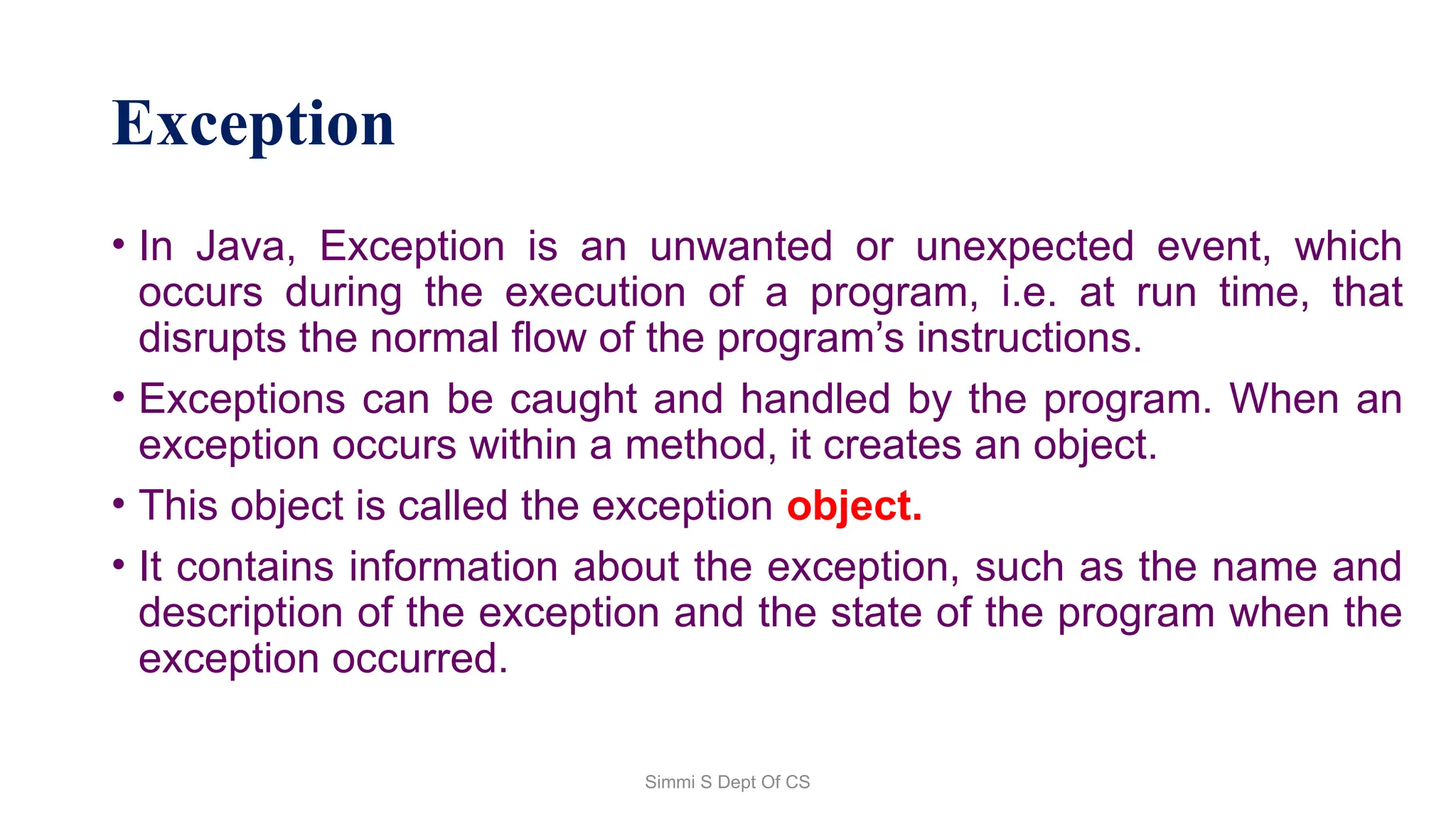
Exception
• In Java, Exception is an unwanted or unexpected event, which
occurs during the execution of a program, i.e. at run time, that
disrupts the normal flow of the program’s instructions.
• Exceptions can be caught and handled by the program. When an
exception occurs within a method, it creates an object.
• This object is called the exception object.
• It contains information about the exception, such as the name and
description of the exception and the state of the program when the
exception occurred.
Simmi S Dept Of CS
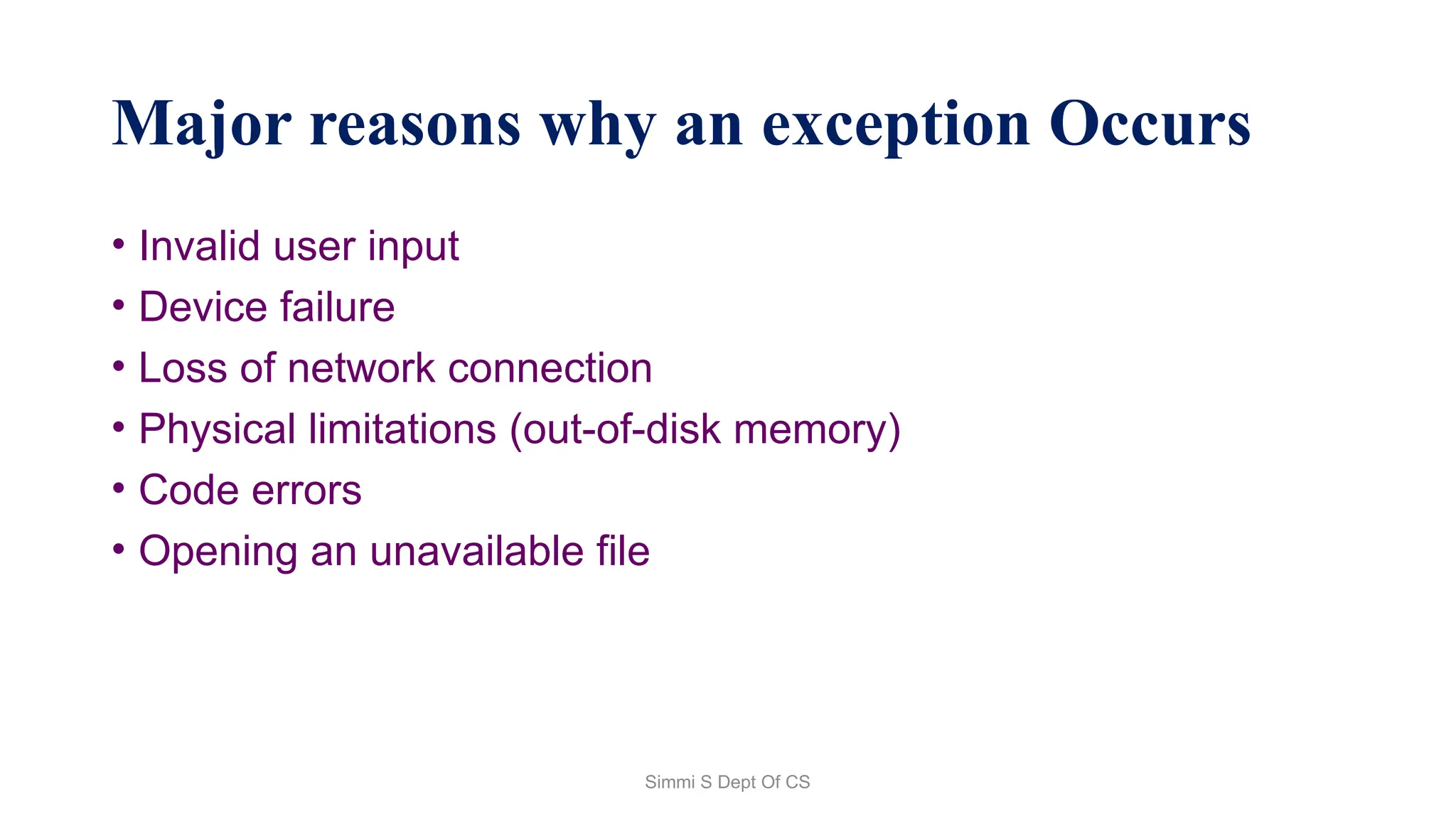
Major reasons why an exception Occurs
• Invalid user input
• Device failure
• Loss of network connection
• Physical limitations (out-of-disk memory)
• Code errors
• Opening an unavailable file
Simmi S Dept Of CS
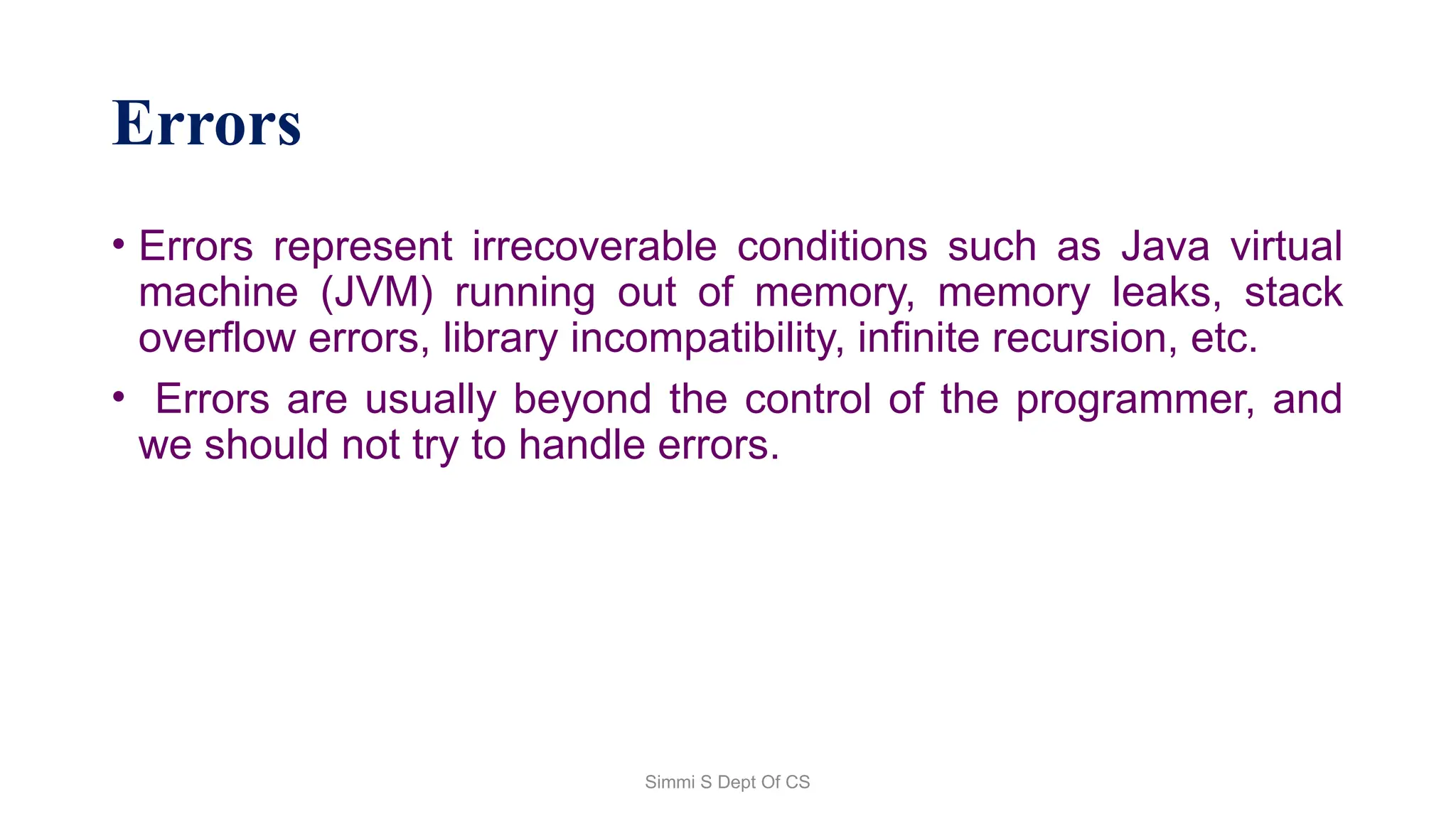
Errors
• Errors represent irrecoverable conditions such as Java virtual
machine (JVM) running out of memory, memory leaks, stack
overflow errors, library incompatibility, infinite recursion, etc.
• Errors are usually beyond the control of the programmer, and
we should not try to handle errors.
Simmi S Dept Of CS
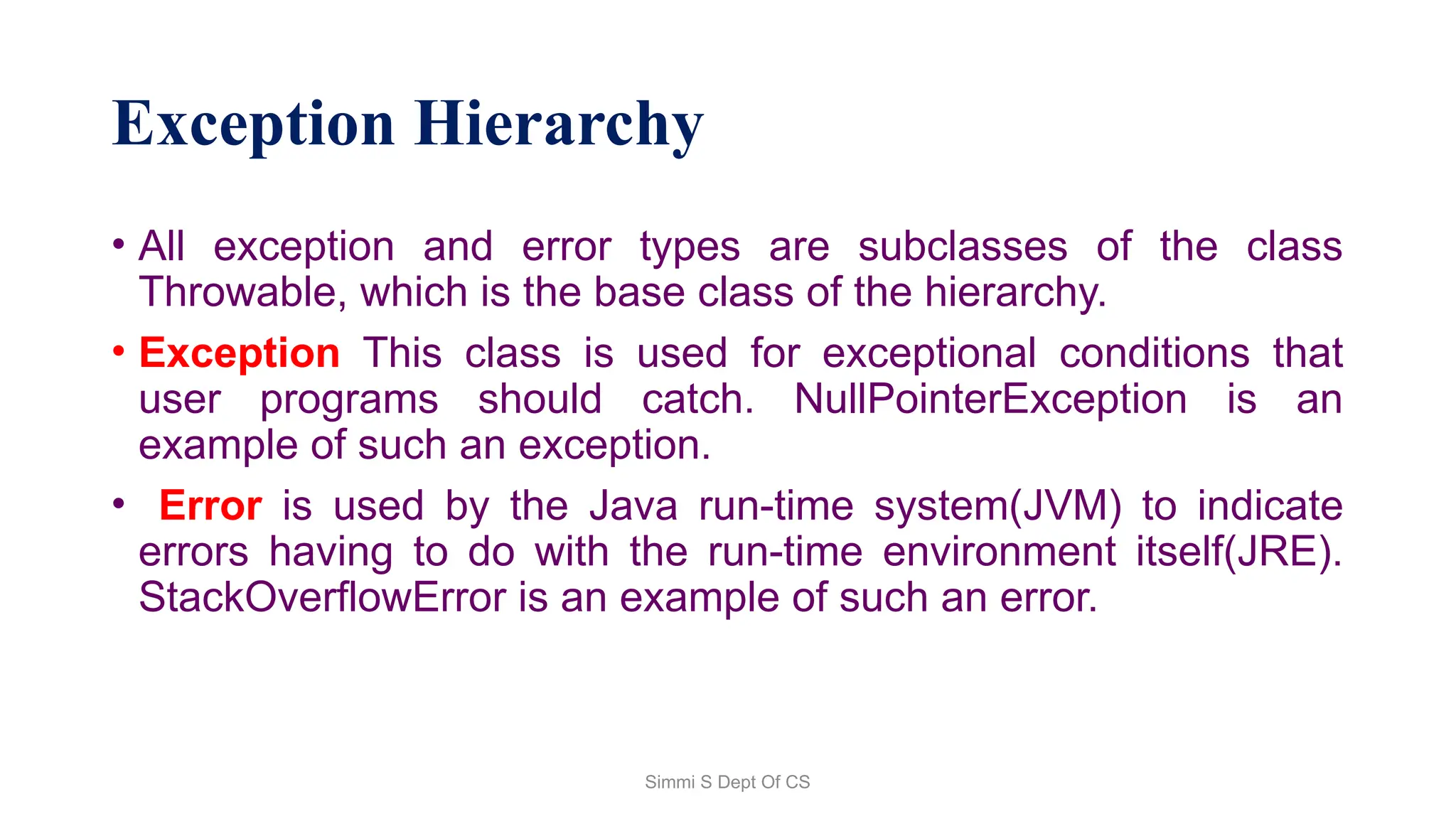
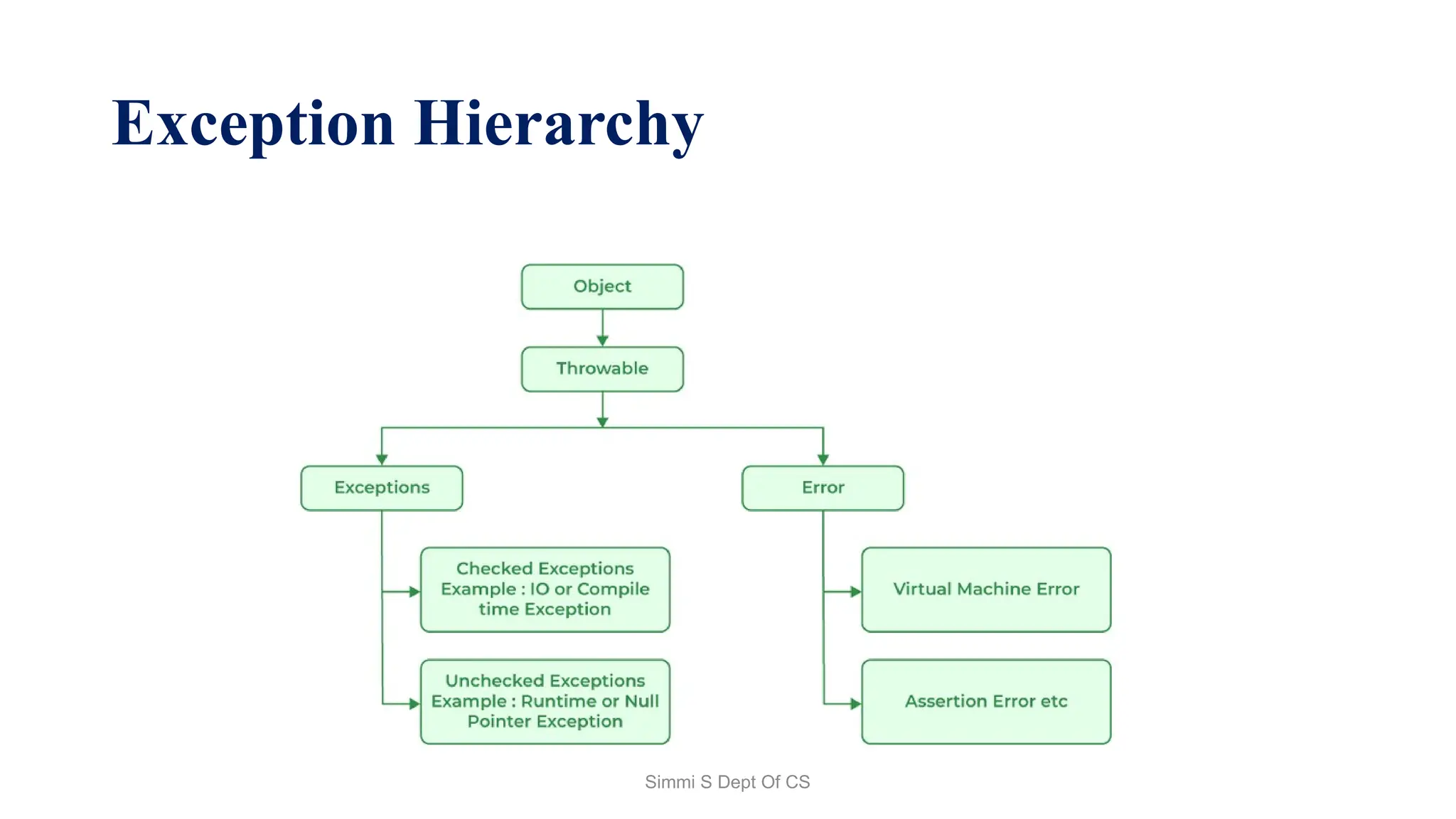
Exception Hierarchy
• All exception and error types are subclasses of the class
Throwable, which is the base class of the hierarchy.
• Exception This class is used for exceptional conditions that
user programs should catch. NullPointerException is an
example of such an exception.
• Error is used by the Java run-time system(JVM) to indicate
errors having to do with the run-time environment itself(JRE).
StackOverflowError is an example of such an error.
Simmi S Dept Of CS
Exception Hierarchy
Simmi S Dept Of CS
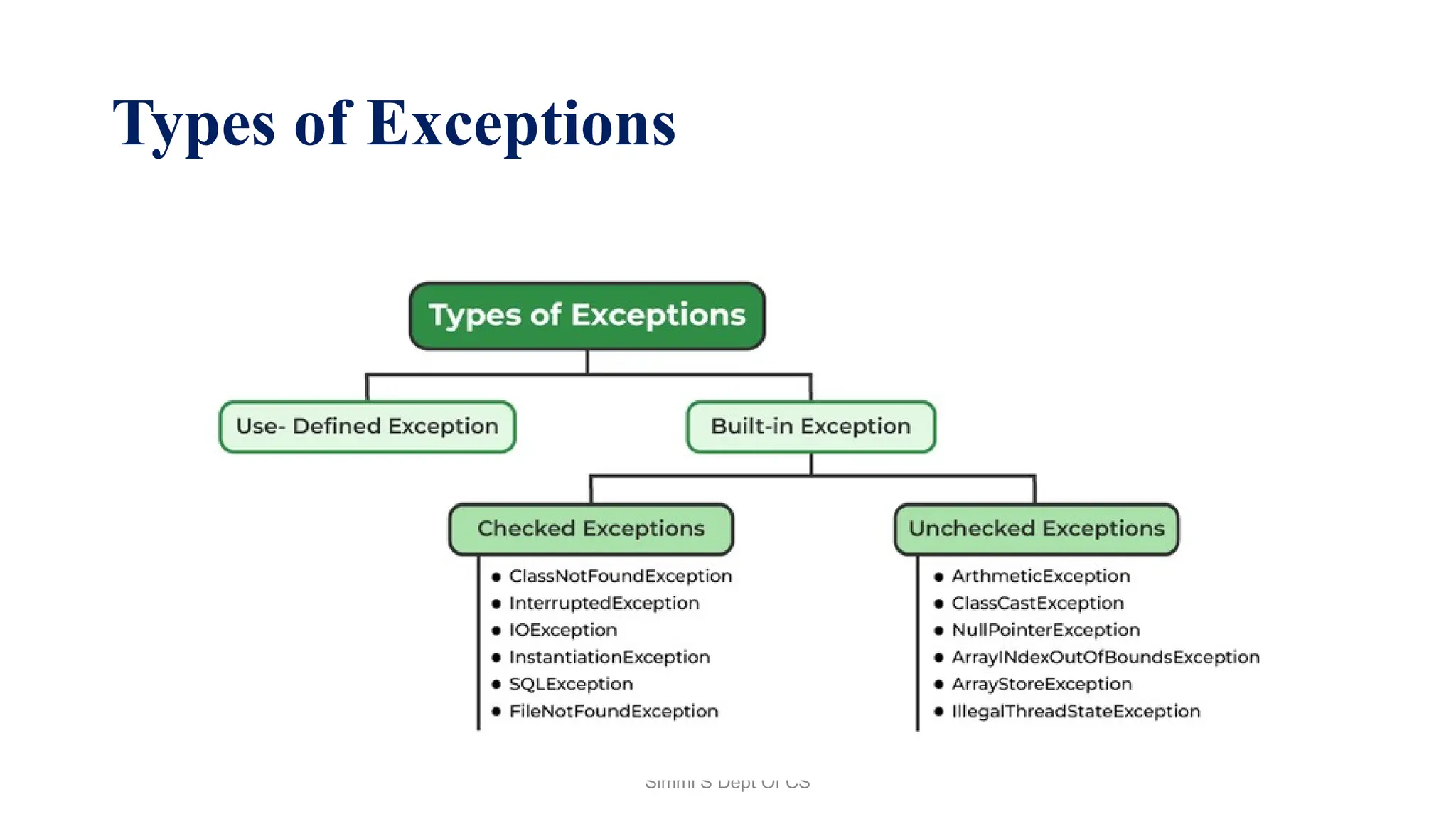
Types of Exceptions
Simmi S Dept Of CS
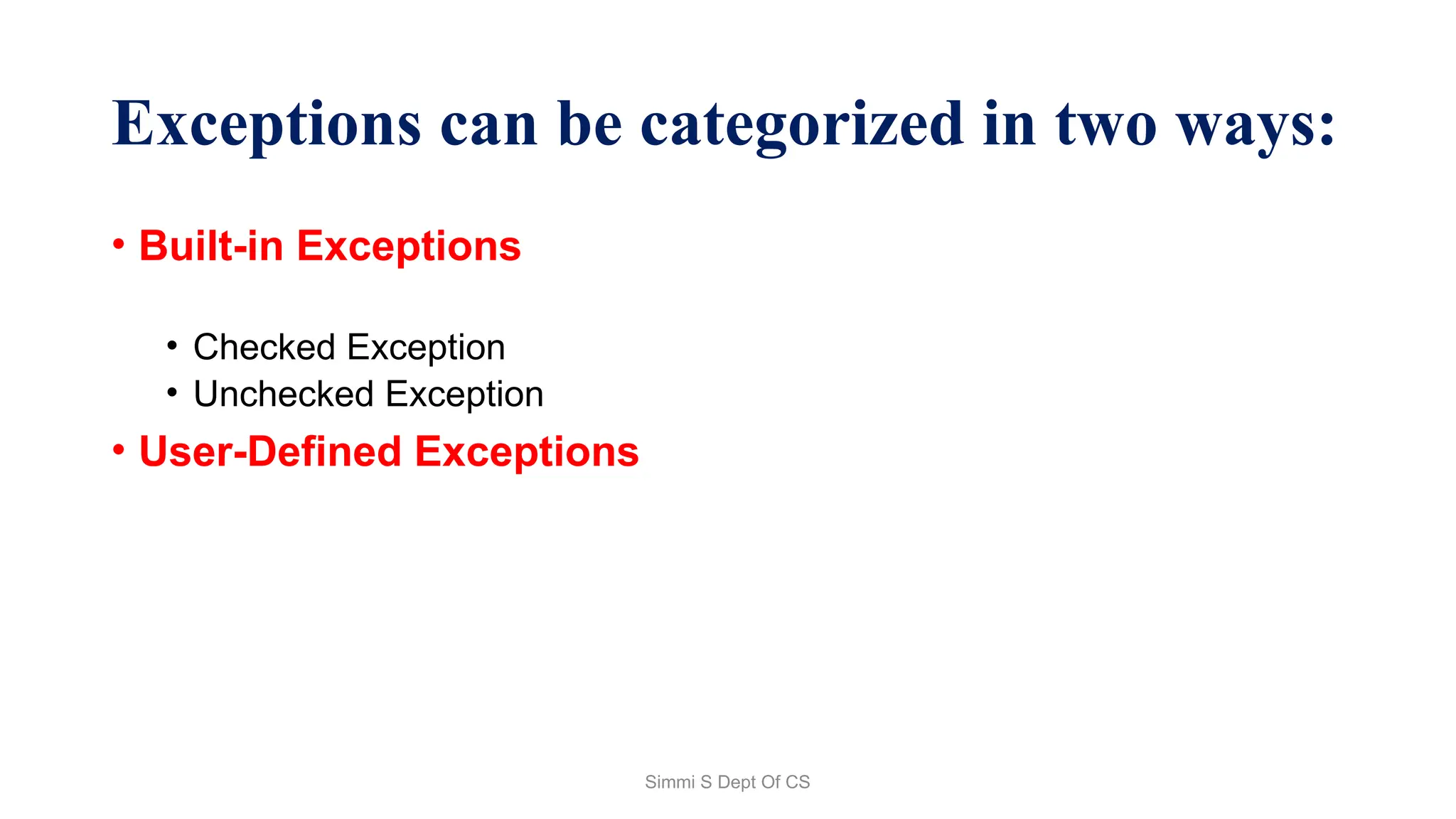
Exceptions can be categorized in two ways:
• Built-in Exceptions
• Checked Exception
• Unchecked Exception
• User-Defined Exceptions
Simmi S Dept Of CS
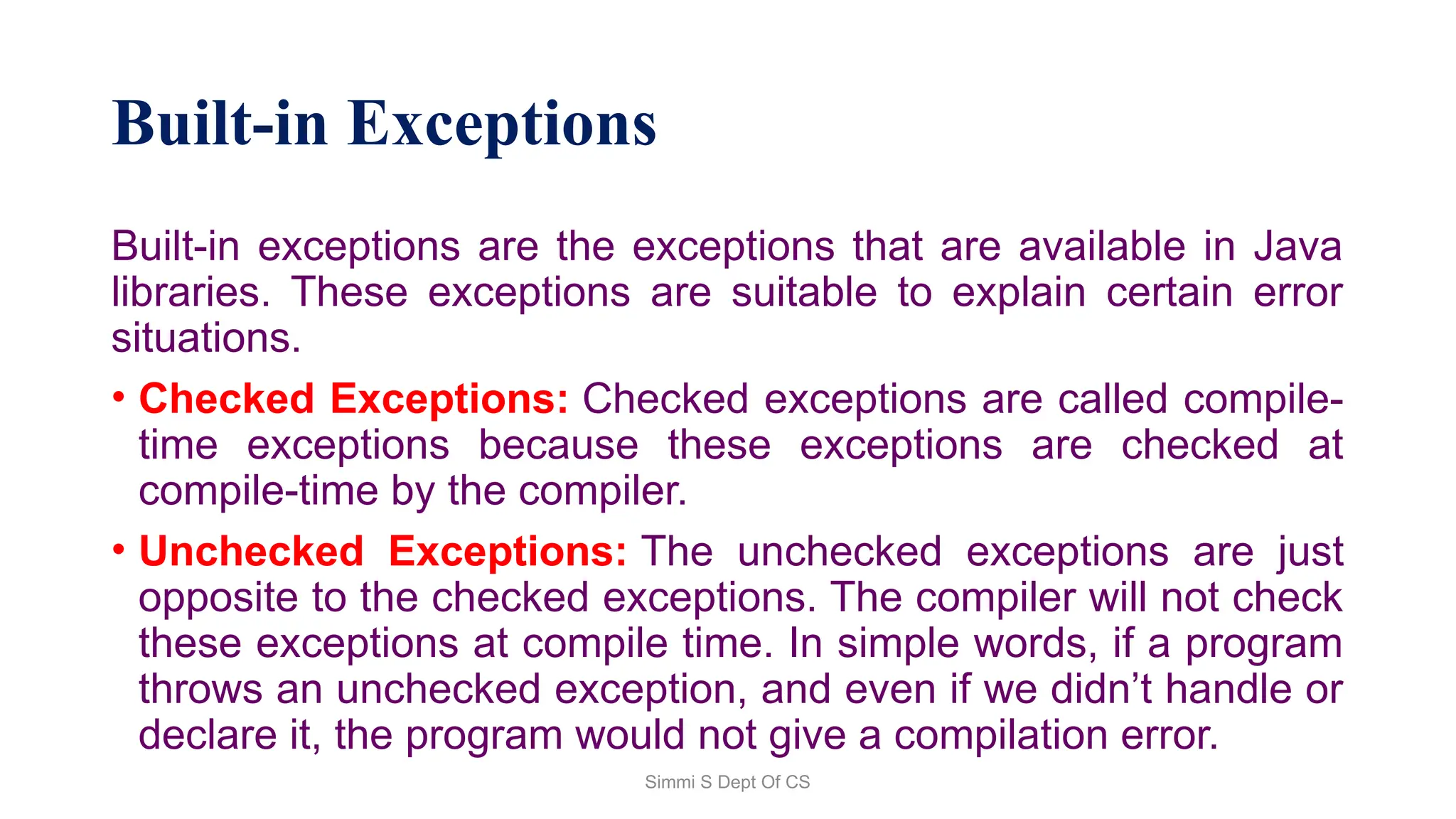
Built-in Exceptions
Built-in exceptions are the exceptions that are available in Java
libraries. These exceptions are suitable to explain certain error
situations.
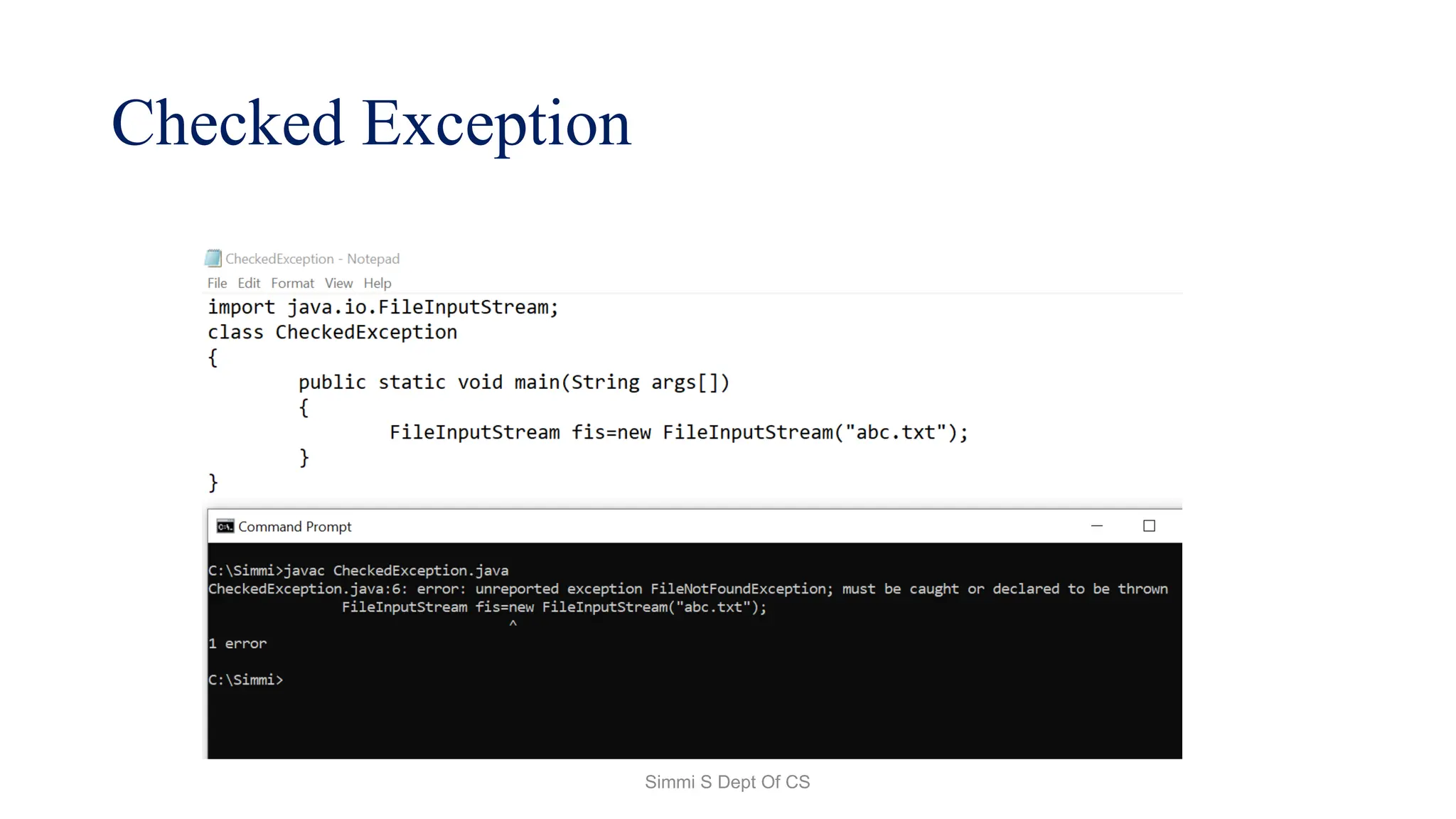
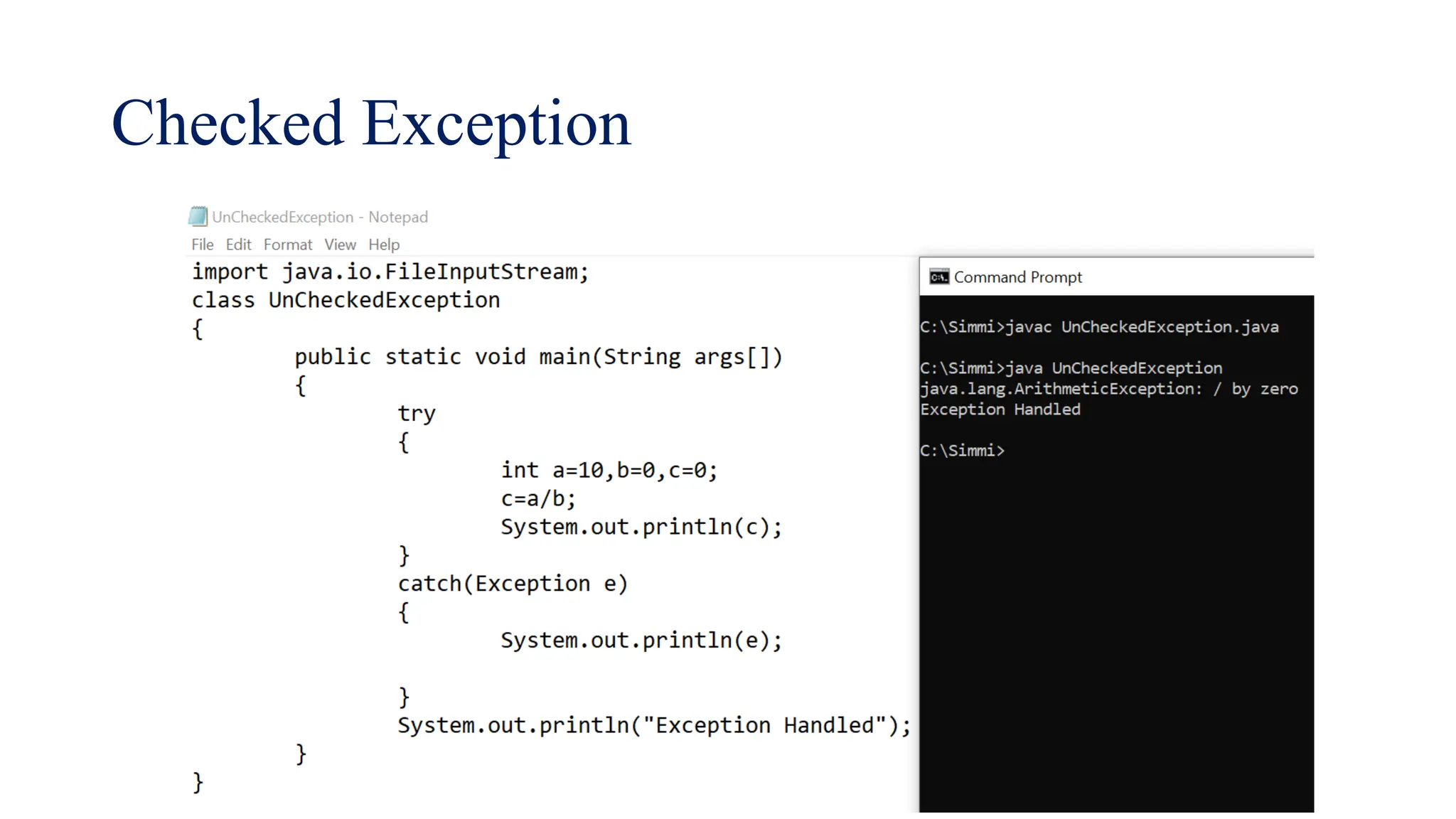
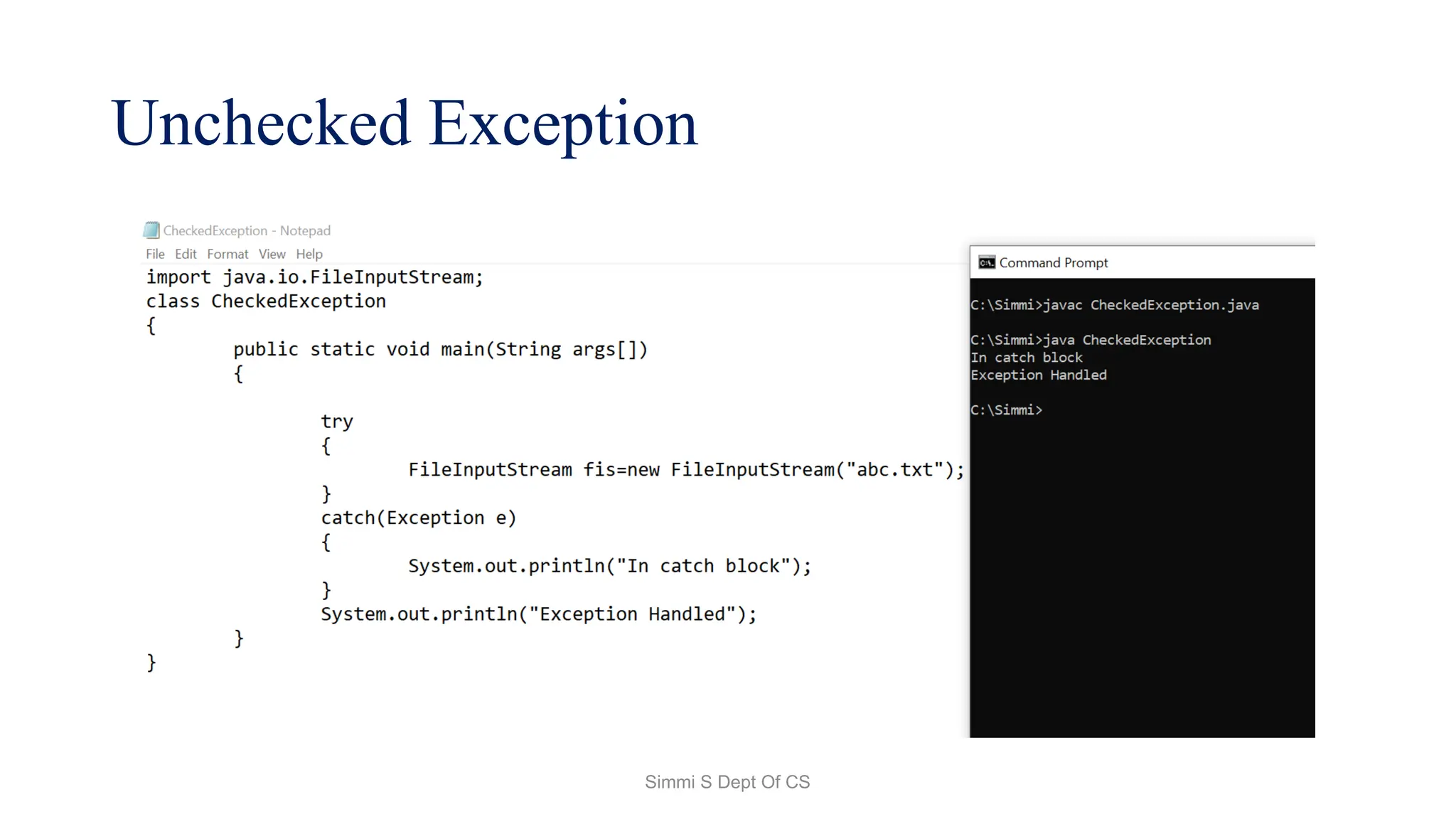
• Checked Exceptions: Checked exceptions are called compile-
time exceptions because these exceptions are checked at
compile-time by the compiler.
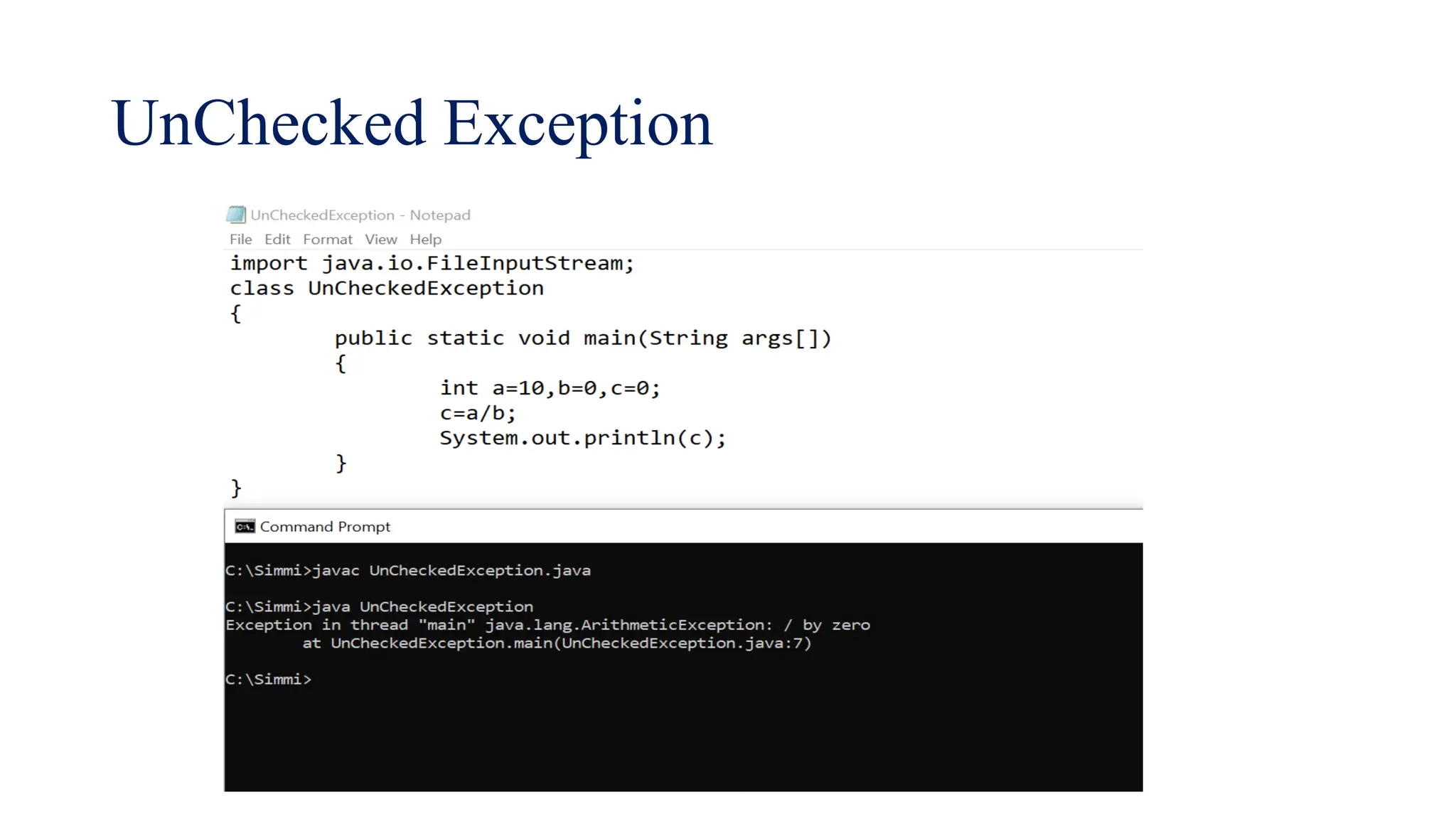
• Unchecked Exceptions: The unchecked exceptions are just
opposite to the checked exceptions. The compiler will not check
these exceptions at compile time. In simple words, if a program
throws an unchecked exception, and even if we didn’t handle or
declare it, the program would not give a compilation error.
Simmi S Dept Of CS
User-Defined Exceptions:
• Sometimes, the built-in exceptions in Java are not able to
describe a certain situation. In such cases, users can also
create exceptions, which are called ‘user-defined Exceptions’.
Simmi S Dept Of CS
How Does JVM Handle an Exception?
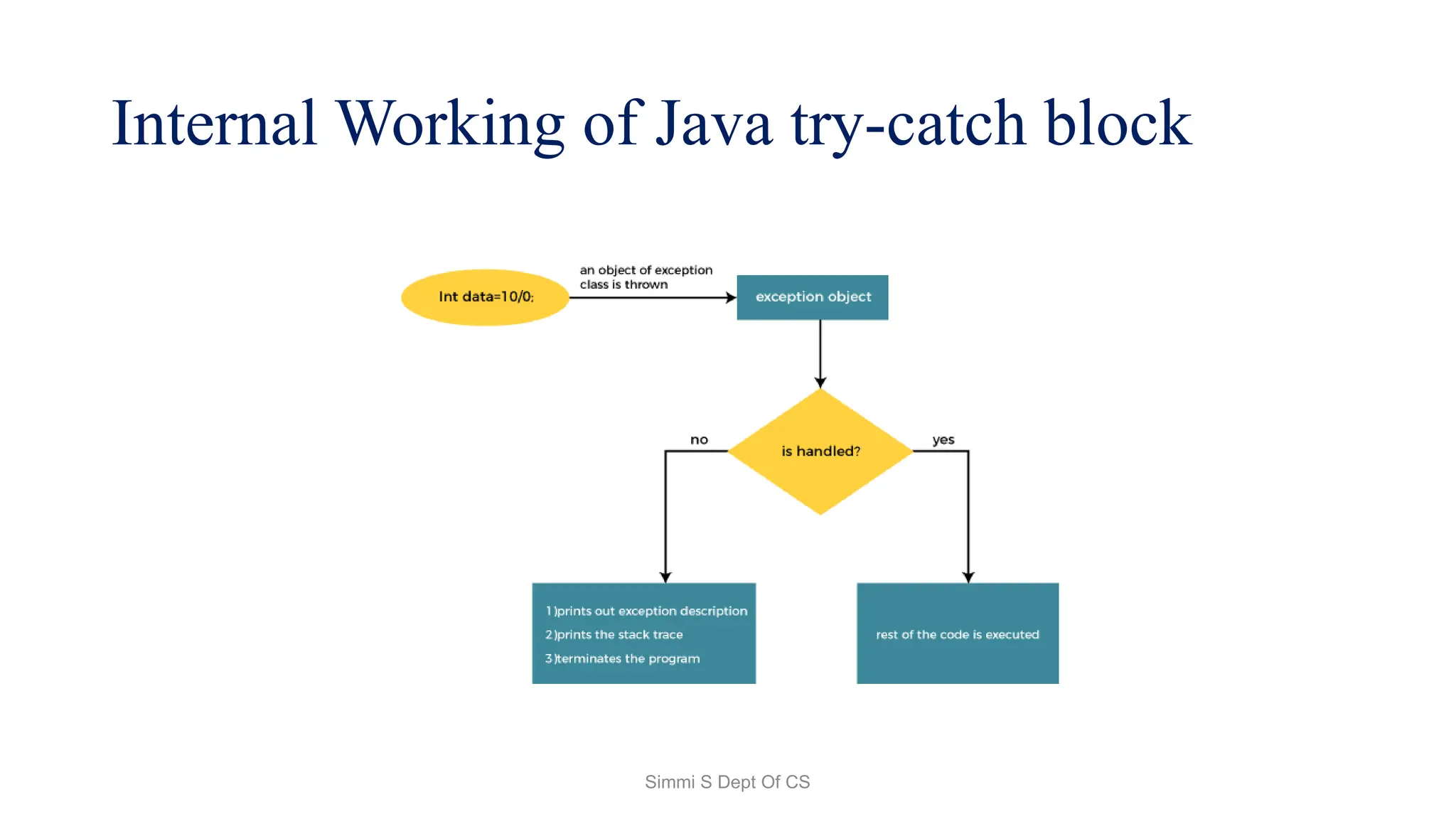
• Default Exception Handling: Whenever inside a method, if an
exception has occurred, the method creates an Object known
as an Exception Object and hands it off to the run-time
system(JVM).
• The exception object contains the name and description of
the exception and the current state of the program where the
exception has occurred.
• Creating the Exception Object and handling it in the run-time
system is called throwing an Exception.
Simmi S Dept Of CS
How Programmer Handle an Exception?
• Customized Exception Handling: Java exception handling is
managed via five keywords: try, catch, throw, throws,
and finally.
Simmi S Dept Of CS
Checked Exception
Simmi S Dept Of CS
UnChecked Exception
Simmi S Dept Of CS
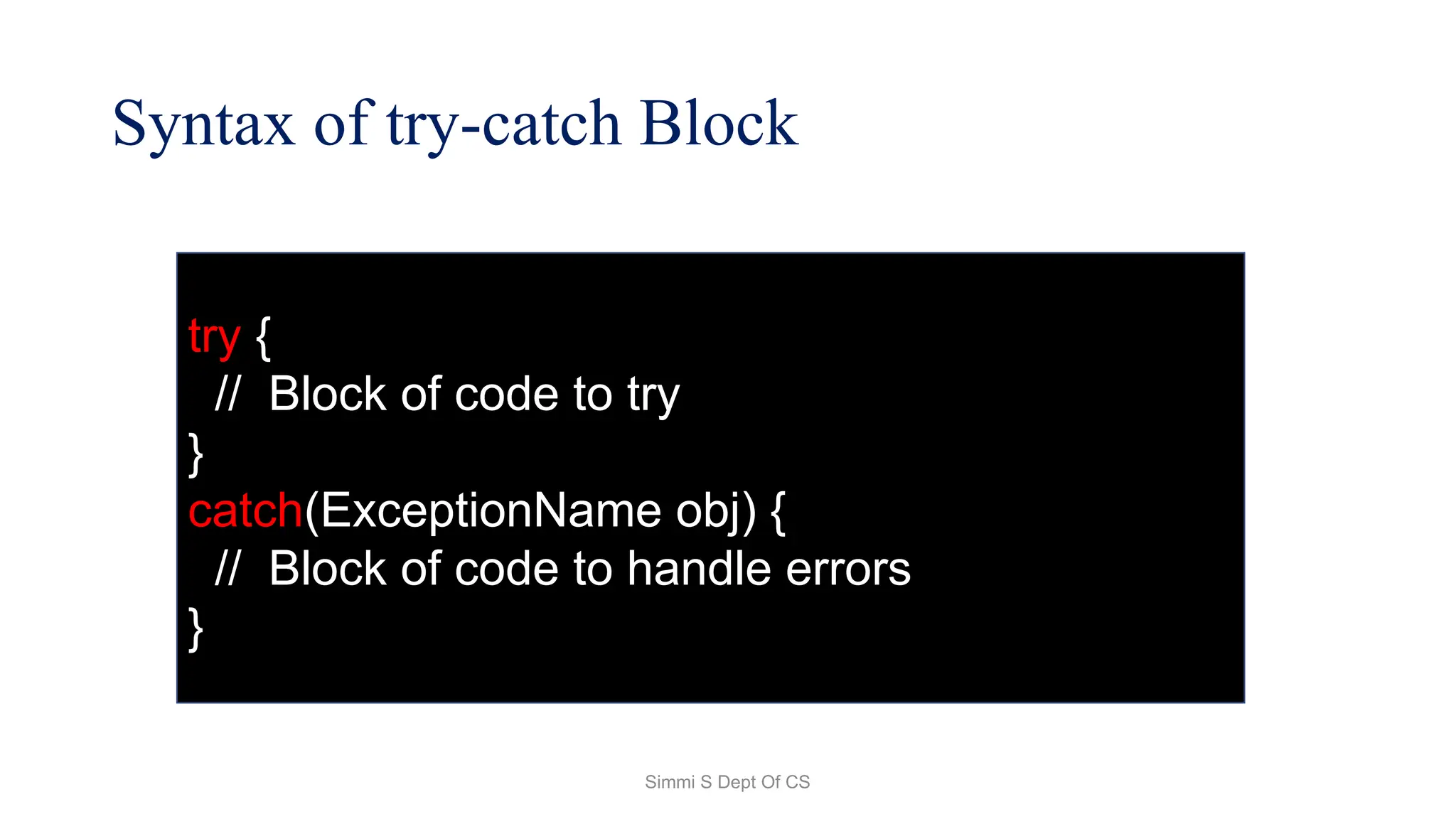
Syntax of try-catch Block
try {
// Block of code to try
}
catch(ExceptionName obj) {
// Block of code to handle errors
}
Simmi S Dept Of CS
Internal Working of Java try-catch block
Simmi S Dept Of CS
Checked Exception
Simmi S Dept Of CS
Unchecked Exception
Simmi S Dept Of CS
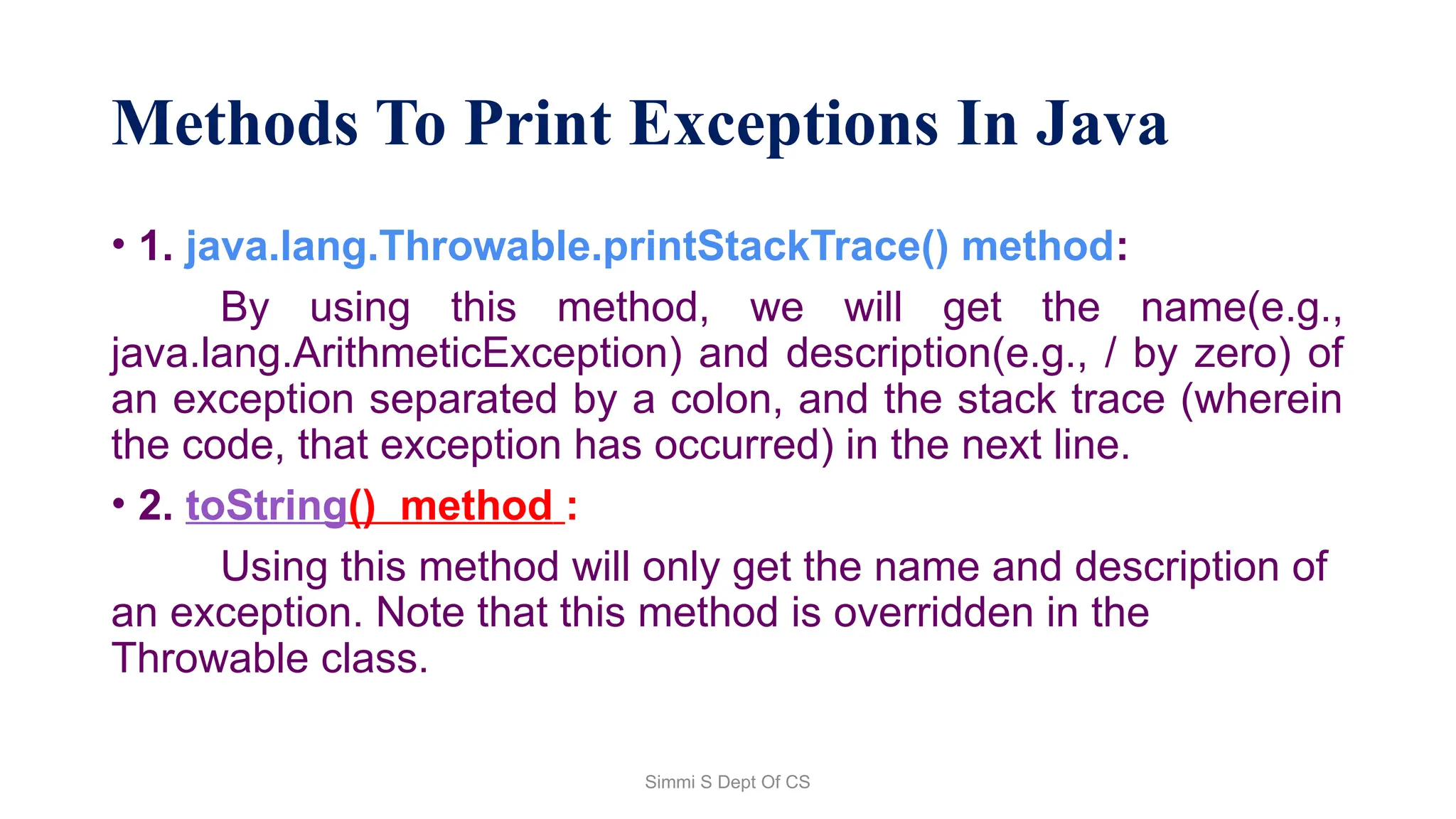
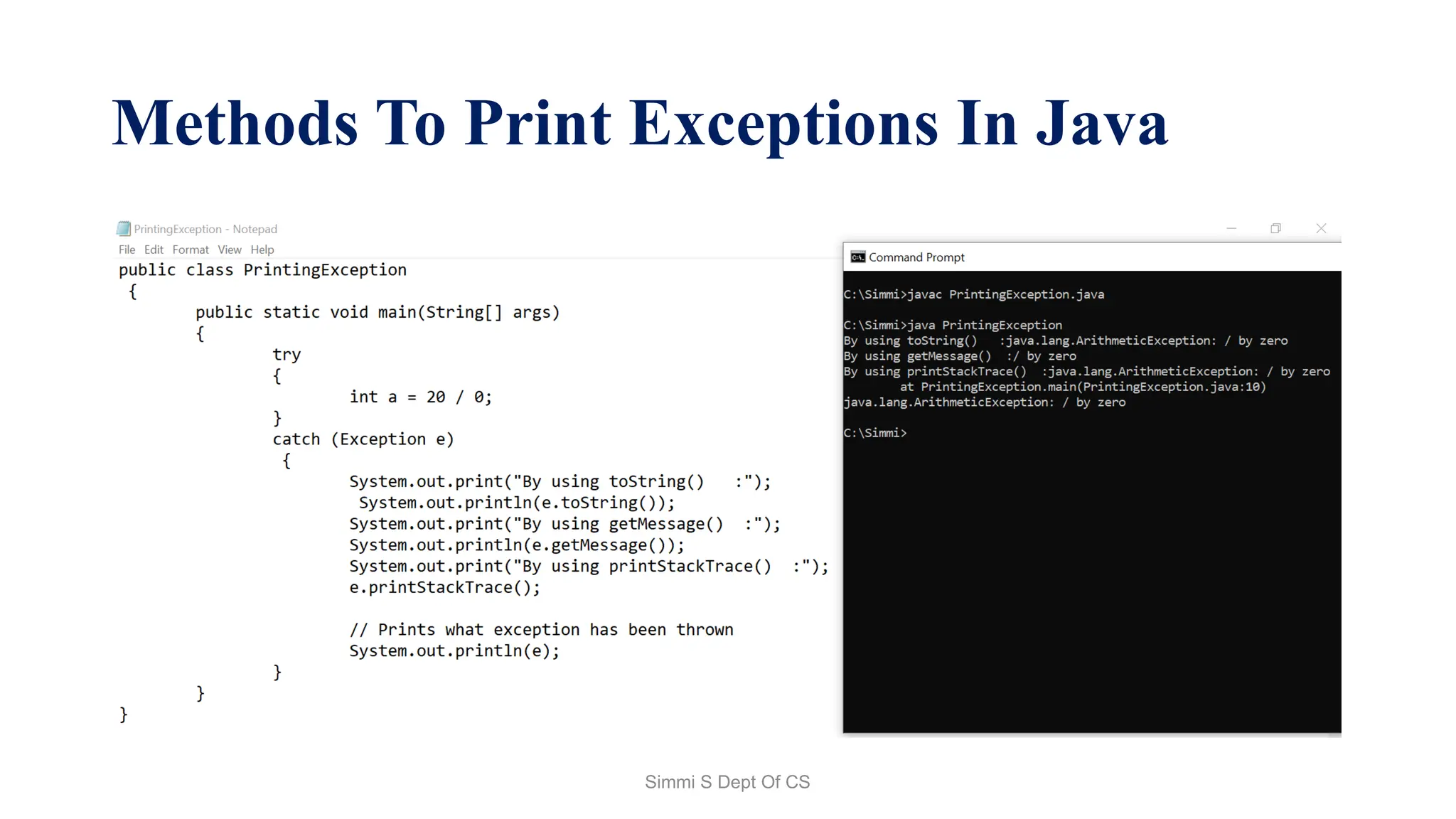
Methods To Print Exceptions In Java
• 1. java.lang.Throwable.printStackTrace() method:
By using this method, we will get the name(e.g.,
java.lang.ArithmeticException) and description(e.g., / by zero) of
an exception separated by a colon, and the stack trace (wherein
the code, that exception has occurred) in the next line.
• 2. toString() method :
Using this method will only get the name and description of
an exception. Note that this method is overridden in the
Throwable class.
Simmi S Dept Of CS
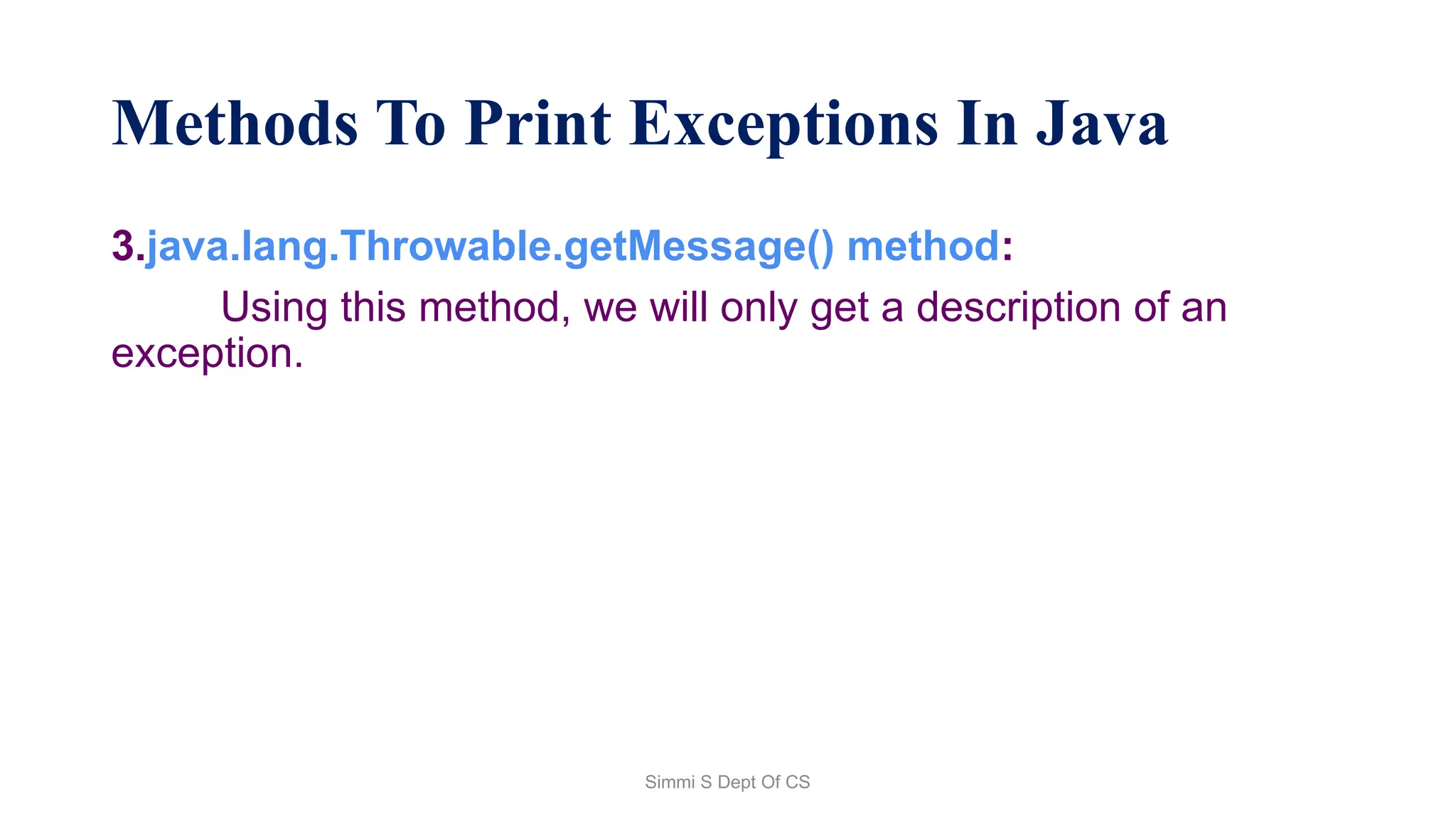
Methods To Print Exceptions In Java
3.java.lang.Throwable.getMessage() method:
Using this method, we will only get a description of an
exception.
Simmi S Dept Of CS
Methods To Print Exceptions In Java
Simmi S Dept Of CS
Finally Blocks
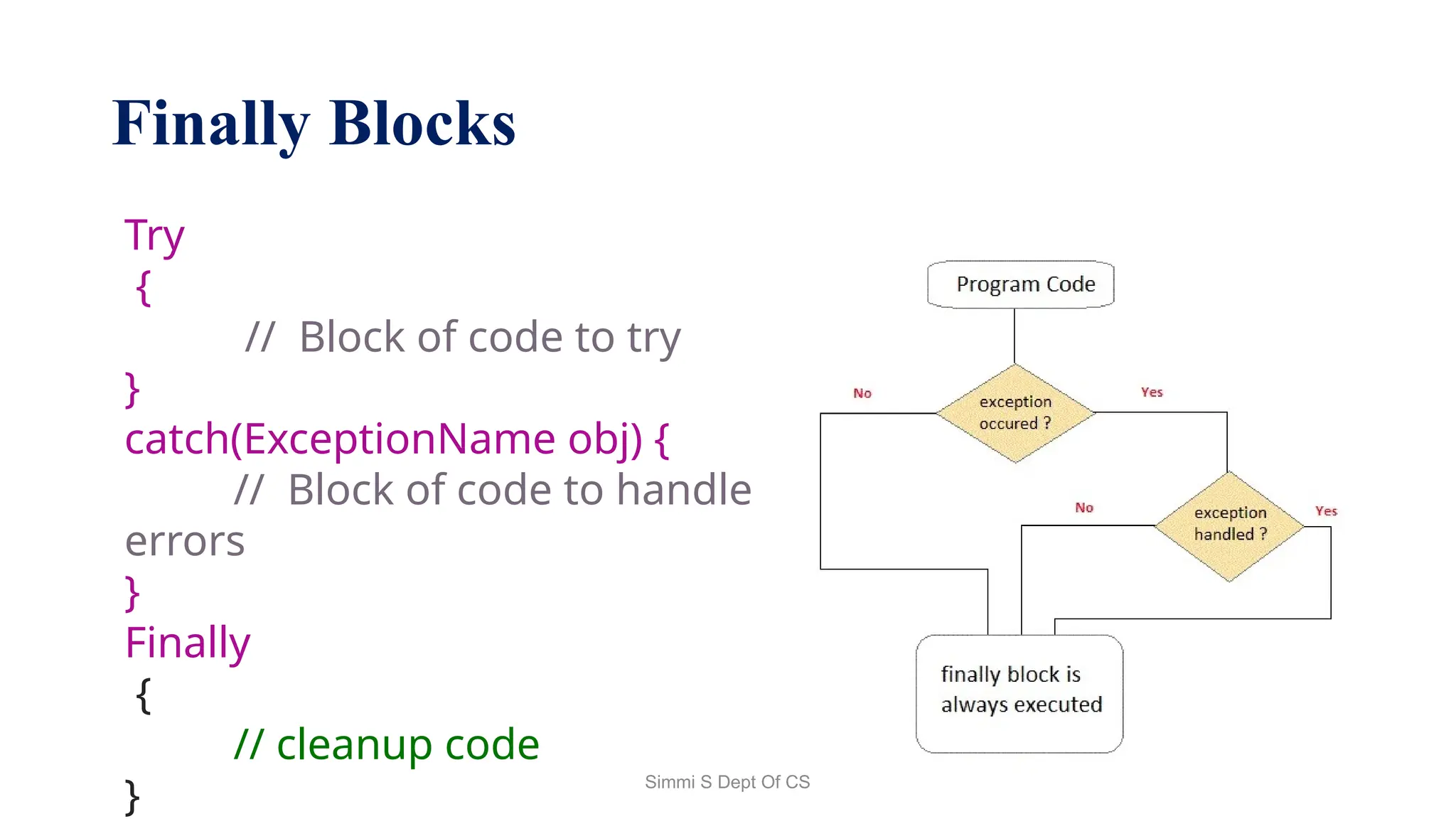
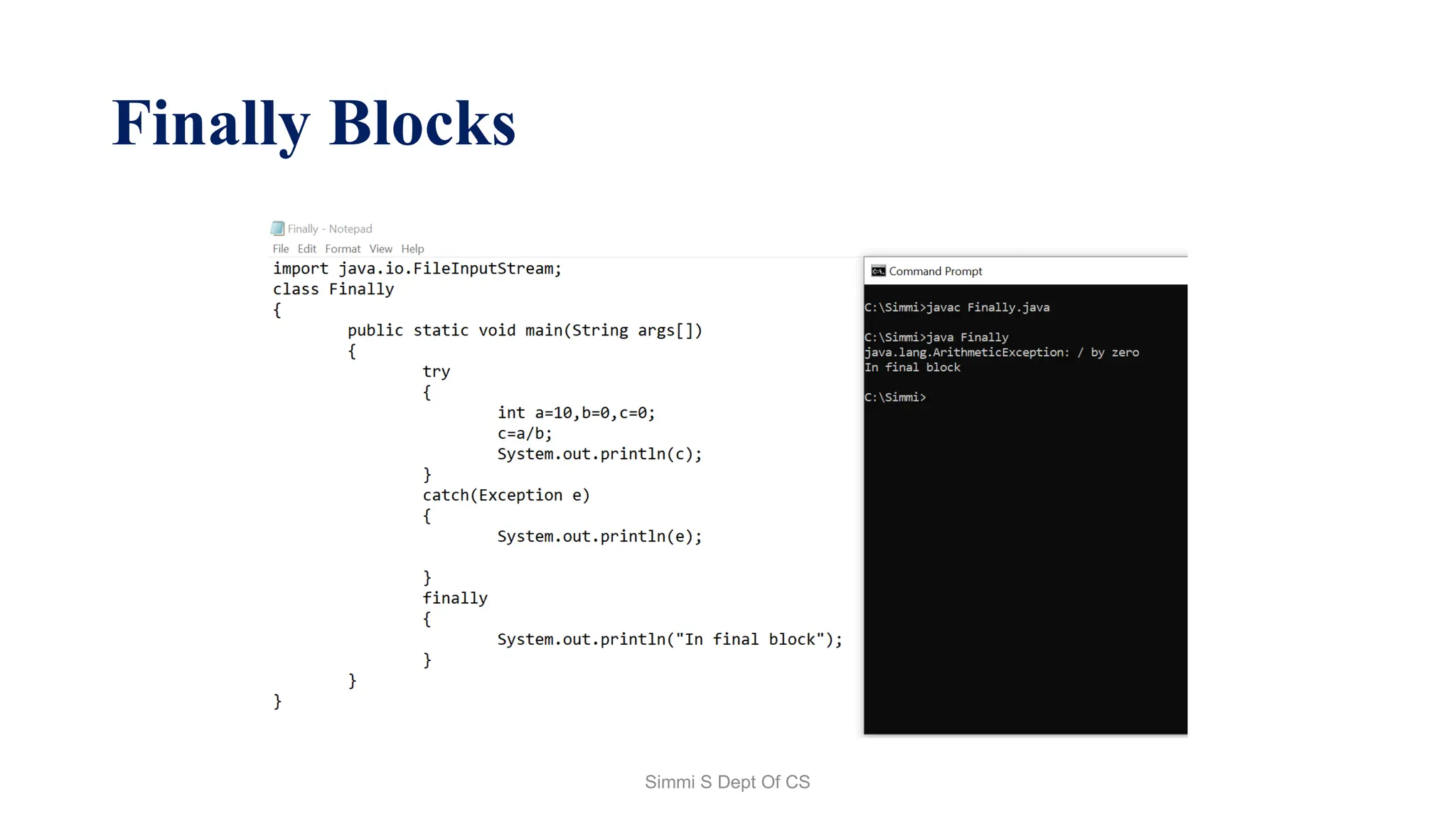
• A finally keyword is used to create a block of code that follows a
try block. A finally block of code is always executed whether an
exception has occurred or not.
• Using a finally block, it lets you run any cleanup type
statements that you want to execute, no matter what happens in
the protected code. A finally block appears at the end of catch
block.
Simmi S Dept Of CS
Finally Blocks
Try
{
// Block of code to try
}
catch(ExceptionName obj) {
// Block of code to handle
errors
}
Finally
{
// cleanup code
}
Simmi S Dept Of CS
Finally Blocks
Simmi S Dept Of CS
Java Multi-catch block
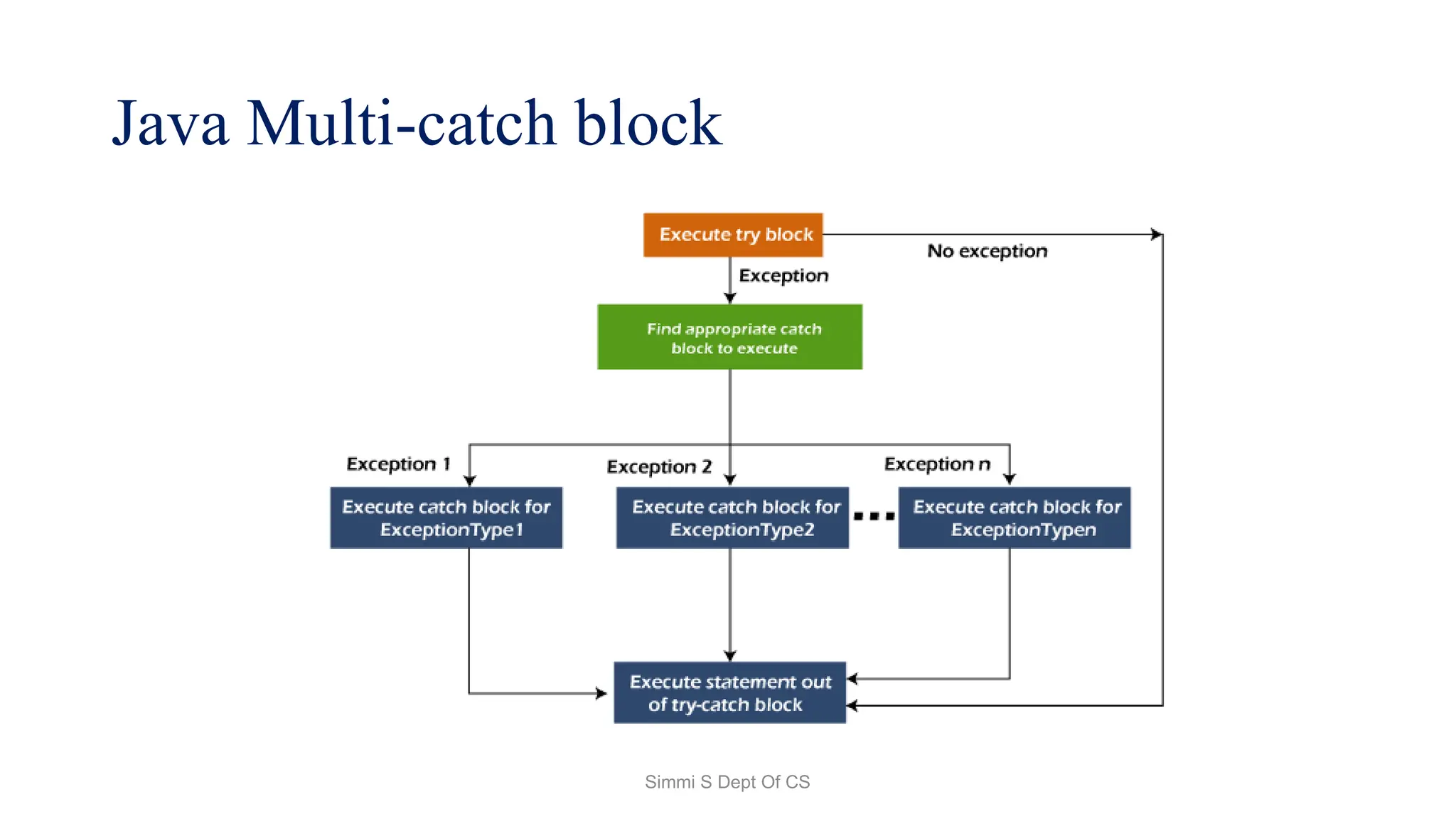
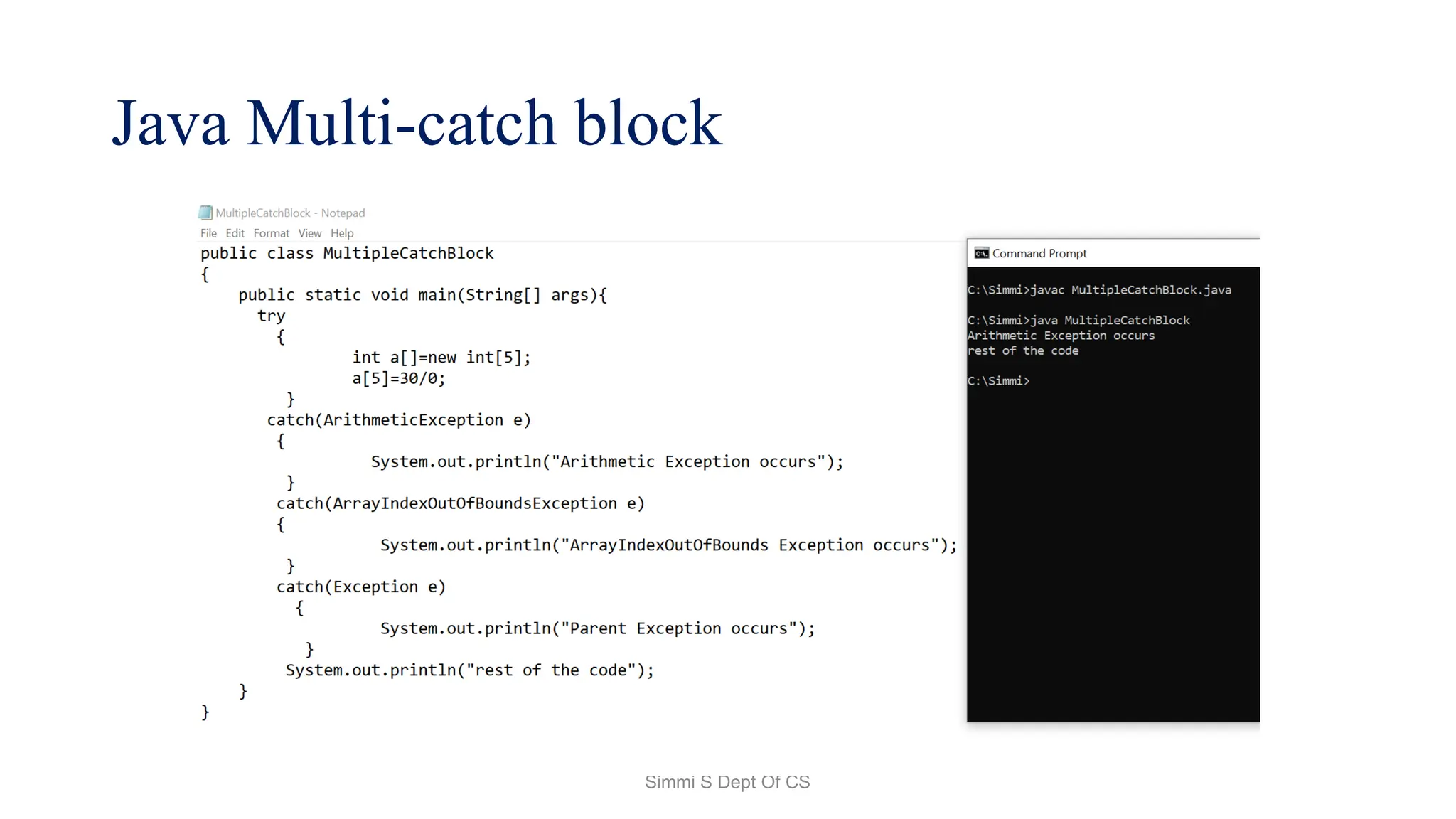
• A try block can be followed by one or more catch blocks.
• Each catch block must contain a different exception handler.
So, if you have to perform different tasks at the occurrence of
different exceptions, use java multi-catch block.
• At a time only one exception occurs and at a time only one
catch block is executed.
• All catch blocks must be ordered from most specific to most
general, i.e. catch for ArithmeticException must come before
catch for Exception.
Simmi S Dept Of CS
Java Multi-catch block
Simmi S Dept Of CS
Java Multi-catch block
Simmi S Dept Of CS
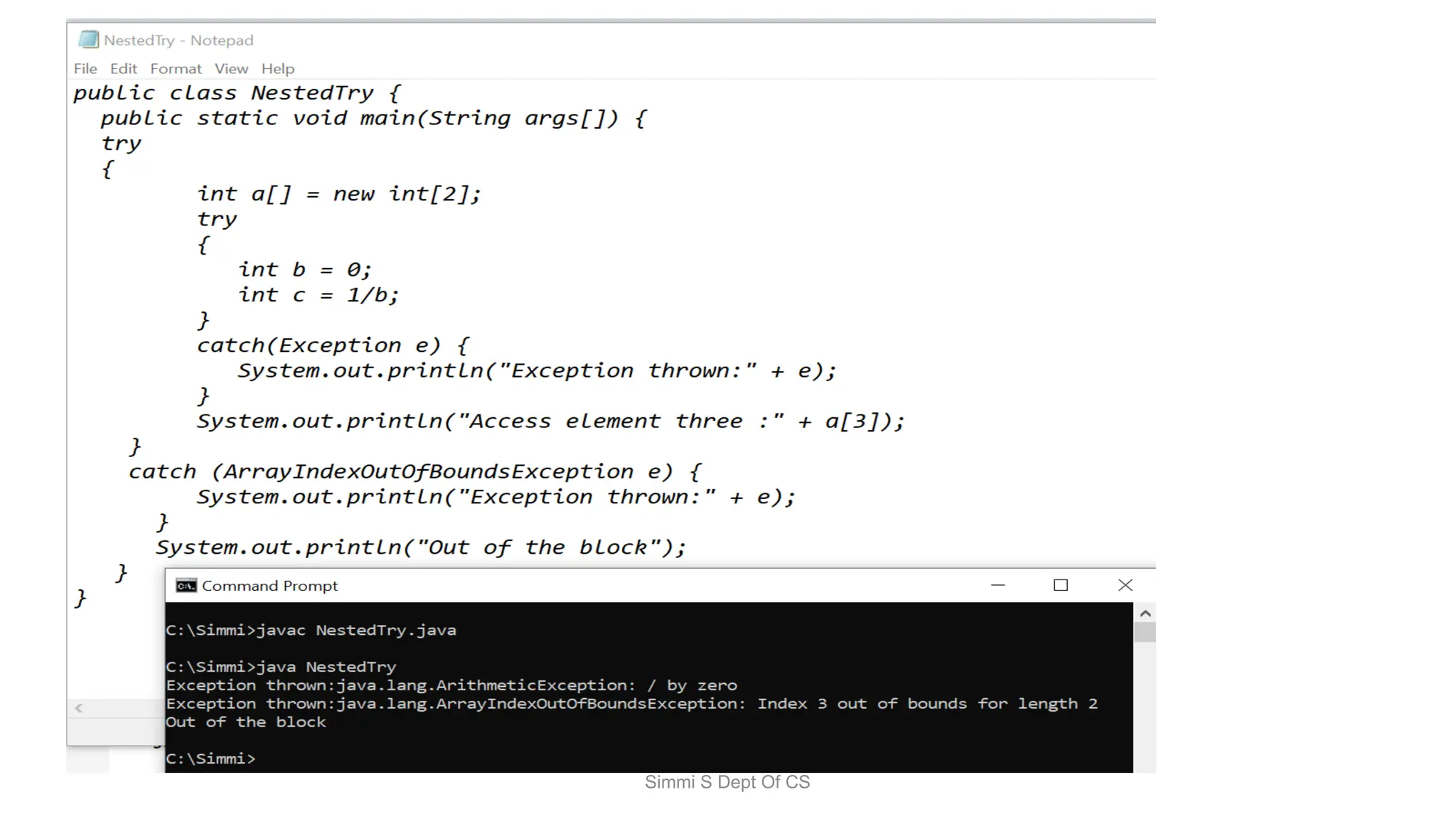
Nested Try Block
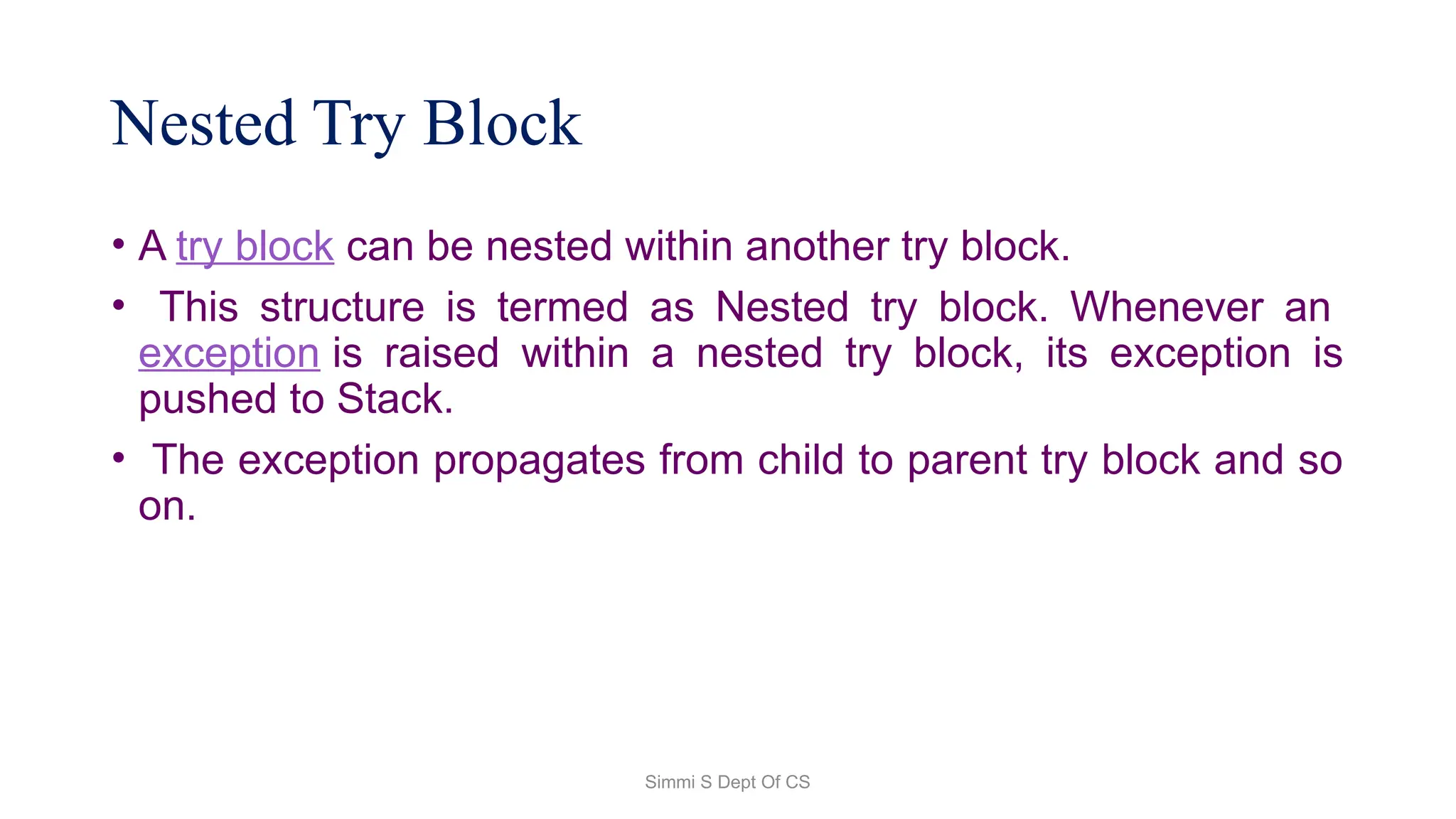
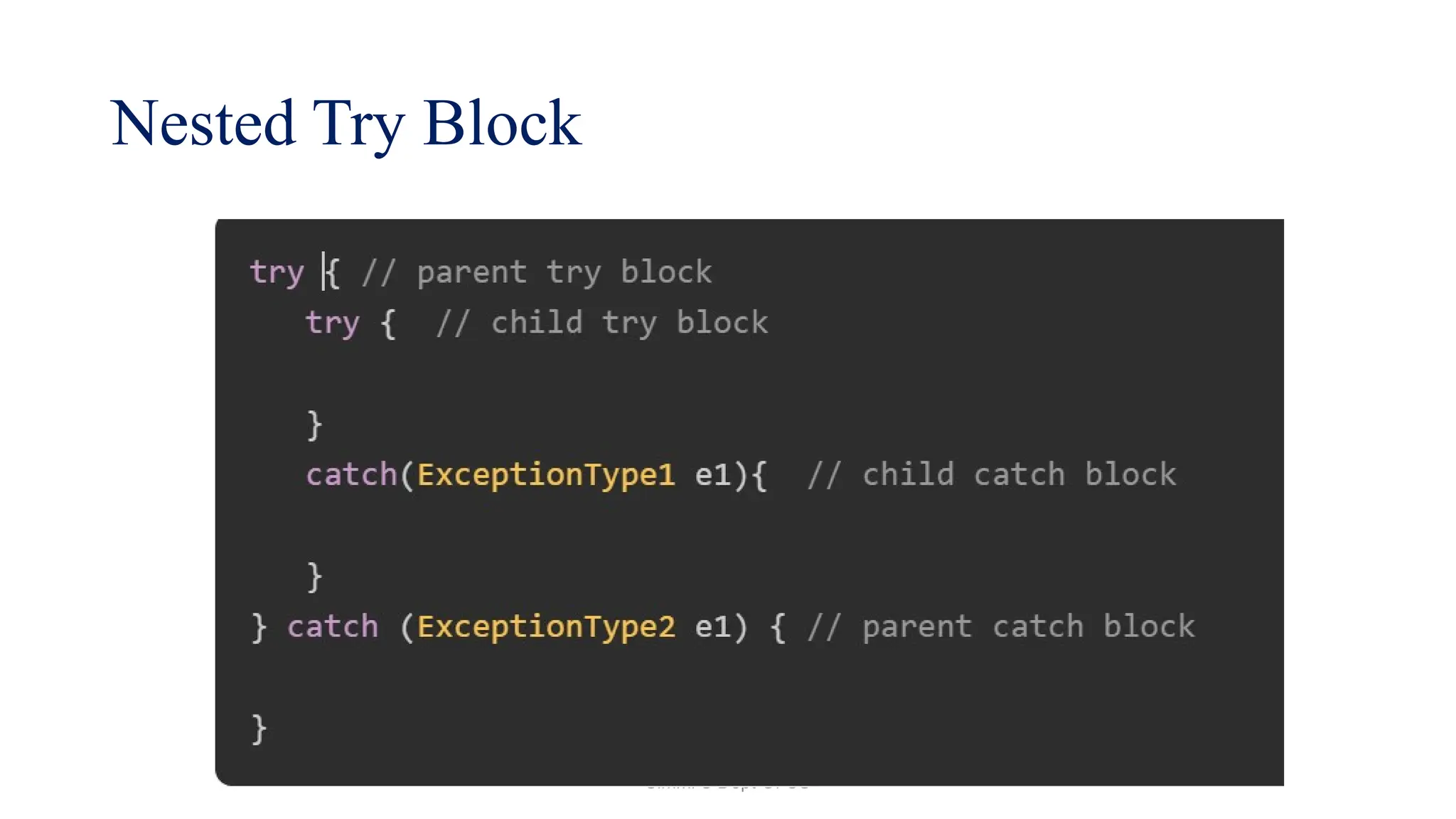
• A try block can be nested within another try block.
• This structure is termed as Nested try block. Whenever an
exception is raised within a nested try block, its exception is
pushed to Stack.
• The exception propagates from child to parent try block and so
on.
Simmi S Dept Of CS
Nested Try Block
Simmi S Dept Of CS
Simmi S Dept Of CS
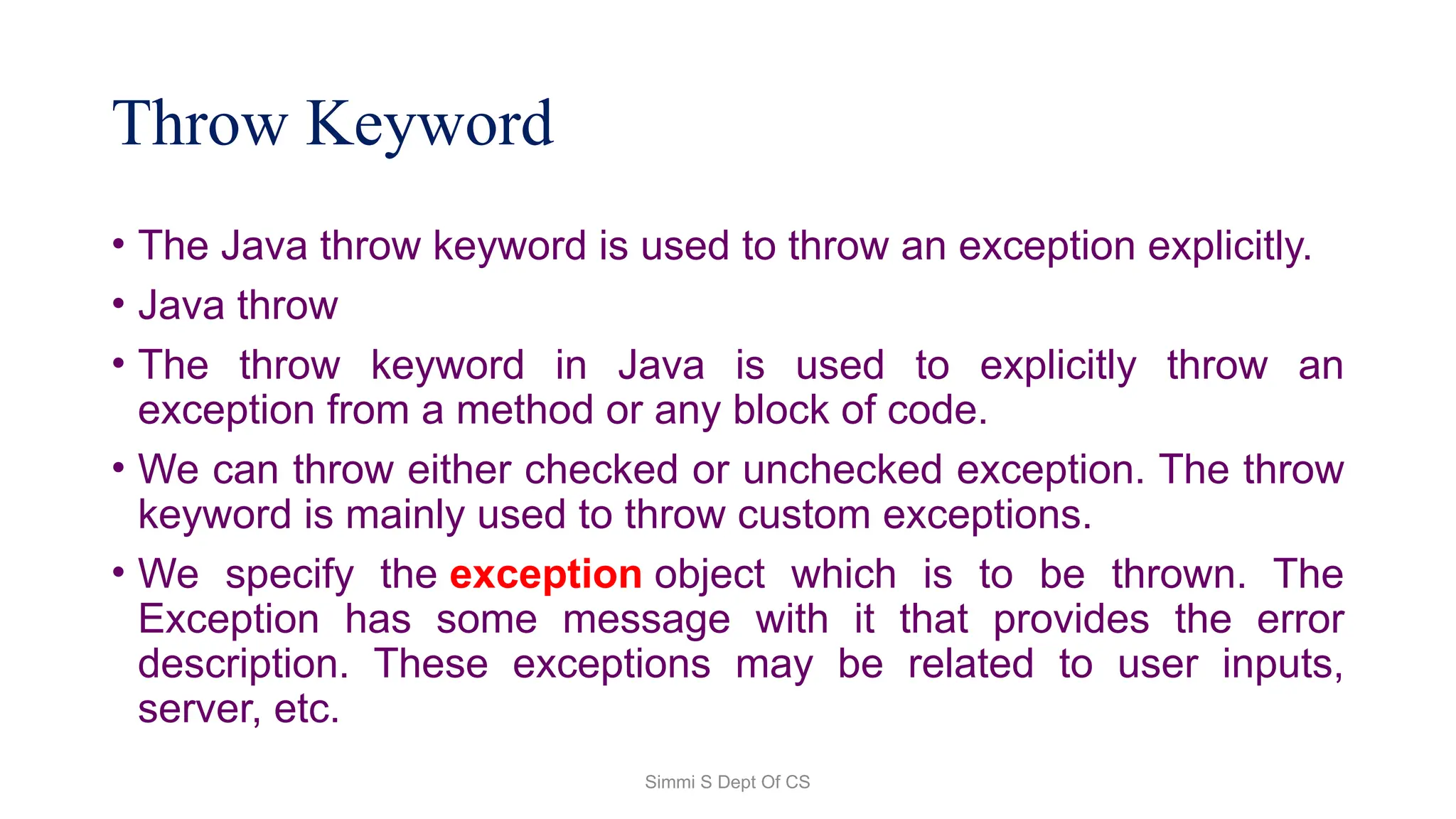
Throw Keyword
• The Java throw keyword is used to throw an exception explicitly.
• Java throw
• The throw keyword in Java is used to explicitly throw an
exception from a method or any block of code.
• We can throw either checked or unchecked exception. The throw
keyword is mainly used to throw custom exceptions.
• We specify the exception object which is to be thrown. The
Exception has some message with it that provides the error
description. These exceptions may be related to user inputs,
server, etc.
Simmi S Dept Of CS
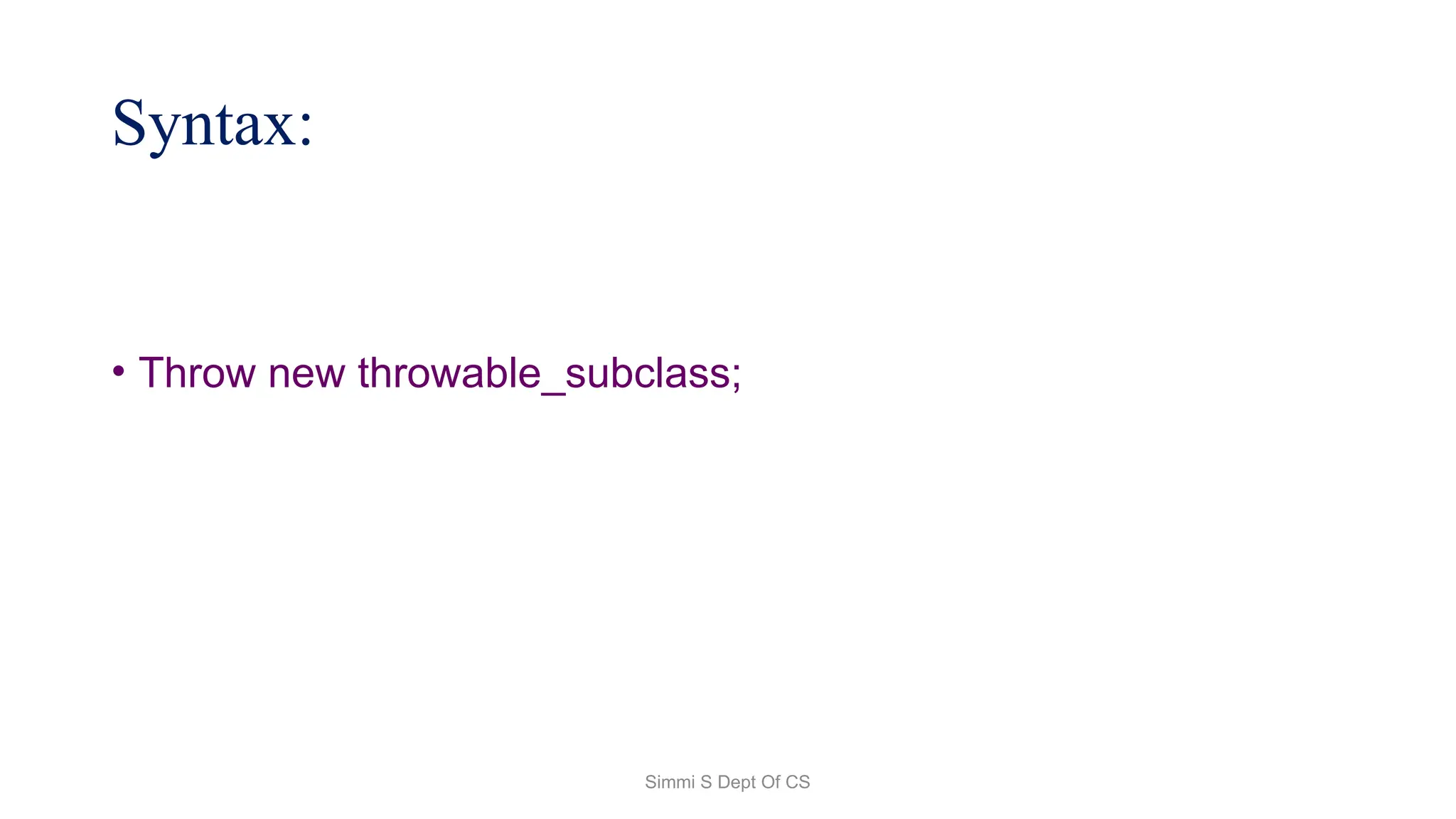
Syntax:
• Throw new throwable_subclass;
Simmi S Dept Of CS
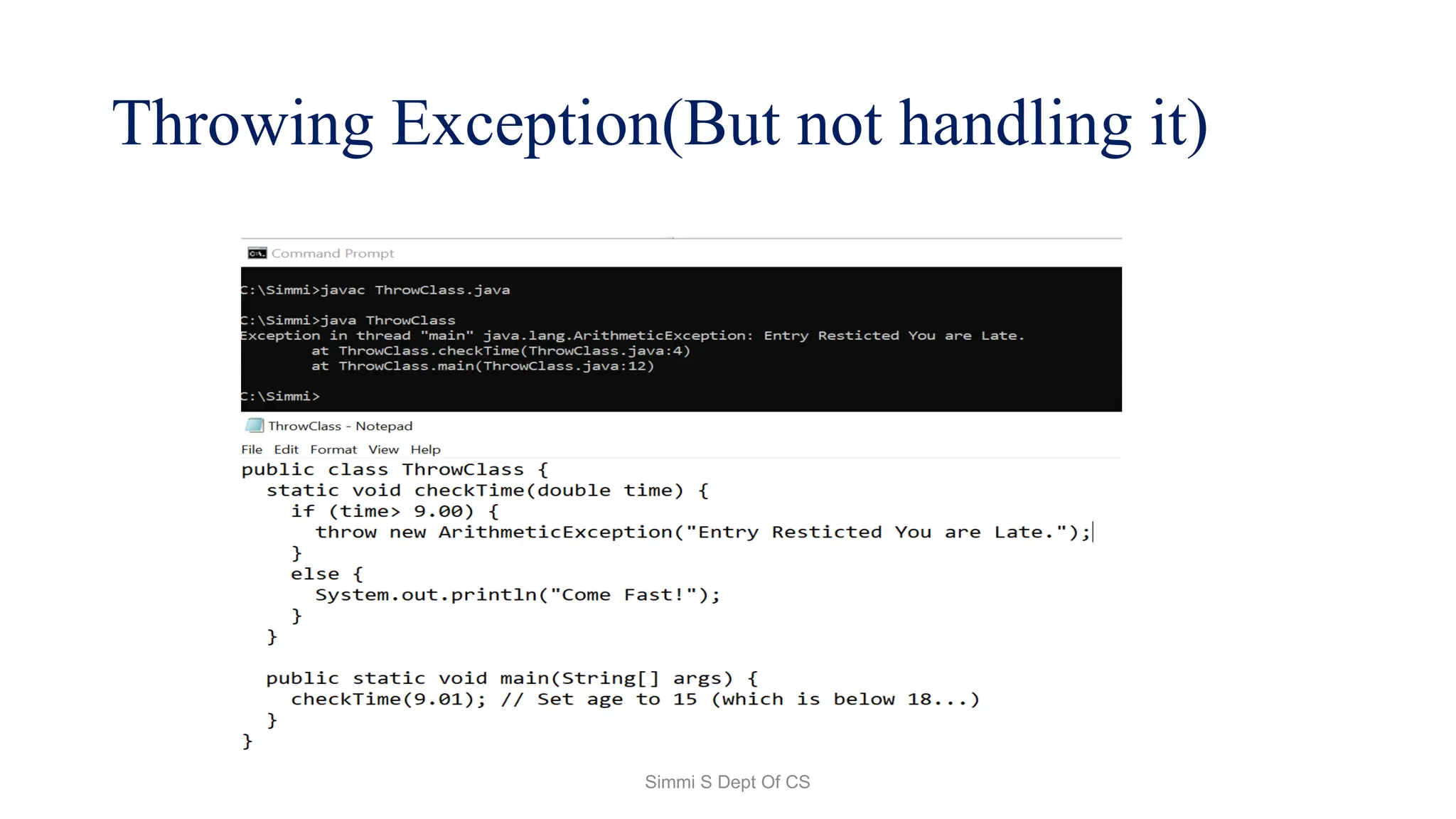
Throwing Exception(But not handling it)
Simmi S Dept Of CS
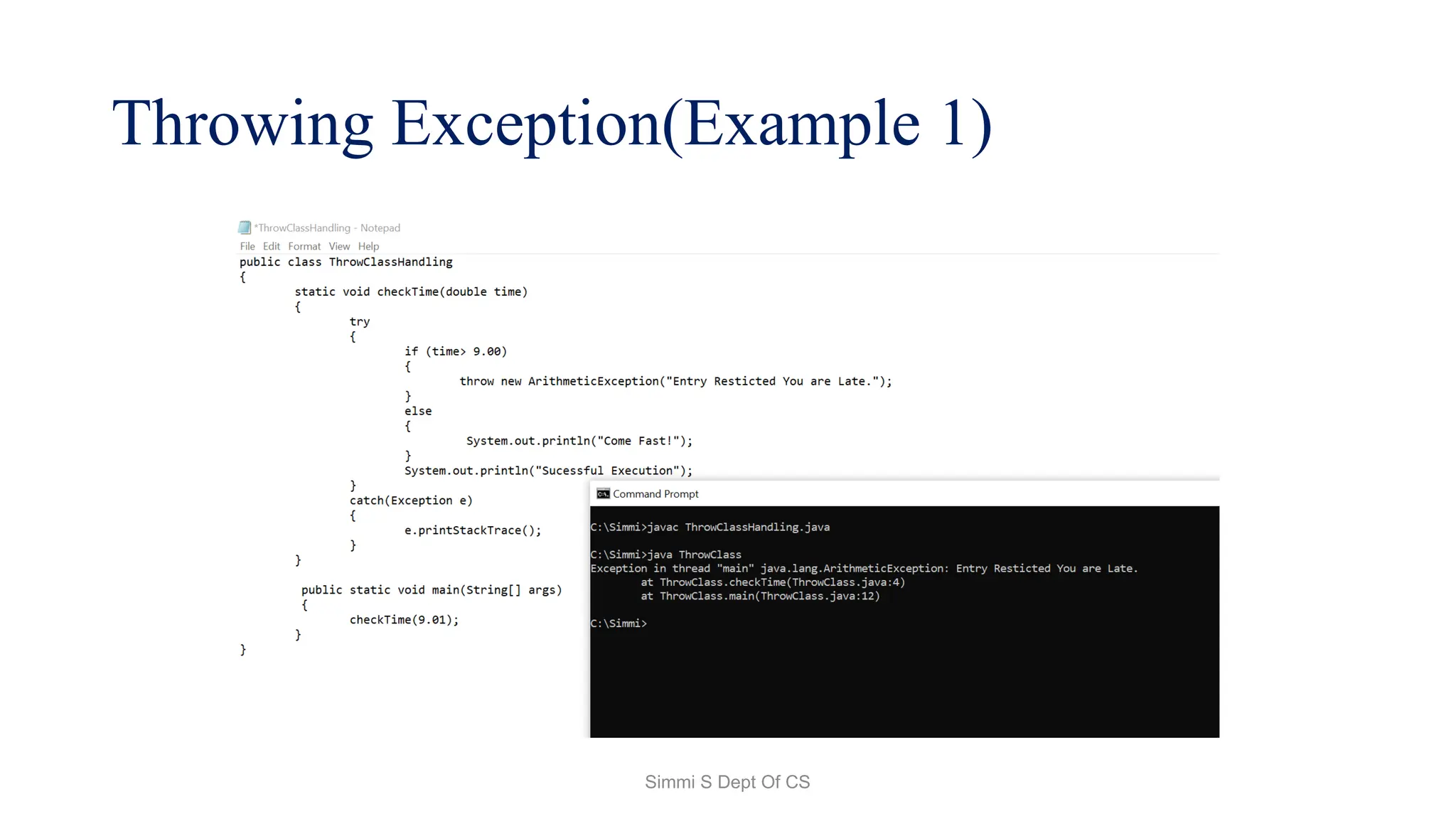
Throwing Exception(Example 1)
Simmi S Dept Of CS
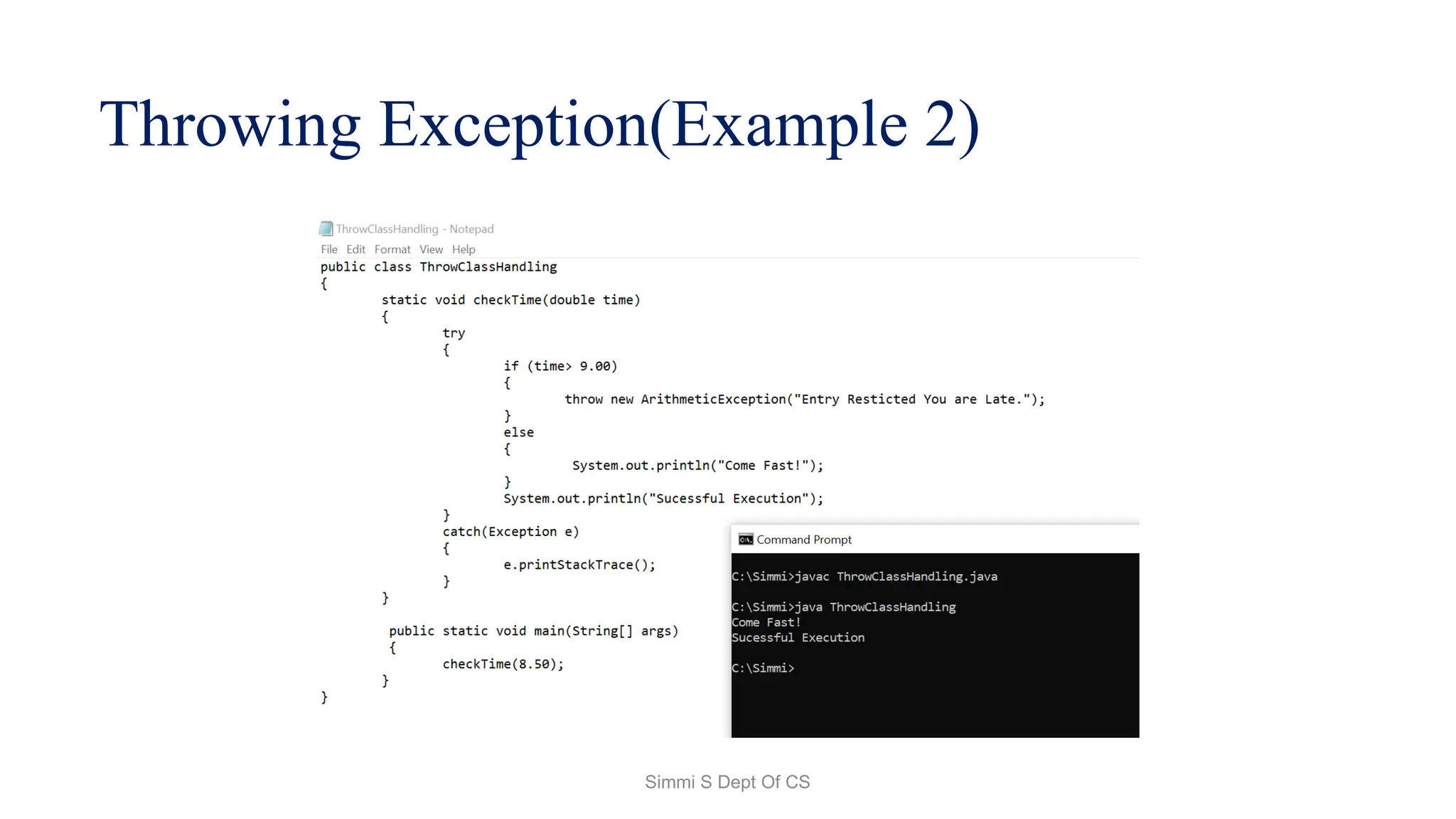
Throwing Exception(Example 2)
Simmi S Dept Of CS
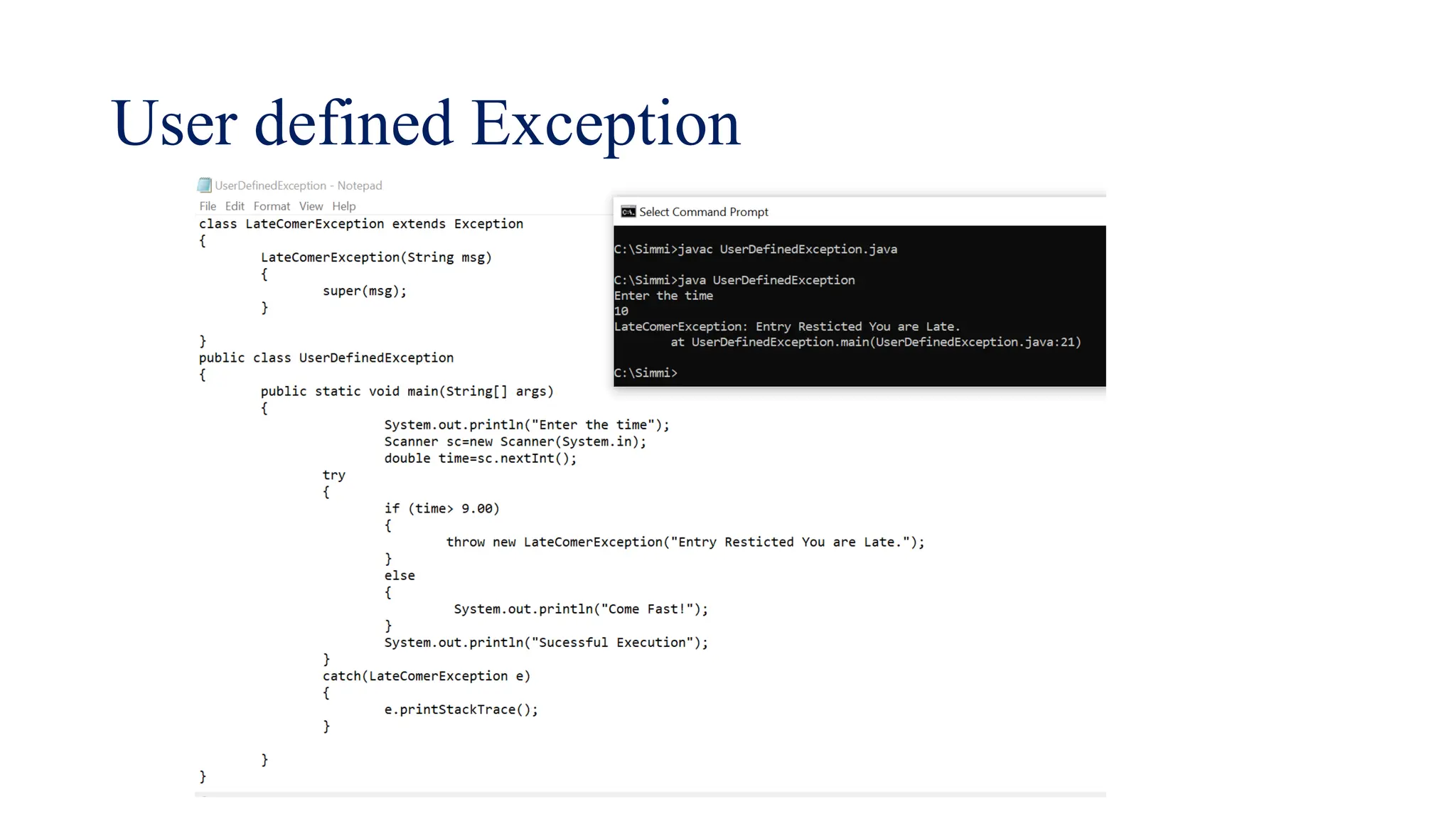
User defined Exception
Simmi S Dept Of CS
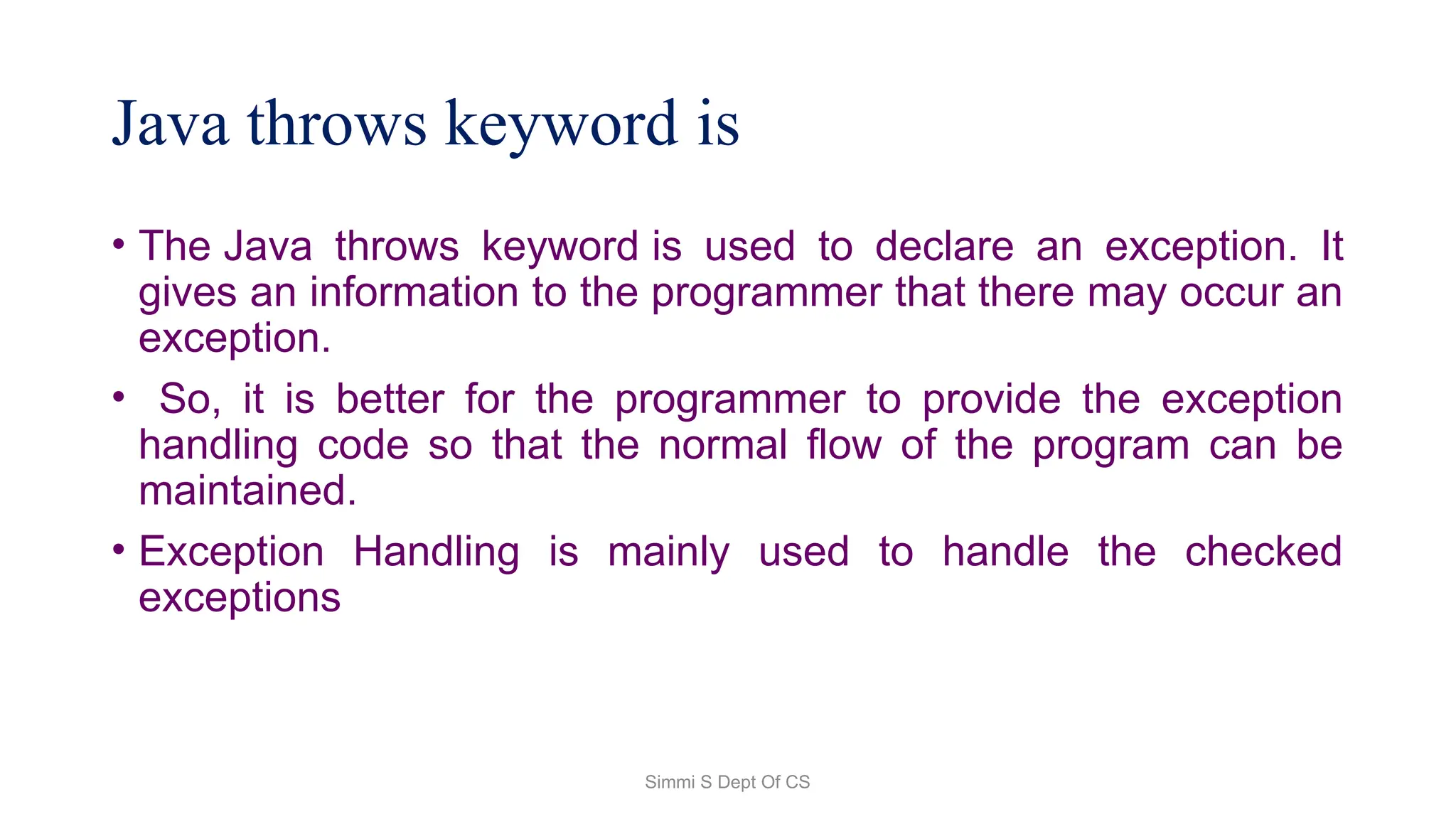
Java throws keyword is
• The Java throws keyword is used to declare an exception. It
gives an information to the programmer that there may occur an
exception.
• So, it is better for the programmer to provide the exception
handling code so that the normal flow of the program can be
maintained.
• Exception Handling is mainly used to handle the checked
exceptions
Simmi S Dept Of CS
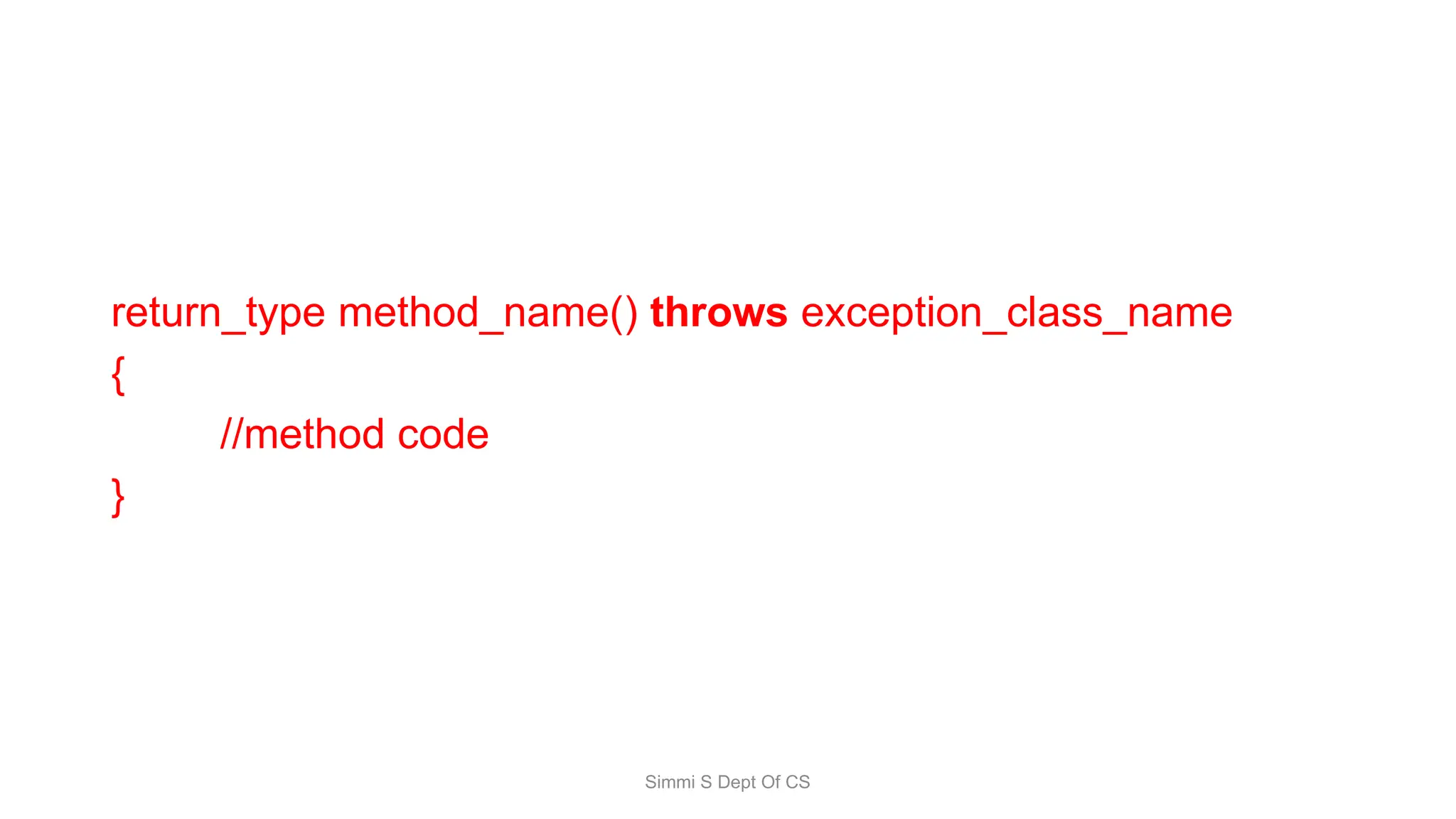
return_type method_name() throws exception_class_name
{
//method code
}
Simmi S Dept Of CS
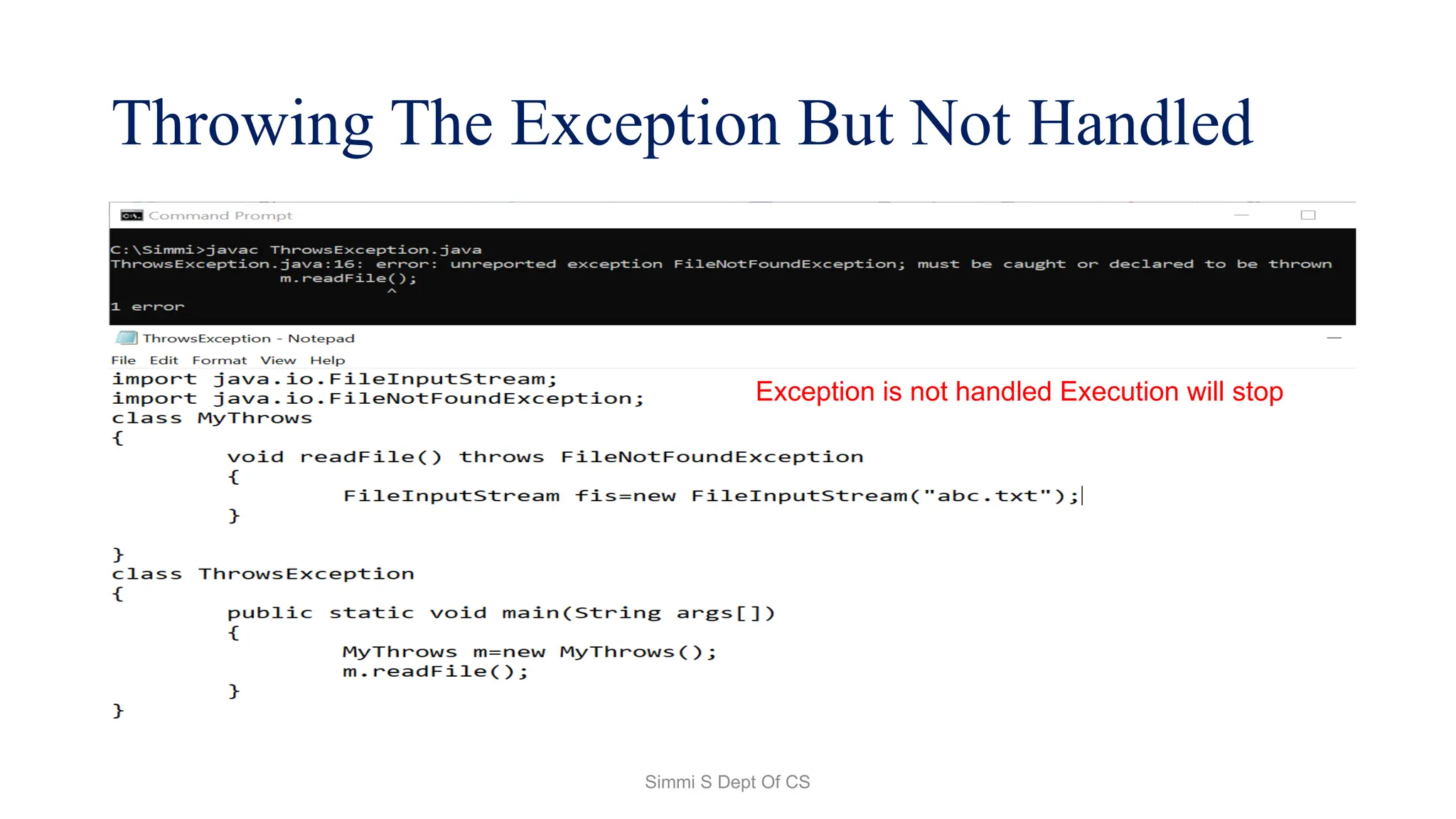
Throwing The Exception But Not Handled
Exception is not handled Execution will stop
Simmi S Dept Of CS
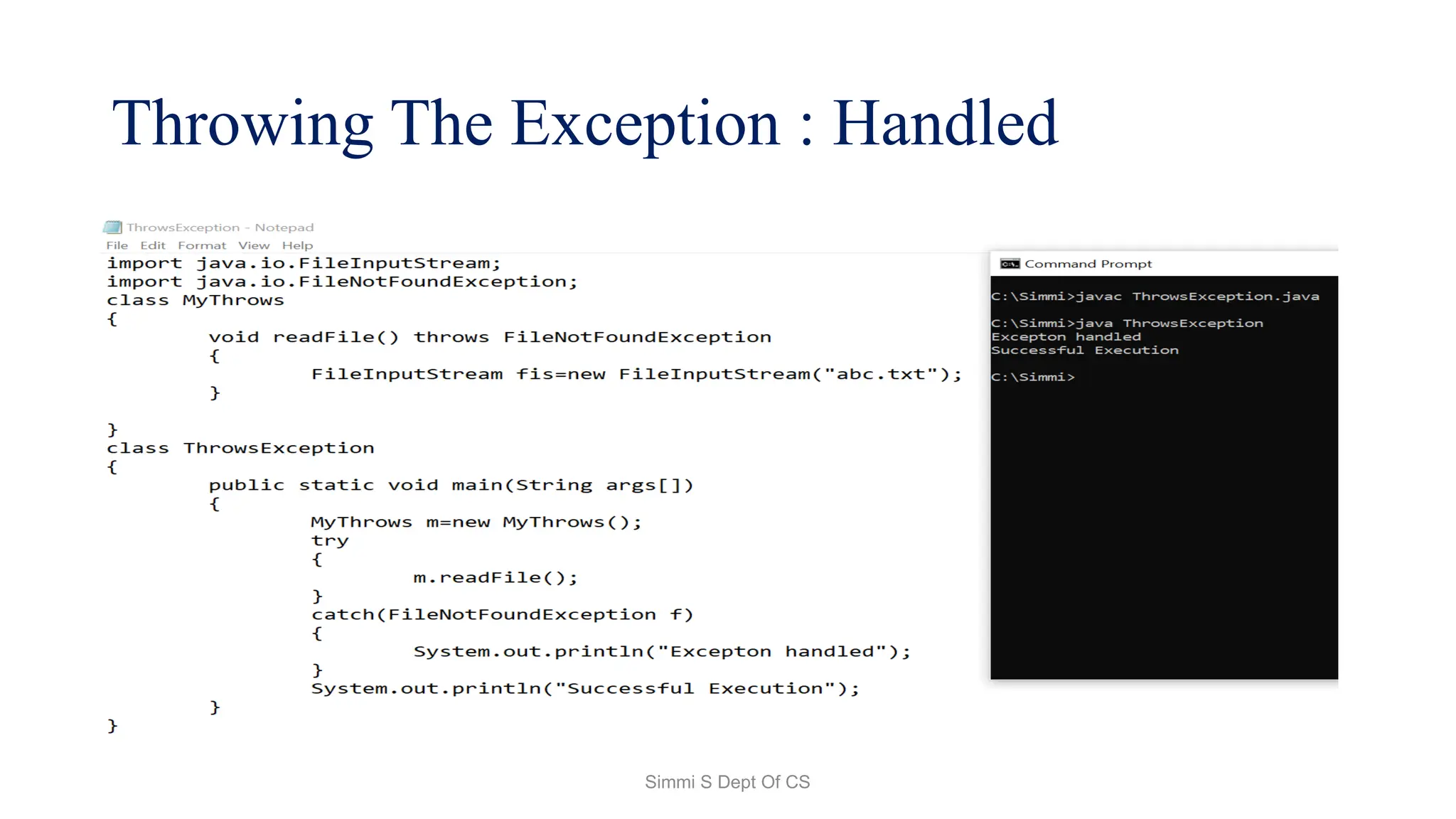
Throwing The Exception : Handled
Simmi S Dept Of CS
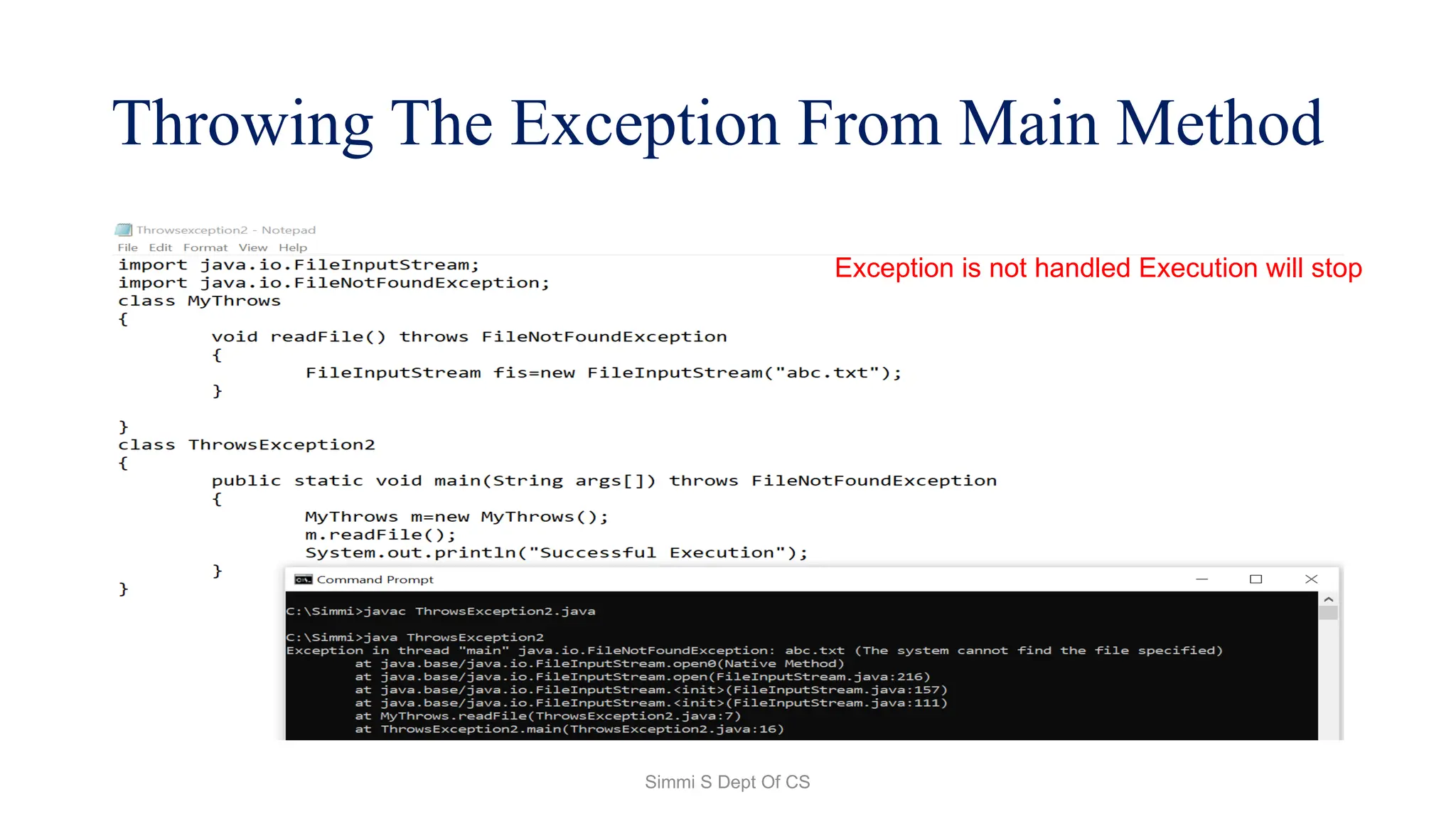
Throwing The Exception From Main Method
Exception is not handled Execution will stop
Simmi S Dept Of CS
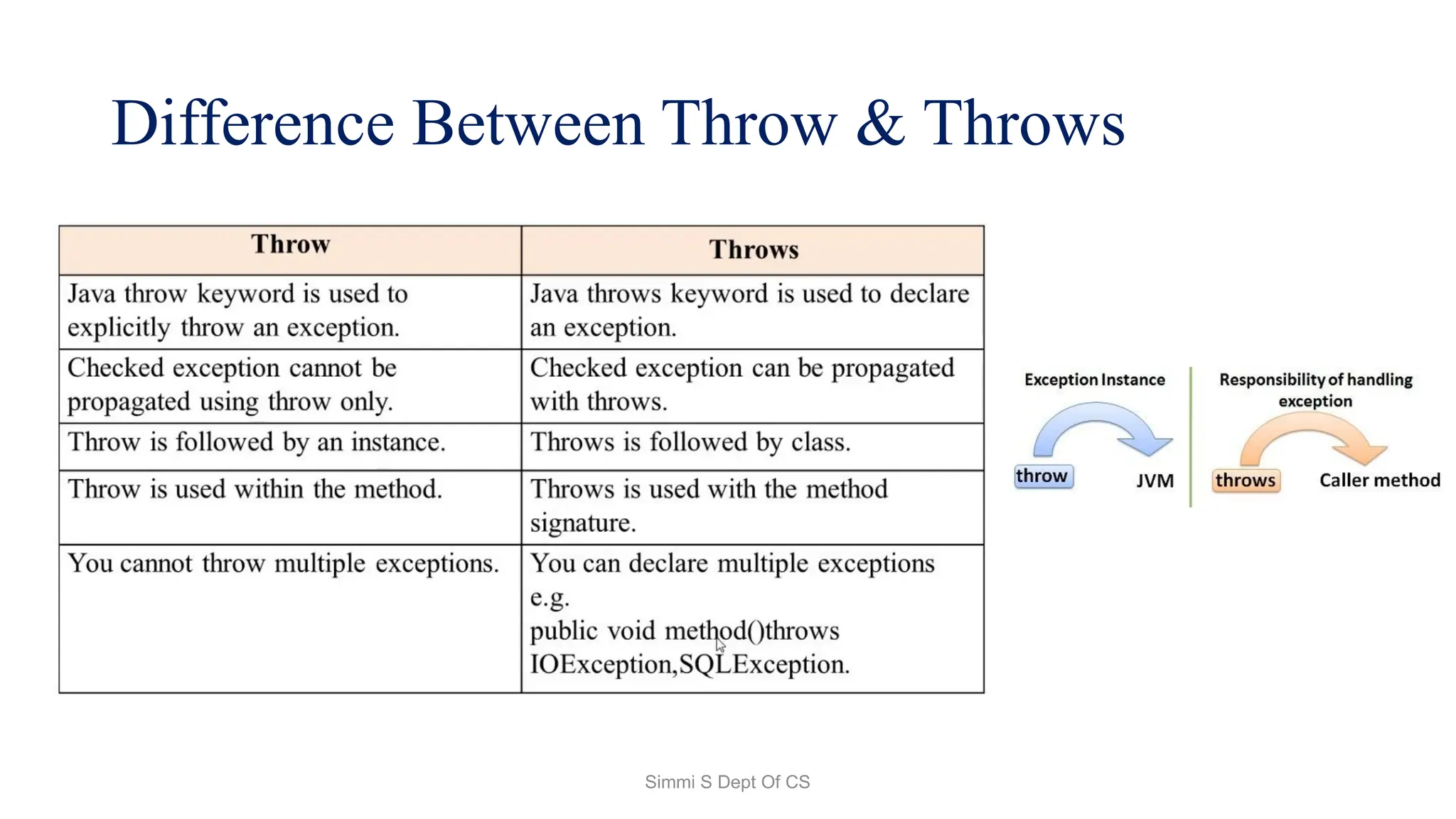
Difference Between Throw & Throws
Simmi S Dept Of CS

Java Exception Try-Catch-Finally & Handling Exception

  • 1.
    Simmi S DeptOf CS Exception Handling In Java Ms Simmi S Assistant Professor Department of Computer Science UG Kristu Jayanti(Deemed To Be University
  • 2.
    Simmi S DeptOf CS Exception • In Java, Exception is an unwanted or unexpected event, which occurs during the execution of a program, i.e. at run time, that disrupts the normal flow of the program’s instructions. • Exceptions can be caught and handled by the program. When an exception occurs within a method, it creates an object. • This object is called the exception object. • It contains information about the exception, such as the name and description of the exception and the state of the program when the exception occurred.
  • 3.
    Simmi S DeptOf CS Major reasons why an exception Occurs • Invalid user input • Device failure • Loss of network connection • Physical limitations (out-of-disk memory) • Code errors • Opening an unavailable file
  • 4.
    Simmi S DeptOf CS Errors • Errors represent irrecoverable conditions such as Java virtual machine (JVM) running out of memory, memory leaks, stack overflow errors, library incompatibility, infinite recursion, etc. • Errors are usually beyond the control of the programmer, and we should not try to handle errors.
  • 5.
    Simmi S DeptOf CS Exception Hierarchy • All exception and error types are subclasses of the class Throwable, which is the base class of the hierarchy. • Exception This class is used for exceptional conditions that user programs should catch. NullPointerException is an example of such an exception. • Error is used by the Java run-time system(JVM) to indicate errors having to do with the run-time environment itself(JRE). StackOverflowError is an example of such an error.
  • 6.
    Simmi S DeptOf CS Exception Hierarchy
  • 7.
    Simmi S DeptOf CS Types of Exceptions
  • 8.
    Simmi S DeptOf CS Exceptions can be categorized in two ways: • Built-in Exceptions • Checked Exception • Unchecked Exception • User-Defined Exceptions
  • 9.
    Simmi S DeptOf CS Built-in Exceptions Built-in exceptions are the exceptions that are available in Java libraries. These exceptions are suitable to explain certain error situations. • Checked Exceptions: Checked exceptions are called compile- time exceptions because these exceptions are checked at compile-time by the compiler. • Unchecked Exceptions: The unchecked exceptions are just opposite to the checked exceptions. The compiler will not check these exceptions at compile time. In simple words, if a program throws an unchecked exception, and even if we didn’t handle or declare it, the program would not give a compilation error.
  • 10.
    Simmi S DeptOf CS User-Defined Exceptions: • Sometimes, the built-in exceptions in Java are not able to describe a certain situation. In such cases, users can also create exceptions, which are called ‘user-defined Exceptions’.
  • 11.
    Simmi S DeptOf CS How Does JVM Handle an Exception? • Default Exception Handling: Whenever inside a method, if an exception has occurred, the method creates an Object known as an Exception Object and hands it off to the run-time system(JVM). • The exception object contains the name and description of the exception and the current state of the program where the exception has occurred. • Creating the Exception Object and handling it in the run-time system is called throwing an Exception.
  • 12.
    Simmi S DeptOf CS How Programmer Handle an Exception? • Customized Exception Handling: Java exception handling is managed via five keywords: try, catch, throw, throws, and finally.
  • 13.
    Simmi S DeptOf CS Checked Exception
  • 14.
    Simmi S DeptOf CS UnChecked Exception
  • 15.
    Simmi S DeptOf CS Syntax of try-catch Block try { // Block of code to try } catch(ExceptionName obj) { // Block of code to handle errors }
  • 16.
    Simmi S DeptOf CS Internal Working of Java try-catch block
  • 17.
    Simmi S DeptOf CS Checked Exception
  • 18.
    Simmi S DeptOf CS Unchecked Exception
  • 19.
    Simmi S DeptOf CS Methods To Print Exceptions In Java • 1. java.lang.Throwable.printStackTrace() method: By using this method, we will get the name(e.g., java.lang.ArithmeticException) and description(e.g., / by zero) of an exception separated by a colon, and the stack trace (wherein the code, that exception has occurred) in the next line. • 2. toString() method : Using this method will only get the name and description of an exception. Note that this method is overridden in the Throwable class.
  • 20.
    Simmi S DeptOf CS Methods To Print Exceptions In Java 3.java.lang.Throwable.getMessage() method: Using this method, we will only get a description of an exception.
  • 21.
    Simmi S DeptOf CS Methods To Print Exceptions In Java
  • 22.
    Simmi S DeptOf CS Finally Blocks • A finally keyword is used to create a block of code that follows a try block. A finally block of code is always executed whether an exception has occurred or not. • Using a finally block, it lets you run any cleanup type statements that you want to execute, no matter what happens in the protected code. A finally block appears at the end of catch block.
  • 23.
    Simmi S DeptOf CS Finally Blocks Try { // Block of code to try } catch(ExceptionName obj) { // Block of code to handle errors } Finally { // cleanup code }
  • 24.
    Simmi S DeptOf CS Finally Blocks
  • 25.
    Simmi S DeptOf CS Java Multi-catch block • A try block can be followed by one or more catch blocks. • Each catch block must contain a different exception handler. So, if you have to perform different tasks at the occurrence of different exceptions, use java multi-catch block. • At a time only one exception occurs and at a time only one catch block is executed. • All catch blocks must be ordered from most specific to most general, i.e. catch for ArithmeticException must come before catch for Exception.
  • 26.
    Simmi S DeptOf CS Java Multi-catch block
  • 27.
    Simmi S DeptOf CS Java Multi-catch block
  • 28.
    Simmi S DeptOf CS Nested Try Block • A try block can be nested within another try block. • This structure is termed as Nested try block. Whenever an exception is raised within a nested try block, its exception is pushed to Stack. • The exception propagates from child to parent try block and so on.
  • 29.
    Simmi S DeptOf CS Nested Try Block
  • 30.
  • 31.
    Simmi S DeptOf CS Throw Keyword • The Java throw keyword is used to throw an exception explicitly. • Java throw • The throw keyword in Java is used to explicitly throw an exception from a method or any block of code. • We can throw either checked or unchecked exception. The throw keyword is mainly used to throw custom exceptions. • We specify the exception object which is to be thrown. The Exception has some message with it that provides the error description. These exceptions may be related to user inputs, server, etc.
  • 32.
    Simmi S DeptOf CS Syntax: • Throw new throwable_subclass;
  • 33.
    Simmi S DeptOf CS Throwing Exception(But not handling it)
  • 34.
    Simmi S DeptOf CS Throwing Exception(Example 1)
  • 35.
    Simmi S DeptOf CS Throwing Exception(Example 2)
  • 36.
    Simmi S DeptOf CS User defined Exception
  • 37.
    Simmi S DeptOf CS Java throws keyword is • The Java throws keyword is used to declare an exception. It gives an information to the programmer that there may occur an exception. • So, it is better for the programmer to provide the exception handling code so that the normal flow of the program can be maintained. • Exception Handling is mainly used to handle the checked exceptions
  • 38.
    Simmi S DeptOf CS return_type method_name() throws exception_class_name { //method code }
  • 39.
    Simmi S DeptOf CS Throwing The Exception But Not Handled Exception is not handled Execution will stop
  • 40.
    Simmi S DeptOf CS Throwing The Exception : Handled
  • 41.
    Simmi S DeptOf CS Throwing The Exception From Main Method Exception is not handled Execution will stop
  • 42.
    Simmi S DeptOf CS Difference Between Throw & Throws
  • 43.