Class – XII
Subject:Information Technology(802)
Teacher’s name: Satinder Kaur
Vocational Skills
Unit – 3
Fundamentals of JAVA Programming
3.
Operators
An Operator isspecial symbols in a programming language and performs
certain specific Operations. In short we can say that operators are
symbols which are used to perform operations. Java divides the operators
into the following groups,
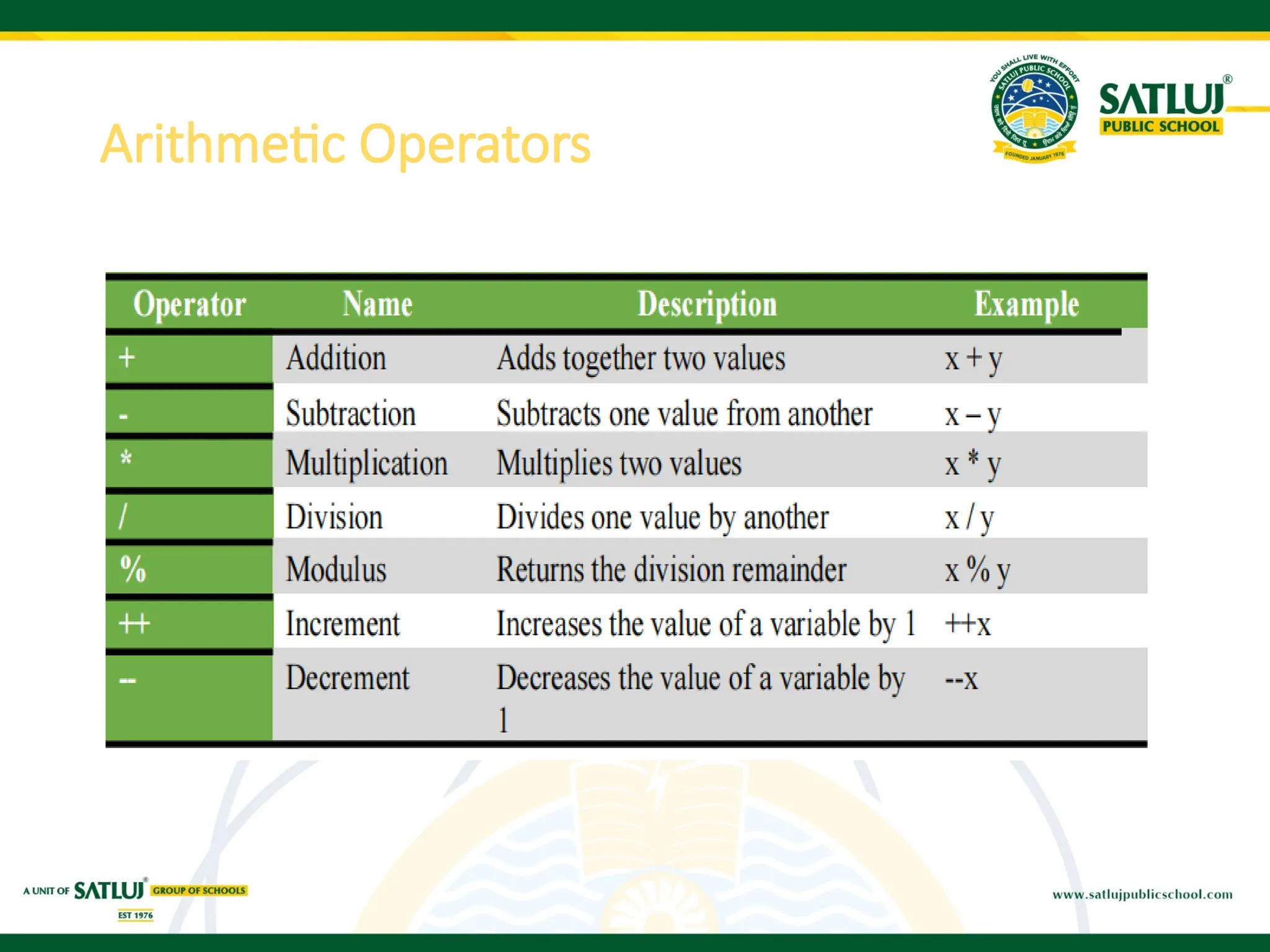
Arithmetic Operators
Relational Operators or Comparison operator
Assignment Operators
Logical Operators
Java program toillustrate arithmetic operator
public static void main(String[] args)
{
// declare variables
int a = 12, b = 5, result1,result2;
// addition operator
System.out.println("a + b = " + (a + b));
// subtraction operator
System.out.println("a - b = " + (a - b));
// multiplication operator
System.out.println("a * b = " + (a * b));
// division operator
System.out.println("a / b = " + (a / b));
// modulus operator
System.out.println("a % b = " + (a % b));
// increment operator
result1 = ++a;
System.out.println("After increment: " + result1);
// decrement operator
result2 = --b;
System.out.println("After decrement: " + result2);
}
6.
Relational/ Comparison operator
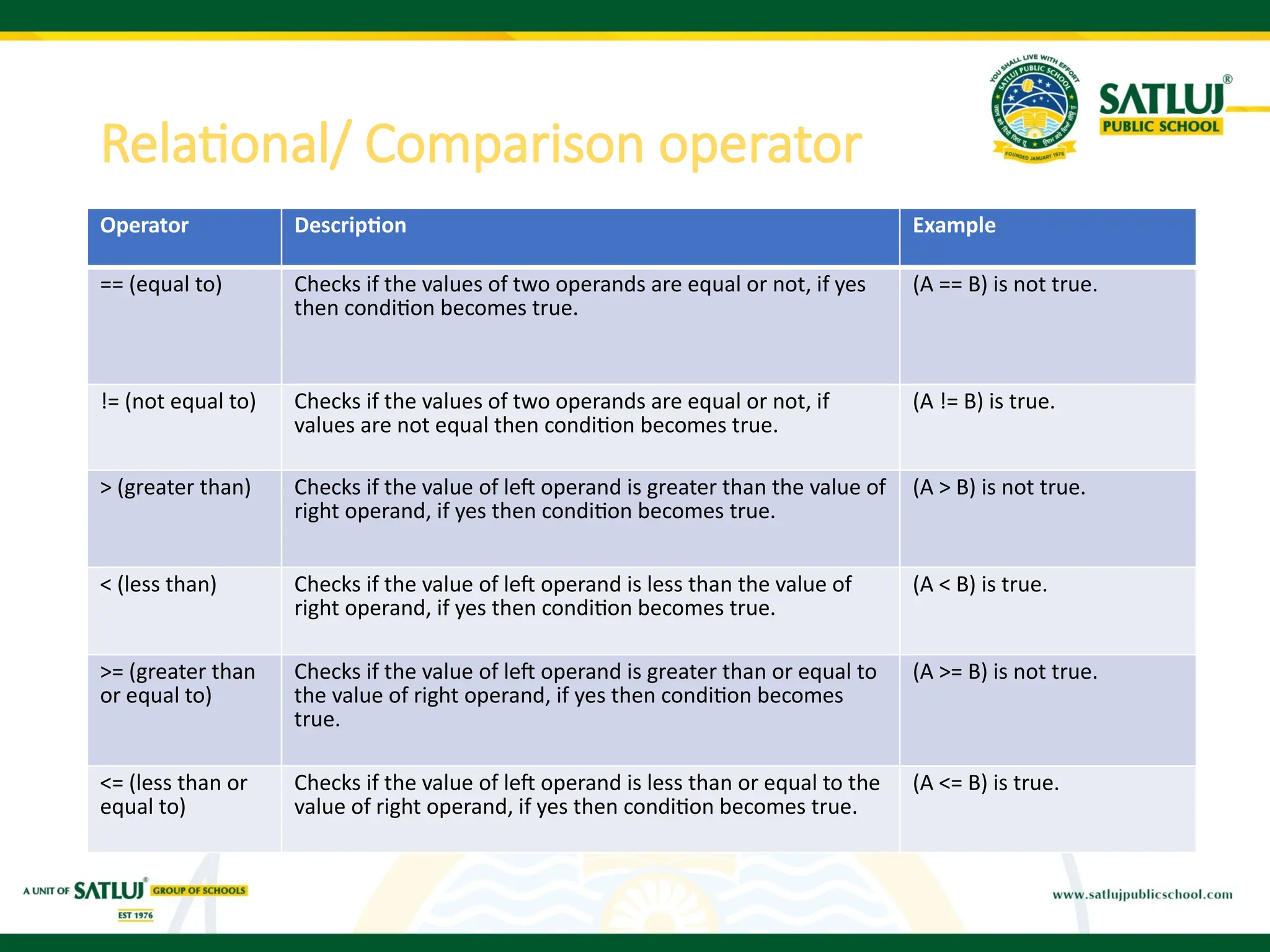
OperatorDescription Example
== (equal to) Checks if the values of two operands are equal or not, if yes
then condition becomes true.
(A == B) is not true.
!= (not equal to) Checks if the values of two operands are equal or not, if
values are not equal then condition becomes true.
(A != B) is true.
> (greater than) Checks if the value of left operand is greater than the value of
right operand, if yes then condition becomes true.
(A > B) is not true.
< (less than) Checks if the value of left operand is less than the value of
right operand, if yes then condition becomes true.
(A < B) is true.
>= (greater than
or equal to)
Checks if the value of left operand is greater than or equal to
the value of right operand, if yes then condition becomes
true.
(A >= B) is not true.
<= (less than or
equal to)
Checks if the value of left operand is less than or equal to the
value of right operand, if yes then condition becomes true.
(A <= B) is true.
7.
Java program toillustrate Relational operator
public static void main(String[] args) {
// create variables
int a = 7, b = 11;
// value of a and b
System.out.println("a is " + a + " and b is " + b);
// == operator
System.out.println(a == b); // false
// != operator
System.out.println(a != b); // true
// > operator
System.out.println(a > b); // false
// < operator
System.out.println(a < b); // true
// >= operator
System.out.println(a >= b); // false
// <= operator
System.out.println(a <= b); // true
}
8.
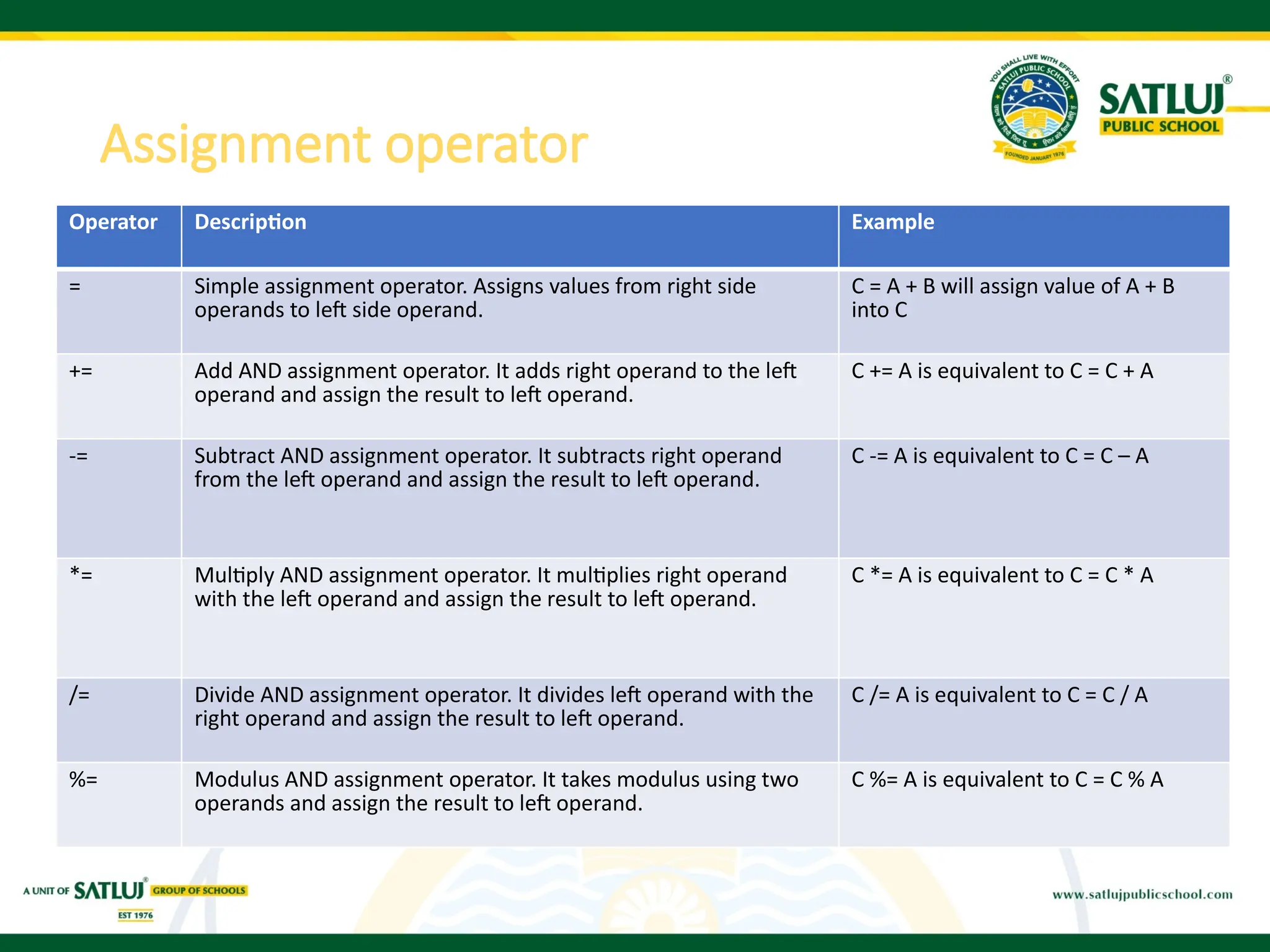
Operator Description Example
=Simple assignment operator. Assigns values from right side
operands to left side operand.
C = A + B will assign value of A + B
into C
+= Add AND assignment operator. It adds right operand to the left
operand and assign the result to left operand.
C += A is equivalent to C = C + A
-= Subtract AND assignment operator. It subtracts right operand
from the left operand and assign the result to left operand.
C -= A is equivalent to C = C – A
*= Multiply AND assignment operator. It multiplies right operand
with the left operand and assign the result to left operand.
C *= A is equivalent to C = C * A
/= Divide AND assignment operator. It divides left operand with the
right operand and assign the result to left operand.
C /= A is equivalent to C = C / A
%= Modulus AND assignment operator. It takes modulus using two
operands and assign the result to left operand.
C %= A is equivalent to C = C % A
Assignment operator
9.
public static voidmain(String[] args)
{
// create variables
int a = 4;
int var;
// assign value using =
var = a;
System.out.println("var using =: " + var);
// assign value using +=
var += a;
System.out.println("var using +=: " + var);
// assign value using *=
var *= a;
System.out.println("var using *=: " + var);
}
Java program to illustrate assignment operator
10.
Logical operator
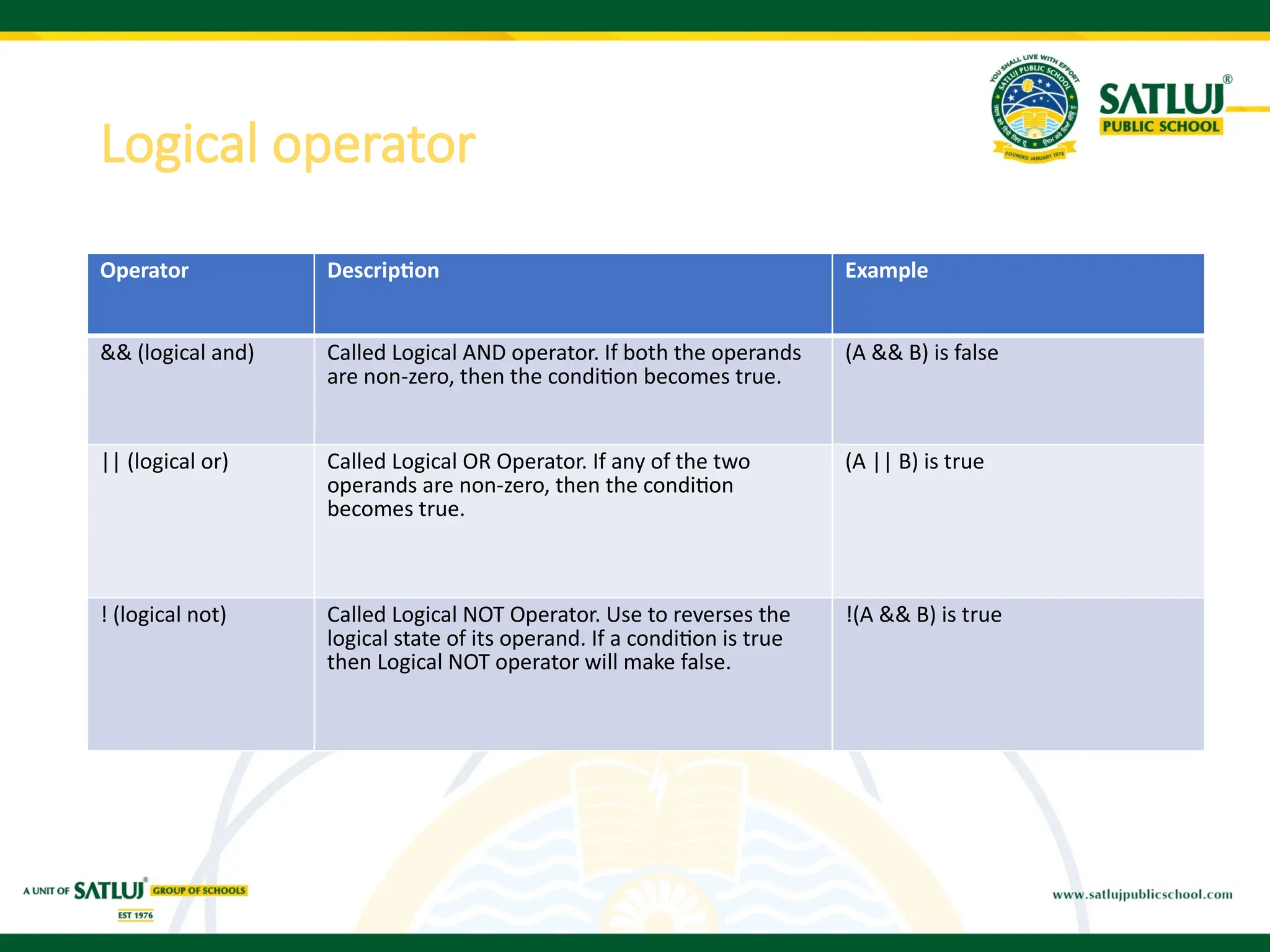
Operator DescriptionExample
&& (logical and) Called Logical AND operator. If both the operands
are non-zero, then the condition becomes true.
(A && B) is false
|| (logical or) Called Logical OR Operator. If any of the two
operands are non-zero, then the condition
becomes true.
(A || B) is true
! (logical not) Called Logical NOT Operator. Use to reverses the
logical state of its operand. If a condition is true
then Logical NOT operator will make false.
!(A && B) is true
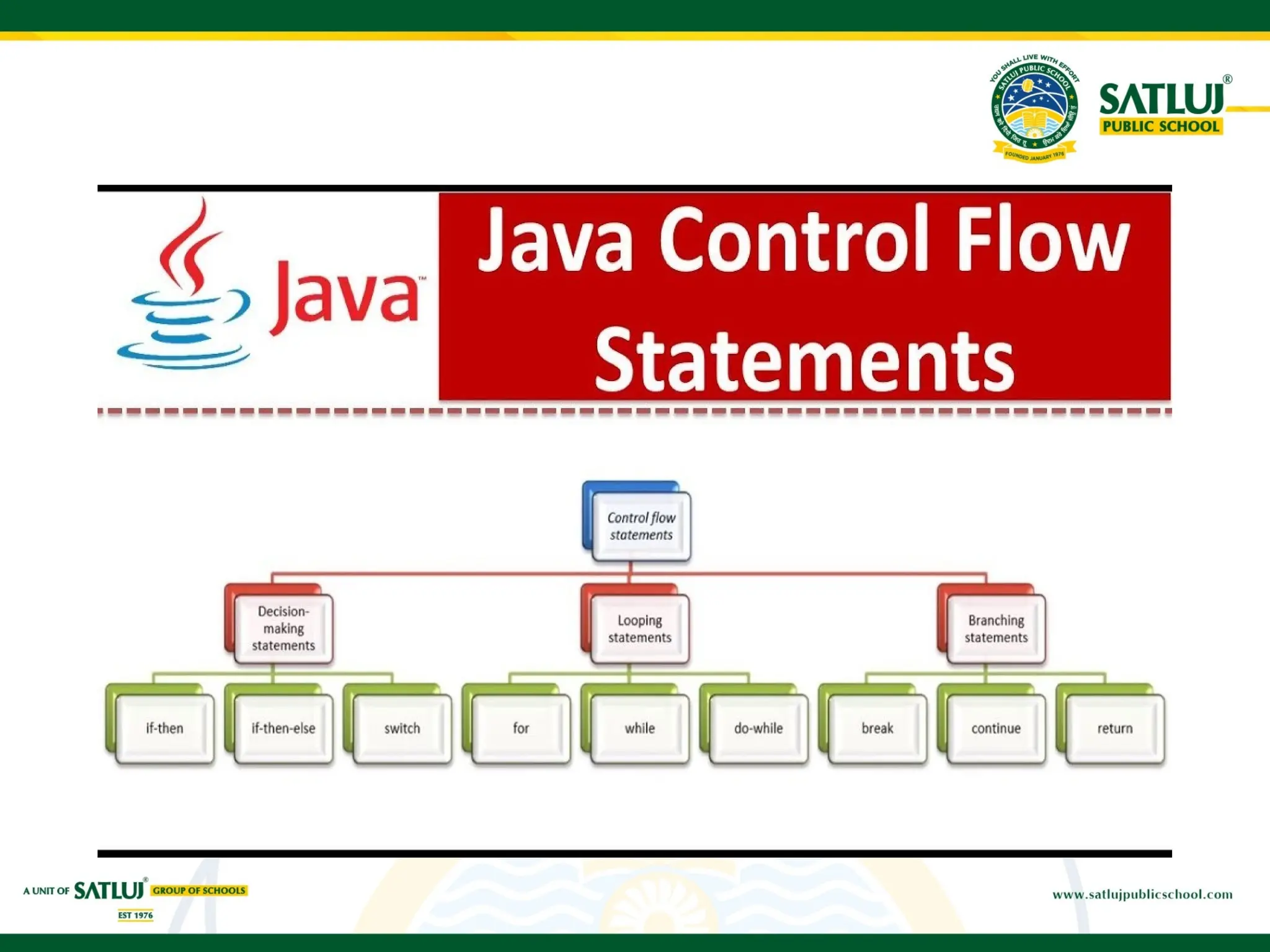
CONTROL FLOW STATEMENTS
DecisionMaking in programming is similar to decision making in real
life. In programming also we face some situations where we want a
certain block of code to be executed when some condition is fulfilled.
A programming language uses control statements to control the flow
of execution of program based on certain conditions. Java application
code is normally executed sequentially from top to bottom in the order
that the code appears. To apply business logic, we may need to
execute code on conditional basis.
Control flow statements helps in this conditional execution of code
blocks. All control flow statements are associated with a business
condition – when true, the code block executes; when false it is
skipped.
14.
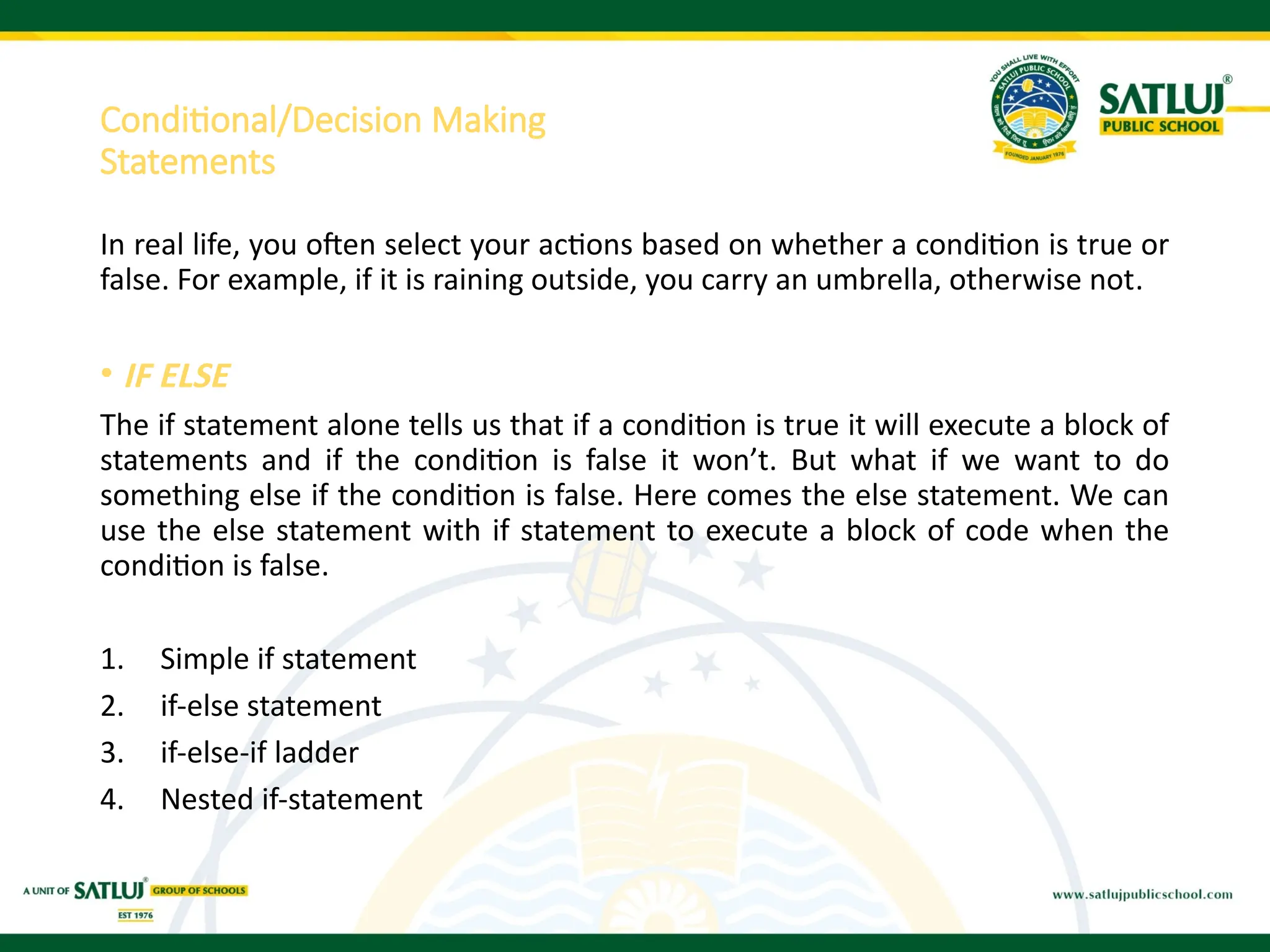
Conditional/Decision Making
Statements
In reallife, you often select your actions based on whether a condition is true or
false. For example, if it is raining outside, you carry an umbrella, otherwise not.
• IF ELSE
The if statement alone tells us that if a condition is true it will execute a block of
statements and if the condition is false it won’t. But what if we want to do
something else if the condition is false. Here comes the else statement. We can
use the else statement with if statement to execute a block of code when the
condition is false.
1. Simple if statement
2. if-else statement
3. if-else-if ladder
4. Nested if-statement
15.
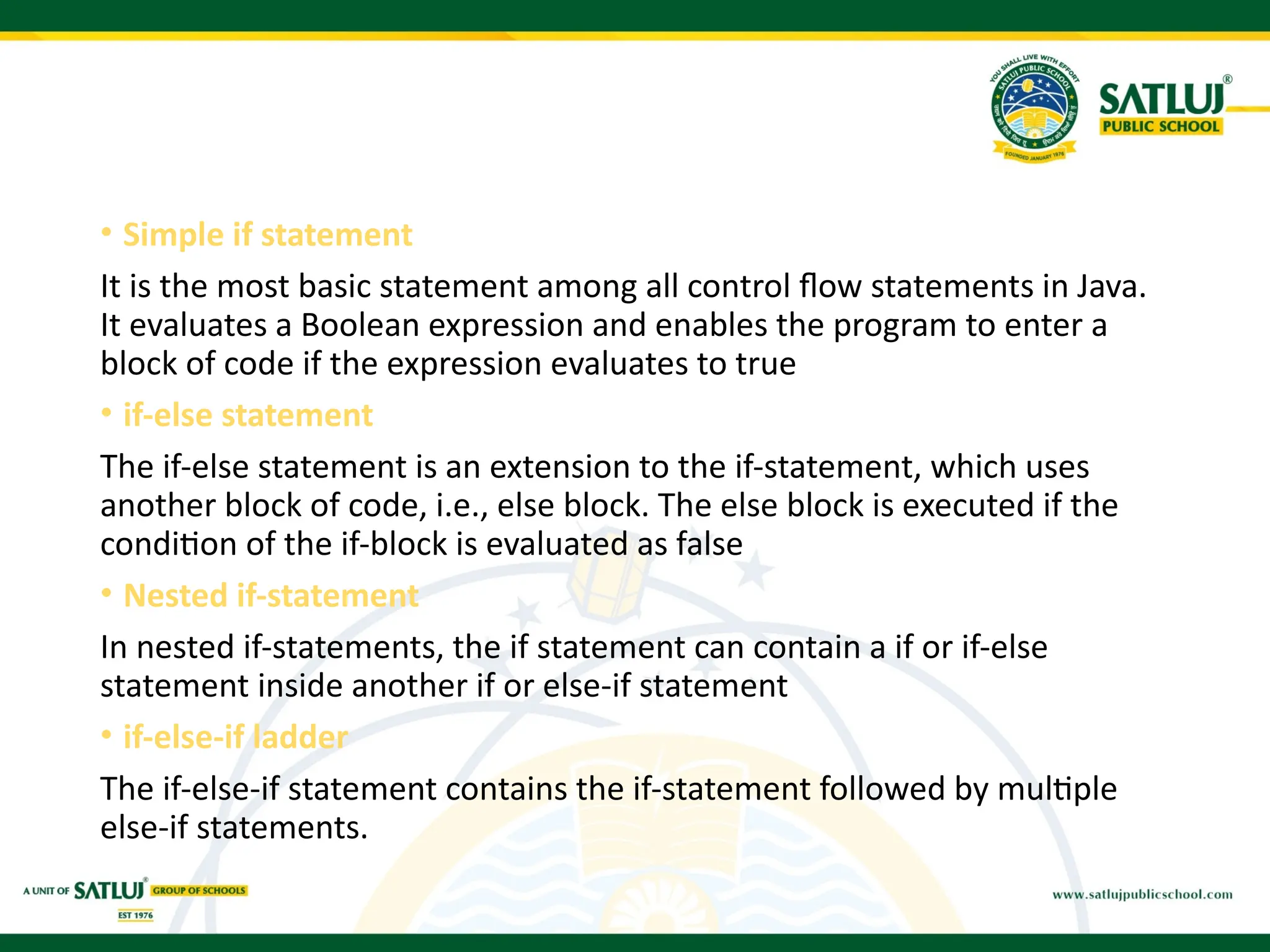
• Simple ifstatement
It is the most basic statement among all control flow statements in Java.
It evaluates a Boolean expression and enables the program to enter a
block of code if the expression evaluates to true
• if-else statement
The if-else statement is an extension to the if-statement, which uses
another block of code, i.e., else block. The else block is executed if the
condition of the if-block is evaluated as false
• Nested if-statement
In nested if-statements, the if statement can contain a if or if-else
statement inside another if or else-if statement
• if-else-if ladder
The if-else-if statement contains the if-statement followed by multiple
else-if statements.
16.
Simple if ifelse
public class Student
{
public static void main(String[] args)
{
int x = 10;
int y = 12;
if(x+y > 20) {
System.out.println("x + y is greater
than 20");
}
}
public static void main(String args[])
{
int i = 20;
if (i < 15)
System.out.println("i is smaller than
15");
else
System.out.println("i is greater than
15");
}
17.
if-else-if ladder: NESTEDIF:
public static void main(String[] args)
{
String city = "Delhi";
if(city == "Meerut")
{
System.out.println("city is meerut");
}
else if (city == "Noida")
{
System.out.println("city is noida");
}
else if(city == "Agra")
{
System.out.println("city is agra");
}
else
{
System.out.println(city);
}
}
public static void main(String args[])
{
int i = 10;
if (i == 10)
{
// First if statement
if (i < 15)
System.out.println("i is smaller than 15");
// Nested - if statement
// Will only be executed if statement above
// it is true
if (i < 12)
System.out.println("i is smaller than 12 too");
else
System.out.println("i is greater than 15");
}
Output:
i is smaller than 15
i is smaller than 12 too
18.
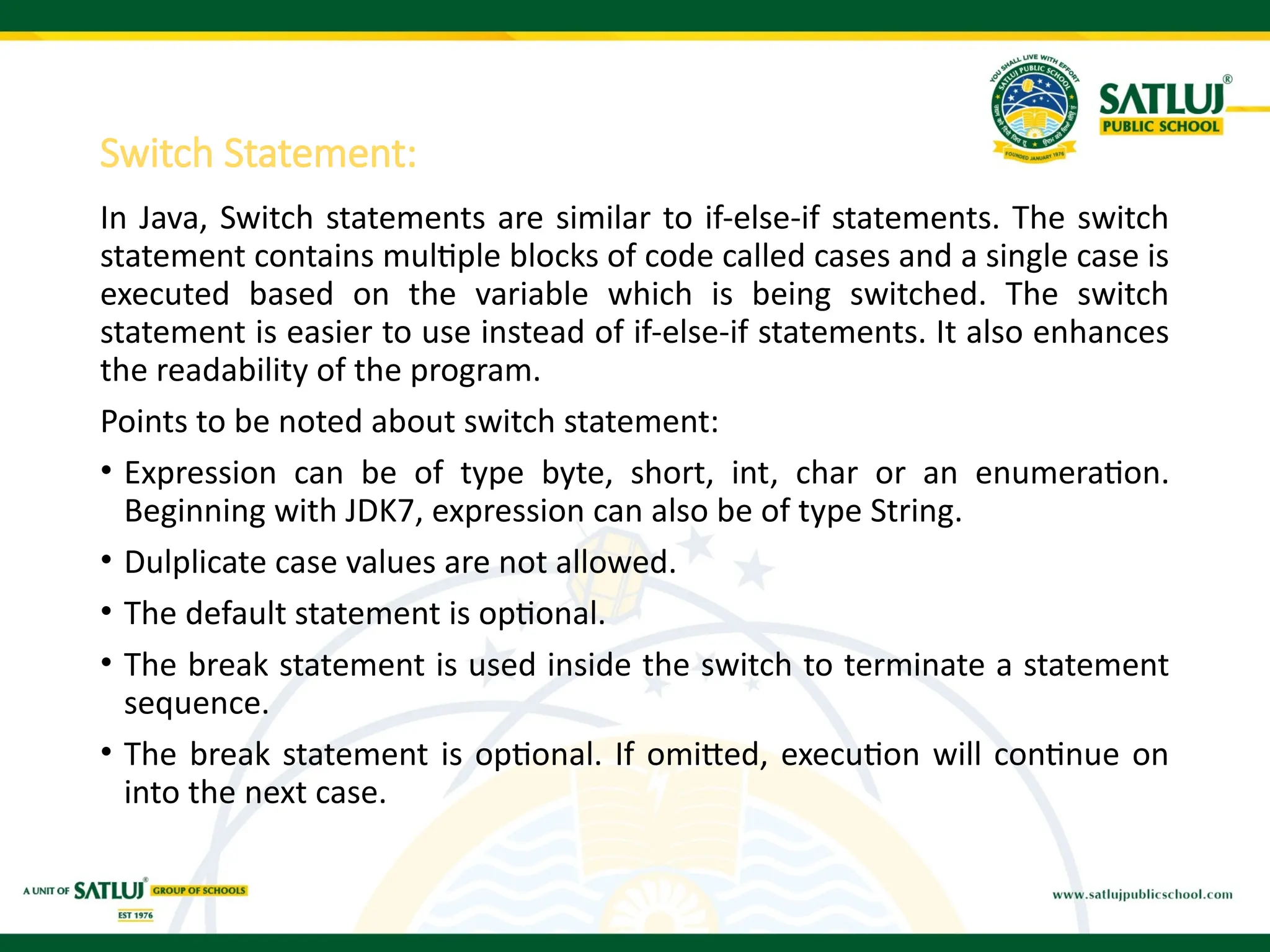
Switch Statement:
In Java,Switch statements are similar to if-else-if statements. The switch
statement contains multiple blocks of code called cases and a single case is
executed based on the variable which is being switched. The switch
statement is easier to use instead of if-else-if statements. It also enhances
the readability of the program.
Points to be noted about switch statement:
• Expression can be of type byte, short, int, char or an enumeration.
Beginning with JDK7, expression can also be of type String.
• Dulplicate case values are not allowed.
• The default statement is optional.
• The break statement is used inside the switch to terminate a statement
sequence.
• The break statement is optional. If omitted, execution will continue on
into the next case.
19.
Program to illustrateswitch statement
public static void main(String args[])
{
int i = 9;
switch (i)
{
case 0:
System.out.println("i is zero.");
break;
case 1:
System.out.println("i is one.");
break;
case 2:
System.out.println("i is two.");
break;
default:
System.out.println("i is greater than 2.");
}
20.
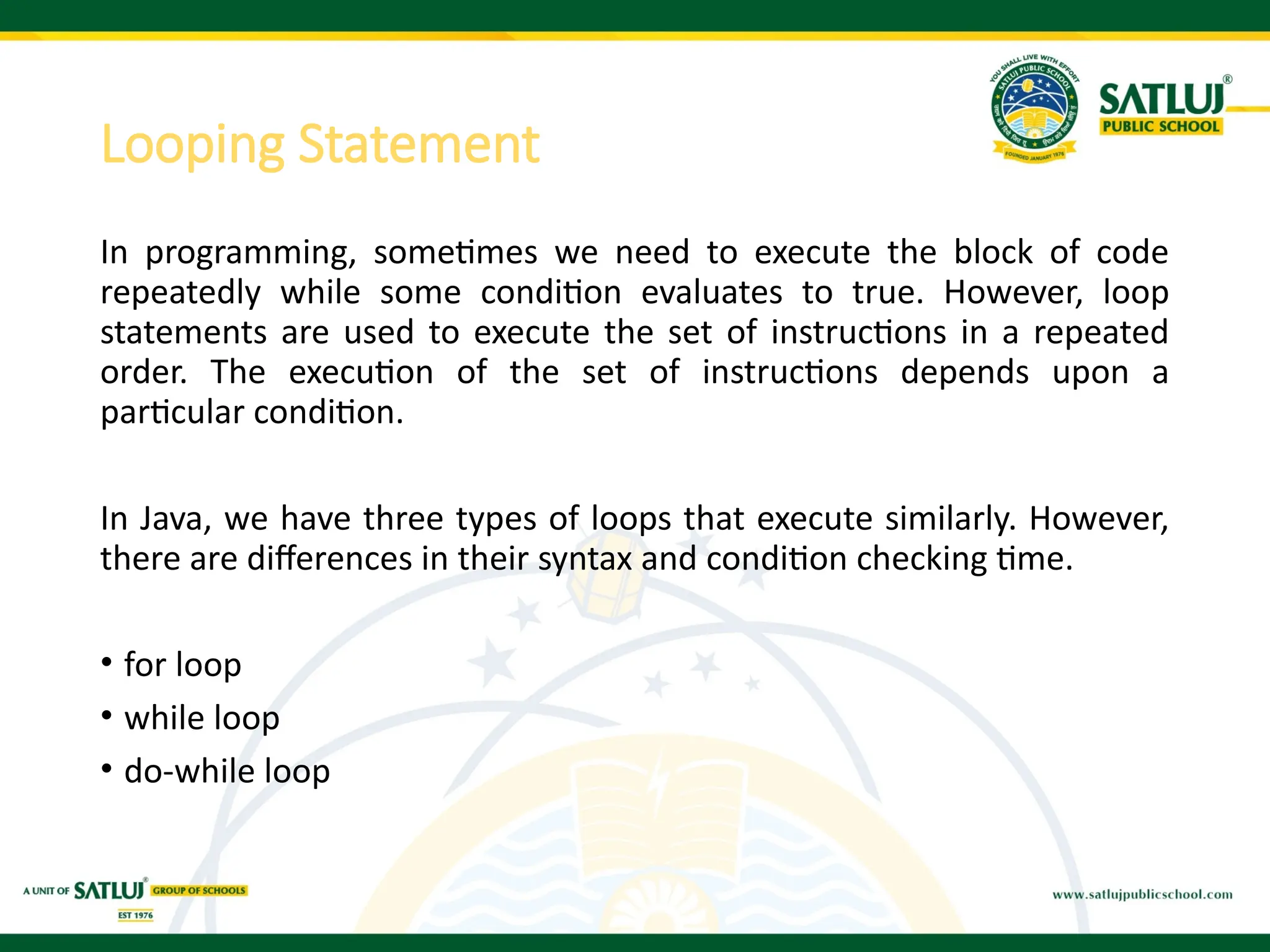
Looping Statement
In programming,sometimes we need to execute the block of code
repeatedly while some condition evaluates to true. However, loop
statements are used to execute the set of instructions in a repeated
order. The execution of the set of instructions depends upon a
particular condition.
In Java, we have three types of loops that execute similarly. However,
there are differences in their syntax and condition checking time.
• for loop
• while loop
• do-while loop
21.
for Loop
• Itenables us to initialize the loop variable, check the condition, and
increment/decrement in a single line of code. We use the for loop
only when we exactly know the number of times, we want to execute
the block of code.
• Syntax:-
for(initialization, condition, increment/decrement)
{
//block of statements
}
public static void main(String[] args)
{
// TODO Auto-generated method stub
int sum = 0;
for(int j = 1; j<=10; j++) {
sum = sum + j;
}
System.out.println("The sum of first 10 natural numbers is " + sum);
}
22.
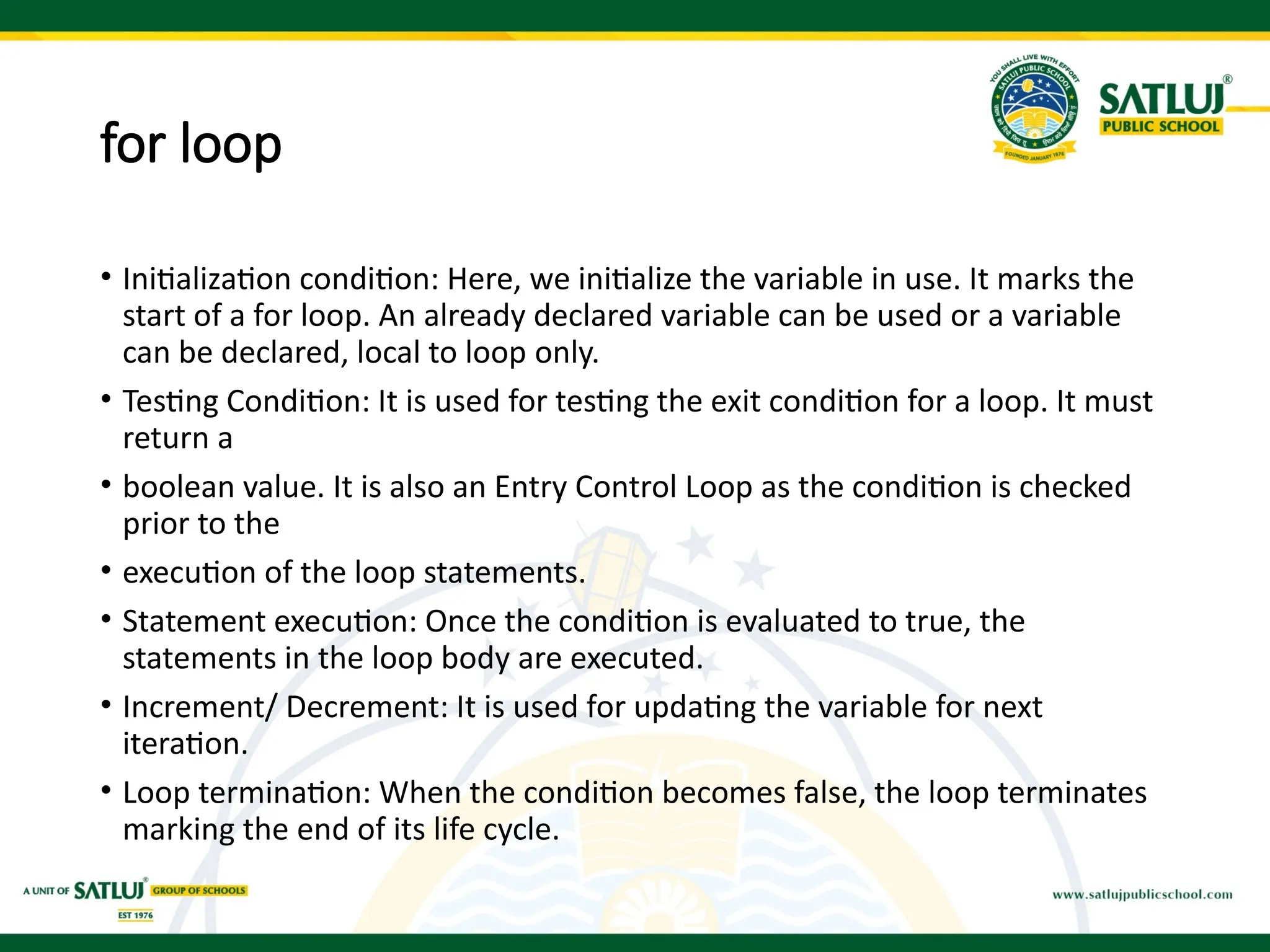
for loop
• Initializationcondition: Here, we initialize the variable in use. It marks the
start of a for loop. An already declared variable can be used or a variable
can be declared, local to loop only.
• Testing Condition: It is used for testing the exit condition for a loop. It must
return a
• boolean value. It is also an Entry Control Loop as the condition is checked
prior to the
• execution of the loop statements.
• Statement execution: Once the condition is evaluated to true, the
statements in the loop body are executed.
• Increment/ Decrement: It is used for updating the variable for next
iteration.
• Loop termination: When the condition becomes false, the loop terminates
marking the end of its life cycle.
23.
Java for-each loop
•Java provides an enhanced for loop to traverse the data structures
like array or collection. In the for-each loop, we don't need to update
the loop variable. The syntax to use the for-each loop in java is given
below.
for(data_type var : array_name/collection_name)
{
//statements
}
public static void main(String[] args)
{
String[] names = {"Java","C","C++","Python","JavaScript"};
System.out.println("Printing the content of the array names:n");
for(String name:names)
{
System.out.println(name);
}
}
24.
Java while loop
•The while loop is also used to iterate over the number of statements
multiple times. However, if we don't know the number of iterations
in advance, it is recommended to use a while loop. Unlike for loop,
the initialization and increment/decrement doesn't take place inside
the loop statement in while loop.
• It is also known as the entry-controlled loop since the condition is
checked at the start of the loop. If the condition is true, then the loop
body will be executed; otherwise, the statements after the loop will
be executed. public static void main(String[] args)
{
int i = 0;
System.out.println("Printing the list of first 10 even numbers n");
while(i<=10)
{
System.out.println(i);
i = i + 2;
}
25.
Java do-while loop
•The do-while loop checks the condition at the end of the loop after
executing the loop statements. When the number of iteration is not
known and we have to execute the loop at least once, we can use do-
while loop.
• It is also known as the exit-controlled loop since the condition is not
checked in advance.
public static void main(String[] args)
{
int i = 0;
System.out.println("Printing the list of first 10 even numbers n");
do
{
System.out.println(i);
i = i + 2;
}
while(i<=10);
}
26.
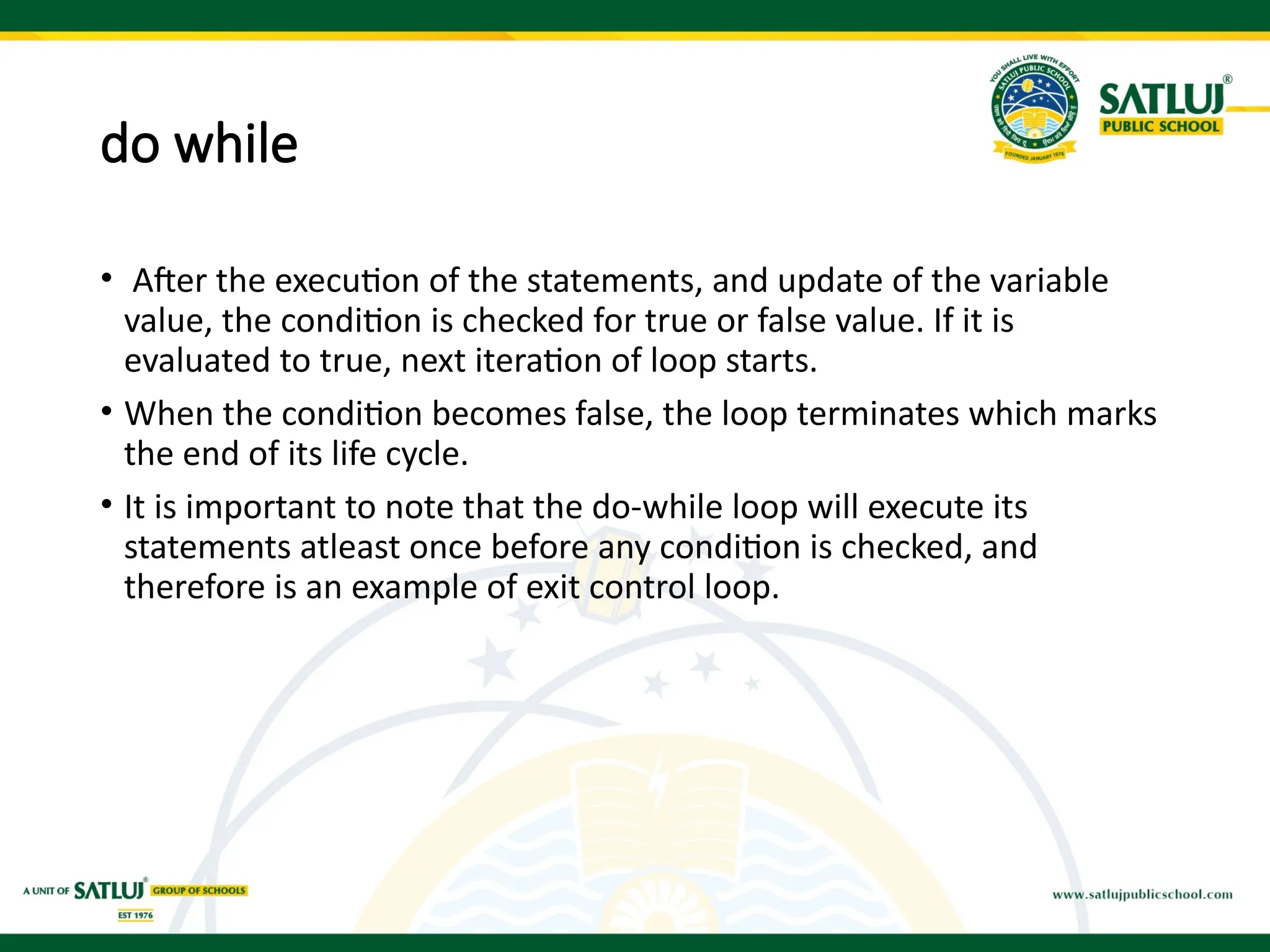
do while
• Afterthe execution of the statements, and update of the variable
value, the condition is checked for true or false value. If it is
evaluated to true, next iteration of loop starts.
• When the condition becomes false, the loop terminates which marks
the end of its life cycle.
• It is important to note that the do-while loop will execute its
statements atleast once before any condition is checked, and
therefore is an example of exit control loop.
27.
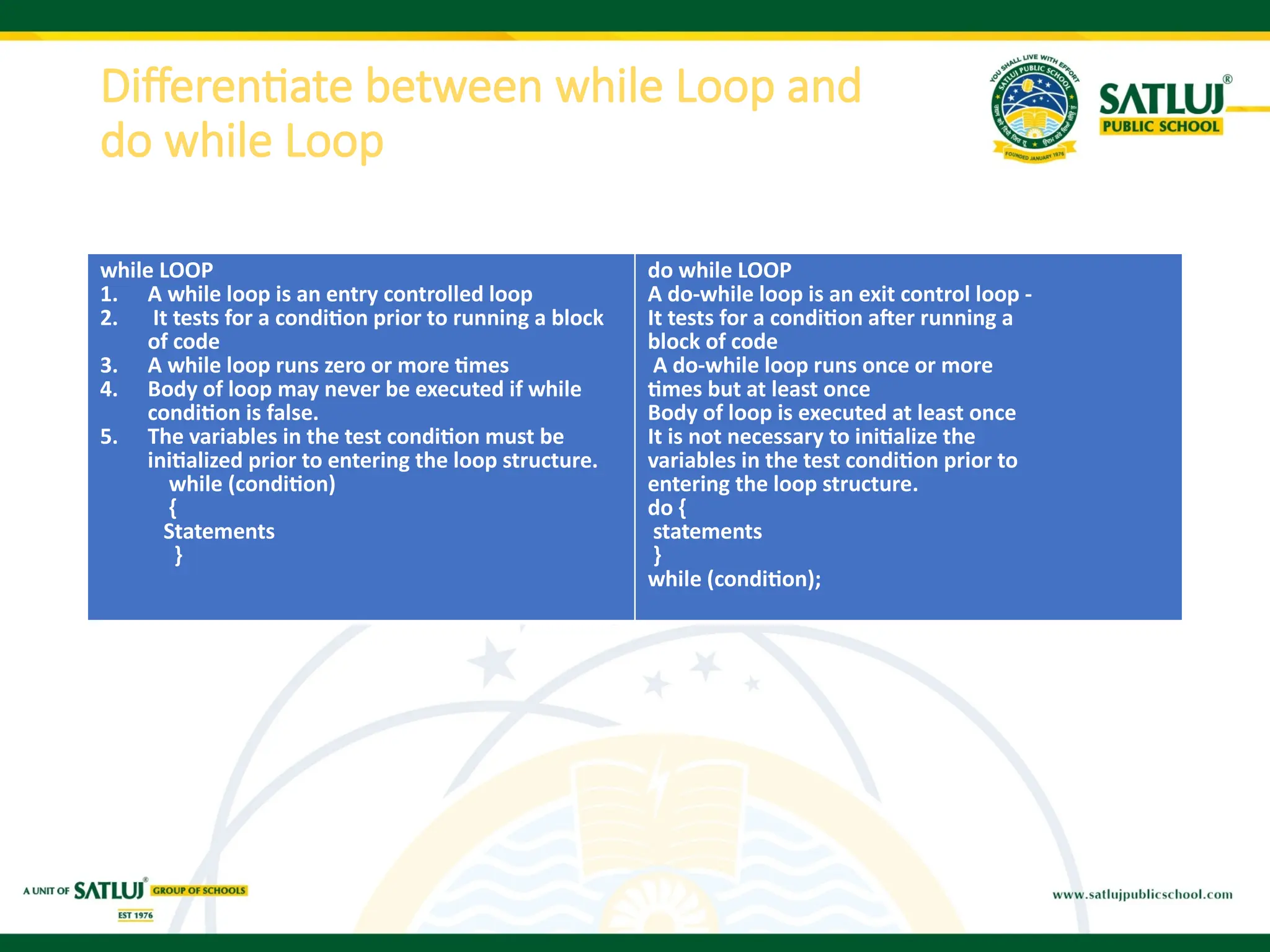
Differentiate between whileLoop and
do while Loop
while LOOP
1. A while loop is an entry controlled loop
2. It tests for a condition prior to running a block
of code
3. A while loop runs zero or more times
4. Body of loop may never be executed if while
condition is false.
5. The variables in the test condition must be
initialized prior to entering the loop structure.
while (condition)
{
Statements
}
do while LOOP
A do-while loop is an exit control loop -
It tests for a condition after running a
block of code
A do-while loop runs once or more
times but at least once
Body of loop is executed at least once
It is not necessary to initialize the
variables in the test condition prior to
entering the loop structure.
do {
statements
}
while (condition);
28.
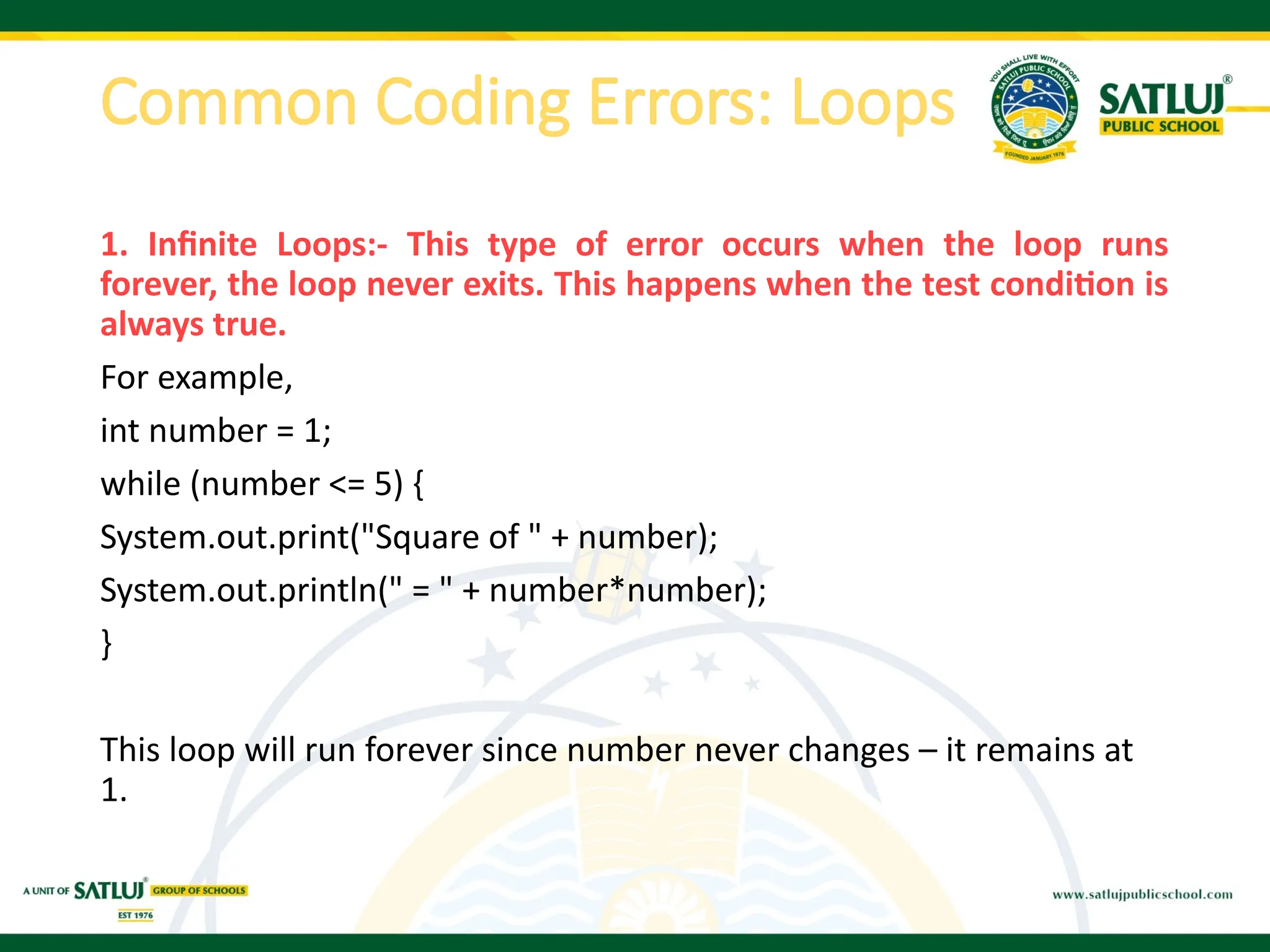
Common Coding Errors:Loops
1. Infinite Loops:- This type of error occurs when the loop runs
forever, the loop never exits. This happens when the test condition is
always true.
For example,
int number = 1;
while (number <= 5) {
System.out.print("Square of " + number);
System.out.println(" = " + number*number);
}
This loop will run forever since number never changes – it remains at
1.
29.
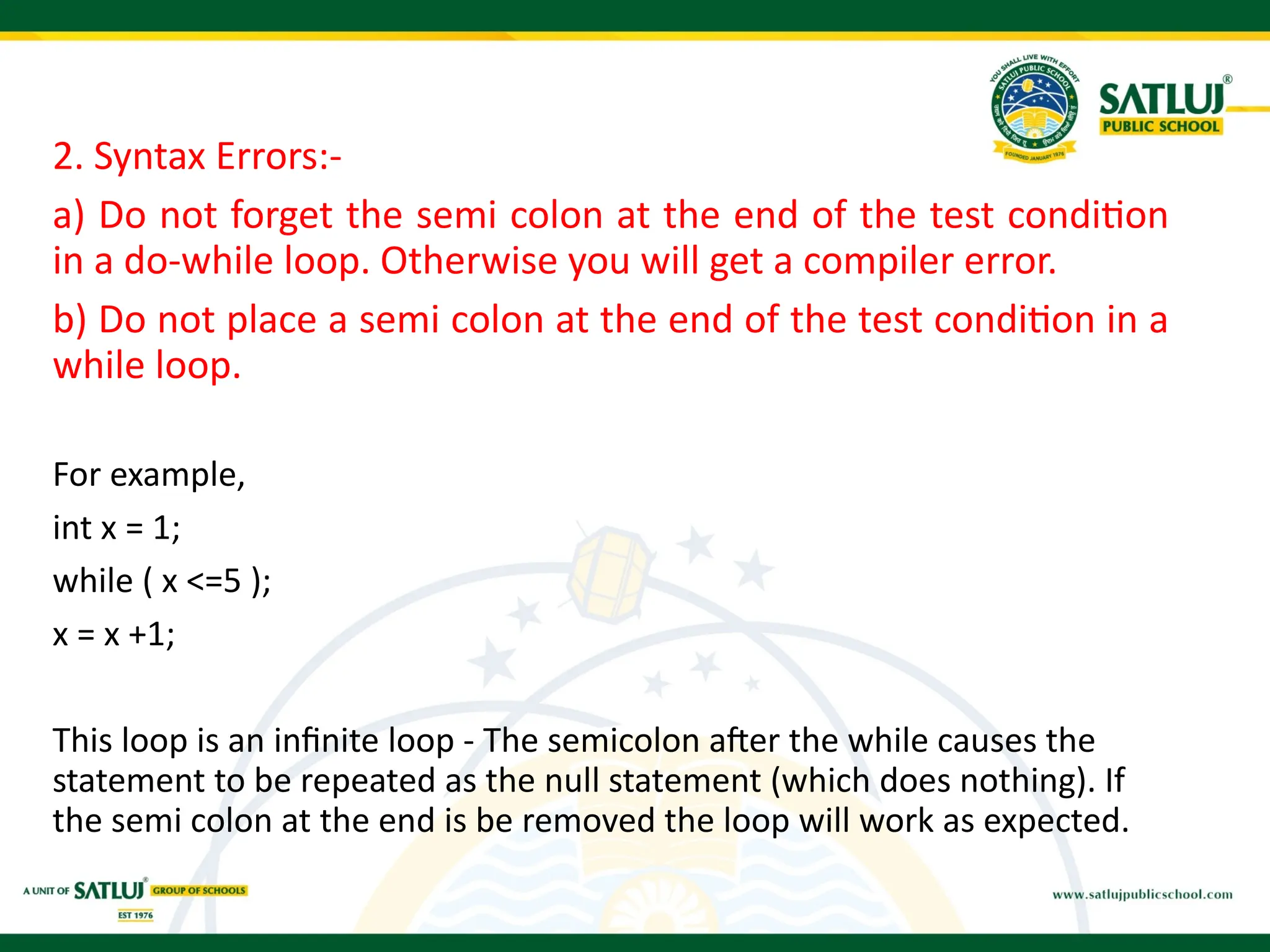
2. Syntax Errors:-
a)Do not forget the semi colon at the end of the test condition
in a do-while loop. Otherwise you will get a compiler error.
b) Do not place a semi colon at the end of the test condition in a
while loop.
For example,
int x = 1;
while ( x <=5 );
x = x +1;
This loop is an infinite loop - The semicolon after the while causes the
statement to be repeated as the null statement (which does nothing). If
the semi colon at the end is be removed the loop will work as expected.
30.
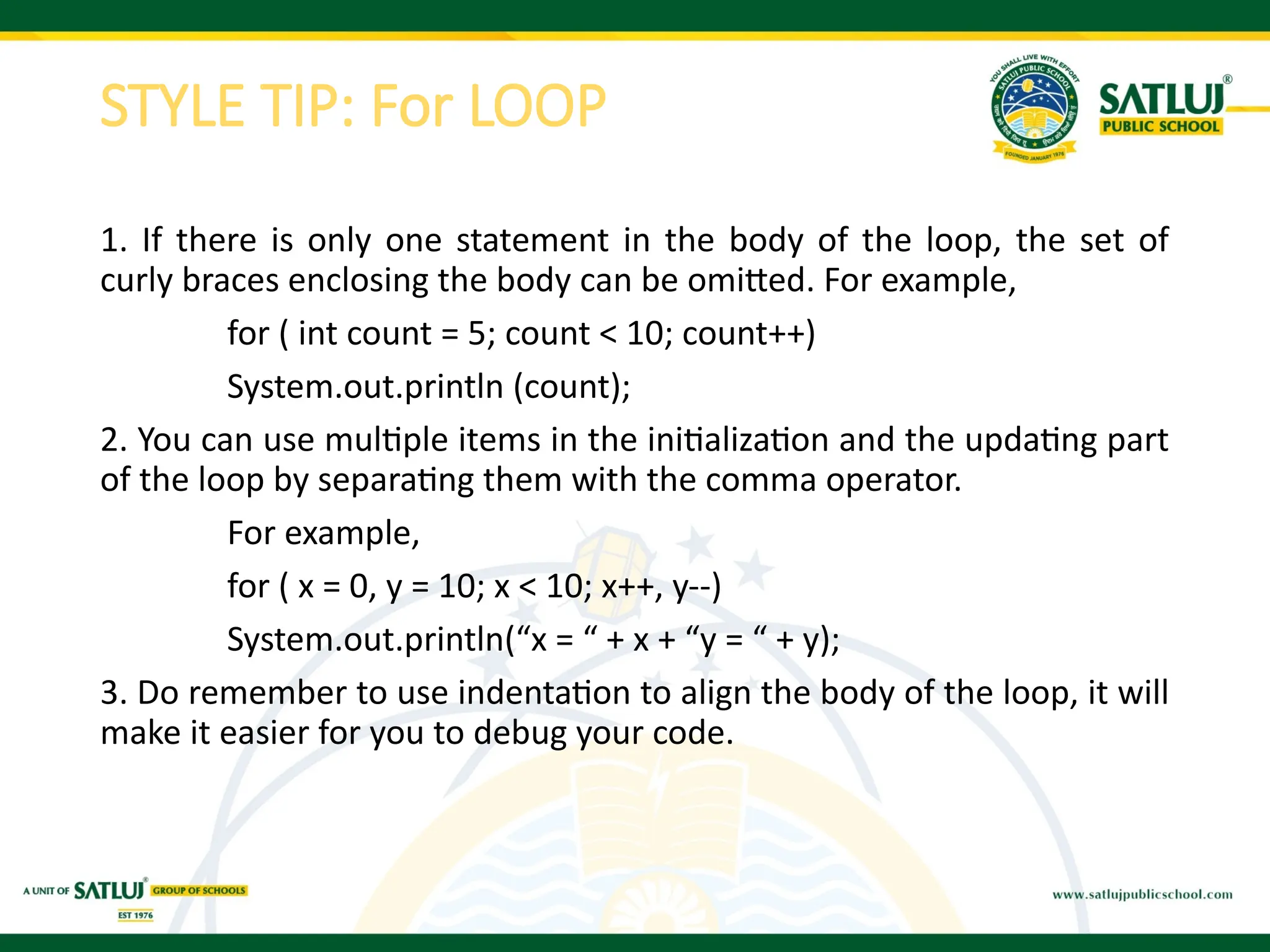
STYLE TIP: ForLOOP
1. If there is only one statement in the body of the loop, the set of
curly braces enclosing the body can be omitted. For example,
for ( int count = 5; count < 10; count++)
System.out.println (count);
2. You can use multiple items in the initialization and the updating part
of the loop by separating them with the comma operator.
For example,
for ( x = 0, y = 10; x < 10; x++, y--)
System.out.println(“x = “ + x + “y = “ + y);
3. Do remember to use indentation to align the body of the loop, it will
make it easier for you to debug your code.
31.
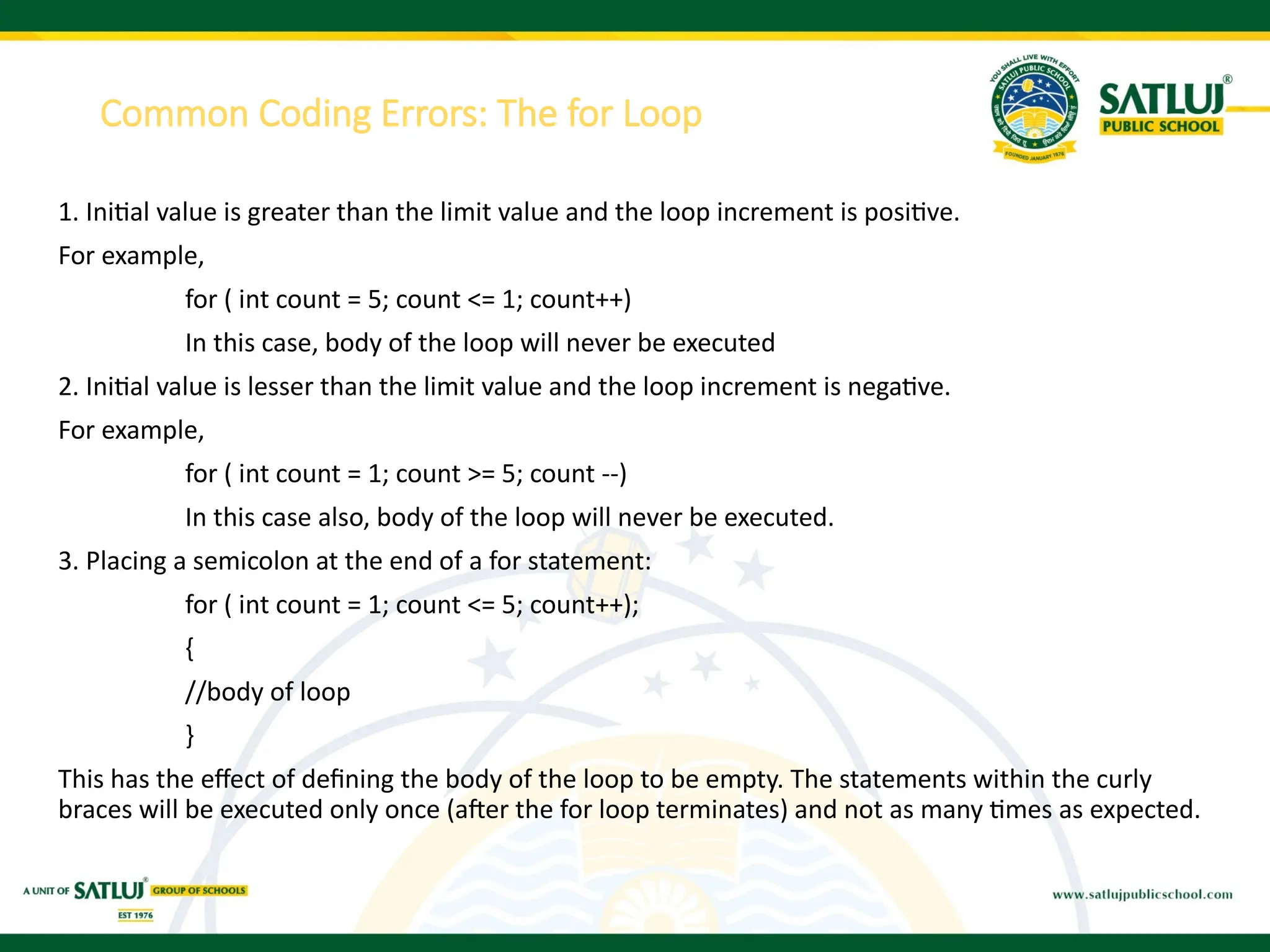
Common Coding Errors:The for Loop
1. Initial value is greater than the limit value and the loop increment is positive.
For example,
for ( int count = 5; count <= 1; count++)
In this case, body of the loop will never be executed
2. Initial value is lesser than the limit value and the loop increment is negative.
For example,
for ( int count = 1; count >= 5; count --)
In this case also, body of the loop will never be executed.
3. Placing a semicolon at the end of a for statement:
for ( int count = 1; count <= 5; count++);
{
//body of loop
}
This has the effect of defining the body of the loop to be empty. The statements within the curly
braces will be executed only once (after the for loop terminates) and not as many times as expected.
32.
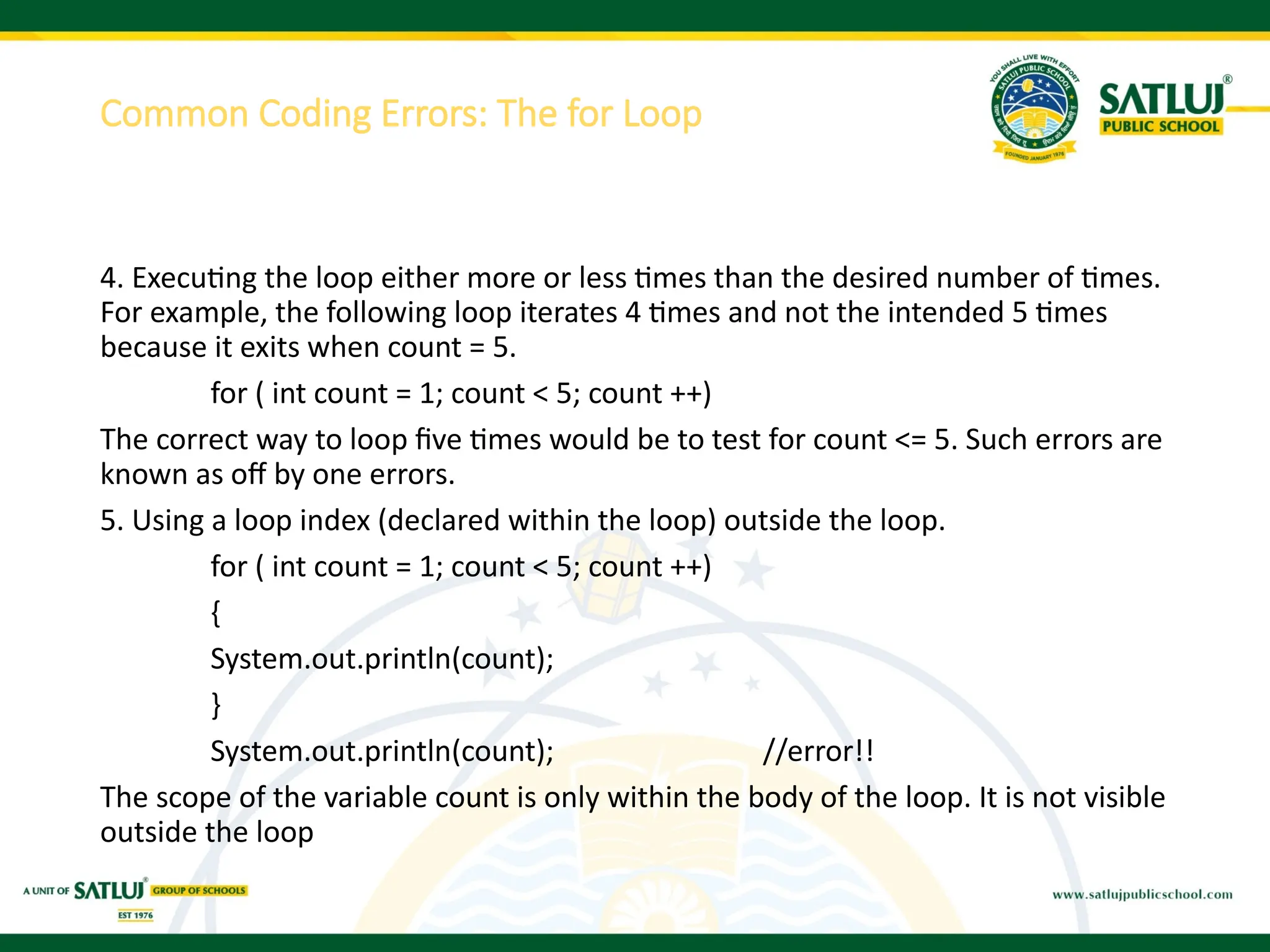
4. Executing theloop either more or less times than the desired number of times.
For example, the following loop iterates 4 times and not the intended 5 times
because it exits when count = 5.
for ( int count = 1; count < 5; count ++)
The correct way to loop five times would be to test for count <= 5. Such errors are
known as off by one errors.
5. Using a loop index (declared within the loop) outside the loop.
for ( int count = 1; count < 5; count ++)
{
System.out.println(count);
}
System.out.println(count); //error!!
The scope of the variable count is only within the body of the loop. It is not visible
outside the loop
Common Coding Errors: The for Loop
33.
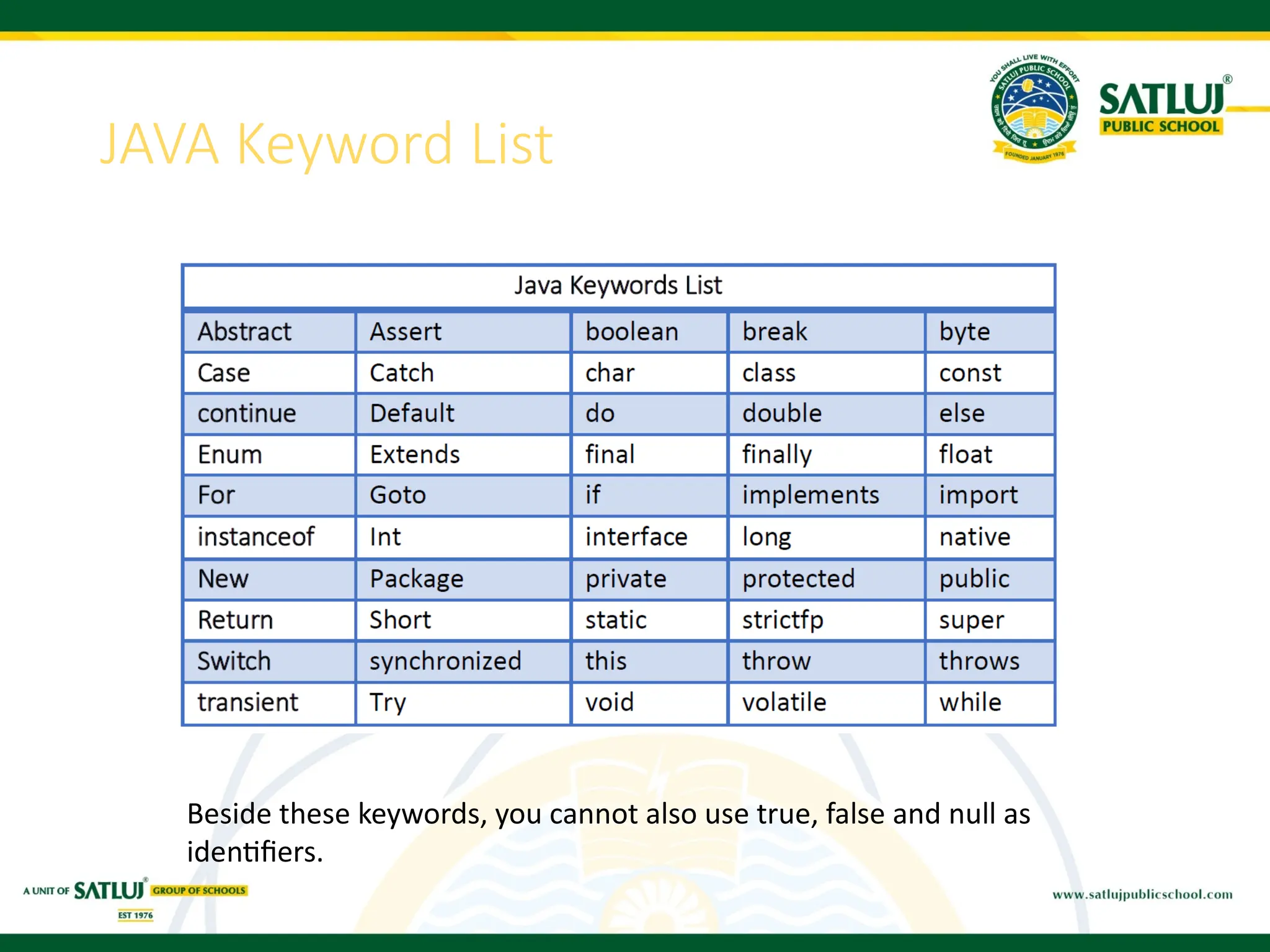
JAVA Keyword List
Besidethese keywords, you cannot also use true, false and null as
identifiers.
34.
Access Modifiers
Access modifiersin Java helps to restrict the scope of a class,
constructor, variable, method, or data member. There are four types of
access modifiers available in java:
• Default – No keyword required
• Private
• Protected
• Public
35.
• Private: Theprivate access modifier is specified using the keyword private.
The methods or data members declared as private are accessible only within
the class in which they are declared.
• Public: The public access modifier is specified using the keyword public.
Classes, methods, or data members that are declared as public are
accessible from everywhere in the program. There is no restriction on the
scope of public data members.
• Protected: The protected access modifier is specified using the keyword
protected. The methods or data members declared as protected are
accessible within the same package or subclasses in different packages.
• Default: When no access modifier is specified for a class, method, or data
member – It is said to be having the default access modifier by default.

![Java program to illustrate arithmetic operator
public static void main(String[] args)
{
// declare variables
int a = 12, b = 5, result1,result2;
// addition operator
System.out.println("a + b = " + (a + b));
// subtraction operator
System.out.println("a - b = " + (a - b));
// multiplication operator
System.out.println("a * b = " + (a * b));
// division operator
System.out.println("a / b = " + (a / b));
// modulus operator
System.out.println("a % b = " + (a % b));
// increment operator
result1 = ++a;
System.out.println("After increment: " + result1);
// decrement operator
result2 = --b;
System.out.println("After decrement: " + result2);
}](https://image.slidesharecdn.com/java-2-251203131827-481f90c5/75/JAVA-2-PPT-OF-CLASS-12-INFORMATION-TECHNOLOGY-5-2048.jpg)
![Java program to illustrate Relational operator
public static void main(String[] args) {
// create variables
int a = 7, b = 11;
// value of a and b
System.out.println("a is " + a + " and b is " + b);
// == operator
System.out.println(a == b); // false
// != operator
System.out.println(a != b); // true
// > operator
System.out.println(a > b); // false
// < operator
System.out.println(a < b); // true
// >= operator
System.out.println(a >= b); // false
// <= operator
System.out.println(a <= b); // true
}](https://image.slidesharecdn.com/java-2-251203131827-481f90c5/75/JAVA-2-PPT-OF-CLASS-12-INFORMATION-TECHNOLOGY-7-2048.jpg)
![public static void main(String[] args)
{
// create variables
int a = 4;
int var;
// assign value using =
var = a;
System.out.println("var using =: " + var);
// assign value using +=
var += a;
System.out.println("var using +=: " + var);
// assign value using *=
var *= a;
System.out.println("var using *=: " + var);
}
Java program to illustrate assignment operator](https://image.slidesharecdn.com/java-2-251203131827-481f90c5/75/JAVA-2-PPT-OF-CLASS-12-INFORMATION-TECHNOLOGY-9-2048.jpg)
![Java program to illustrate logical operator
public static void main(String[] args) {
// && operator
System.out.println((5 > 3) && (8 > 5)); // true
System.out.println((5 > 3) && (8 < 5)); // false
// || operator
System.out.println((5 < 3) || (8 > 5)); // true
System.out.println((5 > 3) || (8 < 5)); // true
System.out.println((5 < 3) || (8 < 5)); // false
// ! operator
System.out.println(!(5 == 3)); // true
System.out.println(!(5 > 3)); // false
}](https://image.slidesharecdn.com/java-2-251203131827-481f90c5/75/JAVA-2-PPT-OF-CLASS-12-INFORMATION-TECHNOLOGY-11-2048.jpg)
![Simple if if else
public class Student
{
public static void main(String[] args)
{
int x = 10;
int y = 12;
if(x+y > 20) {
System.out.println("x + y is greater
than 20");
}
}
public static void main(String args[])
{
int i = 20;
if (i < 15)
System.out.println("i is smaller than
15");
else
System.out.println("i is greater than
15");
}](https://image.slidesharecdn.com/java-2-251203131827-481f90c5/75/JAVA-2-PPT-OF-CLASS-12-INFORMATION-TECHNOLOGY-16-2048.jpg)
![if-else-if ladder: NESTED IF:
public static void main(String[] args)
{
String city = "Delhi";
if(city == "Meerut")
{
System.out.println("city is meerut");
}
else if (city == "Noida")
{
System.out.println("city is noida");
}
else if(city == "Agra")
{
System.out.println("city is agra");
}
else
{
System.out.println(city);
}
}
public static void main(String args[])
{
int i = 10;
if (i == 10)
{
// First if statement
if (i < 15)
System.out.println("i is smaller than 15");
// Nested - if statement
// Will only be executed if statement above
// it is true
if (i < 12)
System.out.println("i is smaller than 12 too");
else
System.out.println("i is greater than 15");
}
Output:
i is smaller than 15
i is smaller than 12 too](https://image.slidesharecdn.com/java-2-251203131827-481f90c5/75/JAVA-2-PPT-OF-CLASS-12-INFORMATION-TECHNOLOGY-17-2048.jpg)
![Program to illustrate switch statement
public static void main(String args[])
{
int i = 9;
switch (i)
{
case 0:
System.out.println("i is zero.");
break;
case 1:
System.out.println("i is one.");
break;
case 2:
System.out.println("i is two.");
break;
default:
System.out.println("i is greater than 2.");
}](https://image.slidesharecdn.com/java-2-251203131827-481f90c5/75/JAVA-2-PPT-OF-CLASS-12-INFORMATION-TECHNOLOGY-19-2048.jpg)
![for Loop
• It enables us to initialize the loop variable, check the condition, and
increment/decrement in a single line of code. We use the for loop
only when we exactly know the number of times, we want to execute
the block of code.
• Syntax:-
for(initialization, condition, increment/decrement)
{
//block of statements
}
public static void main(String[] args)
{
// TODO Auto-generated method stub
int sum = 0;
for(int j = 1; j<=10; j++) {
sum = sum + j;
}
System.out.println("The sum of first 10 natural numbers is " + sum);
}](https://image.slidesharecdn.com/java-2-251203131827-481f90c5/75/JAVA-2-PPT-OF-CLASS-12-INFORMATION-TECHNOLOGY-21-2048.jpg)
![Java for-each loop
• Java provides an enhanced for loop to traverse the data structures
like array or collection. In the for-each loop, we don't need to update
the loop variable. The syntax to use the for-each loop in java is given
below.
for(data_type var : array_name/collection_name)
{
//statements
}
public static void main(String[] args)
{
String[] names = {"Java","C","C++","Python","JavaScript"};
System.out.println("Printing the content of the array names:n");
for(String name:names)
{
System.out.println(name);
}
}](https://image.slidesharecdn.com/java-2-251203131827-481f90c5/75/JAVA-2-PPT-OF-CLASS-12-INFORMATION-TECHNOLOGY-23-2048.jpg)
![Java while loop
• The while loop is also used to iterate over the number of statements
multiple times. However, if we don't know the number of iterations
in advance, it is recommended to use a while loop. Unlike for loop,
the initialization and increment/decrement doesn't take place inside
the loop statement in while loop.
• It is also known as the entry-controlled loop since the condition is
checked at the start of the loop. If the condition is true, then the loop
body will be executed; otherwise, the statements after the loop will
be executed. public static void main(String[] args)
{
int i = 0;
System.out.println("Printing the list of first 10 even numbers n");
while(i<=10)
{
System.out.println(i);
i = i + 2;
}](https://image.slidesharecdn.com/java-2-251203131827-481f90c5/75/JAVA-2-PPT-OF-CLASS-12-INFORMATION-TECHNOLOGY-24-2048.jpg)
![Java do-while loop
• The do-while loop checks the condition at the end of the loop after
executing the loop statements. When the number of iteration is not
known and we have to execute the loop at least once, we can use do-
while loop.
• It is also known as the exit-controlled loop since the condition is not
checked in advance.
public static void main(String[] args)
{
int i = 0;
System.out.println("Printing the list of first 10 even numbers n");
do
{
System.out.println(i);
i = i + 2;
}
while(i<=10);
}](https://image.slidesharecdn.com/java-2-251203131827-481f90c5/75/JAVA-2-PPT-OF-CLASS-12-INFORMATION-TECHNOLOGY-25-2048.jpg)