INTRODUCTION
TO
PYTHON
Content in this video…
• Introduction of Python
• Overview of Python
• Organizations using Python
• Python Applications in Various Domains
• Python Installation
Introduction of Python
• Python is a general-purpose interpreted,
interactive, object-oriented, and high-level
programming language.
• It was created by Guido van Rossum during
1985- 1990.
• Like Perl, Python source code is also available
under the GNU General Public License (GPL).
Overview of python
• Python is Interpreted
• Python is Interactive
• Python is Object-Oriented
• Python is a Beginner's Language
Features of Python
 Easy-to-learn
 Easy-to-read
 Easy-to-maintain
 A broad standard library
 Interactive Mode
 Portable
 Extendable
 Databases
 GUI Programming
 Scalable
Organizations using python
• Google: server side official language
• Facebook: third most popular language at the social media
giant
• Instagram: running the world’s largest deployment of the
Django web framework, which is written entirely in Python.
• Spotify: music streaming giant is a huge proponent of
Python
• Netflix: Netflix uses Python in a very similar manner to
Spotify.
• Dropbox: cloud based storage system uses Python in its
desktop client.
• Reddit: Software backbone
Python applications in
various domains
• Web Development
• Game Development
• Machine Learning and Artificial Intelligence
• Data Science and Data Visualization
• Desktop GUI
• Web Scraping Applications
• Business Applications
• Audio and Video Applications
• CAD Applications
• Embedded Applications
Installation
• Presently the version in use is Python 3.x
• But you can also use Python 2.x ,like 2.7..etc .This
depends on your system and your interest.
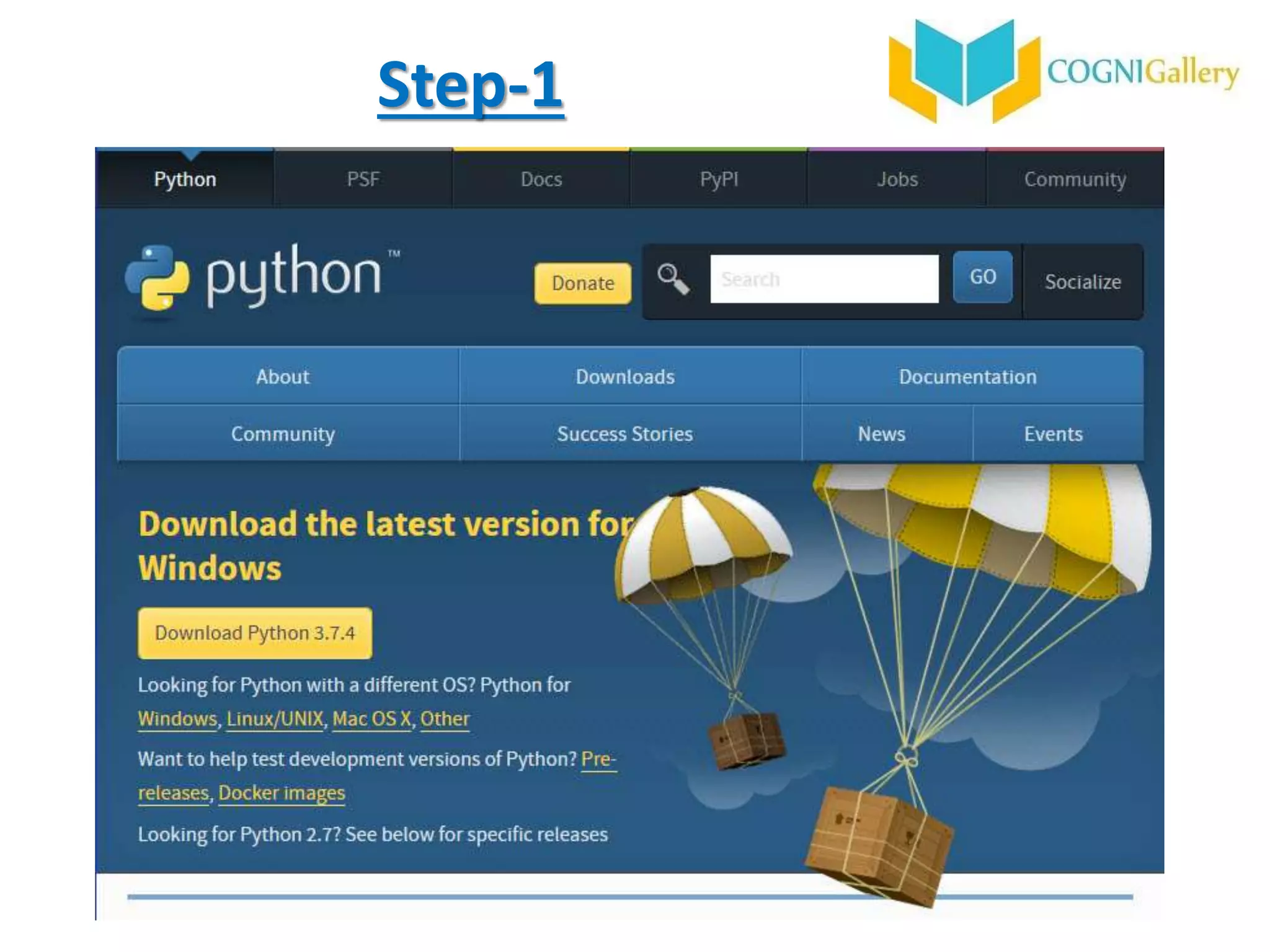
•To download the Python interpreter go to the site
http://www.python.org/downloads and click on the
suitable icon
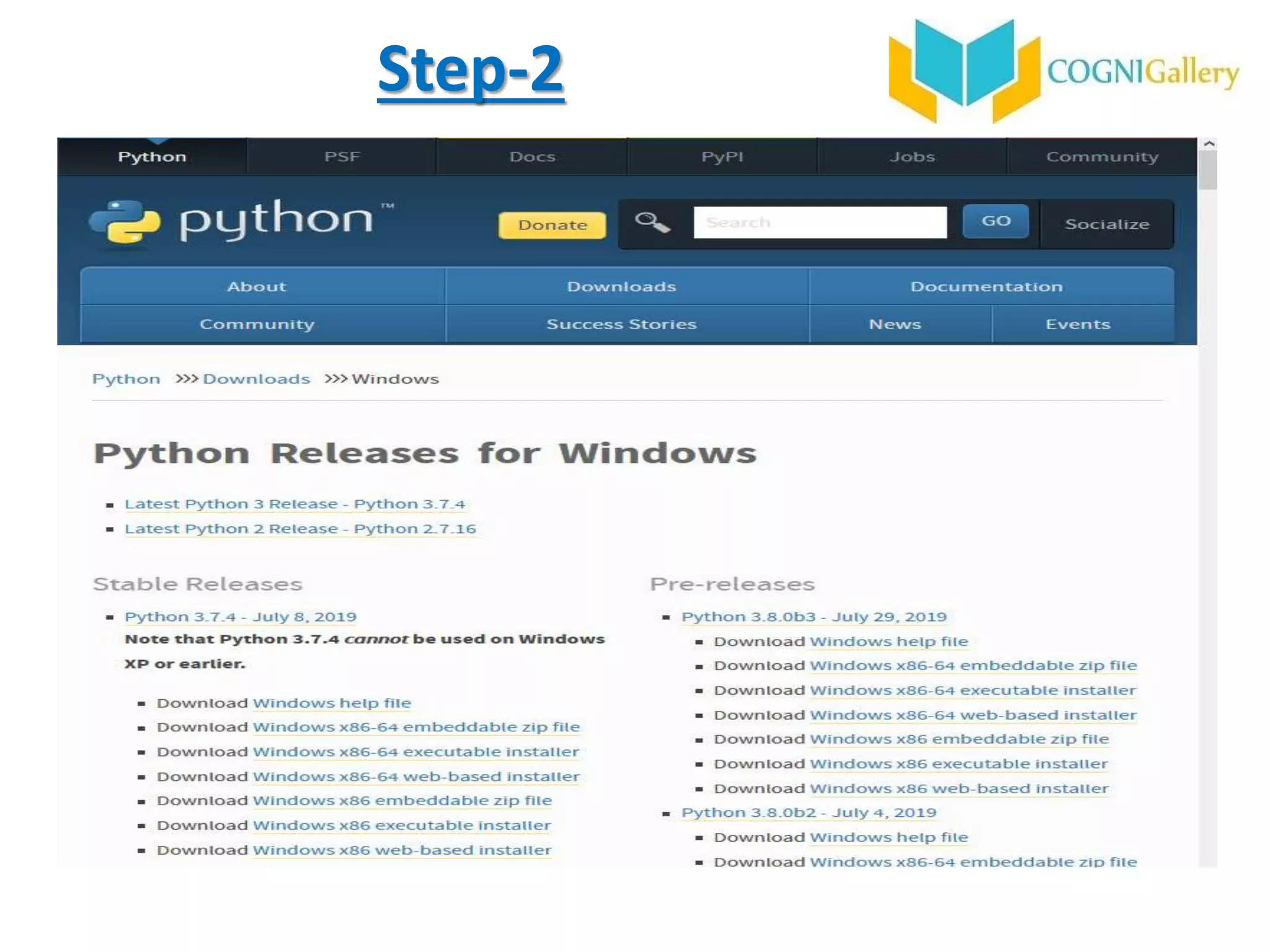
• From the website you can download the suitable
version based
– OS (whether the OS is Windows ,MacOS or Linux)
– the Processor 32 bit or 64 bit.
• For ex: if you are using 64-bit Windows system ,you are
likely to download Windowsx86-64MSI Installer.
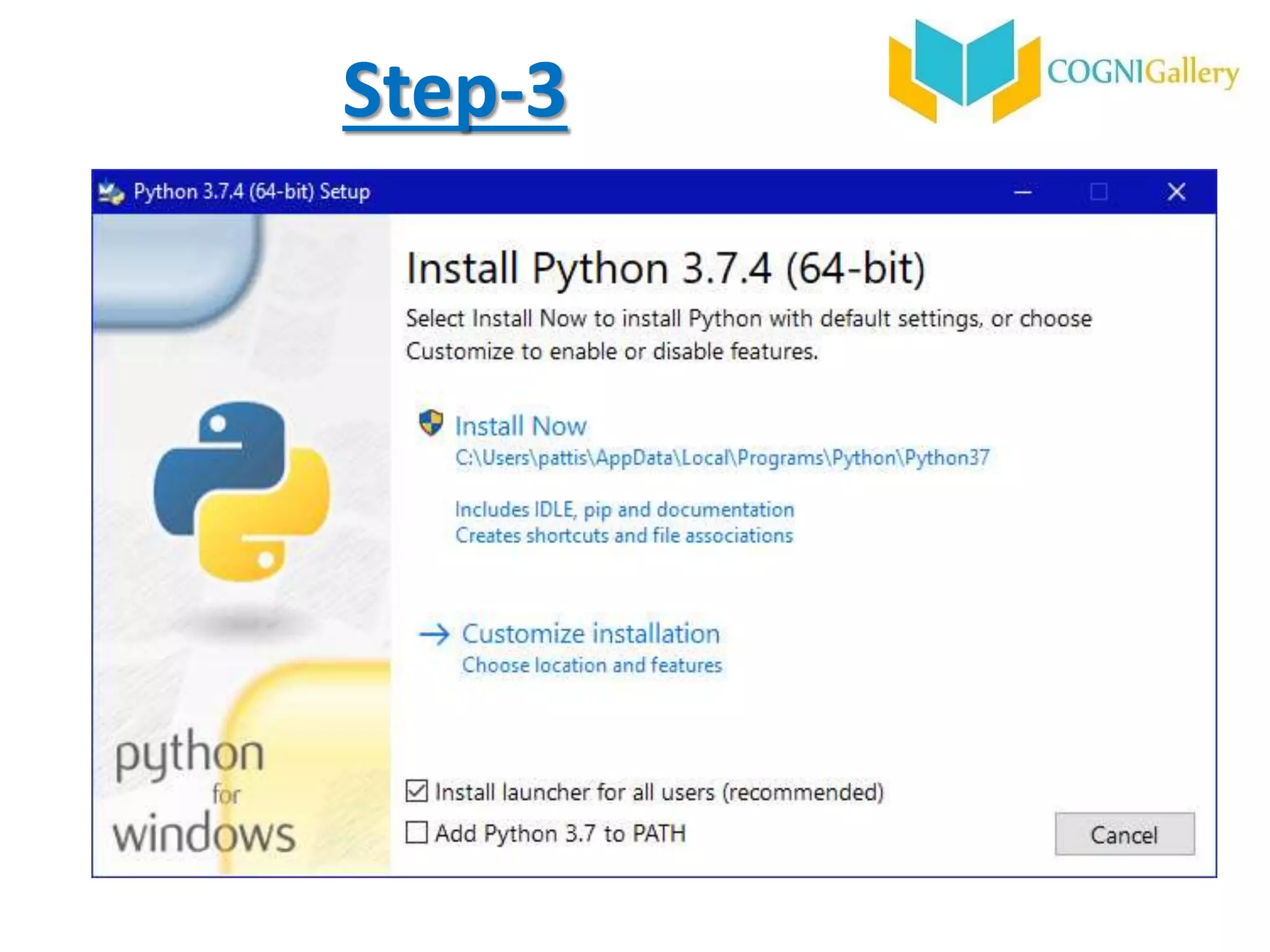
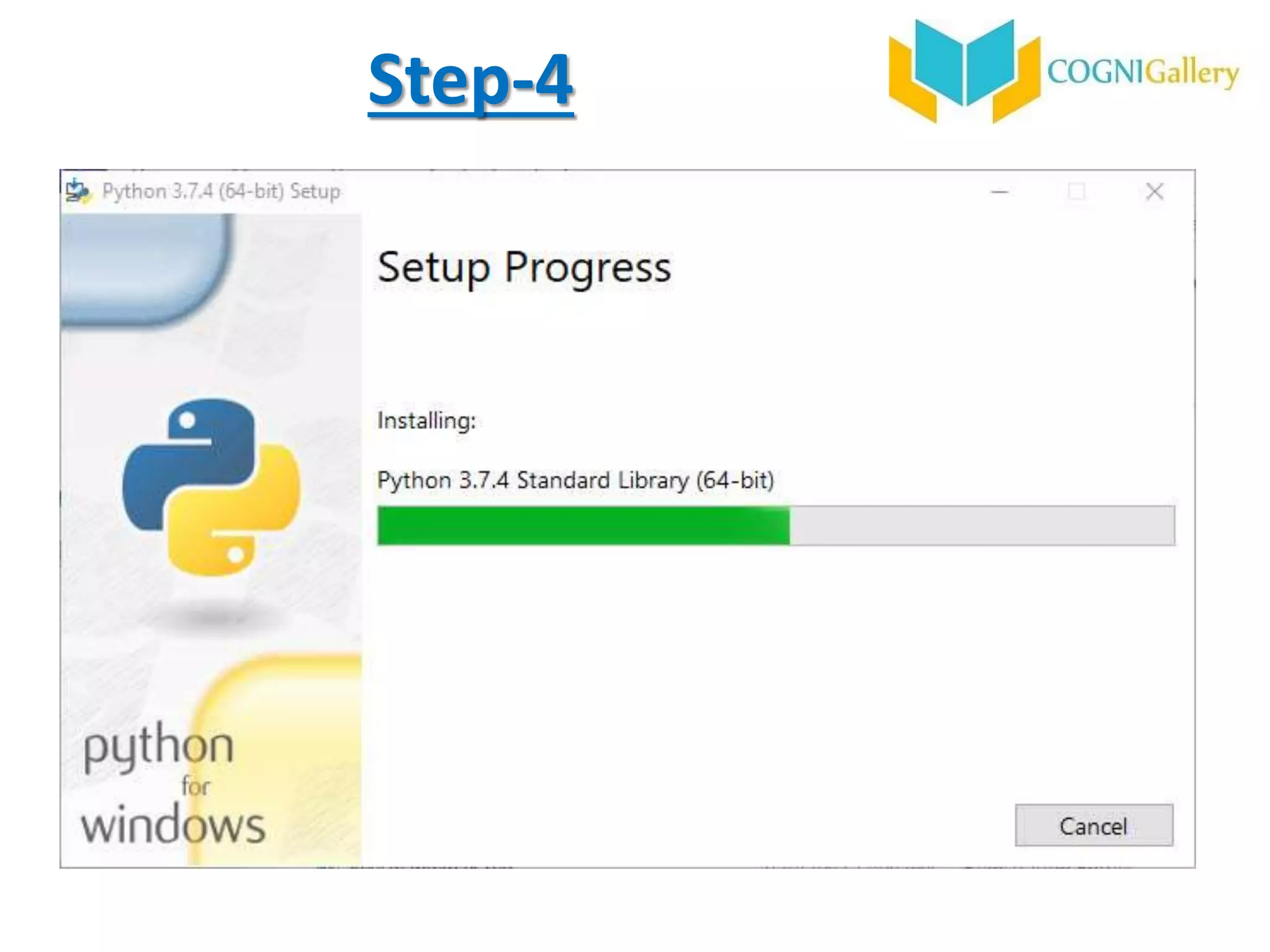
• click on the link and download and install the Python
Interpreter.
Step-1
Step-2
Step-3
Step-4
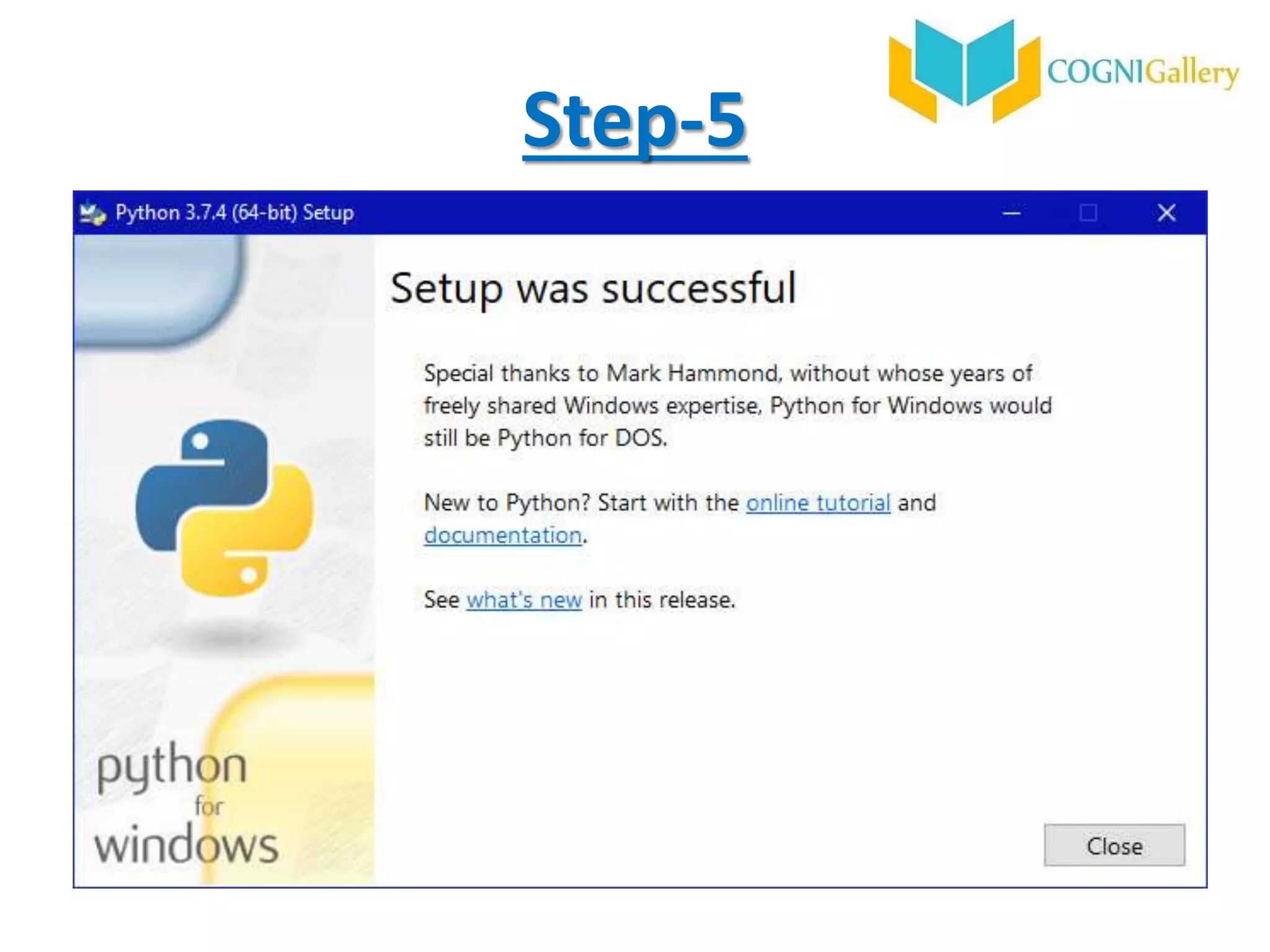
Step-5
Step-6
• Click on “start menu”
• Go to “Programs”
• Check for “Python 3.7”
• Click on “IDLE(Python 3.7.4 64-bit)”
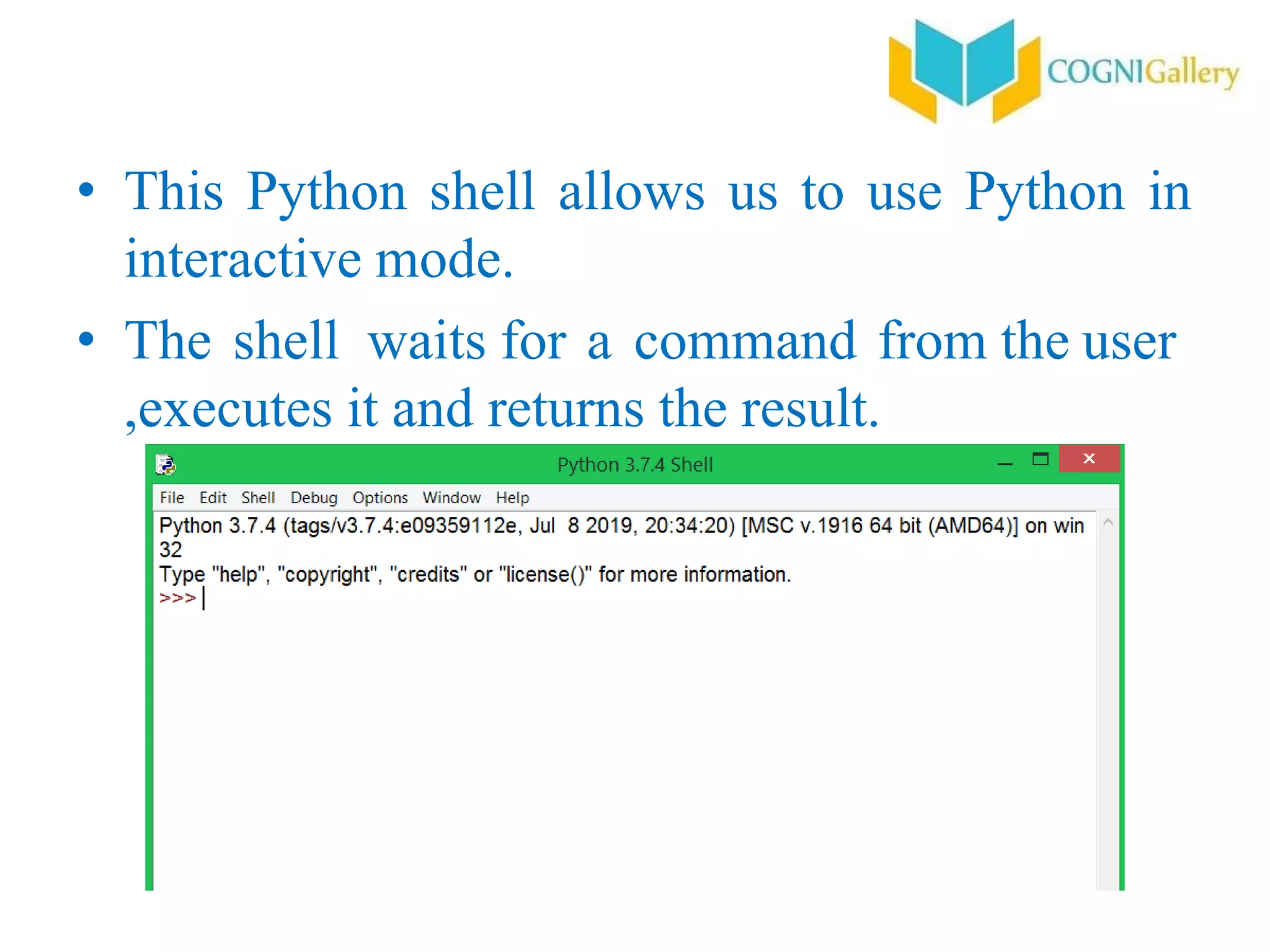
• This Python shell allows us to use Python in
interactive mode.
• The shell waits for a command from the user
,executes it and returns the result.
Python Interfaces
• IDLE – a cross-platform Python development
environment
• PythonWin – a Windows only interface to
Python
• Python Shell – running 'python' from the
Command Line opens this interactive shell
• For the exercises, we'll use IDLE, but you can
try them all and pick a favorite
16
IDLE
•The only thing to do is that we have to launch
the IDLE program .
• While the Python shell allows the user to work in
interactive mode, the Idle allows to write the
code and save it with .py extension. For Ex:
myProg_py.
• This file is known as Python script.
• Once the program is saved ,it can be executed
either by clicking the Run module or F5.
• If there are no errors you observe the results.

Introduction to python

  • 1.
  • 2.
    Content in thisvideo… • Introduction of Python • Overview of Python • Organizations using Python • Python Applications in Various Domains • Python Installation
  • 3.
    Introduction of Python •Python is a general-purpose interpreted, interactive, object-oriented, and high-level programming language. • It was created by Guido van Rossum during 1985- 1990. • Like Perl, Python source code is also available under the GNU General Public License (GPL).
  • 4.
    Overview of python •Python is Interpreted • Python is Interactive • Python is Object-Oriented • Python is a Beginner's Language
  • 5.
    Features of Python Easy-to-learn  Easy-to-read  Easy-to-maintain  A broad standard library  Interactive Mode  Portable  Extendable  Databases  GUI Programming  Scalable
  • 6.
    Organizations using python •Google: server side official language • Facebook: third most popular language at the social media giant • Instagram: running the world’s largest deployment of the Django web framework, which is written entirely in Python. • Spotify: music streaming giant is a huge proponent of Python • Netflix: Netflix uses Python in a very similar manner to Spotify. • Dropbox: cloud based storage system uses Python in its desktop client. • Reddit: Software backbone
  • 7.
    Python applications in variousdomains • Web Development • Game Development • Machine Learning and Artificial Intelligence • Data Science and Data Visualization • Desktop GUI • Web Scraping Applications • Business Applications • Audio and Video Applications • CAD Applications • Embedded Applications
  • 8.
    Installation • Presently theversion in use is Python 3.x • But you can also use Python 2.x ,like 2.7..etc .This depends on your system and your interest. •To download the Python interpreter go to the site http://www.python.org/downloads and click on the suitable icon • From the website you can download the suitable version based – OS (whether the OS is Windows ,MacOS or Linux) – the Processor 32 bit or 64 bit. • For ex: if you are using 64-bit Windows system ,you are likely to download Windowsx86-64MSI Installer. • click on the link and download and install the Python Interpreter.
  • 9.
  • 10.
  • 11.
  • 12.
  • 13.
  • 14.
    Step-6 • Click on“start menu” • Go to “Programs” • Check for “Python 3.7” • Click on “IDLE(Python 3.7.4 64-bit)”
  • 15.
    • This Pythonshell allows us to use Python in interactive mode. • The shell waits for a command from the user ,executes it and returns the result.
  • 16.
    Python Interfaces • IDLE– a cross-platform Python development environment • PythonWin – a Windows only interface to Python • Python Shell – running 'python' from the Command Line opens this interactive shell • For the exercises, we'll use IDLE, but you can try them all and pick a favorite 16
  • 17.
    IDLE •The only thingto do is that we have to launch the IDLE program . • While the Python shell allows the user to work in interactive mode, the Idle allows to write the code and save it with .py extension. For Ex: myProg_py. • This file is known as Python script. • Once the program is saved ,it can be executed either by clicking the Run module or F5. • If there are no errors you observe the results.