JAVA
TajendarArora
OBJECTIVES
 What is Java?
 Why Java?
 Java System overview and Types of programs in java
 JVM
 JDK
 Primitive Data types in java
 Expressions in java
 Control Statements
 Naming conventions
 Arrays
 For-each loop
 Type casting
 Build first basic java program
 Command Line Arguments
TajendarArora
JAVA
 Java is high level programming language
introduced by Sun Microsystems in June 1995.
 Java is an object oriented language built upon C
& C++, It derived its object oriented features
from C++.
 The Java language has undergone several
changes since JDK 1.0 (1996) and now JSE 7 is
latest.
*jdk- Java Development Kit
*JSE- Java Standard Ediiton
TajendarArora
WHY JAVA
 Object-oriented
 Platform independent
 Built-in support for multi-threading, socket
communication and memory management
 Supports Web based applications (Applet,
Servlets and JSP)
 Vast library of predefined objects and operations
 Secure
TajendarArora
Tajendar Arora
JAVA FEATURES
 Simple and object oriented
 Look and feel of C
 Simplified object modeling
 Portability
 Java compiler generates byte codes
 Runtime systems for various platforms
 Size and behavior of basic data types defined
 Write once, run/debug anywhere
Tajendar Arora
JAVA FEATURES CONT.
 Availability
 Windows, Linux, Solaris,…
 Embedded systems
 Compiler and runtime are free
 Free IDEs: Eclipse, Netbeans
 Library
 Rich class library
 Part of the definition
 Standard GUI toolkit
Tajendar Arora
JAVA FEATURES CONT.
 Built-in model for concurrency
 Threads at the language level
 Synchronization
 Safety
 No Pointer!
 Automatic memory management – GC
 Networking
 Web Enabled
Tajendar Arora
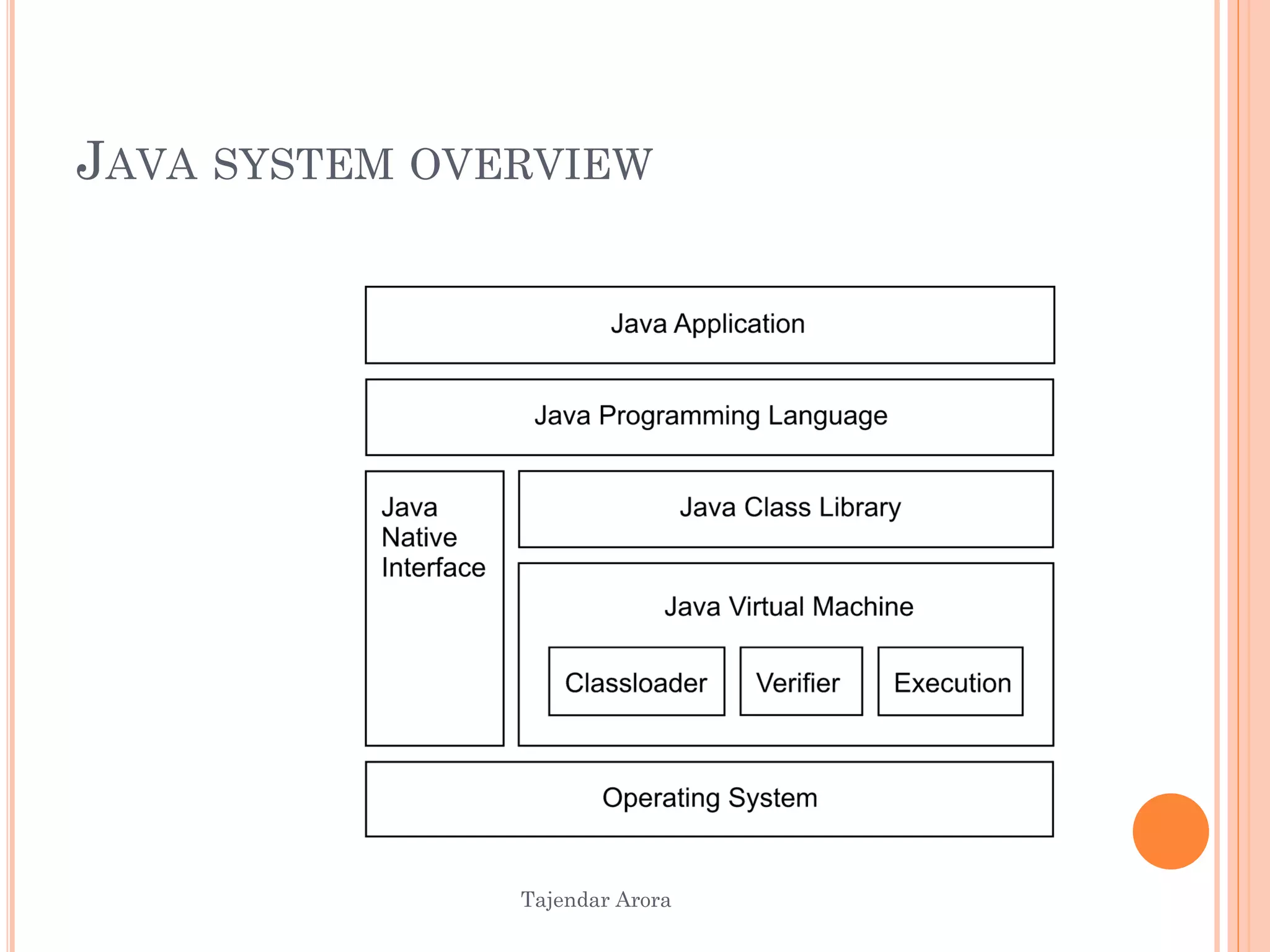
JAVA SYSTEM OVERVIEW
APPLETS , SERVLETS AND APPLICATION
 An applet is designed to be embedded in a Web
page, and run by a browser.
 A servlet is designed to be run by a web server
which act as controller for we application.
 An application is a conventional standalone
program.
TajendarArora
Tajendar Arora
WHAT IS A VIRTUAL MACHINE?
 A virtual machine (VM) is an abstract computer
architecture
 Software on top of a real hardware
 Can run the same application on different
machines where the VM is available
Tajendar Arora
JVM CONT.
 Runtime environment for Java
 Implementation NOT defined
 Runs Java .class files
 Has to conform to Sun‘s specification
JDK DIRECTORY STRUCTURE
(JAVA INSTALLATIONS)
Assuming the JDK software is installed at /jdk1.7.0, here are
some of the most important directories:
/jdk1.7.0Root directory of the JDK software installation.
Contains copyright, license, and README files.
./jdk1.7.0/binExecutables for all the development tools
contained in the JDK. The PATH environment variable
should contain an entry for this directory.
/jdk1.7.0/lib Files used by the development tools.
Includes tools.jar, which contains non-core classes for support
of the tools and utilities in the JDK.
/jdk1.7.0/jre Root directory of the Java runtime environment
used by the JDK development tools. The runtime environment
is an implementation of the Java platform.
TajendarArora
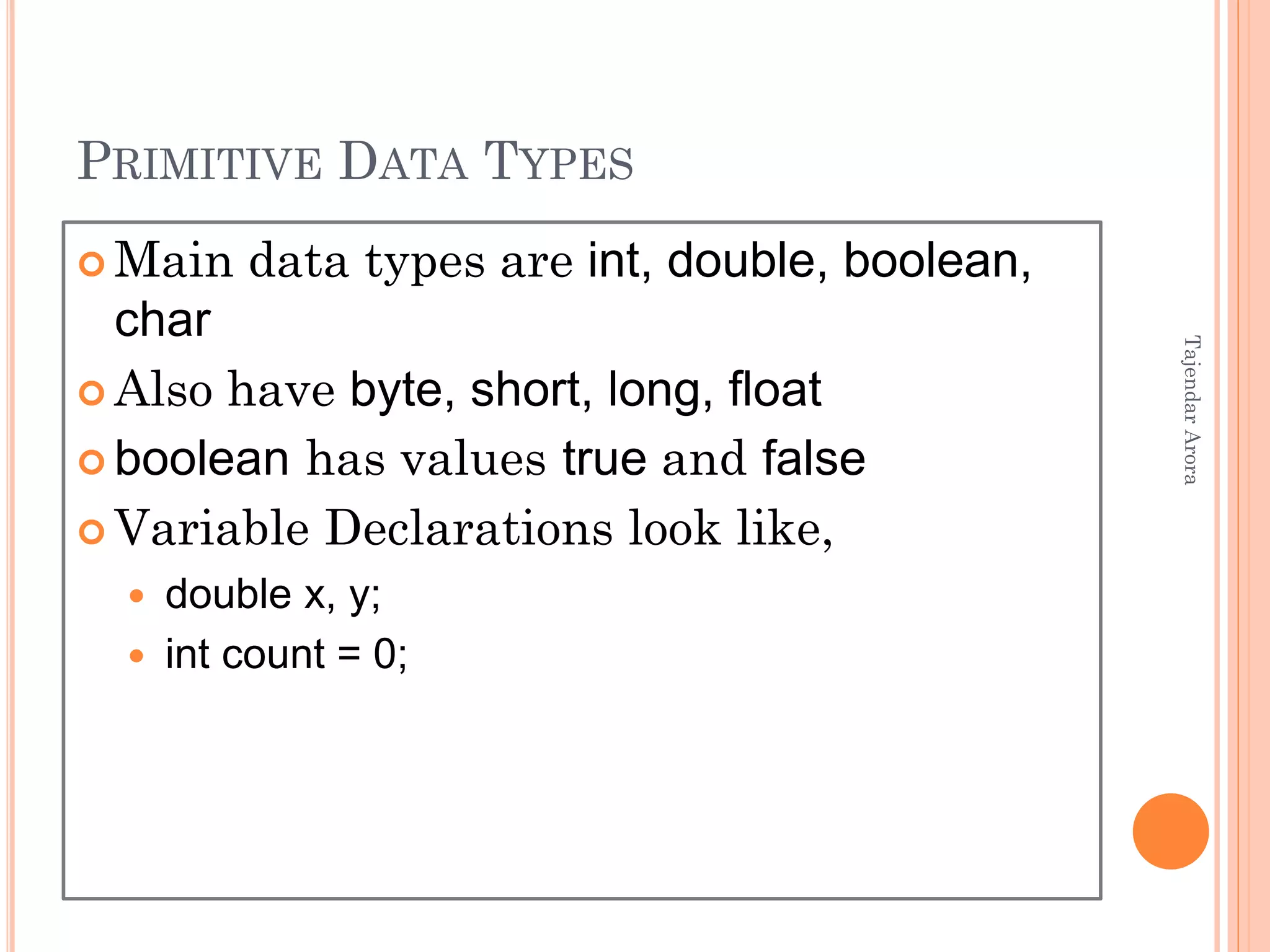
PRIMITIVE DATA TYPES
 Main data types are int, double, boolean,
char
 Also have byte, short, long, float
 boolean has values true and false
 Variable Declarations look like,
 double x, y;
 int count = 0;
TajendarArora
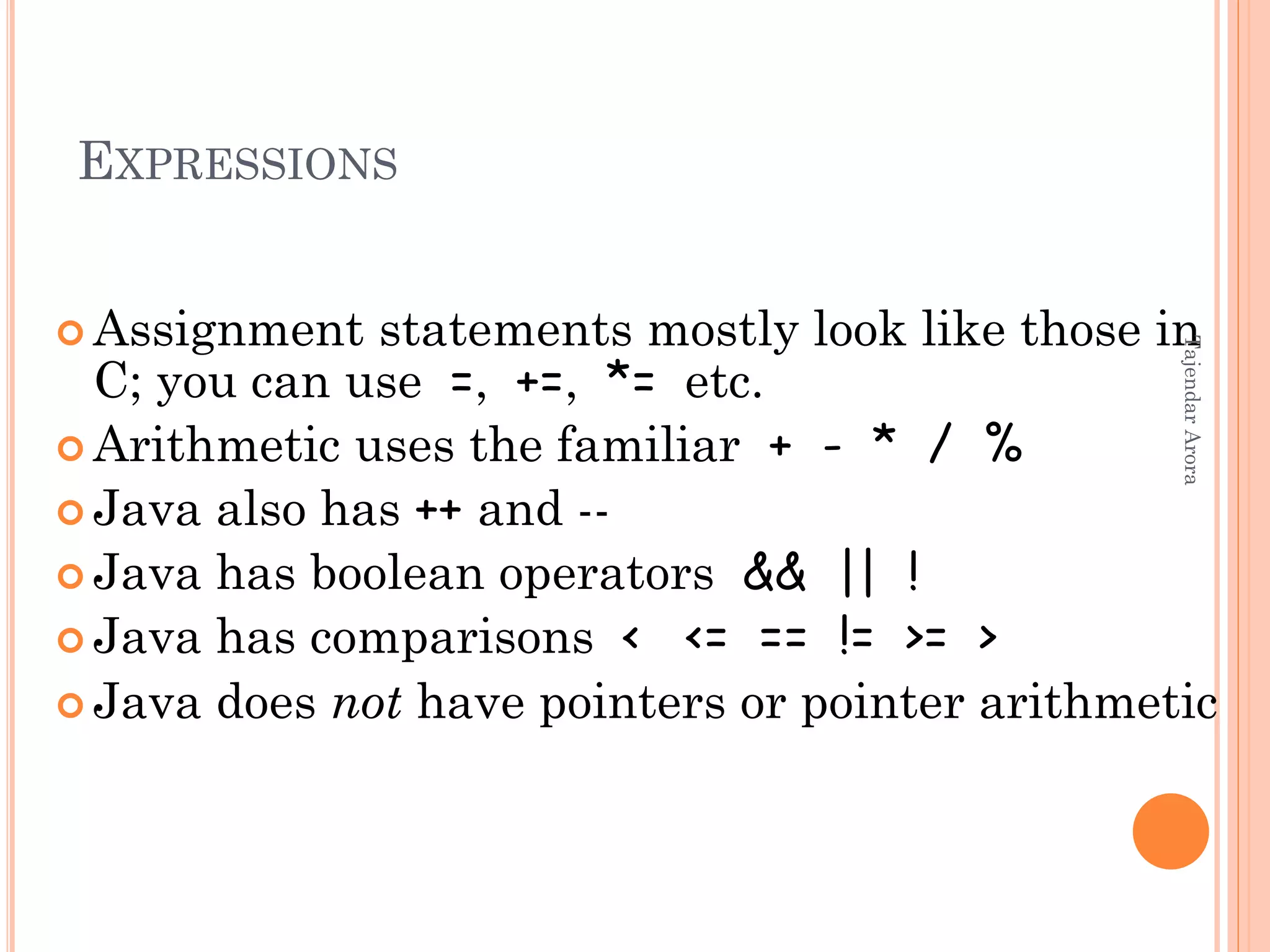
EXPRESSIONS
 Assignment statements mostly look like those in
C; you can use =, +=, *= etc.
 Arithmetic uses the familiar + - * / %
 Java also has ++ and --
 Java has boolean operators && || !
 Java has comparisons < <= == != >= >
 Java does not have pointers or pointer arithmetic
TajendarArora
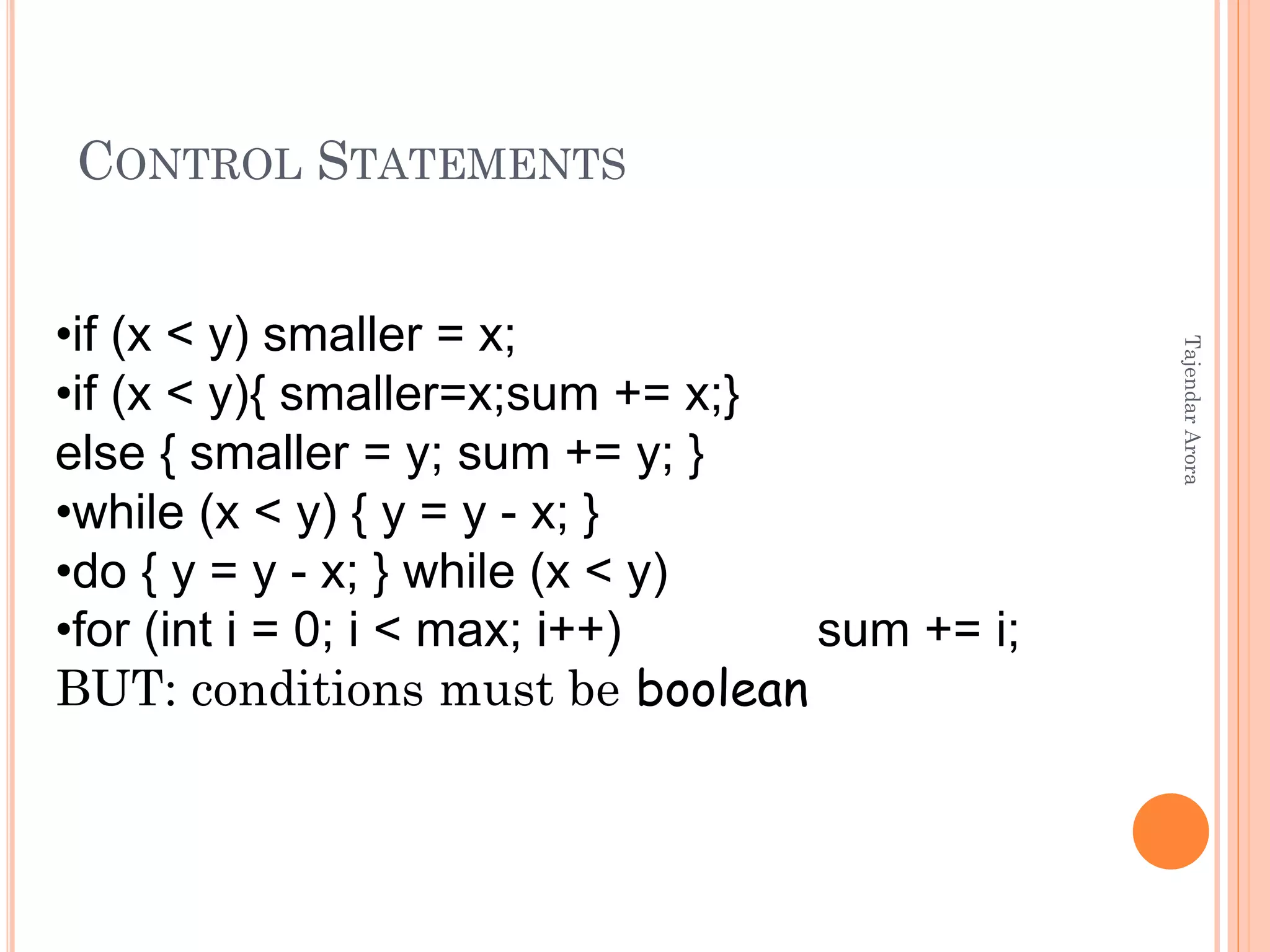
CONTROL STATEMENTS
•if (x < y) smaller = x;
•if (x < y){ smaller=x;sum += x;}
else { smaller = y; sum += y; }
•while (x < y) { y = y - x; }
•do { y = y - x; } while (x < y)
•for (int i = 0; i < max; i++) sum += i;
BUT: conditions must be boolean
TajendarArora
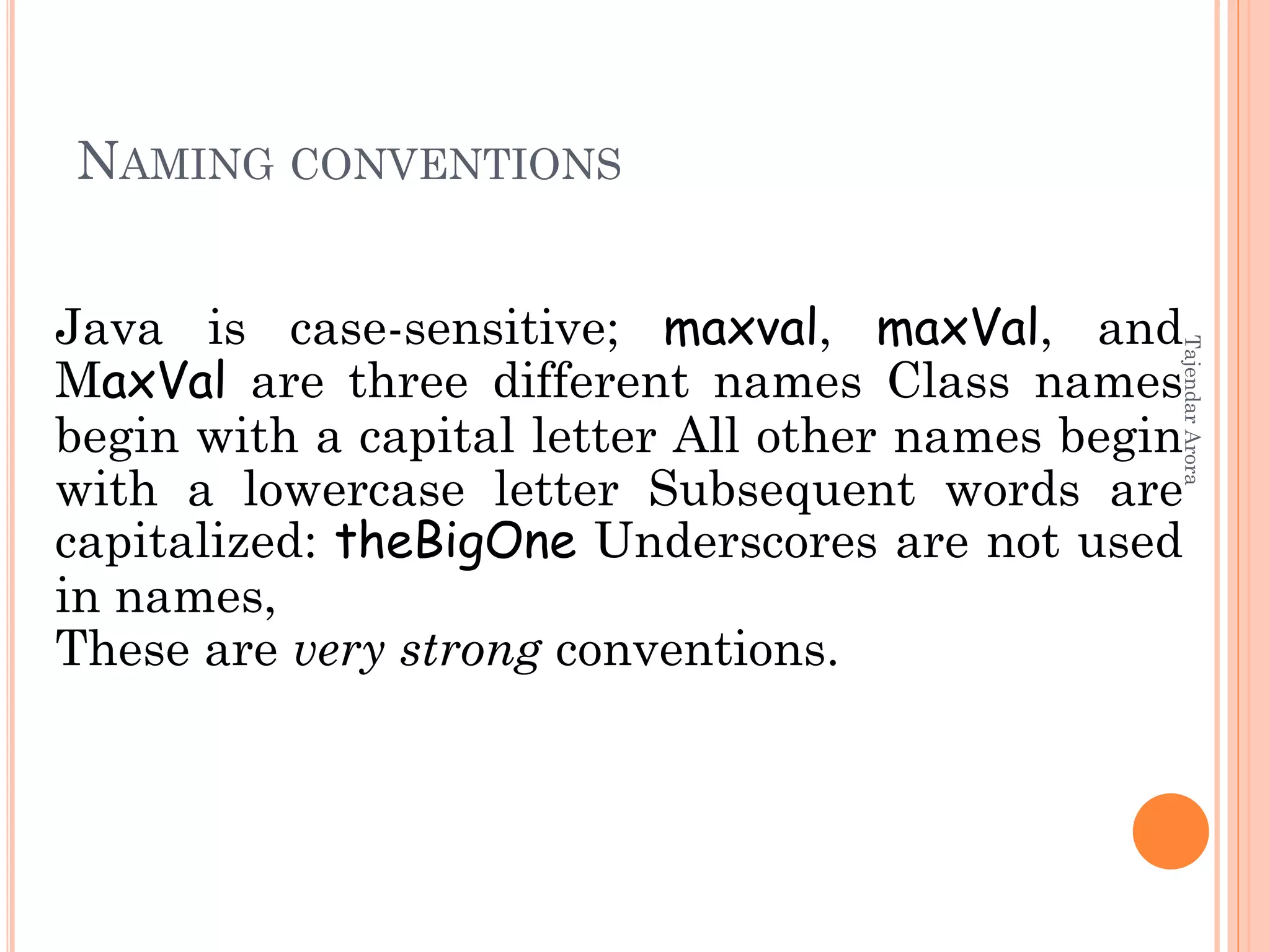
NAMING CONVENTIONS
Java is case-sensitive; maxval, maxVal, and
MaxVal are three different names Class names
begin with a capital letter All other names begin
with a lowercase letter Subsequent words are
capitalized: theBigOne Underscores are not used
in names,
These are very strong conventions.
TajendarArora
ARRAYS IN JAVA
 Java provides a data structure, the array, which
stores a fixed-size sequential collection of elements of
the same type. An array is used to store a collection of
data.
 Declare array
 dataType[] arrayRefVar; // preferred way.
 Creating Arrays:
 You can create an array by using the new operator
with the following syntax:
 arrayRefVar = new dataType[arraySize]; The above
statement does two things:
 It creates an array using new dataType[arraySize];
 It assigns the reference of the newly created array to
the variable arrayRefVar.
TajendarArora
FOR EACH LOOP FOR ARRAYS IN JAVA
 Since JDK 1.5 introduced a new for loop known
as foreach loop or enhanced for loop, which
enables you to traverse the complete array
sequentially without using an index variable.
 Example:
 The following code displays all the elements in
the array myList:
 public class TestArray {
 public static void main(String[] args) {
 double[] myList = {1.9, 2.9, 3.4, 3.5};
 // Print all the array elements
 for (double element: myList)
 { System.out.println(element);
 } } }
TajendarArora
TYPE CASTING IN JAVA
 Assigning a value of one type to a variable of
another type is known as Type Casting.
 In Java, type casting is classified into two types,
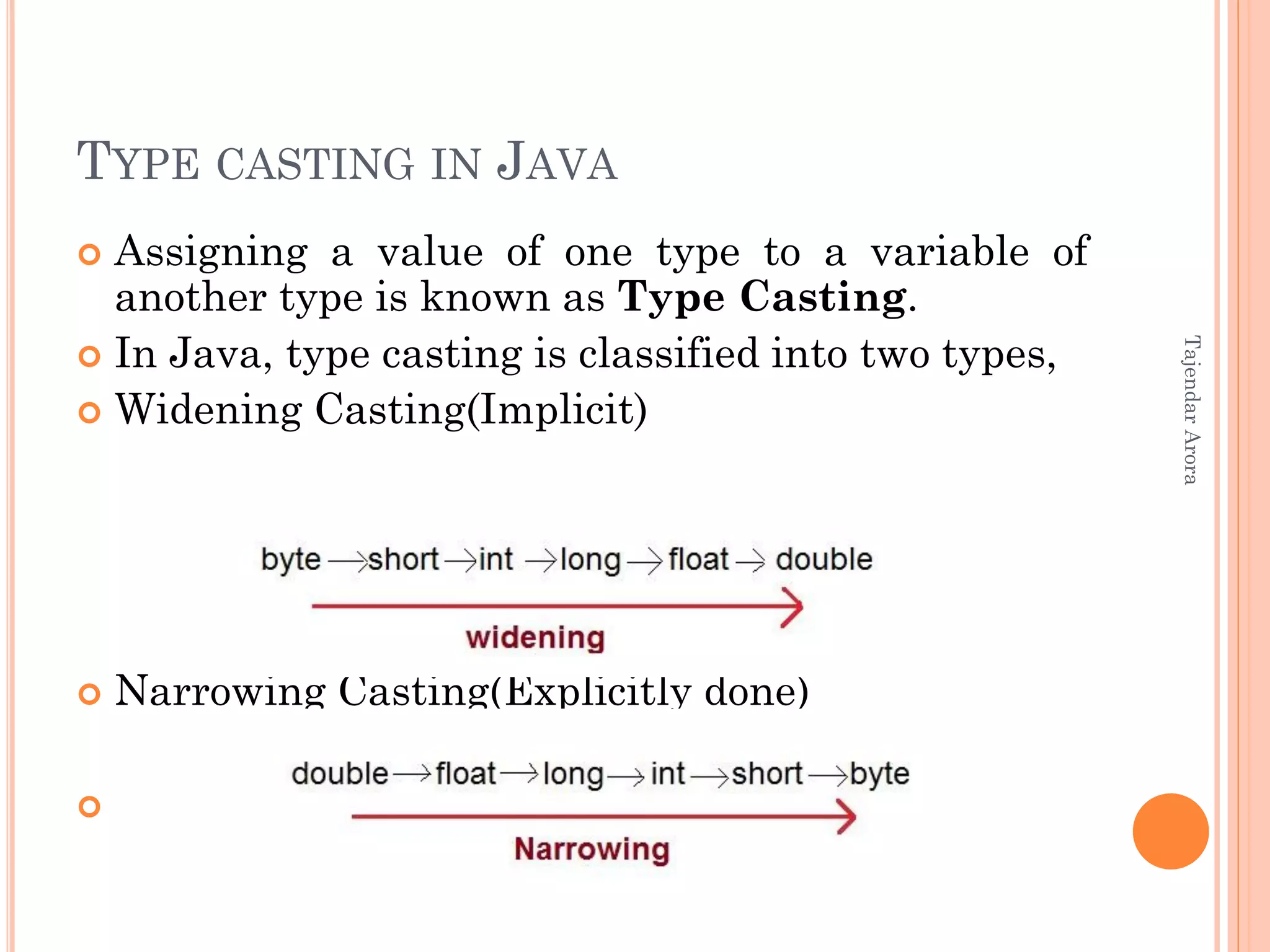
 Widening Casting(Implicit)
 Narrowing Casting(Explicitly done)

TajendarArora
TYPE CASTING IN JAVA
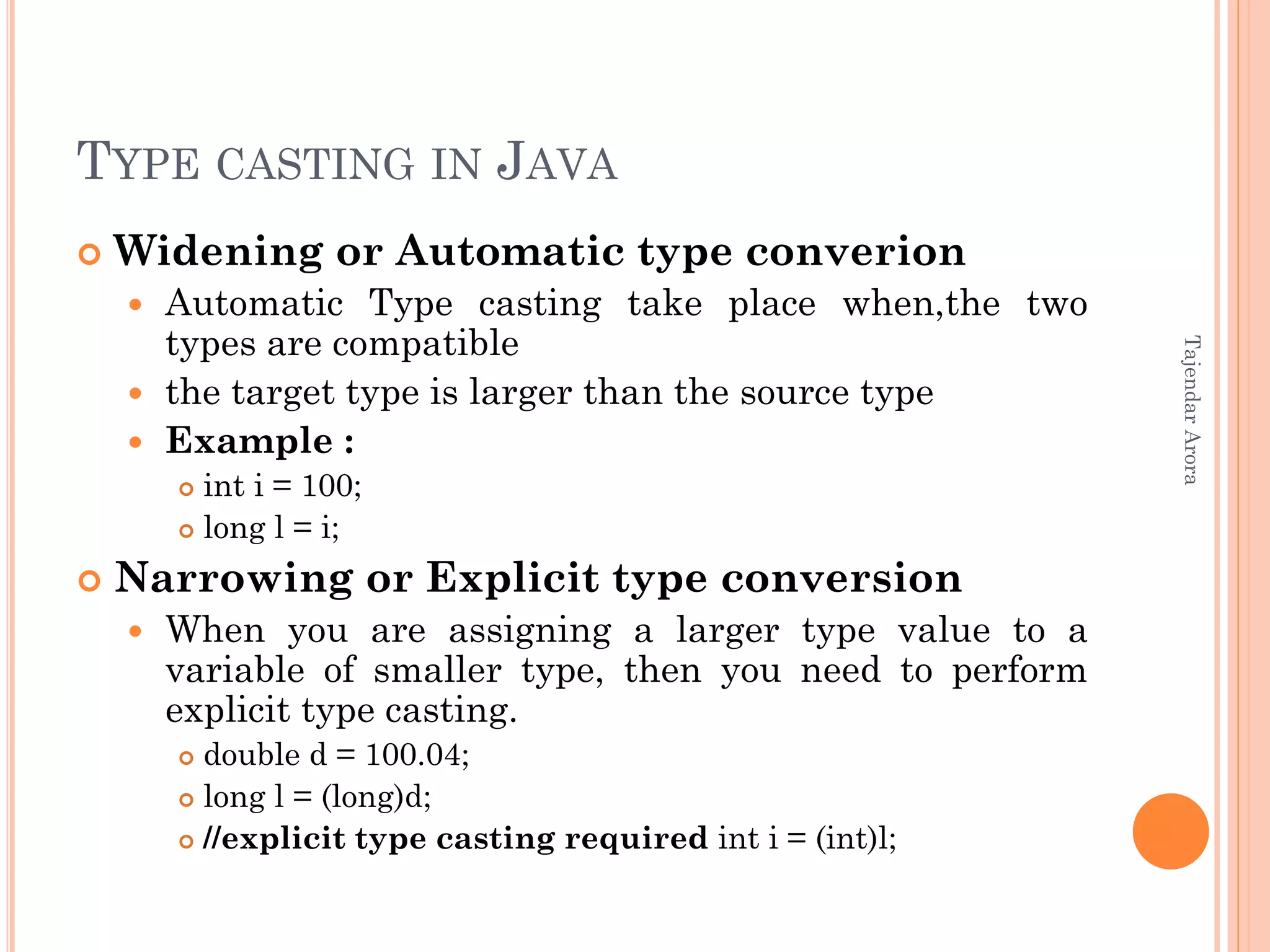
 Widening or Automatic type converion
 Automatic Type casting take place when,the two
types are compatible
 the target type is larger than the source type
 Example :
 int i = 100;
 long l = i;
 Narrowing or Explicit type conversion
 When you are assigning a larger type value to a
variable of smaller type, then you need to perform
explicit type casting.
 double d = 100.04;
 long l = (long)d;
 //explicit type casting required int i = (int)l;
TajendarArora
BUILDING STANDALONE JAVA PROGRAMS
 We can use different IDEs as well
 IDEs are more complex and have visual Java
development tools, tight integration with the
compiler or application server, and may include
tools for debugging, refactoring, version control,
and so forth. Some examples below
 Eclipse
 NetBeans
 BjueJ
 Jbuilder
TajendarArora
BUILDING STANDALONE JAVA PROGRAMS
 Prepare the file First.java using an editor
 /*
 This is a simple Java program.*/
 class First
 {
 public static void main(String args[])
 {
 System.out.println("This is a simple Java program.");
 }
 }
 Invoke the compiler: javac First.java
 This creates First.class
 Run the java interpreter: java First
 println is a member function for the System.out class
 String is built in class
* File name should be First.java
TajendarArora
COMMAND LINE ARGUMENTS
 A command-line argument is the information
that directly follows the program’s name on the
command line when it is executed. To access the
command-line arguments inside a Java program
is quite easy—they are stored as strings in the
String array passed to main( ).
 class CommandLine {
 public static void main(String args[]) {
 for(int i=0; i<args.length; i++)
 System.out.println("args[" + i + "]: " +args[i]);
 }
 }
 * length returns the length of array
TajendarArora
Thank you
TajendarArora

Introduction to java

  • 1.
  • 2.
    OBJECTIVES  What isJava?  Why Java?  Java System overview and Types of programs in java  JVM  JDK  Primitive Data types in java  Expressions in java  Control Statements  Naming conventions  Arrays  For-each loop  Type casting  Build first basic java program  Command Line Arguments TajendarArora
  • 3.
    JAVA  Java ishigh level programming language introduced by Sun Microsystems in June 1995.  Java is an object oriented language built upon C & C++, It derived its object oriented features from C++.  The Java language has undergone several changes since JDK 1.0 (1996) and now JSE 7 is latest. *jdk- Java Development Kit *JSE- Java Standard Ediiton TajendarArora
  • 4.
    WHY JAVA  Object-oriented Platform independent  Built-in support for multi-threading, socket communication and memory management  Supports Web based applications (Applet, Servlets and JSP)  Vast library of predefined objects and operations  Secure TajendarArora
  • 5.
    Tajendar Arora JAVA FEATURES Simple and object oriented  Look and feel of C  Simplified object modeling  Portability  Java compiler generates byte codes  Runtime systems for various platforms  Size and behavior of basic data types defined  Write once, run/debug anywhere
  • 6.
    Tajendar Arora JAVA FEATURESCONT.  Availability  Windows, Linux, Solaris,…  Embedded systems  Compiler and runtime are free  Free IDEs: Eclipse, Netbeans  Library  Rich class library  Part of the definition  Standard GUI toolkit
  • 7.
    Tajendar Arora JAVA FEATURESCONT.  Built-in model for concurrency  Threads at the language level  Synchronization  Safety  No Pointer!  Automatic memory management – GC  Networking  Web Enabled
  • 8.
  • 9.
    APPLETS , SERVLETSAND APPLICATION  An applet is designed to be embedded in a Web page, and run by a browser.  A servlet is designed to be run by a web server which act as controller for we application.  An application is a conventional standalone program. TajendarArora
  • 10.
    Tajendar Arora WHAT ISA VIRTUAL MACHINE?  A virtual machine (VM) is an abstract computer architecture  Software on top of a real hardware  Can run the same application on different machines where the VM is available
  • 11.
    Tajendar Arora JVM CONT. Runtime environment for Java  Implementation NOT defined  Runs Java .class files  Has to conform to Sun‘s specification
  • 12.
    JDK DIRECTORY STRUCTURE (JAVAINSTALLATIONS) Assuming the JDK software is installed at /jdk1.7.0, here are some of the most important directories: /jdk1.7.0Root directory of the JDK software installation. Contains copyright, license, and README files. ./jdk1.7.0/binExecutables for all the development tools contained in the JDK. The PATH environment variable should contain an entry for this directory. /jdk1.7.0/lib Files used by the development tools. Includes tools.jar, which contains non-core classes for support of the tools and utilities in the JDK. /jdk1.7.0/jre Root directory of the Java runtime environment used by the JDK development tools. The runtime environment is an implementation of the Java platform. TajendarArora
  • 13.
    PRIMITIVE DATA TYPES Main data types are int, double, boolean, char  Also have byte, short, long, float  boolean has values true and false  Variable Declarations look like,  double x, y;  int count = 0; TajendarArora
  • 14.
    EXPRESSIONS  Assignment statementsmostly look like those in C; you can use =, +=, *= etc.  Arithmetic uses the familiar + - * / %  Java also has ++ and --  Java has boolean operators && || !  Java has comparisons < <= == != >= >  Java does not have pointers or pointer arithmetic TajendarArora
  • 15.
    CONTROL STATEMENTS •if (x< y) smaller = x; •if (x < y){ smaller=x;sum += x;} else { smaller = y; sum += y; } •while (x < y) { y = y - x; } •do { y = y - x; } while (x < y) •for (int i = 0; i < max; i++) sum += i; BUT: conditions must be boolean TajendarArora
  • 16.
    NAMING CONVENTIONS Java iscase-sensitive; maxval, maxVal, and MaxVal are three different names Class names begin with a capital letter All other names begin with a lowercase letter Subsequent words are capitalized: theBigOne Underscores are not used in names, These are very strong conventions. TajendarArora
  • 17.
    ARRAYS IN JAVA Java provides a data structure, the array, which stores a fixed-size sequential collection of elements of the same type. An array is used to store a collection of data.  Declare array  dataType[] arrayRefVar; // preferred way.  Creating Arrays:  You can create an array by using the new operator with the following syntax:  arrayRefVar = new dataType[arraySize]; The above statement does two things:  It creates an array using new dataType[arraySize];  It assigns the reference of the newly created array to the variable arrayRefVar. TajendarArora
  • 18.
    FOR EACH LOOPFOR ARRAYS IN JAVA  Since JDK 1.5 introduced a new for loop known as foreach loop or enhanced for loop, which enables you to traverse the complete array sequentially without using an index variable.  Example:  The following code displays all the elements in the array myList:  public class TestArray {  public static void main(String[] args) {  double[] myList = {1.9, 2.9, 3.4, 3.5};  // Print all the array elements  for (double element: myList)  { System.out.println(element);  } } } TajendarArora
  • 19.
    TYPE CASTING INJAVA  Assigning a value of one type to a variable of another type is known as Type Casting.  In Java, type casting is classified into two types,  Widening Casting(Implicit)  Narrowing Casting(Explicitly done)  TajendarArora
  • 20.
    TYPE CASTING INJAVA  Widening or Automatic type converion  Automatic Type casting take place when,the two types are compatible  the target type is larger than the source type  Example :  int i = 100;  long l = i;  Narrowing or Explicit type conversion  When you are assigning a larger type value to a variable of smaller type, then you need to perform explicit type casting.  double d = 100.04;  long l = (long)d;  //explicit type casting required int i = (int)l; TajendarArora
  • 21.
    BUILDING STANDALONE JAVAPROGRAMS  We can use different IDEs as well  IDEs are more complex and have visual Java development tools, tight integration with the compiler or application server, and may include tools for debugging, refactoring, version control, and so forth. Some examples below  Eclipse  NetBeans  BjueJ  Jbuilder TajendarArora
  • 22.
    BUILDING STANDALONE JAVAPROGRAMS  Prepare the file First.java using an editor  /*  This is a simple Java program.*/  class First  {  public static void main(String args[])  {  System.out.println("This is a simple Java program.");  }  }  Invoke the compiler: javac First.java  This creates First.class  Run the java interpreter: java First  println is a member function for the System.out class  String is built in class * File name should be First.java TajendarArora
  • 23.
    COMMAND LINE ARGUMENTS A command-line argument is the information that directly follows the program’s name on the command line when it is executed. To access the command-line arguments inside a Java program is quite easy—they are stored as strings in the String array passed to main( ).  class CommandLine {  public static void main(String args[]) {  for(int i=0; i<args.length; i++)  System.out.println("args[" + i + "]: " +args[i]);  }  }  * length returns the length of array TajendarArora
  • 24.