Prepared By-
Kumaresh Chandra Baruri
Software Engineer
Introduction to flutter
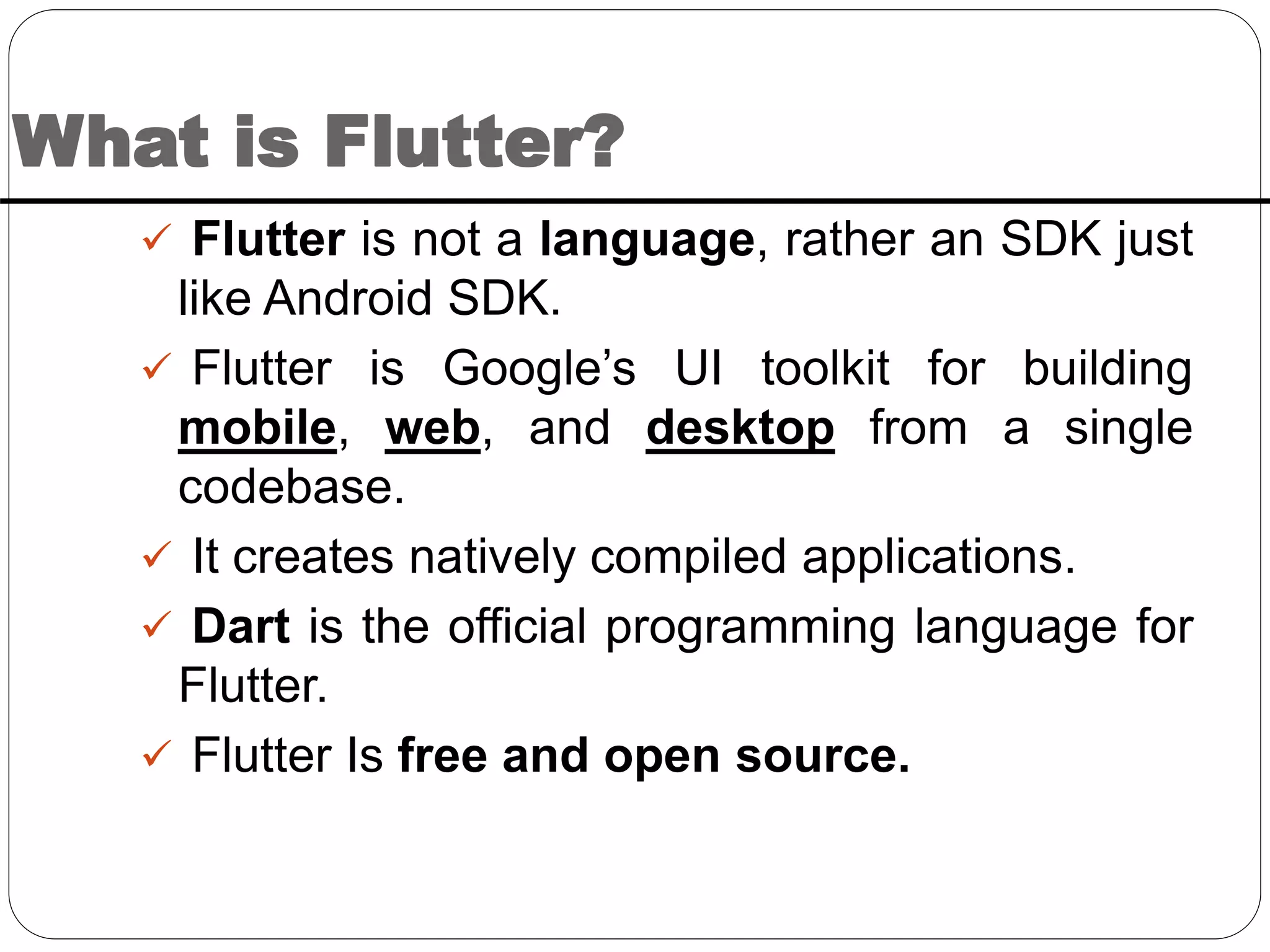
What is Flutter?
 Flutter is not a language, rather an SDK just
like Android SDK.
 Flutter is Google’s UI toolkit for building
mobile, web, and desktop from a single
codebase.
 It creates natively compiled applications.
 Dart is the official programming language for
Flutter.
 Flutter Is free and open source.
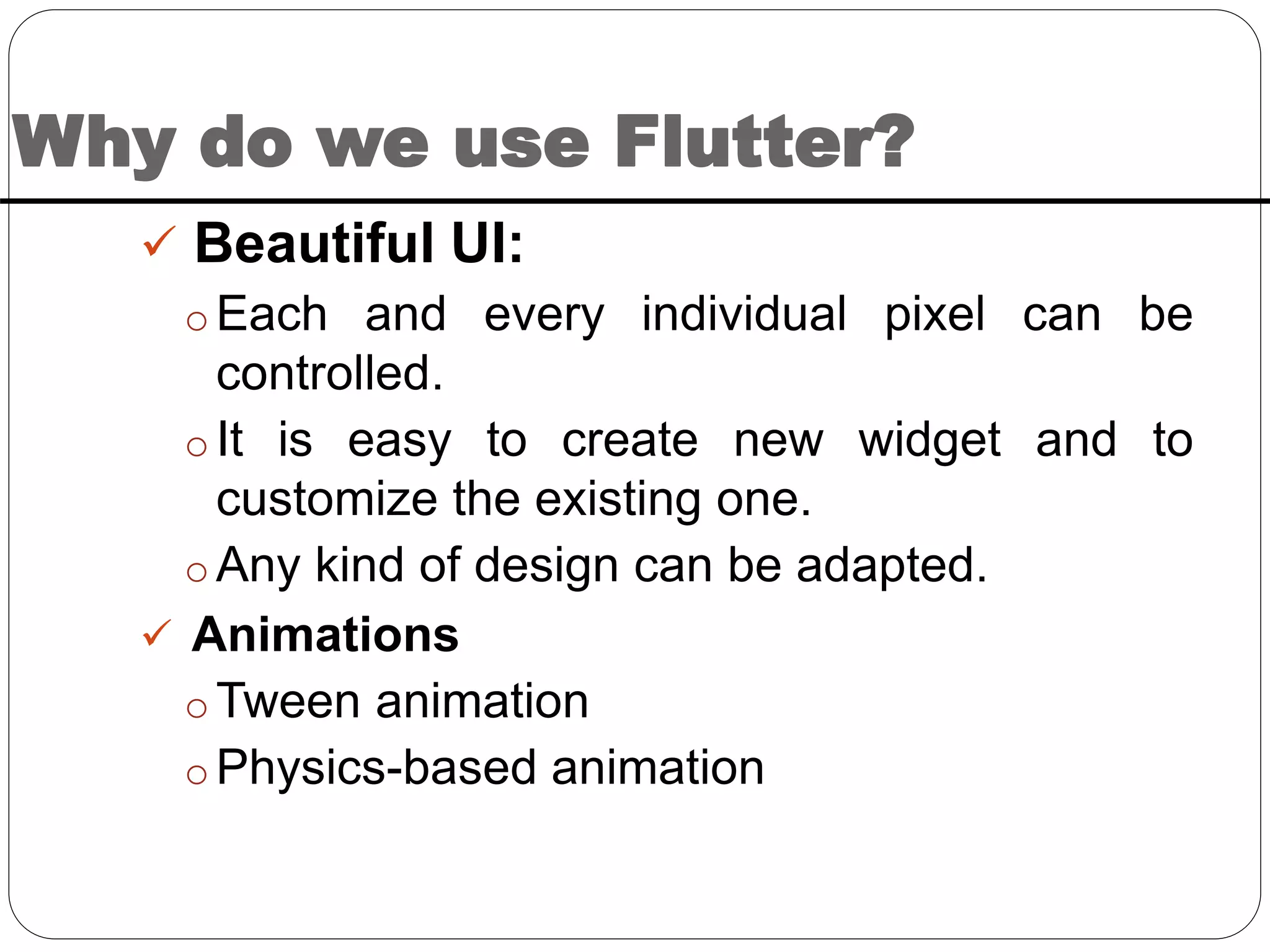
Why do we use Flutter?
 Beautiful UI:
o Each and every individual pixel can be
controlled.
o It is easy to create new widget and to
customize the existing one.
o Any kind of design can be adapted.
 Animations
o Tween animation
o Physics-based animation
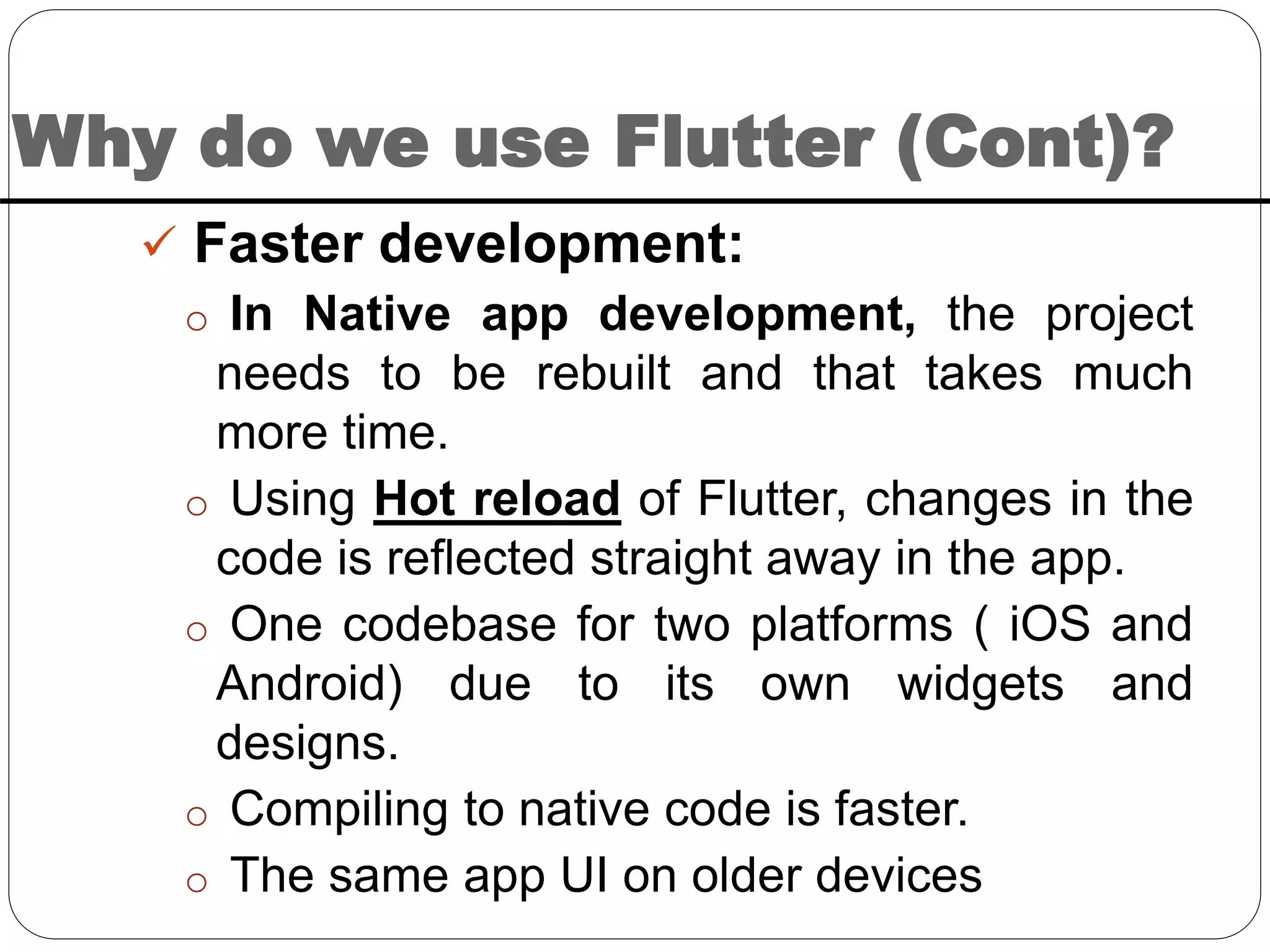
Why do we use Flutter (Cont)?
 Faster development:
o In Native app development, the project
needs to be rebuilt and that takes much
more time.
o Using Hot reload of Flutter, changes in the
code is reflected straight away in the app.
o One codebase for two platforms ( iOS and
Android) due to its own widgets and
designs.
o Compiling to native code is faster.
o The same app UI on older devices
Why do we use Flutter (Cont)?
 Less Testing:
o Due to same code base, repeating testing
is not required.
o Developers write automatic tests only once
and apply for multiple platforms.
 Smooth Navigation:
o Flutter apps work in a smooth and faster
way, without hanging and cutting while
scrolling.
o 60 FPS makes the app smooth.
 Flutter ensures minimum viable
product(MVP).
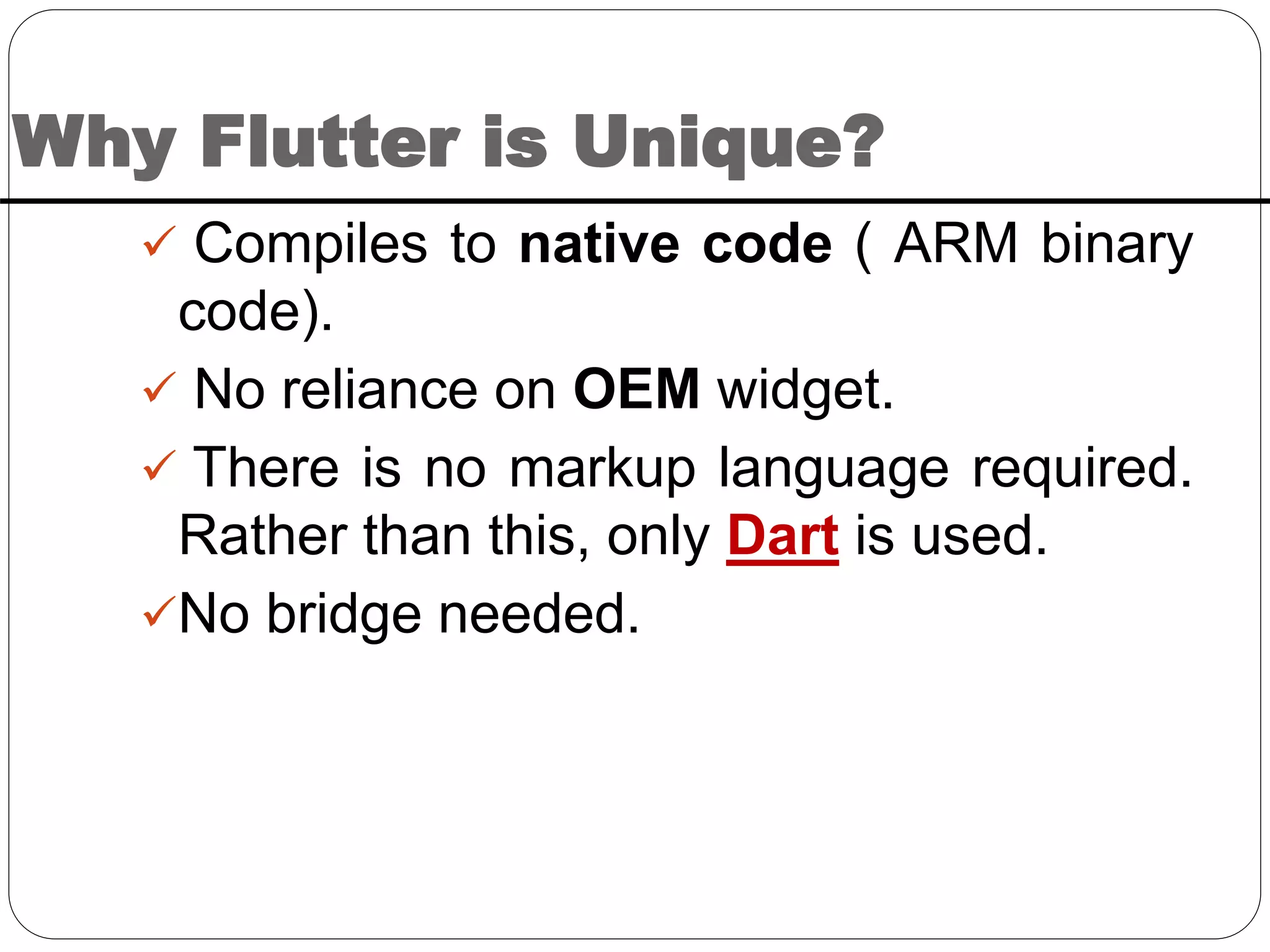
Why Flutter is Unique?
 Compiles to native code ( ARM binary
code).
 No reliance on OEM widget.
 There is no markup language required.
Rather than this, only Dart is used.
No bridge needed.
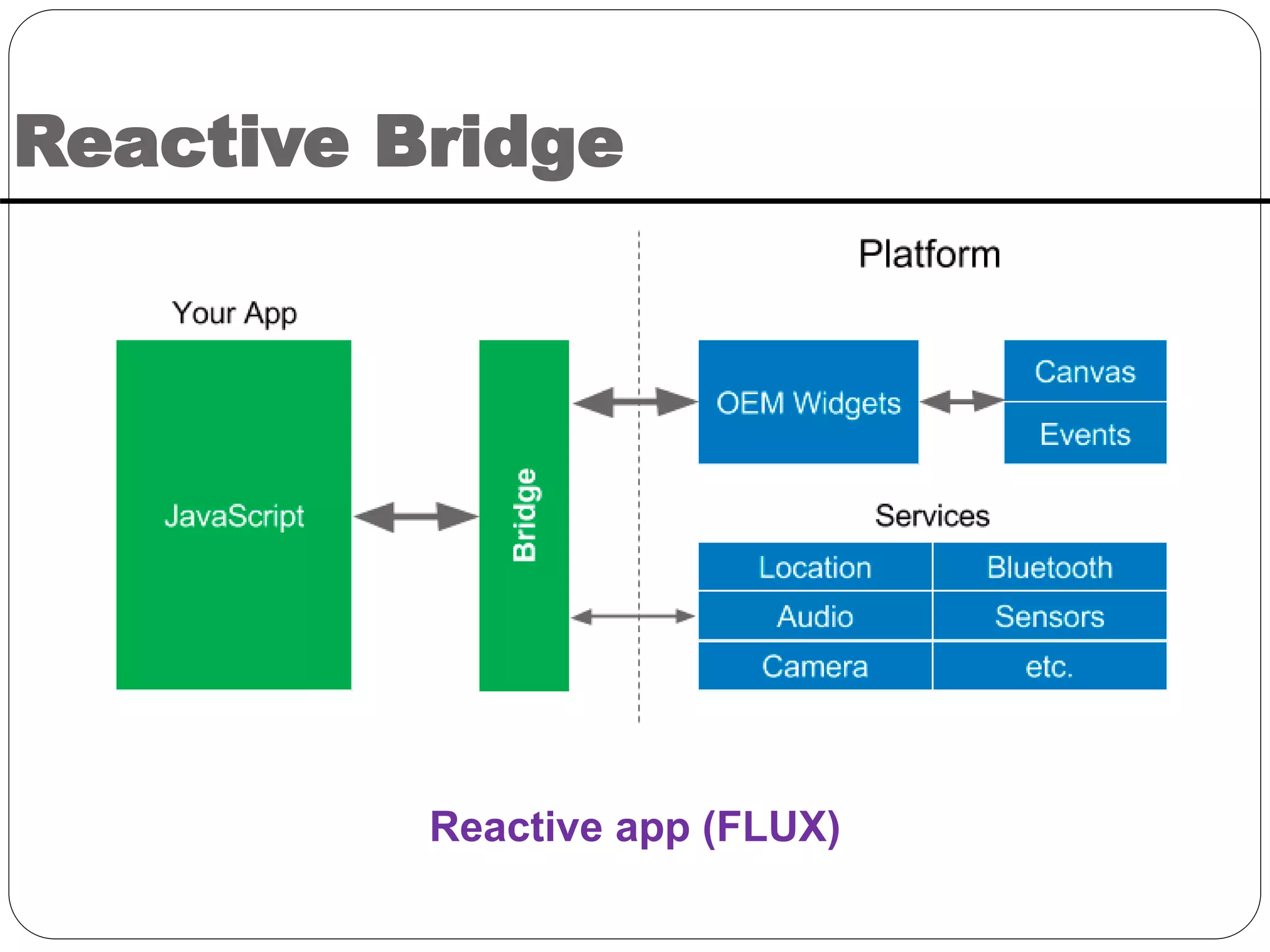
Reactive Bridge
Reactive app (FLUX)
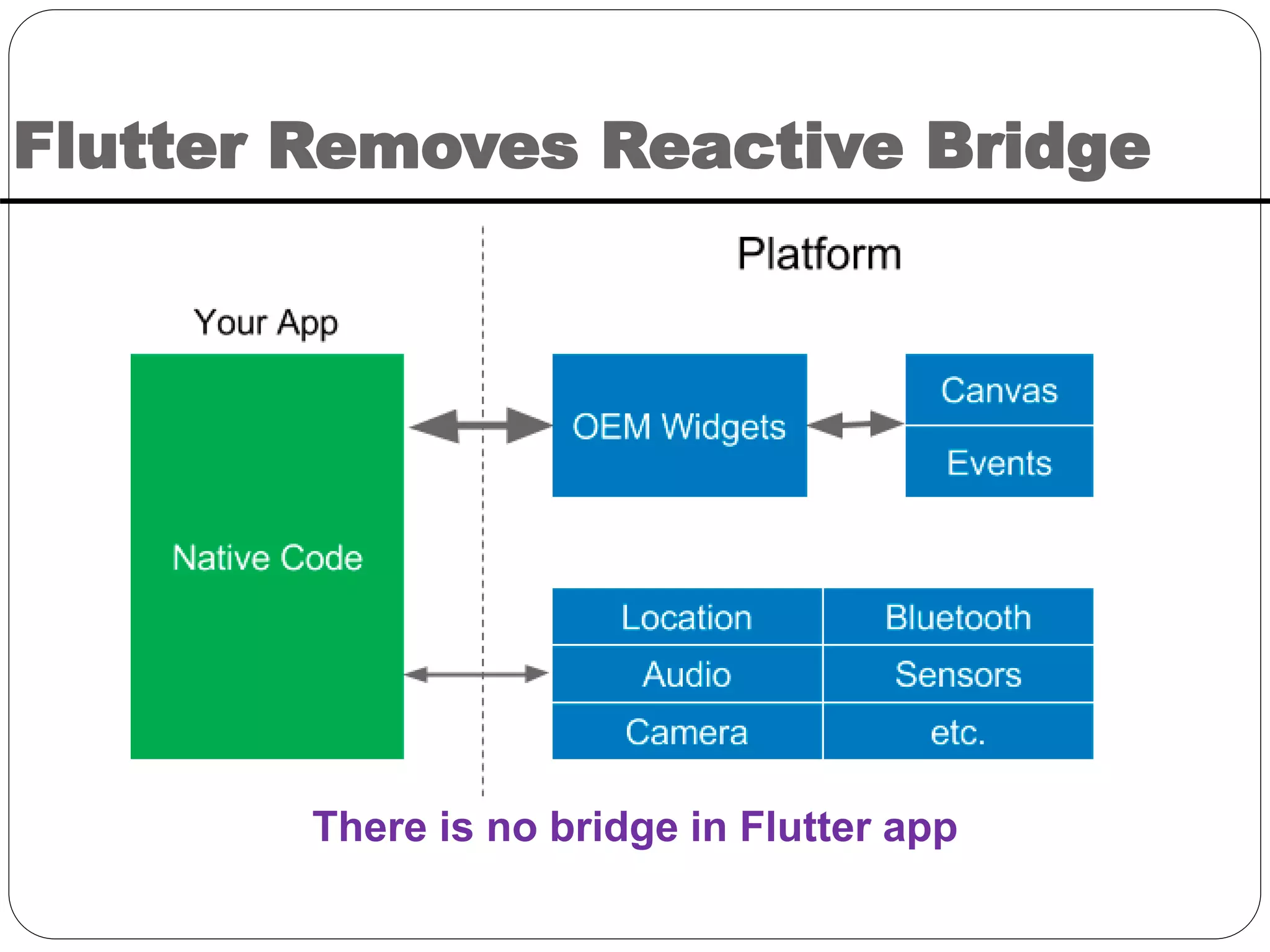
Flutter Removes Reactive Bridge
There is no bridge in Flutter app
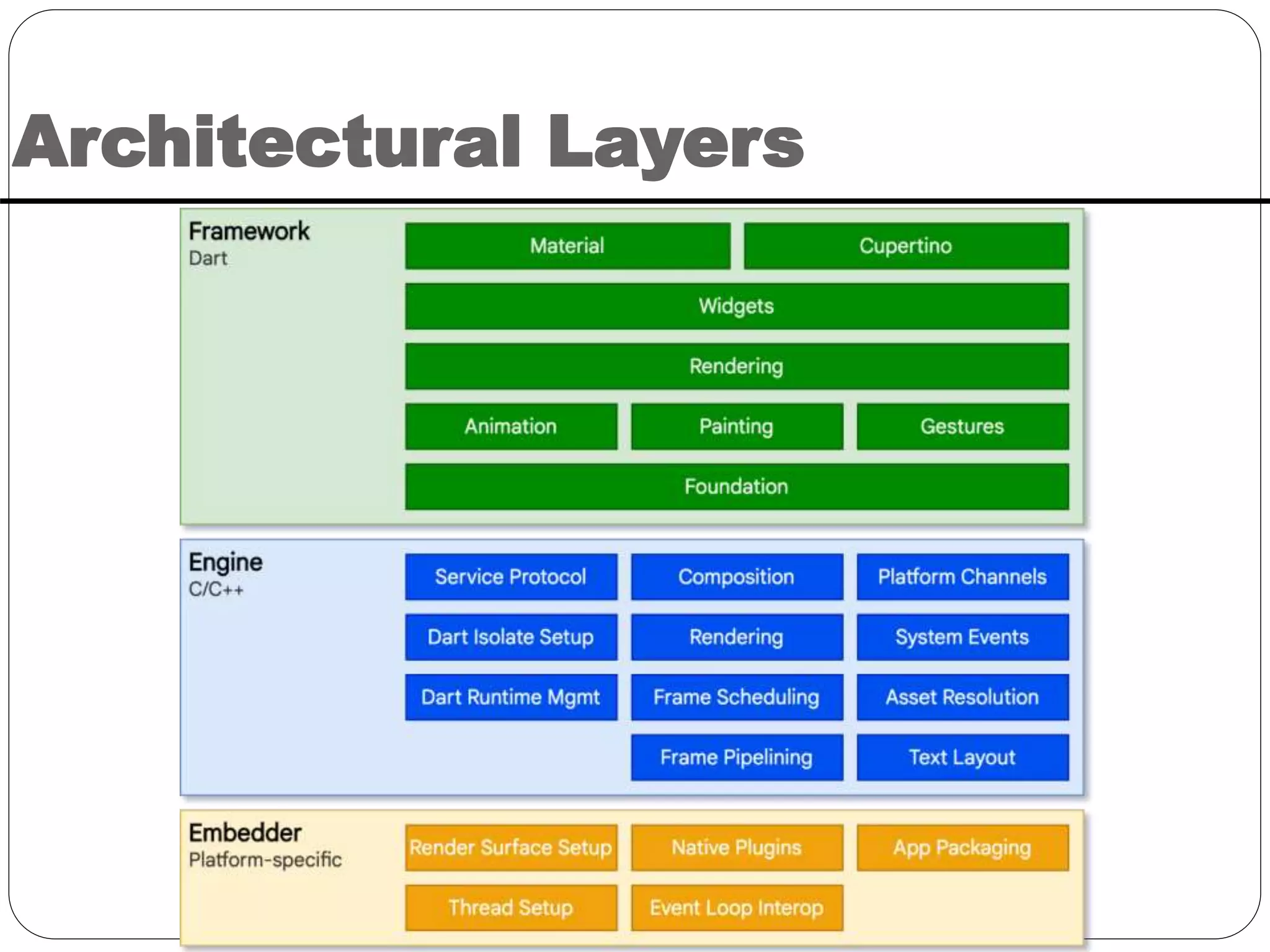
Architectural Layers
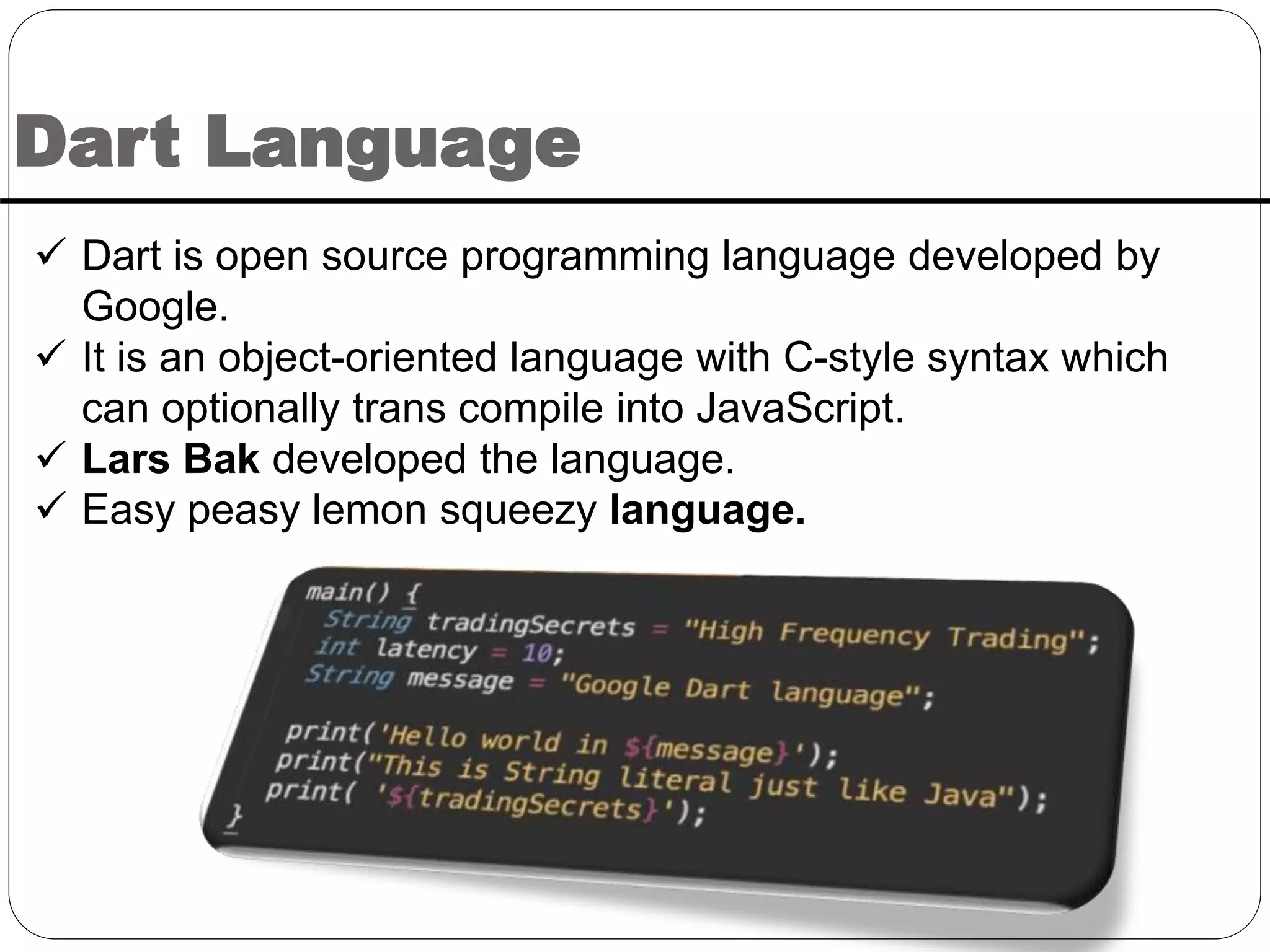
Dart Language
 Dart is open source programming language developed by
Google.
 It is an object-oriented language with C-style syntax which
can optionally trans compile into JavaScript.
 Lars Bak developed the language.
 Easy peasy lemon squeezy language.
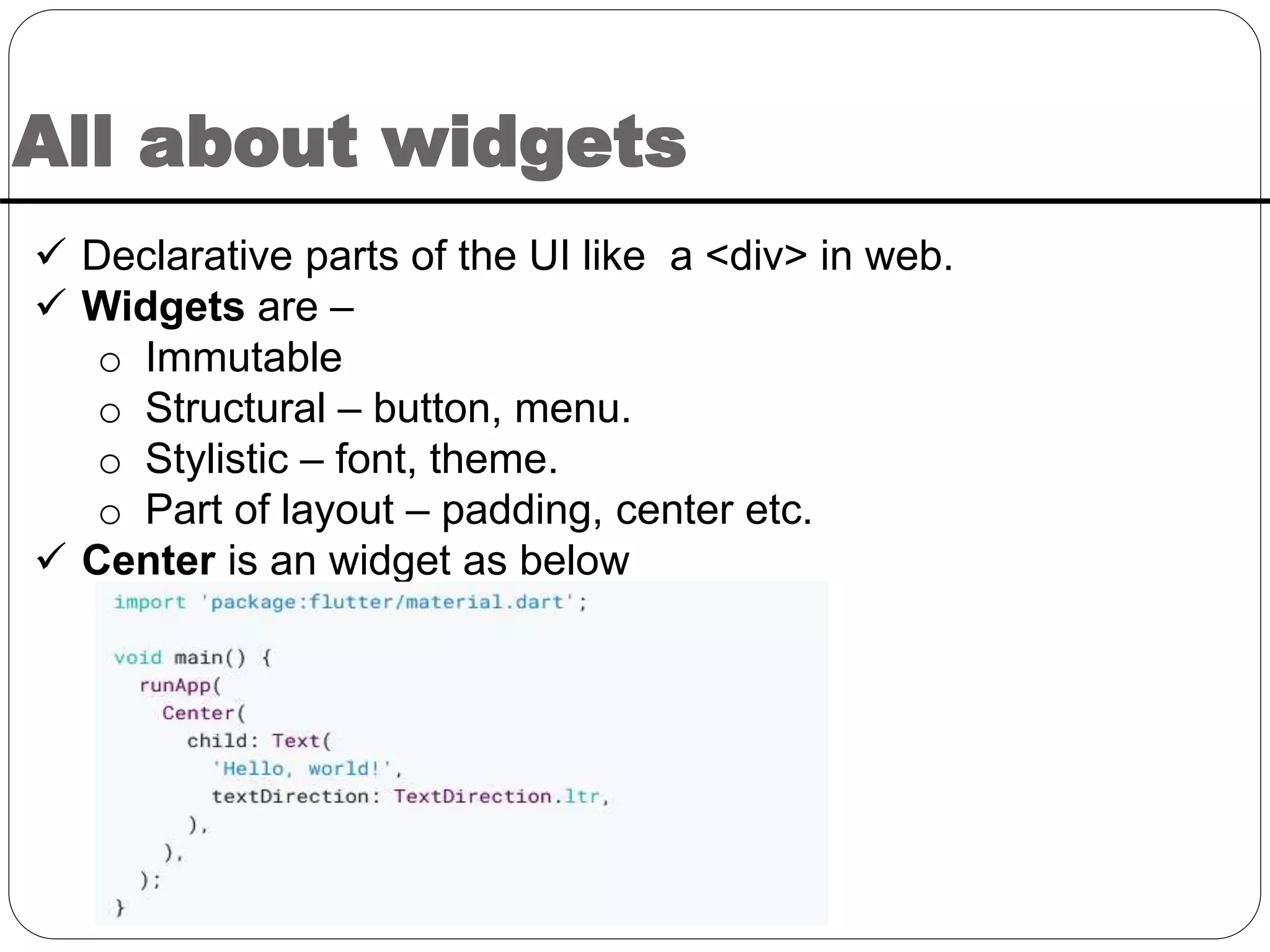
All about widgets
 Declarative parts of the UI like a <div> in web.
 Widgets are –
o Immutable
o Structural – button, menu.
o Stylistic – font, theme.
o Part of layout – padding, center etc.
 Center is an widget as below
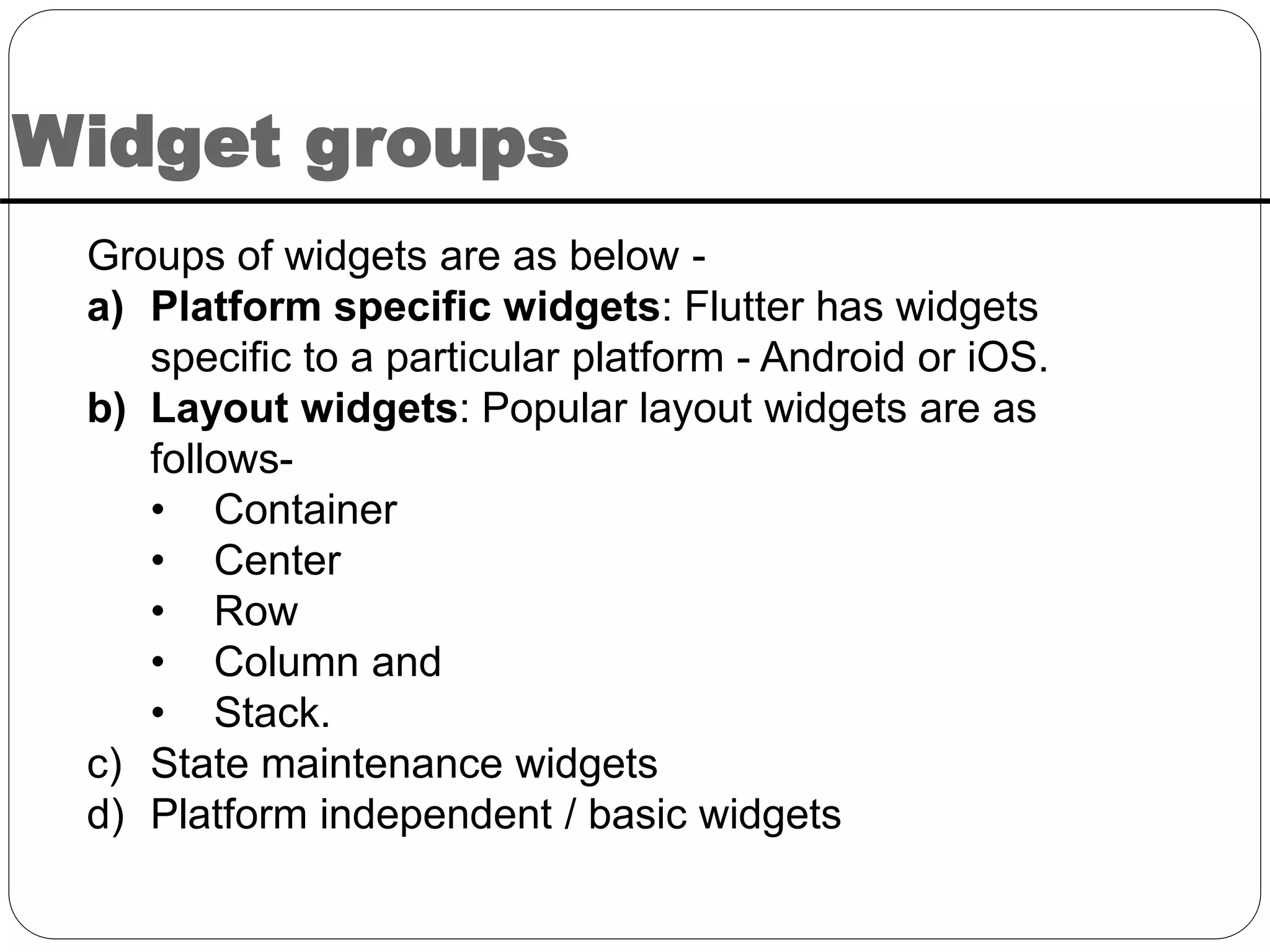
Widget groups
Groups of widgets are as below -
a) Platform specific widgets: Flutter has widgets
specific to a particular platform - Android or iOS.
b) Layout widgets: Popular layout widgets are as
follows-
• Container
• Center
• Row
• Column and
• Stack.
c) State maintenance widgets
d) Platform independent / basic widgets
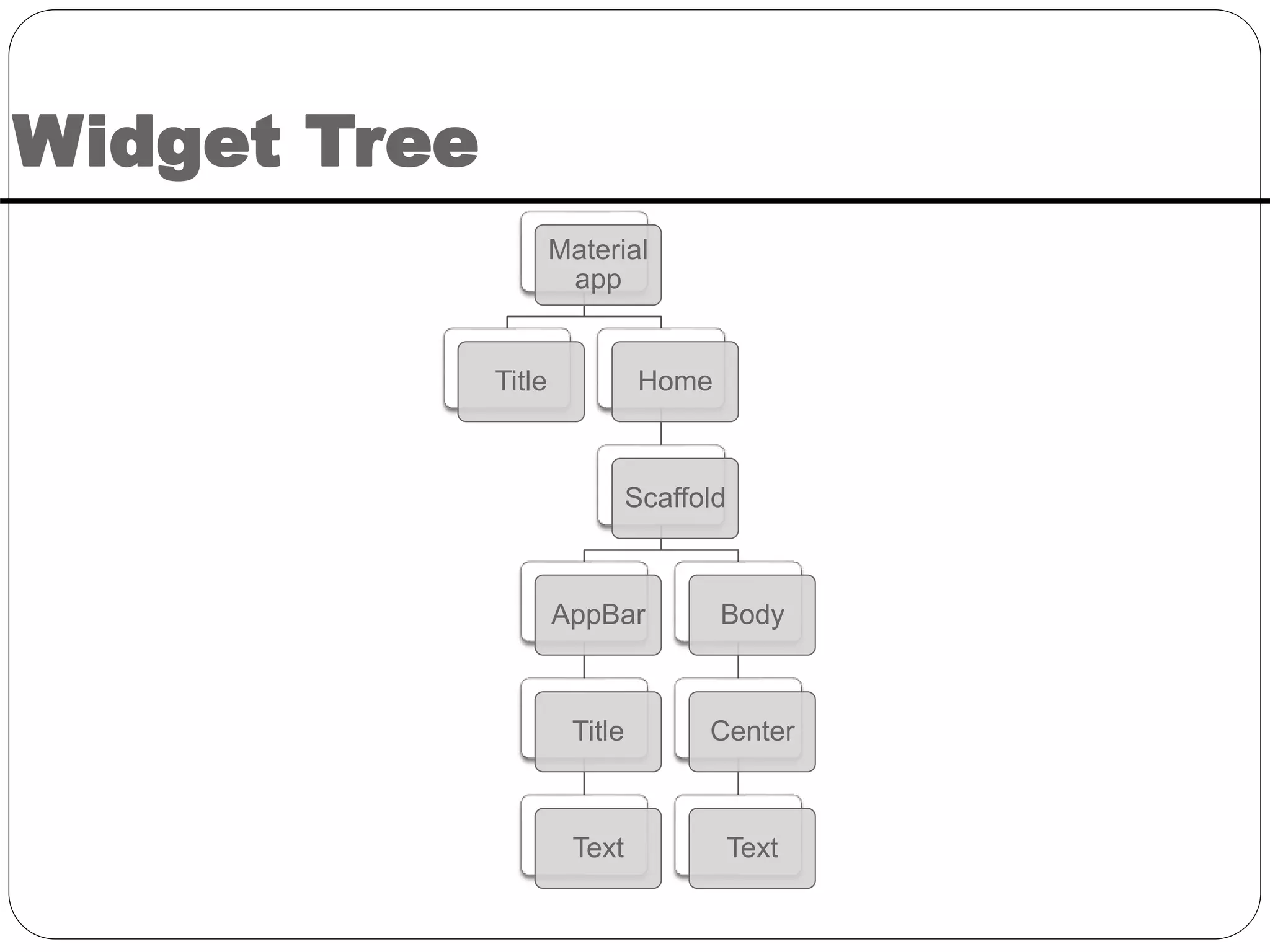
Widget Tree
Material
app
Title Home
Scaffold
AppBar
Title
Text
Body
Center
Text
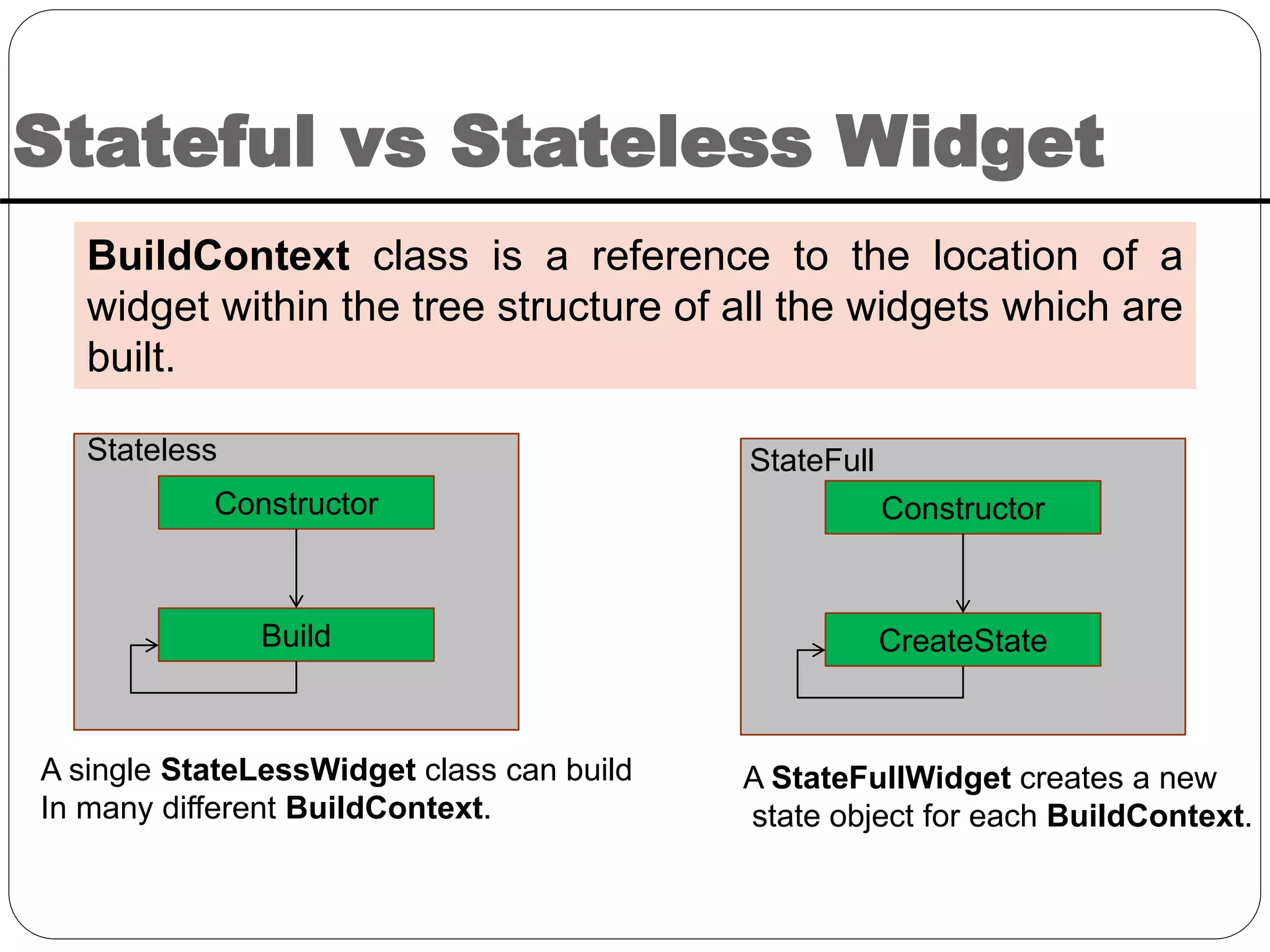
Stateful vs Stateless Widget
BuildContext class is a reference to the location of a
widget within the tree structure of all the widgets which are
built.
Constructor
Build
Constructor
CreateState
Stateless StateFull
A single StateLessWidget class can build
In many different BuildContext.
A StateFullWidget creates a new
state object for each BuildContext.
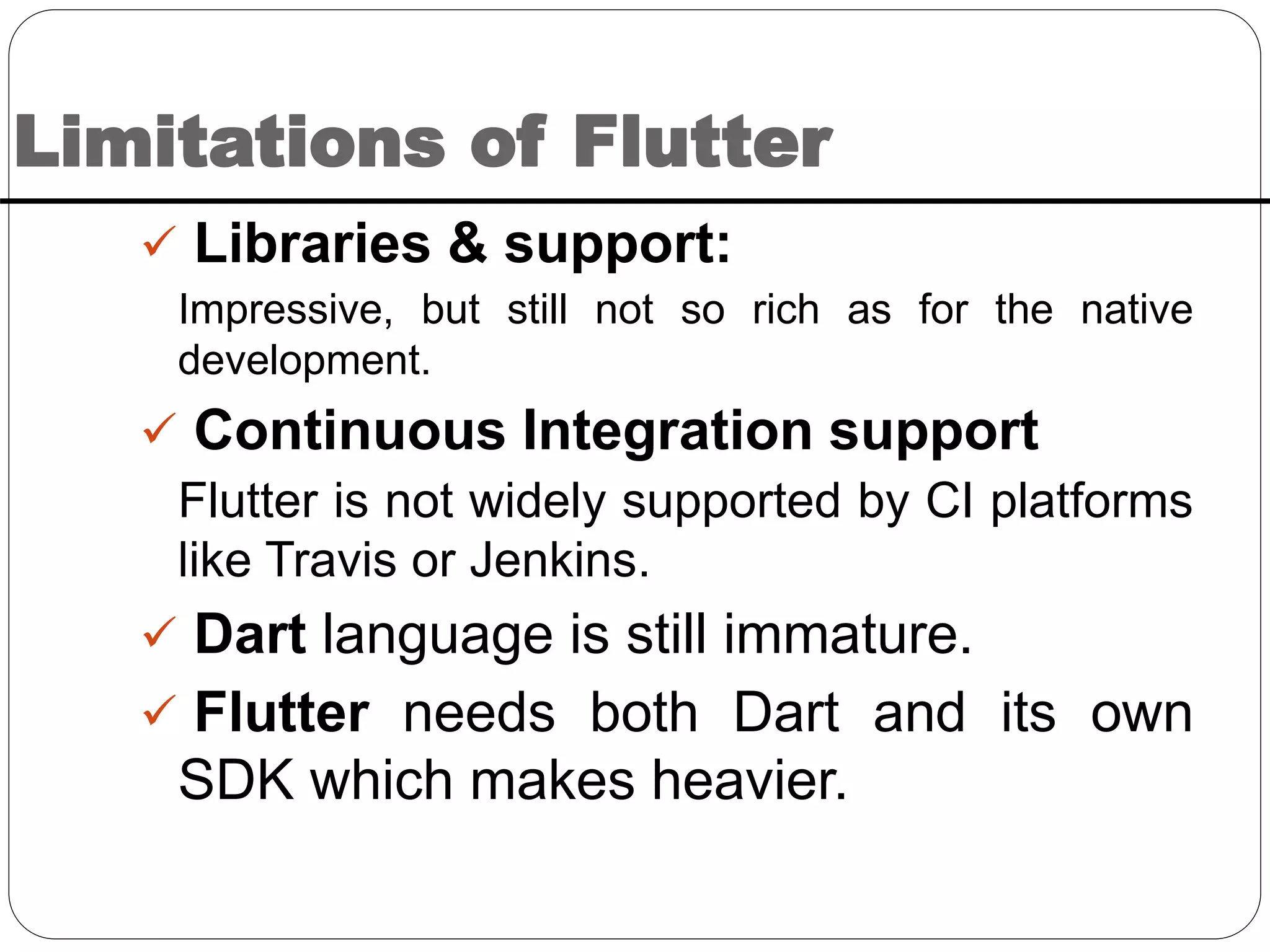
Limitations of Flutter
 Libraries & support:
Impressive, but still not so rich as for the native
development.
 Continuous Integration support
Flutter is not widely supported by CI platforms
like Travis or Jenkins.
 Dart language is still immature.
 Flutter needs both Dart and its own
SDK which makes heavier.
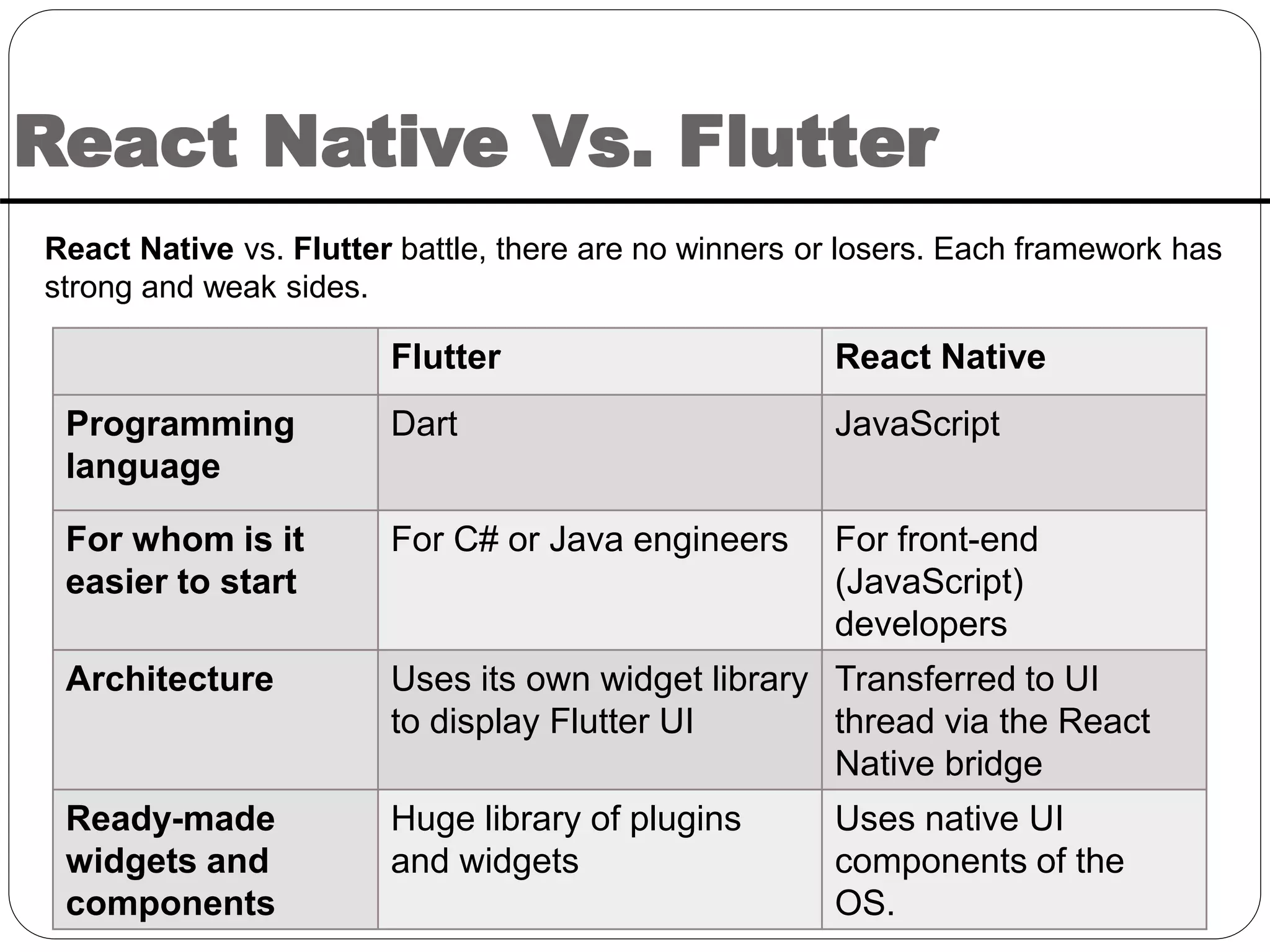
React Native Vs. Flutter
React Native vs. Flutter battle, there are no winners or losers. Each framework has
strong and weak sides.
Flutter React Native
Programming
language
Dart JavaScript
For whom is it
easier to start
For C# or Java engineers For front-end
(JavaScript)
developers
Architecture Uses its own widget library
to display Flutter UI
Transferred to UI
thread via the React
Native bridge
Ready-made
widgets and
components
Huge library of plugins
and widgets
Uses native UI
components of the
OS.
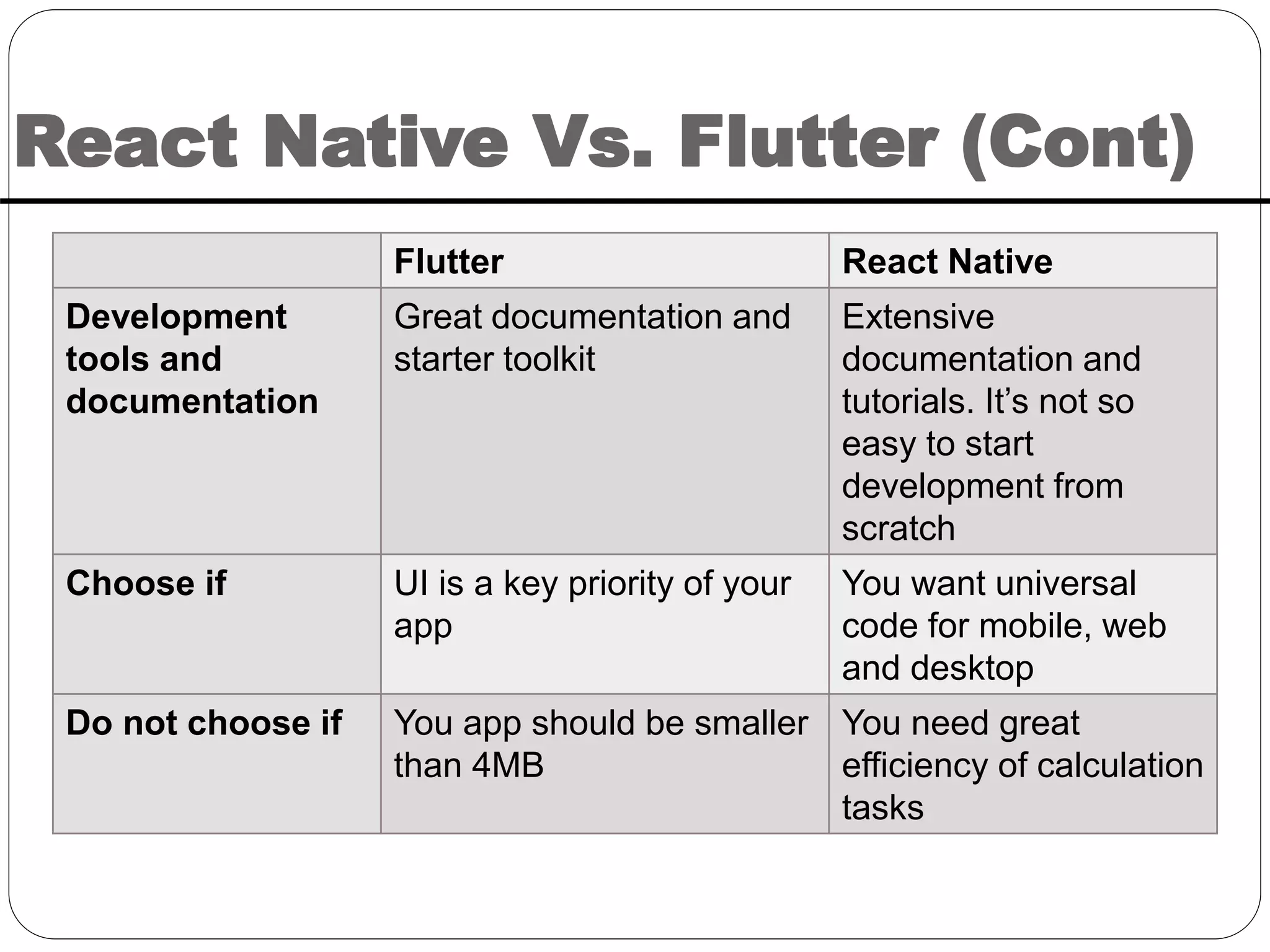
React Native Vs. Flutter (Cont)
Flutter React Native
Development
tools and
documentation
Great documentation and
starter toolkit
Extensive
documentation and
tutorials. It’s not so
easy to start
development from
scratch
Choose if UI is a key priority of your
app
You want universal
code for mobile, web
and desktop
Do not choose if You app should be smaller
than 4MB
You need great
efficiency of calculation
tasks
When to Choose React Native
 React Native is a good tool for creating complicated
cross-platform apps.
 If the project is expected to be large and deeply rooted,
use React Native.
 It has stronger support and extensive documentation.
So, it would be easier to resolve complex issues.
 If there is plan to reuse code for a web app and a
desktop app, React Native would be preferred.
 If anyone has plan to create app’s UI with native
component.
When to Choose Flutter
 The built-in native components and hot reload feature
make Flutter a perfect tool for iteration.
 In case of creating an MVP(Minimum Viable Product)
in a short period, better to go with Flutter.
 On top of that, it’s the best choice if the app is UI-
centered.
 If anyone has a plan to scale the app in different
platforms.
References
1. https://flutter.dev/docs/development
2. https://hackernoon.com/whats-revolutionary-
about-flutter-946915b09514
3. https://medium.com/flutterdevs/improving-
rendering-performance-in-flutter-app-
7f08bc8f9eff

Introduction to flutter's basic concepts

  • 1.
    Prepared By- Kumaresh ChandraBaruri Software Engineer Introduction to flutter
  • 2.
    What is Flutter? Flutter is not a language, rather an SDK just like Android SDK.  Flutter is Google’s UI toolkit for building mobile, web, and desktop from a single codebase.  It creates natively compiled applications.  Dart is the official programming language for Flutter.  Flutter Is free and open source.
  • 3.
    Why do weuse Flutter?  Beautiful UI: o Each and every individual pixel can be controlled. o It is easy to create new widget and to customize the existing one. o Any kind of design can be adapted.  Animations o Tween animation o Physics-based animation
  • 4.
    Why do weuse Flutter (Cont)?  Faster development: o In Native app development, the project needs to be rebuilt and that takes much more time. o Using Hot reload of Flutter, changes in the code is reflected straight away in the app. o One codebase for two platforms ( iOS and Android) due to its own widgets and designs. o Compiling to native code is faster. o The same app UI on older devices
  • 5.
    Why do weuse Flutter (Cont)?  Less Testing: o Due to same code base, repeating testing is not required. o Developers write automatic tests only once and apply for multiple platforms.  Smooth Navigation: o Flutter apps work in a smooth and faster way, without hanging and cutting while scrolling. o 60 FPS makes the app smooth.  Flutter ensures minimum viable product(MVP).
  • 6.
    Why Flutter isUnique?  Compiles to native code ( ARM binary code).  No reliance on OEM widget.  There is no markup language required. Rather than this, only Dart is used. No bridge needed.
  • 7.
  • 8.
    Flutter Removes ReactiveBridge There is no bridge in Flutter app
  • 9.
  • 10.
    Dart Language  Dartis open source programming language developed by Google.  It is an object-oriented language with C-style syntax which can optionally trans compile into JavaScript.  Lars Bak developed the language.  Easy peasy lemon squeezy language.
  • 11.
    All about widgets Declarative parts of the UI like a <div> in web.  Widgets are – o Immutable o Structural – button, menu. o Stylistic – font, theme. o Part of layout – padding, center etc.  Center is an widget as below
  • 12.
    Widget groups Groups ofwidgets are as below - a) Platform specific widgets: Flutter has widgets specific to a particular platform - Android or iOS. b) Layout widgets: Popular layout widgets are as follows- • Container • Center • Row • Column and • Stack. c) State maintenance widgets d) Platform independent / basic widgets
  • 13.
  • 14.
    Stateful vs StatelessWidget BuildContext class is a reference to the location of a widget within the tree structure of all the widgets which are built. Constructor Build Constructor CreateState Stateless StateFull A single StateLessWidget class can build In many different BuildContext. A StateFullWidget creates a new state object for each BuildContext.
  • 15.
    Limitations of Flutter Libraries & support: Impressive, but still not so rich as for the native development.  Continuous Integration support Flutter is not widely supported by CI platforms like Travis or Jenkins.  Dart language is still immature.  Flutter needs both Dart and its own SDK which makes heavier.
  • 16.
    React Native Vs.Flutter React Native vs. Flutter battle, there are no winners or losers. Each framework has strong and weak sides. Flutter React Native Programming language Dart JavaScript For whom is it easier to start For C# or Java engineers For front-end (JavaScript) developers Architecture Uses its own widget library to display Flutter UI Transferred to UI thread via the React Native bridge Ready-made widgets and components Huge library of plugins and widgets Uses native UI components of the OS.
  • 17.
    React Native Vs.Flutter (Cont) Flutter React Native Development tools and documentation Great documentation and starter toolkit Extensive documentation and tutorials. It’s not so easy to start development from scratch Choose if UI is a key priority of your app You want universal code for mobile, web and desktop Do not choose if You app should be smaller than 4MB You need great efficiency of calculation tasks
  • 18.
    When to ChooseReact Native  React Native is a good tool for creating complicated cross-platform apps.  If the project is expected to be large and deeply rooted, use React Native.  It has stronger support and extensive documentation. So, it would be easier to resolve complex issues.  If there is plan to reuse code for a web app and a desktop app, React Native would be preferred.  If anyone has plan to create app’s UI with native component.
  • 19.
    When to ChooseFlutter  The built-in native components and hot reload feature make Flutter a perfect tool for iteration.  In case of creating an MVP(Minimum Viable Product) in a short period, better to go with Flutter.  On top of that, it’s the best choice if the app is UI- centered.  If anyone has a plan to scale the app in different platforms.
  • 20.
    References 1. https://flutter.dev/docs/development 2. https://hackernoon.com/whats-revolutionary- about-flutter-946915b09514 3.https://medium.com/flutterdevs/improving- rendering-performance-in-flutter-app- 7f08bc8f9eff