Machine Learning 101
Teach your computer the difference 

between cats and dogs
Cole Howard & Hannes Hapke
Open Source Bridge, June 23rd, 2016
Who are we?
John Howard

@uglyboxer

Senior Developer at Dark Horse Comics
Master of recommendation systems,
convolutional neural networks
Hannes Hapke

@hanneshapke

Senior Developer at CrowdStreet
Excited about neural networks 

applications
We want to show you how you can
train a computer to “recognize”
images *
* aka to decide between cats and dogs
What is this all about ...
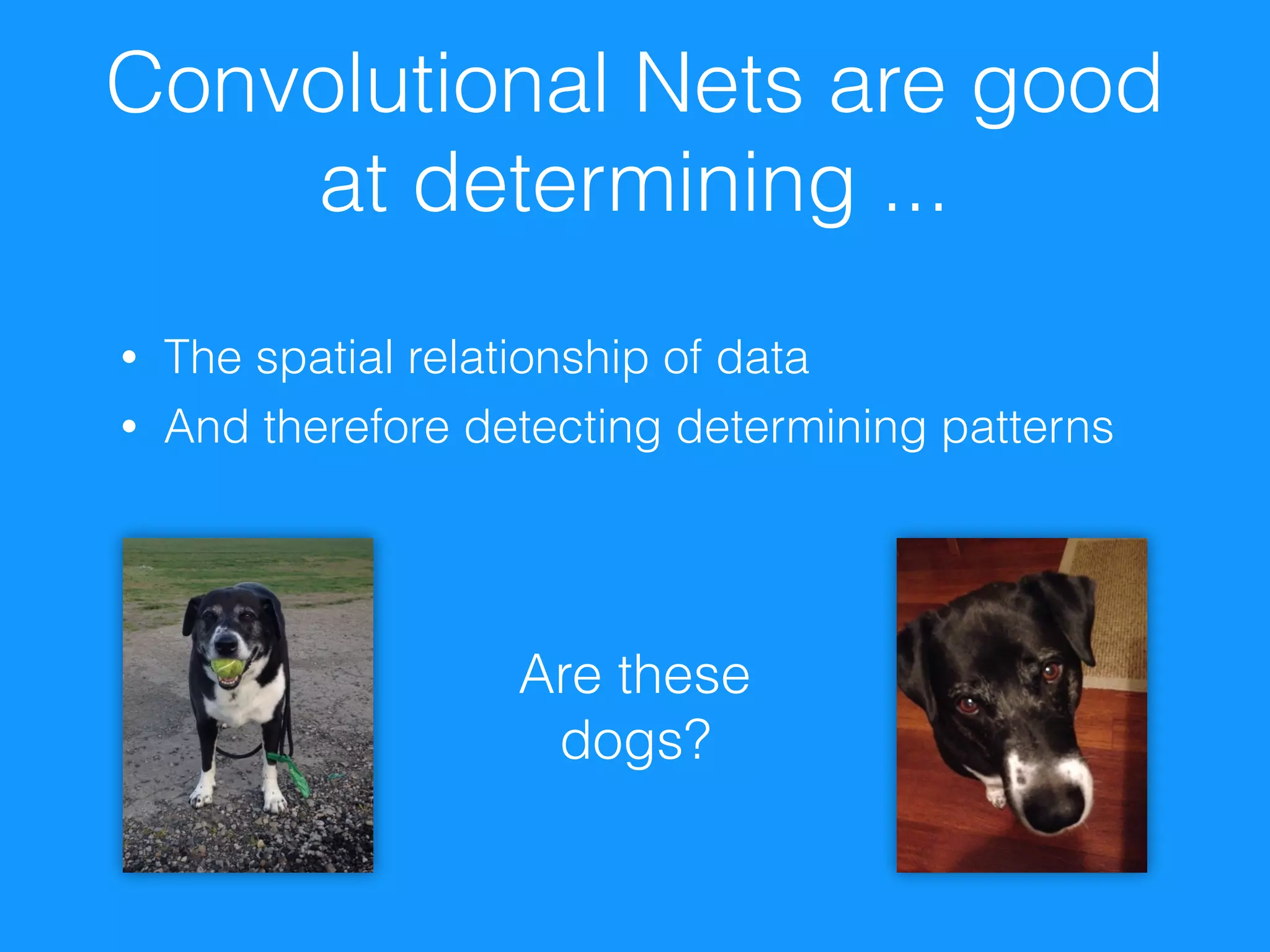
Convolutional Nets are good
at determining ...
• The spatial relationship of data
• And therefore detecting determining patterns
Are these
dogs?
Convolutional Neural Nets
are heavily used by
For detecting patterns in images, videos, sounds and texts
• Music recommendation at Spotify 

(http://benanne.github.io/2014/08/05/spotify-cnns.html)
• Google’s PlaNet—Photo Geolocation with CNN 

(http://arxiv.org/abs/1602.05314)
• Who else is using CNNs? 

(https://www.quora.com/Apart-from-Google-Facebook-who-is-commercially-using-deep-recurrent-convolutional-
neural-networks)

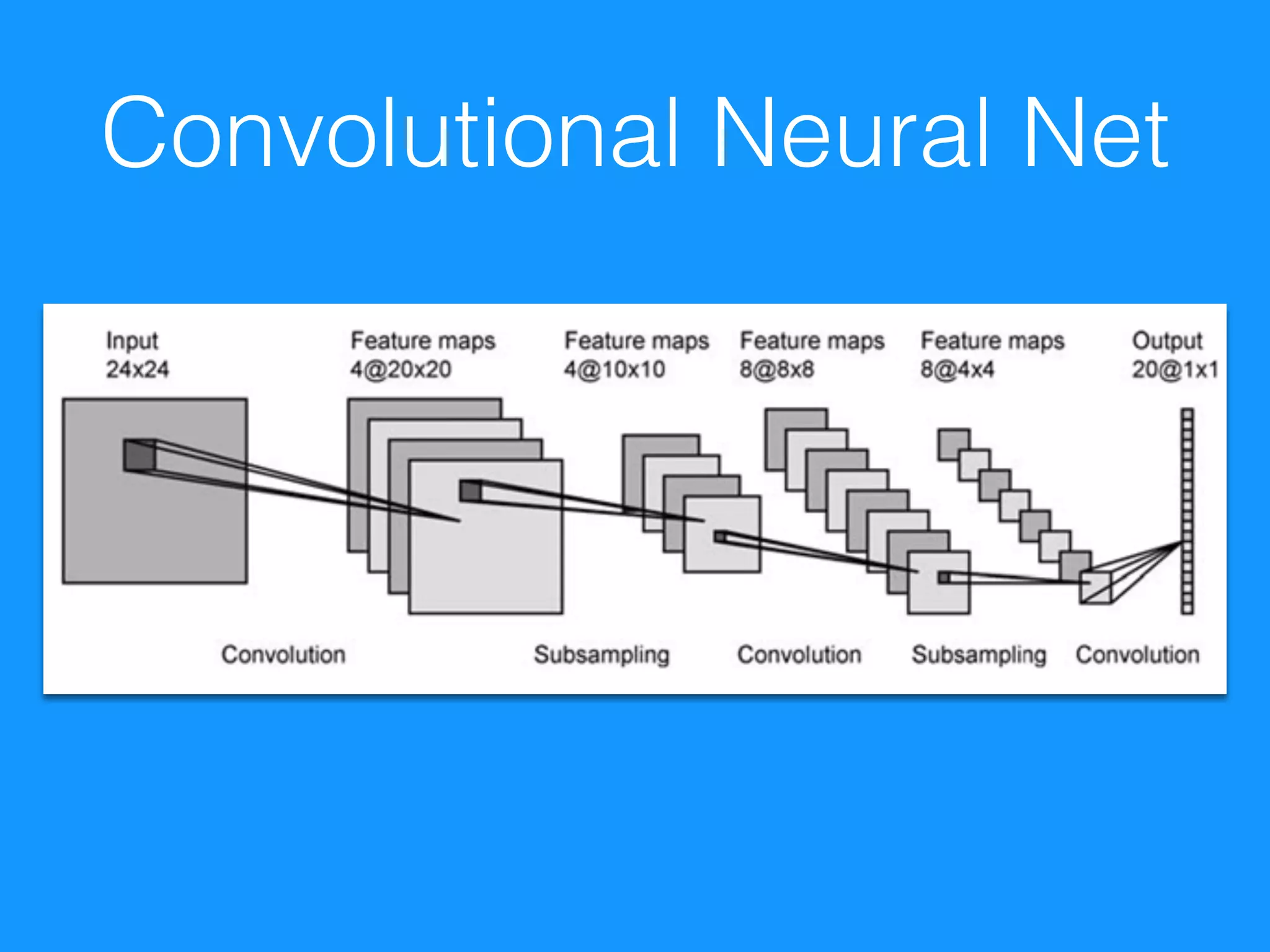
What are conv nets?
• In traditional feed-forward networks, 

we are learning weights to apply to the data
• In conv-nets, we are learning to describe filters
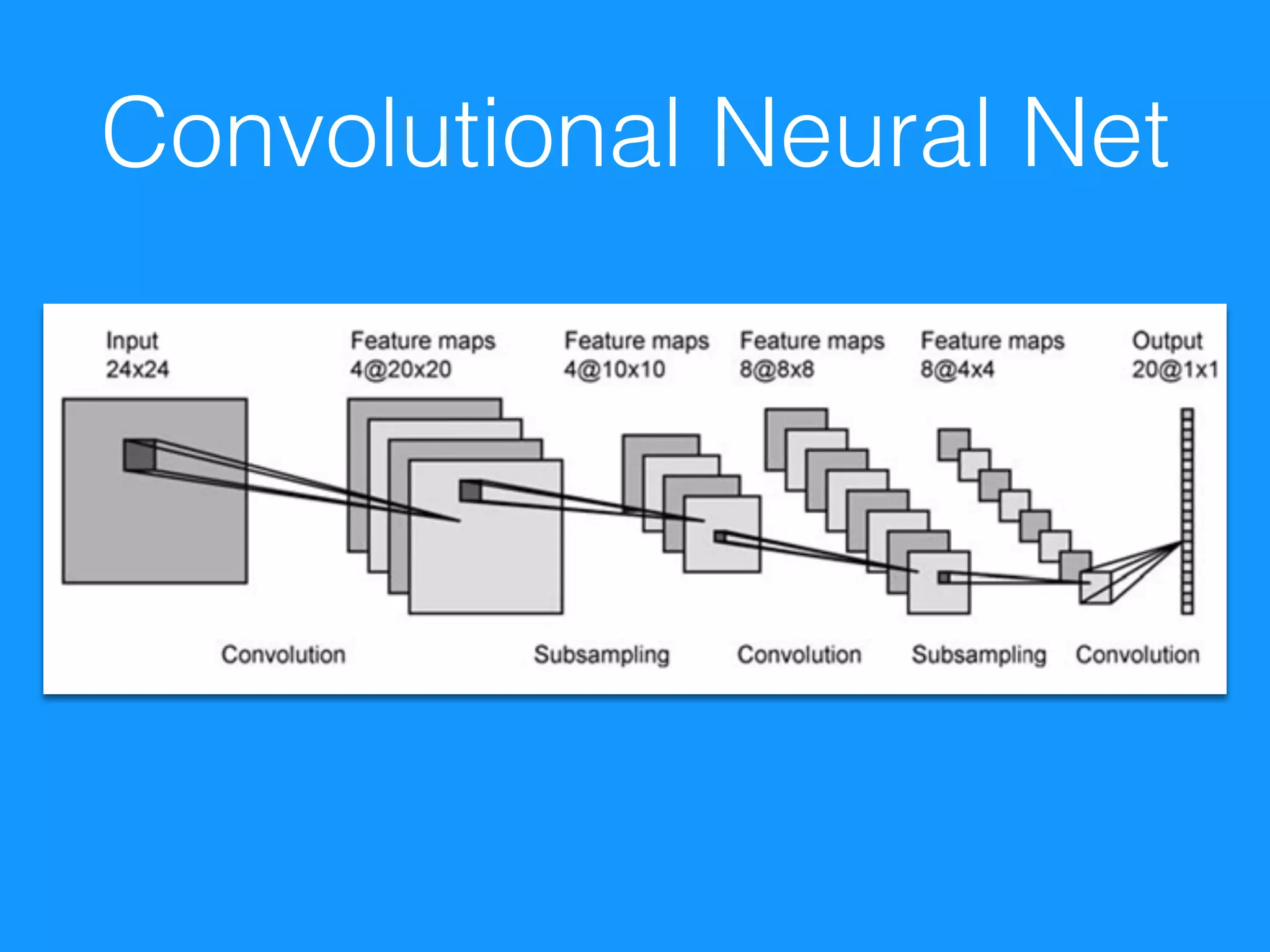
• After each convolutional layer we still have an
“image”
• Instead of 3 channels (r-g-b), 

we have n - channels. 

Each described by one of the learned filters
Convolutional Neural Net
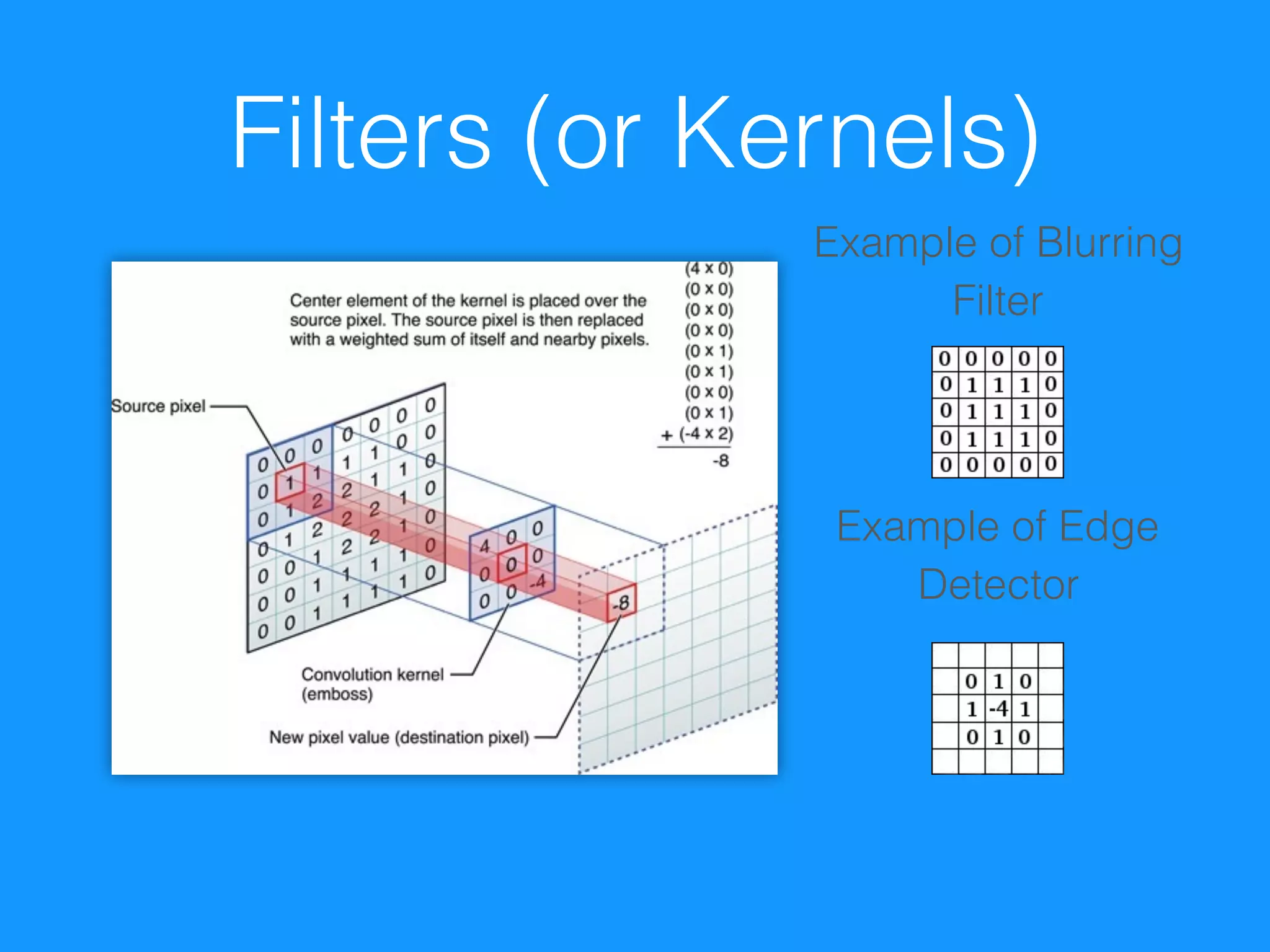
Filters (or Kernels)
Example of Edge
Detector
Example of Blurring
Filter
Pooling
• Can condense information as filters pull details apart
• With MaxPooling we take the local maximum activation
as representative of the region. 

Usually a 2x2 subsample
• As we filter, precise location becomes less relevant
• This condenses the amount of information 

by ¼ per learned channel
• BONUS: Net becomes tolerant to local perturbations in
the data
Traditional Feed-Forward
Icing on the Cake
• Flatten the filtered image 

into one long 1 dimensional vector
• Pass into a feed forward network
• Out to classes -> to determine error
• Learn like normal - backpropagation works on
filter weights, just as it does on neuron
weights
Convolutional Neural Net
What frameworks are
available?
Theano
• Created by the 

University of Montreal
• Framework for 

symbolic computation
• Provides GPU support


• Great Python libraries based on Theano: 

Keras, Lasagne, PyLearn2
import numpy
import theano.tensor as T
x = T.dmatrix('x')
y = T.dmatrix('y')
z = x + y
f = function([x, y], z)
TensorFlow
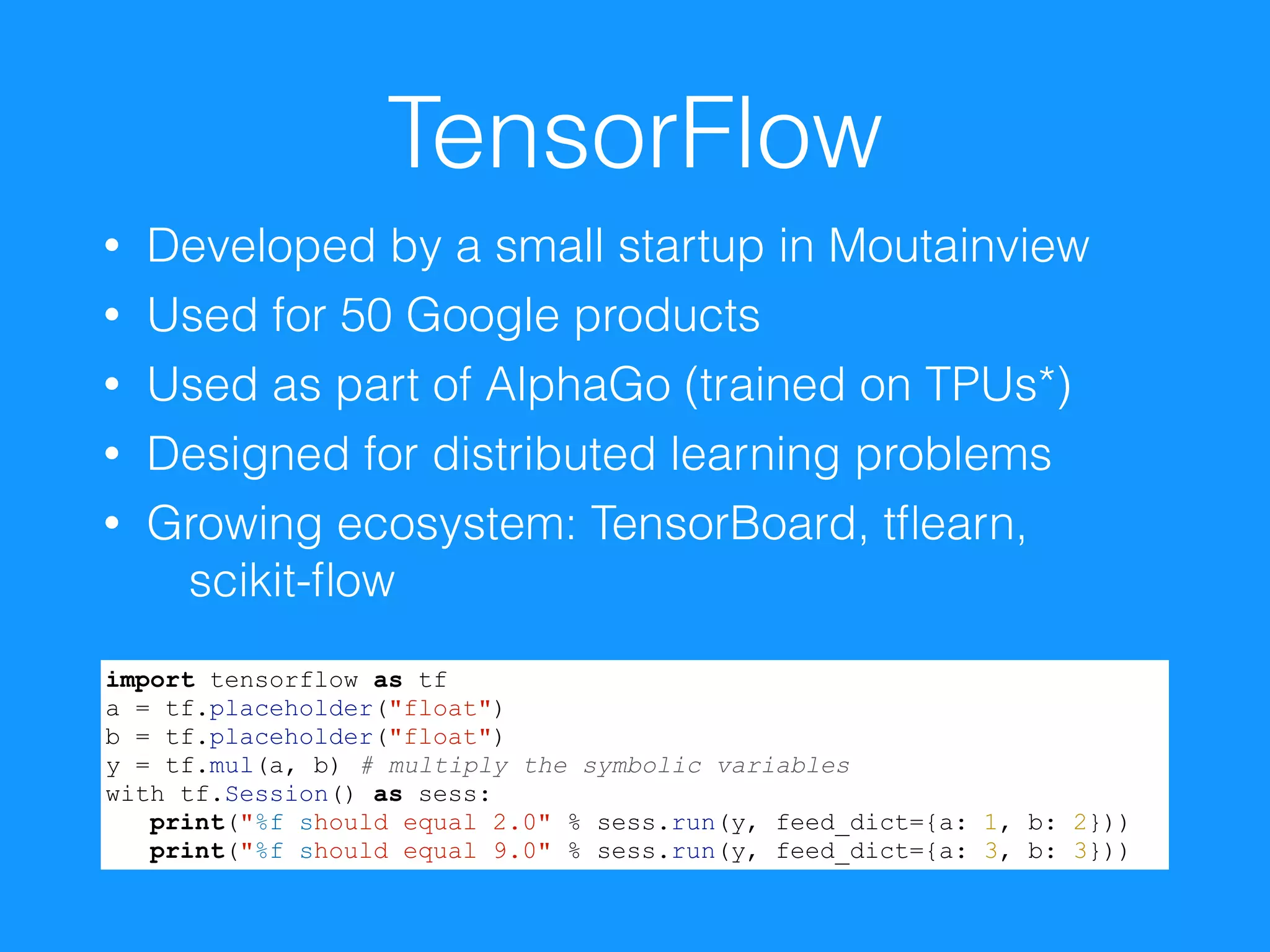
• Developed by a small startup in Moutainview
• Used for 50 Google products
• Used as part of AlphaGo (trained on TPUs*)
• Designed for distributed learning problems
• Growing ecosystem: TensorBoard, tflearn,
scikit-flow
import tensorflow as tf
a = tf.placeholder("float")
b = tf.placeholder("float")
y = tf.mul(a, b) # multiply the symbolic variables
with tf.Session() as sess:
print("%f should equal 2.0" % sess.run(y, feed_dict={a: 1, b: 2}))
print("%f should equal 9.0" % sess.run(y, feed_dict={a: 3, b: 3}))
How to prepare your
images for the
classification?
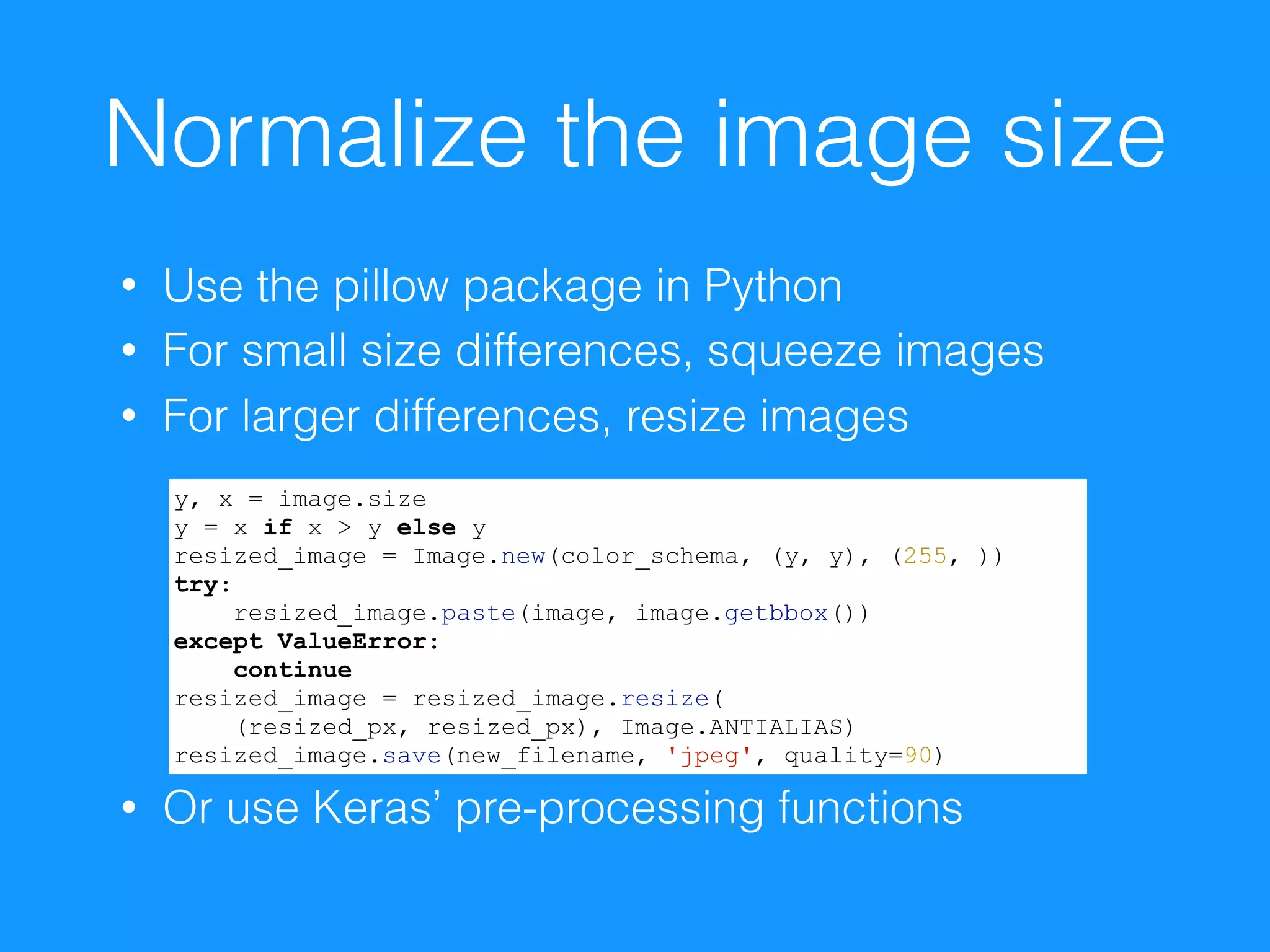
Normalize the image size
• Use the pillow package in Python
• For small size differences, squeeze images
• For larger differences, resize images
• Or use Keras’ pre-processing functions
y, x = image.size
y = x if x > y else y
resized_image = Image.new(color_schema, (y, y), (255, ))
try:
resized_image.paste(image, image.getbbox())
except ValueError:
continue
resized_image = resized_image.resize(

(resized_px, resized_px), Image.ANTIALIAS)
resized_image.save(new_filename, 'jpeg', quality=90)
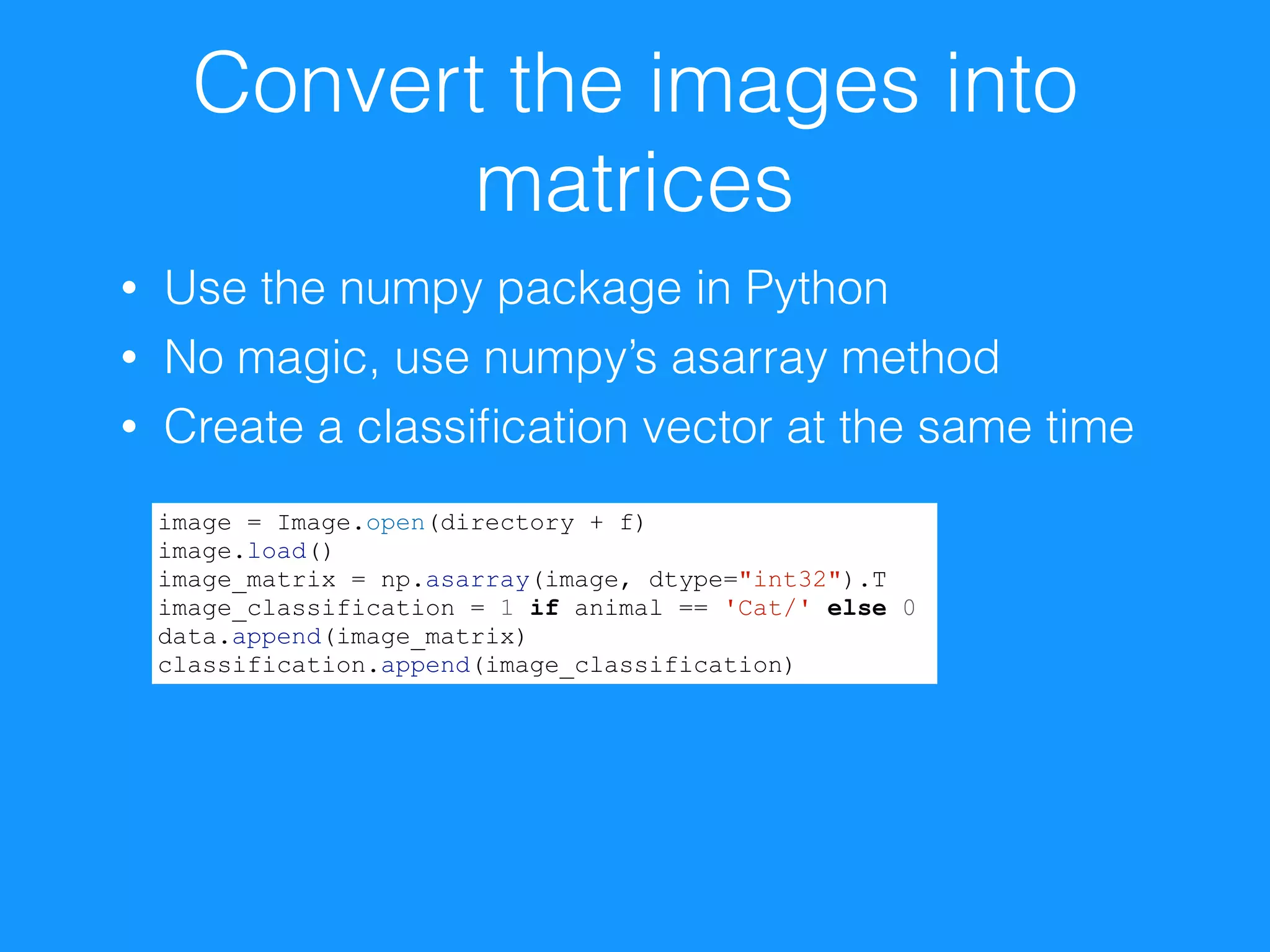
Convert the images into
matrices
• Use the numpy package in Python
• No magic, use numpy’s asarray method
• Create a classification vector at the same time
image = Image.open(directory + f)
image.load()
image_matrix = np.asarray(image, dtype="int32").T
image_classification = 1 if animal == 'Cat/' else 0
data.append(image_matrix)
classification.append(image_classification)
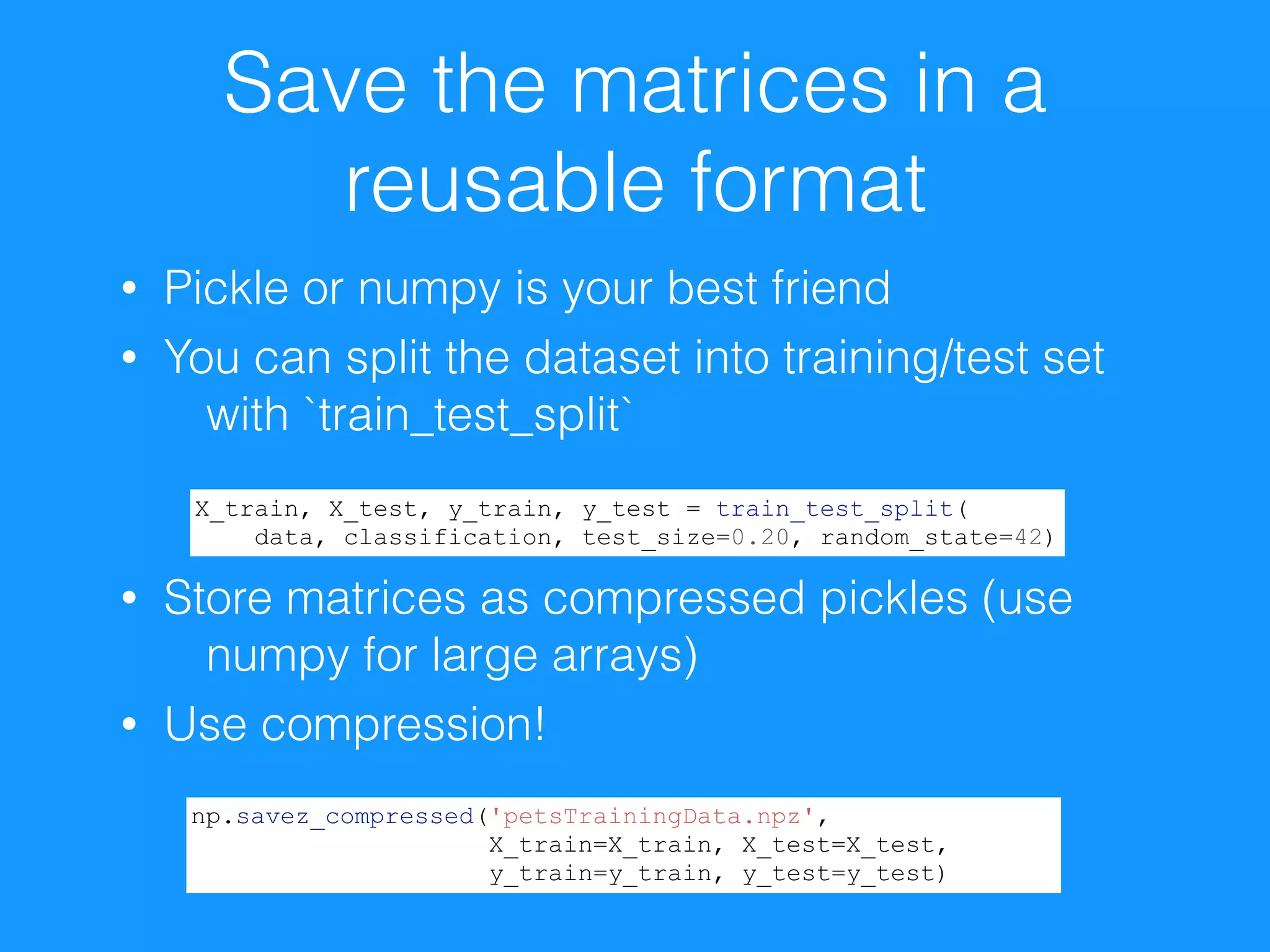
Save the matrices in a
reusable format
• Pickle or numpy is your best friend
• You can split the dataset into training/test set
with `train_test_split`


• Store matrices as compressed pickles (use
numpy for large arrays)
• Use compression!
X_train, X_test, y_train, y_test = train_test_split(
data, classification, test_size=0.20, random_state=42)
np.savez_compressed('petsTrainingData.npz',
X_train=X_train, X_test=X_test,
y_train=y_train, y_test=y_test)
How to assemble 

a simple CNN 

with Keras
What is Keras? Why?
• Excellent Python wrapper library for Theano
• Supports TensorFlow too!
• Growing TensorFlow support
• Amazing documentation
• Amazing community
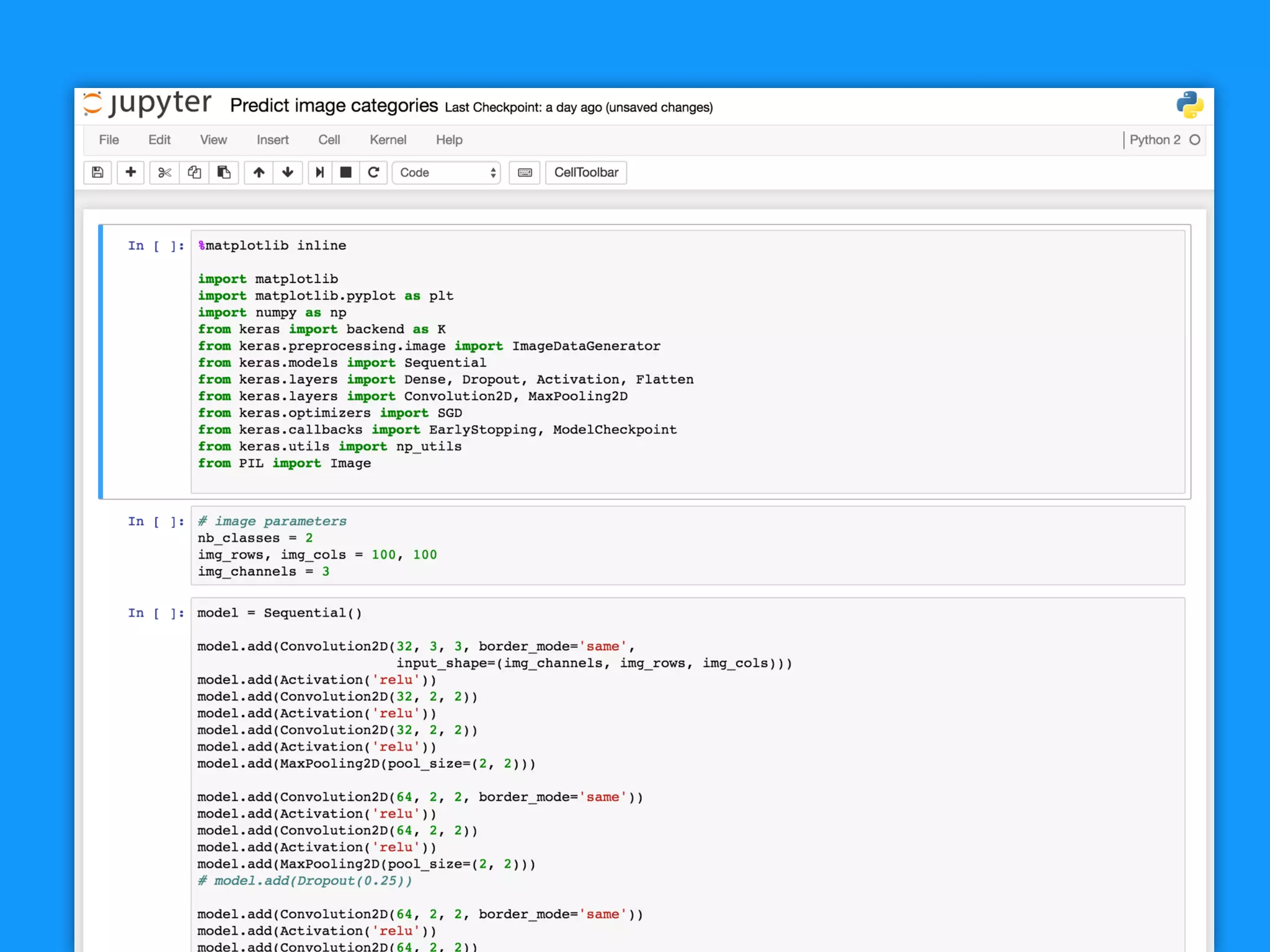
Steps
1. Setup your sequential model
2. Create a network structure
3. Set the “compile” parameters
4. Set the fit parameters
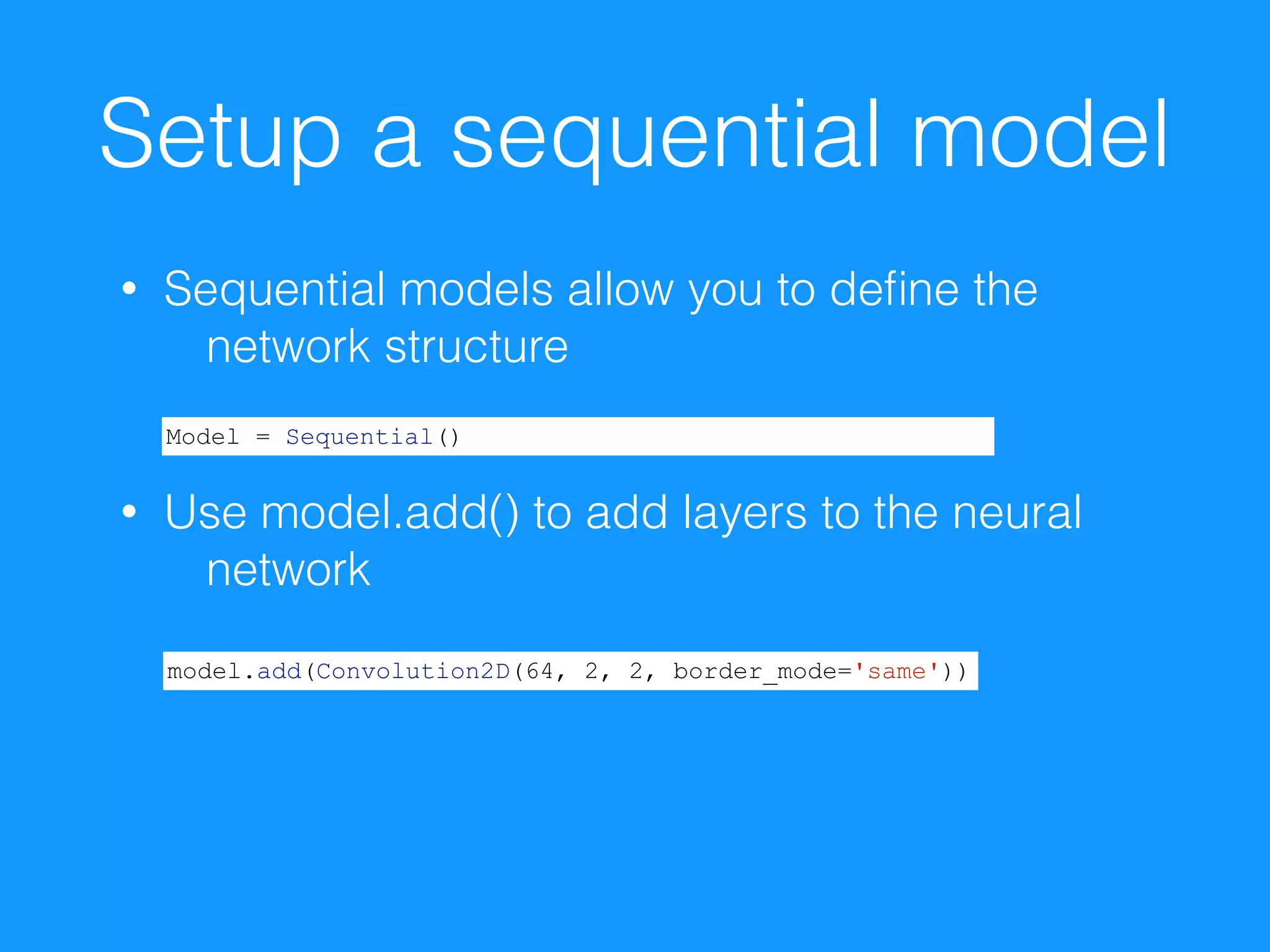
Setup a sequential model
• Sequential models allow you to define the
network structure

• Use model.add() to add layers to the neural
network
Model = Sequential()
model.add(Convolution2D(64, 2, 2, border_mode='same'))
Create your network
structure
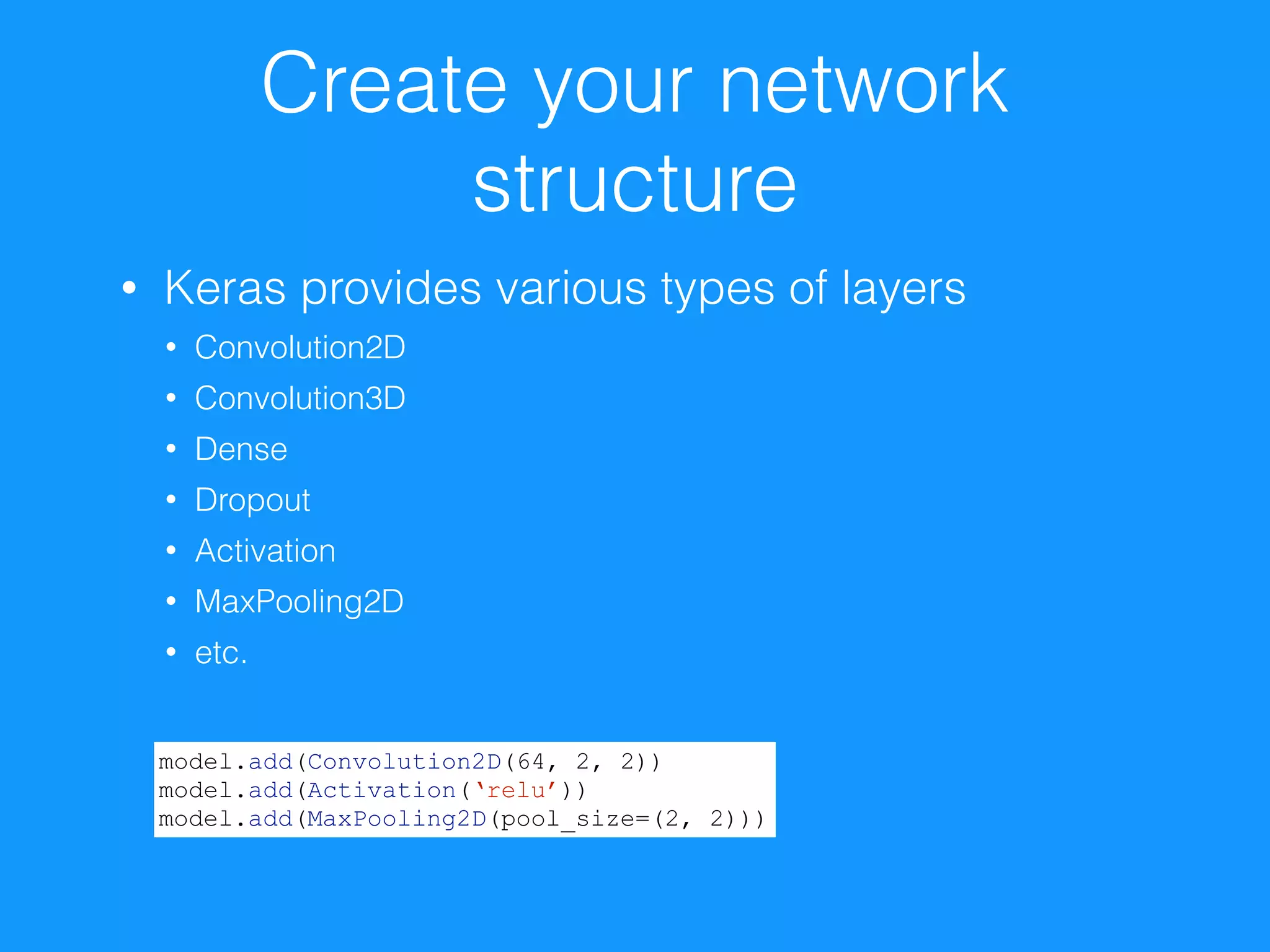
• Keras provides various types of layers
• Convolution2D
• Convolution3D
• Dense
• Dropout
• Activation
• MaxPooling2D
• etc.
model.add(Convolution2D(64, 2, 2))
model.add(Activation(‘relu’))
model.add(MaxPooling2D(pool_size=(2, 2)))
Set the “compile”
parameters
• Keras provides various options for optimizing
your network
• SGD
• Adagrad
• Adadelta
• Etc.
• Set the learning rate, momentum, etc.
• Define your loss definition and metrics
sgd = SGD(lr=0.01, decay=1e-6, momentum=0.9, nesterov=True)
model.compile(
loss=‘categorical_crossentropy',
optimizer=sgd, metrics=['accuracy'])
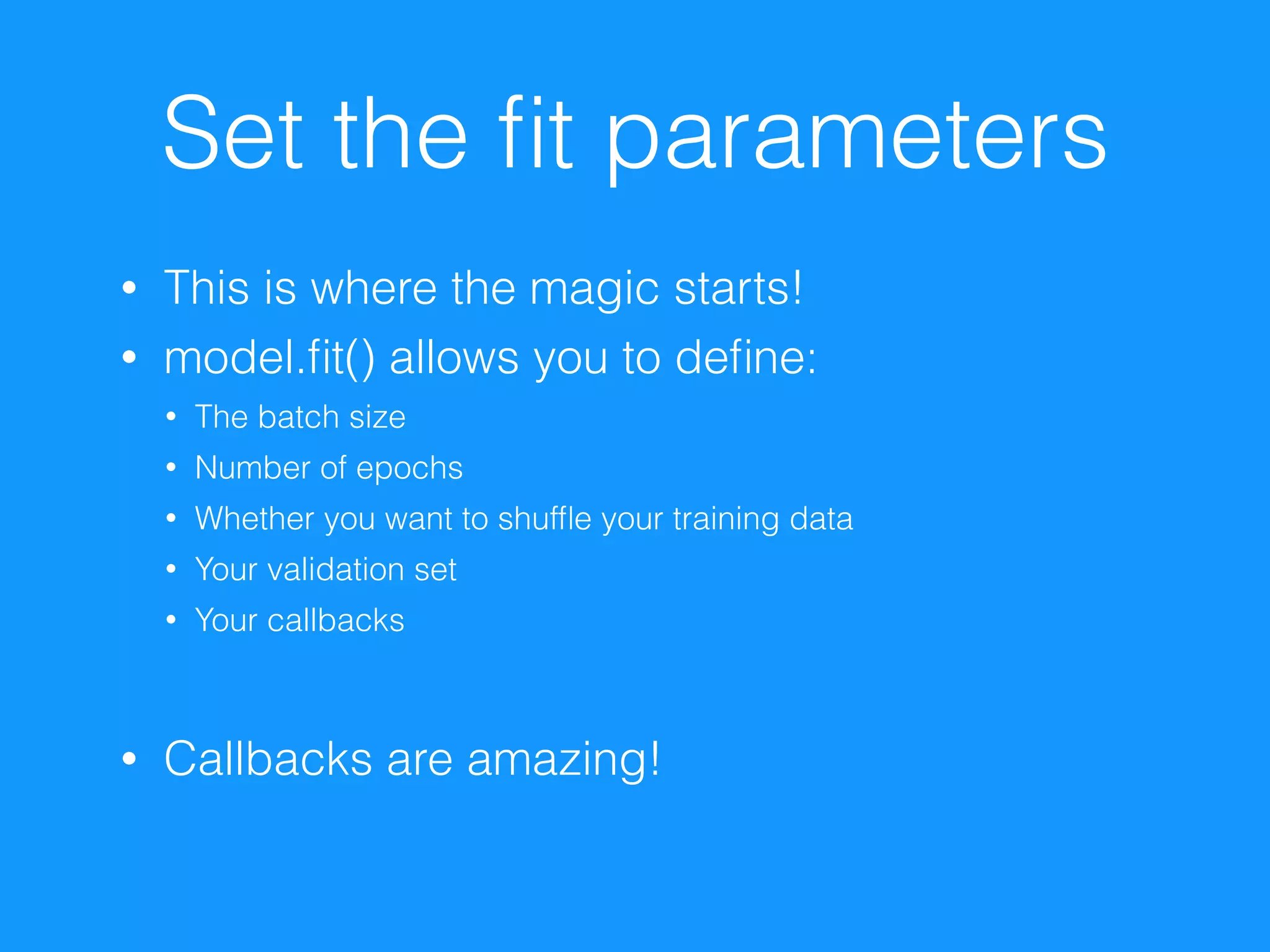
Set the fit parameters
• This is where the magic starts!
• model.fit() allows you to define:
• The batch size
• Number of epochs
• Whether you want to shuffle your training data
• Your validation set
• Your callbacks

• Callbacks are amazing!
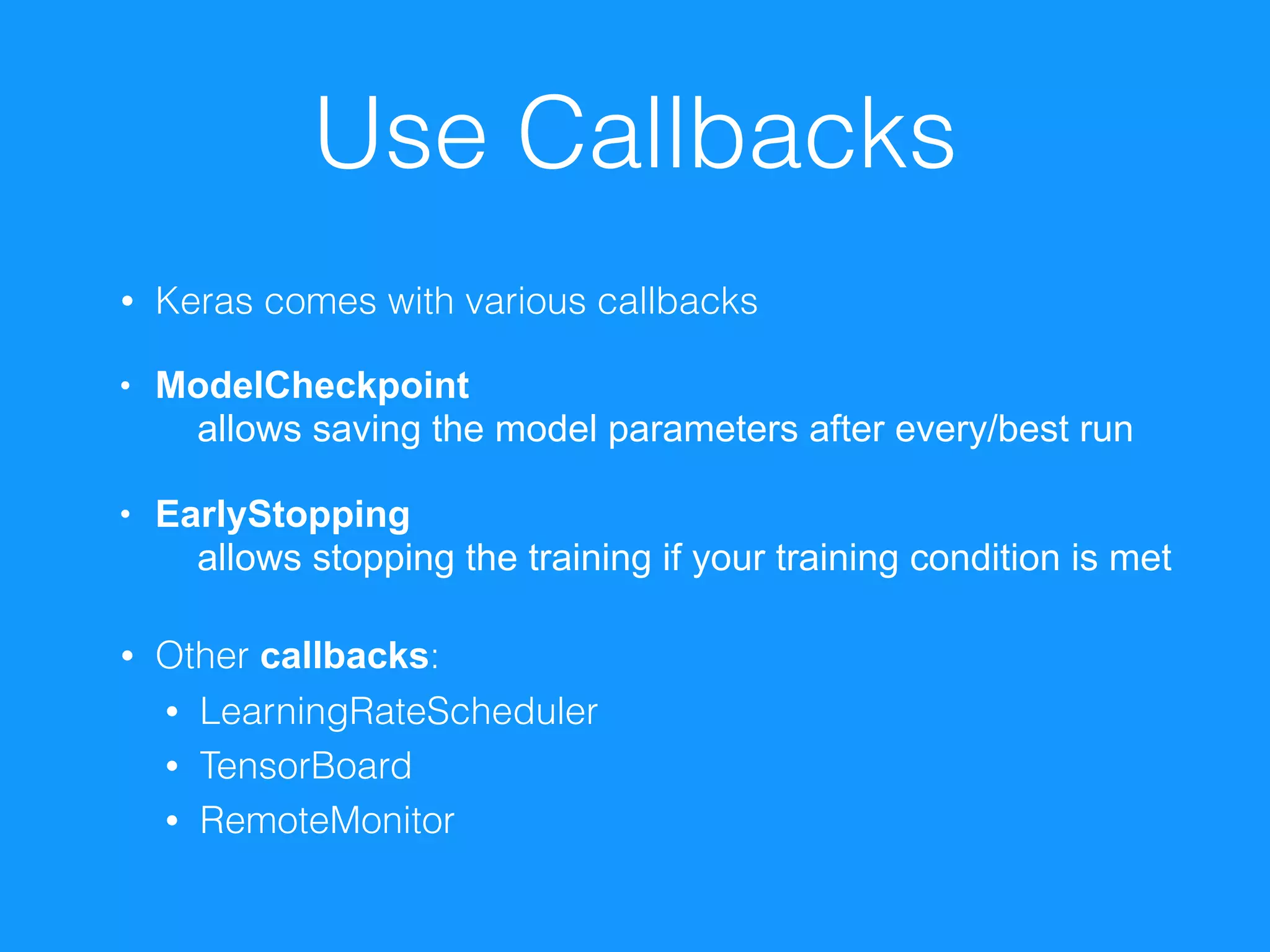
Use Callbacks
• Keras comes with various callbacks
• ModelCheckpoint 

allows saving the model parameters after every/best run
• EarlyStopping 

allows stopping the training if your training condition is met

• Other callbacks:
• LearningRateScheduler
• TensorBoard
• RemoteMonitor
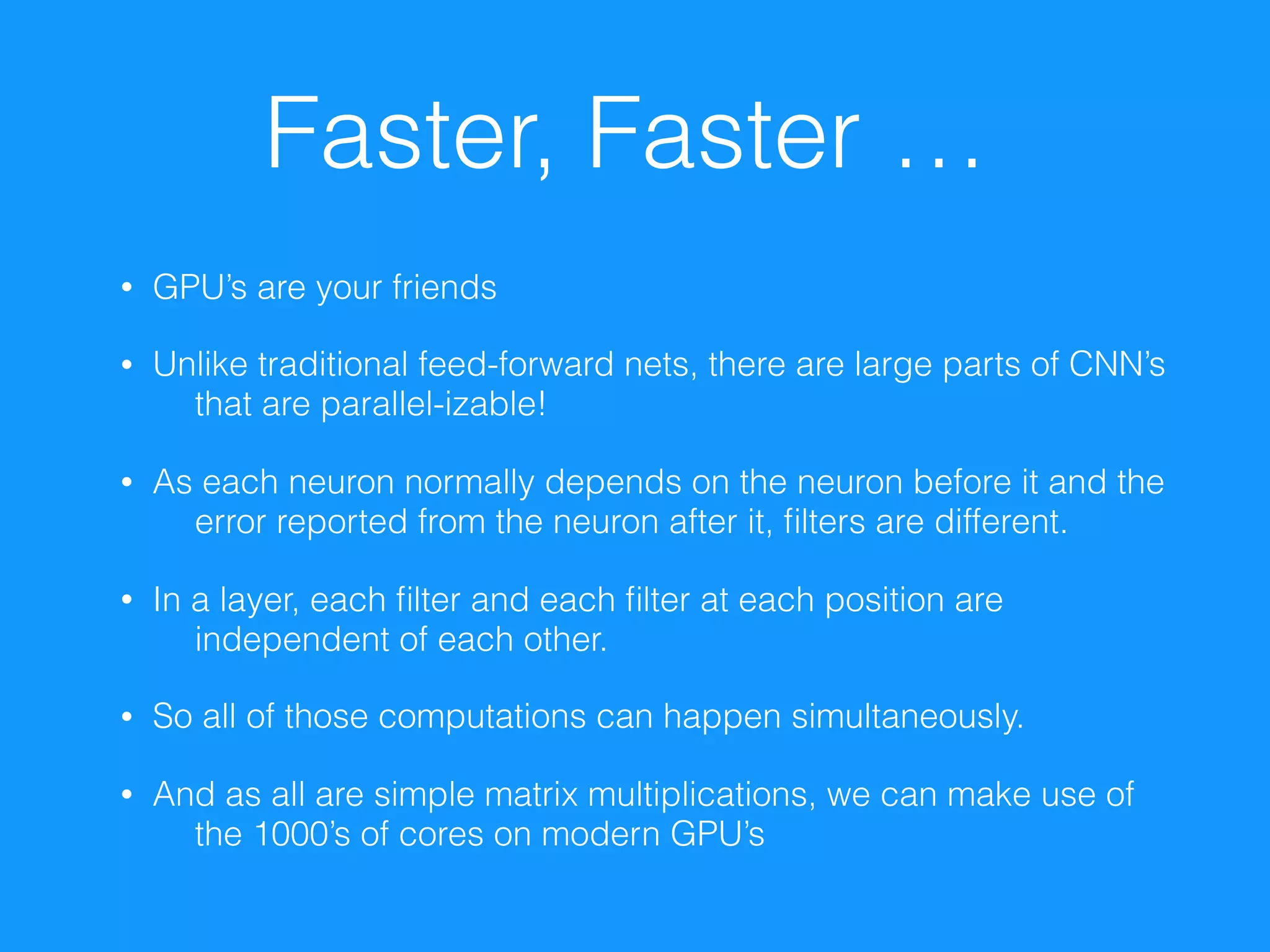
Faster, Faster …
• GPU’s are your friends
• Unlike traditional feed-forward nets, there are large parts of CNN’s
that are parallel-izable!
• As each neuron normally depends on the neuron before it and the
error reported from the neuron after it, filters are different.
• In a layer, each filter and each filter at each position are
independent of each other.
• So all of those computations can happen simultaneously.
• And as all are simple matrix multiplications, we can make use of
the 1000’s of cores on modern GPU’s
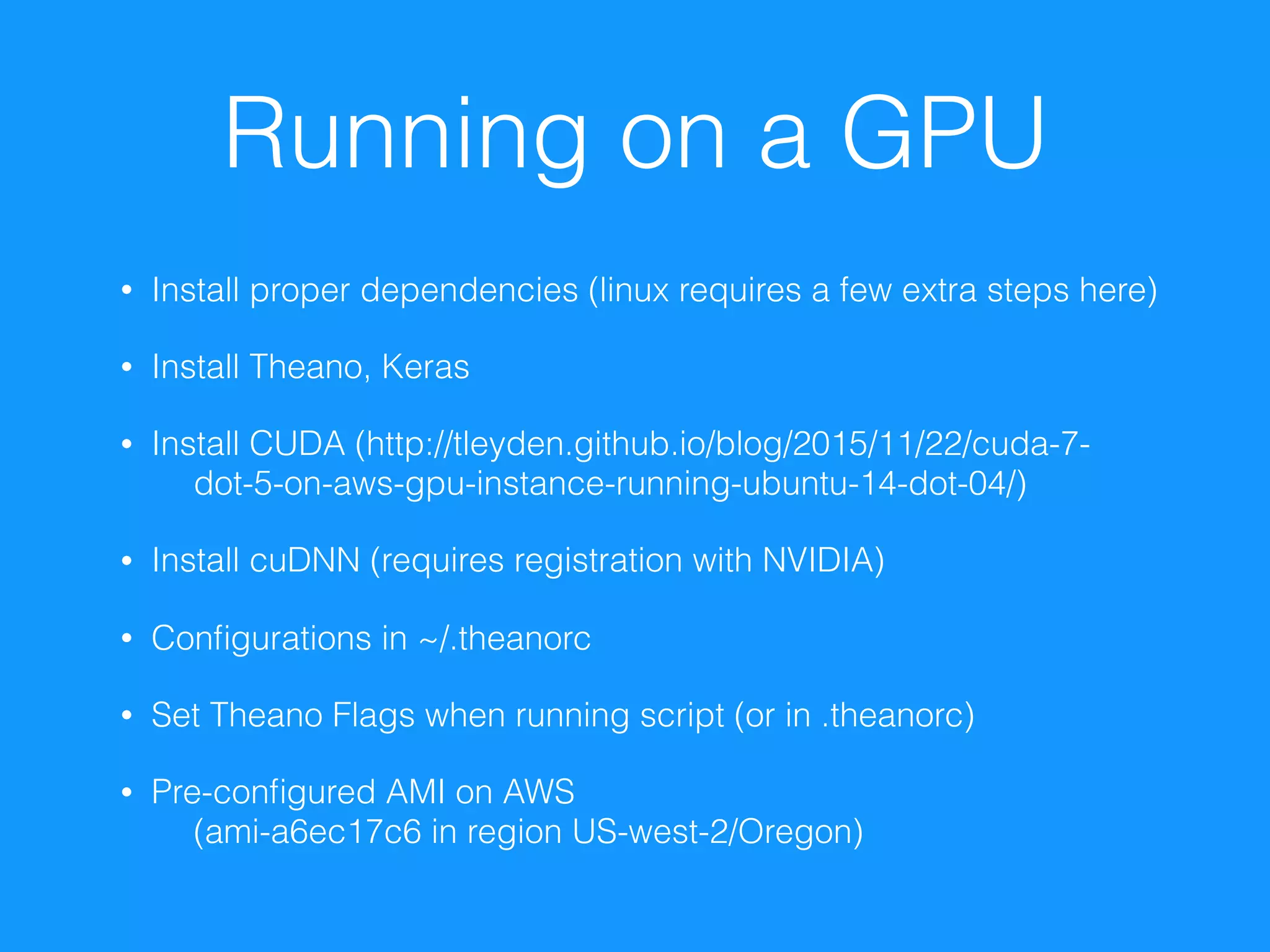
Running on a GPU
• Install proper dependencies (linux requires a few extra steps here)
• Install Theano, Keras
• Install CUDA (http://tleyden.github.io/blog/2015/11/22/cuda-7-
dot-5-on-aws-gpu-instance-running-ubuntu-14-dot-04/)
• Install cuDNN (requires registration with NVIDIA)
• Configurations in ~/.theanorc
• Set Theano Flags when running script (or in .theanorc)
• Pre-configured AMI on AWS 

(ami-a6ec17c6 in region US-west-2/Oregon)
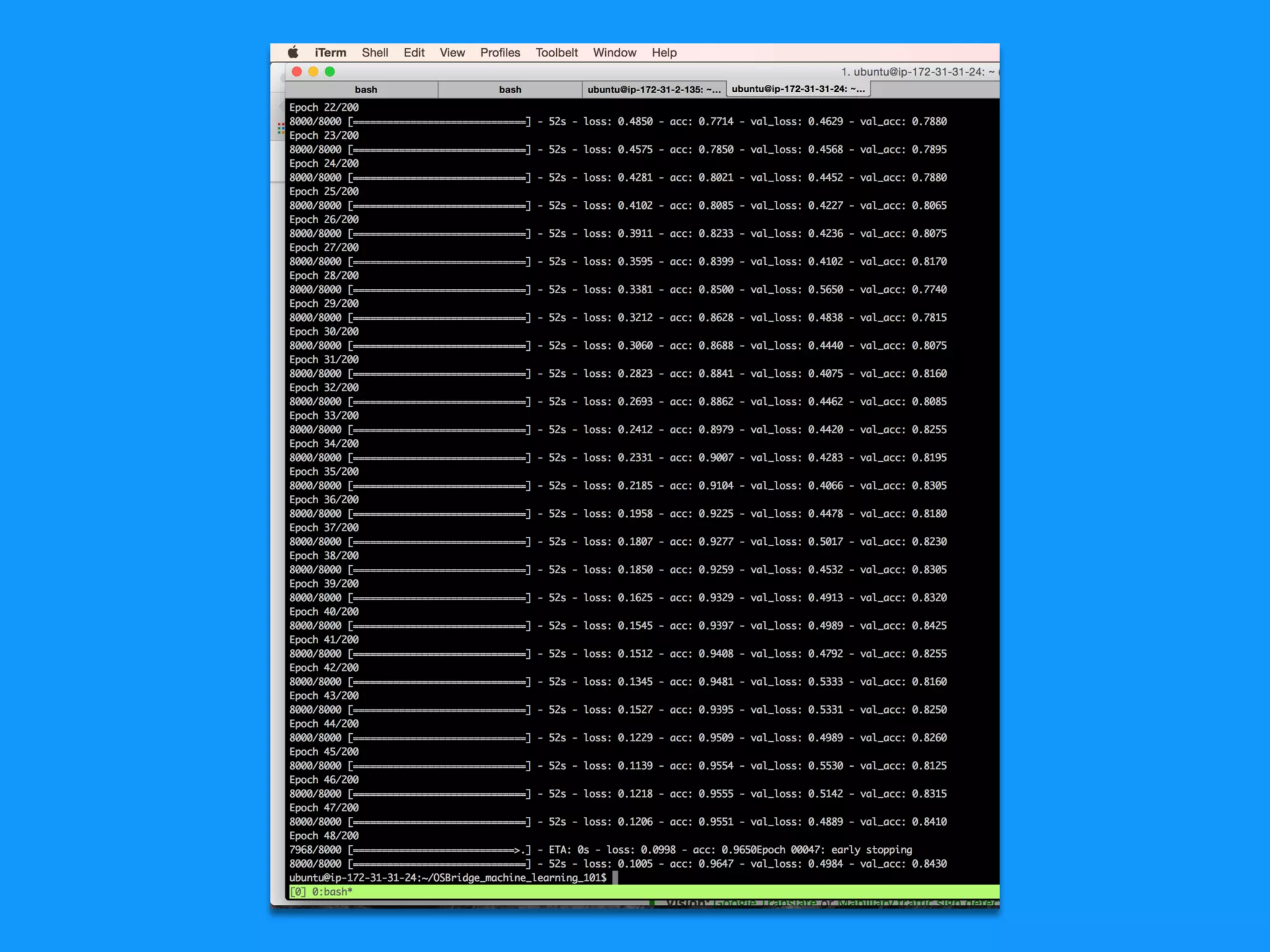
How does a training
look like in action?
What to do once the
training is completed?
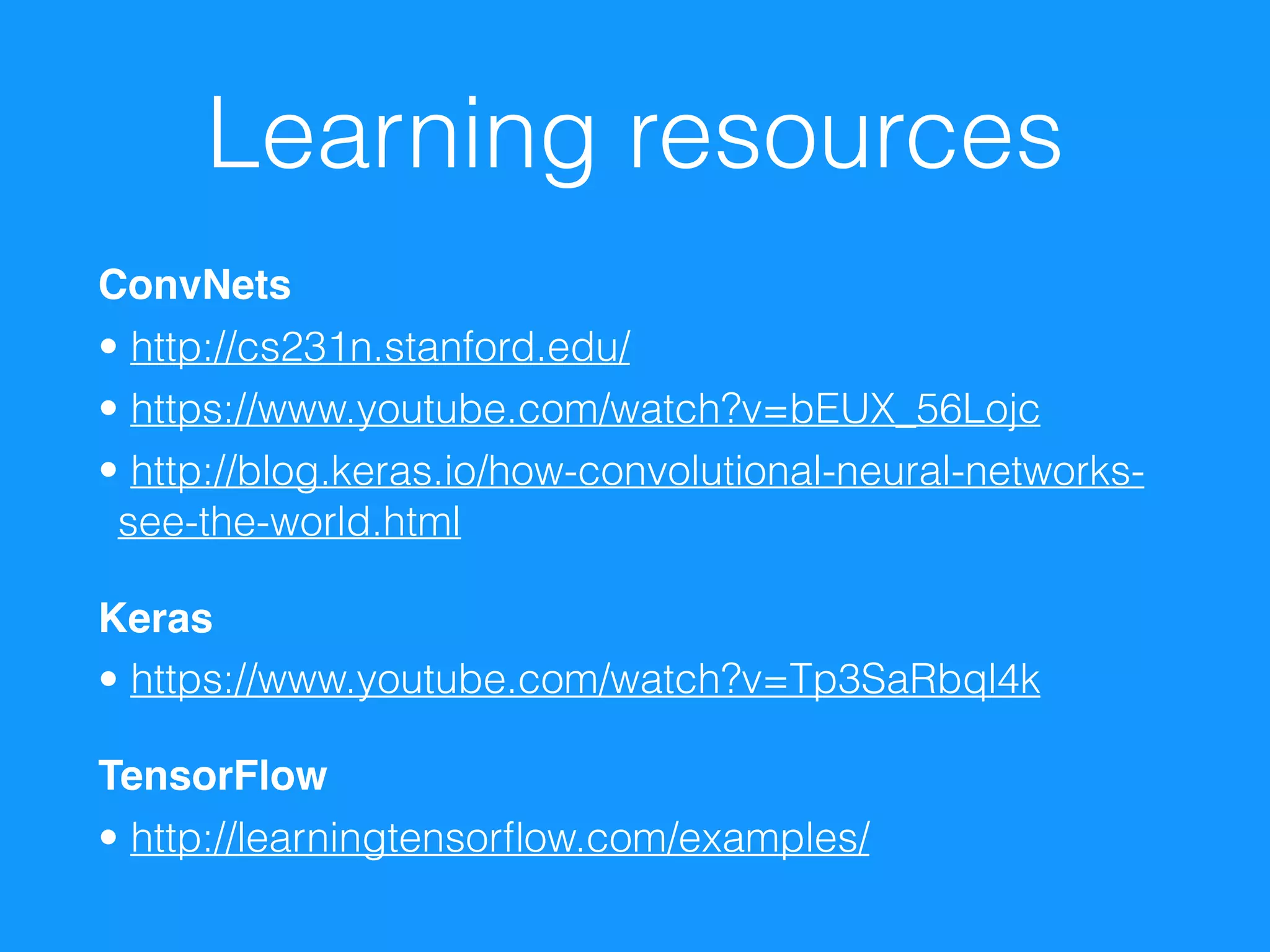
Learning resources
ConvNets
• http://cs231n.stanford.edu/
• https://www.youtube.com/watch?v=bEUX_56Lojc
• http://blog.keras.io/how-convolutional-neural-networks-
see-the-world.html
Keras
• https://www.youtube.com/watch?v=Tp3SaRbql4k
TensorFlow
• http://learningtensorflow.com/examples/
Thank you!
bit.ly/OSB16-machinelearning101

Introduction to Convolutional Neural Networks

  • 1.
    Machine Learning 101 Teachyour computer the difference 
 between cats and dogs Cole Howard & Hannes Hapke Open Source Bridge, June 23rd, 2016
  • 2.
    Who are we? JohnHoward
 @uglyboxer
 Senior Developer at Dark Horse Comics Master of recommendation systems, convolutional neural networks Hannes Hapke
 @hanneshapke
 Senior Developer at CrowdStreet Excited about neural networks 
 applications
  • 3.
    We want toshow you how you can train a computer to “recognize” images * * aka to decide between cats and dogs What is this all about ...
  • 4.
    Convolutional Nets aregood at determining ... • The spatial relationship of data • And therefore detecting determining patterns Are these dogs?
  • 5.
    Convolutional Neural Nets areheavily used by For detecting patterns in images, videos, sounds and texts • Music recommendation at Spotify 
 (http://benanne.github.io/2014/08/05/spotify-cnns.html) • Google’s PlaNet—Photo Geolocation with CNN 
 (http://arxiv.org/abs/1602.05314) • Who else is using CNNs? 
 (https://www.quora.com/Apart-from-Google-Facebook-who-is-commercially-using-deep-recurrent-convolutional- neural-networks)

  • 6.
    What are convnets? • In traditional feed-forward networks, 
 we are learning weights to apply to the data • In conv-nets, we are learning to describe filters • After each convolutional layer we still have an “image” • Instead of 3 channels (r-g-b), 
 we have n - channels. 
 Each described by one of the learned filters
  • 7.
  • 8.
    Filters (or Kernels) Exampleof Edge Detector Example of Blurring Filter
  • 9.
    Pooling • Can condenseinformation as filters pull details apart • With MaxPooling we take the local maximum activation as representative of the region. 
 Usually a 2x2 subsample • As we filter, precise location becomes less relevant • This condenses the amount of information 
 by ¼ per learned channel • BONUS: Net becomes tolerant to local perturbations in the data
  • 10.
    Traditional Feed-Forward Icing onthe Cake • Flatten the filtered image 
 into one long 1 dimensional vector • Pass into a feed forward network • Out to classes -> to determine error • Learn like normal - backpropagation works on filter weights, just as it does on neuron weights
  • 11.
  • 12.
  • 13.
    Theano • Created bythe 
 University of Montreal • Framework for 
 symbolic computation • Provides GPU support
 
 • Great Python libraries based on Theano: 
 Keras, Lasagne, PyLearn2 import numpy import theano.tensor as T x = T.dmatrix('x') y = T.dmatrix('y') z = x + y f = function([x, y], z)
  • 14.
    TensorFlow • Developed bya small startup in Moutainview • Used for 50 Google products • Used as part of AlphaGo (trained on TPUs*) • Designed for distributed learning problems • Growing ecosystem: TensorBoard, tflearn, scikit-flow import tensorflow as tf a = tf.placeholder("float") b = tf.placeholder("float") y = tf.mul(a, b) # multiply the symbolic variables with tf.Session() as sess: print("%f should equal 2.0" % sess.run(y, feed_dict={a: 1, b: 2})) print("%f should equal 9.0" % sess.run(y, feed_dict={a: 3, b: 3}))
  • 15.
    How to prepareyour images for the classification?
  • 16.
    Normalize the imagesize • Use the pillow package in Python • For small size differences, squeeze images • For larger differences, resize images • Or use Keras’ pre-processing functions y, x = image.size y = x if x > y else y resized_image = Image.new(color_schema, (y, y), (255, )) try: resized_image.paste(image, image.getbbox()) except ValueError: continue resized_image = resized_image.resize(
 (resized_px, resized_px), Image.ANTIALIAS) resized_image.save(new_filename, 'jpeg', quality=90)
  • 17.
    Convert the imagesinto matrices • Use the numpy package in Python • No magic, use numpy’s asarray method • Create a classification vector at the same time image = Image.open(directory + f) image.load() image_matrix = np.asarray(image, dtype="int32").T image_classification = 1 if animal == 'Cat/' else 0 data.append(image_matrix) classification.append(image_classification)
  • 18.
    Save the matricesin a reusable format • Pickle or numpy is your best friend • You can split the dataset into training/test set with `train_test_split`
 
 • Store matrices as compressed pickles (use numpy for large arrays) • Use compression! X_train, X_test, y_train, y_test = train_test_split( data, classification, test_size=0.20, random_state=42) np.savez_compressed('petsTrainingData.npz', X_train=X_train, X_test=X_test, y_train=y_train, y_test=y_test)
  • 19.
    How to assemble
 a simple CNN 
 with Keras
  • 20.
    What is Keras?Why? • Excellent Python wrapper library for Theano • Supports TensorFlow too! • Growing TensorFlow support • Amazing documentation • Amazing community
  • 21.
    Steps 1. Setup yoursequential model 2. Create a network structure 3. Set the “compile” parameters 4. Set the fit parameters
  • 22.
    Setup a sequentialmodel • Sequential models allow you to define the network structure
 • Use model.add() to add layers to the neural network Model = Sequential() model.add(Convolution2D(64, 2, 2, border_mode='same'))
  • 23.
    Create your network structure •Keras provides various types of layers • Convolution2D • Convolution3D • Dense • Dropout • Activation • MaxPooling2D • etc. model.add(Convolution2D(64, 2, 2)) model.add(Activation(‘relu’)) model.add(MaxPooling2D(pool_size=(2, 2)))
  • 24.
    Set the “compile” parameters •Keras provides various options for optimizing your network • SGD • Adagrad • Adadelta • Etc. • Set the learning rate, momentum, etc. • Define your loss definition and metrics sgd = SGD(lr=0.01, decay=1e-6, momentum=0.9, nesterov=True) model.compile( loss=‘categorical_crossentropy', optimizer=sgd, metrics=['accuracy'])
  • 25.
    Set the fitparameters • This is where the magic starts! • model.fit() allows you to define: • The batch size • Number of epochs • Whether you want to shuffle your training data • Your validation set • Your callbacks
 • Callbacks are amazing!
  • 26.
    Use Callbacks • Kerascomes with various callbacks • ModelCheckpoint 
 allows saving the model parameters after every/best run • EarlyStopping 
 allows stopping the training if your training condition is met
 • Other callbacks: • LearningRateScheduler • TensorBoard • RemoteMonitor
  • 27.
    Faster, Faster … •GPU’s are your friends • Unlike traditional feed-forward nets, there are large parts of CNN’s that are parallel-izable! • As each neuron normally depends on the neuron before it and the error reported from the neuron after it, filters are different. • In a layer, each filter and each filter at each position are independent of each other. • So all of those computations can happen simultaneously. • And as all are simple matrix multiplications, we can make use of the 1000’s of cores on modern GPU’s
  • 28.
    Running on aGPU • Install proper dependencies (linux requires a few extra steps here) • Install Theano, Keras • Install CUDA (http://tleyden.github.io/blog/2015/11/22/cuda-7- dot-5-on-aws-gpu-instance-running-ubuntu-14-dot-04/) • Install cuDNN (requires registration with NVIDIA) • Configurations in ~/.theanorc • Set Theano Flags when running script (or in .theanorc) • Pre-configured AMI on AWS 
 (ami-a6ec17c6 in region US-west-2/Oregon)
  • 29.
    How does atraining look like in action?
  • 31.
    What to doonce the training is completed?
  • 33.
    Learning resources ConvNets • http://cs231n.stanford.edu/ •https://www.youtube.com/watch?v=bEUX_56Lojc • http://blog.keras.io/how-convolutional-neural-networks- see-the-world.html Keras • https://www.youtube.com/watch?v=Tp3SaRbql4k TensorFlow • http://learningtensorflow.com/examples/
  • 34.