+
Ramadan Babers
Introduction
to
Computer
LEC - 5
+
Computer Networks
2
Chapter 5 Outlines
 Introduction
 Why do We Need Computer Networks?
 Types of Networks
 Network Bandwidth (BW)
3
1- Introduction
4
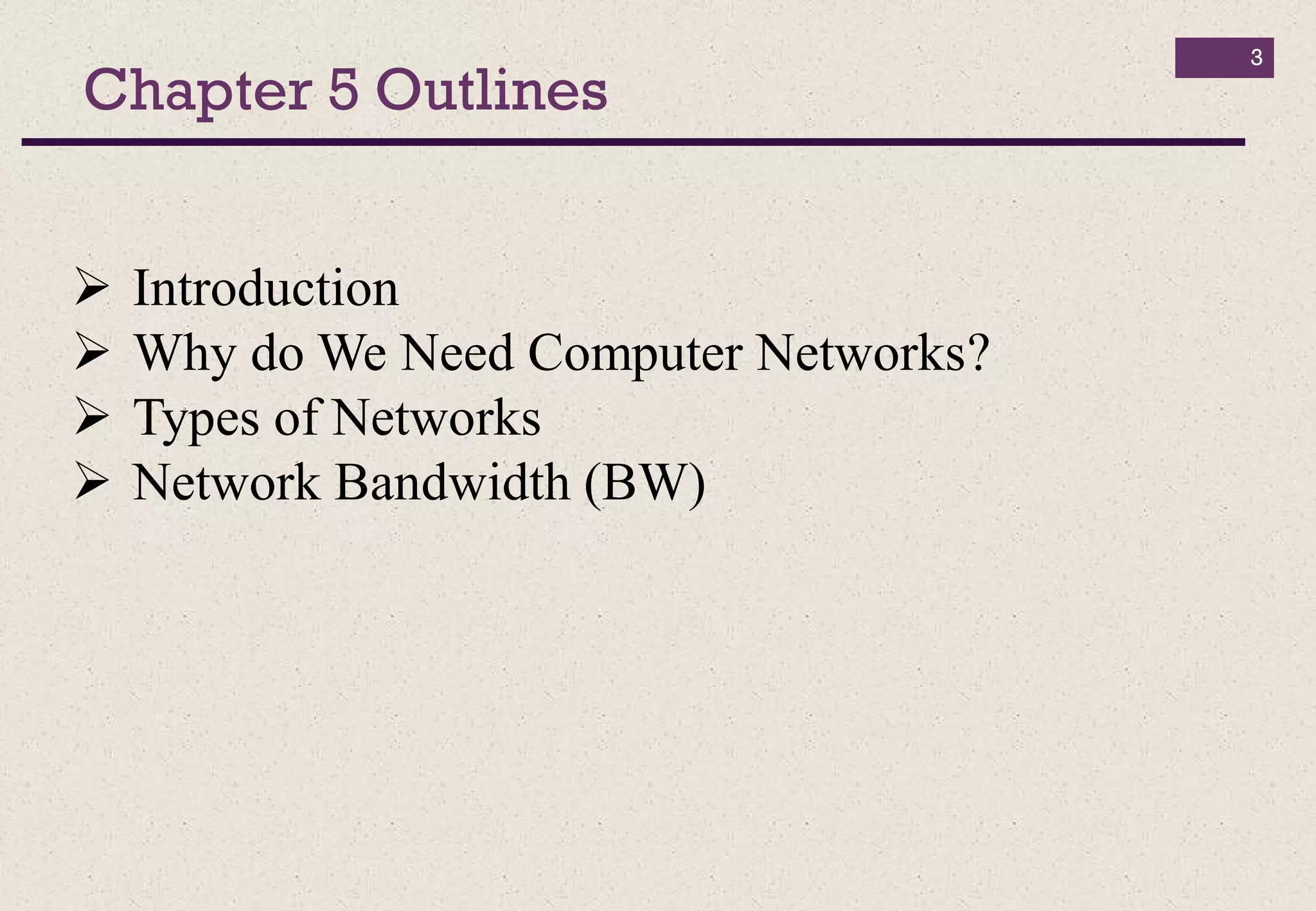
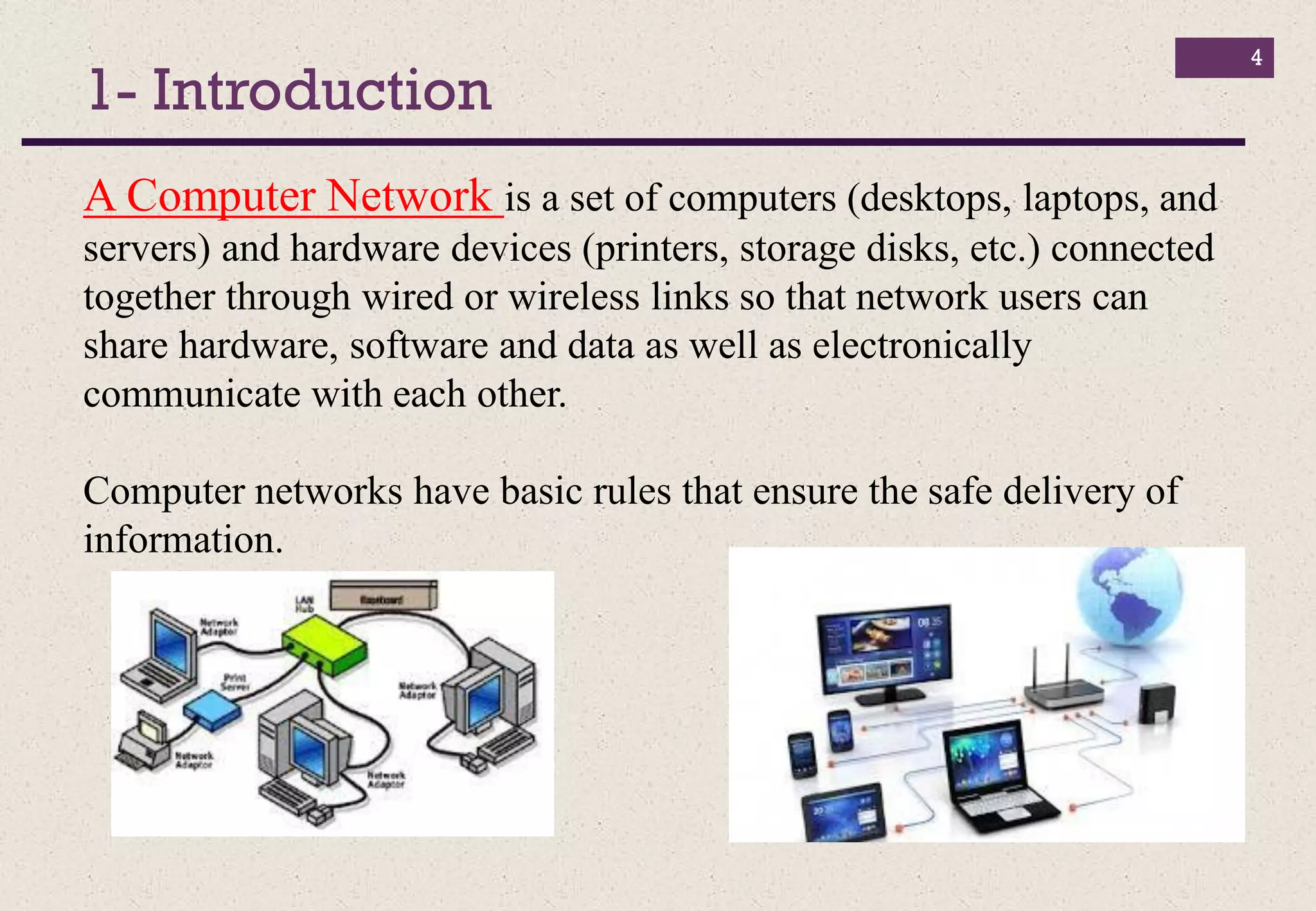
A Computer Network is a set of computers (desktops, laptops, and
servers) and hardware devices (printers, storage disks, etc.) connected
together through wired or wireless links so that network users can
share hardware, software and data as well as electronically
communicate with each other.
Computer networks have basic rules that ensure the safe delivery of
information.
2- Why do We Need Computer Networks?
5
The main reasons for building and using computer networks are:
 Resource sharing: To make all programs, data, and equipment
available for anyone on the network without regard to the physical
location of the resource.
 High reliability: If some computers go down, others may be able
to take over their work. It is very important for military and air
traffic corporations to continue operating when encountering some
hardware problems.
 Cost saving.
 Enhance online communications.
3- Types of Networks
6
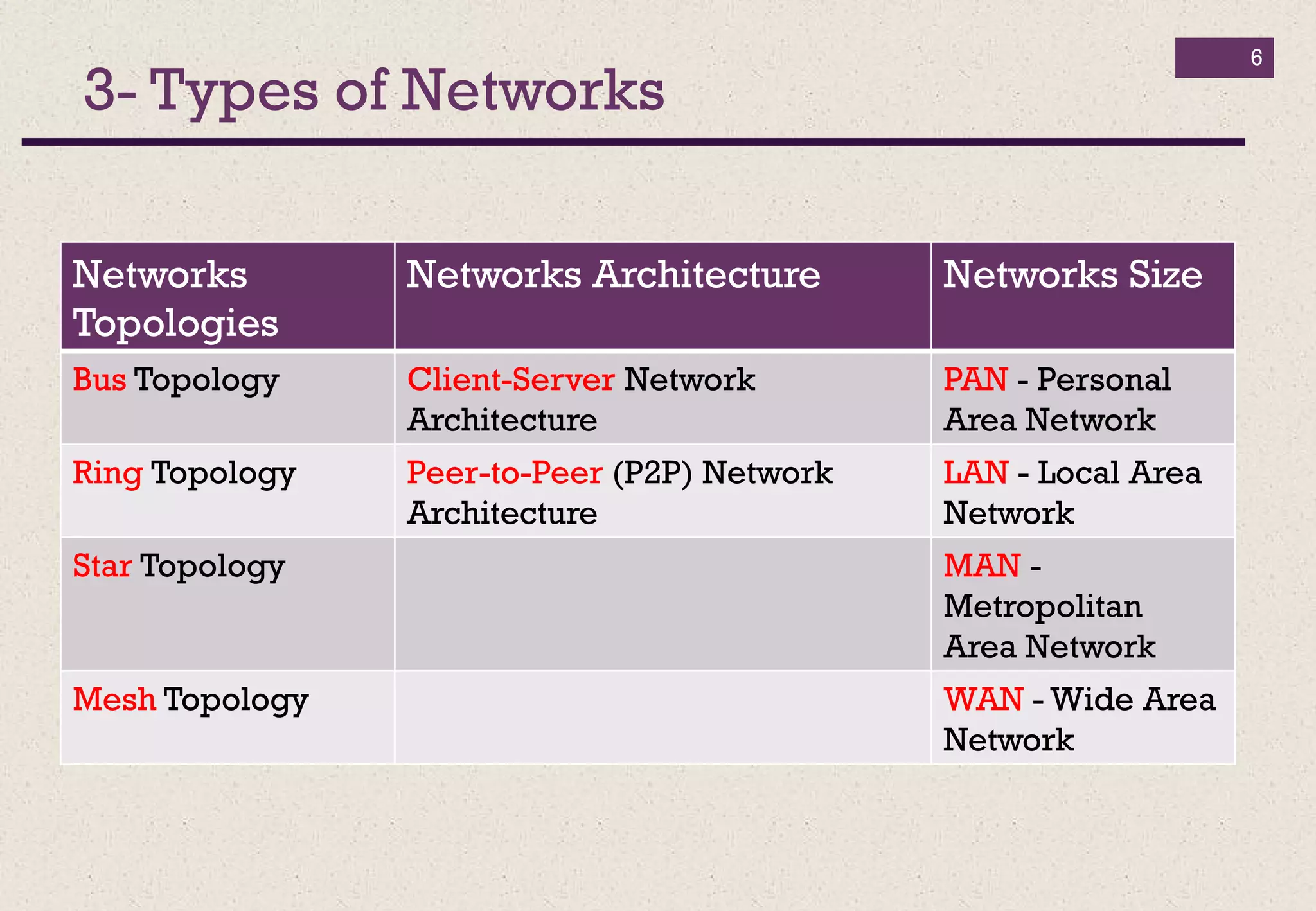
Networks
Topologies
Networks Architecture Networks Size
Bus Topology Client-Server Network
Architecture
PAN - Personal
Area Network
Ring Topology Peer-to-Peer (P2P) Network
Architecture
LAN - Local Area
Network
Star Topology MAN -
Metropolitan
Area Network
Mesh Topology WAN - Wide Area
Network
3- Types of Networks
3-1 Networks Topologies
7
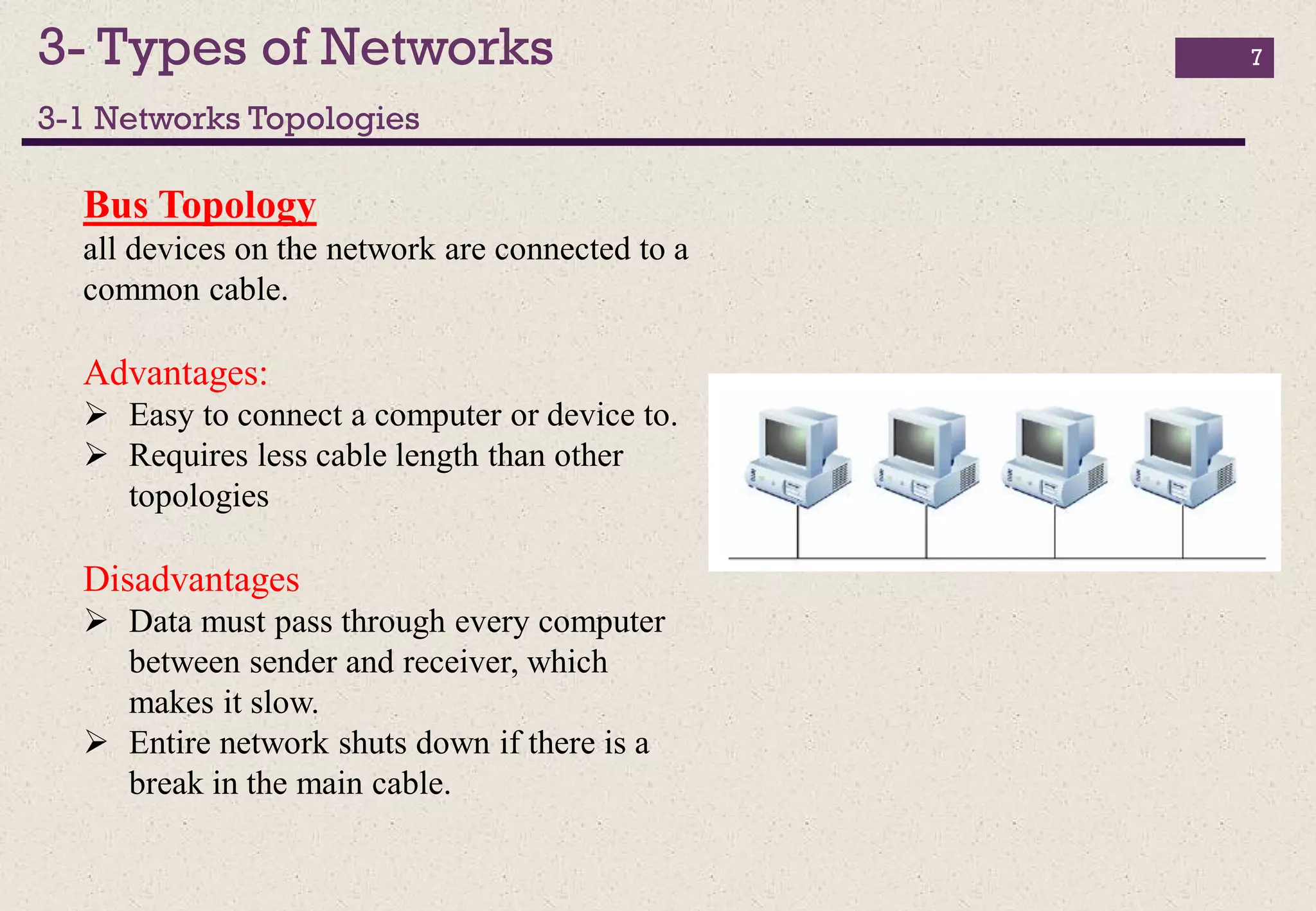
Bus Topology
all devices on the network are connected to a
common cable.
Advantages:
 Easy to connect a computer or device to.
 Requires less cable length than other
topologies
Disadvantages
 Data must pass through every computer
between sender and receiver, which
makes it slow.
 Entire network shuts down if there is a
break in the main cable.
3- Types of Networks
3-1 Networks Topologies
8
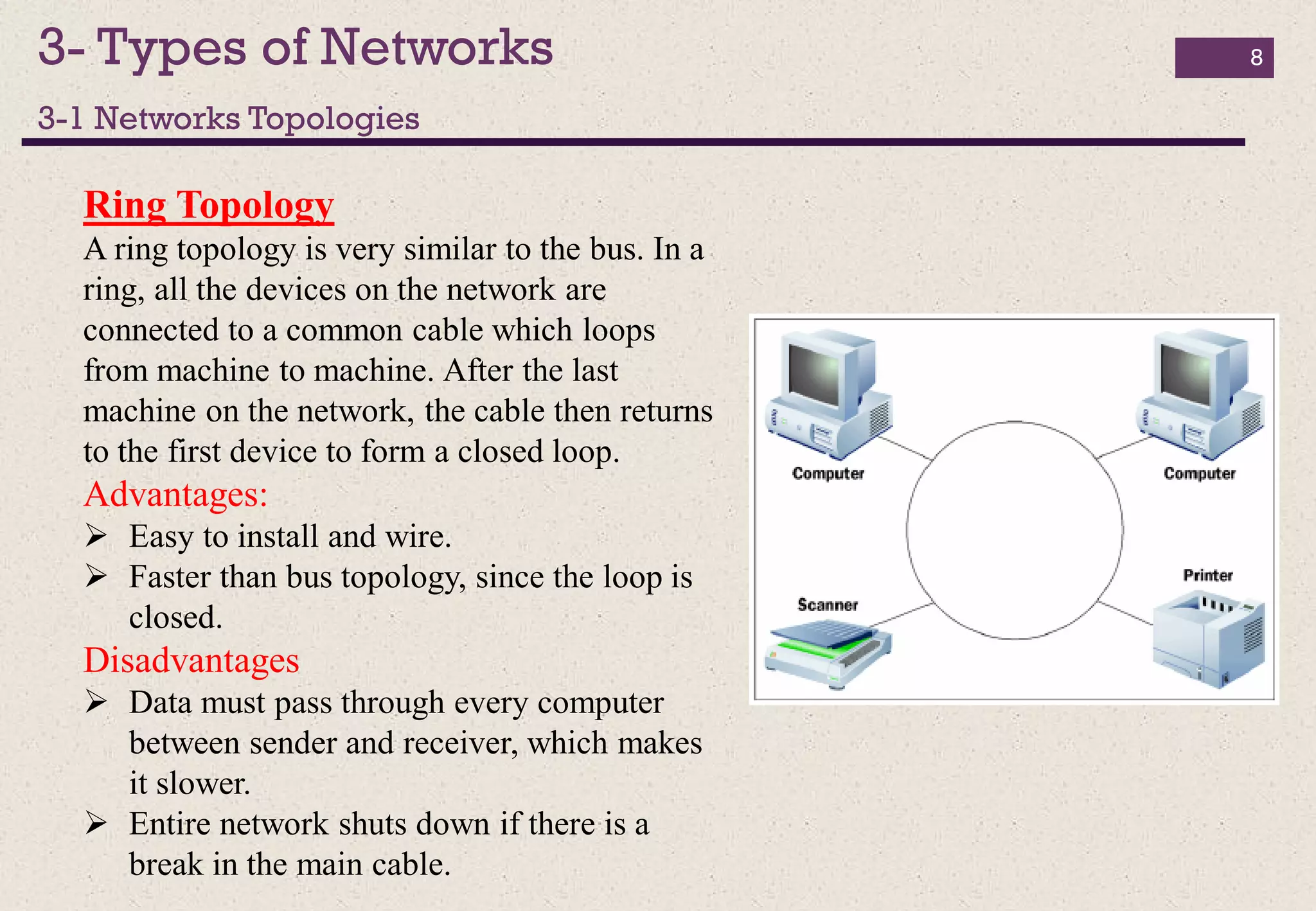
Ring Topology
A ring topology is very similar to the bus. In a
ring, all the devices on the network are
connected to a common cable which loops
from machine to machine. After the last
machine on the network, the cable then returns
to the first device to form a closed loop.
Advantages:
 Easy to install and wire.
 Faster than bus topology, since the loop is
closed.
Disadvantages
 Data must pass through every computer
between sender and receiver, which makes
it slower.
 Entire network shuts down if there is a
break in the main cable.
3- Types of Networks
3-1 Networks Topologies
9
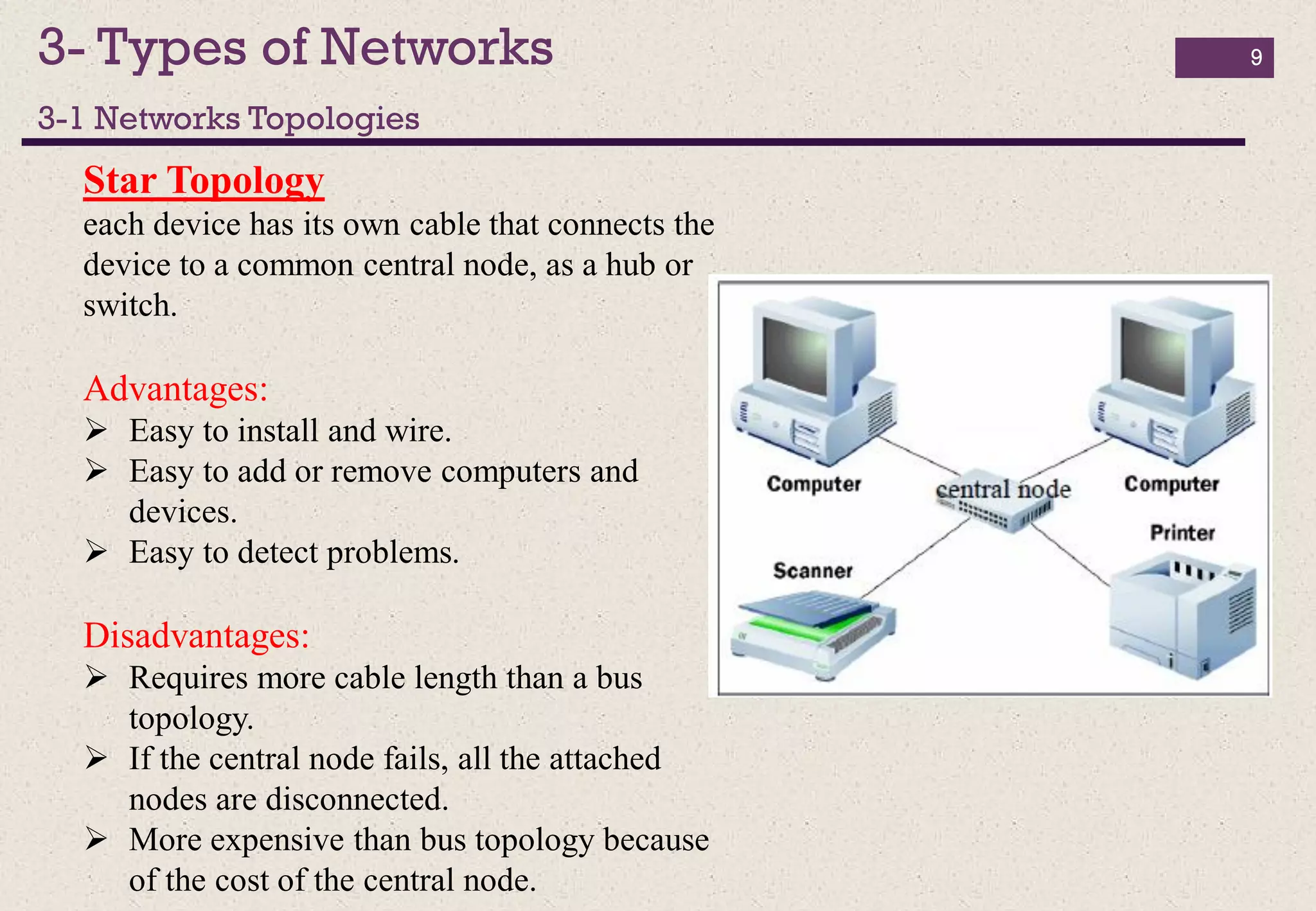
Star Topology
each device has its own cable that connects the
device to a common central node, as a hub or
switch.
Advantages:
 Easy to install and wire.
 Easy to add or remove computers and
devices.
 Easy to detect problems.
Disadvantages:
 Requires more cable length than a bus
topology.
 If the central node fails, all the attached
nodes are disconnected.
 More expensive than bus topology because
of the cost of the central node.
3- Types of Networks
3-1 Networks Topologies
10
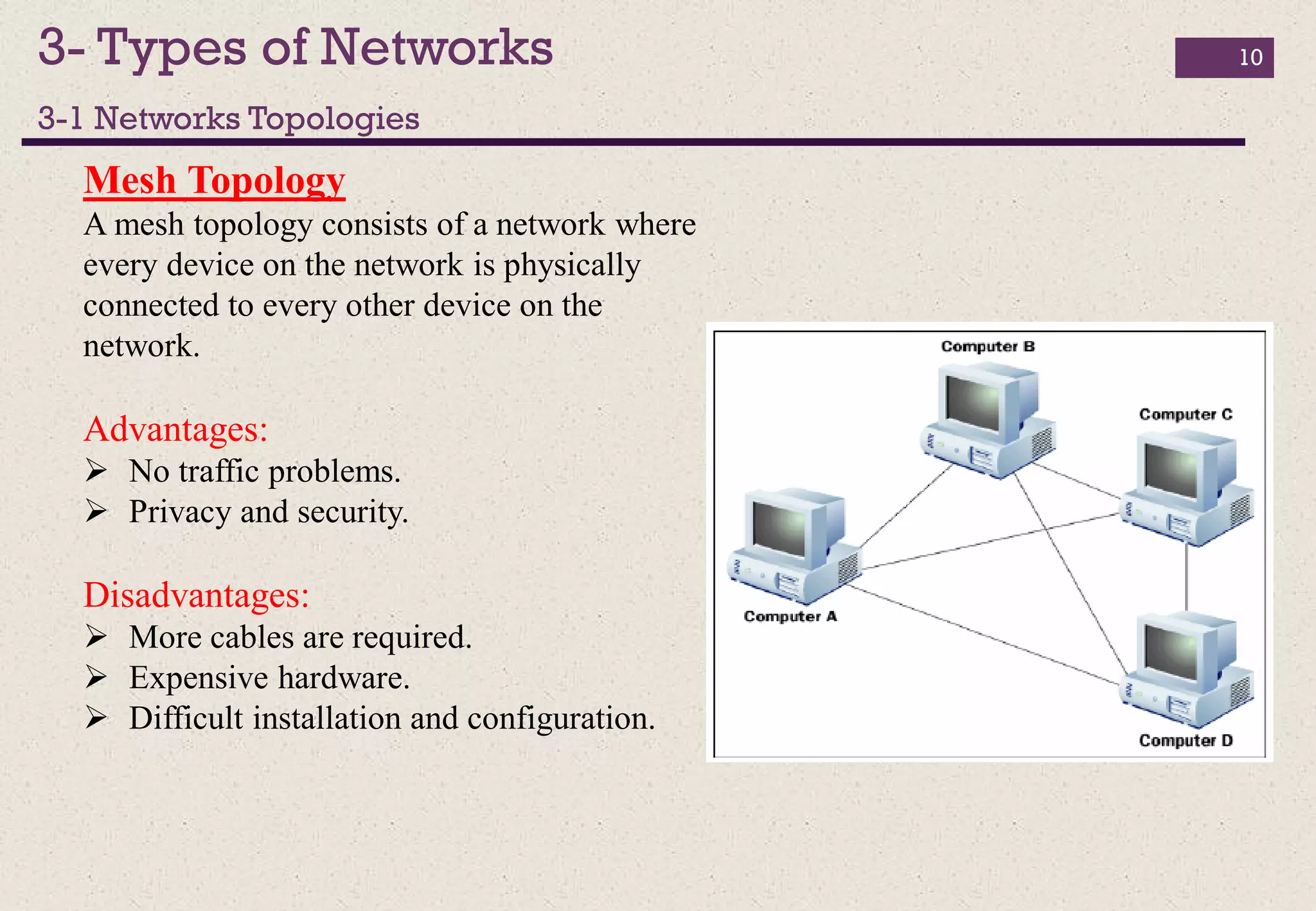
Mesh Topology
A mesh topology consists of a network where
every device on the network is physically
connected to every other device on the
network.
Advantages:
 No traffic problems.
 Privacy and security.
Disadvantages:
 More cables are required.
 Expensive hardware.
 Difficult installation and configuration.
3- Types of Networks
3-2 Networks Architecture
11
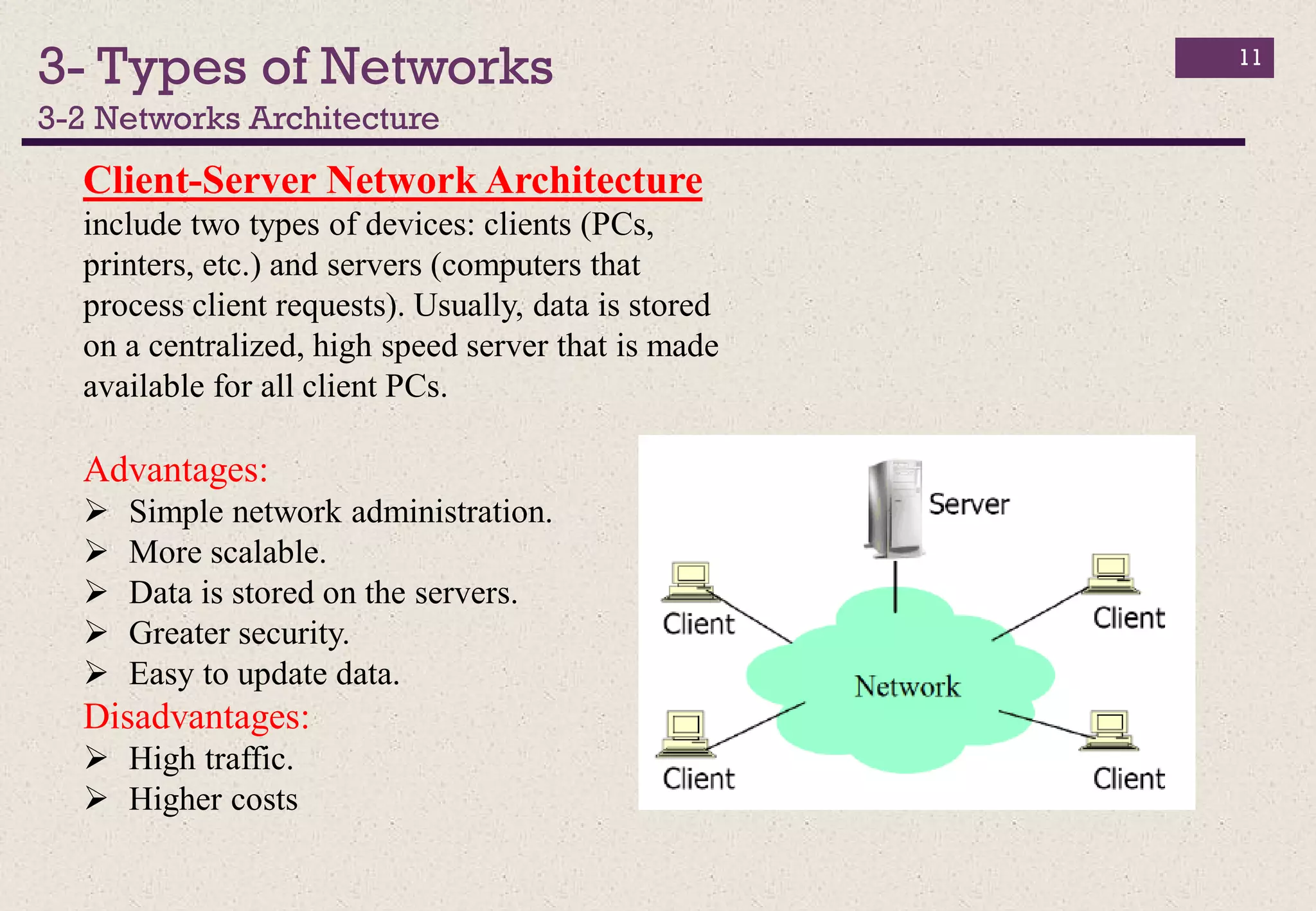
Client-Server Network Architecture
include two types of devices: clients (PCs,
printers, etc.) and servers (computers that
process client requests). Usually, data is stored
on a centralized, high speed server that is made
available for all client PCs.
Advantages:
 Simple network administration.
 More scalable.
 Data is stored on the servers.
 Greater security.
 Easy to update data.
Disadvantages:
 High traffic.
 Higher costs
3- Types of Networks
3-2 Networks Architecture
12
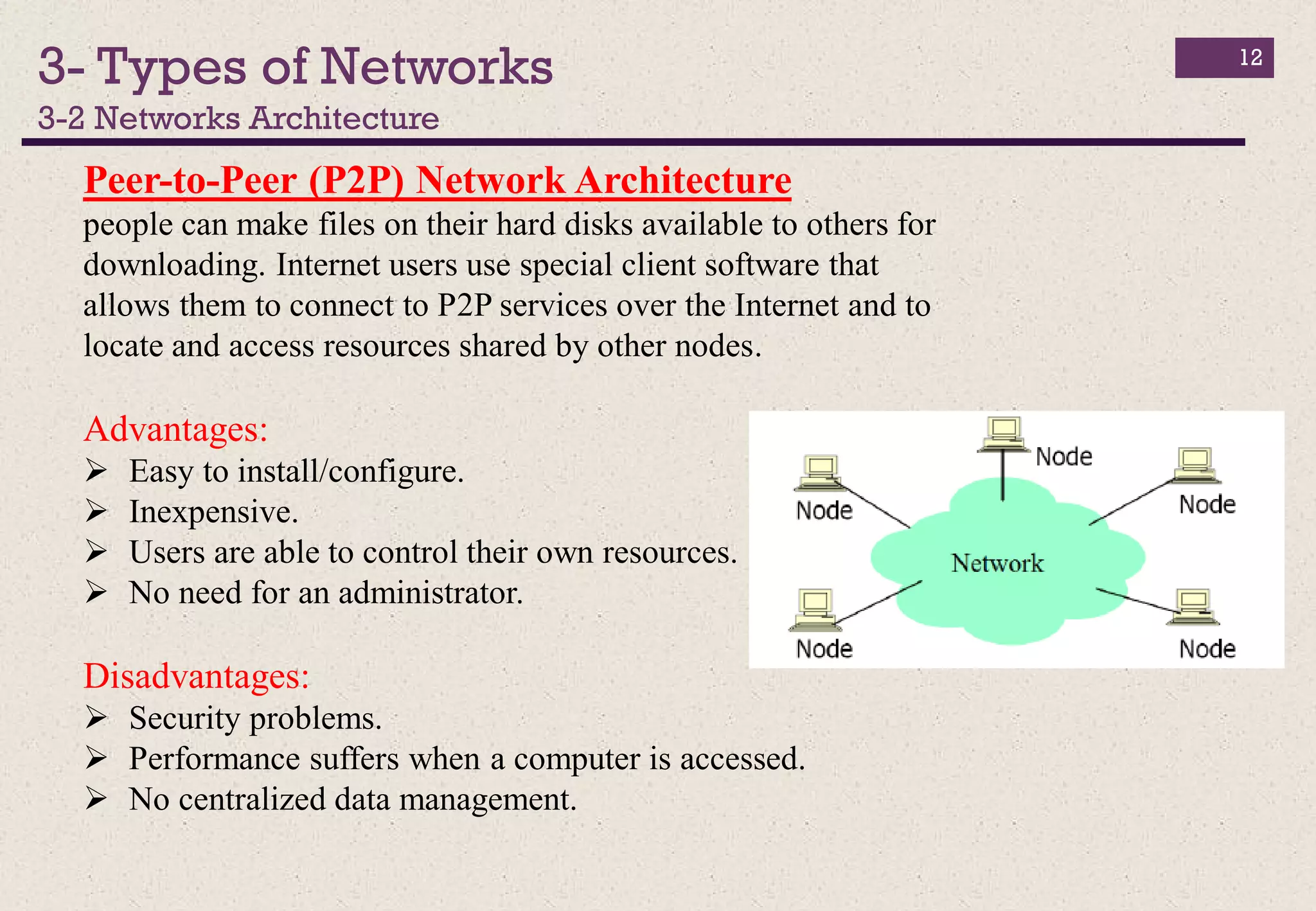
Peer-to-Peer (P2P) Network Architecture
people can make files on their hard disks available to others for
downloading. Internet users use special client software that
allows them to connect to P2P services over the Internet and to
locate and access resources shared by other nodes.
Advantages:
 Easy to install/configure.
 Inexpensive.
 Users are able to control their own resources.
 No need for an administrator.
Disadvantages:
 Security problems.
 Performance suffers when a computer is accessed.
 No centralized data management.
3- Types of Networks
3-2 Networks Size
13
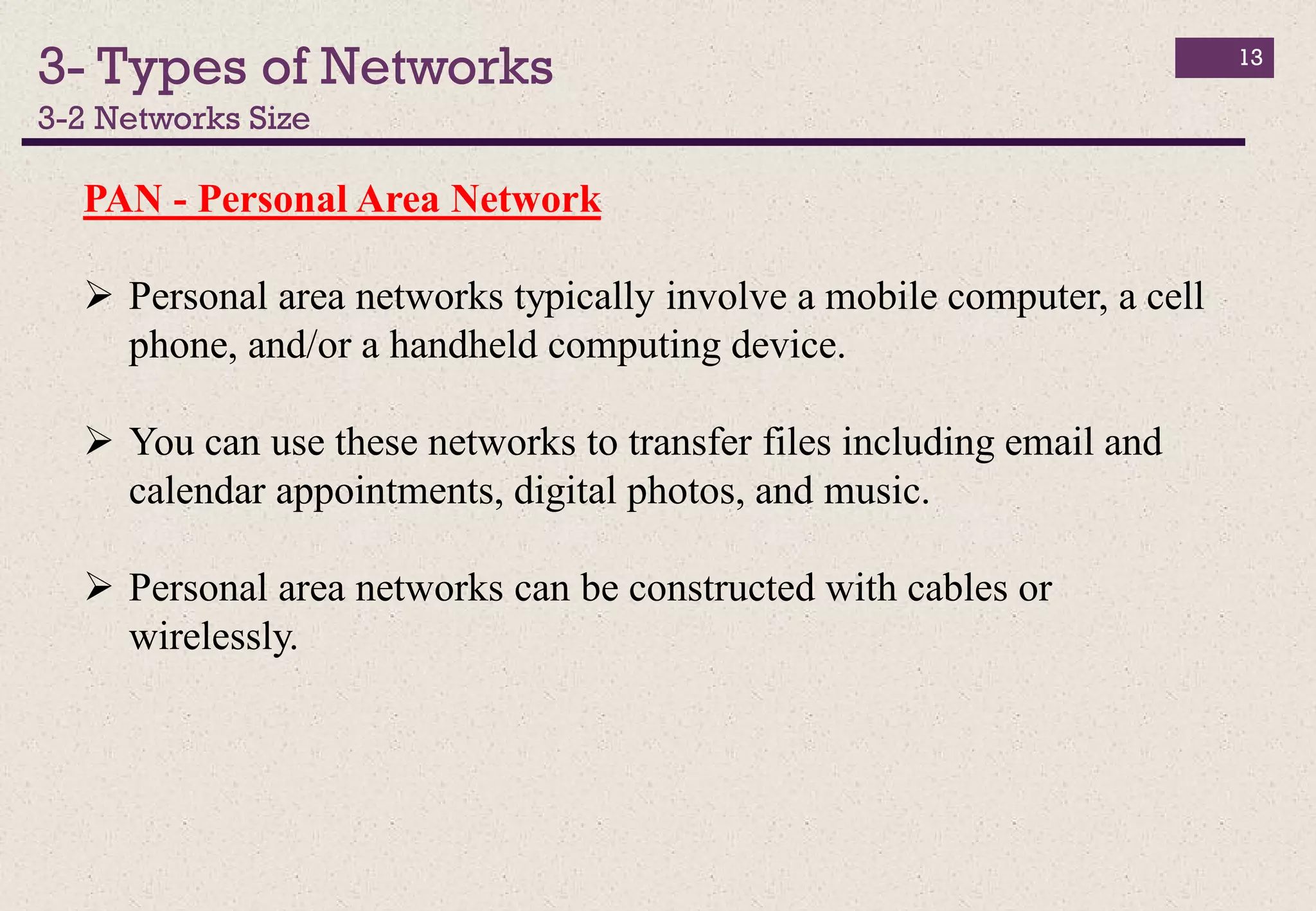
PAN - Personal Area Network
 Personal area networks typically involve a mobile computer, a cell
phone, and/or a handheld computing device.
 You can use these networks to transfer files including email and
calendar appointments, digital photos, and music.
 Personal area networks can be constructed with cables or
wirelessly.
3- Types of Networks
3-2 Networks Size
14
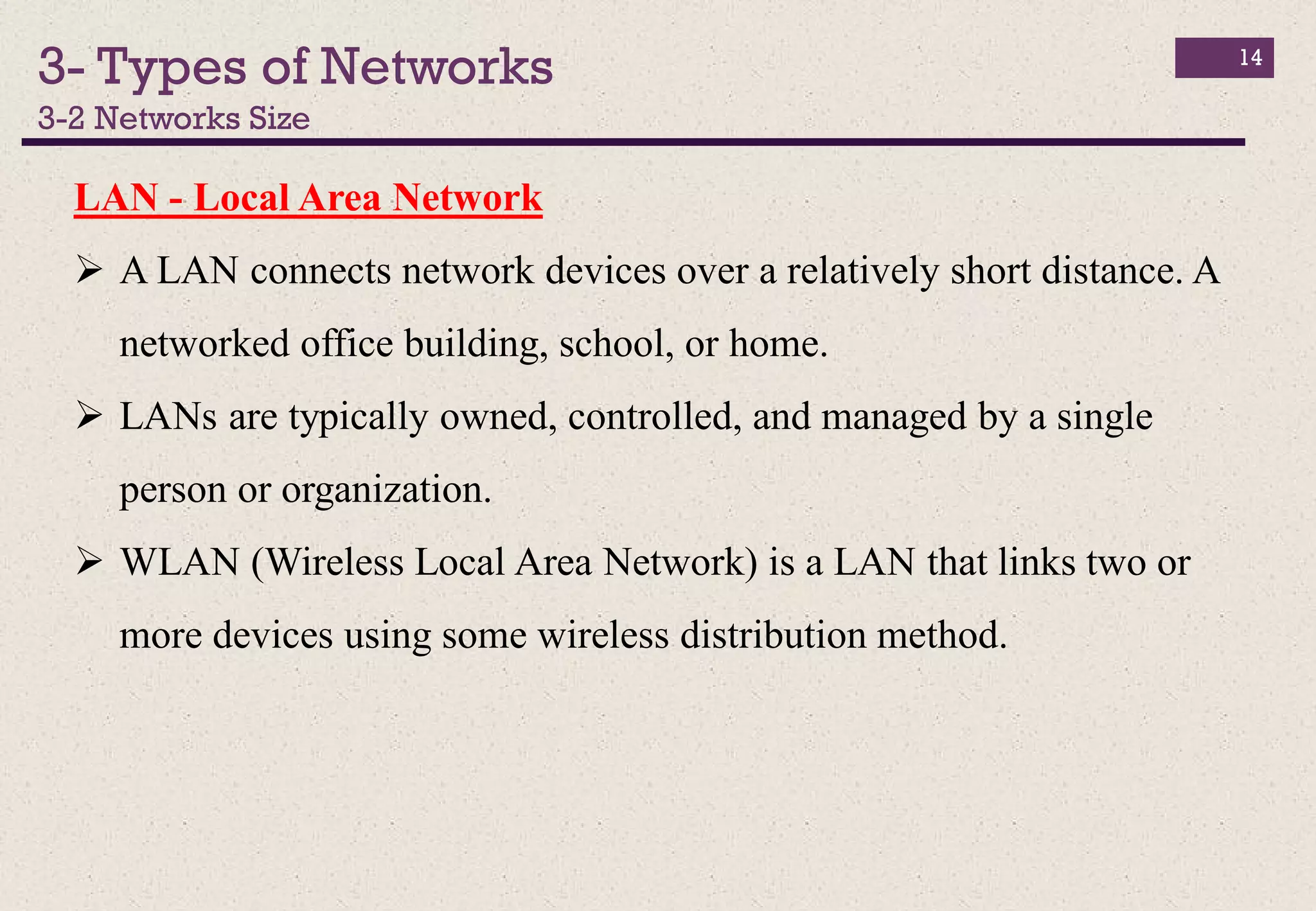
LAN - Local Area Network
 A LAN connects network devices over a relatively short distance. A
networked office building, school, or home.
 LANs are typically owned, controlled, and managed by a single
person or organization.
 WLAN (Wireless Local Area Network) is a LAN that links two or
more devices using some wireless distribution method.
3- Types of Networks
3-2 Networks Size
15
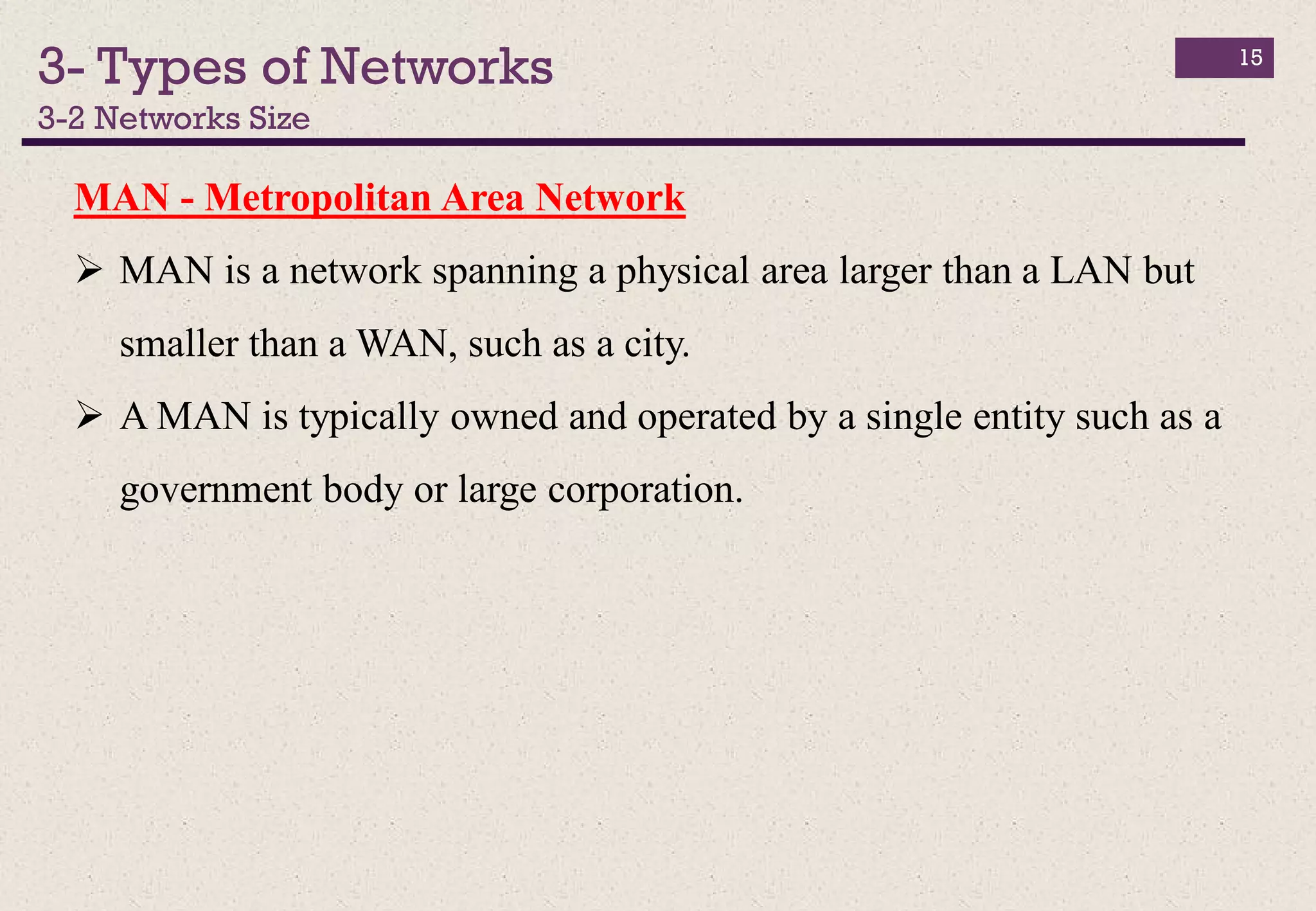
MAN - Metropolitan Area Network
 MAN is a network spanning a physical area larger than a LAN but
smaller than a WAN, such as a city.
 A MAN is typically owned and operated by a single entity such as a
government body or large corporation.
3- Types of Networks
3-2 Networks Size
16
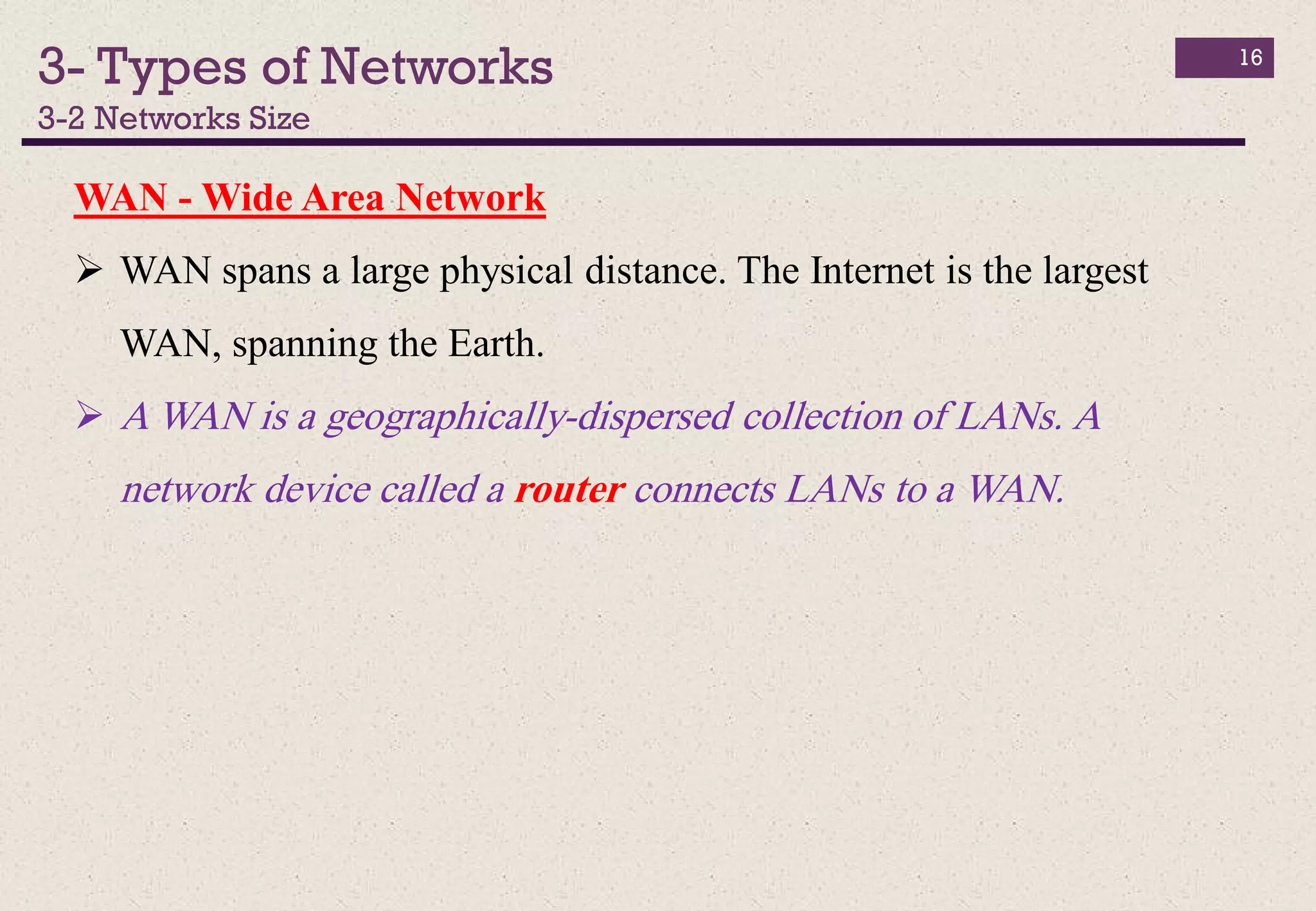
WAN - Wide Area Network
 WAN spans a large physical distance. The Internet is the largest
WAN, spanning the Earth.
 A WAN is a geographically-dispersed collection of LANs. A
network device called a router connects LANs to a WAN.
4- Network Bandwidth (BW)
17
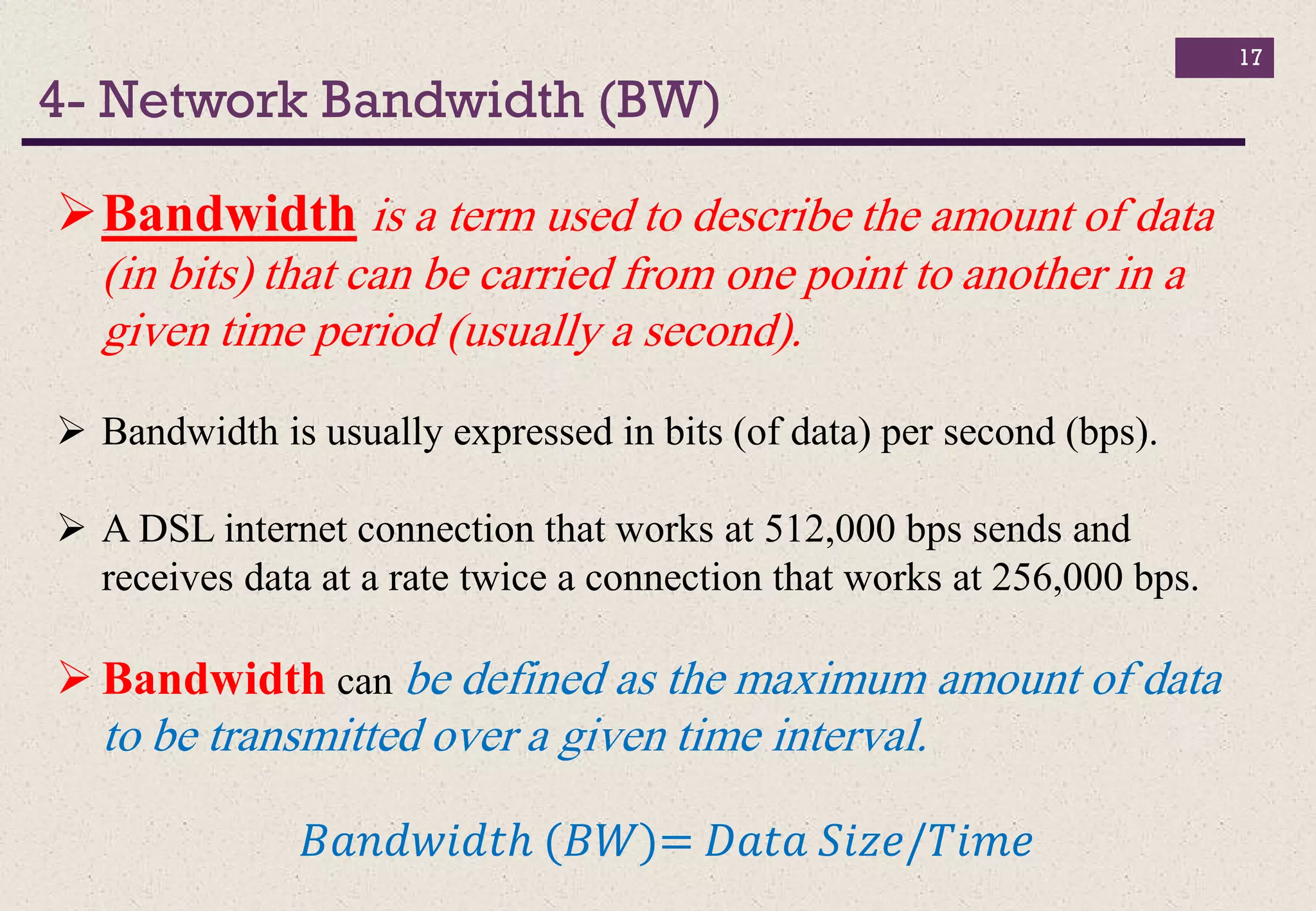
Bandwidth is a term used to describe the amount of data
(in bits) that can be carried from one point to another in a
given time period (usually a second).
 Bandwidth is usually expressed in bits (of data) per second (bps).
 A DSL internet connection that works at 512,000 bps sends and
receives data at a rate twice a connection that works at 256,000 bps.
 Bandwidth can be defined as the maximum amount of data
to be transmitted over a given time interval.
𝐵𝑎𝑛𝑑𝑤𝑖𝑑𝑡ℎ (𝐵𝑊)= 𝐷𝑎𝑡𝑎 𝑆𝑖𝑧𝑒/𝑇𝑖𝑚𝑒
4- Network Bandwidth (BW)
18
Bandwidth depends on:
Media type (microwave, twisted pair, coaxial, or
optical fiber)
Coding of information.
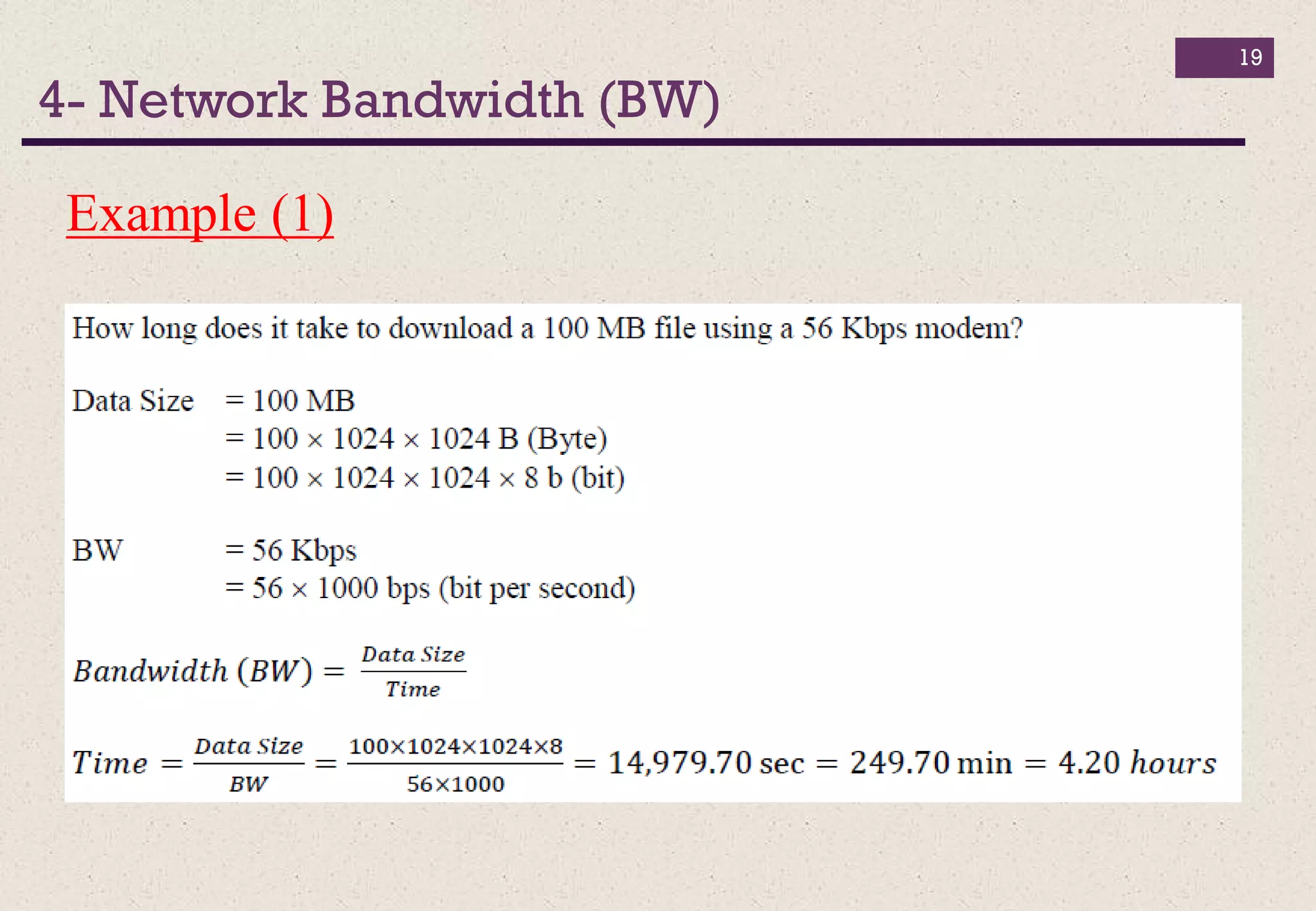
4- Network Bandwidth (BW)
19
Example (1)
4- Network Bandwidth (BW)
20
Example (2)

Introduction to computer_lec_05

  • 1.
  • 2.
  • 3.
    Chapter 5 Outlines Introduction  Why do We Need Computer Networks?  Types of Networks  Network Bandwidth (BW) 3
  • 4.
    1- Introduction 4 A ComputerNetwork is a set of computers (desktops, laptops, and servers) and hardware devices (printers, storage disks, etc.) connected together through wired or wireless links so that network users can share hardware, software and data as well as electronically communicate with each other. Computer networks have basic rules that ensure the safe delivery of information.
  • 5.
    2- Why doWe Need Computer Networks? 5 The main reasons for building and using computer networks are:  Resource sharing: To make all programs, data, and equipment available for anyone on the network without regard to the physical location of the resource.  High reliability: If some computers go down, others may be able to take over their work. It is very important for military and air traffic corporations to continue operating when encountering some hardware problems.  Cost saving.  Enhance online communications.
  • 6.
    3- Types ofNetworks 6 Networks Topologies Networks Architecture Networks Size Bus Topology Client-Server Network Architecture PAN - Personal Area Network Ring Topology Peer-to-Peer (P2P) Network Architecture LAN - Local Area Network Star Topology MAN - Metropolitan Area Network Mesh Topology WAN - Wide Area Network
  • 7.
    3- Types ofNetworks 3-1 Networks Topologies 7 Bus Topology all devices on the network are connected to a common cable. Advantages:  Easy to connect a computer or device to.  Requires less cable length than other topologies Disadvantages  Data must pass through every computer between sender and receiver, which makes it slow.  Entire network shuts down if there is a break in the main cable.
  • 8.
    3- Types ofNetworks 3-1 Networks Topologies 8 Ring Topology A ring topology is very similar to the bus. In a ring, all the devices on the network are connected to a common cable which loops from machine to machine. After the last machine on the network, the cable then returns to the first device to form a closed loop. Advantages:  Easy to install and wire.  Faster than bus topology, since the loop is closed. Disadvantages  Data must pass through every computer between sender and receiver, which makes it slower.  Entire network shuts down if there is a break in the main cable.
  • 9.
    3- Types ofNetworks 3-1 Networks Topologies 9 Star Topology each device has its own cable that connects the device to a common central node, as a hub or switch. Advantages:  Easy to install and wire.  Easy to add or remove computers and devices.  Easy to detect problems. Disadvantages:  Requires more cable length than a bus topology.  If the central node fails, all the attached nodes are disconnected.  More expensive than bus topology because of the cost of the central node.
  • 10.
    3- Types ofNetworks 3-1 Networks Topologies 10 Mesh Topology A mesh topology consists of a network where every device on the network is physically connected to every other device on the network. Advantages:  No traffic problems.  Privacy and security. Disadvantages:  More cables are required.  Expensive hardware.  Difficult installation and configuration.
  • 11.
    3- Types ofNetworks 3-2 Networks Architecture 11 Client-Server Network Architecture include two types of devices: clients (PCs, printers, etc.) and servers (computers that process client requests). Usually, data is stored on a centralized, high speed server that is made available for all client PCs. Advantages:  Simple network administration.  More scalable.  Data is stored on the servers.  Greater security.  Easy to update data. Disadvantages:  High traffic.  Higher costs
  • 12.
    3- Types ofNetworks 3-2 Networks Architecture 12 Peer-to-Peer (P2P) Network Architecture people can make files on their hard disks available to others for downloading. Internet users use special client software that allows them to connect to P2P services over the Internet and to locate and access resources shared by other nodes. Advantages:  Easy to install/configure.  Inexpensive.  Users are able to control their own resources.  No need for an administrator. Disadvantages:  Security problems.  Performance suffers when a computer is accessed.  No centralized data management.
  • 13.
    3- Types ofNetworks 3-2 Networks Size 13 PAN - Personal Area Network  Personal area networks typically involve a mobile computer, a cell phone, and/or a handheld computing device.  You can use these networks to transfer files including email and calendar appointments, digital photos, and music.  Personal area networks can be constructed with cables or wirelessly.
  • 14.
    3- Types ofNetworks 3-2 Networks Size 14 LAN - Local Area Network  A LAN connects network devices over a relatively short distance. A networked office building, school, or home.  LANs are typically owned, controlled, and managed by a single person or organization.  WLAN (Wireless Local Area Network) is a LAN that links two or more devices using some wireless distribution method.
  • 15.
    3- Types ofNetworks 3-2 Networks Size 15 MAN - Metropolitan Area Network  MAN is a network spanning a physical area larger than a LAN but smaller than a WAN, such as a city.  A MAN is typically owned and operated by a single entity such as a government body or large corporation.
  • 16.
    3- Types ofNetworks 3-2 Networks Size 16 WAN - Wide Area Network  WAN spans a large physical distance. The Internet is the largest WAN, spanning the Earth.  A WAN is a geographically-dispersed collection of LANs. A network device called a router connects LANs to a WAN.
  • 17.
    4- Network Bandwidth(BW) 17 Bandwidth is a term used to describe the amount of data (in bits) that can be carried from one point to another in a given time period (usually a second).  Bandwidth is usually expressed in bits (of data) per second (bps).  A DSL internet connection that works at 512,000 bps sends and receives data at a rate twice a connection that works at 256,000 bps.  Bandwidth can be defined as the maximum amount of data to be transmitted over a given time interval. 𝐵𝑎𝑛𝑑𝑤𝑖𝑑𝑡ℎ (𝐵𝑊)= 𝐷𝑎𝑡𝑎 𝑆𝑖𝑧𝑒/𝑇𝑖𝑚𝑒
  • 18.
    4- Network Bandwidth(BW) 18 Bandwidth depends on: Media type (microwave, twisted pair, coaxial, or optical fiber) Coding of information.
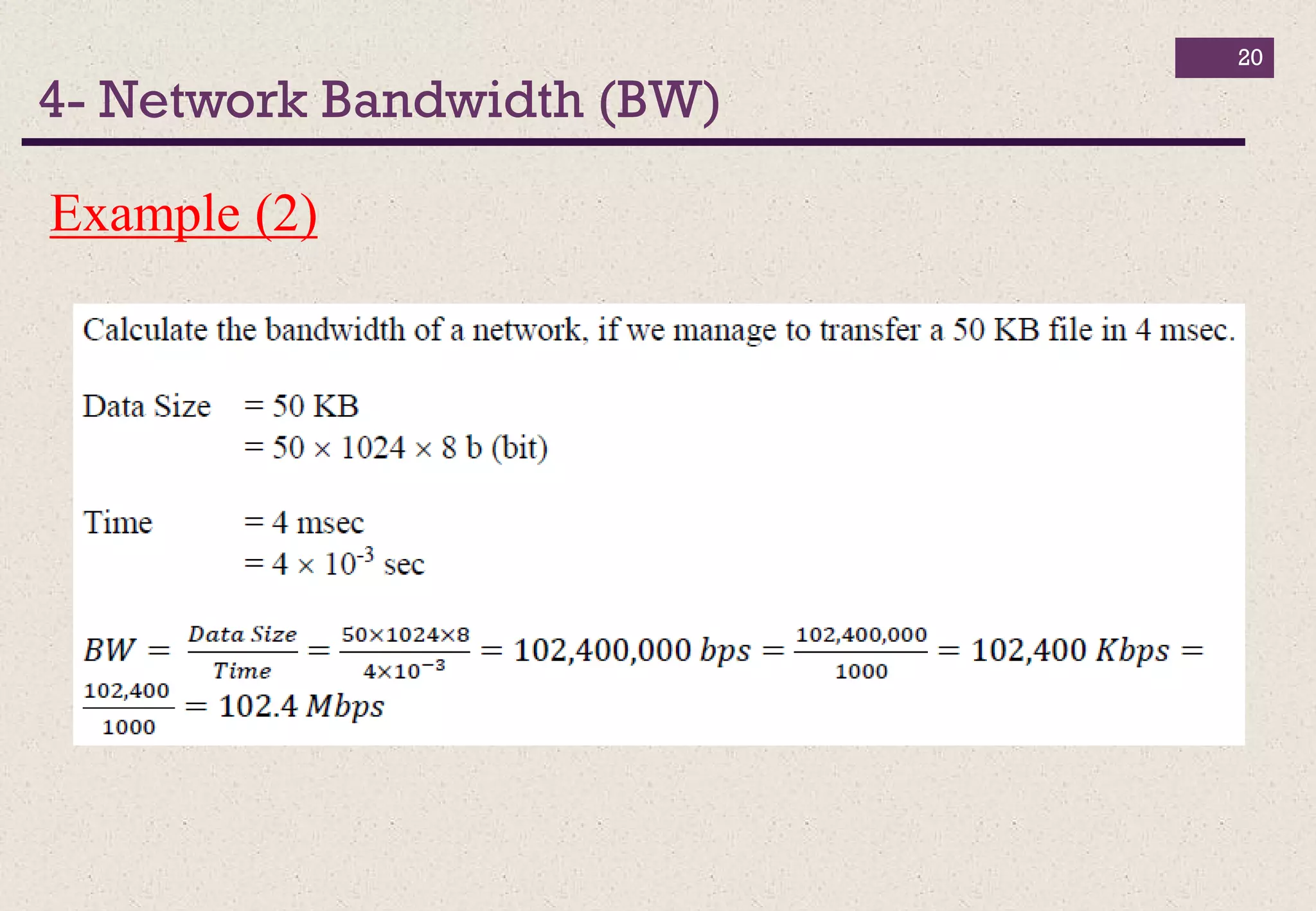
  • 19.
    4- Network Bandwidth(BW) 19 Example (1)
  • 20.
    4- Network Bandwidth(BW) 20 Example (2)