Object Oriented Programming
Presented by:
Naveed Hussain
Presented to:
Mr. Rana Mudassir
Topic:
Basics of Loops and Arrays
Class:
MCS 2nd Semester
Object Oriented Programming
Loops
Array
Loops
• In programming languages , loops
are used to execute a set of
instructions / function
s repeatedly when some conditions
become t rue.
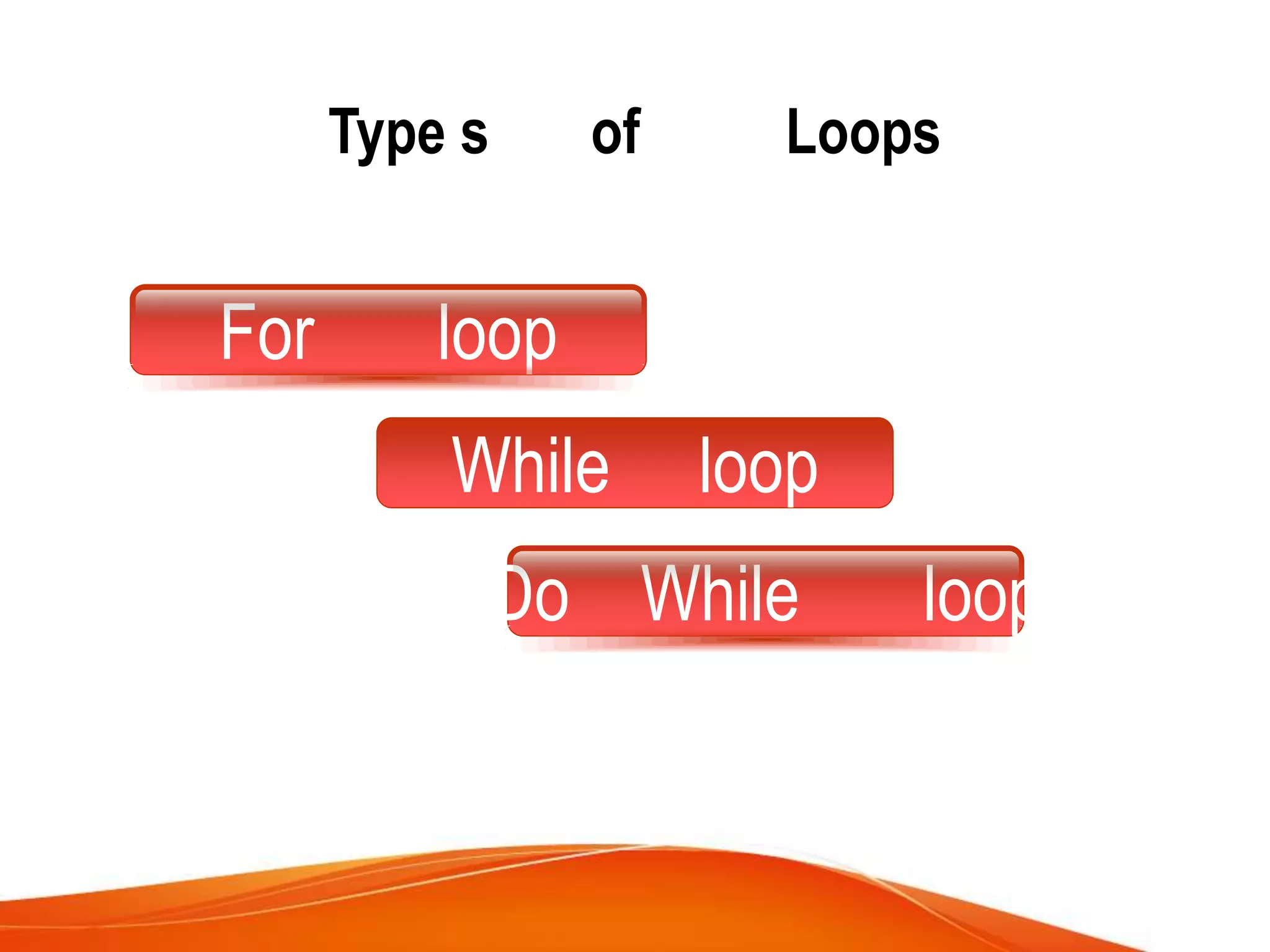
Type s of Loops
For loop
While loop
Do While loop
For loop:
The Java for loop is used to
iterate a part of the program
several times. If the number of
iteration is fixed, it is
recommended to use for loop.
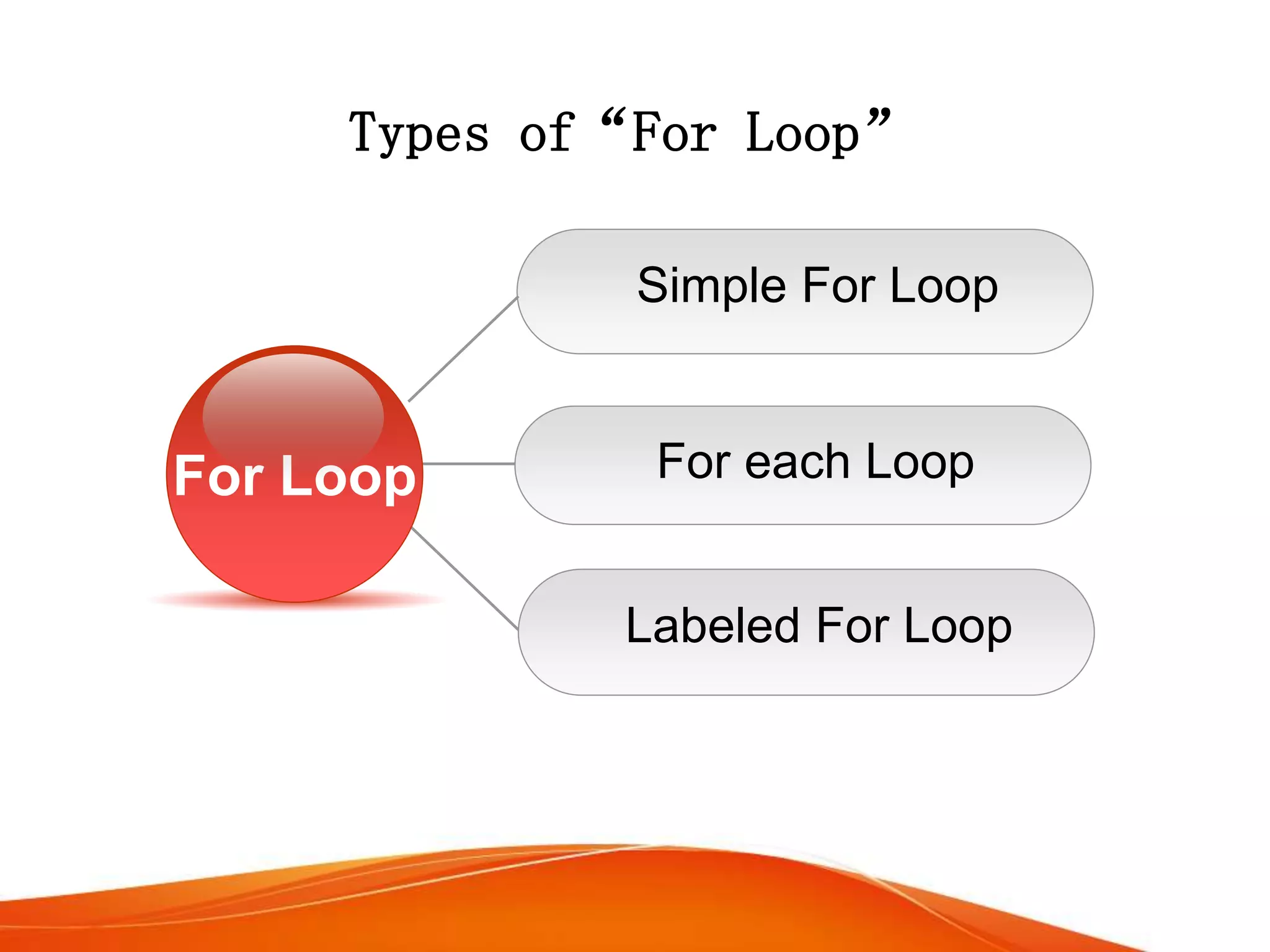
Types of“For Loop”
For each Loop
Simple For Loop
Labeled For Loop
For Loop
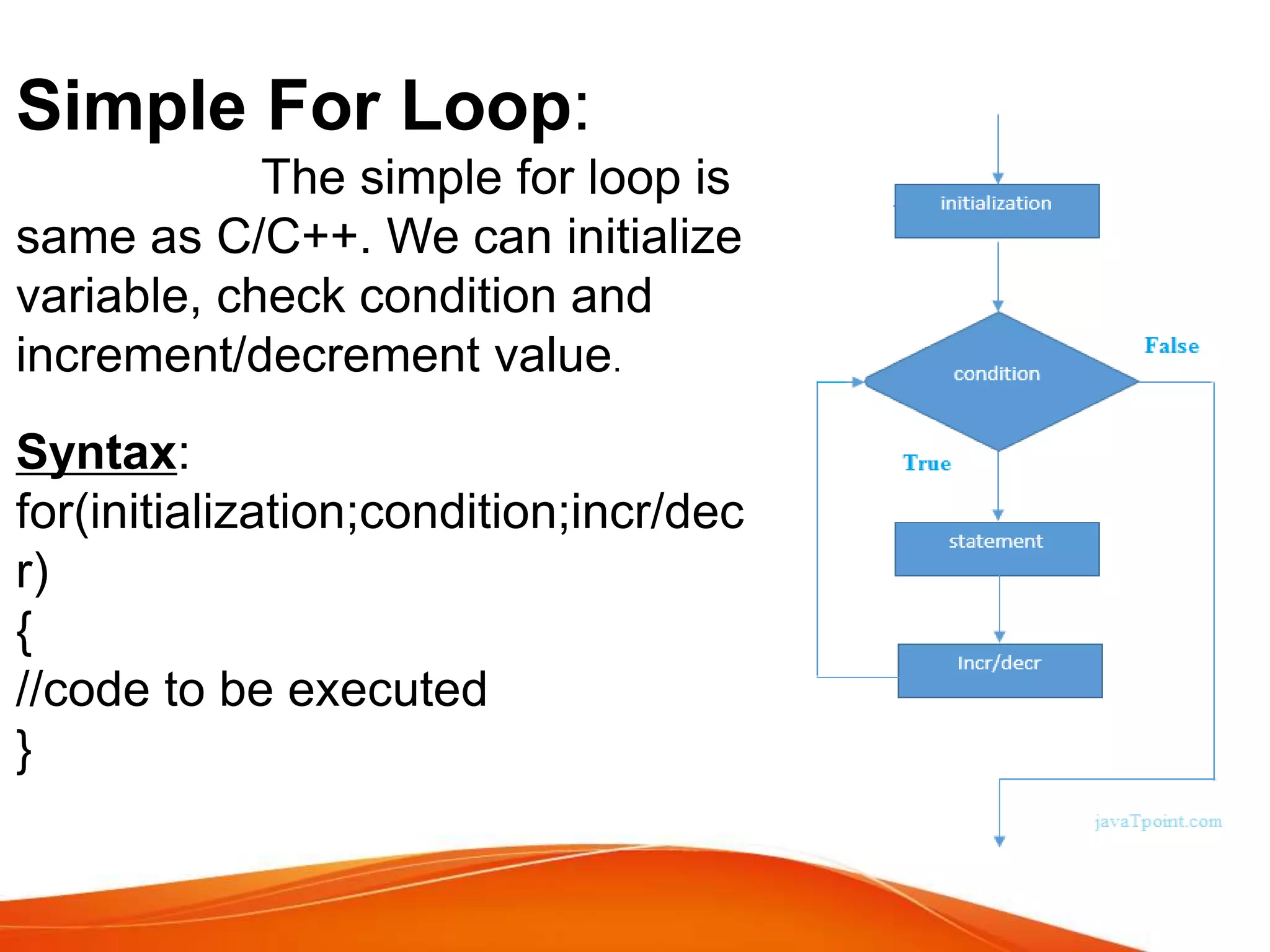
Simple For Loop:
The simple for loop is
same as C/C++. We can initialize
variable, check condition and
increment/decrement value.
Syntax:
for(initialization;condition;incr/dec
r)
{
//code to be executed
}
For each Loop:
The for-each loop is used to traverse
array or collection in java. It is easier to use than simple
for loop because we don't need to increment value and
use subscript notation.
It works on elements basis not index. It returns element
one by one in the defined variable.
Syntax:
for(Type var:array)
{
//code to be executed
}
Labeled For Loop:
We can have name of each for loop.
To do so, we use label before the for loop. It is useful if
we have nested for loop so that we can break/continue
specific for loop. “Normally, break and continue
keywords breaks/continues the inner most for loop only”.
Syntax:
labelname:
for(initialization;condition;incr/decr)
{
//code to be executed
}
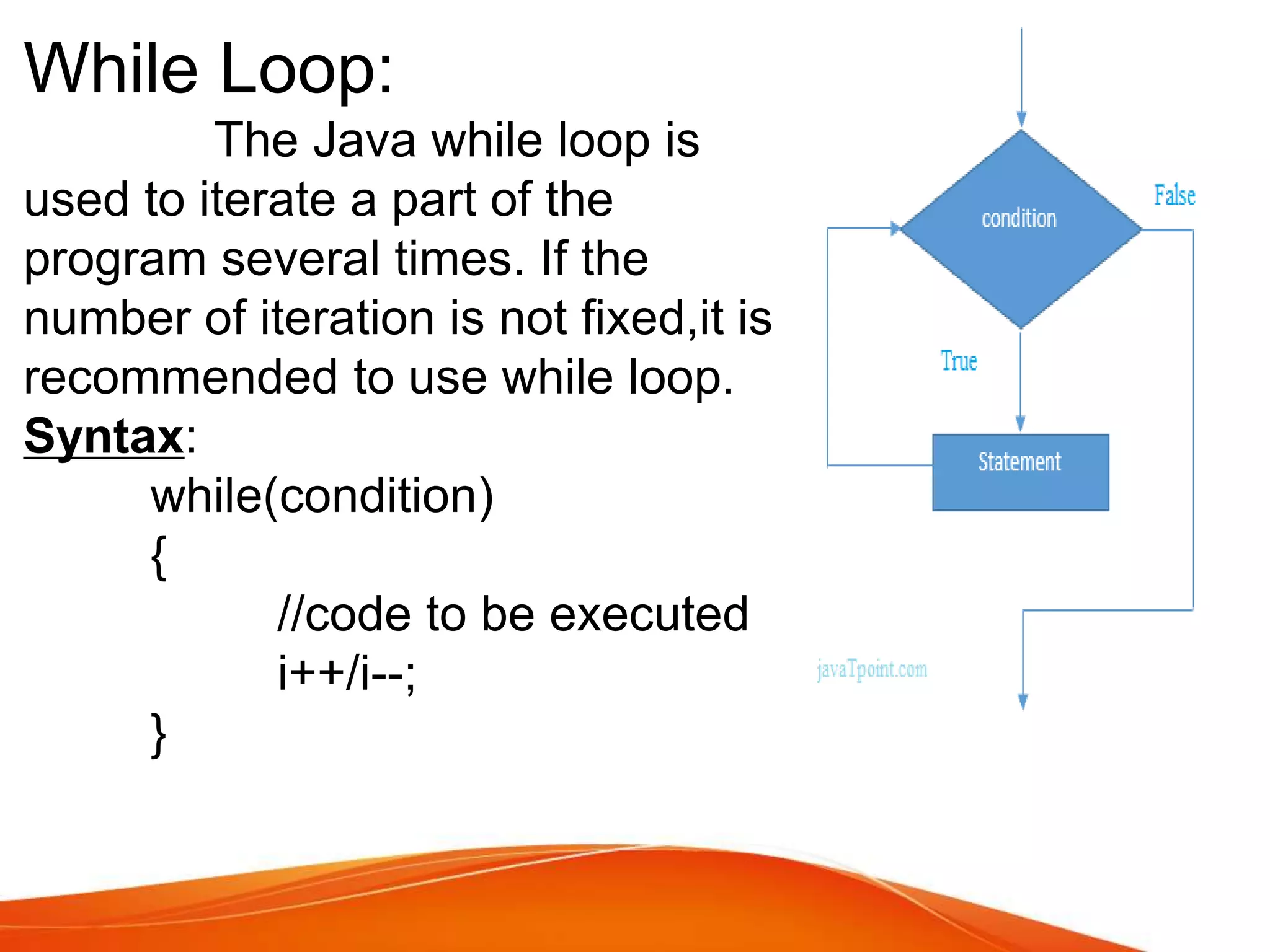
While Loop:
The Java while loop is
used to iterate a part of the
program several times. If the
number of iteration is not fixed,it is
recommended to use while loop.
Syntax:
while(condition)
{
//code to be executed
i++/i--;
}
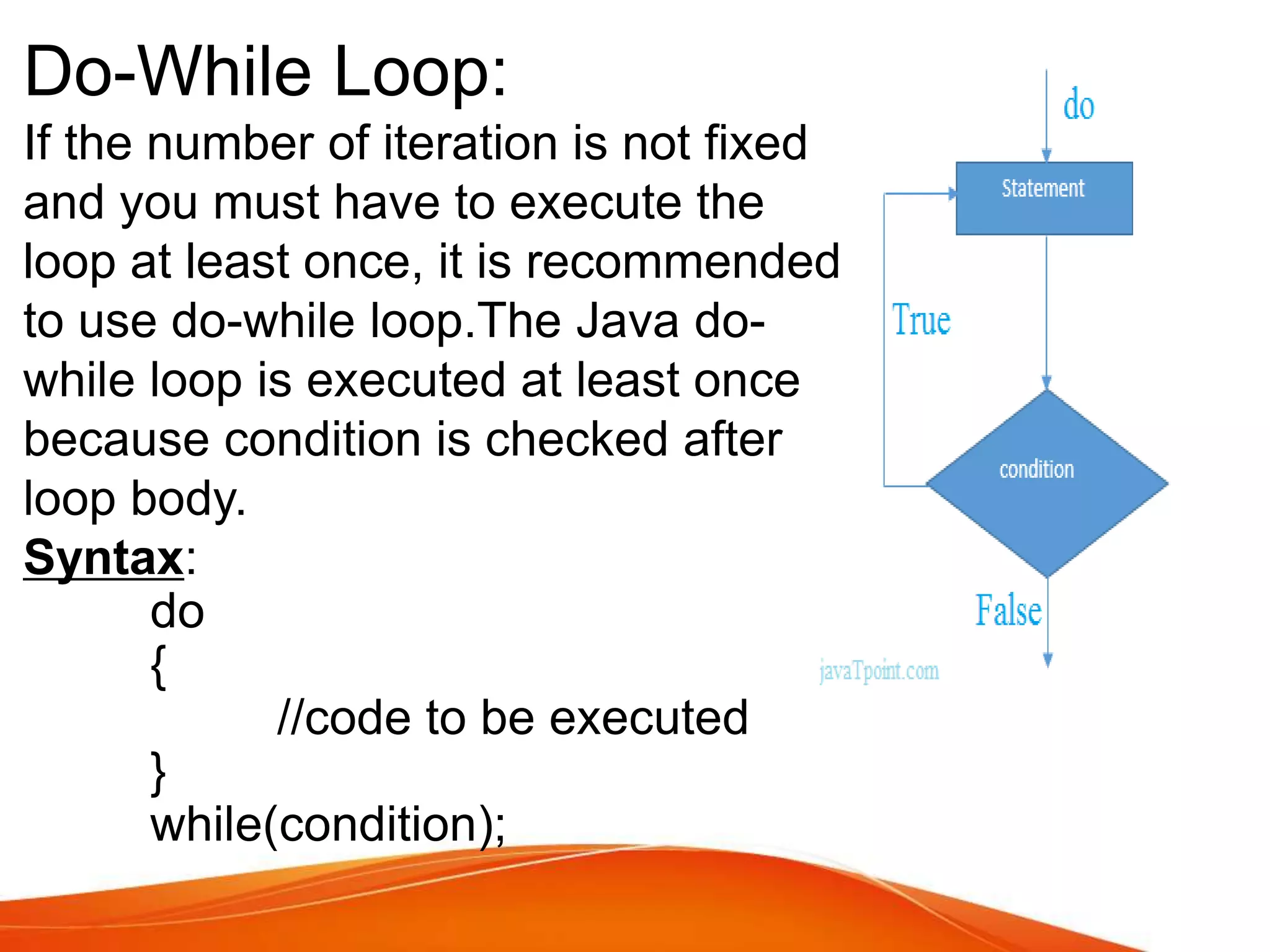
Do-While Loop:
If the number of iteration is not fixed
and you must have to execute the
loop at least once, it is recommended
to use do-while loop.The Java do-
while loop is executed at least once
because condition is checked after
loop body.
Syntax:
do
{
//code to be executed
}
while(condition);
Array:
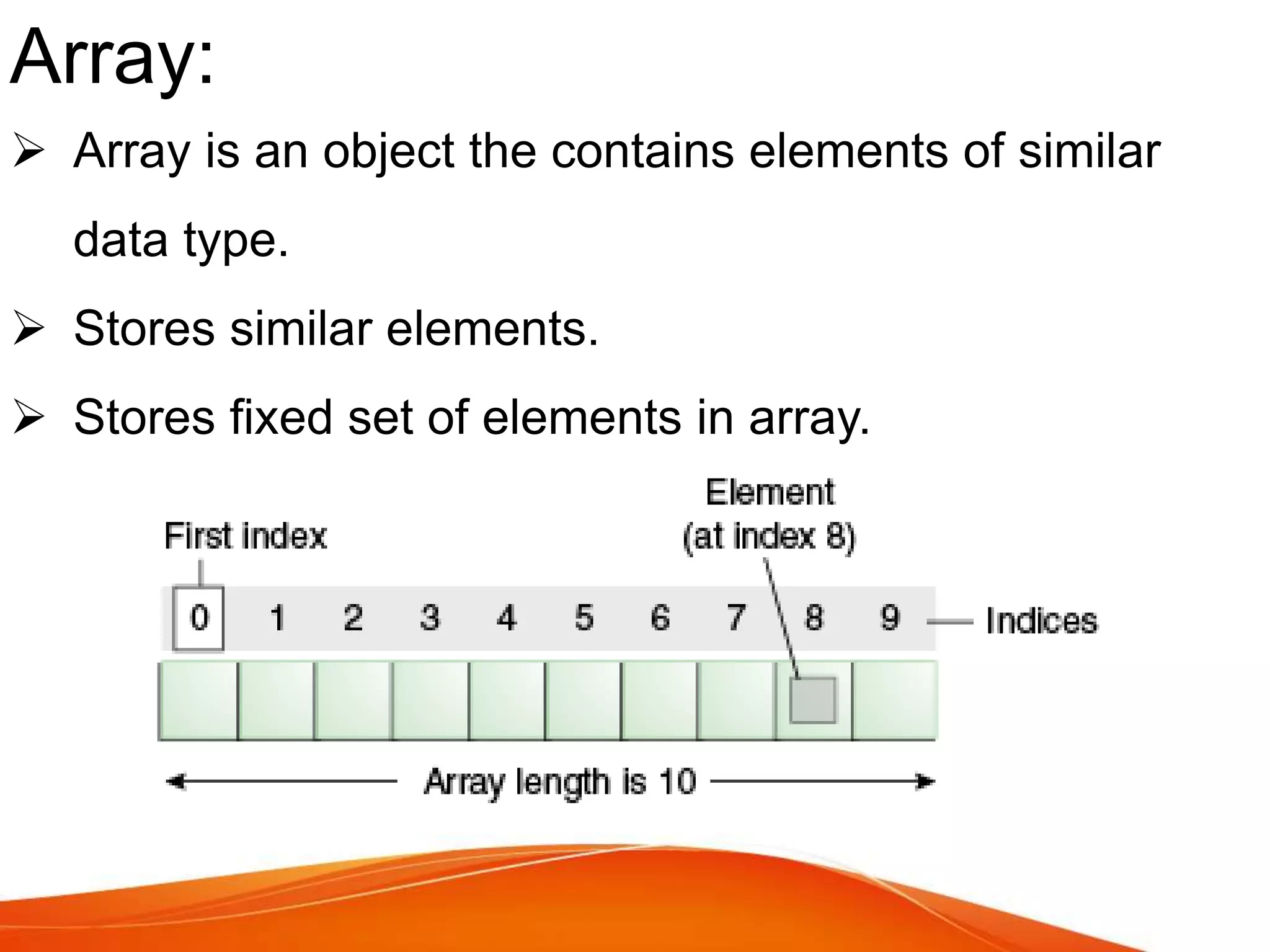
 Array is an object the contains elements of similar
data type.
 Stores similar elements.
 Stores fixed set of elements in array.
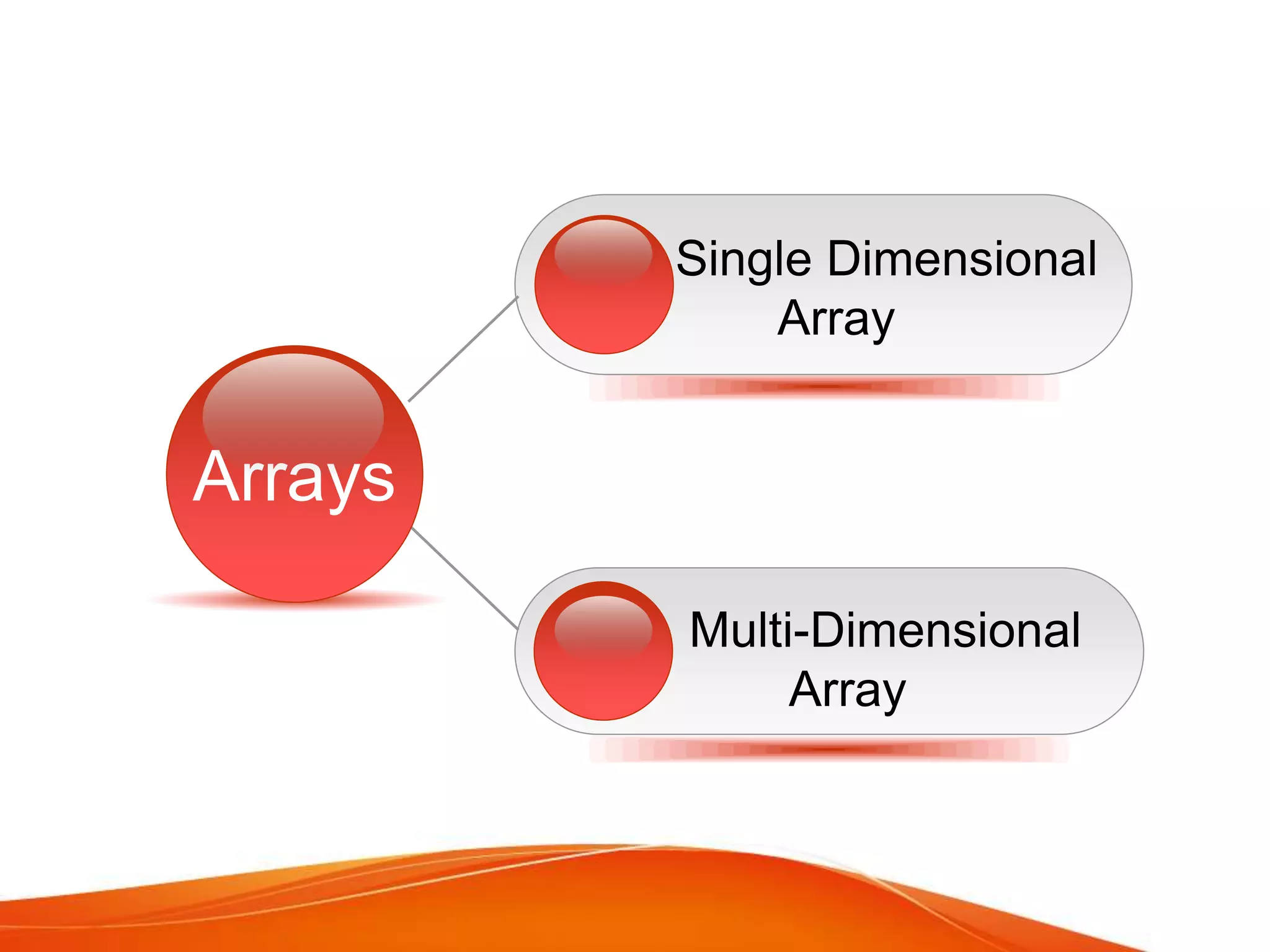
Single Dimensional
Array
Click Multi-Dimensional
Array
Arrays
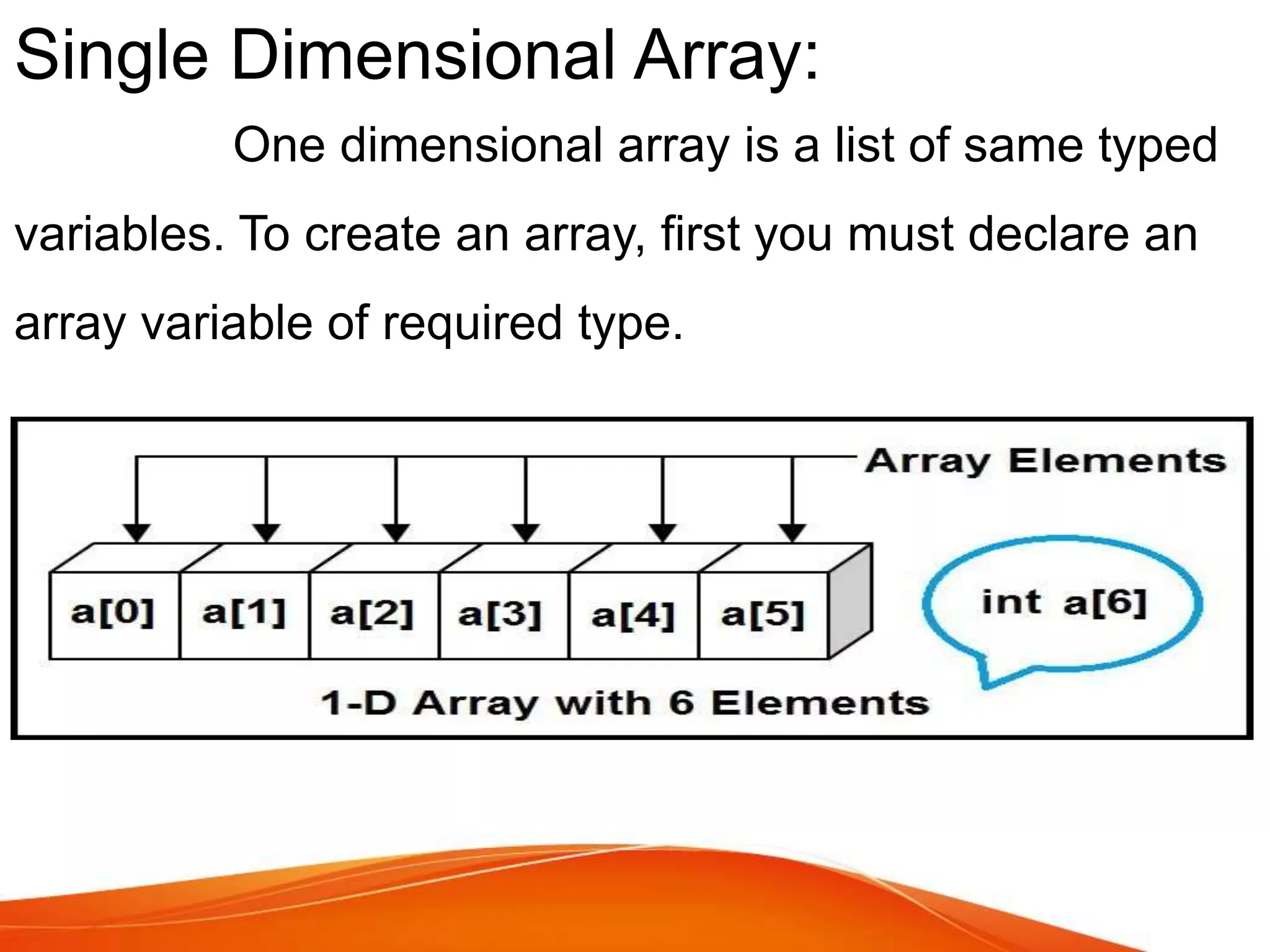
Single Dimensional Array:
One dimensional array is a list of same typed
variables. To create an array, first you must declare an
array variable of required type.
Syntax of Declare an Array:
 DataType[] arr;
 DataType []arr;
 DataType arr[];
Exapmle:
int a[]=new int[5];//declaration and instantiation
a[0]=10;//initialization
a[1]=20;
a[2]=70;
a[3]=40;
a[4]=50;
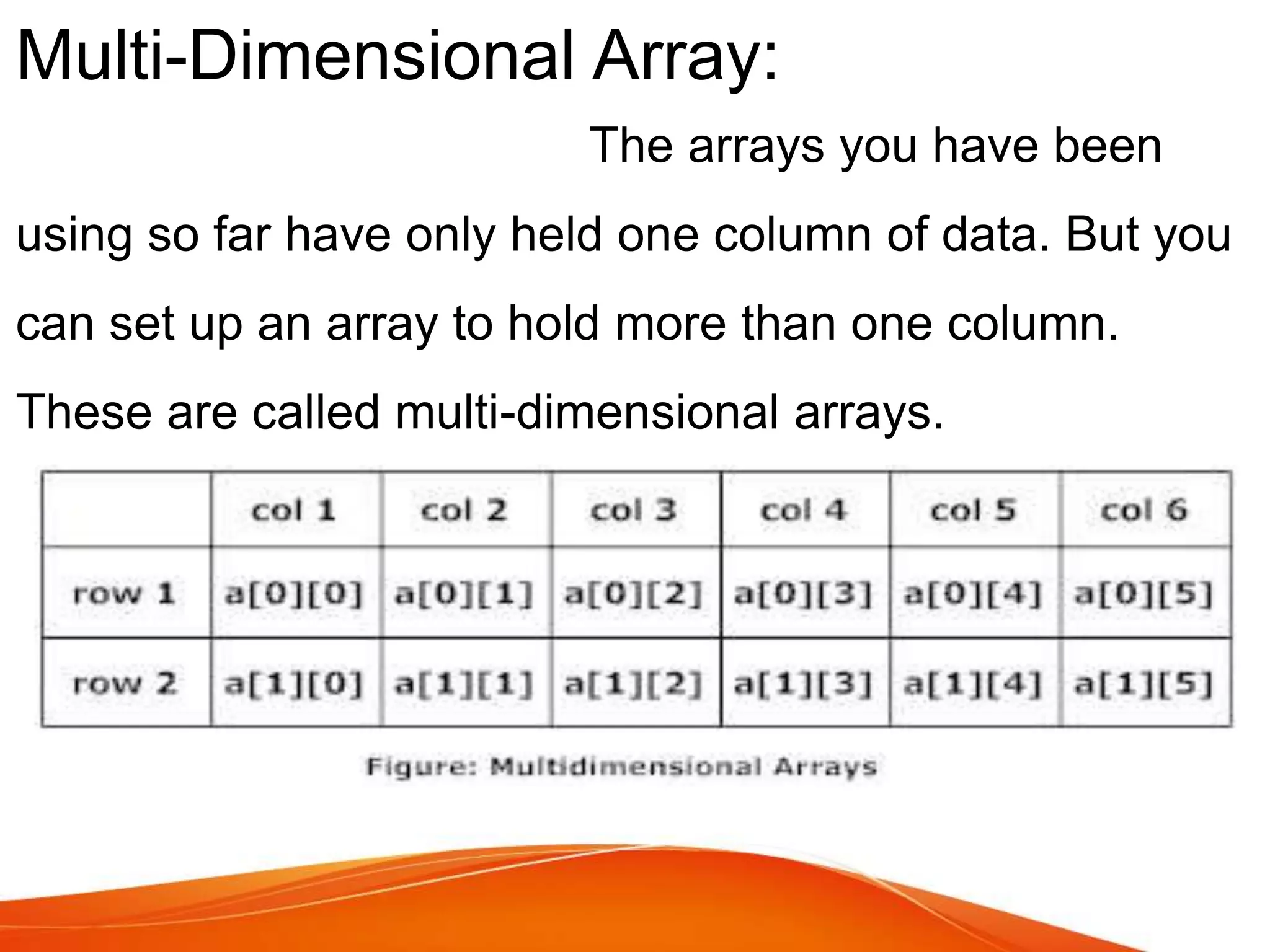
Multi-Dimensional Array:
The arrays you have been
using so far have only held one column of data. But you
can set up an array to hold more than one column.
These are called multi-dimensional arrays.
Syntax to Declare:
 dataType[][] arrayRefVar;
 dataType [][]arrayRefVar;
 dataType arrayRefVar[][];
 dataType []arrayRefVar[];
Example:
int[][] arr=new int[2][2];//2 row and 2 column
arr[0][0]=1;
arr[0][1]=2;
arr[1][2]=3;
arr[1][3]=4;
Introduction of basics loop and array

Introduction of basics loop and array

  • 3.
    Object Oriented Programming Presentedby: Naveed Hussain Presented to: Mr. Rana Mudassir Topic: Basics of Loops and Arrays Class: MCS 2nd Semester
  • 4.
  • 5.
  • 6.
    • In programminglanguages , loops are used to execute a set of instructions / function s repeatedly when some conditions become t rue.
  • 7.
    Type s ofLoops For loop While loop Do While loop
  • 8.
    For loop: The Javafor loop is used to iterate a part of the program several times. If the number of iteration is fixed, it is recommended to use for loop.
  • 9.
    Types of“For Loop” Foreach Loop Simple For Loop Labeled For Loop For Loop
  • 10.
    Simple For Loop: Thesimple for loop is same as C/C++. We can initialize variable, check condition and increment/decrement value. Syntax: for(initialization;condition;incr/dec r) { //code to be executed }
  • 11.
    For each Loop: Thefor-each loop is used to traverse array or collection in java. It is easier to use than simple for loop because we don't need to increment value and use subscript notation. It works on elements basis not index. It returns element one by one in the defined variable. Syntax: for(Type var:array) { //code to be executed }
  • 12.
    Labeled For Loop: Wecan have name of each for loop. To do so, we use label before the for loop. It is useful if we have nested for loop so that we can break/continue specific for loop. “Normally, break and continue keywords breaks/continues the inner most for loop only”. Syntax: labelname: for(initialization;condition;incr/decr) { //code to be executed }
  • 13.
    While Loop: The Javawhile loop is used to iterate a part of the program several times. If the number of iteration is not fixed,it is recommended to use while loop. Syntax: while(condition) { //code to be executed i++/i--; }
  • 14.
    Do-While Loop: If thenumber of iteration is not fixed and you must have to execute the loop at least once, it is recommended to use do-while loop.The Java do- while loop is executed at least once because condition is checked after loop body. Syntax: do { //code to be executed } while(condition);
  • 16.
    Array:  Array isan object the contains elements of similar data type.  Stores similar elements.  Stores fixed set of elements in array.
  • 17.
  • 18.
    Single Dimensional Array: Onedimensional array is a list of same typed variables. To create an array, first you must declare an array variable of required type.
  • 19.
    Syntax of Declarean Array:  DataType[] arr;  DataType []arr;  DataType arr[]; Exapmle: int a[]=new int[5];//declaration and instantiation a[0]=10;//initialization a[1]=20; a[2]=70; a[3]=40; a[4]=50;
  • 20.
    Multi-Dimensional Array: The arraysyou have been using so far have only held one column of data. But you can set up an array to hold more than one column. These are called multi-dimensional arrays.
  • 21.
    Syntax to Declare: dataType[][] arrayRefVar;  dataType [][]arrayRefVar;  dataType arrayRefVar[][];  dataType []arrayRefVar[]; Example: int[][] arr=new int[2][2];//2 row and 2 column arr[0][0]=1; arr[0][1]=2; arr[1][2]=3; arr[1][3]=4;