Introducing Swift
Abhishek Dwivedi
v2.1
Contents
• Variables and constants
• Swift Datatypes
• Swift Operators
• Decision making
• Functions
• Classes
• Structs and Enums
• Advance language features
• Control Flow
Section 1 :Variables & Constants
• Variables and constants
• Type annotations
• Type Inference
• Print function
• String Interpolation
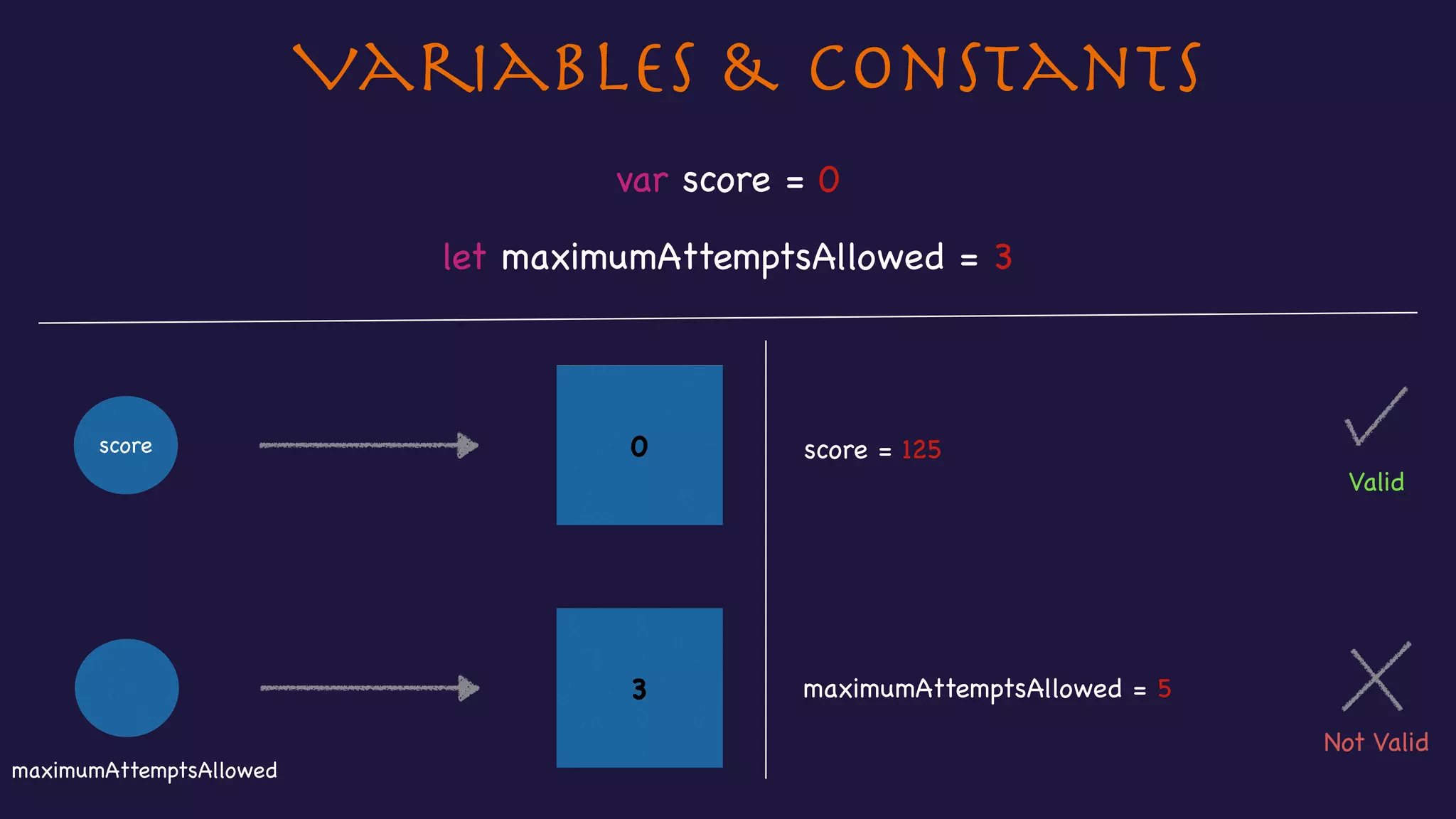
Variables & Constants
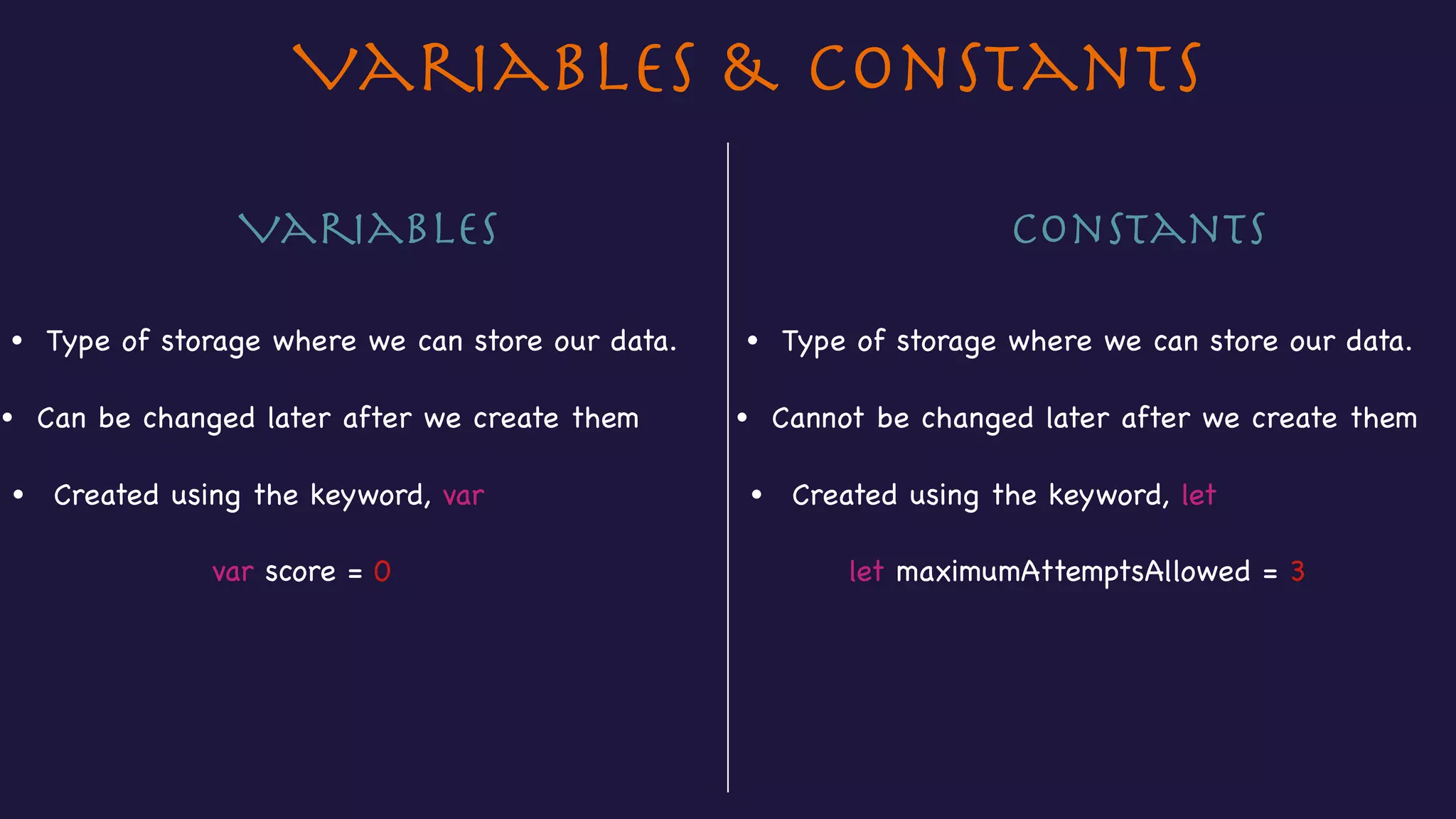
let maximumAttemptsAllowed = 3var score = 0
• Type of storage where we can store our data.
• Can be changed later after we create them
Variables Constants
• Type of storage where we can store our data.
• Cannot be changed later after we create them
• Created using the keyword, var • Created using the keyword, let
Variables & Constants
3
let maximumAttemptsAllowed = 3
var score = 0
0score score = 125
Not Valid
Valid
maximumAttemptsAllowed = 5
maximumAttemptsAllowed
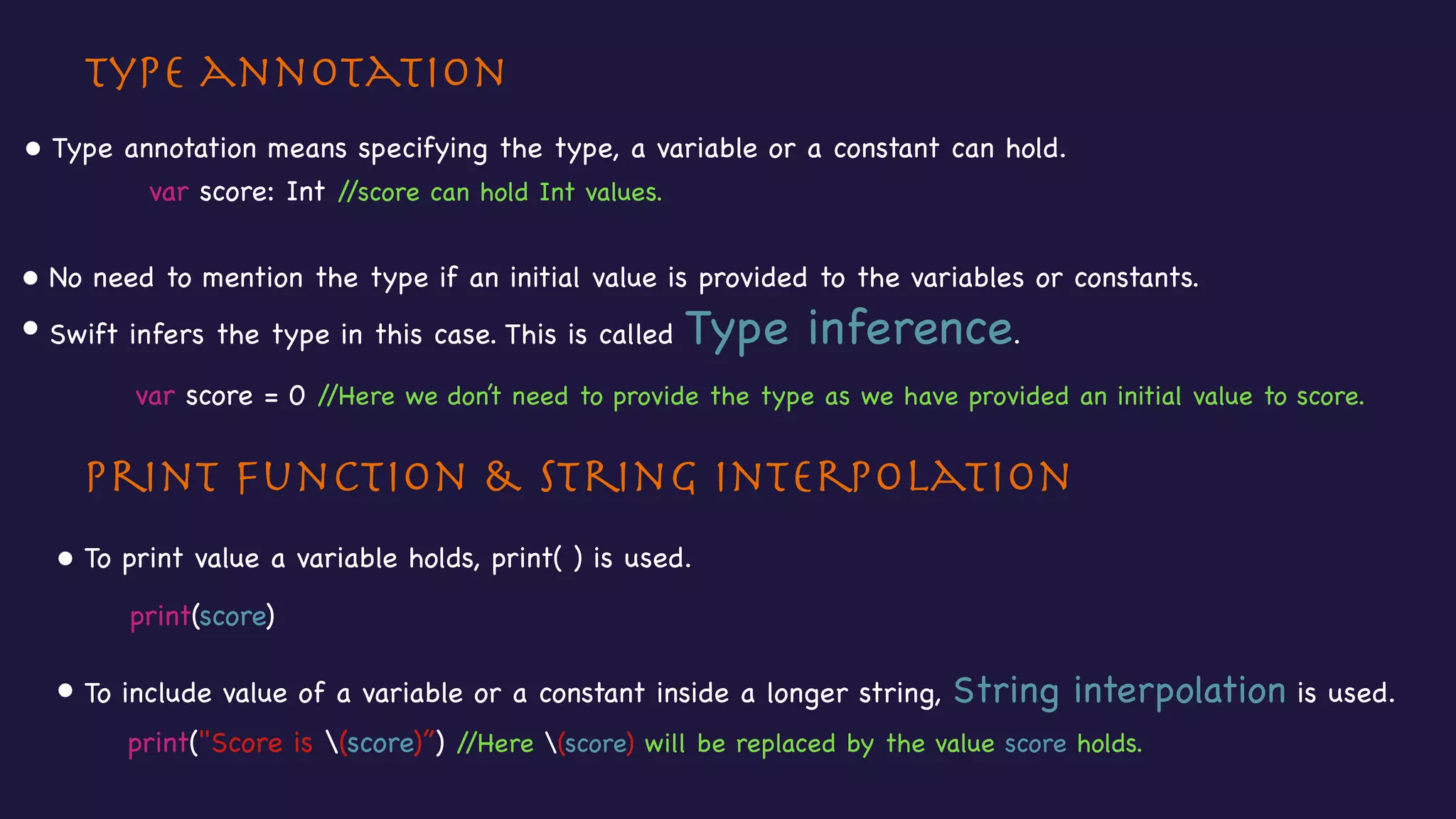
Type annotation
Print function & String interpolation
• Type annotation means specifying the type, a variable or a constant can hold.
• To print value a variable holds, print( ) is used.
• To include value of a variable or a constant inside a longer string, String interpolation is used.
var score: Int //score can hold Int values.

• No need to mention the type if an initial value is provided to the variables or constants. 

• Swift infers the type in this case. This is called Type inference.
var score = 0 //Here we don’t need to provide the type as we have provided an initial value to score.
print(score)
print("Score is (score)”) //Here (score) will be replaced by the value score holds.
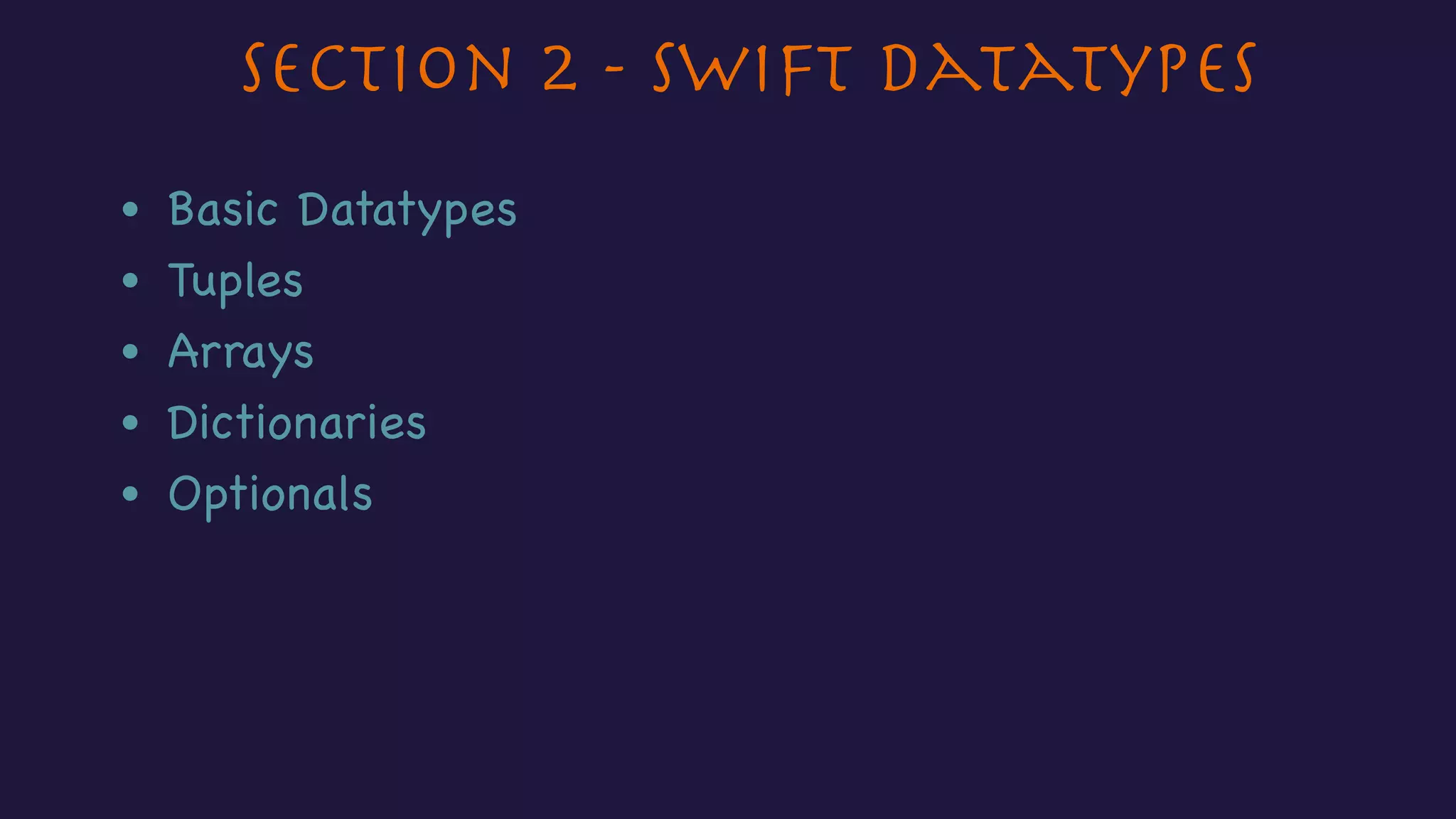
Section 2 - Swift Datatypes
• Basic Datatypes
• Tuples
• Arrays
• Dictionaries
• Optionals
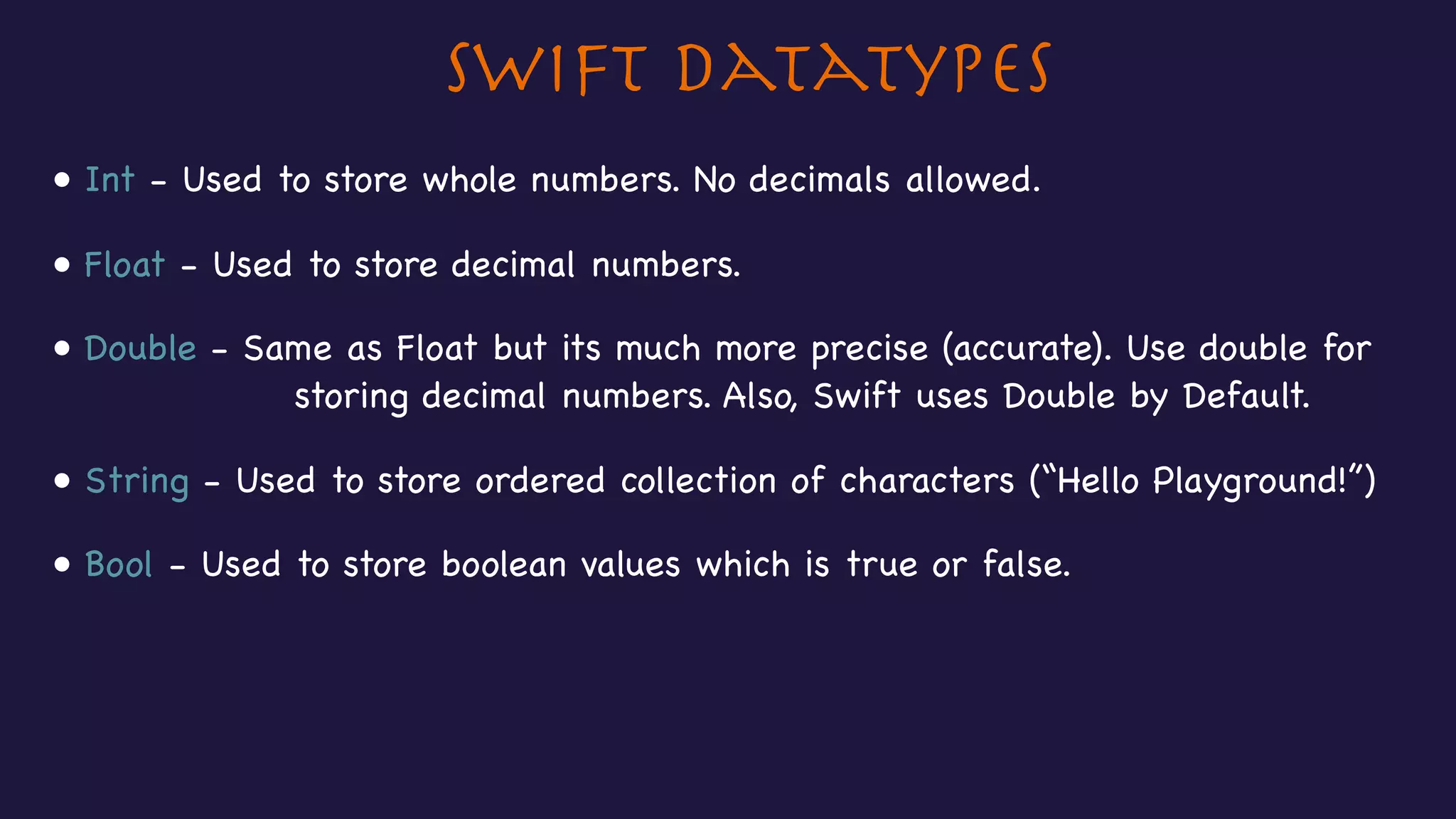
Swift Datatypes
• Int - Used to store whole numbers. No decimals allowed.
• Float - Used to store decimal numbers.
• Double - Same as Float but its much more precise (accurate). Use double for 

storing decimal numbers. Also, Swift uses Double by Default.
• String - Used to store ordered collection of characters (“Hello Playground!”)
• Bool - Used to store boolean values which is true or false.
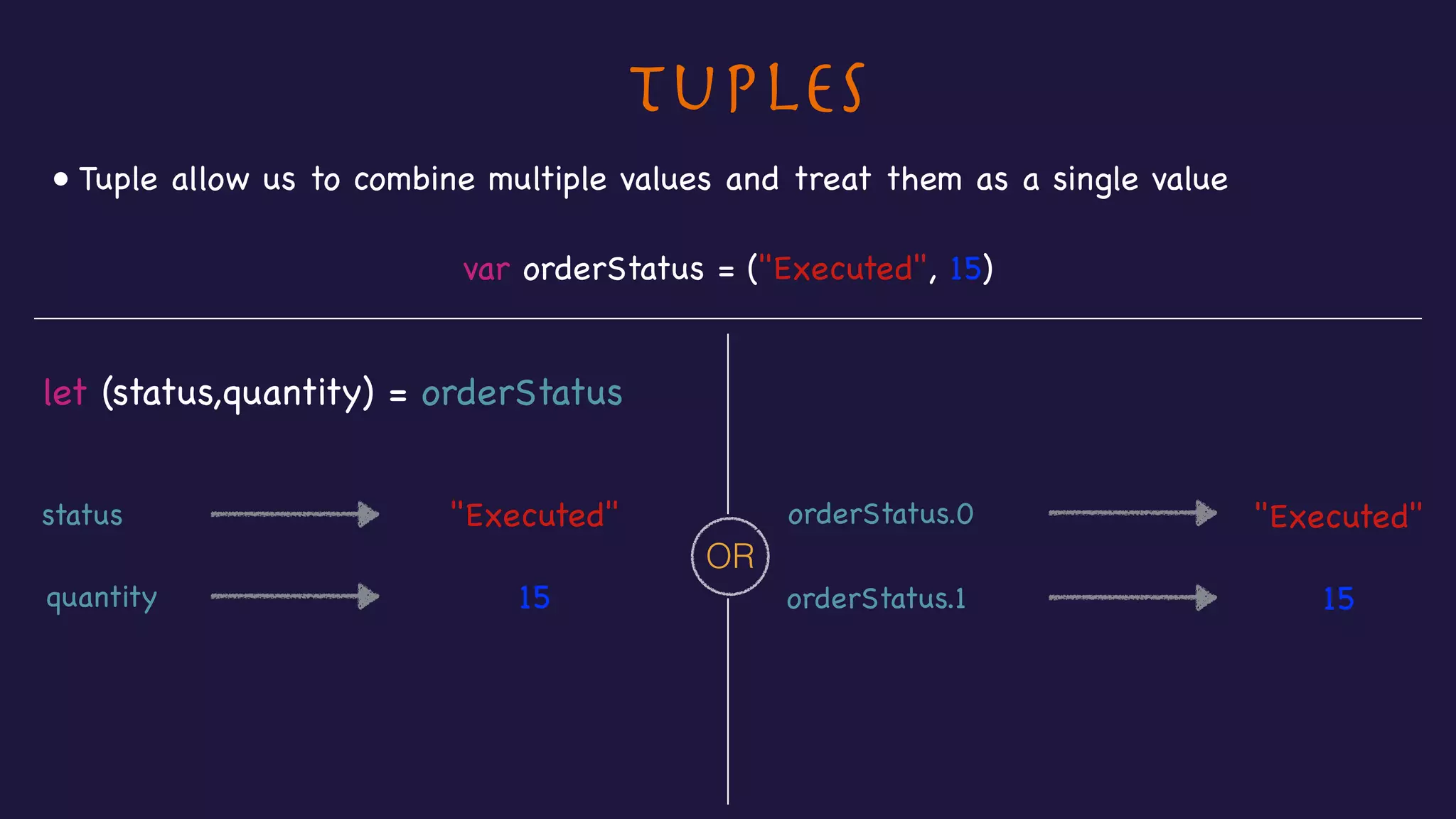
Tuples
• Tuple allow us to combine multiple values and treat them as a single value
var orderStatus = ("Executed", 15)
let (status,quantity) = orderStatus
status
quantity
"Executed"
15
orderStatus.0 "Executed"
15orderStatus.1
OR
Arrays
var names = ["Jim", "Natalie", "John"]
names[0] "Jim"
• Arrays allow us to store values of similar type in an ordered list.
names[1] "Natalie"
names[2] "John"
• Indexing always starts with zero.
"Jim" "Natalie" "John"
0 1 2
names
Dictionary
• Dictionaries are used to store mapping between keys of same type and values of same type.
var countryCodes = ["UK" : "United Kingdom", "US" : "United States"]
countryCodes["US"]
"UK" "United Kingdom"
"US" "United States"
countryCodes["UK"]
"United Kingdom"
"United States"
Key Value
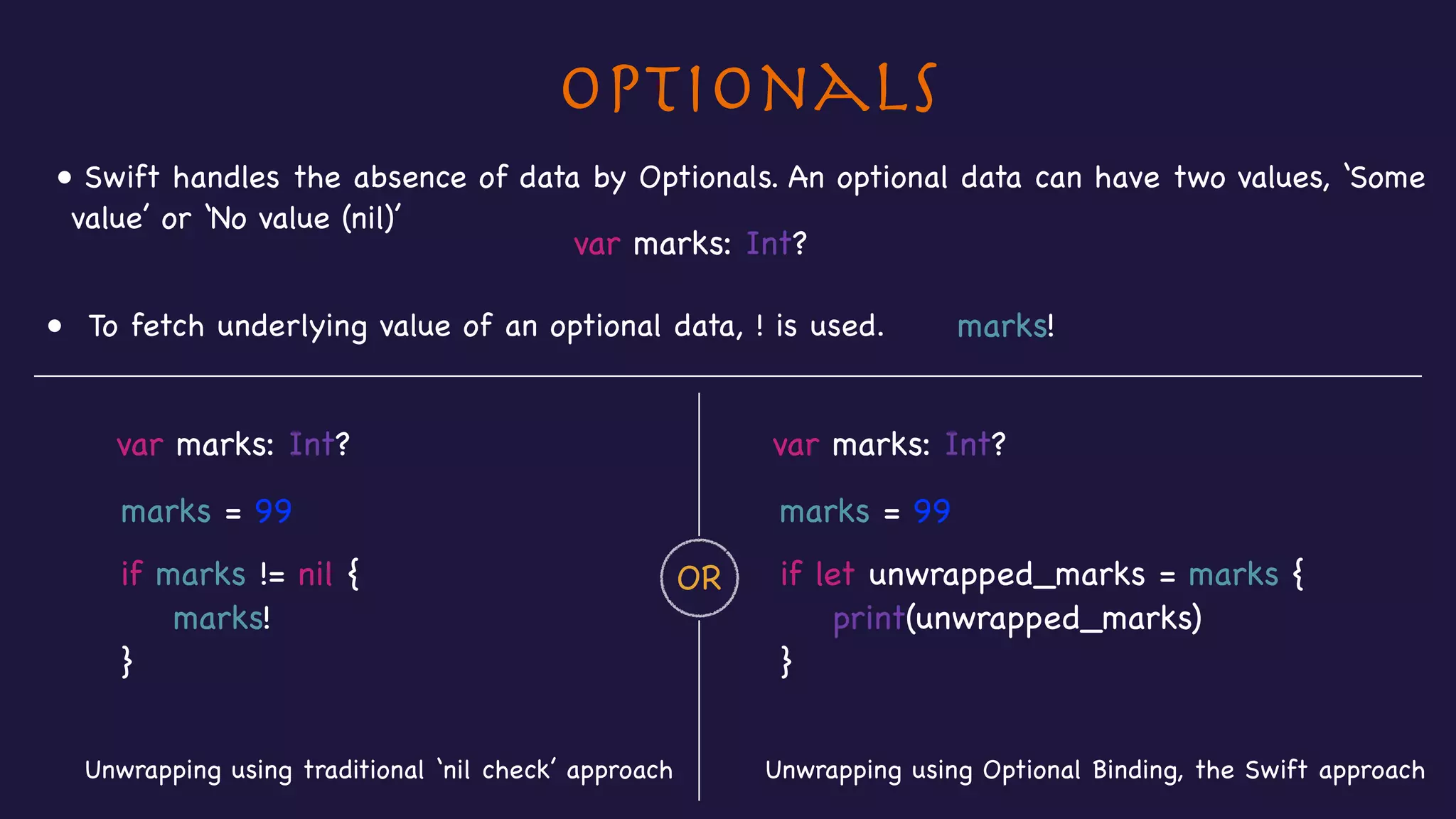
Optionals
• Swift handles the absence of data by Optionals. An optional data can have two values, ‘Some
value’ or ‘No value (nil)’
var marks: Int?
• To fetch underlying value of an optional data, ! is used. marks!
var marks: Int? var marks: Int?
Unwrapping using Optional Binding, the Swift approachUnwrapping using traditional ‘nil check’ approach
OR
marks = 99
if marks != nil {

marks!

}
marks = 99
if let unwrapped_marks = marks {

print(unwrapped_marks)

}
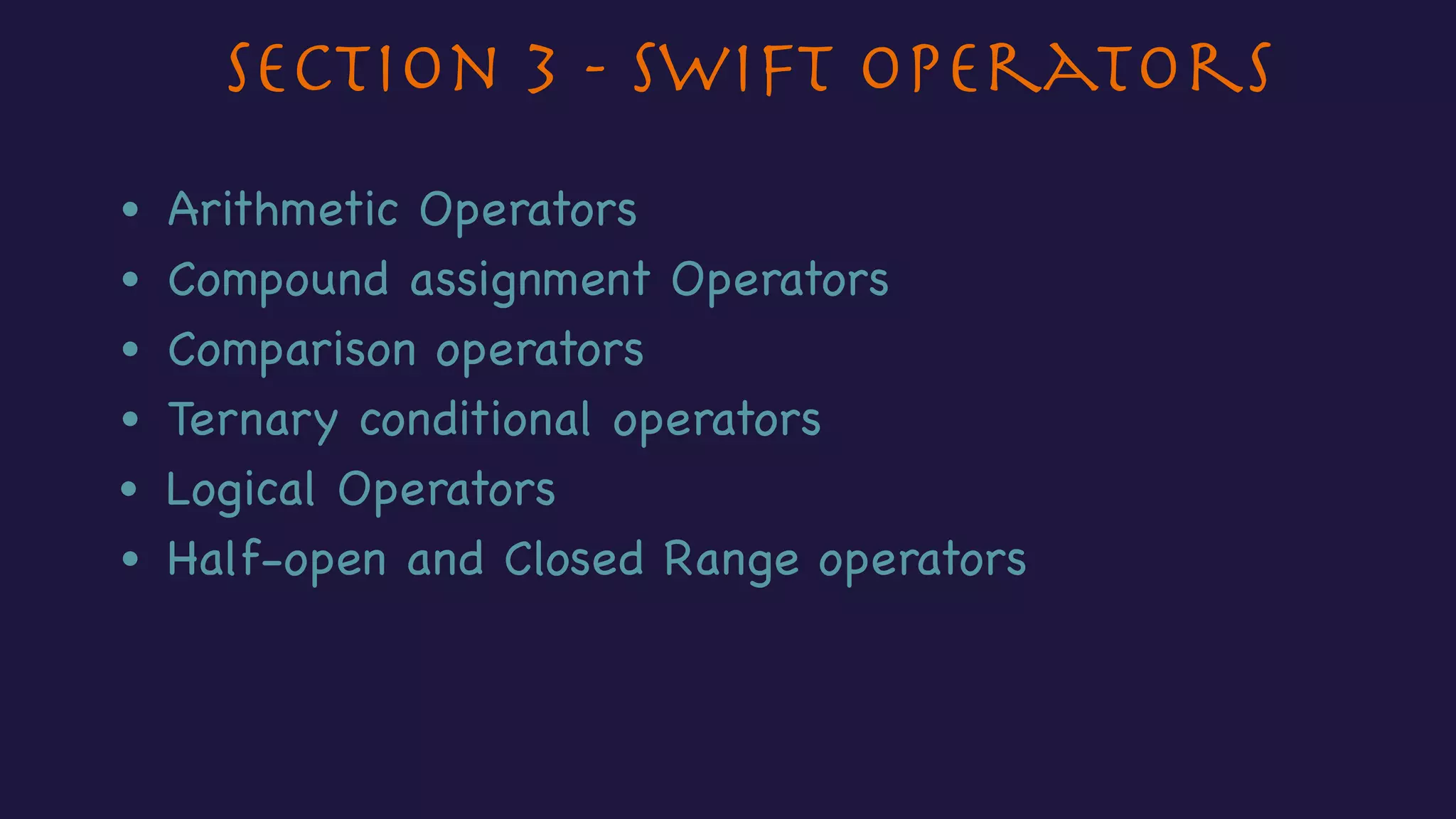
Section 3 - Swift Operators
• Arithmetic Operators
• Compound assignment Operators
• Comparison operators
• Logical Operators
• Half-open and Closed Range operators
• Ternary conditional operators
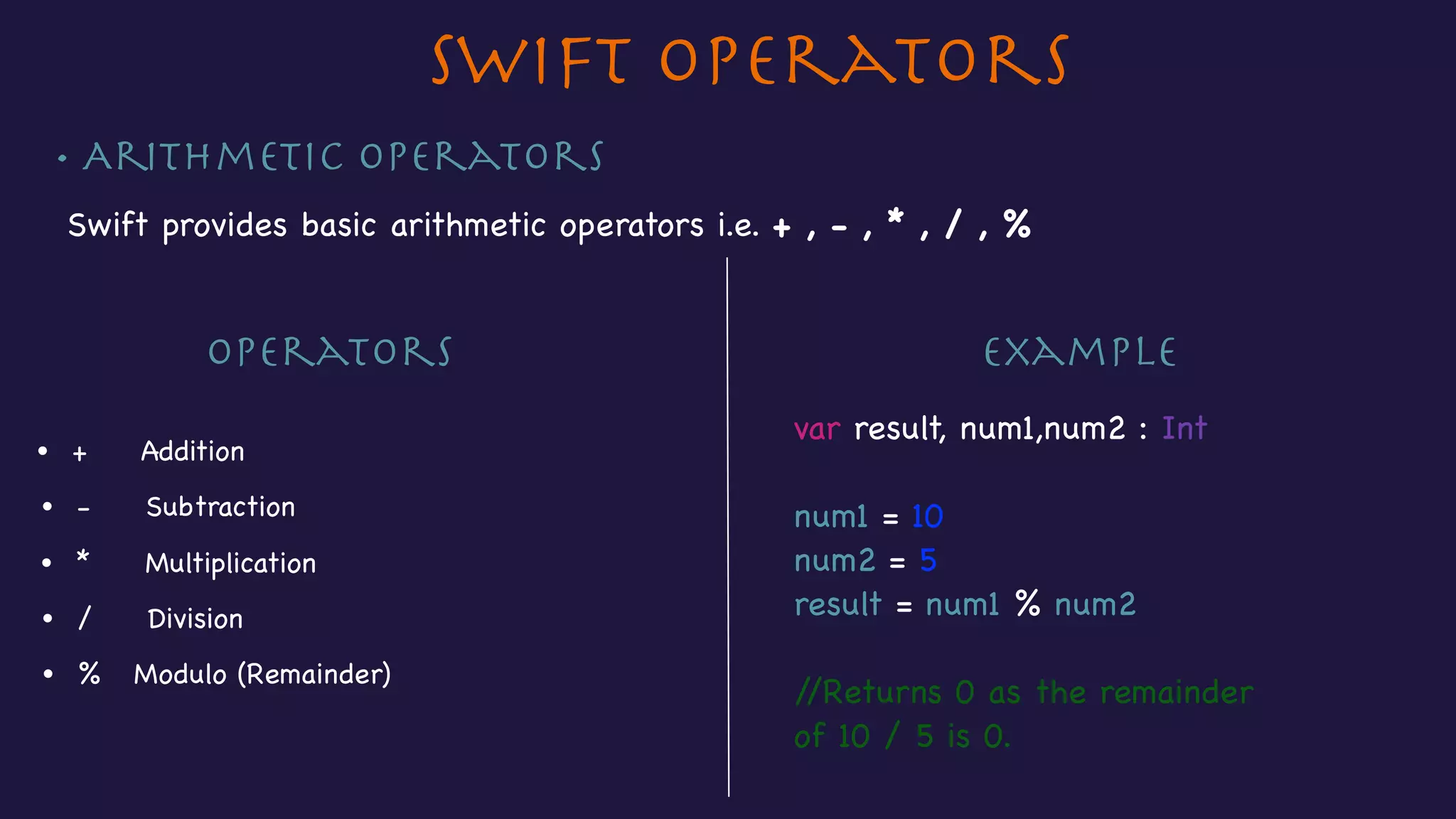
• Arithmetic Operators
Swift provides basic arithmetic operators i.e. + , - , * , / , %

ExampleOperators
• + Addition
• - Subtraction
• * Multiplication
Swift Operators
• / Division
• % Modulo (Remainder)
var result, num1,num2 : Int

num1 = 10

num2 = 5

result = num1 % num2

//Returns 0 as the remainder

of 10 / 5 is 0.
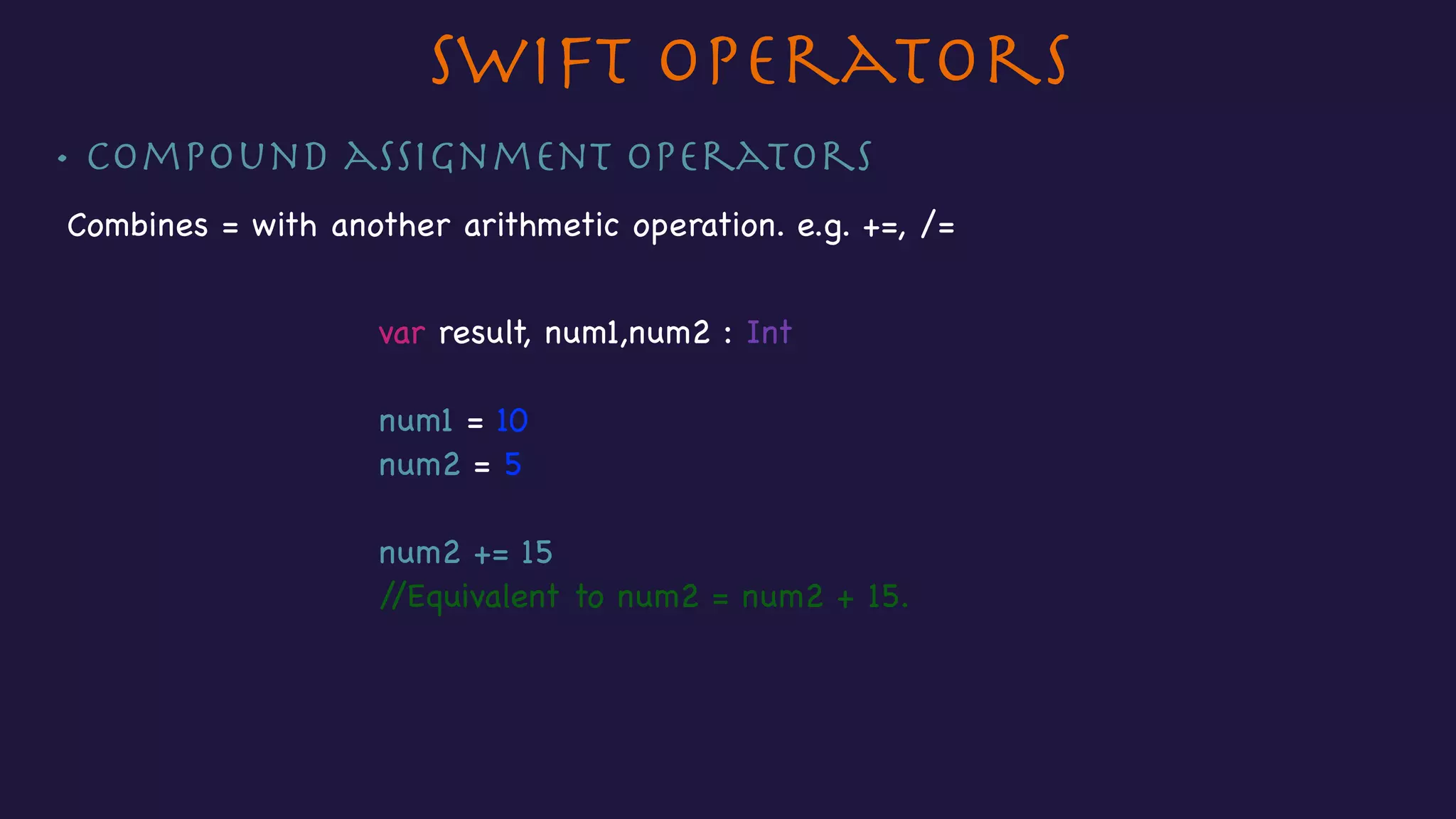
• Compound assignment operators
Combines = with another arithmetic operation. e.g. +=, /=
Swift Operators
var result, num1,num2 : Int

num1 = 10

num2 = 5

num2 += 15

//Equivalent to num2 = num2 + 15.
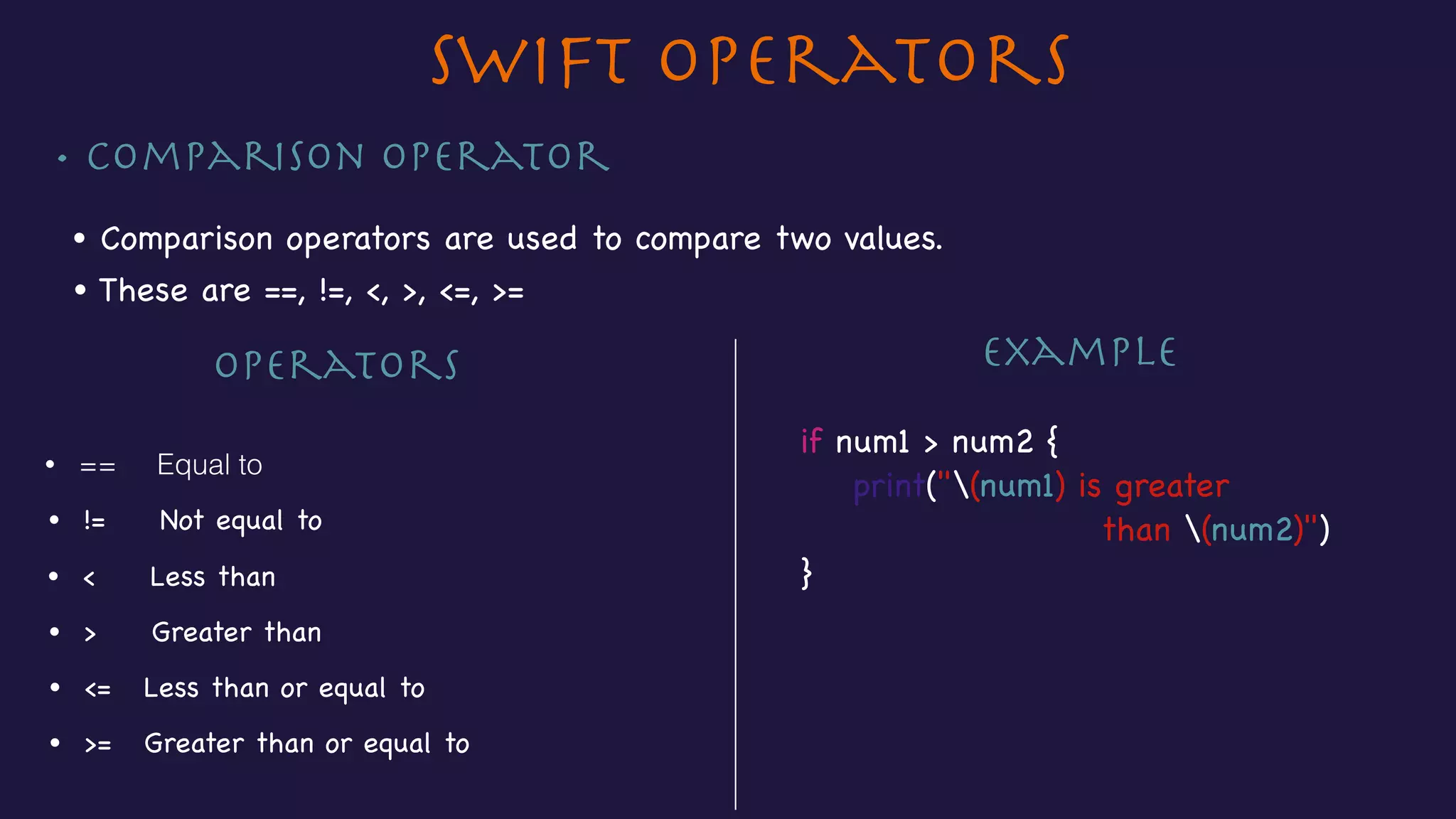
• Comparison Operator
Swift Operators
• Comparison operators are used to compare two values.
Operators
• == Equal to
• != Not equal to
• < Less than
• > Greater than
• <= Less than or equal to
if num1 > num2 {

print("(num1) is greater 

than (num2)")

}
• These are ==, !=, <, >, <=, >=
• >= Greater than or equal to
Example
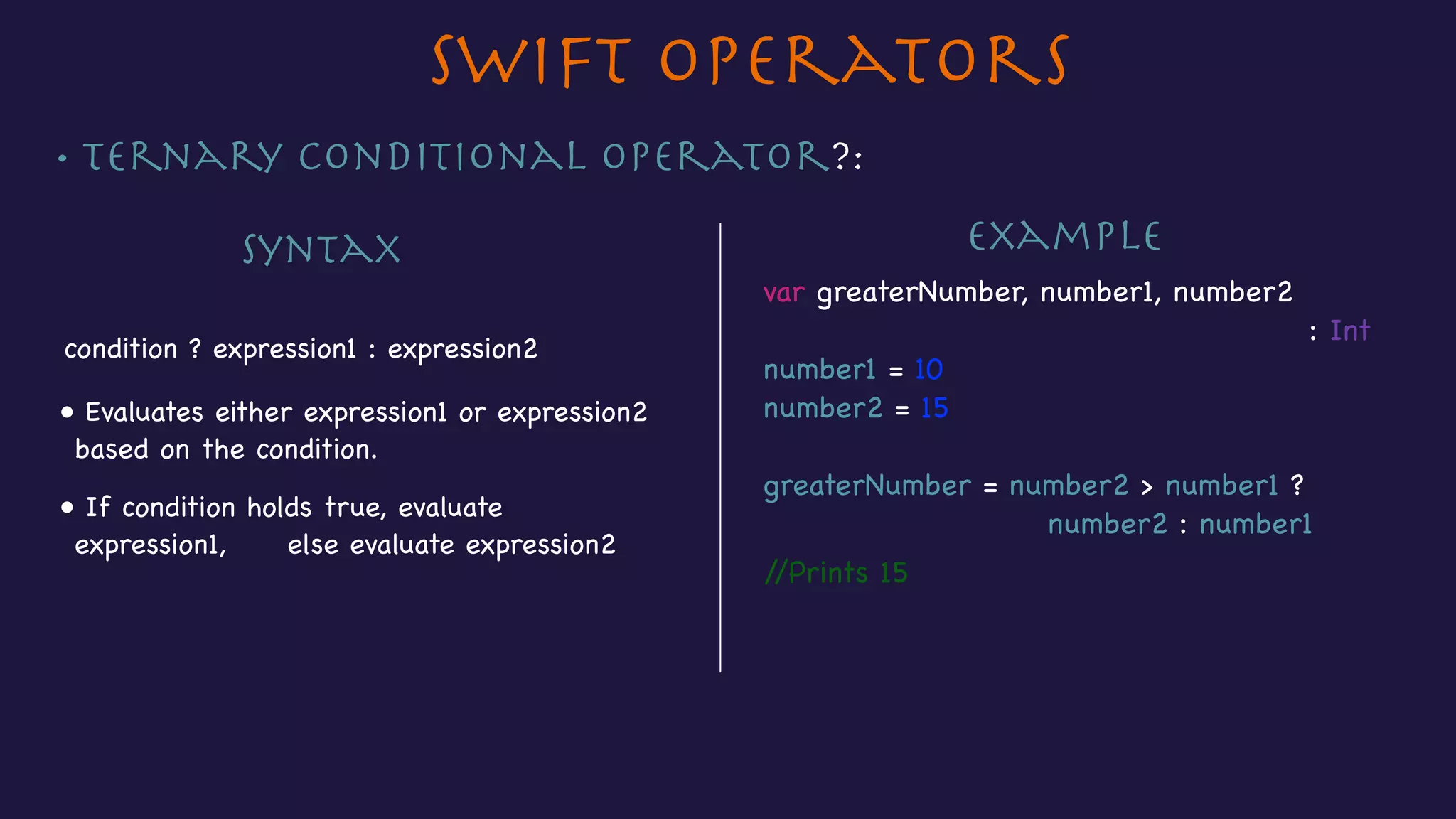
• Ternary Conditional operator?:
Swift Operators
Syntax
condition ? expression1 : expression2
Example
• Evaluates either expression1 or expression2
based on the condition.
var greaterNumber, number1, number2 

: Int

number1 = 10

number2 = 15

greaterNumber = number2 > number1 ? 

number2 : number1
//Prints 15
• If condition holds true, evaluate
expression1, else evaluate expression2
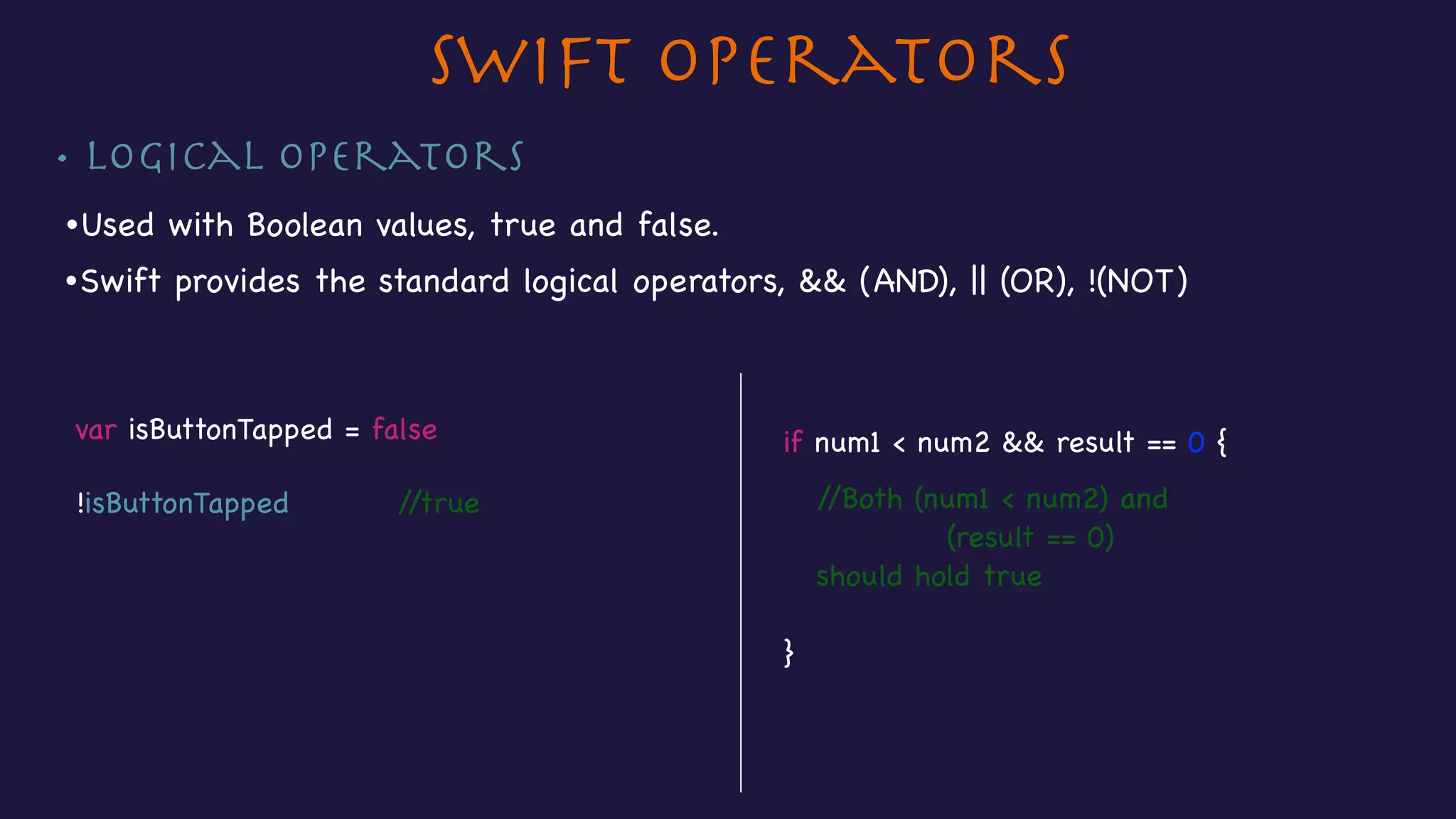
• Logical operators
Swift Operators
if num1 < num2 && result == 0 {

//Both (num1 < num2) and 

(result == 0)

should hold true

}
•Used with Boolean values, true and false.
•Swift provides the standard logical operators, && (AND), || (OR), !(NOT)
var isButtonTapped = false

!isButtonTapped //true
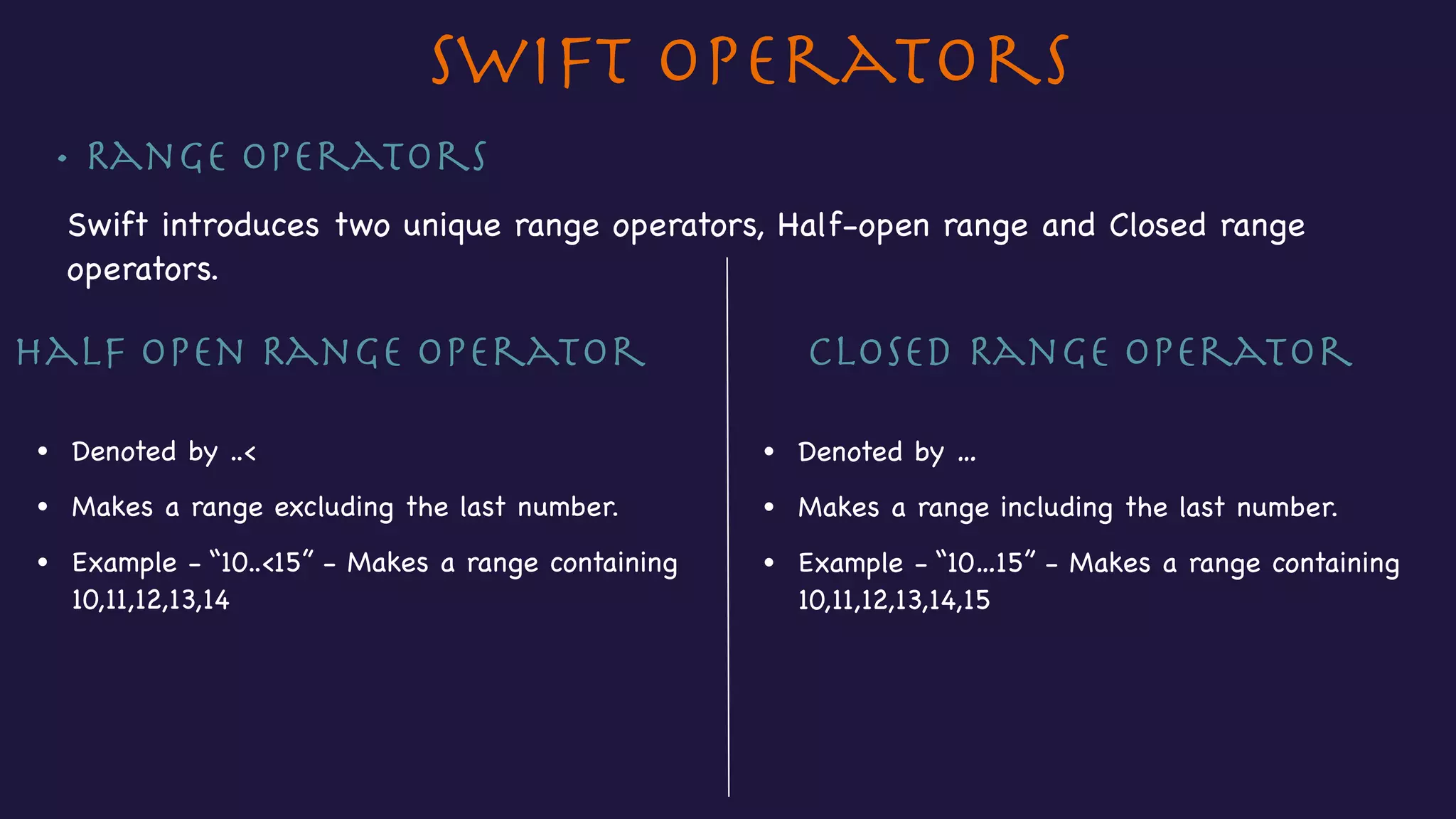
• Range Operators
Swift introduces two unique range operators, Half-open range and Closed range
operators.

Closed Range Operator
• Denoted by …
• Makes a range including the last number.
• Example - “10…15” - Makes a range containing 

10,11,12,13,14,15
Half open Range Operator
• Denoted by ..<
• Makes a range excluding the last number.
• Example - “10..<15” - Makes a range containing 

10,11,12,13,14
Swift Operators
Section 4 - Decision Making
• If statements
• If-else statements
• Nested If-else statements
• Switch statements
Decision making
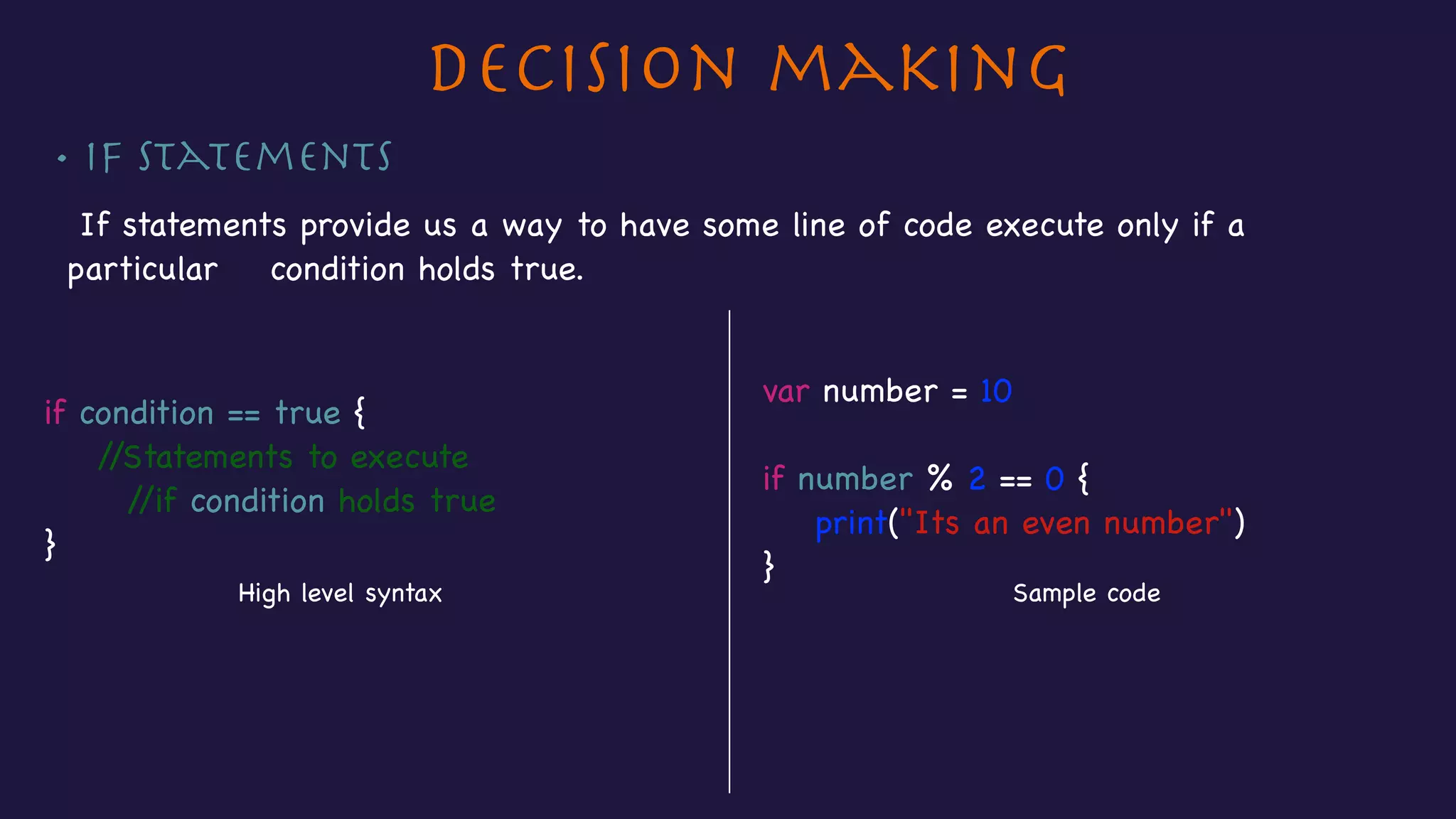
• If Statements
If statements provide us a way to have some line of code execute only if a
particular condition holds true.

var number = 10 

if number % 2 == 0 {

print("Its an even number")

}
if condition == true {

//Statements to execute

//if condition holds true

}
High level syntax Sample code
Decision making
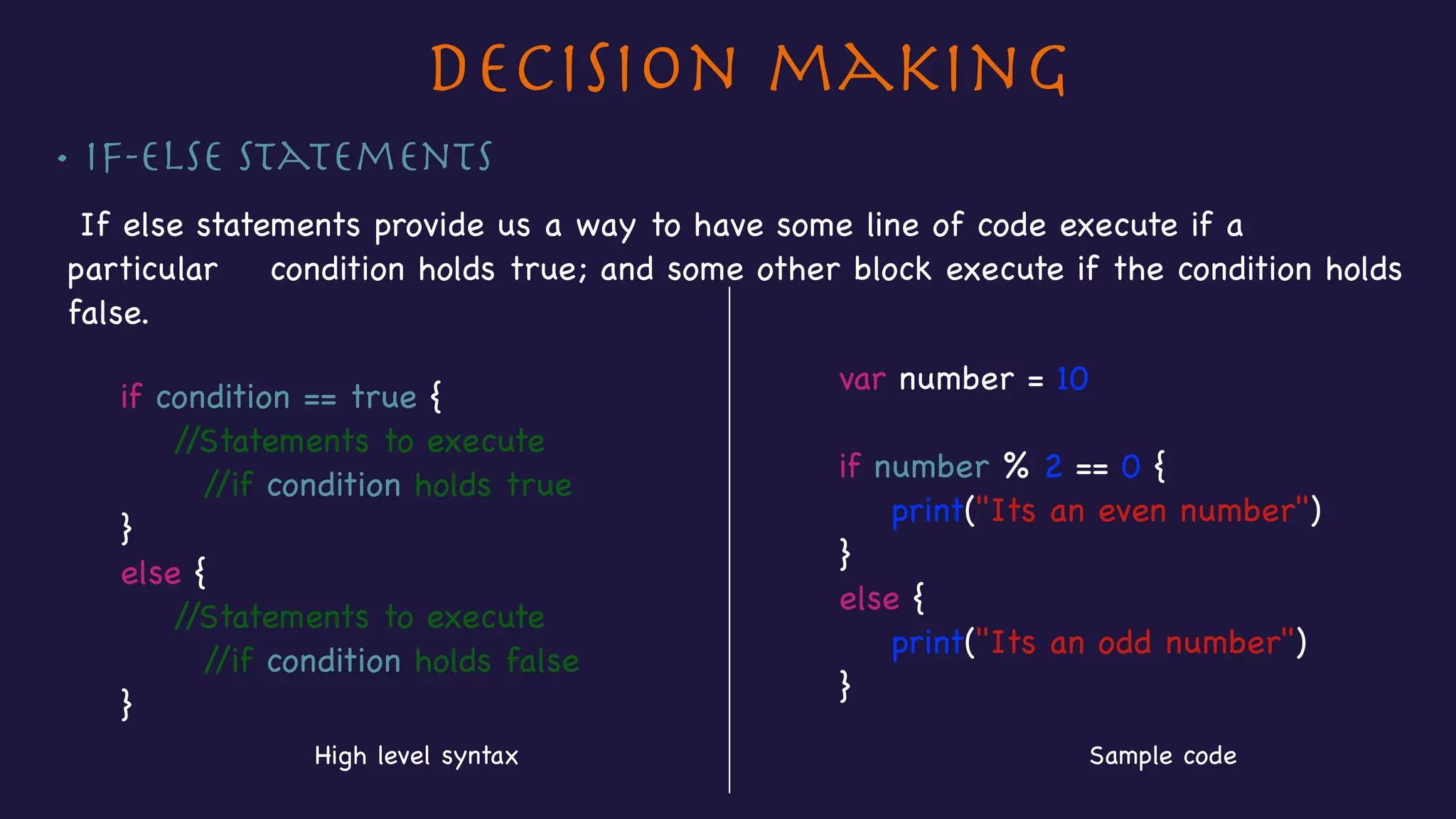
• If-else Statements
If else statements provide us a way to have some line of code execute if a
particular condition holds true; and some other block execute if the condition holds
false.

var number = 10 

if number % 2 == 0 {

print("Its an even number")

}

else {

print("Its an odd number")

}
if condition == true {

//Statements to execute

//if condition holds true

}

else {

//Statements to execute

//if condition holds false

}
High level syntax Sample code
Decision making
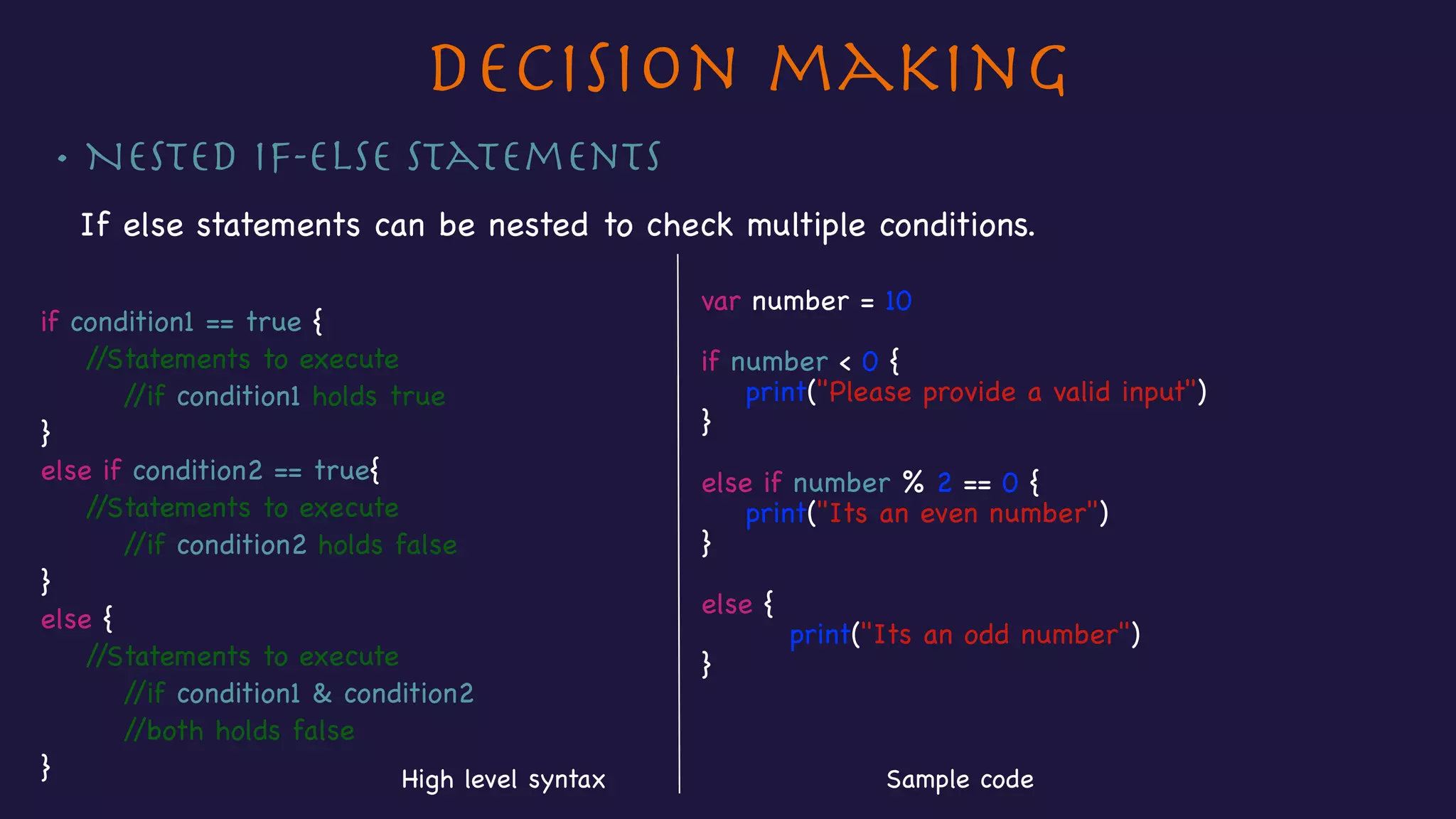
• Nested If-else Statements
If else statements can be nested to check multiple conditions.

if condition1 == true {

//Statements to execute

//if condition1 holds true

}

else if condition2 == true{

//Statements to execute

//if condition2 holds false

}

else {

//Statements to execute

//if condition1 & condition2 

//both holds false

}
var number = 10

if number < 0 {

print("Please provide a valid input")

}

else if number % 2 == 0 {

print("Its an even number")

}


else {

print("Its an odd number")

}
Sample codeHigh level syntax
Decision making
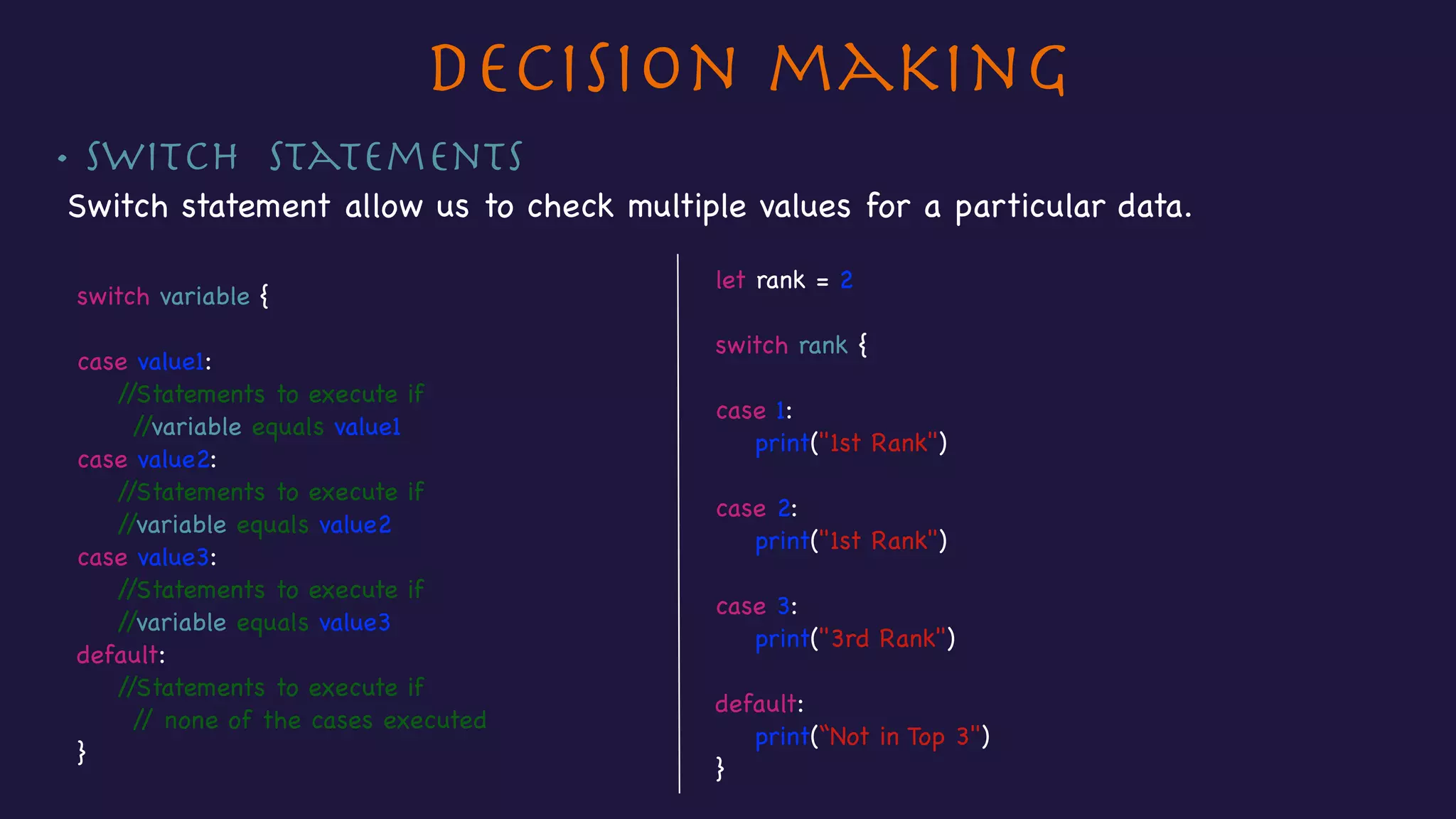
• Switch Statements
Switch statement allow us to check multiple values for a particular data.
let rank = 2

switch rank {


case 1:

print("1st Rank")


case 2:

print("1st Rank")


case 3:

print("3rd Rank")


default:

print(“Not in Top 3")

}
switch variable {


case value1:

//Statements to execute if

//variable equals value1 

case value2:

//Statements to execute if

//variable equals value2

case value3:

//Statements to execute if

//variable equals value3

default:

//Statements to execute if

// none of the cases executed

}
Section 5 - Control Flow
• For-in loop
• For loop
• While loop
Control Flow
• For-in loops
For-in loop is used to loop through a sequence such as a sequence of numbers or
items in an array.

for variable in collection{

//Statements to execute

}
var todoList = ["Complete Assignments", 

"Buy Groceries", "Clean room"]

for item in todoList {

print(item)

}
High level syntax Sample code
item -> "Complete Assignments"
item -> "Buy Groceries"
item -> "Clean room"
First execution
Second execution
Third execution
Control Flow
• For loops
for initialisation; condition; increment {

//Block of statements

}
var todoList = ["Complete Assignments", 

"Buy Groceries", "Clean room"]

for var item = 0; item < todoList.count; item++ {

print(todoList[item])

}
High level syntax Sample code
item -> 0
item -> 1
item -> 2
First execution
Second execution
Third execution
Control Flow
• While loop
While loop evaluates the condition before executing the code and then it executes
only if the condition holds true. Its useful when we are not sure about how many
times a particular block of code needs to be executed.
while condition {

//statements to execute 

//till condition holds true

}
High level syntax Sample code
var count = todoList.count

var currentIndex = 0

while currentIndex < count {

print(todoList[currentIndex])

currentIndex++

}
Section 6 - Functions
• Writing functions
• Calling functions
• Functions with multiple return values
• External & Local Parameter names
• Variable parameter in Functions (inout)
Functions
Writing functions

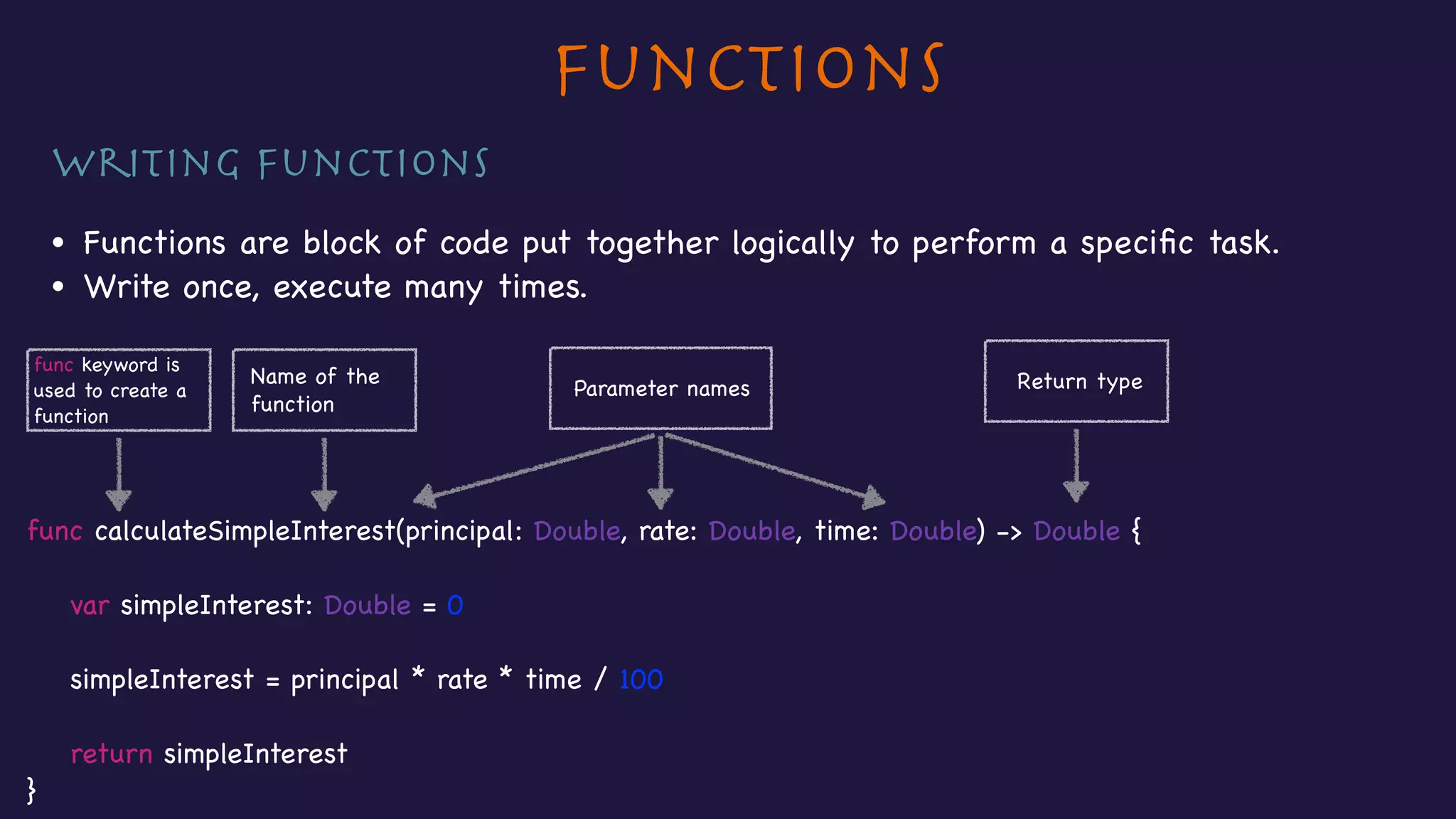
• Functions are block of code put together logically to perform a specific task.

• Write once, execute many times.
func calculateSimpleInterest(principal: Double, rate: Double, time: Double) -> Double {


var simpleInterest: Double = 0


simpleInterest = principal * rate * time / 100


return simpleInterest

}
func keyword is 

used to create a 

function
Name of the 

function
Parameter names Return type
Functions
Calling a function

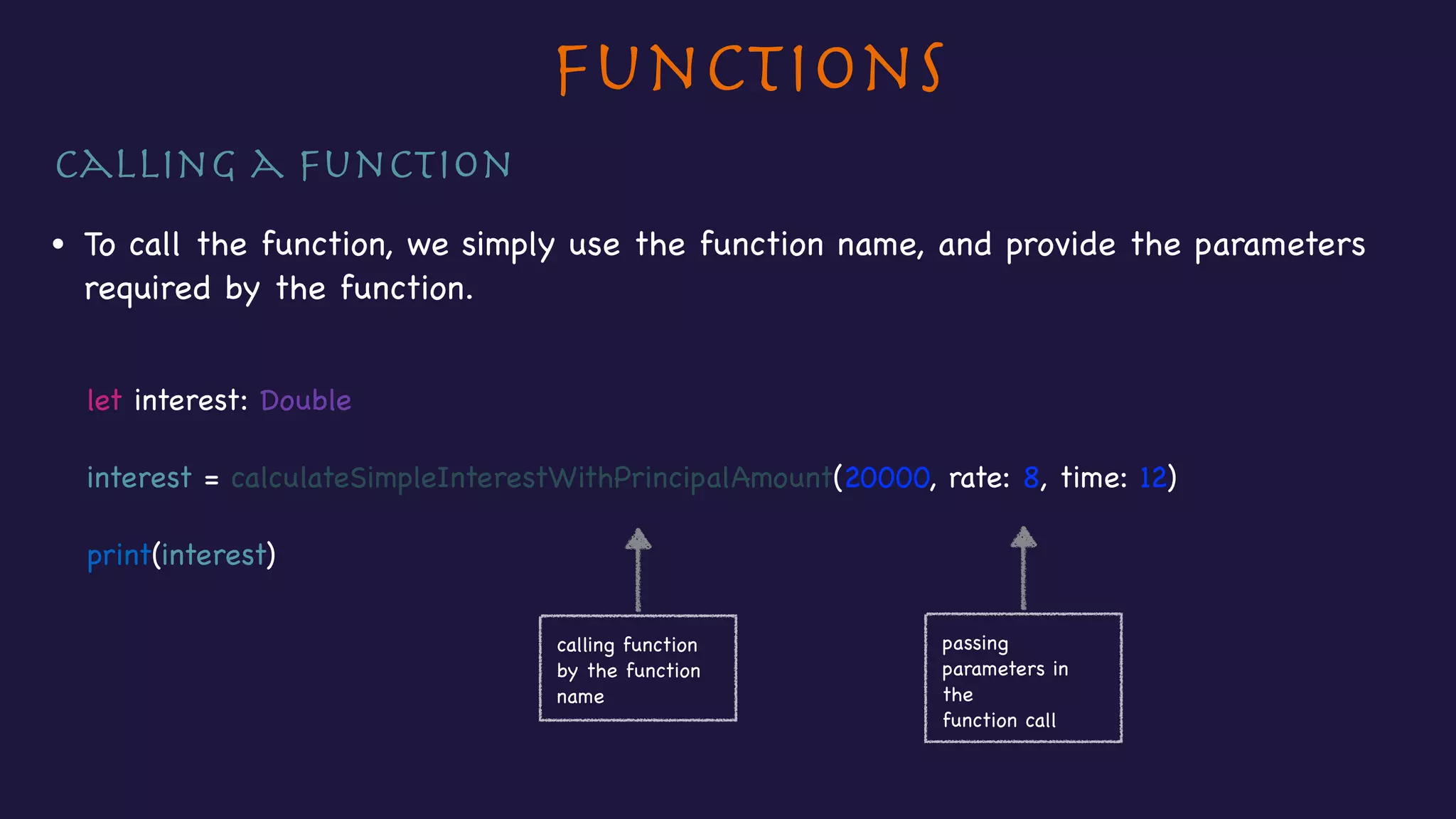
• To call the function, we simply use the function name, and provide the parameters
required by the function.

let interest: Double

interest = calculateSimpleInterestWithPrincipalAmount(20000, rate: 8, time: 12)

print(interest)

calling function 

by the function
name
passing
parameters in
the

function call
Functions
Functions with multiple return values

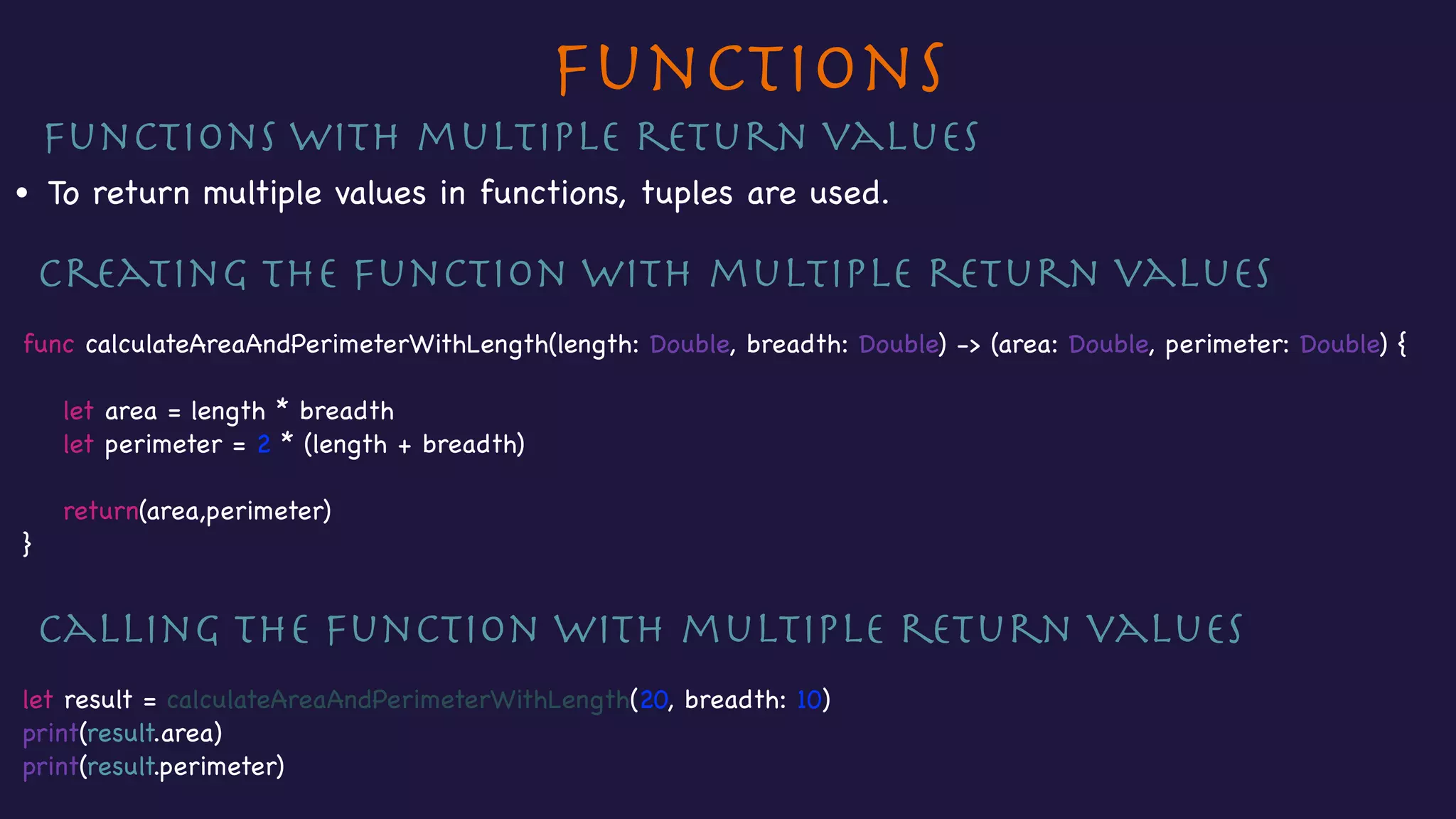
• To return multiple values in functions, tuples are used.

Creating the function with multiple return values

func calculateAreaAndPerimeterWithLength(length: Double, breadth: Double) -> (area: Double, perimeter: Double) {


let area = length * breadth

let perimeter = 2 * (length + breadth)


return(area,perimeter)

}

Calling the function with multiple return values

let result = calculateAreaAndPerimeterWithLength(20, breadth: 10)

print(result.area)

print(result.perimeter)
Functions
External & Local Parameter names

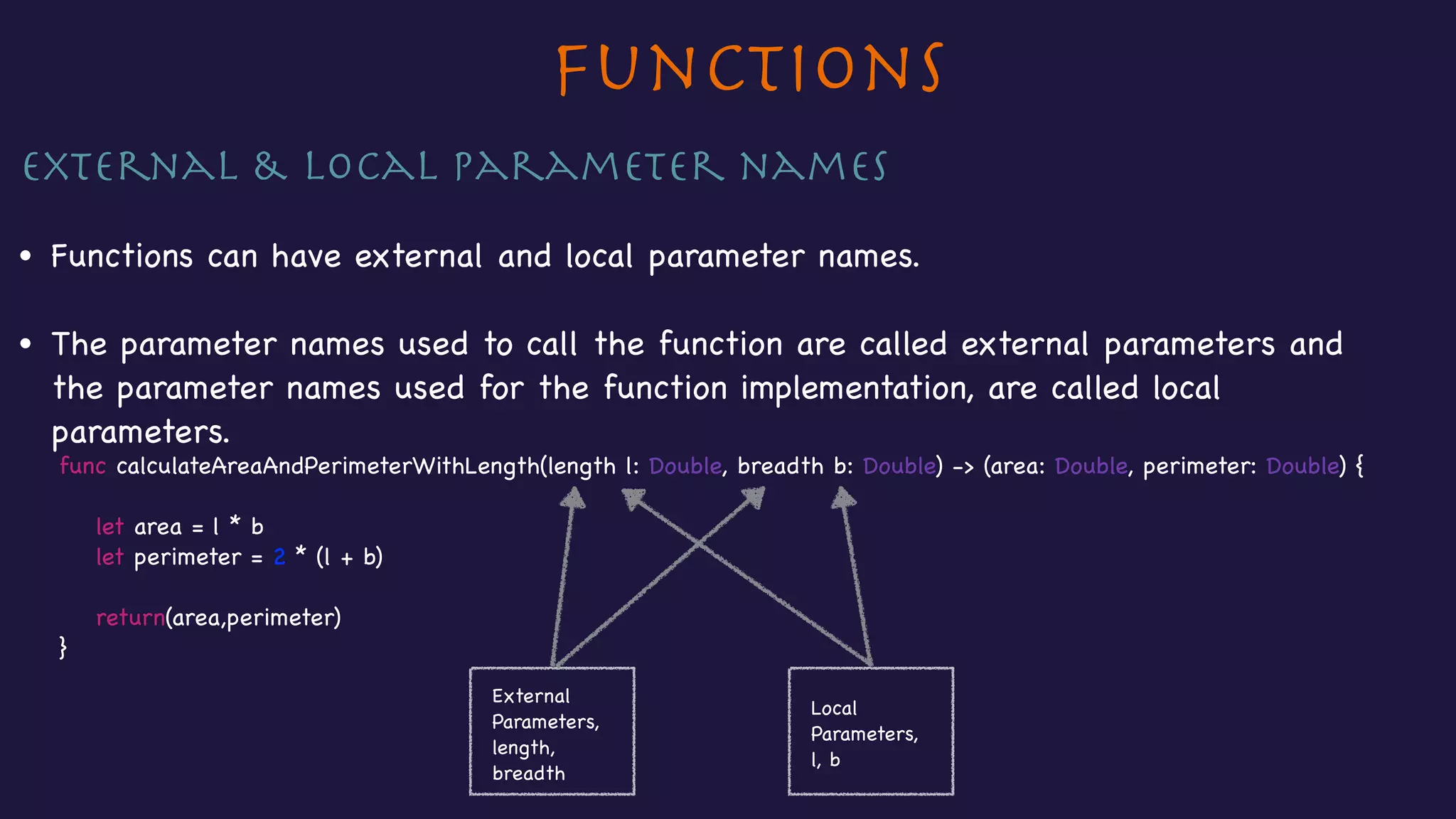
• Functions can have external and local parameter names.

• The parameter names used to call the function are called external parameters and
the parameter names used for the function implementation, are called local
parameters.

func calculateAreaAndPerimeterWithLength(length l: Double, breadth b: Double) -> (area: Double, perimeter: Double) {


let area = l * b

let perimeter = 2 * (l + b)


return(area,perimeter)

}

External
Parameters,
length,
breadth
Local
Parameters,
l, b
Functions
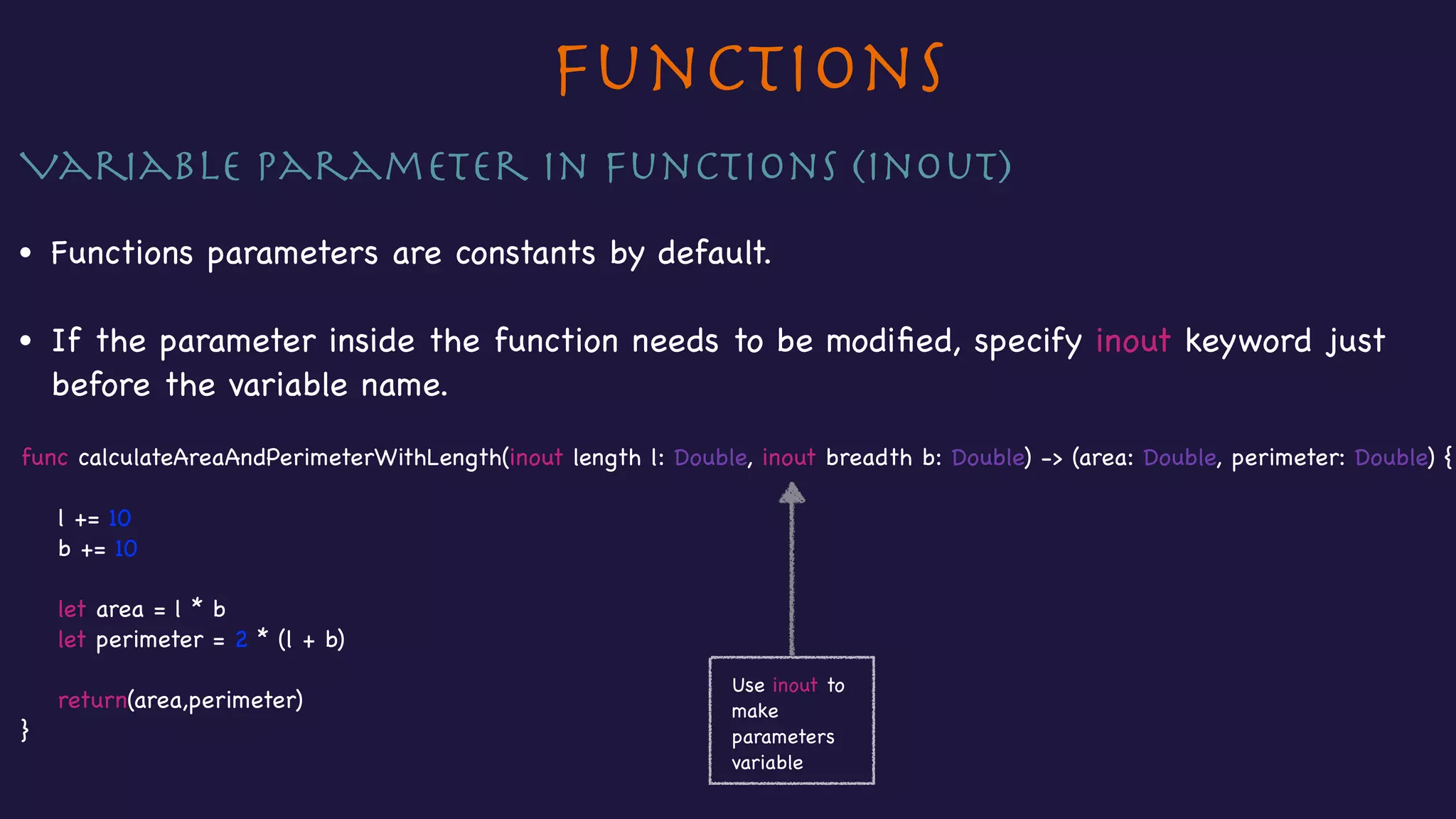
Variable parameter in Functions (inout)

• Functions parameters are constants by default.

• If the parameter inside the function needs to be modified, specify inout keyword just
before the variable name.

func calculateAreaAndPerimeterWithLength(inout length l: Double, inout breadth b: Double) -> (area: Double, perimeter: Double) {


l += 10

b += 10


let area = l * b

let perimeter = 2 * (l + b)


return(area,perimeter)

}
Use inout to
make
parameters
variable
Section 7 - Classes
• Creating classes and instance of classes
• Initialisation
• Properties - Stored, computed, lazy & class properties
• Property Observers
• Class methods
• Inheritance
• Overriding
• Preventing overriding
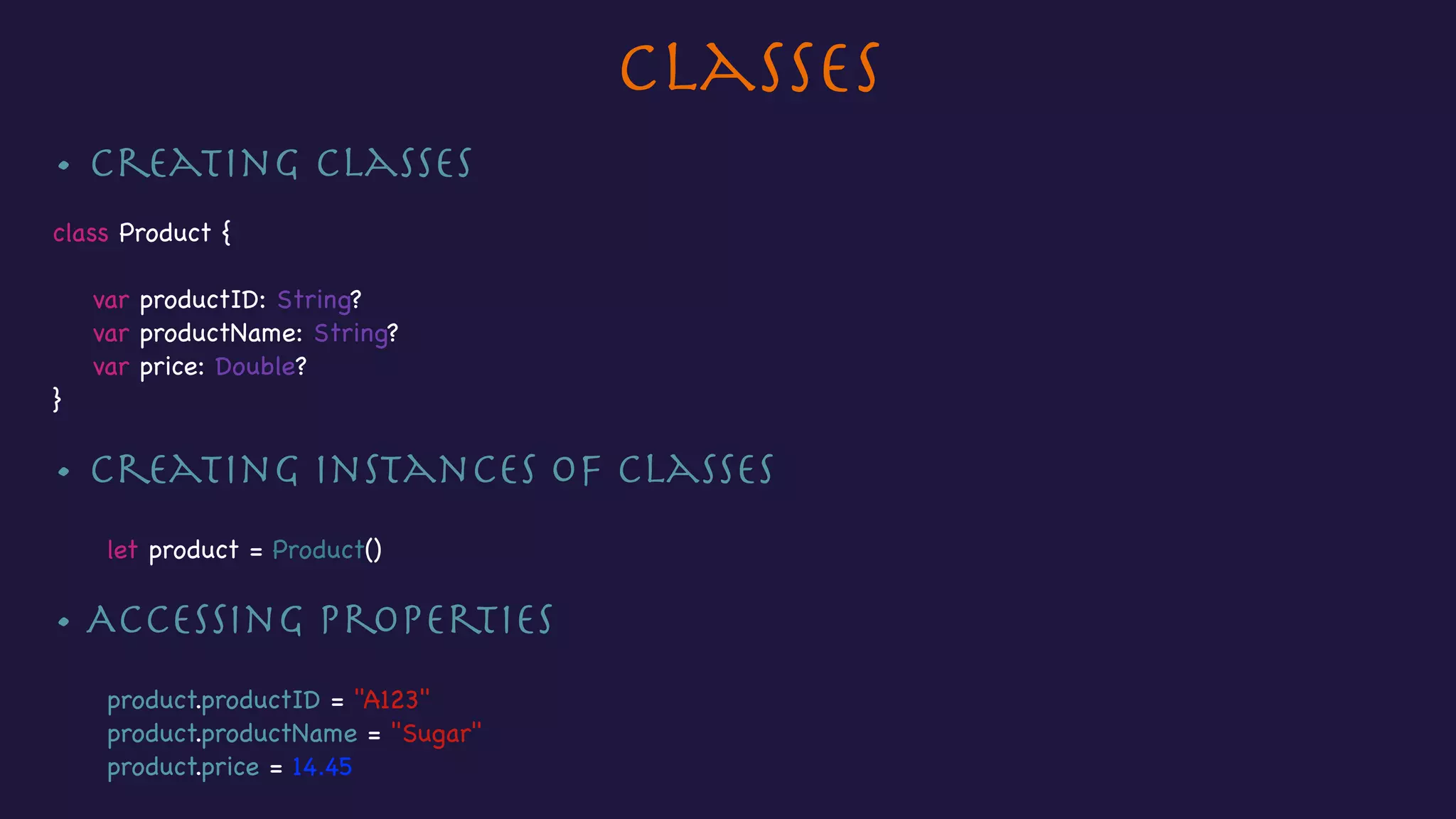
Classes
• Creating classes

class Product {


var productID: String?

var productName: String?

var price: Double?

}

• Creating instances of Classes

let product = Product()

• Accessing properties

product.productID = "A123"

product.productName = "Sugar"

product.price = 14.45
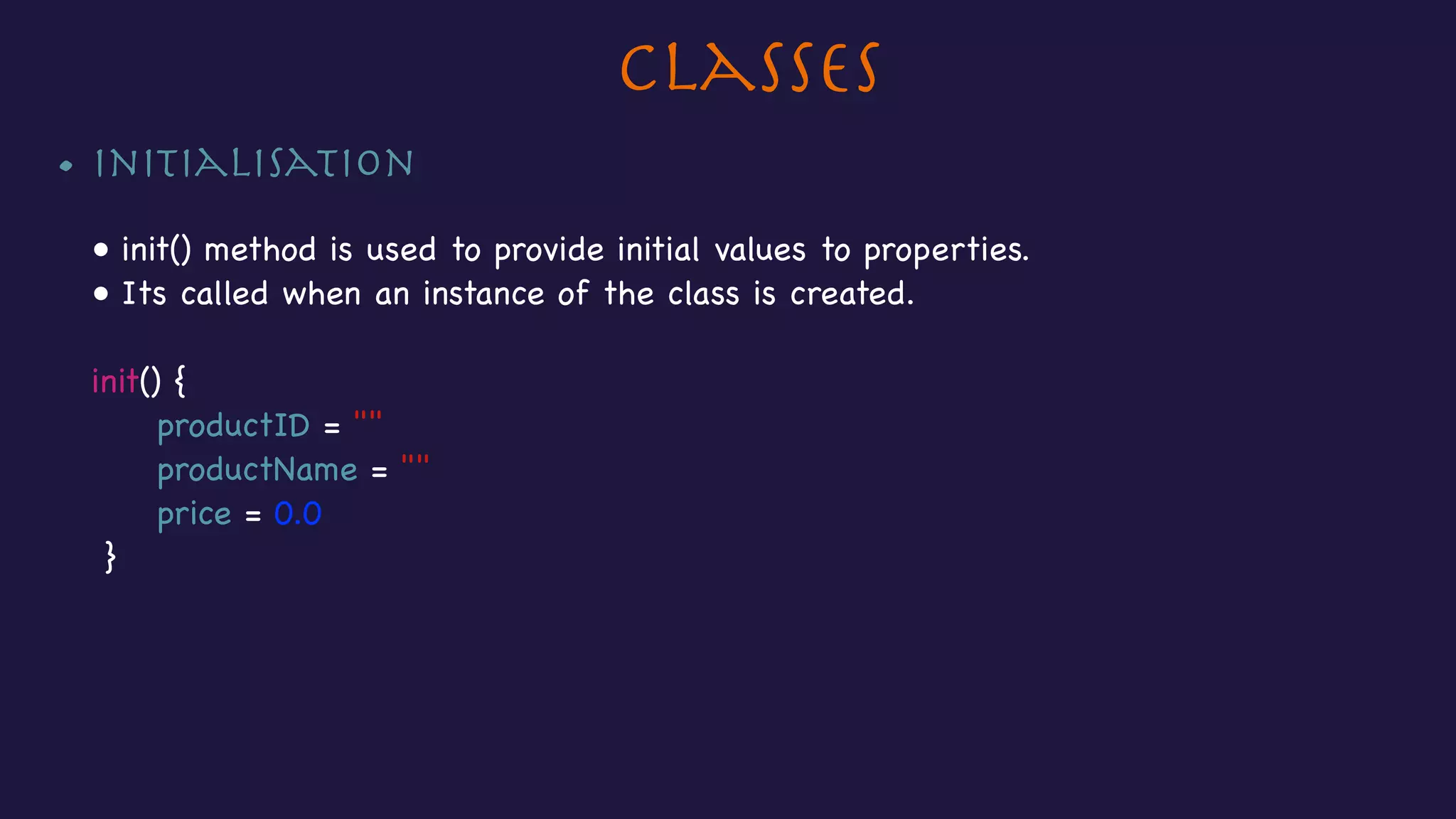
Classes
• Initialisation

• init() method is used to provide initial values to properties. 

• Its called when an instance of the class is created.

init() {

productID = ""

productName = ""

price = 0.0

}
Classes
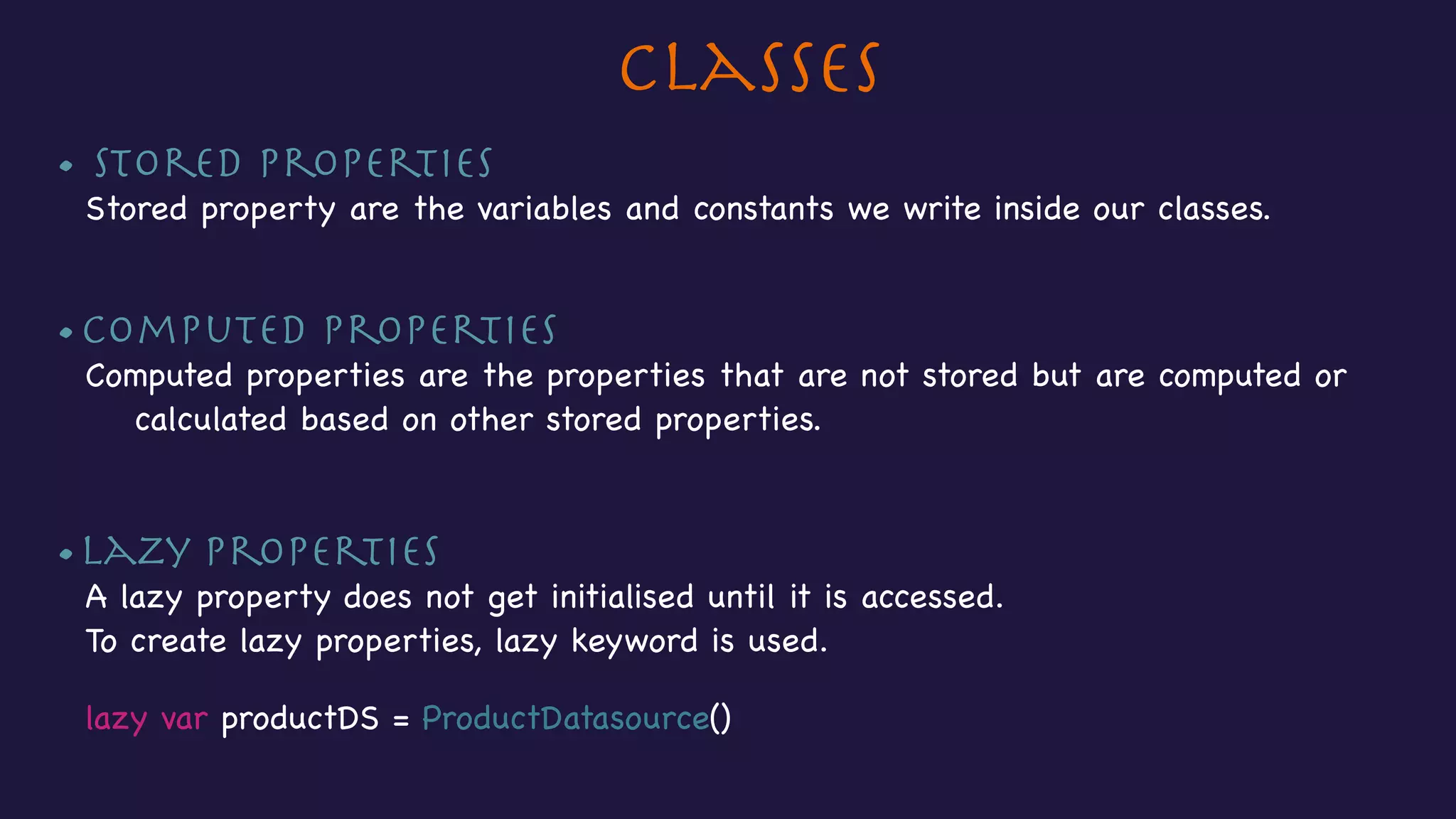
• Stored Properties

Stored property are the variables and constants we write inside our classes.

•Computed Properties

Computed properties are the properties that are not stored but are computed or
calculated based on other stored properties.

•Lazy properties

A lazy property does not get initialised until it is accessed.

To create lazy properties, lazy keyword is used.


lazy var productDS = ProductDatasource()
Classes
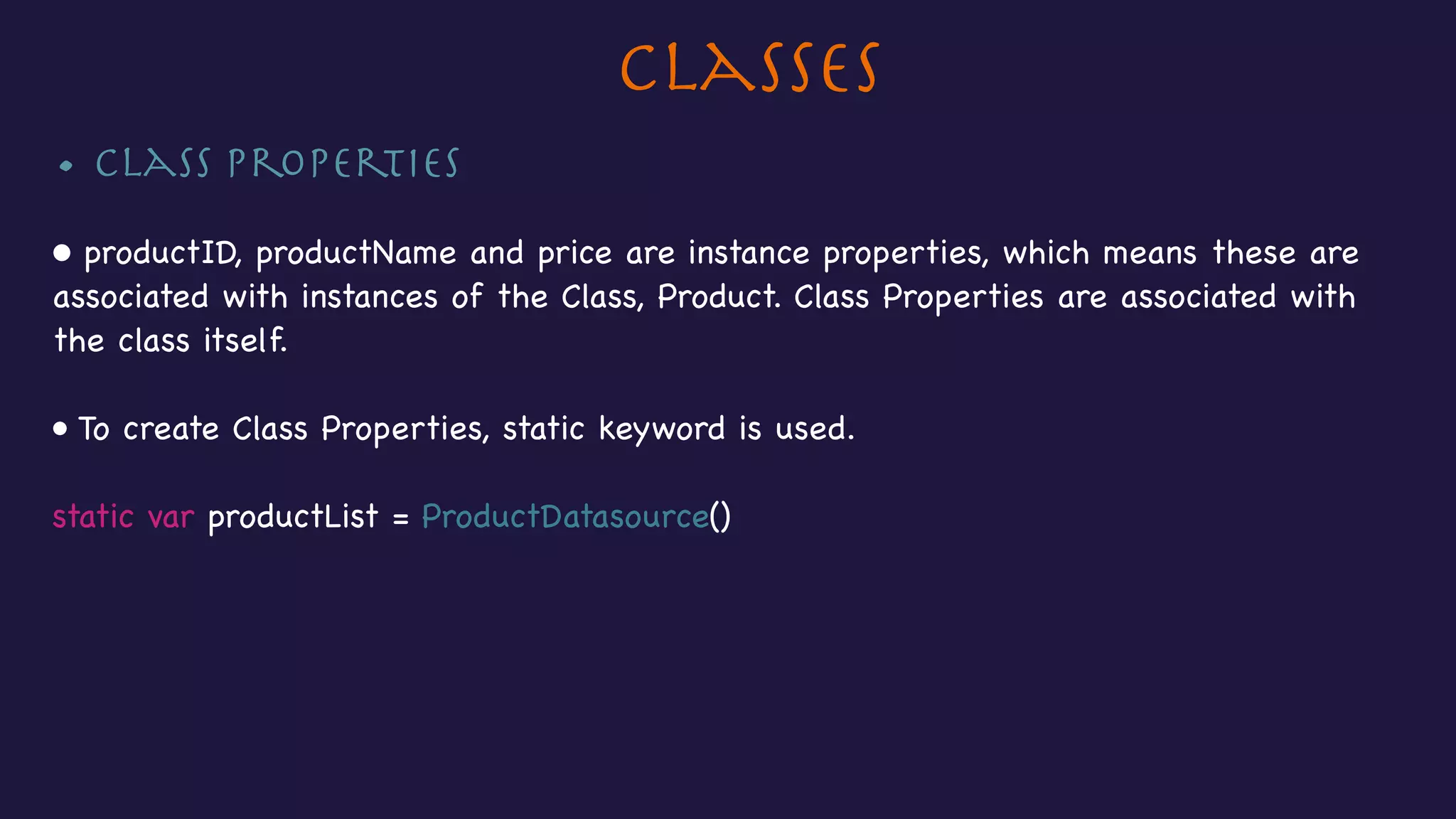
• Class Properties

• productID, productName and price are instance properties, which means these are 

associated with instances of the Class, Product. Class Properties are associated with 

the class itself.

• To create Class Properties, static keyword is used.

static var productList = ProductDatasource()
Classes
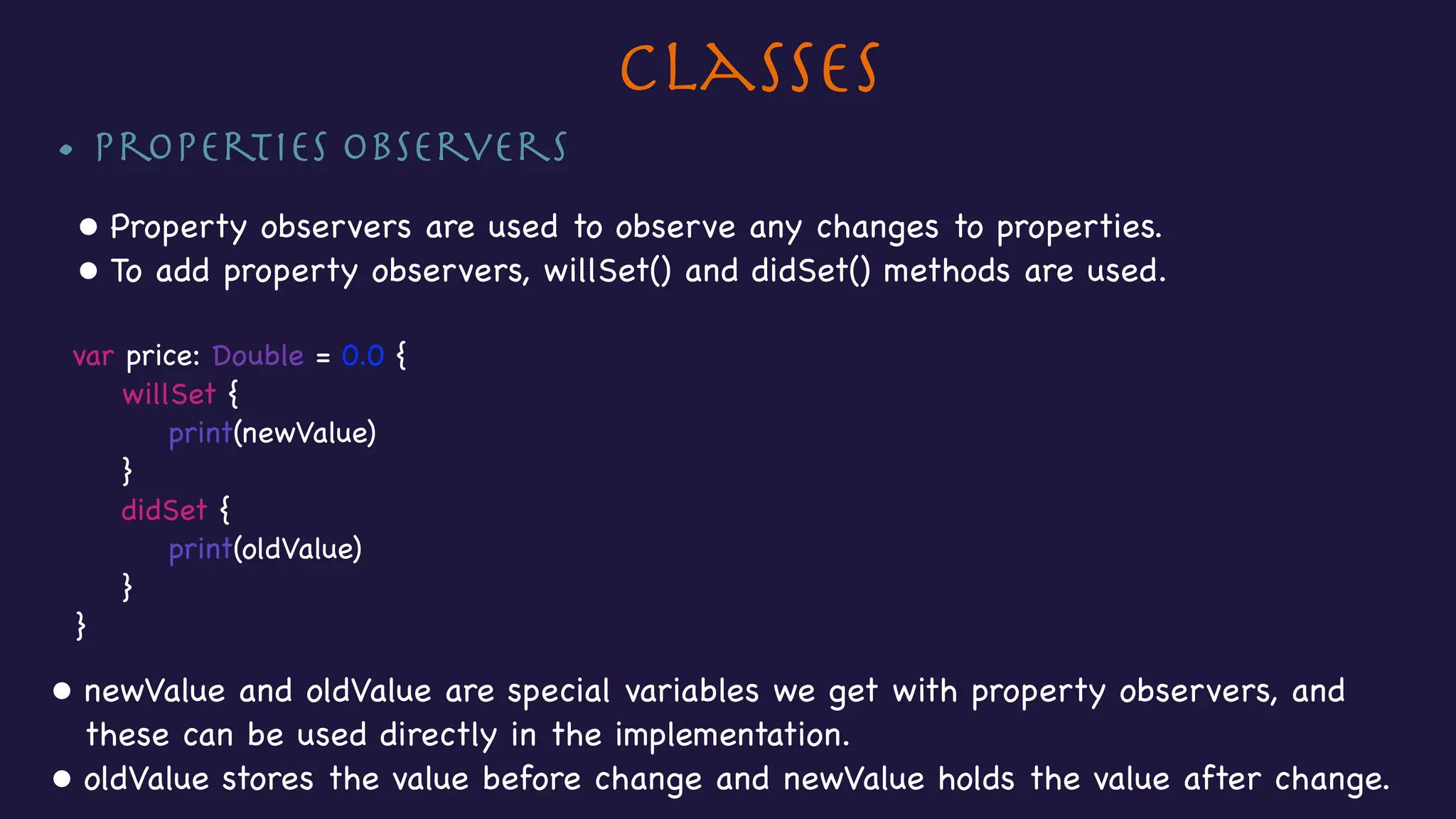
• Properties Observers

• Property observers are used to observe any changes to properties.

• To add property observers, willSet() and didSet() methods are used.

var price: Double = 0.0 {

willSet {

print(newValue)

}

didSet {

print(oldValue)

}

}

• newValue and oldValue are special variables we get with property observers, and
these can be used directly in the implementation. 

• oldValue stores the value before change and newValue holds the value after change.
Classes
• Class Methods

• Instance methods are associated with instances of a Class where as Class Methods
are associated with the Class itself.

• To create class methods, static keyword is used


//Class method

static func fetchProductsFromBackend() -> [String] {

var products = [String]()

//Networking code to fetch products.

return products

}
Classes
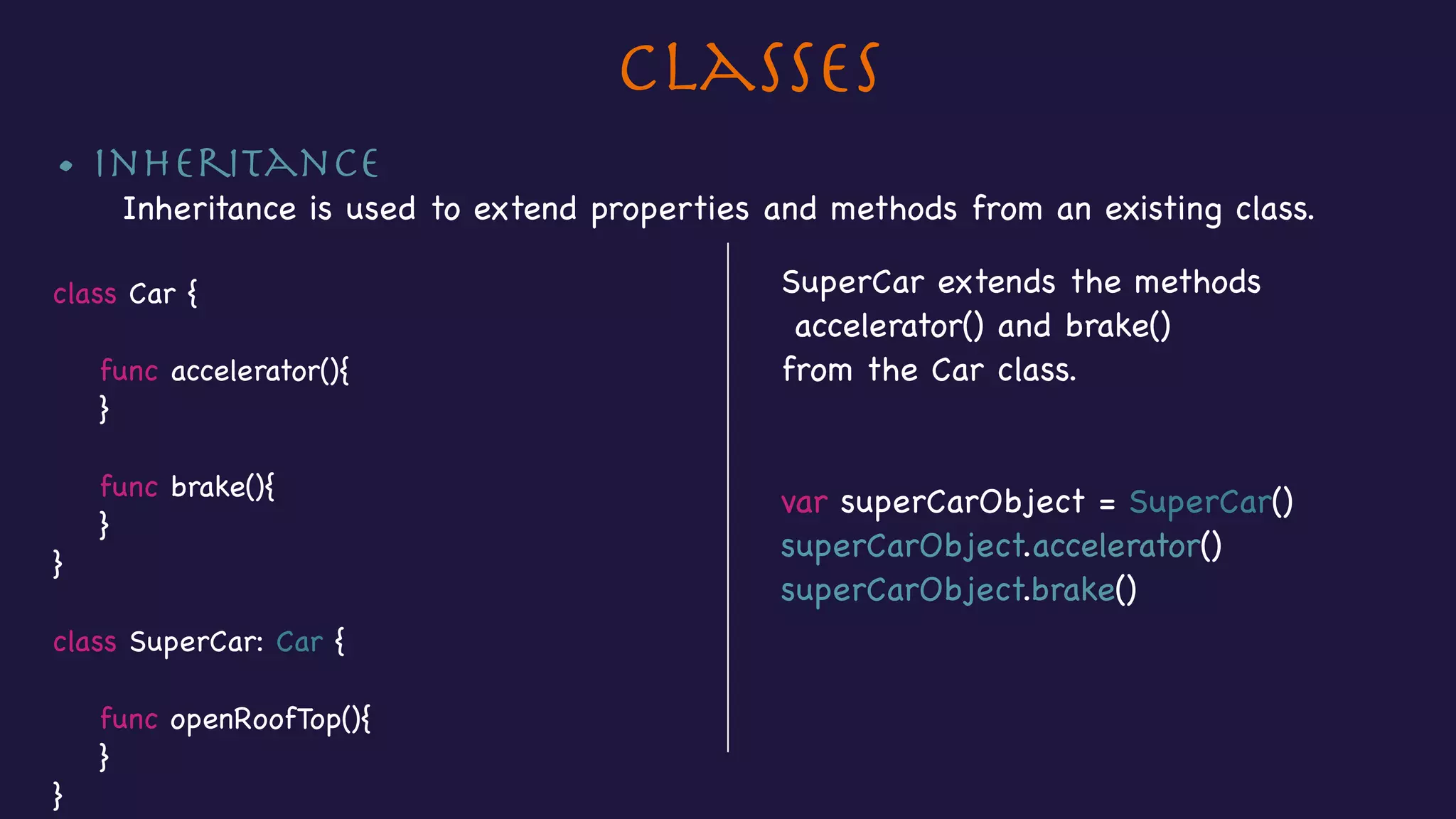
• Inheritance

Inheritance is used to extend properties and methods from an existing class.

class Car {


func accelerator(){

}


func brake(){

}

}

class SuperCar: Car {


func openRoofTop(){

}

}
SuperCar extends the methods

accelerator() and brake()

from the Car class.

var superCarObject = SuperCar()

superCarObject.accelerator()

superCarObject.brake()
Classes
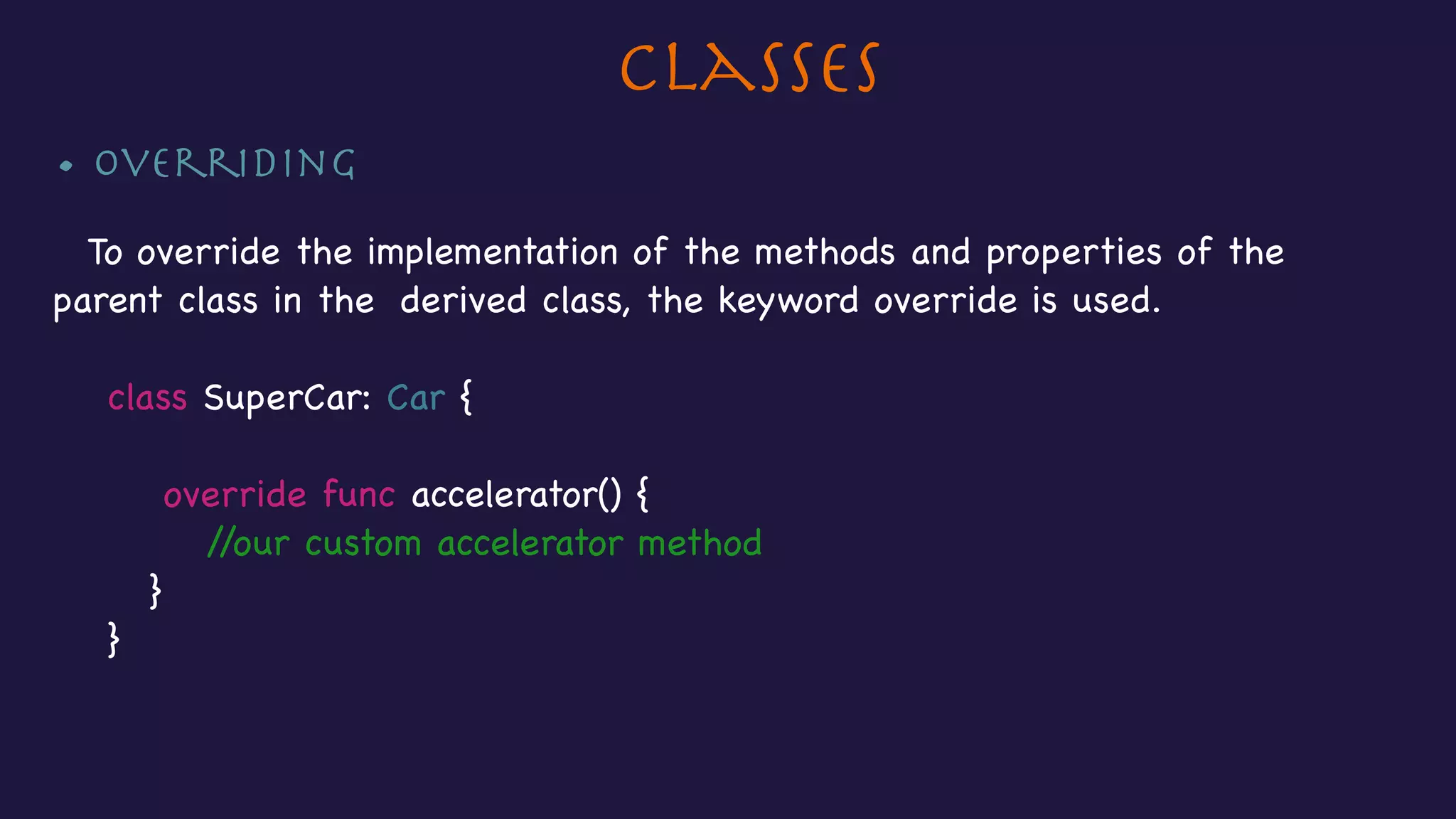
• Overriding

To override the implementation of the methods and properties of the
parent class in the derived class, the keyword override is used.

class SuperCar: Car {


override func accelerator() {

//our custom accelerator method

}

}
Classes
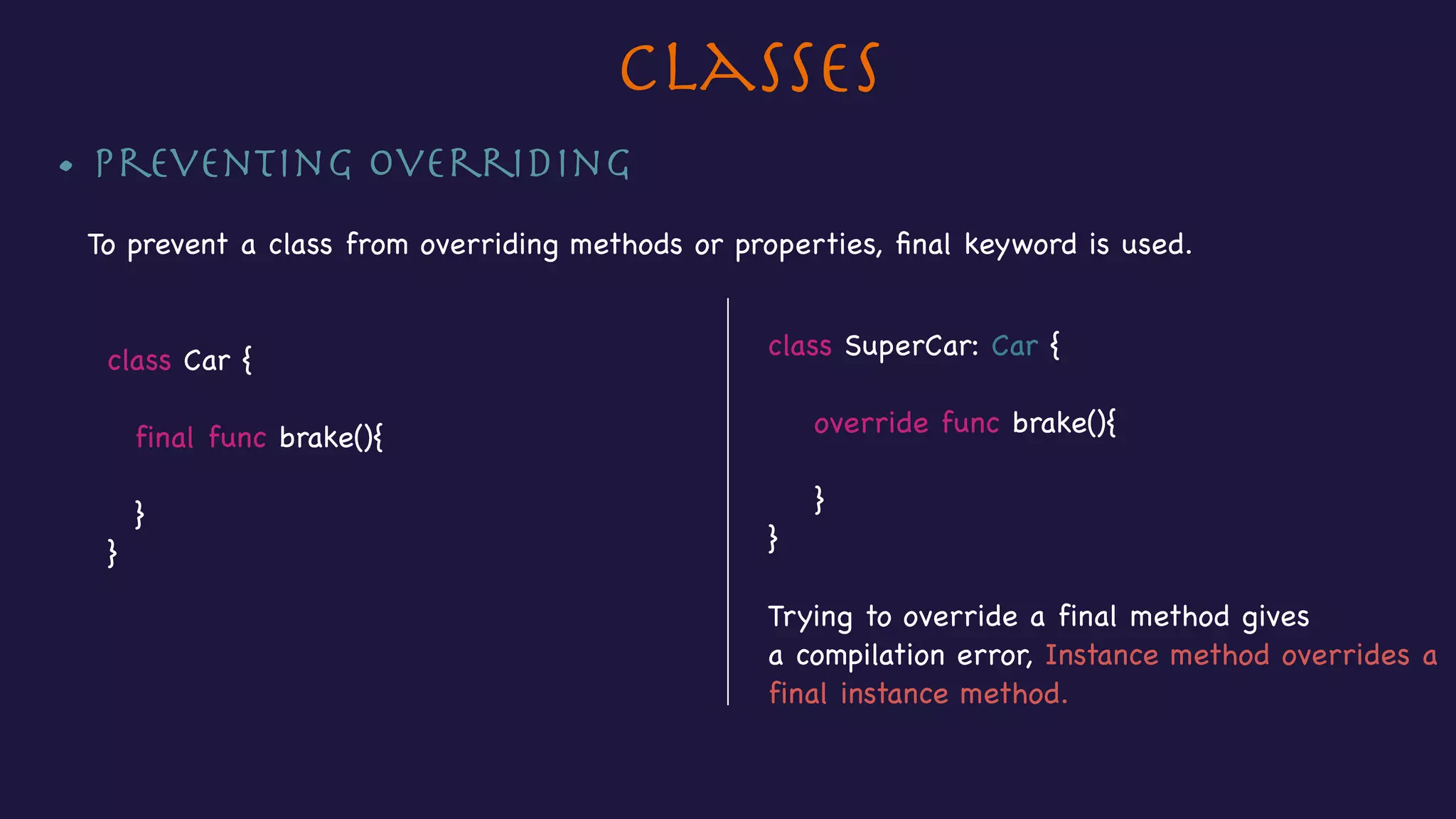
• Preventing Overriding

To prevent a class from overriding methods or properties, final keyword is used.


class Car {


final func brake(){

}

}
class SuperCar: Car {


override func brake(){


}

}

Trying to override a final method gives 

a compilation error, Instance method overrides a
final instance method.
Section 8 - Structs & Enums
• Creating Structs
• Creating instances of Structs
• Writing Enums
• Accessing properties & calling methods of Structs
• Setting Enums
Structs & Enums
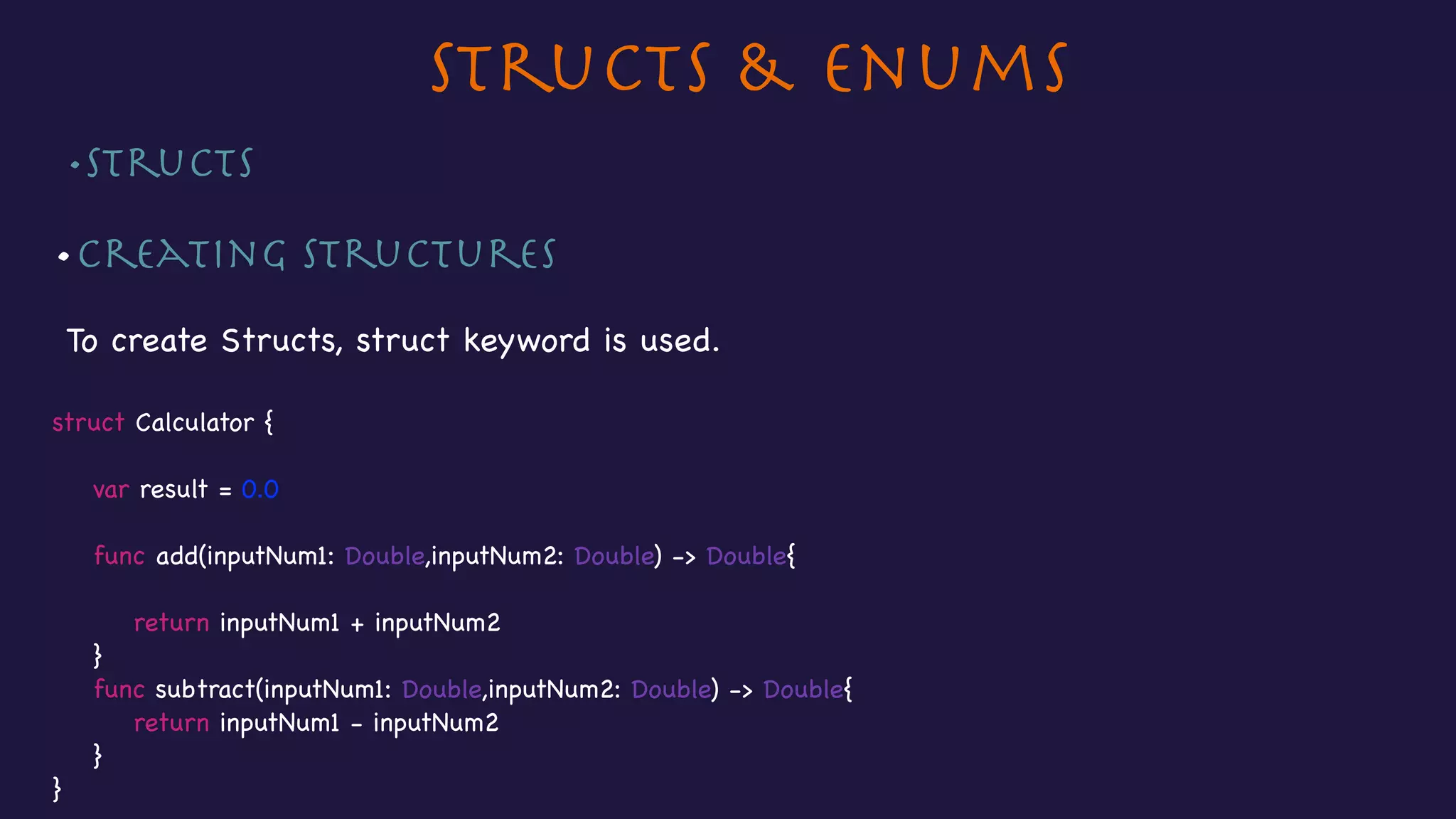
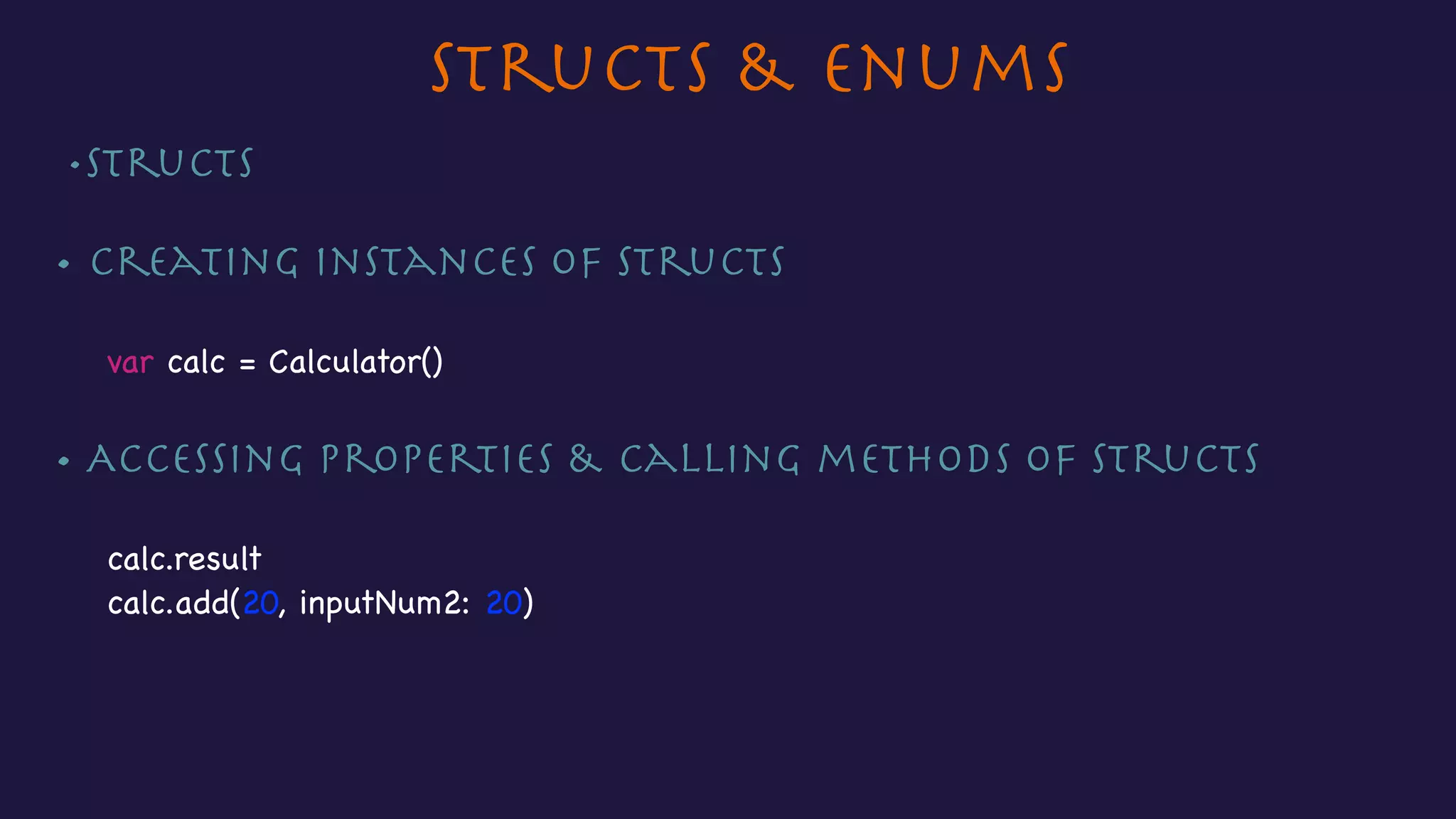
•Structs 

•Creating Structures

To create Structs, struct keyword is used.

struct Calculator {


var result = 0.0


func add(inputNum1: Double,inputNum2: Double) -> Double{


return inputNum1 + inputNum2

}

func subtract(inputNum1: Double,inputNum2: Double) -> Double{

return inputNum1 - inputNum2

}

}
Structs & Enums
•Structs 

• Creating instances of Structs

var calc = Calculator()

• Accessing properties & calling methods of Structs

calc.result

calc.add(20, inputNum2: 20)
Structs & Enums
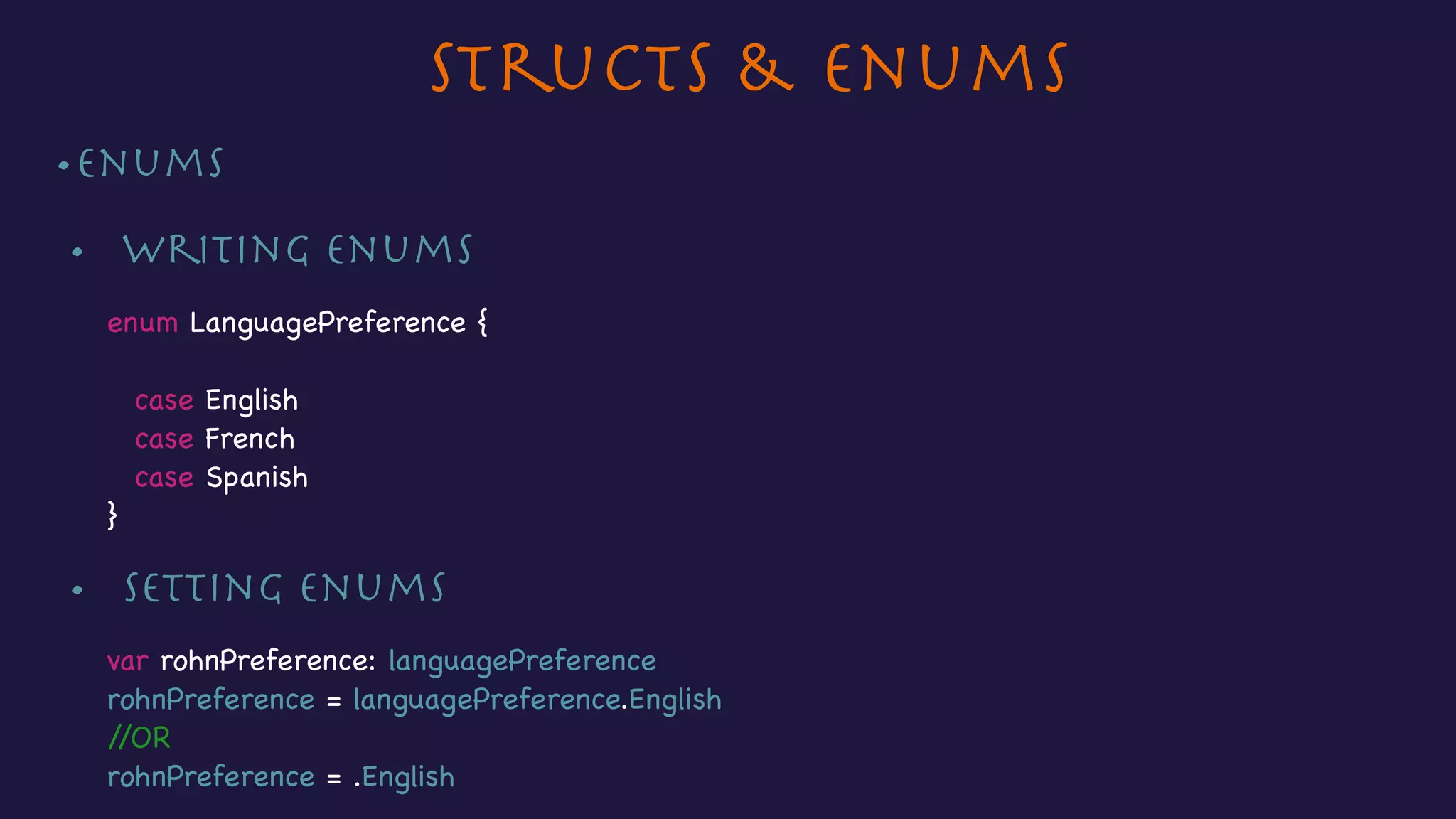
•Enums

•	 Writing enums 

enum LanguagePreference {

case English

case French

case Spanish

}
•	 Setting enums 

var rohnPreference: languagePreference

rohnPreference = languagePreference.English

//OR

rohnPreference = .English
Section 9 - Advance Features
• Protocols
• Extensions
• Generics
Advance Language Features
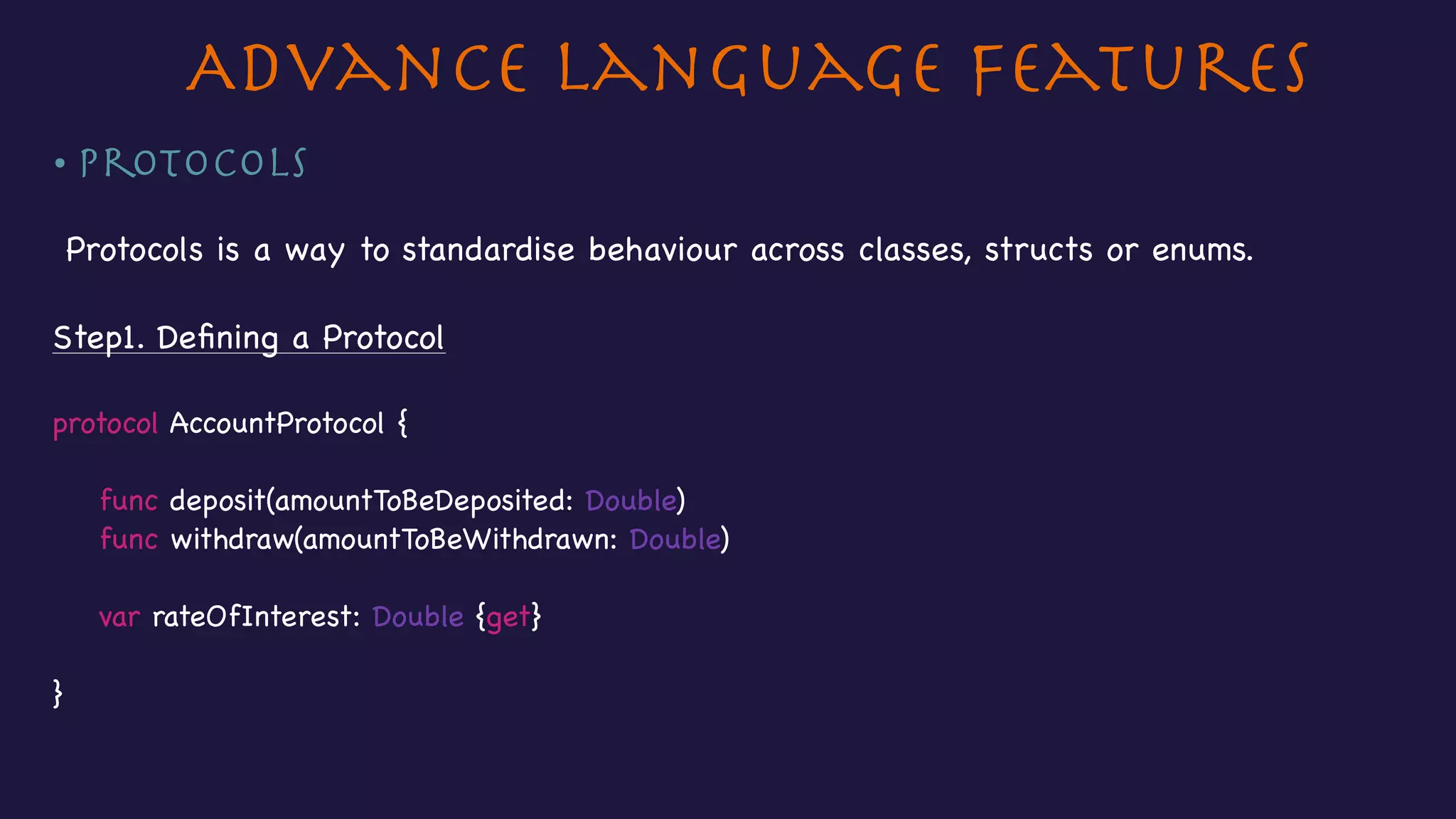
• Protocols
Protocols is a way to standardise behaviour across classes, structs or enums.

Step1. Defining a Protocol

protocol AccountProtocol {

func deposit(amountToBeDeposited: Double)

func withdraw(amountToBeWithdrawn: Double)


var rateOfInterest: Double {get}


}
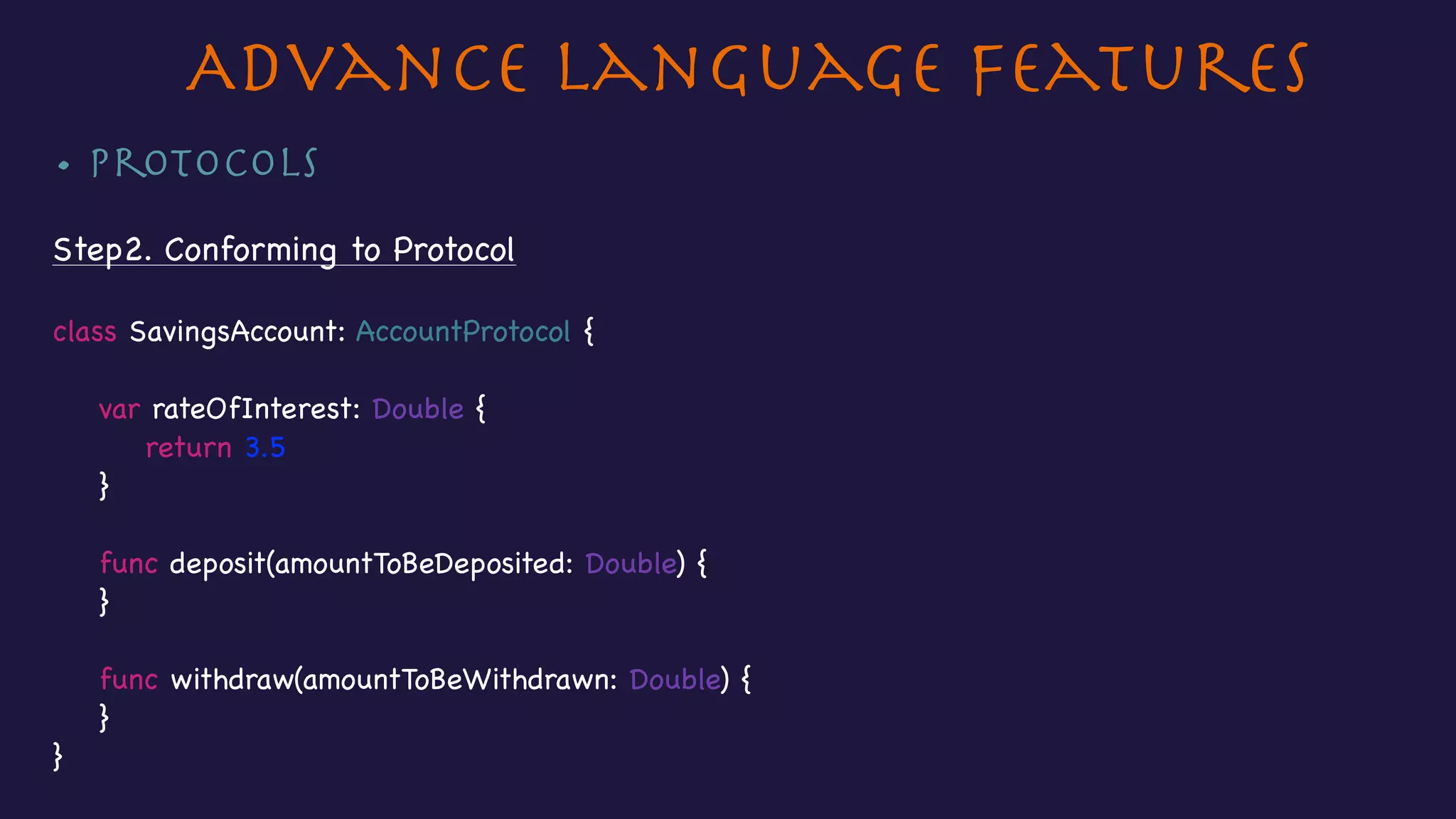
• Protocols

Step2. Conforming to Protocol

class SavingsAccount: AccountProtocol {


var rateOfInterest: Double {

return 3.5

}


func deposit(amountToBeDeposited: Double) {

}


func withdraw(amountToBeWithdrawn: Double) {

}

}

Advance Language Features
• Extensions

• Extensions allow us to add functionality to existing types.

• We don’t require source code.

• Extensions can be used with Classes, Structs and Enums.

• To write an extension, the keyword extension is used.

extension Array{


func shuffle() {

//Implementation to shuffle the array

//and return the shuffled array

}

}

var namesArray: Array = ["Abhishek","Johnson","Richard","Roy"]

namesArray.shuffle() //Calling the shuffle method directly on the Array 

//as if its an Array method.

Advance Language Features
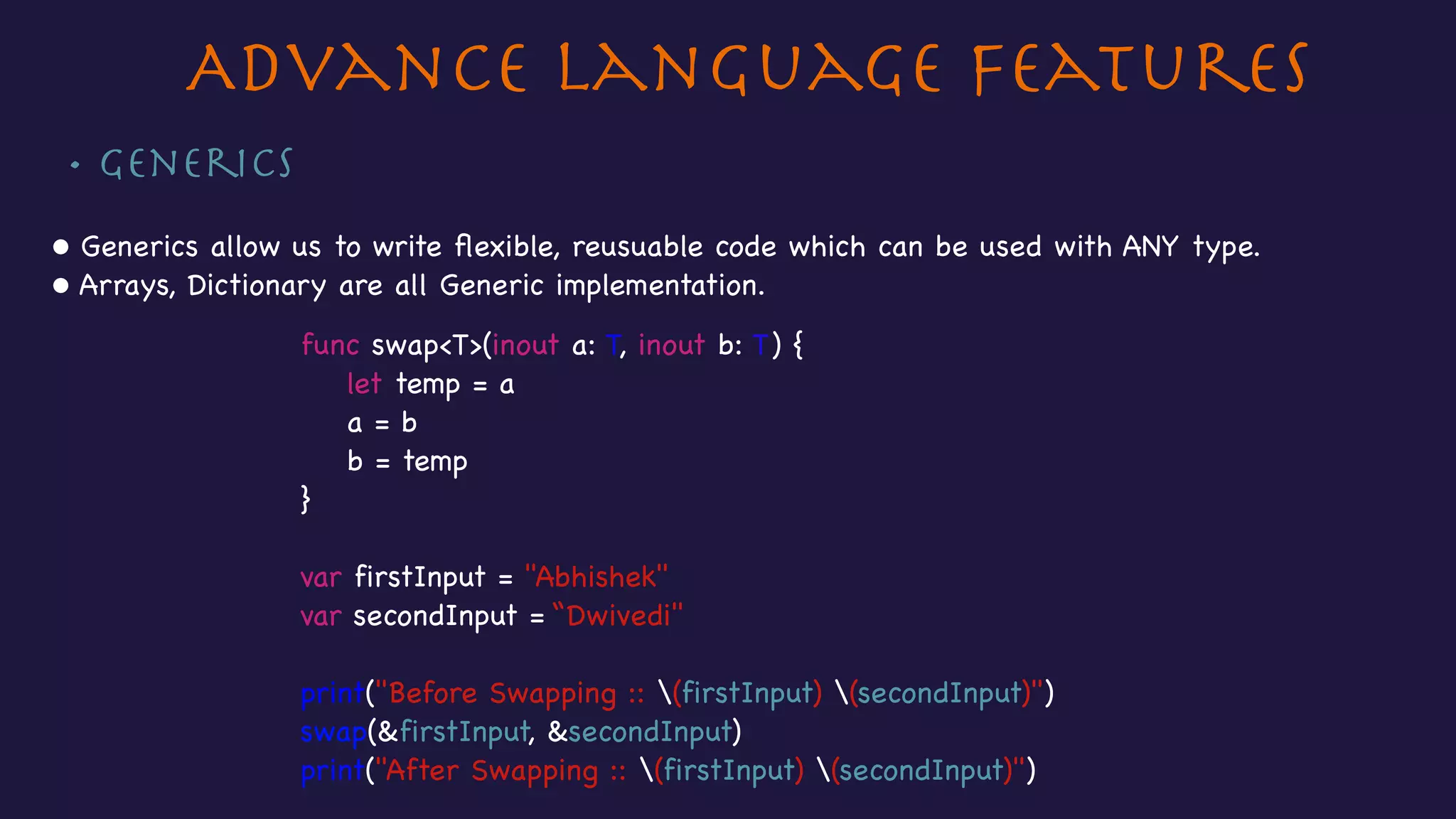
• Generics

• Generics allow us to write flexible, reusuable code which can be used with ANY type.

• Arrays, Dictionary are all Generic implementation.
func swap<T>(inout a: T, inout b: T) {

let temp = a

a = b

b = temp

}

var firstInput = "Abhishek"

var secondInput = “Dwivedi"

print("Before Swapping :: (firstInput) (secondInput)")

swap(&firstInput, &secondInput)

print("After Swapping :: (firstInput) (secondInput)")
Advance Language Features
Thank you !!!
Any feedback or comments, or if you want a similar
presentation on your favourite programming language,
please write to
dwivedi.2512@gmail.com
Abhishek Dwivedi

Introducing Swift v2.1

  • 1.
  • 2.
    Contents • Variables andconstants • Swift Datatypes • Swift Operators • Decision making • Functions • Classes • Structs and Enums • Advance language features • Control Flow
  • 3.
    Section 1 :Variables& Constants • Variables and constants • Type annotations • Type Inference • Print function • String Interpolation
  • 4.
    Variables & Constants letmaximumAttemptsAllowed = 3var score = 0 • Type of storage where we can store our data. • Can be changed later after we create them Variables Constants • Type of storage where we can store our data. • Cannot be changed later after we create them • Created using the keyword, var • Created using the keyword, let
  • 5.
    Variables & Constants 3 letmaximumAttemptsAllowed = 3 var score = 0 0score score = 125 Not Valid Valid maximumAttemptsAllowed = 5 maximumAttemptsAllowed
  • 6.
    Type annotation Print function& String interpolation • Type annotation means specifying the type, a variable or a constant can hold. • To print value a variable holds, print( ) is used. • To include value of a variable or a constant inside a longer string, String interpolation is used. var score: Int //score can hold Int values. • No need to mention the type if an initial value is provided to the variables or constants. • Swift infers the type in this case. This is called Type inference. var score = 0 //Here we don’t need to provide the type as we have provided an initial value to score. print(score) print("Score is (score)”) //Here (score) will be replaced by the value score holds.
  • 7.
    Section 2 -Swift Datatypes • Basic Datatypes • Tuples • Arrays • Dictionaries • Optionals
  • 8.
    Swift Datatypes • Int- Used to store whole numbers. No decimals allowed. • Float - Used to store decimal numbers. • Double - Same as Float but its much more precise (accurate). Use double for 
 storing decimal numbers. Also, Swift uses Double by Default. • String - Used to store ordered collection of characters (“Hello Playground!”) • Bool - Used to store boolean values which is true or false.
  • 9.
    Tuples • Tuple allowus to combine multiple values and treat them as a single value var orderStatus = ("Executed", 15) let (status,quantity) = orderStatus status quantity "Executed" 15 orderStatus.0 "Executed" 15orderStatus.1 OR
  • 10.
    Arrays var names =["Jim", "Natalie", "John"] names[0] "Jim" • Arrays allow us to store values of similar type in an ordered list. names[1] "Natalie" names[2] "John" • Indexing always starts with zero. "Jim" "Natalie" "John" 0 1 2 names
  • 11.
    Dictionary • Dictionaries areused to store mapping between keys of same type and values of same type. var countryCodes = ["UK" : "United Kingdom", "US" : "United States"] countryCodes["US"] "UK" "United Kingdom" "US" "United States" countryCodes["UK"] "United Kingdom" "United States" Key Value
  • 12.
    Optionals • Swift handlesthe absence of data by Optionals. An optional data can have two values, ‘Some value’ or ‘No value (nil)’ var marks: Int? • To fetch underlying value of an optional data, ! is used. marks! var marks: Int? var marks: Int? Unwrapping using Optional Binding, the Swift approachUnwrapping using traditional ‘nil check’ approach OR marks = 99 if marks != nil { marks! } marks = 99 if let unwrapped_marks = marks { print(unwrapped_marks) }
  • 13.
    Section 3 -Swift Operators • Arithmetic Operators • Compound assignment Operators • Comparison operators • Logical Operators • Half-open and Closed Range operators • Ternary conditional operators
  • 14.
    • Arithmetic Operators Swiftprovides basic arithmetic operators i.e. + , - , * , / , % ExampleOperators • + Addition • - Subtraction • * Multiplication Swift Operators • / Division • % Modulo (Remainder) var result, num1,num2 : Int num1 = 10 num2 = 5 result = num1 % num2 //Returns 0 as the remainder of 10 / 5 is 0.
  • 15.
    • Compound assignmentoperators Combines = with another arithmetic operation. e.g. +=, /= Swift Operators var result, num1,num2 : Int num1 = 10 num2 = 5 num2 += 15 //Equivalent to num2 = num2 + 15.
  • 16.
    • Comparison Operator SwiftOperators • Comparison operators are used to compare two values. Operators • == Equal to • != Not equal to • < Less than • > Greater than • <= Less than or equal to if num1 > num2 { print("(num1) is greater than (num2)") } • These are ==, !=, <, >, <=, >= • >= Greater than or equal to Example
  • 17.
    • Ternary Conditionaloperator?: Swift Operators Syntax condition ? expression1 : expression2 Example • Evaluates either expression1 or expression2 based on the condition. var greaterNumber, number1, number2 : Int number1 = 10 number2 = 15 greaterNumber = number2 > number1 ? number2 : number1 //Prints 15 • If condition holds true, evaluate expression1, else evaluate expression2
  • 18.
    • Logical operators SwiftOperators if num1 < num2 && result == 0 { //Both (num1 < num2) and (result == 0) should hold true } •Used with Boolean values, true and false. •Swift provides the standard logical operators, && (AND), || (OR), !(NOT) var isButtonTapped = false !isButtonTapped //true
  • 19.
    • Range Operators Swiftintroduces two unique range operators, Half-open range and Closed range operators. Closed Range Operator • Denoted by … • Makes a range including the last number. • Example - “10…15” - Makes a range containing 10,11,12,13,14,15 Half open Range Operator • Denoted by ..< • Makes a range excluding the last number. • Example - “10..<15” - Makes a range containing 10,11,12,13,14 Swift Operators
  • 20.
    Section 4 -Decision Making • If statements • If-else statements • Nested If-else statements • Switch statements
  • 21.
    Decision making • IfStatements If statements provide us a way to have some line of code execute only if a particular condition holds true. var number = 10 if number % 2 == 0 { print("Its an even number") } if condition == true { //Statements to execute //if condition holds true } High level syntax Sample code
  • 22.
    Decision making • If-elseStatements If else statements provide us a way to have some line of code execute if a particular condition holds true; and some other block execute if the condition holds false. var number = 10 if number % 2 == 0 { print("Its an even number") } else { print("Its an odd number") } if condition == true { //Statements to execute //if condition holds true } else { //Statements to execute //if condition holds false } High level syntax Sample code
  • 23.
    Decision making • NestedIf-else Statements If else statements can be nested to check multiple conditions. if condition1 == true { //Statements to execute //if condition1 holds true } else if condition2 == true{ //Statements to execute //if condition2 holds false } else { //Statements to execute //if condition1 & condition2 //both holds false } var number = 10 if number < 0 { print("Please provide a valid input") } else if number % 2 == 0 { print("Its an even number") } else { print("Its an odd number") } Sample codeHigh level syntax
  • 24.
    Decision making • SwitchStatements Switch statement allow us to check multiple values for a particular data. let rank = 2 switch rank { case 1: print("1st Rank") case 2: print("1st Rank") case 3: print("3rd Rank") default: print(“Not in Top 3") } switch variable { case value1: //Statements to execute if //variable equals value1 case value2: //Statements to execute if //variable equals value2 case value3: //Statements to execute if //variable equals value3 default: //Statements to execute if // none of the cases executed }
  • 25.
    Section 5 -Control Flow • For-in loop • For loop • While loop
  • 26.
    Control Flow • For-inloops For-in loop is used to loop through a sequence such as a sequence of numbers or items in an array. for variable in collection{ //Statements to execute } var todoList = ["Complete Assignments", "Buy Groceries", "Clean room"] for item in todoList { print(item) } High level syntax Sample code item -> "Complete Assignments" item -> "Buy Groceries" item -> "Clean room" First execution Second execution Third execution
  • 27.
    Control Flow • Forloops for initialisation; condition; increment { //Block of statements } var todoList = ["Complete Assignments", "Buy Groceries", "Clean room"] for var item = 0; item < todoList.count; item++ { print(todoList[item]) } High level syntax Sample code item -> 0 item -> 1 item -> 2 First execution Second execution Third execution
  • 28.
    Control Flow • Whileloop While loop evaluates the condition before executing the code and then it executes only if the condition holds true. Its useful when we are not sure about how many times a particular block of code needs to be executed. while condition { //statements to execute //till condition holds true } High level syntax Sample code var count = todoList.count var currentIndex = 0 while currentIndex < count { print(todoList[currentIndex]) currentIndex++ }
  • 29.
    Section 6 -Functions • Writing functions • Calling functions • Functions with multiple return values • External & Local Parameter names • Variable parameter in Functions (inout)
  • 30.
    Functions Writing functions • Functionsare block of code put together logically to perform a specific task. • Write once, execute many times. func calculateSimpleInterest(principal: Double, rate: Double, time: Double) -> Double { var simpleInterest: Double = 0 simpleInterest = principal * rate * time / 100 return simpleInterest } func keyword is used to create a function Name of the function Parameter names Return type
  • 31.
    Functions Calling a function •To call the function, we simply use the function name, and provide the parameters required by the function. let interest: Double interest = calculateSimpleInterestWithPrincipalAmount(20000, rate: 8, time: 12) print(interest) calling function by the function name passing parameters in the function call
  • 32.
    Functions Functions with multiplereturn values • To return multiple values in functions, tuples are used. Creating the function with multiple return values func calculateAreaAndPerimeterWithLength(length: Double, breadth: Double) -> (area: Double, perimeter: Double) { let area = length * breadth let perimeter = 2 * (length + breadth) return(area,perimeter) } Calling the function with multiple return values let result = calculateAreaAndPerimeterWithLength(20, breadth: 10) print(result.area) print(result.perimeter)
  • 33.
    Functions External & LocalParameter names • Functions can have external and local parameter names. • The parameter names used to call the function are called external parameters and the parameter names used for the function implementation, are called local parameters. func calculateAreaAndPerimeterWithLength(length l: Double, breadth b: Double) -> (area: Double, perimeter: Double) { let area = l * b let perimeter = 2 * (l + b) return(area,perimeter) } External Parameters, length, breadth Local Parameters, l, b
  • 34.
    Functions Variable parameter inFunctions (inout) • Functions parameters are constants by default. • If the parameter inside the function needs to be modified, specify inout keyword just before the variable name. func calculateAreaAndPerimeterWithLength(inout length l: Double, inout breadth b: Double) -> (area: Double, perimeter: Double) { l += 10 b += 10 let area = l * b let perimeter = 2 * (l + b) return(area,perimeter) } Use inout to make parameters variable
  • 35.
    Section 7 -Classes • Creating classes and instance of classes • Initialisation • Properties - Stored, computed, lazy & class properties • Property Observers • Class methods • Inheritance • Overriding • Preventing overriding
  • 36.
    Classes • Creating classes classProduct { var productID: String? var productName: String? var price: Double? } • Creating instances of Classes let product = Product() • Accessing properties product.productID = "A123" product.productName = "Sugar" product.price = 14.45
  • 37.
    Classes • Initialisation • init()method is used to provide initial values to properties. • Its called when an instance of the class is created.
 init() { productID = "" productName = "" price = 0.0 }
  • 38.
    Classes • Stored Properties Storedproperty are the variables and constants we write inside our classes. •Computed Properties Computed properties are the properties that are not stored but are computed or calculated based on other stored properties. •Lazy properties A lazy property does not get initialised until it is accessed. To create lazy properties, lazy keyword is used. lazy var productDS = ProductDatasource()
  • 39.
    Classes • Class Properties •productID, productName and price are instance properties, which means these are associated with instances of the Class, Product. Class Properties are associated with the class itself. • To create Class Properties, static keyword is used. static var productList = ProductDatasource()
  • 40.
    Classes • Properties Observers •Property observers are used to observe any changes to properties. • To add property observers, willSet() and didSet() methods are used. var price: Double = 0.0 { willSet { print(newValue) } didSet { print(oldValue) } } • newValue and oldValue are special variables we get with property observers, and these can be used directly in the implementation. • oldValue stores the value before change and newValue holds the value after change.
  • 41.
    Classes • Class Methods •Instance methods are associated with instances of a Class where as Class Methods are associated with the Class itself. • To create class methods, static keyword is used //Class method static func fetchProductsFromBackend() -> [String] { var products = [String]() //Networking code to fetch products. return products }
  • 42.
    Classes • Inheritance Inheritance isused to extend properties and methods from an existing class. class Car { func accelerator(){ } func brake(){ } } class SuperCar: Car { func openRoofTop(){ } } SuperCar extends the methods accelerator() and brake() from the Car class. var superCarObject = SuperCar() superCarObject.accelerator() superCarObject.brake()
  • 43.
    Classes • Overriding To overridethe implementation of the methods and properties of the parent class in the derived class, the keyword override is used. class SuperCar: Car { override func accelerator() { //our custom accelerator method } }
  • 44.
    Classes • Preventing Overriding Toprevent a class from overriding methods or properties, final keyword is used. class Car { final func brake(){ } } class SuperCar: Car { override func brake(){ } } Trying to override a final method gives a compilation error, Instance method overrides a final instance method.
  • 45.
    Section 8 -Structs & Enums • Creating Structs • Creating instances of Structs • Writing Enums • Accessing properties & calling methods of Structs • Setting Enums
  • 46.
    Structs & Enums •Structs •Creating Structures To create Structs, struct keyword is used. struct Calculator { var result = 0.0 func add(inputNum1: Double,inputNum2: Double) -> Double{ return inputNum1 + inputNum2 } func subtract(inputNum1: Double,inputNum2: Double) -> Double{ return inputNum1 - inputNum2 } }
  • 47.
    Structs & Enums •Structs • Creating instances of Structs var calc = Calculator() • Accessing properties & calling methods of Structs calc.result calc.add(20, inputNum2: 20)
  • 48.
    Structs & Enums •Enums • Writing enums enum LanguagePreference { case English case French case Spanish } • Setting enums var rohnPreference: languagePreference rohnPreference = languagePreference.English //OR rohnPreference = .English
  • 49.
    Section 9 -Advance Features • Protocols • Extensions • Generics
  • 50.
    Advance Language Features •Protocols Protocols is a way to standardise behaviour across classes, structs or enums. Step1. Defining a Protocol protocol AccountProtocol { func deposit(amountToBeDeposited: Double) func withdraw(amountToBeWithdrawn: Double) var rateOfInterest: Double {get} }
  • 51.
    • Protocols Step2. Conformingto Protocol class SavingsAccount: AccountProtocol { var rateOfInterest: Double { return 3.5 } func deposit(amountToBeDeposited: Double) { } func withdraw(amountToBeWithdrawn: Double) { } } Advance Language Features
  • 52.
    • Extensions • Extensionsallow us to add functionality to existing types. • We don’t require source code. • Extensions can be used with Classes, Structs and Enums. • To write an extension, the keyword extension is used. extension Array{ func shuffle() { //Implementation to shuffle the array //and return the shuffled array } } var namesArray: Array = ["Abhishek","Johnson","Richard","Roy"] namesArray.shuffle() //Calling the shuffle method directly on the Array //as if its an Array method. Advance Language Features
  • 53.
    • Generics • Genericsallow us to write flexible, reusuable code which can be used with ANY type. • Arrays, Dictionary are all Generic implementation. func swap<T>(inout a: T, inout b: T) { let temp = a a = b b = temp } var firstInput = "Abhishek" var secondInput = “Dwivedi" print("Before Swapping :: (firstInput) (secondInput)") swap(&firstInput, &secondInput) print("After Swapping :: (firstInput) (secondInput)") Advance Language Features
  • 54.
    Thank you !!! Anyfeedback or comments, or if you want a similar presentation on your favourite programming language, please write to dwivedi.2512@gmail.com Abhishek Dwivedi