Intro to jQuery Alan Hecht http://alanhecht.me Jason Noble http://jasonnoble.org
Benefits Shallow learning curve, especially compared to other frameworks Easy to play with the DOM Easily add simple effects Cross-browser Compatibility jQuery handles browser caveats for you CSS3 Selectors Helpful Utilities
Benefits (cont.) jQuery UI Additional useful effects Advanced UI widgets UI Themes Plugins jQuery is easily extensible AJAX Widespread adoption
Firefox/Firebug Combo Firefox Firebug plugin Enable the script console in order to execute JavaScript
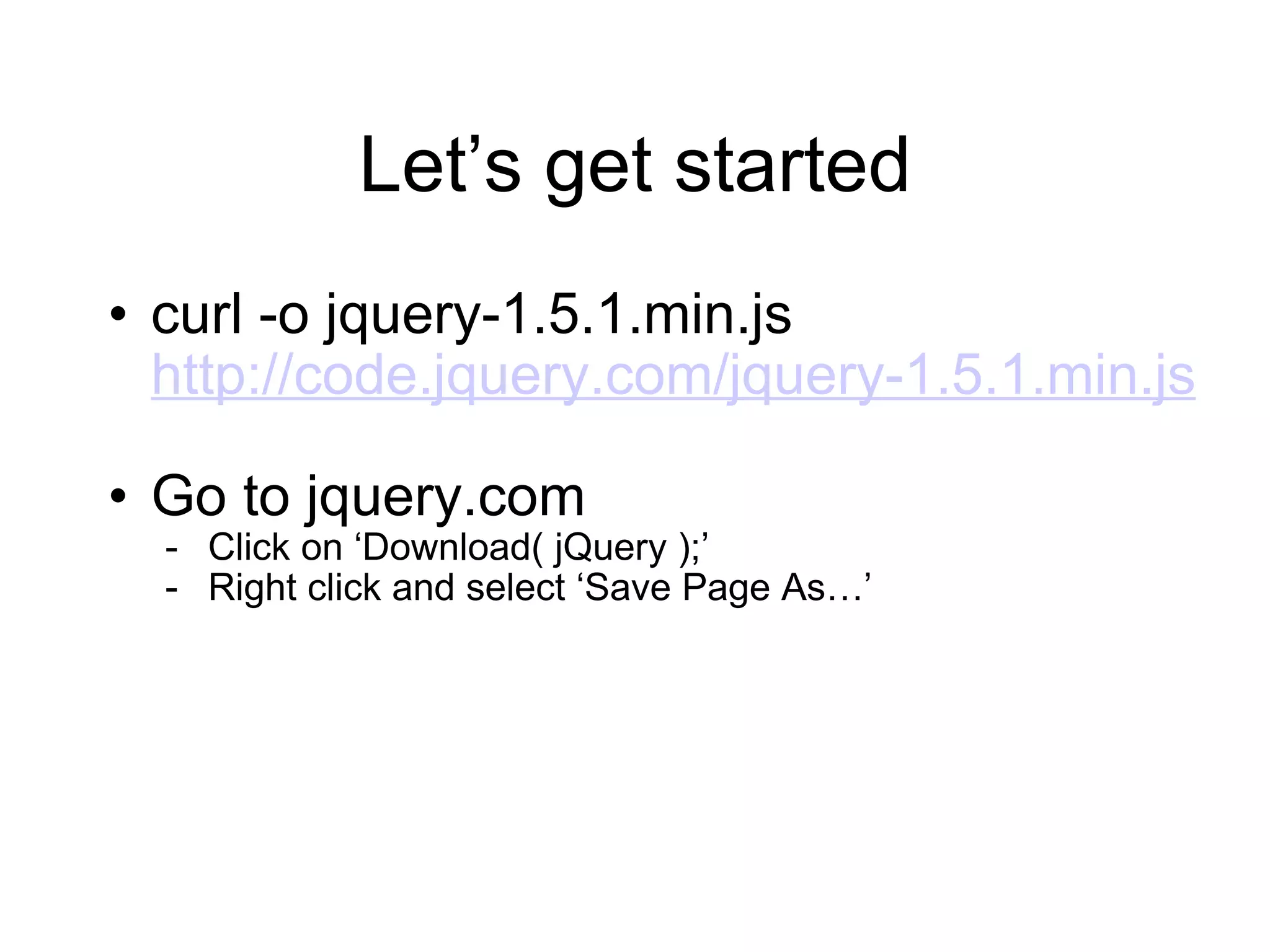
Let ’s get started curl -o jquery-1.5.1.min.js  http://code.jquery.com/jquery-1.5.1.min.js Go to jquery.com Click on  ‘Download( jQuery );’ Right click and select  ‘Save Page As…’
JavaScript Good to know for jQuery Functions JavaScript Object Notation (JSON)
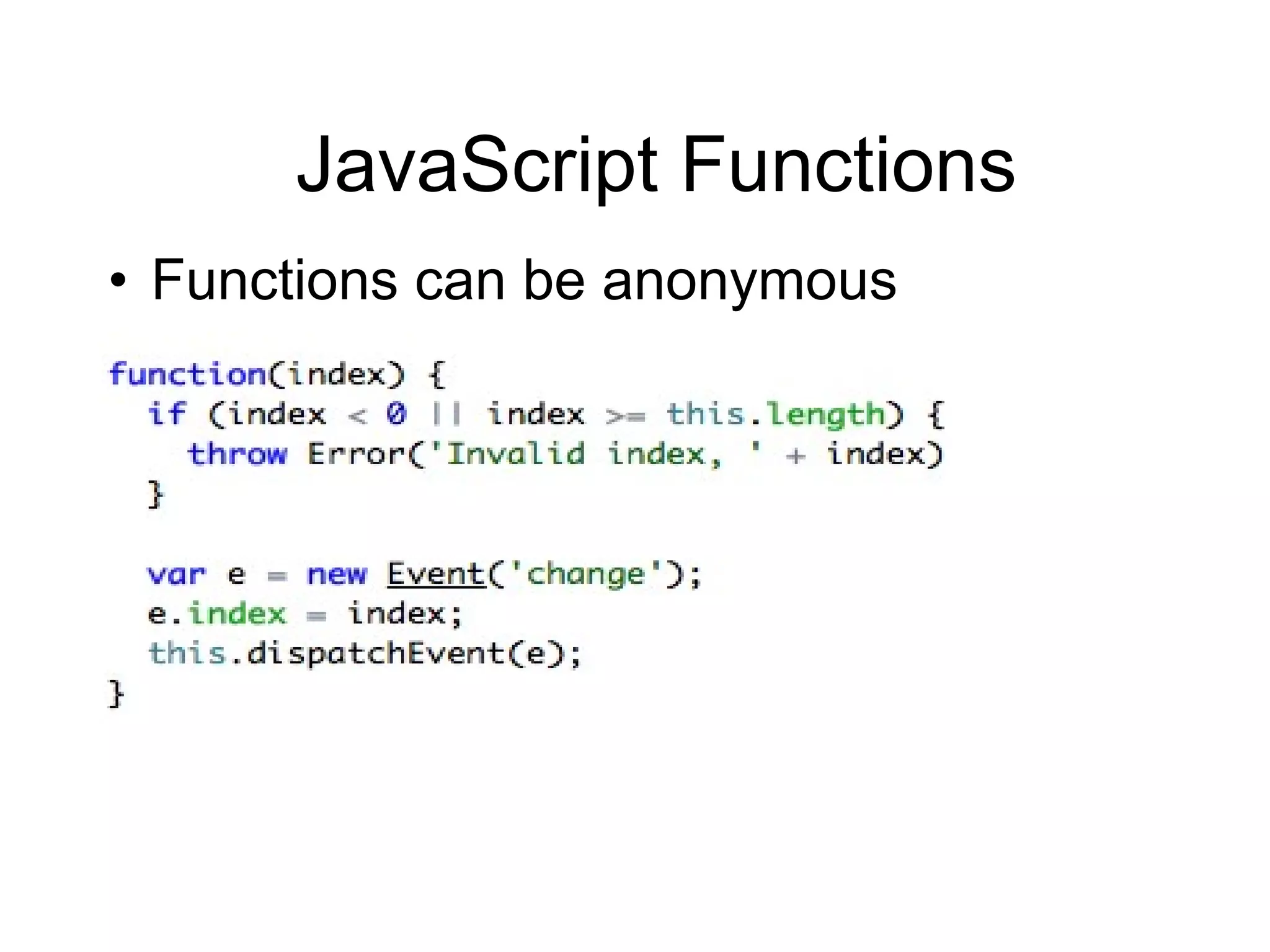
JavaScript Functions Functions can be anonymous
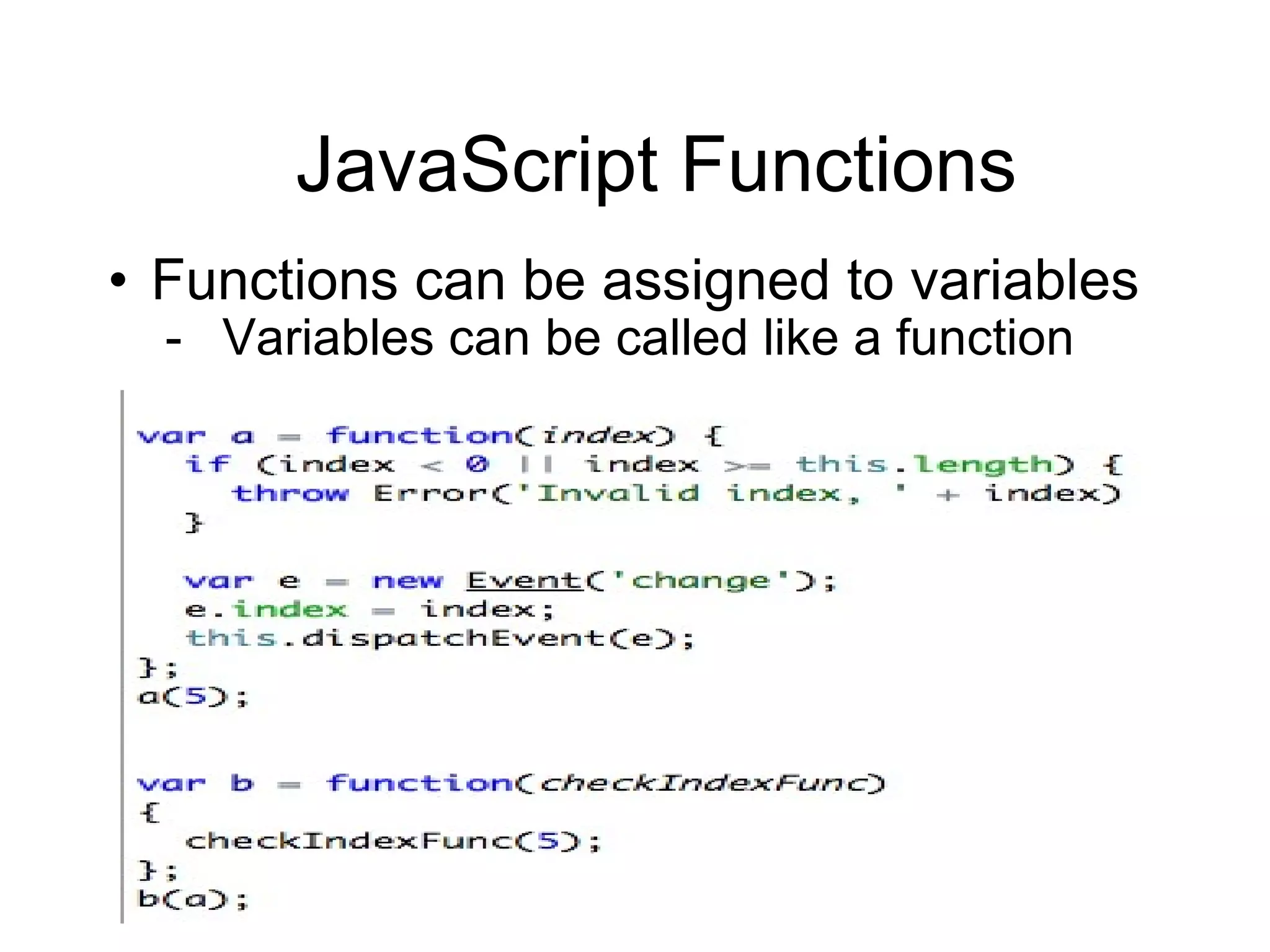
JavaScript Functions Functions can be assigned to variables Variables can be called like a function
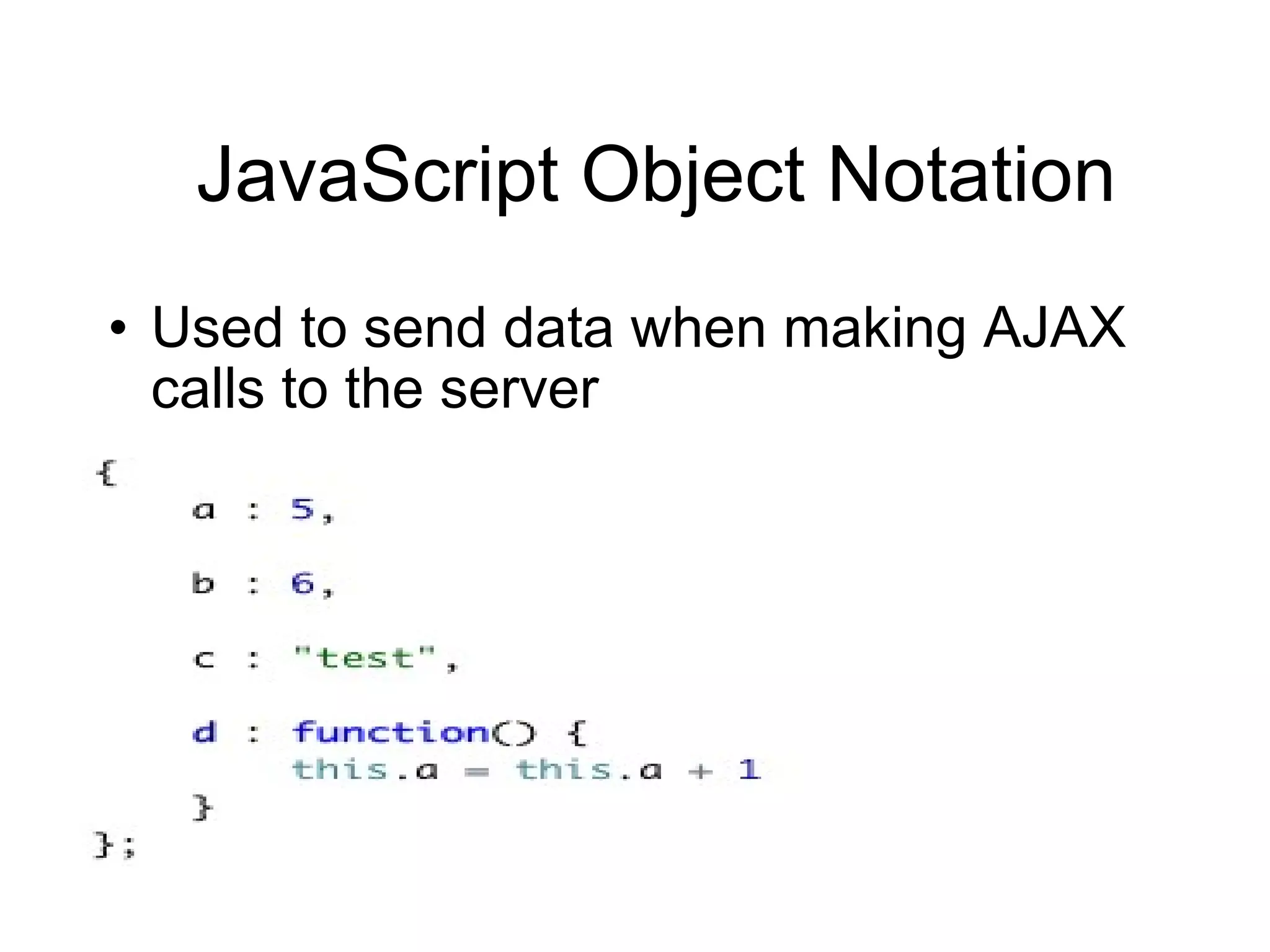
JavaScript Object Notation (JSON) Serialized JavaScript objects Collection of key-value pairs which represent an object Functions can be used as a value
JavaScript Object Notation Used to send data when making AJAX calls to the server
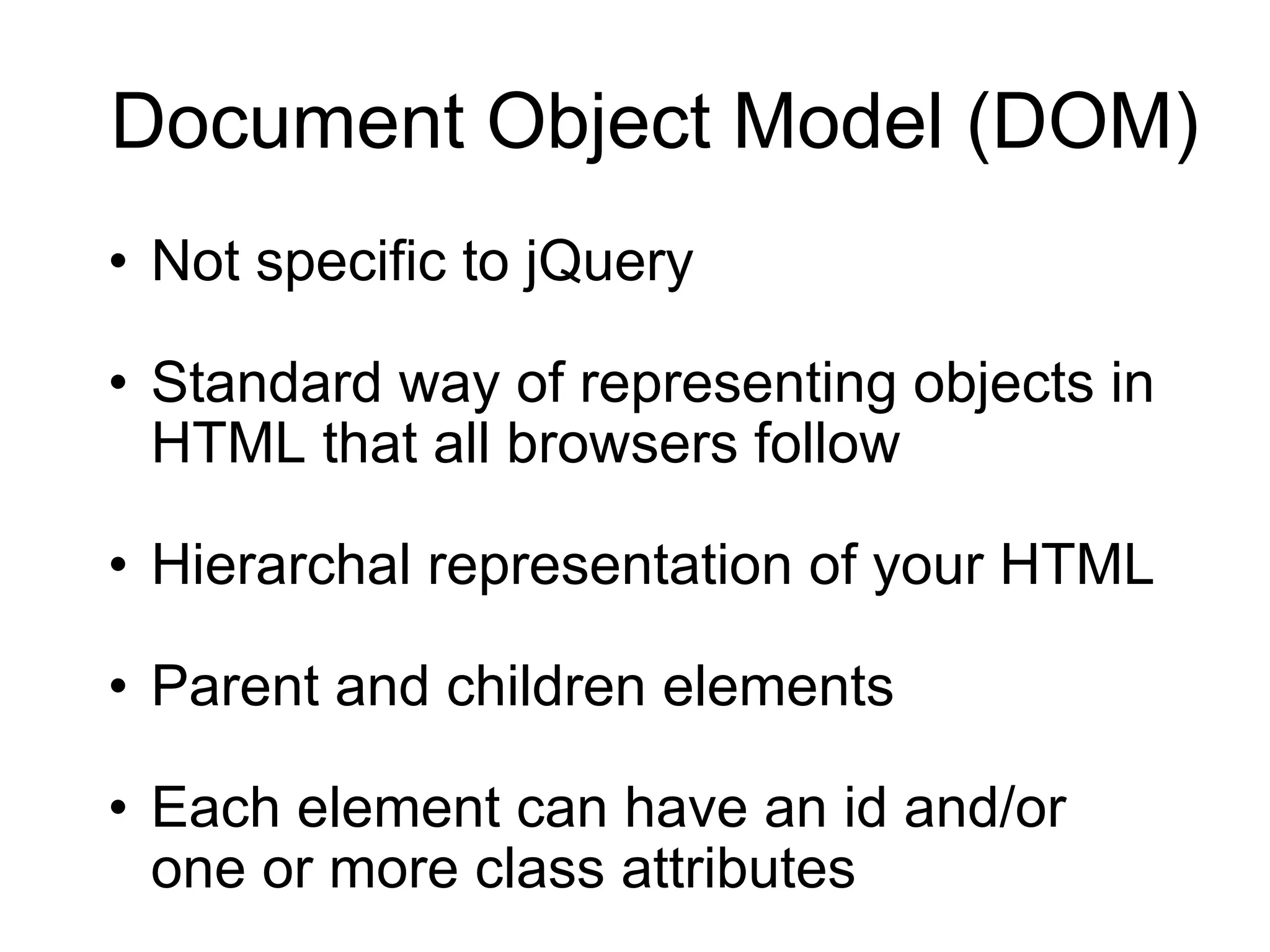
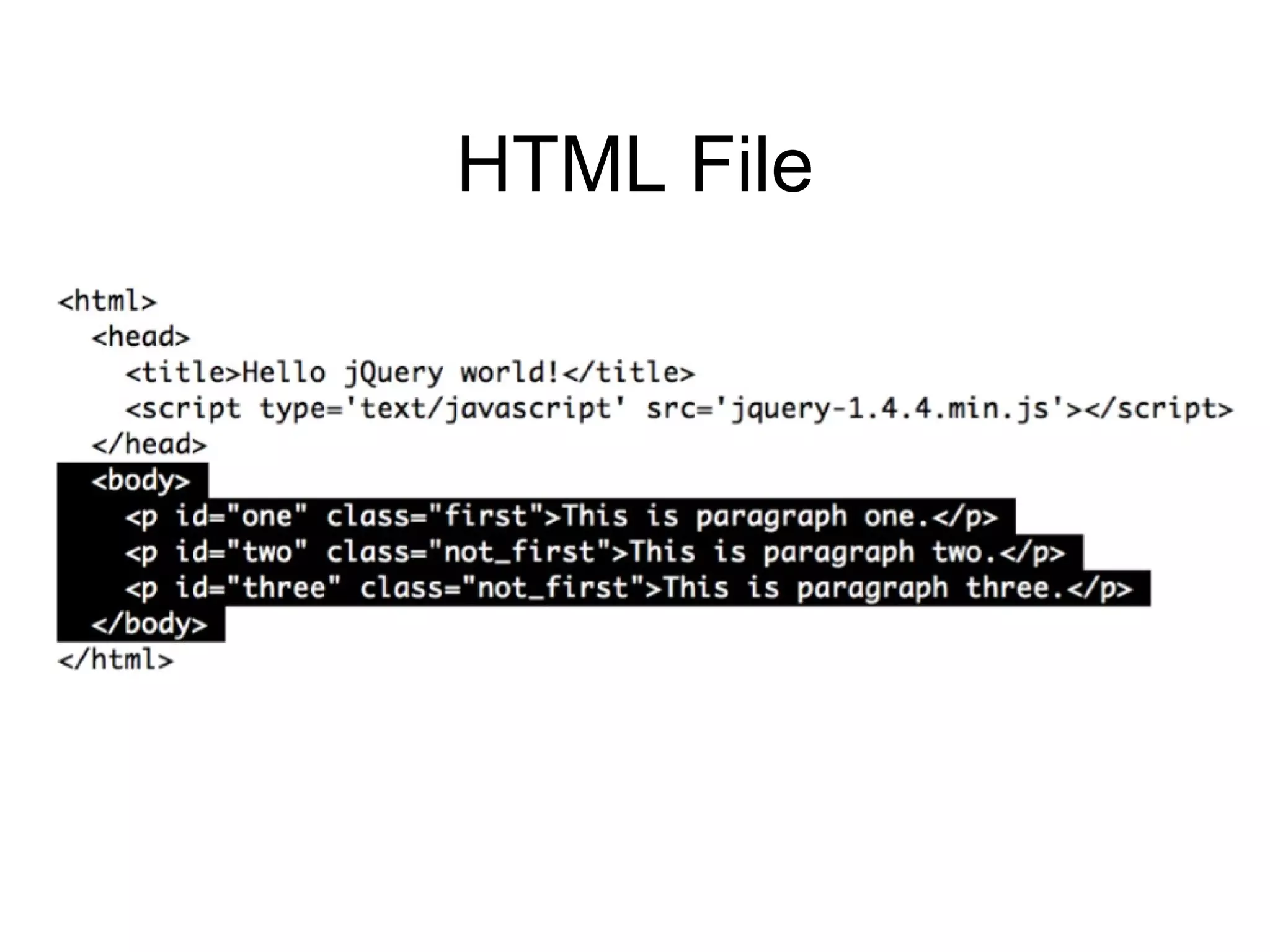
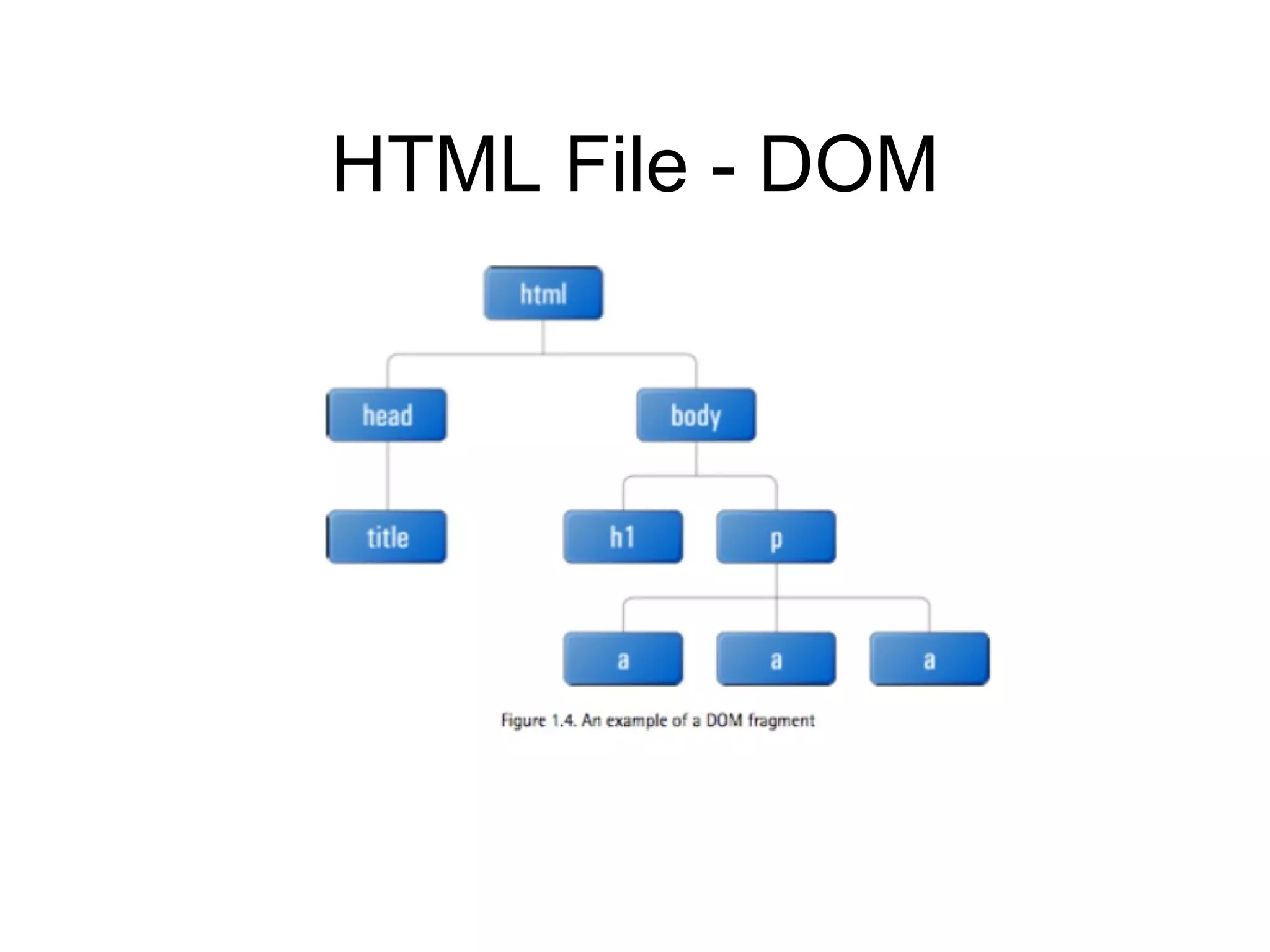
Document Object Model (DOM) Not specific to jQuery Standard way of representing objects in HTML that all browsers follow Hierarchal representation of your HTML Parent and children elements Each element can have an id and/or one or more class attributes
HTML File
HTML File - DOM
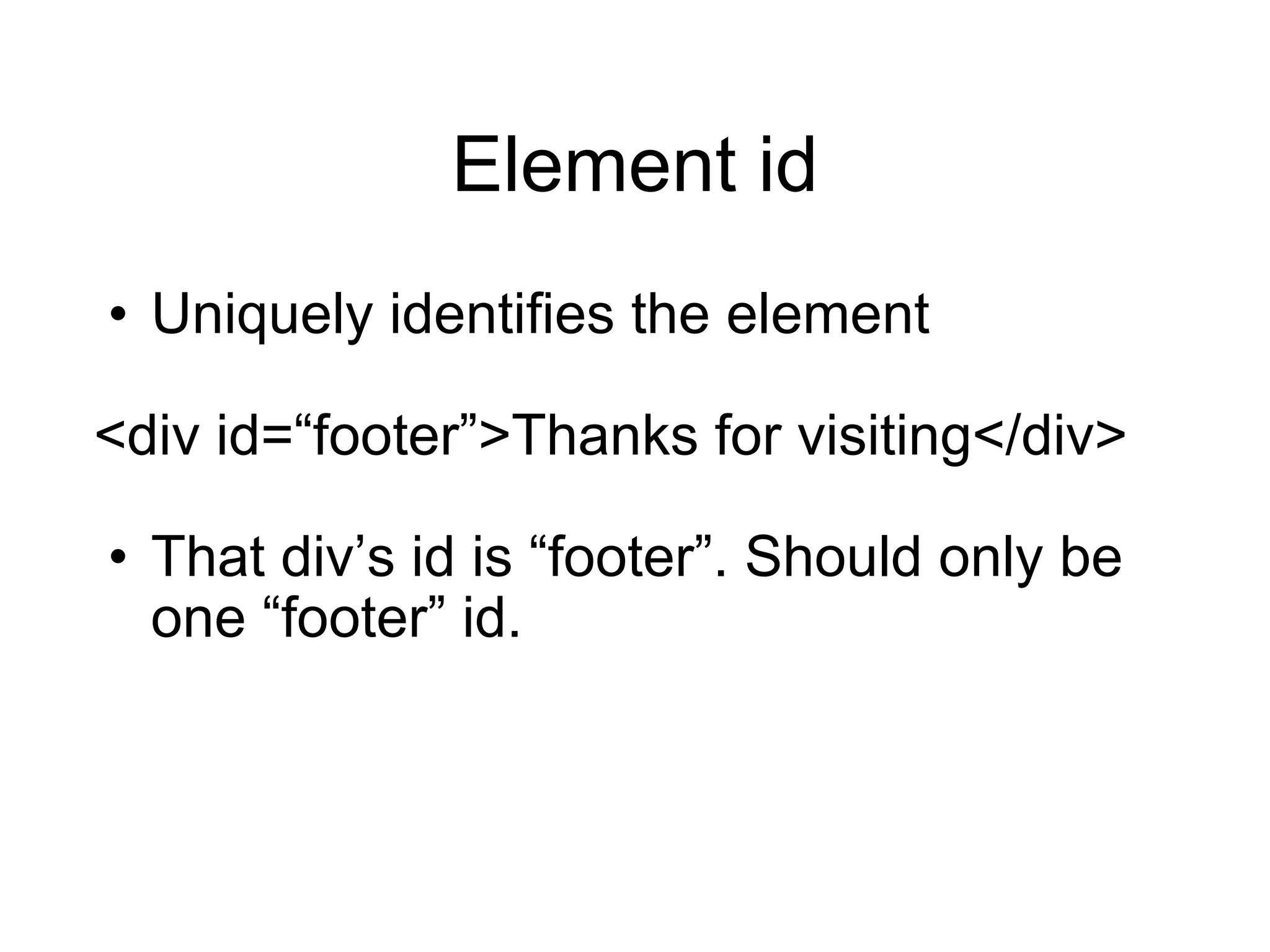
Element id Uniquely identifies the element <div id= “footer”>Thanks for visiting</div> That div ’s id is “footer”. Should only be one “footer” id.
Element class Multiple page elements can have the same type of class <p class= “warning”>Sorry….</p> <span class= “warning error”>Please try again</span> Classifies elements as a  “warning” Used to attach styles to elements Multiple classes on an element are seperated by spaces
CSS Selectors Originally designed to select elements on an HTML page to be styled jQuery uses CSS Selectors to create a set of one or more elements that will be the input to subsequent operations
CSS Selectors # selects an element via id div#headingId <div id= “headingId”> . selects an element via class div.headingClass <div class= “headingClass”> Can select just an id or class #headingId  .headingClass Can select an element, id, and a class div#headingId.headingClass
CSS Selectors Bare words selects HTML tags span <span> Can filter on attributes within HTML tags input[type = ‘button’] <input type=“button” />
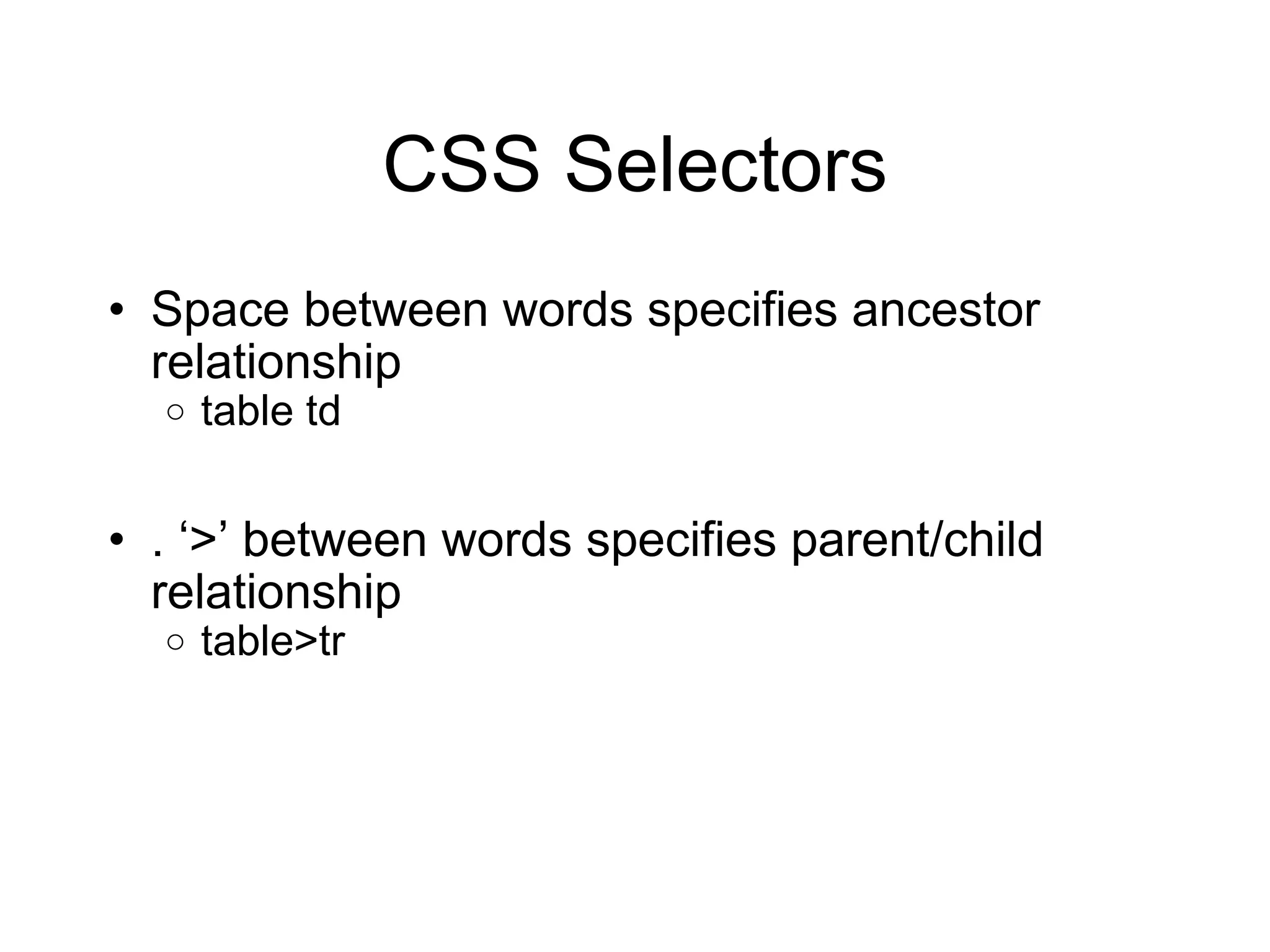
CSS Selectors Space between words specifies ancestor relationship table td .  ‘>’ between words specifies parent/child relationship table>tr
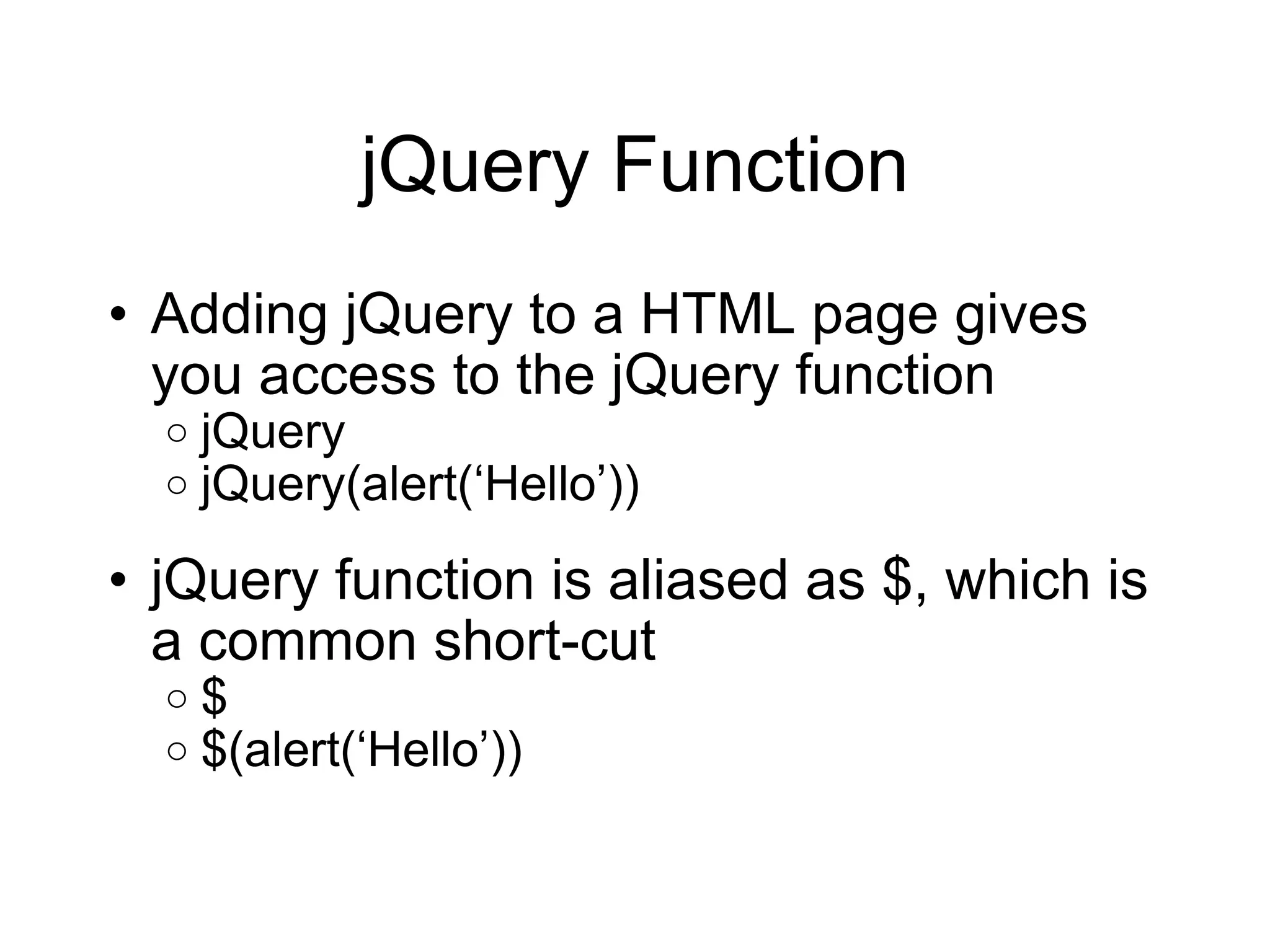
jQuery Function Adding jQuery to a HTML page gives you access to the jQuery function jQuery jQuery(alert( ‘Hello’)) jQuery function is aliased as $, which is a common short-cut $ $(alert( ‘Hello’))
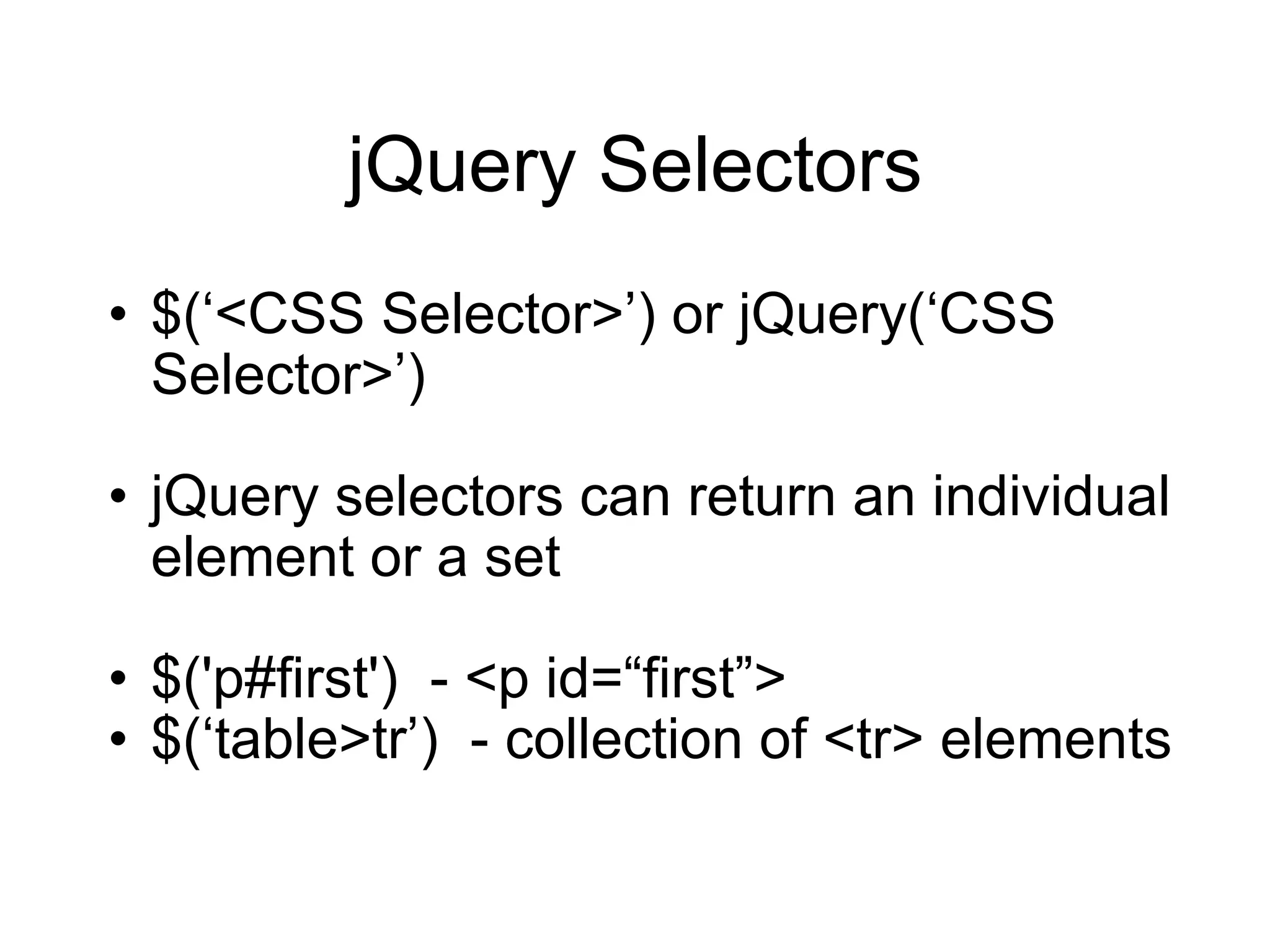
jQuery Selectors $( ‘<CSS Selector>’) or jQuery(‘CSS Selector>’) jQuery selectors can return an individual element or a set $('p#first')  - <p id=“first”> $(‘table>tr’)  - collection of <tr> elements
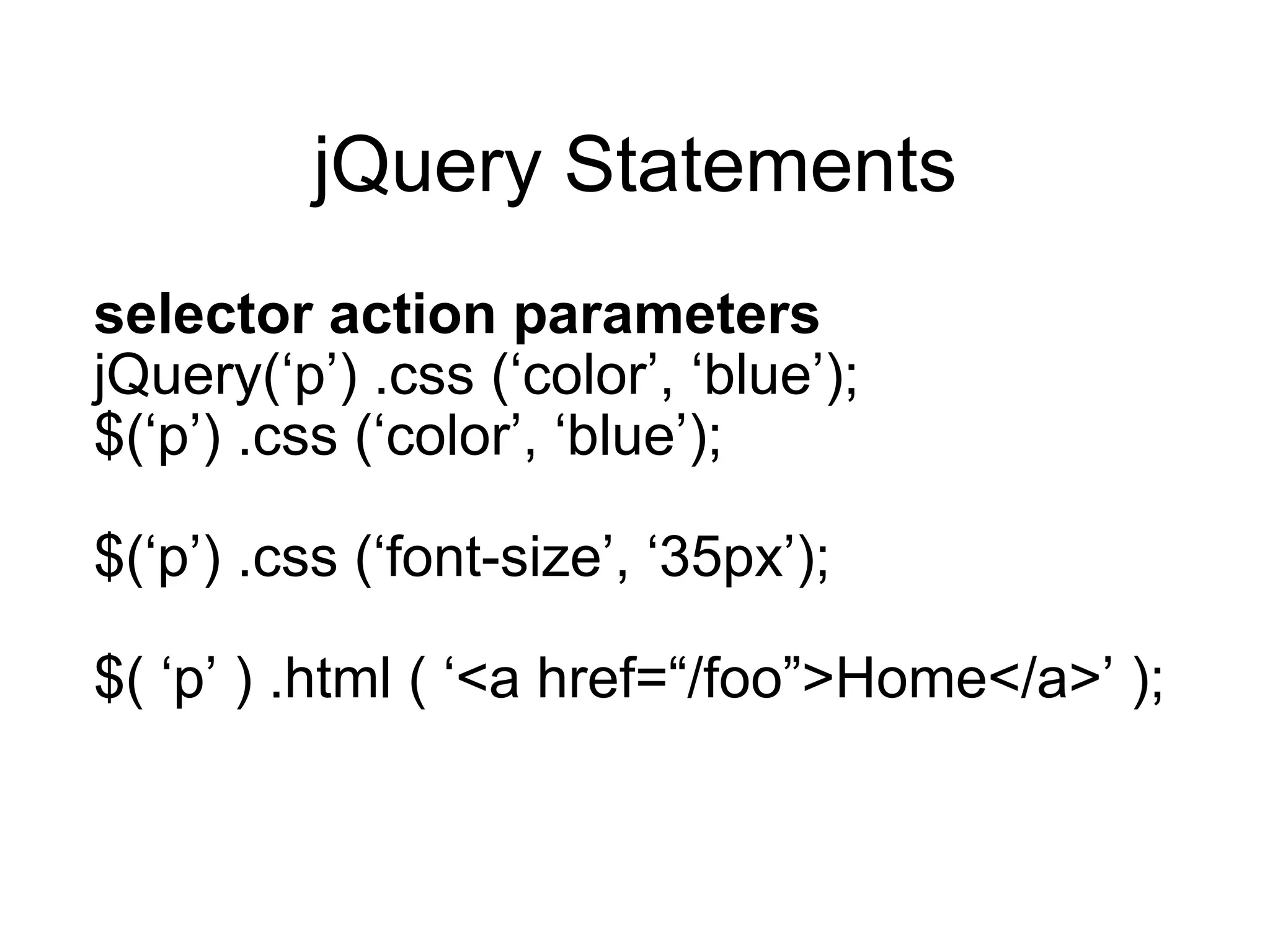
jQuery Statements selector action parameters jQuery( ‘p’) .css (‘color’, ‘blue’); $( ‘p’) .css (‘color’, ‘blue’); $( ‘p’) .css (‘font-size’, ‘35px’); $( ‘p’ ) .html ( ‘<a href=“/foo”>Home</a>’ );
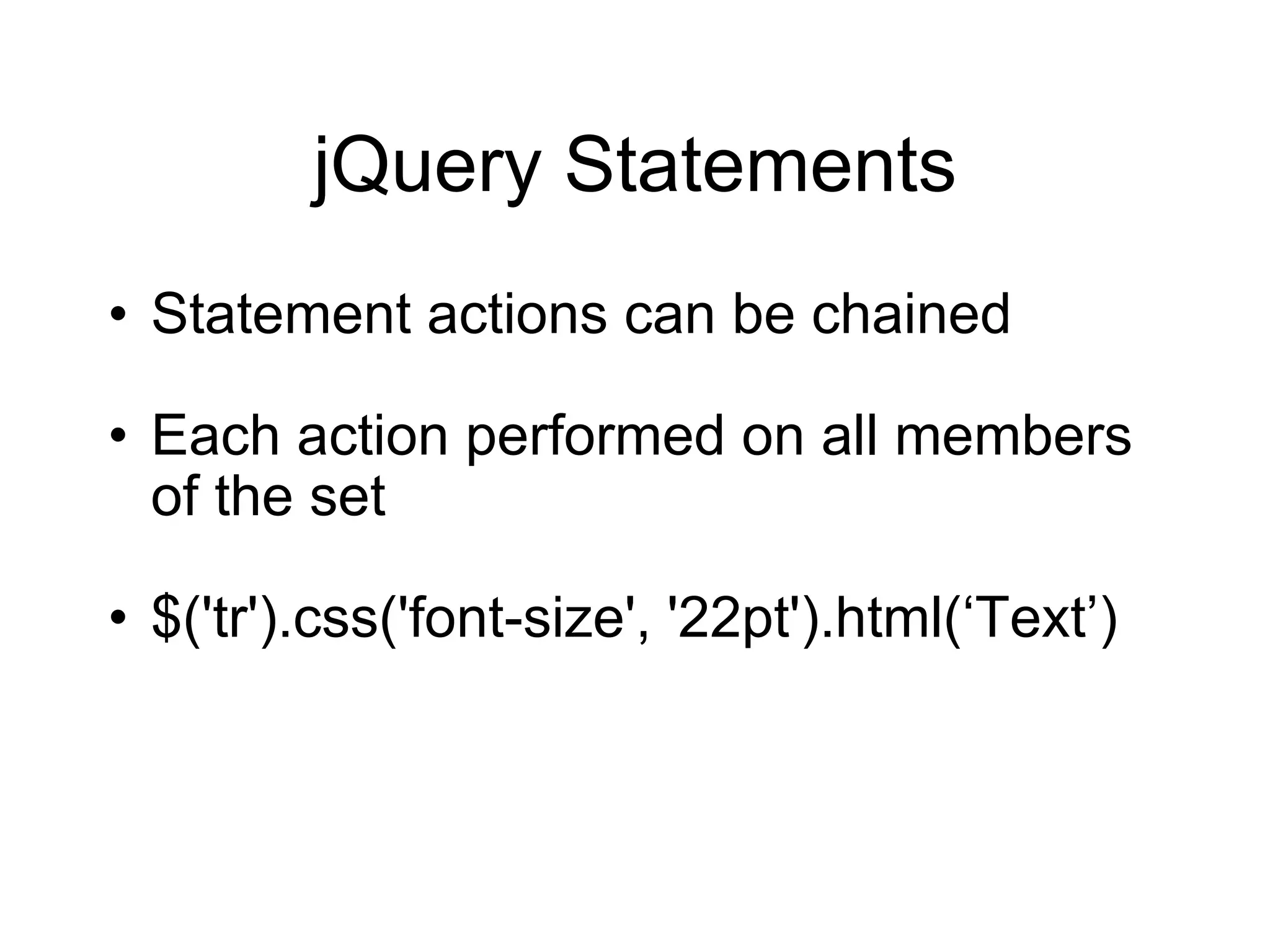
jQuery Statements Statement actions can be chained Each action performed on all members of the set $('tr').css('font-size', '22pt').html( ‘Text’)
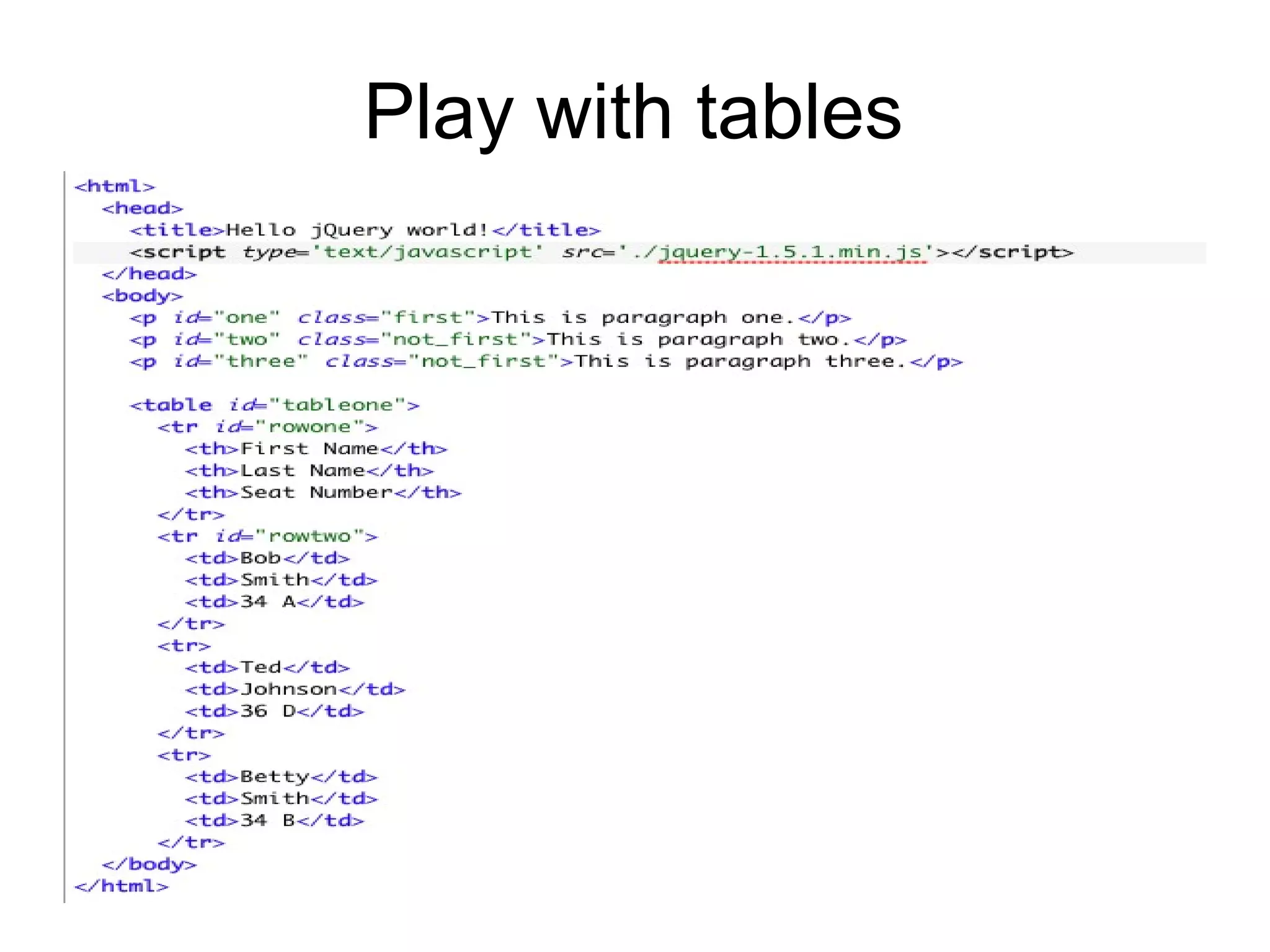
Play with tables
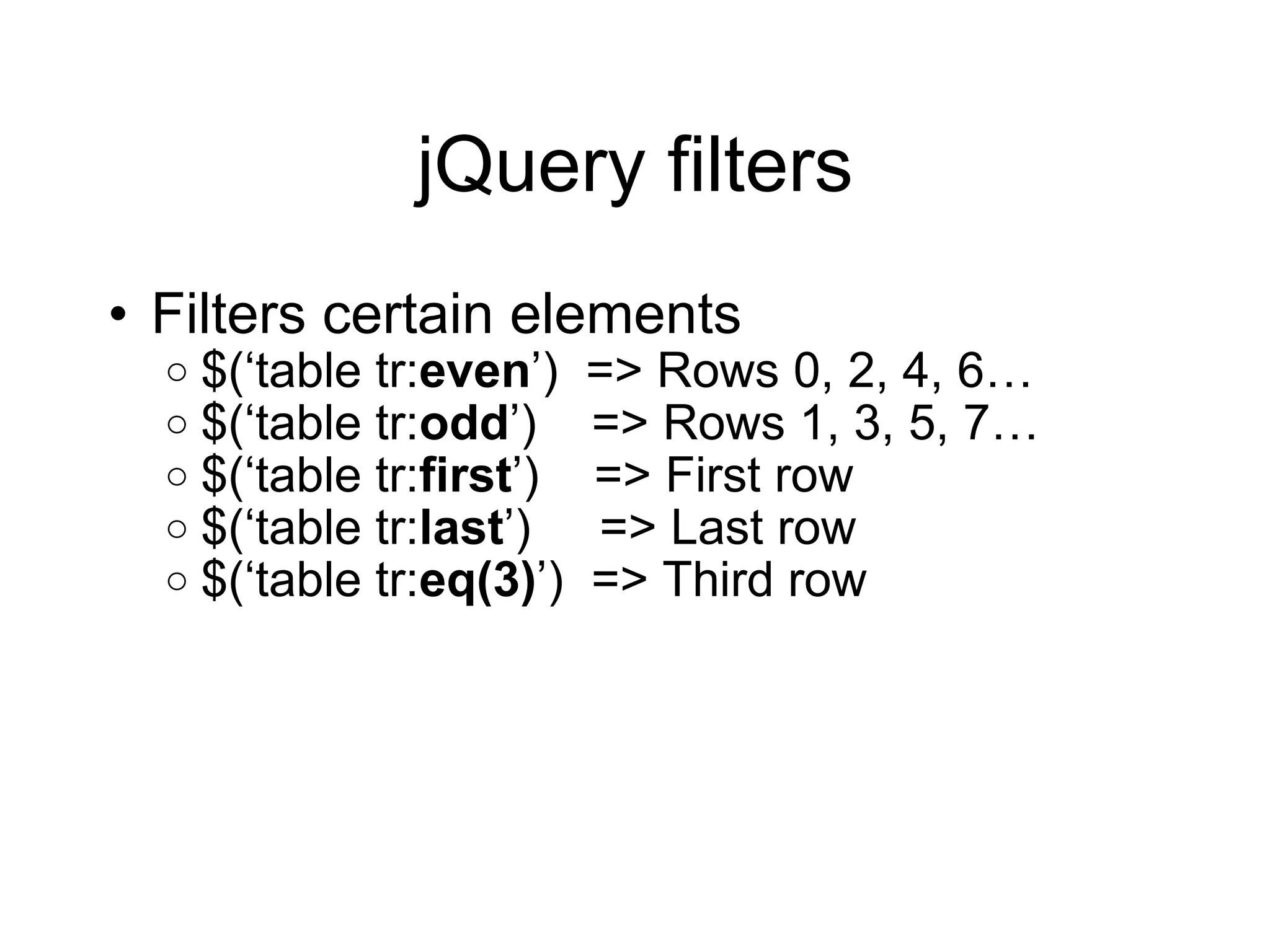
jQuery filters Filters certain elements $( ‘table tr: even ’)  => Rows 0, 2, 4, 6… $( ‘table tr: odd ’)  => Rows 1, 3, 5, 7… $( ‘table tr: first ’)  => First row $( ‘table tr: last ’)  => Last row $( ‘table tr: eq(3) ’)  => Third row
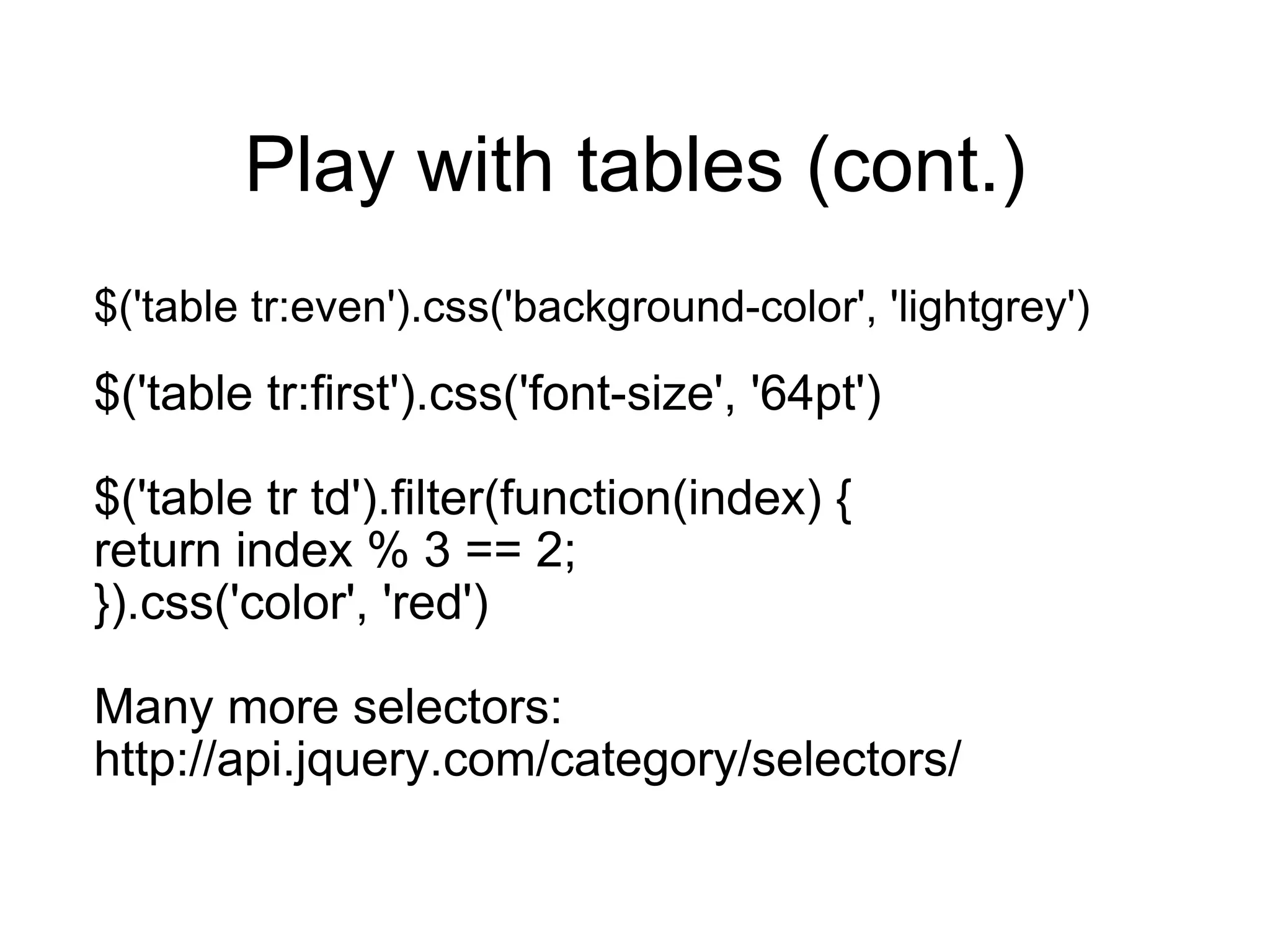
Play with tables (cont.) $('table tr:even').css('background-color', 'lightgrey') $('table tr:first').css('font-size', '64pt') $('table tr td').filter(function(index) { return index % 3 == 2; }).css('color', 'red') Many more selectors: http://api.jquery.com/category/selectors/
jQuery Effects jQuery library provides animation and effect calls, for example: fadeIn() fadeOut() show() hide() toggle() http://api.jquery.com/category/effects
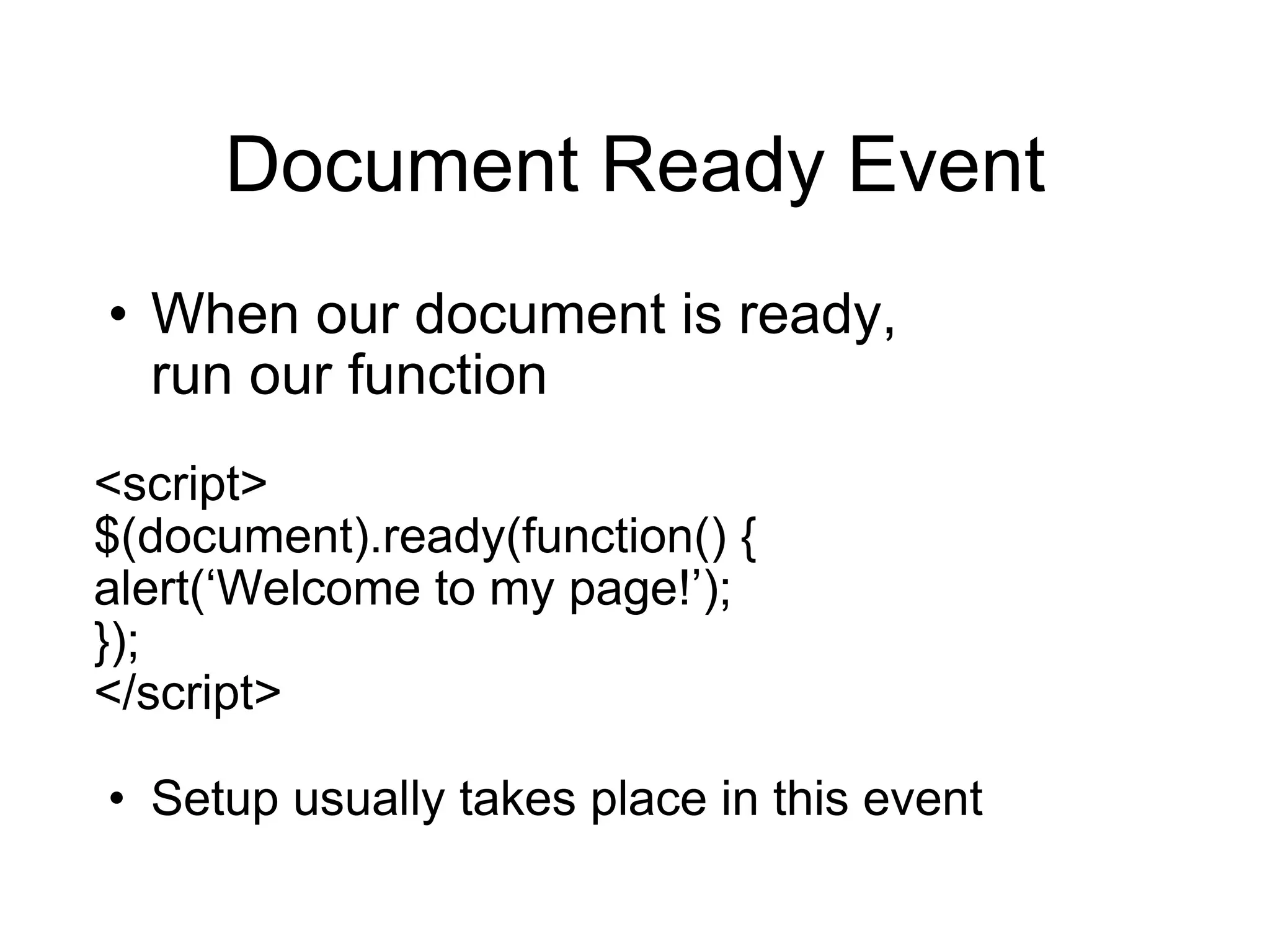
Document Ready Event When our document is ready,  run our function <script> $(document).ready(function() { alert( ‘Welcome to my page!’); }); </script> Setup usually takes place in this event
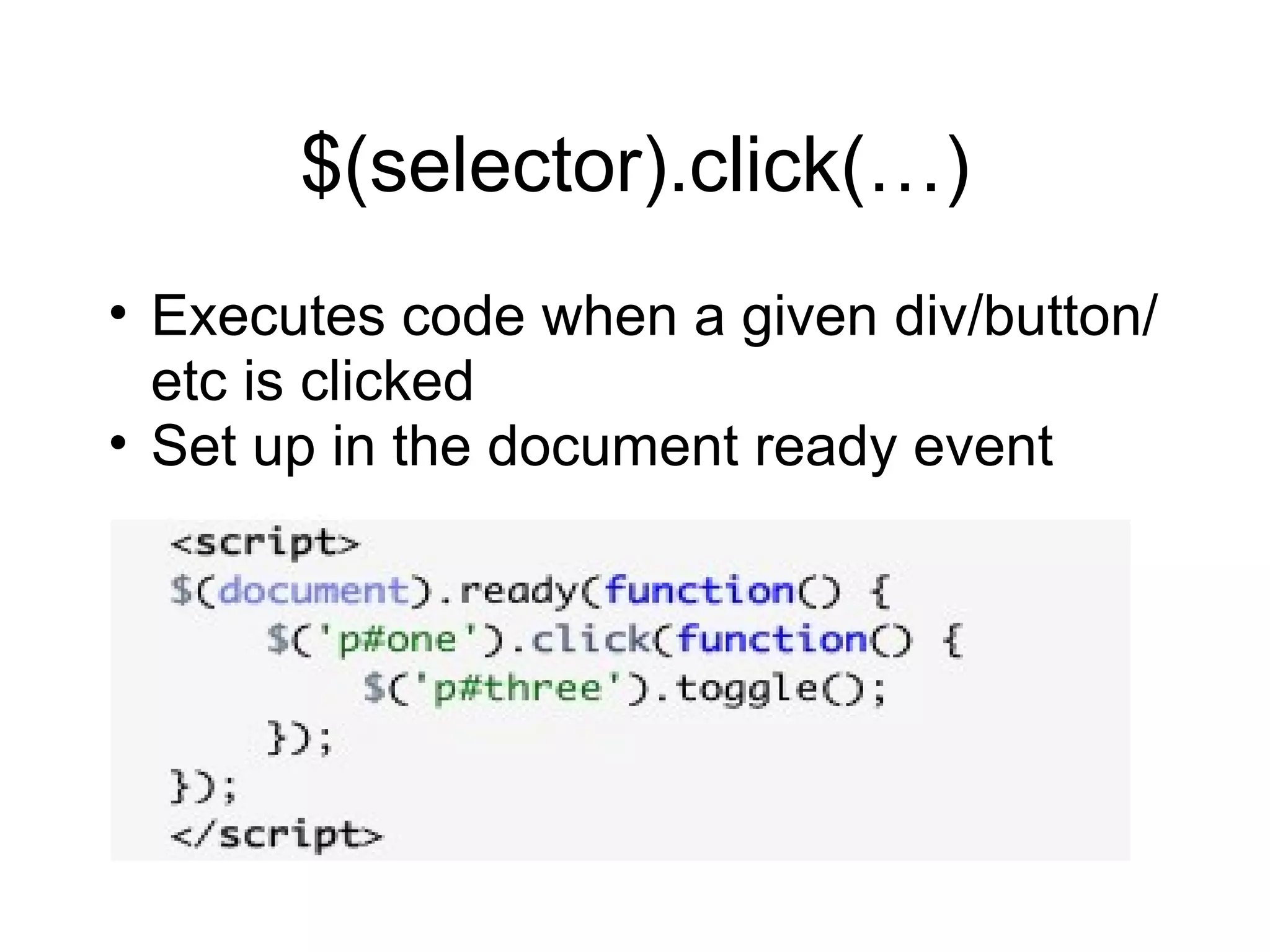
$(selector).click(…) Executes code when a given div/button/etc is clicked Set up in the document ready event

Intro to jQuery

  • 1.
    Intro to jQueryAlan Hecht http://alanhecht.me Jason Noble http://jasonnoble.org
  • 2.
    Benefits Shallow learningcurve, especially compared to other frameworks Easy to play with the DOM Easily add simple effects Cross-browser Compatibility jQuery handles browser caveats for you CSS3 Selectors Helpful Utilities
  • 3.
    Benefits (cont.) jQueryUI Additional useful effects Advanced UI widgets UI Themes Plugins jQuery is easily extensible AJAX Widespread adoption
  • 4.
    Firefox/Firebug Combo FirefoxFirebug plugin Enable the script console in order to execute JavaScript
  • 5.
    Let ’s getstarted curl -o jquery-1.5.1.min.js http://code.jquery.com/jquery-1.5.1.min.js Go to jquery.com Click on ‘Download( jQuery );’ Right click and select ‘Save Page As…’
  • 6.
    JavaScript Good toknow for jQuery Functions JavaScript Object Notation (JSON)
  • 7.
  • 8.
    JavaScript Functions Functionscan be assigned to variables Variables can be called like a function
  • 9.
    JavaScript Object Notation(JSON) Serialized JavaScript objects Collection of key-value pairs which represent an object Functions can be used as a value
  • 10.
    JavaScript Object NotationUsed to send data when making AJAX calls to the server
  • 11.
    Document Object Model(DOM) Not specific to jQuery Standard way of representing objects in HTML that all browsers follow Hierarchal representation of your HTML Parent and children elements Each element can have an id and/or one or more class attributes
  • 12.
  • 13.
  • 14.
    Element id Uniquelyidentifies the element <div id= “footer”>Thanks for visiting</div> That div ’s id is “footer”. Should only be one “footer” id.
  • 15.
    Element class Multiplepage elements can have the same type of class <p class= “warning”>Sorry….</p> <span class= “warning error”>Please try again</span> Classifies elements as a “warning” Used to attach styles to elements Multiple classes on an element are seperated by spaces
  • 16.
    CSS Selectors Originallydesigned to select elements on an HTML page to be styled jQuery uses CSS Selectors to create a set of one or more elements that will be the input to subsequent operations
  • 17.
    CSS Selectors #selects an element via id div#headingId <div id= “headingId”> . selects an element via class div.headingClass <div class= “headingClass”> Can select just an id or class #headingId .headingClass Can select an element, id, and a class div#headingId.headingClass
  • 18.
    CSS Selectors Barewords selects HTML tags span <span> Can filter on attributes within HTML tags input[type = ‘button’] <input type=“button” />
  • 19.
    CSS Selectors Spacebetween words specifies ancestor relationship table td . ‘>’ between words specifies parent/child relationship table>tr
  • 20.
    jQuery Function AddingjQuery to a HTML page gives you access to the jQuery function jQuery jQuery(alert( ‘Hello’)) jQuery function is aliased as $, which is a common short-cut $ $(alert( ‘Hello’))
  • 21.
    jQuery Selectors $(‘<CSS Selector>’) or jQuery(‘CSS Selector>’) jQuery selectors can return an individual element or a set $('p#first') - <p id=“first”> $(‘table>tr’) - collection of <tr> elements
  • 22.
    jQuery Statements selectoraction parameters jQuery( ‘p’) .css (‘color’, ‘blue’); $( ‘p’) .css (‘color’, ‘blue’); $( ‘p’) .css (‘font-size’, ‘35px’); $( ‘p’ ) .html ( ‘<a href=“/foo”>Home</a>’ );
  • 23.
    jQuery Statements Statementactions can be chained Each action performed on all members of the set $('tr').css('font-size', '22pt').html( ‘Text’)
  • 24.
  • 25.
    jQuery filters Filterscertain elements $( ‘table tr: even ’) => Rows 0, 2, 4, 6… $( ‘table tr: odd ’) => Rows 1, 3, 5, 7… $( ‘table tr: first ’) => First row $( ‘table tr: last ’) => Last row $( ‘table tr: eq(3) ’) => Third row
  • 26.
    Play with tables(cont.) $('table tr:even').css('background-color', 'lightgrey') $('table tr:first').css('font-size', '64pt') $('table tr td').filter(function(index) { return index % 3 == 2; }).css('color', 'red') Many more selectors: http://api.jquery.com/category/selectors/
  • 27.
    jQuery Effects jQuerylibrary provides animation and effect calls, for example: fadeIn() fadeOut() show() hide() toggle() http://api.jquery.com/category/effects
  • 28.
    Document Ready EventWhen our document is ready, run our function <script> $(document).ready(function() { alert( ‘Welcome to my page!’); }); </script> Setup usually takes place in this event
  • 29.
    $(selector).click(…) Executes codewhen a given div/button/etc is clicked Set up in the document ready event

Editor's Notes

  • #14 Body has two child elements, an h1 and a p. Body is the h1 ’s parent, h1 is a child of body