CORE DATA
AGENDA
Intro
Core Data Stack
Data Modeling
Adding Core Data to your App
Queries
INTRO TO CORE DATA
CORE DATA
Allows us to work with (almost) regular Swift objects and
persist them
Provides a query interface to search through persisted
objects
Provides advanced features such as migrations, delete rules,
etc.
CORE DATA
“Core Data provides an infrastructure for change management and
for saving objects to and retrieving them from storage. It can use
SQLite as one of its persistent store types. It is not, though, in and of
itself a database. (To emphasize this point: you could for example
use just an in-memory store in your application. You could use Core
Data for change tracking and management, but never actually save
any data in a file.)”
Source: https://developer.apple.com/library/mac/documentation/Cocoa/Conceptual/CoreData/Articles/cdTechnologyOverview.html , 09/04/2014
CORE DATA
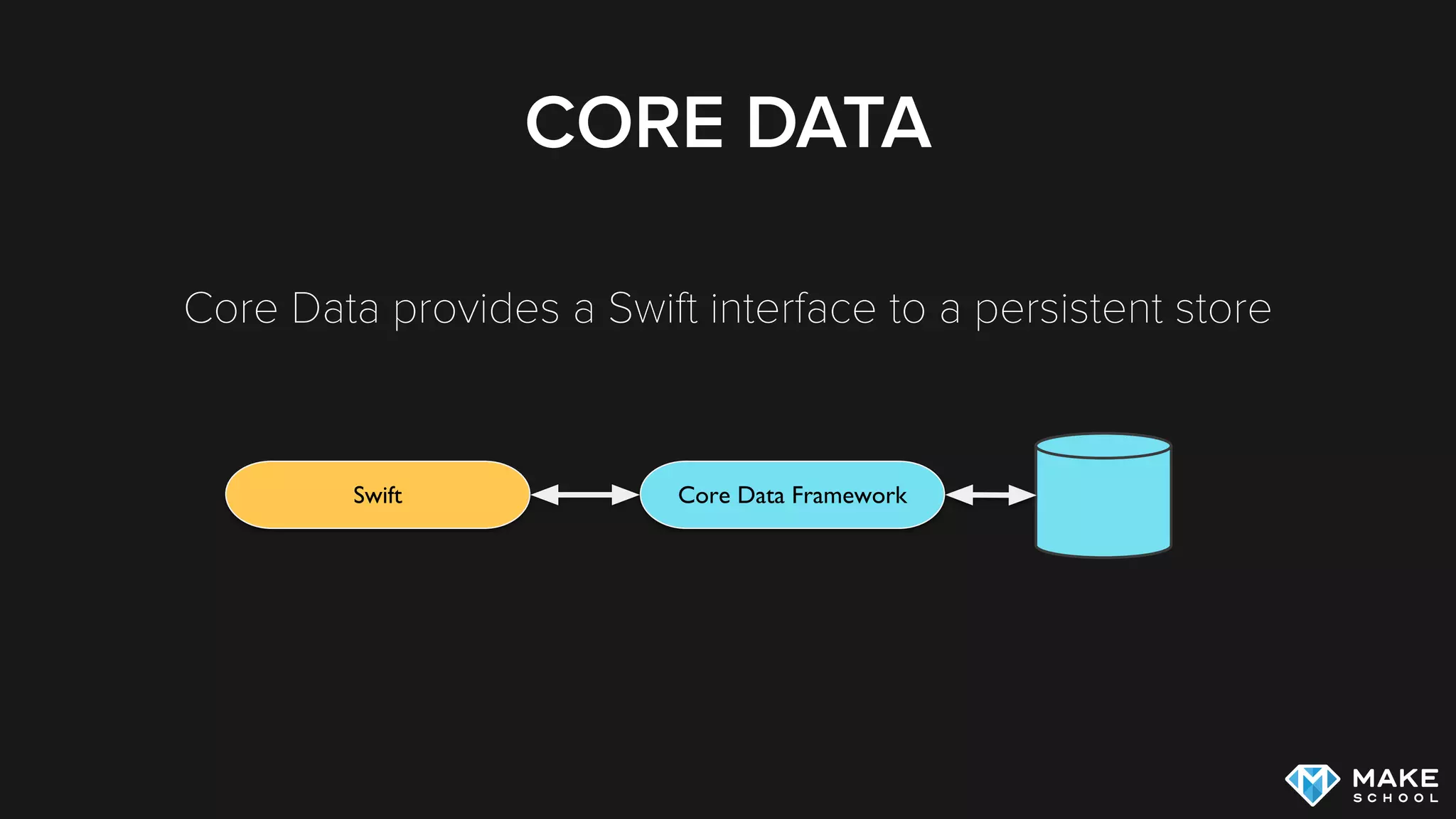
Core Data provides a Swift interface to a persistent store
Swift Core Data Framework
WHY CORE DATA?
Can be complicated, but is the most powerful persistence
framework on iOS
(Still) used by a majority of apps that utilize local storage
If you master Core Data you can master almost any of Apple’s
other frameworks
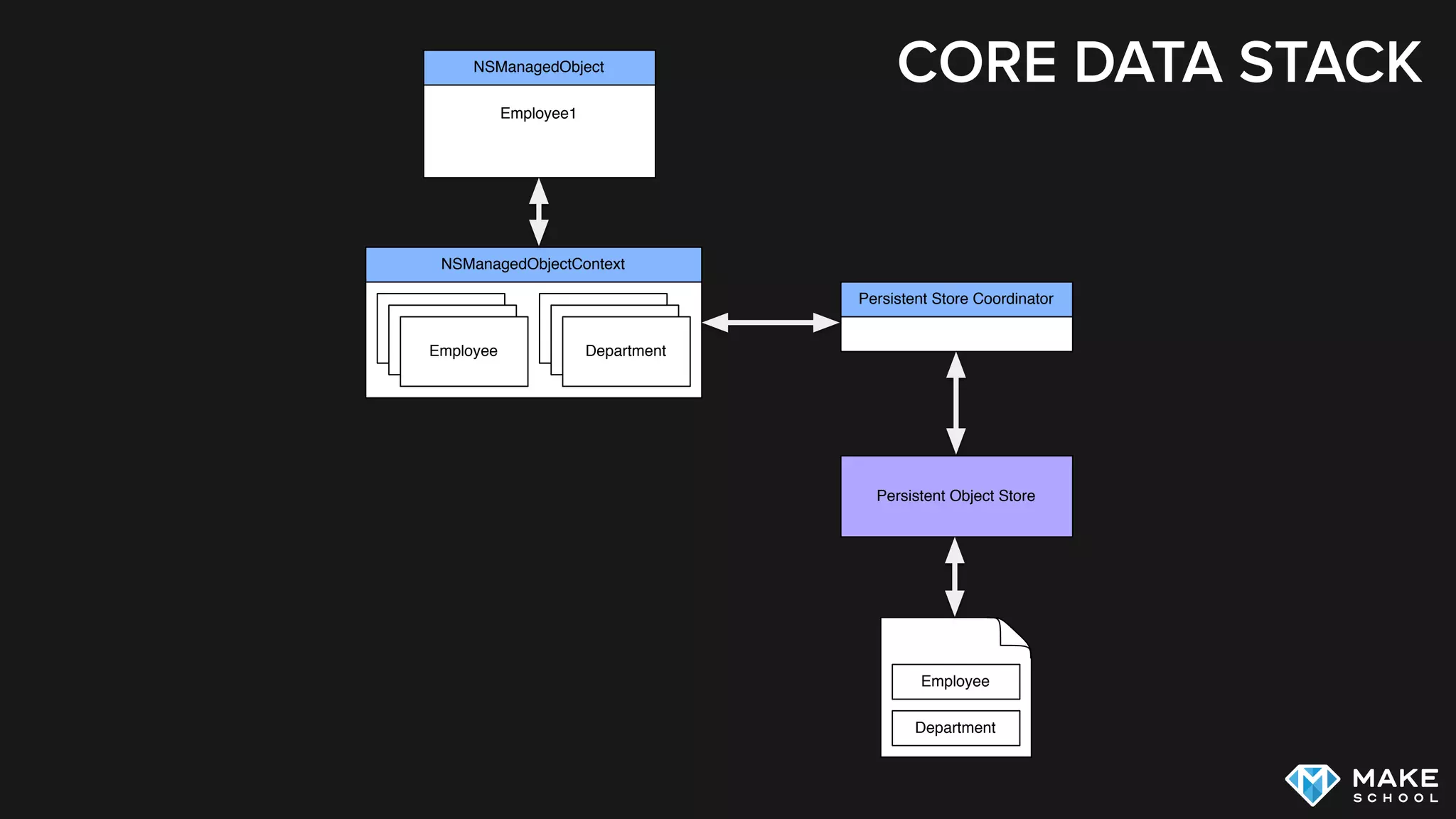
CORE DATA STACK
CORE DATA STACK
Employee1
NSManagedObject
NSManagedObjectContext
Persistent Store Coordinator
Persistent Object Store
Employee Department
Employee
Employee
Department
Department
Employee
Department
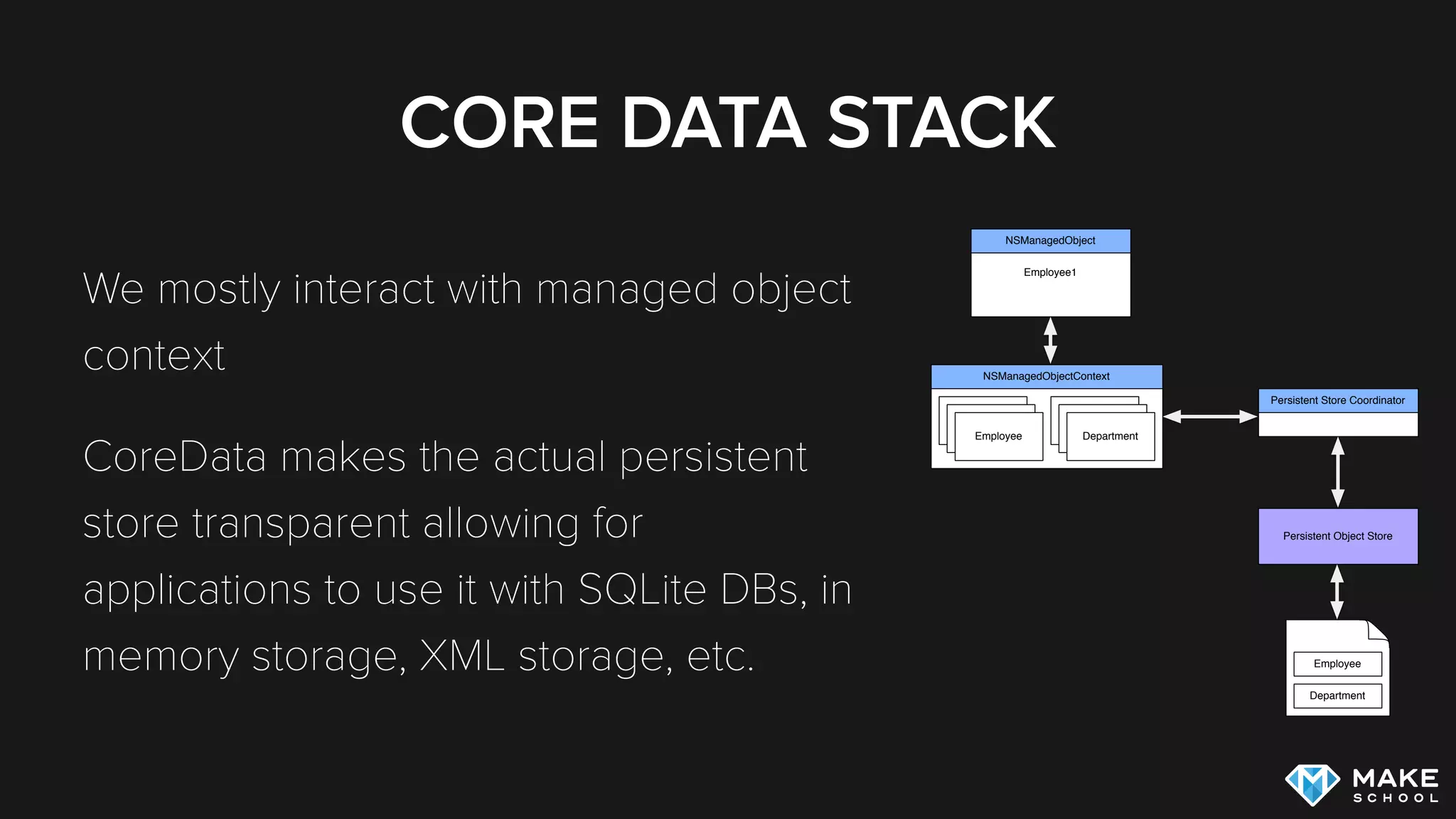
CORE DATA STACK
We mostly interact with managed object
context
Core Data makes the actual persistent
store transparent allowing for
applications to use it with SQLite DBs, in
memory storage, XML storage, etc.
Employee1
NSManagedObject
NSManagedObjectContext
Persistent Store Coordinator
Persistent Object Store
Employee Department
Employee
Employee
Department
Department
Employee
Department
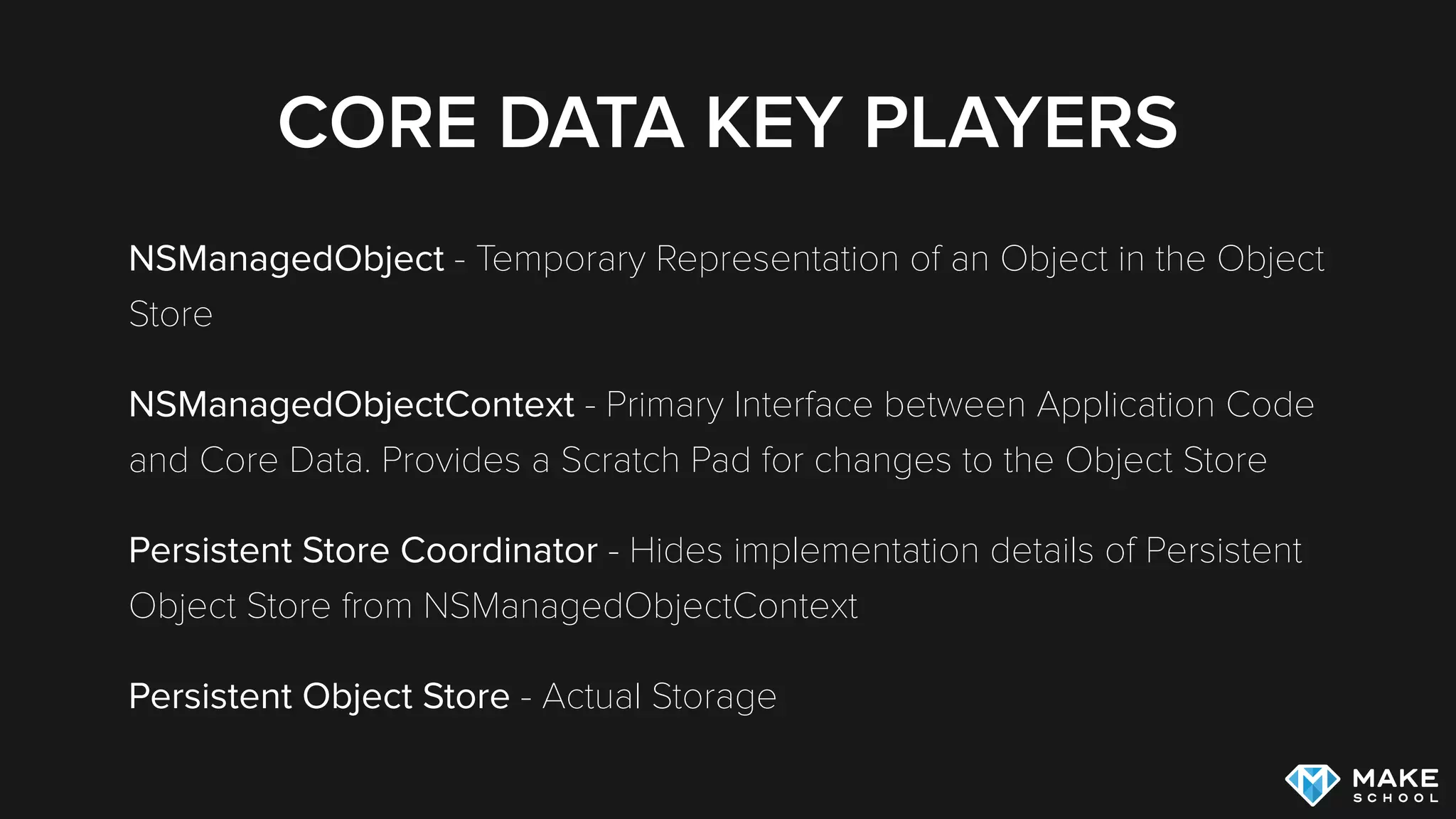
CORE DATA KEY PLAYERS
NSManagedObject - Temporary Representation of an Object in the Object
Store (similar to PFObject in the Parse framework)
NSManagedObjectContext - Primary Interface between Application Code
and Core Data. Provides a Scratch Pad for changes to the Object Store
Persistent Store Coordinator - Hides implementation details of Persistent
Object Store from NSManagedObjectContext
Persistent Object Store - Actual Storage
MANAGED OBJECT
A temporary representation of a Object in the persistent store
All ManagedObjects need to be registered with one
ManagedObjectContext
You can create Custom Managed Object Subclasses
MANAGED OBJECT CONTEXT
A scratchpad for changes to persisted Objects
We fetch ManagedObjects from a ManagedObjectContext
We create new ManagedObjects within a ManagedObjectContext
A ManagedObjectContext can be saved, saving will persist the changes
that the Context has tracked
DATA MODELING
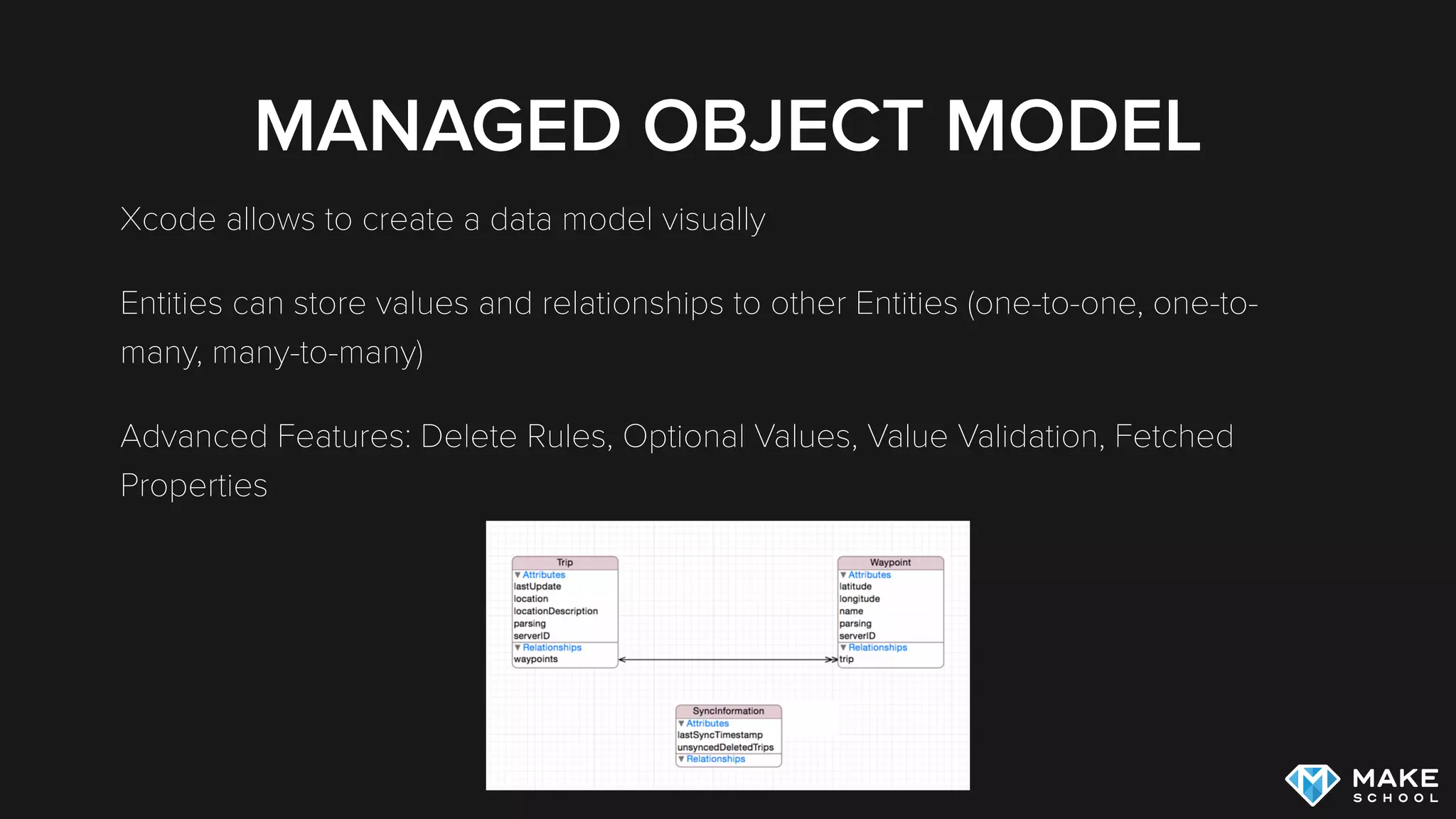
MANAGED OBJECT MODEL
Xcode allows to create a data model visually
Entities can store values and relationships to other Entities (one-to-one, one-to-
many, many-to-many)
Advanced Features: Delete Rules, Optional Values, Value Validation, Fetched
Properties
RELATIONSHIPS
DEFINING A RELATIONSHIP
RELATIONSHIPS
“It is highly recommended that you model relationships in
both directions, and specify the inverse relationships
appropriately. Core Data uses this information to ensure the
consistency of the object graph if a change is made.”
Apple’s Core Data Programming Guide
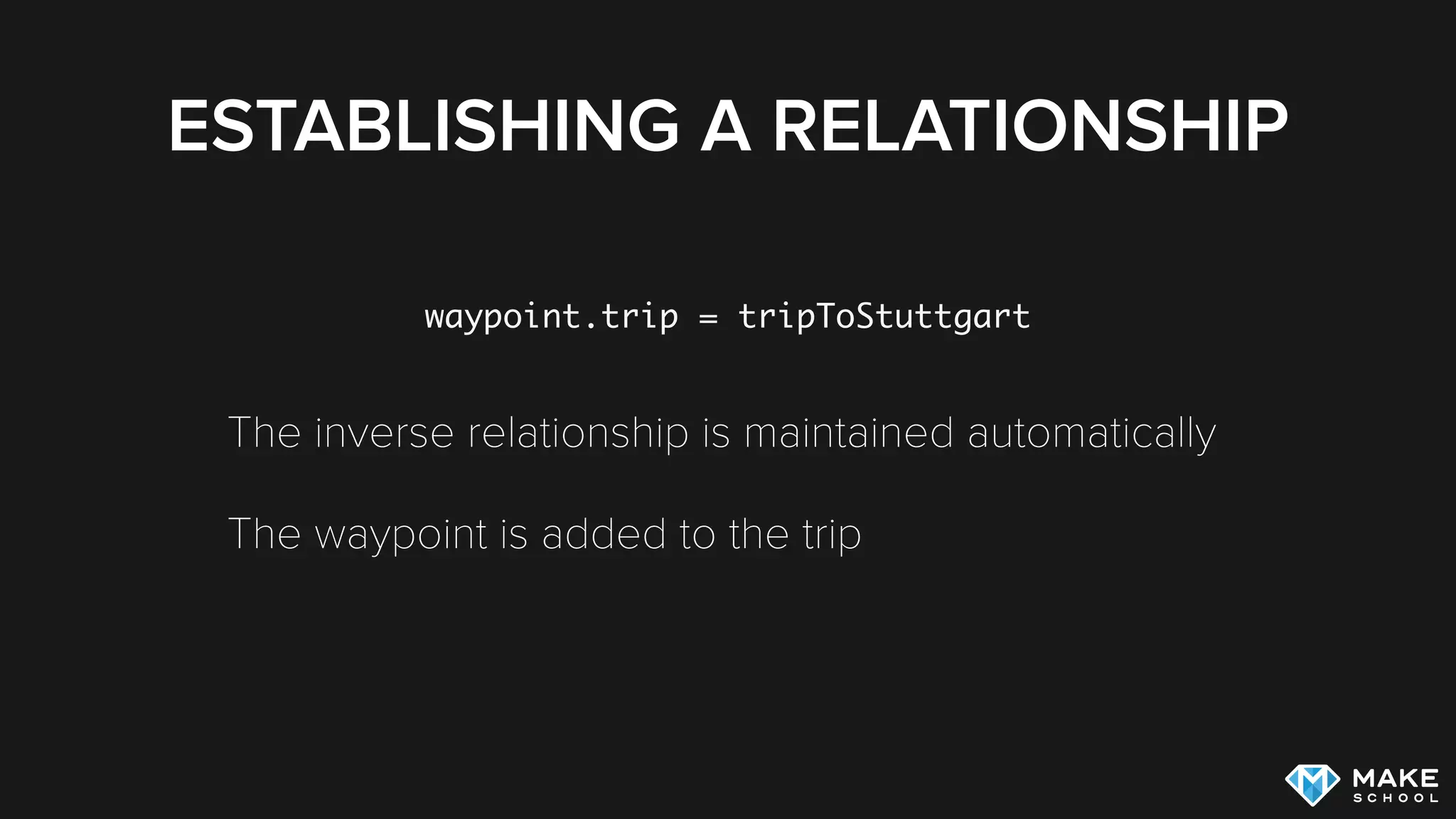
ESTABLISHING A RELATIONSHIP
waypoint.trip = tripToStuttgart
The inverse relationship is maintained automatically
The waypoint is added to the trip
CORE DATA IMPLEMENTATION
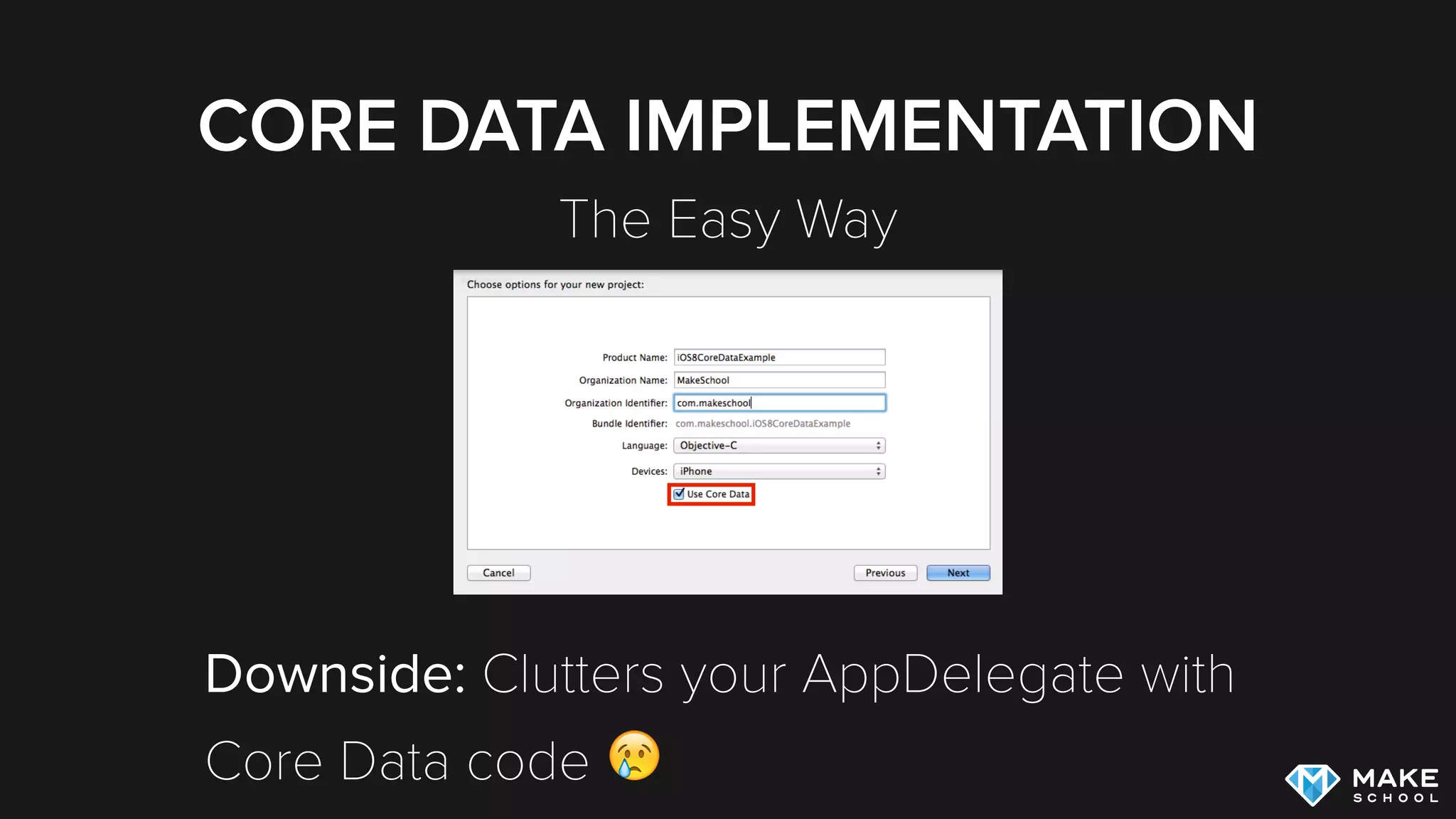
ADDING CORE DATA TO A PROJECT
The Easy Way
Downside: Clutters your AppDelegate with 

Core Data code 😢
ADDING CORE DATA TO A PROJECT
You can start a project by including Core Data but we
recommend you remove the boilerplate code from the
AppDelegate
Instead create dedicated CoreDataStack class
When adding Core Data to existing project, read this but add
code to dedicated class instead of AppDelegate
CORE DATA IMPLEMENTATION
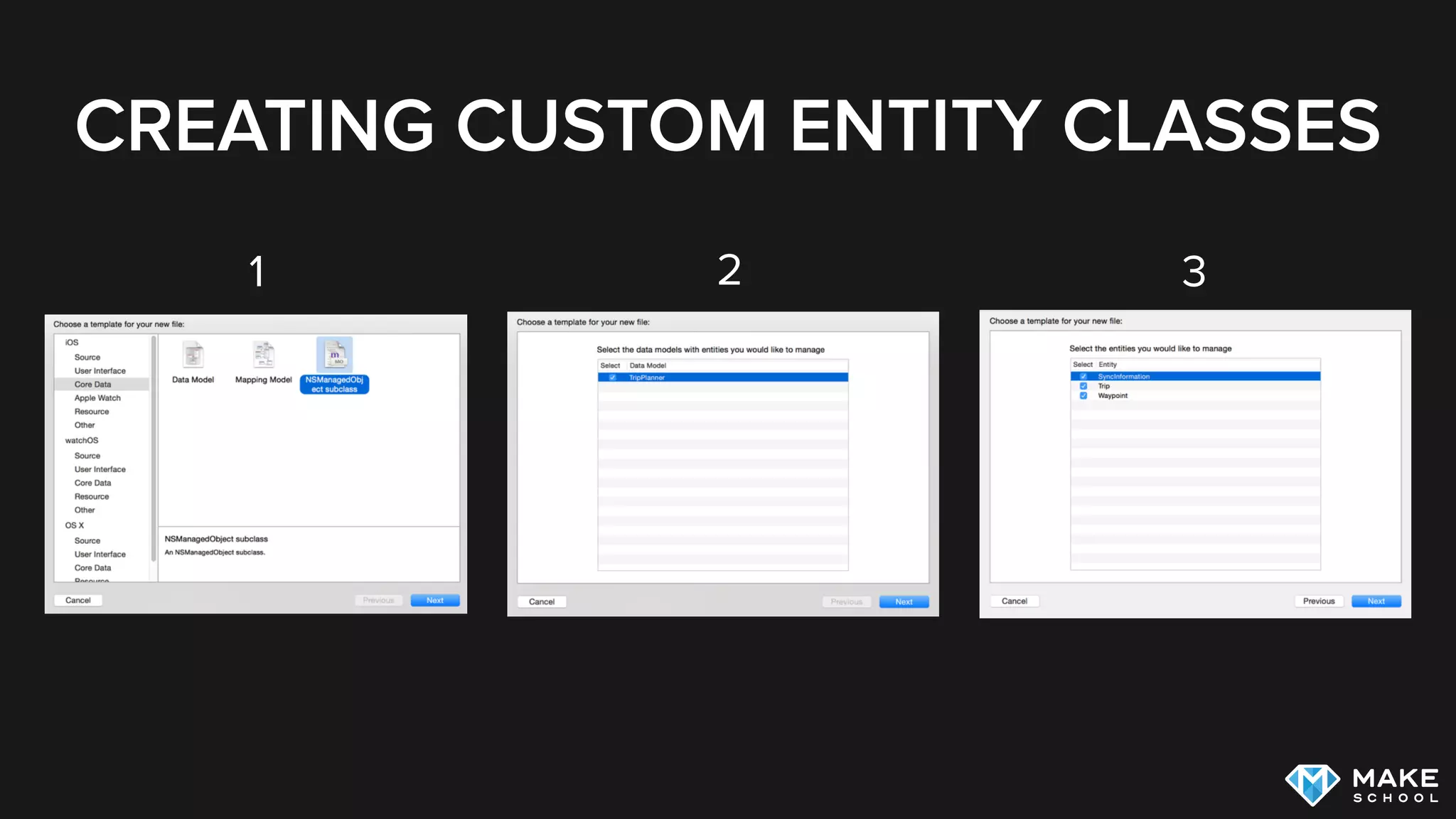
CUSTOM ENTITY CLASSES
CREATING CUSTOM ENTITY CLASSES
1 2 3
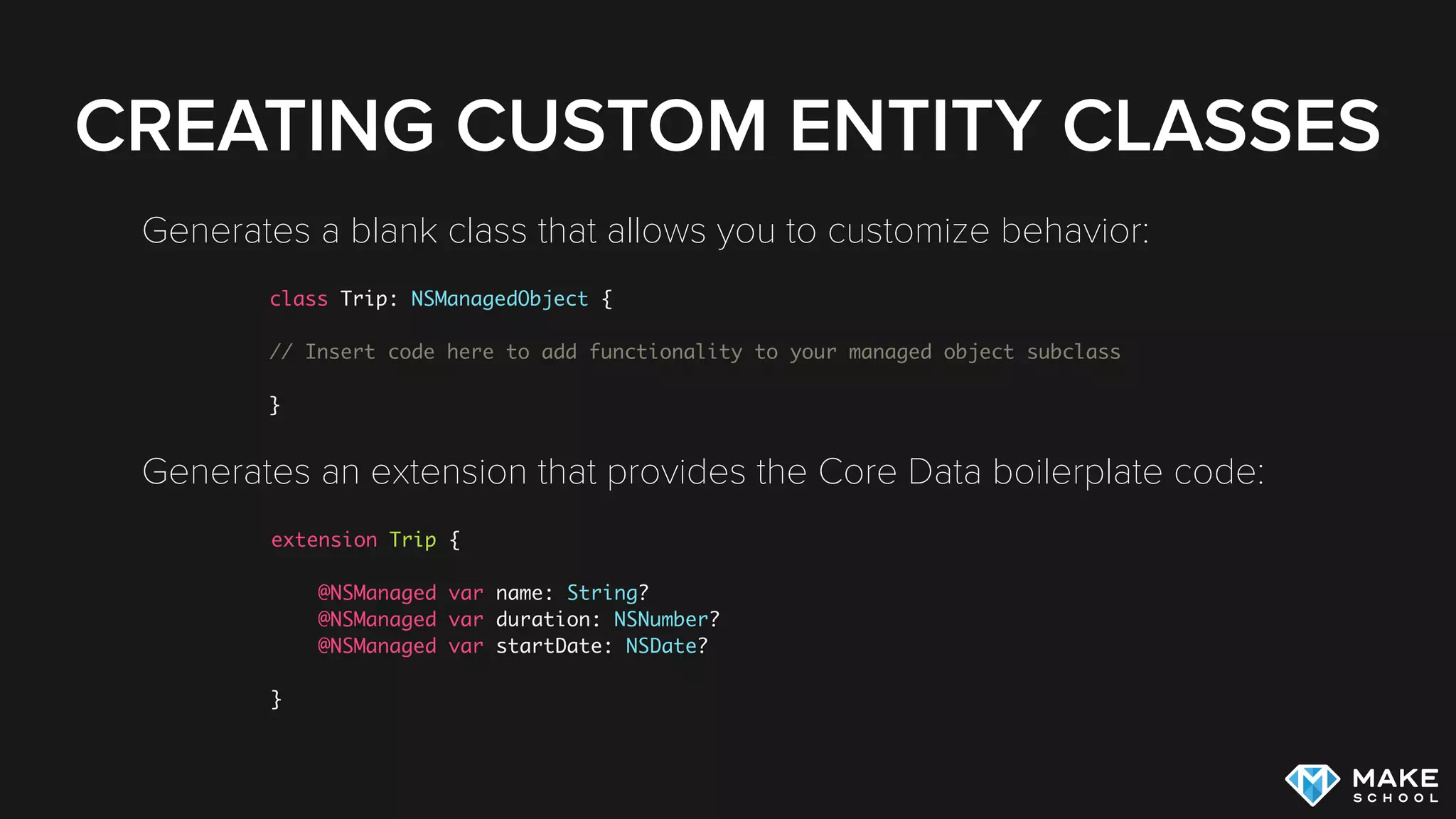
CREATING CUSTOM ENTITY CLASSES
Generates a blank class that allows you to customize behavior:
Generates an extension that provides the Core Data boilerplate code:
class Trip: NSManagedObject {
// Insert code here to add functionality to your managed object subclass
}
extension Trip {
@NSManaged var name: String?
@NSManaged var duration: NSNumber?
@NSManaged var startDate: NSDate?
}
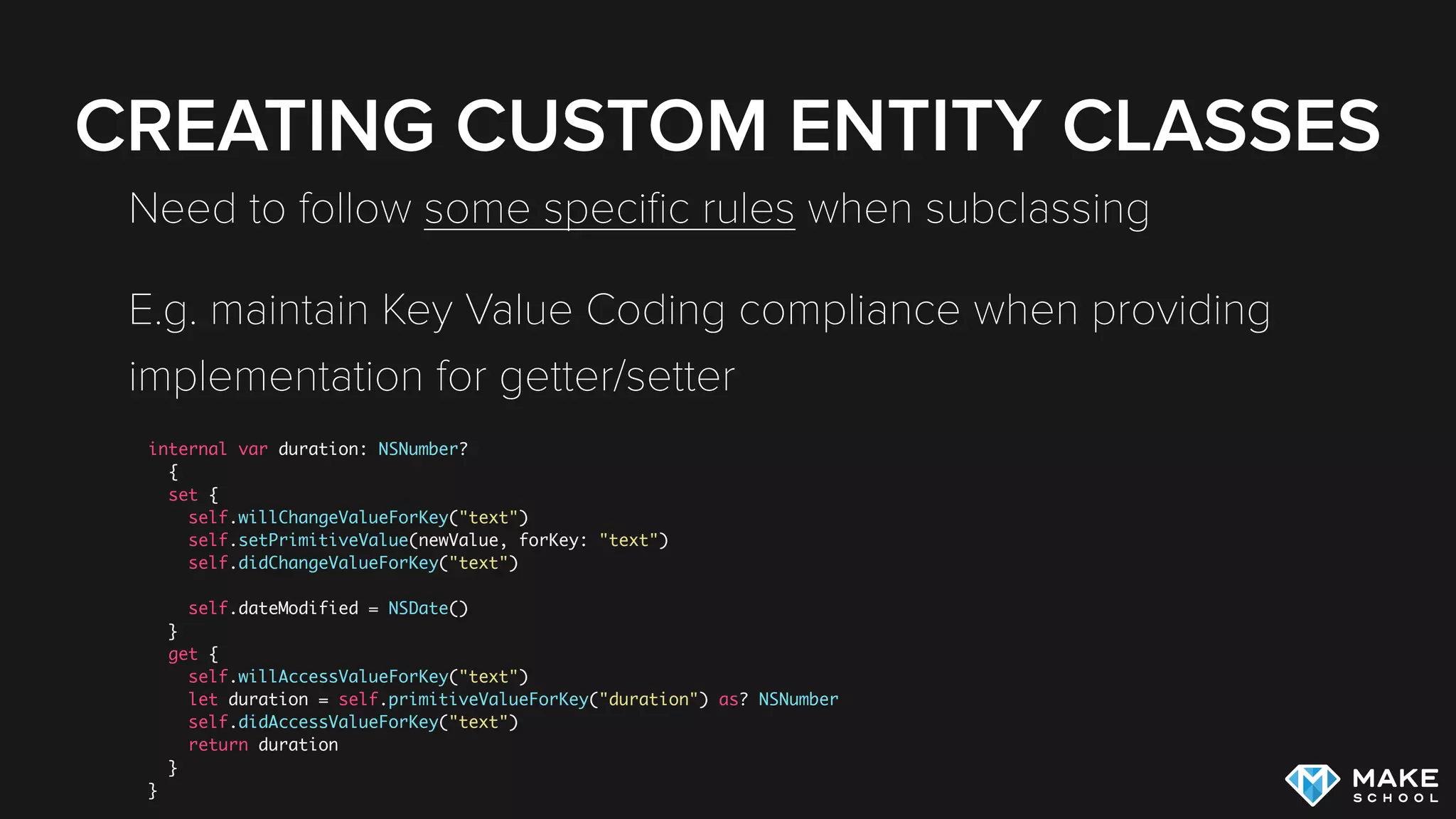
CREATING CUSTOM ENTITY CLASSES
Need to follow some specific rules when subclassing
E.g. maintain Key Value Coding compliance when providing
implementation for getter/setter
internal var duration: NSNumber?
{
set {
self.willChangeValueForKey("text")
self.setPrimitiveValue(newValue, forKey: "text")
self.didChangeValueForKey("text")
self.dateModified = NSDate()
}
get {
self.willAccessValueForKey("text")
let duration = self.primitiveValueForKey("duration") as? NSNumber
self.didAccessValueForKey("text")
return duration
}
}
CORE DATA IMPLEMENTATION
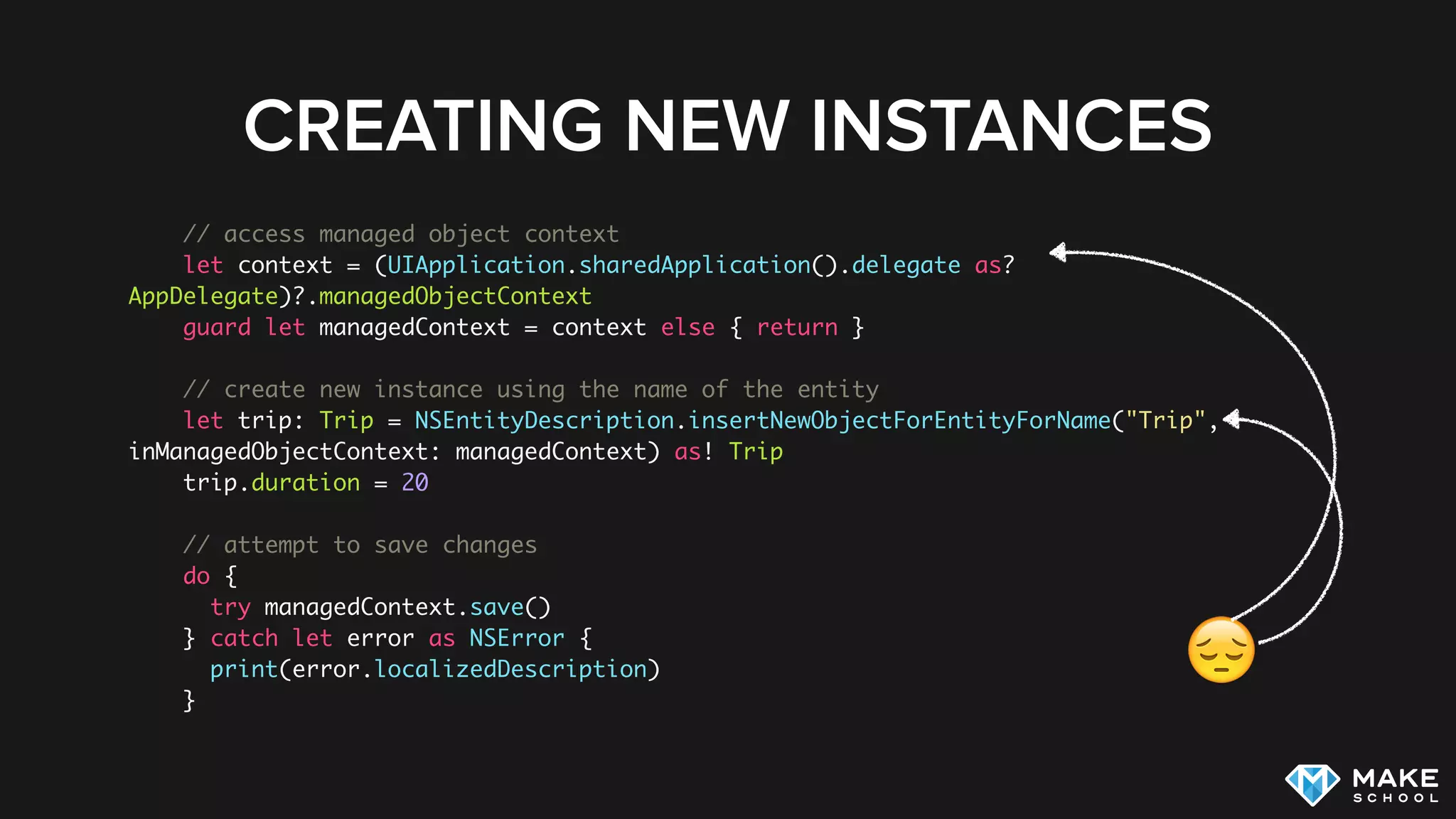
CREATING NEW INSTANCES
// access managed object context
let context = (UIApplication.sharedApplication().delegate as?
AppDelegate)?.managedObjectContext
guard let managedContext = context else { return }
// create new instance using the name of the entity
let trip: Trip = NSEntityDescription.insertNewObjectForEntityForName("Trip",
inManagedObjectContext: managedContext) as! Trip
trip.duration = 20
// attempt to save changes
do {
try managedContext.save()
} catch let error as NSError {
print(error.localizedDescription)
}
CREATING NEW INSTANCES
😔
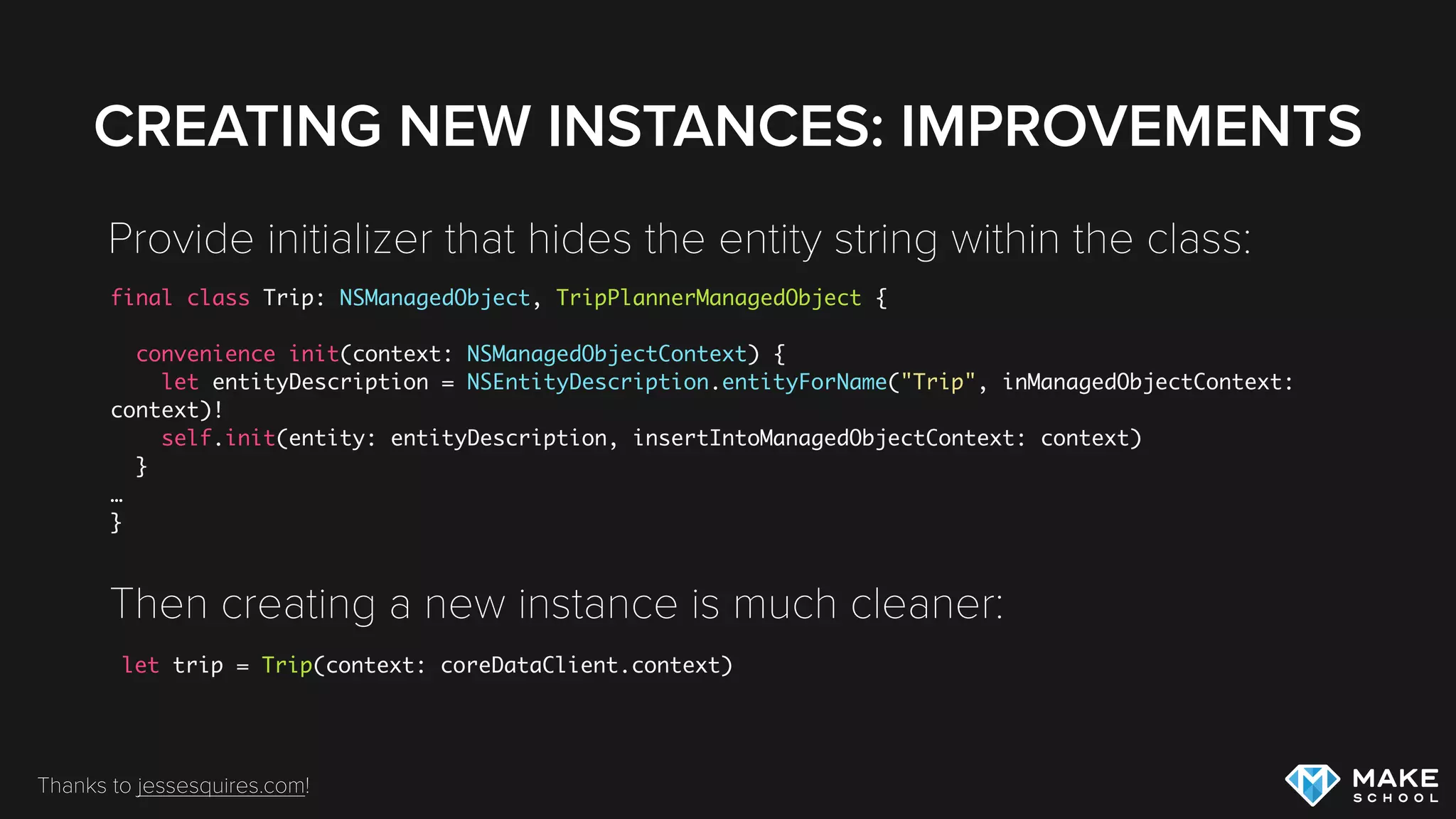
CREATING NEW INSTANCES: IMPROVEMENTS
final class Trip: NSManagedObject, TripPlannerManagedObject {
convenience init(context: NSManagedObjectContext) {
let entityDescription = NSEntityDescription.entityForName("Trip", inManagedObjectContext:
context)!
self.init(entity: entityDescription, insertIntoManagedObjectContext: context)
}
…
}
Provide initializer that hides the entity string within the class:
Then creating a new instance is much cleaner:
let trip = Trip(context: coreDataClient.context)
Thanks to jessesquires.com!
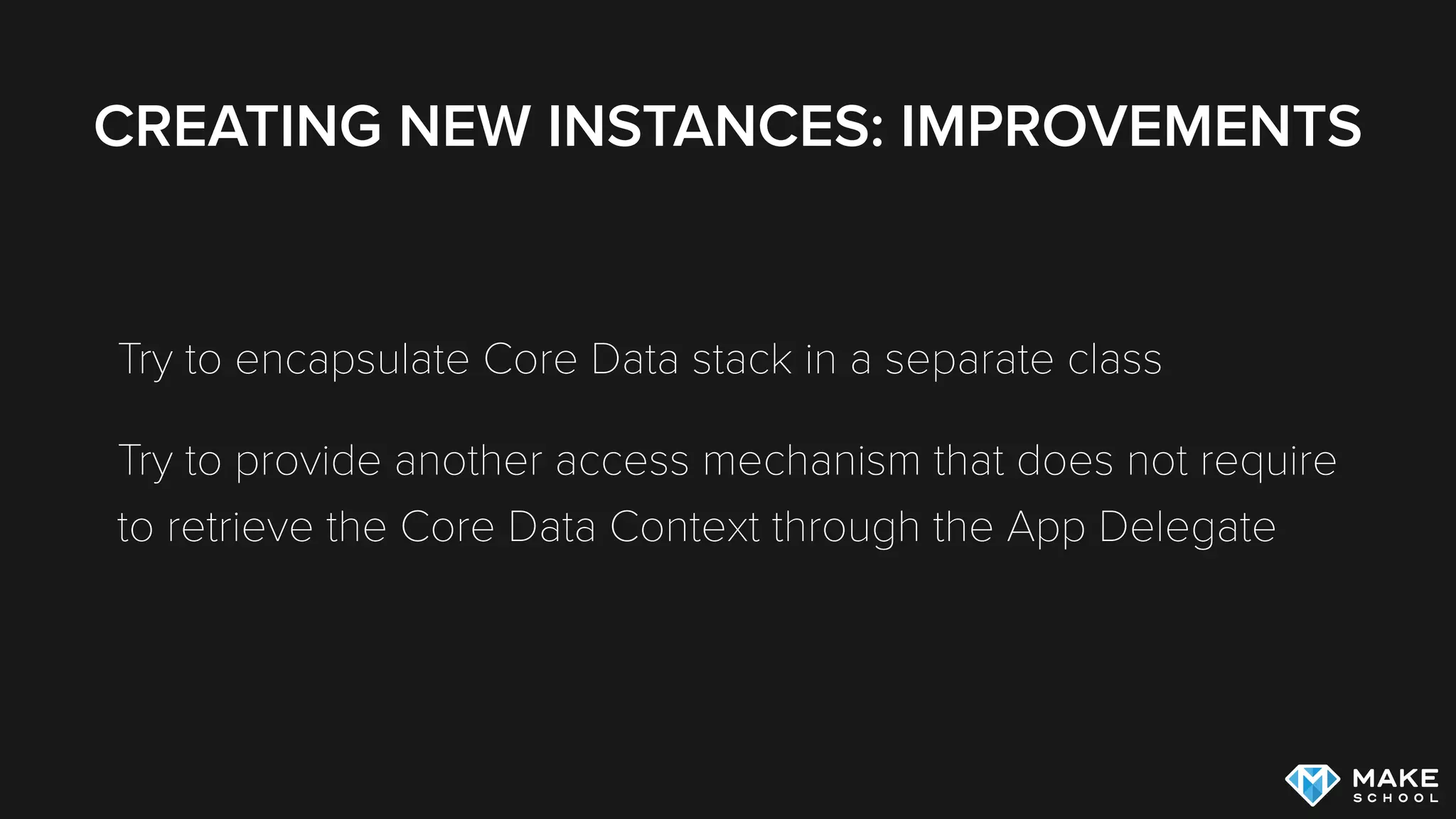
CREATING NEW INSTANCES: IMPROVEMENTS
Try to encapsulate Core Data stack in a separate class
Try to provide another access mechanism that does not require

to retrieve the Core Data Context through the App Delegate
CORE DATA IMPLEMENTATION
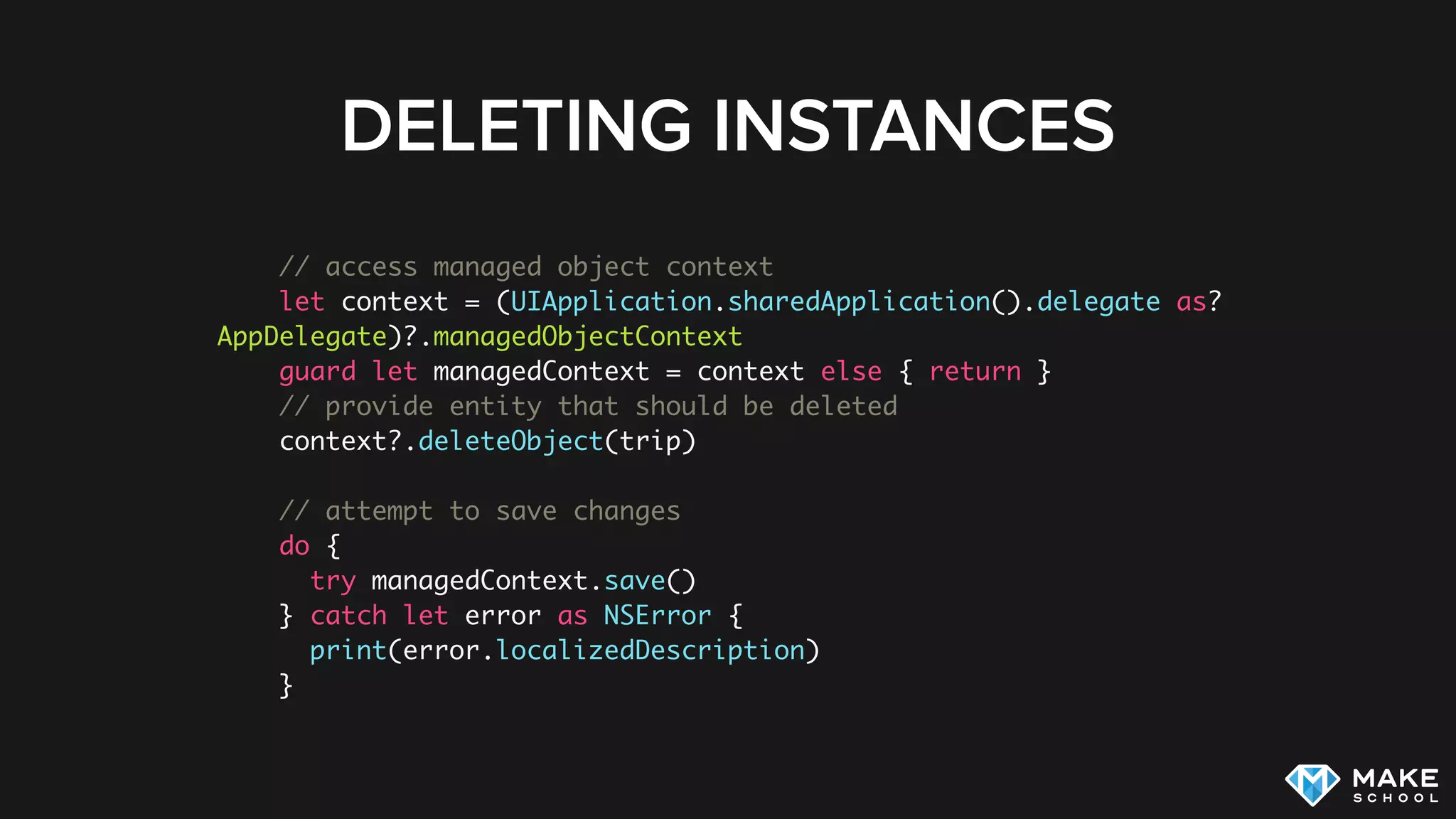
DELETING INSTANCES
DELETING INSTANCES
// access managed object context
let context = (UIApplication.sharedApplication().delegate as?
AppDelegate)?.managedObjectContext
guard let managedContext = context else { return }
// provide entity that should be deleted
context?.deleteObject(trip)
// attempt to save changes
do {
try managedContext.save()
} catch let error as NSError {
print(error.localizedDescription)
}
QUERIES
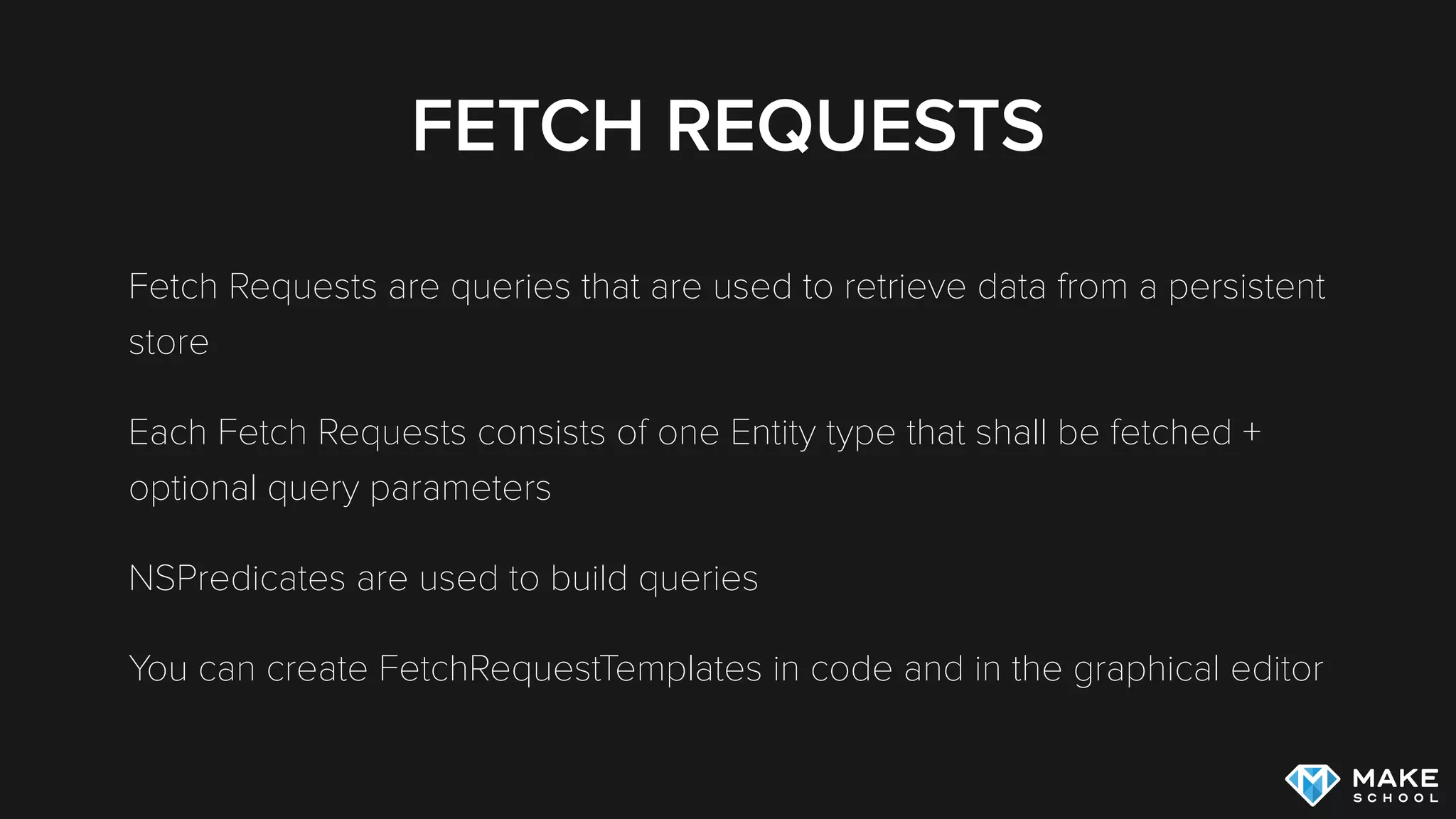
FETCH REQUESTS
Fetch Requests are queries that are used to retrieve data from a persistent
store
Each Fetch Requests consists of one Entity type that shall be fetched +
optional query parameters
NSPredicates are used to build queries
You can create FetchRequestTemplates in code and in the graphical editor
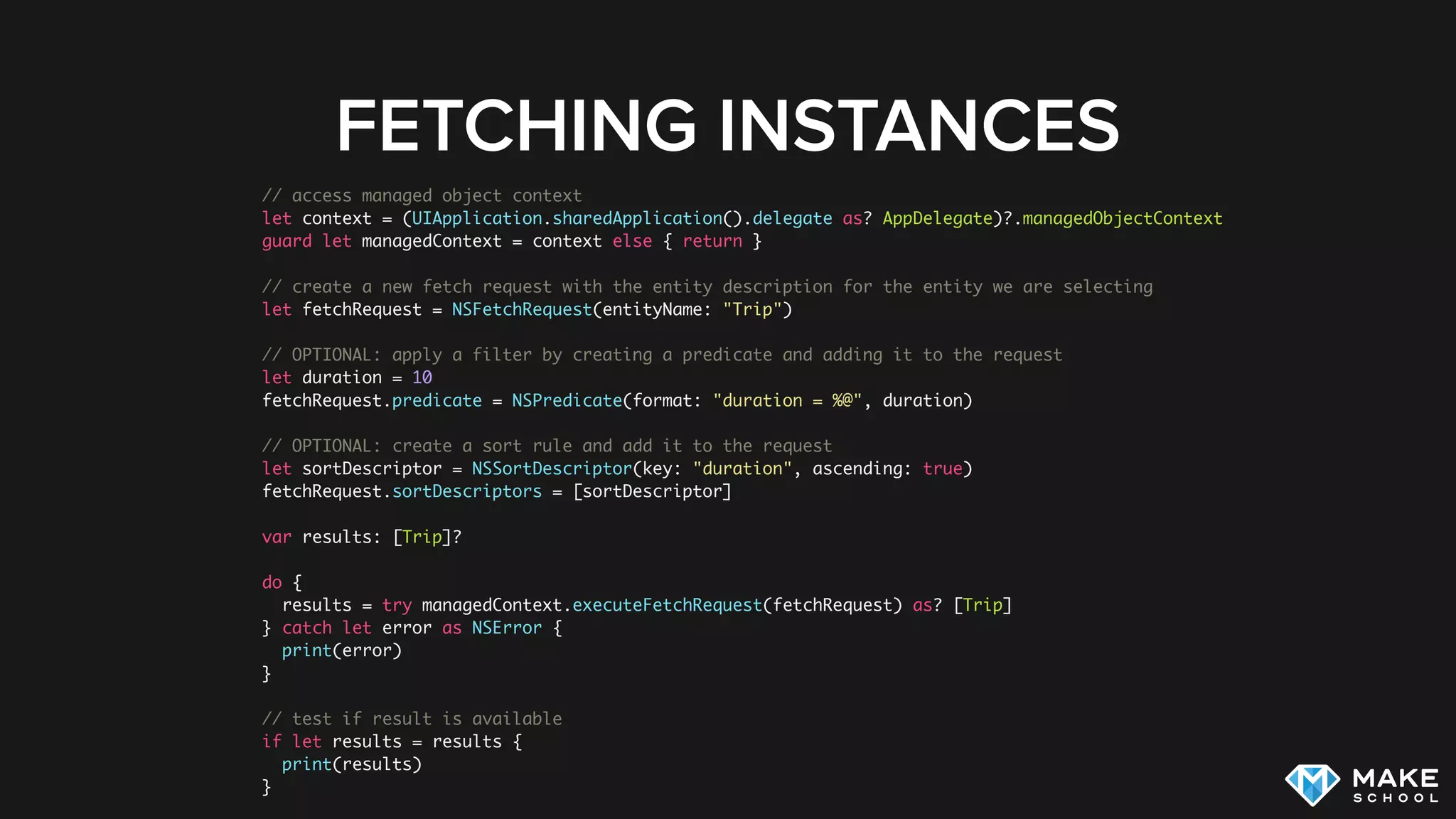
FETCHING INSTANCES
// access managed object context
let context = (UIApplication.sharedApplication().delegate as? AppDelegate)?.managedObjectContext
guard let managedContext = context else { return }
// create a new fetch request with the entity description for the entity we are selecting
let fetchRequest = NSFetchRequest(entityName: "Trip")
// OPTIONAL: apply a filter by creating a predicate and adding it to the request
let duration = 10
fetchRequest.predicate = NSPredicate(format: "duration = %@", duration)
// OPTIONAL: create a sort rule and add it to the request
let sortDescriptor = NSSortDescriptor(key: "duration", ascending: true)
fetchRequest.sortDescriptors = [sortDescriptor]
var results: [Trip]?
do {
results = try managedContext.executeFetchRequest(fetchRequest) as? [Trip]
} catch let error as NSError {
print(error)
}
// test if result is available
if let results = results {
print(results)
}
SUMMARY
SUMMARY
Core Data provides a highly flexible and powerful solution to model,
persist, query and migrate data in your application
Working with Core Data requires good understanding of the
fundamental architecture of the framework
ADDITIONAL RESOURCES
Core Data Programming Guide
Core Data Programming Guide: Custom Managed Objects
MartianCraft’s Core Data Stack
Talk: Core Data and Swift

Intro to Core Data

  • 2.
  • 3.
    AGENDA Intro Core Data Stack DataModeling Adding Core Data to your App Queries
  • 4.
  • 5.
    CORE DATA Allows usto work with (almost) regular Swift objects and persist them Provides a query interface to search through persisted objects Provides advanced features such as migrations, delete rules, etc.
  • 6.
    CORE DATA “Core Dataprovides an infrastructure for change management and for saving objects to and retrieving them from storage. It can use SQLite as one of its persistent store types. It is not, though, in and of itself a database. (To emphasize this point: you could for example use just an in-memory store in your application. You could use Core Data for change tracking and management, but never actually save any data in a file.)” Source: https://developer.apple.com/library/mac/documentation/Cocoa/Conceptual/CoreData/Articles/cdTechnologyOverview.html , 09/04/2014
  • 7.
    CORE DATA Core Dataprovides a Swift interface to a persistent store Swift Core Data Framework
  • 8.
    WHY CORE DATA? Canbe complicated, but is the most powerful persistence framework on iOS (Still) used by a majority of apps that utilize local storage If you master Core Data you can master almost any of Apple’s other frameworks
  • 9.
  • 10.
    CORE DATA STACK Employee1 NSManagedObject NSManagedObjectContext PersistentStore Coordinator Persistent Object Store Employee Department Employee Employee Department Department Employee Department
  • 11.
    CORE DATA STACK Wemostly interact with managed object context Core Data makes the actual persistent store transparent allowing for applications to use it with SQLite DBs, in memory storage, XML storage, etc. Employee1 NSManagedObject NSManagedObjectContext Persistent Store Coordinator Persistent Object Store Employee Department Employee Employee Department Department Employee Department
  • 12.
    CORE DATA KEYPLAYERS NSManagedObject - Temporary Representation of an Object in the Object Store (similar to PFObject in the Parse framework) NSManagedObjectContext - Primary Interface between Application Code and Core Data. Provides a Scratch Pad for changes to the Object Store Persistent Store Coordinator - Hides implementation details of Persistent Object Store from NSManagedObjectContext Persistent Object Store - Actual Storage
  • 13.
    MANAGED OBJECT A temporaryrepresentation of a Object in the persistent store All ManagedObjects need to be registered with one ManagedObjectContext You can create Custom Managed Object Subclasses
  • 14.
    MANAGED OBJECT CONTEXT Ascratchpad for changes to persisted Objects We fetch ManagedObjects from a ManagedObjectContext We create new ManagedObjects within a ManagedObjectContext A ManagedObjectContext can be saved, saving will persist the changes that the Context has tracked
  • 15.
  • 16.
    MANAGED OBJECT MODEL Xcodeallows to create a data model visually Entities can store values and relationships to other Entities (one-to-one, one-to- many, many-to-many) Advanced Features: Delete Rules, Optional Values, Value Validation, Fetched Properties
  • 17.
  • 18.
  • 19.
    RELATIONSHIPS “It is highlyrecommended that you model relationships in both directions, and specify the inverse relationships appropriately. Core Data uses this information to ensure the consistency of the object graph if a change is made.” Apple’s Core Data Programming Guide
  • 20.
    ESTABLISHING A RELATIONSHIP waypoint.trip= tripToStuttgart The inverse relationship is maintained automatically The waypoint is added to the trip
  • 21.
    CORE DATA IMPLEMENTATION ADDINGCORE DATA TO A PROJECT
  • 22.
    ADDING CORE DATATO A PROJECT The Easy Way Downside: Clutters your AppDelegate with 
 Core Data code 😢
  • 23.
    ADDING CORE DATATO A PROJECT You can start a project by including Core Data but we recommend you remove the boilerplate code from the AppDelegate Instead create dedicated CoreDataStack class When adding Core Data to existing project, read this but add code to dedicated class instead of AppDelegate
  • 24.
  • 25.
  • 26.
    CREATING CUSTOM ENTITYCLASSES Generates a blank class that allows you to customize behavior: Generates an extension that provides the Core Data boilerplate code: class Trip: NSManagedObject { // Insert code here to add functionality to your managed object subclass } extension Trip { @NSManaged var name: String? @NSManaged var duration: NSNumber? @NSManaged var startDate: NSDate? }
  • 27.
    CREATING CUSTOM ENTITYCLASSES Need to follow some specific rules when subclassing E.g. maintain Key Value Coding compliance when providing implementation for getter/setter internal var duration: NSNumber? { set { self.willChangeValueForKey("text") self.setPrimitiveValue(newValue, forKey: "text") self.didChangeValueForKey("text") self.dateModified = NSDate() } get { self.willAccessValueForKey("text") let duration = self.primitiveValueForKey("duration") as? NSNumber self.didAccessValueForKey("text") return duration } }
  • 28.
  • 29.
    // access managedobject context let context = (UIApplication.sharedApplication().delegate as? AppDelegate)?.managedObjectContext guard let managedContext = context else { return } // create new instance using the name of the entity let trip: Trip = NSEntityDescription.insertNewObjectForEntityForName("Trip", inManagedObjectContext: managedContext) as! Trip trip.duration = 20 // attempt to save changes do { try managedContext.save() } catch let error as NSError { print(error.localizedDescription) } CREATING NEW INSTANCES 😔
  • 30.
    CREATING NEW INSTANCES:IMPROVEMENTS final class Trip: NSManagedObject, TripPlannerManagedObject { convenience init(context: NSManagedObjectContext) { let entityDescription = NSEntityDescription.entityForName("Trip", inManagedObjectContext: context)! self.init(entity: entityDescription, insertIntoManagedObjectContext: context) } … } Provide initializer that hides the entity string within the class: Then creating a new instance is much cleaner: let trip = Trip(context: coreDataClient.context) Thanks to jessesquires.com!
  • 31.
    CREATING NEW INSTANCES:IMPROVEMENTS Try to encapsulate Core Data stack in a separate class Try to provide another access mechanism that does not require
 to retrieve the Core Data Context through the App Delegate
  • 32.
  • 33.
    DELETING INSTANCES // accessmanaged object context let context = (UIApplication.sharedApplication().delegate as? AppDelegate)?.managedObjectContext guard let managedContext = context else { return } // provide entity that should be deleted context?.deleteObject(trip) // attempt to save changes do { try managedContext.save() } catch let error as NSError { print(error.localizedDescription) }
  • 34.
  • 35.
    FETCH REQUESTS Fetch Requestsare queries that are used to retrieve data from a persistent store Each Fetch Requests consists of one Entity type that shall be fetched + optional query parameters NSPredicates are used to build queries You can create FetchRequestTemplates in code and in the graphical editor
  • 36.
    FETCHING INSTANCES // accessmanaged object context let context = (UIApplication.sharedApplication().delegate as? AppDelegate)?.managedObjectContext guard let managedContext = context else { return } // create a new fetch request with the entity description for the entity we are selecting let fetchRequest = NSFetchRequest(entityName: "Trip") // OPTIONAL: apply a filter by creating a predicate and adding it to the request let duration = 10 fetchRequest.predicate = NSPredicate(format: "duration = %@", duration) // OPTIONAL: create a sort rule and add it to the request let sortDescriptor = NSSortDescriptor(key: "duration", ascending: true) fetchRequest.sortDescriptors = [sortDescriptor] var results: [Trip]? do { results = try managedContext.executeFetchRequest(fetchRequest) as? [Trip] } catch let error as NSError { print(error) } // test if result is available if let results = results { print(results) }
  • 37.
  • 38.
    SUMMARY Core Data providesa highly flexible and powerful solution to model, persist, query and migrate data in your application Working with Core Data requires good understanding of the fundamental architecture of the framework
  • 39.
  • 40.
    ADDITIONAL RESOURCES Core DataProgramming Guide Core Data Programming Guide: Custom Managed Objects MartianCraft’s Core Data Stack Talk: Core Data and Swift