@slorello
Intro to Computer Vision in .NET
Steve Lorello
.NET Developer advocate @Vonage
Twitter: @slorello
@slorello
What is Computer Vision?
@slorello
“ “The Goal of computer vision
is to write computer
programs that can interpret
images
Steve Seitz
@slorello
1. What is a Digital Image?
2. Hello OpenCV in .NET
3. Convolution and Edge Detection
4. Facial Detection
5. Facial Detection with Vonage Video API
6. Feature Tracking and Image Projection
Agenda
@slorello
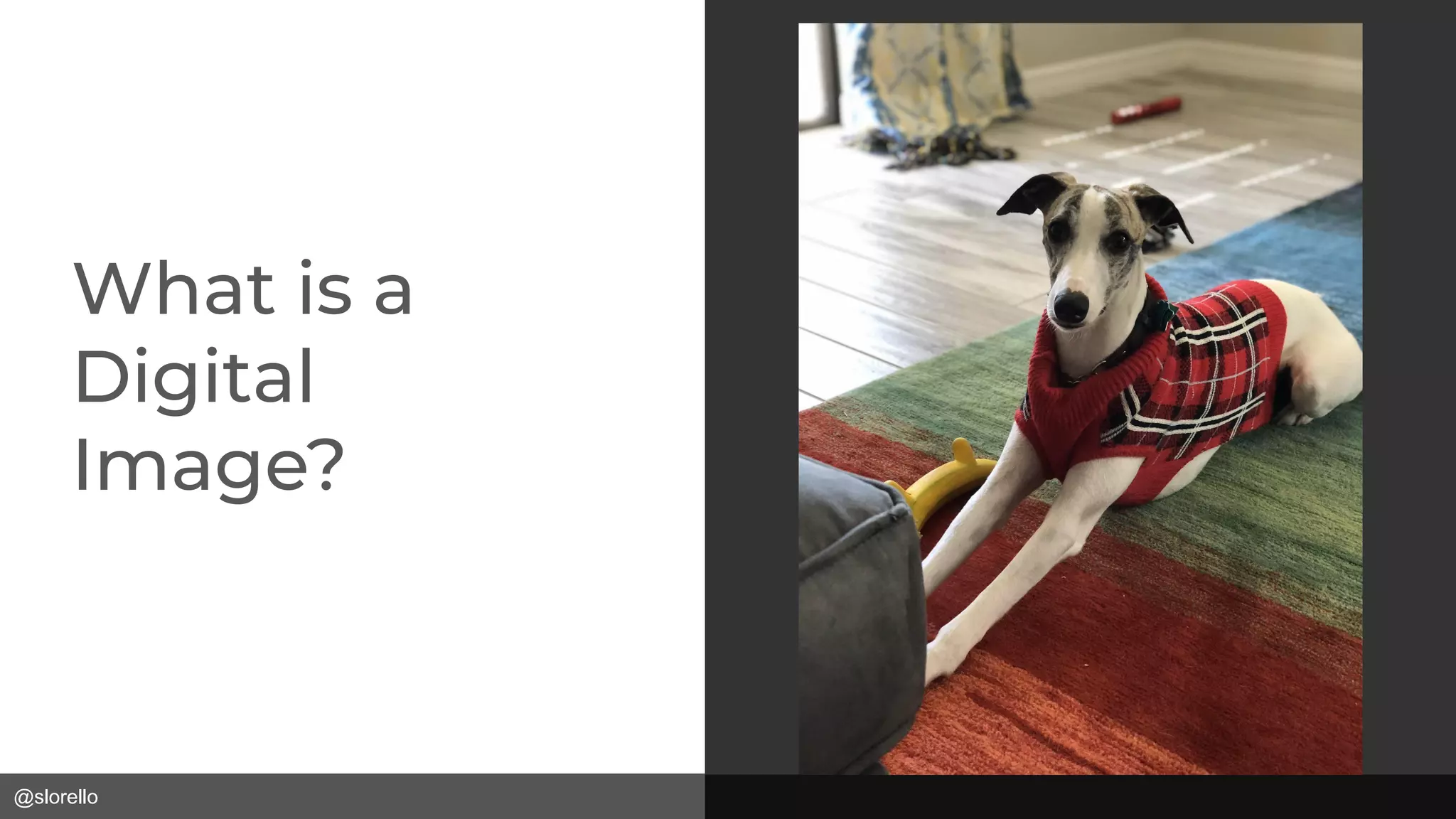
What is a
Digital
Image?
@slorello
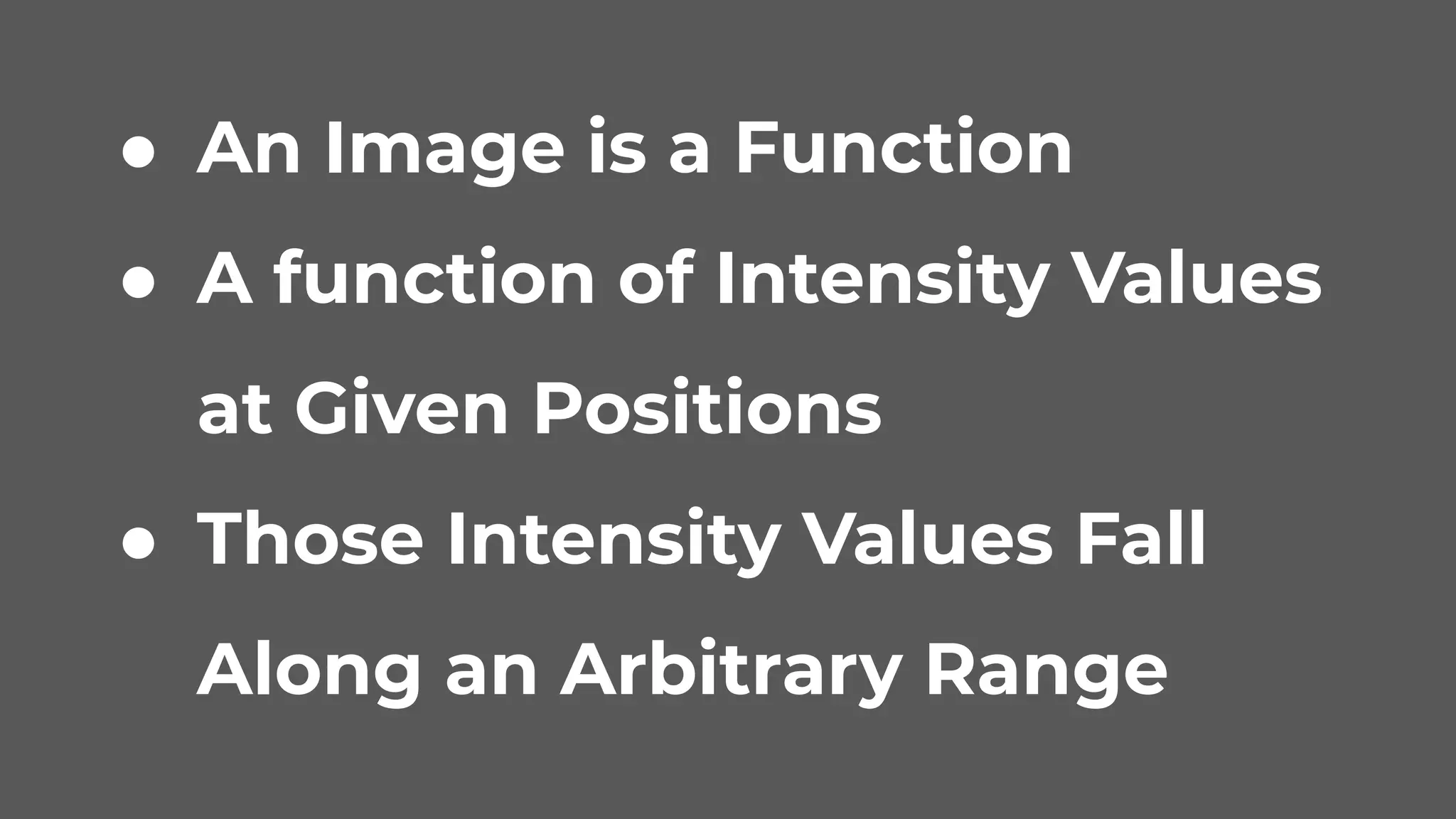
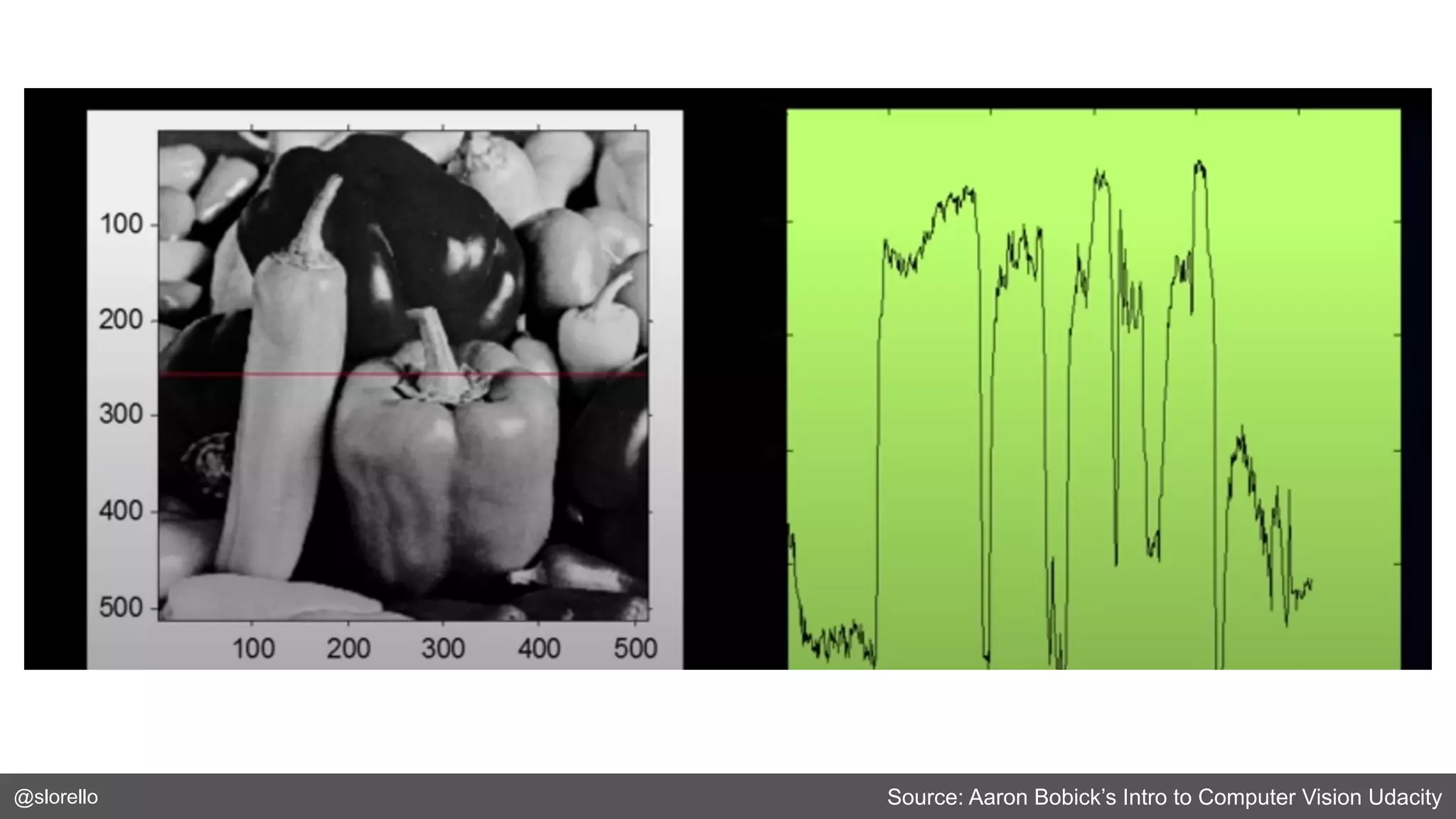
● An Image is a Function
● A function of Intensity Values
at Given Positions
● Those Intensity Values Fall
Along an Arbitrary Range
@slorello Source: Aaron Bobick’s Intro to Computer Vision Udacity
@slorello
Using Computer Vision in .NET
@slorello
● OpenCV (Open Source Computer Vision
Library): https://opencv.org/
● Emgu CV: http://www.emgu.com/
@slorello
● Create a Project in Visual Studio
● Install EmguCv with package manager:
Emgu.CV.runtime.<platform>
@slorello https://github.com/slorello89/ShowImage
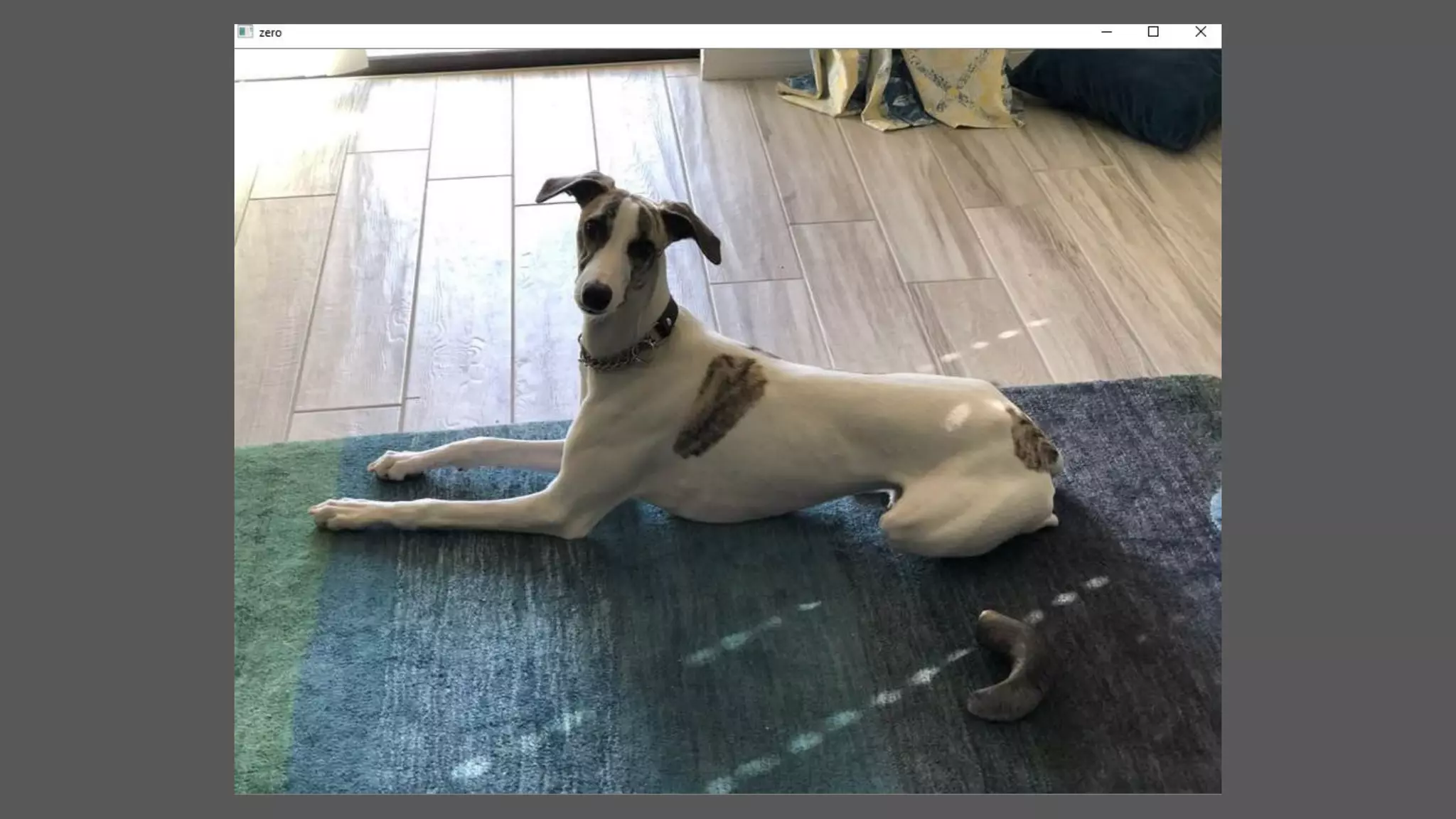
var zero = CvInvoke.Imread(Path.Join("resources","zero.jpg"));
CvInvoke.Imshow("zero", zero);
CvInvoke.WaitKey(0);
@slorello
@slorello
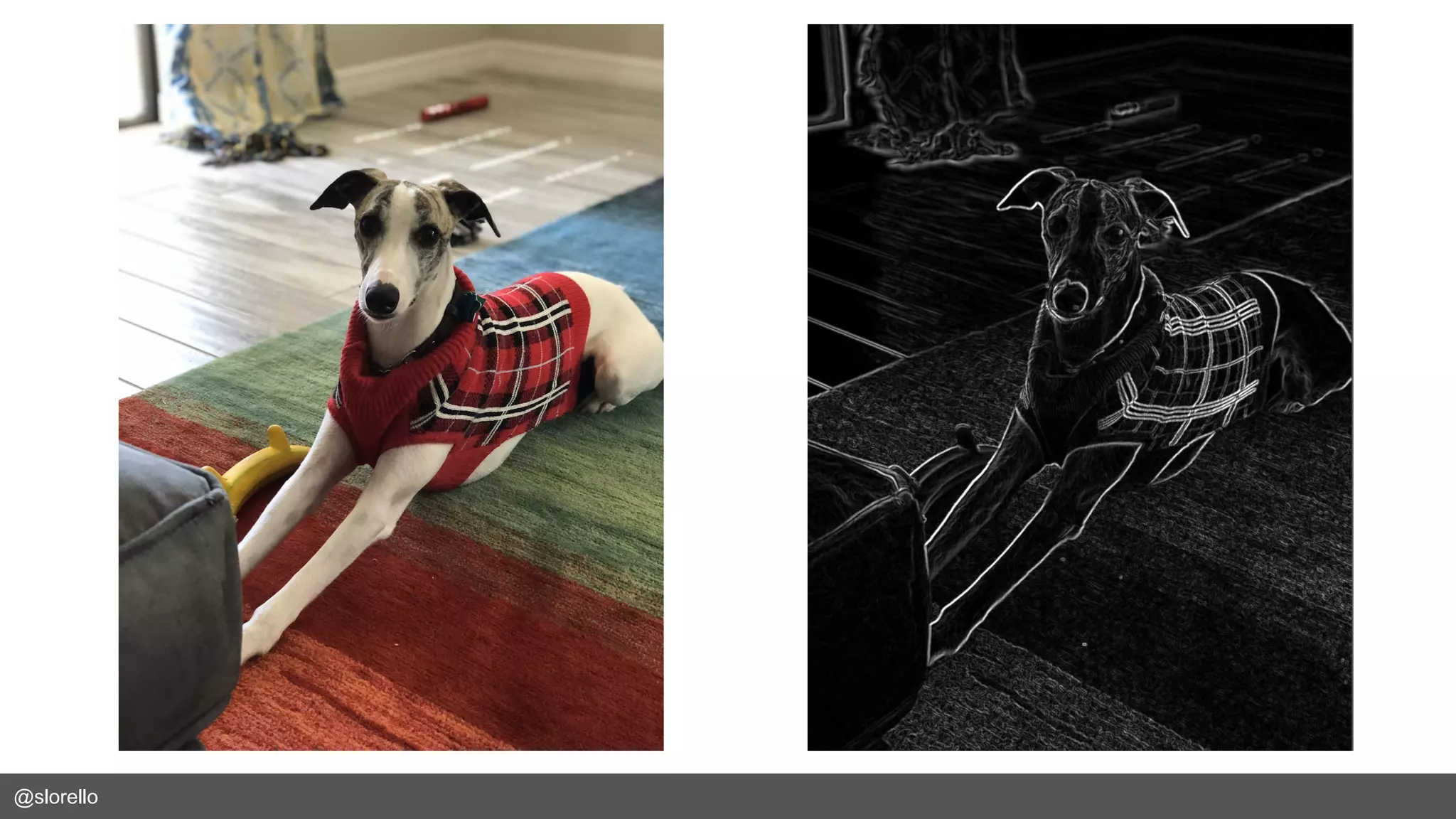
Convolution and Edge Detection
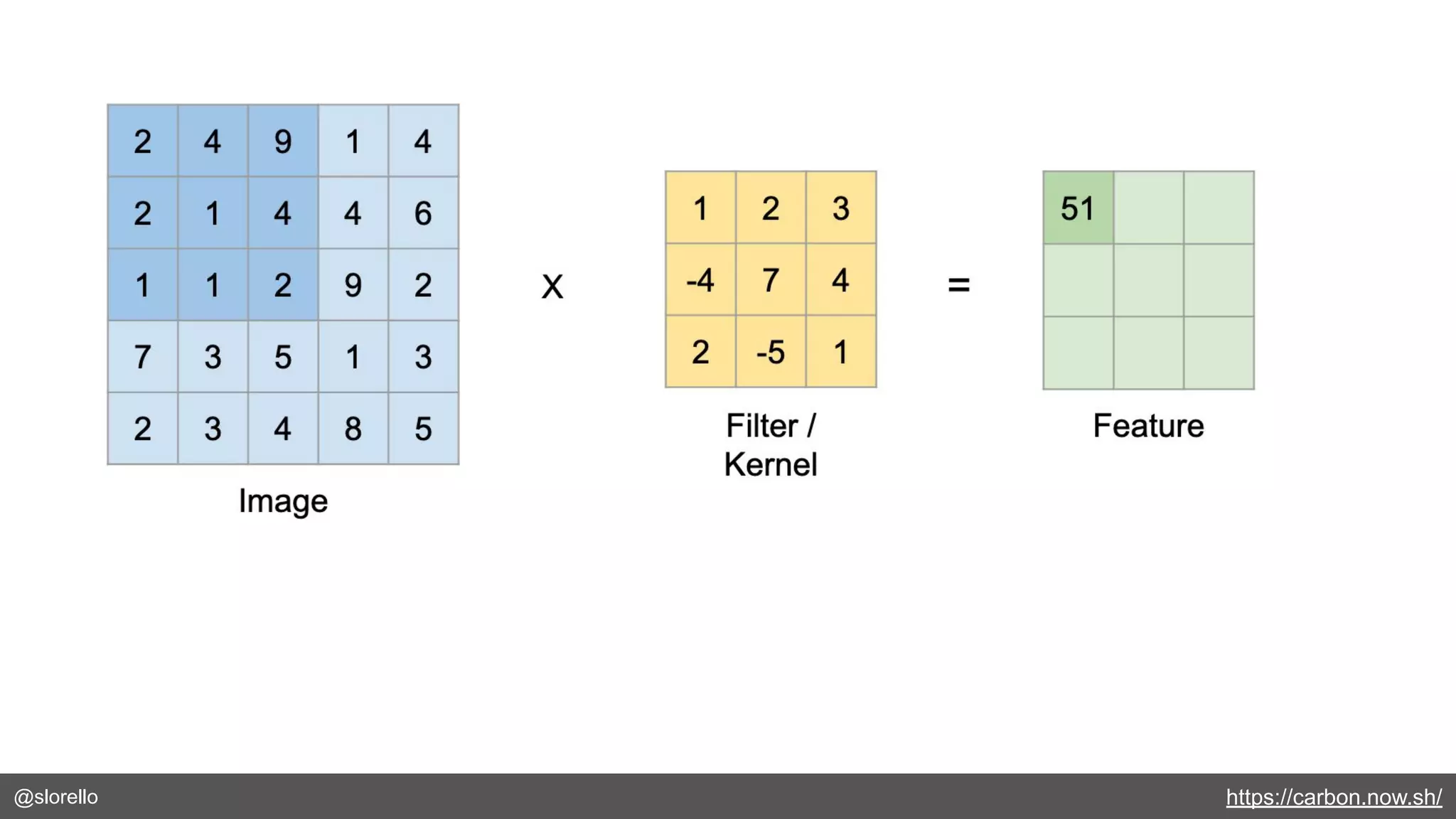
@slorello https://carbon.now.sh/
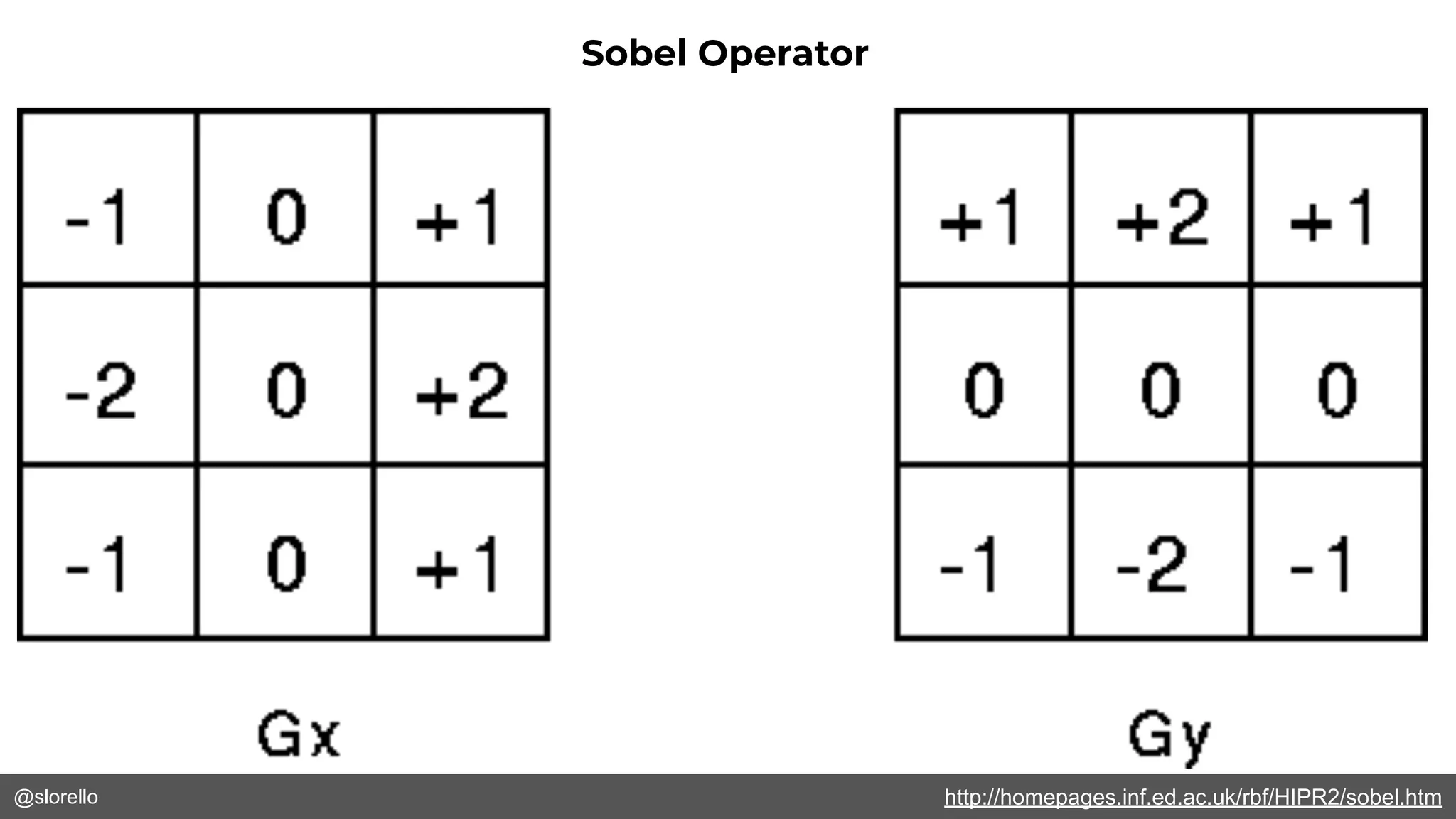
@slorello http://homepages.inf.ed.ac.uk/rbf/HIPR2/sobel.htm
Sobel Operator
@slorello
@slorello
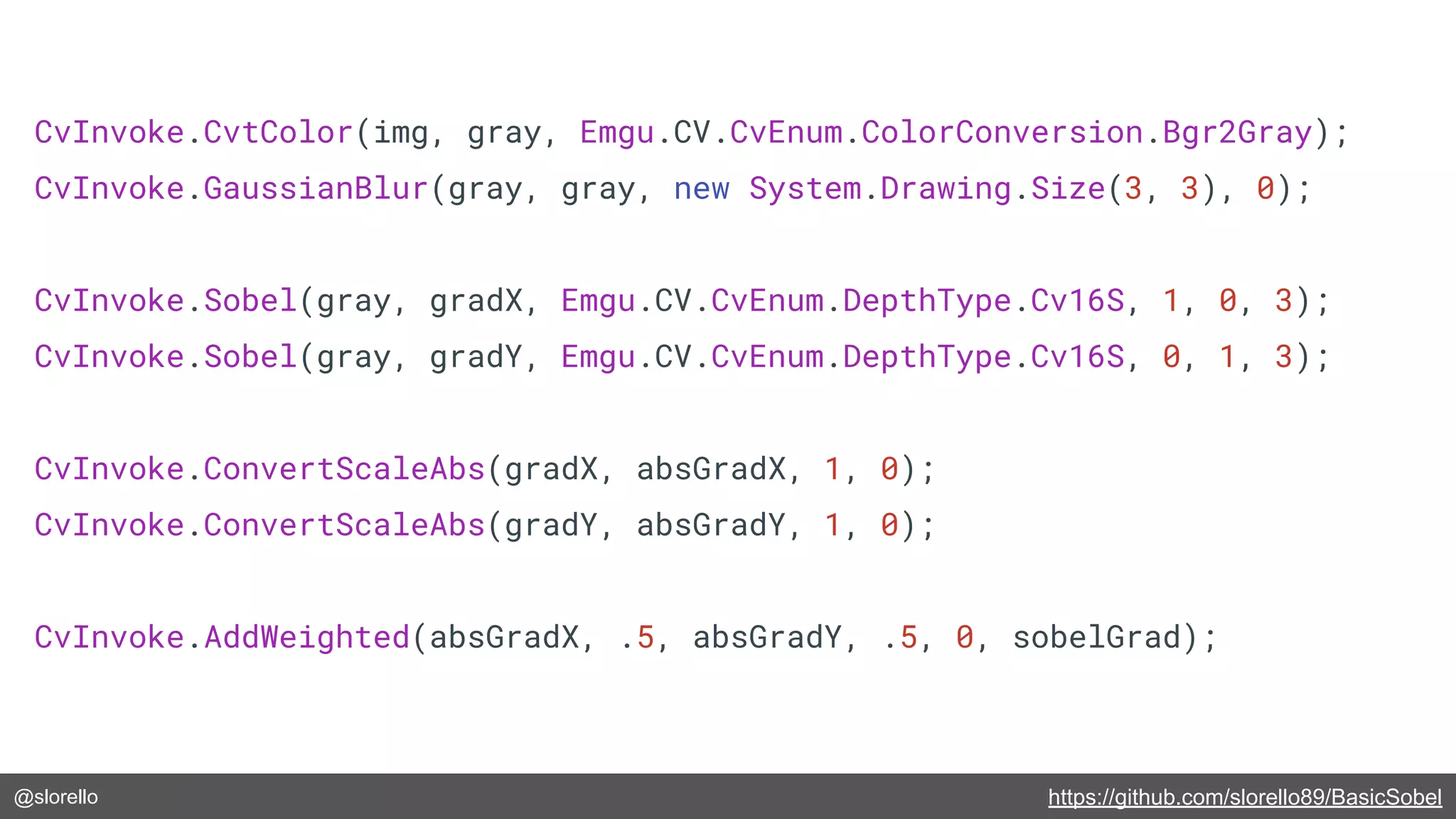
@slorello https://github.com/slorello89/BasicSobel
CvInvoke.CvtColor(img, gray, Emgu.CV.CvEnum.ColorConversion.Bgr2Gray);
CvInvoke.GaussianBlur(gray, gray, new System.Drawing.Size(3, 3), 0);
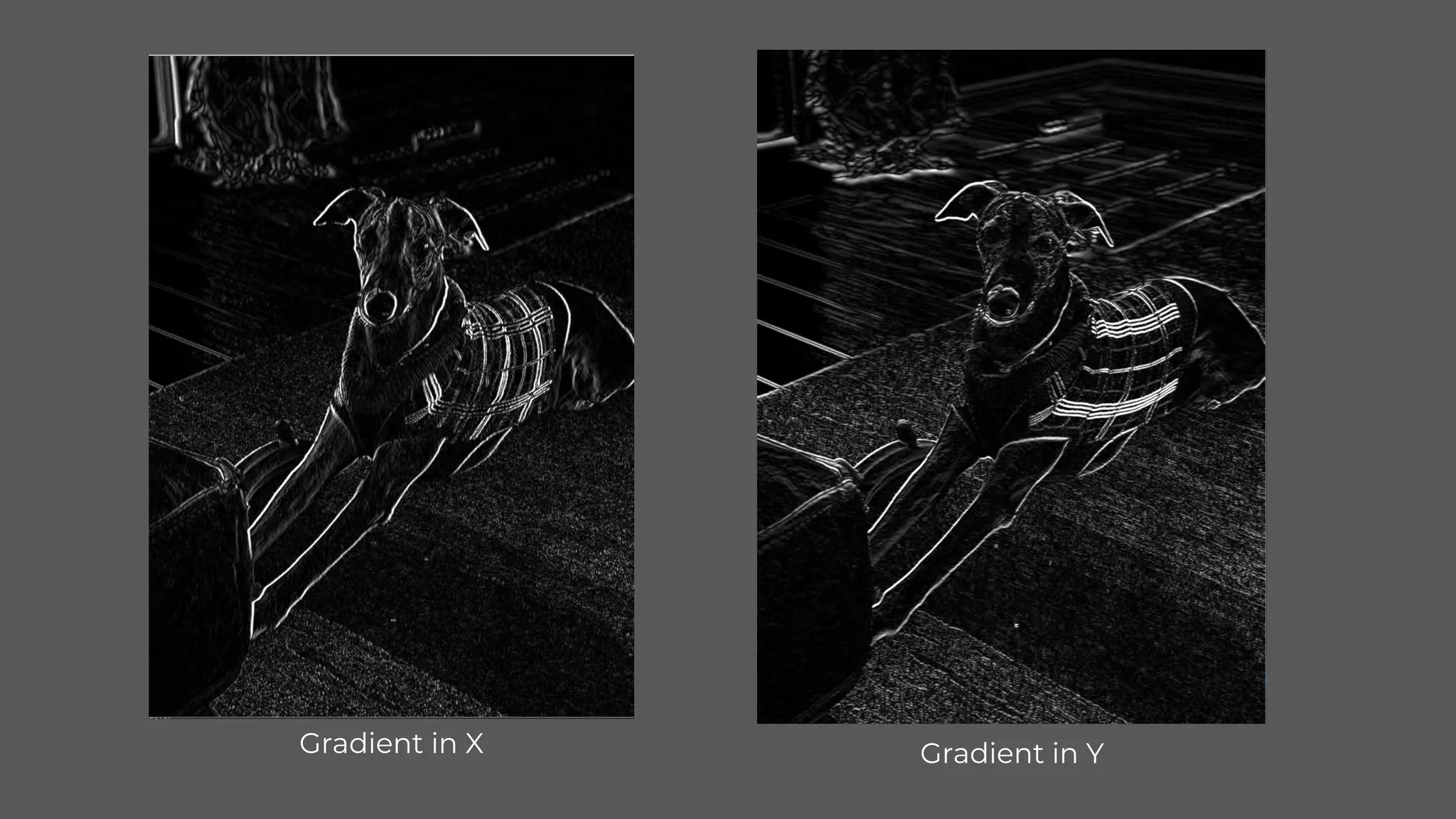
CvInvoke.Sobel(gray, gradX, Emgu.CV.CvEnum.DepthType.Cv16S, 1, 0, 3);
CvInvoke.Sobel(gray, gradY, Emgu.CV.CvEnum.DepthType.Cv16S, 0, 1, 3);
CvInvoke.ConvertScaleAbs(gradX, absGradX, 1, 0);
CvInvoke.ConvertScaleAbs(gradY, absGradY, 1, 0);
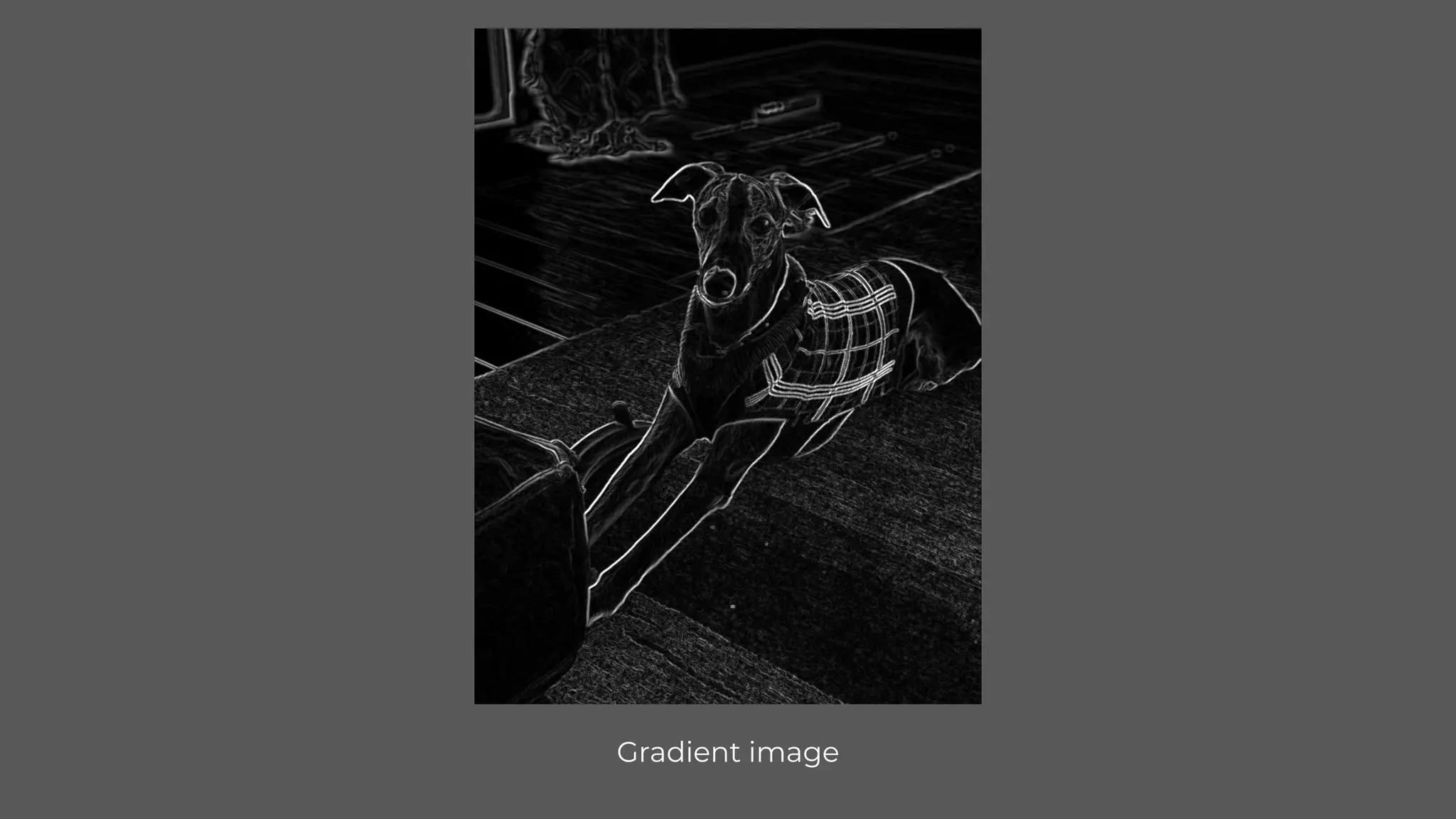
CvInvoke.AddWeighted(absGradX, .5, absGradY, .5, 0, sobelGrad);
@slorello
Gradient in X Gradient in Y
@slorello
Gradient image
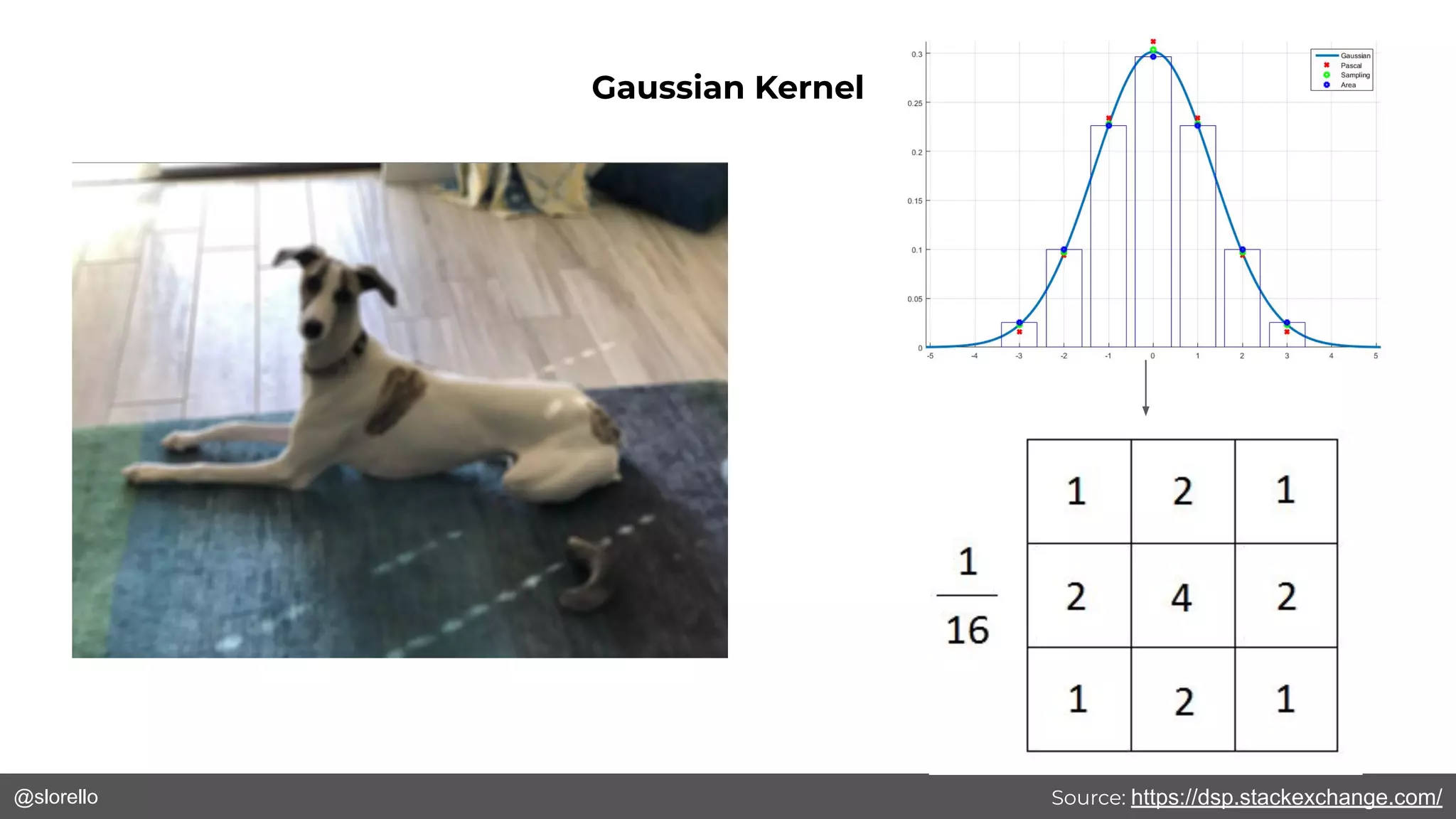
@slorello Source: https://dsp.stackexchange.com/
Gaussian Kernel
@slorello
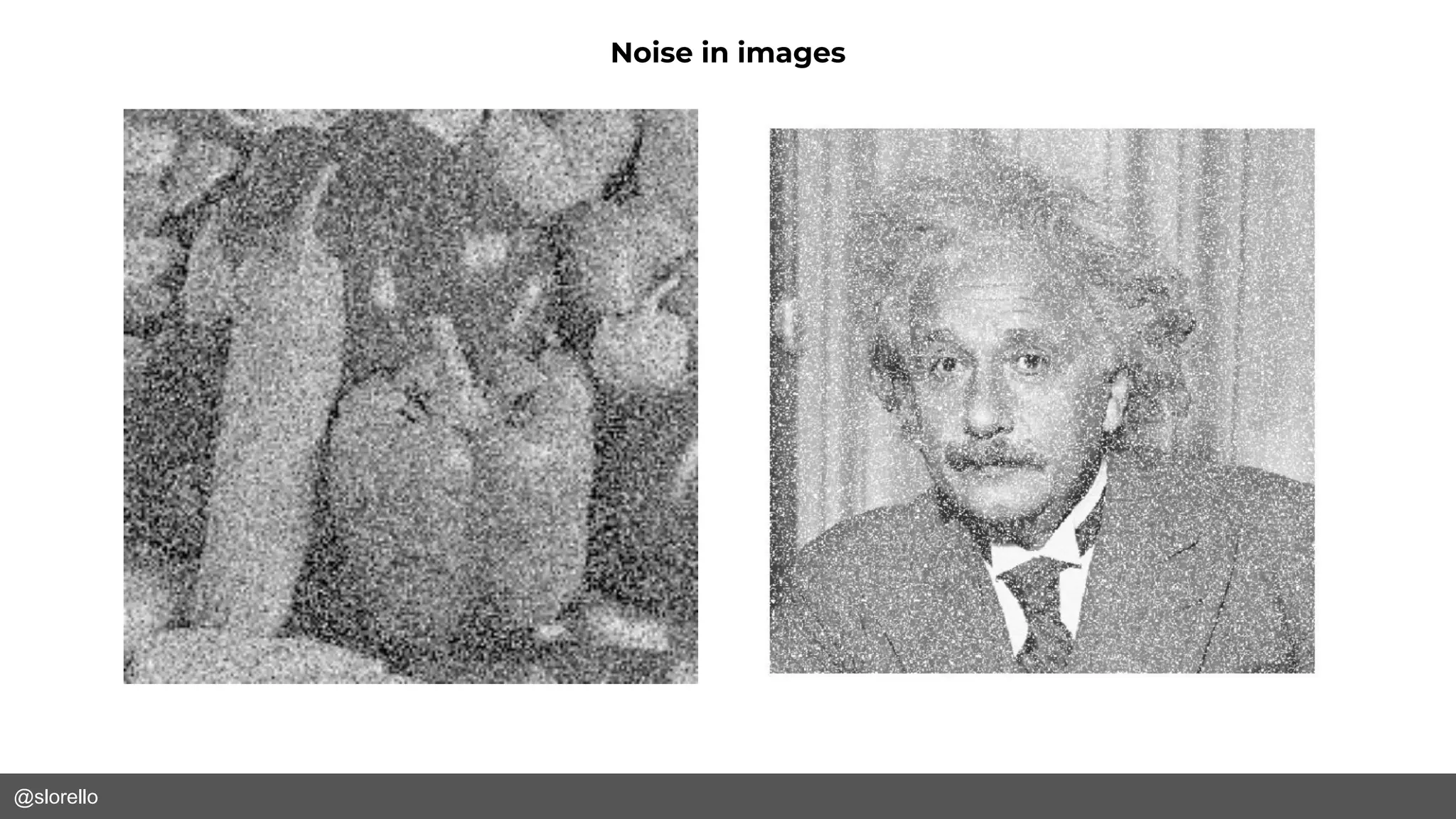
Noise in images
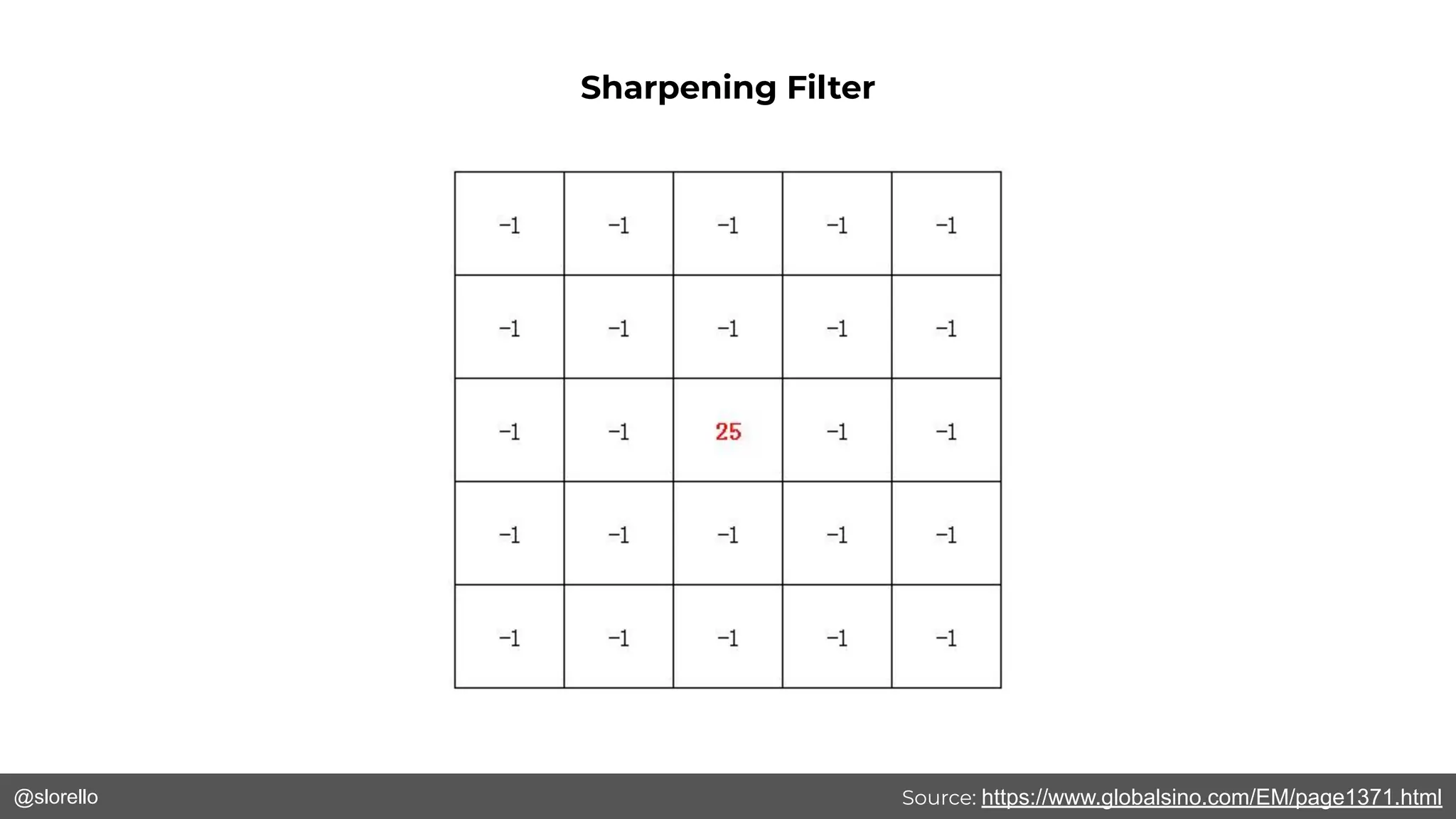
@slorello Source: https://www.globalsino.com/EM/page1371.html
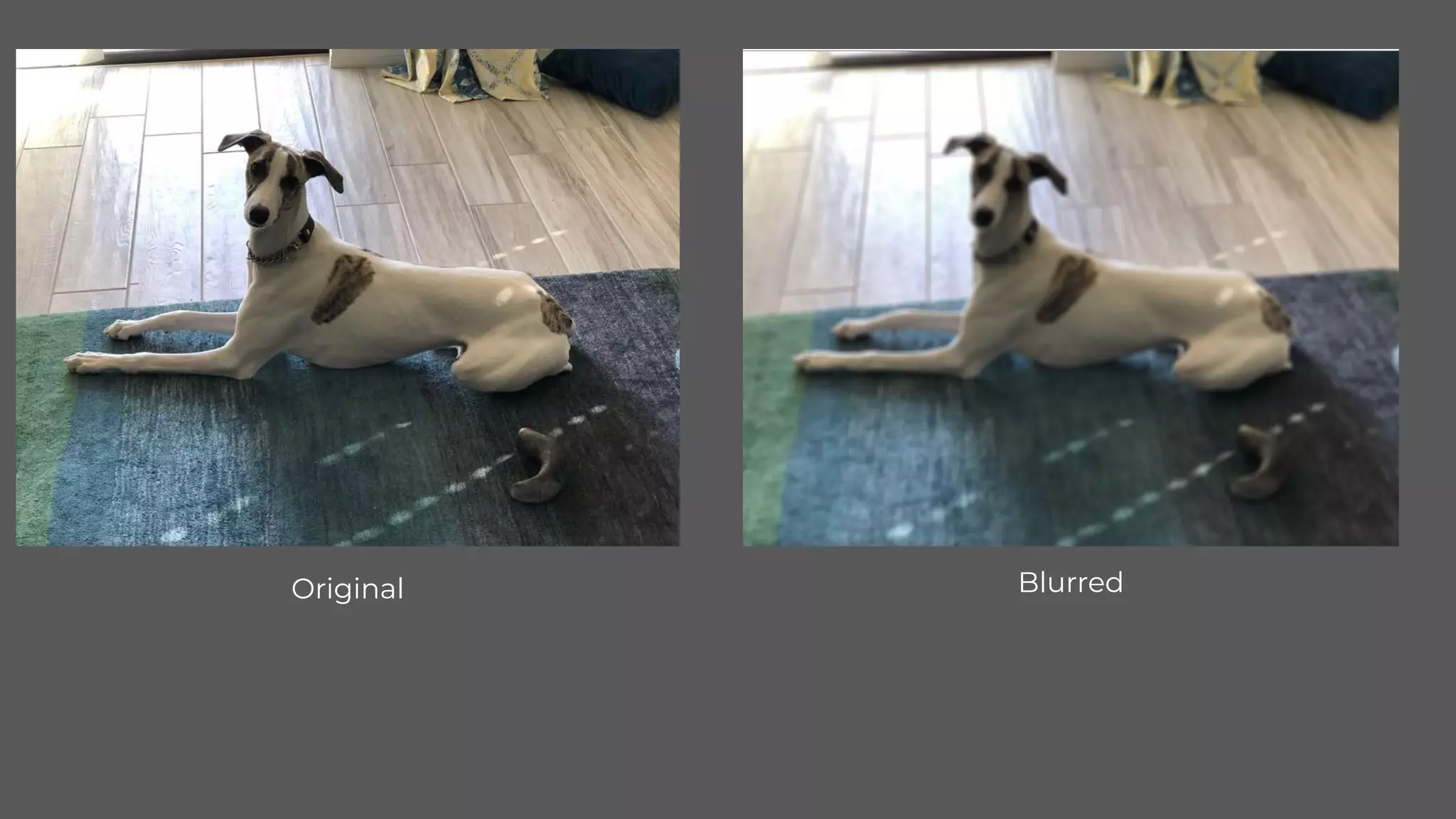
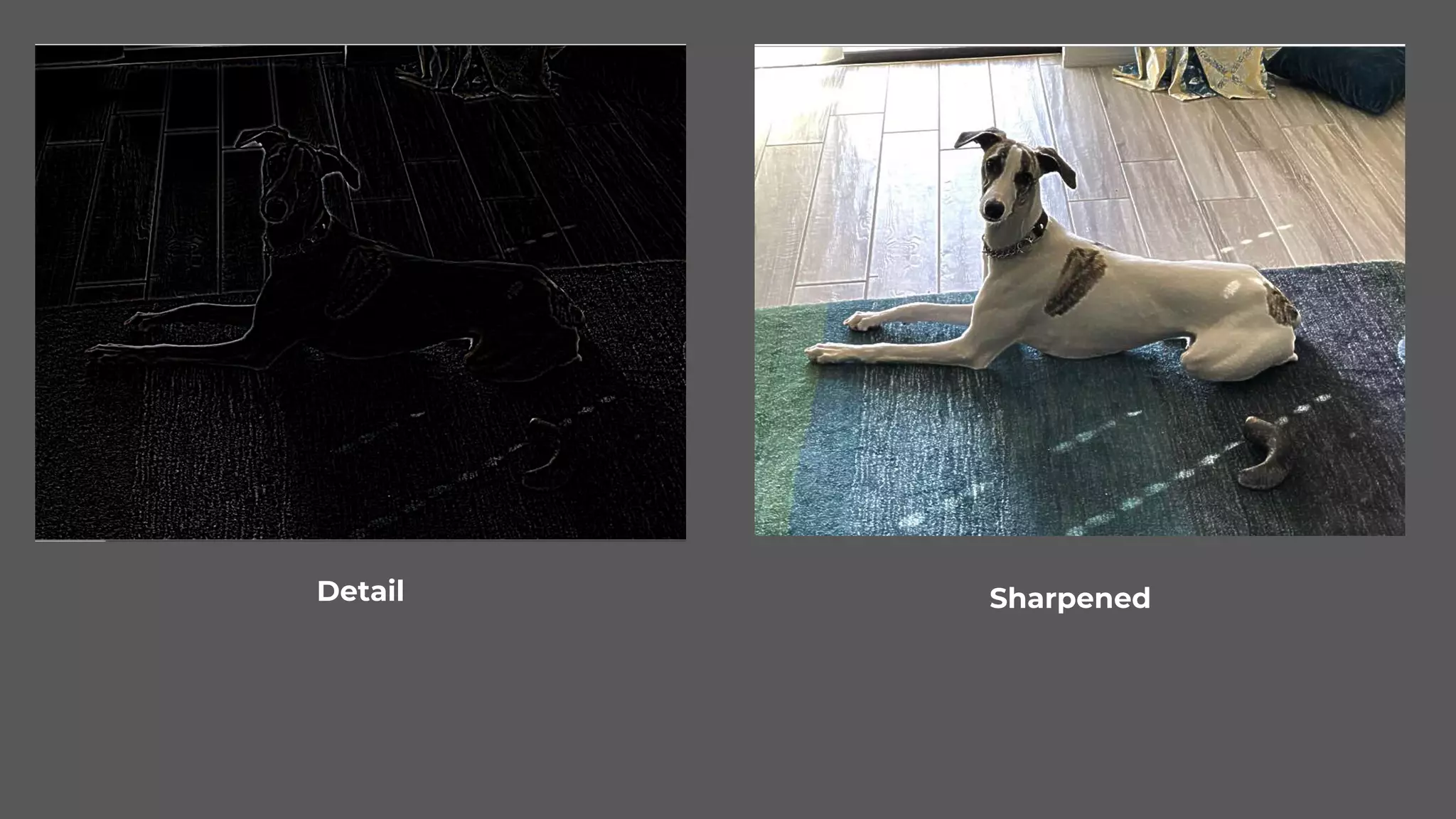
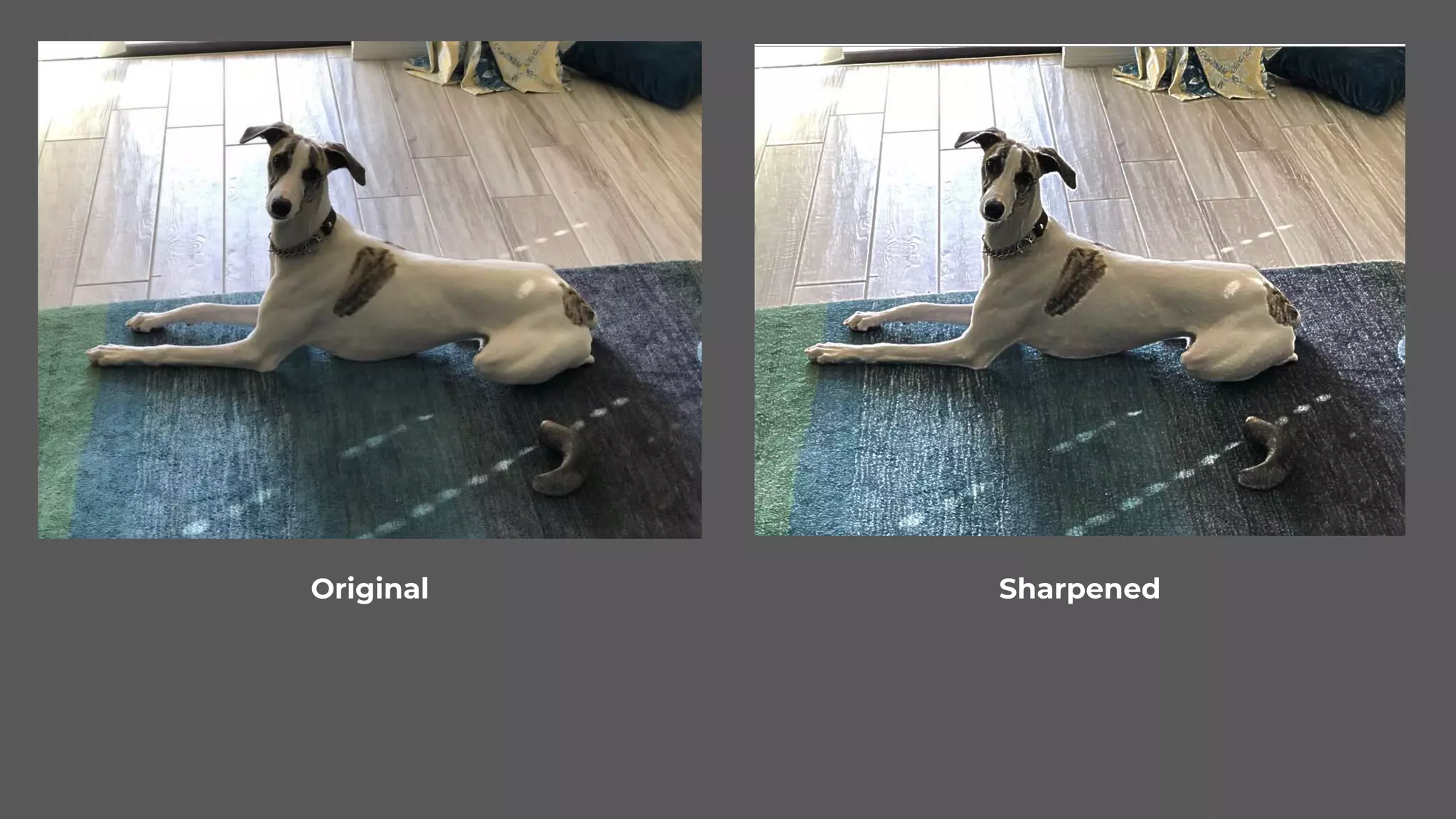
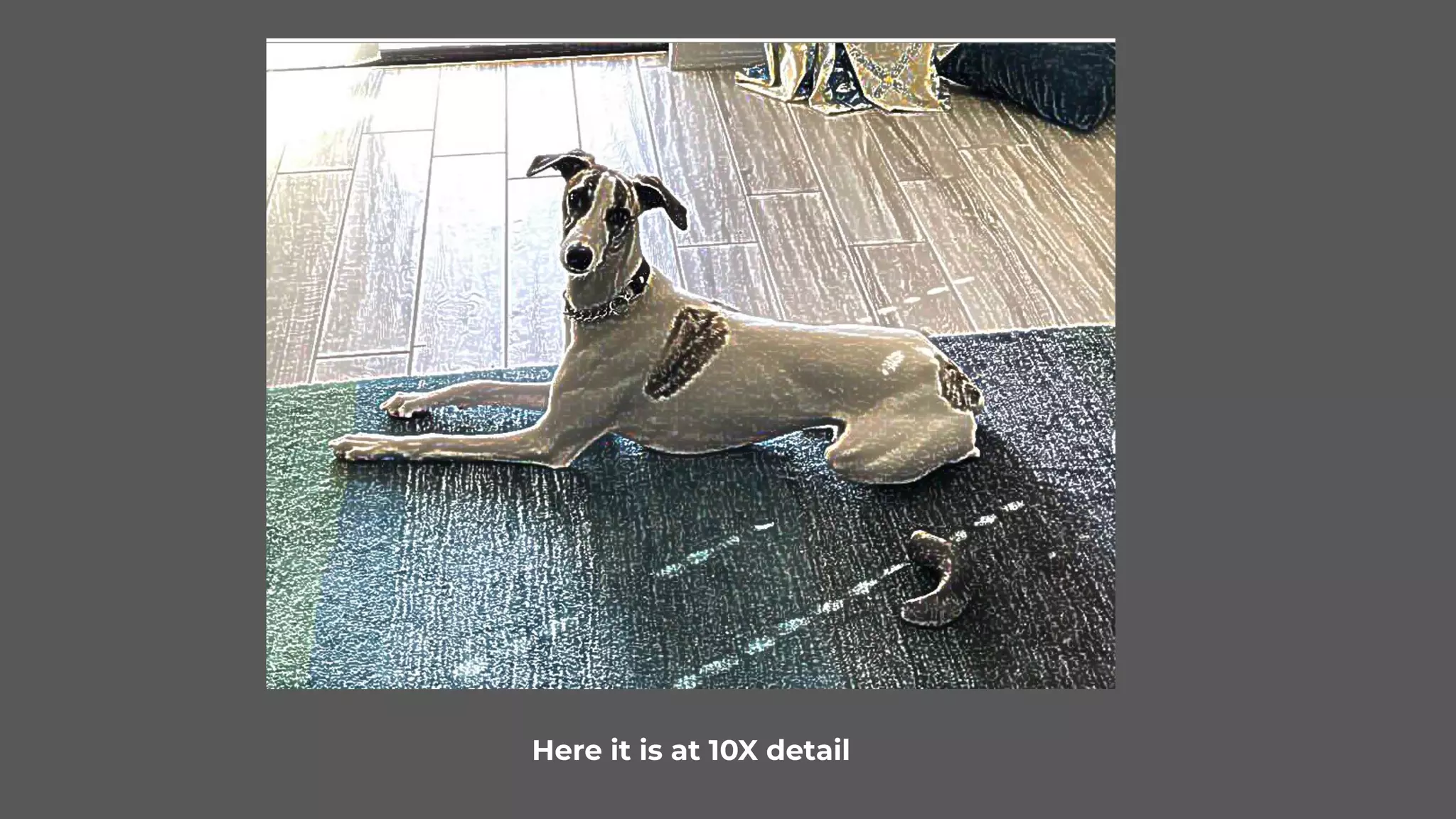
Sharpening Filter
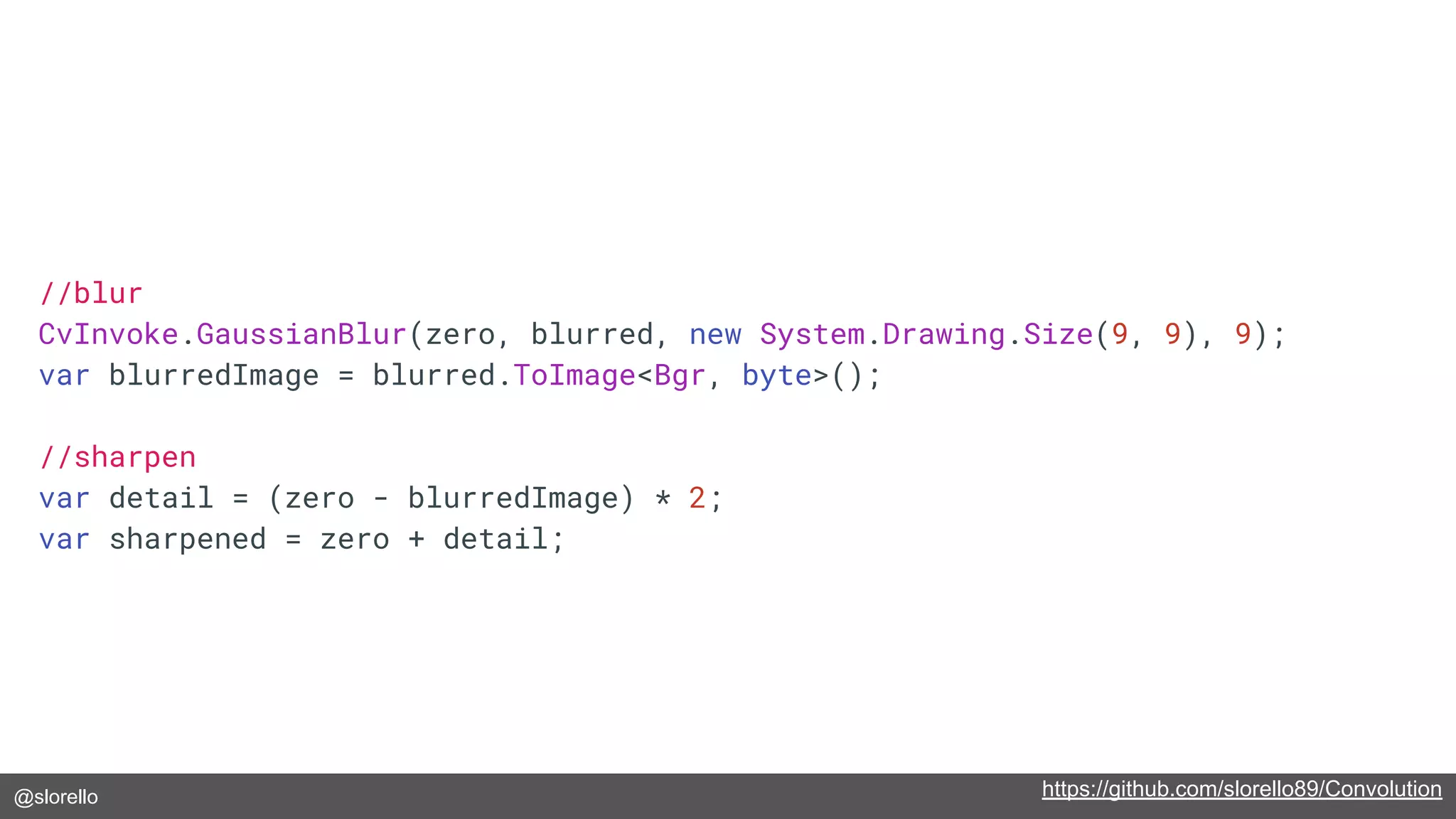
@slorello https://github.com/slorello89/Convolution
//blur
CvInvoke.GaussianBlur(zero, blurred, new System.Drawing.Size(9, 9), 9);
var blurredImage = blurred.ToImage<Bgr, byte>();
//sharpen
var detail = (zero - blurredImage) * 2;
var sharpened = zero + detail;
@slorello
Original Blurred
@slorello
Detail Sharpened
@slorello
Original Sharpened
@slorello
Here it is at 10X detail
@slorello
Face Detection
@slorello
1. Use Haar-Like features as masks
2. Use integral images to calculate relative
shading per these masks
3. Use a Cascading Classifier to detect faces
Viola-Jones Technique
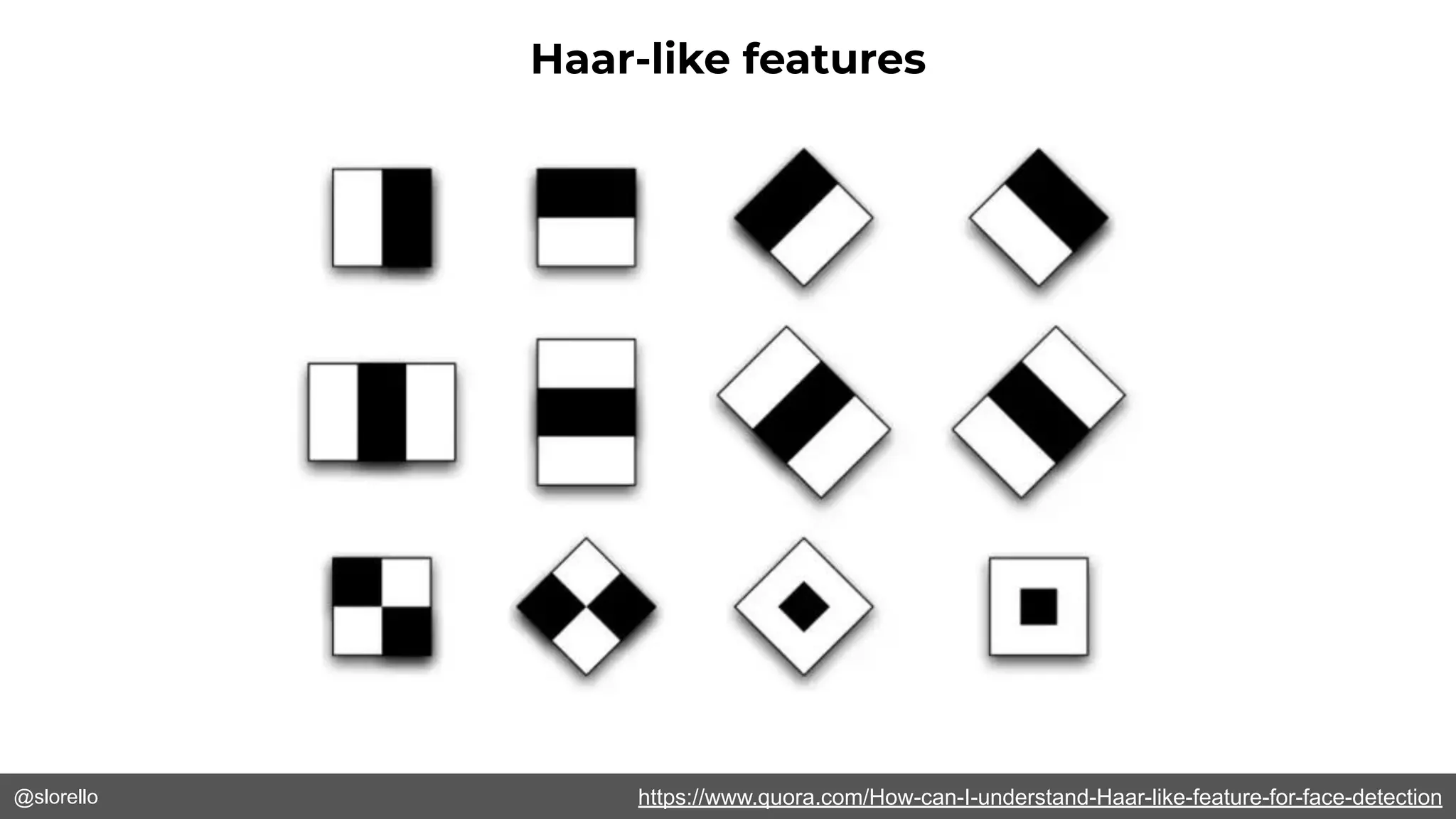
@slorello https://www.quora.com/How-can-I-understand-Haar-like-feature-for-face-detection
Haar-like features
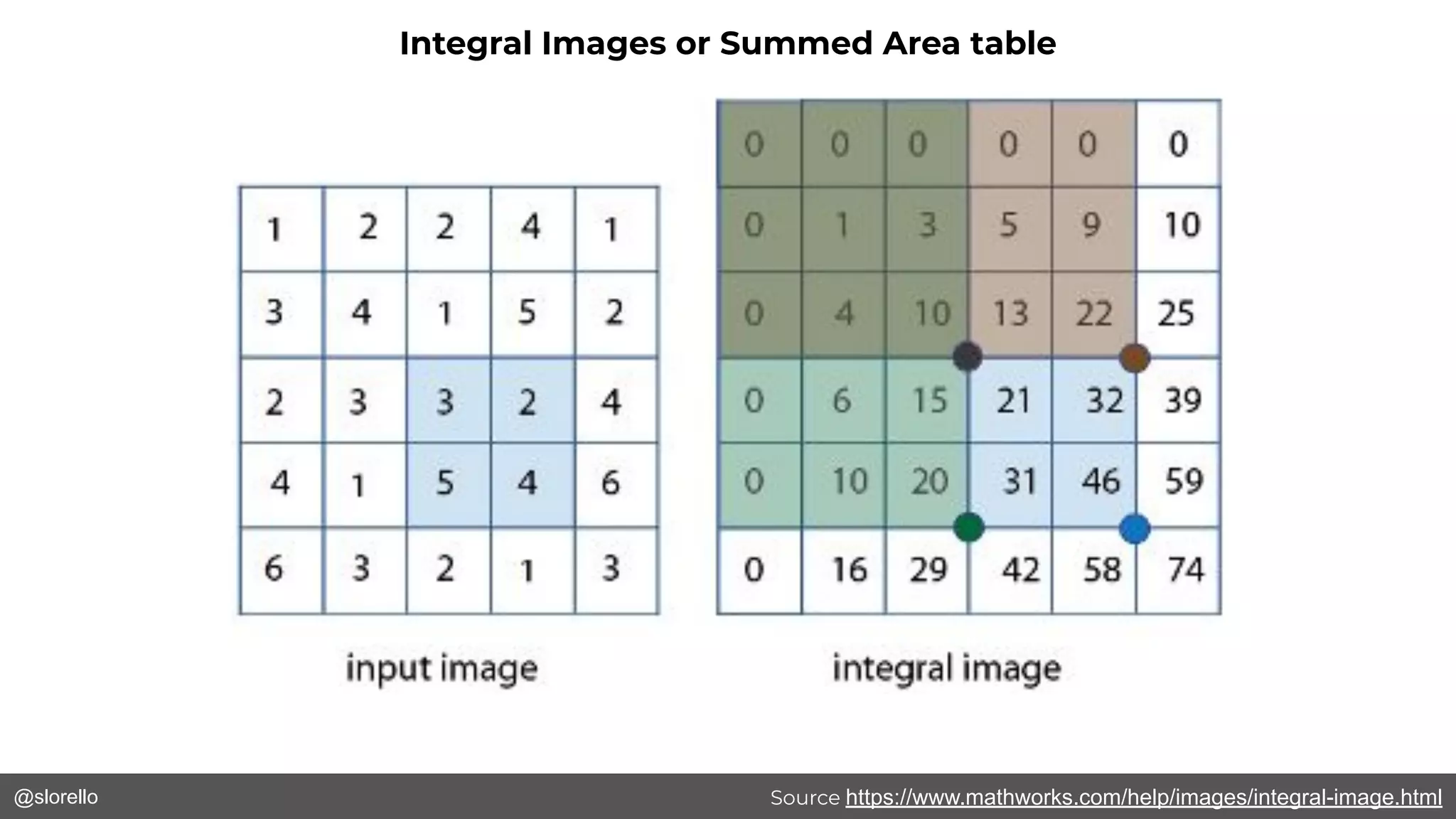
@slorello Source https://www.mathworks.com/help/images/integral-image.html
Integral Images or Summed Area table
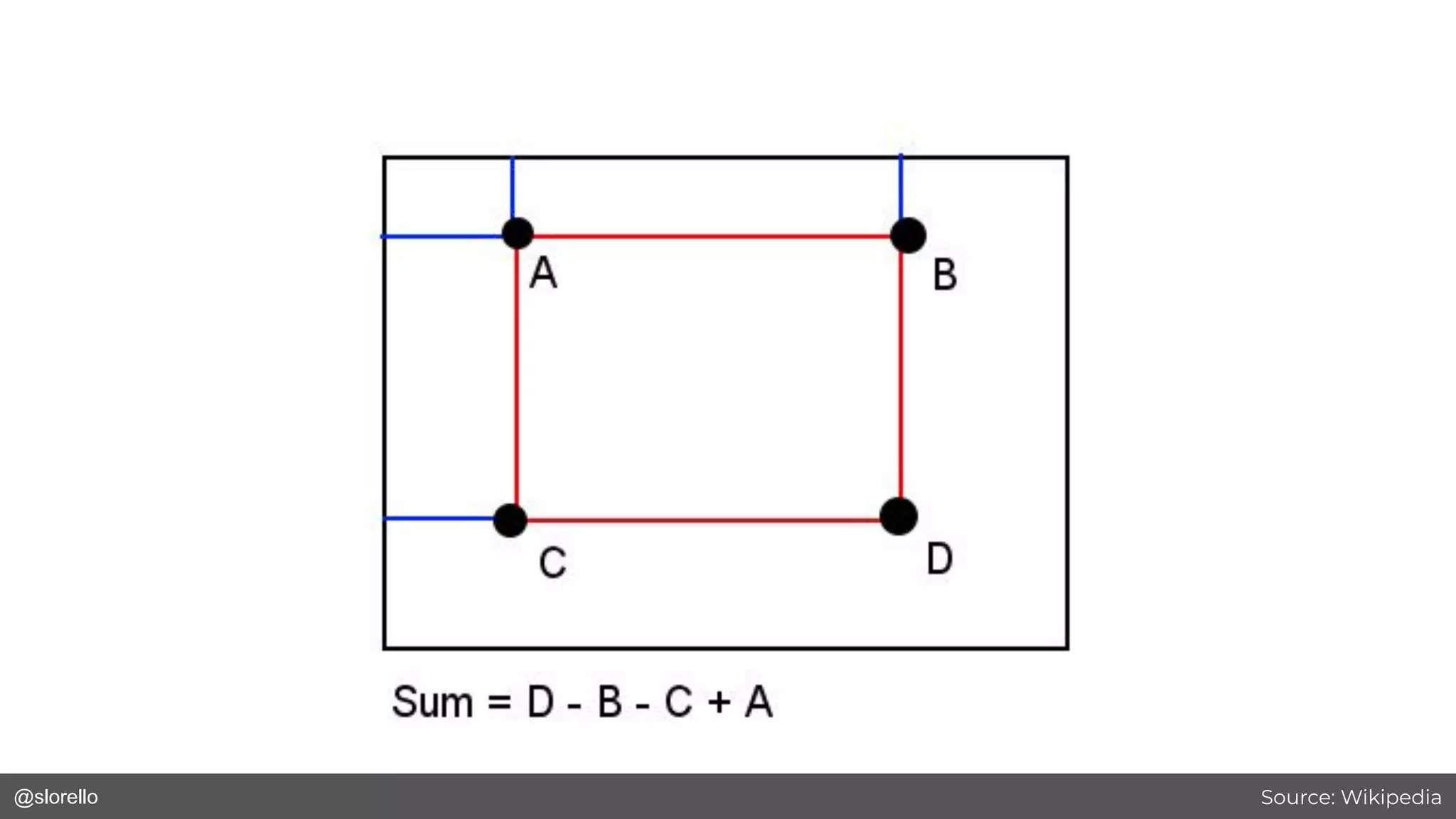
@slorello Source: Wikipedia
@slorello
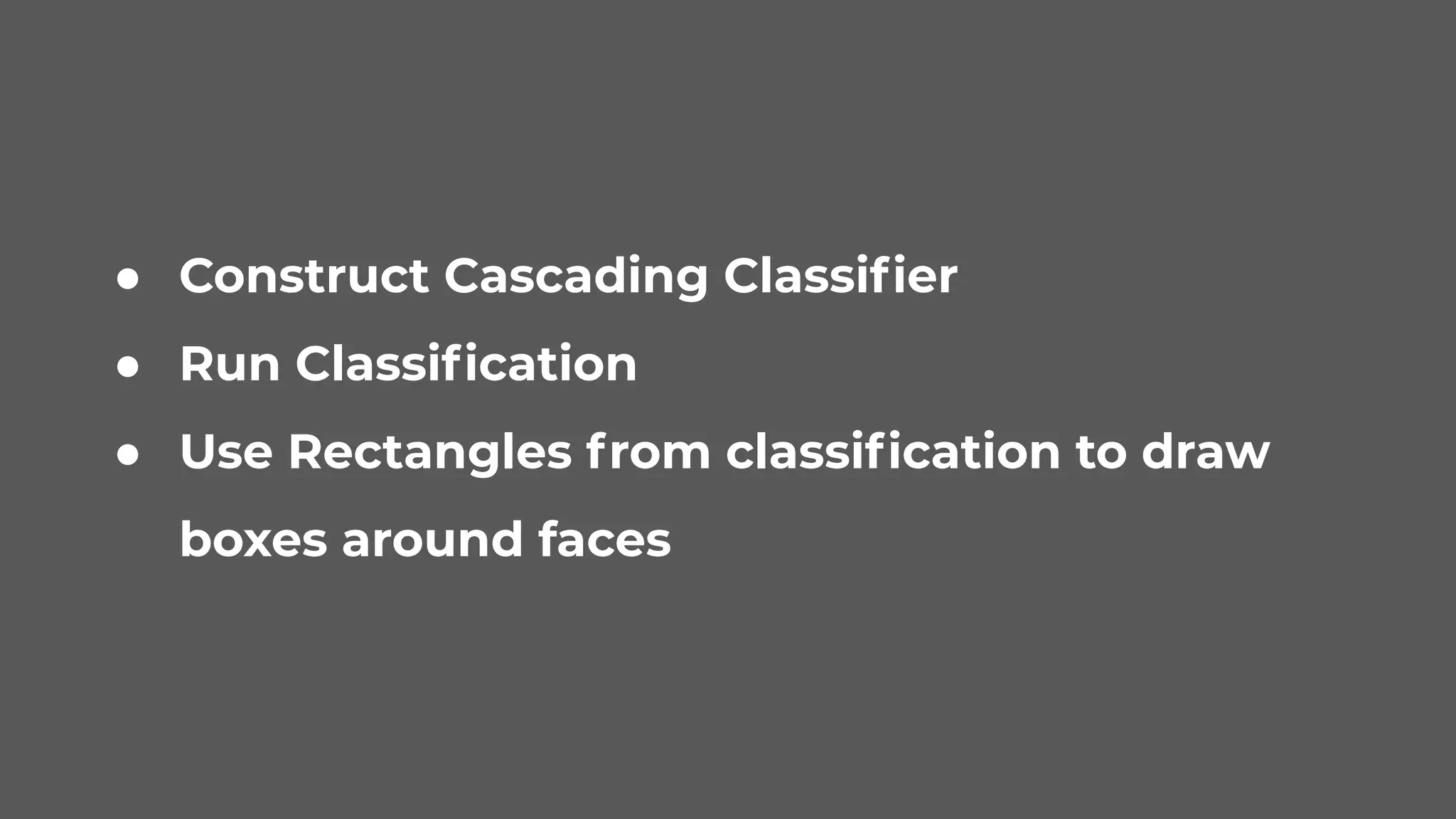
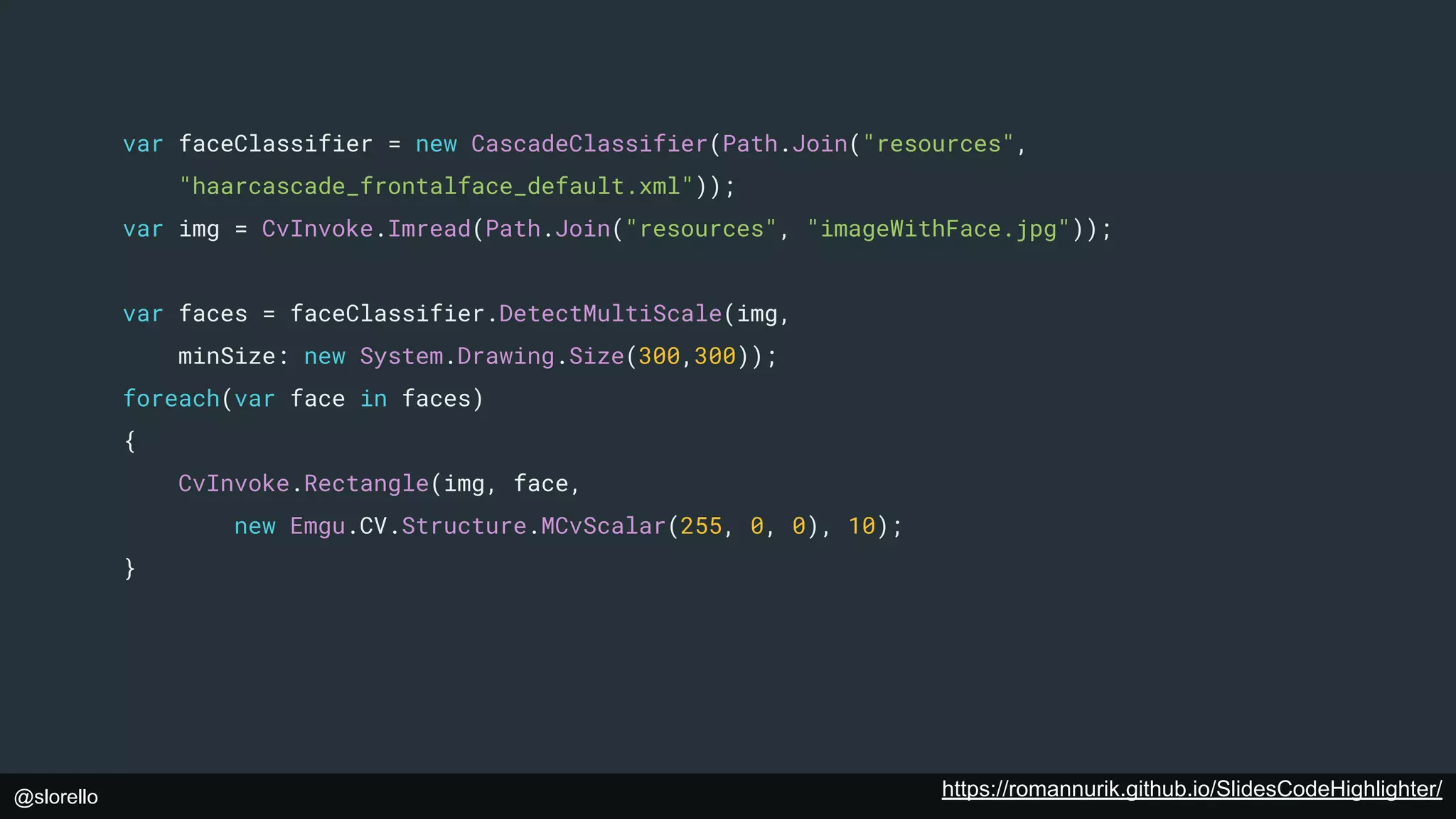
● Construct Cascading Classifier
● Run Classification
● Use Rectangles from classification to draw
boxes around faces
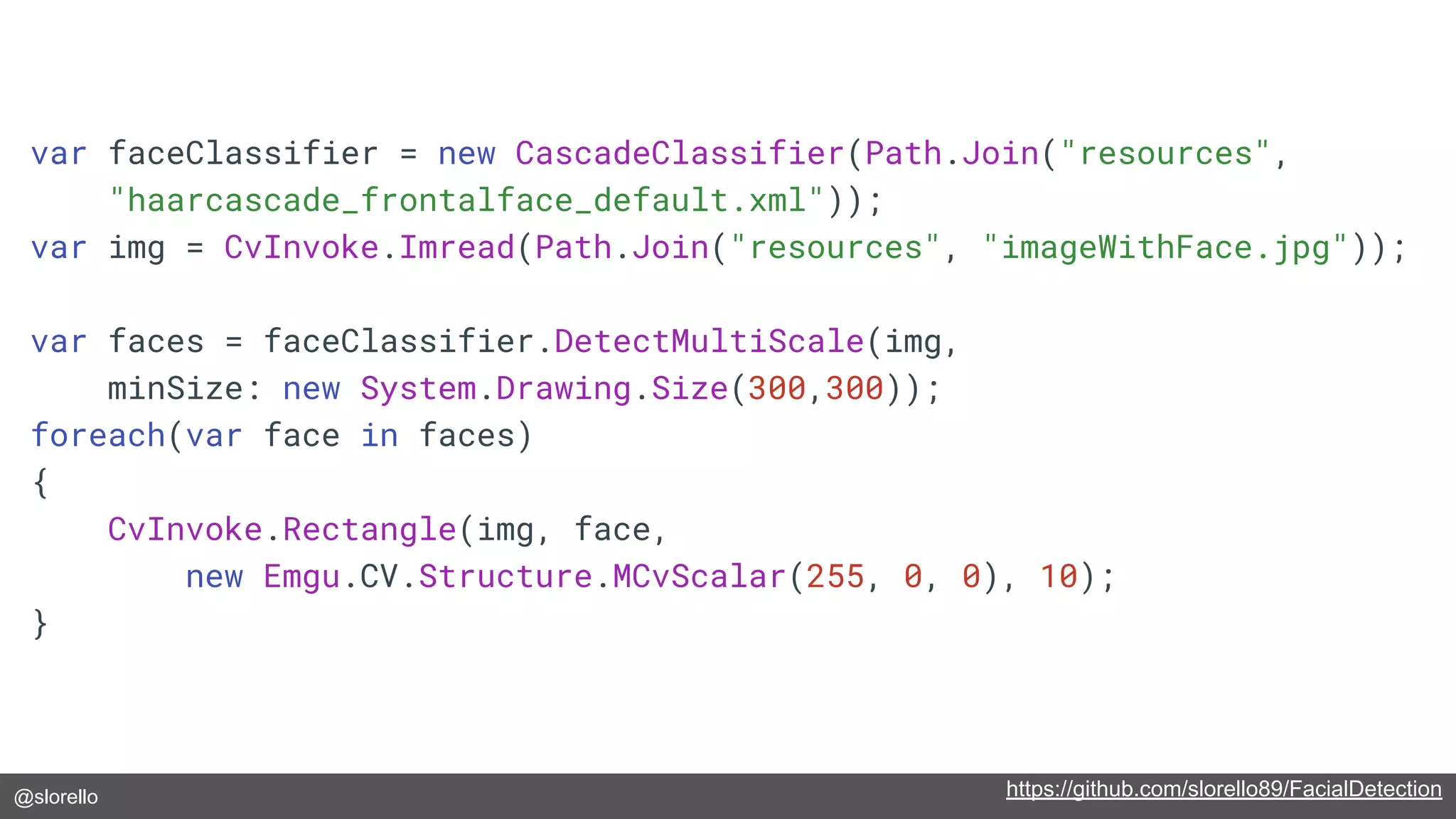
@slorello https://github.com/slorello89/FacialDetection
var faceClassifier = new CascadeClassifier(Path.Join("resources",
"haarcascade_frontalface_default.xml"));
var img = CvInvoke.Imread(Path.Join("resources", "imageWithFace.jpg"));
var faces = faceClassifier.DetectMultiScale(img,
minSize: new System.Drawing.Size(300,300));
foreach(var face in faces)
{
CvInvoke.Rectangle(img, face,
new Emgu.CV.Structure.MCvScalar(255, 0, 0), 10);
}
@slorello
@slorello
Face Detection With the Vonage Video API
https://www.vonage.com/communications-apis/video/
@slorello
● Create a WPF app
● Add the OpenTok.Client SDK to it
● Add a new class implementing IVideoRender
called and extending Control
FaceDetectionVideoRenderer
● Add a Control to the Main Xaml file where we’ll
put publisher video - call it “PublisherVideo”
● Add a Detect Faces and Connect button
@slorello https://github.com/opentok-community/wpf-facial-detection
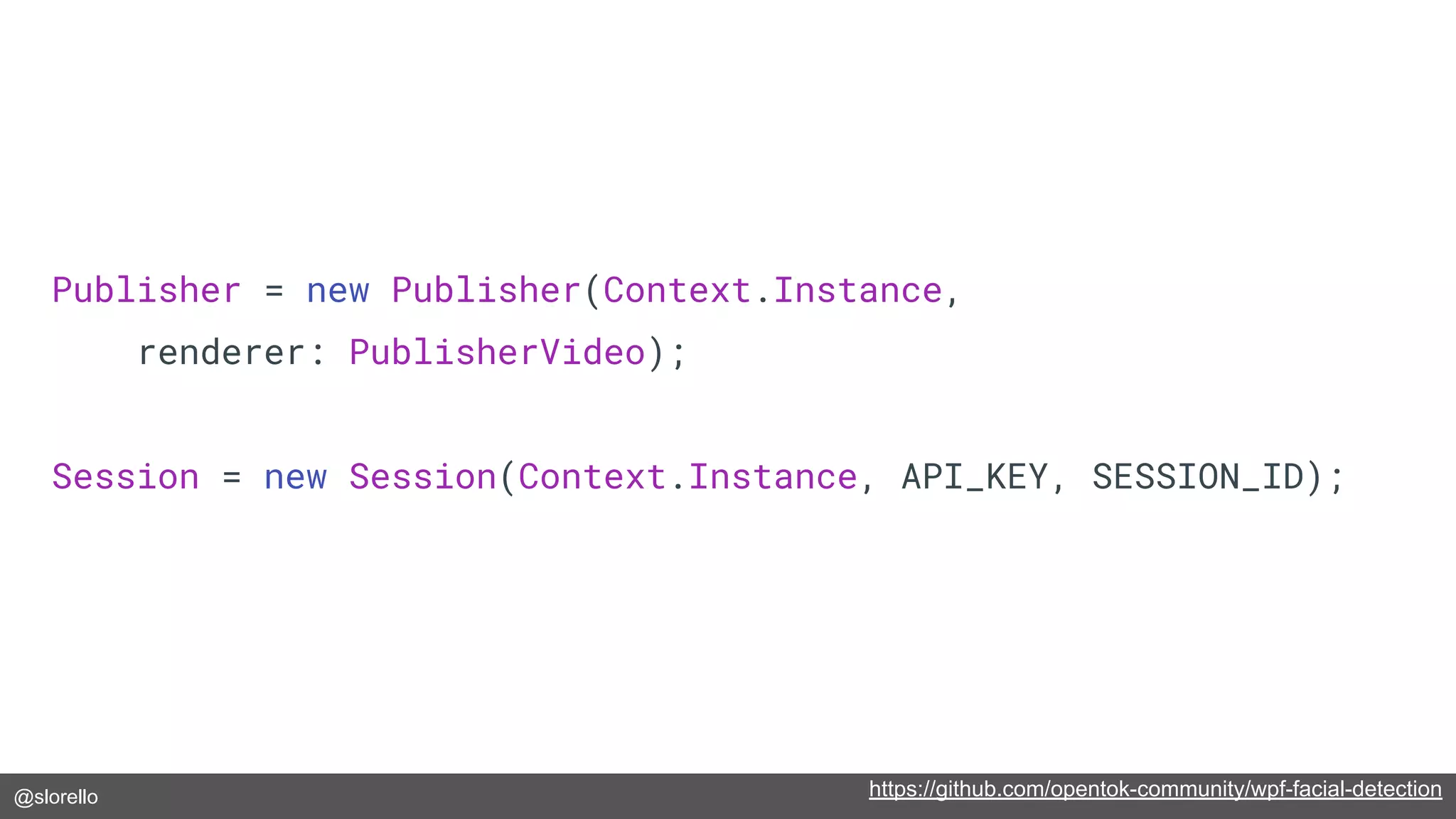
Publisher = new Publisher(Context.Instance,
renderer: PublisherVideo);
Session = new Session(Context.Instance, API_KEY, SESSION_ID);
@slorello https://github.com/opentok-community/wpf-facial-detection
private void Connect_Click(object sender, RoutedEventArgs e)
{
if (Disconnect)
{
Session.Unpublish(Publisher);
Session.Disconnect();
}
else
{
Session.Connect(TOKEN);
}
Disconnect = !Disconnect;
ConnectDisconnectButton.Content = Disconnect ? "Disconnect" : "Connect";
}
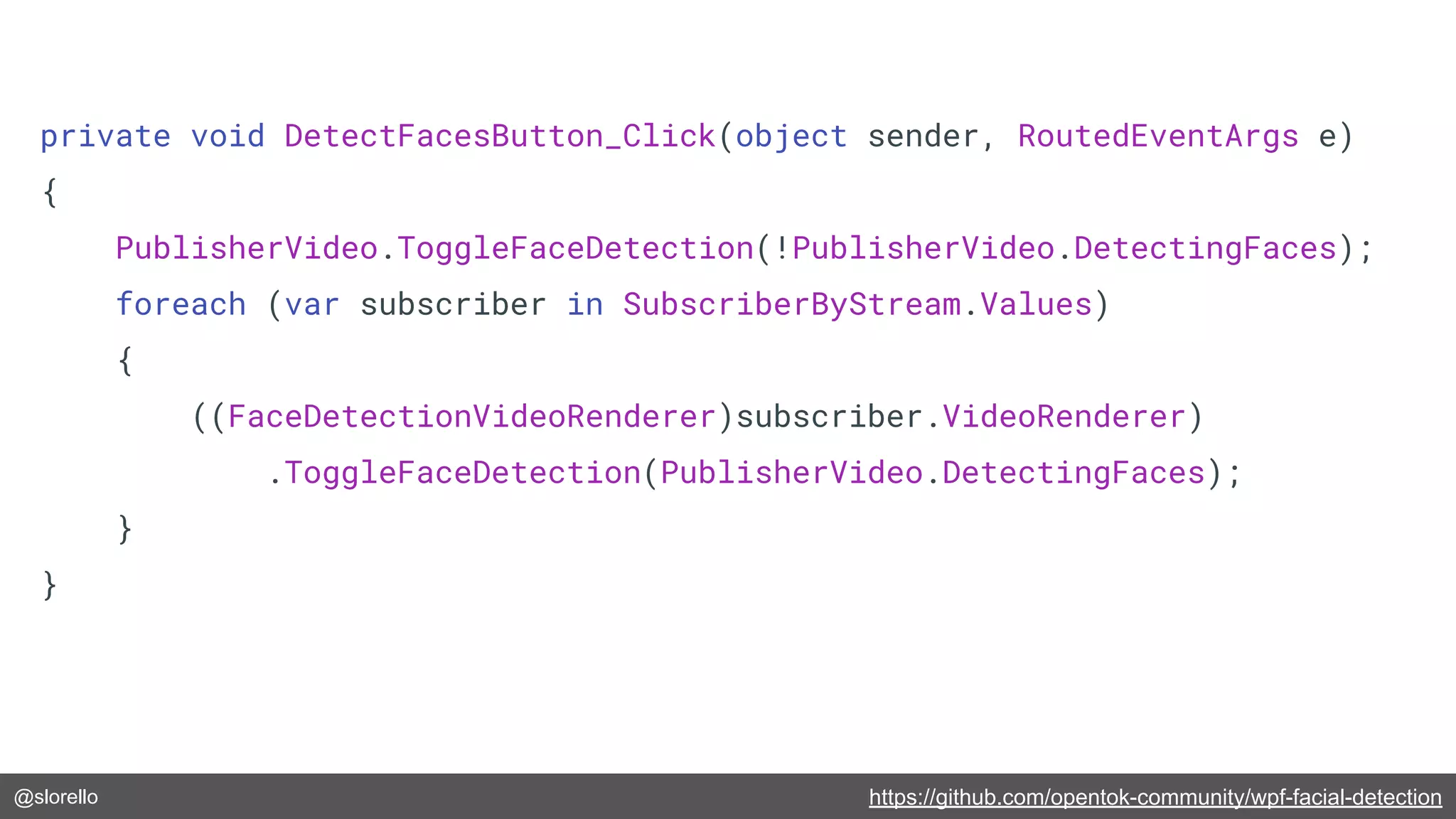
@slorello https://github.com/opentok-community/wpf-facial-detection
private void DetectFacesButton_Click(object sender, RoutedEventArgs e)
{
PublisherVideo.ToggleFaceDetection(!PublisherVideo.DetectingFaces);
foreach (var subscriber in SubscriberByStream.Values)
{
((FaceDetectionVideoRenderer)subscriber.VideoRenderer)
.ToggleFaceDetection(PublisherVideo.DetectingFaces);
}
}
@slorello https://github.com/opentok-community/wpf-facial-detection
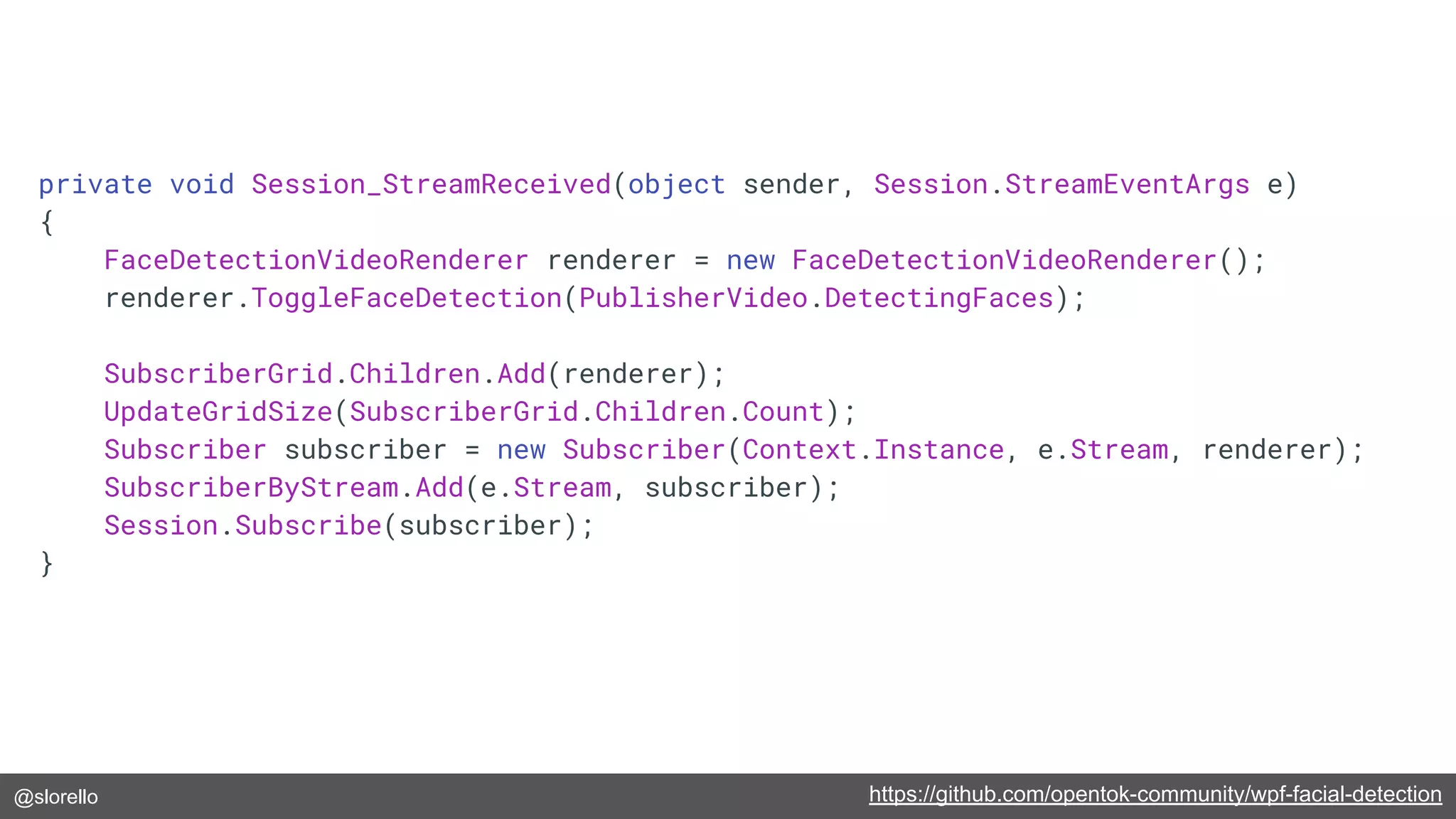
private void Session_StreamReceived(object sender, Session.StreamEventArgs e)
{
FaceDetectionVideoRenderer renderer = new FaceDetectionVideoRenderer();
renderer.ToggleFaceDetection(PublisherVideo.DetectingFaces);
SubscriberGrid.Children.Add(renderer);
UpdateGridSize(SubscriberGrid.Children.Count);
Subscriber subscriber = new Subscriber(Context.Instance, e.Stream, renderer);
SubscriberByStream.Add(e.Stream, subscriber);
Session.Subscribe(subscriber);
}
@slorello
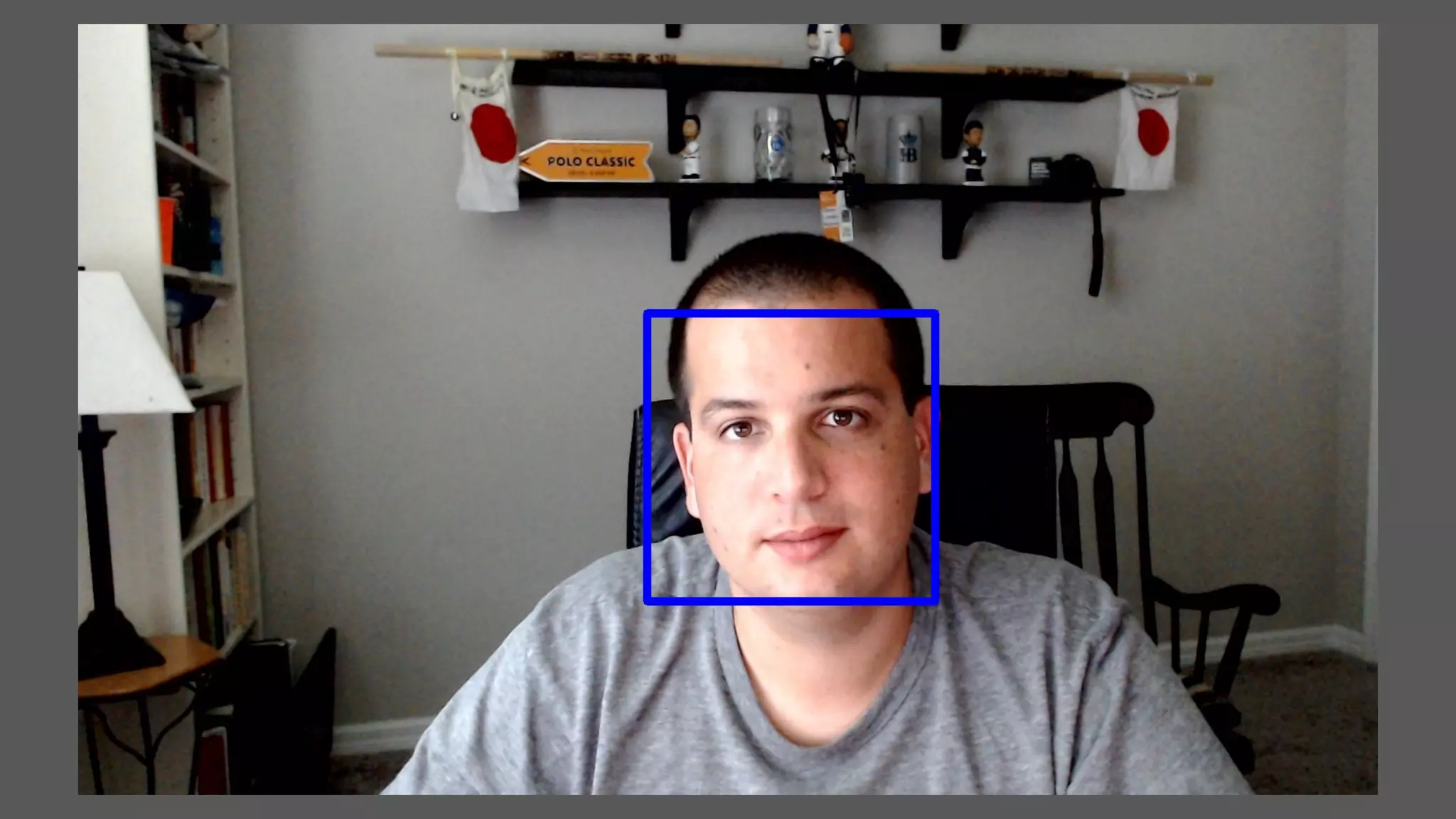
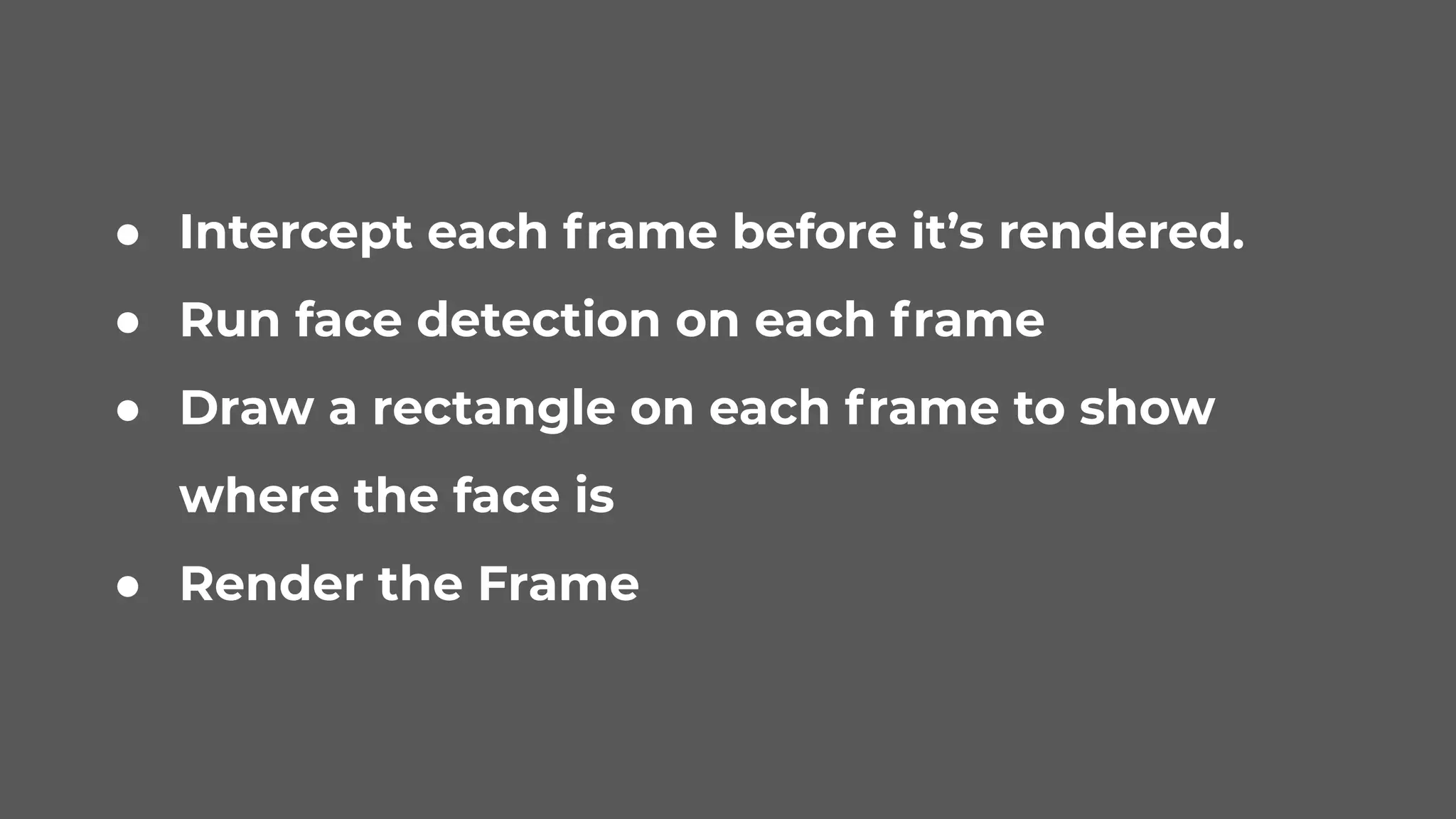
● Intercept each frame before it’s rendered.
● Run face detection on each frame
● Draw a rectangle on each frame to show
where the face is
● Render the Frame
@slorello https://github.com/opentok-community/wpf-facial-detection
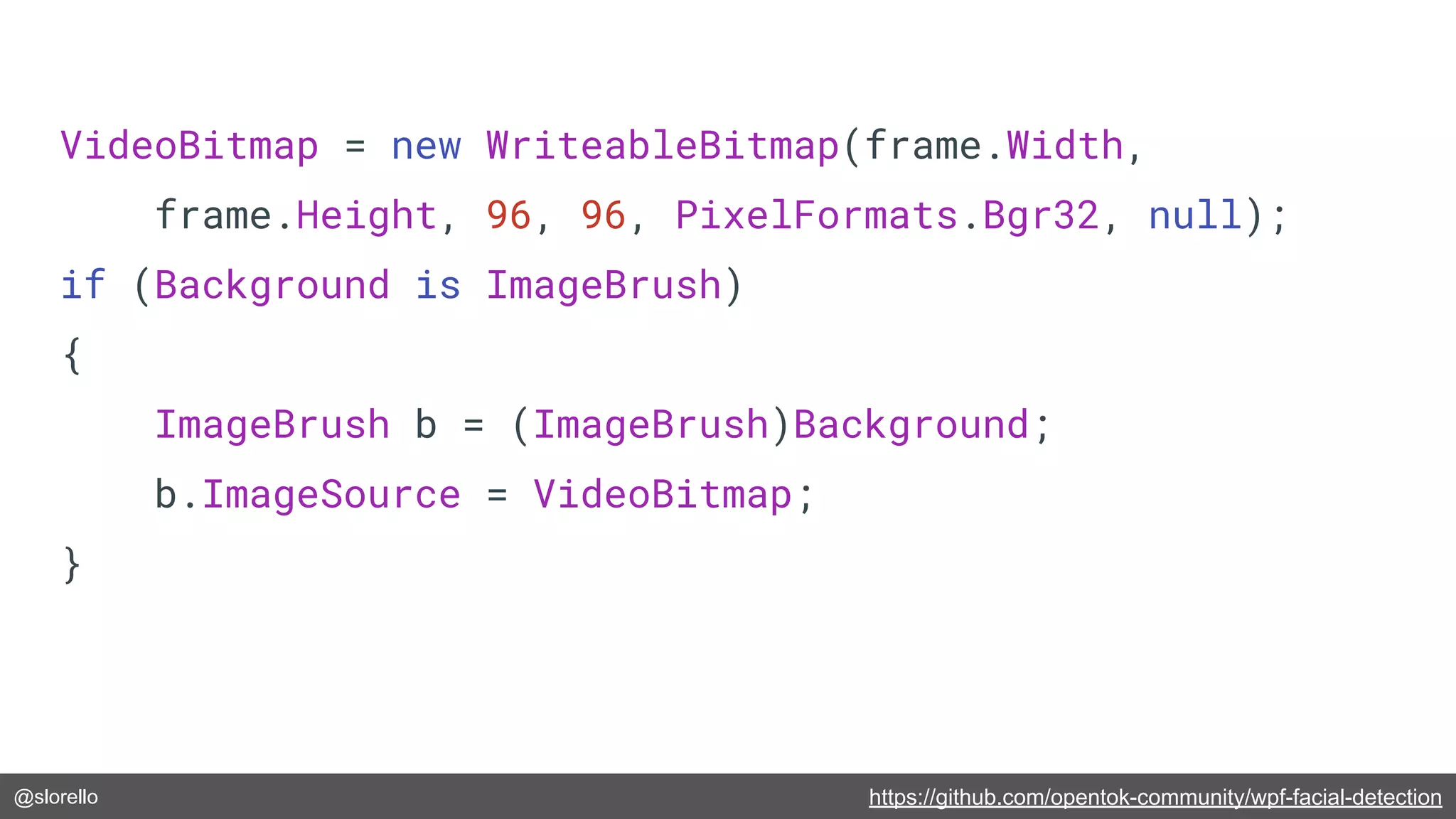
VideoBitmap = new WriteableBitmap(frame.Width,
frame.Height, 96, 96, PixelFormats.Bgr32, null);
if (Background is ImageBrush)
{
ImageBrush b = (ImageBrush)Background;
b.ImageSource = VideoBitmap;
}
@slorello https://romannurik.github.io/SlidesCodeHighlighter/
if (VideoBitmap != null)
{
VideoBitmap.Lock();
IntPtr[] buffer = { VideoBitmap.BackBuffer };
int[] stride = { VideoBitmap.BackBufferStride };
frame.ConvertInPlace(OpenTok.PixelFormat.FormatArgb32, buffer, stride);
if (DetectingFaces)
{
using (var image = new Image<Bgr, byte>(frame.Width, frame.Height, stride[0], buffer[0]))
{
if (_watch.ElapsedMilliseconds > INTERVAL)
{
var reduced = image.Resize(1.0 / SCALE_FACTOR, Emgu.CV.CvEnum.Inter.Linear);
_watch.Restart();
_images.Add(reduced);
}
}
DrawRectanglesOnBitmap(VideoBitmap, _faces);
}
VideoBitmap.AddDirtyRect(new Int32Rect(0, 0, FrameWidth, FrameHeight));
VideoBitmap.Unlock();
}
@slorello https://github.com/opentok-community/wpf-facial-detection
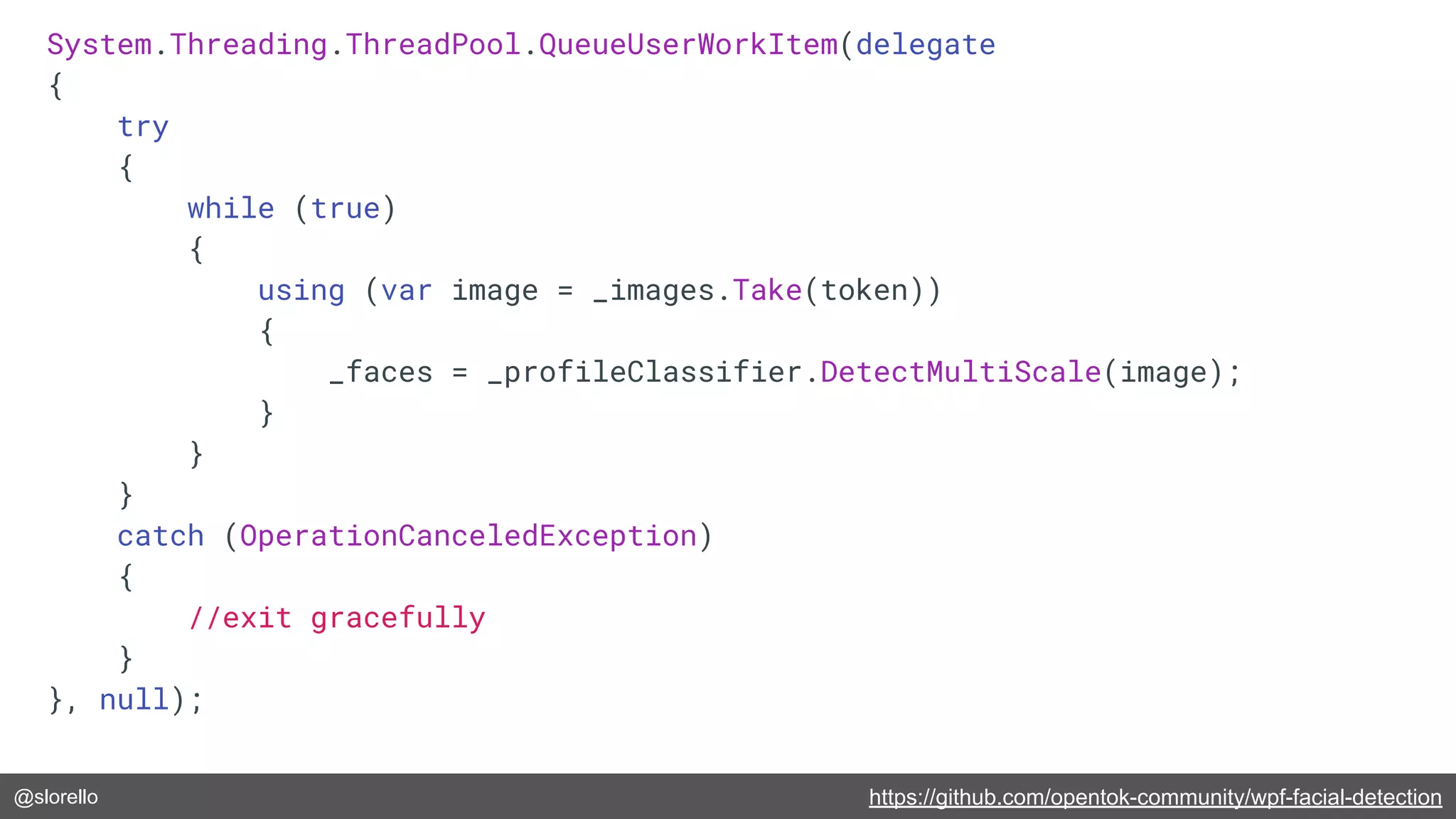
System.Threading.ThreadPool.QueueUserWorkItem(delegate
{
try
{
while (true)
{
using (var image = _images.Take(token))
{
_faces = _profileClassifier.DetectMultiScale(image);
}
}
}
catch (OperationCanceledException)
{
//exit gracefully
}
}, null);
@slorello https://github.com/opentok-community/wpf-facial-detection
public static void DrawRectanglesOnBitmap(WriteableBitmap bitmap, Rectangle[] rectangles)
{
foreach (var rect in rectangles)
{
var x1 = (int)((rect.X * (int)SCALE_FACTOR) * PIXEL_POINT_CONVERSION);
var x2 = (int)(x1 + (((int)SCALE_FACTOR * rect.Width) * PIXEL_POINT_CONVERSION));
var y1 = rect.Y * (int)SCALE_FACTOR;
var y2 = y1 + ((int)SCALE_FACTOR * rect.Height);
bitmap.DrawLineAa(x1, y1, x2, y1, strokeThickness: 5, color: Colors.Blue);
bitmap.DrawLineAa(x1, y1, x1, y2, strokeThickness: 5, color: Colors.Blue);
bitmap.DrawLineAa(x1, y2, x2, y2, strokeThickness: 5, color: Colors.Blue);
bitmap.DrawLineAa(x2, y1, x2, y2, strokeThickness: 5, color: Colors.Blue);
}
}
@slorello
Feature Detection, Tracking, Image
Projection
https://www.vonage.com/communications-apis/video/
@slorello
● What’s a good Feature?
● Detect Features with Orb
● Feature Tracking with a BF
tracker
● Project an image.
@slorello
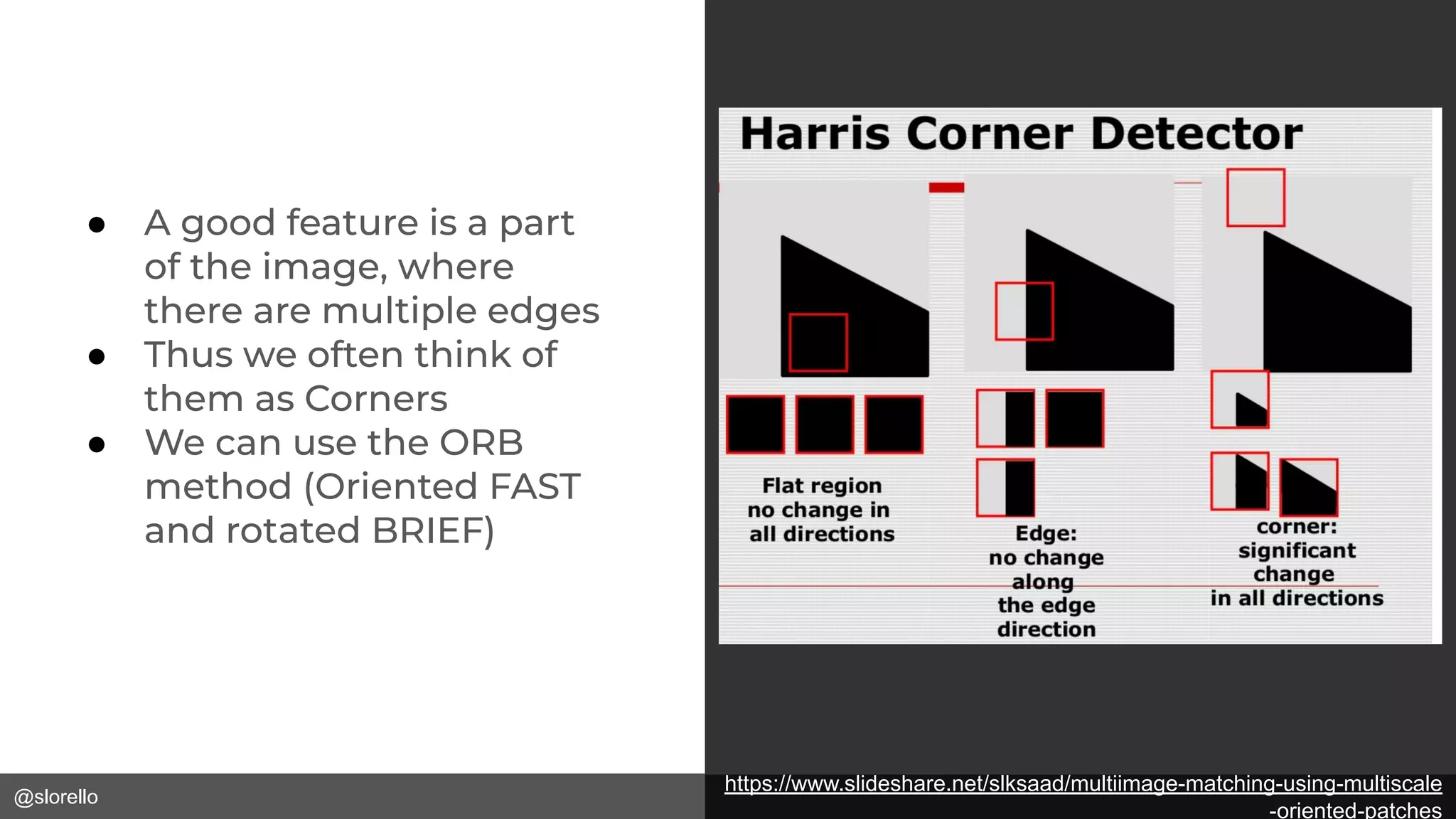
● A good feature is a part
of the image, where
there are multiple edges
● Thus we often think of
them as Corners
● We can use the ORB
method (Oriented FAST
and rotated BRIEF)
https://www.slideshare.net/slksaad/multiimage-matching-using-multiscale
-oriented-patches
@slorello https://github.com/slorello89/FeatureDetection
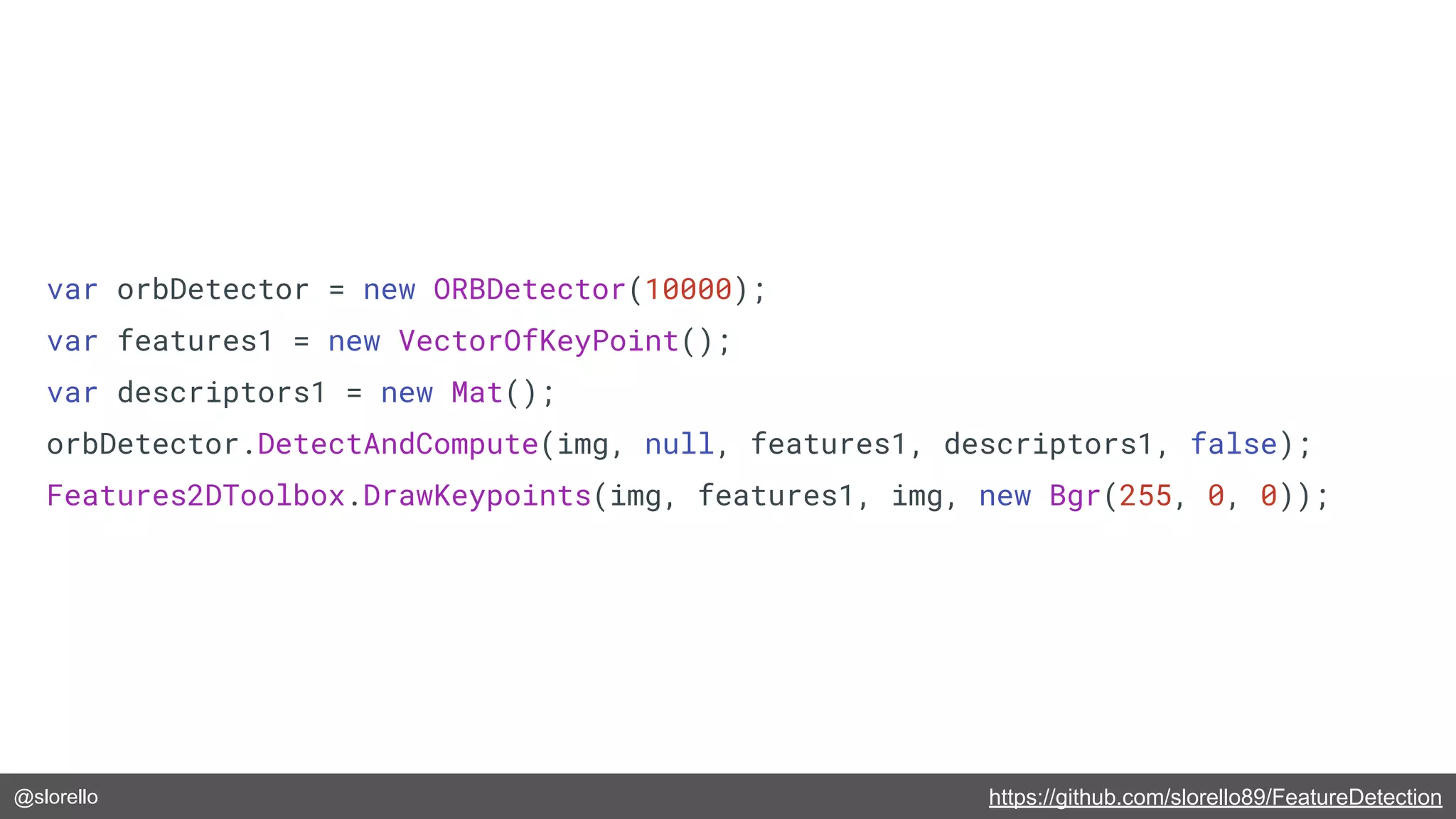
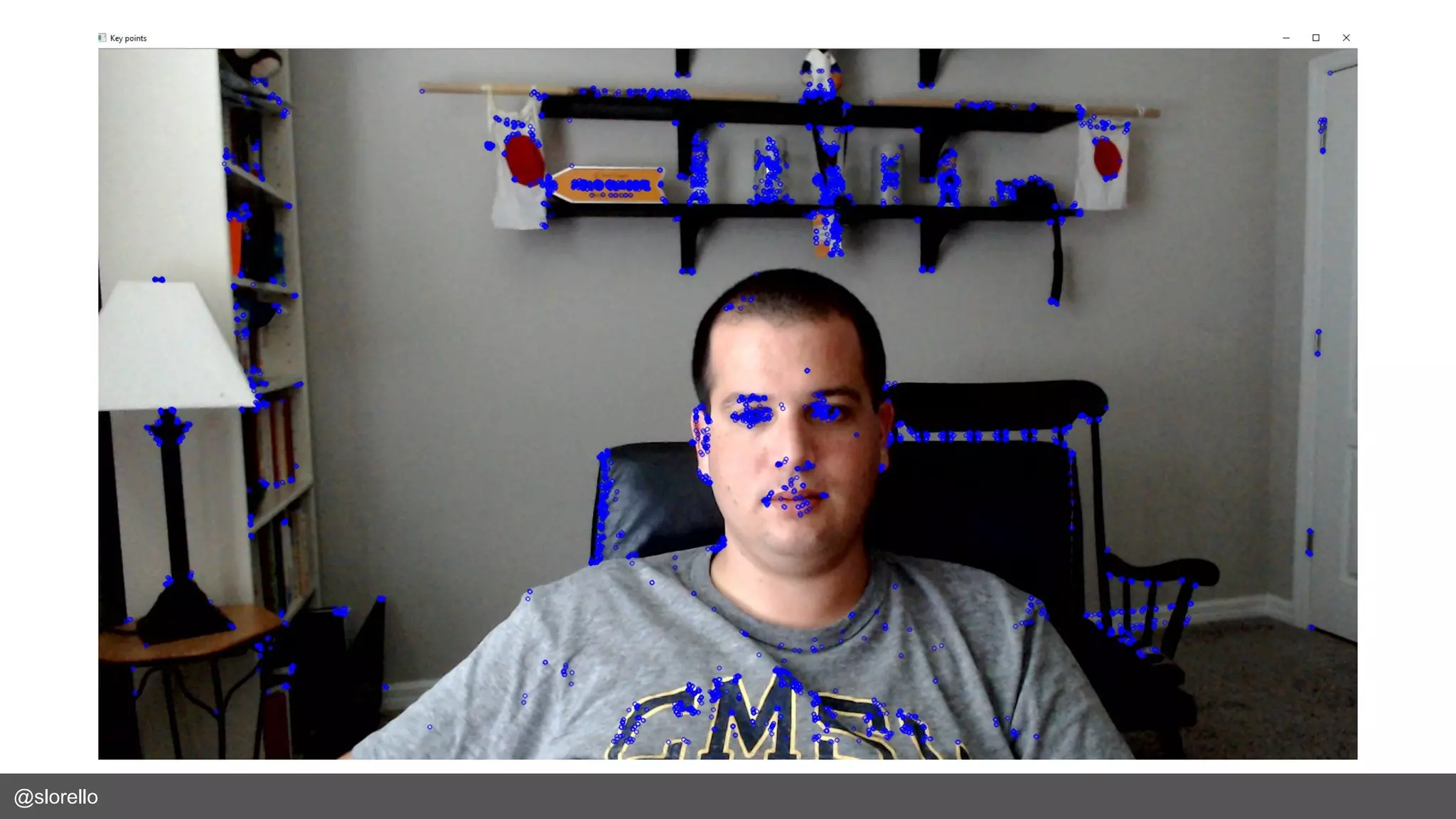
var orbDetector = new ORBDetector(10000);
var features1 = new VectorOfKeyPoint();
var descriptors1 = new Mat();
orbDetector.DetectAndCompute(img, null, features1, descriptors1, false);
Features2DToolbox.DrawKeypoints(img, features1, img, new Bgr(255, 0, 0));
@slorello
@slorello
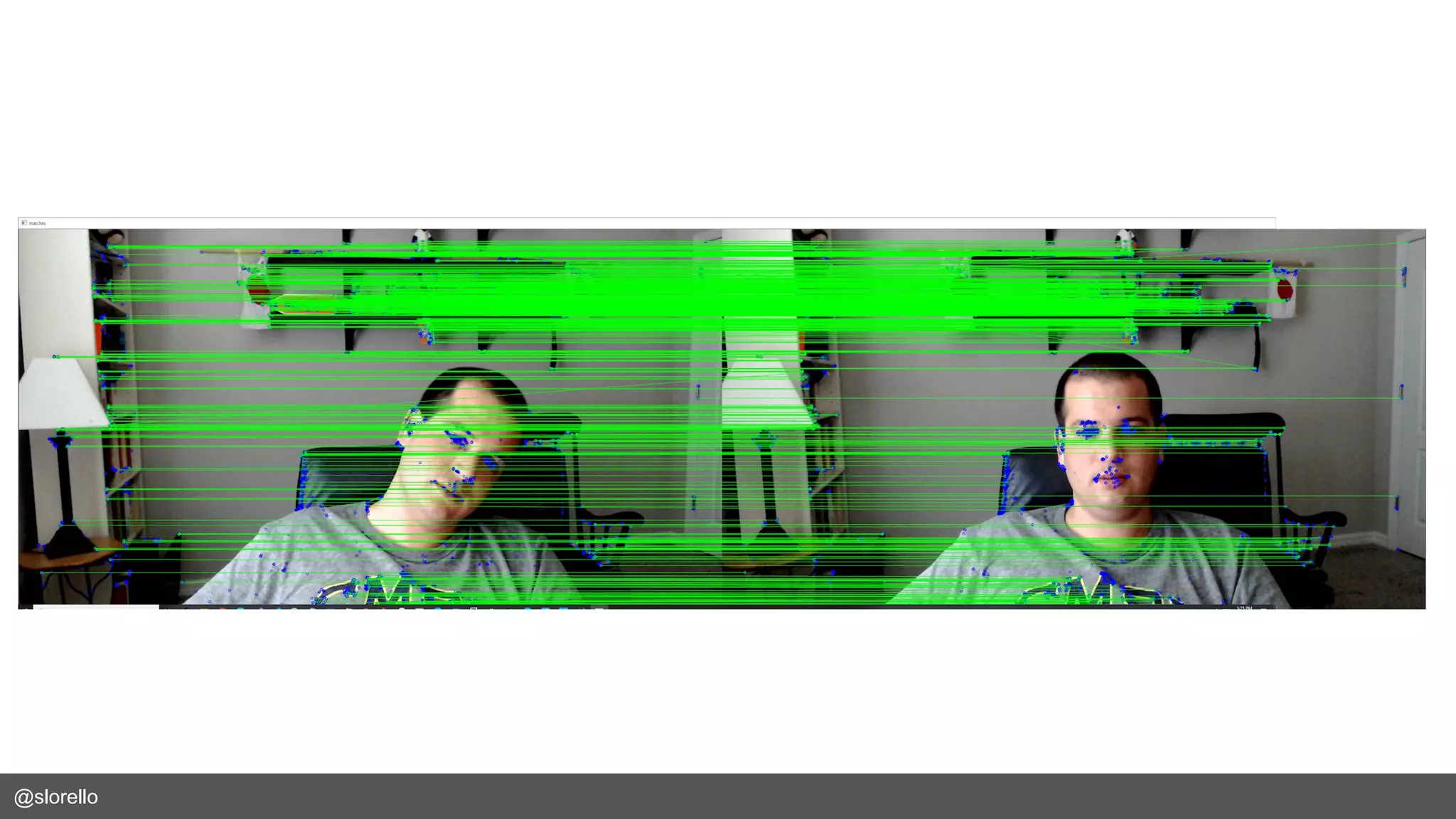
● Now that we have some features we can
match them to features in other images!
● We’ll use K-nearest-neighbors matching
on the Brute-force matcher
@slorello https://github.com/slorello89/FeatureDetection
var bfMatcher = new BFMatcher(DistanceType.L1);
bfMatcher.Add(descriptors1);
bfMatcher.KnnMatch(descriptors2, knnMatches, k:1,mask:null,compactResult:true);
foreach(var matchSet in knnMatches.ToArrayOfArray())
{
if(matchSet.Length>0 && matchSet[0].Distance < 400)
{
matchList.Add(matchSet[0]);
var featureModel = features1[matchSet[0].TrainIdx];
var featureTrain = features2[matchSet[0].QueryIdx];
srcPts.Add(featureModel.Point);
dstPts.Add(featureTrain.Point);
}
}
var matches = new VectorOfDMatch(matchList.ToArray());
var imgOut = new Mat();
Features2DToolbox.DrawMatches(img, features1, img2, features2, matches,
imgOut, new MCvScalar(255, 0, 0), new MCvScalar(0, 0, 255));
@slorello
@slorello
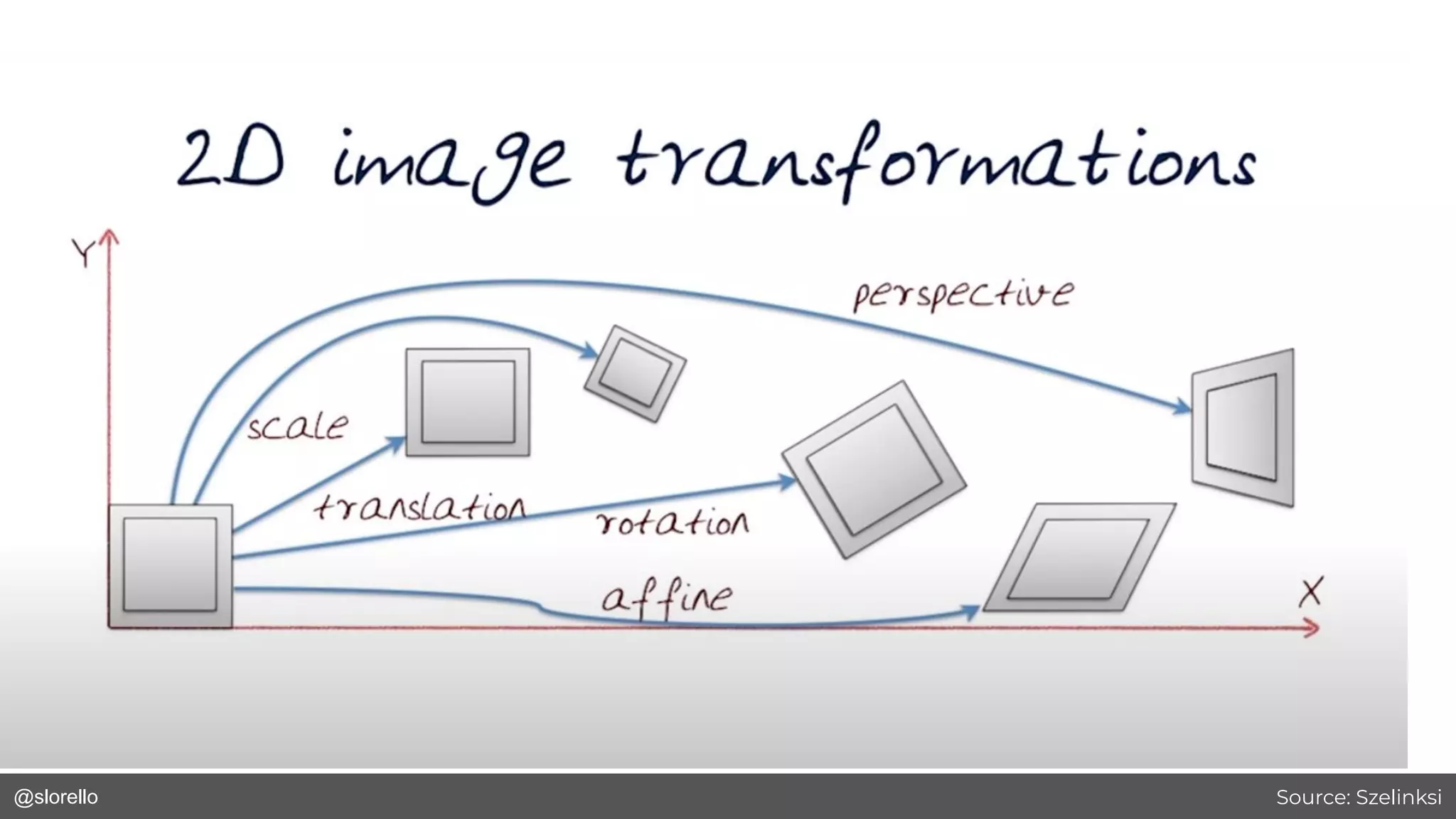
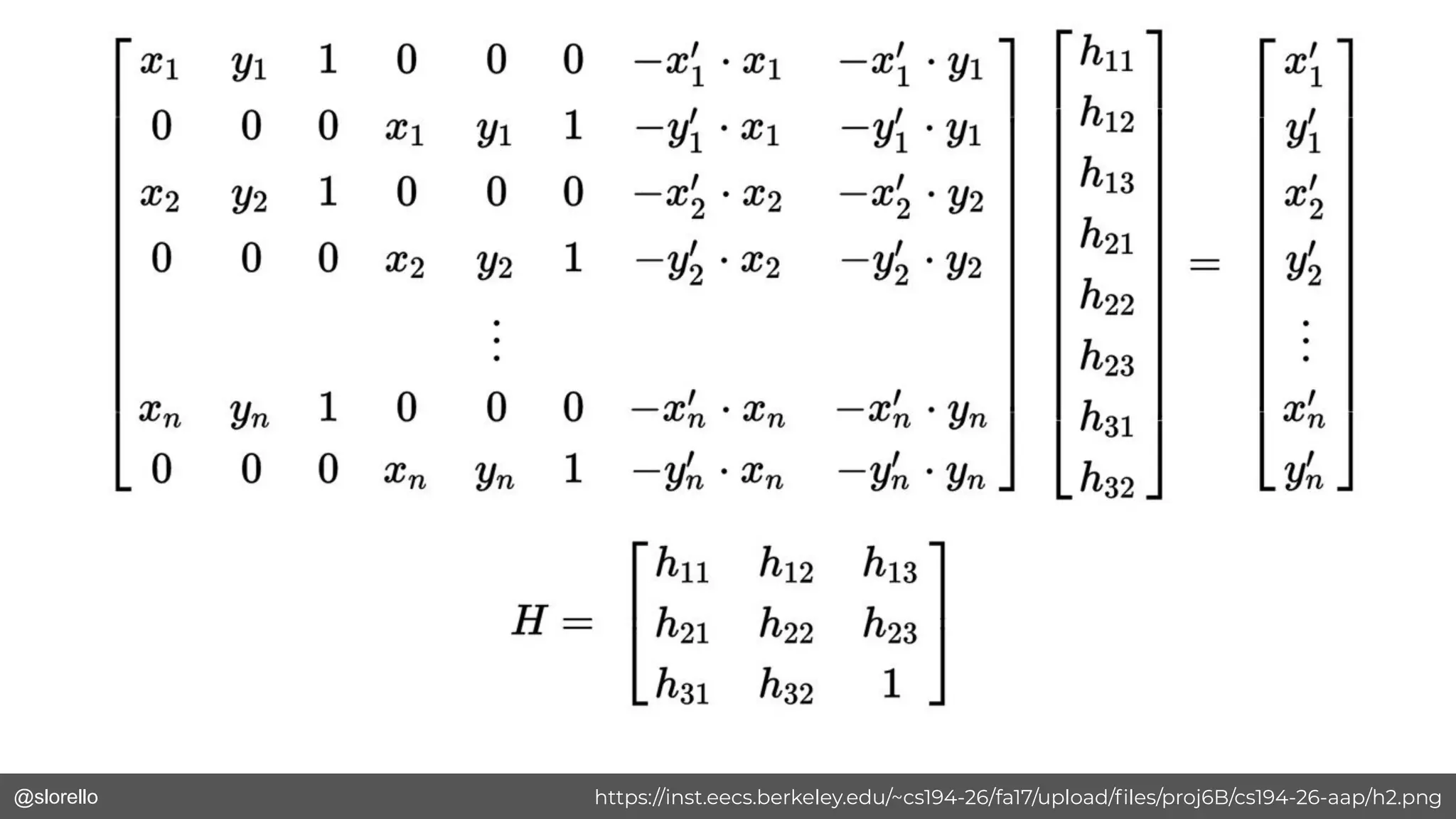
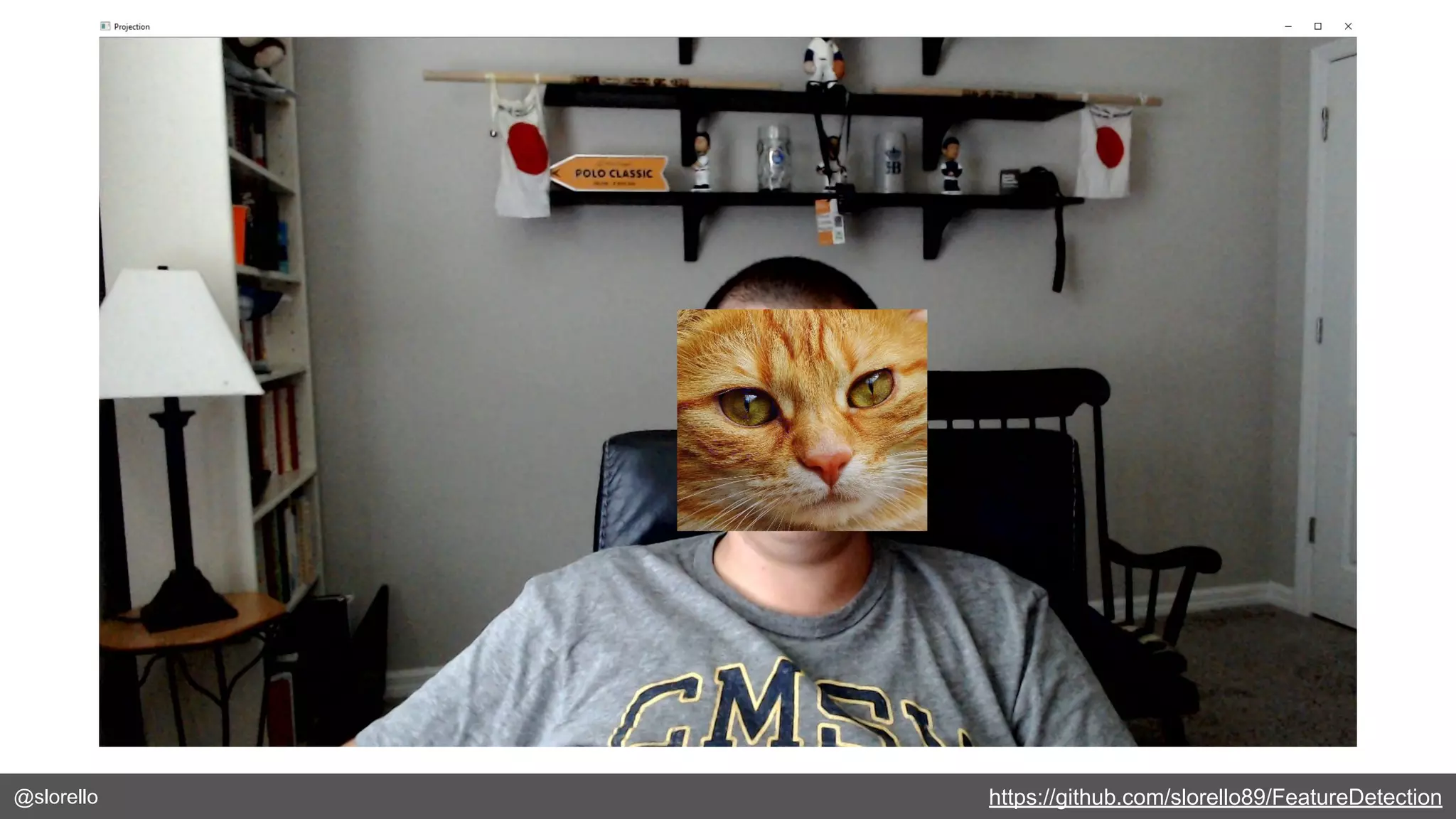
● Image transformations
● 8 degrees of freedom
● Need at least 4 matches
● Homographies
Image Projection
@slorello Source: Szelinksi
@slorello https://inst.eecs.berkeley.edu/~cs194-26/fa17/upload/files/proj6B/cs194-26-aap/h2.png
@slorello https://github.com/slorello89/FeatureDetection
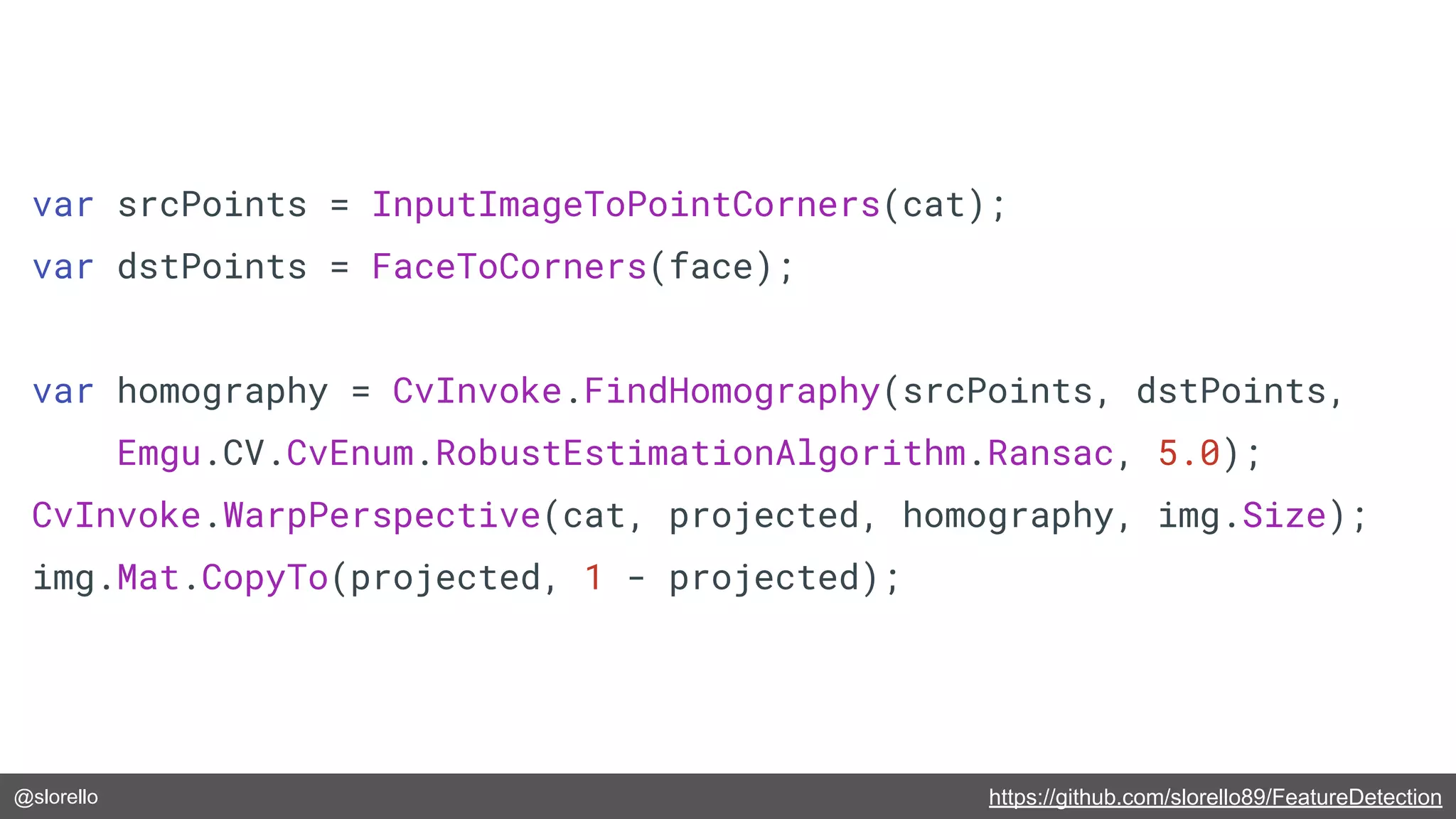
var srcPoints = InputImageToPointCorners(cat);
var dstPoints = FaceToCorners(face);
var homography = CvInvoke.FindHomography(srcPoints, dstPoints,
Emgu.CV.CvEnum.RobustEstimationAlgorithm.Ransac, 5.0);
CvInvoke.WarpPerspective(cat, projected, homography, img.Size);
img.Mat.CopyTo(projected, 1 - projected);
@slorello https://github.com/slorello89/FeatureDetection
@slorello
Wrapping Up
@slorello
A Little More About Me
● .NET Developer & Software Engineer
● .NET Developer Advocate @Vonage
● Computer Science Graduate Student
@GeorgiaTech - specializing in Computer
Perception
● Blog posts: https://dev.to/slorello or
https://www.nexmo.com/blog/author/stevelorello
● Twitter: @slorello
@slorello
https://github.com/slorello89/ShowImage
https://github.com/opentok-community/wpf-facial-detection
https://github.com/slorello89/BasicSobel
https://github.com/slorello89/FacialDetection
http://www.emgu.com/
https://opencv.org/
https://tokbox.com/developer/tutorials/
https://developer.nexmo.com/
https://www.nexmo.com/blog/2020/03/18/real-time-face-detec
tion-in-net-with-opentok-and-opencv-dr
Resources
LinkedIn: https://www.linkedin.com/in/stephen-lorello-143086a9/
Twitter: @slorello
@slorello Attribution if needed
@slorello
An image
with some
text on the
side.
URL ATTRIBUTION GOES HERE
@slorello
An image with some text over it
Attribution if needed
@slorello
“ “A really large quote would
go here so everyone can
read it.
Some Persons Name
https://website.com
@slorello
Code Snippet Examples
@slorello https://romannurik.github.io/SlidesCodeHighlighter/
var faceClassifier = new CascadeClassifier(Path.Join("resources",
"haarcascade_frontalface_default.xml"));
var img = CvInvoke.Imread(Path.Join("resources", "imageWithFace.jpg"));
var faces = faceClassifier.DetectMultiScale(img,
minSize: new System.Drawing.Size(300,300));
foreach(var face in faces)
{
CvInvoke.Rectangle(img, face,
new Emgu.CV.Structure.MCvScalar(255, 0, 0), 10);
}
@slorello https://carbon.now.sh/
@slorello
Example Web Page Slides
@slorello https://developer.nexmo.com
Website in a
mobile phone.

Intro to computer vision in .net