Installing Windows 10 And Creating A
Bootable USB For Windows 10
Presented By: Arsalan Qureshi (D-16-TE-09)
Supervised By: Engr. Imran Khan
Presented To: Telecommunication Batch 18
Today’s Discussion
• What is Windows (Operating System).
• How To Make A Bootable USB For Installing Windows.
• Learning About The Partitioning Formats.
• Installing Windows 10.
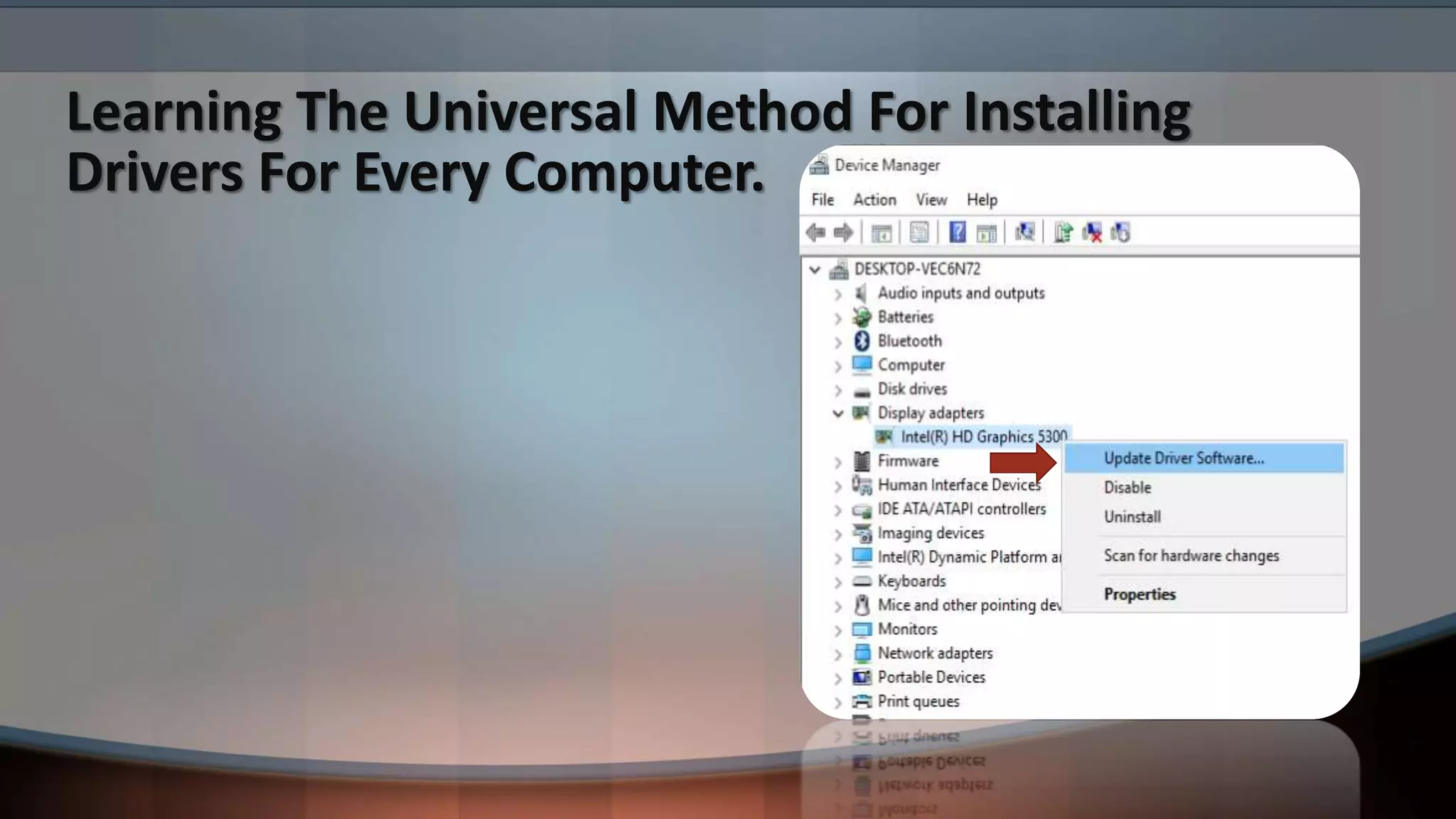
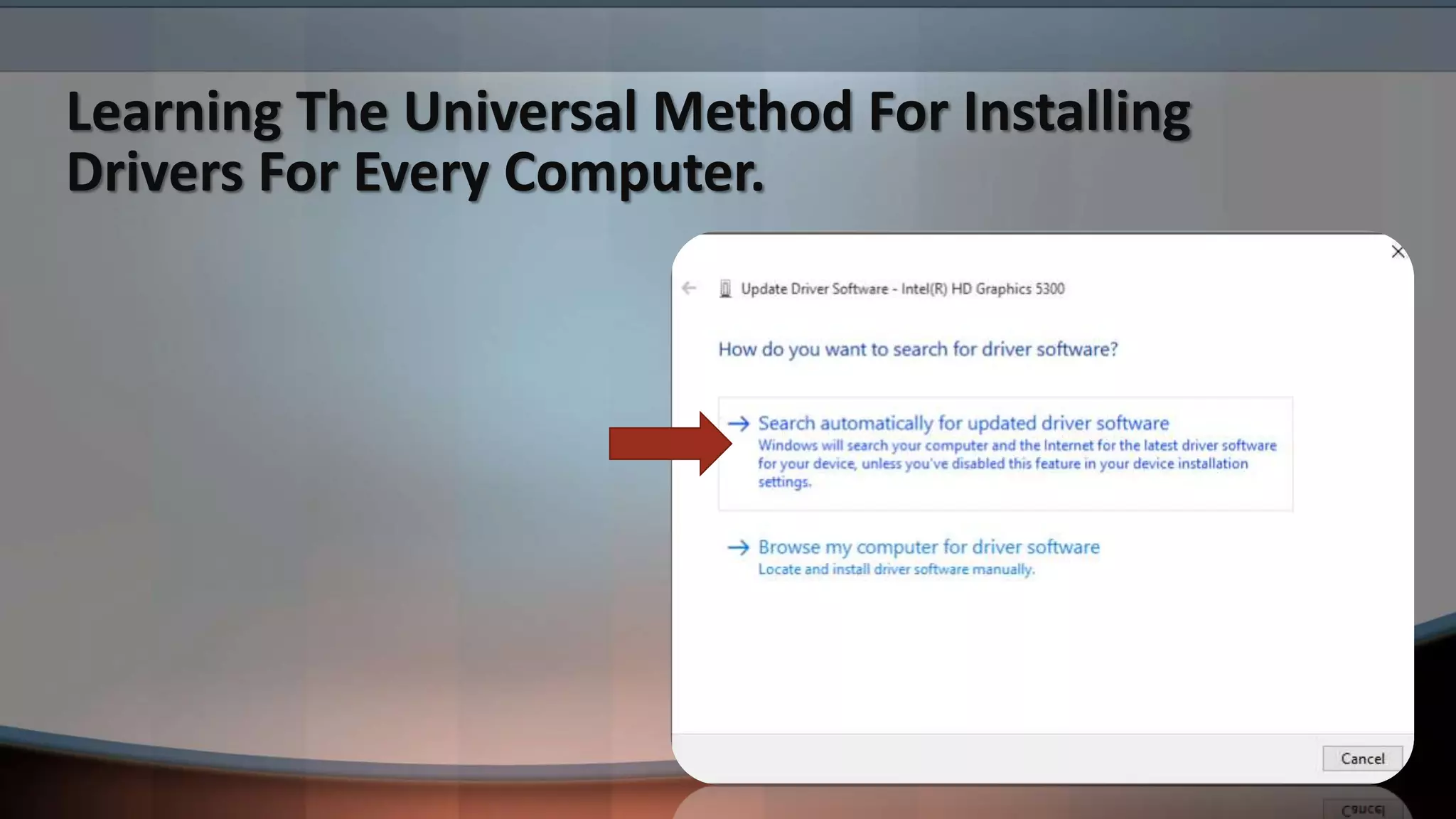
• Learning The Universal Method For Installing Drivers For Every Computer.
• How To Create A User Profile After Installing Windows.
What is Windows (Operating System).
When referring to an operating system, Windows or win is an operating
environment created by Microsoft that provides an interface, known as a
Graphical User Interface (GUI), for computers. Windows eliminates the need to
memorize commands for the command line (MS-DOS) by using a mouse to
navigate through menus, dialog boxes, buttons, tabs, and icons. If you are using
a PC (IBM) computer you are most likely using a version of Windows. If you are
on an Apple computer you are using mac-OS.
How To Make A Bootable USB For Installing
Windows.
• You need a USB Drive with the minimum space of 8GB.
• Software we are using is “RUFUS”.
• An ISO Of Windows 10 or any other version of Windows it’s up to you.
• Your USB must be formatted in NTFS Format.
• If You Have All The Items And Software’s then you are good to go.
Learning About The Partitioning Formats.
(GPT)
GPT stands for GUID Partition Table. GPT allows for a nearly unlimited amount
of partitions, and the limit here will be your operating system. Windows allows
up to 128 partitions on a GPT drive, and you don't have to create an extended
partition.
GPT brings with it many advantages, but MBR is still the most compatible and is
still necessary in some cases. This isn’t a Windows-only standard — Mac OS X,
Linux, and other operating systems can also use GPT.
Learning About The Partitioning Formats.
(MBR)
MBR standards for Master Boot Record. It was introduced with IBM PC DOS 2.0
in 1983. It’s called Master Boot Record because the MBR is a special boot sector
located at the beginning of a drive.
MBR works with disks up to 2 TB in size, but it can’t handle disks with more than
2 TB of space. MBR also only supports up to four primary partitions — if you
want more, you have to make one of your primary partitions an “extended
partition” and create logical partitions inside it. This is a silly little hack and
shouldn’t be necessary.
MBR became the industry standard everyone used for partitioning and booting
from disks. Developers have been piling on hacks like extended partitions ever
since.
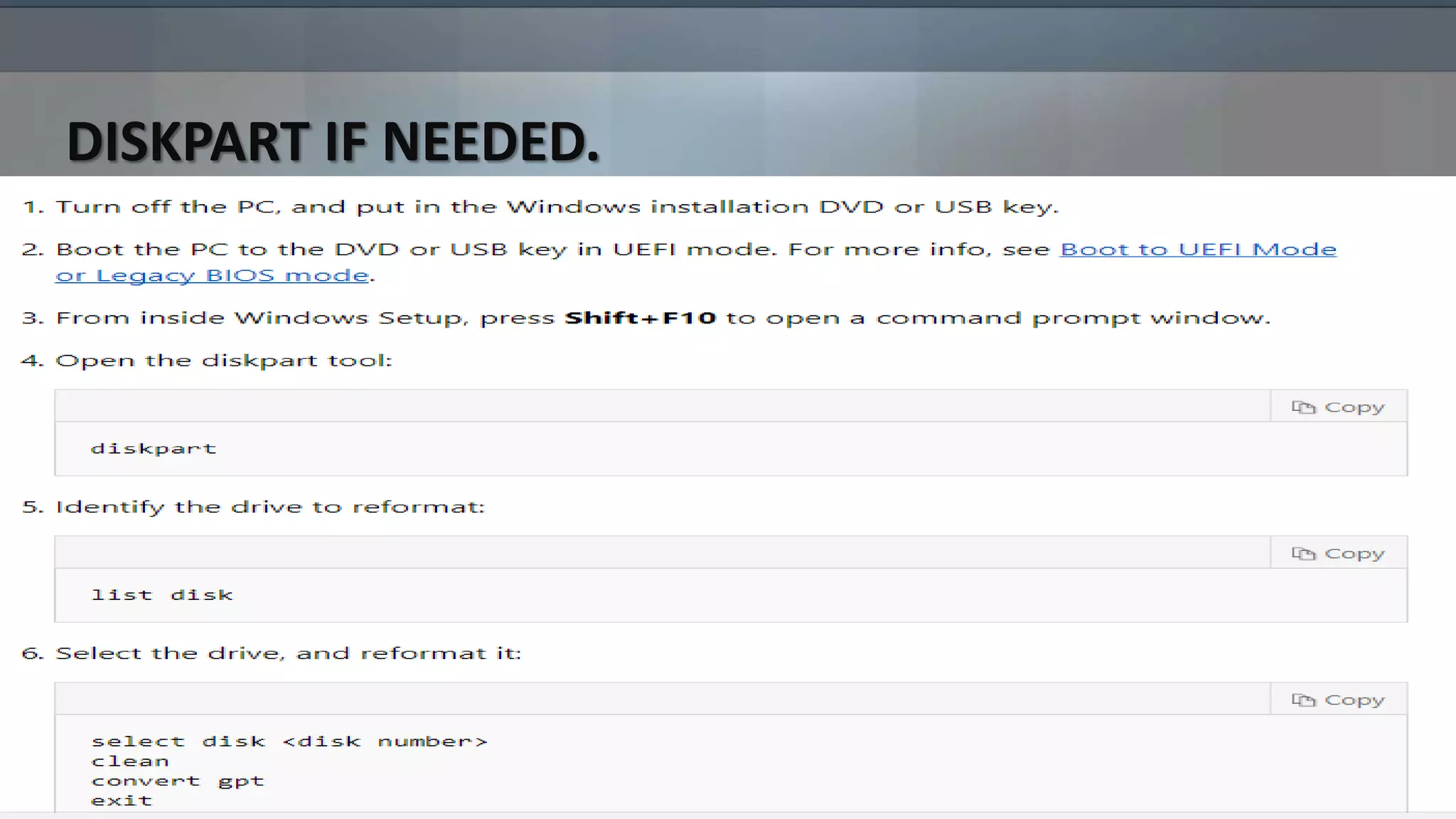
DISKPART IF NEEDED.
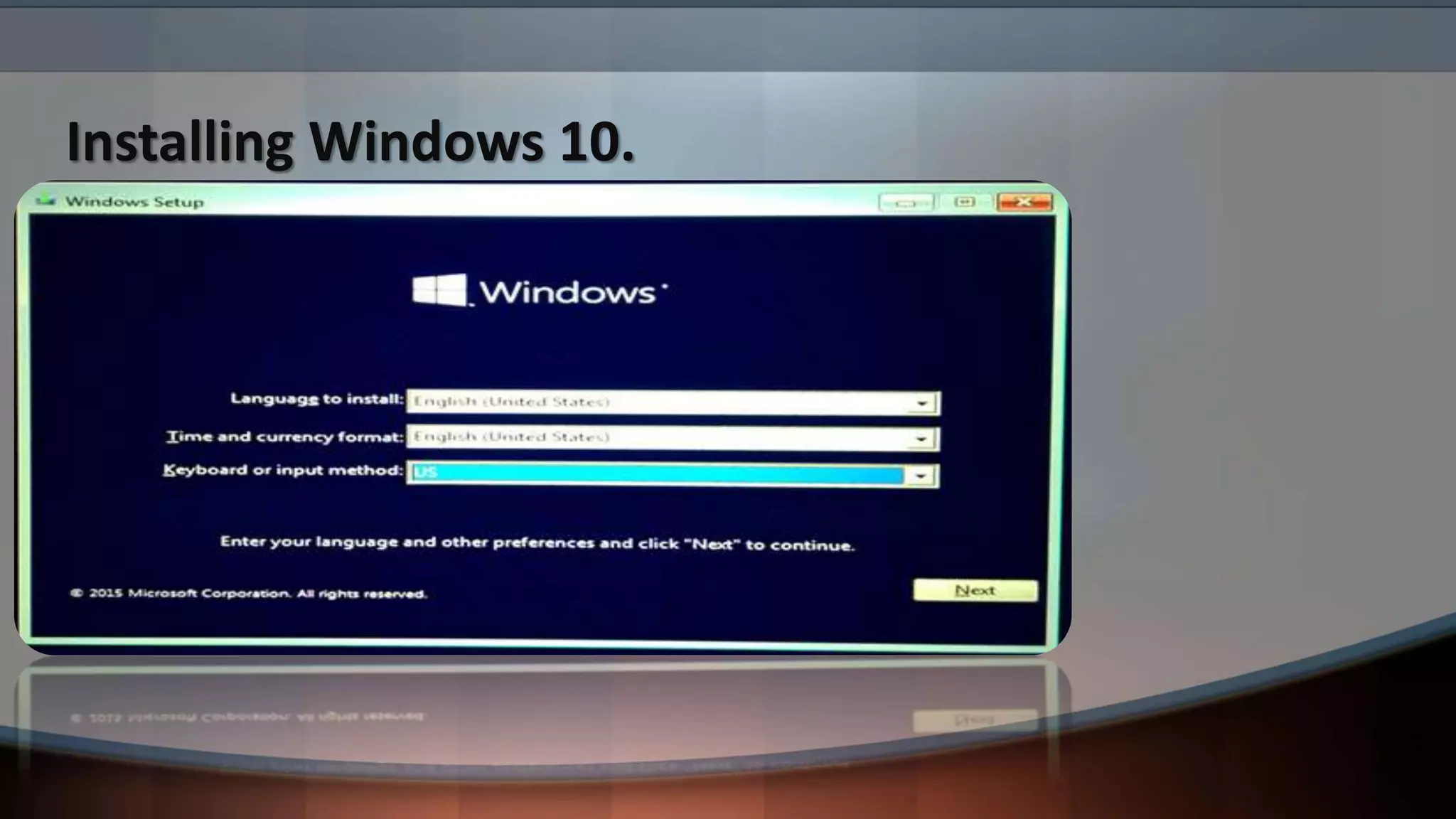
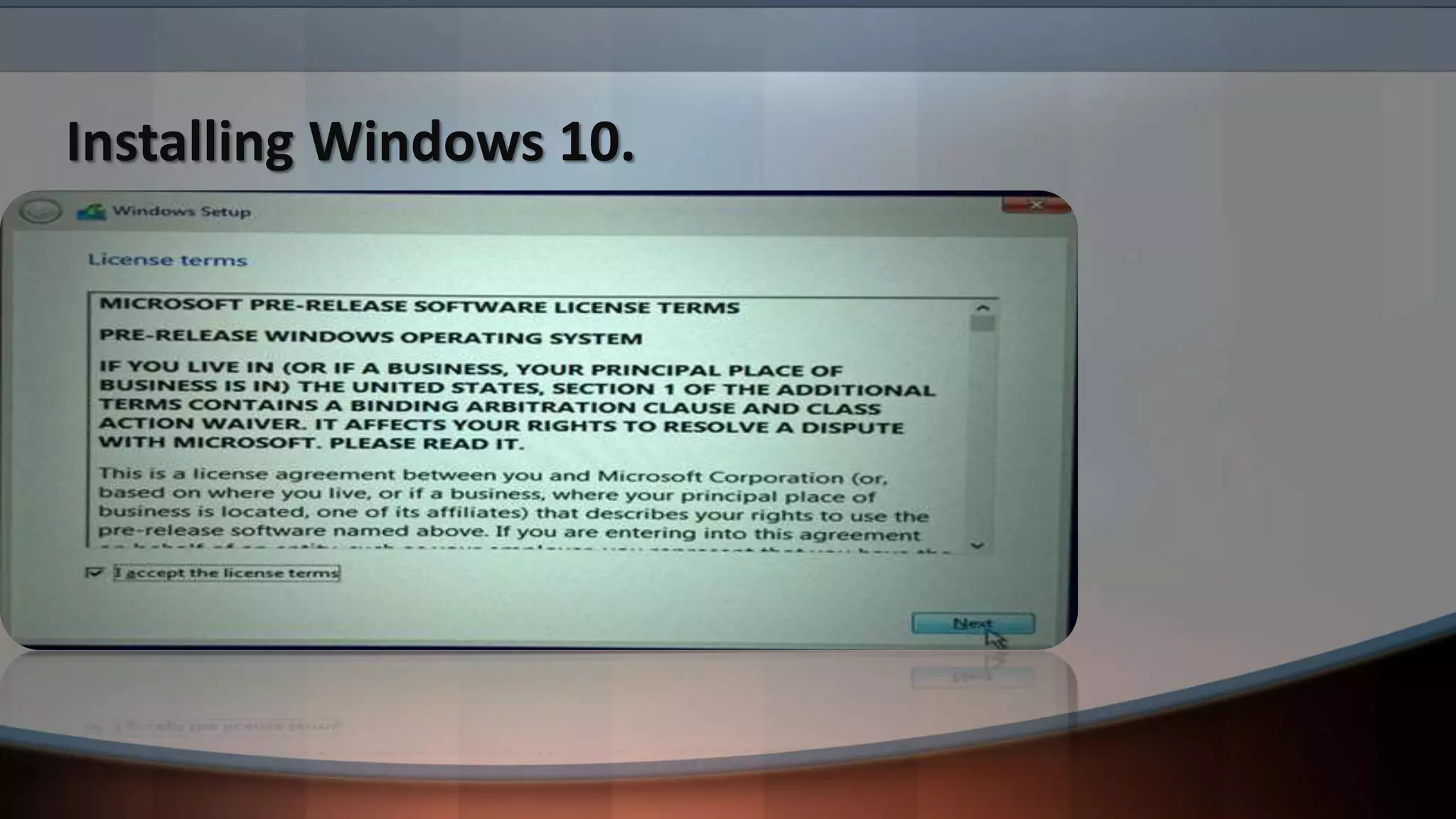
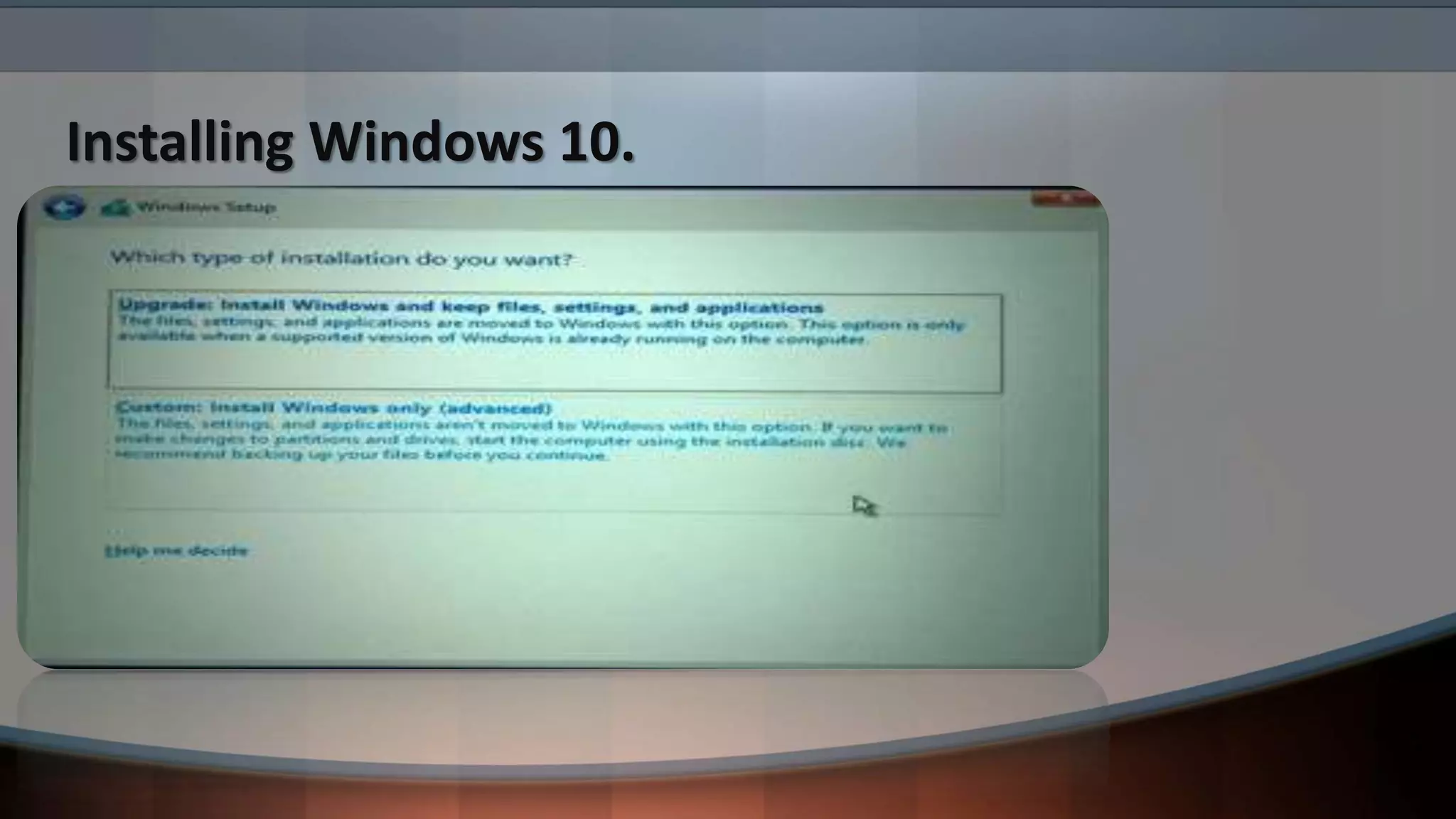
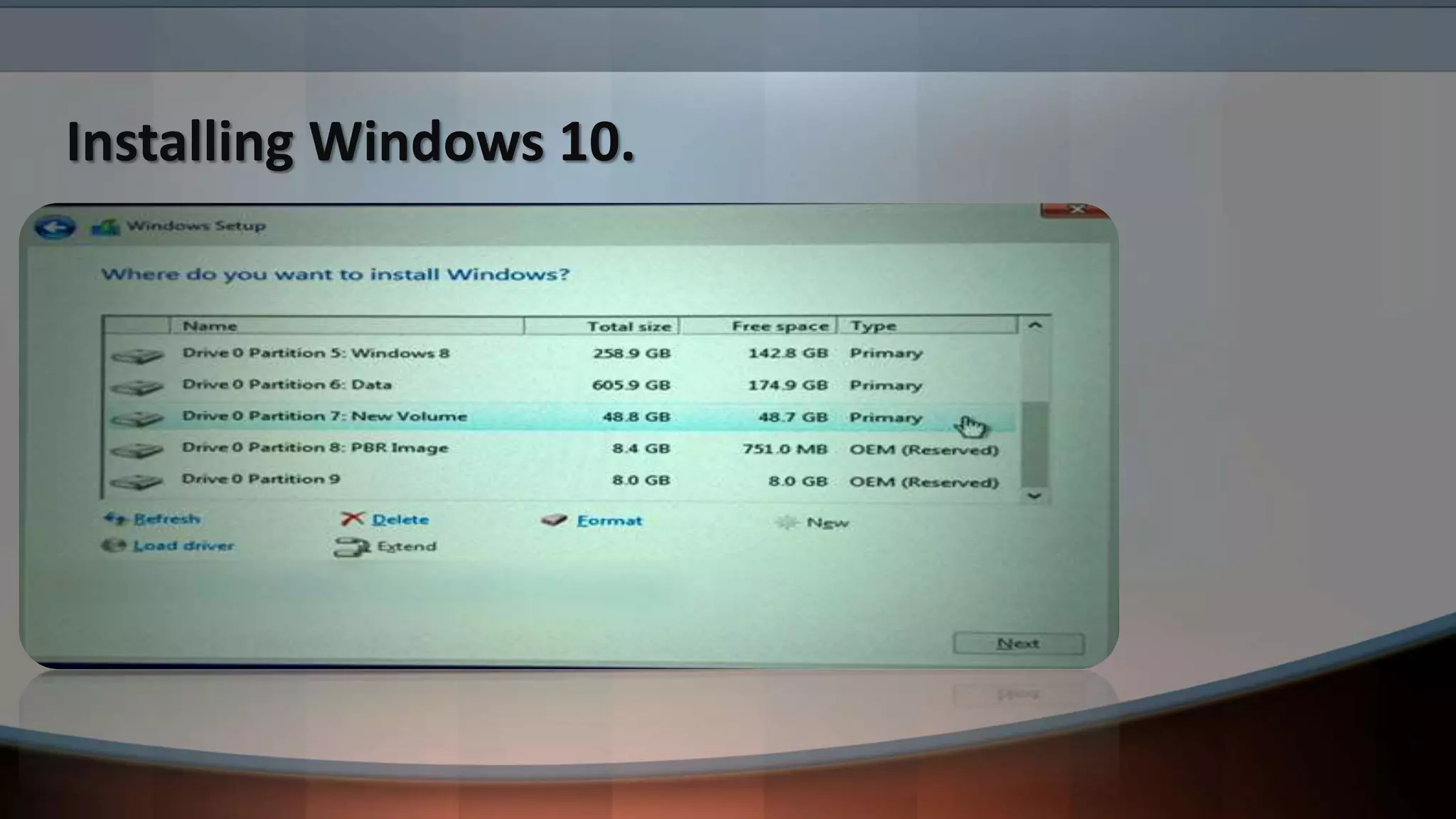
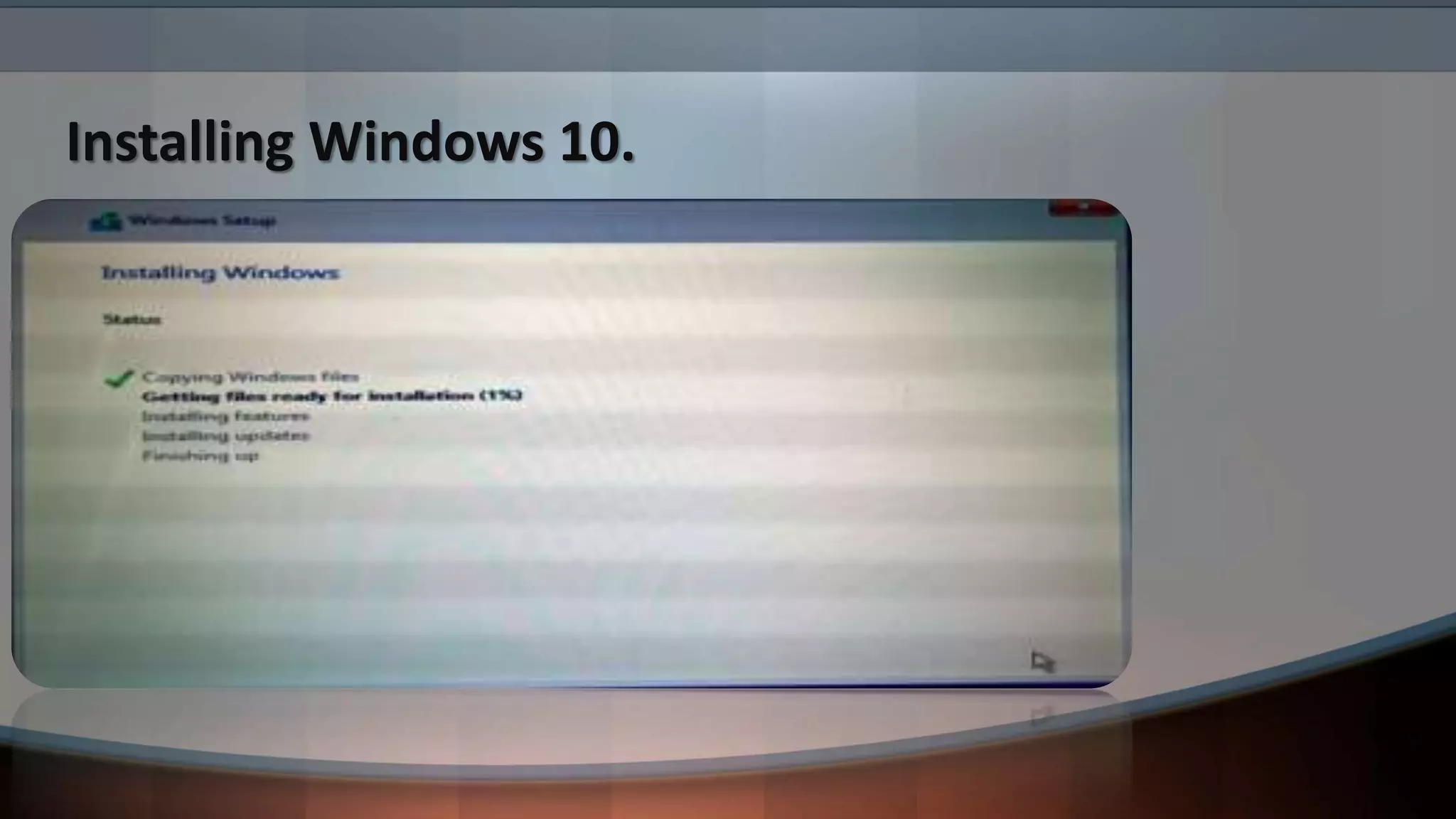
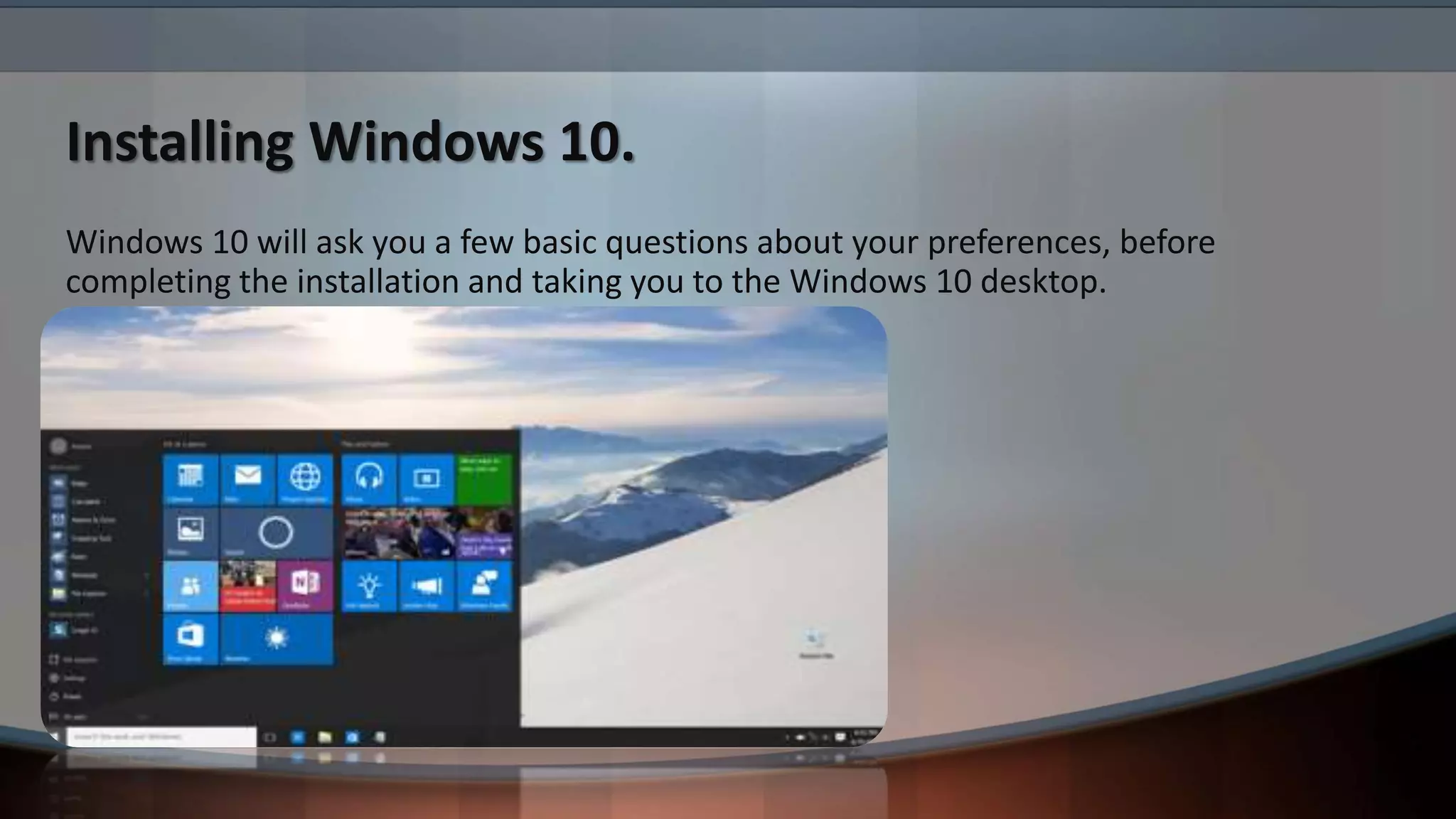
Installing Windows 10.
Windows 10 will ask you a few basic questions about your preferences, before
completing the installation and taking you to the Windows 10 desktop.
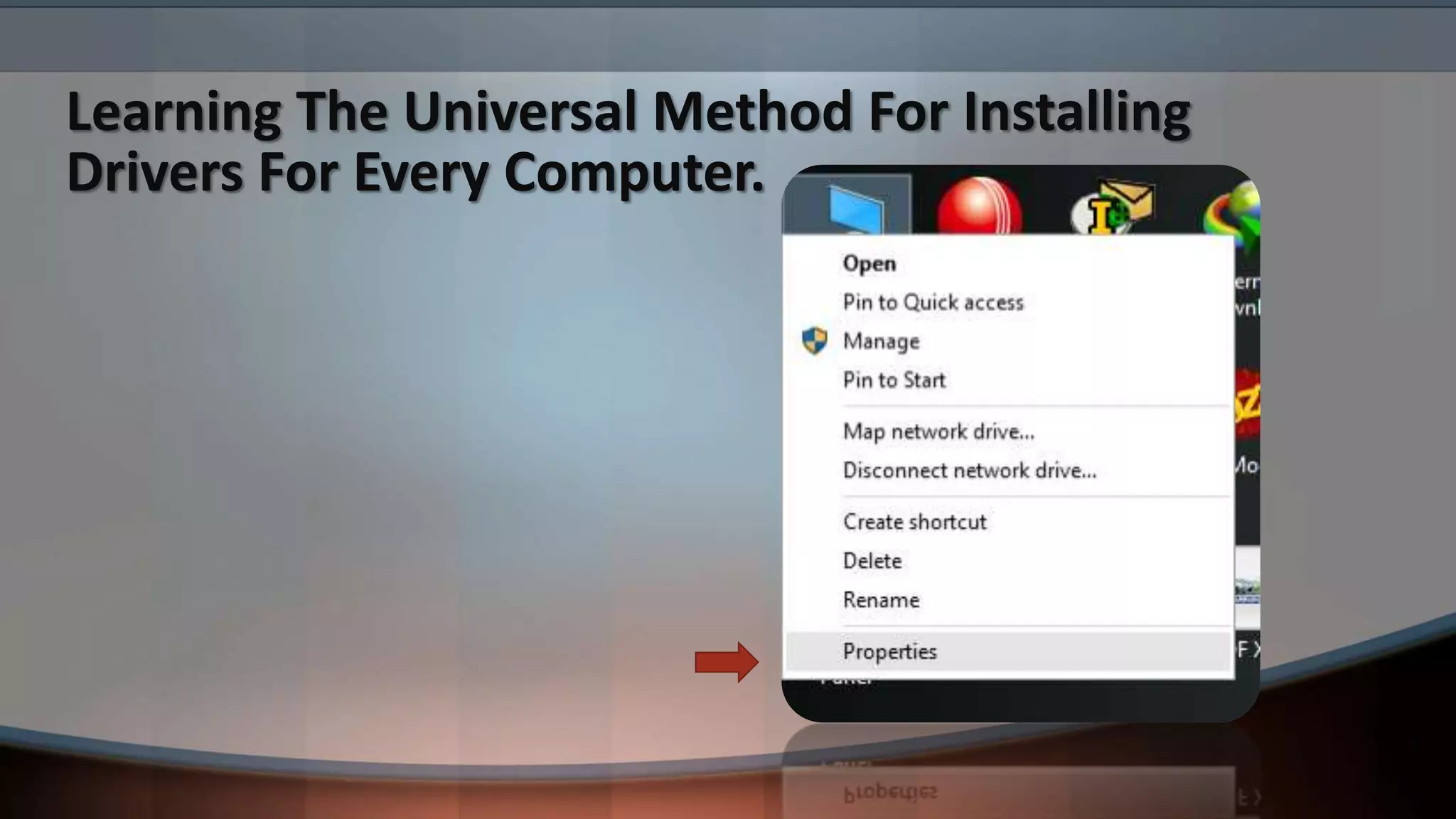
Learning The Universal Method For Installing
Drivers For Every Computer.
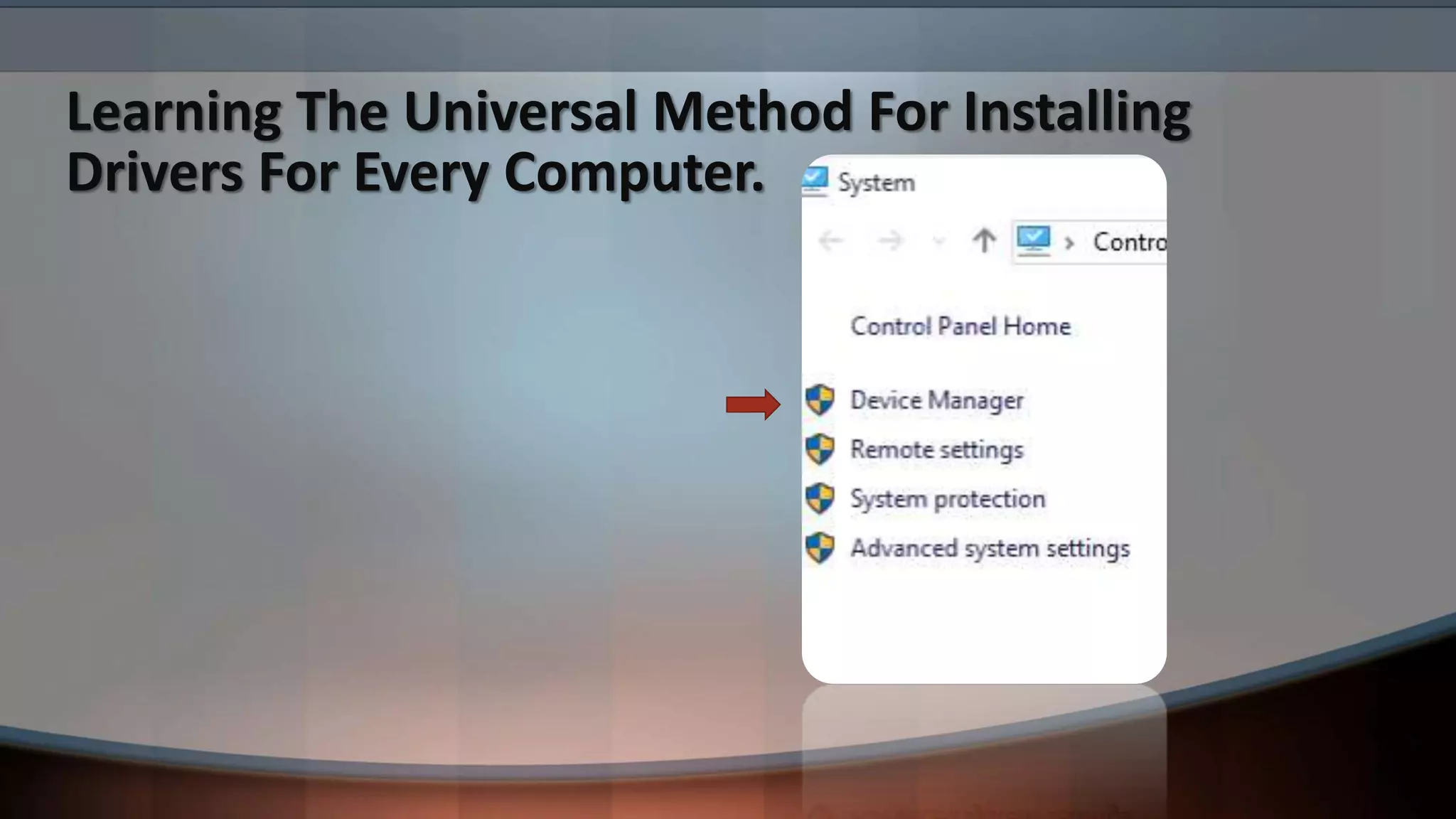
Learning The Universal Method For Installing
Drivers For Every Computer.
Learning The Universal Method For Installing
Drivers For Every Computer.
Learning The Universal Method For Installing
Drivers For Every Computer.
How To Create A User Profile After Installing
Windows.
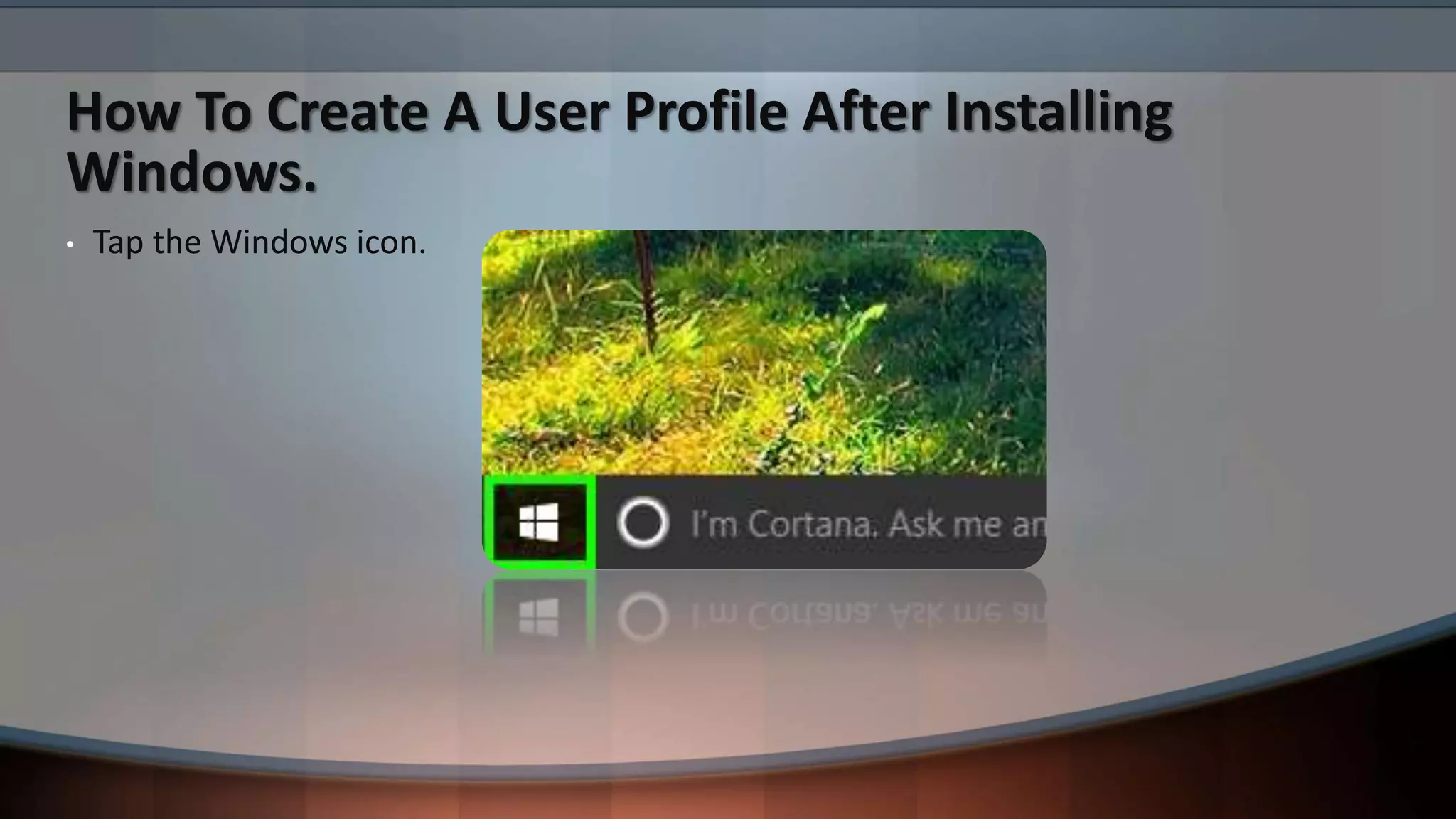
• Tap the Windows icon.
How To Create A User Profile After Installing
Windows.
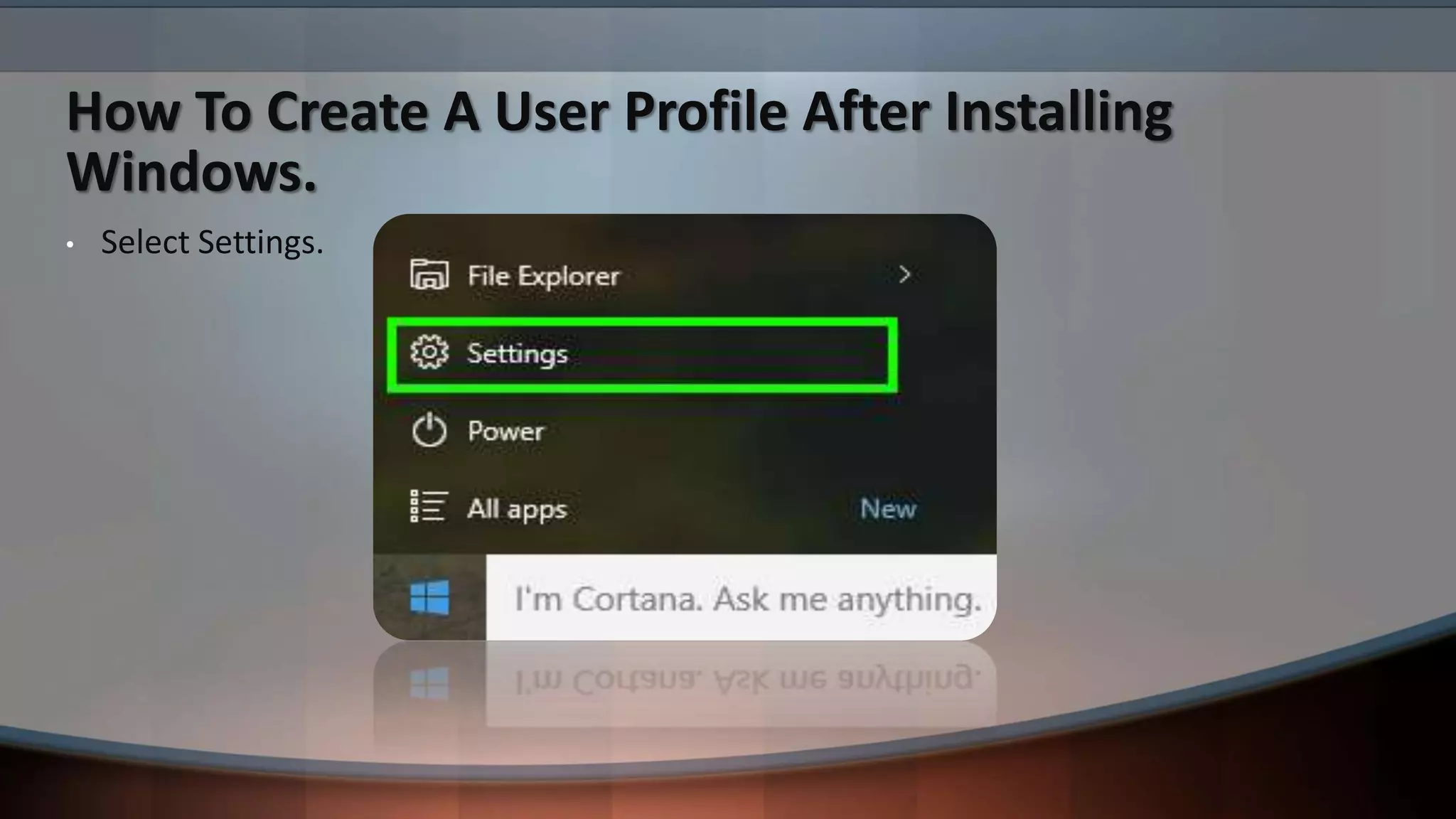
• Select Settings.
How To Create A User Profile After Installing
Windows.
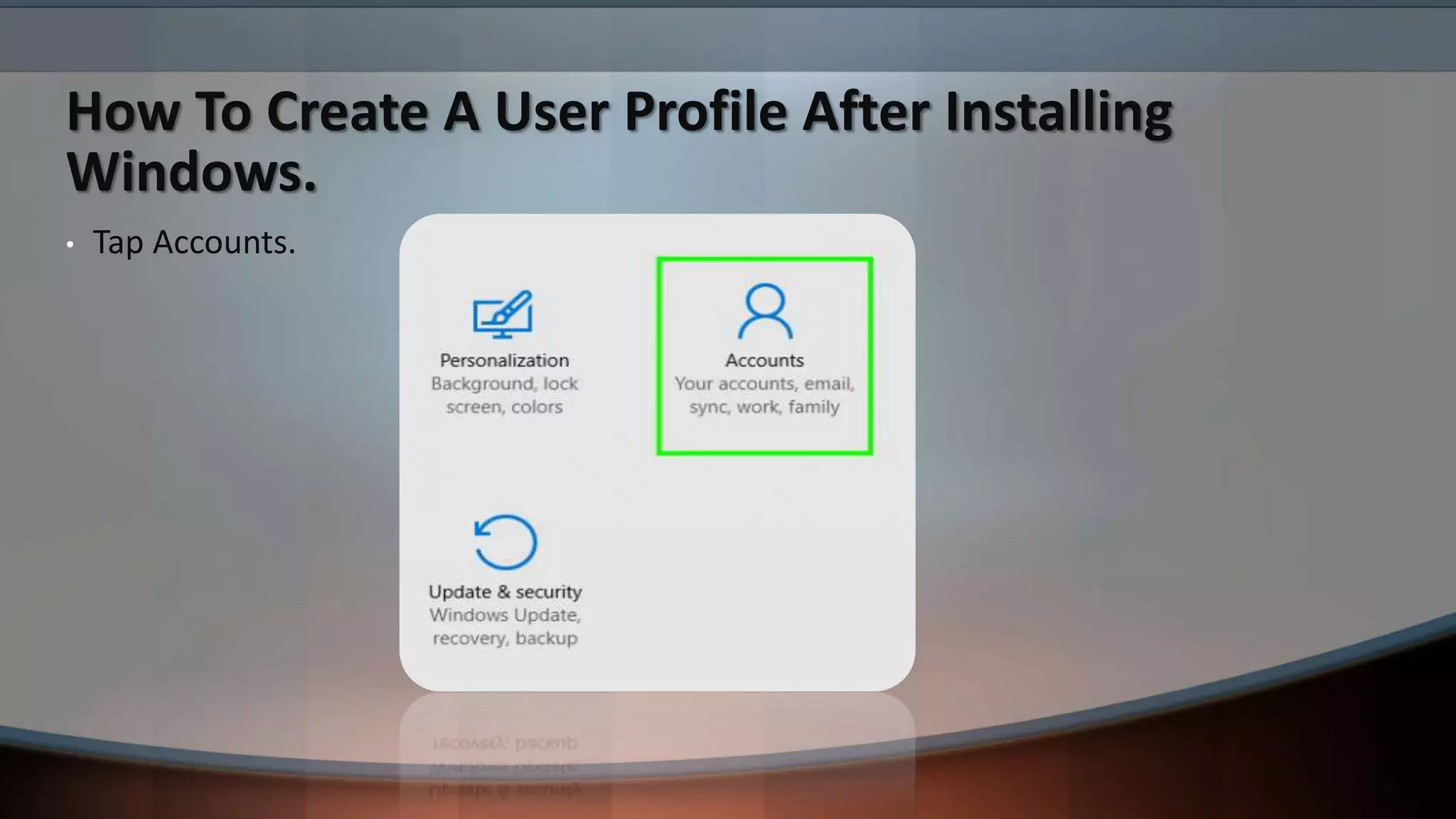
• Tap Accounts.
How To Create A User Profile After Installing
Windows.
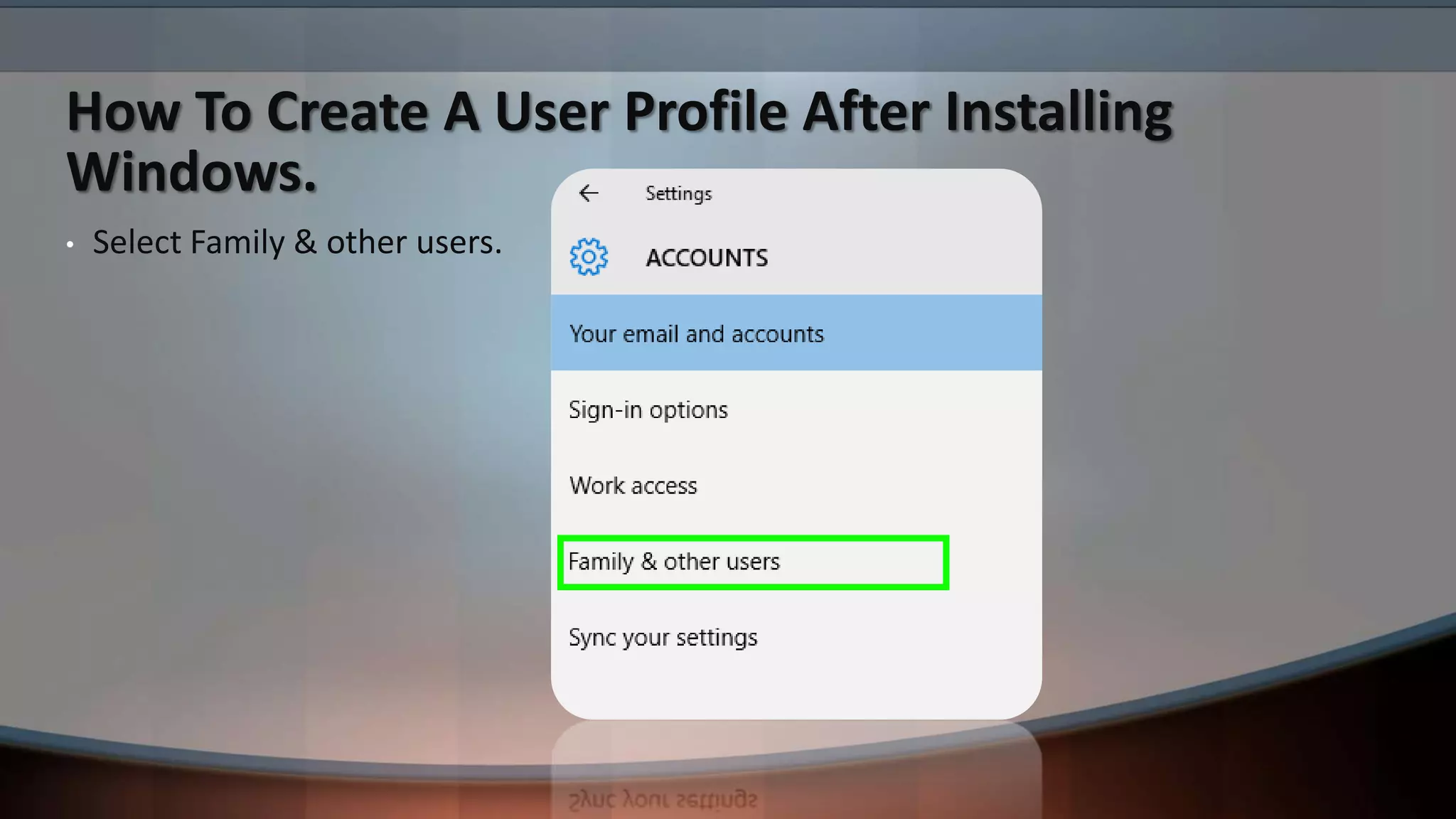
• Select Family & other users.
How To Create A User Profile After Installing
Windows.
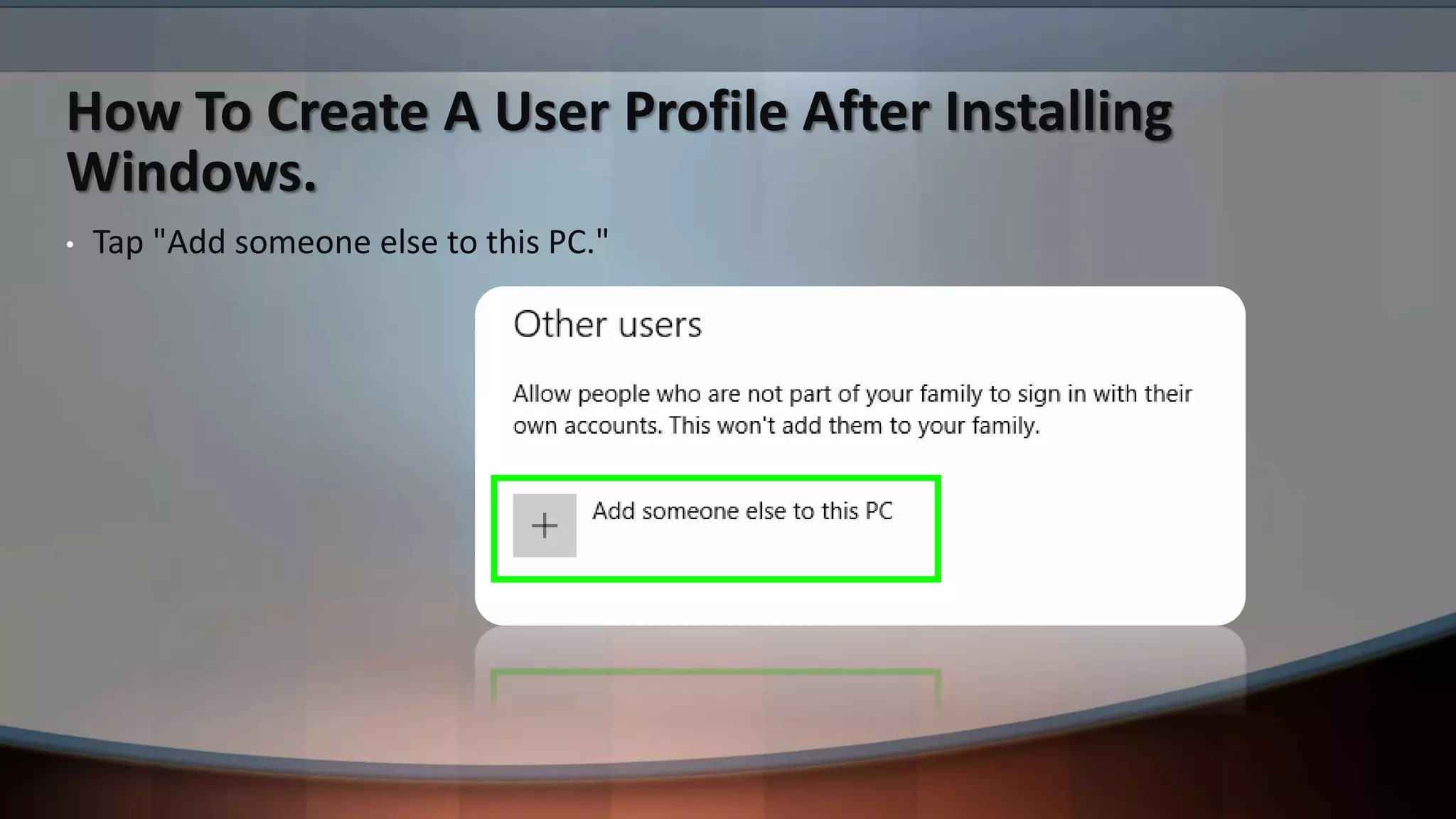
• Tap "Add someone else to this PC."
How To Create A User Profile After Installing
Windows.
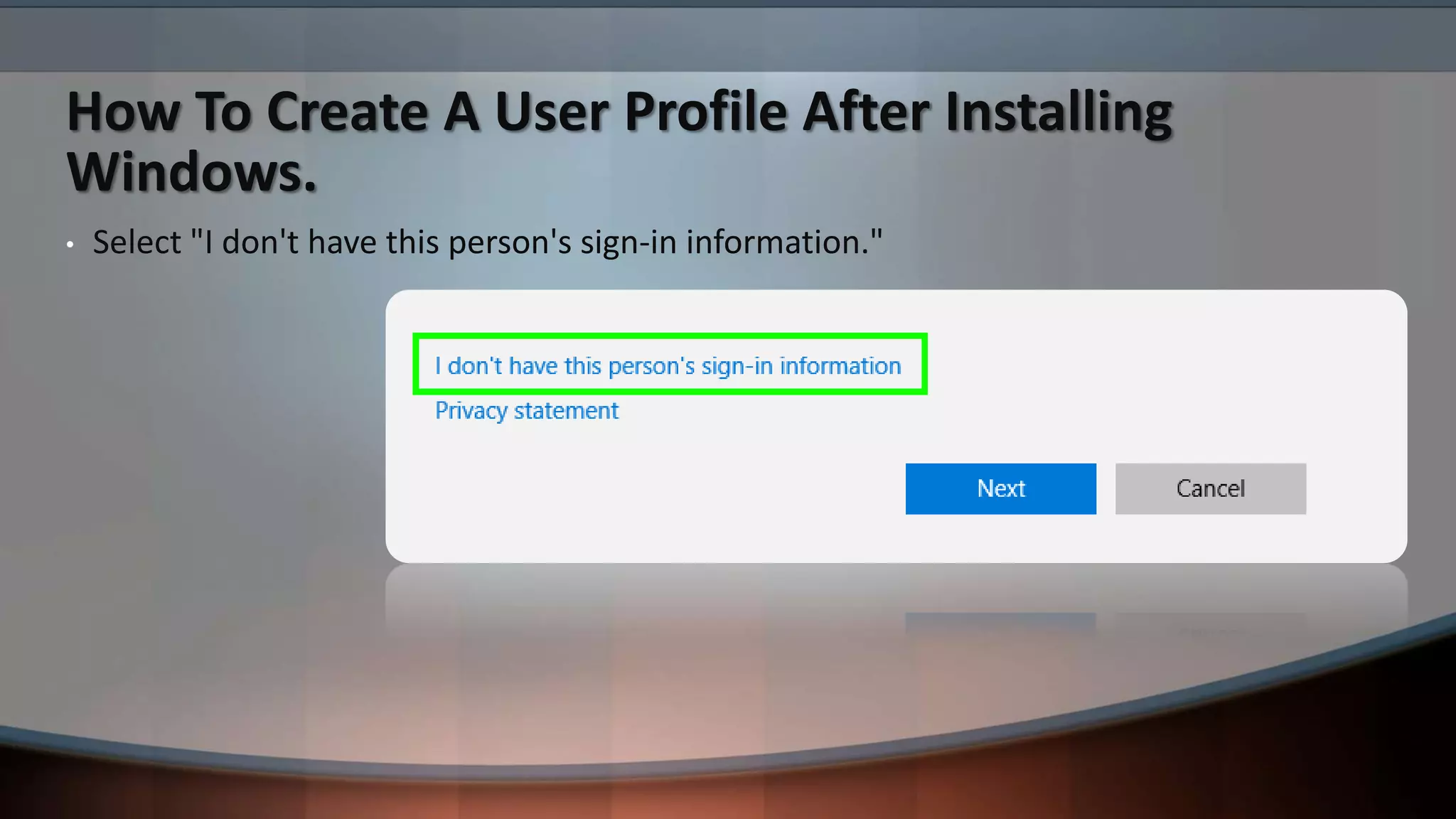
• Select "I don't have this person's sign-in information."
How To Create A User Profile After Installing
Windows.
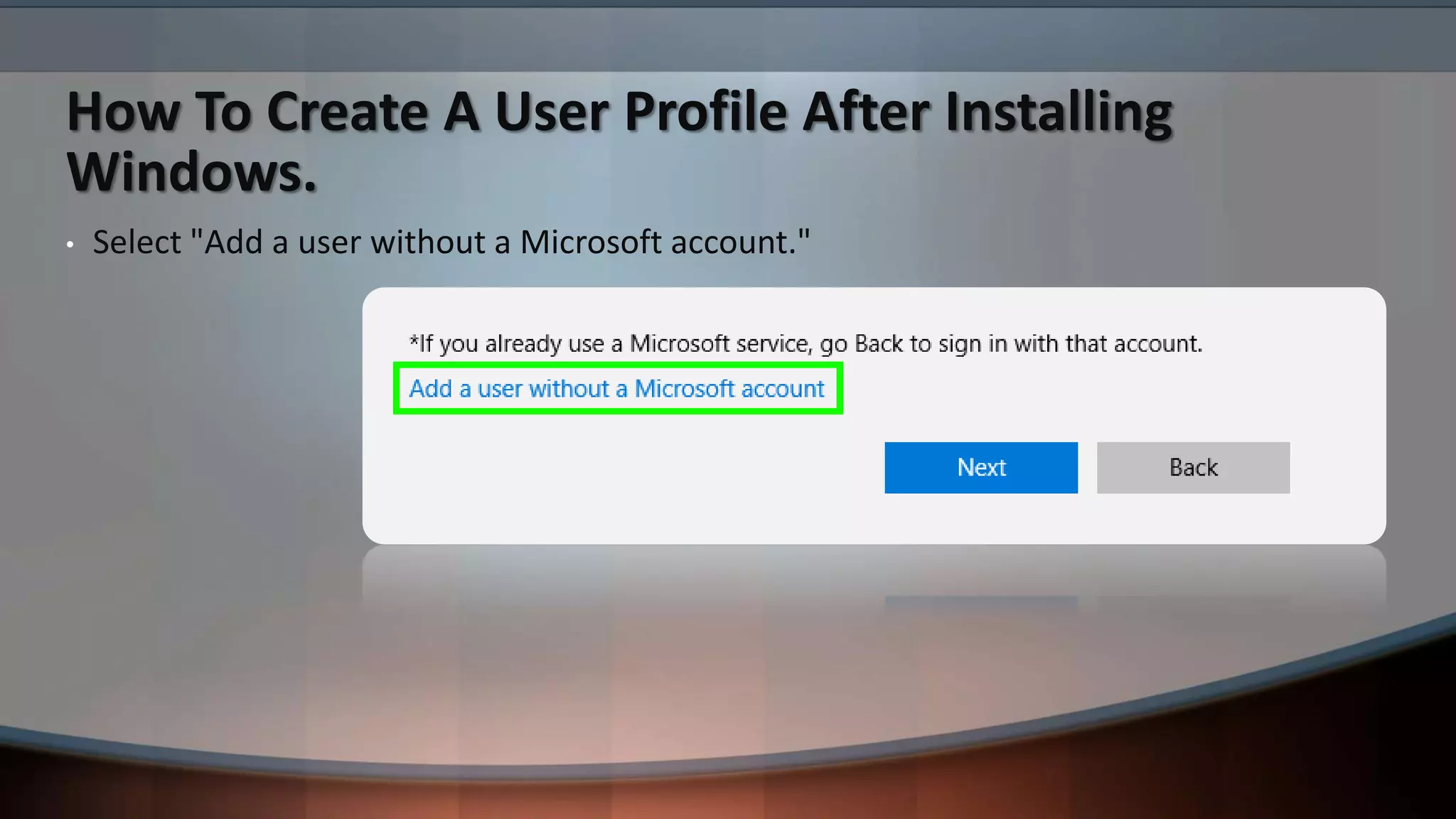
• Select "Add a user without a Microsoft account."
How To Create A User Profile After Installing
Windows.
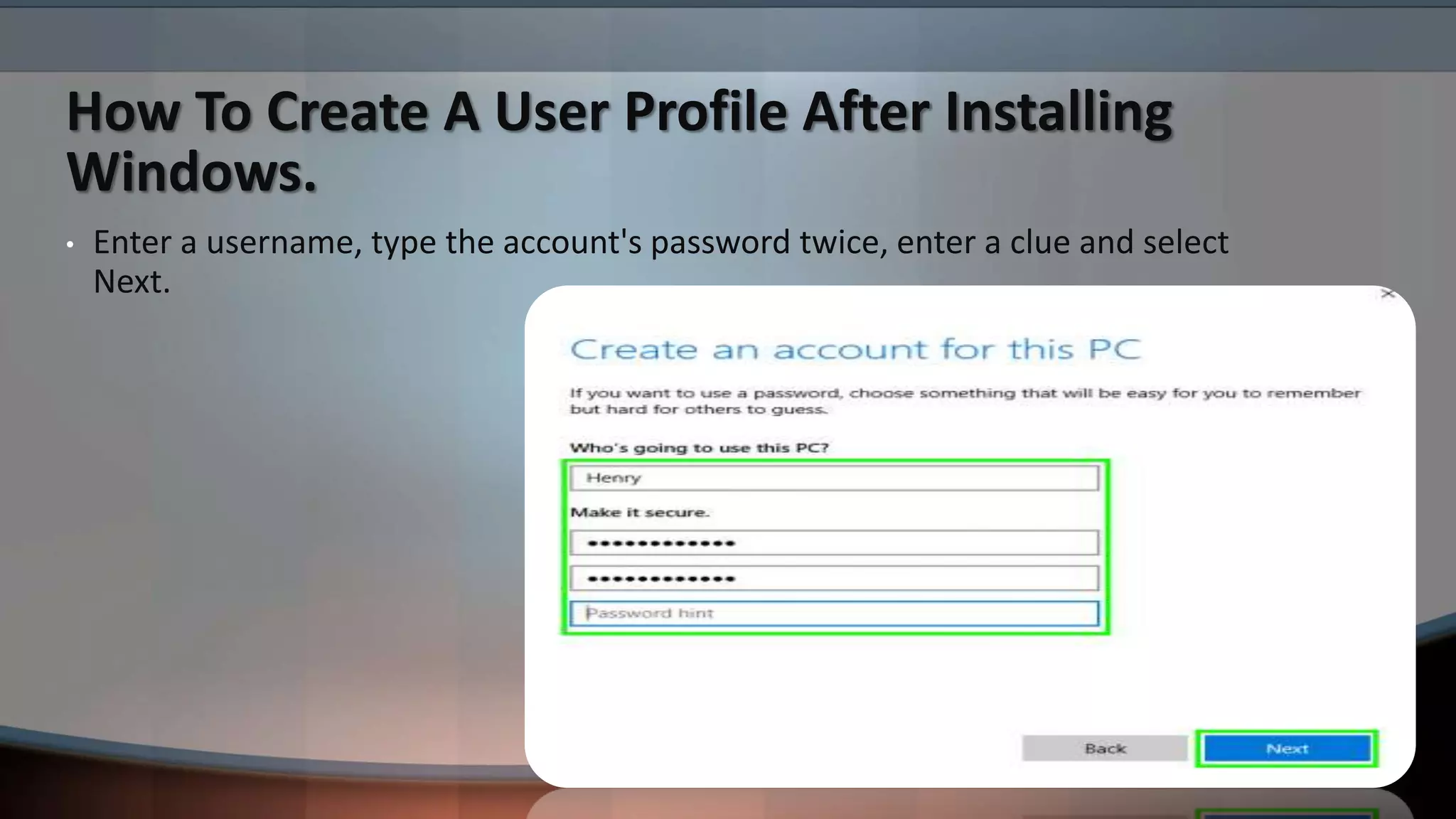
• Enter a username, type the account's password twice, enter a clue and select
Next.
THANK YOU SO MUCH
EVERYONE FOR YOUR
PRECIOUS TIME ALLAH
HAFIZ.

Installing windows 10 and creating a bootable usb

  • 1.
    Installing Windows 10And Creating A Bootable USB For Windows 10 Presented By: Arsalan Qureshi (D-16-TE-09) Supervised By: Engr. Imran Khan Presented To: Telecommunication Batch 18
  • 2.
    Today’s Discussion • Whatis Windows (Operating System). • How To Make A Bootable USB For Installing Windows. • Learning About The Partitioning Formats. • Installing Windows 10. • Learning The Universal Method For Installing Drivers For Every Computer. • How To Create A User Profile After Installing Windows.
  • 3.
    What is Windows(Operating System). When referring to an operating system, Windows or win is an operating environment created by Microsoft that provides an interface, known as a Graphical User Interface (GUI), for computers. Windows eliminates the need to memorize commands for the command line (MS-DOS) by using a mouse to navigate through menus, dialog boxes, buttons, tabs, and icons. If you are using a PC (IBM) computer you are most likely using a version of Windows. If you are on an Apple computer you are using mac-OS.
  • 4.
    How To MakeA Bootable USB For Installing Windows. • You need a USB Drive with the minimum space of 8GB. • Software we are using is “RUFUS”. • An ISO Of Windows 10 or any other version of Windows it’s up to you. • Your USB must be formatted in NTFS Format. • If You Have All The Items And Software’s then you are good to go.
  • 5.
    Learning About ThePartitioning Formats. (GPT) GPT stands for GUID Partition Table. GPT allows for a nearly unlimited amount of partitions, and the limit here will be your operating system. Windows allows up to 128 partitions on a GPT drive, and you don't have to create an extended partition. GPT brings with it many advantages, but MBR is still the most compatible and is still necessary in some cases. This isn’t a Windows-only standard — Mac OS X, Linux, and other operating systems can also use GPT.
  • 6.
    Learning About ThePartitioning Formats. (MBR) MBR standards for Master Boot Record. It was introduced with IBM PC DOS 2.0 in 1983. It’s called Master Boot Record because the MBR is a special boot sector located at the beginning of a drive. MBR works with disks up to 2 TB in size, but it can’t handle disks with more than 2 TB of space. MBR also only supports up to four primary partitions — if you want more, you have to make one of your primary partitions an “extended partition” and create logical partitions inside it. This is a silly little hack and shouldn’t be necessary. MBR became the industry standard everyone used for partitioning and booting from disks. Developers have been piling on hacks like extended partitions ever since.
  • 7.
  • 8.
  • 9.
  • 10.
  • 11.
  • 12.
  • 13.
  • 14.
    Installing Windows 10. Windows10 will ask you a few basic questions about your preferences, before completing the installation and taking you to the Windows 10 desktop.
  • 15.
    Learning The UniversalMethod For Installing Drivers For Every Computer.
  • 16.
    Learning The UniversalMethod For Installing Drivers For Every Computer.
  • 17.
    Learning The UniversalMethod For Installing Drivers For Every Computer.
  • 18.
    Learning The UniversalMethod For Installing Drivers For Every Computer.
  • 19.
    How To CreateA User Profile After Installing Windows. • Tap the Windows icon.
  • 20.
    How To CreateA User Profile After Installing Windows. • Select Settings.
  • 21.
    How To CreateA User Profile After Installing Windows. • Tap Accounts.
  • 22.
    How To CreateA User Profile After Installing Windows. • Select Family & other users.
  • 23.
    How To CreateA User Profile After Installing Windows. • Tap "Add someone else to this PC."
  • 24.
    How To CreateA User Profile After Installing Windows. • Select "I don't have this person's sign-in information."
  • 25.
    How To CreateA User Profile After Installing Windows. • Select "Add a user without a Microsoft account."
  • 26.
    How To CreateA User Profile After Installing Windows. • Enter a username, type the account's password twice, enter a clue and select Next.
  • 27.
    THANK YOU SOMUCH EVERYONE FOR YOUR PRECIOUS TIME ALLAH HAFIZ.