Inside Flutter:
Widgets, Elements, and RenderObjects
Hansol Lee
TOC 💁‍♂
- Introduction
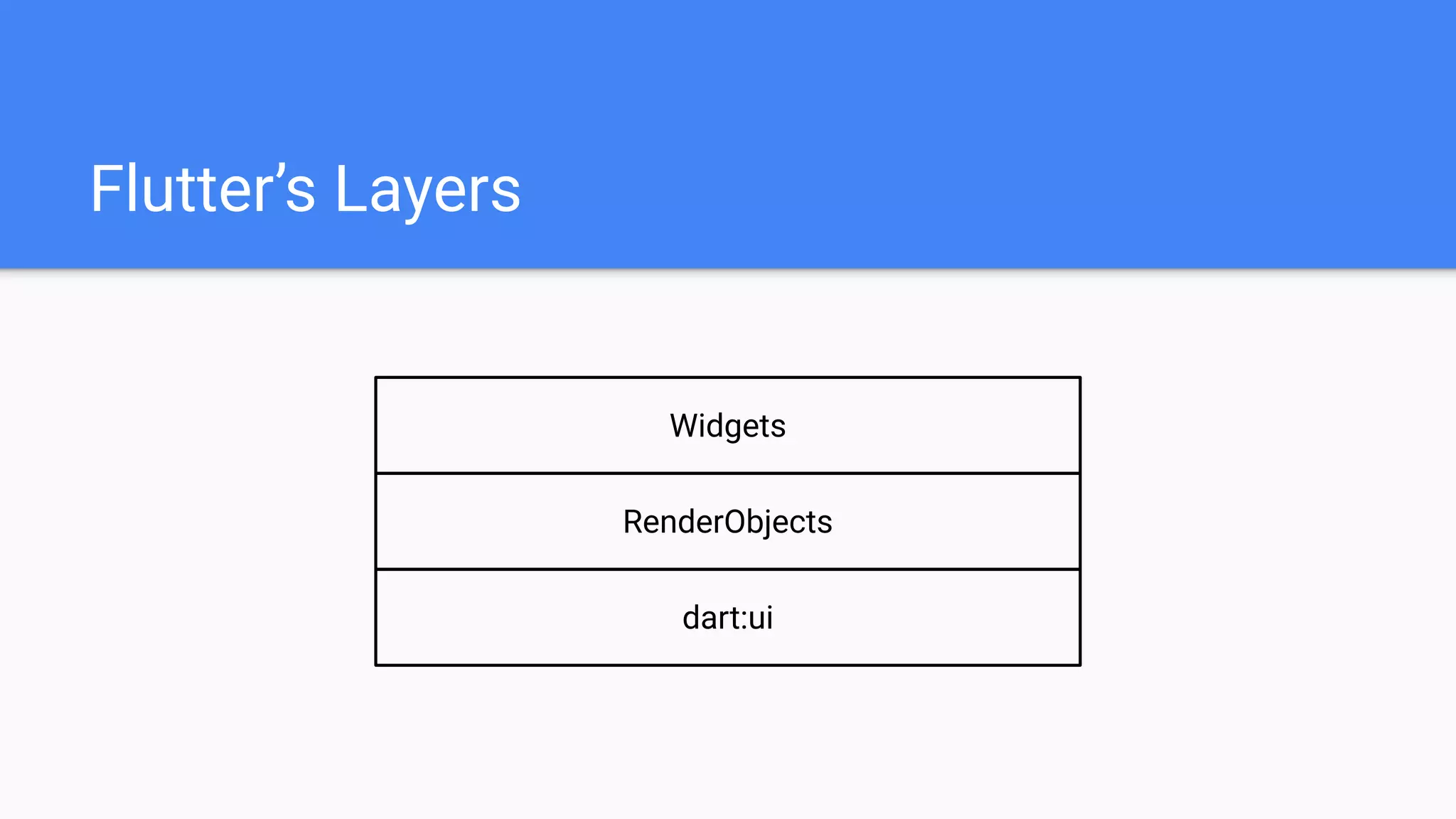
- Flutter’s layers
- dart:ui
- RenderObjects
- Widgets
- Widgets, Elements, and RenderObjects
- Summary
Introduction
- Hansol Lee
- Working at Kakao Corp. as Android Developer
- Projects related with Flutter
- https://github.com/giantsol/Blue-Diary
- https://github.com/giantsol/Yellow-Box
- Mentoring “Contributing to Flutter”:
https://github.com/flutter-moum/flutter-moum
- GitHub: https://github.com/giantsol
Introduction
Widget, Element, RenderObject
What are they?
How do they work?
Flutter’s Layers
dart:ui
RenderObjects
Widgets
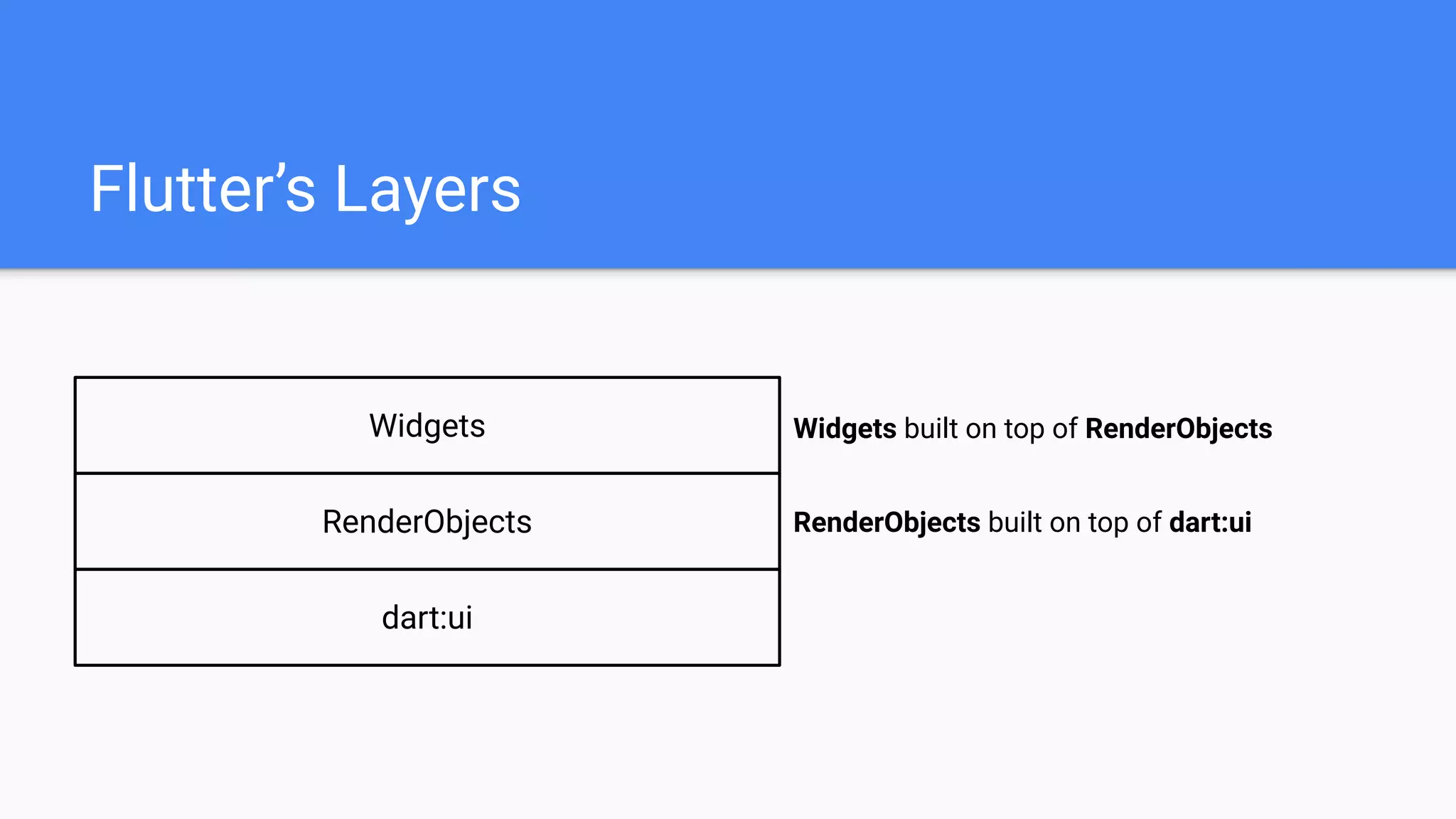
Flutter’s Layers
dart:ui
RenderObjects
Widgets
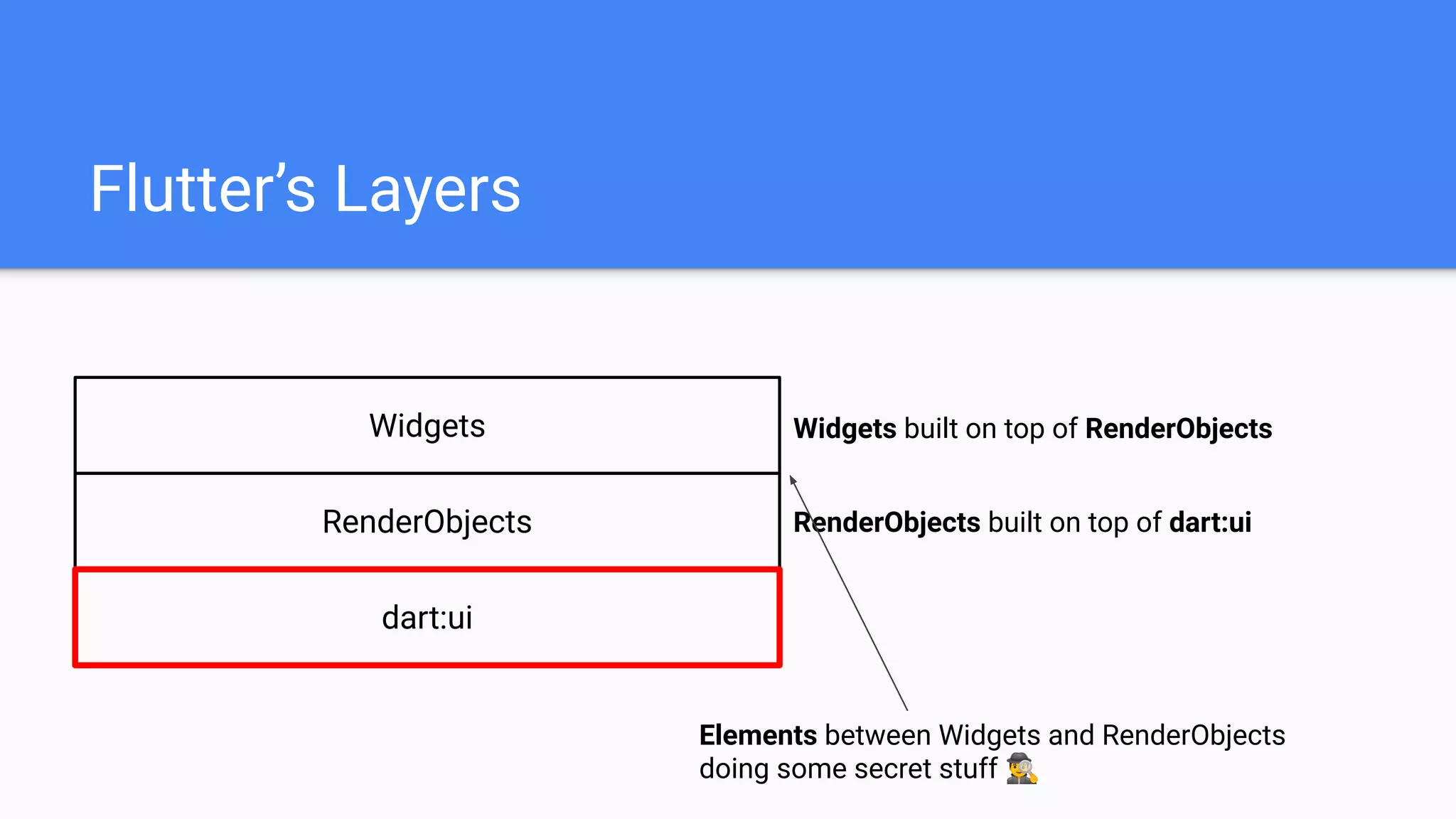
RenderObjects built on top of dart:ui
Widgets built on top of RenderObjects
Elements between Widgets and RenderObjects
doing some secret stuff 🕵
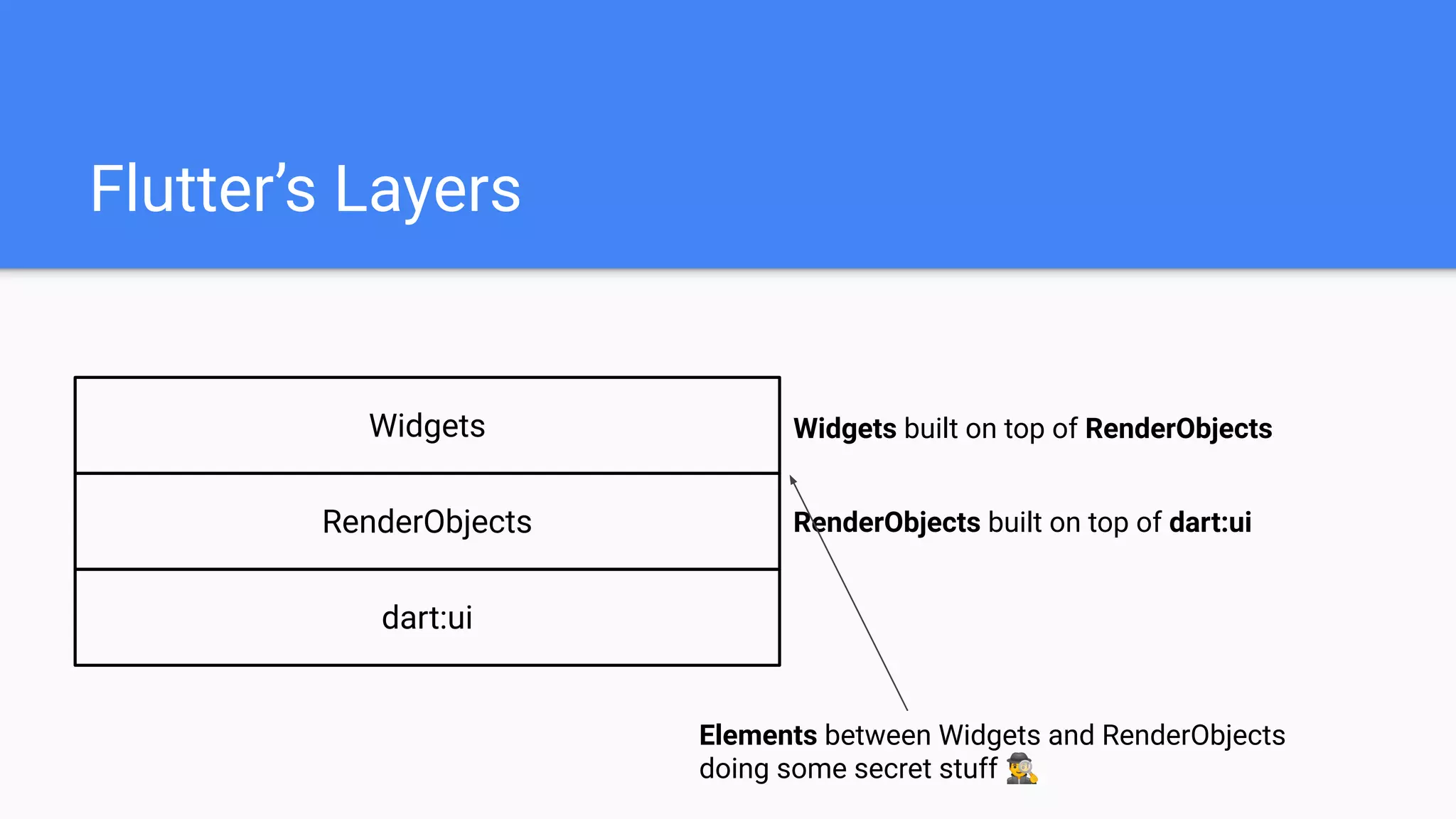
Flutter’s Layers
dart:ui
RenderObjects
Widgets
RenderObjects built on top of dart:ui
Widgets built on top of RenderObjects
Elements between Widgets and RenderObjects
doing some secret stuff 🕵
Flutter’s Layers
RenderObjects
Widgets
RenderObjects built on top of dart:ui
Widgets built on top of RenderObjects
dart:ui
dart:ui
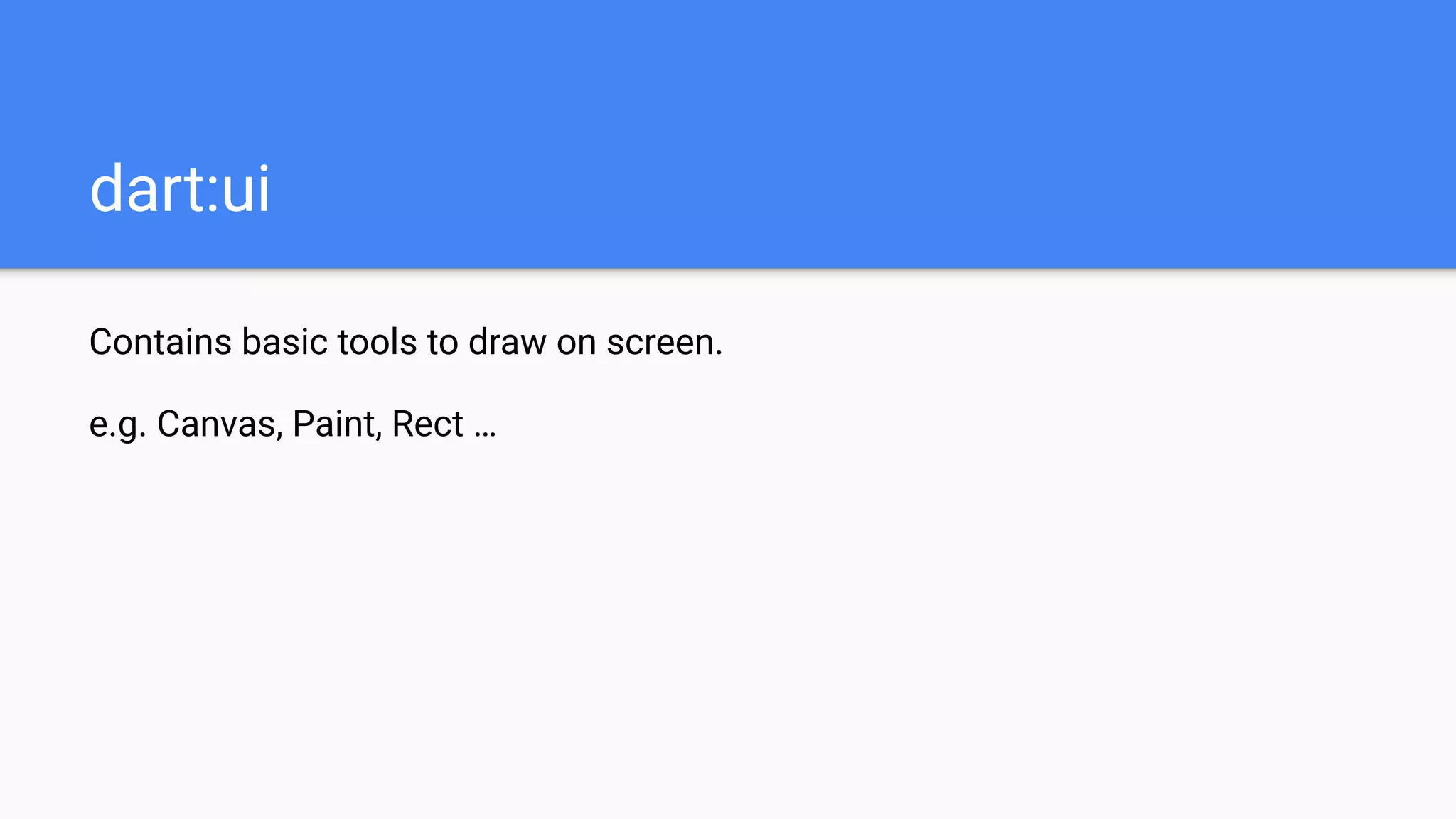
Contains basic tools to draw on screen.
e.g. Canvas, Paint, Rect …
dart:ui
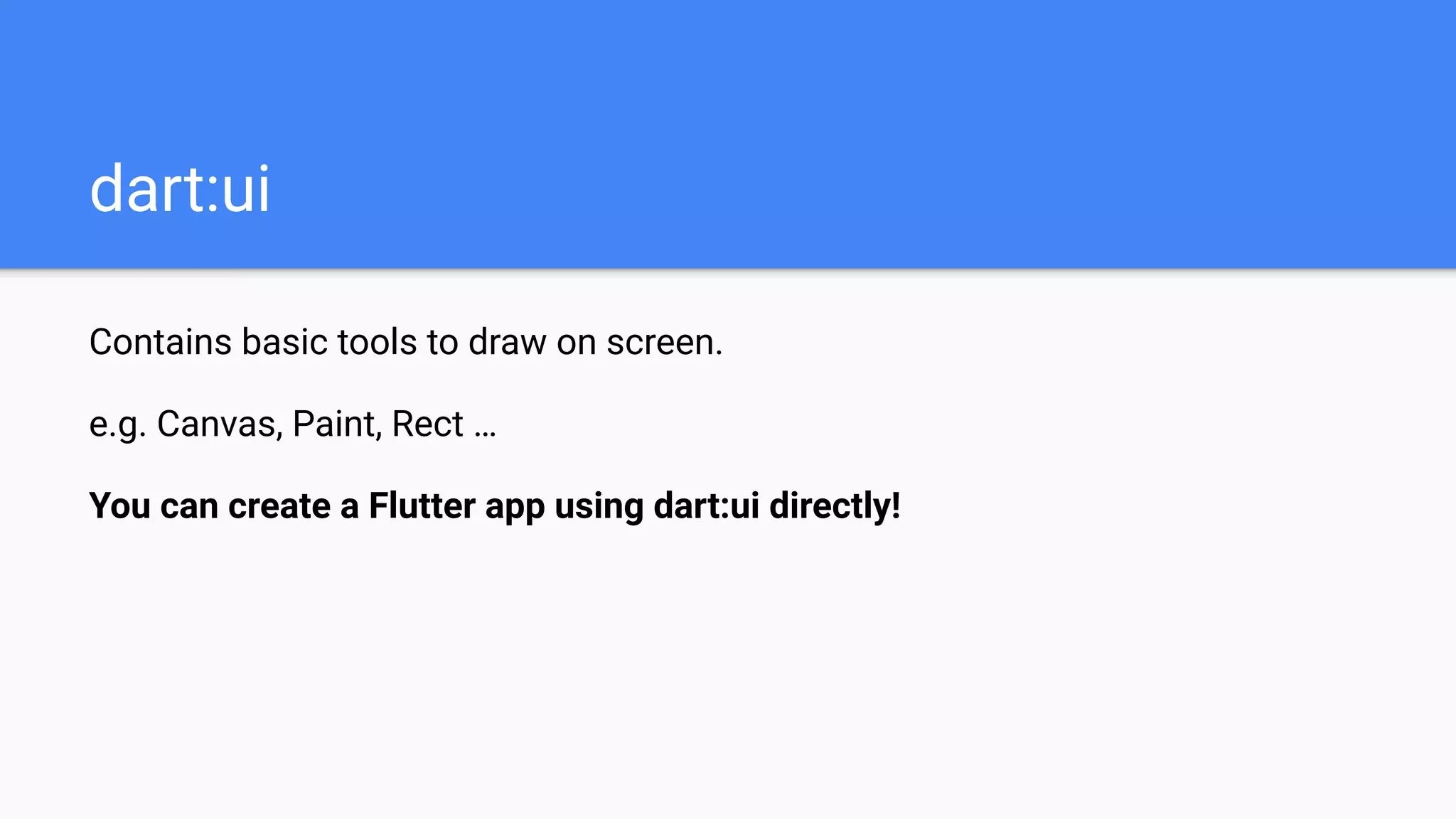
Contains basic tools to draw on screen.
e.g. Canvas, Paint, Rect …
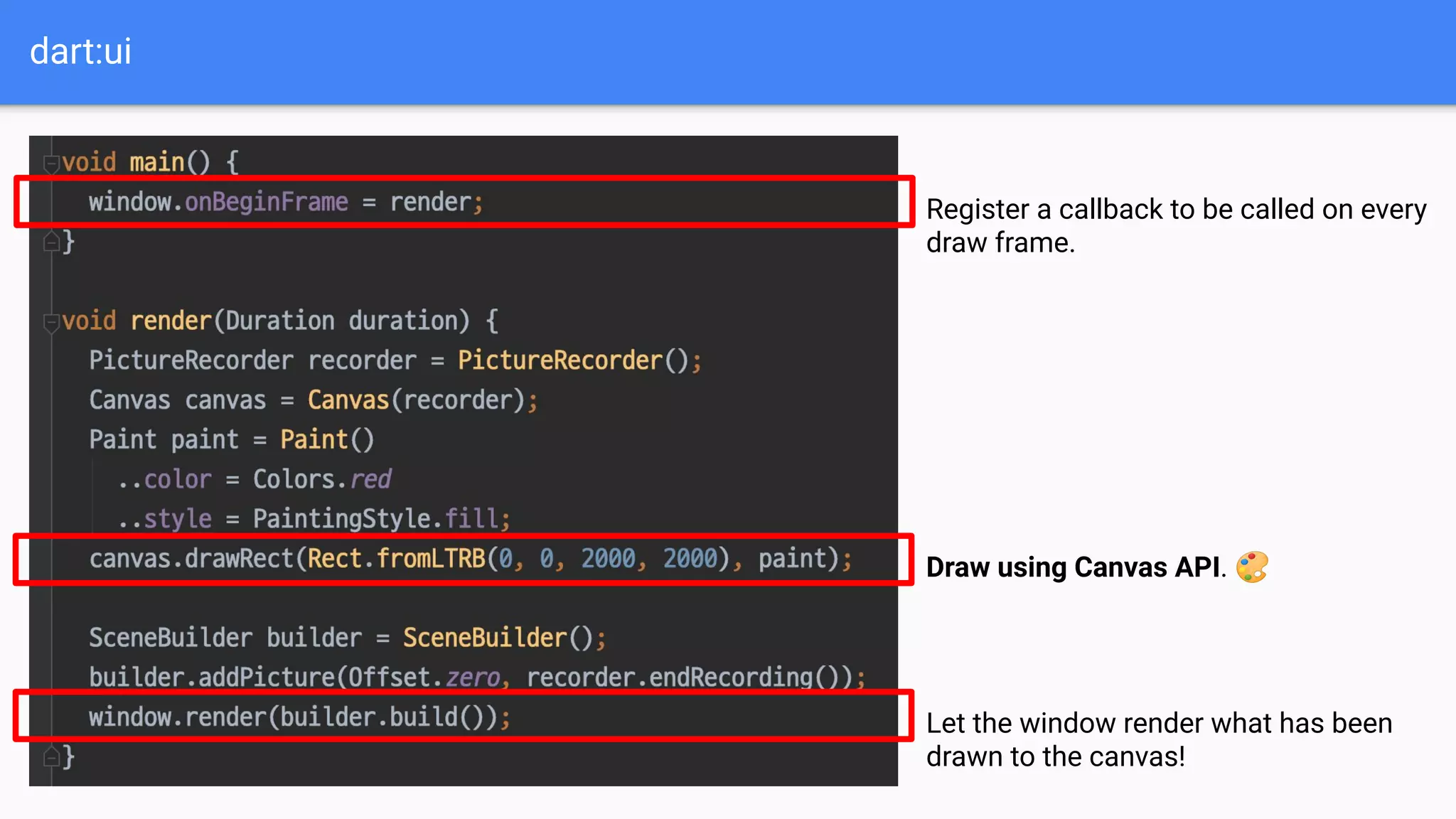
You can create a Flutter app using dart:ui directly!
dart:ui
dart:ui
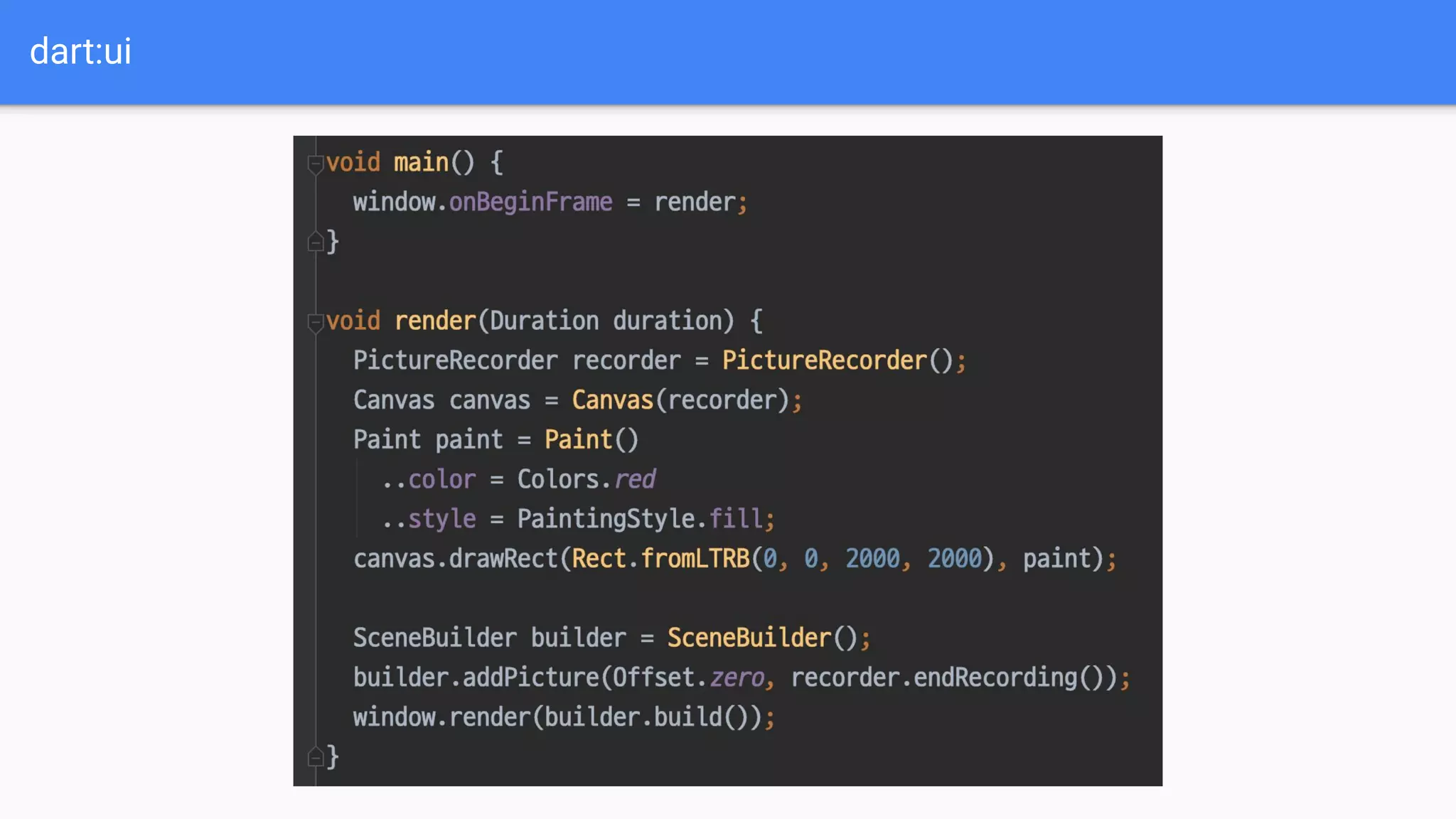
Register a callback to be called on every
draw frame.
Draw using Canvas API. 🎨
Let the window render what has been
drawn to the canvas!
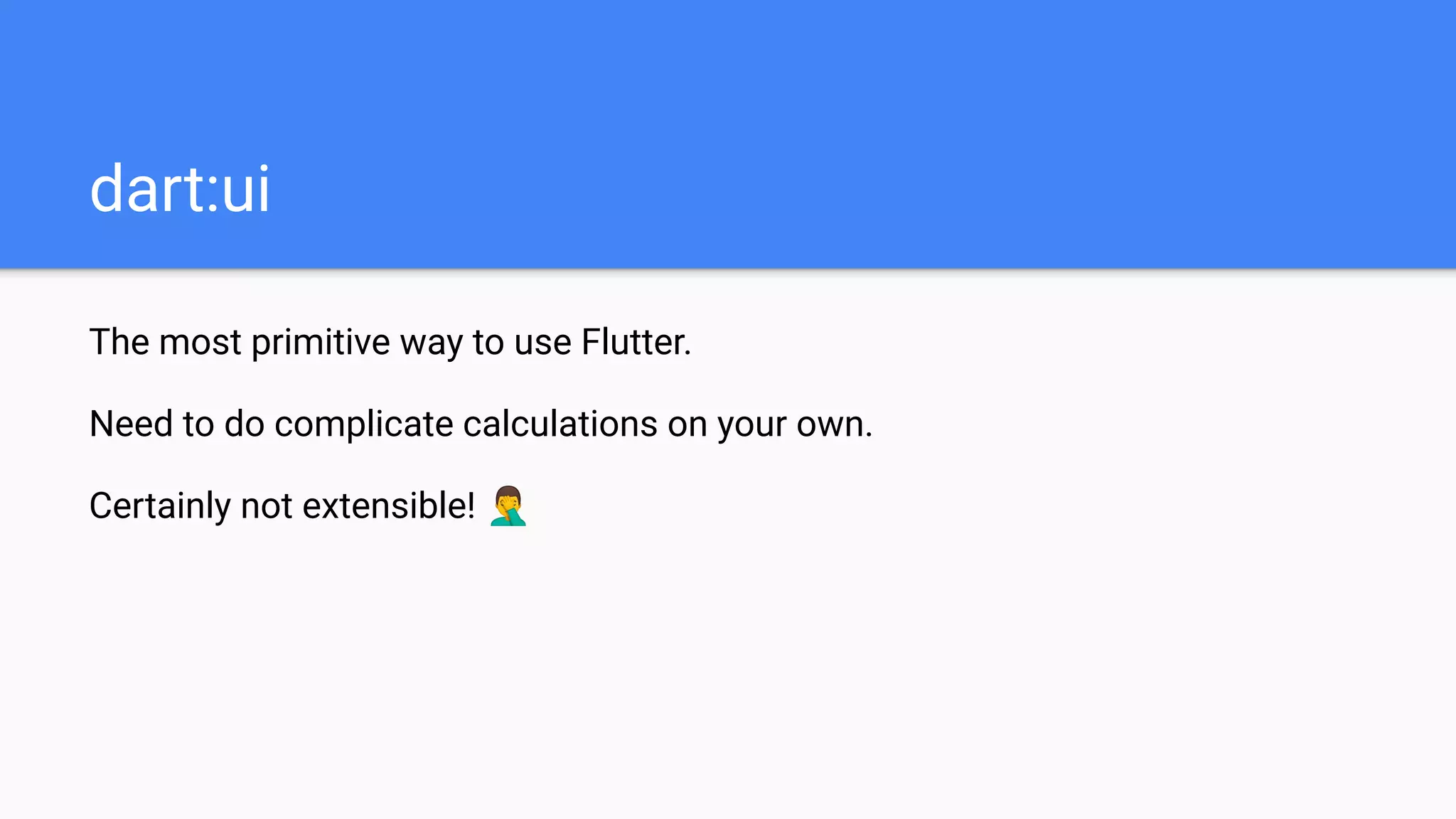
The most primitive way to use Flutter.
dart:ui
The most primitive way to use Flutter.
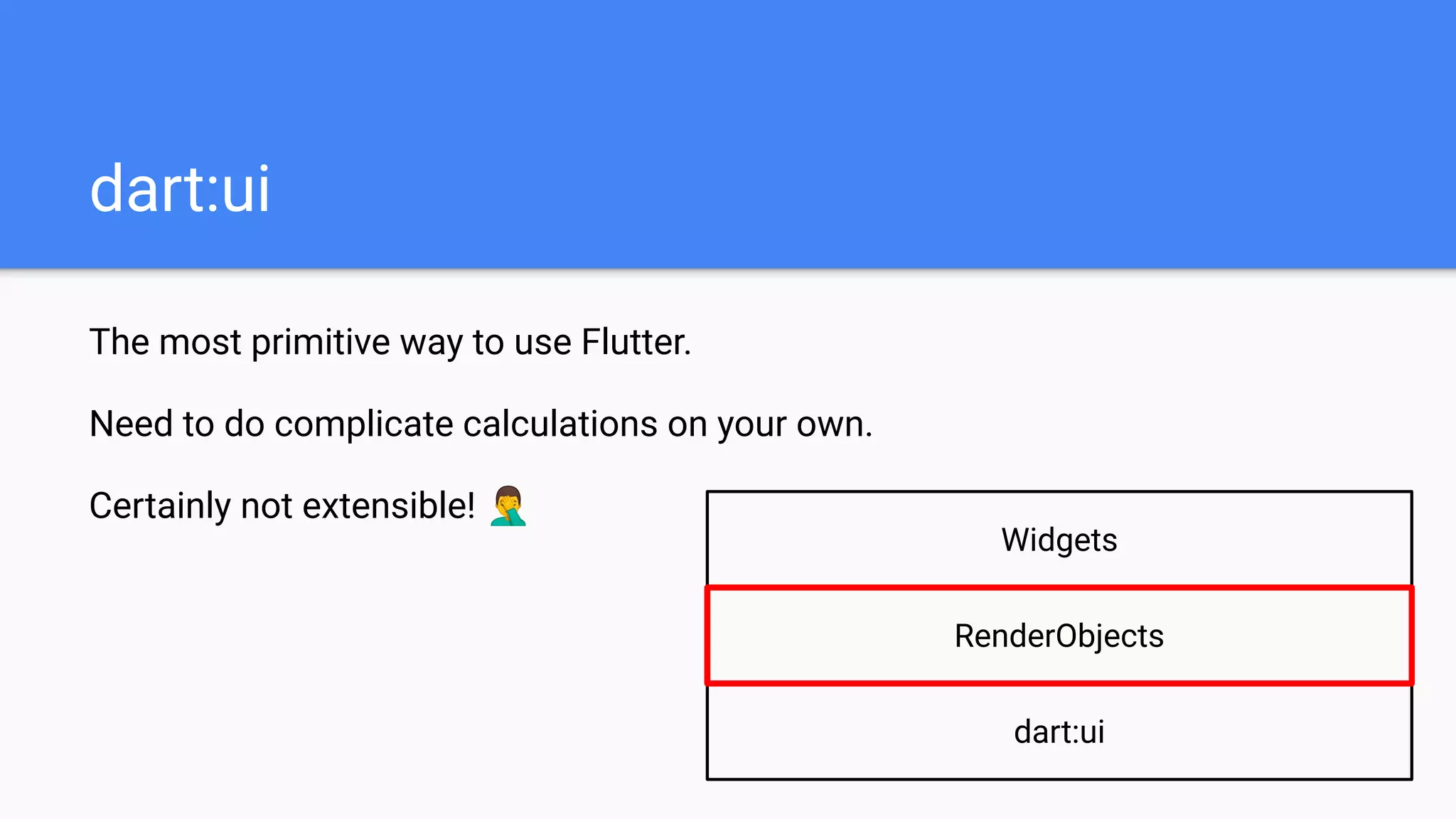
Need to do complicate calculations on your own.
Certainly not extensible! 🤦‍♂
dart:ui
The most primitive way to use Flutter.
Need to do complicate calculations on your own.
Certainly not extensible! 🤦‍♂
dart:ui
dart:ui
Widgets
RenderObjects
RenderObjects
RenderObject: an individual object that implements methods to draw itself on
screen (e.g. size, layout, paint …)
e.g. RenderImage, RenderPadding, RenderDecoratedBox …
RenderObjects
RenderObject: an individual object that implements methods to draw itself on
screen (e.g. size, layout, paint …)
e.g. RenderImage, RenderPadding, RenderDecoratedBox …
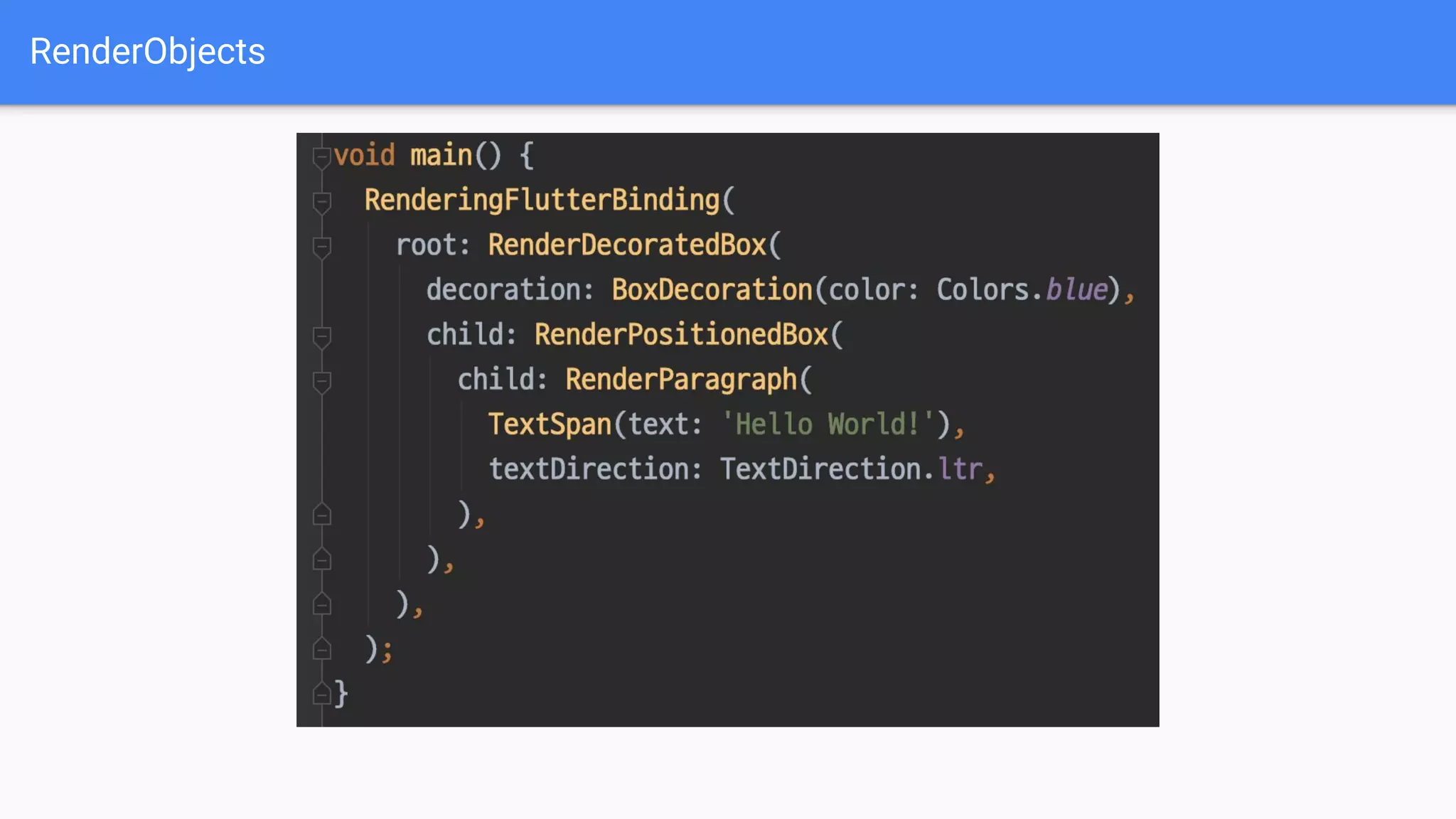
Similarly, you can create a Flutter app using RenderObjects directly!
RenderObjects
RenderObjects
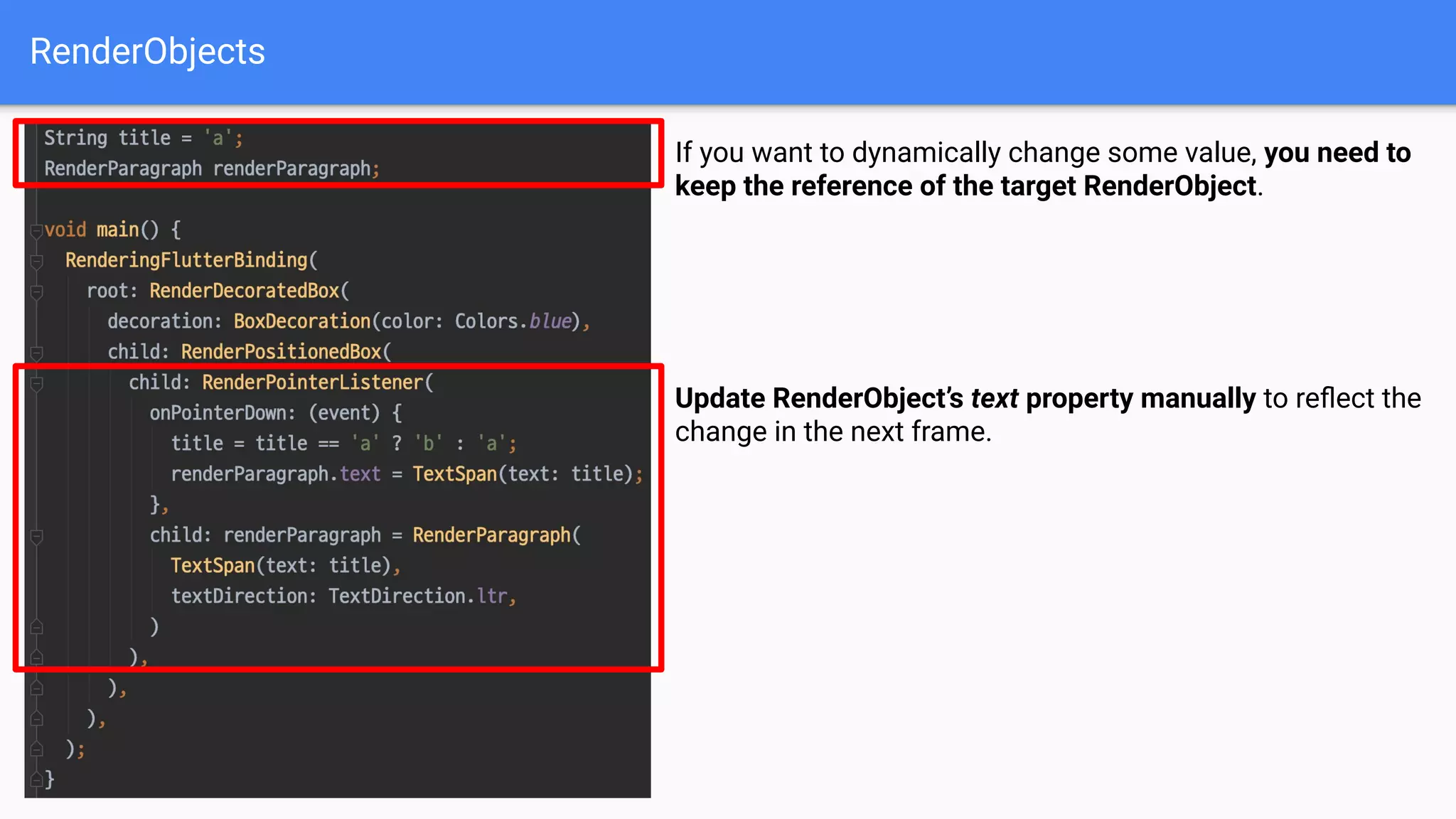
If you want to dynamically change some value, you need to
keep the reference of the target RenderObject.
Update RenderObject’s text property manually to reflect the
change in the next frame.
RenderObjects
Advantages:
- Much more convenient to use (almost like Widgets! 🤷‍♂)
- Parent-child relation allows for optimizations (e.g. when to redraw or not?)
RenderObjects
Disadvantages:
- Since RenderObjects are mutable, we need to manage their states directly.
- This makes code unflexible and vulnerable to get “dirty”. ⚠
RenderObjects
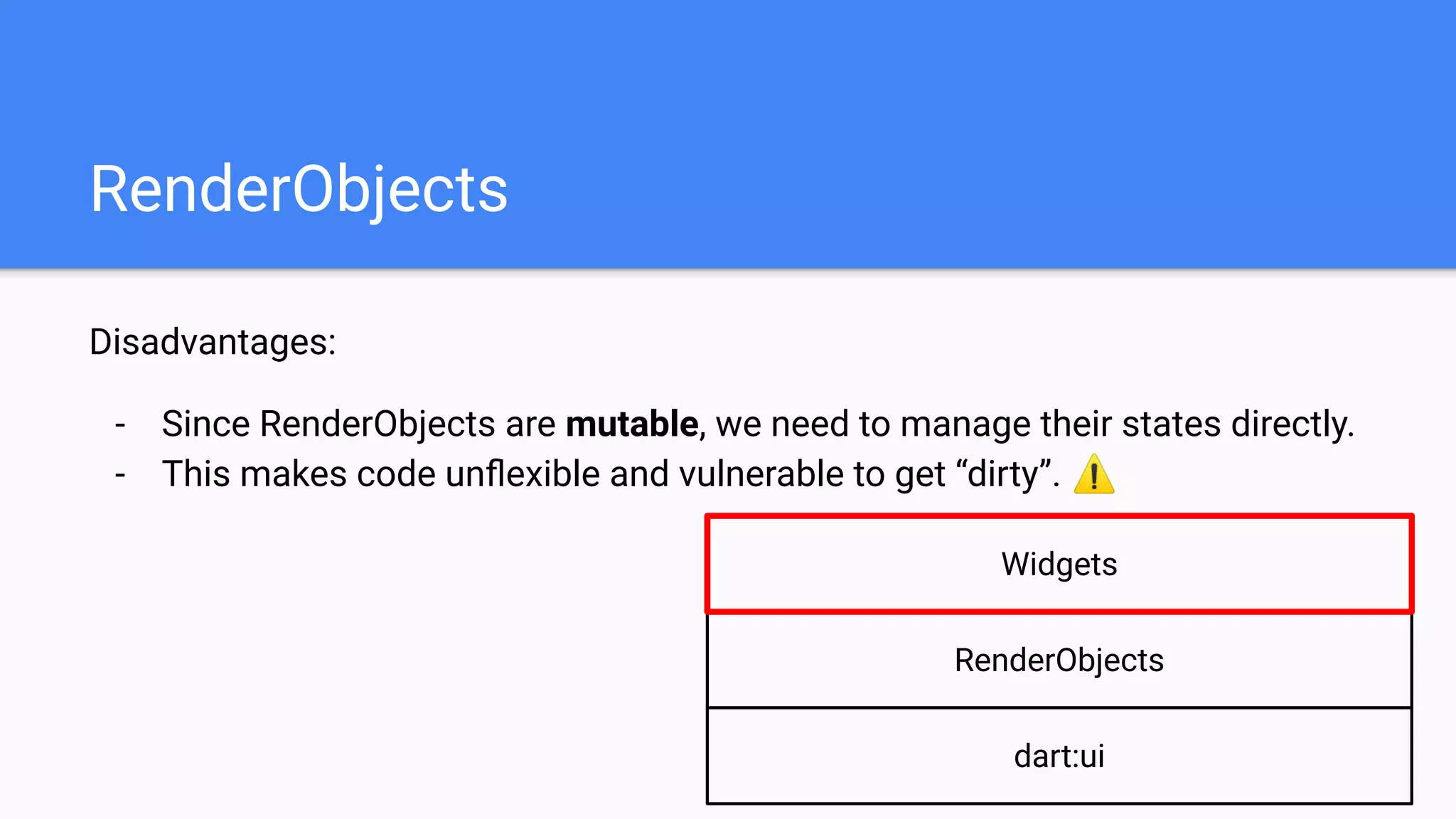
Disadvantages:
- Since RenderObjects are mutable, we need to manage their states directly.
- This makes code unflexible and vulnerable to get “dirty”. ⚠
dart:ui
RenderObjects
Widgets
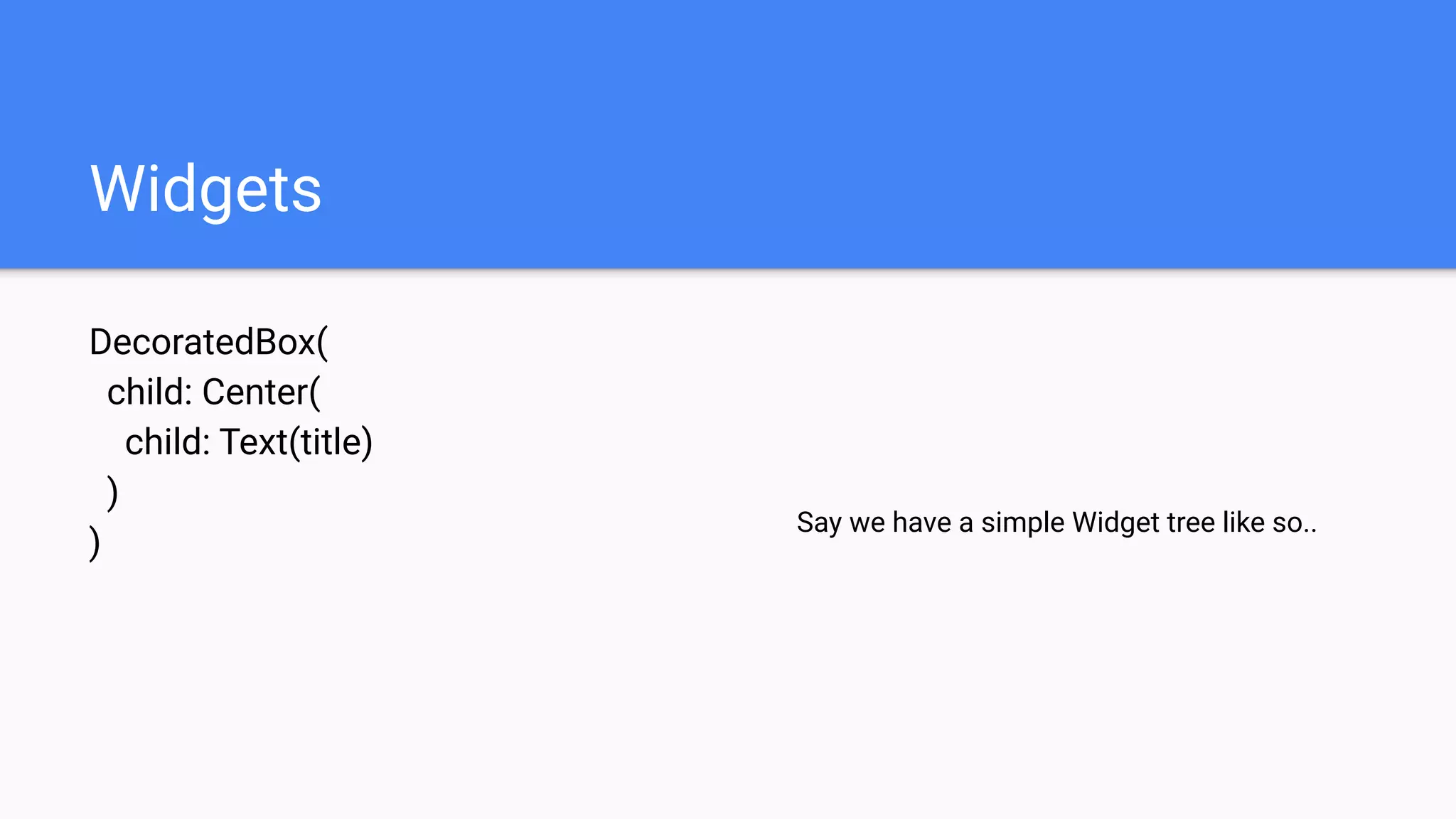
Widgets
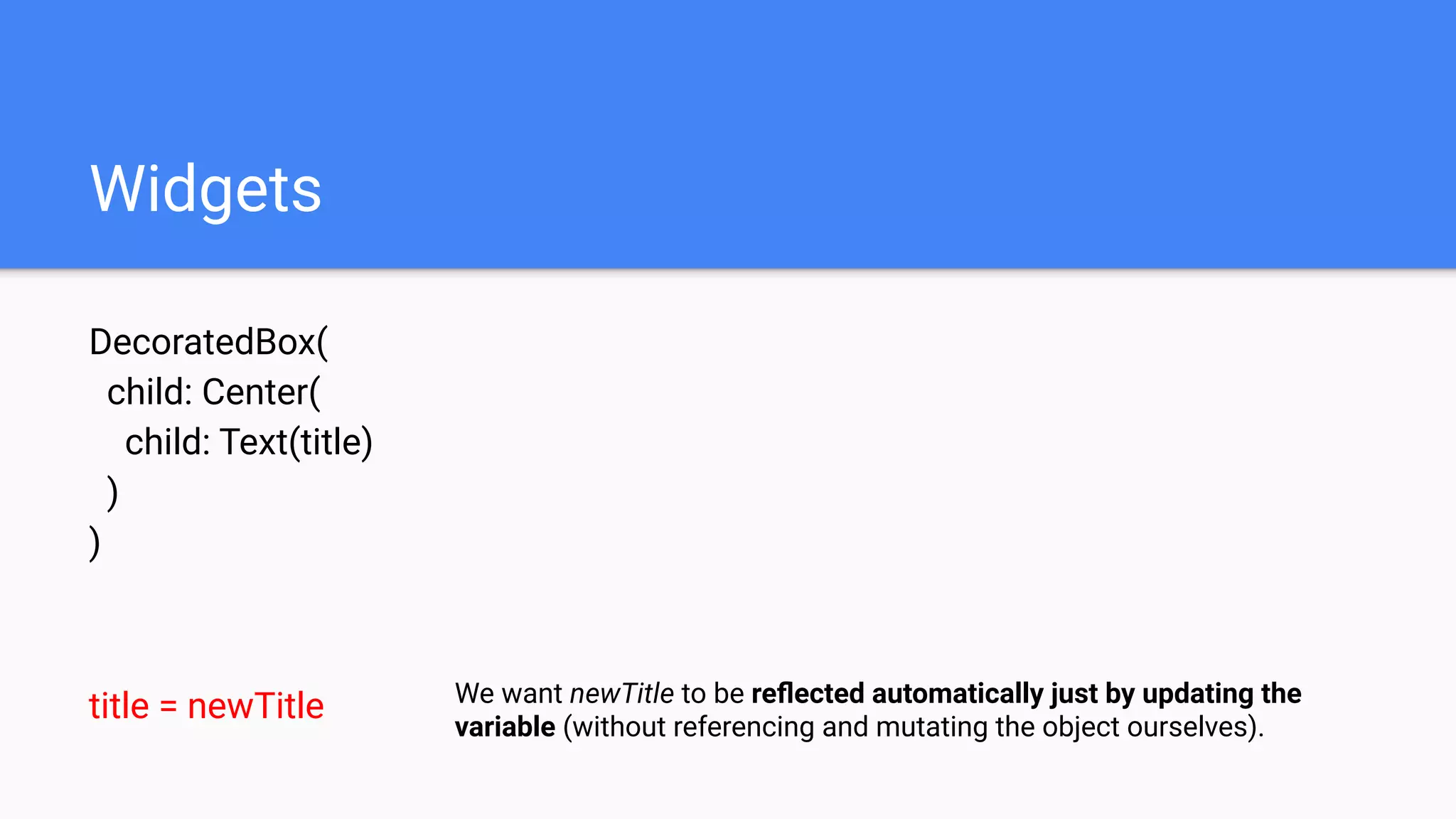
DecoratedBox(
child: Center(
child: Text(title)
)
)
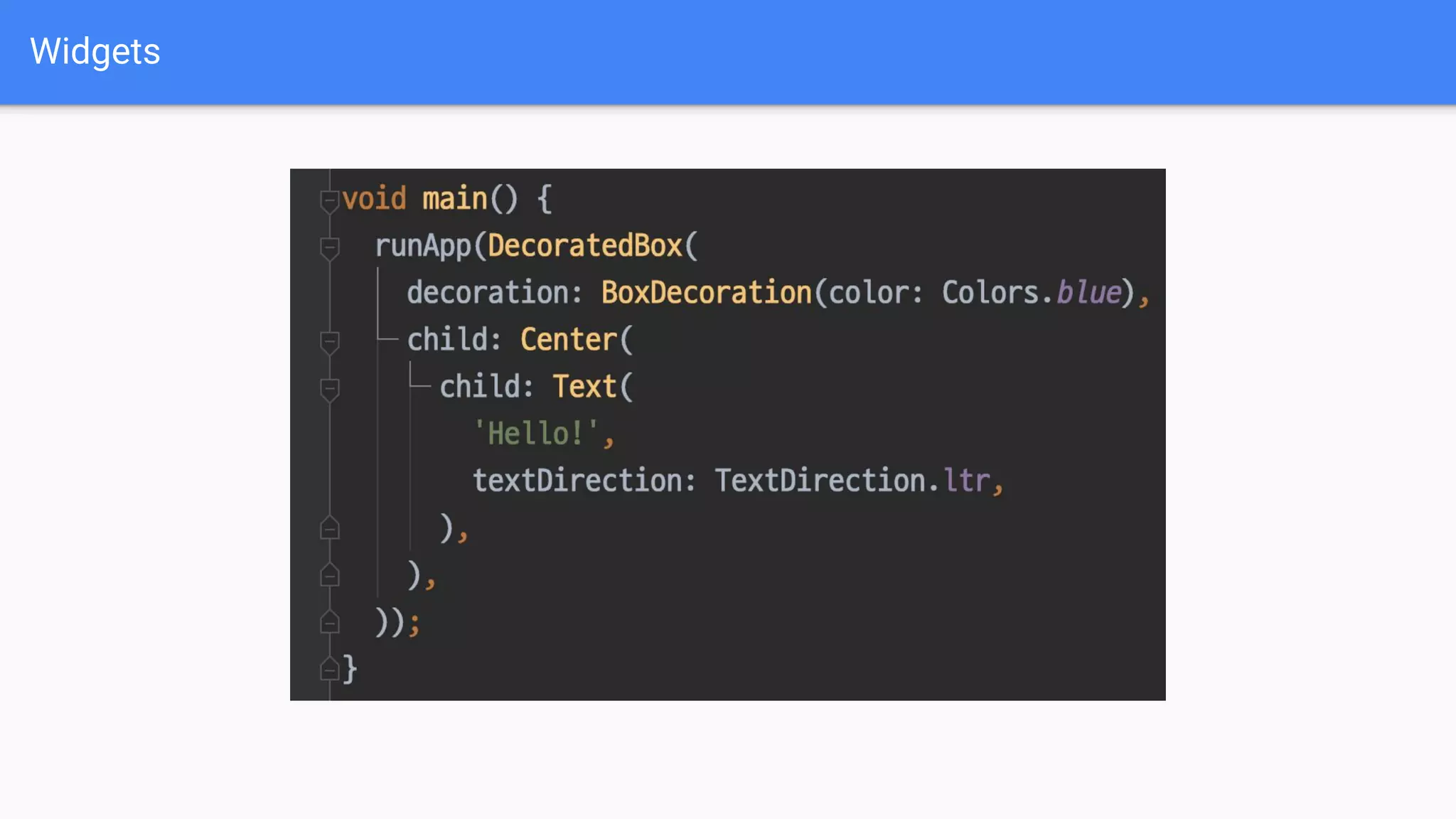
Say we have a simple Widget tree like so..
Widgets
DecoratedBox(
child: Center(
child: Text(title)
)
)
title = newTitle We want newTitle to be reflected automatically just by updating the
variable (without referencing and mutating the object ourselves).
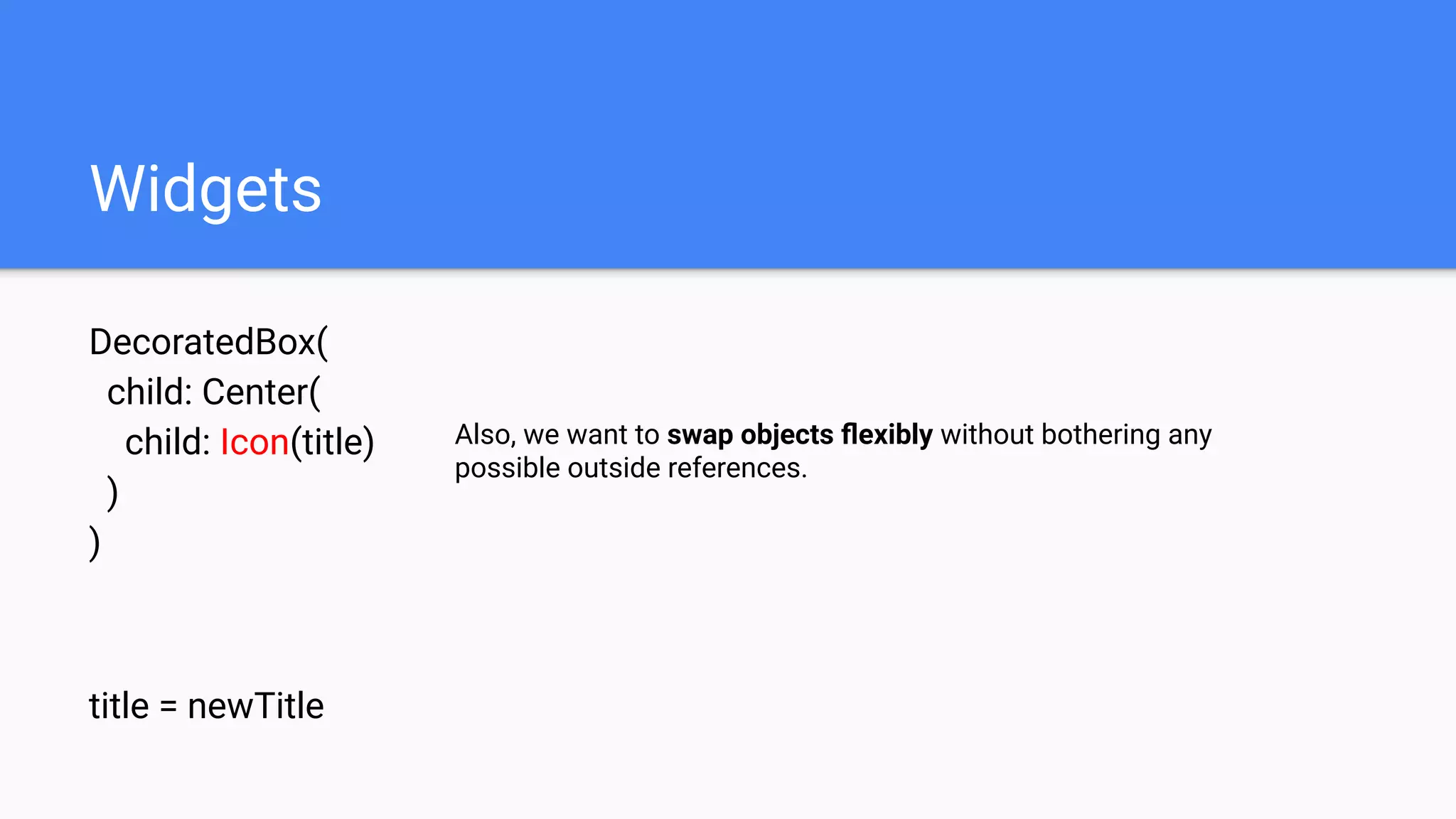
Widgets
DecoratedBox(
child: Center(
child: Icon(title)
)
)
title = newTitle
Also, we want to swap objects flexibly without bothering any
possible outside references.
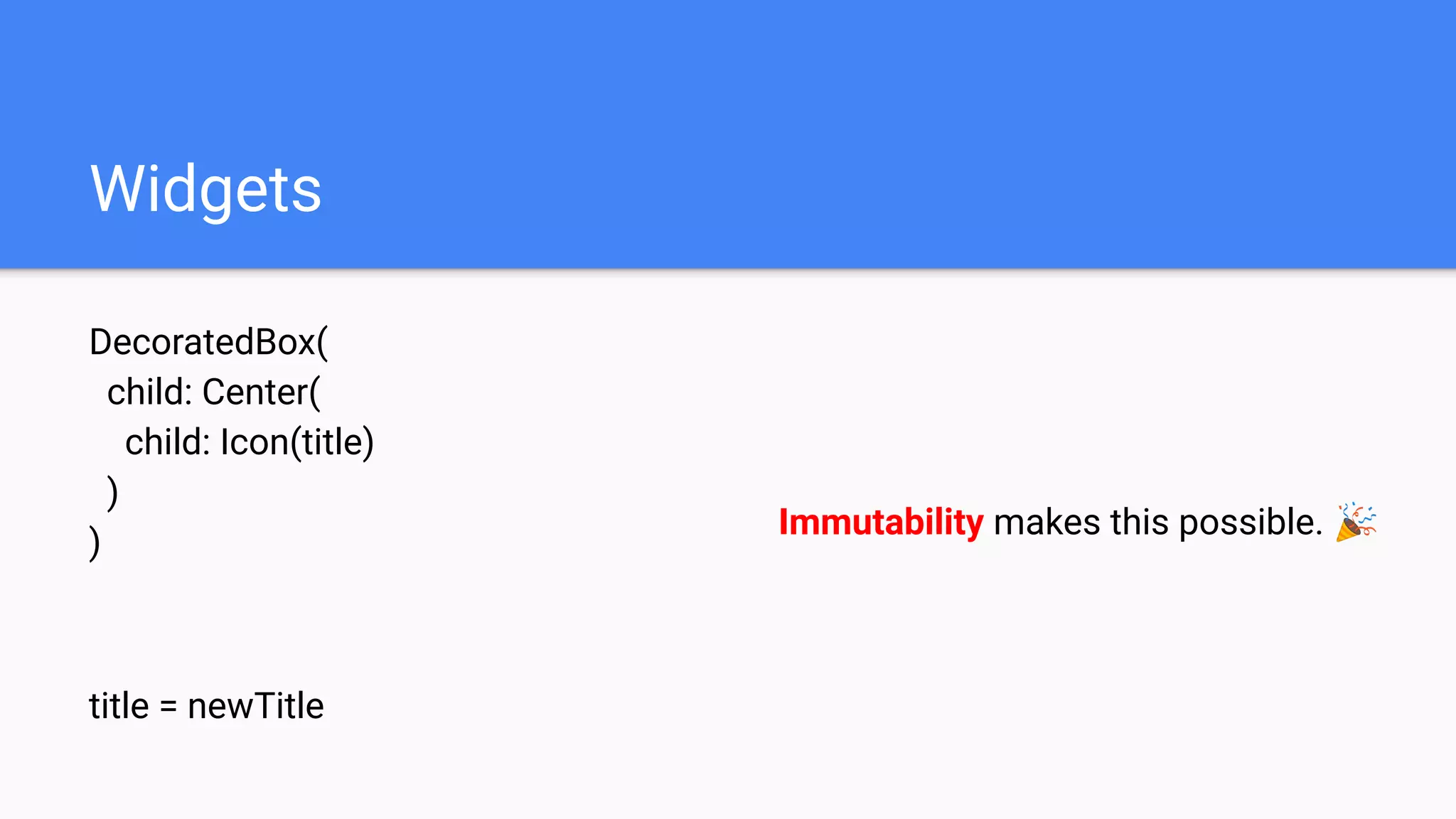
Widgets
DecoratedBox(
child: Center(
child: Icon(title)
)
)
title = newTitle
Immutability makes this possible. 🎉
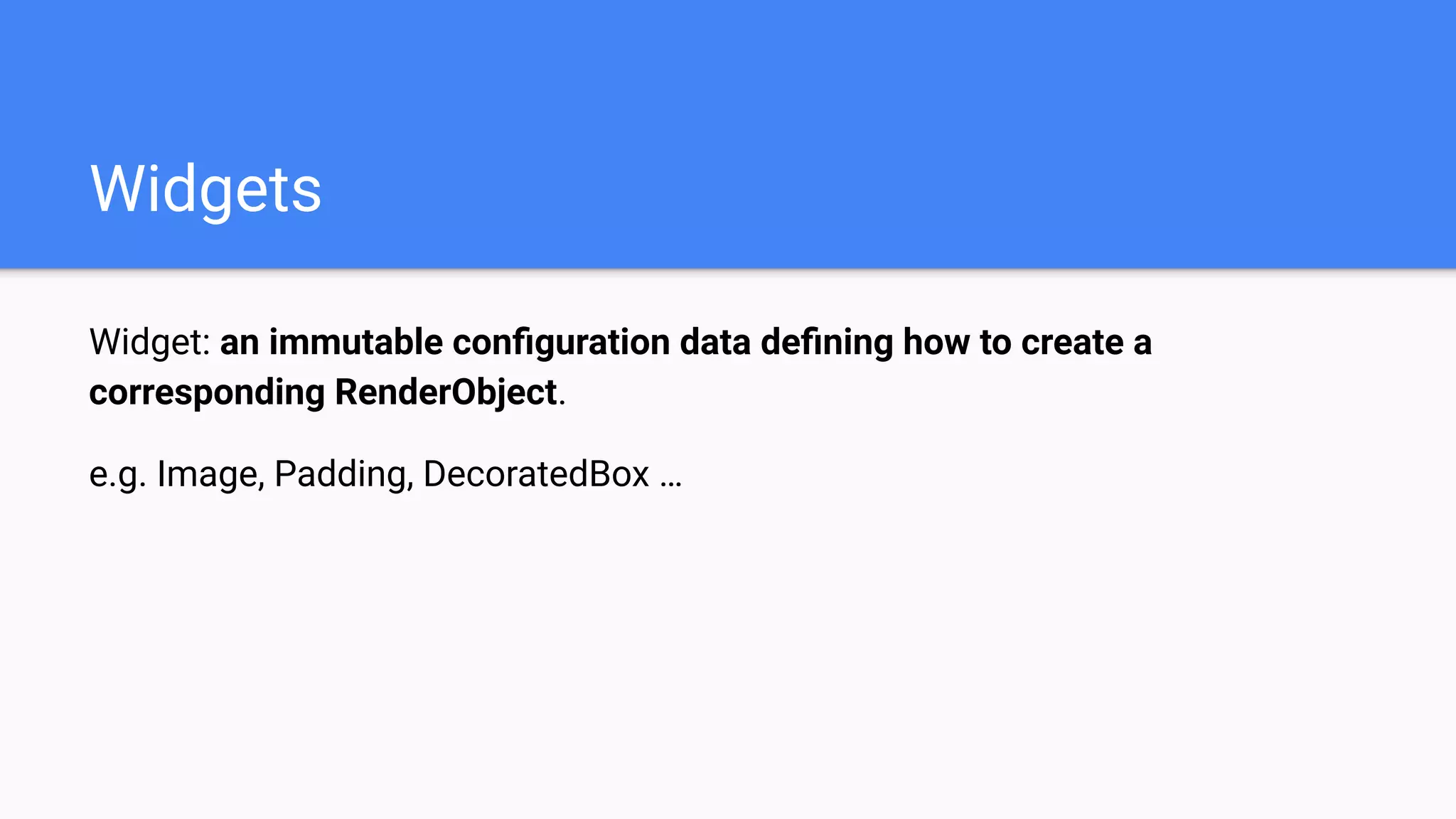
Widget: an immutable configuration data defining how to create a
corresponding RenderObject.
e.g. Image, Padding, DecoratedBox …
Widgets
Widget: an immutable configuration data defining how to create a
corresponding RenderObject.
e.g. Image, Padding, DecoratedBox …
The most typical way to create a Flutter app.
Widgets
Widgets
Widgets
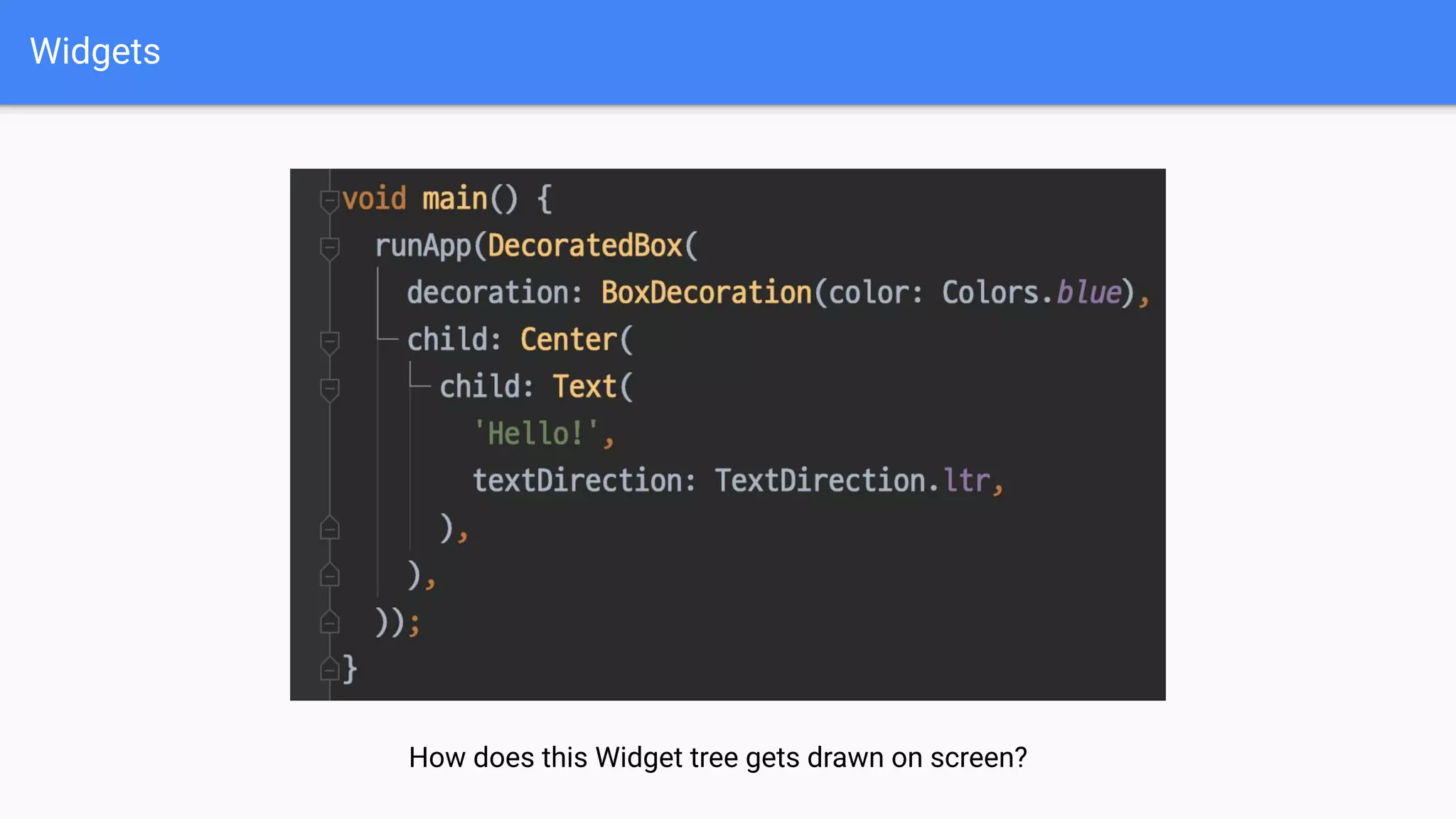
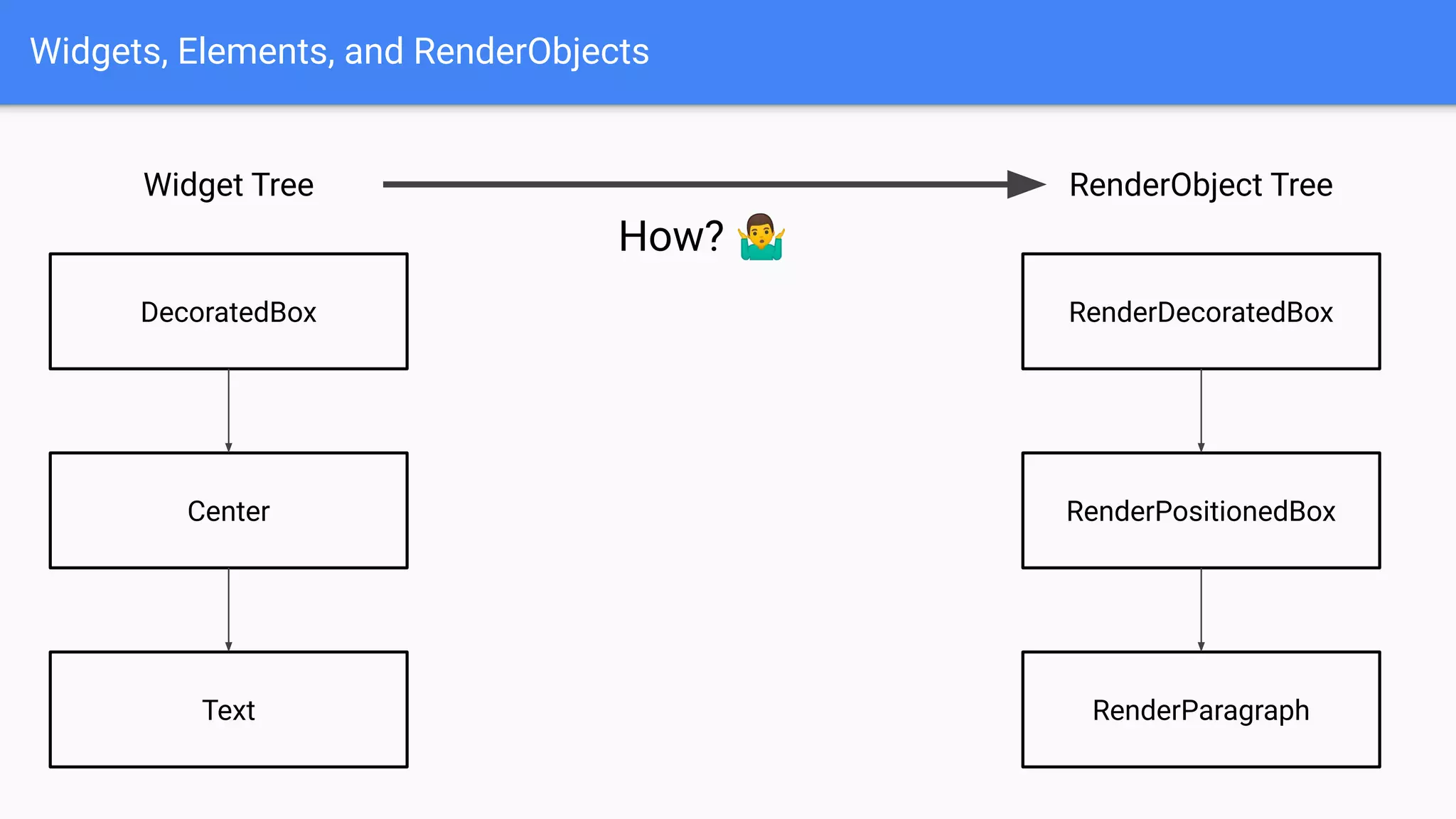
How does this Widget tree gets drawn on screen?
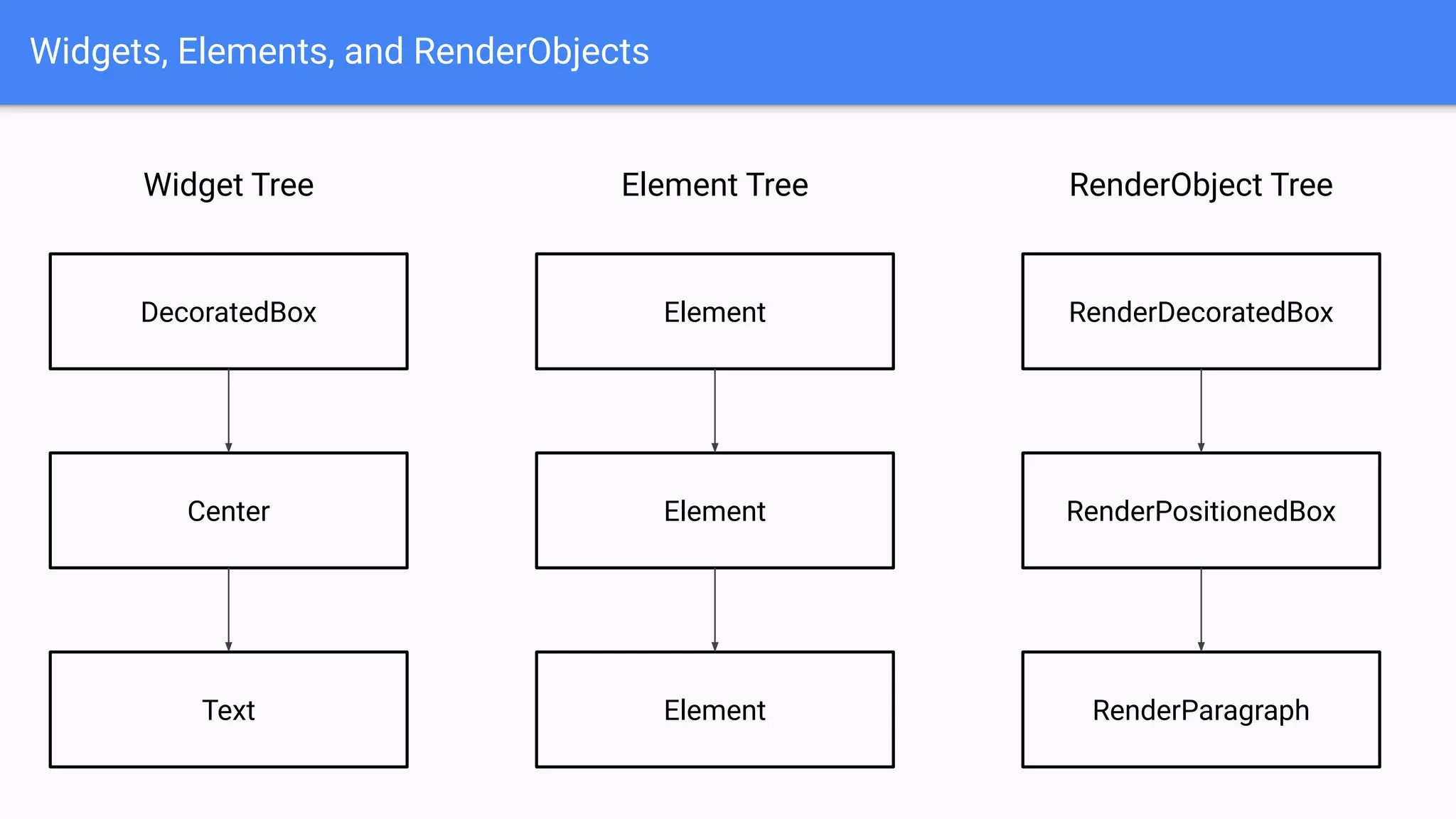
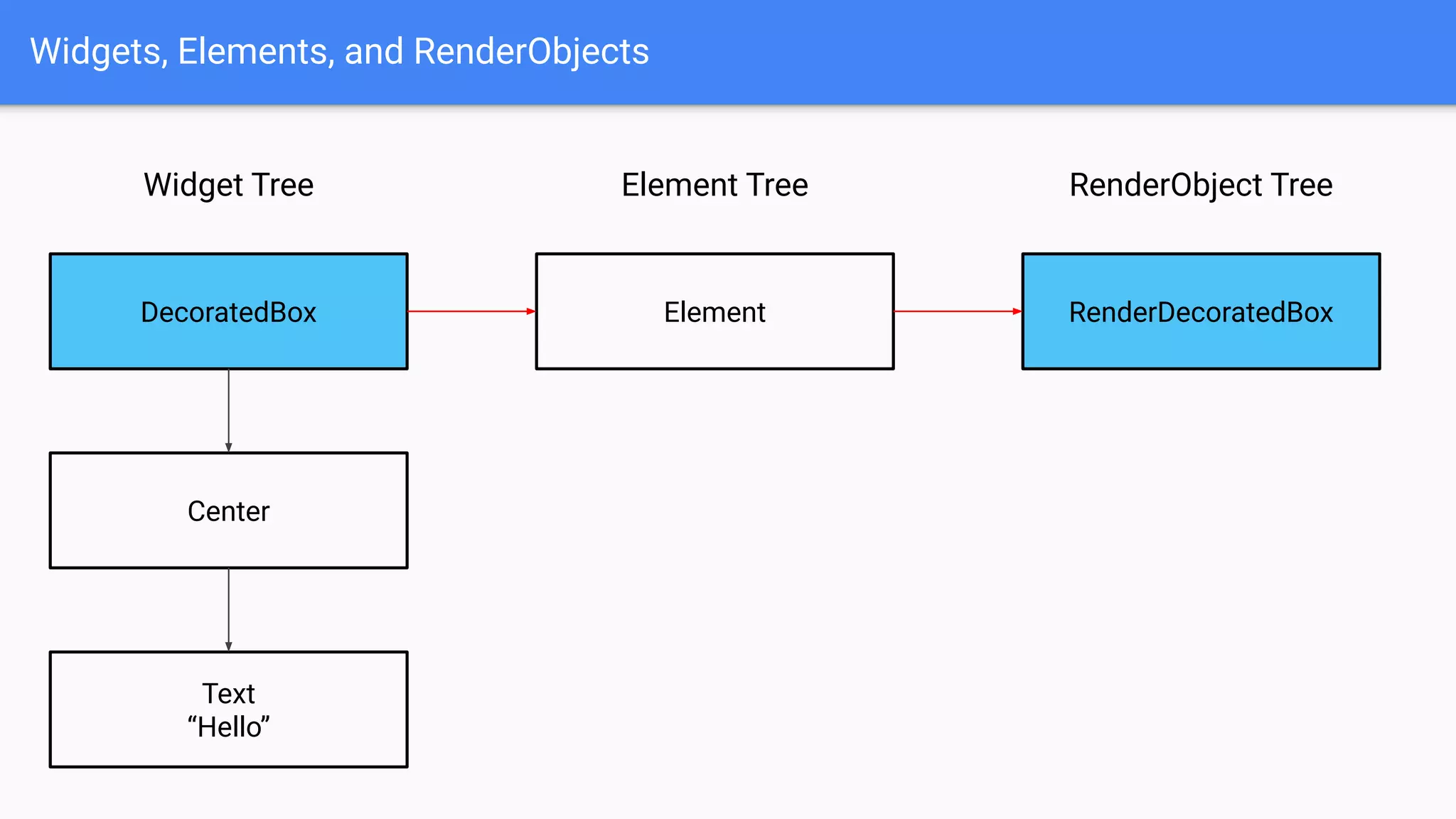
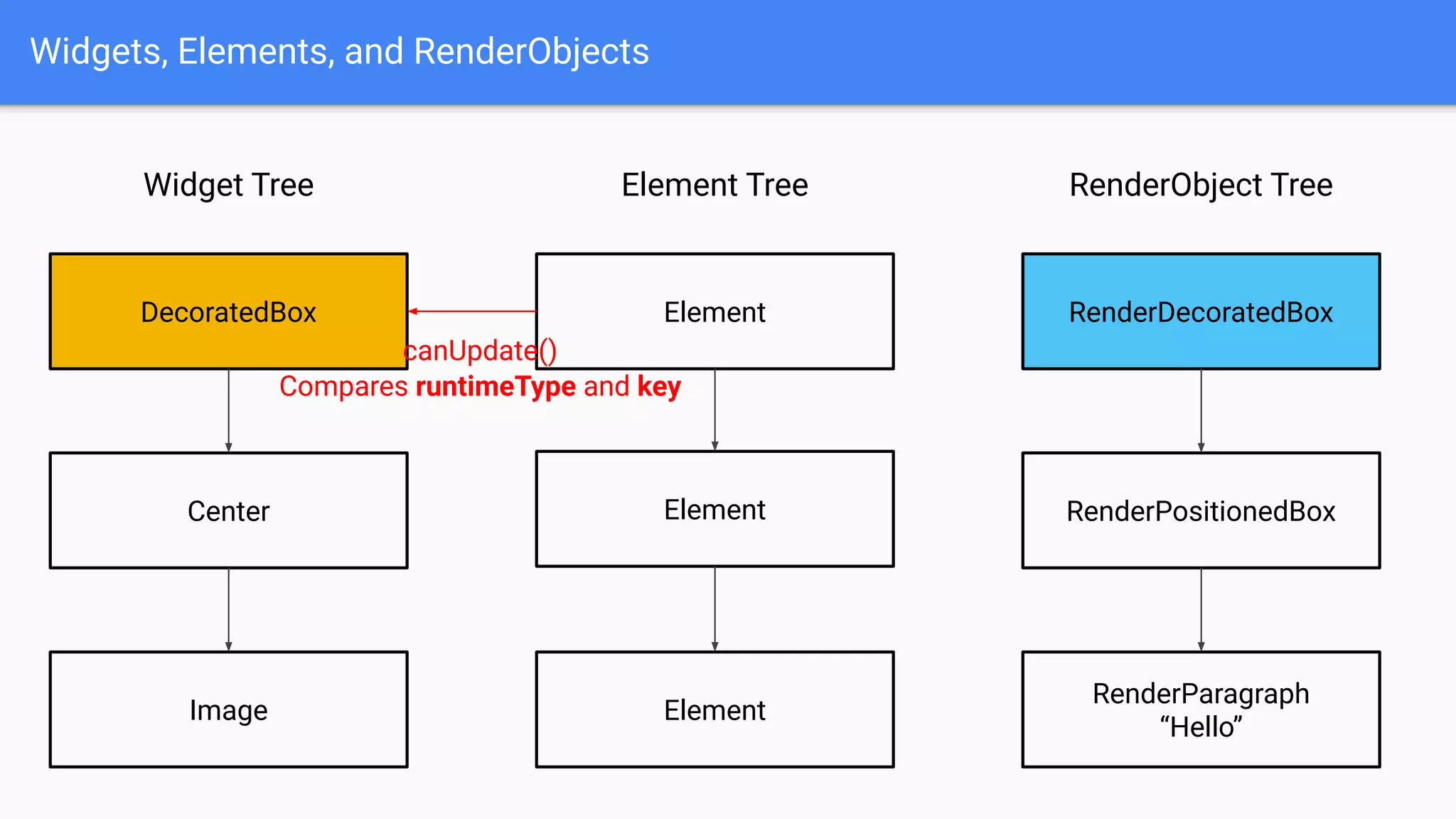
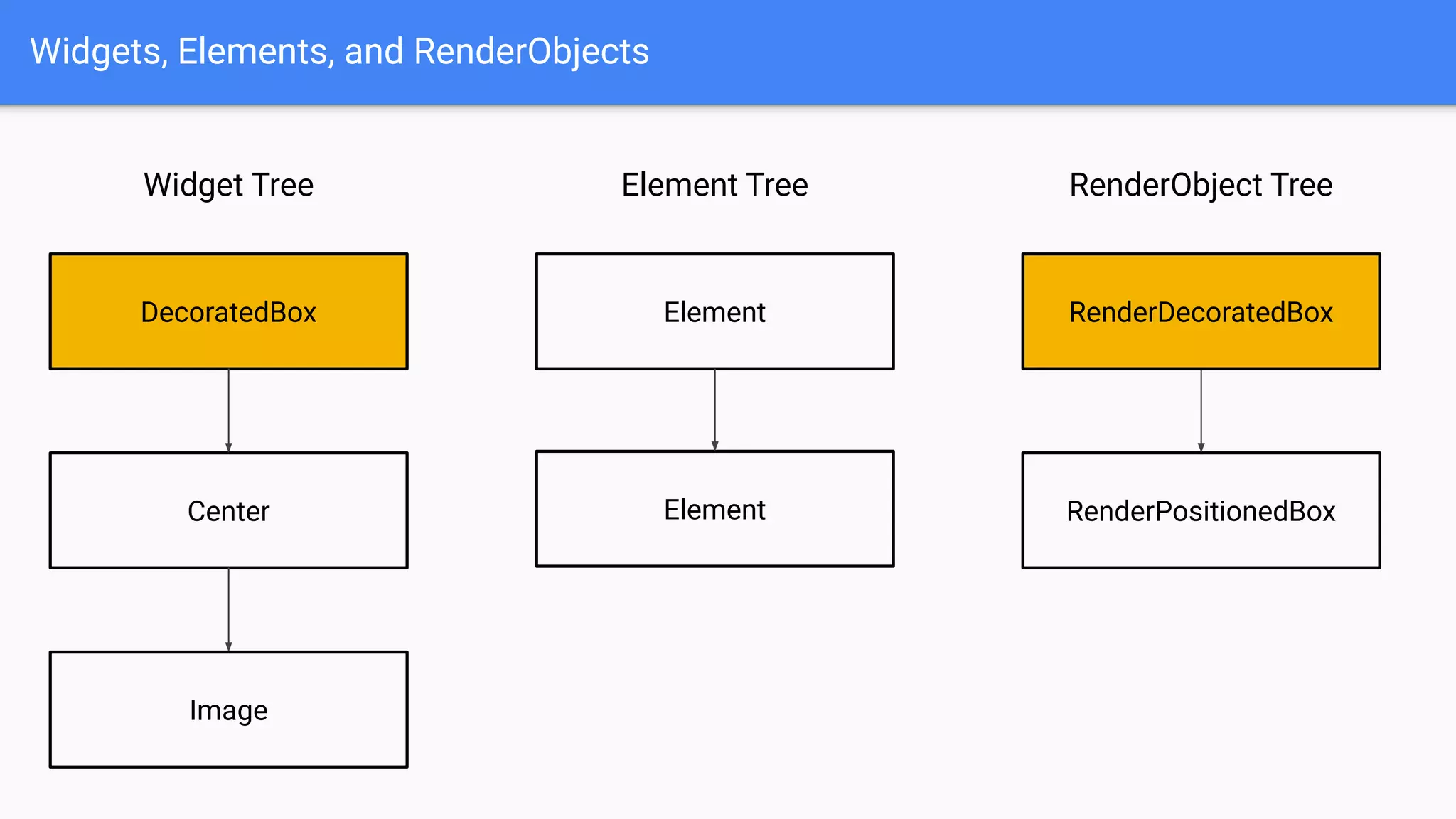
Flutter has three trees: Widget tree, Element tree, and RenderObject tree.
Widgets, Elements, and RenderObjects
Flutter has three trees: Widget tree, Element tree, and RenderObject tree.
Widgets are immutable, so they are always recreated; they only hold
lightweight configuration data.
Widgets, Elements, and RenderObjects
Flutter has three trees: Widget tree, Element tree, and RenderObject tree.
Widgets are immutable, so they are always recreated; they only hold
lightweight configuration data.
RenderObjects are mutable, so they are recreated only when necessary; they
hold heavyweight data and calculations needed to draw on screen.
Widgets, Elements, and RenderObjects
Flutter has three trees: Widget tree, Element tree, and RenderObject tree.
Widgets are immutable, so they are always recreated; they only hold
lightweight configuration data.
RenderObjects are mutable, so they are recreated only when necessary; they
hold heavyweight data and calculations needed to draw on screen.
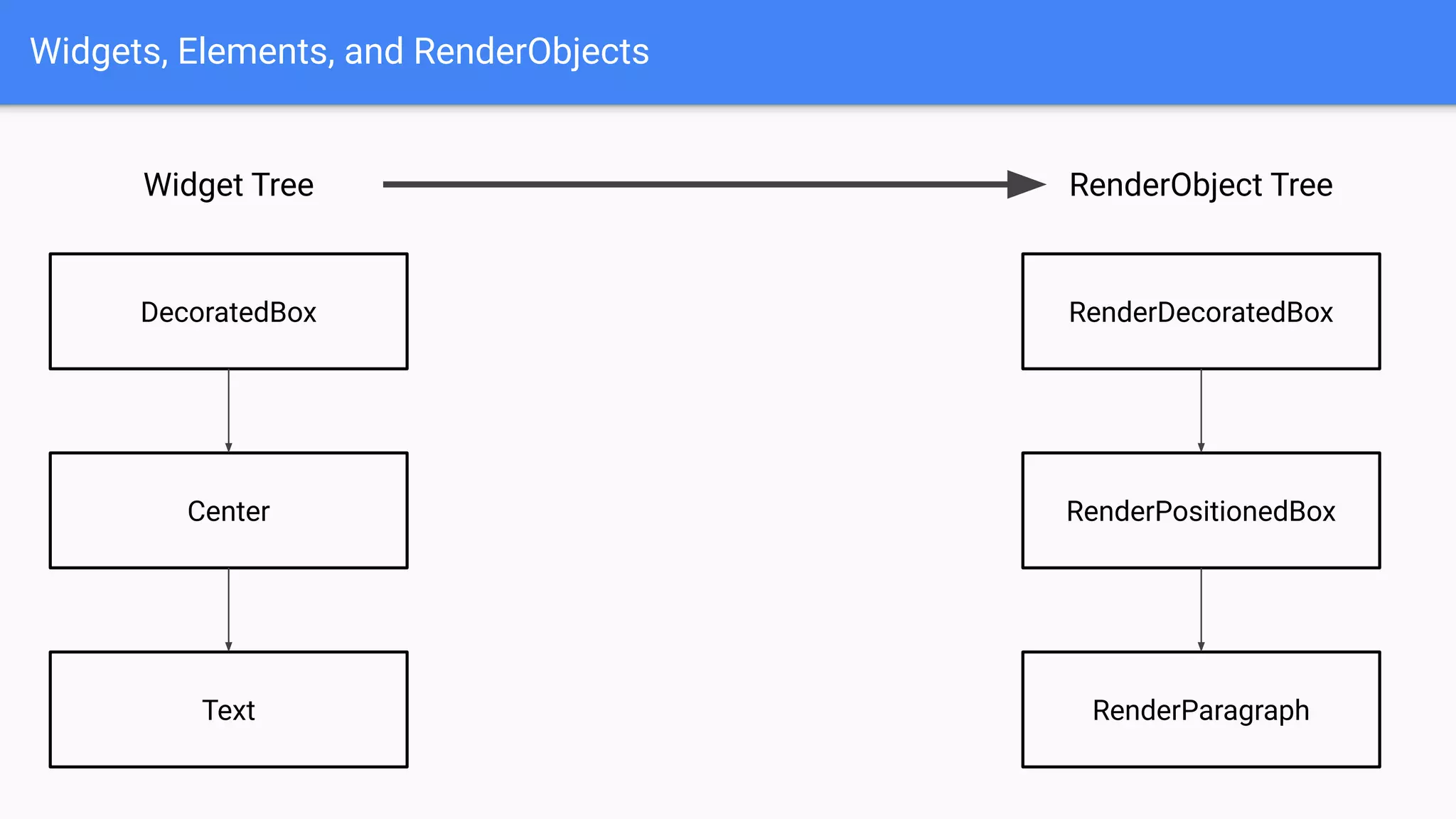
When we put a Widget tree into runApp() function, it transforms a Widget tree
into a RenderObject tree.
Widgets, Elements, and RenderObjects
Widget Tree
DecoratedBox
Center
Text
RenderObject Tree
RenderDecoratedBox
RenderPositionedBox
RenderParagraph
Widgets, Elements, and RenderObjects
Widget Tree
DecoratedBox
Center
Text
RenderObject Tree
RenderDecoratedBox
RenderPositionedBox
RenderParagraph
How? 🤷‍♂
Widgets, Elements, and RenderObjects
Widget Tree
DecoratedBox
Center
Text
RenderObject Tree
RenderDecoratedBox
RenderPositionedBox
RenderParagraph
Element Tree
Element
Element
Element
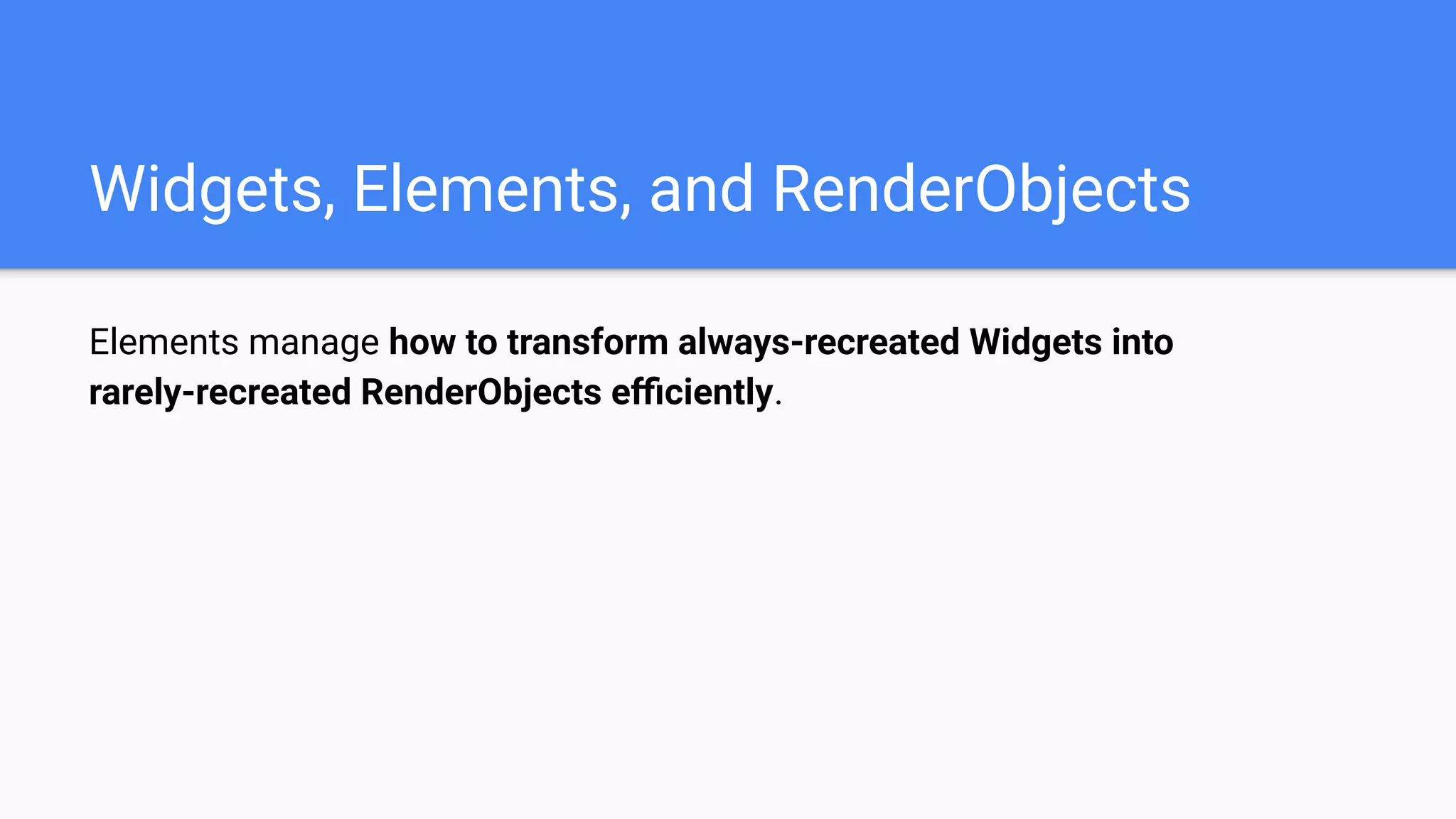
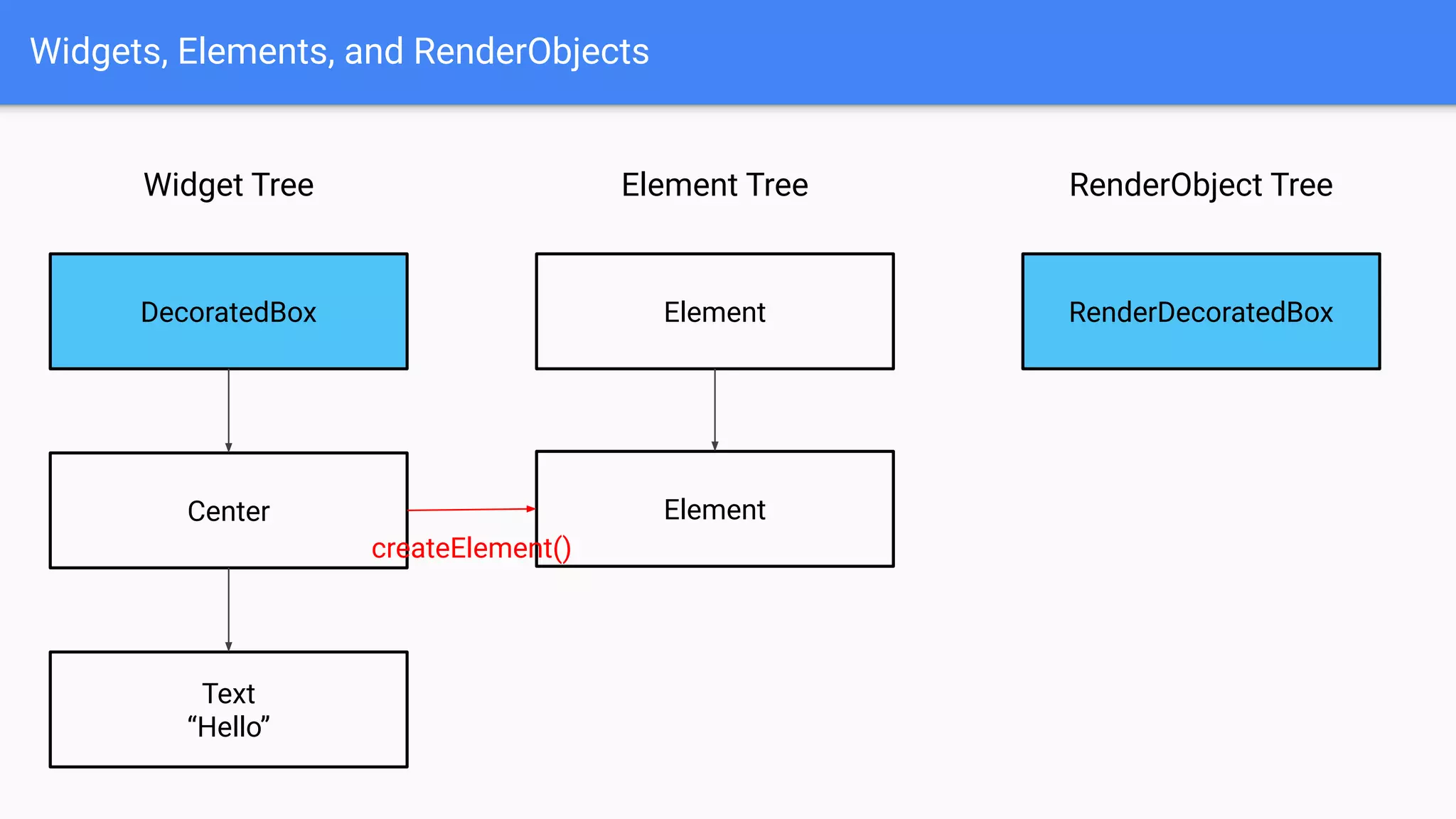
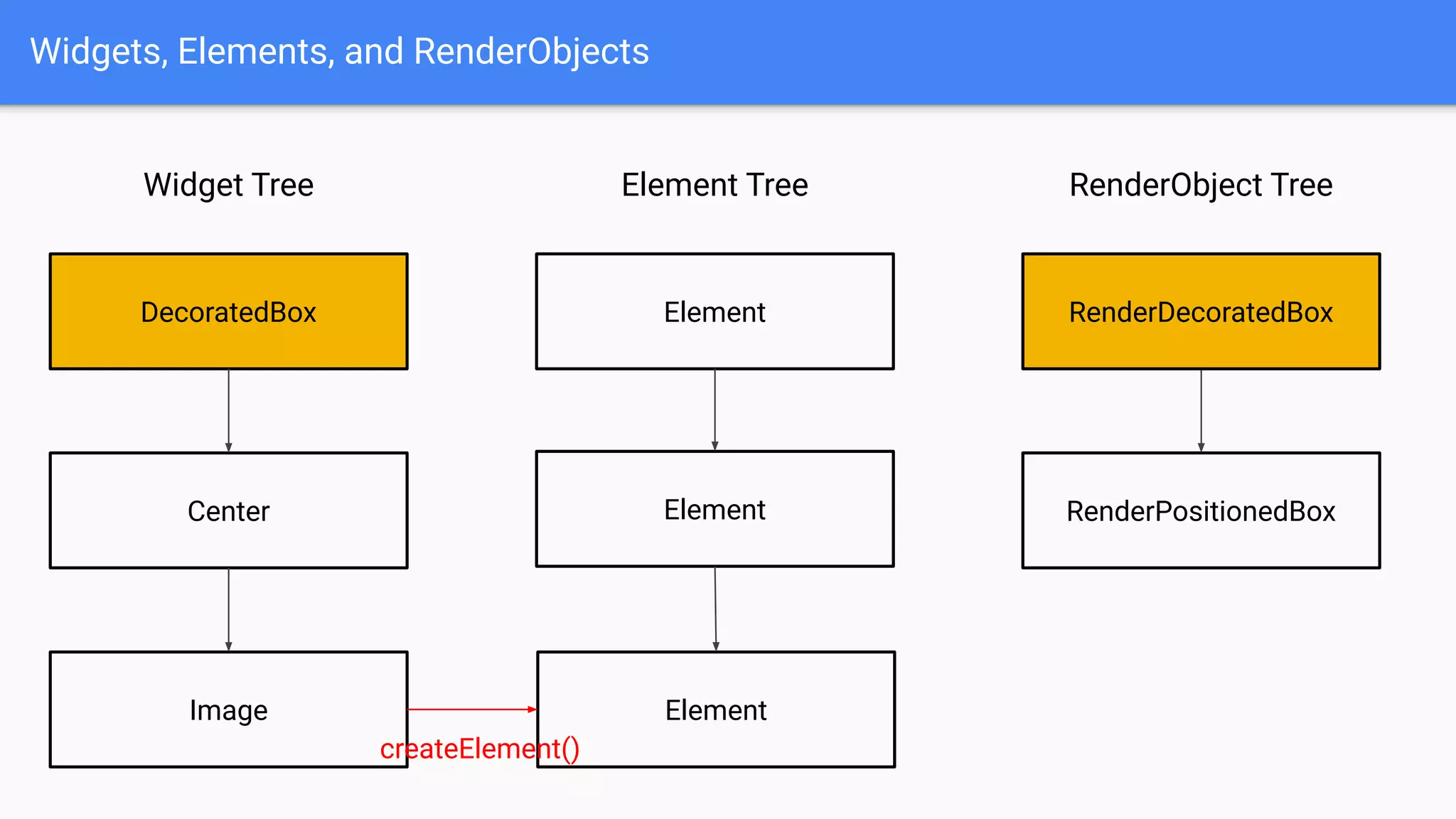
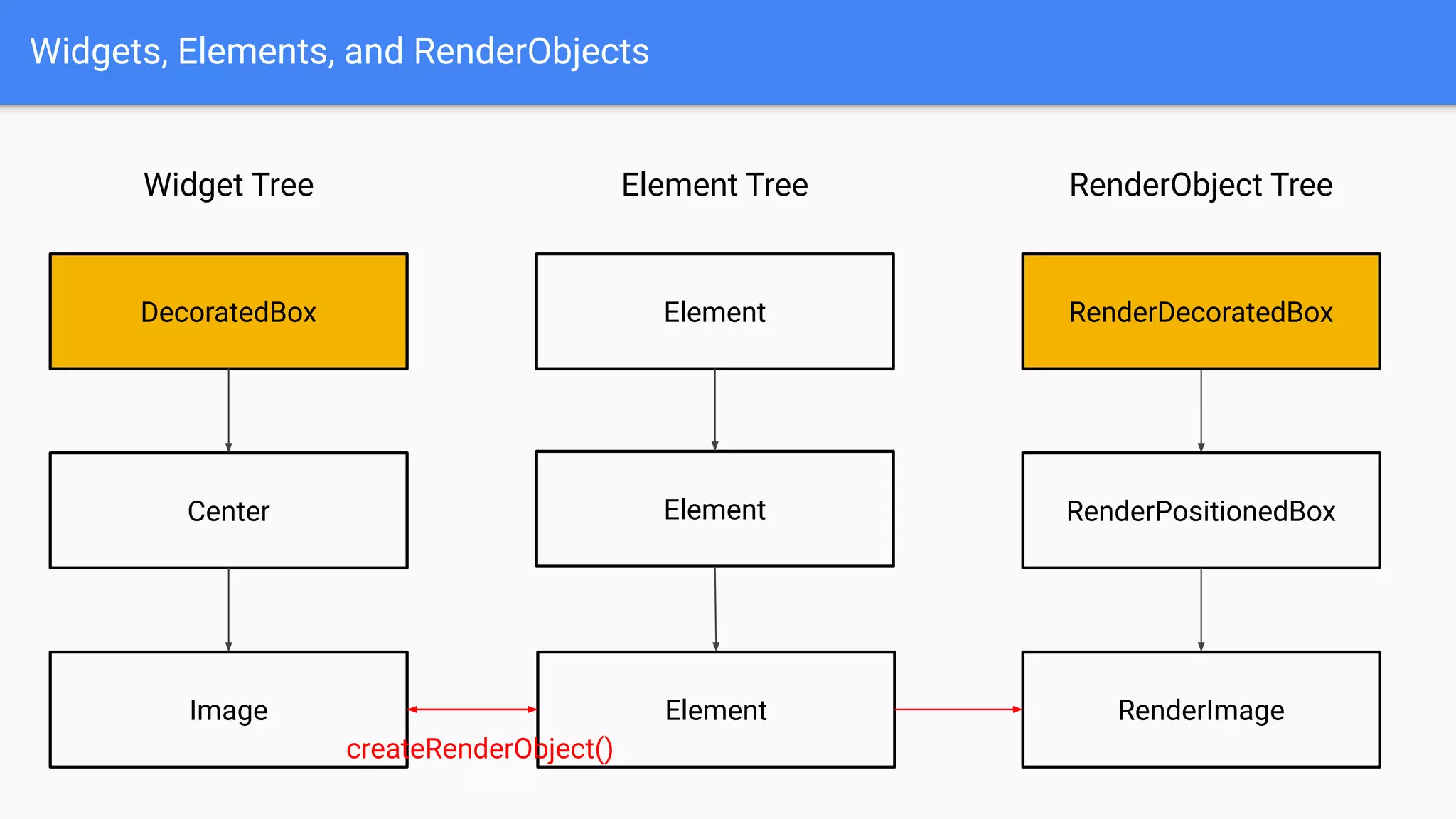
Elements manage how to transform always-recreated Widgets into
rarely-recreated RenderObjects efficiently.
Widgets, Elements, and RenderObjects
Elements manage how to transform always-recreated Widgets into
rarely-recreated RenderObjects efficiently.
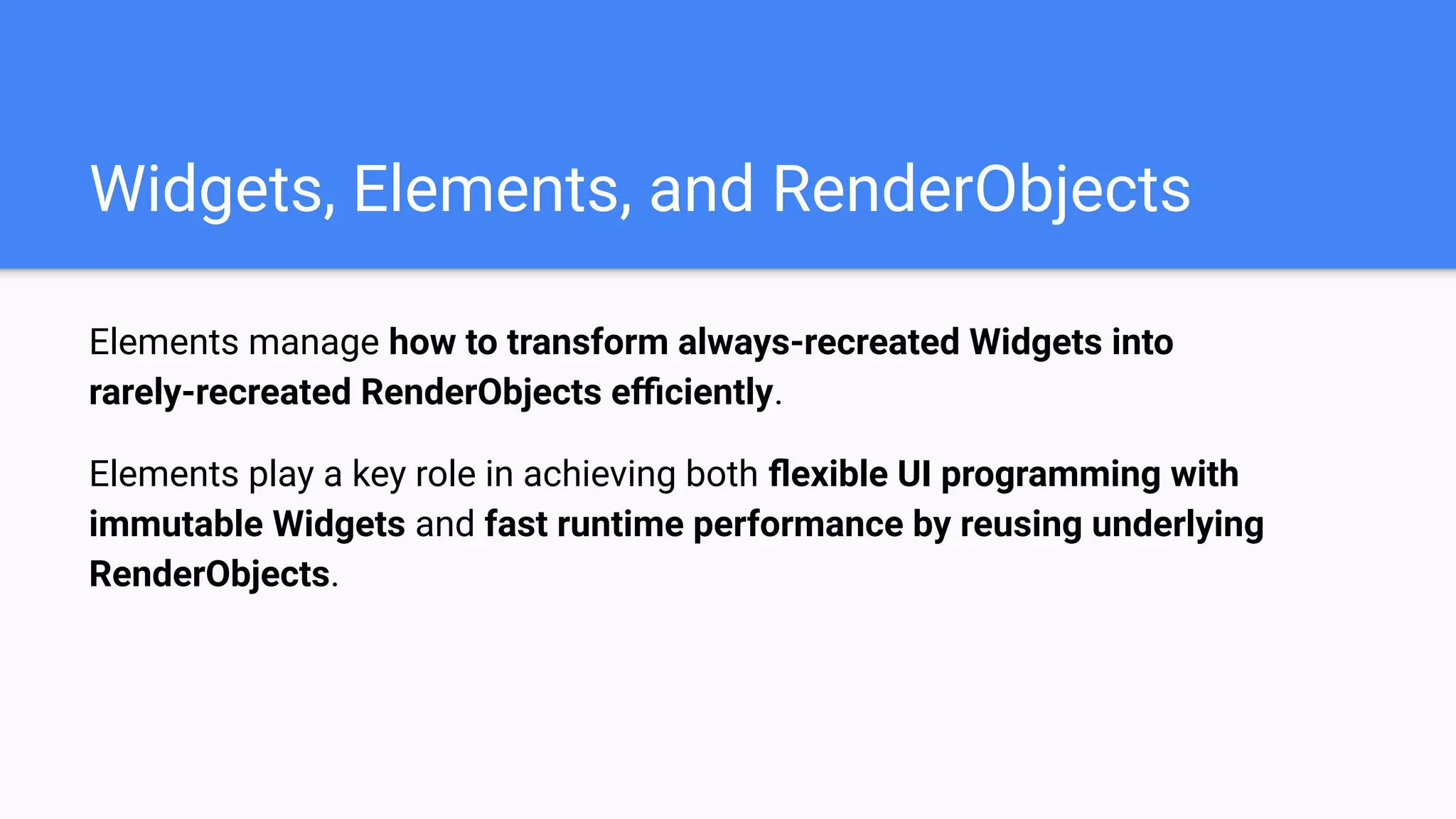
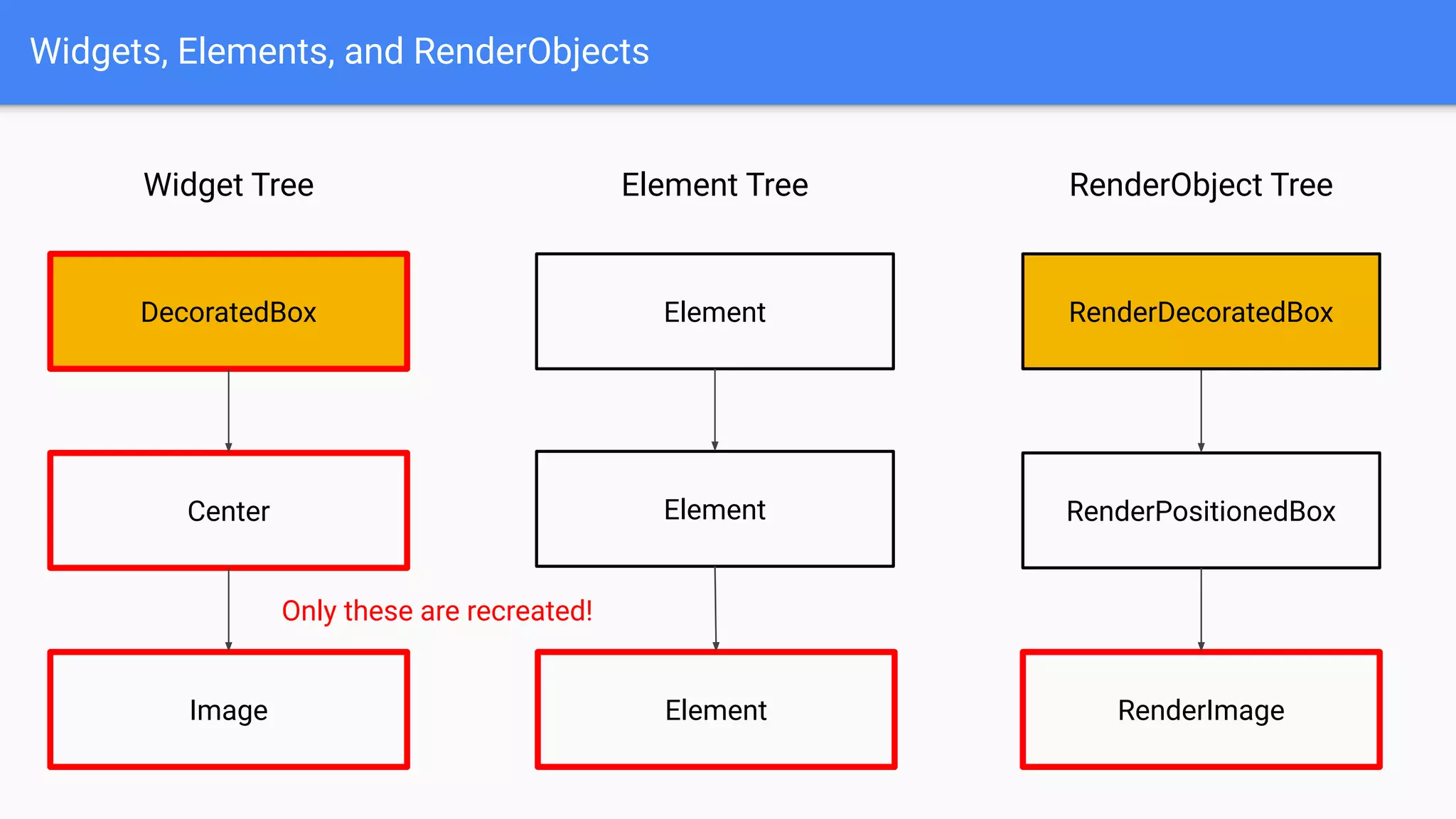
Elements play a key role in achieving both flexible UI programming with
immutable Widgets and fast runtime performance by reusing underlying
RenderObjects.
Widgets, Elements, and RenderObjects
Elements manage how to transform always-recreated Widgets into
rarely-recreated RenderObjects efficiently.
Elements play a key role in achieving both flexible UI programming with
immutable Widgets and fast runtime performance by reusing underlying
RenderObjects.
Let’s see how it works! 👨‍🏫
Widgets, Elements, and RenderObjects
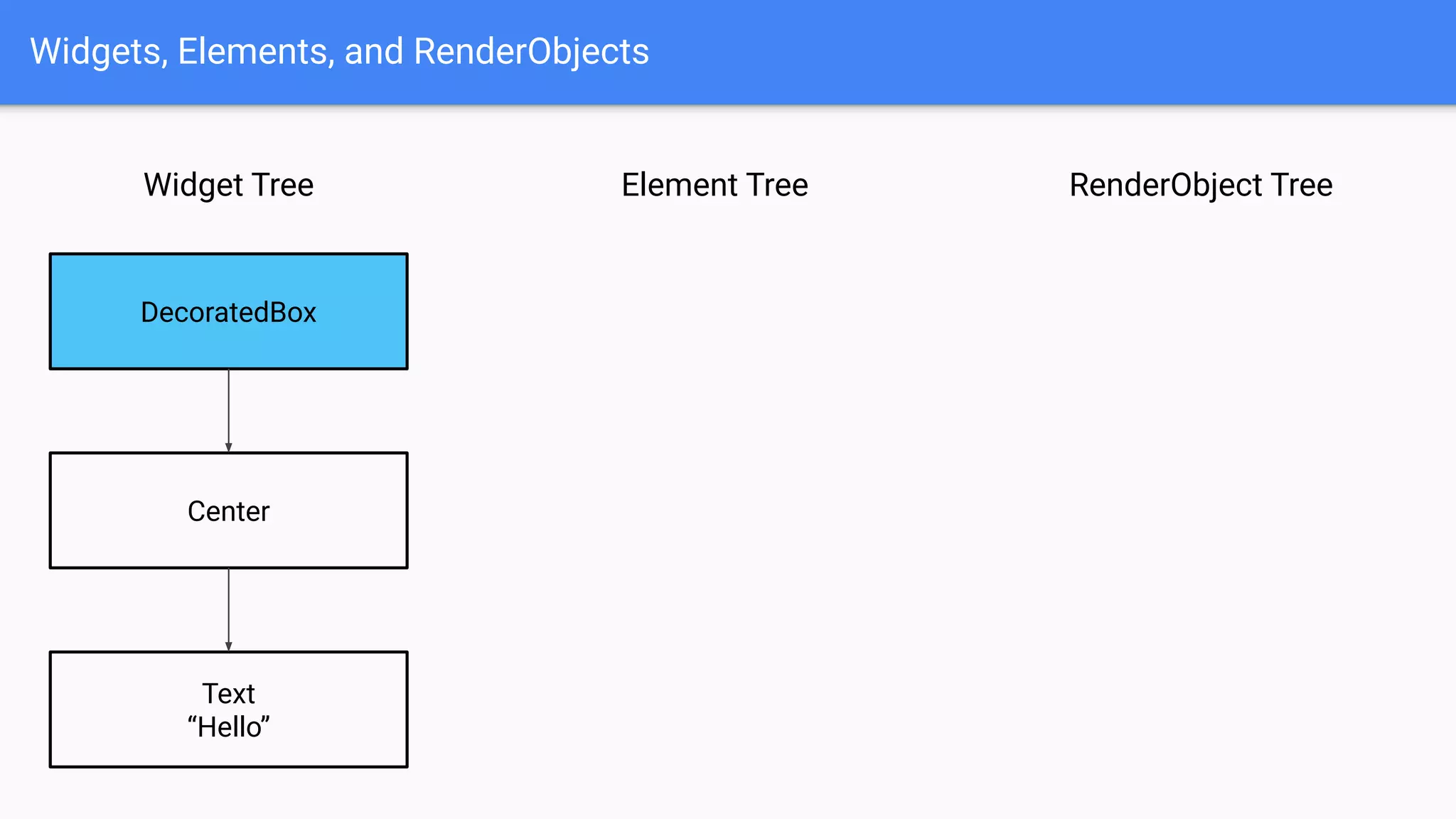
Widget Tree
DecoratedBox
Center
Text
“Hello”
RenderObject TreeElement Tree
Widgets, Elements, and RenderObjects
Widget Tree
DecoratedBox
Center
Text
“Hello”
RenderObject TreeElement Tree
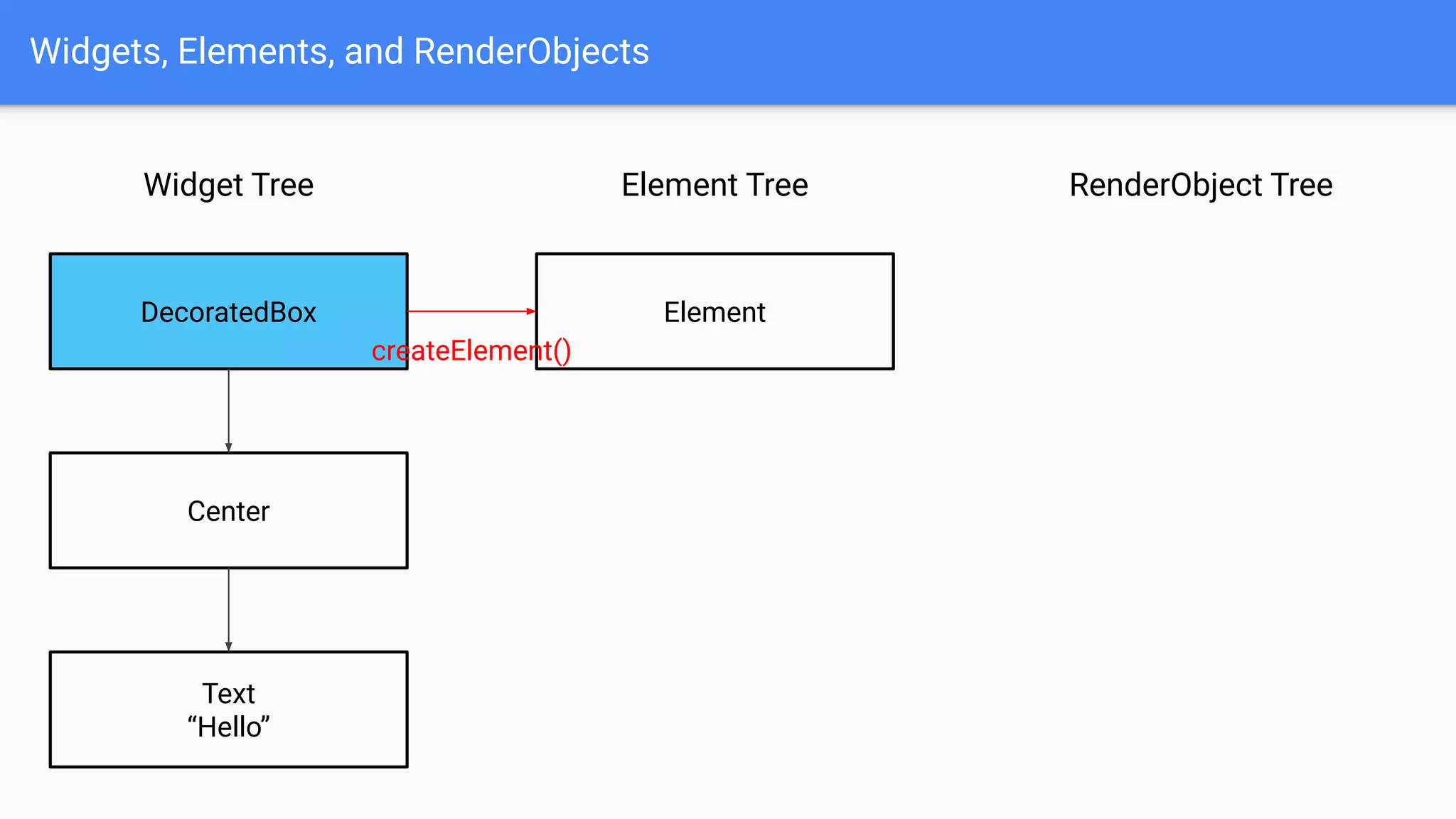
Element
createElement()
Widgets, Elements, and RenderObjects
Widget Tree
DecoratedBox
Center
Text
“Hello”
RenderObject TreeElement Tree
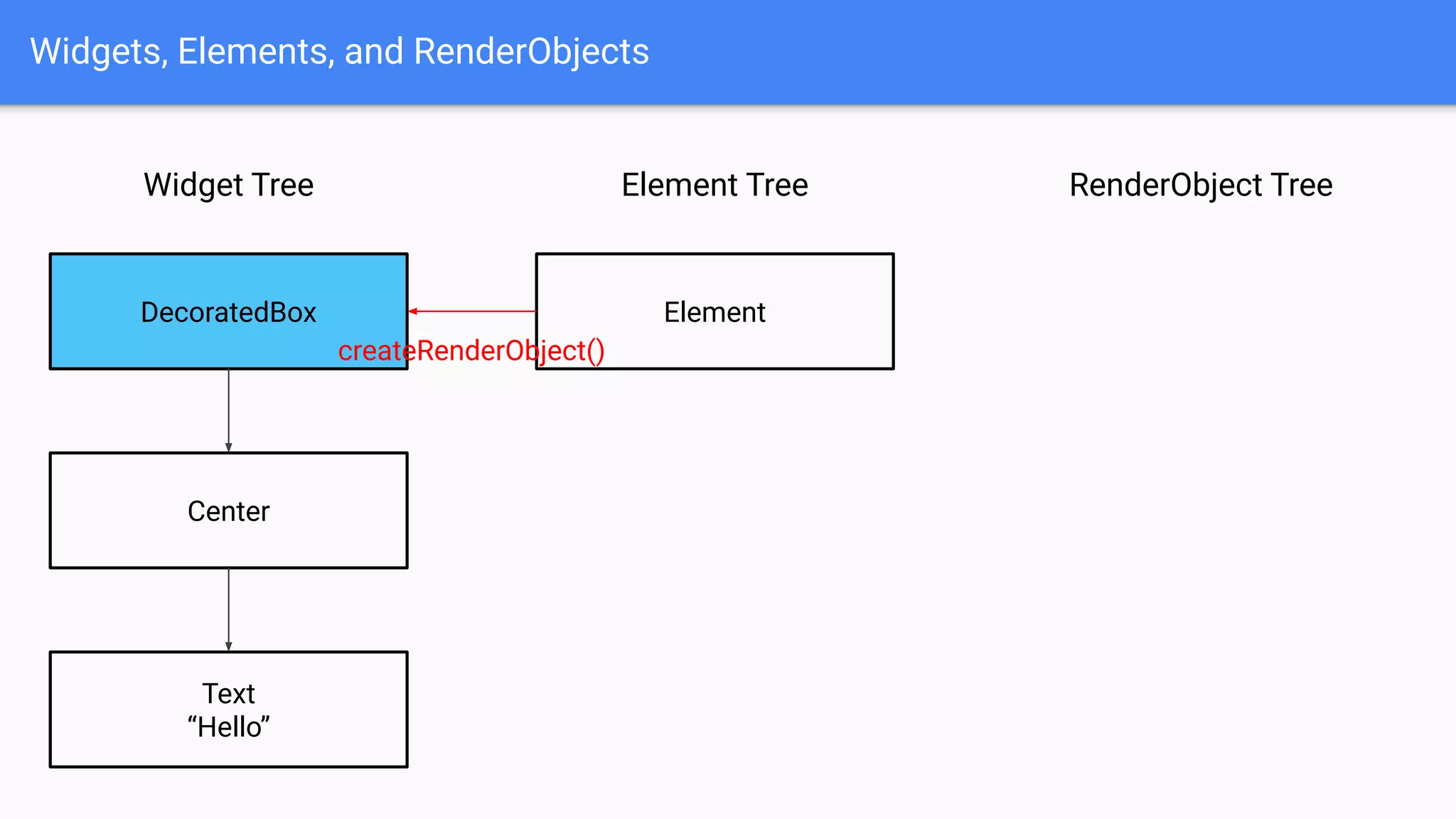
Element
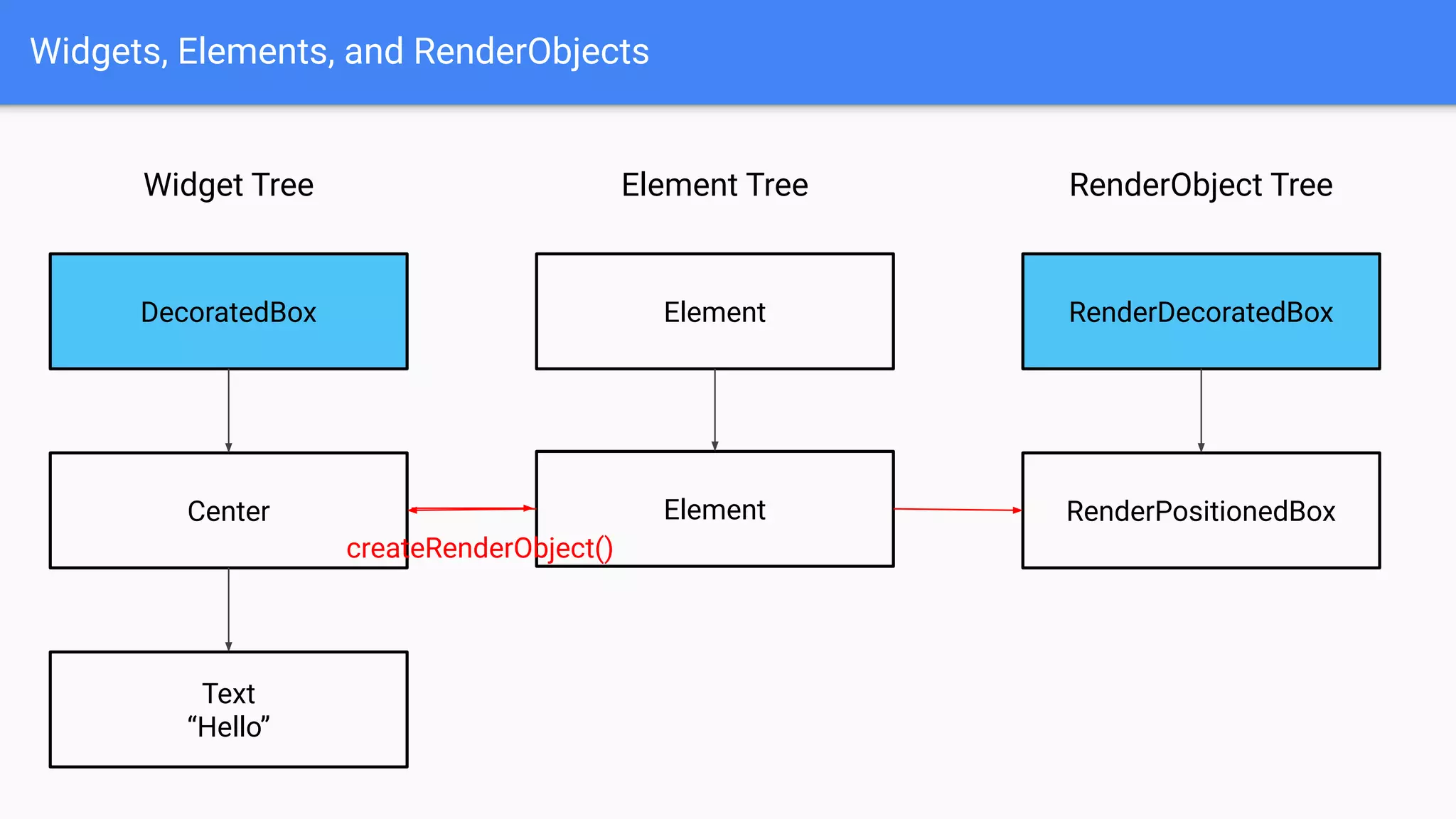
createRenderObject()
Widgets, Elements, and RenderObjects
Widget Tree
DecoratedBox
Center
Text
“Hello”
RenderObject TreeElement Tree
Element RenderDecoratedBox
Widgets, Elements, and RenderObjects
Widget Tree
DecoratedBox
Center
Text
“Hello”
RenderObject TreeElement Tree
Element RenderDecoratedBox
Element
createElement()
Widgets, Elements, and RenderObjects
Widget Tree
DecoratedBox
Center
Text
“Hello”
RenderObject TreeElement Tree
Element RenderDecoratedBox
Element
createRenderObject()
RenderPositionedBox
Widgets, Elements, and RenderObjects
Widget Tree
DecoratedBox
Center
Text
“Hello”
RenderObject TreeElement Tree
Element RenderDecoratedBox
Element RenderPositionedBox
RenderParagraph
“Hello”
Element
Widgets, Elements, and RenderObjects
Widget Tree
DecoratedBox
Center
Image
RenderObject TreeElement Tree
Element RenderDecoratedBox
Element RenderPositionedBox
RenderParagraph
“Hello”
Element
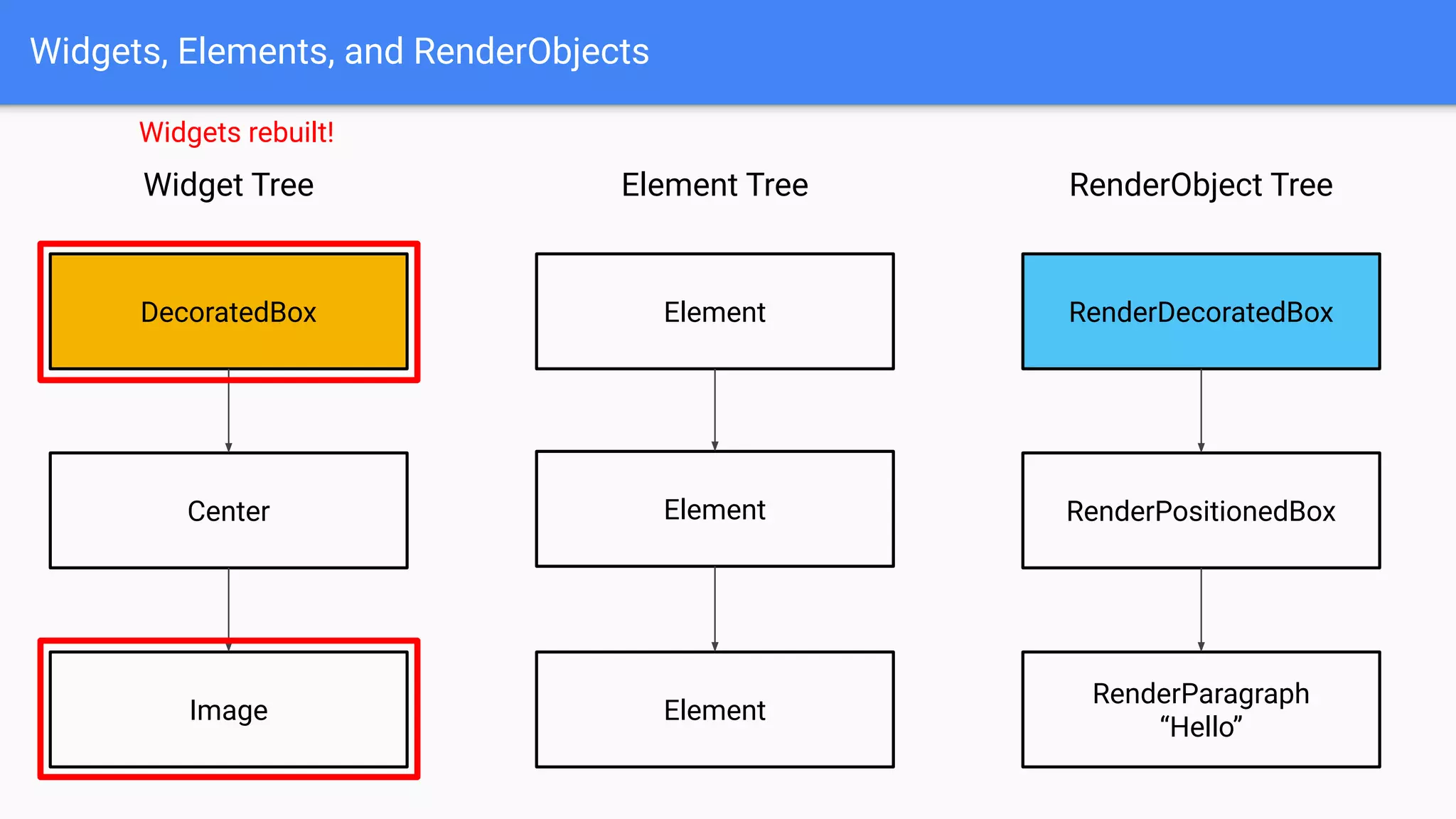
Widgets rebuilt!
Widgets, Elements, and RenderObjects
Widget Tree
DecoratedBox
Center
Image
RenderObject TreeElement Tree
Element RenderDecoratedBox
Element RenderPositionedBox
RenderParagraph
“Hello”
Element
canUpdate()
Compares runtimeType and key
Widgets, Elements, and RenderObjects
Widget Tree
DecoratedBox
Center
Image
RenderObject TreeElement Tree
Element RenderDecoratedBox
Element RenderPositionedBox
RenderParagraph
“Hello”
Element
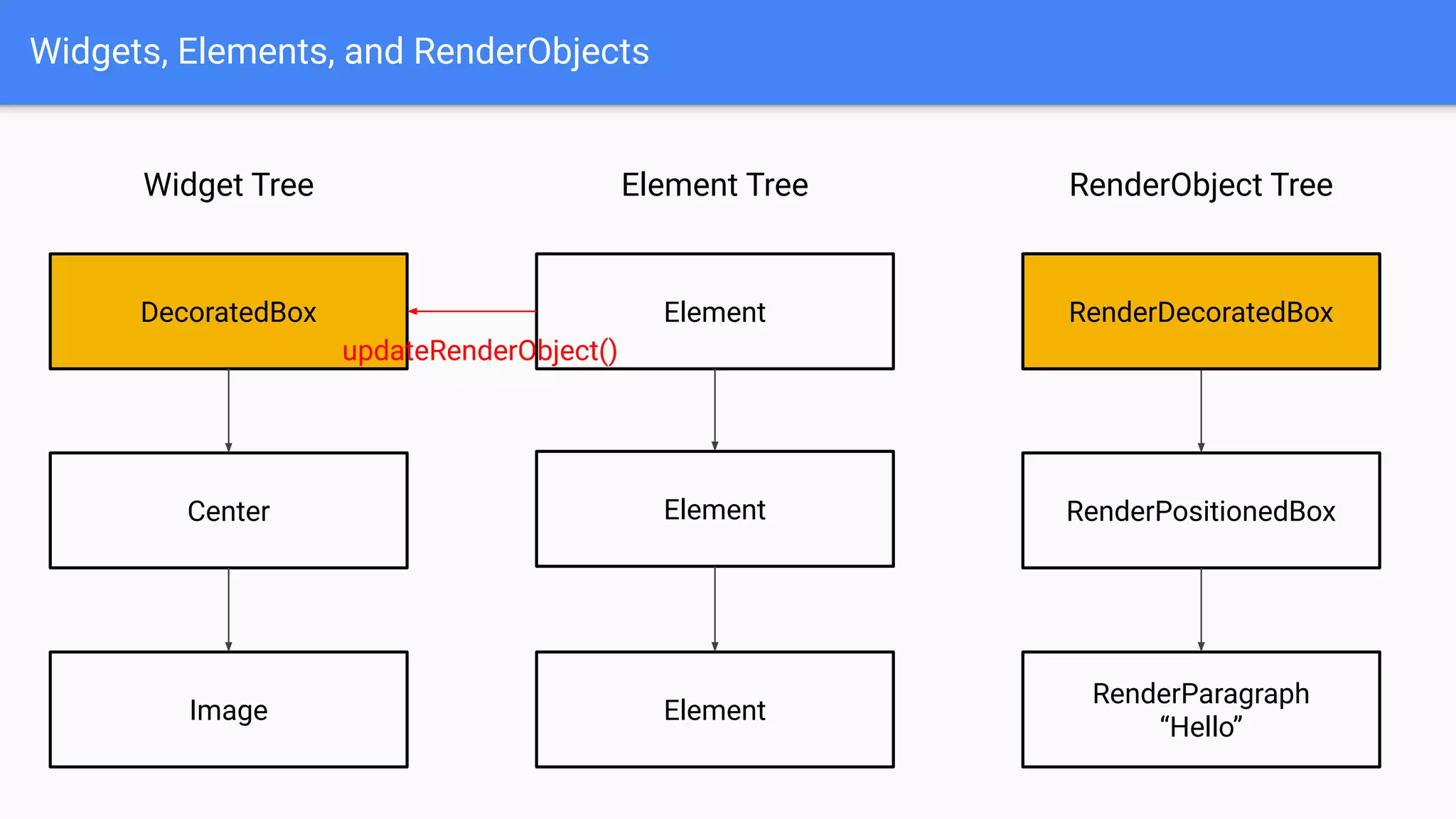
updateRenderObject()
RenderDecoratedBox
Widgets, Elements, and RenderObjects
Widget Tree
DecoratedBox
Center
Image
RenderObject TreeElement Tree
Element
Element RenderPositionedBox
RenderParagraph
“Hello”
Element
RenderDecoratedBox
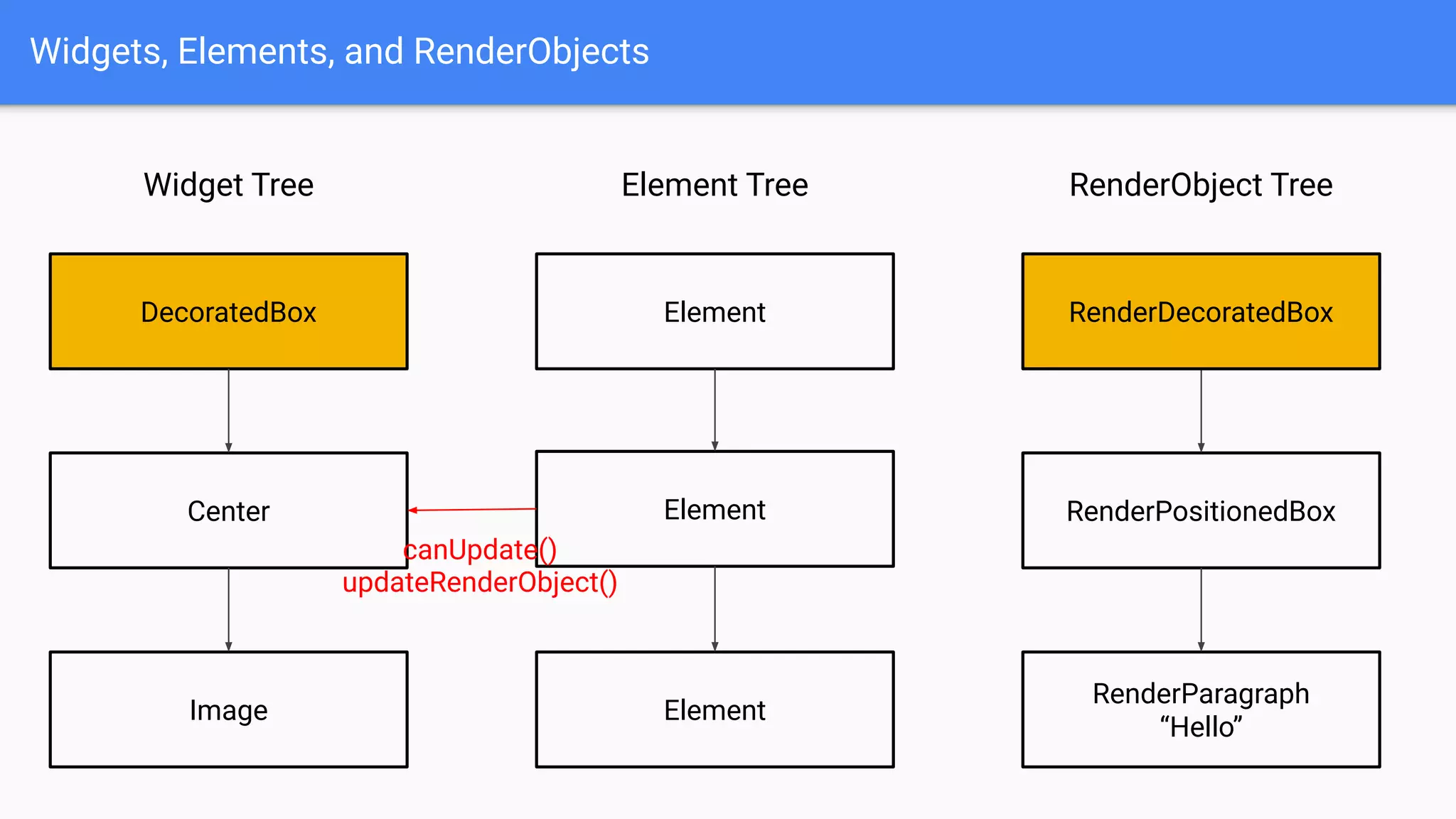
canUpdate()
updateRenderObject()
Widgets, Elements, and RenderObjects
Widget Tree
DecoratedBox
Center
Image
RenderObject TreeElement Tree
Element
Element RenderPositionedBox
RenderParagraph
“Hello”
Element
RenderDecoratedBox
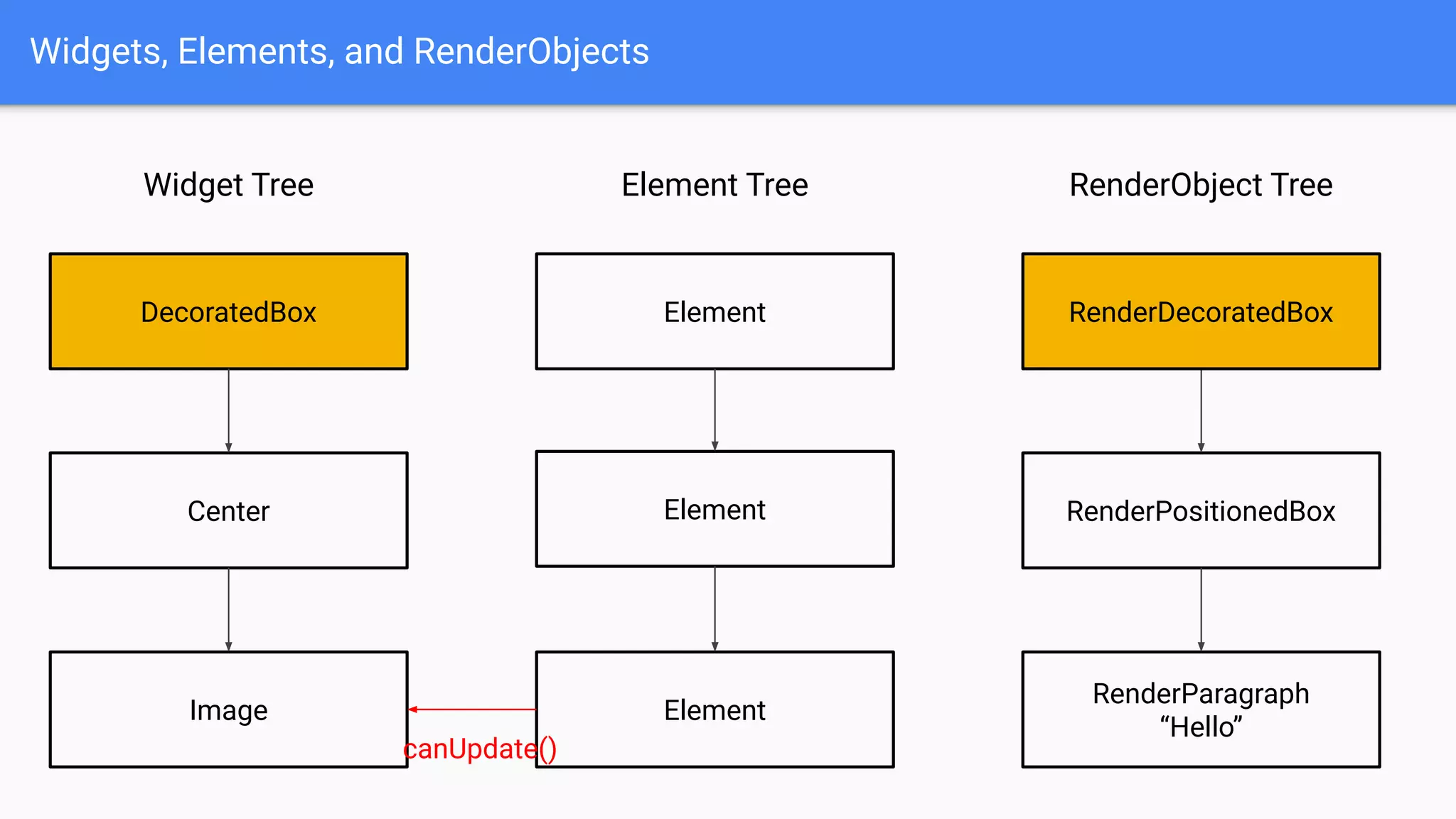
canUpdate()
Widgets, Elements, and RenderObjects
Widget Tree
DecoratedBox
Center
Image
RenderObject TreeElement Tree
Element
Element RenderPositionedBox
RenderDecoratedBox
Widgets, Elements, and RenderObjects
Widget Tree
DecoratedBox
Center
Image
RenderObject TreeElement Tree
Element
Element RenderPositionedBox
RenderDecoratedBox
Element
createElement()
Widgets, Elements, and RenderObjects
Widget Tree
DecoratedBox
Center
Image
RenderObject TreeElement Tree
Element
Element RenderPositionedBox
RenderDecoratedBox
Element
createRenderObject()
RenderImage
Widgets, Elements, and RenderObjects
Widget Tree
DecoratedBox
Center
Image
RenderObject TreeElement Tree
Element
Element RenderPositionedBox
RenderDecoratedBox
Element RenderImage
Only these are recreated!
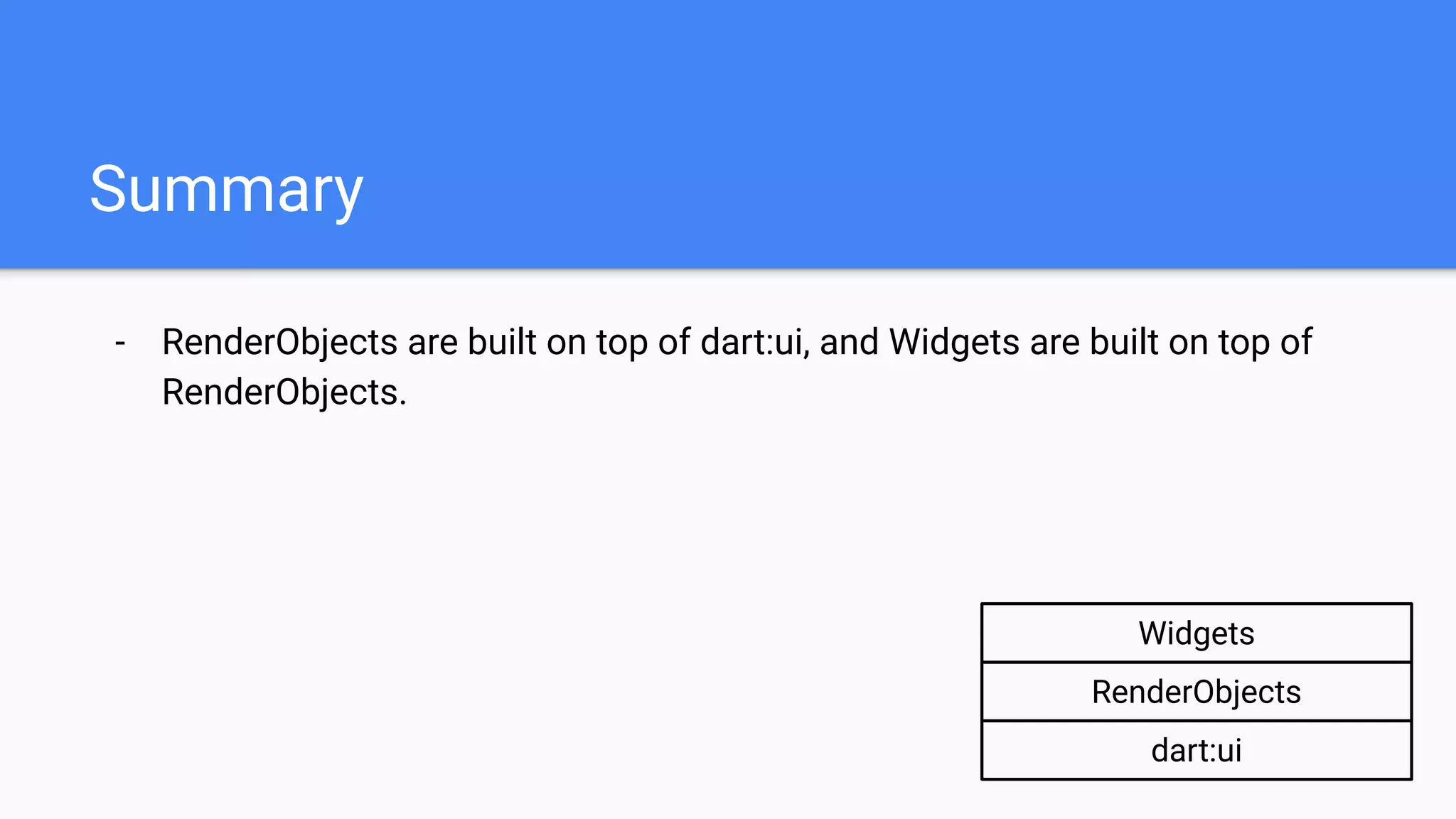
- RenderObjects are built on top of dart:ui, and Widgets are built on top of
RenderObjects.
Summary
dart:ui
RenderObjects
Widgets
- RenderObjects are built on top of dart:ui, and Widgets are built on top of
RenderObjects.
- Widgets allow for flexible and declarative way of programming.
Summary
- RenderObjects are built on top of dart:ui, and Widgets are built on top of
RenderObjects.
- Widgets allow for flexible and declarative way of programming.
- Widgets, Elements, and RenderObjects work together to achieve both
flexible programming and fast runtime performance.
Summary
- RenderObjects are built on top of dart:ui, and Widgets are built on top of
RenderObjects.
- Widgets allow for flexible and declarative way of programming.
- Widgets, Elements, and RenderObjects work together to achieve both
flexible programming and fast runtime performance.
- Widgets configure, Elements manage, RenderObjects paint.
Summary
Summary
Reference:
https://www.youtube.com/watch?v=dkyY9WCGMi0&t=163s
https://flutter.dev/docs/resources/inside-flutter
https://www.youtube.com/watch?v=UUfXWzp0-DU&t=2s
https://www.youtube.com/watch?v=996ZgFRENMs
https://nevercode.io/blog/flutter-vs-react-native-a-developers-perspective/
https://github.com/flutter/flutter/wiki/The-Engine-architecture
https://hackernoon.com/understanding-react-native-bridge-concept-e9526066ddb8
https://medium.com/icnh/flutter-without-flutter-15177c91d066
https://stackoverflow.com/a/53234826
Thank you

Inside Flutter: Widgets, Elements, and RenderObjects

  • 1.
    Inside Flutter: Widgets, Elements,and RenderObjects Hansol Lee
  • 2.
    TOC 💁‍♂ - Introduction -Flutter’s layers - dart:ui - RenderObjects - Widgets - Widgets, Elements, and RenderObjects - Summary
  • 3.
    Introduction - Hansol Lee -Working at Kakao Corp. as Android Developer - Projects related with Flutter - https://github.com/giantsol/Blue-Diary - https://github.com/giantsol/Yellow-Box - Mentoring “Contributing to Flutter”: https://github.com/flutter-moum/flutter-moum - GitHub: https://github.com/giantsol
  • 4.
  • 5.
  • 6.
    Flutter’s Layers dart:ui RenderObjects Widgets RenderObjects builton top of dart:ui Widgets built on top of RenderObjects
  • 7.
    Elements between Widgetsand RenderObjects doing some secret stuff 🕵 Flutter’s Layers dart:ui RenderObjects Widgets RenderObjects built on top of dart:ui Widgets built on top of RenderObjects
  • 8.
    Elements between Widgetsand RenderObjects doing some secret stuff 🕵 Flutter’s Layers RenderObjects Widgets RenderObjects built on top of dart:ui Widgets built on top of RenderObjects dart:ui
  • 9.
    dart:ui Contains basic toolsto draw on screen. e.g. Canvas, Paint, Rect …
  • 10.
    dart:ui Contains basic toolsto draw on screen. e.g. Canvas, Paint, Rect … You can create a Flutter app using dart:ui directly!
  • 11.
  • 12.
    dart:ui Register a callbackto be called on every draw frame. Draw using Canvas API. 🎨 Let the window render what has been drawn to the canvas!
  • 13.
    The most primitiveway to use Flutter. dart:ui
  • 14.
    The most primitiveway to use Flutter. Need to do complicate calculations on your own. Certainly not extensible! 🤦‍♂ dart:ui
  • 15.
    The most primitiveway to use Flutter. Need to do complicate calculations on your own. Certainly not extensible! 🤦‍♂ dart:ui dart:ui Widgets RenderObjects
  • 16.
    RenderObjects RenderObject: an individualobject that implements methods to draw itself on screen (e.g. size, layout, paint …) e.g. RenderImage, RenderPadding, RenderDecoratedBox …
  • 17.
    RenderObjects RenderObject: an individualobject that implements methods to draw itself on screen (e.g. size, layout, paint …) e.g. RenderImage, RenderPadding, RenderDecoratedBox … Similarly, you can create a Flutter app using RenderObjects directly!
  • 18.
  • 19.
    RenderObjects If you wantto dynamically change some value, you need to keep the reference of the target RenderObject. Update RenderObject’s text property manually to reflect the change in the next frame.
  • 20.
    RenderObjects Advantages: - Much moreconvenient to use (almost like Widgets! 🤷‍♂) - Parent-child relation allows for optimizations (e.g. when to redraw or not?)
  • 21.
    RenderObjects Disadvantages: - Since RenderObjectsare mutable, we need to manage their states directly. - This makes code unflexible and vulnerable to get “dirty”. ⚠
  • 22.
    RenderObjects Disadvantages: - Since RenderObjectsare mutable, we need to manage their states directly. - This makes code unflexible and vulnerable to get “dirty”. ⚠ dart:ui RenderObjects Widgets
  • 23.
  • 24.
    Widgets DecoratedBox( child: Center( child: Text(title) ) ) title= newTitle We want newTitle to be reflected automatically just by updating the variable (without referencing and mutating the object ourselves).
  • 25.
    Widgets DecoratedBox( child: Center( child: Icon(title) ) ) title= newTitle Also, we want to swap objects flexibly without bothering any possible outside references.
  • 26.
    Widgets DecoratedBox( child: Center( child: Icon(title) ) ) title= newTitle Immutability makes this possible. 🎉
  • 27.
    Widget: an immutableconfiguration data defining how to create a corresponding RenderObject. e.g. Image, Padding, DecoratedBox … Widgets
  • 28.
    Widget: an immutableconfiguration data defining how to create a corresponding RenderObject. e.g. Image, Padding, DecoratedBox … The most typical way to create a Flutter app. Widgets
  • 29.
  • 30.
    Widgets How does thisWidget tree gets drawn on screen?
  • 31.
    Flutter has threetrees: Widget tree, Element tree, and RenderObject tree. Widgets, Elements, and RenderObjects
  • 32.
    Flutter has threetrees: Widget tree, Element tree, and RenderObject tree. Widgets are immutable, so they are always recreated; they only hold lightweight configuration data. Widgets, Elements, and RenderObjects
  • 33.
    Flutter has threetrees: Widget tree, Element tree, and RenderObject tree. Widgets are immutable, so they are always recreated; they only hold lightweight configuration data. RenderObjects are mutable, so they are recreated only when necessary; they hold heavyweight data and calculations needed to draw on screen. Widgets, Elements, and RenderObjects
  • 34.
    Flutter has threetrees: Widget tree, Element tree, and RenderObject tree. Widgets are immutable, so they are always recreated; they only hold lightweight configuration data. RenderObjects are mutable, so they are recreated only when necessary; they hold heavyweight data and calculations needed to draw on screen. When we put a Widget tree into runApp() function, it transforms a Widget tree into a RenderObject tree. Widgets, Elements, and RenderObjects
  • 35.
    Widgets, Elements, andRenderObjects Widget Tree DecoratedBox Center Text RenderObject Tree RenderDecoratedBox RenderPositionedBox RenderParagraph
  • 36.
    Widgets, Elements, andRenderObjects Widget Tree DecoratedBox Center Text RenderObject Tree RenderDecoratedBox RenderPositionedBox RenderParagraph How? 🤷‍♂
  • 37.
    Widgets, Elements, andRenderObjects Widget Tree DecoratedBox Center Text RenderObject Tree RenderDecoratedBox RenderPositionedBox RenderParagraph Element Tree Element Element Element
  • 38.
    Elements manage howto transform always-recreated Widgets into rarely-recreated RenderObjects efficiently. Widgets, Elements, and RenderObjects
  • 39.
    Elements manage howto transform always-recreated Widgets into rarely-recreated RenderObjects efficiently. Elements play a key role in achieving both flexible UI programming with immutable Widgets and fast runtime performance by reusing underlying RenderObjects. Widgets, Elements, and RenderObjects
  • 40.
    Elements manage howto transform always-recreated Widgets into rarely-recreated RenderObjects efficiently. Elements play a key role in achieving both flexible UI programming with immutable Widgets and fast runtime performance by reusing underlying RenderObjects. Let’s see how it works! 👨‍🏫 Widgets, Elements, and RenderObjects
  • 41.
    Widgets, Elements, andRenderObjects Widget Tree DecoratedBox Center Text “Hello” RenderObject TreeElement Tree
  • 42.
    Widgets, Elements, andRenderObjects Widget Tree DecoratedBox Center Text “Hello” RenderObject TreeElement Tree Element createElement()
  • 43.
    Widgets, Elements, andRenderObjects Widget Tree DecoratedBox Center Text “Hello” RenderObject TreeElement Tree Element createRenderObject()
  • 44.
    Widgets, Elements, andRenderObjects Widget Tree DecoratedBox Center Text “Hello” RenderObject TreeElement Tree Element RenderDecoratedBox
  • 45.
    Widgets, Elements, andRenderObjects Widget Tree DecoratedBox Center Text “Hello” RenderObject TreeElement Tree Element RenderDecoratedBox Element createElement()
  • 46.
    Widgets, Elements, andRenderObjects Widget Tree DecoratedBox Center Text “Hello” RenderObject TreeElement Tree Element RenderDecoratedBox Element createRenderObject() RenderPositionedBox
  • 47.
    Widgets, Elements, andRenderObjects Widget Tree DecoratedBox Center Text “Hello” RenderObject TreeElement Tree Element RenderDecoratedBox Element RenderPositionedBox RenderParagraph “Hello” Element
  • 48.
    Widgets, Elements, andRenderObjects Widget Tree DecoratedBox Center Image RenderObject TreeElement Tree Element RenderDecoratedBox Element RenderPositionedBox RenderParagraph “Hello” Element Widgets rebuilt!
  • 49.
    Widgets, Elements, andRenderObjects Widget Tree DecoratedBox Center Image RenderObject TreeElement Tree Element RenderDecoratedBox Element RenderPositionedBox RenderParagraph “Hello” Element canUpdate() Compares runtimeType and key
  • 50.
    Widgets, Elements, andRenderObjects Widget Tree DecoratedBox Center Image RenderObject TreeElement Tree Element RenderDecoratedBox Element RenderPositionedBox RenderParagraph “Hello” Element updateRenderObject() RenderDecoratedBox
  • 51.
    Widgets, Elements, andRenderObjects Widget Tree DecoratedBox Center Image RenderObject TreeElement Tree Element Element RenderPositionedBox RenderParagraph “Hello” Element RenderDecoratedBox canUpdate() updateRenderObject()
  • 52.
    Widgets, Elements, andRenderObjects Widget Tree DecoratedBox Center Image RenderObject TreeElement Tree Element Element RenderPositionedBox RenderParagraph “Hello” Element RenderDecoratedBox canUpdate()
  • 53.
    Widgets, Elements, andRenderObjects Widget Tree DecoratedBox Center Image RenderObject TreeElement Tree Element Element RenderPositionedBox RenderDecoratedBox
  • 54.
    Widgets, Elements, andRenderObjects Widget Tree DecoratedBox Center Image RenderObject TreeElement Tree Element Element RenderPositionedBox RenderDecoratedBox Element createElement()
  • 55.
    Widgets, Elements, andRenderObjects Widget Tree DecoratedBox Center Image RenderObject TreeElement Tree Element Element RenderPositionedBox RenderDecoratedBox Element createRenderObject() RenderImage
  • 56.
    Widgets, Elements, andRenderObjects Widget Tree DecoratedBox Center Image RenderObject TreeElement Tree Element Element RenderPositionedBox RenderDecoratedBox Element RenderImage Only these are recreated!
  • 57.
    - RenderObjects arebuilt on top of dart:ui, and Widgets are built on top of RenderObjects. Summary dart:ui RenderObjects Widgets
  • 58.
    - RenderObjects arebuilt on top of dart:ui, and Widgets are built on top of RenderObjects. - Widgets allow for flexible and declarative way of programming. Summary
  • 59.
    - RenderObjects arebuilt on top of dart:ui, and Widgets are built on top of RenderObjects. - Widgets allow for flexible and declarative way of programming. - Widgets, Elements, and RenderObjects work together to achieve both flexible programming and fast runtime performance. Summary
  • 60.
    - RenderObjects arebuilt on top of dart:ui, and Widgets are built on top of RenderObjects. - Widgets allow for flexible and declarative way of programming. - Widgets, Elements, and RenderObjects work together to achieve both flexible programming and fast runtime performance. - Widgets configure, Elements manage, RenderObjects paint. Summary
  • 61.
  • 62.