android.talks@infinum.hr
Getting
on Android
Ivan Kušt
Java on Android
• no Java 8 and lambda expressions
• writing a lot of boilerplate code
Groovy
• optionally typed
• dynamic language
• compiles into Java VM bytecode
Groovy
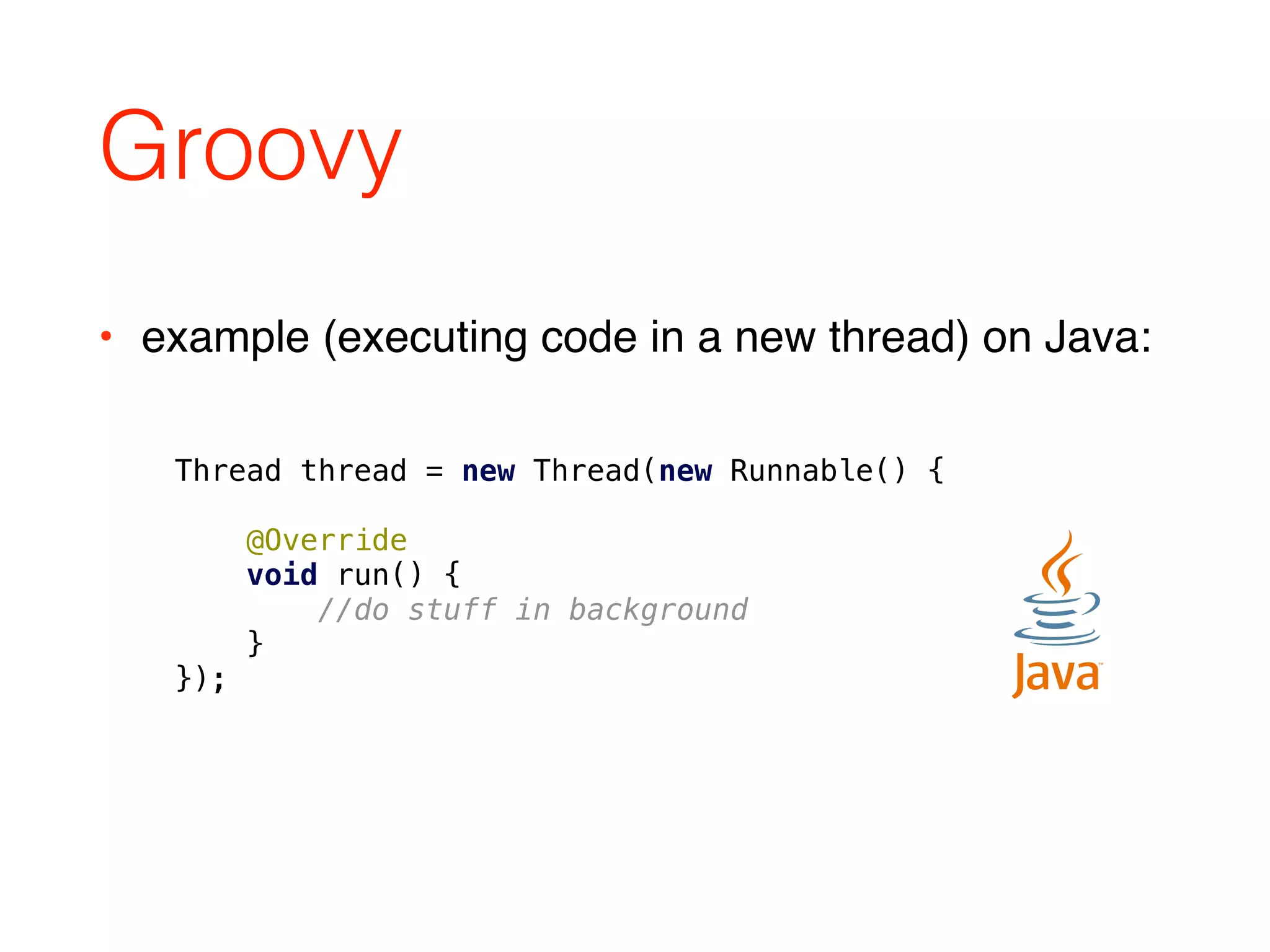
Thread thread = new Thread(new Runnable() {


@Override

void run() {

//do stuff in background

}

});
• example (executing code in a new thread) on Java:
Groovy
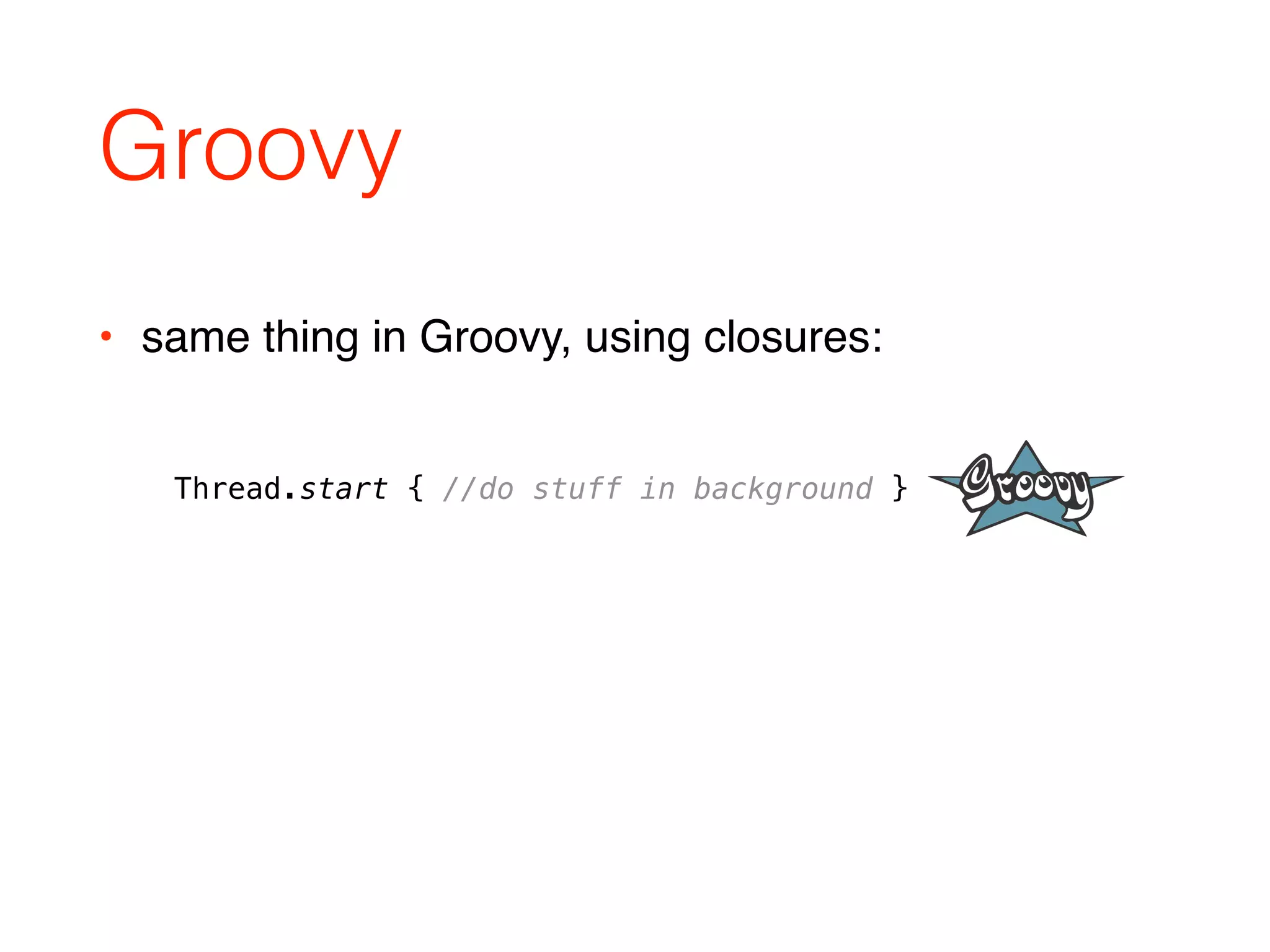
• same thing in Groovy, using closures:
Thread.start { //do stuff in background }
Groovy
• more concise code
• more readable code
• still type safe
• still fast
Benefits of Groovy
• semi colons are optional
• parentheses are optional
• dynamic typing
• return keyword is optional
• public keyword is optional
• all Java is valid Groovy
vs
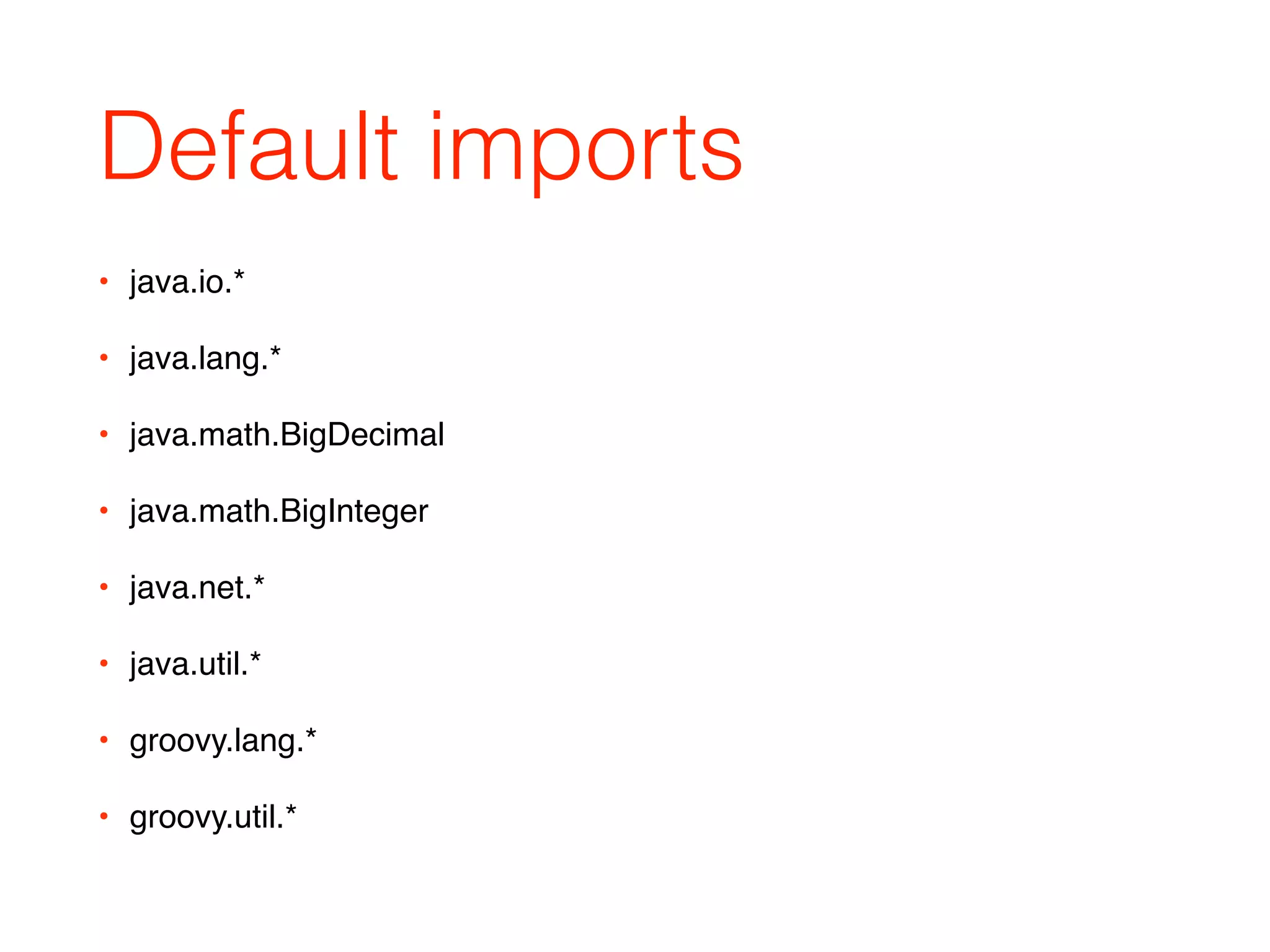
Default imports
• java.io.*
• java.lang.*
• java.math.BigDecimal
• java.math.BigInteger
• java.net.*
• java.util.*
• groovy.lang.*
• groovy.util.*
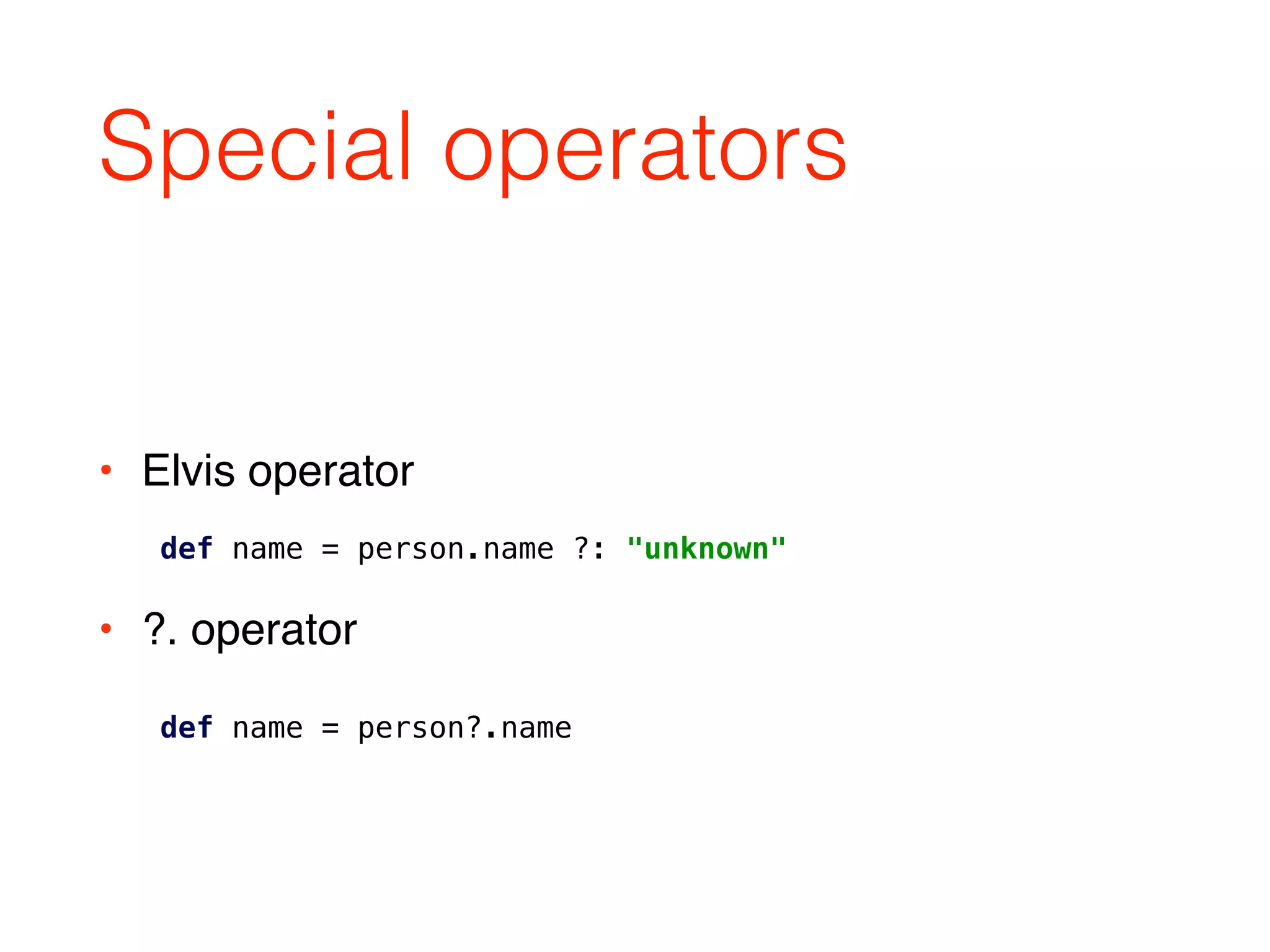
Special operators
• Elvis operator

• ?. operator
def name = person.name ?: "unknown"
def name = person?.name
Initializers
• Java:
• Groovy:
int[] array = { 1, 2, 3}
int[] array = [1,2,3]
• { … } block reserved for closures
Initializers
def list = [1, 2, 3, 4 ,5]


def map = [a: 1, b: 2, c:3]


def regex = ~/.*foo.*/


def range = 128..255


def closure = {a, b -> a + b}
• other available initializers:
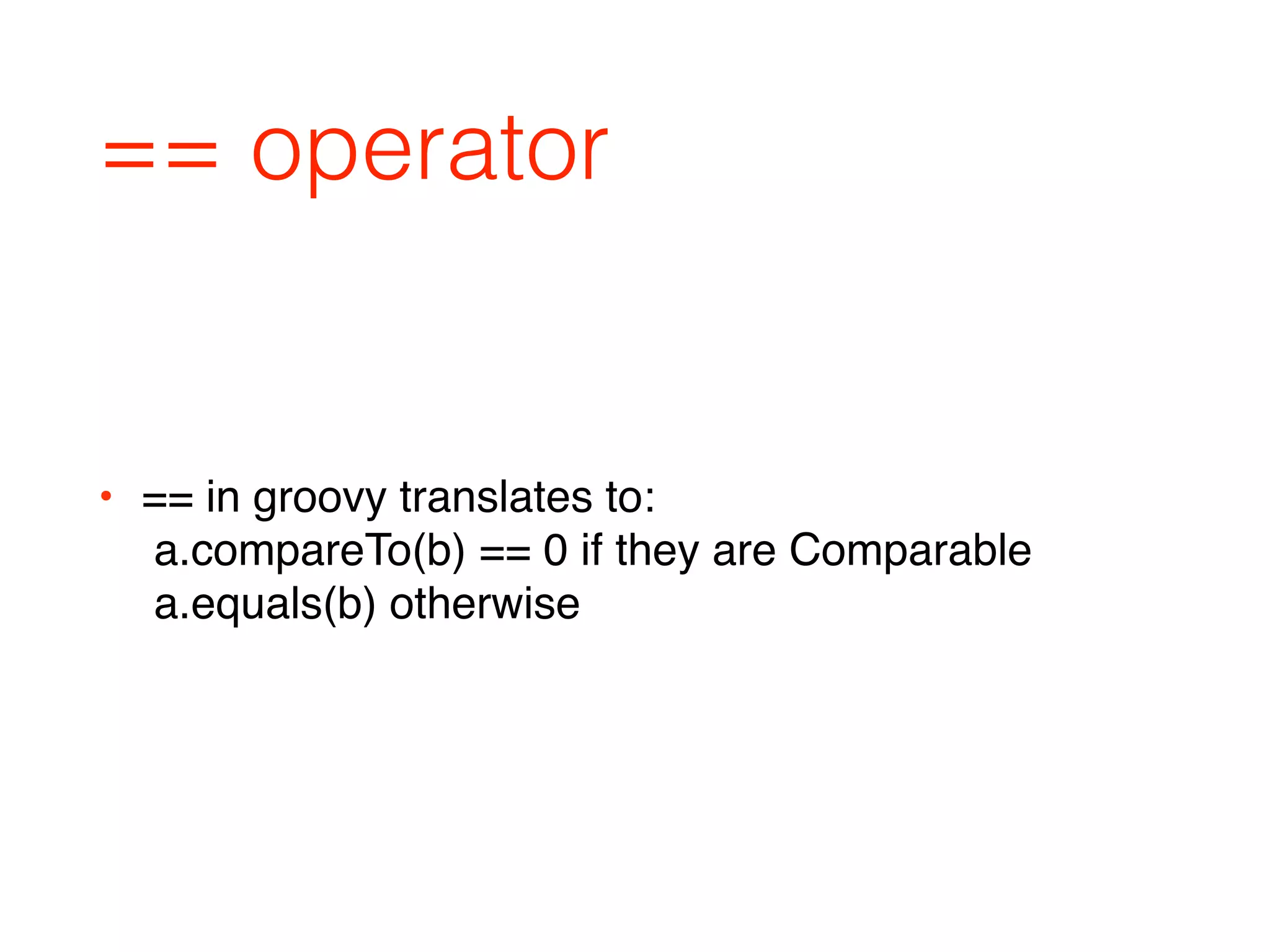
== operator
• == in groovy translates to:

a.compareTo(b) == 0 if they are Comparable

a.equals(b) otherwise
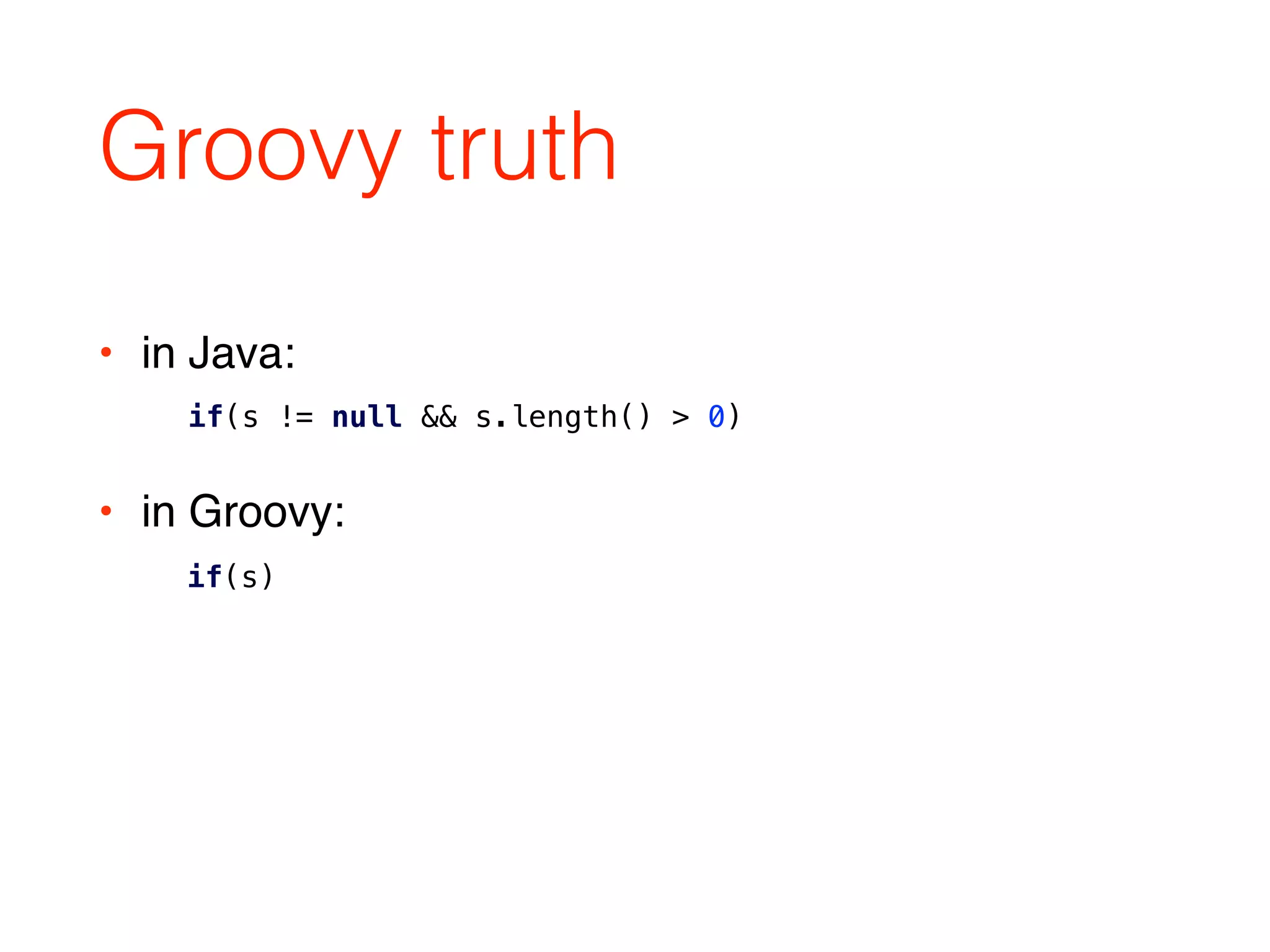
Groovy truth
• in Java:

• in Groovy:

if(s)
if(s != null && s.length() > 0)
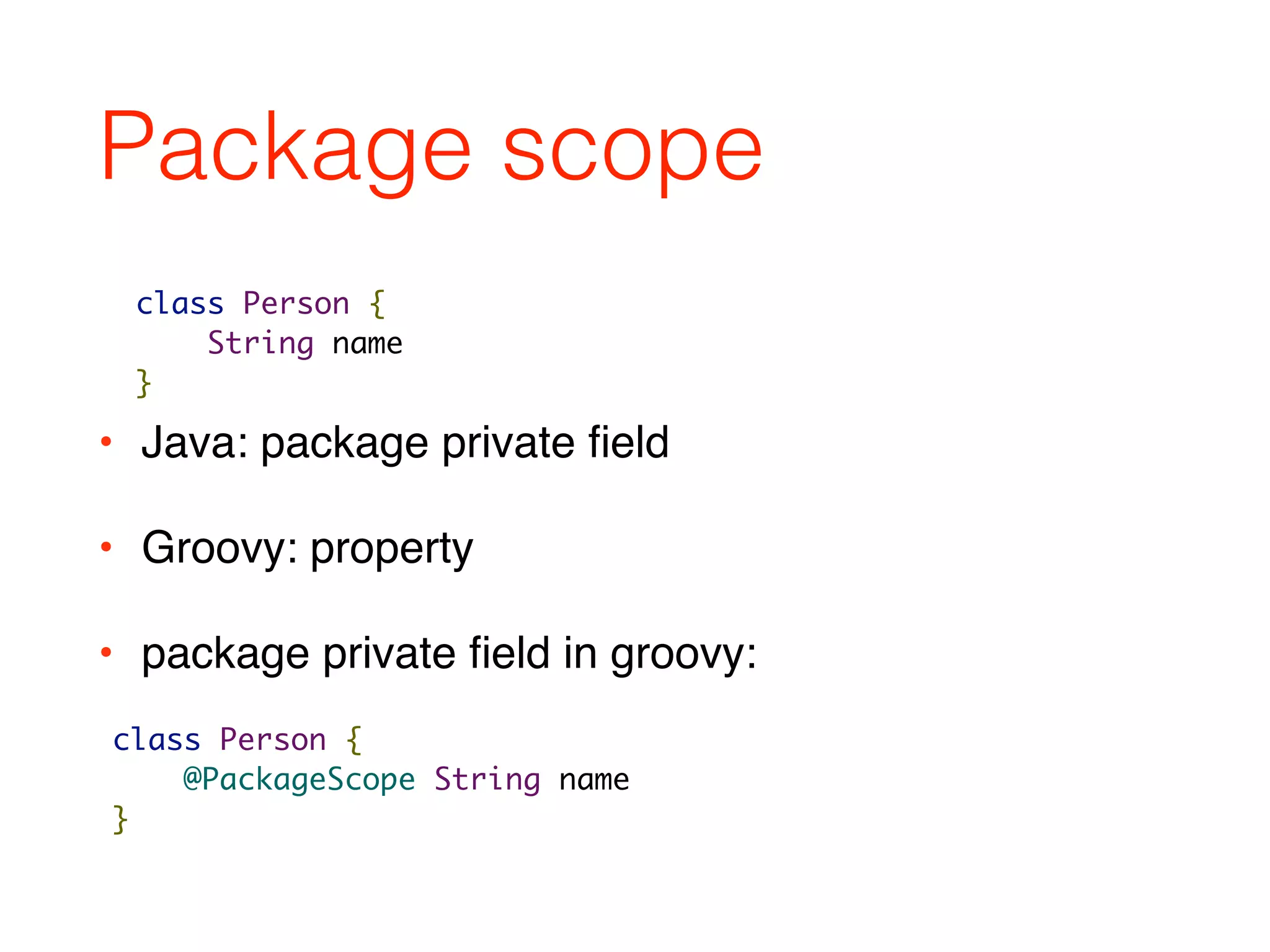
Package scope
• Java: package private field
• Groovy: property
• package private field in groovy:
class Person {
String name
}
class Person {
@PackageScope String name
}
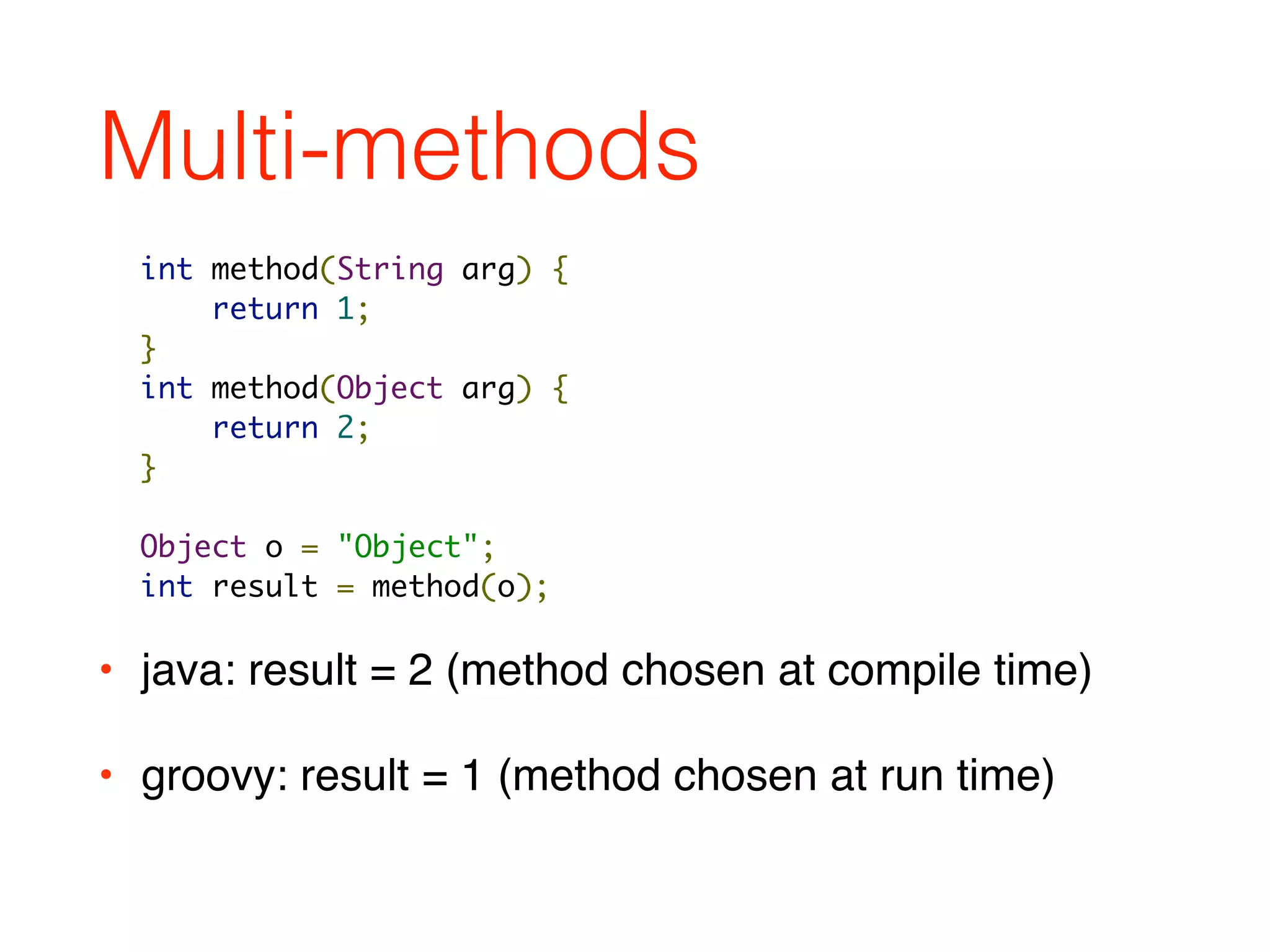
Multi-methods
• java: result = 2 (method chosen at compile time)
• groovy: result = 1 (method chosen at run time)
int method(String arg) {
return 1;
}
int method(Object arg) {
return 2;
}
Object o = "Object";
int result = method(o);
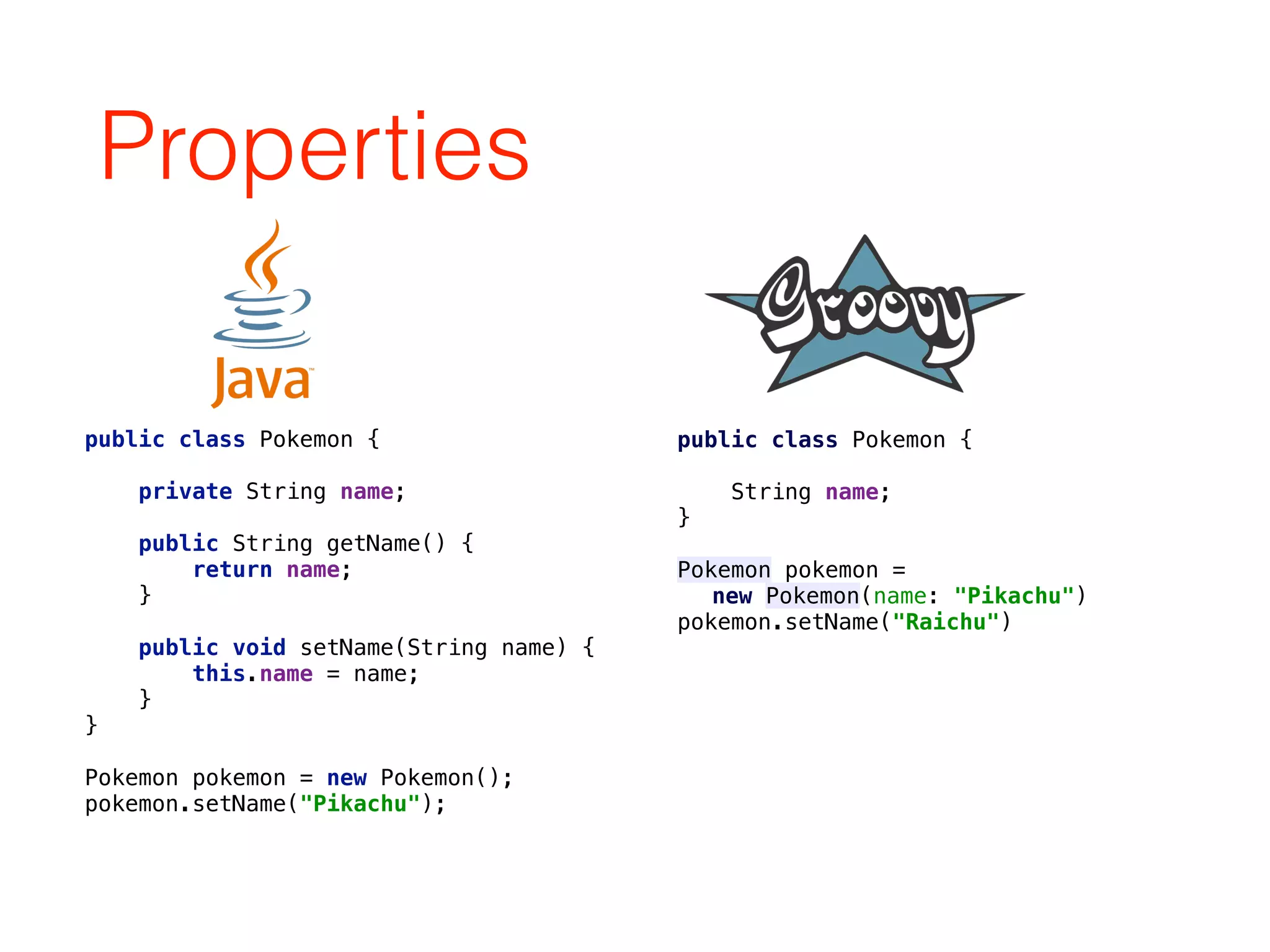
Properties
public class Pokemon {


private String name;


public String getName() {

return name;

}


public void setName(String name) {

this.name = name;

}

}
Pokemon pokemon = new Pokemon();

pokemon.setName("Pikachu");
public class Pokemon {


String name;

}
Pokemon pokemon =
new Pokemon(name: "Pikachu")

pokemon.setName("Raichu")
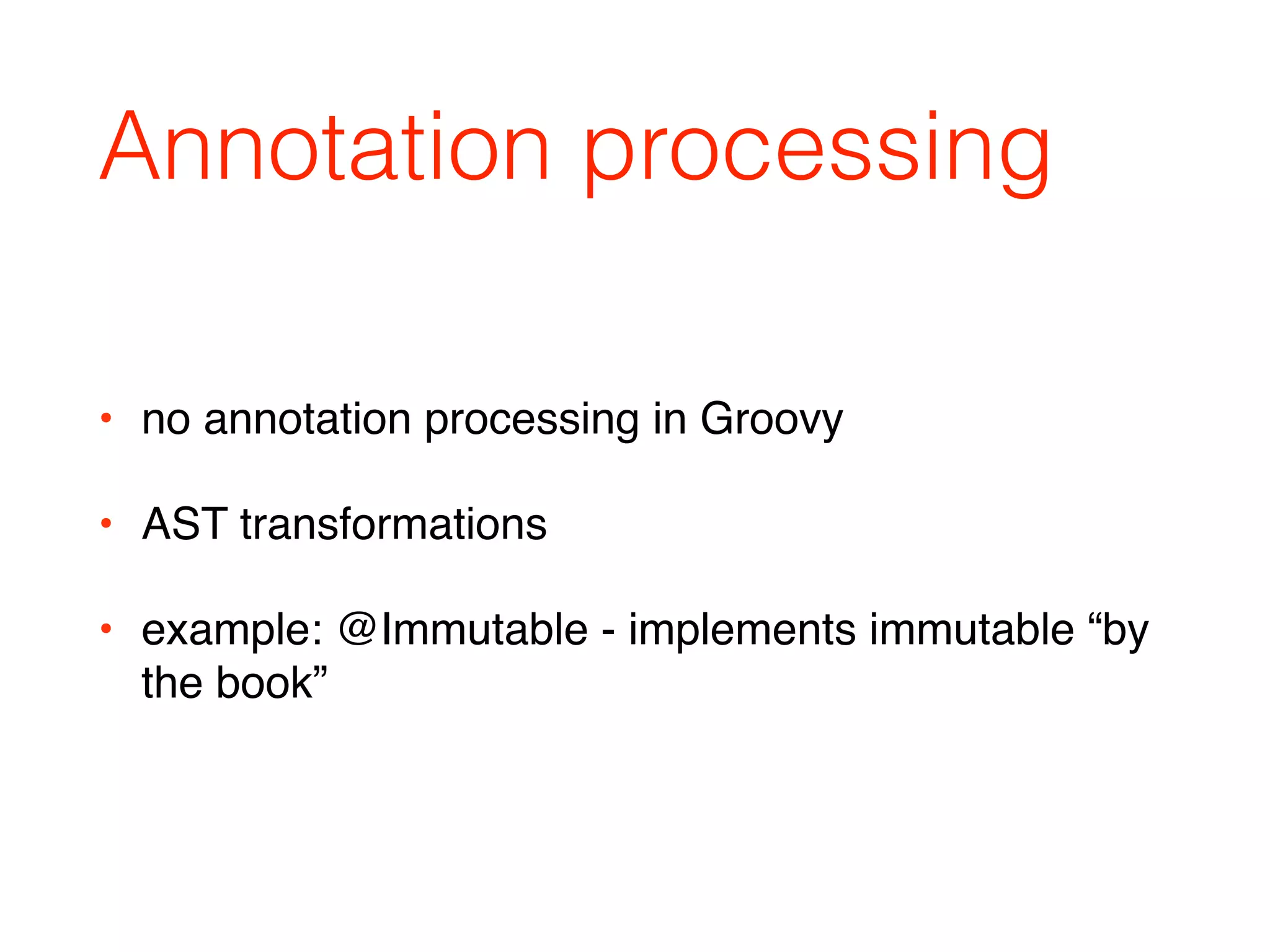
Annotation processing
• no annotation processing in Groovy
• AST transformations
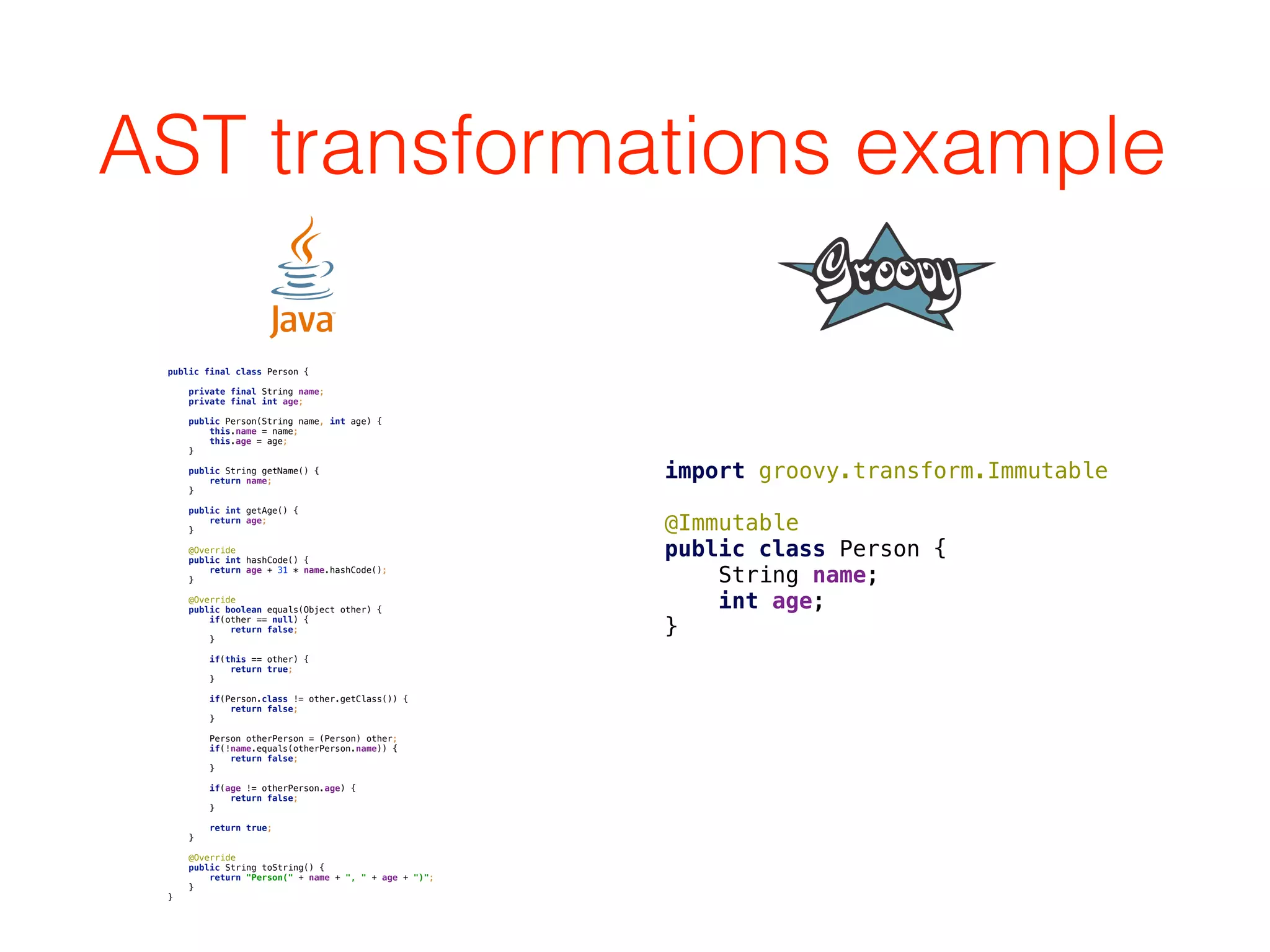
• example: @Immutable - implements immutable “by
the book”
AST transformations example
public final class Person {


private final String name;

private final int age;


public Person(String name, int age) {

this.name = name;

this.age = age;

}


public String getName() {

return name;

}


public int getAge() {

return age;

}


@Override

public int hashCode() {

return age + 31 * name.hashCode();

}


@Override

public boolean equals(Object other) {

if(other == null) {

return false;

}


if(this == other) {

return true;

}


if(Person.class != other.getClass()) {

return false;

}


Person otherPerson = (Person) other;

if(!name.equals(otherPerson.name)) {

return false;

}


if(age != otherPerson.age) {

return false;

}


return true;

}


@Override

public String toString() {

return "Person(" + name + ", " + age + ")";

}

}
import groovy.transform.Immutable


@Immutable

public class Person {

String name;

int age;

}
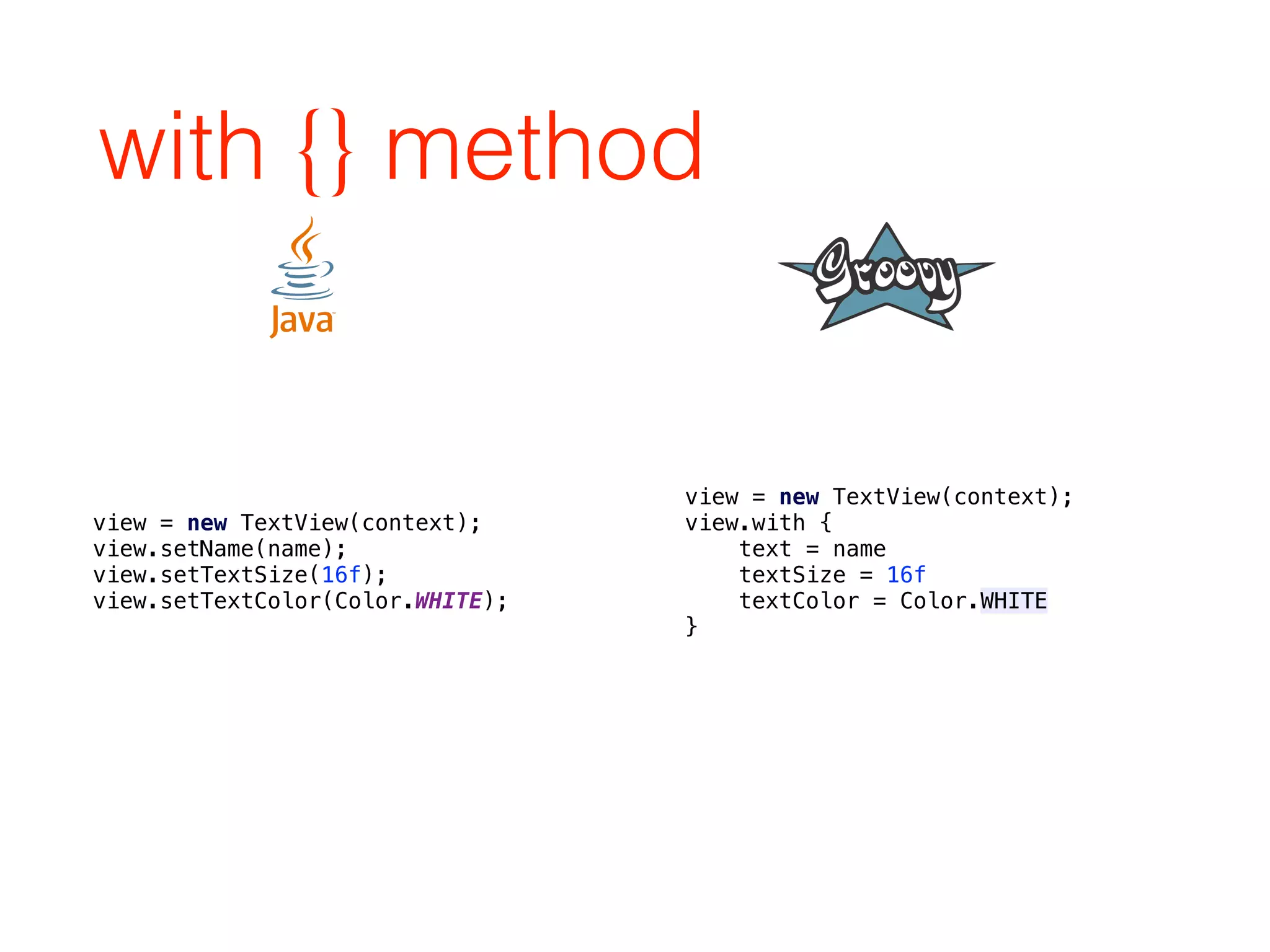
with {} method
view = new TextView(context);

view.setName(name);

view.setTextSize(16f);

view.setTextColor(Color.WHITE);
view = new TextView(context);
view.with {

text = name

textSize = 16f

textColor = Color.WHITE

}
Resource handling
File f = new File("/sdcard/dir/f.txt");

if(f.exists() && f.canRead()) {

FileInputStream fis = null;

try {

fis = new FileInputStream(f);

byte[] bytes = new byte[fis.available()];

while(fis.read(bytes) != -1) {};

textView.setText(new String(bytes));

} catch(IOException e) {

//handle

} finally {

if(fis != null) {

try {

fis.close();

} catch(IOException e) {

//ignore

}

}

}

} else {

//handle

}
def f = new File("/sdcard/dir/f.txt");

if(f.exists() && f.canRead()) {

f.withInputStream { fis ->

def bytes = new byte[fis.available()]

while(fis.read(bytes) != -1) {}

textView.setText(new String(bytes))

}

}
HTTP GET example
def url = "https://api.github.com/repos" +

"groovy/groovy-core/commits"

def commits = new JsonSlurper().parseText(url.toURL().text)


assert commits[0].commit.author.name == "Cedric Champeau"
• easy to parse JSON REST API:
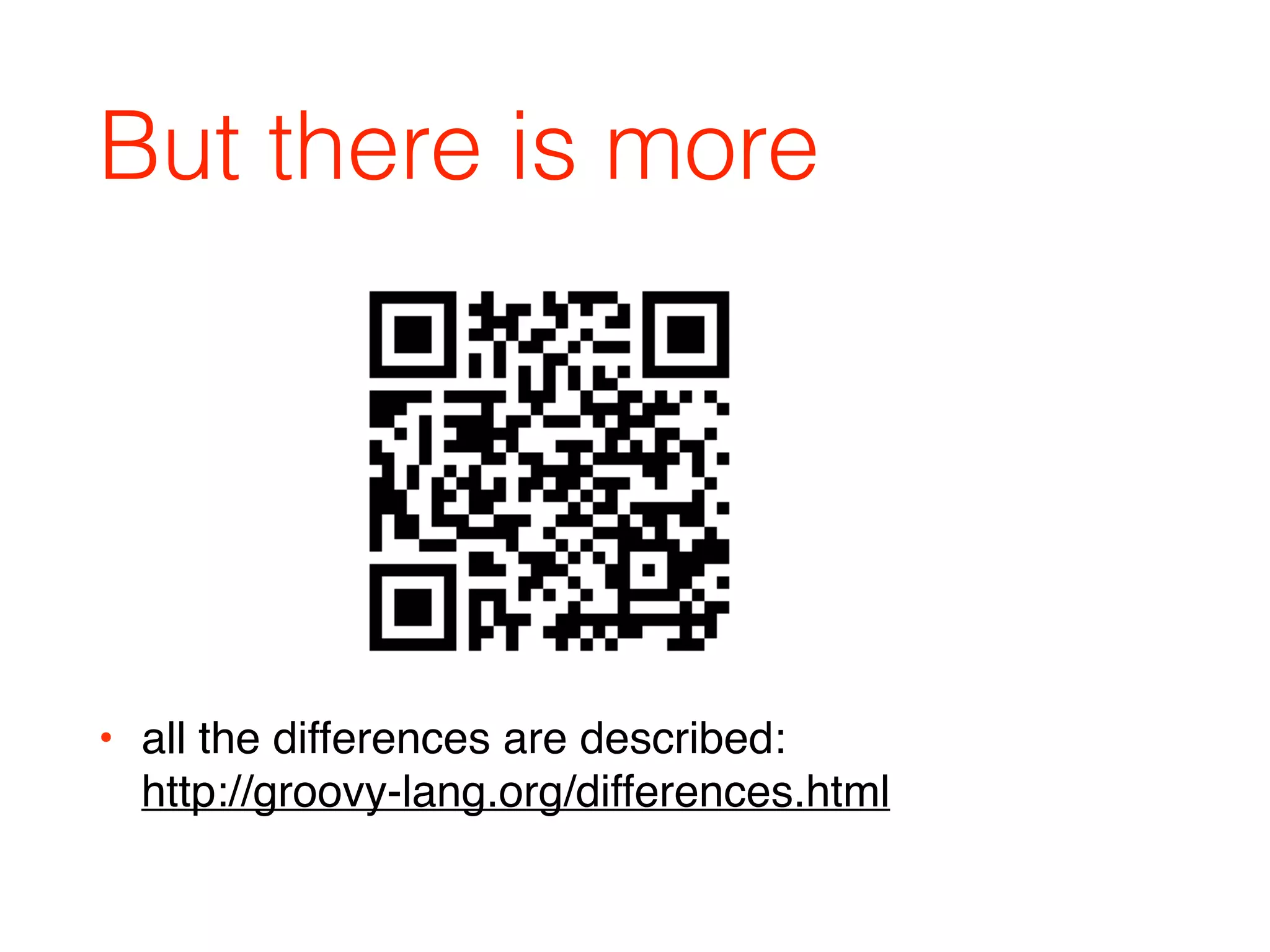
But there is more
• all the differences are described:

http://groovy-lang.org/differences.html
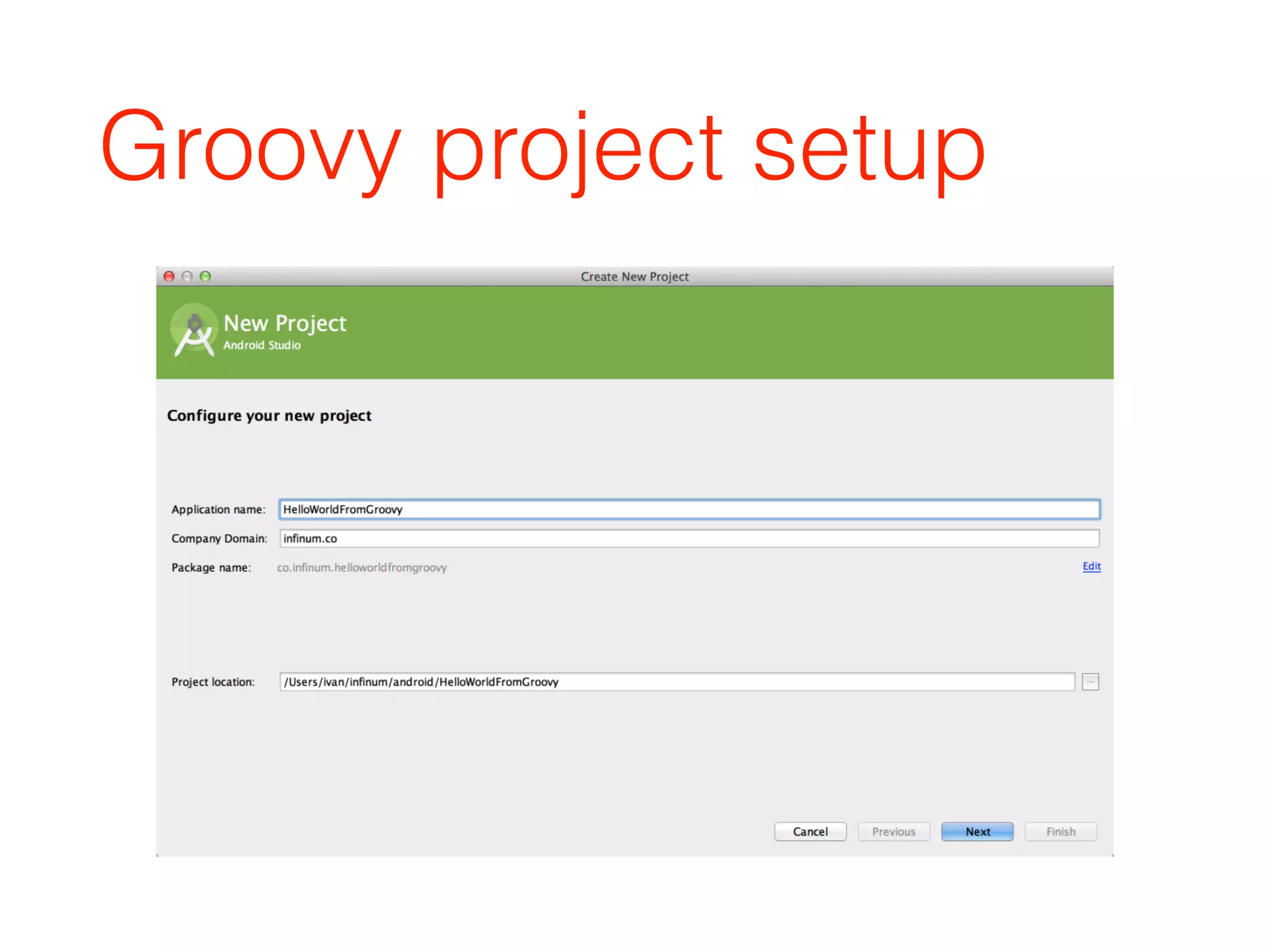
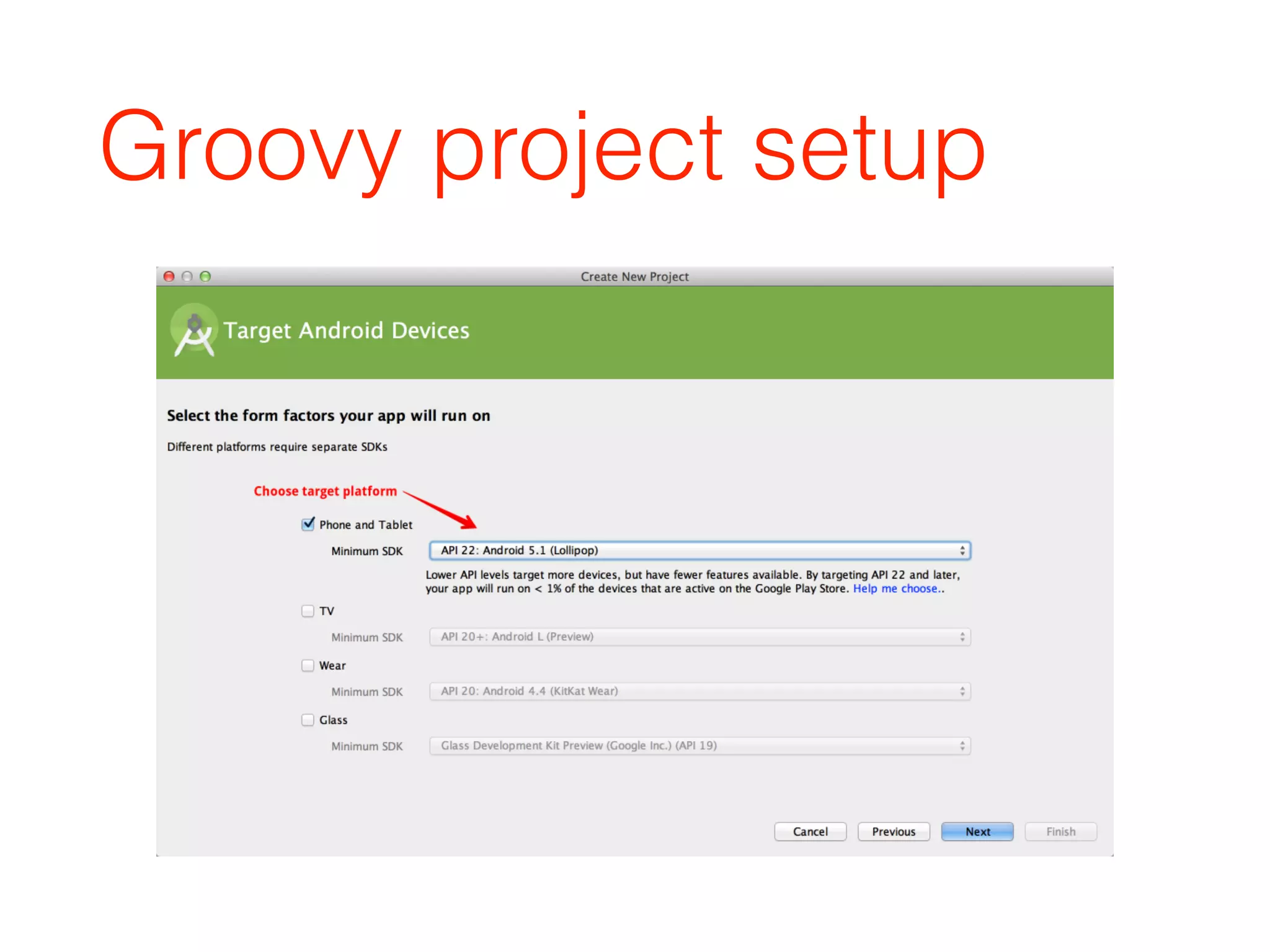
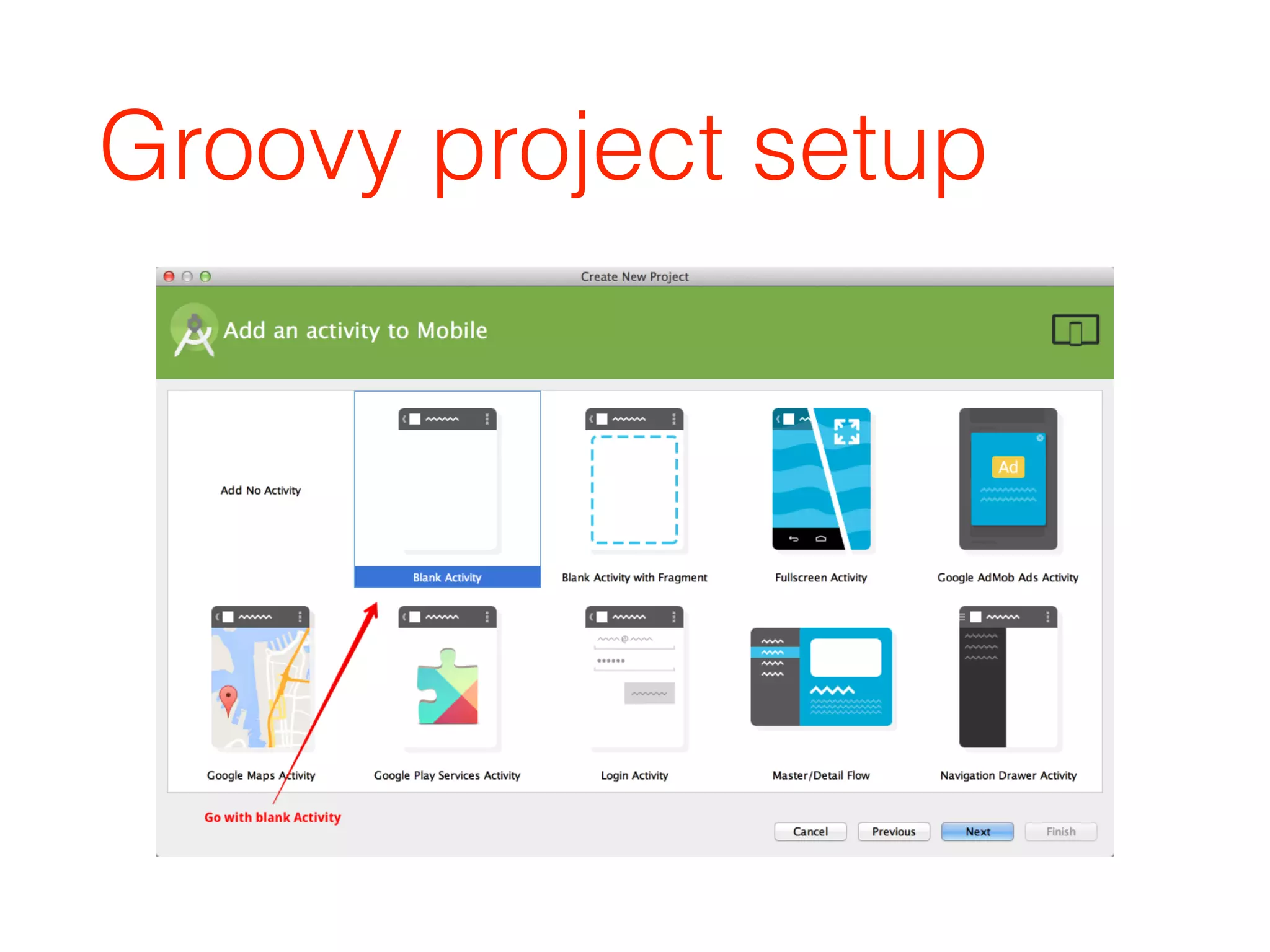
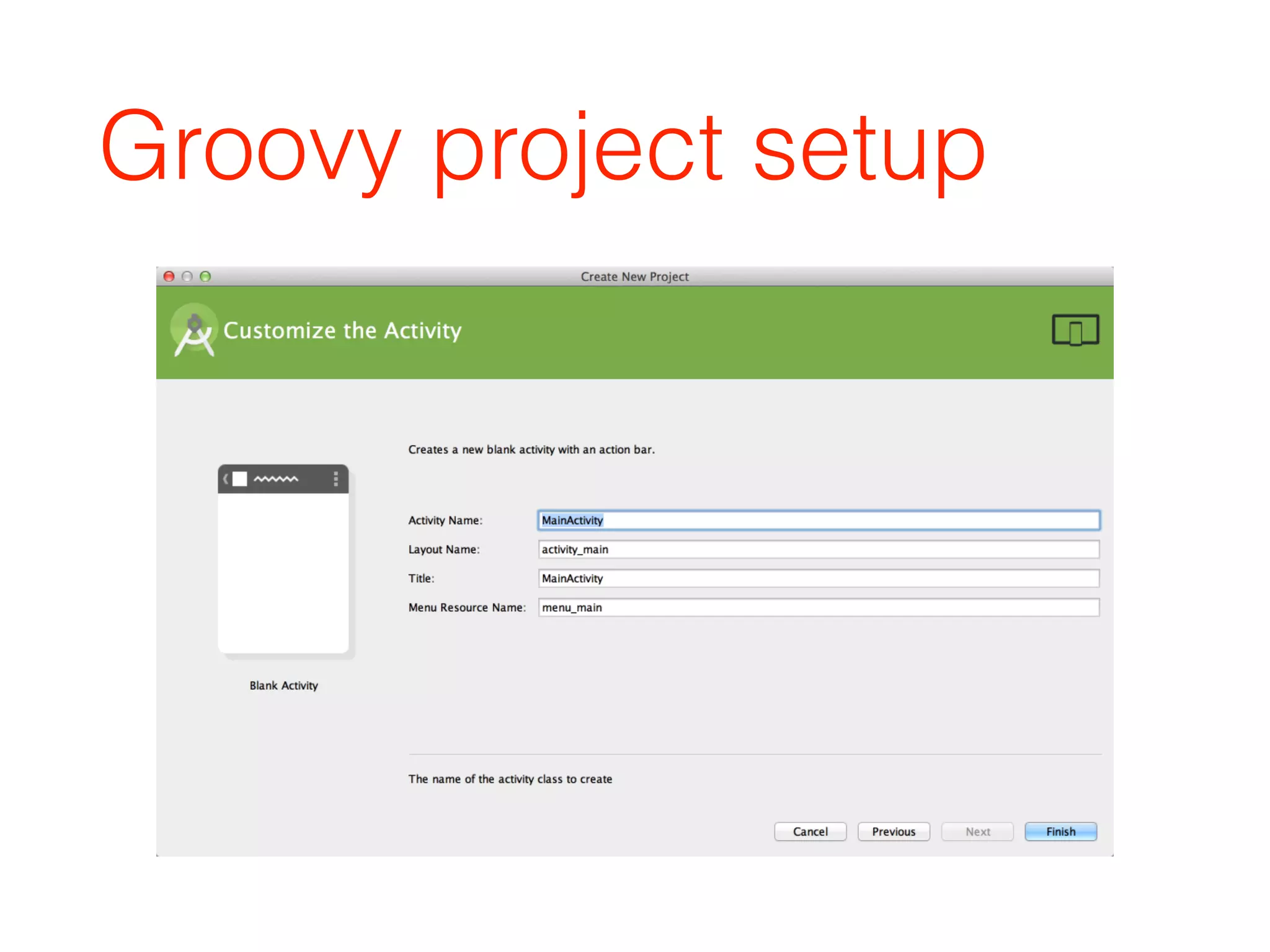
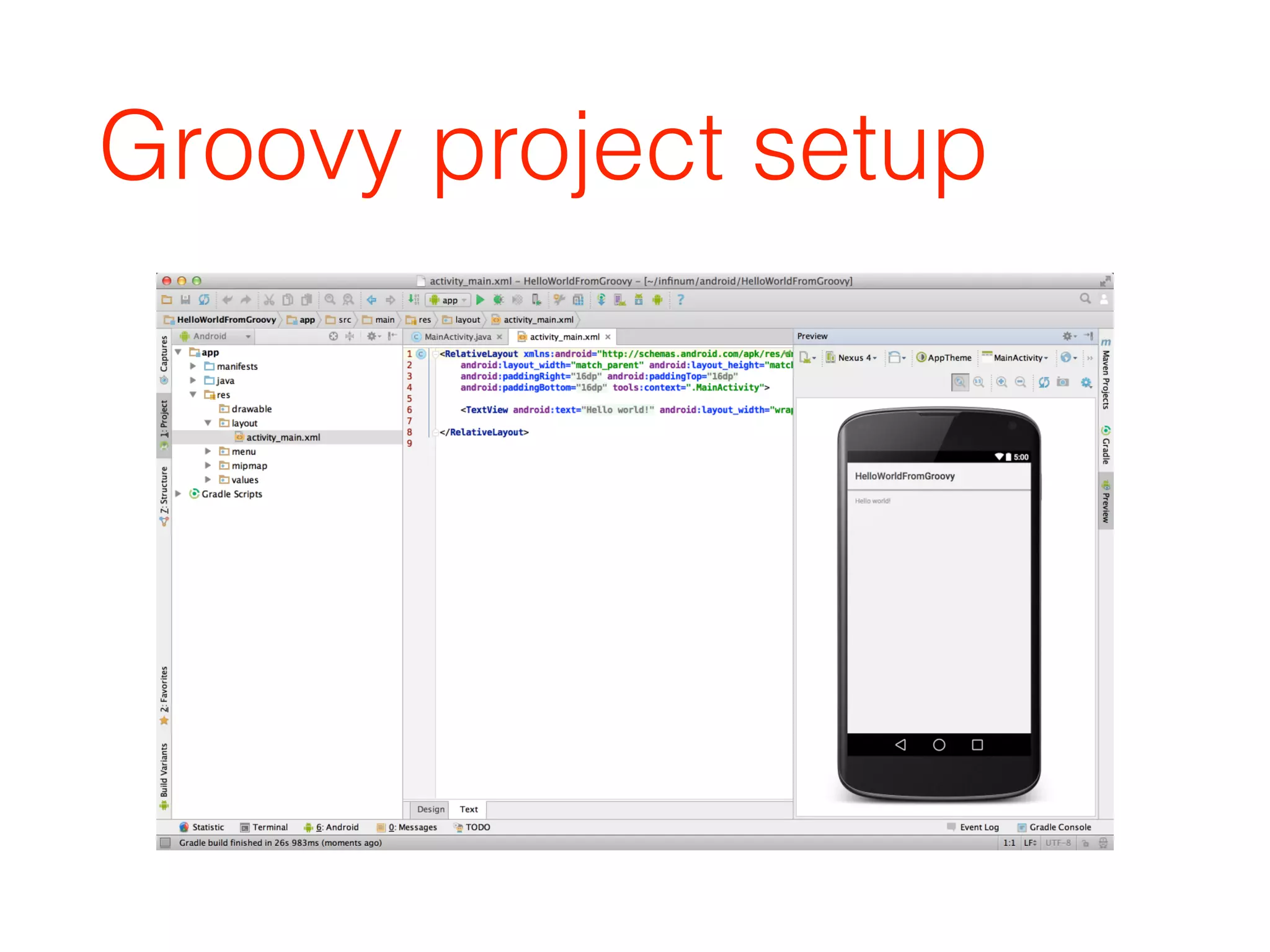
Groovy project setup
Modify build.gradle
buildscript {

repositories {

jcenter()

}

dependencies {

classpath 'com.android.tools.build:gradle:1.0.1'

classpath 'me.champeau.gradle:gradle-groovy-android-plugin:0.3.0'

}

}


apply plugin: 'com.android.application'

apply plugin: 'me.champeau.gradle.groovy-android'


android {

…

}


dependencies {

compile fileTree(dir: 'libs', include: ['*.jar'])


compile ‘org.codehaus.groovy:groovy-all:2.4.3'


…

}
Add groovy code
• rename class files from .java to .groovy
• Android Studio has autocomplete support!
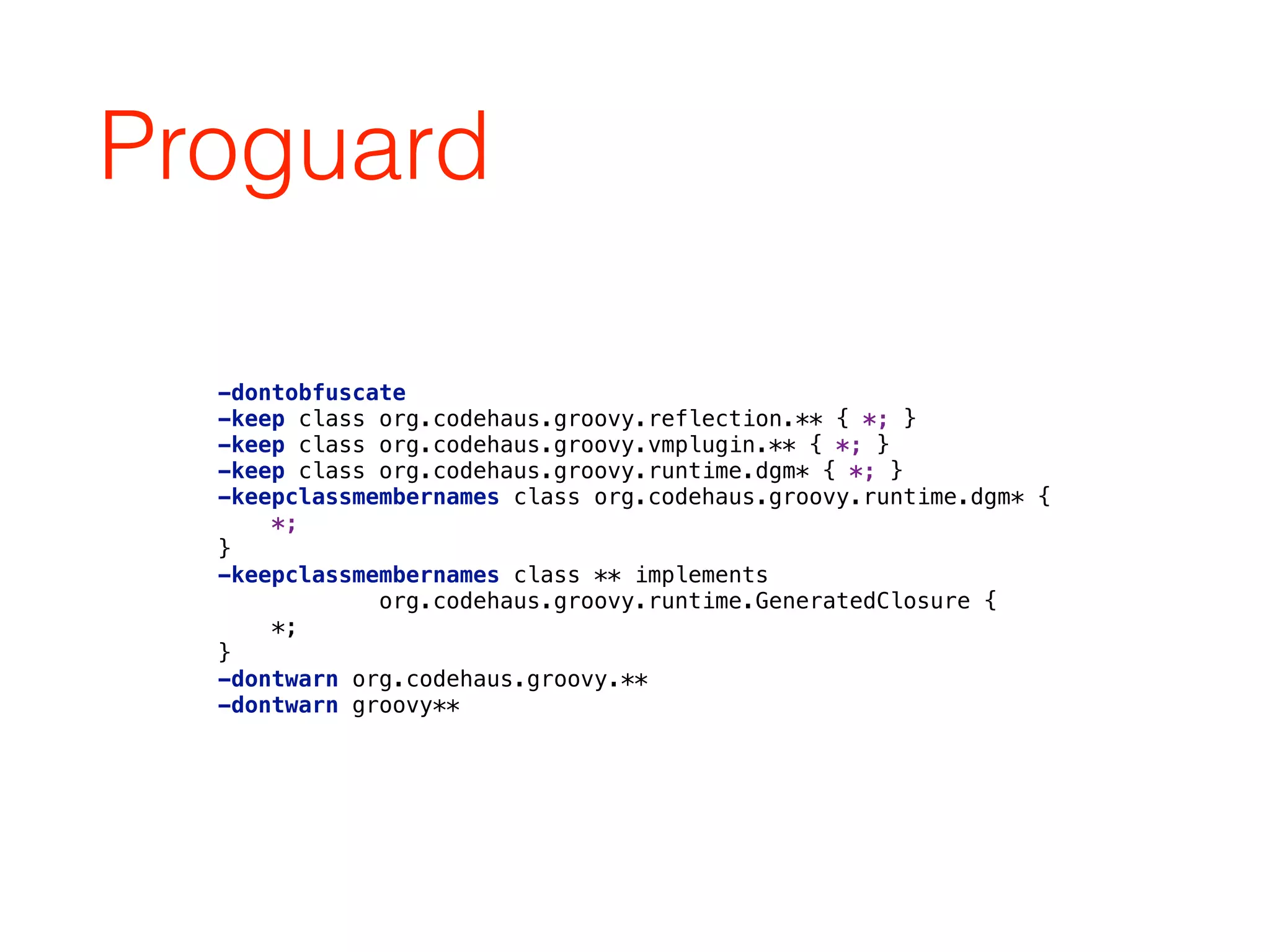
Proguard
-dontobfuscate

-keep class org.codehaus.groovy.reflection.** { *; }

-keep class org.codehaus.groovy.vmplugin.** { *; }

-keep class org.codehaus.groovy.runtime.dgm* { *; }

-keepclassmembernames class org.codehaus.groovy.runtime.dgm* {

*;

}

-keepclassmembernames class ** implements

org.codehaus.groovy.runtime.GeneratedClosure {

*;

}

-dontwarn org.codehaus.groovy.**

-dontwarn groovy**
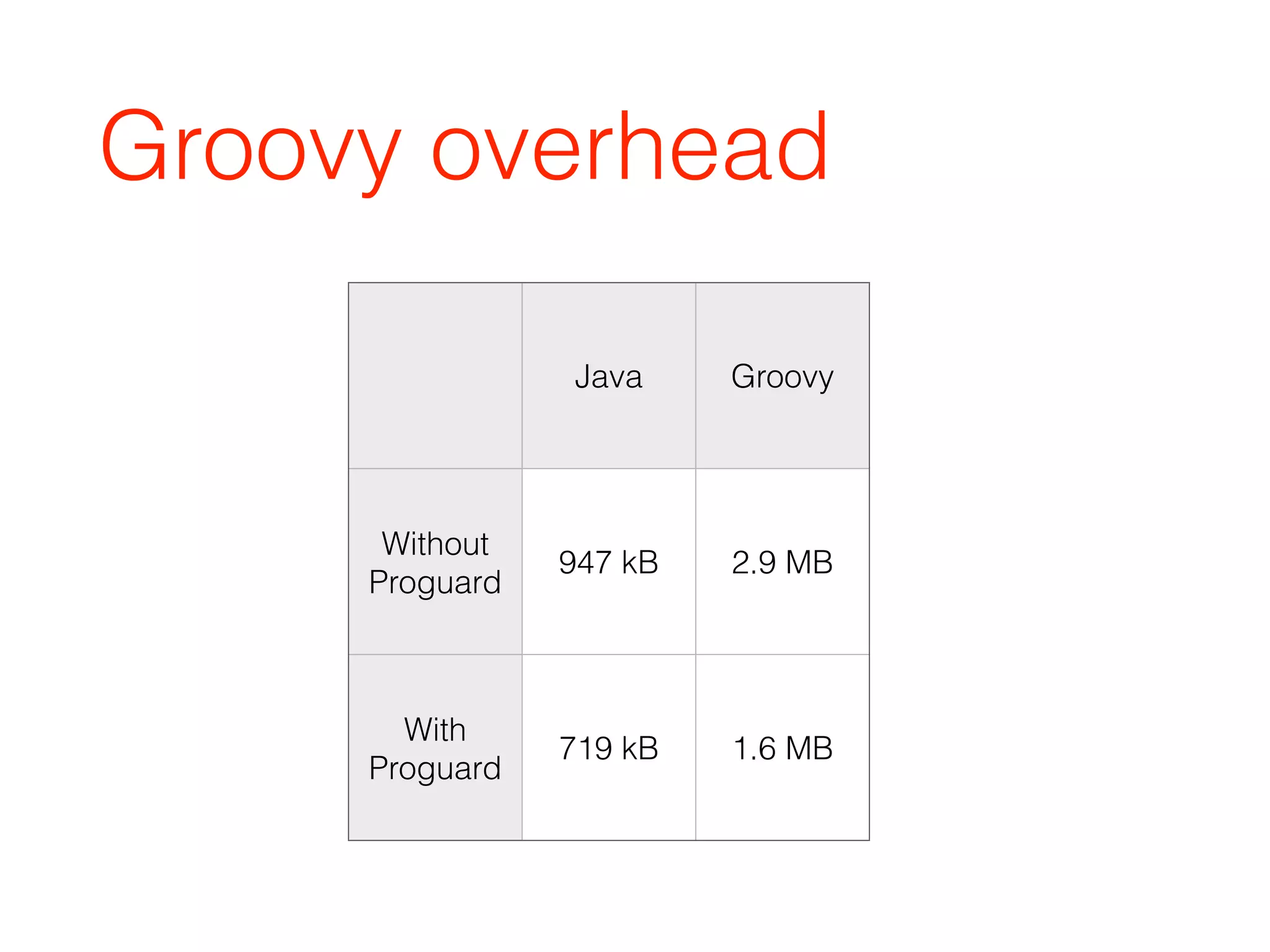
Groovy overhead
Java Groovy
Without
Proguard
947 kB 2.9 MB
With
Proguard
719 kB 1.6 MB
Android
Groovy libraries
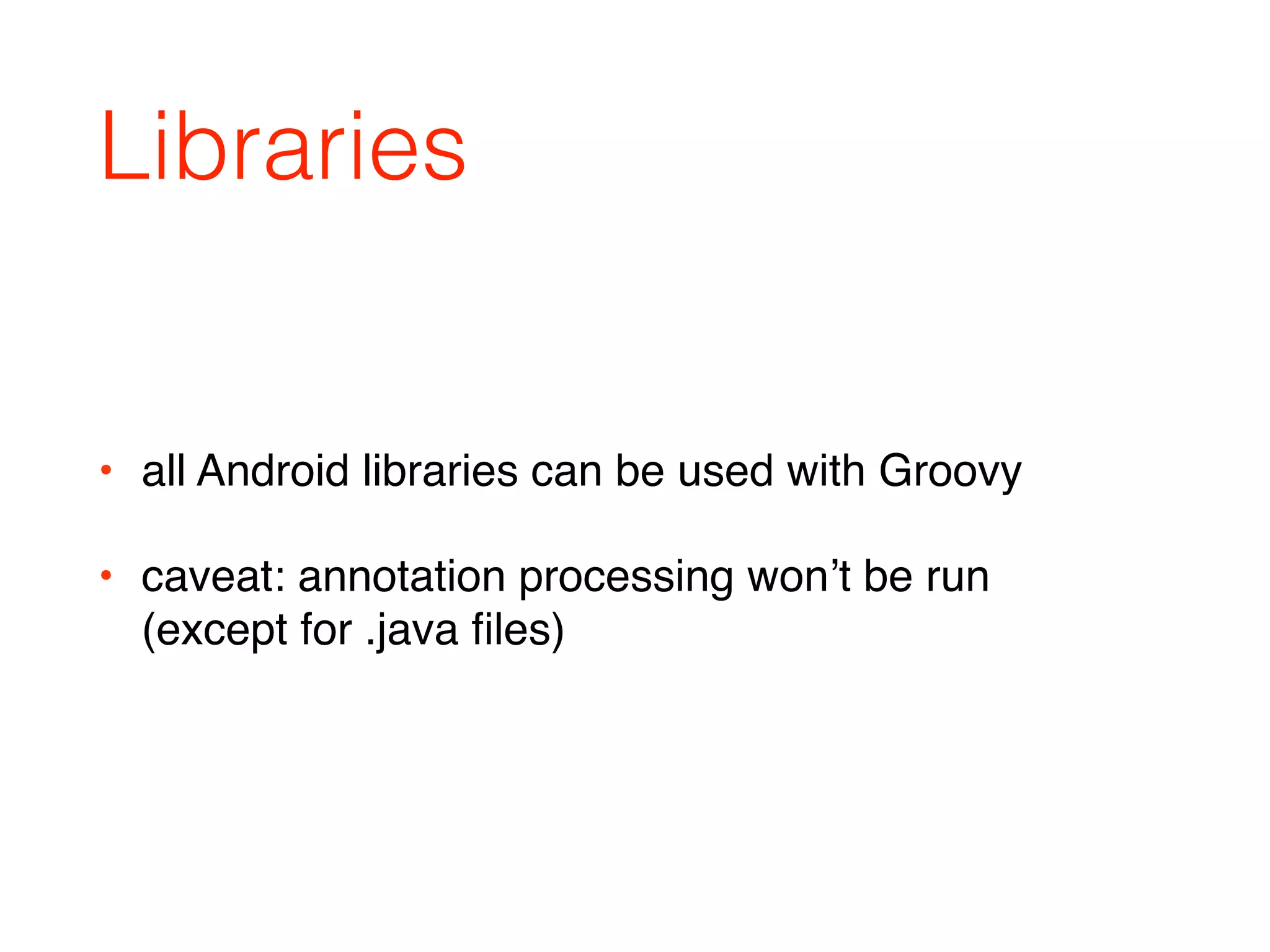
Libraries
• all Android libraries can be used with Groovy
• caveat: annotation processing won’t be run 

(except for .java files)
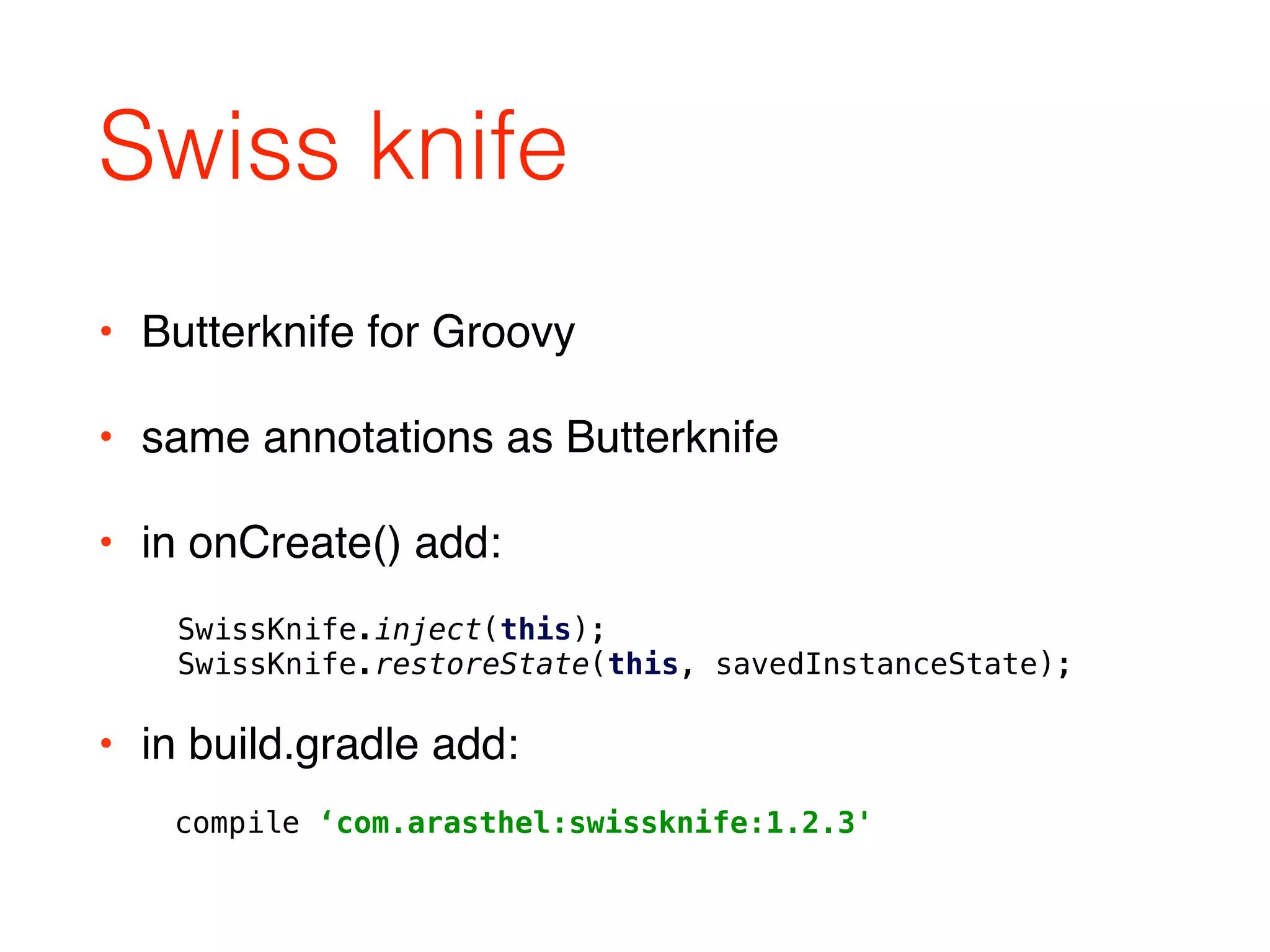
Swiss knife
• Butterknife for Groovy
• same annotations as Butterknife
• in onCreate() add:
SwissKnife.inject(this);

SwissKnife.restoreState(this, savedInstanceState);
compile ‘com.arasthel:swissknife:1.2.3'
• in build.gradle add:
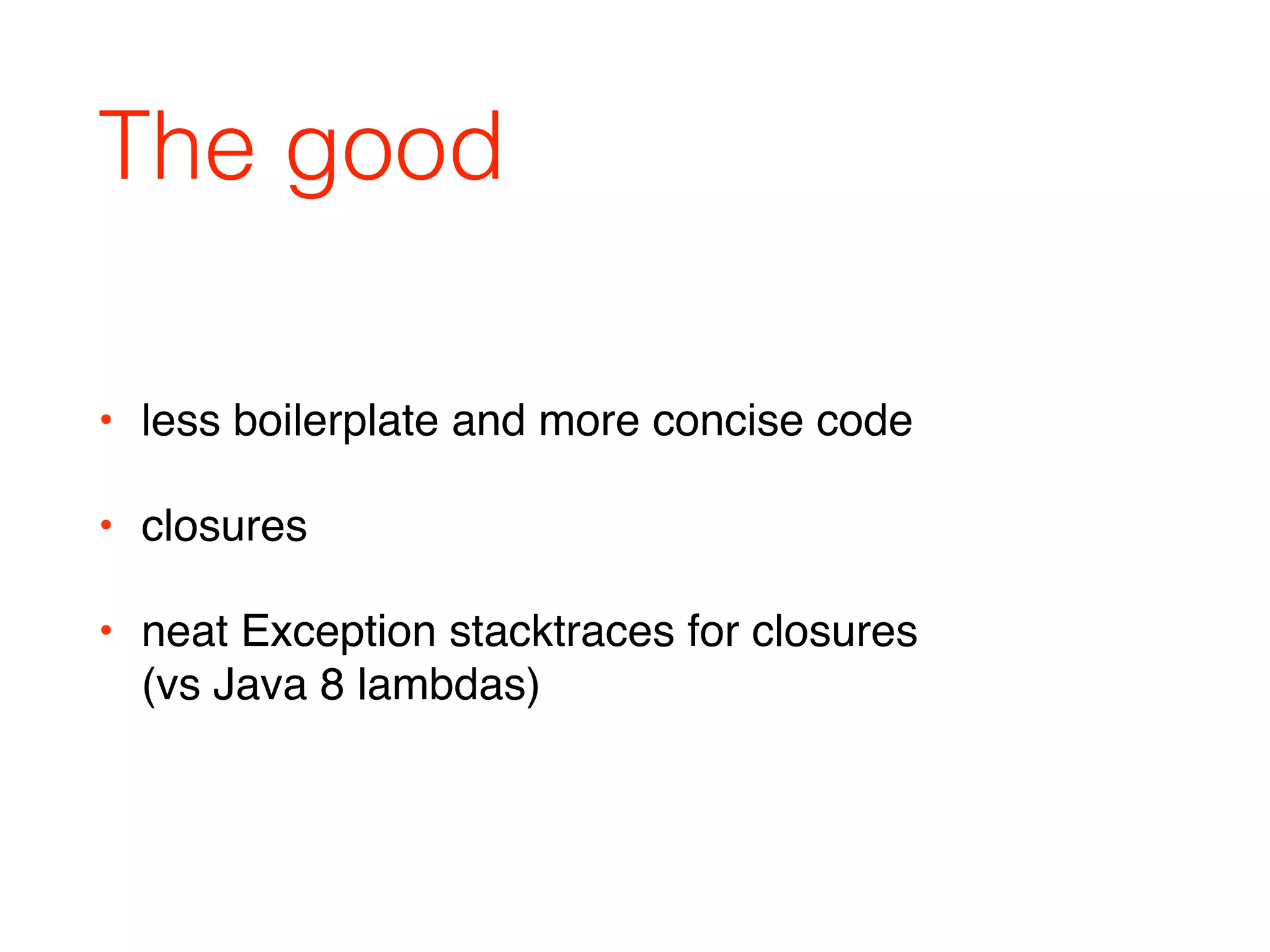
The good
• less boilerplate and more concise code
• closures
• neat Exception stacktraces for closures 

(vs Java 8 lambdas)
The bad
• a little bit slower than Java Android project
• larger .apk
• no annotation processing (APT)
Conclusion
• good for smaller projects
• faster to code
• lots of syntax sugar
• add some overhead to performance and .apk size
Resources
• Groovy presentation by Guillaume Laforge: 

https://speakerdeck.com/glaforge/groovy-on-
android-droidcon-paris-2014
• Groovy official site:

http://groovy-lang.org/
• groovy project example:

https://github.com/ikust/groovy-pokemons

Infinum android talks_10_getting groovy on android

  • 1.
  • 2.
  • 3.
    Java on Android •no Java 8 and lambda expressions • writing a lot of boilerplate code
  • 5.
    Groovy • optionally typed •dynamic language • compiles into Java VM bytecode
  • 6.
    Groovy Thread thread =new Thread(new Runnable() {
 
 @Override
 void run() {
 //do stuff in background
 }
 }); • example (executing code in a new thread) on Java:
  • 7.
    Groovy • same thingin Groovy, using closures: Thread.start { //do stuff in background }
  • 8.
    Groovy • more concisecode • more readable code • still type safe • still fast
  • 9.
    Benefits of Groovy •semi colons are optional • parentheses are optional • dynamic typing • return keyword is optional • public keyword is optional • all Java is valid Groovy
  • 10.
  • 11.
    Default imports • java.io.* •java.lang.* • java.math.BigDecimal • java.math.BigInteger • java.net.* • java.util.* • groovy.lang.* • groovy.util.*
  • 12.
    Special operators • Elvisoperator
 • ?. operator def name = person.name ?: "unknown" def name = person?.name
  • 13.
    Initializers • Java: • Groovy: int[]array = { 1, 2, 3} int[] array = [1,2,3] • { … } block reserved for closures
  • 14.
    Initializers def list =[1, 2, 3, 4 ,5]
 
 def map = [a: 1, b: 2, c:3]
 
 def regex = ~/.*foo.*/
 
 def range = 128..255
 
 def closure = {a, b -> a + b} • other available initializers:
  • 15.
    == operator • ==in groovy translates to:
 a.compareTo(b) == 0 if they are Comparable
 a.equals(b) otherwise
  • 16.
    Groovy truth • inJava:
 • in Groovy:
 if(s) if(s != null && s.length() > 0)
  • 17.
    Package scope • Java:package private field • Groovy: property • package private field in groovy: class Person { String name } class Person { @PackageScope String name }
  • 18.
    Multi-methods • java: result= 2 (method chosen at compile time) • groovy: result = 1 (method chosen at run time) int method(String arg) { return 1; } int method(Object arg) { return 2; } Object o = "Object"; int result = method(o);
  • 19.
    Properties public class Pokemon{
 
 private String name;
 
 public String getName() {
 return name;
 }
 
 public void setName(String name) {
 this.name = name;
 }
 } Pokemon pokemon = new Pokemon();
 pokemon.setName("Pikachu"); public class Pokemon {
 
 String name;
 } Pokemon pokemon = new Pokemon(name: "Pikachu")
 pokemon.setName("Raichu")
  • 20.
    Annotation processing • noannotation processing in Groovy • AST transformations • example: @Immutable - implements immutable “by the book”
  • 21.
    AST transformations example publicfinal class Person {
 
 private final String name;
 private final int age;
 
 public Person(String name, int age) {
 this.name = name;
 this.age = age;
 }
 
 public String getName() {
 return name;
 }
 
 public int getAge() {
 return age;
 }
 
 @Override
 public int hashCode() {
 return age + 31 * name.hashCode();
 }
 
 @Override
 public boolean equals(Object other) {
 if(other == null) {
 return false;
 }
 
 if(this == other) {
 return true;
 }
 
 if(Person.class != other.getClass()) {
 return false;
 }
 
 Person otherPerson = (Person) other;
 if(!name.equals(otherPerson.name)) {
 return false;
 }
 
 if(age != otherPerson.age) {
 return false;
 }
 
 return true;
 }
 
 @Override
 public String toString() {
 return "Person(" + name + ", " + age + ")";
 }
 } import groovy.transform.Immutable
 
 @Immutable
 public class Person {
 String name;
 int age;
 }
  • 22.
    with {} method view= new TextView(context);
 view.setName(name);
 view.setTextSize(16f);
 view.setTextColor(Color.WHITE); view = new TextView(context); view.with {
 text = name
 textSize = 16f
 textColor = Color.WHITE
 }
  • 23.
    Resource handling File f= new File("/sdcard/dir/f.txt");
 if(f.exists() && f.canRead()) {
 FileInputStream fis = null;
 try {
 fis = new FileInputStream(f);
 byte[] bytes = new byte[fis.available()];
 while(fis.read(bytes) != -1) {};
 textView.setText(new String(bytes));
 } catch(IOException e) {
 //handle
 } finally {
 if(fis != null) {
 try {
 fis.close();
 } catch(IOException e) {
 //ignore
 }
 }
 }
 } else {
 //handle
 } def f = new File("/sdcard/dir/f.txt");
 if(f.exists() && f.canRead()) {
 f.withInputStream { fis ->
 def bytes = new byte[fis.available()]
 while(fis.read(bytes) != -1) {}
 textView.setText(new String(bytes))
 }
 }
  • 24.
    HTTP GET example defurl = "https://api.github.com/repos" +
 "groovy/groovy-core/commits"
 def commits = new JsonSlurper().parseText(url.toURL().text)
 
 assert commits[0].commit.author.name == "Cedric Champeau" • easy to parse JSON REST API:
  • 25.
    But there ismore • all the differences are described:
 http://groovy-lang.org/differences.html
  • 26.
  • 27.
  • 28.
  • 29.
  • 30.
  • 31.
  • 32.
    Modify build.gradle buildscript {
 repositories{
 jcenter()
 }
 dependencies {
 classpath 'com.android.tools.build:gradle:1.0.1'
 classpath 'me.champeau.gradle:gradle-groovy-android-plugin:0.3.0'
 }
 }
 
 apply plugin: 'com.android.application'
 apply plugin: 'me.champeau.gradle.groovy-android'
 
 android {
 …
 }
 
 dependencies {
 compile fileTree(dir: 'libs', include: ['*.jar'])
 
 compile ‘org.codehaus.groovy:groovy-all:2.4.3'
 
 …
 }
  • 33.
    Add groovy code •rename class files from .java to .groovy • Android Studio has autocomplete support!
  • 34.
    Proguard -dontobfuscate
 -keep class org.codehaus.groovy.reflection.**{ *; }
 -keep class org.codehaus.groovy.vmplugin.** { *; }
 -keep class org.codehaus.groovy.runtime.dgm* { *; }
 -keepclassmembernames class org.codehaus.groovy.runtime.dgm* {
 *;
 }
 -keepclassmembernames class ** implements
 org.codehaus.groovy.runtime.GeneratedClosure {
 *;
 }
 -dontwarn org.codehaus.groovy.**
 -dontwarn groovy**
  • 35.
    Groovy overhead Java Groovy Without Proguard 947kB 2.9 MB With Proguard 719 kB 1.6 MB
  • 36.
  • 37.
    Libraries • all Androidlibraries can be used with Groovy • caveat: annotation processing won’t be run 
 (except for .java files)
  • 38.
    Swiss knife • Butterknifefor Groovy • same annotations as Butterknife • in onCreate() add: SwissKnife.inject(this);
 SwissKnife.restoreState(this, savedInstanceState); compile ‘com.arasthel:swissknife:1.2.3' • in build.gradle add:
  • 39.
    The good • lessboilerplate and more concise code • closures • neat Exception stacktraces for closures 
 (vs Java 8 lambdas)
  • 40.
    The bad • alittle bit slower than Java Android project • larger .apk • no annotation processing (APT)
  • 41.
    Conclusion • good forsmaller projects • faster to code • lots of syntax sugar • add some overhead to performance and .apk size
  • 42.
    Resources • Groovy presentationby Guillaume Laforge: 
 https://speakerdeck.com/glaforge/groovy-on- android-droidcon-paris-2014 • Groovy official site:
 http://groovy-lang.org/ • groovy project example:
 https://github.com/ikust/groovy-pokemons