How to Use Stormpath in
Angular.js
Robert Damphousse @robertjd_
Lead Front-End Developer, Stormpath
About Stormpath
• User Management API for Developers
• Password security
• Authentication and Authorization
• LDAP Cloud Sync
• Instant-on, scalable, and highly available
• Free for developers
Talk Overview
• Authentication in Single Page Apps (SPAs)
• JWTs instead of Session IDs
• Securing cookies
• Where does Stormpath fit in your architecture?
• End-to-end example with Angular.js +
Express.js
SPAs – What’s different?
• Data resources are treated differently than
application resources (HTML/CSS/JS assets
are separated from data resources)
• Forces you to build a proper API, likely a
REST + JSON API
• User Experience (UX) gets a spotlight
SPAs – What’s the same?
• Browser JavaScript is an untrusted
environment!
• Your server is responsible for resource
authentication and authorization
• You CAN use Cookies for authentication
SPAs – Authentication Strategies
• Session identifiers – opaque string in a
cookie. You CAN use this strategy
• Access Tokens are better – JWT
JSON Web Tokens (JWT)
• Used to persist authentication assertions
• Signed, structured
• Should be stored in cookies, not local
storage
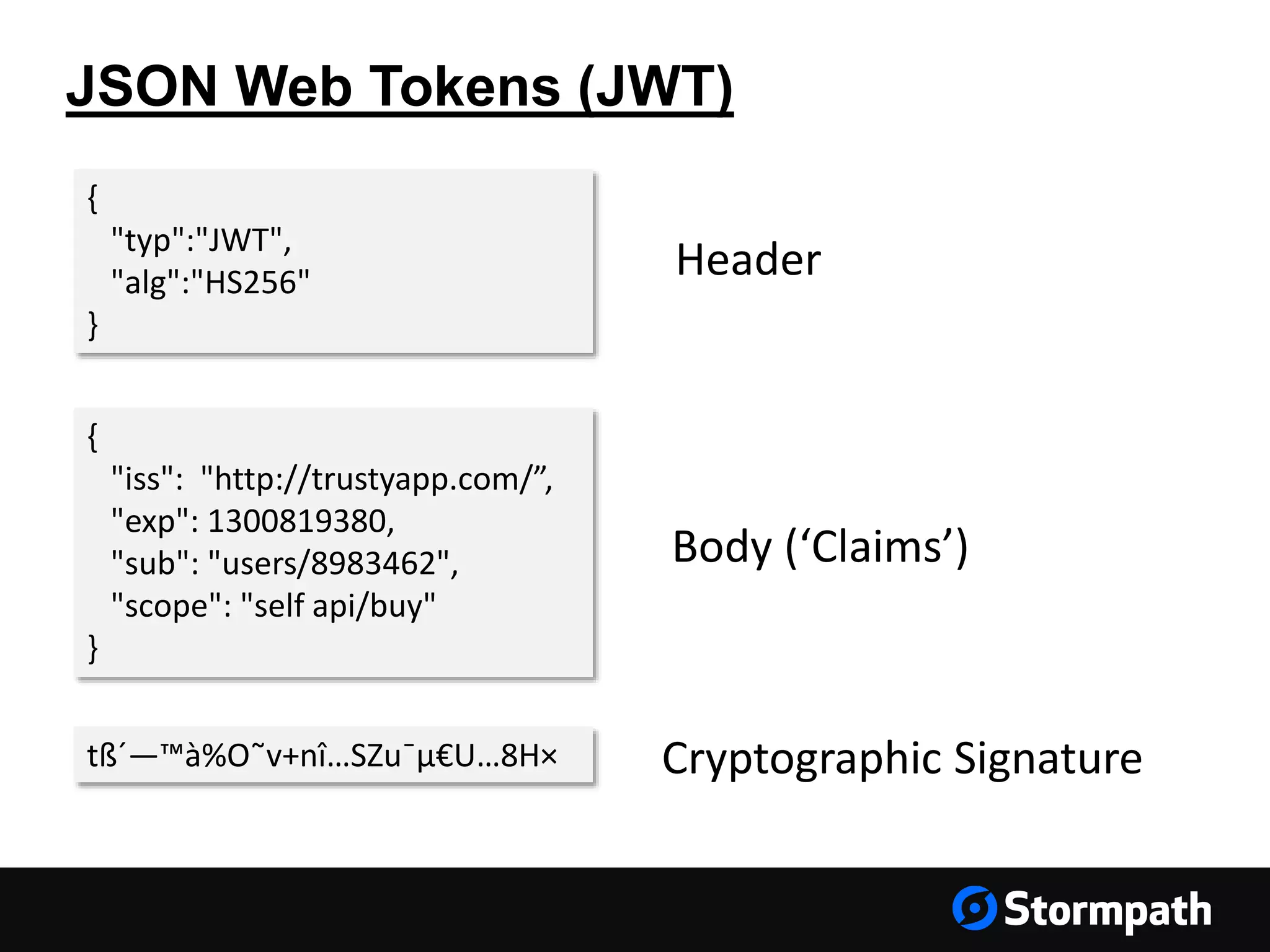
JSON Web Tokens (JWT)
{
"typ":"JWT",
"alg":"HS256"
}
{
"iss": "http://trustyapp.com/”,
"exp": 1300819380,
"sub": "users/8983462",
"scope": "self api/buy"
}
tß´—™à%O˜v+nî…SZu¯µ€U…8H×
Header
Body (‘Claims’)
Cryptographic Signature
Why Cookies?
• Automatically supplied on every request
• HttpOnly flag prevents the JS environment
from accessing the cookie
• Secure flag ensures the cookie is only
transmitted over HTTPS
• Can restrict by subdomain and path
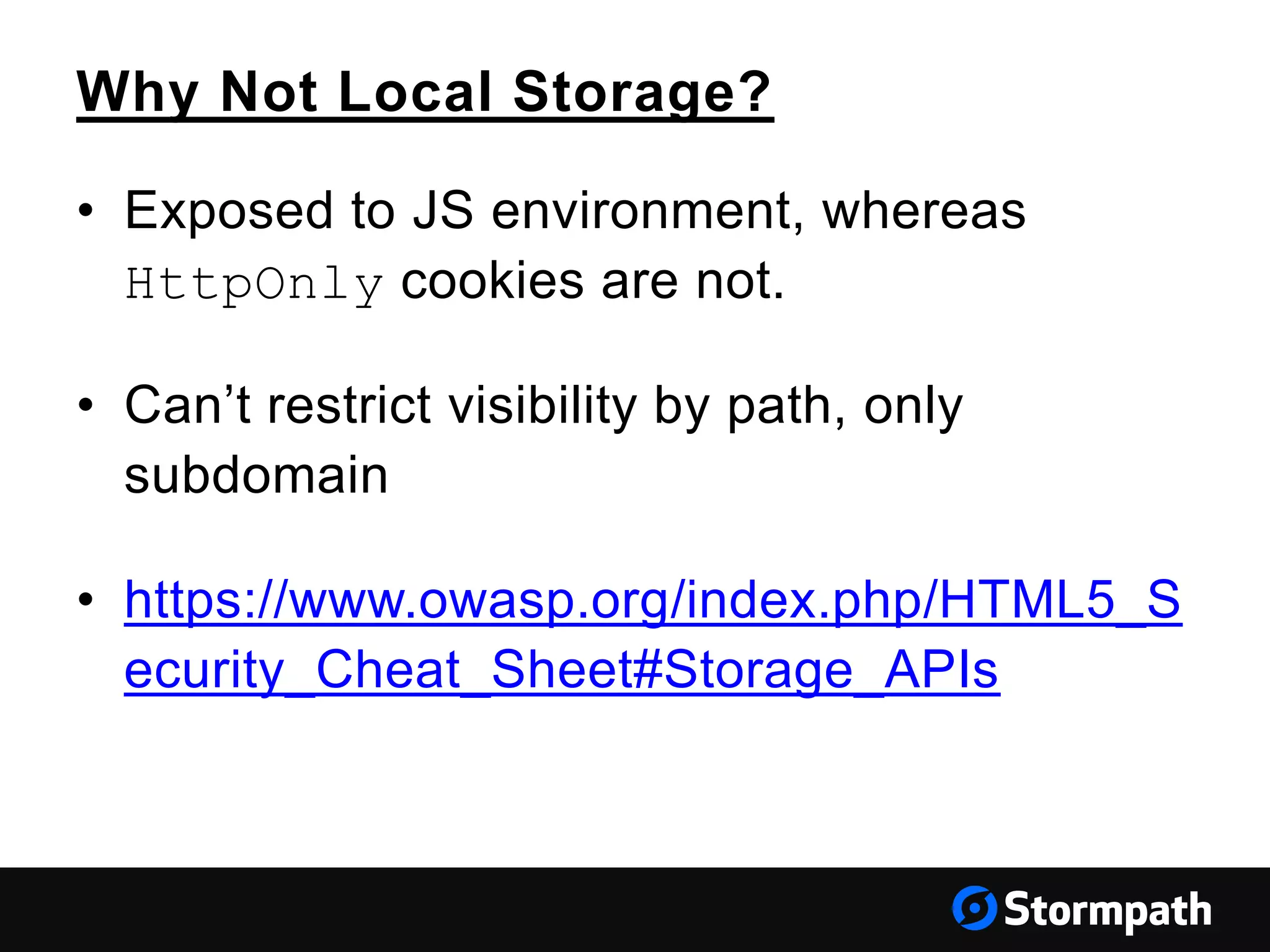
Why Not Local Storage?
• Exposed to JS environment, whereas
HttpOnly cookies are not.
• Can’t restrict visibility by path, only
subdomain
• https://www.owasp.org/index.php/HTML5_S
ecurity_Cheat_Sheet#Storage_APIs
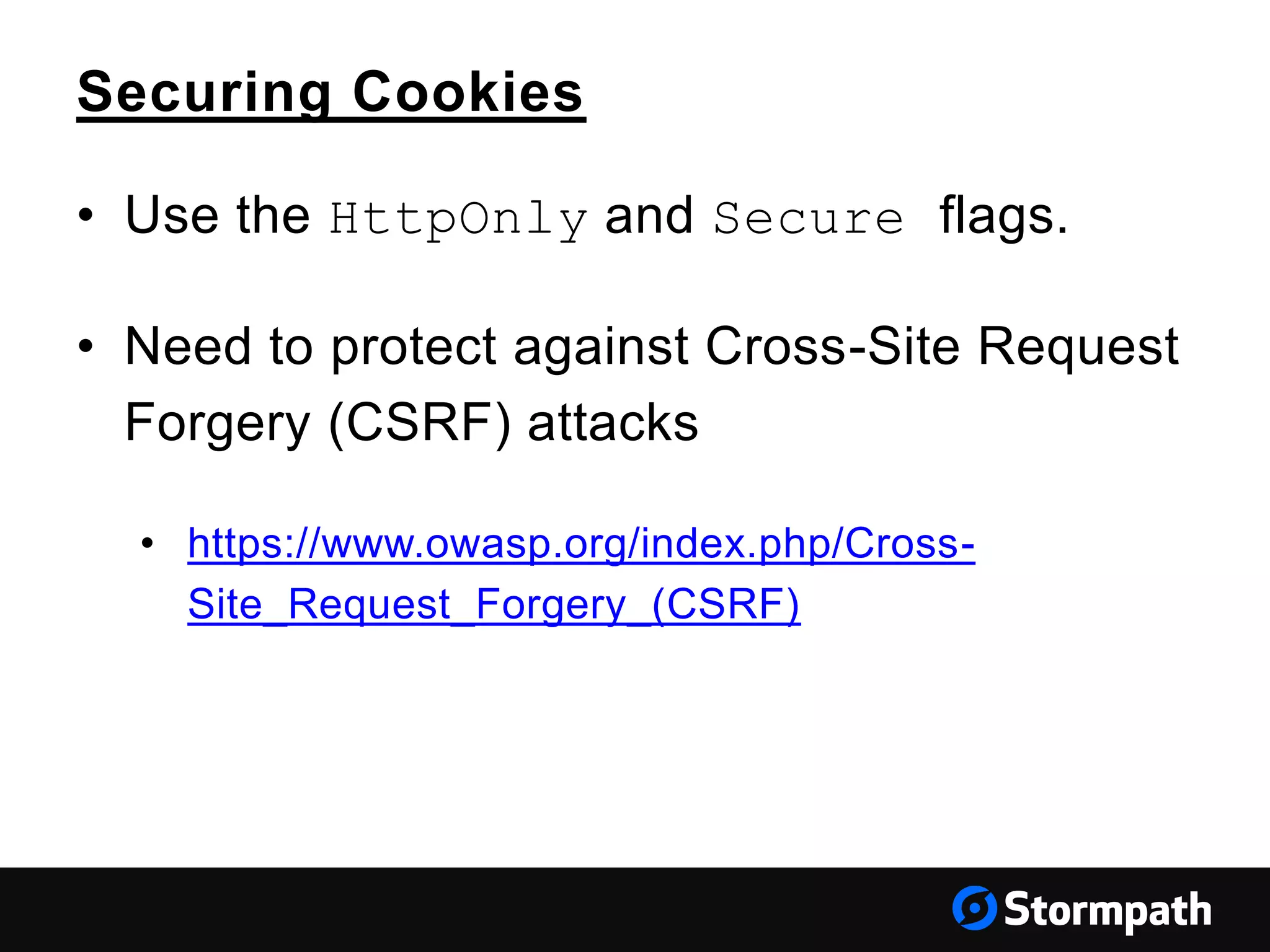
Securing Cookies
• Use the HttpOnly and Secure flags.
• Need to protect against Cross-Site Request
Forgery (CSRF) attacks
• https://www.owasp.org/index.php/Cross-
Site_Request_Forgery_(CSRF)
Stormpath, Angular
&
Your Architecture
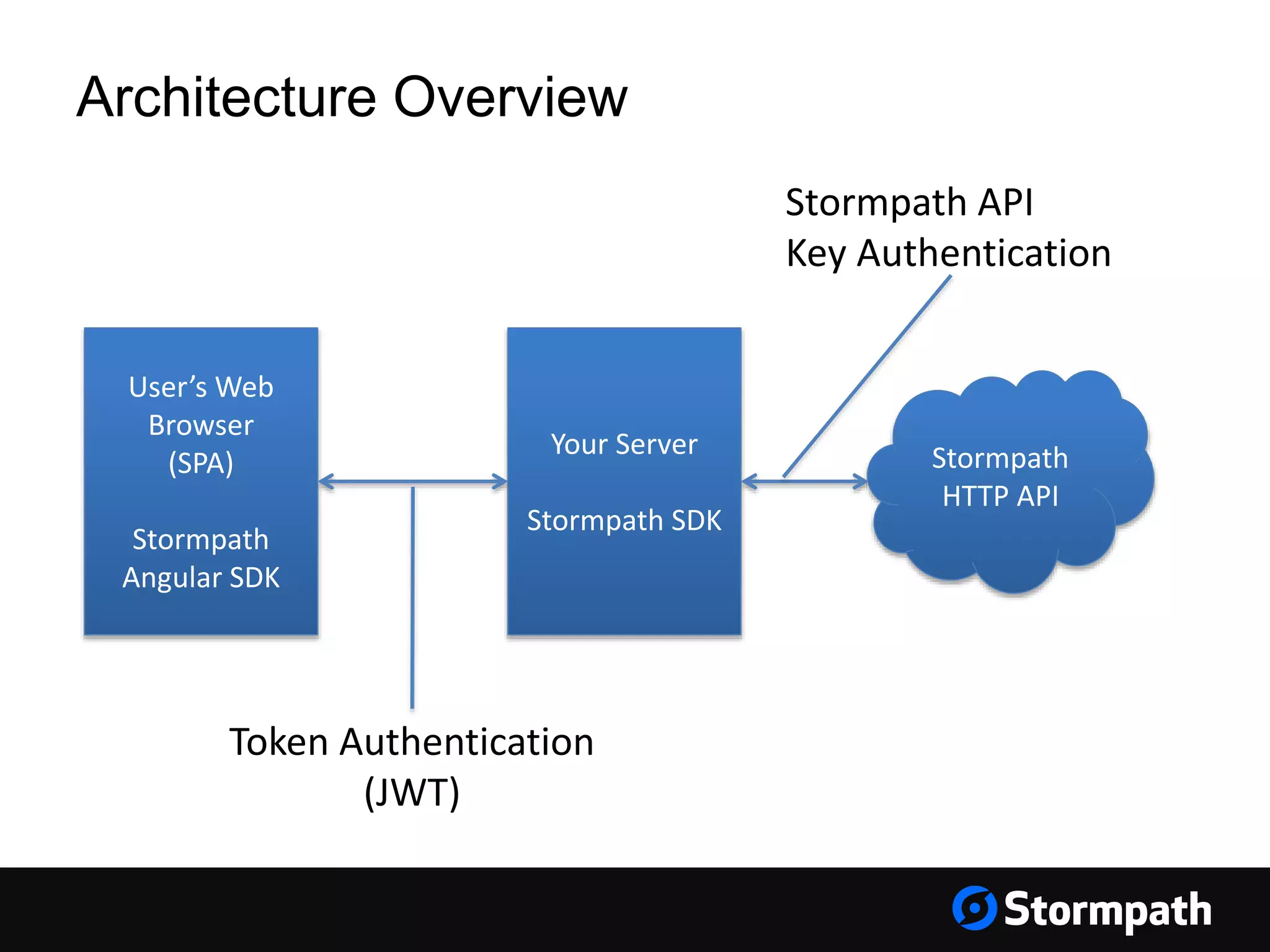
Your Server
Stormpath SDK
User’s Web
Browser
(SPA)
Stormpath
Angular SDK
Stormpath
HTTP API
Architecture Overview
Token Authentication
(JWT)
Stormpath API
Key Authentication
Integration Example
Express.JS Backend
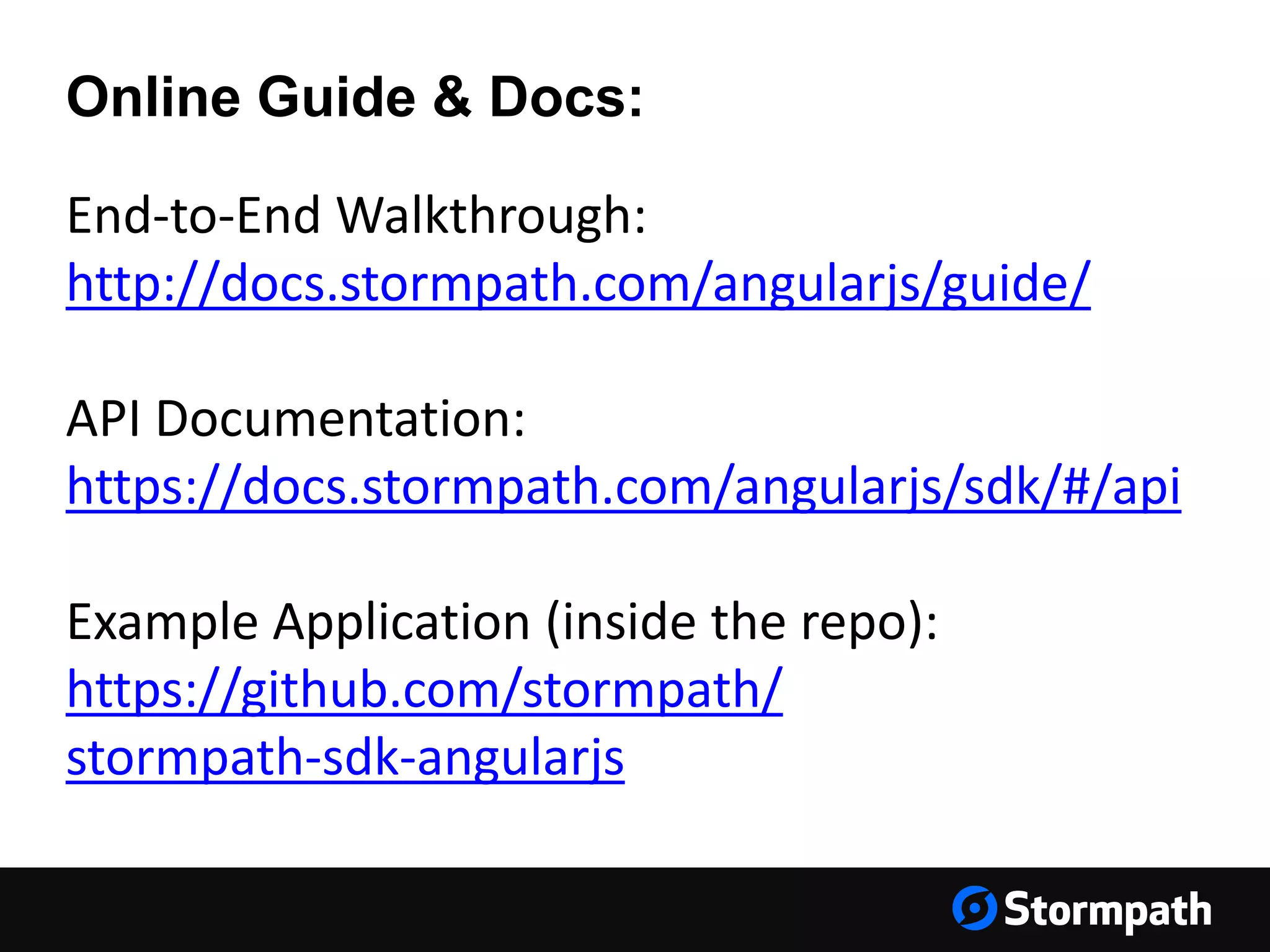
End-to-End Walkthrough:
http://docs.stormpath.com/angularjs/guide/
API Documentation:
https://docs.stormpath.com/angularjs/sdk/#/api
Example Application (inside the repo):
https://github.com/stormpath/
stormpath-sdk-angularjs
Online Guide & Docs:
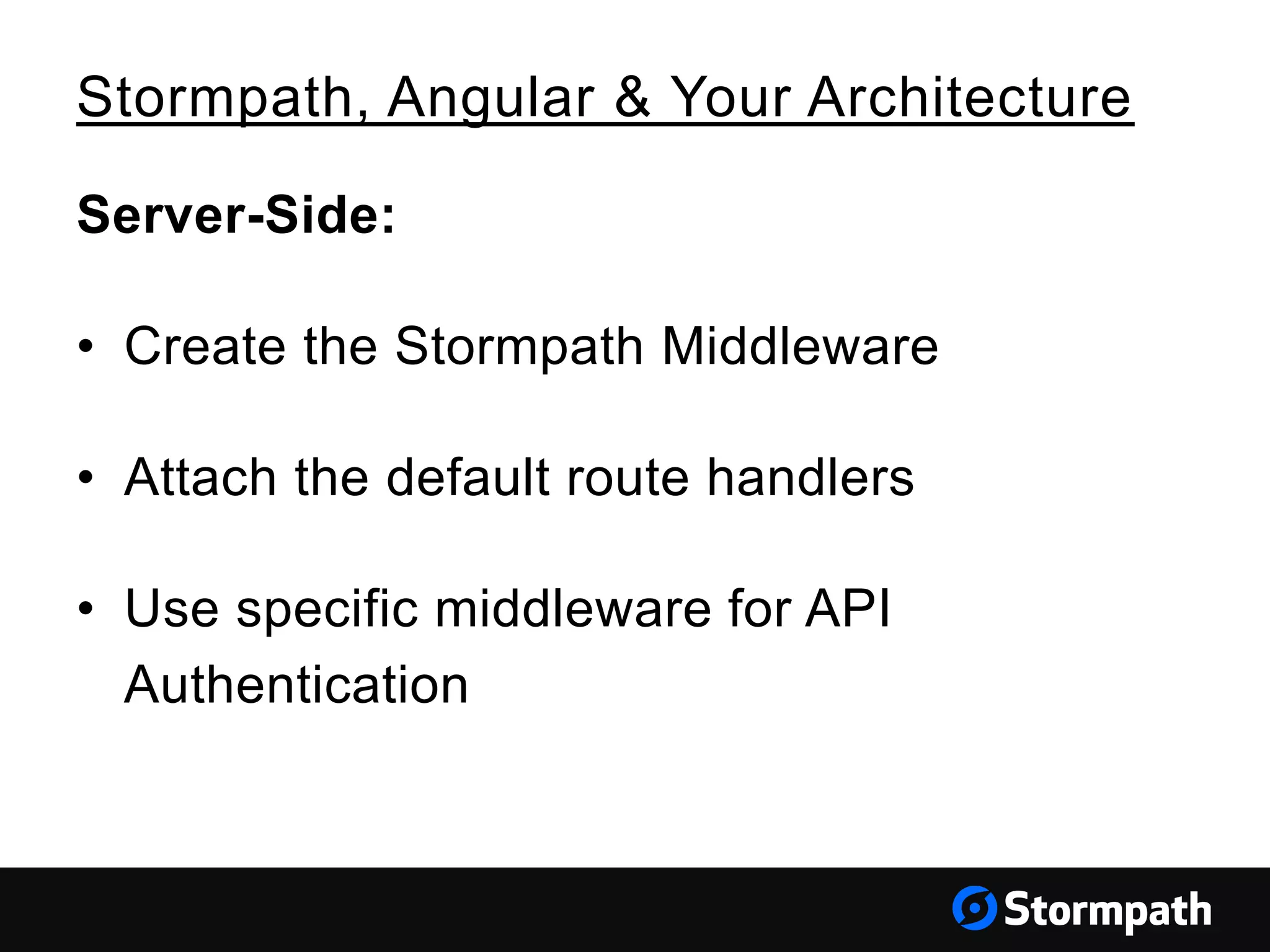
Server-Side:
• Create the Stormpath Middleware
• Attach the default route handlers
• Use specific middleware for API
Authentication
Stormpath, Angular & Your Architecture
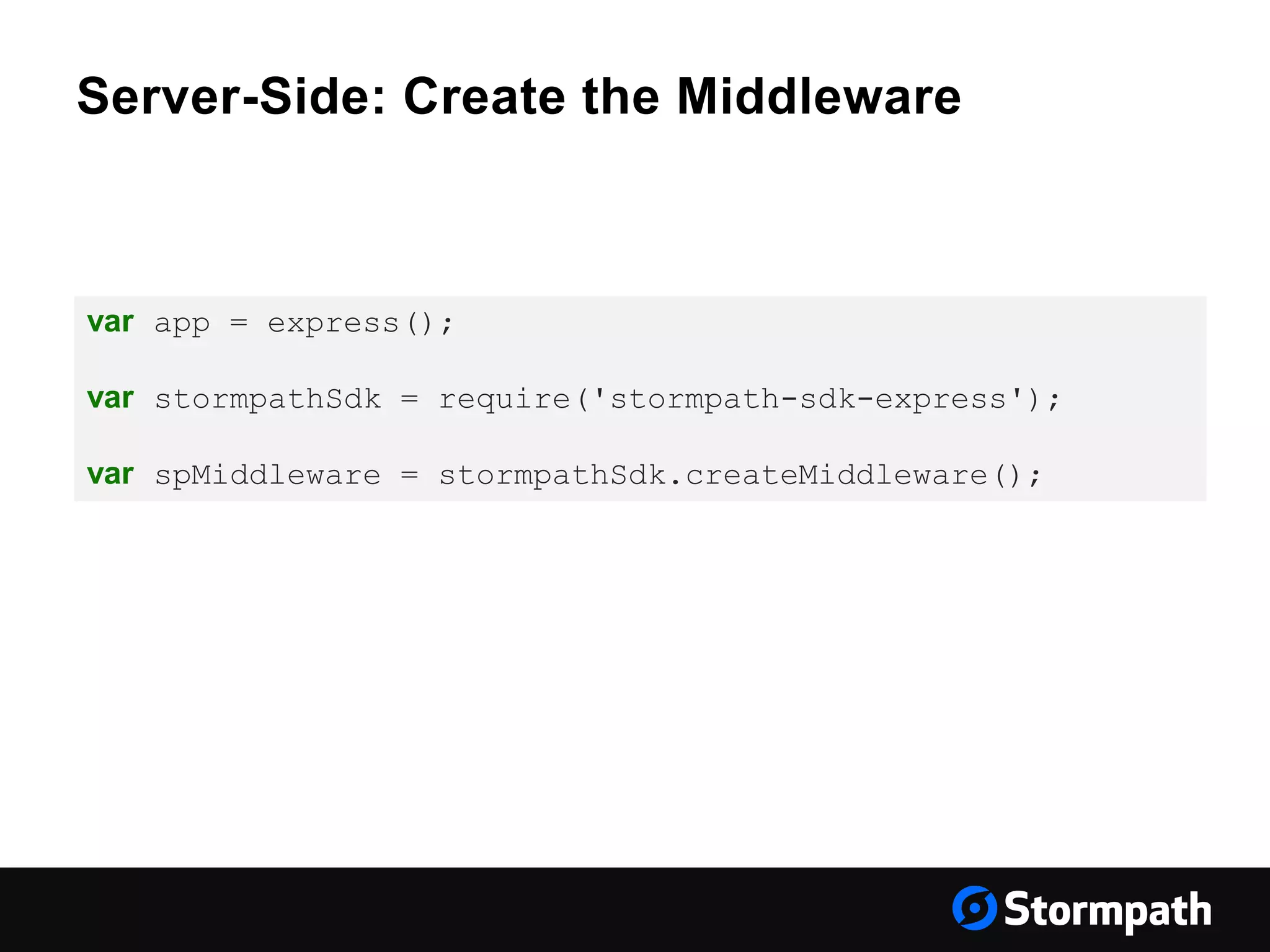
Server-Side: Create the Middleware
var app = express();
var stormpathSdk = require('stormpath-sdk-express');
var spMiddleware = stormpathSdk.createMiddleware();
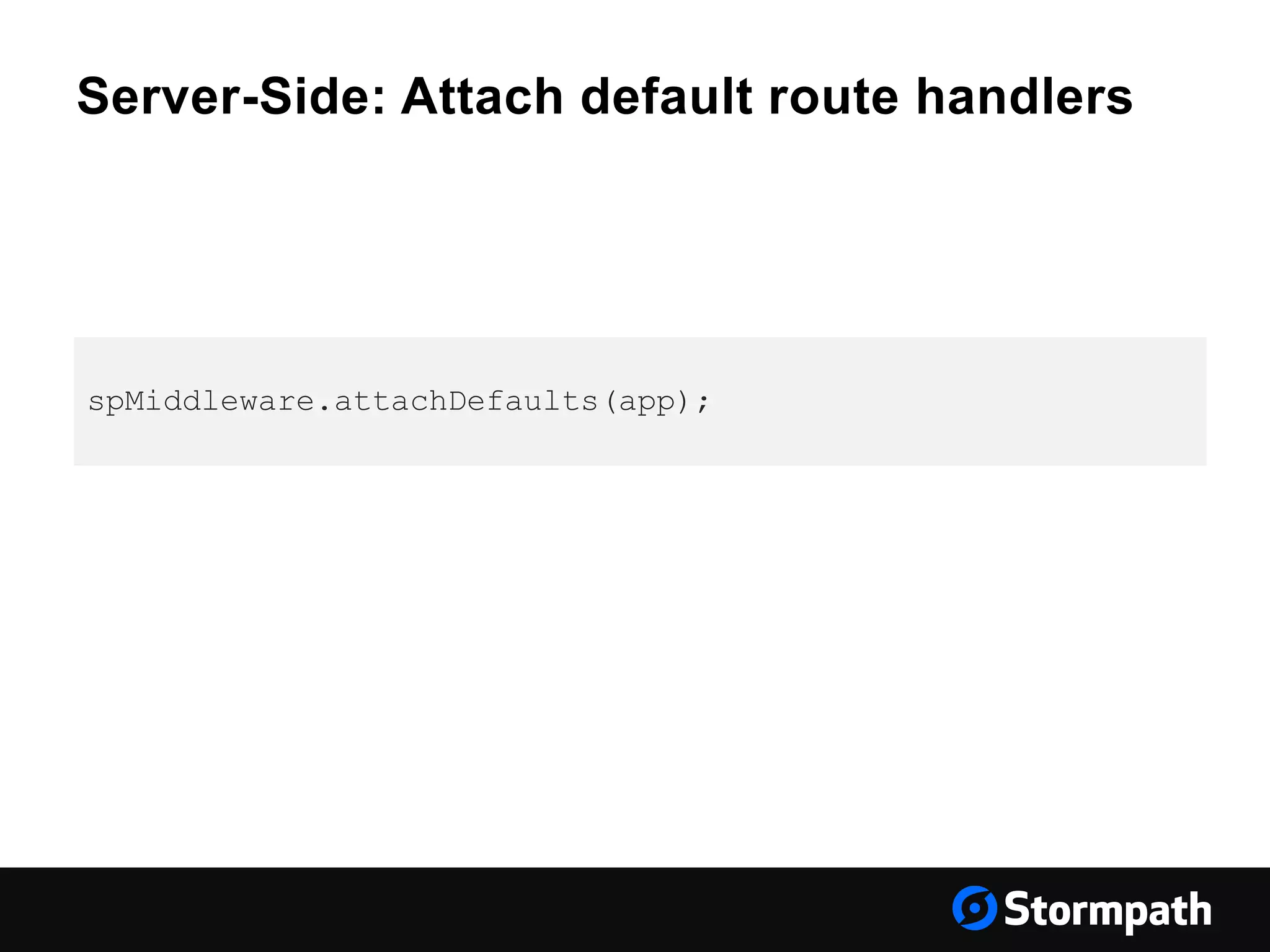
Server-Side: Attach default route handlers
spMiddleware.attachDefaults(app);
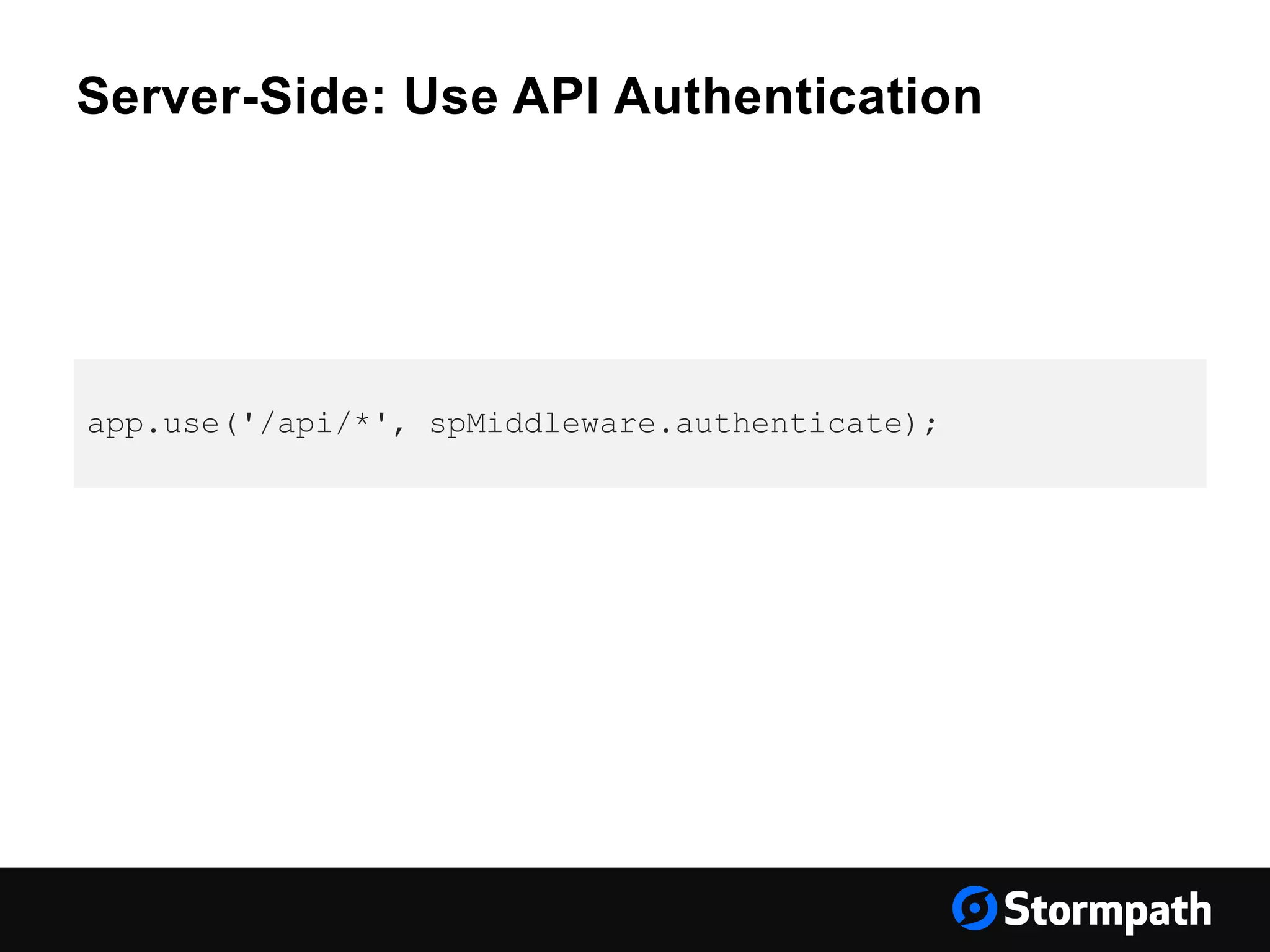
Server-Side: Use API Authentication
app.use('/api/*', spMiddleware.authenticate);
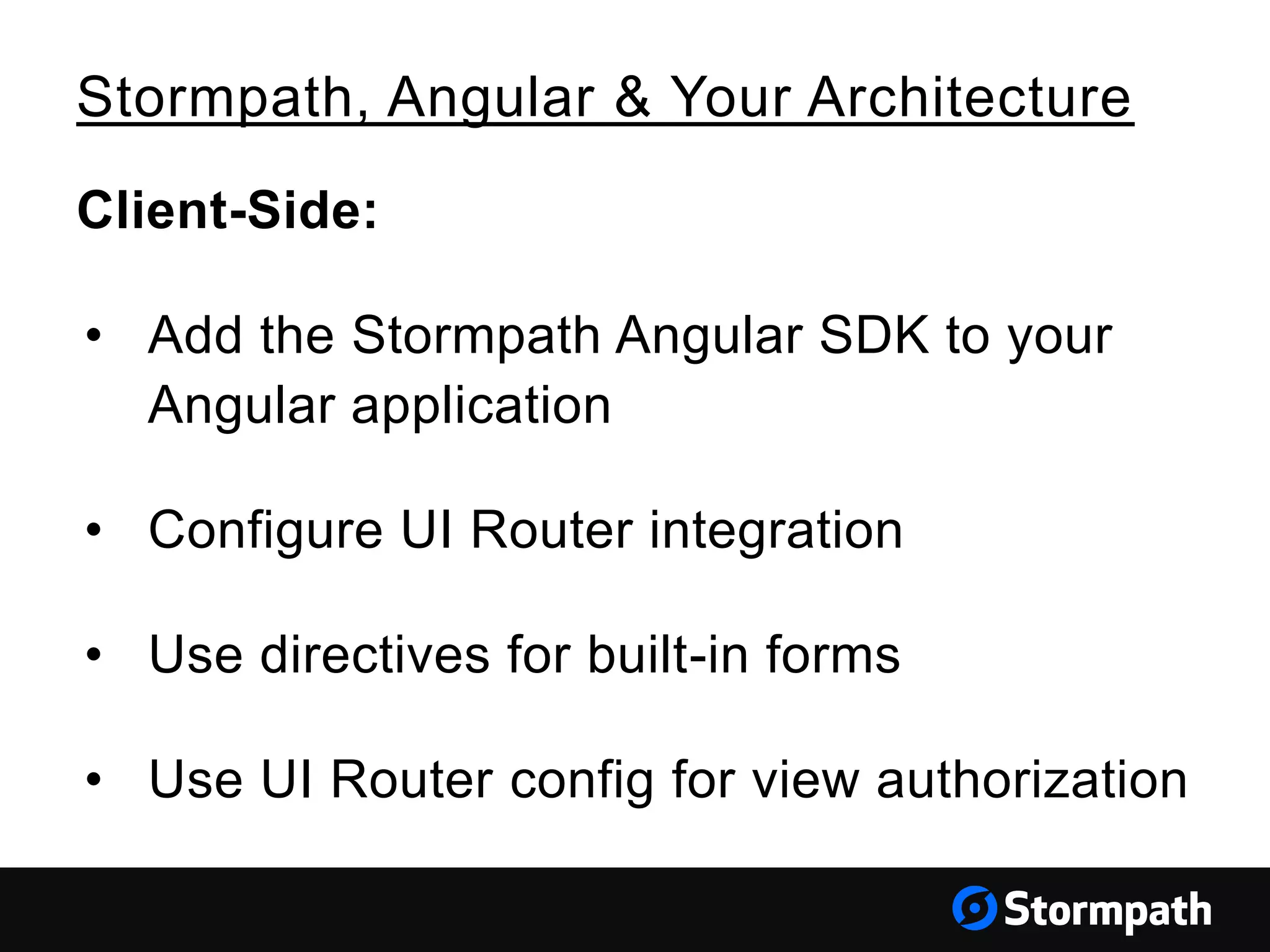
Client-Side:
• Add the Stormpath Angular SDK to your
Angular application
• Configure UI Router integration
• Use directives for built-in forms
• Use UI Router config for view authorization
Stormpath, Angular & Your Architecture
Client-Side: Add the SDK Dependencies
Stormpath, Angular & Your Architecture
angular.module('MyApplication', [
'ngCookies',
'ngResource',
'ngSanitize',
'ui.router',
'stormpath',
'stormpath.templates'
])
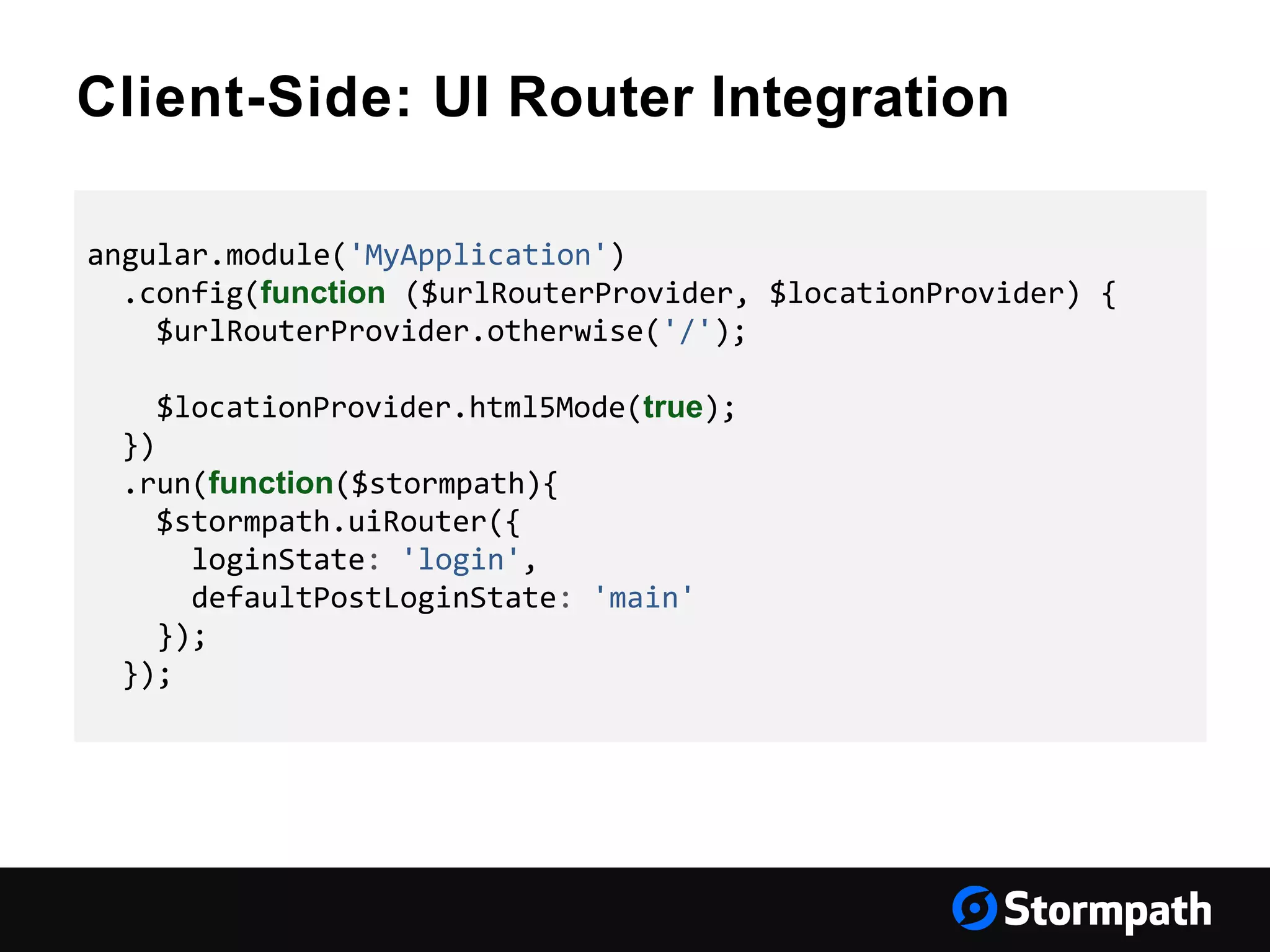
Client-Side: UI Router Integration
angular.module('MyApplication')
.config(function ($urlRouterProvider, $locationProvider) {
$urlRouterProvider.otherwise('/');
$locationProvider.html5Mode(true);
})
.run(function($stormpath){
$stormpath.uiRouter({
loginState: 'login',
defaultPostLoginState: 'main'
});
});
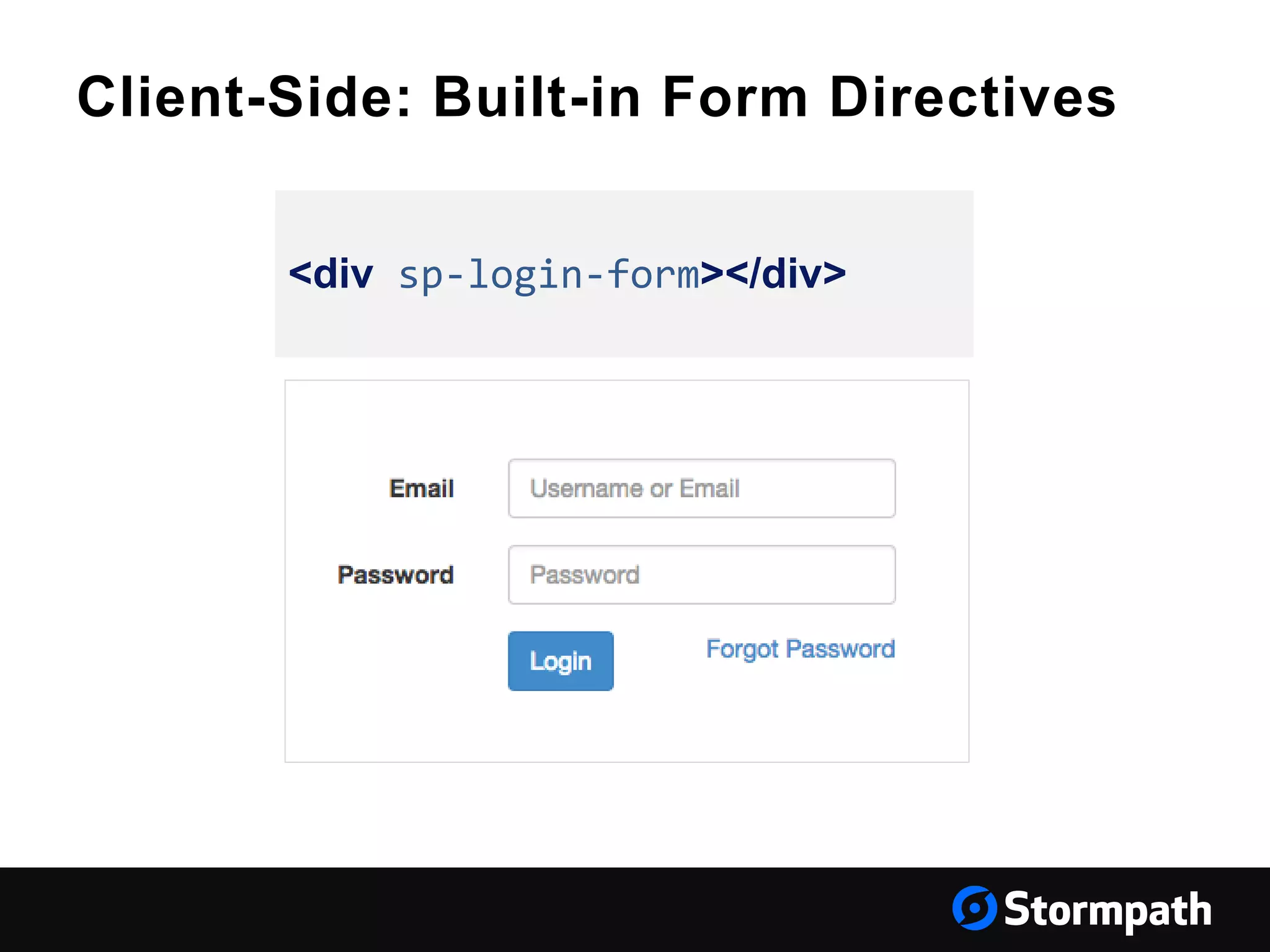
Client-Side: Built-in Form Directives
<div sp-login-form></div>
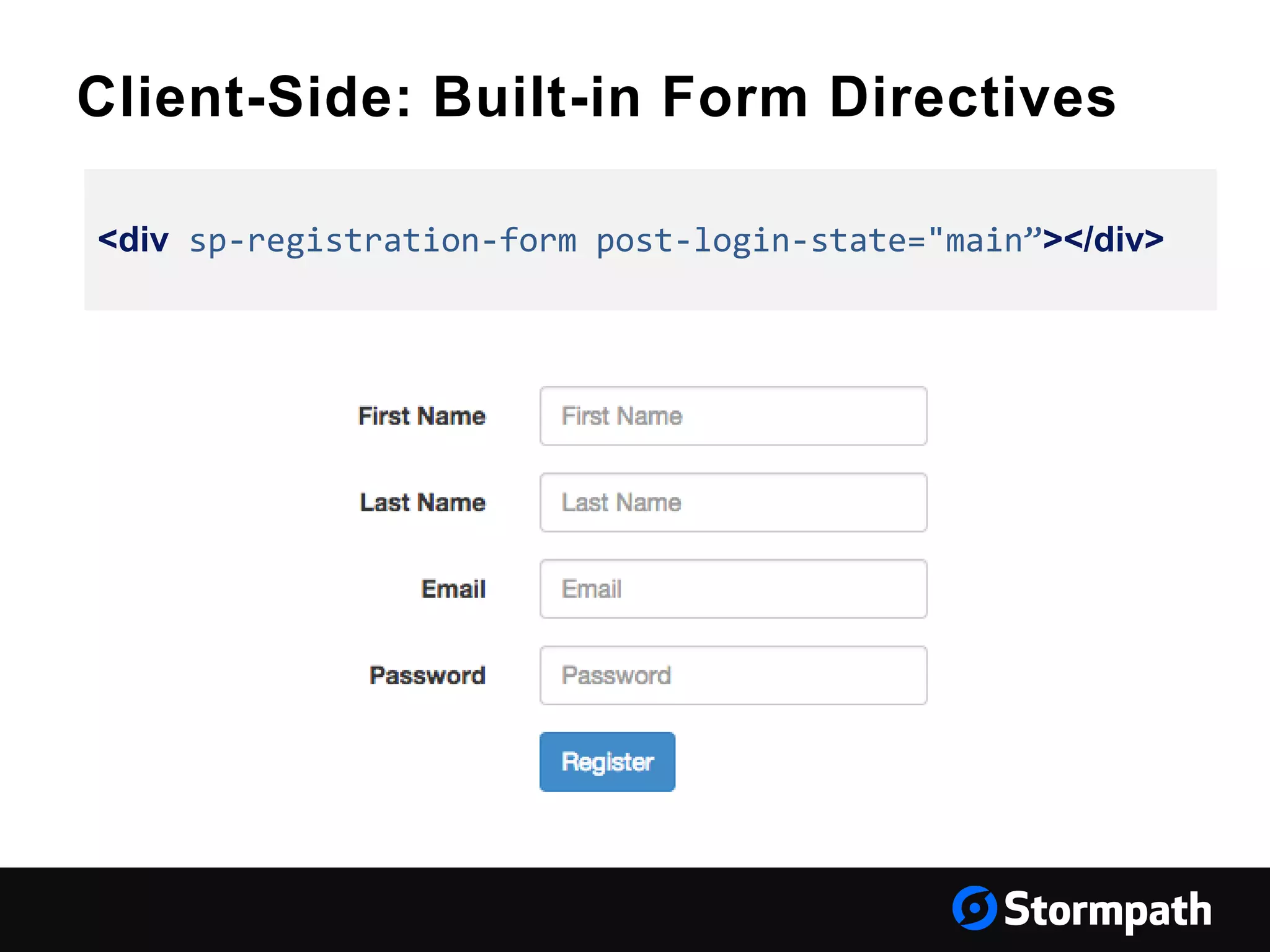
Client-Side: Built-in Form Directives
<div sp-registration-form post-login-state="main”></div>
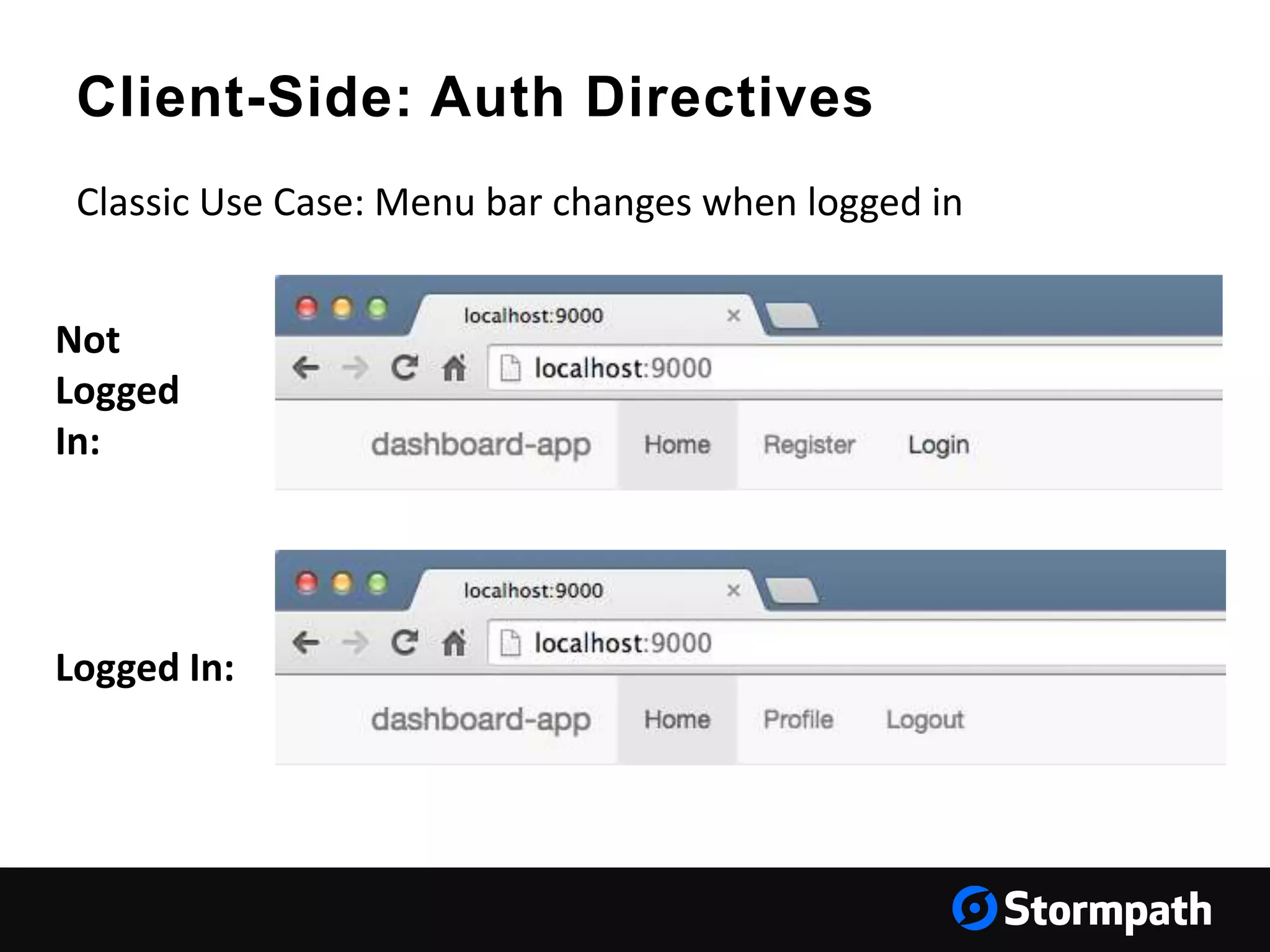
Client-Side: Auth Directives
Classic Use Case: Menu bar changes when logged in
Logged In:
Not
Logged
In:
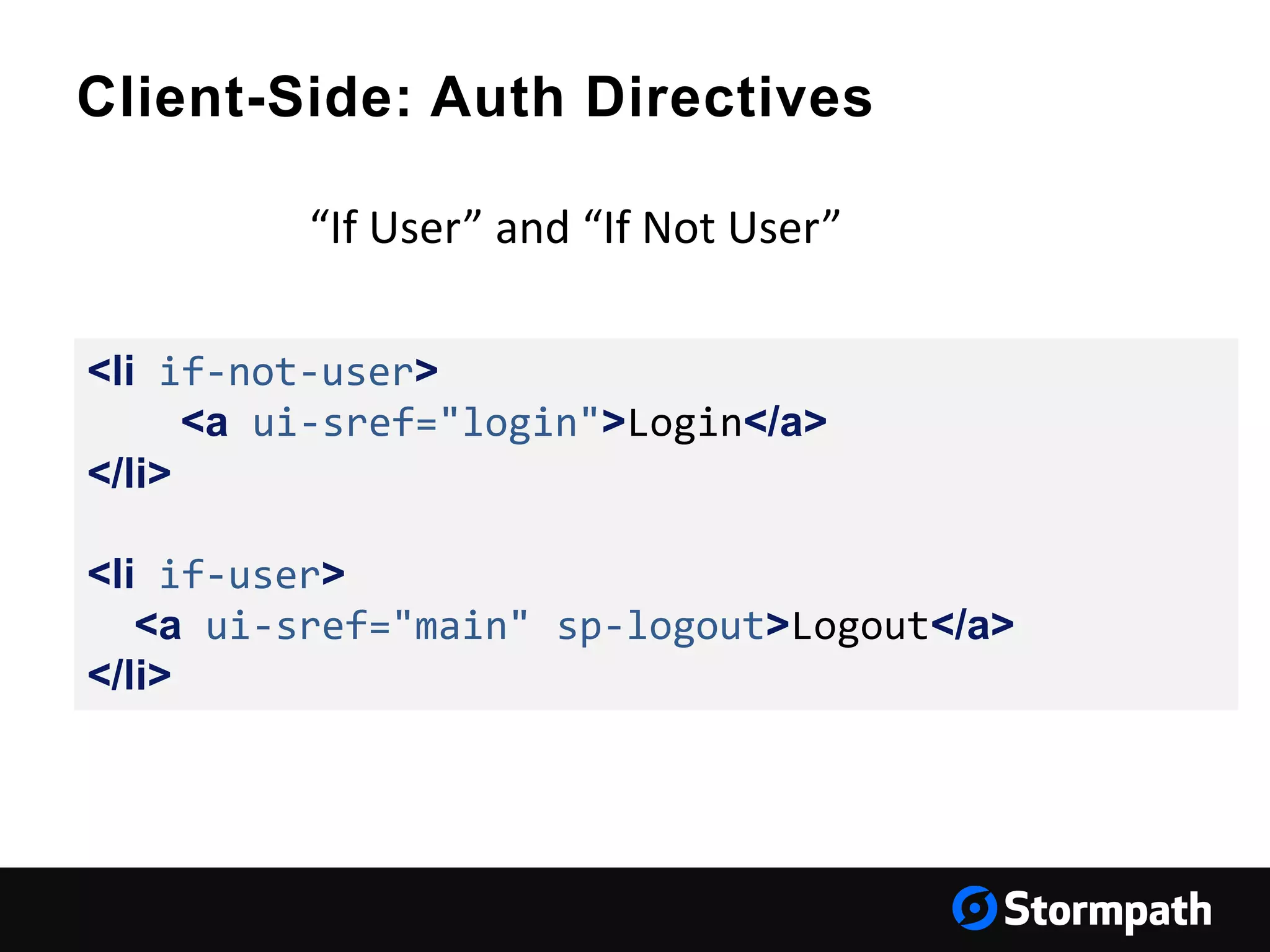
Client-Side: Auth Directives
<li if-not-user>
<a ui-sref="login">Login</a>
</li>
<li if-user>
<a ui-sref="main" sp-logout>Logout</a>
</li>
“If User” and “If Not User”
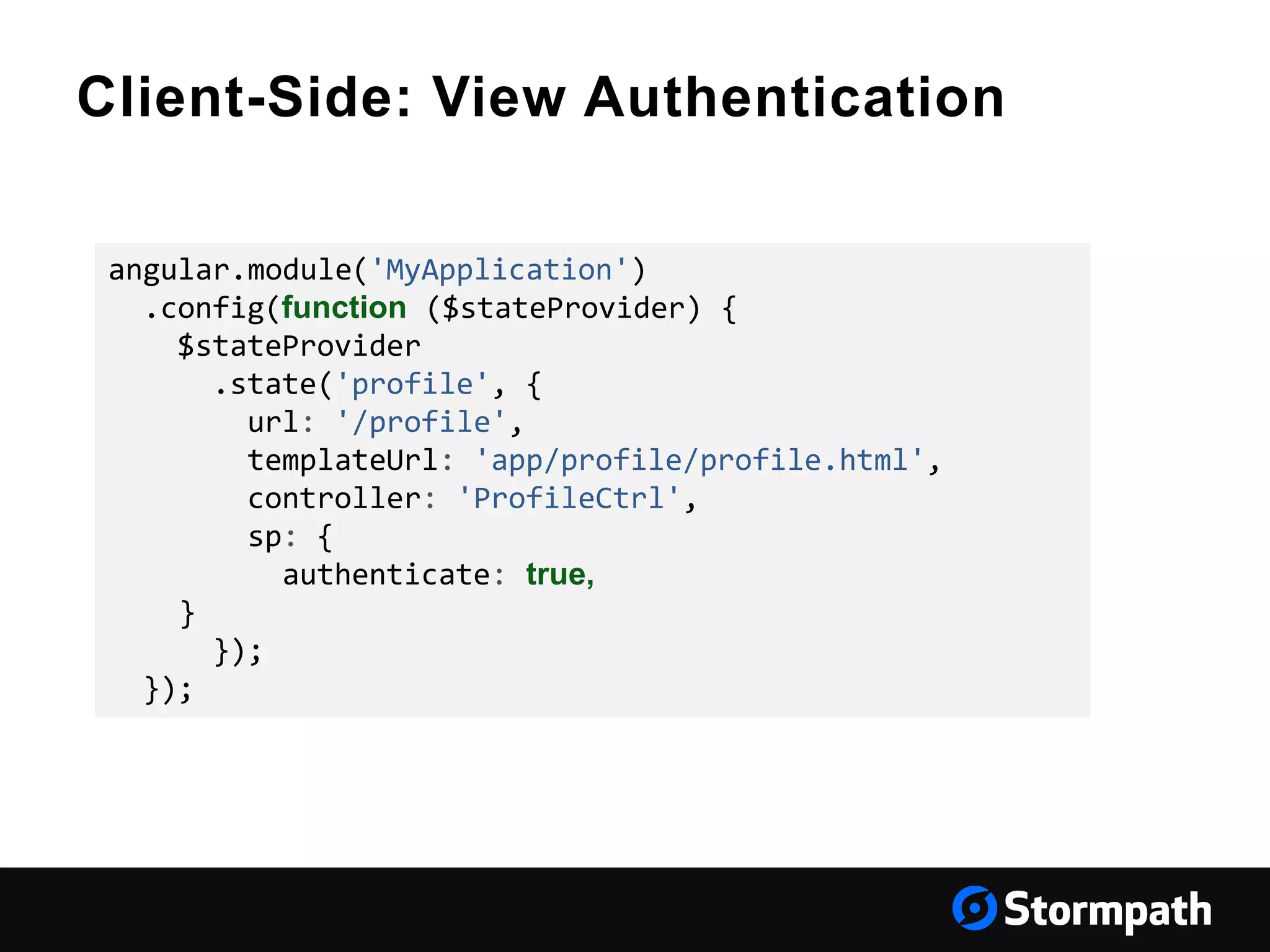
Client-Side: View Authentication
angular.module('MyApplication')
.config(function ($stateProvider) {
$stateProvider
.state('profile', {
url: '/profile',
templateUrl: 'app/profile/profile.html',
controller: 'ProfileCtrl',
sp: {
authenticate: true,
}
});
});
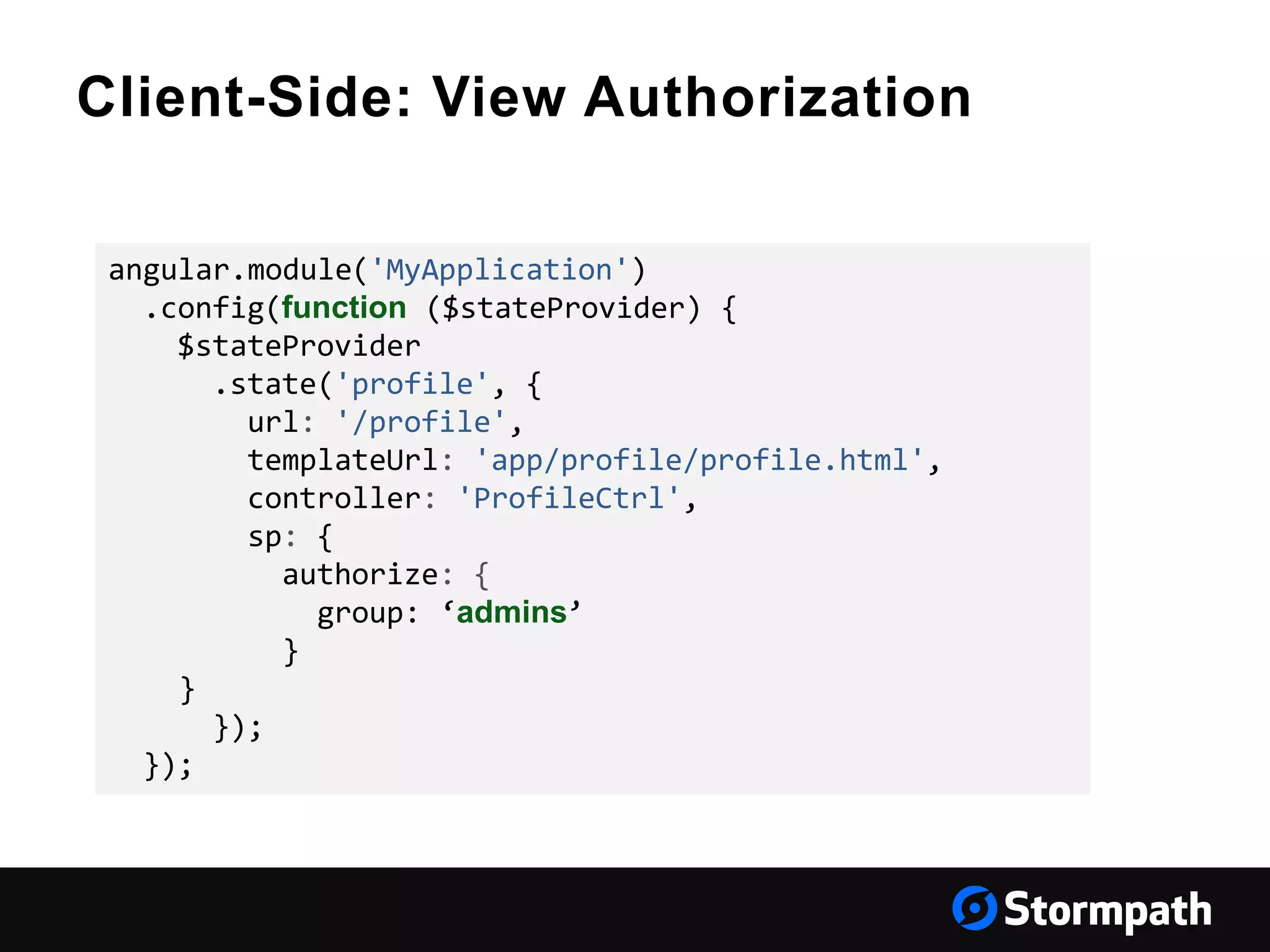
Client-Side: View Authorization
angular.module('MyApplication')
.config(function ($stateProvider) {
$stateProvider
.state('profile', {
url: '/profile',
templateUrl: 'app/profile/profile.html',
controller: 'ProfileCtrl',
sp: {
authorize: {
group: ‘admins’
}
}
});
});
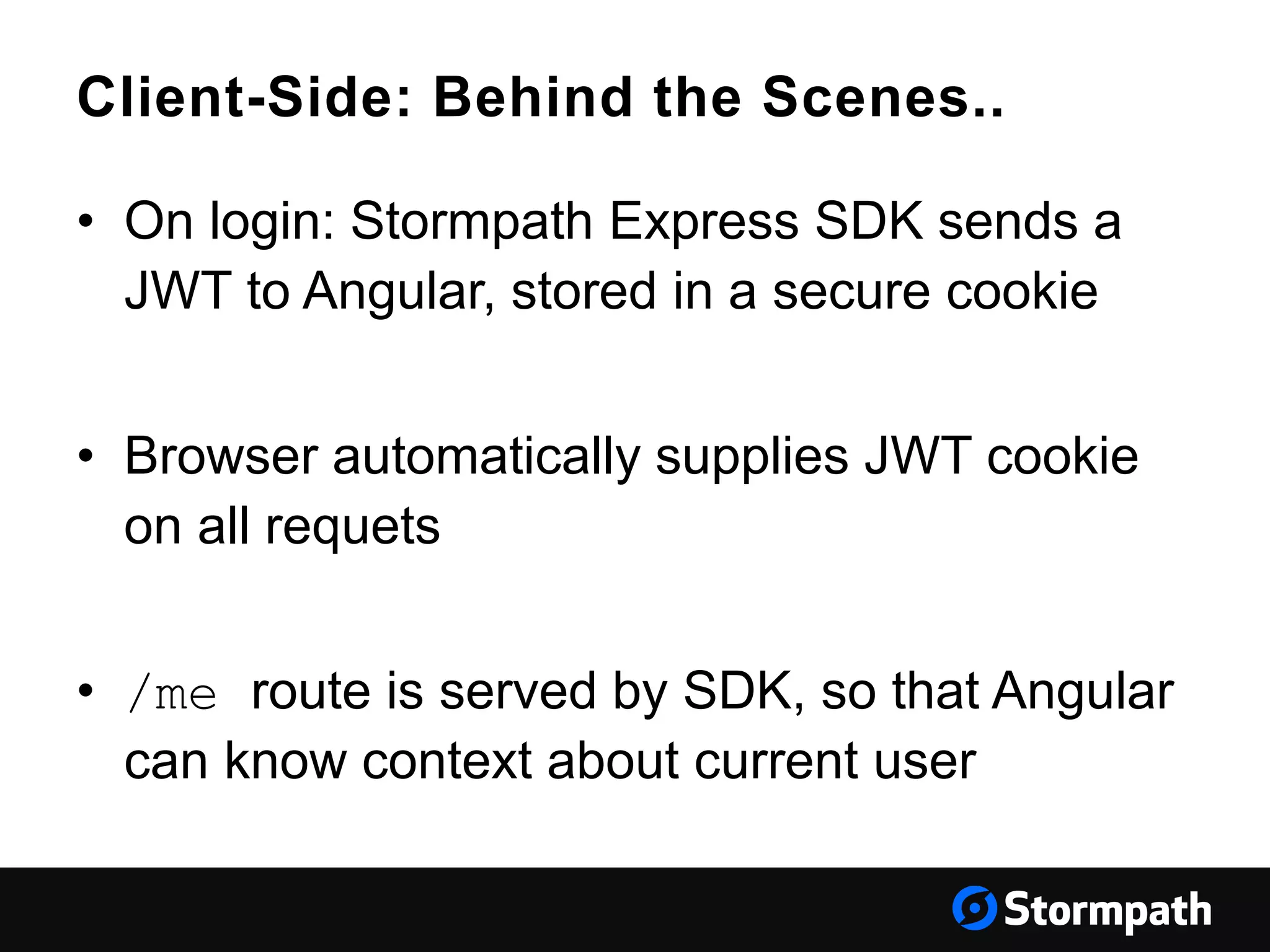
Client-Side: Behind the Scenes..
• On login: Stormpath Express SDK sends a
JWT to Angular, stored in a secure cookie
• Browser automatically supplies JWT cookie
on all requets
• /me route is served by SDK, so that Angular
can know context about current user
Recap..
• Stormpath SDK on your server and in your SPA
• JWTs are used instead of sessions
• Angular SDK provides directives for forms and
authentication state
• Angular SDK will work with any backend
• User data is stored and secured behind the Stormpath API
Stormpath for Authentication & User Management
Stormpath can handle authentication and authorization for
your API, SPA or mobile app, as well as a range of advanced
user features
• Single Sign-On Across Your Apps
• API Authentication & Key Management
• Token Based Authentication
• Oauth Workflows
• JWTs
Implementations in your Library of choice:
https://docs.stormpath.com/home/
Get started with your free Stormpath
developer account!
https://api.stormpath.com/register
Questions?
support@stormpath.com

How to Use Stormpath in angular js

  • 1.
    How to UseStormpath in Angular.js Robert Damphousse @robertjd_ Lead Front-End Developer, Stormpath
  • 2.
    About Stormpath • UserManagement API for Developers • Password security • Authentication and Authorization • LDAP Cloud Sync • Instant-on, scalable, and highly available • Free for developers
  • 3.
    Talk Overview • Authenticationin Single Page Apps (SPAs) • JWTs instead of Session IDs • Securing cookies • Where does Stormpath fit in your architecture? • End-to-end example with Angular.js + Express.js
  • 4.
    SPAs – What’sdifferent? • Data resources are treated differently than application resources (HTML/CSS/JS assets are separated from data resources) • Forces you to build a proper API, likely a REST + JSON API • User Experience (UX) gets a spotlight
  • 5.
    SPAs – What’sthe same? • Browser JavaScript is an untrusted environment! • Your server is responsible for resource authentication and authorization • You CAN use Cookies for authentication
  • 6.
    SPAs – AuthenticationStrategies • Session identifiers – opaque string in a cookie. You CAN use this strategy • Access Tokens are better – JWT
  • 7.
    JSON Web Tokens(JWT) • Used to persist authentication assertions • Signed, structured • Should be stored in cookies, not local storage
  • 8.
    JSON Web Tokens(JWT) { "typ":"JWT", "alg":"HS256" } { "iss": "http://trustyapp.com/”, "exp": 1300819380, "sub": "users/8983462", "scope": "self api/buy" } tß´—™à%O˜v+nî…SZu¯µ€U…8H× Header Body (‘Claims’) Cryptographic Signature
  • 9.
    Why Cookies? • Automaticallysupplied on every request • HttpOnly flag prevents the JS environment from accessing the cookie • Secure flag ensures the cookie is only transmitted over HTTPS • Can restrict by subdomain and path
  • 10.
    Why Not LocalStorage? • Exposed to JS environment, whereas HttpOnly cookies are not. • Can’t restrict visibility by path, only subdomain • https://www.owasp.org/index.php/HTML5_S ecurity_Cheat_Sheet#Storage_APIs
  • 11.
    Securing Cookies • Usethe HttpOnly and Secure flags. • Need to protect against Cross-Site Request Forgery (CSRF) attacks • https://www.owasp.org/index.php/Cross- Site_Request_Forgery_(CSRF)
  • 12.
  • 13.
    Your Server Stormpath SDK User’sWeb Browser (SPA) Stormpath Angular SDK Stormpath HTTP API Architecture Overview Token Authentication (JWT) Stormpath API Key Authentication
  • 14.
  • 15.
    End-to-End Walkthrough: http://docs.stormpath.com/angularjs/guide/ API Documentation: https://docs.stormpath.com/angularjs/sdk/#/api ExampleApplication (inside the repo): https://github.com/stormpath/ stormpath-sdk-angularjs Online Guide & Docs:
  • 16.
    Server-Side: • Create theStormpath Middleware • Attach the default route handlers • Use specific middleware for API Authentication Stormpath, Angular & Your Architecture
  • 17.
    Server-Side: Create theMiddleware var app = express(); var stormpathSdk = require('stormpath-sdk-express'); var spMiddleware = stormpathSdk.createMiddleware();
  • 18.
    Server-Side: Attach defaultroute handlers spMiddleware.attachDefaults(app);
  • 19.
    Server-Side: Use APIAuthentication app.use('/api/*', spMiddleware.authenticate);
  • 20.
    Client-Side: • Add theStormpath Angular SDK to your Angular application • Configure UI Router integration • Use directives for built-in forms • Use UI Router config for view authorization Stormpath, Angular & Your Architecture
  • 21.
    Client-Side: Add theSDK Dependencies Stormpath, Angular & Your Architecture angular.module('MyApplication', [ 'ngCookies', 'ngResource', 'ngSanitize', 'ui.router', 'stormpath', 'stormpath.templates' ])
  • 22.
    Client-Side: UI RouterIntegration angular.module('MyApplication') .config(function ($urlRouterProvider, $locationProvider) { $urlRouterProvider.otherwise('/'); $locationProvider.html5Mode(true); }) .run(function($stormpath){ $stormpath.uiRouter({ loginState: 'login', defaultPostLoginState: 'main' }); });
  • 23.
    Client-Side: Built-in FormDirectives <div sp-login-form></div>
  • 24.
    Client-Side: Built-in FormDirectives <div sp-registration-form post-login-state="main”></div>
  • 25.
    Client-Side: Auth Directives ClassicUse Case: Menu bar changes when logged in Logged In: Not Logged In:
  • 26.
    Client-Side: Auth Directives <liif-not-user> <a ui-sref="login">Login</a> </li> <li if-user> <a ui-sref="main" sp-logout>Logout</a> </li> “If User” and “If Not User”
  • 27.
    Client-Side: View Authentication angular.module('MyApplication') .config(function($stateProvider) { $stateProvider .state('profile', { url: '/profile', templateUrl: 'app/profile/profile.html', controller: 'ProfileCtrl', sp: { authenticate: true, } }); });
  • 28.
    Client-Side: View Authorization angular.module('MyApplication') .config(function($stateProvider) { $stateProvider .state('profile', { url: '/profile', templateUrl: 'app/profile/profile.html', controller: 'ProfileCtrl', sp: { authorize: { group: ‘admins’ } } }); });
  • 29.
    Client-Side: Behind theScenes.. • On login: Stormpath Express SDK sends a JWT to Angular, stored in a secure cookie • Browser automatically supplies JWT cookie on all requets • /me route is served by SDK, so that Angular can know context about current user
  • 30.
    Recap.. • Stormpath SDKon your server and in your SPA • JWTs are used instead of sessions • Angular SDK provides directives for forms and authentication state • Angular SDK will work with any backend • User data is stored and secured behind the Stormpath API
  • 31.
    Stormpath for Authentication& User Management Stormpath can handle authentication and authorization for your API, SPA or mobile app, as well as a range of advanced user features • Single Sign-On Across Your Apps • API Authentication & Key Management • Token Based Authentication • Oauth Workflows • JWTs Implementations in your Library of choice: https://docs.stormpath.com/home/
  • 32.
    Get started withyour free Stormpath developer account! https://api.stormpath.com/register Questions? support@stormpath.com