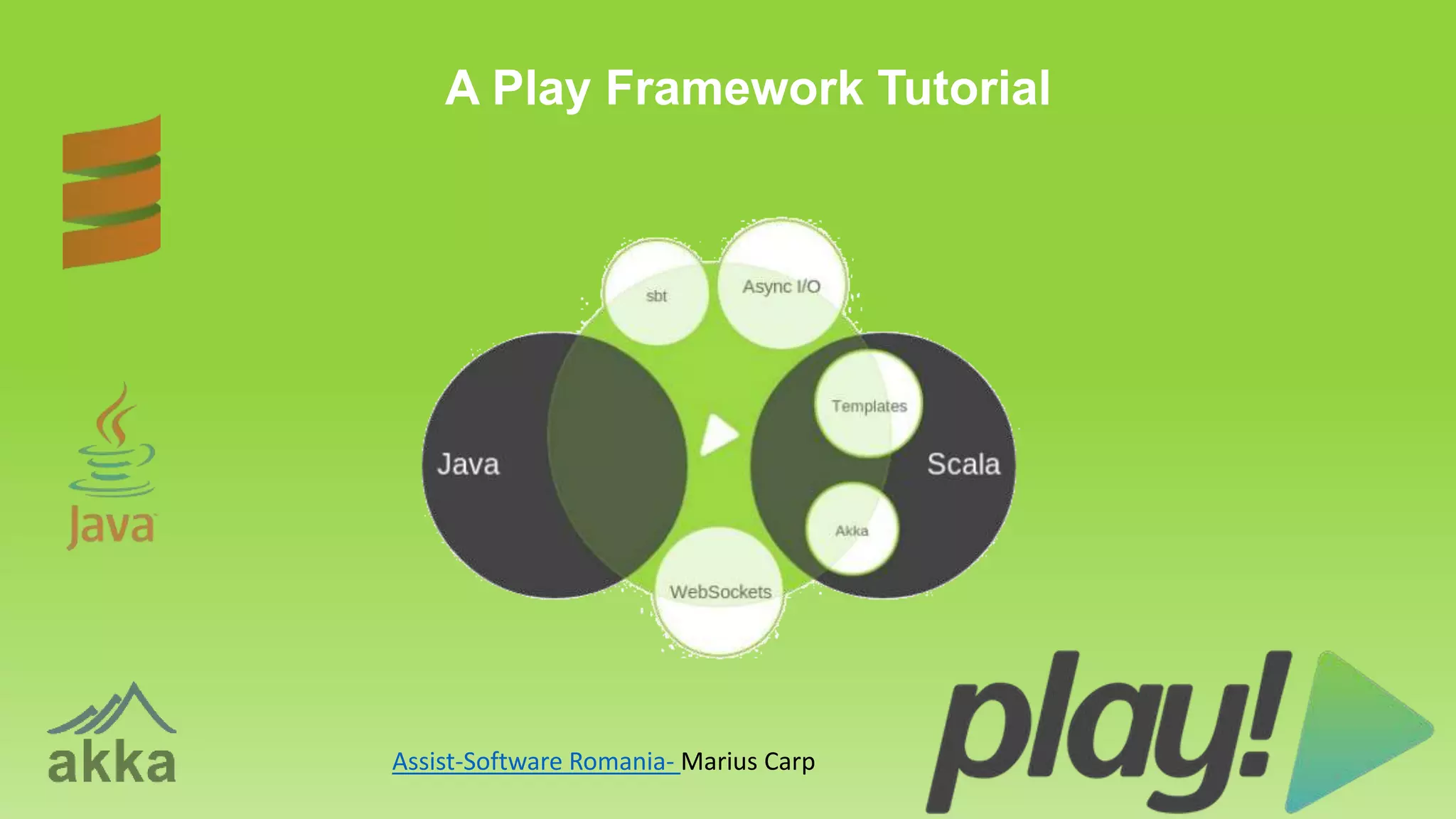
A Play Framework Tutorial
Assist-Software Romania- Marius Carp
What is Play Framework
• An open-source modern web framework
• Based on a lightweight, stateless, web-friendly architecture.
• Built on Akka, Play provides predictable and minimal resource consumption
• Developer friendly
• Has great support for Eclipse and Intellij IDEA.
• Provides RESTful by default
• Has a built-in JSON module and extensive NoSQL & Big Data Support.
• There are libraries for everything - most of which can be used in Play.
System Requirements
• Install JDK 1.6 or later.
• Install Scala (general-purpose language designed to support clear, concise and
type-safe programming). Optional, but good to have, you may also use Java.
• Install SBT is an open source build tool for Scala and Java projects, similar to
Java's Maven or Ant.
• Install Play Framework through a tool called Typesafe Activator.
• Install PostgreSQL.
• Install pgAdmin is a comprehensive PostgreSQL database design and
management system.
Game Play Tutorial
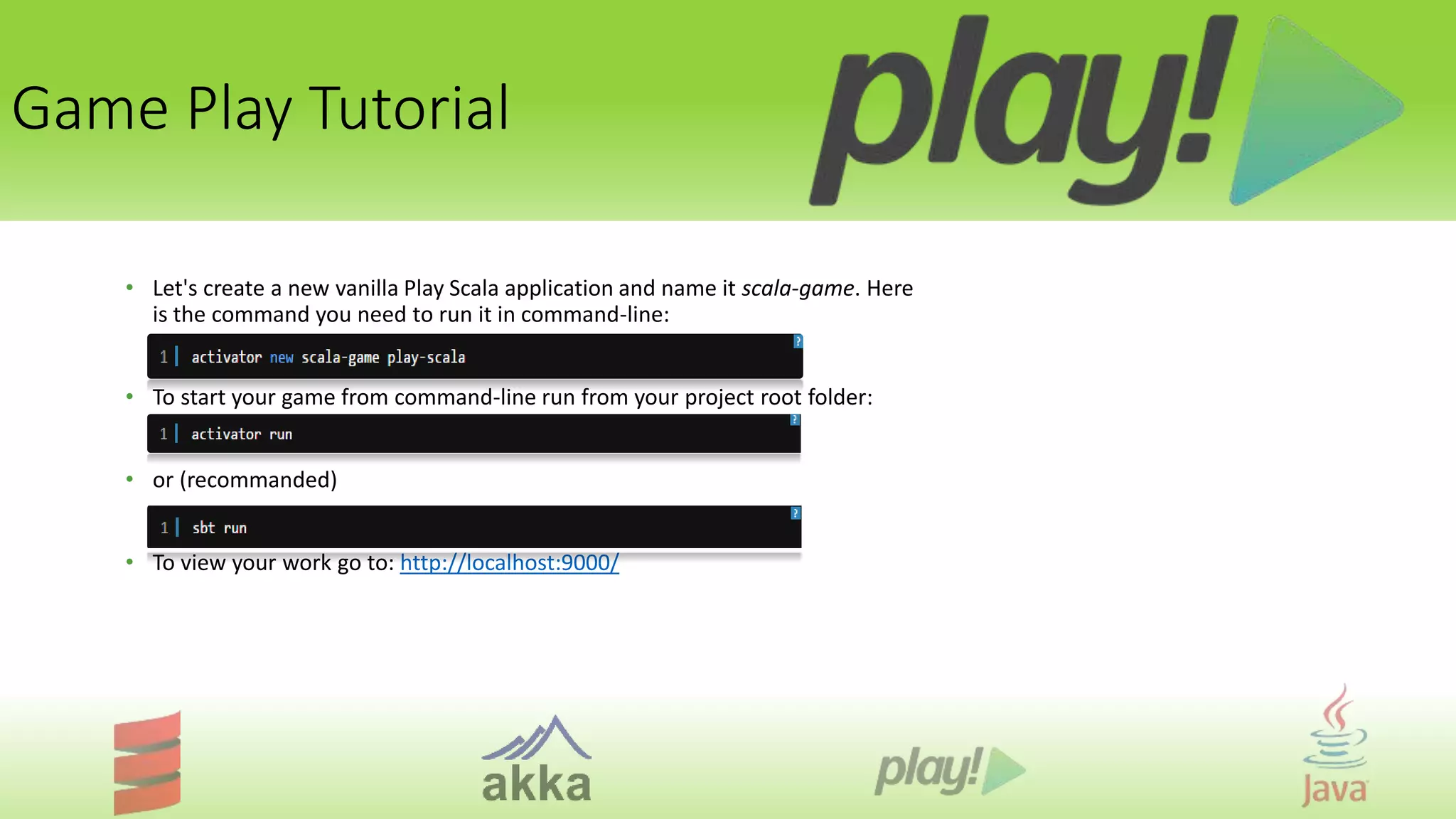
• Let's create a new vanilla Play Scala application and name it scala-game. Here
is the command you need to run it in command-line:
• To start your game from command-line run from your project root folder:
• or (recommanded)
• To view your work go to: http://localhost:9000/
Game Configuration Tutorial
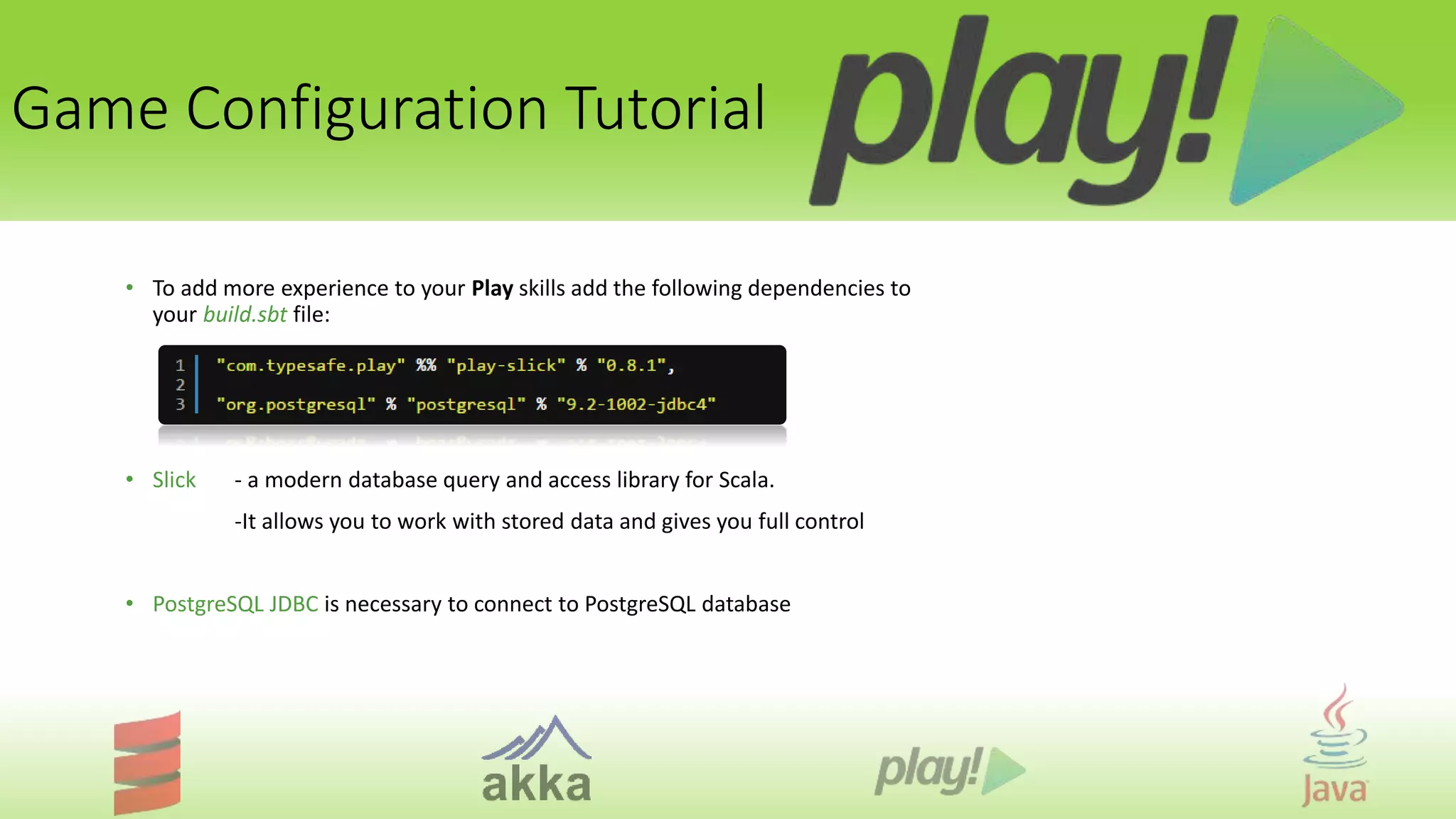
• To add more experience to your Play skills add the following dependencies to
your build.sbt file:
• Slick - a modern database query and access library for Scala.
-It allows you to work with stored data and gives you full control
• PostgreSQL JDBC is necessary to connect to PostgreSQL database
Game Configuration Tutorial
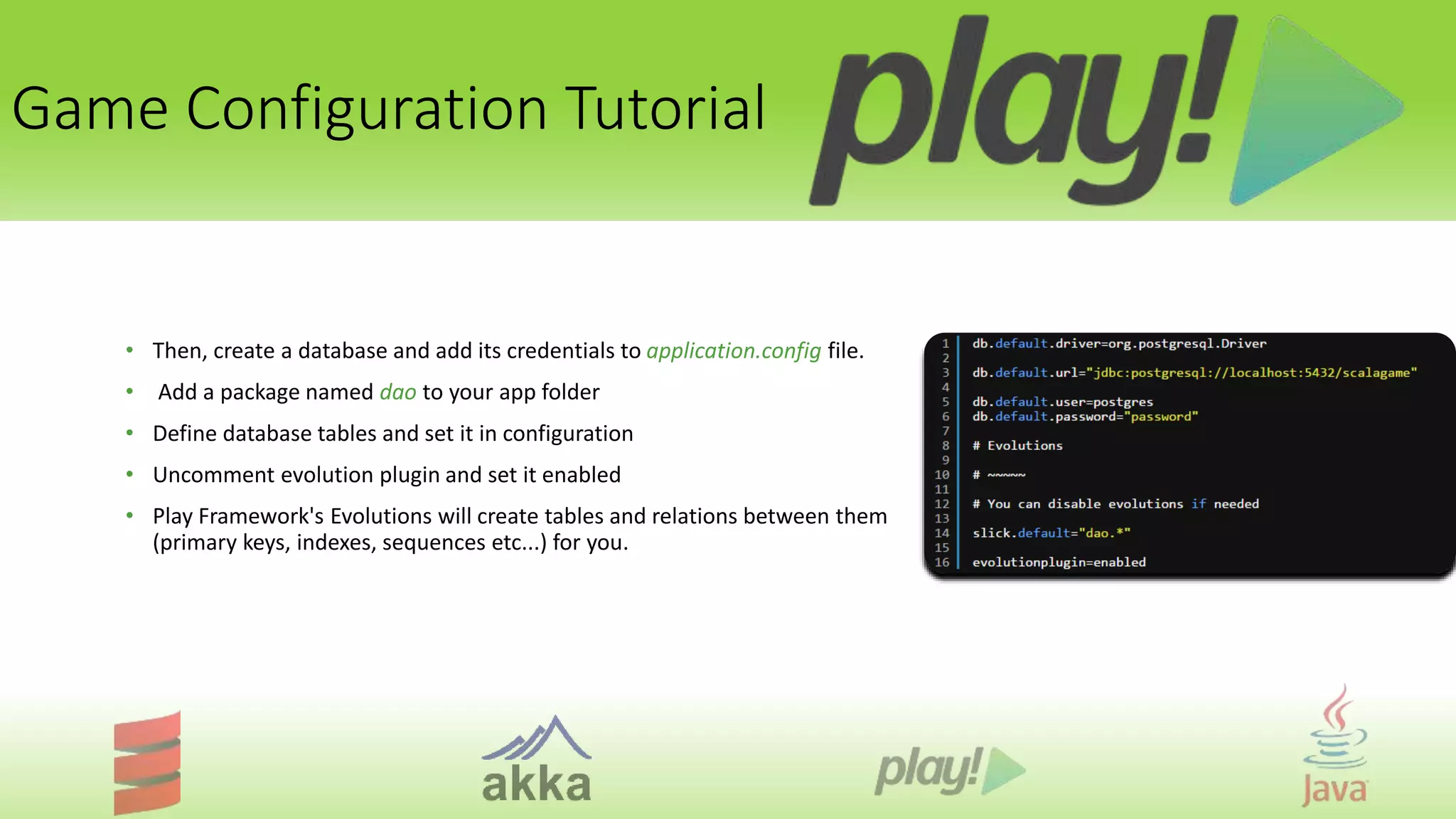
• Then, create a database and add its credentials to application.config file.
• Add a package named dao to your app folder
• Define database tables and set it in configuration
• Uncomment evolution plugin and set it enabled
• Play Framework's Evolutions will create tables and relations between them
(primary keys, indexes, sequences etc...) for you.
Game Configuration Tutorial
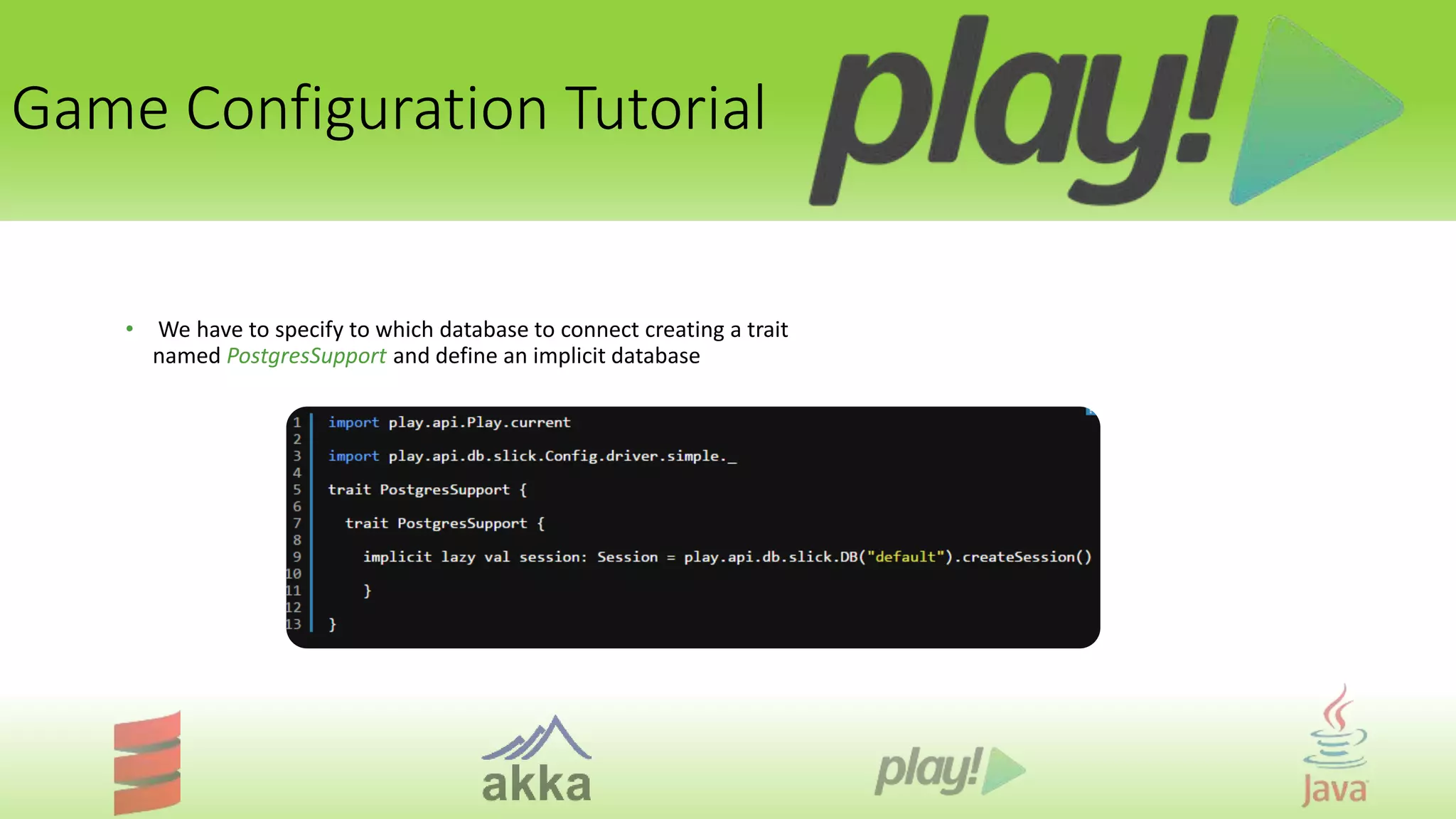
• We have to specify to which database to connect creating a trait
named PostgresSupport and define an implicit database
Loading Textures in Play Framework
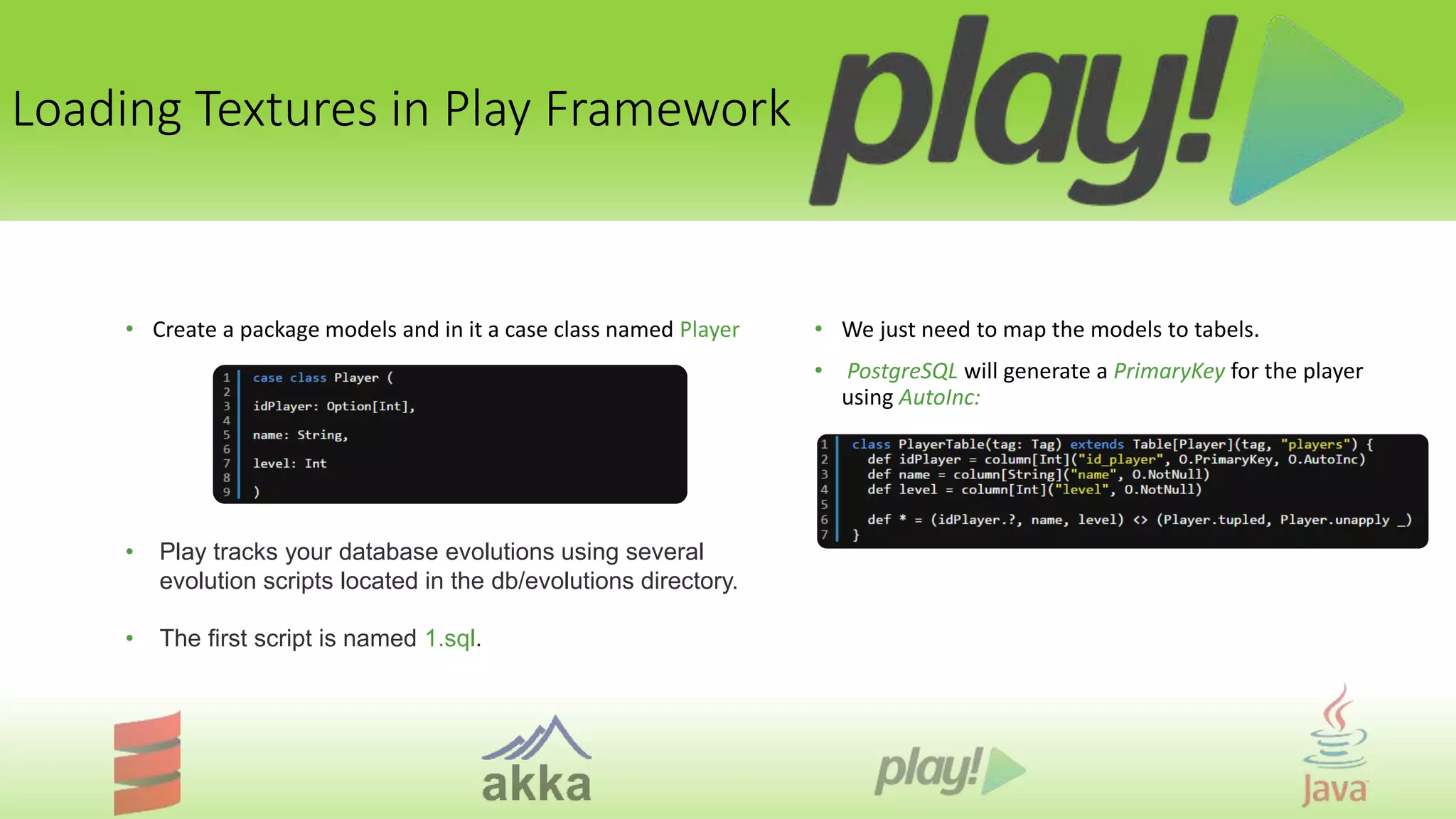
• Create a package models and in it a case class named Player
• Play tracks your database evolutions using several
evolution scripts located in the db/evolutions directory.
• The first script is named 1.sql.
• We just need to map the models to tabels.
• PostgreSQL will generate a PrimaryKey for the player
using AutoInc:
Loading Textures in Play Framework
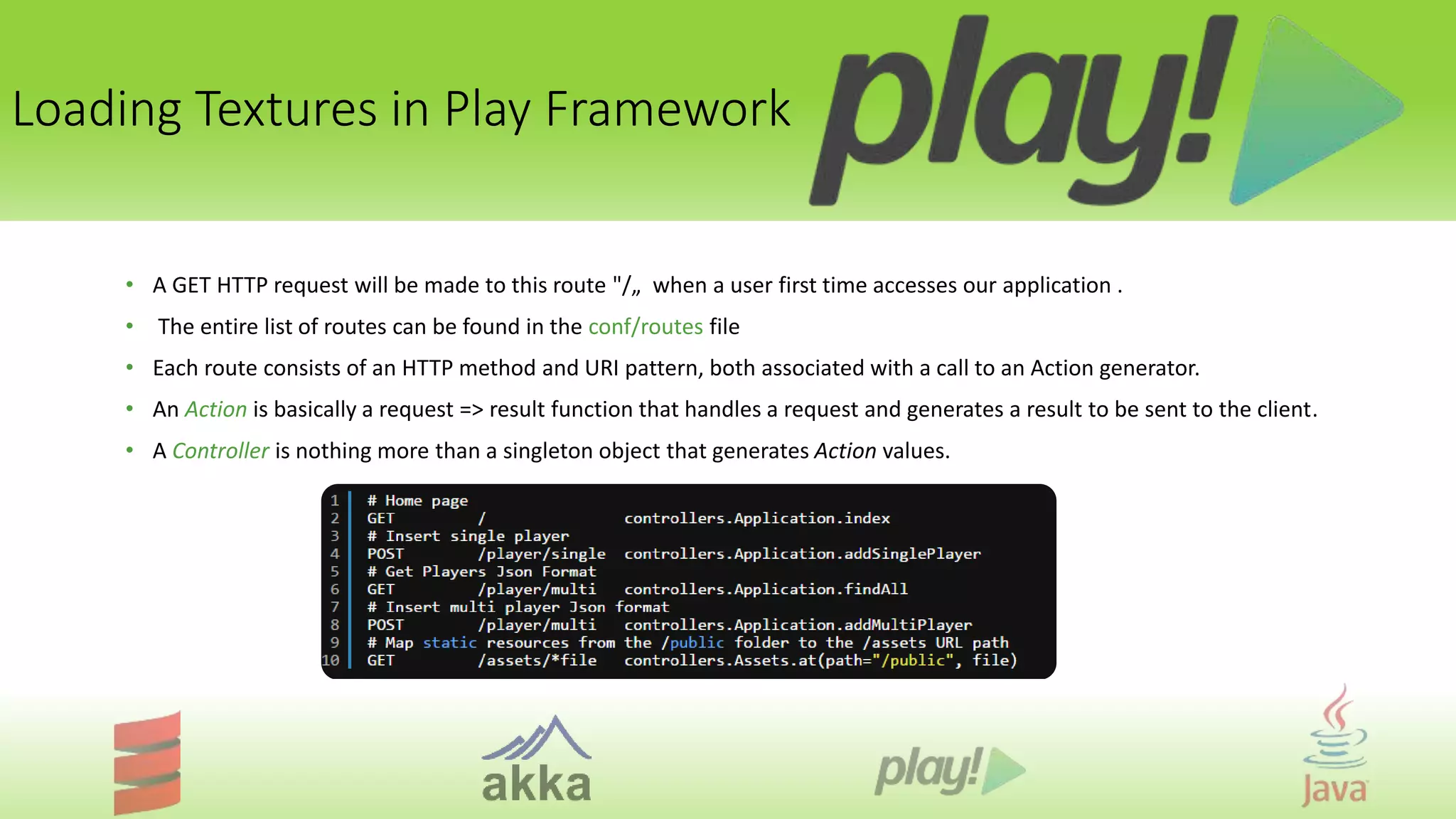
• A GET HTTP request will be made to this route "/„ when a user first time accesses our application .
• The entire list of routes can be found in the conf/routes file
• Each route consists of an HTTP method and URI pattern, both associated with a call to an Action generator.
• An Action is basically a request => result function that handles a request and generates a result to be sent to the client.
• A Controller is nothing more than a singleton object that generates Action values.
Play Framework Game modes
• You can chose to Play in two ways:
• Single player using Play Scala template
• Multi player using one of the following JavaScript frameworks: AngularJS, BackboneJS, EmberJS, ExtJS, DustJS .
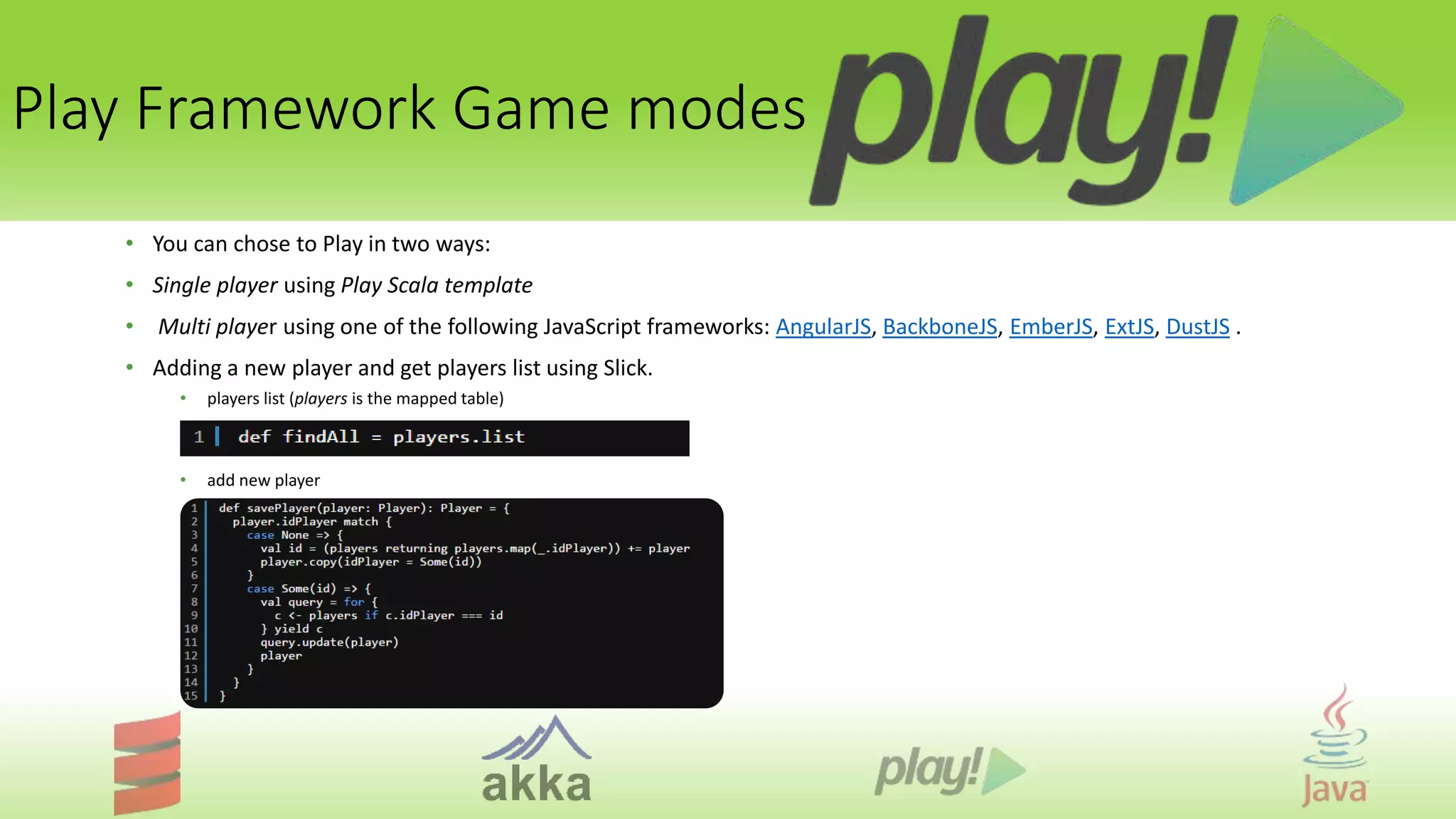
• Adding a new player and get players list using Slick.
• players list (players is the mapped table)
• add new player
Single Player
A Play Scala template
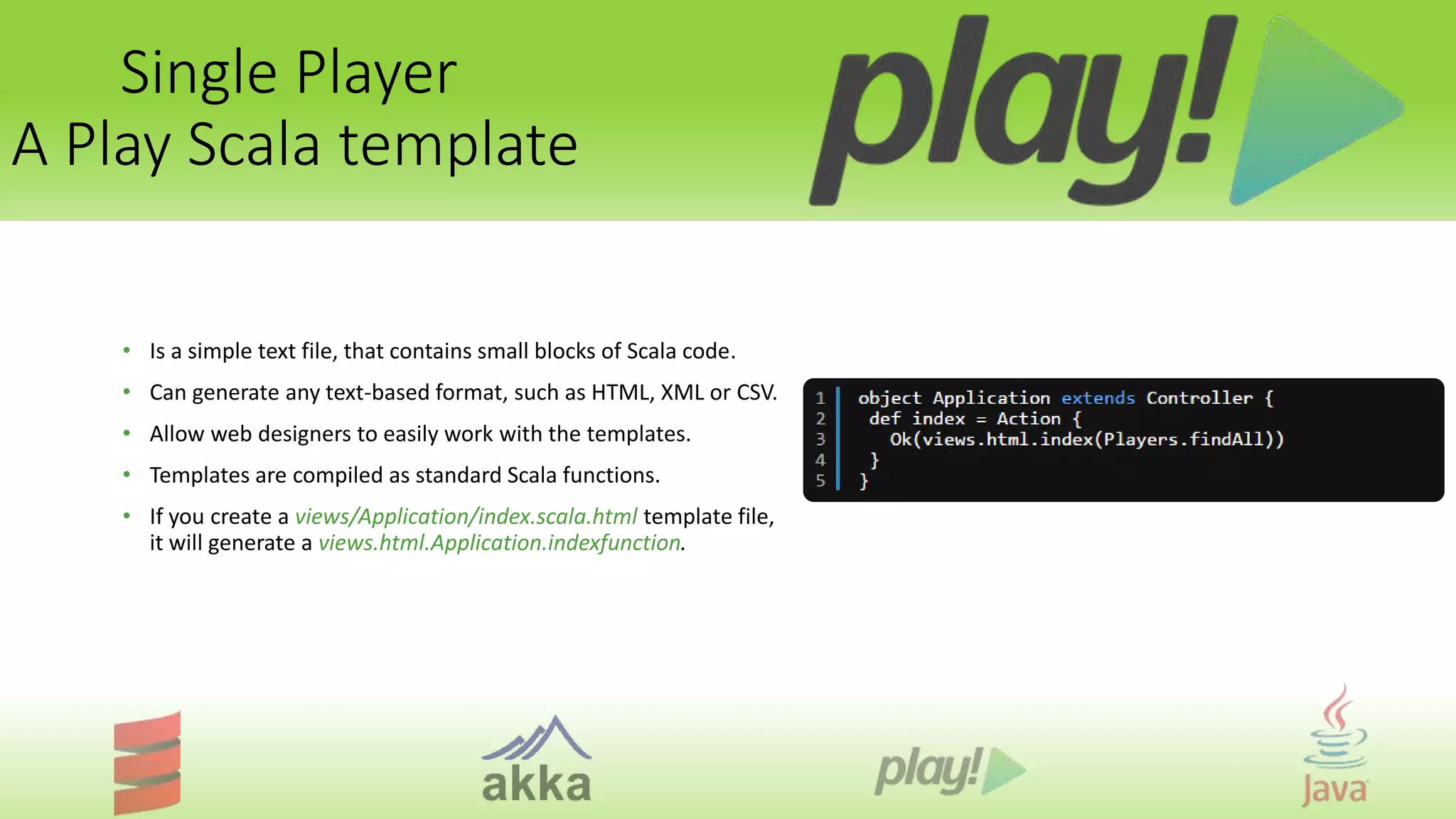
• Is a simple text file, that contains small blocks of Scala code.
• Can generate any text-based format, such as HTML, XML or CSV.
• Allow web designers to easily work with the templates.
• Templates are compiled as standard Scala functions.
• If you create a views/Application/index.scala.html template file,
it will generate a views.html.Application.indexfunction.
Single Player
A Play Scala template
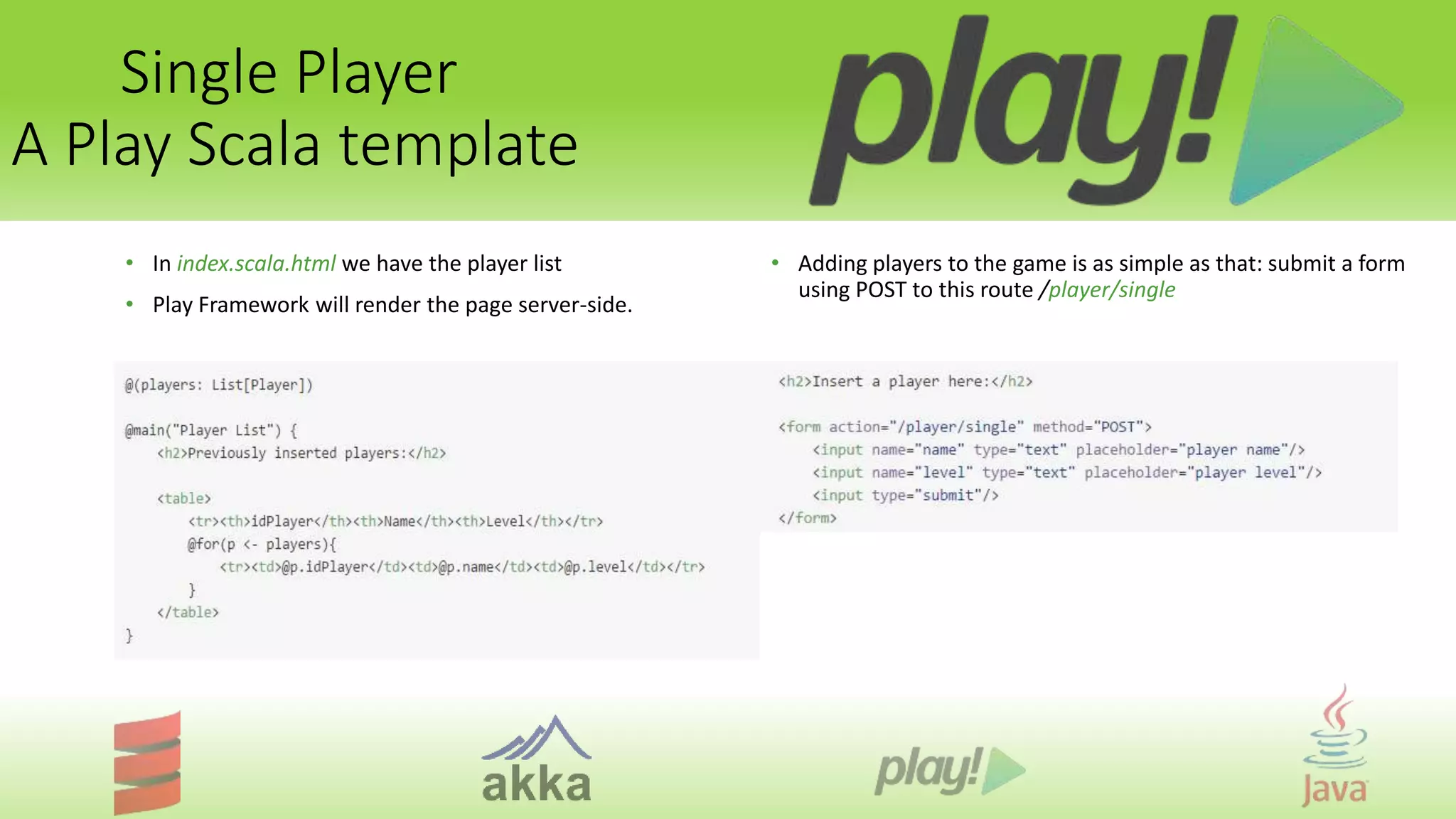
• In index.scala.html we have the player list
• Play Framework will render the page server-side.
• Adding players to the game is as simple as that: submit a form
using POST to this route /player/single
Multi Player
• You will have two separated applications in one project:
• API Backend (presistent data)
• Frontend side (making AJAX calls to the server)- in public folder.
• To test your calls use Postman.
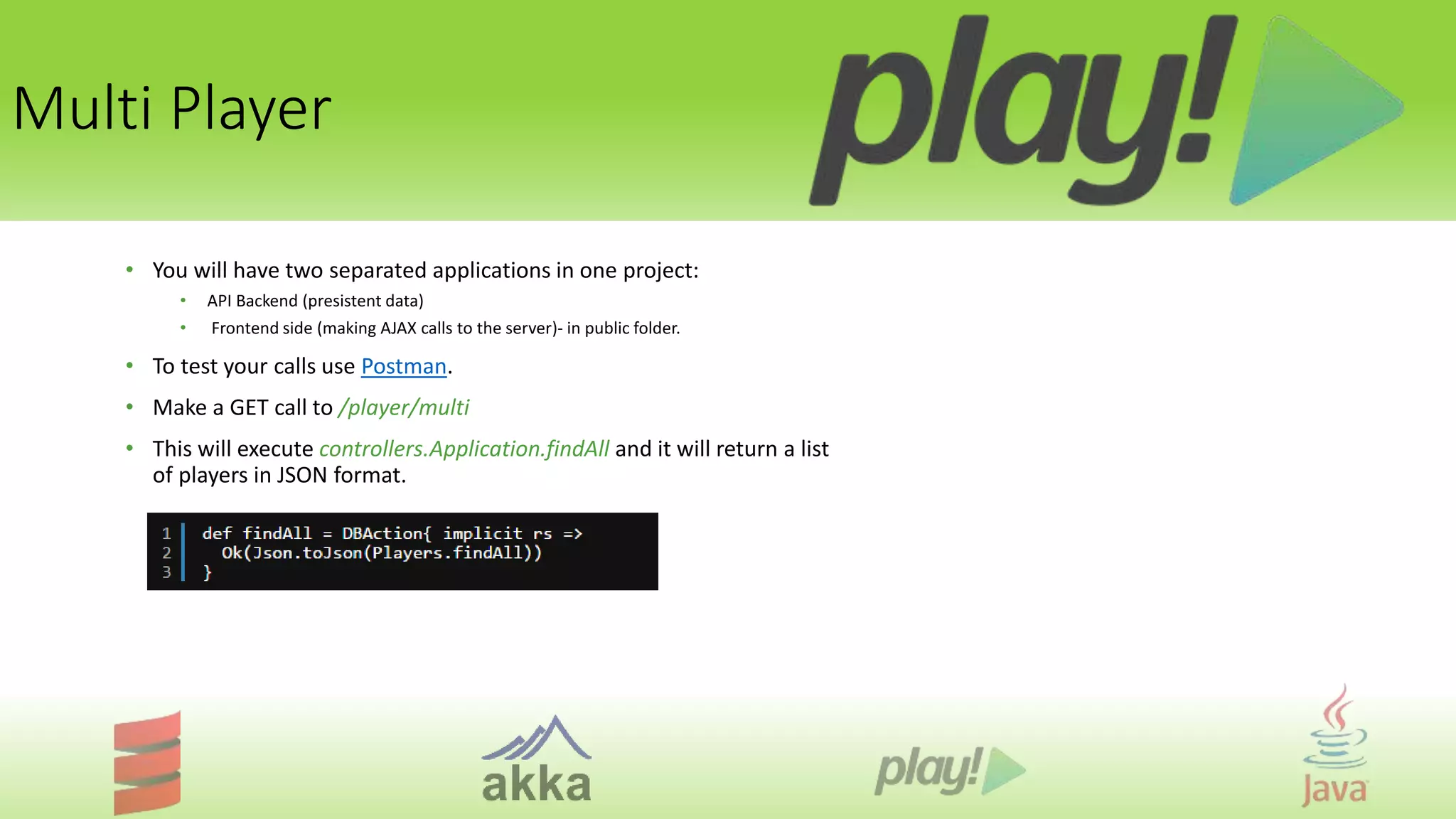
• Make a GET call to /player/multi
• This will execute controllers.Application.findAll and it will return a list
of players in JSON format.
Multi Player
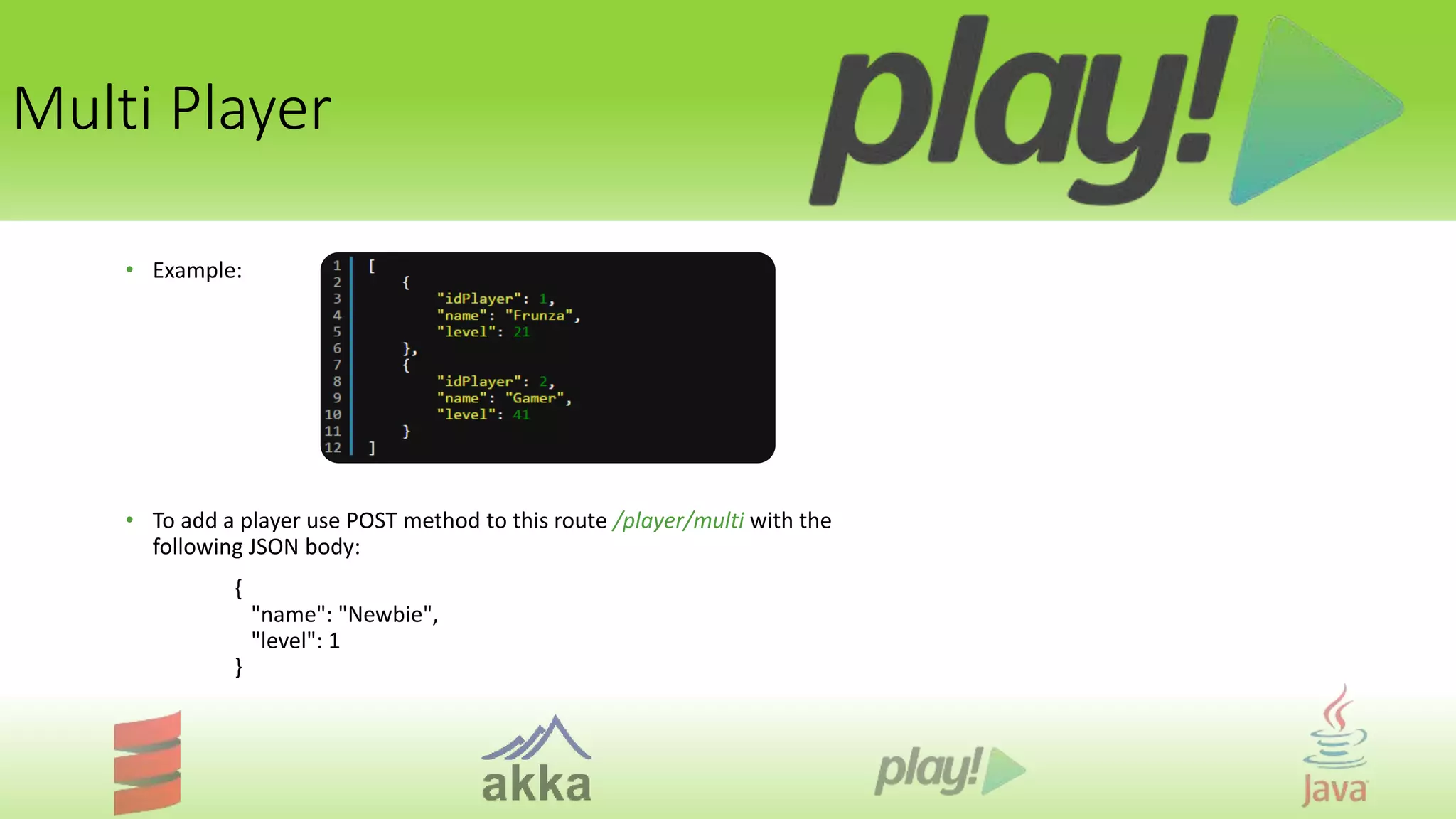
• Example:
• To add a player use POST method to this route /player/multi with the
following JSON body:
{
"name": "Newbie",
"level": 1
}
Game Features
• Amazon S3 module (Scala) - allows you to list, get, add and remove items from a S3 bucket.
• Authentication and Authorization module (Scala) - offers Authentication and Authorization features to Play2.x applications.
• Deadbolt 2 Plugin -powerful authorisation mechanism for defining access rights to certain controller methods
• Dust Plugin – provides support for the dust client side template language (DustJS).
• Memcached Plugin - provides a memcached based cache implementation.
• MongoDB Salat, Casbah Plugin (Scala) - provides managed MongoDB access and object mapping using Salat and Casbah
• Redis Plugin (Java and Scala) - provides a redis based cache implementation
• SecureSocial (Java and Scala) - an authentication module supporting OAuth, OAuth2, OpenID, Username/Password and
custom authentication schemes.
Most popular Players
• LinkedIn
• The Guardian
• Twitter
• Foursquare
• Coursera
• Klout
• Walmart
More details here: http://assist-software.net/blog/how-play-work-play-framework-tutorial

How to Play at Work - A Play Framework Tutorial

  • 1.
    A Play FrameworkTutorial Assist-Software Romania- Marius Carp
  • 2.
    What is PlayFramework • An open-source modern web framework • Based on a lightweight, stateless, web-friendly architecture. • Built on Akka, Play provides predictable and minimal resource consumption • Developer friendly • Has great support for Eclipse and Intellij IDEA. • Provides RESTful by default • Has a built-in JSON module and extensive NoSQL & Big Data Support. • There are libraries for everything - most of which can be used in Play.
  • 3.
    System Requirements • InstallJDK 1.6 or later. • Install Scala (general-purpose language designed to support clear, concise and type-safe programming). Optional, but good to have, you may also use Java. • Install SBT is an open source build tool for Scala and Java projects, similar to Java's Maven or Ant. • Install Play Framework through a tool called Typesafe Activator. • Install PostgreSQL. • Install pgAdmin is a comprehensive PostgreSQL database design and management system.
  • 4.
    Game Play Tutorial •Let's create a new vanilla Play Scala application and name it scala-game. Here is the command you need to run it in command-line: • To start your game from command-line run from your project root folder: • or (recommanded) • To view your work go to: http://localhost:9000/
  • 5.
    Game Configuration Tutorial •To add more experience to your Play skills add the following dependencies to your build.sbt file: • Slick - a modern database query and access library for Scala. -It allows you to work with stored data and gives you full control • PostgreSQL JDBC is necessary to connect to PostgreSQL database
  • 6.
    Game Configuration Tutorial •Then, create a database and add its credentials to application.config file. • Add a package named dao to your app folder • Define database tables and set it in configuration • Uncomment evolution plugin and set it enabled • Play Framework's Evolutions will create tables and relations between them (primary keys, indexes, sequences etc...) for you.
  • 7.
    Game Configuration Tutorial •We have to specify to which database to connect creating a trait named PostgresSupport and define an implicit database
  • 8.
    Loading Textures inPlay Framework • Create a package models and in it a case class named Player • Play tracks your database evolutions using several evolution scripts located in the db/evolutions directory. • The first script is named 1.sql. • We just need to map the models to tabels. • PostgreSQL will generate a PrimaryKey for the player using AutoInc:
  • 9.
    Loading Textures inPlay Framework • A GET HTTP request will be made to this route "/„ when a user first time accesses our application . • The entire list of routes can be found in the conf/routes file • Each route consists of an HTTP method and URI pattern, both associated with a call to an Action generator. • An Action is basically a request => result function that handles a request and generates a result to be sent to the client. • A Controller is nothing more than a singleton object that generates Action values.
  • 10.
    Play Framework Gamemodes • You can chose to Play in two ways: • Single player using Play Scala template • Multi player using one of the following JavaScript frameworks: AngularJS, BackboneJS, EmberJS, ExtJS, DustJS . • Adding a new player and get players list using Slick. • players list (players is the mapped table) • add new player
  • 11.
    Single Player A PlayScala template • Is a simple text file, that contains small blocks of Scala code. • Can generate any text-based format, such as HTML, XML or CSV. • Allow web designers to easily work with the templates. • Templates are compiled as standard Scala functions. • If you create a views/Application/index.scala.html template file, it will generate a views.html.Application.indexfunction.
  • 12.
    Single Player A PlayScala template • In index.scala.html we have the player list • Play Framework will render the page server-side. • Adding players to the game is as simple as that: submit a form using POST to this route /player/single
  • 13.
    Multi Player • Youwill have two separated applications in one project: • API Backend (presistent data) • Frontend side (making AJAX calls to the server)- in public folder. • To test your calls use Postman. • Make a GET call to /player/multi • This will execute controllers.Application.findAll and it will return a list of players in JSON format.
  • 14.
    Multi Player • Example: •To add a player use POST method to this route /player/multi with the following JSON body: { "name": "Newbie", "level": 1 }
  • 15.
    Game Features • AmazonS3 module (Scala) - allows you to list, get, add and remove items from a S3 bucket. • Authentication and Authorization module (Scala) - offers Authentication and Authorization features to Play2.x applications. • Deadbolt 2 Plugin -powerful authorisation mechanism for defining access rights to certain controller methods • Dust Plugin – provides support for the dust client side template language (DustJS). • Memcached Plugin - provides a memcached based cache implementation. • MongoDB Salat, Casbah Plugin (Scala) - provides managed MongoDB access and object mapping using Salat and Casbah • Redis Plugin (Java and Scala) - provides a redis based cache implementation • SecureSocial (Java and Scala) - an authentication module supporting OAuth, OAuth2, OpenID, Username/Password and custom authentication schemes.
  • 16.
    Most popular Players •LinkedIn • The Guardian • Twitter • Foursquare • Coursera • Klout • Walmart More details here: http://assist-software.net/blog/how-play-work-play-framework-tutorial