Dockerize your Sitecore
module
MIHÁLY ÁRVAI
Introduction
 Sitecore Lead Developer – Wunderman Thompson, Budapest
 Sitecore MVP – 2021
 Sitecore Hackathon Winner – 2019, 2021
 Twitter:
 https://twitter.com/mitya_1988
 Medium
 https://medium.com/@mitya_1988
 LinkedIn
 https://www.linkedin.com/in/mihaly-arvai/
Agenda
 Brief introduction of Docker
 Overview of existing Sitecore module installations
 How to convert a Sitecore module into a Docker image?
What is Docker?
 Open Platform
 Developing, shipping, running applications quickly
 Reduce time between code writing and running it production
 Run application in an isolated environment (Container)
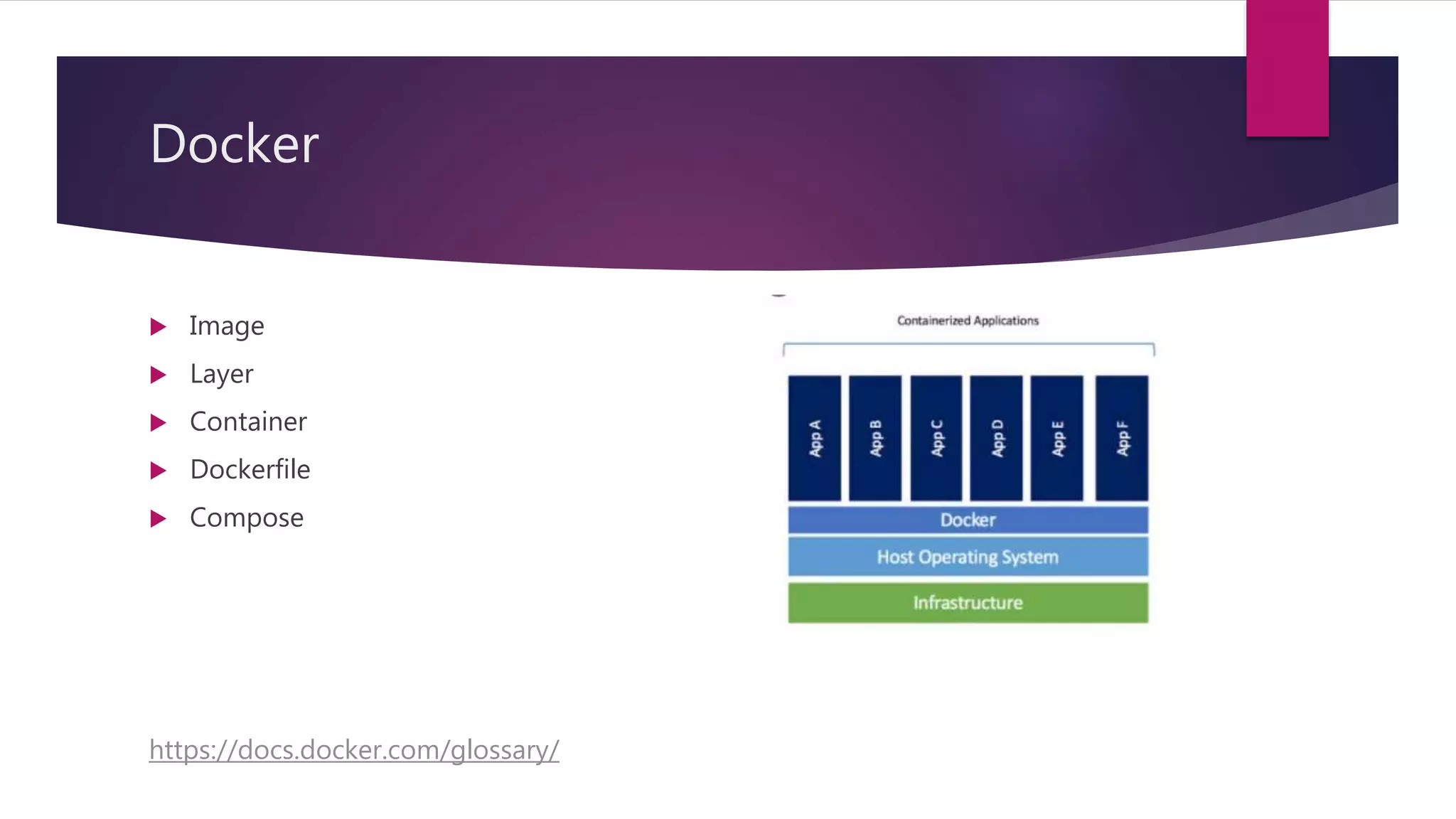
 Key differences
 Containers can share OS
 Containers are lightweight
 Pre-built docker containers are easily available
Docker
 Image
 Layer
 Container
 Dockerfile
 Compose
https://docs.docker.com/glossary/
Docker
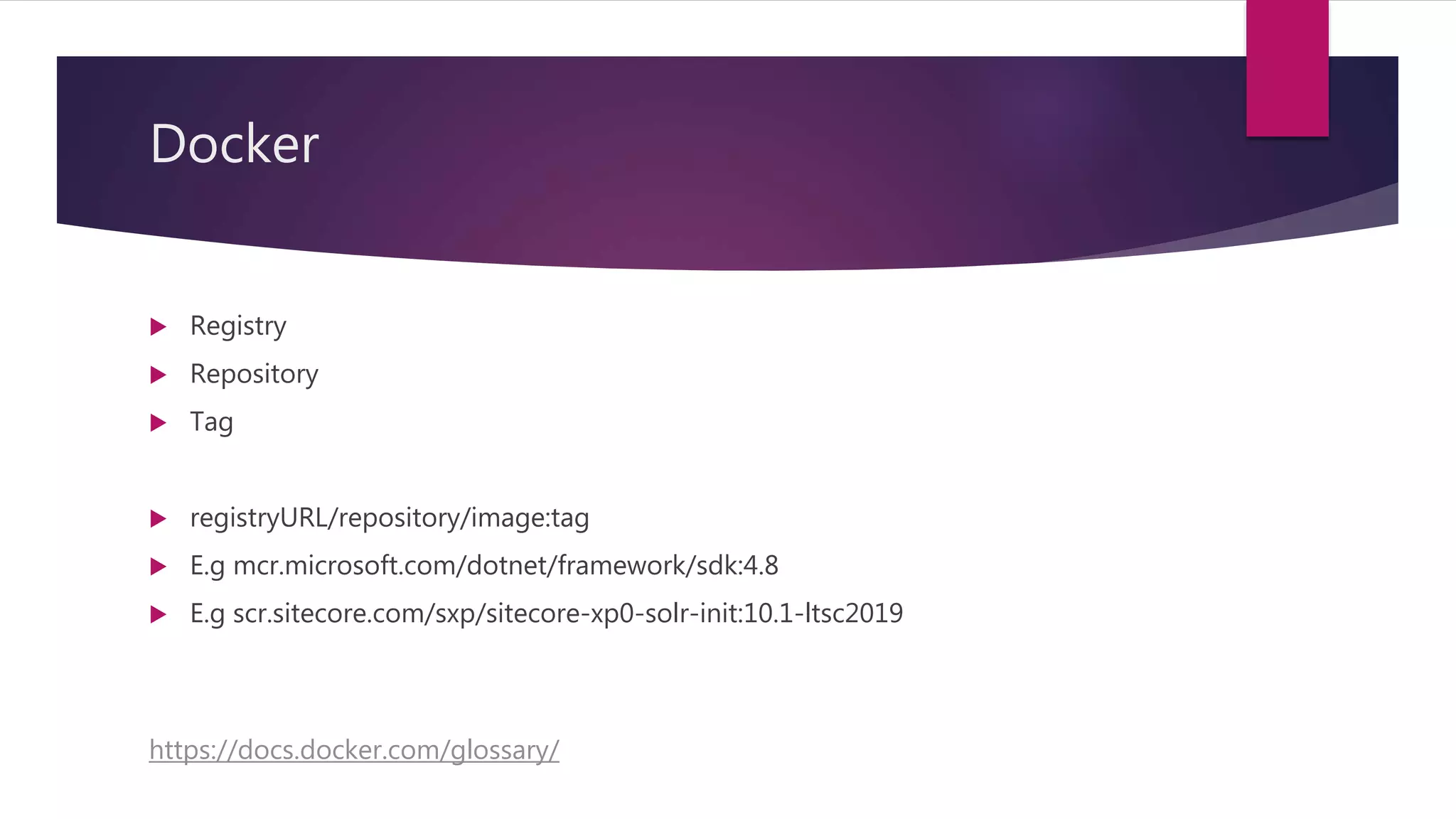
 Registry
 Repository
 Tag
 registryURL/repository/image:tag
 E.g mcr.microsoft.com/dotnet/framework/sdk:4.8
 E.g scr.sitecore.com/sxp/sitecore-xp0-solr-init:10.1-ltsc2019
https://docs.docker.com/glossary/
Docker Hub
 The Docker Hub is a centralized resource for working with Docker and its
components. It provides the following services:
 Docker image hosting
 User authentication
 Automated image builds and work-flow tools such as build triggers and web
hooks
 Integration with GitHub and Bitbucket
Sitecore Containers
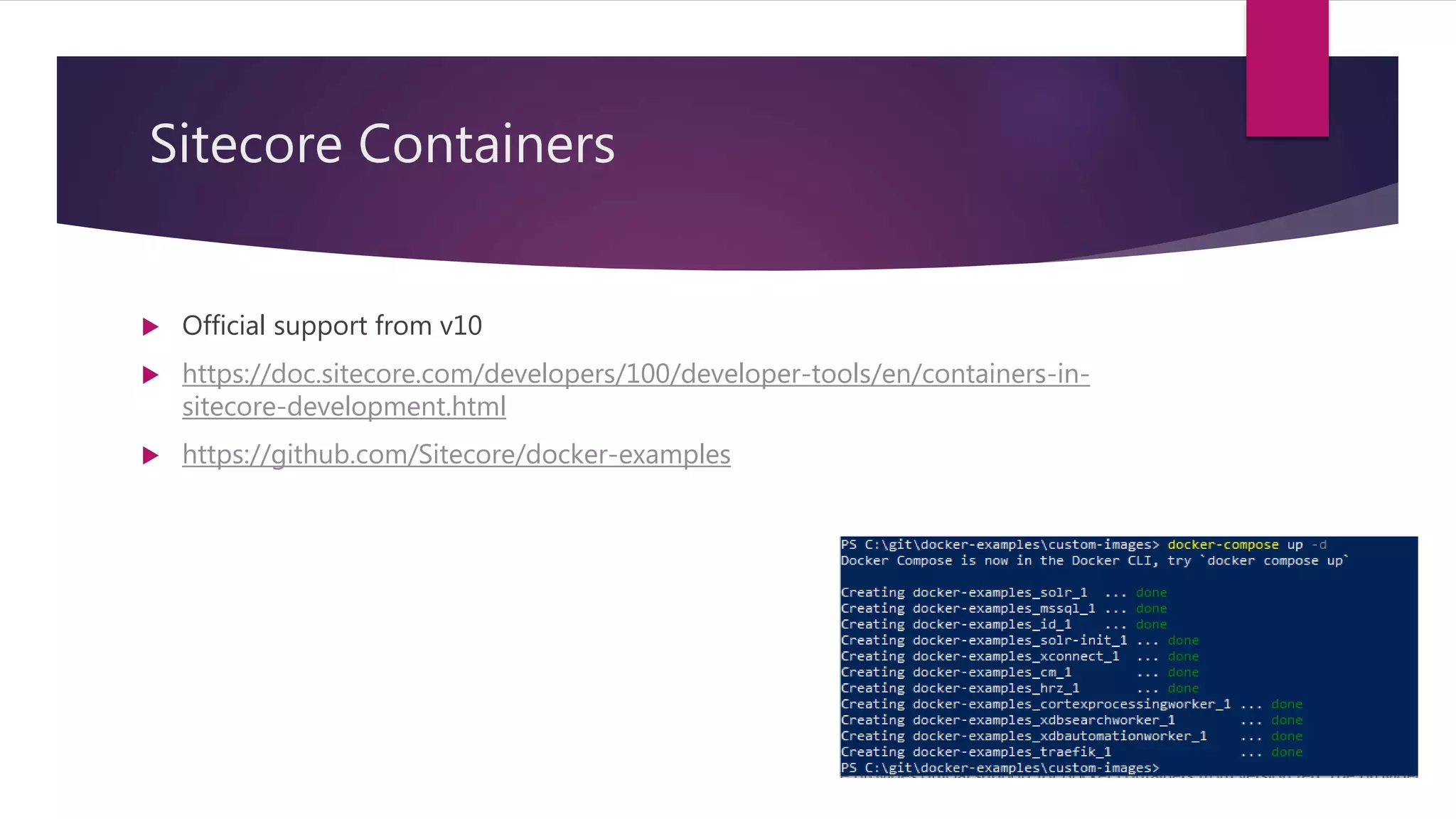
 Official support from v10
 https://doc.sitecore.com/developers/100/developer-tools/en/containers-in-
sitecore-development.html
 https://github.com/Sitecore/docker-examples
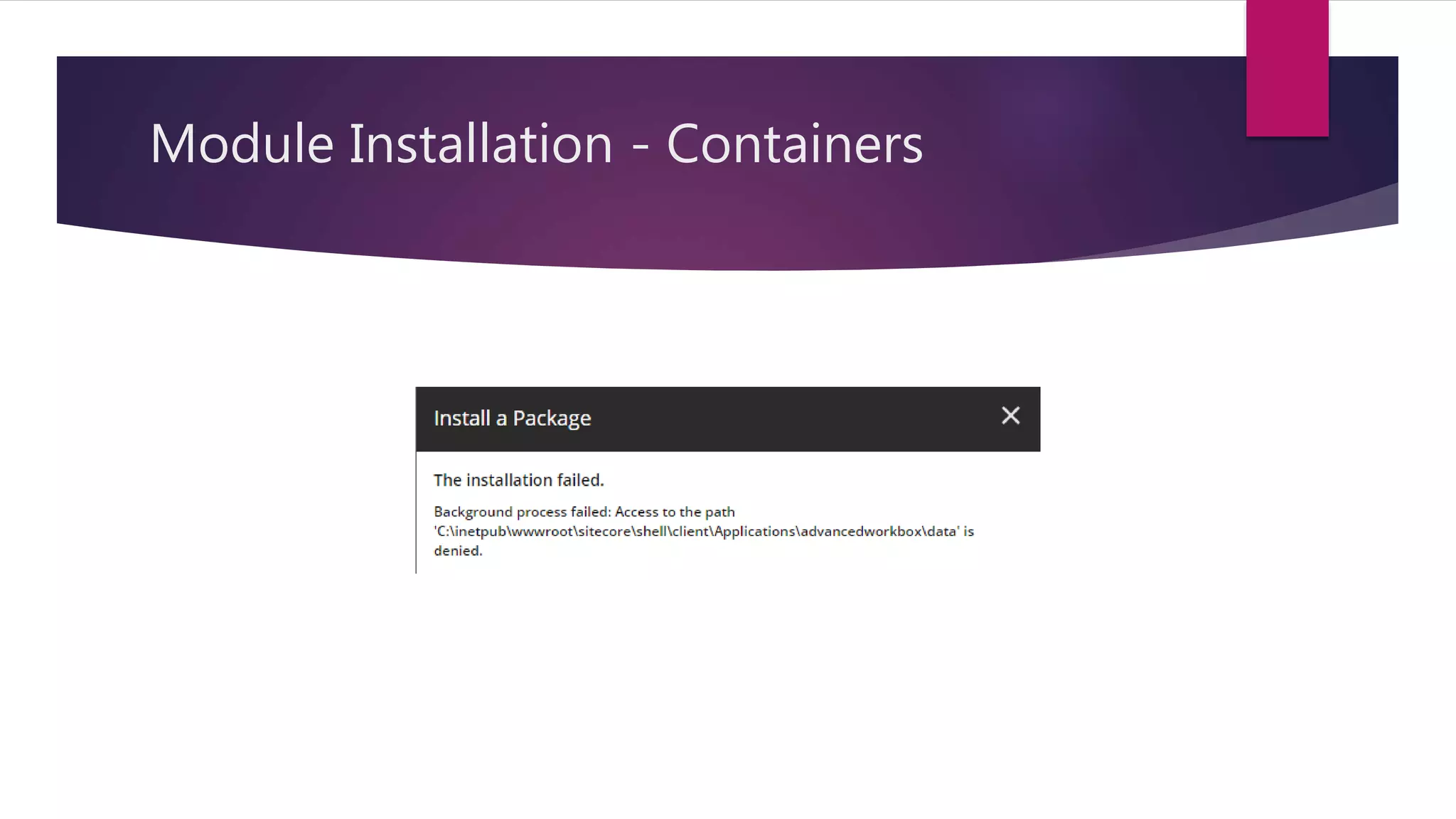
Module Installation - Containers
Sitecore Modules
Asset images
Module Images
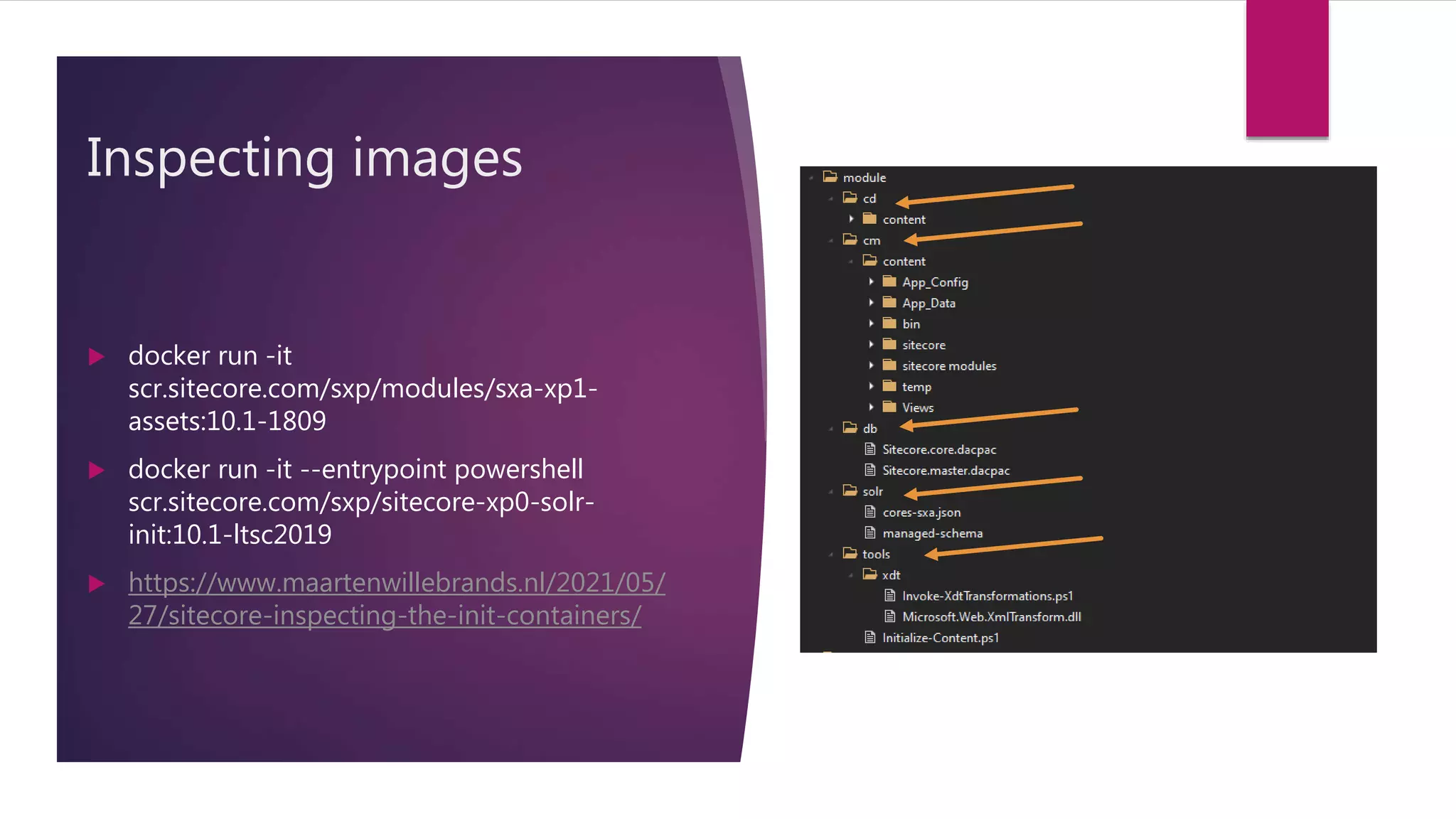
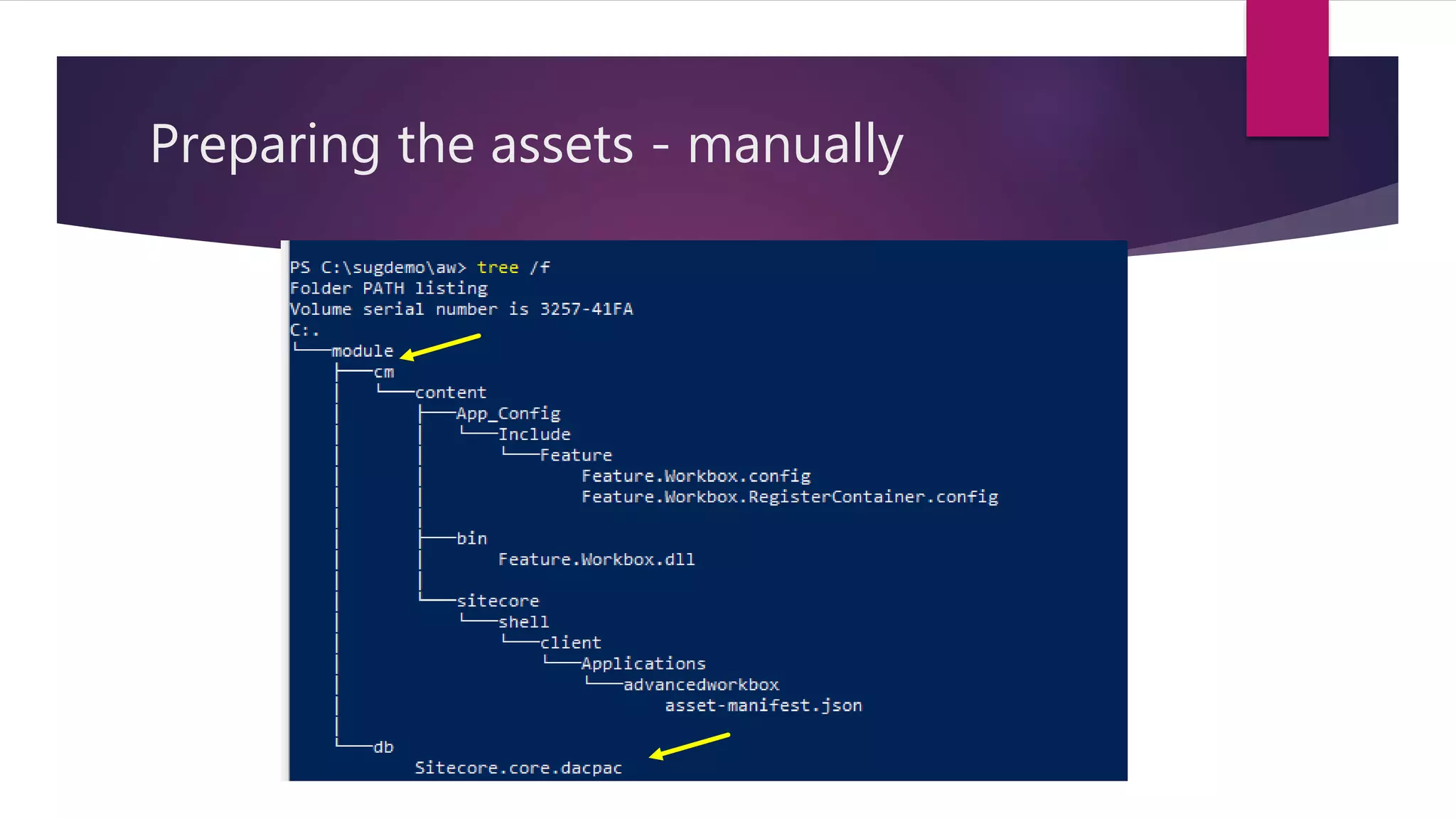
 Contains resources with a given structure
 You never run them as a part of the container (only during Docker build)
 C:module[role]content - Content to overlay base Sitecore images
 C:moduledb - dacpac files with changes to databases required by the module
 C:modulesolr - Files used to deploy Solr cores required for the module
 C:moduletools - Additional tools and scripts to be executed during Docker image build process
Inspecting images
 docker run -it
scr.sitecore.com/sxp/modules/sxa-xp1-
assets:10.1-1809
 docker run -it --entrypoint powershell
scr.sitecore.com/sxp/sitecore-xp0-solr-
init:10.1-ltsc2019
 https://www.maartenwillebrands.nl/2021/05/
27/sitecore-inspecting-the-init-containers/
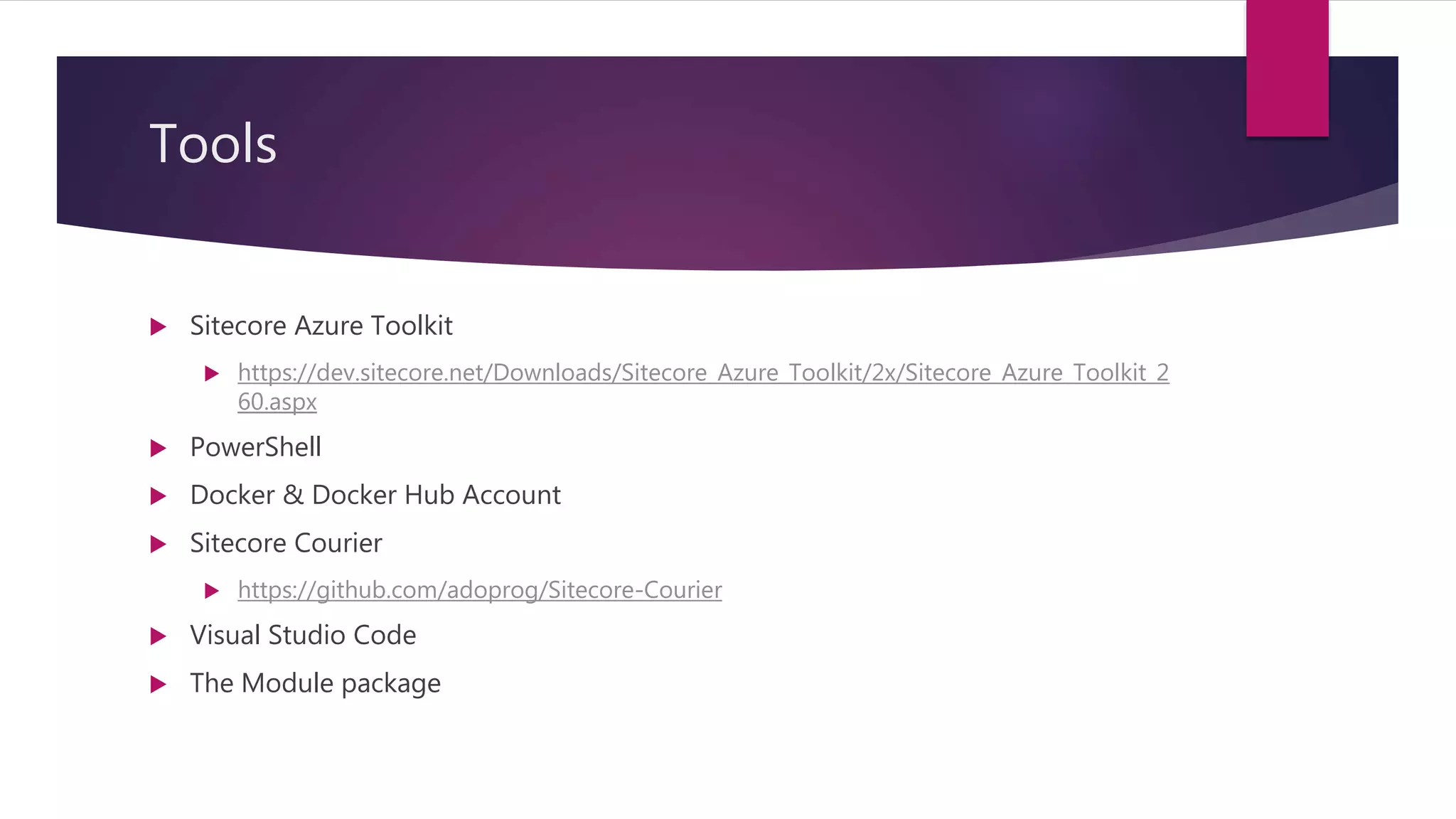
Tools
 Sitecore Azure Toolkit
 https://dev.sitecore.net/Downloads/Sitecore_Azure_Toolkit/2x/Sitecore_Azure_Toolkit_2
60.aspx
 PowerShell
 Docker & Docker Hub Account
 Sitecore Courier
 https://github.com/adoprog/Sitecore-Courier
 Visual Studio Code
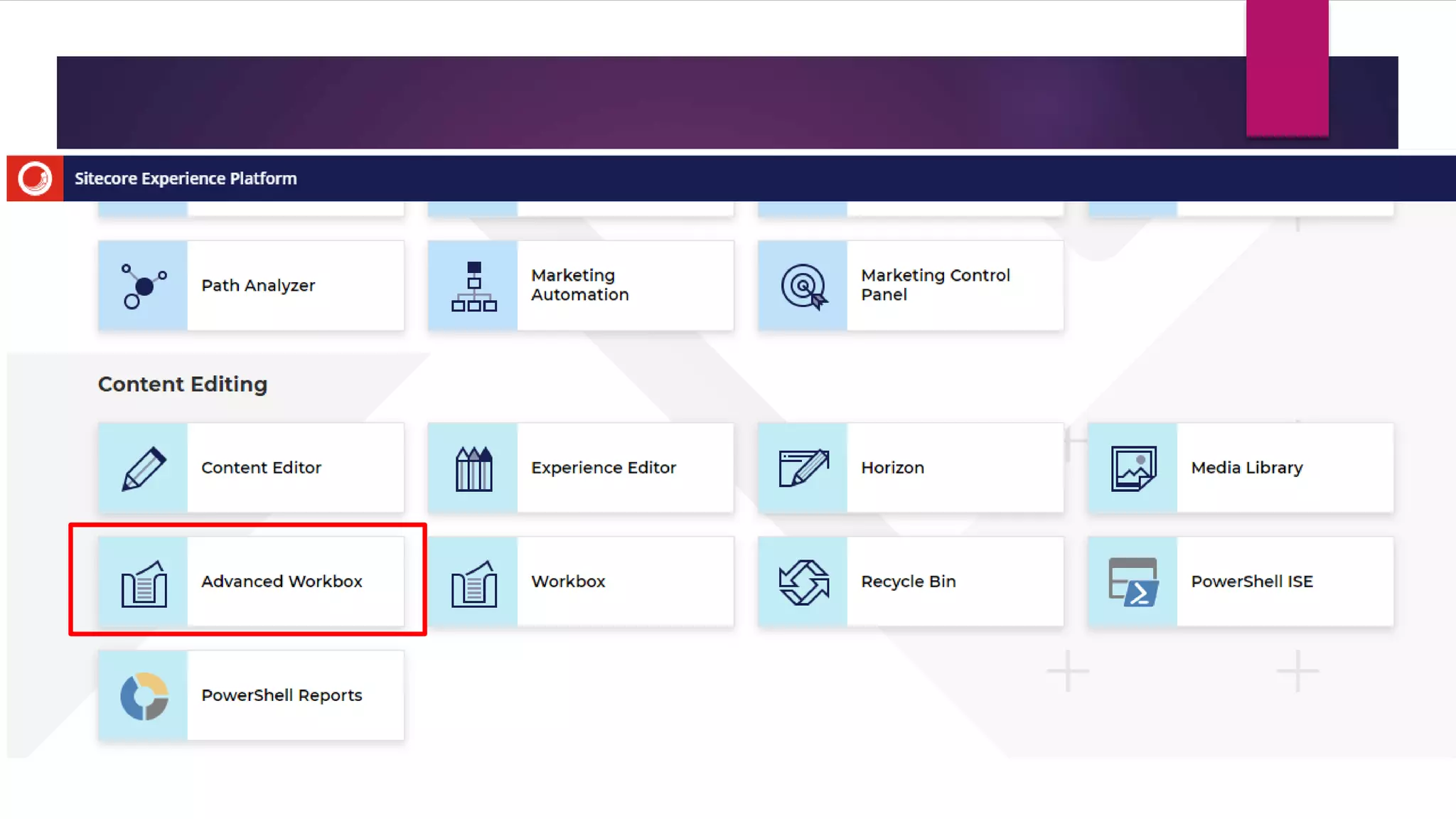
 The Module package
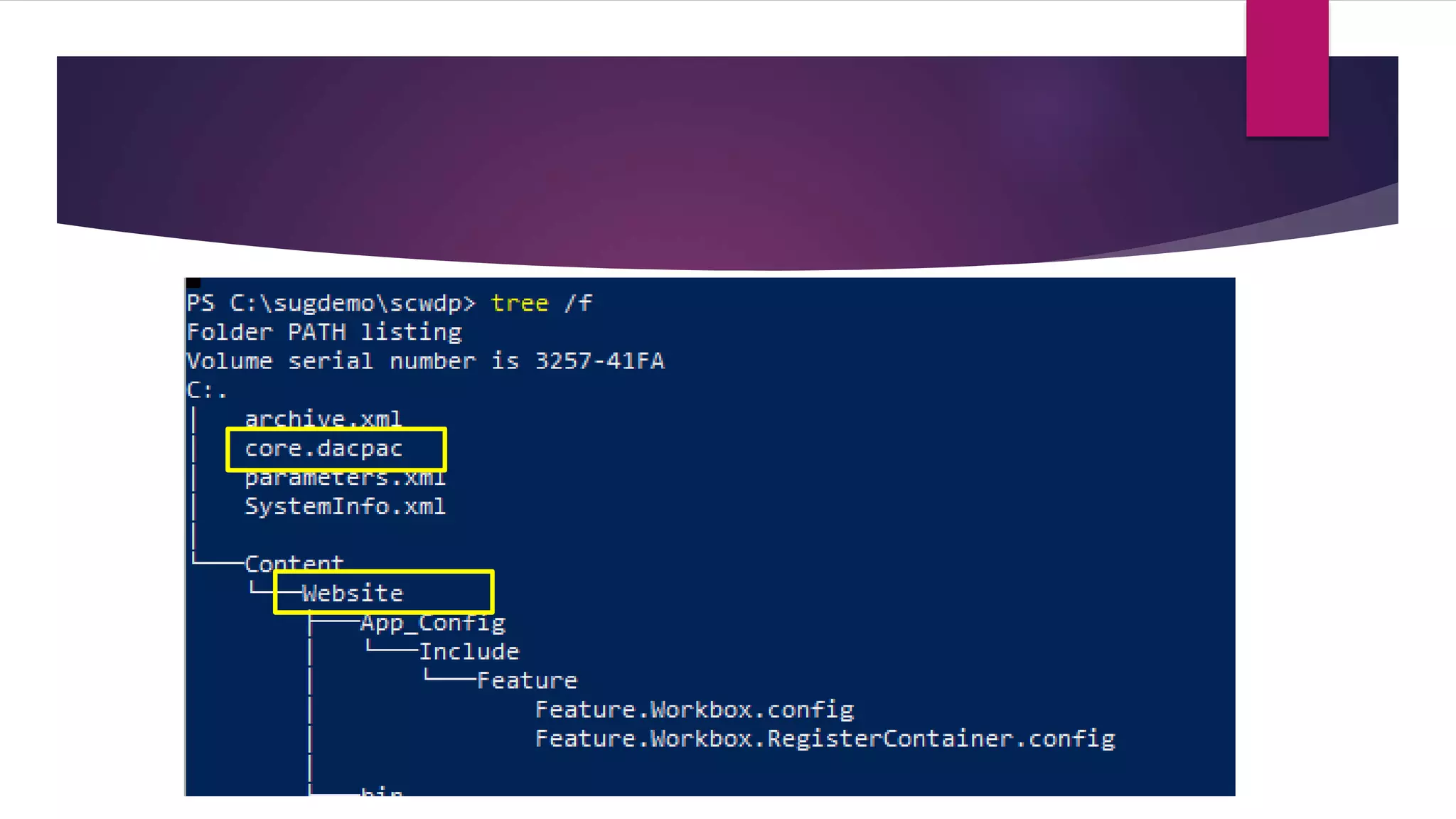
Getting the dacpac
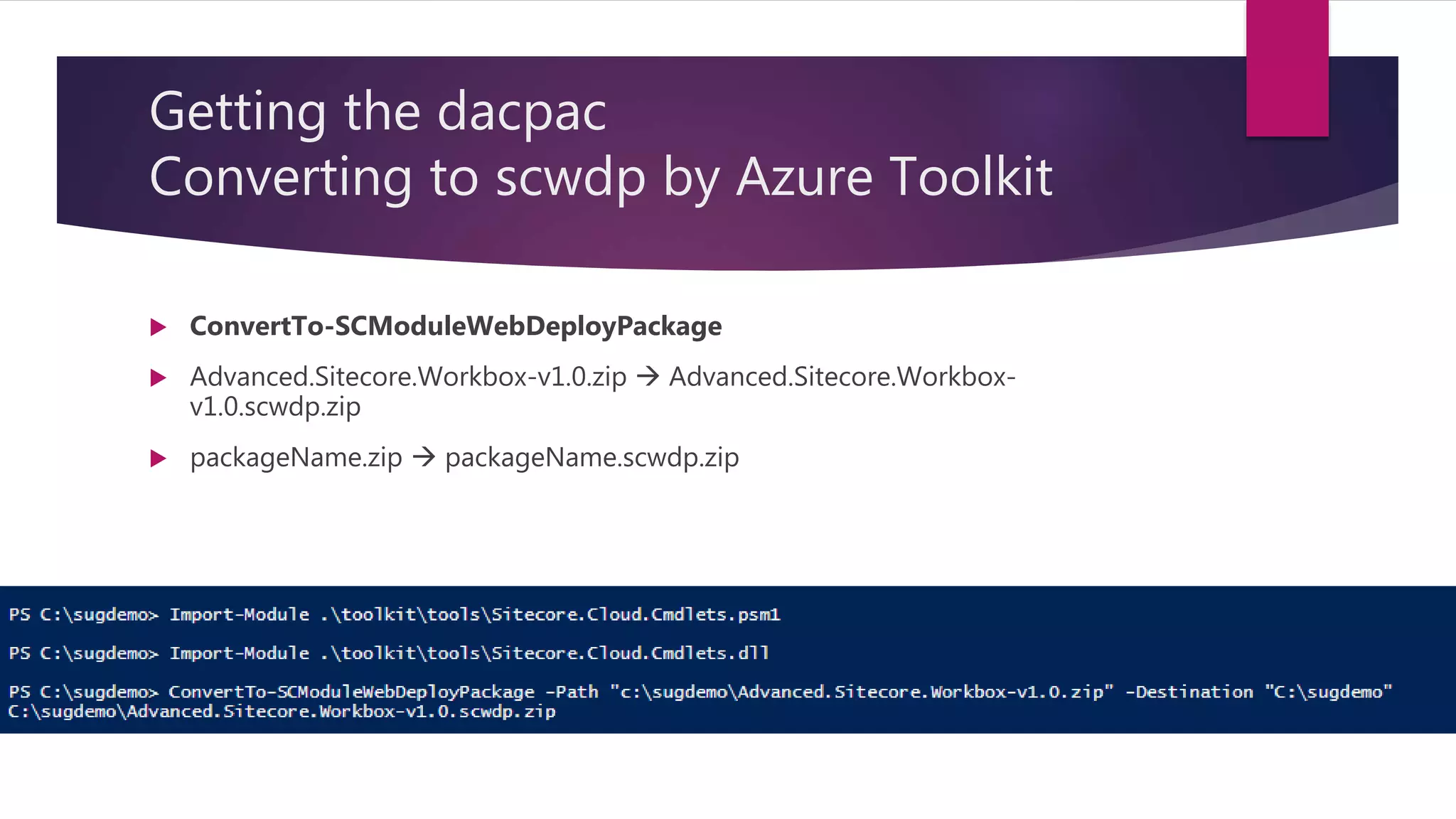
Converting to scwdp by Azure Toolkit
 ConvertTo-SCModuleWebDeployPackage
 Advanced.Sitecore.Workbox-v1.0.zip  Advanced.Sitecore.Workbox-
v1.0.scwdp.zip
 packageName.zip  packageName.scwdp.zip
Getting the dacpac
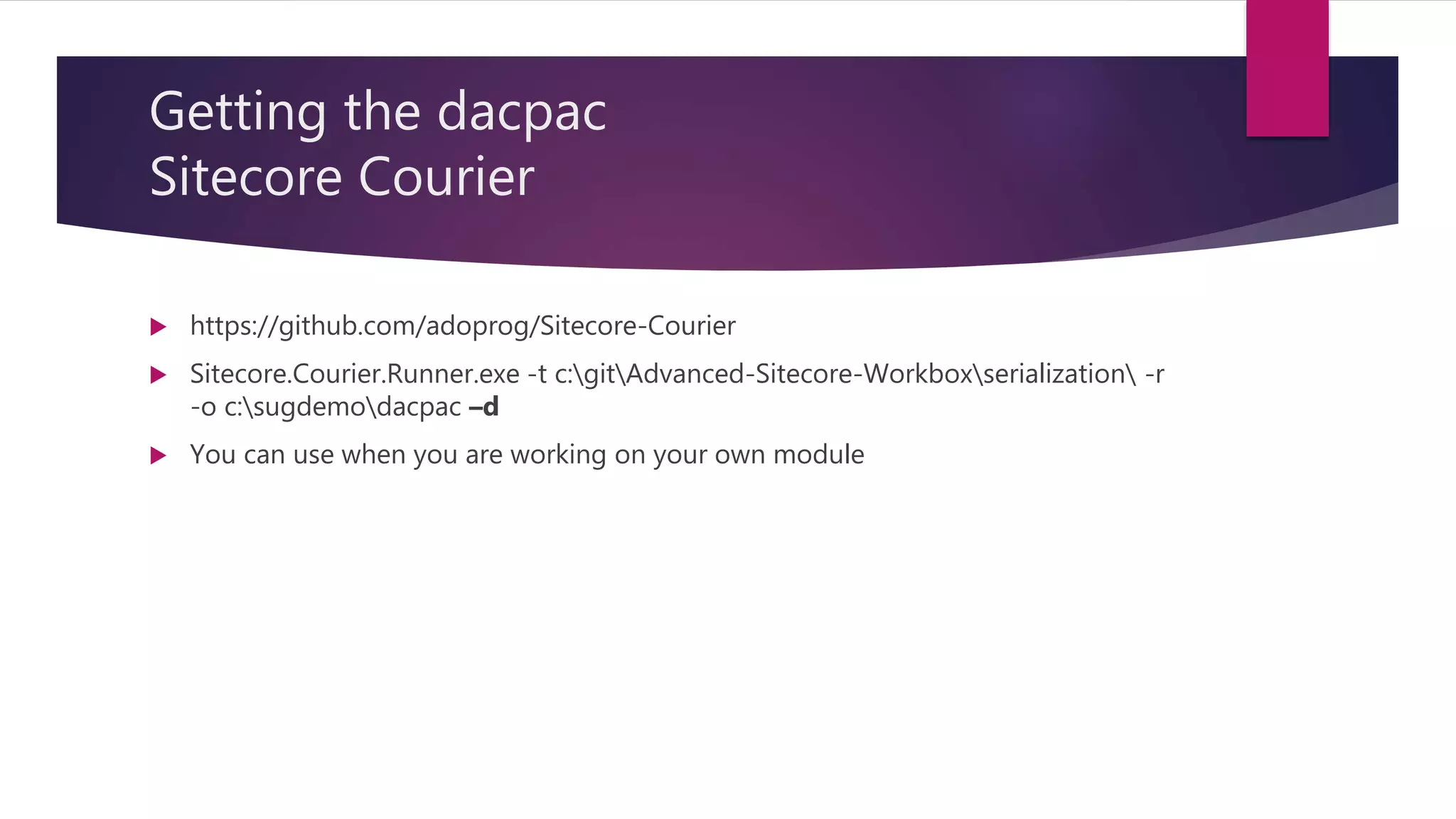
Sitecore Courier
 https://github.com/adoprog/Sitecore-Courier
 Sitecore.Courier.Runner.exe -t c:gitAdvanced-Sitecore-Workboxserialization -r
-o c:sugdemodacpac –d
 You can use when you are working on your own module
Preparing the assets - manually
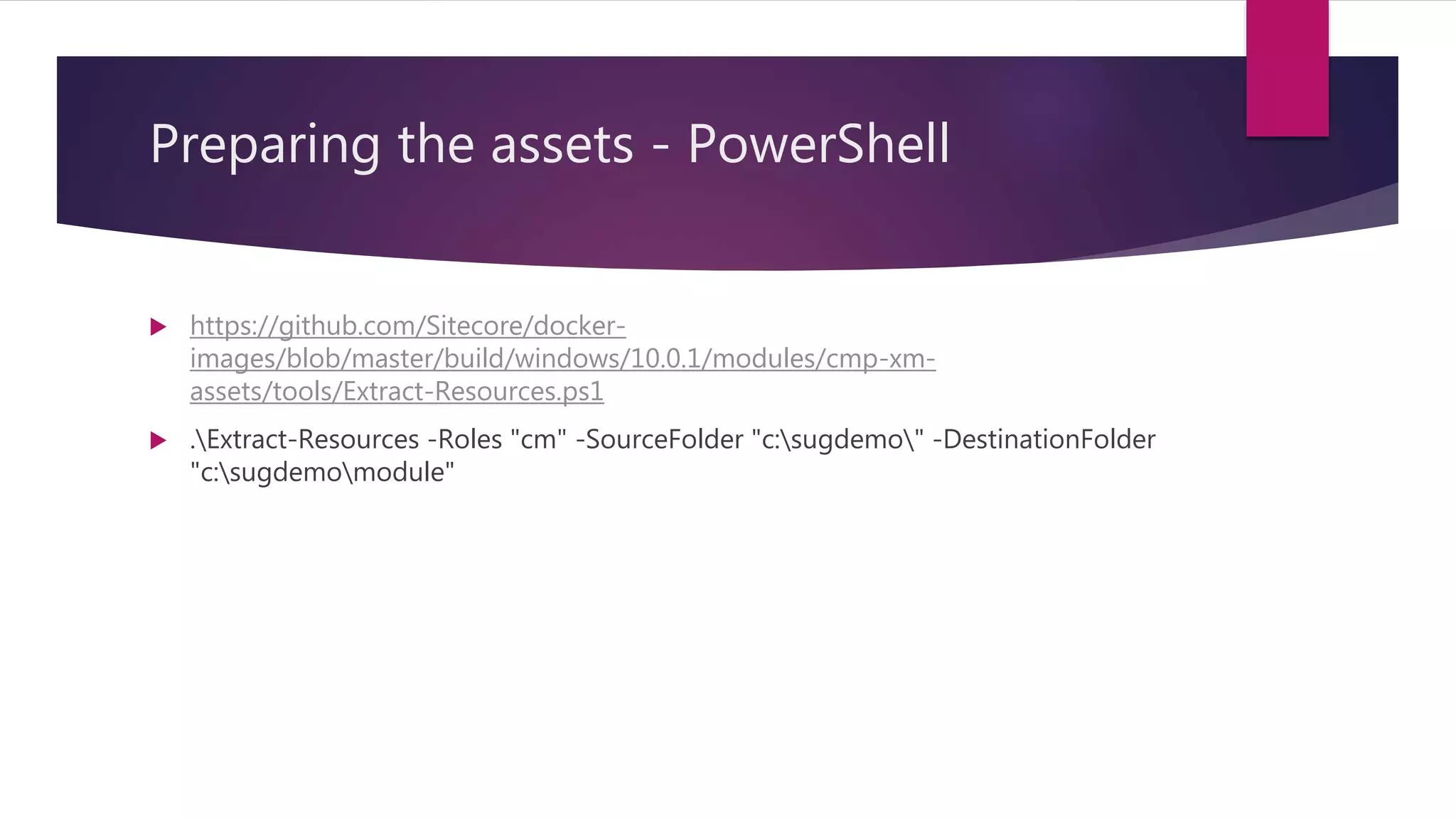
Preparing the assets - PowerShell
 https://github.com/Sitecore/docker-
images/blob/master/build/windows/10.0.1/modules/cmp-xm-
assets/tools/Extract-Resources.ps1
 .Extract-Resources -Roles "cm" -SourceFolder "c:sugdemo" -DestinationFolder
"c:sugdemomodule"
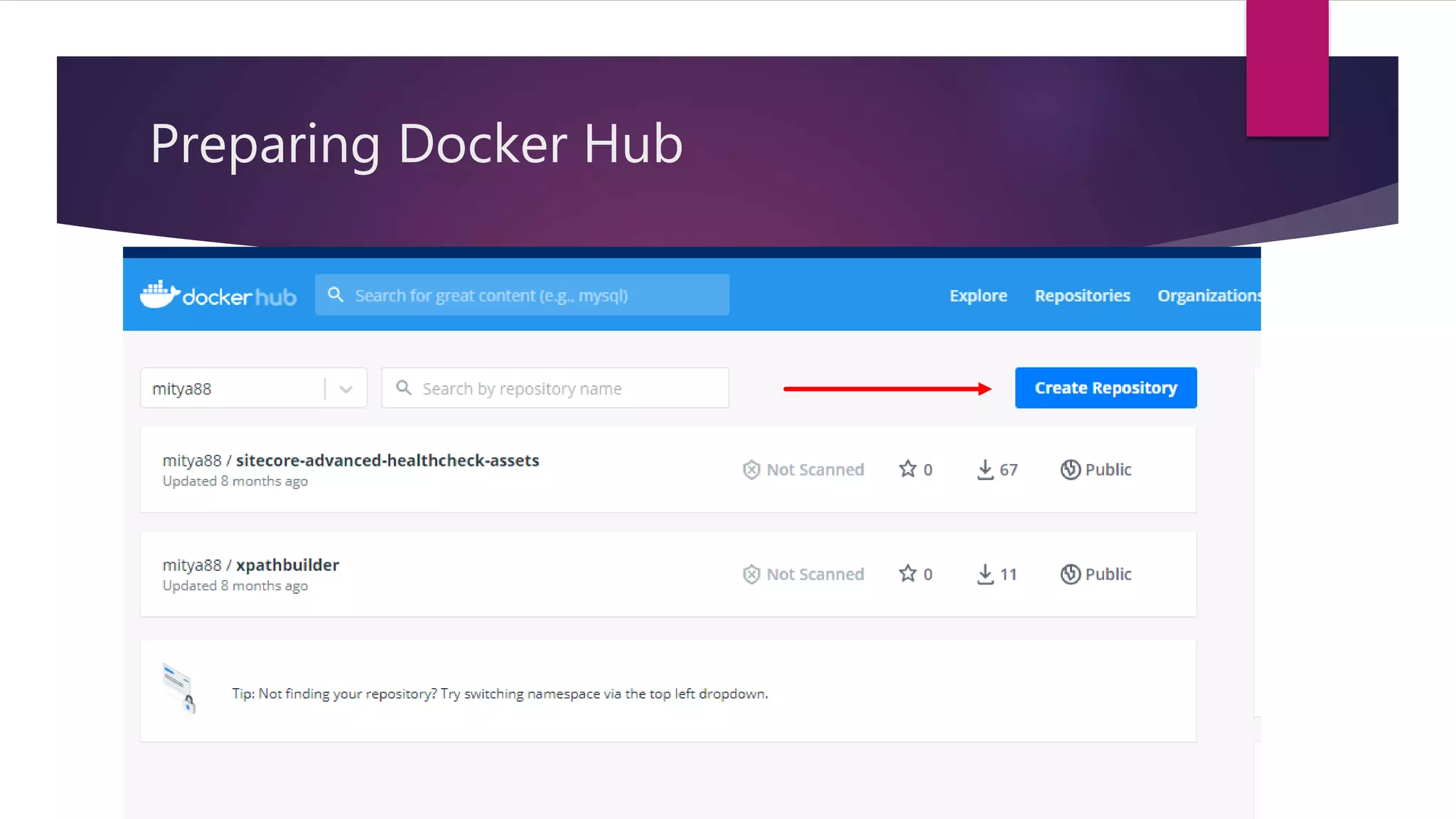
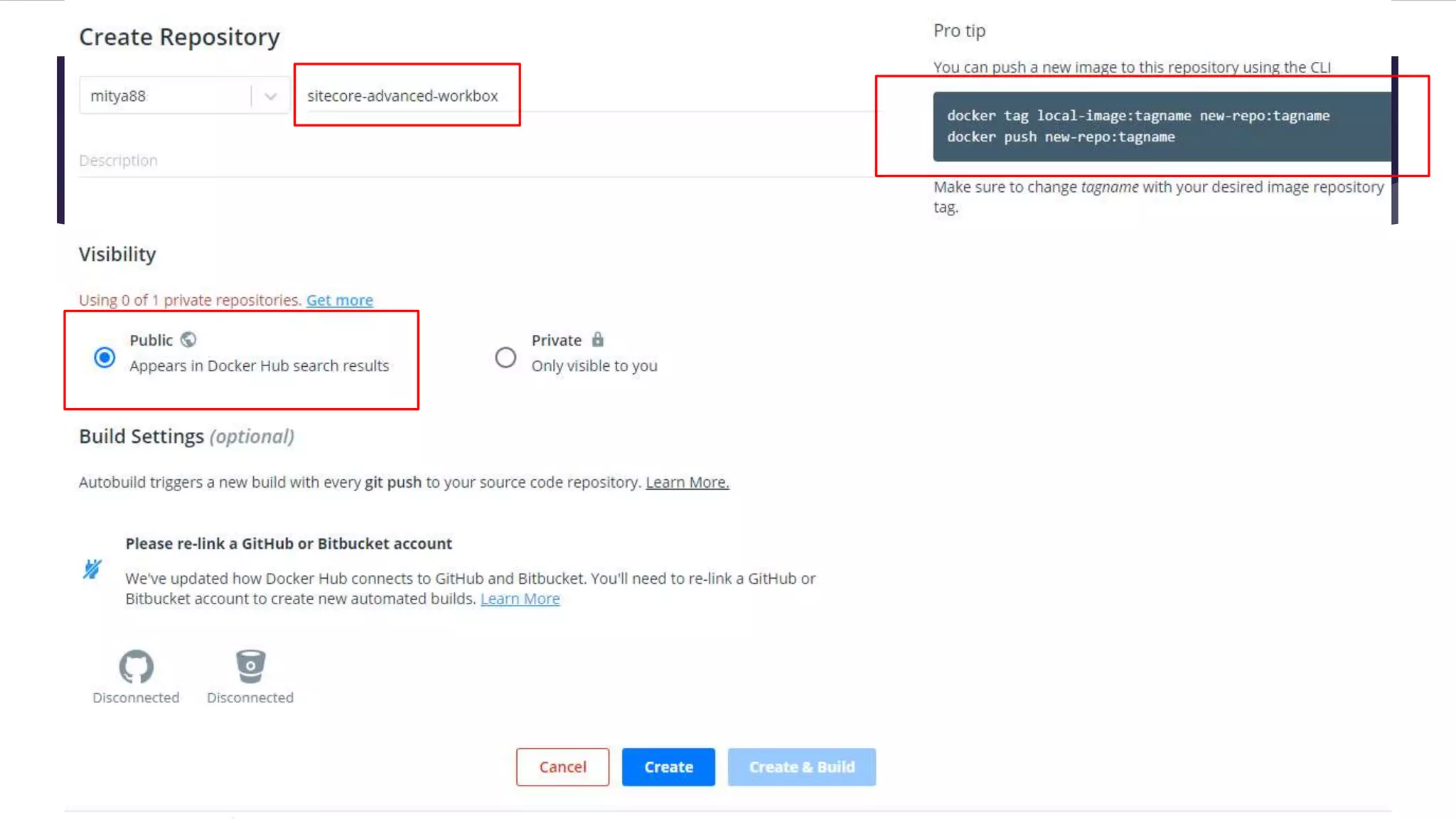
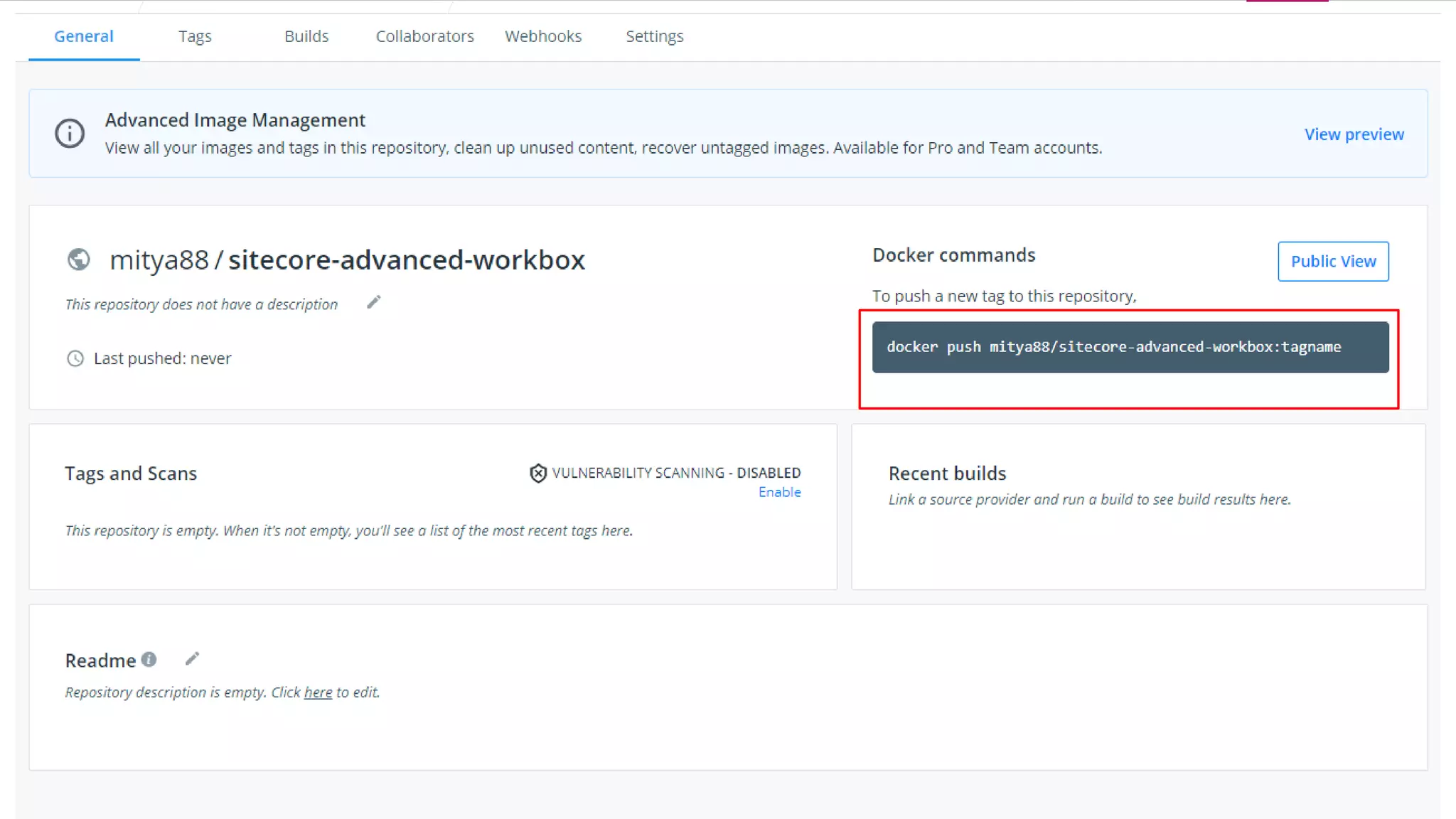
Preparing Docker Hub
 https://hub.docker.com/
 Free Plan
 1 private repository
 Unlimited public repository
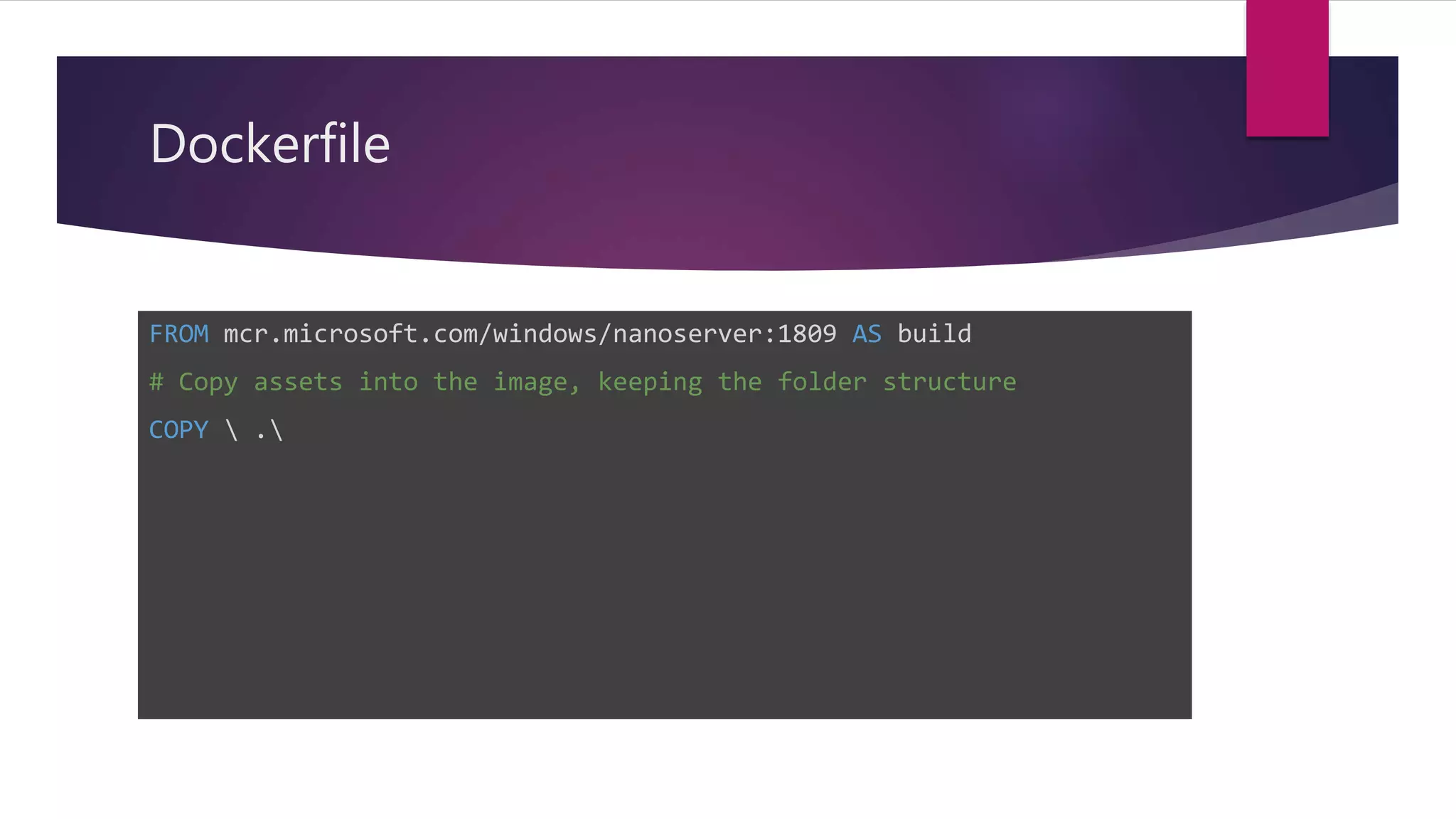
Dockerfile
FROM mcr.microsoft.com/windows/nanoserver:1809 AS build
# Copy assets into the image, keeping the folder structure
COPY  .
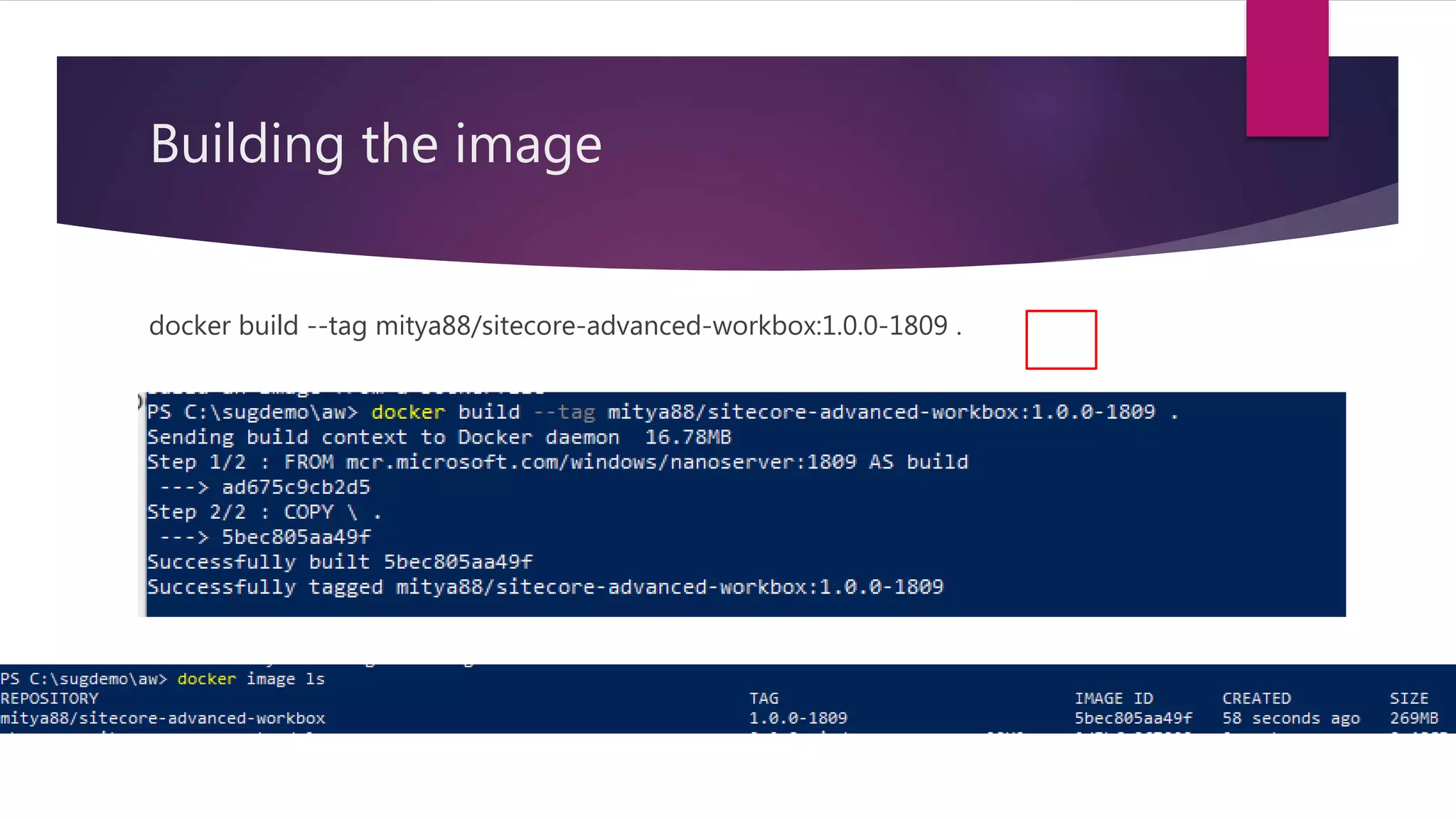
Building the image
docker build --tag mitya88/sitecore-advanced-workbox:1.0.0-1809 .
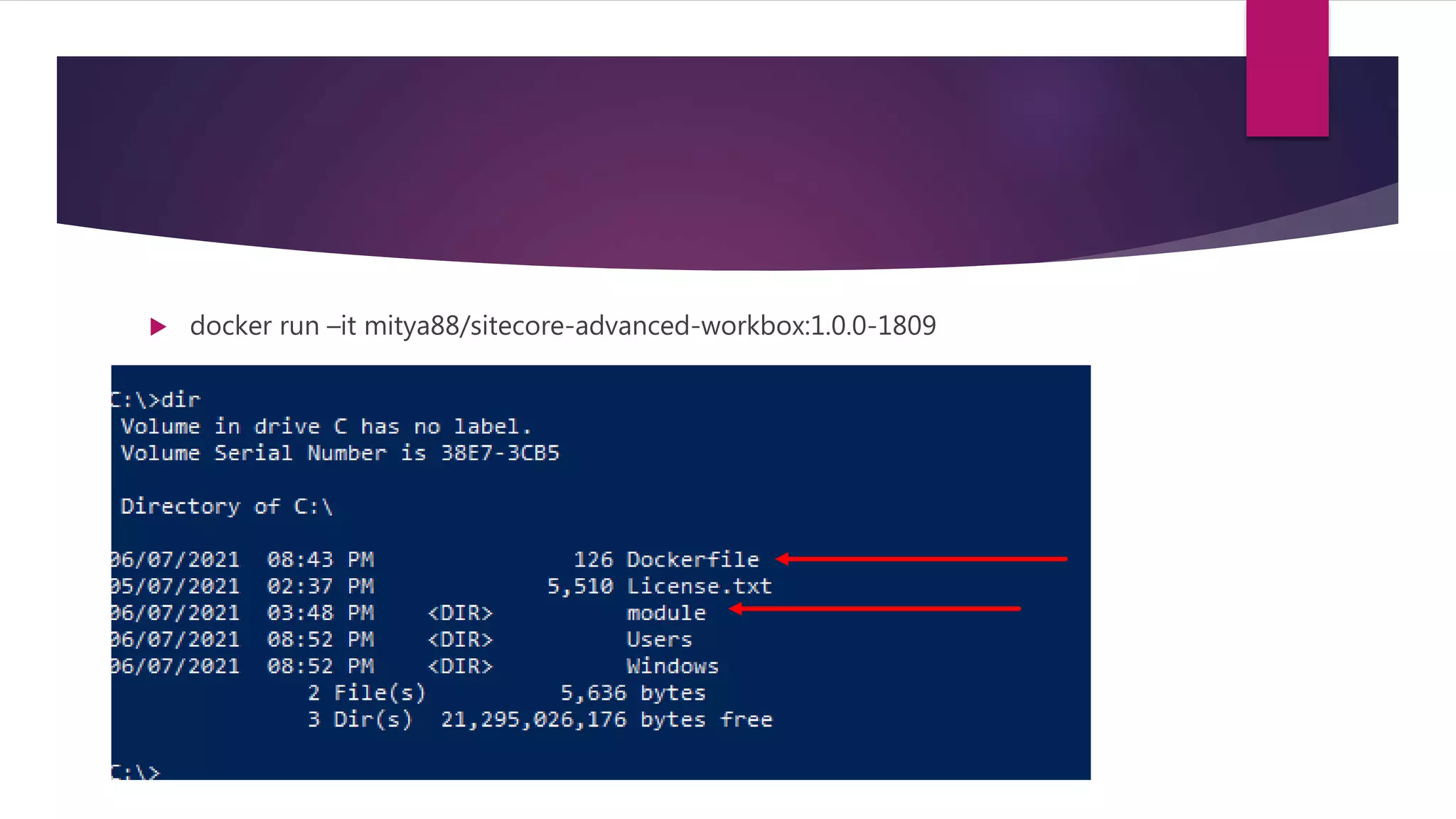
 docker run –it mitya88/sitecore-advanced-workbox:1.0.0-1809
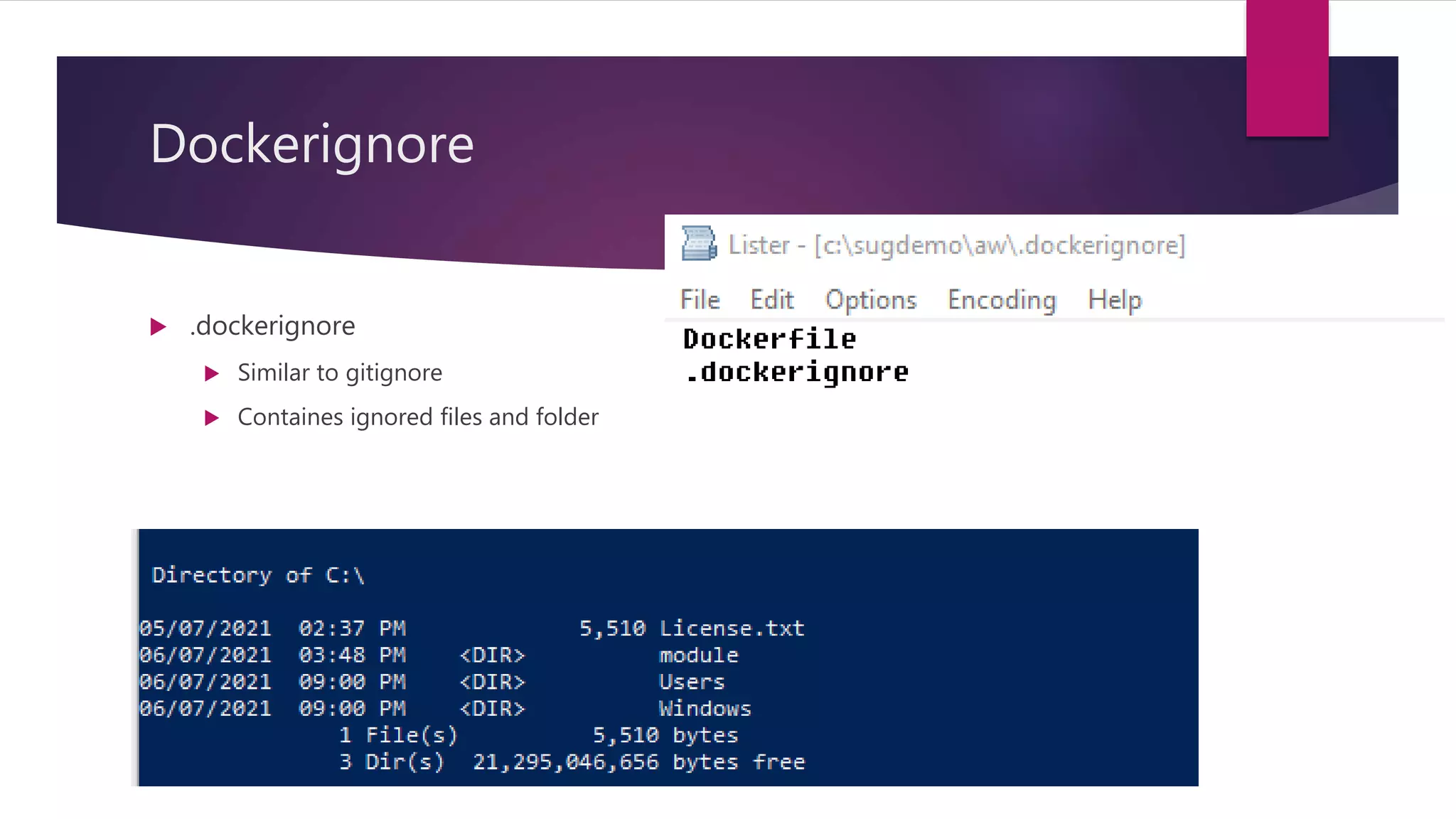
Dockerignore
 .dockerignore
 Similar to gitignore
 Containes ignored files and folder
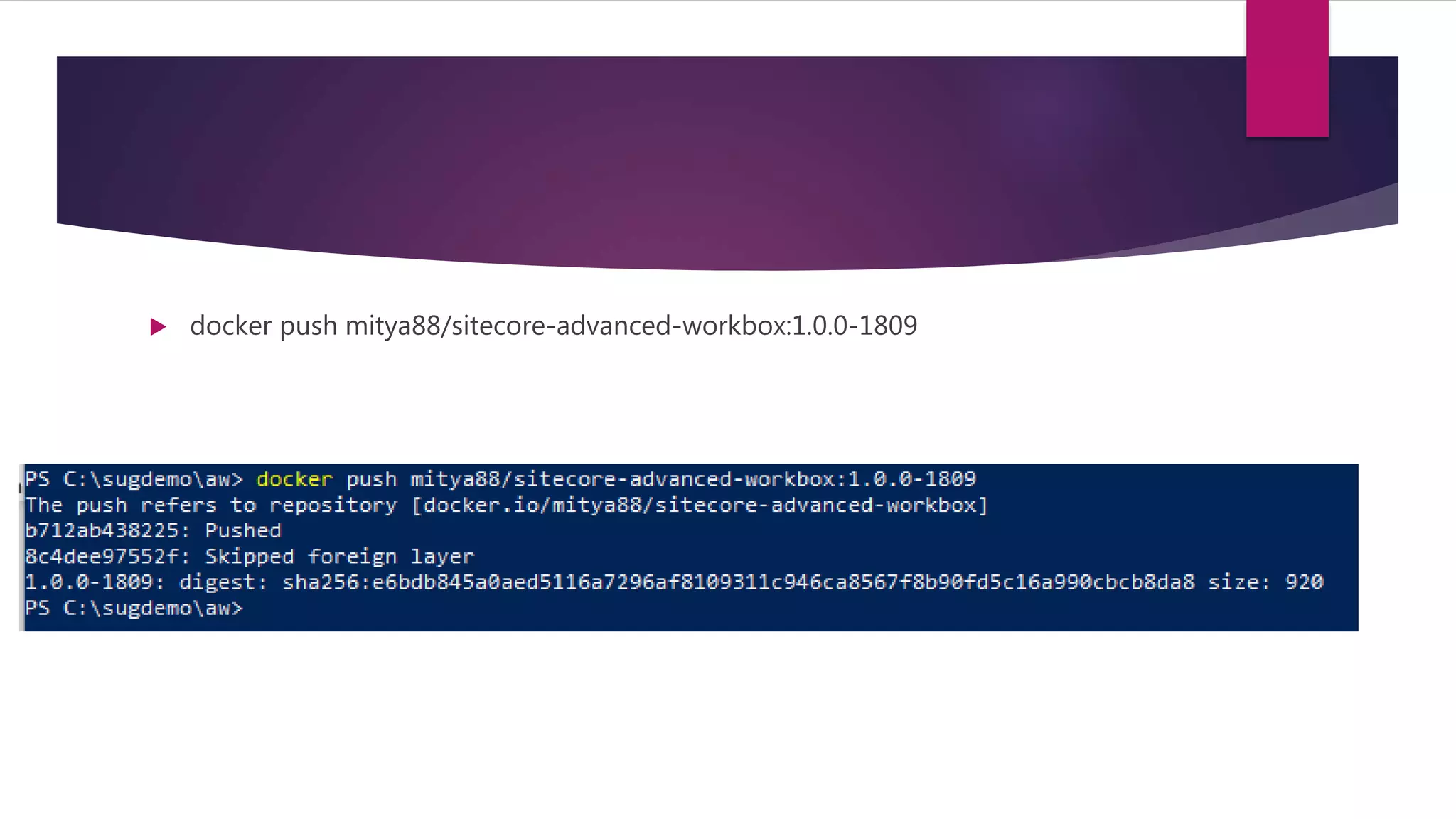
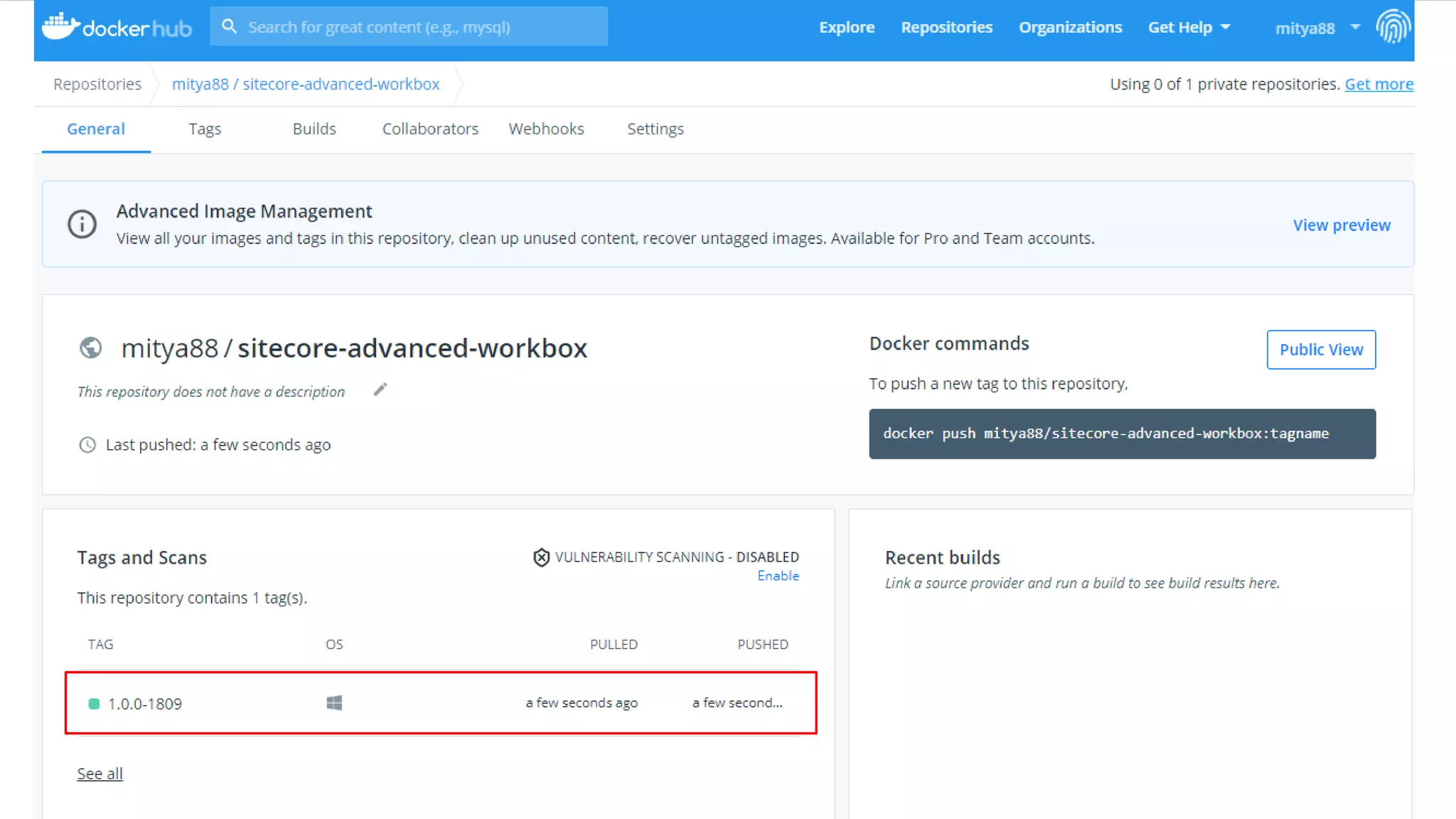
 docker push mitya88/sitecore-advanced-workbox:1.0.0-1809
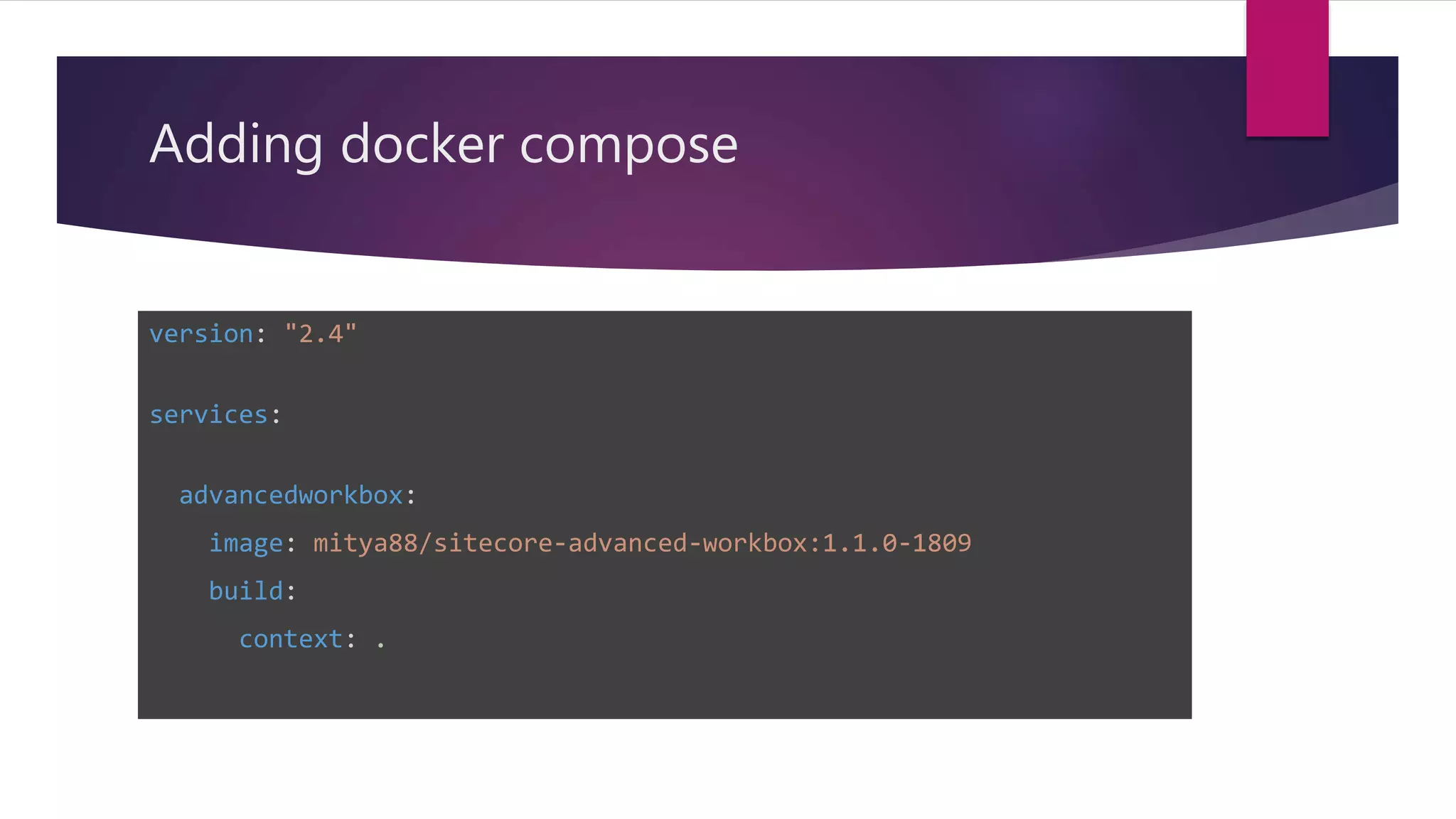
Adding docker compose
version: "2.4"
services:
advancedworkbox:
image: mitya88/sitecore-advanced-workbox:1.1.0-1809
build:
context: .
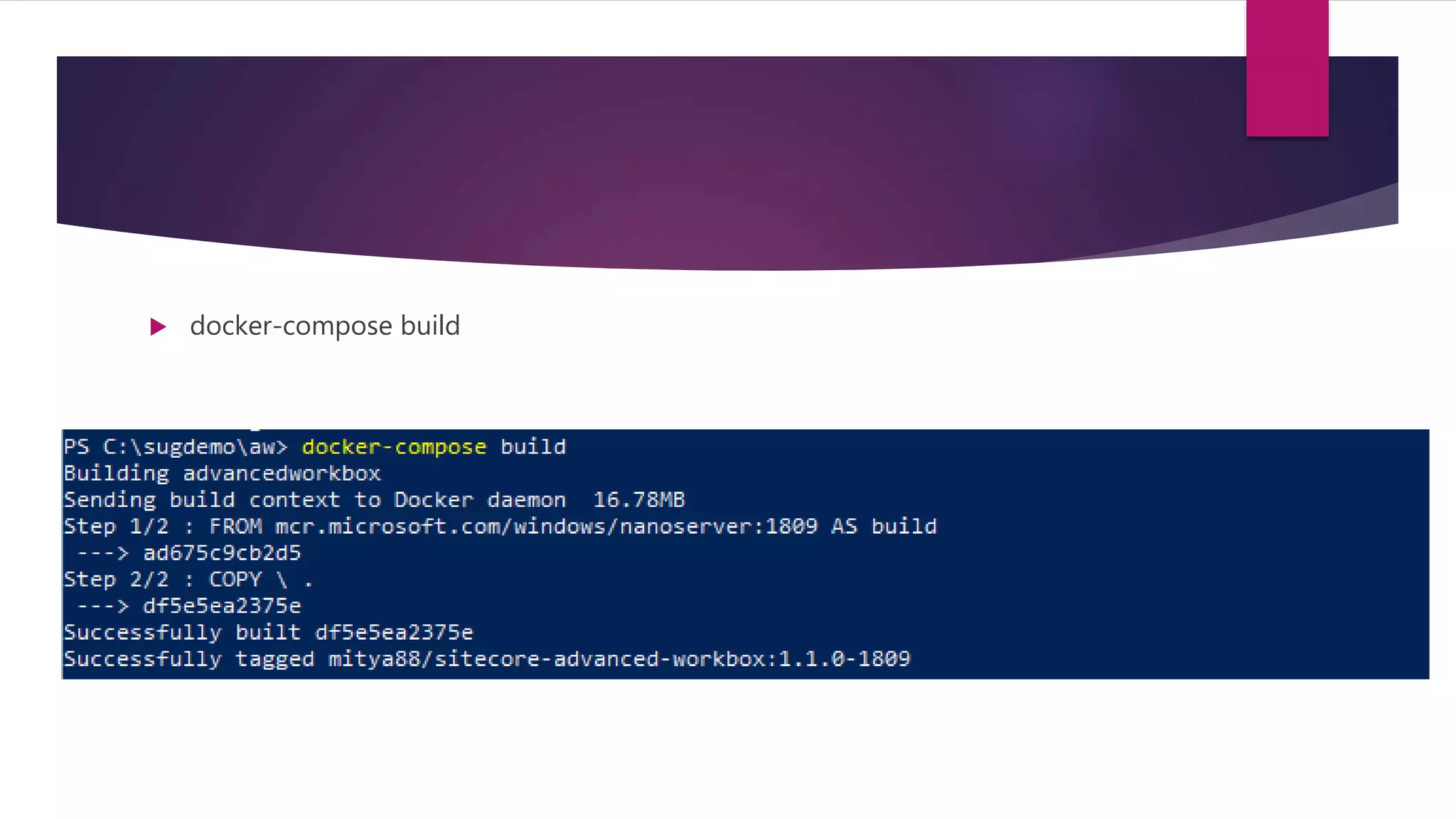
 docker-compose build
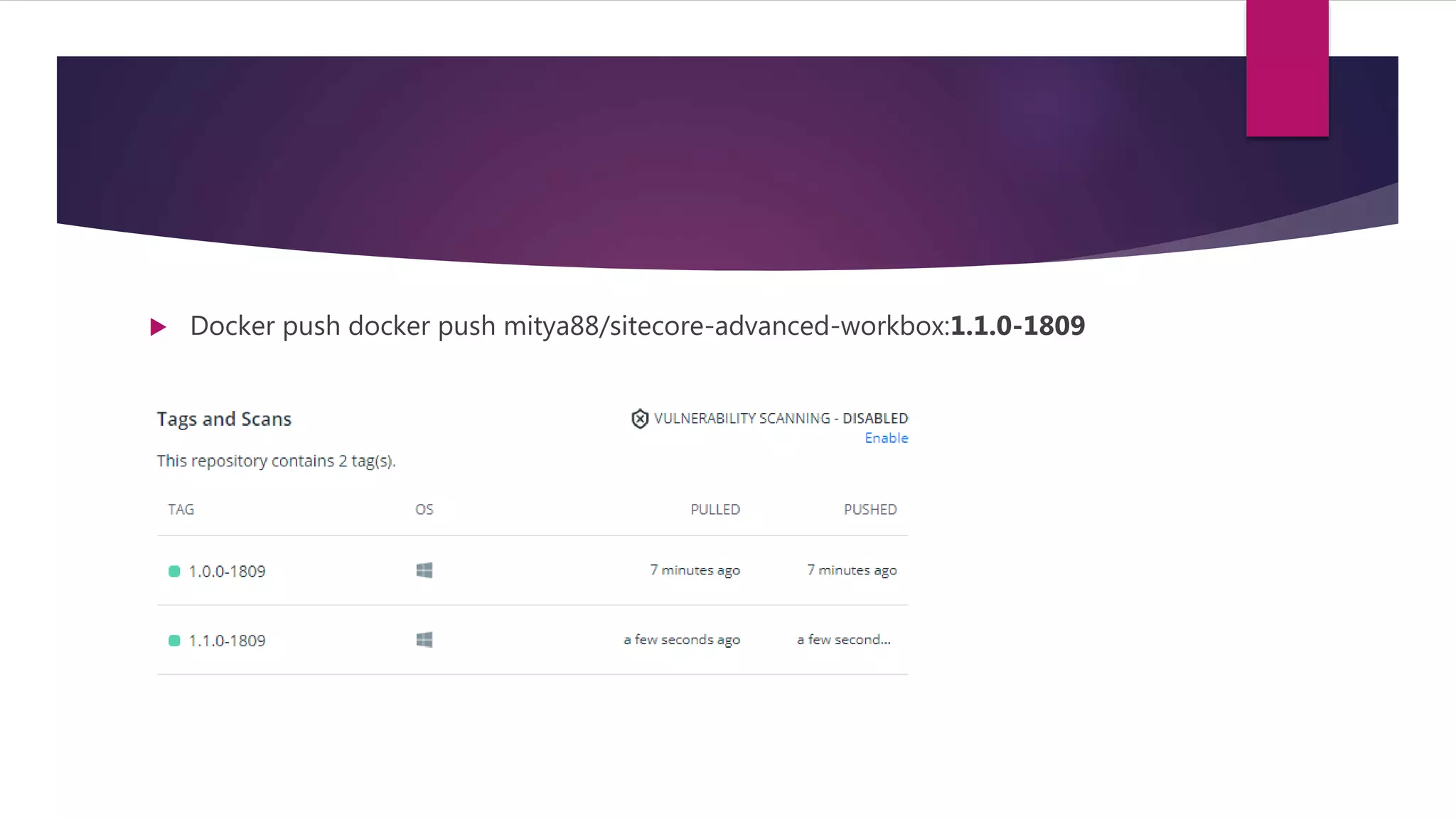
 Docker push docker push mitya88/sitecore-advanced-workbox:1.1.0-1809
How to use it?
 https://github.com/Sitecore/docker-
examples
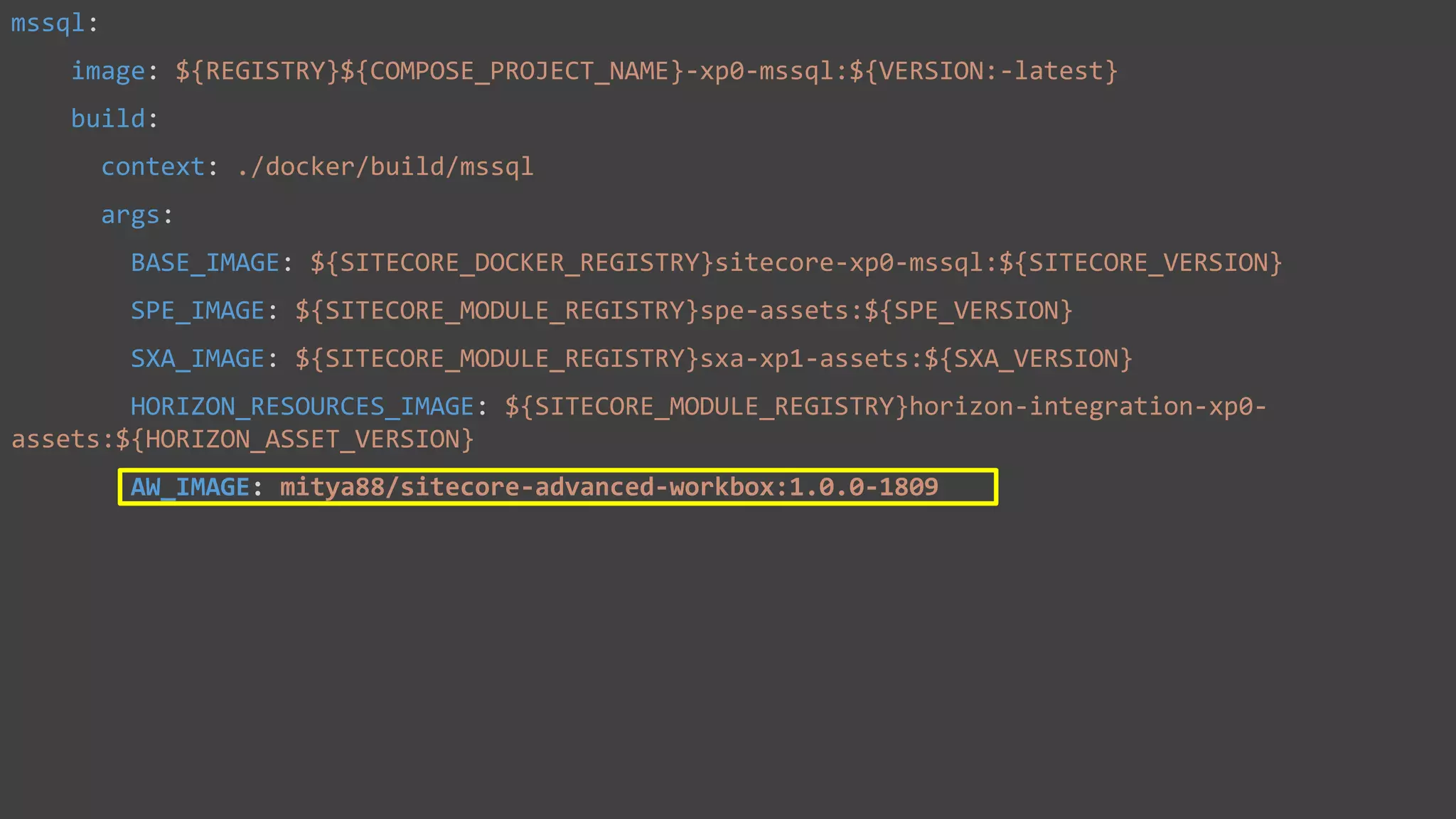
Mssql container
mssql:
image: ${REGISTRY}${COMPOSE_PROJECT_NAME}-xp0-mssql:${VERSION:-latest}
build:
context: ./docker/build/mssql
args:
BASE_IMAGE: ${SITECORE_DOCKER_REGISTRY}sitecore-xp0-mssql:${SITECORE_VERSION}
SPE_IMAGE: ${SITECORE_MODULE_REGISTRY}spe-assets:${SPE_VERSION}
SXA_IMAGE: ${SITECORE_MODULE_REGISTRY}sxa-xp1-assets:${SXA_VERSION}
HORIZON_RESOURCES_IMAGE: ${SITECORE_MODULE_REGISTRY}horizon-integration-xp0-
assets:${HORIZON_ASSET_VERSION}
AW_IMAGE: mitya88/sitecore-advanced-workbox:1.0.0-1809
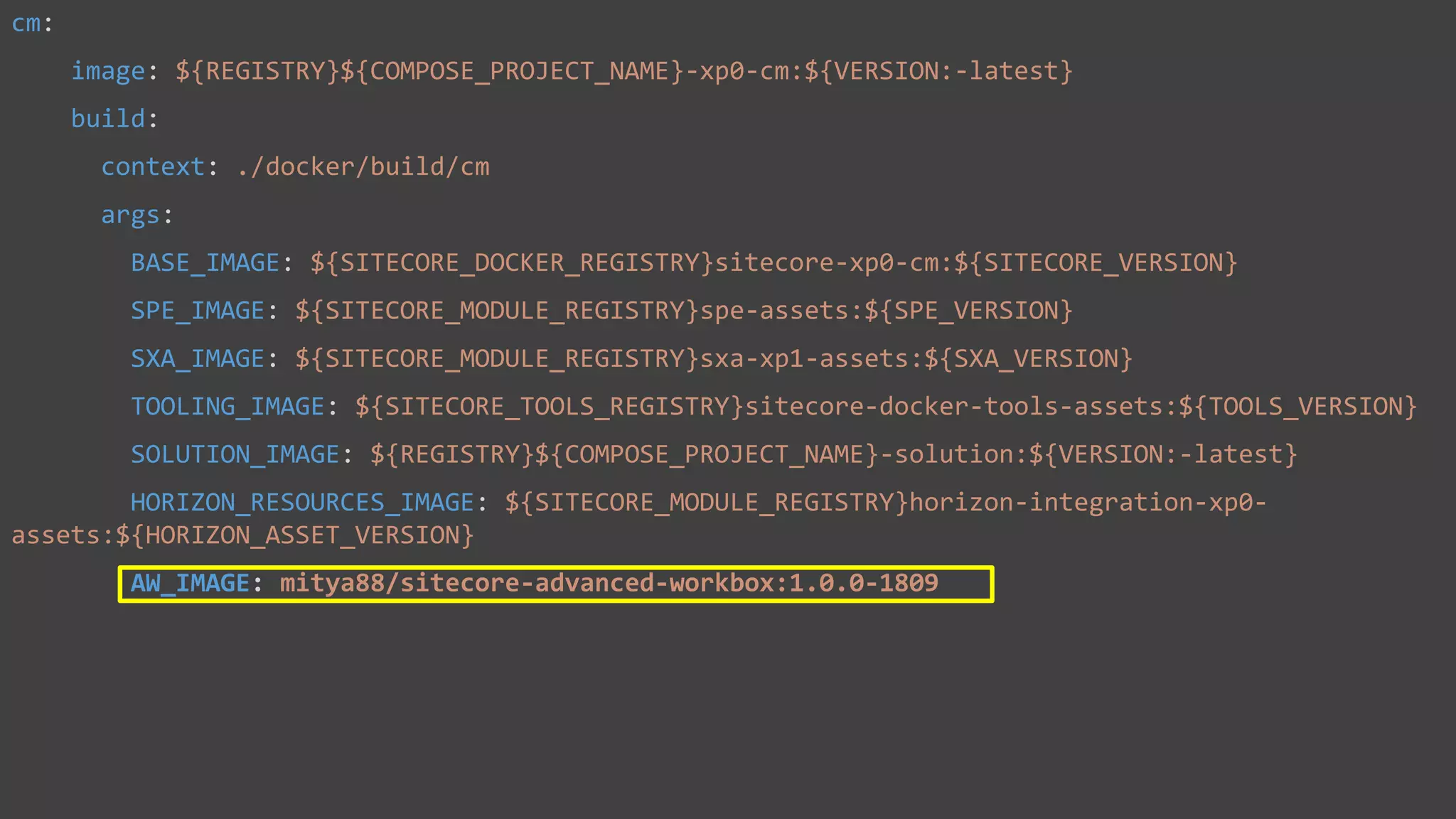
Cm container
cm:
image: ${REGISTRY}${COMPOSE_PROJECT_NAME}-xp0-cm:${VERSION:-latest}
build:
context: ./docker/build/cm
args:
BASE_IMAGE: ${SITECORE_DOCKER_REGISTRY}sitecore-xp0-cm:${SITECORE_VERSION}
SPE_IMAGE: ${SITECORE_MODULE_REGISTRY}spe-assets:${SPE_VERSION}
SXA_IMAGE: ${SITECORE_MODULE_REGISTRY}sxa-xp1-assets:${SXA_VERSION}
TOOLING_IMAGE: ${SITECORE_TOOLS_REGISTRY}sitecore-docker-tools-assets:${TOOLS_VERSION}
SOLUTION_IMAGE: ${REGISTRY}${COMPOSE_PROJECT_NAME}-solution:${VERSION:-latest}
HORIZON_RESOURCES_IMAGE: ${SITECORE_MODULE_REGISTRY}horizon-integration-xp0-
assets:${HORIZON_ASSET_VERSION}
AW_IMAGE: mitya88/sitecore-advanced-workbox:1.0.0-1809
CM Dockerfile
# escape=`
ARG BASE_IMAGE
ARG SXA_IMAGE
ARG SPE_IMAGE
ARG TOOLING_IMAGE
ARG SOLUTION_IMAGE
ARG HORIZON_RESOURCES_IMAGE
ARG AW_IMAGE
FROM ${SOLUTION_IMAGE} as solution
FROM ${TOOLING_IMAGE} as tooling
FROM ${SPE_IMAGE} as spe
FROM ${SXA_IMAGE} as sxa
FROM ${HORIZON_RESOURCES_IMAGE} as horizon_resources
FROM ${AW_IMAGE} as aw
FROM ${BASE_IMAGE}
SHELL ["powershell", "-Command", "$ErrorActionPreference = 'Stop'; $ProgressPreference = 'SilentlyContinue';"]
# Copy development tools and entrypoint
COPY --from=tooling tools tools
WORKDIR C:inetpubwwwroot
# Add SPE module
COPY --from=spe modulecmcontent .
# Add SXA module
COPY --from=sxa modulecmcontent .
COPY --from=sxa moduletools moduletools
RUN C:moduletoolsInitialize-Content.ps1 -TargetPath .; `
Remove-Item -Path C:module -Recurse -Force;
COPY --from=aw modulecmcontent .
...
CM Dockerfile
# escape=`
ARG BASE_IMAGE
ARG SXA_IMAGE
ARG SPE_IMAGE
ARG HORIZON_RESOURCES_IMAGE
ARG AW_IMAGE
FROM ${SPE_IMAGE} as spe
FROM ${SXA_IMAGE} as sxa
FROM ${HORIZON_RESOURCES_IMAGE} as horizon_resourses
FROM ${AW_IMAGE} as aw
FROM ${BASE_IMAGE}
SHELL ["powershell", "-Command", "$ErrorActionPreference = 'Stop'; $ProgressPreference = 'SilentlyContinue';"]
# Add SPE module
COPY --from=spe moduledb spe_data
RUN C:DeployDatabases.ps1 -ResourcesDirectory C:spe_data; `
Remove-Item -Path C:spe_data -Recurse -Force;
# Add SXA module
COPY --from=sxa moduledb sxa_data
RUN C:DeployDatabases.ps1 -ResourcesDirectory C:sxa_data; `
Remove-Item -Path C:sxa_data -Recurse -Force;
# Add AW module
COPY --from=aw moduledb aw_data
RUN C:DeployDatabases.ps1 -ResourcesDirectory C:aw_data; `
Remove-Item -Path C:aw_data -Recurse -Force;
# Add Horizon module
COPY --from=horizon_resourses moduledb horizon_integration_data
RUN C:DeployDatabases.ps1 -ResourcesDirectory C:horizon_integration_data; `
Remove-Item -Path C:horizon_integration_data -Recurse -Force;
 docker-compose up –d
 docker-compose build
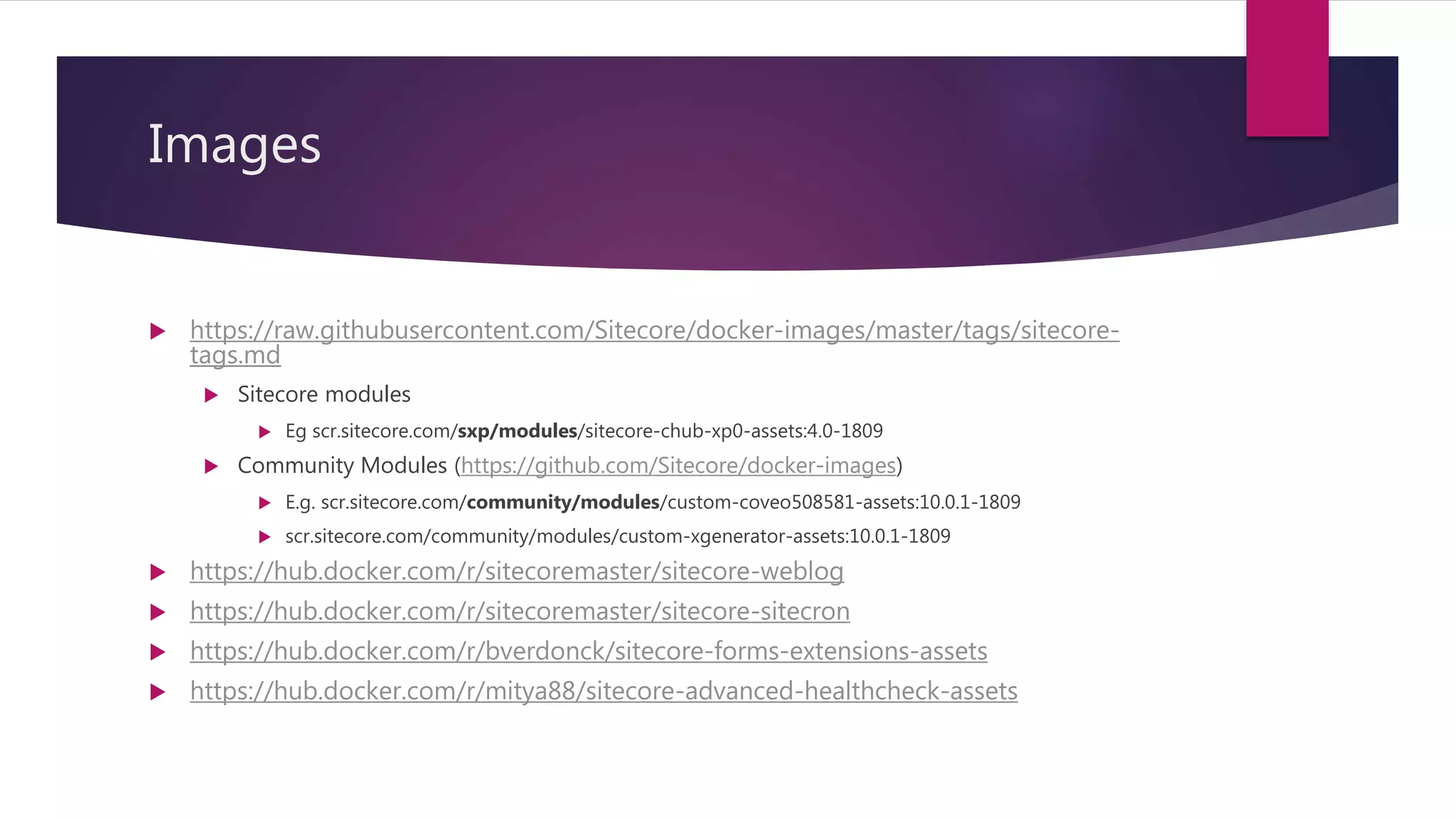
Images
 https://raw.githubusercontent.com/Sitecore/docker-images/master/tags/sitecore-
tags.md
 Sitecore modules
 Eg scr.sitecore.com/sxp/modules/sitecore-chub-xp0-assets:4.0-1809
 Community Modules (https://github.com/Sitecore/docker-images)
 E.g. scr.sitecore.com/community/modules/custom-coveo508581-assets:10.0.1-1809
 scr.sitecore.com/community/modules/custom-xgenerator-assets:10.0.1-1809
 https://hub.docker.com/r/sitecoremaster/sitecore-weblog
 https://hub.docker.com/r/sitecoremaster/sitecore-sitecron
 https://hub.docker.com/r/bverdonck/sitecore-forms-extensions-assets
 https://hub.docker.com/r/mitya88/sitecore-advanced-healthcheck-assets
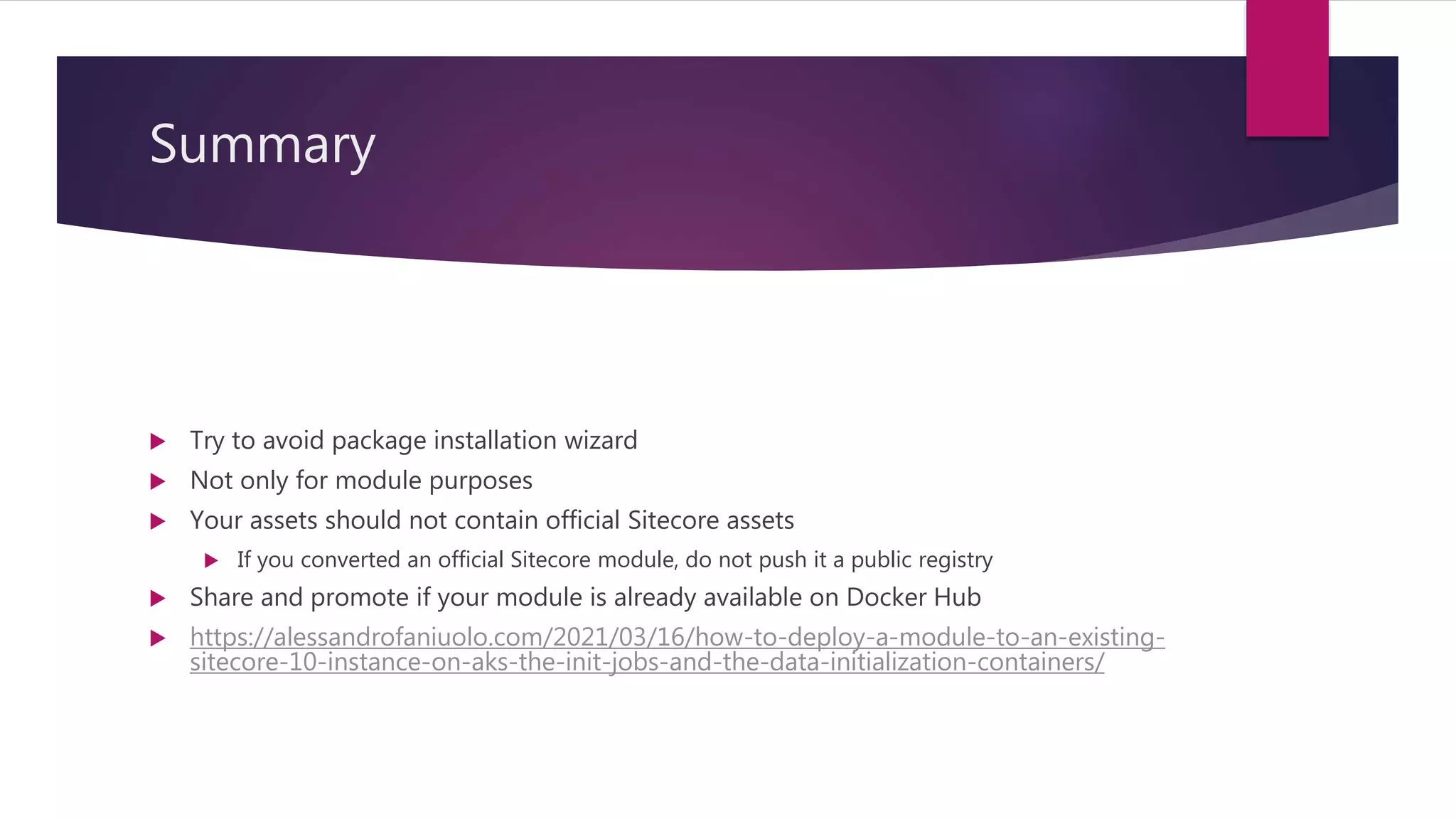
Summary
 Try to avoid package installation wizard
 Not only for module purposes
 Your assets should not contain official Sitecore assets
 If you converted an official Sitecore module, do not push it a public registry
 Share and promote if your module is already available on Docker Hub
 https://alessandrofaniuolo.com/2021/03/16/how-to-deploy-a-module-to-an-existing-
sitecore-10-instance-on-aks-the-init-jobs-and-the-data-initialization-containers/
Questions?
 Twitter:
 https://twitter.com/mitya_1988
 Medium
 https://medium.com/@mitya_1988
 LinkedIn
 https://www.linkedin.com/in/mihaly-arvai/

How to Dockerize your Sitecore module

  • 1.
  • 2.
    Introduction  Sitecore LeadDeveloper – Wunderman Thompson, Budapest  Sitecore MVP – 2021  Sitecore Hackathon Winner – 2019, 2021  Twitter:  https://twitter.com/mitya_1988  Medium  https://medium.com/@mitya_1988  LinkedIn  https://www.linkedin.com/in/mihaly-arvai/
  • 3.
    Agenda  Brief introductionof Docker  Overview of existing Sitecore module installations  How to convert a Sitecore module into a Docker image?
  • 4.
    What is Docker? Open Platform  Developing, shipping, running applications quickly  Reduce time between code writing and running it production  Run application in an isolated environment (Container)  Key differences  Containers can share OS  Containers are lightweight  Pre-built docker containers are easily available
  • 5.
    Docker  Image  Layer Container  Dockerfile  Compose https://docs.docker.com/glossary/
  • 6.
    Docker  Registry  Repository Tag  registryURL/repository/image:tag  E.g mcr.microsoft.com/dotnet/framework/sdk:4.8  E.g scr.sitecore.com/sxp/sitecore-xp0-solr-init:10.1-ltsc2019 https://docs.docker.com/glossary/
  • 7.
    Docker Hub  TheDocker Hub is a centralized resource for working with Docker and its components. It provides the following services:  Docker image hosting  User authentication  Automated image builds and work-flow tools such as build triggers and web hooks  Integration with GitHub and Bitbucket
  • 8.
    Sitecore Containers  Officialsupport from v10  https://doc.sitecore.com/developers/100/developer-tools/en/containers-in- sitecore-development.html  https://github.com/Sitecore/docker-examples
  • 9.
  • 11.
  • 12.
    Module Images  Containsresources with a given structure  You never run them as a part of the container (only during Docker build)  C:module[role]content - Content to overlay base Sitecore images  C:moduledb - dacpac files with changes to databases required by the module  C:modulesolr - Files used to deploy Solr cores required for the module  C:moduletools - Additional tools and scripts to be executed during Docker image build process
  • 13.
    Inspecting images  dockerrun -it scr.sitecore.com/sxp/modules/sxa-xp1- assets:10.1-1809  docker run -it --entrypoint powershell scr.sitecore.com/sxp/sitecore-xp0-solr- init:10.1-ltsc2019  https://www.maartenwillebrands.nl/2021/05/ 27/sitecore-inspecting-the-init-containers/
  • 15.
    Tools  Sitecore AzureToolkit  https://dev.sitecore.net/Downloads/Sitecore_Azure_Toolkit/2x/Sitecore_Azure_Toolkit_2 60.aspx  PowerShell  Docker & Docker Hub Account  Sitecore Courier  https://github.com/adoprog/Sitecore-Courier  Visual Studio Code  The Module package
  • 16.
    Getting the dacpac Convertingto scwdp by Azure Toolkit  ConvertTo-SCModuleWebDeployPackage  Advanced.Sitecore.Workbox-v1.0.zip  Advanced.Sitecore.Workbox- v1.0.scwdp.zip  packageName.zip  packageName.scwdp.zip
  • 18.
    Getting the dacpac SitecoreCourier  https://github.com/adoprog/Sitecore-Courier  Sitecore.Courier.Runner.exe -t c:gitAdvanced-Sitecore-Workboxserialization -r -o c:sugdemodacpac –d  You can use when you are working on your own module
  • 19.
  • 20.
    Preparing the assets- PowerShell  https://github.com/Sitecore/docker- images/blob/master/build/windows/10.0.1/modules/cmp-xm- assets/tools/Extract-Resources.ps1  .Extract-Resources -Roles "cm" -SourceFolder "c:sugdemo" -DestinationFolder "c:sugdemomodule"
  • 21.
    Preparing Docker Hub https://hub.docker.com/  Free Plan  1 private repository  Unlimited public repository
  • 24.
    Dockerfile FROM mcr.microsoft.com/windows/nanoserver:1809 ASbuild # Copy assets into the image, keeping the folder structure COPY .
  • 25.
    Building the image dockerbuild --tag mitya88/sitecore-advanced-workbox:1.0.0-1809 .
  • 26.
     docker run–it mitya88/sitecore-advanced-workbox:1.0.0-1809
  • 27.
    Dockerignore  .dockerignore  Similarto gitignore  Containes ignored files and folder
  • 28.
     docker pushmitya88/sitecore-advanced-workbox:1.0.0-1809
  • 30.
    Adding docker compose version:"2.4" services: advancedworkbox: image: mitya88/sitecore-advanced-workbox:1.1.0-1809 build: context: .
  • 31.
  • 32.
     Docker pushdocker push mitya88/sitecore-advanced-workbox:1.1.0-1809
  • 33.
    How to useit?  https://github.com/Sitecore/docker- examples
  • 34.
    Mssql container mssql: image: ${REGISTRY}${COMPOSE_PROJECT_NAME}-xp0-mssql:${VERSION:-latest} build: context:./docker/build/mssql args: BASE_IMAGE: ${SITECORE_DOCKER_REGISTRY}sitecore-xp0-mssql:${SITECORE_VERSION} SPE_IMAGE: ${SITECORE_MODULE_REGISTRY}spe-assets:${SPE_VERSION} SXA_IMAGE: ${SITECORE_MODULE_REGISTRY}sxa-xp1-assets:${SXA_VERSION} HORIZON_RESOURCES_IMAGE: ${SITECORE_MODULE_REGISTRY}horizon-integration-xp0- assets:${HORIZON_ASSET_VERSION} AW_IMAGE: mitya88/sitecore-advanced-workbox:1.0.0-1809
  • 35.
    Cm container cm: image: ${REGISTRY}${COMPOSE_PROJECT_NAME}-xp0-cm:${VERSION:-latest} build: context:./docker/build/cm args: BASE_IMAGE: ${SITECORE_DOCKER_REGISTRY}sitecore-xp0-cm:${SITECORE_VERSION} SPE_IMAGE: ${SITECORE_MODULE_REGISTRY}spe-assets:${SPE_VERSION} SXA_IMAGE: ${SITECORE_MODULE_REGISTRY}sxa-xp1-assets:${SXA_VERSION} TOOLING_IMAGE: ${SITECORE_TOOLS_REGISTRY}sitecore-docker-tools-assets:${TOOLS_VERSION} SOLUTION_IMAGE: ${REGISTRY}${COMPOSE_PROJECT_NAME}-solution:${VERSION:-latest} HORIZON_RESOURCES_IMAGE: ${SITECORE_MODULE_REGISTRY}horizon-integration-xp0- assets:${HORIZON_ASSET_VERSION} AW_IMAGE: mitya88/sitecore-advanced-workbox:1.0.0-1809
  • 36.
    CM Dockerfile # escape=` ARGBASE_IMAGE ARG SXA_IMAGE ARG SPE_IMAGE ARG TOOLING_IMAGE ARG SOLUTION_IMAGE ARG HORIZON_RESOURCES_IMAGE ARG AW_IMAGE FROM ${SOLUTION_IMAGE} as solution FROM ${TOOLING_IMAGE} as tooling FROM ${SPE_IMAGE} as spe FROM ${SXA_IMAGE} as sxa FROM ${HORIZON_RESOURCES_IMAGE} as horizon_resources FROM ${AW_IMAGE} as aw FROM ${BASE_IMAGE} SHELL ["powershell", "-Command", "$ErrorActionPreference = 'Stop'; $ProgressPreference = 'SilentlyContinue';"] # Copy development tools and entrypoint COPY --from=tooling tools tools WORKDIR C:inetpubwwwroot # Add SPE module COPY --from=spe modulecmcontent . # Add SXA module COPY --from=sxa modulecmcontent . COPY --from=sxa moduletools moduletools RUN C:moduletoolsInitialize-Content.ps1 -TargetPath .; ` Remove-Item -Path C:module -Recurse -Force; COPY --from=aw modulecmcontent . ...
  • 37.
    CM Dockerfile # escape=` ARGBASE_IMAGE ARG SXA_IMAGE ARG SPE_IMAGE ARG HORIZON_RESOURCES_IMAGE ARG AW_IMAGE FROM ${SPE_IMAGE} as spe FROM ${SXA_IMAGE} as sxa FROM ${HORIZON_RESOURCES_IMAGE} as horizon_resourses FROM ${AW_IMAGE} as aw FROM ${BASE_IMAGE} SHELL ["powershell", "-Command", "$ErrorActionPreference = 'Stop'; $ProgressPreference = 'SilentlyContinue';"] # Add SPE module COPY --from=spe moduledb spe_data RUN C:DeployDatabases.ps1 -ResourcesDirectory C:spe_data; ` Remove-Item -Path C:spe_data -Recurse -Force; # Add SXA module COPY --from=sxa moduledb sxa_data RUN C:DeployDatabases.ps1 -ResourcesDirectory C:sxa_data; ` Remove-Item -Path C:sxa_data -Recurse -Force; # Add AW module COPY --from=aw moduledb aw_data RUN C:DeployDatabases.ps1 -ResourcesDirectory C:aw_data; ` Remove-Item -Path C:aw_data -Recurse -Force; # Add Horizon module COPY --from=horizon_resourses moduledb horizon_integration_data RUN C:DeployDatabases.ps1 -ResourcesDirectory C:horizon_integration_data; ` Remove-Item -Path C:horizon_integration_data -Recurse -Force;
  • 38.
     docker-compose up–d  docker-compose build
  • 39.
    Images  https://raw.githubusercontent.com/Sitecore/docker-images/master/tags/sitecore- tags.md  Sitecoremodules  Eg scr.sitecore.com/sxp/modules/sitecore-chub-xp0-assets:4.0-1809  Community Modules (https://github.com/Sitecore/docker-images)  E.g. scr.sitecore.com/community/modules/custom-coveo508581-assets:10.0.1-1809  scr.sitecore.com/community/modules/custom-xgenerator-assets:10.0.1-1809  https://hub.docker.com/r/sitecoremaster/sitecore-weblog  https://hub.docker.com/r/sitecoremaster/sitecore-sitecron  https://hub.docker.com/r/bverdonck/sitecore-forms-extensions-assets  https://hub.docker.com/r/mitya88/sitecore-advanced-healthcheck-assets
  • 40.
    Summary  Try toavoid package installation wizard  Not only for module purposes  Your assets should not contain official Sitecore assets  If you converted an official Sitecore module, do not push it a public registry  Share and promote if your module is already available on Docker Hub  https://alessandrofaniuolo.com/2021/03/16/how-to-deploy-a-module-to-an-existing- sitecore-10-instance-on-aks-the-init-jobs-and-the-data-initialization-containers/
  • 41.
    Questions?  Twitter:  https://twitter.com/mitya_1988 Medium  https://medium.com/@mitya_1988  LinkedIn  https://www.linkedin.com/in/mihaly-arvai/