Microsoft Game Stack. Level Up.
HoloLens Unity Build Pipelines
on Azure DevOps
Sarah Sexton
Microsoft Game Stack. Level Up.
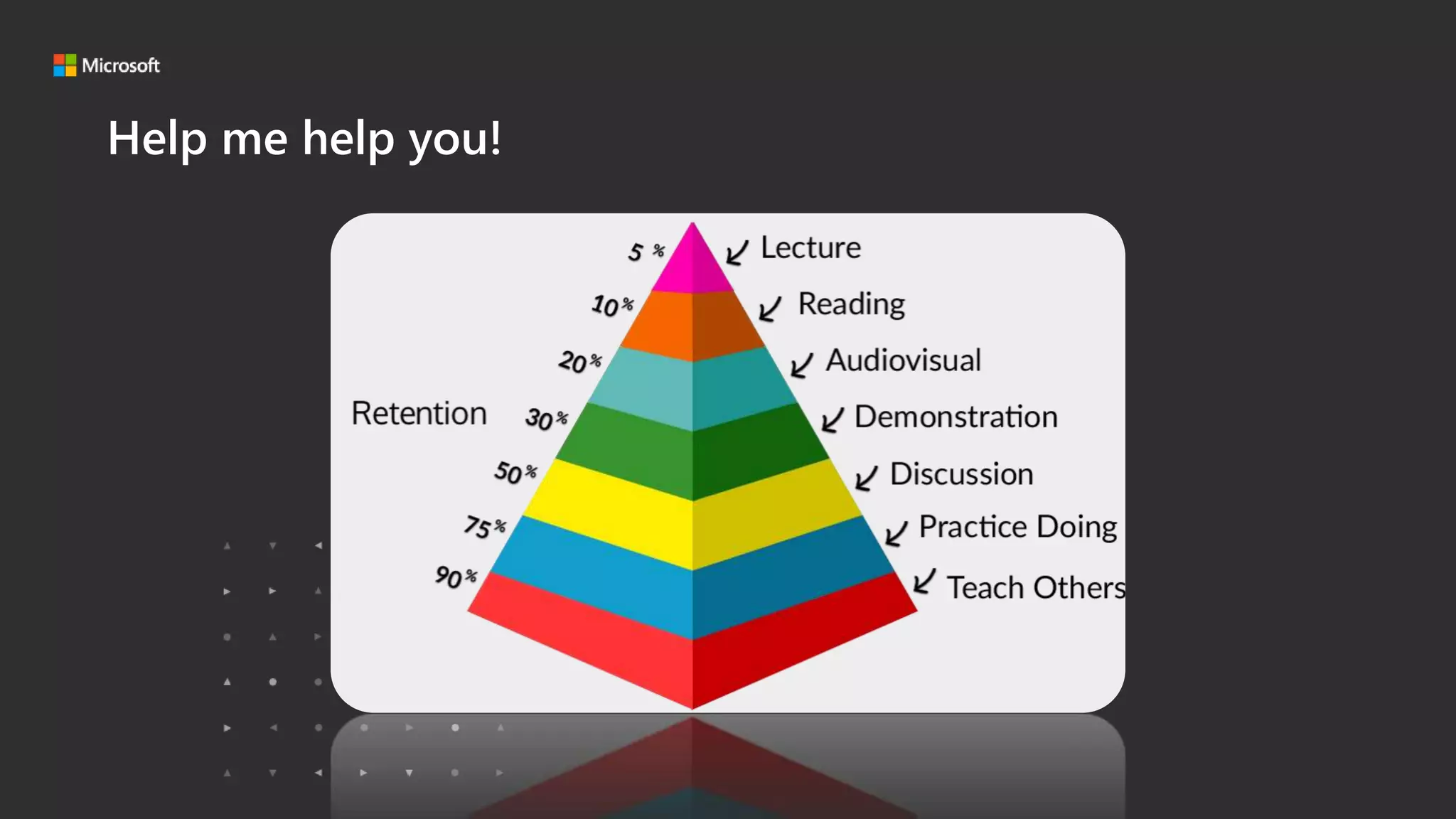
Help me help you!
Microsoft Game Stack. Level Up.
• Intro
• Why Use a Pipeline?
• Which Pipeline System should I use?
• My First Pipeline
• Next Steps and other Considerations
• Resources
Microsoft Game Stack. Level Up.
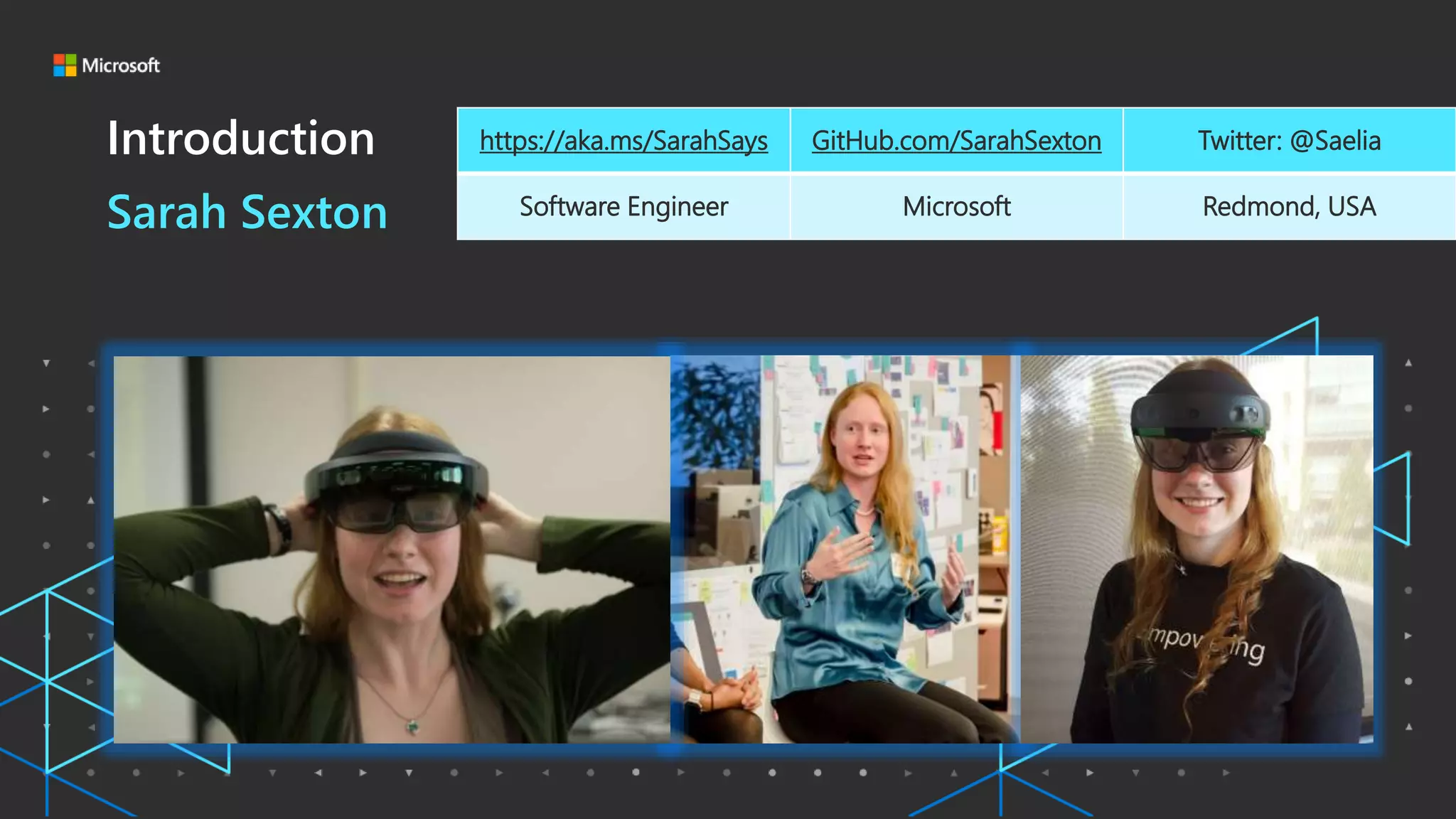
Introduction
Sarah Sexton
https://aka.ms/SarahSays GitHub.com/SarahSexton Twitter: @Saelia
Software Engineer Microsoft Redmond, USA
Microsoft Game Stack. Level Up.
• Intro
• Why Use a Pipeline?
• Which Pipeline System should I use?
• My First Pipeline
• Next Steps and other Considerations
• Resources
Microsoft Game Stack. Level Up.
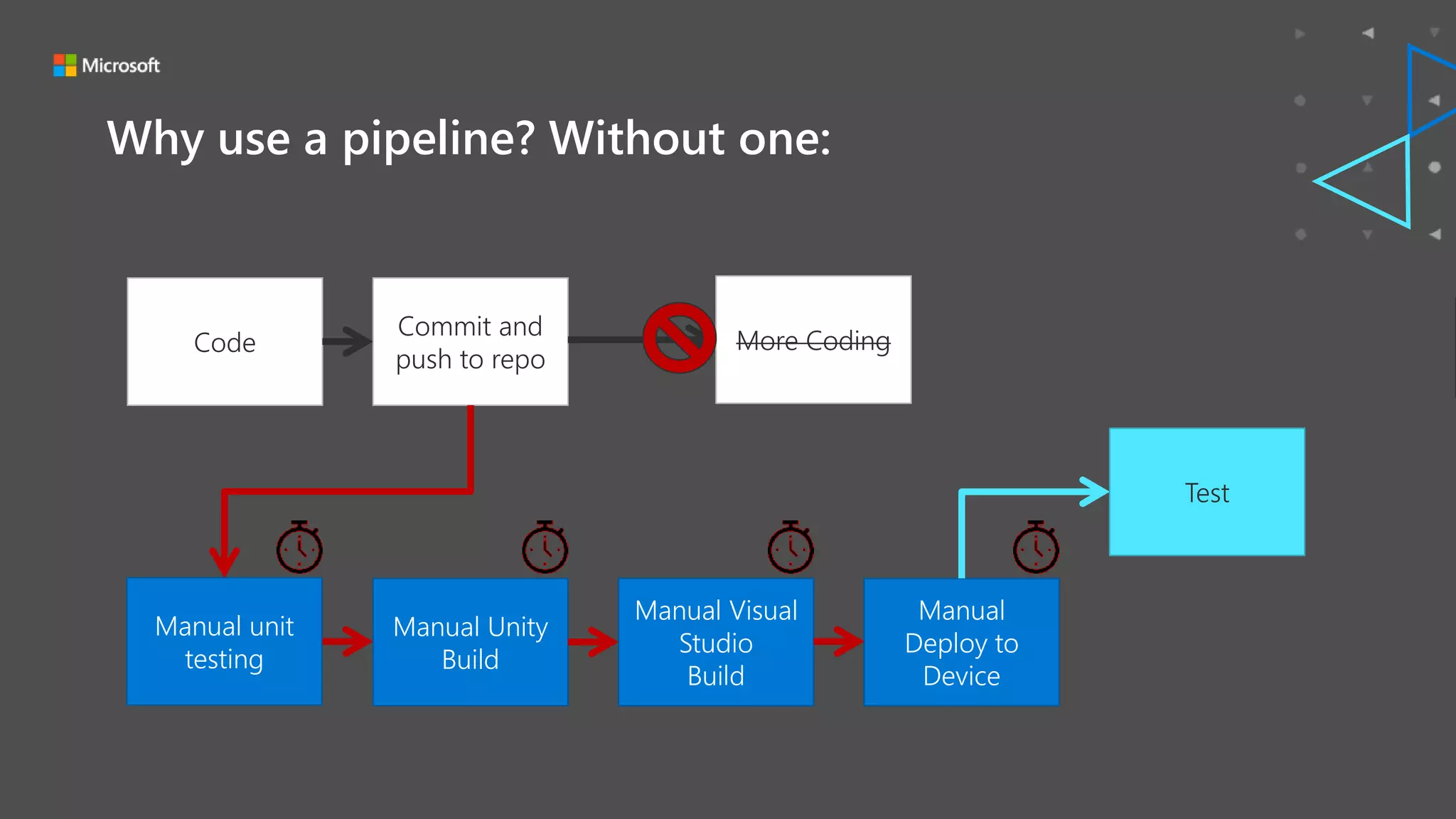
Why use a pipeline? Without one:
Code
Manual
Deploy to
Device
Manual Visual
Studio
Build
Manual Unity
Build
Commit and
push to repo
Test
More Coding
Manual unit
testing
Microsoft Game Stack. Level Up.
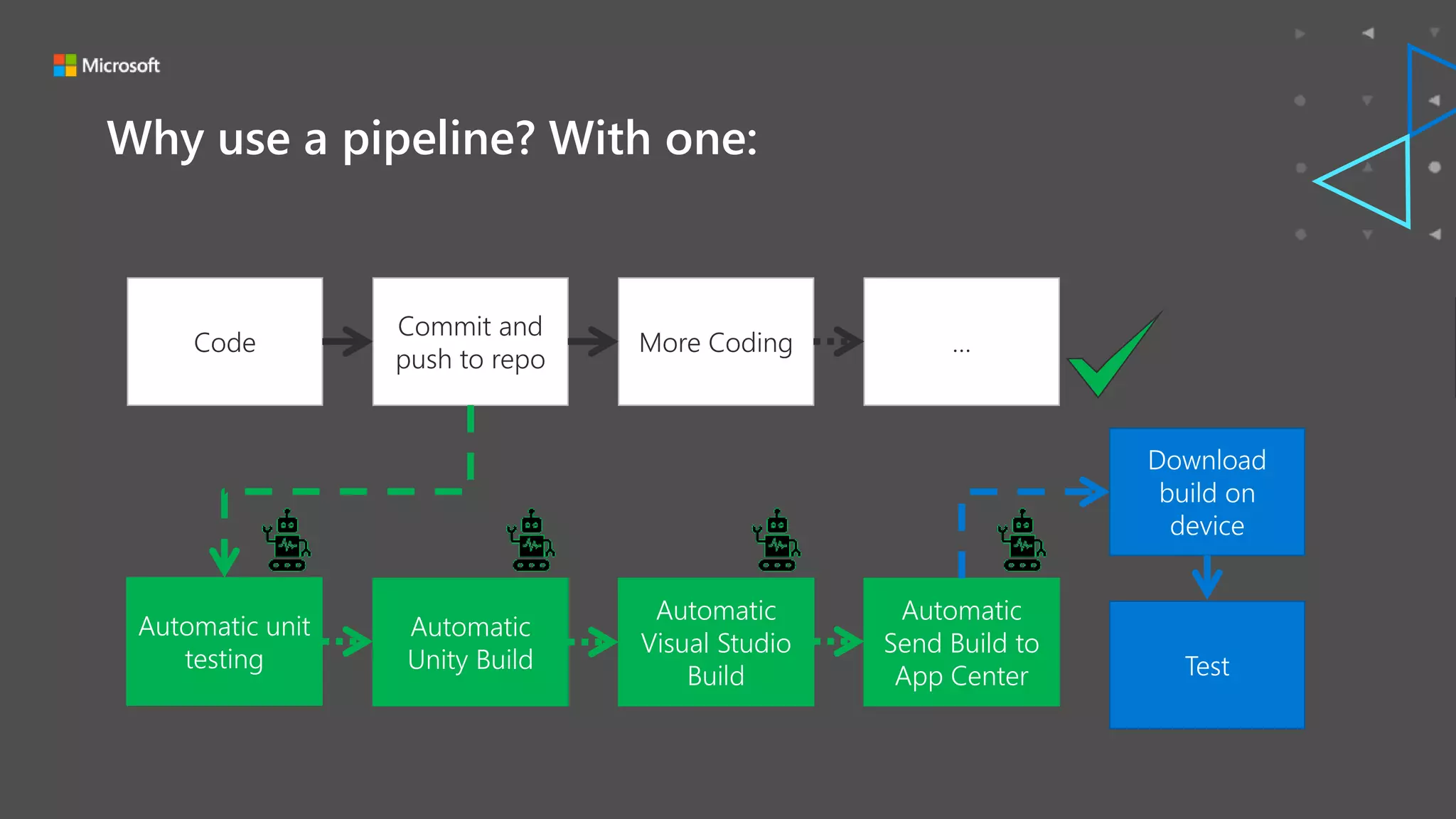
Why use a pipeline? With one:
Code
Automatic
Send Build to
App Center
Automatic
Visual Studio
Build
Automatic
Unity Build
Commit and
push to repo
Download
build on
device
More Coding …
Test
Automatic unit
testing
Microsoft Game Stack. Level Up.
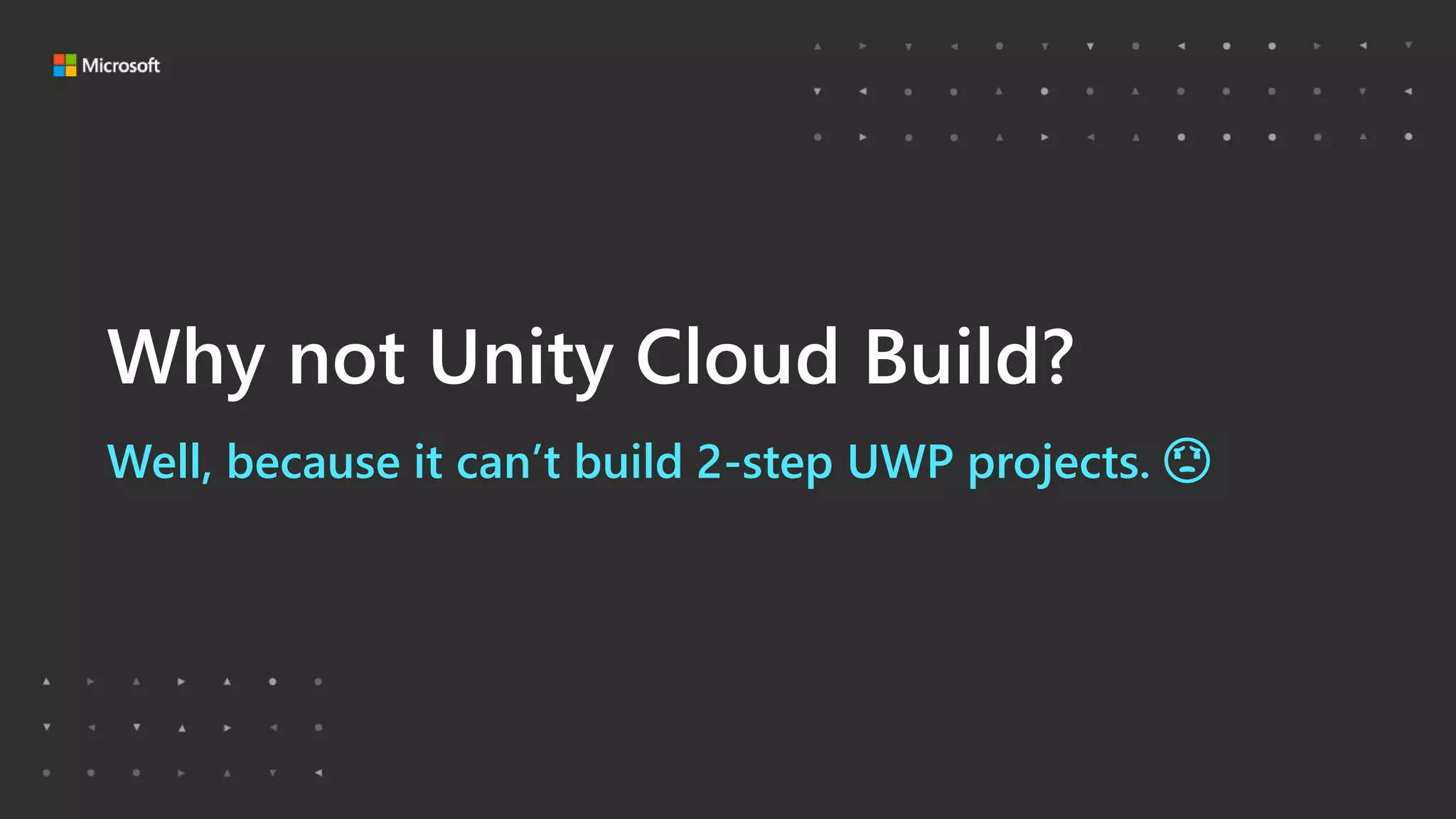
Well, because it can’t build 2-step UWP projects. 😟
Why not Unity Cloud Build?
Microsoft Game Stack. Level Up.
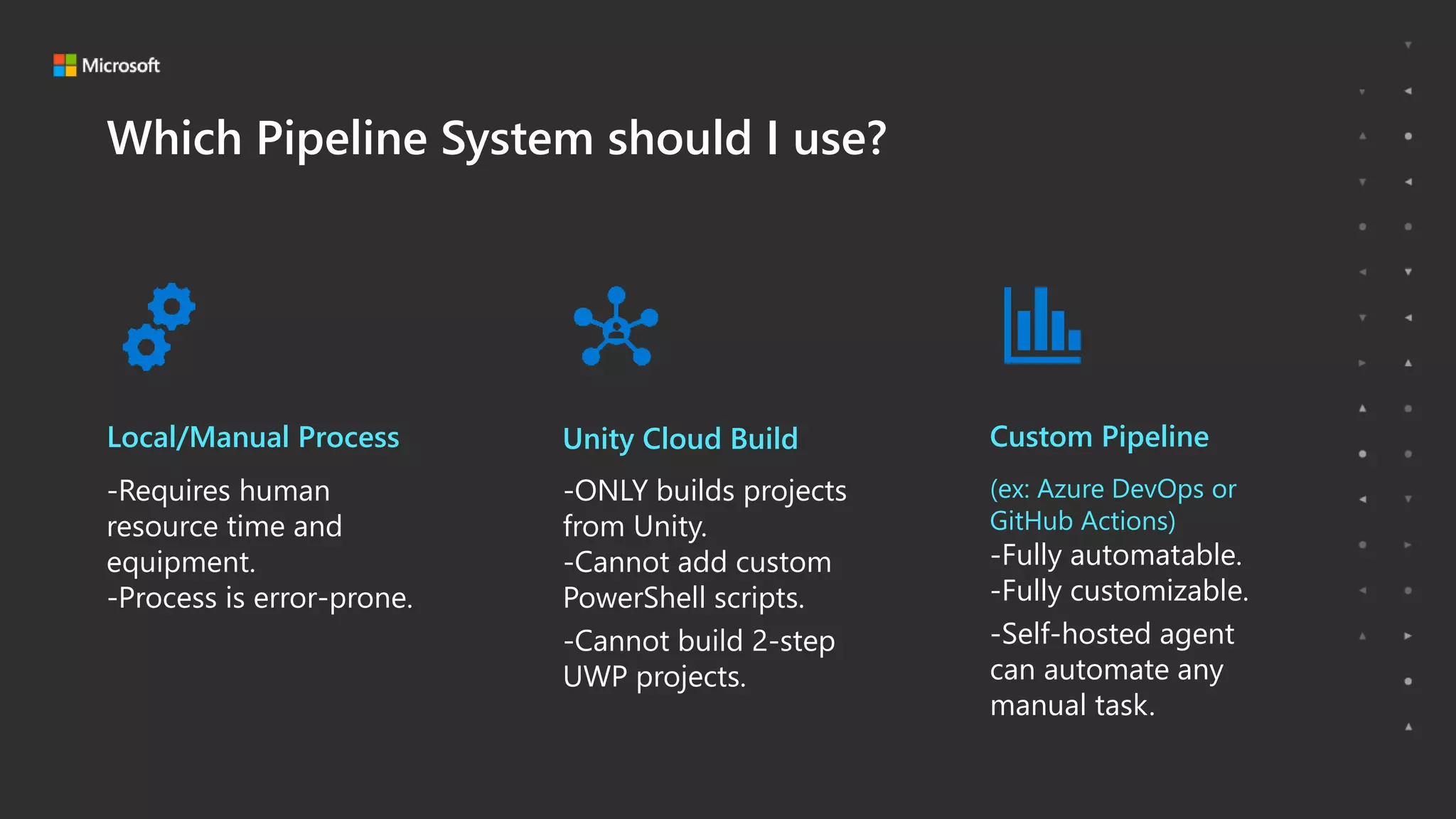
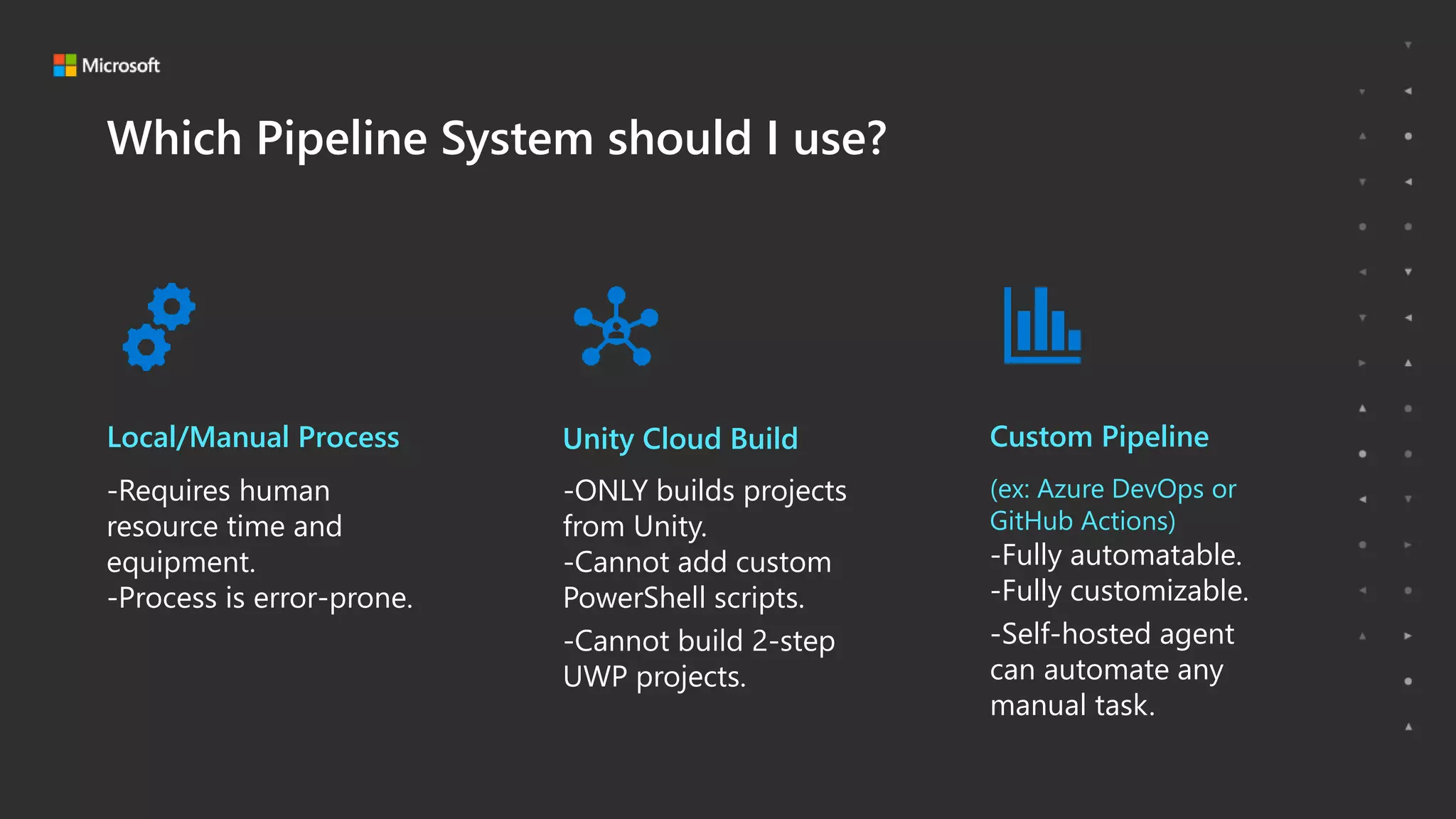
Which Pipeline System should I use?
Local/Manual Process Unity Cloud Build Custom Pipeline
-Requires human
resource time and
equipment.
-Process is error-prone.
-ONLY builds projects
from Unity.
-Cannot add custom
PowerShell scripts.
-Cannot build 2-step
UWP projects.
(ex: Azure DevOps or
GitHub Actions)
-Fully automatable.
-Fully customizable.
-Self-hosted agent
can automate any
manual task.
Microsoft Game Stack. Level Up.
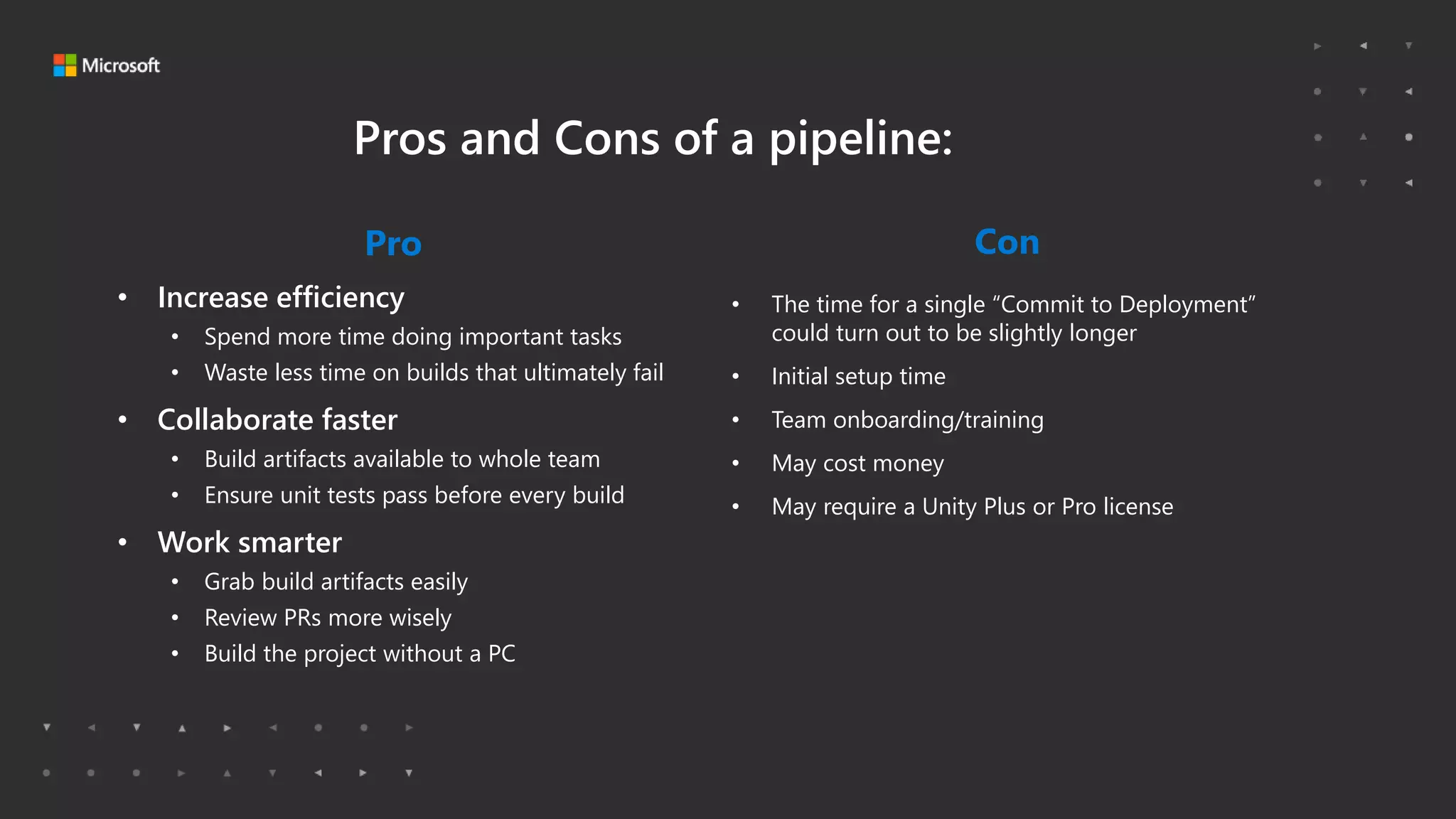
Pros and Cons of a pipeline:
Pro
• Increase efficiency
• Spend more time doing important tasks
• Waste less time on builds that ultimately fail
• Collaborate faster
• Build artifacts available to whole team
• Ensure unit tests pass before every build
• Work smarter
• Grab build artifacts easily
• Review PRs more wisely
• Build the project without a PC
Con
• The time for a single “Commit to Deployment”
could turn out to be slightly longer
• Initial setup time
• Team onboarding/training
• May cost money
• May require a Unity Plus or Pro license
Microsoft Game Stack. Level Up.
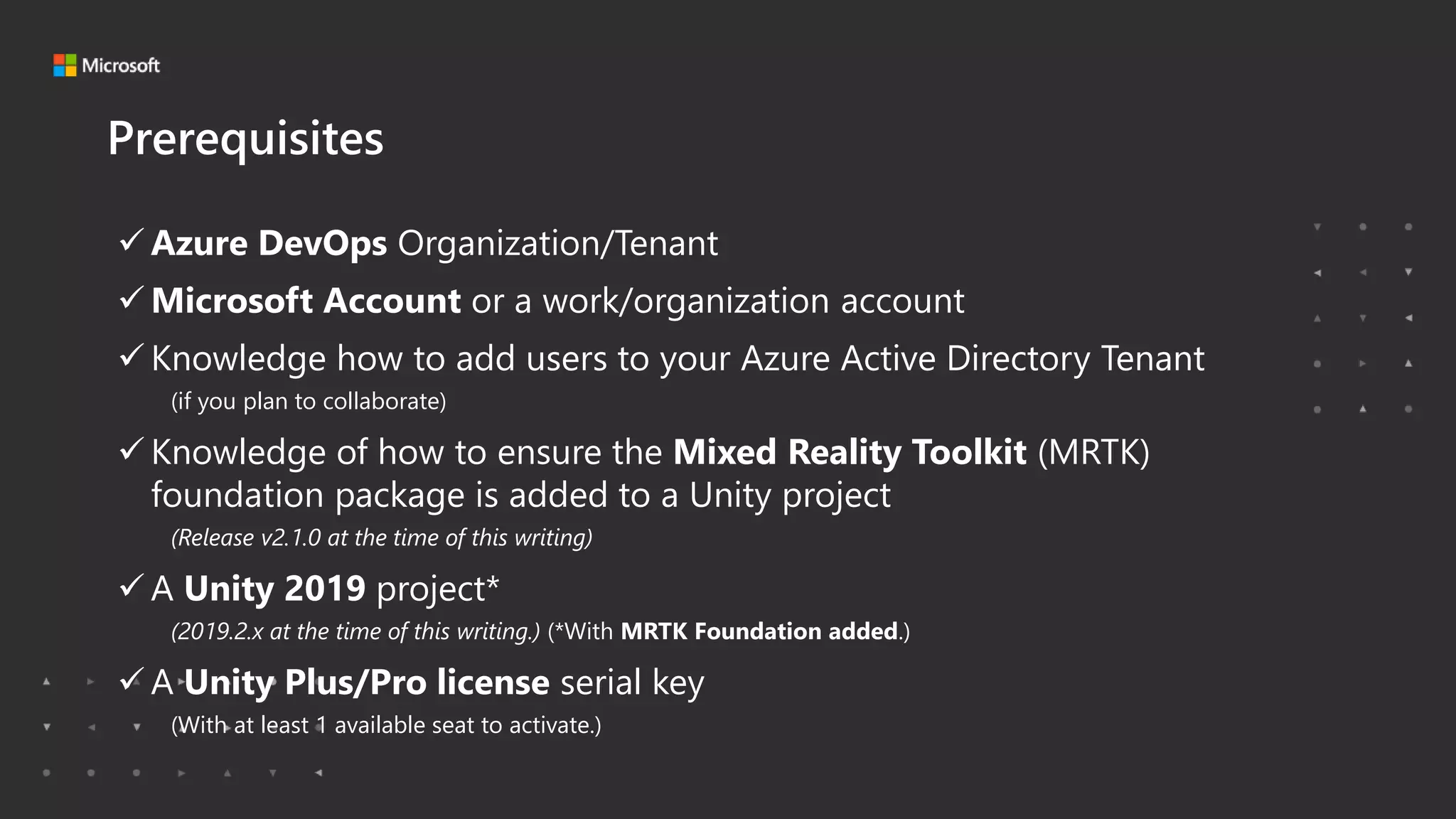
Prerequisites
 Azure DevOps Organization/Tenant
 Microsoft Account or a work/organization account
 Knowledge how to add users to your Azure Active Directory Tenant
(if you plan to collaborate)
 Knowledge of how to ensure the Mixed Reality Toolkit (MRTK)
foundation package is added to a Unity project
(Release v2.1.0 at the time of this writing)
 A Unity 2019 project*
(2019.2.x at the time of this writing.) (*With MRTK Foundation added.)
 A Unity Plus/Pro license serial key
(With at least 1 available seat to activate.)
Microsoft Game Stack. Level Up.
A Unity Plus/Pro license is required (by Unity company)
to build using hosted agents. 😟
Why not Unity Personal (free)?
Microsoft Game Stack. Level Up.
DEMO
Start a build in Azure DevOps
Microsoft Game Stack. Level Up.
• Intro
• Why Use a Pipeline?
• Which Pipeline System should I use?
• My First Pipeline
• Next Steps and other Considerations
• Resources
Microsoft Game Stack. Level Up.
Which Pipeline System should I use?
Local/Manual Process Unity Cloud Build Custom Pipeline
-Requires human
resource time and
equipment.
-Process is error-prone.
-ONLY builds projects
from Unity.
-Cannot add custom
PowerShell scripts.
-Cannot build 2-step
UWP projects.
(ex: Azure DevOps or
GitHub Actions)
-Fully automatable.
-Fully customizable.
-Self-hosted agent
can automate any
manual task.
Microsoft Game Stack. Level Up.
• Intro
• Why Use a Pipeline?
• Which Pipeline System should I use?
• My First Pipeline
• Next Steps and other Considerations
• Resources
Microsoft Game Stack. Level Up.
Section Title Goes HereYour First Pipeline
Microsoft Game Stack. Level Up.
Your First Pipeline
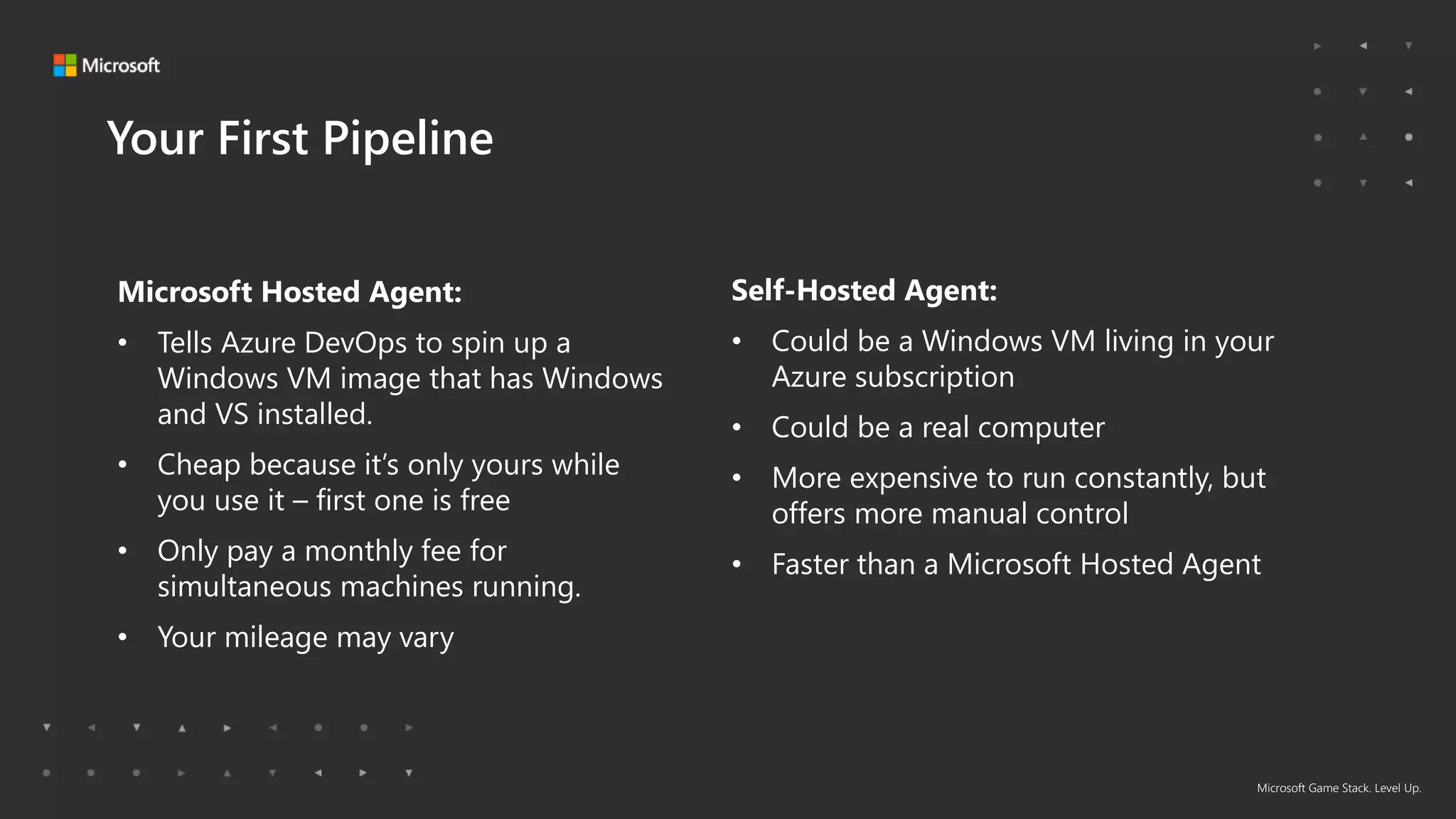
Microsoft Hosted Agent:
• Tells Azure DevOps to spin up a
Windows VM image that has Windows
and VS installed.
• Cheap because it’s only yours while
you use it – first one is free
• Only pay a monthly fee for
simultaneous machines running.
• Your mileage may vary
Self-Hosted Agent:
• Could be a Windows VM living in your
Azure subscription
• Could be a real computer
• More expensive to run constantly, but
offers more manual control
• Faster than a Microsoft Hosted Agent
Microsoft Game Stack. Level Up.
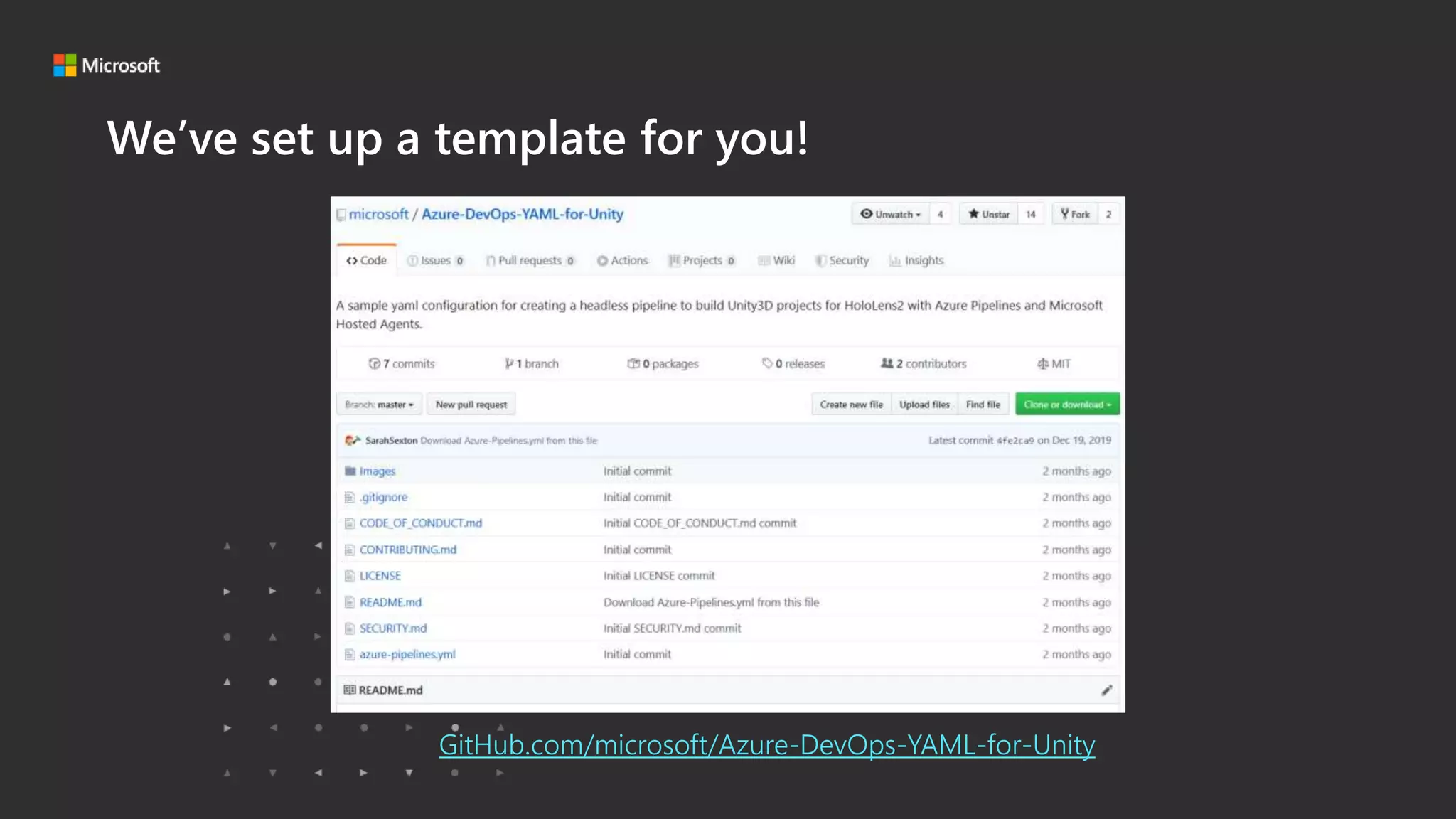
We’ve set up a template for you!
GitHub.com/microsoft/Azure-DevOps-YAML-for-Unity
Microsoft Game Stack. Level Up.
What does it do?
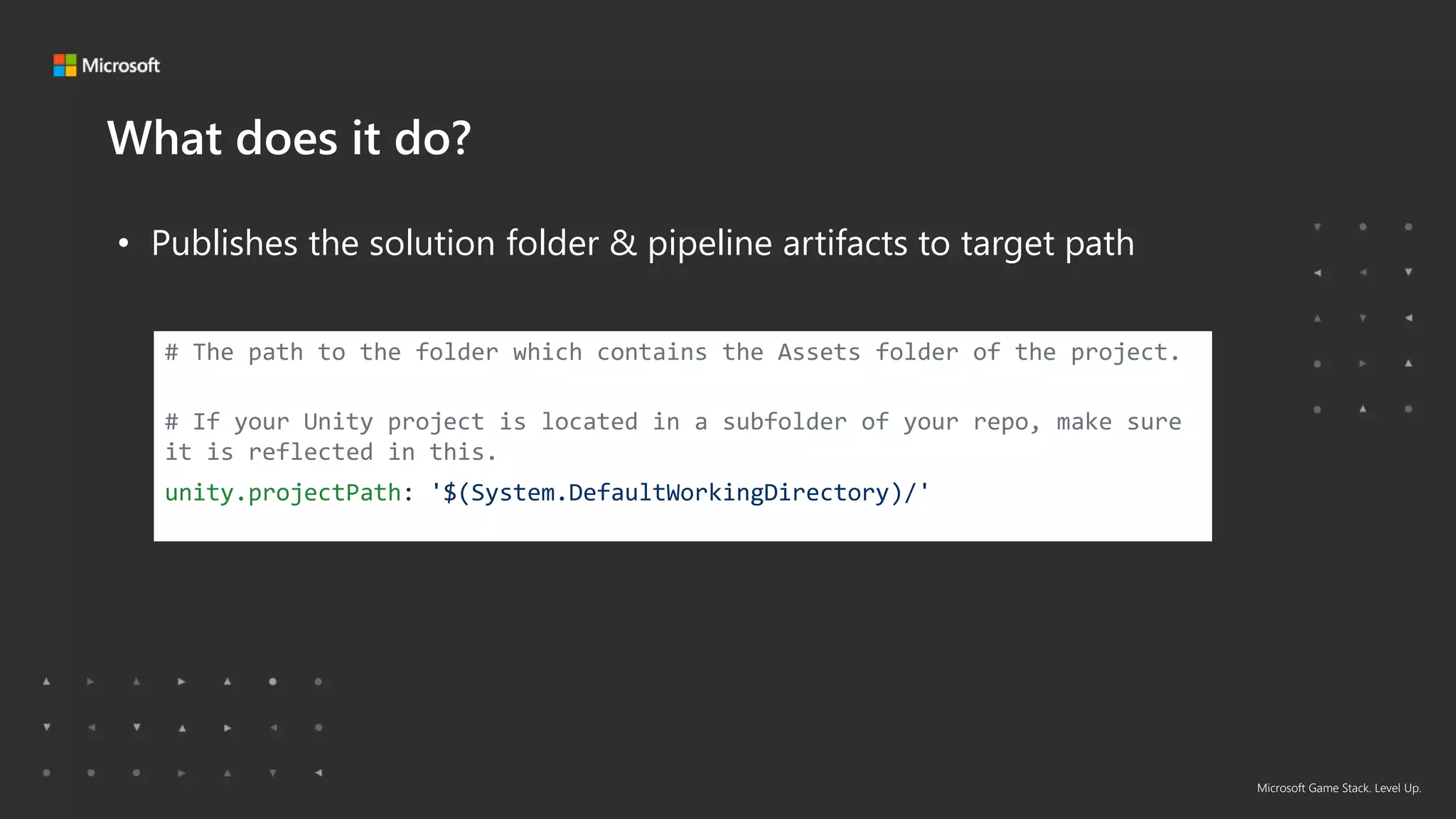
• Publishes the solution folder & pipeline artifacts to target path
# The path to the folder which contains the Assets folder of the project.
# If your Unity project is located in a subfolder of your repo, make sure
it is reflected in this.
unity.projectPath: '$(System.DefaultWorkingDirectory)/'
Microsoft Game Stack. Level Up.
What does it do?
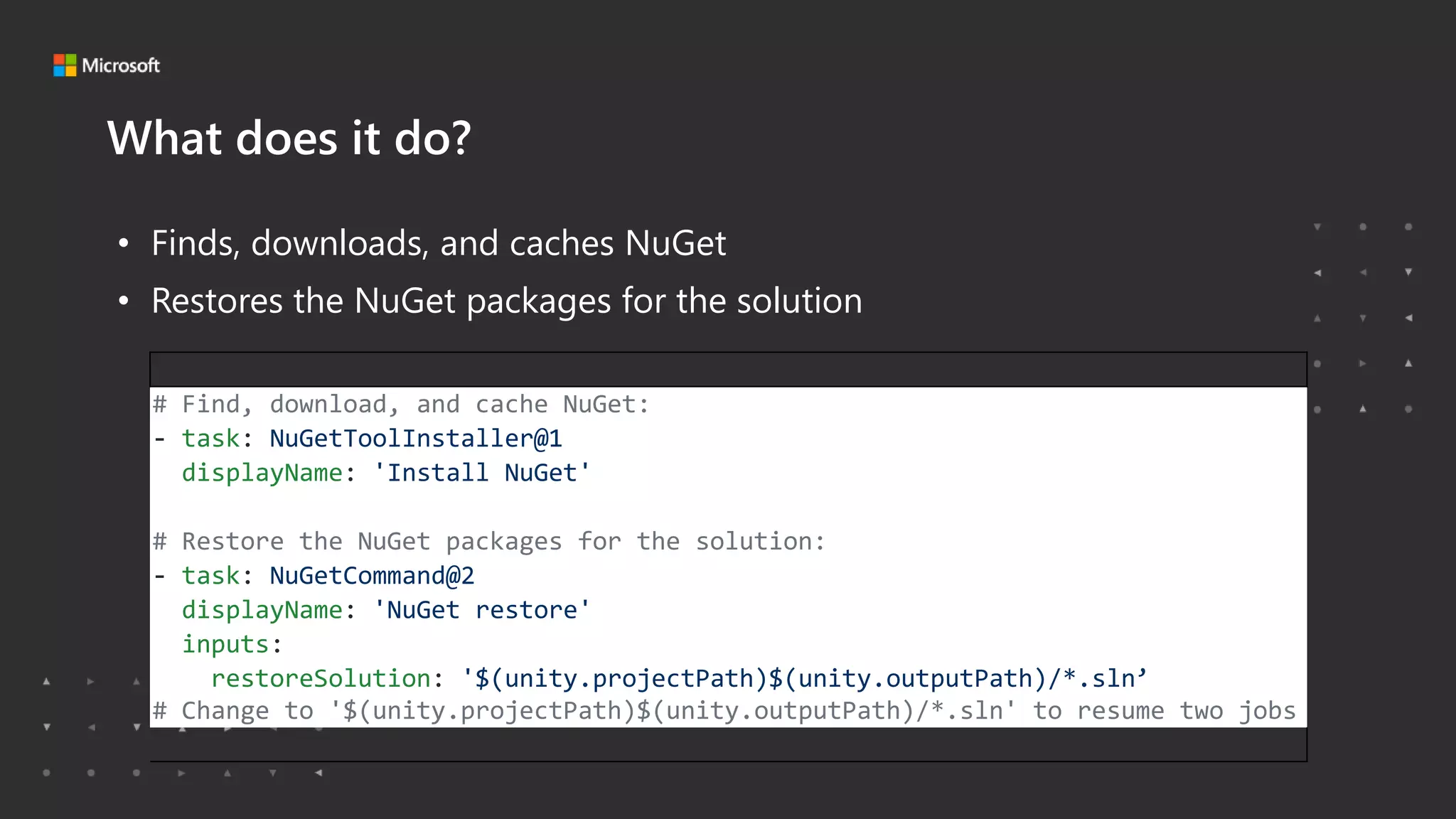
• Finds, downloads, and caches NuGet
• Restores the NuGet packages for the solution
# Find, download, and cache NuGet:
- task: NuGetToolInstaller@1
displayName: 'Install NuGet'
# Restore the NuGet packages for the solution:
- task: NuGetCommand@2
displayName: 'NuGet restore'
inputs:
restoreSolution: '$(unity.projectPath)$(unity.outputPath)/*.sln’
# Change to '$(unity.projectPath)$(unity.outputPath)/*.sln' to resume two jobs
Microsoft Game Stack. Level Up.
What does it do?
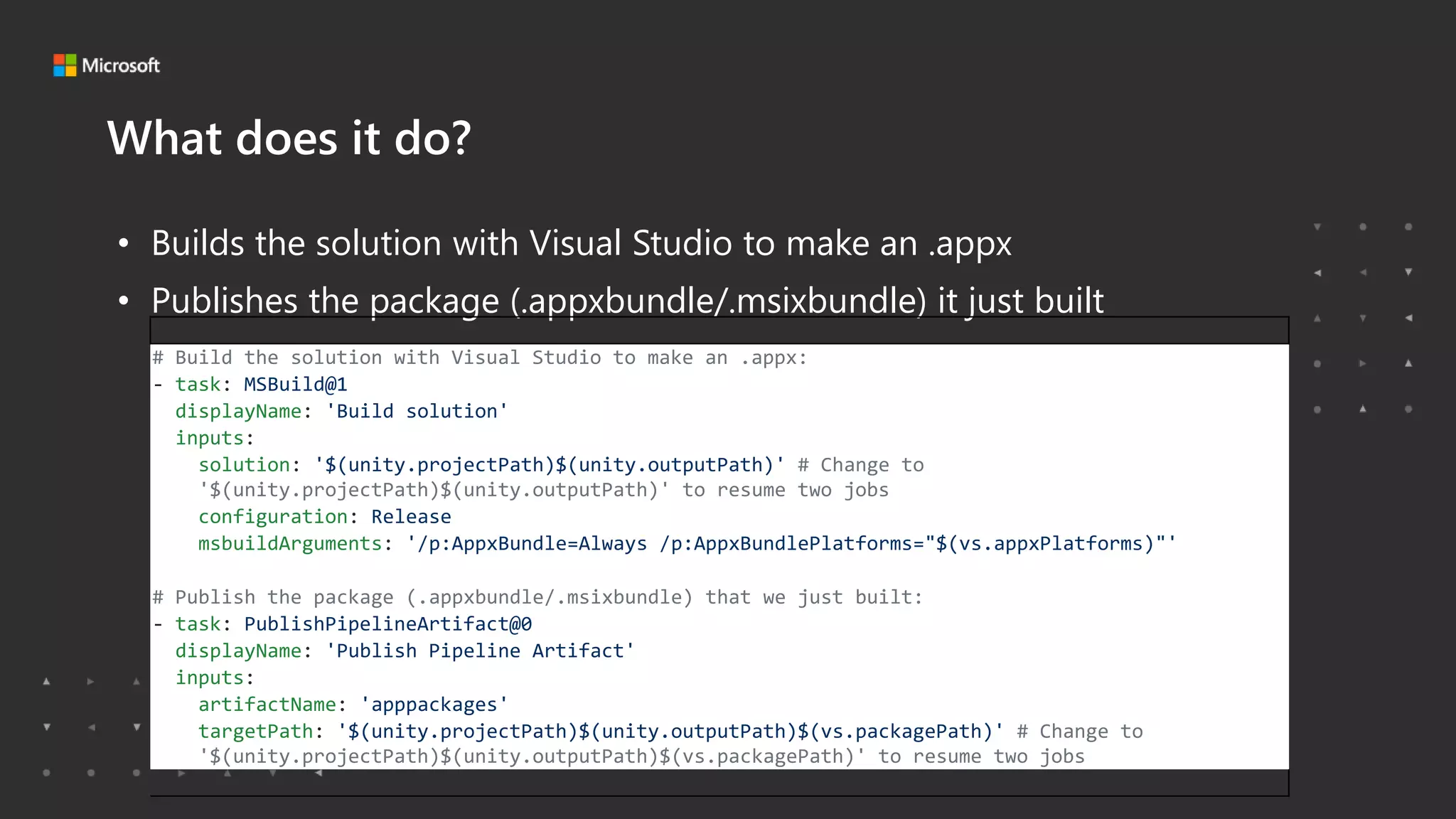
• Builds the solution with Visual Studio to make an .appx
• Publishes the package (.appxbundle/.msixbundle) it just built
# Build the solution with Visual Studio to make an .appx:
- task: MSBuild@1
displayName: 'Build solution'
inputs:
solution: '$(unity.projectPath)$(unity.outputPath)' # Change to
'$(unity.projectPath)$(unity.outputPath)' to resume two jobs
configuration: Release
msbuildArguments: '/p:AppxBundle=Always /p:AppxBundlePlatforms="$(vs.appxPlatforms)"'
# Publish the package (.appxbundle/.msixbundle) that we just built:
- task: PublishPipelineArtifact@0
displayName: 'Publish Pipeline Artifact'
inputs:
artifactName: 'apppackages'
targetPath: '$(unity.projectPath)$(unity.outputPath)$(vs.packagePath)' # Change to
'$(unity.projectPath)$(unity.outputPath)$(vs.packagePath)' to resume two jobs
Microsoft Game Stack. Level Up.
What does it do?
• Builds the Visual Studio solution generated from the previous job
• Creates a package.
# Build the Visual Studio solution generated from the previous job and create a package.
- job: unitytests
dependsOn: unity
condition: and(succeeded(), eq(variables['runTests'], 'true'))
displayName: Unity Tests
variables:
installCached: false
steps:
# What version of Unity does the project say that it wants?:
- task: UnityGetProjectVersionTask@1
name: unitygetprojectversion
displayName: Calling UnityGetProjectVersionV1 from unity-azure-pipelines-tasks extension
inputs:
unityProjectPath: '$(unity.projectPath)'
Microsoft Game Stack. Level Up.
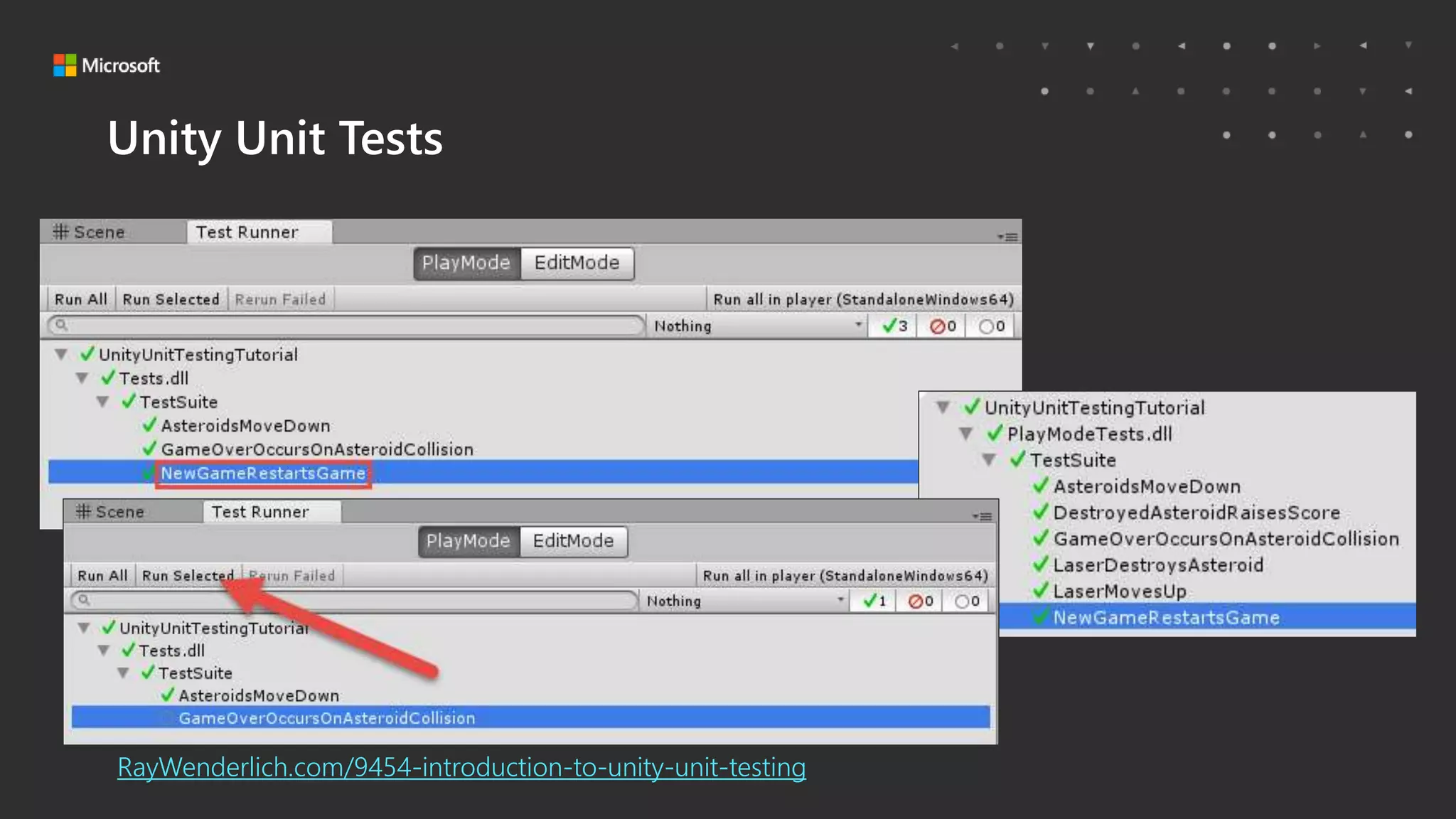
Unity Unit Tests
RayWenderlich.com/9454-introduction-to-unity-unit-testing
Microsoft Game Stack. Level Up.
YAML
# Install Unity (from cache or download) then create Visual Studio project from Unity
- job: unity
displayName: Unity Build
variables:
installCached: false
# Try to ensure that we have the right secrets set up to continue, otherwise fail the job:
condition: or( not(variables['unity.username']), not(variables['unity.password’]),
not(variables['unity.serialKey']) )
steps:
# What version of Unity does the project say that it wants?:
- task: UnityGetProjectVersionTask@1
name: unitygetprojectversion
displayName: Calling UnityGetProjectVersionV1 from unity-azure-pipelines-tasks extension
inputs:
unityProjectPath: '$(unity.projectPath)'
Microsoft Game Stack. Level Up.
YAML
# Install Unity (from cache or download) then create Visual Studio project from Unity
- job: unity
displayName: Unity Build
variables:
installCached: false
# Try to ensure that we have the right secrets set up to continue, otherwise fail the job:
condition: or( not(variables['unity.username']), not(variables['unity.password’]),
not(variables['unity.serialKey']) )
steps:
# What version of Unity does the project say that it wants?:
- task: UnityGetProjectVersionTask@1
name: unitygetprojectversion
displayName: Calling UnityGetProjectVersionV1 from unity-azure-pipelines-tasks extension
inputs:
unityProjectPath: '$(unity.projectPath)'
Microsoft Game Stack. Level Up.
YAML
# Install Unity (from cache or download) then create Visual Studio project from Unity
- job: unity
displayName: Unity Build
variables:
installCached: false
# Try to ensure that we have the right secrets set up to continue, otherwise fail the job:
condition: or( not(variables['unity.username']), not(variables['unity.password’]),
not(variables['unity.serialKey']) )
steps:
# What version of Unity does the project say that it wants?:
- task: UnityGetProjectVersionTask@1
name: unitygetprojectversion
displayName: Calling UnityGetProjectVersionV1 from unity-azure-pipelines-tasks extension
inputs:
unityProjectPath: '$(unity.projectPath)'
Microsoft Game Stack. Level Up.
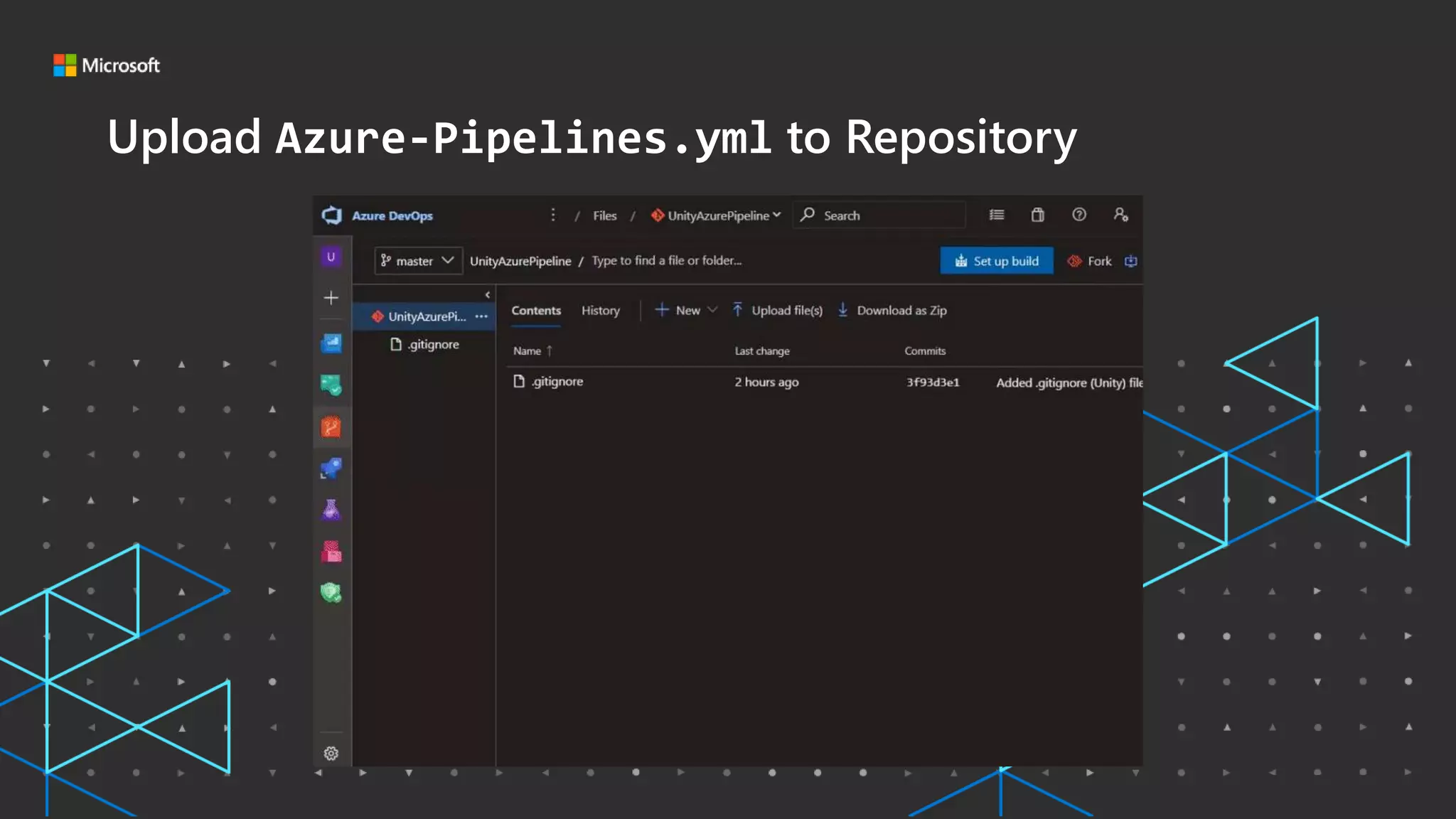
Upload Azure-Pipelines.yml to Repository
Microsoft Game Stack. Level Up.
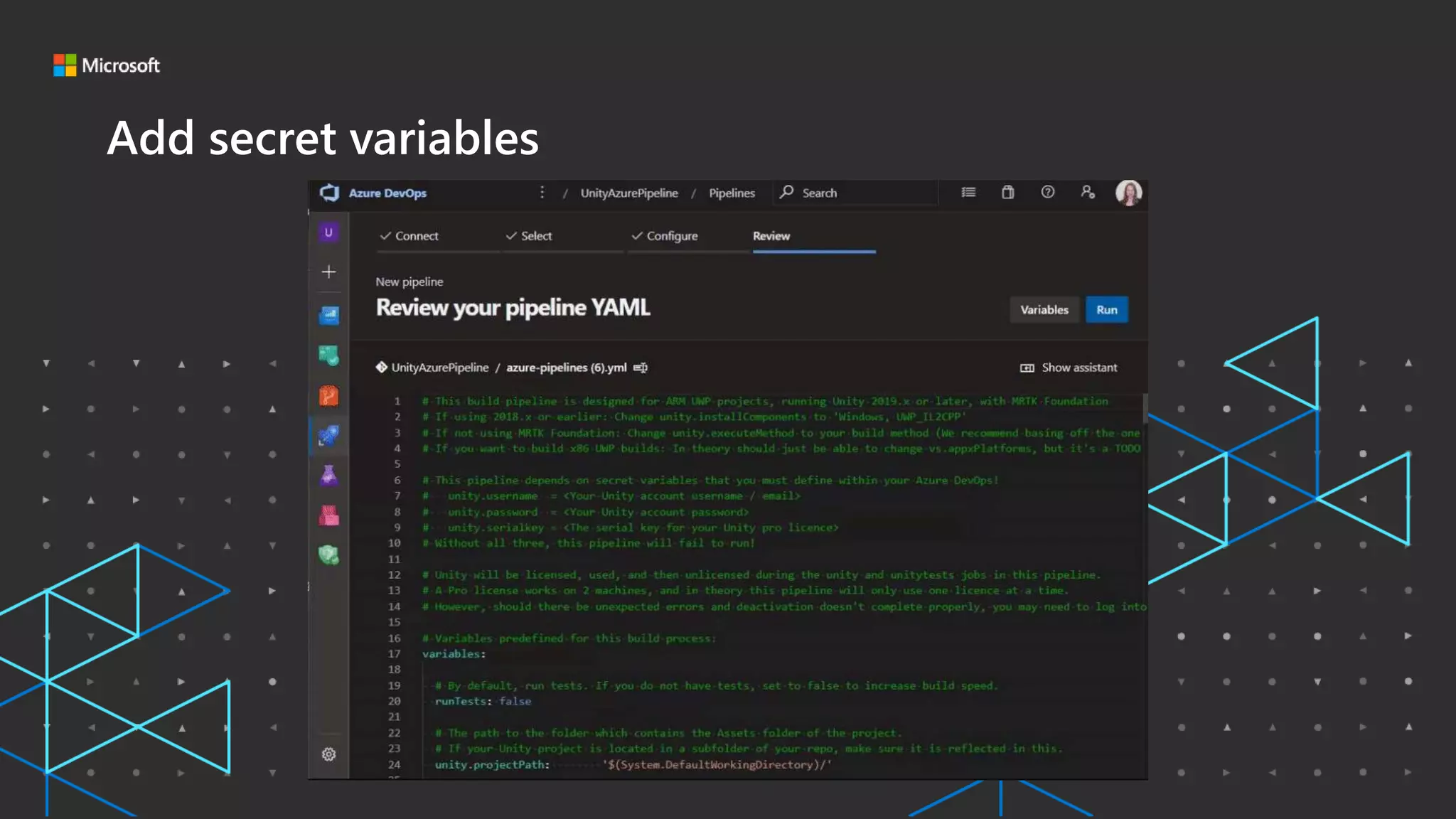
Add secret variables
Microsoft Game Stack. Level Up.
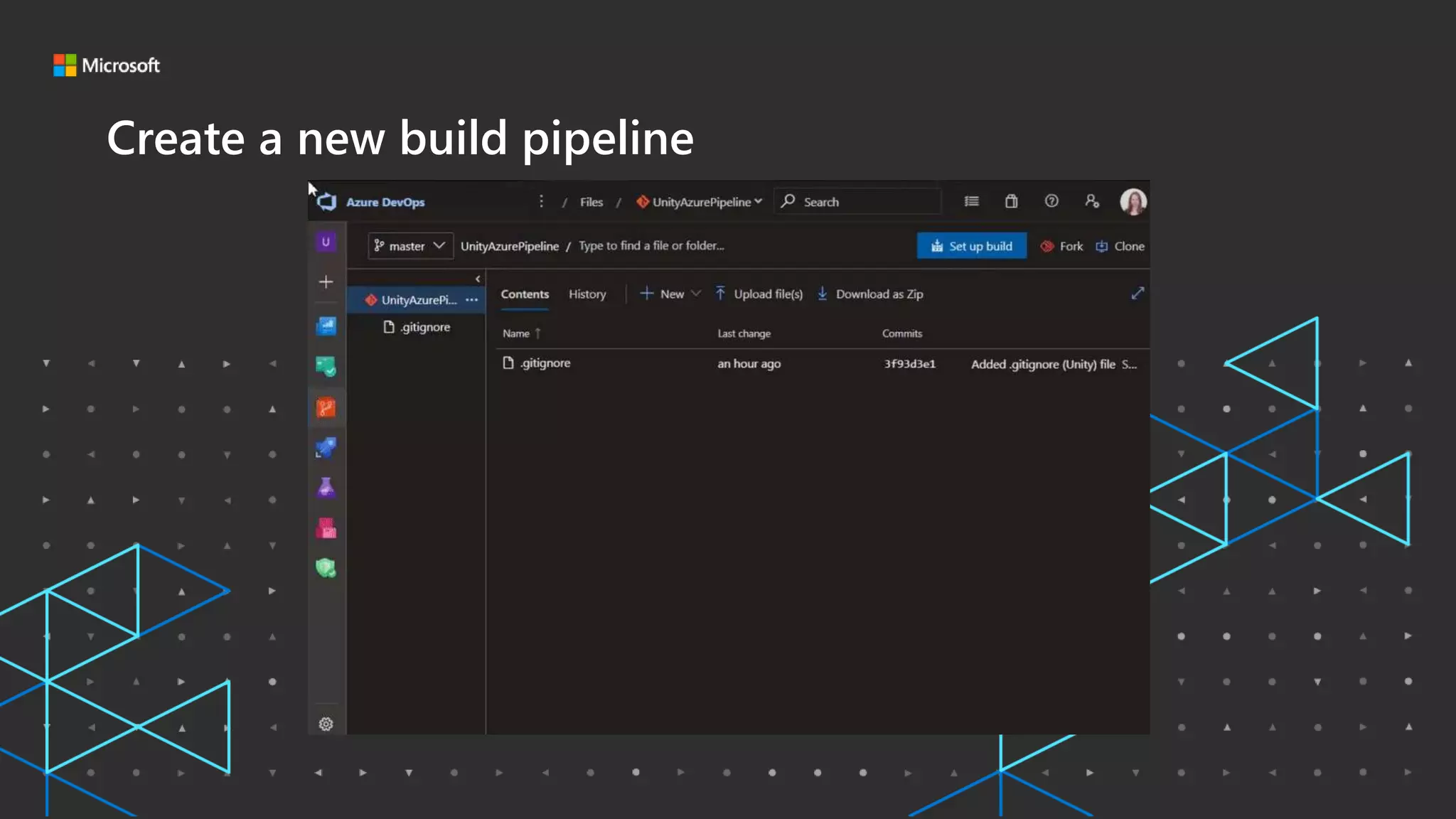
Create a new build pipeline
Microsoft Game Stack. Level Up.
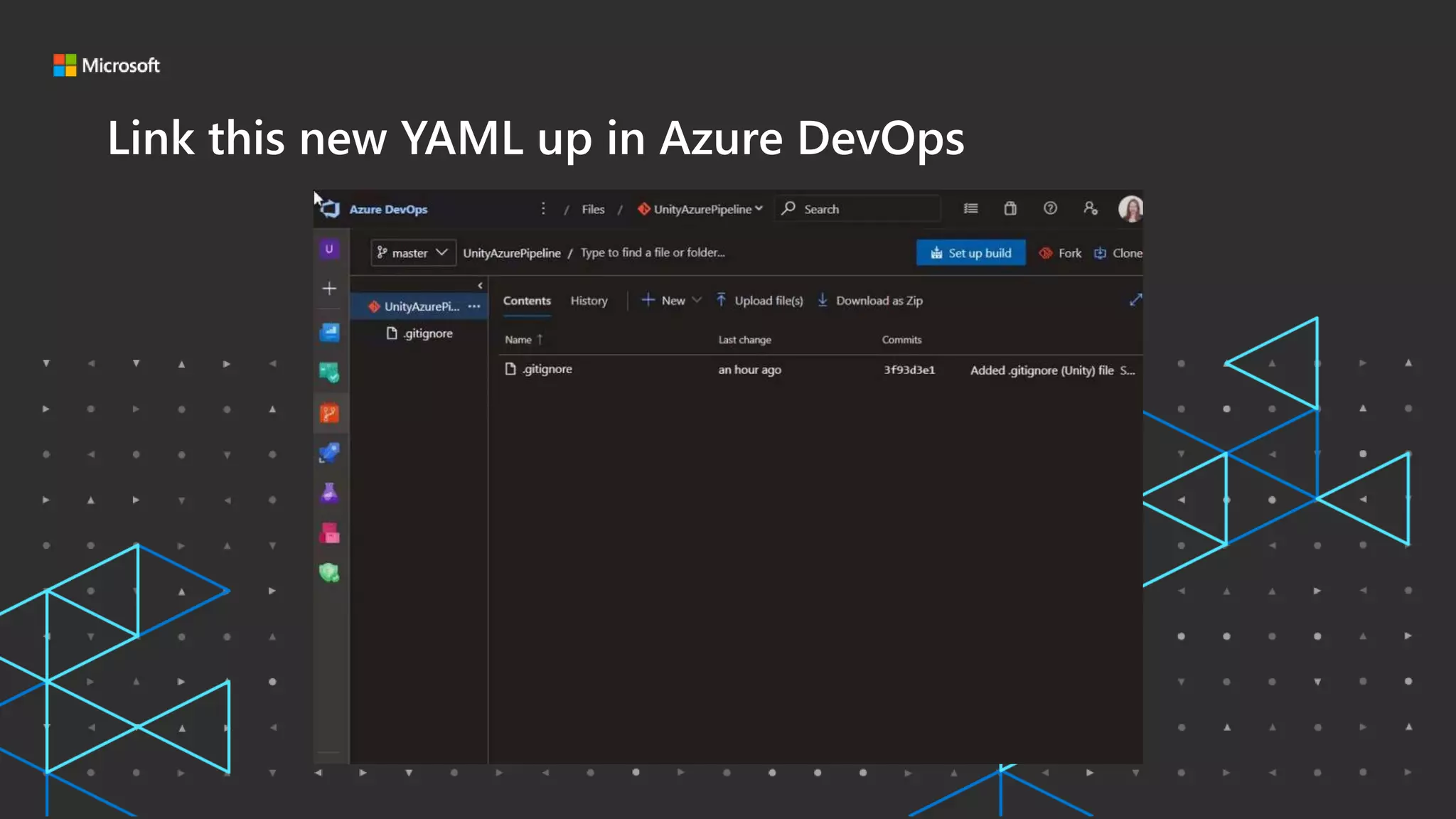
Link this new YAML up in Azure DevOps
Microsoft Game Stack. Level Up.
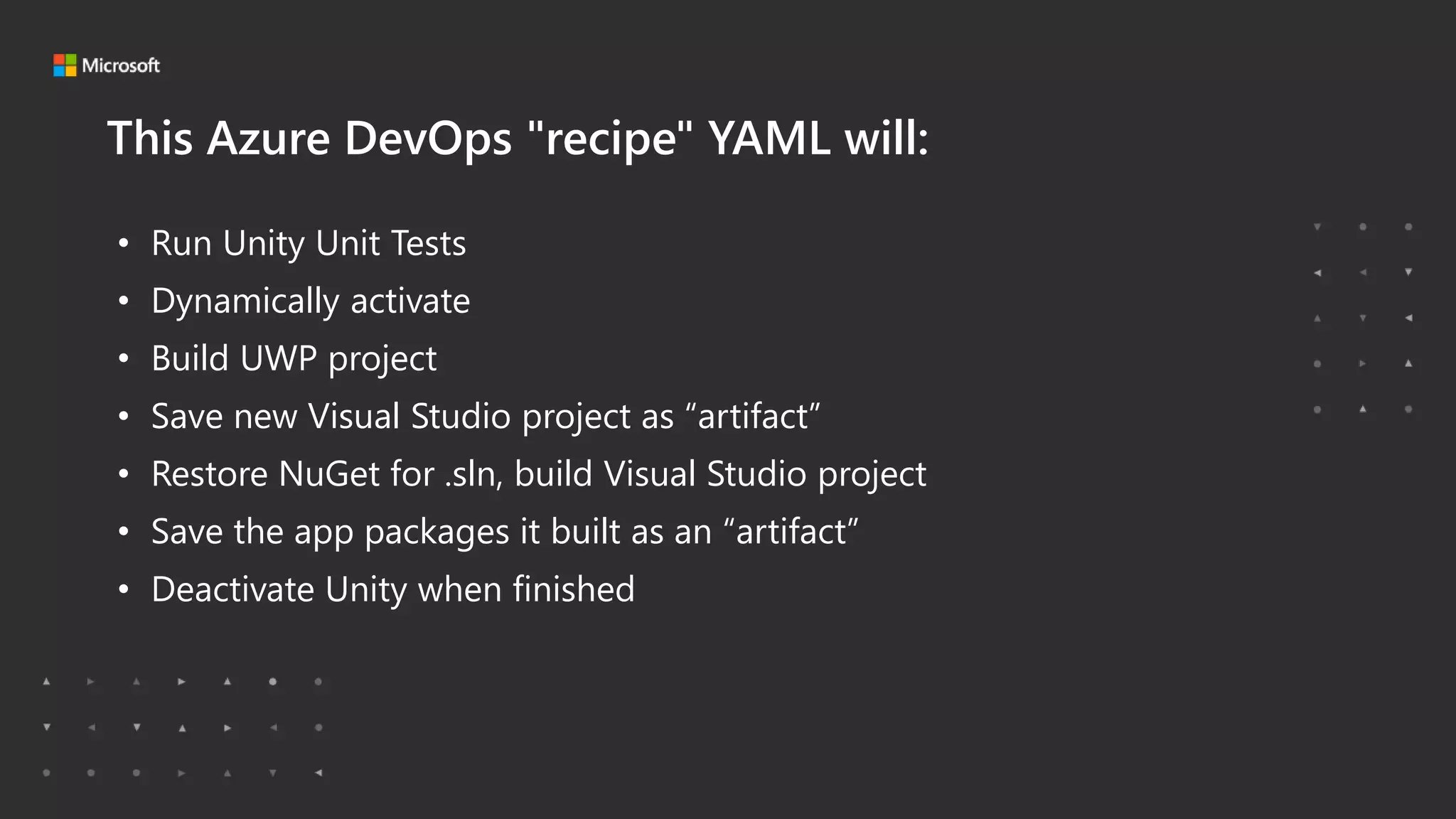
This Azure DevOps "recipe" YAML will:
• Run Unity Unit Tests
• Dynamically activate
• Build UWP project
• Save new Visual Studio project as “artifact”
• Restore NuGet for .sln, build Visual Studio project
• Save the app packages it built as an “artifact”
• Deactivate Unity when finished
Microsoft Game Stack. Level Up.
DEMO
Setting up your own Azure DevOps build pipeline
Microsoft Game Stack. Level Up.
• Intro
• Why Use a Pipeline?
• Which Pipeline System should I use?
• My First Pipeline
• Next Steps and other Considerations
• Resources
Microsoft Game Stack. Level Up.
Section Title Goes Here
Next Steps and other
Considerations
Microsoft Game Stack. Level Up.
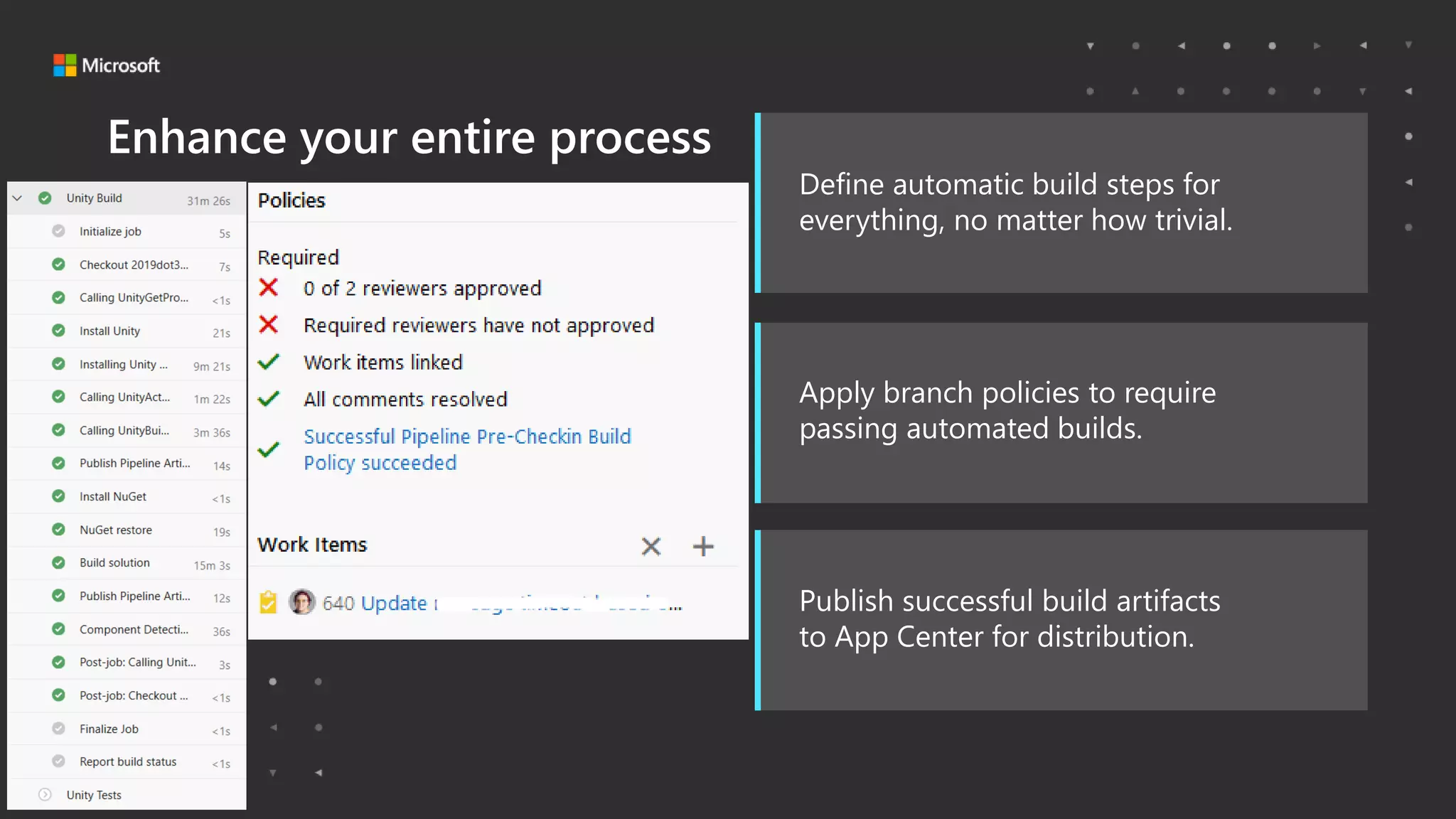
Define automatic build steps for
everything, no matter how trivial.
Apply branch policies to require
passing automated builds.
Publish successful build artifacts
to App Center for distribution.
Enhance your entire process
Microsoft Game Stack. Level Up.
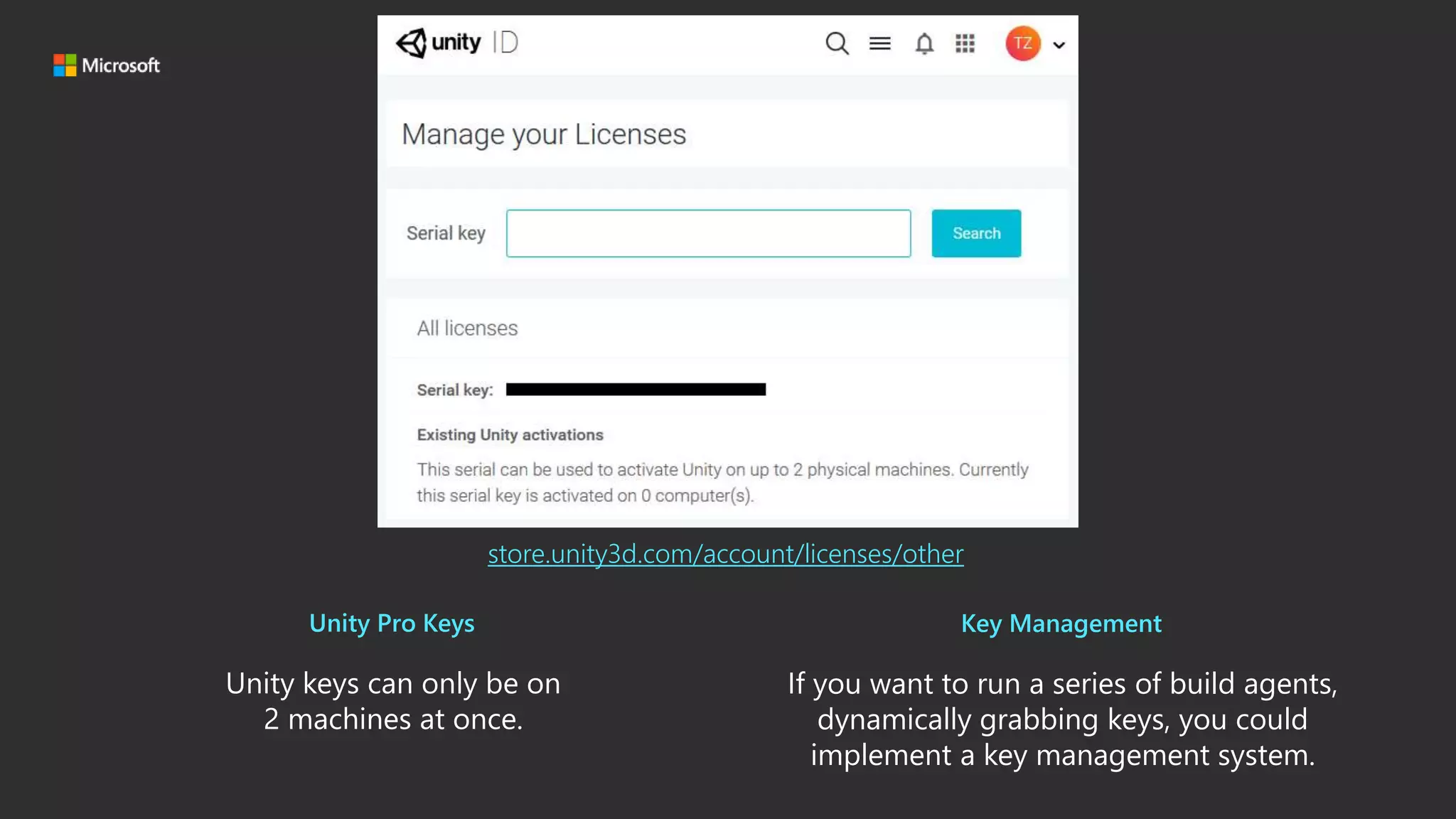
Unity keys can only be on
2 machines at once.
If you want to run a series of build agents,
dynamically grabbing keys, you could
implement a key management system.
Unity Pro Keys Key Management
store.unity3d.com/account/licenses/other
Microsoft Game Stack. Level Up.
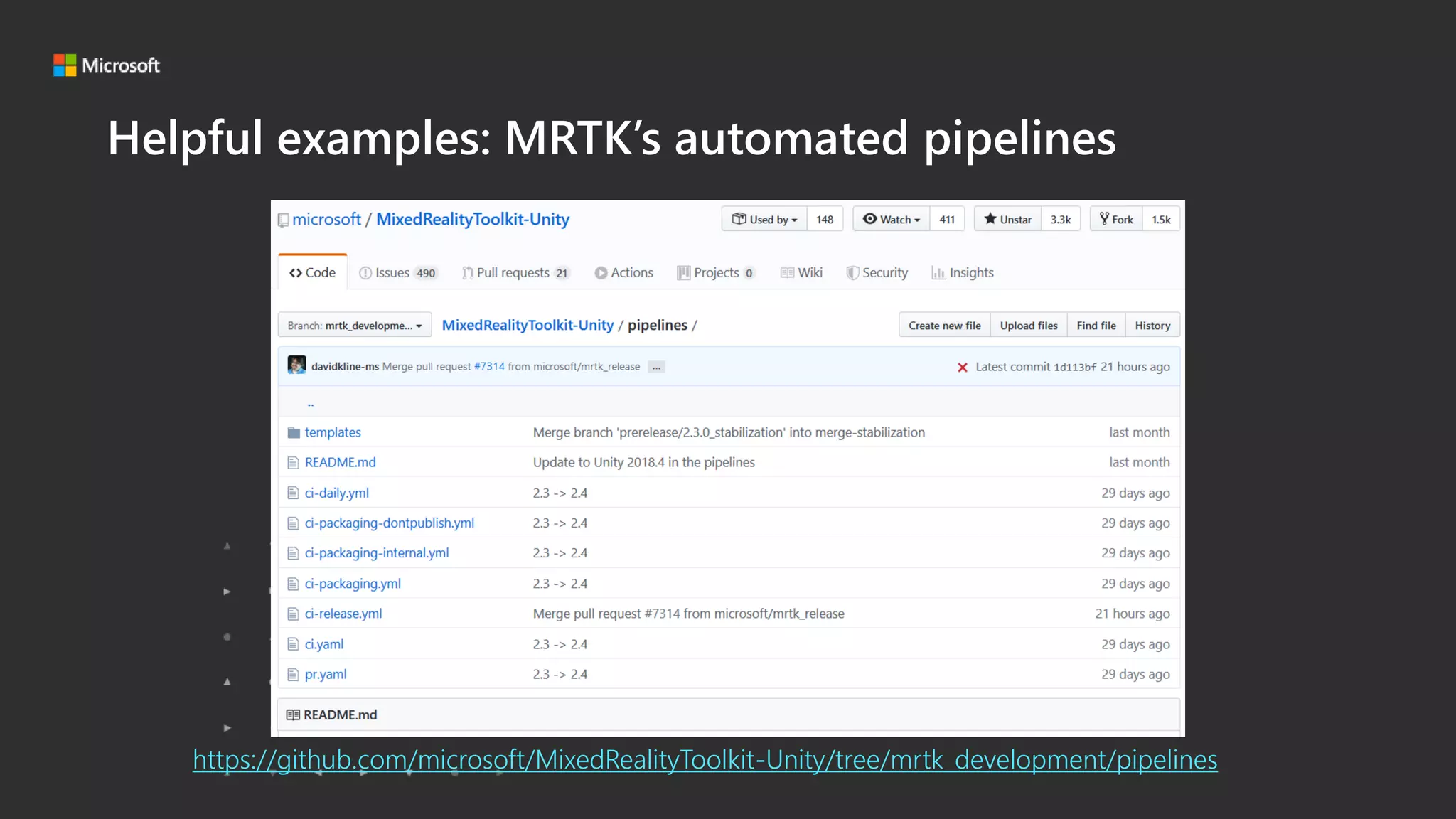
Helpful examples: MRTK’s automated pipelines
https://github.com/microsoft/MixedRealityToolkit-Unity/tree/mrtk_development/pipelines
Microsoft Game Stack. Level Up.
• Intro
• Why Use a Pipeline?
• Which Pipeline System should I use?
• My First Pipeline
• Next Steps and other Considerations
• Resources
Microsoft Game Stack. Level Up.
Resources
• Our example YAML:
GitHub.com/Microsoft/Azure-DevOps-YAML-for-Unity
• Unity + Azure DevOps Plugin:
Dinomite-studios.github.io/unity-azure-pipelines-tasks
• Unity Store license link:
https://store.unity3d.com/account/licenses/other
• YAML documentation:
Docs.Microsoft.Com/en-us/azure/devops/pipelines/yaml-schema?view=azure-
devops&tabs=schema
• Unity Unit Tests:
RayWenderlich.com/9454-introduction-to-unity-unit-testing
• MRTK:
GitHub.com/microsoft/MixedRealityToolkit-Unity/
Microsoft Game Stack. Level Up.

HoloLens Unity Build Pipelines on Azure DevOps

  • 1.
    Microsoft Game Stack.Level Up. HoloLens Unity Build Pipelines on Azure DevOps Sarah Sexton
  • 2.
    Microsoft Game Stack.Level Up. Help me help you!
  • 3.
    Microsoft Game Stack.Level Up. • Intro • Why Use a Pipeline? • Which Pipeline System should I use? • My First Pipeline • Next Steps and other Considerations • Resources
  • 4.
    Microsoft Game Stack.Level Up. Introduction Sarah Sexton https://aka.ms/SarahSays GitHub.com/SarahSexton Twitter: @Saelia Software Engineer Microsoft Redmond, USA
  • 5.
    Microsoft Game Stack.Level Up. • Intro • Why Use a Pipeline? • Which Pipeline System should I use? • My First Pipeline • Next Steps and other Considerations • Resources
  • 6.
    Microsoft Game Stack.Level Up. Why use a pipeline? Without one: Code Manual Deploy to Device Manual Visual Studio Build Manual Unity Build Commit and push to repo Test More Coding Manual unit testing
  • 7.
    Microsoft Game Stack.Level Up. Why use a pipeline? With one: Code Automatic Send Build to App Center Automatic Visual Studio Build Automatic Unity Build Commit and push to repo Download build on device More Coding … Test Automatic unit testing
  • 8.
    Microsoft Game Stack.Level Up. Well, because it can’t build 2-step UWP projects. 😟 Why not Unity Cloud Build?
  • 9.
    Microsoft Game Stack.Level Up. Which Pipeline System should I use? Local/Manual Process Unity Cloud Build Custom Pipeline -Requires human resource time and equipment. -Process is error-prone. -ONLY builds projects from Unity. -Cannot add custom PowerShell scripts. -Cannot build 2-step UWP projects. (ex: Azure DevOps or GitHub Actions) -Fully automatable. -Fully customizable. -Self-hosted agent can automate any manual task.
  • 10.
    Microsoft Game Stack.Level Up. Pros and Cons of a pipeline: Pro • Increase efficiency • Spend more time doing important tasks • Waste less time on builds that ultimately fail • Collaborate faster • Build artifacts available to whole team • Ensure unit tests pass before every build • Work smarter • Grab build artifacts easily • Review PRs more wisely • Build the project without a PC Con • The time for a single “Commit to Deployment” could turn out to be slightly longer • Initial setup time • Team onboarding/training • May cost money • May require a Unity Plus or Pro license
  • 11.
    Microsoft Game Stack.Level Up. Prerequisites  Azure DevOps Organization/Tenant  Microsoft Account or a work/organization account  Knowledge how to add users to your Azure Active Directory Tenant (if you plan to collaborate)  Knowledge of how to ensure the Mixed Reality Toolkit (MRTK) foundation package is added to a Unity project (Release v2.1.0 at the time of this writing)  A Unity 2019 project* (2019.2.x at the time of this writing.) (*With MRTK Foundation added.)  A Unity Plus/Pro license serial key (With at least 1 available seat to activate.)
  • 12.
    Microsoft Game Stack.Level Up. A Unity Plus/Pro license is required (by Unity company) to build using hosted agents. 😟 Why not Unity Personal (free)?
  • 13.
    Microsoft Game Stack.Level Up. DEMO Start a build in Azure DevOps
  • 14.
    Microsoft Game Stack.Level Up. • Intro • Why Use a Pipeline? • Which Pipeline System should I use? • My First Pipeline • Next Steps and other Considerations • Resources
  • 15.
    Microsoft Game Stack.Level Up. Which Pipeline System should I use? Local/Manual Process Unity Cloud Build Custom Pipeline -Requires human resource time and equipment. -Process is error-prone. -ONLY builds projects from Unity. -Cannot add custom PowerShell scripts. -Cannot build 2-step UWP projects. (ex: Azure DevOps or GitHub Actions) -Fully automatable. -Fully customizable. -Self-hosted agent can automate any manual task.
  • 16.
    Microsoft Game Stack.Level Up. • Intro • Why Use a Pipeline? • Which Pipeline System should I use? • My First Pipeline • Next Steps and other Considerations • Resources
  • 17.
    Microsoft Game Stack.Level Up. Section Title Goes HereYour First Pipeline
  • 18.
    Microsoft Game Stack.Level Up. Your First Pipeline Microsoft Hosted Agent: • Tells Azure DevOps to spin up a Windows VM image that has Windows and VS installed. • Cheap because it’s only yours while you use it – first one is free • Only pay a monthly fee for simultaneous machines running. • Your mileage may vary Self-Hosted Agent: • Could be a Windows VM living in your Azure subscription • Could be a real computer • More expensive to run constantly, but offers more manual control • Faster than a Microsoft Hosted Agent
  • 19.
    Microsoft Game Stack.Level Up. We’ve set up a template for you! GitHub.com/microsoft/Azure-DevOps-YAML-for-Unity
  • 20.
    Microsoft Game Stack.Level Up. What does it do? • Publishes the solution folder & pipeline artifacts to target path # The path to the folder which contains the Assets folder of the project. # If your Unity project is located in a subfolder of your repo, make sure it is reflected in this. unity.projectPath: '$(System.DefaultWorkingDirectory)/'
  • 21.
    Microsoft Game Stack.Level Up. What does it do? • Finds, downloads, and caches NuGet • Restores the NuGet packages for the solution # Find, download, and cache NuGet: - task: NuGetToolInstaller@1 displayName: 'Install NuGet' # Restore the NuGet packages for the solution: - task: NuGetCommand@2 displayName: 'NuGet restore' inputs: restoreSolution: '$(unity.projectPath)$(unity.outputPath)/*.sln’ # Change to '$(unity.projectPath)$(unity.outputPath)/*.sln' to resume two jobs
  • 22.
    Microsoft Game Stack.Level Up. What does it do? • Builds the solution with Visual Studio to make an .appx • Publishes the package (.appxbundle/.msixbundle) it just built # Build the solution with Visual Studio to make an .appx: - task: MSBuild@1 displayName: 'Build solution' inputs: solution: '$(unity.projectPath)$(unity.outputPath)' # Change to '$(unity.projectPath)$(unity.outputPath)' to resume two jobs configuration: Release msbuildArguments: '/p:AppxBundle=Always /p:AppxBundlePlatforms="$(vs.appxPlatforms)"' # Publish the package (.appxbundle/.msixbundle) that we just built: - task: PublishPipelineArtifact@0 displayName: 'Publish Pipeline Artifact' inputs: artifactName: 'apppackages' targetPath: '$(unity.projectPath)$(unity.outputPath)$(vs.packagePath)' # Change to '$(unity.projectPath)$(unity.outputPath)$(vs.packagePath)' to resume two jobs
  • 23.
    Microsoft Game Stack.Level Up. What does it do? • Builds the Visual Studio solution generated from the previous job • Creates a package. # Build the Visual Studio solution generated from the previous job and create a package. - job: unitytests dependsOn: unity condition: and(succeeded(), eq(variables['runTests'], 'true')) displayName: Unity Tests variables: installCached: false steps: # What version of Unity does the project say that it wants?: - task: UnityGetProjectVersionTask@1 name: unitygetprojectversion displayName: Calling UnityGetProjectVersionV1 from unity-azure-pipelines-tasks extension inputs: unityProjectPath: '$(unity.projectPath)'
  • 24.
    Microsoft Game Stack.Level Up. Unity Unit Tests RayWenderlich.com/9454-introduction-to-unity-unit-testing
  • 25.
    Microsoft Game Stack.Level Up. YAML # Install Unity (from cache or download) then create Visual Studio project from Unity - job: unity displayName: Unity Build variables: installCached: false # Try to ensure that we have the right secrets set up to continue, otherwise fail the job: condition: or( not(variables['unity.username']), not(variables['unity.password’]), not(variables['unity.serialKey']) ) steps: # What version of Unity does the project say that it wants?: - task: UnityGetProjectVersionTask@1 name: unitygetprojectversion displayName: Calling UnityGetProjectVersionV1 from unity-azure-pipelines-tasks extension inputs: unityProjectPath: '$(unity.projectPath)'
  • 26.
    Microsoft Game Stack.Level Up. YAML # Install Unity (from cache or download) then create Visual Studio project from Unity - job: unity displayName: Unity Build variables: installCached: false # Try to ensure that we have the right secrets set up to continue, otherwise fail the job: condition: or( not(variables['unity.username']), not(variables['unity.password’]), not(variables['unity.serialKey']) ) steps: # What version of Unity does the project say that it wants?: - task: UnityGetProjectVersionTask@1 name: unitygetprojectversion displayName: Calling UnityGetProjectVersionV1 from unity-azure-pipelines-tasks extension inputs: unityProjectPath: '$(unity.projectPath)'
  • 27.
    Microsoft Game Stack.Level Up. YAML # Install Unity (from cache or download) then create Visual Studio project from Unity - job: unity displayName: Unity Build variables: installCached: false # Try to ensure that we have the right secrets set up to continue, otherwise fail the job: condition: or( not(variables['unity.username']), not(variables['unity.password’]), not(variables['unity.serialKey']) ) steps: # What version of Unity does the project say that it wants?: - task: UnityGetProjectVersionTask@1 name: unitygetprojectversion displayName: Calling UnityGetProjectVersionV1 from unity-azure-pipelines-tasks extension inputs: unityProjectPath: '$(unity.projectPath)'
  • 28.
    Microsoft Game Stack.Level Up. Upload Azure-Pipelines.yml to Repository
  • 29.
    Microsoft Game Stack.Level Up. Add secret variables
  • 30.
    Microsoft Game Stack.Level Up. Create a new build pipeline
  • 31.
    Microsoft Game Stack.Level Up. Link this new YAML up in Azure DevOps
  • 32.
    Microsoft Game Stack.Level Up. This Azure DevOps "recipe" YAML will: • Run Unity Unit Tests • Dynamically activate • Build UWP project • Save new Visual Studio project as “artifact” • Restore NuGet for .sln, build Visual Studio project • Save the app packages it built as an “artifact” • Deactivate Unity when finished
  • 33.
    Microsoft Game Stack.Level Up. DEMO Setting up your own Azure DevOps build pipeline
  • 34.
    Microsoft Game Stack.Level Up. • Intro • Why Use a Pipeline? • Which Pipeline System should I use? • My First Pipeline • Next Steps and other Considerations • Resources
  • 35.
    Microsoft Game Stack.Level Up. Section Title Goes Here Next Steps and other Considerations
  • 36.
    Microsoft Game Stack.Level Up. Define automatic build steps for everything, no matter how trivial. Apply branch policies to require passing automated builds. Publish successful build artifacts to App Center for distribution. Enhance your entire process
  • 37.
    Microsoft Game Stack.Level Up. Unity keys can only be on 2 machines at once. If you want to run a series of build agents, dynamically grabbing keys, you could implement a key management system. Unity Pro Keys Key Management store.unity3d.com/account/licenses/other
  • 38.
    Microsoft Game Stack.Level Up. Helpful examples: MRTK’s automated pipelines https://github.com/microsoft/MixedRealityToolkit-Unity/tree/mrtk_development/pipelines
  • 39.
    Microsoft Game Stack.Level Up. • Intro • Why Use a Pipeline? • Which Pipeline System should I use? • My First Pipeline • Next Steps and other Considerations • Resources
  • 40.
    Microsoft Game Stack.Level Up. Resources • Our example YAML: GitHub.com/Microsoft/Azure-DevOps-YAML-for-Unity • Unity + Azure DevOps Plugin: Dinomite-studios.github.io/unity-azure-pipelines-tasks • Unity Store license link: https://store.unity3d.com/account/licenses/other • YAML documentation: Docs.Microsoft.Com/en-us/azure/devops/pipelines/yaml-schema?view=azure- devops&tabs=schema • Unity Unit Tests: RayWenderlich.com/9454-introduction-to-unity-unit-testing • MRTK: GitHub.com/microsoft/MixedRealityToolkit-Unity/
  • 41.

Editor's Notes

  • #3 I am hoping to use this as a test-run to receive helpful feedback on how I can improve my presentation process for this talk. 
  • #5 My name is Sarah Sexton. I am a Software Engineer at Microsoft, where I code with developers all over the world on Microsoft’s newest technologies. The story behind what I’m about to present to you, is that my team needed a consistent method for their Unity work environments that would enable all members to work with the same build configurations - for both Visual Studio and Unity. Our solution, which I will be talking about today, was to create Unity Build Pipelines on Azure DevOps. This solution is platform-agnostic, however – in fact, we are as we speak in the process of investigating GitHub Actions to accomplish goals similar to Azure DevOps. In this talk, I will show you how we managed to implement this solution, to build UWP apps for Hololens 2.
  • #7 These are things that most devs do not want to think or care about. Most devs sit down to a computer with a vision to create, and these hassles are a barrier to their creativity and/or productivity.
  • #8 Automated Build Pipelines can be triggered on commit to a certain branch, such as master, or whenever there is a Pull Request.
  • #9 -ONLY builds projects from Unity. -Cannot add custom PowerShell scripts. -Cannot build 2-step UWP projects. So, as a HoloLens developer who wants to do UWP applications, this isn’t an option for you.
  • #10 With self hosted agent, can do anything you would do manually. Other pipeline options ◦ Unity cloud builds ◦ Local ◦ Azure DevOps ◦ GitHub Actions (new) ◦ Travis CI
  • #11 stop wasting time compiling builds in Unity, then Visual Studio, then manually deploying. Save time with an automated pipeline! Create builds from start to finish, implement Unit Tests, save every build artifact.
  • #13 The Dinomite extension supports Microsoft hosted agents as well as custom agents. Some of Unity’s target build platforms are not supported on hosted agents, since they require manual configuration of SDKs & Tools, which we can’t do on hosted agents. For full control over the tools and software, they recommend using your own build agent. A Unity Plus / Pro seat with one available activation is required to build using hosted agents. This is a requirement by Unity not this extension
  • #14 Start a build and build results in Azure DevOps
  • #16 With self hosted agent, can do anything you would do manually.
  • #20 First, identify your current process and all the steps involved. Don’t forget to include when and where files are stored. Identify when work is bottlenecked. Highly recommend "The Phoenix Project" book to learn about devops and process.
  • #21 We made this project specifically for UWP apps, but we can generalize for other distributions. This Azure DevOps "recipe" yaml will: Run Unity Unit Tests -Dynamically Activate -Builds UWP project, saves new Visual Studio project as “artifact” -Restores NuGet for .sln, builds Visual Studio project -Saves the app packages that it built as an “artifact” -Deactivate Unity when finished
  • #26 A unit test is (ideally) for testing a single “unit” of code. Exactly what makes up a “unit” varies, but the important thing to keep in mind is that a unit test should be testing exactly one ‘thing’ at a time. You can learn more about how Unit Tests in Unity work and how to use them in your projects in this tutorial I’ve linked here. To open the Unity Test Runner, choose Window ▸ General ▸ Test Runner. Unit Testing can be triggered from Azure DevOps ◦ Spin up Unity ◦ Run project in Unity ◦ Only proceed if Unit Tests pass ◦ Skip the build if the Unit Tests fail ◦ Free up the agent to do more jobs
  • #27 A YAML file specifies the build steps https://docs.microsoft.com/en-us/azure/devops/pipelines/yaml-schema?view=azure-devops&tabs=schema
  • #28 A YAML file specifies the build steps https://docs.microsoft.com/en-us/azure/devops/pipelines/yaml-schema?view=azure-devops&tabs=schema
  • #29 A YAML file specifies the build steps https://docs.microsoft.com/en-us/azure/devops/pipelines/yaml-schema?view=azure-devops&tabs=schema
  • #30 Link this new YAML up in Azure DevOps
  • #31 This pipeline depends on Secret Variables that you must define within your Azure DevOps:  unity.username = Your Unity account email address  unity.password = Your Unity account password (keep it secret)  unity.serialkey = The serial key for your Unity Pro licence (keep it safe) Without all three, this pipeline will fail to run. 
  • #32 You can create a new YAML file, or import an existing one.
  • #33 Link this new YAML up in Azure DevOps
  • #35 Show YAML file, talk about how it works. Demonstrate what is needed to include in your project Show “previous success” or “previous fail” build
  • #38 Ensure your entire process is replicated, and artifacts you want saved are preserved. Apply branch policies once working to ensure builds are triggered.
  • #39 Your Unity key can only be on two machines at once. If you wanted to run a series of build agents dynamically grabbing keys, you could implement some sort of key management system. https://store.unity3d.com/account/licenses/other
  • #40 The Mixed Reality Toolkit MRTK team uses automated pipelines, with publicly available YAML files for you to use as examples.