
Having fun
with Kotlin – Android
Eko Suhariyadi
What this presentation cover
●
Kotlin introduction
●
What we can achieve by using Kotlin for Android
Development
What is Kotlin
●
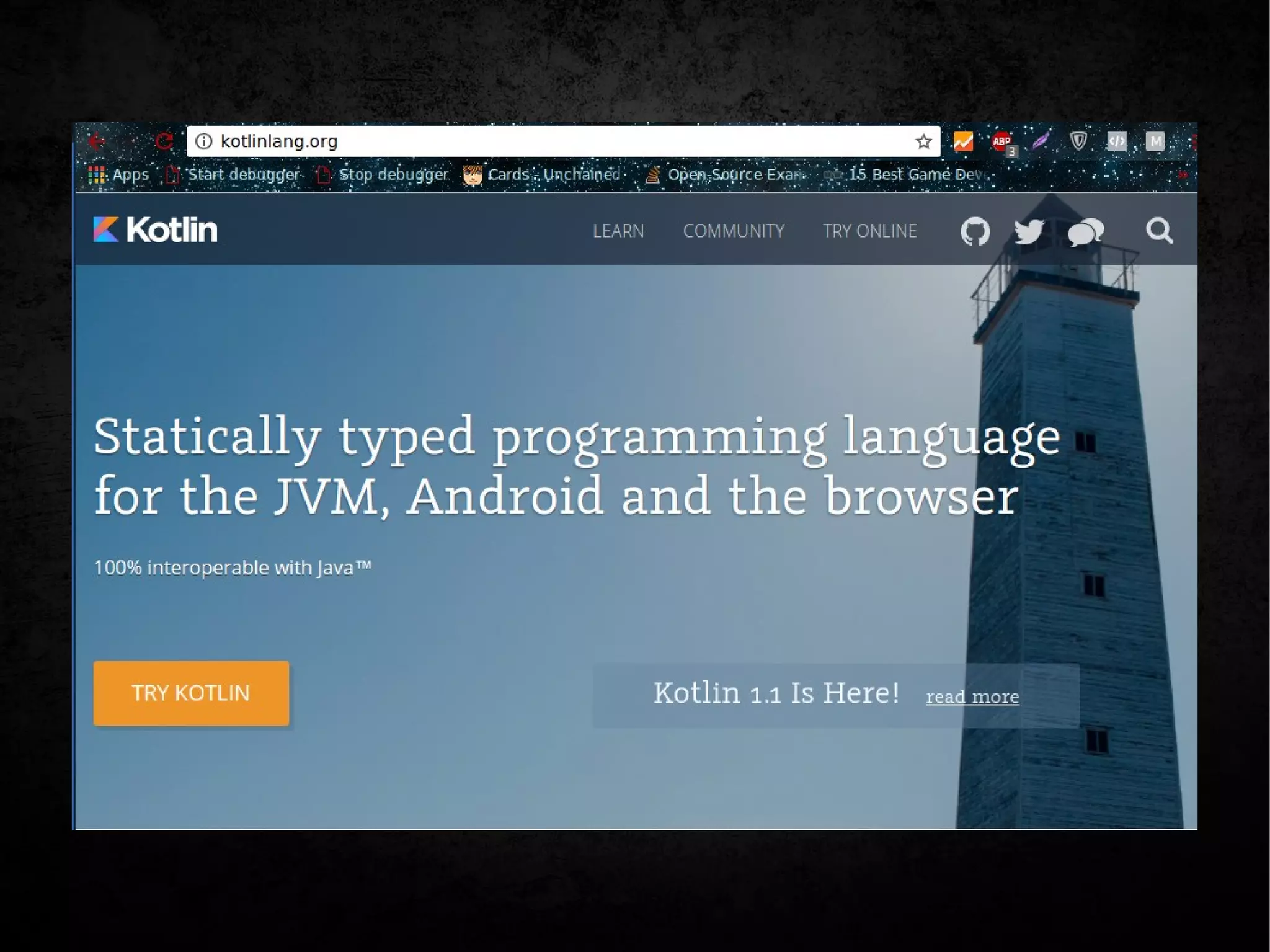
Brand new programming language by JetBrains which targeting Java Platform,
open sourced and free to use
●
Kotlin is concise, safe, pragmatic, and focused on interoperability with Java code
– Works great with all existing Java libraries and frameworks
– Runs with same level performance as Java
●
Can be used for server-side development, Android apps, Desktop apps, and
much more. Anywhere Java runs
●
It’s statically typed programming language
●
Functional and Object Oriented
– First-class functions
– Immutability
– No side-effects
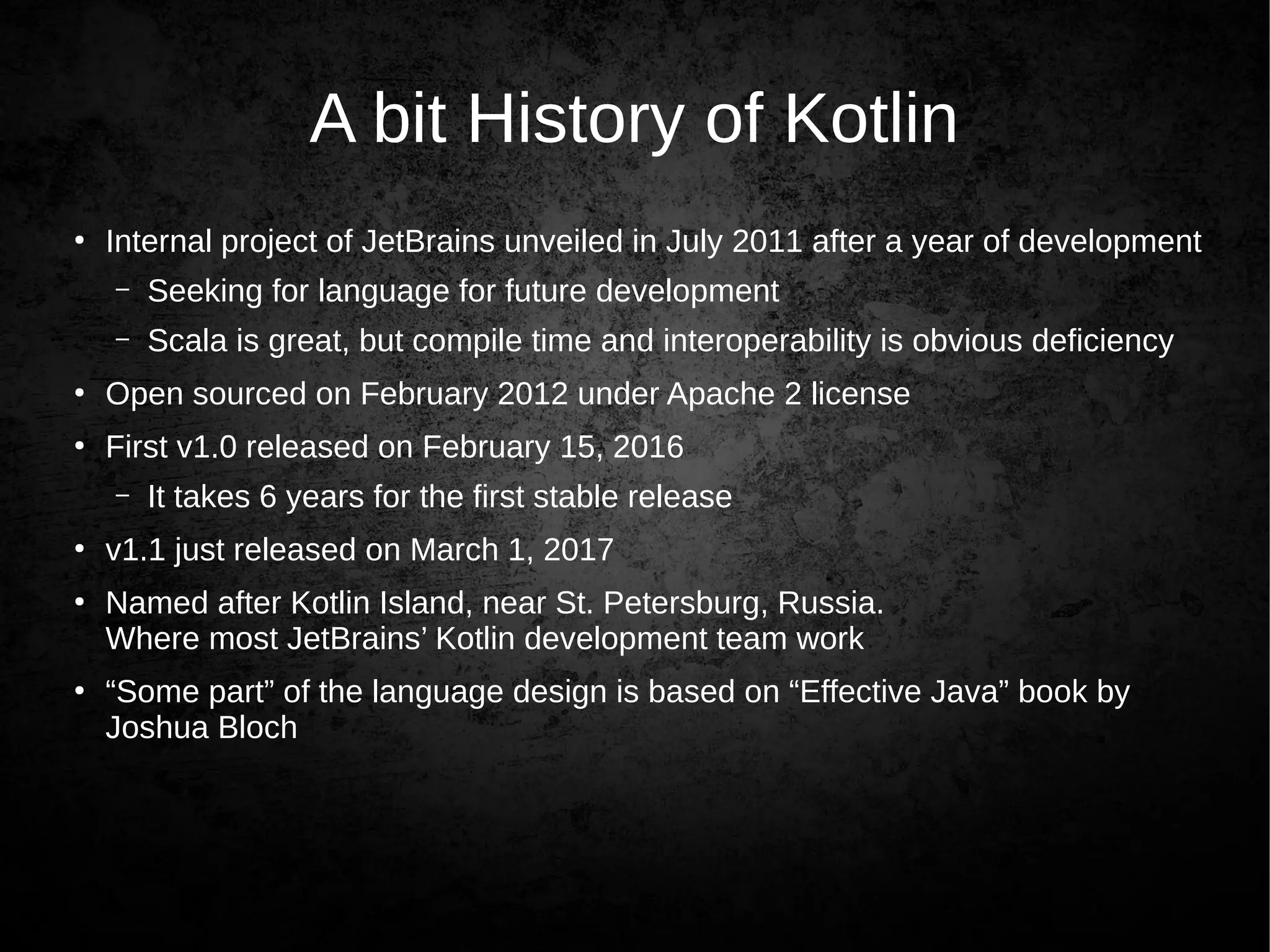
A bit History of Kotlin
●
Internal project of JetBrains unveiled in July 2011 after a year of development
– Seeking for language for future development
– Scala is great, but compile time and interoperability is obvious deficiency
●
Open sourced on February 2012 under Apache 2 license
●
First v1.0 released on February 15, 2016
– It takes 6 years for the first stable release
●
v1.1 just released on March 1, 2017
●
Named after Kotlin Island, near St. Petersburg, Russia.
Where most JetBrains’ Kotlin development team work
●
“Some part” of the language design is based on “Effective Java” book by
Joshua Bloch
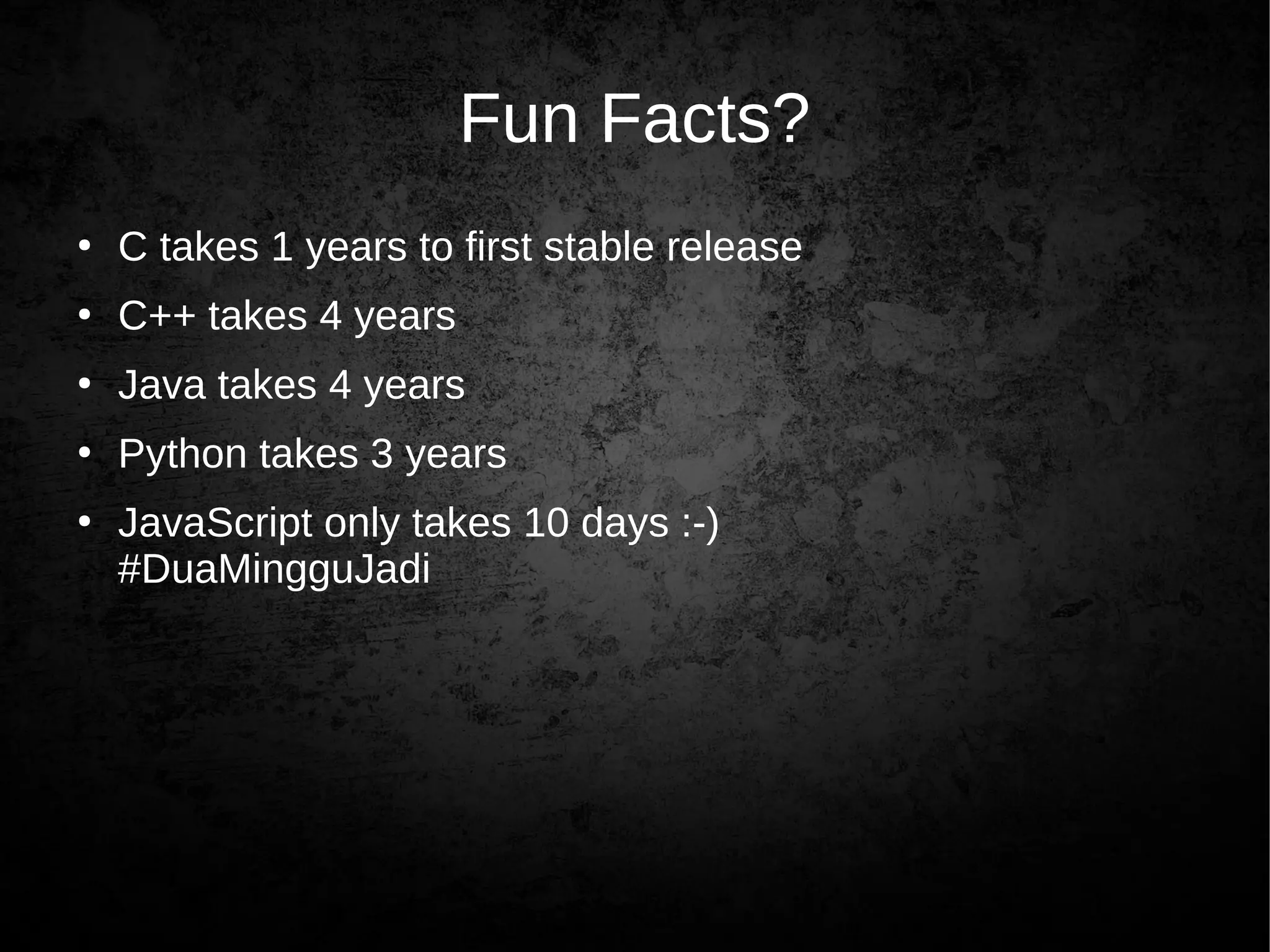
Fun Facts?
●
C takes 1 years to first stable release
●
C++ takes 4 years
●
Java takes 4 years
●
Python takes 3 years
●
JavaScript only takes 10 days :-)
#DuaMingguJadi
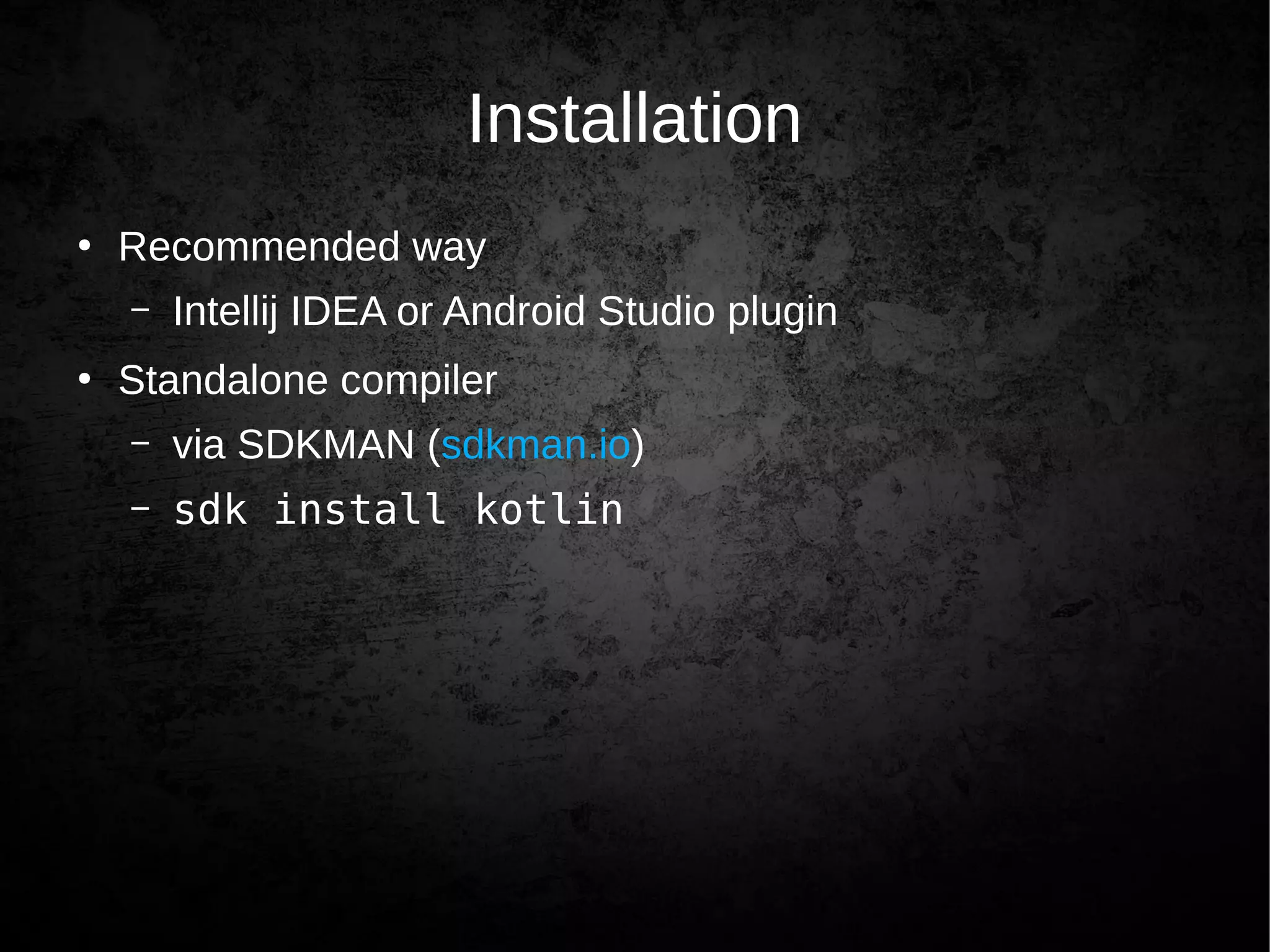
Installation
●
Recommended way
– Intellij IDEA or Android Studio plugin
●
Standalone compiler
– via SDKMAN (sdkman.io)
– sdk install kotlin
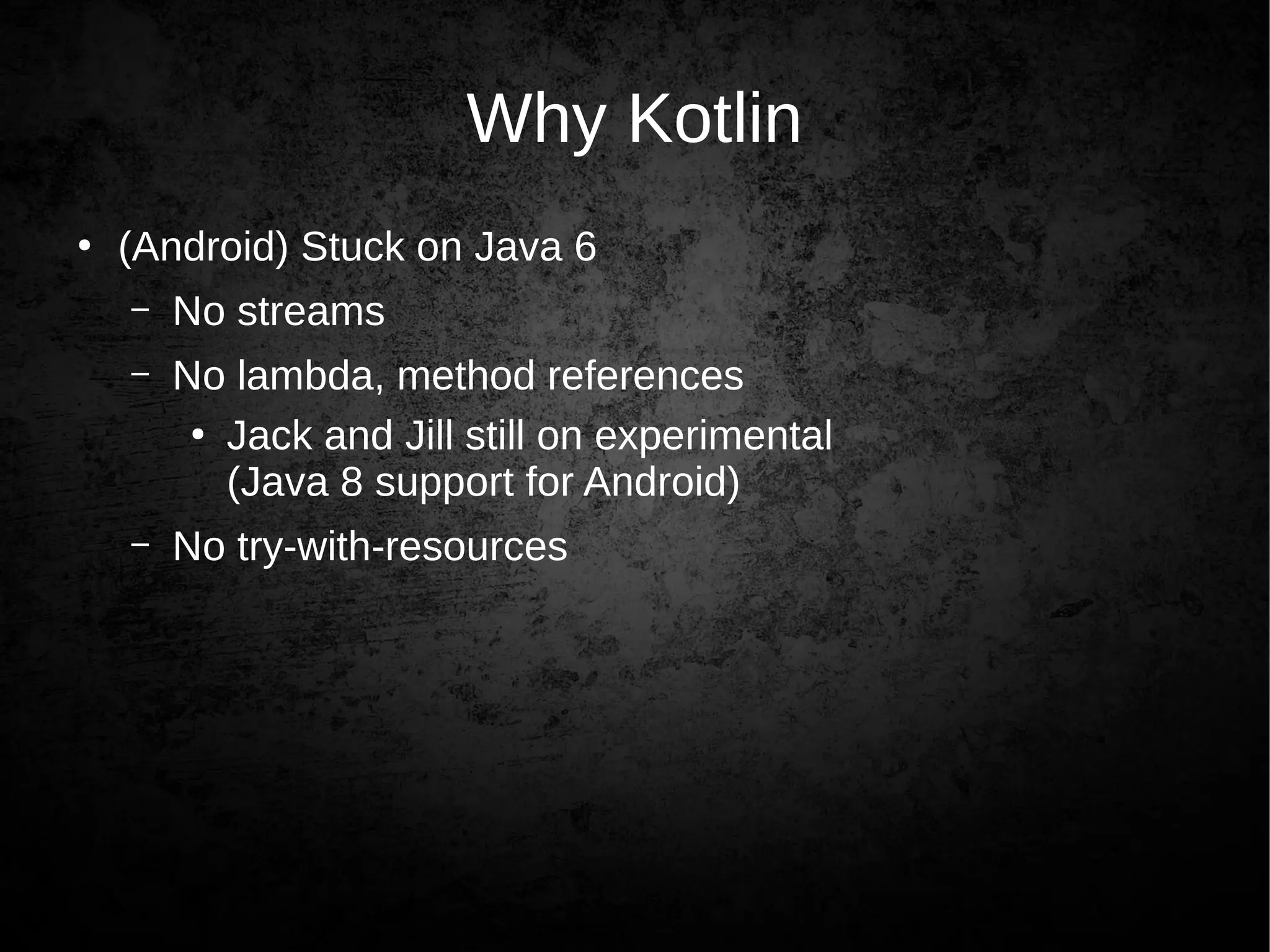
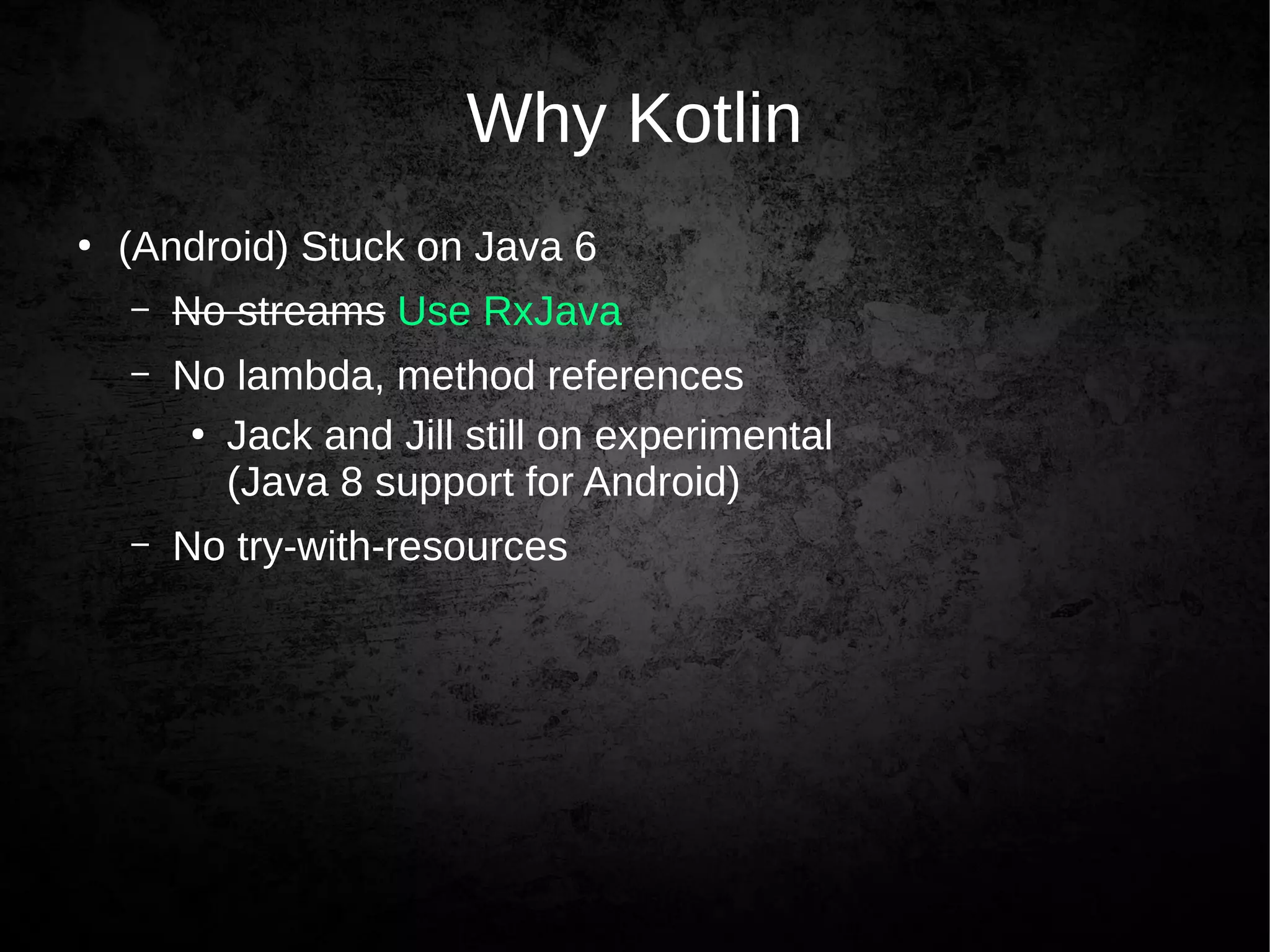
Why Kotlin
●
(Android) Stuck on Java 6
– No streams
– No lambda, method references
●
Jack and Jill still on experimental
(Java 8 support for Android)
– No try-with-resources
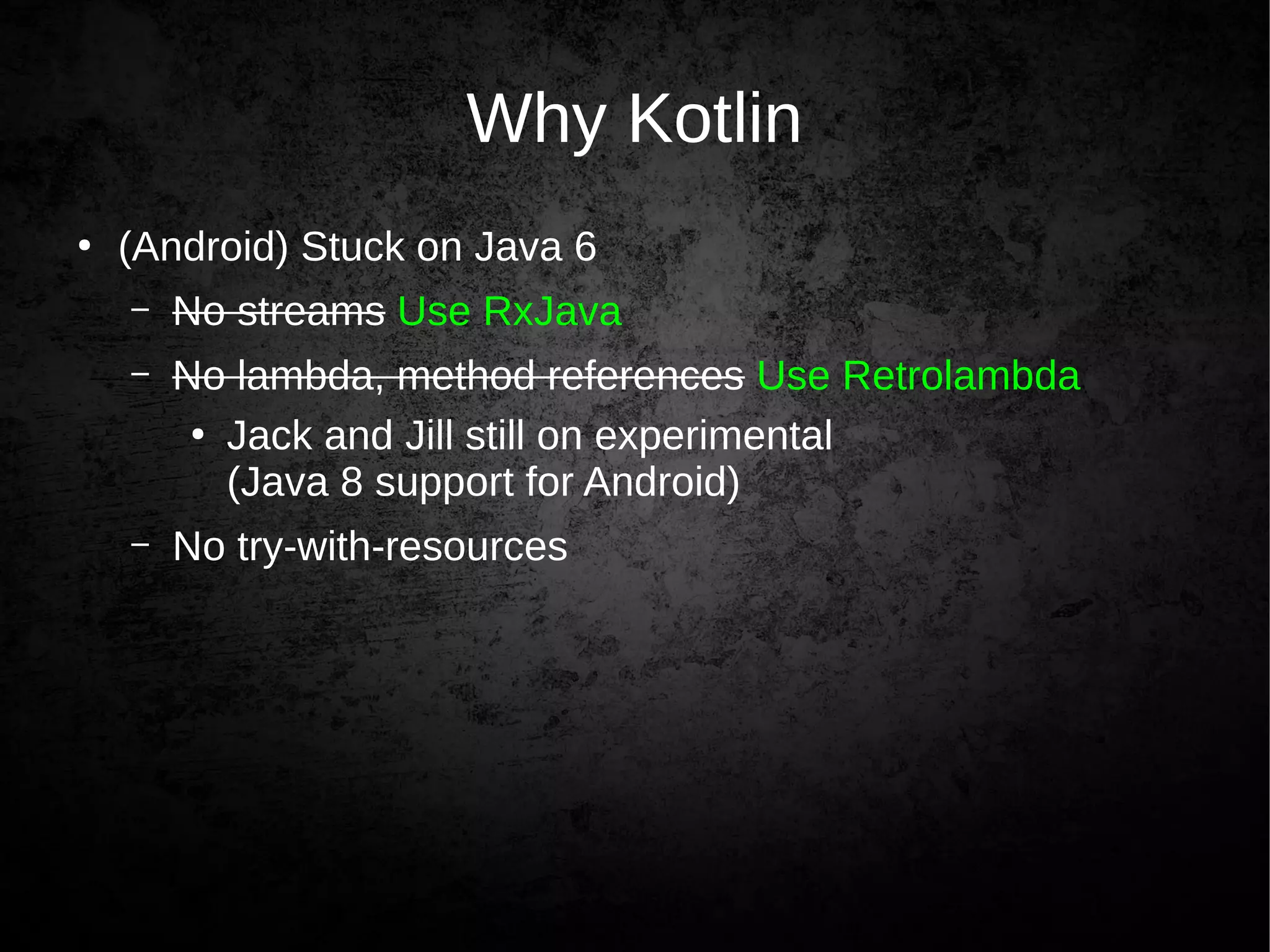
Why Kotlin
●
(Android) Stuck on Java 6
– No streams Use RxJava
– No lambda, method references
●
Jack and Jill still on experimental
(Java 8 support for Android)
– No try-with-resources
Why Kotlin
●
(Android) Stuck on Java 6
– No streams Use RxJava
– No lambda, method references Use Retrolambda
●
Jack and Jill still on experimental
(Java 8 support for Android)
– No try-with-resources
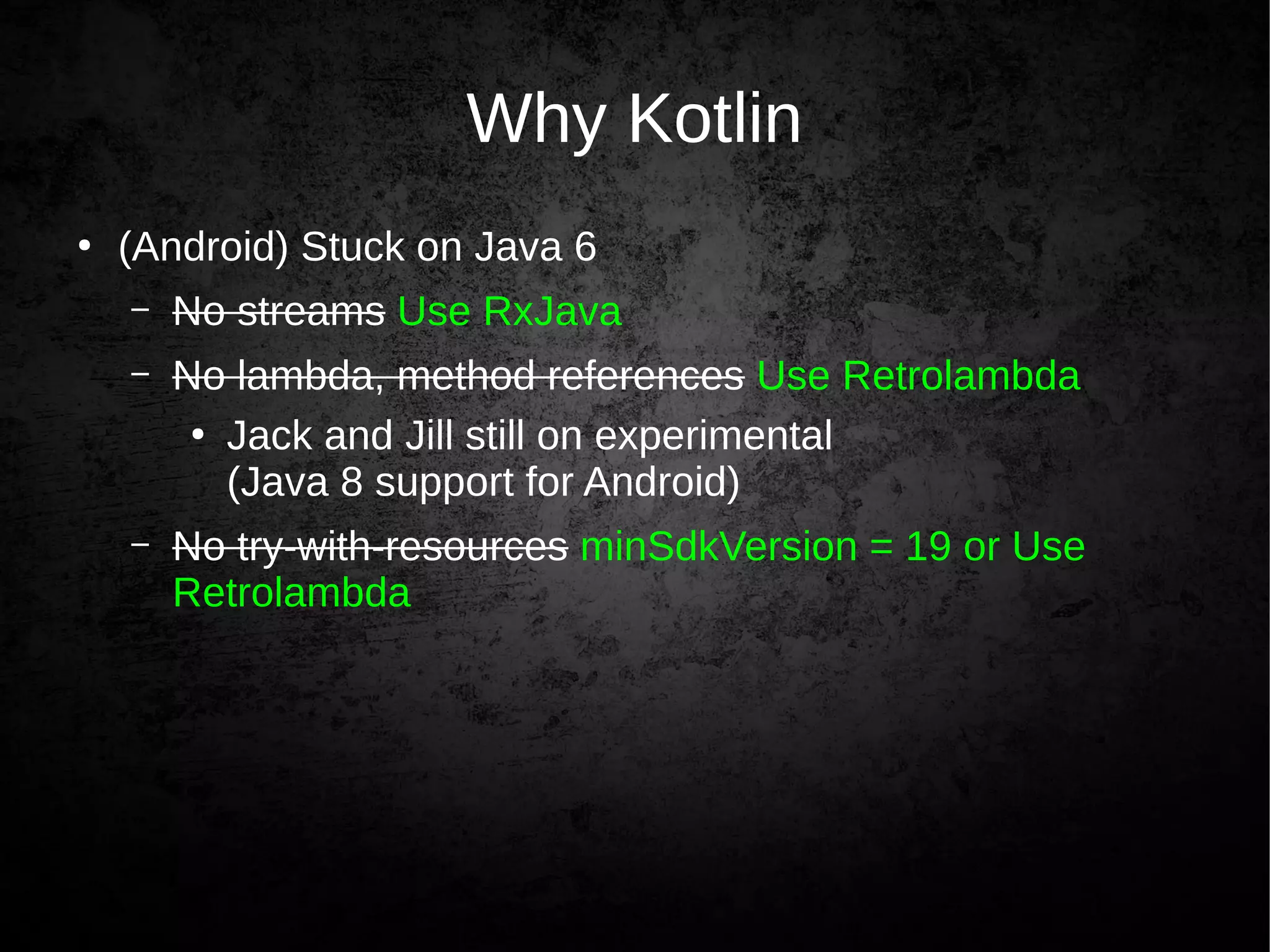
Why Kotlin
●
(Android) Stuck on Java 6
– No streams Use RxJava
– No lambda, method references Use Retrolambda
●
Jack and Jill still on experimental
(Java 8 support for Android)
– No try-with-resources minSdkVersion = 19 or Use
Retrolambda
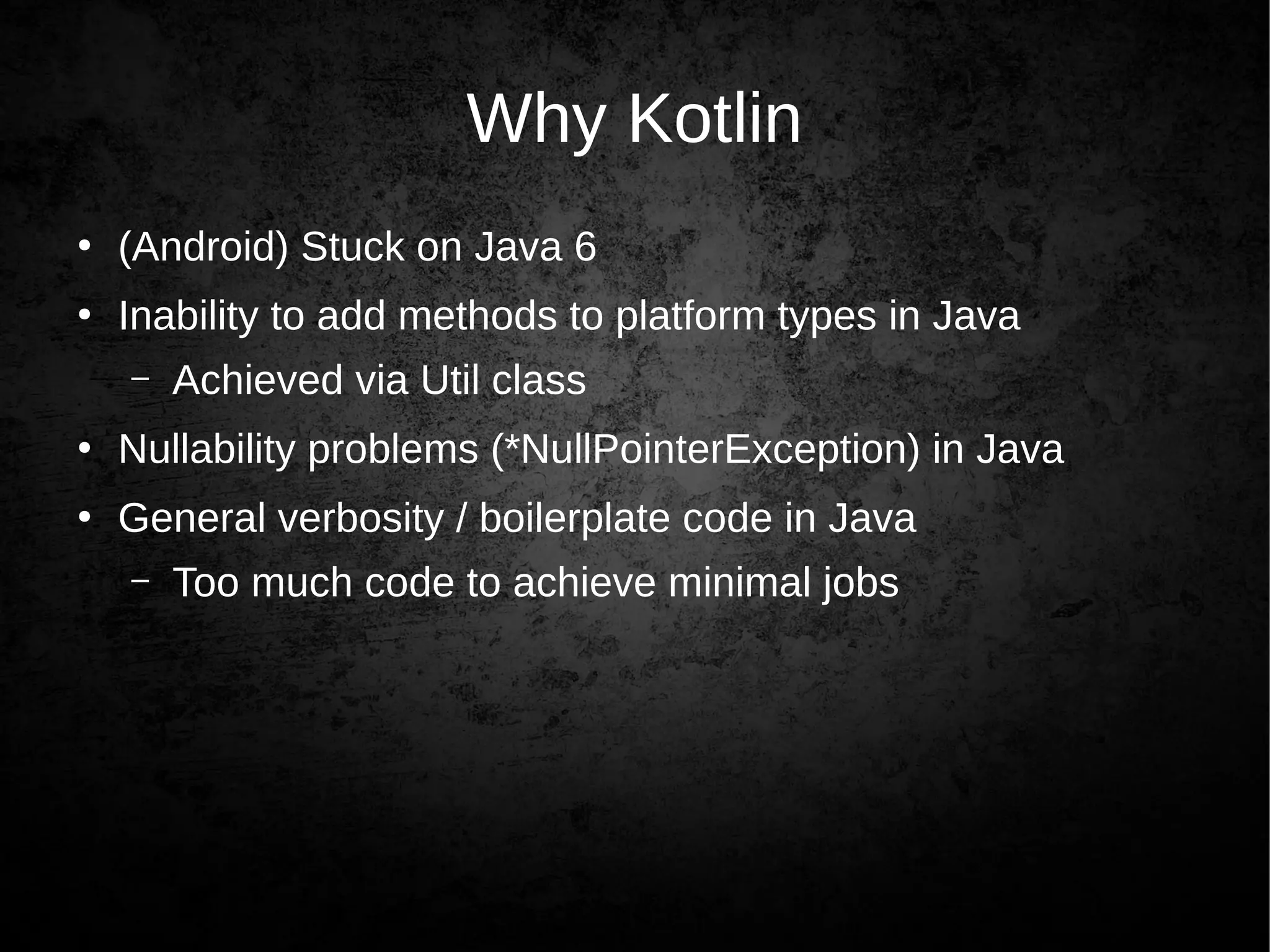
Why Kotlin
●
(Android) Stuck on Java 6
●
Inability to add methods to platform types in Java
– Achieved via Util class
●
Nullability problems (*NullPointerException) in Java
●
General verbosity / boilerplate code in Java
– Too much code to achieve minimal jobs
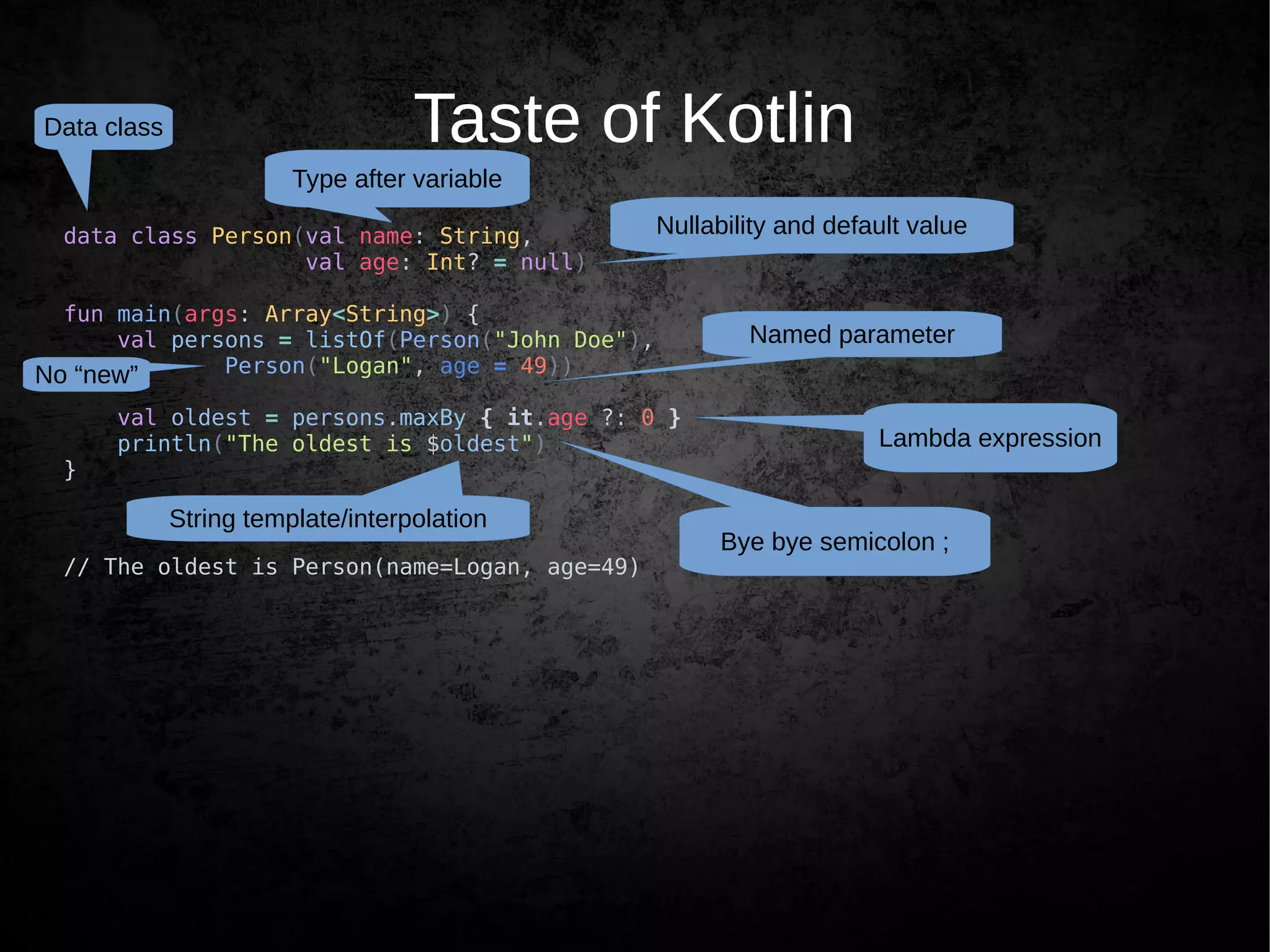
Taste of Kotlin
data class Person(val name: String,
val age: Int? = null)
fun main(args: Array<String>) {
val persons = listOf(Person("John Doe"),
Person("Logan", age = 49))
val oldest = persons.maxBy { it.age ?: 0 }
println("The oldest is $oldest")
}
// The oldest is Person(name=Logan, age=49)
Bye bye semicolon ;
Type after variable
Nullability and default value
Lambda expression
String template/interpolation
Data class
Named parameter
No “new”
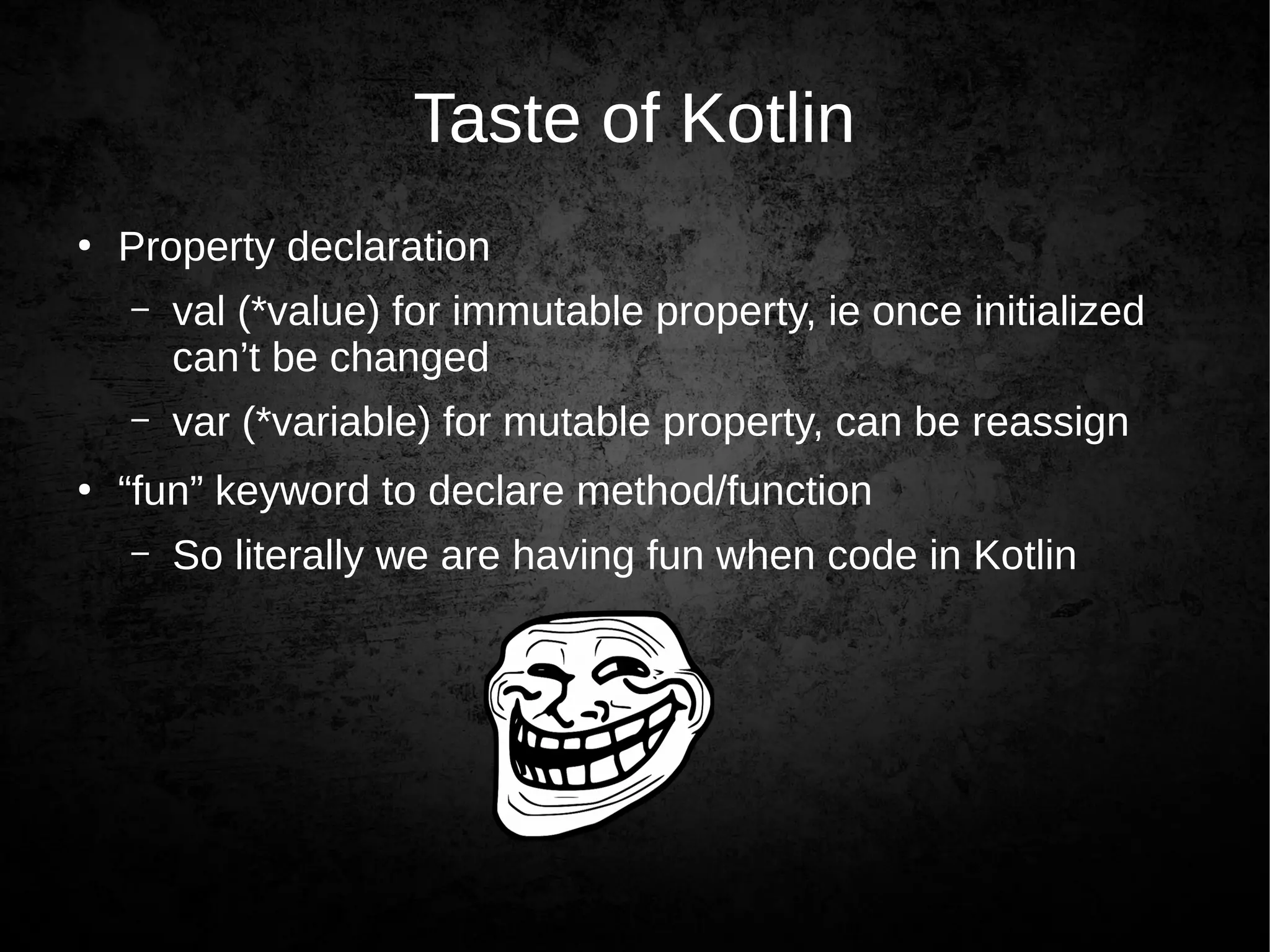
Taste of Kotlin
●
Property declaration
– val (*value) for immutable property, ie once initialized
can’t be changed
– var (*variable) for mutable property, can be reassign
●
“fun” keyword to declare method/function
– So literally we are having fun when code in Kotlin
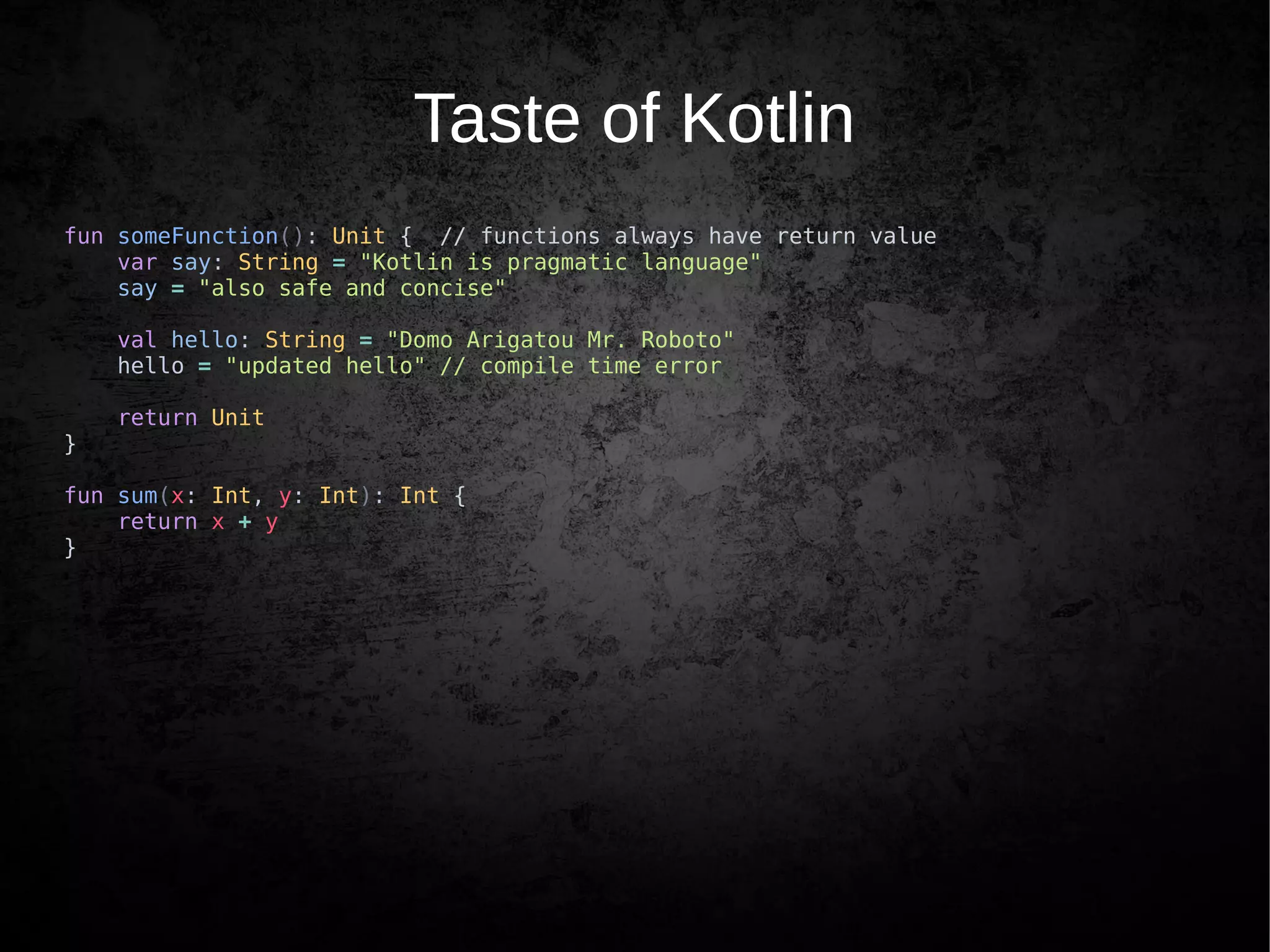
Taste of Kotlin
fun someFunction(): Unit { // functions always have return value
var say: String = "Kotlin is pragmatic language"
say = "also safe and concise"
val hello: String = "Domo Arigatou Mr. Roboto"
hello = "updated hello" // compile time error
return Unit
}
fun sum(x: Int, y: Int): Int {
return x + y
}
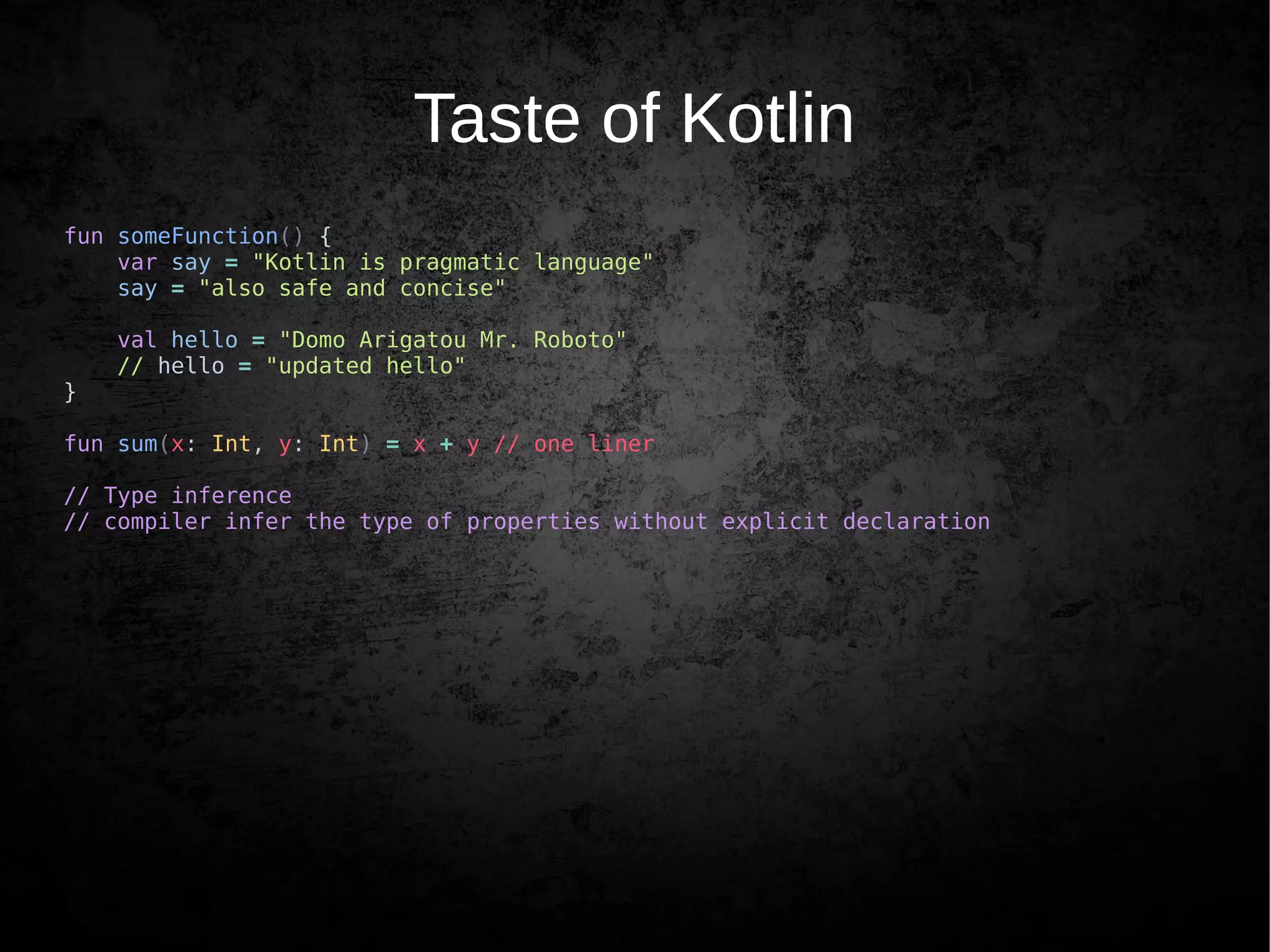
Taste of Kotlin
fun someFunction() {
var say = "Kotlin is pragmatic language"
say = "also safe and concise"
val hello = "Domo Arigatou Mr. Roboto"
// hello = "updated hello"
}
fun sum(x: Int, y: Int) = x + y // one liner
// Type inference
// compiler infer the type of properties without explicit declaration
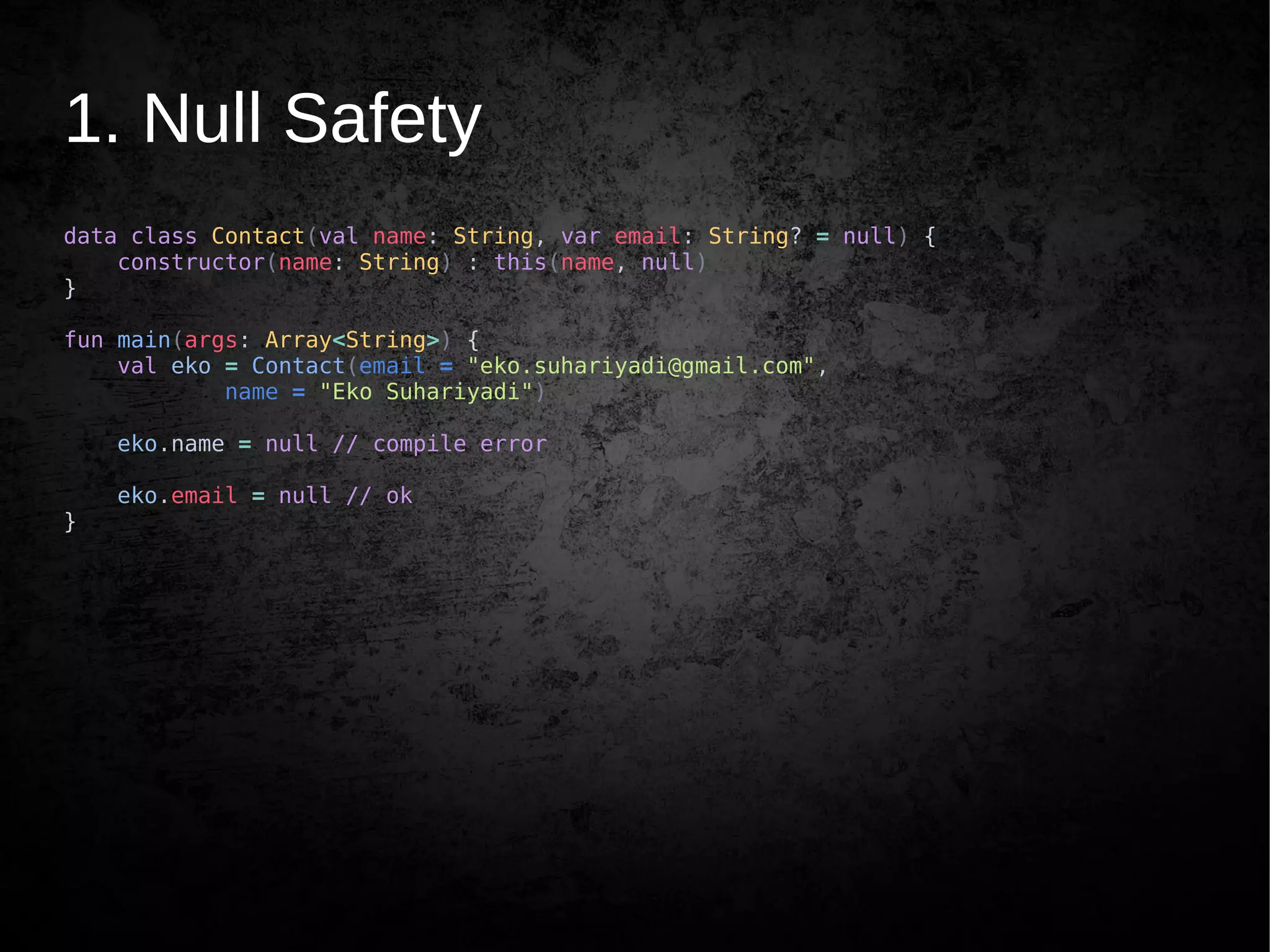
1. Null Safety
data class Contact(val name: String, var email: String? = null) {
constructor(name: String) : this(name, null)
}
fun main(args: Array<String>) {
val eko = Contact(email = "eko.suhariyadi@gmail.com",
name = "Eko Suhariyadi")
eko.name = null // compile error
eko.email = null // ok
}
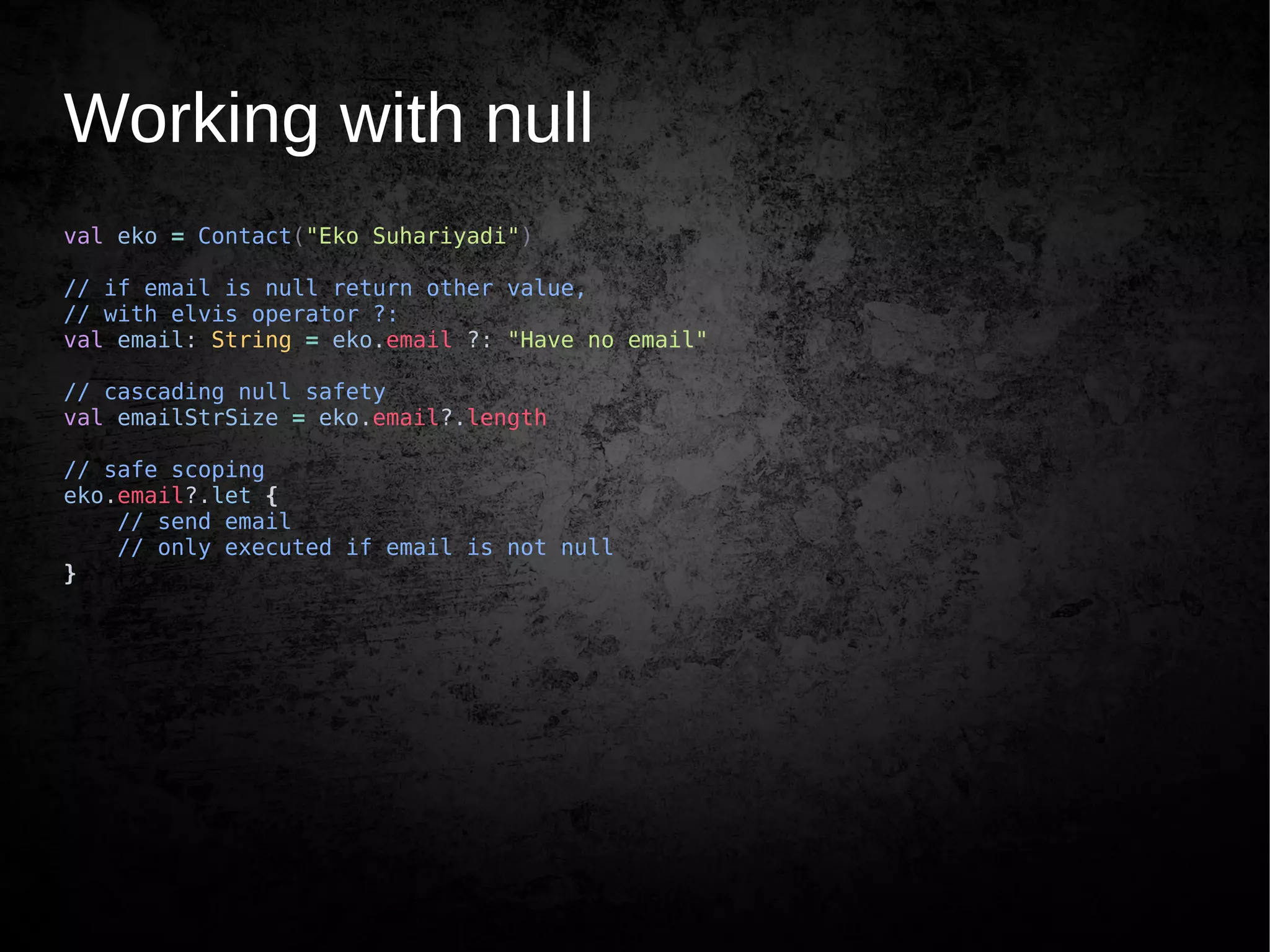
Working with null
val eko = Contact("Eko Suhariyadi")
// if email is null return other value,
// with elvis operator ?:
val email: String = eko.email ?: "Have no email"
// cascading null safety
val emailStrSize = eko.email?.length
// safe scoping
eko.email?.let {
// send email
// only executed if email is not null
}
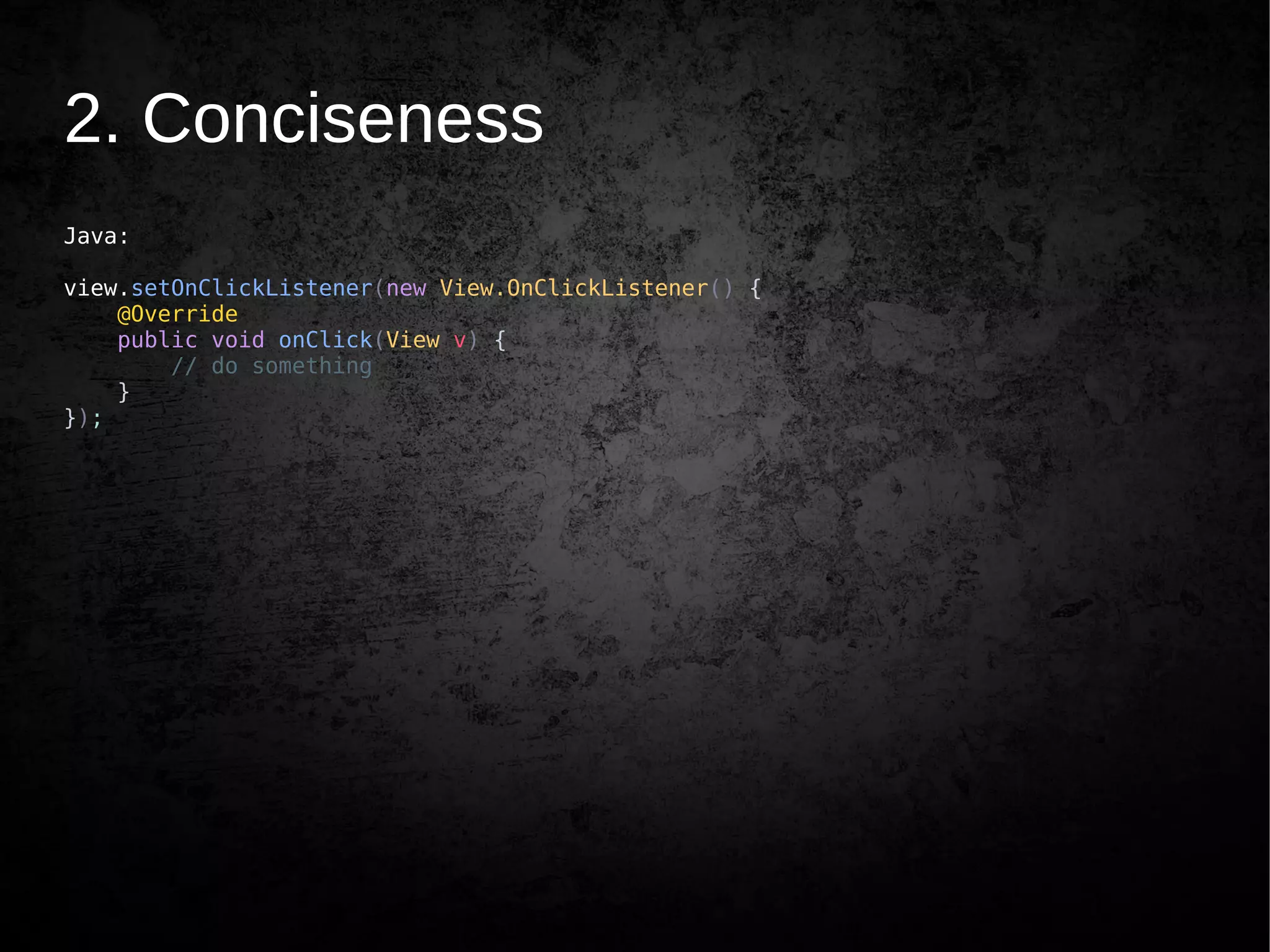
2. Conciseness
Java:
view.setOnClickListener(new View.OnClickListener() {
@Override
public void onClick(View v) {
// do something
}
});
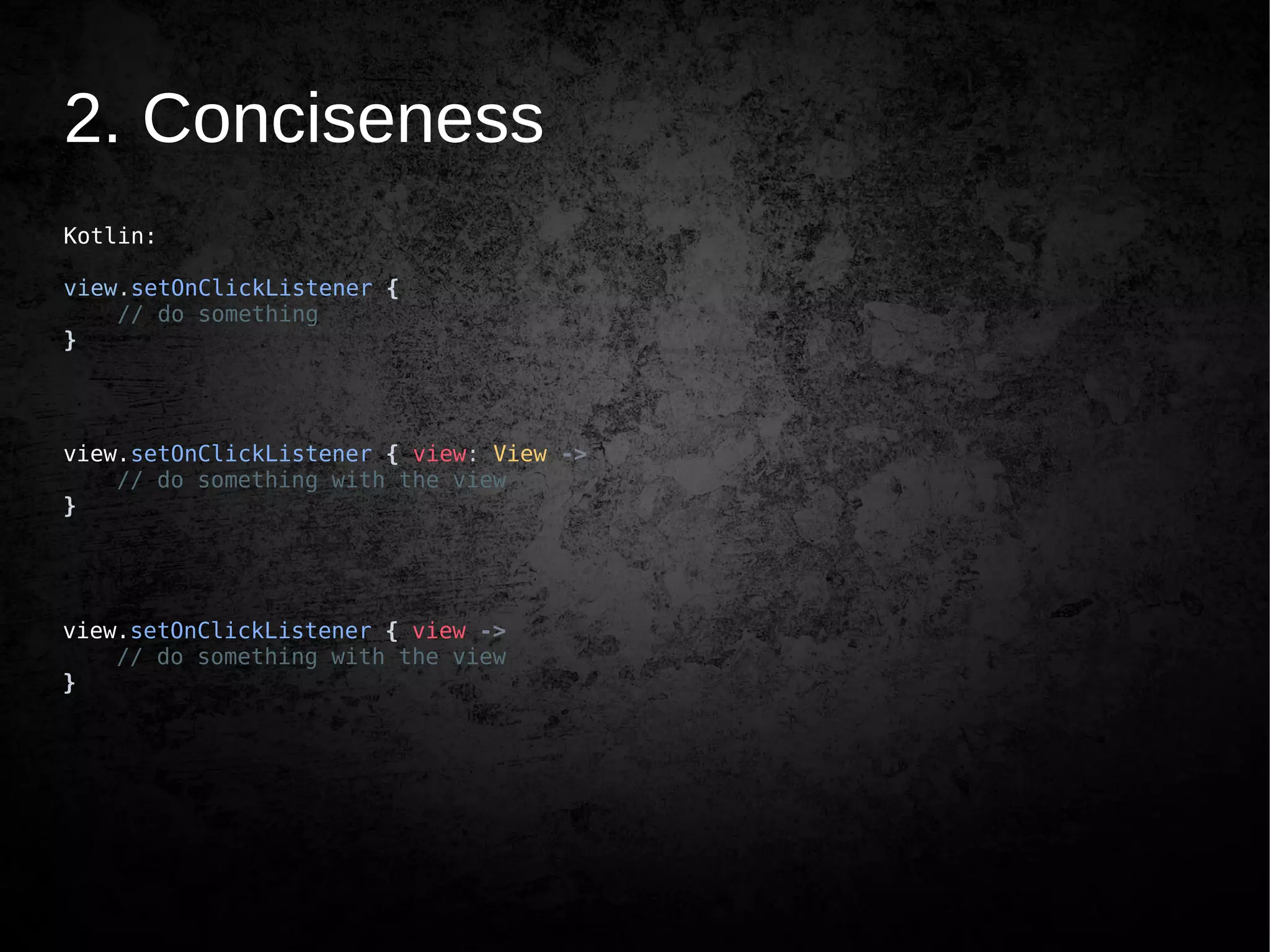
2. Conciseness
Kotlin:
view.setOnClickListener {
// do something
}
view.setOnClickListener { view: View ->
// do something with the view
}
view.setOnClickListener { view ->
// do something with the view
}
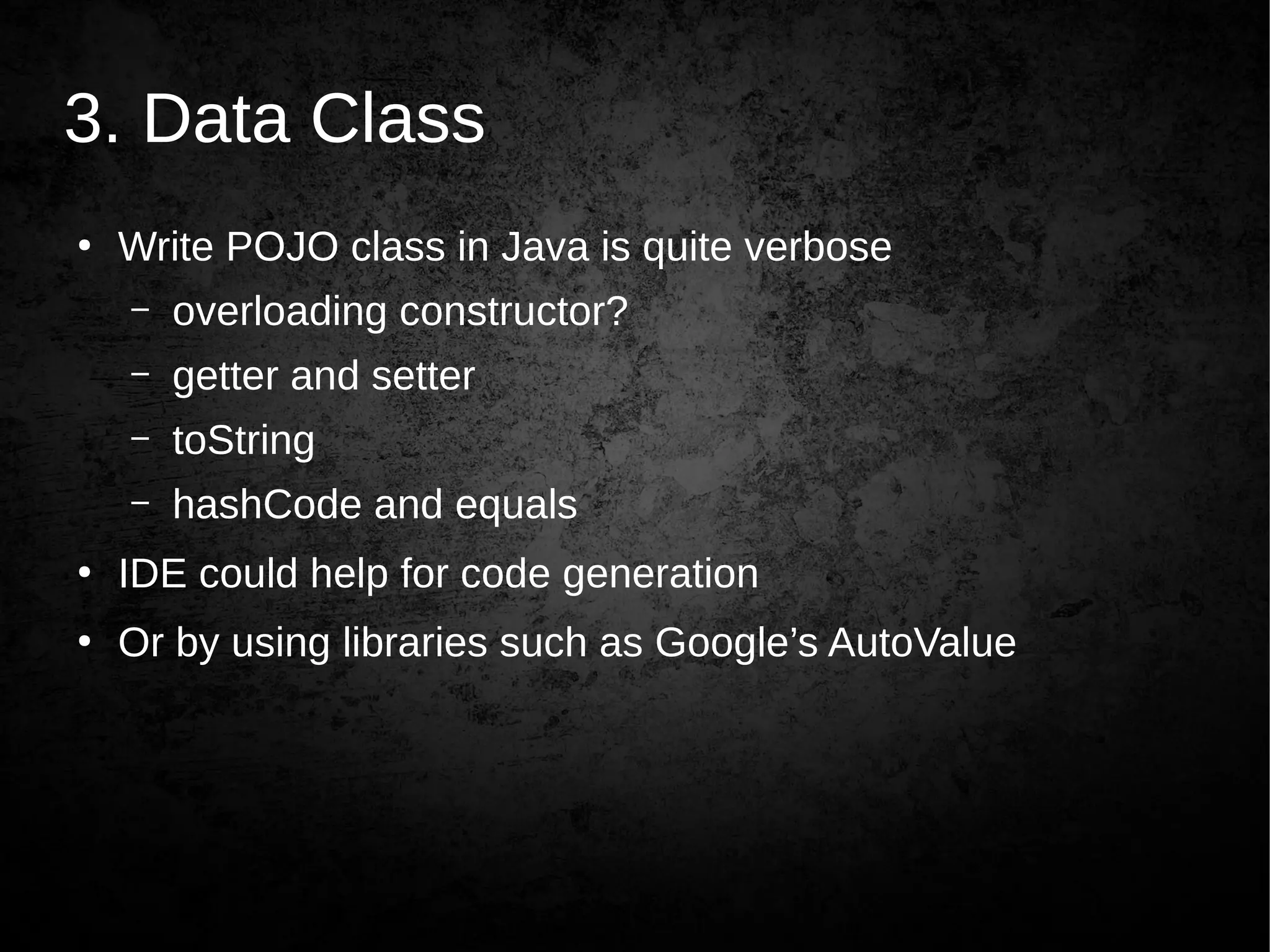
3. Data Class
●
Write POJO class in Java is quite verbose
– overloading constructor?
– getter and setter
– toString
– hashCode and equals
●
IDE could help for code generation
●
Or by using libraries such as Google’s AutoValue
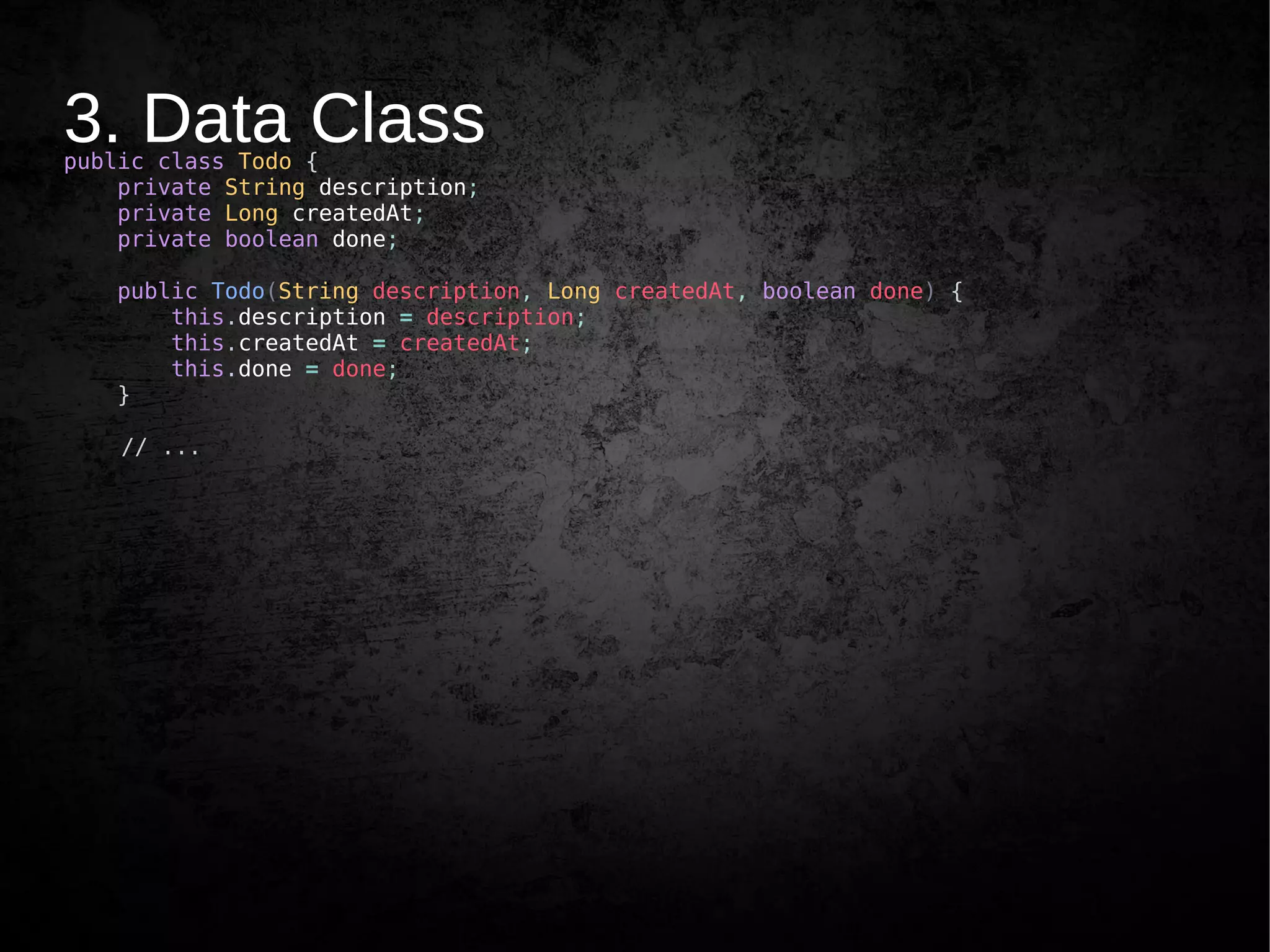
3. Data Classpublic class Todo {
private String description;
private Long createdAt;
private boolean done;
public Todo(String description, Long createdAt, boolean done) {
this.description = description;
this.createdAt = createdAt;
this.done = done;
}
// ...
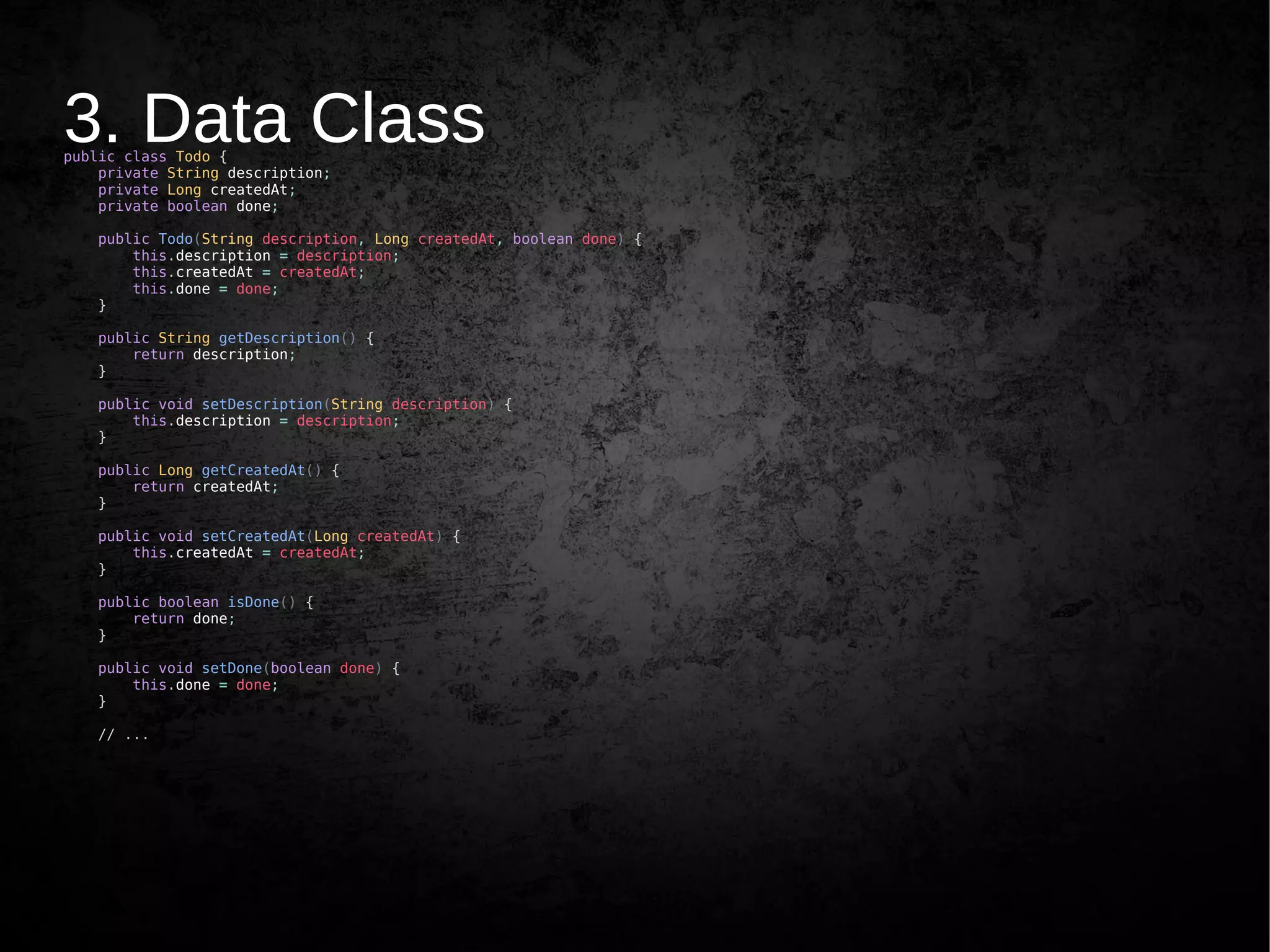
3. Data Classpublic class Todo {
private String description;
private Long createdAt;
private boolean done;
public Todo(String description, Long createdAt, boolean done) {
this.description = description;
this.createdAt = createdAt;
this.done = done;
}
public String getDescription() {
return description;
}
public void setDescription(String description) {
this.description = description;
}
public Long getCreatedAt() {
return createdAt;
}
public void setCreatedAt(Long createdAt) {
this.createdAt = createdAt;
}
public boolean isDone() {
return done;
}
public void setDone(boolean done) {
this.done = done;
}
// ...
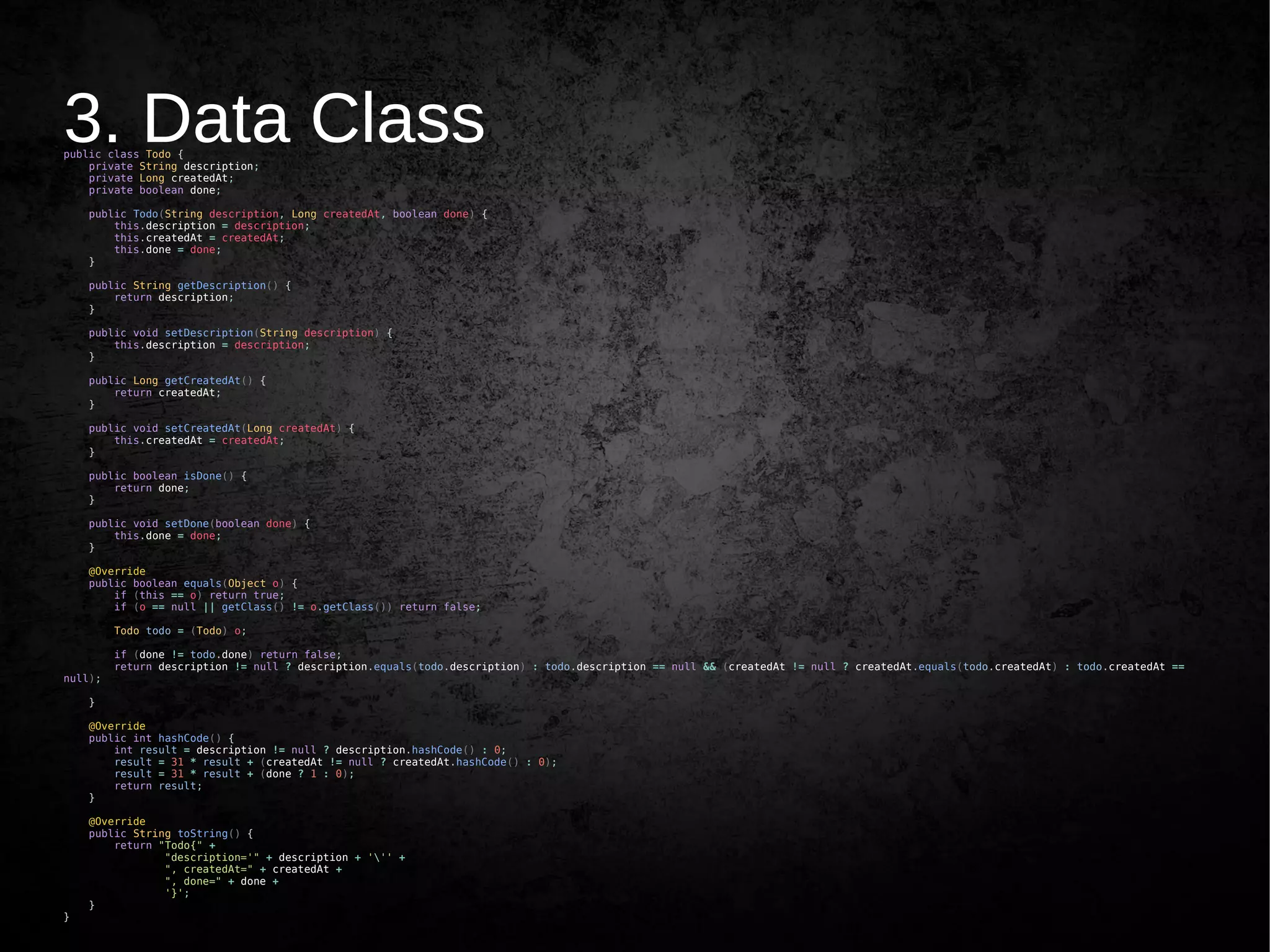
3. Data Classpublic class Todo {
private String description;
private Long createdAt;
private boolean done;
public Todo(String description, Long createdAt, boolean done) {
this.description = description;
this.createdAt = createdAt;
this.done = done;
}
public String getDescription() {
return description;
}
public void setDescription(String description) {
this.description = description;
}
public Long getCreatedAt() {
return createdAt;
}
public void setCreatedAt(Long createdAt) {
this.createdAt = createdAt;
}
public boolean isDone() {
return done;
}
public void setDone(boolean done) {
this.done = done;
}
@Override
public boolean equals(Object o) {
if (this == o) return true;
if (o == null || getClass() != o.getClass()) return false;
Todo todo = (Todo) o;
if (done != todo.done) return false;
return description != null ? description.equals(todo.description) : todo.description == null && (createdAt != null ? createdAt.equals(todo.createdAt) : todo.createdAt ==
null);
}
@Override
public int hashCode() {
int result = description != null ? description.hashCode() : 0;
result = 31 * result + (createdAt != null ? createdAt.hashCode() : 0);
result = 31 * result + (done ? 1 : 0);
return result;
}
@Override
public String toString() {
return "Todo{" +
"description='" + description + ''' +
", createdAt=" + createdAt +
", done=" + done +
'}';
}
}
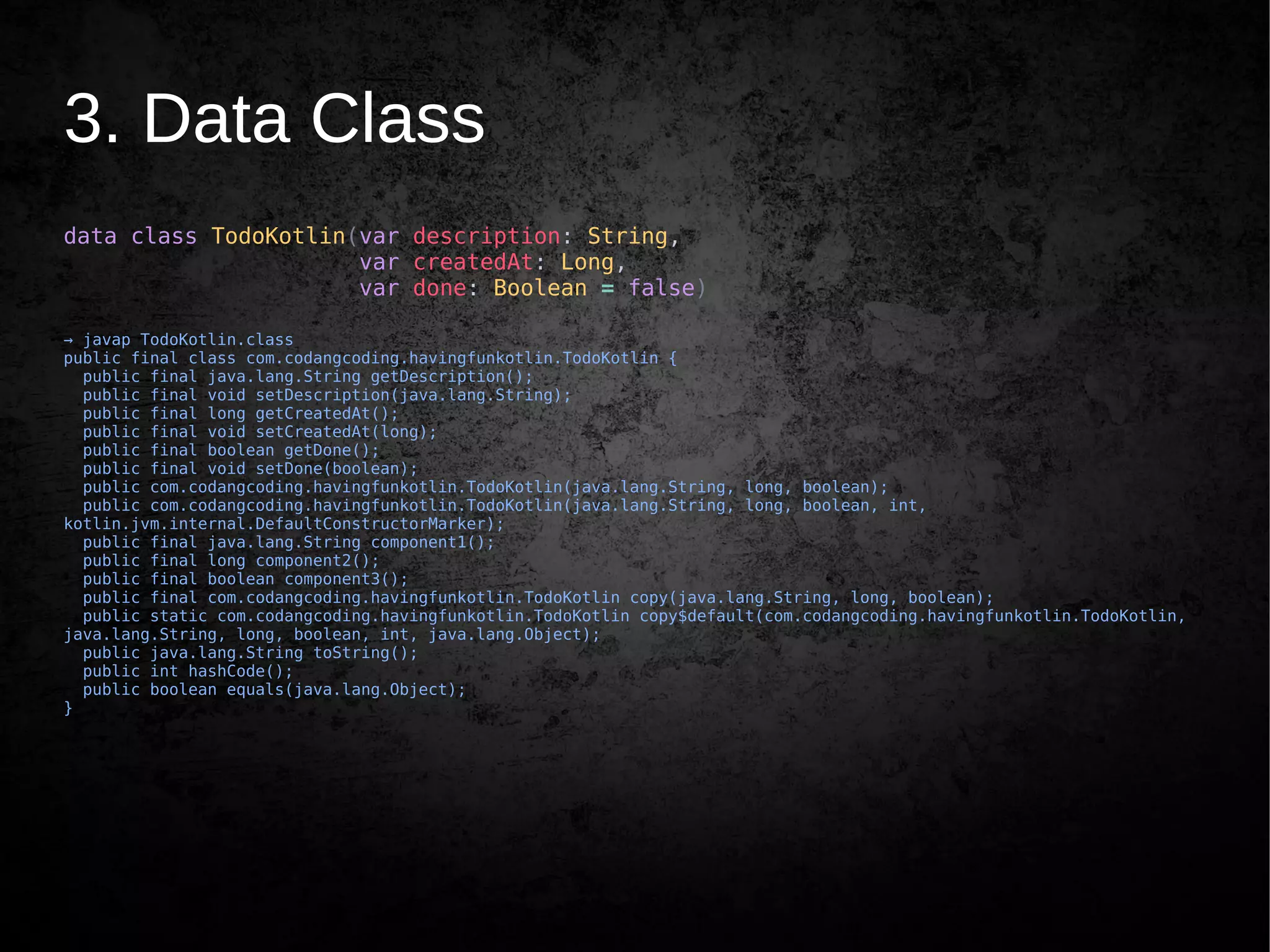
3. Data Class
data class TodoKotlin(var description: String,
var createdAt: Long,
var done: Boolean = false)
→ javap TodoKotlin.class
public final class com.codangcoding.havingfunkotlin.TodoKotlin {
public final java.lang.String getDescription();
public final void setDescription(java.lang.String);
public final long getCreatedAt();
public final void setCreatedAt(long);
public final boolean getDone();
public final void setDone(boolean);
public com.codangcoding.havingfunkotlin.TodoKotlin(java.lang.String, long, boolean);
public com.codangcoding.havingfunkotlin.TodoKotlin(java.lang.String, long, boolean, int,
kotlin.jvm.internal.DefaultConstructorMarker);
public final java.lang.String component1();
public final long component2();
public final boolean component3();
public final com.codangcoding.havingfunkotlin.TodoKotlin copy(java.lang.String, long, boolean);
public static com.codangcoding.havingfunkotlin.TodoKotlin copy$default(com.codangcoding.havingfunkotlin.TodoKotlin,
java.lang.String, long, boolean, int, java.lang.Object);
public java.lang.String toString();
public int hashCode();
public boolean equals(java.lang.Object);
}
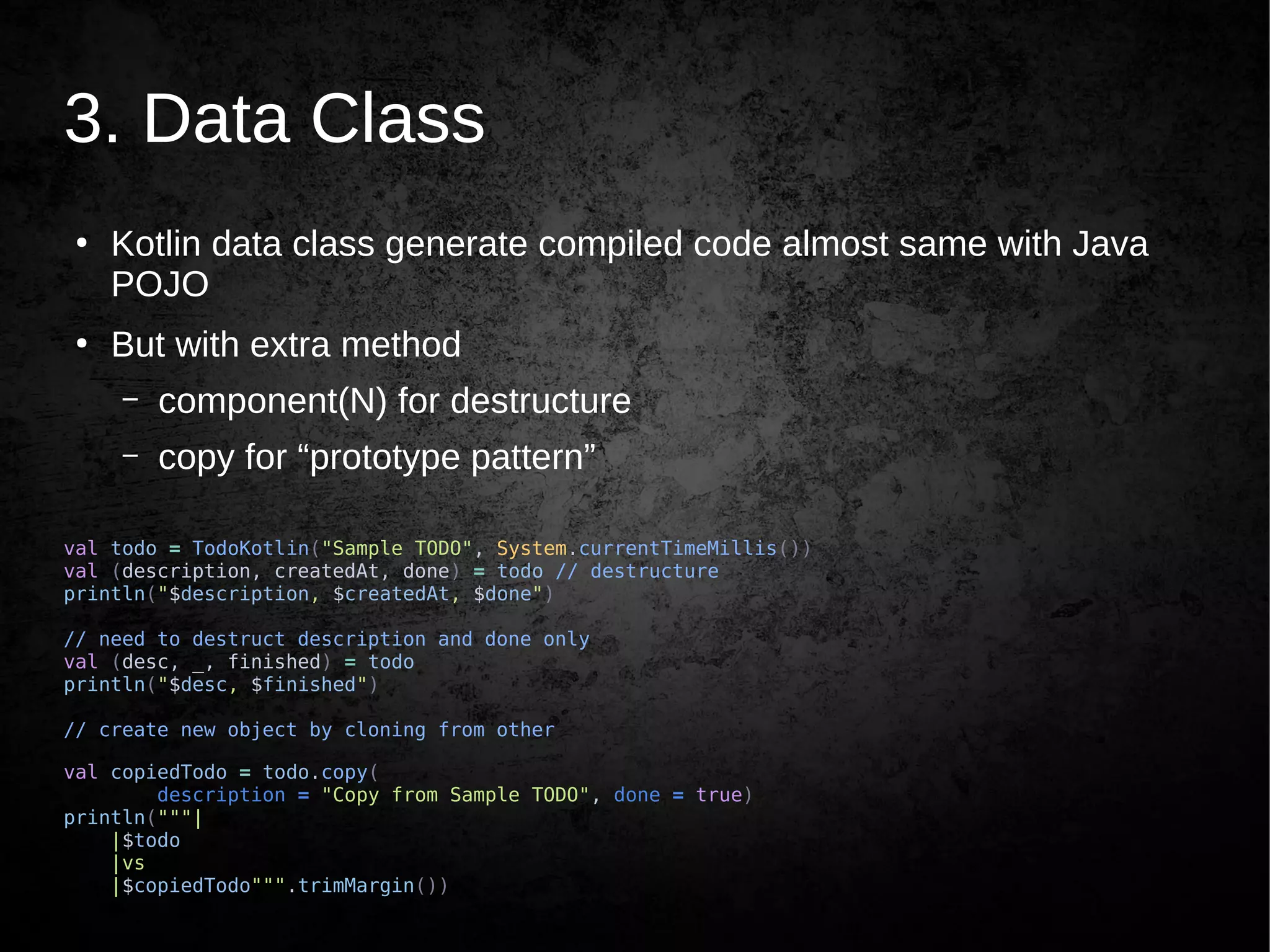
3. Data Class
●
Kotlin data class generate compiled code almost same with Java
POJO
●
But with extra method
– component(N) for destructure
– copy for “prototype pattern”
val todo = TodoKotlin("Sample TODO", System.currentTimeMillis())
val (description, createdAt, done) = todo // destructure
println("$description, $createdAt, $done")
// need to destruct description and done only
val (desc, _, finished) = todo
println("$desc, $finished")
// create new object by cloning from other
val copiedTodo = todo.copy(
description = "Copy from Sample TODO", done = true)
println("""|
|$todo
|vs
|$copiedTodo""".trimMargin())
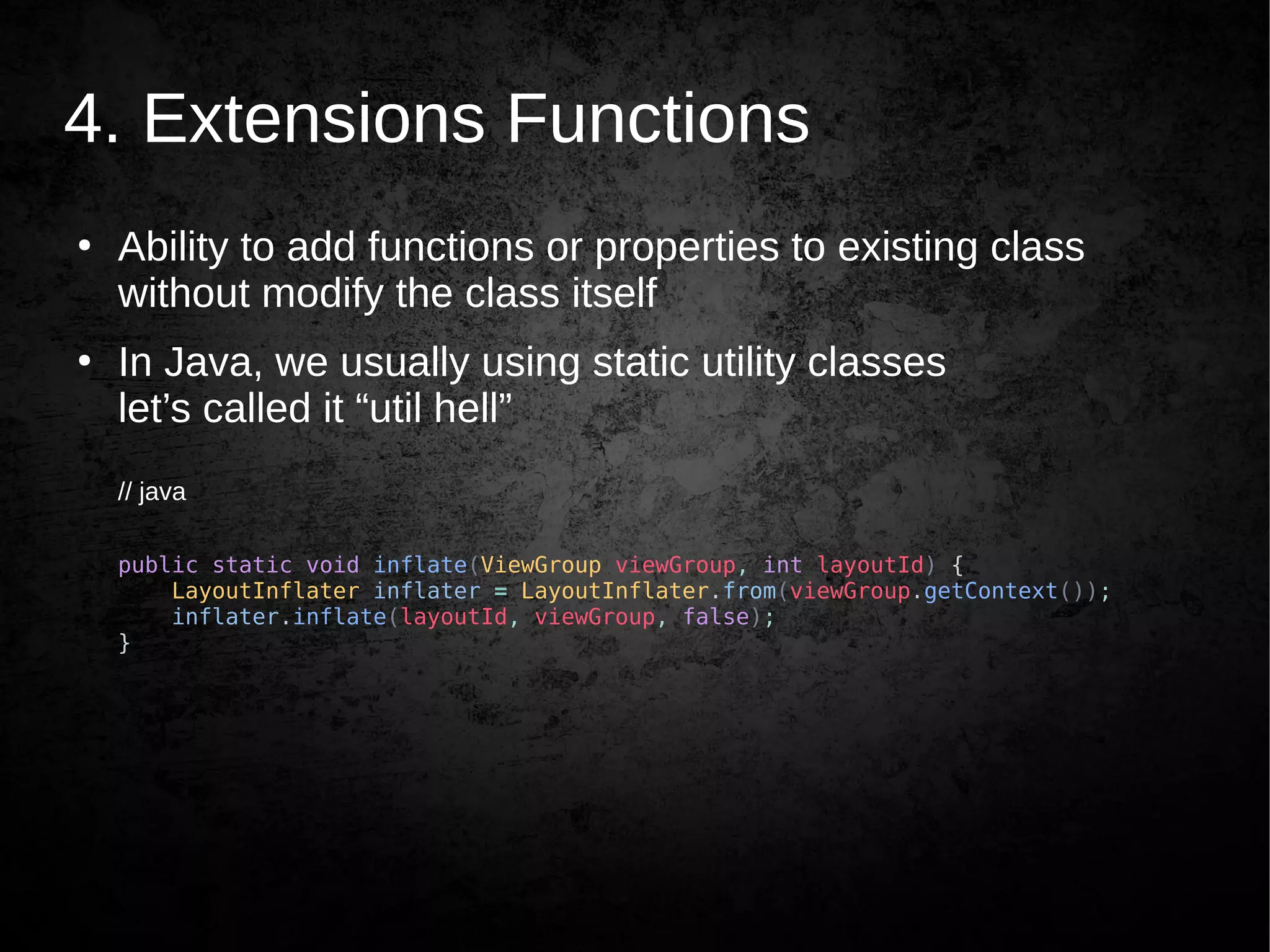
4. Extensions Functions
●
Ability to add functions or properties to existing class
without modify the class itself
●
In Java, we usually using static utility classes
let’s called it “util hell”
// java
public static void inflate(ViewGroup viewGroup, int layoutId) {
LayoutInflater inflater = LayoutInflater.from(viewGroup.getContext());
inflater.inflate(layoutId, viewGroup, false);
}
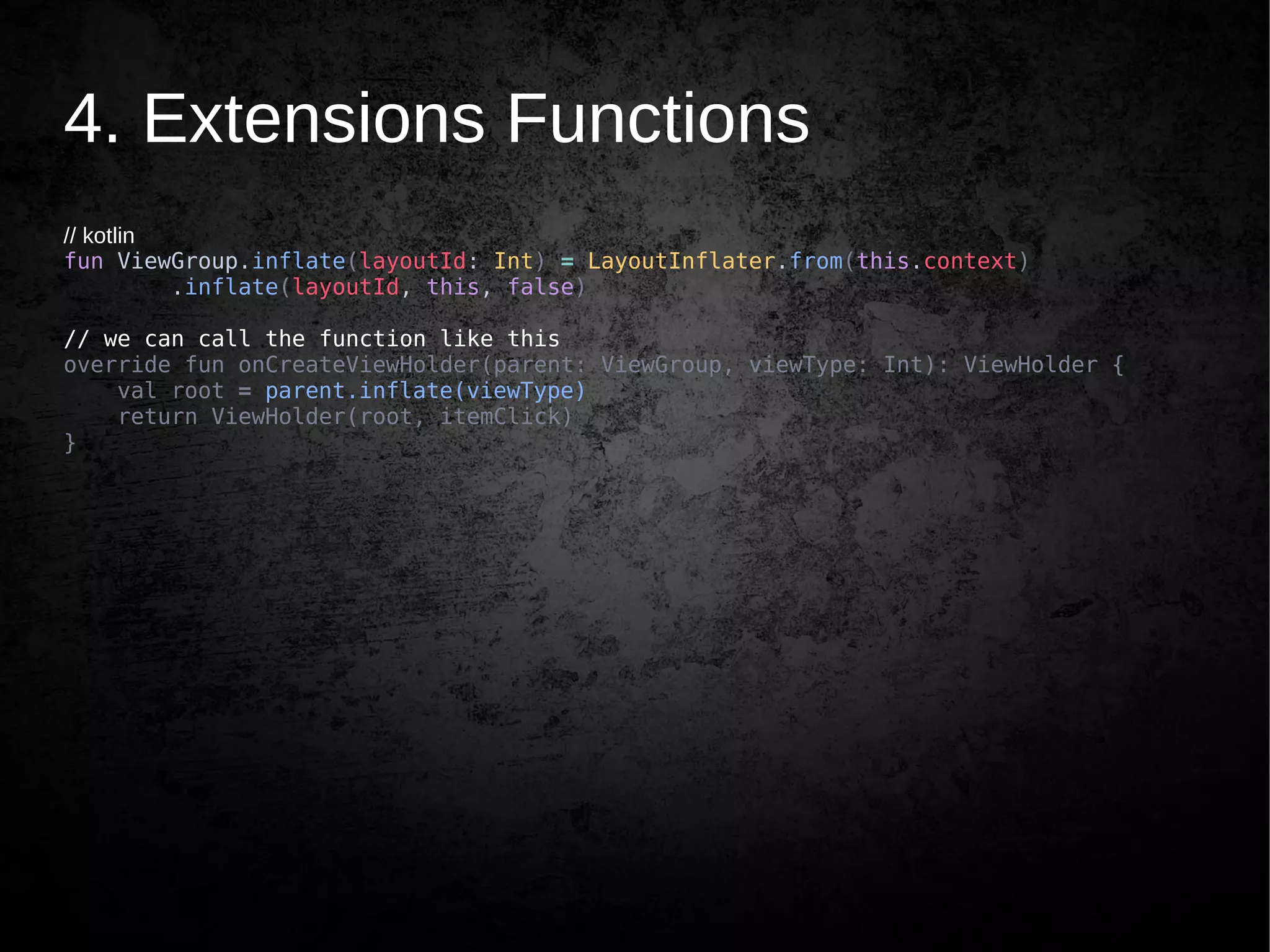
4. Extensions Functions
// kotlin
fun ViewGroup.inflate(layoutId: Int) = LayoutInflater.from(this.context)
.inflate(layoutId, this, false)
// we can call the function like this
override fun onCreateViewHolder(parent: ViewGroup, viewType: Int): ViewHolder {
val root = parent.inflate(viewType)
return ViewHolder(root, itemClick)
}
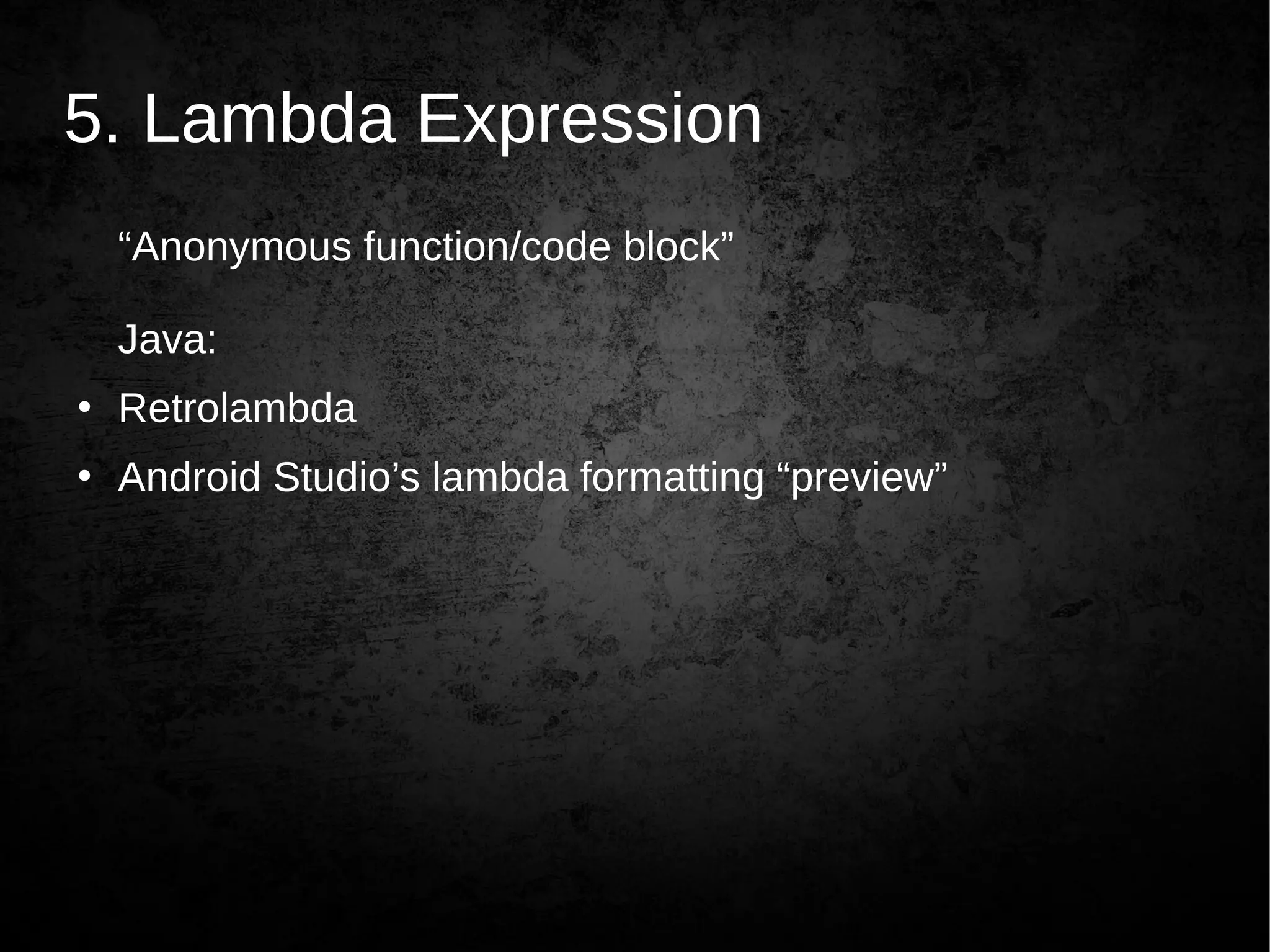
5. Lambda Expression
“Anonymous function/code block”
Java:
●
Retrolambda
●
Android Studio’s lambda formatting “preview”
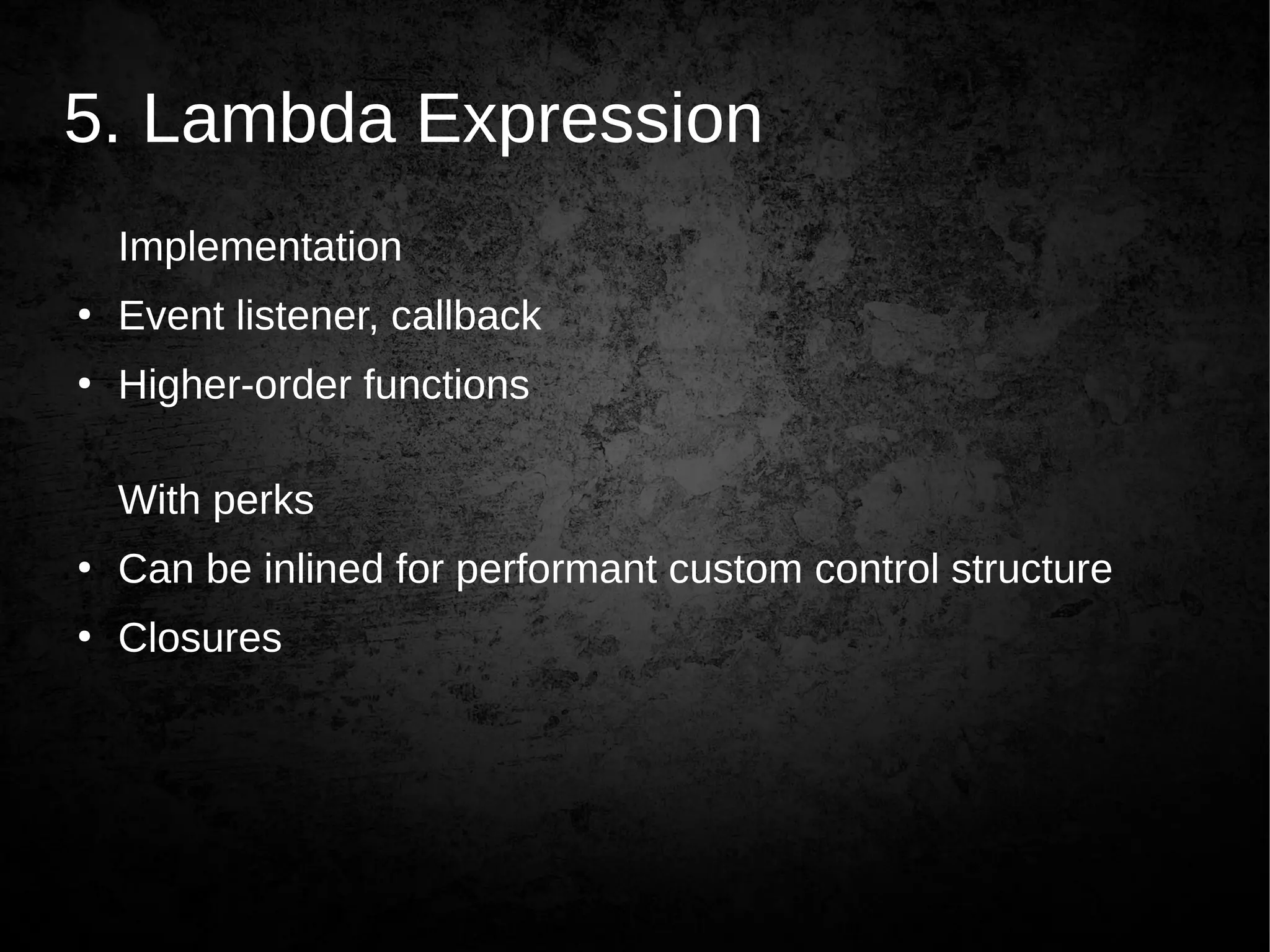
5. Lambda Expression
Implementation
●
Event listener, callback
●
Higher-order functions
With perks
●
Can be inlined for performant custom control structure
●
Closures
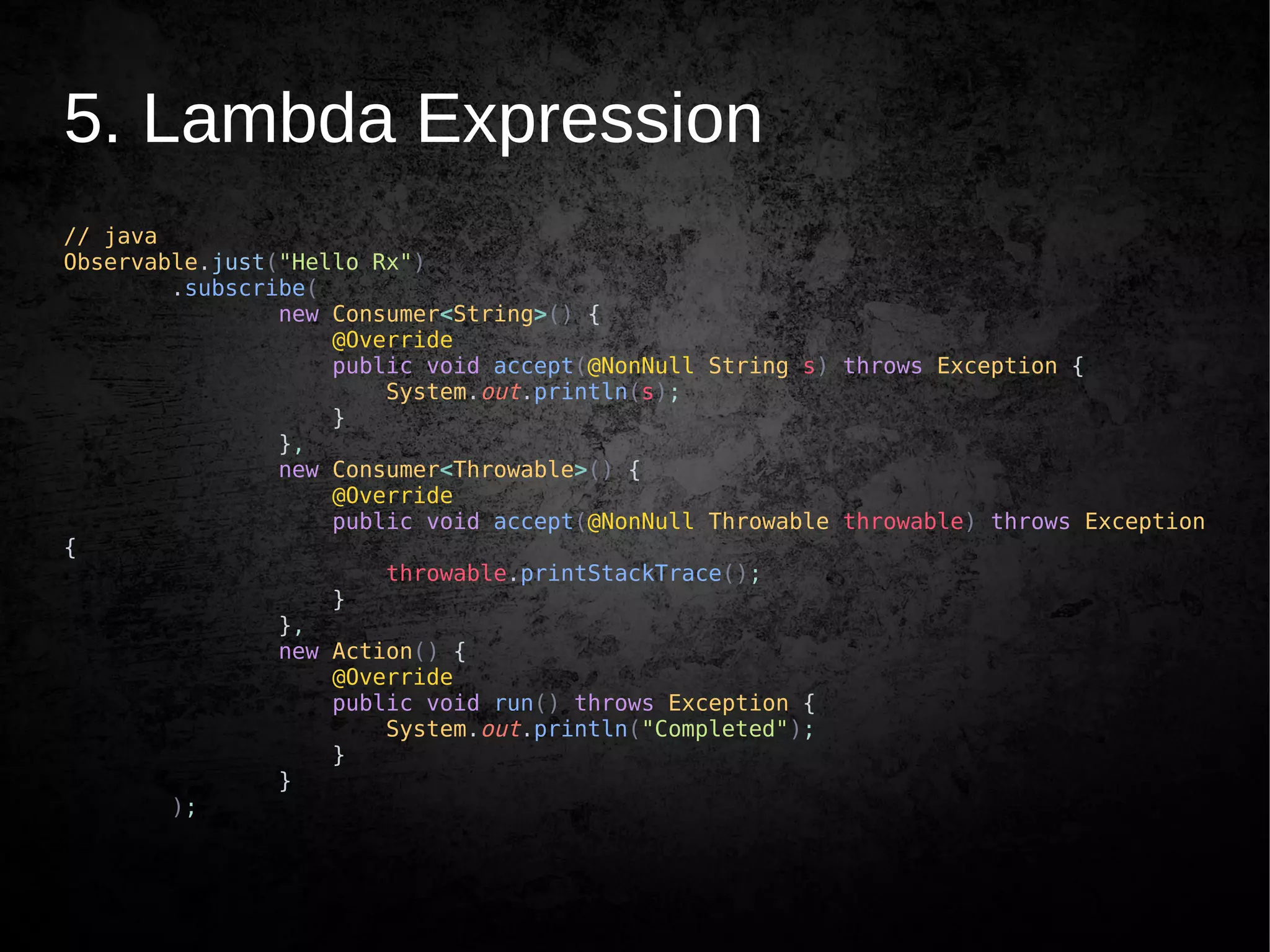
5. Lambda Expression
// java
Observable.just("Hello Rx")
.subscribe(
new Consumer<String>() {
@Override
public void accept(@NonNull String s) throws Exception {
System.out.println(s);
}
},
new Consumer<Throwable>() {
@Override
public void accept(@NonNull Throwable throwable) throws Exception
{
throwable.printStackTrace();
}
},
new Action() {
@Override
public void run() throws Exception {
System.out.println("Completed");
}
}
);
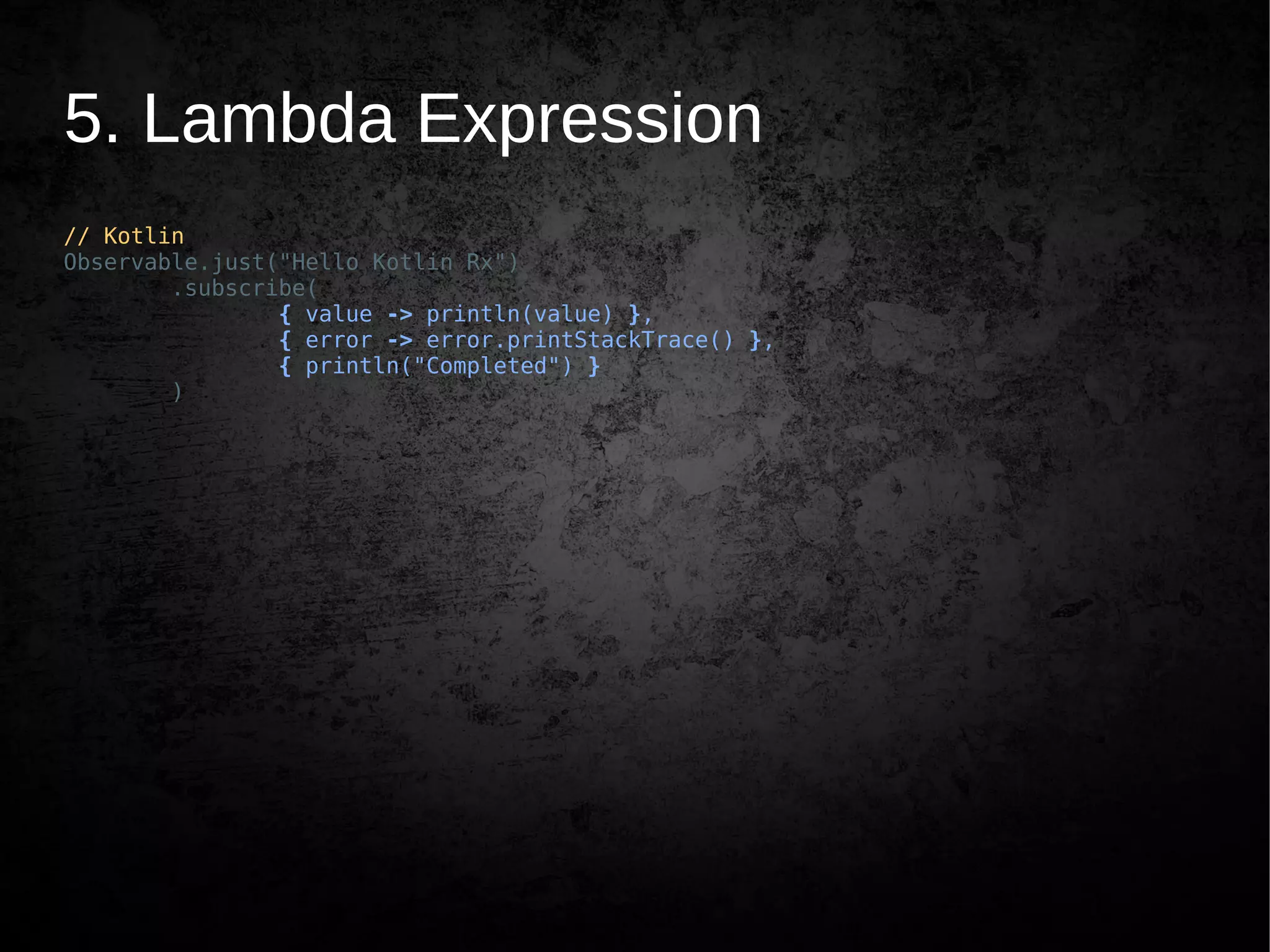
5. Lambda Expression
// Kotlin
Observable.just("Hello Kotlin Rx")
.subscribe(
{ value -> println(value) },
{ error -> error.printStackTrace() },
{ println("Completed") }
)
5. Lambda Expression
// Kotlin
Observable.just("Hello Kotlin Rx")
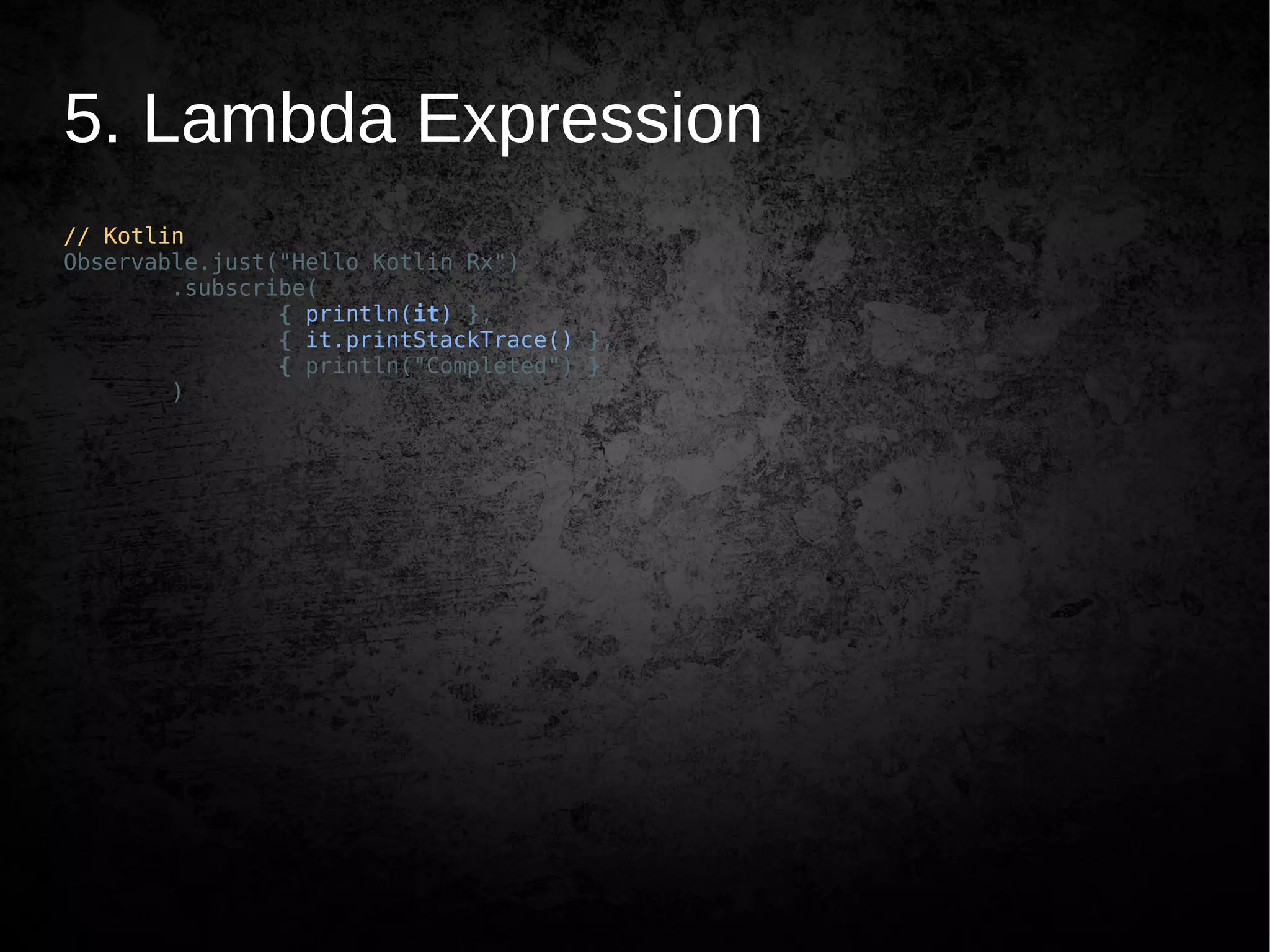
.subscribe(
{ println(it) },
{ it.printStackTrace() },
{ println("Completed") }
)
5. Lambda Expression
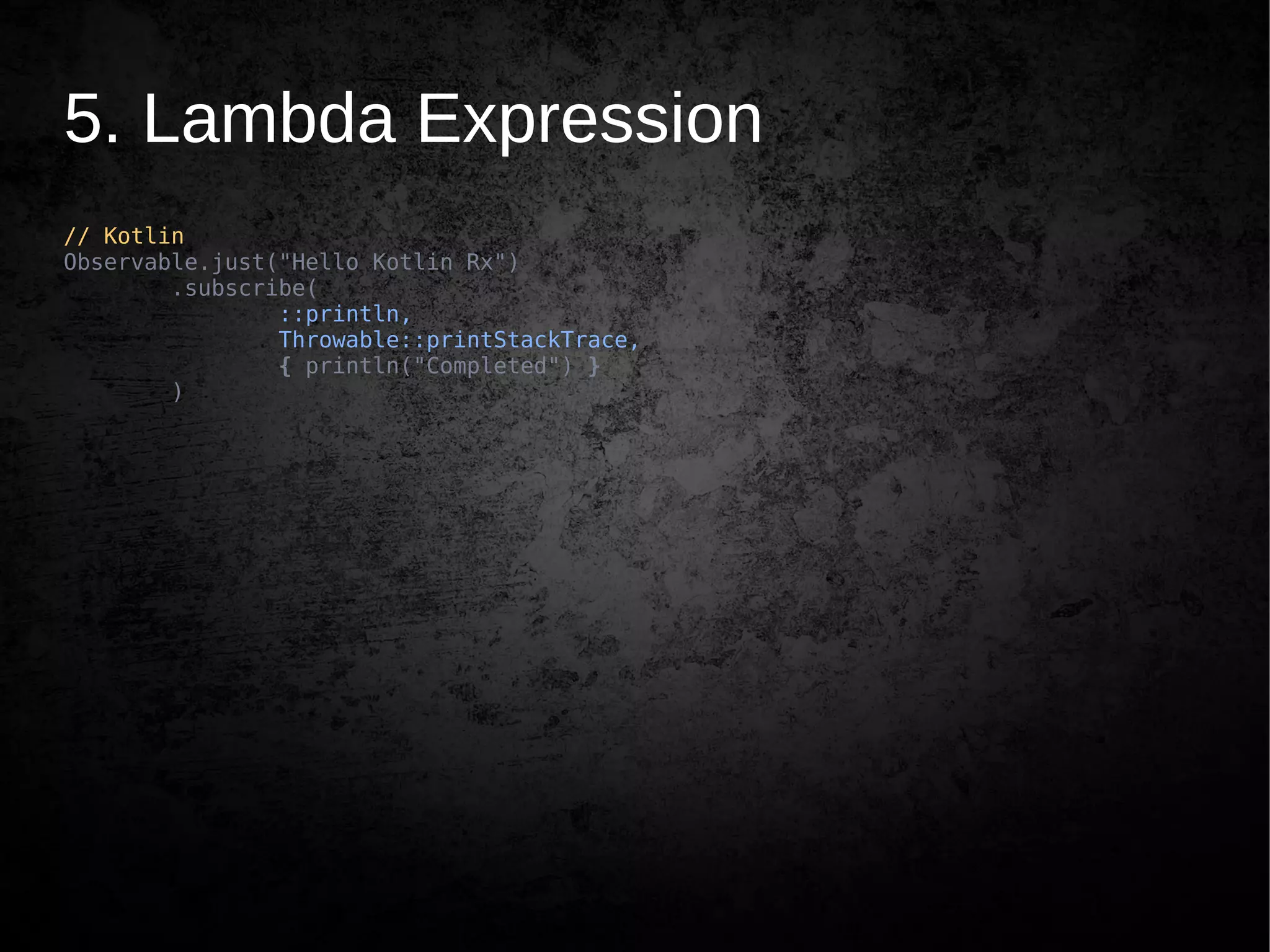
// Kotlin
Observable.just("Hello Kotlin Rx")
.subscribe(
::println,
Throwable::printStackTrace,
{ println("Completed") }
)
5.x Higher Order Function
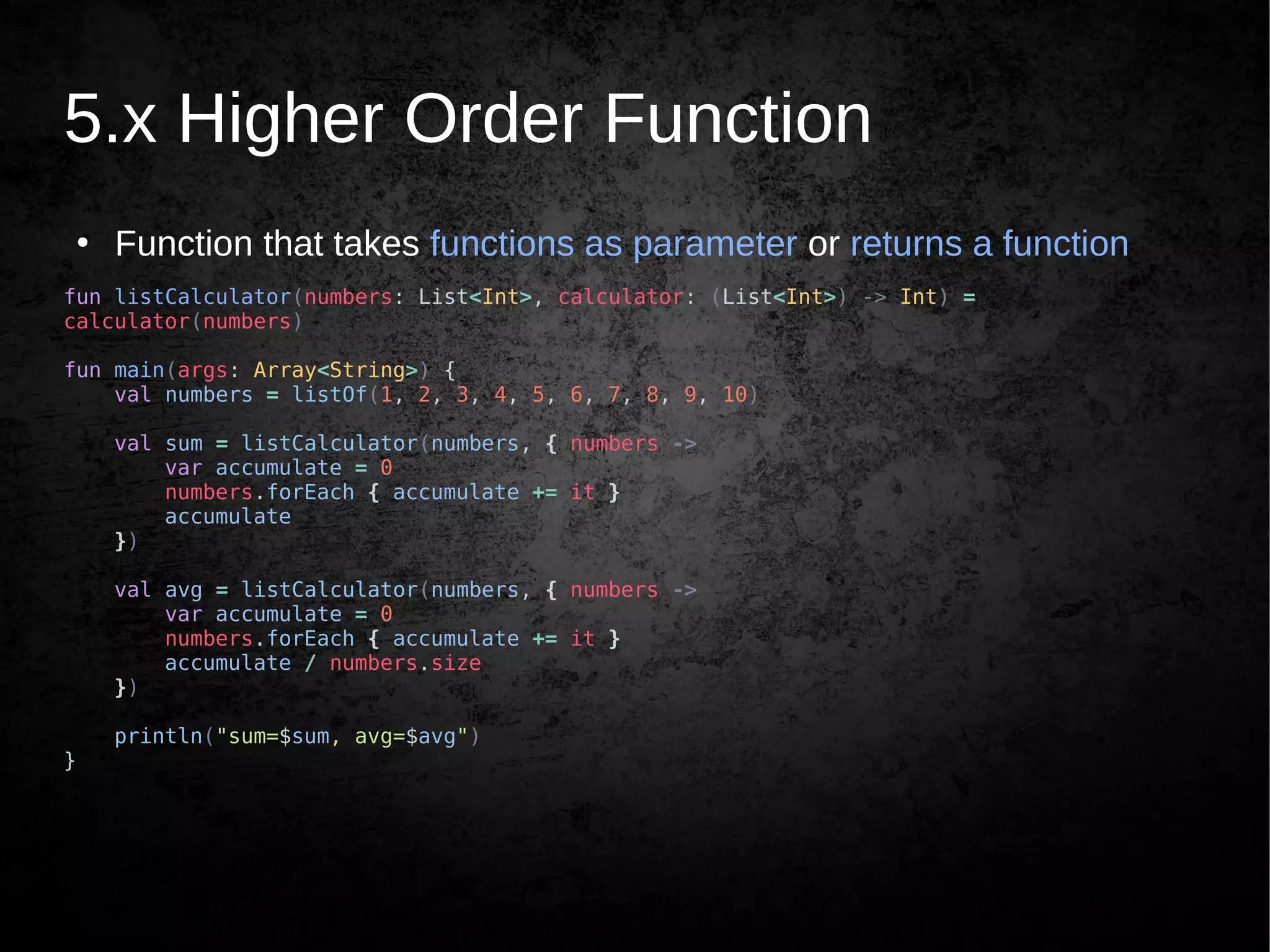
●
Function that takes functions as parameter or returns a function
fun listCalculator(numbers: List<Int>, calculator: (List<Int>) -> Int) =
calculator(numbers)
fun main(args: Array<String>) {
val numbers = listOf(1, 2, 3, 4, 5, 6, 7, 8, 9, 10)
val sum = listCalculator(numbers, { numbers ->
var accumulate = 0
numbers.forEach { accumulate += it }
accumulate
})
val avg = listCalculator(numbers, { numbers ->
var accumulate = 0
numbers.forEach { accumulate += it }
accumulate / numbers.size
})
println("sum=$sum, avg=$avg")
}
5.x Higher Order Function
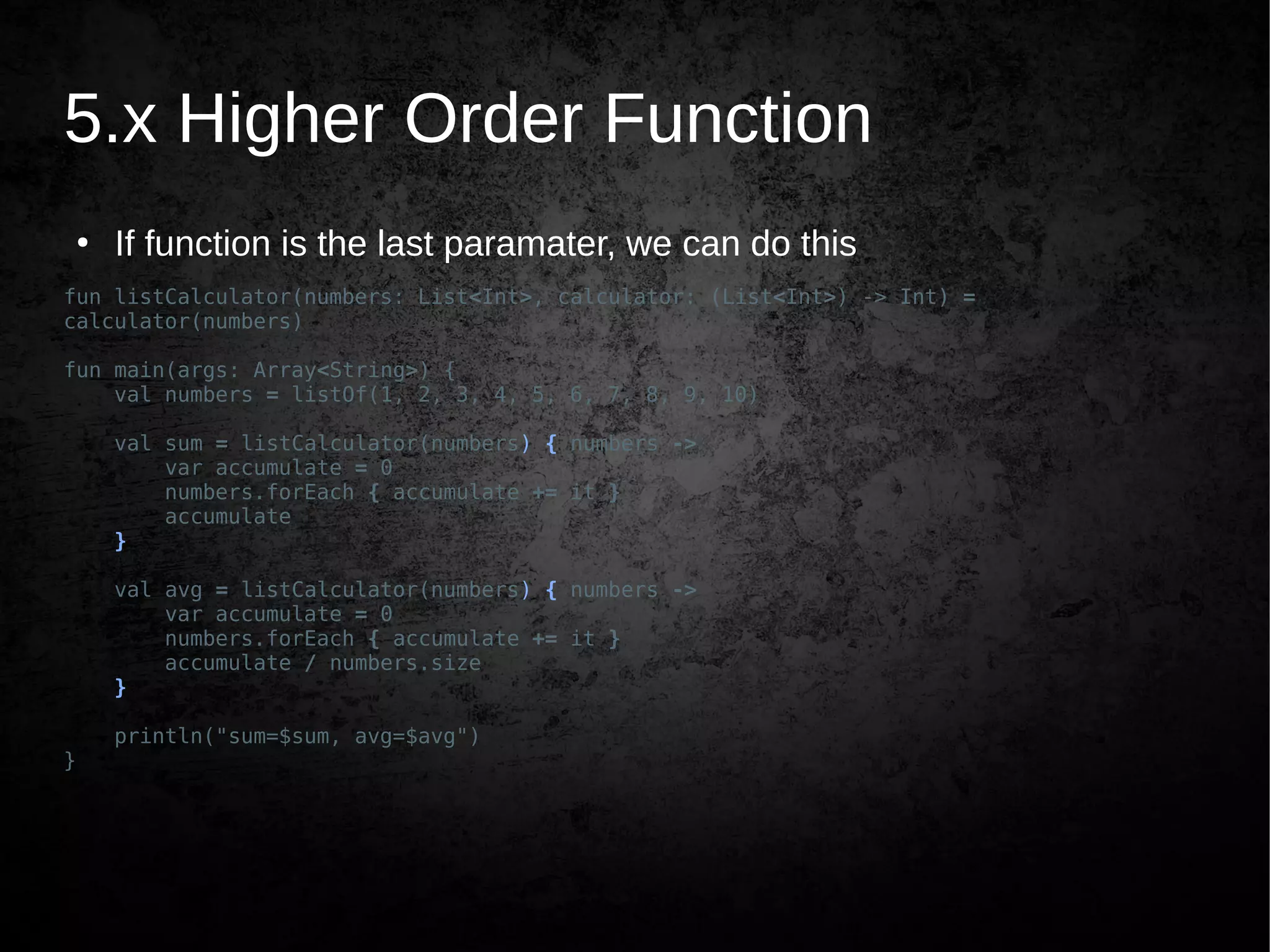
●
If function is the last paramater, we can do this
fun listCalculator(numbers: List<Int>, calculator: (List<Int>) -> Int) =
calculator(numbers)
fun main(args: Array<String>) {
val numbers = listOf(1, 2, 3, 4, 5, 6, 7, 8, 9, 10)
val sum = listCalculator(numbers) { numbers ->
var accumulate = 0
numbers.forEach { accumulate += it }
accumulate
}
val avg = listCalculator(numbers) { numbers ->
var accumulate = 0
numbers.forEach { accumulate += it }
accumulate / numbers.size
}
println("sum=$sum, avg=$avg")
}
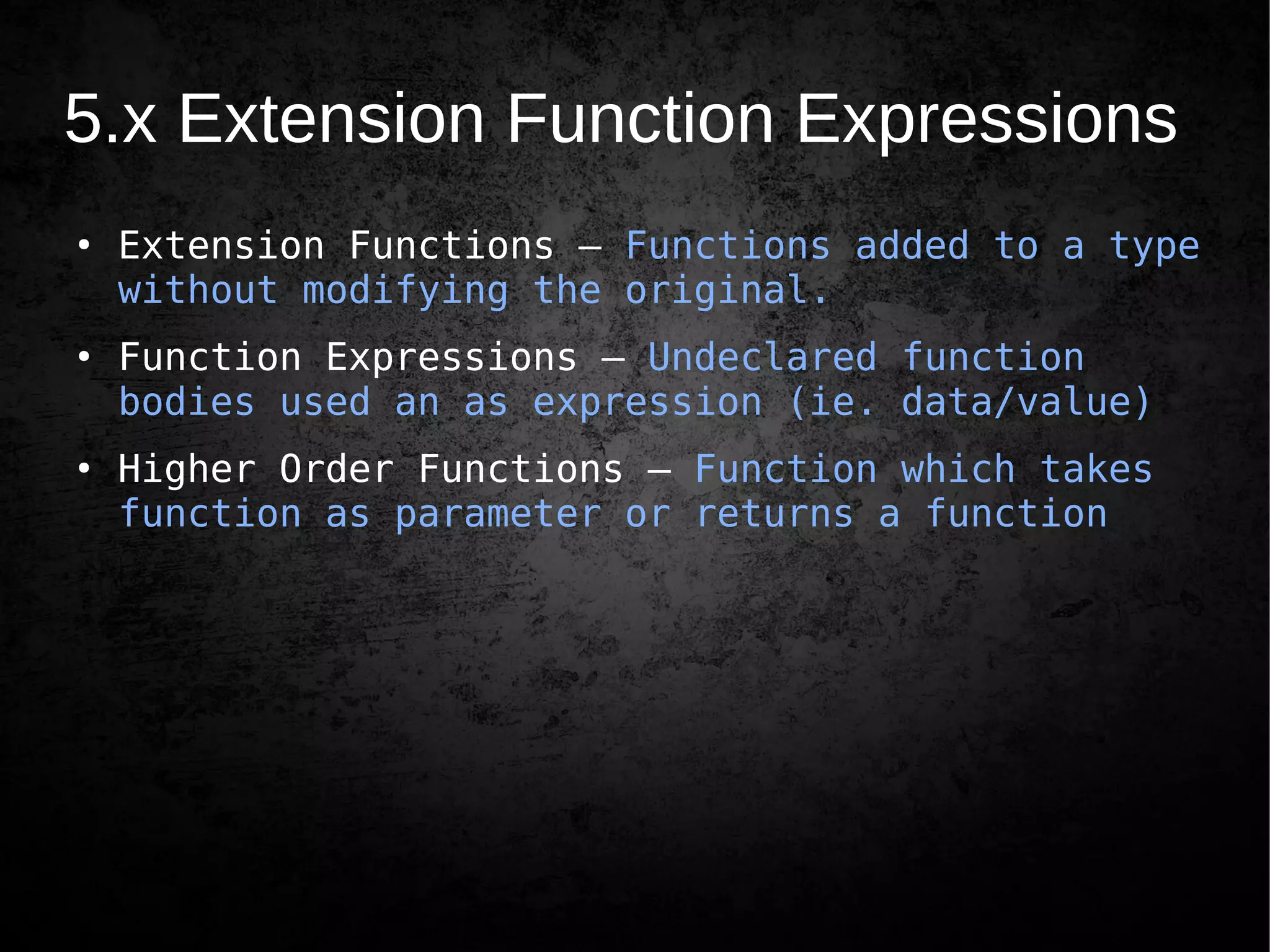
5.x Extension Function Expressions
●
Extension Functions – Functions added to a type
without modifying the original.
●
Function Expressions – Undeclared function
bodies used an as expression (ie. data/value)
●
Higher Order Functions – Function which takes
function as parameter or returns a function
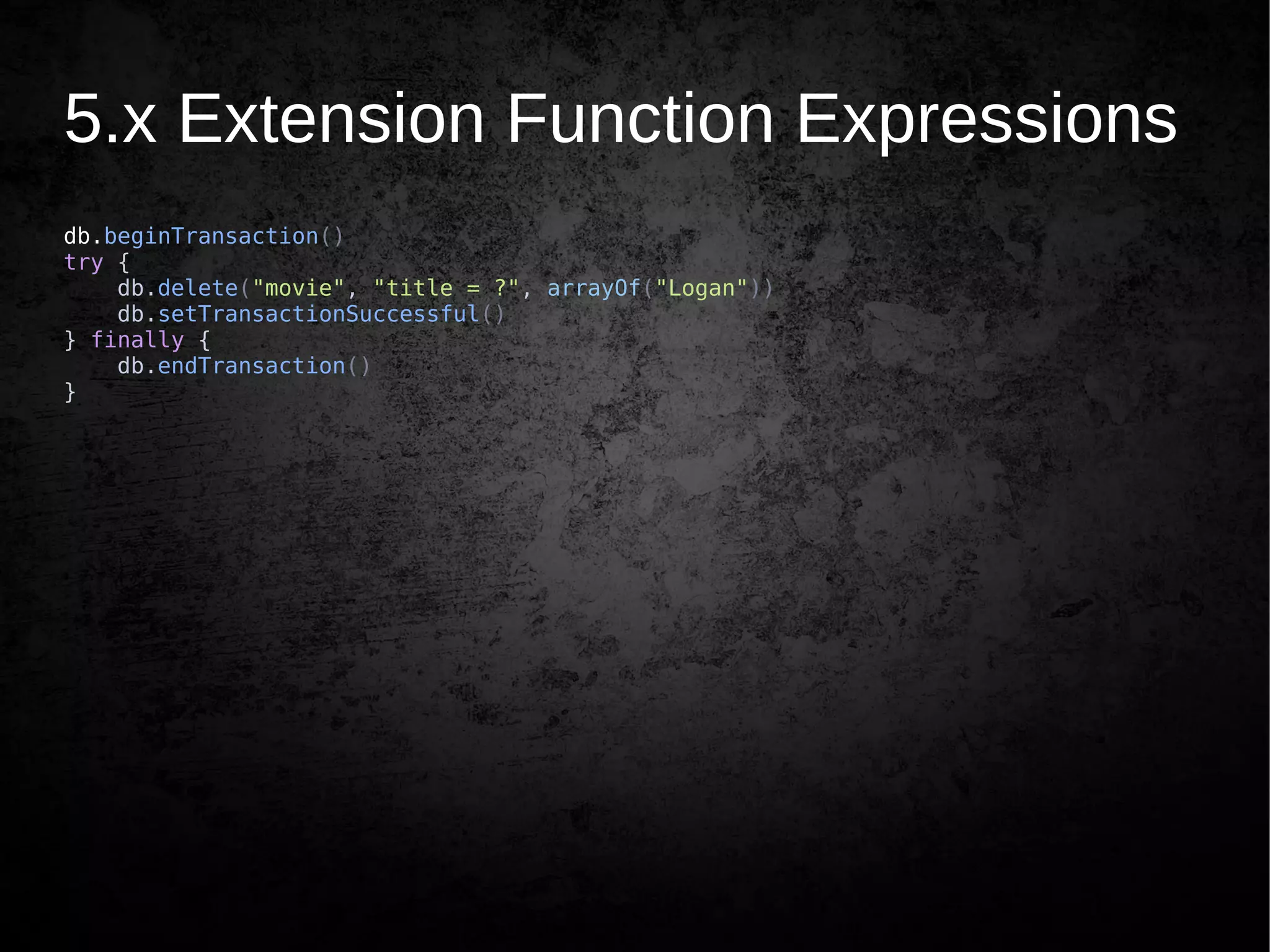
5.x Extension Function Expressions
db.beginTransaction()
try {
db.delete("movie", "title = ?", arrayOf("Logan"))
db.setTransactionSuccessful()
} finally {
db.endTransaction()
}
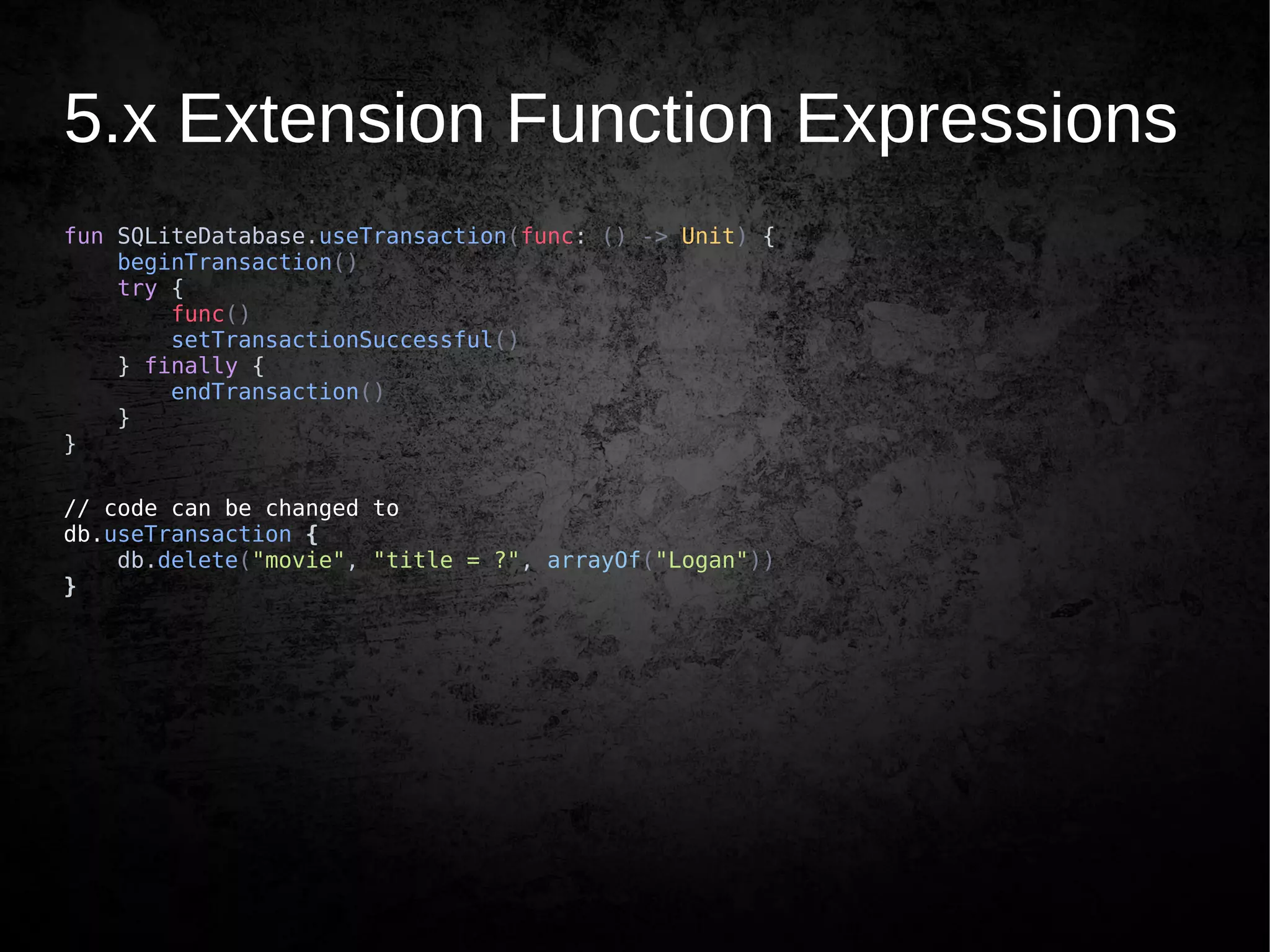
5.x Extension Function Expressions
fun SQLiteDatabase.useTransaction(func: () -> Unit) {
beginTransaction()
try {
func()
setTransactionSuccessful()
} finally {
endTransaction()
}
}
// code can be changed to
db.useTransaction {
db.delete("movie", "title = ?", arrayOf("Logan"))
}
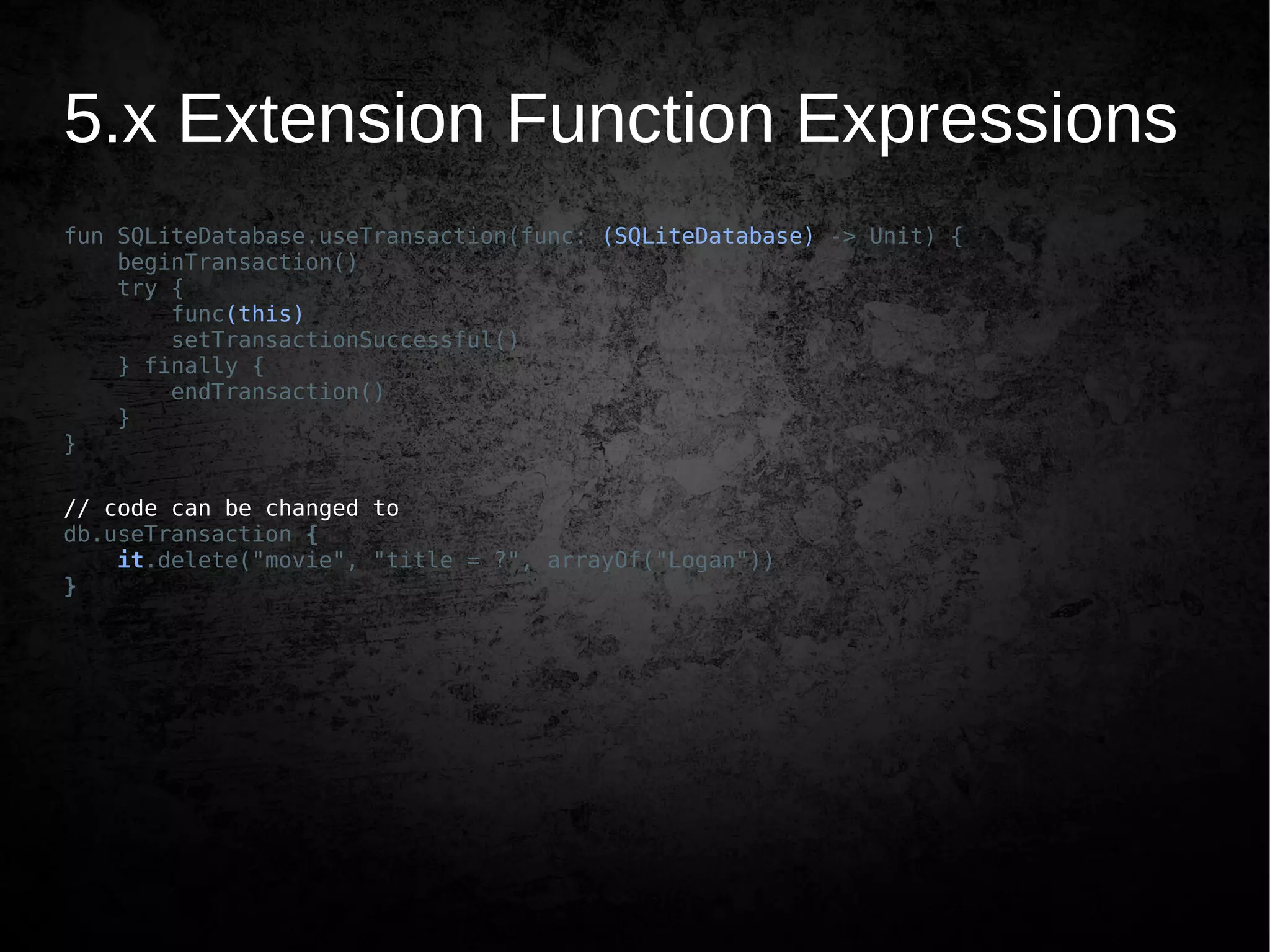
5.x Extension Function Expressions
fun SQLiteDatabase.useTransaction(func: (SQLiteDatabase) -> Unit) {
beginTransaction()
try {
func(this)
setTransactionSuccessful()
} finally {
endTransaction()
}
}
// code can be changed to
db.useTransaction {
it.delete("movie", "title = ?", arrayOf("Logan"))
}
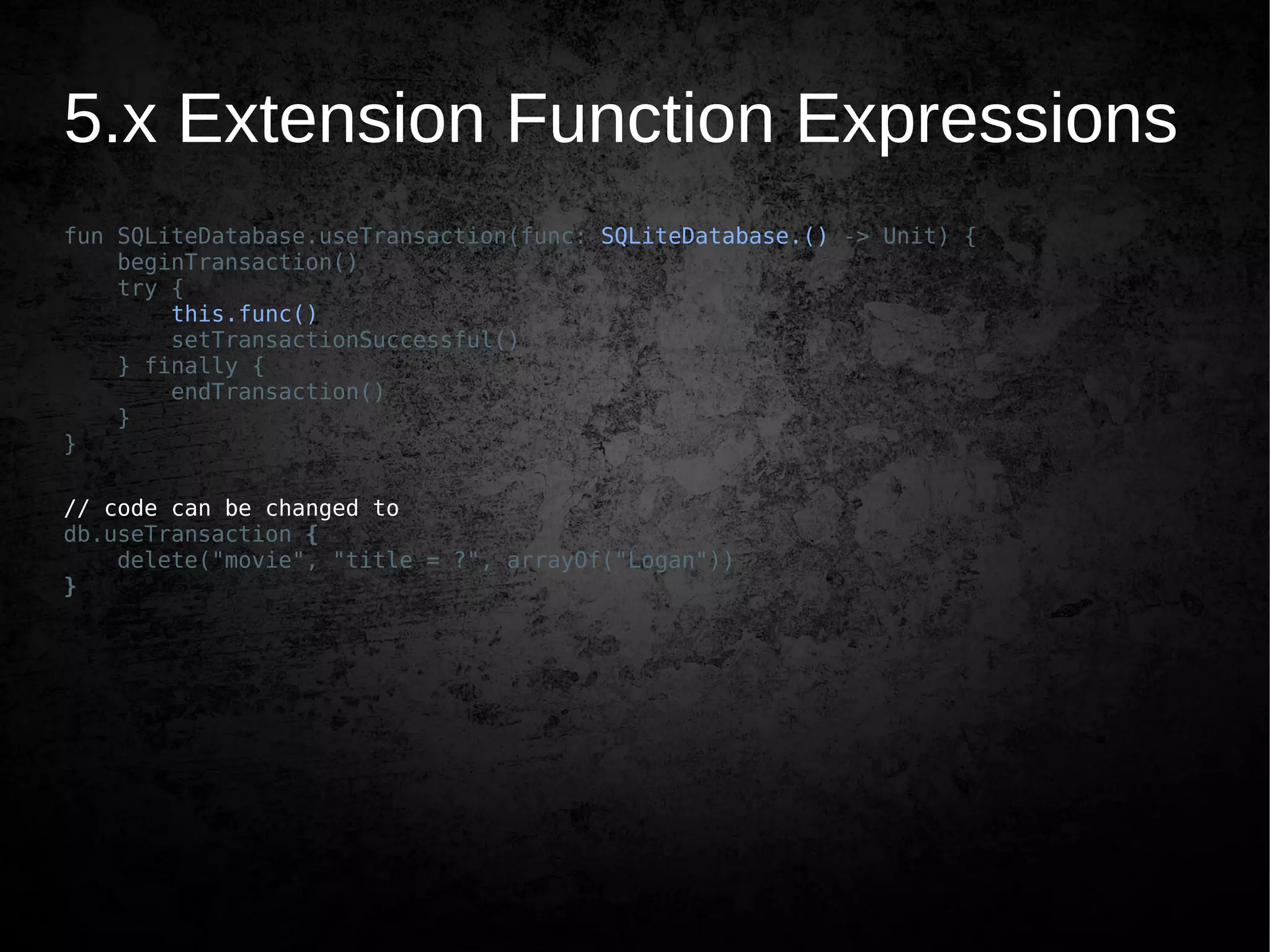
5.x Extension Function Expressions
fun SQLiteDatabase.useTransaction(func: SQLiteDatabase.() -> Unit) {
beginTransaction()
try {
this.func()
setTransactionSuccessful()
} finally {
endTransaction()
}
}
// code can be changed to
db.useTransaction {
delete("movie", "title = ?", arrayOf("Logan"))
}
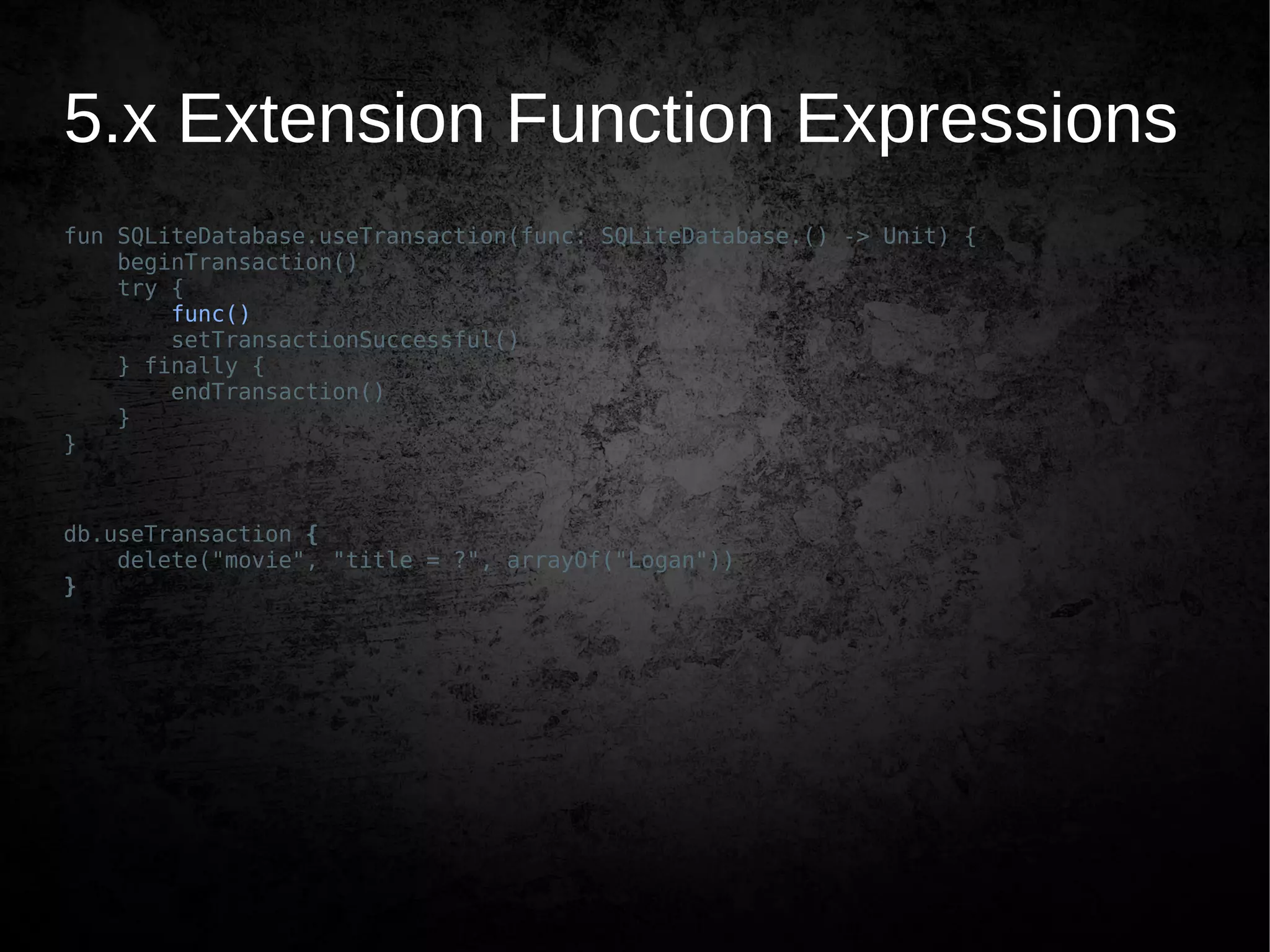
5.x Extension Function Expressions
fun SQLiteDatabase.useTransaction(func: SQLiteDatabase.() -> Unit) {
beginTransaction()
try {
func()
setTransactionSuccessful()
} finally {
endTransaction()
}
}
db.useTransaction {
delete("movie", "title = ?", arrayOf("Logan"))
}
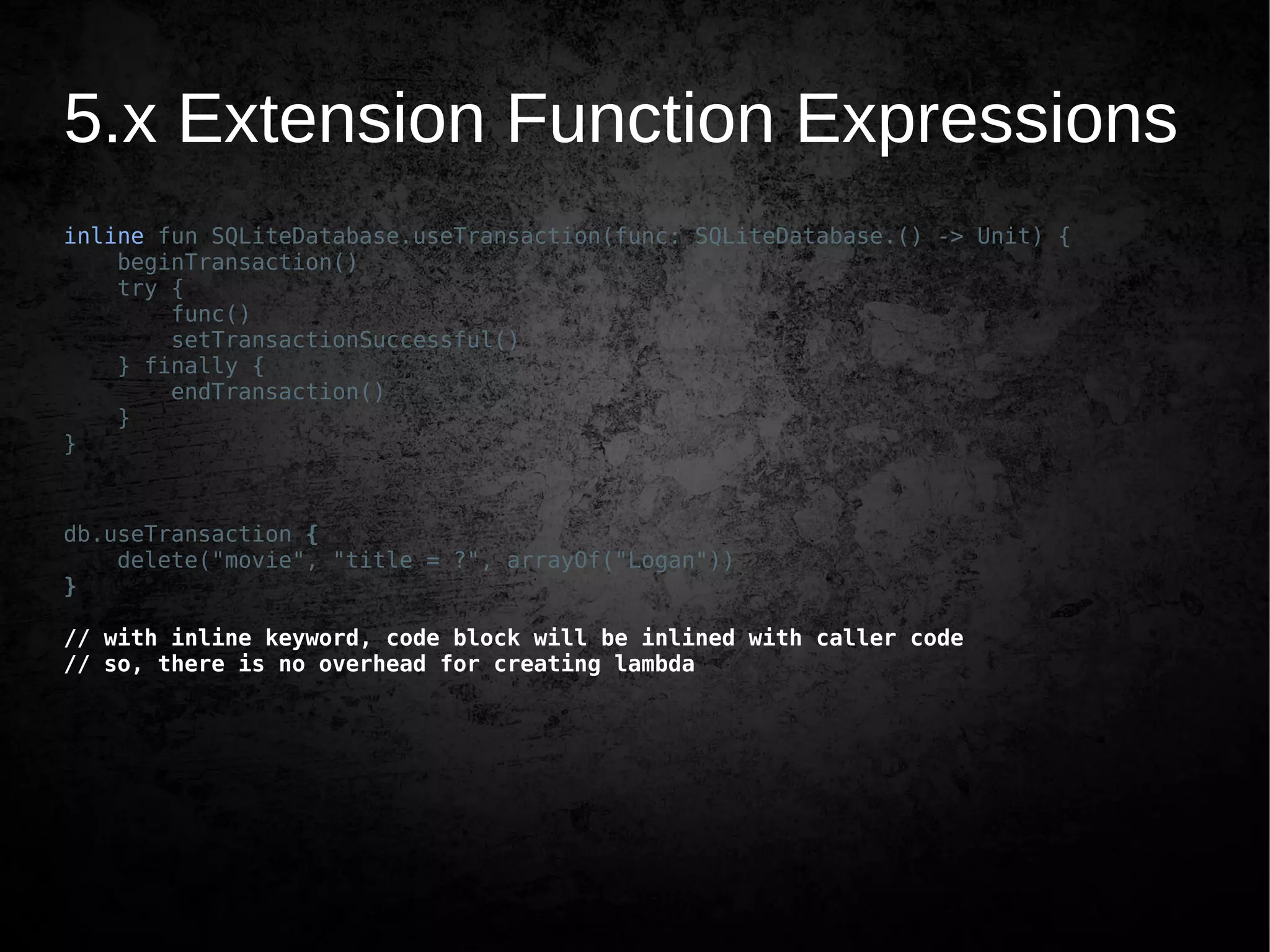
5.x Extension Function Expressions
inline fun SQLiteDatabase.useTransaction(func: SQLiteDatabase.() -> Unit) {
beginTransaction()
try {
func()
setTransactionSuccessful()
} finally {
endTransaction()
}
}
db.useTransaction {
delete("movie", "title = ?", arrayOf("Logan"))
}
// with inline keyword, code block will be inlined with caller code
// so, there is no overhead for creating lambda
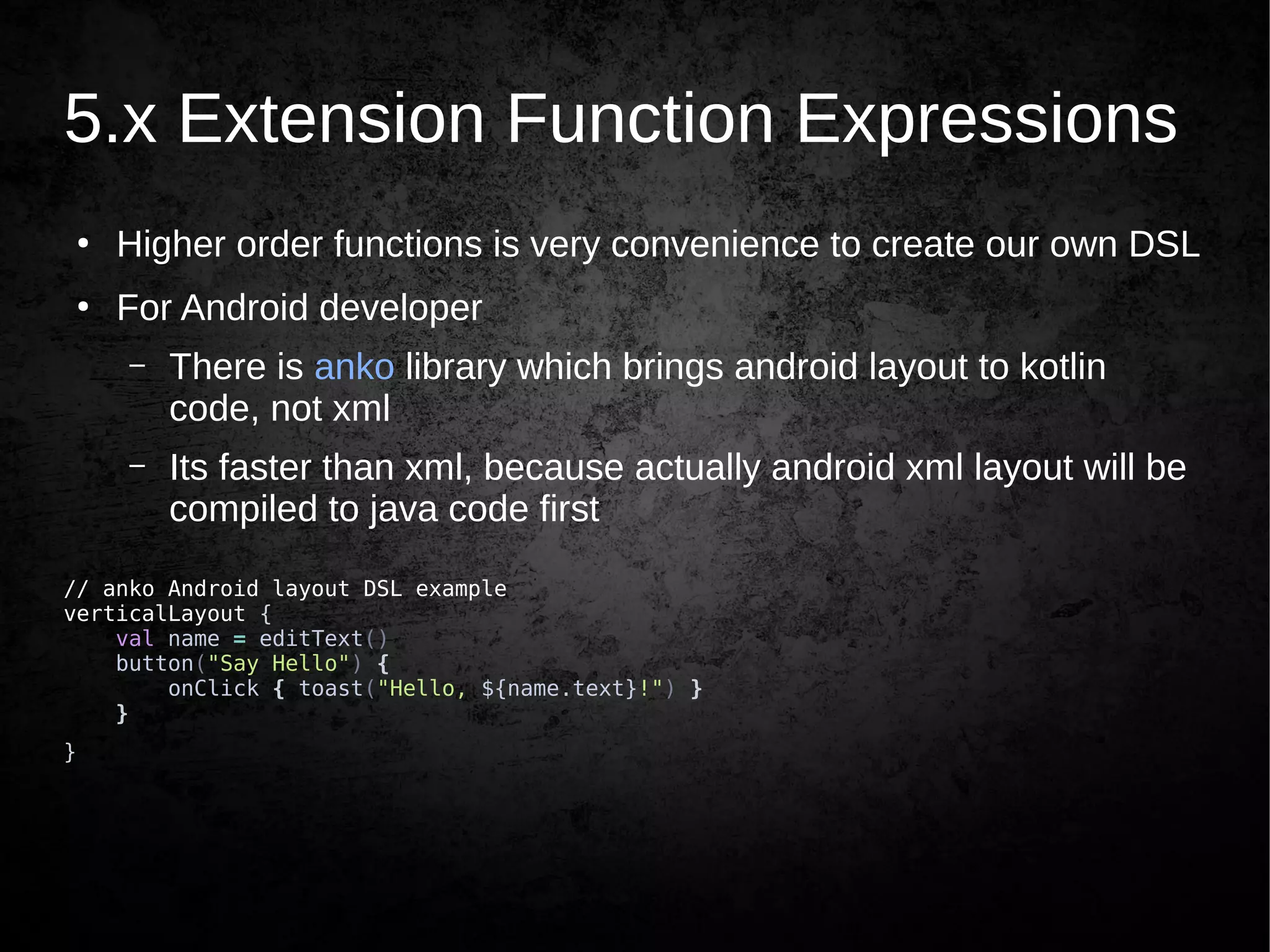
5.x Extension Function Expressions
●
Higher order functions is very convenience to create our own DSL
●
For Android developer
– There is anko library which brings android layout to kotlin
code, not xml
– Its faster than xml, because actually android xml layout will be
compiled to java code first
// anko Android layout DSL example
verticalLayout {
val name = editText()
button("Say Hello") {
onClick { toast("Hello, ${name.text}!") }
}
}
6. Bonus
●
Collection API
●
apply
●
with
●
if expressions
●
when expressions
Thank you
and
Have a nice Kotlin!
Twitter: @ekosuhariyadi
FB: eko.suhariyadi
Email: eko.suhariyadi@gmail.com

Having Fun with Kotlin Android - DILo Surabaya

  • 1.
    Having fun with Kotlin– Android Eko Suhariyadi
  • 3.
    What this presentationcover ● Kotlin introduction ● What we can achieve by using Kotlin for Android Development
  • 4.
    What is Kotlin ● Brandnew programming language by JetBrains which targeting Java Platform, open sourced and free to use ● Kotlin is concise, safe, pragmatic, and focused on interoperability with Java code – Works great with all existing Java libraries and frameworks – Runs with same level performance as Java ● Can be used for server-side development, Android apps, Desktop apps, and much more. Anywhere Java runs ● It’s statically typed programming language ● Functional and Object Oriented – First-class functions – Immutability – No side-effects
  • 5.
    A bit Historyof Kotlin ● Internal project of JetBrains unveiled in July 2011 after a year of development – Seeking for language for future development – Scala is great, but compile time and interoperability is obvious deficiency ● Open sourced on February 2012 under Apache 2 license ● First v1.0 released on February 15, 2016 – It takes 6 years for the first stable release ● v1.1 just released on March 1, 2017 ● Named after Kotlin Island, near St. Petersburg, Russia. Where most JetBrains’ Kotlin development team work ● “Some part” of the language design is based on “Effective Java” book by Joshua Bloch
  • 6.
    Fun Facts? ● C takes1 years to first stable release ● C++ takes 4 years ● Java takes 4 years ● Python takes 3 years ● JavaScript only takes 10 days :-) #DuaMingguJadi
  • 7.
    Installation ● Recommended way – IntellijIDEA or Android Studio plugin ● Standalone compiler – via SDKMAN (sdkman.io) – sdk install kotlin
  • 8.
    Why Kotlin ● (Android) Stuckon Java 6 – No streams – No lambda, method references ● Jack and Jill still on experimental (Java 8 support for Android) – No try-with-resources
  • 9.
    Why Kotlin ● (Android) Stuckon Java 6 – No streams Use RxJava – No lambda, method references ● Jack and Jill still on experimental (Java 8 support for Android) – No try-with-resources
  • 10.
    Why Kotlin ● (Android) Stuckon Java 6 – No streams Use RxJava – No lambda, method references Use Retrolambda ● Jack and Jill still on experimental (Java 8 support for Android) – No try-with-resources
  • 11.
    Why Kotlin ● (Android) Stuckon Java 6 – No streams Use RxJava – No lambda, method references Use Retrolambda ● Jack and Jill still on experimental (Java 8 support for Android) – No try-with-resources minSdkVersion = 19 or Use Retrolambda
  • 12.
    Why Kotlin ● (Android) Stuckon Java 6 ● Inability to add methods to platform types in Java – Achieved via Util class ● Nullability problems (*NullPointerException) in Java ● General verbosity / boilerplate code in Java – Too much code to achieve minimal jobs
  • 13.
    Taste of Kotlin dataclass Person(val name: String, val age: Int? = null) fun main(args: Array<String>) { val persons = listOf(Person("John Doe"), Person("Logan", age = 49)) val oldest = persons.maxBy { it.age ?: 0 } println("The oldest is $oldest") } // The oldest is Person(name=Logan, age=49) Bye bye semicolon ; Type after variable Nullability and default value Lambda expression String template/interpolation Data class Named parameter No “new”
  • 14.
    Taste of Kotlin ● Propertydeclaration – val (*value) for immutable property, ie once initialized can’t be changed – var (*variable) for mutable property, can be reassign ● “fun” keyword to declare method/function – So literally we are having fun when code in Kotlin
  • 15.
    Taste of Kotlin funsomeFunction(): Unit { // functions always have return value var say: String = "Kotlin is pragmatic language" say = "also safe and concise" val hello: String = "Domo Arigatou Mr. Roboto" hello = "updated hello" // compile time error return Unit } fun sum(x: Int, y: Int): Int { return x + y }
  • 16.
    Taste of Kotlin funsomeFunction() { var say = "Kotlin is pragmatic language" say = "also safe and concise" val hello = "Domo Arigatou Mr. Roboto" // hello = "updated hello" } fun sum(x: Int, y: Int) = x + y // one liner // Type inference // compiler infer the type of properties without explicit declaration
  • 17.
    1. Null Safety dataclass Contact(val name: String, var email: String? = null) { constructor(name: String) : this(name, null) } fun main(args: Array<String>) { val eko = Contact(email = "eko.suhariyadi@gmail.com", name = "Eko Suhariyadi") eko.name = null // compile error eko.email = null // ok }
  • 18.
    Working with null valeko = Contact("Eko Suhariyadi") // if email is null return other value, // with elvis operator ?: val email: String = eko.email ?: "Have no email" // cascading null safety val emailStrSize = eko.email?.length // safe scoping eko.email?.let { // send email // only executed if email is not null }
  • 19.
    2. Conciseness Java: view.setOnClickListener(new View.OnClickListener(){ @Override public void onClick(View v) { // do something } });
  • 20.
    2. Conciseness Kotlin: view.setOnClickListener { //do something } view.setOnClickListener { view: View -> // do something with the view } view.setOnClickListener { view -> // do something with the view }
  • 21.
    3. Data Class ● WritePOJO class in Java is quite verbose – overloading constructor? – getter and setter – toString – hashCode and equals ● IDE could help for code generation ● Or by using libraries such as Google’s AutoValue
  • 22.
    3. Data Classpublicclass Todo { private String description; private Long createdAt; private boolean done; public Todo(String description, Long createdAt, boolean done) { this.description = description; this.createdAt = createdAt; this.done = done; } // ...
  • 23.
    3. Data Classpublicclass Todo { private String description; private Long createdAt; private boolean done; public Todo(String description, Long createdAt, boolean done) { this.description = description; this.createdAt = createdAt; this.done = done; } public String getDescription() { return description; } public void setDescription(String description) { this.description = description; } public Long getCreatedAt() { return createdAt; } public void setCreatedAt(Long createdAt) { this.createdAt = createdAt; } public boolean isDone() { return done; } public void setDone(boolean done) { this.done = done; } // ...
  • 24.
    3. Data Classpublicclass Todo { private String description; private Long createdAt; private boolean done; public Todo(String description, Long createdAt, boolean done) { this.description = description; this.createdAt = createdAt; this.done = done; } public String getDescription() { return description; } public void setDescription(String description) { this.description = description; } public Long getCreatedAt() { return createdAt; } public void setCreatedAt(Long createdAt) { this.createdAt = createdAt; } public boolean isDone() { return done; } public void setDone(boolean done) { this.done = done; } @Override public boolean equals(Object o) { if (this == o) return true; if (o == null || getClass() != o.getClass()) return false; Todo todo = (Todo) o; if (done != todo.done) return false; return description != null ? description.equals(todo.description) : todo.description == null && (createdAt != null ? createdAt.equals(todo.createdAt) : todo.createdAt == null); } @Override public int hashCode() { int result = description != null ? description.hashCode() : 0; result = 31 * result + (createdAt != null ? createdAt.hashCode() : 0); result = 31 * result + (done ? 1 : 0); return result; } @Override public String toString() { return "Todo{" + "description='" + description + ''' + ", createdAt=" + createdAt + ", done=" + done + '}'; } }
  • 25.
    3. Data Class dataclass TodoKotlin(var description: String, var createdAt: Long, var done: Boolean = false) → javap TodoKotlin.class public final class com.codangcoding.havingfunkotlin.TodoKotlin { public final java.lang.String getDescription(); public final void setDescription(java.lang.String); public final long getCreatedAt(); public final void setCreatedAt(long); public final boolean getDone(); public final void setDone(boolean); public com.codangcoding.havingfunkotlin.TodoKotlin(java.lang.String, long, boolean); public com.codangcoding.havingfunkotlin.TodoKotlin(java.lang.String, long, boolean, int, kotlin.jvm.internal.DefaultConstructorMarker); public final java.lang.String component1(); public final long component2(); public final boolean component3(); public final com.codangcoding.havingfunkotlin.TodoKotlin copy(java.lang.String, long, boolean); public static com.codangcoding.havingfunkotlin.TodoKotlin copy$default(com.codangcoding.havingfunkotlin.TodoKotlin, java.lang.String, long, boolean, int, java.lang.Object); public java.lang.String toString(); public int hashCode(); public boolean equals(java.lang.Object); }
  • 26.
    3. Data Class ● Kotlindata class generate compiled code almost same with Java POJO ● But with extra method – component(N) for destructure – copy for “prototype pattern” val todo = TodoKotlin("Sample TODO", System.currentTimeMillis()) val (description, createdAt, done) = todo // destructure println("$description, $createdAt, $done") // need to destruct description and done only val (desc, _, finished) = todo println("$desc, $finished") // create new object by cloning from other val copiedTodo = todo.copy( description = "Copy from Sample TODO", done = true) println("""| |$todo |vs |$copiedTodo""".trimMargin())
  • 27.
    4. Extensions Functions ● Abilityto add functions or properties to existing class without modify the class itself ● In Java, we usually using static utility classes let’s called it “util hell” // java public static void inflate(ViewGroup viewGroup, int layoutId) { LayoutInflater inflater = LayoutInflater.from(viewGroup.getContext()); inflater.inflate(layoutId, viewGroup, false); }
  • 28.
    4. Extensions Functions //kotlin fun ViewGroup.inflate(layoutId: Int) = LayoutInflater.from(this.context) .inflate(layoutId, this, false) // we can call the function like this override fun onCreateViewHolder(parent: ViewGroup, viewType: Int): ViewHolder { val root = parent.inflate(viewType) return ViewHolder(root, itemClick) }
  • 29.
    5. Lambda Expression “Anonymousfunction/code block” Java: ● Retrolambda ● Android Studio’s lambda formatting “preview”
  • 30.
    5. Lambda Expression Implementation ● Eventlistener, callback ● Higher-order functions With perks ● Can be inlined for performant custom control structure ● Closures
  • 31.
    5. Lambda Expression //java Observable.just("Hello Rx") .subscribe( new Consumer<String>() { @Override public void accept(@NonNull String s) throws Exception { System.out.println(s); } }, new Consumer<Throwable>() { @Override public void accept(@NonNull Throwable throwable) throws Exception { throwable.printStackTrace(); } }, new Action() { @Override public void run() throws Exception { System.out.println("Completed"); } } );
  • 32.
    5. Lambda Expression //Kotlin Observable.just("Hello Kotlin Rx") .subscribe( { value -> println(value) }, { error -> error.printStackTrace() }, { println("Completed") } )
  • 33.
    5. Lambda Expression //Kotlin Observable.just("Hello Kotlin Rx") .subscribe( { println(it) }, { it.printStackTrace() }, { println("Completed") } )
  • 34.
    5. Lambda Expression //Kotlin Observable.just("Hello Kotlin Rx") .subscribe( ::println, Throwable::printStackTrace, { println("Completed") } )
  • 35.
    5.x Higher OrderFunction ● Function that takes functions as parameter or returns a function fun listCalculator(numbers: List<Int>, calculator: (List<Int>) -> Int) = calculator(numbers) fun main(args: Array<String>) { val numbers = listOf(1, 2, 3, 4, 5, 6, 7, 8, 9, 10) val sum = listCalculator(numbers, { numbers -> var accumulate = 0 numbers.forEach { accumulate += it } accumulate }) val avg = listCalculator(numbers, { numbers -> var accumulate = 0 numbers.forEach { accumulate += it } accumulate / numbers.size }) println("sum=$sum, avg=$avg") }
  • 36.
    5.x Higher OrderFunction ● If function is the last paramater, we can do this fun listCalculator(numbers: List<Int>, calculator: (List<Int>) -> Int) = calculator(numbers) fun main(args: Array<String>) { val numbers = listOf(1, 2, 3, 4, 5, 6, 7, 8, 9, 10) val sum = listCalculator(numbers) { numbers -> var accumulate = 0 numbers.forEach { accumulate += it } accumulate } val avg = listCalculator(numbers) { numbers -> var accumulate = 0 numbers.forEach { accumulate += it } accumulate / numbers.size } println("sum=$sum, avg=$avg") }
  • 37.
    5.x Extension FunctionExpressions ● Extension Functions – Functions added to a type without modifying the original. ● Function Expressions – Undeclared function bodies used an as expression (ie. data/value) ● Higher Order Functions – Function which takes function as parameter or returns a function
  • 38.
    5.x Extension FunctionExpressions db.beginTransaction() try { db.delete("movie", "title = ?", arrayOf("Logan")) db.setTransactionSuccessful() } finally { db.endTransaction() }
  • 39.
    5.x Extension FunctionExpressions fun SQLiteDatabase.useTransaction(func: () -> Unit) { beginTransaction() try { func() setTransactionSuccessful() } finally { endTransaction() } } // code can be changed to db.useTransaction { db.delete("movie", "title = ?", arrayOf("Logan")) }
  • 40.
    5.x Extension FunctionExpressions fun SQLiteDatabase.useTransaction(func: (SQLiteDatabase) -> Unit) { beginTransaction() try { func(this) setTransactionSuccessful() } finally { endTransaction() } } // code can be changed to db.useTransaction { it.delete("movie", "title = ?", arrayOf("Logan")) }
  • 41.
    5.x Extension FunctionExpressions fun SQLiteDatabase.useTransaction(func: SQLiteDatabase.() -> Unit) { beginTransaction() try { this.func() setTransactionSuccessful() } finally { endTransaction() } } // code can be changed to db.useTransaction { delete("movie", "title = ?", arrayOf("Logan")) }
  • 42.
    5.x Extension FunctionExpressions fun SQLiteDatabase.useTransaction(func: SQLiteDatabase.() -> Unit) { beginTransaction() try { func() setTransactionSuccessful() } finally { endTransaction() } } db.useTransaction { delete("movie", "title = ?", arrayOf("Logan")) }
  • 43.
    5.x Extension FunctionExpressions inline fun SQLiteDatabase.useTransaction(func: SQLiteDatabase.() -> Unit) { beginTransaction() try { func() setTransactionSuccessful() } finally { endTransaction() } } db.useTransaction { delete("movie", "title = ?", arrayOf("Logan")) } // with inline keyword, code block will be inlined with caller code // so, there is no overhead for creating lambda
  • 44.
    5.x Extension FunctionExpressions ● Higher order functions is very convenience to create our own DSL ● For Android developer – There is anko library which brings android layout to kotlin code, not xml – Its faster than xml, because actually android xml layout will be compiled to java code first // anko Android layout DSL example verticalLayout { val name = editText() button("Say Hello") { onClick { toast("Hello, ${name.text}!") } } }
  • 45.
  • 46.
    Thank you and Have anice Kotlin! Twitter: @ekosuhariyadi FB: eko.suhariyadi Email: eko.suhariyadi@gmail.com