Google+ for Mobile
Apps on iOS & Android
Peter Friese
Developer Advocate, Google
google.com/+PeterFriese
@peterfriese
http://peterfriese.de
What is Google+ ?
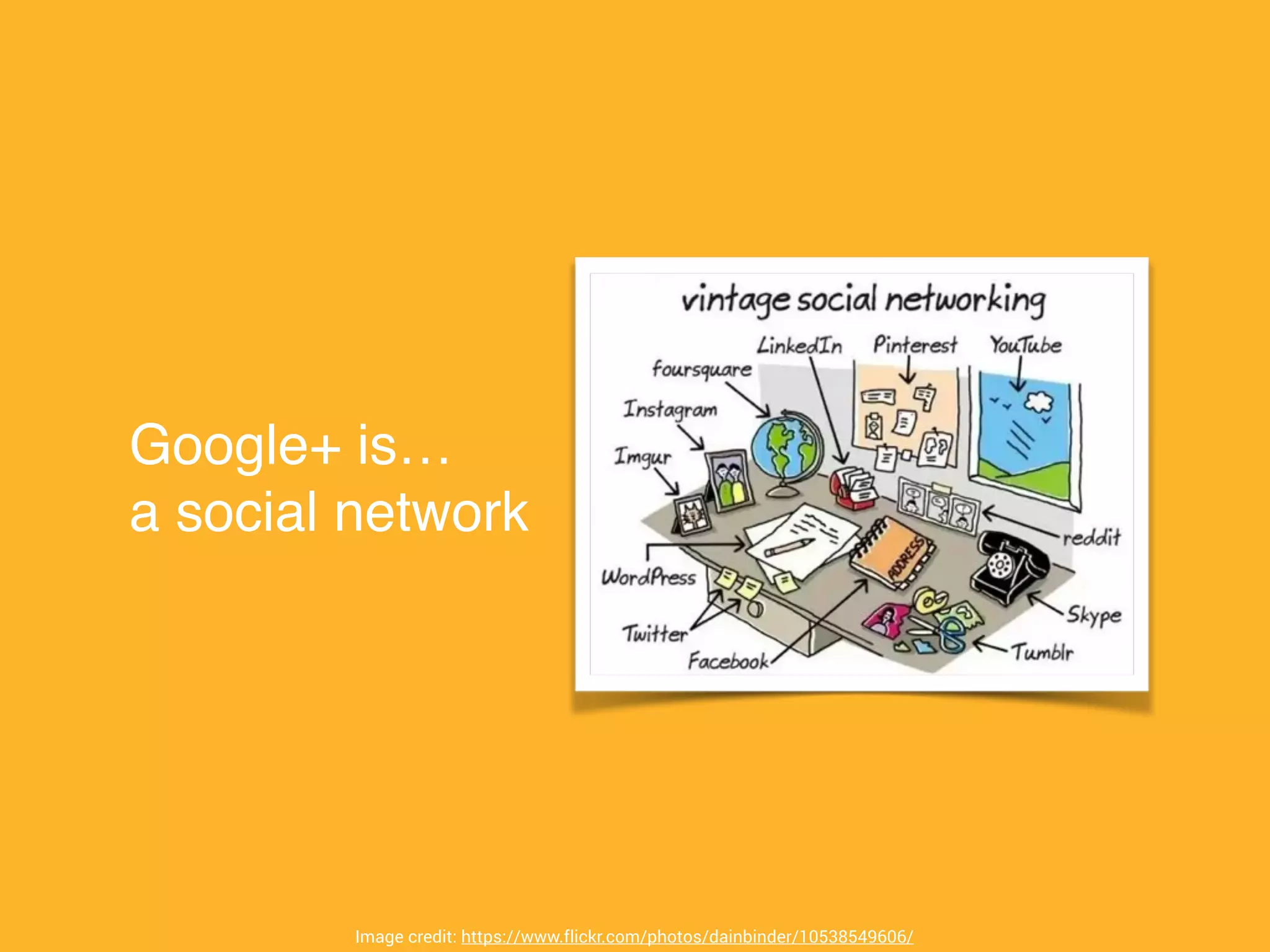
Google+ is…!
a social network
Image credit: https://www.flickr.com/photos/dainbinder/10538549606/
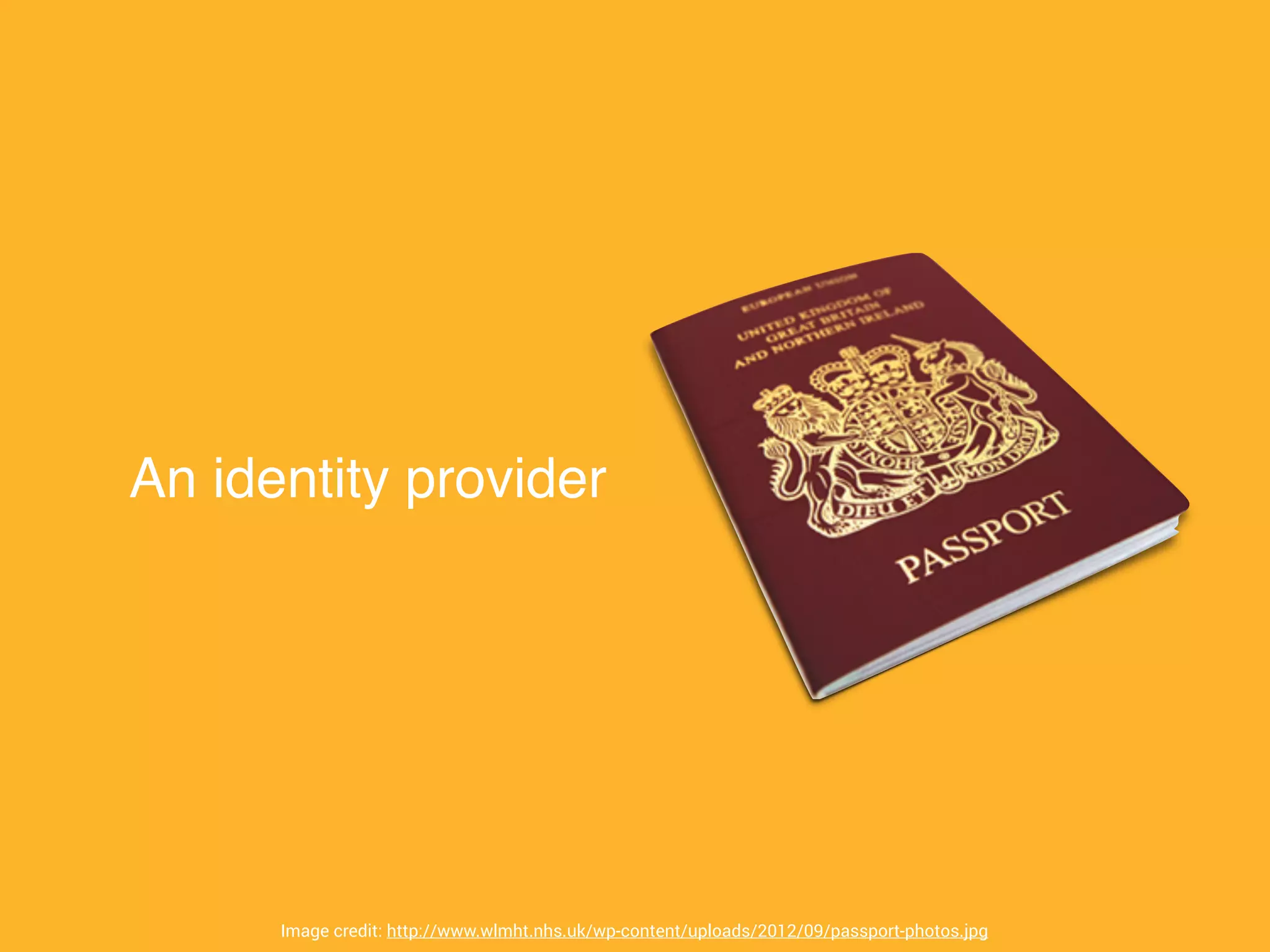
An identity provider
Image credit: http://www.wlmht.nhs.uk/wp-content/uploads/2012/09/passport-photos.jpg
Sign-in with Google
αὐθεντικός (greek):!
!
• “that comes from the author”!
• authentic!
• original!
• genuine
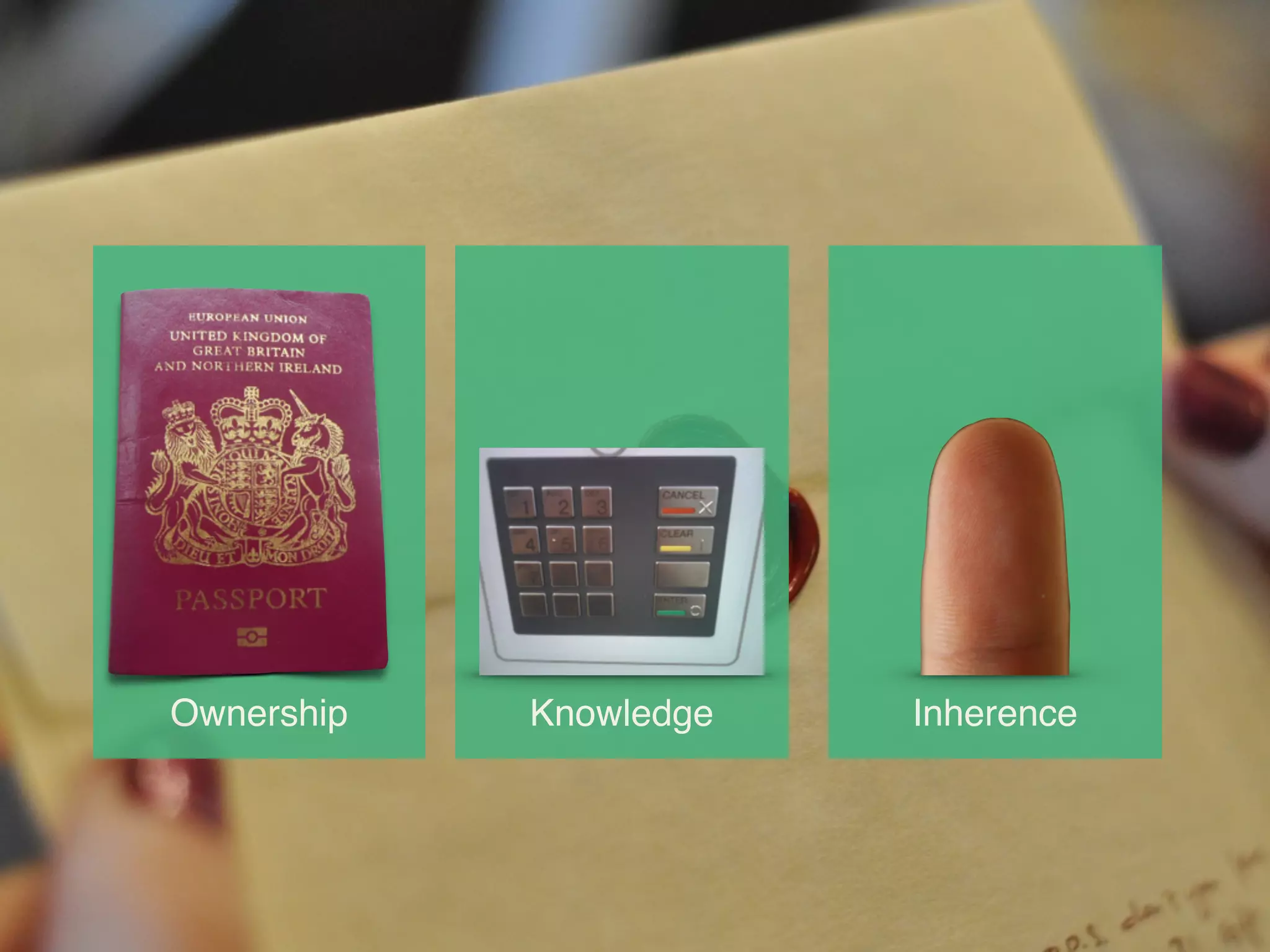
Ownership Knowledge Inherence
Authentication -
How hard can it
be?
Image credit: https://www.flickr.com/photos/92269745@N00/3801617675
Quite hard,
actually…
Hard for developers…!
... Implementation!
... Infrastructure!
... Security!
... Multiple platforms
Hard for your users…
... more passwords
... more devices
... more trust
Image credit: https://flic.kr/p/frJ48
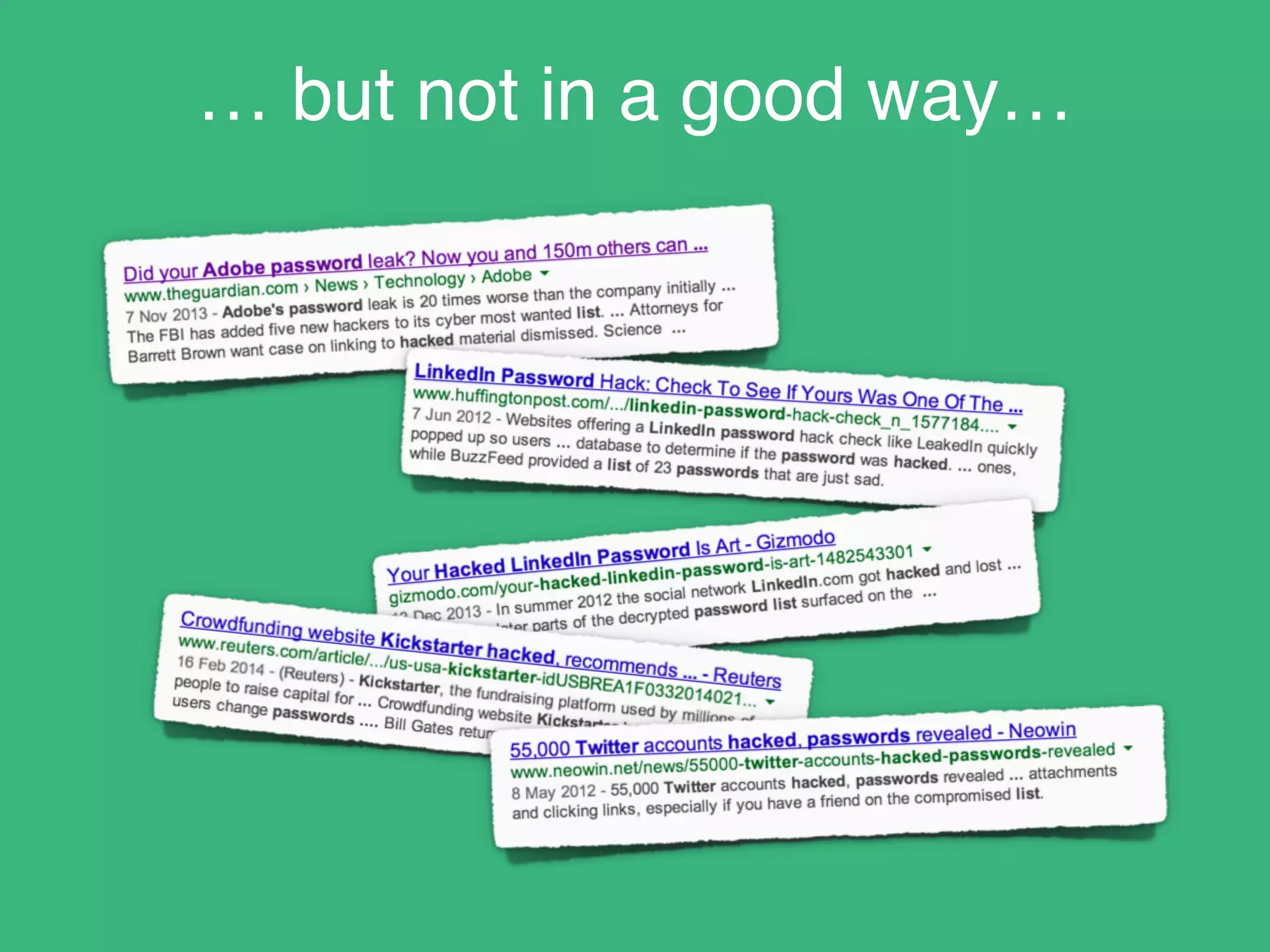
You might even be in the news!
… but not in a good way…
Image credit: https://kezialubanszky.files.wordpress.com/2013/03/don-t-panic-2568311.jpg
±

KEEP CALM

AND

SIGN IN

WITH

GOOGLE+
Easier for you

Easier for the user

Established, trusted brand

Focus on your business
model
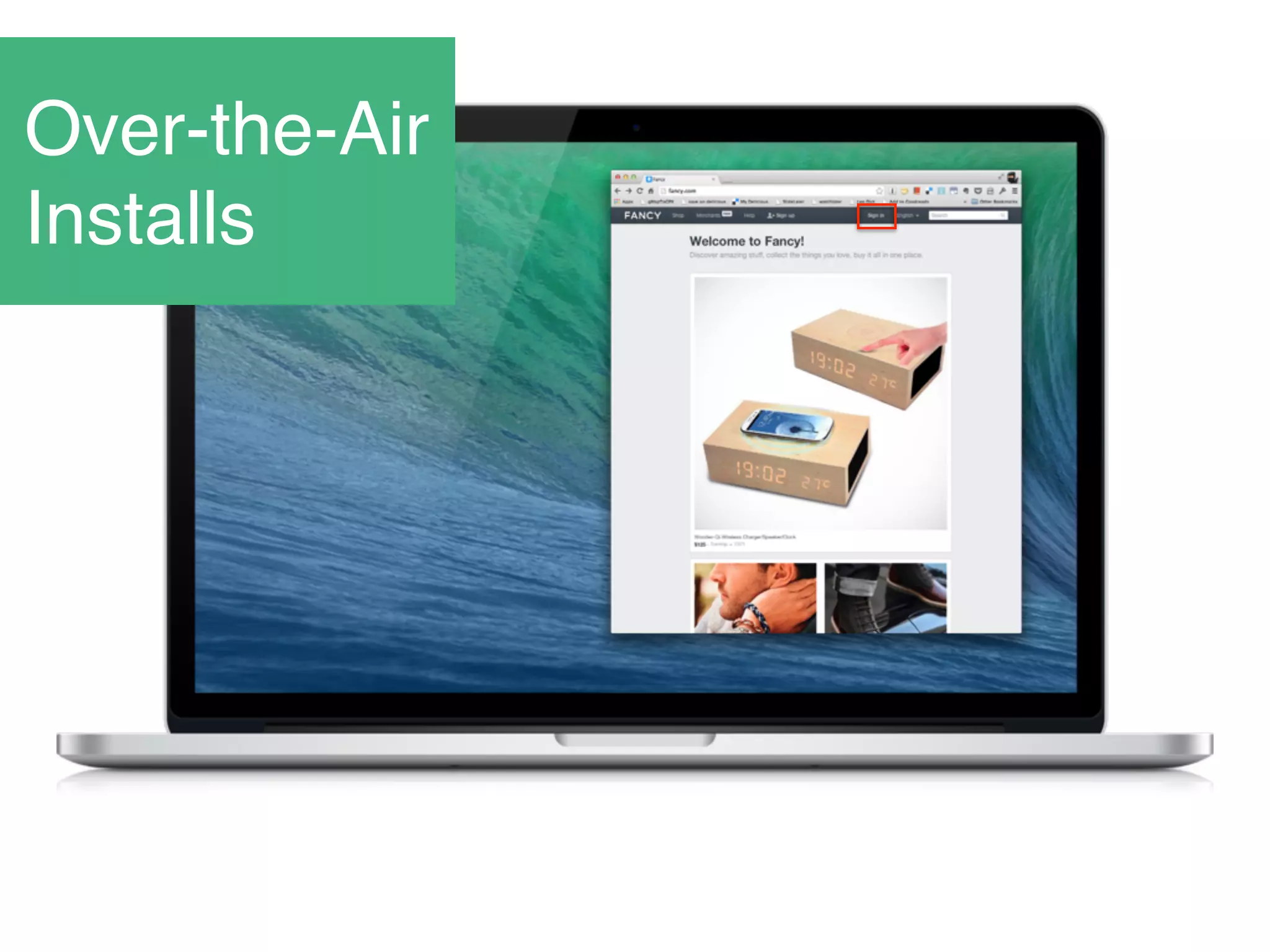
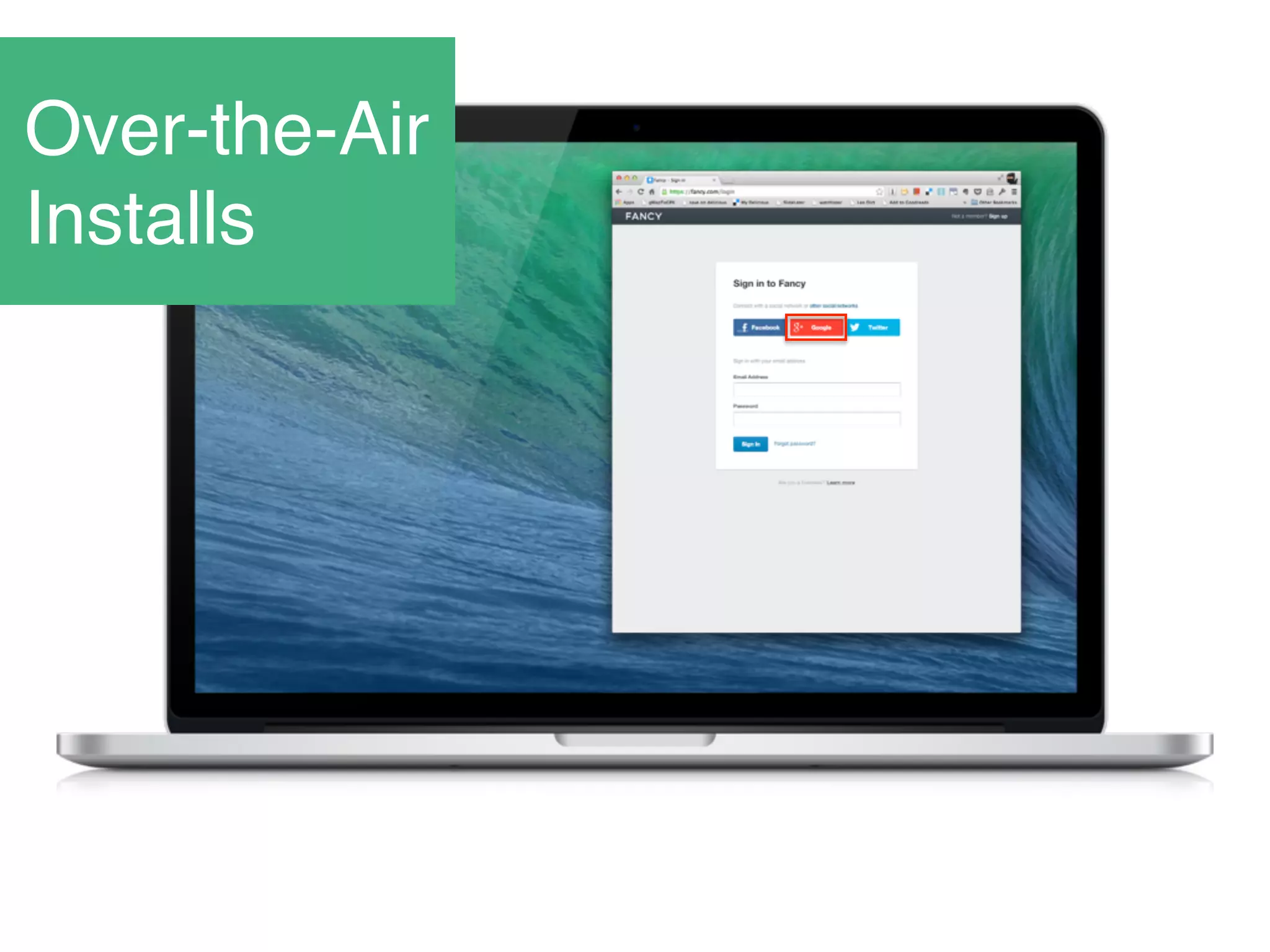
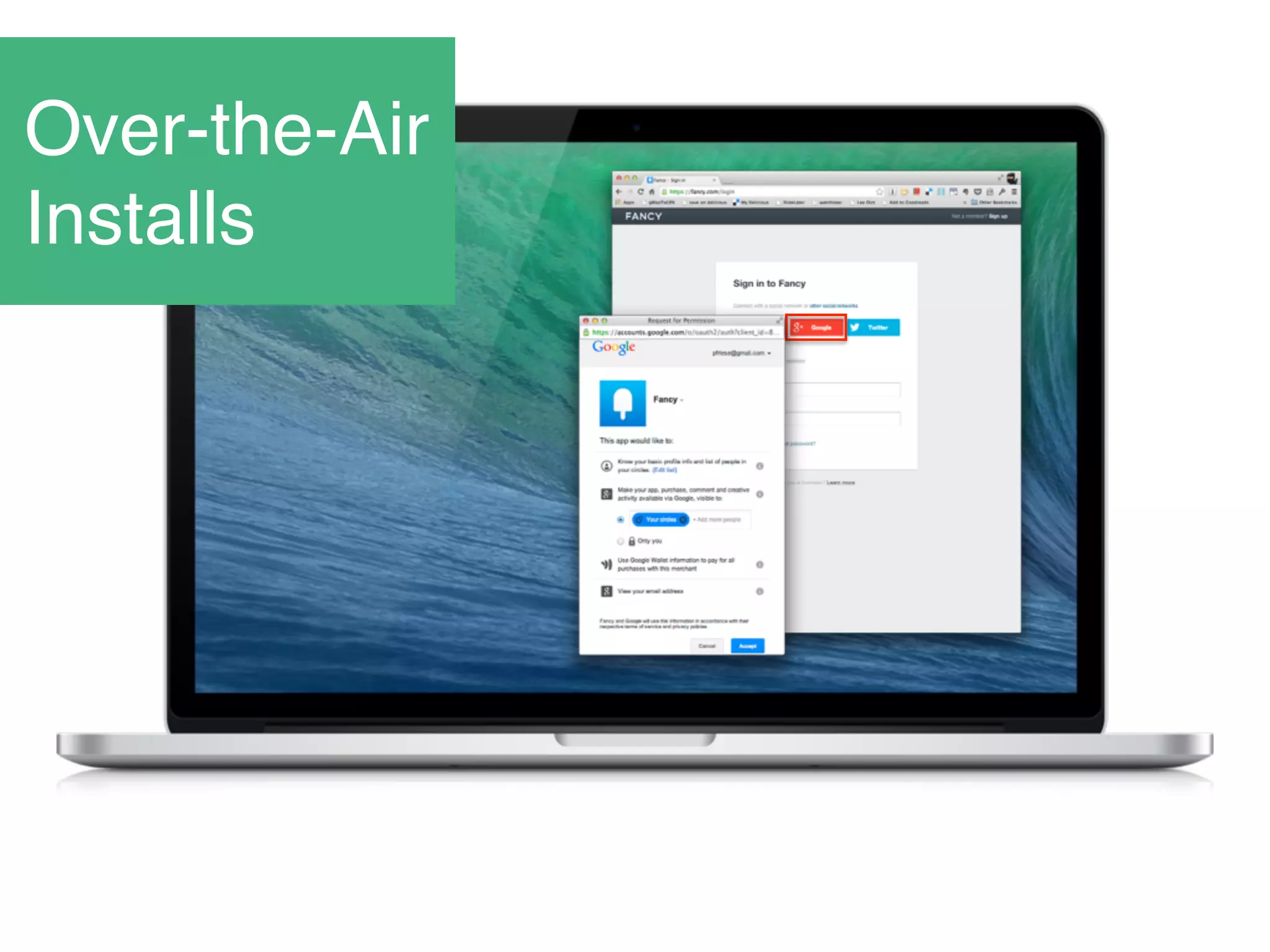
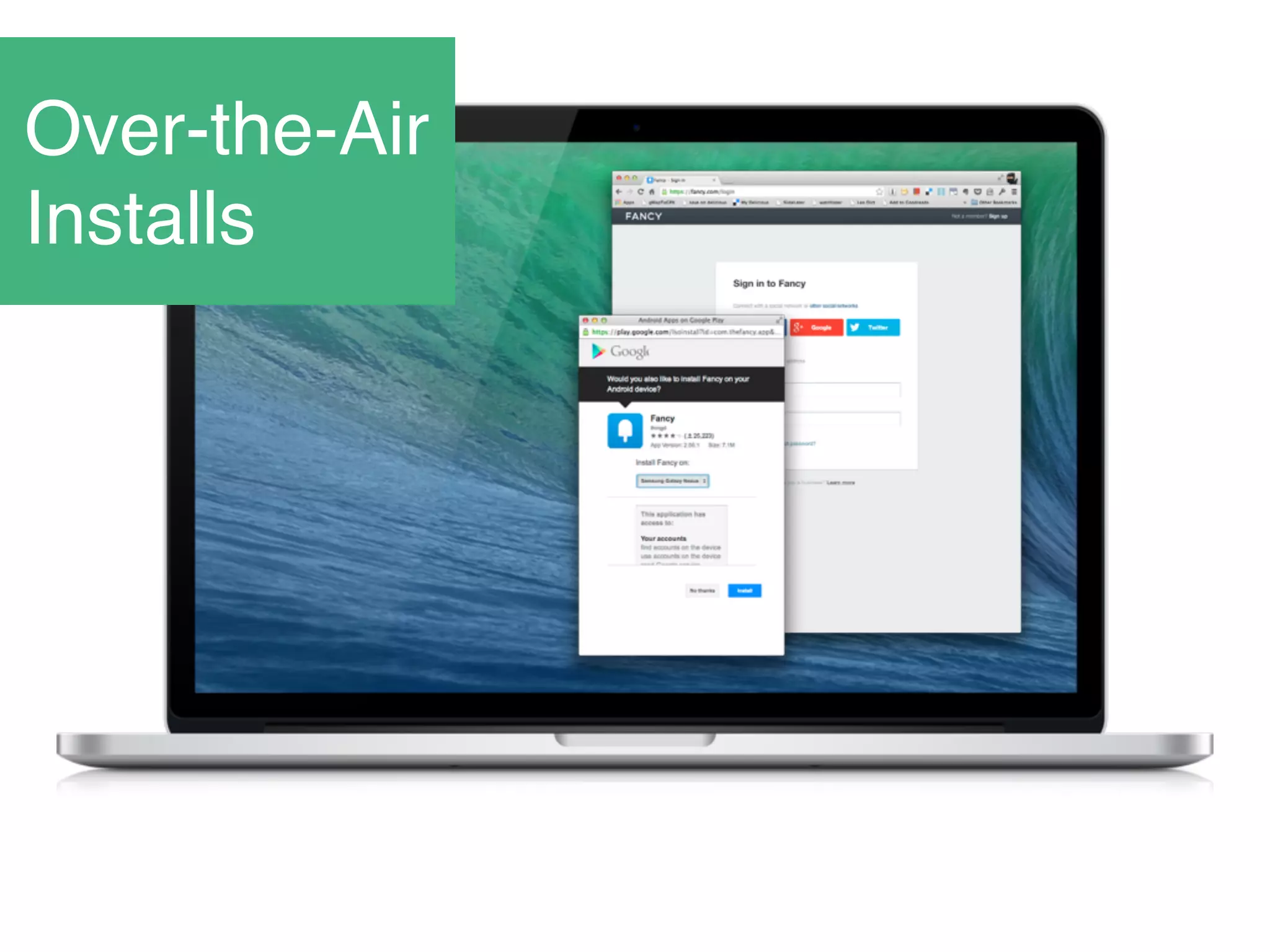
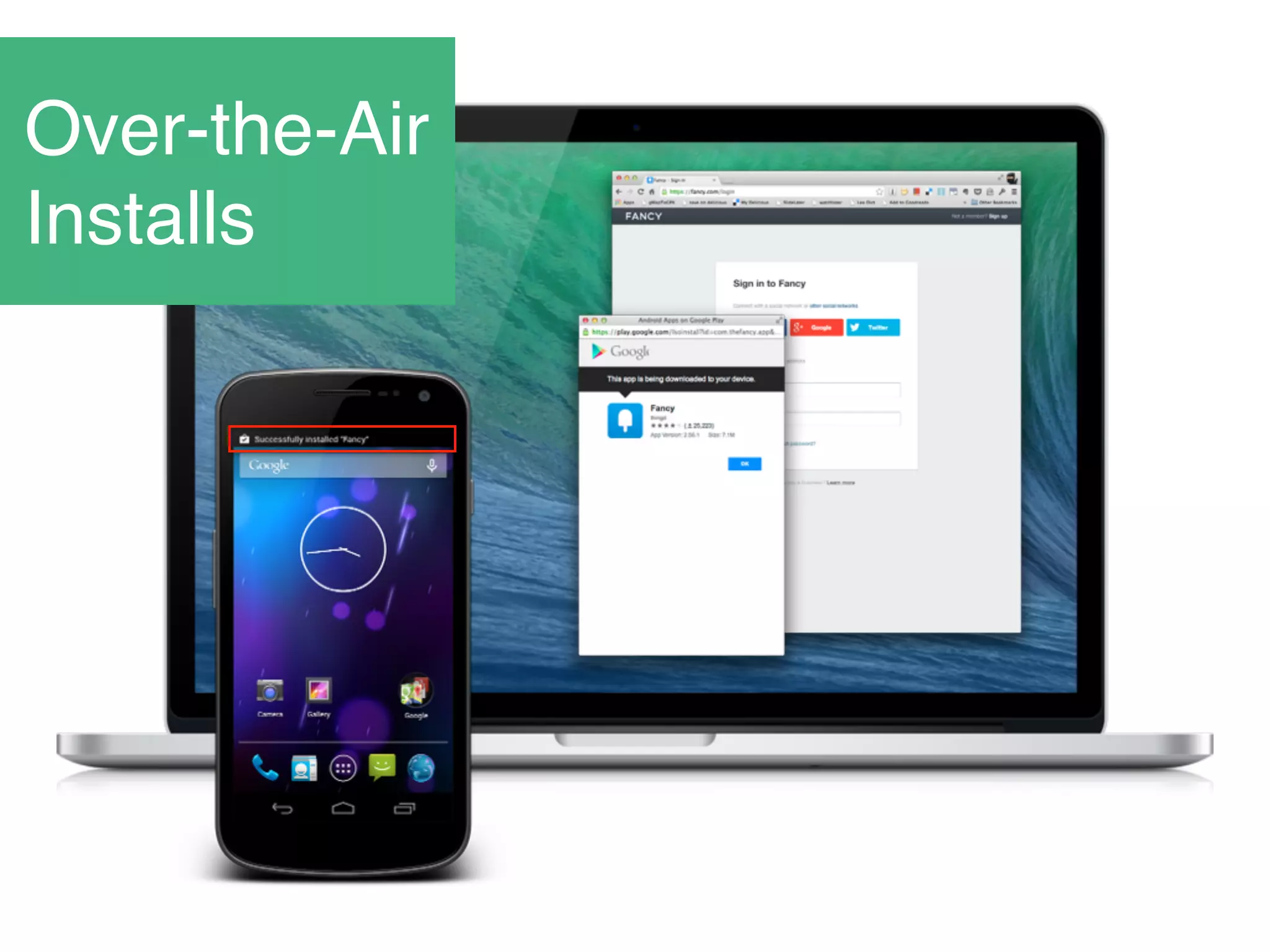
Over-the-Air
Installs
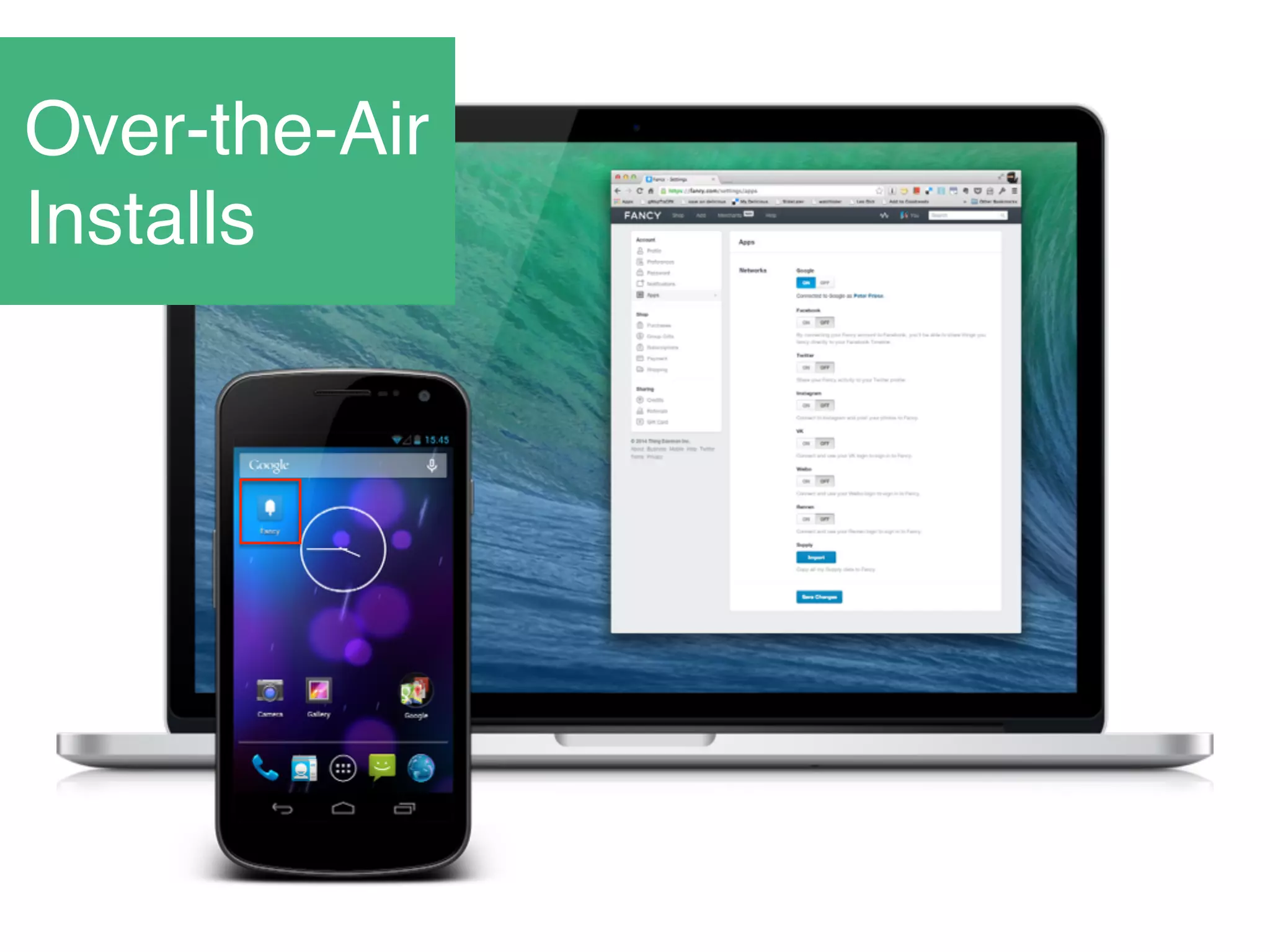
Over-the-Air
Installs
Over-the-Air
Installs
Over-the-Air
Installs
Over-the-Air
Installs
Over-the-Air
Installs
Over-the-Air
Installs
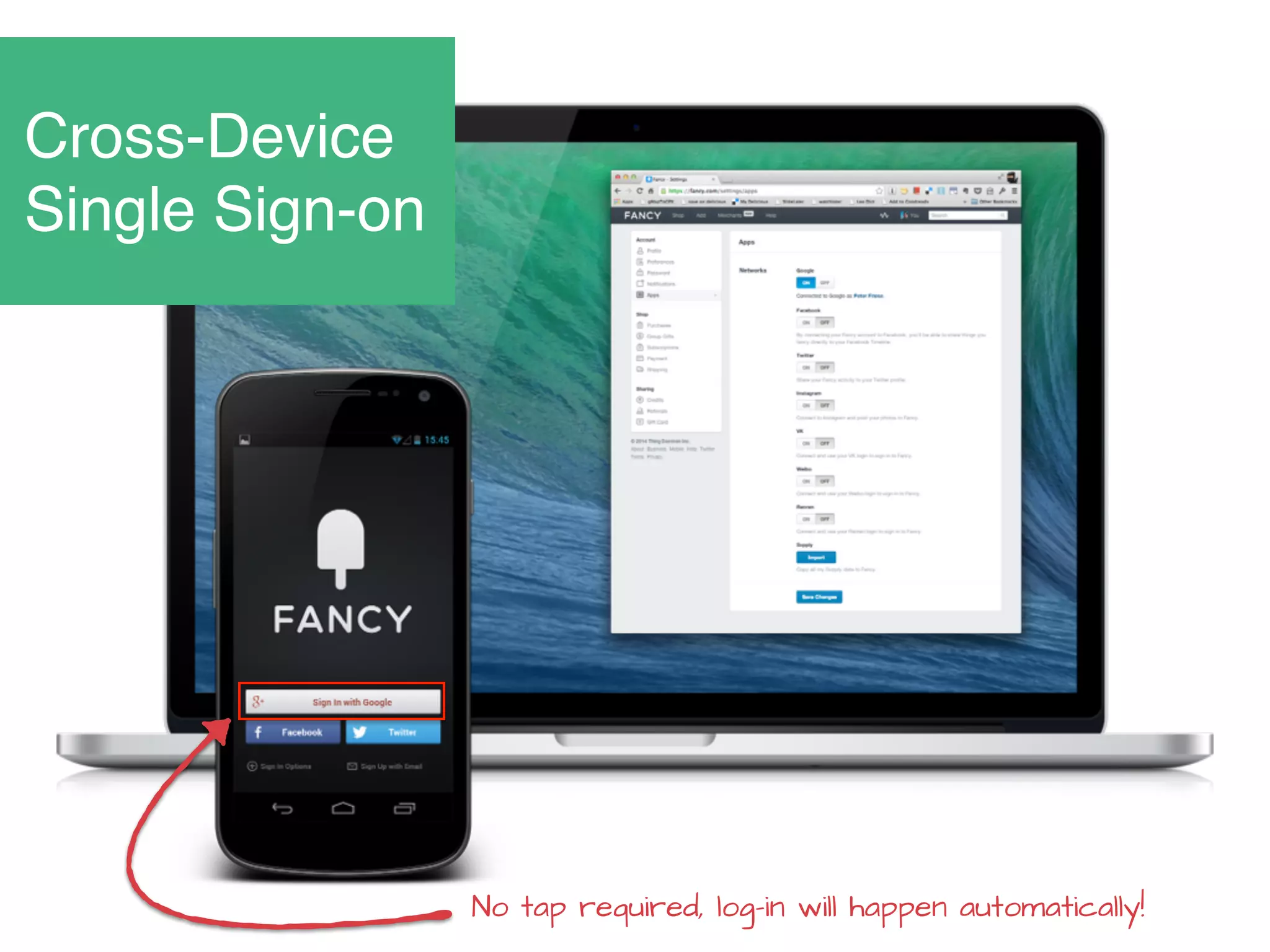
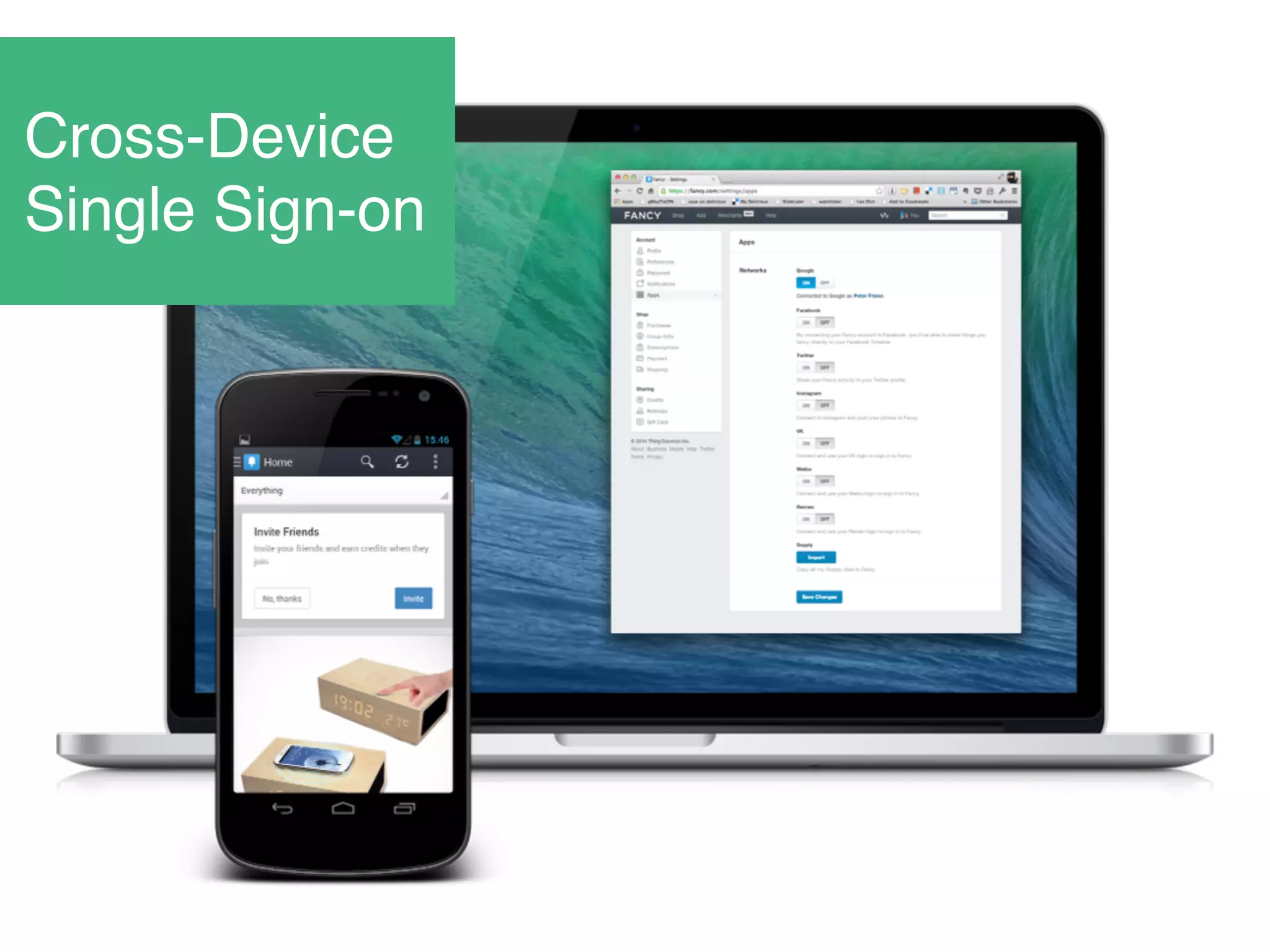
Cross-Device
Single Sign-on
No tap required, log-in will happen automatically!
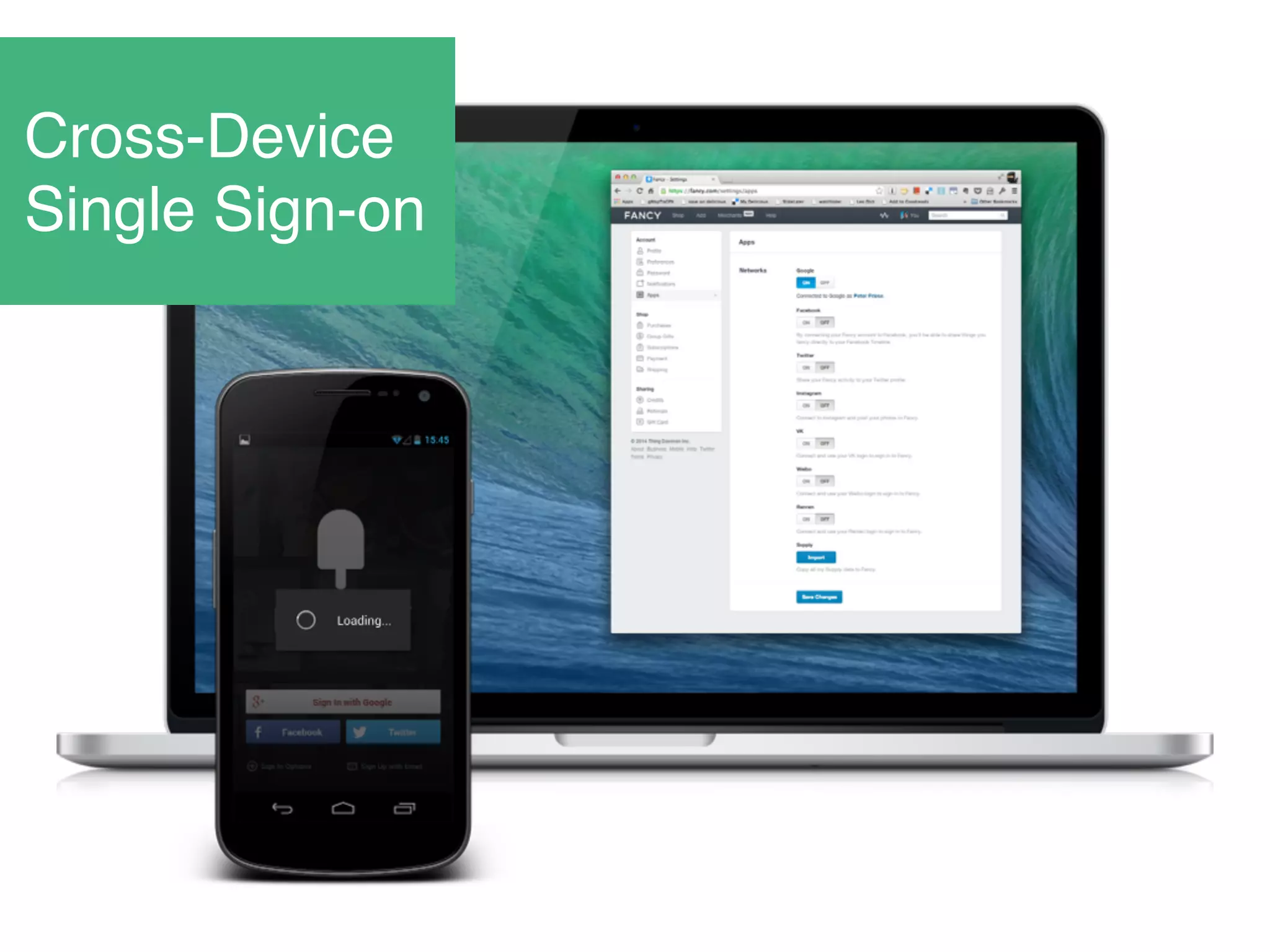
Cross-Device
Single Sign-on
Cross-Device
Single Sign-on
Implementing Google+ Sign-in
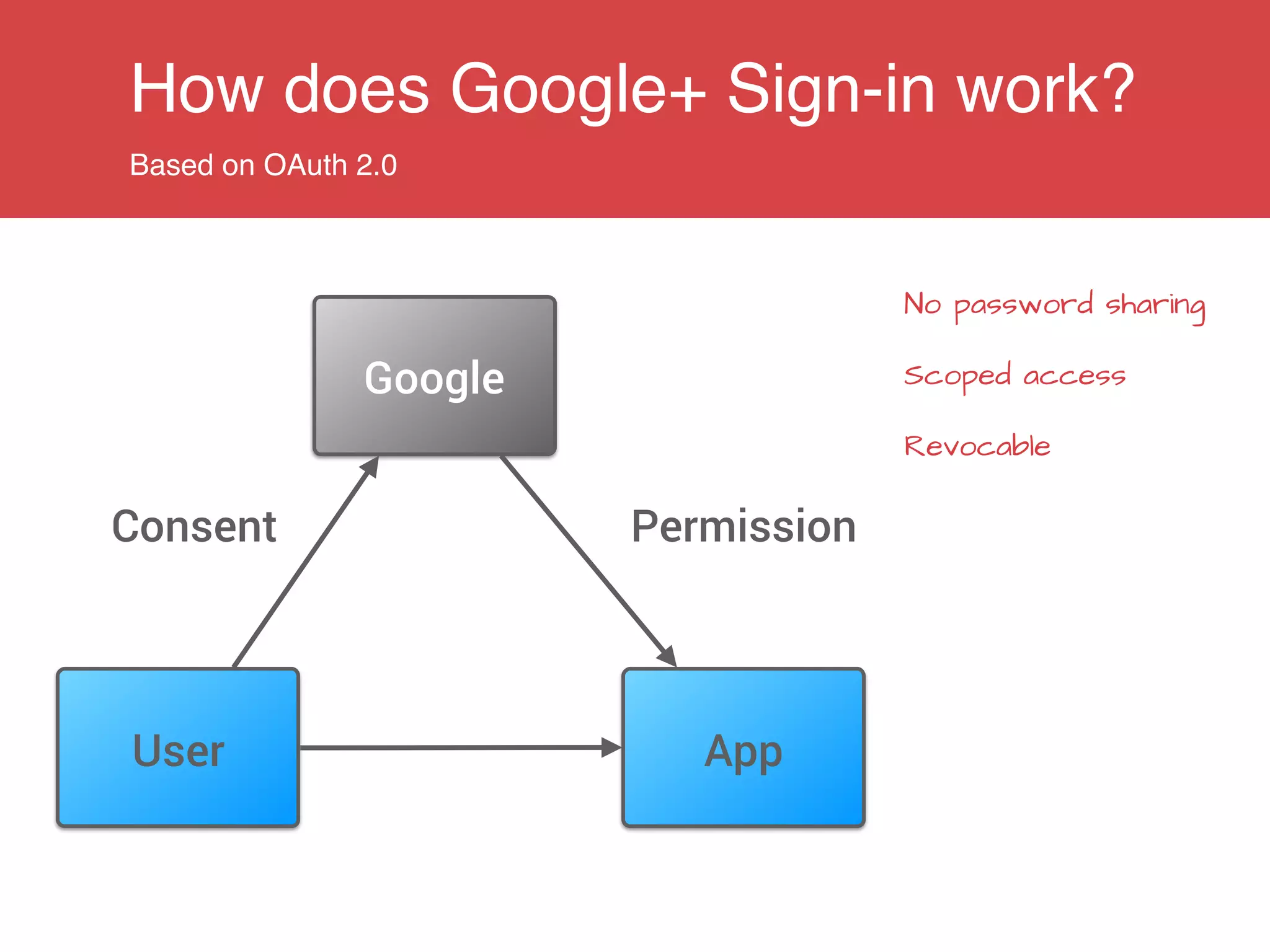
How does Google+ Sign-in work?
Based on OAuth 2.0
AppUser
Google
Consent Permission
No password sharing
Scoped access
Revocable
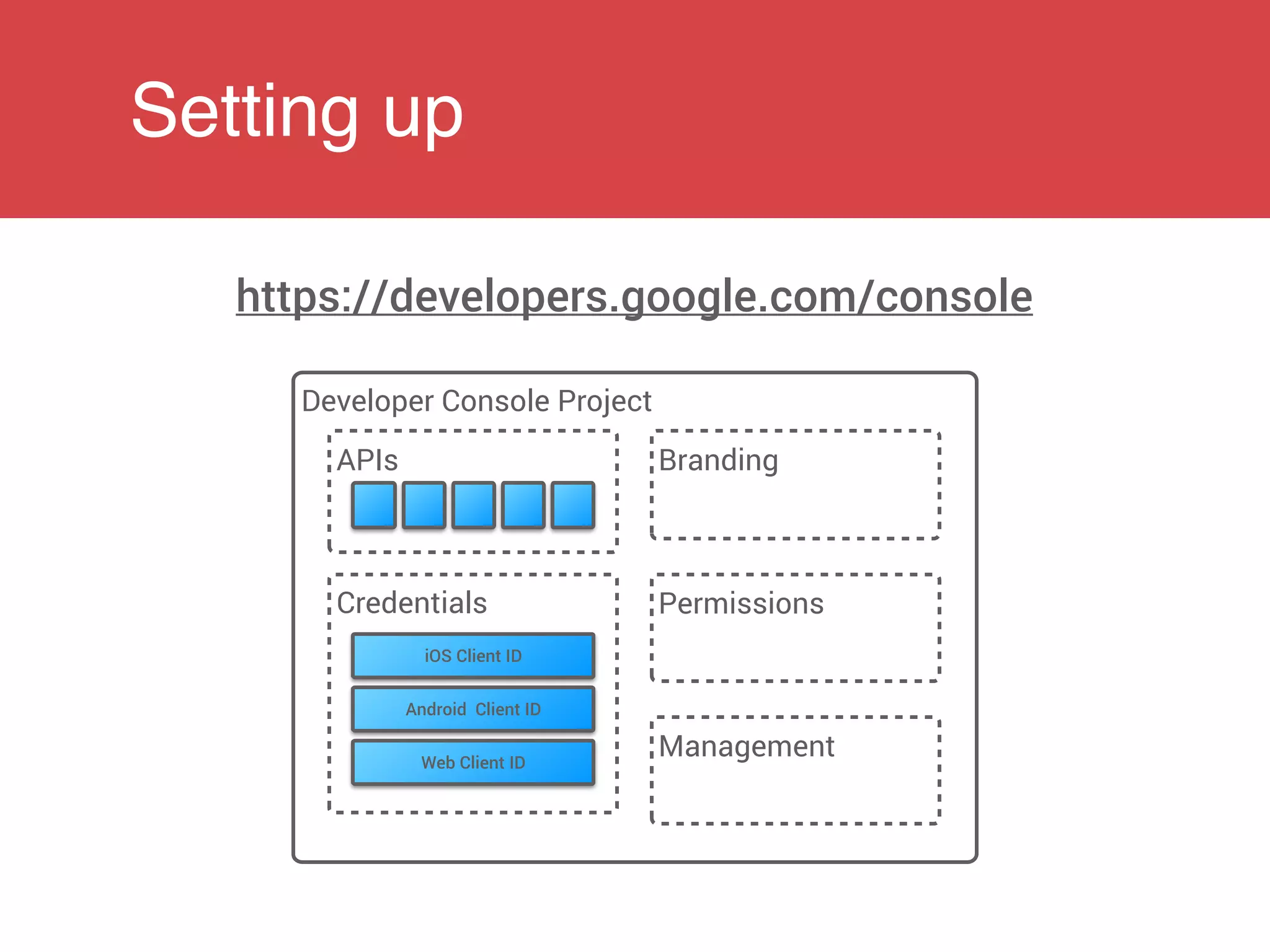
Setting up
Developer Console Project
https://developers.google.com/console
APIs
Credentials
iOS Client ID
Android Client ID
Web Client ID
Branding
Permissions
Management
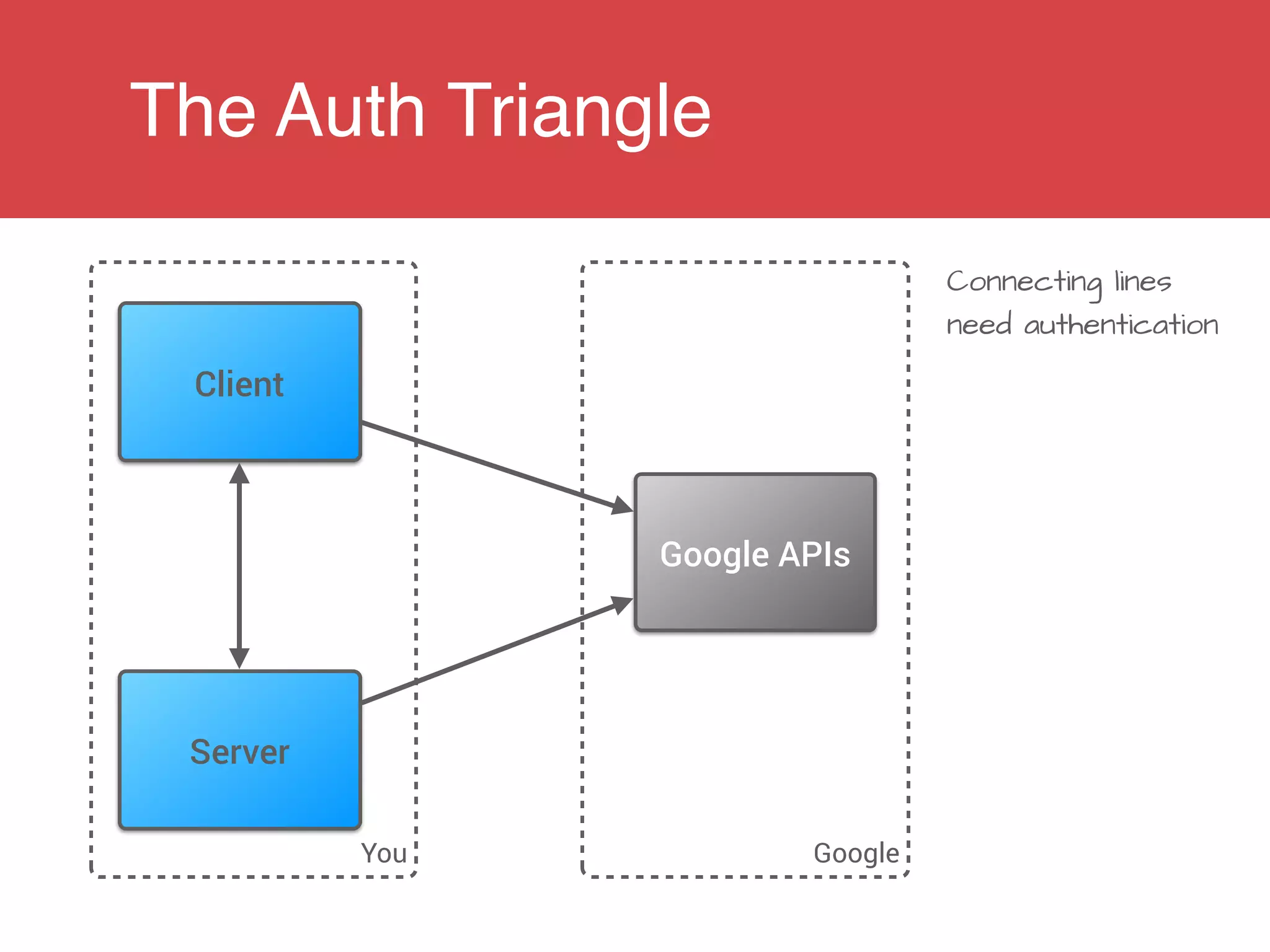
The Auth Triangle
You Google
Connecting lines
need authentication
Client
Server
Google APIs
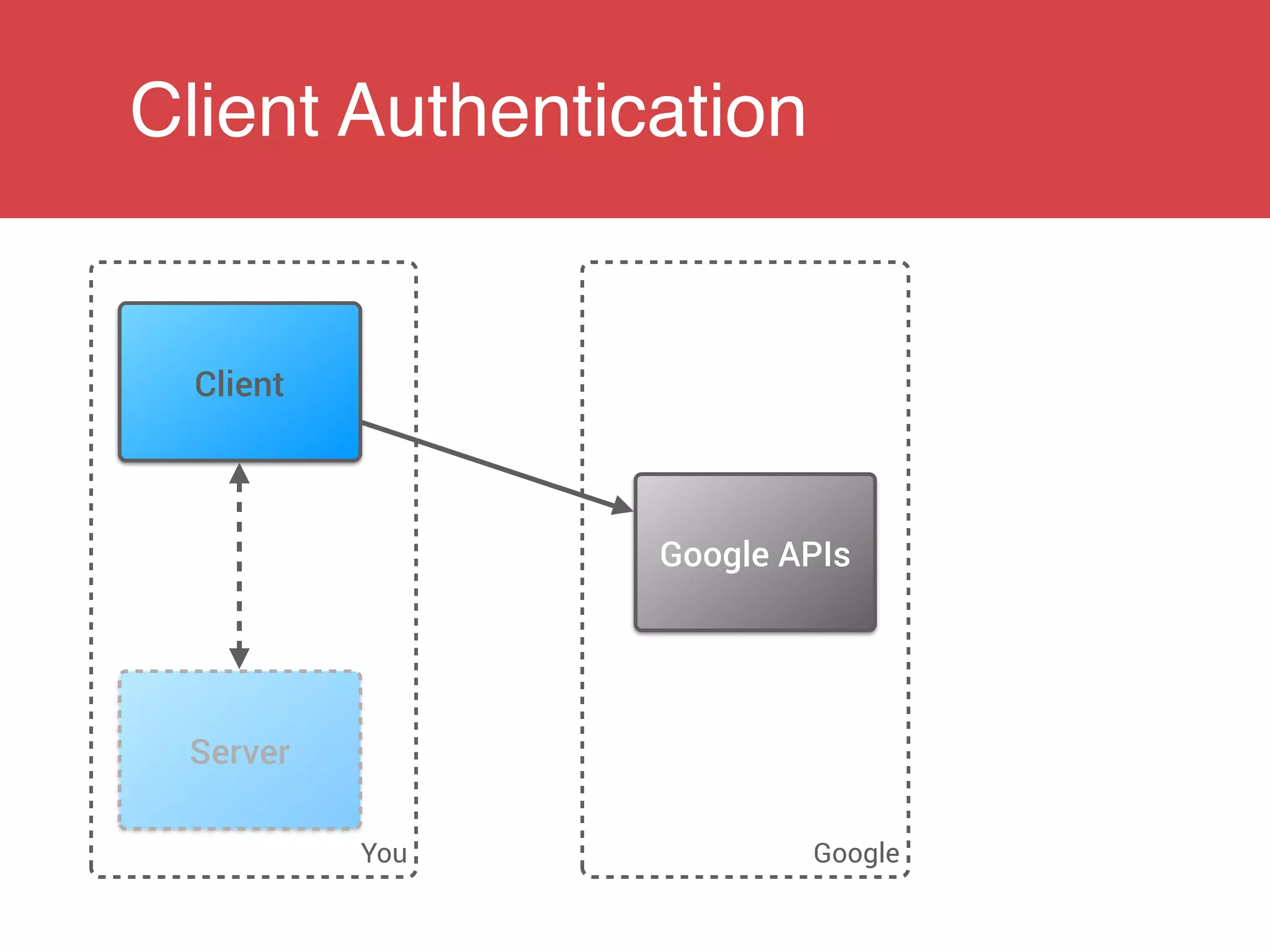
Client Authentication
You Google
Client
Server
Google APIs
Client Authentication
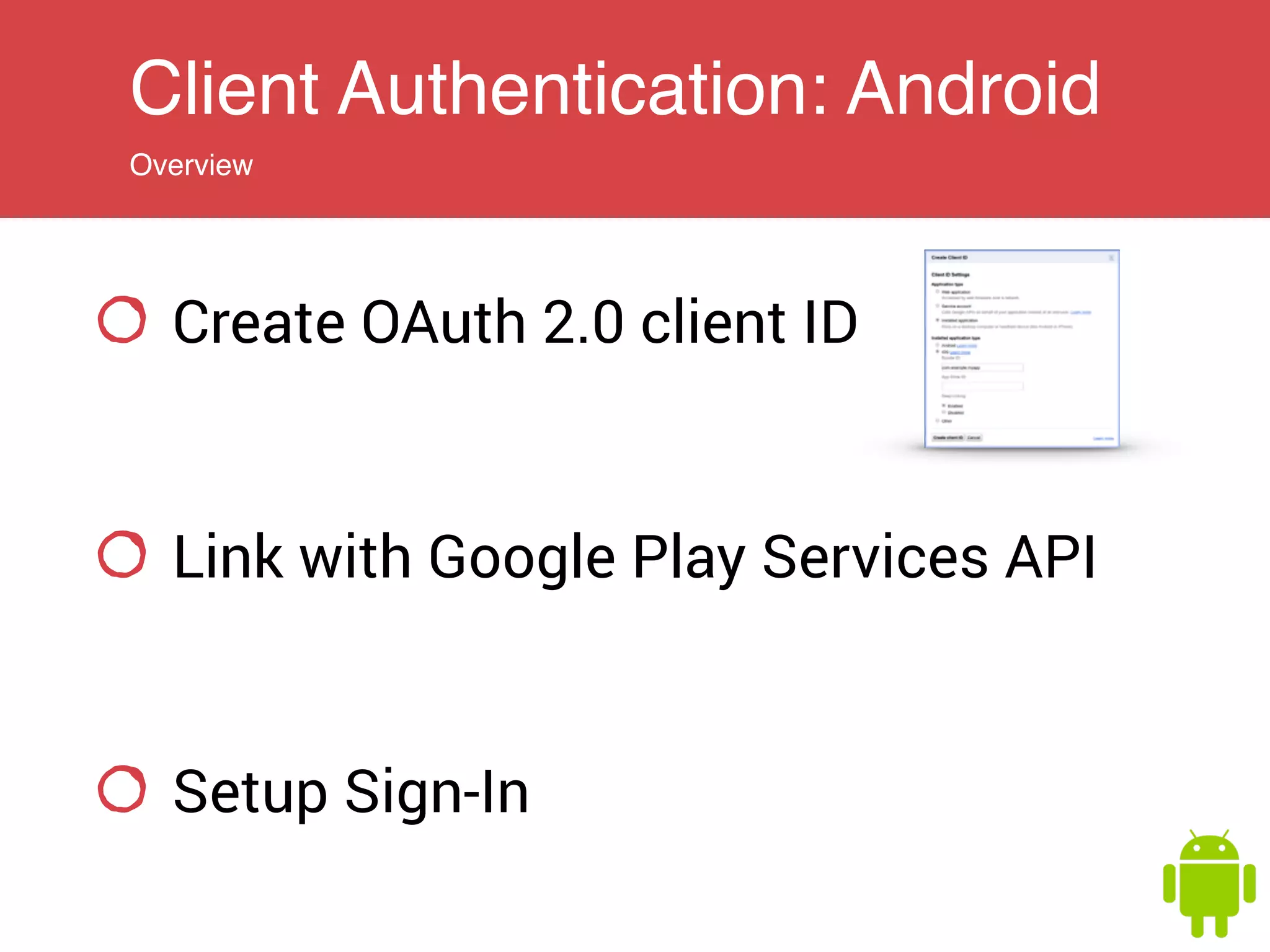
Client Authentication: Android
Overview
Create OAuth 2.0 client ID
Link with Google Play Services API
Setup Sign-In
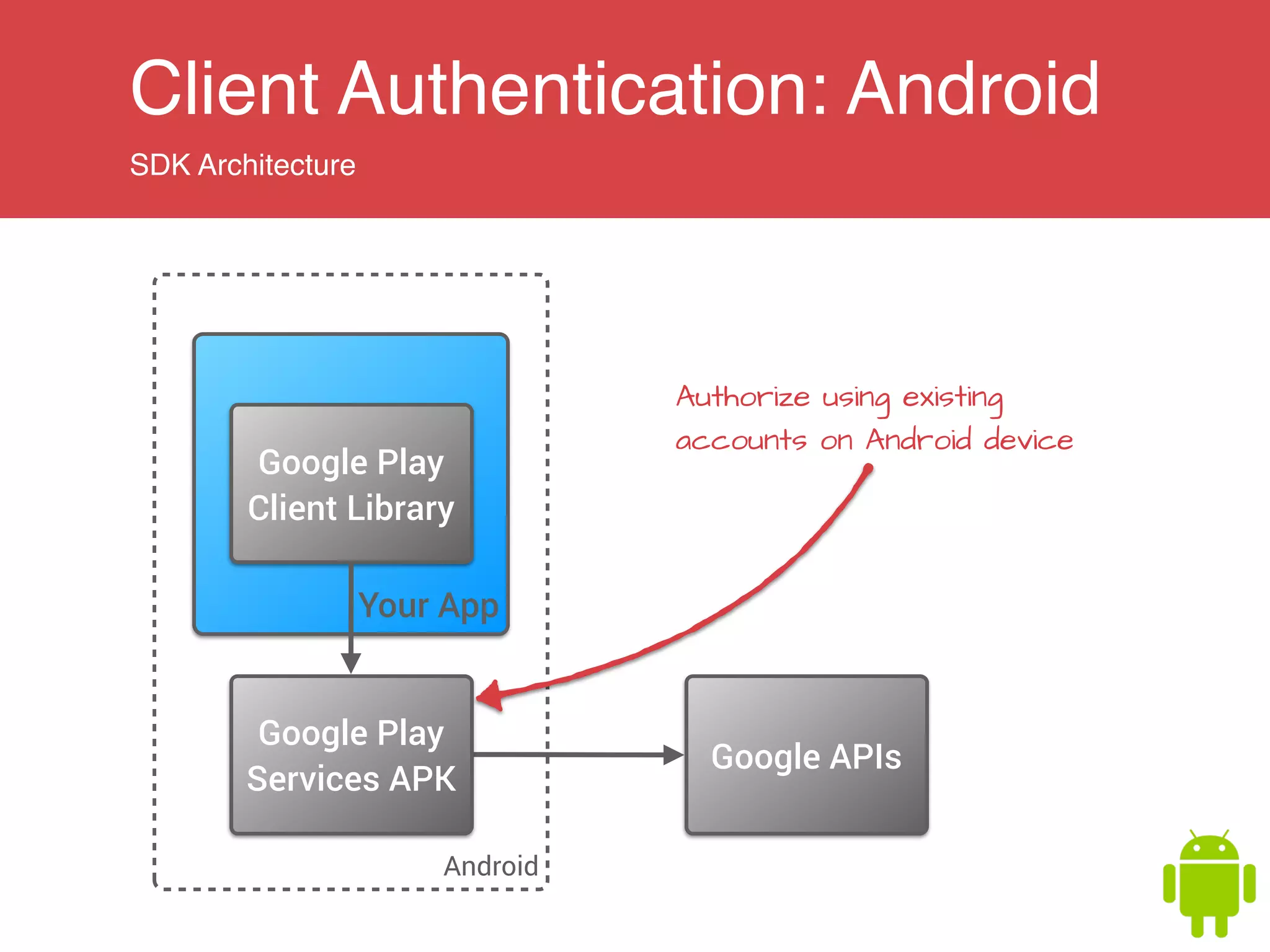
Client Authentication: Android
SDK Architecture
Android
Your App
Google APIs
Google Play
Client Library
Google Play
Services APK
Authorize using existing
accounts on Android device
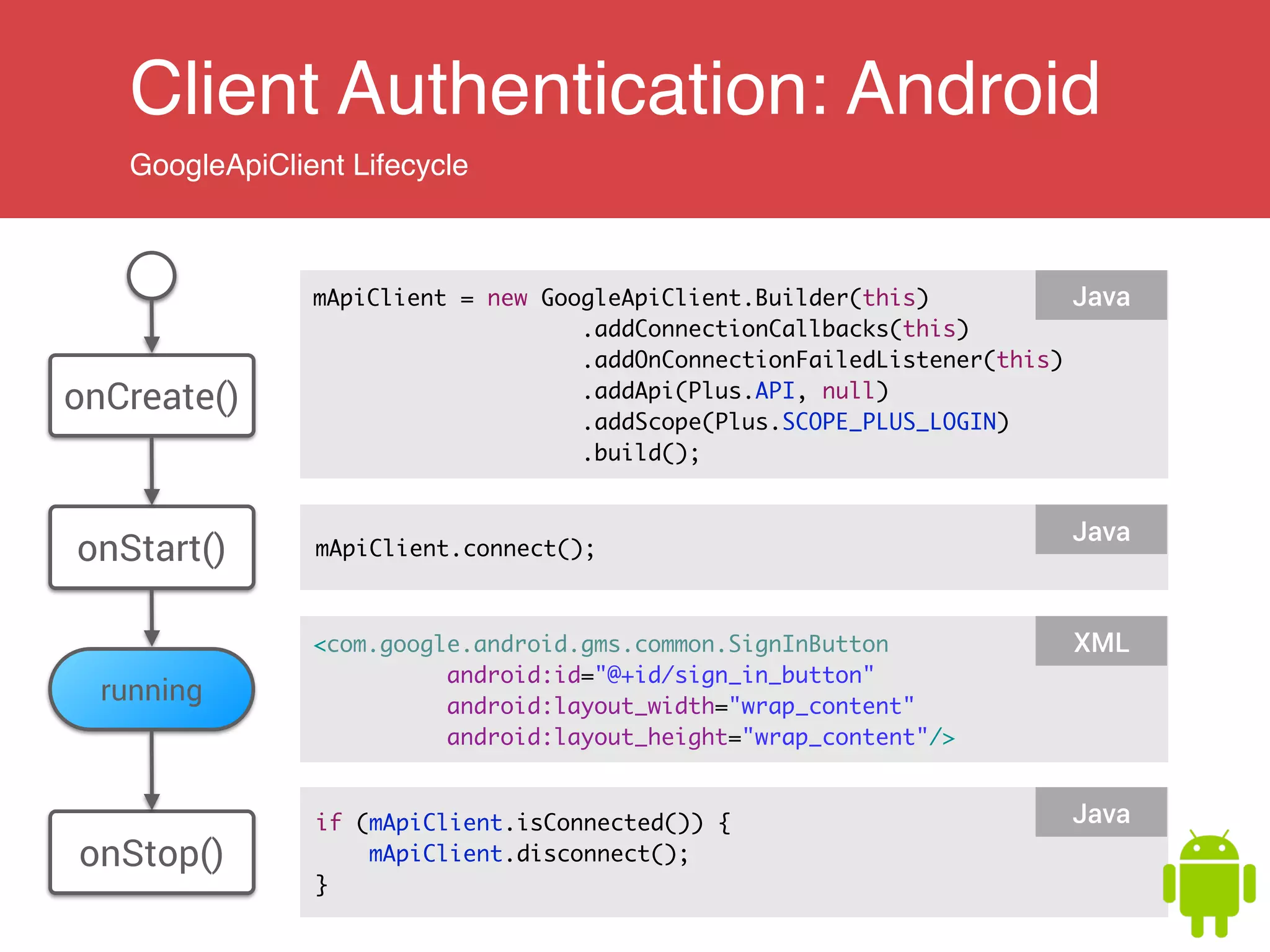
Client Authentication: Android
GoogleApiClient Lifecycle
mApiClient = new GoogleApiClient.Builder(this)	
.addConnectionCallbacks(this)	
.addOnConnectionFailedListener(this)	
.addApi(Plus.API, null)	
.addScope(Plus.SCOPE_PLUS_LOGIN)	
.build();
Java
onCreate()
onStart() mApiClient.connect();
Java
onStop()
if (mApiClient.isConnected()) {	
mApiClient.disconnect();	
}
Java
<com.google.android.gms.common.SignInButton	
android:id="@+id/sign_in_button"	
android:layout_width="wrap_content"	
android:layout_height="wrap_content"/>
XML
running
Client Authentication: Android
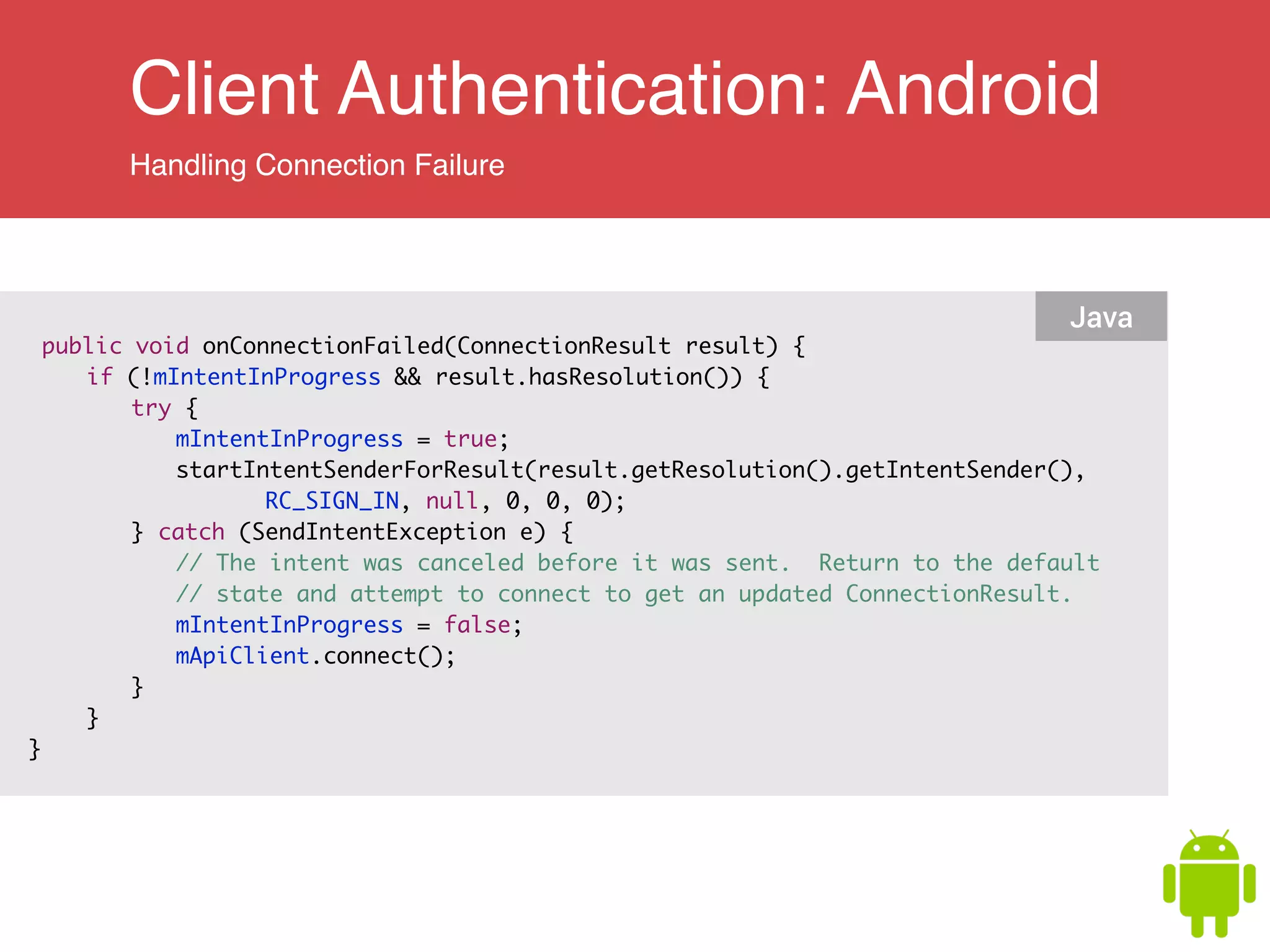
Handling Connection Failure
public void onConnectionFailed(ConnectionResult result) {	
	 if (!mIntentInProgress && result.hasResolution()) {	
	 	 try {	
	 	 	 mIntentInProgress = true;	
	 	 	 startIntentSenderForResult(result.getResolution().getIntentSender(),	
	 	 	 	 	 RC_SIGN_IN, null, 0, 0, 0);	
	 	 } catch (SendIntentException e) {	
	 	 	 // The intent was canceled before it was sent. Return to the default	
	 	 	 // state and attempt to connect to get an updated ConnectionResult.	
	 	 	 mIntentInProgress = false;	
	 	 	 mApiClient.connect();	
	 	 }	
	 }	
}	
Java
Client Authentication: Android
Handle connection failure
public void onConnectionFailed(ConnectionResult result) {	
	 if (!mIntentInProgress && result.hasResolution()) {	
	 	 try {	
	 	 	 mIntentInProgress = true;	
	 	 	 startIntentSenderForResult(result.getResolution().getIntentSender(),	
	 	 	 	 	 RC_SIGN_IN, null, 0, 0, 0);	
	 	 } catch (SendIntentException e) {	
	 	 	 // The intent was canceled before it was sent. Return to the default	
	 	 	 // state and attempt to connect to get an updated ConnectionResult.	
	 	 	 mIntentInProgress = false;	
	 	 	 mApiClient.connect();	
	 	 }	
	 }	
}	
Java
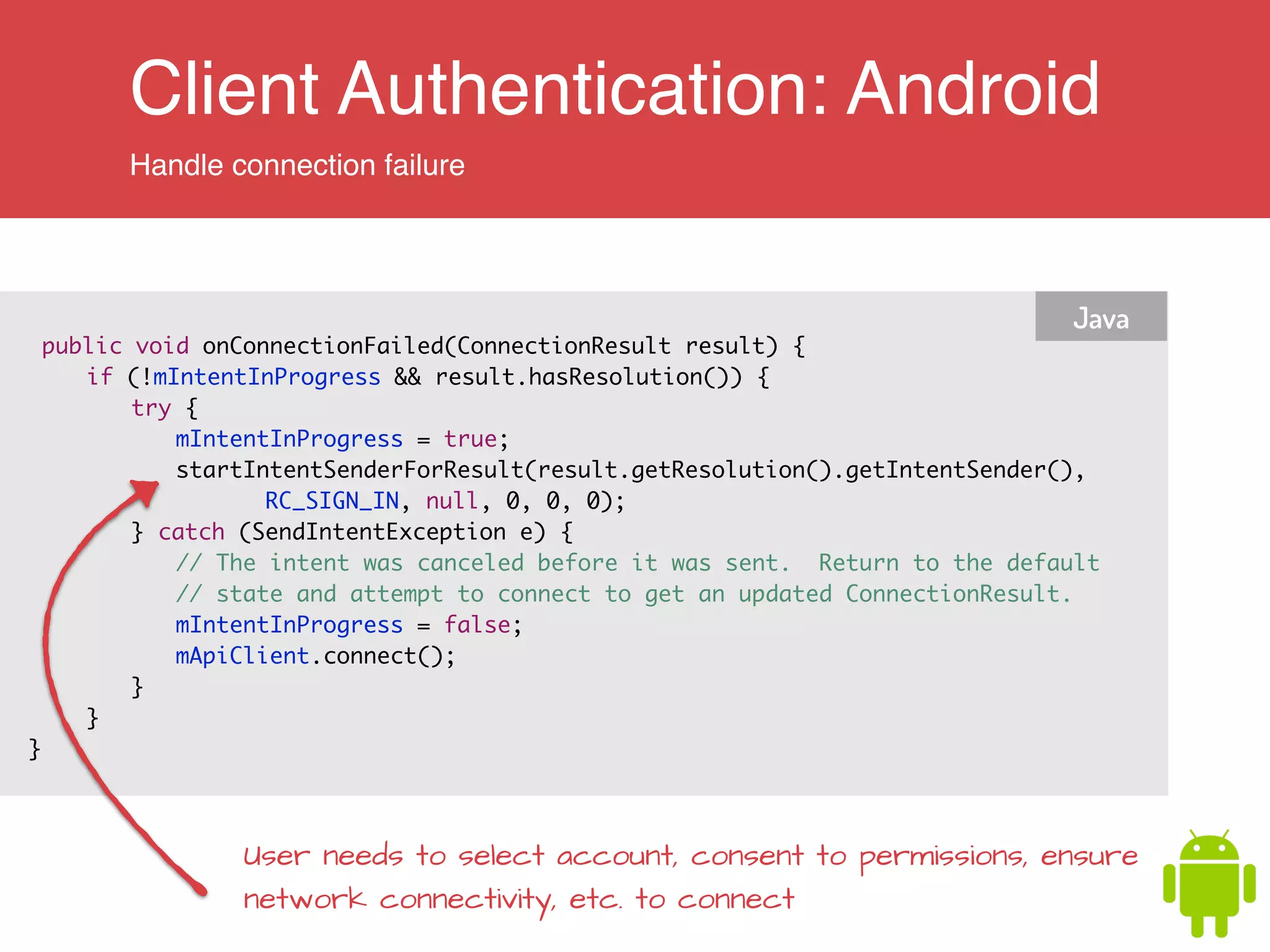
User needs to select account, consent to permissions, ensure
network connectivity, etc. to connect
Client Authentication: Android
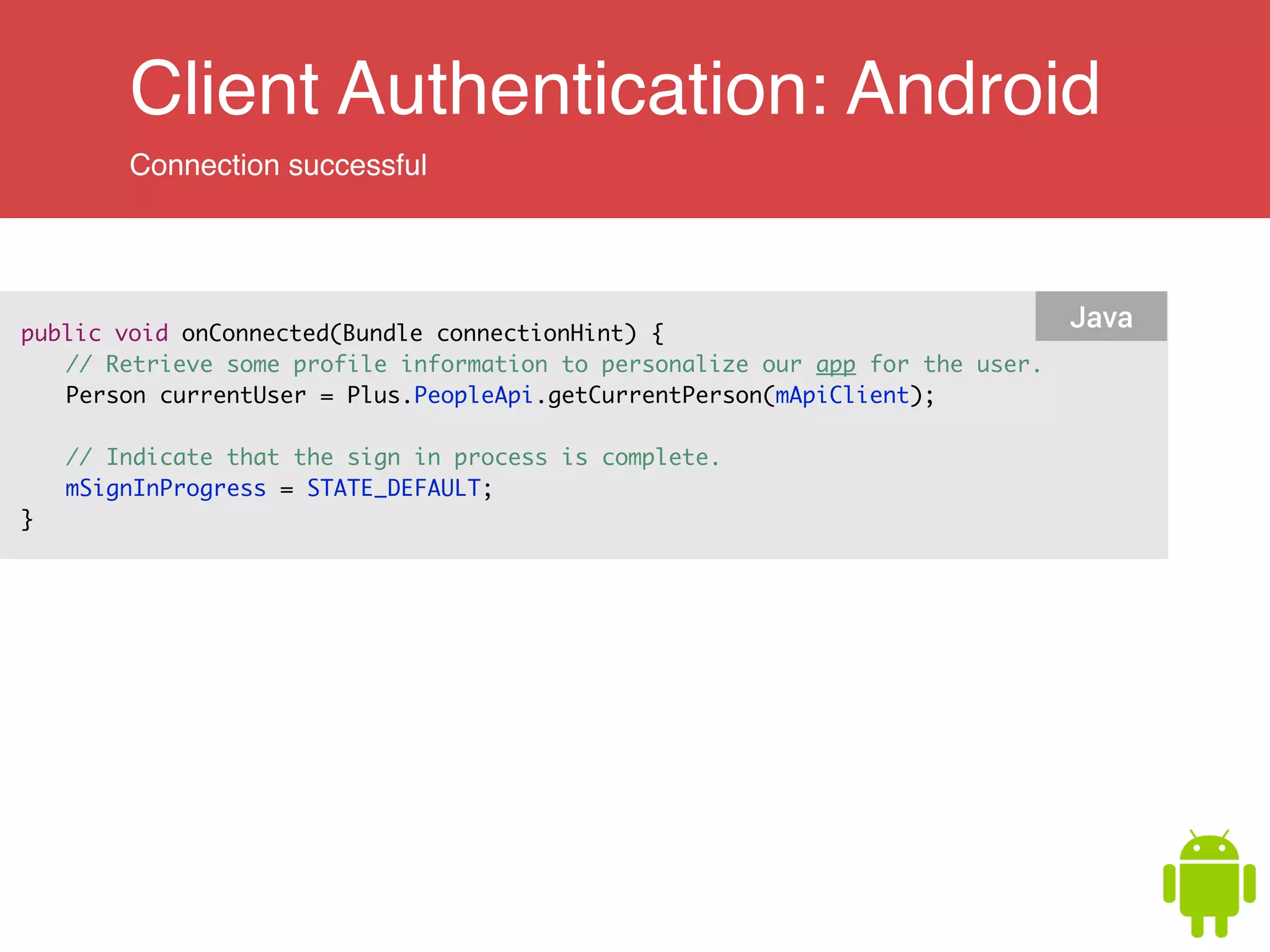
Connection successful
public void onConnected(Bundle connectionHint) { 	
	 // Retrieve some profile information to personalize our app for the user.	
	 Person currentUser = Plus.PeopleApi.getCurrentPerson(mApiClient);	
	
	 // Indicate that the sign in process is complete.	
	 mSignInProgress = STATE_DEFAULT;	
}
Java
Client Authentication: Android
Connection successful
public void onConnected(Bundle connectionHint) { 	
	 // Retrieve some profile information to personalize our app for the user.	
	 Person currentUser = Plus.PeopleApi.getCurrentPerson(mApiClient);	
	
	 // Indicate that the sign in process is complete.	
	 mSignInProgress = STATE_DEFAULT;	
}
Java
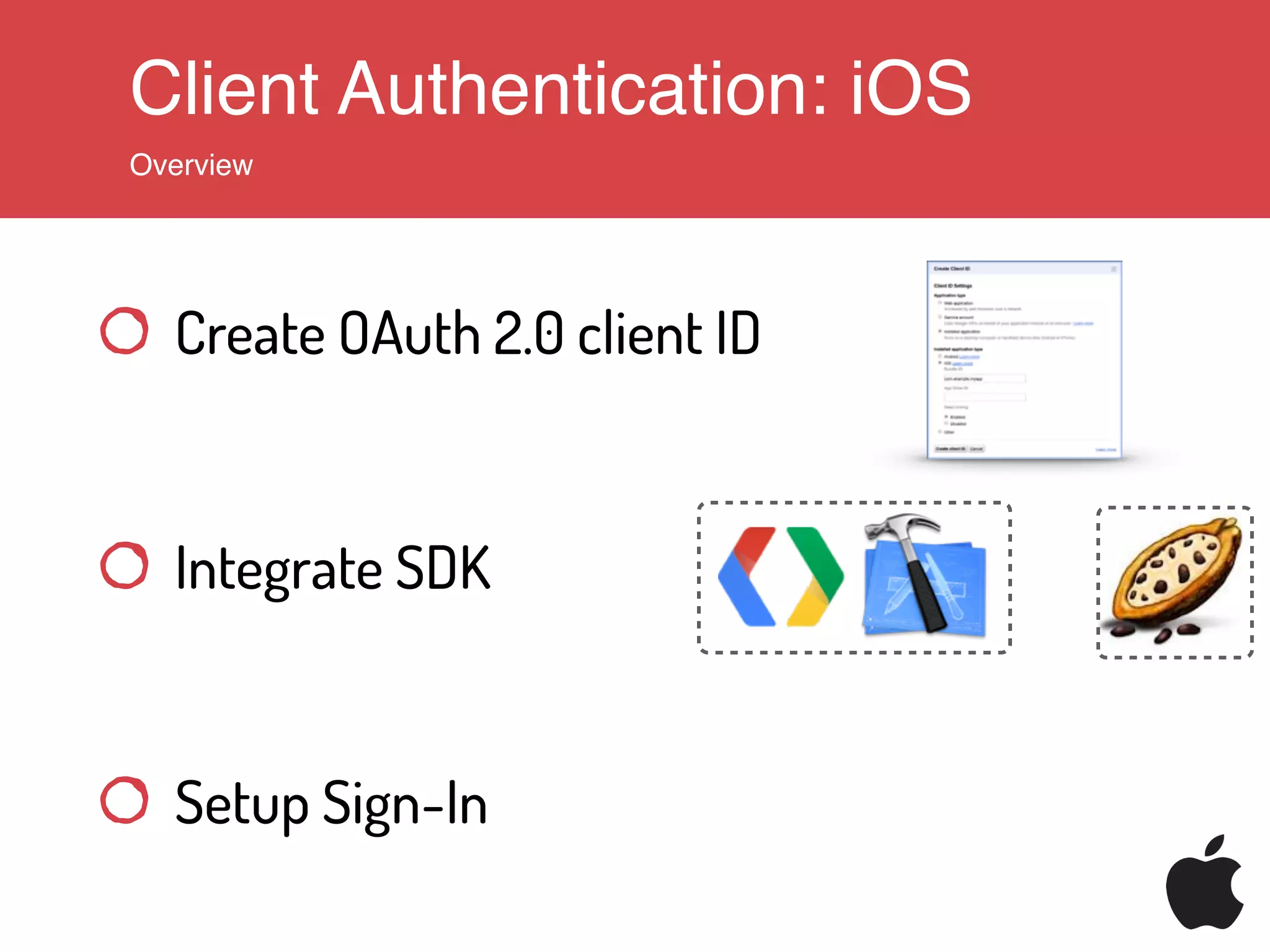
Client Authentication: iOS
Overview
Create OAuth 2.0 client ID
Integrate SDK
Setup Sign-In
Client Authentication: iOS
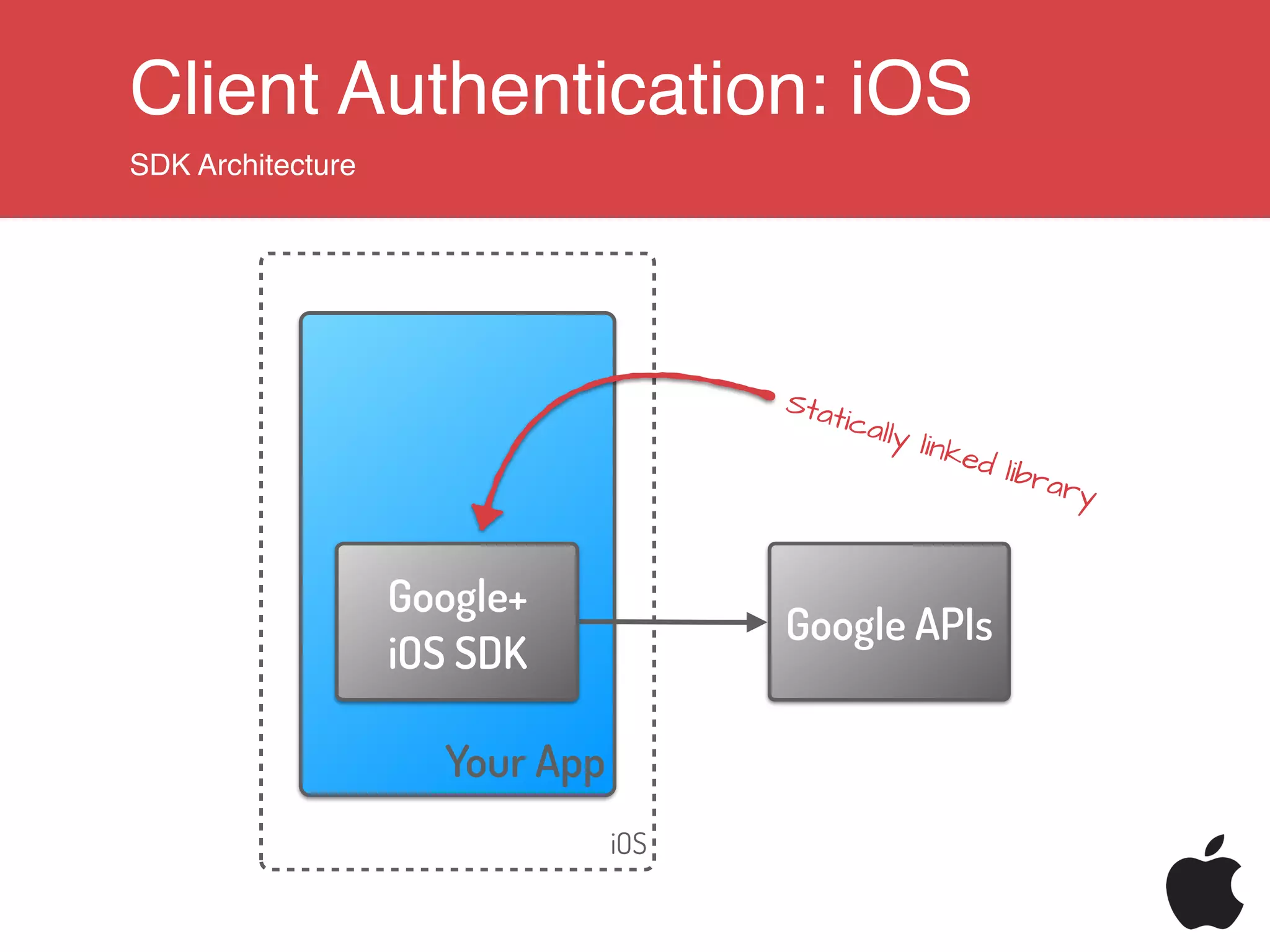
SDK Architecture
iOS
Your App
Google APIs
Google+
iOS SDK
Statically linked library
Client Authentication: iOS
Configure Sign-In
#import <GooglePlus/GooglePlus.h>
#import <GoogleOpenSource/GoogleOpenSource.h>
!
...
!
!
GPPSignIn *signIn = [GPPSignIn sharedInstance];
signIn.shouldFetchGoogleUserEmail = YES;
!
signIn.clientID = @“YOUR_CLIENT_ID”;
signIn.scopes = @[@"profile"];
signIn.delegate = self;
Objective-C
Client Authentication: iOS
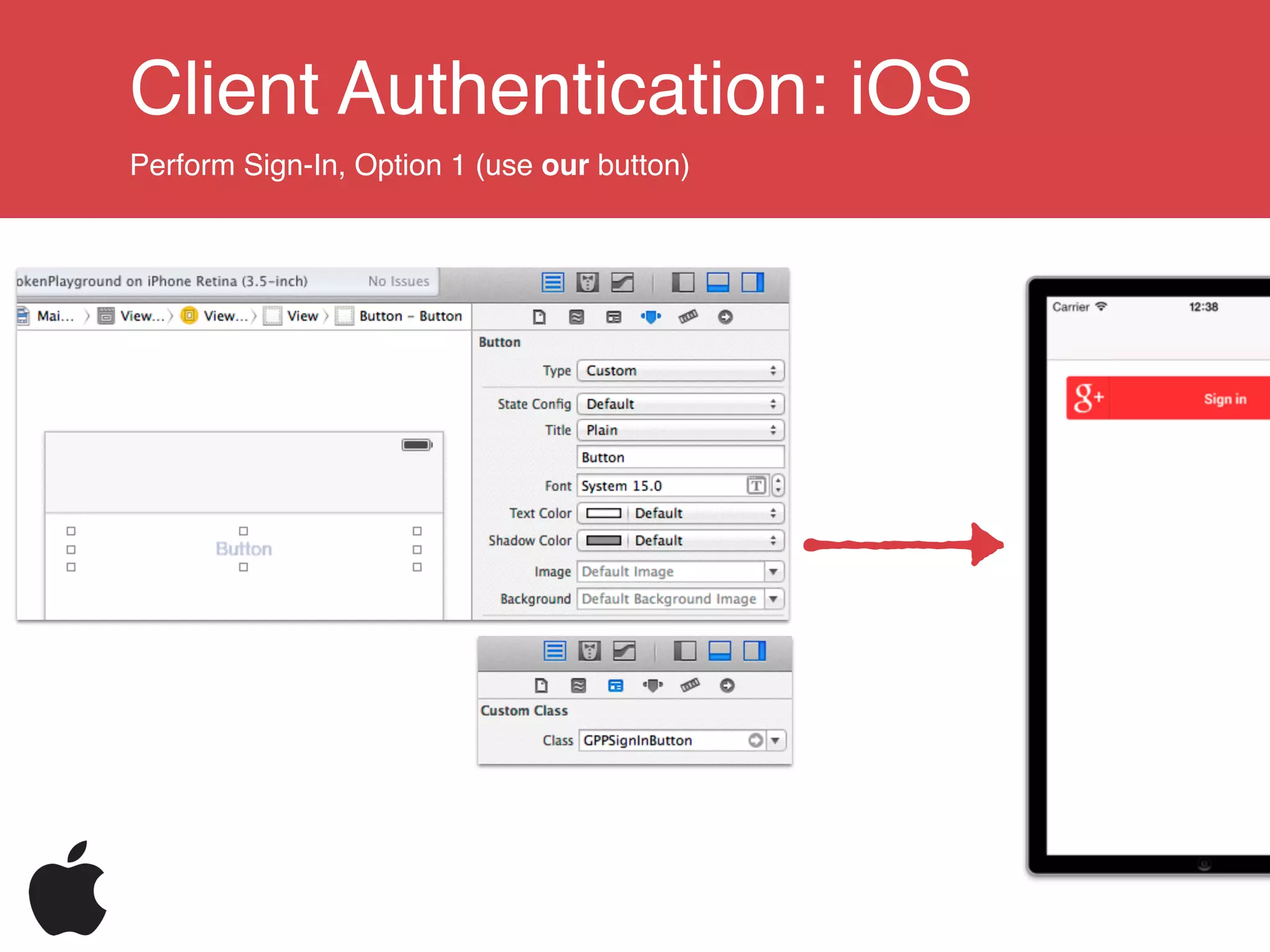
Perform Sign-In, Option 1 (use our button)
Client Authentication: iOS
Perform Sign-In, Option 2 (create your own button)
Create own button / use action sheet / …
// trigger sign-in
[[GPPSignIn sharedInstance] authenticate];
Objective-C
Silent sign-in if user has signed in before
// silently sign in
[[GPPSignIn sharedInstance] trySilentAuthentication];
Objective-C
Client Authentication: iOS
Receiving the authorisation
// In ApplicationDelegate
- (BOOL)application:(UIApplication *)application
openURL:(NSURL *)url
sourceApplication:(NSString *)sourceApplication
annotation:(id)annotation
{
return [GPPURLHandler handleURL:url
sourceApplication:sourceApplication
annotation:annotation];
}
!
!
// GPPSignInDelegate
- (void)finishedWithAuth:(GTMOAuth2Authentication *)auth
error:(NSError *)error
{
if (!error) {
NSString *gplusId = [GPPSignIn sharedInstance].userID;
}
}
Objective-C
Client Authentication: Web
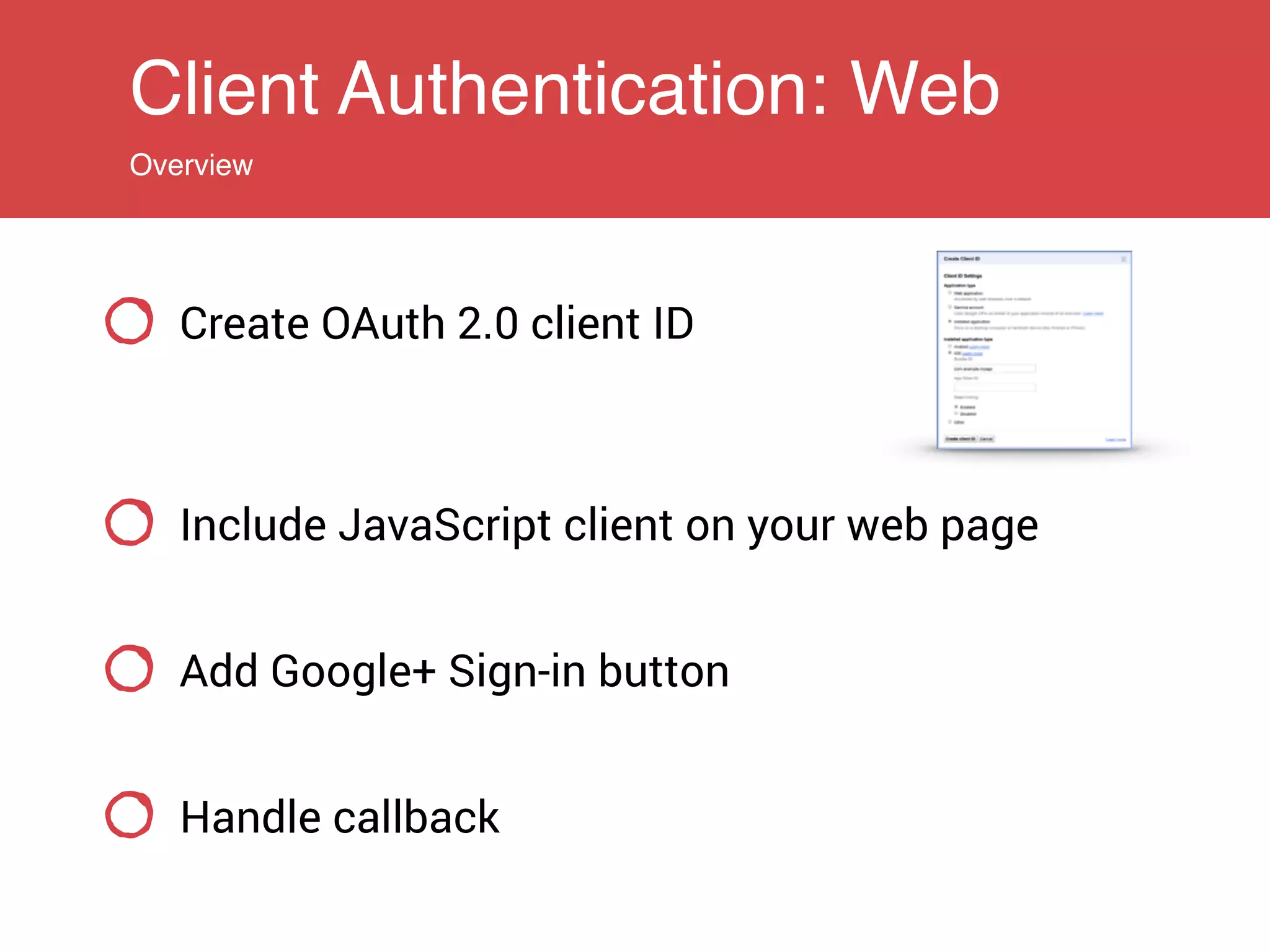
Overview
Create OAuth 2.0 client ID
Include JavaScript client on your web page
Add Google+ Sign-in button
Handle callback
Client Authentication: Web
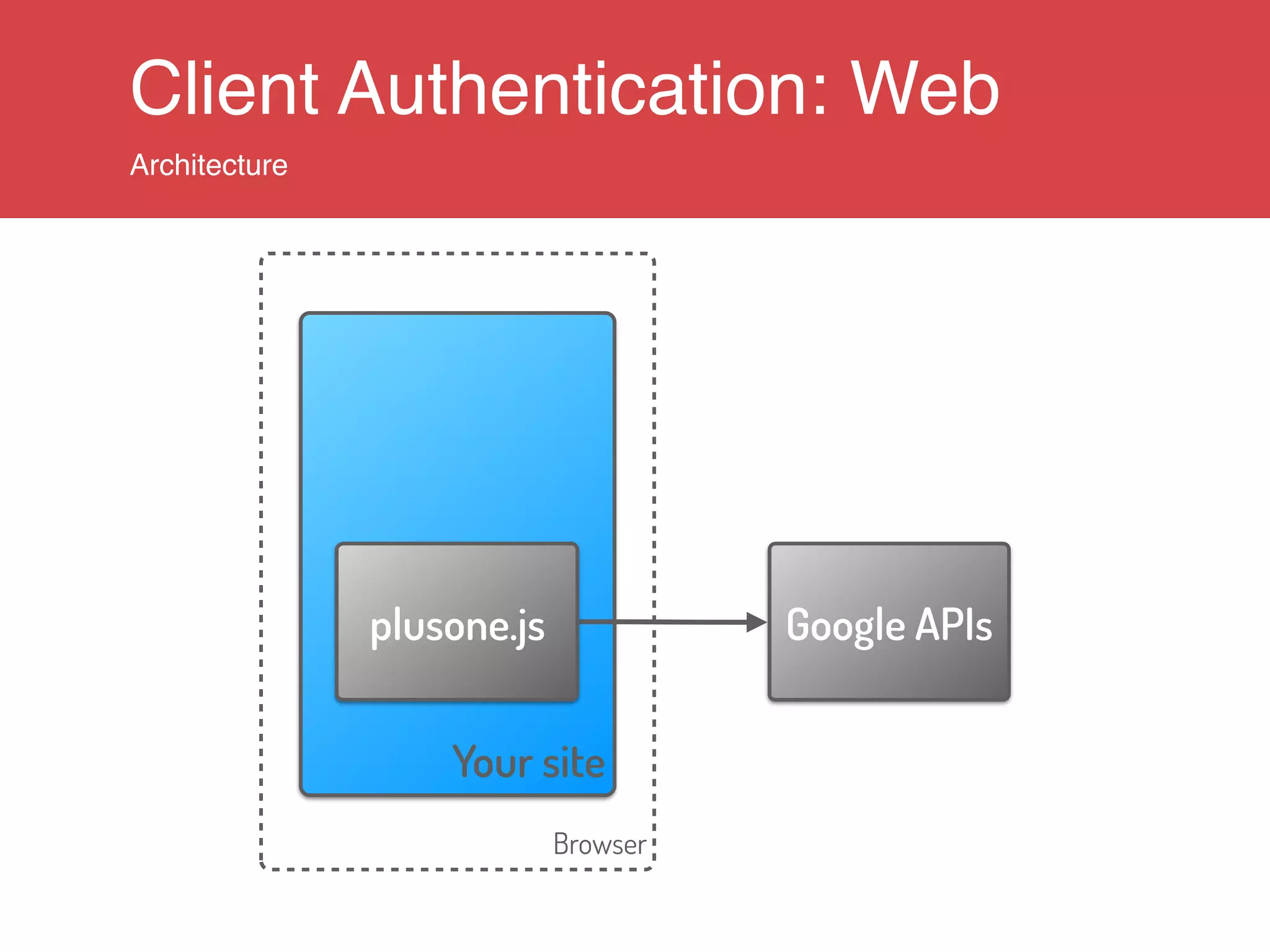
Architecture
Browser
Your site
Google APIsplusone.js
Client Authentication: Web
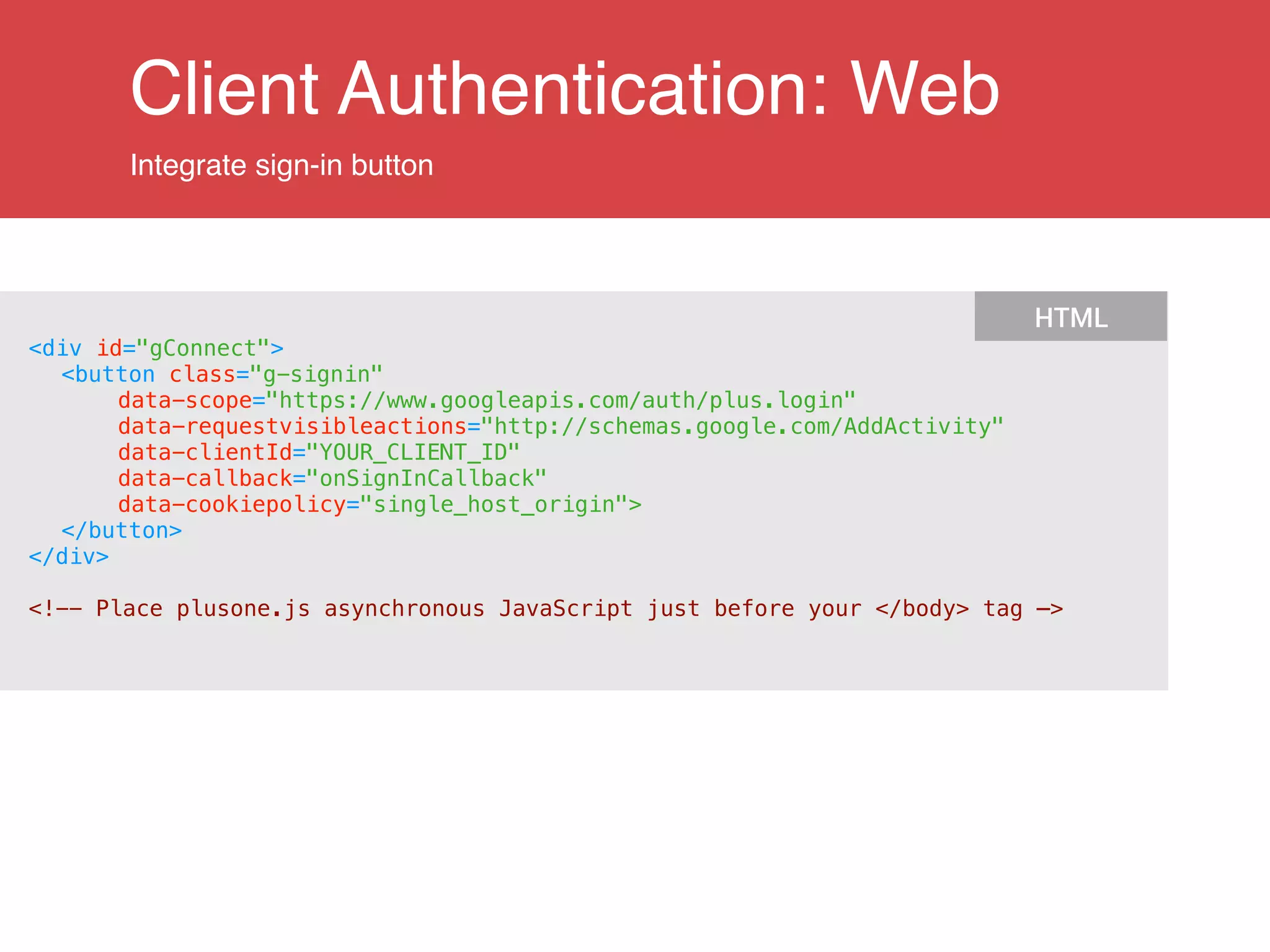
Integrate sign-in button
<div id="gConnect">
<button class="g-signin"
data-scope="https://www.googleapis.com/auth/plus.login"
data-requestvisibleactions="http://schemas.google.com/AddActivity"
data-clientId="YOUR_CLIENT_ID"
data-callback="onSignInCallback"
data-cookiepolicy="single_host_origin">
</button>
</div>
!
<!-- Place plusone.js asynchronous JavaScript just before your </body> tag —>
HTML
Client Authentication: Web
Handle authorization callback
function onSignInCallback(authResult) {
if (authResult['access_token']) {
// Successfully authorized
} else if (authResult['error']) {
// User is not signed in.
}
}
JavaScript
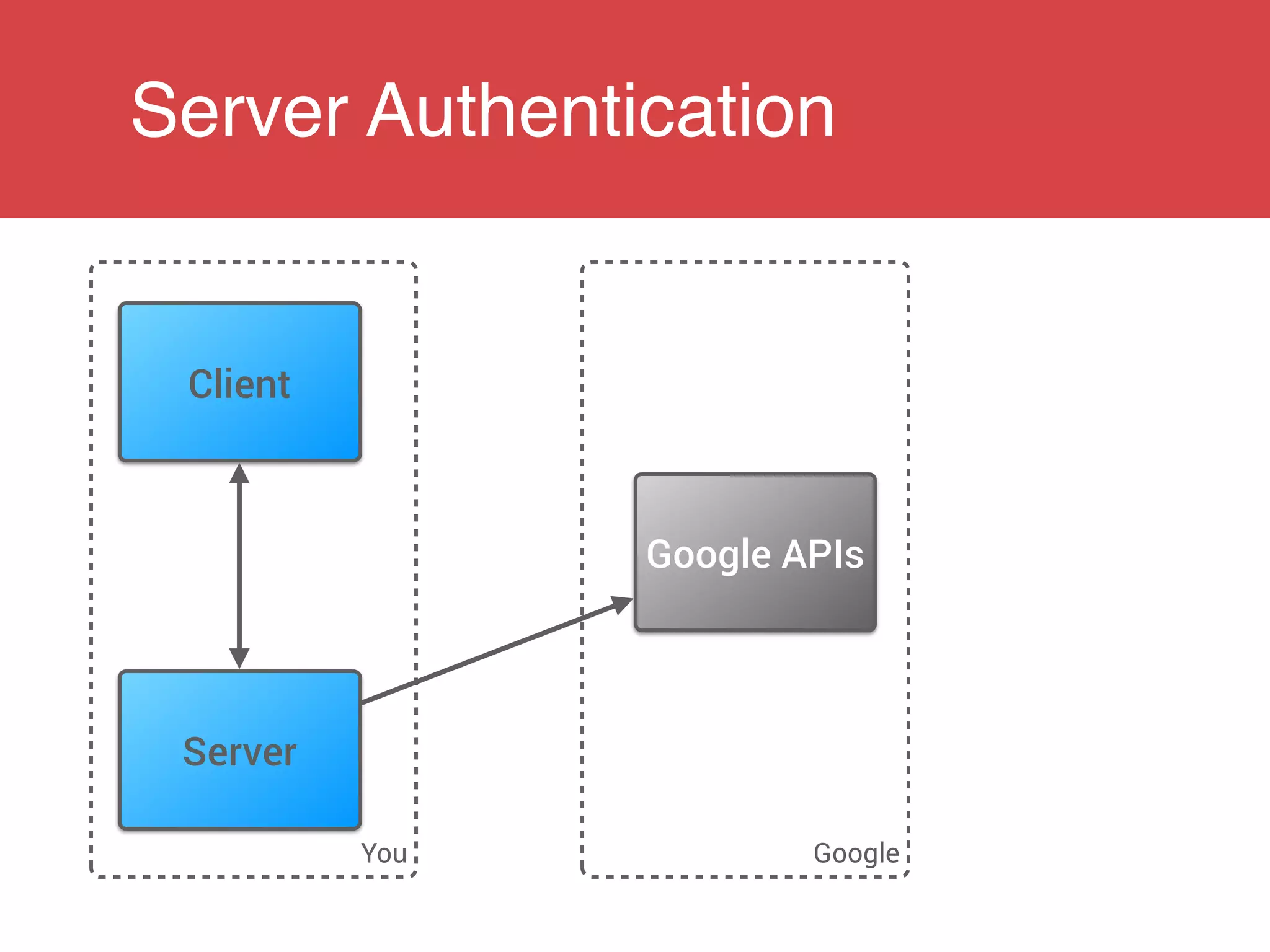
Server Authentication
You Google
Client
Server
Google APIs
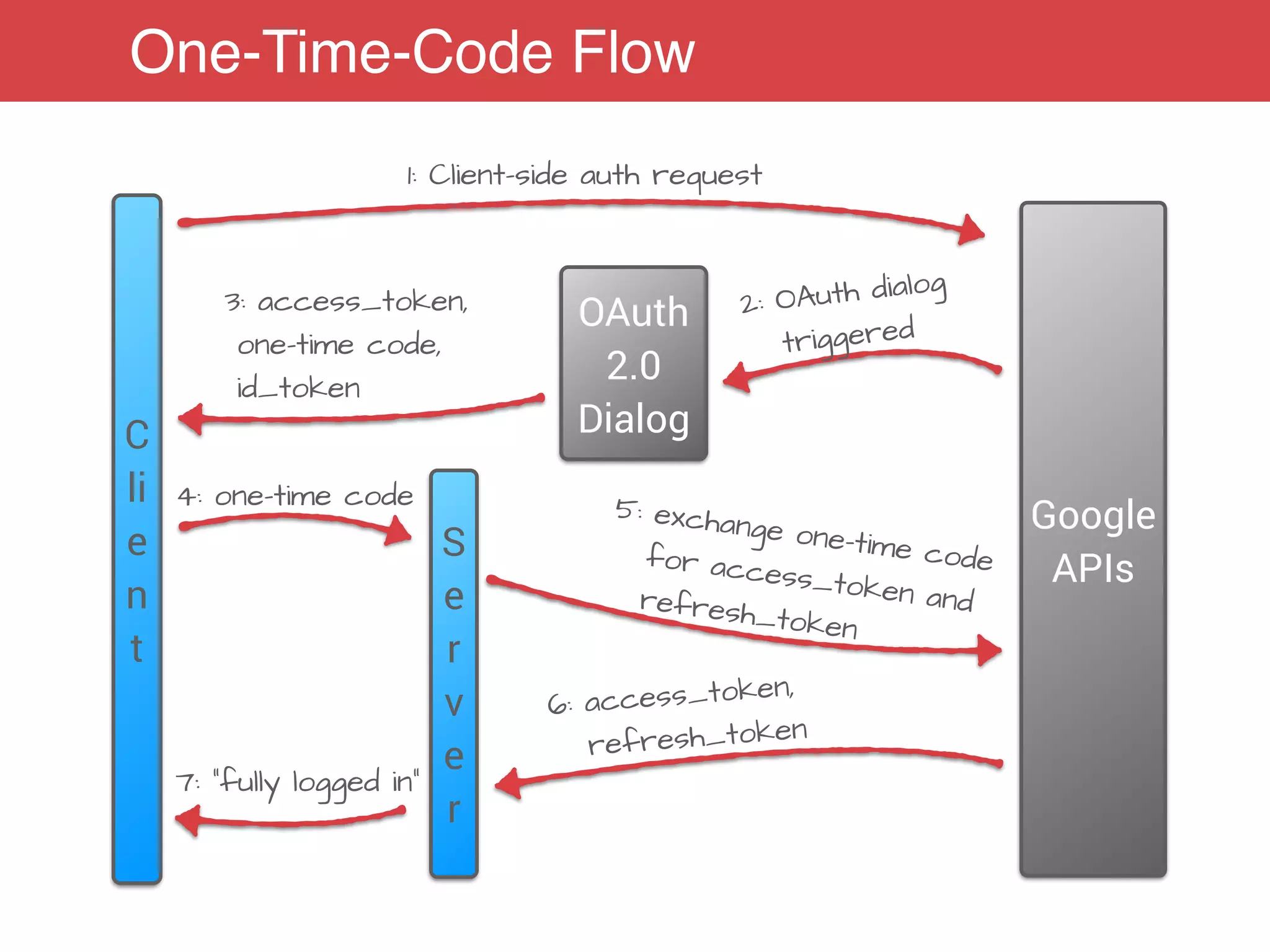
One-Time-Code Flow
C
li
e
n
t
S
e
r
v
e
r
Google
APIs
1: Client-side auth request
2: OAuth dialog
triggeredOAuth
2.0
Dialog
3: access_token,
one-time code,
id_token
4: one-time code 5: exchange one-time codefor access_token andrefresh_token
6: access_token,
refresh_token
7: “fully logged in”
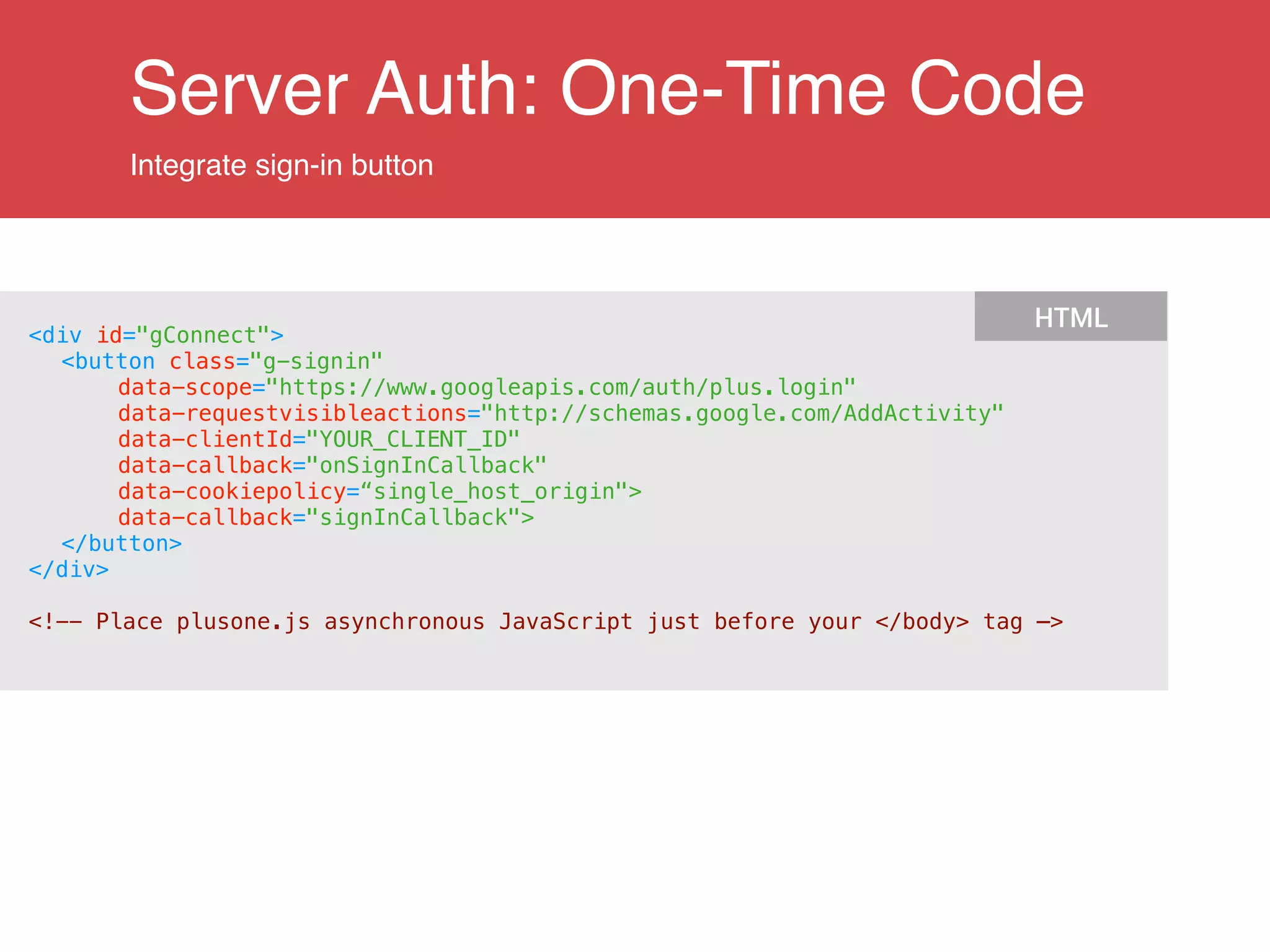
Server Auth: One-Time Code
Integrate sign-in button
<div id="gConnect">
<button class="g-signin"
data-scope="https://www.googleapis.com/auth/plus.login"
data-requestvisibleactions="http://schemas.google.com/AddActivity"
data-clientId="YOUR_CLIENT_ID"
data-callback="onSignInCallback"
data-cookiepolicy=“single_host_origin">
data-callback="signInCallback">
</button>
</div>
!
<!-- Place plusone.js asynchronous JavaScript just before your </body> tag —>
HTML
Server Auth: One-Time Code
Handle authorization callback
function signInCallback(authResult) {
if (authResult['code']) {
// Send the code to the server
$.ajax({
type: 'POST',
url: 'plus.php?storeToken',
contentType: 'application/octet-stream; charset=utf-8',
success: function(result) {
// Handle or verify the server response if necessary.
console.log(result);
} else {
$('#results').html('Failed to make a server-side call.');
}
},
processData: false,
data: authResult['code']
});
} else if (authResult['error']) {
console.log('There was an error: ' + authResult['error']);
}
}
JavaScript
Server Auth: One-Time Code
Exchange one-time code
$code = $request->getContent();
!
// Exchange the OAuth 2.0 authorization code for user credentials.
$client->authenticate($code);
!
$token = json_decode($client->getAccessToken());
!
// Verify the token
...
!
// Store the token in the session for later use.
$app['session']->set('token', $client->getAccessToken());
$response = 'Successfully connected with token: ' . print_r($token, true);
PHP
Sharing with Google+
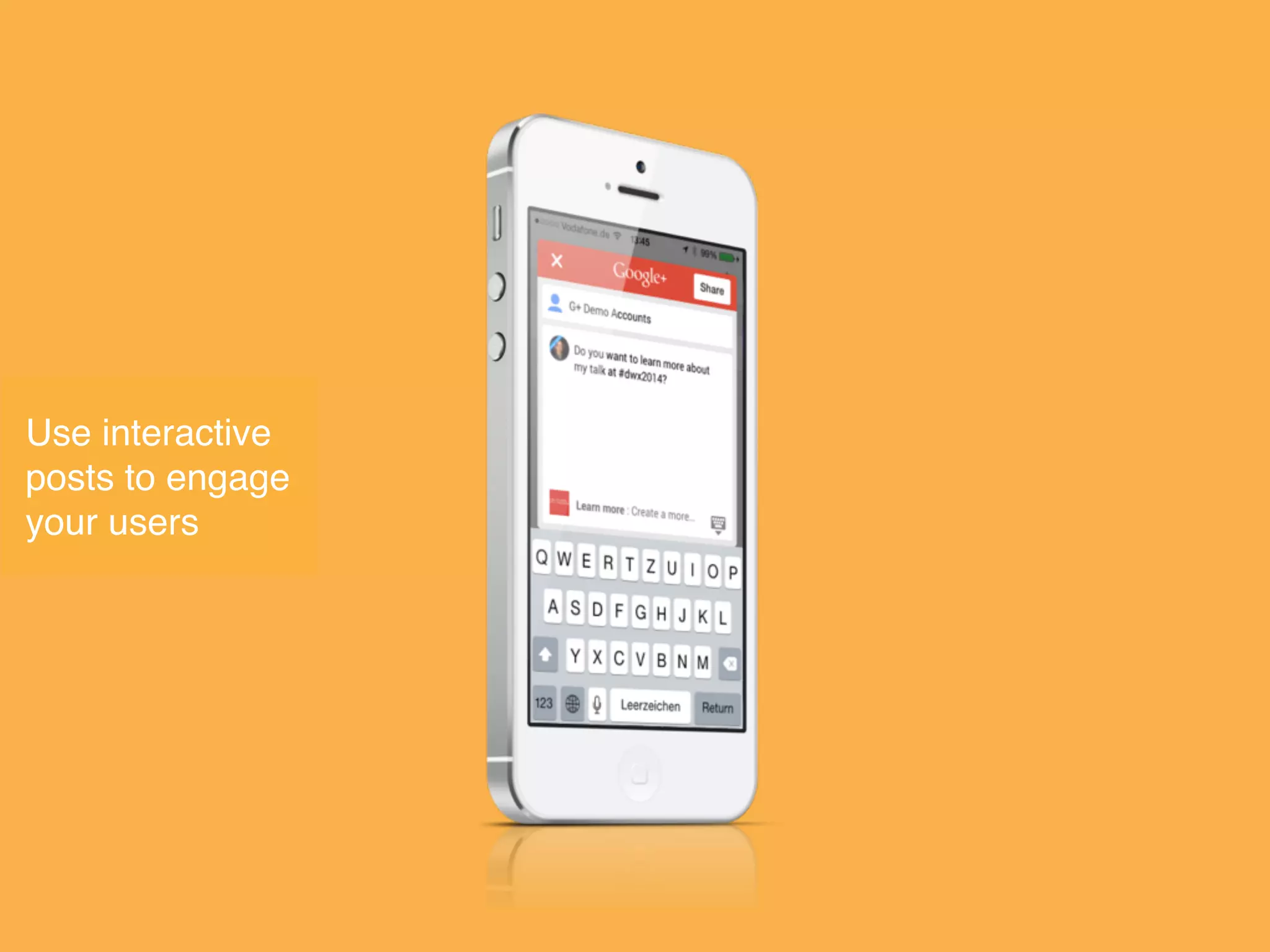
Use interactive
posts to engage
your users
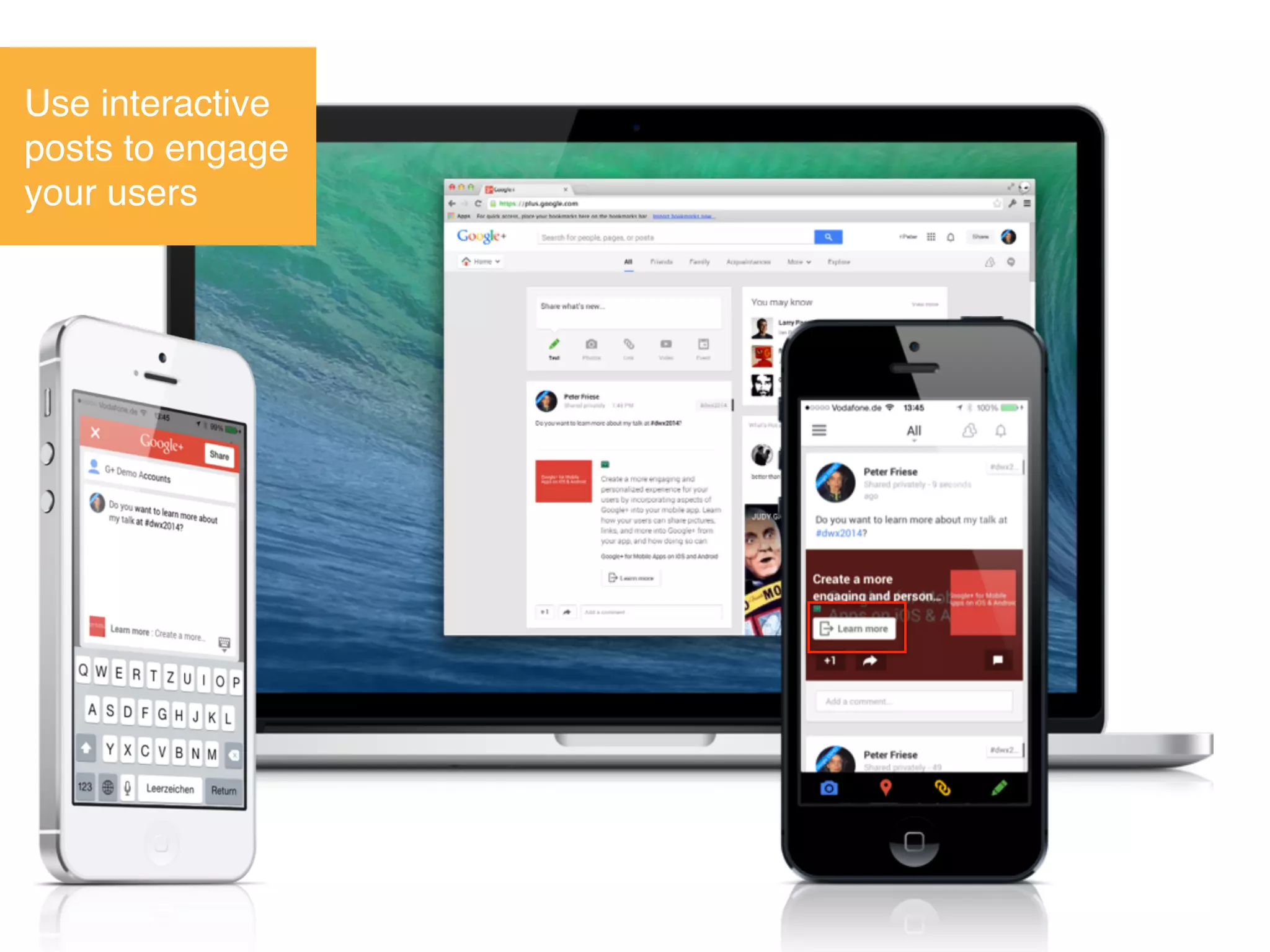
Use interactive
posts to engage
your users
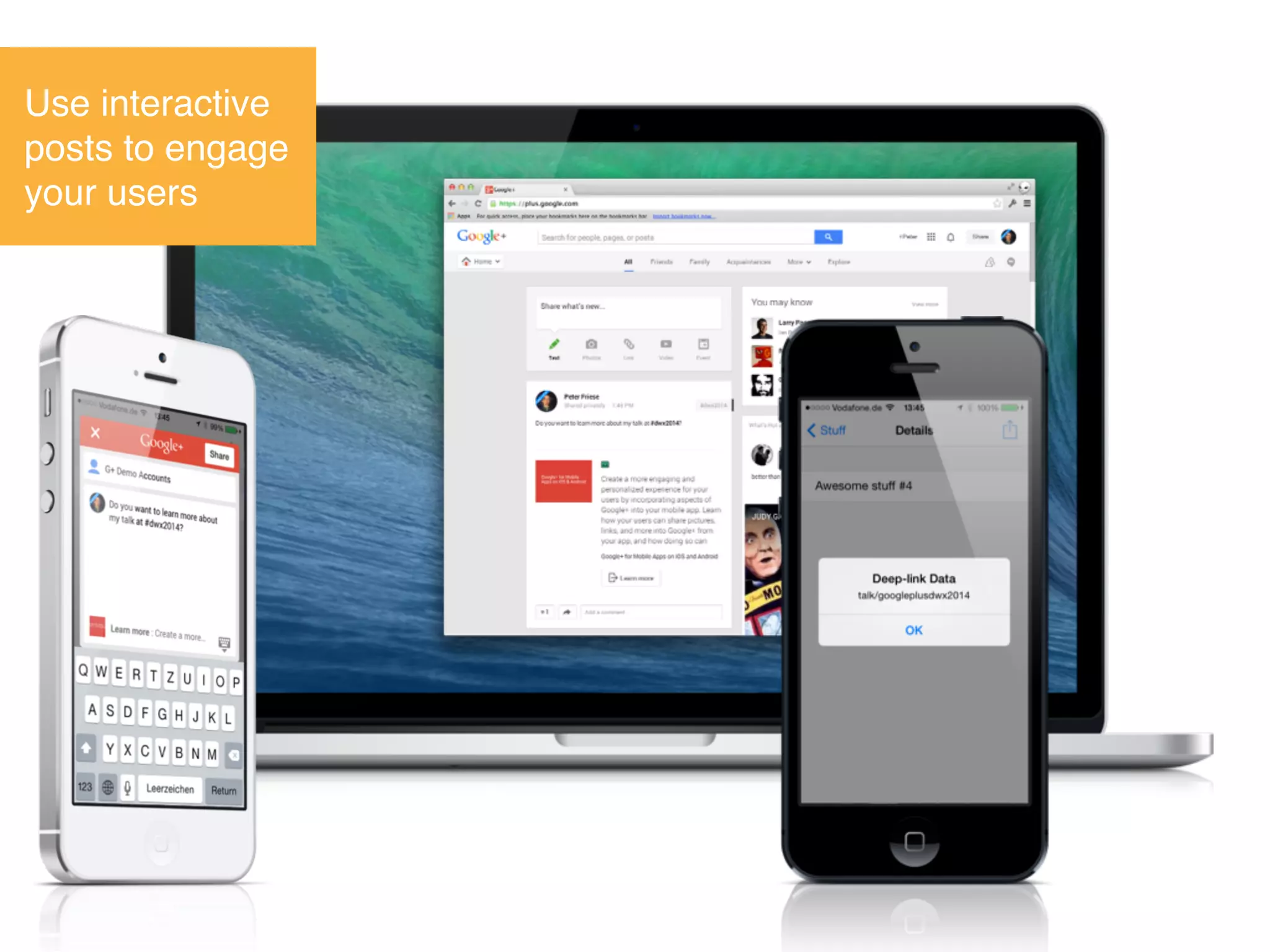
Use interactive
posts to engage
your users
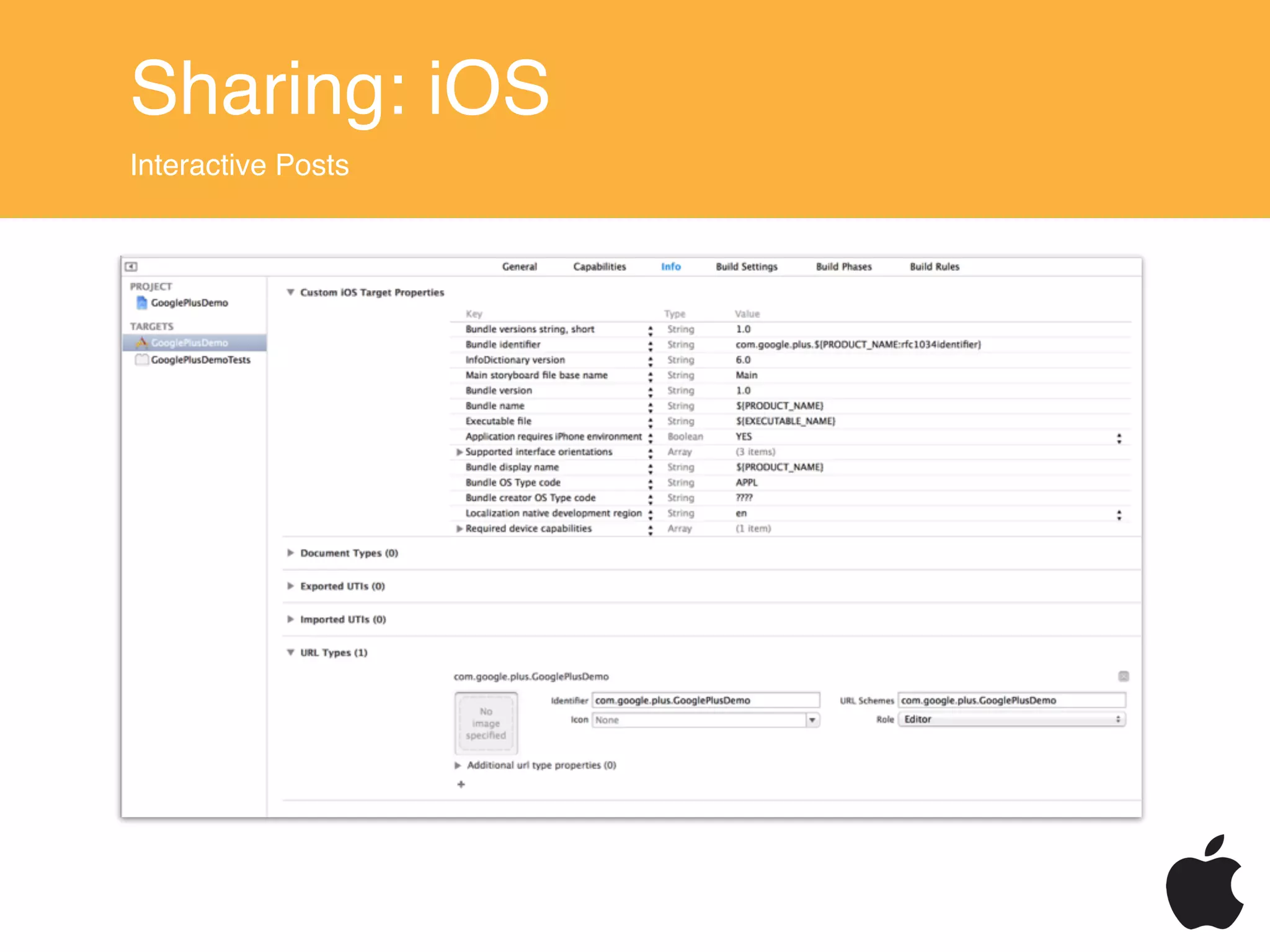
Sharing: iOS
Interactive Posts
#import <GooglePlus/GooglePlus.h>
#import <GoogleOpenSource/GoogleOpenSource.h>
...
id <GPPNativeShareBuilder> shareBuilder =
[[GPPShare sharedInstance] nativeShareDialog];
[shareBuilder setURLToShare:[NSURL URLWithString:@“...”]];
!
[shareBuilder setPrefillText:@"Do you want to learn more ...”];
[shareBuilder setContentDeepLinkID:@"talk/googleplusdwx2014"];
[shareBuilder setCallToActionButtonWithLabel:
@"LEARN_MORE"
URL:[NSURL URLWithString:@“...”]
deepLinkID:@“talk/googleplusdwx2014"];
!
[shareBuilder open];
Objective-C
Sharing: iOS
Interactive Posts
- (BOOL)application:(UIApplication *)application
didFinishLaunchingWithOptions:(NSDictionary *)launchOptions
{
[GPPDeepLink setDelegate:self];
[GPPDeepLink readDeepLinkAfterInstall];
!
return YES;
}
Objective-C
- (BOOL)application:(UIApplication *)application 

openURL:(NSURL *)url 

sourceApplication:(NSString *)sourceApplication
annotation:(id)annotation
{
return [GPPURLHandler handleURL:url
sourceApplication:sourceApplication annotation:annotation];
}
Objective-C
Sharing: iOS
Interactive Posts
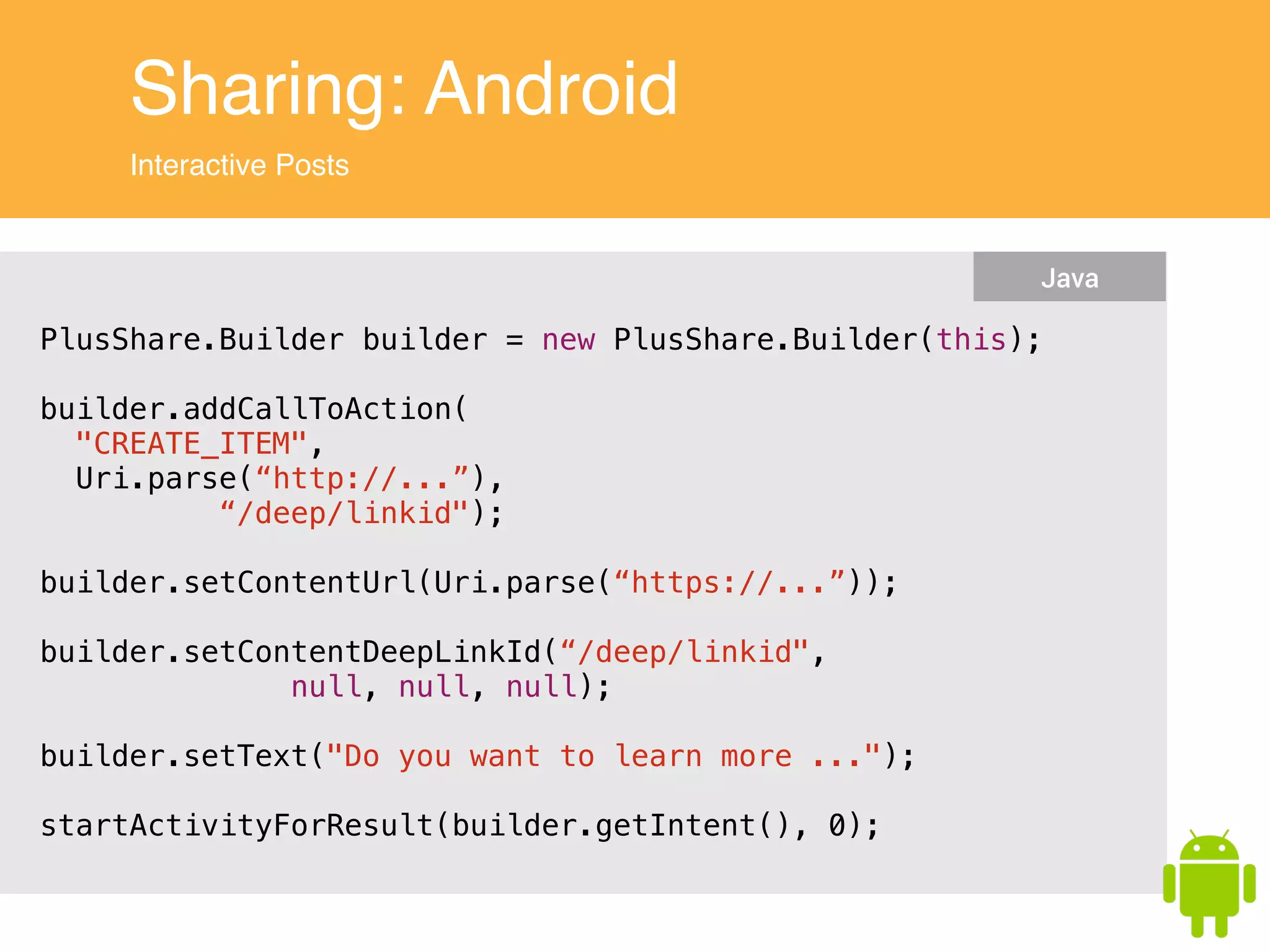
Sharing: Android
Interactive Posts
PlusShare.Builder builder = new PlusShare.Builder(this);
!
builder.addCallToAction(
"CREATE_ITEM",
Uri.parse(“http://...”),
“/deep/linkid");
!
builder.setContentUrl(Uri.parse(“https://...”));
!
builder.setContentDeepLinkId(“/deep/linkid",
null, null, null);
!
builder.setText("Do you want to learn more ...");
!
startActivityForResult(builder.getIntent(), 0);
Java
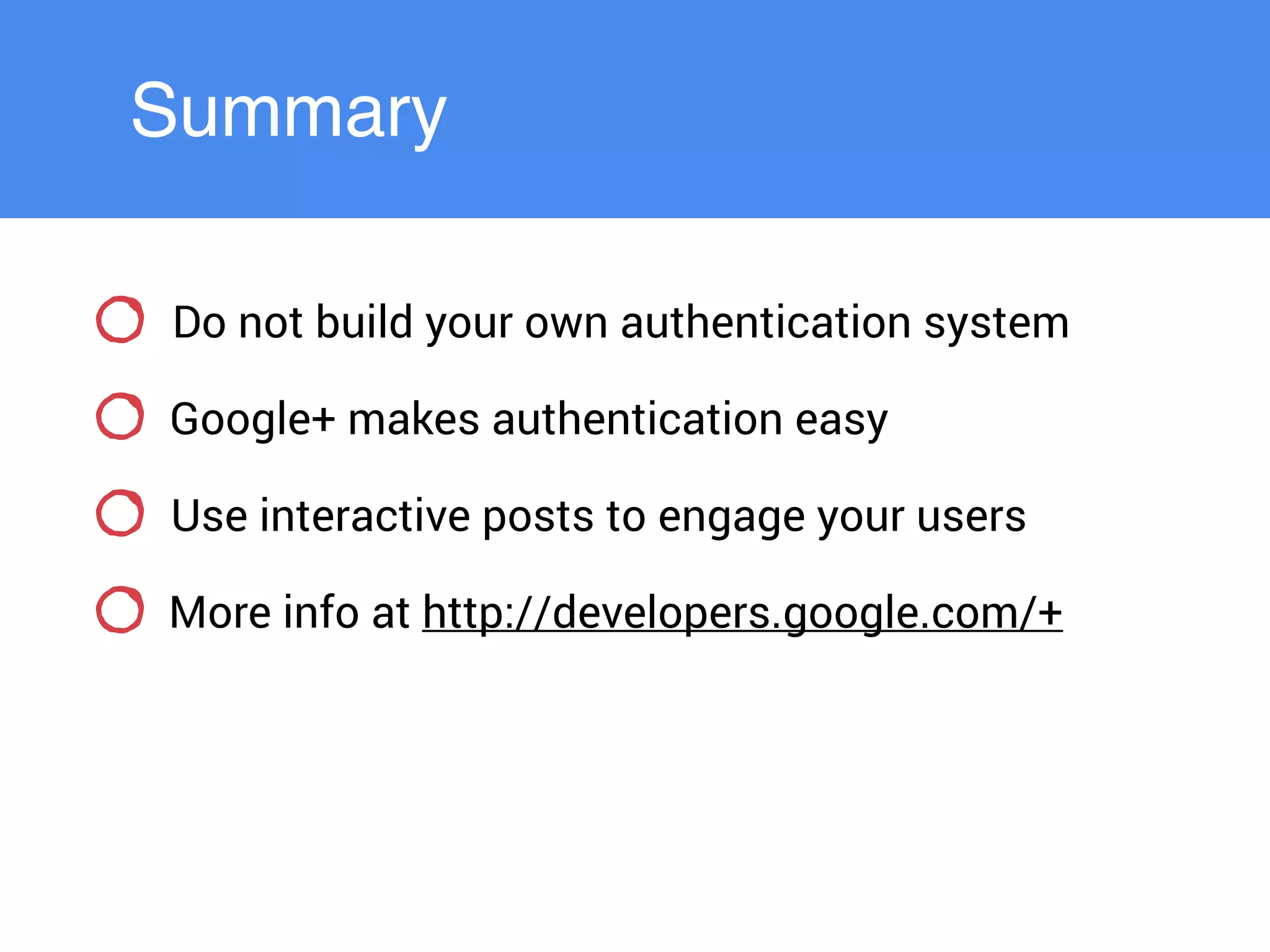
Summary
Summary
Do not build your own authentication system
Google+ makes authentication easy
Use interactive posts to engage your users
More info at http://developers.google.com/+
Peter Friese
Developer Advocate, Google
google.com/+PeterFriese
@peterfriese
http://peterfriese.de

Google+ for Mobile Apps on iOS and Android

  • 1.
    Google+ for Mobile Appson iOS & Android
  • 2.
    Peter Friese Developer Advocate,Google google.com/+PeterFriese @peterfriese http://peterfriese.de
  • 3.
  • 4.
    Google+ is…! a socialnetwork Image credit: https://www.flickr.com/photos/dainbinder/10538549606/
  • 5.
    An identity provider Imagecredit: http://www.wlmht.nhs.uk/wp-content/uploads/2012/09/passport-photos.jpg
  • 6.
  • 7.
    αὐθεντικός (greek):! ! • “thatcomes from the author”! • authentic! • original! • genuine
  • 8.
  • 9.
    Authentication - How hardcan it be? Image credit: https://www.flickr.com/photos/92269745@N00/3801617675
  • 10.
  • 11.
    Hard for developers…! ...Implementation! ... Infrastructure! ... Security! ... Multiple platforms
  • 12.
    Hard for yourusers… ... more passwords ... more devices ... more trust Image credit: https://flic.kr/p/frJ48
  • 13.
    You might evenbe in the news!
  • 14.
    … but notin a good way…
  • 15.
  • 16.
  • 17.
  • 18.
    Easier for you Easierfor the user Established, trusted brand Focus on your business model
  • 19.
  • 20.
  • 21.
  • 22.
  • 23.
  • 24.
  • 25.
  • 26.
    Cross-Device Single Sign-on No taprequired, log-in will happen automatically!
  • 27.
  • 28.
  • 29.
  • 30.
    How does Google+Sign-in work? Based on OAuth 2.0 AppUser Google Consent Permission No password sharing Scoped access Revocable
  • 31.
    Setting up Developer ConsoleProject https://developers.google.com/console APIs Credentials iOS Client ID Android Client ID Web Client ID Branding Permissions Management
  • 32.
    The Auth Triangle YouGoogle Connecting lines need authentication Client Server Google APIs
  • 33.
  • 34.
  • 35.
    Client Authentication: Android Overview CreateOAuth 2.0 client ID Link with Google Play Services API Setup Sign-In
  • 36.
    Client Authentication: Android SDKArchitecture Android Your App Google APIs Google Play Client Library Google Play Services APK Authorize using existing accounts on Android device
  • 37.
    Client Authentication: Android GoogleApiClientLifecycle mApiClient = new GoogleApiClient.Builder(this) .addConnectionCallbacks(this) .addOnConnectionFailedListener(this) .addApi(Plus.API, null) .addScope(Plus.SCOPE_PLUS_LOGIN) .build(); Java onCreate() onStart() mApiClient.connect(); Java onStop() if (mApiClient.isConnected()) { mApiClient.disconnect(); } Java <com.google.android.gms.common.SignInButton android:id="@+id/sign_in_button" android:layout_width="wrap_content" android:layout_height="wrap_content"/> XML running
  • 38.
    Client Authentication: Android HandlingConnection Failure public void onConnectionFailed(ConnectionResult result) { if (!mIntentInProgress && result.hasResolution()) { try { mIntentInProgress = true; startIntentSenderForResult(result.getResolution().getIntentSender(), RC_SIGN_IN, null, 0, 0, 0); } catch (SendIntentException e) { // The intent was canceled before it was sent. Return to the default // state and attempt to connect to get an updated ConnectionResult. mIntentInProgress = false; mApiClient.connect(); } } } Java
  • 39.
    Client Authentication: Android Handleconnection failure public void onConnectionFailed(ConnectionResult result) { if (!mIntentInProgress && result.hasResolution()) { try { mIntentInProgress = true; startIntentSenderForResult(result.getResolution().getIntentSender(), RC_SIGN_IN, null, 0, 0, 0); } catch (SendIntentException e) { // The intent was canceled before it was sent. Return to the default // state and attempt to connect to get an updated ConnectionResult. mIntentInProgress = false; mApiClient.connect(); } } } Java User needs to select account, consent to permissions, ensure network connectivity, etc. to connect
  • 40.
    Client Authentication: Android Connectionsuccessful public void onConnected(Bundle connectionHint) { // Retrieve some profile information to personalize our app for the user. Person currentUser = Plus.PeopleApi.getCurrentPerson(mApiClient); // Indicate that the sign in process is complete. mSignInProgress = STATE_DEFAULT; } Java
  • 41.
    Client Authentication: Android Connectionsuccessful public void onConnected(Bundle connectionHint) { // Retrieve some profile information to personalize our app for the user. Person currentUser = Plus.PeopleApi.getCurrentPerson(mApiClient); // Indicate that the sign in process is complete. mSignInProgress = STATE_DEFAULT; } Java
  • 42.
    Client Authentication: iOS Overview CreateOAuth 2.0 client ID Integrate SDK Setup Sign-In
  • 43.
    Client Authentication: iOS SDKArchitecture iOS Your App Google APIs Google+ iOS SDK Statically linked library
  • 44.
    Client Authentication: iOS ConfigureSign-In #import <GooglePlus/GooglePlus.h> #import <GoogleOpenSource/GoogleOpenSource.h> ! ... ! ! GPPSignIn *signIn = [GPPSignIn sharedInstance]; signIn.shouldFetchGoogleUserEmail = YES; ! signIn.clientID = @“YOUR_CLIENT_ID”; signIn.scopes = @[@"profile"]; signIn.delegate = self; Objective-C
  • 45.
    Client Authentication: iOS PerformSign-In, Option 1 (use our button)
  • 46.
    Client Authentication: iOS PerformSign-In, Option 2 (create your own button) Create own button / use action sheet / … // trigger sign-in [[GPPSignIn sharedInstance] authenticate]; Objective-C Silent sign-in if user has signed in before // silently sign in [[GPPSignIn sharedInstance] trySilentAuthentication]; Objective-C
  • 47.
    Client Authentication: iOS Receivingthe authorisation // In ApplicationDelegate - (BOOL)application:(UIApplication *)application openURL:(NSURL *)url sourceApplication:(NSString *)sourceApplication annotation:(id)annotation { return [GPPURLHandler handleURL:url sourceApplication:sourceApplication annotation:annotation]; } ! ! // GPPSignInDelegate - (void)finishedWithAuth:(GTMOAuth2Authentication *)auth error:(NSError *)error { if (!error) { NSString *gplusId = [GPPSignIn sharedInstance].userID; } } Objective-C
  • 48.
    Client Authentication: Web Overview CreateOAuth 2.0 client ID Include JavaScript client on your web page Add Google+ Sign-in button Handle callback
  • 49.
  • 50.
    Client Authentication: Web Integratesign-in button <div id="gConnect"> <button class="g-signin" data-scope="https://www.googleapis.com/auth/plus.login" data-requestvisibleactions="http://schemas.google.com/AddActivity" data-clientId="YOUR_CLIENT_ID" data-callback="onSignInCallback" data-cookiepolicy="single_host_origin"> </button> </div> ! <!-- Place plusone.js asynchronous JavaScript just before your </body> tag —> HTML
  • 51.
    Client Authentication: Web Handleauthorization callback function onSignInCallback(authResult) { if (authResult['access_token']) { // Successfully authorized } else if (authResult['error']) { // User is not signed in. } } JavaScript
  • 52.
  • 53.
    One-Time-Code Flow C li e n t S e r v e r Google APIs 1: Client-sideauth request 2: OAuth dialog triggeredOAuth 2.0 Dialog 3: access_token, one-time code, id_token 4: one-time code 5: exchange one-time codefor access_token andrefresh_token 6: access_token, refresh_token 7: “fully logged in”
  • 54.
    Server Auth: One-TimeCode Integrate sign-in button <div id="gConnect"> <button class="g-signin" data-scope="https://www.googleapis.com/auth/plus.login" data-requestvisibleactions="http://schemas.google.com/AddActivity" data-clientId="YOUR_CLIENT_ID" data-callback="onSignInCallback" data-cookiepolicy=“single_host_origin"> data-callback="signInCallback"> </button> </div> ! <!-- Place plusone.js asynchronous JavaScript just before your </body> tag —> HTML
  • 55.
    Server Auth: One-TimeCode Handle authorization callback function signInCallback(authResult) { if (authResult['code']) { // Send the code to the server $.ajax({ type: 'POST', url: 'plus.php?storeToken', contentType: 'application/octet-stream; charset=utf-8', success: function(result) { // Handle or verify the server response if necessary. console.log(result); } else { $('#results').html('Failed to make a server-side call.'); } }, processData: false, data: authResult['code'] }); } else if (authResult['error']) { console.log('There was an error: ' + authResult['error']); } } JavaScript
  • 56.
    Server Auth: One-TimeCode Exchange one-time code $code = $request->getContent(); ! // Exchange the OAuth 2.0 authorization code for user credentials. $client->authenticate($code); ! $token = json_decode($client->getAccessToken()); ! // Verify the token ... ! // Store the token in the session for later use. $app['session']->set('token', $client->getAccessToken()); $response = 'Successfully connected with token: ' . print_r($token, true); PHP
  • 57.
  • 58.
    Use interactive posts toengage your users
  • 59.
    Use interactive posts toengage your users
  • 60.
    Use interactive posts toengage your users
  • 61.
    Sharing: iOS Interactive Posts #import<GooglePlus/GooglePlus.h> #import <GoogleOpenSource/GoogleOpenSource.h> ... id <GPPNativeShareBuilder> shareBuilder = [[GPPShare sharedInstance] nativeShareDialog]; [shareBuilder setURLToShare:[NSURL URLWithString:@“...”]]; ! [shareBuilder setPrefillText:@"Do you want to learn more ...”]; [shareBuilder setContentDeepLinkID:@"talk/googleplusdwx2014"]; [shareBuilder setCallToActionButtonWithLabel: @"LEARN_MORE" URL:[NSURL URLWithString:@“...”] deepLinkID:@“talk/googleplusdwx2014"]; ! [shareBuilder open]; Objective-C
  • 62.
    Sharing: iOS Interactive Posts -(BOOL)application:(UIApplication *)application didFinishLaunchingWithOptions:(NSDictionary *)launchOptions { [GPPDeepLink setDelegate:self]; [GPPDeepLink readDeepLinkAfterInstall]; ! return YES; } Objective-C - (BOOL)application:(UIApplication *)application 
 openURL:(NSURL *)url 
 sourceApplication:(NSString *)sourceApplication annotation:(id)annotation { return [GPPURLHandler handleURL:url sourceApplication:sourceApplication annotation:annotation]; } Objective-C
  • 63.
  • 64.
    Sharing: Android Interactive Posts PlusShare.Builderbuilder = new PlusShare.Builder(this); ! builder.addCallToAction( "CREATE_ITEM", Uri.parse(“http://...”), “/deep/linkid"); ! builder.setContentUrl(Uri.parse(“https://...”)); ! builder.setContentDeepLinkId(“/deep/linkid", null, null, null); ! builder.setText("Do you want to learn more ..."); ! startActivityForResult(builder.getIntent(), 0); Java
  • 65.
  • 66.
    Summary Do not buildyour own authentication system Google+ makes authentication easy Use interactive posts to engage your users More info at http://developers.google.com/+
  • 67.
    Peter Friese Developer Advocate,Google google.com/+PeterFriese @peterfriese http://peterfriese.de