Git Command
Jason
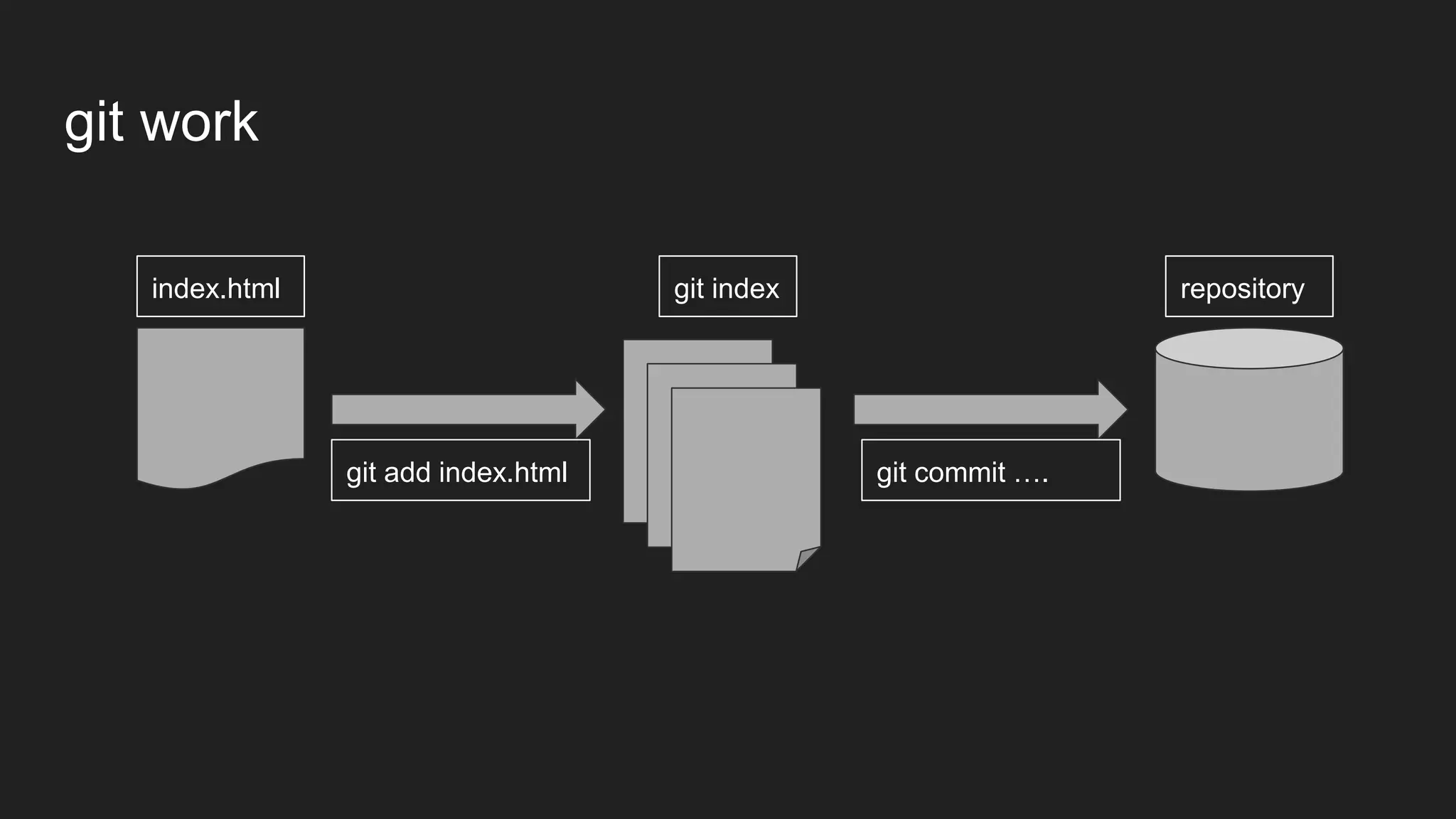
git work
index.html git index repository
git add index.html git commit ….
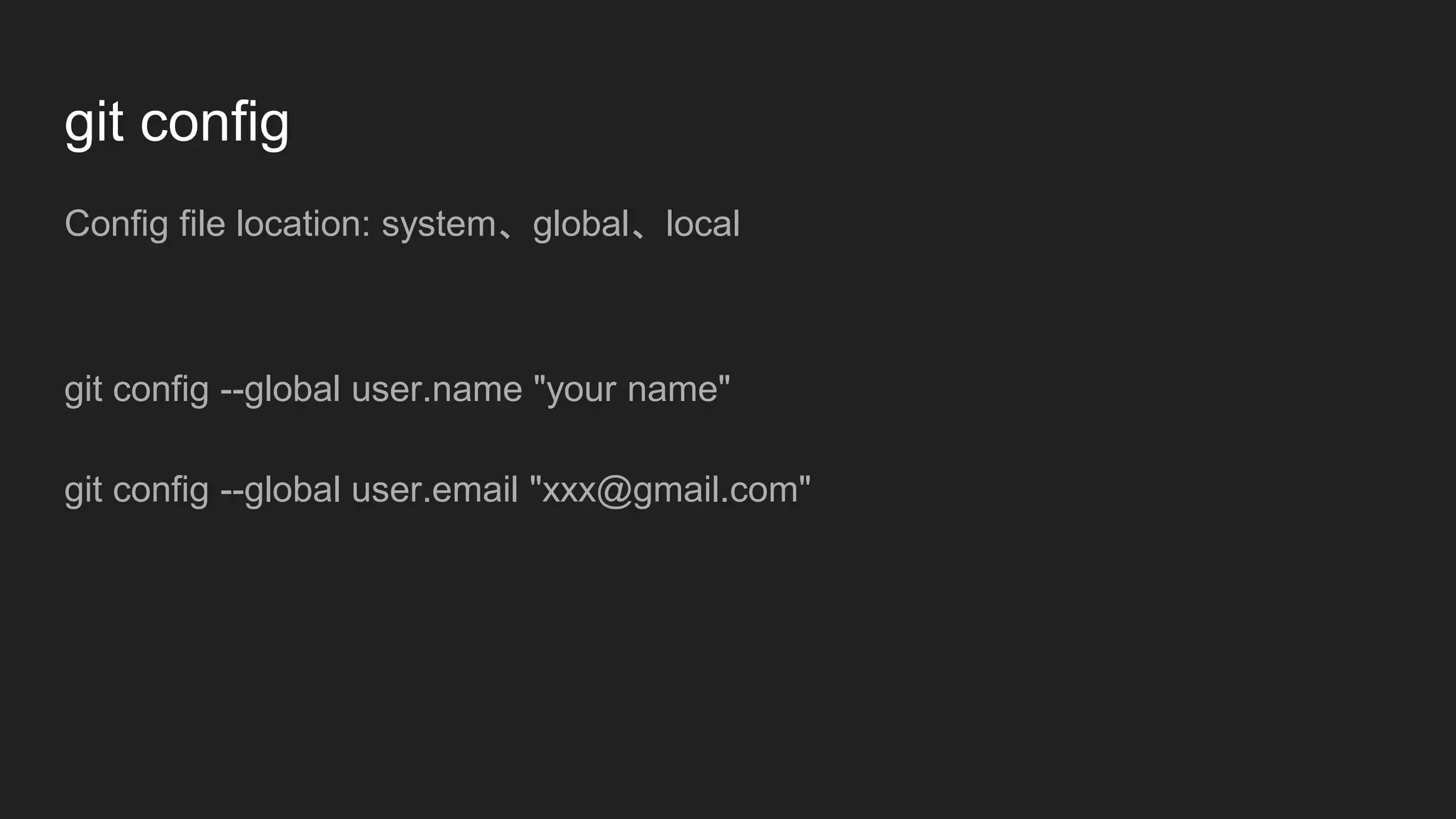
git config
Config file location: system、global、local
git config --global user.name "your name"
git config --global user.email "xxx@gmail.com"
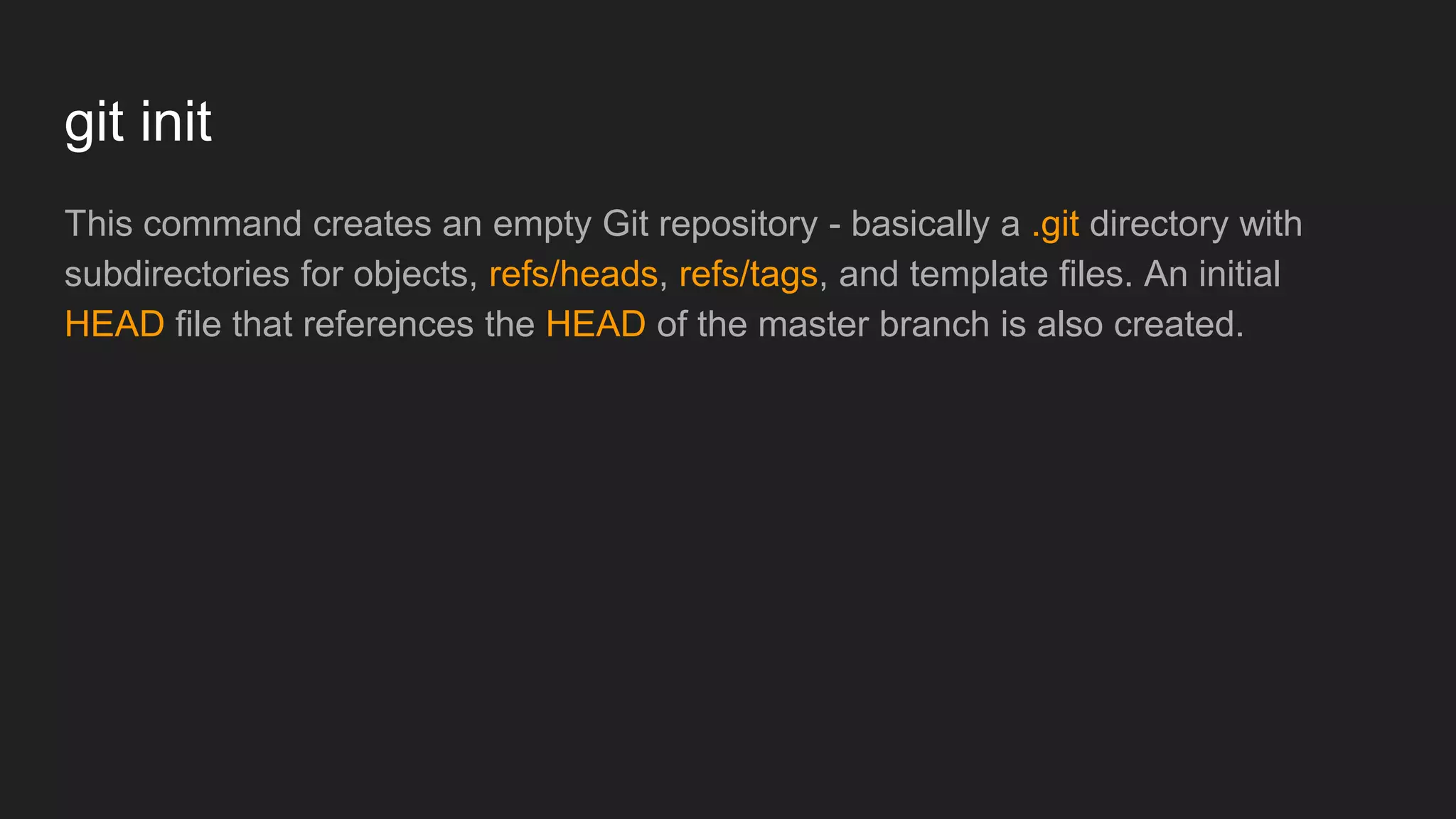
git init
This command creates an empty Git repository - basically a .git directory with
subdirectories for objects, refs/heads, refs/tags, and template files. An initial
HEAD file that references the HEAD of the master branch is also created.
git status
Displays paths that have differences between the index file and the current HEAD
commit, paths that have differences between the working tree and the index file,
and paths in the working tree that are not tracked by Git
git add
This command updates the index using the current content found in the working
tree, to prepare the content staged for the next commit.
git add index.html index.css
git add .
git add --update
.gitignore file
A gitignore file specifies intentionally untracked files that Git should ignore. Files
already tracked by Git are not affected;
.gitignore content
*.css
!*.min.css
abc/*.txt
**/foo/bar
a/**/b
git reset
Reset current HEAD to the specified state
git reset
git reset index.html
git commit
Stores the current contents of the index in a new commit along with a log
message from the user describing the changes
git commit -m "commit message"
git commit --amend
git log
Shows the commit logs
git log
git log --stat
git log index.html
git log --author=’user name’
git command
git init
git config
git add
git reset
git commit
git log
git branch
git checkout
git merge
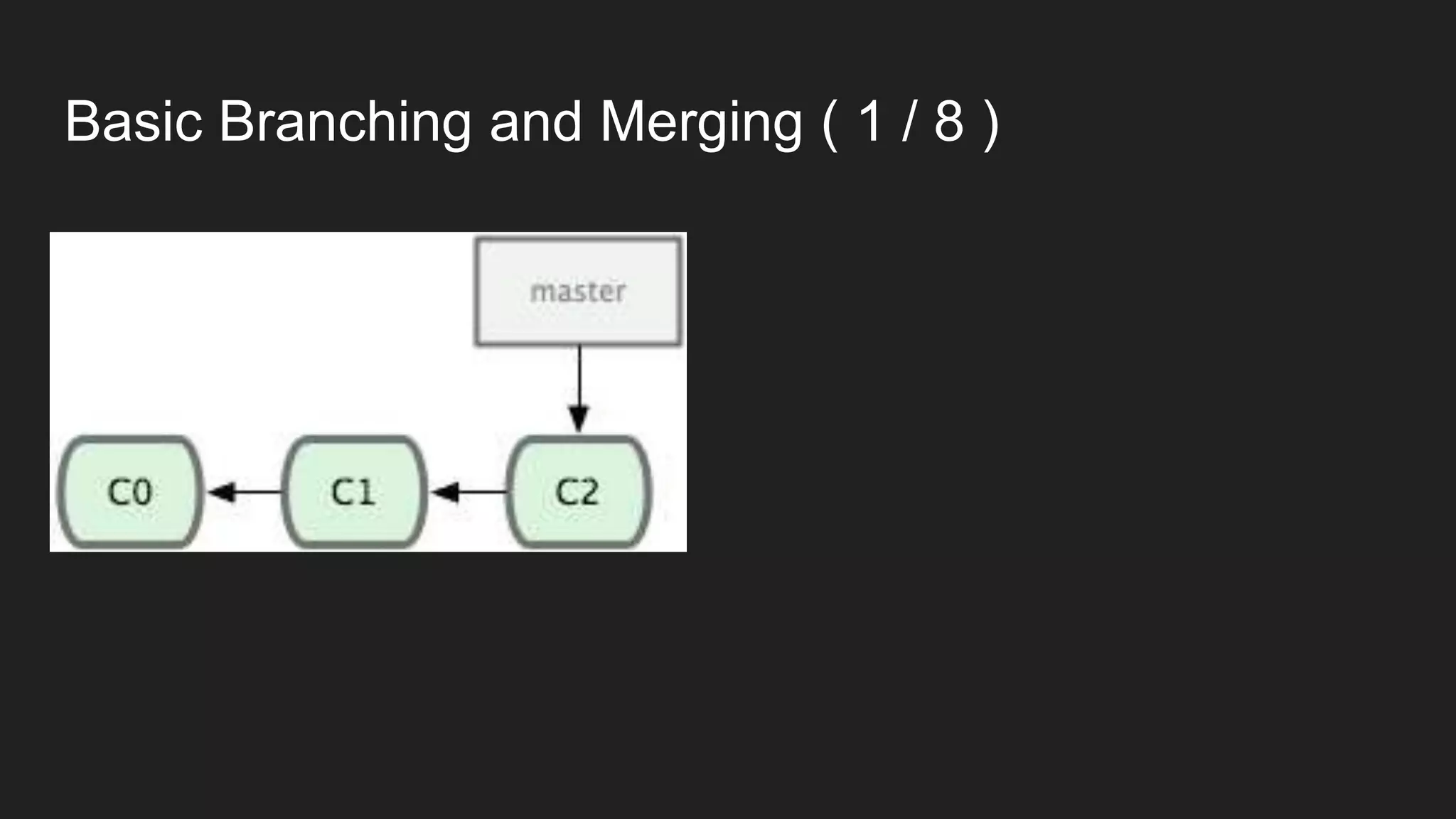
Basic Branching and Merging ( 1 / 8 )
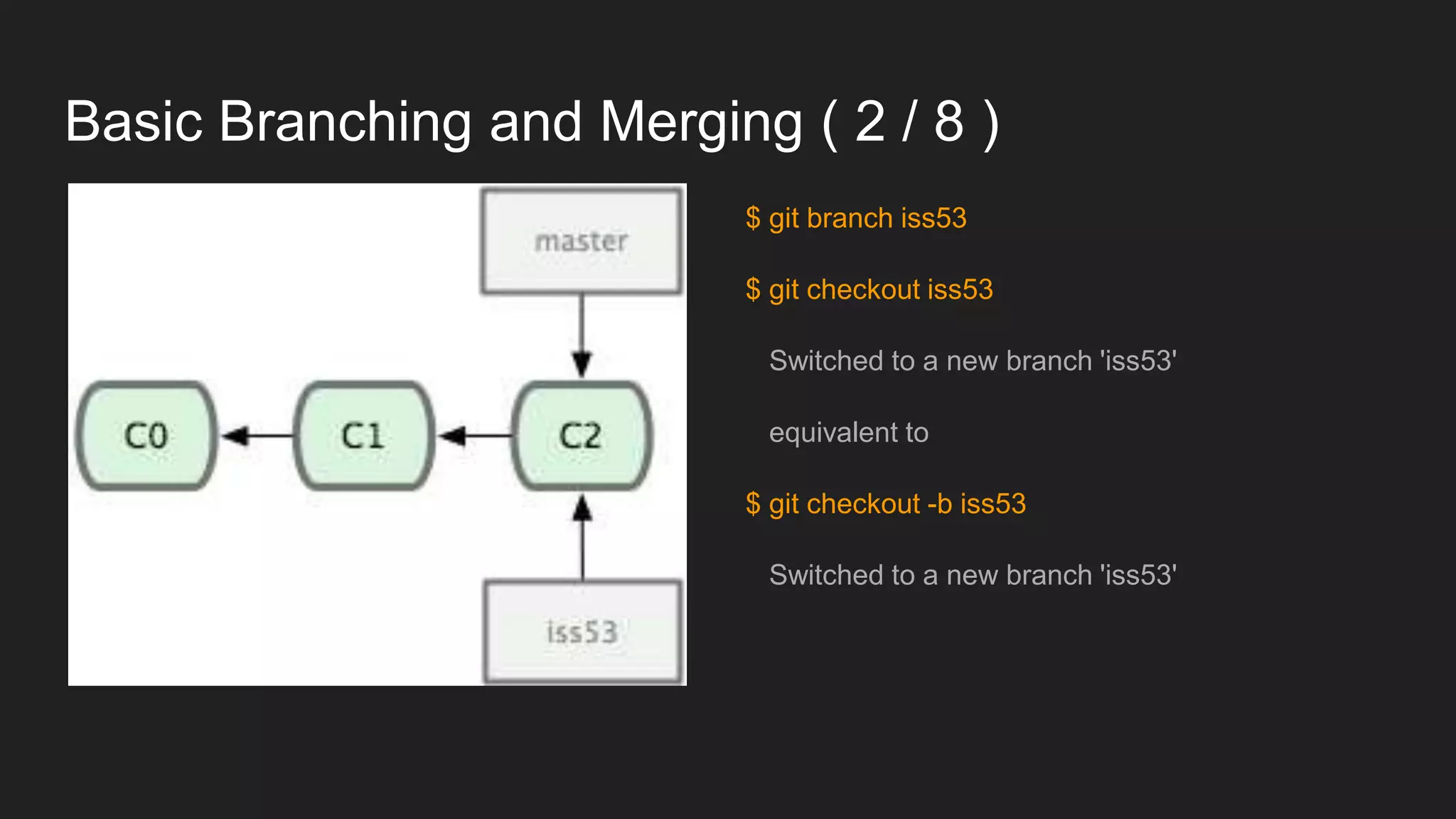
Basic Branching and Merging ( 2 / 8 )
$ git branch iss53
$ git checkout iss53
Switched to a new branch 'iss53'
equivalent to
$ git checkout -b iss53
Switched to a new branch 'iss53'
Basic Branching and Merging ( 3 / 8 )
$ vim index.html
$ git commit -a -m 'added a new footer [issue 53]'
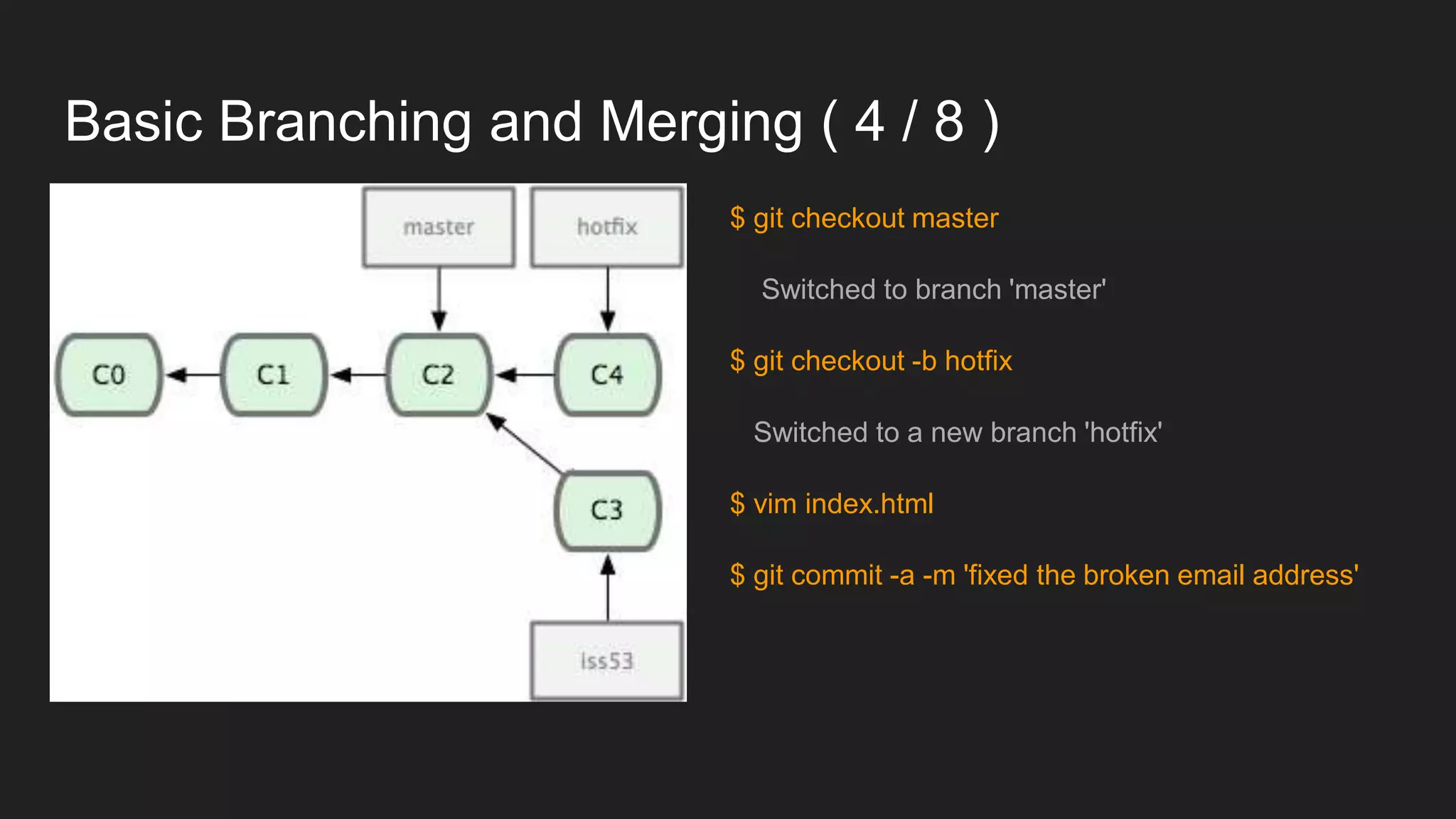
Basic Branching and Merging ( 4 / 8 )
$ git checkout master
Switched to branch 'master'
$ git checkout -b hotfix
Switched to a new branch 'hotfix'
$ vim index.html
$ git commit -a -m 'fixed the broken email address'
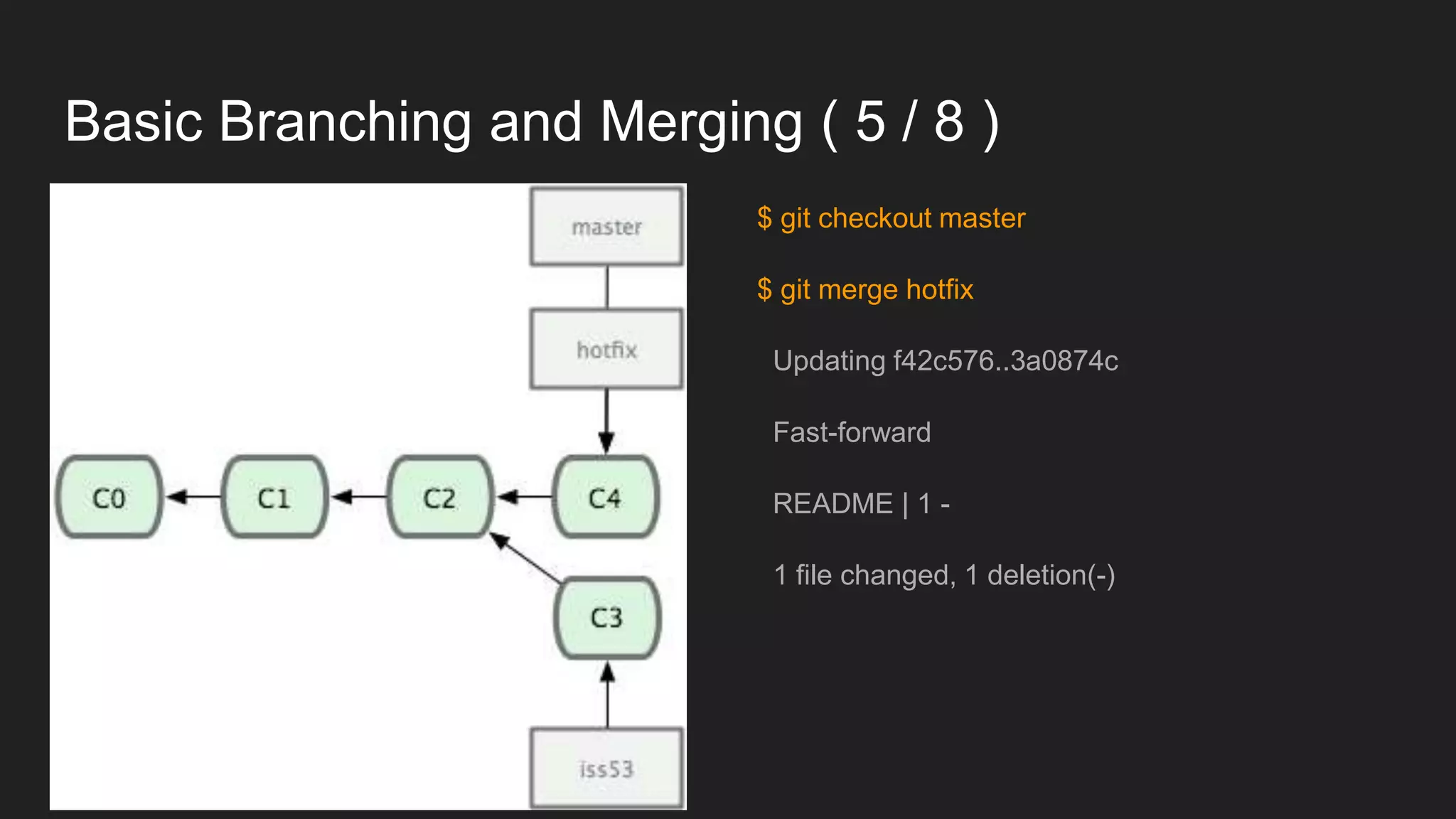
Basic Branching and Merging ( 5 / 8 )
$ git checkout master
$ git merge hotfix
Updating f42c576..3a0874c
Fast-forward
README | 1 -
1 file changed, 1 deletion(-)
Basic Branching and Merging ( 6 / 8 )
$ git branch -d hotfix
Deleted branch hotfix (was 3a0874c).
$ git checkout iss53
Switched to branch 'iss53'
$ vim index.html
$ git commit -a -m 'finished the new footer [issue 53]'
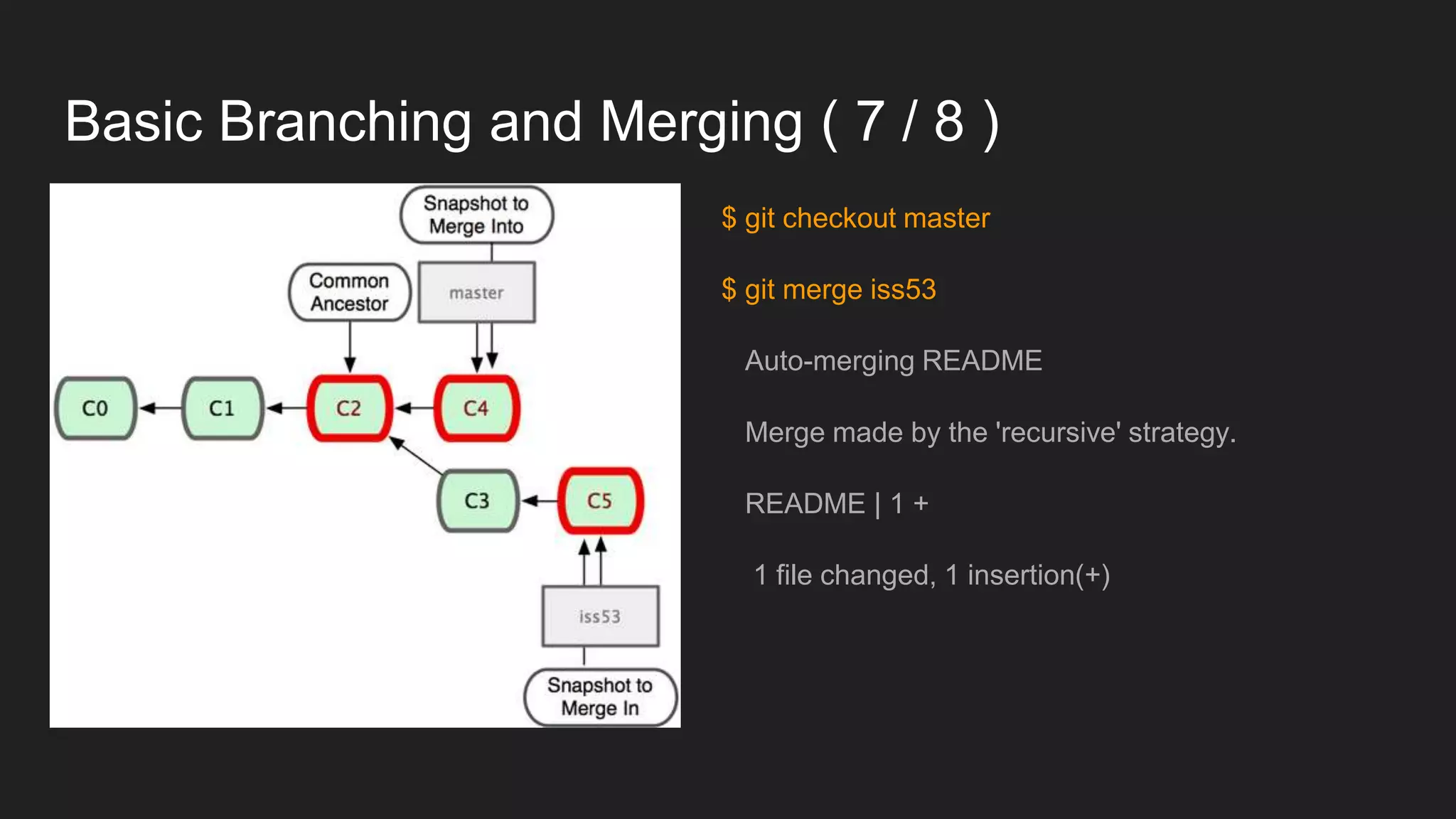
Basic Branching and Merging ( 7 / 8 )
$ git checkout master
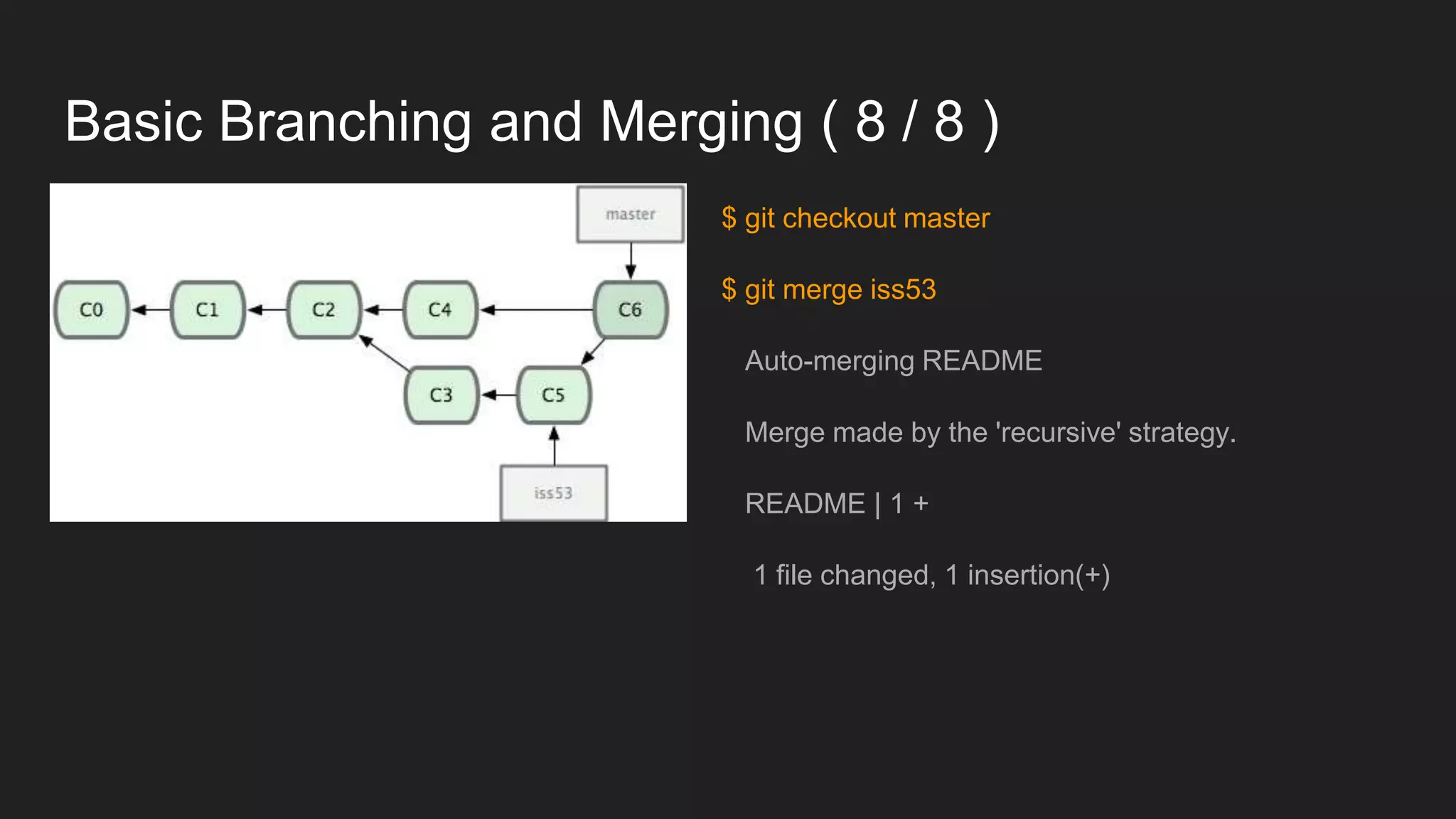
$ git merge iss53
Auto-merging README
Merge made by the 'recursive' strategy.
README | 1 +
1 file changed, 1 insertion(+)
Basic Branching and Merging ( 8 / 8 )
$ git checkout master
$ git merge iss53
Auto-merging README
Merge made by the 'recursive' strategy.
README | 1 +
1 file changed, 1 insertion(+)
Reference
https://git-scm.com/book/en/v2/Git-Branching-Basic-Branching-and-Merging
git command
git init
git config
git add
git reset
git commit
git log
git branch
git checkout
git merge
git rebase
git revert
gif diff

git command

  • 1.
  • 2.
    git work index.html gitindex repository git add index.html git commit ….
  • 3.
    git config Config filelocation: system、global、local git config --global user.name "your name" git config --global user.email "xxx@gmail.com"
  • 4.
    git init This commandcreates an empty Git repository - basically a .git directory with subdirectories for objects, refs/heads, refs/tags, and template files. An initial HEAD file that references the HEAD of the master branch is also created.
  • 5.
    git status Displays pathsthat have differences between the index file and the current HEAD commit, paths that have differences between the working tree and the index file, and paths in the working tree that are not tracked by Git
  • 6.
    git add This commandupdates the index using the current content found in the working tree, to prepare the content staged for the next commit. git add index.html index.css git add . git add --update
  • 7.
    .gitignore file A gitignorefile specifies intentionally untracked files that Git should ignore. Files already tracked by Git are not affected; .gitignore content *.css !*.min.css abc/*.txt **/foo/bar a/**/b
  • 8.
    git reset Reset currentHEAD to the specified state git reset git reset index.html
  • 9.
    git commit Stores thecurrent contents of the index in a new commit along with a log message from the user describing the changes git commit -m "commit message" git commit --amend
  • 10.
    git log Shows thecommit logs git log git log --stat git log index.html git log --author=’user name’
  • 11.
    git command git init gitconfig git add git reset git commit git log git branch git checkout git merge
  • 12.
    Basic Branching andMerging ( 1 / 8 )
  • 13.
    Basic Branching andMerging ( 2 / 8 ) $ git branch iss53 $ git checkout iss53 Switched to a new branch 'iss53' equivalent to $ git checkout -b iss53 Switched to a new branch 'iss53'
  • 14.
    Basic Branching andMerging ( 3 / 8 ) $ vim index.html $ git commit -a -m 'added a new footer [issue 53]'
  • 15.
    Basic Branching andMerging ( 4 / 8 ) $ git checkout master Switched to branch 'master' $ git checkout -b hotfix Switched to a new branch 'hotfix' $ vim index.html $ git commit -a -m 'fixed the broken email address'
  • 16.
    Basic Branching andMerging ( 5 / 8 ) $ git checkout master $ git merge hotfix Updating f42c576..3a0874c Fast-forward README | 1 - 1 file changed, 1 deletion(-)
  • 17.
    Basic Branching andMerging ( 6 / 8 ) $ git branch -d hotfix Deleted branch hotfix (was 3a0874c). $ git checkout iss53 Switched to branch 'iss53' $ vim index.html $ git commit -a -m 'finished the new footer [issue 53]'
  • 18.
    Basic Branching andMerging ( 7 / 8 ) $ git checkout master $ git merge iss53 Auto-merging README Merge made by the 'recursive' strategy. README | 1 + 1 file changed, 1 insertion(+)
  • 19.
    Basic Branching andMerging ( 8 / 8 ) $ git checkout master $ git merge iss53 Auto-merging README Merge made by the 'recursive' strategy. README | 1 + 1 file changed, 1 insertion(+)
  • 20.
  • 21.
    git command git init gitconfig git add git reset git commit git log git branch git checkout git merge git rebase git revert gif diff

Editor's Notes

  • #3 working tree index : stage、 cache repository
  • #7 注意! 當時的檔案內容會加入 git 索引,如果後來有修改資料,新的檔案是不會在 git 索引裡,需要再一次 git add