Game Programming
Localization
Nick Prühs
Objectives
• To get an overview of the different types of game
assets that need to be localized
• To understand the different approaches of
publishing localized games
• To learn how to handle issues with the localization
process
2 / 28
Globalization & Localization
• When you limit your product's availability to only
one language, you limit your potential customer
base to a fraction of our world’s 6.5 billion
population.
• If you want your applications to reach a global
audience, cost-effective localization of your product
is one of the best and most economical ways to
reach more customers.
3 / 28
Globalization & Localization
• Globalization is the design and development of
applications that perform in multiple locations. For
example, globalization supports localized user
interfaces and regional data for users in different
cultures.
• Localization is the translation of application
resources into localized versions for the specific
cultures that the application supports.
4 / 28
Localized Assets
• Texts
• Images (with texts)
• Audio (with speech)
• Video (with speech)
5 / 28
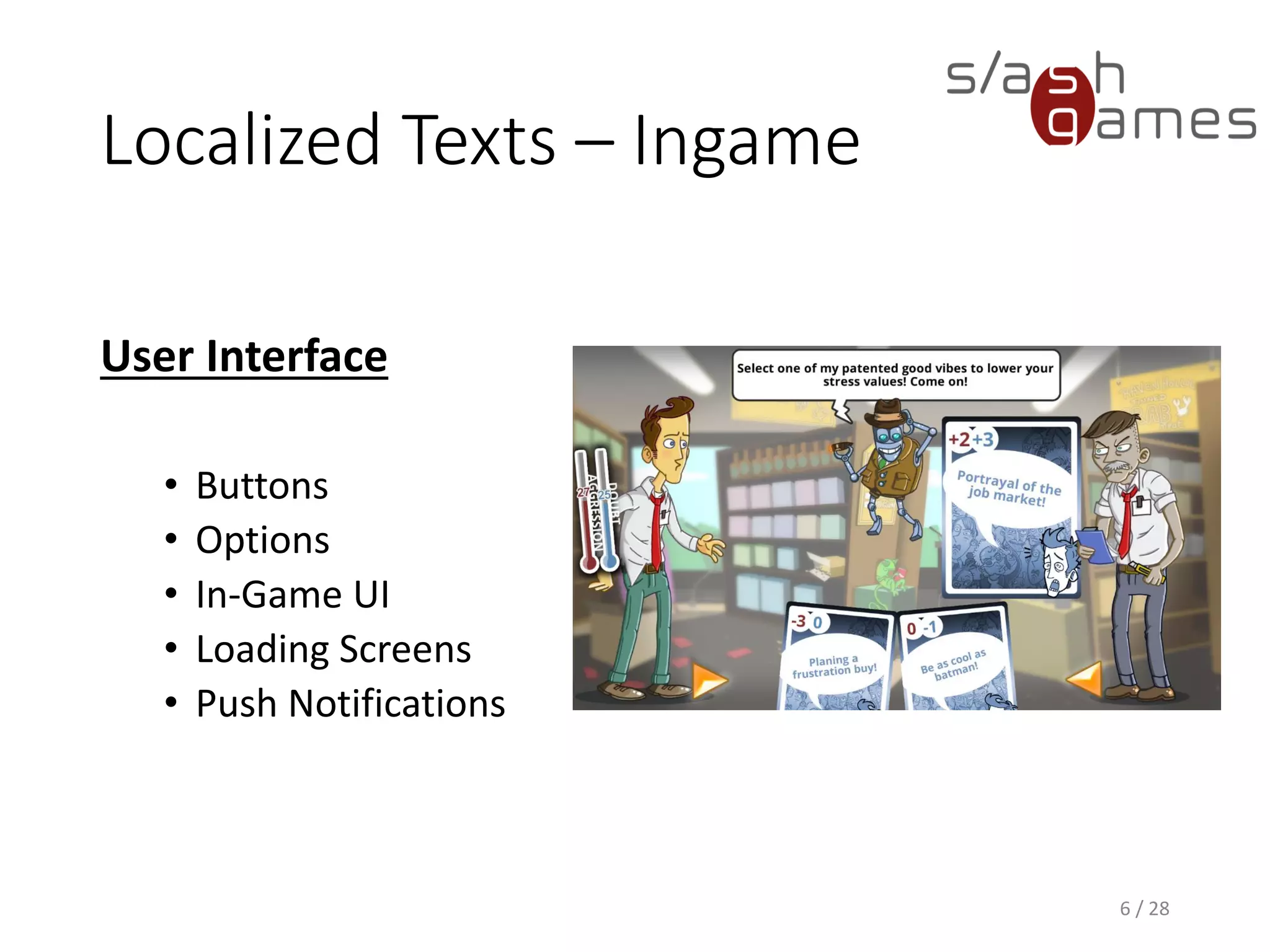
Localized Texts – Ingame
User Interface
• Buttons
• Options
• In-Game UI
• Loading Screens
• Push Notifications
6 / 28
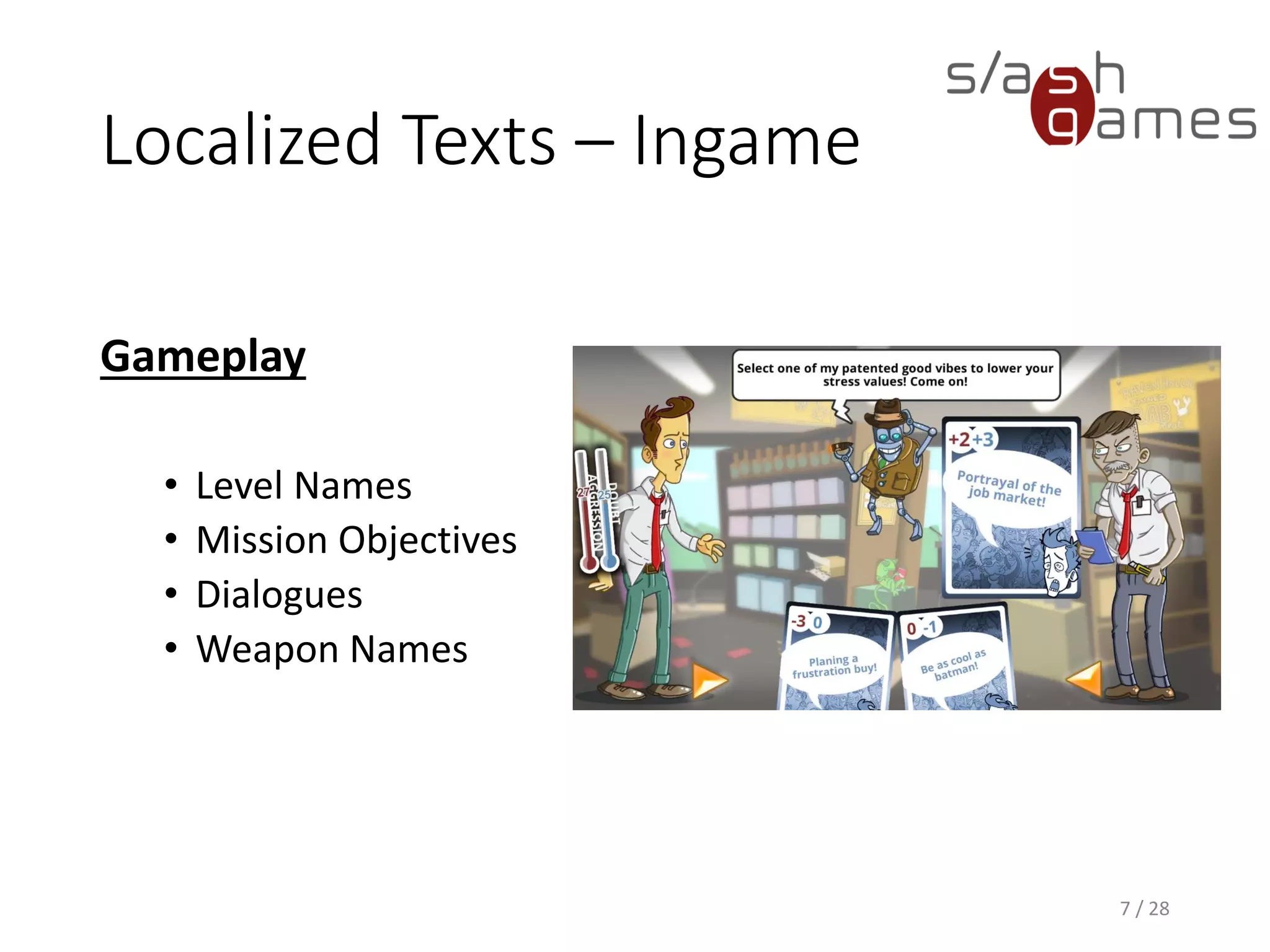
Localized Texts – Ingame
Gameplay
• Level Names
• Mission Objectives
• Dialogues
• Weapon Names
7 / 28
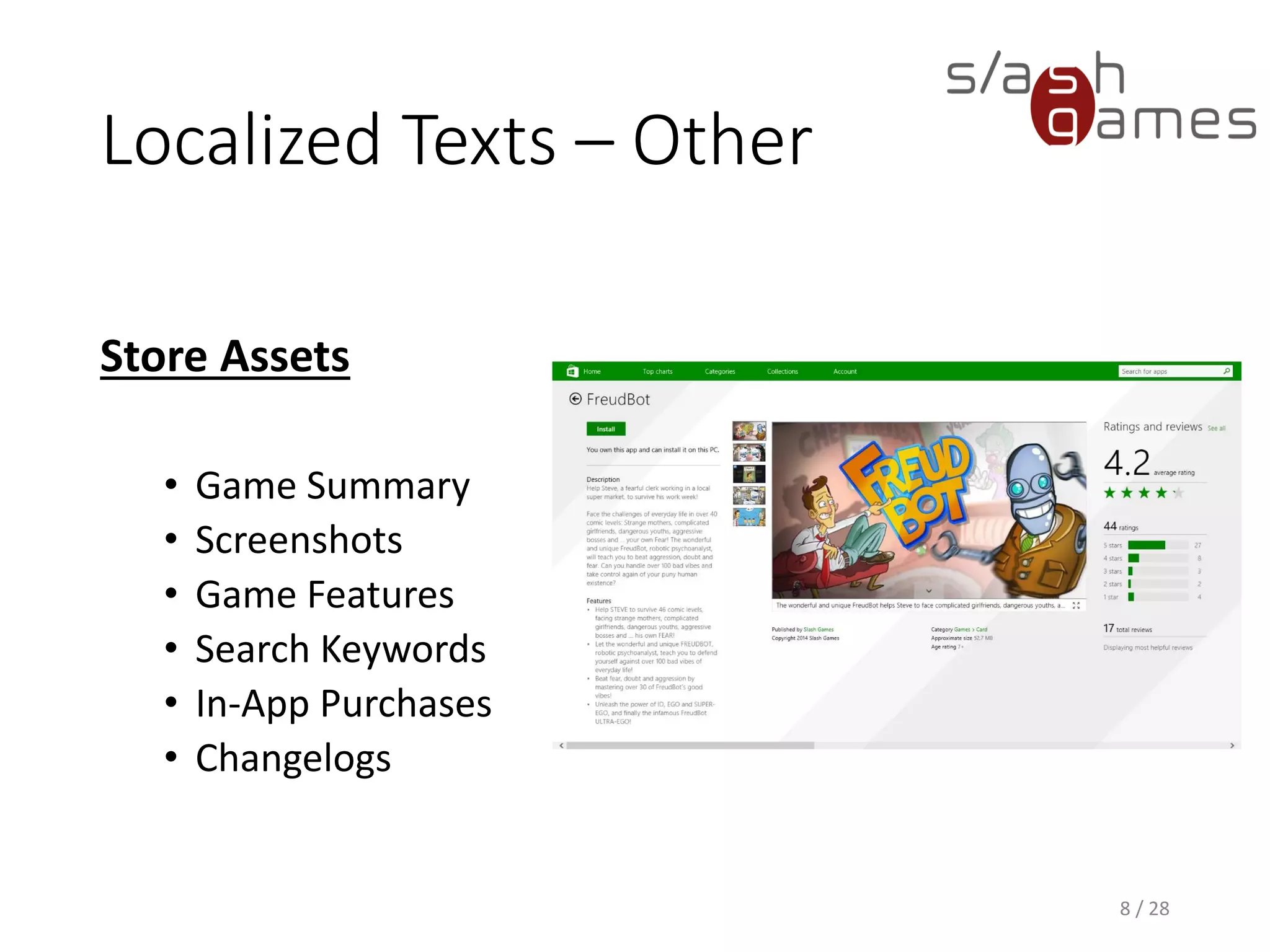
Localized Texts – Other
Store Assets
• Game Summary
• Screenshots
• Game Features
• Search Keywords
• In-App Purchases
• Changelogs
8 / 28
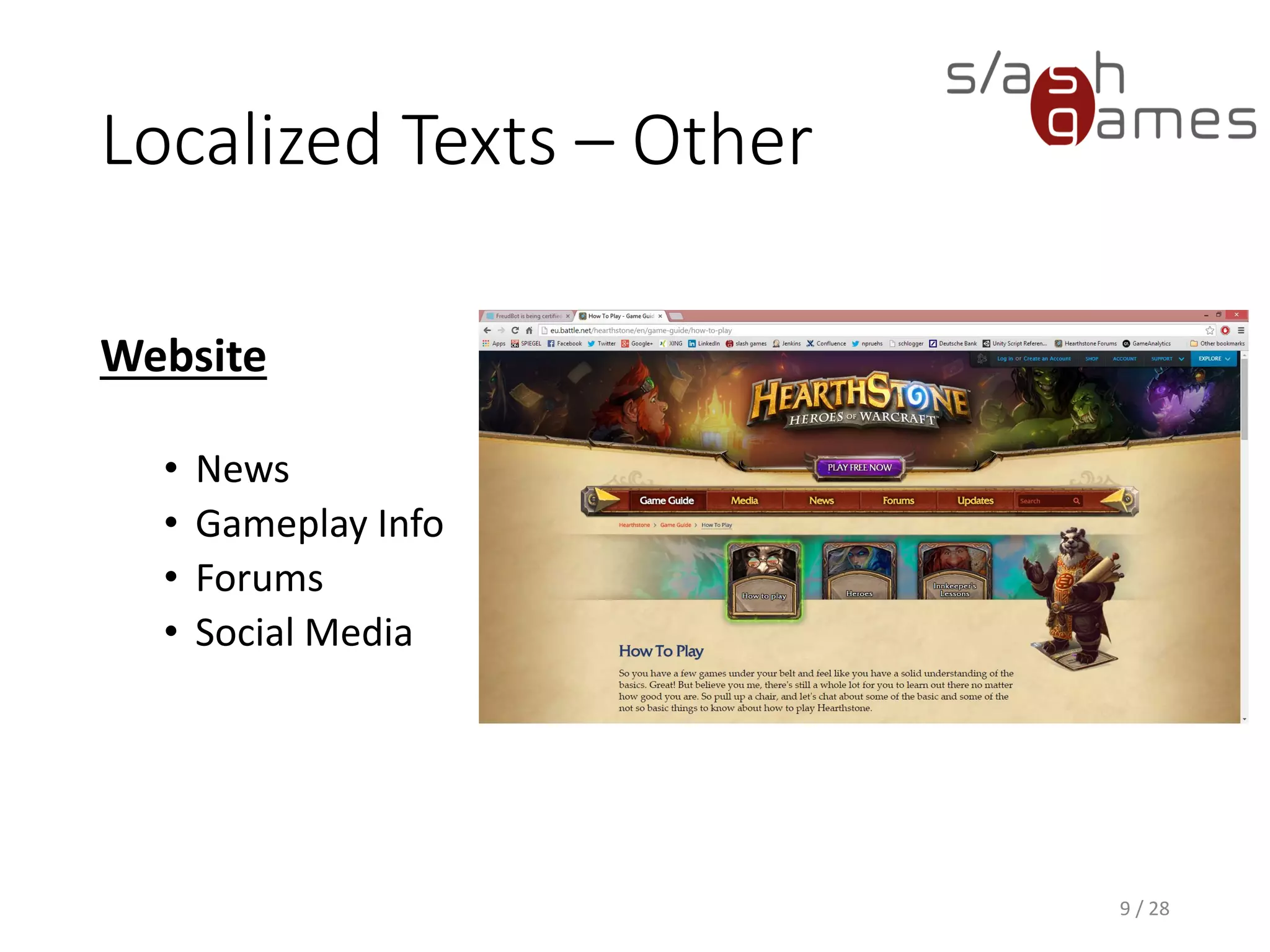
Localized Texts – Other
Website
• News
• Gameplay Info
• Forums
• Social Media
9 / 28
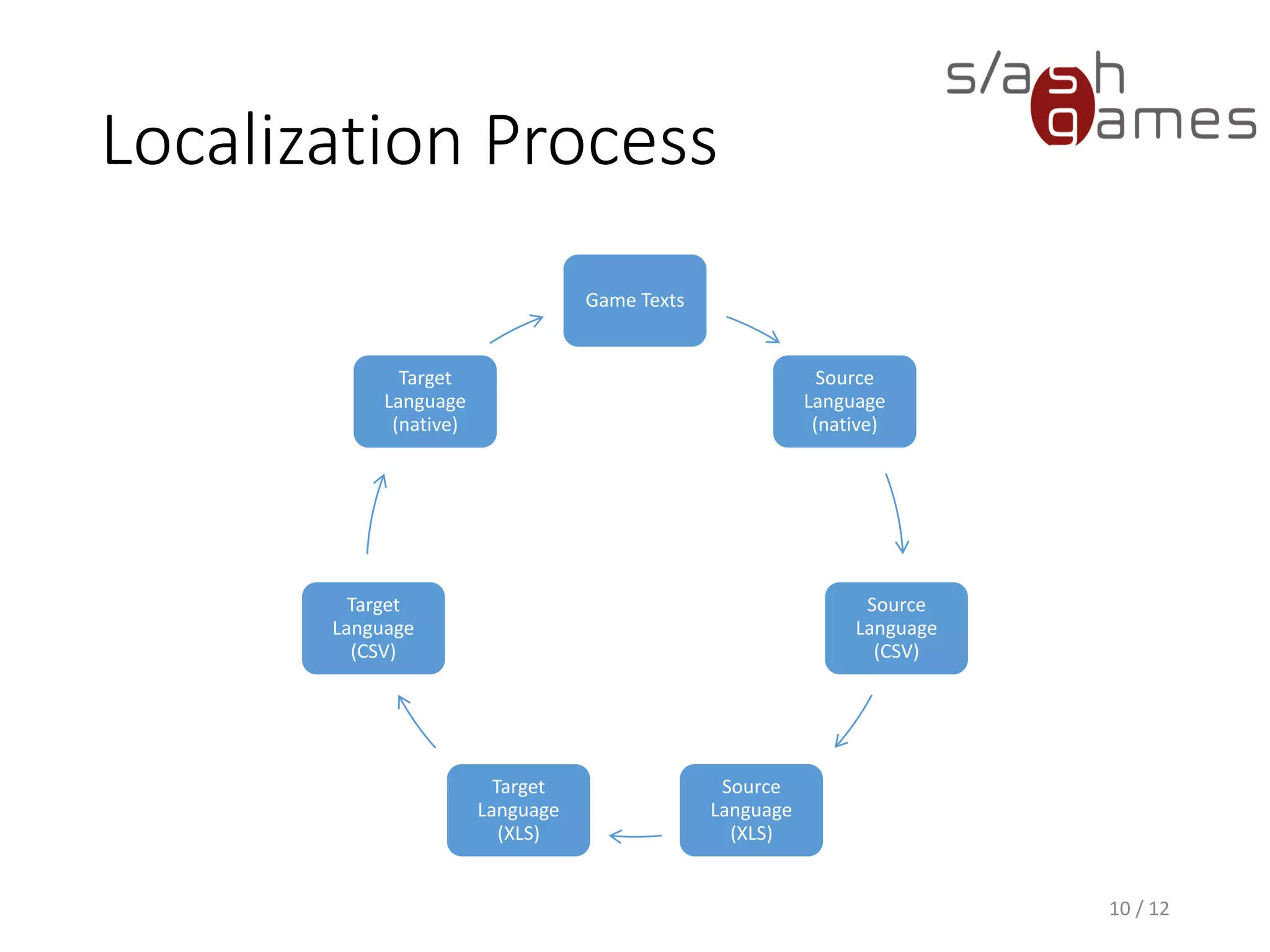
Localization Process
Game Texts
Source
Language
(native)
Source
Language
(CSV)
Source
Language
(XLS)
Target
Language
(XLS)
Target
Language
(CSV)
Target
Language
(native)
10 / 12
Localization Process
1. Export localization file with
1. Localization keys
2. Source language
2. Convert from game format to CSV and XLS.
3. Localize file by adding target language.
4. Convert from XLS to CSV and game format.
5. Import localization file with
1. Localization keys
2. Target language
11 / 28
Gotcha!
Ensure you are using the proper
encoding (e.g. UTF-8) for all text
files (e.g. XML, CSV)!
12 / 28
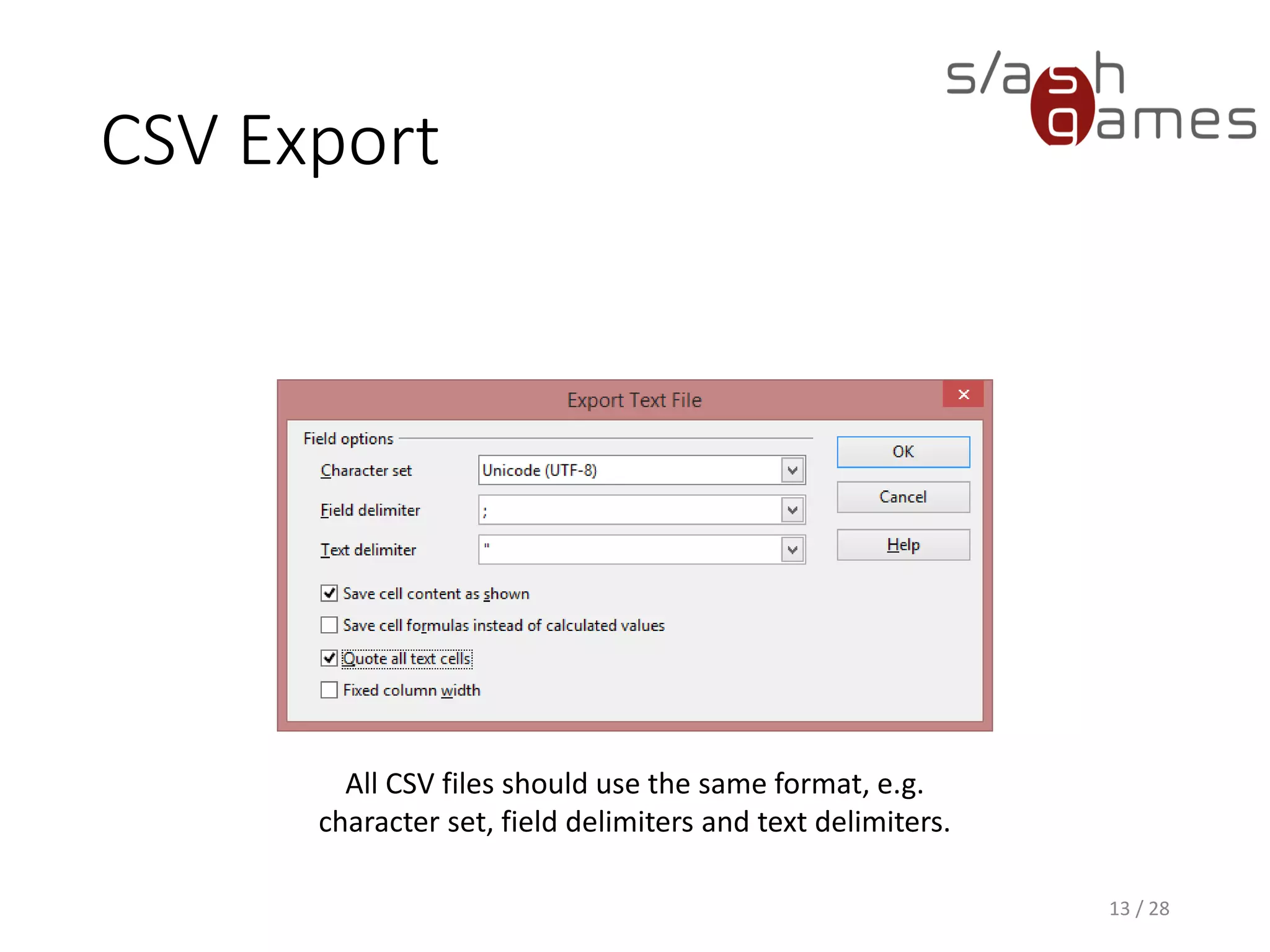
CSV Export
13 / 28
All CSV files should use the same format, e.g.
character set, field delimiters and text delimiters.
Numbers in Texts
• Use ordered references in localized strings that are
replaced in code:
“Deals {0} damage and stuns the target for {1} seconds.”
• Localize your string by replacing the key by the
localized text, and replace all placeholders after.
• Unordered placeholders, such as %d might not be
enough, as some languages change the word order!
14 / 28
Handling The Mess
• Missing localization keys
• Debug builds should show the raw localization key if it
fails to lookup a localized string. This helps your QA to
tell you the exact missing key.
• Release builds should fallback to a default language.
• Duplicate localization keys
• Your tools should detect and report duplicate
localization keys immediately on import.
• Otherwise, you’ll be spending a lot of time tracking
down that localization bug that is caused by an
overridden key – trust me.
15 / 28
Subsequent Changes
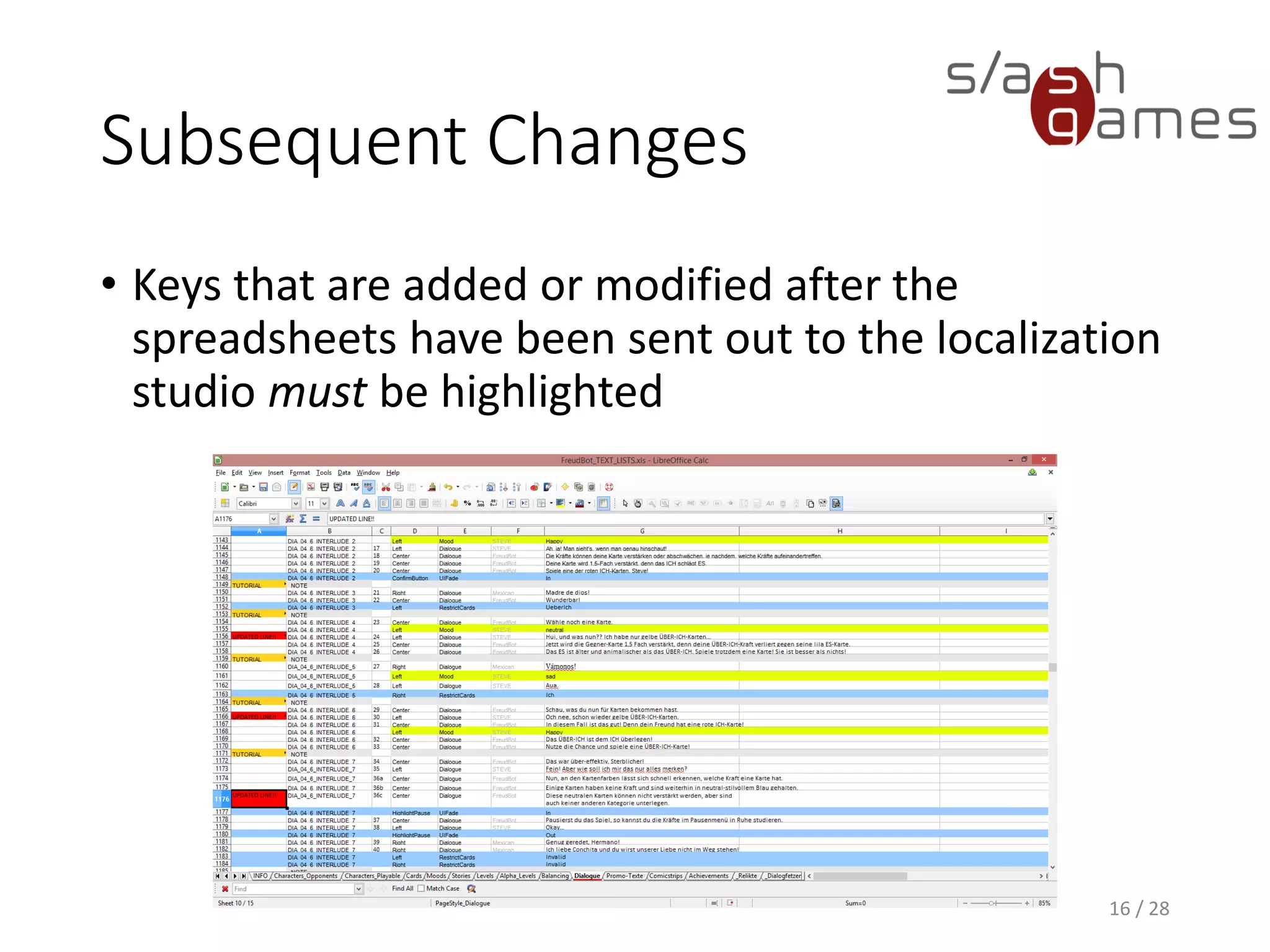
• Keys that are added or modified after the
spreadsheets have been sent out to the localization
studio must be highlighted
16 / 28
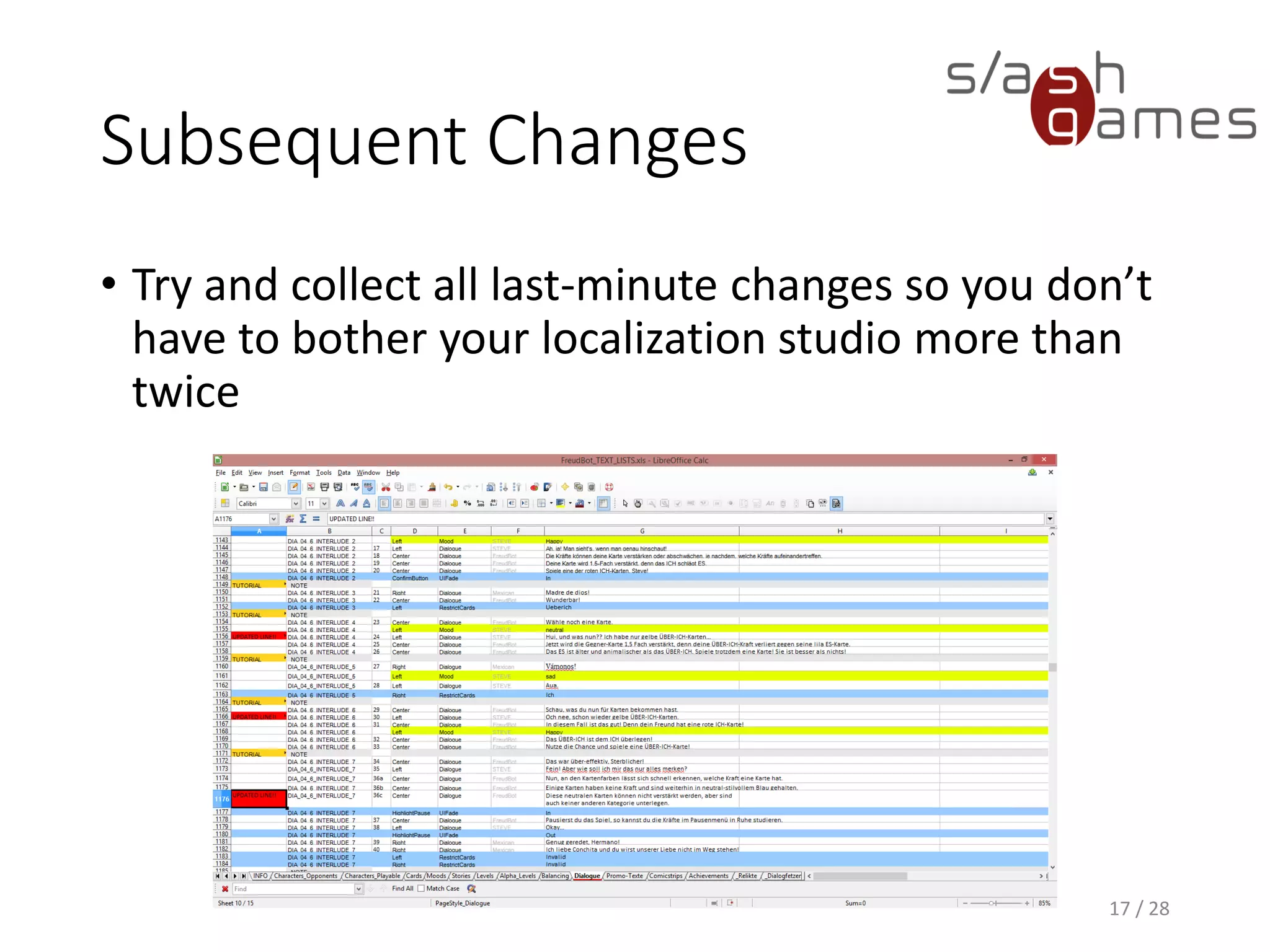
Subsequent Changes
• Try and collect all last-minute changes so you don’t
have to bother your localization studio more than
twice
17 / 28
Hint
All tools should order your
localization keys by name.
This will help tremendously with
source control.
18 / 28
UI Design Best Practice
• Avoid using absolute positions and fixed sizes to lay
out content; instead, use relative or automatic
sizing.
• Provide extra space in margins because localized
text often requires more space.
19 / 28
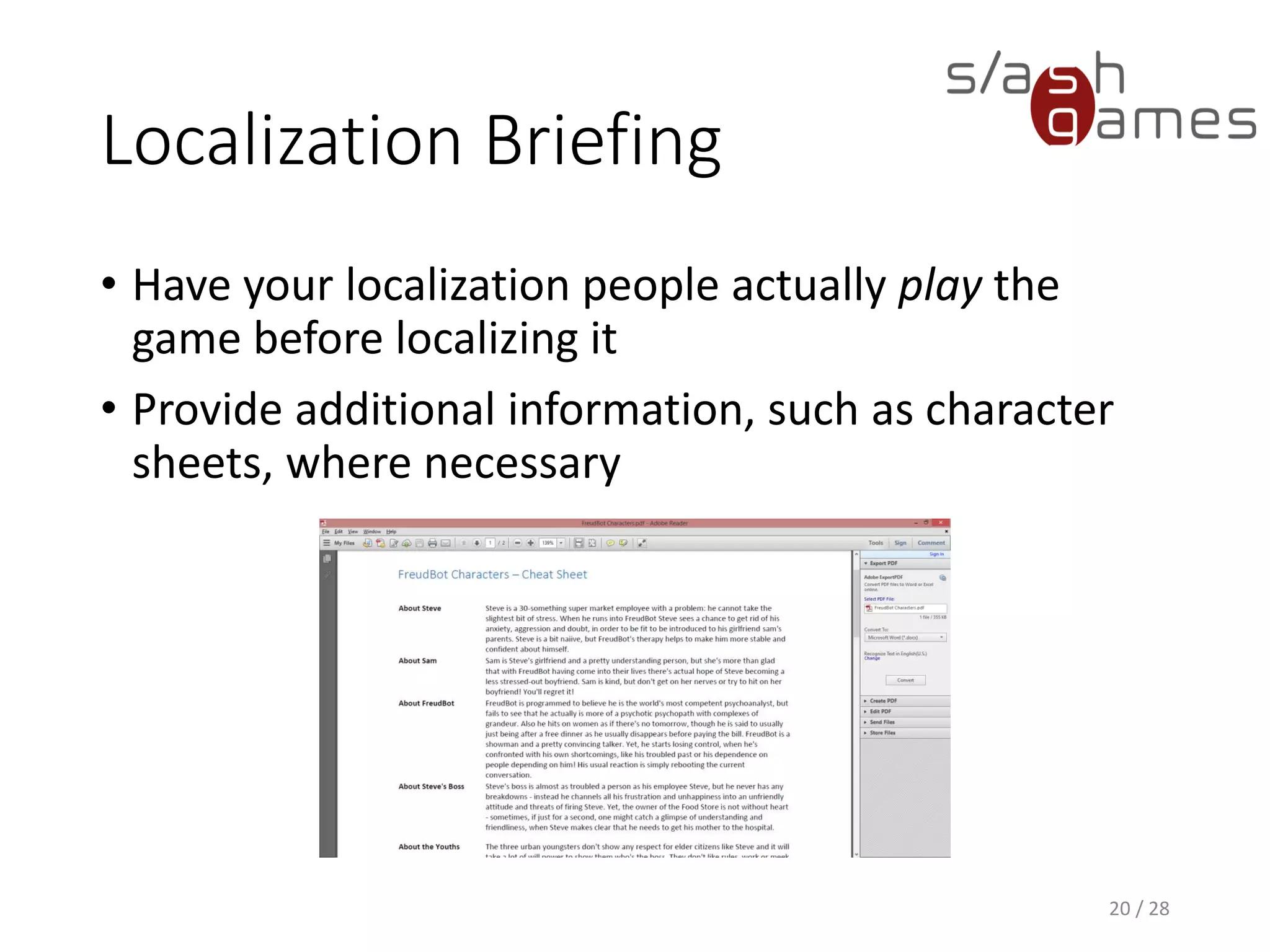
Localization Briefing
• Have your localization people actually play the
game before localizing it
• Provide additional information, such as character
sheets, where necessary
20 / 28
Localization Tools
• Allow your team to change the language in-game, if
possible.
• Provide a local localization override file, if possible.
• This way, your team can check changed texts
immediately without having to rebuild the game.
21 / 28
Localization Testing
• Check each localized version thoroughly for
• Shrinked texts
• Cut texts
• Overlapping texts
• Strange line breaks
• Typos
22 / 28
Packaging
Option 1: All languages available
• Required for some platforms, such as mobile
• User can switch language any time
• Package size increases linearly with number of
languages
23 / 28
Packaging
Option 2: Language packs
• Required for some platforms, such as Steam
• User needs to download additional files for
switching the language
• Package size is always the same
24 / 28
Live Games
• All of this assumes you’re running a stand-alone
game, such as Windows or iPad
• Live games (e.g. browser, client-server) will require
you to update both backend and frontend at the
same time – for all available languages – unless you
have a sophisticated versioning system in place.
25 / 28
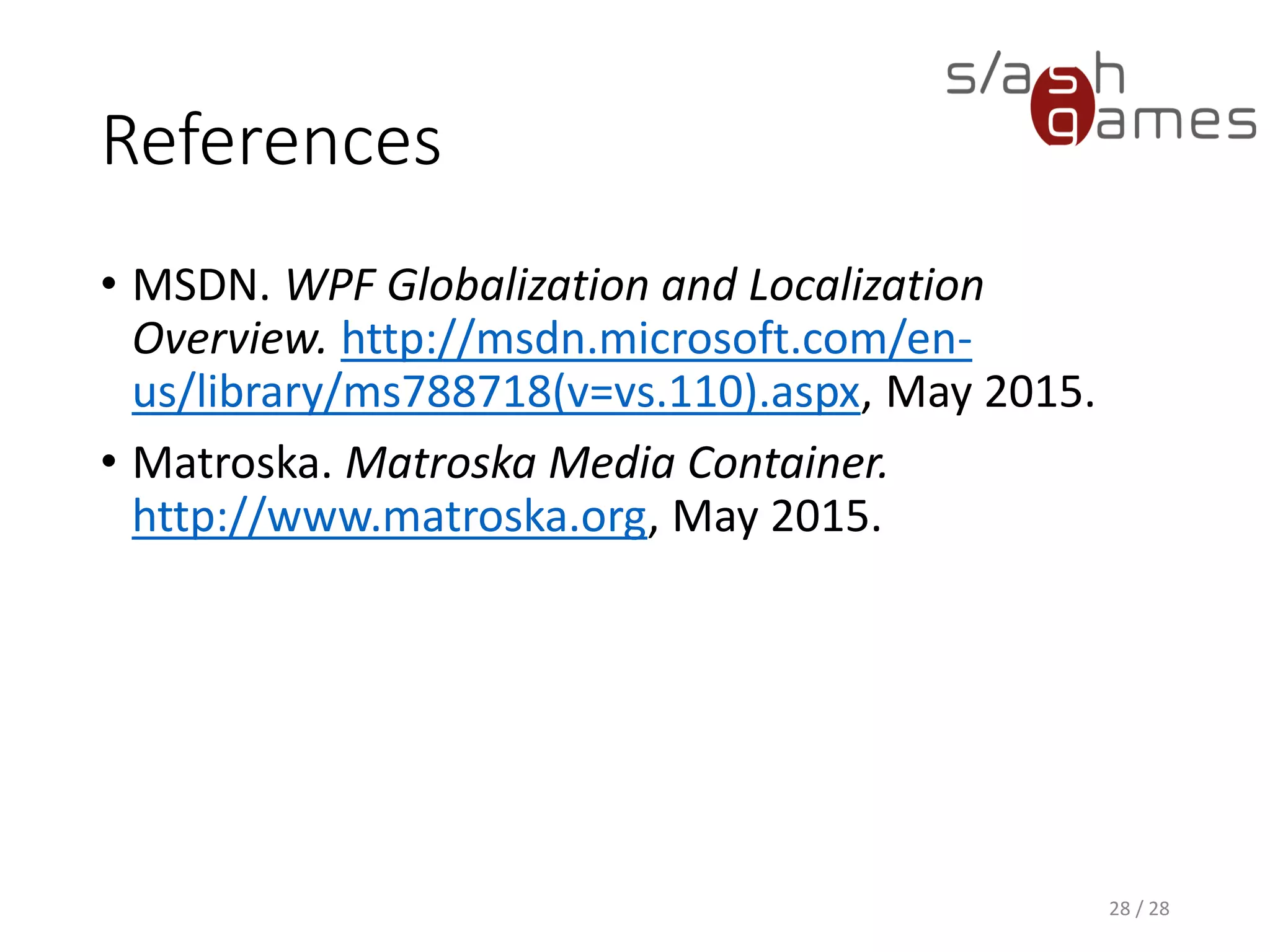
Localized Images
• Usually boils down to signs and posters shown in
the game world
• Avoid wherever possible!
• Requires artists to fire up Photoshop and localize by
hand
26 / 28Poster in Bioshock Infinite
Localized Videos
• If you’re lucky, this boils down to speech of the
video
• In this case, you can use Matroska Media
Containers which split up your video into
• Video (MKV)
• Audio (MKA)
• Subtitles (MKS)
• Otherwise, you’ll be forced to provide videos for
each language
• Only huge companies like Blizzard make that effort
27 / 28
References
• MSDN. WPF Globalization and Localization
Overview. http://msdn.microsoft.com/en-
us/library/ms788718(v=vs.110).aspx, June 2016.
• Matroska. Matroska Media Container.
http://www.matroska.org, June 2016.
28 / 28
Thank you!
http://www.npruehs.de
https://github.com/npruehs
@npruehs
dev@npruehs.de
5 Minute Review Session
• What is the difference between Globalization and
Localization?
• Which types of game assets are to be localized?
• How do you handle numbers in texts?
• How can you prepare the localization process to
make the job easier for the localization team?
• Which approaches do you know for publishing
localized games?
• How do you handle localized videos?

Game Programming 10 - Localization

  • 1.
  • 2.
    Objectives • To getan overview of the different types of game assets that need to be localized • To understand the different approaches of publishing localized games • To learn how to handle issues with the localization process 2 / 28
  • 3.
    Globalization & Localization •When you limit your product's availability to only one language, you limit your potential customer base to a fraction of our world’s 6.5 billion population. • If you want your applications to reach a global audience, cost-effective localization of your product is one of the best and most economical ways to reach more customers. 3 / 28
  • 4.
    Globalization & Localization •Globalization is the design and development of applications that perform in multiple locations. For example, globalization supports localized user interfaces and regional data for users in different cultures. • Localization is the translation of application resources into localized versions for the specific cultures that the application supports. 4 / 28
  • 5.
    Localized Assets • Texts •Images (with texts) • Audio (with speech) • Video (with speech) 5 / 28
  • 6.
    Localized Texts –Ingame User Interface • Buttons • Options • In-Game UI • Loading Screens • Push Notifications 6 / 28
  • 7.
    Localized Texts –Ingame Gameplay • Level Names • Mission Objectives • Dialogues • Weapon Names 7 / 28
  • 8.
    Localized Texts –Other Store Assets • Game Summary • Screenshots • Game Features • Search Keywords • In-App Purchases • Changelogs 8 / 28
  • 9.
    Localized Texts –Other Website • News • Gameplay Info • Forums • Social Media 9 / 28
  • 10.
  • 11.
    Localization Process 1. Exportlocalization file with 1. Localization keys 2. Source language 2. Convert from game format to CSV and XLS. 3. Localize file by adding target language. 4. Convert from XLS to CSV and game format. 5. Import localization file with 1. Localization keys 2. Target language 11 / 28
  • 12.
    Gotcha! Ensure you areusing the proper encoding (e.g. UTF-8) for all text files (e.g. XML, CSV)! 12 / 28
  • 13.
    CSV Export 13 /28 All CSV files should use the same format, e.g. character set, field delimiters and text delimiters.
  • 14.
    Numbers in Texts •Use ordered references in localized strings that are replaced in code: “Deals {0} damage and stuns the target for {1} seconds.” • Localize your string by replacing the key by the localized text, and replace all placeholders after. • Unordered placeholders, such as %d might not be enough, as some languages change the word order! 14 / 28
  • 15.
    Handling The Mess •Missing localization keys • Debug builds should show the raw localization key if it fails to lookup a localized string. This helps your QA to tell you the exact missing key. • Release builds should fallback to a default language. • Duplicate localization keys • Your tools should detect and report duplicate localization keys immediately on import. • Otherwise, you’ll be spending a lot of time tracking down that localization bug that is caused by an overridden key – trust me. 15 / 28
  • 16.
    Subsequent Changes • Keysthat are added or modified after the spreadsheets have been sent out to the localization studio must be highlighted 16 / 28
  • 17.
    Subsequent Changes • Tryand collect all last-minute changes so you don’t have to bother your localization studio more than twice 17 / 28
  • 18.
    Hint All tools shouldorder your localization keys by name. This will help tremendously with source control. 18 / 28
  • 19.
    UI Design BestPractice • Avoid using absolute positions and fixed sizes to lay out content; instead, use relative or automatic sizing. • Provide extra space in margins because localized text often requires more space. 19 / 28
  • 20.
    Localization Briefing • Haveyour localization people actually play the game before localizing it • Provide additional information, such as character sheets, where necessary 20 / 28
  • 21.
    Localization Tools • Allowyour team to change the language in-game, if possible. • Provide a local localization override file, if possible. • This way, your team can check changed texts immediately without having to rebuild the game. 21 / 28
  • 22.
    Localization Testing • Checkeach localized version thoroughly for • Shrinked texts • Cut texts • Overlapping texts • Strange line breaks • Typos 22 / 28
  • 23.
    Packaging Option 1: Alllanguages available • Required for some platforms, such as mobile • User can switch language any time • Package size increases linearly with number of languages 23 / 28
  • 24.
    Packaging Option 2: Languagepacks • Required for some platforms, such as Steam • User needs to download additional files for switching the language • Package size is always the same 24 / 28
  • 25.
    Live Games • Allof this assumes you’re running a stand-alone game, such as Windows or iPad • Live games (e.g. browser, client-server) will require you to update both backend and frontend at the same time – for all available languages – unless you have a sophisticated versioning system in place. 25 / 28
  • 26.
    Localized Images • Usuallyboils down to signs and posters shown in the game world • Avoid wherever possible! • Requires artists to fire up Photoshop and localize by hand 26 / 28Poster in Bioshock Infinite
  • 27.
    Localized Videos • Ifyou’re lucky, this boils down to speech of the video • In this case, you can use Matroska Media Containers which split up your video into • Video (MKV) • Audio (MKA) • Subtitles (MKS) • Otherwise, you’ll be forced to provide videos for each language • Only huge companies like Blizzard make that effort 27 / 28
  • 28.
    References • MSDN. WPFGlobalization and Localization Overview. http://msdn.microsoft.com/en- us/library/ms788718(v=vs.110).aspx, June 2016. • Matroska. Matroska Media Container. http://www.matroska.org, June 2016. 28 / 28
  • 29.
  • 30.
    5 Minute ReviewSession • What is the difference between Globalization and Localization? • Which types of game assets are to be localized? • How do you handle numbers in texts? • How can you prepare the localization process to make the job easier for the localization team? • Which approaches do you know for publishing localized games? • How do you handle localized videos?