GAME OBJECT MODELS
and Scripting
Jason Gregory
Naughty Dog, Inc.
ANATOMY OF A GAME
WORLD
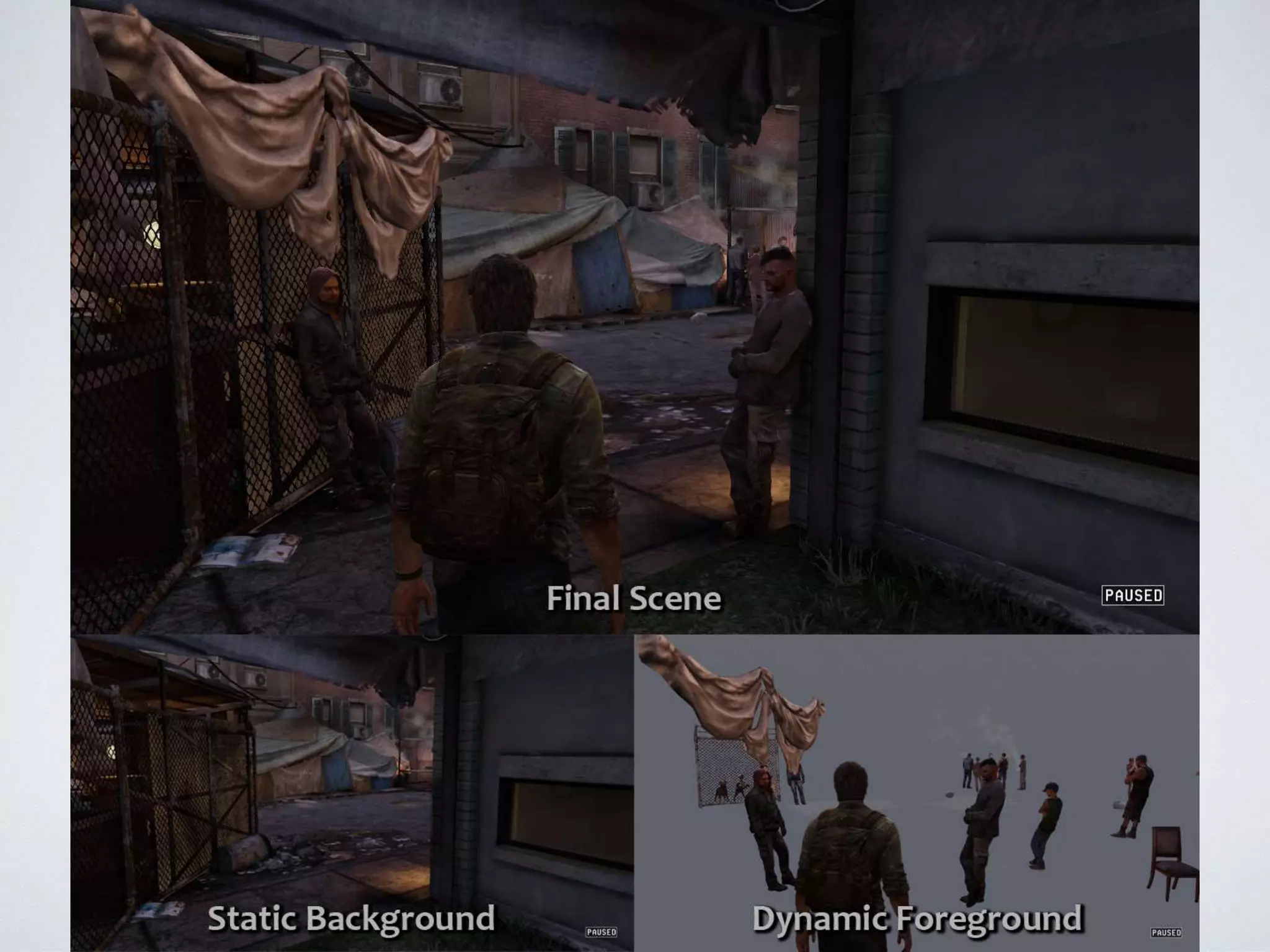
• Static geometry (“background”)
• Dynamic game objects (“foreground”)
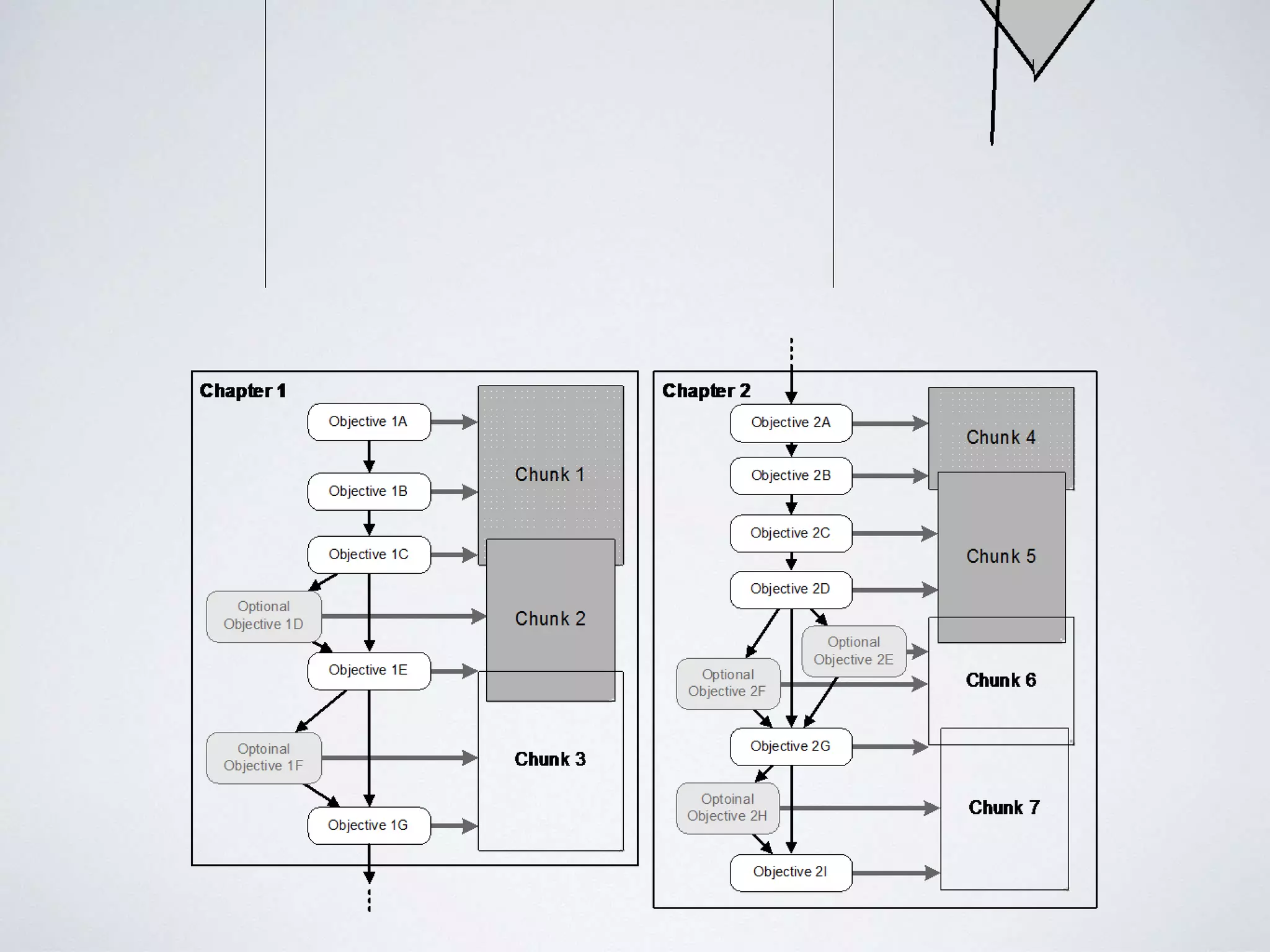
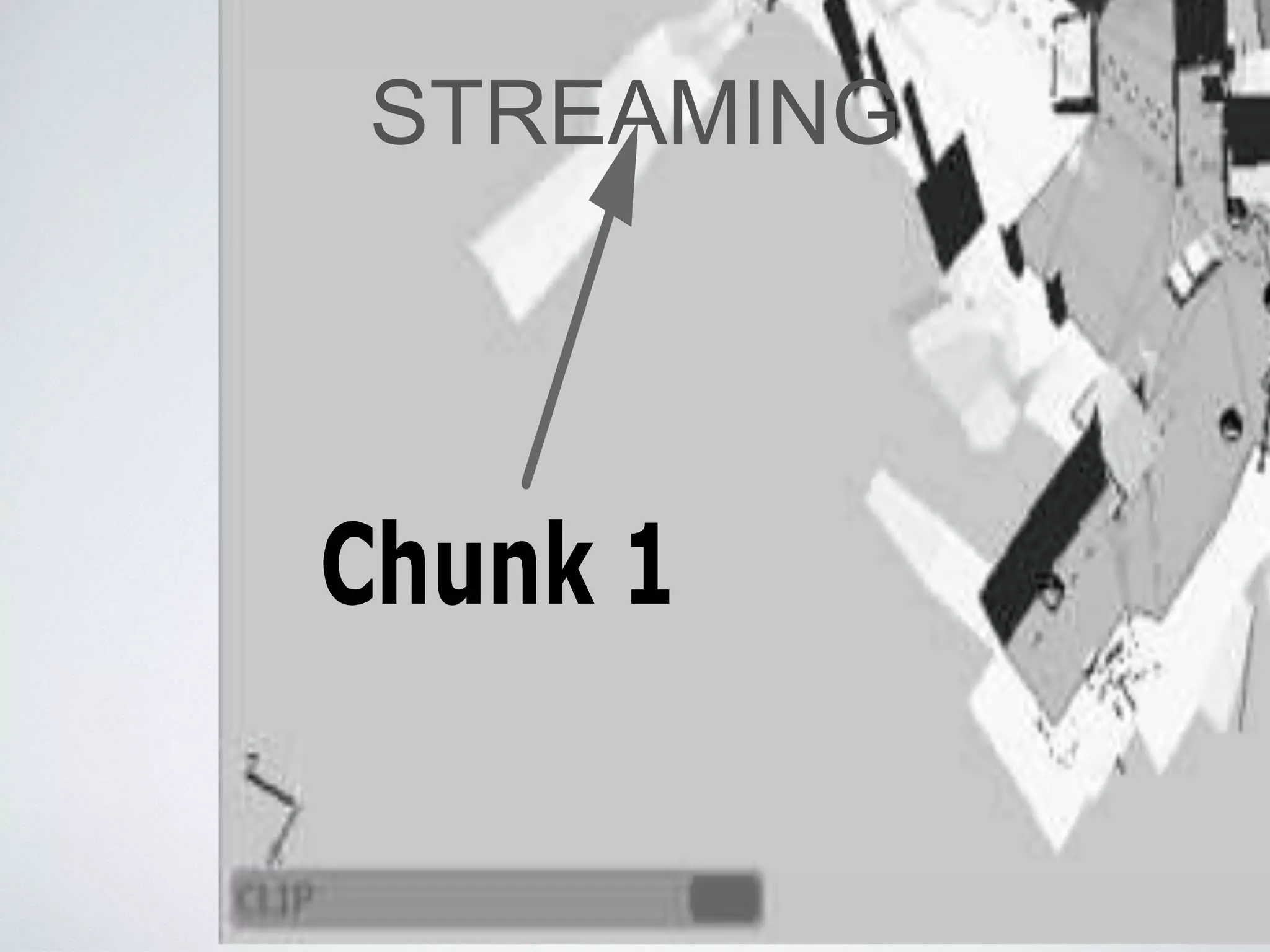
• World “chunks” for streaming
• Game logic & overall flow
• Hard-coded
• Scripted
ANATOMY OF A GAME
WORLD
• Line between static and dynamic can be
blurry
• Not all dynamic entities are logically “objects”
OBJECT MODELS
OBJECT MODELS
• Two distinct meanings:
1. Properties/architecture of a particular object-
oriented programming language (e.g. C++, Java,
Python, …)
2. Collection of objects/classes with which programs
can be built or problems can be solved
GAME OBJECT MODEL
• The term “game object model” really refers
to two distinct object models:
1. Tool-time
2. Run-time
TOOL-TIME OBJECT
MODEL
TOOL-TIME OBJECT
MODEL
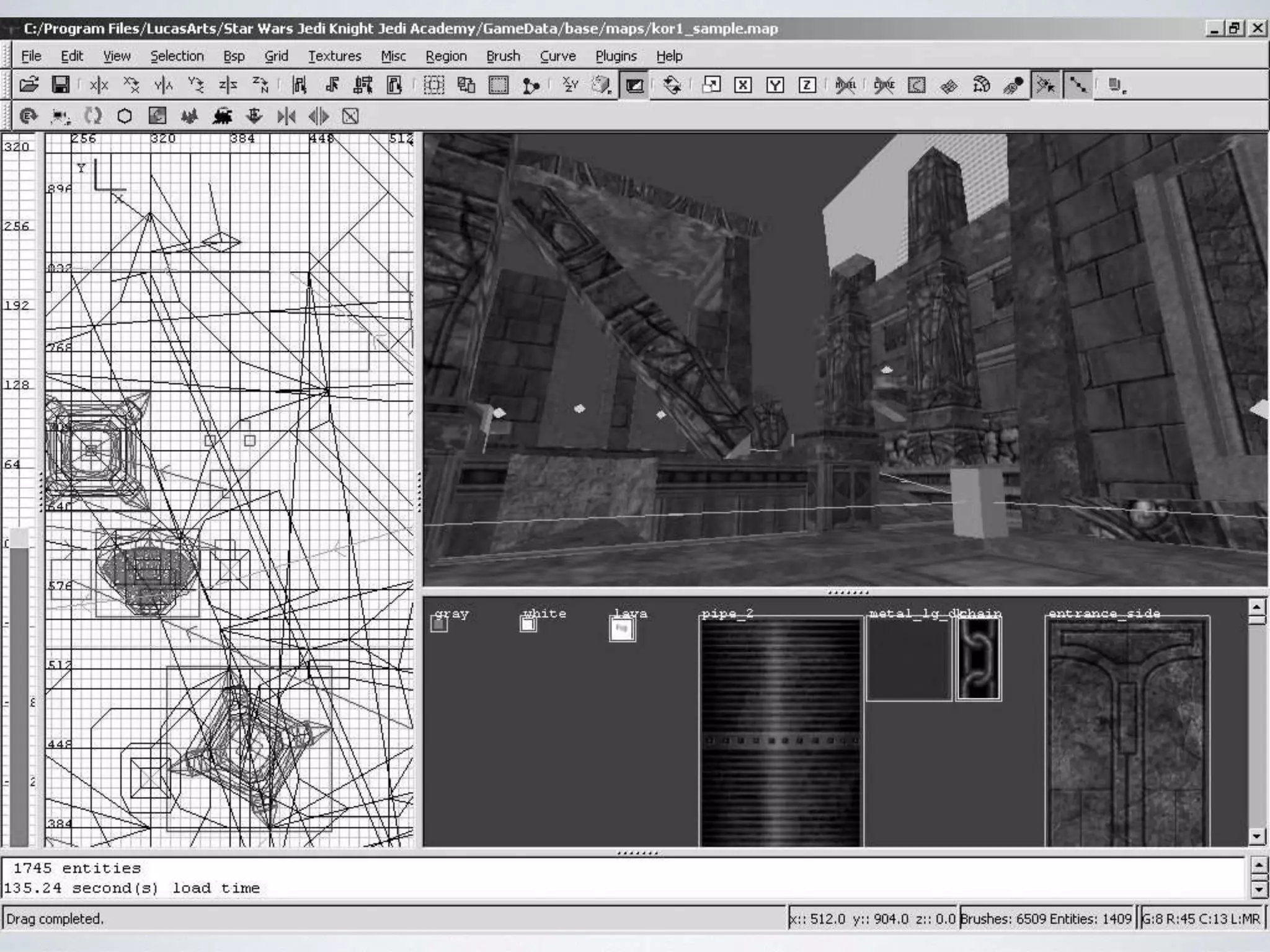
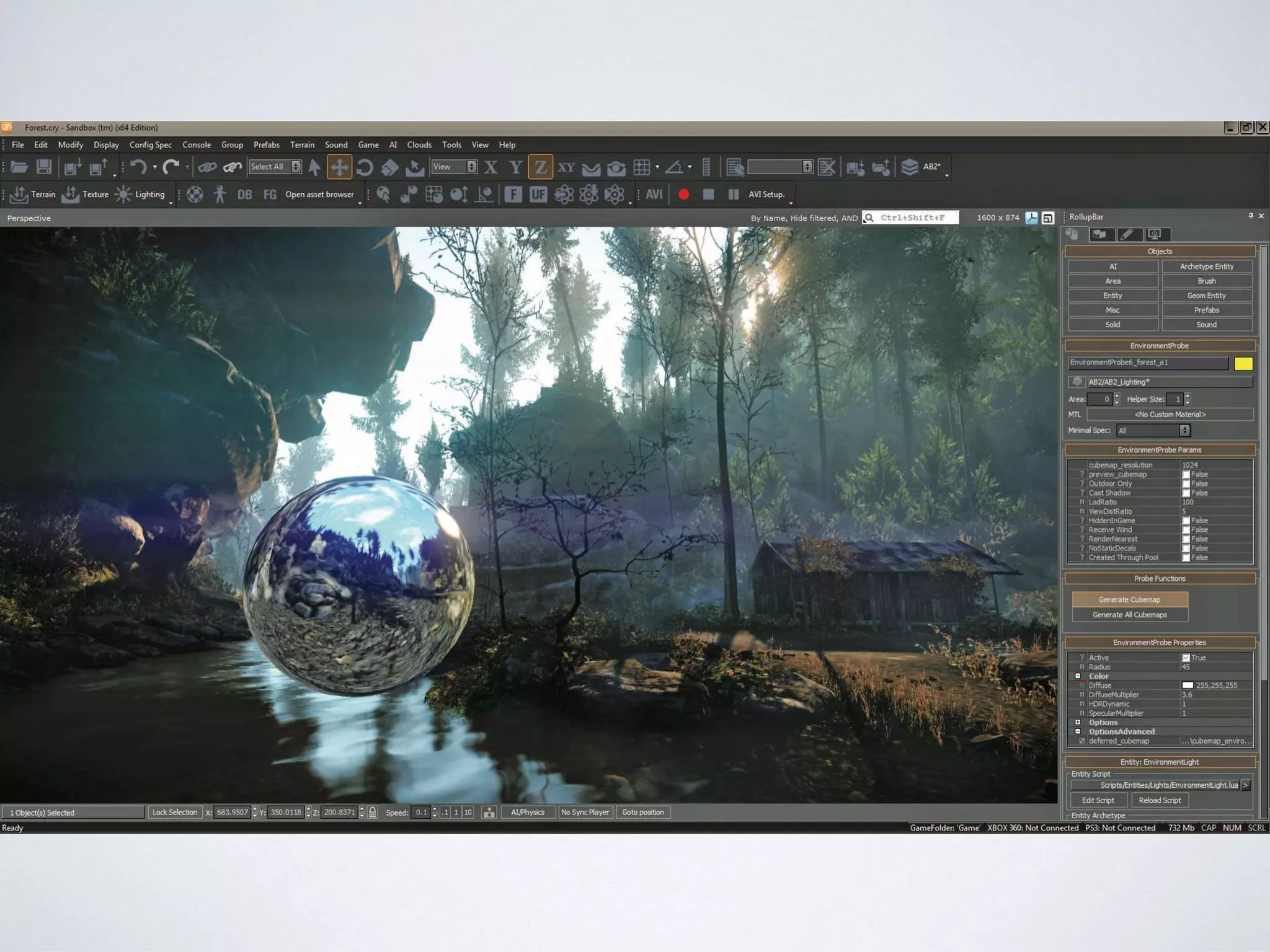
• The tool-time object model is concerned with allowing
developers (designers and programmers) to:
• Define the contents of the game world
• Define initial properties of game objects
• Associate game objects with behavior
• A world building tool (typically a GUI) is used to create
tool-time object models, which can be loaded by the
game
TOOL-TIME OBJECT
MODEL
• Tool-time model is designed to be flexible above
all else
• Typically object-oriented
• Simple and intuitive: direct mapping to concepts used by
designers
• Easy to create, destroy and manipulate game world entities
• Often relatively easy to add new object types
• Important to support some kind of archetype concept
TOOL-TIME OBJECT
MODEL
• e.g. at Naughty Dog, everything in the tool-time
game object model falls into one of the following
categories:
• Spawner
• Spline
• Region
• Nav Mesh
• Static Background Geometry
TOOL-TIME OBJECT
MODEL
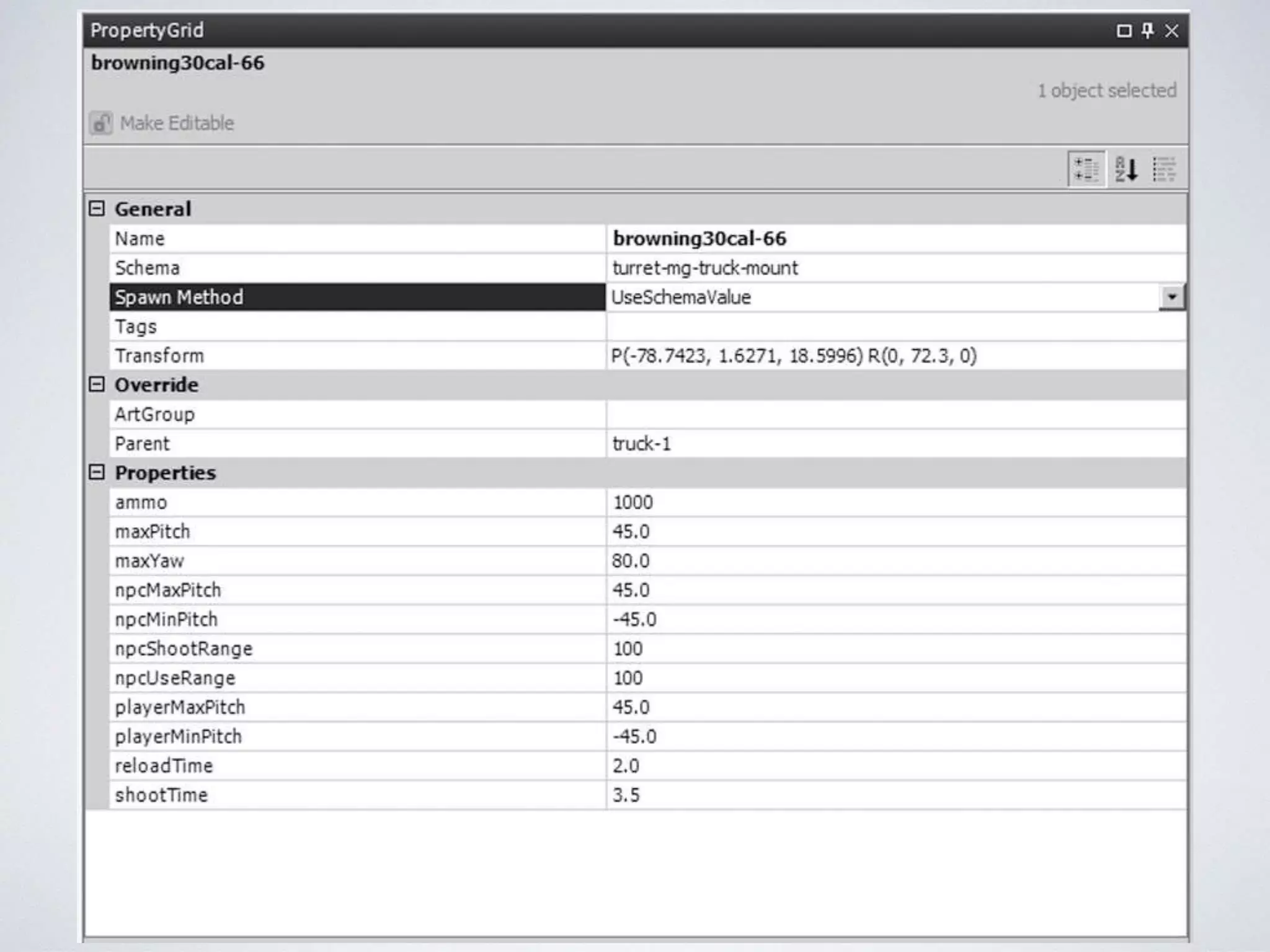
• Spawner comprised of:
• Archetype: What type of game object? What properties does it offer?
Default values for all properties; Optional parent archetype (inheritance)
• Id: Unique identifier and/or human-readable name
• 3D transform: position, rotation, scale
• Reference to parent object: Allowing attachment hierarchies to be built
• Key-value store: “Dictionary” of other properties, some defined by the
schema, some free-form
• Property values override schema defaults
RUN-TIME OBJECT
SYSTEM
RESPONSIBILITIES OF THE
RUN-TIME OBJECT
SYSTEM• Representation of the tool-time object model, with
behaviors
• Memory management and streaming
• Simulation (updating the model each frame)
• Messaging and event handling
• High-level game flow (objectives, story beats, etc.)
• Scripting (enabling rapid iteration for behavior and flow)
RUN-TIME OBJECT MODEL
• Run-time object model primarily concerned
with functionality and performance
• A one-to-one mapping between tool-time
entities and run-time entities may not exist
RUN-TIME OBJECT MODEL
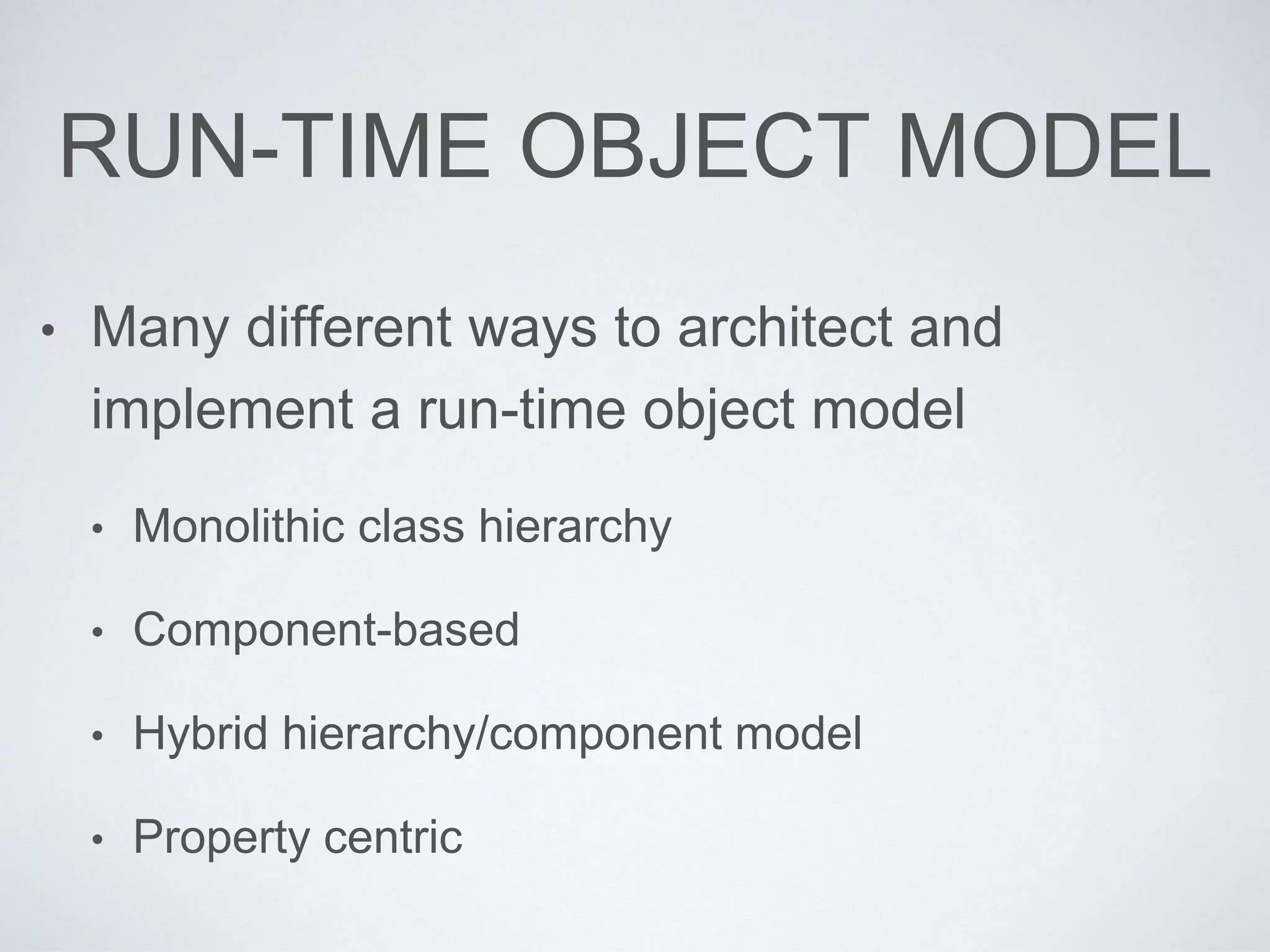
• Many different ways to architect and
implement a run-time object model
• Monolithic class hierarchy
• Component-based
• Hybrid hierarchy/component model
• Property centric
MONOLITHIC CLASS
HIERARCHY
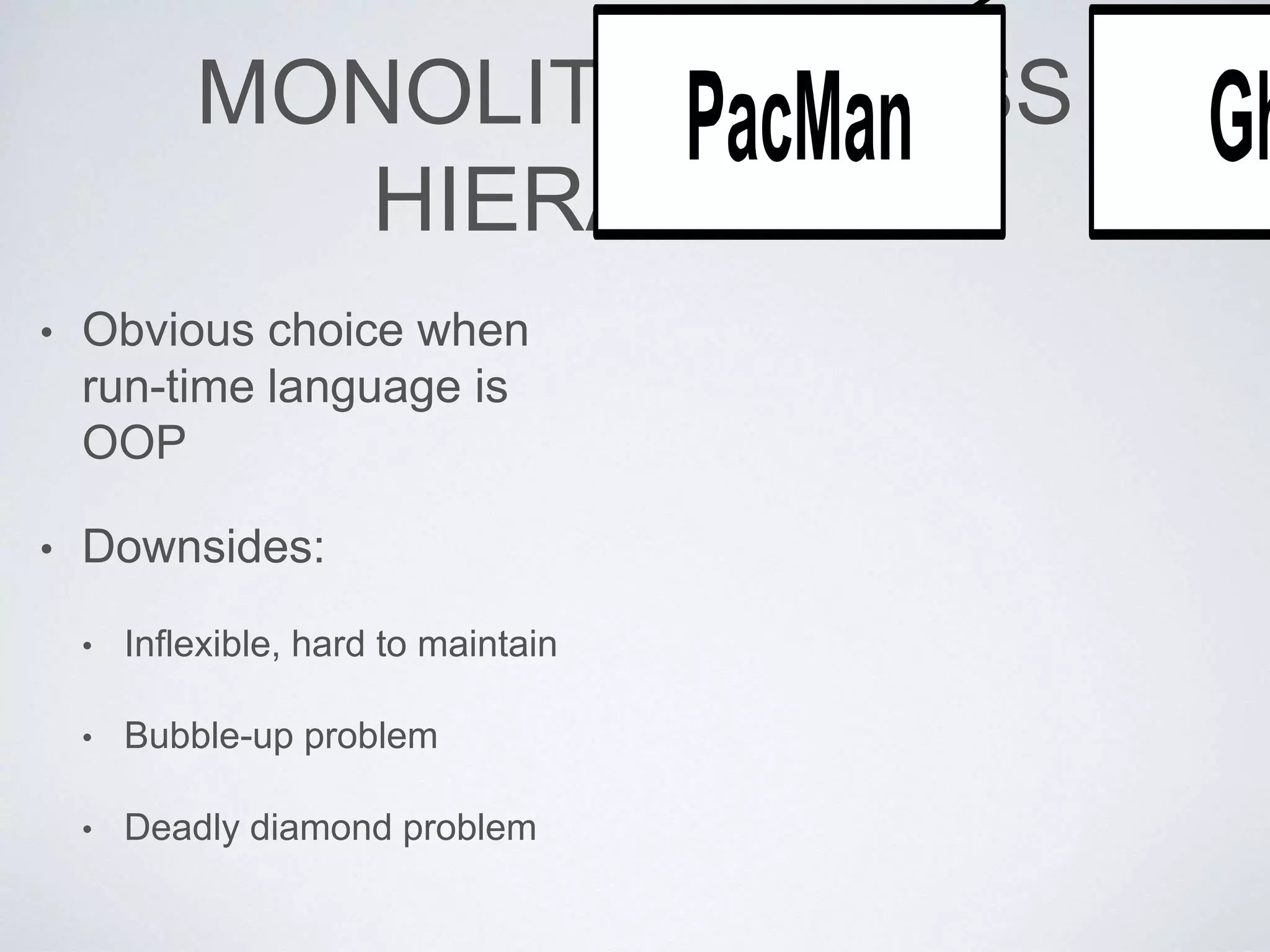
• Obvious choice when
run-time language is
OOP
• Downsides:
• Inflexible, hard to maintain
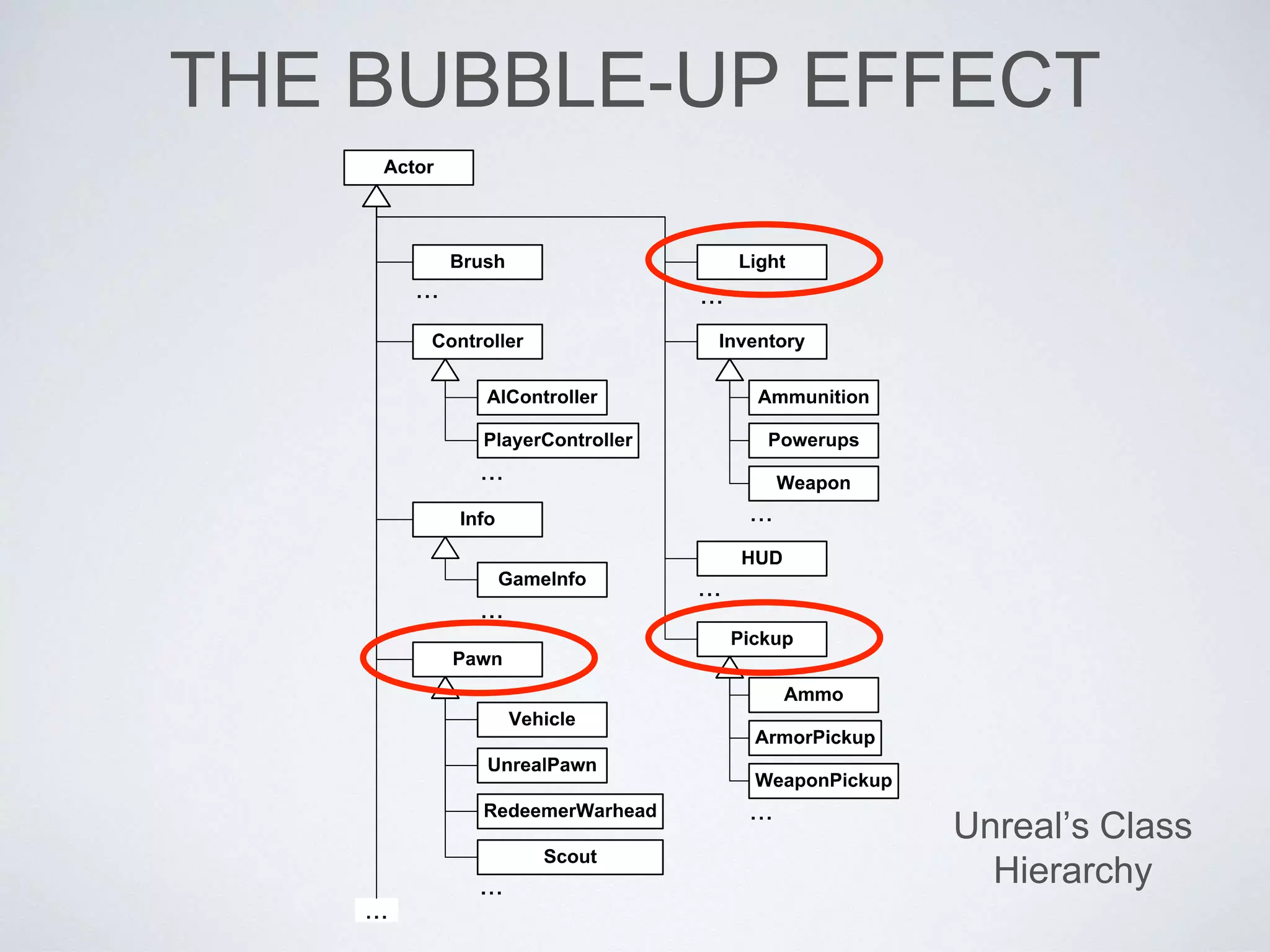
• Bubble-up problem
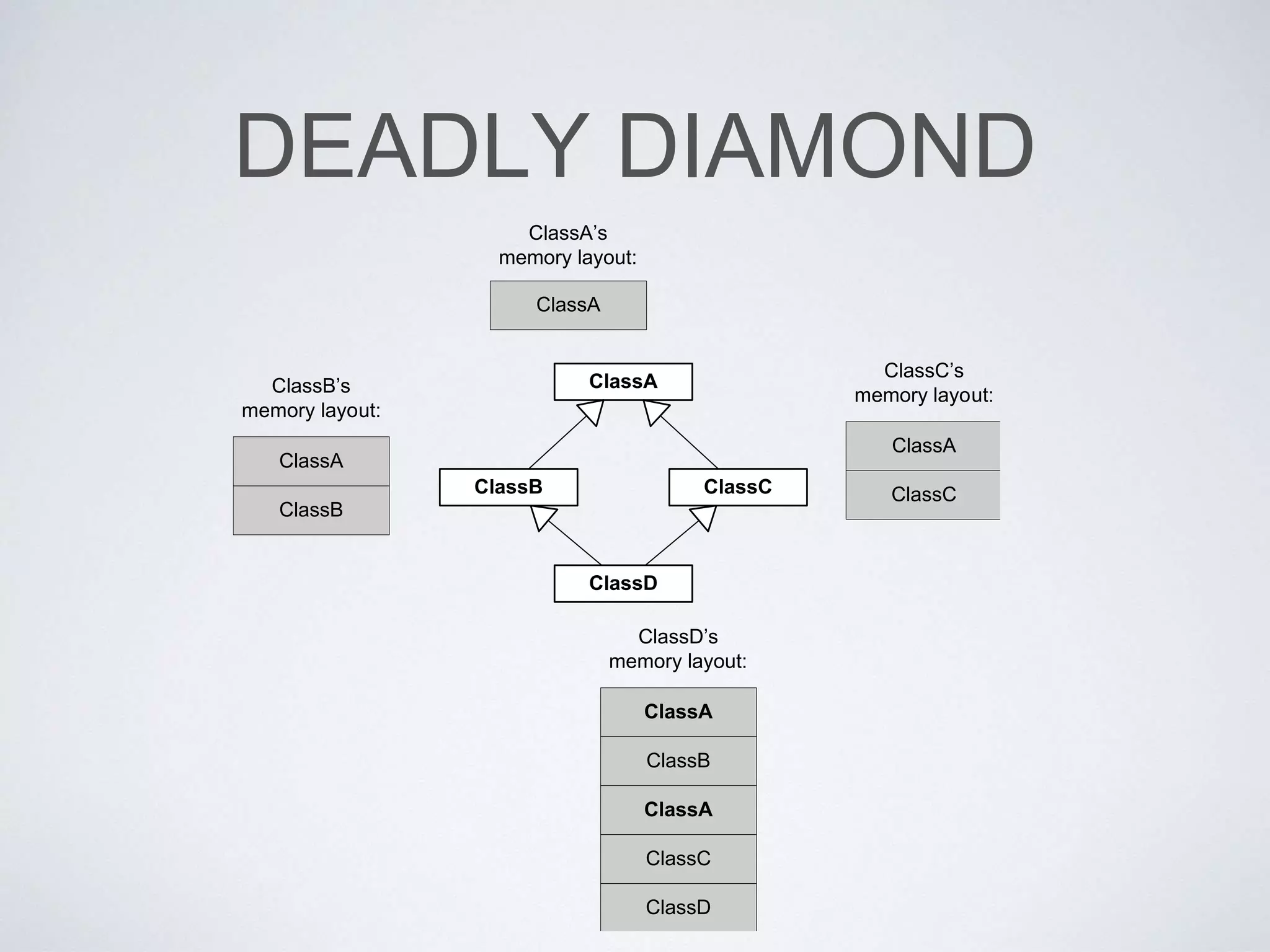
• Deadly diamond problem
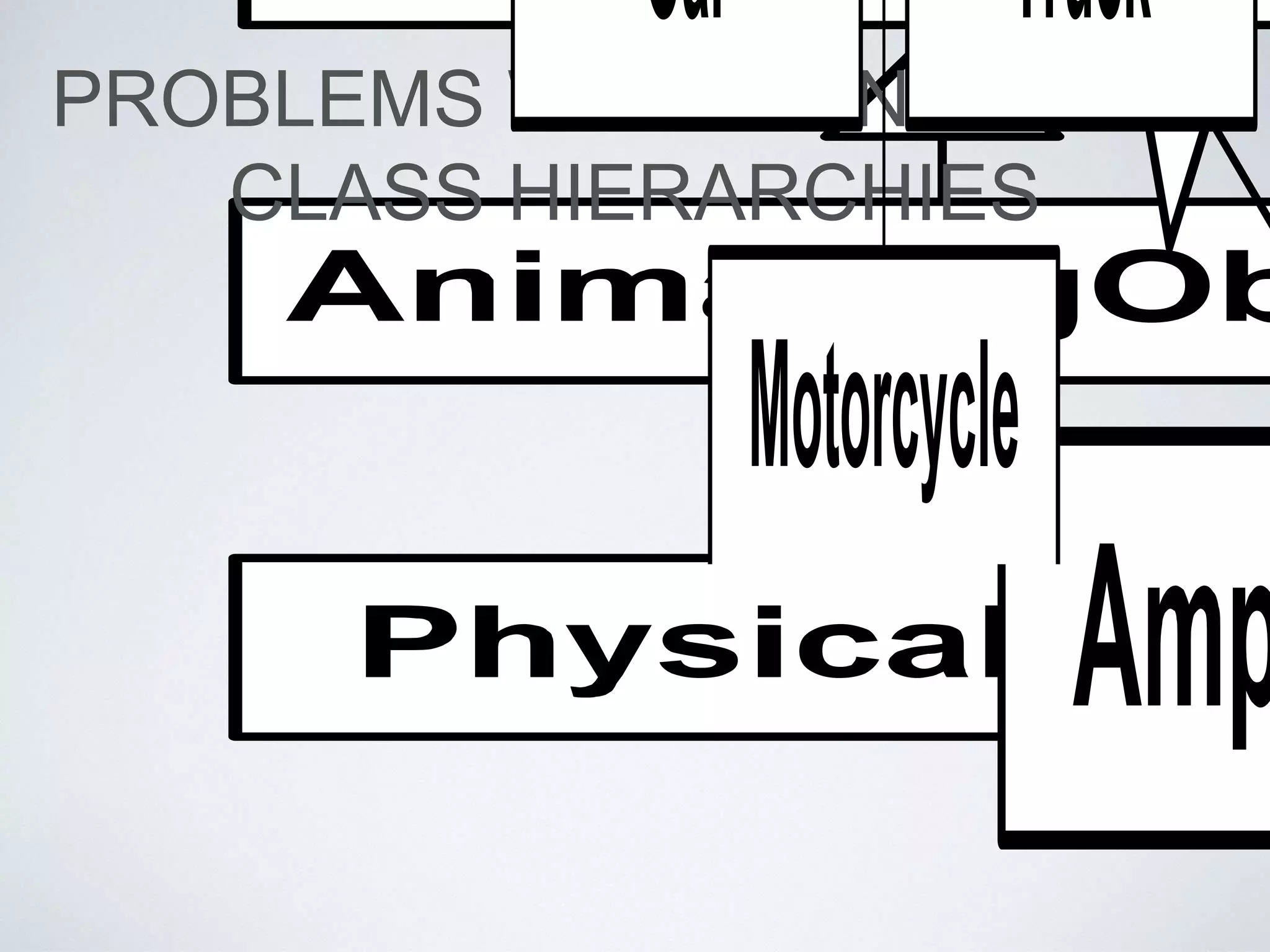
PROBLEMS WITH MONOLITHIC
CLASS HIERARCHIES
Motorcycle
Car Truck
DEADLY DIAMOND
ClassA
ClassB ClassC
ClassD
ClassA
ClassA
ClassB
ClassB’s
memory layout:
ClassA’s
memory layout:
ClassA
ClassC
ClassC’s
memory layout:
ClassA
ClassB
ClassD’s
memory layout:
ClassA
ClassC
ClassD
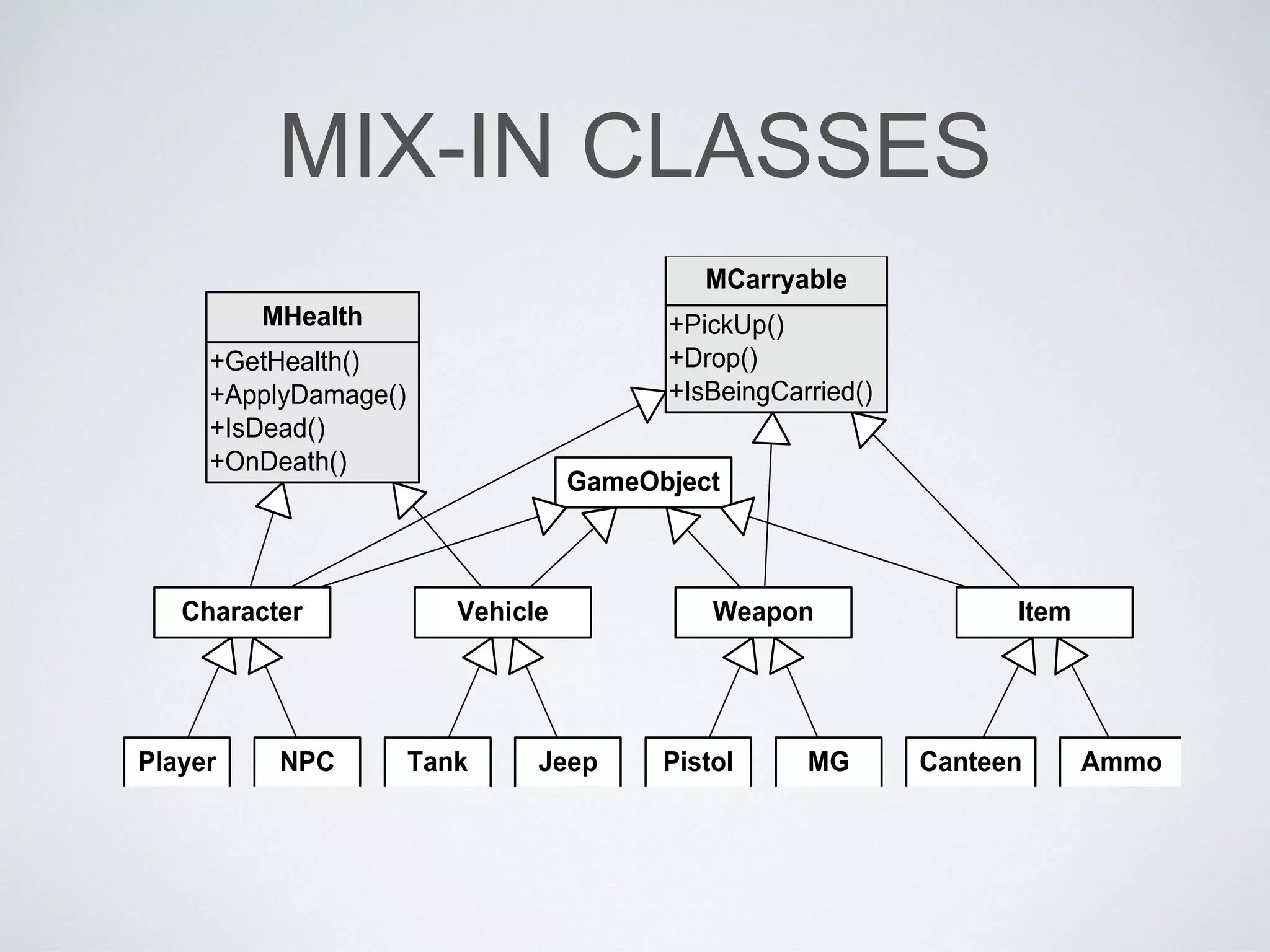
MIX-IN CLASSES
GameObject
+GetHealth()
+ApplyDamage()
+IsDead()
+OnDeath()
MHealth +PickUp()
+Drop()
+IsBeingCarried()
MCarryable
NPCPlayer Tank Jeep Pistol MG Canteen Ammo
Character Vehicle Weapon Item
THE BUBBLE-UP EFFECT
Unreal’s Class
Hierarchy
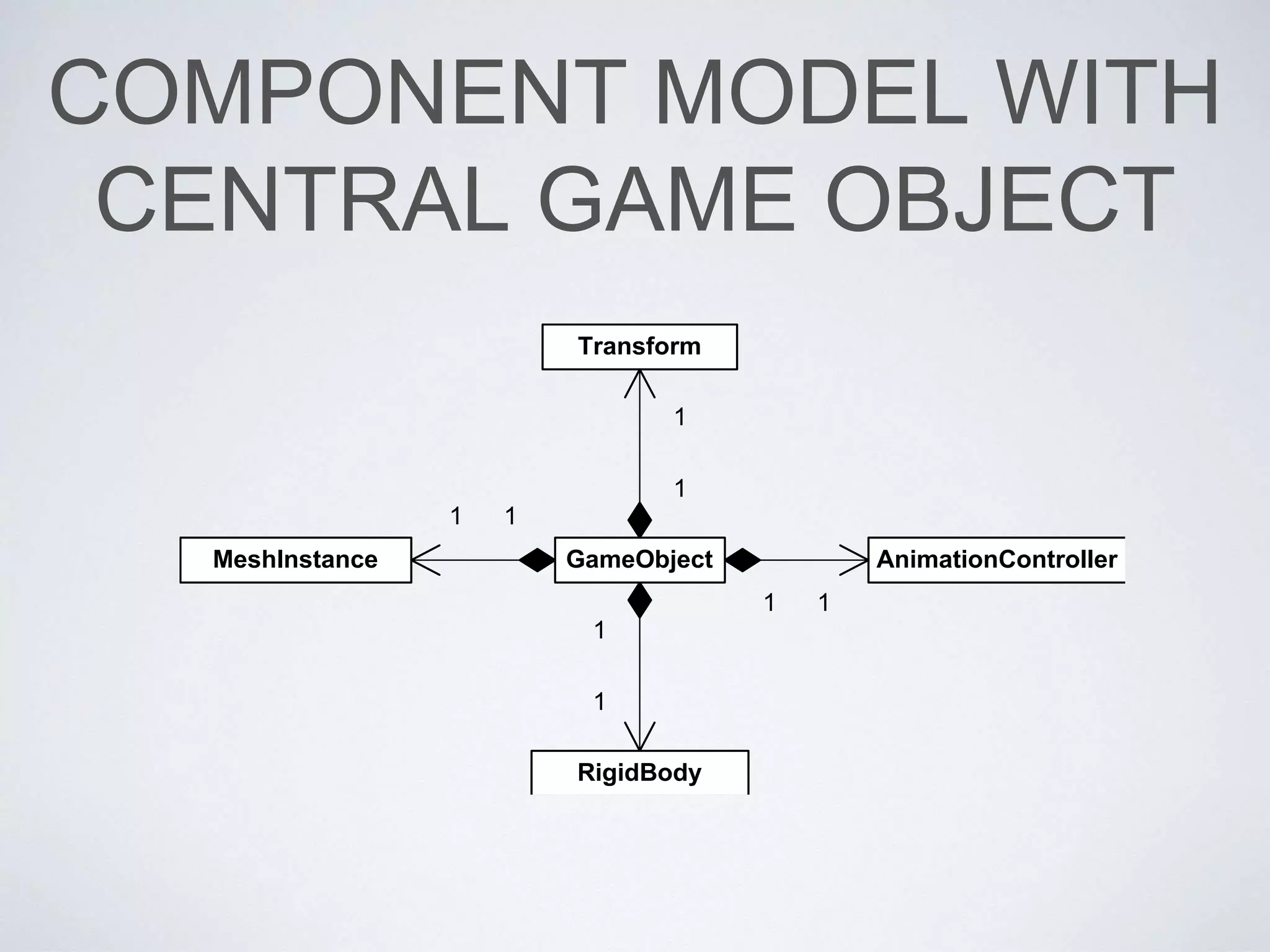
COMPONENT MODEL WITH
CENTRAL GAME OBJECT
GameObject
Transform
MeshInstance AnimationController
RigidBody
1
1
1 1
1
1
11
GENERIC COMPONENT
MODEL
• Tempting to make a
generic Component
class
• Seems nice on the surface
• But usually impractical and
too limiting
• Why constrain yourself?
(e.g., linked list).
PURE COMPONENT
MODEL
-m_uniqueId
RigidB
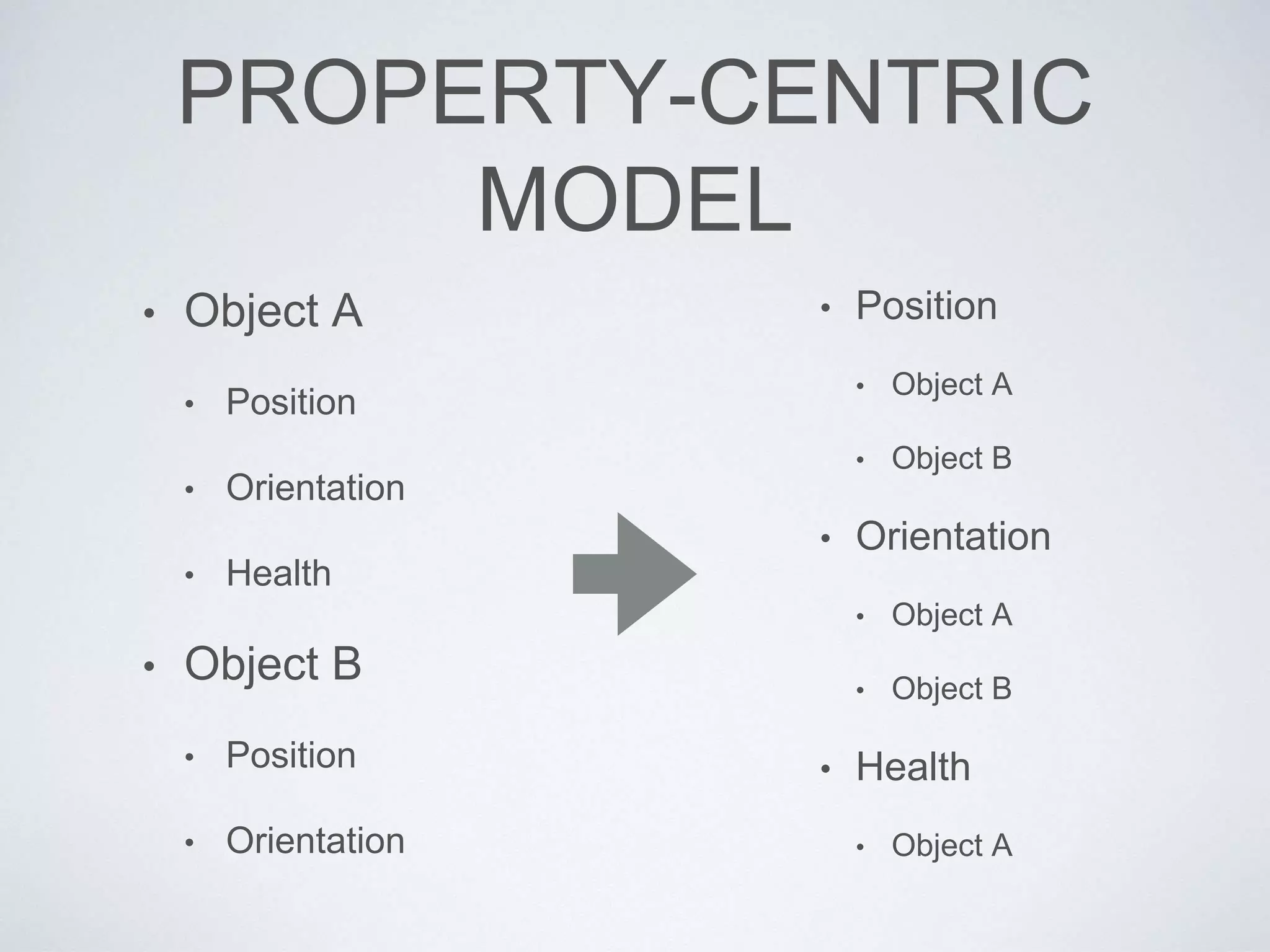
PROPERTY-CENTRIC
MODEL
• Object A
• Position
• Orientation
• Health
• Object B
• Position
• Orientation
• Position
• Object A
• Object B
• Orientation
• Object A
• Object B
• Health
• Object A
STREAMING
AND GAME “FLOW”
LOADING A “MAP”
• Designers create worlds (aka “maps,” aka
“levels”) in the world builder tool
• Artists create BG geometry in Maya (or other)
• Need to load this tool-time object model into
the game
• Transform into the run-time object model!
ISSUES TO CONSIDER
• Data format
• How can we fit all this into memory?
• Streaming? How to break up the data?
• Building the data into suitable format for run-time
• Rapid iteration considerations
• Debuggability
• How to revision-control all this game world data?
FILE FORMATS
• Two basic options:
• Text (e.g., XML, JSON, custom)
• Binary
• Each has its share of issues to consider
• Choose file formats on case-by-case basis, taking
requirements and pros/cons into account
TEXT FILES
• Parse time
• Versioning
• Intra-file references (by name? by GUID?)
• Serialization (automagic via reflection? hard-
coded?)
• Tend to work well with revision-control; easily “diff”d;
easily searchable
BINARY FILES
• More efficient than text files
• Standard or custom?
• Monolithic or segmented?
• Versioning
• Endian-ness
• Intra-file references (pointer fix-ups)
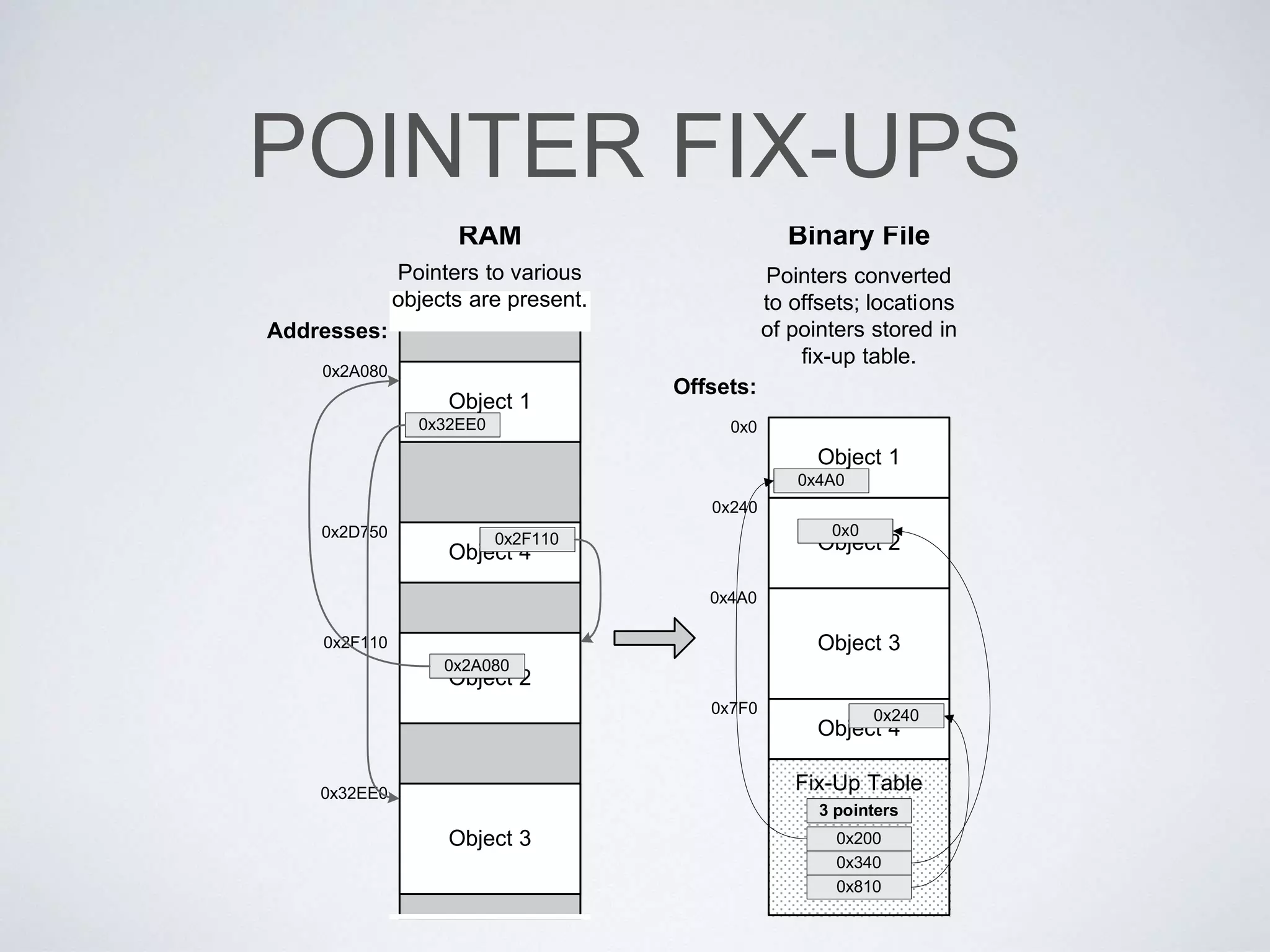
POINTER FIX-UPS
Addresses:
Offsets:
Object 1
Object 2
Object 3
Object 4
0x0
0x240
0x4A0
0x7F0
Object 1
Object 4
Object 2
Object 3
0x2A080
0x2D750
0x2F110
0x32EE0
0x32EE0
0x2F110
0x2A080
0x4A0
0x240
0x0
Pointers converted
to offsets; locations
of pointers stored in
fix-up table.
Fix-Up Table
0x200
0x340
0x810
Pointers to various
objects are present.
3 pointers
FLAVORS OF GAME
WORLD DATA
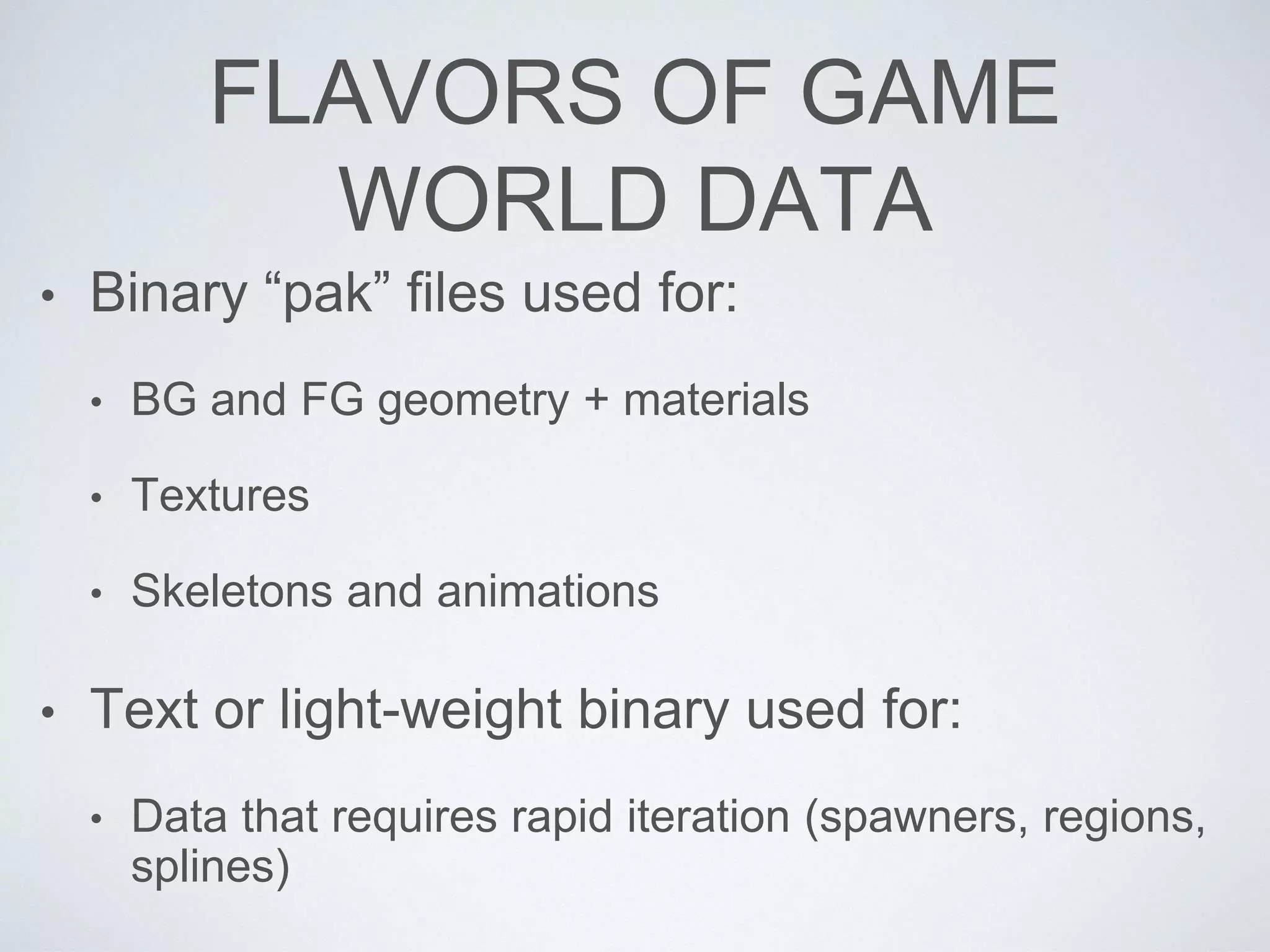
• Binary “pak” files used for:
• BG and FG geometry + materials
• Textures
• Skeletons and animations
• Text or light-weight binary used for:
• Data that requires rapid iteration (spawners, regions,
splines)
FLAVORS OF GAME
WORLD DATA
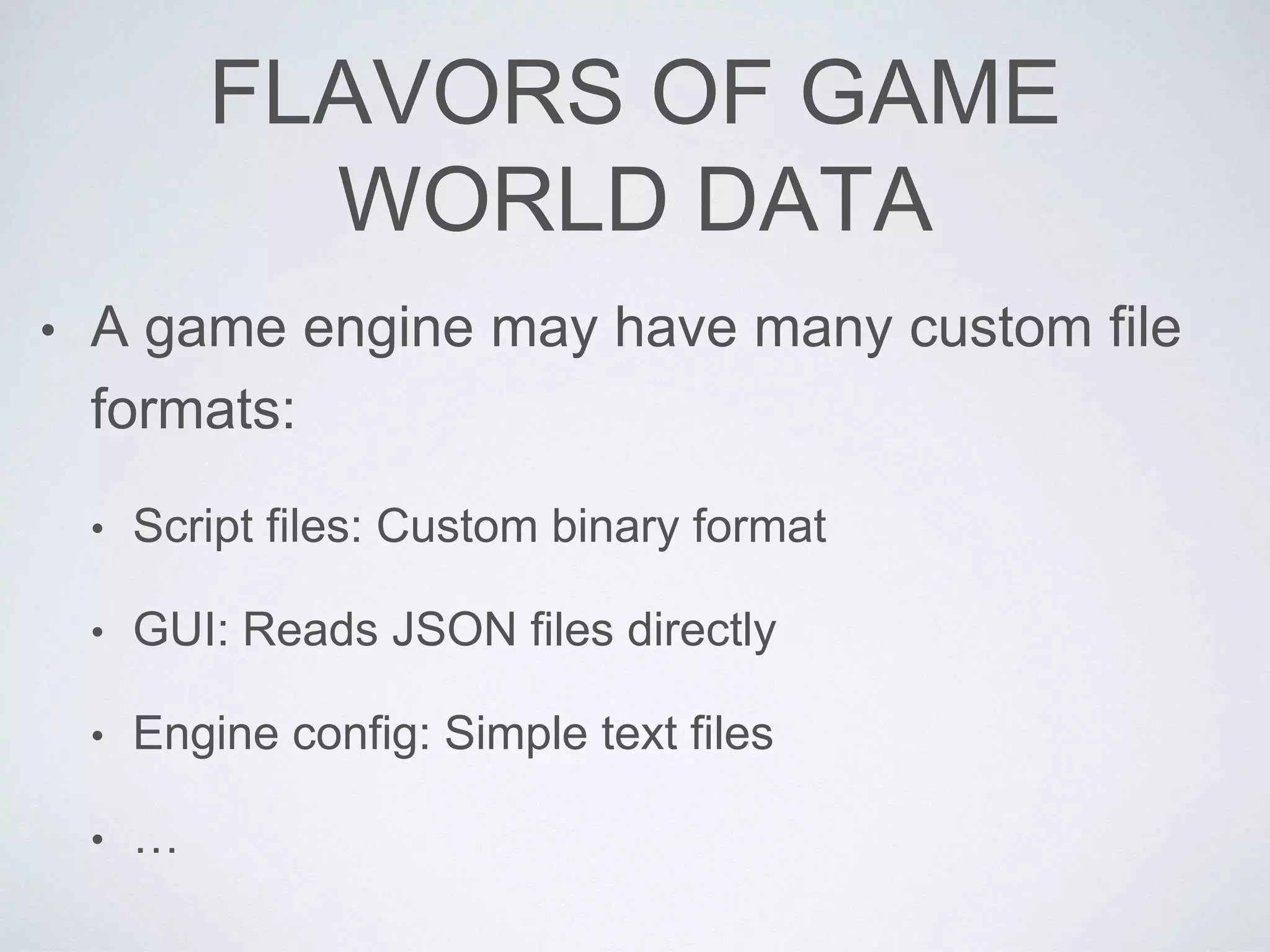
• A game engine may have many custom file
formats:
• Script files: Custom binary format
• GUI: Reads JSON files directly
• Engine config: Simple text files
• …
A FEW APPROACHES
TO LOADING
• One level at a time (old-school)
• Air locks
• Linear level streaming
• Related: Streaming audio, animations, textures, …
• LOD-based open world streaming (GTA)
STREAMING
STREAMING IN CHUNKS
SPAWNING AND
DESTROYING GAME
OBJECTS
SPAWN AND DESTROY
• Could just use new and delete
• … but memory fragmentation becomes a big
problem
• Need a better solution
• Pools of objects of similar size? (“small mem”
allocator)
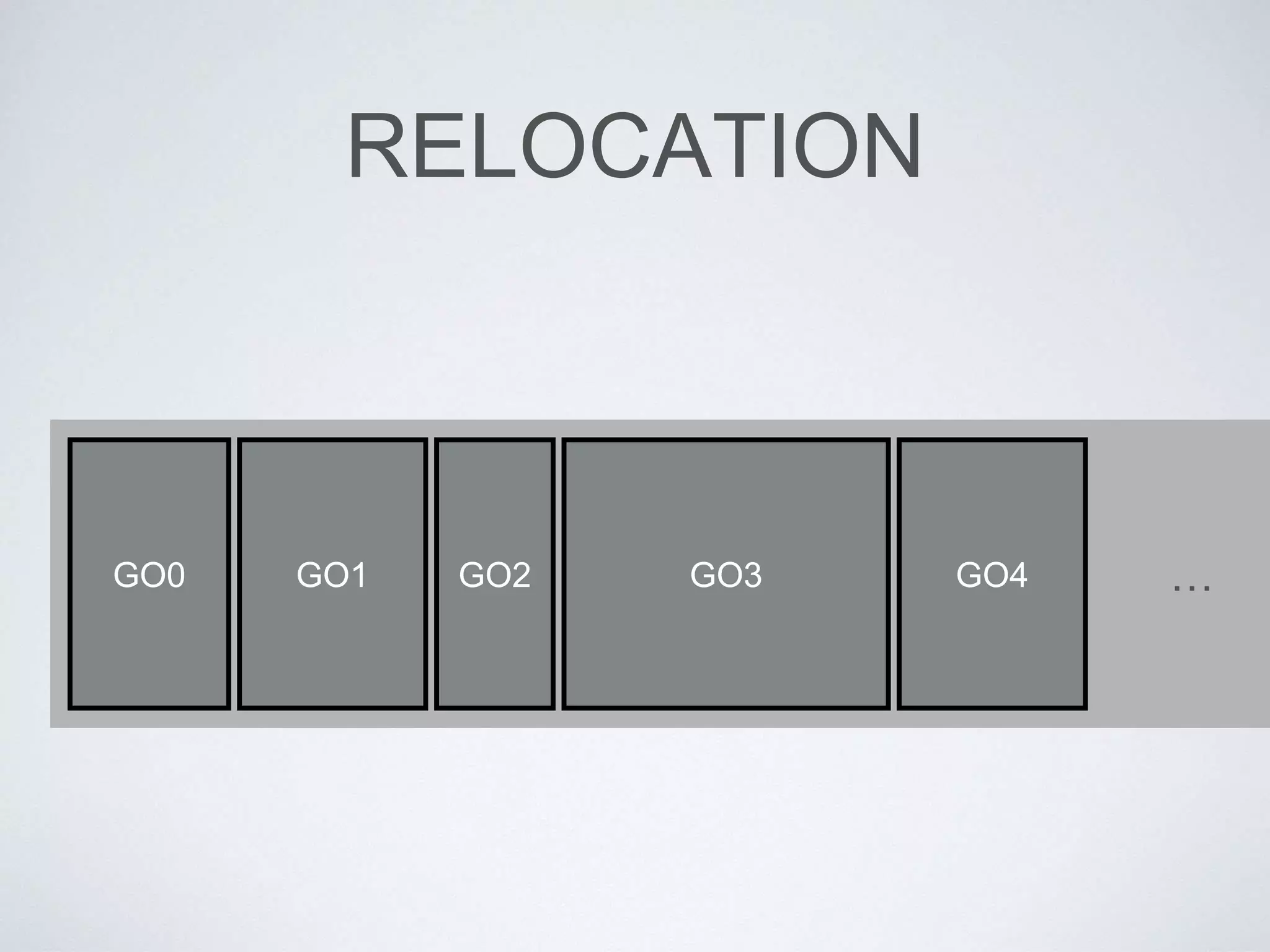
• Relocatable memory (defragmentation)?
LOADING GAME OBJECTS
• Need to read the tool-time object
specification into the run-time object
• Various ways to accomplish this:
• Load binary-ready object “images”?
• Parse a text file?
• Read a key-value store?
SPAWNING: WHAT TYPE?
• What type of game object(s) to create?
• Need a way to turn tool-time type descriptor
into an instance of the appropriate C++
class(es) at run-time
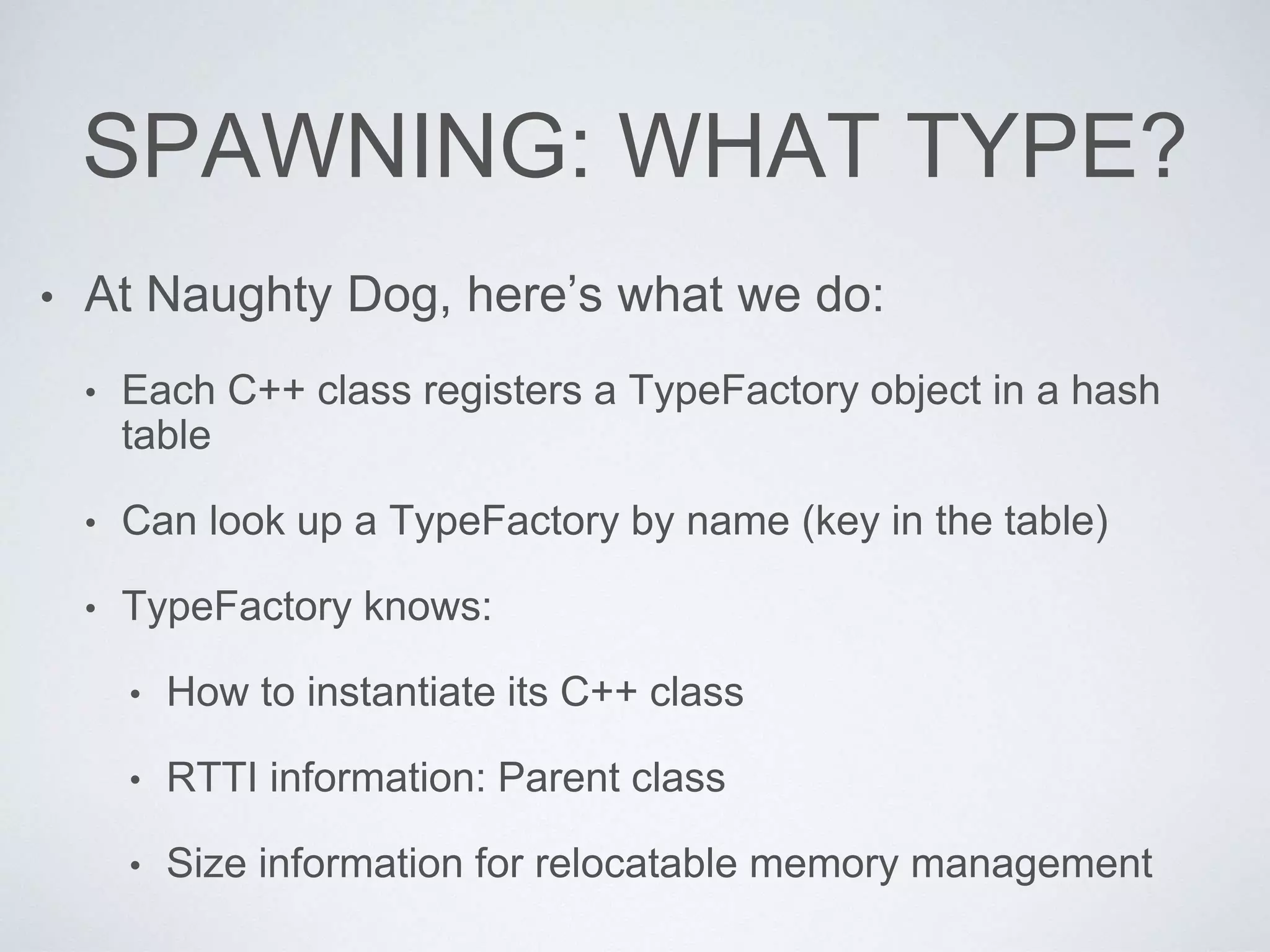
SPAWNING: WHAT TYPE?
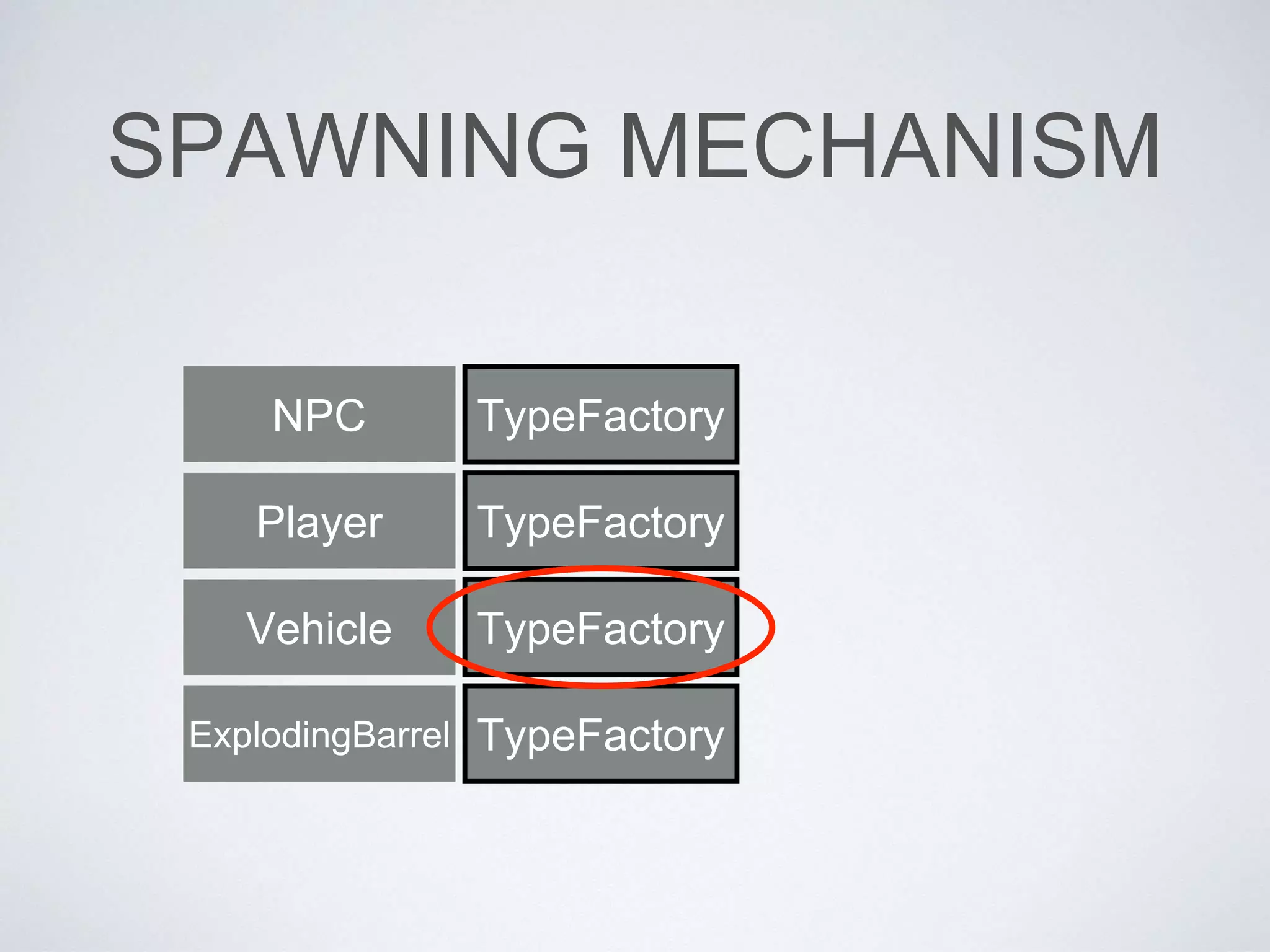
• At Naughty Dog, here’s what we do:
• Each C++ class registers a TypeFactory object in a hash
table
• Can look up a TypeFactory by name (key in the table)
• TypeFactory knows:
• How to instantiate its C++ class
• RTTI information: Parent class
• Size information for relocatable memory management
SPAWNING MECHANISM
TypeFactory
TypeFactory
TypeFactory
TypeFactory
NPC
Player
Vehicle
ExplodingBarrel
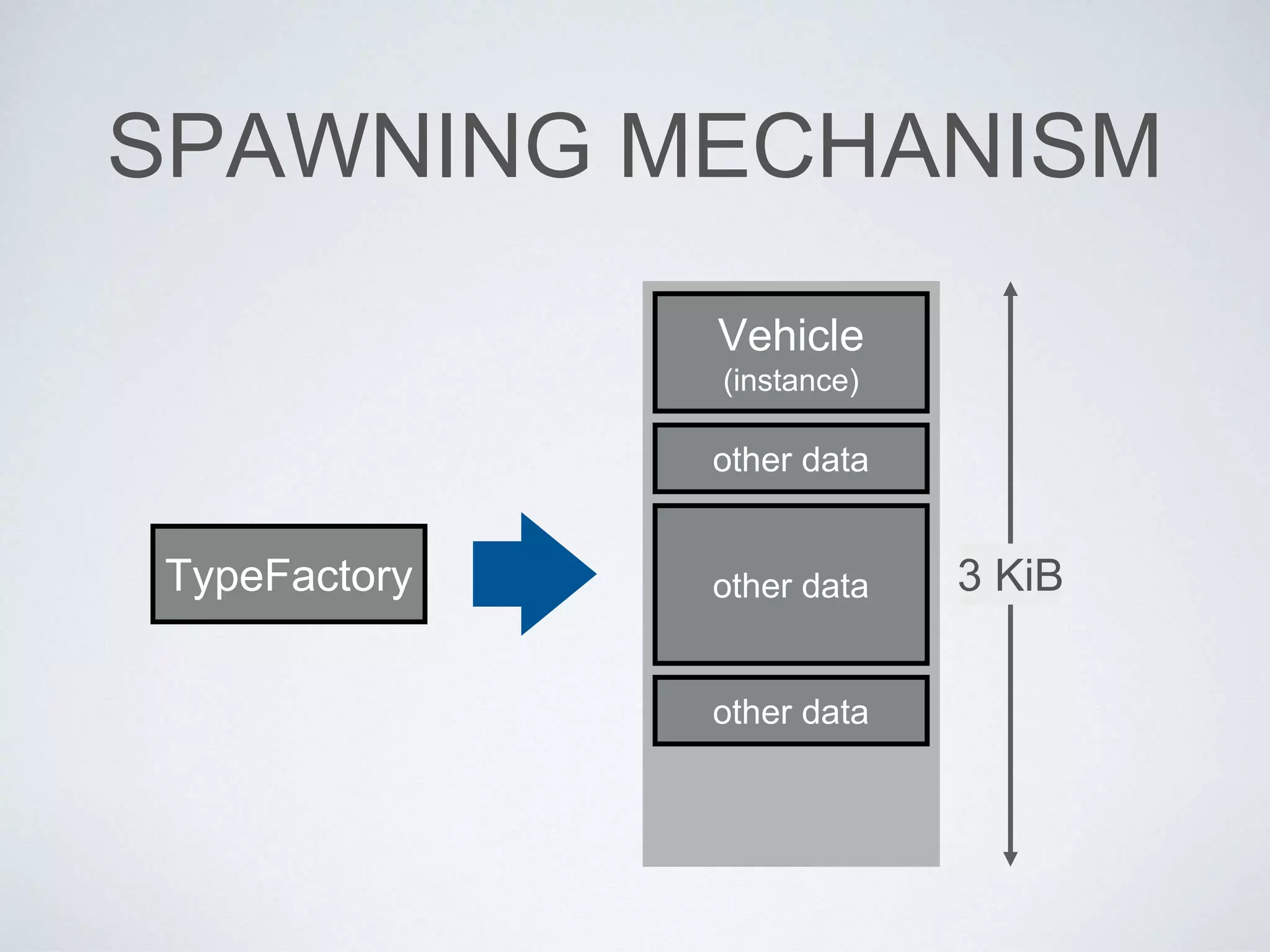
SPAWNING MECHANISM
TypeFactory
Vehicle
(instance)
other data
other data
other data
3 KiB
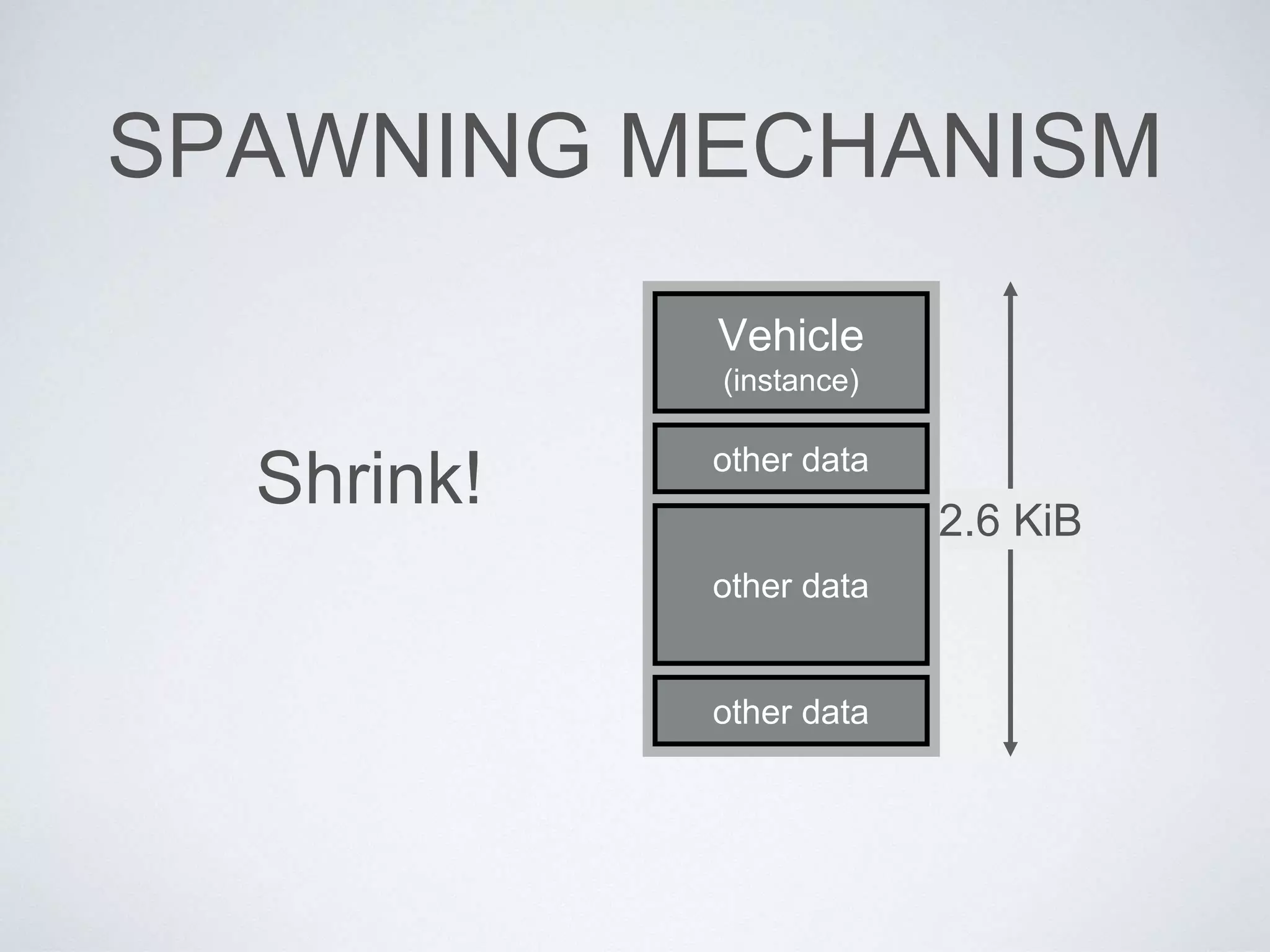
SPAWNING MECHANISM
Vehicle
(instance)
other data
other data
other data
2.6 KiB
Shrink!
RELOCATION
GO0 GO1 GO2 GO3 GO4 …
RELOCATION
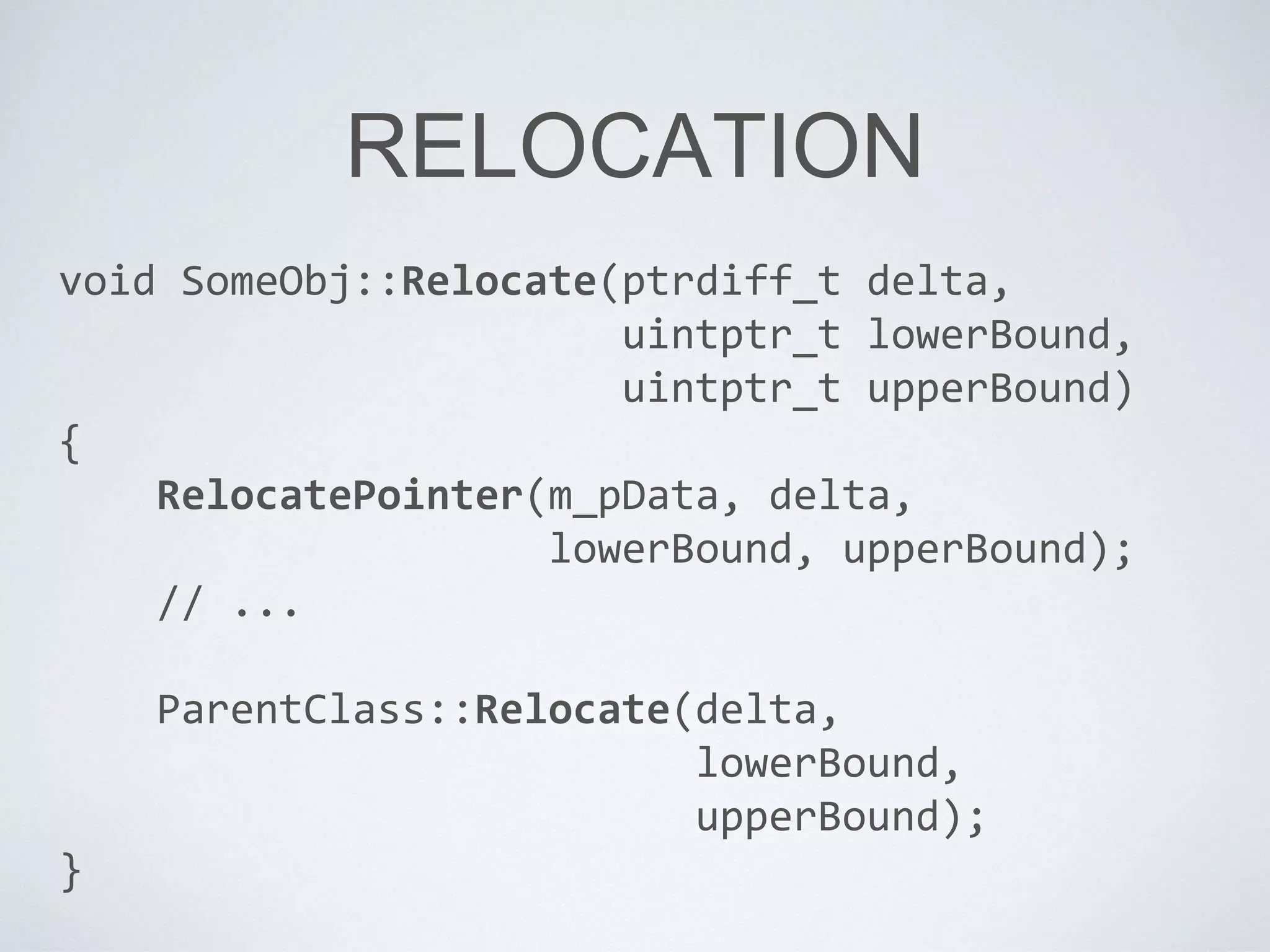
void SomeObj::Relocate(ptrdiff_t delta,
uintptr_t lowerBound,
uintptr_t upperBound)
{
RelocatePointer(m_pData, delta,
lowerBound, upperBound);
// ...
ParentClass::Relocate(delta,
lowerBound,
upperBound);
}
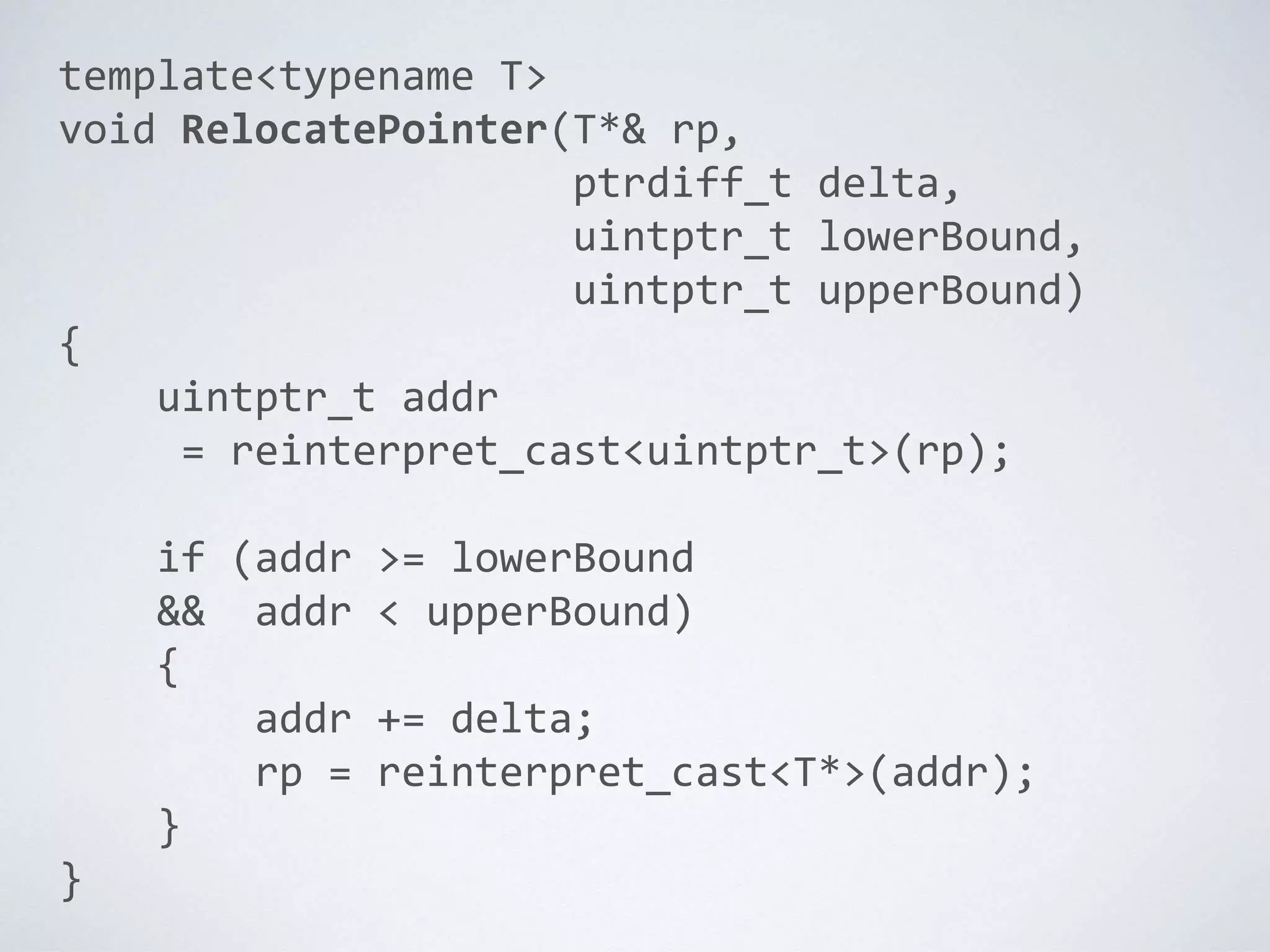
template<typename T>
void RelocatePointer(T*& rp,
ptrdiff_t delta,
uintptr_t lowerBound,
uintptr_t upperBound)
{
uintptr_t addr
= reinterpret_cast<uintptr_t>(rp);
if (addr >= lowerBound
&& addr < upperBound)
{
addr += delta;
rp = reinterpret_cast<T*>(addr);
}
}
OBJECT INITIALIZATION
• Naughty Dog uses the following approach
(YMMV):
• In game object’s Init() function, it simply reads
the key-value store
• Flexible system, robust to tool-side changes
• Init() is free to do any kind of initialization it wants
• Create components, allocate per-instance data,
etc.
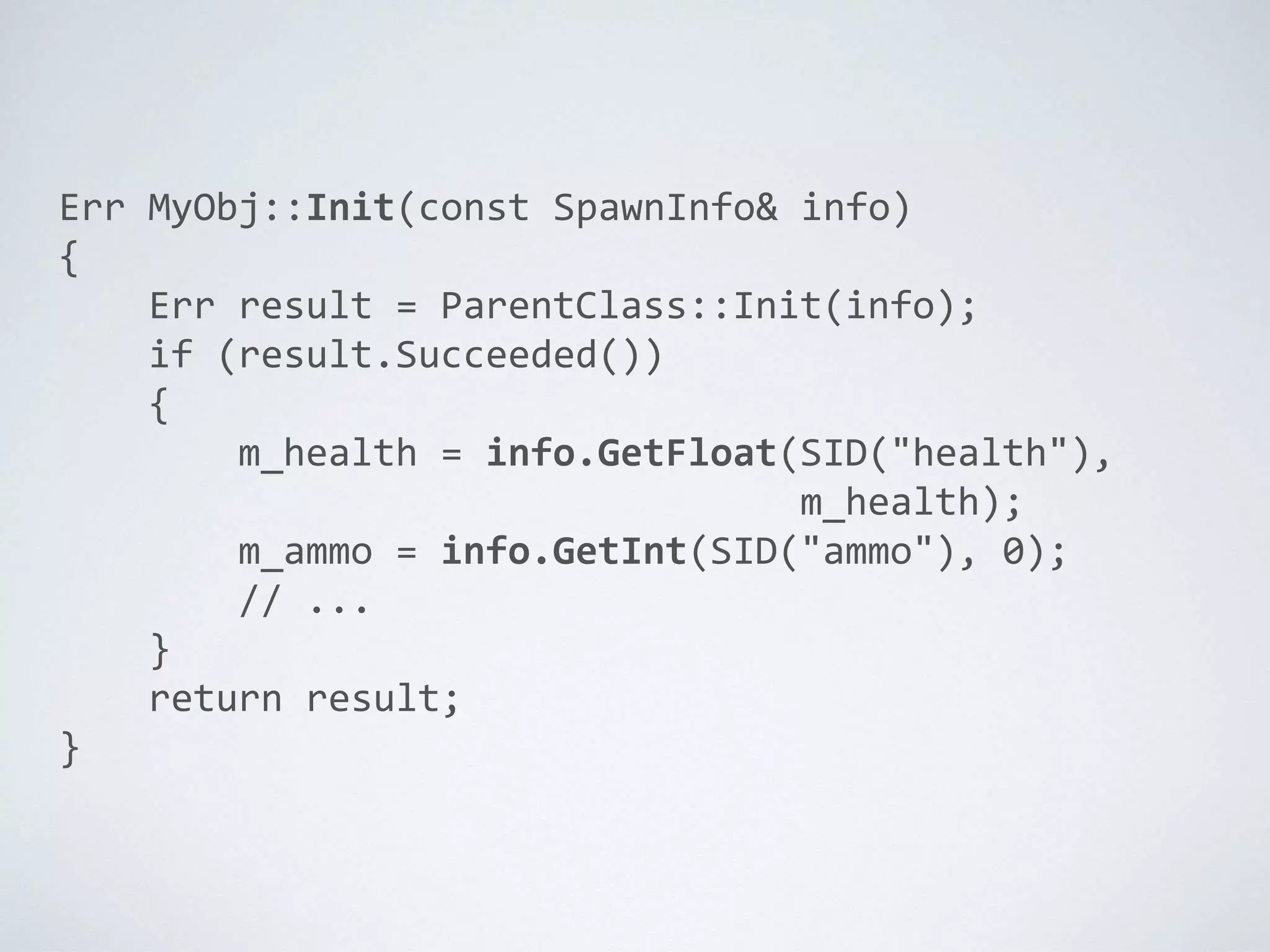
Err MyObj::Init(const SpawnInfo& info)
{
Err result = ParentClass::Init(info);
if (result.Succeeded())
{
m_health = info.GetFloat(SID("health"),
m_health);
m_ammo = info.GetInt(SID("ammo"), 0);
// ...
}
return result;
}
GAME OBJECT
REFERENCES
IDS AND HANDLES
• Each game object needs some kind of
unique id
• Human-readable, yet efficient (e.g., hashed string id)
• Path in the hierarchy? or just unique names all
around?
• Also need to store references to game
objects across multiple frames
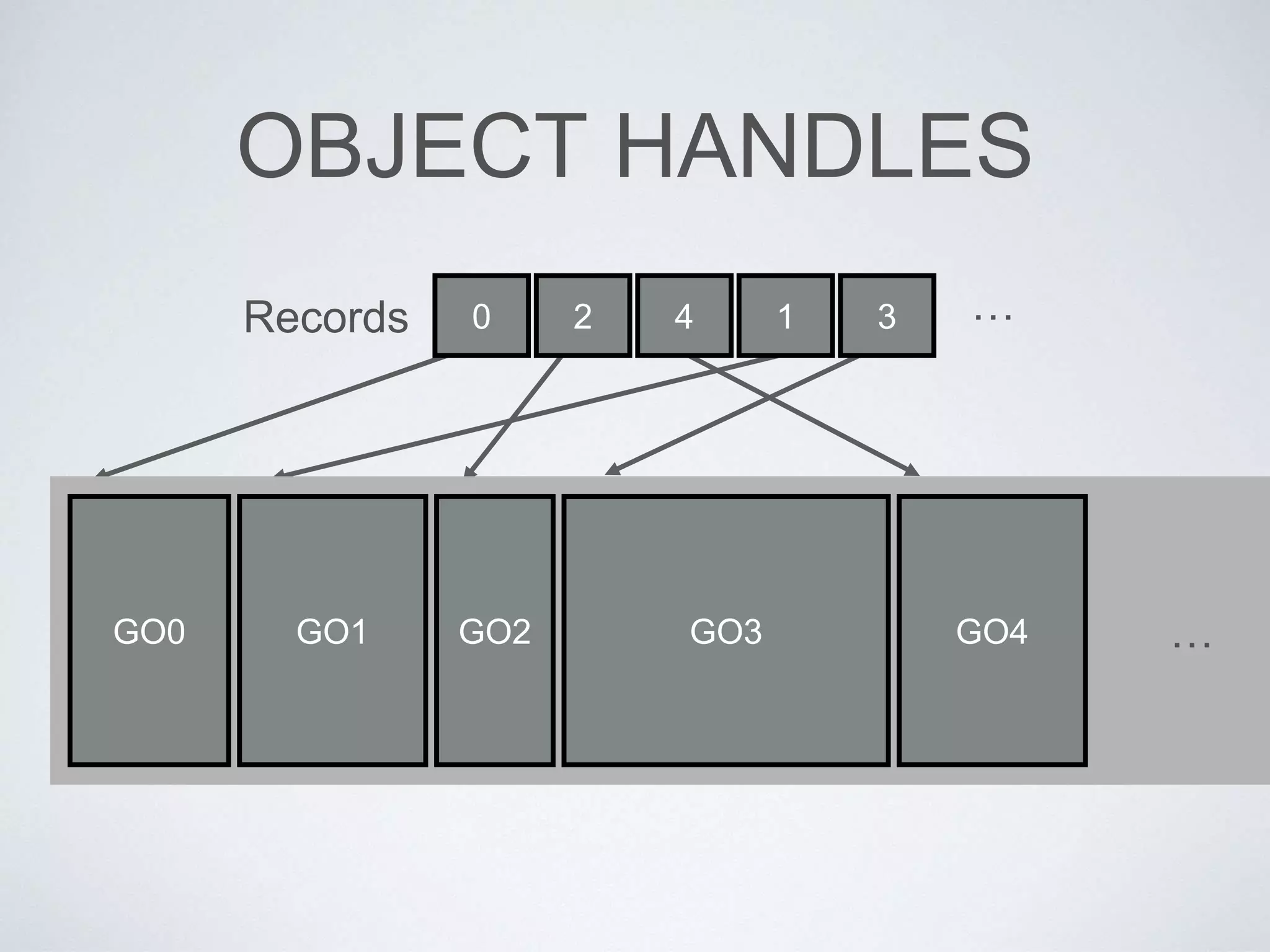
• Relocatable objects? Need to use handles
OBJECT HANDLES
GO0 GO1 GO2 GO3 GO4 …
0 2 4 1 3 …Records
UPDATING THE RUN-TIME
OBJECT MODEL
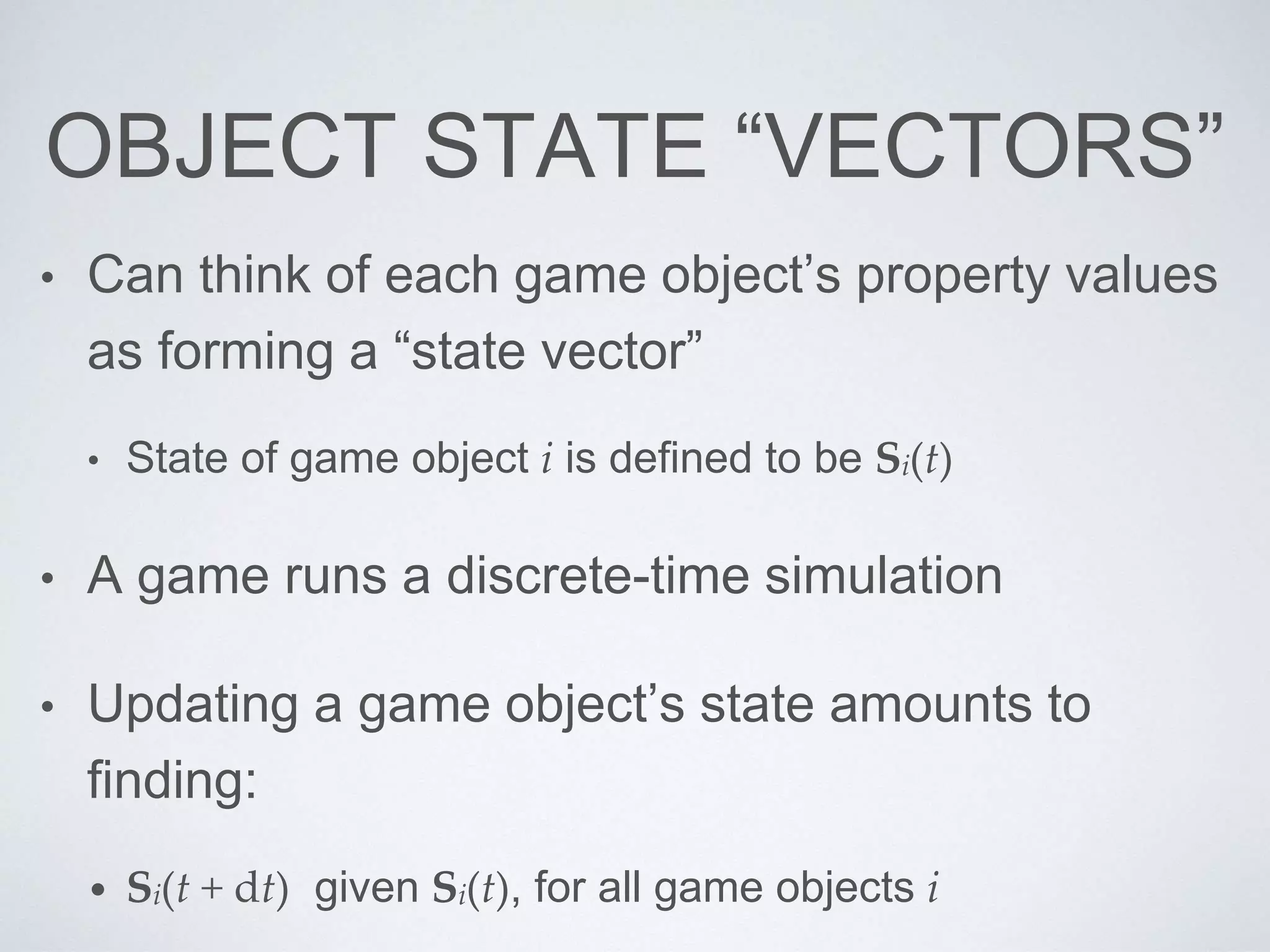
OBJECT STATE “VECTORS”
• Can think of each game object’s property values
as forming a “state vector”
• State of game object i is defined to be Si(t)
• A game runs a discrete-time simulation
• Updating a game object’s state amounts to
finding:
• Si(t + dt) given Si(t), for all game objects i
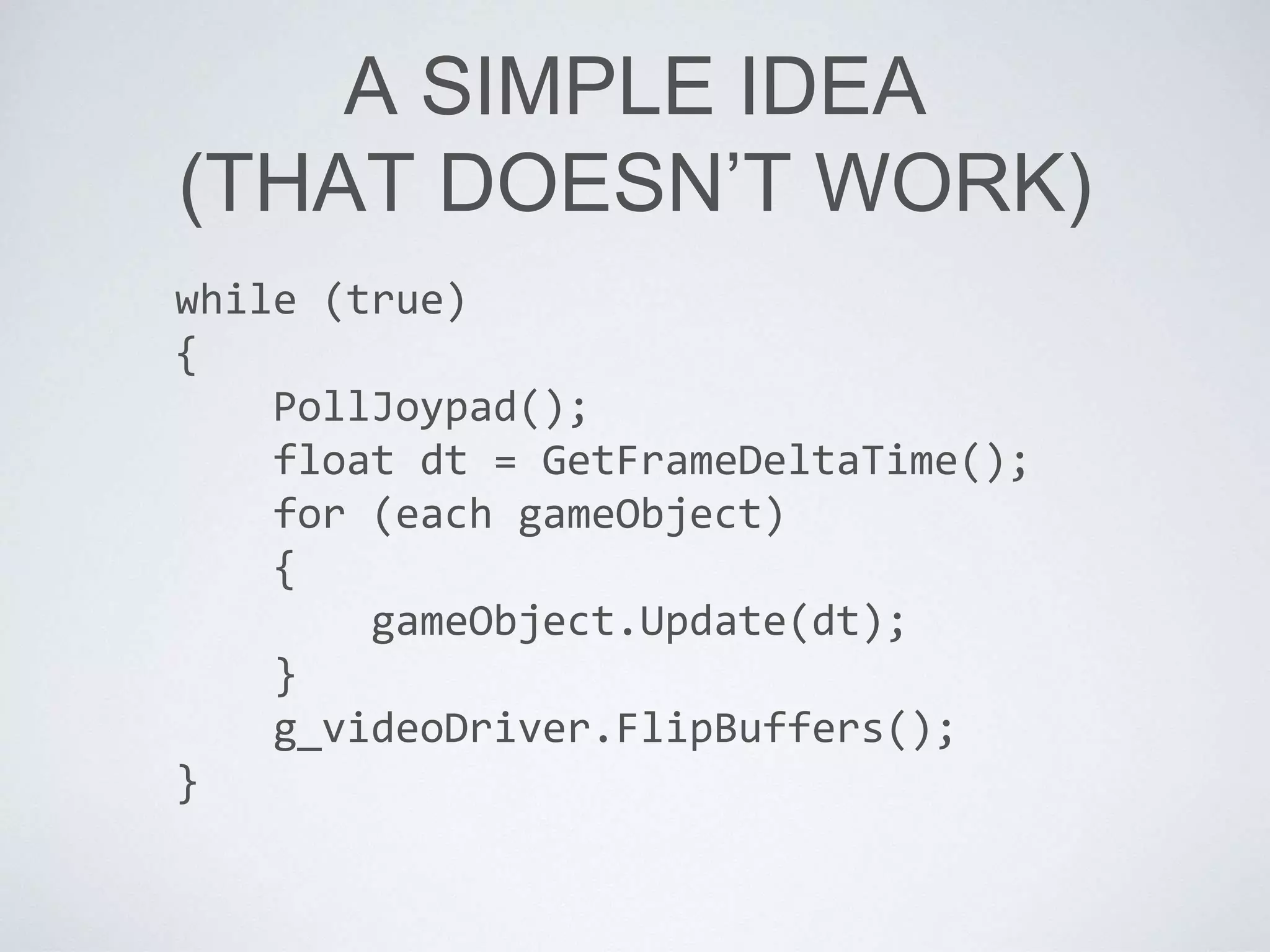
A SIMPLE IDEA
(THAT DOESN’T WORK)
while (true)
{
PollJoypad();
float dt = GetFrameDeltaTime();
for (each gameObject)
{
gameObject.Update(dt);
}
g_videoDriver.FlipBuffers();
}
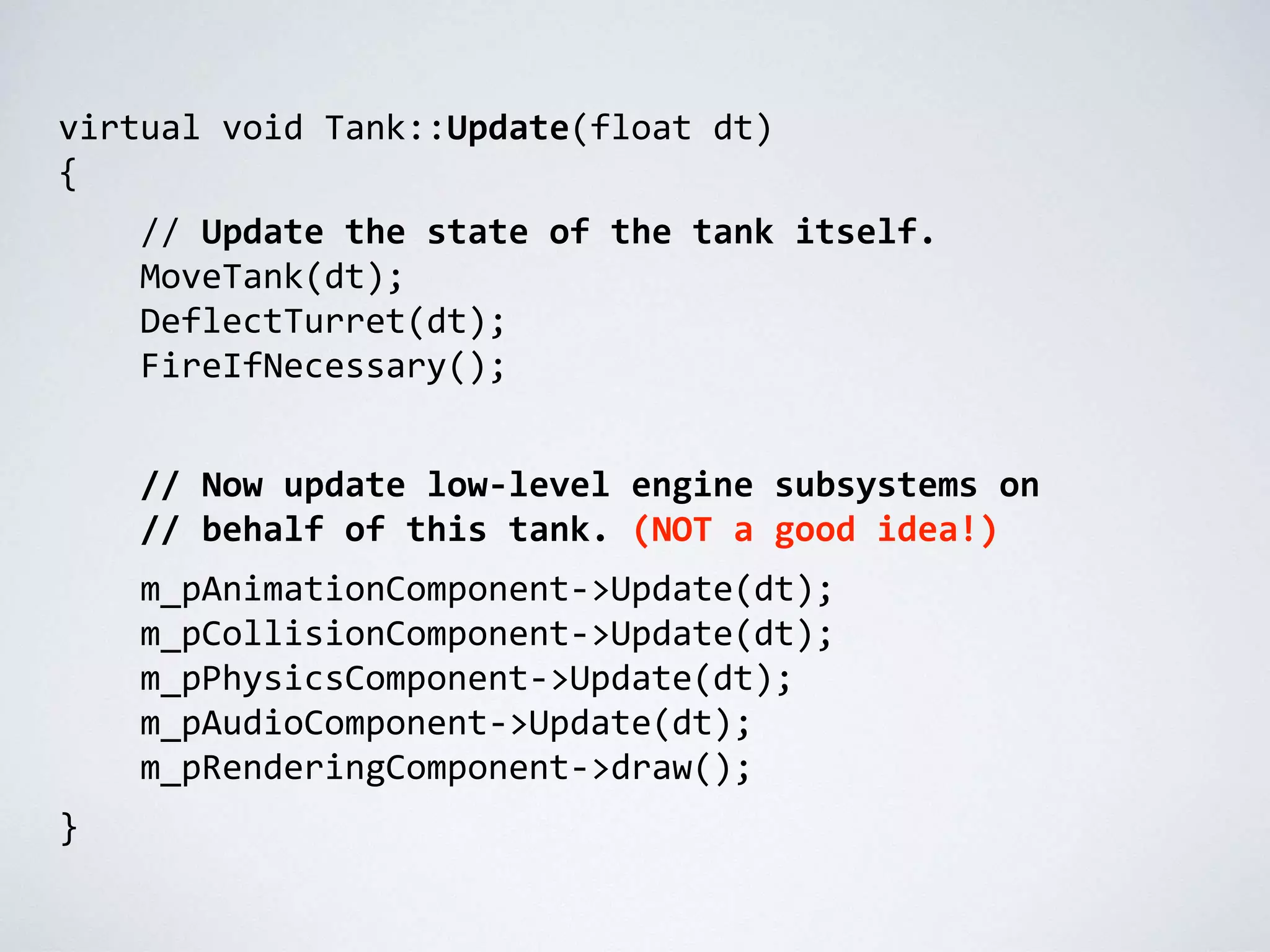
virtual void Tank::Update(float dt)
{
// Update the state of the tank itself.
MoveTank(dt);
DeflectTurret(dt);
FireIfNecessary();
// Now update low-level engine subsystems on
// behalf of this tank. (NOT a good idea!)
m_pAnimationComponent->Update(dt);
m_pCollisionComponent->Update(dt);
m_pPhysicsComponent->Update(dt);
m_pAudioComponent->Update(dt);
m_pRenderingComponent->draw();
}
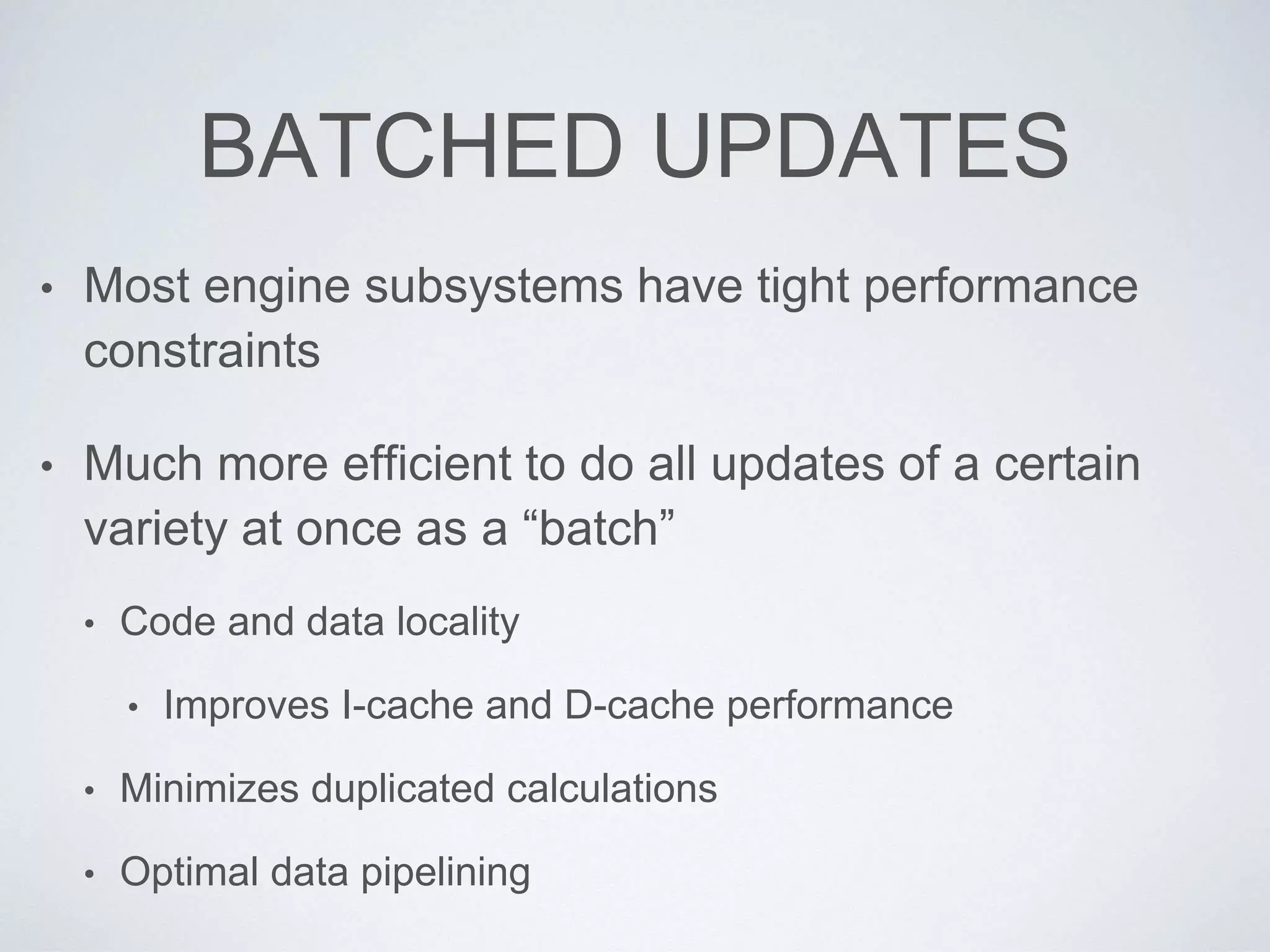
BATCHED UPDATES
• Most engine subsystems have tight performance
constraints
• Much more efficient to do all updates of a certain
variety at once as a “batch”
• Code and data locality
• Improves I-cache and D-cache performance
• Minimizes duplicated calculations
• Optimal data pipelining
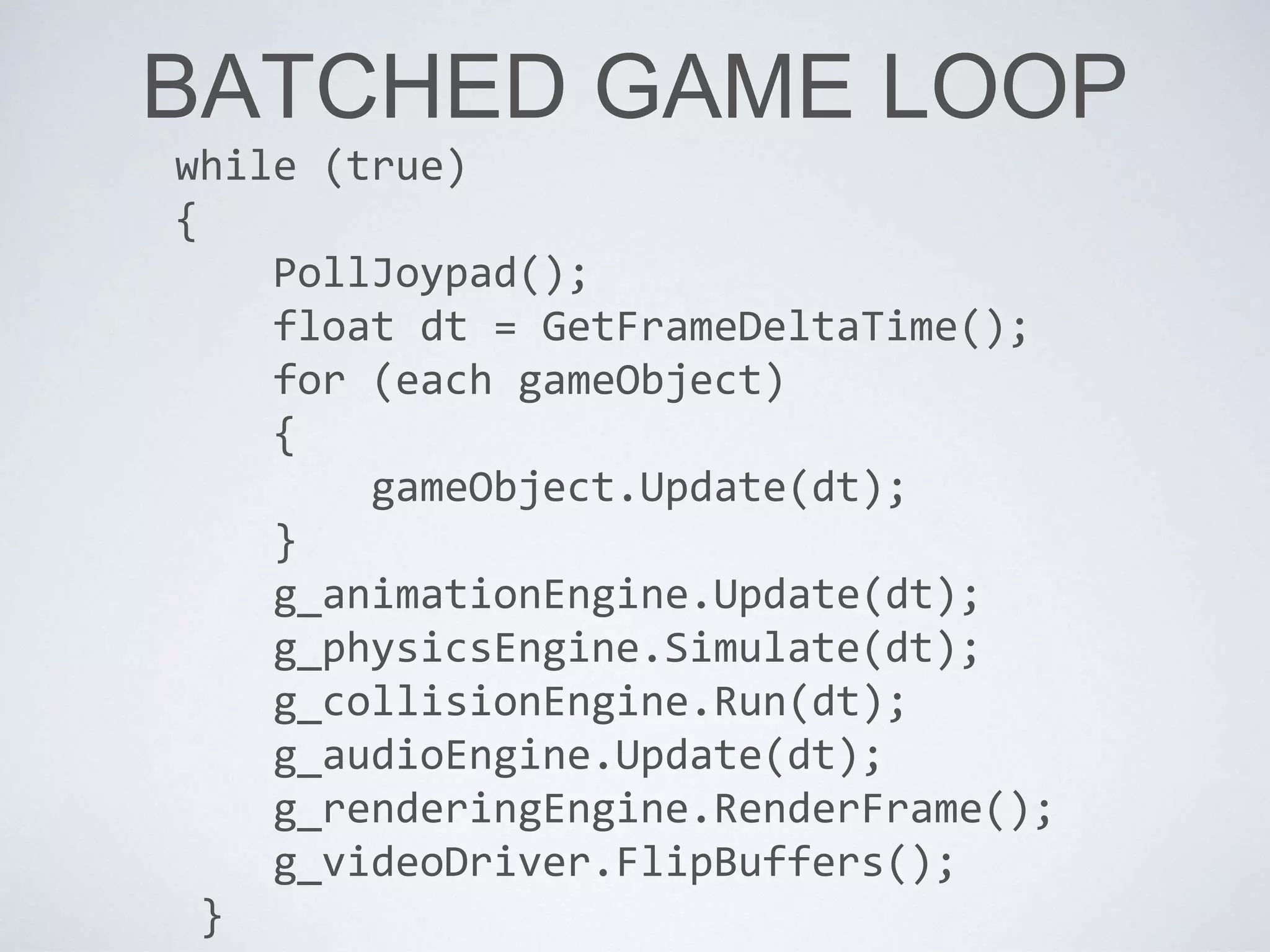
BATCHED GAME LOOP
while (true)
{
PollJoypad();
float dt = GetFrameDeltaTime();
for (each gameObject)
{
gameObject.Update(dt);
}
g_animationEngine.Update(dt);
g_physicsEngine.Simulate(dt);
g_collisionEngine.Run(dt);
g_audioEngine.Update(dt);
g_renderingEngine.RenderFrame();
g_videoDriver.FlipBuffers();
}
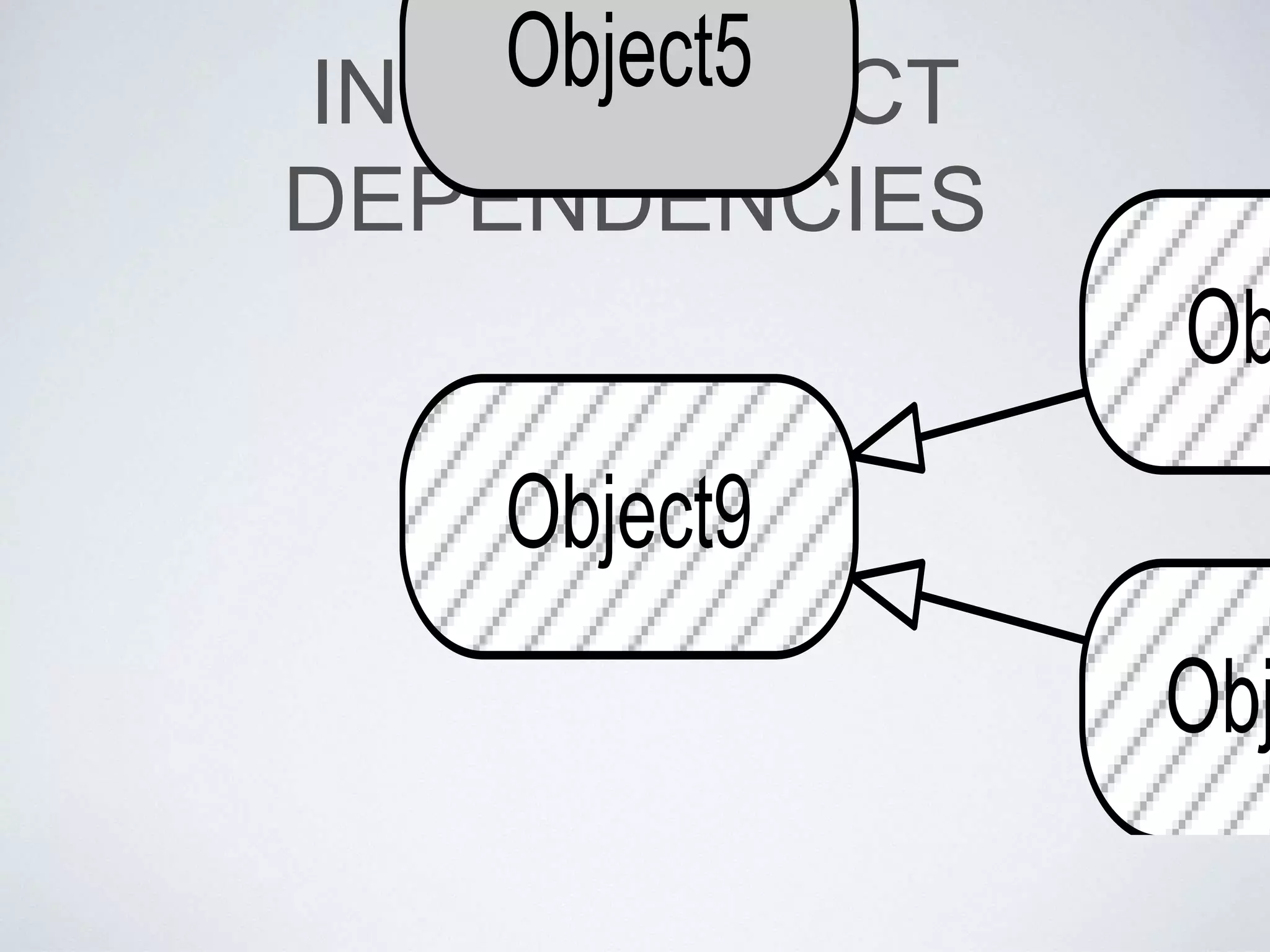
INTER-OBJECT
DEPENDENCIES
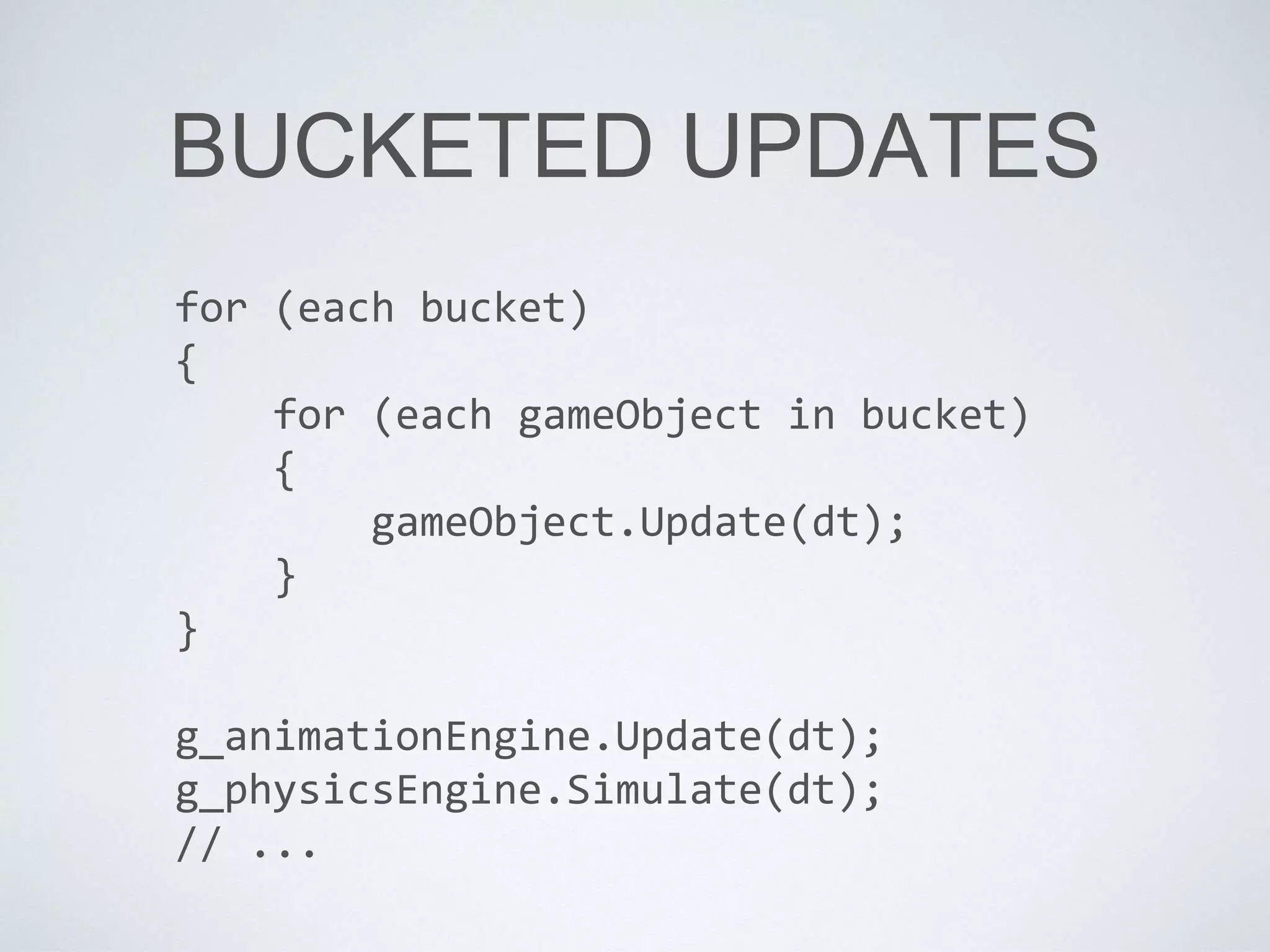
BUCKETED UPDATES
for (each bucket)
{
for (each gameObject in bucket)
{
gameObject.Update(dt);
}
}
g_animationEngine.Update(dt);
g_physicsEngine.Simulate(dt);
// ...
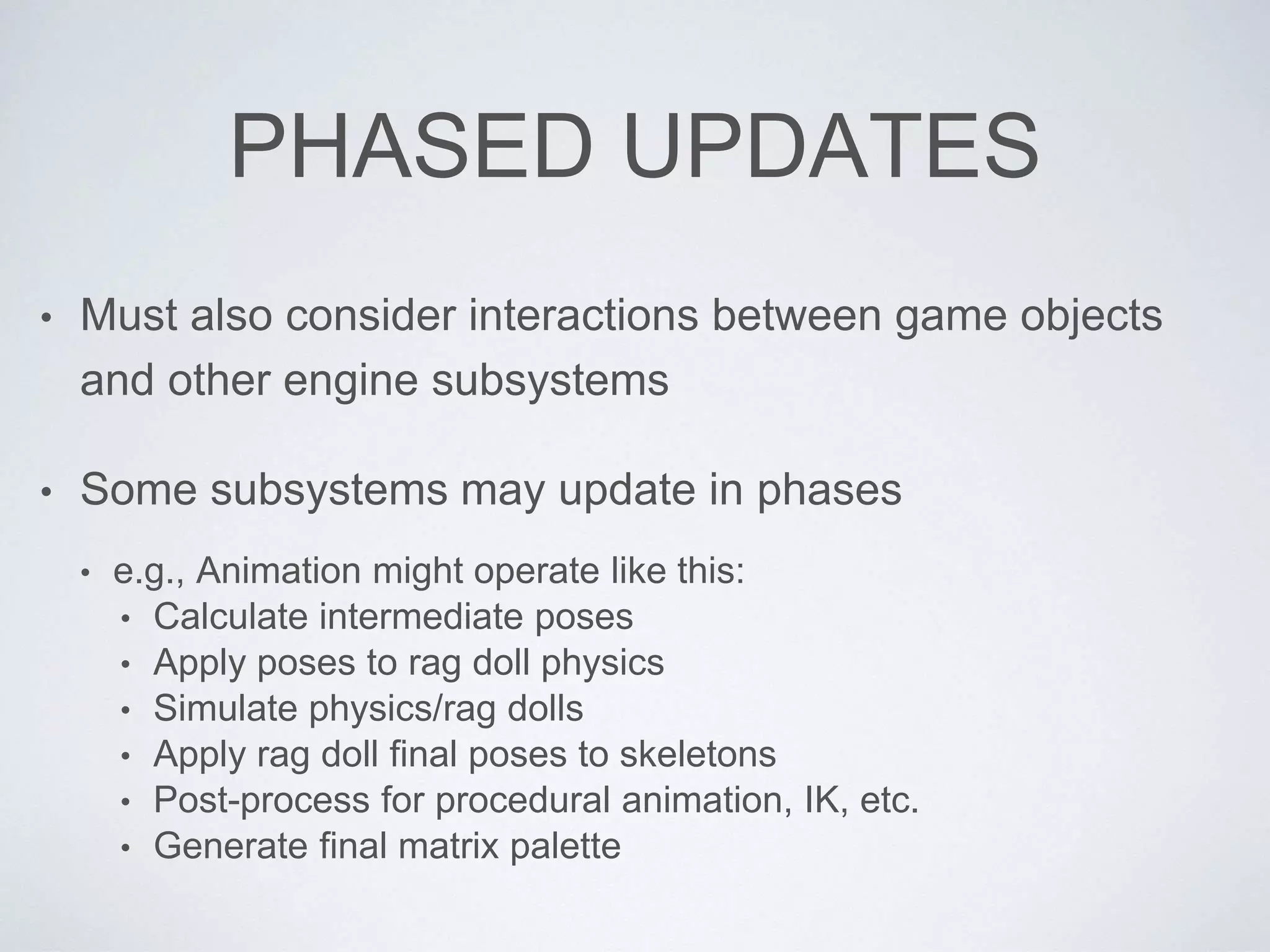
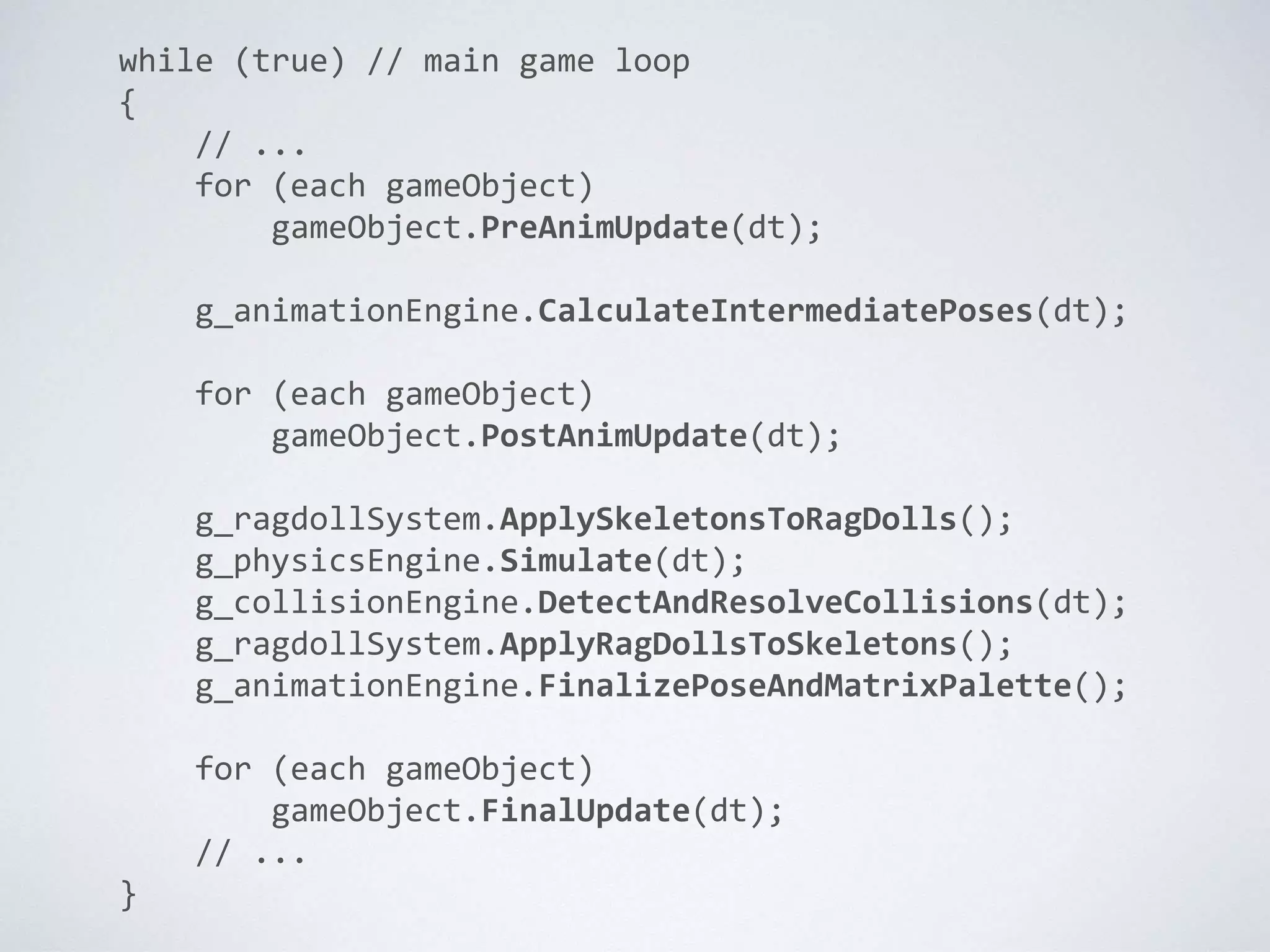
PHASED UPDATES
• Must also consider interactions between game objects
and other engine subsystems
• Some subsystems may update in phases
• e.g., Animation might operate like this:
• Calculate intermediate poses
• Apply poses to rag doll physics
• Simulate physics/rag dolls
• Apply rag doll final poses to skeletons
• Post-process for procedural animation, IK, etc.
• Generate final matrix palette
while (true) // main game loop
{
// ...
for (each gameObject)
gameObject.PreAnimUpdate(dt);
g_animationEngine.CalculateIntermediatePoses(dt);
for (each gameObject)
gameObject.PostAnimUpdate(dt);
g_ragdollSystem.ApplySkeletonsToRagDolls();
g_physicsEngine.Simulate(dt);
g_collisionEngine.DetectAndResolveCollisions(dt);
g_ragdollSystem.ApplyRagDollsToSkeletons();
g_animationEngine.FinalizePoseAndMatrixPalette();
for (each gameObject)
gameObject.FinalUpdate(dt);
// ...
}
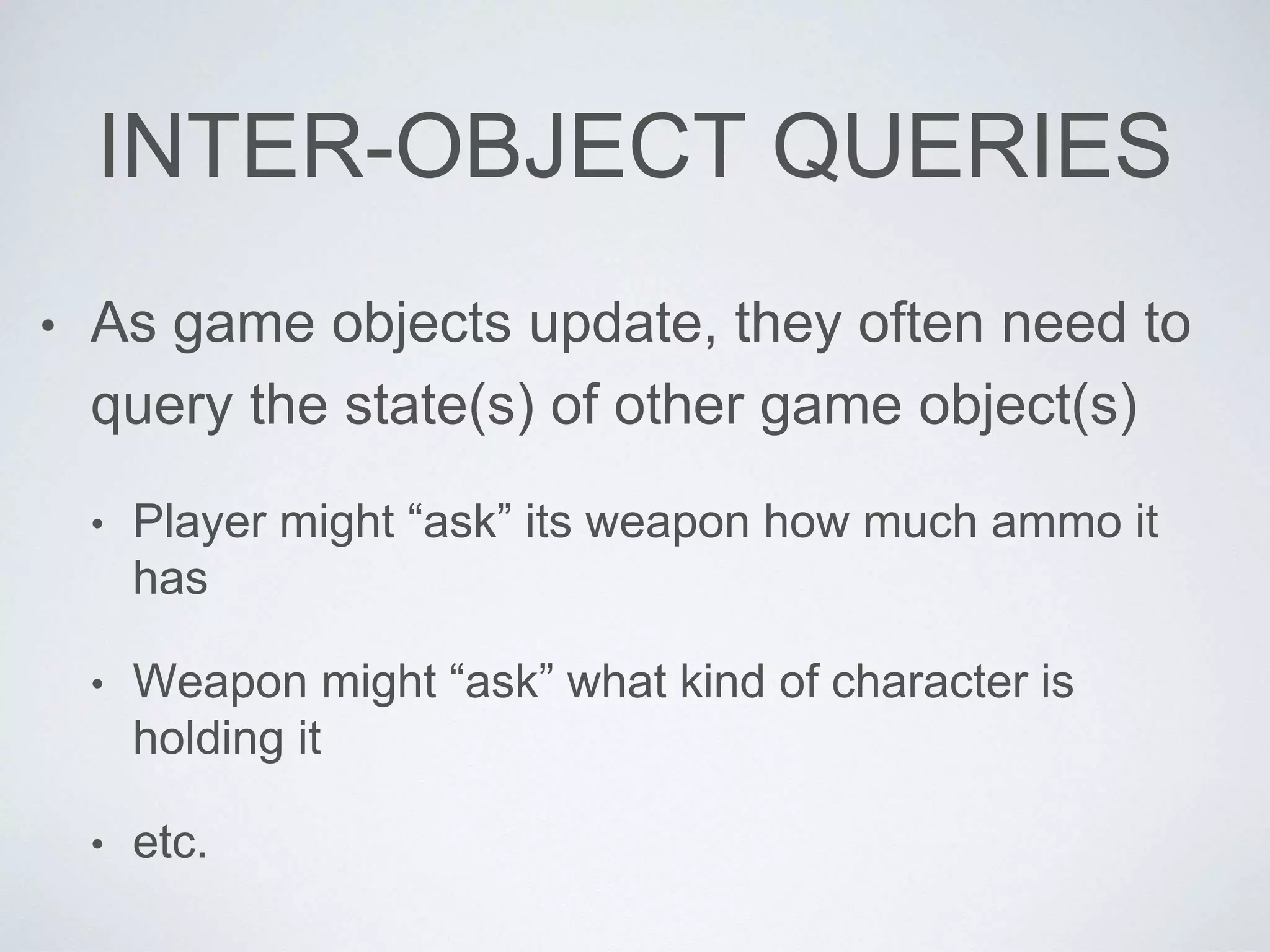
INTER-OBJECT QUERIES
• As game objects update, they often need to
query the state(s) of other game object(s)
• Player might “ask” its weapon how much ammo it
has
• Weapon might “ask” what kind of character is
holding it
• etc.
INTER-OBJECT QUERIES
• Having one game object query the state of
another leads to all sorts of issues
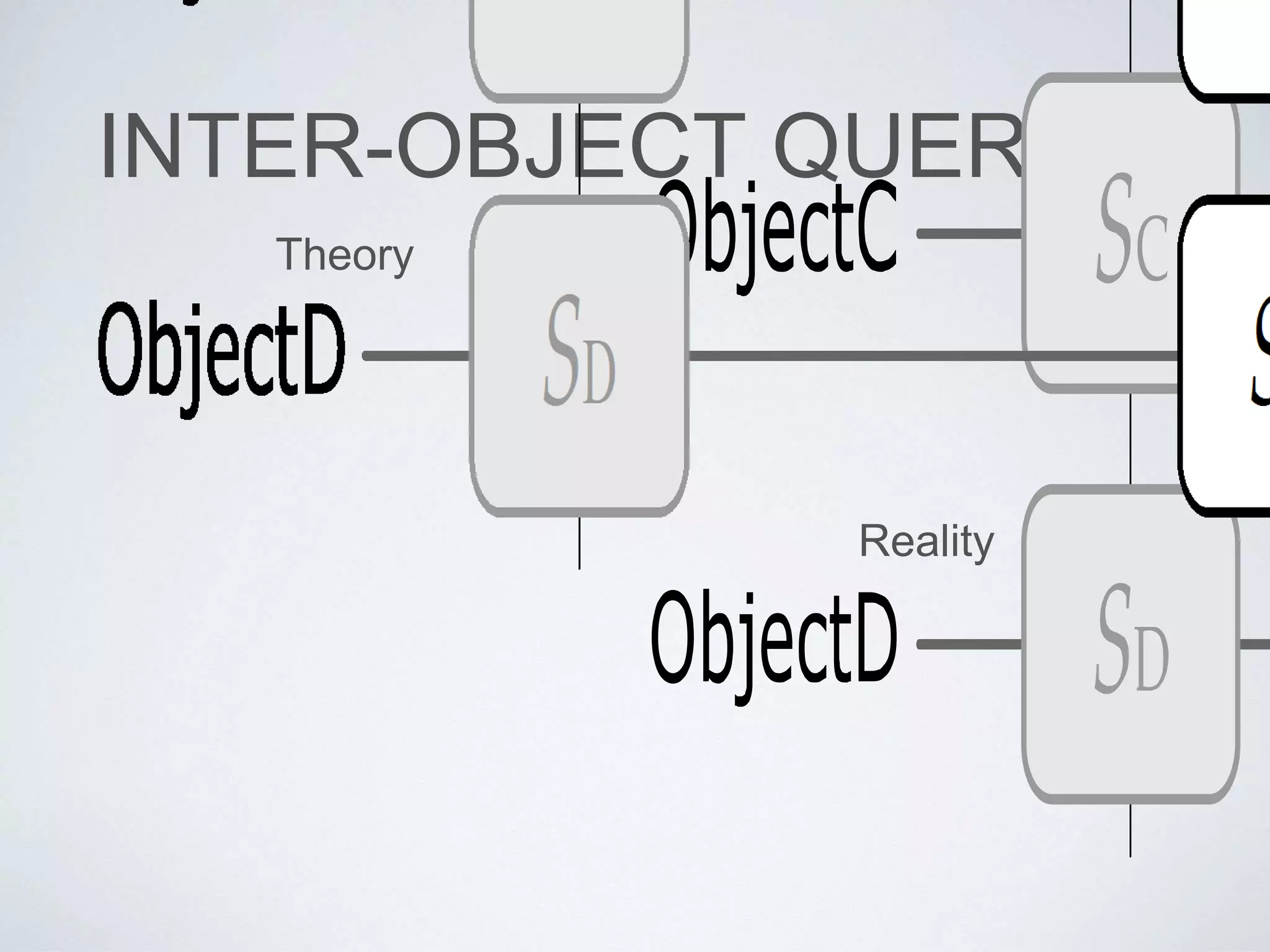
INTER-OBJECT QUERIES
Theory
Reality
INTER-OBJECT QUERIES
• The states of all game objects are consistent
before and after the update loop, but they
will be inconsistent during it.
INTER-OBJECT QUERIES
• Some solutions to this problem:
• Bucketed updates: Only query objects in other
buckets
• State cache: Keep a copy of last frame’s
(consistent) state
• Just be careful out there: Deal with bugs if/as they
happen!
MULTI-THREADED
UPDATES
• Modern gaming hardware is multi-core
• Gotta take advantage of all that power!
• Therefore: Concurrent updates
• Engine subsystems
• Game object updates too? (difficult!)
WAYS TO ACHIEVE
PARALLELISM
• Instruction-level parallelism
• superscalar CPUs
• Flynn’s taxonomy (SISD, MISD*, SIMD, MIMD)
• Multi-threading / hyper-threading on single core
• Multi-core
• Distributed processing across multiple machines
SIMD
• SIMD vector processing available on most
modern CPUs
• Can use to do 3D vector math (natural when
your SIMD is 4-channel)
• Can also divide your work into parallel
streams (4-channel or higher SIMD)
void MultiplyFloats(int n, const float* a, const float* b,
float* r)
{
for (int i = 0; i < n; ++i)
{
r[i] = a[i] * b[i];
}
}
void MultFloatsSIMD(int n, const float* a, const float* b,
float* r)
{
int m = n / 4; // split into batches of 4 floats
for (int j = 0; j < m; ++j)
{
const int i = 4*j;
simd_load(r1, &a[i]);
simd_load(r2, &b[i]);
simd_mul(r3, r1, r2);
simd_store(&r[i], r3);
}
int iRest = m*4; // do any remaining ones
for (int i = iRest; i < n; ++i)
{
r[i] = a[i] * b[i];
}
}
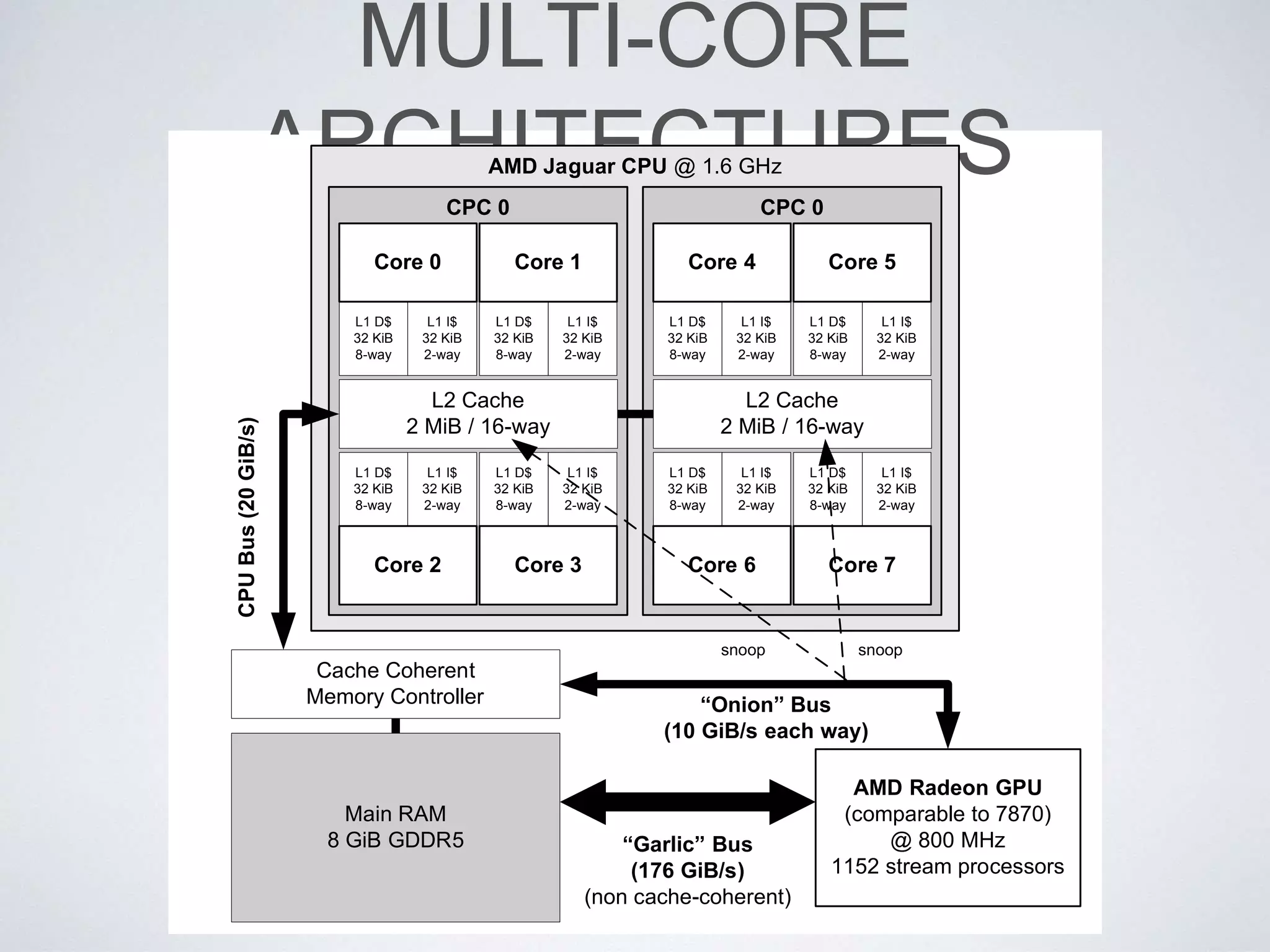
MULTI-CORE
ARCHITECTURESAMD Jaguar CPU @ 1.6 GHz
CPC 0
L1 D$
32 KiB
8-way
L1 I$
32 KiB
2-way
Core 0
L1 D$
32 KiB
8-way
L1 I$
32 KiB
2-way
Core 1
L1 D$
32 KiB
8-way
L1 I$
32 KiB
2-way
Core 3
L1 D$
32 KiB
8-way
L1 I$
32 KiB
2-way
Core 2
CPC 0
L1 D$
32 KiB
8-way
L1 I$
32 KiB
2-way
Core 4
L1 D$
32 KiB
8-way
L1 I$
32 KiB
2-way
Core 5
L1 D$
32 KiB
8-way
L1 I$
32 KiB
2-way
Core 7
L1 D$
32 KiB
8-way
L1 I$
32 KiB
2-way
Core 6
AMD Radeon GPU
(comparable to 7870)
@ 800 MHz
1152 stream processors
snoopsnoop
“Onion” Bus
(10 GiB/s each way)
“Garlic” Bus
(176 GiB/s)
(non cache-coherent)
L2 Cache
2 MiB / 16-way
L2 Cache
2 MiB / 16-way
CPUBus(20GiB/s)
Main RAM
8 GiB GDDR5
Cache Coherent
Memory Controller
CONCURRENT
SUBSYSTEM UPDATES
• By dividing our engine into (mostly)
independent subsystems, we’re already at
an advantage
• Could map each subsystem to a thread or core of its
own
• Could execute subsystems’ workloads as “jobs” on
an SPU or other core
CONCURRENT
SUBSYSTEM UPDATES
• At Naughty Dog, we use a “job system”
• On PS3, mapped naturally to the 6 SPUs
• On PS4, we have 6 (6.5) cores, so still works well
• Each core runs a single thread
• The thread receives requests to run jobs
• Each job is run in a fiber
JOB SYSTEM
SYNCHRONIZATION
• Counters
• Each job increments the counter when it runs, decrements
when done
• Another “client” job can wait for the counter to reach zero
• Spin locks
• Implemented via atomic operations provided by CPU
• Exclusive locks; also multiple-reader, single writer
CONCURRENT GAME
OBJECT UPDATING
• Difficult to achieve because of high degree of
inter-object dependencies and queries
• Some approaches that can work:
• Locking (doesn’t work very well in general)
• Double-buffered game object state vectors
• Snapshots (poor-man’s double buffering)

Game object models - Game Engine Architecture

  • 1.
    GAME OBJECT MODELS andScripting Jason Gregory Naughty Dog, Inc.
  • 2.
    ANATOMY OF AGAME WORLD • Static geometry (“background”) • Dynamic game objects (“foreground”) • World “chunks” for streaming • Game logic & overall flow • Hard-coded • Scripted
  • 4.
    ANATOMY OF AGAME WORLD • Line between static and dynamic can be blurry • Not all dynamic entities are logically “objects”
  • 5.
  • 6.
    OBJECT MODELS • Twodistinct meanings: 1. Properties/architecture of a particular object- oriented programming language (e.g. C++, Java, Python, …) 2. Collection of objects/classes with which programs can be built or problems can be solved
  • 7.
    GAME OBJECT MODEL •The term “game object model” really refers to two distinct object models: 1. Tool-time 2. Run-time
  • 8.
  • 9.
    TOOL-TIME OBJECT MODEL • Thetool-time object model is concerned with allowing developers (designers and programmers) to: • Define the contents of the game world • Define initial properties of game objects • Associate game objects with behavior • A world building tool (typically a GUI) is used to create tool-time object models, which can be loaded by the game
  • 12.
    TOOL-TIME OBJECT MODEL • Tool-timemodel is designed to be flexible above all else • Typically object-oriented • Simple and intuitive: direct mapping to concepts used by designers • Easy to create, destroy and manipulate game world entities • Often relatively easy to add new object types • Important to support some kind of archetype concept
  • 13.
    TOOL-TIME OBJECT MODEL • e.g.at Naughty Dog, everything in the tool-time game object model falls into one of the following categories: • Spawner • Spline • Region • Nav Mesh • Static Background Geometry
  • 14.
    TOOL-TIME OBJECT MODEL • Spawnercomprised of: • Archetype: What type of game object? What properties does it offer? Default values for all properties; Optional parent archetype (inheritance) • Id: Unique identifier and/or human-readable name • 3D transform: position, rotation, scale • Reference to parent object: Allowing attachment hierarchies to be built • Key-value store: “Dictionary” of other properties, some defined by the schema, some free-form • Property values override schema defaults
  • 16.
  • 17.
    RESPONSIBILITIES OF THE RUN-TIMEOBJECT SYSTEM• Representation of the tool-time object model, with behaviors • Memory management and streaming • Simulation (updating the model each frame) • Messaging and event handling • High-level game flow (objectives, story beats, etc.) • Scripting (enabling rapid iteration for behavior and flow)
  • 18.
    RUN-TIME OBJECT MODEL •Run-time object model primarily concerned with functionality and performance • A one-to-one mapping between tool-time entities and run-time entities may not exist
  • 19.
    RUN-TIME OBJECT MODEL •Many different ways to architect and implement a run-time object model • Monolithic class hierarchy • Component-based • Hybrid hierarchy/component model • Property centric
  • 20.
    MONOLITHIC CLASS HIERARCHY • Obviouschoice when run-time language is OOP • Downsides: • Inflexible, hard to maintain • Bubble-up problem • Deadly diamond problem
  • 21.
    PROBLEMS WITH MONOLITHIC CLASSHIERARCHIES Motorcycle Car Truck
  • 22.
    DEADLY DIAMOND ClassA ClassB ClassC ClassD ClassA ClassA ClassB ClassB’s memorylayout: ClassA’s memory layout: ClassA ClassC ClassC’s memory layout: ClassA ClassB ClassD’s memory layout: ClassA ClassC ClassD
  • 23.
  • 24.
  • 25.
    COMPONENT MODEL WITH CENTRALGAME OBJECT GameObject Transform MeshInstance AnimationController RigidBody 1 1 1 1 1 1 11
  • 26.
    GENERIC COMPONENT MODEL • Temptingto make a generic Component class • Seems nice on the surface • But usually impractical and too limiting • Why constrain yourself? (e.g., linked list).
  • 27.
  • 28.
    PROPERTY-CENTRIC MODEL • Object A •Position • Orientation • Health • Object B • Position • Orientation • Position • Object A • Object B • Orientation • Object A • Object B • Health • Object A
  • 29.
  • 30.
    LOADING A “MAP” •Designers create worlds (aka “maps,” aka “levels”) in the world builder tool • Artists create BG geometry in Maya (or other) • Need to load this tool-time object model into the game • Transform into the run-time object model!
  • 31.
    ISSUES TO CONSIDER •Data format • How can we fit all this into memory? • Streaming? How to break up the data? • Building the data into suitable format for run-time • Rapid iteration considerations • Debuggability • How to revision-control all this game world data?
  • 32.
    FILE FORMATS • Twobasic options: • Text (e.g., XML, JSON, custom) • Binary • Each has its share of issues to consider • Choose file formats on case-by-case basis, taking requirements and pros/cons into account
  • 33.
    TEXT FILES • Parsetime • Versioning • Intra-file references (by name? by GUID?) • Serialization (automagic via reflection? hard- coded?) • Tend to work well with revision-control; easily “diff”d; easily searchable
  • 34.
    BINARY FILES • Moreefficient than text files • Standard or custom? • Monolithic or segmented? • Versioning • Endian-ness • Intra-file references (pointer fix-ups)
  • 35.
    POINTER FIX-UPS Addresses: Offsets: Object 1 Object2 Object 3 Object 4 0x0 0x240 0x4A0 0x7F0 Object 1 Object 4 Object 2 Object 3 0x2A080 0x2D750 0x2F110 0x32EE0 0x32EE0 0x2F110 0x2A080 0x4A0 0x240 0x0 Pointers converted to offsets; locations of pointers stored in fix-up table. Fix-Up Table 0x200 0x340 0x810 Pointers to various objects are present. 3 pointers
  • 36.
    FLAVORS OF GAME WORLDDATA • Binary “pak” files used for: • BG and FG geometry + materials • Textures • Skeletons and animations • Text or light-weight binary used for: • Data that requires rapid iteration (spawners, regions, splines)
  • 37.
    FLAVORS OF GAME WORLDDATA • A game engine may have many custom file formats: • Script files: Custom binary format • GUI: Reads JSON files directly • Engine config: Simple text files • …
  • 38.
    A FEW APPROACHES TOLOADING • One level at a time (old-school) • Air locks • Linear level streaming • Related: Streaming audio, animations, textures, … • LOD-based open world streaming (GTA)
  • 39.
  • 41.
  • 42.
  • 43.
    SPAWN AND DESTROY •Could just use new and delete • … but memory fragmentation becomes a big problem • Need a better solution • Pools of objects of similar size? (“small mem” allocator) • Relocatable memory (defragmentation)?
  • 44.
    LOADING GAME OBJECTS •Need to read the tool-time object specification into the run-time object • Various ways to accomplish this: • Load binary-ready object “images”? • Parse a text file? • Read a key-value store?
  • 45.
    SPAWNING: WHAT TYPE? •What type of game object(s) to create? • Need a way to turn tool-time type descriptor into an instance of the appropriate C++ class(es) at run-time
  • 46.
    SPAWNING: WHAT TYPE? •At Naughty Dog, here’s what we do: • Each C++ class registers a TypeFactory object in a hash table • Can look up a TypeFactory by name (key in the table) • TypeFactory knows: • How to instantiate its C++ class • RTTI information: Parent class • Size information for relocatable memory management
  • 47.
  • 48.
  • 49.
  • 50.
  • 51.
    RELOCATION void SomeObj::Relocate(ptrdiff_t delta, uintptr_tlowerBound, uintptr_t upperBound) { RelocatePointer(m_pData, delta, lowerBound, upperBound); // ... ParentClass::Relocate(delta, lowerBound, upperBound); }
  • 52.
    template<typename T> void RelocatePointer(T*&rp, ptrdiff_t delta, uintptr_t lowerBound, uintptr_t upperBound) { uintptr_t addr = reinterpret_cast<uintptr_t>(rp); if (addr >= lowerBound && addr < upperBound) { addr += delta; rp = reinterpret_cast<T*>(addr); } }
  • 53.
    OBJECT INITIALIZATION • NaughtyDog uses the following approach (YMMV): • In game object’s Init() function, it simply reads the key-value store • Flexible system, robust to tool-side changes • Init() is free to do any kind of initialization it wants • Create components, allocate per-instance data, etc.
  • 54.
    Err MyObj::Init(const SpawnInfo&info) { Err result = ParentClass::Init(info); if (result.Succeeded()) { m_health = info.GetFloat(SID("health"), m_health); m_ammo = info.GetInt(SID("ammo"), 0); // ... } return result; }
  • 55.
  • 56.
    IDS AND HANDLES •Each game object needs some kind of unique id • Human-readable, yet efficient (e.g., hashed string id) • Path in the hierarchy? or just unique names all around? • Also need to store references to game objects across multiple frames • Relocatable objects? Need to use handles
  • 57.
    OBJECT HANDLES GO0 GO1GO2 GO3 GO4 … 0 2 4 1 3 …Records
  • 58.
  • 59.
    OBJECT STATE “VECTORS” •Can think of each game object’s property values as forming a “state vector” • State of game object i is defined to be Si(t) • A game runs a discrete-time simulation • Updating a game object’s state amounts to finding: • Si(t + dt) given Si(t), for all game objects i
  • 60.
    A SIMPLE IDEA (THATDOESN’T WORK) while (true) { PollJoypad(); float dt = GetFrameDeltaTime(); for (each gameObject) { gameObject.Update(dt); } g_videoDriver.FlipBuffers(); }
  • 61.
    virtual void Tank::Update(floatdt) { // Update the state of the tank itself. MoveTank(dt); DeflectTurret(dt); FireIfNecessary(); // Now update low-level engine subsystems on // behalf of this tank. (NOT a good idea!) m_pAnimationComponent->Update(dt); m_pCollisionComponent->Update(dt); m_pPhysicsComponent->Update(dt); m_pAudioComponent->Update(dt); m_pRenderingComponent->draw(); }
  • 62.
    BATCHED UPDATES • Mostengine subsystems have tight performance constraints • Much more efficient to do all updates of a certain variety at once as a “batch” • Code and data locality • Improves I-cache and D-cache performance • Minimizes duplicated calculations • Optimal data pipelining
  • 63.
    BATCHED GAME LOOP while(true) { PollJoypad(); float dt = GetFrameDeltaTime(); for (each gameObject) { gameObject.Update(dt); } g_animationEngine.Update(dt); g_physicsEngine.Simulate(dt); g_collisionEngine.Run(dt); g_audioEngine.Update(dt); g_renderingEngine.RenderFrame(); g_videoDriver.FlipBuffers(); }
  • 64.
  • 65.
    BUCKETED UPDATES for (eachbucket) { for (each gameObject in bucket) { gameObject.Update(dt); } } g_animationEngine.Update(dt); g_physicsEngine.Simulate(dt); // ...
  • 66.
    PHASED UPDATES • Mustalso consider interactions between game objects and other engine subsystems • Some subsystems may update in phases • e.g., Animation might operate like this: • Calculate intermediate poses • Apply poses to rag doll physics • Simulate physics/rag dolls • Apply rag doll final poses to skeletons • Post-process for procedural animation, IK, etc. • Generate final matrix palette
  • 67.
    while (true) //main game loop { // ... for (each gameObject) gameObject.PreAnimUpdate(dt); g_animationEngine.CalculateIntermediatePoses(dt); for (each gameObject) gameObject.PostAnimUpdate(dt); g_ragdollSystem.ApplySkeletonsToRagDolls(); g_physicsEngine.Simulate(dt); g_collisionEngine.DetectAndResolveCollisions(dt); g_ragdollSystem.ApplyRagDollsToSkeletons(); g_animationEngine.FinalizePoseAndMatrixPalette(); for (each gameObject) gameObject.FinalUpdate(dt); // ... }
  • 68.
    INTER-OBJECT QUERIES • Asgame objects update, they often need to query the state(s) of other game object(s) • Player might “ask” its weapon how much ammo it has • Weapon might “ask” what kind of character is holding it • etc.
  • 69.
    INTER-OBJECT QUERIES • Havingone game object query the state of another leads to all sorts of issues
  • 70.
  • 71.
    INTER-OBJECT QUERIES • Thestates of all game objects are consistent before and after the update loop, but they will be inconsistent during it.
  • 72.
    INTER-OBJECT QUERIES • Somesolutions to this problem: • Bucketed updates: Only query objects in other buckets • State cache: Keep a copy of last frame’s (consistent) state • Just be careful out there: Deal with bugs if/as they happen!
  • 73.
    MULTI-THREADED UPDATES • Modern gaminghardware is multi-core • Gotta take advantage of all that power! • Therefore: Concurrent updates • Engine subsystems • Game object updates too? (difficult!)
  • 74.
    WAYS TO ACHIEVE PARALLELISM •Instruction-level parallelism • superscalar CPUs • Flynn’s taxonomy (SISD, MISD*, SIMD, MIMD) • Multi-threading / hyper-threading on single core • Multi-core • Distributed processing across multiple machines
  • 75.
    SIMD • SIMD vectorprocessing available on most modern CPUs • Can use to do 3D vector math (natural when your SIMD is 4-channel) • Can also divide your work into parallel streams (4-channel or higher SIMD)
  • 76.
    void MultiplyFloats(int n,const float* a, const float* b, float* r) { for (int i = 0; i < n; ++i) { r[i] = a[i] * b[i]; } }
  • 77.
    void MultFloatsSIMD(int n,const float* a, const float* b, float* r) { int m = n / 4; // split into batches of 4 floats for (int j = 0; j < m; ++j) { const int i = 4*j; simd_load(r1, &a[i]); simd_load(r2, &b[i]); simd_mul(r3, r1, r2); simd_store(&r[i], r3); } int iRest = m*4; // do any remaining ones for (int i = iRest; i < n; ++i) { r[i] = a[i] * b[i]; } }
  • 78.
    MULTI-CORE ARCHITECTURESAMD Jaguar CPU@ 1.6 GHz CPC 0 L1 D$ 32 KiB 8-way L1 I$ 32 KiB 2-way Core 0 L1 D$ 32 KiB 8-way L1 I$ 32 KiB 2-way Core 1 L1 D$ 32 KiB 8-way L1 I$ 32 KiB 2-way Core 3 L1 D$ 32 KiB 8-way L1 I$ 32 KiB 2-way Core 2 CPC 0 L1 D$ 32 KiB 8-way L1 I$ 32 KiB 2-way Core 4 L1 D$ 32 KiB 8-way L1 I$ 32 KiB 2-way Core 5 L1 D$ 32 KiB 8-way L1 I$ 32 KiB 2-way Core 7 L1 D$ 32 KiB 8-way L1 I$ 32 KiB 2-way Core 6 AMD Radeon GPU (comparable to 7870) @ 800 MHz 1152 stream processors snoopsnoop “Onion” Bus (10 GiB/s each way) “Garlic” Bus (176 GiB/s) (non cache-coherent) L2 Cache 2 MiB / 16-way L2 Cache 2 MiB / 16-way CPUBus(20GiB/s) Main RAM 8 GiB GDDR5 Cache Coherent Memory Controller
  • 79.
    CONCURRENT SUBSYSTEM UPDATES • Bydividing our engine into (mostly) independent subsystems, we’re already at an advantage • Could map each subsystem to a thread or core of its own • Could execute subsystems’ workloads as “jobs” on an SPU or other core
  • 80.
    CONCURRENT SUBSYSTEM UPDATES • AtNaughty Dog, we use a “job system” • On PS3, mapped naturally to the 6 SPUs • On PS4, we have 6 (6.5) cores, so still works well • Each core runs a single thread • The thread receives requests to run jobs • Each job is run in a fiber
  • 81.
    JOB SYSTEM SYNCHRONIZATION • Counters •Each job increments the counter when it runs, decrements when done • Another “client” job can wait for the counter to reach zero • Spin locks • Implemented via atomic operations provided by CPU • Exclusive locks; also multiple-reader, single writer
  • 82.
    CONCURRENT GAME OBJECT UPDATING •Difficult to achieve because of high degree of inter-object dependencies and queries • Some approaches that can work: • Locking (doesn’t work very well in general) • Double-buffered game object state vectors • Snapshots (poor-man’s double buffering)

Editor's Notes

  • #5 particle effects, water, lights: might be BG or FG Dynamic lights, running instances of a script, timers, … May be implemented as a dynamic “object” despite not representing any logical “object” in the game
  • #7 1. Properties/architecture of a particular object-oriented programming language (e.g. C++, Java, Python) * Defines concepts like class, method, inheritance, etc. and specifies implementation details particular to that language 2. Collection of objects/classes with which programs can be built or problems can be solved * This is what we mean when we talk about a game’s object model
  • #8 The two are closely related conceptually, but the two implementations may differ a great deal
  • #10 Define the contents of the game world (usually on a per-level/per-map basis) behavior (hard-coded or scripted)
  • #13 * Typically object-oriented * Simple and intuitive: direct mapping to concepts used by designers * Easy to create, destroy and manipulate game world entities * Often relatively easy to add new object types (may require some programmer support) * Important to support some kind of archetype concept — Default properties for a given “class” of game object, which can be modified to change all instances of that “class” easily, with per-instance overrides — Typically supports inheritance
  • #14 * Spawner: A key-value store that defines the type of game object, its 3D transform, and its other properties (including optional binding to a script) * Spline: A set of points/tangents that define a piecewise curve (in our case Catmull-Rom), plus properties which add functionality to the spline * Region: A 3D volume defined by bounding planes, plus properties which add functionality to each region * Nav Mesh: A “2.5D” polygon mesh defining “traversable” areas for AI-controlled NPCs * Static Background Geometry: Buildings, terrain, bridges, etc. (not strictly part of the object model, but part of the “level” format)
  • #19 One tool-time entity might be represented by multiple run-time C++ objects “Array-of-structs” at tool-time could become “struct-of-arrays” at runtime
  • #20 Monolithic class hierarchy (one class per tool-time archetype) Component-based model (each tool-time entity represented by a collection of run-time component objects) Property centric: Giant property dictionary!
  • #22 Often not clear which class should be parent of which other class… what if I want an AnimatingObject that has no collision, for example? Can only categorize along one “axis” at each level of the hierarchy What seems like a good hierarchy can have a monkey wrench thrown in: AmphibiousVehicle
  • #23 Leads to MI… but MI is problematic for a number of reasons deadly diamond: multiple “copies” of a base class, virtual bases gets very confusing, difficult to “grok”, hard to maintain Multiple __vfptr in object’s memory layout
  • #24 One solution is mix-ins We do use this here and there at Naughty Dog e.g. LinkedNode Use sparingly (if at all)
  • #25 this is Unreal’s hier — gets complicated pretty fast! also, suffers from “bubble up” effect: what if Pawn, Light and Pickup all need a new feature? mix-ins? or just “bubble” that feature up to the only common base class: Actor as a result, Actor is a giant mess of unrelated features in Unreal every Actor “pays” for all those features even if it doesn’t need them
  • #26 Can solve a lot of these problems by introducing “components” has-a instead of is-a central game object, with references (strong or weak) to various components
  • #27 Tempting to make a generic Component class “Every component MUST BE DERIVED from Component” (or else!) Seems nice on the surface, but usually impractical and too limiting Why constrain yourself?
  • #28 why even have the central game object? just give every component a unique id, and all the ones whose ids match “are” the GO again, nice idea, seems like it could allow you to “compose” a game object arbitrarily at tool time but difficult to debug, difficult to work with in practice Unity does seem to do a nice job of allowing components to be aggregated at tool time (I’d like to know how they get around the impractical aspects, e.g. when it makes no sense to have 5 Transform components, etc.)
  • #29 another interesting idea that was used on the game Thief http://chrishecker.com/ images/6/6f/ObjSys.ppt in my view, costs outweigh benefits… nice to be able to hit a breakpoint and see the object’s data in the debugger (but with a debugger add-on that collected and presented all the object’s data in one place, I could see it becoming more interesting)
  • #32 Various issues: data format? text? JSON/XML? binary? what can fit in memory at any given time? streaming required? (usually) how to stream? how break things up so they can stream in efficiently? distinction between some data that requires rapid iteration, others that do not in-game pak vs. geometry/skeleton/animation/materials pak debuggability: human-readable? searchable data formats?
  • #33 Important to choose the format on a case-by-case basis, according to requirements
  • #34 maybe pre-parse a text format into something that can be read more quickly by the engine?
  • #37 … and may utilize all sorts of other custom formats for specific things * script files are stored in their own binary format * GUI system uses JSON This is what we do at Naughty Dog… YMMV
  • #38 … and may utilize all sorts of other custom formats for specific things * script files are stored in their own binary format * GUI system uses JSON This is what we do at Naughty Dog… YMMV
  • #40 here’s how we break up BG geo at Naughty Dog GTA5 / JustCause do something more sophisticated chunking must be carefully controlled based on geography must allow different LODs of the same chunk to be loaded independently
  • #41 here’s how it might tie in with “objectives” in the game we have a “task graph” that is the master flow-control; level/chunk loading is driven from it, plus invisible regions in the world that control exactly when each chunk will be added to the “want loads” list, or removed from it texture streaming is a whole other issue with lots of its own complexity
  • #42 we load all data in fixed-sized chunks to reduce the effects of memory fragmentation now 1024 KiB actually
  • #45 At NDI we have the concept of a spawner, which is really just a k-v store Spawning
  • #48 Spawning an object involves looking up the TypeFactory, asking it for the block size to allocate (max size), allocating a block in relocatable heap instantiate via placement new set up a stack-based allocator within the block for use by the class call Init(), pass the Spawner so it can read the data store and init all run-time data members “shrink” the block to fit what was actually used
  • #49 Spawning an object involves looking up the TypeFactory, asking it for the block size to allocate (max size), allocating a block in relocatable heap instantiate via placement new set up a stack-based allocator within the block for use by the class call Init(), pass the Spawner so it can read the data store and init all run-time data members …
  • #50 finally, “shrink” the block to fit what was actually used
  • #57 we use SIDs as object unique ids (human-readable, yet efficient)
  • #58 record indices are fixed, never relocate so can use a record index (or pointer to rec) as a “handle” to the GO because GOs come and go, need to use the unique id of the GO as a verification that a handle hasn’t gone “stale” and been replaced with a new GO
  • #65 another issue to consider is that objects depend on one another can’t update Object1 until Object2 has been updated, and its new state vector is known
  • #68 each engine will differ somewhat we can give our objects however many phases we need also, combined with bucketed updates, some or all of the above may be done per-bucket
  • #71 ideally updating happens simultaneously on all objects, totally independently in reality, it happens piecemeal over the course of a single frame
  • #75 *MISD usually only used for fault tolerance, not relevant to games generally
  • #80 This maps very naturally to subsystems like animation, path finding, ray casting With some work, we were able to get Havok to fit into our system as well Works well any time the subsystems are mostly independent * well-defined input -> processing -> well-defined output Not so easy to update game objects this way, b/c of large degree of inter-dependency