Leszek Godlewski
Programmer, Nordic Games
Gamedev-grade debugging
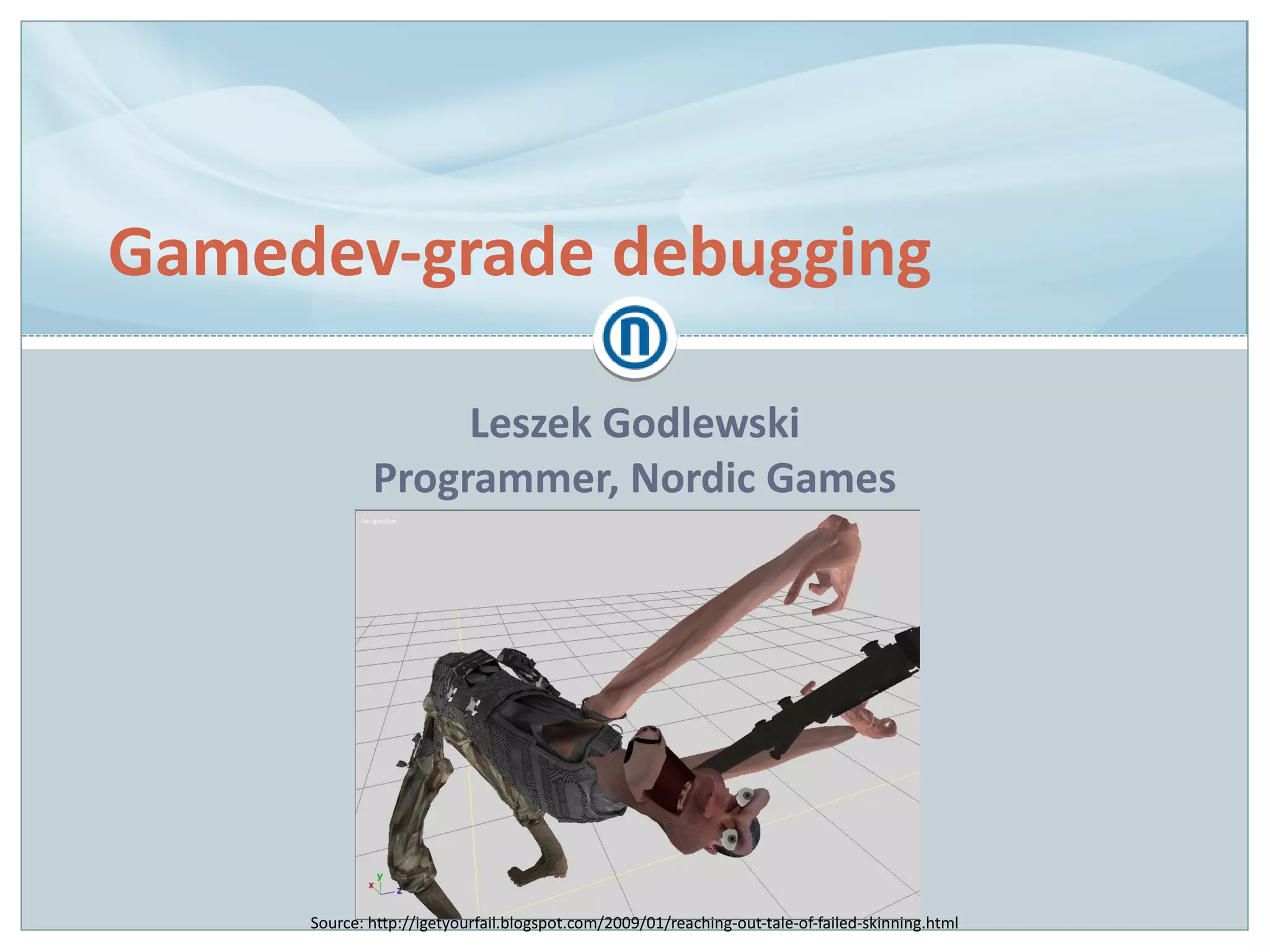
Source: http://igetyourfail.blogspot.com/2009/01/reaching-out-tale-of-failed-skinning.html
Nordic Games GmbH
● Started in 2011 as a sister company to Nordic Games
Publishing (We Sing)
● Base IP acquired from JoWooD and DreamCatcher
(SpellForce, The Guild, Aquanox, Painkiller)
● Initially focusing on smaller, niche games
● Acquired THQ IPs in 2013 (Darksiders, Titan Quest, Red
Faction, MX vs. ATV)
● Now shifting towards being a production company with
internal devs
● Since fall 2013: internal studio in Munich, Germany
(Grimlore Games)
Who is this guy?
Leszek Godlewski
Programmer, Nordic Games (early 2014 – Nov 2014)
– Linux port of Darksiders
Freelance Programmer (Sep 2013 – early 2014)
– Linux port of Painkiller Hell & Damnation
– Linux port of Deadfall Adventures
Generalist Programmer, The Farm 51 (Mar 2010 – Aug 2013)
– Painkiller Hell & Damnation, Deadfall Adventures
Agenda
How is gamedev different?
Bug species
Case studies
Conclusions
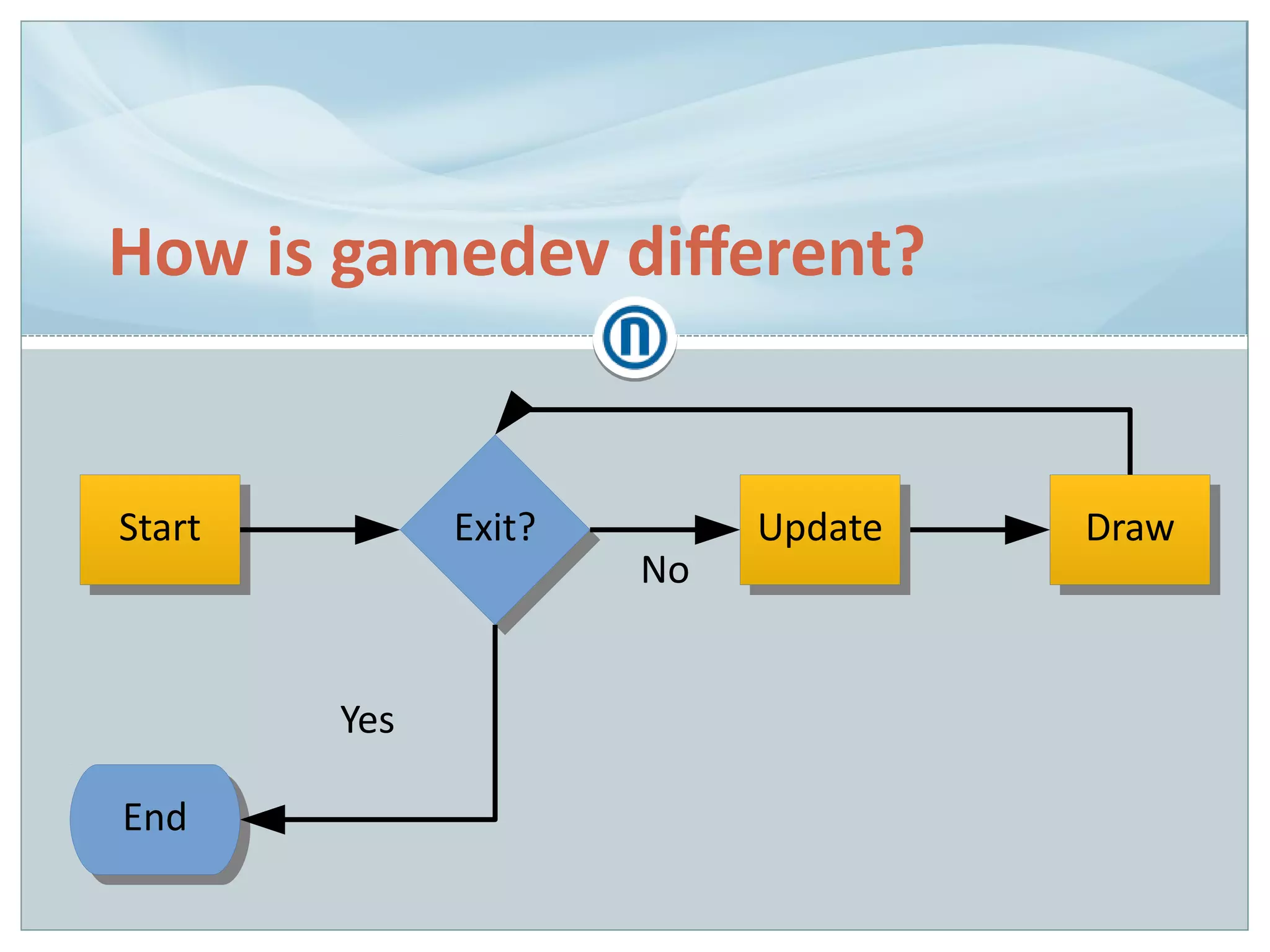
How is gamedev different?
StartStart Exit?Exit?
EndEnd
Yes
No
UpdateUpdate DrawDraw
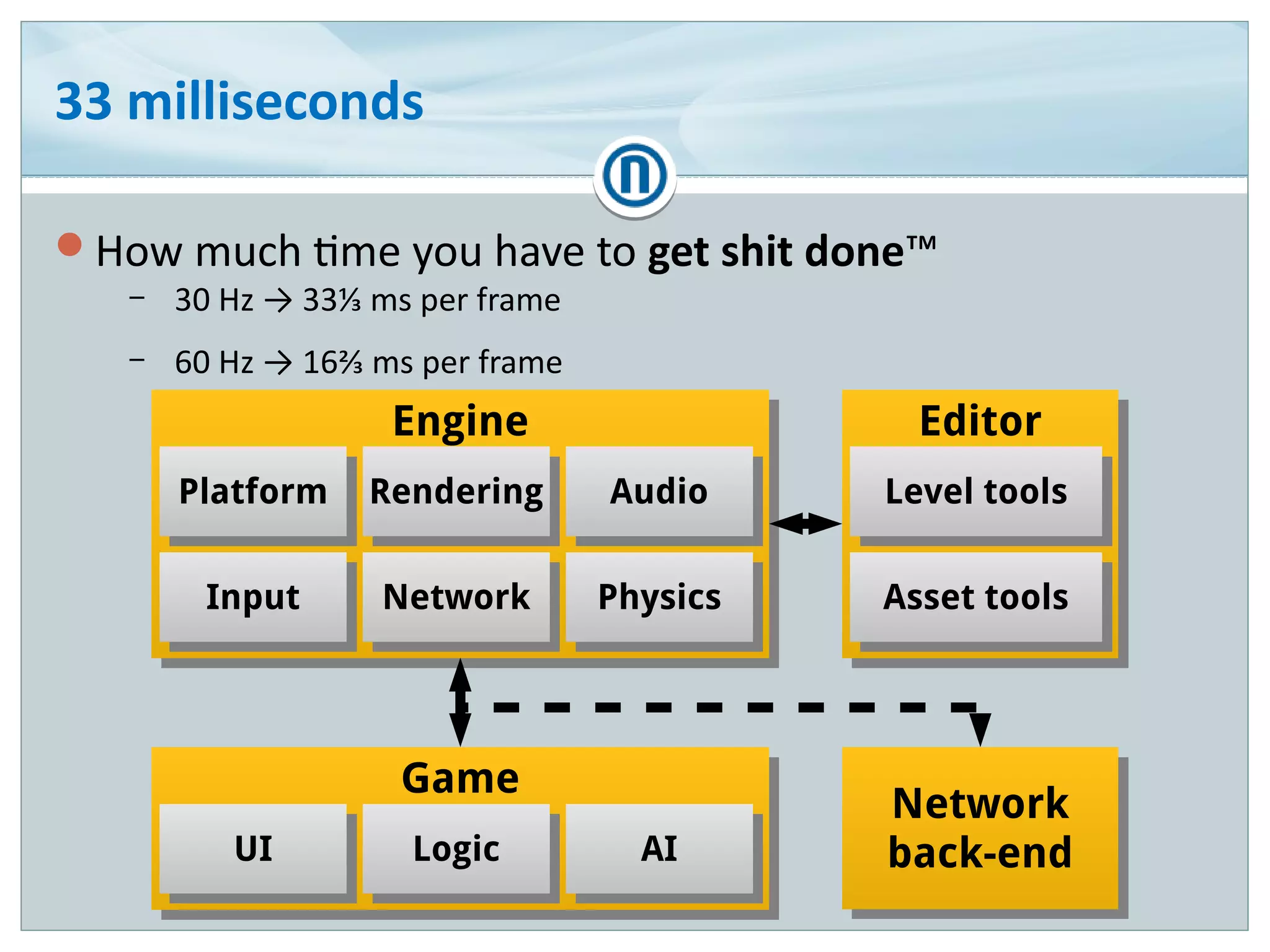
33 milliseconds
How much time you have to get shit done™
– 30 Hz → 33⅓ ms per frame
– 60 Hz → 16⅔ ms per frame
EditorEditor
Level toolsLevel tools
Asset toolsAsset tools
EngineEngine
PhysicsPhysics
RenderingRendering AudioAudio
NetworkNetwork
PlatformPlatform
InputInput
Network
back-end
Network
back-end
GameGame
UIUI LogicLogic AIAI
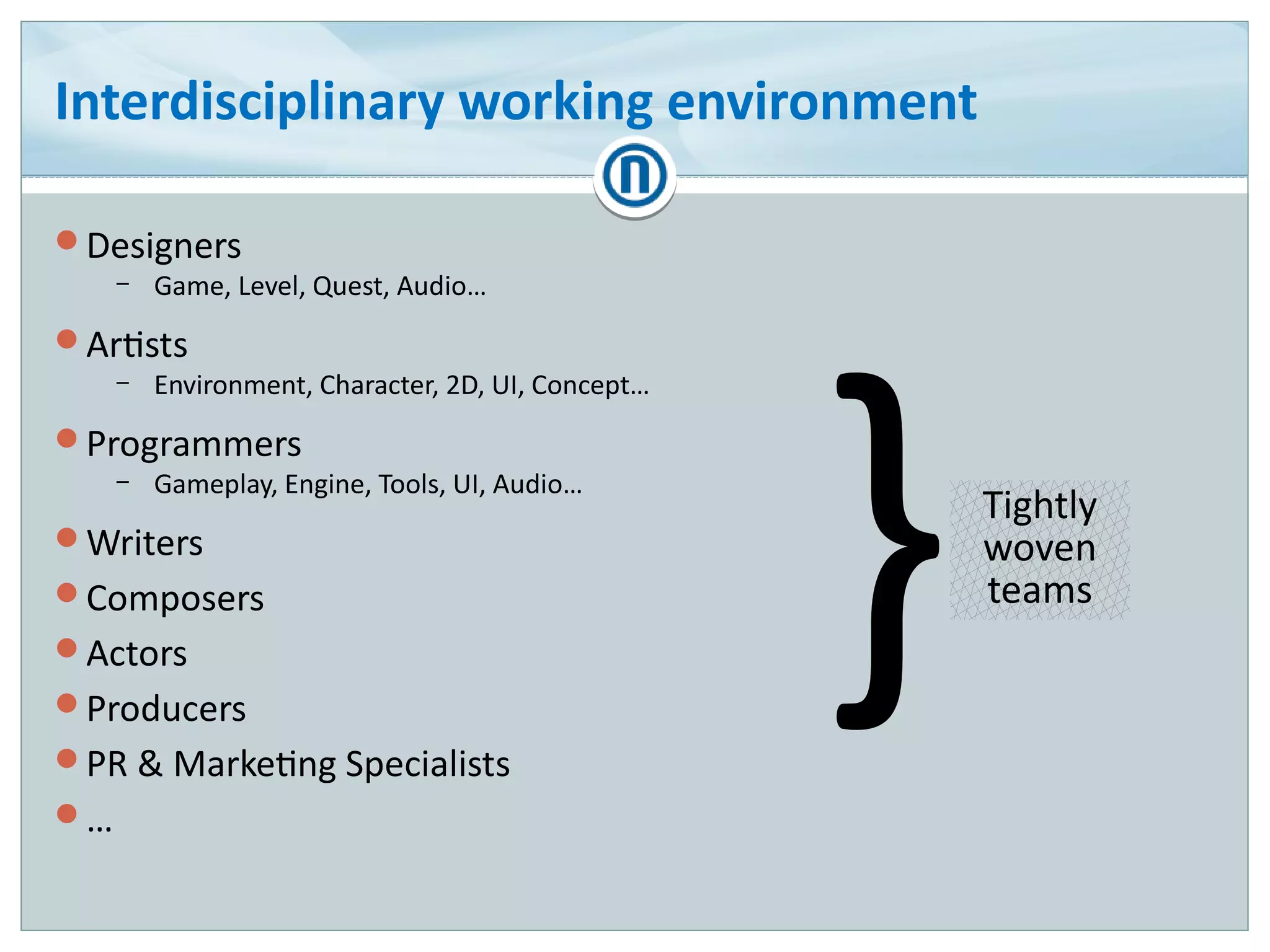
Interdisciplinary working environment
Designers
– Game, Level, Quest, Audio…
Artists
– Environment, Character, 2D, UI, Concept…
Programmers
– Gameplay, Engine, Tools, UI, Audio…
Writers
Composers
Actors
Producers
PR & Marketing Specialists
…
}Tightly
woven
teams
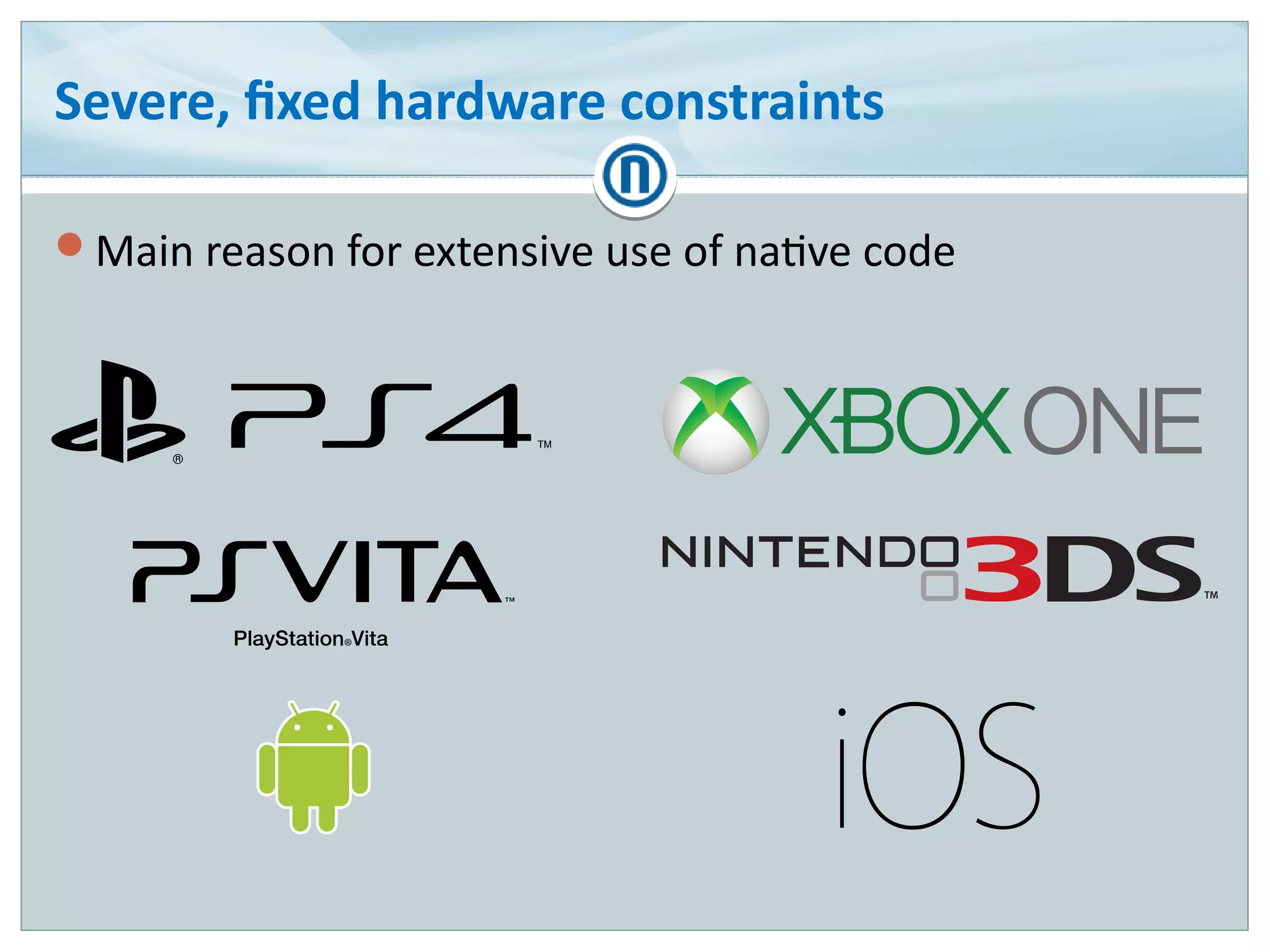
Severe, fixed hardware constraints
Main reason for extensive use of native code
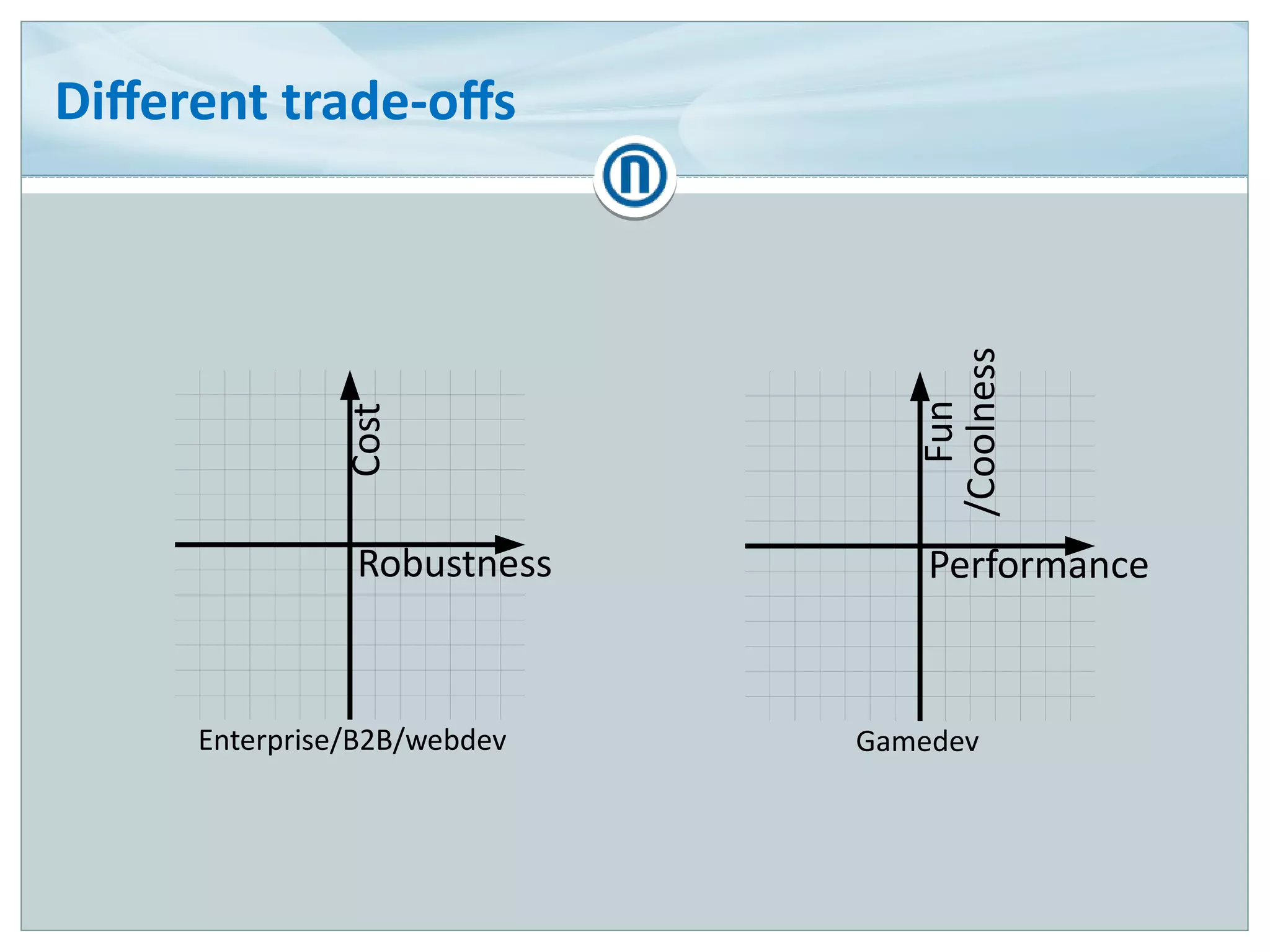
Different trade-offs
Robustness
Cost
Performance
Fun
/Coolness
Enterprise/B2B/webdev Gamedev
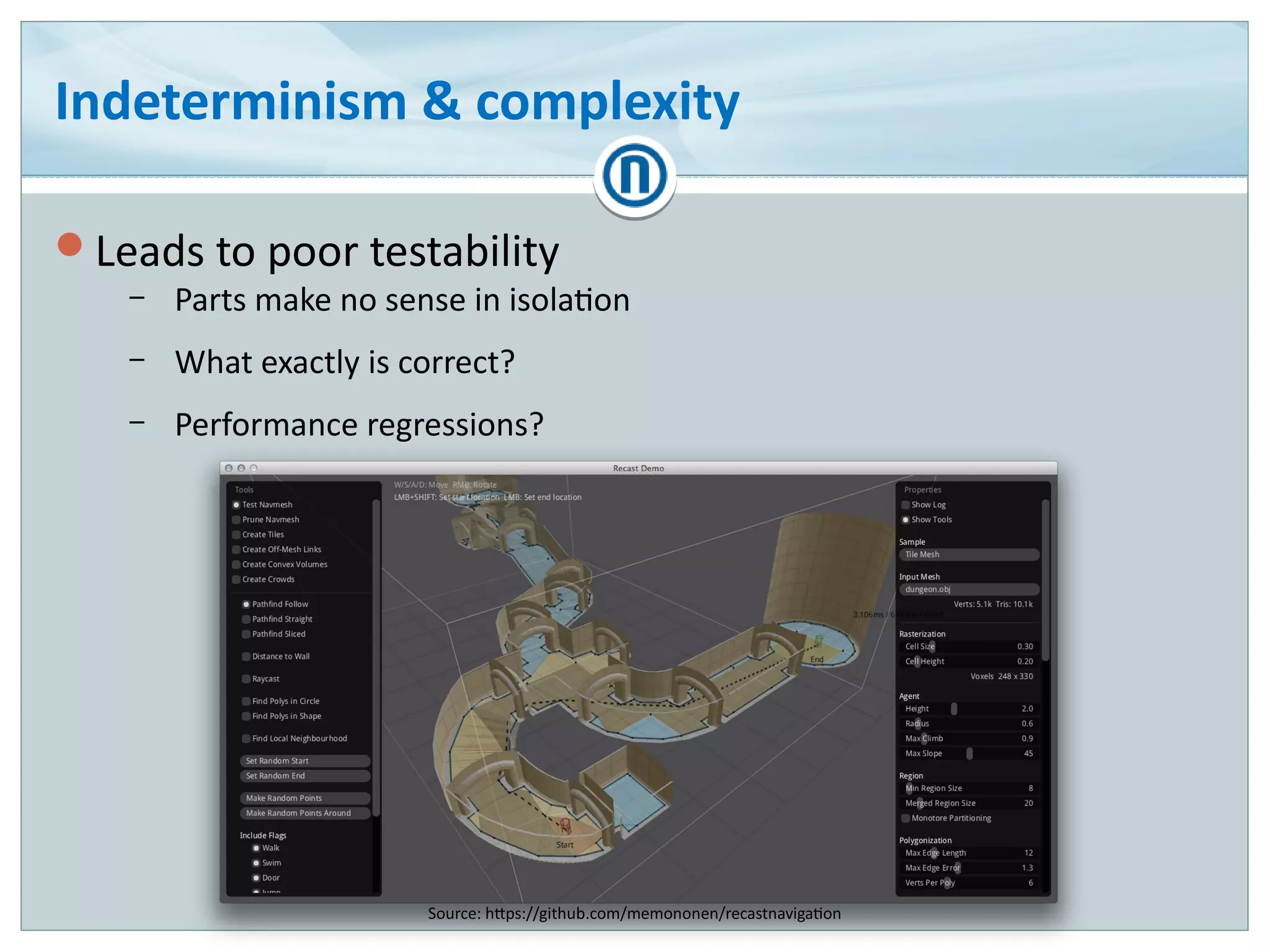
Indeterminism & complexity
Leads to poor testability
– Parts make no sense in isolation
– What exactly is correct?
– Performance regressions?
Source: https://github.com/memononen/recastnavigation
Aversion to general software engineering
Modelling
Object-Oriented Programming
Design patterns
C++ STL
Templates in general
…
Agenda
How is gamedev different?
Bug species
Case studies
Conclusions
Bug species
Source: http://benigoat.tumblr.com/post/100306422911/press-b-to-crouch
General programming bugs
Memory access violations
Memory stomping/buffer overflows
Infinite loops
Uninitialized variables
Reference cycles
Floating point precision errors
Out-Of-Memory/memory fragmentation
Memory leaks
Threading errors
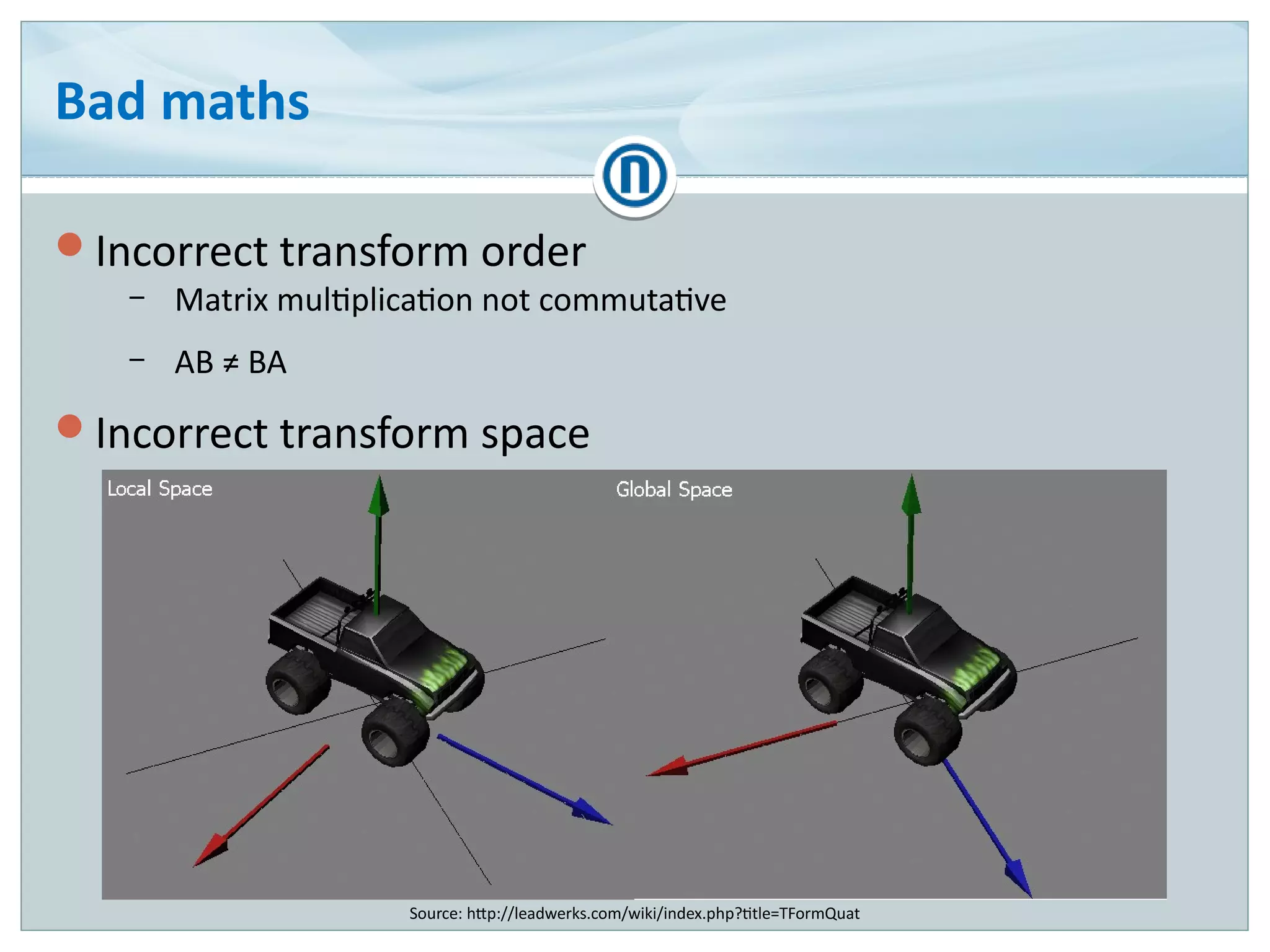
Bad maths
Incorrect transform order
– Matrix multiplication not commutative
– AB ≠ BA
Incorrect transform space
Source: http://leadwerks.com/wiki/index.php?title=TFormQuat
Temporal bugs
Incorrect update order
– for (int i = 0; i < entities.size(); ++i)
entities[i].update();
Incorrect interpolation/blending
– Bad alpha term
– Bad blending mode (additive/modulate)
Deferred effects
– After n frames
– After n times an action happens
– n may be random, indeterministic
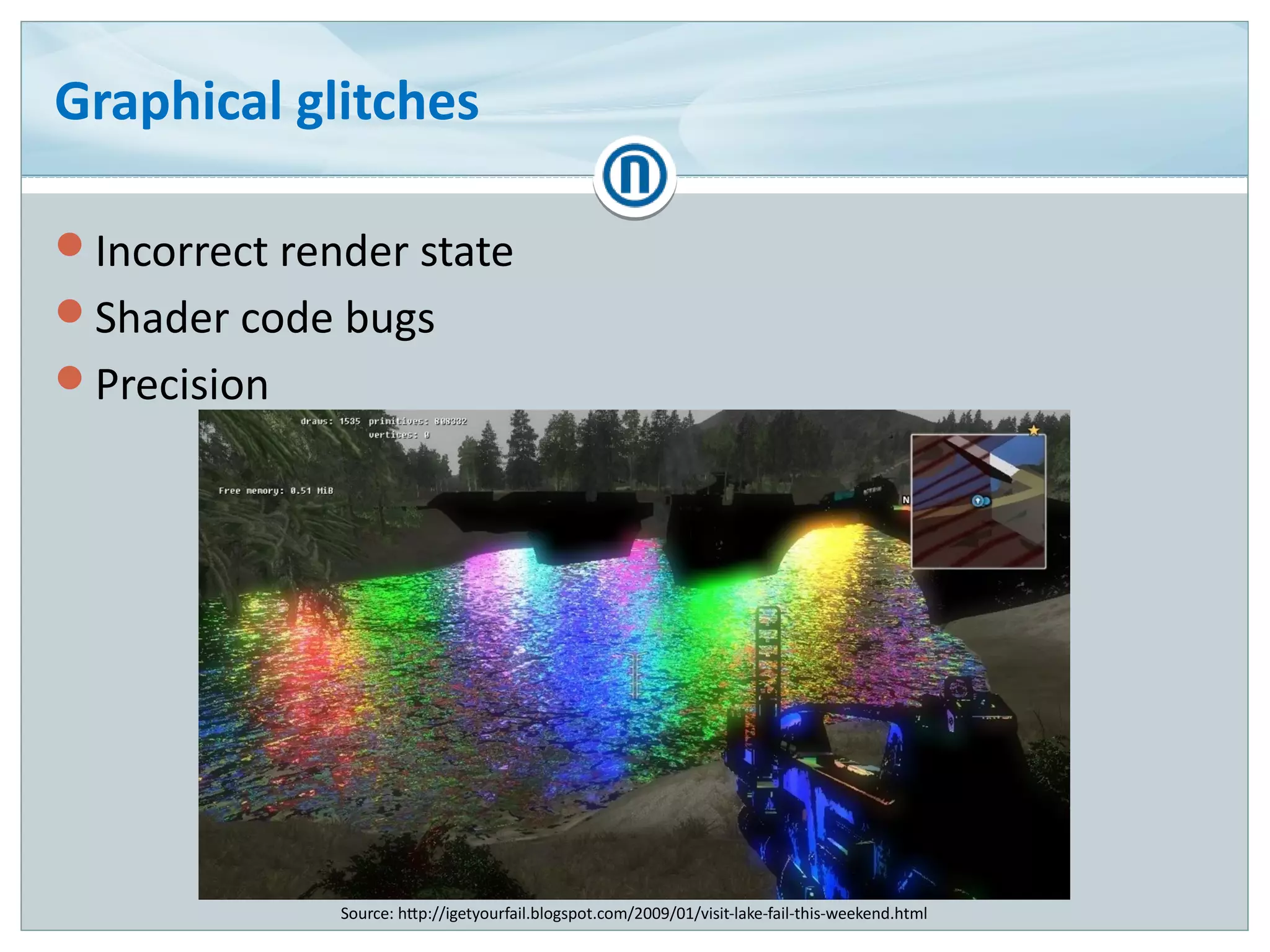
Graphical glitches
Incorrect render state
Shader code bugs
Precision
Source: http://igetyourfail.blogspot.com/2009/01/visit-lake-fail-this-weekend.html
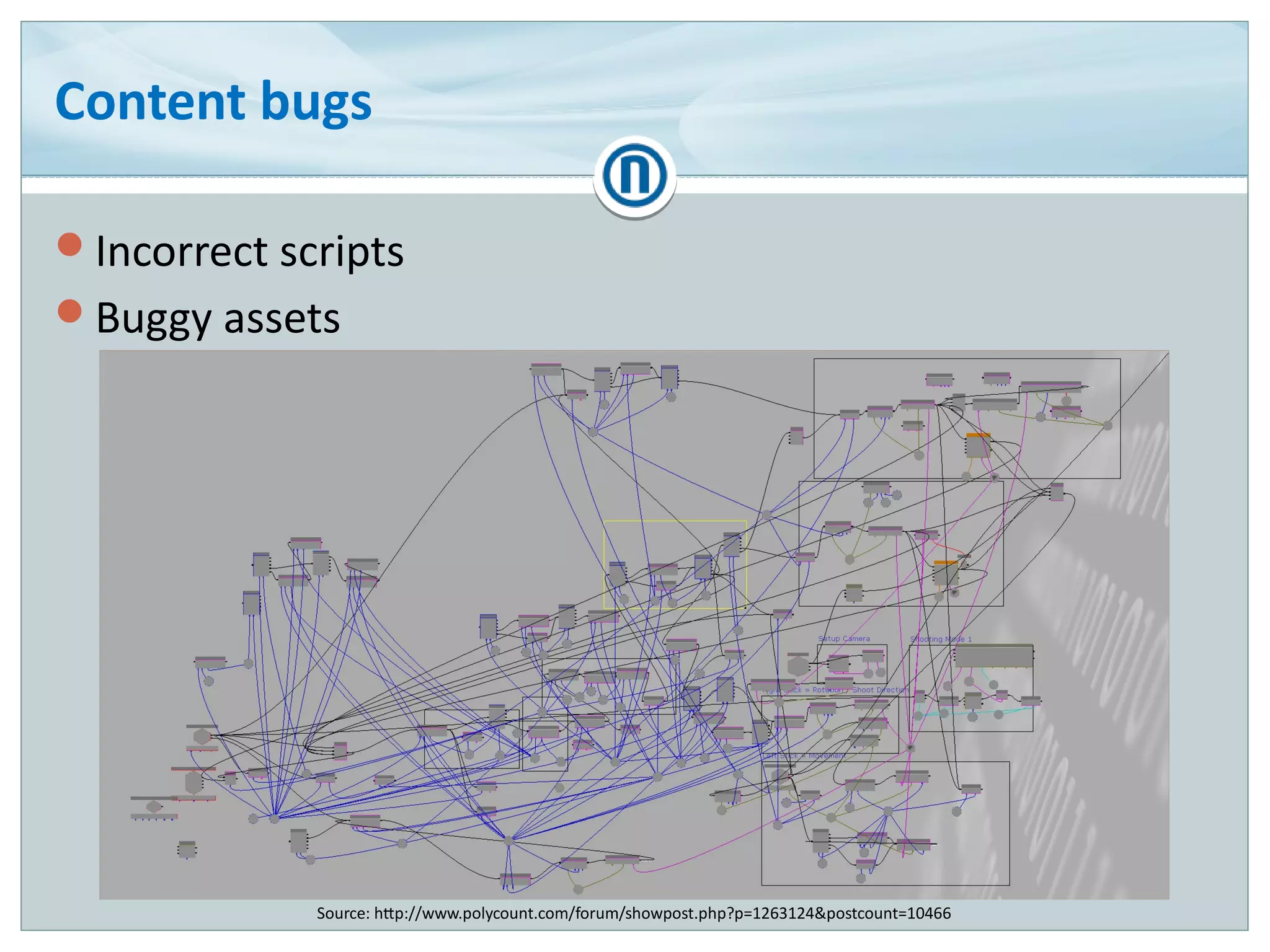
Content bugs
Incorrect scripts
Buggy assets
Source: http://www.polycount.com/forum/showpost.php?p=1263124&postcount=10466
Worst part?
Most cases are two or more of the aforementioned,
intertwined
Agenda
How is gamedev different?
Bug species
Case studies
Conclusions
Case studies
Most material captured by
Video settings not updating
Incorrect weapon after demon
mode foreshadowing
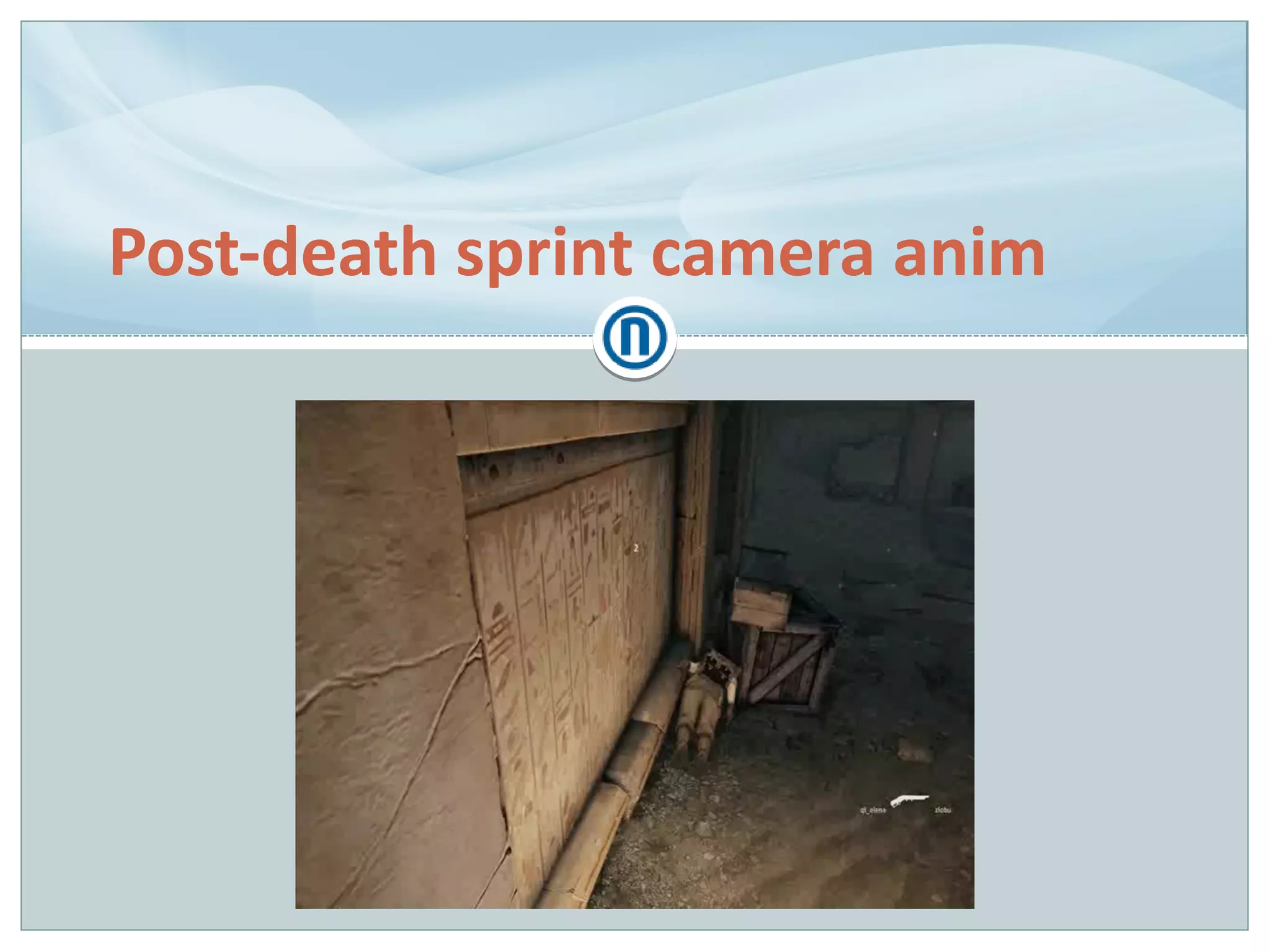
Post-death sprint camera anim
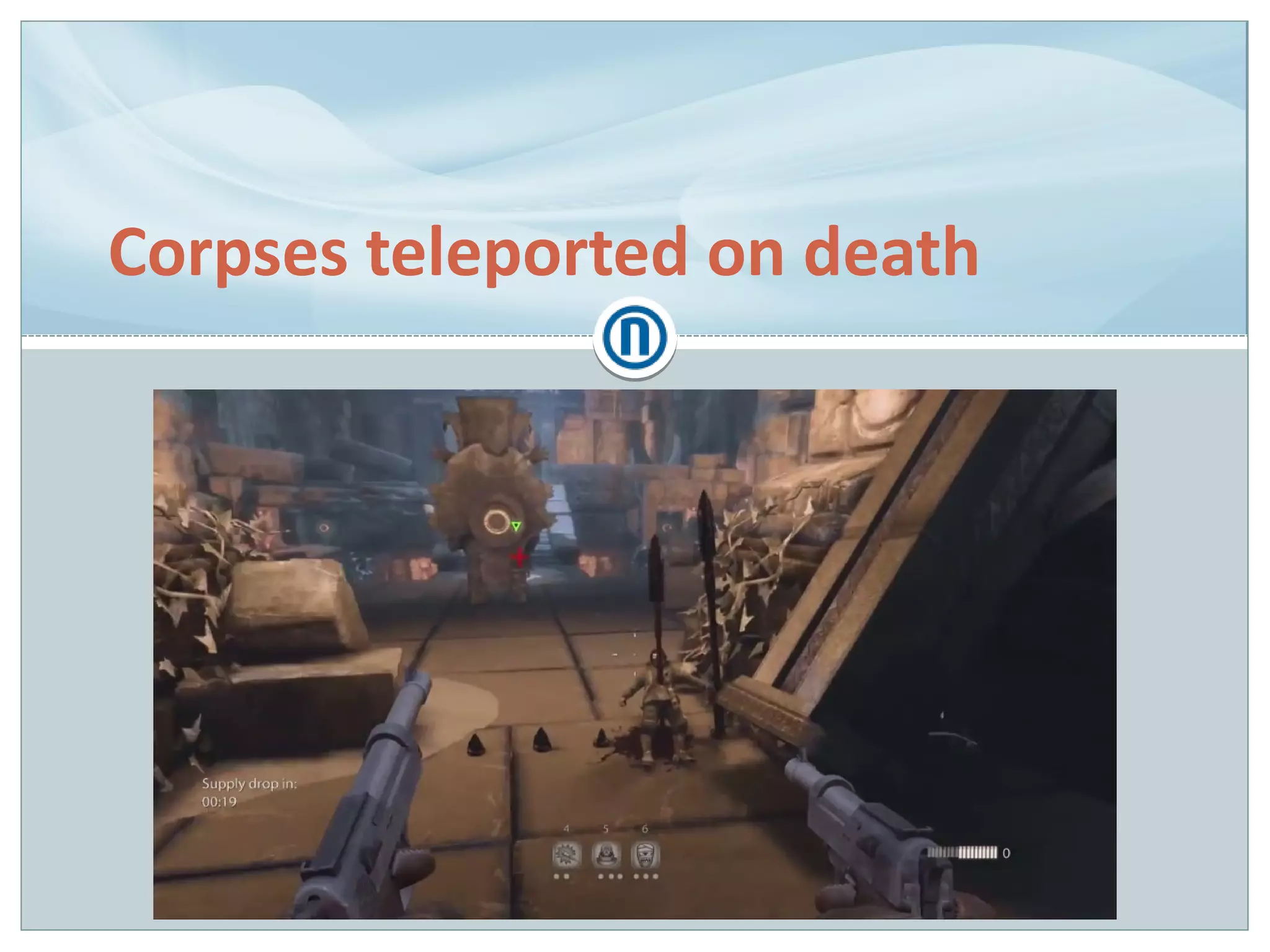
Corpses teleported on death
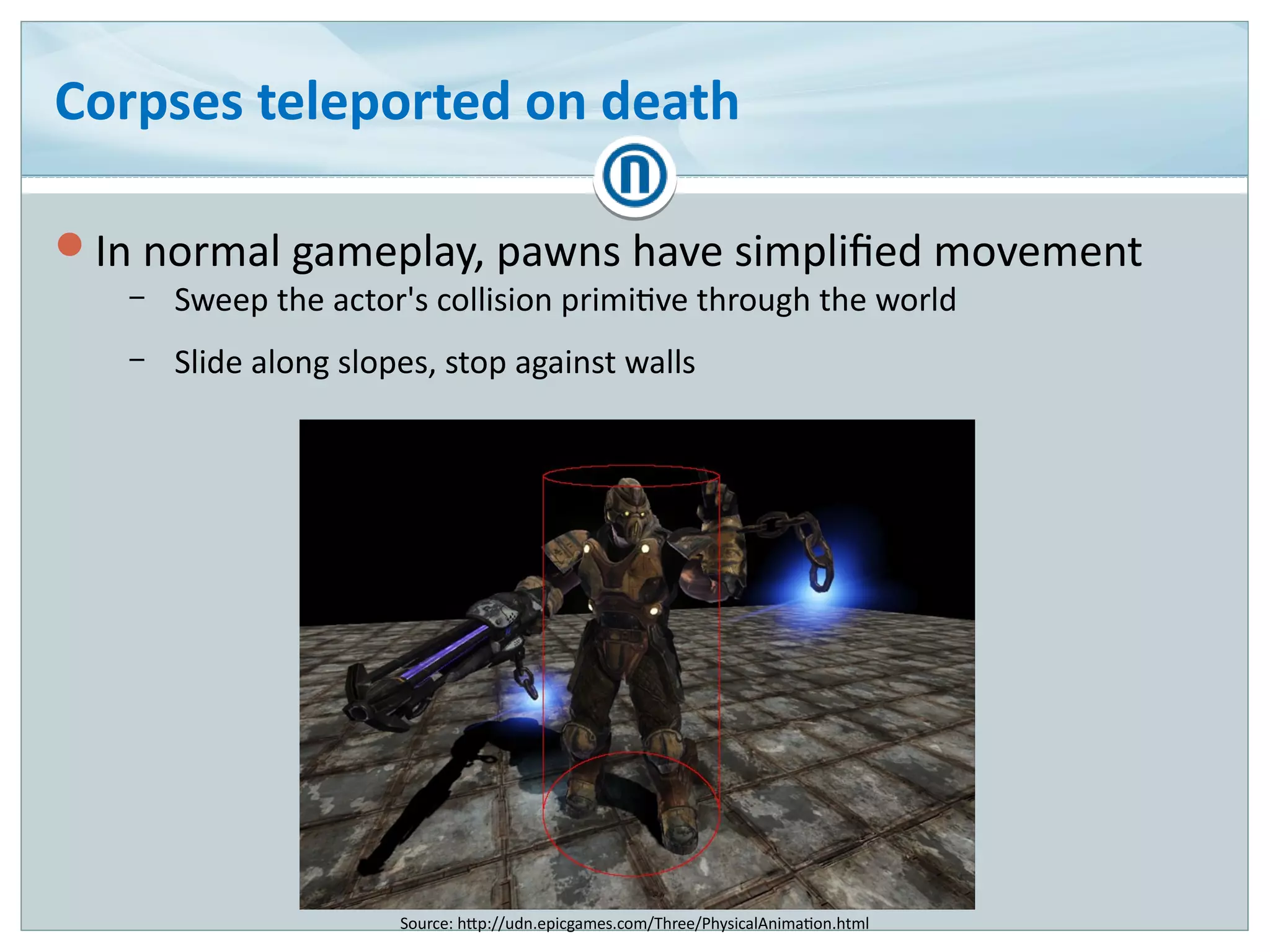
In normal gameplay, pawns have simplified movement
– Sweep the actor's collision primitive through the world
– Slide along slopes, stop against walls
Source: http://udn.epicgames.com/Three/PhysicalAnimation.html
Corpses teleported on death
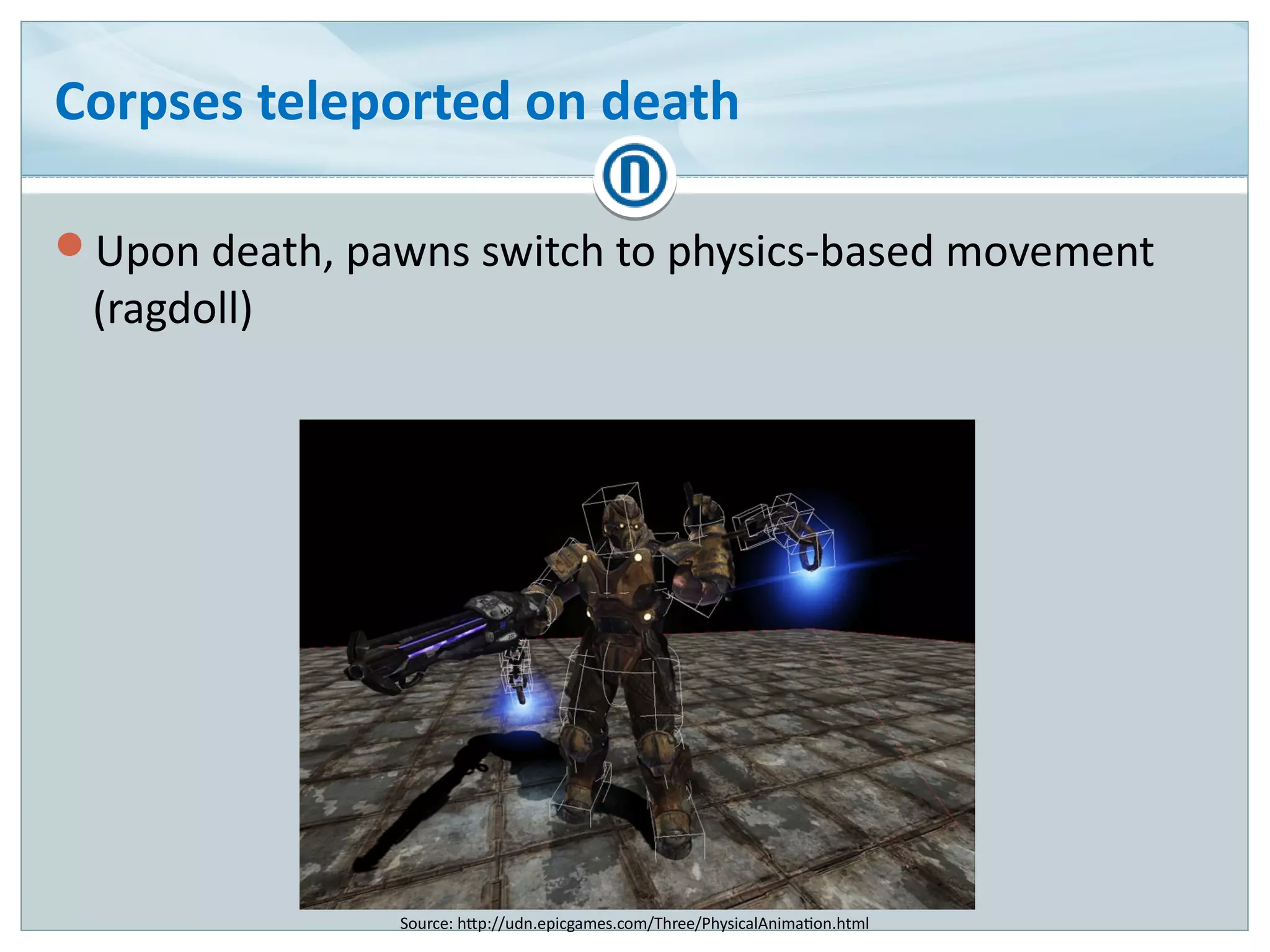
Upon death, pawns switch to physics-based movement
(ragdoll)
Source: http://udn.epicgames.com/Three/PhysicalAnimation.html
Corpses teleported on death (cont.)
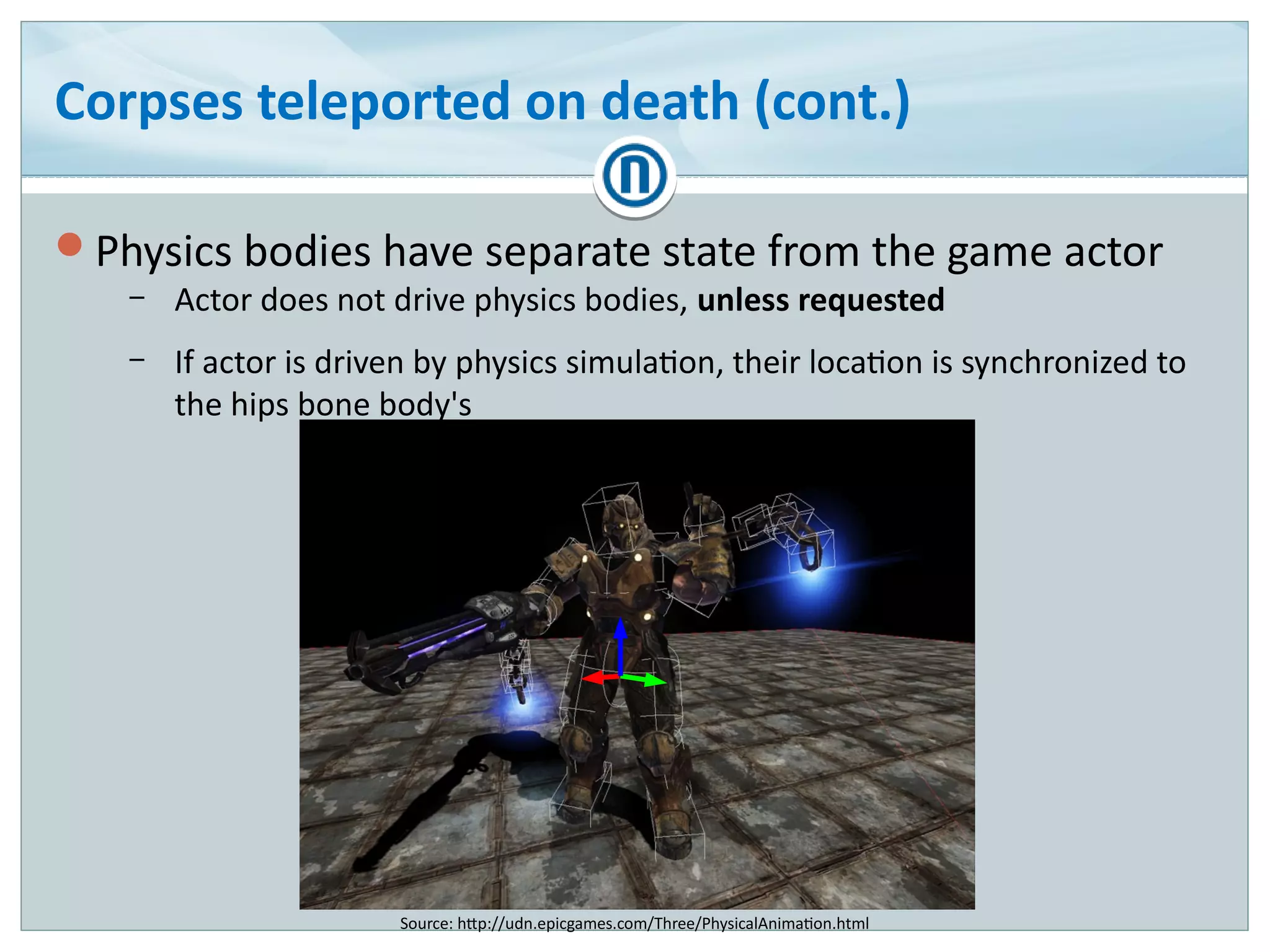
Physics bodies have separate state from the game actor
– Actor does not drive physics bodies, unless requested
– If actor is driven by physics simulation, their location is synchronized to
the hips bone body's
Source: http://udn.epicgames.com/Three/PhysicalAnimation.html
Corpses teleported on death (cont.)
Idea: breakpoint in FarMove()?
– One function because world octree is updated
– Function gets called a gazillion times per frame �
– Terrible noise
Breakpoint condition?
– Teleport from arbitrary point A to arbitrary point B
– Distance?
Breakpoint sequence?
– Break on death instead
– When breakpoint hit, break in FarMove()
Corpses teleported on death (cont.)
Cause: physics body driving the actor with out-of-date
state
Fix: request physics body state synchronization to
animation before switching to ragdoll
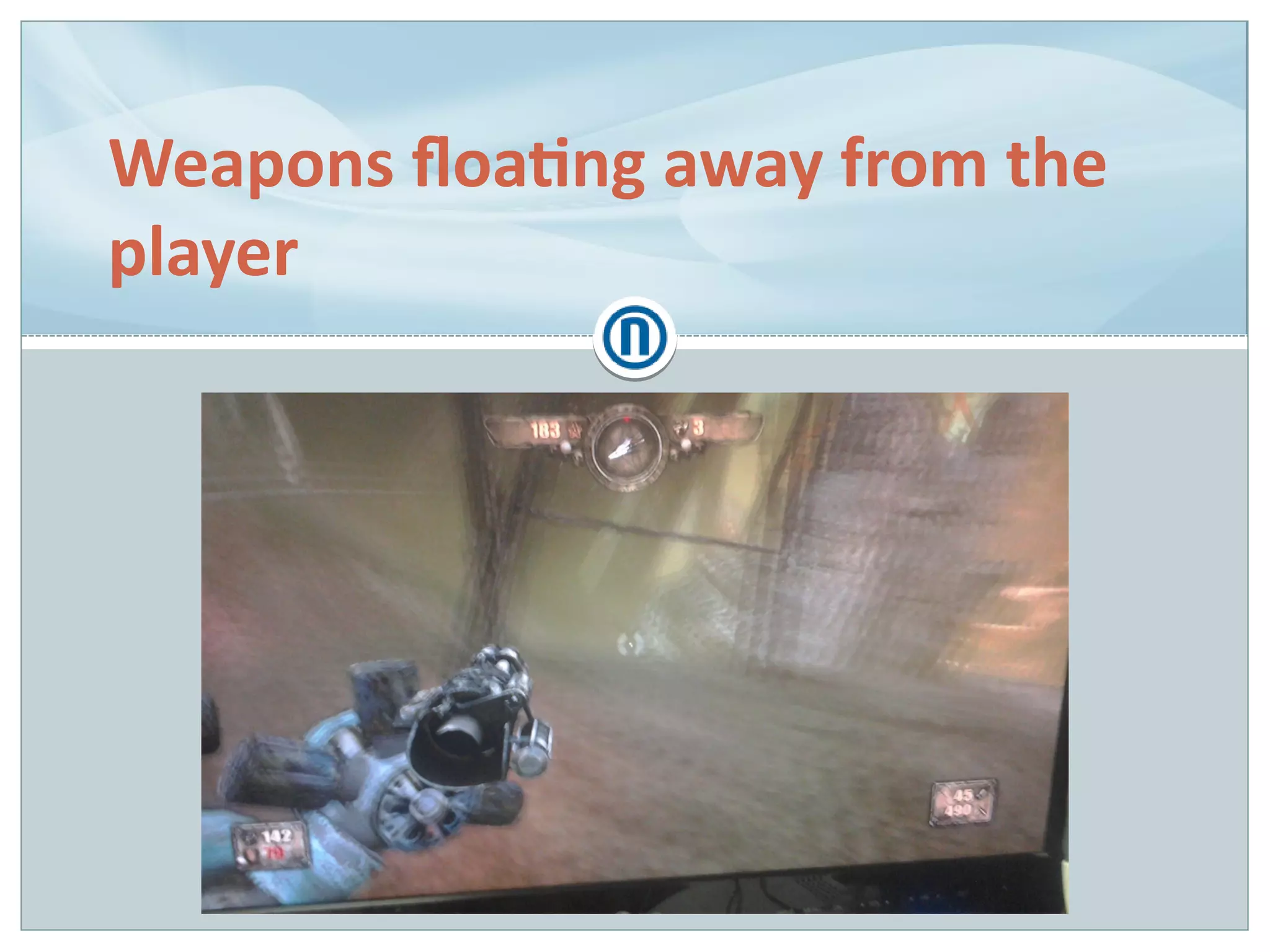
Weapons floating away from the
player
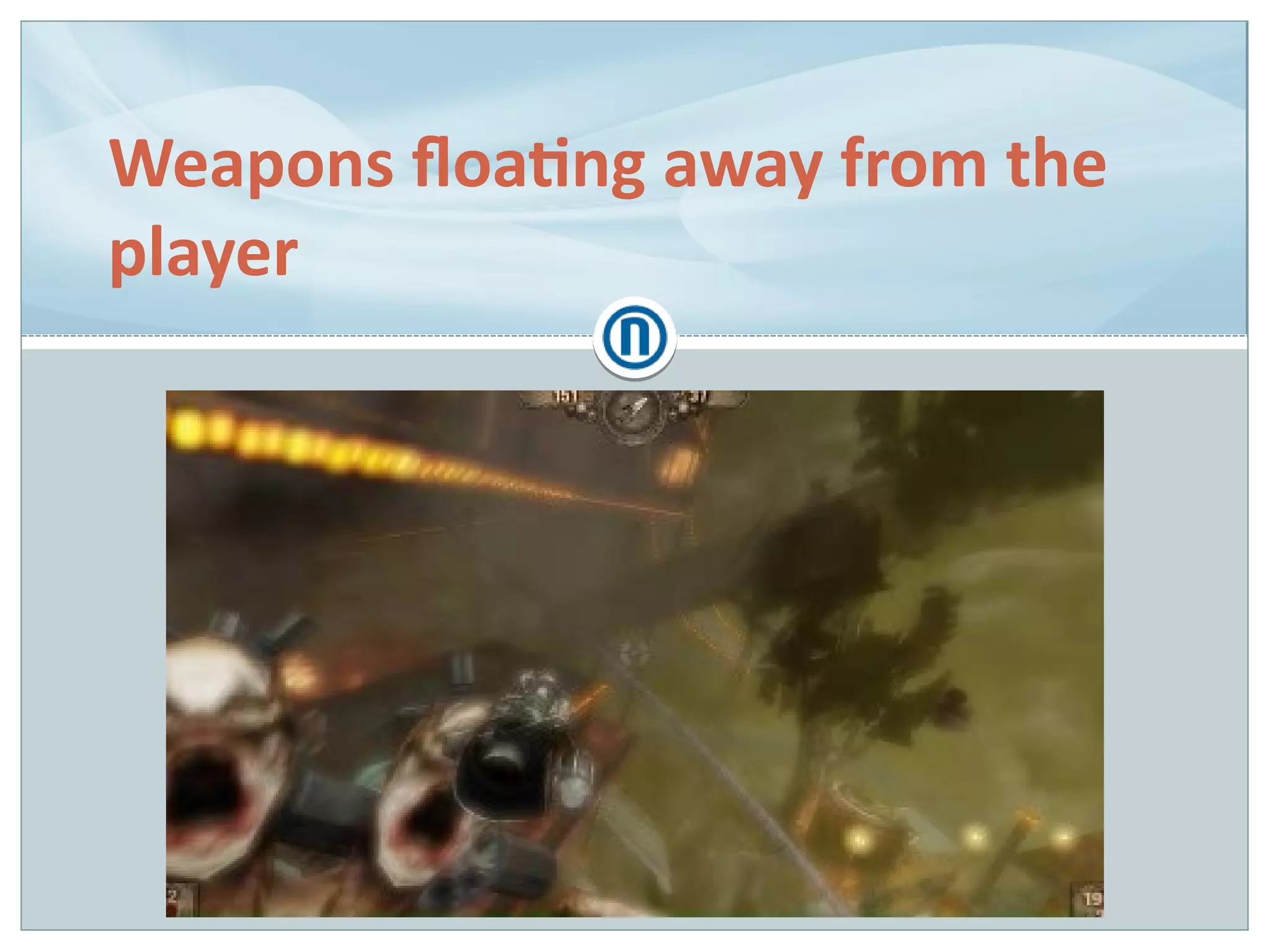
Weapons floating away from the
player
Weapons floating away from the player
Extremely rare, only encountered on consoles
– Reproduction rate somewhere at 1 in 50 attempts
– And never on developer machines �
Player pawn in a special state for the rollercoaster ride
– Many things could go wrong
For the lack of repro, sprinkled the code with debug logs
Weapons floating away from the player (cont.)
Cause: incorrect update order
– for (int i = 0; i < entities.size(); ++i)
entities[i].update();
– Player pawn forced to update after rollercoaster car
– Possible for weapons to be updated before player pawns
Fix: enforce weapon update after player pawns
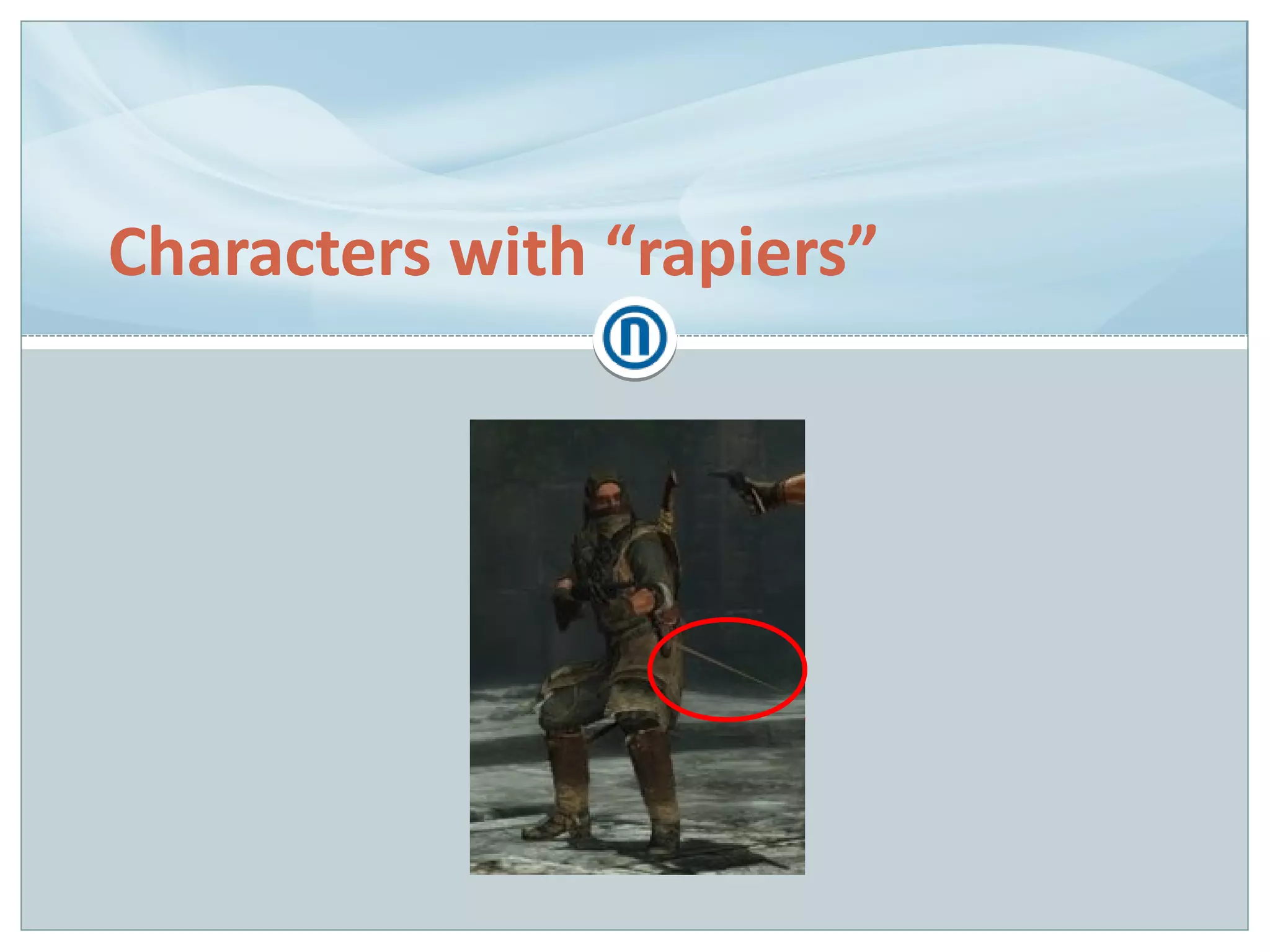
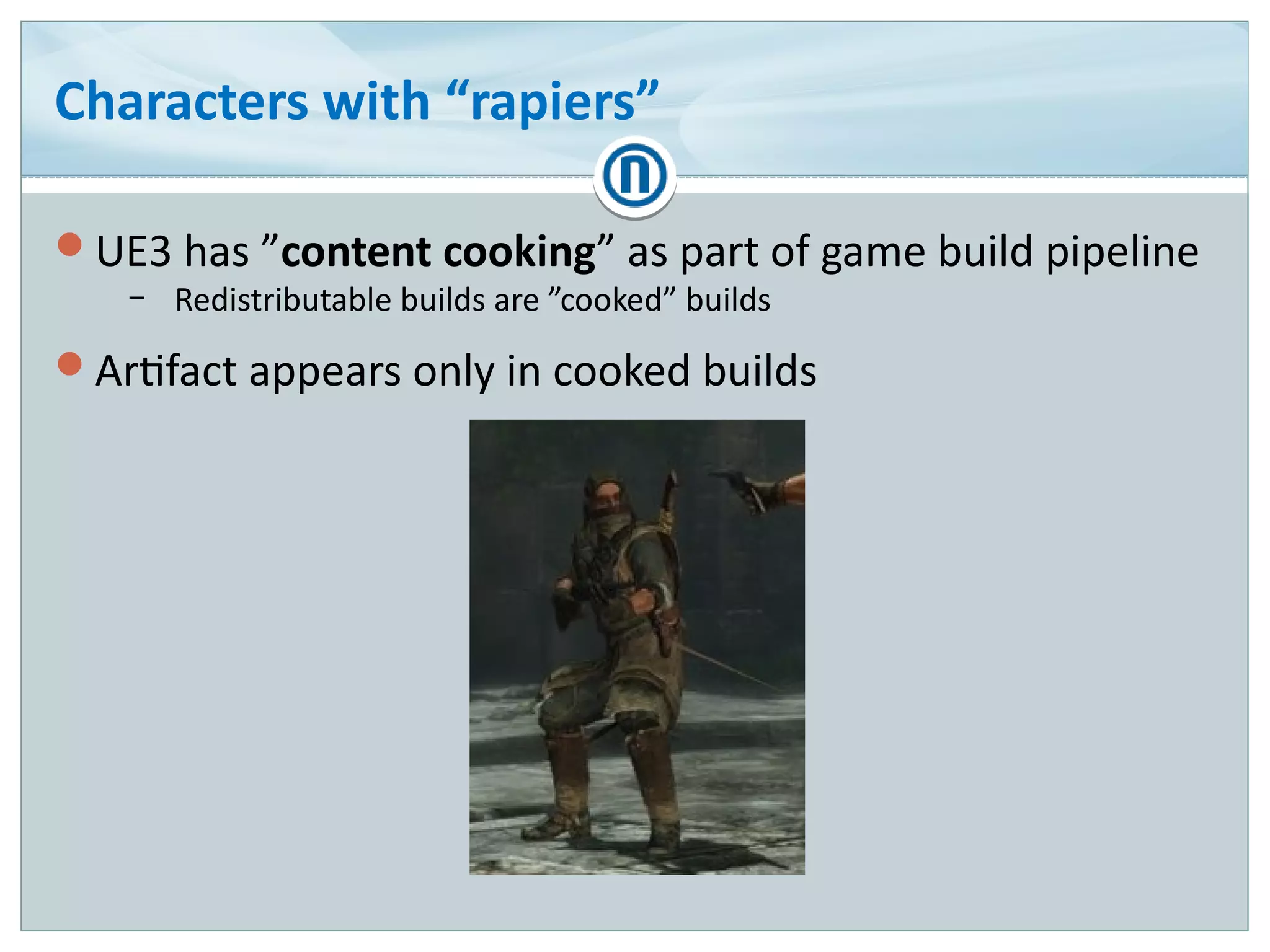
Characters with “rapiers”
UE3 has ”content cooking” as part of game build pipeline
– Redistributable builds are ”cooked” builds
Artifact appears only in cooked builds
Characters with “rapiers” – cont.
Logs contained assertions for ”out-of-bounds vertices”
Mesh vertex compression scheme
– 32-bit float → 16-bit short int (~50% savings)
– Find bounding sphere for all vertices
– Normalize all vertices to said sphere radius
– Map [-1; 1] floats to [-32768; 32767] 16-bit integers
Assert condition
– for (int i = 0; i < 3; ++i)
assert(v[i] >= -1.f && v[i] <= 1.f,
”Out-of-bound vertex!”);
Characters with “rapiers” – cont.
v[i] was NaN
– Interesting property of NaN: all comparisons fail
– Even with itself
●
float f = nanf();
bool b = (f == f);
// b is false
How did it get there?!
Tracked the NaN all the way down to the raw engine
asset!
Characters with “rapiers” (cont.)
Cause: ???
Fix: re-export the mesh from 3D software
– Magic!
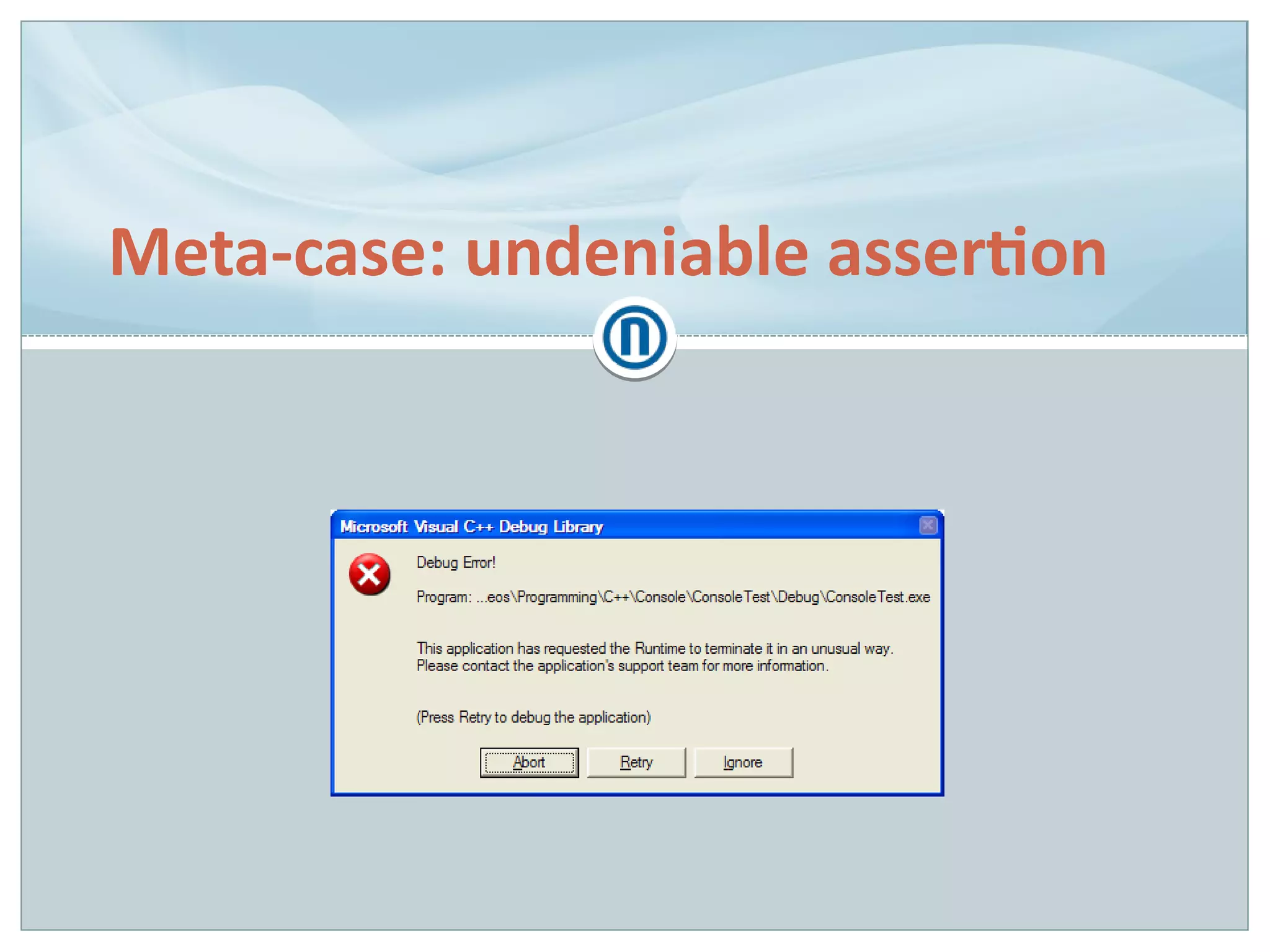
Meta-case: undeniable assertion
Undeniable assertion
Happened while debugging ”rapiers”
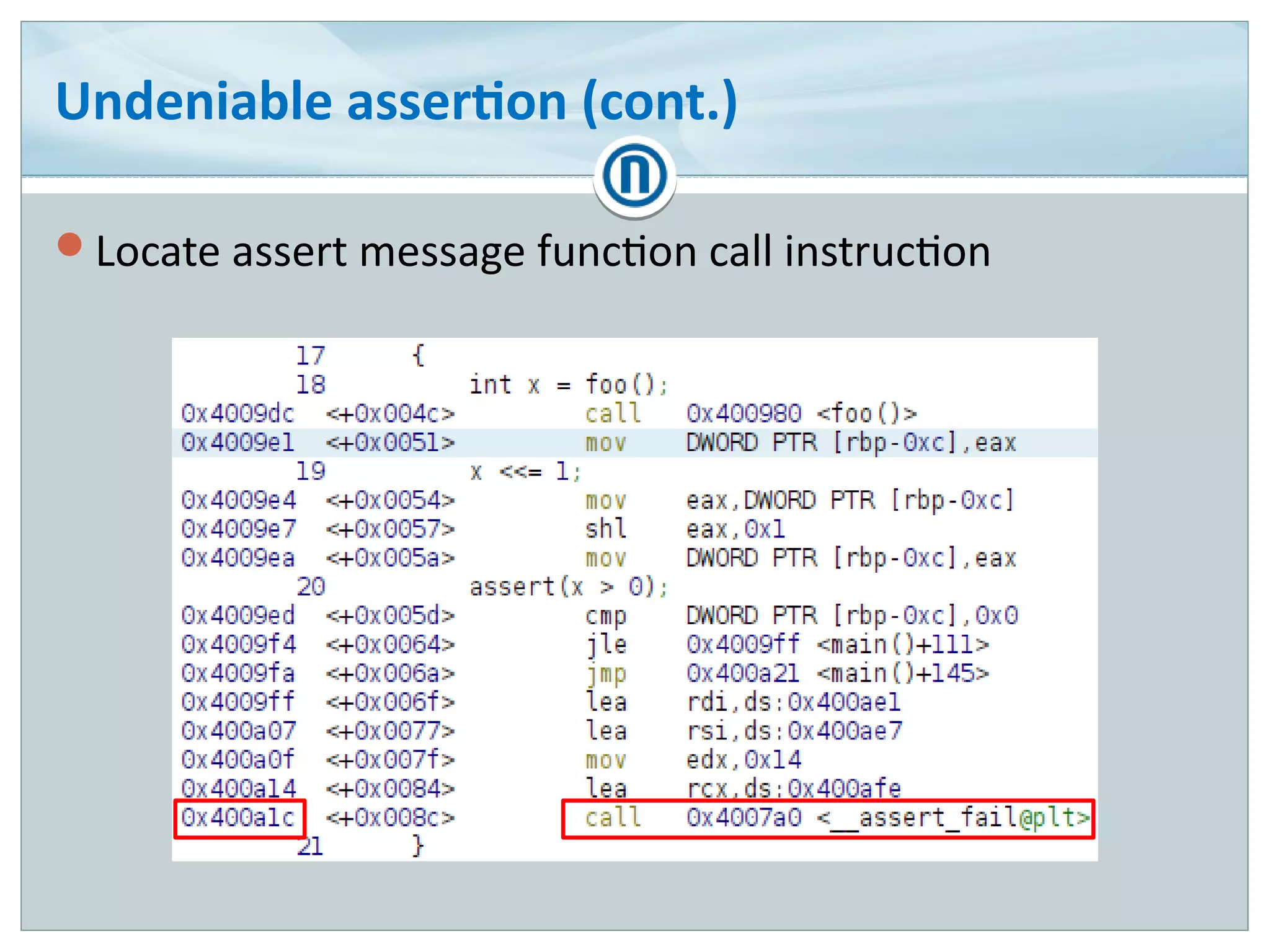
Texture compression library without sources
Flood of non-critical assertions
– For almost every texture
– Could not ignore in bulk �
– Terrible noise
Solution suggestion taken from [SINILO12]
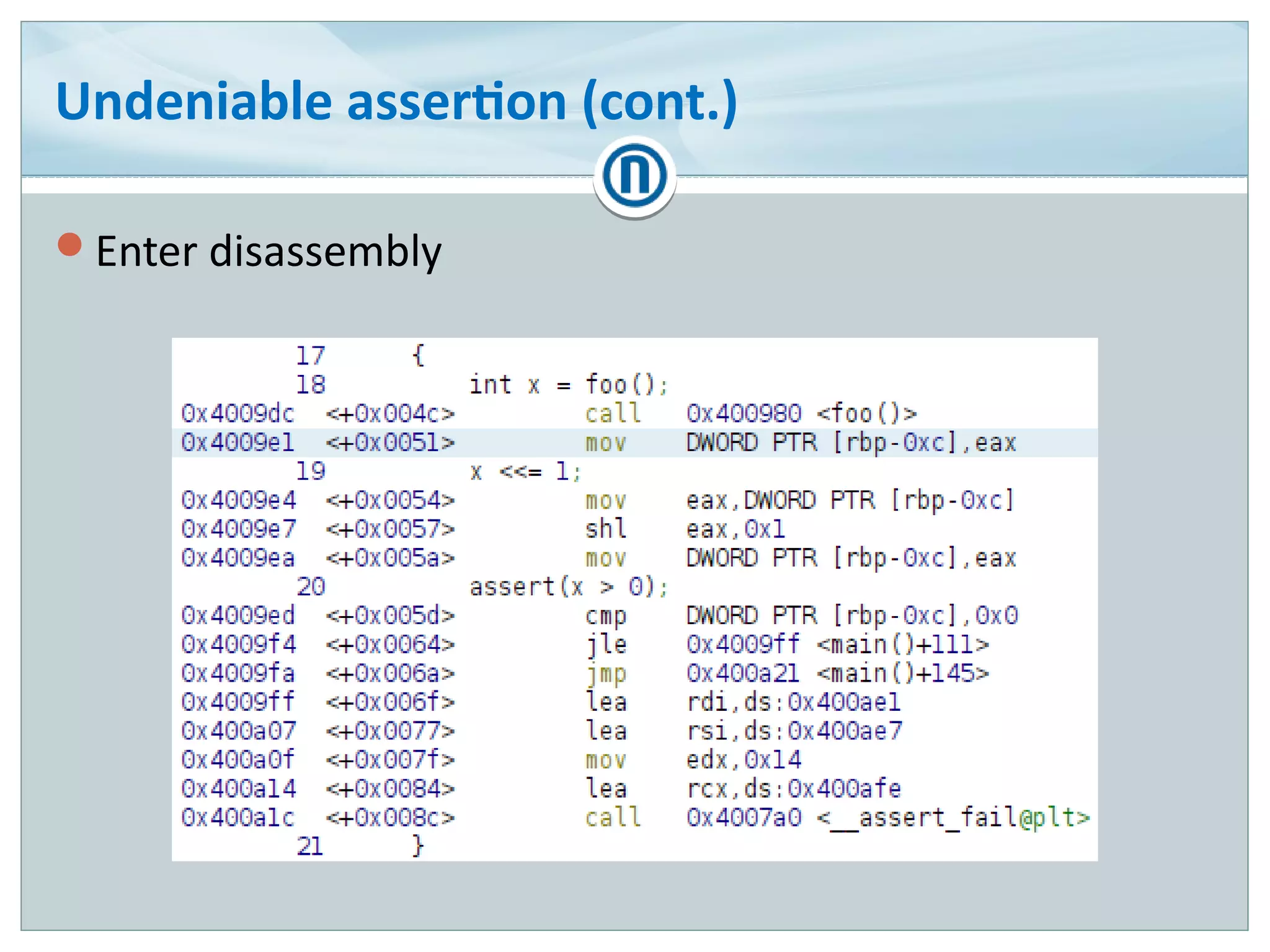
Undeniable assertion (cont.)
Enter disassembly
Undeniable assertion (cont.)
Locate assert message function call instruction
Undeniable assertion (cont.)
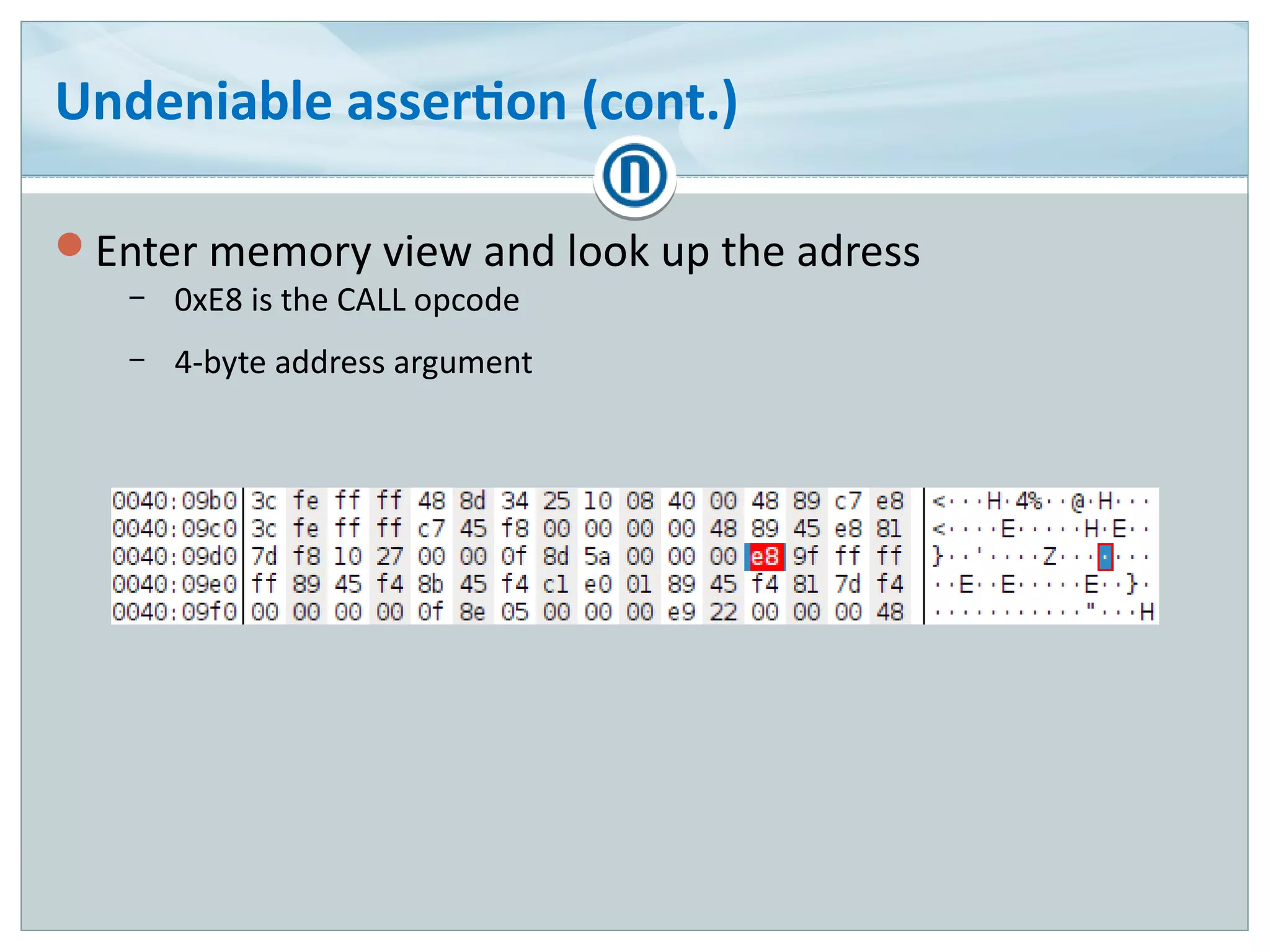
Enter memory view and look up the adress
– 0xE8 is the CALL opcode
– 4-byte address argument
Undeniable assertion (cont.)
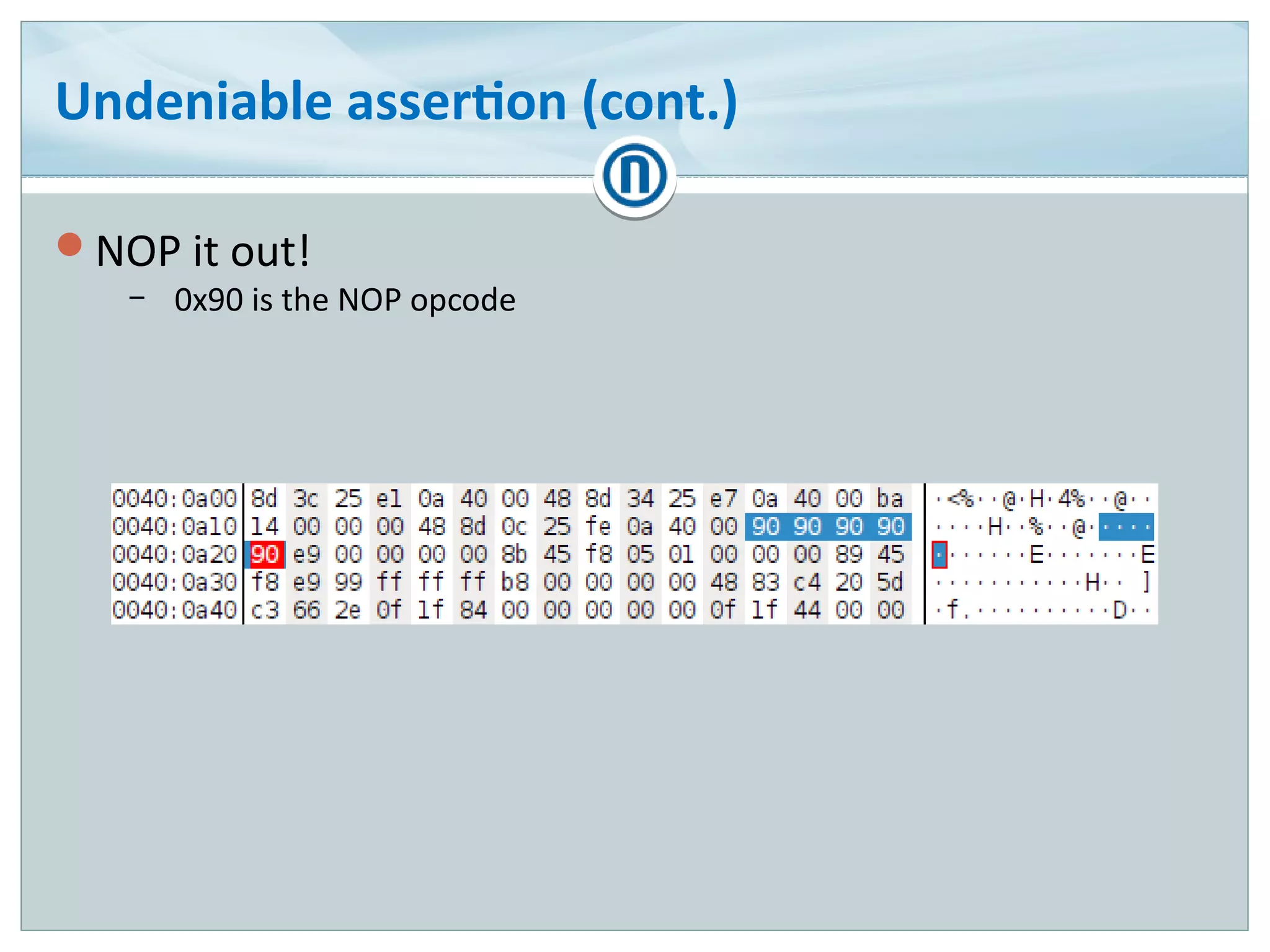
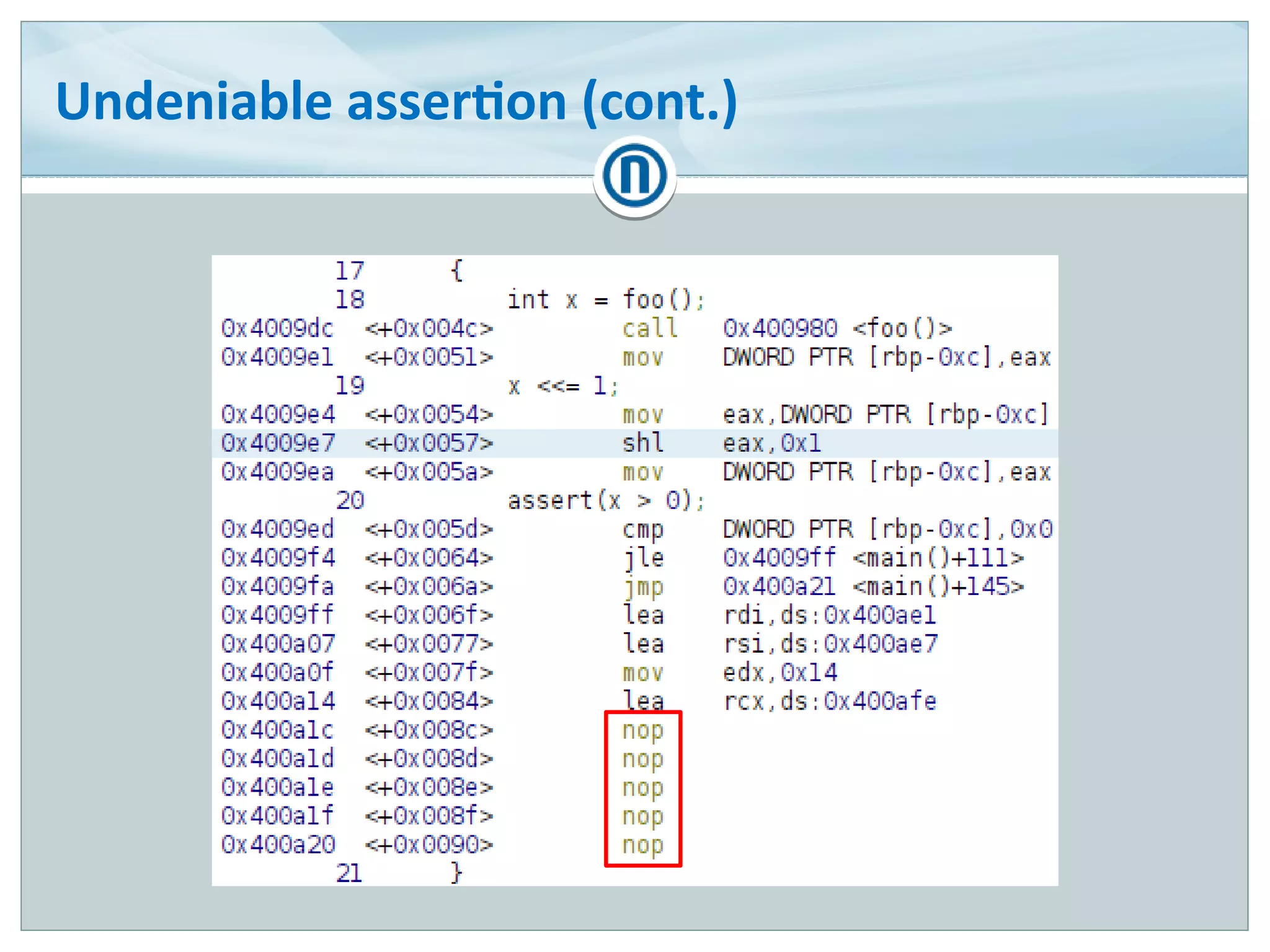
NOP it out!
– 0x90 is the NOP opcode
Undeniable assertion (cont.)
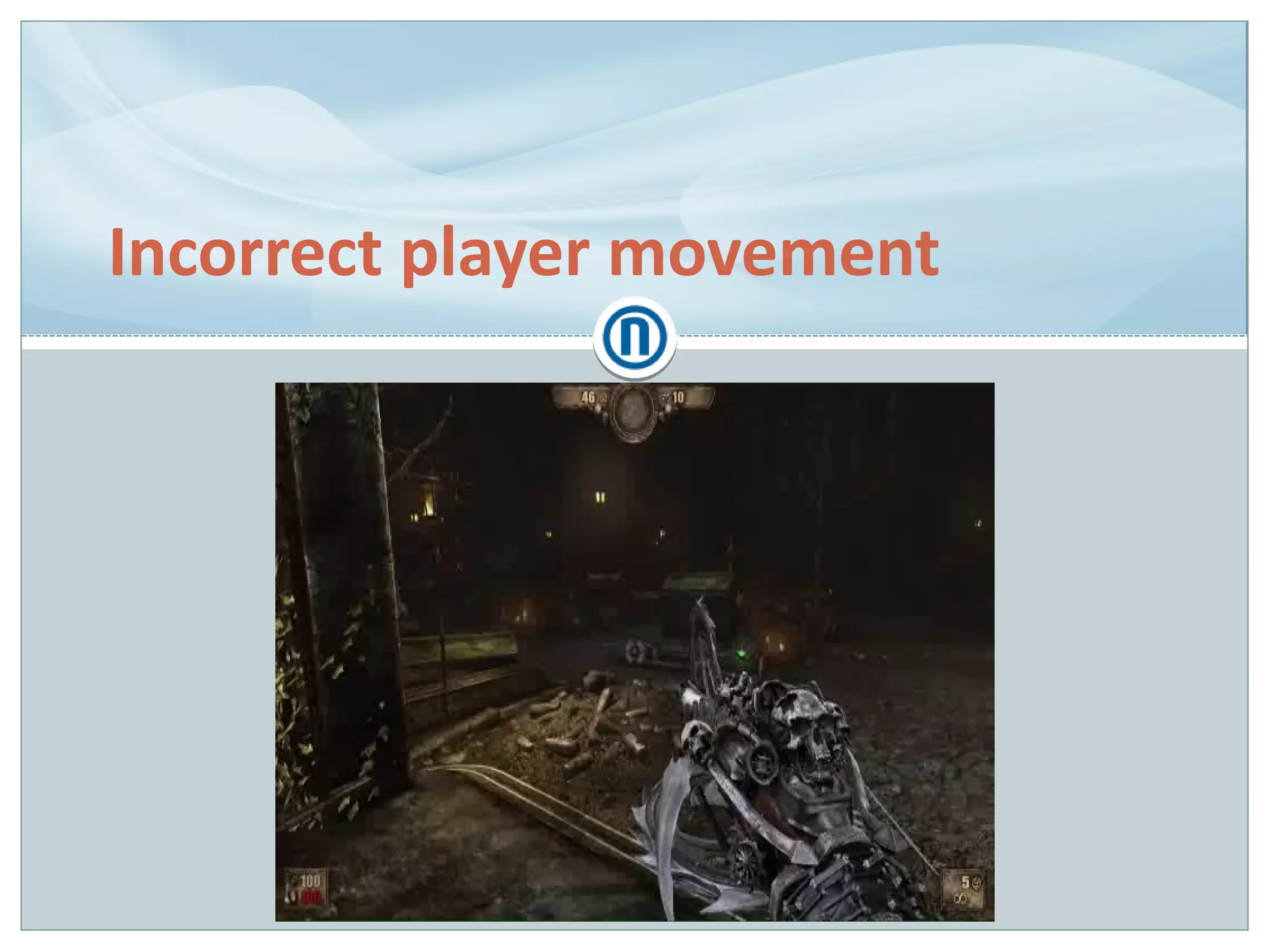
Incorrect player movement
Recreating player movement from one engine in another
(Pain Engine → Unreal Engine 3)
Different physics engines (Havok vs PhysX)
Many nuances
– Air control
– Jump and fall heights
– Slope & stair climbing & sliding down
Incorrect player movement (cont.)
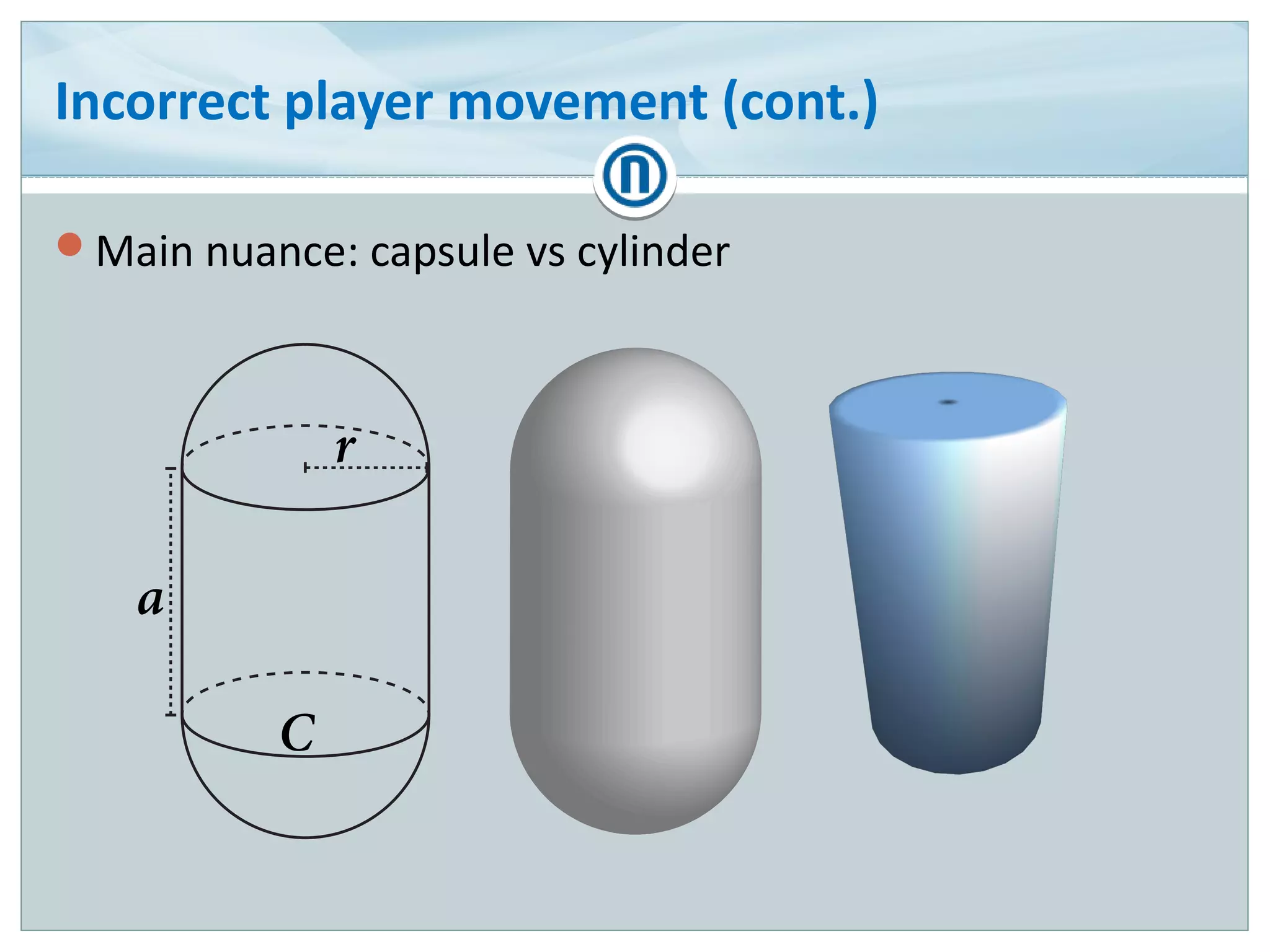
Main nuance: capsule vs cylinder
Incorrect player movement (cont.)
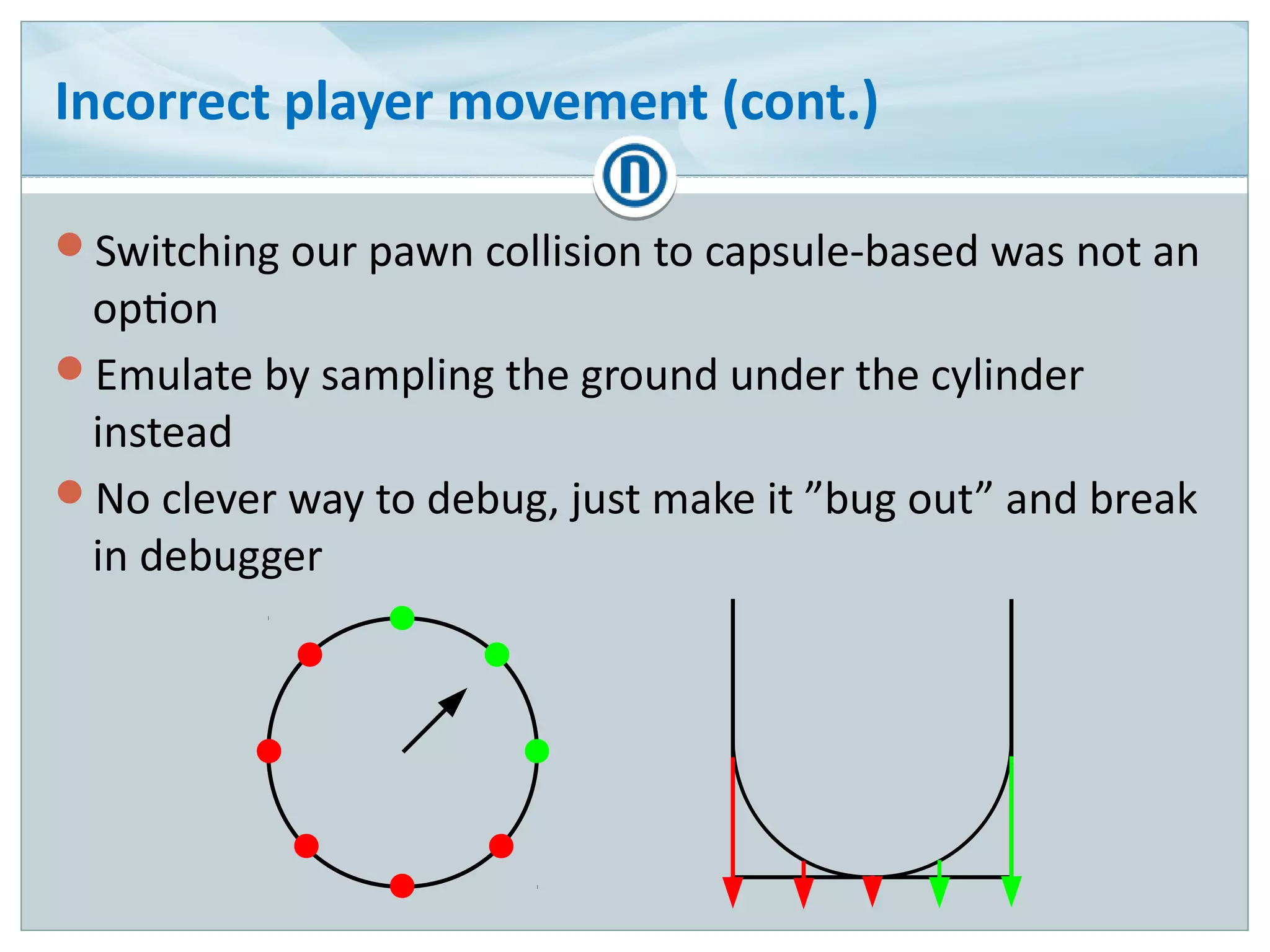
Switching our pawn collision to capsule-based was not an
option
Emulate by sampling the ground under the cylinder
instead
No clever way to debug, just make it ”bug out” and break
in debugger
Incorrect player movement (cont.)
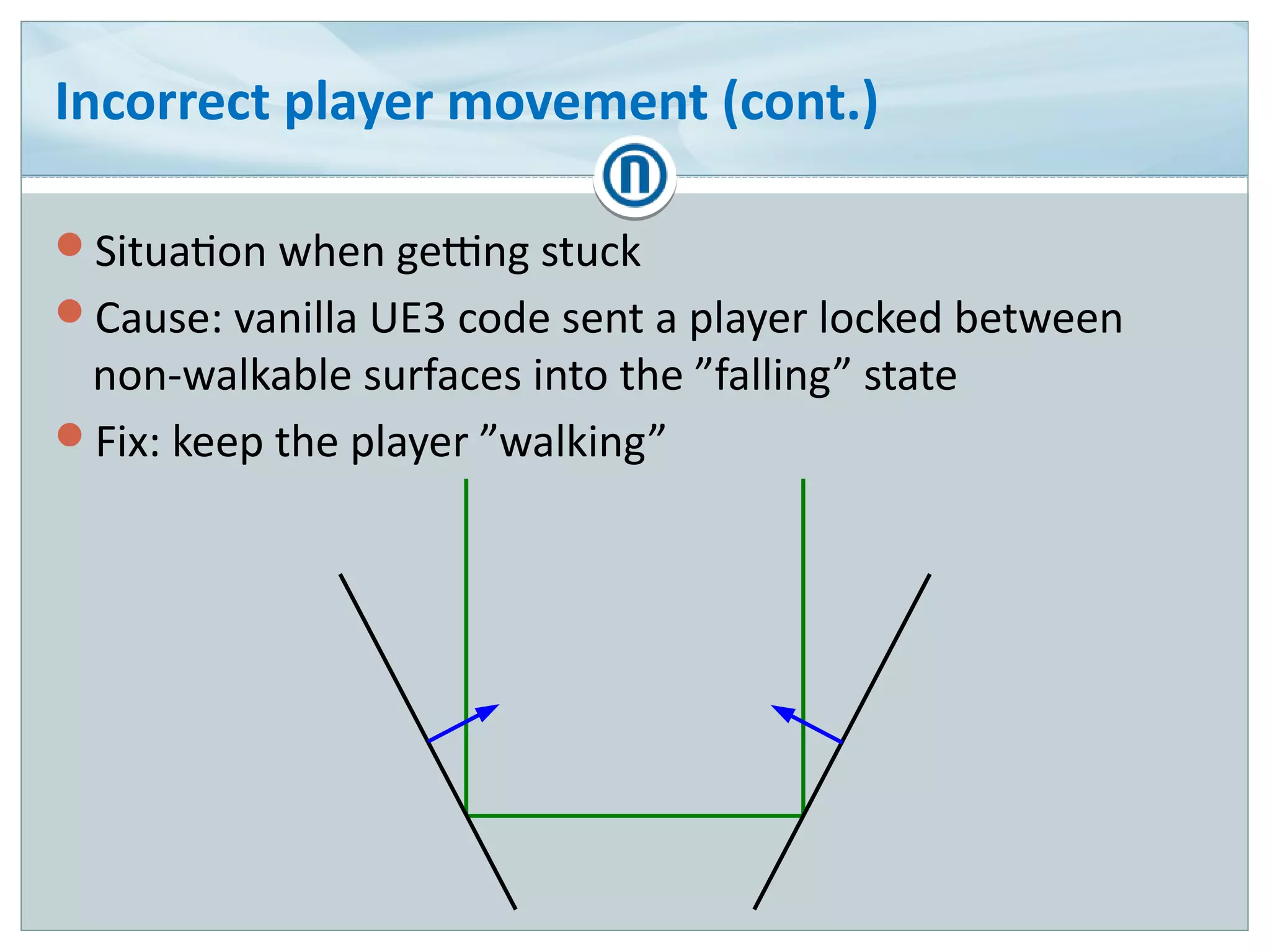
Situation when getting stuck
Cause: vanilla UE3 code sent a player locked between
non-walkable surfaces into the ”falling” state
Fix: keep the player ”walking”
Incorrect player movement (cont.)
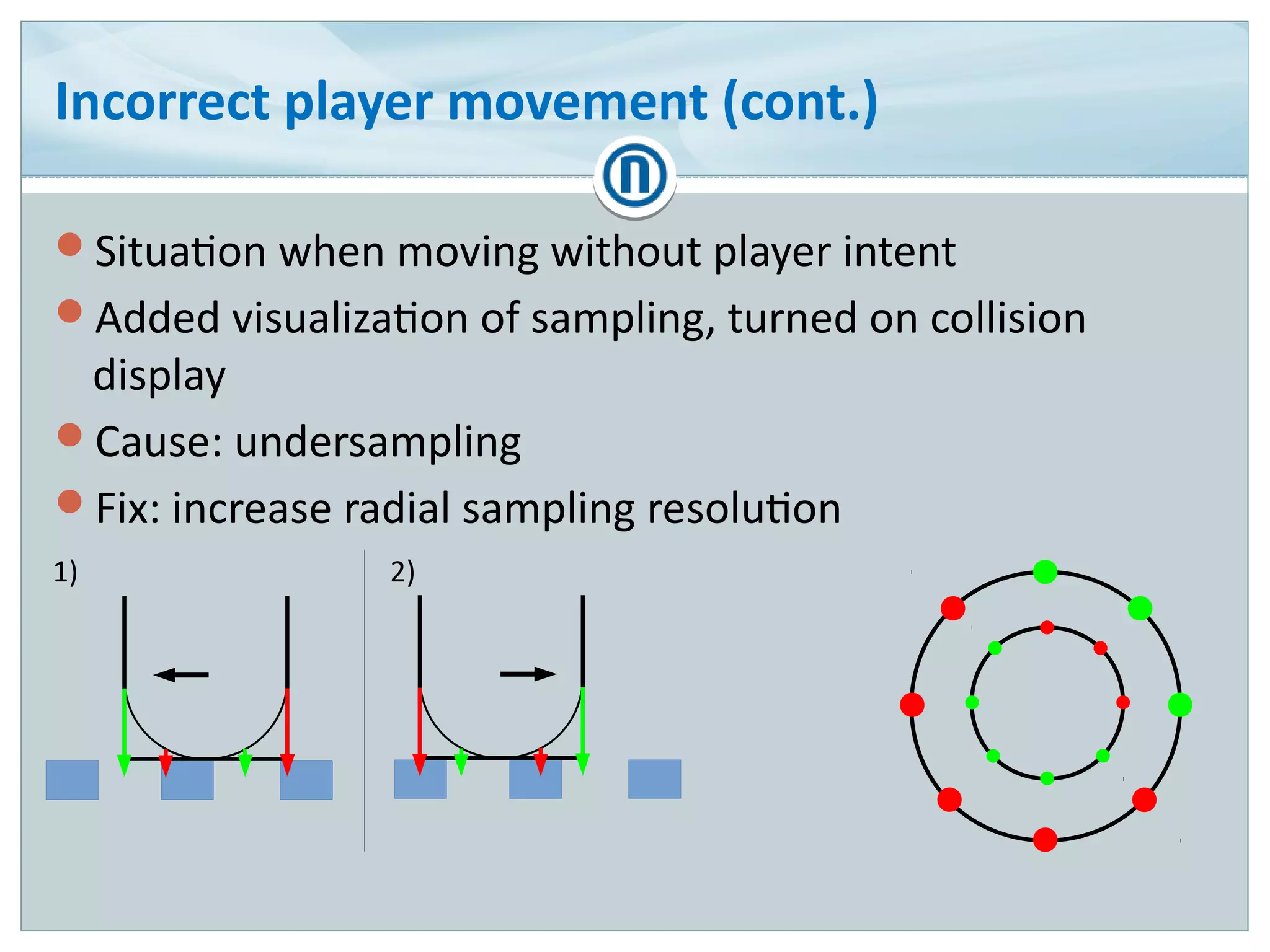
Situation when moving without player intent
Added visualization of sampling, turned on collision
display
Cause: undersampling
Fix: increase radial sampling resolution
1) 2)
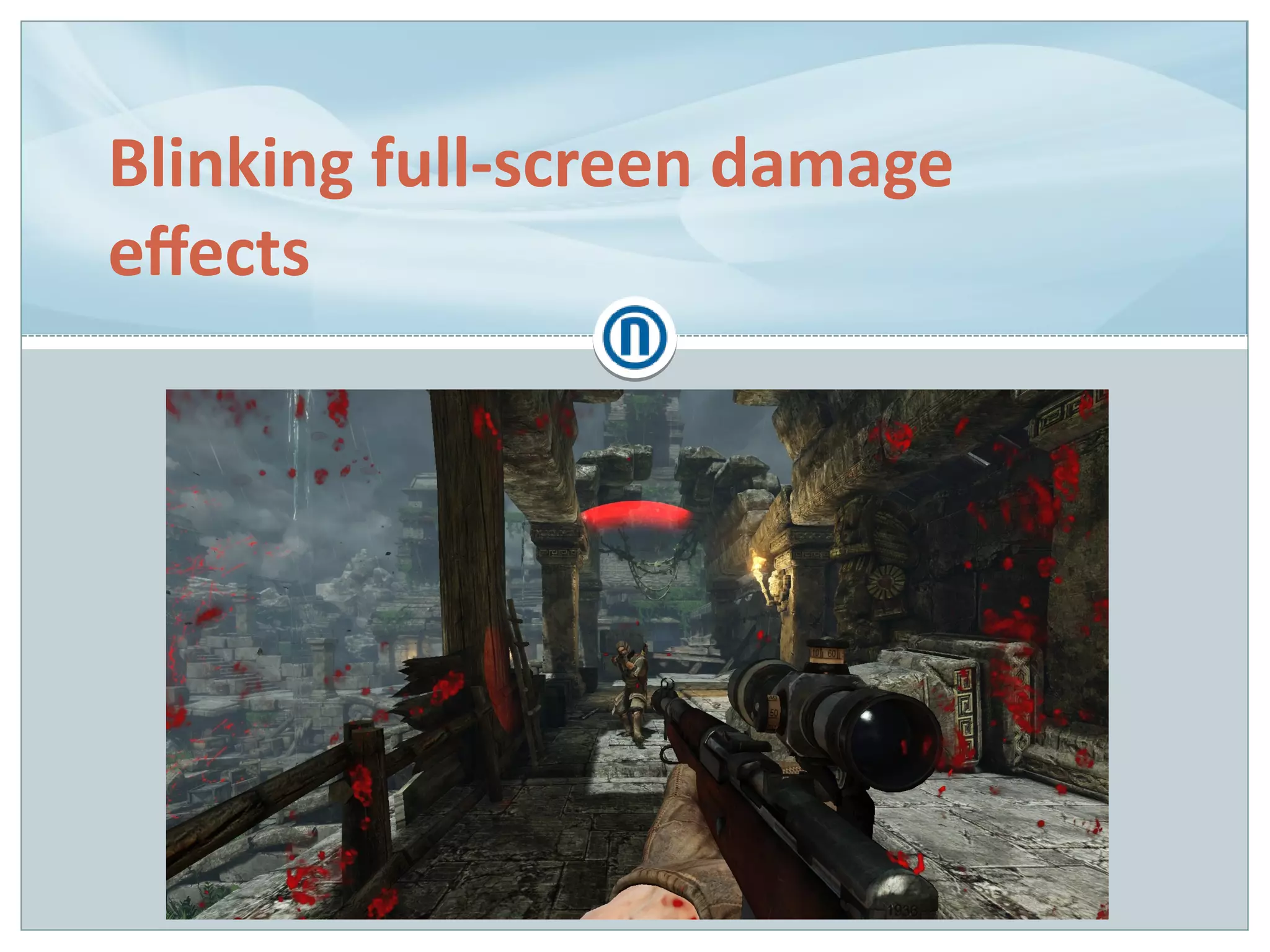
Blinking full-screen damage
effects
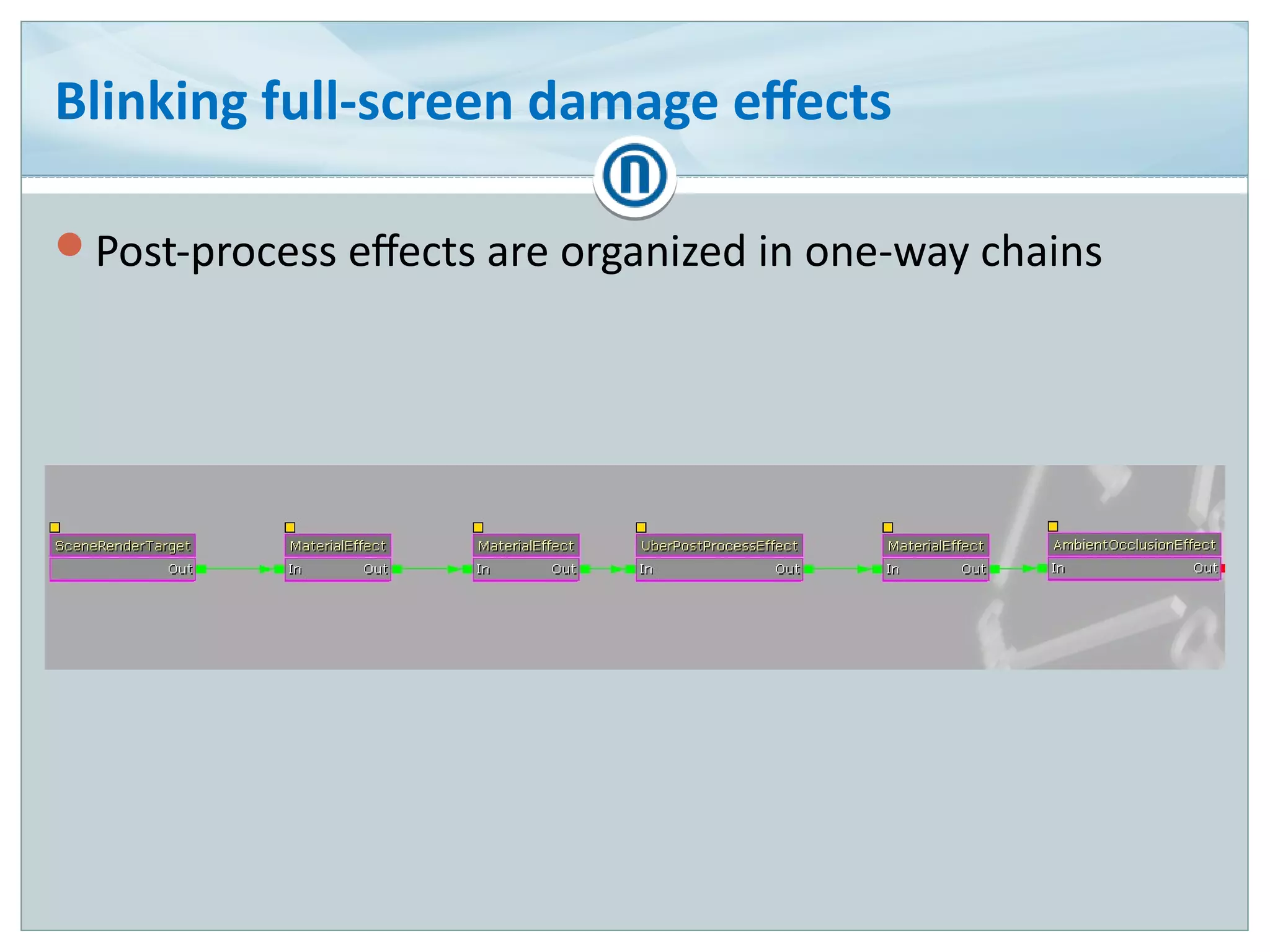
Blinking full-screen damage effects
Post-process effects are organized in one-way chains
Blinking full-screen damage effects (cont.)
No debugger available to observe the PP chain
Rolled my own overlay that walked and dumped the
chain contents
MaterialEffect 'Vignette'
Param 'Strength' 0.83 [IIIIIIII ]
MaterialEffect 'FilmGrain'
Param 'Strength' 0.00 [ ]
UberPostProcessEffect 'None'
SceneHighLights (X=0.80,Y=0.80,Z=0.80)
SceneMidTones (X=0.80,Y=0.80,Z=0.80)
…
MaterialEffect 'Blood'
Param 'Strength' 1.00 [IIIIIIIIII]
Blinking full-screen damage effects (cont.)
Cause: entire PP chain override
– Breakpoint in chain setting revealed the level script as the source
– Overeager level designer ticking one checkbox too many when setting
up thunderstorm effects
Fix: disable chain overriding altogether
– No use case for it in our game anyway
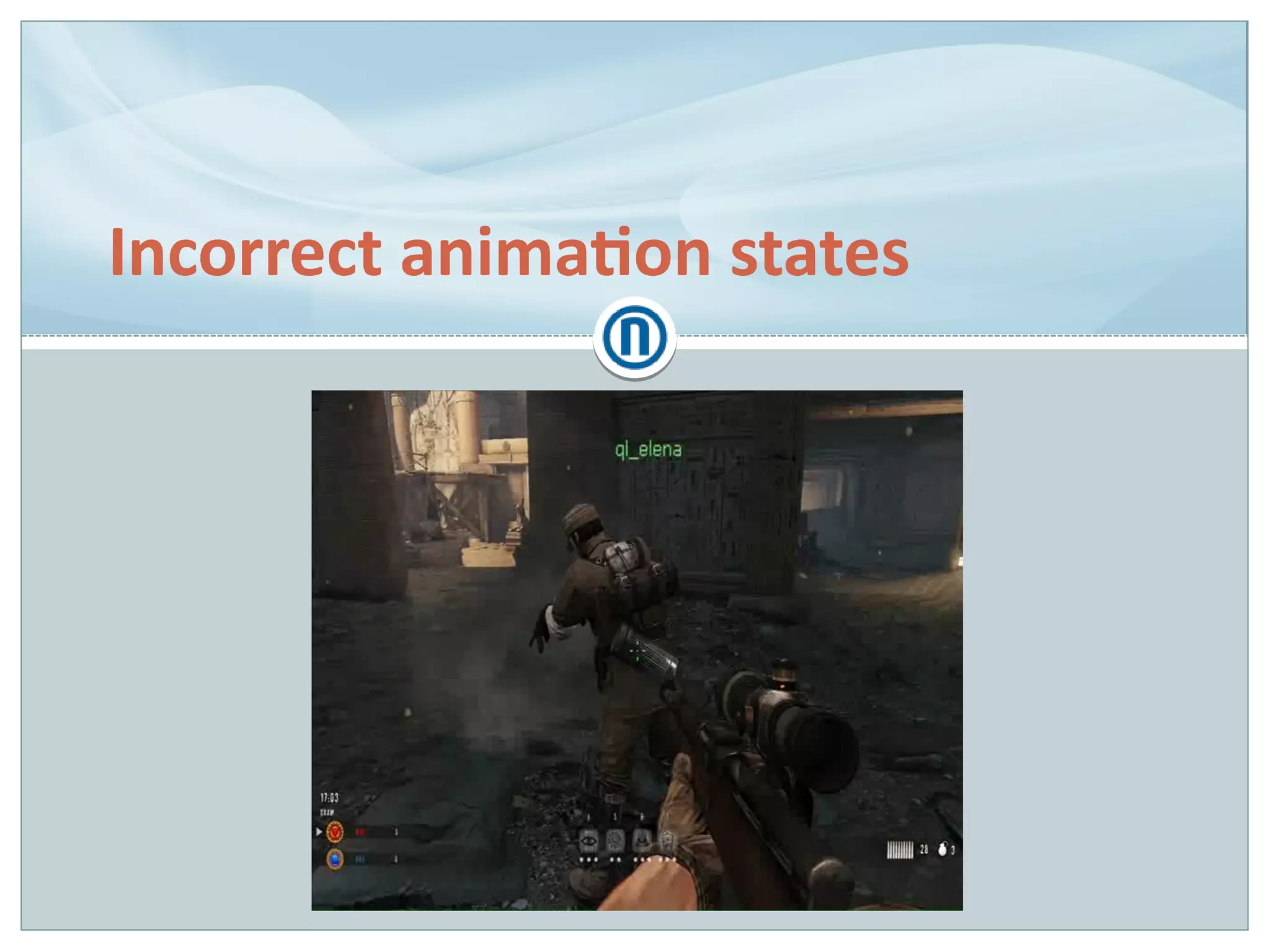
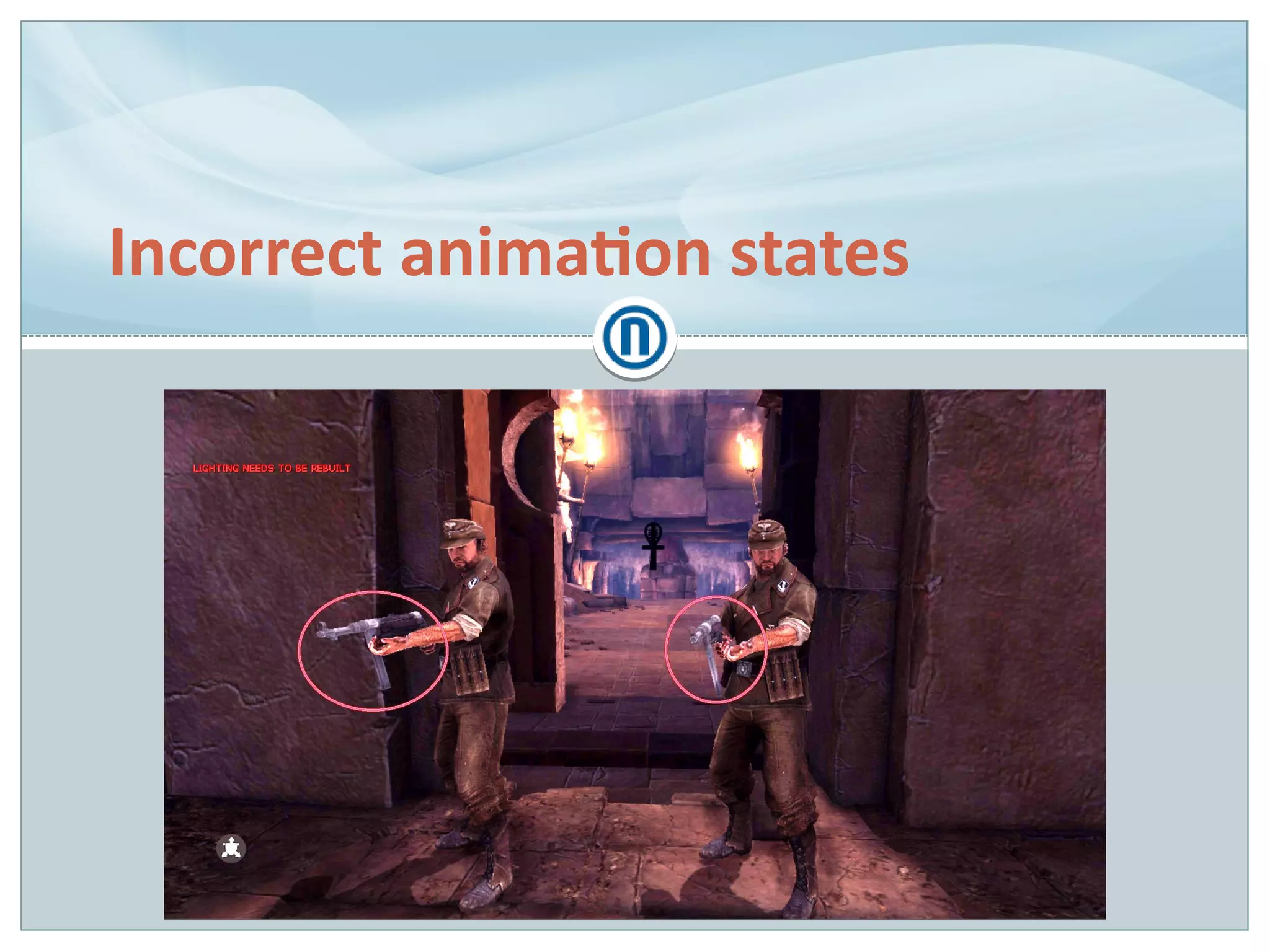
Incorrect animation states
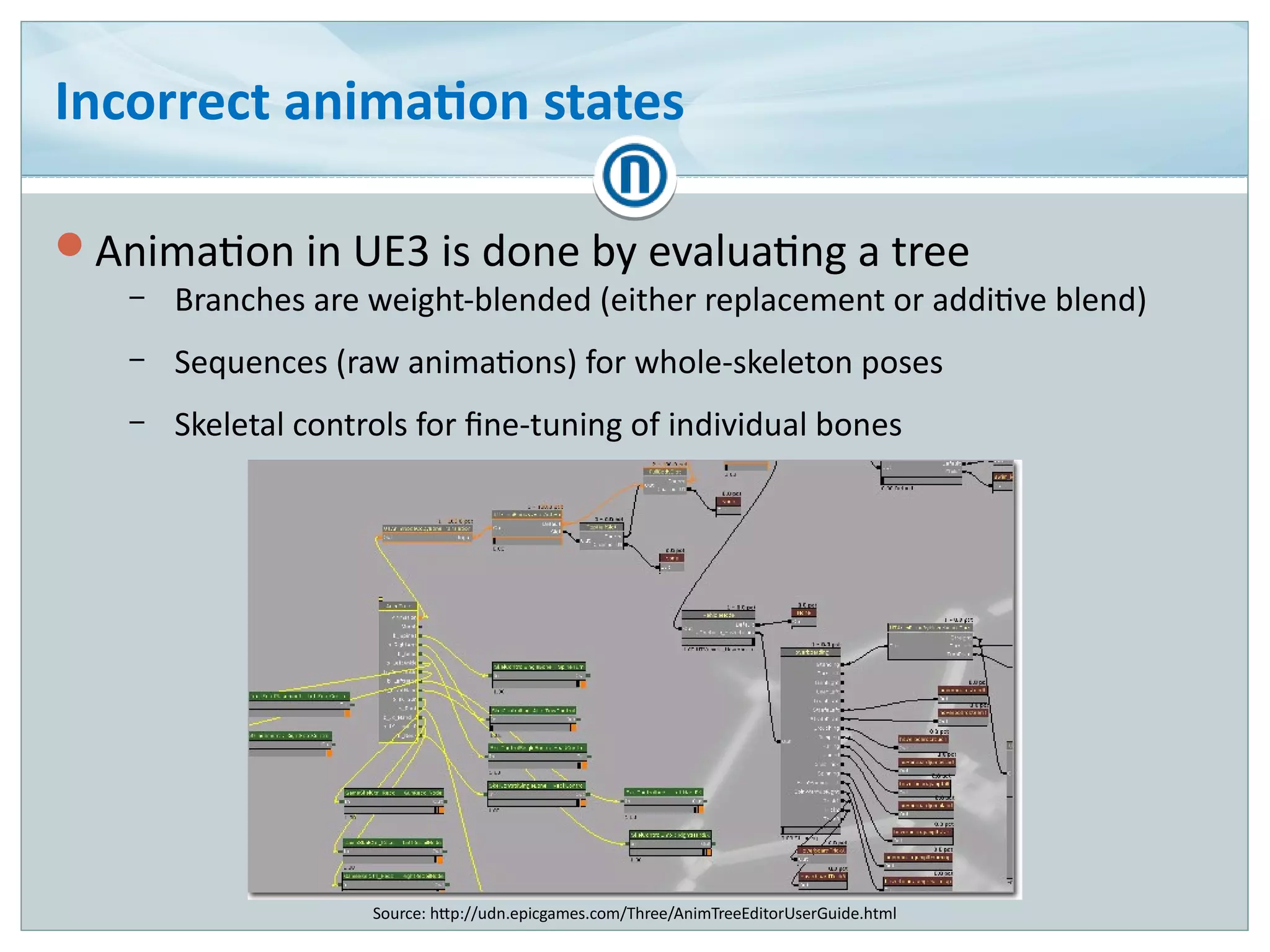
Animation in UE3 is done by evaluating a tree
– Branches are weight-blended (either replacement or additive blend)
– Sequences (raw animations) for whole-skeleton poses
– Skeletal controls for fine-tuning of individual bones
Source: http://udn.epicgames.com/Three/AnimTreeEditorUserGuide.html
Incorrect animation states (cont.)
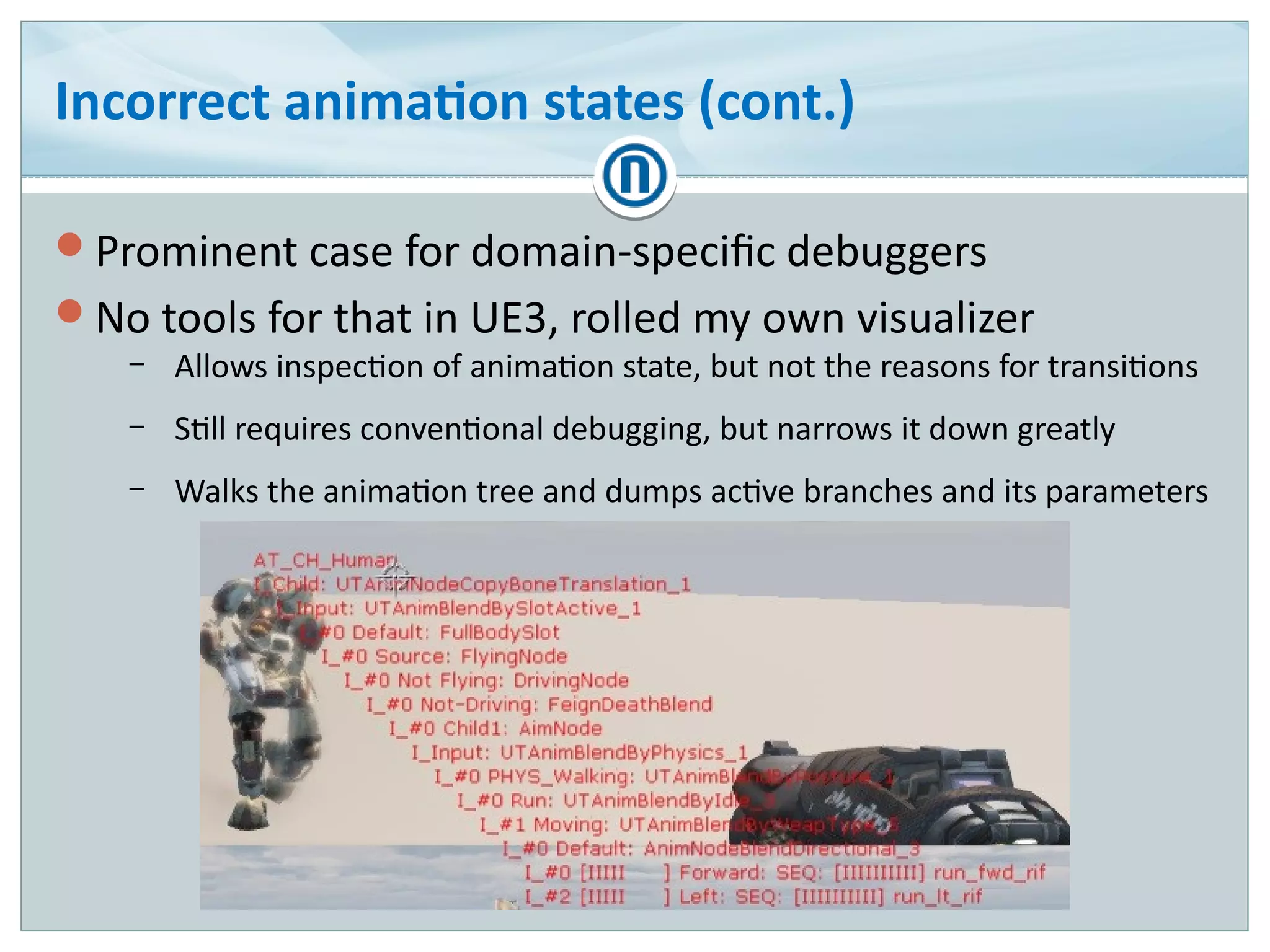
Prominent case for domain-specific debuggers
No tools for that in UE3, rolled my own visualizer
– Allows inspection of animation state, but not the reasons for transitions
– Still requires conventional debugging, but narrows it down greatly
– Walks the animation tree and dumps active branches and its parameters
Incorrect animation states (cont.)
We have developed sort of an animation bug checklist
Inspect the animation state in slow motion
– Is the correct blending mode used?
Inspect the AI and cutscene state
– Capable of animation overrides
Inspect the assets (animation sequences)
– Is the root bone correctly oriented?
– Is the root bone motion correct?
– Are inverse kinematics targets present and correctly placed?
– Is the mesh skeleton complete and correct?
Incorrect animation states (cont.)
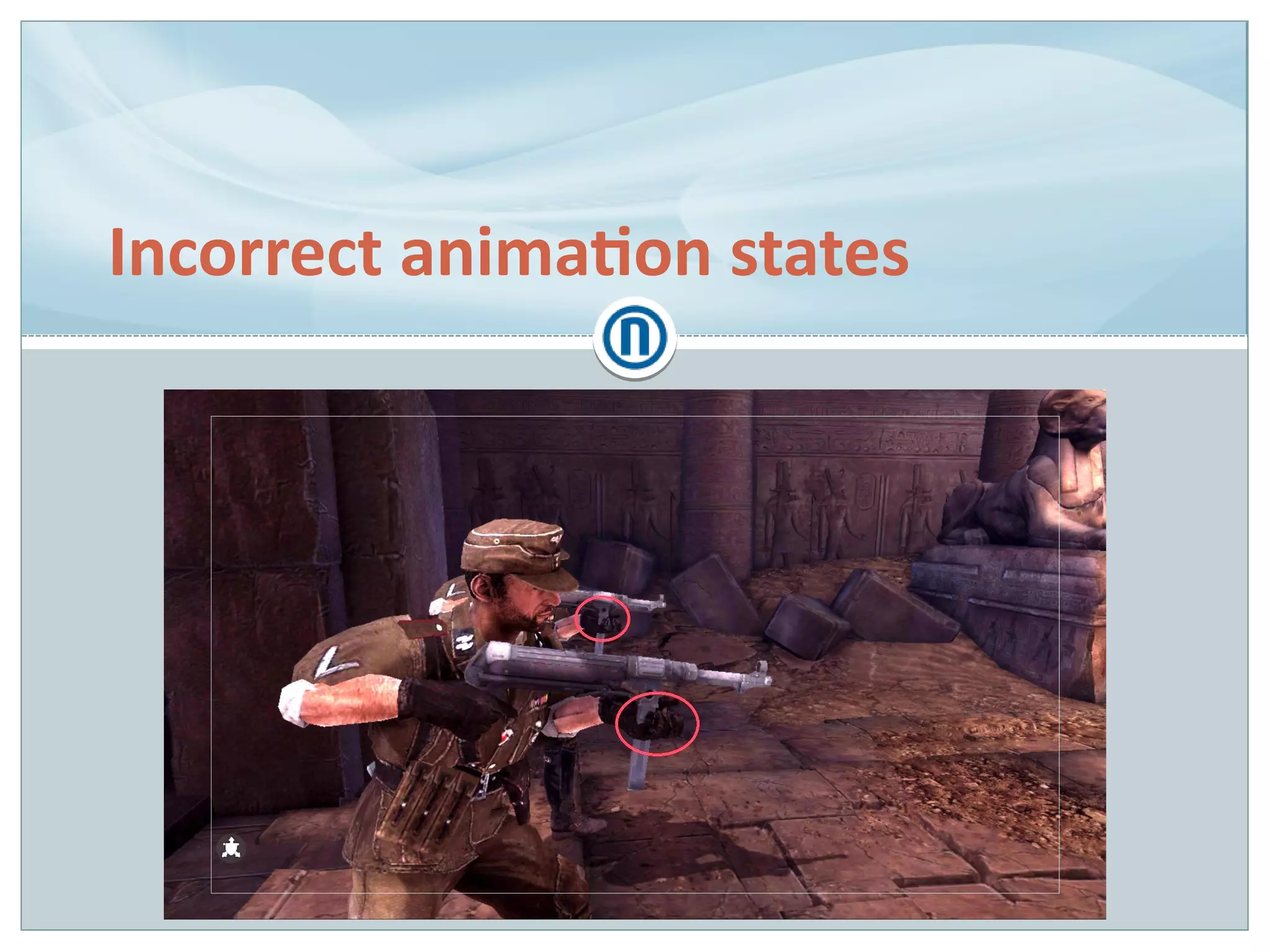
Incorrect blend of reload animation
– Cause: bad root bone orientation in animation sequence
Left hand off the weapon
– Cause: left hand inverse kinematics was off
– Fix: revise IK state control code
Left hand incorrectly oriented
– Cause: bad IK target marker orientation on weapon mesh
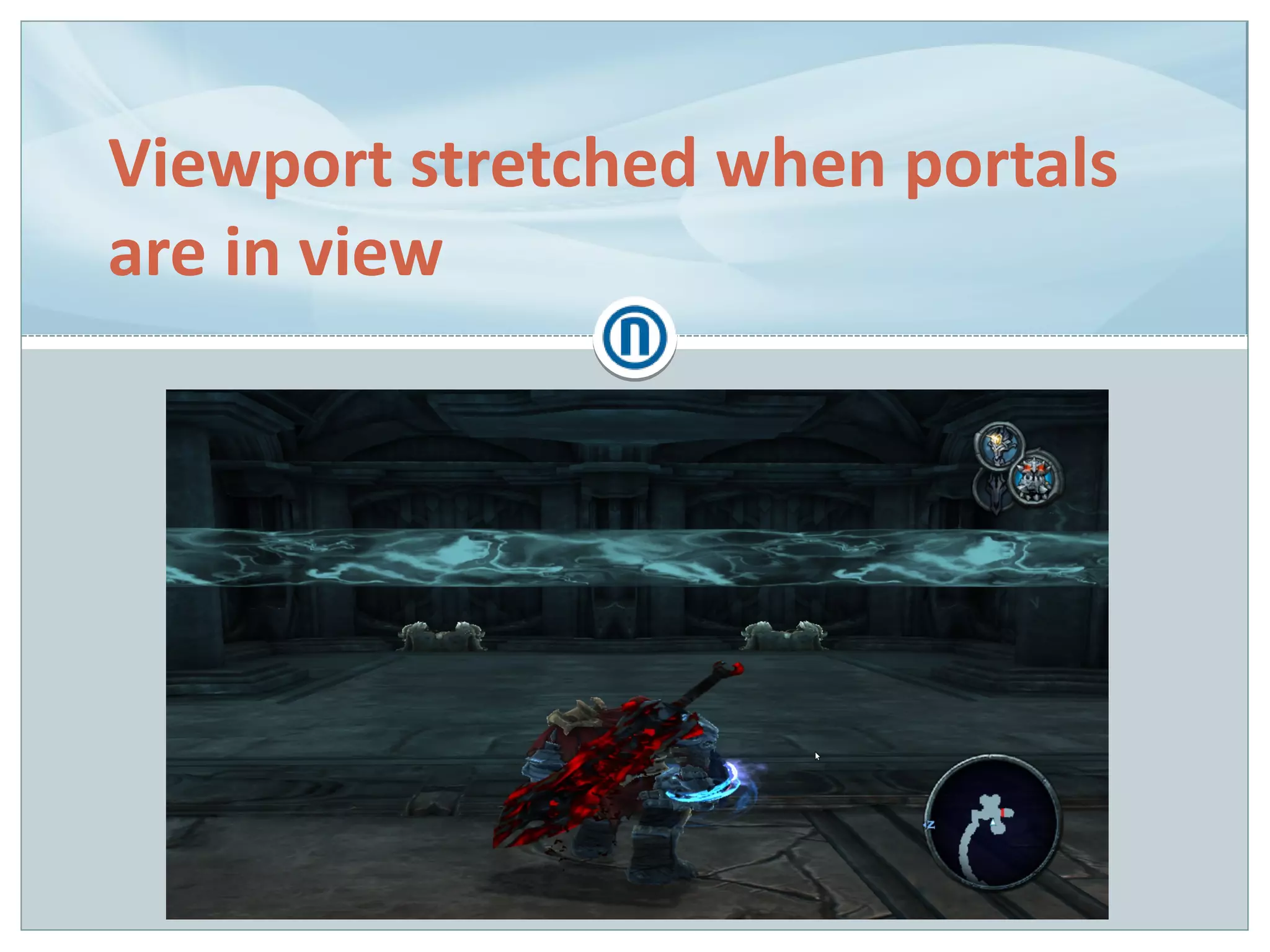
Viewport stretched when portals
are in view
Viewport stretched when portals are in view
Graphics debugging is:
– Tracing & recording graphics API (OpenGL/Direct3D) calls
– Replaying the trace
– Reviewing the renderer state and resources
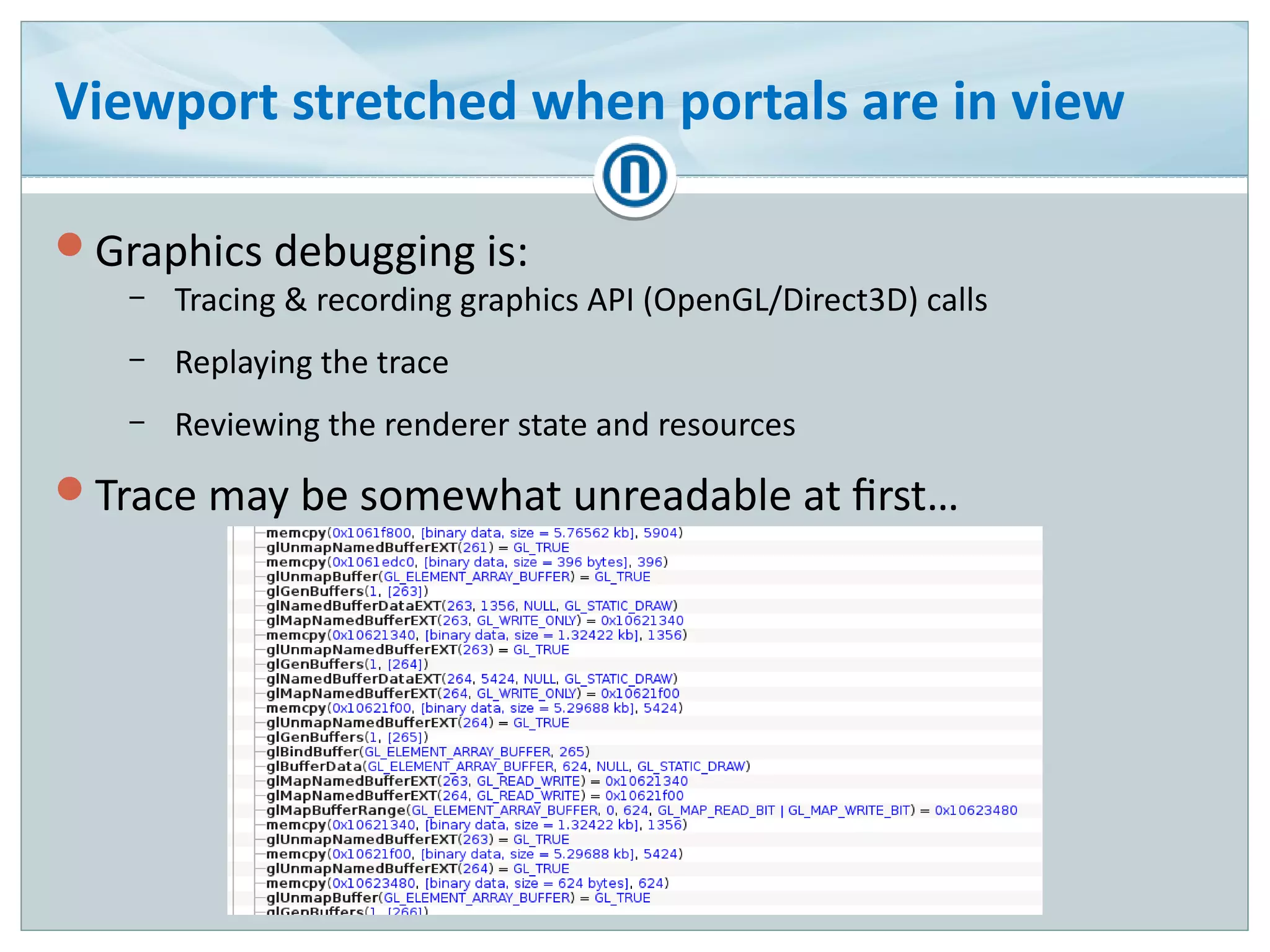
Trace may be somewhat unreadable at first…
Viewport stretched when portals are… (cont.)
Traces may be annotated for clarity
– Direct3D: ID3DUserDefinedAnnotation
– OpenGL: GL_KHR_debug (more info: [GODLEWSKI01])
Viewport stretched when portals are… (cont.)
Quick renderer state inspection revealed that viewport
dimensions were off
– 1024x1024, 1:1 aspect ratio instead of 1280x720, 16:9
– Shadow map resolution?
Found the latest glViewport() call
– Shadow map indeed
Why wasn't the viewport updated for main scene
rendering?
Viewport stretched when portals are… (cont.)
Renderer state changes are expensive
– New state needs to be validated
– Modern graphics APIs are asynchronous
– State reading may requrie synchronization → stalls
Cache the current renderer state to avoid redundant calls
– Cache ↔ state divergence → bugs!
Viewport stretched when portals are… (cont.)
Cause: cache ↔ state divergence
– Difference between Direct3D and OpenGL: viewport dimensions as part
of render target state, or global state
Fix: tie viewport dimensions to render target in the cache
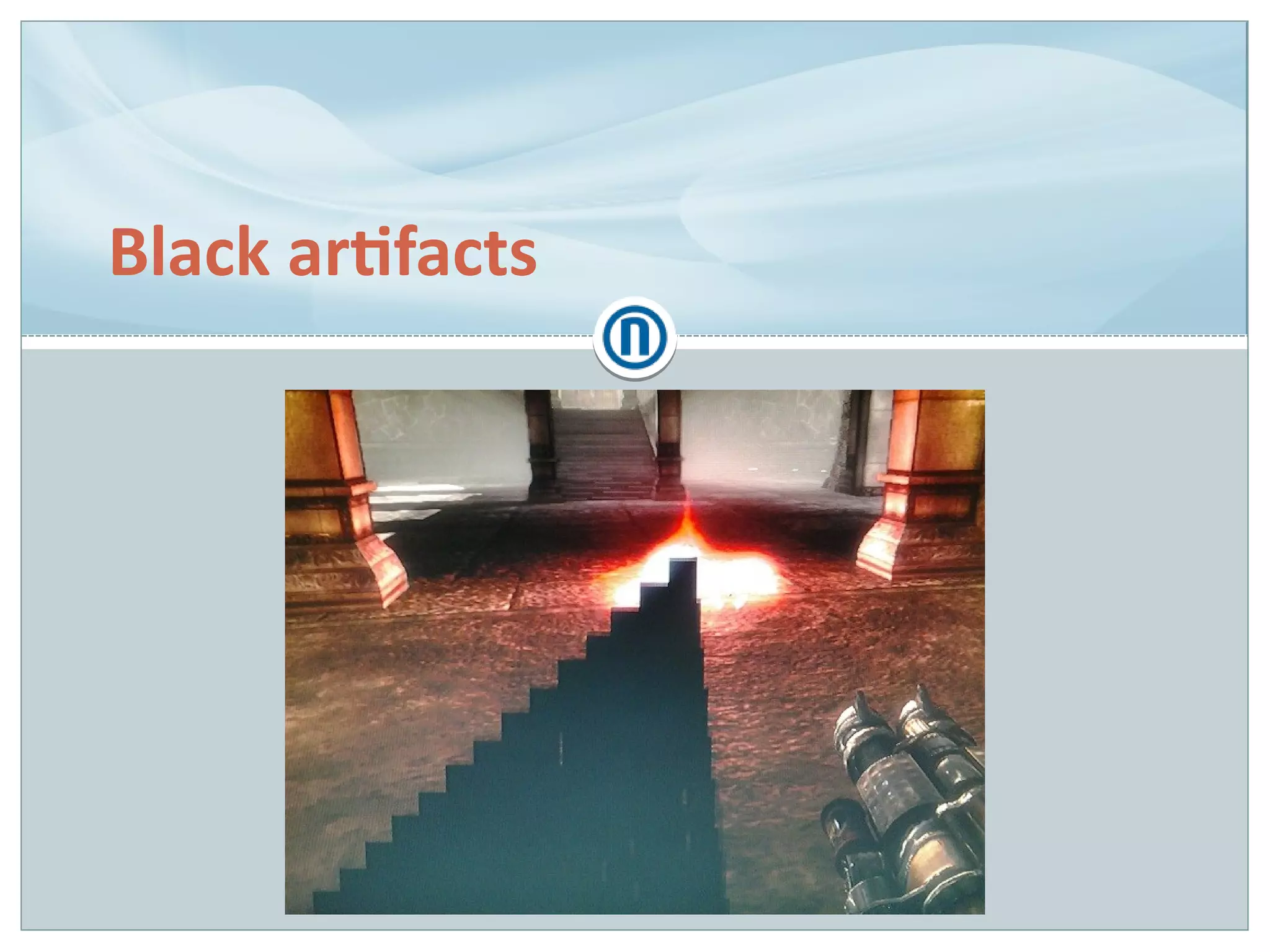
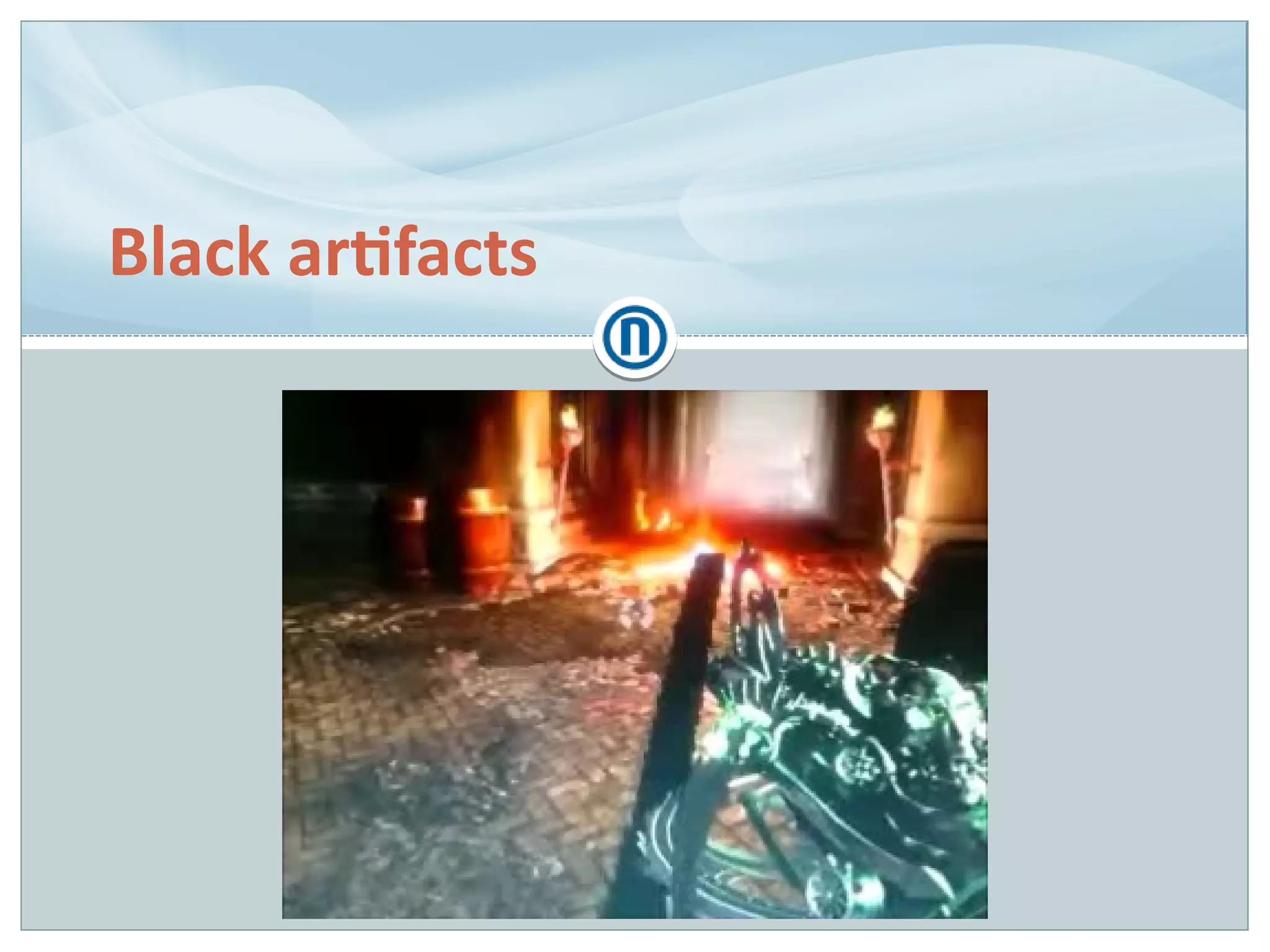
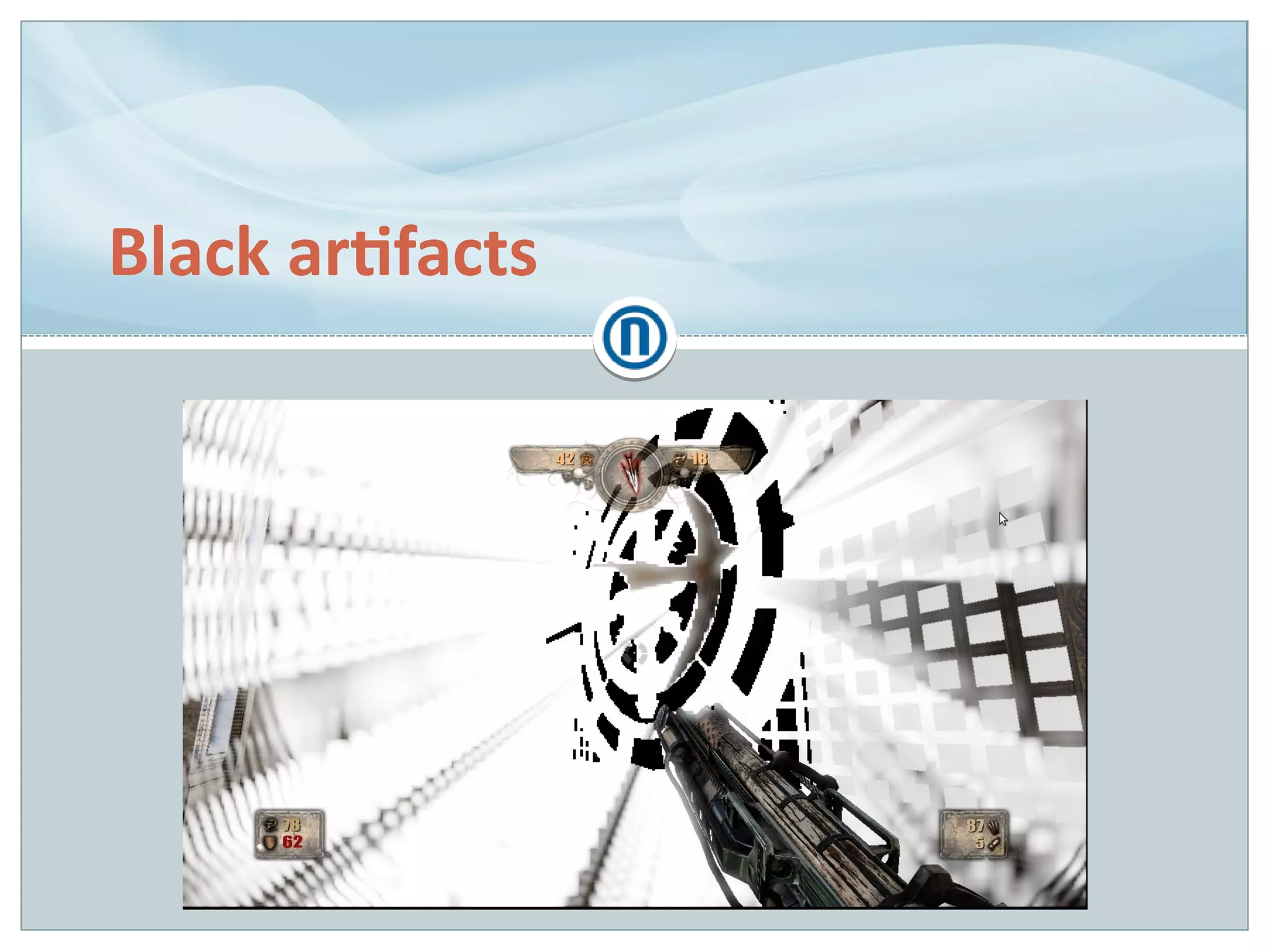
Black artifacts
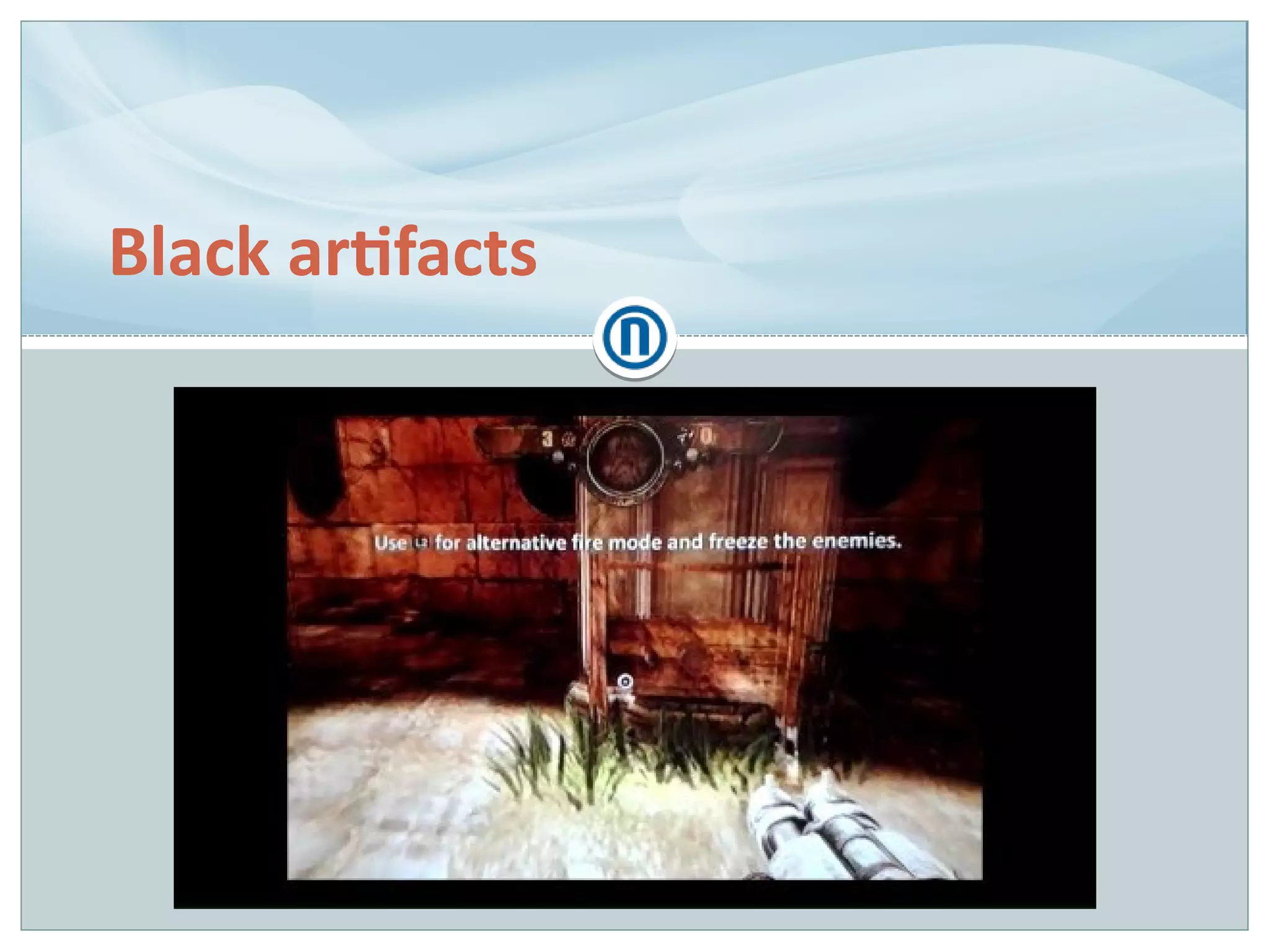
Black artifacts
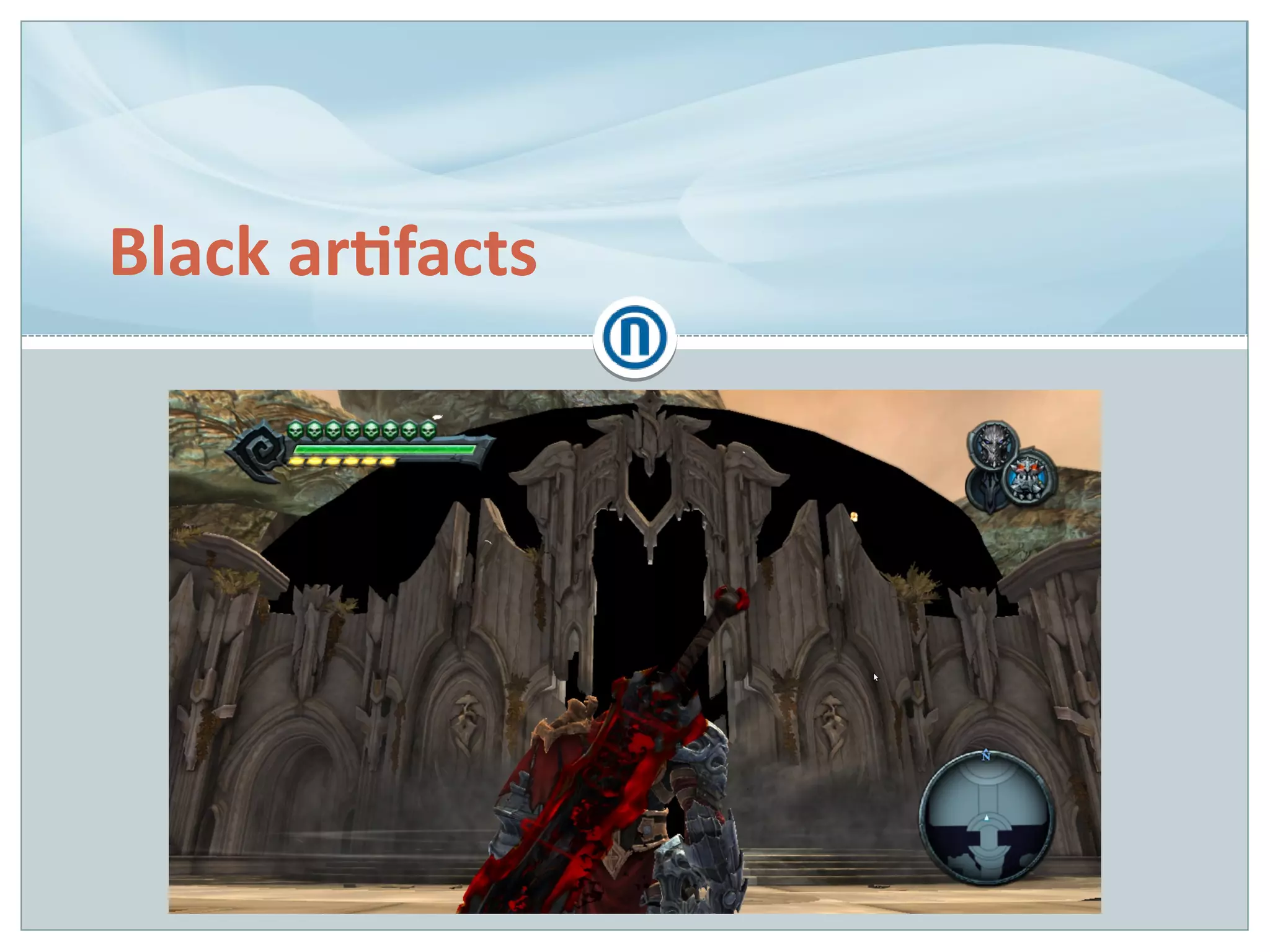
Black artifacts
Black artifacts
Black artifacts
Black artifacts
First thing to do is to inspect the state
Nothing suspicious found, turned to shaders
On OpenGL 4.2+, shaders could be debugged in NSight…
OpenGL 2.1, so had to resort to early returns from shader
with debug colours
– Shader equivalent of debug logs, a.k.a. ”Your Mum's Debugger”
”Shotgun debugging” with is*() functions
isnan() returned true!
Black artifacts (cont.)
Cause: undefined behaviour in NVIDIA's pow()
implementation
– Results are undefined if x < 0.
Results are undefined if x = 0 and y <= 0. [GLSL120]
– Undefined means the implementation is free to do whatever
●
NVIDIA returns QNaN the Barbarian (displayed as black, poisoning
all involved calculations)
●
Other vendors usually return 0
Fix: for all pow() calls, clamp either:
– Arguments to their proper ranges
– Output to [0; ∞)
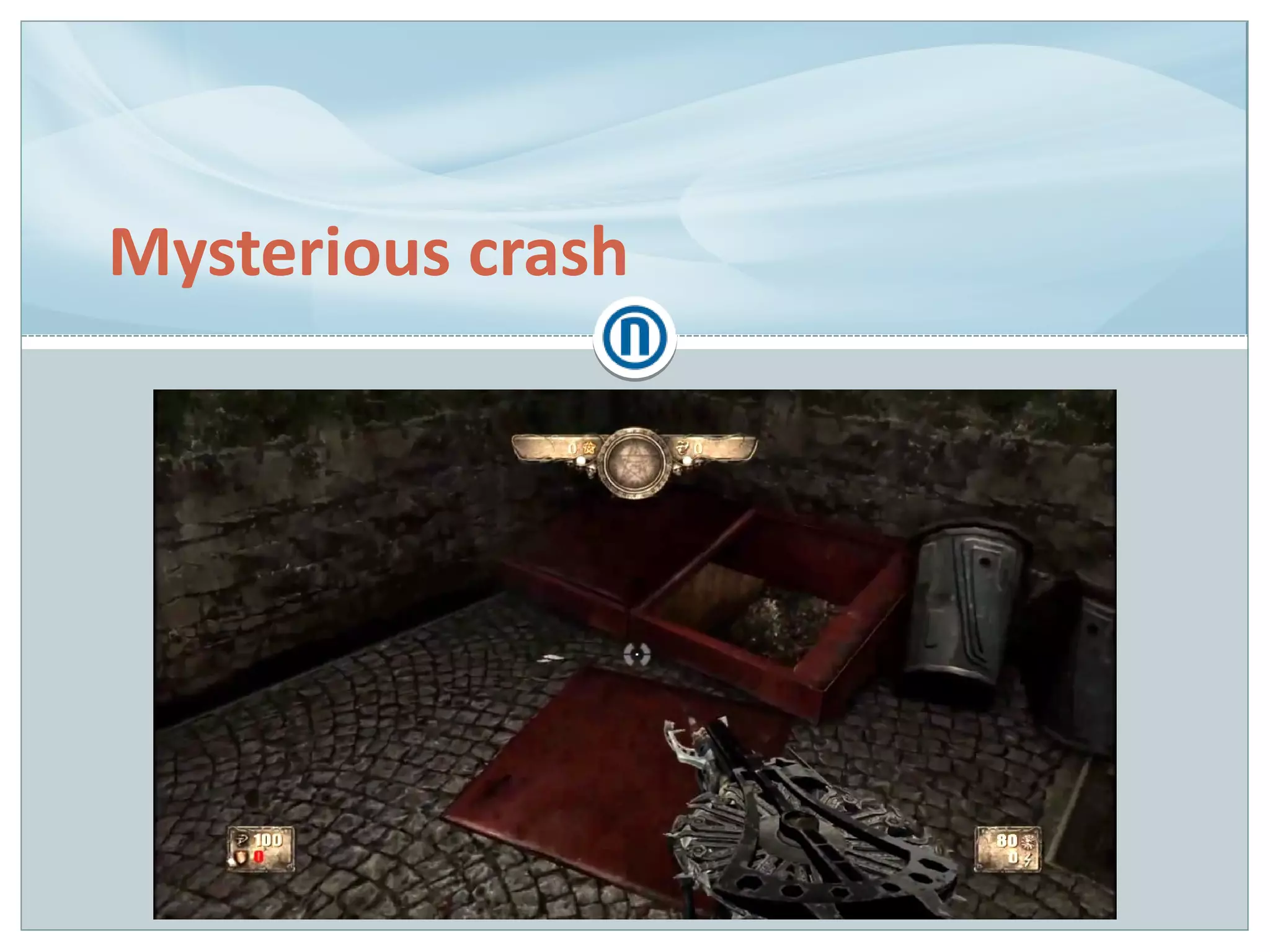
Mysterious crash
Mysterious crash
Game in content lock (feature freeze) for a while
Playstation 3 port nearly done
Crash ~3-5 frames after entering a specific room
First report included a perfectly normal callstack but no
obvious reason
QA reassigned to another task, could not pursue more
Concluded it must've been an OOM crash
Mysterious crash (cont.)
Bug comes back, albeit with wildly different callstack
Asked QA to reproduce mutliple times, including other
platforms
– No crashes on X360 & Windows!
Totally different callstack each time
Confusion!
– OOM? Even in 512 MB developer mode (256 MB in retail units)?
– Bad content?
– Console OS bug?
– Audio thread?
– ???
Mysterious crash (cont.)
Reviewed a larger sample of callstacks
Most ended in dlmalloc's integrity checks
– Assertions triggered upon allocations and frees
Memory stomping…? Could it be…?
Mysterious crash (cont.)
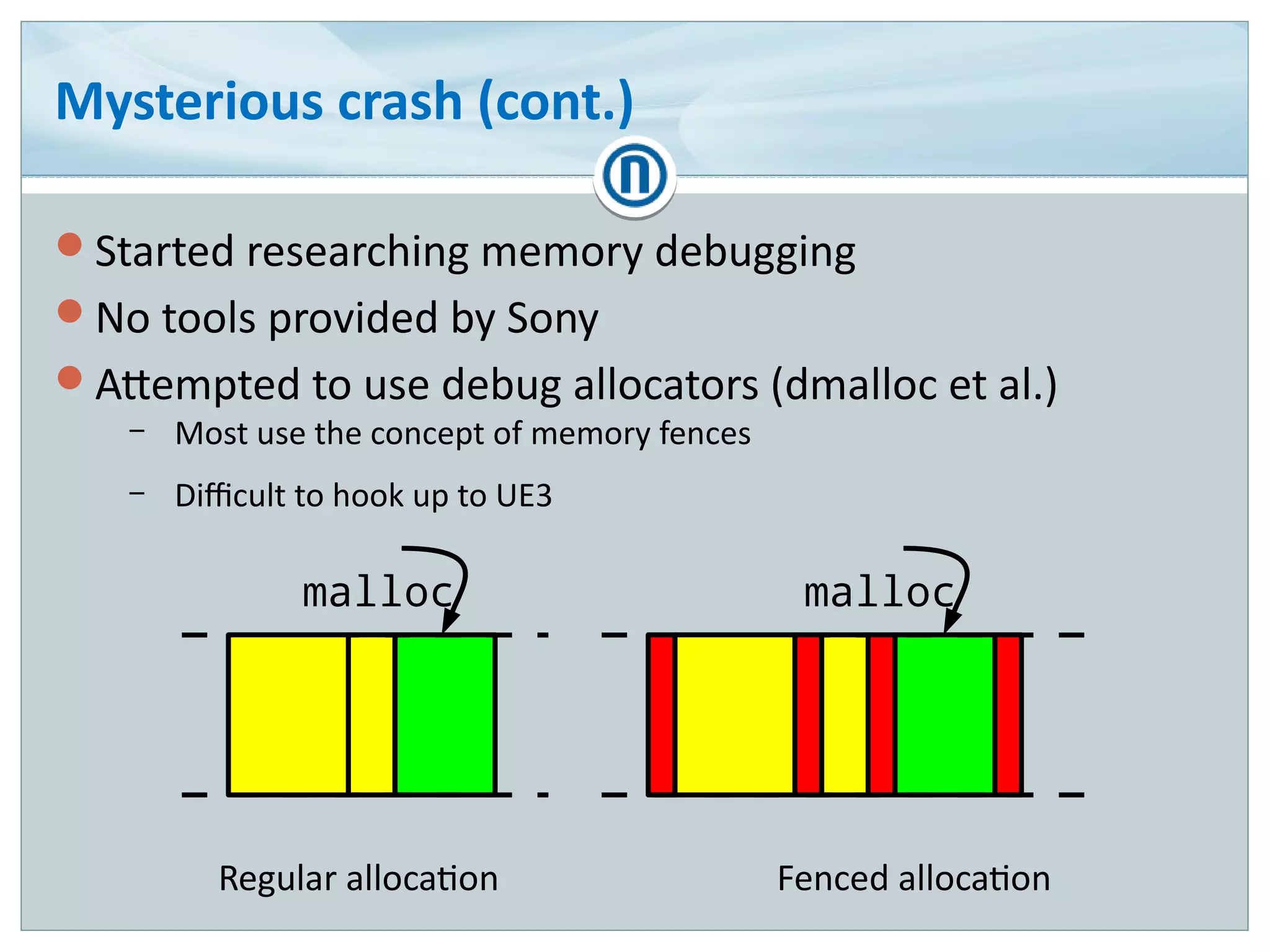
Started researching memory debugging
No tools provided by Sony
Attempted to use debug allocators (dmalloc et al.)
– Most use the concept of memory fences
– Difficult to hook up to UE3
malloc
Regular allocation Fenced allocation
malloc
Mysterious crash (cont.)
Found and integrated a community-developed tool, Heap
Inspector [VANDERBEEK14]
– Memory analyzer
– Focused on consumption and usage patterns monitoring
– Records callstacks for allocations and frees
Several reproduction attempts revealed a correlation
– Crash adress
– Construction of a specific class
Gotcha!
Mysterious crash (cont.)
// class declaration
class Crasher extends ActorComponent;
var int DummyArray[1024];
// in ammo consumption code
Crash = new class'Crasher';
Comp = new class'ActorComponent'
(Crash);
Mysterious crash (cont.)
// class declaration
class Crasher extends ActorComponent;
var int DummyArray[1024];
// in ammo consumption code
Crash = new class'Crasher';
Comp = new class'ActorComponent'
(Crash);
Mysterious crash (cont.)
Cause: buffer overflow vulnerability in UnrealScript VM
– No manifestation on X360 & Windows due to larger allocation
alignment value (8 vs 16 bytes)
Fix: make copy-construction with subclassed object as
template fail
I wish I had Valgrind! [GODLEWSKI02]
Agenda
How is gamedev different?
Bug species
Case studies
Conclusions
Takeaway
Time is of the essence!
Always on a tight schedule
Constantly in motion
– Temporal visualization is key
– Custom, domain-specific tools
Complex and indeterministic
– Difficult to automate testing
– Wide knowledge required
Prone to bugs outside the code
– Custom, domain-specific tools, again
Takeaway (cont.)
Rendering is a whole separate beast
– Absolutely custom tools in isolation from the rest of the game
– Still far from ideal usability
Good to know your machine down to the metal
Good memory debugging tools make a world's difference
You are never safe, not even in managed languages!
@ l go d l ews k i @ n o rd i c ga m e s . at
t @ T h e I n e Q u ati o n
K w w w. i n e q u ati o n . o rg
Questions?
F u rt h e r N o rd i c G a m e s i nfo rm ati o n :
K w ww. n o rd i c ga m e s . at
Deve l o p me nt i nfo rmati o n :
K ww w. gr i m l o re ga m e s . co m
Thank you!
References
 SINILO12 – Sinilo, M. ”Coding in a debugger” [link]
 GODLEWSKI01 – Godlewski, L. ”OpenGL (ES) debugging” [link]
 GLSL120 – Kessenich, J. ”The OpenGL® Shading Language”, Language Version: 1.20, Document
Revision: 8, p. 57 [link]
 VANDERBEEK14 – van der Beek, J. ”Heap Inspector” [link]
 GODLEWSKI02 – Godlewski, L. ”Advanced Linux Game Programming” [link]

Gamedev-grade debugging

  • 1.
    Leszek Godlewski Programmer, NordicGames Gamedev-grade debugging Source: http://igetyourfail.blogspot.com/2009/01/reaching-out-tale-of-failed-skinning.html
  • 2.
    Nordic Games GmbH ●Started in 2011 as a sister company to Nordic Games Publishing (We Sing) ● Base IP acquired from JoWooD and DreamCatcher (SpellForce, The Guild, Aquanox, Painkiller) ● Initially focusing on smaller, niche games ● Acquired THQ IPs in 2013 (Darksiders, Titan Quest, Red Faction, MX vs. ATV) ● Now shifting towards being a production company with internal devs ● Since fall 2013: internal studio in Munich, Germany (Grimlore Games)
  • 3.
    Who is thisguy? Leszek Godlewski Programmer, Nordic Games (early 2014 – Nov 2014) – Linux port of Darksiders Freelance Programmer (Sep 2013 – early 2014) – Linux port of Painkiller Hell & Damnation – Linux port of Deadfall Adventures Generalist Programmer, The Farm 51 (Mar 2010 – Aug 2013) – Painkiller Hell & Damnation, Deadfall Adventures
  • 4.
    Agenda How is gamedevdifferent? Bug species Case studies Conclusions
  • 5.
    How is gamedevdifferent? StartStart Exit?Exit? EndEnd Yes No UpdateUpdate DrawDraw
  • 6.
    33 milliseconds How muchtime you have to get shit done™ – 30 Hz → 33⅓ ms per frame – 60 Hz → 16⅔ ms per frame EditorEditor Level toolsLevel tools Asset toolsAsset tools EngineEngine PhysicsPhysics RenderingRendering AudioAudio NetworkNetwork PlatformPlatform InputInput Network back-end Network back-end GameGame UIUI LogicLogic AIAI
  • 7.
    Interdisciplinary working environment Designers –Game, Level, Quest, Audio… Artists – Environment, Character, 2D, UI, Concept… Programmers – Gameplay, Engine, Tools, UI, Audio… Writers Composers Actors Producers PR & Marketing Specialists … }Tightly woven teams
  • 8.
    Severe, fixed hardwareconstraints Main reason for extensive use of native code
  • 9.
  • 10.
    Indeterminism & complexity Leadsto poor testability – Parts make no sense in isolation – What exactly is correct? – Performance regressions? Source: https://github.com/memononen/recastnavigation
  • 11.
    Aversion to generalsoftware engineering Modelling Object-Oriented Programming Design patterns C++ STL Templates in general …
  • 12.
    Agenda How is gamedevdifferent? Bug species Case studies Conclusions
  • 13.
  • 14.
    General programming bugs Memoryaccess violations Memory stomping/buffer overflows Infinite loops Uninitialized variables Reference cycles Floating point precision errors Out-Of-Memory/memory fragmentation Memory leaks Threading errors
  • 15.
    Bad maths Incorrect transformorder – Matrix multiplication not commutative – AB ≠ BA Incorrect transform space Source: http://leadwerks.com/wiki/index.php?title=TFormQuat
  • 16.
    Temporal bugs Incorrect updateorder – for (int i = 0; i < entities.size(); ++i) entities[i].update(); Incorrect interpolation/blending – Bad alpha term – Bad blending mode (additive/modulate) Deferred effects – After n frames – After n times an action happens – n may be random, indeterministic
  • 17.
    Graphical glitches Incorrect renderstate Shader code bugs Precision Source: http://igetyourfail.blogspot.com/2009/01/visit-lake-fail-this-weekend.html
  • 18.
    Content bugs Incorrect scripts Buggyassets Source: http://www.polycount.com/forum/showpost.php?p=1263124&postcount=10466
  • 19.
    Worst part? Most casesare two or more of the aforementioned, intertwined
  • 20.
    Agenda How is gamedevdifferent? Bug species Case studies Conclusions
  • 21.
  • 22.
  • 23.
    Incorrect weapon afterdemon mode foreshadowing
  • 24.
  • 25.
  • 26.
    Corpses teleported ondeath In normal gameplay, pawns have simplified movement – Sweep the actor's collision primitive through the world – Slide along slopes, stop against walls Source: http://udn.epicgames.com/Three/PhysicalAnimation.html
  • 27.
    Corpses teleported ondeath Upon death, pawns switch to physics-based movement (ragdoll) Source: http://udn.epicgames.com/Three/PhysicalAnimation.html
  • 28.
    Corpses teleported ondeath (cont.) Physics bodies have separate state from the game actor – Actor does not drive physics bodies, unless requested – If actor is driven by physics simulation, their location is synchronized to the hips bone body's Source: http://udn.epicgames.com/Three/PhysicalAnimation.html
  • 29.
    Corpses teleported ondeath (cont.) Idea: breakpoint in FarMove()? – One function because world octree is updated – Function gets called a gazillion times per frame � – Terrible noise Breakpoint condition? – Teleport from arbitrary point A to arbitrary point B – Distance? Breakpoint sequence? – Break on death instead – When breakpoint hit, break in FarMove()
  • 30.
    Corpses teleported ondeath (cont.) Cause: physics body driving the actor with out-of-date state Fix: request physics body state synchronization to animation before switching to ragdoll
  • 31.
    Weapons floating awayfrom the player
  • 32.
    Weapons floating awayfrom the player
  • 33.
    Weapons floating awayfrom the player Extremely rare, only encountered on consoles – Reproduction rate somewhere at 1 in 50 attempts – And never on developer machines � Player pawn in a special state for the rollercoaster ride – Many things could go wrong For the lack of repro, sprinkled the code with debug logs
  • 34.
    Weapons floating awayfrom the player (cont.) Cause: incorrect update order – for (int i = 0; i < entities.size(); ++i) entities[i].update(); – Player pawn forced to update after rollercoaster car – Possible for weapons to be updated before player pawns Fix: enforce weapon update after player pawns
  • 35.
  • 36.
    Characters with “rapiers” UE3has ”content cooking” as part of game build pipeline – Redistributable builds are ”cooked” builds Artifact appears only in cooked builds
  • 37.
    Characters with “rapiers”– cont. Logs contained assertions for ”out-of-bounds vertices” Mesh vertex compression scheme – 32-bit float → 16-bit short int (~50% savings) – Find bounding sphere for all vertices – Normalize all vertices to said sphere radius – Map [-1; 1] floats to [-32768; 32767] 16-bit integers Assert condition – for (int i = 0; i < 3; ++i) assert(v[i] >= -1.f && v[i] <= 1.f, ”Out-of-bound vertex!”);
  • 38.
    Characters with “rapiers”– cont. v[i] was NaN – Interesting property of NaN: all comparisons fail – Even with itself ● float f = nanf(); bool b = (f == f); // b is false How did it get there?! Tracked the NaN all the way down to the raw engine asset!
  • 39.
    Characters with “rapiers”(cont.) Cause: ??? Fix: re-export the mesh from 3D software – Magic!
  • 40.
  • 41.
    Undeniable assertion Happened whiledebugging ”rapiers” Texture compression library without sources Flood of non-critical assertions – For almost every texture – Could not ignore in bulk � – Terrible noise Solution suggestion taken from [SINILO12]
  • 42.
  • 43.
    Undeniable assertion (cont.) Locateassert message function call instruction
  • 44.
    Undeniable assertion (cont.) Entermemory view and look up the adress – 0xE8 is the CALL opcode – 4-byte address argument
  • 45.
    Undeniable assertion (cont.) NOPit out! – 0x90 is the NOP opcode
  • 46.
  • 47.
  • 48.
  • 49.
    Incorrect player movement Recreatingplayer movement from one engine in another (Pain Engine → Unreal Engine 3) Different physics engines (Havok vs PhysX) Many nuances – Air control – Jump and fall heights – Slope & stair climbing & sliding down
  • 50.
    Incorrect player movement(cont.) Main nuance: capsule vs cylinder
  • 51.
    Incorrect player movement(cont.) Switching our pawn collision to capsule-based was not an option Emulate by sampling the ground under the cylinder instead No clever way to debug, just make it ”bug out” and break in debugger
  • 52.
    Incorrect player movement(cont.) Situation when getting stuck Cause: vanilla UE3 code sent a player locked between non-walkable surfaces into the ”falling” state Fix: keep the player ”walking”
  • 53.
    Incorrect player movement(cont.) Situation when moving without player intent Added visualization of sampling, turned on collision display Cause: undersampling Fix: increase radial sampling resolution 1) 2)
  • 54.
  • 55.
    Blinking full-screen damageeffects Post-process effects are organized in one-way chains
  • 56.
    Blinking full-screen damageeffects (cont.) No debugger available to observe the PP chain Rolled my own overlay that walked and dumped the chain contents MaterialEffect 'Vignette' Param 'Strength' 0.83 [IIIIIIII ] MaterialEffect 'FilmGrain' Param 'Strength' 0.00 [ ] UberPostProcessEffect 'None' SceneHighLights (X=0.80,Y=0.80,Z=0.80) SceneMidTones (X=0.80,Y=0.80,Z=0.80) … MaterialEffect 'Blood' Param 'Strength' 1.00 [IIIIIIIIII]
  • 57.
    Blinking full-screen damageeffects (cont.) Cause: entire PP chain override – Breakpoint in chain setting revealed the level script as the source – Overeager level designer ticking one checkbox too many when setting up thunderstorm effects Fix: disable chain overriding altogether – No use case for it in our game anyway
  • 58.
  • 59.
  • 60.
  • 61.
    Incorrect animation states Animationin UE3 is done by evaluating a tree – Branches are weight-blended (either replacement or additive blend) – Sequences (raw animations) for whole-skeleton poses – Skeletal controls for fine-tuning of individual bones Source: http://udn.epicgames.com/Three/AnimTreeEditorUserGuide.html
  • 62.
    Incorrect animation states(cont.) Prominent case for domain-specific debuggers No tools for that in UE3, rolled my own visualizer – Allows inspection of animation state, but not the reasons for transitions – Still requires conventional debugging, but narrows it down greatly – Walks the animation tree and dumps active branches and its parameters
  • 63.
    Incorrect animation states(cont.) We have developed sort of an animation bug checklist Inspect the animation state in slow motion – Is the correct blending mode used? Inspect the AI and cutscene state – Capable of animation overrides Inspect the assets (animation sequences) – Is the root bone correctly oriented? – Is the root bone motion correct? – Are inverse kinematics targets present and correctly placed? – Is the mesh skeleton complete and correct?
  • 64.
    Incorrect animation states(cont.) Incorrect blend of reload animation – Cause: bad root bone orientation in animation sequence Left hand off the weapon – Cause: left hand inverse kinematics was off – Fix: revise IK state control code Left hand incorrectly oriented – Cause: bad IK target marker orientation on weapon mesh
  • 65.
    Viewport stretched whenportals are in view
  • 66.
    Viewport stretched whenportals are in view Graphics debugging is: – Tracing & recording graphics API (OpenGL/Direct3D) calls – Replaying the trace – Reviewing the renderer state and resources Trace may be somewhat unreadable at first…
  • 67.
    Viewport stretched whenportals are… (cont.) Traces may be annotated for clarity – Direct3D: ID3DUserDefinedAnnotation – OpenGL: GL_KHR_debug (more info: [GODLEWSKI01])
  • 68.
    Viewport stretched whenportals are… (cont.) Quick renderer state inspection revealed that viewport dimensions were off – 1024x1024, 1:1 aspect ratio instead of 1280x720, 16:9 – Shadow map resolution? Found the latest glViewport() call – Shadow map indeed Why wasn't the viewport updated for main scene rendering?
  • 69.
    Viewport stretched whenportals are… (cont.) Renderer state changes are expensive – New state needs to be validated – Modern graphics APIs are asynchronous – State reading may requrie synchronization → stalls Cache the current renderer state to avoid redundant calls – Cache ↔ state divergence → bugs!
  • 70.
    Viewport stretched whenportals are… (cont.) Cause: cache ↔ state divergence – Difference between Direct3D and OpenGL: viewport dimensions as part of render target state, or global state Fix: tie viewport dimensions to render target in the cache
  • 71.
  • 72.
  • 73.
  • 74.
  • 75.
  • 76.
    Black artifacts First thingto do is to inspect the state Nothing suspicious found, turned to shaders On OpenGL 4.2+, shaders could be debugged in NSight… OpenGL 2.1, so had to resort to early returns from shader with debug colours – Shader equivalent of debug logs, a.k.a. ”Your Mum's Debugger” ”Shotgun debugging” with is*() functions isnan() returned true!
  • 77.
    Black artifacts (cont.) Cause:undefined behaviour in NVIDIA's pow() implementation – Results are undefined if x < 0. Results are undefined if x = 0 and y <= 0. [GLSL120] – Undefined means the implementation is free to do whatever ● NVIDIA returns QNaN the Barbarian (displayed as black, poisoning all involved calculations) ● Other vendors usually return 0 Fix: for all pow() calls, clamp either: – Arguments to their proper ranges – Output to [0; ∞)
  • 78.
  • 79.
    Mysterious crash Game incontent lock (feature freeze) for a while Playstation 3 port nearly done Crash ~3-5 frames after entering a specific room First report included a perfectly normal callstack but no obvious reason QA reassigned to another task, could not pursue more Concluded it must've been an OOM crash
  • 80.
    Mysterious crash (cont.) Bugcomes back, albeit with wildly different callstack Asked QA to reproduce mutliple times, including other platforms – No crashes on X360 & Windows! Totally different callstack each time Confusion! – OOM? Even in 512 MB developer mode (256 MB in retail units)? – Bad content? – Console OS bug? – Audio thread? – ???
  • 81.
    Mysterious crash (cont.) Revieweda larger sample of callstacks Most ended in dlmalloc's integrity checks – Assertions triggered upon allocations and frees Memory stomping…? Could it be…?
  • 82.
    Mysterious crash (cont.) Startedresearching memory debugging No tools provided by Sony Attempted to use debug allocators (dmalloc et al.) – Most use the concept of memory fences – Difficult to hook up to UE3 malloc Regular allocation Fenced allocation malloc
  • 83.
    Mysterious crash (cont.) Foundand integrated a community-developed tool, Heap Inspector [VANDERBEEK14] – Memory analyzer – Focused on consumption and usage patterns monitoring – Records callstacks for allocations and frees Several reproduction attempts revealed a correlation – Crash adress – Construction of a specific class Gotcha!
  • 84.
    Mysterious crash (cont.) //class declaration class Crasher extends ActorComponent; var int DummyArray[1024]; // in ammo consumption code Crash = new class'Crasher'; Comp = new class'ActorComponent' (Crash);
  • 85.
    Mysterious crash (cont.) //class declaration class Crasher extends ActorComponent; var int DummyArray[1024]; // in ammo consumption code Crash = new class'Crasher'; Comp = new class'ActorComponent' (Crash);
  • 86.
    Mysterious crash (cont.) Cause:buffer overflow vulnerability in UnrealScript VM – No manifestation on X360 & Windows due to larger allocation alignment value (8 vs 16 bytes) Fix: make copy-construction with subclassed object as template fail I wish I had Valgrind! [GODLEWSKI02]
  • 87.
    Agenda How is gamedevdifferent? Bug species Case studies Conclusions
  • 88.
    Takeaway Time is ofthe essence! Always on a tight schedule Constantly in motion – Temporal visualization is key – Custom, domain-specific tools Complex and indeterministic – Difficult to automate testing – Wide knowledge required Prone to bugs outside the code – Custom, domain-specific tools, again
  • 89.
    Takeaway (cont.) Rendering isa whole separate beast – Absolutely custom tools in isolation from the rest of the game – Still far from ideal usability Good to know your machine down to the metal Good memory debugging tools make a world's difference You are never safe, not even in managed languages!
  • 90.
    @ l god l ews k i @ n o rd i c ga m e s . at t @ T h e I n e Q u ati o n K w w w. i n e q u ati o n . o rg Questions?
  • 91.
    F u rth e r N o rd i c G a m e s i nfo rm ati o n : K w ww. n o rd i c ga m e s . at Deve l o p me nt i nfo rmati o n : K ww w. gr i m l o re ga m e s . co m Thank you!
  • 92.
    References  SINILO12 –Sinilo, M. ”Coding in a debugger” [link]  GODLEWSKI01 – Godlewski, L. ”OpenGL (ES) debugging” [link]  GLSL120 – Kessenich, J. ”The OpenGL® Shading Language”, Language Version: 1.20, Document Revision: 8, p. 57 [link]  VANDERBEEK14 – van der Beek, J. ”Heap Inspector” [link]  GODLEWSKI02 – Godlewski, L. ”Advanced Linux Game Programming” [link]