Fundamentals of Database systems
Ministry of Higher Education
Bamyan University
Computer Science Department
1
Presented by : Mustafa Kamel Mohammadi
Email : bamian.cs@gmail.com
Databases and Database Users
Fundamentals of database system 6th edition
Agenda of course
 Database design and implementation
 Database systems introduction and concepts
 Database system architecture
 Relational Database design
 Relational algebra
 SQL
 ER modeling
2
learning objective
 In this chapter you will learn
 Introduction to database systems
 Database size and complexity
 What is DBMS?
 Characteristics of Database approach
 Users of database
 Advantages of using database system
 Database systems evolution
 When not to use database systems
3
Introduction
 Databases and database systems are an essential component of life in modern
society and used in different fields
 Schools
 Universities
 Online marketing
 Airline reservation
 Digital Libraries
 Markets
 Inventories
 Companies
4
Introduction (cont..)
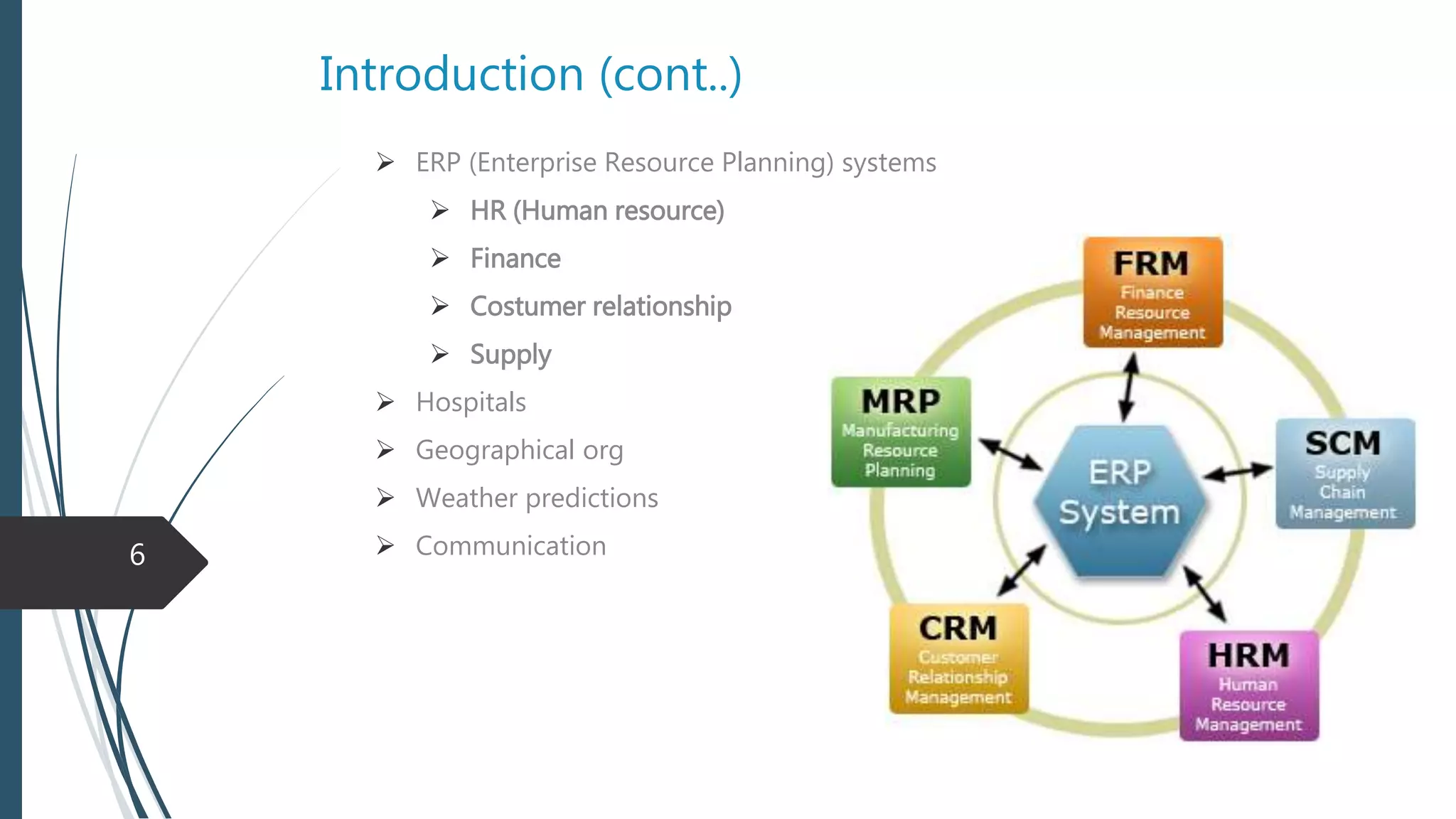
 ERP (Enterprise Resource Planning) systems
 HR (Human resource)
 Finance
 Costumer relationship
 Supply
 Hospitals
 Geographical org
 Weather predictions
 Communication
5
Types of Database systems
 Traditional database
 information that is stored and accessed is either textual or numeric
 Multimedia databases
 store images, audio clips, and video streams digitally
 Geographic information systems
 can store and analyze maps, weather data, and satellite images
 Data warehouses and online analytical processing (OLAP) systems
 Extract and analyze useful business information from very large databases to support
decision making
 Real-time and active database technology
 used to control industrial and manufacturing processes
6
Definition
 A Database is a collection of logically related data
 Data = facts that can be recorded and that have implicit meaning like names, telephone
numbers, and addresses of the people
Database properties
 Represents some aspect of the real world.
 Database is a mini world.
 Designed, built, and populated with data for a specific purpose.
 It has some group of users and applications that use database.
 Has degree of interaction through application
 User is actively interested in it’s content
 Has source from which data is derived
7
8
Size and Complexity
 A Database can be of any size and complexity
 According to size
 As small to store few hundreds of records like a contact list
 As big like Google ….
 According to complexity
 Less complex like a simple insertion and retrieval system
 More complex like amazon, Facebook , financial systems
9
DBMS (Database management system)
 A collection of programs that enables users to create and maintain a database.
 It Manages Database files the same as “Windows Explorer” manages files in
Drives.
 A General-purpose software system that facilitates the
 Defining
 Involves specifying the data types, structures, and constraints of the data
 Constructing
 the process of storing the data on some storage medium
 Manipulating
 Retrieving , updating, deleting records
 Sharing
 allows multiple users and programs to access the database simultaneously
10
Cont.
 Other functions of DBMS
 Protection : protecting against hardware and software malfunction
 Security : protecting against unauthorized access
 Maintaining : allow the system to evolve as requirements change over time
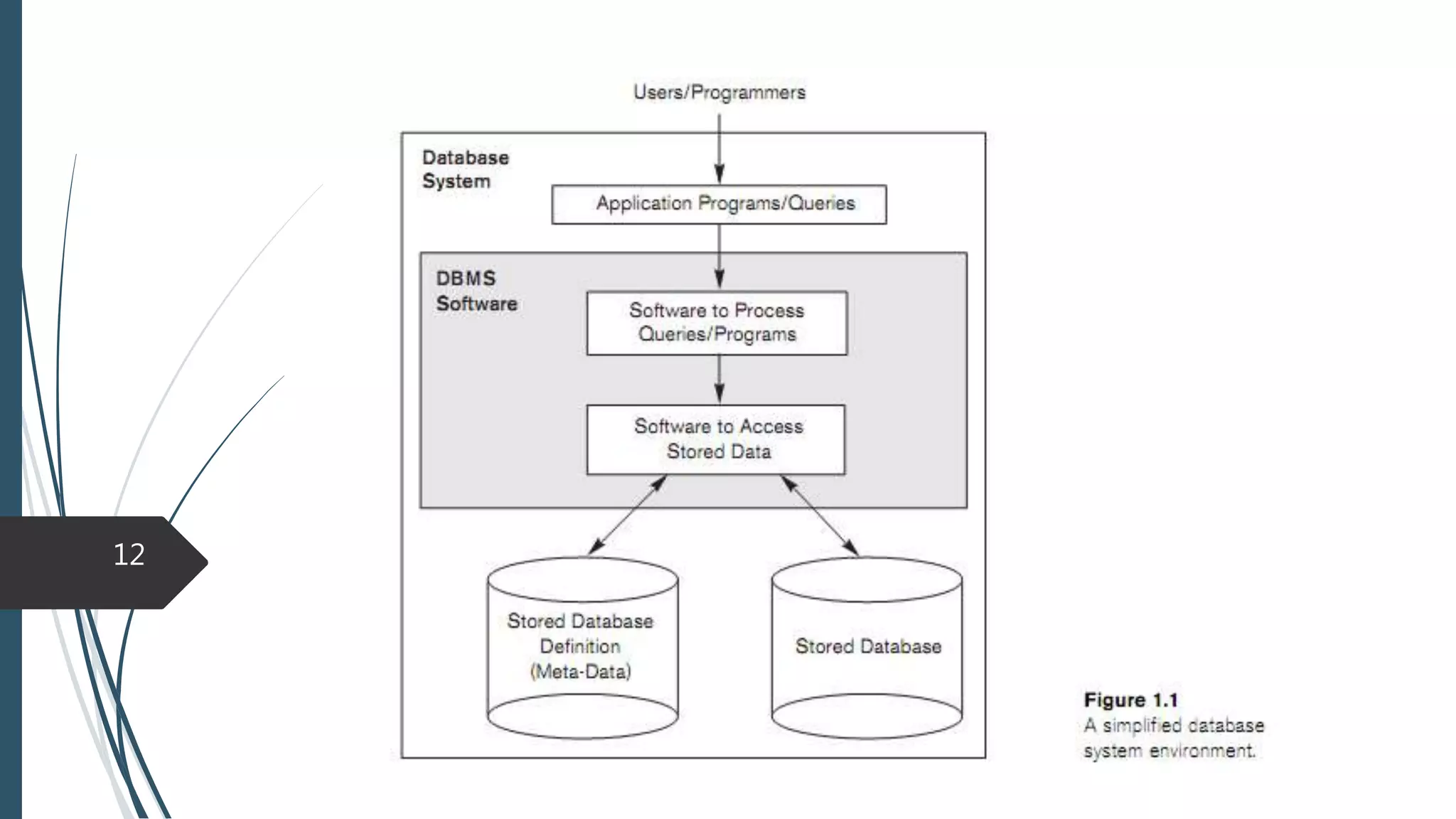
 Application program accesses the database by sending queries or requests for
data to the DBMS
 Query typically causes some data to be retrieved
 Database and DBMS software together a Database System
11
Characteristics of Database approach
1-Self-Describing Nature of a Database System
The database system contains not only the data itself but also a complete
definition
Definition is stored in the DBMS catalog
 Information such as the structure of each file, the type and storage format of each data item,
and various constraints on the data
The information stored in the catalog is called meta-data
In traditional file processing, data definition is typically part of the application
programs themselves
DBMS software refers to the catalog to determine the structure of the database
elements
12
13
Cont.
2-Insulation between Programs and Data , and Data Abstraction
In file processing, changes to the structure of a file may require changing all
programs that access that file
In database approach changes in database may not require changes in application
level
We call this property program-data independence
In object oriented approach operations are also defined which causes program
operation independence
The characteristic that allows program-data independence and program-
operation independence is called Data abstraction
 hides storage and implementation details from most database users
14
Cont.
3-Support of Multiple Views of the Data
A Database typically has many users, each of whom may require a different view
of the database
A view may be a subset of the database
It may contain virtual data that is derived but not explicitly stored.
15
Cont.
4-Sharing of Data and Multiuser Transaction Processing
Sharing allow multiple users to access the database at the same time
 The DBMS must include concurrency control software
Transaction is an executing program or process that includes one or more
database accesses
16
Actor of Database
 Small database
 one person typically defines, constructs, and manipulates the database, and there maybe no
sharing
 Large scale database
 many people are involved in the design, use, and maintenance of a large database with
hundreds of users with different responsibilities
 Actors on the scene
 people whose jobs involve the day-to-day use of a large database
 Workers behind the scene
 those who work to maintain the database system environment but who are not actively
interested in the database contents
17
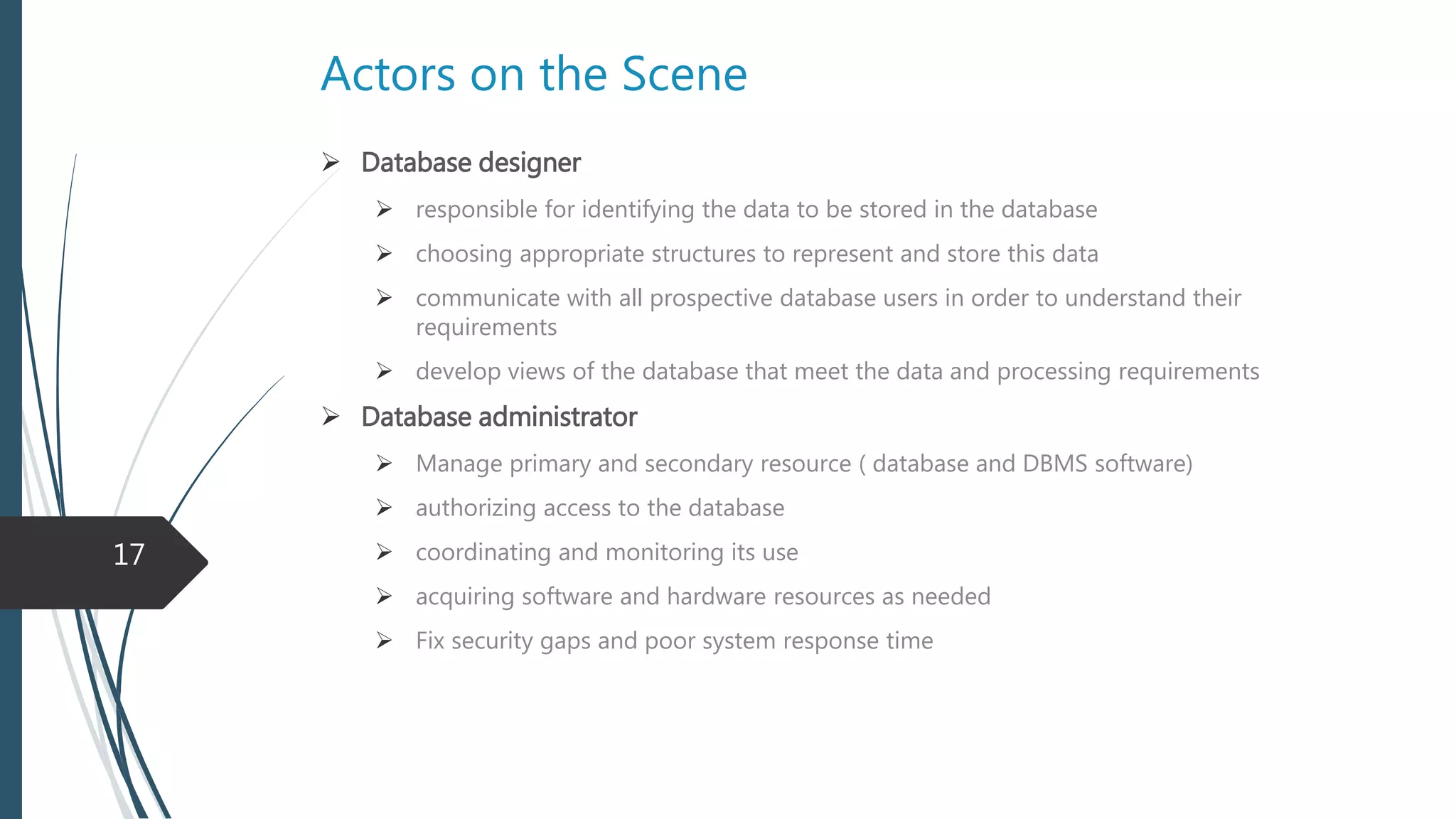
Actors on the Scene
 Database designer
 Communicate with all database users to understand their requirements
 Responsible for identifying the data to be stored in the database
 Choosing appropriate structures to represent and store this data
 Develop views of the database that meet the data and processing requirements
 Database administrator
 Manage primary and secondary resource ( Database and DBMS software)
 Authorizing access to the database
 Monitoring its use
 Acquiring software and hardware resources as needed
 Fix security gaps and poor system response time
18
Cont.
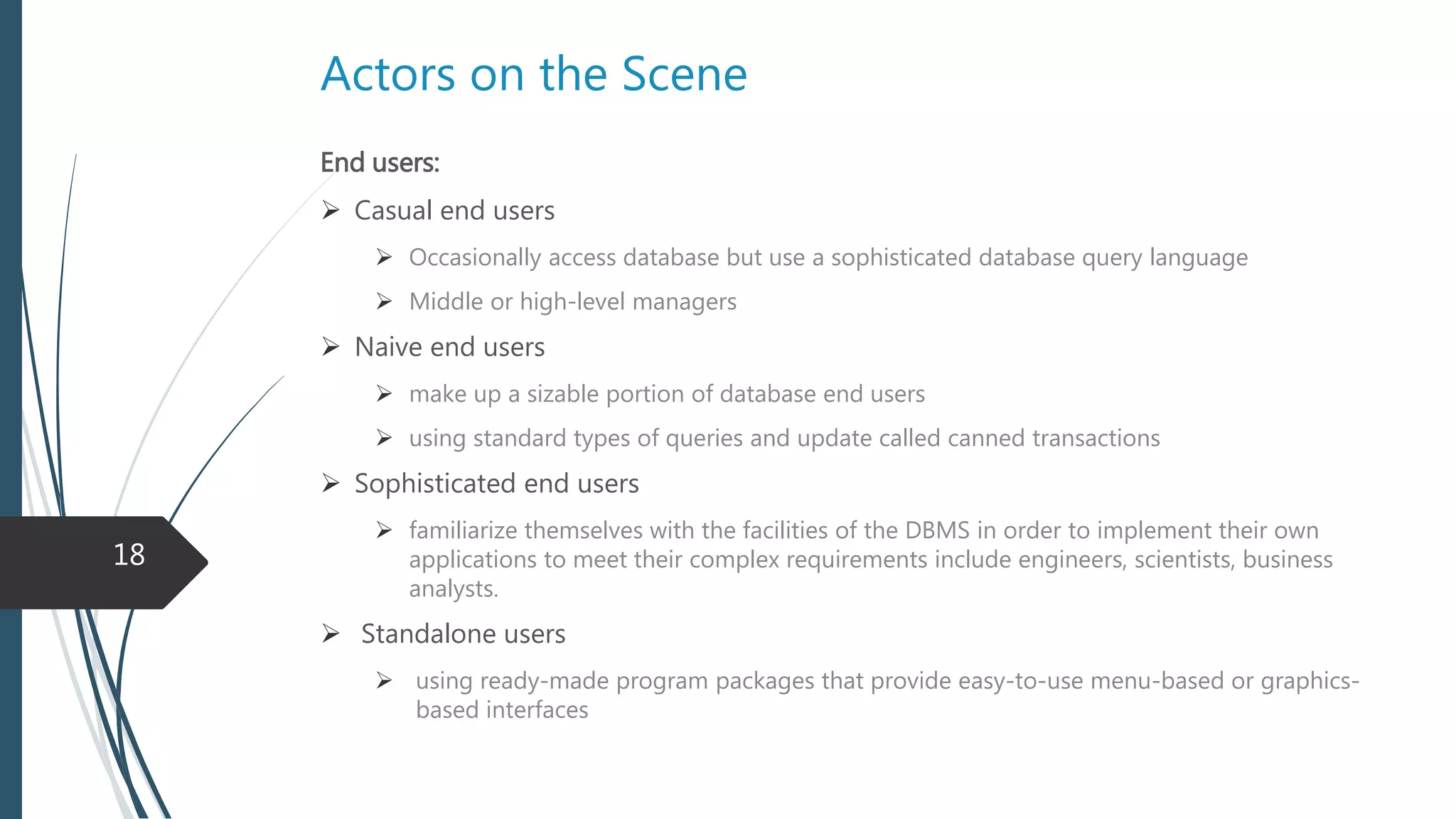
End users:
Casual end users
 Occasionally access database but use a sophisticated database query language
 Middle or high-level managers
Naive end users
 Using standard types of queries and update called canned transactions
Sophisticated end users
 Are familiar with Database Queries or Database Languages
 Like engineers, scientists, business analysts.
 Standalone users
 Using ready-made program packages that provide easy-to-use menu-based or graphics-
based interfaces
19
Cont.
System Analyst
 System analysts determine the requirements of end users
Application Programmers
 Application programmers implement these specifications as programs
 They test, debug, document, and maintain database transactions.
20
Actors behind the Scene
DBMS designer and implementers
Design and implement the DBMS modules and interfaces
Tool developers
design and implement tools
 software packages that facilitate database modeling and design, performance monitoring ….
Operators and maintenance personnel
responsible for the actual running and maintenance of
 hardware
 software
21
Advantages of using Database
1-Controlling Redundancy
In traditional file processing every user of the system has his/her own file
independently for recording data
 Some data might be recorded multiple times in different places.
Redundancy (storing the same data multiple times) leads to several problem
 Duplication of operation
 Storage space is wasted
 Inconsistency
22
Cont.
2-Restricting Unauthorized Access
When multiple users share a large database, most users will not be authorized to
access all information in the database
 Retrieval
 Deletion
 Update
 DBMS should provide a security and authorization subsystem
 DBA create accounts and to specify account restrictions
23
Cont.
3-Providing Persistent Storage for Program Objects
The main reasons for object-oriented database systems
Two types of object
 Transient objects
 Persistent objects
Object oriented DBMSs transform transient object to persistent
24
Cont.
4-Providing Storage Structures and Search Techniques for Efficient Query
Processing
Database systems must provide capabilities for efficiently executing queries and
updates by
 Specialized data structures
 Search techniques to speed up disk search
5-Providing Backup and Recovery
Must provide facilities for recovering from hardware or software failures
Backup and recovery subsystem of the DBMS is responsible
 Recovery by transactions
 In case of failure in query processing
 Disk backup and recovery
 In case of disk failure
25
Cont.
6-Representing Complex Relationships among Data
database may have too much entities that can have complex an numerous
relationship with each other
A DBMS must have the capability to
 Define relationship between entities
 Retrieve data according to specified relationship
7-Providing Multiple User Interfaces
DBMS should provide a variety of user interfaces for group of users
 Query languages interface
 Programming language interfaces for application programmers
 Forms
 menu-driven interfaces
known as graphical user interfaces (GUIs)
26
Cont.
8-Enforcing Integrity Constraints by :
 Specifying a data type for each data item
 Key or uniqueness constraint
 Business rules
9-Permitting Inference and Actions Using Rules
Deductive database systems
 Capabilities for defining deduction rules for inferring new information from the stored
database facts
Active database systems
 Automatically initiate actions when certain events and conditions occur.
 Triggers and events
27
Cont.
Additional implications for using database approach
Potential for Enforcing Standards
Reduced Application Development Time
Flexibility
Availability of Up-to-Date Information
28
History and evolution of Database systems
Network and hierarchical systems
Relational Databases
Object-Oriented Applications and the Need for More Complex Databases
Interchanging Data on the Web for E-Commerce Using XML
Extending Database Capabilities for New Applications
 Scientific applications
 Storage and retrieval of images and videos
 Data mining applications and analyzing large amounts of data
 Spatial applications that store spatial locations of data … GIS,GPS
 Time series applications
29
When Not to Use a DBMS
The overhead costs of using a DBMS are due to the following
High initial investment in hardware, software, and training
The generality that a DBMS provides for defining and processing data
Overhead for providing security, concurrency control, recovery
Use regular files under the following circumstances
Simple, well-defined database applications that are not expected to change at all
Embedded systems with limited storage capacity
No multiple-user access to data
Real-time requirements for some application programs that may not be met
because of DBMS overhead
30
Exercise
• Discuss the main characteristics of the Database approach and how it differs from
traditional file systems.
• What are the responsibilities of the DBA and the database designers?
• Email: bamian.cs@gmail.com
31
32

Fundamentals of Database system - Databases and Database Users

  • 1.
    Fundamentals of Databasesystems Ministry of Higher Education Bamyan University Computer Science Department 1 Presented by : Mustafa Kamel Mohammadi Email : bamian.cs@gmail.com Databases and Database Users Fundamentals of database system 6th edition
  • 2.
    Agenda of course Database design and implementation  Database systems introduction and concepts  Database system architecture  Relational Database design  Relational algebra  SQL  ER modeling 2
  • 3.
    learning objective  Inthis chapter you will learn  Introduction to database systems  Database size and complexity  What is DBMS?  Characteristics of Database approach  Users of database  Advantages of using database system  Database systems evolution  When not to use database systems 3
  • 4.
    Introduction  Databases anddatabase systems are an essential component of life in modern society and used in different fields  Schools  Universities  Online marketing  Airline reservation  Digital Libraries  Markets  Inventories  Companies 4
  • 5.
    Introduction (cont..)  ERP(Enterprise Resource Planning) systems  HR (Human resource)  Finance  Costumer relationship  Supply  Hospitals  Geographical org  Weather predictions  Communication 5
  • 6.
    Types of Databasesystems  Traditional database  information that is stored and accessed is either textual or numeric  Multimedia databases  store images, audio clips, and video streams digitally  Geographic information systems  can store and analyze maps, weather data, and satellite images  Data warehouses and online analytical processing (OLAP) systems  Extract and analyze useful business information from very large databases to support decision making  Real-time and active database technology  used to control industrial and manufacturing processes 6
  • 7.
    Definition  A Databaseis a collection of logically related data  Data = facts that can be recorded and that have implicit meaning like names, telephone numbers, and addresses of the people Database properties  Represents some aspect of the real world.  Database is a mini world.  Designed, built, and populated with data for a specific purpose.  It has some group of users and applications that use database.  Has degree of interaction through application  User is actively interested in it’s content  Has source from which data is derived 7
  • 8.
  • 9.
    Size and Complexity A Database can be of any size and complexity  According to size  As small to store few hundreds of records like a contact list  As big like Google ….  According to complexity  Less complex like a simple insertion and retrieval system  More complex like amazon, Facebook , financial systems 9
  • 10.
    DBMS (Database managementsystem)  A collection of programs that enables users to create and maintain a database.  It Manages Database files the same as “Windows Explorer” manages files in Drives.  A General-purpose software system that facilitates the  Defining  Involves specifying the data types, structures, and constraints of the data  Constructing  the process of storing the data on some storage medium  Manipulating  Retrieving , updating, deleting records  Sharing  allows multiple users and programs to access the database simultaneously 10
  • 11.
    Cont.  Other functionsof DBMS  Protection : protecting against hardware and software malfunction  Security : protecting against unauthorized access  Maintaining : allow the system to evolve as requirements change over time  Application program accesses the database by sending queries or requests for data to the DBMS  Query typically causes some data to be retrieved  Database and DBMS software together a Database System 11
  • 12.
    Characteristics of Databaseapproach 1-Self-Describing Nature of a Database System The database system contains not only the data itself but also a complete definition Definition is stored in the DBMS catalog  Information such as the structure of each file, the type and storage format of each data item, and various constraints on the data The information stored in the catalog is called meta-data In traditional file processing, data definition is typically part of the application programs themselves DBMS software refers to the catalog to determine the structure of the database elements 12
  • 13.
  • 14.
    Cont. 2-Insulation between Programsand Data , and Data Abstraction In file processing, changes to the structure of a file may require changing all programs that access that file In database approach changes in database may not require changes in application level We call this property program-data independence In object oriented approach operations are also defined which causes program operation independence The characteristic that allows program-data independence and program- operation independence is called Data abstraction  hides storage and implementation details from most database users 14
  • 15.
    Cont. 3-Support of MultipleViews of the Data A Database typically has many users, each of whom may require a different view of the database A view may be a subset of the database It may contain virtual data that is derived but not explicitly stored. 15
  • 16.
    Cont. 4-Sharing of Dataand Multiuser Transaction Processing Sharing allow multiple users to access the database at the same time  The DBMS must include concurrency control software Transaction is an executing program or process that includes one or more database accesses 16
  • 17.
    Actor of Database Small database  one person typically defines, constructs, and manipulates the database, and there maybe no sharing  Large scale database  many people are involved in the design, use, and maintenance of a large database with hundreds of users with different responsibilities  Actors on the scene  people whose jobs involve the day-to-day use of a large database  Workers behind the scene  those who work to maintain the database system environment but who are not actively interested in the database contents 17
  • 18.
    Actors on theScene  Database designer  Communicate with all database users to understand their requirements  Responsible for identifying the data to be stored in the database  Choosing appropriate structures to represent and store this data  Develop views of the database that meet the data and processing requirements  Database administrator  Manage primary and secondary resource ( Database and DBMS software)  Authorizing access to the database  Monitoring its use  Acquiring software and hardware resources as needed  Fix security gaps and poor system response time 18
  • 19.
    Cont. End users: Casual endusers  Occasionally access database but use a sophisticated database query language  Middle or high-level managers Naive end users  Using standard types of queries and update called canned transactions Sophisticated end users  Are familiar with Database Queries or Database Languages  Like engineers, scientists, business analysts.  Standalone users  Using ready-made program packages that provide easy-to-use menu-based or graphics- based interfaces 19
  • 20.
    Cont. System Analyst  Systemanalysts determine the requirements of end users Application Programmers  Application programmers implement these specifications as programs  They test, debug, document, and maintain database transactions. 20
  • 21.
    Actors behind theScene DBMS designer and implementers Design and implement the DBMS modules and interfaces Tool developers design and implement tools  software packages that facilitate database modeling and design, performance monitoring …. Operators and maintenance personnel responsible for the actual running and maintenance of  hardware  software 21
  • 22.
    Advantages of usingDatabase 1-Controlling Redundancy In traditional file processing every user of the system has his/her own file independently for recording data  Some data might be recorded multiple times in different places. Redundancy (storing the same data multiple times) leads to several problem  Duplication of operation  Storage space is wasted  Inconsistency 22
  • 23.
    Cont. 2-Restricting Unauthorized Access Whenmultiple users share a large database, most users will not be authorized to access all information in the database  Retrieval  Deletion  Update  DBMS should provide a security and authorization subsystem  DBA create accounts and to specify account restrictions 23
  • 24.
    Cont. 3-Providing Persistent Storagefor Program Objects The main reasons for object-oriented database systems Two types of object  Transient objects  Persistent objects Object oriented DBMSs transform transient object to persistent 24
  • 25.
    Cont. 4-Providing Storage Structuresand Search Techniques for Efficient Query Processing Database systems must provide capabilities for efficiently executing queries and updates by  Specialized data structures  Search techniques to speed up disk search 5-Providing Backup and Recovery Must provide facilities for recovering from hardware or software failures Backup and recovery subsystem of the DBMS is responsible  Recovery by transactions  In case of failure in query processing  Disk backup and recovery  In case of disk failure 25
  • 26.
    Cont. 6-Representing Complex Relationshipsamong Data database may have too much entities that can have complex an numerous relationship with each other A DBMS must have the capability to  Define relationship between entities  Retrieve data according to specified relationship 7-Providing Multiple User Interfaces DBMS should provide a variety of user interfaces for group of users  Query languages interface  Programming language interfaces for application programmers  Forms  menu-driven interfaces known as graphical user interfaces (GUIs) 26
  • 27.
    Cont. 8-Enforcing Integrity Constraintsby :  Specifying a data type for each data item  Key or uniqueness constraint  Business rules 9-Permitting Inference and Actions Using Rules Deductive database systems  Capabilities for defining deduction rules for inferring new information from the stored database facts Active database systems  Automatically initiate actions when certain events and conditions occur.  Triggers and events 27
  • 28.
    Cont. Additional implications forusing database approach Potential for Enforcing Standards Reduced Application Development Time Flexibility Availability of Up-to-Date Information 28
  • 29.
    History and evolutionof Database systems Network and hierarchical systems Relational Databases Object-Oriented Applications and the Need for More Complex Databases Interchanging Data on the Web for E-Commerce Using XML Extending Database Capabilities for New Applications  Scientific applications  Storage and retrieval of images and videos  Data mining applications and analyzing large amounts of data  Spatial applications that store spatial locations of data … GIS,GPS  Time series applications 29
  • 30.
    When Not toUse a DBMS The overhead costs of using a DBMS are due to the following High initial investment in hardware, software, and training The generality that a DBMS provides for defining and processing data Overhead for providing security, concurrency control, recovery Use regular files under the following circumstances Simple, well-defined database applications that are not expected to change at all Embedded systems with limited storage capacity No multiple-user access to data Real-time requirements for some application programs that may not be met because of DBMS overhead 30
  • 31.
    Exercise • Discuss themain characteristics of the Database approach and how it differs from traditional file systems. • What are the responsibilities of the DBA and the database designers? • Email: bamian.cs@gmail.com 31
  • 32.