from old Java
to modern Java
∼ 職業プログラマに聞いて欲しいJava再入門
Acroquest Technology株式会社
JJUG / 関西Javaエンジニアの会
谷本 心 ( @cero_t )
自己紹介
•職業:
Javaトラブルシューター
(教育もやってます)
•近況:
gihyo.jpや日経ソフトウエアに
記事を書きました
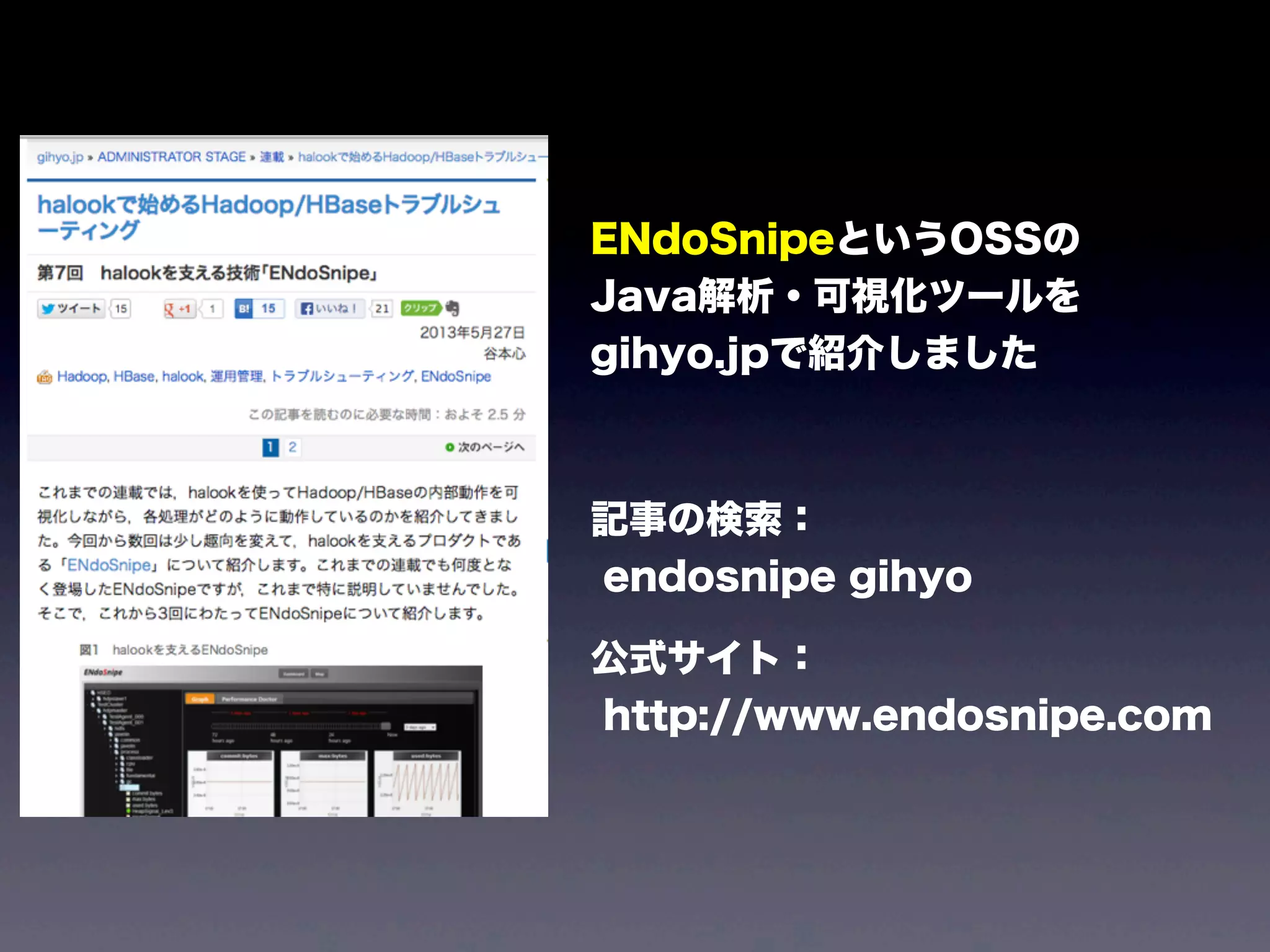
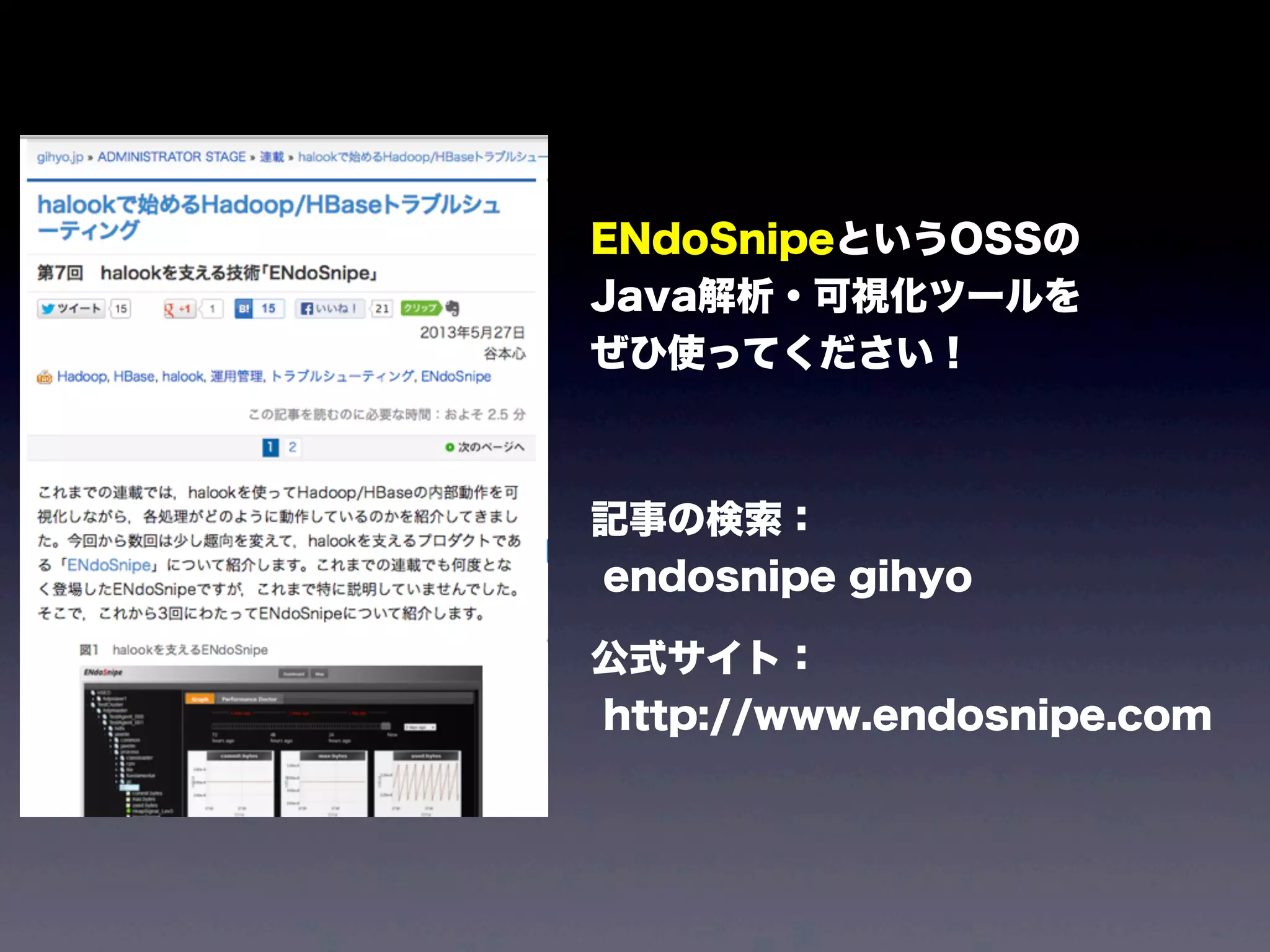
ENdoSnipeというOSSの
Java解析・可視化ツールを
gihyo.jpで紹介しました
記事の検索:
endosnipe gihyo
公式サイト:
http://www.endosnipe.com
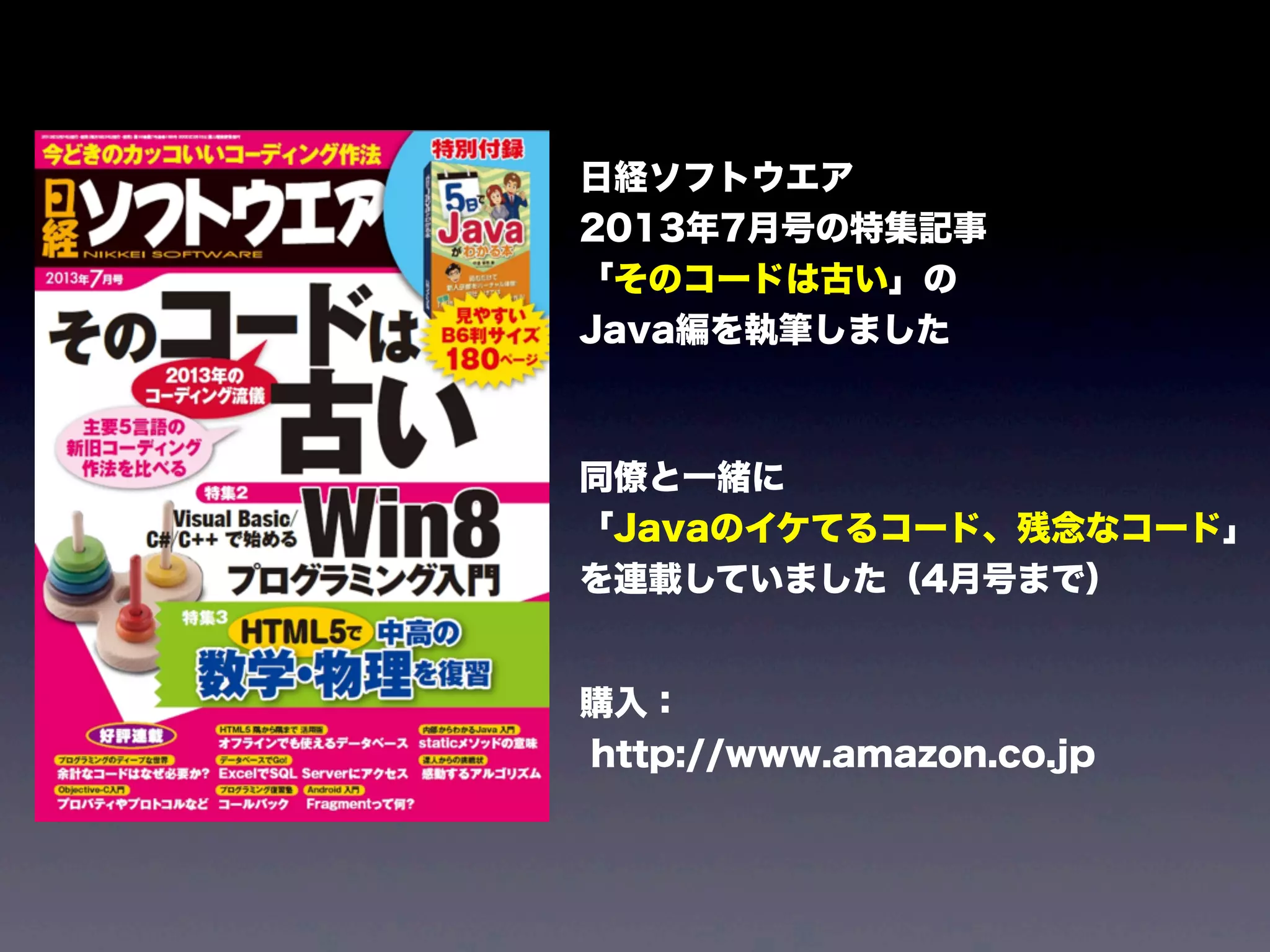
日経ソフトウエア
2013年7月号の特集記事
「そのコードは古い」の
Java編を執筆しました
同僚と一緒に
「Javaのイケてるコード、残念なコード」
を連載していました(4月号まで)
購入:
http://www.amazon.co.jp
本日のテーマ
イマドキのJava
(文法編)
Javaの文法の話
新しいAPIの話
解析ツールの話
バイトコードの話
いま、現場では
どのバージョンの
Javaをお使いですか?
(複数回答可)
もちろん
JavaSE7
既にOracleの
サポートが切れた
JavaSE6
え、まだ
J2SE 5.0ですか?
まさかの
J2SE 1.4ですか?
それより前?
大丈夫です、
今回は1.4や5.0あたりを
使っている人が
一番のターゲットです
逆に
JavaSE8?
すごいね、
帰っていいよ!
from old Java
to modern Java
∼ 職業プログラマに聞いて欲しいJava再入門
Acroquest Technology株式会社
JJUG / 関西Javaエンジニアの会
谷本 心 ( @cero_t )
Lesson1
現場で見かける
こんなコード
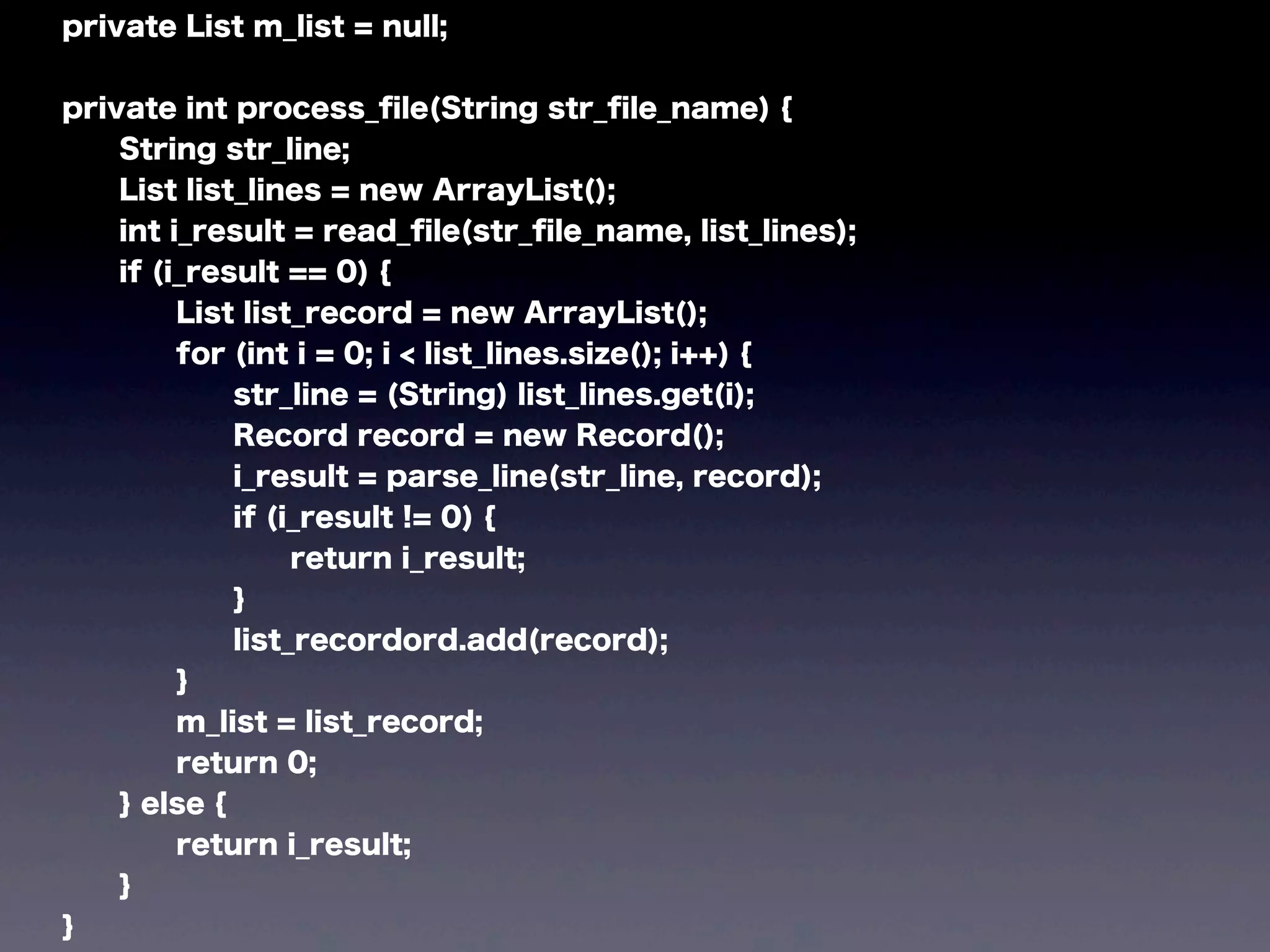
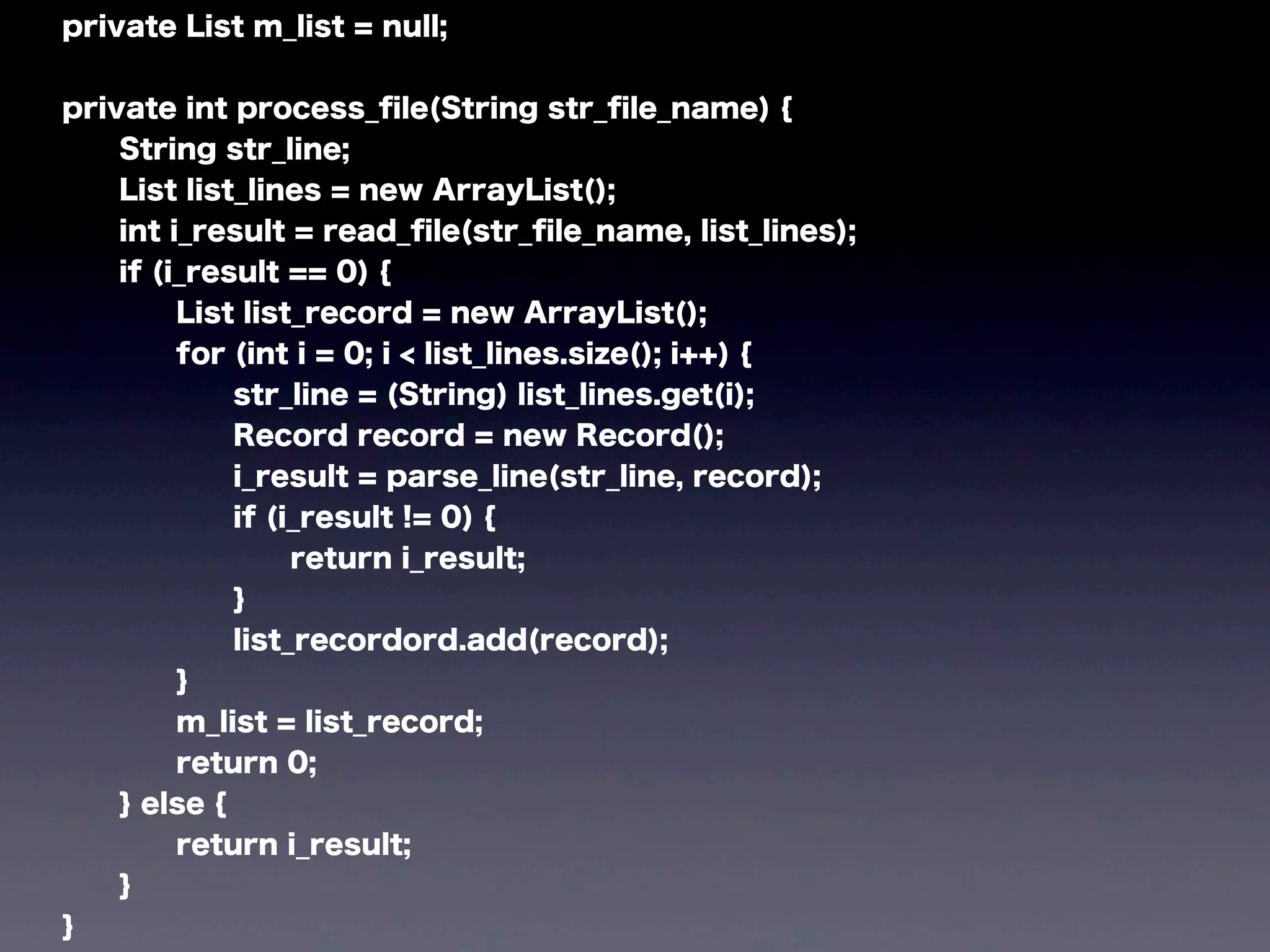
private List m_list = null;
private int process_file(String str_file_name) {
String str_line;
List list_lines = new ArrayList();
int i_result = read_file(str_file_name, list_lines);
if (i_result == 0) {
List list_record = new ArrayList();
for (int i = 0; i < list_lines.size(); i++) {
str_line = (String) list_lines.get(i);
Record record = new Record();
i_result = parse_line(str_line, record);
if (i_result != 0) {
return i_result;
}
list_recordord.add(record);
}
m_list = list_record;
return 0;
} else {
return i_result;
}
}
Lesson1
from C-ish Java
to Java like Java
(J2SE1.4)
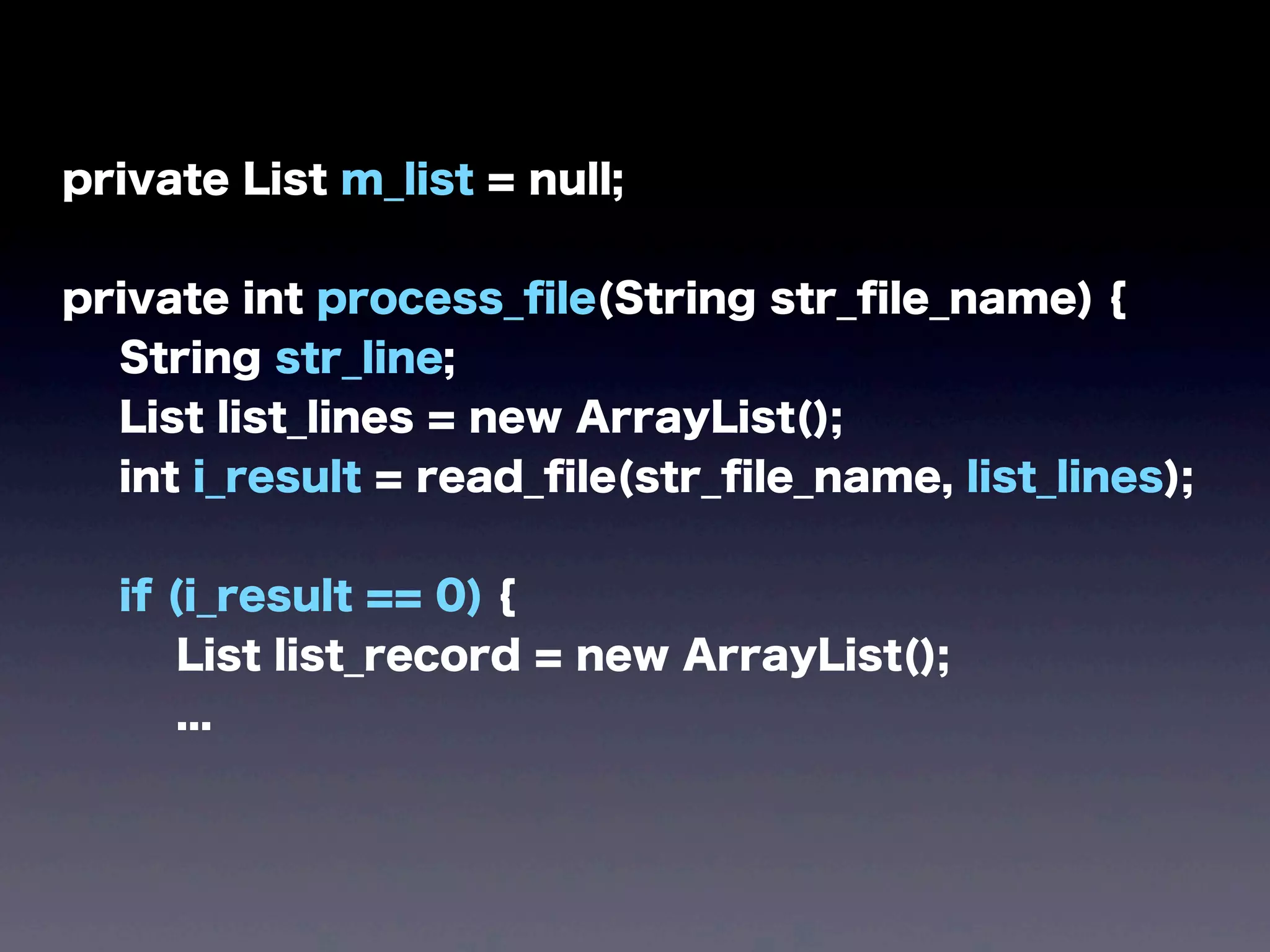
private List m_list = null;
private int process_file(String str_file_name) {
String str_line;
List list_lines = new ArrayList();
int i_result = read_file(str_file_name, list_lines);
if (i_result == 0) {
List list_record = new ArrayList();
...
private List m_list = null;
private int process_file(String str_file_name) {
String str_line;
List list_lines = new ArrayList();
int i_result = read_file(str_file_name, list_lines);
if (i_result == 0) {
List list_record = new ArrayList();
...
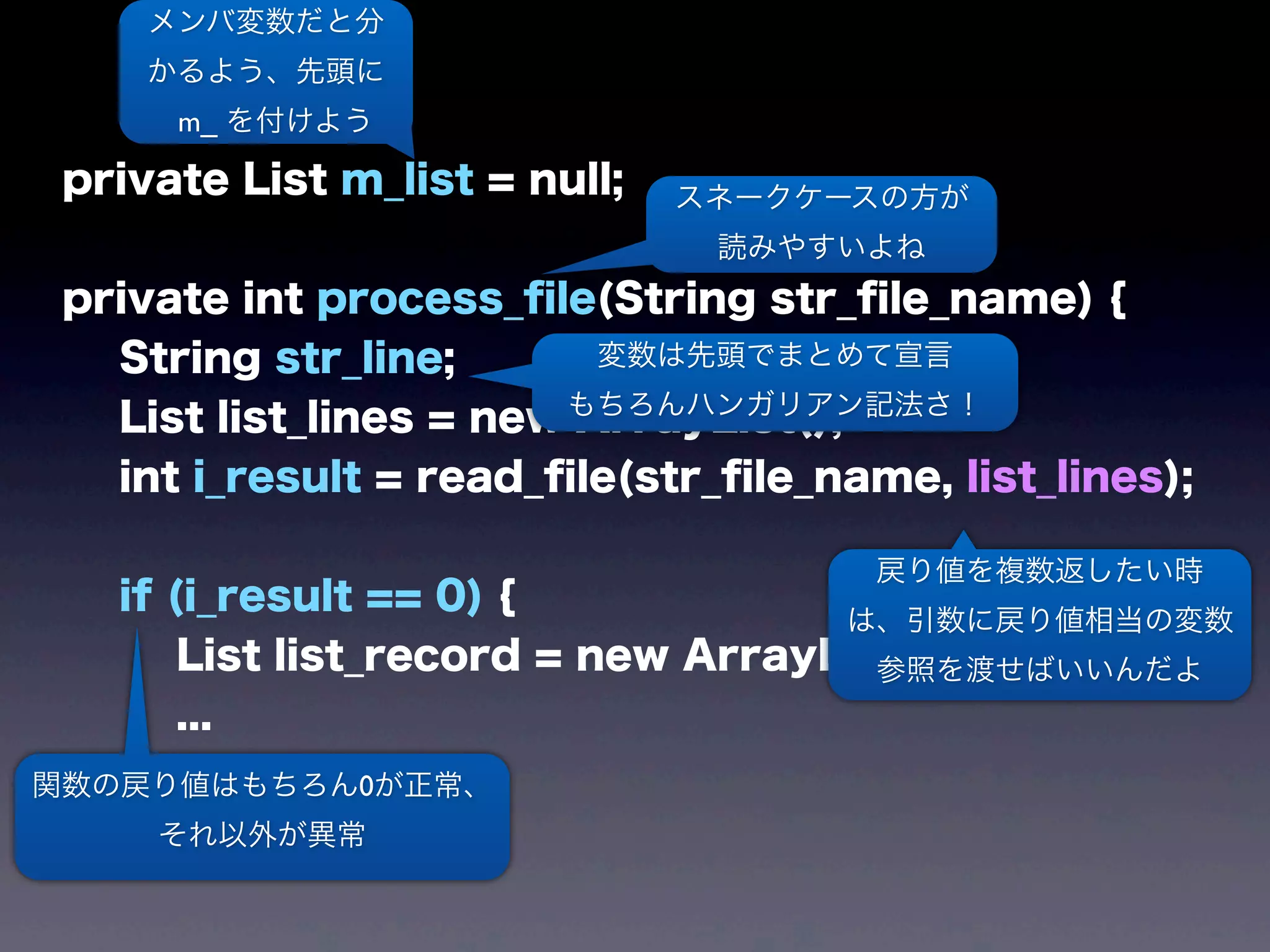
メンバ変数だと分
かるよう、先頭に
m_ を付けよう
スネークケースの方が
読みやすいよね
変数は先頭でまとめて宣言
もちろんハンガリアン記法さ!
戻り値を複数返したい時
は、引数に戻り値相当の変数
参照を渡せばいいんだよ
関数の戻り値はもちろん0が正常、
それ以外が異常
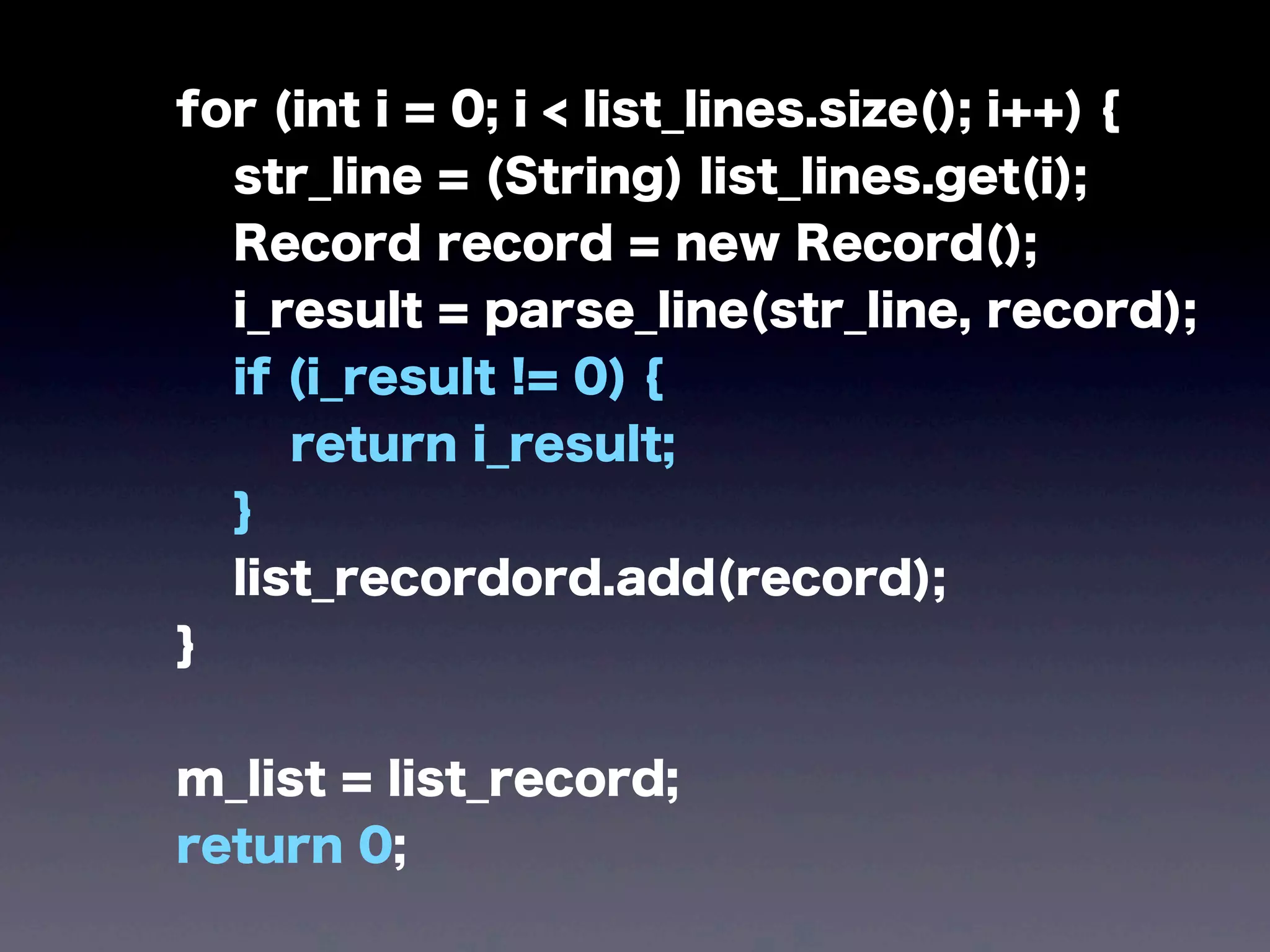
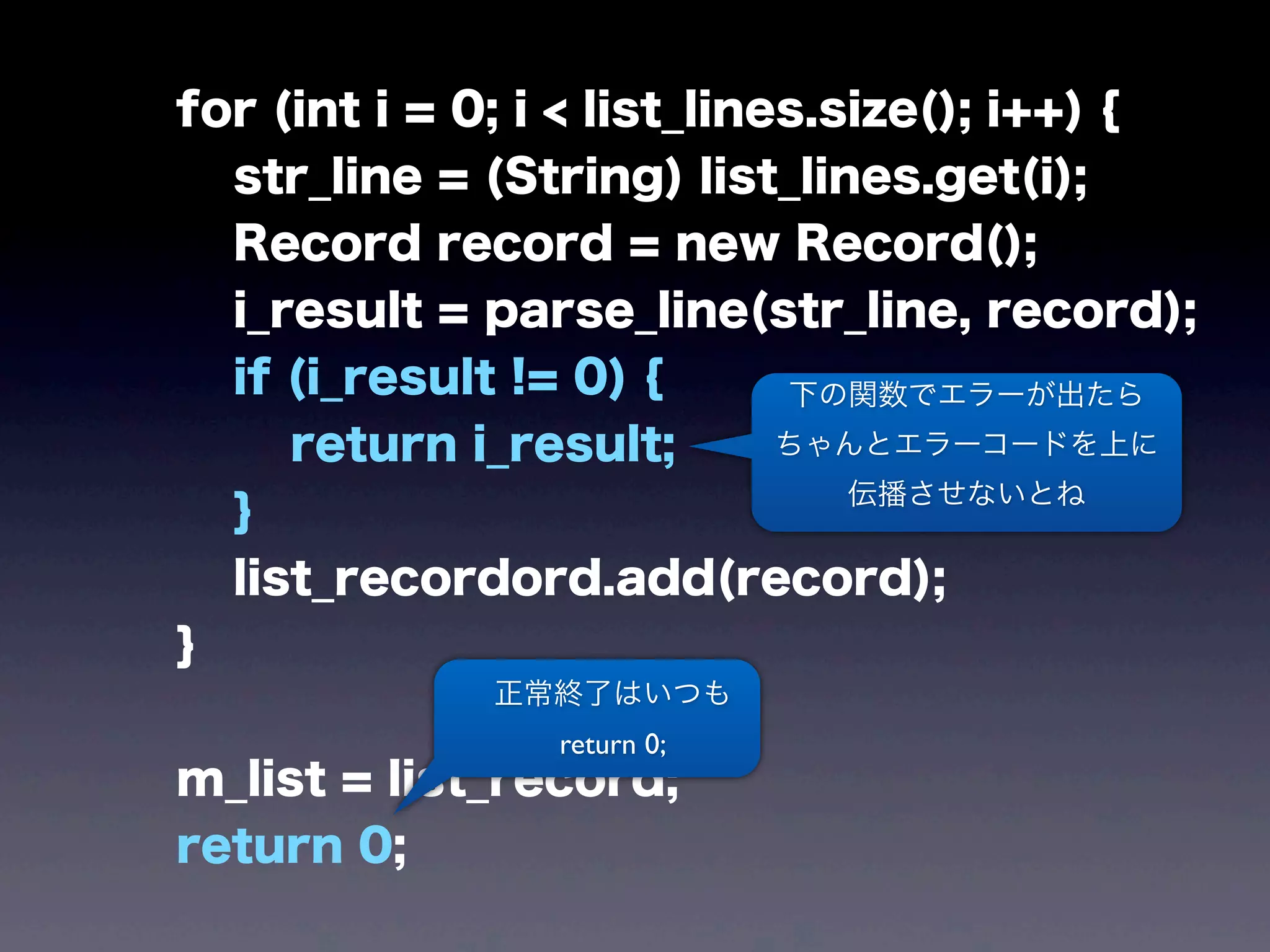
for (int i = 0; i < list_lines.size(); i++) {
str_line = (String) list_lines.get(i);
Record record = new Record();
i_result = parse_line(str_line, record);
if (i_result != 0) {
return i_result;
}
list_recordord.add(record);
}
m_list = list_record;
return 0;
for (int i = 0; i < list_lines.size(); i++) {
str_line = (String) list_lines.get(i);
Record record = new Record();
i_result = parse_line(str_line, record);
if (i_result != 0) {
return i_result;
}
list_recordord.add(record);
}
m_list = list_record;
return 0;
下の関数でエラーが出たら
ちゃんとエラーコードを上に
伝播させないとね
正常終了はいつも
return 0;
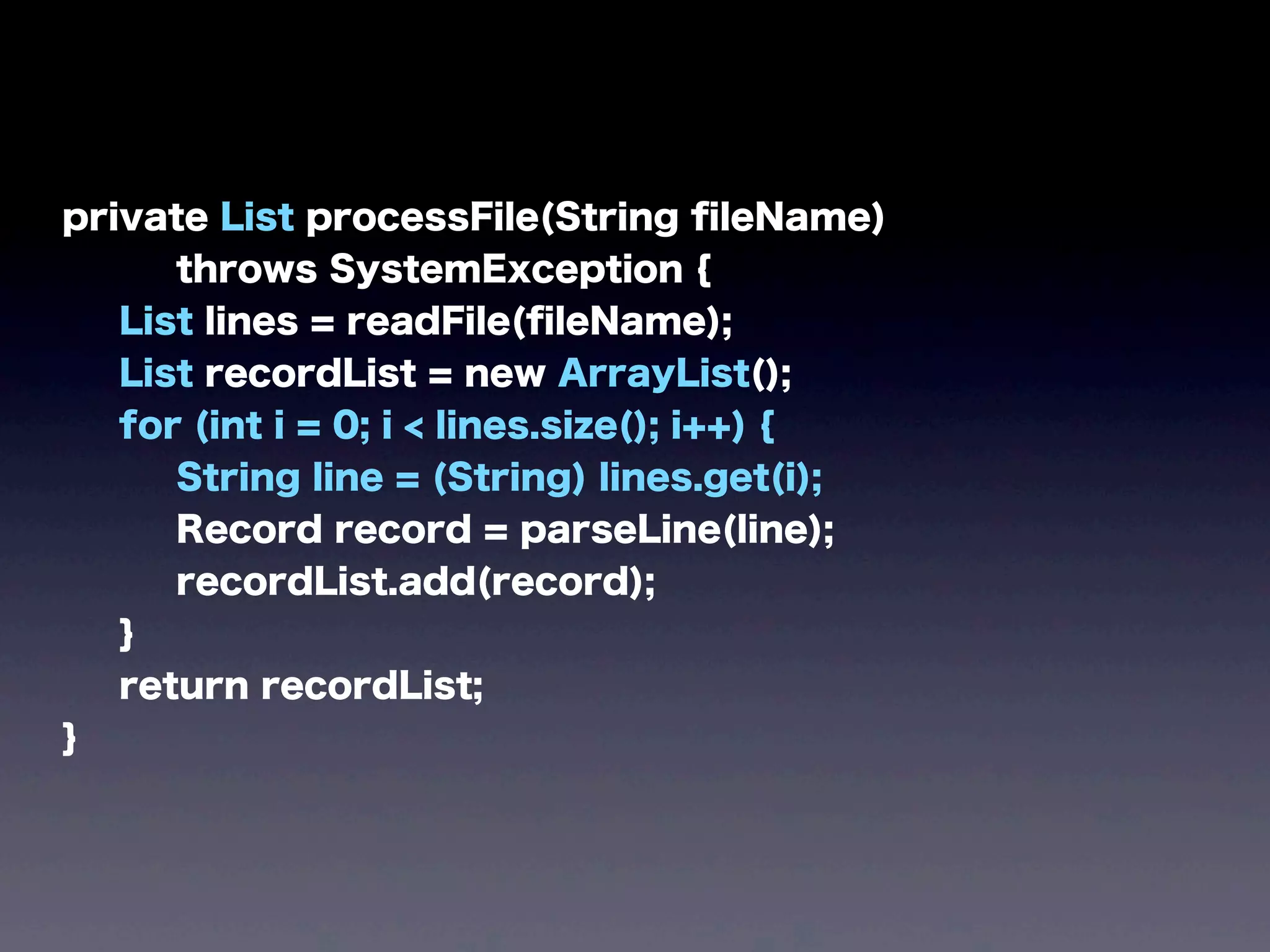
きちんとJava風に
書き直すと・・・
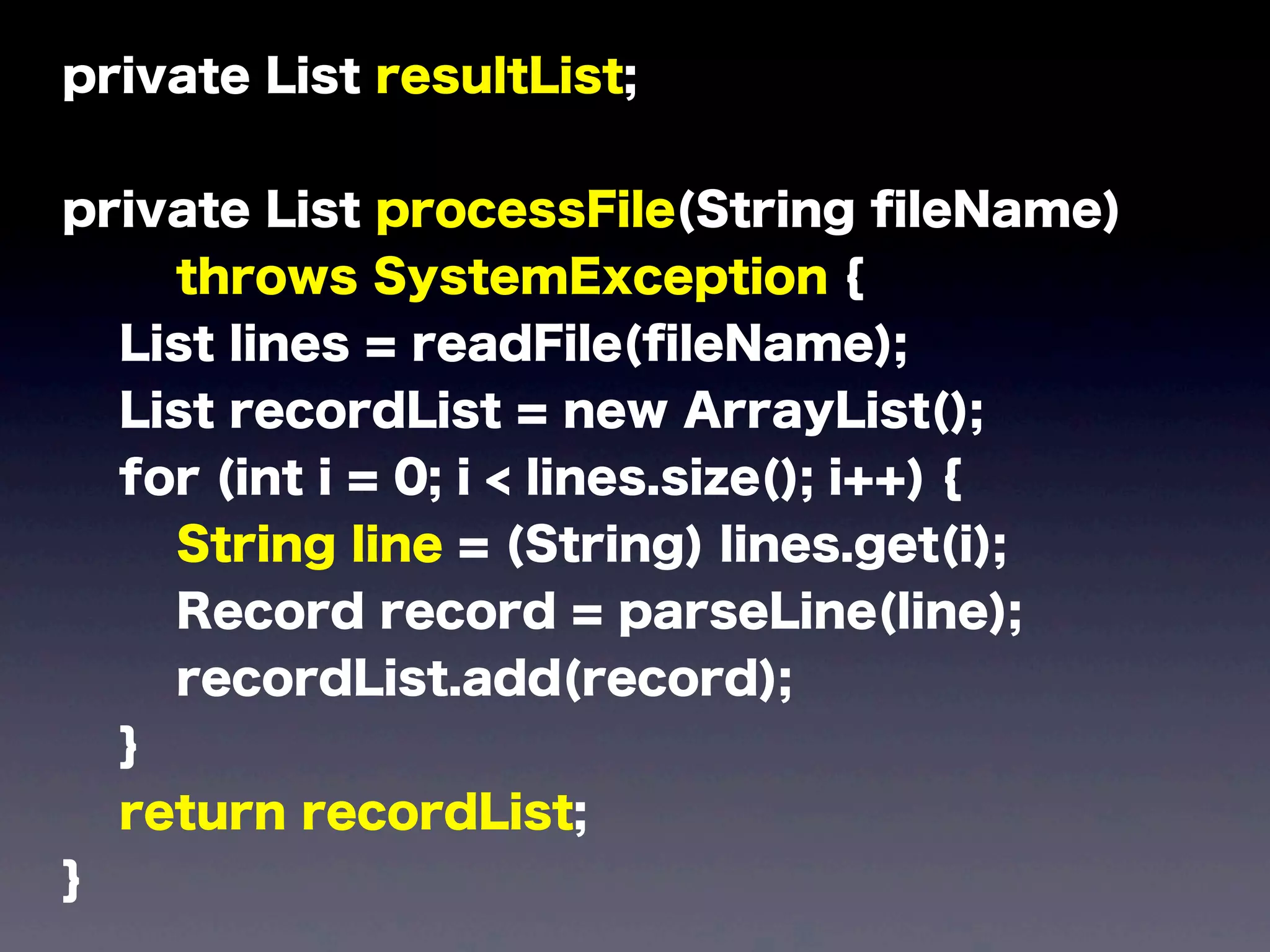
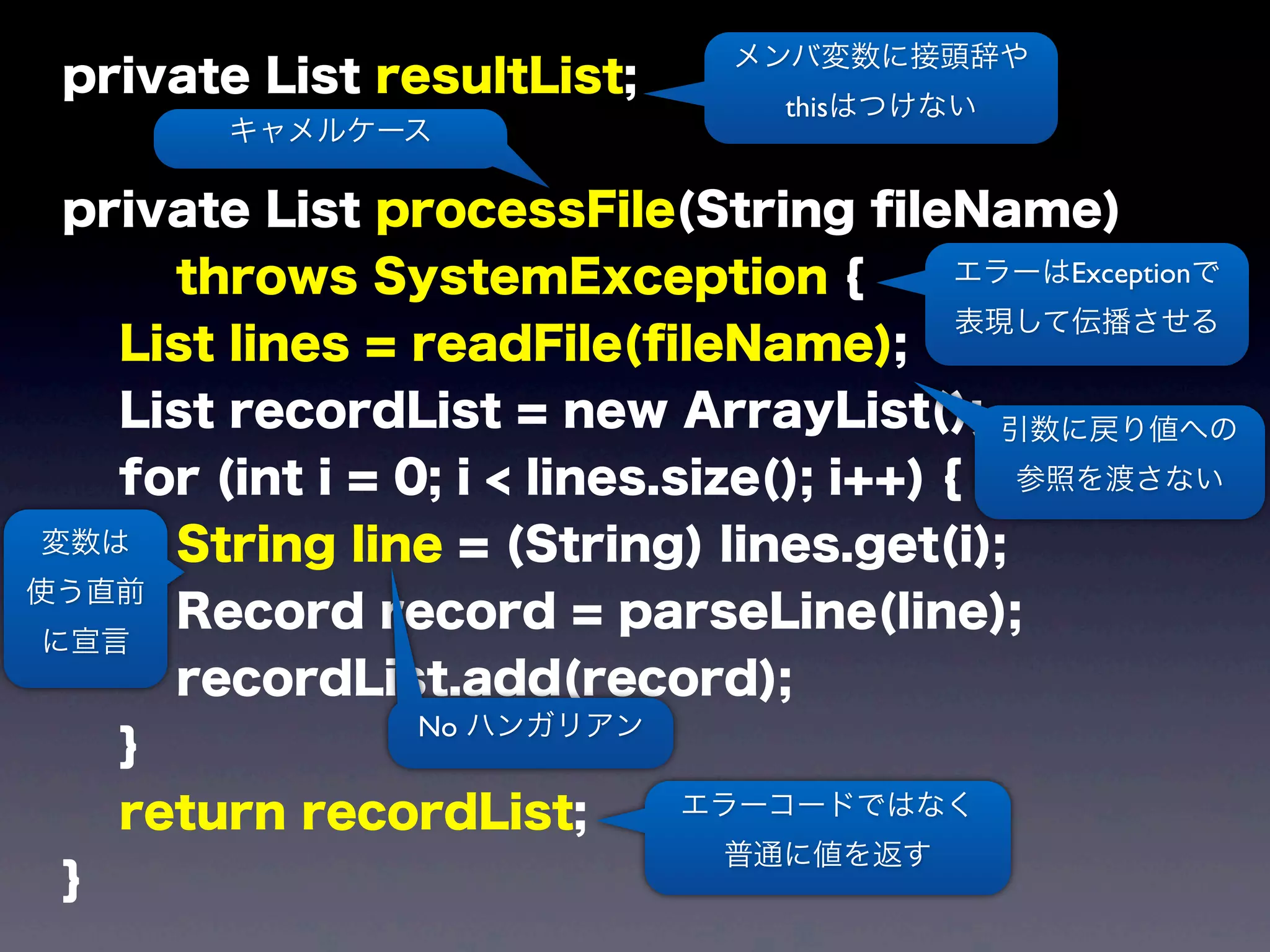
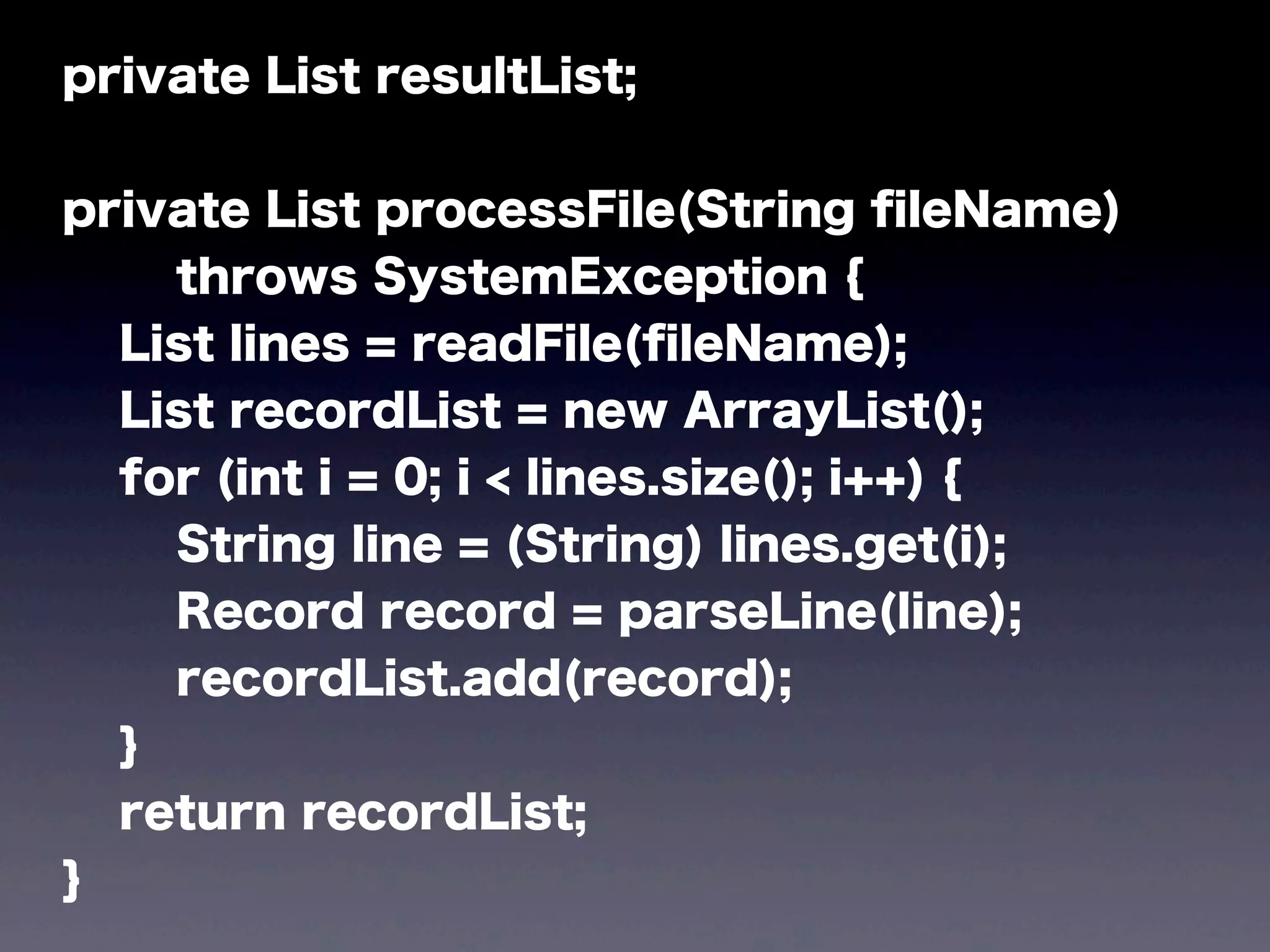
private List resultList;
private List processFile(String fileName)
throws SystemException {
List lines = readFile(fileName);
List recordList = new ArrayList();
for (int i = 0; i < lines.size(); i++) {
String line = (String) lines.get(i);
Record record = parseLine(line);
recordList.add(record);
}
return recordList;
}
private List resultList;
private List processFile(String fileName)
throws SystemException {
List lines = readFile(fileName);
List recordList = new ArrayList();
for (int i = 0; i < lines.size(); i++) {
String line = (String) lines.get(i);
Record record = parseLine(line);
recordList.add(record);
}
return recordList;
}
メンバ変数に接頭辞や
thisはつけない
キャメルケース
エラーはExceptionで
表現して伝播させる
エラーコードではなく
普通に値を返す
変数は
使う直前
に宣言
引数に戻り値への
参照を渡さない
No ハンガリアン
before / after
で見てみると
before
private List m_list = null;
private int process_file(String str_file_name) {
String str_line;
List list_lines = new ArrayList();
int i_result = read_file(str_file_name, list_lines);
if (i_result == 0) {
List list_record = new ArrayList();
for (int i = 0; i < list_lines.size(); i++) {
str_line = (String) list_lines.get(i);
Record record = new Record();
i_result = parse_line(str_line, record);
if (i_result != 0) {
return i_result;
}
list_recordord.add(record);
}
m_list = list_record;
return 0;
} else {
return i_result;
}
}
after
private List resultList;
private List processFile(String fileName)
throws SystemException {
List lines = readFile(fileName);
List recordList = new ArrayList();
for (int i = 0; i < lines.size(); i++) {
String line = (String) lines.get(i);
Record record = parseLine(line);
recordList.add(record);
}
return recordList;
}
なんということでしょう
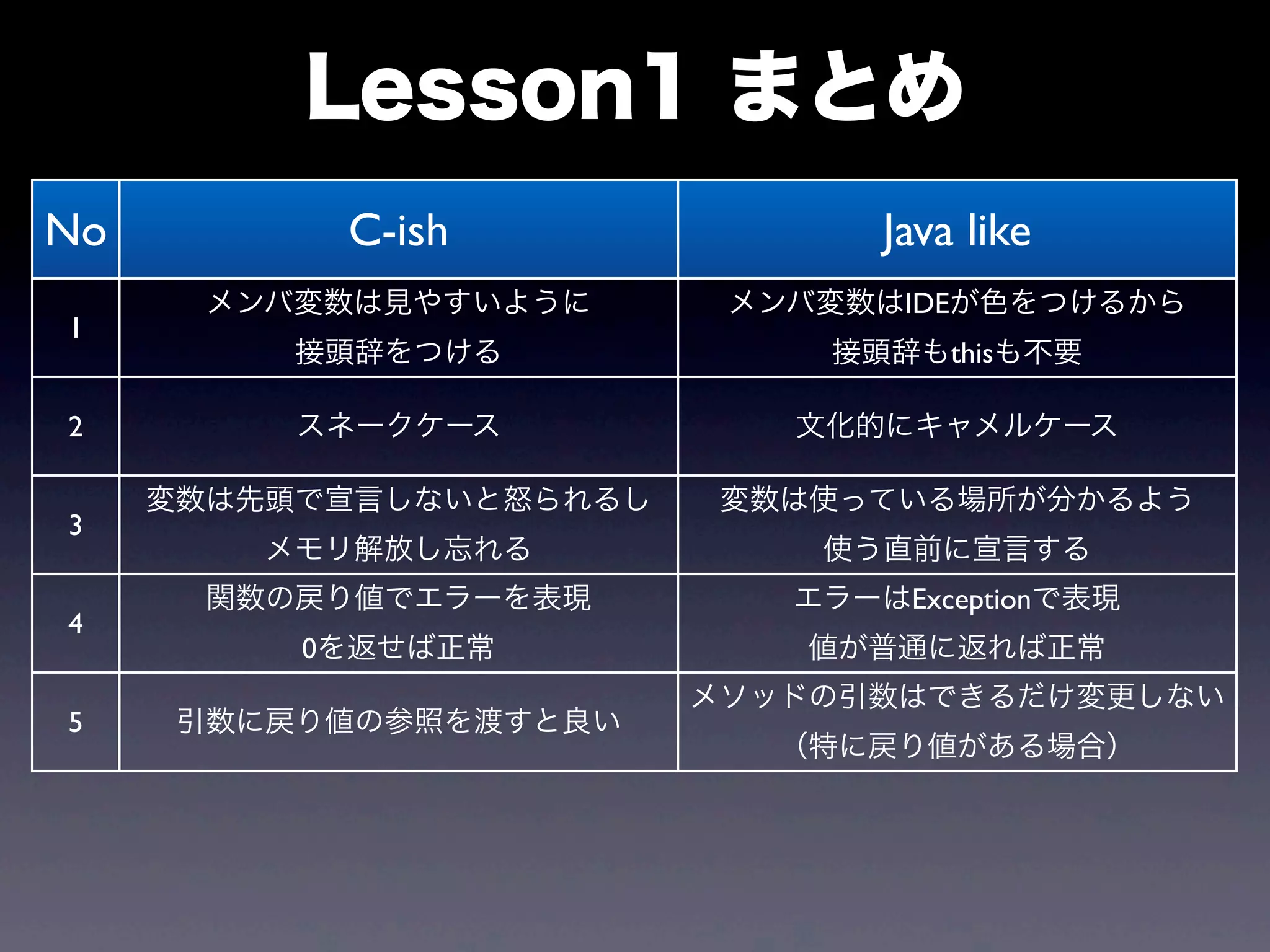
No C-ish Java like
1
メンバ変数は見やすいように
接頭辞をつける
メンバ変数はIDEが色をつけるから
接頭辞もthisも不要
2 スネークケース 文化的にキャメルケース
3
変数は先頭で宣言しないと怒られるし
メモリ解放し忘れる
変数は使っている場所が分かるよう
使う直前に宣言する
4
関数の戻り値でエラーを表現
0を返せば正常
エラーはExceptionで表現
値が普通に返れば正常
5 引数に戻り値の参照を渡すと良い
メソッドの引数はできるだけ変更しない
(特に戻り値がある場合)
Lesson1 まとめ
Lesson2
from J2SE 1.4
to J2SE 5.0
ちなみに正式名称は
JavaSE 5.0ではなく
J2SE 5.0らしいよ
J2SE 5.0
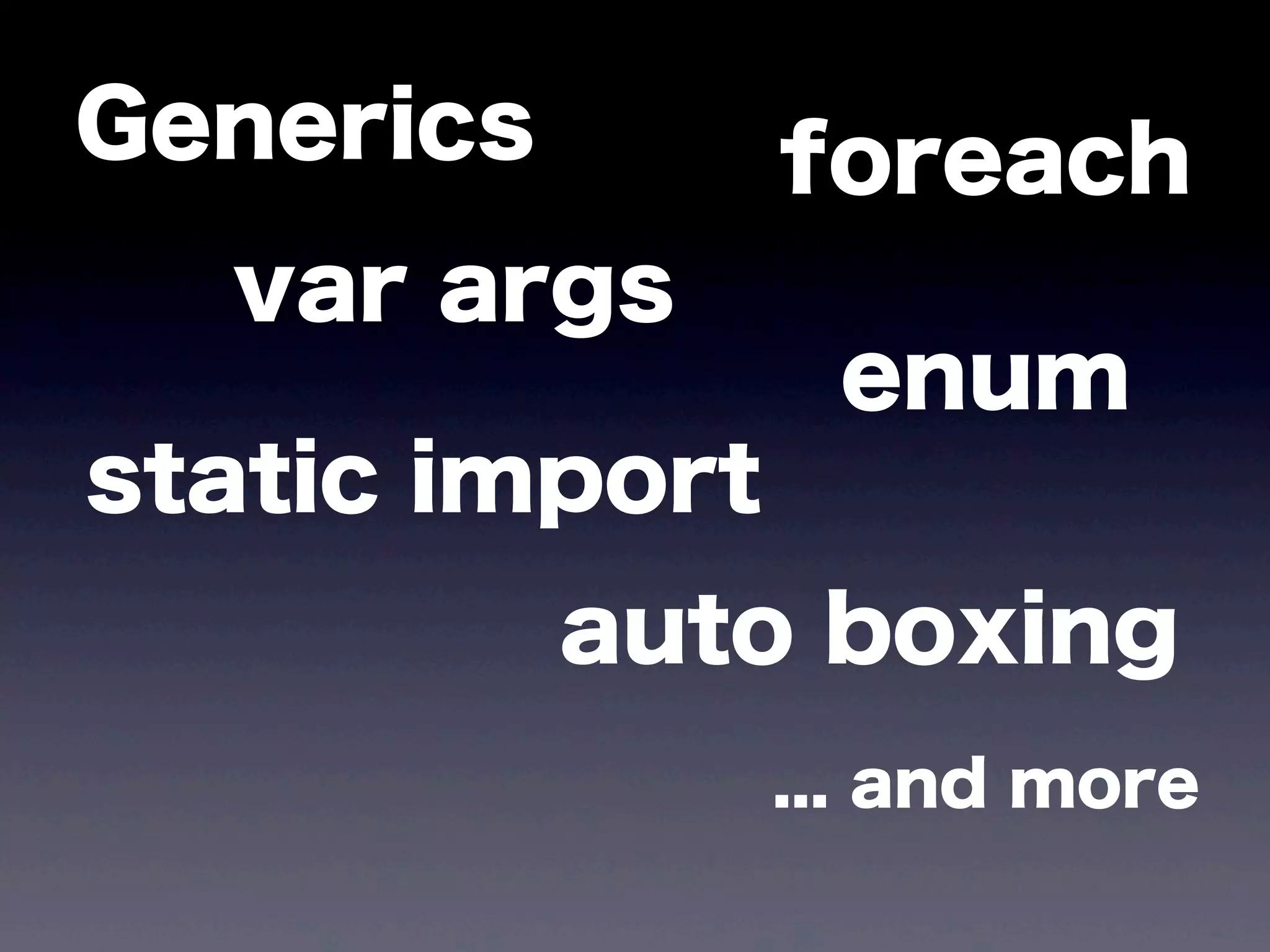
Generics foreach
enum
static import
var args
auto boxing
... and more
イマドキのJavaの
スタンダード
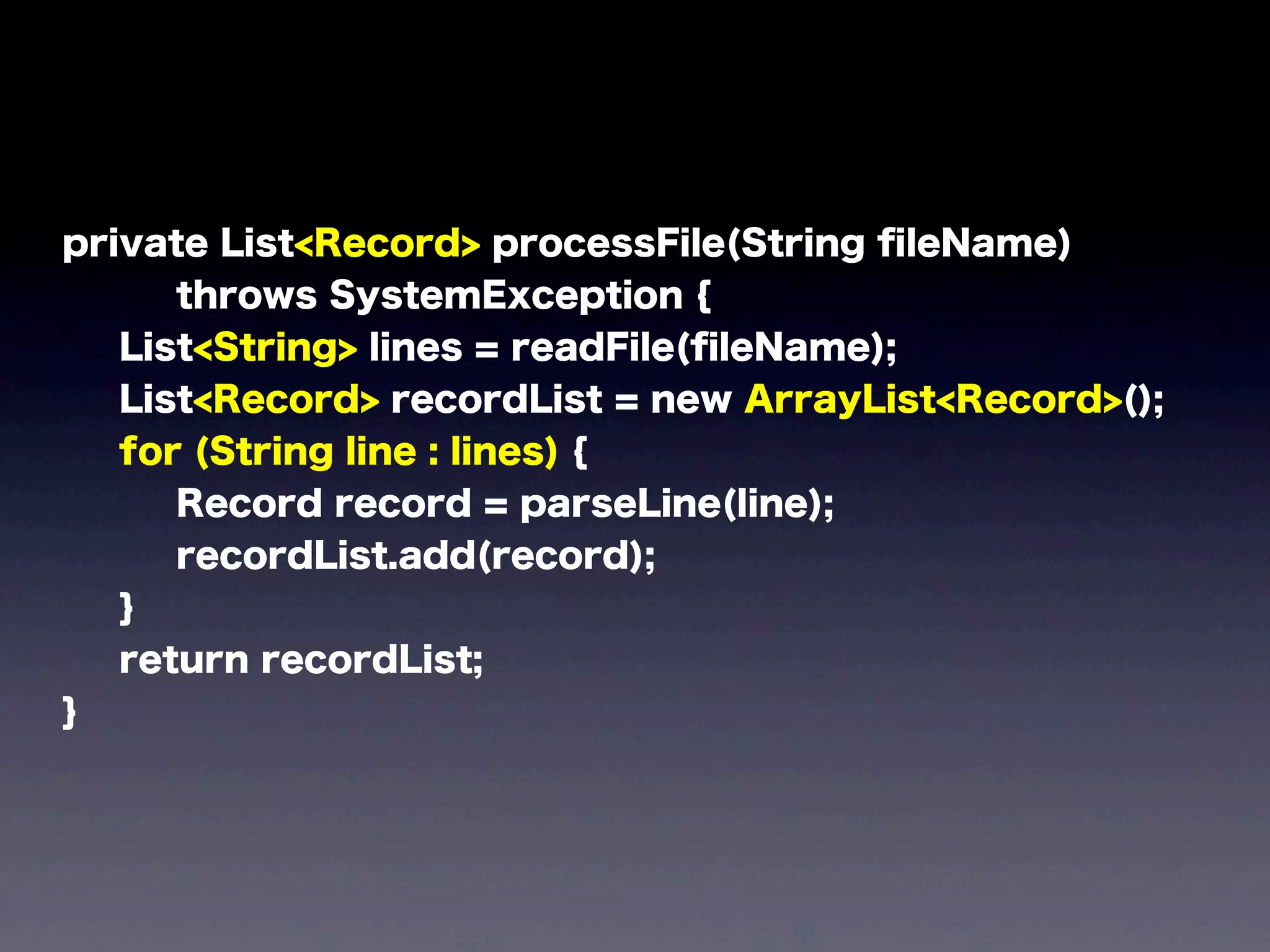
before
private List processFile(String fileName)
throws SystemException {
List lines = readFile(fileName);
List recordList = new ArrayList();
for (int i = 0; i < lines.size(); i++) {
String line = (String) lines.get(i);
Record record = parseLine(line);
recordList.add(record);
}
return recordList;
}
after
private List<Record> processFile(String fileName)
throws SystemException {
List<String> lines = readFile(fileName);
List<Record> recordList = new ArrayList<Record>();
for (String line : lines) {
Record record = parseLine(line);
recordList.add(record);
}
return recordList;
}
private List<Record> processFile(String fileName)
throws SystemException {
List<String> lines = readFile(fileName);
List<Record> recordList = new ArrayList<Record>();
for (String line : lines) {
Record record = parseLine(line);
recordList.add(record);
}
return recordList;
}
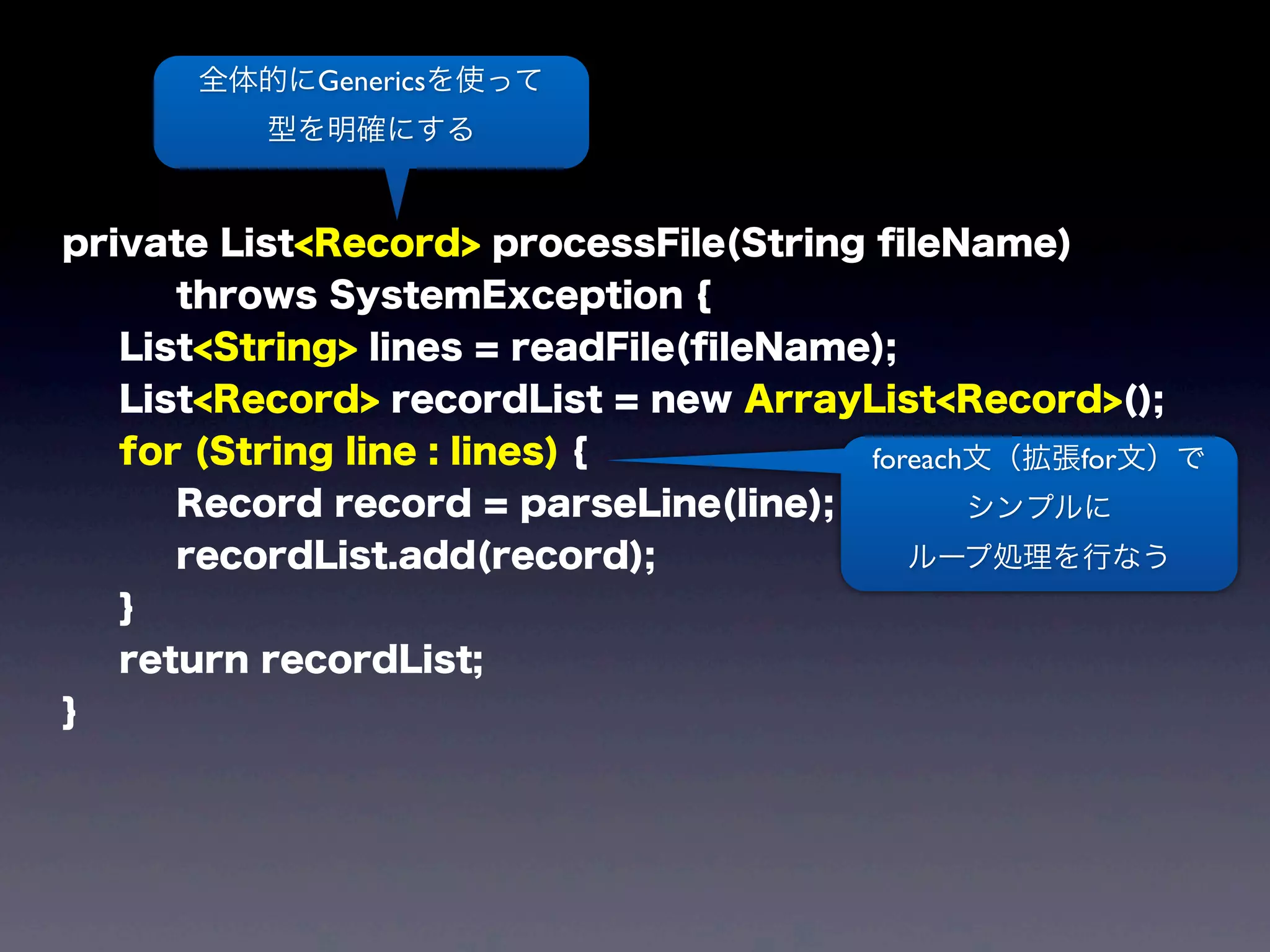
全体的にGenericsを使って
型を明確にする
foreach文(拡張for文)で
シンプルに
ループ処理を行なう
簡単すぎたので
もう一つ。
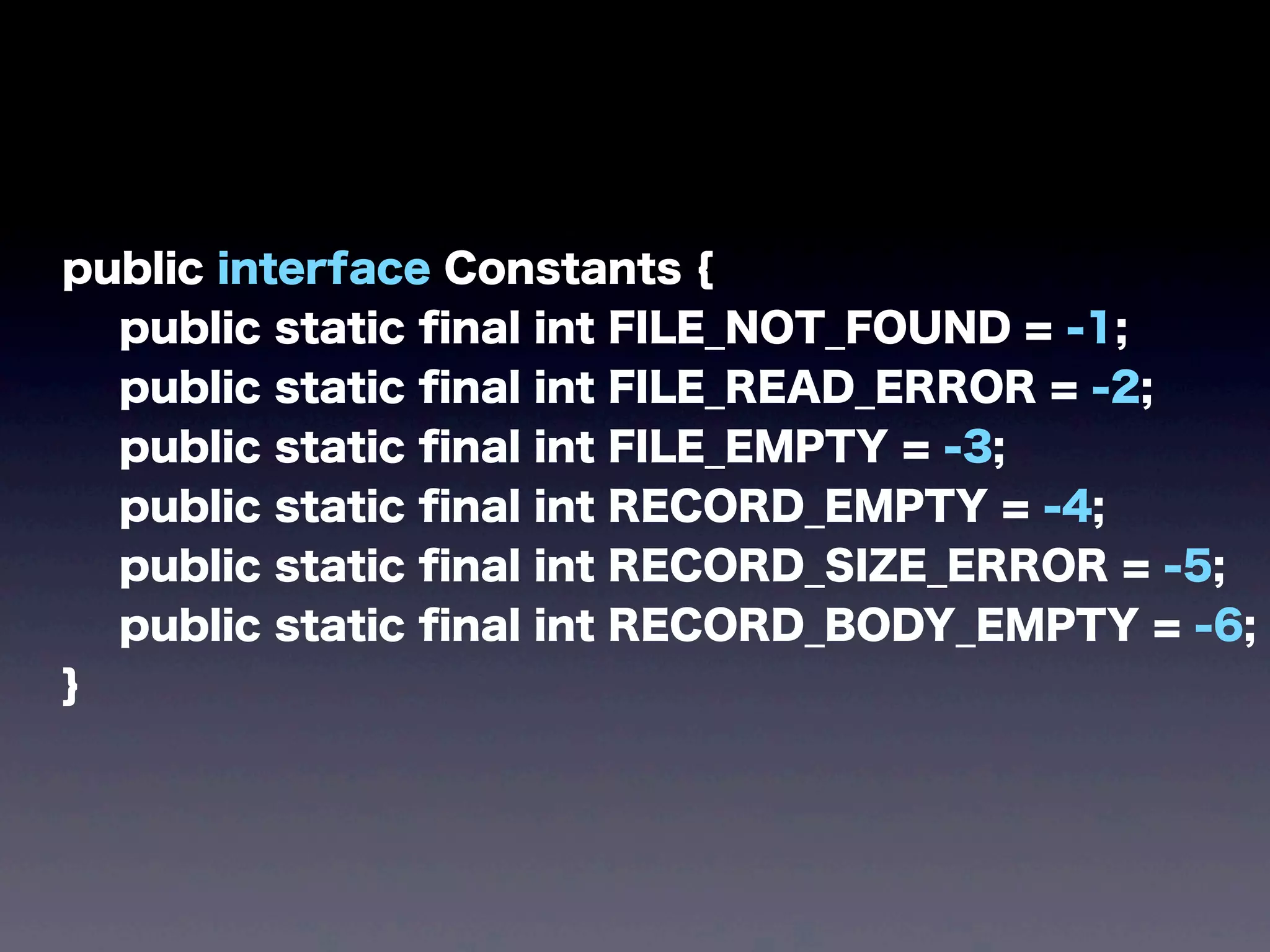
public interface Constants {
public static final int FILE_NOT_FOUND = -1;
public static final int FILE_READ_ERROR = -2;
public static final int FILE_EMPTY = -3;
public static final int RECORD_EMPTY = -4;
public static final int RECORD_SIZE_ERROR = -5;
public static final int RECORD_BODY_EMPTY = -6;
}
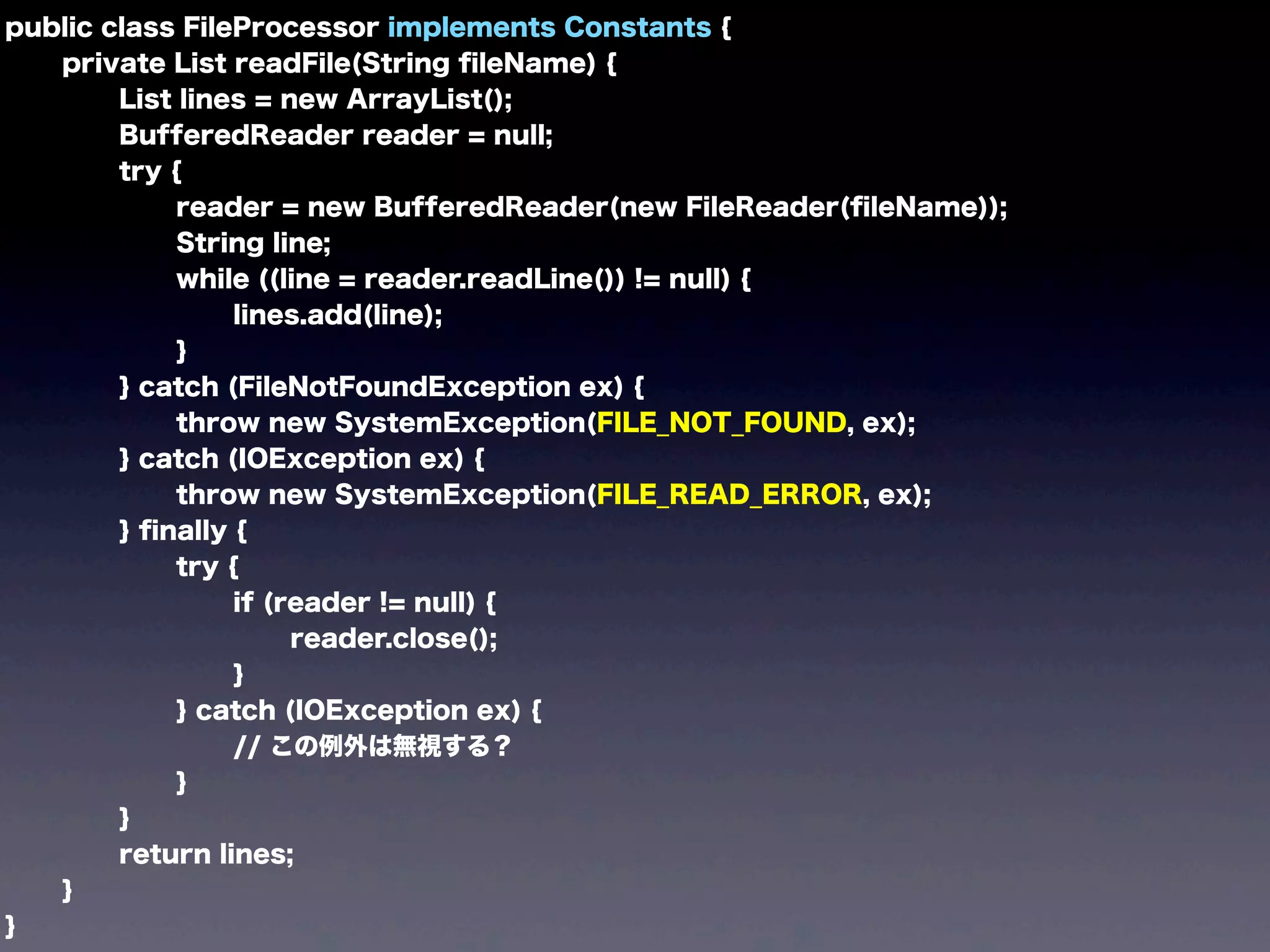
public class FileProcessor implements Constants {
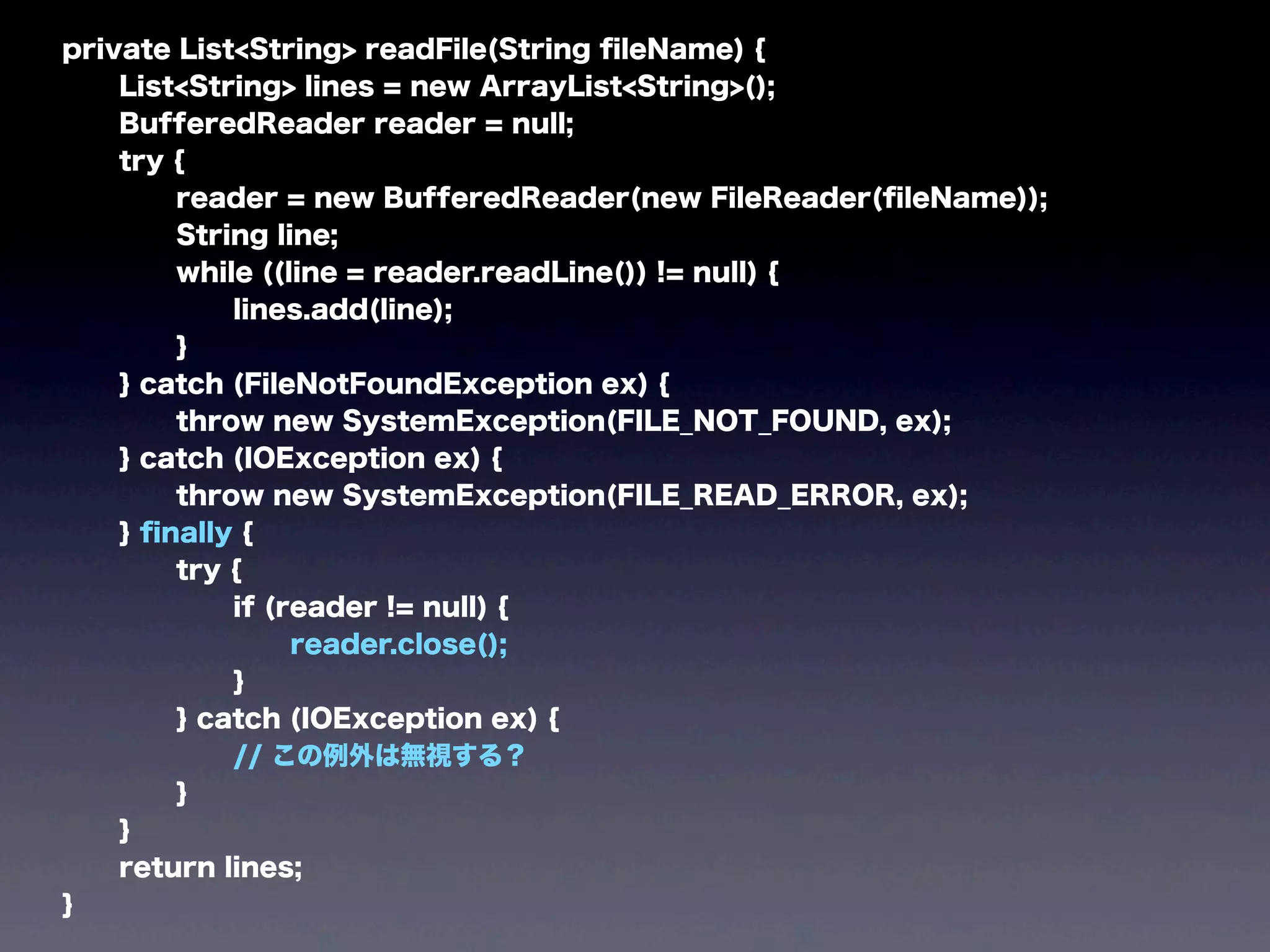
private List readFile(String fileName) {
List lines = new ArrayList();
BufferedReader reader = null;
try {
reader = new BufferedReader(new FileReader(fileName));
String line;
while ((line = reader.readLine()) != null) {
lines.add(line);
}
} catch (FileNotFoundException ex) {
throw new SystemException(FILE_NOT_FOUND, ex);
} catch (IOException ex) {
throw new SystemException(FILE_READ_ERROR, ex);
} finally {
try {
if (reader != null) {
reader.close();
}
} catch (IOException ex) {
// この例外は無視する?
}
}
return lines;
}
}
public class FileProcessor implements Constants {
private List readFile(String fileName) {
List lines = new ArrayList();
BufferedReader reader = null;
try {
reader = new BufferedReader(new FileReader(fileName));
String line;
while ((line = reader.readLine()) != null) {
lines.add(line);
}
} catch (FileNotFoundException ex) {
throw new SystemException(FILE_NOT_FOUND, ex);
} catch (IOException ex) {
throw new SystemException(FILE_READ_ERROR, ex);
} finally {
try {
if (reader != null) {
reader.close();
}
} catch (IOException ex) {
// この例外は無視する?
}
}
return lines;
}
}
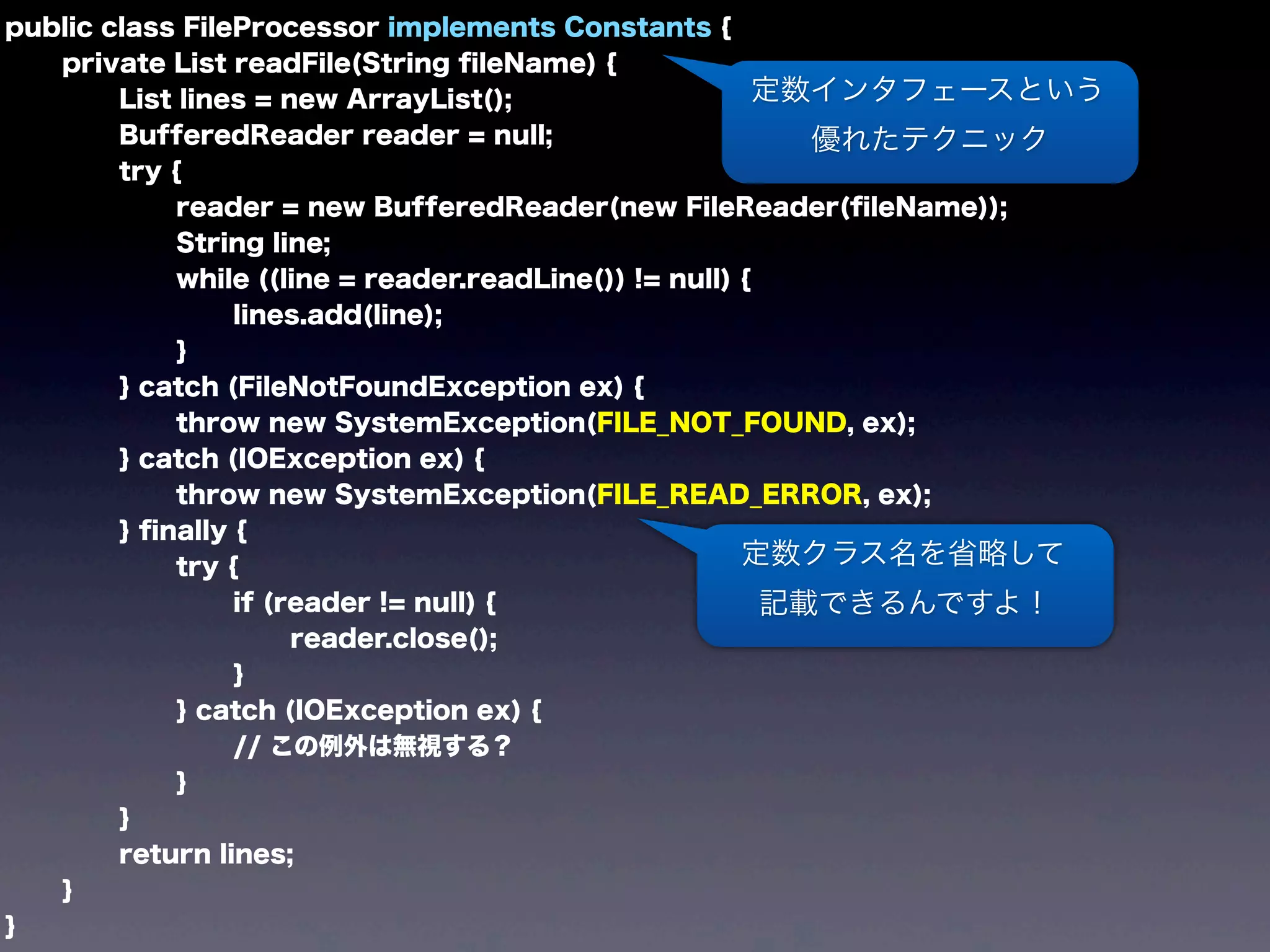
定数インタフェースという
優れたテクニック
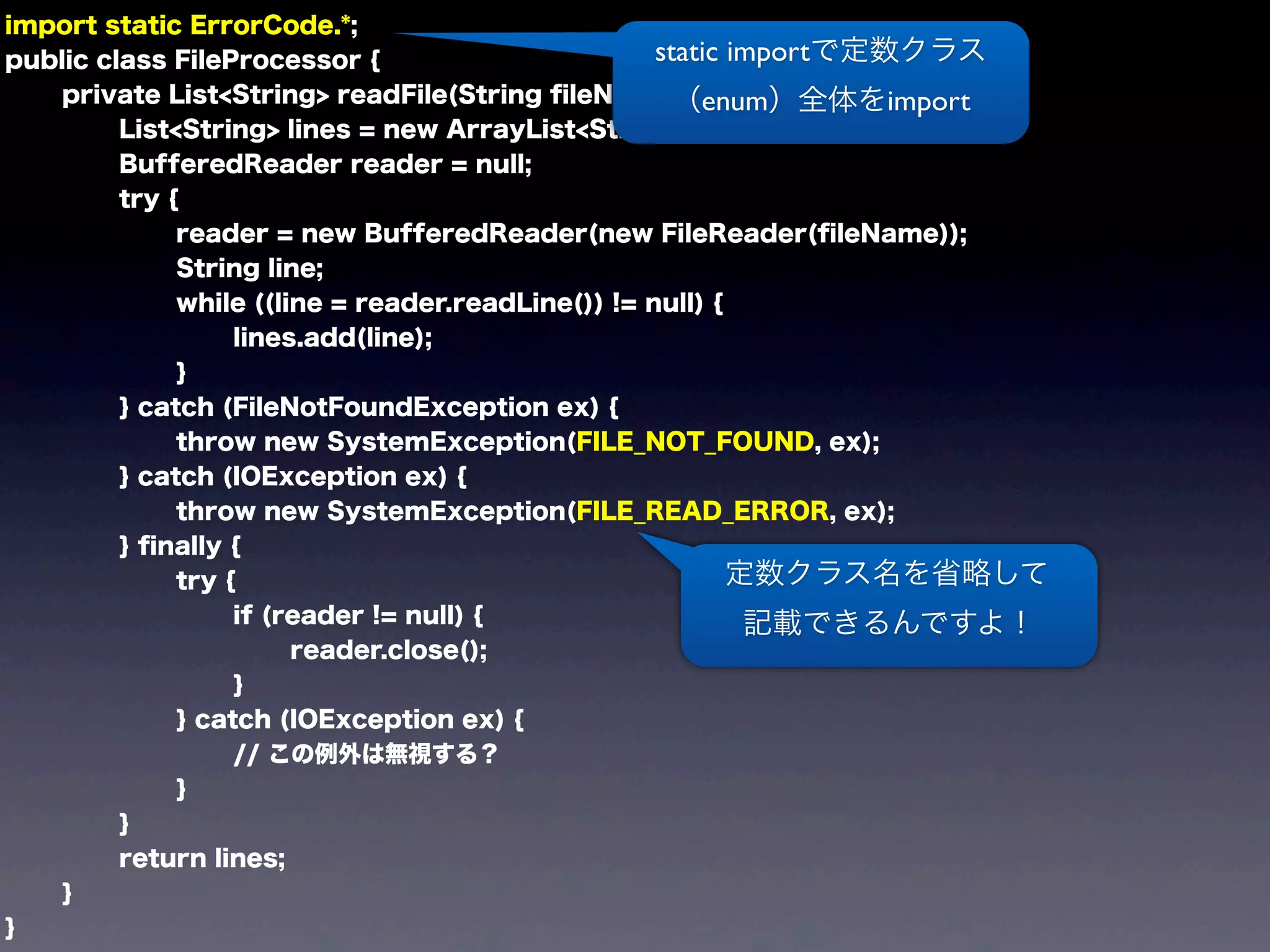
定数クラス名を省略して
記載できるんですよ!
あると思います
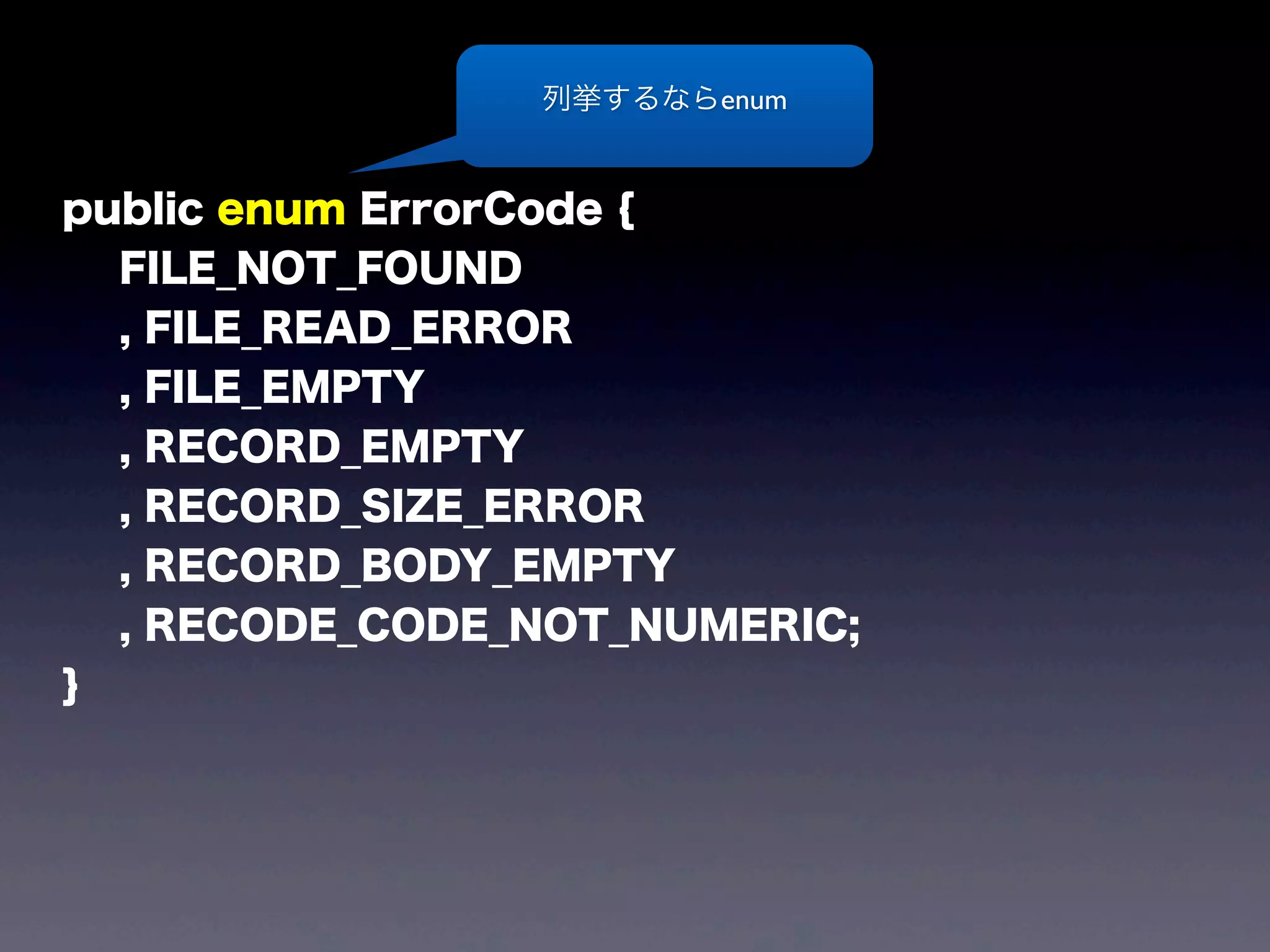
public enum ErrorCode {
FILE_NOT_FOUND
, FILE_READ_ERROR
, FILE_EMPTY
, RECORD_EMPTY
, RECORD_SIZE_ERROR
, RECORD_BODY_EMPTY
, RECODE_CODE_NOT_NUMERIC;
}
列挙するならenum
import static ErrorCode.*;
public class FileProcessor {
private List<String> readFile(String fileName) {
List<String> lines = new ArrayList<String>();
BufferedReader reader = null;
try {
reader = new BufferedReader(new FileReader(fileName));
String line;
while ((line = reader.readLine()) != null) {
lines.add(line);
}
} catch (FileNotFoundException ex) {
throw new SystemException(FILE_NOT_FOUND, ex);
} catch (IOException ex) {
throw new SystemException(FILE_READ_ERROR, ex);
} finally {
try {
if (reader != null) {
reader.close();
}
} catch (IOException ex) {
// この例外は無視する?
}
}
return lines;
}
}
定数クラス名を省略して
記載できるんですよ!
static importで定数クラス
(enum)全体をimport
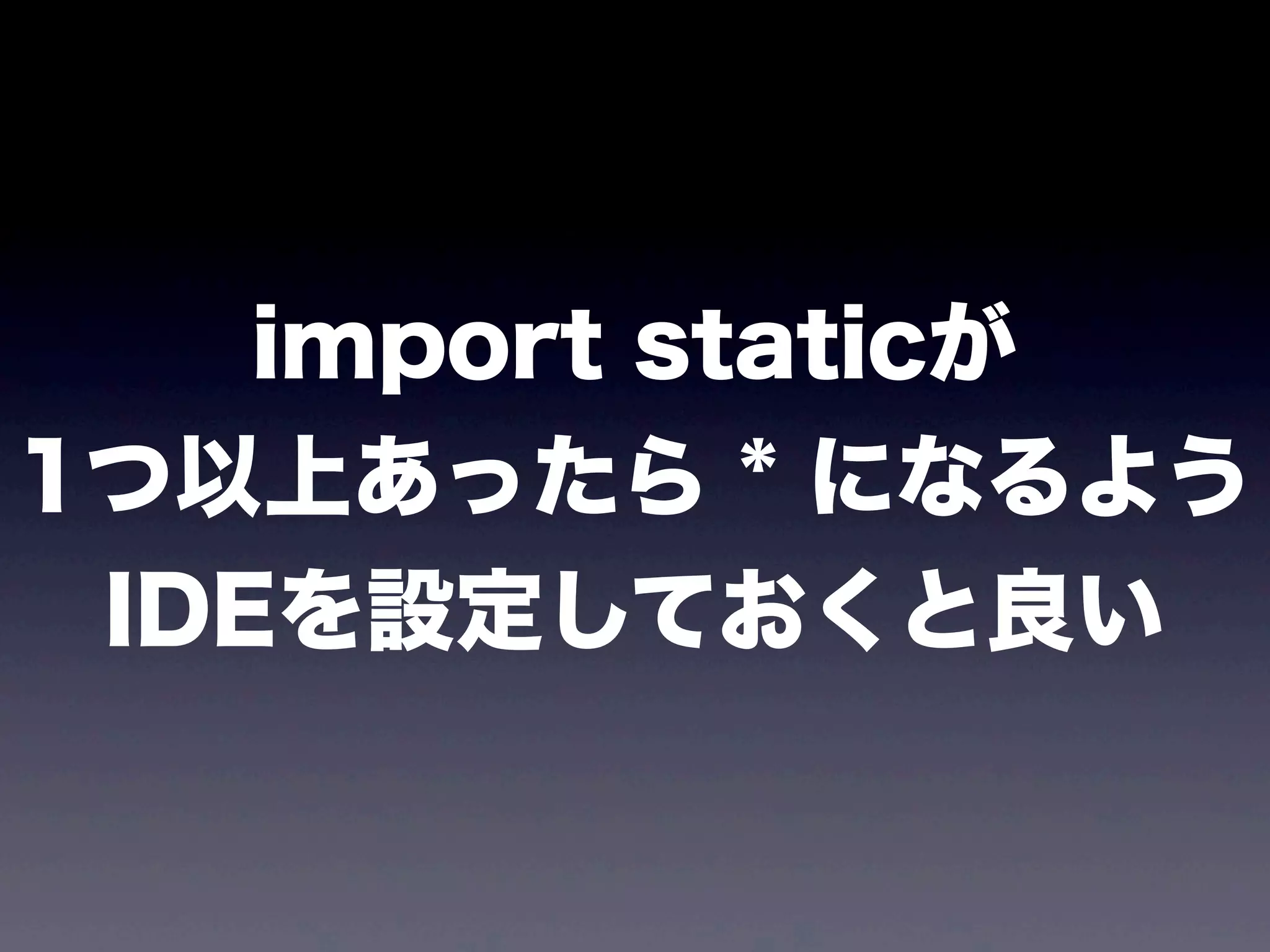
import staticが
1つ以上あったら * になるよう
IDEを設定しておくと良い
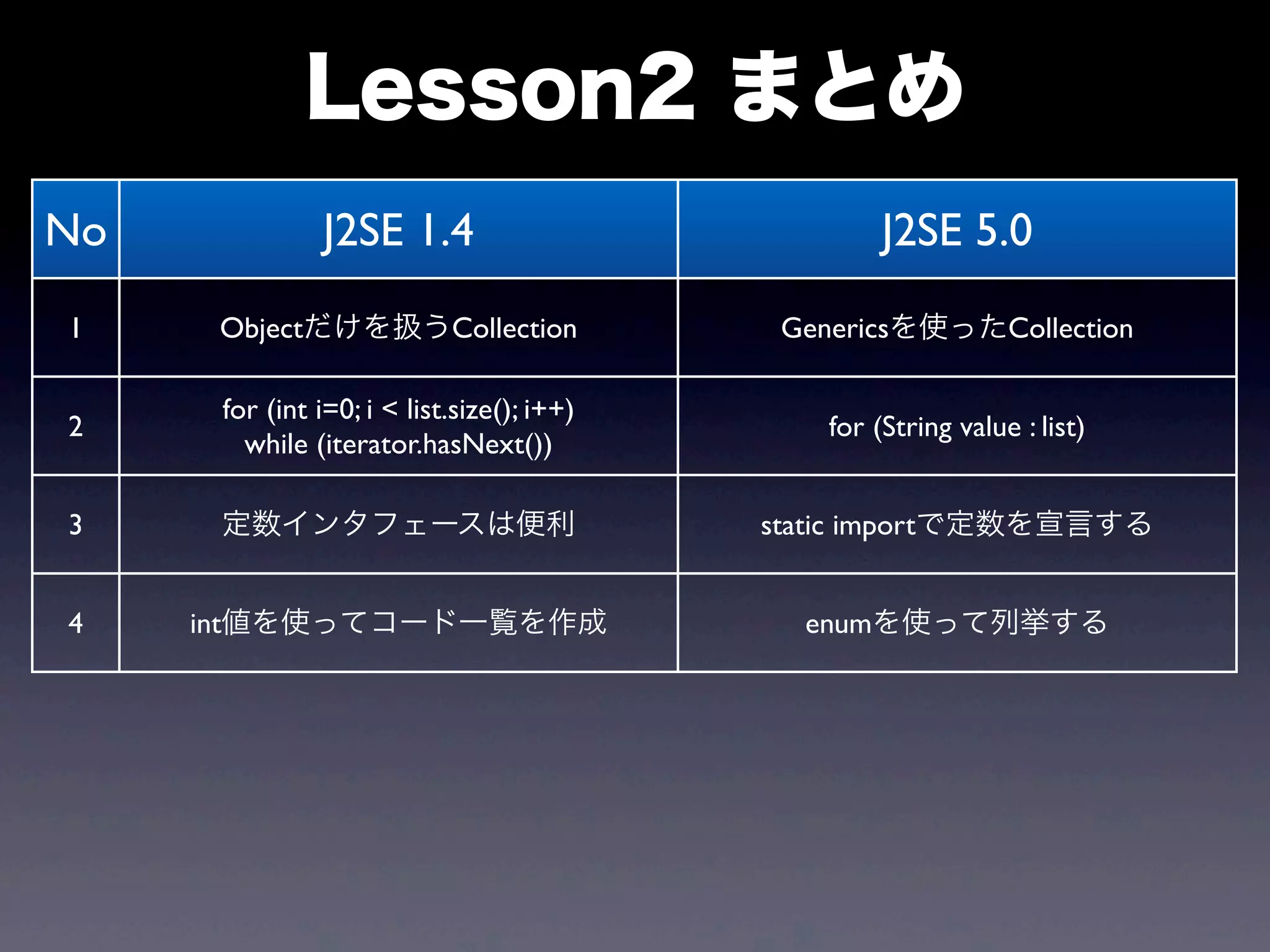
No J2SE 1.4 J2SE 5.0
1 Objectだけを扱うCollection Genericsを使ったCollection
2
for (int i=0; i < list.size(); i++)
while (iterator.hasNext())
for (String value : list)
3 定数インタフェースは便利 static importで定数を宣言する
4 int値を使ってコード一覧を作成 enumを使って列挙する
Lesson2 まとめ
Lesson3
from J2SE 5.0
to JavaSE 6
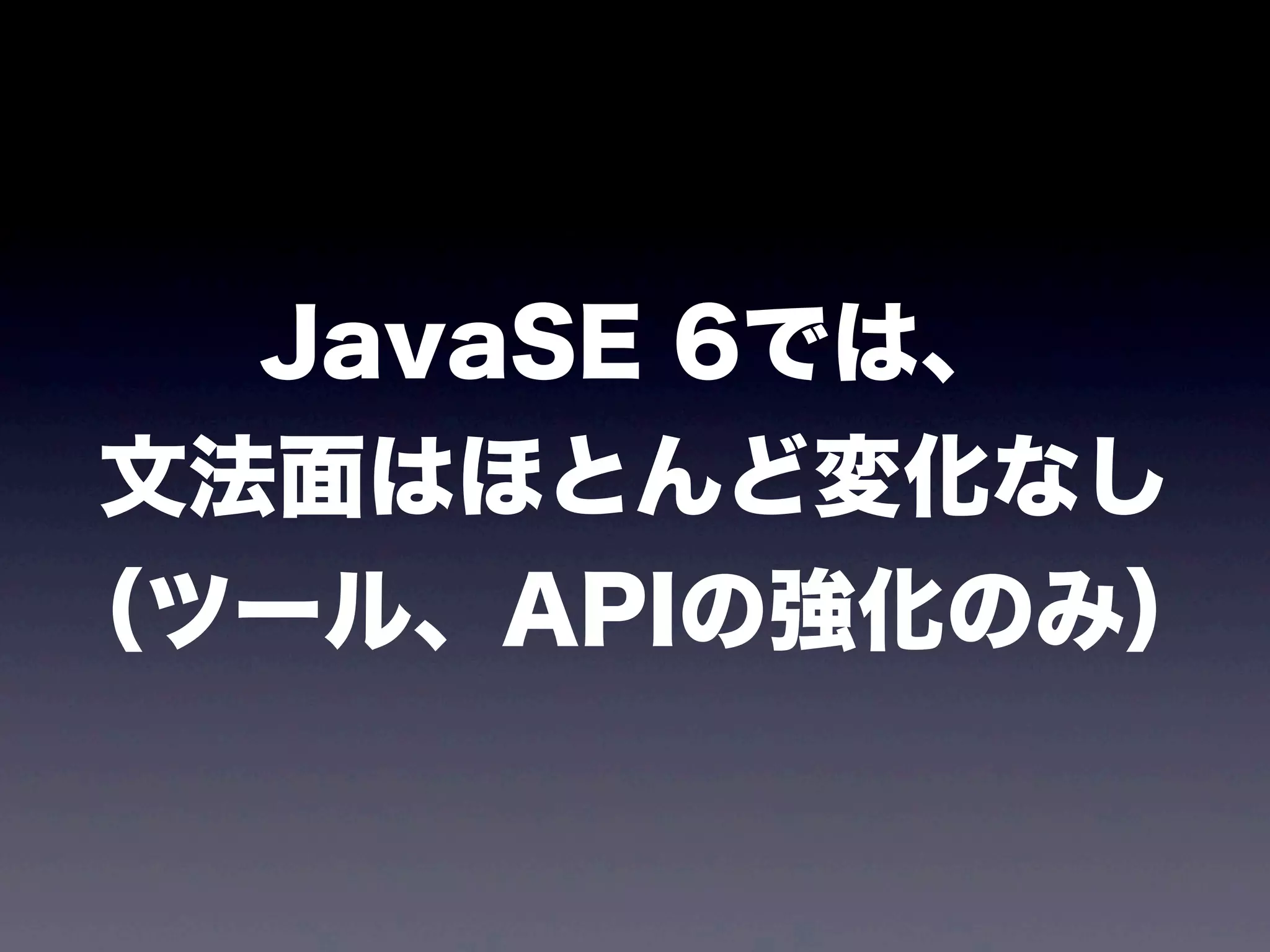
JavaSE 6では、
文法面はほとんど変化なし
(ツール、APIの強化のみ)
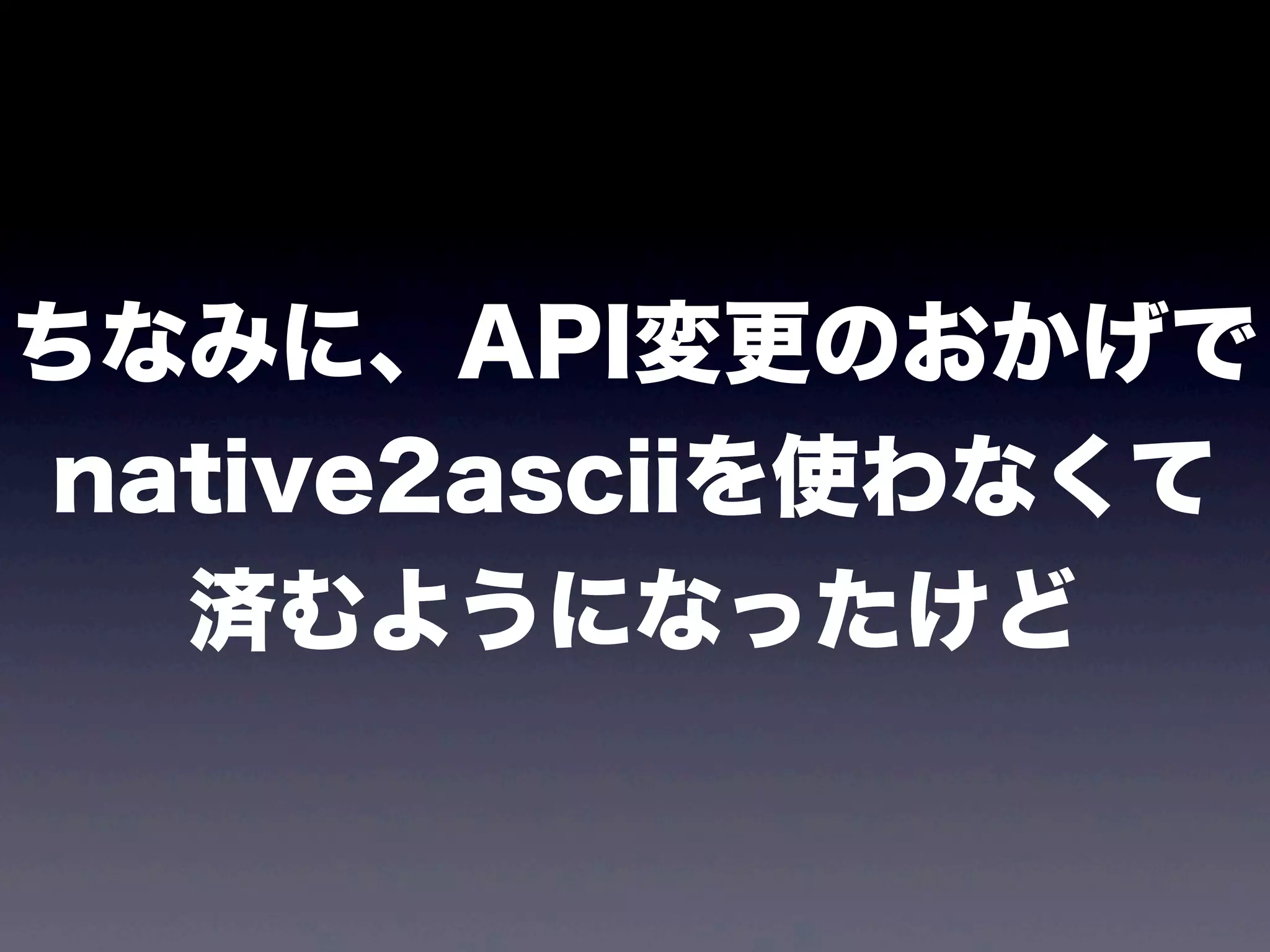
ちなみに、API変更のおかげで
native2asciiを使わなくて
済むようになったけど
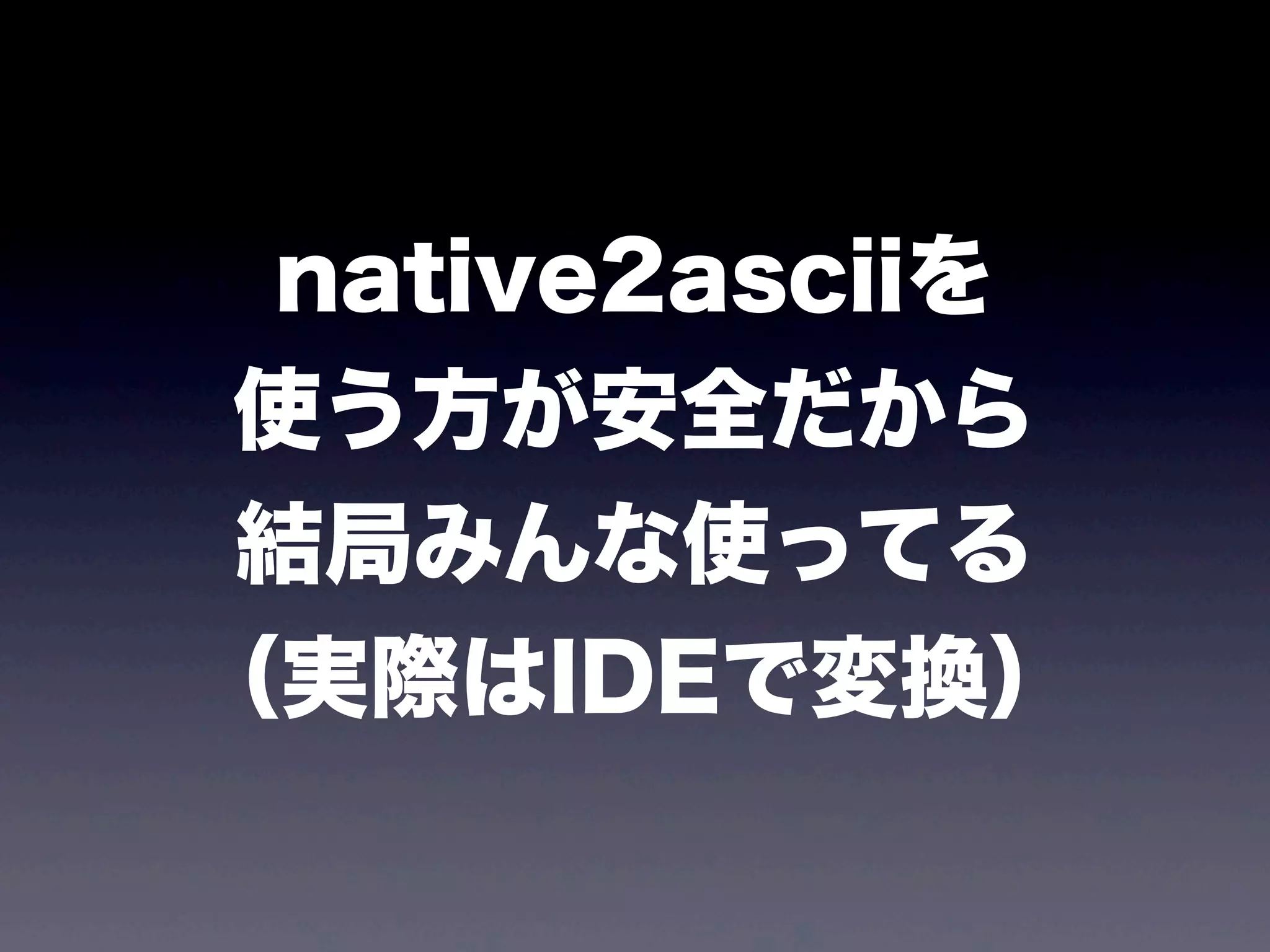
native2asciiを
使う方が安全だから
結局みんな使ってる
(実際はIDEで変換)
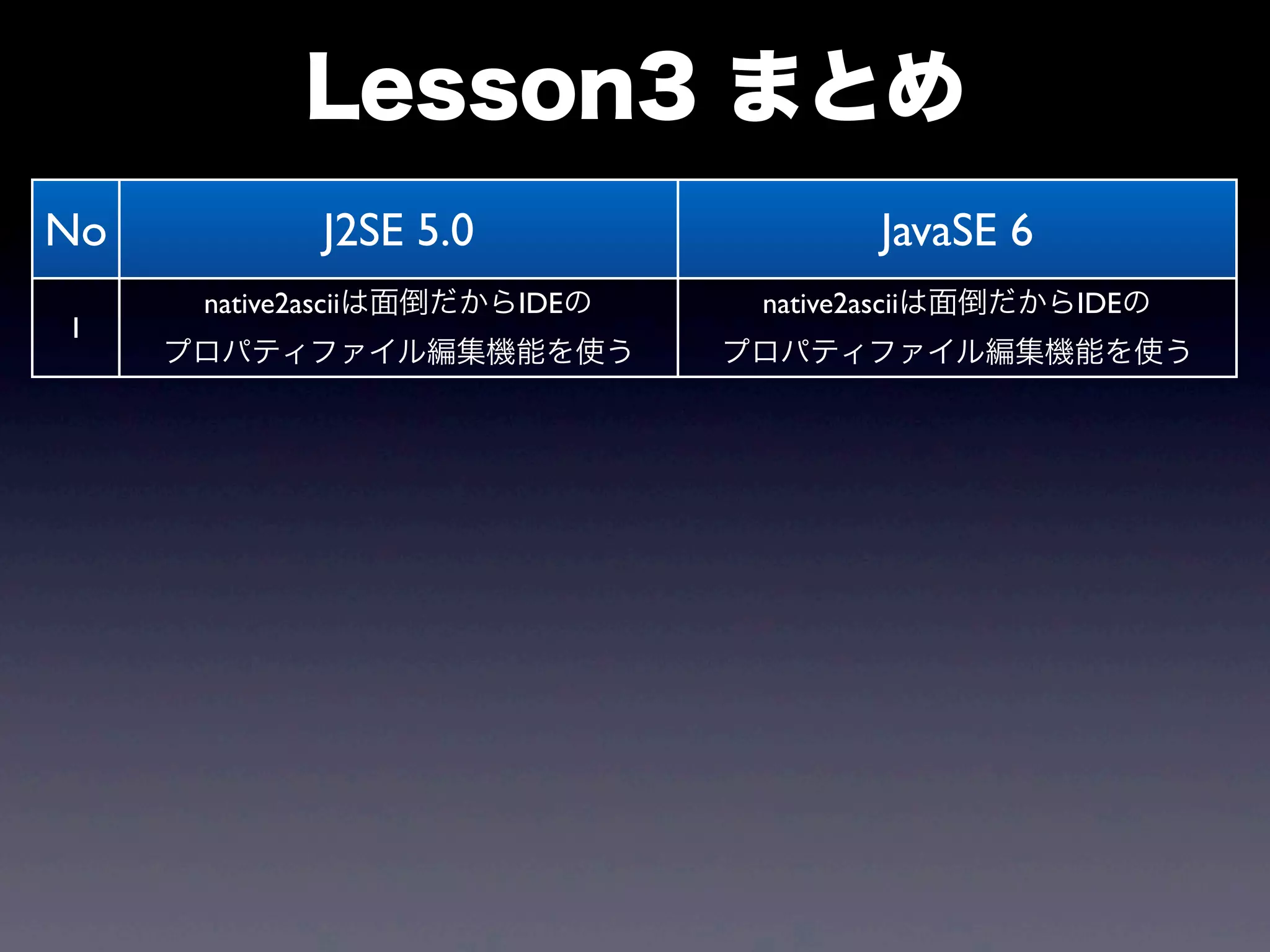
No J2SE 5.0 JavaSE 6
1
native2asciiは面倒だからIDEの
プロパティファイル編集機能を使う
native2asciiは面倒だからIDEの
プロパティファイル編集機能を使う
Lesson3 まとめ
Lesson4
from JavaSE 6
to JavaSE 7
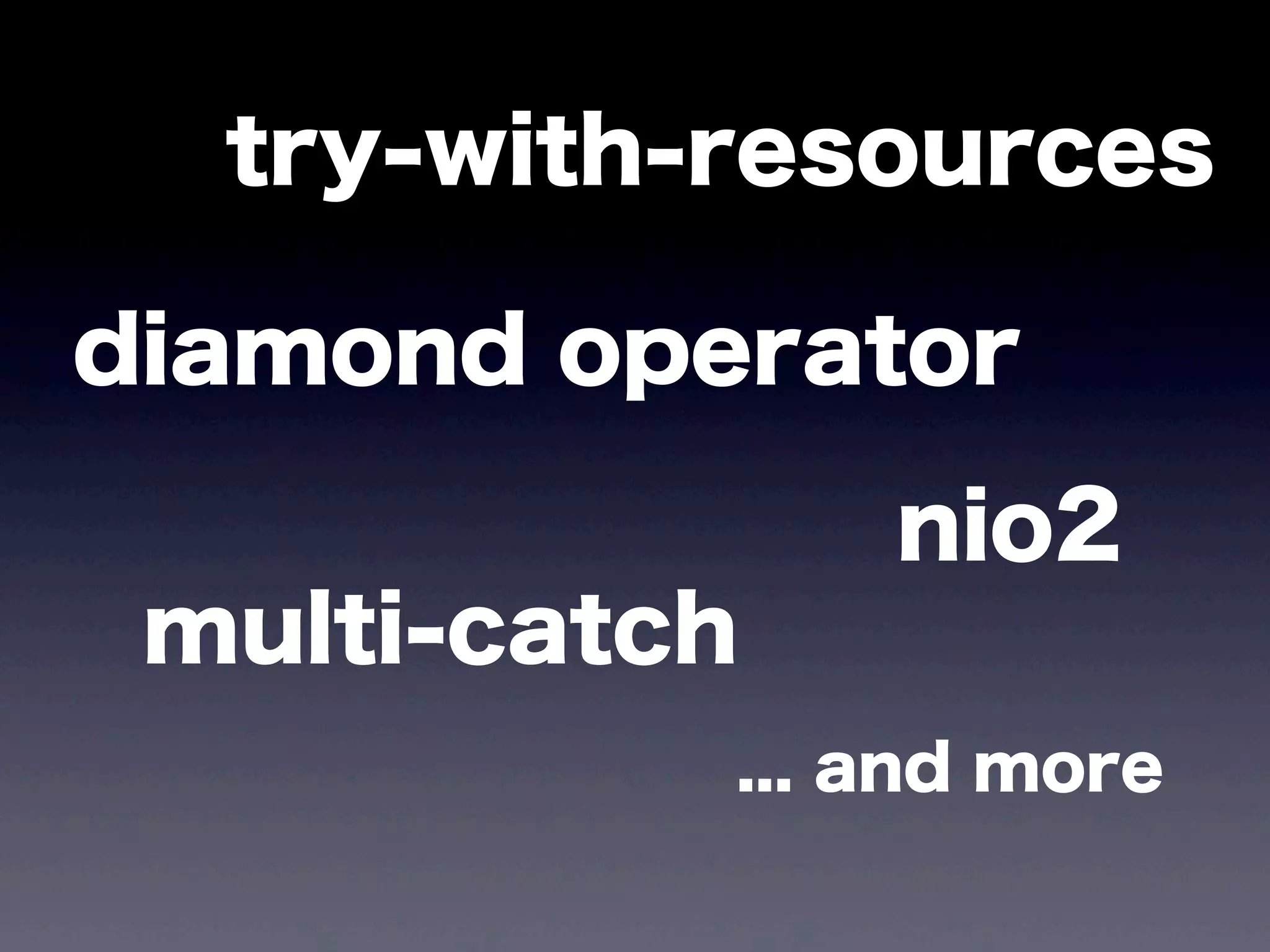
JavaSE 7
try-with-resources
diamond operator
nio2
multi-catch
... and more
この辺から
ちょっと理解が
怪しくなる人が多い
private List<String> readFile(String fileName) {
List<String> lines = new ArrayList<String>();
BufferedReader reader = null;
try {
reader = new BufferedReader(new FileReader(fileName));
String line;
while ((line = reader.readLine()) != null) {
lines.add(line);
}
} catch (FileNotFoundException ex) {
throw new SystemException(FILE_NOT_FOUND, ex);
} catch (IOException ex) {
throw new SystemException(FILE_READ_ERROR, ex);
} finally {
try {
if (reader != null) {
reader.close();
}
} catch (IOException ex) {
// この例外は無視する?
}
}
return lines;
}
private List<String> readFile(String fileName) {
List<String> lines = new ArrayList<String>();
BufferedReader reader = null;
try {
reader = new BufferedReader(new FileReader(fileName));
String line;
while ((line = reader.readLine()) != null) {
lines.add(line);
}
} catch (FileNotFoundException ex) {
throw new SystemException(FILE_NOT_FOUND, ex);
} catch (IOException ex) {
throw new SystemException(FILE_READ_ERROR, ex);
} finally {
try {
if (reader != null) {
reader.close();
}
} catch (IOException ex) {
// この例外は無視する?
}
}
return lines;
}
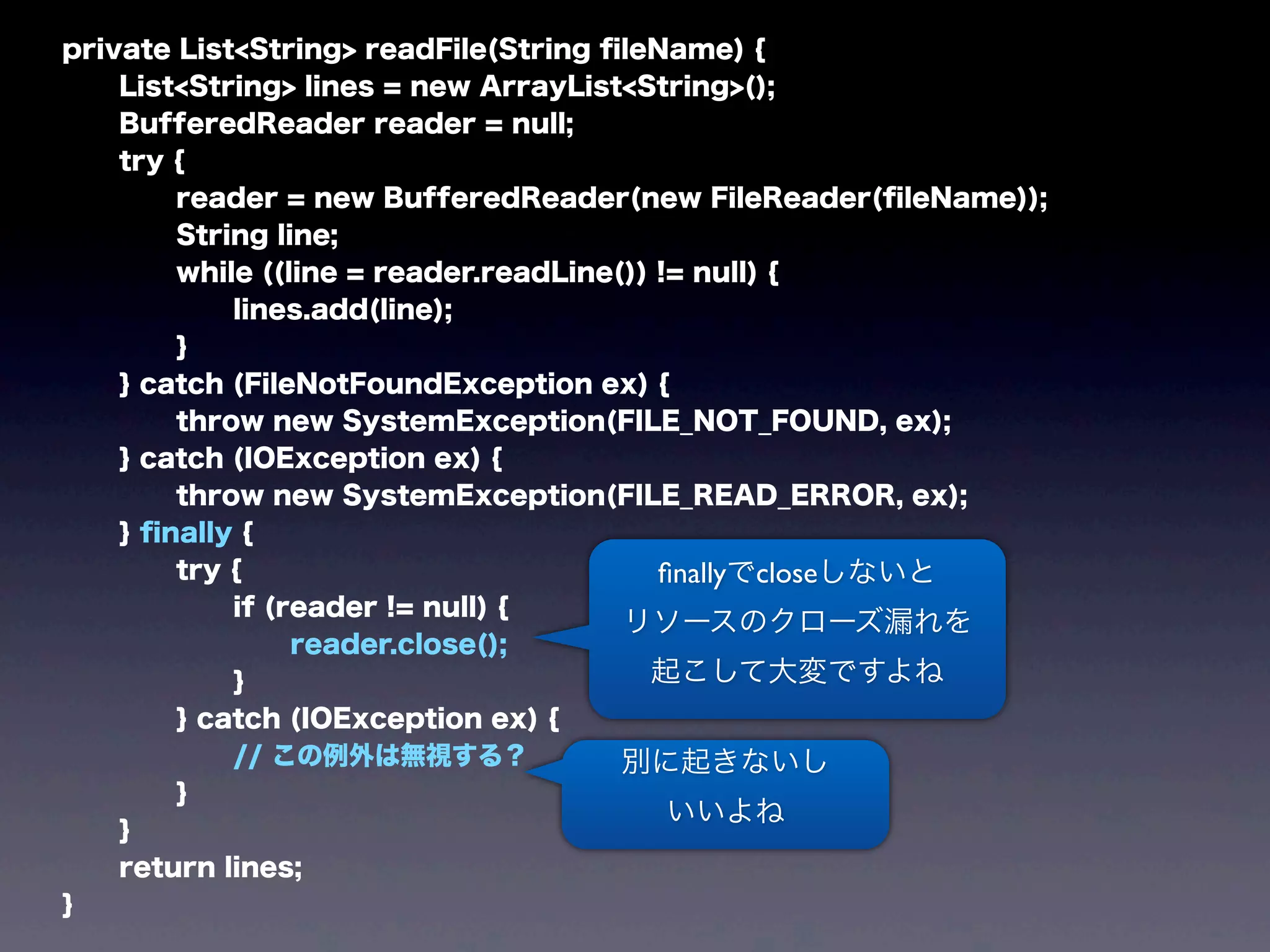
finallyでcloseしないと
リソースのクローズ漏れを
起こして大変ですよね
別に起きないし
いいよね
敢えて言えば
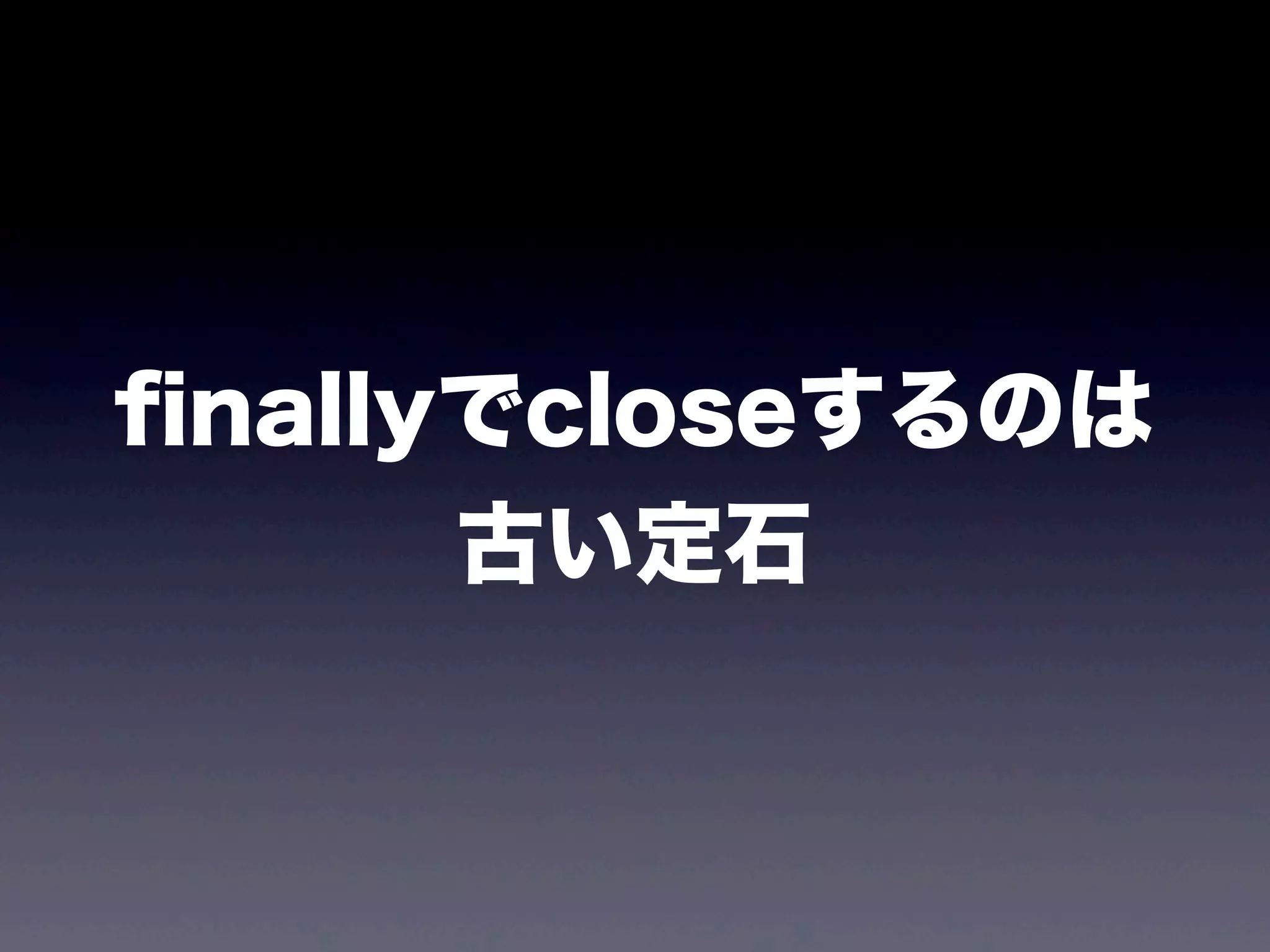
finallyでcloseするのは
古い定石
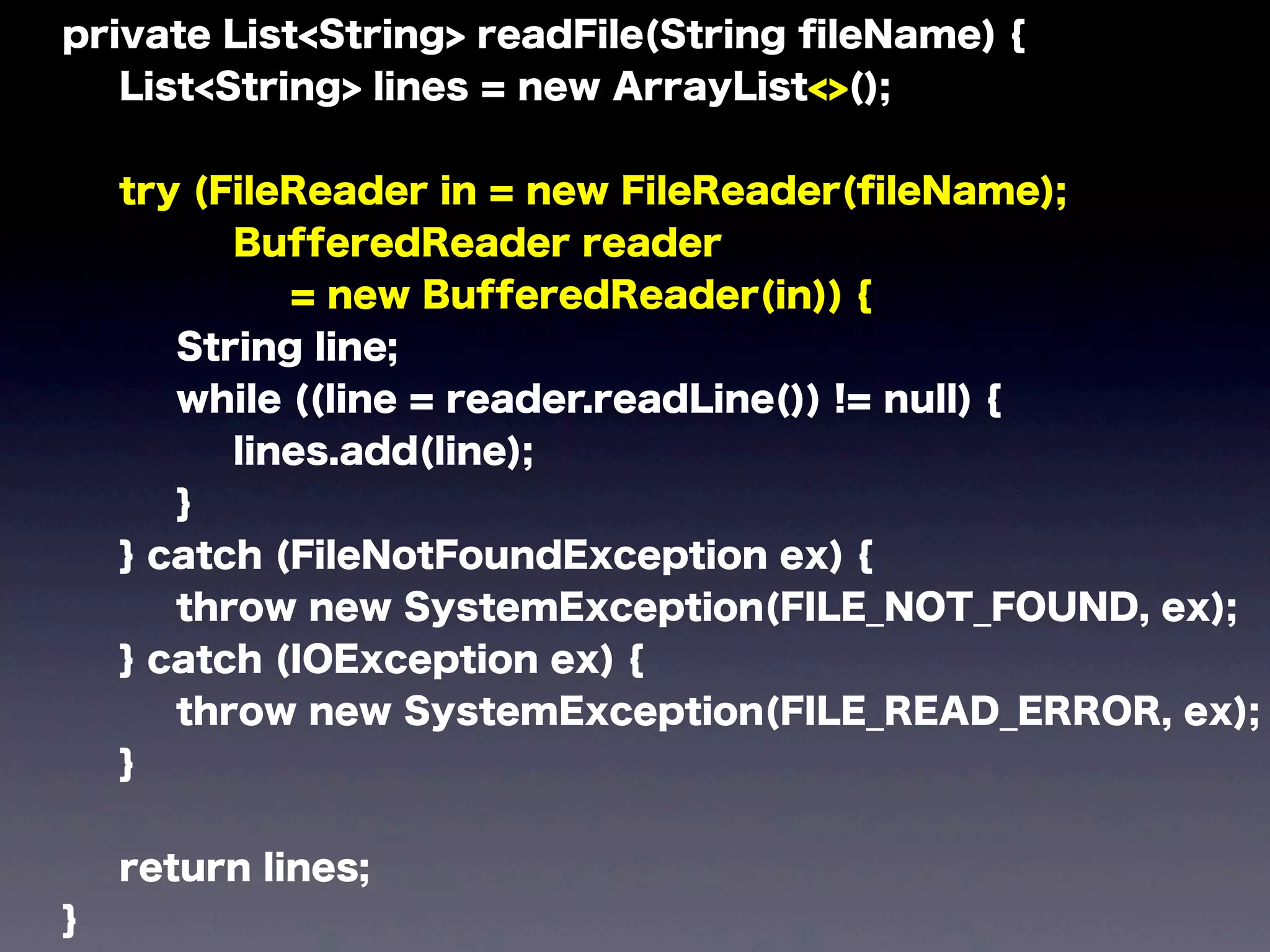
private List<String> readFile(String fileName) {
List<String> lines = new ArrayList<>();
try (FileReader in = new FileReader(fileName);
BufferedReader reader
= new BufferedReader(in)) {
String line;
while ((line = reader.readLine()) != null) {
lines.add(line);
}
} catch (FileNotFoundException ex) {
throw new SystemException(FILE_NOT_FOUND, ex);
} catch (IOException ex) {
throw new SystemException(FILE_READ_ERROR, ex);
}
return lines;
}
private List<String> readFile(String fileName) {
List<String> lines = new ArrayList<>();
try (FileReader in = new FileReader(fileName);
BufferedReader reader
= new BufferedReader(in)) {
String line;
while ((line = reader.readLine()) != null) {
lines.add(line);
}
} catch (FileNotFoundException ex) {
throw new SystemException(FILE_NOT_FOUND, ex);
} catch (IOException ex) {
throw new SystemException(FILE_READ_ERROR, ex);
}
return lines;
}
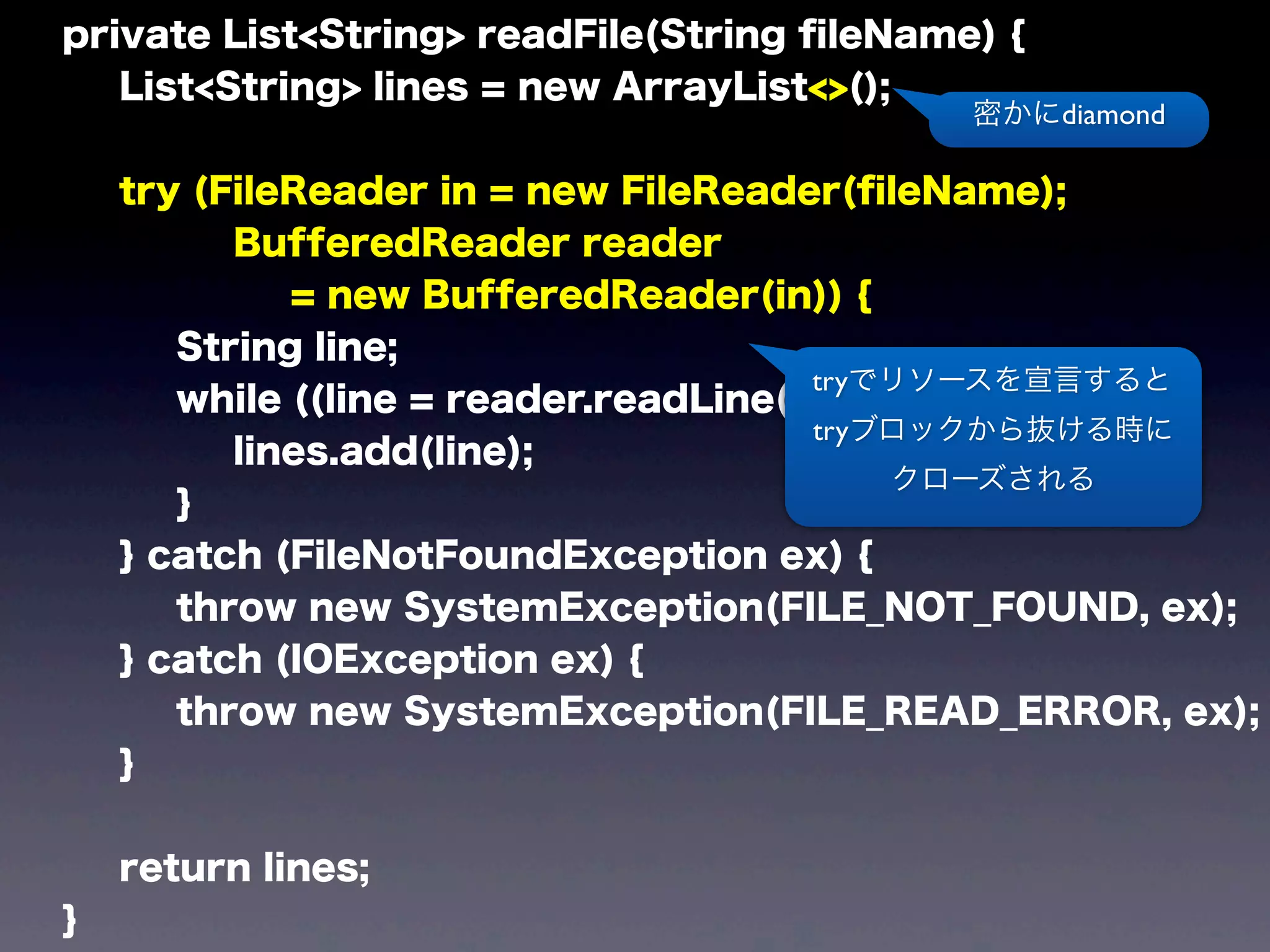
tryでリソースを宣言すると
tryブロックから抜ける時に
クローズされる
密かにdiamond
まぁファイル読むだけなら
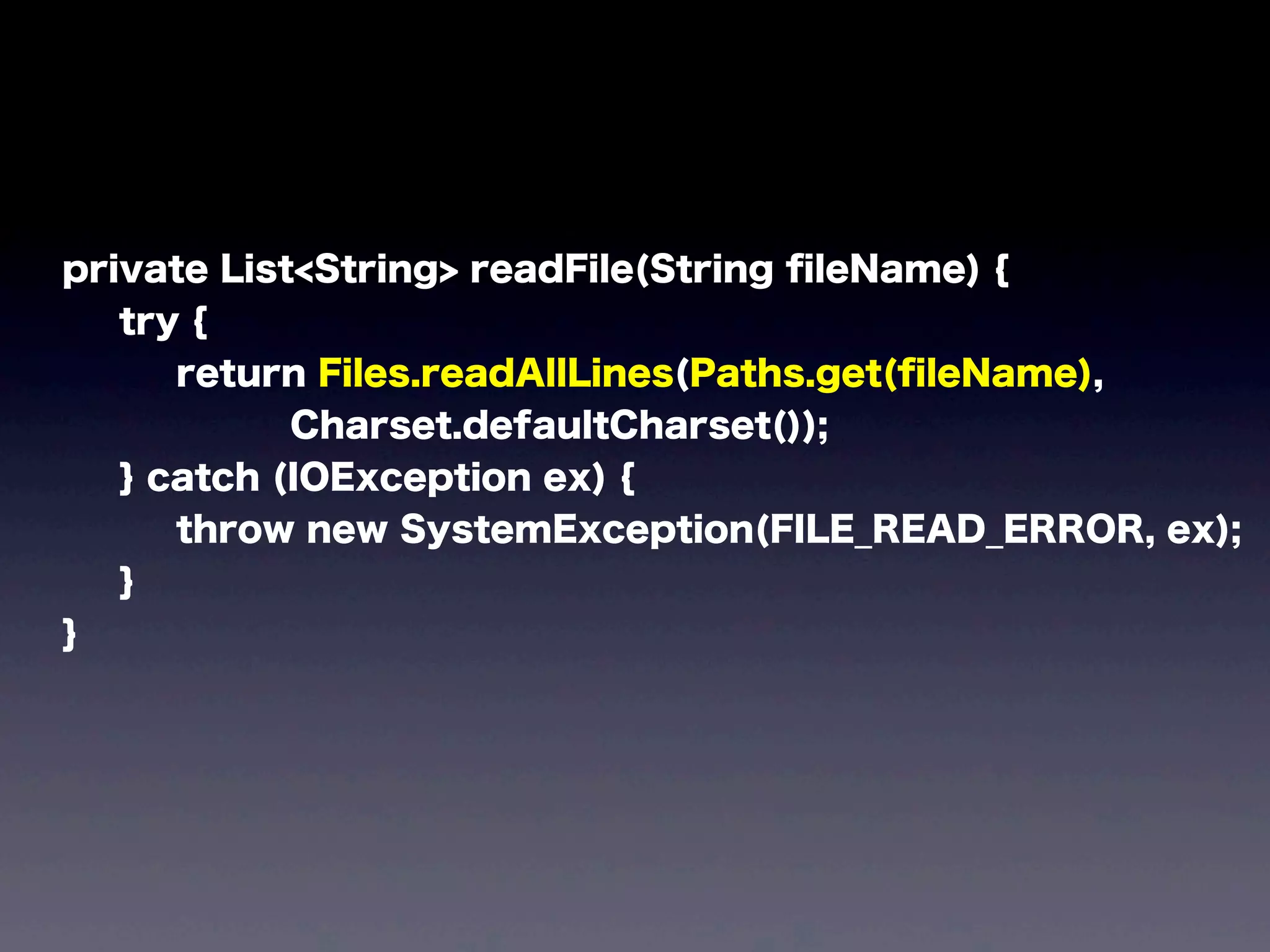
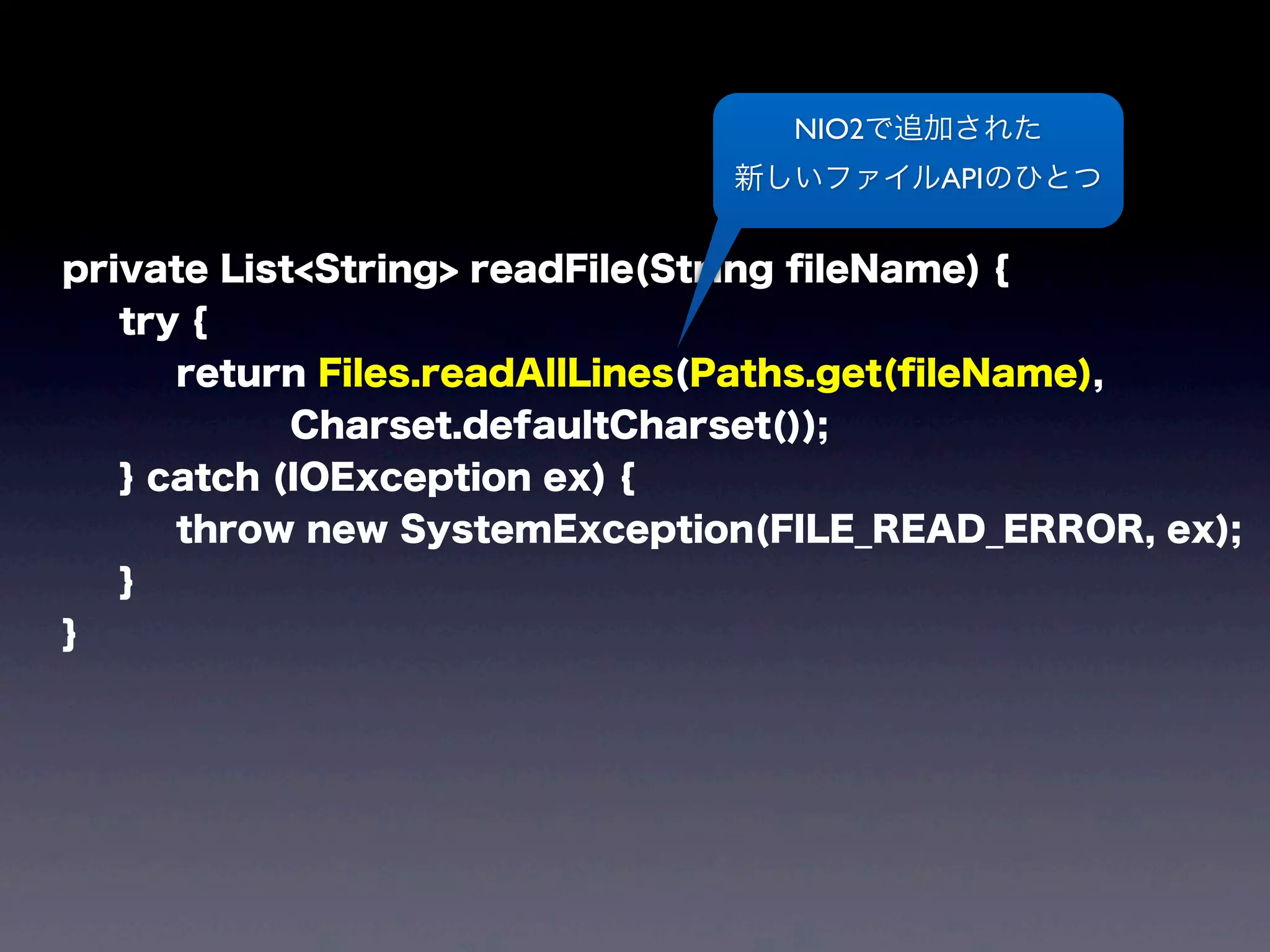
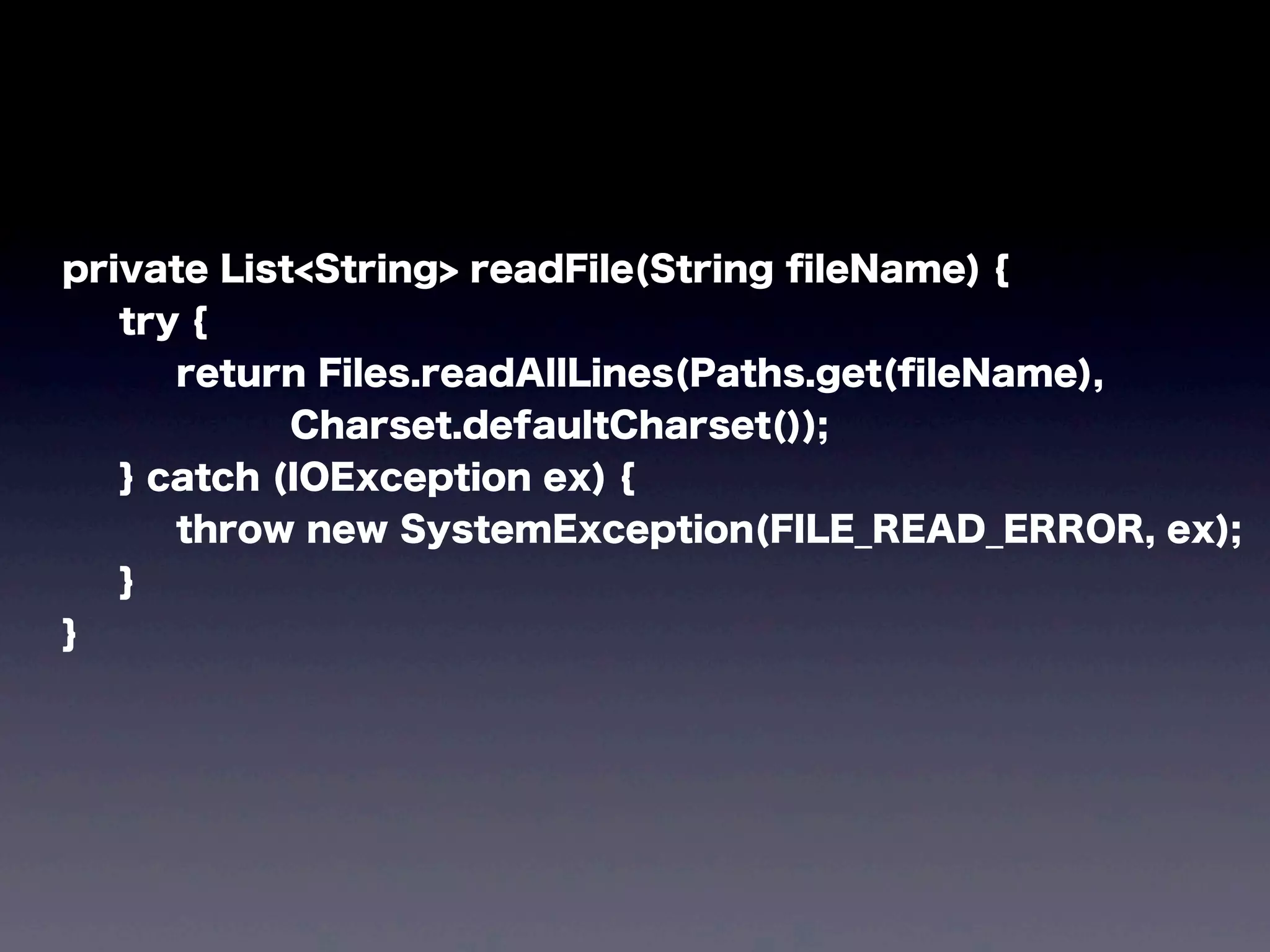
private List<String> readFile(String fileName) {
try {
return Files.readAllLines(Paths.get(fileName),
Charset.defaultCharset());
} catch (IOException ex) {
throw new SystemException(FILE_READ_ERROR, ex);
}
}
private List<String> readFile(String fileName) {
try {
return Files.readAllLines(Paths.get(fileName),
Charset.defaultCharset());
} catch (IOException ex) {
throw new SystemException(FILE_READ_ERROR, ex);
}
}
NIO2で追加された
新しいファイルAPIのひとつ
これでもう
Groovyの人とかに
プギャーされなくなる
before
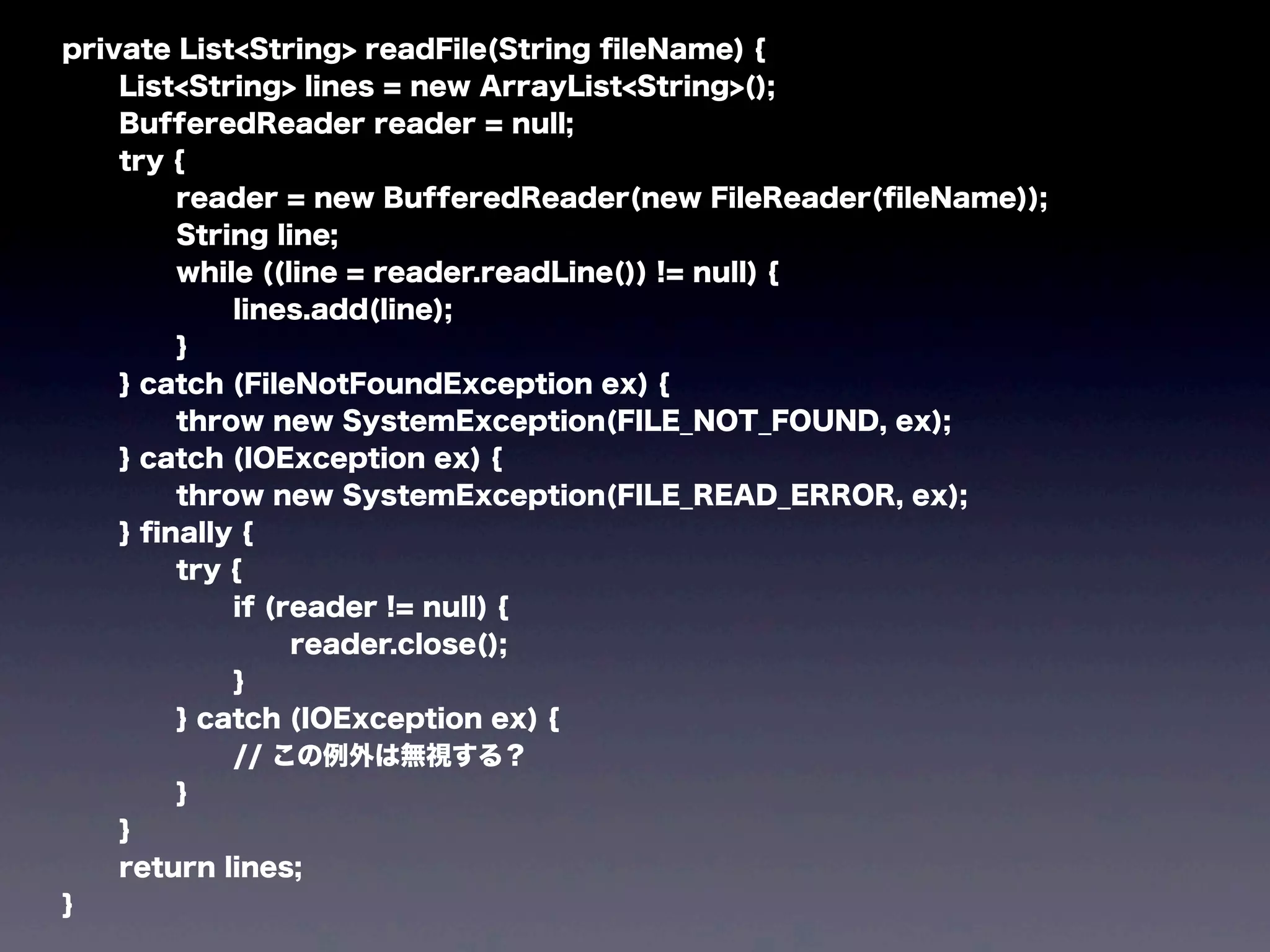
private List<String> readFile(String fileName) {
List<String> lines = new ArrayList<String>();
BufferedReader reader = null;
try {
reader = new BufferedReader(new FileReader(fileName));
String line;
while ((line = reader.readLine()) != null) {
lines.add(line);
}
} catch (FileNotFoundException ex) {
throw new SystemException(FILE_NOT_FOUND, ex);
} catch (IOException ex) {
throw new SystemException(FILE_READ_ERROR, ex);
} finally {
try {
if (reader != null) {
reader.close();
}
} catch (IOException ex) {
// この例外は無視する?
}
}
return lines;
}
after
private List<String> readFile(String fileName) {
try {
return Files.readAllLines(Paths.get(fileName),
Charset.defaultCharset());
} catch (IOException ex) {
throw new SystemException(FILE_READ_ERROR, ex);
}
}
もう一つ、便利なAPI
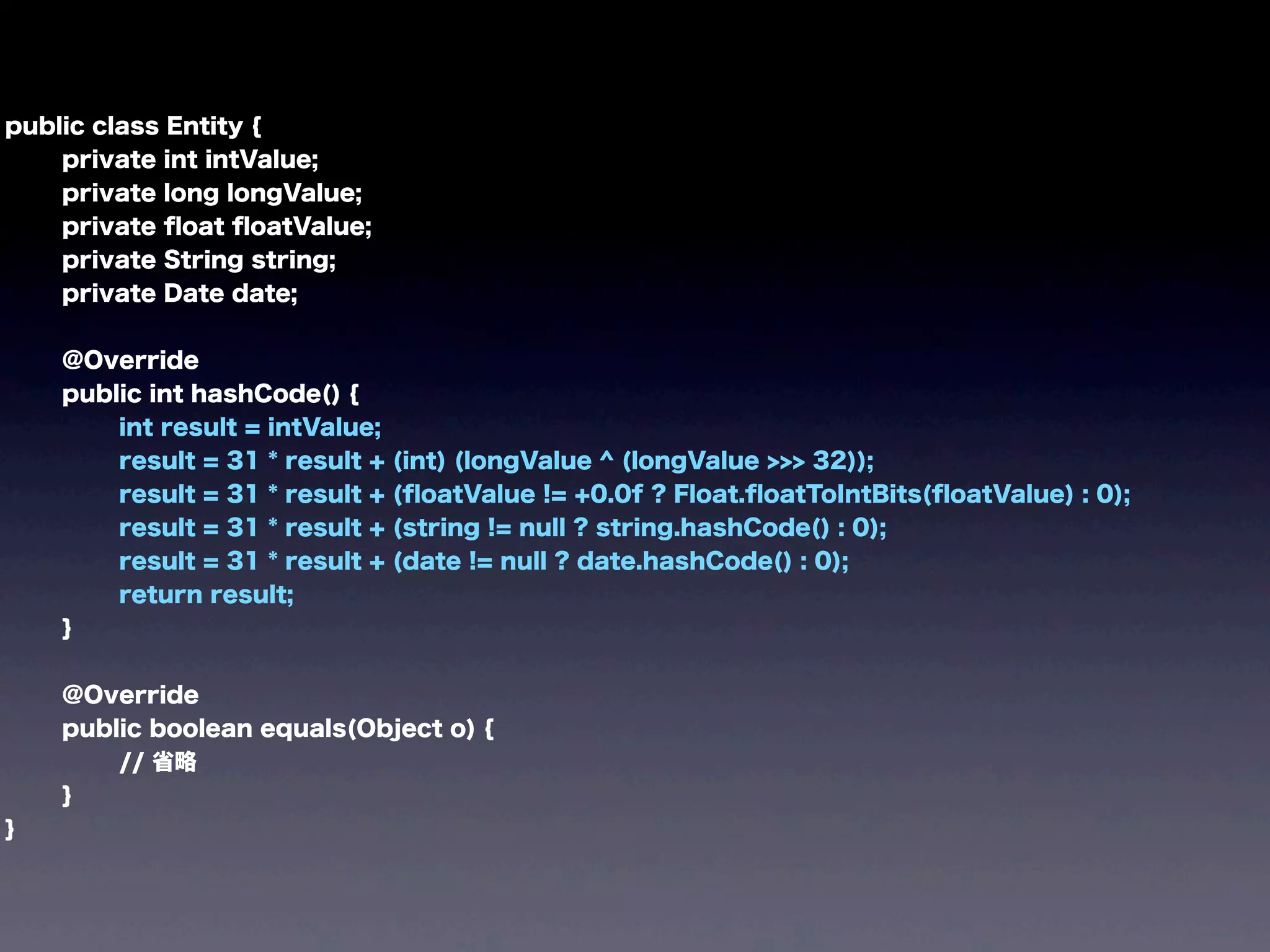
before
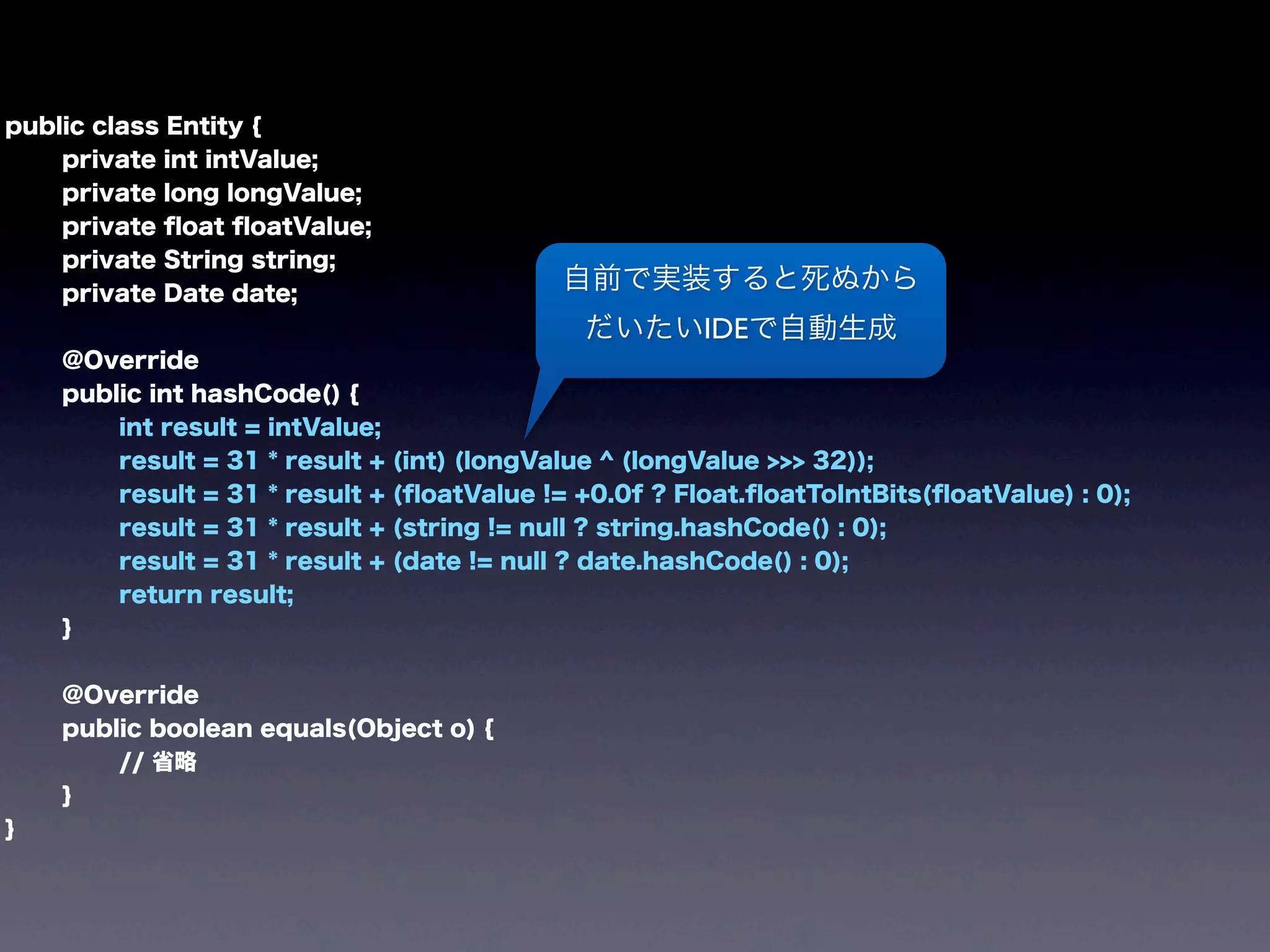
public class Entity {
private int intValue;
private long longValue;
private float floatValue;
private String string;
private Date date;
@Override
public int hashCode() {
int result = intValue;
result = 31 * result + (int) (longValue ^ (longValue >>> 32));
result = 31 * result + (floatValue != +0.0f ? Float.floatToIntBits(floatValue) : 0);
result = 31 * result + (string != null ? string.hashCode() : 0);
result = 31 * result + (date != null ? date.hashCode() : 0);
return result;
}
@Override
public boolean equals(Object o) {
// 省略
}
}
public class Entity {
private int intValue;
private long longValue;
private float floatValue;
private String string;
private Date date;
@Override
public int hashCode() {
int result = intValue;
result = 31 * result + (int) (longValue ^ (longValue >>> 32));
result = 31 * result + (floatValue != +0.0f ? Float.floatToIntBits(floatValue) : 0);
result = 31 * result + (string != null ? string.hashCode() : 0);
result = 31 * result + (date != null ? date.hashCode() : 0);
return result;
}
@Override
public boolean equals(Object o) {
// 省略
}
}
自前で実装すると死ぬから
だいたいIDEで自動生成
after
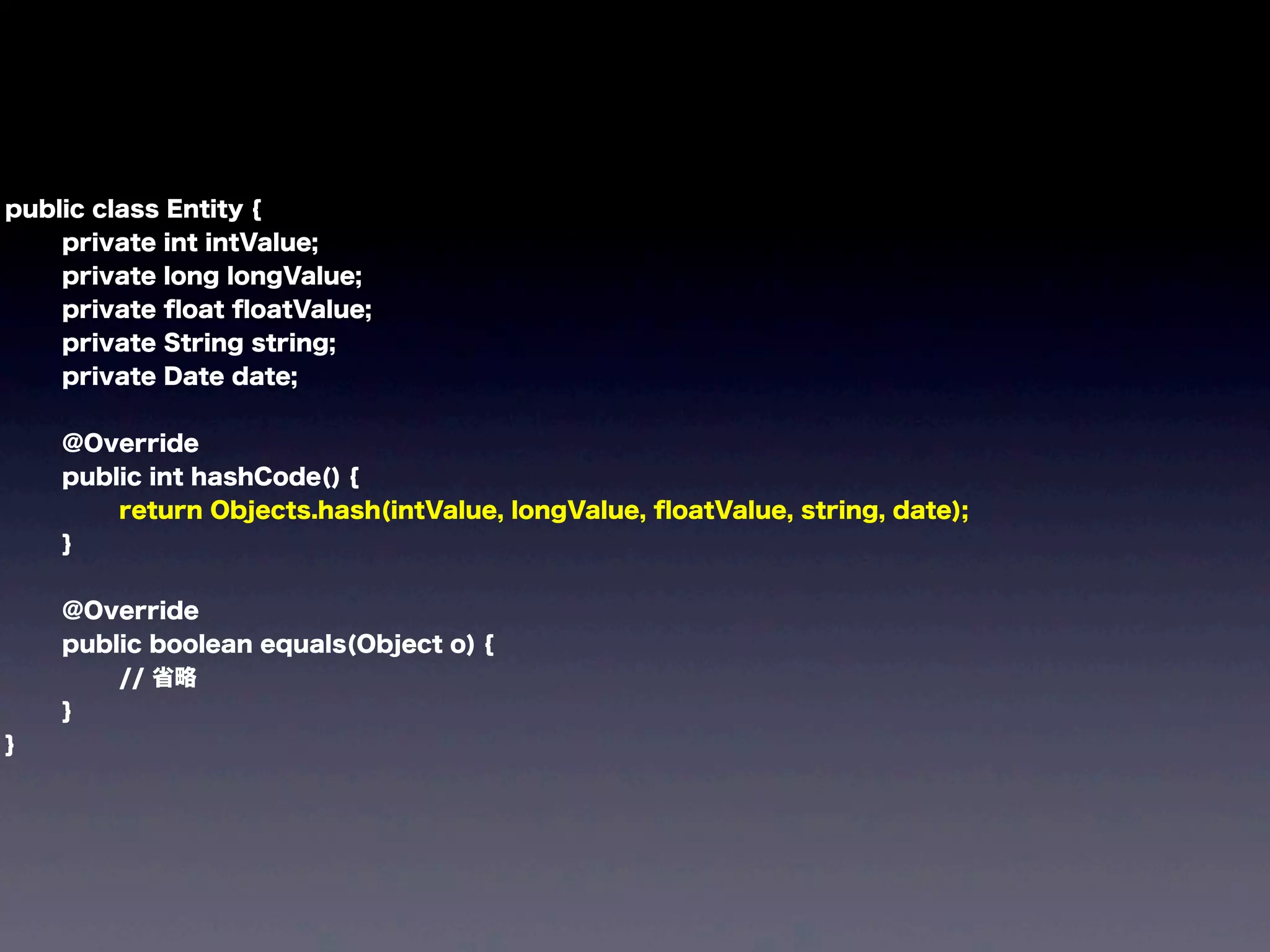
public class Entity {
private int intValue;
private long longValue;
private float floatValue;
private String string;
private Date date;
@Override
public int hashCode() {
return Objects.hash(intValue, longValue, floatValue, string, date);
}
@Override
public boolean equals(Object o) {
// 省略
}
}
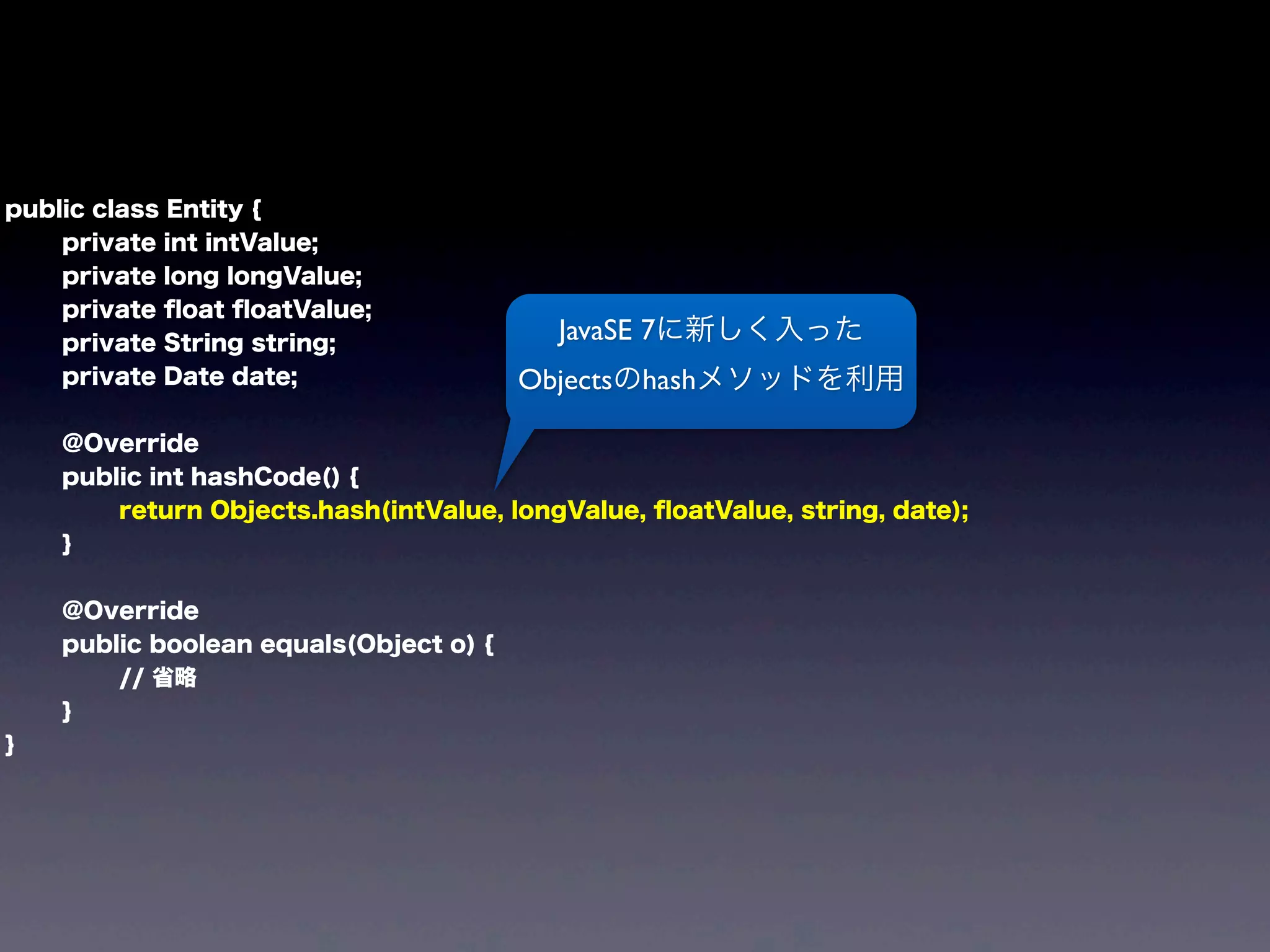
public class Entity {
private int intValue;
private long longValue;
private float floatValue;
private String string;
private Date date;
@Override
public int hashCode() {
return Objects.hash(intValue, longValue, floatValue, string, date);
}
@Override
public boolean equals(Object o) {
// 省略
}
}
JavaSE 7に新しく入った
Objectsのhashメソッドを利用
Java標準ライブラリも
ようやく整備されてきました
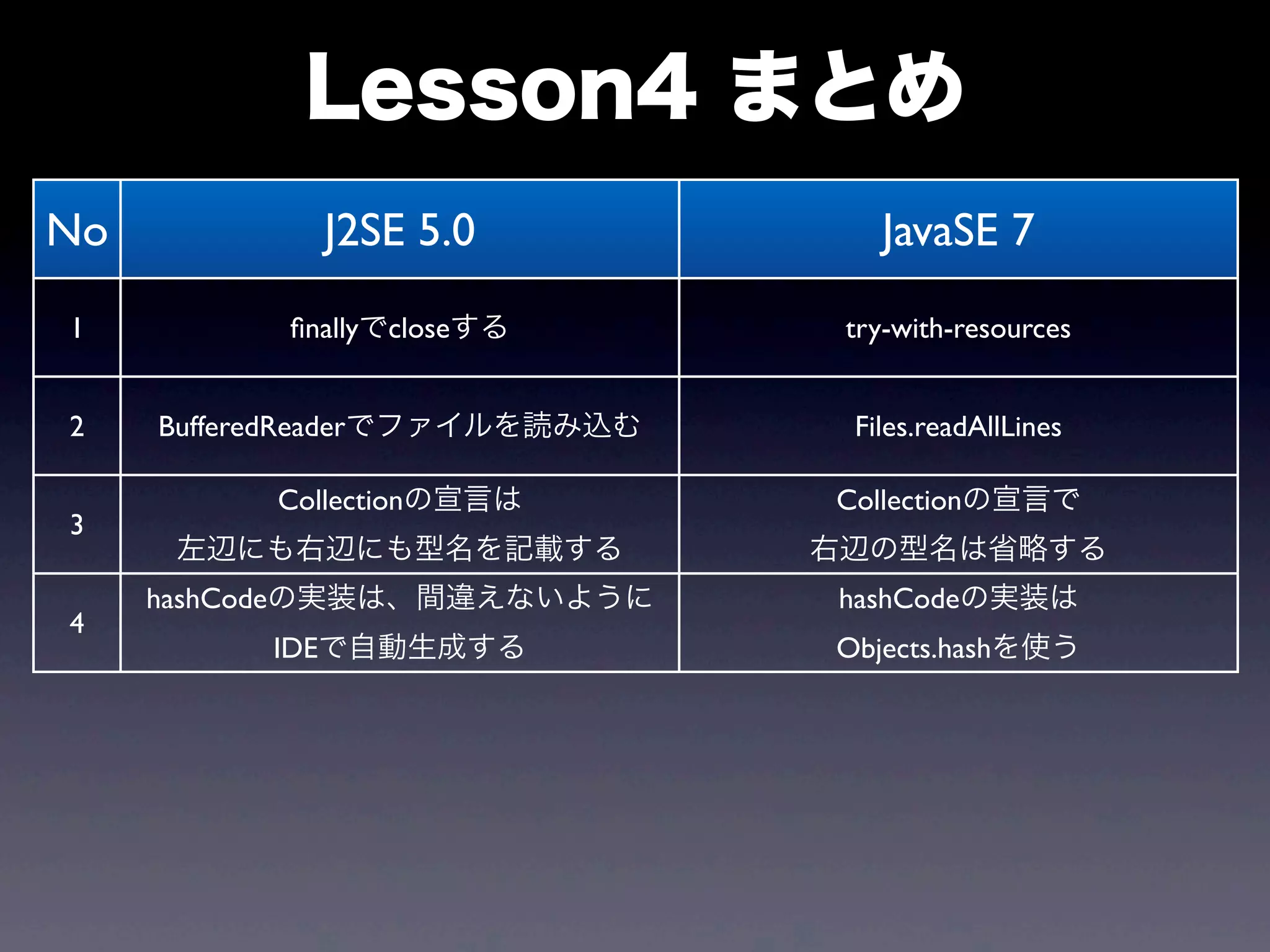
Lesson4 まとめ
No J2SE 5.0 JavaSE 7
1 finallyでcloseする try-with-resources
2 BufferedReaderでファイルを読み込む Files.readAllLines
3
Collectionの宣言は
左辺にも右辺にも型名を記載する
Collectionの宣言で
右辺の型名は省略する
4
hashCodeの実装は、間違えないように
IDEで自動生成する
hashCodeの実装は
Objects.hashを使う
Final Lesson
from JavaSE 7
to JavaSE 8
JavaSE 8
Project Lambda
Stream interface
Date and Time API
... and more
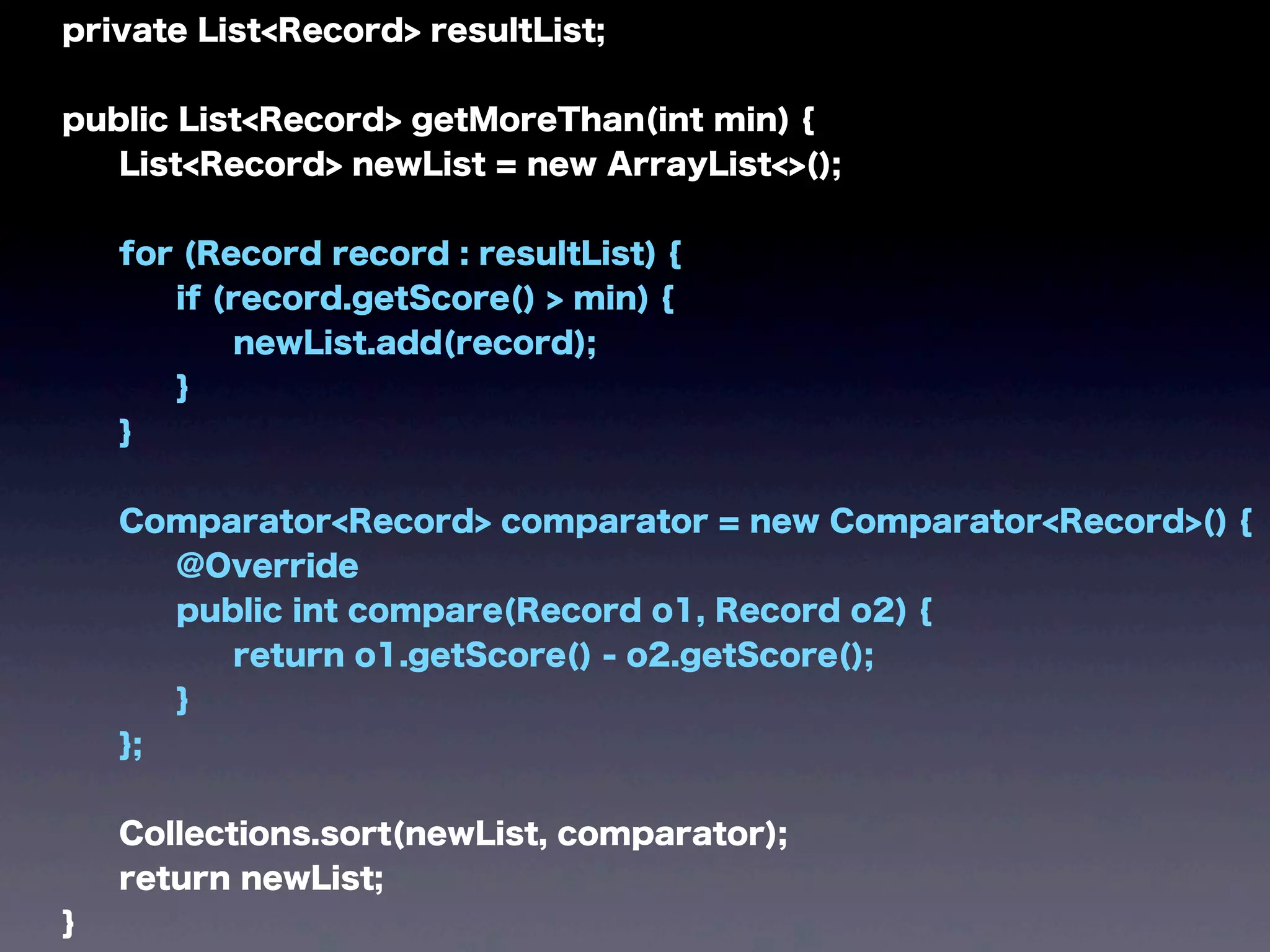
before
private List<Record> resultList;
public List<Record> getMoreThan(int min) {
List<Record> newList = new ArrayList<>();
for (Record record : resultList) {
if (record.getScore() > min) {
newList.add(record);
}
}
Comparator<Record> comparator = new Comparator<Record>() {
@Override
public int compare(Record o1, Record o2) {
return o1.getScore() - o2.getScore();
}
};
Collections.sort(newList, comparator);
return newList;
}
after
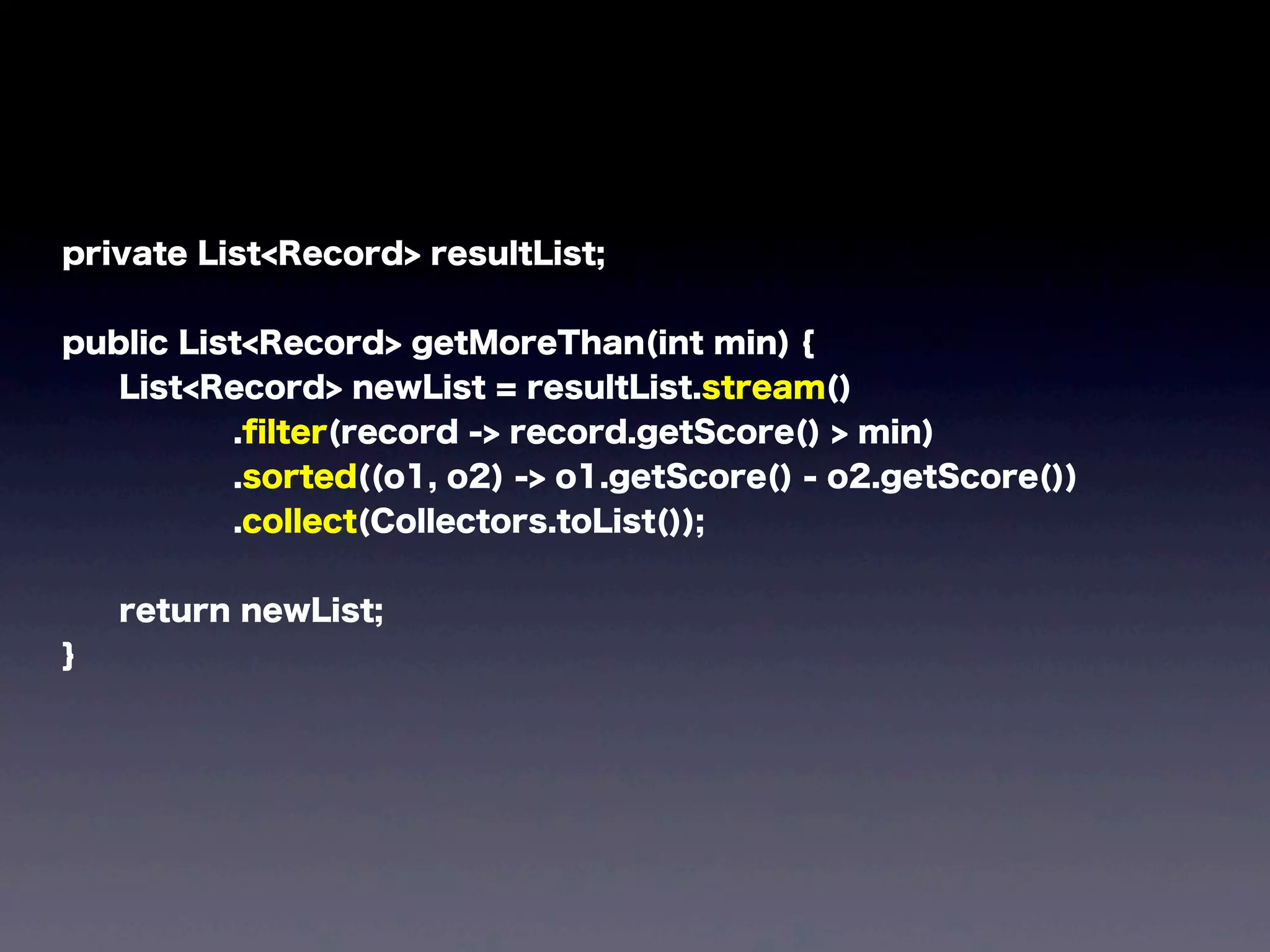
private List<Record> resultList;
public List<Record> getMoreThan(int min) {
List<Record> newList = resultList.stream()
.filter(record -> record.getScore() > min)
.sorted((o1, o2) -> o1.getScore() - o2.getScore())
.collect(Collectors.toList());
return newList;
}
private List<Record> resultList;
public List<Record> getMoreThan(int min) {
List<Record> newList = resultList.stream()
.filter(record -> record.getScore() > min)
.sorted((o1, o2) -> o1.getScore() - o2.getScore())
.collect(Collectors.toList());
return newList;
}
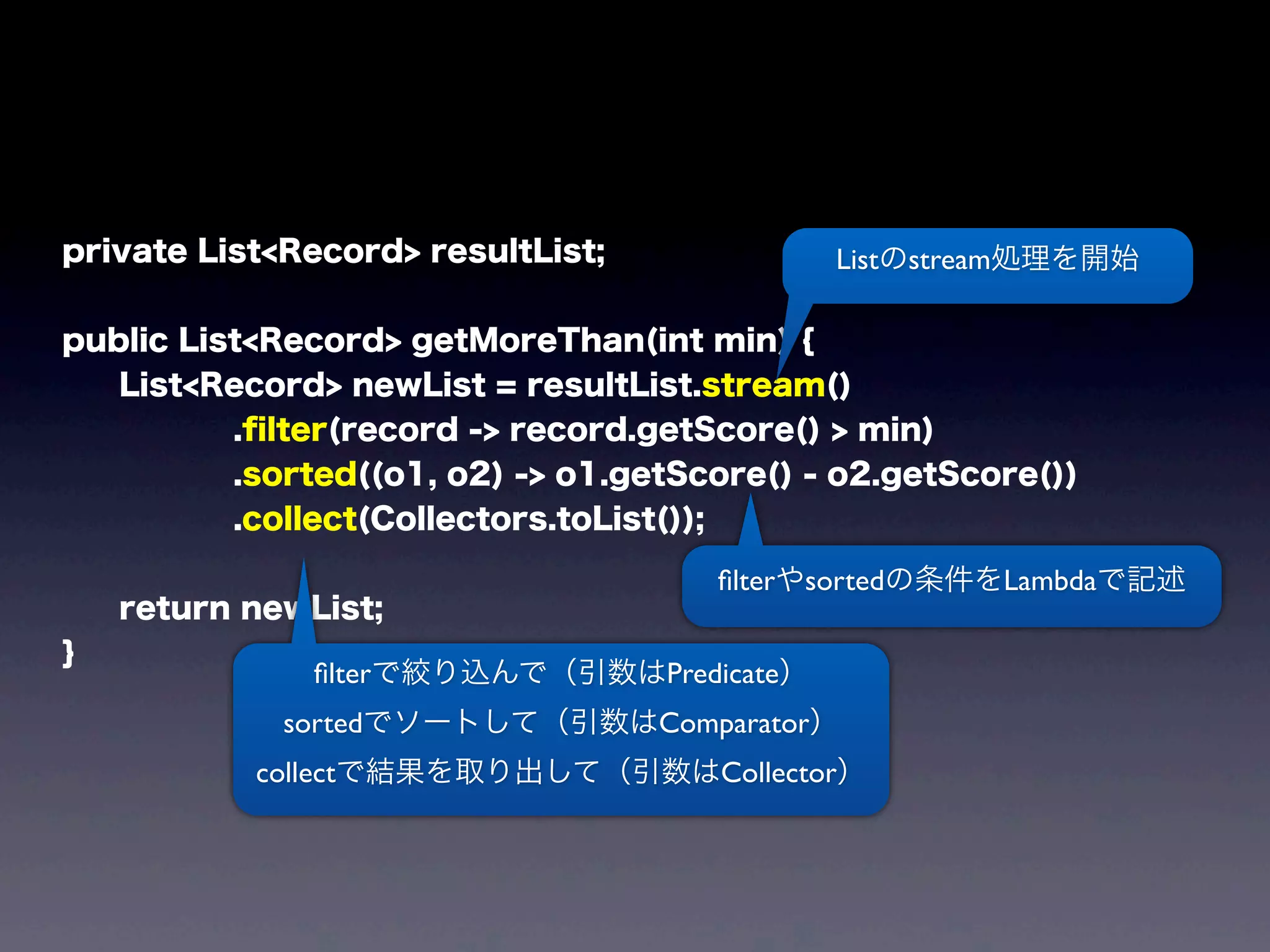
Listのstream処理を開始
filterで絞り込んで(引数はPredicate)
sortedでソートして(引数はComparator)
collectで結果を取り出して(引数はCollector)
filterやsortedの条件をLambdaで記述
Lambda
使いたくなったでしょ?
検索:
jdk8 download
いつ(略)
いまで(略)
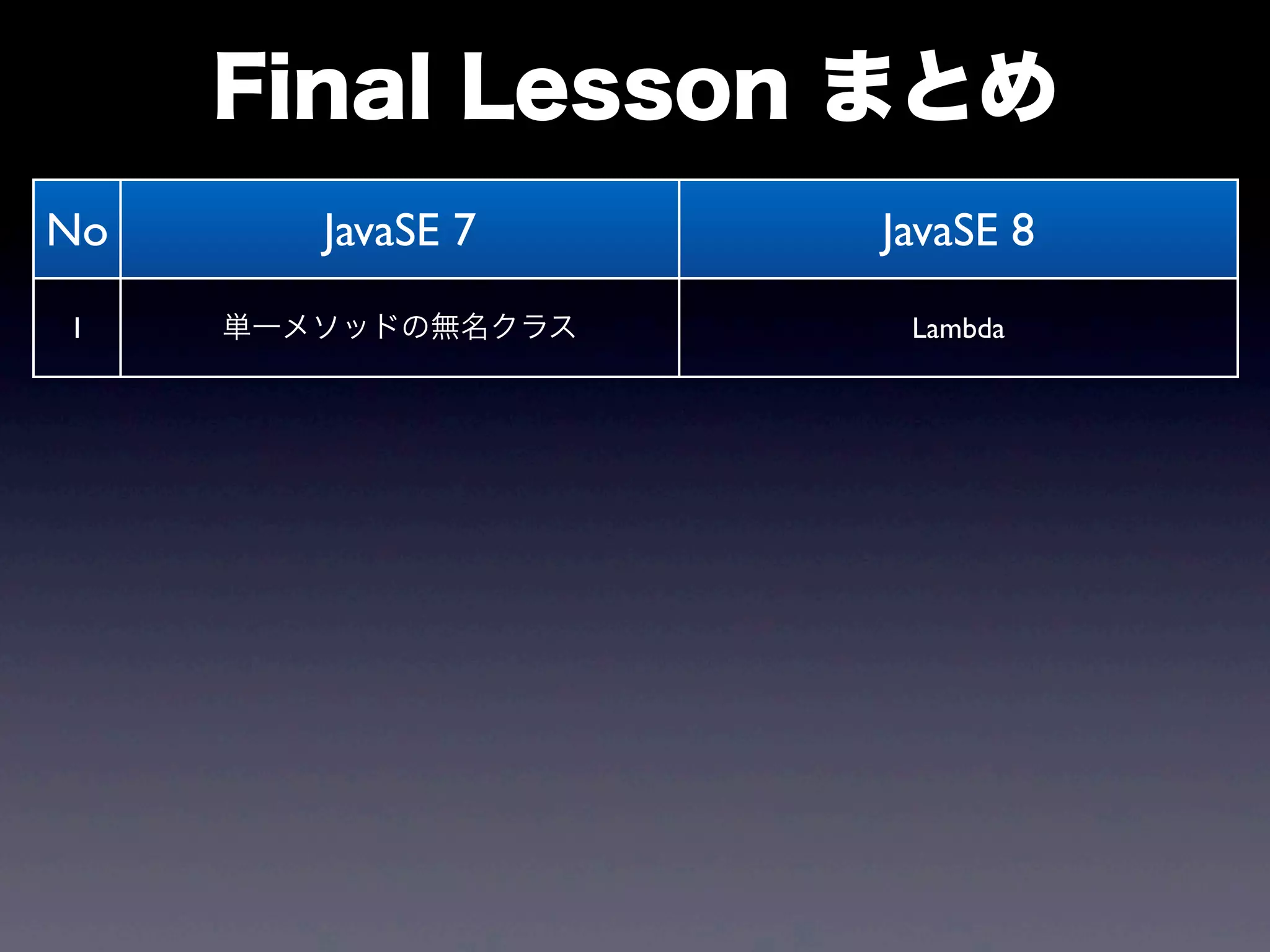
Final Lesson まとめ
No JavaSE 7 JavaSE 8
1 単一メソッドの無名クラス Lambda
まとめ
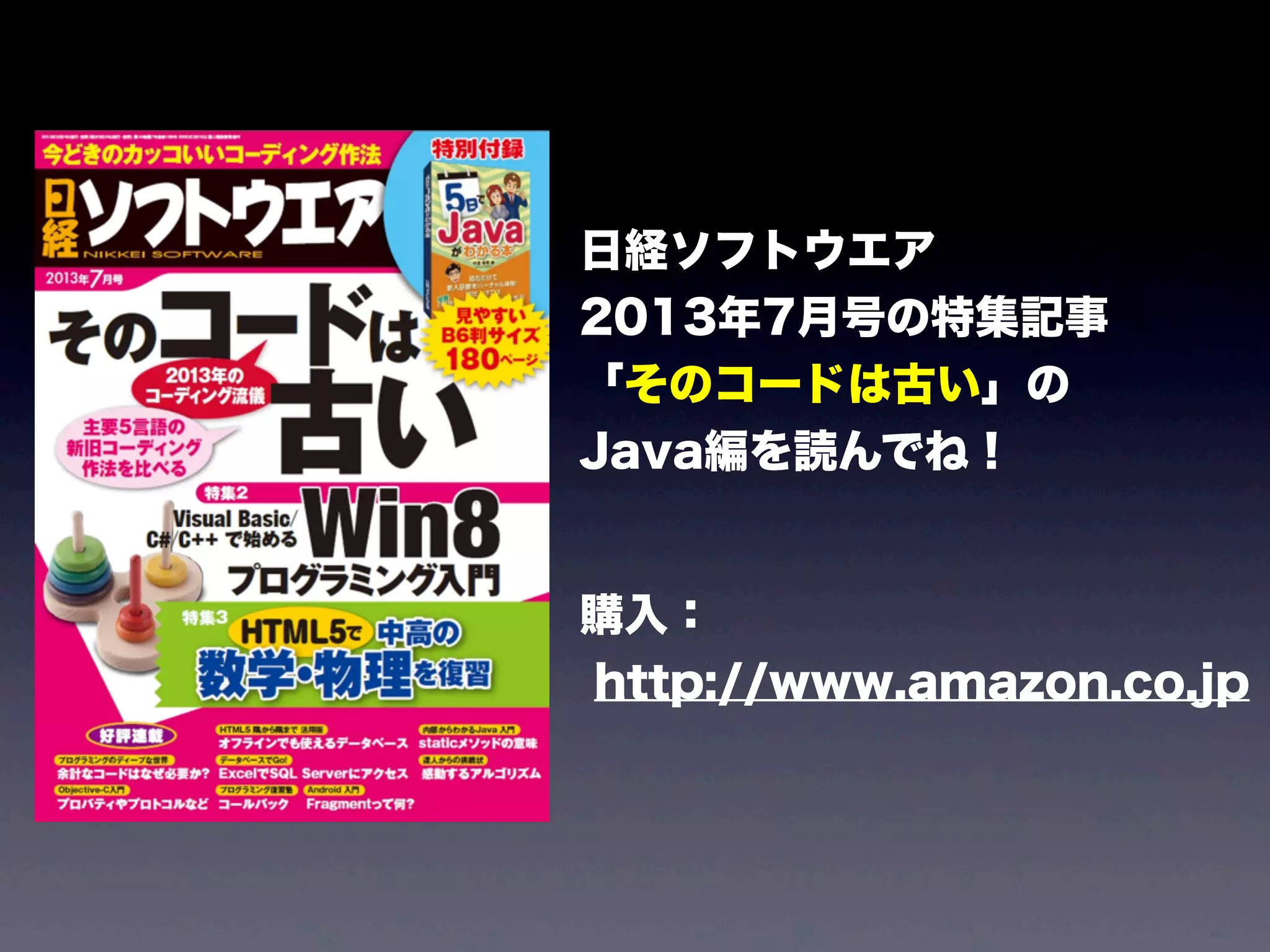
日経ソフトウエア
2013年7月号の特集記事
「そのコードは古い」の
Java編を読んでね!
購入:
http://www.amazon.co.jp
大事なことなので
もう一度
ENdoSnipeというOSSの
Java解析・可視化ツールを
ぜひ使ってください!
記事の検索:
endosnipe gihyo
公式サイト:
http://www.endosnipe.com
To be continued !

from old Java to modern Java