Factory Method Pattern
Virtual Constructor
Sameer Singh Rathoud
About presentation
This presentation provide information to understand factory method pattern, it’s
various implementation and Applicability.
I have tried my best to explain the concept in very simple language.

The programming language used for implementation is c#. But any one from
different programming background can easily understand the implementation.
Definition
The factory method pattern is a design pattern that define an interface for

creating an object from one among a set of classes based on some logic.

Factory method pattern is a creational design pattern.
Factory method pattern is also known as virtual constructor pattern.

Factory method pattern is the most widely used pattern in the software
engineering world
Motivation and Intent
At times, application only knows about the super class (may be abstract class),
but doesn’t know which sub class (concrete implementation) to be instantiated at

compile time.
Choice of sub class may be based on factors like:
• Application configuration.
• Expansion of requirements or enhancements.
• The state of the application running.

• Creates objects without exposing the instantiation logic to the client.
• Refers to the newly created object through a common interface
Structure
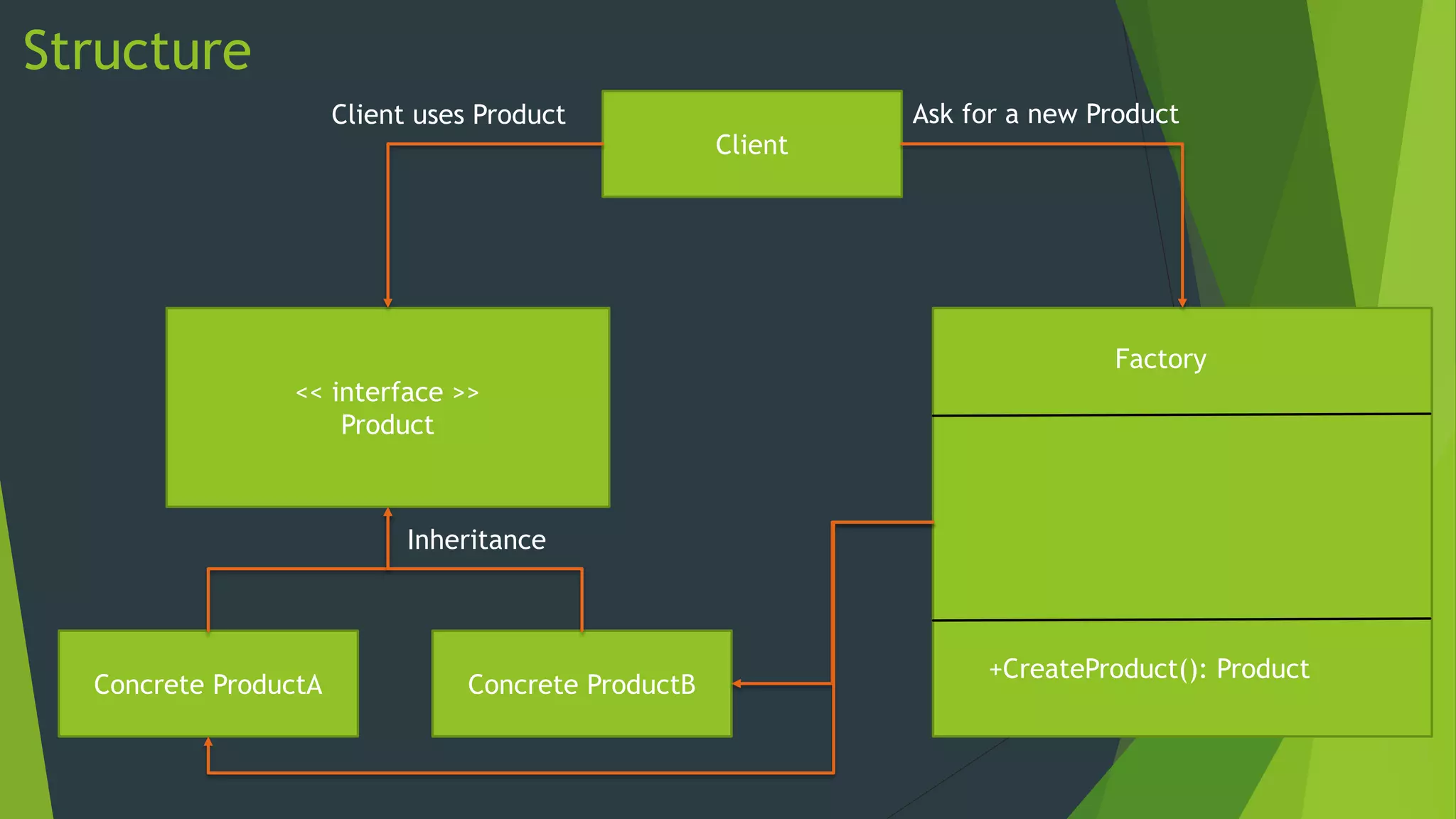
Client uses Product

Client

Ask for a new Product

Factory
<< interface >>
Product

Inheritance

Concrete ProductA

Concrete ProductB

+CreateProduct(): Product
Implementation (C#)
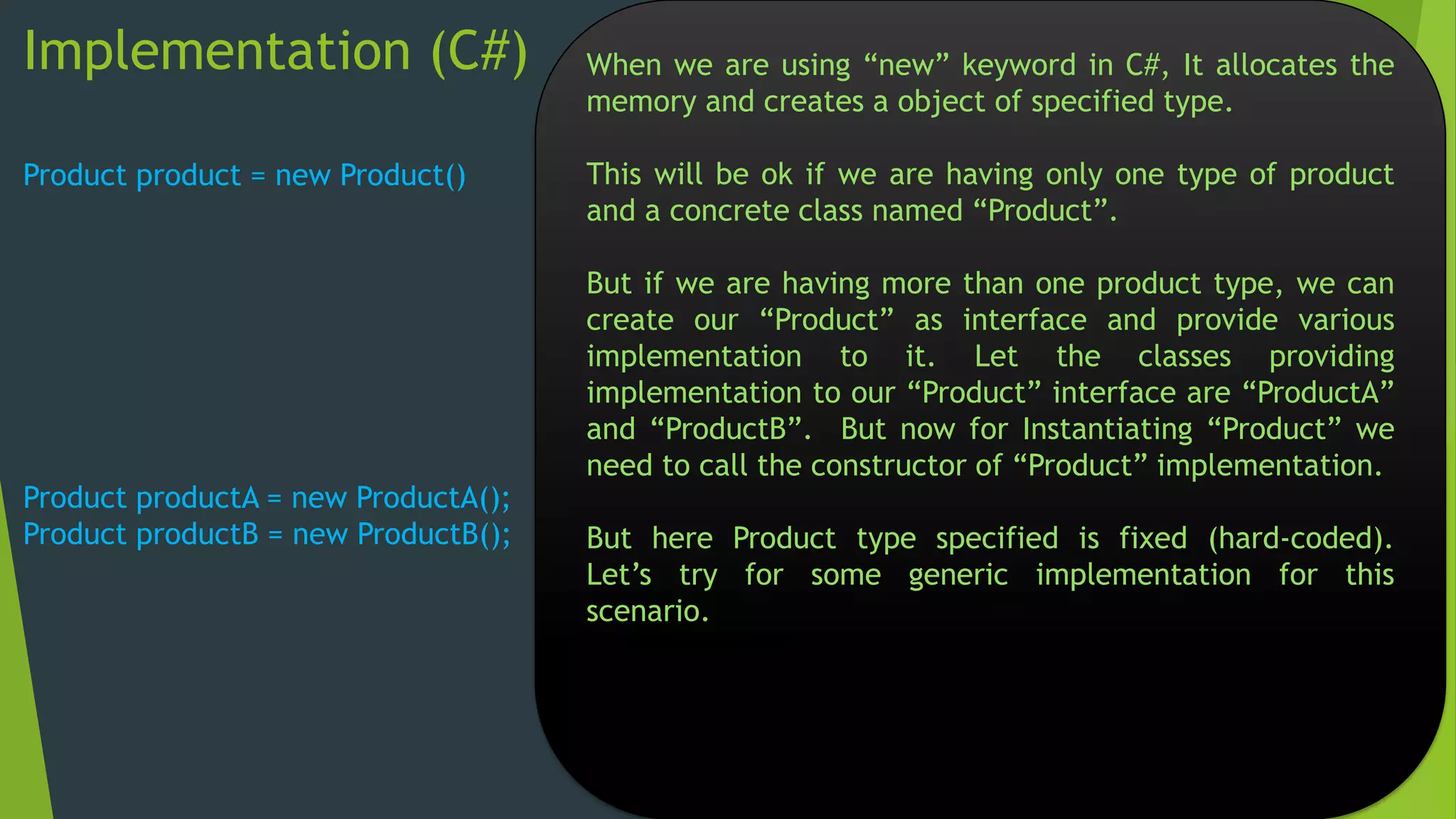
Product product = new Product()

Product productA = new ProductA();
Product productB = new ProductB();

When we are using “new” keyword in C#, It allocates the
memory and creates a object of specified type.
This will be ok if we are having only one type of product
and a concrete class named “Product”.

But if we are having more than one product type, we can
create our “Product” as interface and provide various
implementation to it. Let the classes providing
implementation to our “Product” interface are “ProductA”
and “ProductB”. But now for Instantiating “Product” we
need to call the constructor of “Product” implementation.
But here Product type specified is fixed (hard-coded).
Let’s try for some generic implementation for this
scenario.
Implementation (C#)
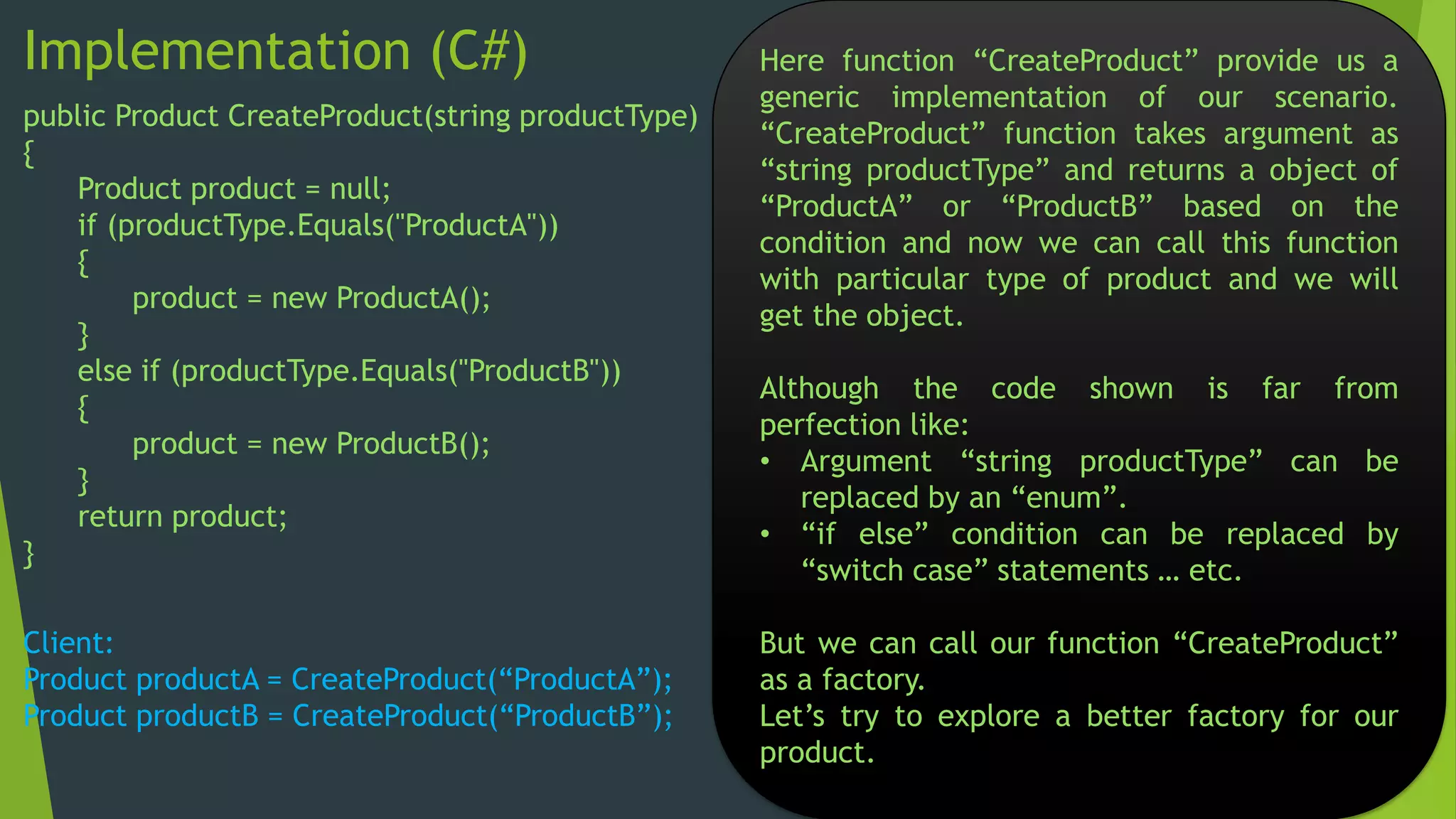
public Product CreateProduct(string productType)
{
Product product = null;
if (productType.Equals("ProductA"))
{
product = new ProductA();
}
else if (productType.Equals("ProductB"))
{
product = new ProductB();
}
return product;
}

Client:
Product productA = CreateProduct(“ProductA”);
Product productB = CreateProduct(“ProductB”);

Here function “CreateProduct” provide us a
generic implementation of our scenario.
“CreateProduct” function takes argument as
“string productType” and returns a object of
“ProductA” or “ProductB” based on the
condition and now we can call this function
with particular type of product and we will
get the object.
Although the code shown is far from
perfection like:
• Argument “string productType” can be
replaced by an “enum”.
• “if else” condition can be replaced by
“switch case” statements … etc.
But we can call our function “CreateProduct”
as a factory.
Let’s try to explore a better factory for our
product.
Implementation (C#)
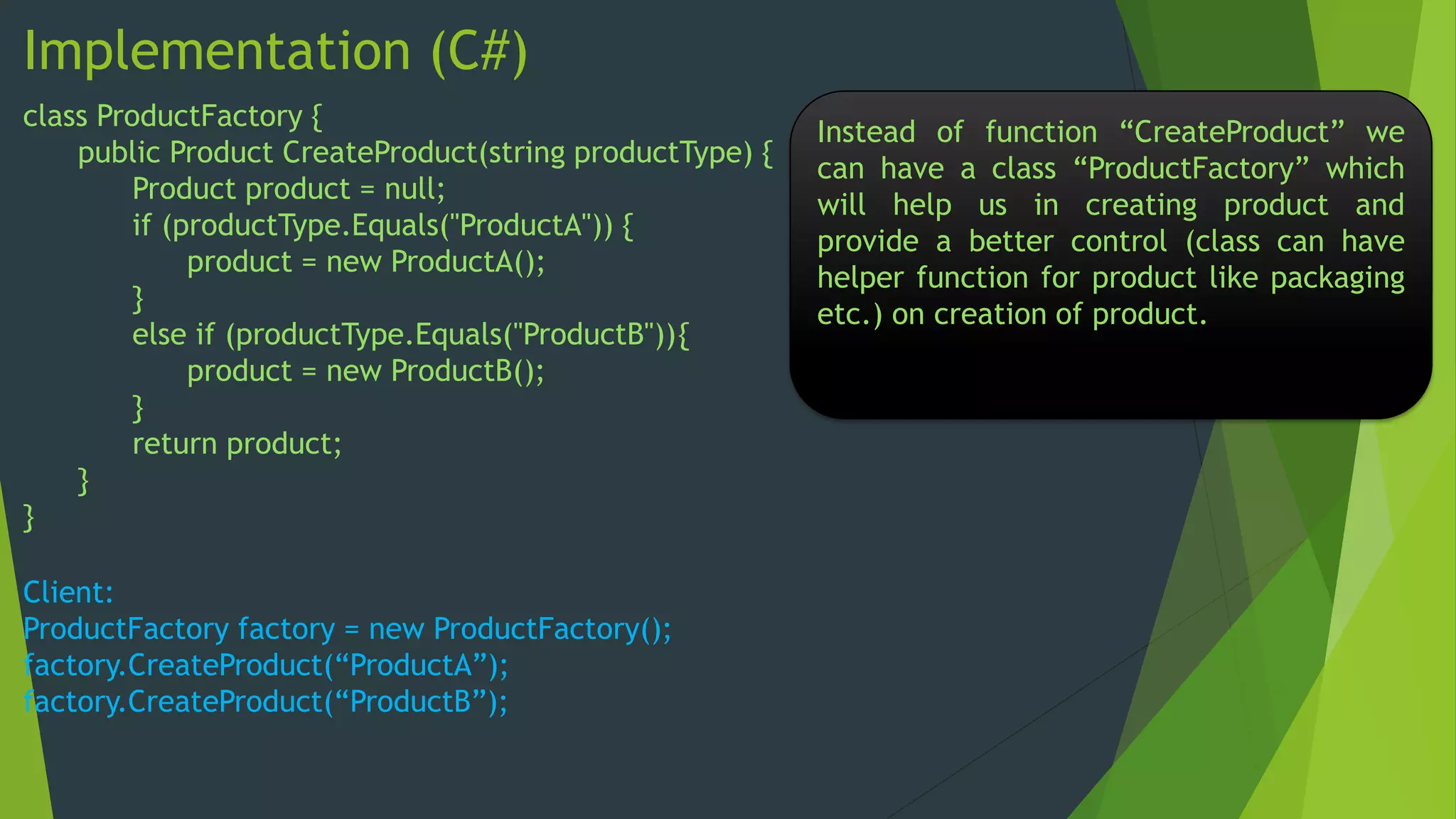
class ProductFactory {
public Product CreateProduct(string productType) {
Product product = null;
if (productType.Equals("ProductA")) {
product = new ProductA();
}
else if (productType.Equals("ProductB")){
product = new ProductB();
}
return product;
}
}
Client:
ProductFactory factory = new ProductFactory();
factory.CreateProduct(“ProductA”);
factory.CreateProduct(“ProductB”);

Instead of function “CreateProduct” we
can have a class “ProductFactory” which
will help us in creating product and
provide a better control (class can have
helper function for product like packaging
etc.) on creation of product.
Implementation (C#)
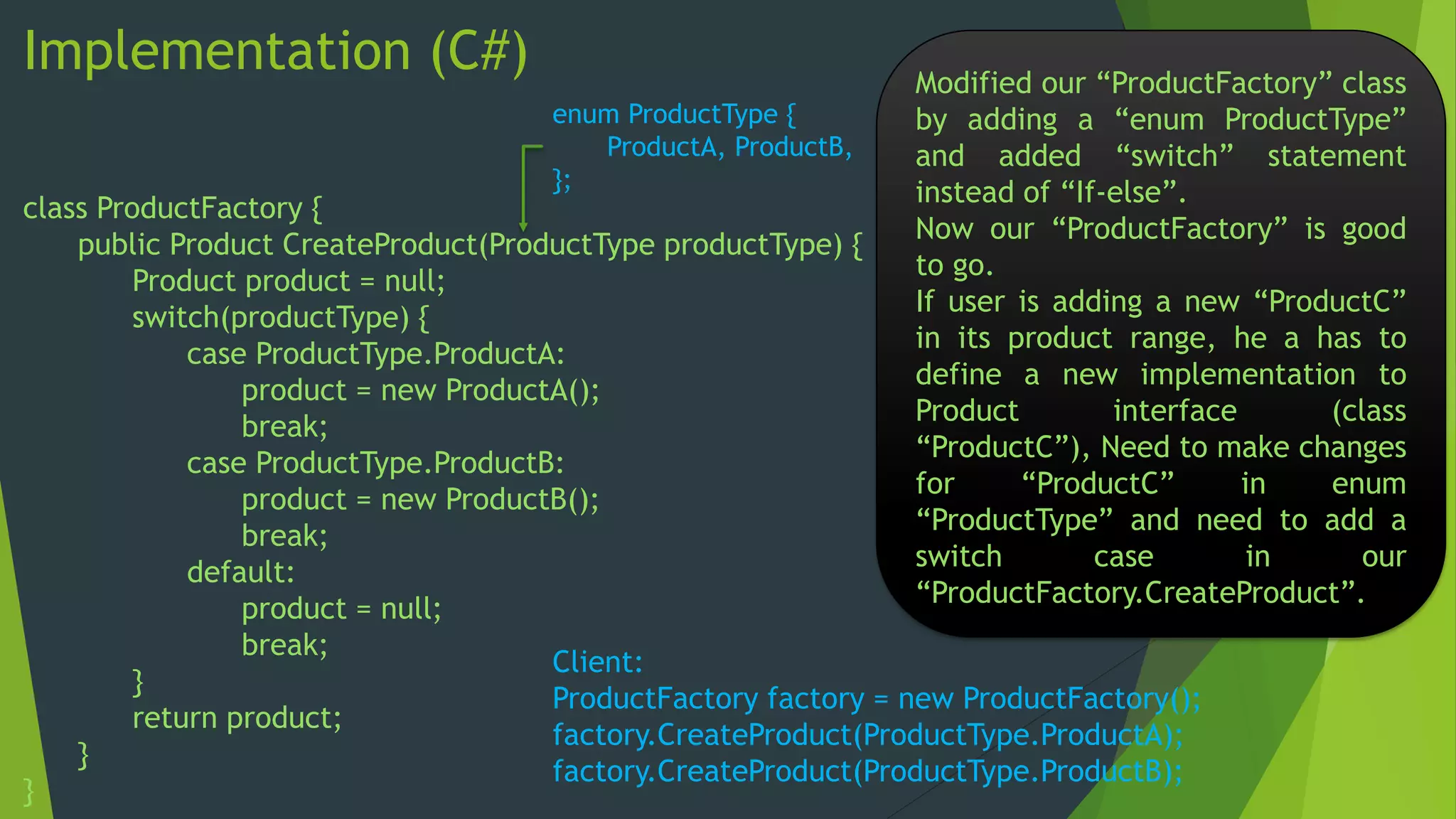
enum ProductType {
ProductA, ProductB,
};

Modified our “ProductFactory” class
by adding a “enum ProductType”
and added “switch” statement
instead of “If-else”.
Now our “ProductFactory” is good
to go.
If user is adding a new “ProductC”
in its product range, he a has to
define a new implementation to
Product
interface
(class
“ProductC”), Need to make changes
for
“ProductC”
in
enum
“ProductType” and need to add a
switch
case
in
our
“ProductFactory.CreateProduct”.

class ProductFactory {
public Product CreateProduct(ProductType productType) {
Product product = null;
switch(productType) {
case ProductType.ProductA:
product = new ProductA();
break;
case ProductType.ProductB:
product = new ProductB();
break;
default:
product = null;
break;
Client:
}
ProductFactory factory = new ProductFactory();
return product;
factory.CreateProduct(ProductType.ProductA);
}
factory.CreateProduct(ProductType.ProductB);
}
Options for adding new class without change in factory (C#)
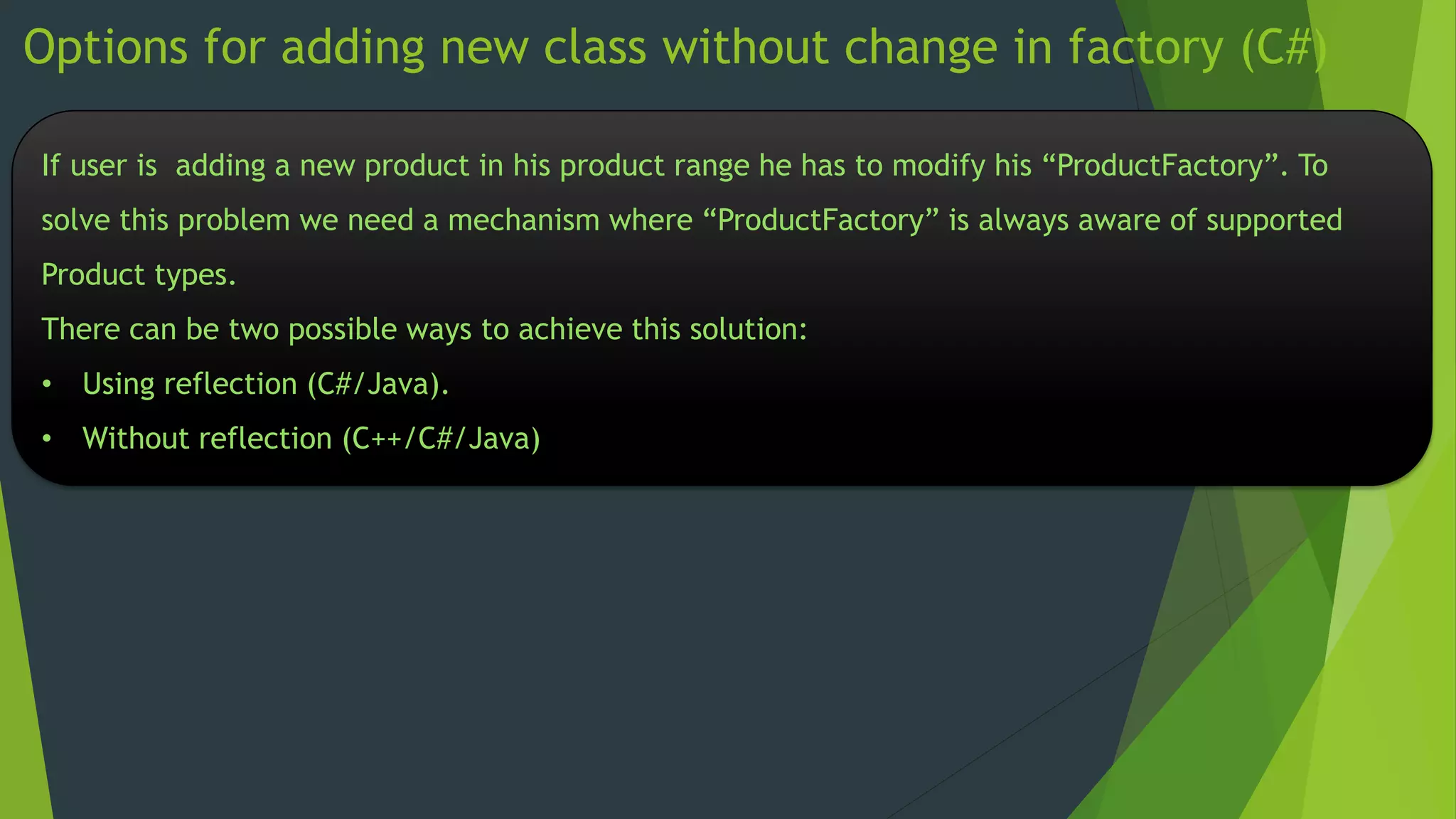
If user is adding a new product in his product range he has to modify his “ProductFactory”. To
solve this problem we need a mechanism where “ProductFactory” is always aware of supported
Product types.

There can be two possible ways to achieve this solution:
• Using reflection (C#/Java).
• Without reflection (C++/C#/Java)
Factory using reflection (C#)
public enum ProductType : int {
ProductA = 1,
ProductB,
};
[AttributeUsage(AttributeTargets.Class)]
public class ProductAttribute : Attribute {
private ProductType mProductType;
public ProductAttribute(ProductType vProductType) {
mProductType = vProductType;
}
public ProductType ProductSupported {
get {
return mProductType;
}
set {
mProductType = value;
}
}
}
Factory using reflection continue ….
[AttributeUsage(AttributeTargets.Interface)]
public class ImplAttr : Attribute {
private Type[] mImplementorList;
public ImplAttr(Type[] Implementors) {
mImplementorList = Implementors;
}
public Type[] ImplementorList {
get {
return mImplementorList;
}
set {
mImplementorList = value;
}
}

}
Factory using reflection continue ….
[ImplAttr(new Type[] { typeof(ProductA), typeof(ProductB)})]
interface Product {
void Print();
}
[ProductAttribute(ProductType.ProductA)]
class ProductA : Product {
public void Print() {
Console.WriteLine("I am ProductA");
}
}
[ProductAttribute(ProductType.ProductB)]
class ProductB : Product {
public void Print() {
Console.WriteLine("I am ProductB");
}
}
Factory using reflection continue ….
class ProductFactory {
public Product CreateProduct(ProductType vProductType)
{
Product product = null;
object Obj;
Type[] IntrfaceImpl;
Attribute Attr;
ProductType productType;
ProductAttribute productAttr;
int ImplementorCount;
Attr = Attribute.GetCustomAttribute(typeof(Product), typeof(ImplAttr));
IntrfaceImpl = ((ImplAttr)Attr).ImplementorList;
ImplementorCount = IntrfaceImpl.GetLength(0);
for (int i = 0; i < ImplementorCount; i++) {
Attr = Attribute.GetCustomAttribute(IntrfaceImpl[i], typeof(ProductAttribute));
productAttr = (ProductAttribute)Attr;
Factory using reflection continue ….
productType = productAttr.ProductSupported;

if ((int)productType == (int)vProductType) {
Obj = Activator.CreateInstance(IntrfaceImpl[i]);
product = (Product)Obj;

break;
}
}
return product;
}
}
Factory using reflection continue ….
class Client

{
static void Main(string[] args)
{

ProductFactory factory = new ProductFactory();
Product product = factory.CreateProduct(ProductType.ProductA);
product.Print();
}
}
In the above mentioned code, we are having a factory which will remain unchanged even when user
is adding in product classes (new implementation of Product Interface) in his product range. In the
above implementation we have used reflection to achieve our objective.
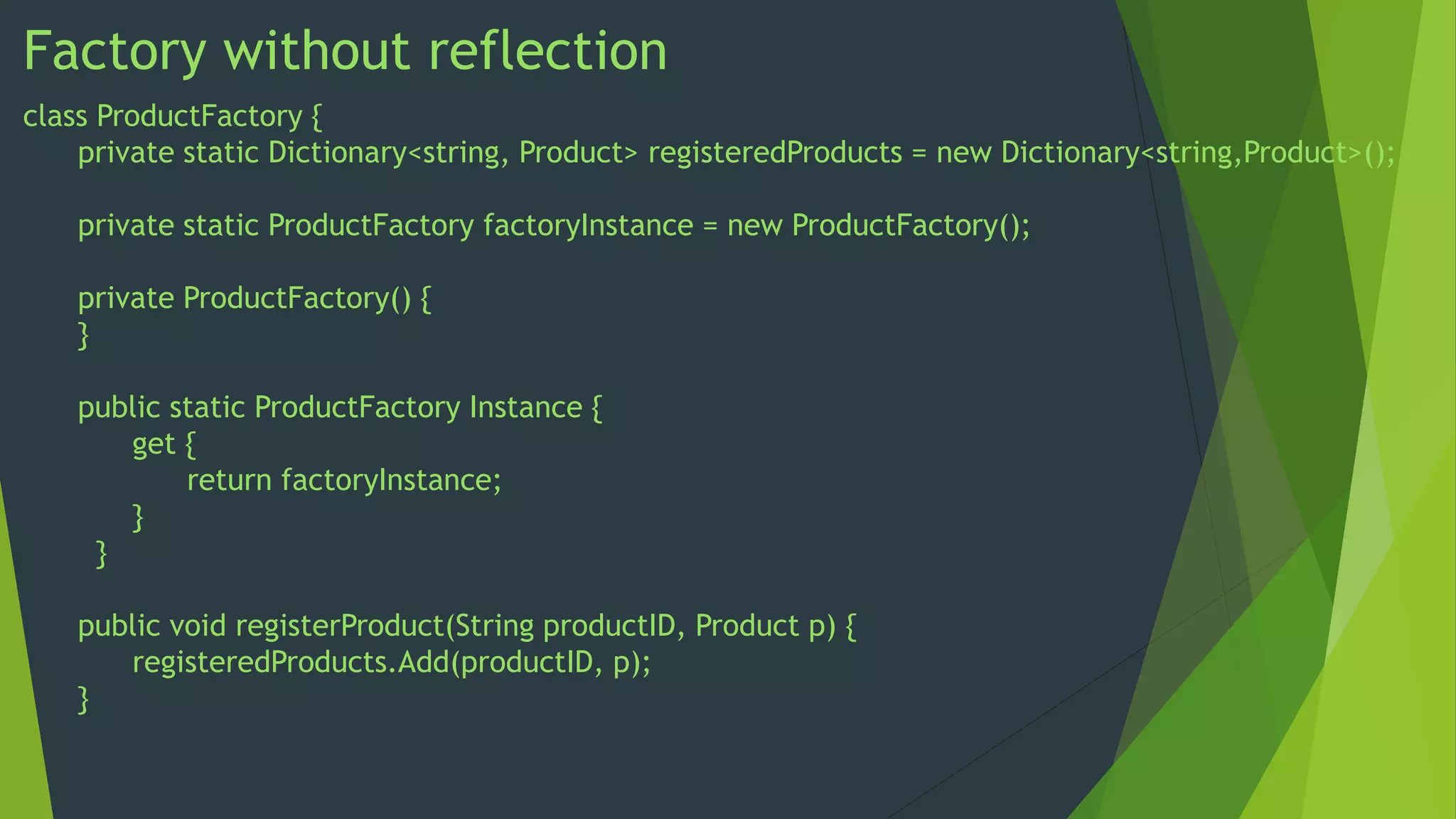
Factory without reflection
class ProductFactory {
private static Dictionary<string, Product> registeredProducts = new Dictionary<string,Product>();
private static ProductFactory factoryInstance = new ProductFactory();
private ProductFactory() {
}
public static ProductFactory Instance {
get {
return factoryInstance;
}
}

public void registerProduct(String productID, Product p) {
registeredProducts.Add(productID, p);
}
Factory without reflection continue ….
public Product createProduct(String productID) {
Product product = null;
if (registeredProducts.ContainsKey(productID)) {
product = (Product)registeredProducts[productID];
}
return product;
}
}
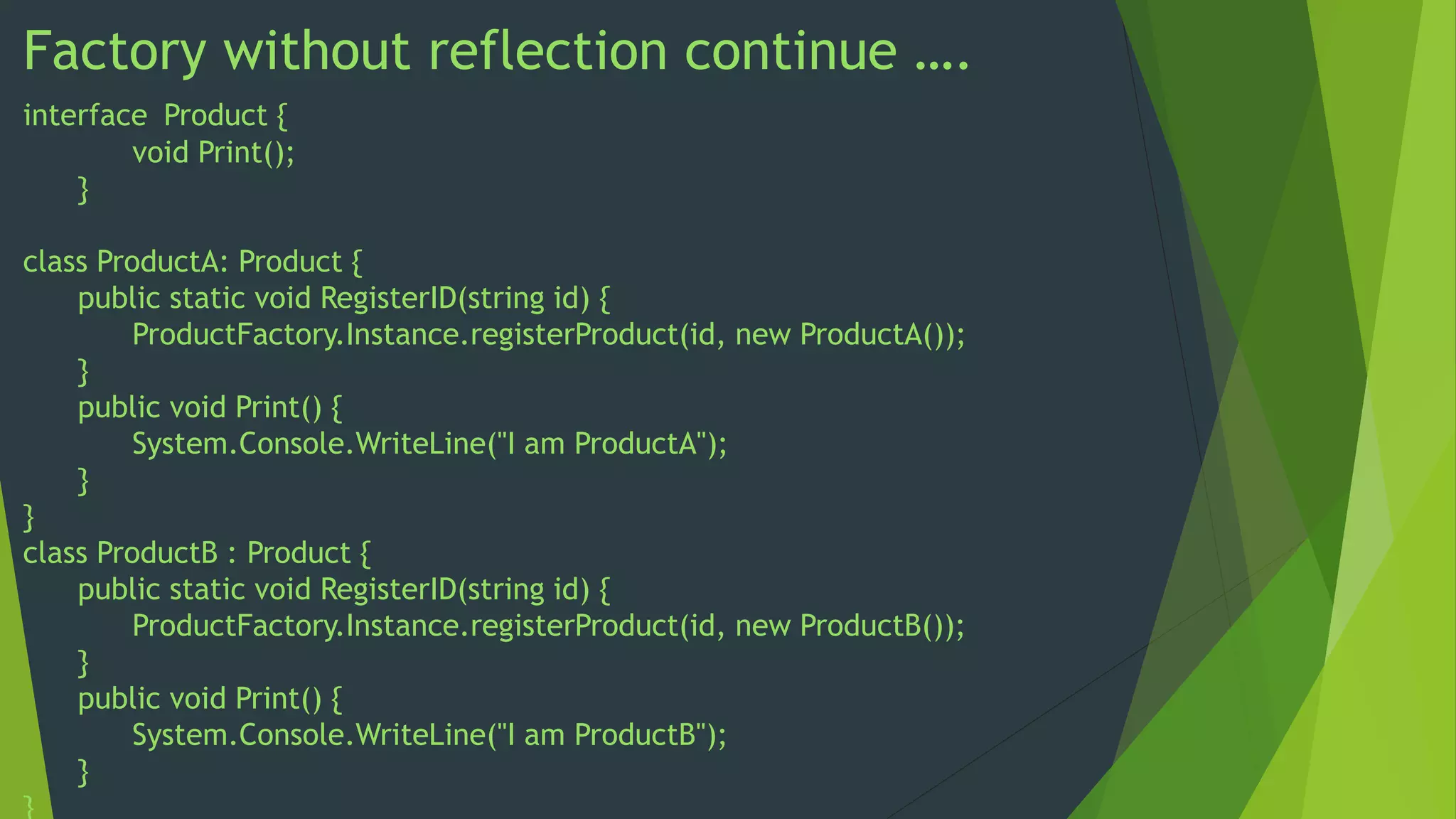
Factory without reflection continue ….
interface Product {
void Print();
}
class ProductA: Product {
public static void RegisterID(string id) {
ProductFactory.Instance.registerProduct(id, new ProductA());
}
public void Print() {
System.Console.WriteLine("I am ProductA");
}
}
class ProductB : Product {
public static void RegisterID(string id) {
ProductFactory.Instance.registerProduct(id, new ProductB());
}
public void Print() {
System.Console.WriteLine("I am ProductB");
}
}
Factory without reflection continue ….
class Client {
static void Main(string[] args) {
ProductFactory factory = ProductFactory.Instance;
ProductA.RegisterID("ProductA");
Product productA = factory.createProduct("ProductA");
((ProductA)productA).Print();
ProductB.RegisterID("ProductB");
Product productB = factory.createProduct("ProductB");
((ProductB)productB).Print();
}
}
In the above mentioned code, we are having a factory which will remain unchanged even when user
is adding in product classes (new implementation of Product Interface) in his product range. The
above implementation is achieved without reflection. In the above implementation the
“ProductFactory” class is created as singleton.
End of Presentation . . .

Factory method pattern (Virtual Constructor)

  • 1.
    Factory Method Pattern VirtualConstructor Sameer Singh Rathoud
  • 2.
    About presentation This presentationprovide information to understand factory method pattern, it’s various implementation and Applicability. I have tried my best to explain the concept in very simple language. The programming language used for implementation is c#. But any one from different programming background can easily understand the implementation.
  • 3.
    Definition The factory methodpattern is a design pattern that define an interface for creating an object from one among a set of classes based on some logic. Factory method pattern is a creational design pattern. Factory method pattern is also known as virtual constructor pattern. Factory method pattern is the most widely used pattern in the software engineering world
  • 4.
    Motivation and Intent Attimes, application only knows about the super class (may be abstract class), but doesn’t know which sub class (concrete implementation) to be instantiated at compile time. Choice of sub class may be based on factors like: • Application configuration. • Expansion of requirements or enhancements. • The state of the application running. • Creates objects without exposing the instantiation logic to the client. • Refers to the newly created object through a common interface
  • 5.
    Structure Client uses Product Client Askfor a new Product Factory << interface >> Product Inheritance Concrete ProductA Concrete ProductB +CreateProduct(): Product
  • 6.
    Implementation (C#) Product product= new Product() Product productA = new ProductA(); Product productB = new ProductB(); When we are using “new” keyword in C#, It allocates the memory and creates a object of specified type. This will be ok if we are having only one type of product and a concrete class named “Product”. But if we are having more than one product type, we can create our “Product” as interface and provide various implementation to it. Let the classes providing implementation to our “Product” interface are “ProductA” and “ProductB”. But now for Instantiating “Product” we need to call the constructor of “Product” implementation. But here Product type specified is fixed (hard-coded). Let’s try for some generic implementation for this scenario.
  • 7.
    Implementation (C#) public ProductCreateProduct(string productType) { Product product = null; if (productType.Equals("ProductA")) { product = new ProductA(); } else if (productType.Equals("ProductB")) { product = new ProductB(); } return product; } Client: Product productA = CreateProduct(“ProductA”); Product productB = CreateProduct(“ProductB”); Here function “CreateProduct” provide us a generic implementation of our scenario. “CreateProduct” function takes argument as “string productType” and returns a object of “ProductA” or “ProductB” based on the condition and now we can call this function with particular type of product and we will get the object. Although the code shown is far from perfection like: • Argument “string productType” can be replaced by an “enum”. • “if else” condition can be replaced by “switch case” statements … etc. But we can call our function “CreateProduct” as a factory. Let’s try to explore a better factory for our product.
  • 8.
    Implementation (C#) class ProductFactory{ public Product CreateProduct(string productType) { Product product = null; if (productType.Equals("ProductA")) { product = new ProductA(); } else if (productType.Equals("ProductB")){ product = new ProductB(); } return product; } } Client: ProductFactory factory = new ProductFactory(); factory.CreateProduct(“ProductA”); factory.CreateProduct(“ProductB”); Instead of function “CreateProduct” we can have a class “ProductFactory” which will help us in creating product and provide a better control (class can have helper function for product like packaging etc.) on creation of product.
  • 9.
    Implementation (C#) enum ProductType{ ProductA, ProductB, }; Modified our “ProductFactory” class by adding a “enum ProductType” and added “switch” statement instead of “If-else”. Now our “ProductFactory” is good to go. If user is adding a new “ProductC” in its product range, he a has to define a new implementation to Product interface (class “ProductC”), Need to make changes for “ProductC” in enum “ProductType” and need to add a switch case in our “ProductFactory.CreateProduct”. class ProductFactory { public Product CreateProduct(ProductType productType) { Product product = null; switch(productType) { case ProductType.ProductA: product = new ProductA(); break; case ProductType.ProductB: product = new ProductB(); break; default: product = null; break; Client: } ProductFactory factory = new ProductFactory(); return product; factory.CreateProduct(ProductType.ProductA); } factory.CreateProduct(ProductType.ProductB); }
  • 10.
    Options for addingnew class without change in factory (C#) If user is adding a new product in his product range he has to modify his “ProductFactory”. To solve this problem we need a mechanism where “ProductFactory” is always aware of supported Product types. There can be two possible ways to achieve this solution: • Using reflection (C#/Java). • Without reflection (C++/C#/Java)
  • 11.
    Factory using reflection(C#) public enum ProductType : int { ProductA = 1, ProductB, }; [AttributeUsage(AttributeTargets.Class)] public class ProductAttribute : Attribute { private ProductType mProductType; public ProductAttribute(ProductType vProductType) { mProductType = vProductType; } public ProductType ProductSupported { get { return mProductType; } set { mProductType = value; } } }
  • 12.
    Factory using reflectioncontinue …. [AttributeUsage(AttributeTargets.Interface)] public class ImplAttr : Attribute { private Type[] mImplementorList; public ImplAttr(Type[] Implementors) { mImplementorList = Implementors; } public Type[] ImplementorList { get { return mImplementorList; } set { mImplementorList = value; } } }
  • 13.
    Factory using reflectioncontinue …. [ImplAttr(new Type[] { typeof(ProductA), typeof(ProductB)})] interface Product { void Print(); } [ProductAttribute(ProductType.ProductA)] class ProductA : Product { public void Print() { Console.WriteLine("I am ProductA"); } } [ProductAttribute(ProductType.ProductB)] class ProductB : Product { public void Print() { Console.WriteLine("I am ProductB"); } }
  • 14.
    Factory using reflectioncontinue …. class ProductFactory { public Product CreateProduct(ProductType vProductType) { Product product = null; object Obj; Type[] IntrfaceImpl; Attribute Attr; ProductType productType; ProductAttribute productAttr; int ImplementorCount; Attr = Attribute.GetCustomAttribute(typeof(Product), typeof(ImplAttr)); IntrfaceImpl = ((ImplAttr)Attr).ImplementorList; ImplementorCount = IntrfaceImpl.GetLength(0); for (int i = 0; i < ImplementorCount; i++) { Attr = Attribute.GetCustomAttribute(IntrfaceImpl[i], typeof(ProductAttribute)); productAttr = (ProductAttribute)Attr;
  • 15.
    Factory using reflectioncontinue …. productType = productAttr.ProductSupported; if ((int)productType == (int)vProductType) { Obj = Activator.CreateInstance(IntrfaceImpl[i]); product = (Product)Obj; break; } } return product; } }
  • 16.
    Factory using reflectioncontinue …. class Client { static void Main(string[] args) { ProductFactory factory = new ProductFactory(); Product product = factory.CreateProduct(ProductType.ProductA); product.Print(); } } In the above mentioned code, we are having a factory which will remain unchanged even when user is adding in product classes (new implementation of Product Interface) in his product range. In the above implementation we have used reflection to achieve our objective.
  • 17.
    Factory without reflection classProductFactory { private static Dictionary<string, Product> registeredProducts = new Dictionary<string,Product>(); private static ProductFactory factoryInstance = new ProductFactory(); private ProductFactory() { } public static ProductFactory Instance { get { return factoryInstance; } } public void registerProduct(String productID, Product p) { registeredProducts.Add(productID, p); }
  • 18.
    Factory without reflectioncontinue …. public Product createProduct(String productID) { Product product = null; if (registeredProducts.ContainsKey(productID)) { product = (Product)registeredProducts[productID]; } return product; } }
  • 19.
    Factory without reflectioncontinue …. interface Product { void Print(); } class ProductA: Product { public static void RegisterID(string id) { ProductFactory.Instance.registerProduct(id, new ProductA()); } public void Print() { System.Console.WriteLine("I am ProductA"); } } class ProductB : Product { public static void RegisterID(string id) { ProductFactory.Instance.registerProduct(id, new ProductB()); } public void Print() { System.Console.WriteLine("I am ProductB"); } }
  • 20.
    Factory without reflectioncontinue …. class Client { static void Main(string[] args) { ProductFactory factory = ProductFactory.Instance; ProductA.RegisterID("ProductA"); Product productA = factory.createProduct("ProductA"); ((ProductA)productA).Print(); ProductB.RegisterID("ProductB"); Product productB = factory.createProduct("ProductB"); ((ProductB)productB).Print(); } } In the above mentioned code, we are having a factory which will remain unchanged even when user is adding in product classes (new implementation of Product Interface) in his product range. The above implementation is achieved without reflection. In the above implementation the “ProductFactory” class is created as singleton.
  • 21.