13 July 2017 YATIN GUPTA 1
LET’S START WITH EXT JS
BY: YATIN GUPTA
13 July 2017 YATIN GUPTA 2
Agenda
Ext JS Introduction
Setting Up Ext JS
Ext JS Folder Structure
Ext Classes
Ext JS DOM
13 July 2017 YATIN GUPTA 3
WHY I SHOULD GO FOR EXT JS
• It gives you grid, trees, panels and components in ready,
you just need to create js objects and ready to go then.
• Favorable to make admin panels or web apps that require
desktop like look or feature.
• If you are “pimcorian” then may be in some of your
project you need to customize admin panel which can be
done only by ext js, so no option left.
• So I hope now you must have high desire to learn ext js.
13 July 2017 YATIN GUPTA 4
LET’S HAVE INTRO OF EXT JS
• Ext JS is a client-side, JavaScript framework for building web
applications.
• Ext JS supports object-oriented programming concepts using
JavaScript which makes easy application development and
maintenance.
• Ext JS supports Single Page Application development.
• Ext JS includes MVC(Ext 4.x) and MVVM(Ext 5.x and Ext 6.x)
architecture.
• Ext JS includes UI components, containers and layouts.
• Ext JS includes drag and drop functionality for UI containers and
components.
13 July 2017 YATIN GUPTA 5
Q/A
What is MVC and MVVM?
13 July 2017 YATIN GUPTA 6
SETTING UP EXT JS
• You can download Ext js SDK from
http://www.sencha.com/products/extjs/.
• There are 2 type of license in which Ext JS SDK is
available, one is commercial that is used by corporations,
banks or enterprises. Other is GPLv3 for open source
projects that can meet our needs.
• We can also use CDN(Content Delivery Network), so we
don’t need to store library in our computer or server.
13 July 2017 YATIN GUPTA 7
EXT JS FOLDER STRUCTURE
• build folder : Contains descriptor files to create custom version of
ext js.
• builds folder : Contains minified version of library.
• docs folder : Contains documentation of API.
• examples folder : Contains lot of example of components, layouts,
and small applications that are built to show what we can do with
library.
• locale folder : Contains translation of 45 languages. By default
components are displayed in English, but you can translate them
to other languages as well.
• jsbuilder folder : Contains tools to build and compress source
code . This tool is written in JAVA and uses the YUI Compressor to
13 July 2017 YATIN GUPTA 8
CONTINUE FOLDER STRUCTURE…
• src folder : Contains all the classes of framework. Classes are
kept according to namespace assigned to them. Like
Ext.grid.Panel class will be in src/grid/Panel.js .
• resources folder : It is where all styles and images are located.
• welcome folder : Contains styles and images when we open
index.html
• The ext-all.js file is the complete library with all the
components, utilities, and classes. This file is minified so we
can use it for a production environment.
• The ext-all-debug.js file is the same as the ext-all.js file, but it
is not minified so we can use this file to debug our application.
13 July 2017 YATIN GUPTA 9
CONTINUE FOLDER STRUCTURE…
• The ext-all-dev.js file is similar to the ext-all-debug.js file but contains
additional code to show more specific errors and warnings at development
time; we should use this file when developing our application.
• The ext.js file is the core and foundation layer for Ext JS. If we use this file,
we're not loading the whole library; this file contains only the class
system, the loader, and a few other classes. We can use the Ext.Loader
class to load just the required classes and not the entire framework; we
should use this file only in development environments.
• The ext-debug.js and ext-dev.js files follow the same concept as
mentioned with the ext-all files. The ext-debug.js file is an exact version
of the ext.js file but is not minified. The ext-dev.js file contains extra code
to log more specific errors in a development environment.
13 July 2017 YATIN GUPTA 10
TOOLS FOR EXT JS
• There are various tools available such that Sublime
Text, Eclipse Web Tool Platform, Aptana, Textmate,
Netbeans.
• There is one more tool that is special among all
mentioned above is Sencha Architect. It is a desktop
application tool that will help you design and
develop an application faster than coding it by hand.
The idea is to drag-and-drop the components into a
canvas and then add the functionality.
13 July 2017 YATIN GUPTA 11
ASSIGNMENT
• Assignment1. To confirm if user like ext js or not on
page ready complete. If user likes ext js then show
ext alert pop up showing “Good” else “Bad”.
13 July 2017 YATIN GUPTA 12
Q/A
• If I use Ext.Msg().alert() 2 times in code, then first
alert not pop up. Can you tell why it occur?
13 July 2017 YATIN GUPTA 13
EXT CLASS SYSTEM
• In order to create class Ext JS uses Ext.ClassManager object
internally to manage classes.
• It is not recommended to use this class directly. Instead we use
following 3 shorthand's to deal with classes.
• Ext.define : It internally called “create” method of
Ext.ClassManager to create class.
• Ext.create : It internally called “instantiate” method of
Ext.ClassManager to create class object.
• Ext.widget : It internally called “instantiateByAlias” method of
Ext.ClassManager to create object of given alias.
13 July 2017 YATIN GUPTA 14
CONTINUE EXT CLASSES….
• Whenever class is created class manager looks for constructor
in class, if we don’t define ours, then empty constructor
definition is created.
• All classes created by “Ext.define()” are itself object of Ext.Class
where Ext.Class is a factory class, and extends/inherit Ext.Base
. So class manager basically makes object of Ext.Class when we
create a new class.
• If we don’t configure class to extend from any other class then
it extends from Ext.Base class.
• Ext JS supports inheritance by setting ‘extend’ property in
class. Any class can inherit only one class at a time.
13 July 2017 YATIN GUPTA 15
ASSIGNMENT
• Assignment 2: Create a Ext Class Person with
properties firstName and lastName. Give them
default values. User must be able to make object so
that he can change firstName, lastName or put as it
is.
• Assignment 3: Make a Ext class ‘Shape’ with area
property and getArea method and a class ‘Square’
with length property, that extends from ‘Shape’ .
Now User must be able to set, get length and
calculate area by ‘Square’ class object.
13 July 2017 YATIN GUPTA 16
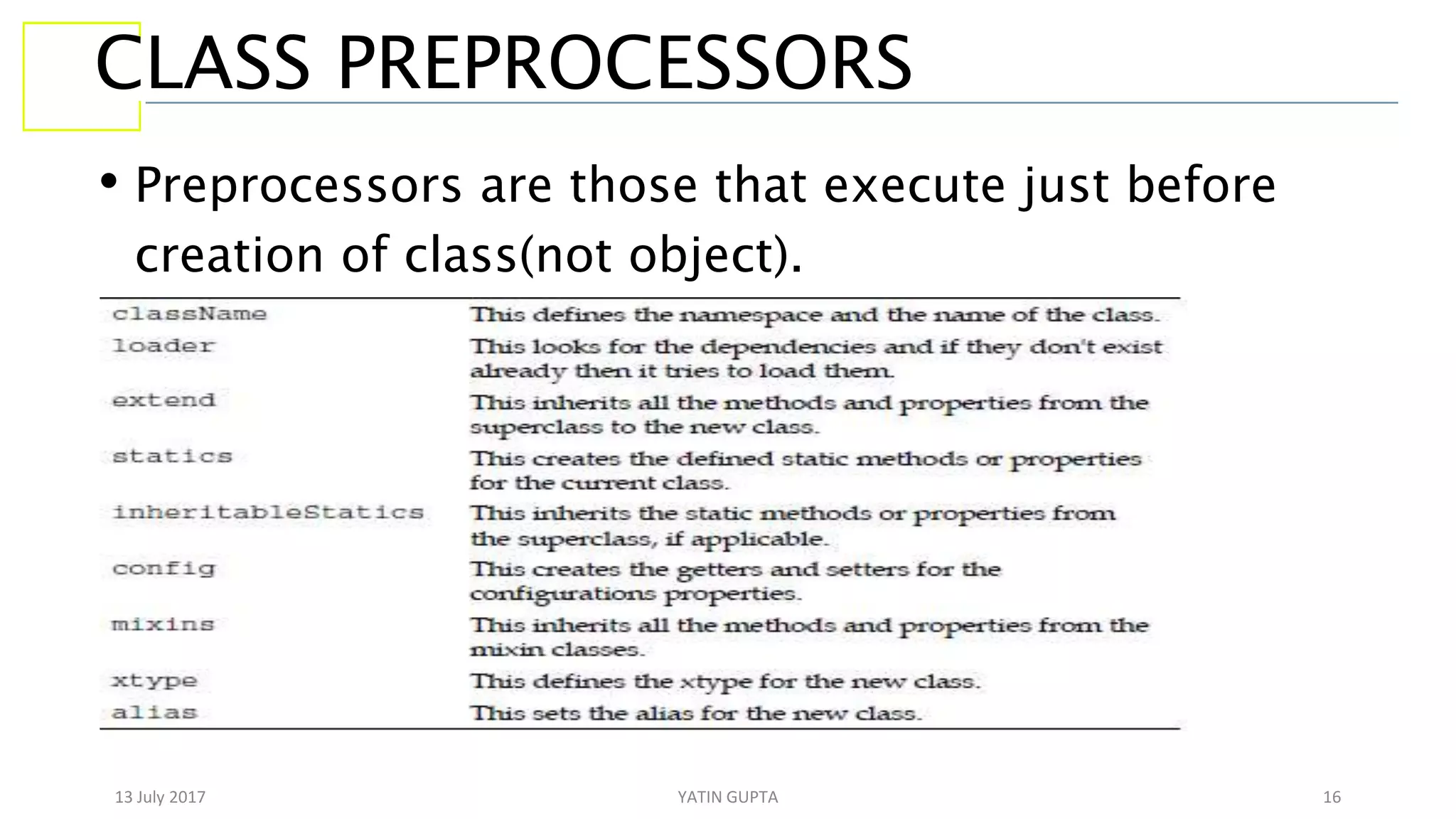
CLASS PREPROCESSORS
• Preprocessors are those that execute just before
creation of class(not object).
13 July 2017 YATIN GUPTA 17
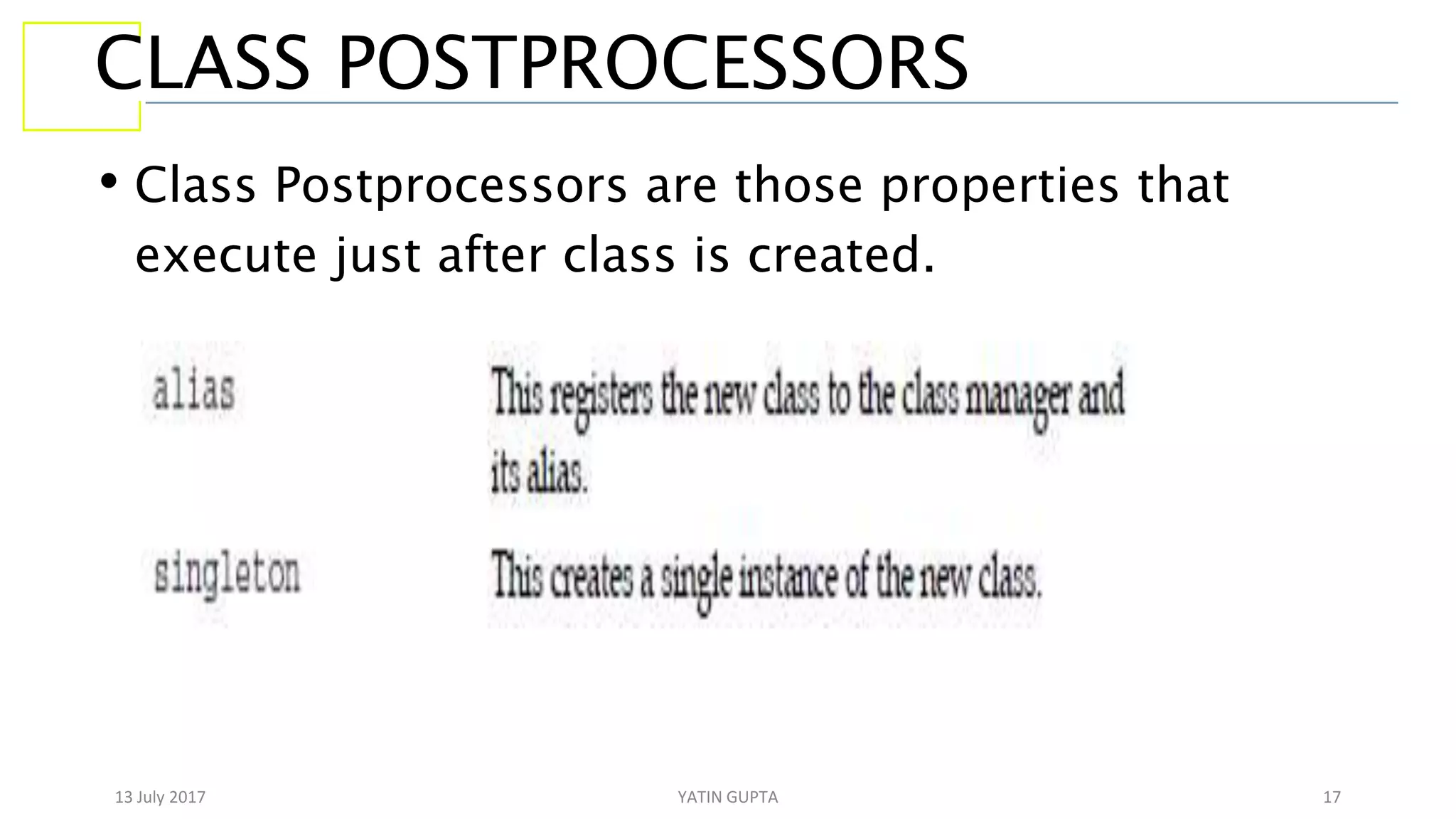
CLASS POSTPROCESSORS
• Class Postprocessors are those properties that
execute just after class is created.
13 July 2017 YATIN GUPTA 18
ASSIGNMENT
• Assignment 4: Create Ext Class Jump, Swim, Skater
and 3 kind of person, one is Gold, who can do all 3
activities, other is Silver who can jump and swim,
other is Bronze who can just skate. Use mixins for it.
• Go through config property, statics property,
singleton property, alias property are some of other
important properties.
13 July 2017 YATIN GUPTA 19
LOADING CLASSES
• Ext JS allows to dynamically load classes and thus their files according to need.
• There are some conventions mentioned for using loader system.
• Define only one class per file.
• The name of class must match with name of javascript file.
• The namespace of class should match the folder structure.
• When used ext-all, ext-all-debug, or ext-all-dev script files then all Ext class get loaded
at time when page loads, so there is no need of loader. Based on this assumption initially
loader is disabled when used these js files. While if we use ext-dev or ext-debug then
loader is enabled by default.
• To enable loader and set loading path we use ‘setConfig()’ method.
• To load class on demand, we first ensure if loader is enabled, and if so then use ‘require()’
method to load class. This method automatically product script tag with path of that class
in it.
13 July 2017 YATIN GUPTA 20
ASSIGNMENT
• Assignment 5: Loader example
13 July 2017 YATIN GUPTA 21
EXT AND DOM
• The responsible class for dealing with DOM is Ext.Element . It
provide many methods and utilities to deal with DOM.
• We can use “get” method of Ext.Element to get any html
element by Id.
• Many methods can be called on object return by “get” method
such as setStyle method use to assign css rules to that
element.
• If we want to add css class we can do it by addCls and for
removing class we can use removeCls.
• There are animations that these node elements(object return
13 July 2017 YATIN GUPTA 22
MORE ON DOM
• Ext JS allows to search for specific node. For it
responsible class is Ext.DomQuery class. It contain
various methods to search.
• To get node element we use select method on
Ext.DomQuery class so that select method got CSS3
selectors or Xpath. It returns array of elements that
satisfy css selector or xpath. Then that array is passed to
Ext.get() which returns Ext.CompositeElementLite
collection object.
• Ext contains DomHelper object which provides
13 July 2017 YATIN GUPTA 23
ASSIGNMENT
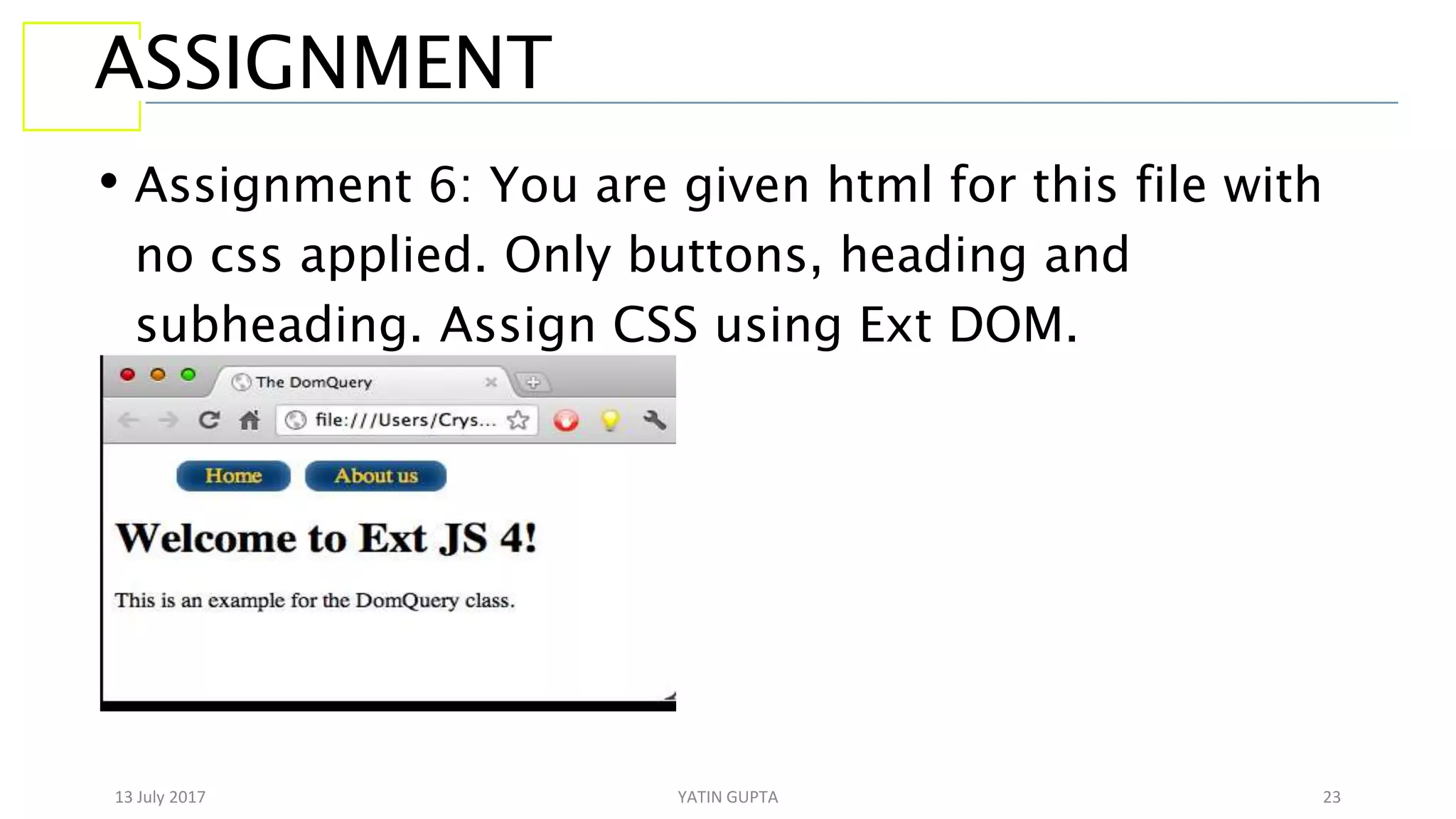
• Assignment 6: You are given html for this file with
no css applied. Only buttons, heading and
subheading. Assign CSS using Ext DOM.
13 July 2017 YATIN GUPTA 24
ASSIGNMENT
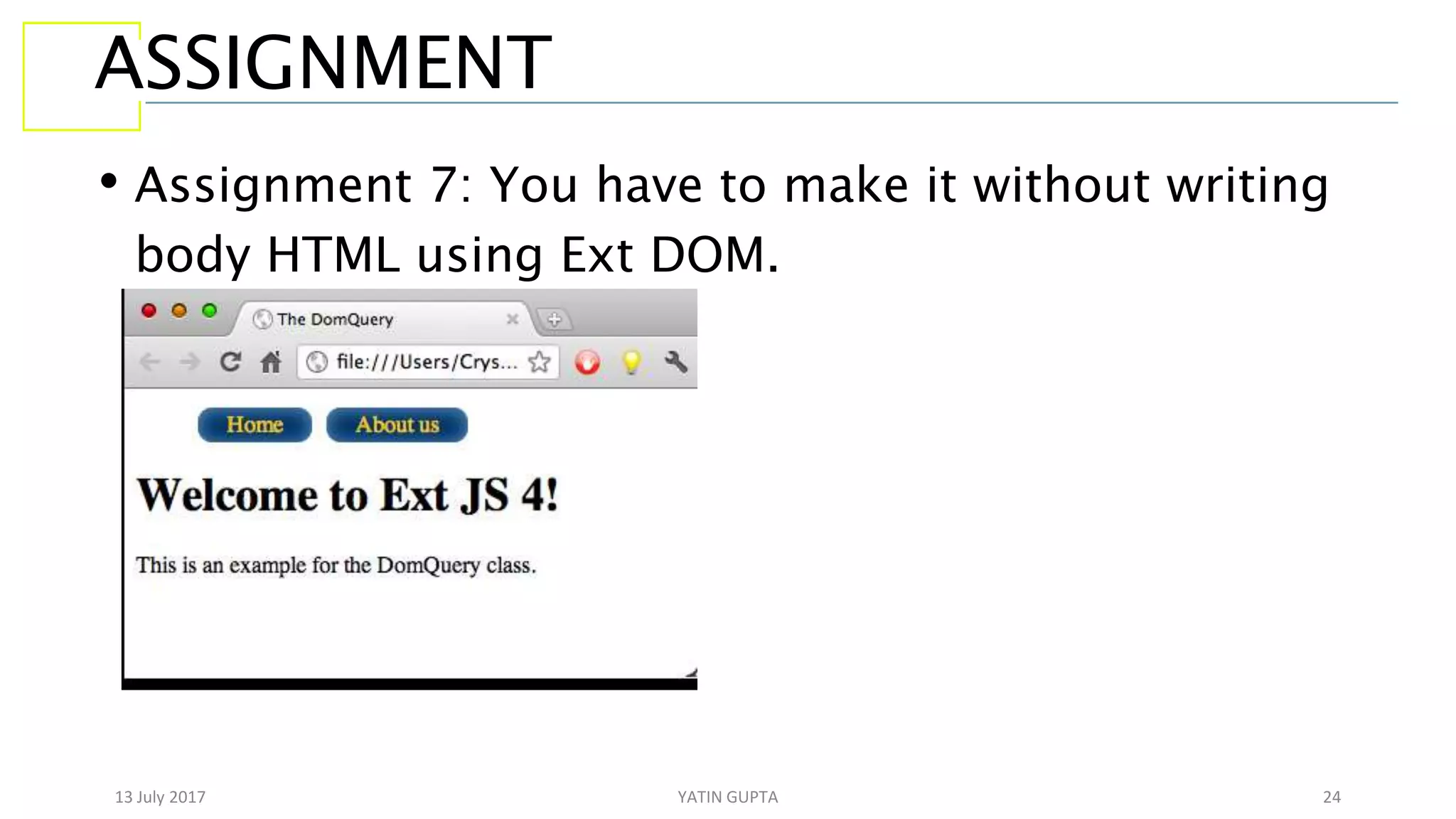
• Assignment 7: You have to make it without writing
body HTML using Ext DOM.
13 July 2017 YATIN GUPTA 25
END

Extension Javascript

  • 1.
    13 July 2017YATIN GUPTA 1 LET’S START WITH EXT JS BY: YATIN GUPTA
  • 2.
    13 July 2017YATIN GUPTA 2 Agenda Ext JS Introduction Setting Up Ext JS Ext JS Folder Structure Ext Classes Ext JS DOM
  • 3.
    13 July 2017YATIN GUPTA 3 WHY I SHOULD GO FOR EXT JS • It gives you grid, trees, panels and components in ready, you just need to create js objects and ready to go then. • Favorable to make admin panels or web apps that require desktop like look or feature. • If you are “pimcorian” then may be in some of your project you need to customize admin panel which can be done only by ext js, so no option left. • So I hope now you must have high desire to learn ext js.
  • 4.
    13 July 2017YATIN GUPTA 4 LET’S HAVE INTRO OF EXT JS • Ext JS is a client-side, JavaScript framework for building web applications. • Ext JS supports object-oriented programming concepts using JavaScript which makes easy application development and maintenance. • Ext JS supports Single Page Application development. • Ext JS includes MVC(Ext 4.x) and MVVM(Ext 5.x and Ext 6.x) architecture. • Ext JS includes UI components, containers and layouts. • Ext JS includes drag and drop functionality for UI containers and components.
  • 5.
    13 July 2017YATIN GUPTA 5 Q/A What is MVC and MVVM?
  • 6.
    13 July 2017YATIN GUPTA 6 SETTING UP EXT JS • You can download Ext js SDK from http://www.sencha.com/products/extjs/. • There are 2 type of license in which Ext JS SDK is available, one is commercial that is used by corporations, banks or enterprises. Other is GPLv3 for open source projects that can meet our needs. • We can also use CDN(Content Delivery Network), so we don’t need to store library in our computer or server.
  • 7.
    13 July 2017YATIN GUPTA 7 EXT JS FOLDER STRUCTURE • build folder : Contains descriptor files to create custom version of ext js. • builds folder : Contains minified version of library. • docs folder : Contains documentation of API. • examples folder : Contains lot of example of components, layouts, and small applications that are built to show what we can do with library. • locale folder : Contains translation of 45 languages. By default components are displayed in English, but you can translate them to other languages as well. • jsbuilder folder : Contains tools to build and compress source code . This tool is written in JAVA and uses the YUI Compressor to
  • 8.
    13 July 2017YATIN GUPTA 8 CONTINUE FOLDER STRUCTURE… • src folder : Contains all the classes of framework. Classes are kept according to namespace assigned to them. Like Ext.grid.Panel class will be in src/grid/Panel.js . • resources folder : It is where all styles and images are located. • welcome folder : Contains styles and images when we open index.html • The ext-all.js file is the complete library with all the components, utilities, and classes. This file is minified so we can use it for a production environment. • The ext-all-debug.js file is the same as the ext-all.js file, but it is not minified so we can use this file to debug our application.
  • 9.
    13 July 2017YATIN GUPTA 9 CONTINUE FOLDER STRUCTURE… • The ext-all-dev.js file is similar to the ext-all-debug.js file but contains additional code to show more specific errors and warnings at development time; we should use this file when developing our application. • The ext.js file is the core and foundation layer for Ext JS. If we use this file, we're not loading the whole library; this file contains only the class system, the loader, and a few other classes. We can use the Ext.Loader class to load just the required classes and not the entire framework; we should use this file only in development environments. • The ext-debug.js and ext-dev.js files follow the same concept as mentioned with the ext-all files. The ext-debug.js file is an exact version of the ext.js file but is not minified. The ext-dev.js file contains extra code to log more specific errors in a development environment.
  • 10.
    13 July 2017YATIN GUPTA 10 TOOLS FOR EXT JS • There are various tools available such that Sublime Text, Eclipse Web Tool Platform, Aptana, Textmate, Netbeans. • There is one more tool that is special among all mentioned above is Sencha Architect. It is a desktop application tool that will help you design and develop an application faster than coding it by hand. The idea is to drag-and-drop the components into a canvas and then add the functionality.
  • 11.
    13 July 2017YATIN GUPTA 11 ASSIGNMENT • Assignment1. To confirm if user like ext js or not on page ready complete. If user likes ext js then show ext alert pop up showing “Good” else “Bad”.
  • 12.
    13 July 2017YATIN GUPTA 12 Q/A • If I use Ext.Msg().alert() 2 times in code, then first alert not pop up. Can you tell why it occur?
  • 13.
    13 July 2017YATIN GUPTA 13 EXT CLASS SYSTEM • In order to create class Ext JS uses Ext.ClassManager object internally to manage classes. • It is not recommended to use this class directly. Instead we use following 3 shorthand's to deal with classes. • Ext.define : It internally called “create” method of Ext.ClassManager to create class. • Ext.create : It internally called “instantiate” method of Ext.ClassManager to create class object. • Ext.widget : It internally called “instantiateByAlias” method of Ext.ClassManager to create object of given alias.
  • 14.
    13 July 2017YATIN GUPTA 14 CONTINUE EXT CLASSES…. • Whenever class is created class manager looks for constructor in class, if we don’t define ours, then empty constructor definition is created. • All classes created by “Ext.define()” are itself object of Ext.Class where Ext.Class is a factory class, and extends/inherit Ext.Base . So class manager basically makes object of Ext.Class when we create a new class. • If we don’t configure class to extend from any other class then it extends from Ext.Base class. • Ext JS supports inheritance by setting ‘extend’ property in class. Any class can inherit only one class at a time.
  • 15.
    13 July 2017YATIN GUPTA 15 ASSIGNMENT • Assignment 2: Create a Ext Class Person with properties firstName and lastName. Give them default values. User must be able to make object so that he can change firstName, lastName or put as it is. • Assignment 3: Make a Ext class ‘Shape’ with area property and getArea method and a class ‘Square’ with length property, that extends from ‘Shape’ . Now User must be able to set, get length and calculate area by ‘Square’ class object.
  • 16.
    13 July 2017YATIN GUPTA 16 CLASS PREPROCESSORS • Preprocessors are those that execute just before creation of class(not object).
  • 17.
    13 July 2017YATIN GUPTA 17 CLASS POSTPROCESSORS • Class Postprocessors are those properties that execute just after class is created.
  • 18.
    13 July 2017YATIN GUPTA 18 ASSIGNMENT • Assignment 4: Create Ext Class Jump, Swim, Skater and 3 kind of person, one is Gold, who can do all 3 activities, other is Silver who can jump and swim, other is Bronze who can just skate. Use mixins for it. • Go through config property, statics property, singleton property, alias property are some of other important properties.
  • 19.
    13 July 2017YATIN GUPTA 19 LOADING CLASSES • Ext JS allows to dynamically load classes and thus their files according to need. • There are some conventions mentioned for using loader system. • Define only one class per file. • The name of class must match with name of javascript file. • The namespace of class should match the folder structure. • When used ext-all, ext-all-debug, or ext-all-dev script files then all Ext class get loaded at time when page loads, so there is no need of loader. Based on this assumption initially loader is disabled when used these js files. While if we use ext-dev or ext-debug then loader is enabled by default. • To enable loader and set loading path we use ‘setConfig()’ method. • To load class on demand, we first ensure if loader is enabled, and if so then use ‘require()’ method to load class. This method automatically product script tag with path of that class in it.
  • 20.
    13 July 2017YATIN GUPTA 20 ASSIGNMENT • Assignment 5: Loader example
  • 21.
    13 July 2017YATIN GUPTA 21 EXT AND DOM • The responsible class for dealing with DOM is Ext.Element . It provide many methods and utilities to deal with DOM. • We can use “get” method of Ext.Element to get any html element by Id. • Many methods can be called on object return by “get” method such as setStyle method use to assign css rules to that element. • If we want to add css class we can do it by addCls and for removing class we can use removeCls. • There are animations that these node elements(object return
  • 22.
    13 July 2017YATIN GUPTA 22 MORE ON DOM • Ext JS allows to search for specific node. For it responsible class is Ext.DomQuery class. It contain various methods to search. • To get node element we use select method on Ext.DomQuery class so that select method got CSS3 selectors or Xpath. It returns array of elements that satisfy css selector or xpath. Then that array is passed to Ext.get() which returns Ext.CompositeElementLite collection object. • Ext contains DomHelper object which provides
  • 23.
    13 July 2017YATIN GUPTA 23 ASSIGNMENT • Assignment 6: You are given html for this file with no css applied. Only buttons, heading and subheading. Assign CSS using Ext DOM.
  • 24.
    13 July 2017YATIN GUPTA 24 ASSIGNMENT • Assignment 7: You have to make it without writing body HTML using Ext DOM.
  • 25.
    13 July 2017YATIN GUPTA 25 END