The
Erlang Bootstrap Class
        The Erlang Basics
  Based on the 4 day Erlang course
What are we dealing with?


Data Types
Pattern Matching (makes functions fun)
Modules
Processes
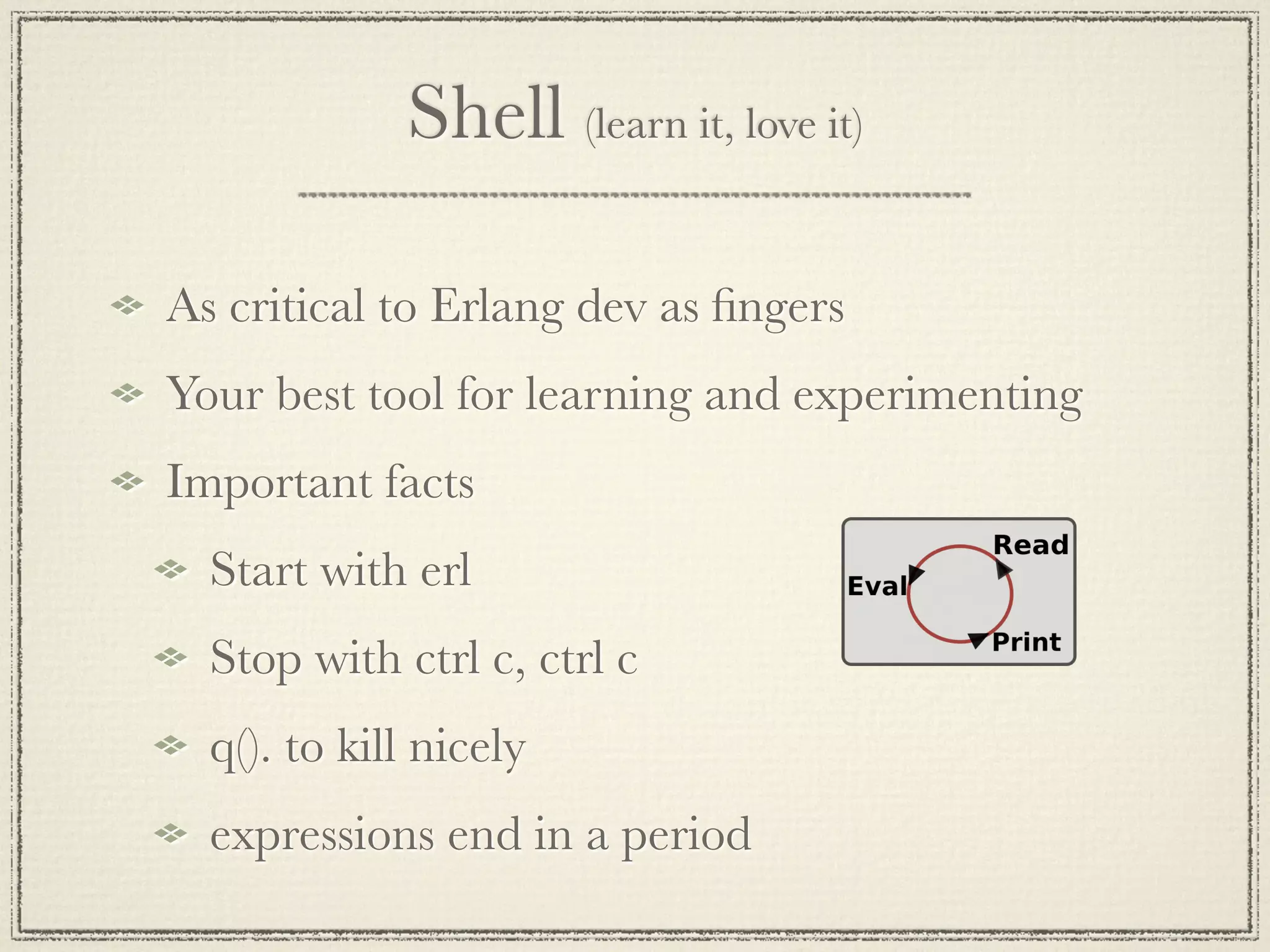
Shell (learn it, love it)

As critical to Erlang dev as fingers
Your best tool for learning and experimenting
Important facts
  Start with erl
  Stop with ctrl c, ctrl c
  q(). to kill nicely
  expressions end in a period
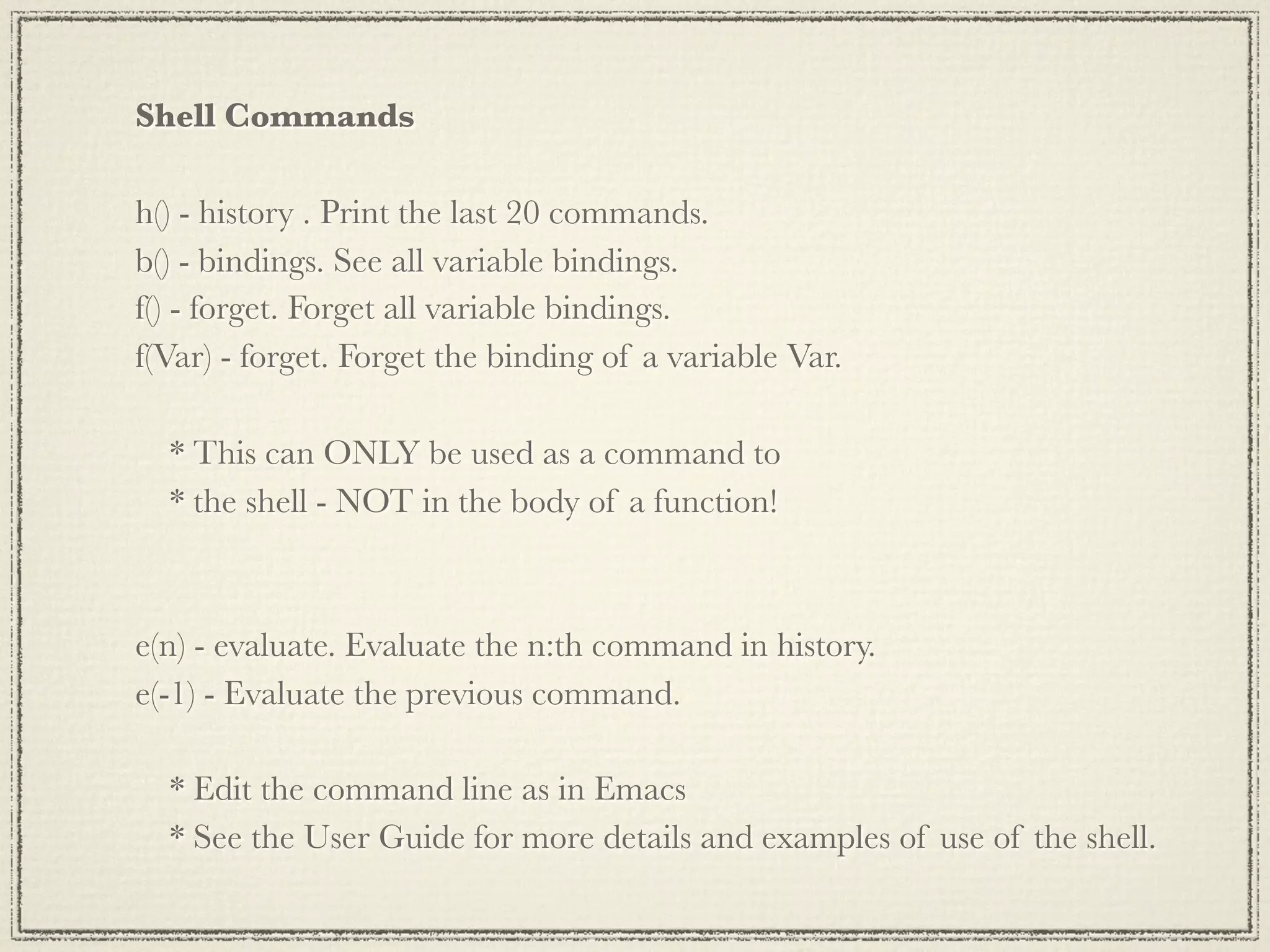
Shell Commands

h() - history . Print the last 20 commands.
b() - bindings. See all variable bindings.
f() - forget. Forget all variable bindings.
f(Var) - forget. Forget the binding of a variable Var.

  * This can ONLY be used as a command to
  * the shell - NOT in the body of a function!


e(n) - evaluate. Evaluate the n:th command in history.
e(-1) - Evaluate the previous command.

  * Edit the command line as in Emacs
  * See the User Guide for more details and examples of use of the shell.
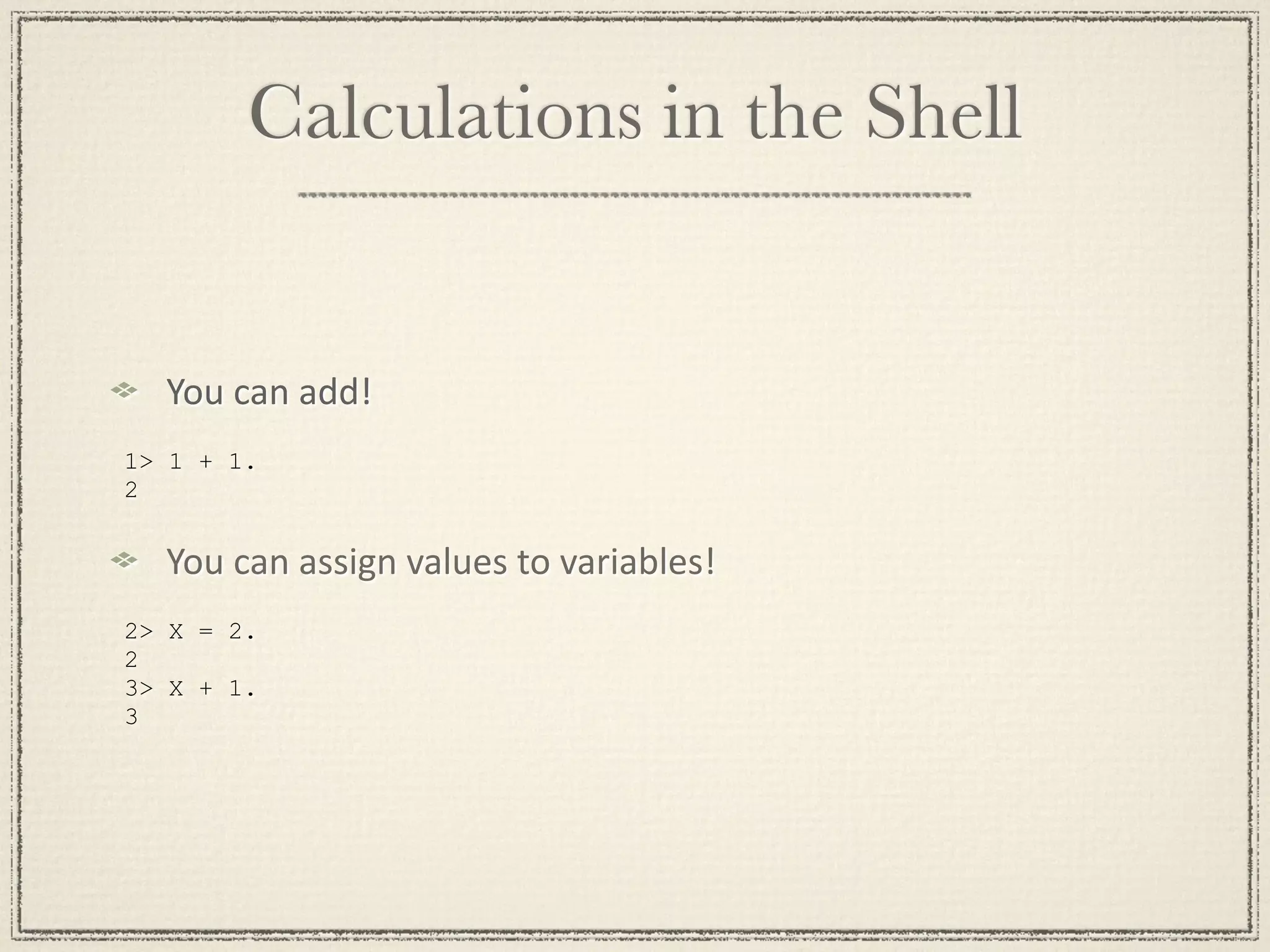
Calculations in the Shell


  You
can
add!
1> 1 + 1.
2


  You
can
assign
values
to
variables!
2> X = 2.
2
3> X + 1.
3
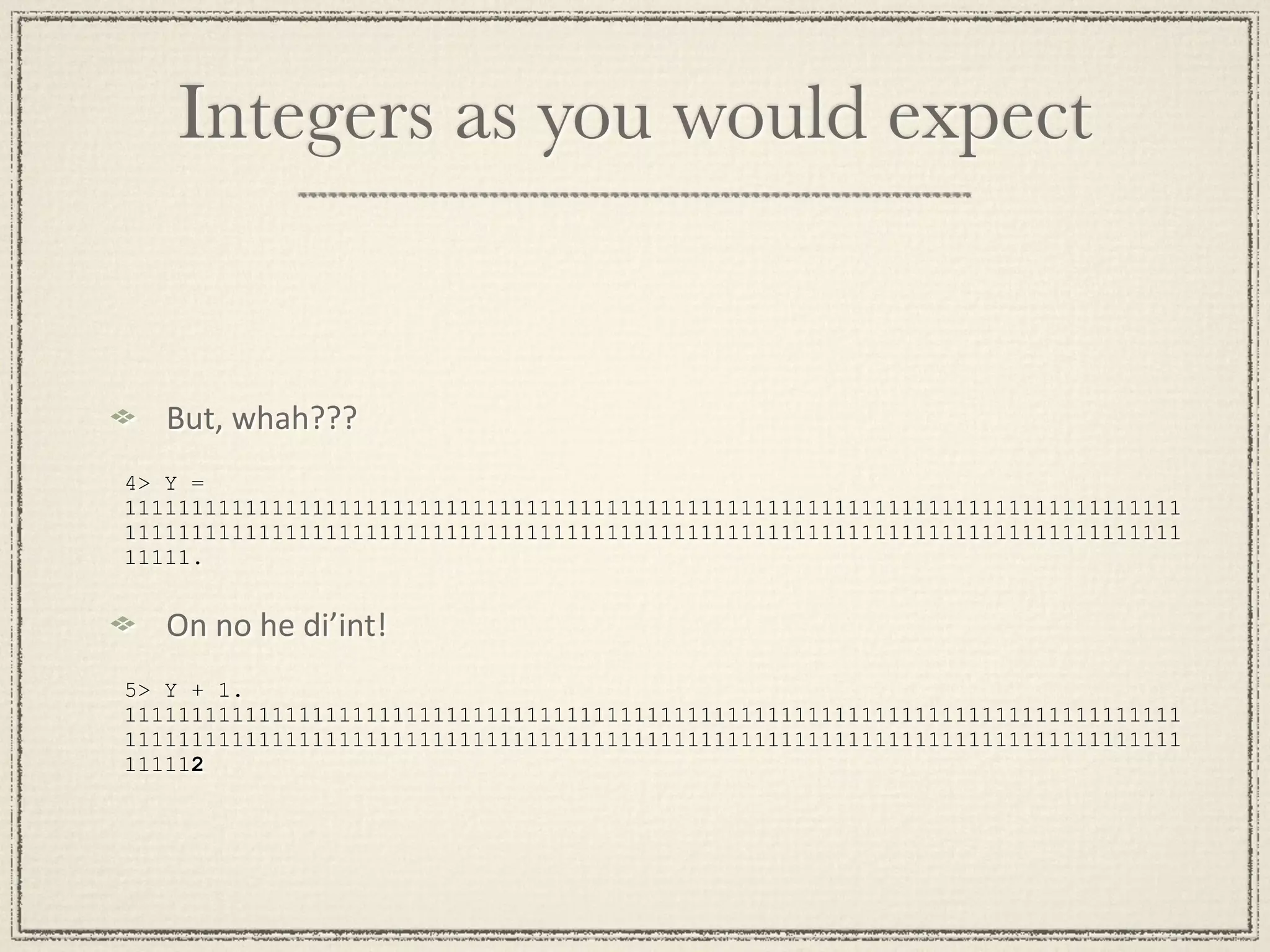
Integers as you would expect


   But,
whah???
4> Y =
1111111111111111111111111111111111111111111111111111111111111111111111111111111
1111111111111111111111111111111111111111111111111111111111111111111111111111111
11111.


   On
no
he
di’int!
5> Y + 1.
1111111111111111111111111111111111111111111111111111111111111111111111111111111
1111111111111111111111111111111111111111111111111111111111111111111111111111111
111112
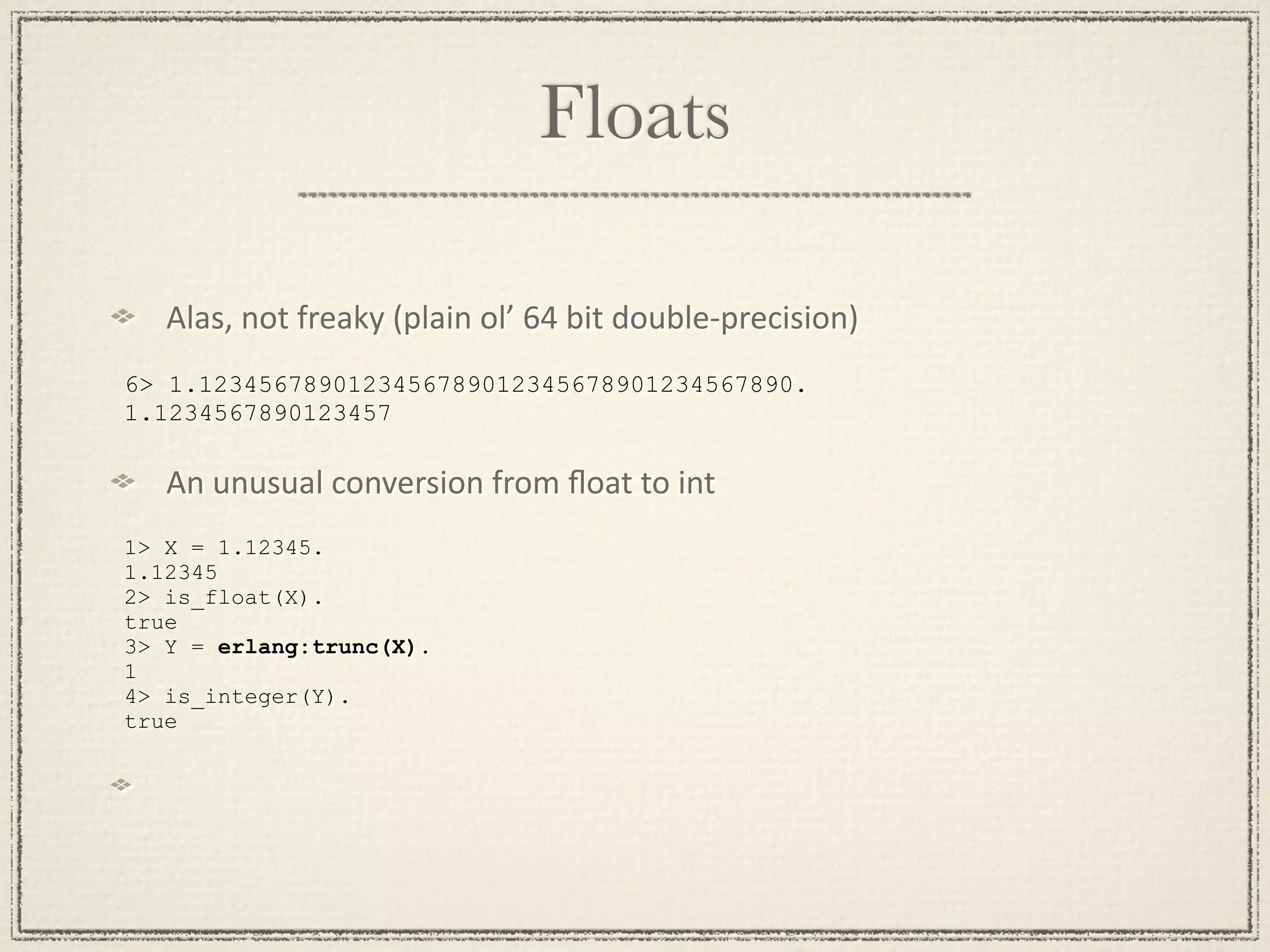
Floats

   Alas,
not
freaky
(plain
ol’
64
bit
double‐precision)
6> 1.1234567890123456789012345678901234567890.
1.1234567890123457

   An
unusual
conversion
from
float
to
int
1> X = 1.12345.
1.12345
2> is_float(X).
true
3> Y = erlang:trunc(X).
1
4> is_integer(Y).
true
Lists
Most common data structure. Used for storing a variable
number of elements.


[123, xyz]
[
    {person, 'Joe', 'Armstrong'},
    {person, 'Robert', 'Virding'},
    {person, 'Mike', 'Williams'}
]
Strings (haven’t we seen these before?)

PreGy
much
what
you’d
expect
   1> Slogan = "Mongo DB is Web Scale".
   "Mongo DB is Web Scale"

But,
wait,
OMG,
noooo!
   2> io_lib:format("Mongo DB is ~s", ["Web Scale"]).
   [77,111,110,103,111,32,68,66,32,105,115,32,"Web Scale"]

Yep,
strings
are
just
lists!
   3> is_string(Slogan).
   ** exception error: undefined
   shell command is_string/1
   4> is_list(Slogan).
   true
Binaries

SomeMmes
used
to
represent
strings
   <<"This is a binary">>
is_binary
differenMates
from
is_list
More
typically
used
to
work
with
actual
binary
data


(e.g.
bitstring
syntax
–
not
covered
in
this
presentaMon)
Have
protocol,
will
use
binaries/bitstrings!
Variables (not very variable)
More of a definition than a variable. They dont actually

ever vary

Abc

A_long_non_standard_variable_name

AProperErlangVariableName

  * Start with an Upper Case Letter.

 * No "funny characters".

 * Variables are used to store values of data structures.
Tuples

pretty much the “struct” thingy for erlang
{123, bcd}
{abc, {def, 123}, jkl}
{}
{atom() = Tag, term() = Value} % very erlangy
{error, {“value was bad”, 9}}
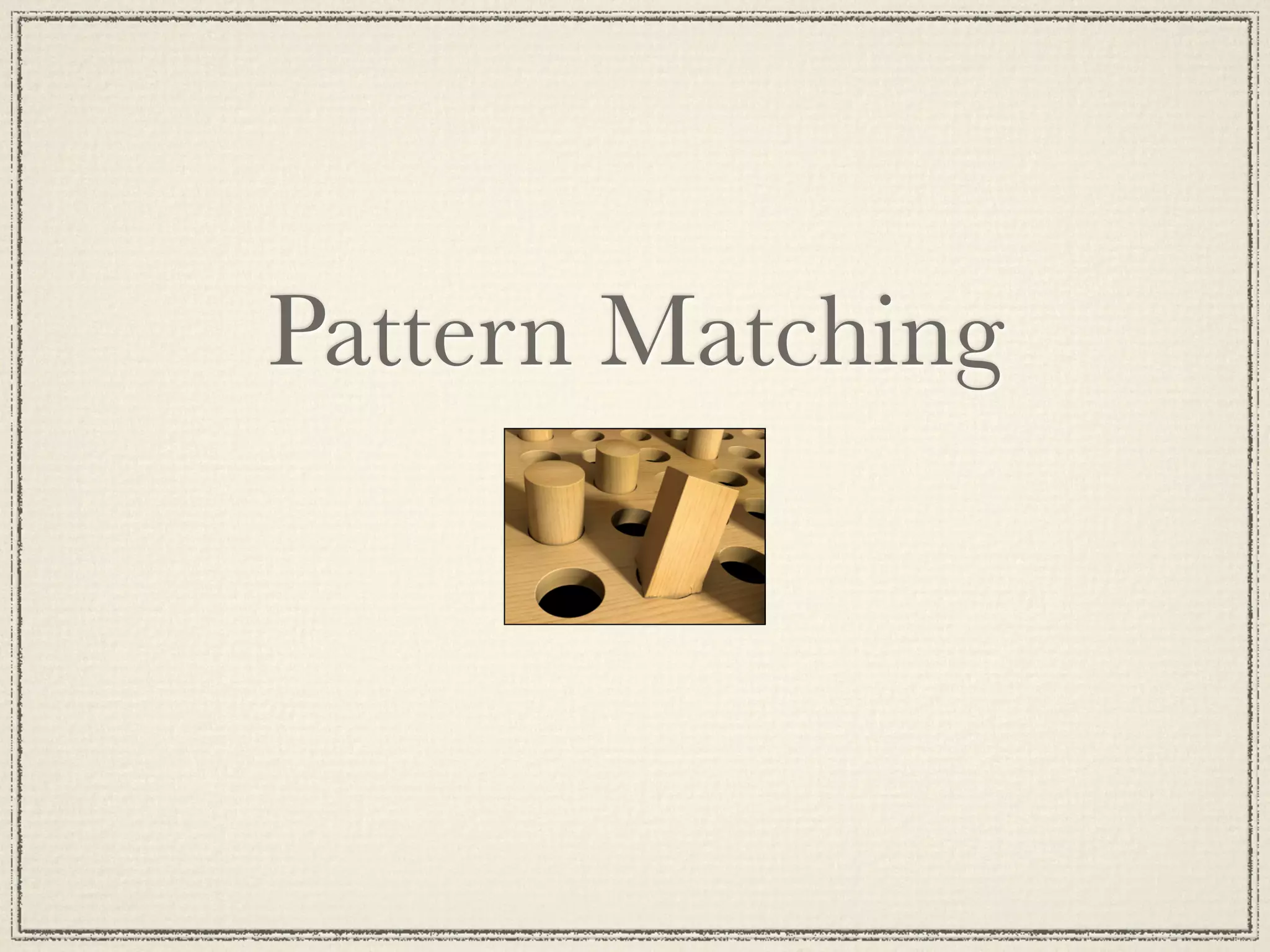
Pattern Matching
A = 10
Succeeds - binds A to 10
{B, C, D} = {10, foo, bar}
Succeeds - binds B to 10, C to foo and D
to bar
{A, A, B} = {abc, abc, foo}
Succeeds - binds A to abc, B to foo
{A, A, B} = {abc, def, 123}
Fails
[A,B,C] = [1,2,3]
Succeeds - binds A to 1, B to 2, C to 3
[A,B,C,D] = [1,2,3]
Fails
[A,B|C] = [1,2,3,4,5,6,7]
Succeeds - binds A = 1, B = 2,
C = [3,4,5,6,7]

[H|T] = [1,2,3,4]
Succeeds - binds H = 1, T = [2,3,4]

[H|T] = [abc]
Succeeds - binds H = abc, T = []

[H|T] = []
Fails

{A,_, [B|_Tail],{B}} = {abc,23,[22,x],{22}}
Succeeds - binds A = abc, B = 22
Modules & Functions
ToDo List
Let’s
make
a
list!
   1> ToDo = ["Shard /dev/null",
              "Learn Ruby",
              "Remove Bing from Phone"].

Write
to
disk
(easy
to
encode
Erlang!)
   2> file:write_file("todo.bin", term_to_binary(ToDo)).
   ok

Read
from
disk
(easy
to
decode
Erlang!)
   3> {ok, Bin} = file:read_file("todo.bin").
   {ok,<<131,108,0,0,0,3,107,0,15,83,104,97,114,100,32,47,
         100,101,118,47,110,117,108,108,107,0,10,...>>}
   4> binary_to_term(Bin).
   ["Shard /dev/null","Learn Ruby","Remove Bing from Phone"]
Standard Libraries

Second
most
important
Erlang
developer
tool:
a
decent
module
reference
   hGp://erlang.org/doc/man_index.html
   hGp://erldocs.com/

The
file
module
provides
an
interface
to
the
file
system
We
will
keep
using
them
–
keep
an
eye
out
Module System

-module(demo).
-export([double/1]).

double(X) ->
 times(X, 2).

times(X, N) ->
  X * N.
Using lists
Comma
separated
Erlang
terms
surrounded
by
brackets
   [this, is, "a", {List, [of, stuff]}]
Used
ehhhverywhere
An
important
paGern
for
iteraMve
operaMons
   lists:map/2
   list
comprehension
The
basis
for
“associaMve
array”
structure
in
Erlang
(proplist)
[{foo, "Foo"
  123}]

1> L1 = [2, 3].
[2,3]
2> L2 = [1|L1].
[1,2,3]
3> [H|T] = L2.
[1,2,3]
4> H.
1
5> T.
[1,2]
Built In Functions (BIFs)

date()
time()
length([1,2,3,4,5])
size({a,b,c})
atom_to_list(an_atom)
list_to_tuple([1,2,3,4])
integer_to_list(2234)
tuple_to_list({})
Lets do something more with lists
  A
basic
sort
     5> lists:sort(ToDo).
     ["Learn Ruby","Remove Bing from Phone","Shard /dev/null"]

  Wait,
that’s
not
what
I
want!
     6> ToDo2 = [{2, "Shard /dev/null"},
                 {3, "Learn Ruby"},
                 {1, "Remove Bing from Phone"}].
     7> lists:sort(ToDo2).
     [{1,"Remove Bing from Phone"},
      {2,"Shard /dev/null"},
      {3,"Learn Ruby"}]

  Default
sort
comparison
uses
“natural
order”
of
Erlang
term
  We
don’t
need
no
sMnking
natural
order!
     8> lists:sort(
           fun({P1, N1}, {P1, N2}) -> N1 < N2 end,
           ToDo2).
     [{3,"Learn Ruby"},
      {1,"Remove Bing from Phone"},
      {2,"Shard /dev/null"}
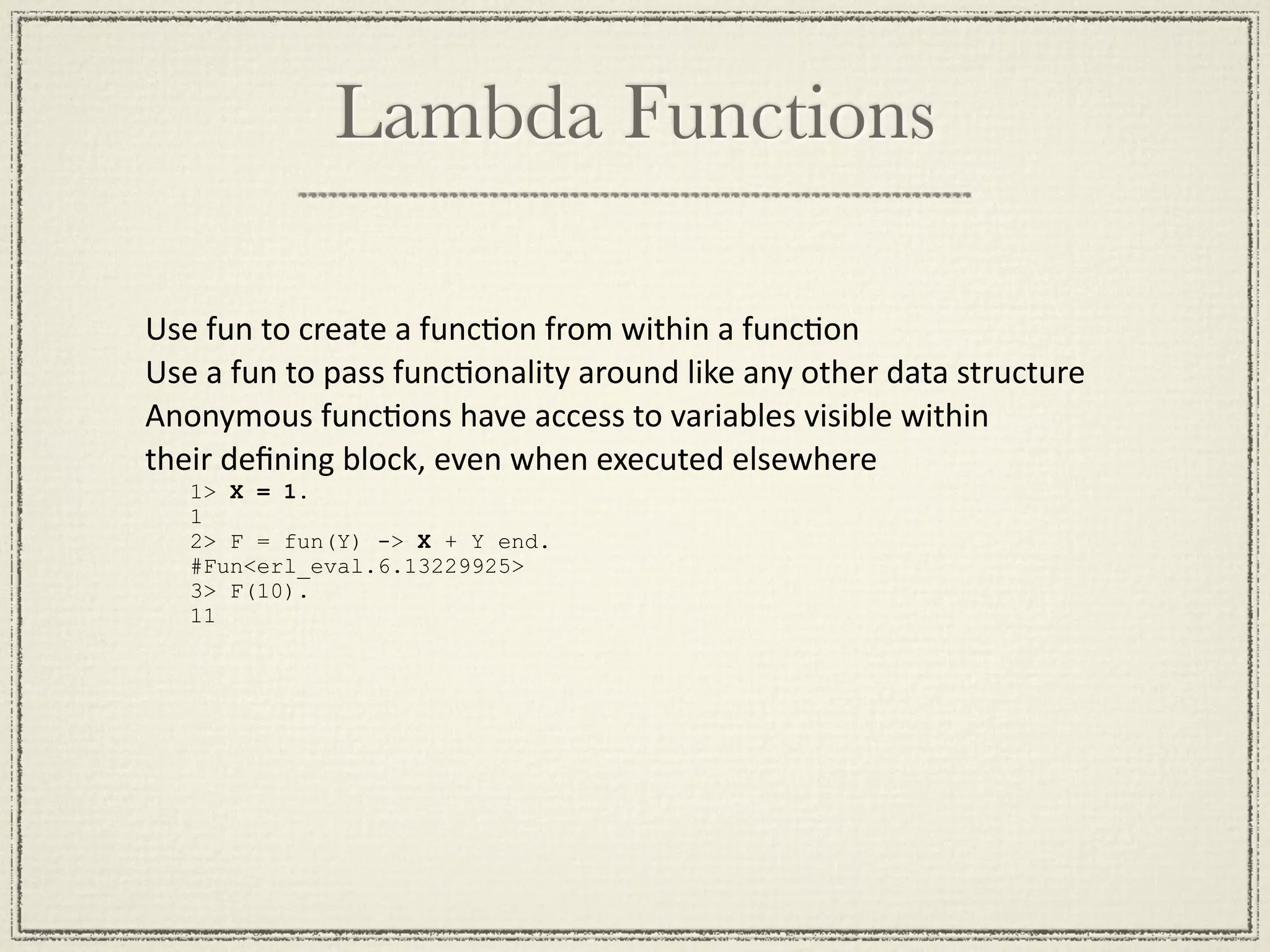
Lambda Functions

Use
fun
to
create
a
funcMon
from
within
a
funcMon
Use
a
fun
to
pass
funcMonality
around
like
any
other
data
structure
Anonymous
funcMons
have
access
to
variables
visible
within

their
defining
block,
even
when
executed
elsewhere
   1> X = 1.
   1
   2> F = fun(Y) -> X + Y end.
   #Fun<erl_eval.6.13229925>
   3> F(10).
   11
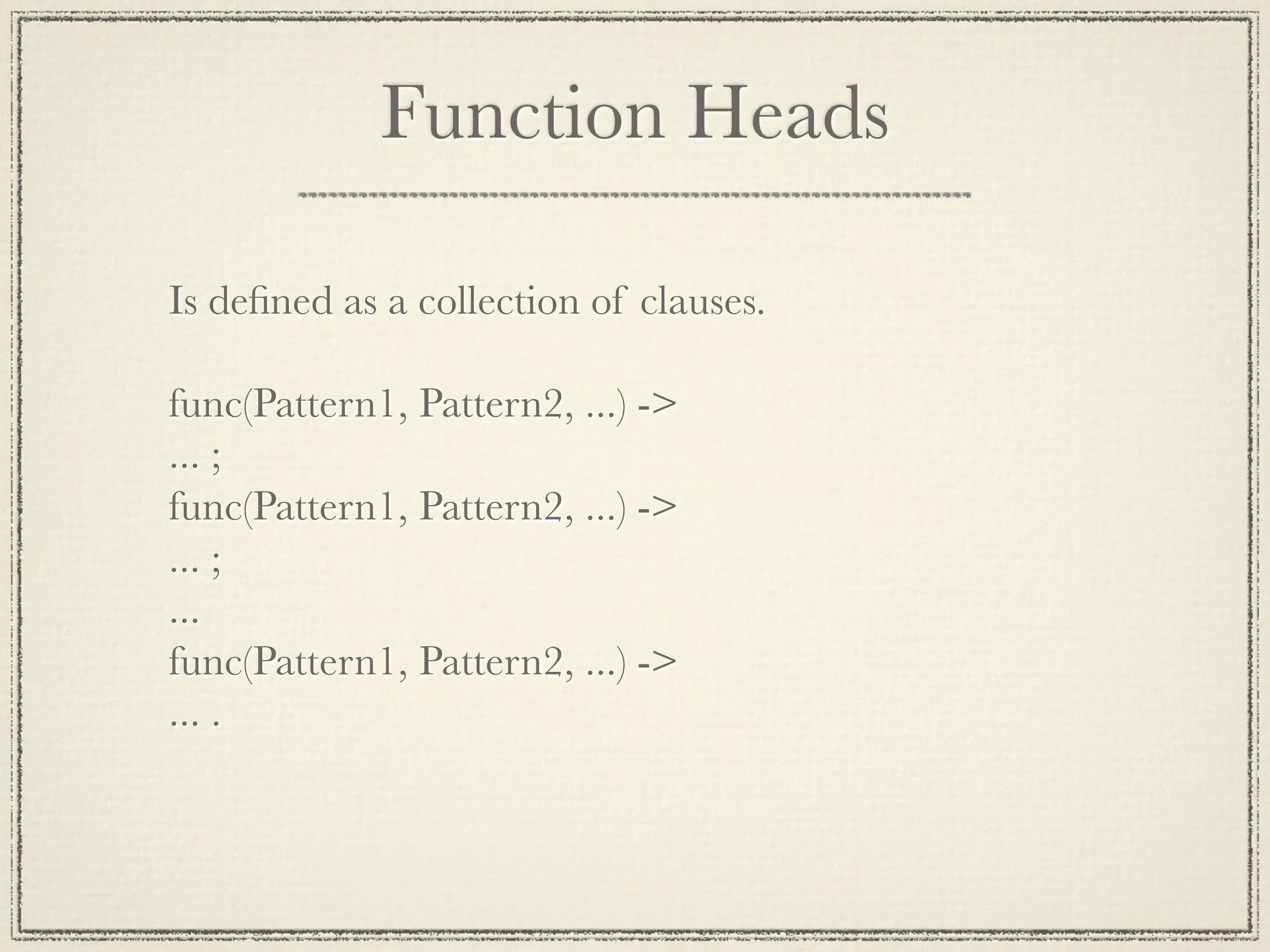
Function Heads

Is defined as a collection of clauses.

func(Pattern1, Pattern2, ...) ->
... ;
func(Pattern1, Pattern2, ...) ->
... ;
...
func(Pattern1, Pattern2, ...) ->
... .
Guards
is_number(X) - X is a number
is_integer(X) - X is an integer
is_float(X) - X is a float
is_atom(X) - X is an atom
is_tuple(X) - X is a tuple
is_list(X) - X is a list


length(X) == 3 - X is a list of length 3
size(X) == 2 - X is a tuple of size 2.


X > Y + Z - X is > Y + Z
The Tyrannical State
The State

No Objects
No Globals
Logic Variables
No Pass by Reference
In the Loop


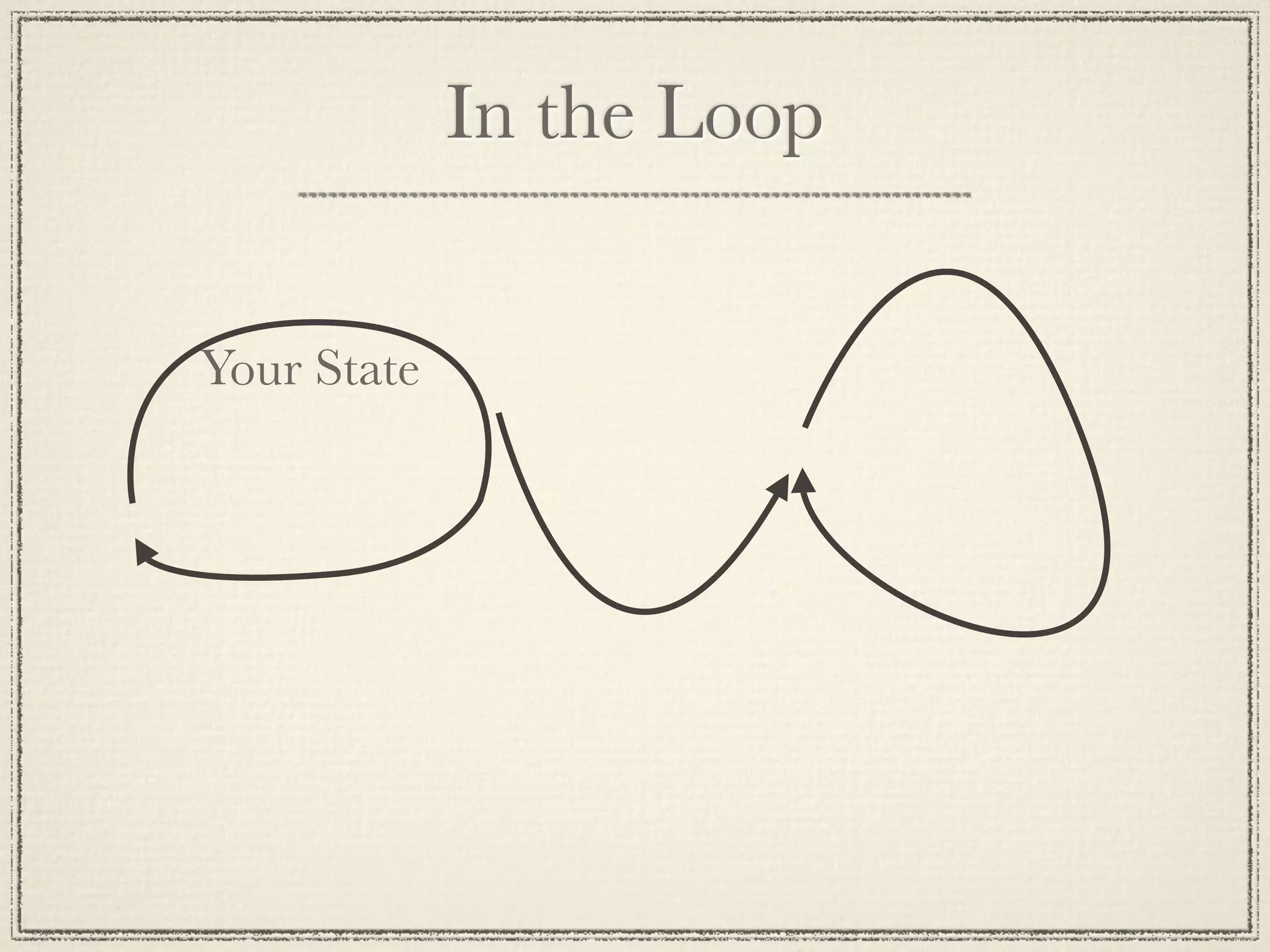
Your State
Side Effects
- Side effects are not “evil”
- any IO is a side effect
- anything not “referentially transparent”
- Make function substitution difficult
- Side effects can catch you off
guard. Be prepared.
Concurrent Programming
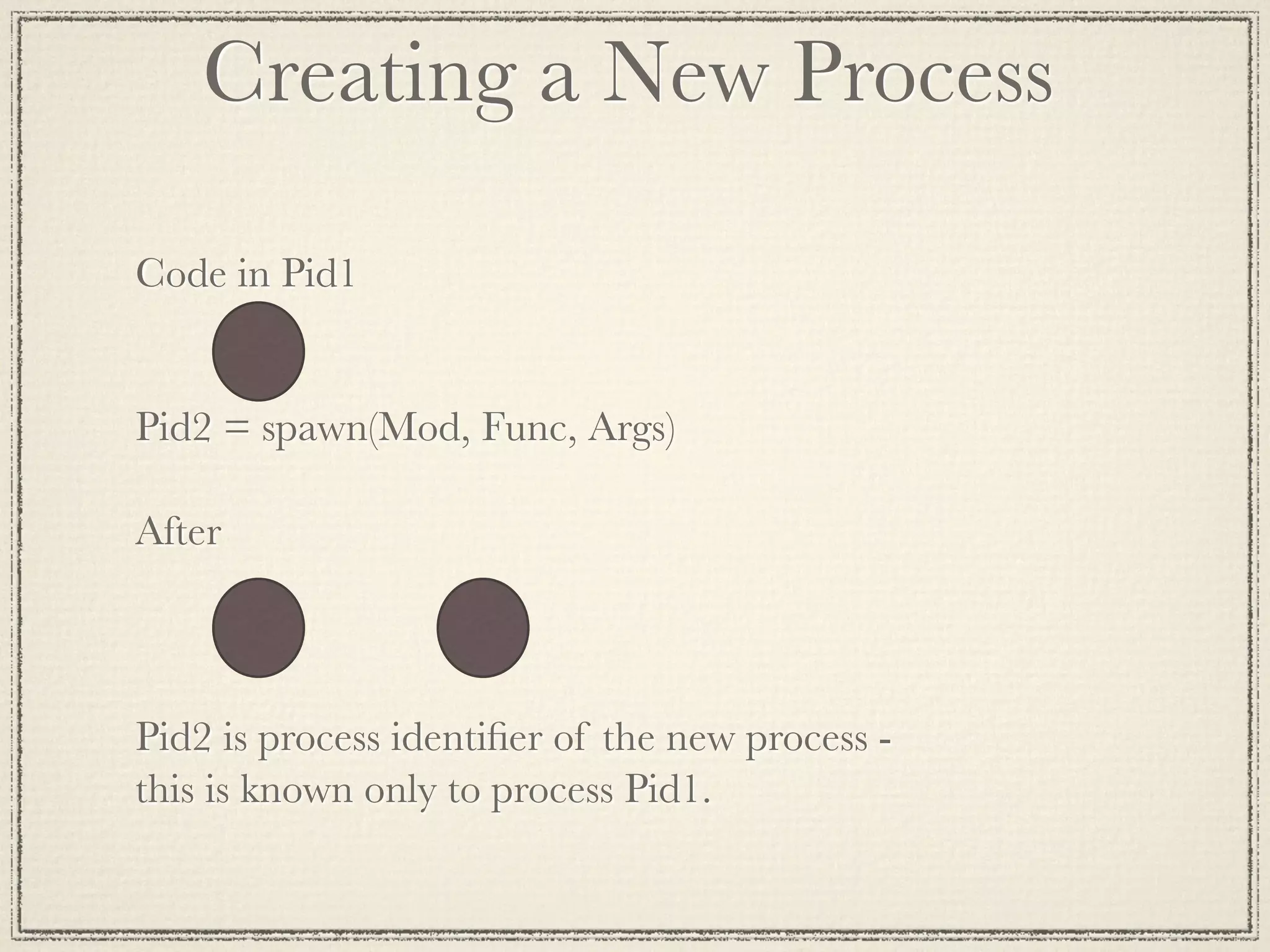
Creating a New Process

Code in Pid1


Pid2 = spawn(Mod, Func, Args)

After


Pid2 is process identifier of the new process -
this is known only to process Pid1.
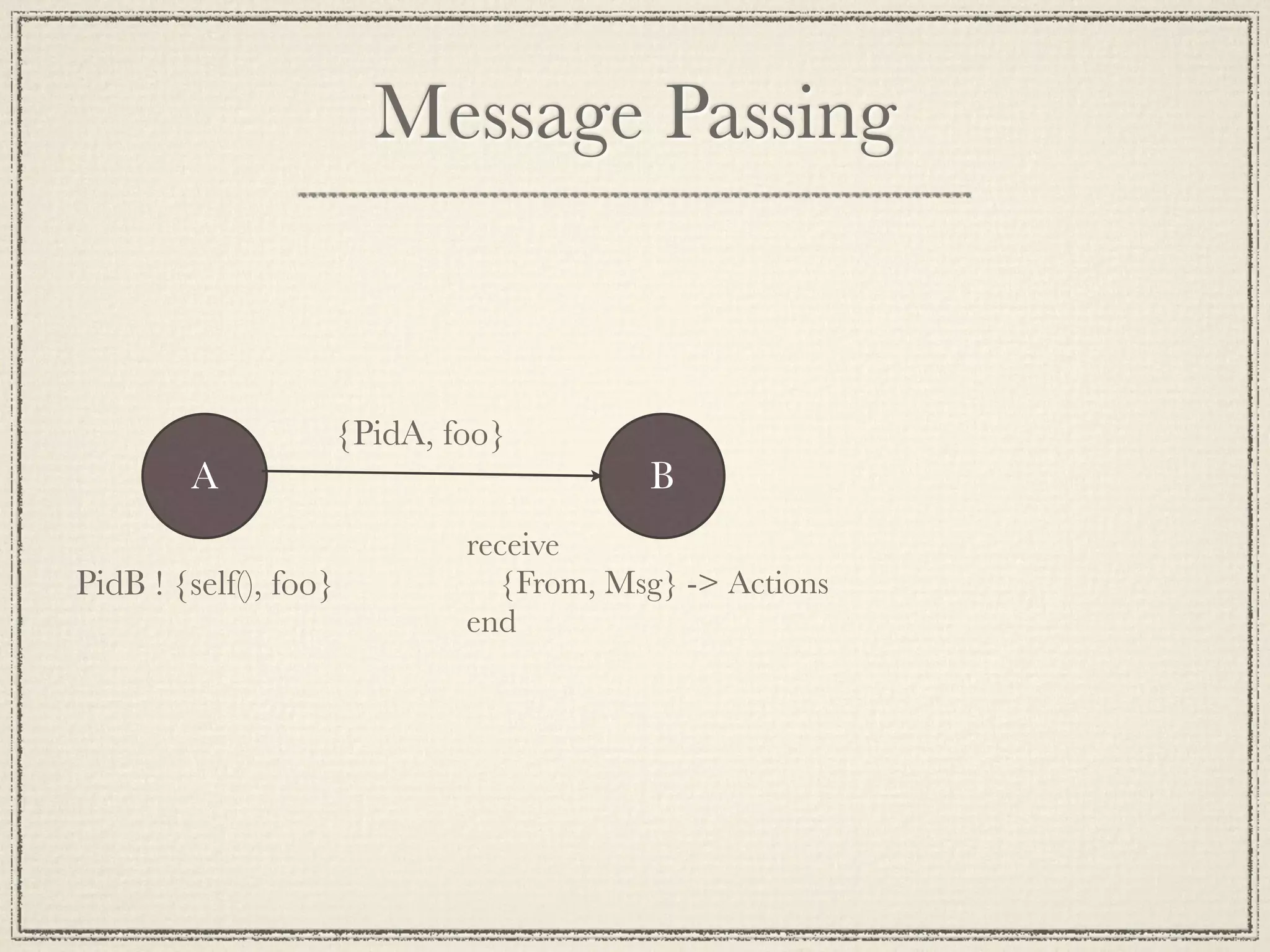
Message Passing


                       {PidA, foo}
        A                                  B
                               receive
PidB ! {self(), foo}             {From, Msg} -> Actions
                               end
Echo Client
-module(echo).
-export([go/0]).

go() ->
  Pid2 = spawn(fun() -> loop() end),
  Pid2 ! {self(), hello},
  receive
    {Pid2, Msg} -> io:format("P1 ~w~n",
[Msg])
  end,
  Pid2 ! stop.
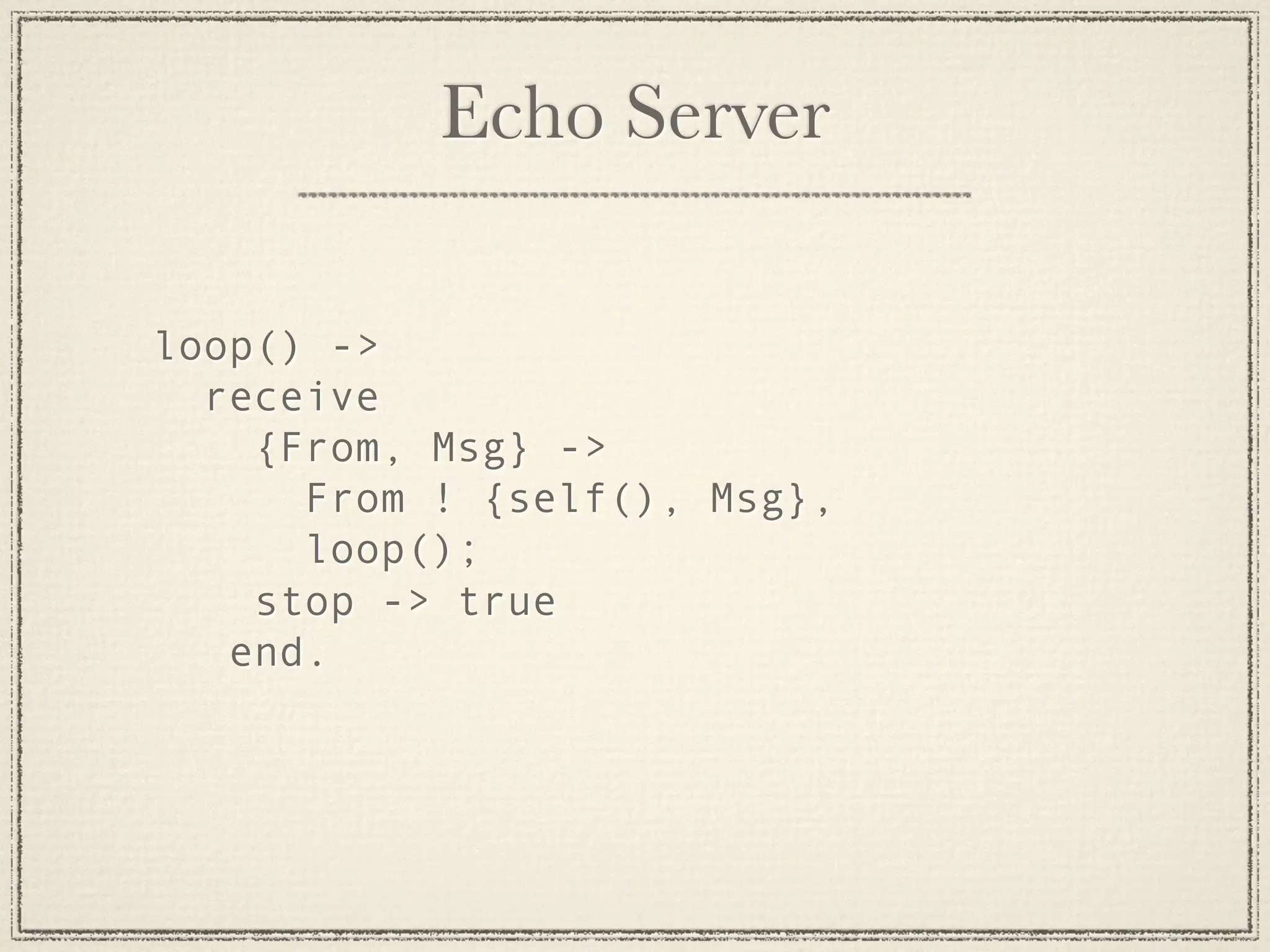
Echo Server

loop() ->
  receive
    {From, Msg} ->
      From ! {self(), Msg},
      loop();
    stop -> true
   end.
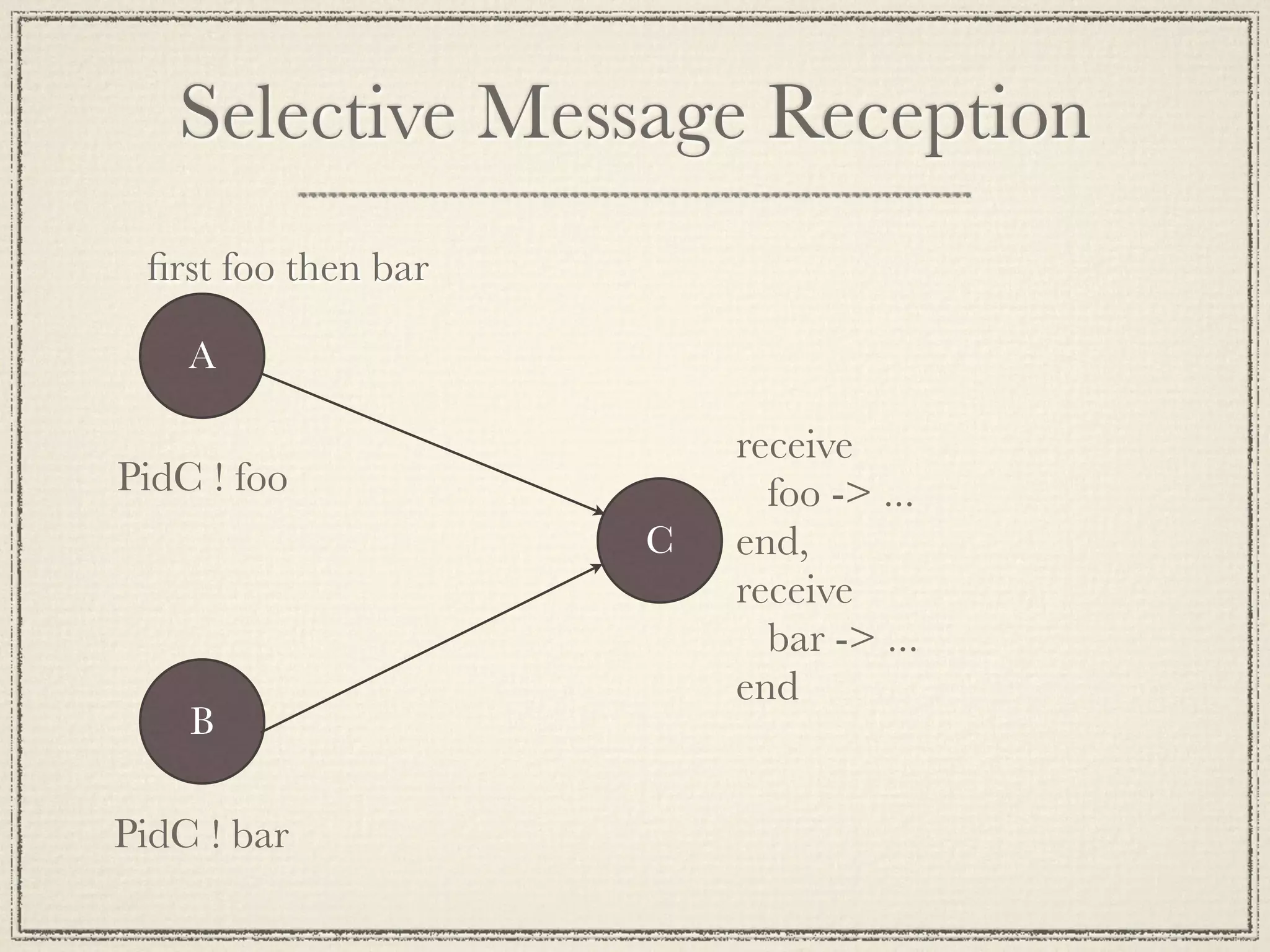
Selective Message Reception
 first foo then bar

    A

                         receive
PidC ! foo                 foo -> ...
                     C   end,
                         receive
                           bar -> ...
                         end
    B

PidC ! bar
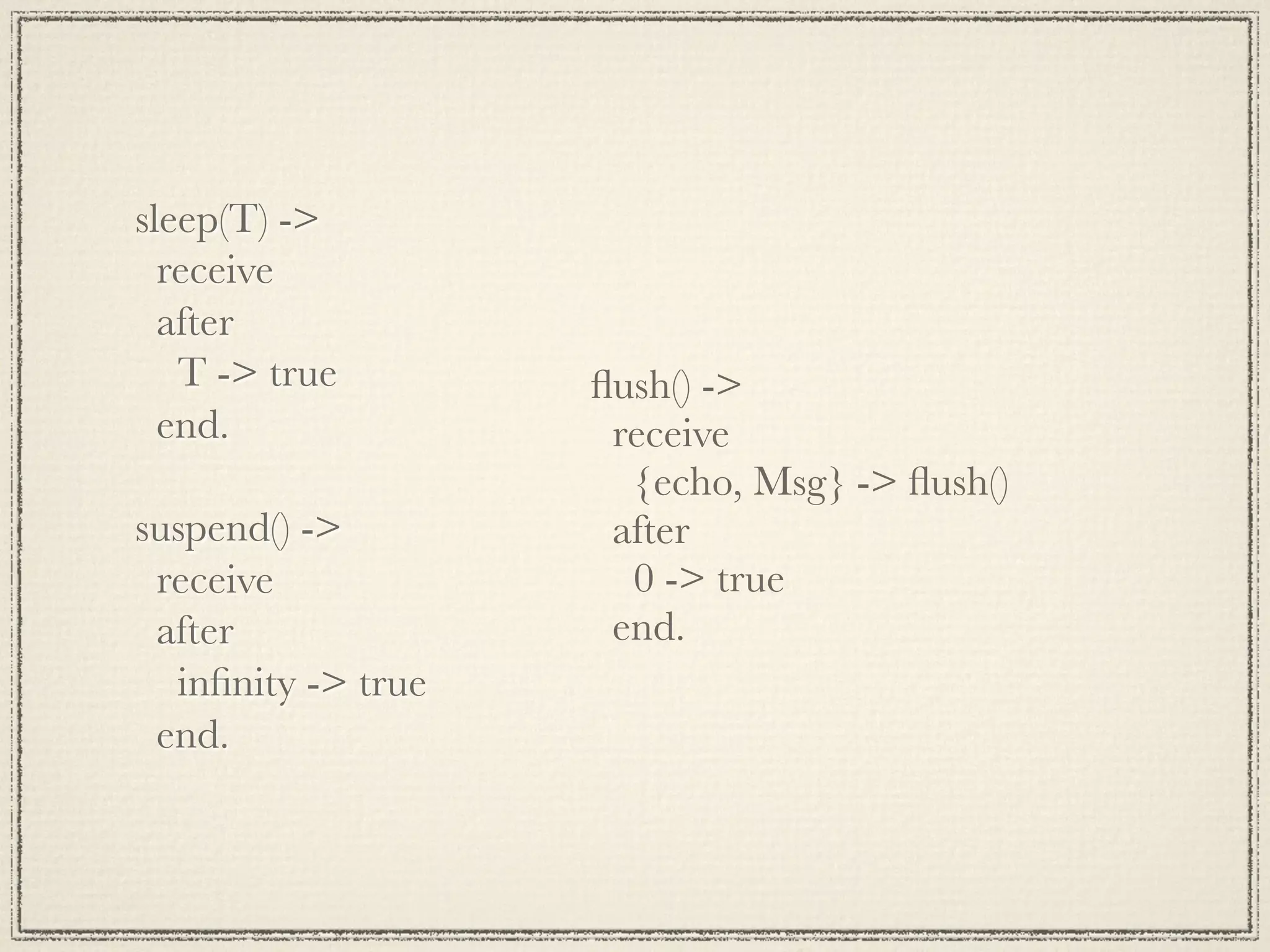
sleep(T) ->
  receive
  after
   T -> true        flush() ->
  end.               receive
                      {echo, Msg} -> flush()
suspend() ->         after
 receive              0 -> true
 after               end.
  infinity -> true
 end.
Beefy Echo

- Not just echo anymore
- Fun with Funs
- Call a process by a name
Now it gets interesting
 Fault Tolerance
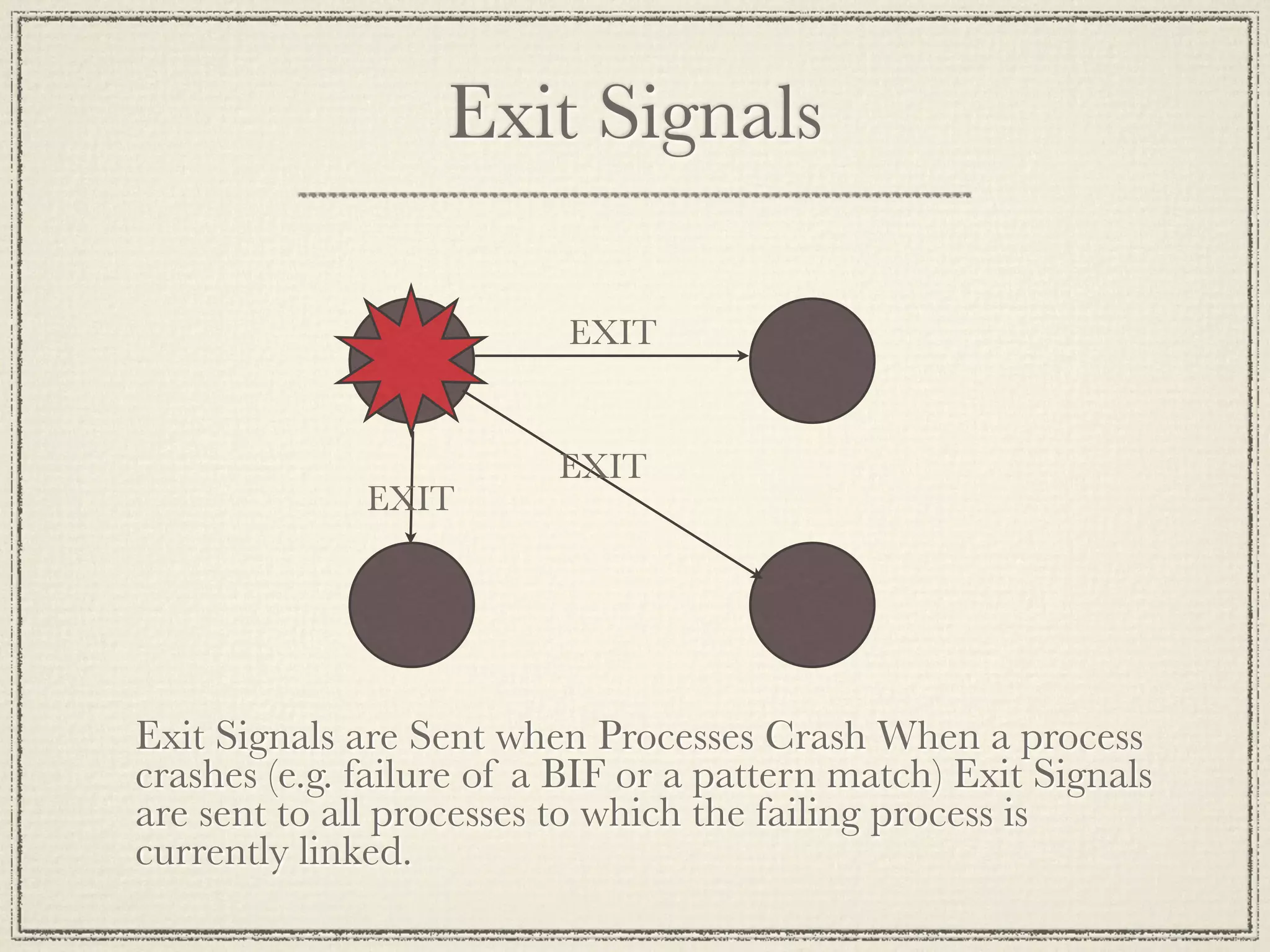
Exit Signals

                          EXIT


                          EXIT
              EXIT


Exit Signals are Sent when Processes Crash When a process
crashes (e.g. failure of a BIF or a pattern match) Exit Signals
are sent to all processes to which the failing process is
currently linked.
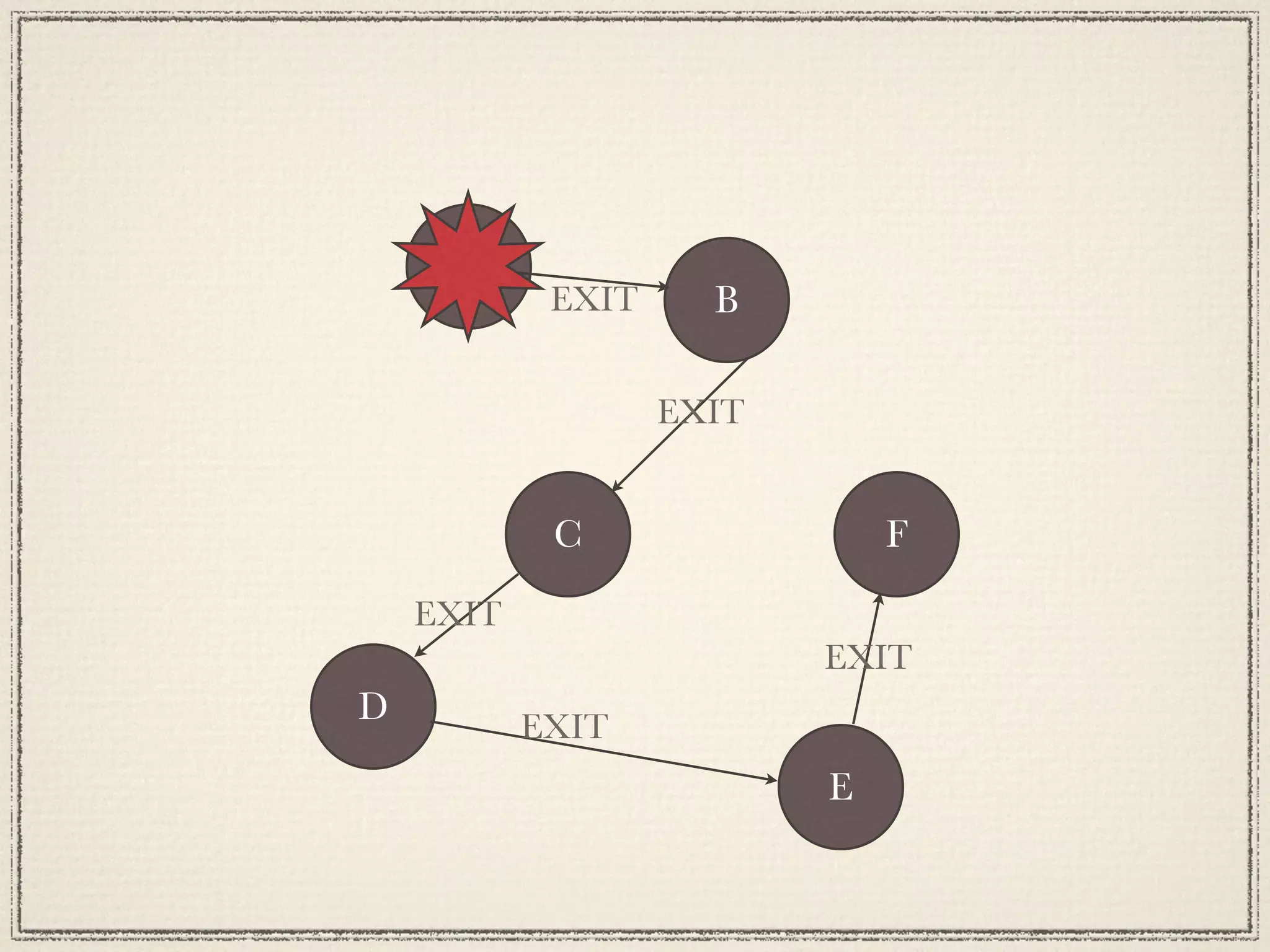
A
            EXIT     B

                   EXIT


            C                 F
    EXIT
                          EXIT
D          EXIT
                          E
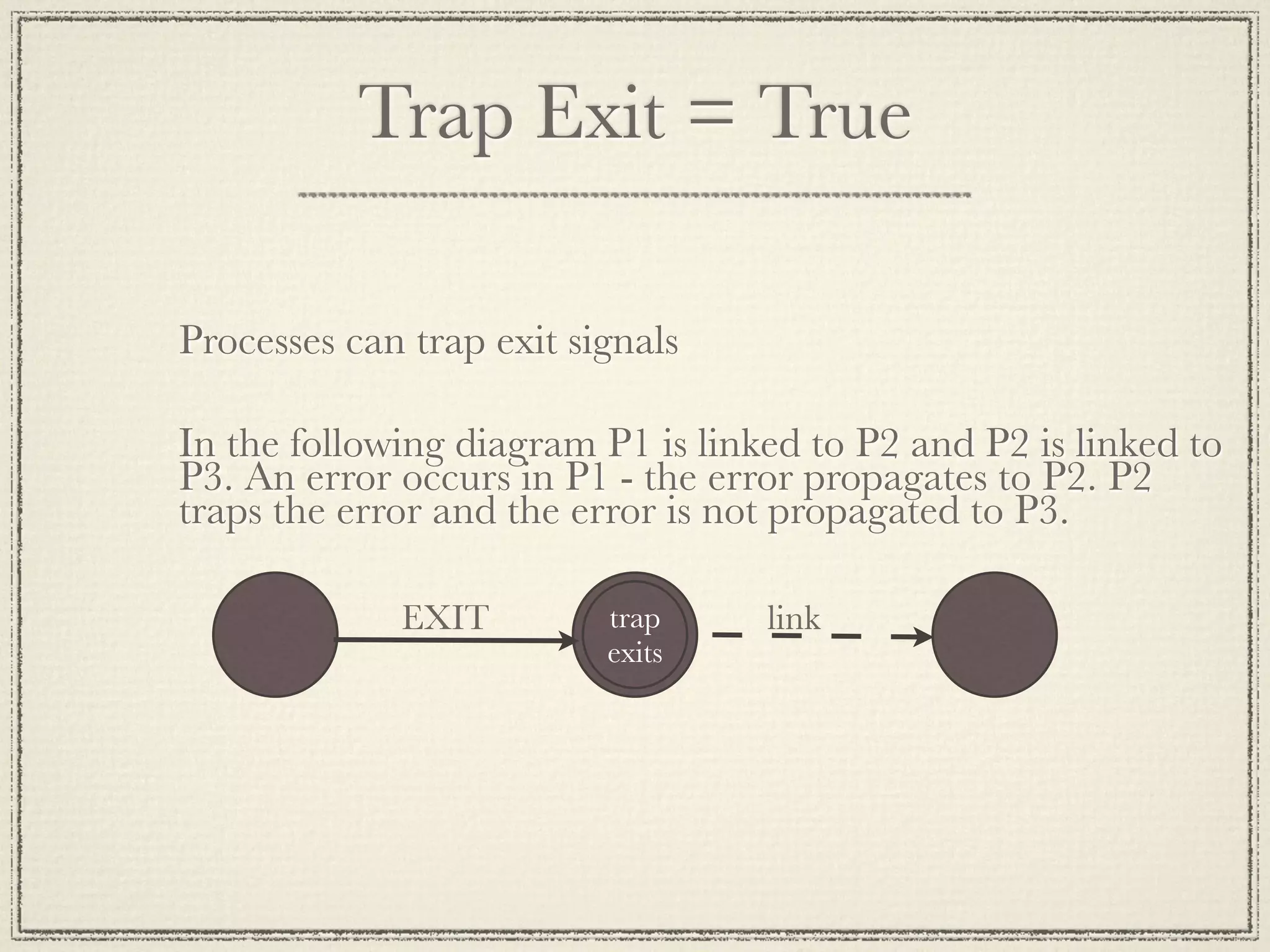
Trap Exit = True

Processes can trap exit signals

In the following diagram P1 is linked to P2 and P2 is linked to
P3. An error occurs in P1 - the error propagates to P2. P2
traps the error and the error is not propagated to P3.

             EXIT         trap     link
                          exits
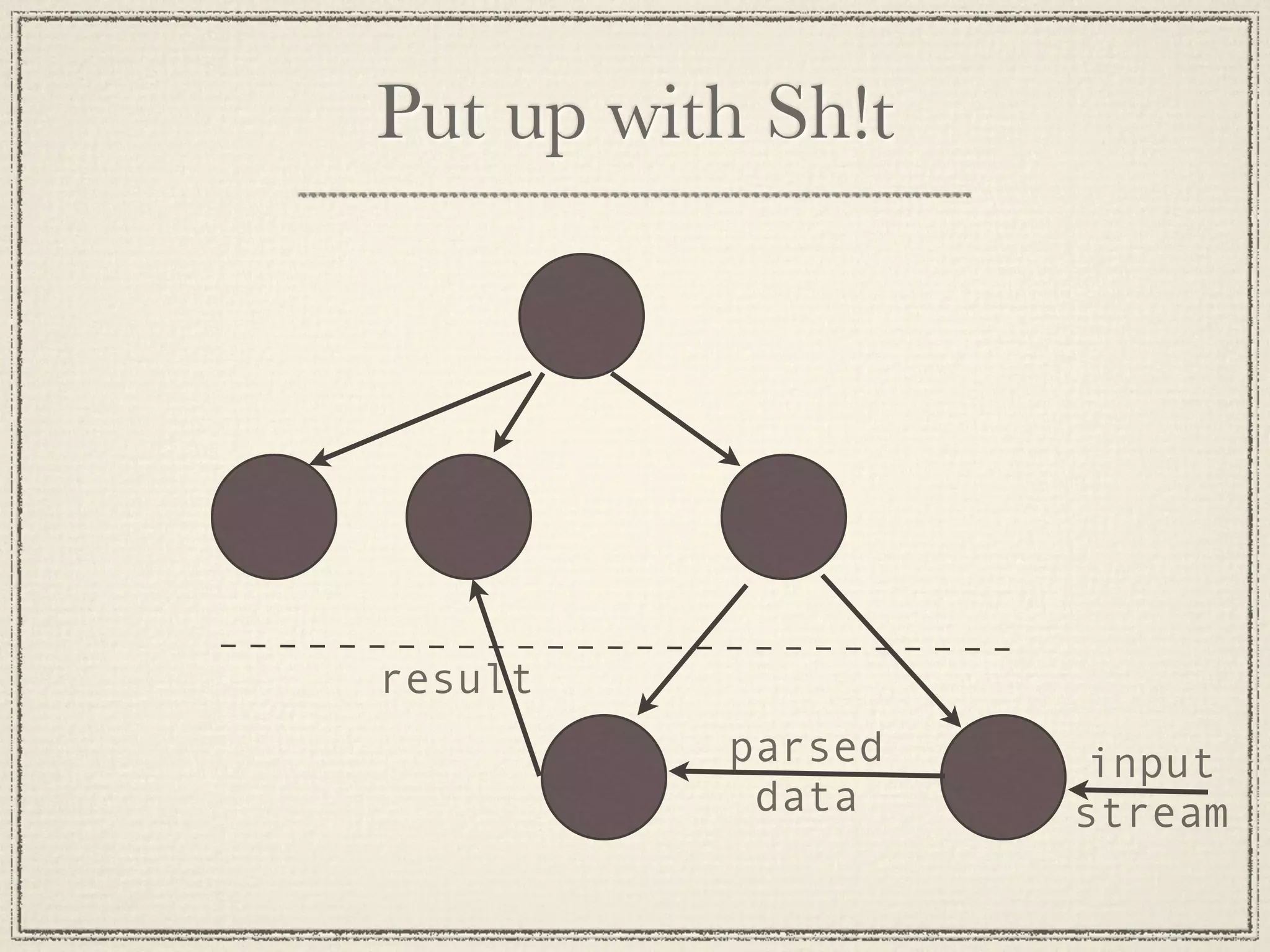
Put up with Sh!t


result
          parsed    input
           data    stream
Distribution
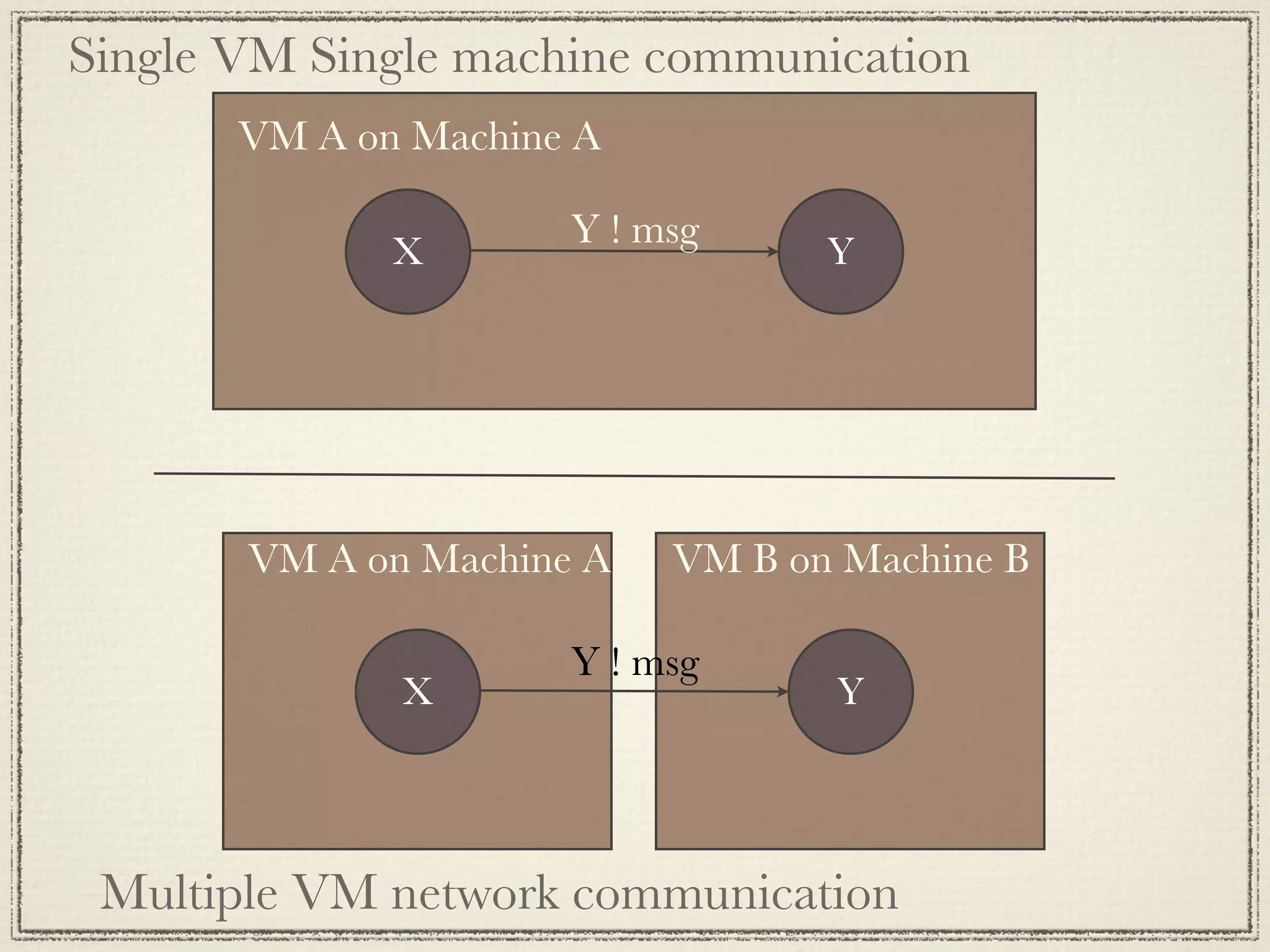
Single VM Single machine communication
       VM A on Machine A

                      Y ! msg
              X                   Y


       VM A on Machine A   VM B on Machine B

                      Y ! msg
              X                   Y


 Multiple VM network communication
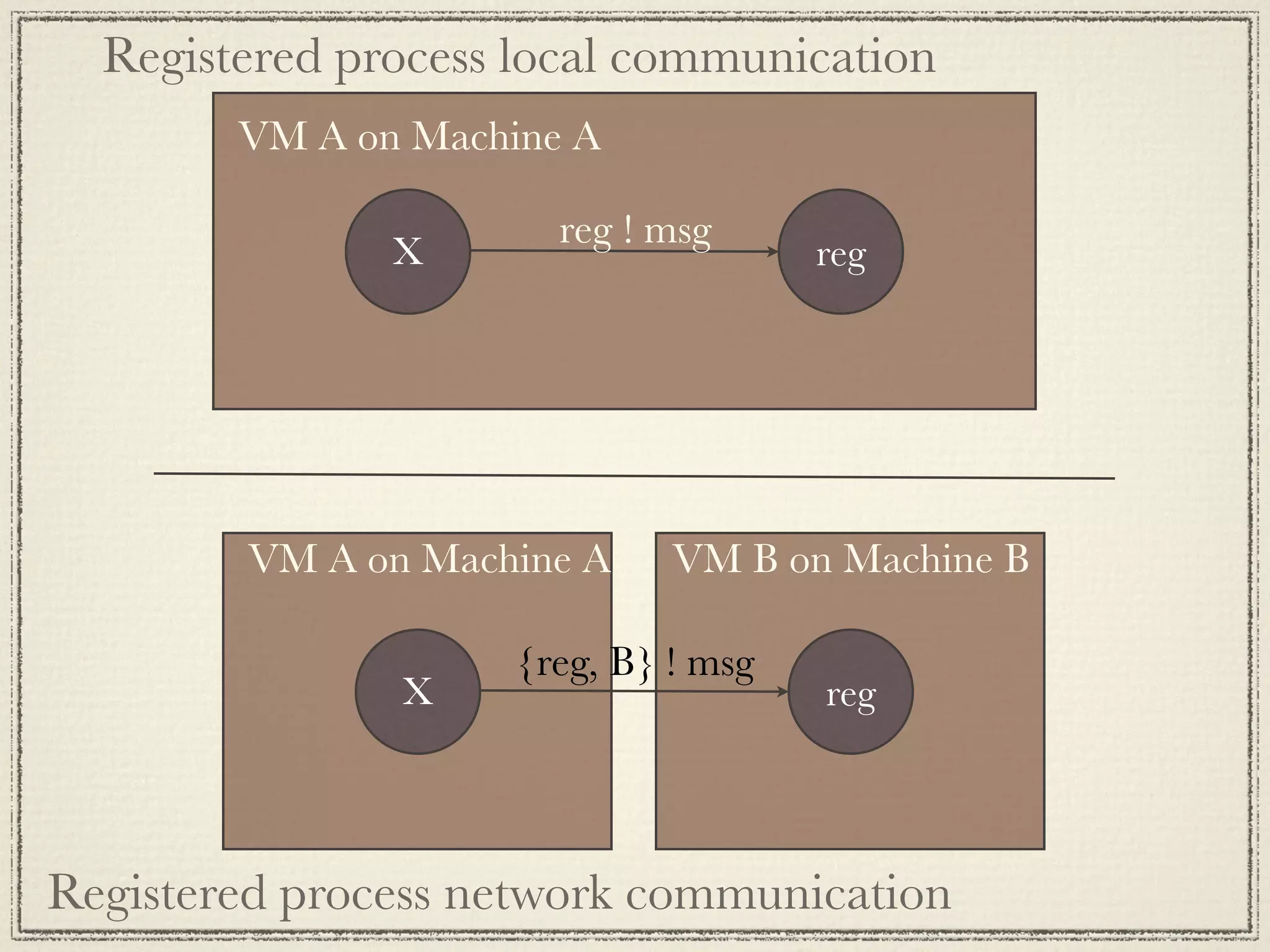
Registered process local communication
        VM A on Machine A

                       reg ! msg
               X                      reg


        VM A on Machine A     VM B on Machine B

                     {reg, B} ! msg
               X                      reg


Registered process network communication
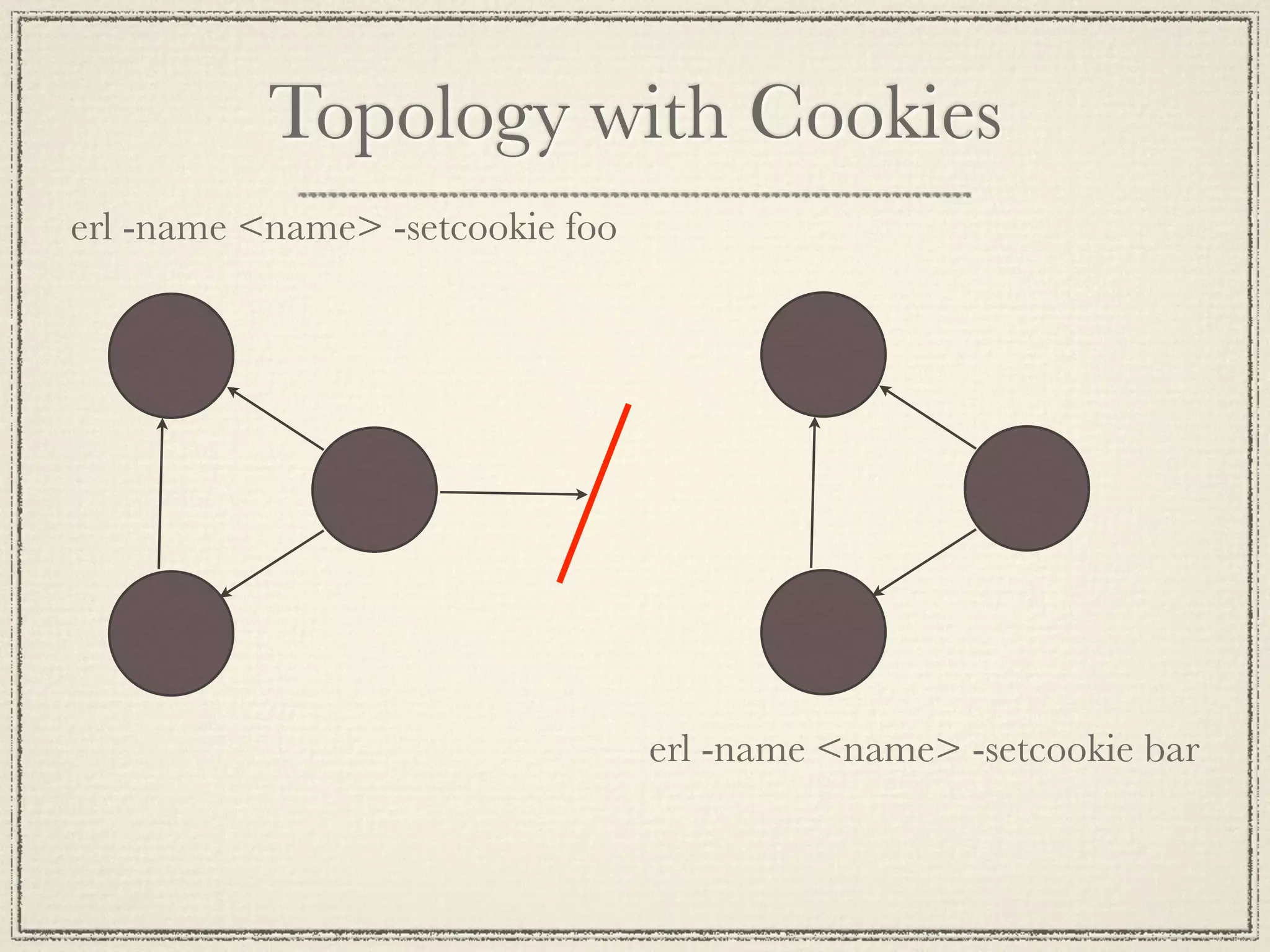
Topology with Cookies
erl -name <name> -setcookie foo


                                  erl -name <name> -setcookie bar

Erlang bootstrap course

  • 1.
    The Erlang Bootstrap Class The Erlang Basics Based on the 4 day Erlang course
  • 2.
    What are wedealing with? Data Types Pattern Matching (makes functions fun) Modules Processes
  • 3.
    Shell (learn it,love it) As critical to Erlang dev as fingers Your best tool for learning and experimenting Important facts Start with erl Stop with ctrl c, ctrl c q(). to kill nicely expressions end in a period
  • 4.
    Shell Commands h() -history . Print the last 20 commands. b() - bindings. See all variable bindings. f() - forget. Forget all variable bindings. f(Var) - forget. Forget the binding of a variable Var. * This can ONLY be used as a command to * the shell - NOT in the body of a function! e(n) - evaluate. Evaluate the n:th command in history. e(-1) - Evaluate the previous command. * Edit the command line as in Emacs * See the User Guide for more details and examples of use of the shell.
  • 5.
    Calculations in theShell You
can
add! 1> 1 + 1. 2 You
can
assign
values
to
variables! 2> X = 2. 2 3> X + 1. 3
  • 6.
    Integers as youwould expect But,
whah??? 4> Y = 1111111111111111111111111111111111111111111111111111111111111111111111111111111 1111111111111111111111111111111111111111111111111111111111111111111111111111111 11111. On
no
he
di’int! 5> Y + 1. 1111111111111111111111111111111111111111111111111111111111111111111111111111111 1111111111111111111111111111111111111111111111111111111111111111111111111111111 111112
  • 7.
    Floats Alas,
not
freaky
(plain
ol’
64
bit
double‐precision) 6> 1.1234567890123456789012345678901234567890. 1.1234567890123457 An
unusual
conversion
from
float
to
int 1> X = 1.12345. 1.12345 2> is_float(X). true 3> Y = erlang:trunc(X). 1 4> is_integer(Y). true
  • 8.
    Lists Most common datastructure. Used for storing a variable number of elements. [123, xyz] [ {person, 'Joe', 'Armstrong'}, {person, 'Robert', 'Virding'}, {person, 'Mike', 'Williams'} ]
  • 9.
    Strings (haven’t weseen these before?) PreGy
much
what
you’d
expect 1> Slogan = "Mongo DB is Web Scale". "Mongo DB is Web Scale" But,
wait,
OMG,
noooo! 2> io_lib:format("Mongo DB is ~s", ["Web Scale"]). [77,111,110,103,111,32,68,66,32,105,115,32,"Web Scale"] Yep,
strings
are
just
lists! 3> is_string(Slogan). ** exception error: undefined shell command is_string/1 4> is_list(Slogan). true
  • 10.
    Binaries SomeMmes
used
to
represent
strings <<"This is a binary">> is_binary
differenMates
from
is_list More
typically
used
to
work
with
actual
binary
data


(e.g.
bitstring
syntax
–
not
covered
in
this
presentaMon) Have
protocol,
will
use
binaries/bitstrings!
  • 11.
    Variables (not veryvariable) More of a definition than a variable. They dont actually ever vary Abc A_long_non_standard_variable_name AProperErlangVariableName * Start with an Upper Case Letter. * No "funny characters". * Variables are used to store values of data structures.
  • 12.
    Tuples pretty much the“struct” thingy for erlang {123, bcd} {abc, {def, 123}, jkl} {} {atom() = Tag, term() = Value} % very erlangy {error, {“value was bad”, 9}}
  • 13.
  • 14.
    A = 10 Succeeds- binds A to 10 {B, C, D} = {10, foo, bar} Succeeds - binds B to 10, C to foo and D to bar {A, A, B} = {abc, abc, foo} Succeeds - binds A to abc, B to foo {A, A, B} = {abc, def, 123} Fails [A,B,C] = [1,2,3] Succeeds - binds A to 1, B to 2, C to 3 [A,B,C,D] = [1,2,3] Fails
  • 15.
    [A,B|C] = [1,2,3,4,5,6,7] Succeeds- binds A = 1, B = 2, C = [3,4,5,6,7] [H|T] = [1,2,3,4] Succeeds - binds H = 1, T = [2,3,4] [H|T] = [abc] Succeeds - binds H = abc, T = [] [H|T] = [] Fails {A,_, [B|_Tail],{B}} = {abc,23,[22,x],{22}} Succeeds - binds A = abc, B = 22
  • 16.
  • 17.
    ToDo List Let’s
make
a
list! 1> ToDo = ["Shard /dev/null", "Learn Ruby", "Remove Bing from Phone"]. Write
to
disk
(easy
to
encode
Erlang!) 2> file:write_file("todo.bin", term_to_binary(ToDo)). ok Read
from
disk
(easy
to
decode
Erlang!) 3> {ok, Bin} = file:read_file("todo.bin"). {ok,<<131,108,0,0,0,3,107,0,15,83,104,97,114,100,32,47, 100,101,118,47,110,117,108,108,107,0,10,...>>} 4> binary_to_term(Bin). ["Shard /dev/null","Learn Ruby","Remove Bing from Phone"]
  • 18.
    Standard Libraries Second
most
important
Erlang
developer
tool:
a
decent
module
reference hGp://erlang.org/doc/man_index.html hGp://erldocs.com/
 The
file
module
provides
an
interface
to
the
file
system We
will
keep
using
them
–
keep
an
eye
out
  • 19.
  • 20.
    Using lists Comma
separated
Erlang
terms
surrounded
by
brackets [this, is, "a", {List, [of, stuff]}] Used
ehhhverywhere An
important
paGern
for
iteraMve
operaMons lists:map/2 list
comprehension The
basis
for
“associaMve
array”
structure
in
Erlang
(proplist)
[{foo, "Foo" 123}] 1> L1 = [2, 3]. [2,3] 2> L2 = [1|L1]. [1,2,3] 3> [H|T] = L2. [1,2,3] 4> H. 1 5> T. [1,2]
  • 21.
    Built In Functions(BIFs) date() time() length([1,2,3,4,5]) size({a,b,c}) atom_to_list(an_atom) list_to_tuple([1,2,3,4]) integer_to_list(2234) tuple_to_list({})
  • 22.
    Lets do somethingmore with lists A
basic
sort 5> lists:sort(ToDo). ["Learn Ruby","Remove Bing from Phone","Shard /dev/null"] Wait,
that’s
not
what
I
want! 6> ToDo2 = [{2, "Shard /dev/null"}, {3, "Learn Ruby"}, {1, "Remove Bing from Phone"}]. 7> lists:sort(ToDo2). [{1,"Remove Bing from Phone"}, {2,"Shard /dev/null"}, {3,"Learn Ruby"}] Default
sort
comparison
uses
“natural
order”
of
Erlang
term We
don’t
need
no
sMnking
natural
order! 8> lists:sort( fun({P1, N1}, {P1, N2}) -> N1 < N2 end, ToDo2). [{3,"Learn Ruby"}, {1,"Remove Bing from Phone"}, {2,"Shard /dev/null"}
  • 23.
  • 24.
    Function Heads Is definedas a collection of clauses. func(Pattern1, Pattern2, ...) -> ... ; func(Pattern1, Pattern2, ...) -> ... ; ... func(Pattern1, Pattern2, ...) -> ... .
  • 25.
    Guards is_number(X) - Xis a number is_integer(X) - X is an integer is_float(X) - X is a float is_atom(X) - X is an atom is_tuple(X) - X is a tuple is_list(X) - X is a list length(X) == 3 - X is a list of length 3 size(X) == 2 - X is a tuple of size 2. X > Y + Z - X is > Y + Z
  • 26.
  • 27.
    The State No Objects NoGlobals Logic Variables No Pass by Reference
  • 28.
  • 29.
    Side Effects - Sideeffects are not “evil” - any IO is a side effect - anything not “referentially transparent” - Make function substitution difficult - Side effects can catch you off guard. Be prepared.
  • 30.
  • 31.
    Creating a NewProcess Code in Pid1 Pid2 = spawn(Mod, Func, Args) After Pid2 is process identifier of the new process - this is known only to process Pid1.
  • 32.
    Message Passing {PidA, foo} A B receive PidB ! {self(), foo} {From, Msg} -> Actions end
  • 33.
    Echo Client -module(echo). -export([go/0]). go() -> Pid2 = spawn(fun() -> loop() end), Pid2 ! {self(), hello}, receive {Pid2, Msg} -> io:format("P1 ~w~n", [Msg]) end, Pid2 ! stop.
  • 34.
    Echo Server loop() -> receive {From, Msg} -> From ! {self(), Msg}, loop(); stop -> true end.
  • 35.
    Selective Message Reception first foo then bar A receive PidC ! foo foo -> ... C end, receive bar -> ... end B PidC ! bar
  • 36.
    sleep(T) -> receive after T -> true flush() -> end. receive {echo, Msg} -> flush() suspend() -> after receive 0 -> true after end. infinity -> true end.
  • 37.
    Beefy Echo - Notjust echo anymore - Fun with Funs - Call a process by a name
  • 38.
    Now it getsinteresting Fault Tolerance
  • 39.
    Exit Signals EXIT EXIT EXIT Exit Signals are Sent when Processes Crash When a process crashes (e.g. failure of a BIF or a pattern match) Exit Signals are sent to all processes to which the failing process is currently linked.
  • 40.
    A EXIT B EXIT C F EXIT EXIT D EXIT E
  • 41.
    Trap Exit =True Processes can trap exit signals In the following diagram P1 is linked to P2 and P2 is linked to P3. An error occurs in P1 - the error propagates to P2. P2 traps the error and the error is not propagated to P3. EXIT trap link exits
  • 42.
    Put up withSh!t result parsed input data stream
  • 43.
  • 44.
    Single VM Singlemachine communication VM A on Machine A Y ! msg X Y VM A on Machine A VM B on Machine B Y ! msg X Y Multiple VM network communication
  • 45.
    Registered process localcommunication VM A on Machine A reg ! msg X reg VM A on Machine A VM B on Machine B {reg, B} ! msg X reg Registered process network communication
  • 46.
    Topology with Cookies erl-name <name> -setcookie foo erl -name <name> -setcookie bar

Editor's Notes

  • #2 \n
  • #3 \n
  • #4 \n
  • #5 \n
  • #6 \n
  • #7 \n
  • #8 \n
  • #9 \n
  • #10 \n
  • #11 \n
  • #12 \n
  • #13 \n
  • #14 \n
  • #15 \n
  • #16  Note the use of &quot;_&quot;, the anonymous (don&apos;t care) variable.\n Note the use of _Tail. This is also a don&apos;t care var that instructs \n the compiler not to produce a warning. It equally efficient as _ and preferred. \n\n
  • #17 \n
  • #18 \n
  • #19 \n
  • #20  * double can be called from outside the module, times is local to the module.\n * double/1 means the function double with one argument (Note that double/1 and double/2 are two different functions). \n\nLets put our todo list into a module. Show module todo_list.erl from code section.\n
  • #21 \n
  • #22  * Are in the module erlang.\n * Do what you cannot do (or is difficult to do) in Erlang.\n * Modify the behaviour of the system.\n * Described in the BIFs manual. \n
  • #23 Show the module todo_list at hash \n
  • #24 Doing something more with lists involved the use of lambda functions\n
  • #25 Next we use the example file in git called fib.erl to show iteration via recursion and the use of case and function head pattern matching.\n
  • #26 Next we use the example file in git called fib.erl to show iteration via recursion and the use of case and function head pattern matching.\n
  • #27 \n
  • #28 Where the hell is the state in Erlang?\n
  • #29 State is held in process loops. Messaging is your big old global variable should you choose to use it that way. But the one difference is, messaging is copy everything share nothing. No shared state then. The yoke of the tyrant is off almost - this is still a side effect. It may not deadlock but it can still result in the unexpected.\n
  • #30 Keep your side effects isolated\n
  • #31 \n
  • #32 \n
  • #33  self() - returns the Process Identity or &quot;Pid&quot; of the process executing this function.\n
  • #34 \n
  • #35 \n
  • #36 \n
  • #37 \n
  • #38 Can anyone tell me why this is horrible. \nBreaks all kinds of encapsulation rules. That will be a topic for later though. \n
  • #39 \n
  • #40 \n
  • #41 This is a picture of exit signals propagating through links. \n
  • #42 \n
  • #43 Supervision and layering\nThe result processor processes don&amp;#x2019;t care what happens to the lower level processes so long as they produce complete results at an acceptable frequency. \nDoes not get much cooler. Targus proxy at vail lived through a storm of shit. \nMini reboots - just like windows only smaller\n
  • #44 \n
  • #45 \n
  • #46 \n
  • #47 \n