

otlin
For Android
Kotlin for Android
Overview:
● Kotlin & Android
● Kotlin Android Extensions
● Anko
● Requery
● Kotpref
● PaperParcel
otlin for
Kotlin for Android
● Reduce the amount of boilerplate code you need to write
● Make your code more readable and understandable
● No more errors such as NPE
● No more findViewById()
● One language for Android & Gradle
● Interoperability
● New languge -> Kotlin is fun
● Compatible with JDK 6 -> can run on older Android devices
Kotlin for Android / Android Extensions
Kotlin Android Extensions
● Compiler extension that allows to us replace findViewById() calls with
synthetic-generated properties
Kotlin for Android / Android Extensions
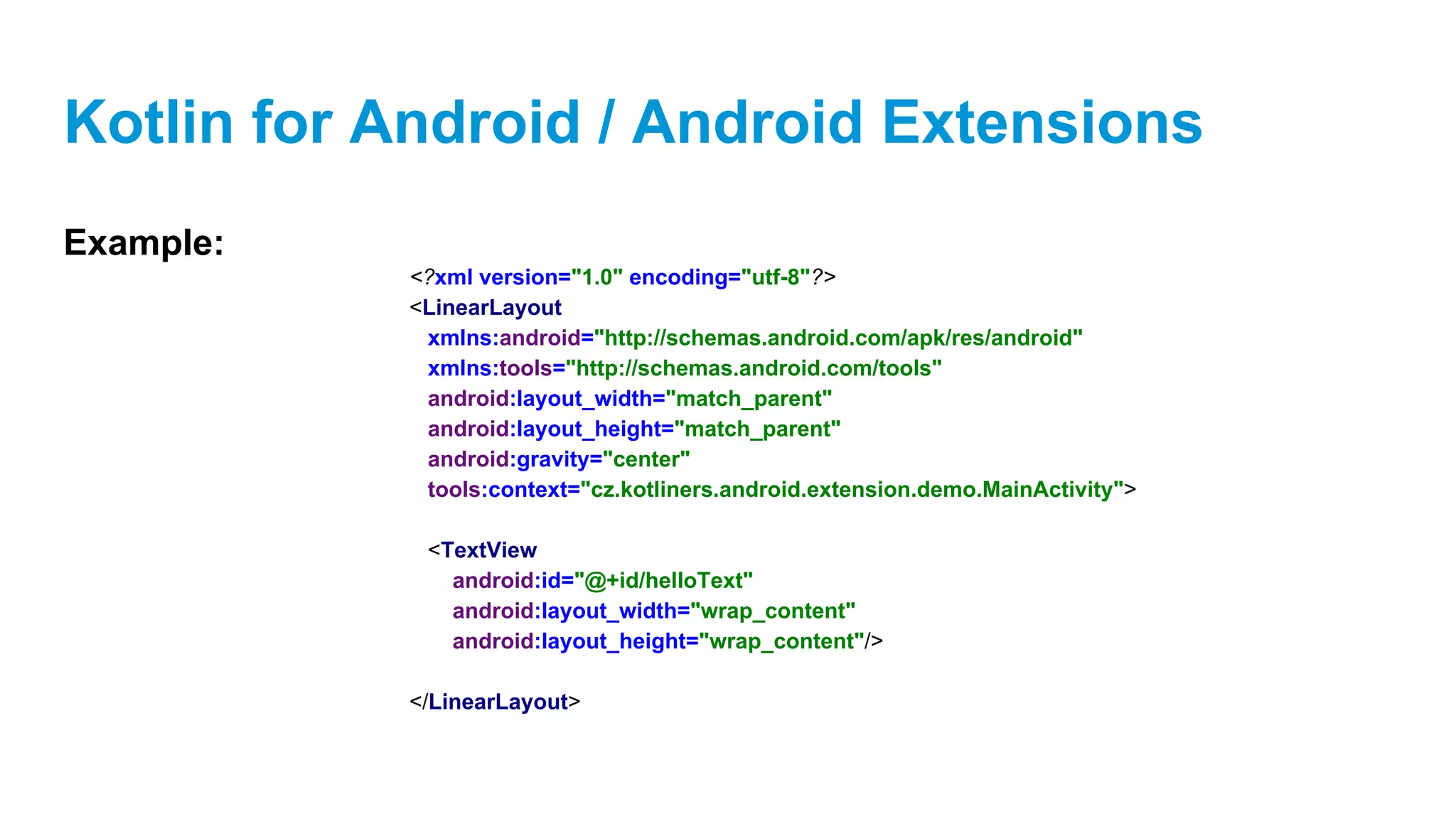
Example:
<?xml version="1.0" encoding="utf-8"?>
<LinearLayout
xmlns:android="http://schemas.android.com/apk/res/android"
xmlns:tools="http://schemas.android.com/tools"
android:layout_width="match_parent"
android:layout_height="match_parent"
android:gravity="center"
tools:context="cz.kotliners.android.extension.demo.MainActivity">
<TextView
android:id="@+id/helloText"
android:layout_width="wrap_content"
android:layout_height="wrap_content"/>
</LinearLayout>
Kotlin for Android / Android Extensions
Example:
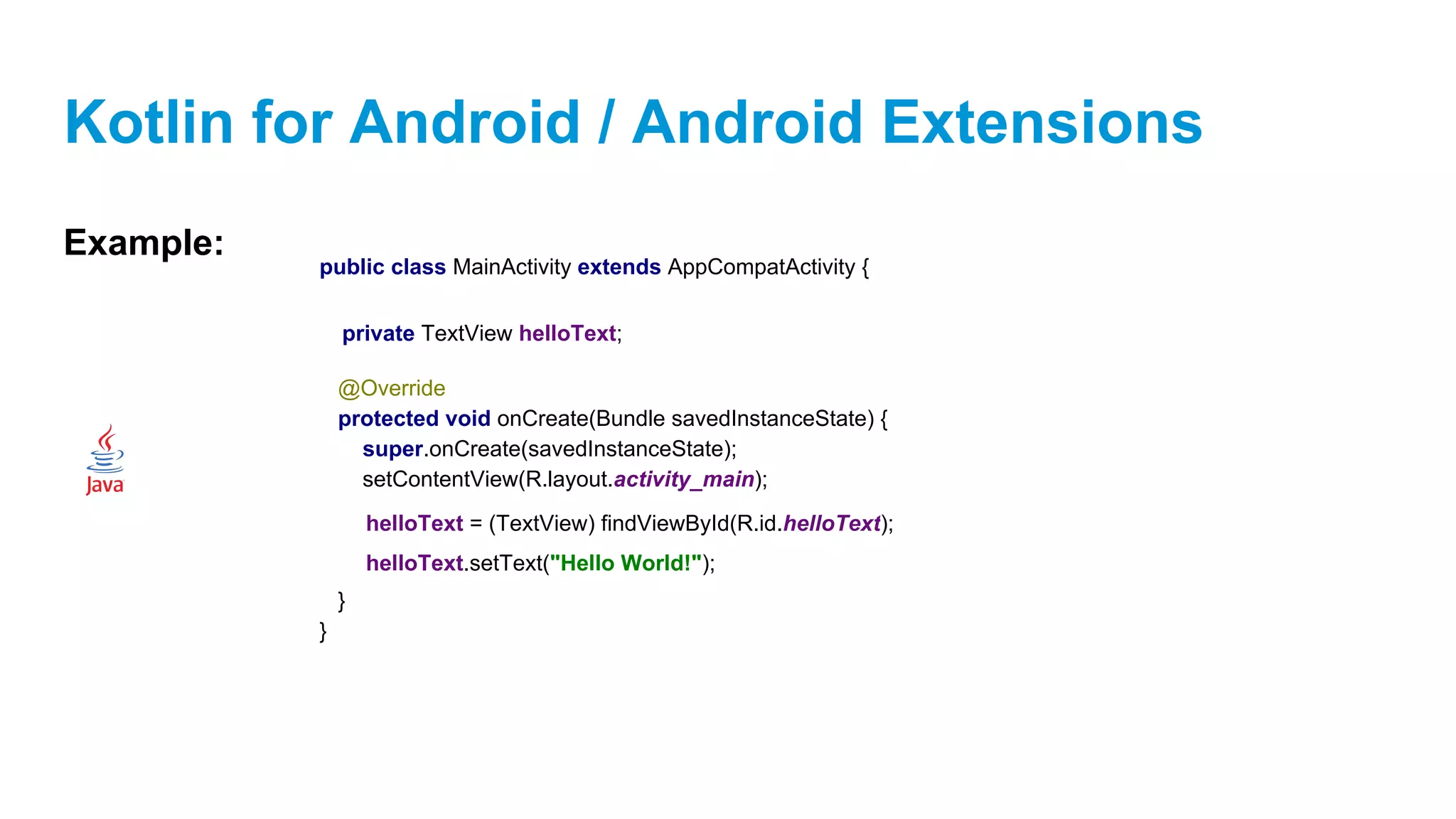
public class MainActivity extends AppCompatActivity {
@Override
protected void onCreate(Bundle savedInstanceState) {
super.onCreate(savedInstanceState);
setContentView(R.layout.activity_main);
}
}
private TextView helloText;
helloText = (TextView) findViewById(R.id.helloText);
helloText.setText("Hello World!");
Kotlin for Android / Android Extensions
Example:
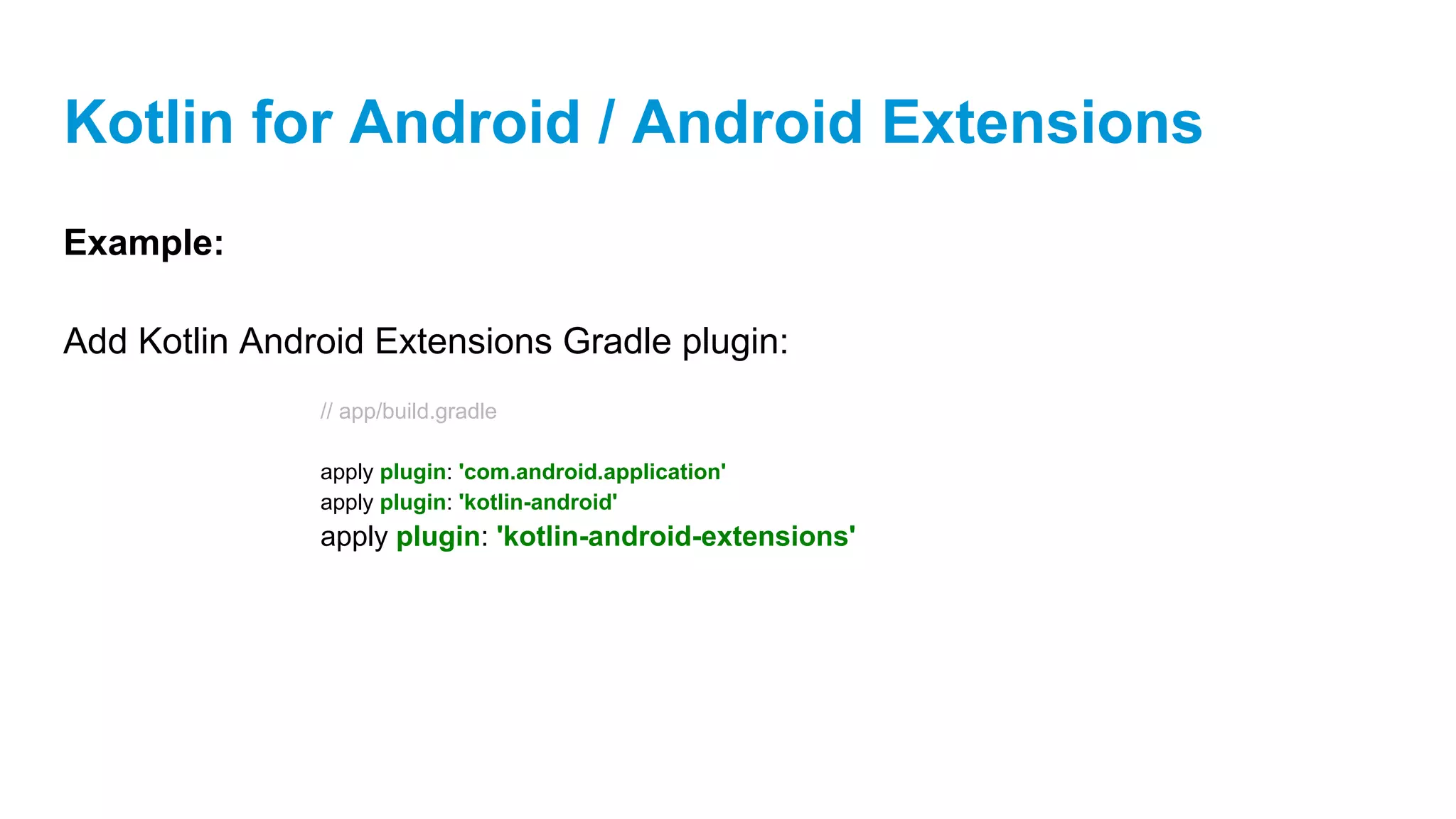
Add Kotlin Android Extensions Gradle plugin:
// app/build.gradle
apply plugin: 'com.android.application'
apply plugin: 'kotlin-android'
apply plugin: 'kotlin-android-extensions'
Kotlin for Android / Android Extensions
Example:
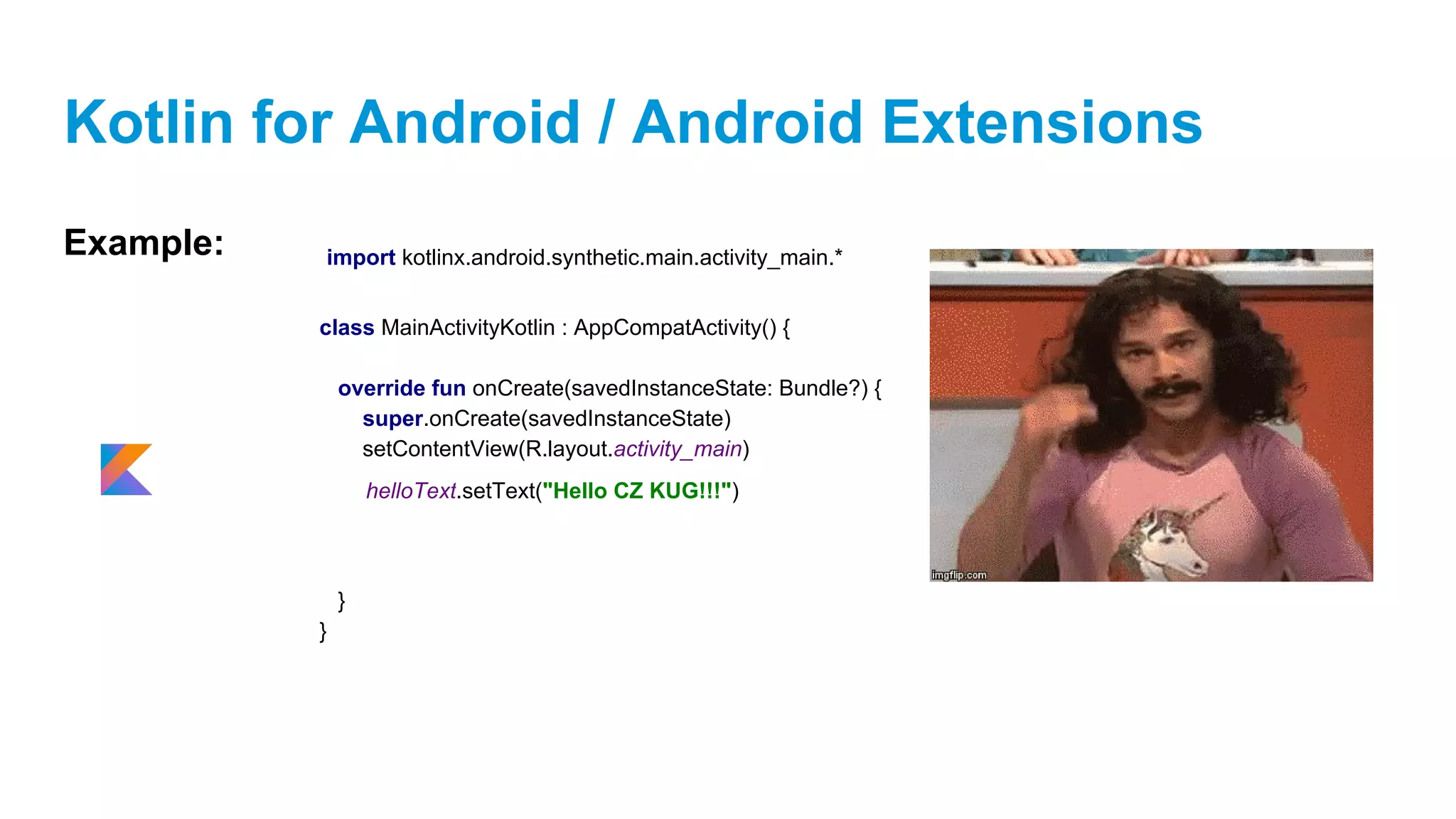
class MainActivityKotlin : AppCompatActivity() {
override fun onCreate(savedInstanceState: Bundle?) {
super.onCreate(savedInstanceState)
setContentView(R.layout.activity_main)
}
}
helloText.setText("Hello CZ KUG!!!")
import kotlinx.android.synthetic.main.activity_main.*
Kotlin for Android / Android Extensions
Example:
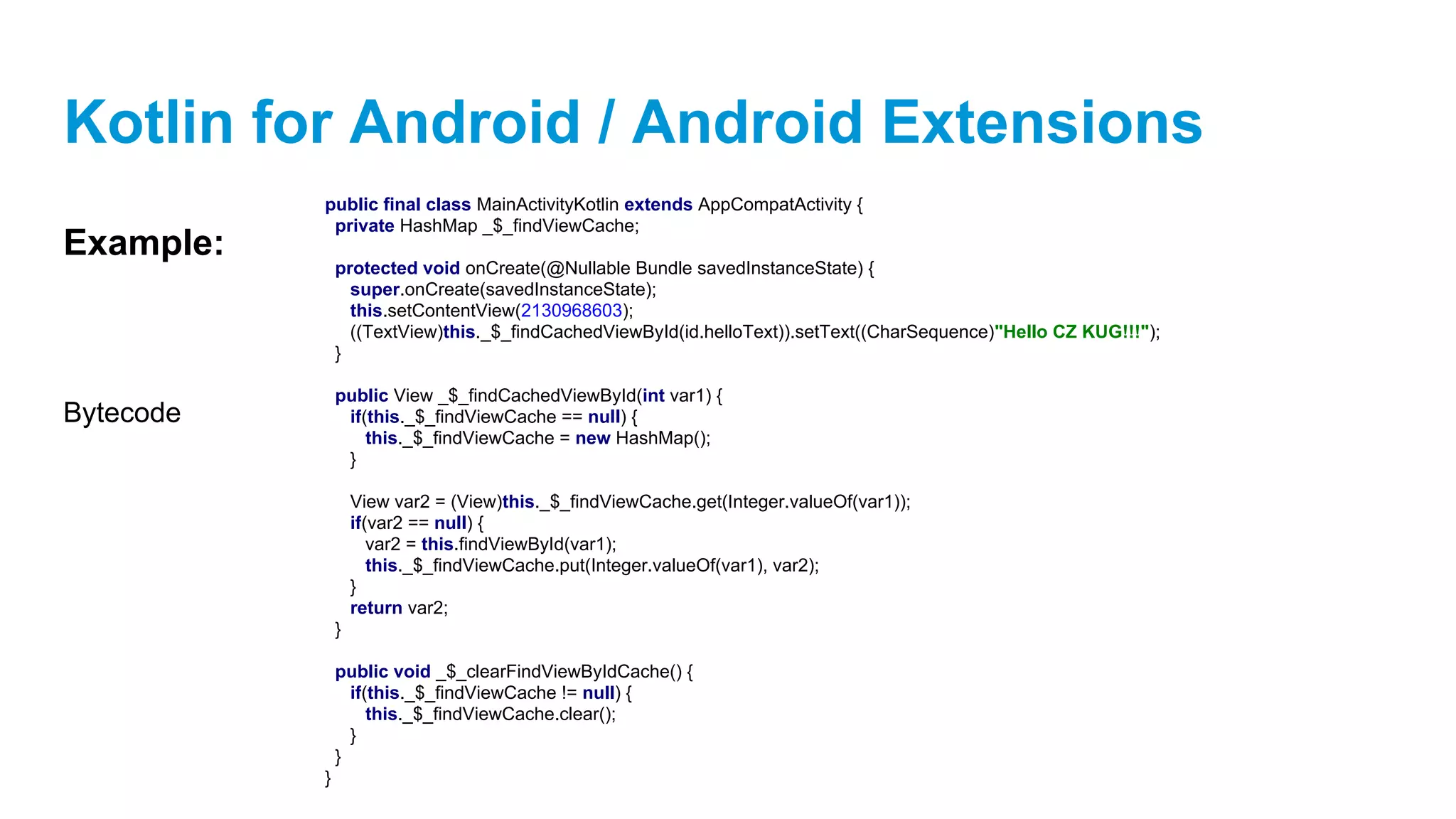
public final class MainActivityKotlin extends AppCompatActivity {
private HashMap _$_findViewCache;
protected void onCreate(@Nullable Bundle savedInstanceState) {
super.onCreate(savedInstanceState);
this.setContentView(2130968603);
((TextView)this._$_findCachedViewById(id.helloText)).setText((CharSequence)"Hello CZ KUG!!!");
}
public View _$_findCachedViewById(int var1) {
if(this._$_findViewCache == null) {
this._$_findViewCache = new HashMap();
}
View var2 = (View)this._$_findViewCache.get(Integer.valueOf(var1));
if(var2 == null) {
var2 = this.findViewById(var1);
this._$_findViewCache.put(Integer.valueOf(var1), var2);
}
return var2;
}
public void _$_clearFindViewByIdCache() {
if(this._$_findViewCache != null) {
this._$_findViewCache.clear();
}
}
}
Bytecode
Anko
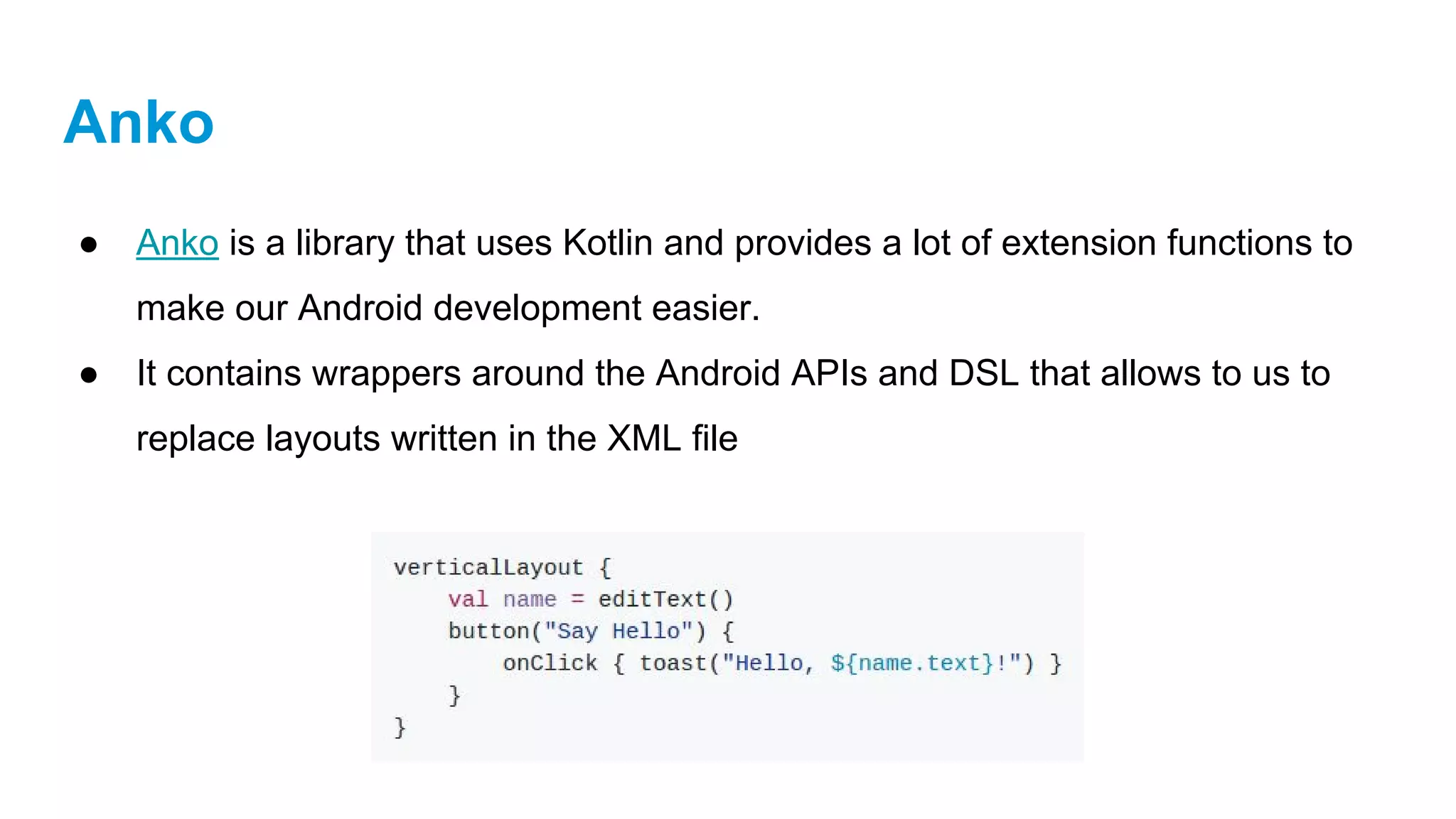
● Anko is a library that uses Kotlin and provides a lot of extension functions to
make our Android development easier.
● It contains wrappers around the Android APIs and DSL that allows to us to
replace layouts written in the XML file
Anko
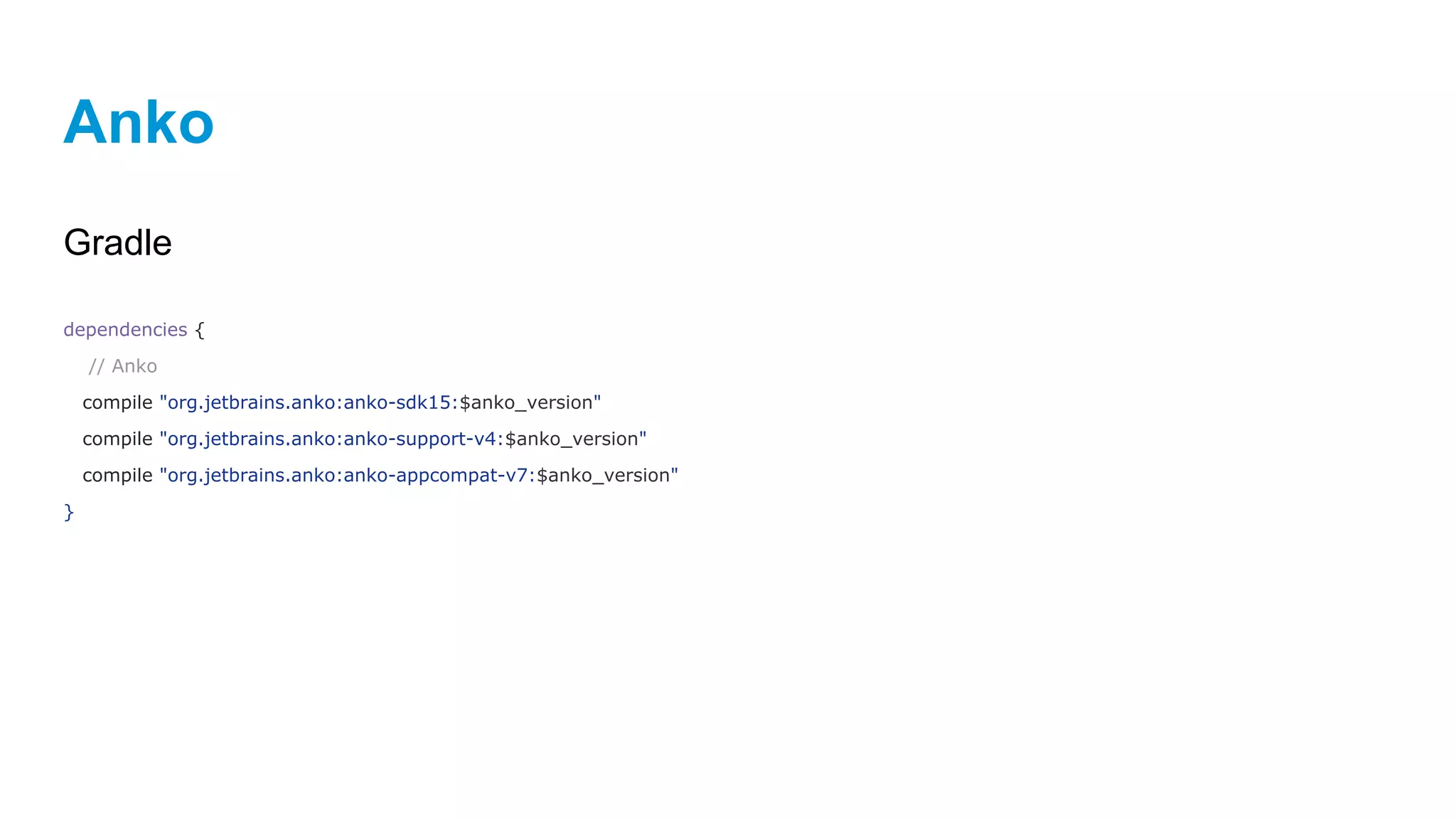
Gradle
dependencies {
// Anko
compile "org.jetbrains.anko:anko-sdk15:$anko_version"
compile "org.jetbrains.anko:anko-support-v4:$anko_version"
compile "org.jetbrains.anko:anko-appcompat-v7:$anko_version"
}
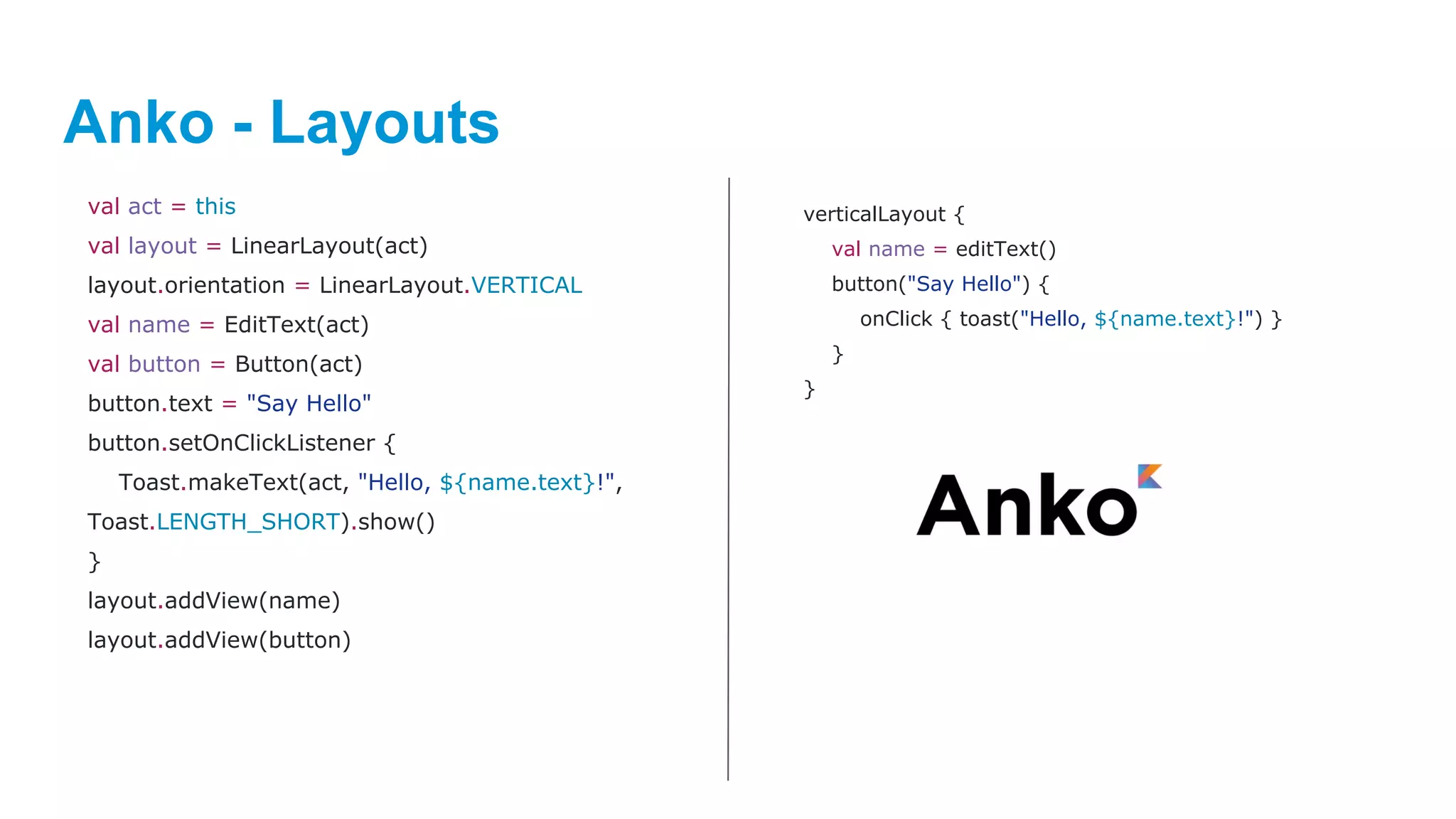
Anko - Layouts
val act = this
val layout = LinearLayout(act)
layout.orientation = LinearLayout.VERTICAL
val name = EditText(act)
val button = Button(act)
button.text = "Say Hello"
button.setOnClickListener {
Toast.makeText(act, "Hello, ${name.text}!",
Toast.LENGTH_SHORT).show()
}
layout.addView(name)
layout.addView(button)
verticalLayout {
val name = editText()
button("Say Hello") {
onClick { toast("Hello, ${name.text}!") }
}
}
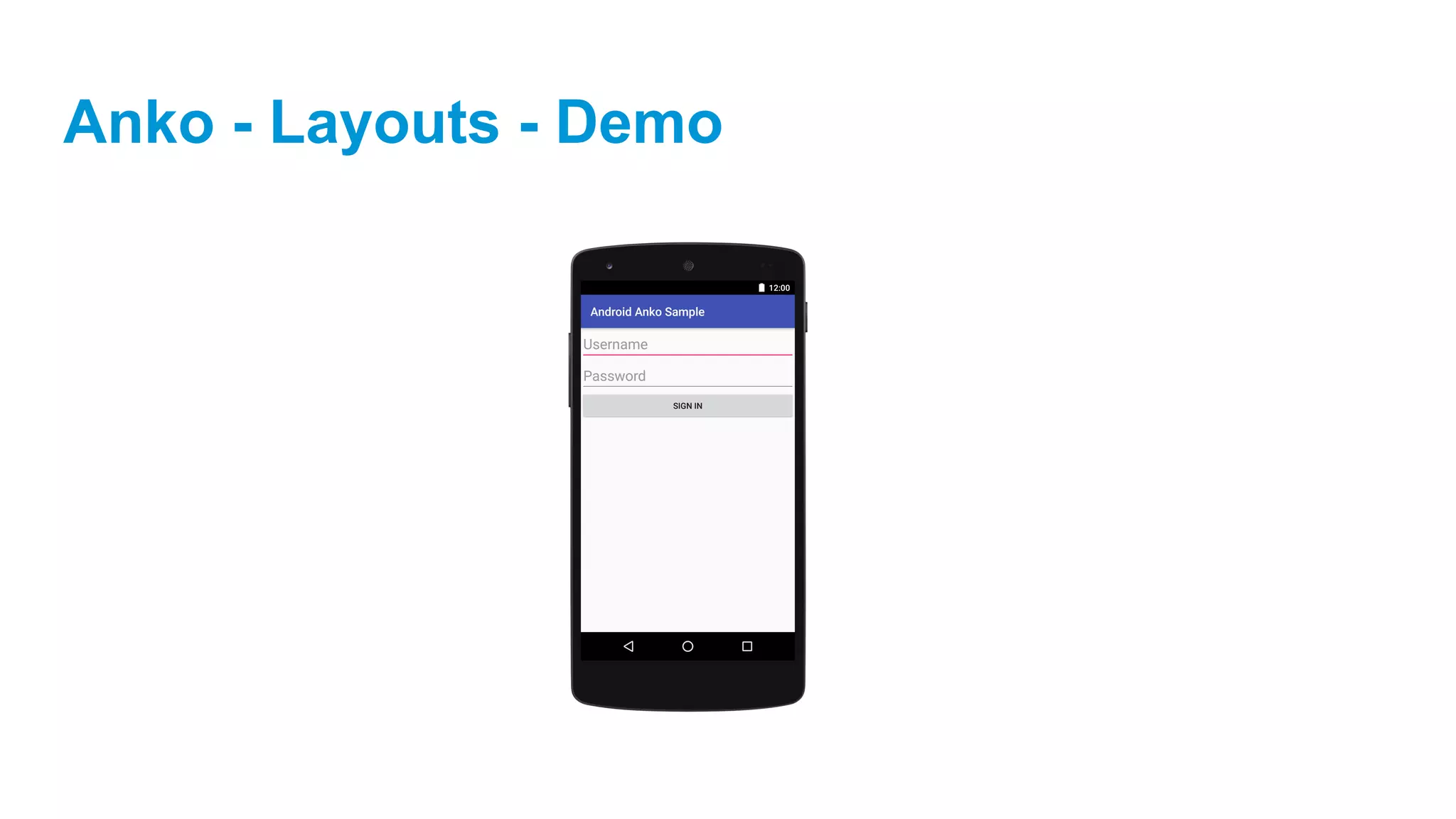
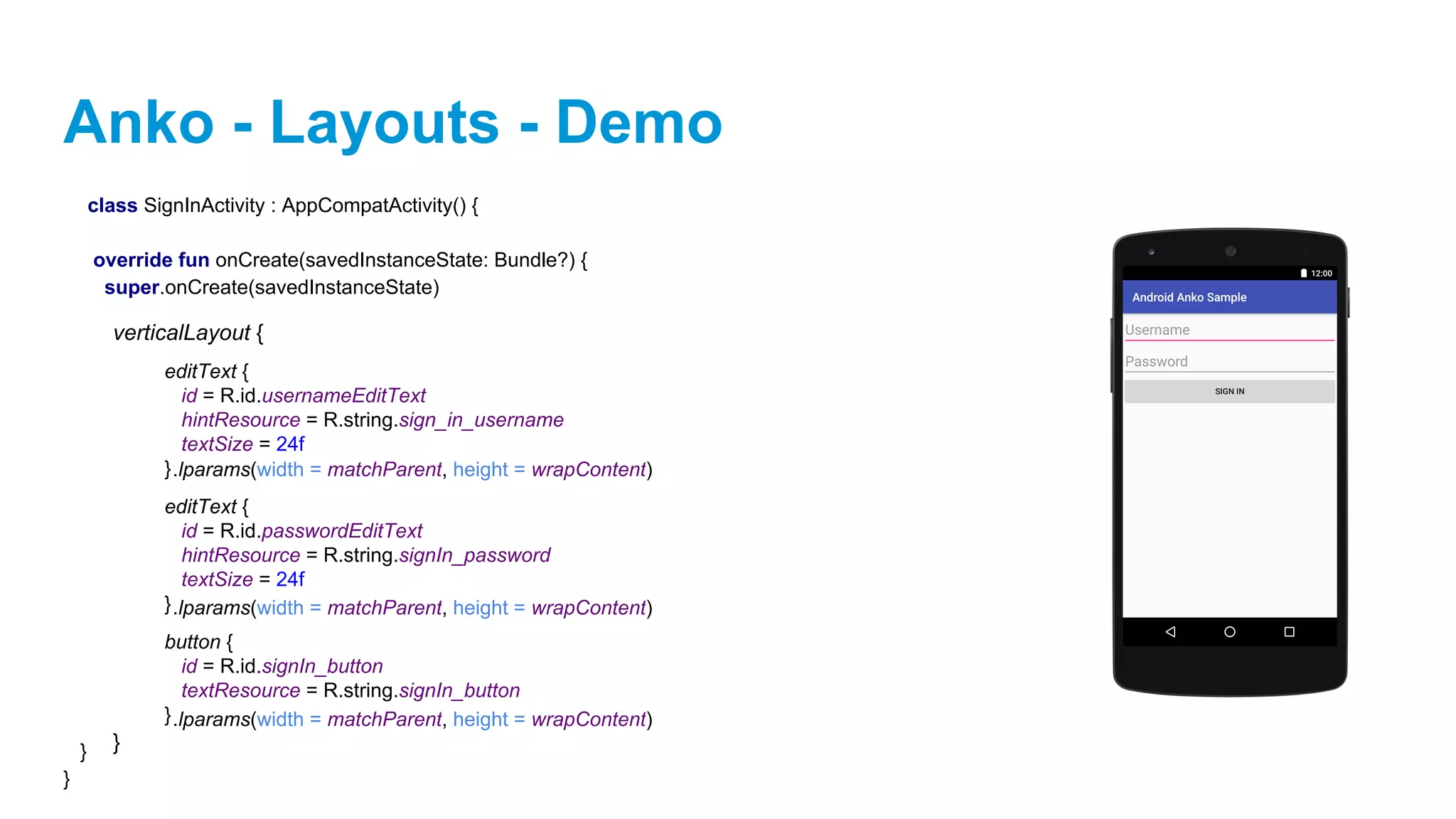
Anko - Layouts - Demo
class SignInActivity : AppCompatActivity() {
override fun onCreate(savedInstanceState: Bundle?) {
super.onCreate(savedInstanceState)
}
}
verticalLayout {
}
editText {
id = R.id.usernameEditText
hintResource = R.string.sign_in_username
textSize = 24f
}
editText {
id = R.id.passwordEditText
hintResource = R.string.signIn_password
textSize = 24f
}
button {
id = R.id.signIn_button
textResource = R.string.signIn_button
}
.lparams(width = matchParent, height = wrapContent)
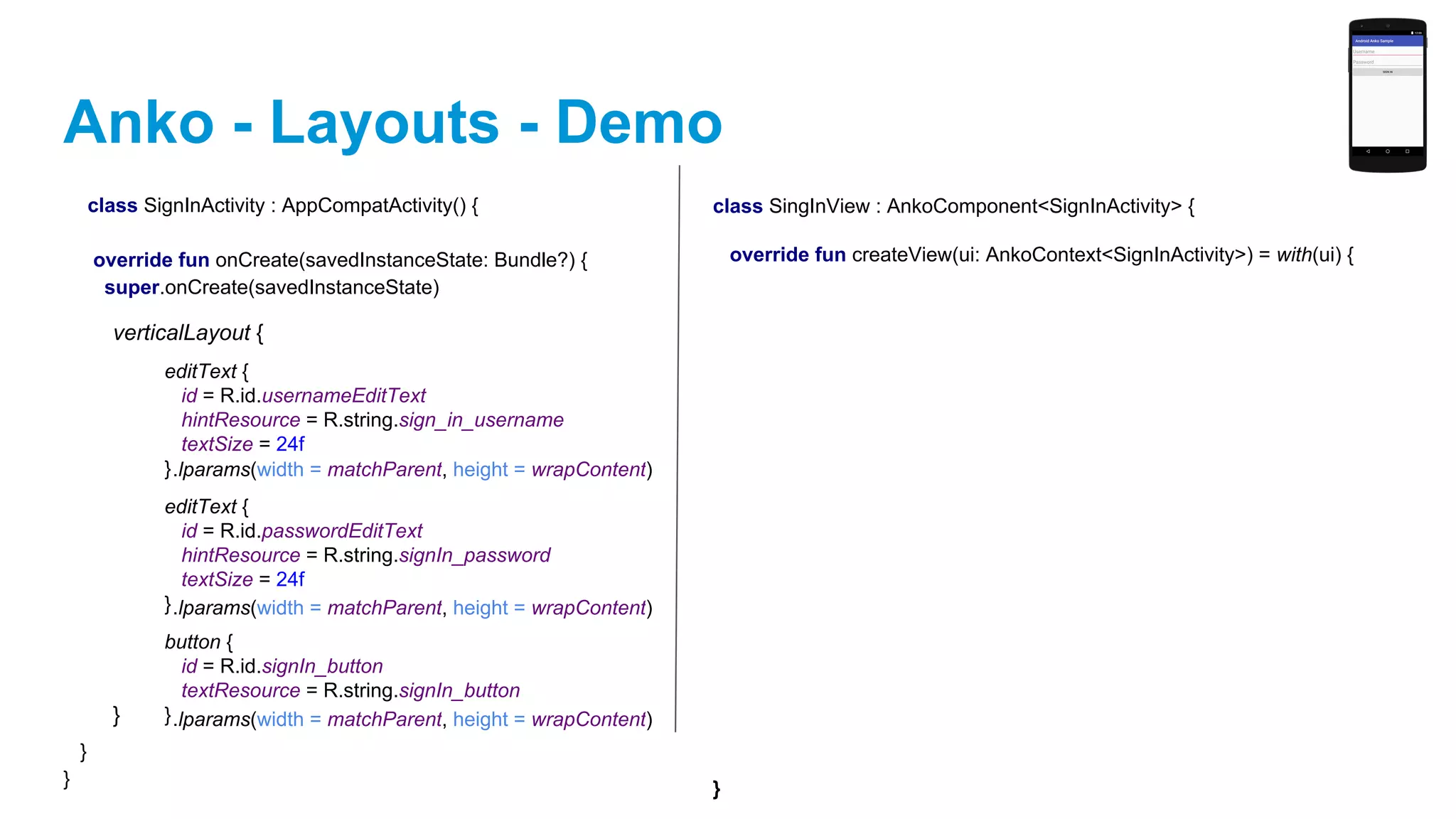
Anko - Layouts - Demo
class SignInActivity : AppCompatActivity() {
override fun onCreate(savedInstanceState: Bundle?) {
super.onCreate(savedInstanceState)
}
}
verticalLayout {
}
editText {
id = R.id.usernameEditText
hintResource = R.string.sign_in_username
textSize = 24f
}
editText {
id = R.id.passwordEditText
hintResource = R.string.signIn_password
textSize = 24f
}
button {
id = R.id.signIn_button
textResource = R.string.signIn_button
}
.lparams(width = matchParent, height = wrapContent)
class SingInView : AnkoComponent<SignInActivity> {
override fun createView(ui: AnkoContext<SignInActivity>) = with(ui) {
}
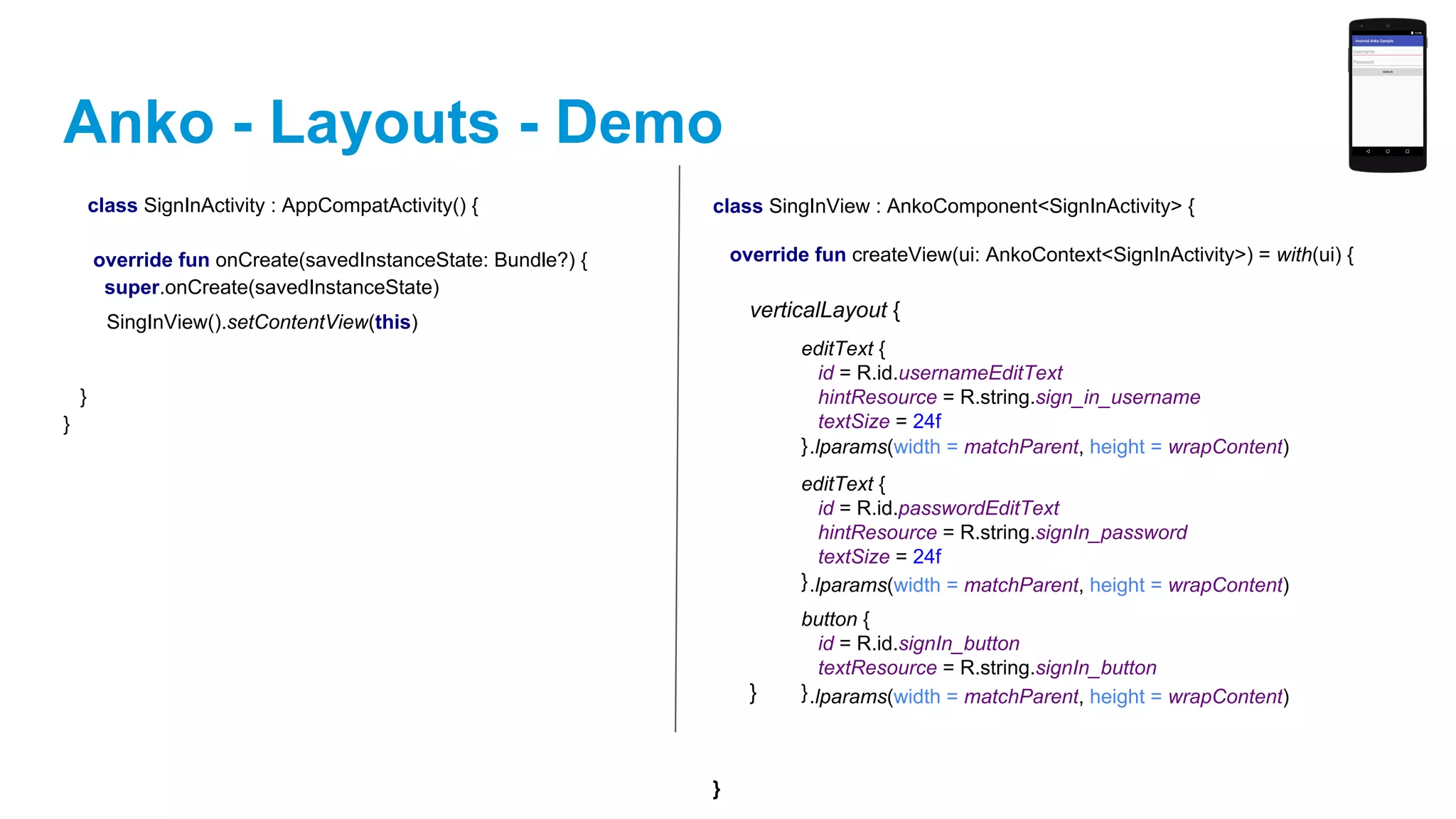
Anko - Layouts - Demo
class SignInActivity : AppCompatActivity() {
override fun onCreate(savedInstanceState: Bundle?) {
super.onCreate(savedInstanceState)
}
}
class SingInView : AnkoComponent<SignInActivity> {
override fun createView(ui: AnkoContext<SignInActivity>) = with(ui) {
}
verticalLayout {
}
editText {
id = R.id.usernameEditText
hintResource = R.string.sign_in_username
textSize = 24f
}
editText {
id = R.id.passwordEditText
hintResource = R.string.signIn_password
textSize = 24f
}
button {
id = R.id.signIn_button
textResource = R.string.signIn_button
}
.lparams(width = matchParent, height = wrapContent)
SingInView().setContentView(this)
Anko - Buttons and Toasts
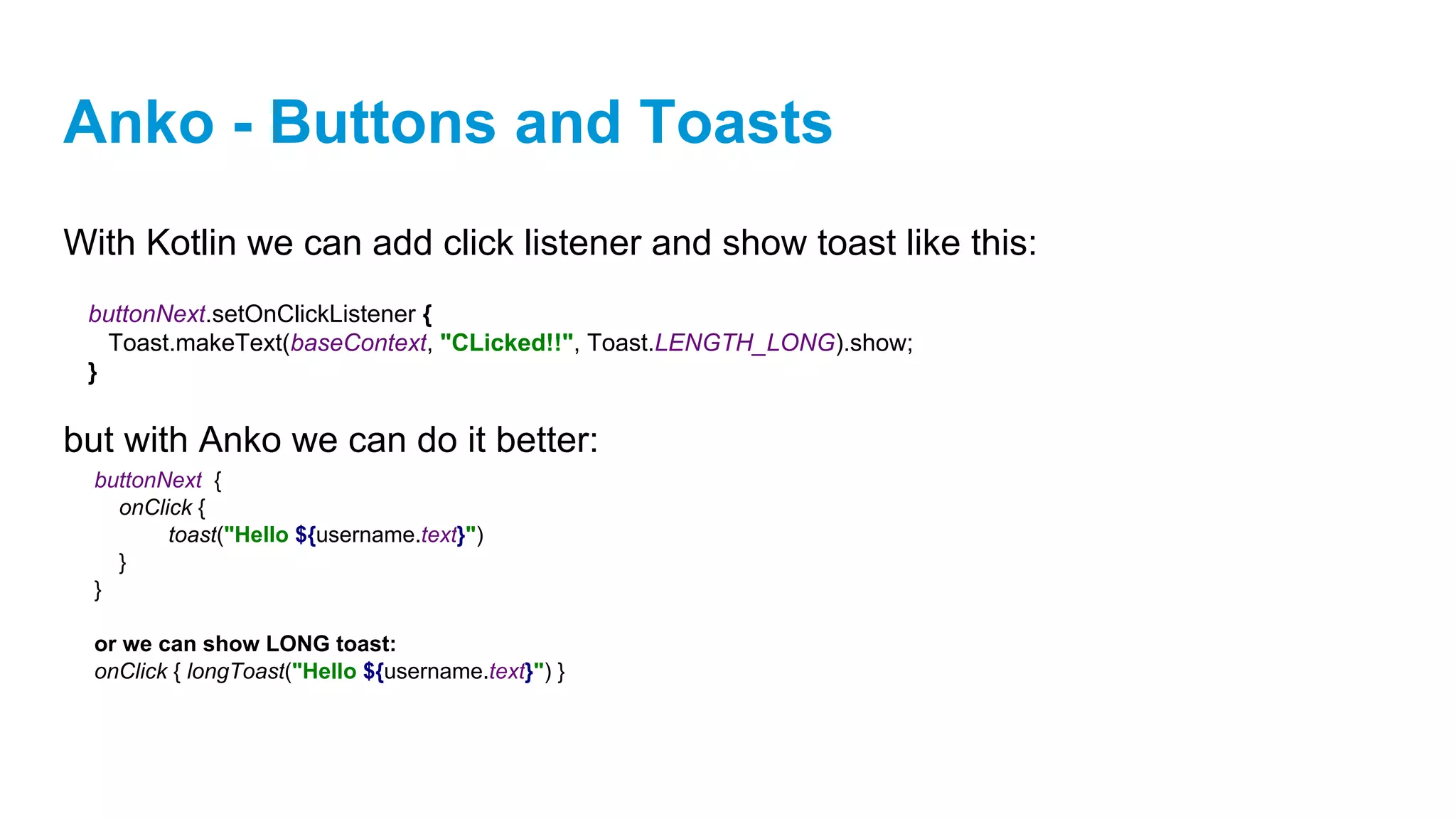
With Kotlin we can add click listener and show toast like this:
buttonNext.setOnClickListener {
Toast.makeText(baseContext, "CLicked!!", Toast.LENGTH_LONG).show;
}
Anko - Buttons and Toasts
With Kotlin we can add click listener and show toast like this:
but with Anko we can do it better:
buttonNext.setOnClickListener {
Toast.makeText(baseContext, "CLicked!!", Toast.LENGTH_LONG).show;
}
buttonNext {
onClick {
toast("Hello ${username.text}")
}
}
or we can show LONG toast:
onClick { longToast("Hello ${username.text}") }
Anko - Asynchronous Tasks
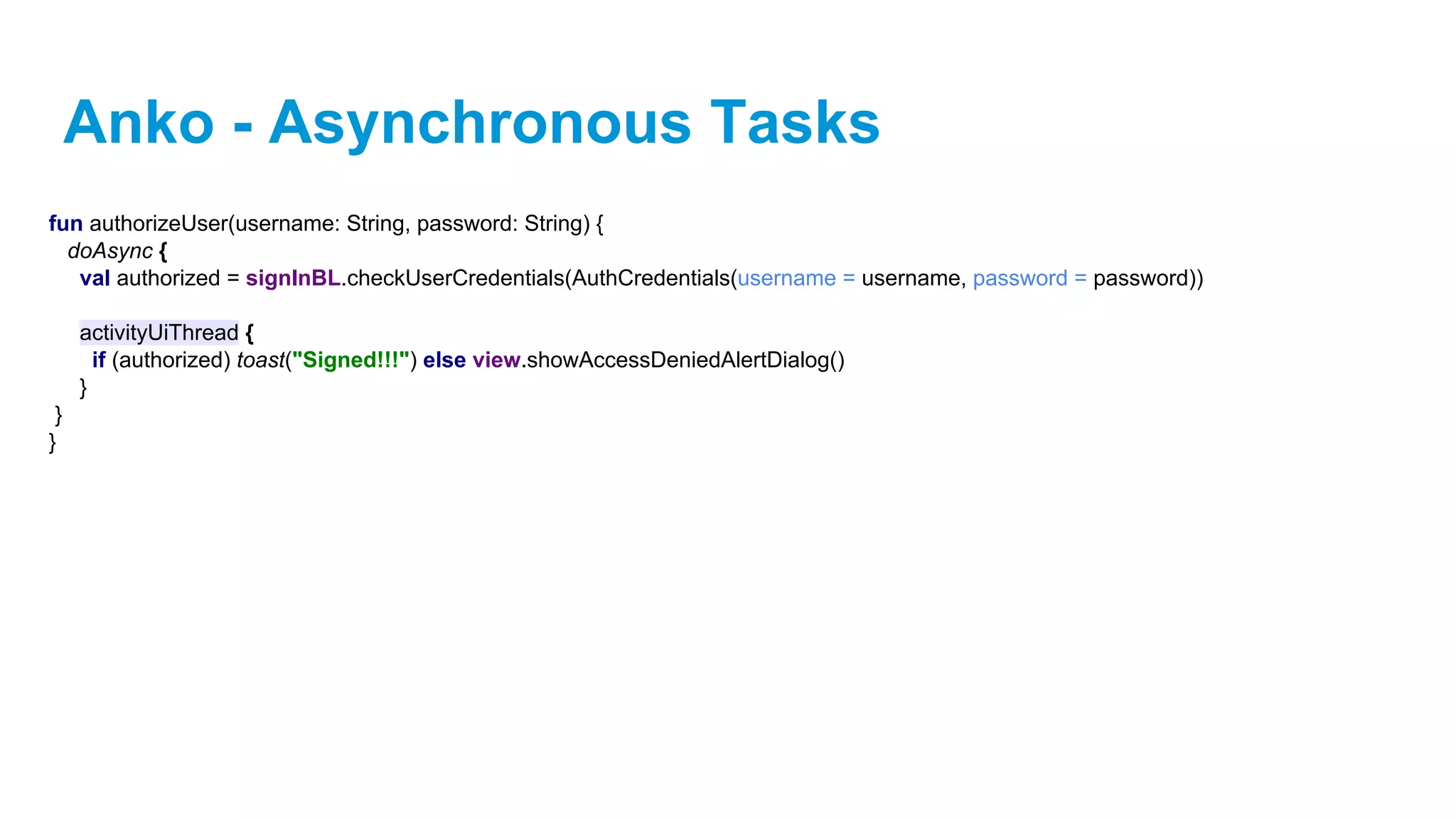
fun authorizeUser(username: String, password: String) {

doAsync {
val authorized = signInBL.checkUserCredentials(AuthCredentials(username = username, password = password))
activityUiThread {
if (authorized) toast("Signed!!!") else view.showAccessDeniedAlertDialog()
}
}
}
Anko - Asynchronous Tasks
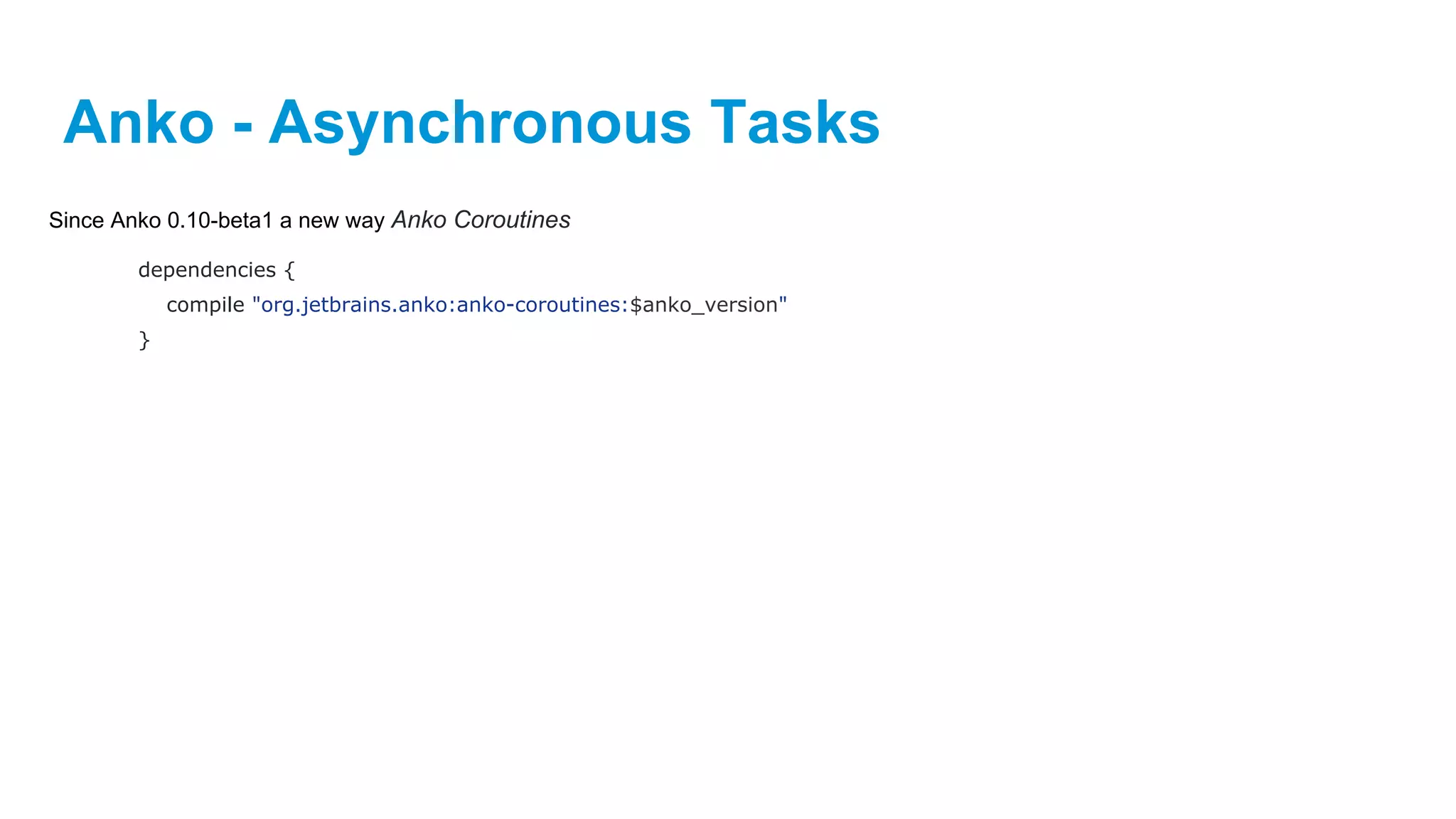
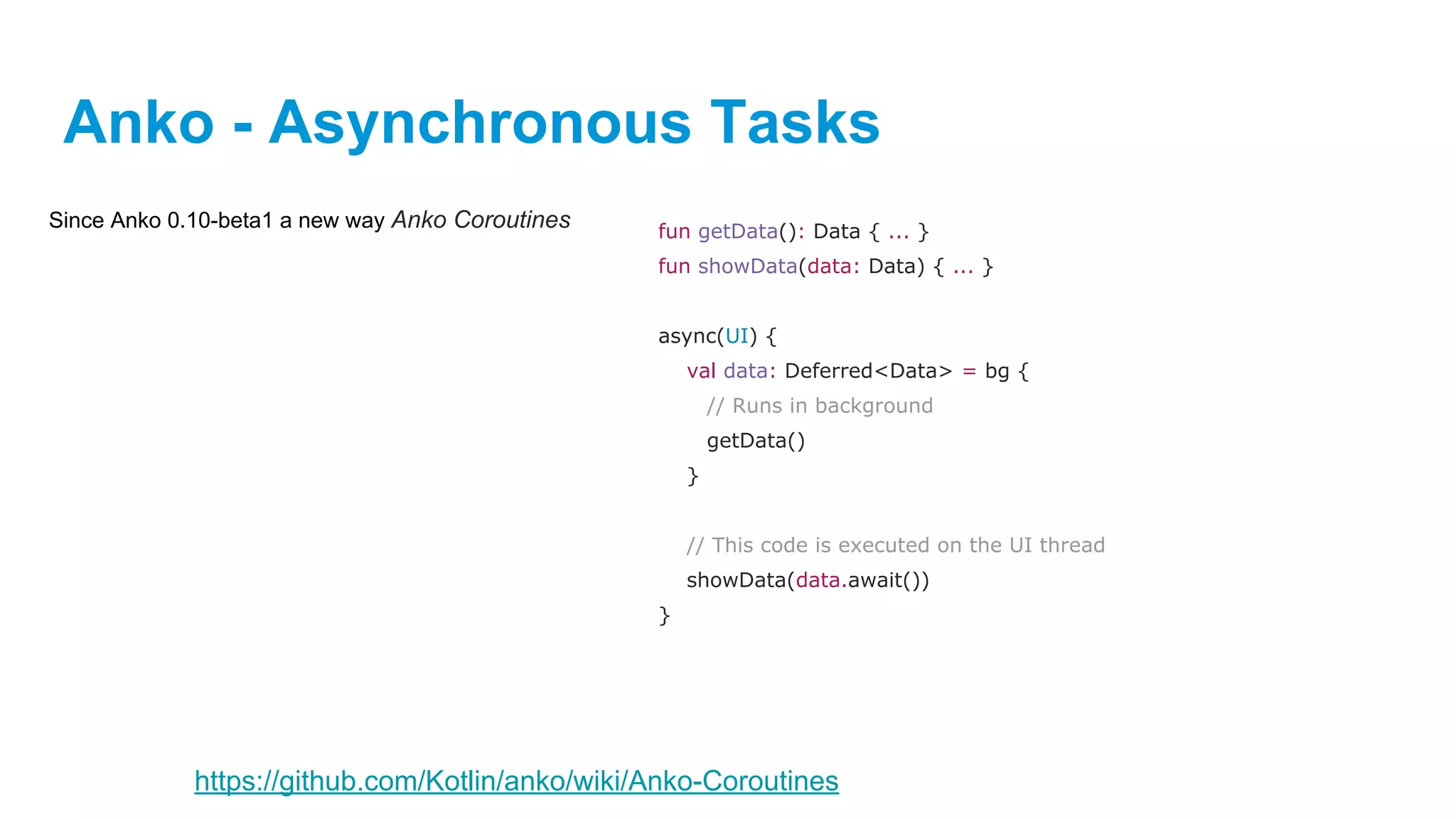
Since Anko 0.10-beta1 a new way Anko Coroutines
dependencies {
compile "org.jetbrains.anko:anko-coroutines:$anko_version"
}
Anko - Asynchronous Tasks
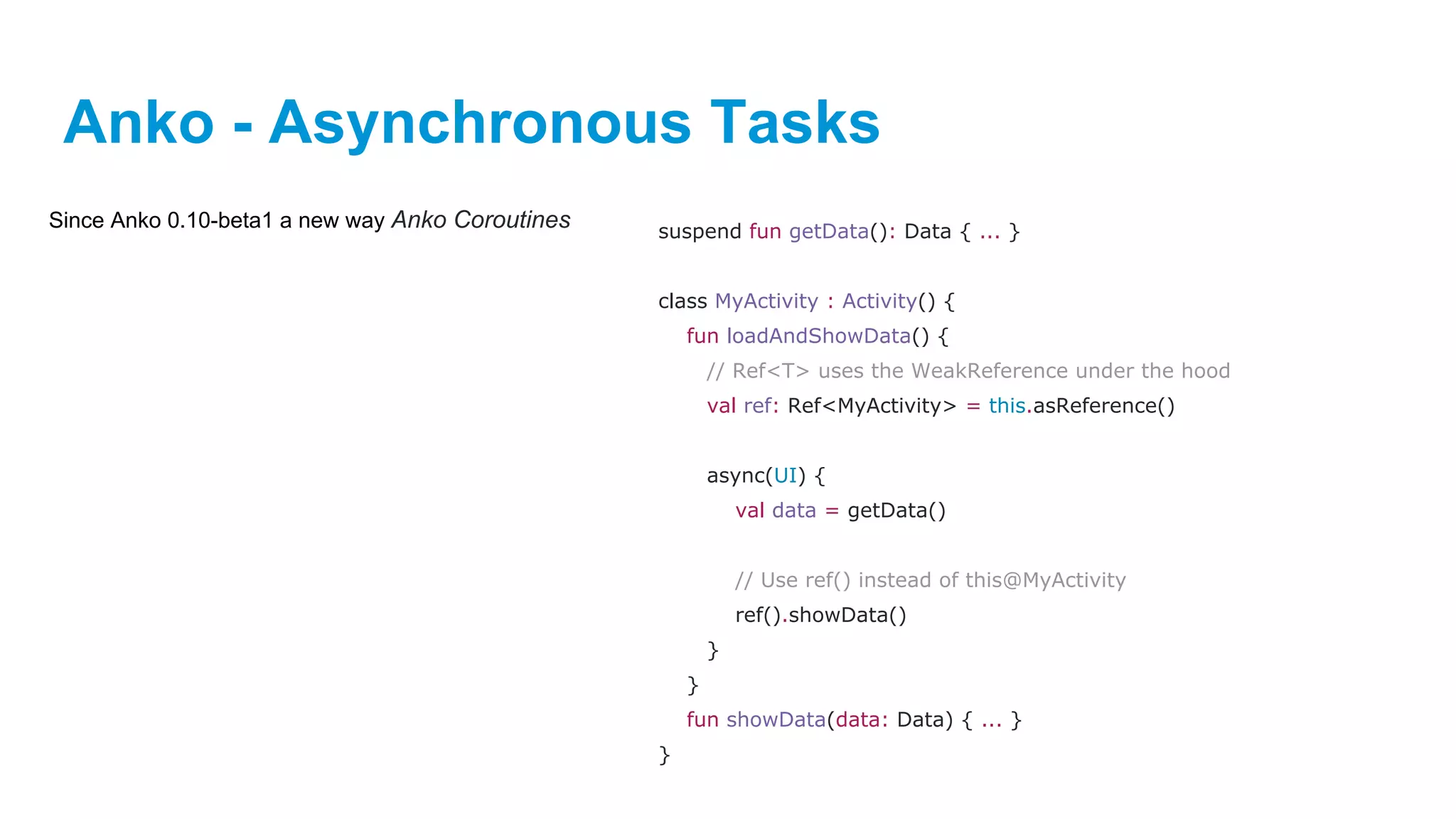
Since Anko 0.10-beta1 a new way Anko Coroutines suspend fun getData(): Data { ... }
class MyActivity : Activity() {
fun loadAndShowData() {
// Ref<T> uses the WeakReference under the hood
val ref: Ref<MyActivity> = this.asReference()
async(UI) {
val data = getData()
// Use ref() instead of this@MyActivity
ref().showData()
}
}
fun showData(data: Data) { ... }
}
Anko - Asynchronous Tasks
Since Anko 0.10-beta1 a new way Anko Coroutines fun getData(): Data { ... }
fun showData(data: Data) { ... }
async(UI) {
val data: Deferred<Data> = bg {
// Runs in background
getData()
}
// This code is executed on the UI thread
showData(data.await())
}
https://github.com/Kotlin/anko/wiki/Anko-Coroutines
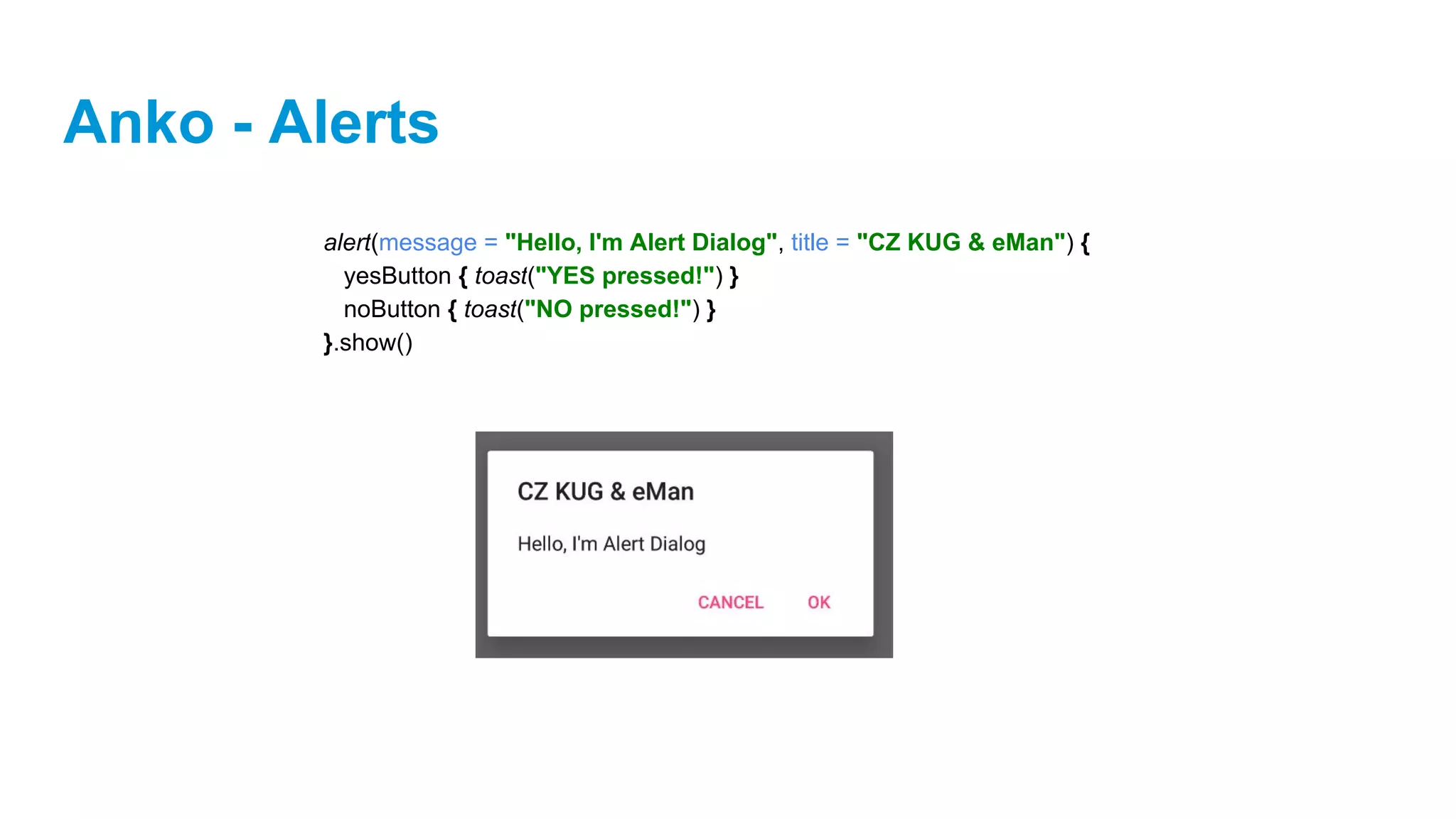
Anko - Alerts
alert(message = "Hello, I'm Alert Dialog", title = "CZ KUG & eMan") {
yesButton { toast("YES pressed!") }
noButton { toast("NO pressed!") }
}.show()
Anko - Intents
Anko contains some useful wrappers for some common intents:
// Took it from original Anko documentation
// Make a call
makeCall(number) // Intent(Intent.ACTION_CALL, Uri.parse("tel:$number"))
// startActivity(intent)
// Send a text
sendSMS(number, [text])
//Browse the web
browse(url)
//Share some text
share(text, [subject])
//Send a email
email(email, [subject], [text])
Arguments in square brackets ([]) are optional
Anko - Intents
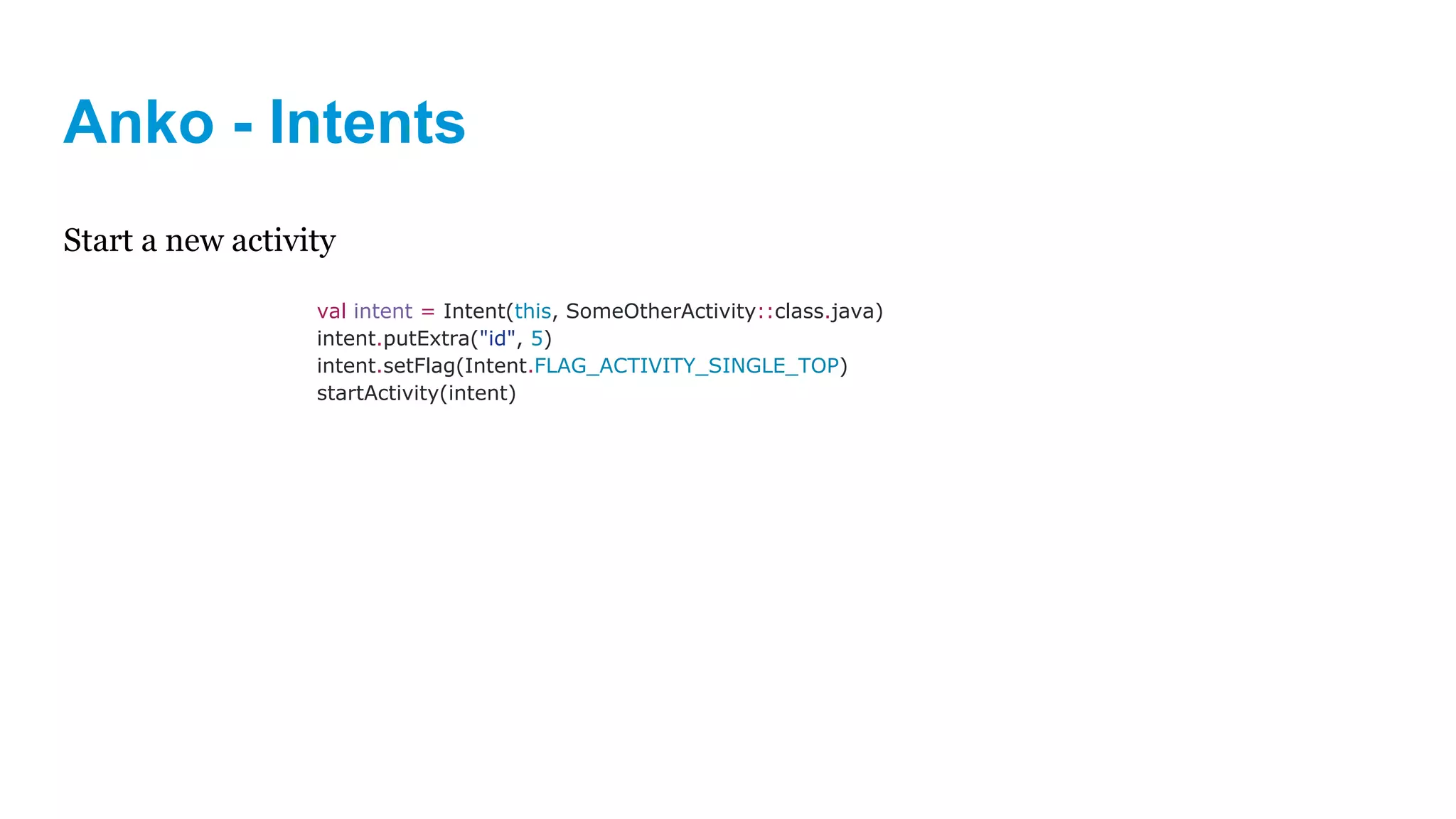
Start a new activity
val intent = Intent(this, SomeOtherActivity::class.java)
intent.putExtra("id", 5)
intent.setFlag(Intent.FLAG_ACTIVITY_SINGLE_TOP)
startActivity(intent)
Anko - Intents
Start a new activity
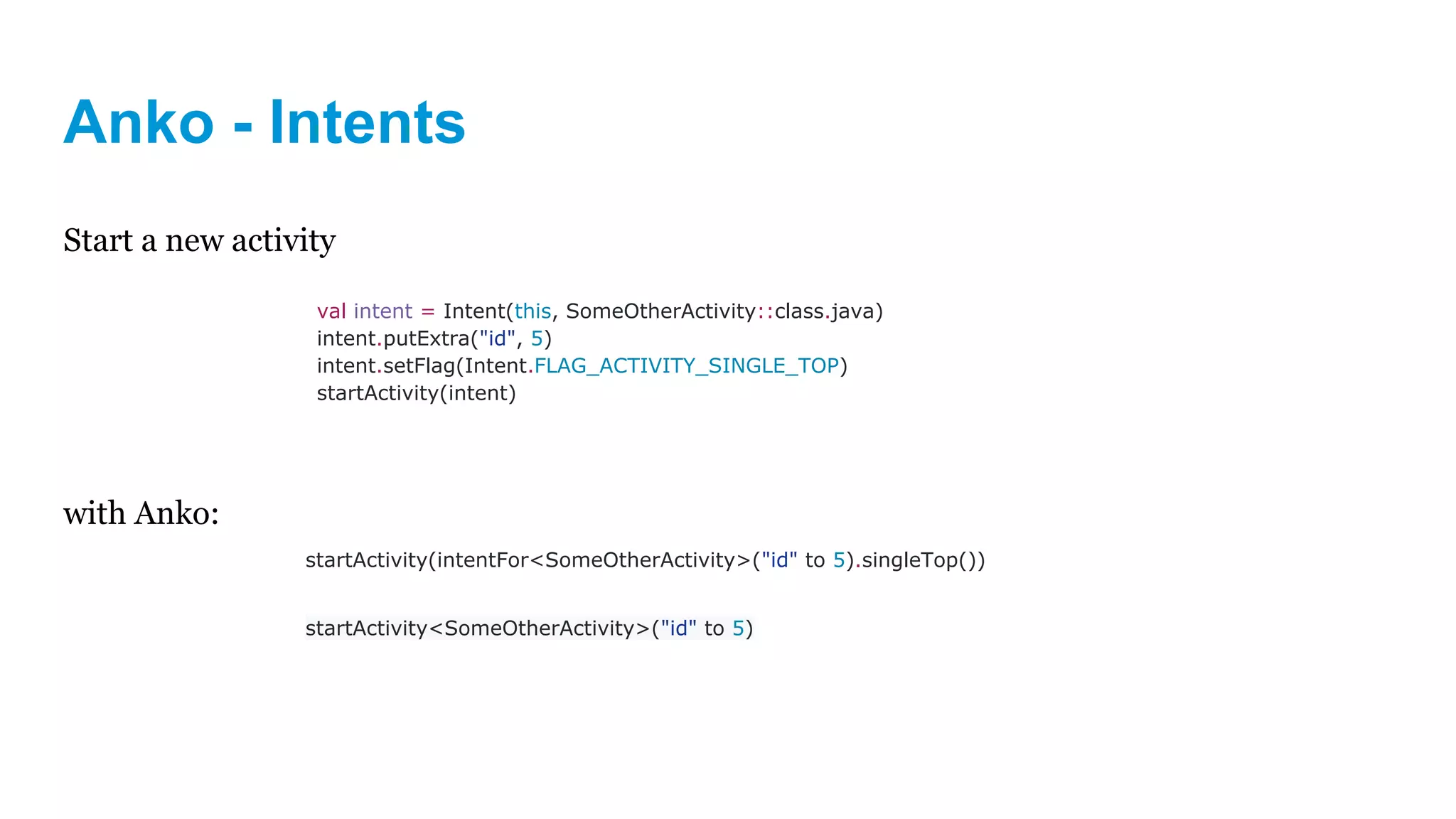
with Anko:
val intent = Intent(this, SomeOtherActivity::class.java)
intent.putExtra("id", 5)
intent.setFlag(Intent.FLAG_ACTIVITY_SINGLE_TOP)
startActivity(intent)
startActivity(intentFor<SomeOtherActivity>("id" to 5).singleTop())
startActivity<SomeOtherActivity>("id" to 5)
Anko - Logging
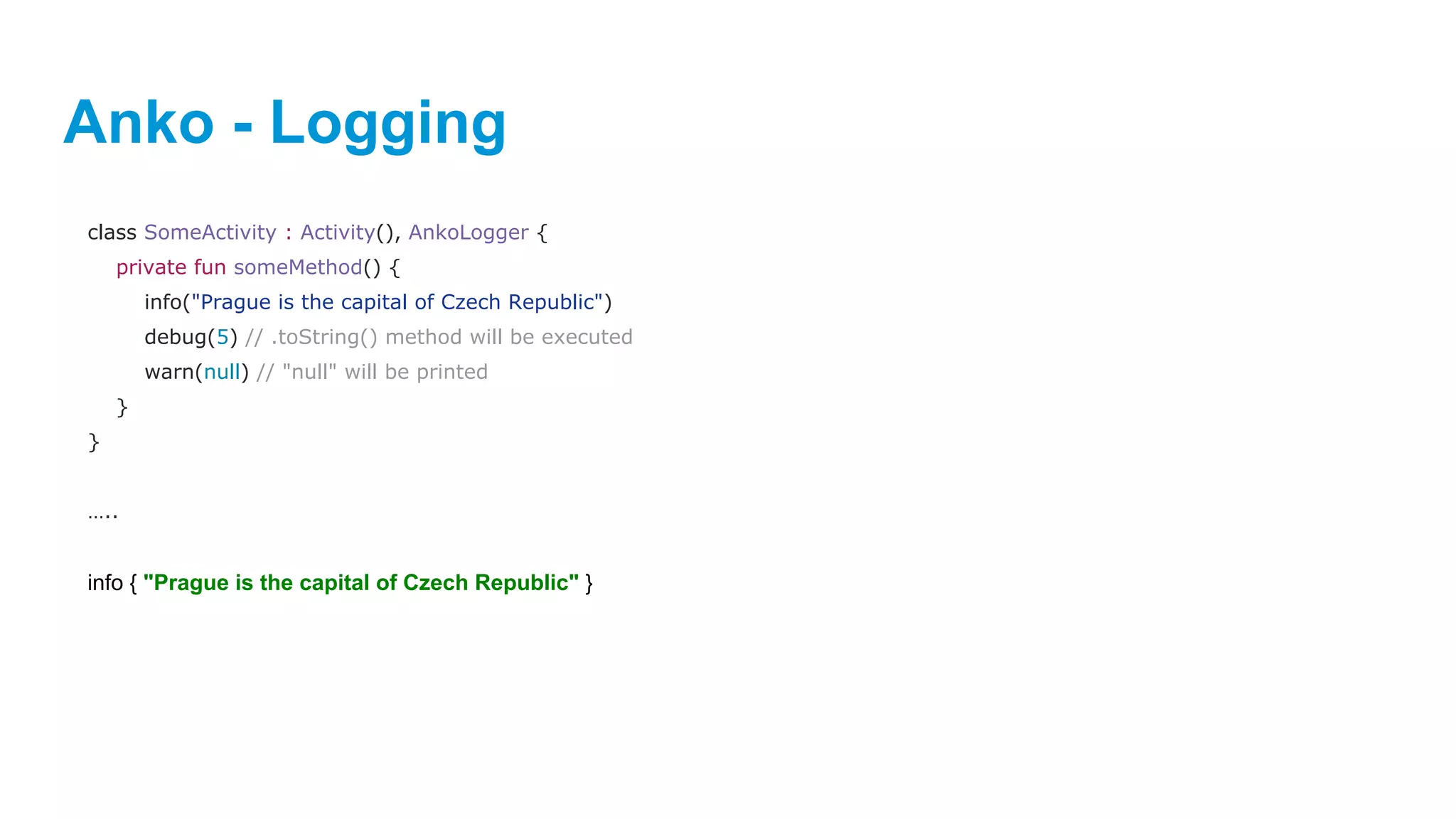
class SomeActivity : Activity(), AnkoLogger {
private fun someMethod() {
info("Prague is the capital of Czech Republic")
debug(5) // .toString() method will be executed
warn(null) // "null" will be printed
}
}
…..
info { "Prague is the capital of Czech Republic" }
Anko
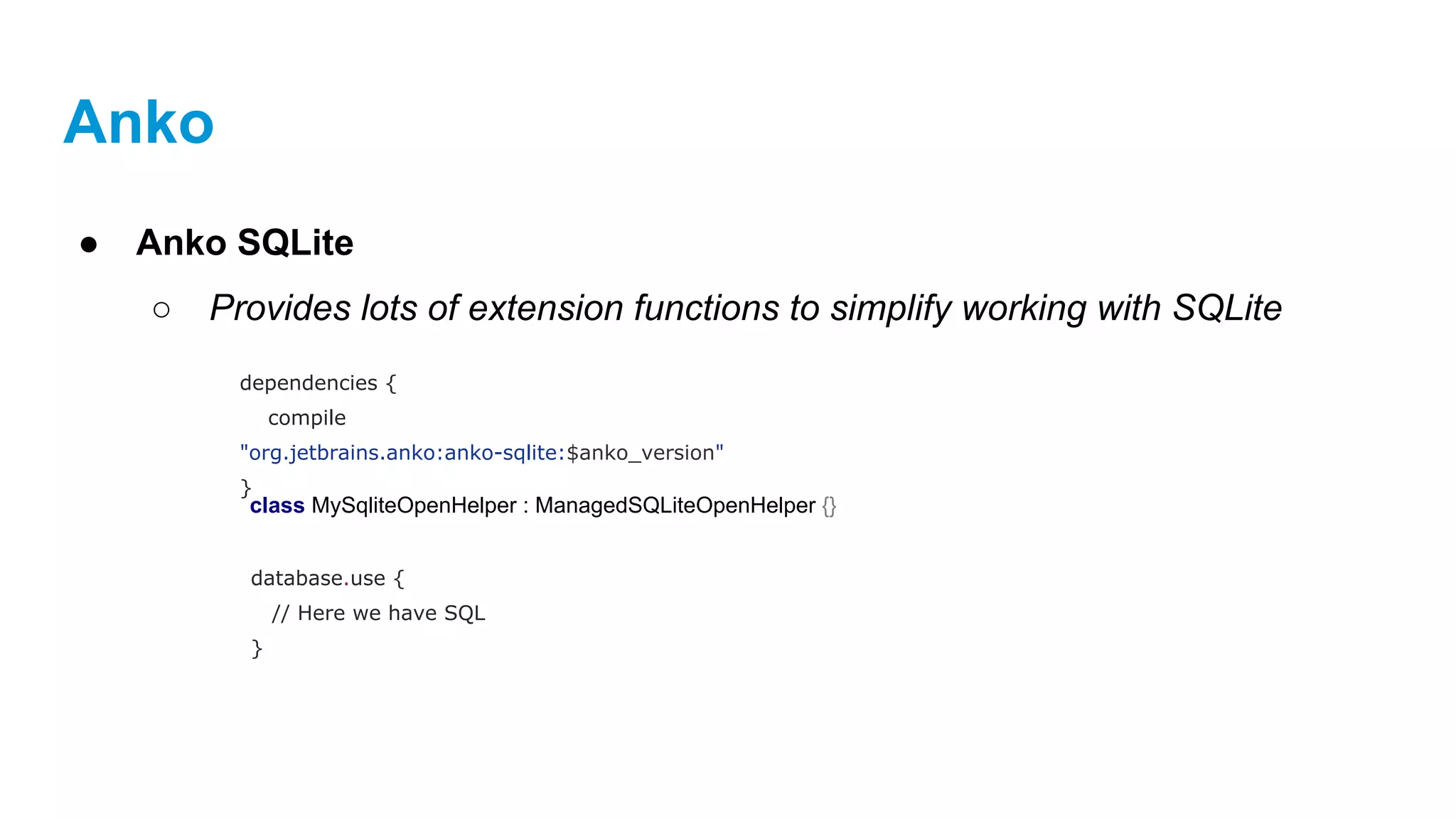
● Anko SQLite
○ Provides lots of extension functions to simplify working with SQLite
dependencies {
compile
"org.jetbrains.anko:anko-sqlite:$anko_version"
}
class MySqliteOpenHelper : ManagedSQLiteOpenHelper {}
database.use {
// Here we have SQL
}
Anko
● Anko SQLite
○ Provides lots of extension functions to simplify working with SQLite
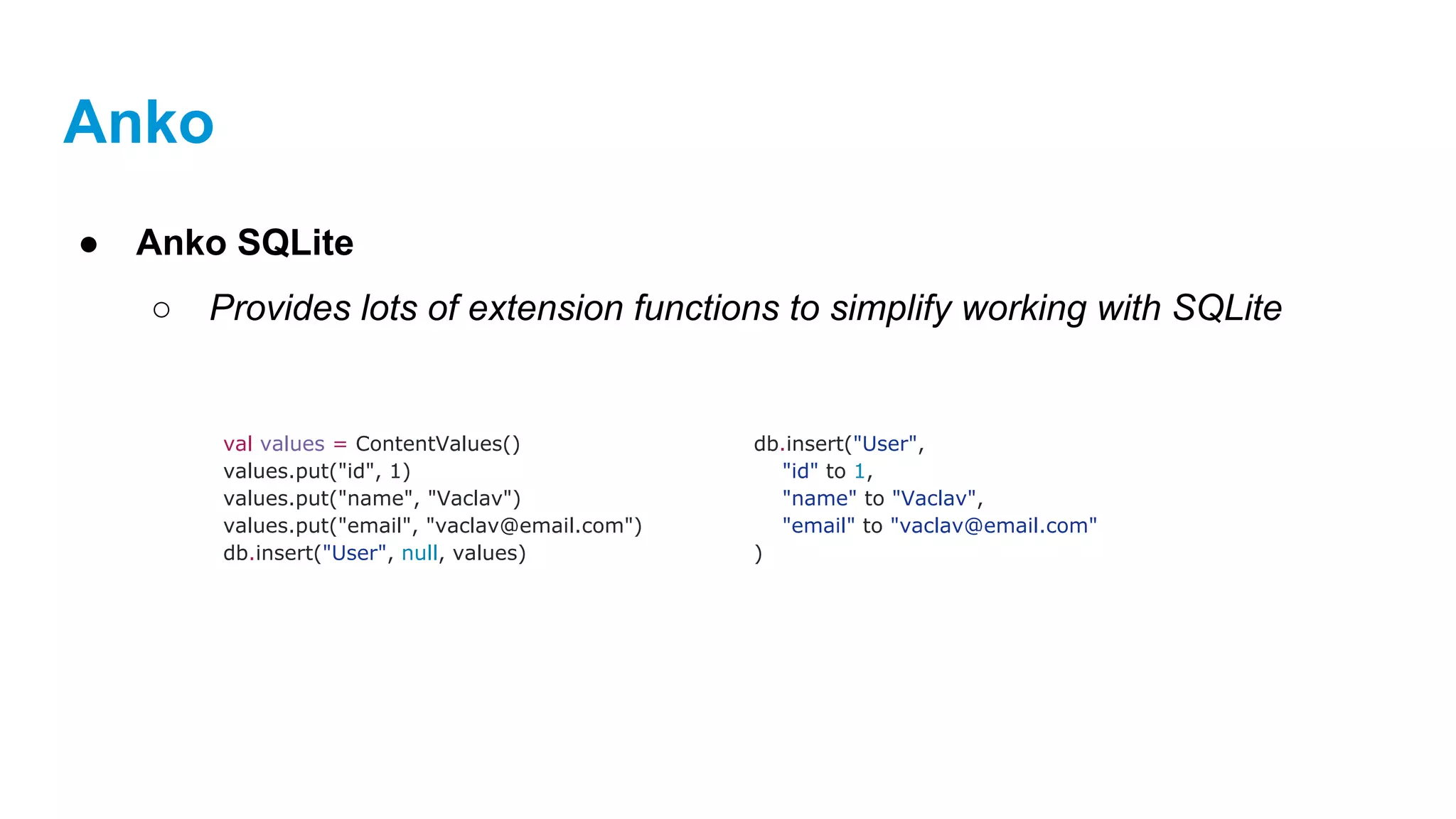
val values = ContentValues()
values.put("id", 1)
values.put("name", "Vaclav")
values.put("email", "vaclav@email.com")
db.insert("User", null, values)
db.insert("User",
"id" to 1,
"name" to "Vaclav",
"email" to "vaclav@email.com"
)
Anko
● Anko SQLite
○ Provides lots of extension functions to simplify working with SQLite
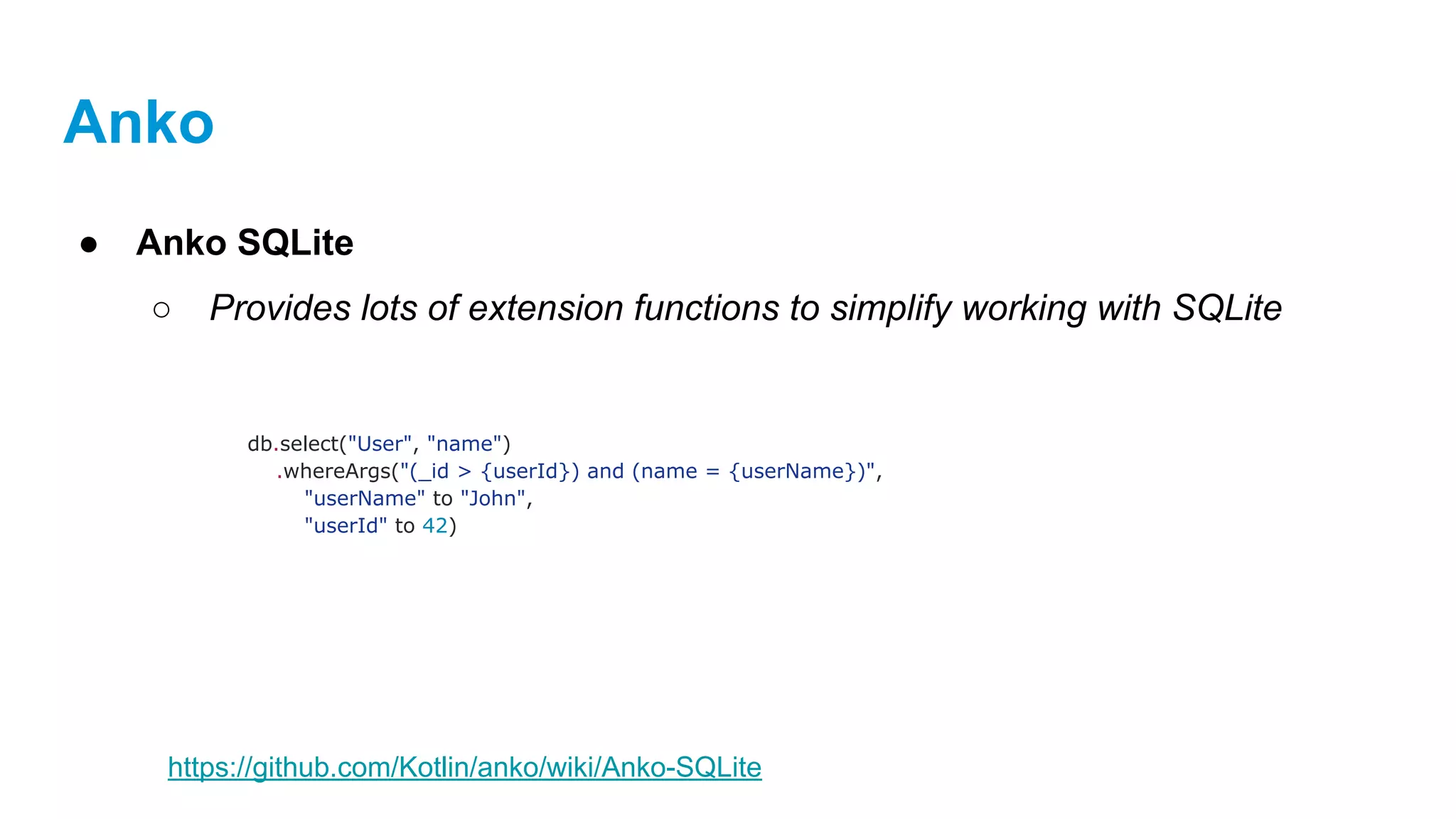
db.select("User", "name")
.whereArgs("(_id > {userId}) and (name = {userName})",
"userName" to "John",
"userId" to 42)
https://github.com/Kotlin/anko/wiki/Anko-SQLite
Modern SQL based query & persistance for Java / Kotlin / Android
https://github.com/requery/requery
Requery
● Object mapping and SQL generator for Java/Kotlin/Android
○ RxJava and Java 8 support
○ Create databases
○ Perform queries and updates
Requery
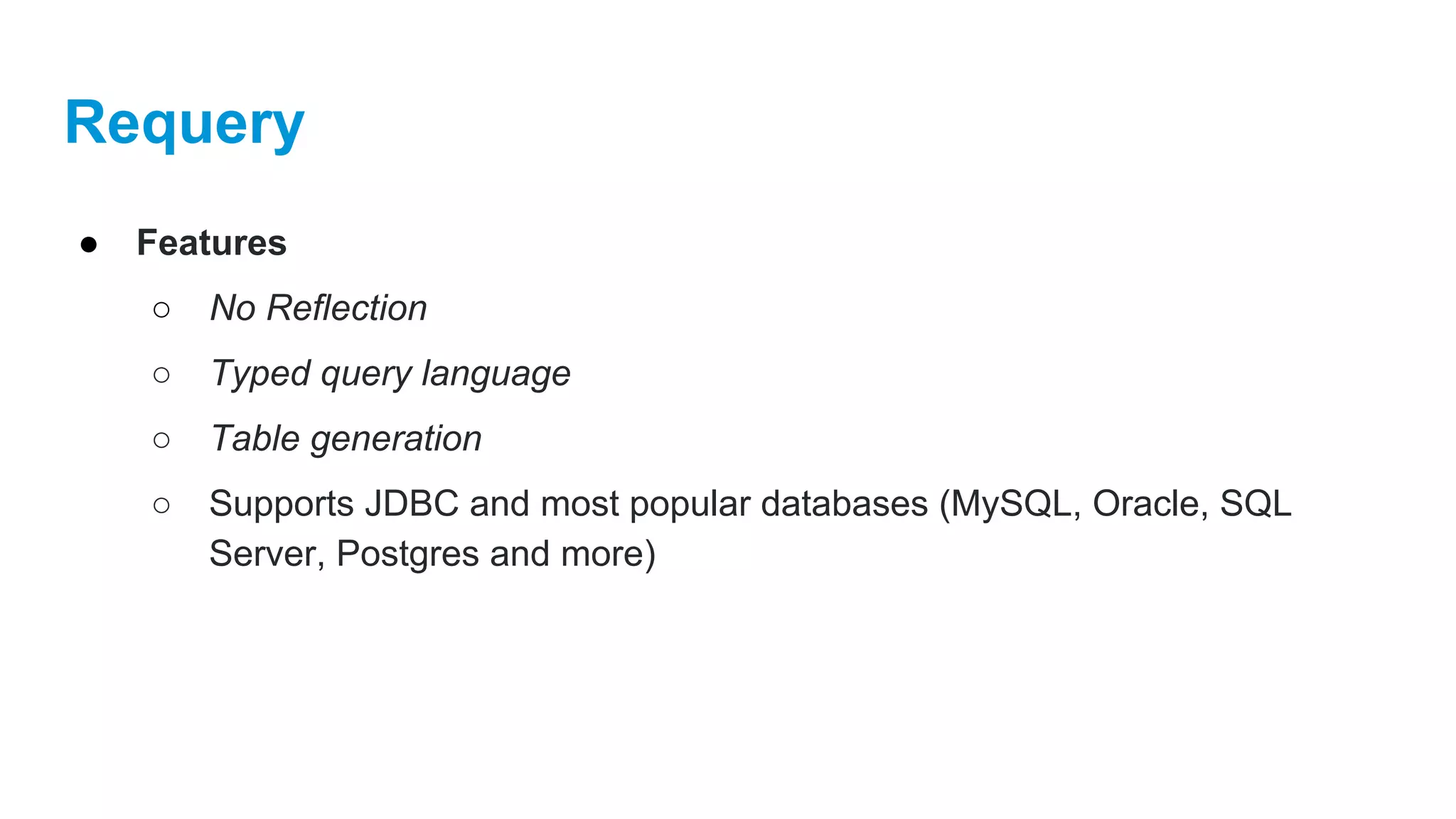
● Features
○ No Reflection
○ Typed query language
○ Table generation
○ Supports JDBC and most popular databases (MySQL, Oracle, SQL
Server, Postgres and more)
Requery
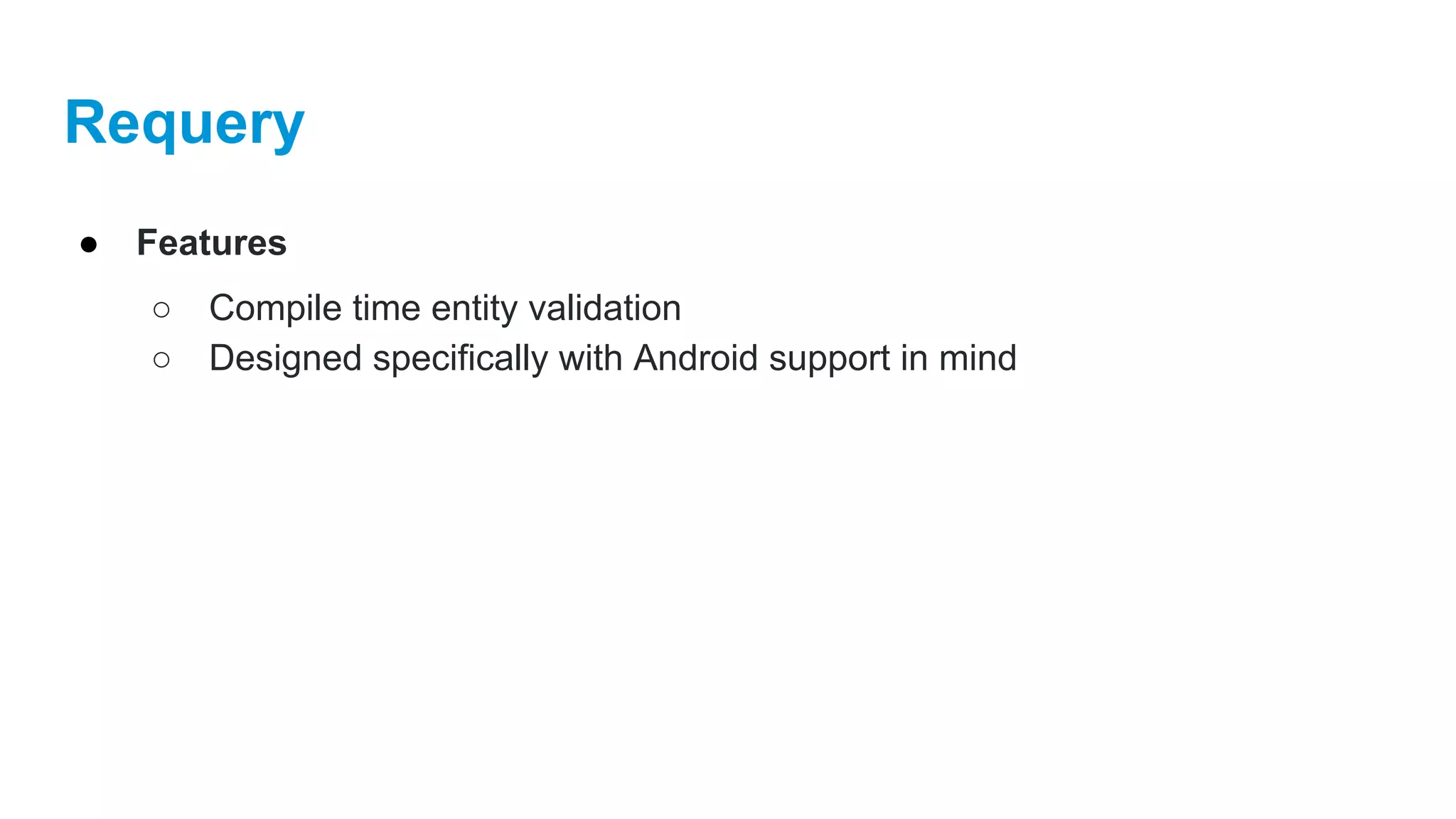
● Features
○ Compile time entity validation
○ Designed specifically with Android support in mind
Requery
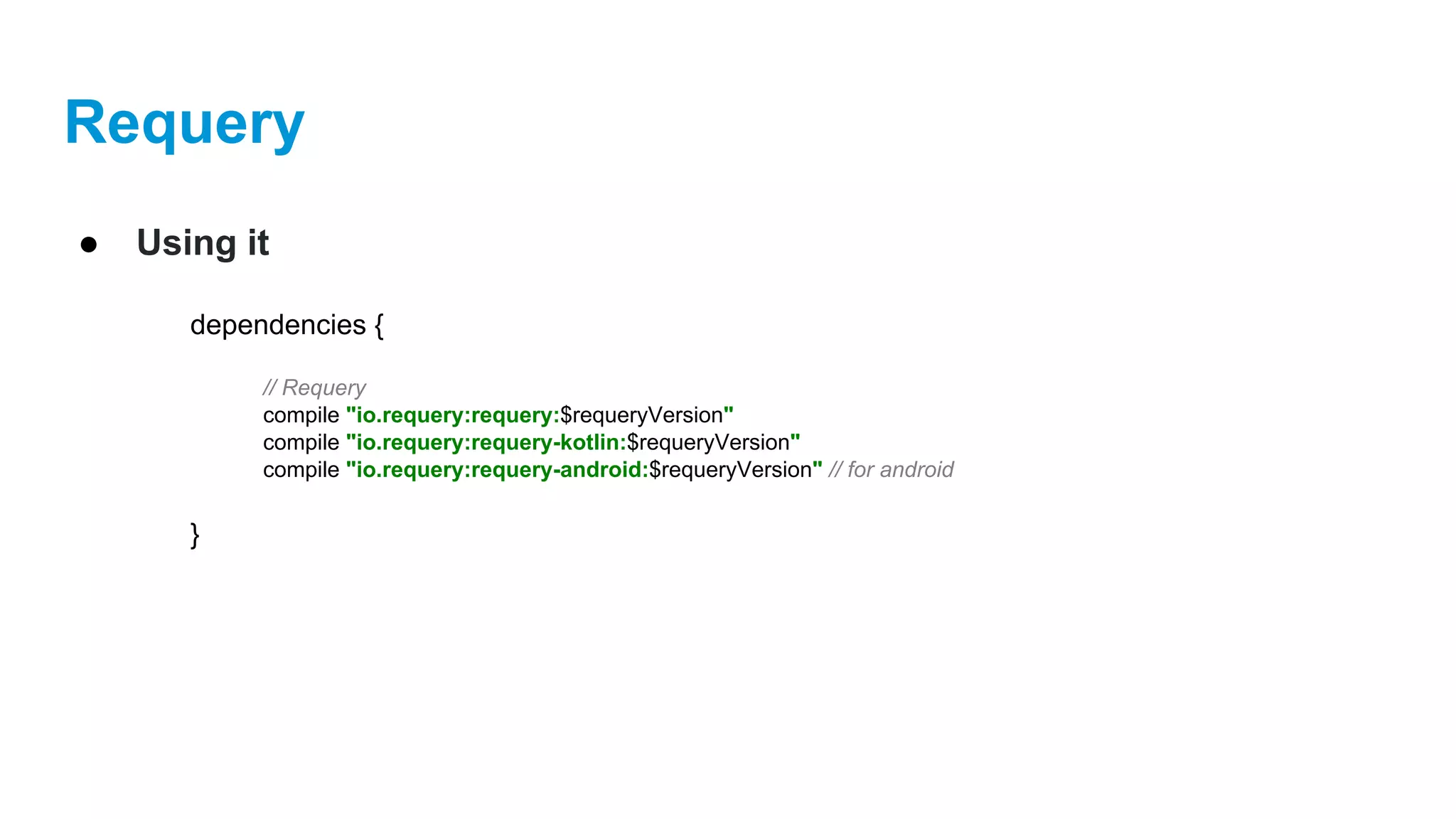
● Using it
dependencies {
// Requery
compile "io.requery:requery:$requeryVersion"
compile "io.requery:requery-kotlin:$requeryVersion"
compile "io.requery:requery-android:$requeryVersion" // for android
}
Requery
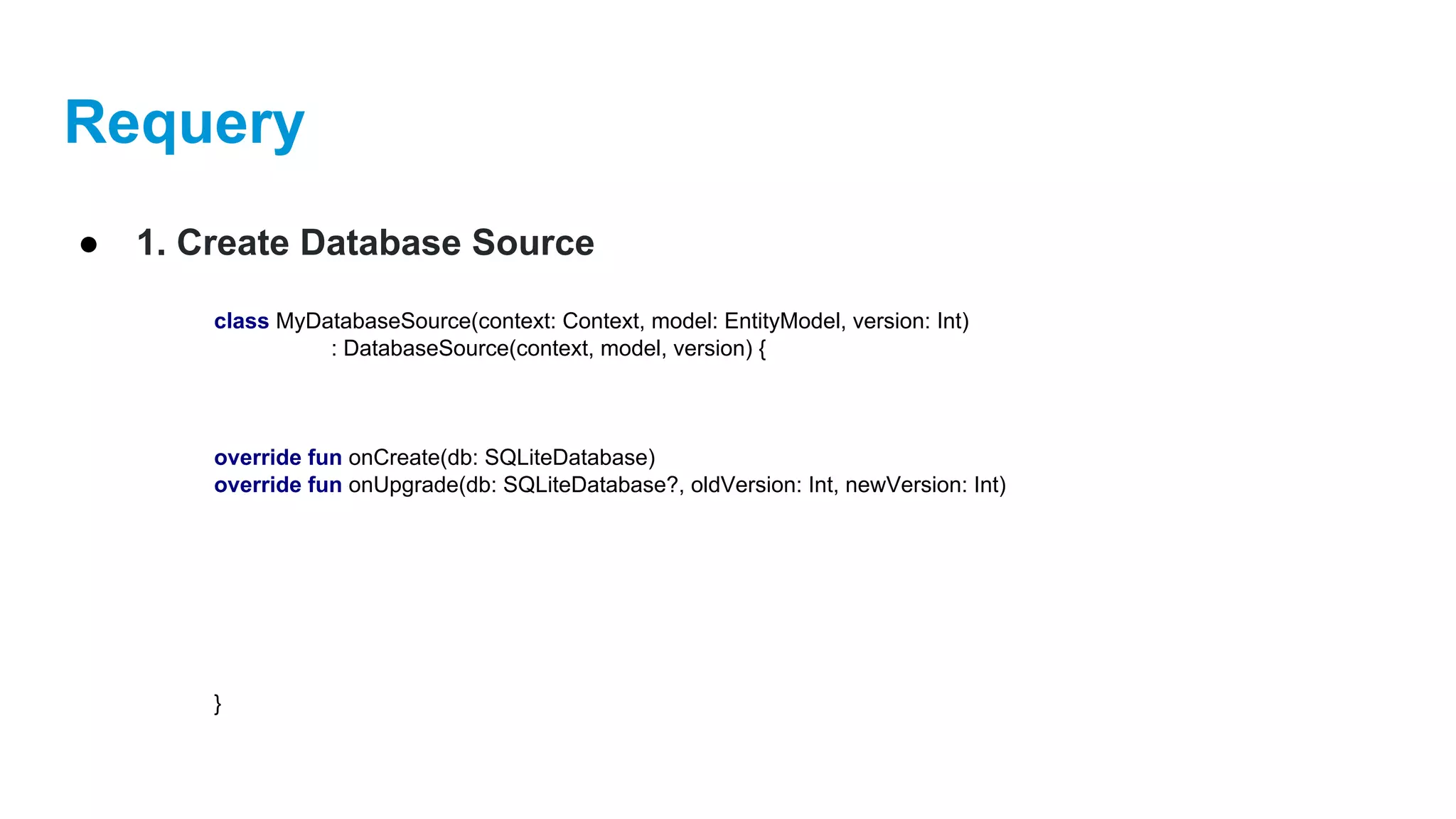
● 1. Create Database Source
class MyDatabaseSource(context: Context, model: EntityModel, version: Int)
: DatabaseSource(context, model, version) {
override fun onCreate(db: SQLiteDatabase)
override fun onUpgrade(db: SQLiteDatabase?, oldVersion: Int, newVersion: Int)
}
Requery
● 2. Kotlin Entity Datastore
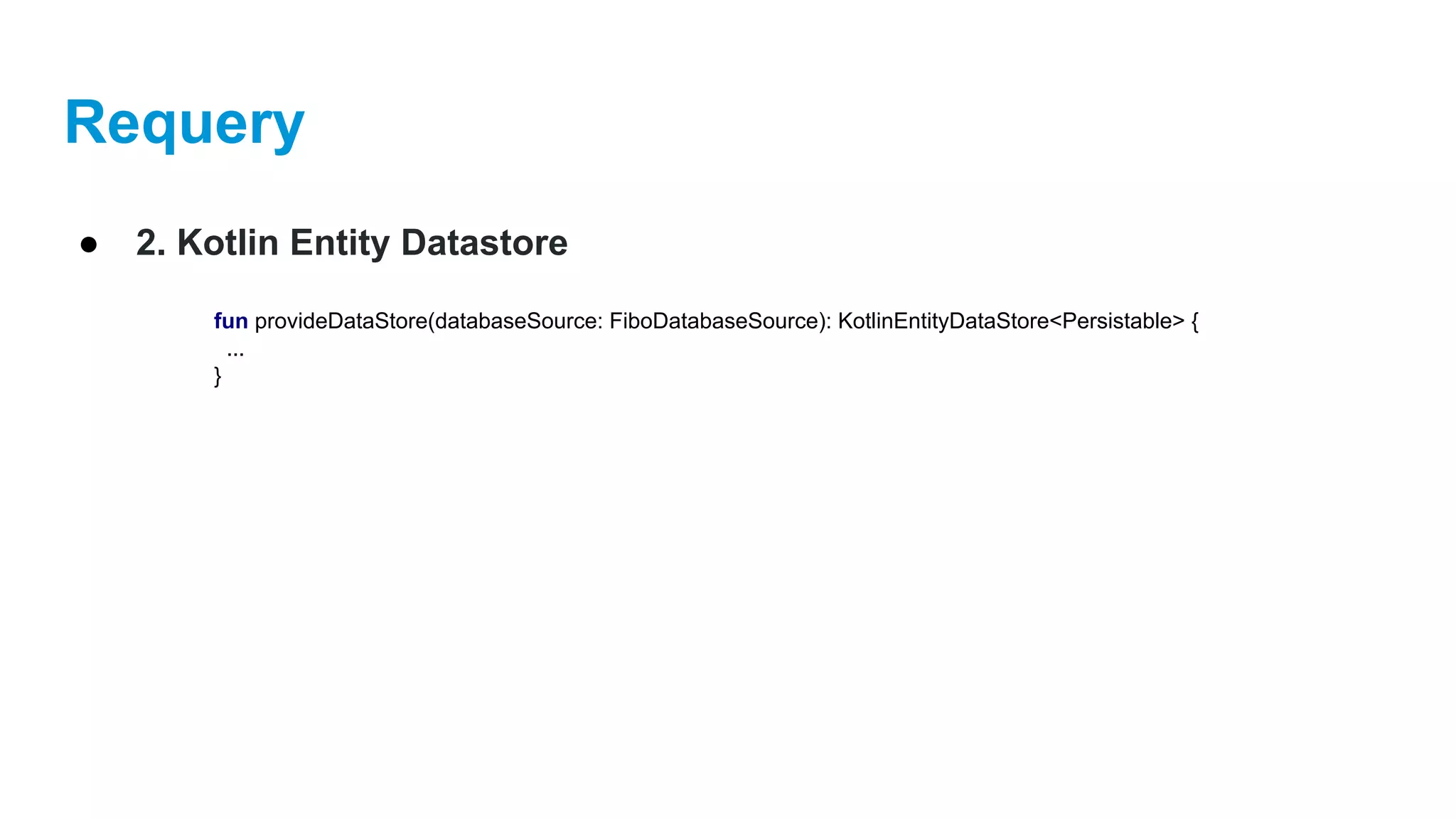
fun provideDataStore(databaseSource: FiboDatabaseSource): KotlinEntityDataStore<Persistable> {
...
}
Requery
● 2. Kotlin Entity Datastore
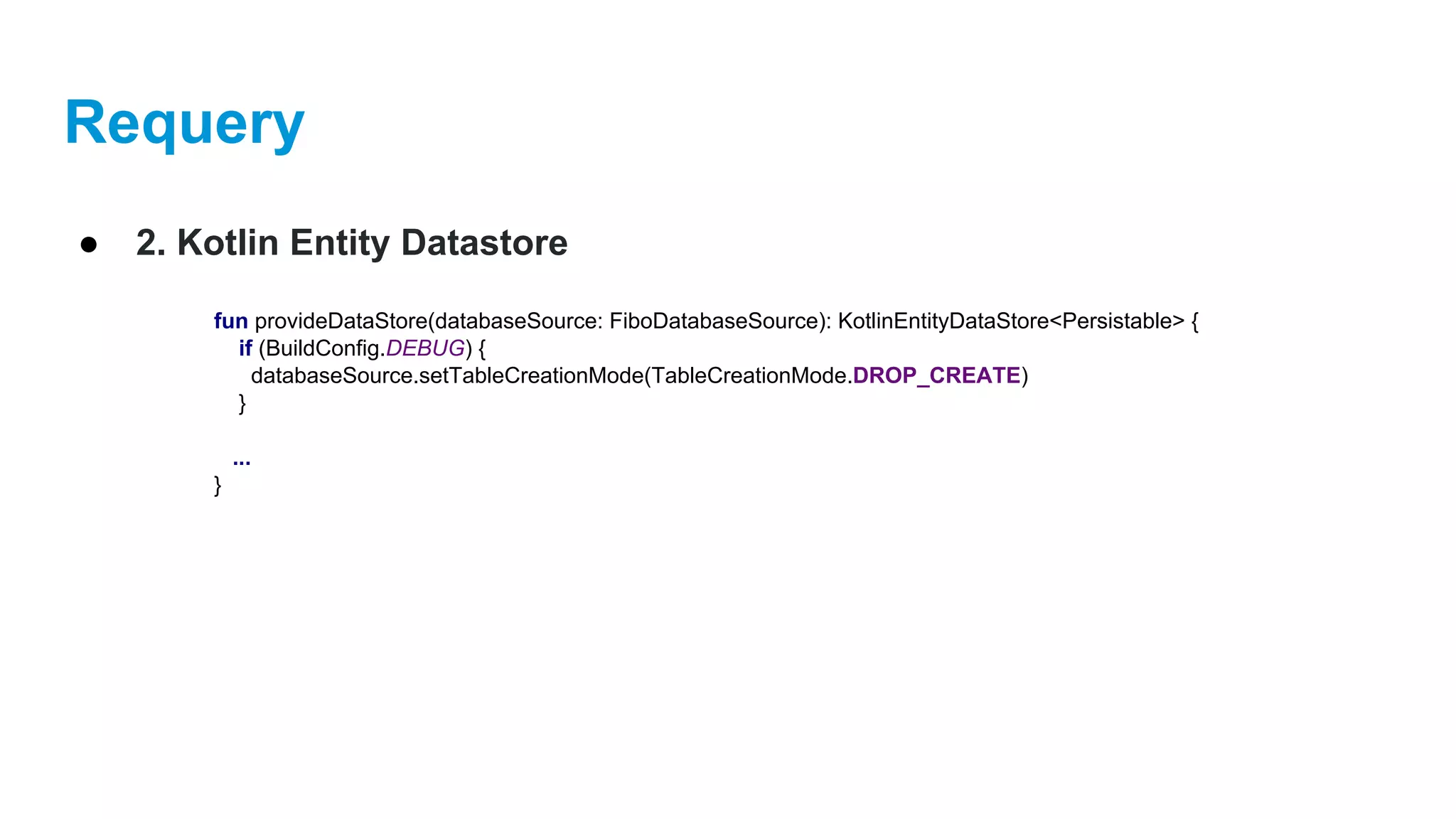
fun provideDataStore(databaseSource: FiboDatabaseSource): KotlinEntityDataStore<Persistable> {
if (BuildConfig.DEBUG) {
databaseSource.setTableCreationMode(TableCreationMode.DROP_CREATE)
}
...
}
Requery
● 2. Kotlin Entity Datastore
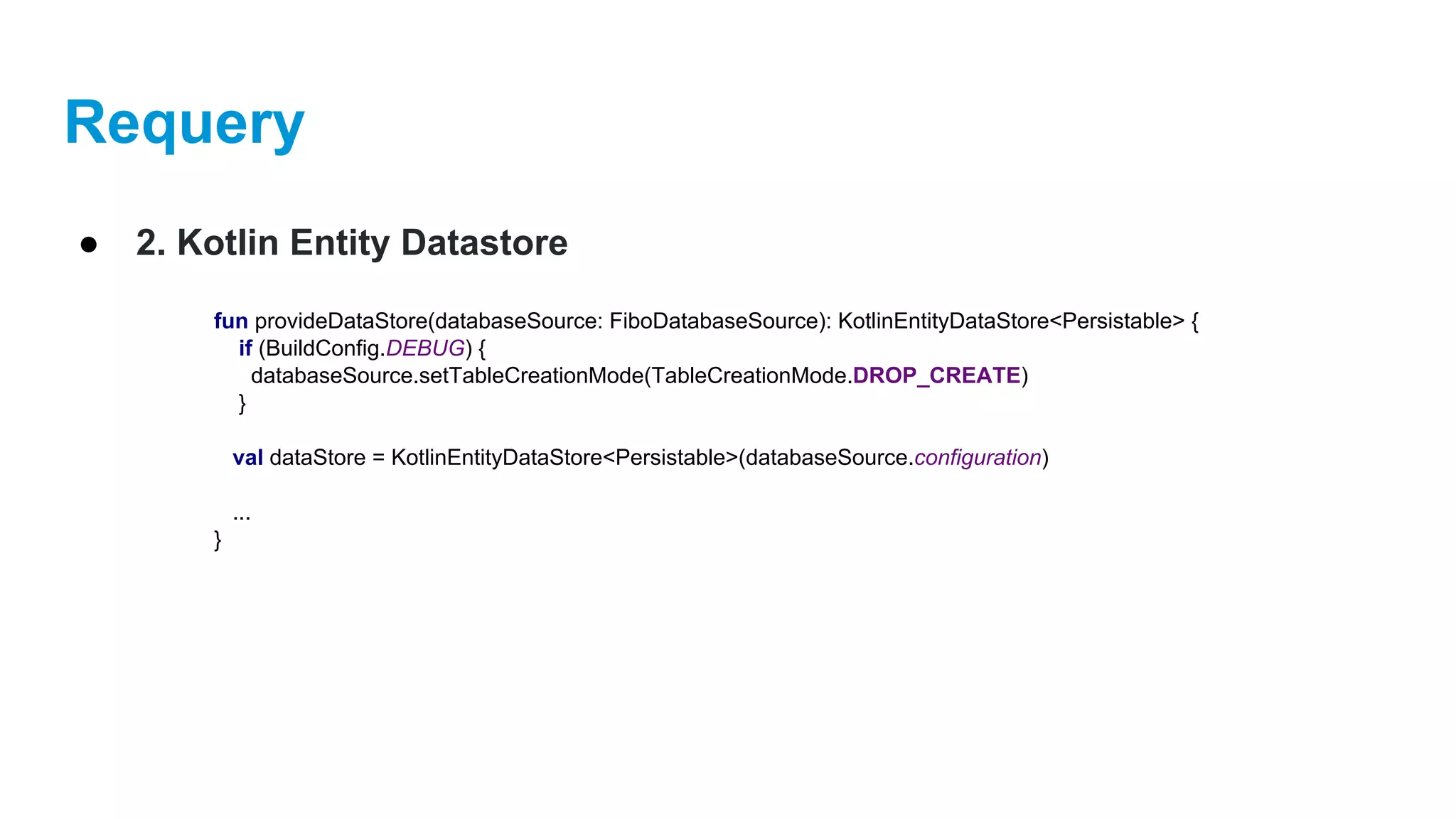
fun provideDataStore(databaseSource: FiboDatabaseSource): KotlinEntityDataStore<Persistable> {
if (BuildConfig.DEBUG) {
databaseSource.setTableCreationMode(TableCreationMode.DROP_CREATE)
}
val dataStore = KotlinEntityDataStore<Persistable>(databaseSource.configuration)
...
}
Requery
● 2. Kotlin Entity Datastore
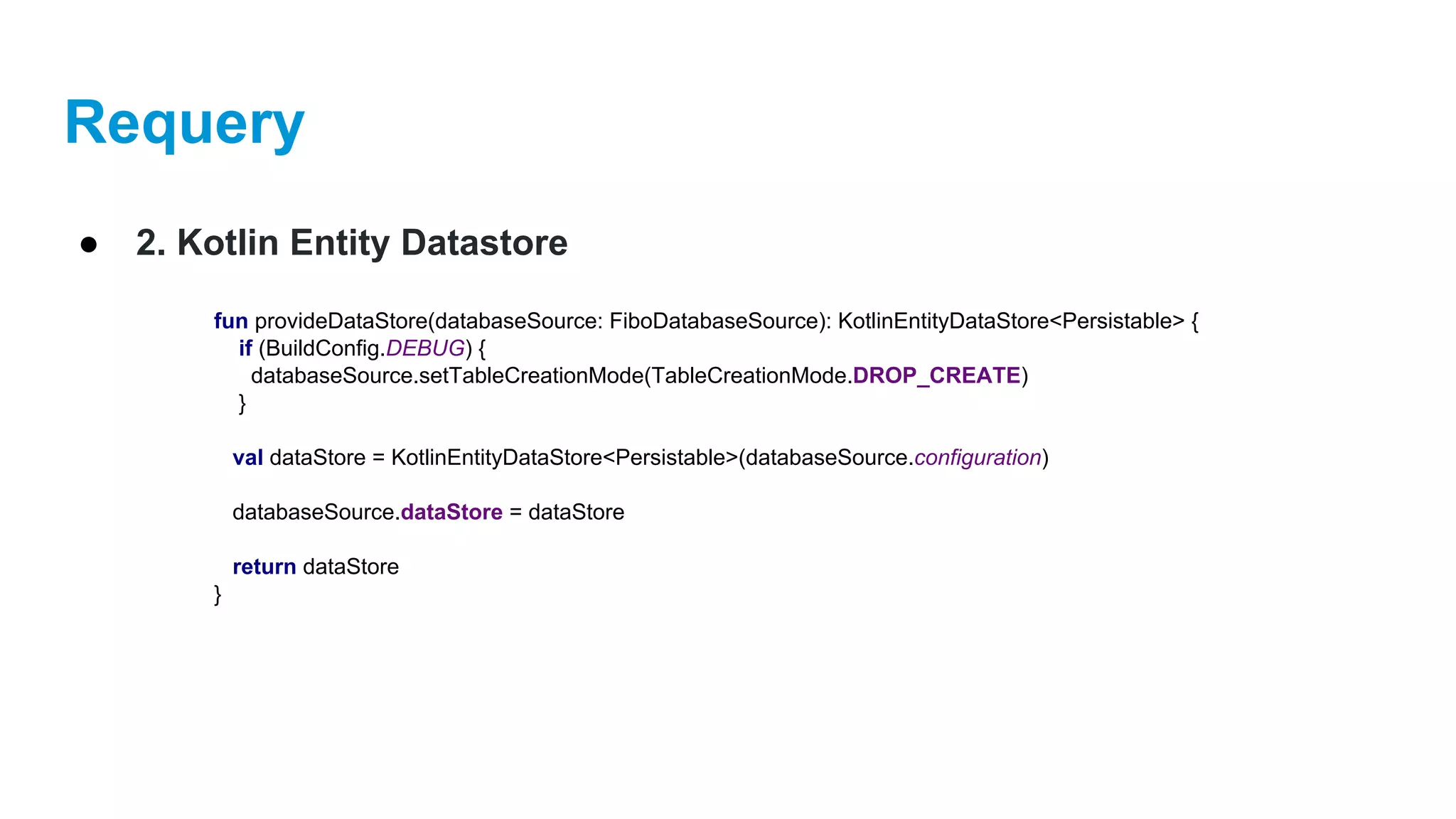
fun provideDataStore(databaseSource: FiboDatabaseSource): KotlinEntityDataStore<Persistable> {
if (BuildConfig.DEBUG) {
databaseSource.setTableCreationMode(TableCreationMode.DROP_CREATE)
}
val dataStore = KotlinEntityDataStore<Persistable>(databaseSource.configuration)
databaseSource.dataStore = dataStore
return dataStore
}
Requery
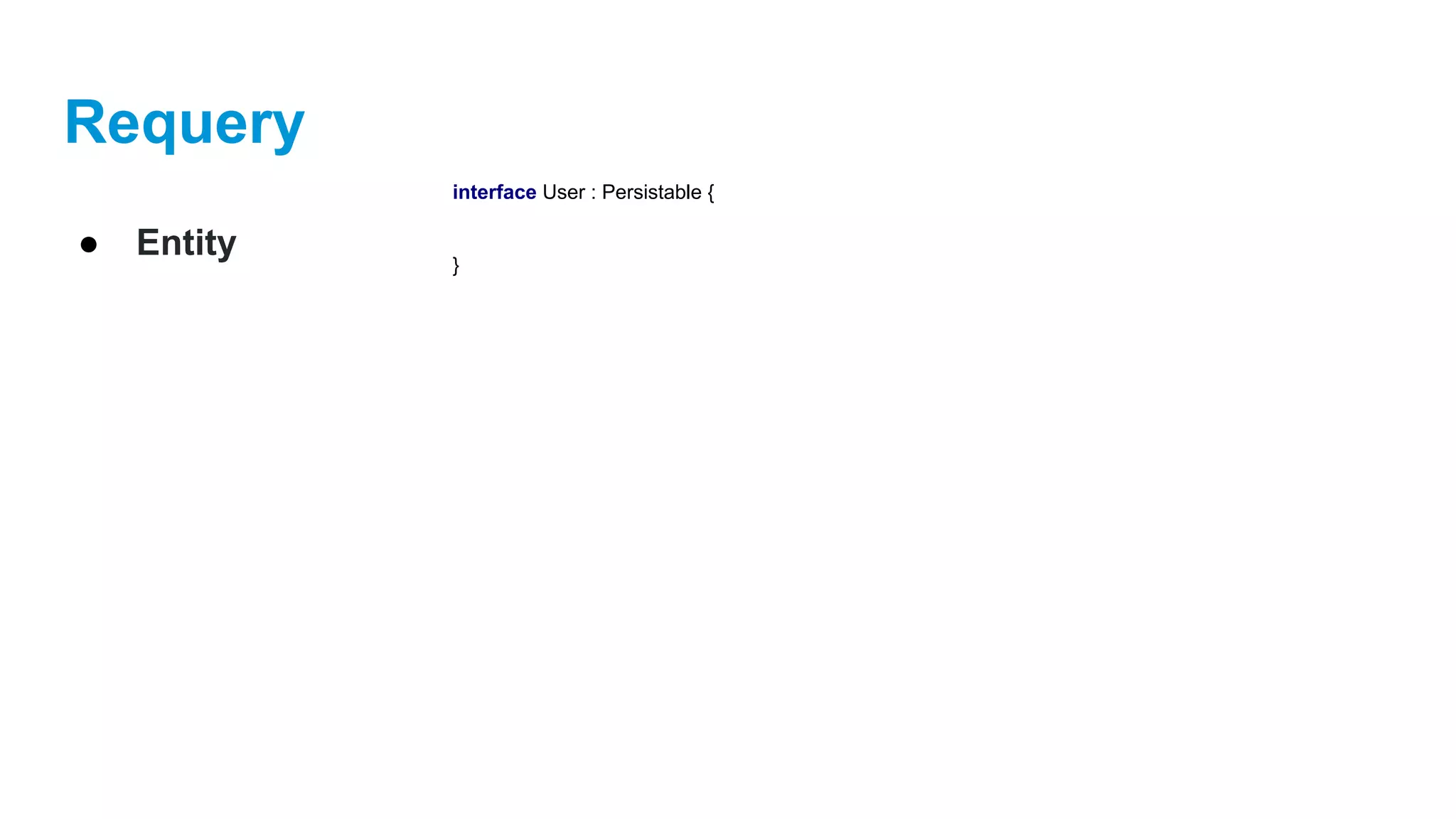
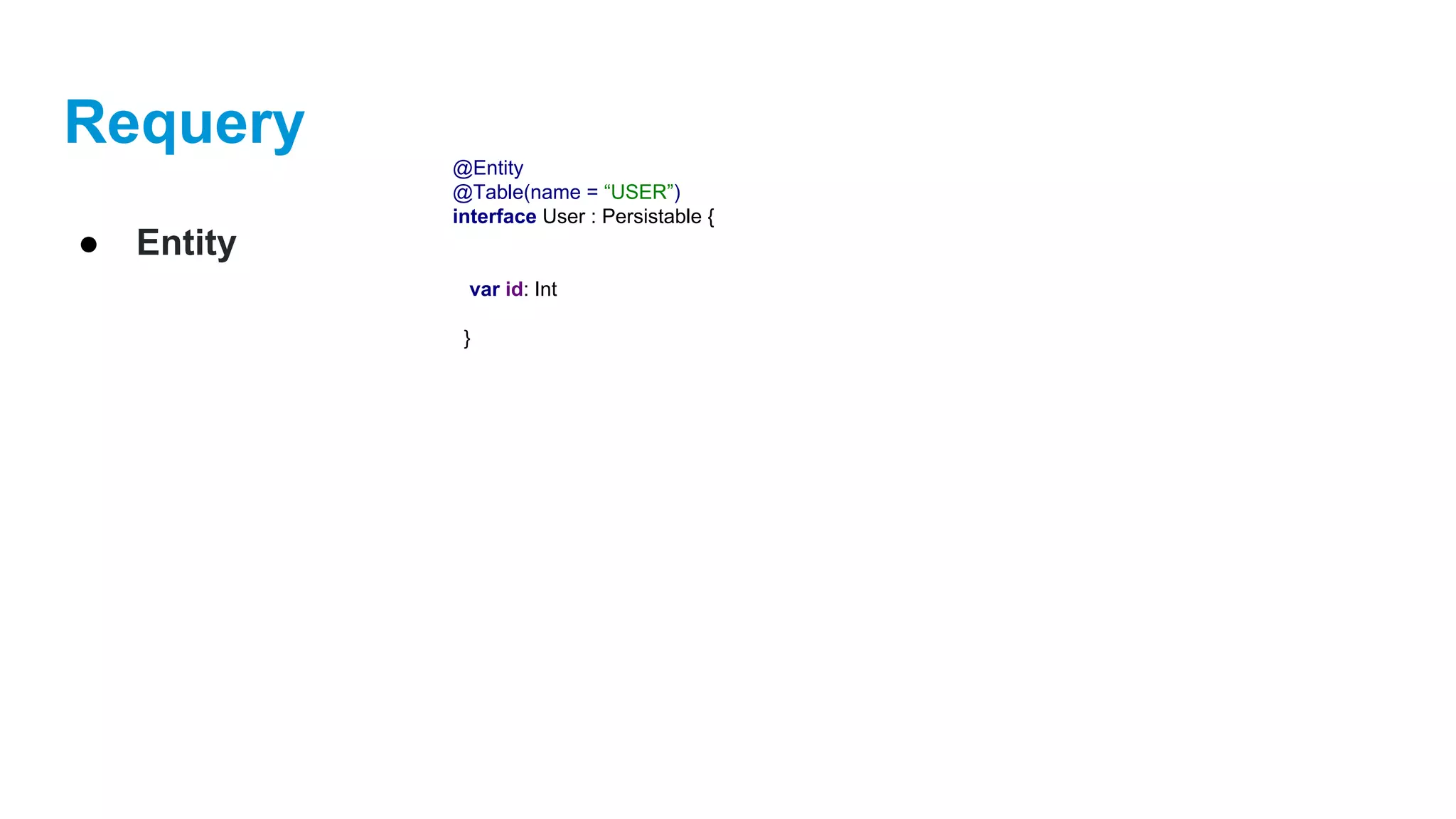
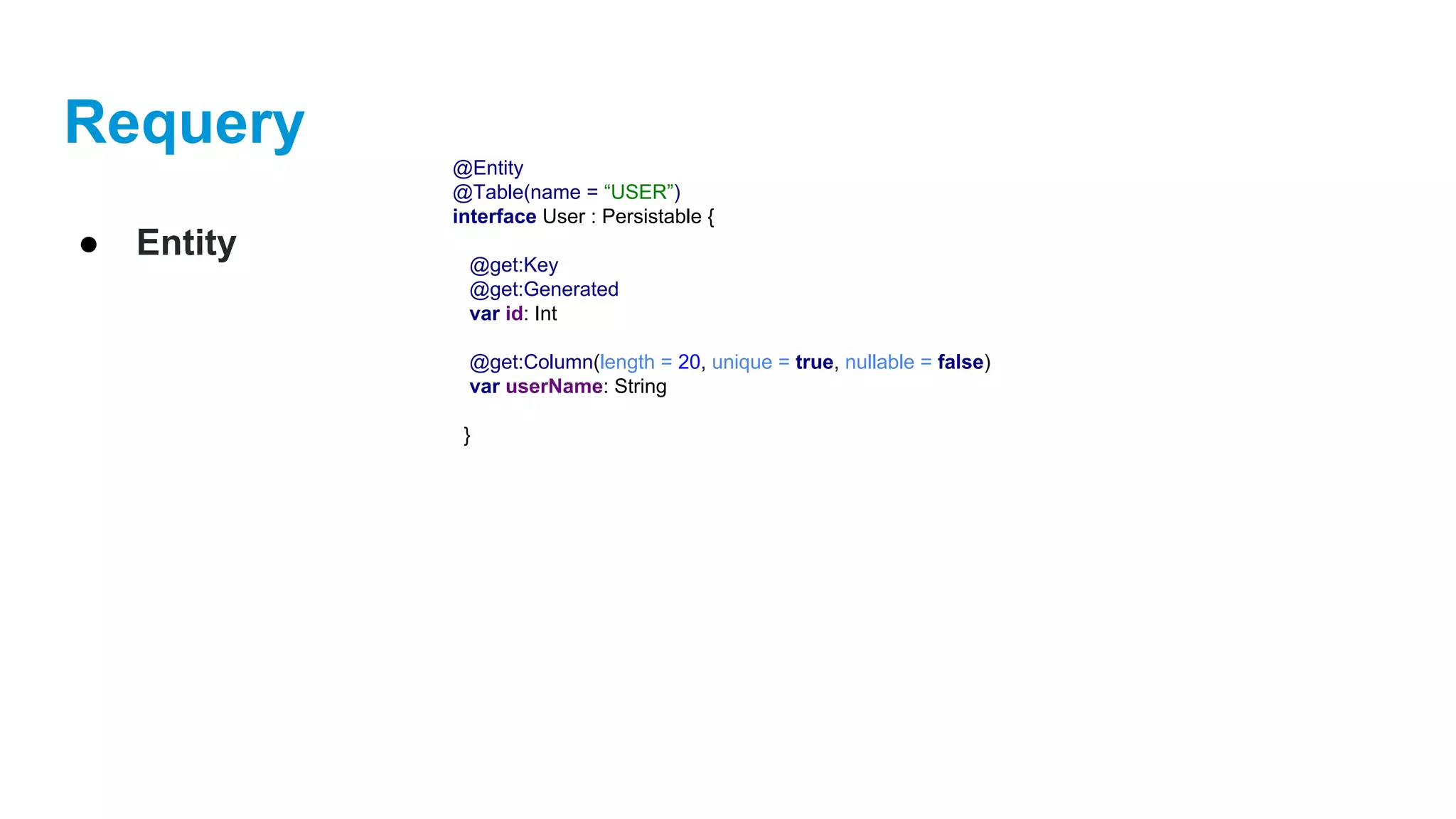
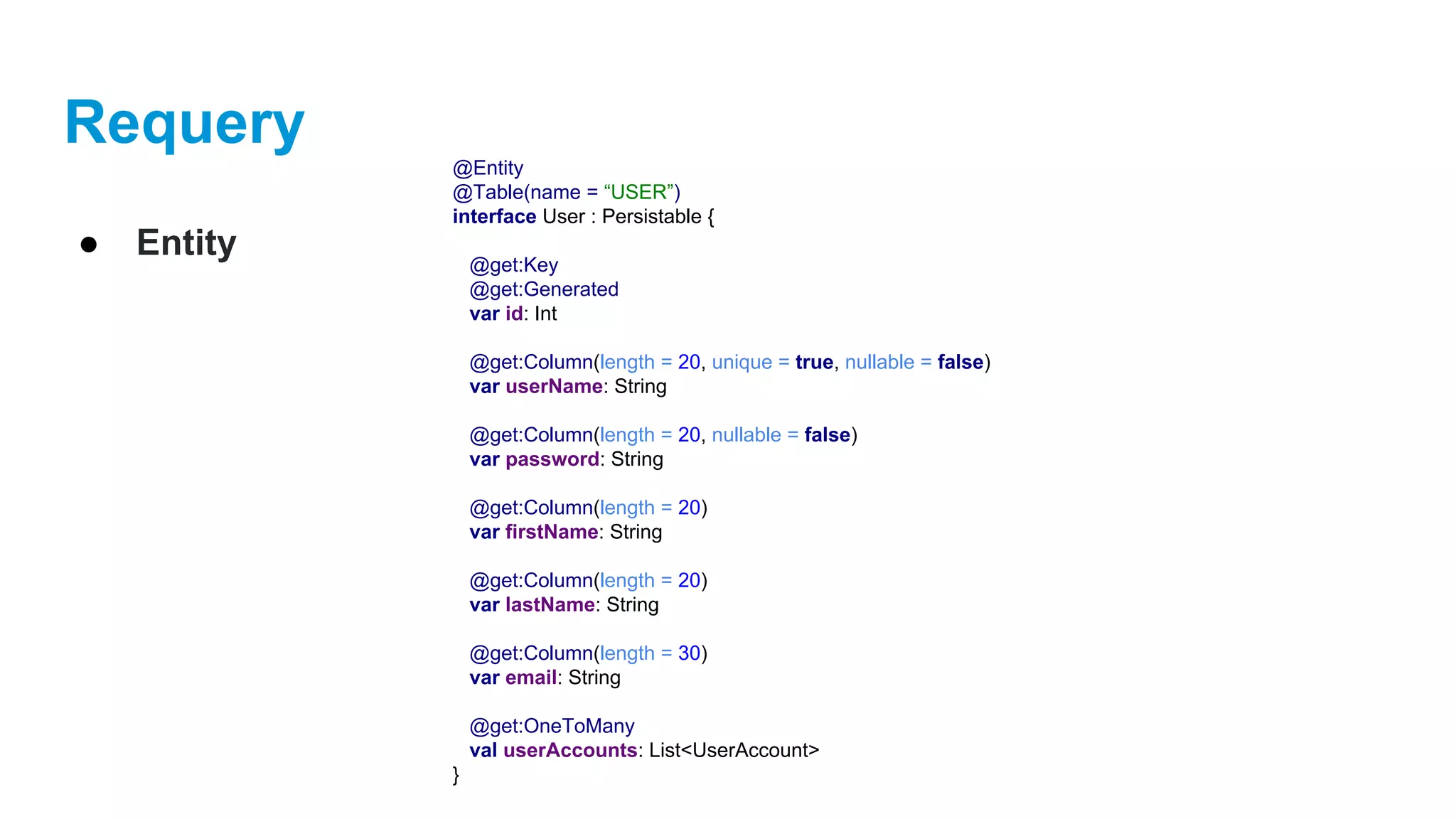
● Entity
interface User : Persistable {
}
Requery
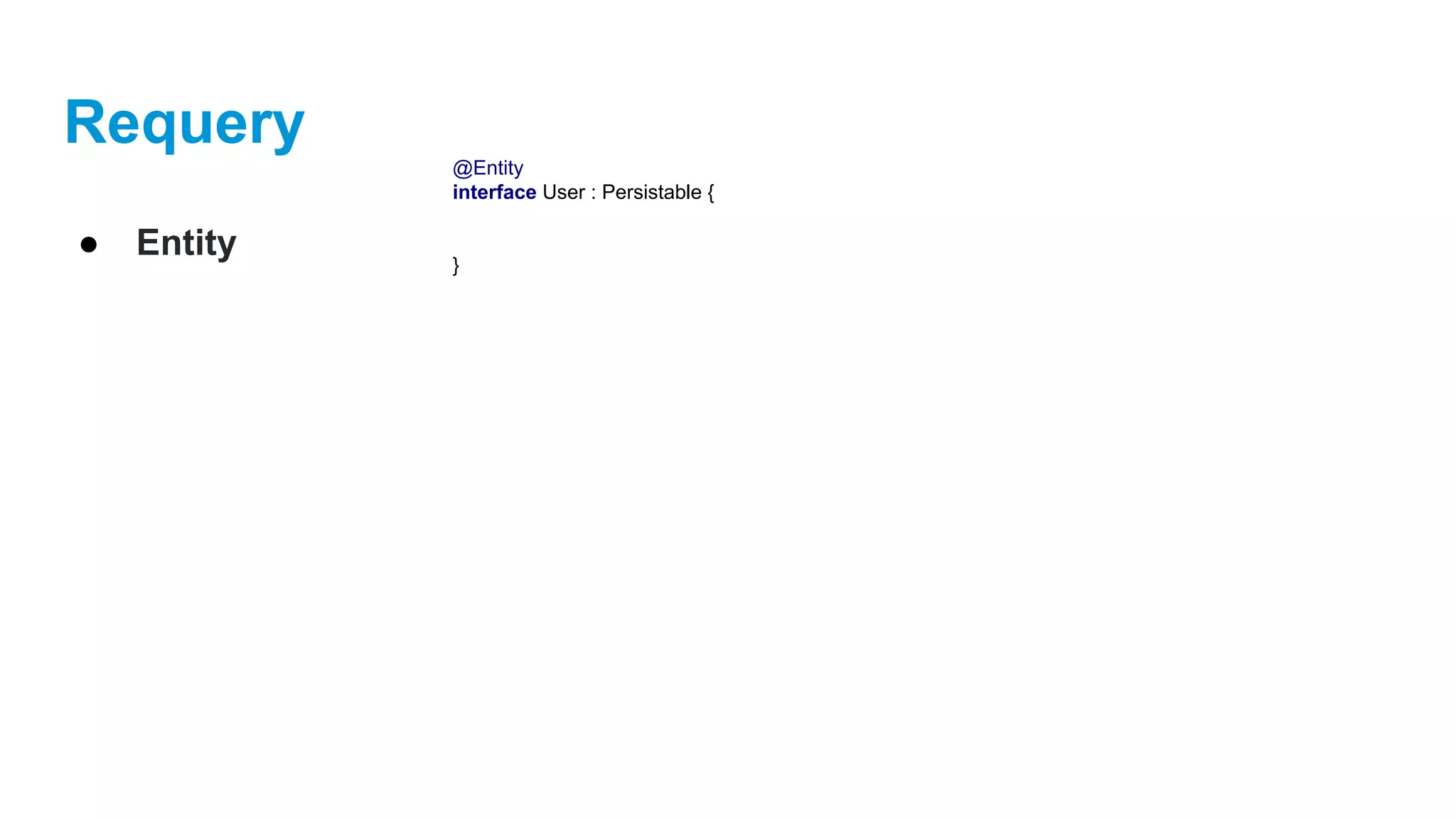
● Entity
@Entity
interface User : Persistable {
}
Requery
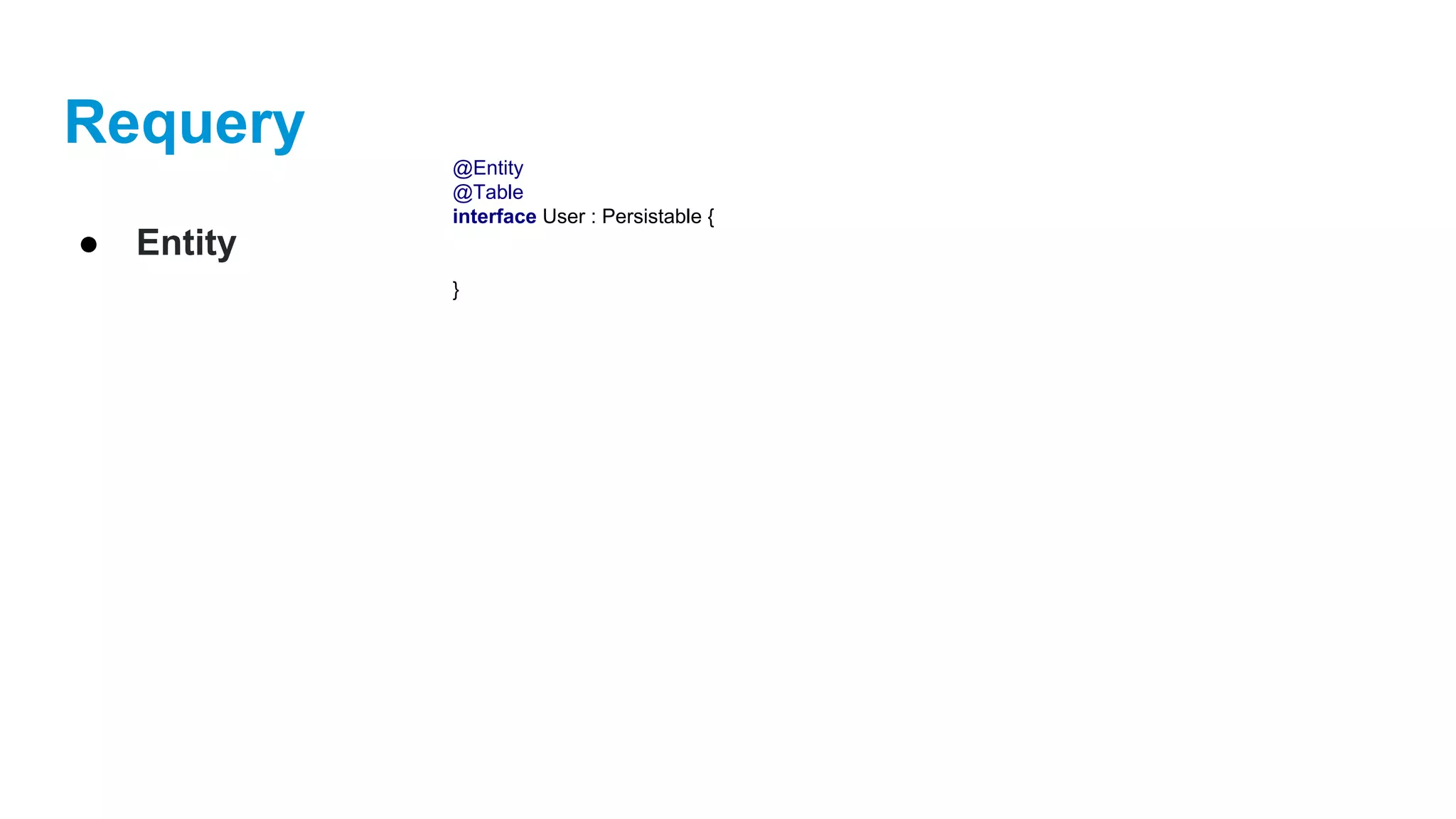
● Entity
@Entity
@Table
interface User : Persistable {
}
Requery
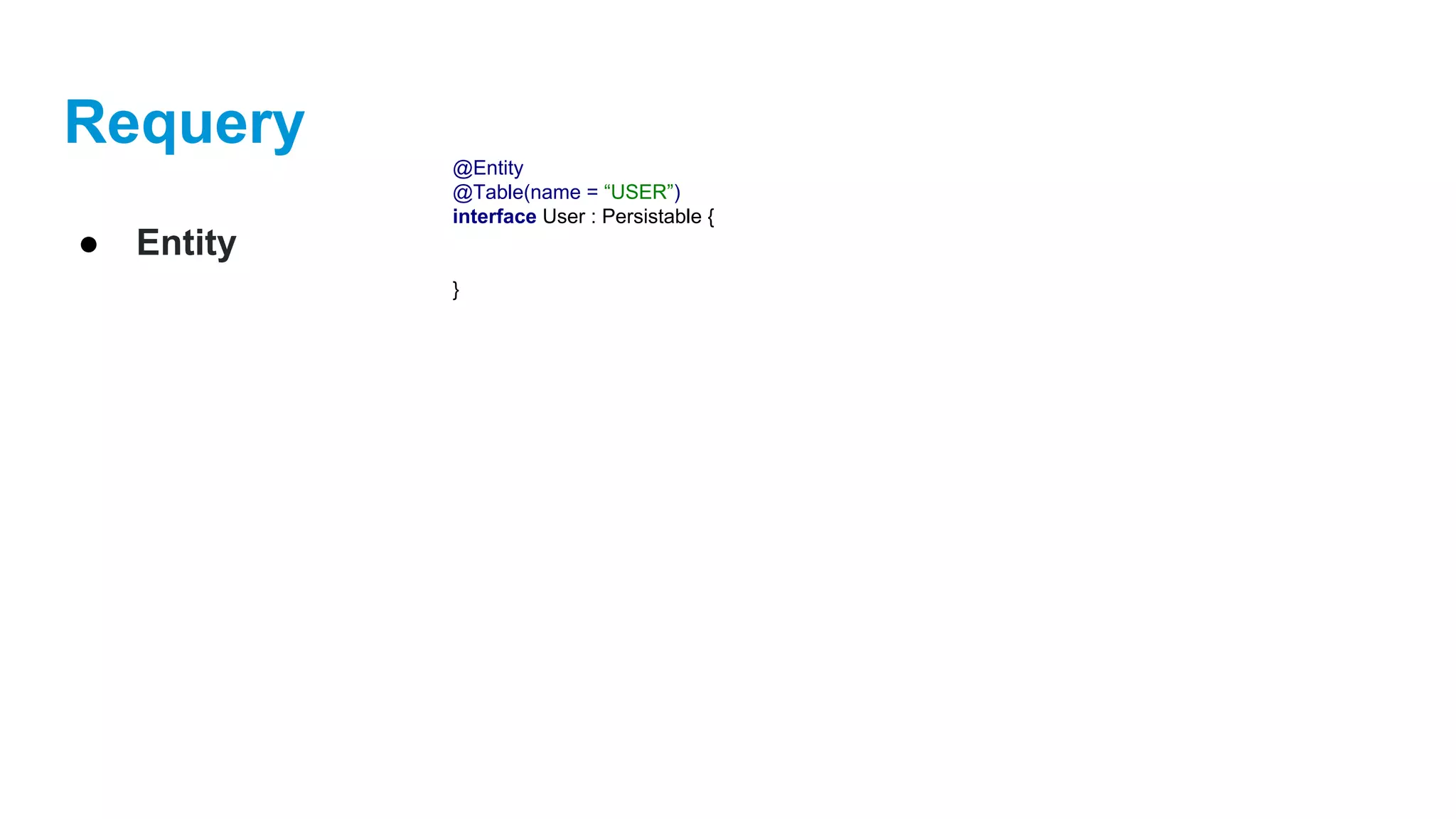
● Entity
@Entity
@Table(name = “USER”)
interface User : Persistable {
}
Requery
● Entity
@Entity
@Table(name = “USER”)
interface User : Persistable {
var id: Int
}
Requery
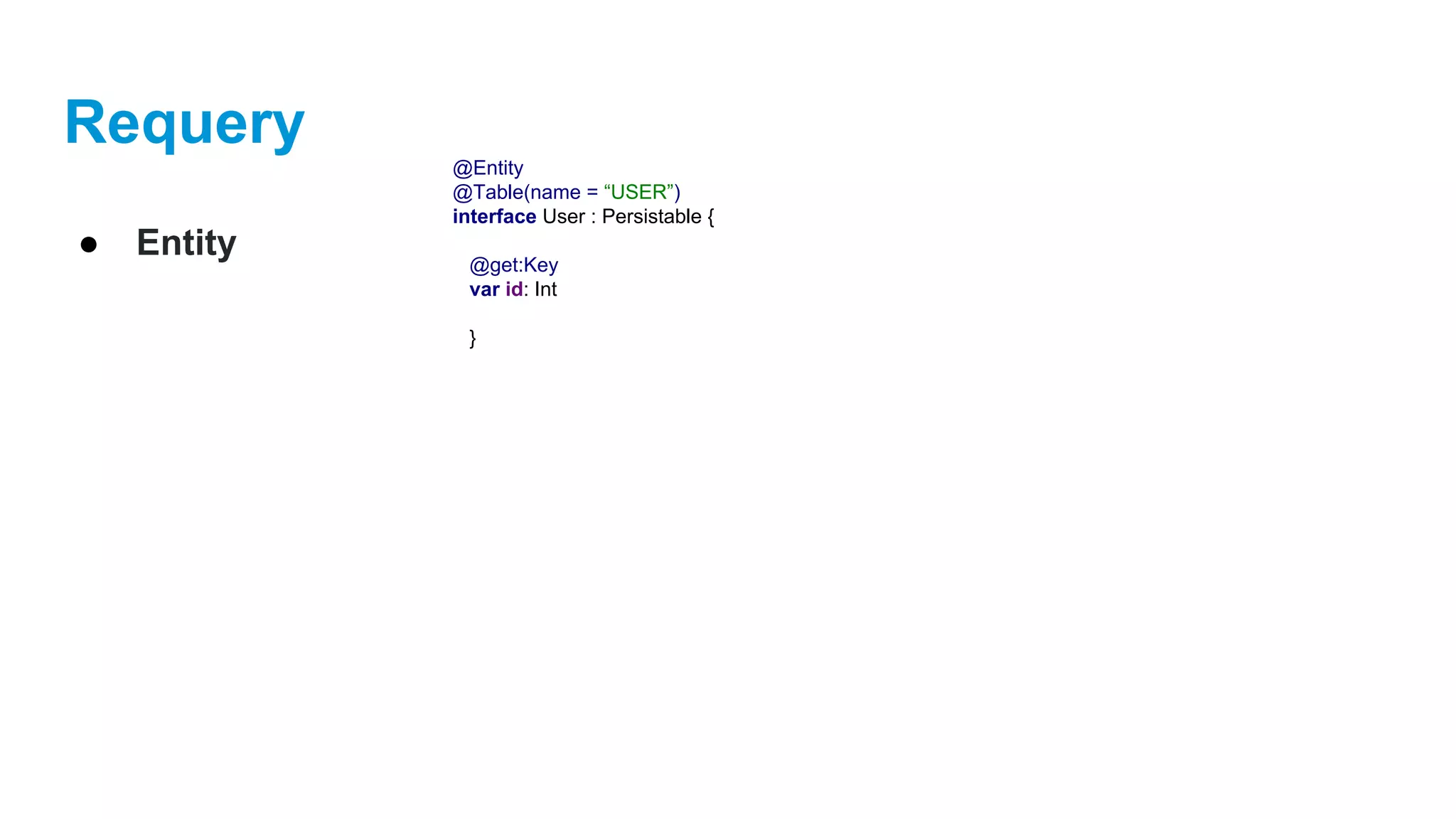
● Entity
@Entity
@Table(name = “USER”)
interface User : Persistable {
@get:Key
var id: Int
}
Requery
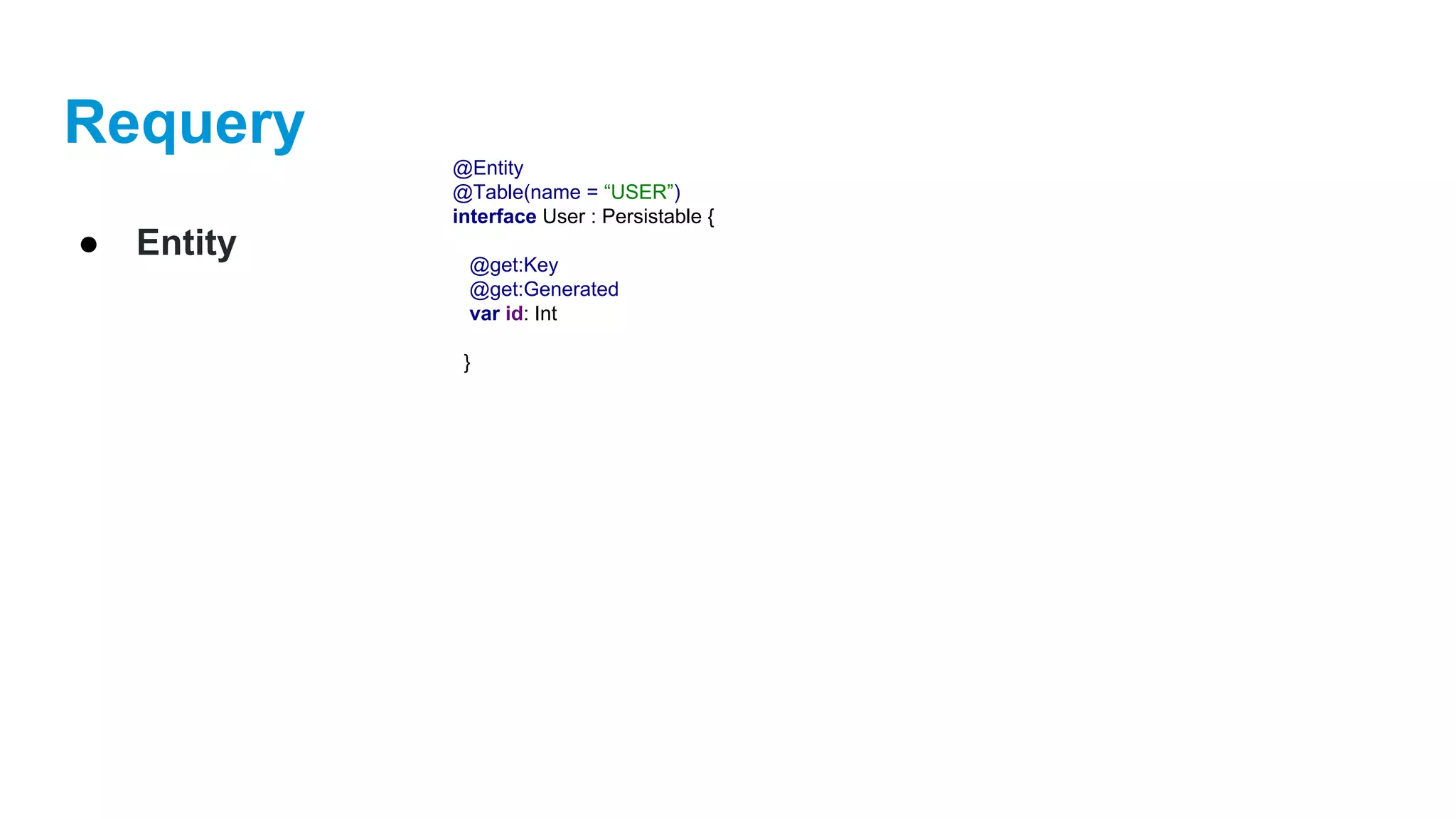
● Entity
@Entity
@Table(name = “USER”)
interface User : Persistable {
@get:Key
@get:Generated
var id: Int
}
Requery
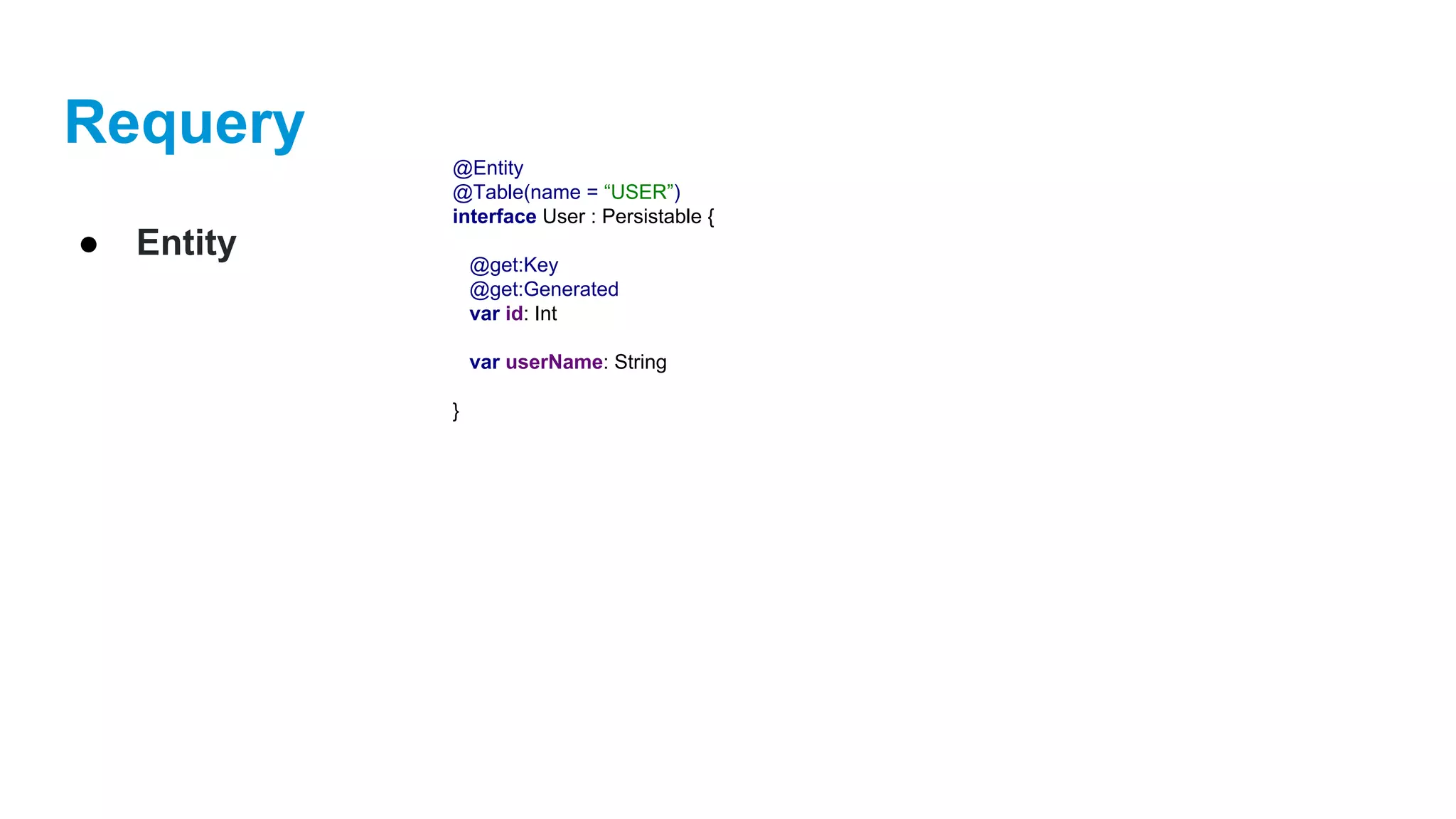
● Entity
@Entity
@Table(name = “USER”)
interface User : Persistable {
@get:Key
@get:Generated
var id: Int
var userName: String
}
Requery
● Entity
@Entity
@Table(name = “USER”)
interface User : Persistable {
@get:Key
@get:Generated
var id: Int
@get:Column(length = 20, unique = true, nullable = false)
var userName: String
}
Requery
● Entity
@Entity
@Table(name = “USER”)
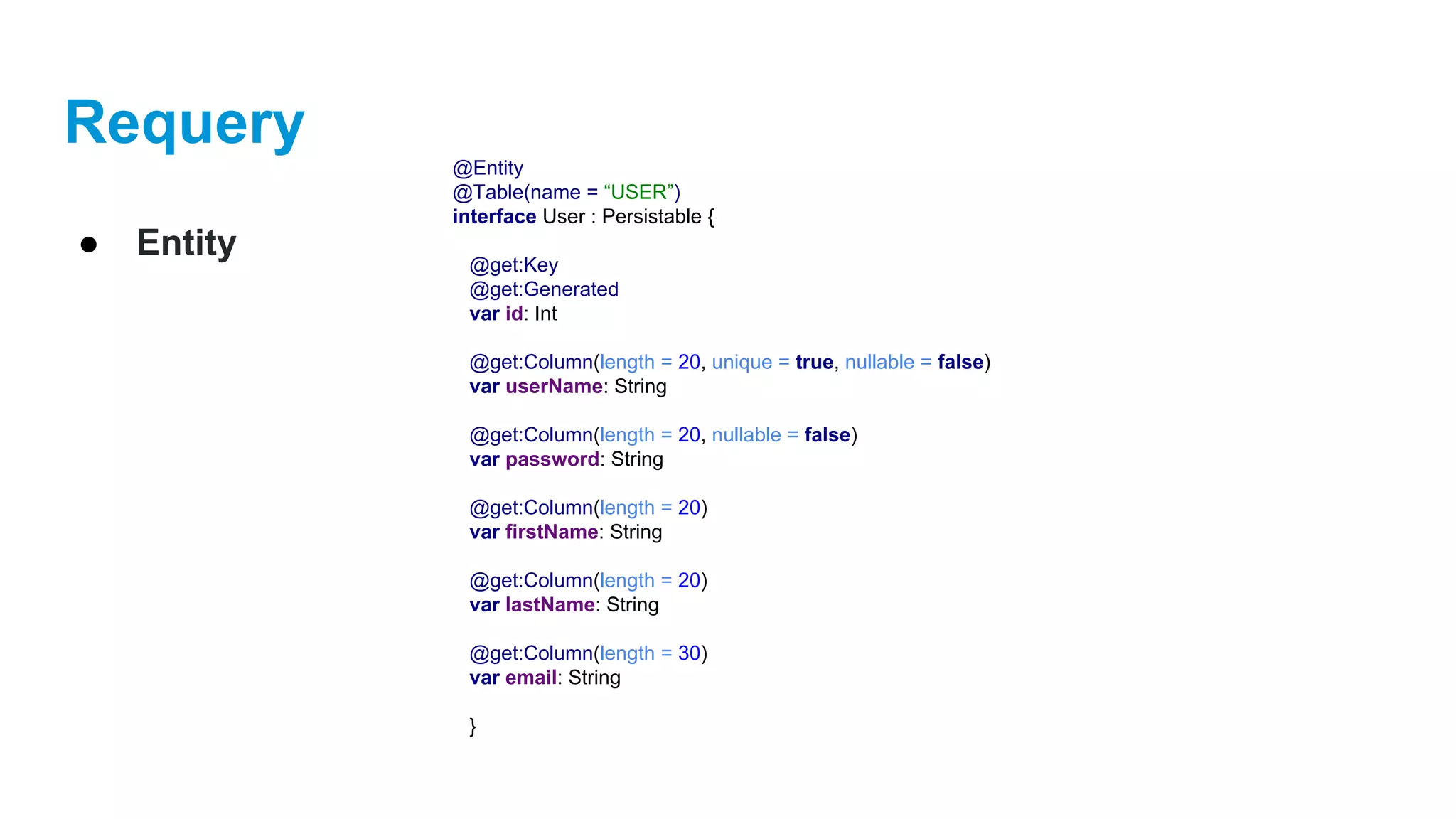
interface User : Persistable {
@get:Key
@get:Generated
var id: Int
@get:Column(length = 20, unique = true, nullable = false)
var userName: String
@get:Column(length = 20, nullable = false)
var password: String
@get:Column(length = 20)
var firstName: String
@get:Column(length = 20)
var lastName: String
@get:Column(length = 30)
var email: String
}
Requery
● Entity
@Entity
@Table(name = “USER”)
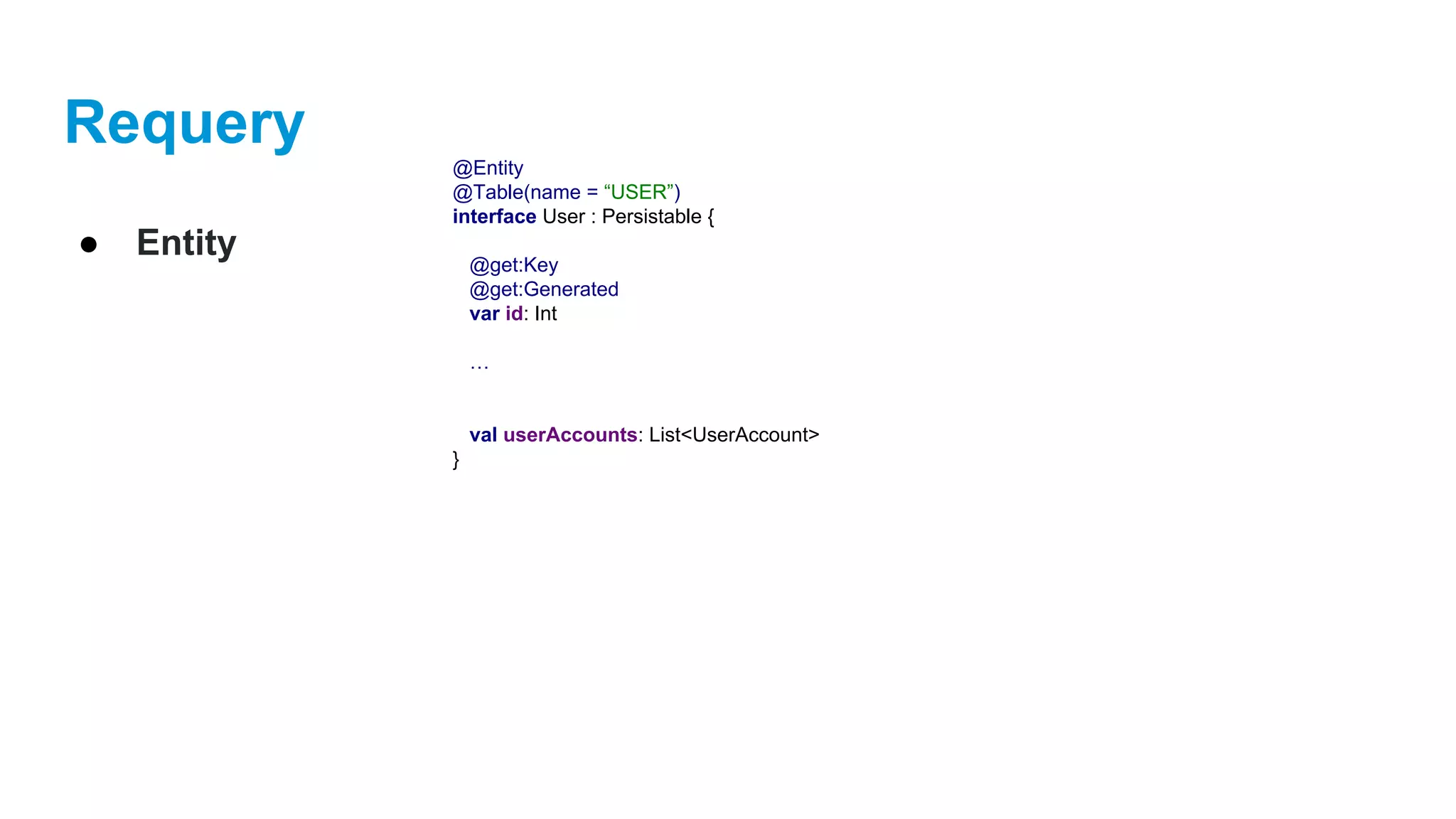
interface User : Persistable {
@get:Key
@get:Generated
var id: Int
…
val userAccounts: List<UserAccount>
}
Requery
● Entity
@Entity
@Table(name = “USER”)
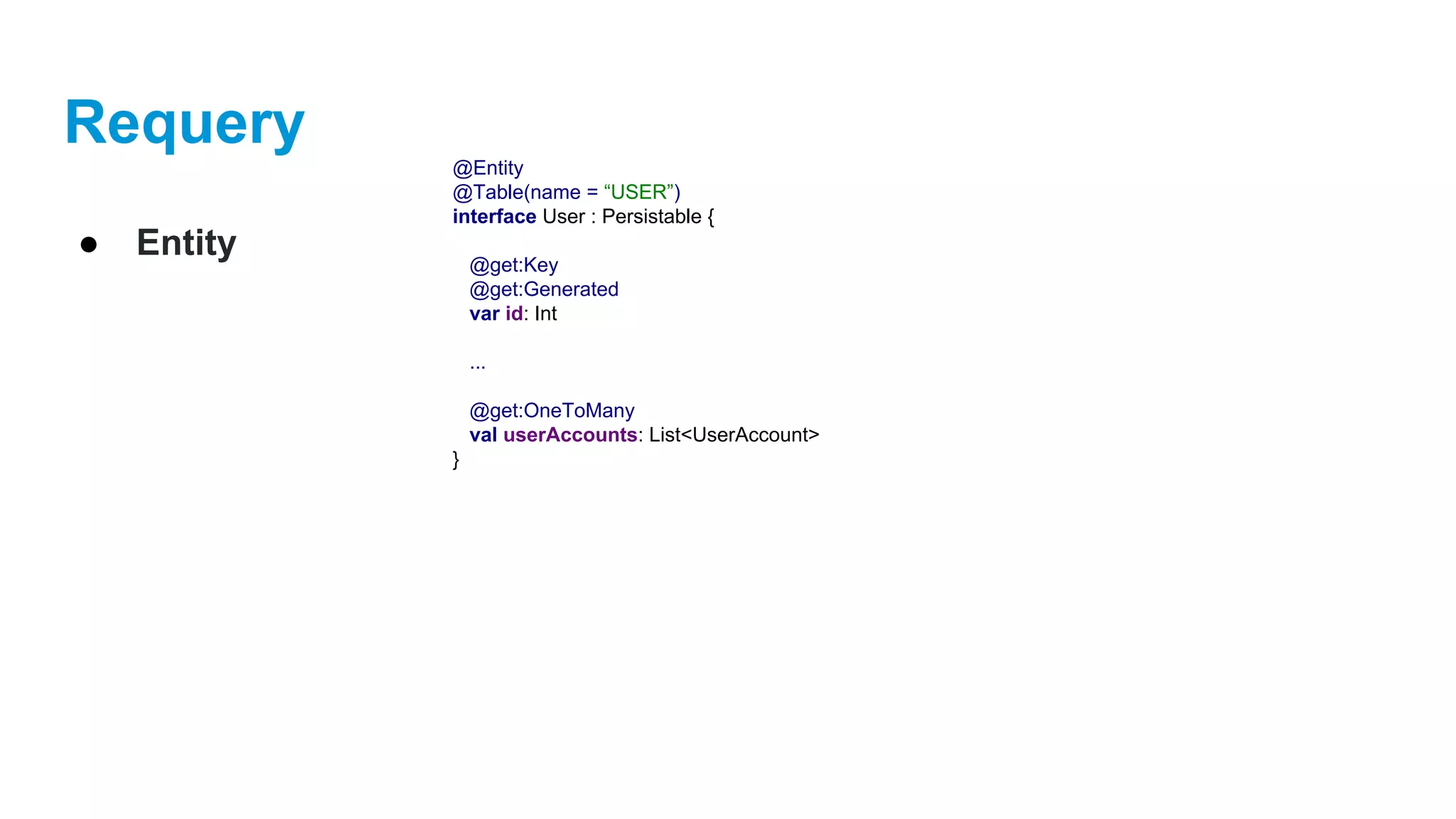
interface User : Persistable {
@get:Key
@get:Generated
var id: Int
...
@get:OneToMany
val userAccounts: List<UserAccount>
}
Requery
● Entity
@Entity
@Table(name = “USER”)
interface User : Persistable {
@get:Key
@get:Generated
var id: Int
@get:Column(length = 20, unique = true, nullable = false)
var userName: String
@get:Column(length = 20, nullable = false)
var password: String
@get:Column(length = 20)
var firstName: String
@get:Column(length = 20)
var lastName: String
@get:Column(length = 30)
var email: String
@get:OneToMany
val userAccounts: List<UserAccount>
}
Requery
● Entity
@Entity
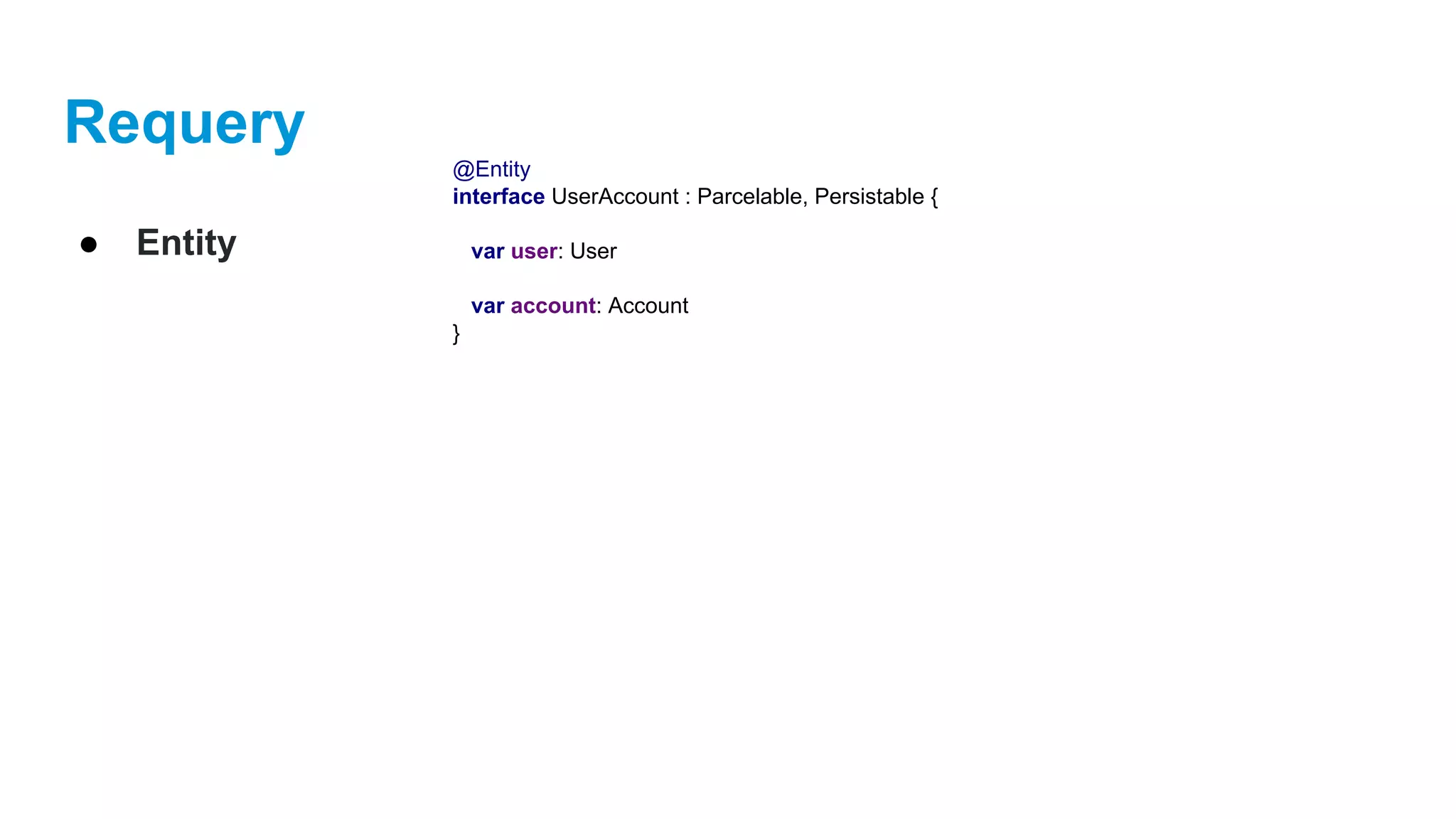
interface UserAccount : Parcelable, Persistable {
var user: User
var account: Account
}
Requery
● Entity
@Entity
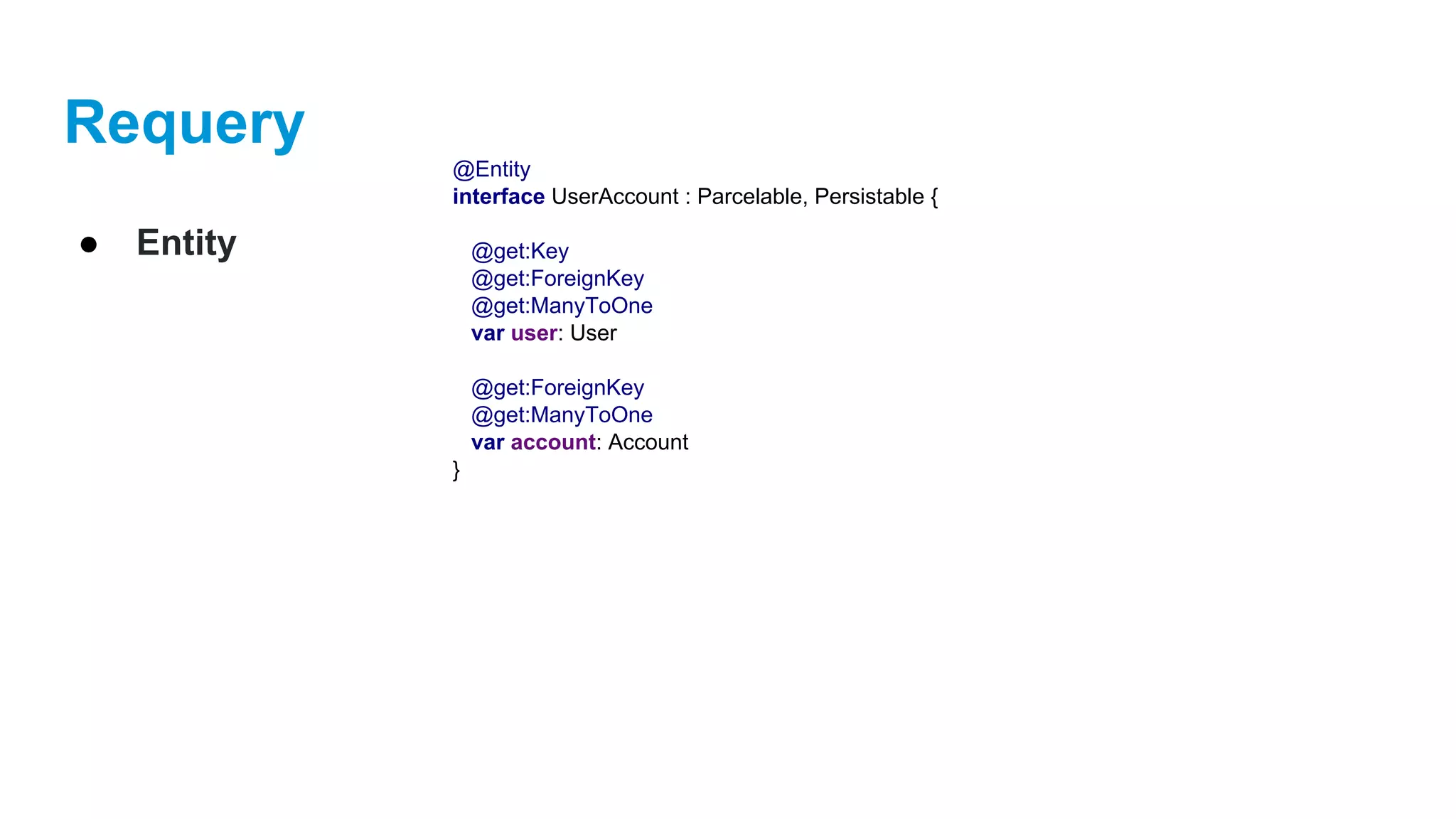
interface UserAccount : Parcelable, Persistable {
@get:Key
@get:ForeignKey
@get:ManyToOne
var user: User
@get:ForeignKey
@get:ManyToOne
var account: Account
}
Requery
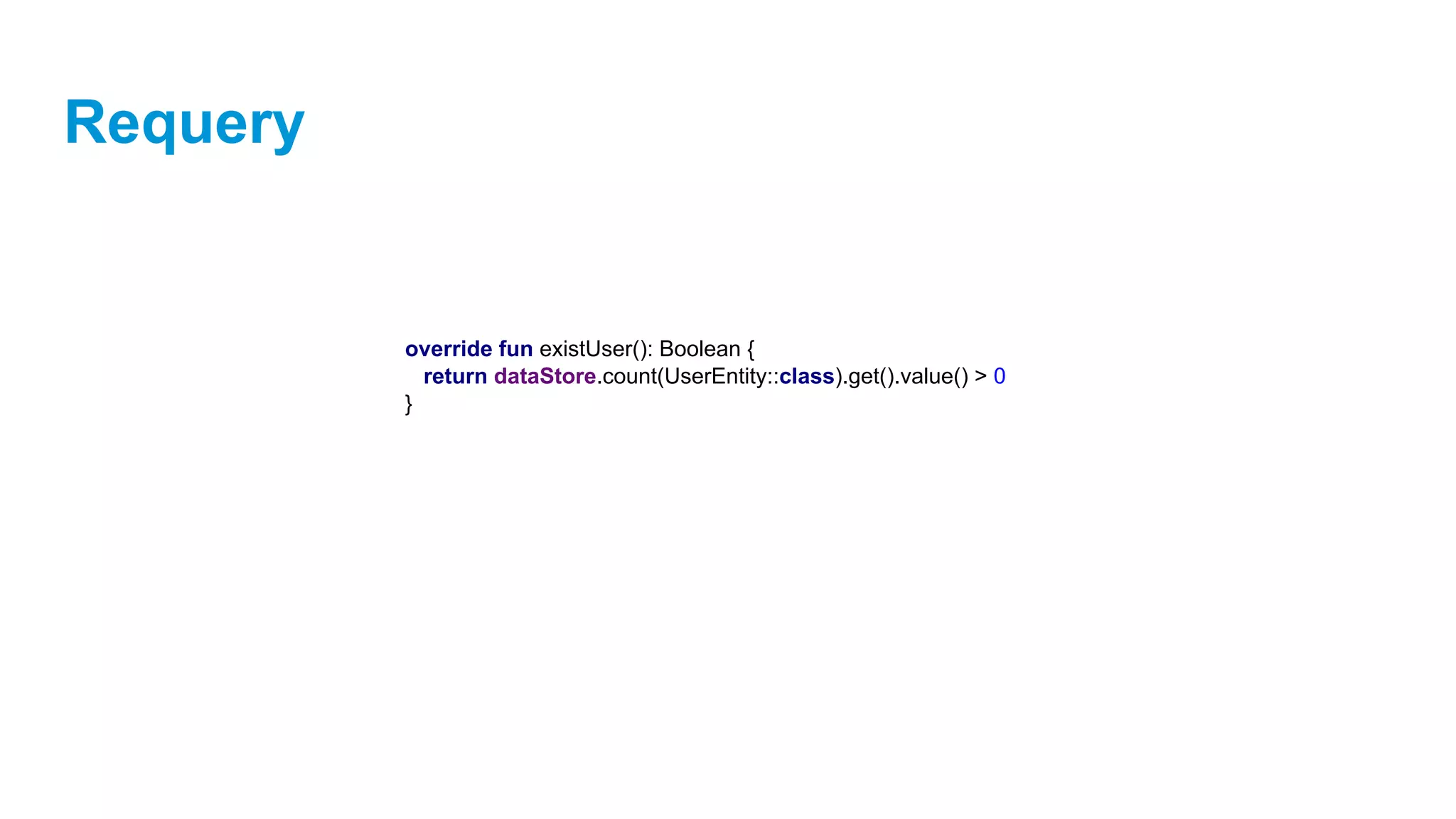
override fun existUser(): Boolean {
return dataStore.count(UserEntity::class).get().value() > 0
}
Requery
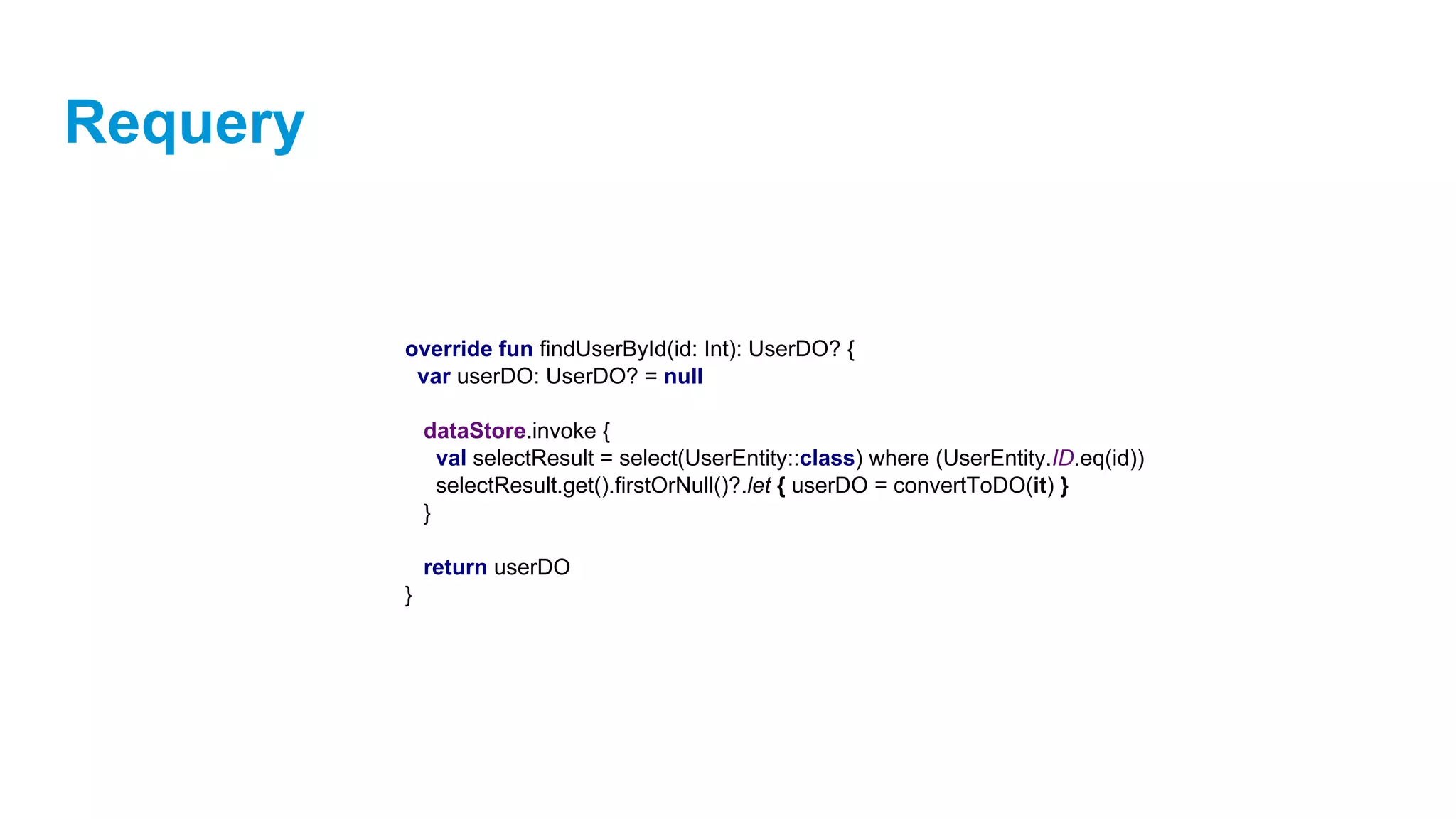
override fun findUserById(id: Int): UserDO? {
var userDO: UserDO? = null
dataStore.invoke {
val selectResult = select(UserEntity::class) where (UserEntity.ID.eq(id))
selectResult.get().firstOrNull()?.let { userDO = convertToDO(it) }
}
return userDO
}
Requery
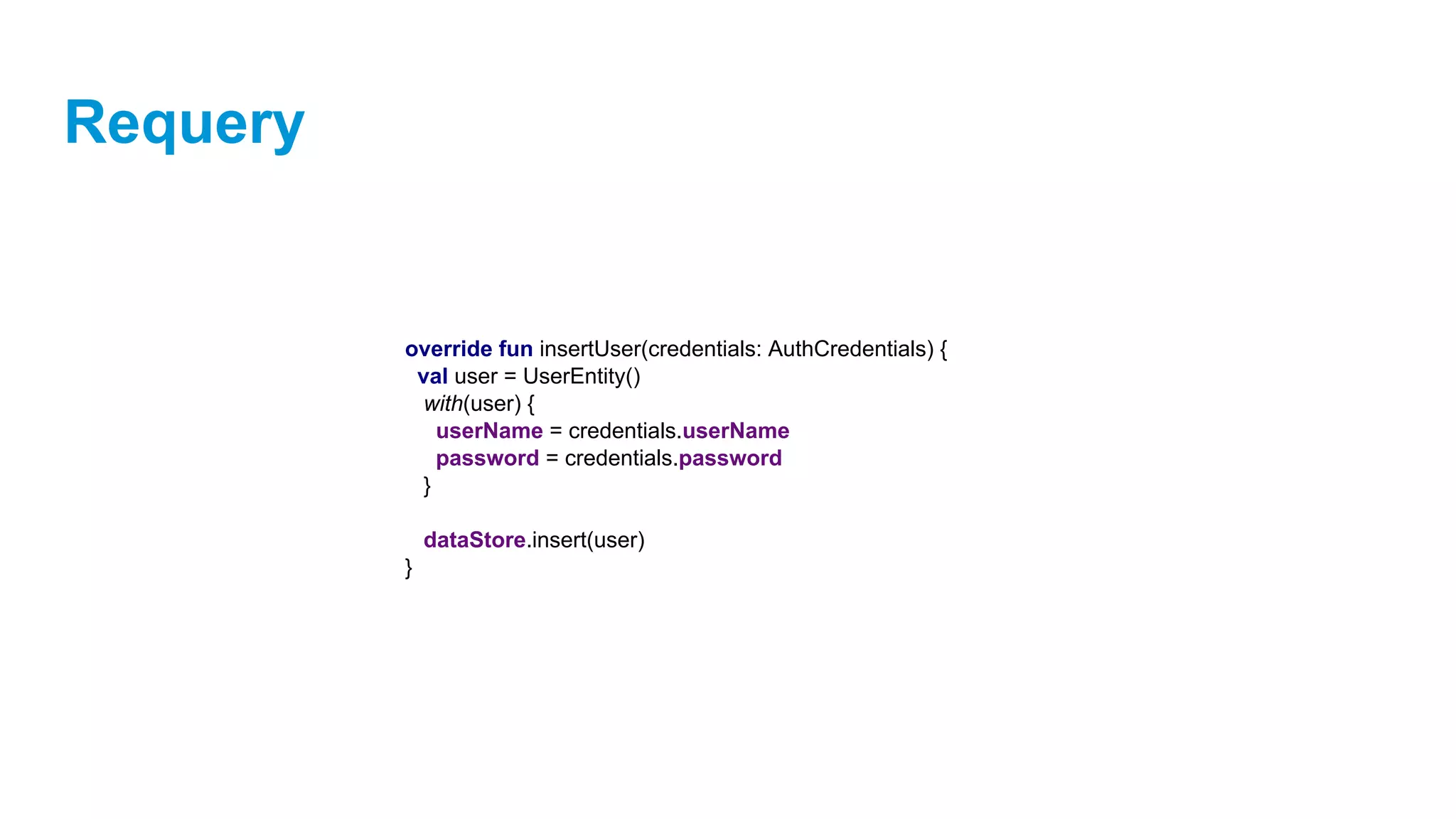
override fun insertUser(credentials: AuthCredentials) {
val user = UserEntity()
with(user) {
userName = credentials.userName
password = credentials.password
}
dataStore.insert(user)
}
Requery
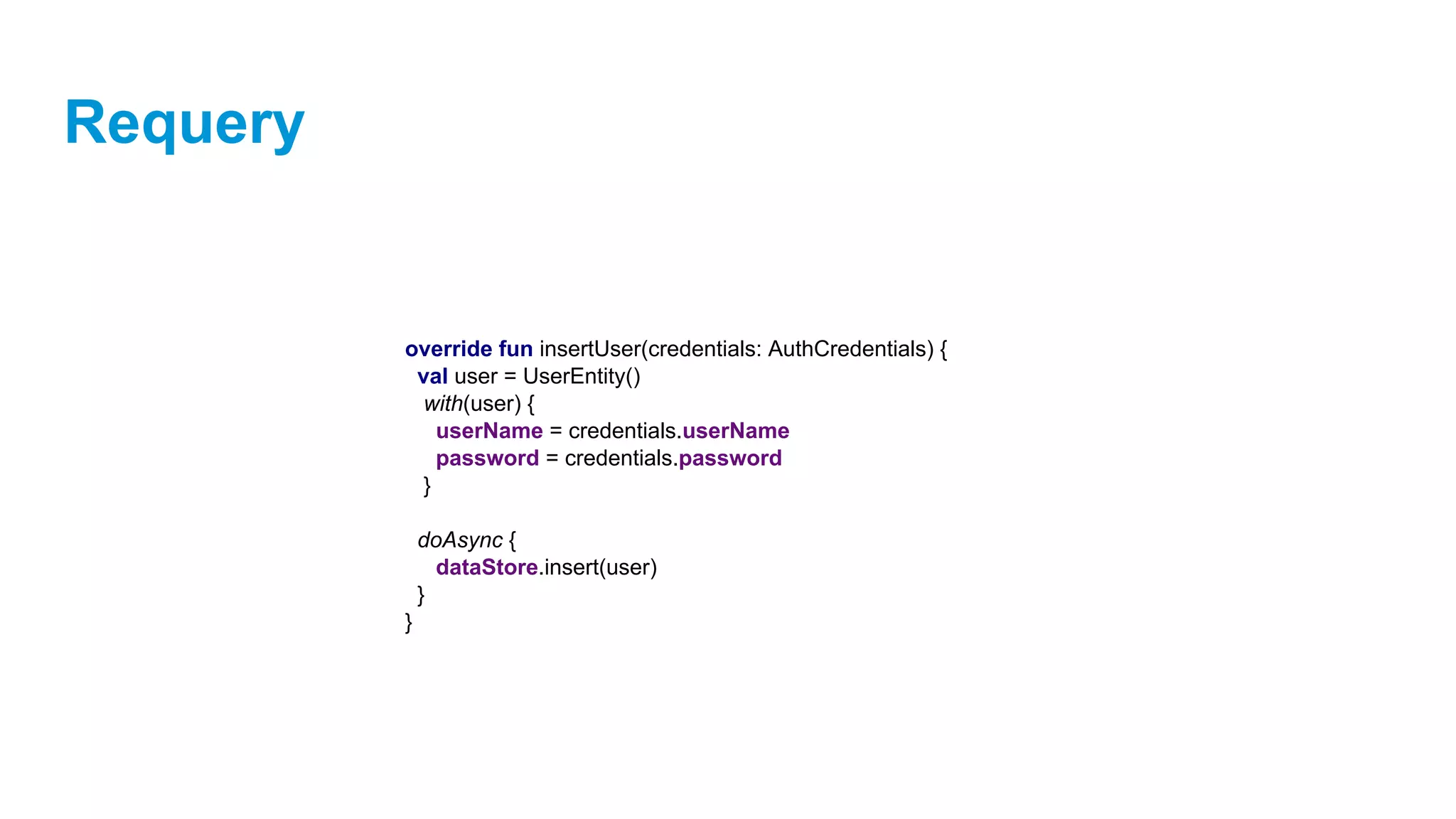
override fun insertUser(credentials: AuthCredentials) {
val user = UserEntity()
with(user) {
userName = credentials.userName
password = credentials.password
}
doAsync {
dataStore.insert(user)
}
}
Requery
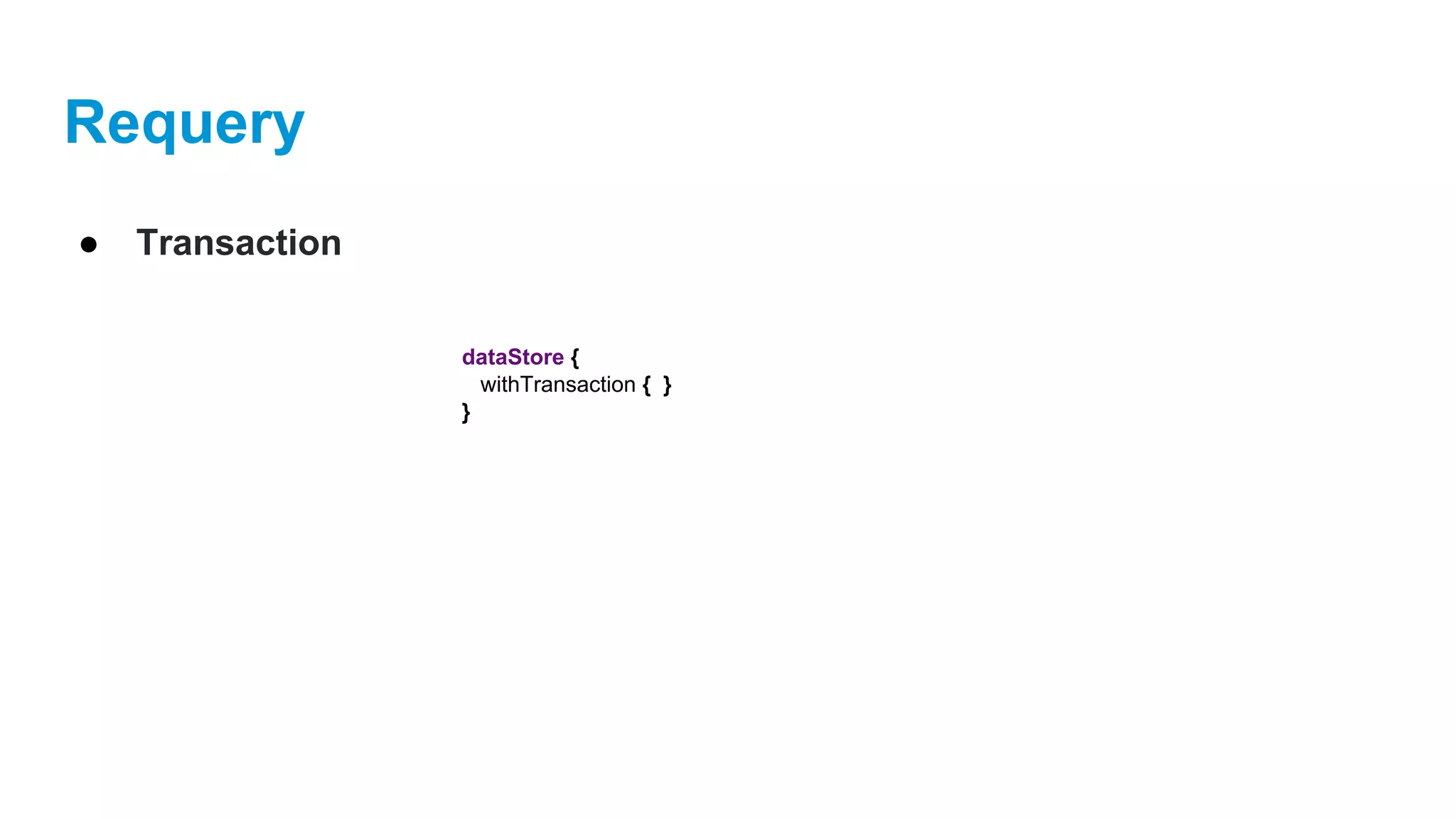
● Transaction
dataStore {
withTransaction { }
}
Requery
● Examples
KotlinPref
KotlinPref
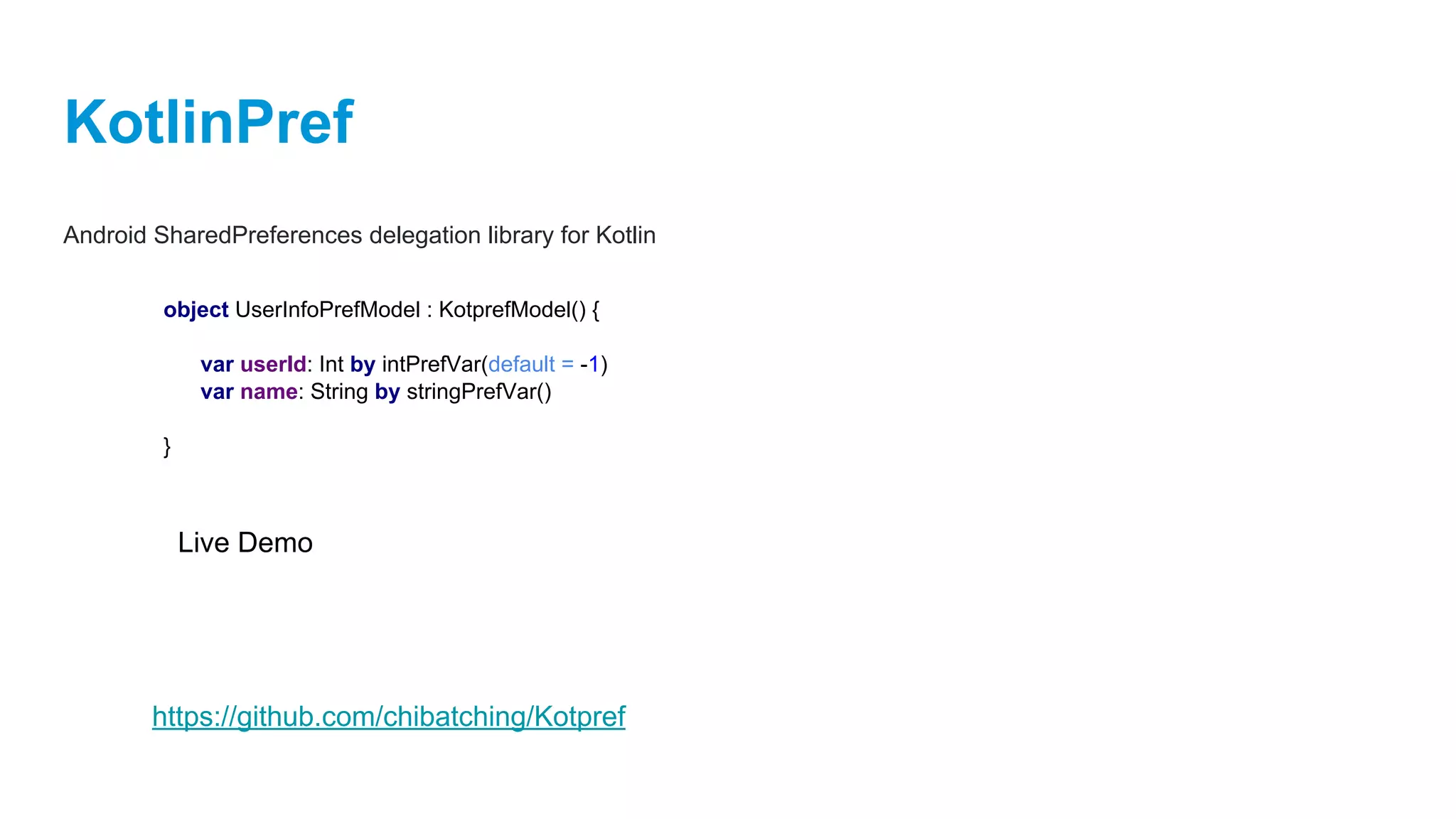
Android SharedPreferences delegation library for Kotlin
object UserInfoPrefModel : KotprefModel() {
var userId: Int by intPrefVar(default = -1)
var name: String by stringPrefVar()
}
Live Demo
https://github.com/chibatching/Kotpref
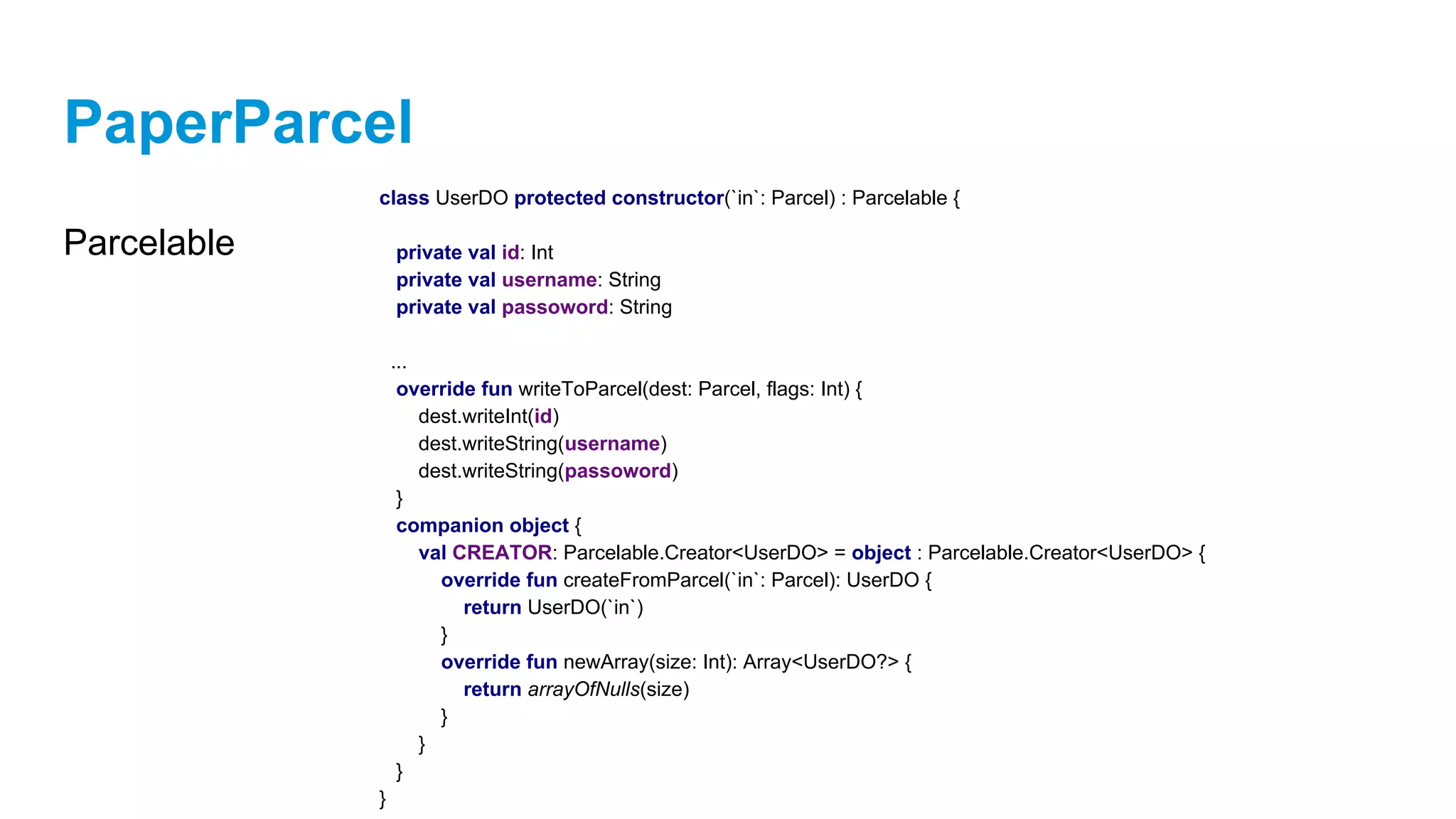
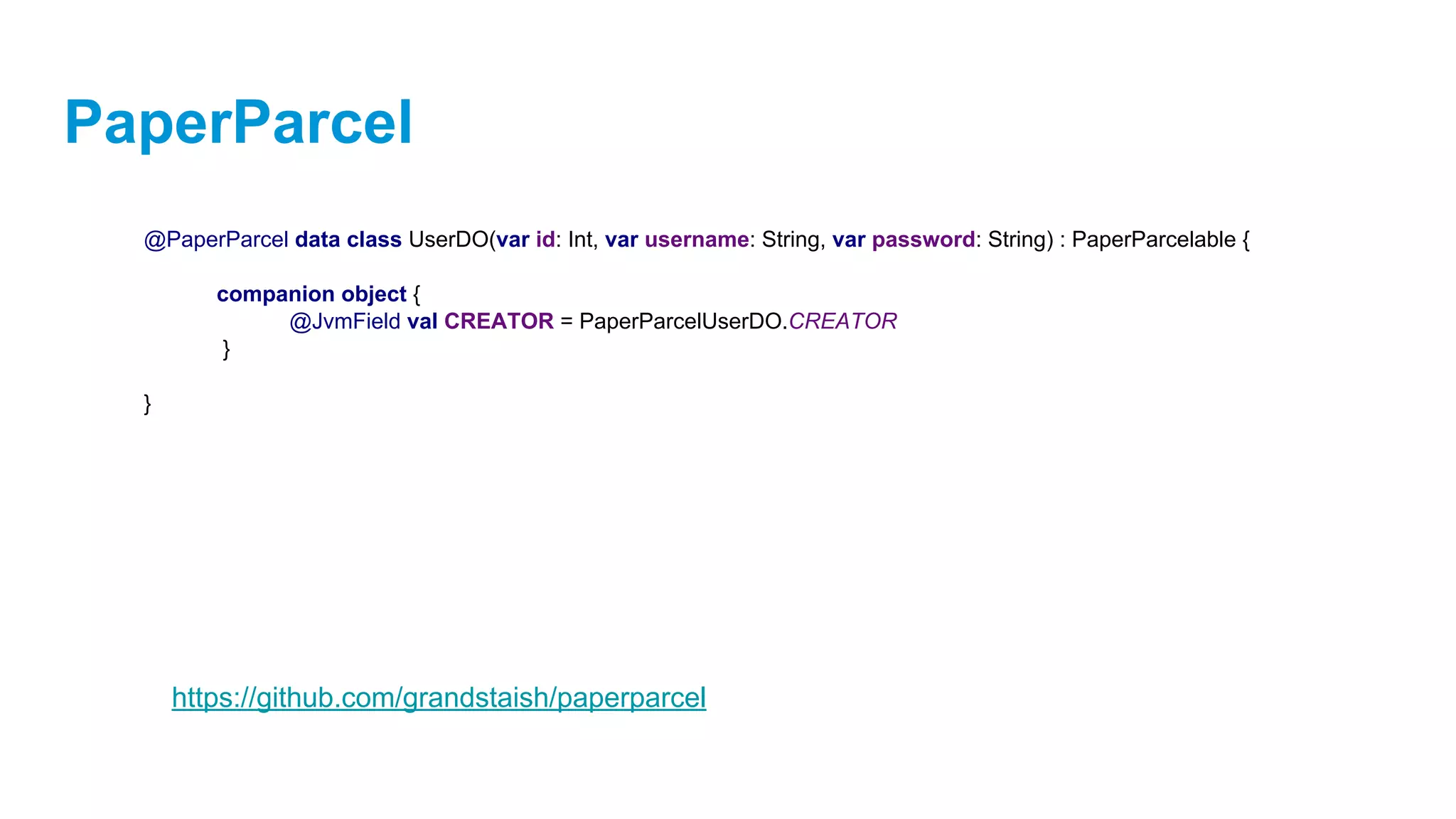
PaperParcel
PaperParcel
Android Parcelable boilerplate annotation processor
PaperParcel
Parcelable
class UserDO protected constructor(`in`: Parcel) : Parcelable {
private val id: Int
private val username: String
private val passoword: String
...
override fun writeToParcel(dest: Parcel, flags: Int) {
dest.writeInt(id)
dest.writeString(username)
dest.writeString(passoword)
}
companion object {
val CREATOR: Parcelable.Creator<UserDO> = object : Parcelable.Creator<UserDO> {
override fun createFromParcel(`in`: Parcel): UserDO {
return UserDO(`in`)
}
override fun newArray(size: Int): Array<UserDO?> {
return arrayOfNulls(size)
}
}
}
}
PaperParcel
@PaperParcel data class UserDO(var id: Int, var username: String, var password: String) : PaperParcelable {
companion object {
@JvmField val CREATOR = PaperParcelUserDO.CREATOR
}
}
https://github.com/grandstaish/paperparcel
Thanks your
for listening!
eman.cz

eMan Dev Meetup: Kotlin For Android (part 03/03) 18.5.2017

  • 1.
  • 3.
    Kotlin for Android Overview: ●Kotlin & Android ● Kotlin Android Extensions ● Anko ● Requery ● Kotpref ● PaperParcel
  • 4.
  • 5.
    Kotlin for Android ●Reduce the amount of boilerplate code you need to write ● Make your code more readable and understandable ● No more errors such as NPE ● No more findViewById() ● One language for Android & Gradle ● Interoperability ● New languge -> Kotlin is fun ● Compatible with JDK 6 -> can run on older Android devices
  • 6.
    Kotlin for Android/ Android Extensions Kotlin Android Extensions ● Compiler extension that allows to us replace findViewById() calls with synthetic-generated properties
  • 7.
    Kotlin for Android/ Android Extensions Example: <?xml version="1.0" encoding="utf-8"?> <LinearLayout xmlns:android="http://schemas.android.com/apk/res/android" xmlns:tools="http://schemas.android.com/tools" android:layout_width="match_parent" android:layout_height="match_parent" android:gravity="center" tools:context="cz.kotliners.android.extension.demo.MainActivity"> <TextView android:id="@+id/helloText" android:layout_width="wrap_content" android:layout_height="wrap_content"/> </LinearLayout>
  • 8.
    Kotlin for Android/ Android Extensions Example: public class MainActivity extends AppCompatActivity { @Override protected void onCreate(Bundle savedInstanceState) { super.onCreate(savedInstanceState); setContentView(R.layout.activity_main); } } private TextView helloText; helloText = (TextView) findViewById(R.id.helloText); helloText.setText("Hello World!");
  • 9.
    Kotlin for Android/ Android Extensions Example: Add Kotlin Android Extensions Gradle plugin: // app/build.gradle apply plugin: 'com.android.application' apply plugin: 'kotlin-android' apply plugin: 'kotlin-android-extensions'
  • 10.
    Kotlin for Android/ Android Extensions Example: class MainActivityKotlin : AppCompatActivity() { override fun onCreate(savedInstanceState: Bundle?) { super.onCreate(savedInstanceState) setContentView(R.layout.activity_main) } } helloText.setText("Hello CZ KUG!!!") import kotlinx.android.synthetic.main.activity_main.*
  • 11.
    Kotlin for Android/ Android Extensions Example: public final class MainActivityKotlin extends AppCompatActivity { private HashMap _$_findViewCache; protected void onCreate(@Nullable Bundle savedInstanceState) { super.onCreate(savedInstanceState); this.setContentView(2130968603); ((TextView)this._$_findCachedViewById(id.helloText)).setText((CharSequence)"Hello CZ KUG!!!"); } public View _$_findCachedViewById(int var1) { if(this._$_findViewCache == null) { this._$_findViewCache = new HashMap(); } View var2 = (View)this._$_findViewCache.get(Integer.valueOf(var1)); if(var2 == null) { var2 = this.findViewById(var1); this._$_findViewCache.put(Integer.valueOf(var1), var2); } return var2; } public void _$_clearFindViewByIdCache() { if(this._$_findViewCache != null) { this._$_findViewCache.clear(); } } } Bytecode
  • 13.
    Anko ● Anko isa library that uses Kotlin and provides a lot of extension functions to make our Android development easier. ● It contains wrappers around the Android APIs and DSL that allows to us to replace layouts written in the XML file
  • 14.
    Anko Gradle dependencies { // Anko compile"org.jetbrains.anko:anko-sdk15:$anko_version" compile "org.jetbrains.anko:anko-support-v4:$anko_version" compile "org.jetbrains.anko:anko-appcompat-v7:$anko_version" }
  • 15.
    Anko - Layouts valact = this val layout = LinearLayout(act) layout.orientation = LinearLayout.VERTICAL val name = EditText(act) val button = Button(act) button.text = "Say Hello" button.setOnClickListener { Toast.makeText(act, "Hello, ${name.text}!", Toast.LENGTH_SHORT).show() } layout.addView(name) layout.addView(button) verticalLayout { val name = editText() button("Say Hello") { onClick { toast("Hello, ${name.text}!") } } }
  • 16.
  • 17.
    Anko - Layouts- Demo class SignInActivity : AppCompatActivity() { override fun onCreate(savedInstanceState: Bundle?) { super.onCreate(savedInstanceState) } } verticalLayout { } editText { id = R.id.usernameEditText hintResource = R.string.sign_in_username textSize = 24f } editText { id = R.id.passwordEditText hintResource = R.string.signIn_password textSize = 24f } button { id = R.id.signIn_button textResource = R.string.signIn_button } .lparams(width = matchParent, height = wrapContent) .lparams(width = matchParent, height = wrapContent) .lparams(width = matchParent, height = wrapContent)
  • 18.
    Anko - Layouts- Demo class SignInActivity : AppCompatActivity() { override fun onCreate(savedInstanceState: Bundle?) { super.onCreate(savedInstanceState) } } verticalLayout { } editText { id = R.id.usernameEditText hintResource = R.string.sign_in_username textSize = 24f } editText { id = R.id.passwordEditText hintResource = R.string.signIn_password textSize = 24f } button { id = R.id.signIn_button textResource = R.string.signIn_button } .lparams(width = matchParent, height = wrapContent) .lparams(width = matchParent, height = wrapContent) .lparams(width = matchParent, height = wrapContent) class SingInView : AnkoComponent<SignInActivity> { override fun createView(ui: AnkoContext<SignInActivity>) = with(ui) { }
  • 19.
    Anko - Layouts- Demo class SignInActivity : AppCompatActivity() { override fun onCreate(savedInstanceState: Bundle?) { super.onCreate(savedInstanceState) } } class SingInView : AnkoComponent<SignInActivity> { override fun createView(ui: AnkoContext<SignInActivity>) = with(ui) { } verticalLayout { } editText { id = R.id.usernameEditText hintResource = R.string.sign_in_username textSize = 24f } editText { id = R.id.passwordEditText hintResource = R.string.signIn_password textSize = 24f } button { id = R.id.signIn_button textResource = R.string.signIn_button } .lparams(width = matchParent, height = wrapContent) .lparams(width = matchParent, height = wrapContent) .lparams(width = matchParent, height = wrapContent) SingInView().setContentView(this)
  • 20.
    Anko - Buttonsand Toasts With Kotlin we can add click listener and show toast like this: buttonNext.setOnClickListener { Toast.makeText(baseContext, "CLicked!!", Toast.LENGTH_LONG).show; }
  • 21.
    Anko - Buttonsand Toasts With Kotlin we can add click listener and show toast like this: but with Anko we can do it better: buttonNext.setOnClickListener { Toast.makeText(baseContext, "CLicked!!", Toast.LENGTH_LONG).show; } buttonNext { onClick { toast("Hello ${username.text}") } } or we can show LONG toast: onClick { longToast("Hello ${username.text}") }
  • 22.
    Anko - AsynchronousTasks fun authorizeUser(username: String, password: String) { doAsync { val authorized = signInBL.checkUserCredentials(AuthCredentials(username = username, password = password)) activityUiThread { if (authorized) toast("Signed!!!") else view.showAccessDeniedAlertDialog() } } }
  • 23.
    Anko - AsynchronousTasks Since Anko 0.10-beta1 a new way Anko Coroutines dependencies { compile "org.jetbrains.anko:anko-coroutines:$anko_version" }
  • 24.
    Anko - AsynchronousTasks Since Anko 0.10-beta1 a new way Anko Coroutines suspend fun getData(): Data { ... } class MyActivity : Activity() { fun loadAndShowData() { // Ref<T> uses the WeakReference under the hood val ref: Ref<MyActivity> = this.asReference() async(UI) { val data = getData() // Use ref() instead of this@MyActivity ref().showData() } } fun showData(data: Data) { ... } }
  • 25.
    Anko - AsynchronousTasks Since Anko 0.10-beta1 a new way Anko Coroutines fun getData(): Data { ... } fun showData(data: Data) { ... } async(UI) { val data: Deferred<Data> = bg { // Runs in background getData() } // This code is executed on the UI thread showData(data.await()) } https://github.com/Kotlin/anko/wiki/Anko-Coroutines
  • 26.
    Anko - Alerts alert(message= "Hello, I'm Alert Dialog", title = "CZ KUG & eMan") { yesButton { toast("YES pressed!") } noButton { toast("NO pressed!") } }.show()
  • 27.
    Anko - Intents Ankocontains some useful wrappers for some common intents: // Took it from original Anko documentation // Make a call makeCall(number) // Intent(Intent.ACTION_CALL, Uri.parse("tel:$number")) // startActivity(intent) // Send a text sendSMS(number, [text]) //Browse the web browse(url) //Share some text share(text, [subject]) //Send a email email(email, [subject], [text]) Arguments in square brackets ([]) are optional
  • 28.
    Anko - Intents Starta new activity val intent = Intent(this, SomeOtherActivity::class.java) intent.putExtra("id", 5) intent.setFlag(Intent.FLAG_ACTIVITY_SINGLE_TOP) startActivity(intent)
  • 29.
    Anko - Intents Starta new activity with Anko: val intent = Intent(this, SomeOtherActivity::class.java) intent.putExtra("id", 5) intent.setFlag(Intent.FLAG_ACTIVITY_SINGLE_TOP) startActivity(intent) startActivity(intentFor<SomeOtherActivity>("id" to 5).singleTop()) startActivity<SomeOtherActivity>("id" to 5)
  • 30.
    Anko - Logging classSomeActivity : Activity(), AnkoLogger { private fun someMethod() { info("Prague is the capital of Czech Republic") debug(5) // .toString() method will be executed warn(null) // "null" will be printed } } ….. info { "Prague is the capital of Czech Republic" }
  • 31.
    Anko ● Anko SQLite ○Provides lots of extension functions to simplify working with SQLite dependencies { compile "org.jetbrains.anko:anko-sqlite:$anko_version" } class MySqliteOpenHelper : ManagedSQLiteOpenHelper {} database.use { // Here we have SQL }
  • 32.
    Anko ● Anko SQLite ○Provides lots of extension functions to simplify working with SQLite val values = ContentValues() values.put("id", 1) values.put("name", "Vaclav") values.put("email", "vaclav@email.com") db.insert("User", null, values) db.insert("User", "id" to 1, "name" to "Vaclav", "email" to "vaclav@email.com" )
  • 33.
    Anko ● Anko SQLite ○Provides lots of extension functions to simplify working with SQLite db.select("User", "name") .whereArgs("(_id > {userId}) and (name = {userName})", "userName" to "John", "userId" to 42) https://github.com/Kotlin/anko/wiki/Anko-SQLite
  • 34.
    Modern SQL basedquery & persistance for Java / Kotlin / Android https://github.com/requery/requery
  • 35.
    Requery ● Object mappingand SQL generator for Java/Kotlin/Android ○ RxJava and Java 8 support ○ Create databases ○ Perform queries and updates
  • 36.
    Requery ● Features ○ NoReflection ○ Typed query language ○ Table generation ○ Supports JDBC and most popular databases (MySQL, Oracle, SQL Server, Postgres and more)
  • 37.
    Requery ● Features ○ Compiletime entity validation ○ Designed specifically with Android support in mind
  • 38.
    Requery ● Using it dependencies{ // Requery compile "io.requery:requery:$requeryVersion" compile "io.requery:requery-kotlin:$requeryVersion" compile "io.requery:requery-android:$requeryVersion" // for android }
  • 39.
    Requery ● 1. CreateDatabase Source class MyDatabaseSource(context: Context, model: EntityModel, version: Int) : DatabaseSource(context, model, version) { override fun onCreate(db: SQLiteDatabase) override fun onUpgrade(db: SQLiteDatabase?, oldVersion: Int, newVersion: Int) }
  • 40.
    Requery ● 2. KotlinEntity Datastore fun provideDataStore(databaseSource: FiboDatabaseSource): KotlinEntityDataStore<Persistable> { ... }
  • 41.
    Requery ● 2. KotlinEntity Datastore fun provideDataStore(databaseSource: FiboDatabaseSource): KotlinEntityDataStore<Persistable> { if (BuildConfig.DEBUG) { databaseSource.setTableCreationMode(TableCreationMode.DROP_CREATE) } ... }
  • 42.
    Requery ● 2. KotlinEntity Datastore fun provideDataStore(databaseSource: FiboDatabaseSource): KotlinEntityDataStore<Persistable> { if (BuildConfig.DEBUG) { databaseSource.setTableCreationMode(TableCreationMode.DROP_CREATE) } val dataStore = KotlinEntityDataStore<Persistable>(databaseSource.configuration) ... }
  • 43.
    Requery ● 2. KotlinEntity Datastore fun provideDataStore(databaseSource: FiboDatabaseSource): KotlinEntityDataStore<Persistable> { if (BuildConfig.DEBUG) { databaseSource.setTableCreationMode(TableCreationMode.DROP_CREATE) } val dataStore = KotlinEntityDataStore<Persistable>(databaseSource.configuration) databaseSource.dataStore = dataStore return dataStore }
  • 44.
  • 45.
  • 46.
  • 47.
    Requery ● Entity @Entity @Table(name =“USER”) interface User : Persistable { }
  • 48.
    Requery ● Entity @Entity @Table(name =“USER”) interface User : Persistable { var id: Int }
  • 49.
    Requery ● Entity @Entity @Table(name =“USER”) interface User : Persistable { @get:Key var id: Int }
  • 50.
    Requery ● Entity @Entity @Table(name =“USER”) interface User : Persistable { @get:Key @get:Generated var id: Int }
  • 51.
    Requery ● Entity @Entity @Table(name =“USER”) interface User : Persistable { @get:Key @get:Generated var id: Int var userName: String }
  • 52.
    Requery ● Entity @Entity @Table(name =“USER”) interface User : Persistable { @get:Key @get:Generated var id: Int @get:Column(length = 20, unique = true, nullable = false) var userName: String }
  • 53.
    Requery ● Entity @Entity @Table(name =“USER”) interface User : Persistable { @get:Key @get:Generated var id: Int @get:Column(length = 20, unique = true, nullable = false) var userName: String @get:Column(length = 20, nullable = false) var password: String @get:Column(length = 20) var firstName: String @get:Column(length = 20) var lastName: String @get:Column(length = 30) var email: String }
  • 54.
    Requery ● Entity @Entity @Table(name =“USER”) interface User : Persistable { @get:Key @get:Generated var id: Int … val userAccounts: List<UserAccount> }
  • 55.
    Requery ● Entity @Entity @Table(name =“USER”) interface User : Persistable { @get:Key @get:Generated var id: Int ... @get:OneToMany val userAccounts: List<UserAccount> }
  • 56.
    Requery ● Entity @Entity @Table(name =“USER”) interface User : Persistable { @get:Key @get:Generated var id: Int @get:Column(length = 20, unique = true, nullable = false) var userName: String @get:Column(length = 20, nullable = false) var password: String @get:Column(length = 20) var firstName: String @get:Column(length = 20) var lastName: String @get:Column(length = 30) var email: String @get:OneToMany val userAccounts: List<UserAccount> }
  • 57.
    Requery ● Entity @Entity interface UserAccount: Parcelable, Persistable { var user: User var account: Account }
  • 58.
    Requery ● Entity @Entity interface UserAccount: Parcelable, Persistable { @get:Key @get:ForeignKey @get:ManyToOne var user: User @get:ForeignKey @get:ManyToOne var account: Account }
  • 59.
    Requery override fun existUser():Boolean { return dataStore.count(UserEntity::class).get().value() > 0 }
  • 60.
    Requery override fun findUserById(id:Int): UserDO? { var userDO: UserDO? = null dataStore.invoke { val selectResult = select(UserEntity::class) where (UserEntity.ID.eq(id)) selectResult.get().firstOrNull()?.let { userDO = convertToDO(it) } } return userDO }
  • 61.
    Requery override fun insertUser(credentials:AuthCredentials) { val user = UserEntity() with(user) { userName = credentials.userName password = credentials.password } dataStore.insert(user) }
  • 62.
    Requery override fun insertUser(credentials:AuthCredentials) { val user = UserEntity() with(user) { userName = credentials.userName password = credentials.password } doAsync { dataStore.insert(user) } }
  • 63.
  • 64.
  • 65.
  • 66.
    KotlinPref Android SharedPreferences delegationlibrary for Kotlin object UserInfoPrefModel : KotprefModel() { var userId: Int by intPrefVar(default = -1) var name: String by stringPrefVar() } Live Demo https://github.com/chibatching/Kotpref
  • 67.
  • 68.
  • 69.
    PaperParcel Parcelable class UserDO protectedconstructor(`in`: Parcel) : Parcelable { private val id: Int private val username: String private val passoword: String ... override fun writeToParcel(dest: Parcel, flags: Int) { dest.writeInt(id) dest.writeString(username) dest.writeString(passoword) } companion object { val CREATOR: Parcelable.Creator<UserDO> = object : Parcelable.Creator<UserDO> { override fun createFromParcel(`in`: Parcel): UserDO { return UserDO(`in`) } override fun newArray(size: Int): Array<UserDO?> { return arrayOfNulls(size) } } } }
  • 70.
    PaperParcel @PaperParcel data classUserDO(var id: Int, var username: String, var password: String) : PaperParcelable { companion object { @JvmField val CREATOR = PaperParcelUserDO.CREATOR } } https://github.com/grandstaish/paperparcel
  • 71.