DX12 & Vulkan
Dawn of a New Generation of
Graphics APIs
Stephan Hodes
Developer Technology Engineer, AMD
Agenda
Why do we need new APIs?
What‘s new?
• Parallelism
• Explicit Memory Management
• PSOs and Descriptor Sets
Best Practices
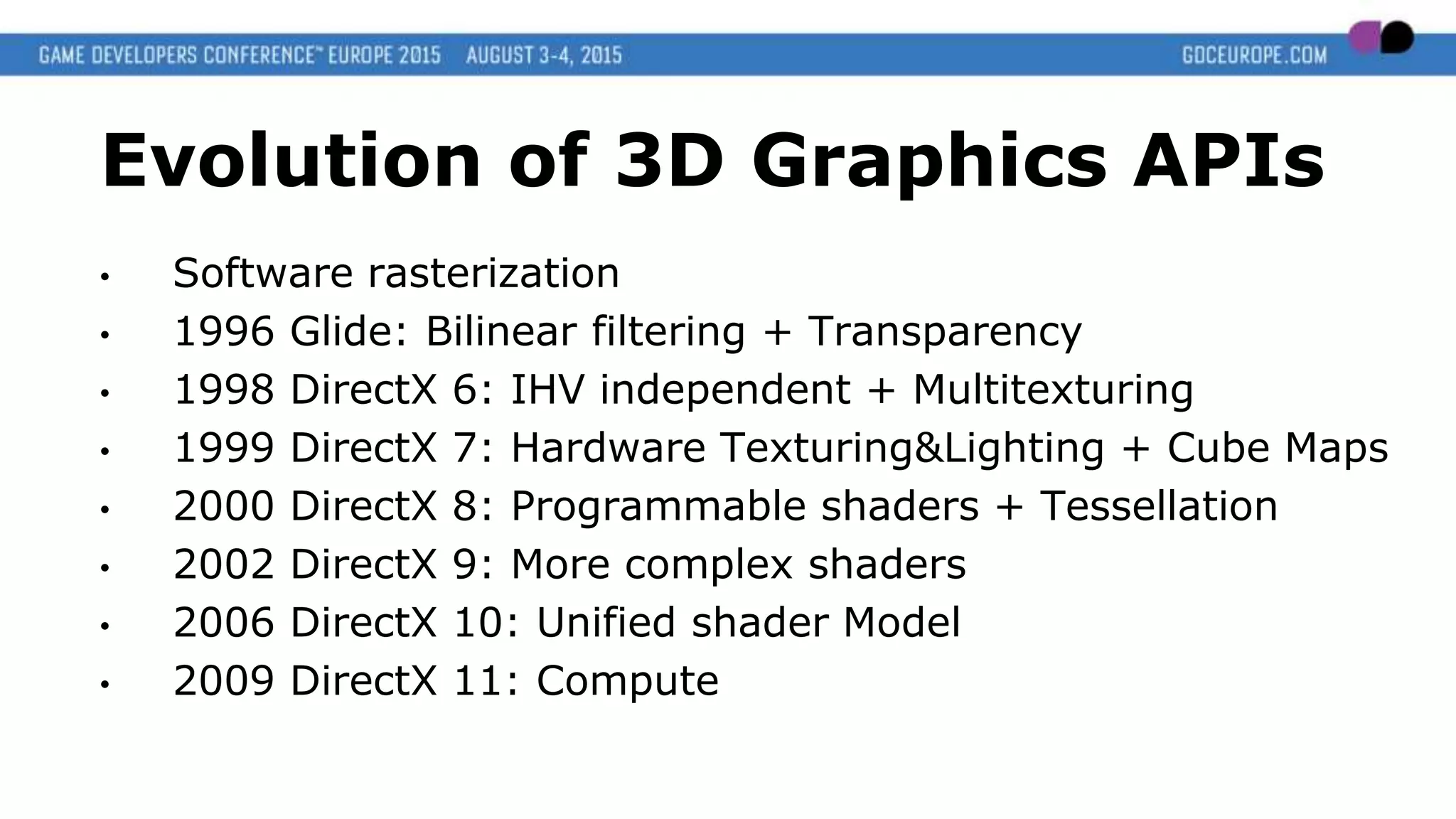
Evolution of 3D Graphics APIs
• Software rasterization
• 1996 Glide: Bilinear filtering + Transparency
• 1998 DirectX 6: IHV independent + Multitexturing
• 1999 DirectX 7: Hardware Texturing&Lighting + Cube Maps
• 2000 DirectX 8: Programmable shaders + Tessellation
• 2002 DirectX 9: More complex shaders
• 2006 DirectX 10: Unified shader Model
• 2009 DirectX 11: Compute
0
1000
2000
3000
4000
5000
6000
7000
8000
9000
10000
2006200720082009201020112012201320142015
GPU (GFLOPS)
CPU (10 MIPS single
Core)
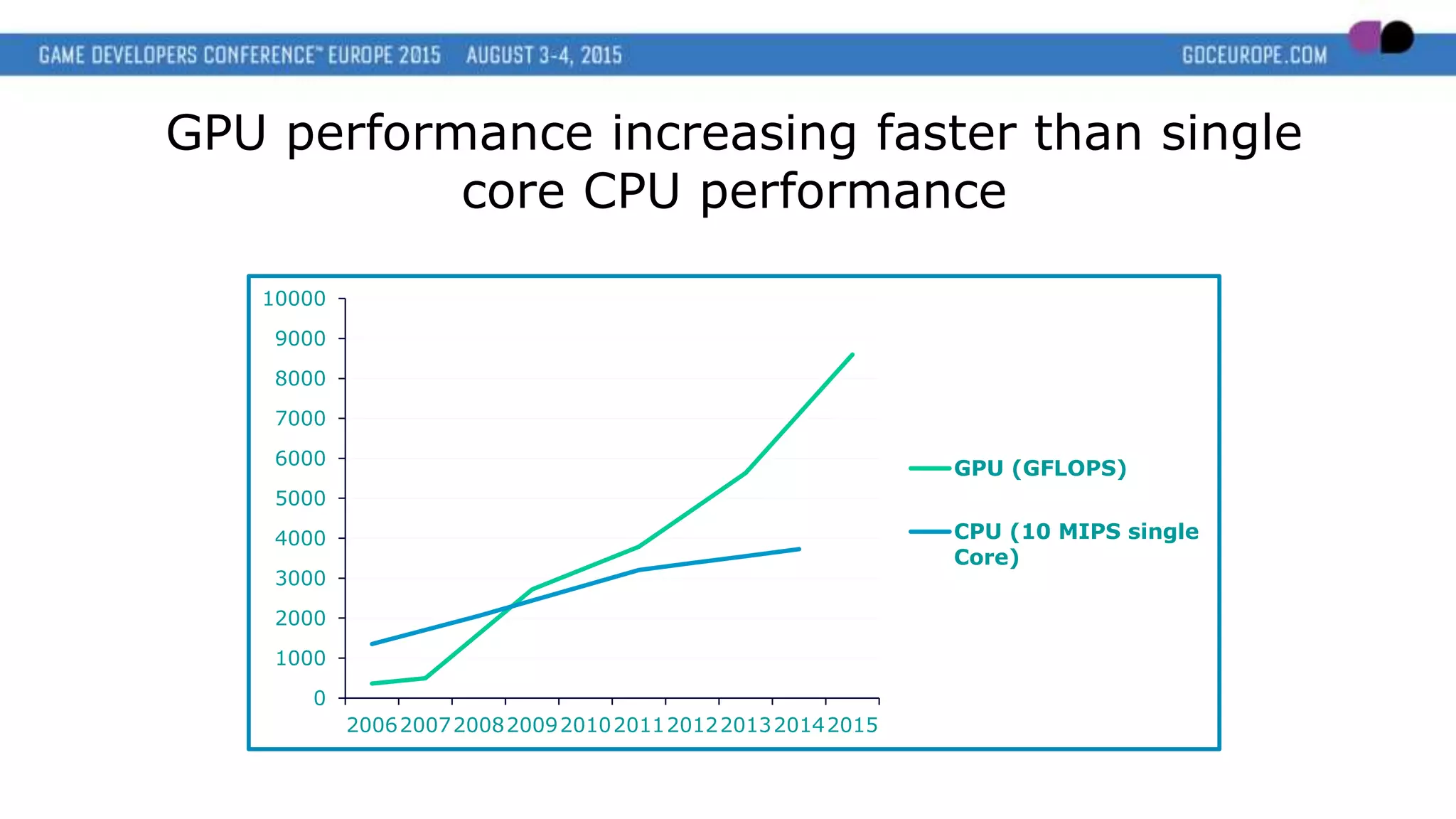
GPU performance increasing faster than single
core CPU performance
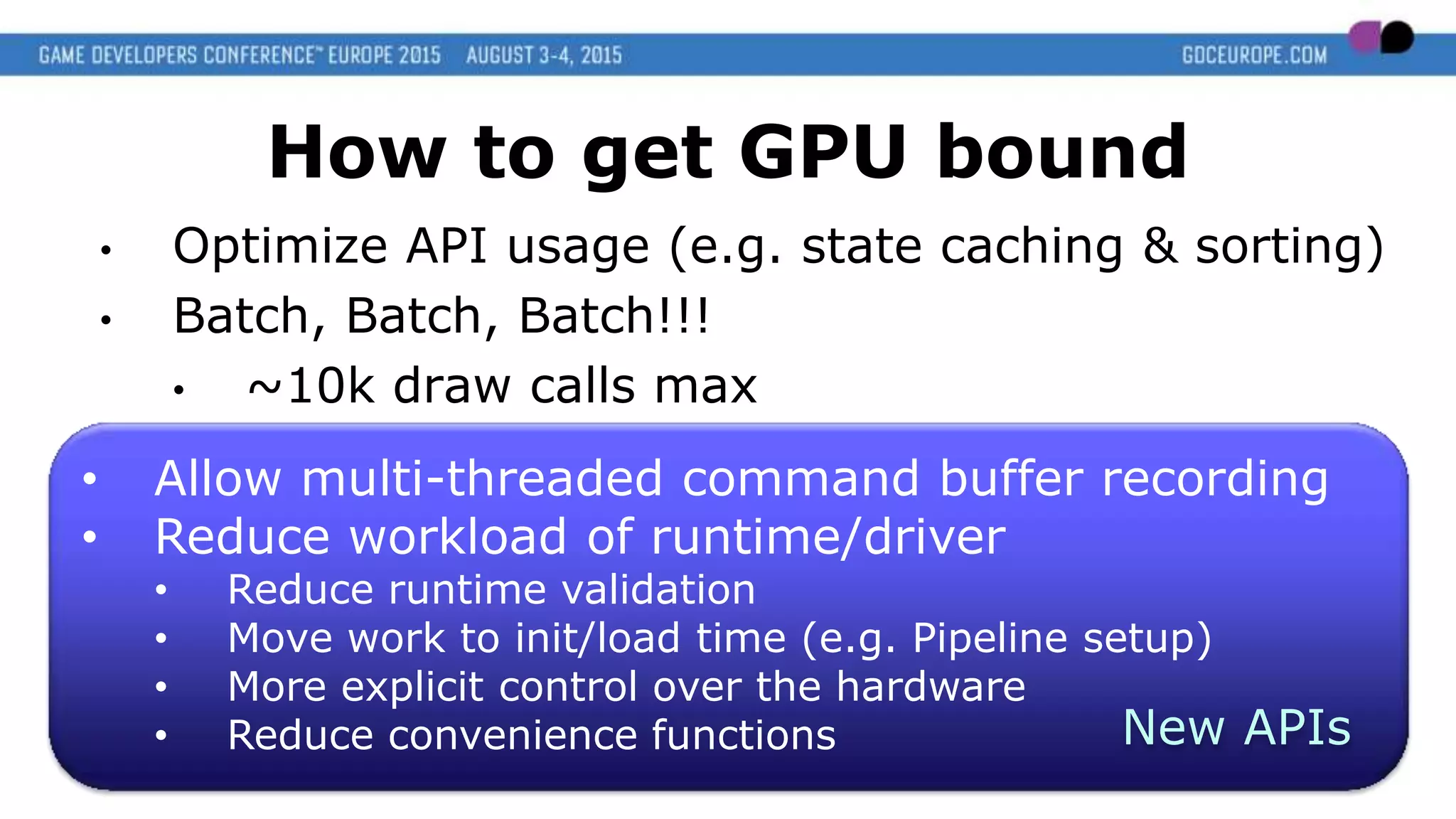
• Allow multi-threaded command buffer recording
• Reduce workload of runtime/driver
• Reduce runtime validation
• Move work to init/load time (e.g. Pipeline setup)
• More explicit control over the hardware
• Reduce convenience functions
How to get GPU bound
• Optimize API usage (e.g. state caching & sorting)
• Batch, Batch, Batch!!!
• ~10k draw calls max
New APIs
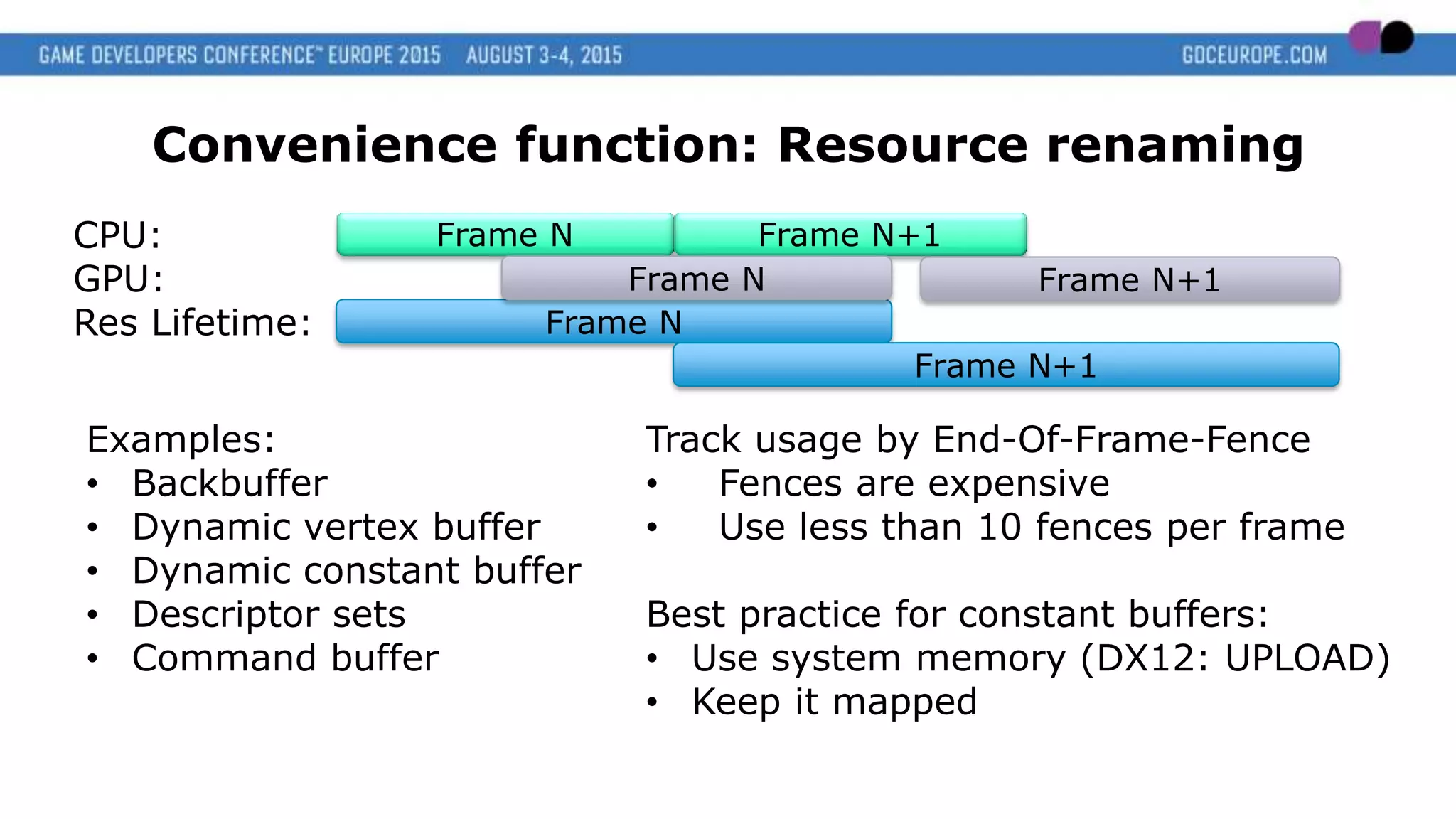
Convenience function: Resource renaming
Examples:
• Backbuffer
• Dynamic vertex buffer
• Dynamic constant buffer
• Descriptor sets
• Command buffer
Frame N Frame N+1
Frame N
Frame N+1
Frame N
CPU:
GPU:
Res Lifetime:
Frame N+1
Track usage by End-Of-Frame-Fence
• Fences are expensive
• Use less than 10 fences per frame
Best practice for constant buffers:
• Use system memory (DX12: UPLOAD)
• Keep it mapped
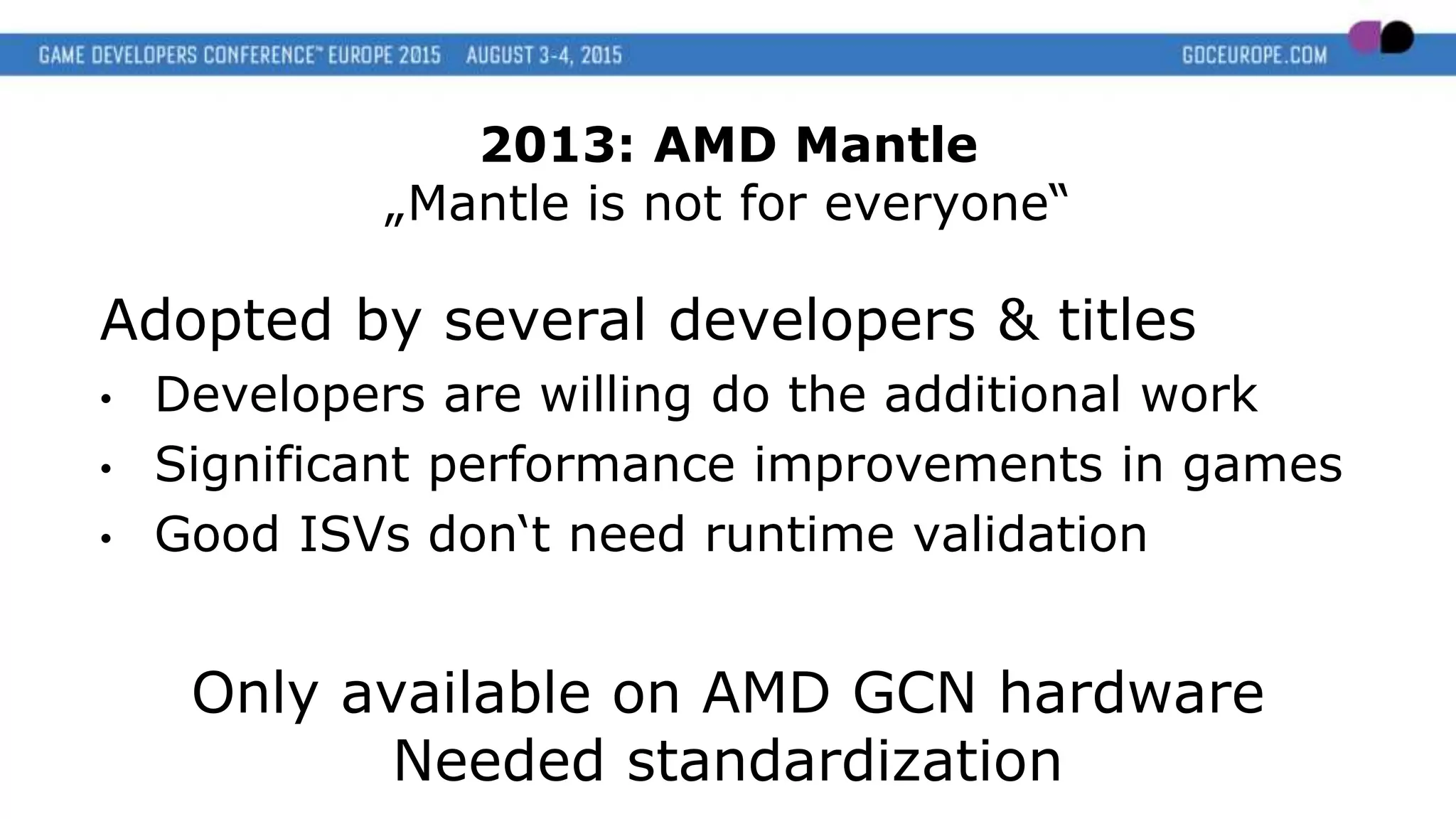
Adopted by several developers & titles
• Developers are willing do the additional work
• Significant performance improvements in games
• Good ISVs don‘t need runtime validation
Only available on AMD GCN hardware
Needed standardization
2013: AMD Mantle
„Mantle is not for everyone“
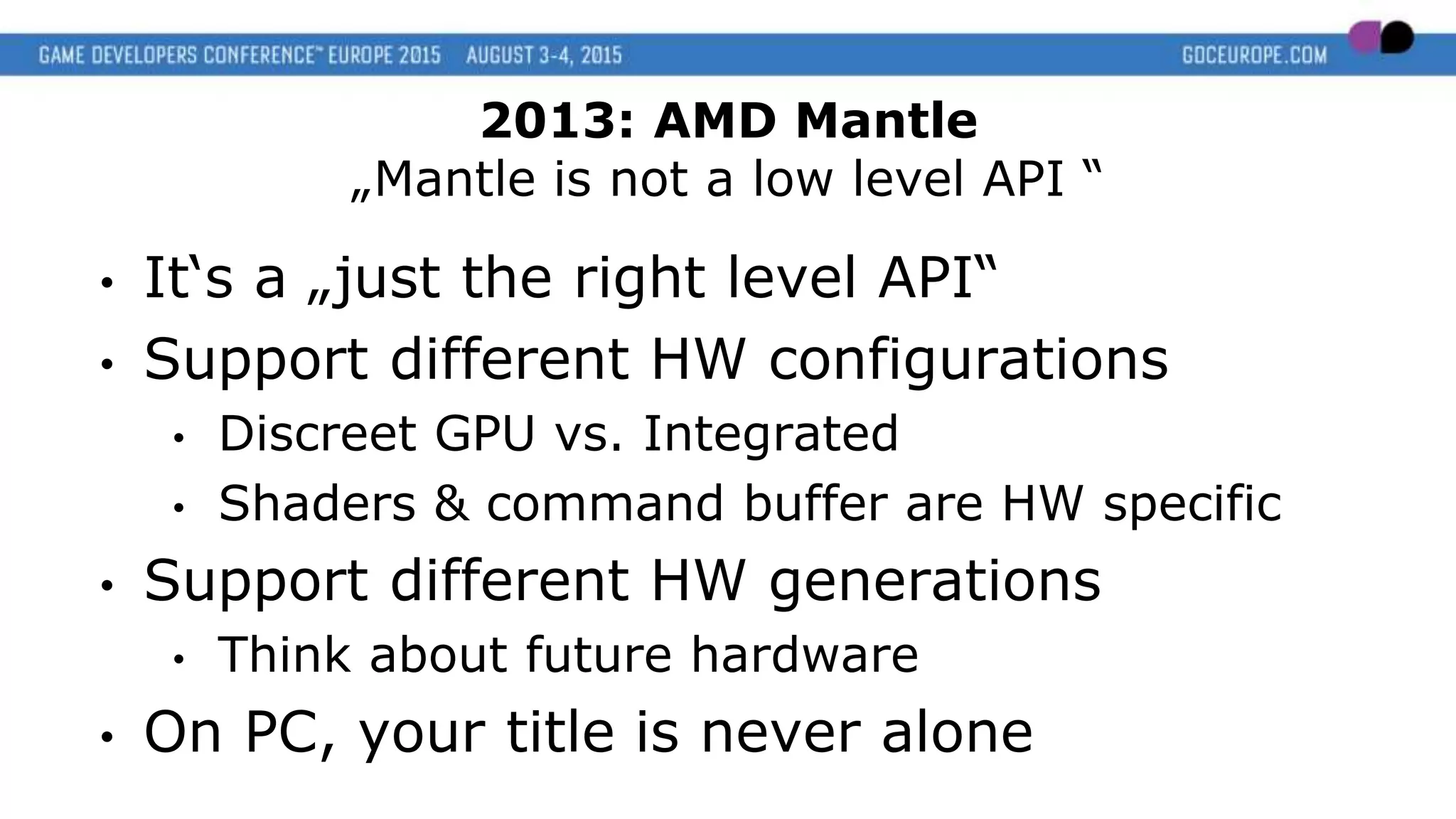
• It‘s a „just the right level API“
• Support different HW configurations
• Discreet GPU vs. Integrated
• Shaders & command buffer are HW specific
• Support different HW generations
• Think about future hardware
• On PC, your title is never alone
2013: AMD Mantle
„Mantle is not a low level API “
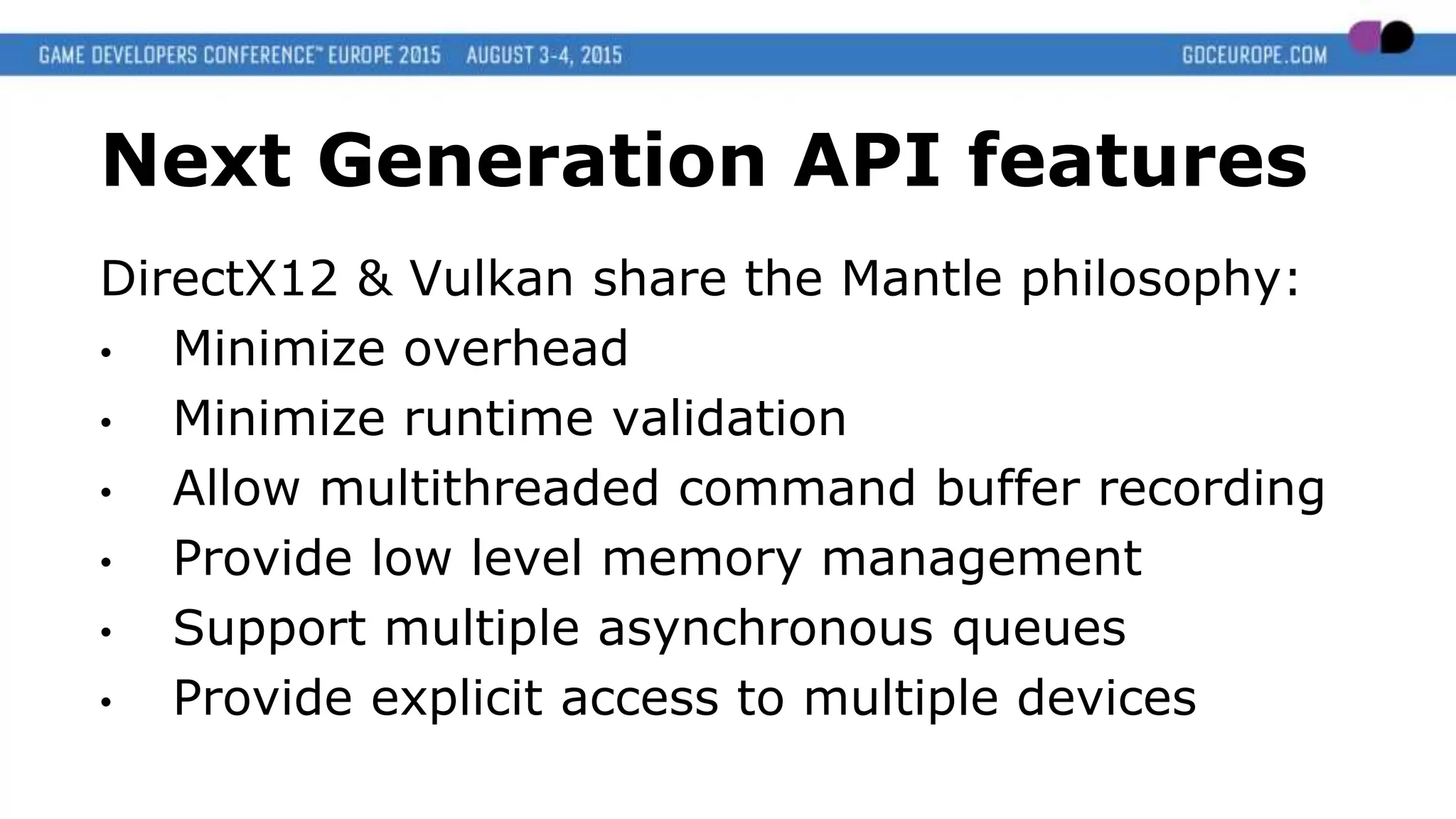
Next Generation API features
DirectX12 & Vulkan share the Mantle philosophy:
• Minimize overhead
• Minimize runtime validation
• Allow multithreaded command buffer recording
• Provide low level memory management
• Support multiple asynchronous queues
• Provide explicit access to multiple devices
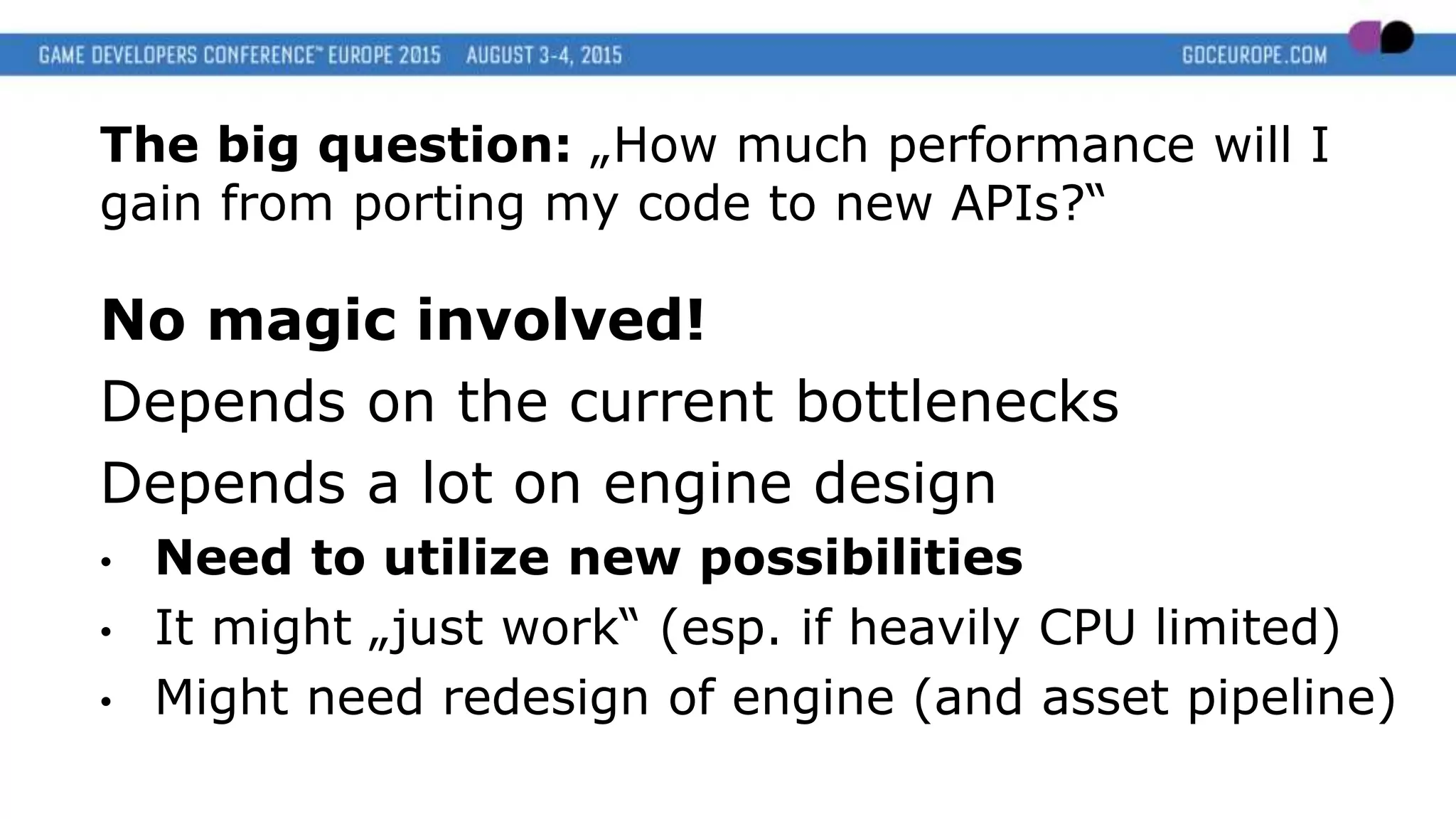
The big question: „How much performance will I
gain from porting my code to new APIs?“
No magic involved!
Depends on the current bottlenecks
Depends a lot on engine design
• Need to utilize new possibilities
• It might „just work“ (esp. if heavily CPU limited)
• Might need redesign of engine (and asset pipeline)
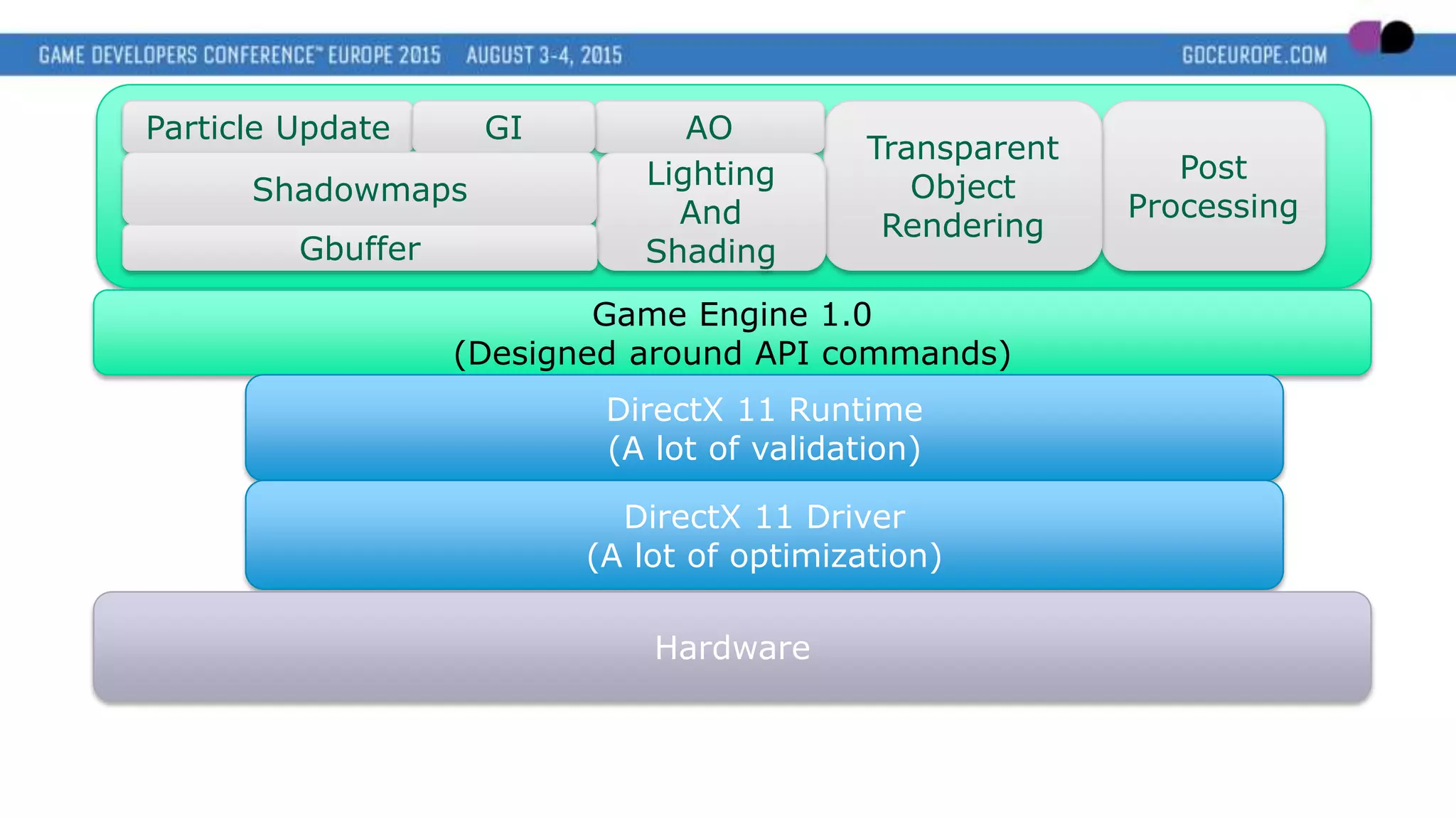
Particle Update
Post
Processing
Transparent
Object
Rendering
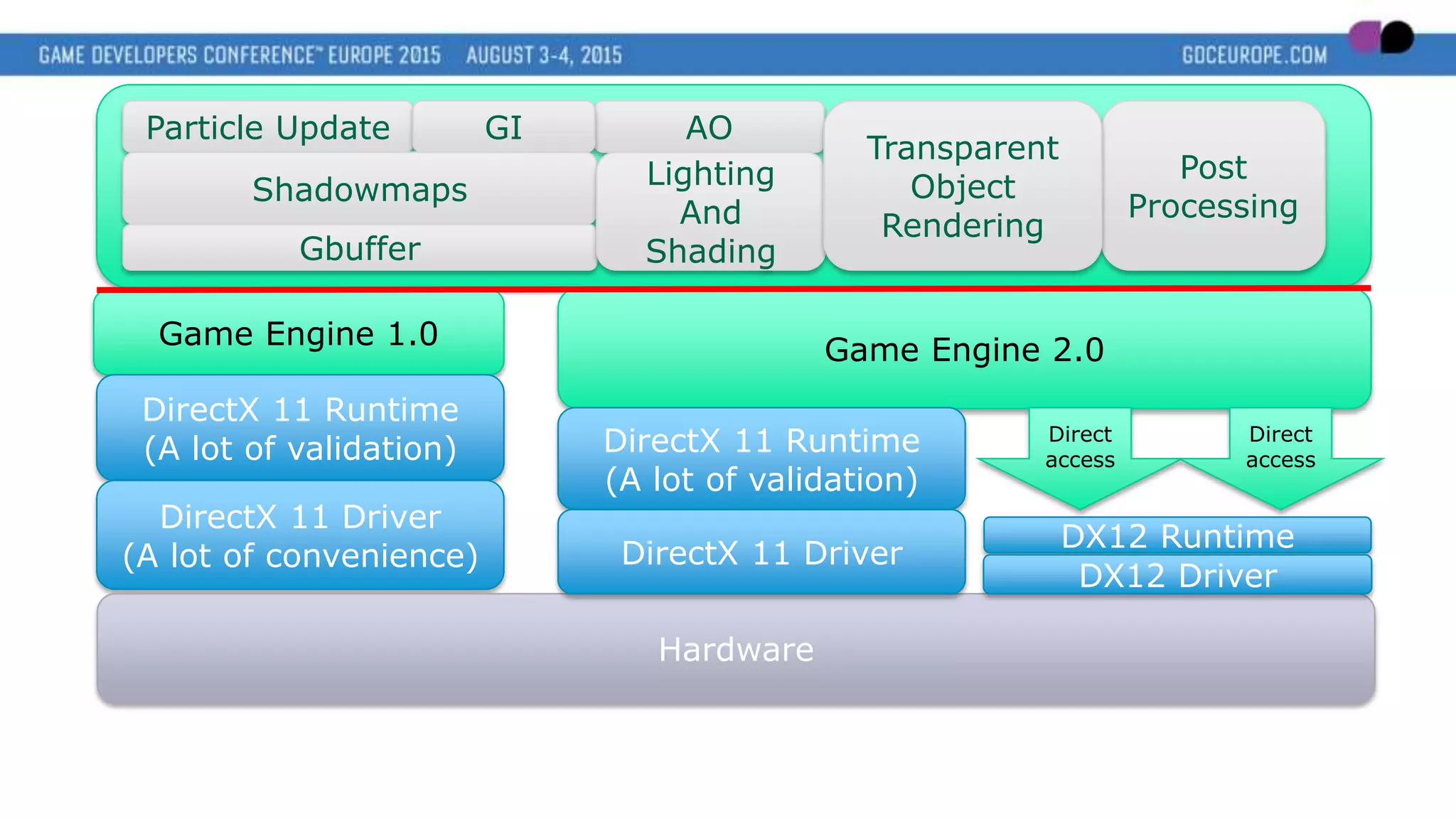
Game Engine 1.0
(Designed around API commands)
DirectX 11 Runtime
(A lot of validation)
DirectX 11 Driver
(A lot of optimization)
Hardware
AOGI
Lighting
And
Shading
Shadowmaps
Gbuffer
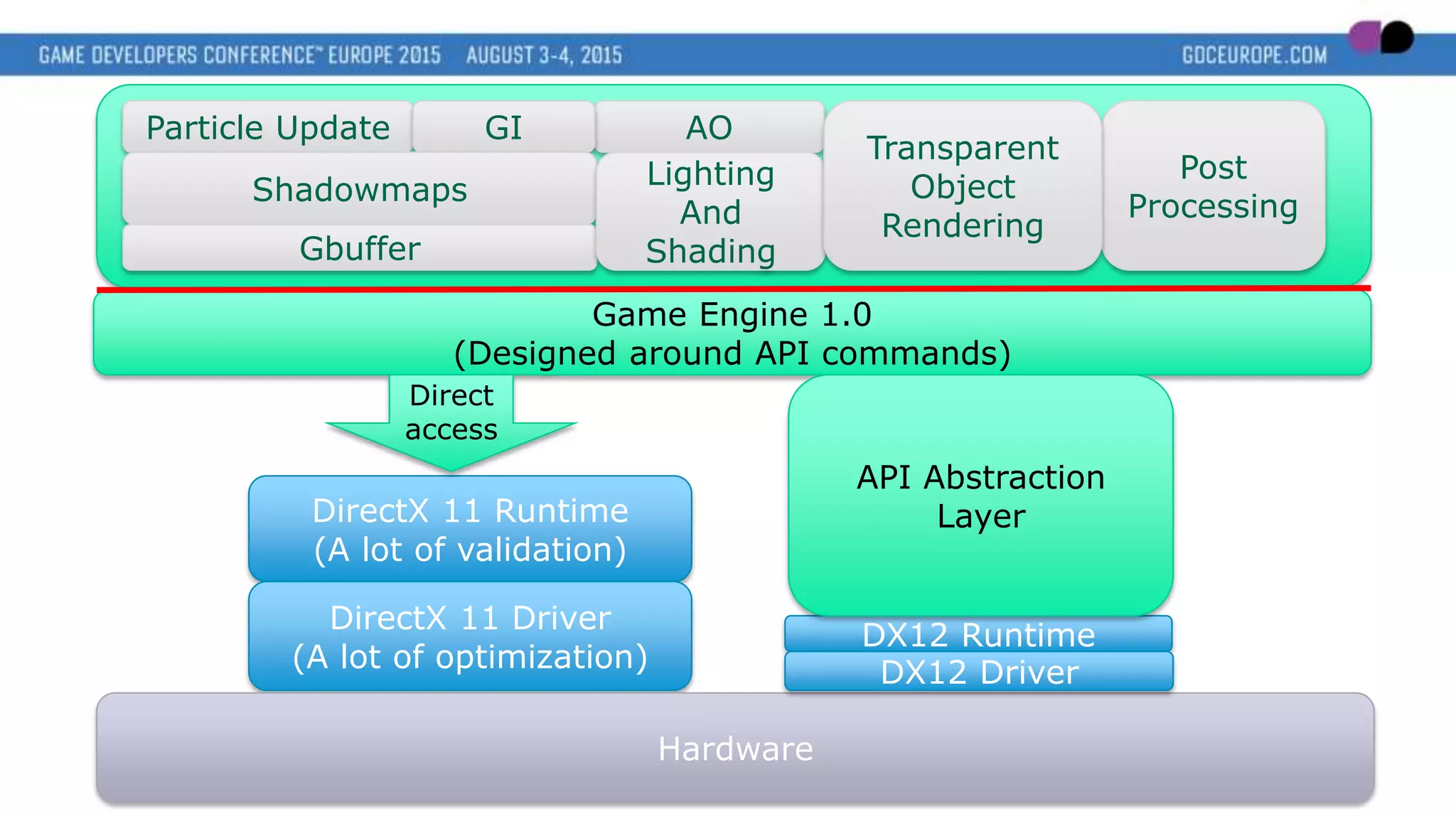
Particle Update
Post
Processing
Game Engine 1.0
(Designed around API commands)
DirectX 11 Runtime
(A lot of validation)
DirectX 11 Driver
(A lot of optimization)
Hardware
AOGI
Direct
access
DX12 Runtime
DX12 Driver
API Abstraction
Layer
Shadowmaps
Gbuffer
Lighting
And
Shading
Transparent
Object
Rendering
Particle Update
Game Engine 1.0
DirectX 11 Runtime
(A lot of validation)
DirectX 11 Driver
(A lot of convenience)
Hardware
AOGI
DX12 Runtime
DX12 Driver
Game Engine 2.0
Direct
access
Direct
access
DirectX 11 Runtime
(A lot of validation)
DirectX 11 Driver
Shadowmaps
Gbuffer
Lighting
And
Shading
Post
Processing
Transparent
Object
Rendering
Think Parallel!
Keep the GPU busy
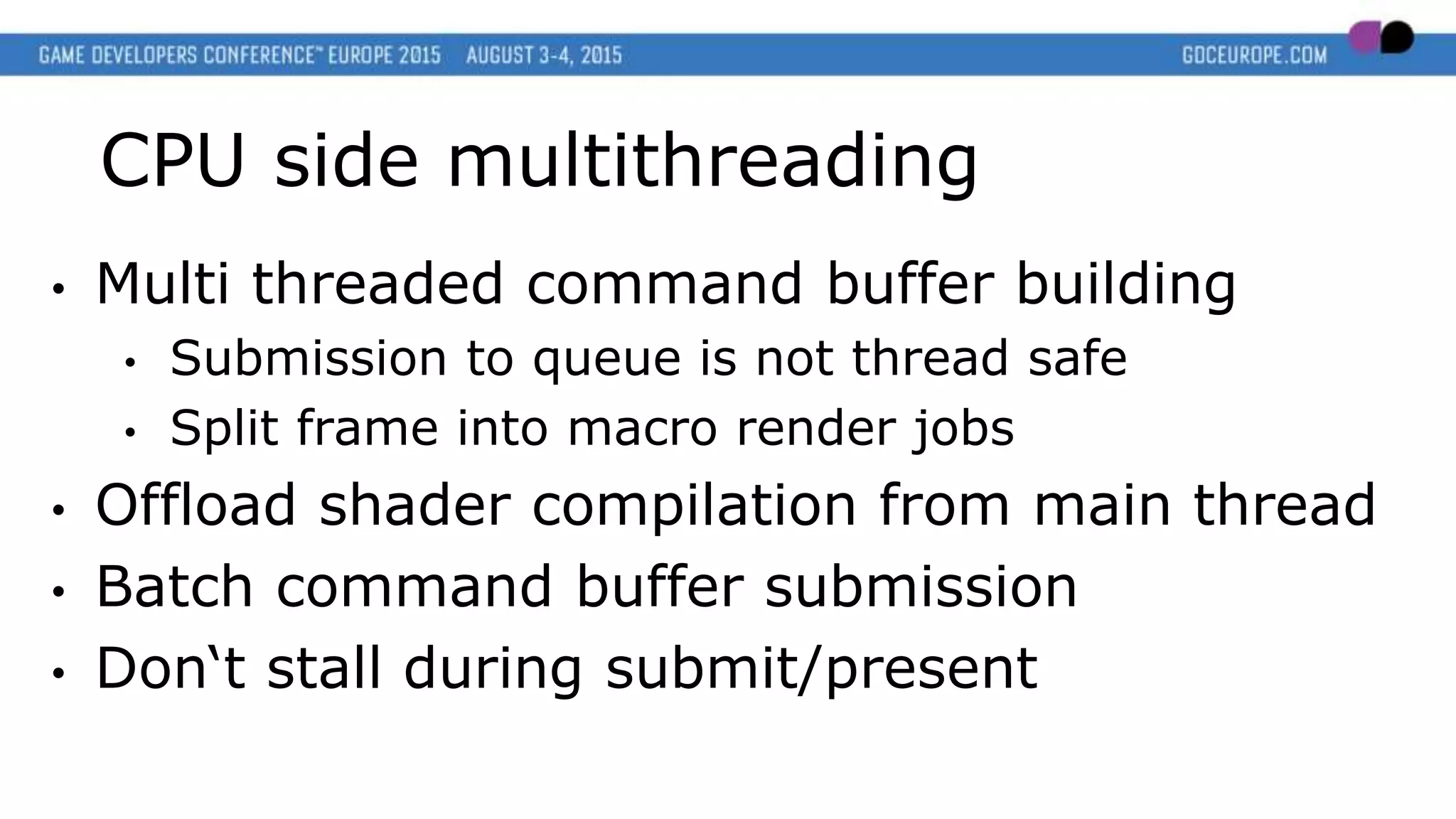
CPU side multithreading
• Multi threaded command buffer building
• Submission to queue is not thread safe
• Split frame into macro render jobs
• Offload shader compilation from main thread
• Batch command buffer submission
• Don‘t stall during submit/present
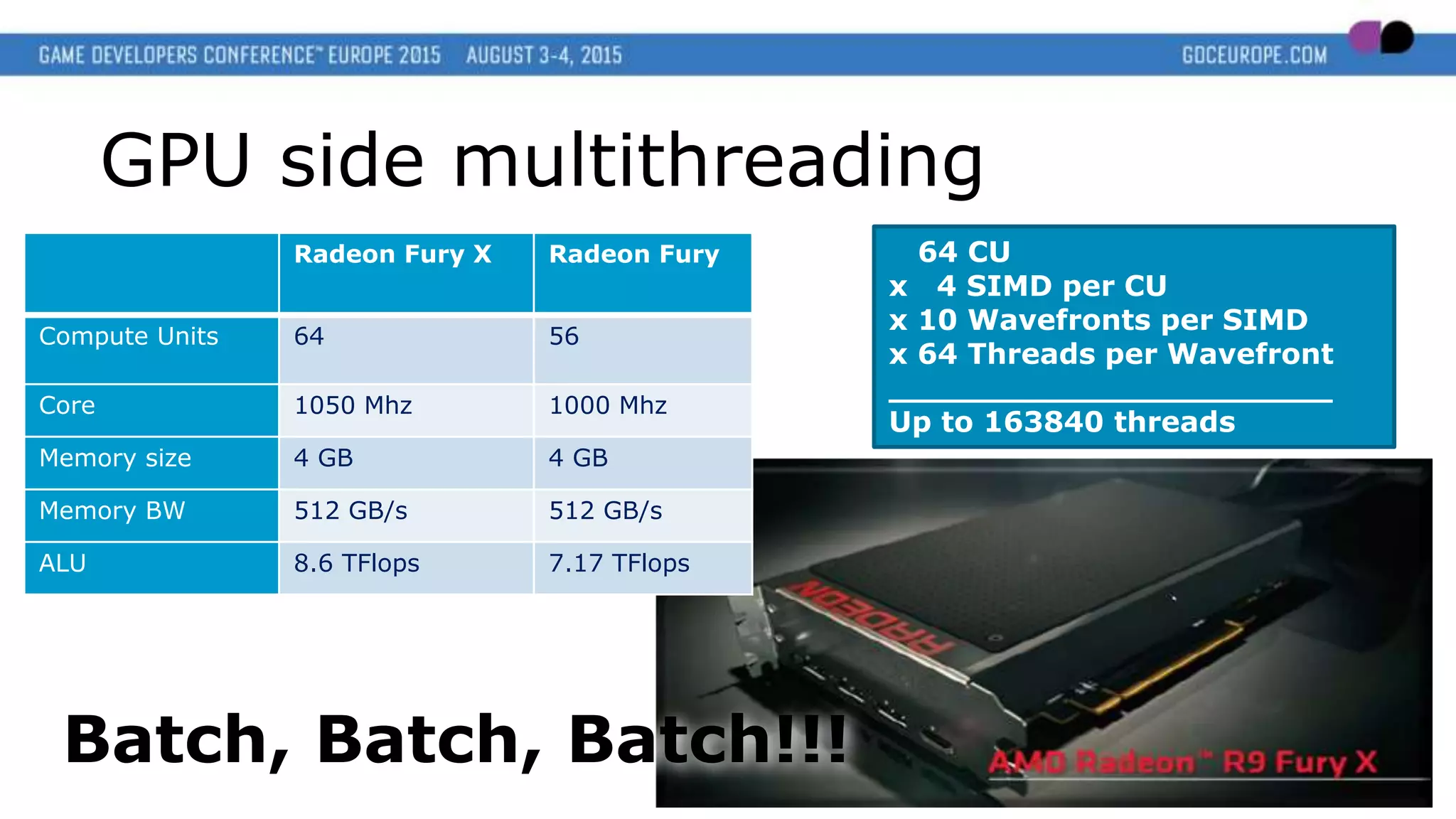
Radeon Fury X Radeon Fury
Compute Units 64 56
Core 1050 Mhz 1000 Mhz
Memory size 4 GB 4 GB
Memory BW 512 GB/s 512 GB/s
ALU 8.6 TFlops 7.17 TFlops
64 CU
x 4 SIMD per CU
x 10 Wavefronts per SIMD
x 64 Threads per Wavefront
______________________
Up to 163840 threads
Batch, Batch, Batch!!!
GPU side multithreading
IA
VS
Rasterizer
PS
Output
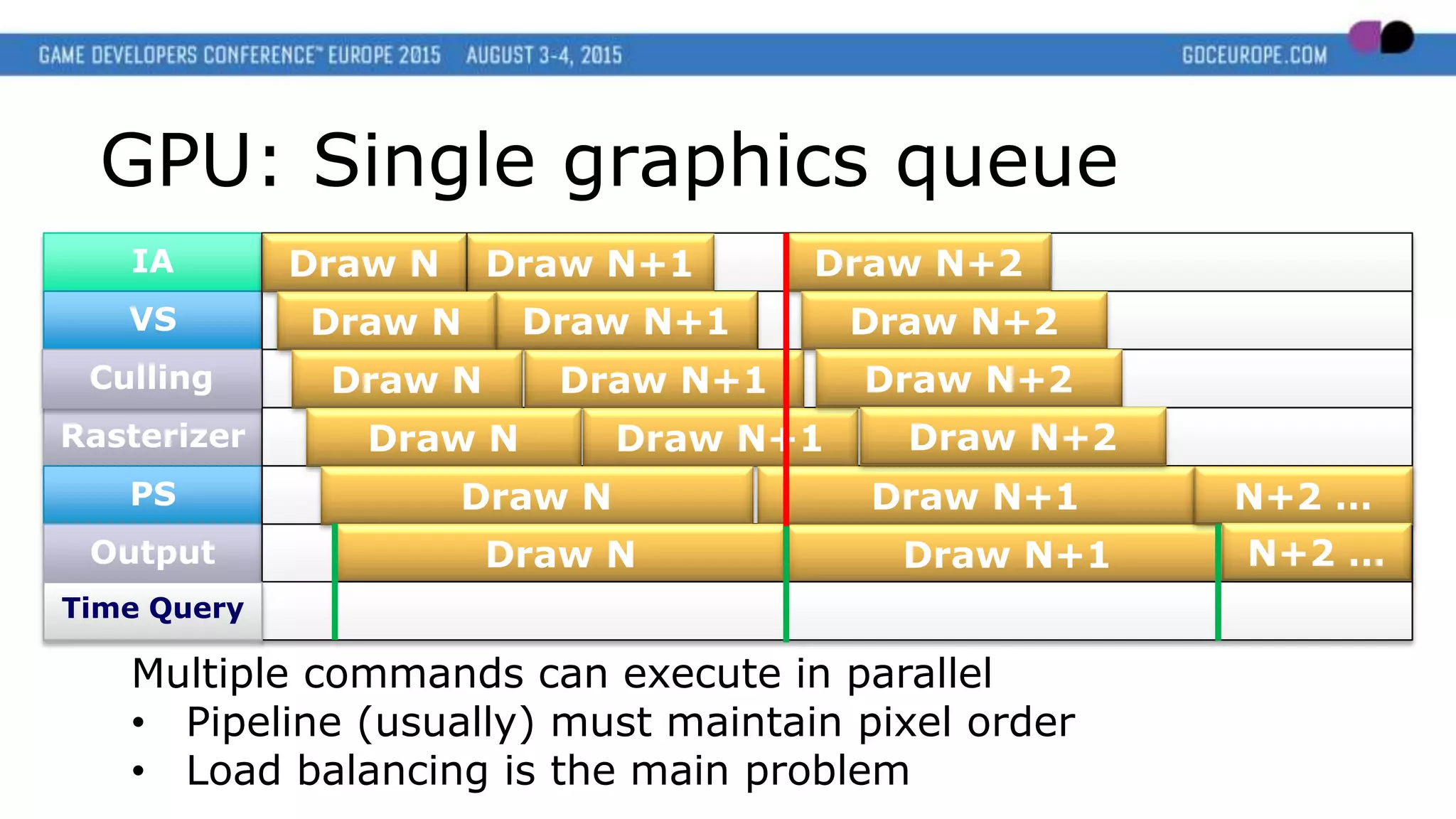
GPU: Single graphics queue
Multiple commands can execute in parallel
• Pipeline (usually) must maintain pixel order
• Load balancing is the main problem
Culling
Draw N+1
Draw N+1
Draw N+1
Draw N+1
Draw N+1
Draw N+1
Draw N
Draw N
Draw N
Draw N
Draw N
Draw N
Draw N+2
Draw N+2
Draw N+2
Draw N+2
N+2 …
N+2 …
Time Query
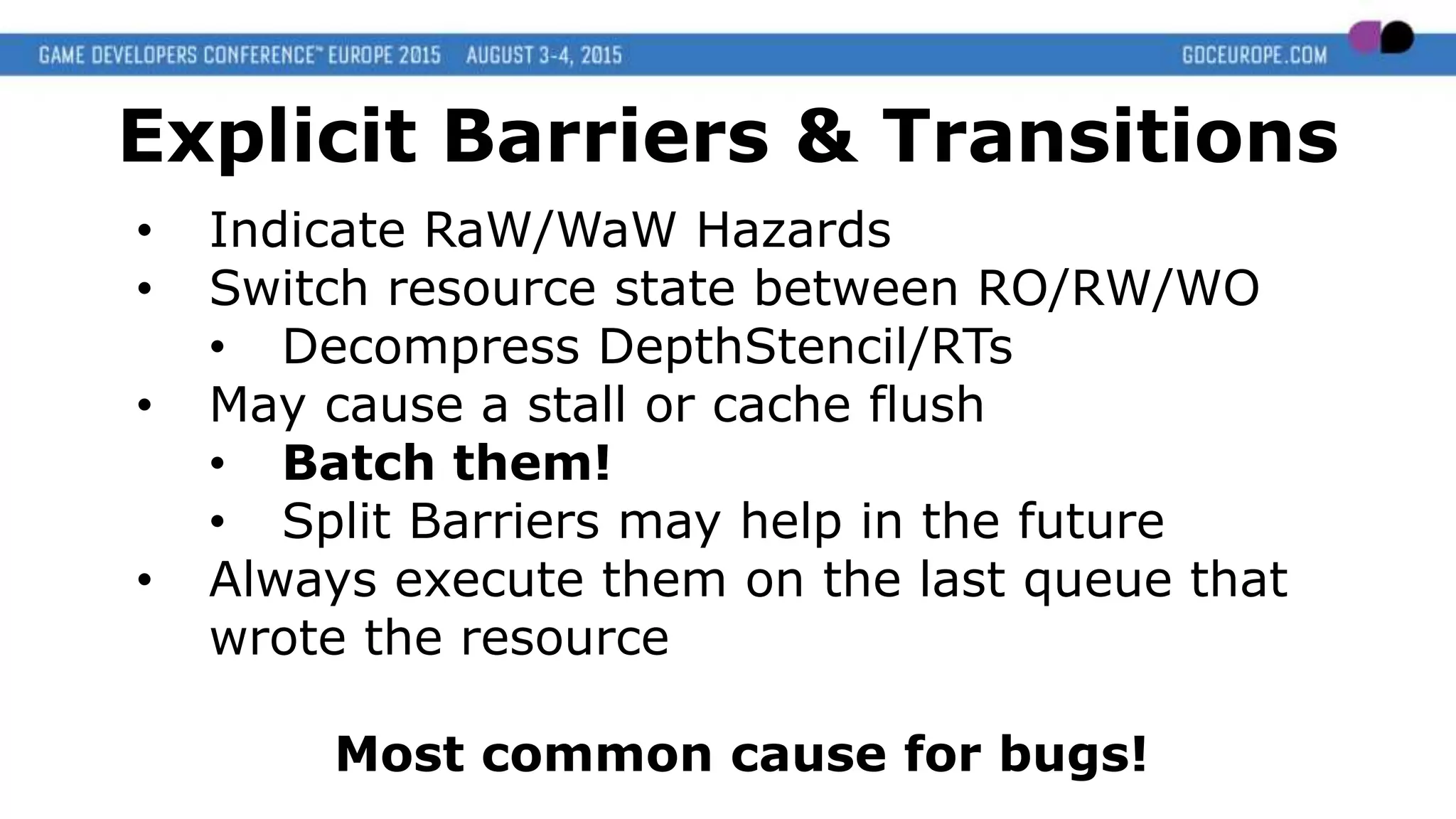
• Indicate RaW/WaW Hazards
• Switch resource state between RO/RW/WO
• Decompress DepthStencil/RTs
• May cause a stall or cache flush
• Batch them!
• Split Barriers may help in the future
• Always execute them on the last queue that
wrote the resource
Most common cause for bugs!
Explicit Barriers & Transitions
IA
VS
Rasterizer
PS
Output
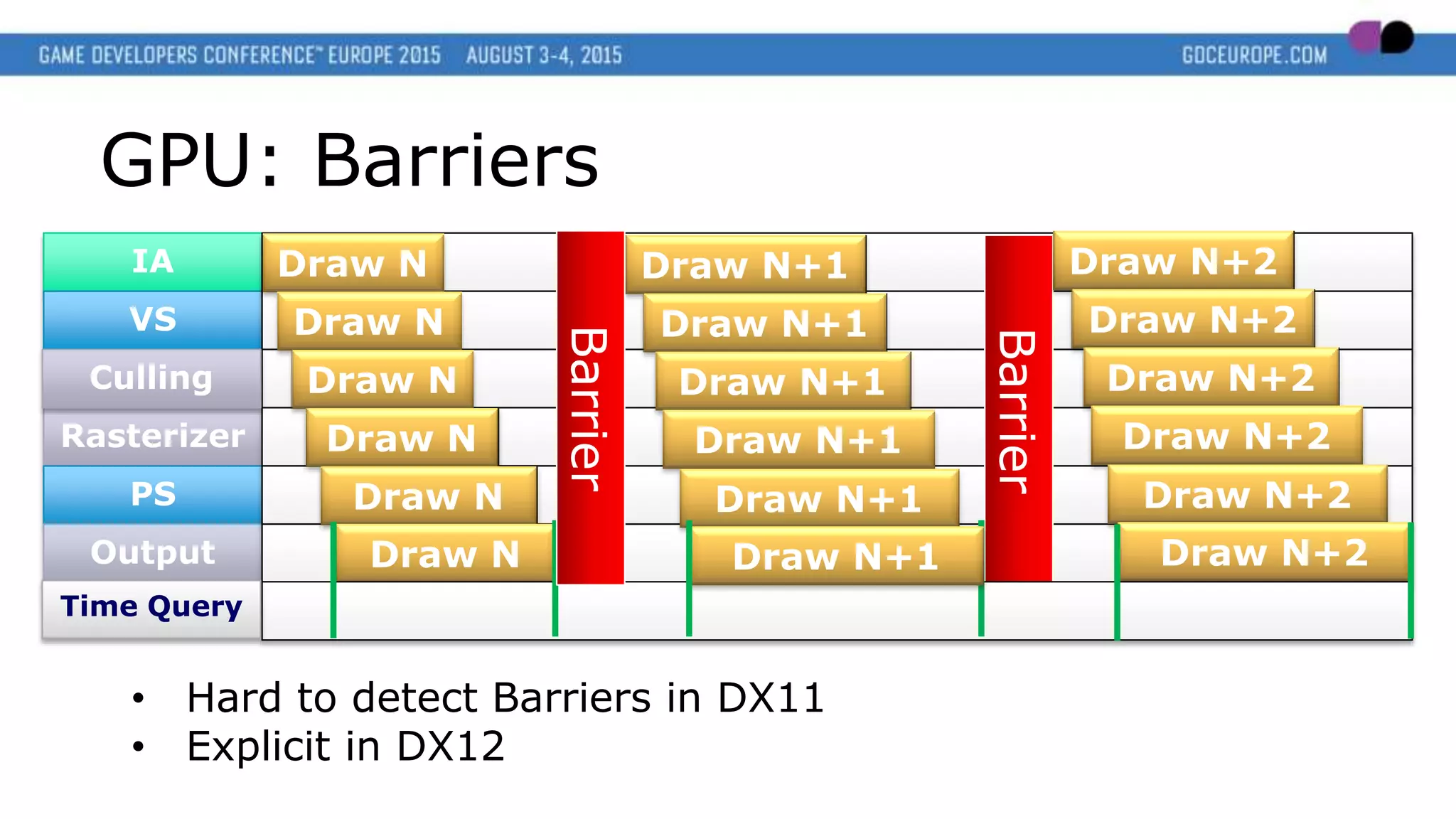
GPU: Barriers
• Hard to detect Barriers in DX11
• Explicit in DX12
Culling
Draw N
Draw N
Draw N
Draw N
Draw N
Draw N
Barrier
Draw N+2
Draw N+2
Draw N+2
Draw N+2
Draw N+2
Draw N+2
Time Query
Draw N+1
Draw N+1
Draw N+1
Draw N+1
Draw N+1
Draw N+1Barrier
IA
VS
Rasterizer
PS
Output
GPU: Barriers
• Batch them!
• [DX12] In the future split barriers may help
Culling
Draw N
Draw N
Draw N
Draw N
Draw N
Draw N
Time Query
Draw N+2
Draw N+2
Draw N+2
Draw N+2
Draw N+2
Draw N+2DoubleBarrier
Draw N+1
Draw N+1
Draw N+1
Draw N+1
Draw N+1
Draw N+1
IA
VS
Rasterizer
PS
Output
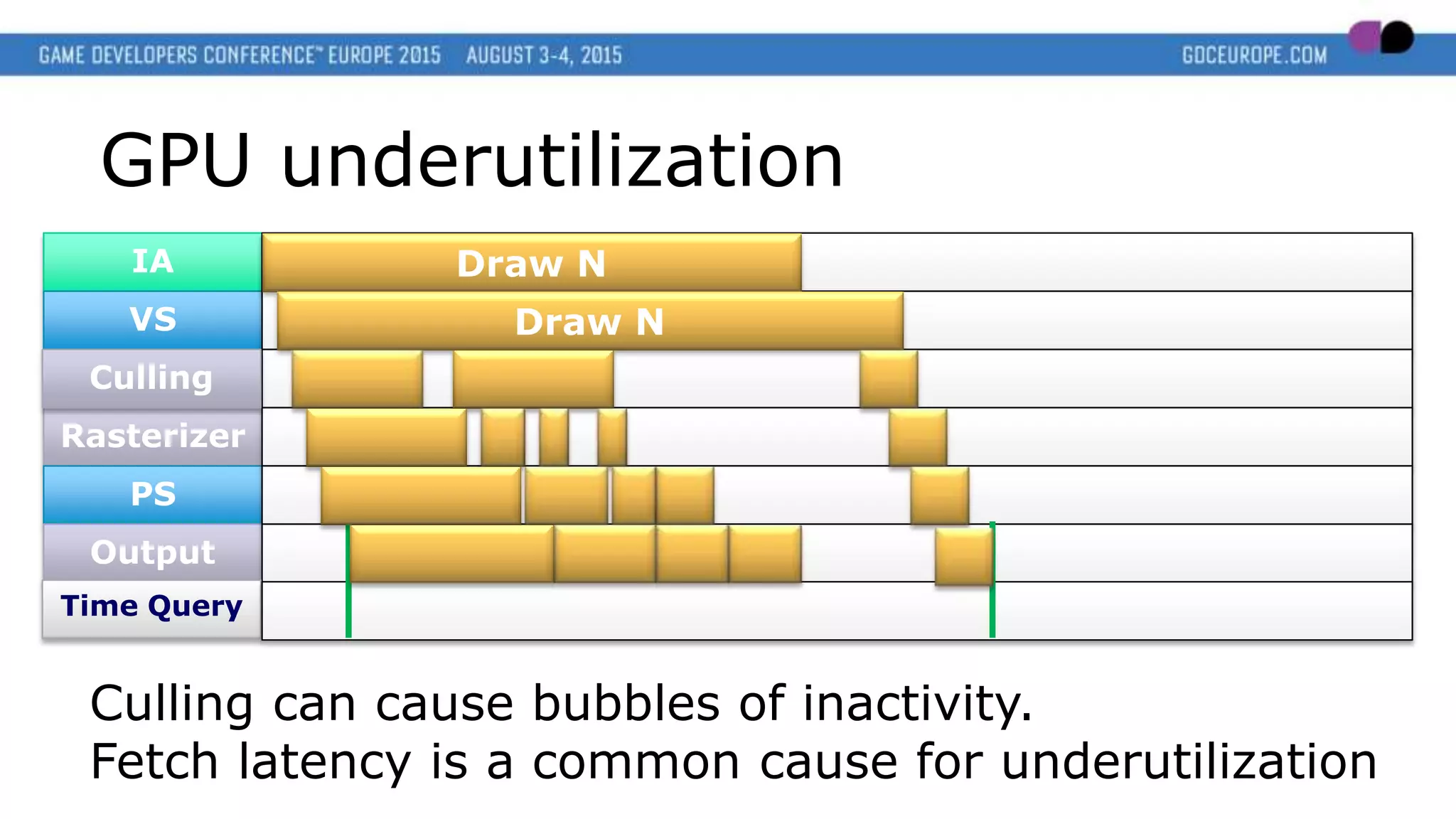
GPU underutilization
Culling can cause bubbles of inactivity.
Fetch latency is a common cause for underutilization
Culling
Time Query
Draw N
Draw N
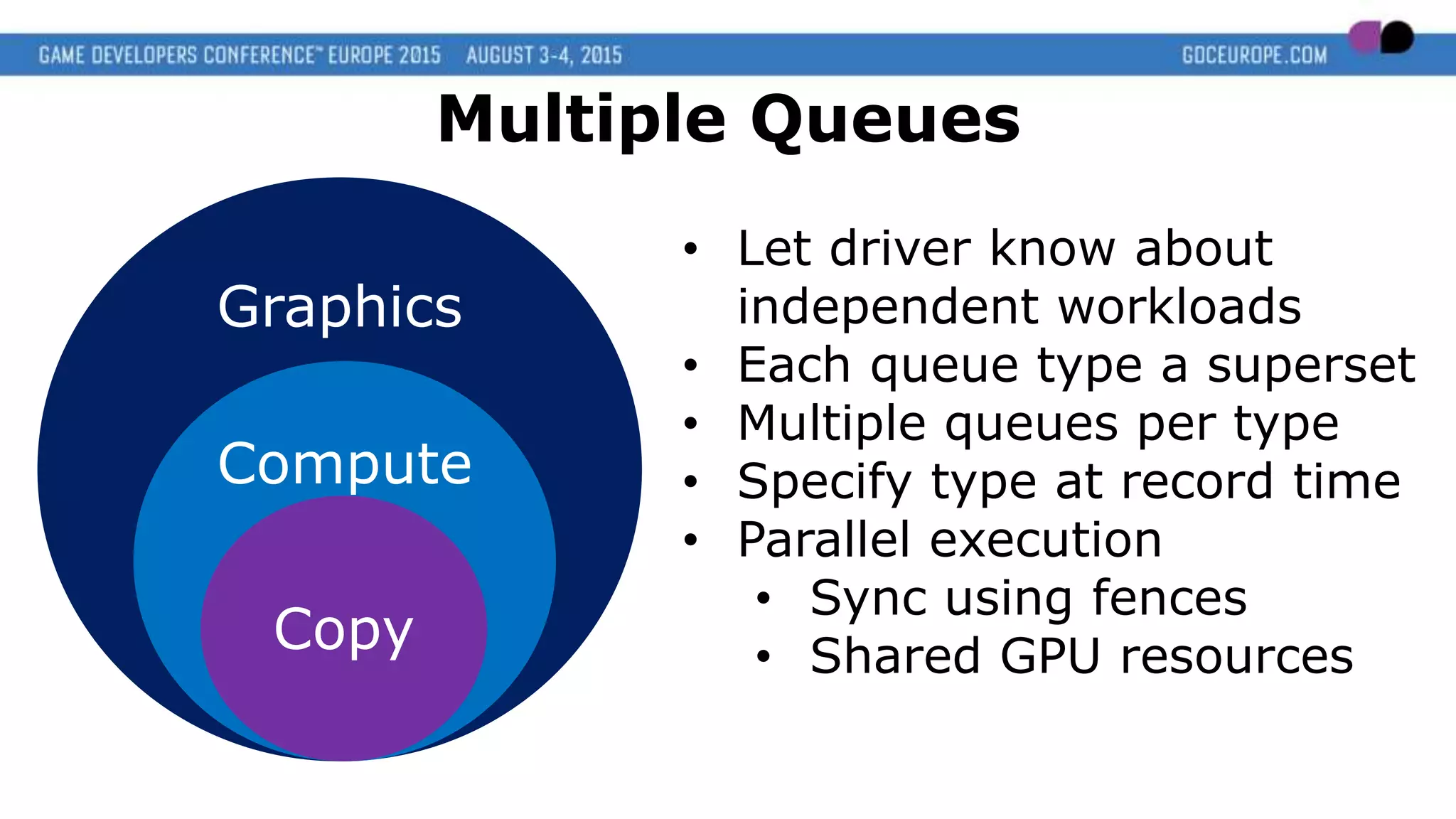
Graphics
Compute
Copy
Multiple Queues
• Let driver know about
independent workloads
• Each queue type a superset
• Multiple queues per type
• Specify type at record time
• Parallel execution
• Sync using fences
• Shared GPU resources
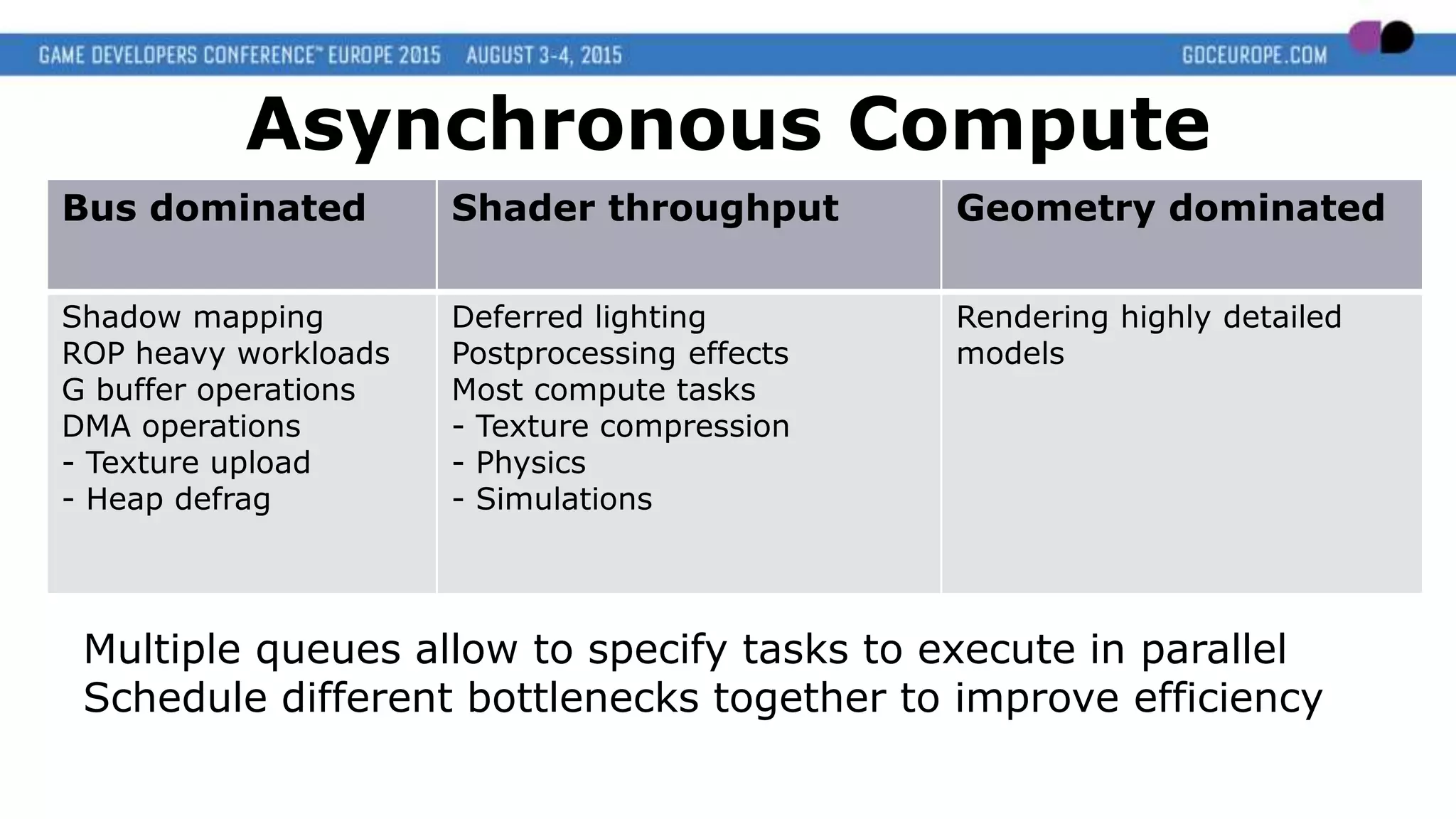
Multiple queues allow to specify tasks to execute in parallel
Schedule different bottlenecks together to improve efficiency
Asynchronous Compute
Bus dominated Shader throughput Geometry dominated
Shadow mapping
ROP heavy workloads
G buffer operations
DMA operations
- Texture upload
- Heap defrag
Deferred lighting
Postprocessing effects
Most compute tasks
- Texture compression
- Physics
- Simulations
Rendering highly detailed
models
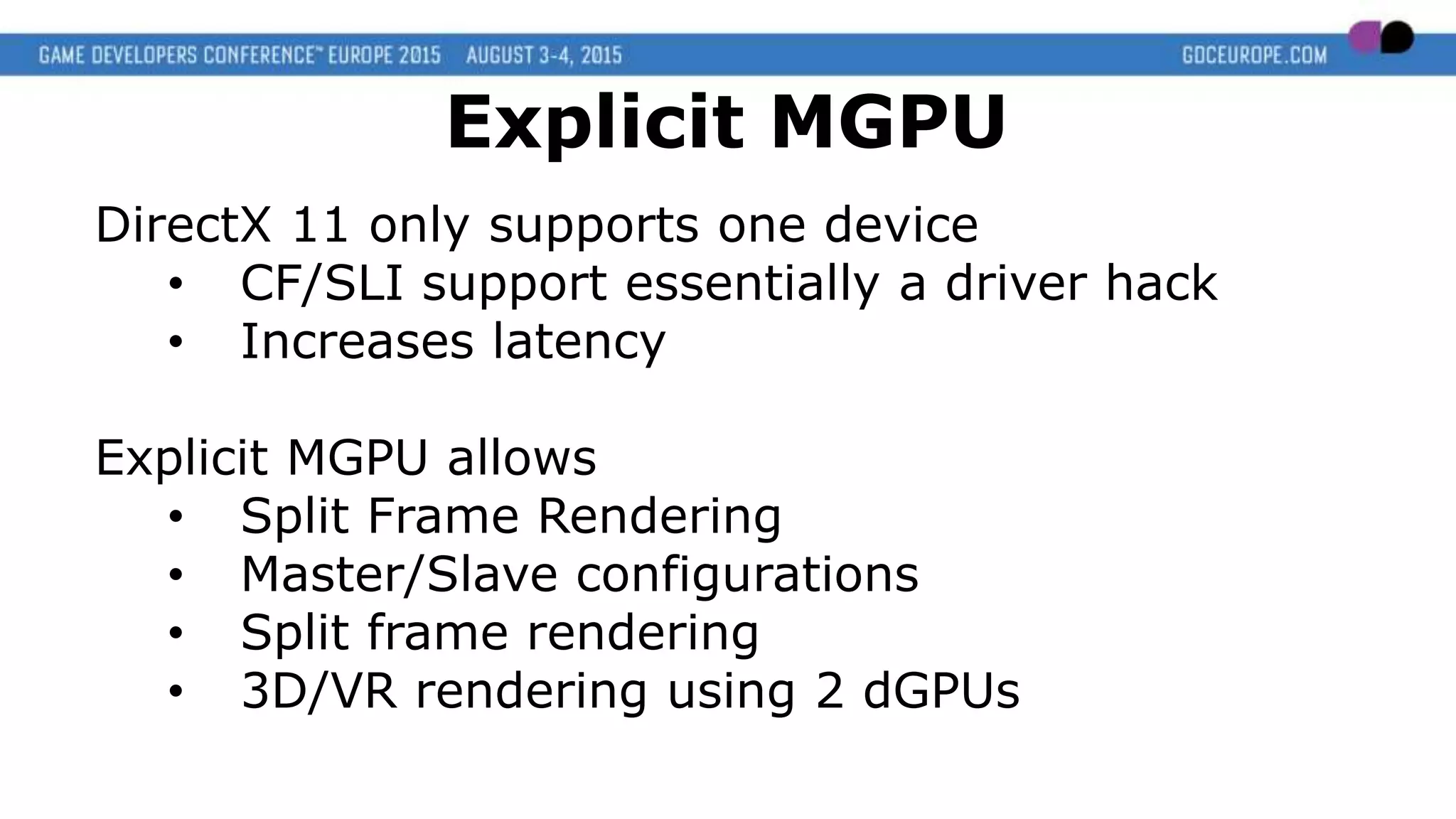
DirectX 11 only supports one device
• CF/SLI support essentially a driver hack
• Increases latency
Explicit MGPU allows
• Split Frame Rendering
• Master/Slave configurations
• Split frame rendering
• 3D/VR rendering using 2 dGPUs
Explicit MGPU
Take Control!
Explicit Memory Managagement
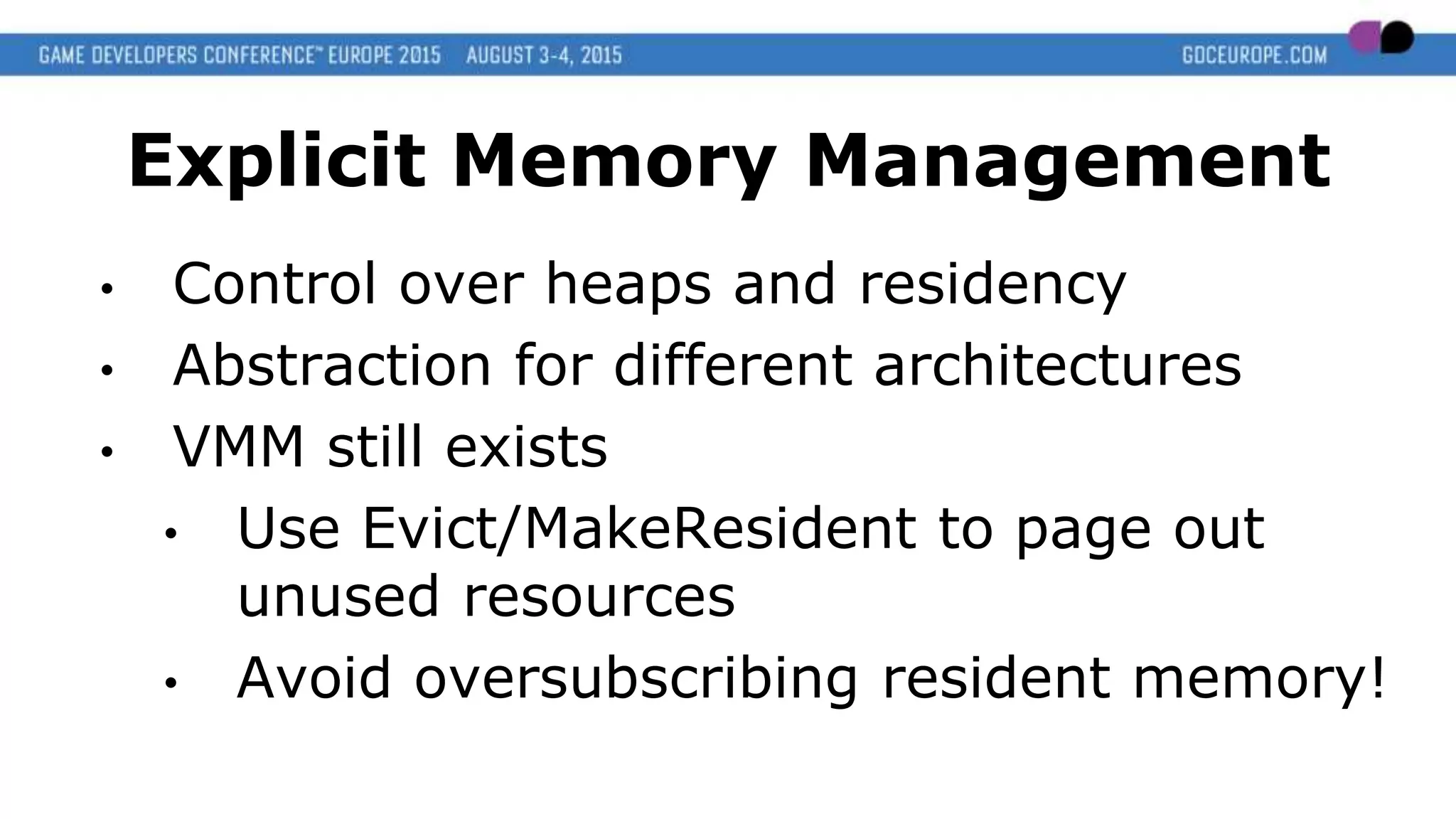
Explicit Memory Management
• Control over heaps and residency
• Abstraction for different architectures
• VMM still exists
• Use Evict/MakeResident to page out
unused resources
• Avoid oversubscribing resident memory!
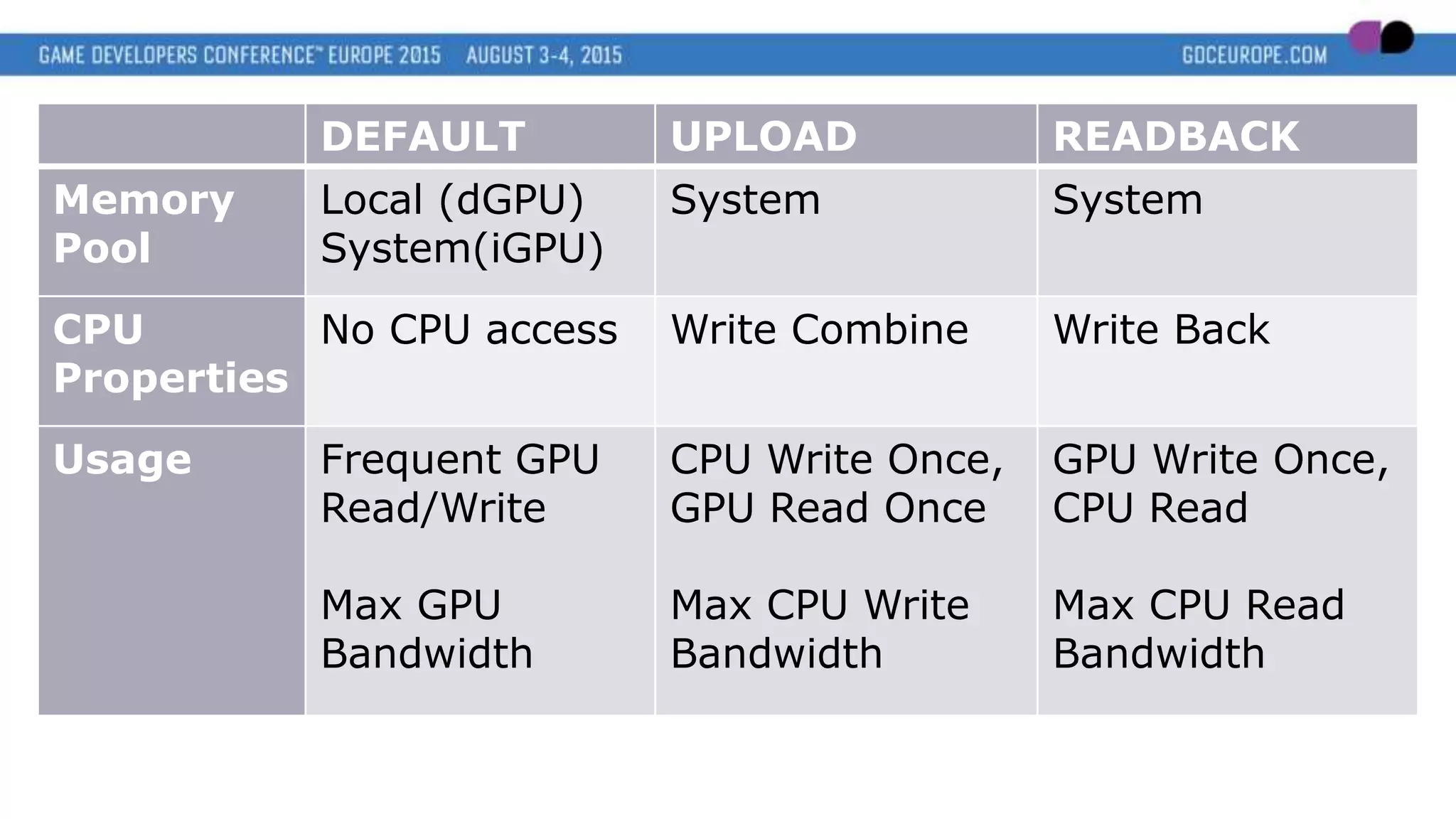
DEFAULT UPLOAD READBACK
Memory
Pool
Local (dGPU)
System(iGPU)
System System
CPU
Properties
No CPU access Write Combine Write Back
Usage Frequent GPU
Read/Write
Max GPU
Bandwidth
CPU Write Once,
GPU Read Once
Max CPU Write
Bandwidth
GPU Write Once,
CPU Read
Max CPU Read
Bandwidth
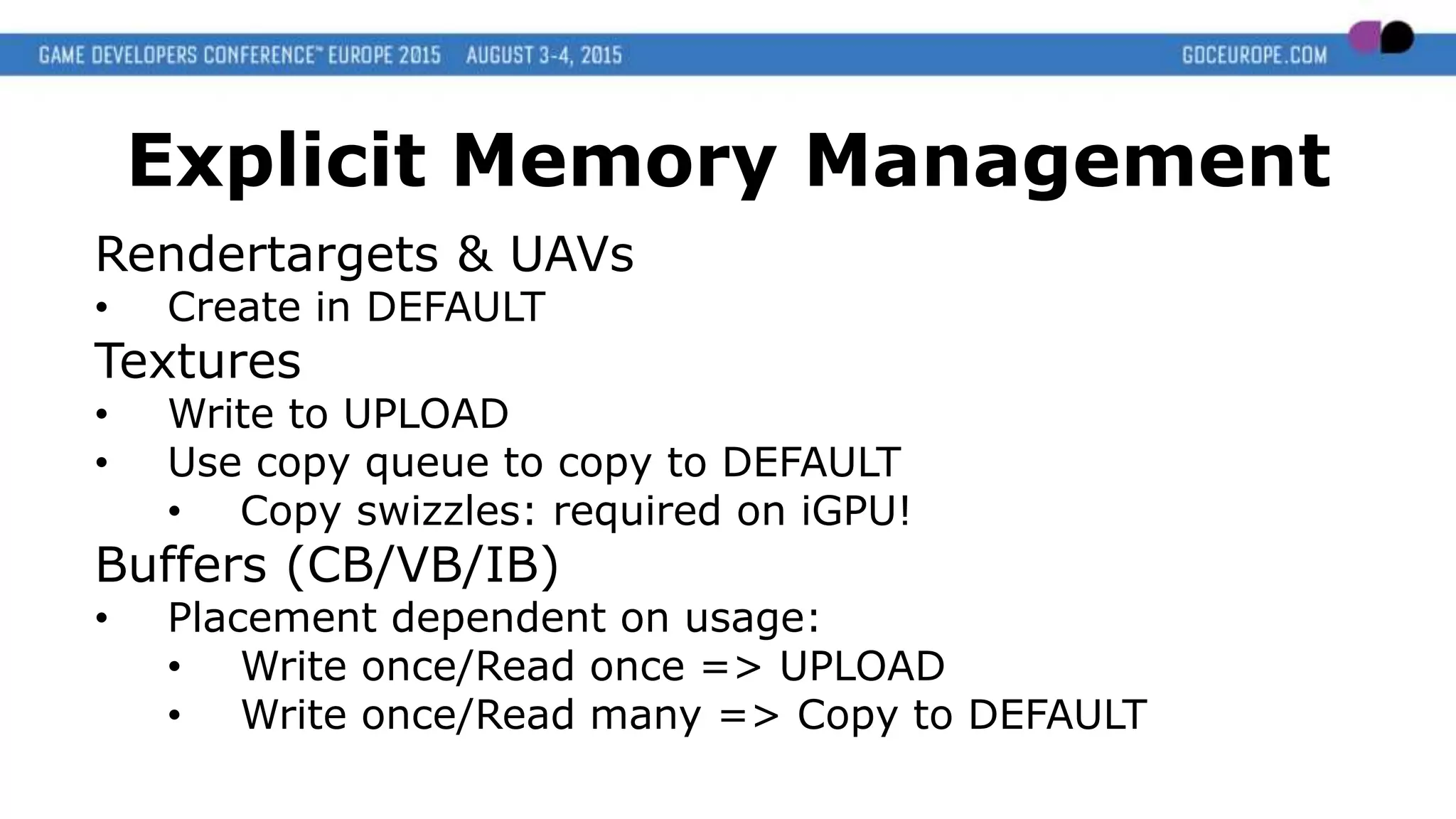
Explicit Memory Management
Rendertargets & UAVs
• Create in DEFAULT
Textures
• Write to UPLOAD
• Use copy queue to copy to DEFAULT
• Copy swizzles: required on iGPU!
Buffers (CB/VB/IB)
• Placement dependent on usage:
• Write once/Read once => UPLOAD
• Write once/Read many => Copy to DEFAULT
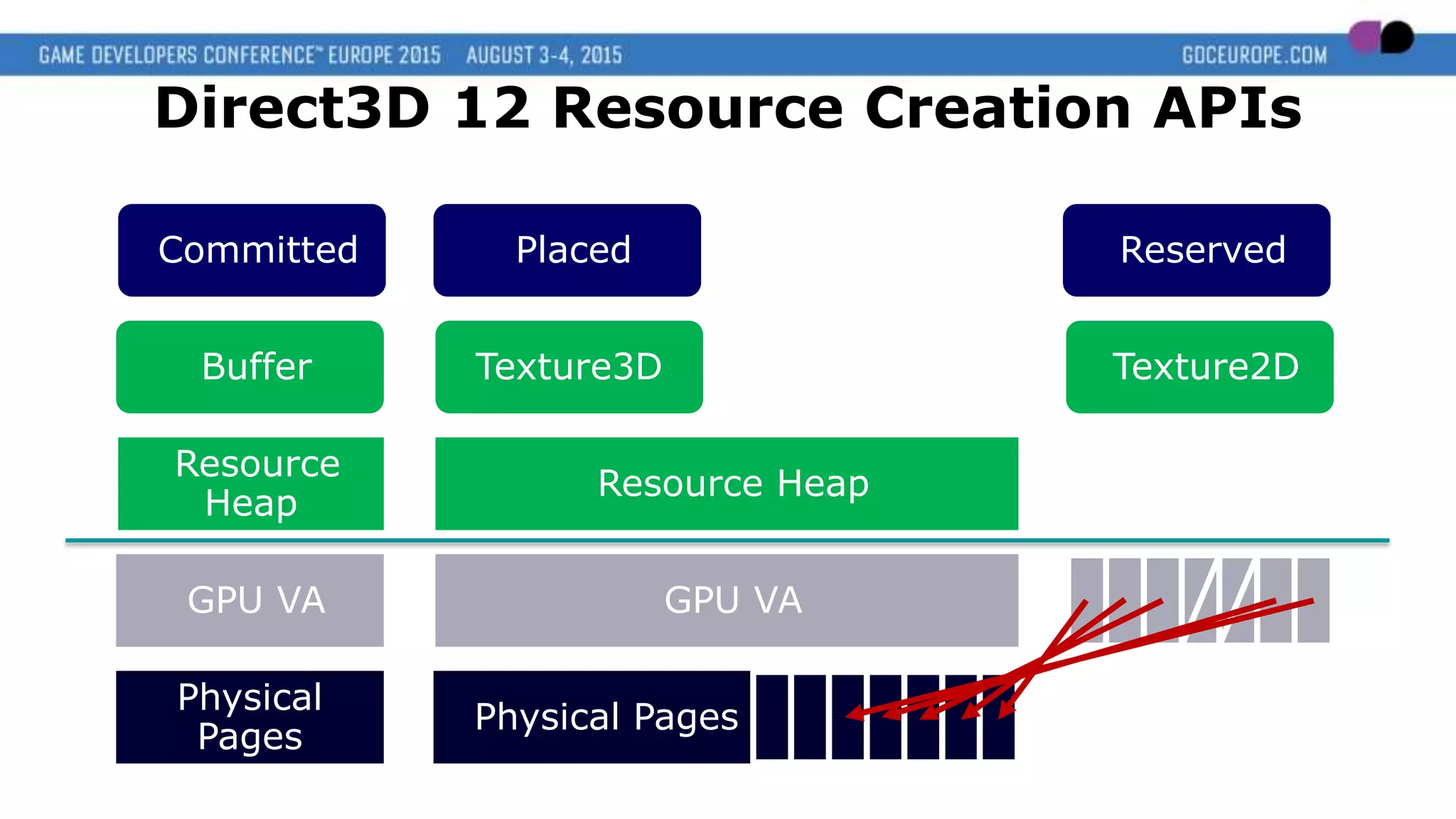
Direct3D 12 Resource Creation APIs
Physical
Pages
Physical Pages
GPU VA
Resource Heap
Texture3DBuffer
Physical
Pages
GPU VA
Resource
Heap
Texture2D
Committed Placed Reserved
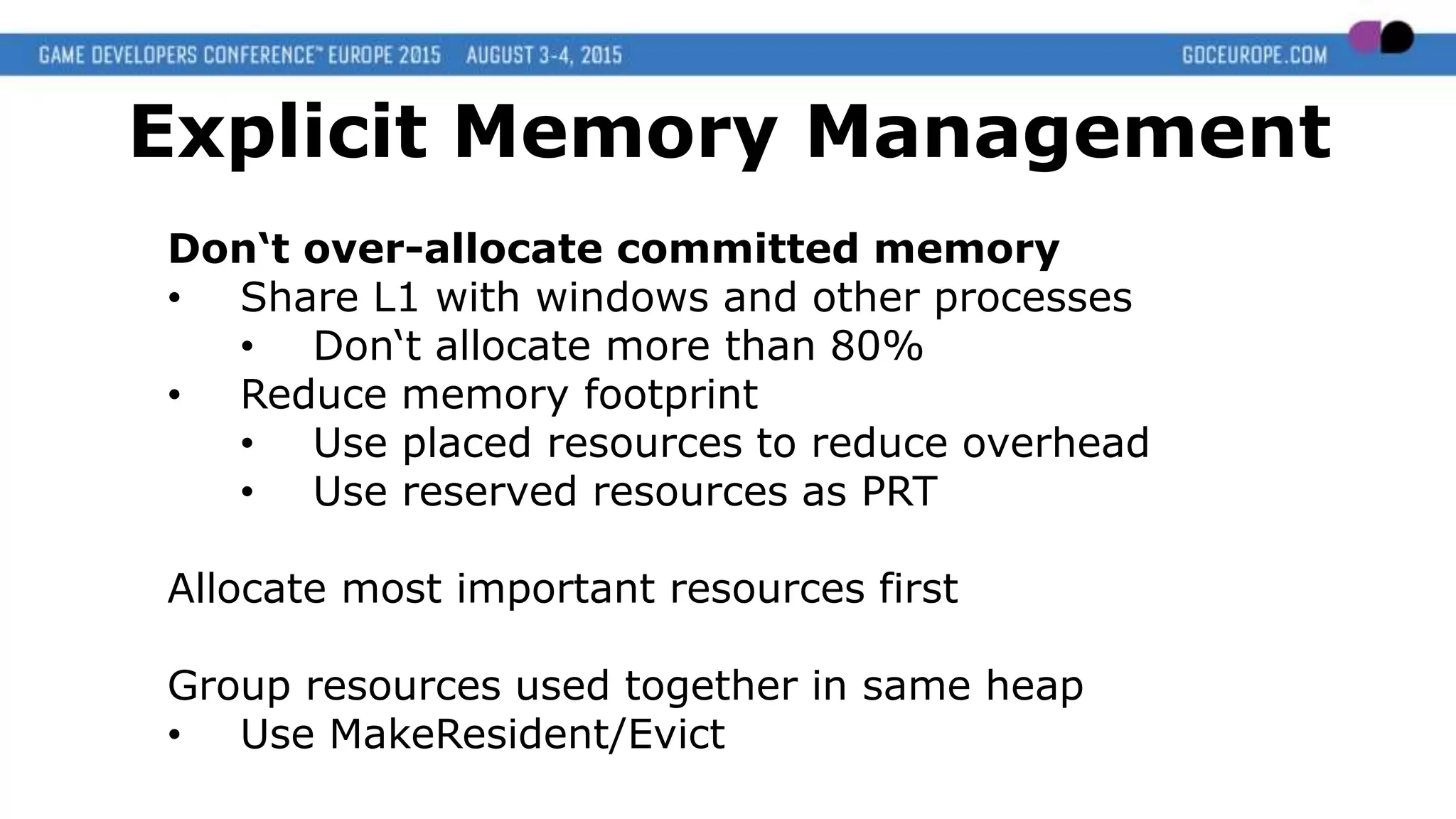
Don‘t over-allocate committed memory
• Share L1 with windows and other processes
• Don‘t allocate more than 80%
• Reduce memory footprint
• Use placed resources to reduce overhead
• Use reserved resources as PRT
Allocate most important resources first
Group resources used together in same heap
• Use MakeResident/Evict
Explicit Memory Management
Avoid Redundancy!
Organize your pipelines
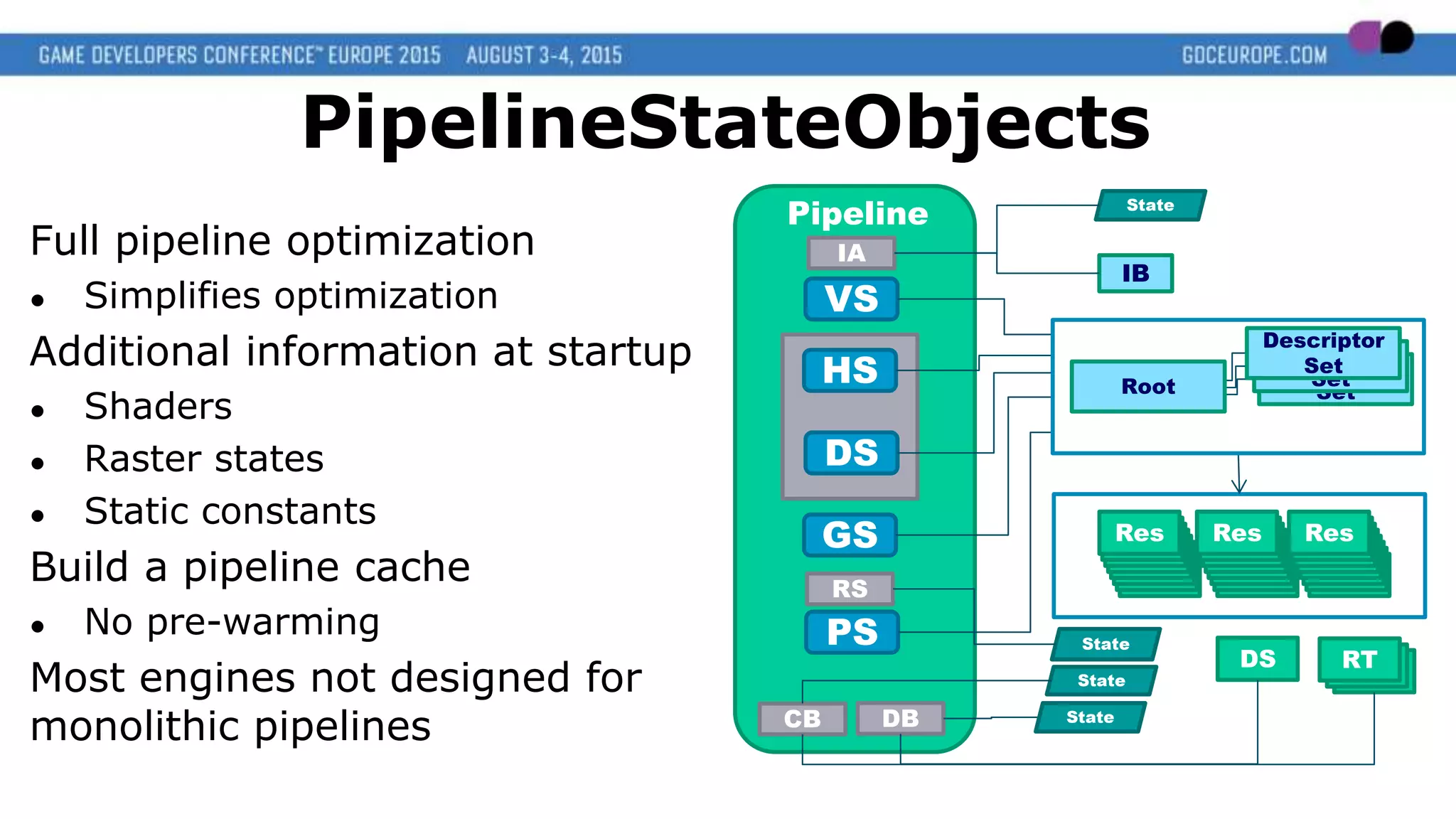
Full pipeline optimization
● Simplifies optimization
Additional information at startup
● Shaders
● Raster states
● Static constants
Build a pipeline cache
● No pre-warming
Most engines not designed for
monolithic pipelines
IA
Pipeline
RS
DBCB
PS
GS
VS
DS
HS
State
State RTRT
IB
ResResResResResResResRes
RTDS
State
Descriptor
Set
Descriptor
Set
Descriptor
Set
Root
State
PipelineStateObjects
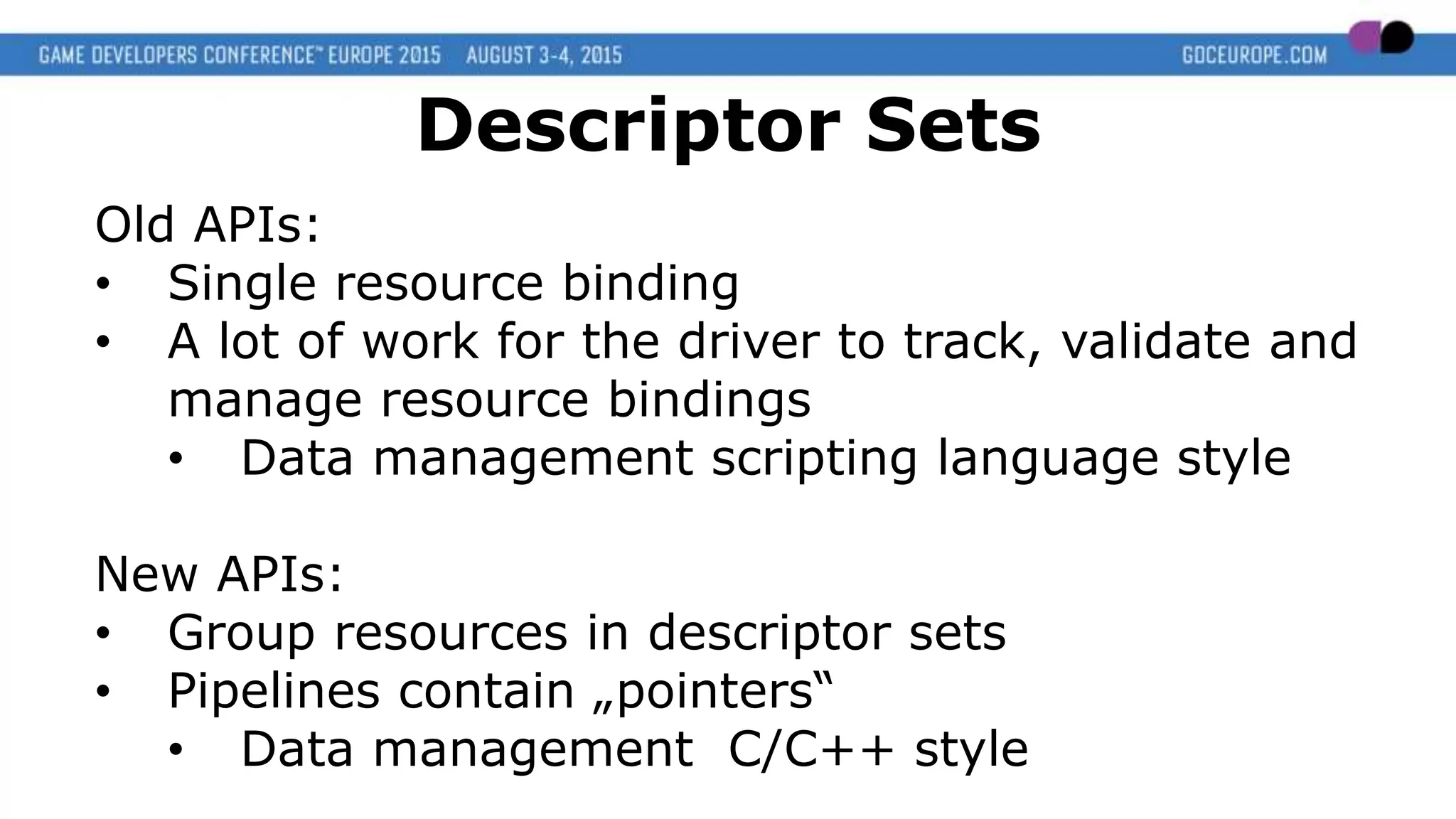
Old APIs:
• Single resource binding
• A lot of work for the driver to track, validate and
manage resource bindings
• Data management scripting language style
New APIs:
• Group resources in descriptor sets
• Pipelines contain „pointers“
• Data management C/C++ style
Descriptor Sets
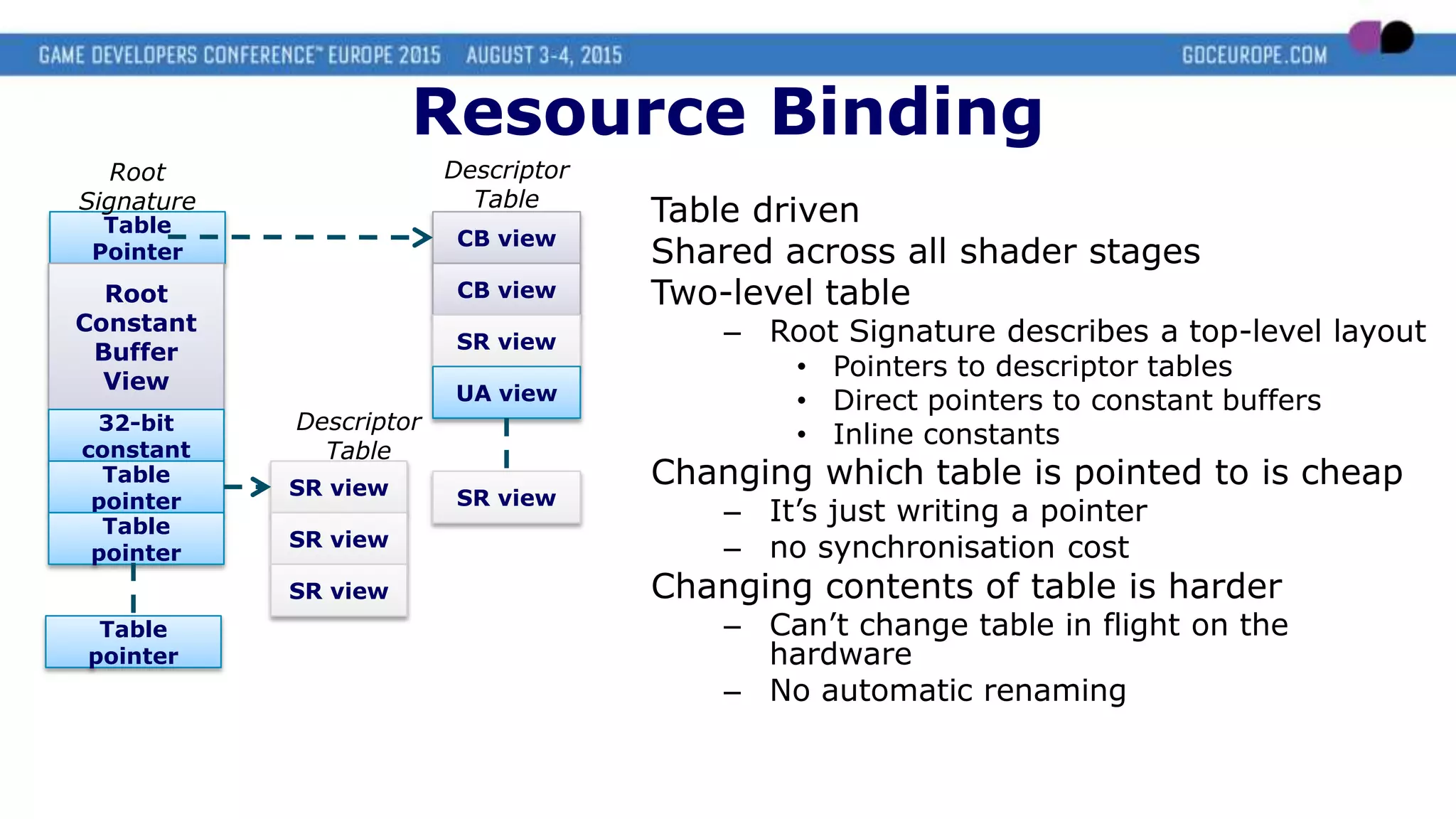
Table driven
Shared across all shader stages
Two-level table
– Root Signature describes a top-level layout
• Pointers to descriptor tables
• Direct pointers to constant buffers
• Inline constants
Changing which table is pointed to is cheap
– It’s just writing a pointer
– no synchronisation cost
Changing contents of table is harder
– Can’t change table in flight on the
hardware
– No automatic renaming
Table
Pointer
Root
Signature
Root
Constant
Buffer
View
32-bit
constant
Table
pointer
Table
pointer
CB view
CB view
SR view
UA view
Descriptor
Table
SR viewSR view
SR view
SR view
Descriptor
Table
Table
pointer
Resource Binding
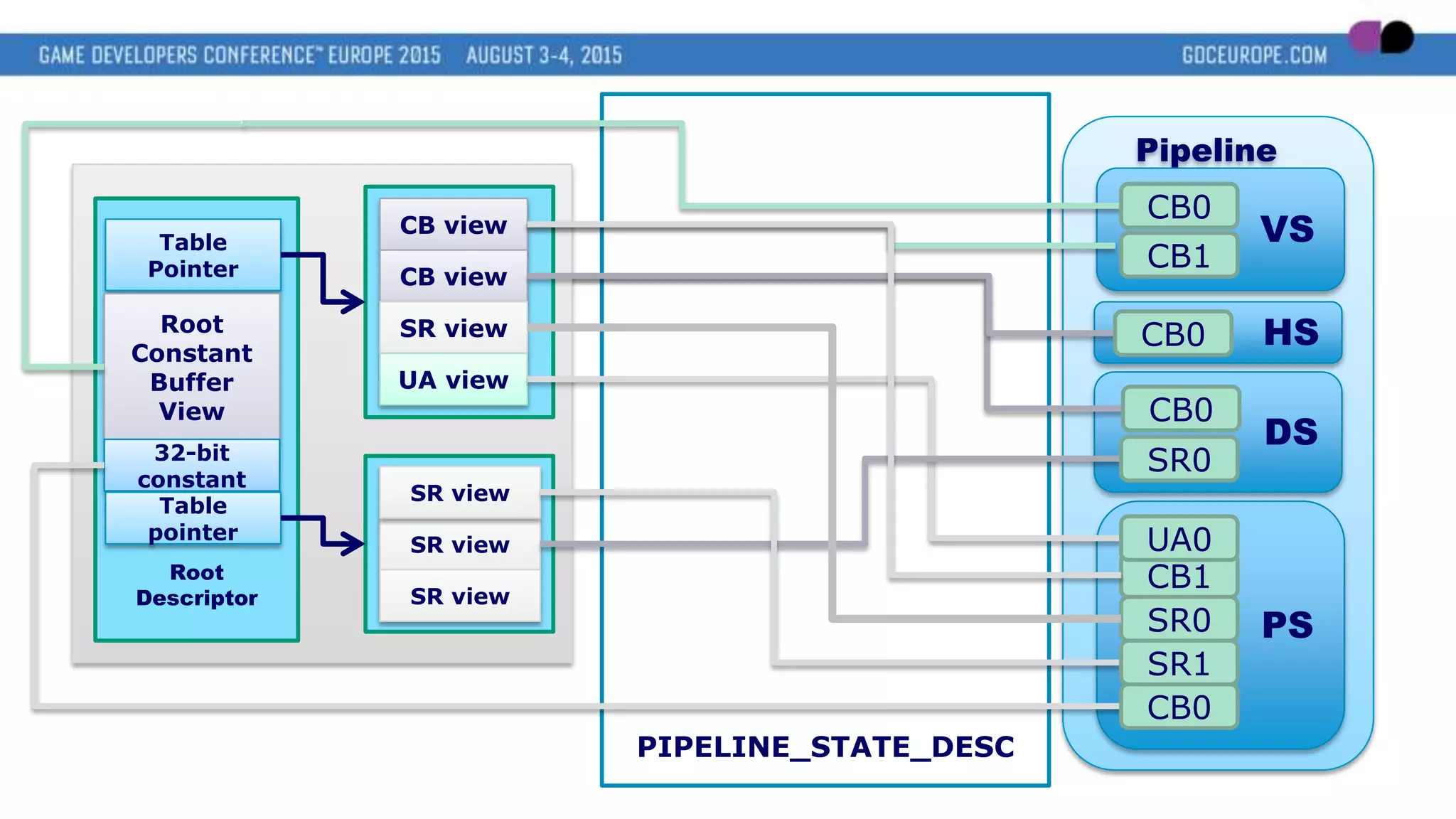
PIPELINE_STATE_DESC
Pipeline
PS
VS
DS
HS
Root
Descriptor
Table
Pointer
Root
Constant
Buffer
View
32-bit
constant
Table
pointer
SR view
SR view
SR view
CB view
CB view
SR view
UA view
CB0
CB1
CB0
CB0
SR0
CB1
CB0
SR0
SR1
UA0
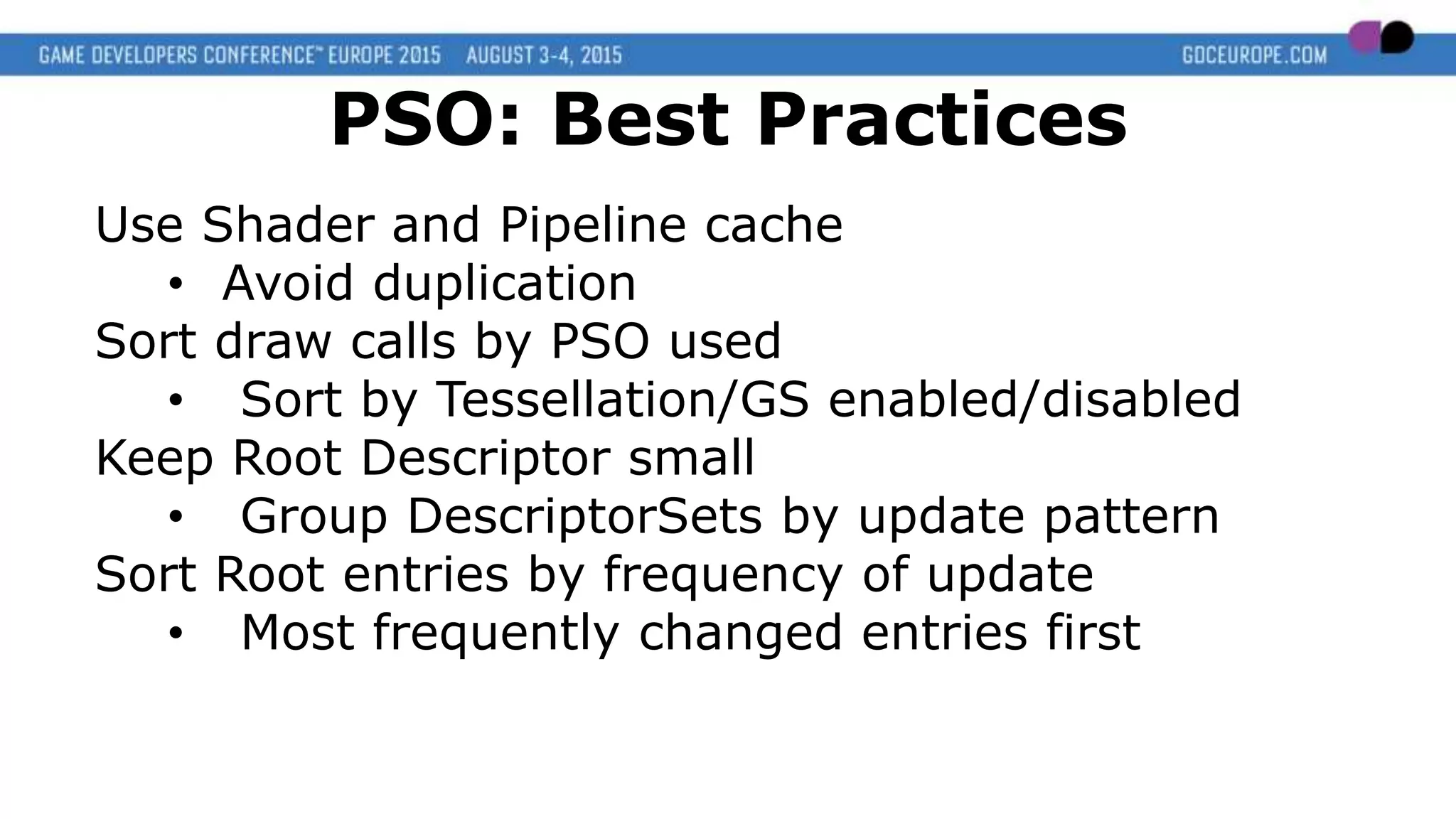
Use Shader and Pipeline cache
• Avoid duplication
Sort draw calls by PSO used
• Sort by Tessellation/GS enabled/disabled
Keep Root Descriptor small
• Group DescriptorSets by update pattern
Sort Root entries by frequency of update
• Most frequently changed entries first
PSO: Best Practices
Top 5 Performance Advice
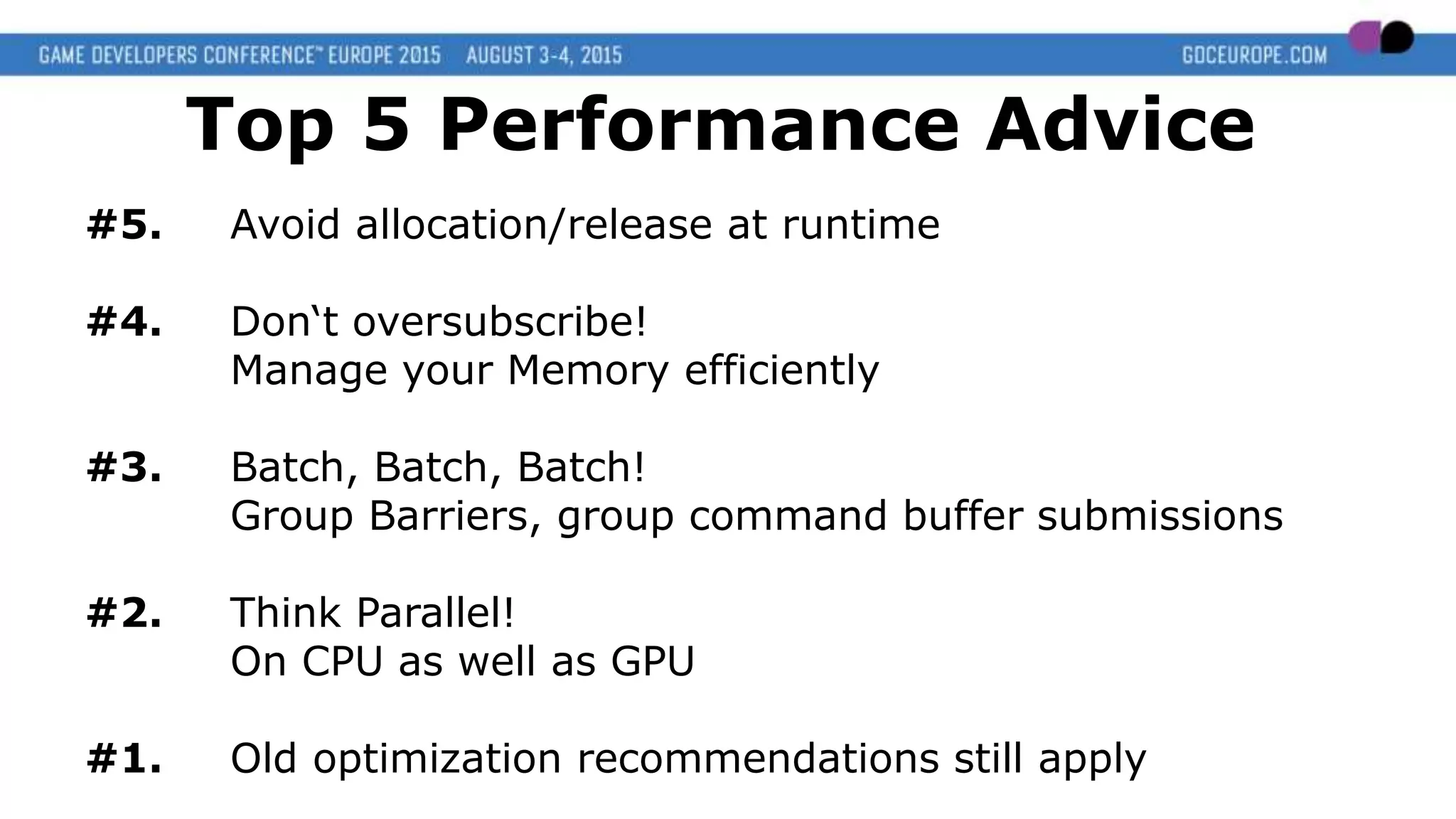
#5. Avoid allocation/release at runtime
#4. Don‘t oversubscribe!
Manage your Memory efficiently
#3. Batch, Batch, Batch!
Group Barriers, group command buffer submissions
#2. Think Parallel!
On CPU as well as GPU
#1. Old optimization recommendations still apply
Thank you!
Contact: Stephan.Hodes@amd.com
@Highflz

DX12 & Vulkan: Dawn of a New Generation of Graphics APIs

  • 1.
    DX12 & Vulkan Dawnof a New Generation of Graphics APIs Stephan Hodes Developer Technology Engineer, AMD
  • 2.
    Agenda Why do weneed new APIs? What‘s new? • Parallelism • Explicit Memory Management • PSOs and Descriptor Sets Best Practices
  • 3.
    Evolution of 3DGraphics APIs • Software rasterization • 1996 Glide: Bilinear filtering + Transparency • 1998 DirectX 6: IHV independent + Multitexturing • 1999 DirectX 7: Hardware Texturing&Lighting + Cube Maps • 2000 DirectX 8: Programmable shaders + Tessellation • 2002 DirectX 9: More complex shaders • 2006 DirectX 10: Unified shader Model • 2009 DirectX 11: Compute
  • 4.
    0 1000 2000 3000 4000 5000 6000 7000 8000 9000 10000 2006200720082009201020112012201320142015 GPU (GFLOPS) CPU (10MIPS single Core) GPU performance increasing faster than single core CPU performance
  • 5.
    • Allow multi-threadedcommand buffer recording • Reduce workload of runtime/driver • Reduce runtime validation • Move work to init/load time (e.g. Pipeline setup) • More explicit control over the hardware • Reduce convenience functions How to get GPU bound • Optimize API usage (e.g. state caching & sorting) • Batch, Batch, Batch!!! • ~10k draw calls max New APIs
  • 6.
    Convenience function: Resourcerenaming Examples: • Backbuffer • Dynamic vertex buffer • Dynamic constant buffer • Descriptor sets • Command buffer Frame N Frame N+1 Frame N Frame N+1 Frame N CPU: GPU: Res Lifetime: Frame N+1 Track usage by End-Of-Frame-Fence • Fences are expensive • Use less than 10 fences per frame Best practice for constant buffers: • Use system memory (DX12: UPLOAD) • Keep it mapped
  • 7.
    Adopted by severaldevelopers & titles • Developers are willing do the additional work • Significant performance improvements in games • Good ISVs don‘t need runtime validation Only available on AMD GCN hardware Needed standardization 2013: AMD Mantle „Mantle is not for everyone“
  • 8.
    • It‘s a„just the right level API“ • Support different HW configurations • Discreet GPU vs. Integrated • Shaders & command buffer are HW specific • Support different HW generations • Think about future hardware • On PC, your title is never alone 2013: AMD Mantle „Mantle is not a low level API “
  • 9.
    Next Generation APIfeatures DirectX12 & Vulkan share the Mantle philosophy: • Minimize overhead • Minimize runtime validation • Allow multithreaded command buffer recording • Provide low level memory management • Support multiple asynchronous queues • Provide explicit access to multiple devices
  • 10.
    The big question:„How much performance will I gain from porting my code to new APIs?“ No magic involved! Depends on the current bottlenecks Depends a lot on engine design • Need to utilize new possibilities • It might „just work“ (esp. if heavily CPU limited) • Might need redesign of engine (and asset pipeline)
  • 11.
    Particle Update Post Processing Transparent Object Rendering Game Engine1.0 (Designed around API commands) DirectX 11 Runtime (A lot of validation) DirectX 11 Driver (A lot of optimization) Hardware AOGI Lighting And Shading Shadowmaps Gbuffer
  • 12.
    Particle Update Post Processing Game Engine1.0 (Designed around API commands) DirectX 11 Runtime (A lot of validation) DirectX 11 Driver (A lot of optimization) Hardware AOGI Direct access DX12 Runtime DX12 Driver API Abstraction Layer Shadowmaps Gbuffer Lighting And Shading Transparent Object Rendering
  • 13.
    Particle Update Game Engine1.0 DirectX 11 Runtime (A lot of validation) DirectX 11 Driver (A lot of convenience) Hardware AOGI DX12 Runtime DX12 Driver Game Engine 2.0 Direct access Direct access DirectX 11 Runtime (A lot of validation) DirectX 11 Driver Shadowmaps Gbuffer Lighting And Shading Post Processing Transparent Object Rendering
  • 14.
  • 15.
    CPU side multithreading •Multi threaded command buffer building • Submission to queue is not thread safe • Split frame into macro render jobs • Offload shader compilation from main thread • Batch command buffer submission • Don‘t stall during submit/present
  • 16.
    Radeon Fury XRadeon Fury Compute Units 64 56 Core 1050 Mhz 1000 Mhz Memory size 4 GB 4 GB Memory BW 512 GB/s 512 GB/s ALU 8.6 TFlops 7.17 TFlops 64 CU x 4 SIMD per CU x 10 Wavefronts per SIMD x 64 Threads per Wavefront ______________________ Up to 163840 threads Batch, Batch, Batch!!! GPU side multithreading
  • 17.
    IA VS Rasterizer PS Output GPU: Single graphicsqueue Multiple commands can execute in parallel • Pipeline (usually) must maintain pixel order • Load balancing is the main problem Culling Draw N+1 Draw N+1 Draw N+1 Draw N+1 Draw N+1 Draw N+1 Draw N Draw N Draw N Draw N Draw N Draw N Draw N+2 Draw N+2 Draw N+2 Draw N+2 N+2 … N+2 … Time Query
  • 18.
    • Indicate RaW/WaWHazards • Switch resource state between RO/RW/WO • Decompress DepthStencil/RTs • May cause a stall or cache flush • Batch them! • Split Barriers may help in the future • Always execute them on the last queue that wrote the resource Most common cause for bugs! Explicit Barriers & Transitions
  • 19.
    IA VS Rasterizer PS Output GPU: Barriers • Hardto detect Barriers in DX11 • Explicit in DX12 Culling Draw N Draw N Draw N Draw N Draw N Draw N Barrier Draw N+2 Draw N+2 Draw N+2 Draw N+2 Draw N+2 Draw N+2 Time Query Draw N+1 Draw N+1 Draw N+1 Draw N+1 Draw N+1 Draw N+1Barrier
  • 20.
    IA VS Rasterizer PS Output GPU: Barriers • Batchthem! • [DX12] In the future split barriers may help Culling Draw N Draw N Draw N Draw N Draw N Draw N Time Query Draw N+2 Draw N+2 Draw N+2 Draw N+2 Draw N+2 Draw N+2DoubleBarrier Draw N+1 Draw N+1 Draw N+1 Draw N+1 Draw N+1 Draw N+1
  • 21.
    IA VS Rasterizer PS Output GPU underutilization Culling cancause bubbles of inactivity. Fetch latency is a common cause for underutilization Culling Time Query Draw N Draw N
  • 22.
    Graphics Compute Copy Multiple Queues • Letdriver know about independent workloads • Each queue type a superset • Multiple queues per type • Specify type at record time • Parallel execution • Sync using fences • Shared GPU resources
  • 23.
    Multiple queues allowto specify tasks to execute in parallel Schedule different bottlenecks together to improve efficiency Asynchronous Compute Bus dominated Shader throughput Geometry dominated Shadow mapping ROP heavy workloads G buffer operations DMA operations - Texture upload - Heap defrag Deferred lighting Postprocessing effects Most compute tasks - Texture compression - Physics - Simulations Rendering highly detailed models
  • 24.
    DirectX 11 onlysupports one device • CF/SLI support essentially a driver hack • Increases latency Explicit MGPU allows • Split Frame Rendering • Master/Slave configurations • Split frame rendering • 3D/VR rendering using 2 dGPUs Explicit MGPU
  • 25.
  • 26.
    Explicit Memory Management •Control over heaps and residency • Abstraction for different architectures • VMM still exists • Use Evict/MakeResident to page out unused resources • Avoid oversubscribing resident memory!
  • 27.
    DEFAULT UPLOAD READBACK Memory Pool Local(dGPU) System(iGPU) System System CPU Properties No CPU access Write Combine Write Back Usage Frequent GPU Read/Write Max GPU Bandwidth CPU Write Once, GPU Read Once Max CPU Write Bandwidth GPU Write Once, CPU Read Max CPU Read Bandwidth
  • 28.
    Explicit Memory Management Rendertargets& UAVs • Create in DEFAULT Textures • Write to UPLOAD • Use copy queue to copy to DEFAULT • Copy swizzles: required on iGPU! Buffers (CB/VB/IB) • Placement dependent on usage: • Write once/Read once => UPLOAD • Write once/Read many => Copy to DEFAULT
  • 29.
    Direct3D 12 ResourceCreation APIs Physical Pages Physical Pages GPU VA Resource Heap Texture3DBuffer Physical Pages GPU VA Resource Heap Texture2D Committed Placed Reserved
  • 30.
    Don‘t over-allocate committedmemory • Share L1 with windows and other processes • Don‘t allocate more than 80% • Reduce memory footprint • Use placed resources to reduce overhead • Use reserved resources as PRT Allocate most important resources first Group resources used together in same heap • Use MakeResident/Evict Explicit Memory Management
  • 31.
  • 32.
    Full pipeline optimization ●Simplifies optimization Additional information at startup ● Shaders ● Raster states ● Static constants Build a pipeline cache ● No pre-warming Most engines not designed for monolithic pipelines IA Pipeline RS DBCB PS GS VS DS HS State State RTRT IB ResResResResResResResRes ResResResResResResResRes ResResResResResResResRes RTDS State Descriptor Set Descriptor Set Descriptor Set Root State PipelineStateObjects
  • 33.
    Old APIs: • Singleresource binding • A lot of work for the driver to track, validate and manage resource bindings • Data management scripting language style New APIs: • Group resources in descriptor sets • Pipelines contain „pointers“ • Data management C/C++ style Descriptor Sets
  • 34.
    Table driven Shared acrossall shader stages Two-level table – Root Signature describes a top-level layout • Pointers to descriptor tables • Direct pointers to constant buffers • Inline constants Changing which table is pointed to is cheap – It’s just writing a pointer – no synchronisation cost Changing contents of table is harder – Can’t change table in flight on the hardware – No automatic renaming Table Pointer Root Signature Root Constant Buffer View 32-bit constant Table pointer Table pointer CB view CB view SR view UA view Descriptor Table SR viewSR view SR view SR view Descriptor Table Table pointer Resource Binding
  • 35.
  • 36.
    Use Shader andPipeline cache • Avoid duplication Sort draw calls by PSO used • Sort by Tessellation/GS enabled/disabled Keep Root Descriptor small • Group DescriptorSets by update pattern Sort Root entries by frequency of update • Most frequently changed entries first PSO: Best Practices
  • 37.
    Top 5 PerformanceAdvice #5. Avoid allocation/release at runtime #4. Don‘t oversubscribe! Manage your Memory efficiently #3. Batch, Batch, Batch! Group Barriers, group command buffer submissions #2. Think Parallel! On CPU as well as GPU #1. Old optimization recommendations still apply
  • 38.