

Docker 101
Introduction to Docker and Containers
Ashutoshh Singh
About Me
ashutoshh@linux.com
+91-9509957594
linkedin.com/in/ashutoshh
● Chief Technology Officer, AdHoc Networks
● DevOps Consultant
● Research Areas: DevOps, Deep Learning, Neural Networks
● Talks:
○ PyCon India 2017
○ DevConf India 2018
● Open Source Contributor: Fedora, Docker and Ansible
slashdevops.blogspot.com
Agenda
● Why Containers?
● What are Containers?
○ Characteristics
○ Relationship between VMs and Containers.
● Docker
○ About Docker
○ What is Docker?
○ Components of Docker
● Docker Use Cases
Why containers?
1. Software Industry has Changed
● Before:
○ monolithic applications
○ long development cycles
○ single environment
○ slowly scaling up
● Now:
○ de-coupled services
○ fast and iterative improvements
○ multiple environments
○ quickly scaling out
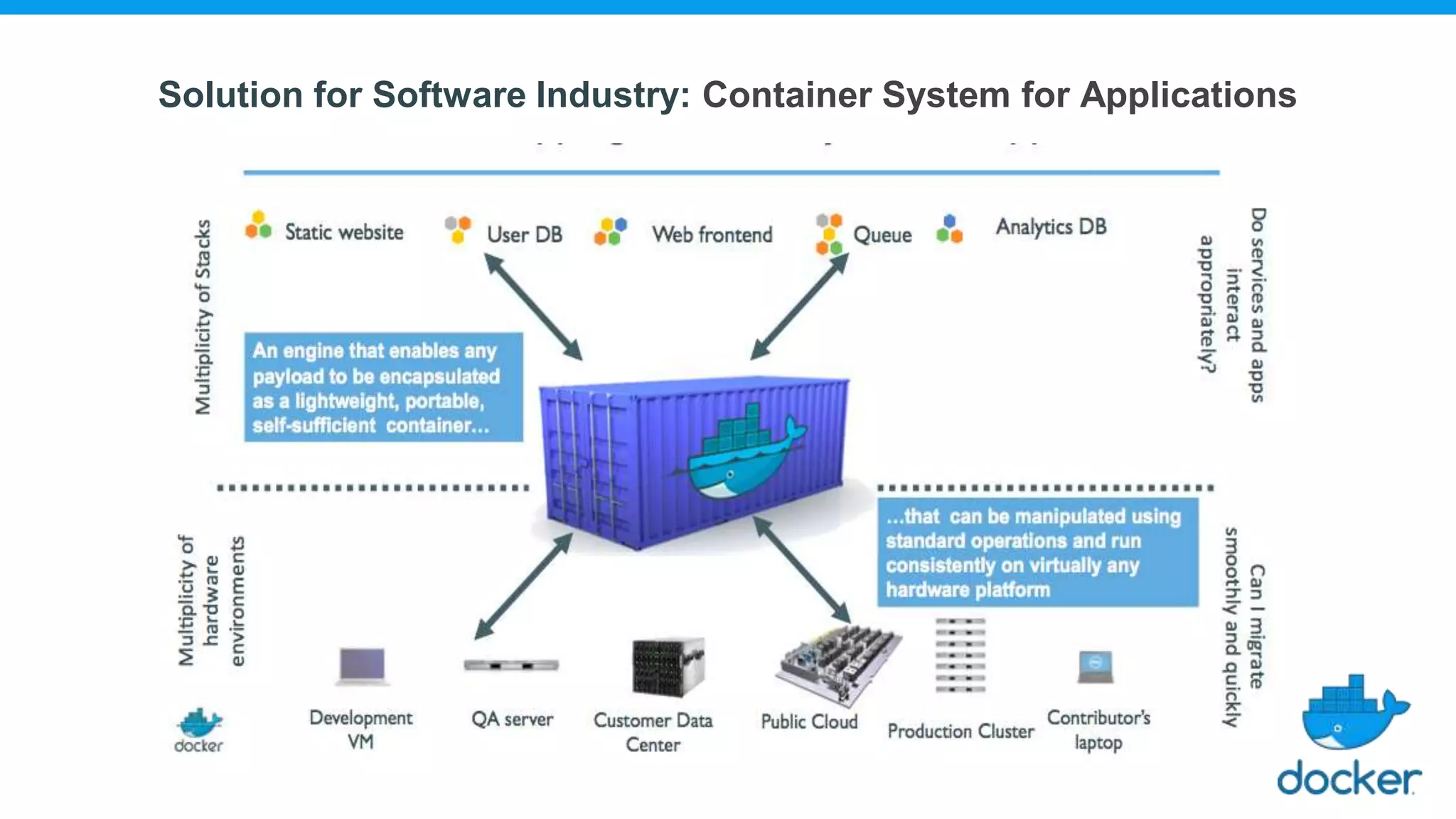
2. Deployment becomes Complex
● Many different stacks:
○ Languages
○ Frameworks
○ Databases
● Many different targets:
○ Individual development environments
○ Pre-production, QA, staging
○ Production: On-premise, Cloud, Hybrid
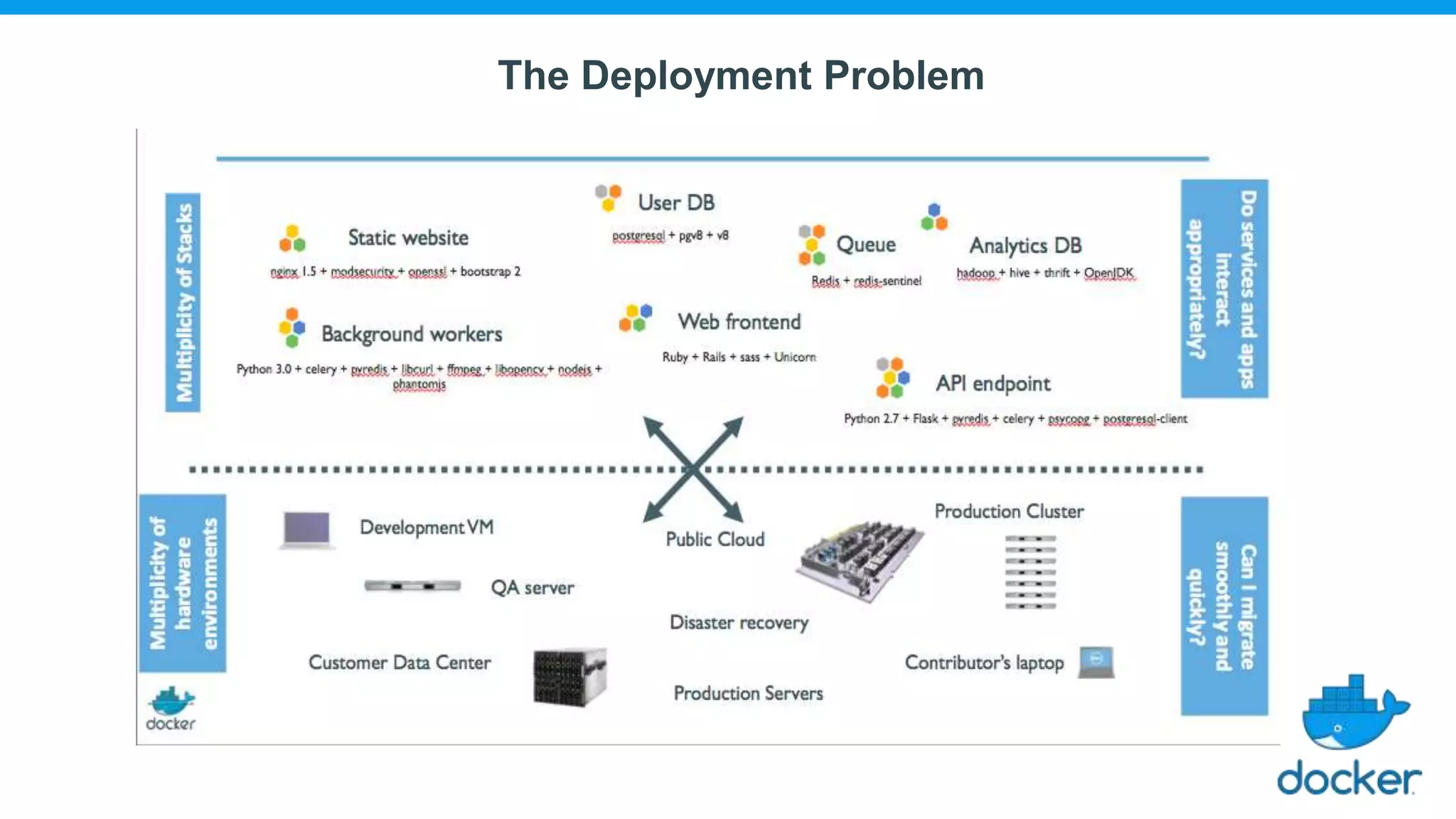
The Deployment Problem
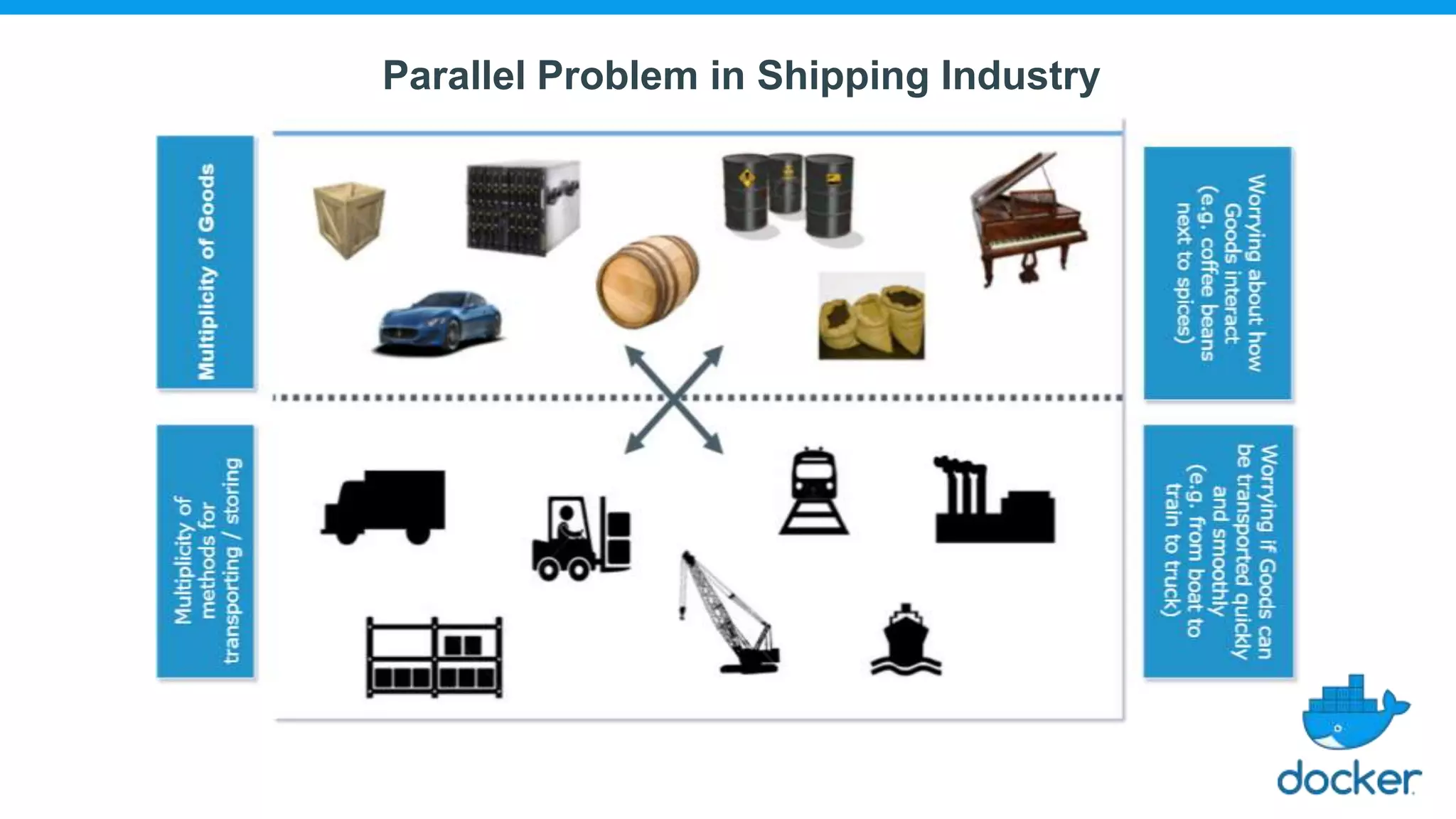
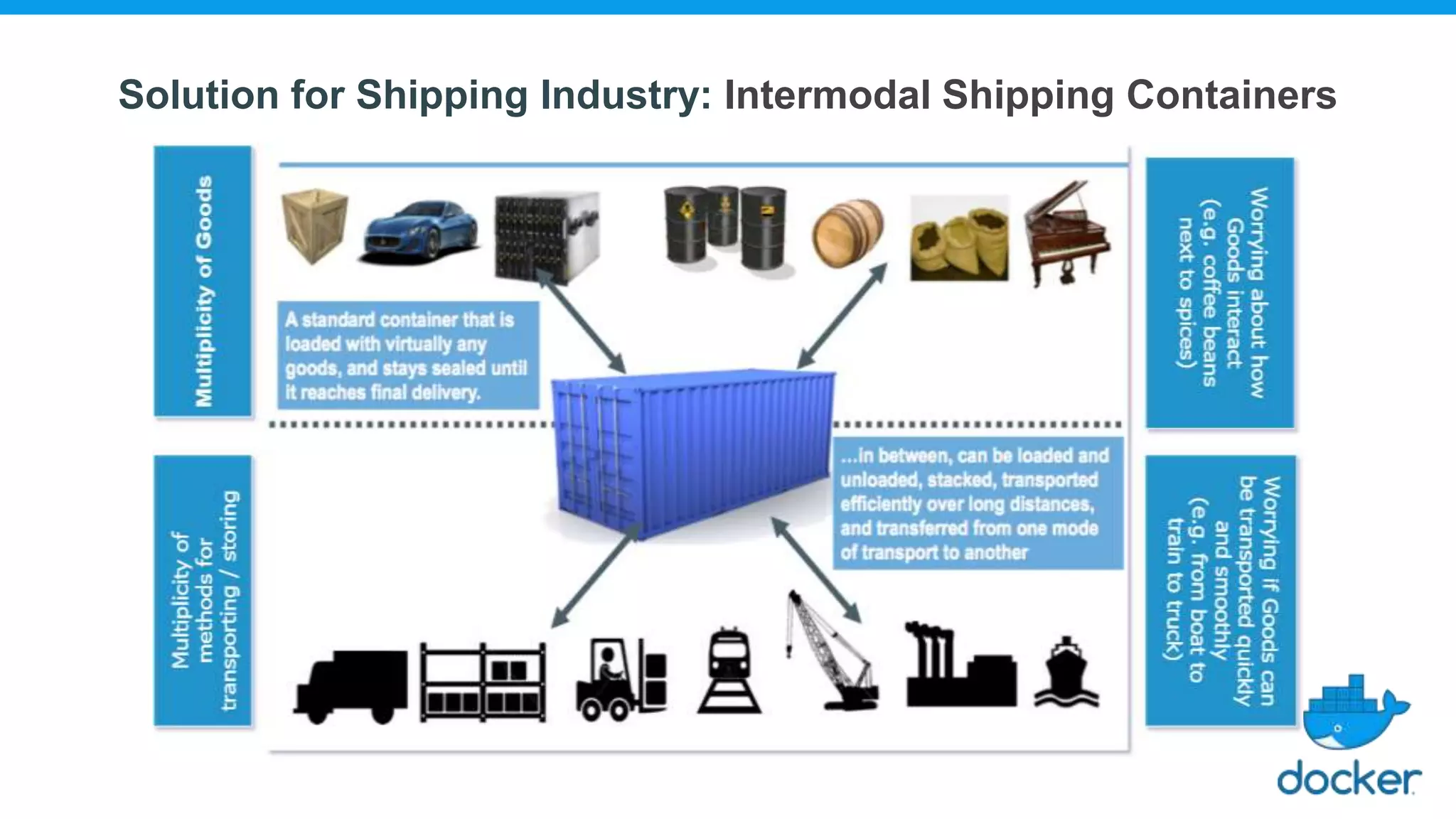
Parallel Problem in Shipping Industry
Solution for Shipping Industry: Intermodal Shipping Containers
Solution for Software Industry: Container System for Applications
What are containers?
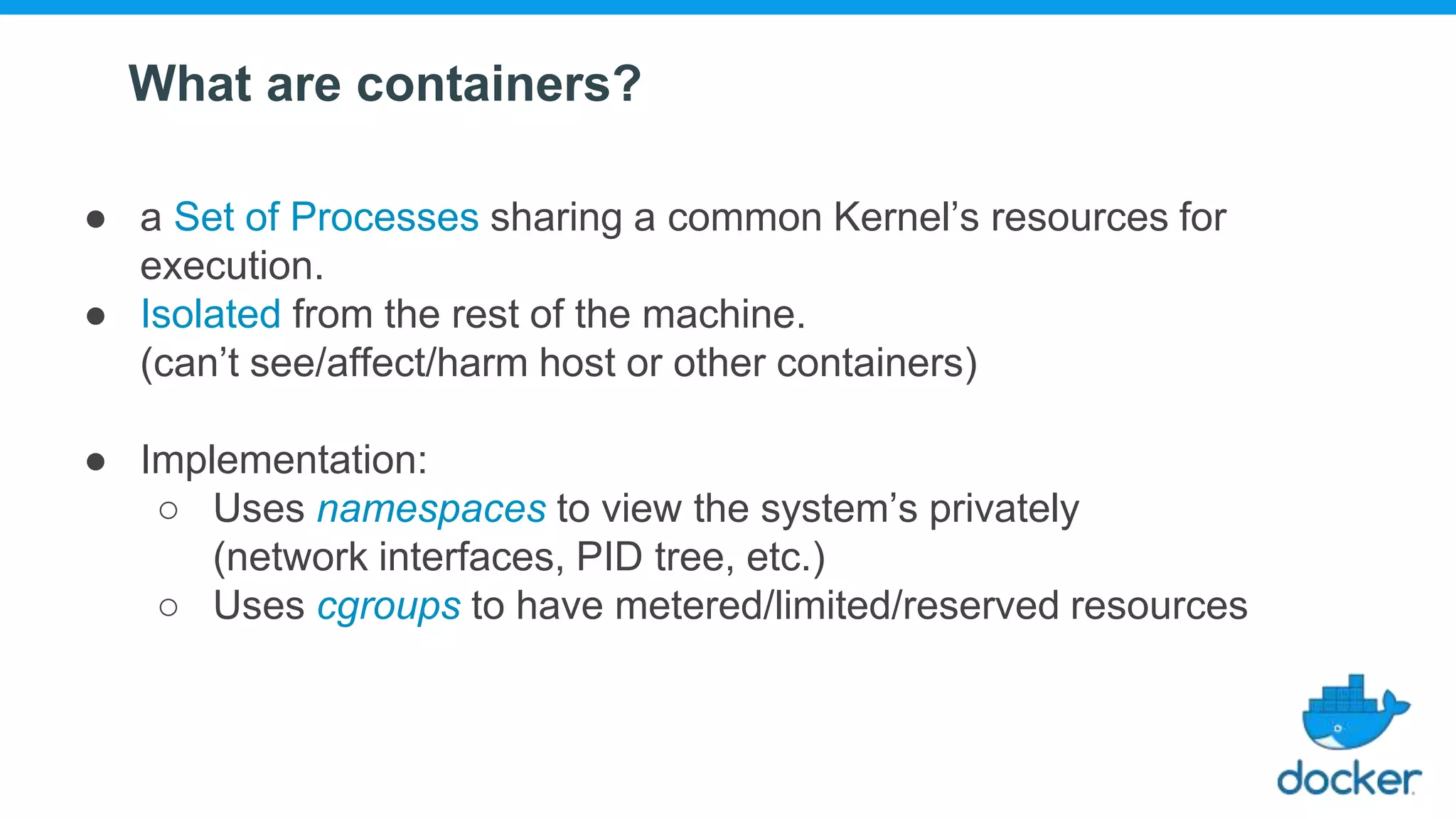
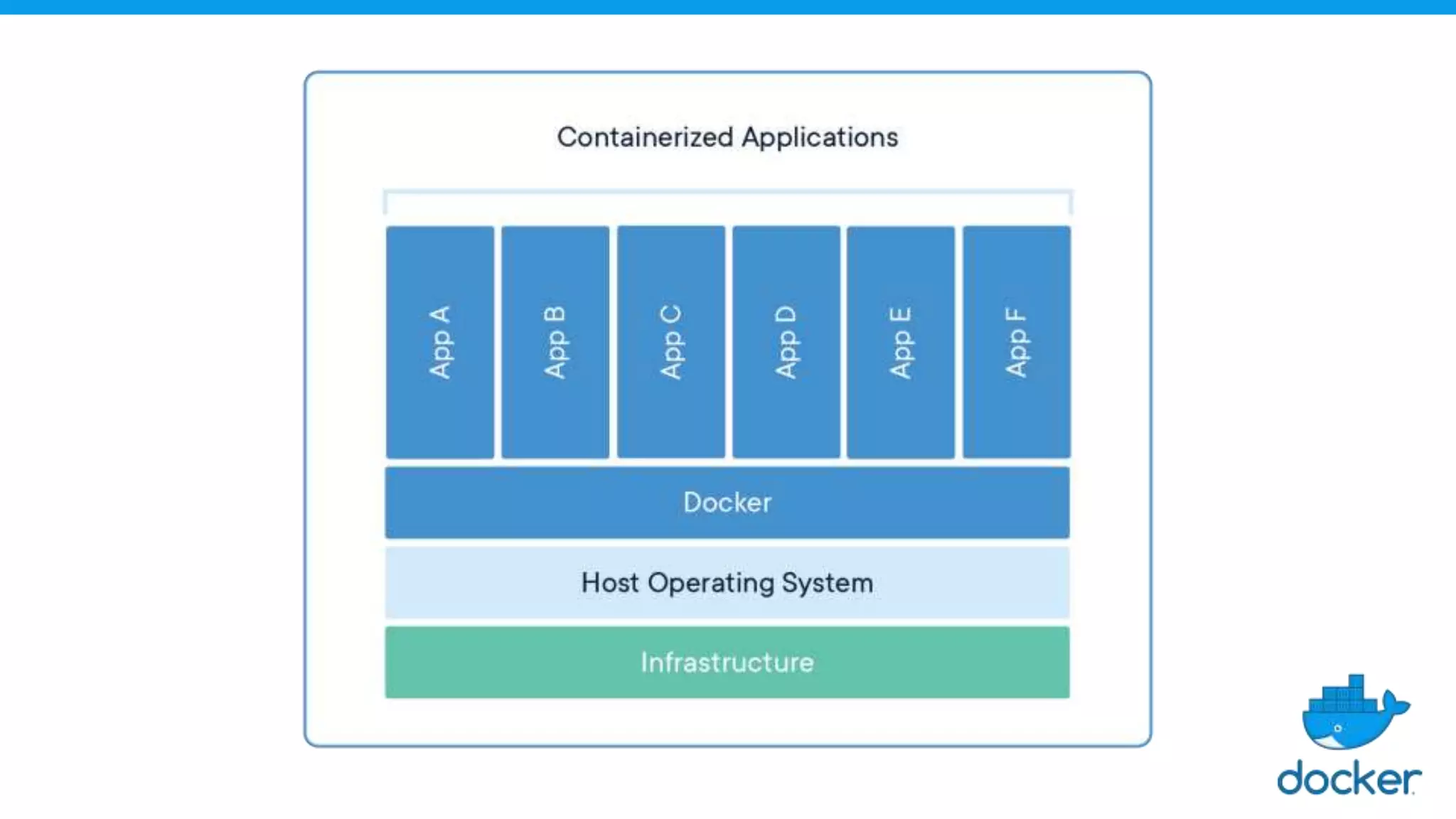
● a Set of Processes sharing a common Kernel’s resources for
execution.
● Isolated from the rest of the machine.
(can’t see/affect/harm host or other containers)
● Implementation:
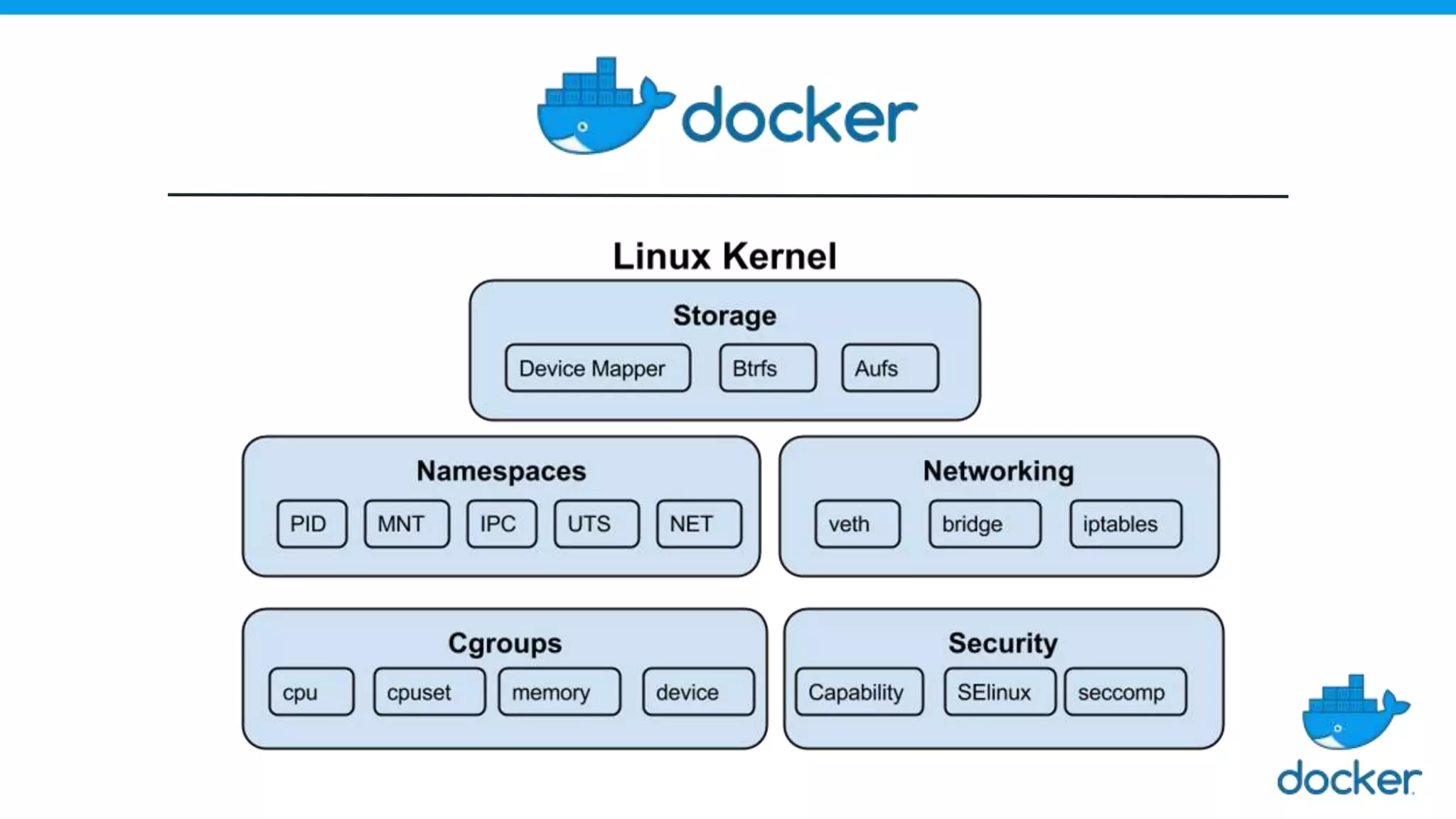
○ Uses namespaces to view the system’s privately
(network interfaces, PID tree, etc.)
○ Uses cgroups to have metered/limited/reserved resources
What are containers?
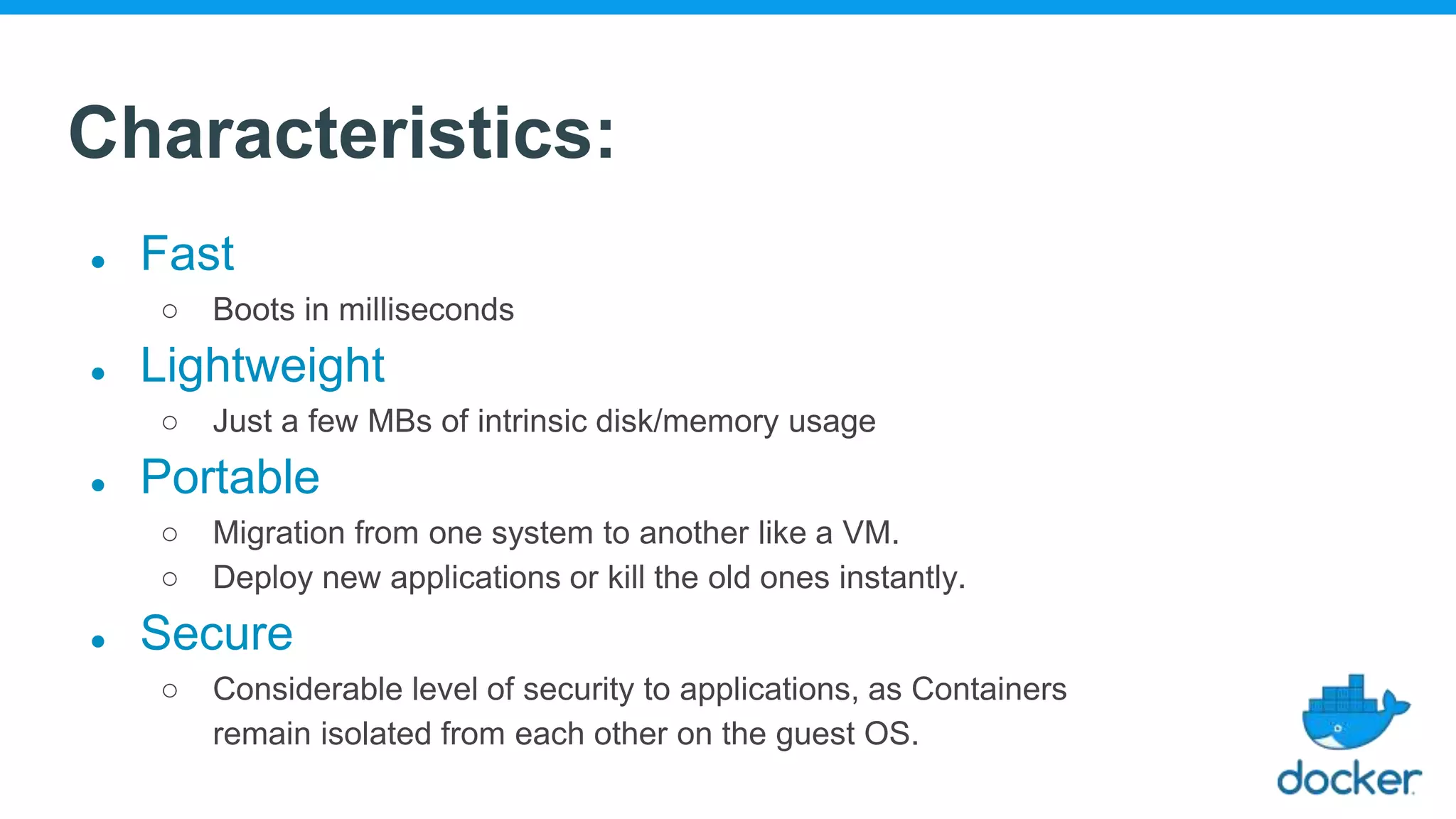
Characteristics:
● Fast
○ Boots in milliseconds
● Lightweight
○ Just a few MBs of intrinsic disk/memory usage
● Portable
○ Migration from one system to another like a VM.
○ Deploy new applications or kill the old ones instantly.
● Secure
○ Considerable level of security to applications, as Containers
remain isolated from each other on the guest OS.
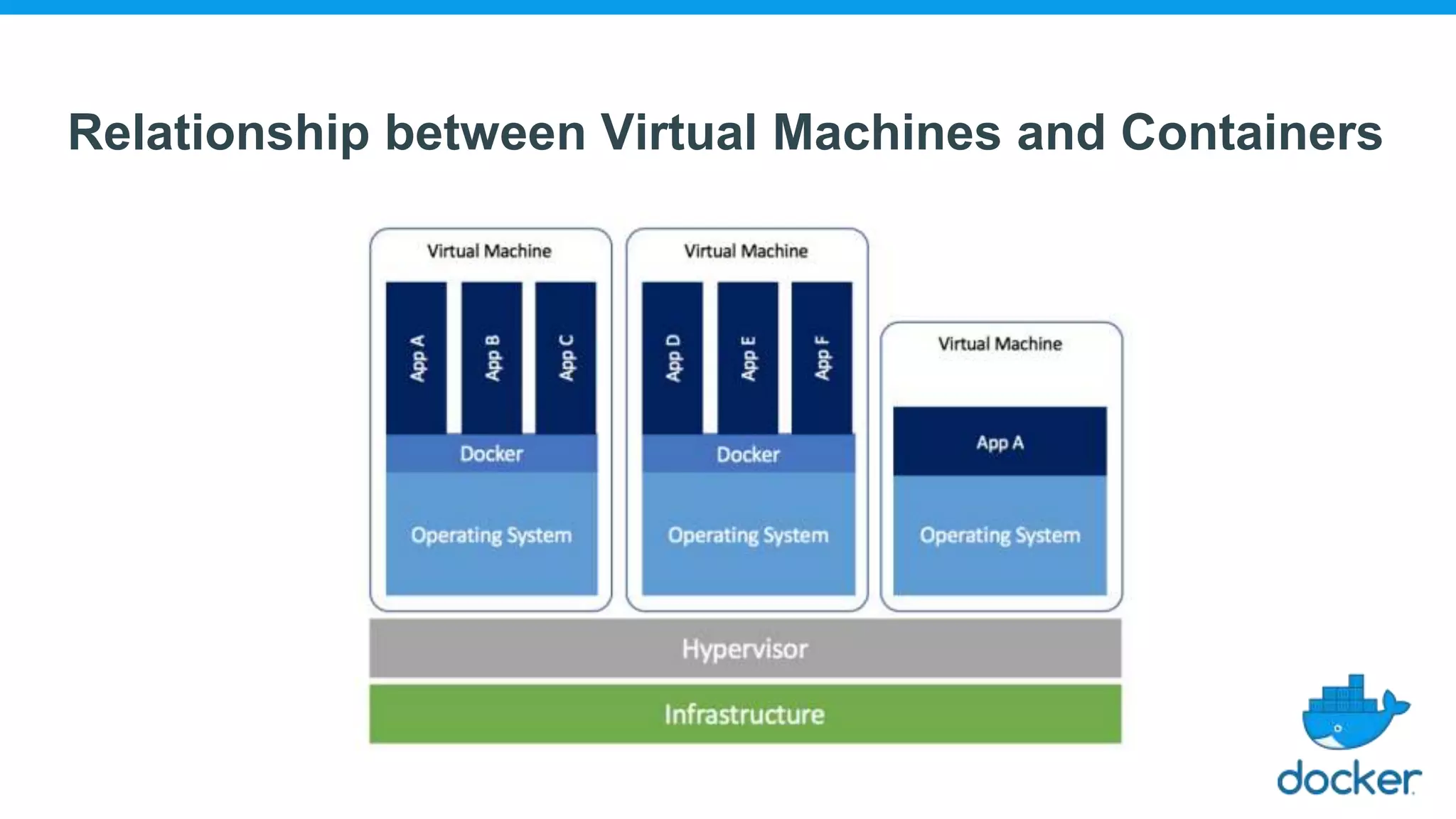
Relationship between Virtual Machines and Containers
Docker
About Docker
● Software debuted to the public in Santa Clara at PyCon in
2013.
● Written in: Go
● Products maintained by Docker, Inc.
○ Docker Engine
○ Docker Engine Enterprise
○ Docker Hub
○ Docker Desktop
● Headquarters: San Francisco
Solomon Hykes
Original Author
What is Docker?
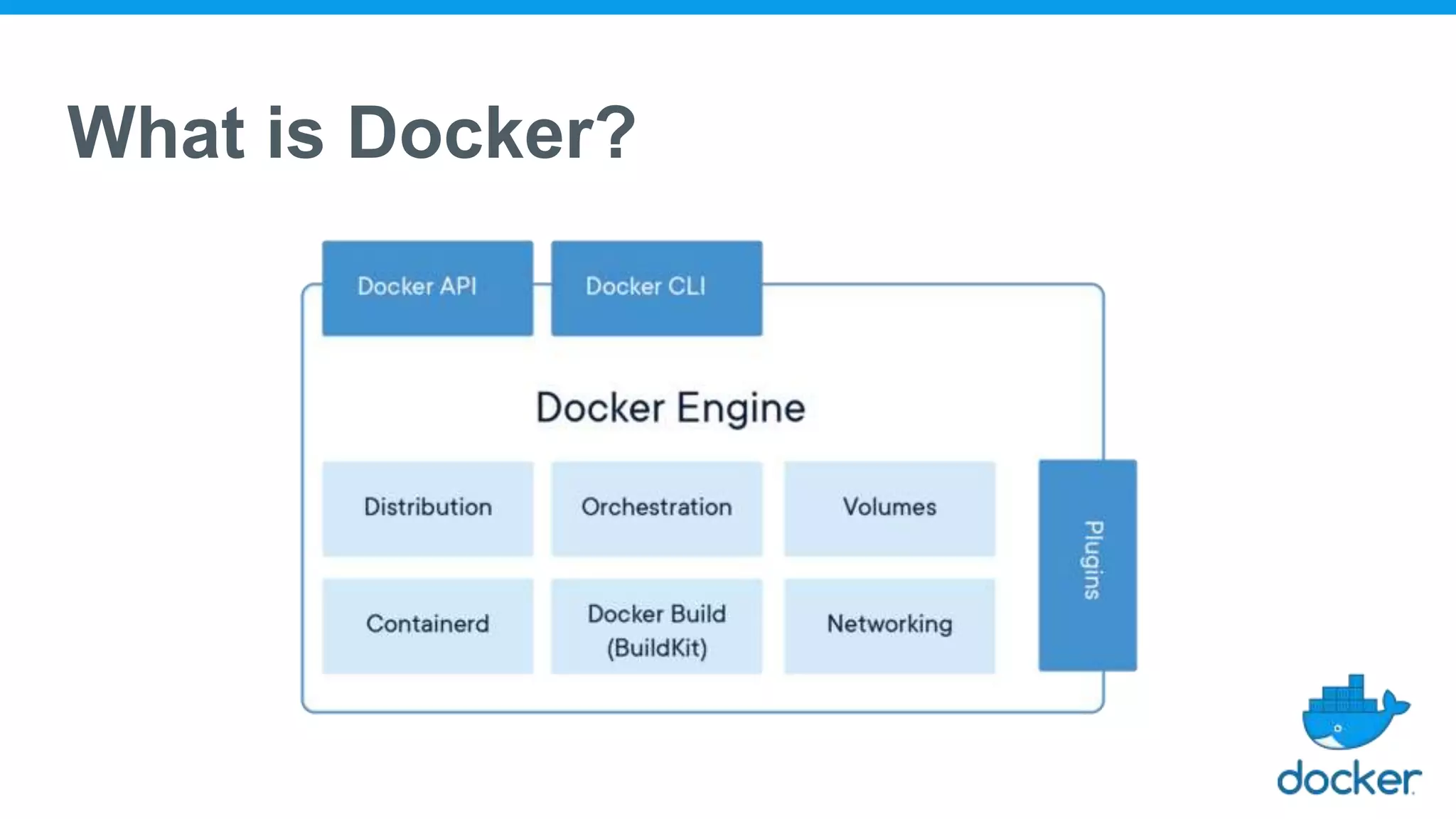
● Installing Docker = Installing Docker Engine + Docker CLI
● Docker Engine is a daemon which manages containers, the same way
that a hypervisor manages VMs.
● Docker CLI is used to interact with the Docker Engine.
● The Docker CLI and the Docker Engine communicate through an API.
● However, there are many other programs, and client libraries,
to use the API.
What is Docker?
Components of Docker
● Docker Client and Server
● Docker Images
● Docker Registries
● Docker Containers
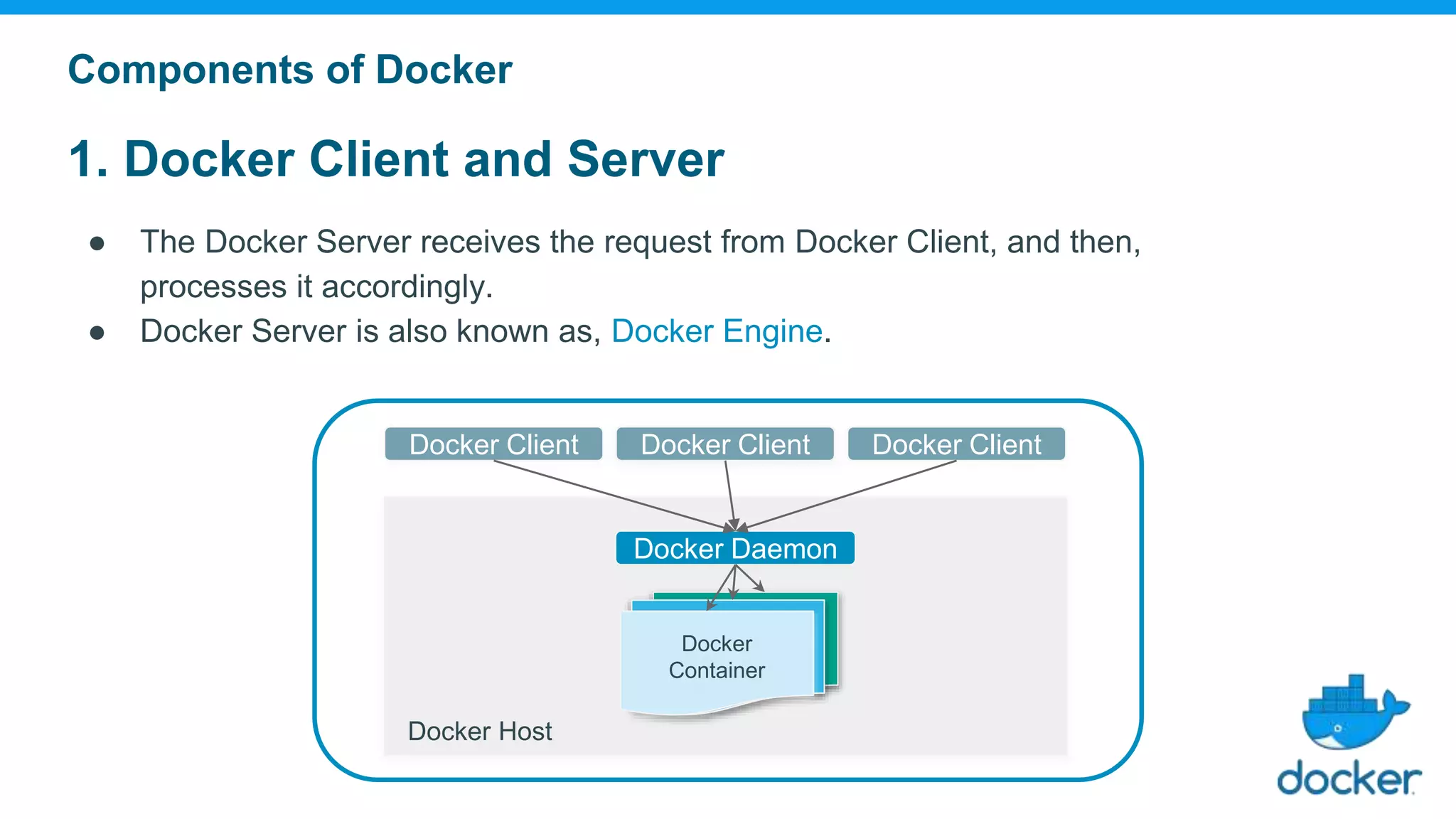
1. Docker Client and Server
● The Docker Server receives the request from Docker Client, and then,
processes it accordingly.
● Docker Server is also known as, Docker Engine.
Components of Docker
Docker Daemon
Docker
Container
Docker Client Docker ClientDocker Client
Docker Host
2. Docker Containers
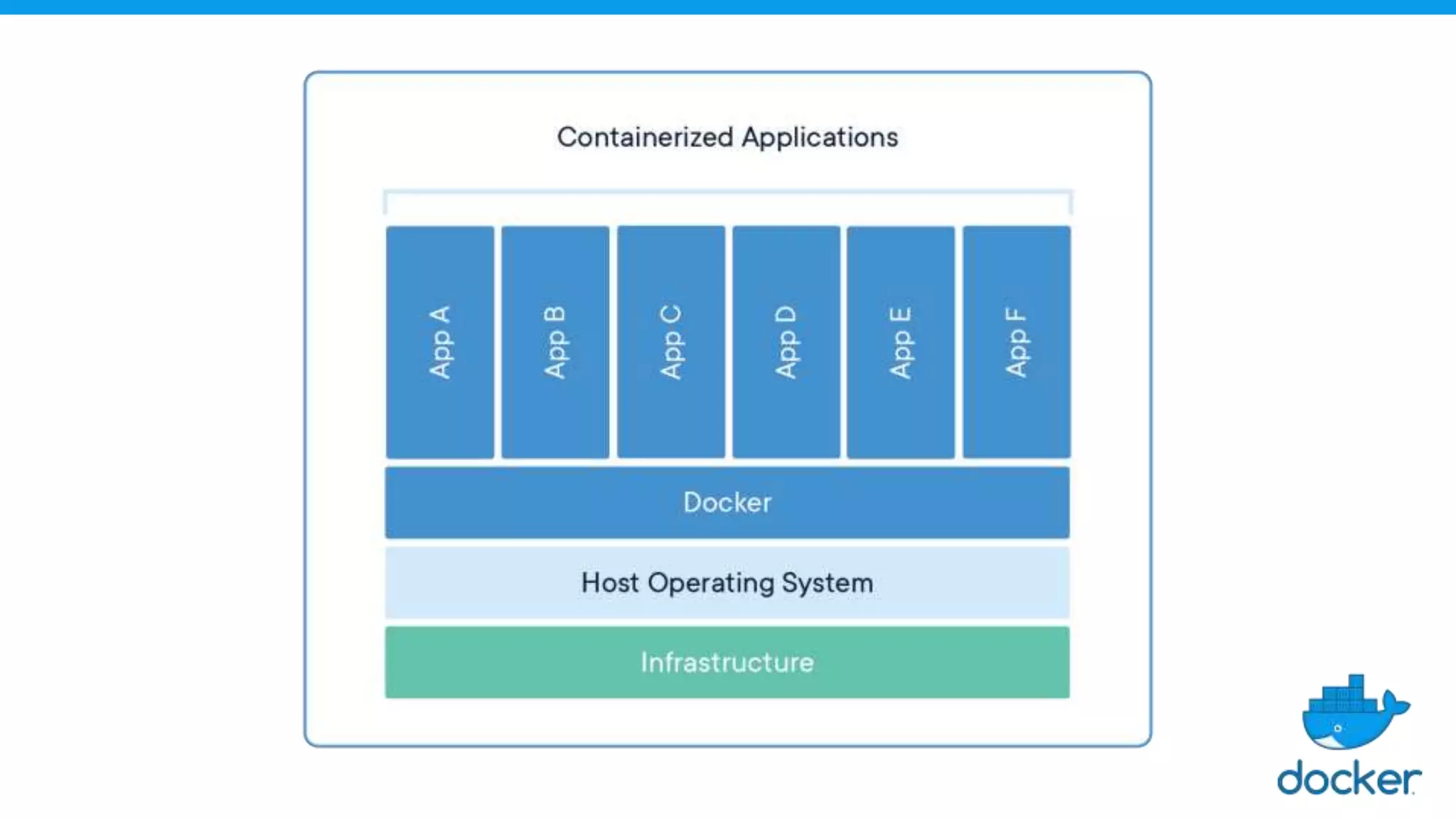
● Abstraction at the app layer that packages code and
dependencies together.
● Multiple containers can run on the same machine and share the OS
kernel with other containers.
● Each container runs as isolated processes in user space.
Components of Docker
3. Docker Images
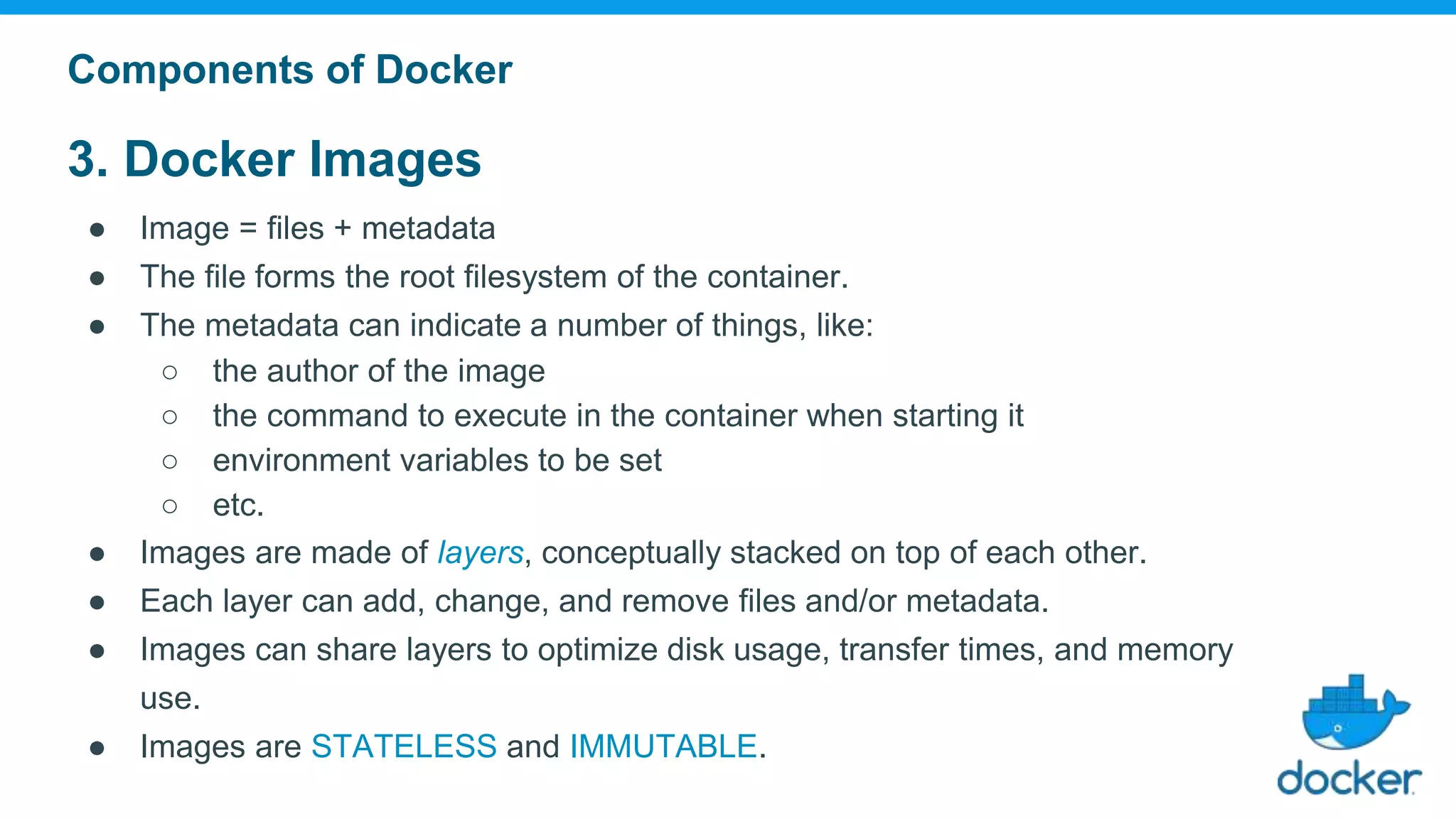
● Image = files + metadata
● The file forms the root filesystem of the container.
● The metadata can indicate a number of things, like:
○ the author of the image
○ the command to execute in the container when starting it
○ environment variables to be set
○ etc.
● Images are made of layers, conceptually stacked on top of each other.
● Each layer can add, change, and remove files and/or metadata.
● Images can share layers to optimize disk usage, transfer times, and memory
use.
● Images are STATELESS and IMMUTABLE.
Components of Docker
3. Docker Images
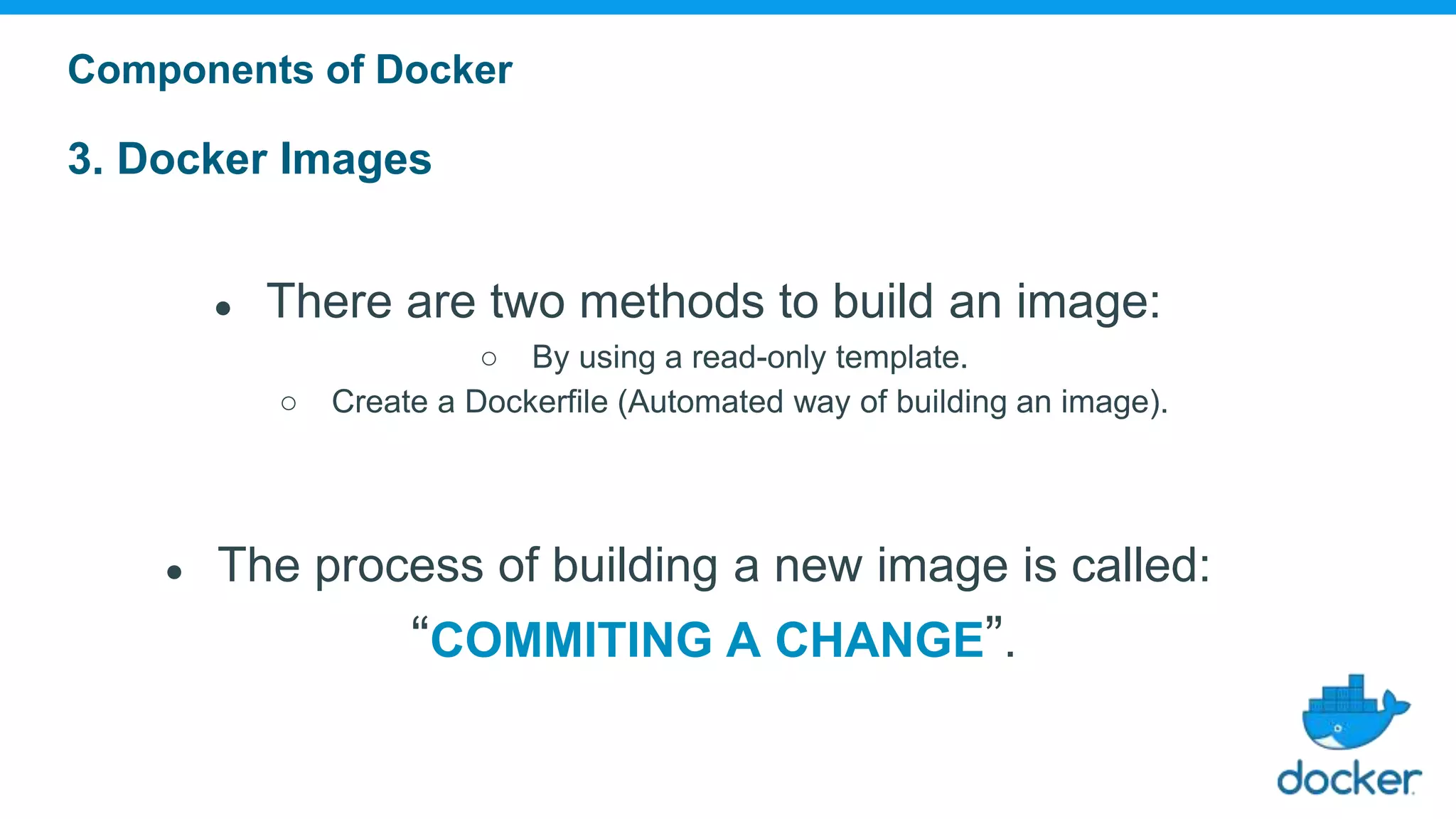
● There are two methods to build an image:
○ By using a read-only template.
○ Create a Dockerfile (Automated way of building an image).
● The process of building a new image is called:
“COMMITING A CHANGE”.
Components of Docker
3. Docker Images
Components of Docker
Ubuntu Base
PHP Engine
Apache HTTPD
PHP Extensions
php-with-mysql
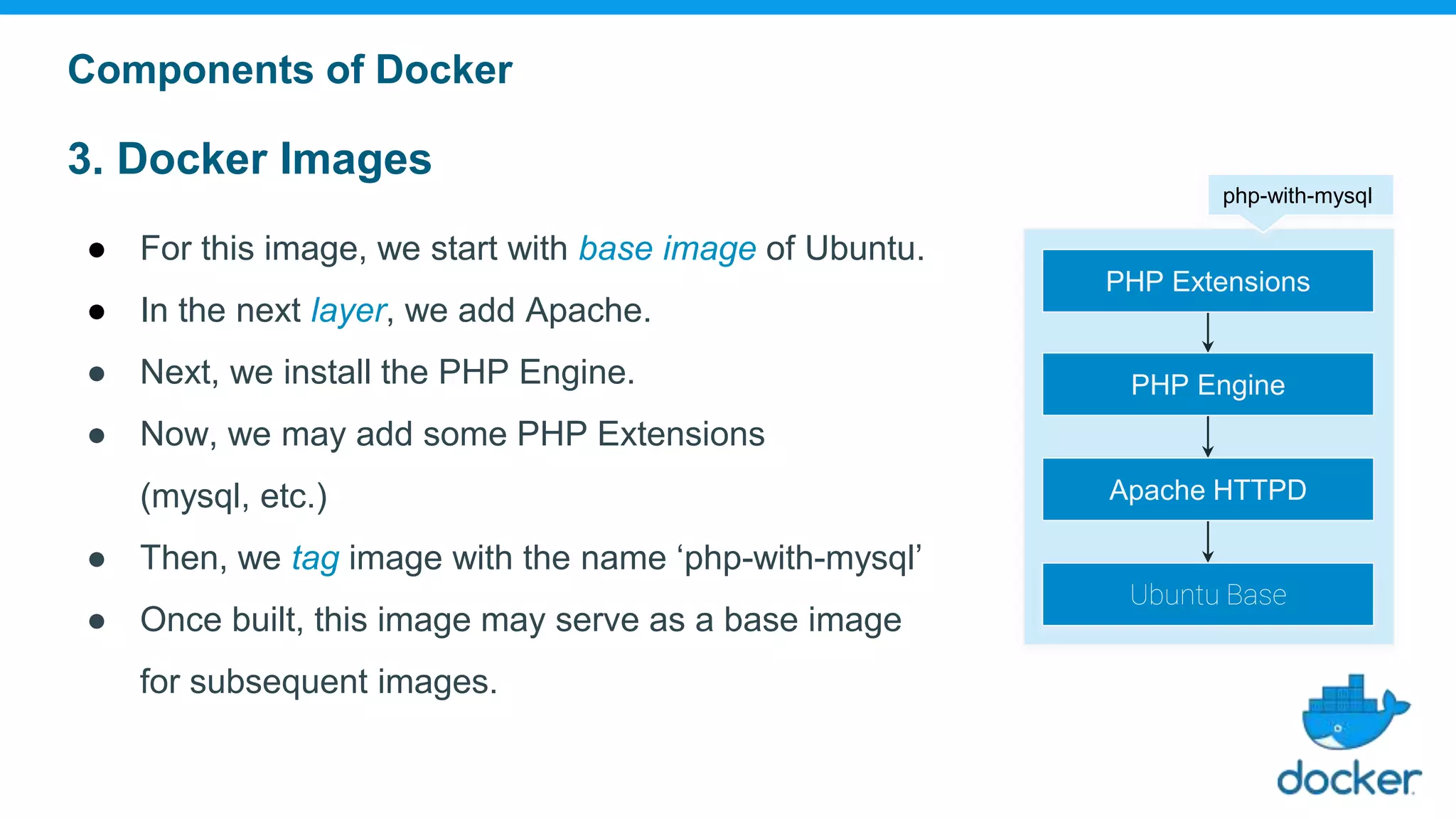
● For this image, we start with base image of Ubuntu.
● In the next layer, we add Apache.
● Next, we install the PHP Engine.
● Now, we may add some PHP Extensions
(mysql, etc.)
● Then, we tag image with the name ‘php-with-mysql’
● Once built, this image may serve as a base image
for subsequent images.
4. Docker Image Namespaces
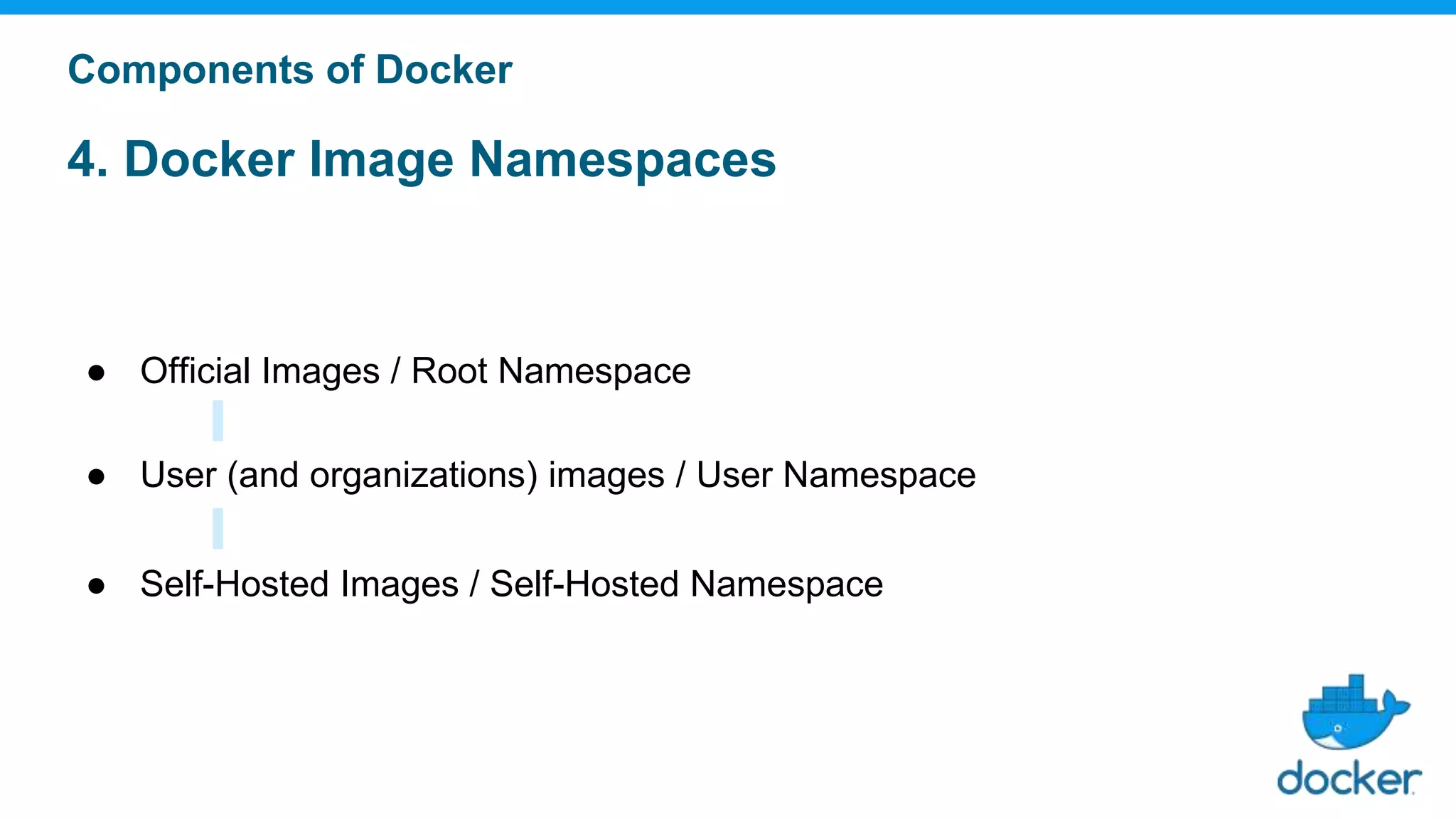
● Official Images / Root Namespace
● User (and organizations) images / User Namespace
● Self-Hosted Images / Self-Hosted Namespace
Components of Docker
4. Docker Image Namespaces
Official Images / Root Namespace
● Root namespace is for official images.
They are put by Docker Inc., and generally authored and maintained by third parties.
● Includes images like:
○ Small, "swiss-army-knife" images like busybox.
○ Distro images to be used as bases for builds like ubuntu, fedora, etc.
○ Ready-to-use components and services, like redis, postgresql, etc.
Components of Docker
4. Docker Image Namespaces
User (and organizations) images / User Namespace
● Holds images for Docker Hub users and organizations.
● e.g. ashutoshh/image
○ Docker Hub user: ashutoshh
○ Image name: image
Components of Docker
4. Docker Image Namespaces
Self-Hosted Images / Self-Hosted Namespace
● Holds images which are not hosted on Docker Hub, but on third party registries.
● They contain the hostname (or IP address), and optionally the port,
of the registry server.
● e.g. registry.example.com:5000/image
○ registry.example.com:5000 : Host and Port of registry
○ image : Image name
Components of Docker
Docker
Use
Cases
Everything in Google runs within a container.
Over a billion containers in a week!
Google is firing up some
3,300 containers every second
on an average.
Runs containers on-premises.
Container instances host about
300 logical services.
Nodes are virtualized and running
on top of VMware vSphere
About 1,000 container
instances across 32 nodes.
Finnish Railways could increase the density and utilization of its
Amazon compute instances, saving on its cloud bill.
An Average Cost savings of 50% with Docker Enterprise Edition.
About 800 container instances
in total (300 are for production).
Finnish Railways
THANK YOU :)
Questions?

Docker 101 : Introduction to Docker and Containers

  • 1.
    Docker 101 Introduction toDocker and Containers
  • 2.
    Ashutoshh Singh About Me ashutoshh@linux.com +91-9509957594 linkedin.com/in/ashutoshh ●Chief Technology Officer, AdHoc Networks ● DevOps Consultant ● Research Areas: DevOps, Deep Learning, Neural Networks ● Talks: ○ PyCon India 2017 ○ DevConf India 2018 ● Open Source Contributor: Fedora, Docker and Ansible slashdevops.blogspot.com
  • 3.
    Agenda ● Why Containers? ●What are Containers? ○ Characteristics ○ Relationship between VMs and Containers. ● Docker ○ About Docker ○ What is Docker? ○ Components of Docker ● Docker Use Cases
  • 4.
  • 5.
    1. Software Industryhas Changed ● Before: ○ monolithic applications ○ long development cycles ○ single environment ○ slowly scaling up ● Now: ○ de-coupled services ○ fast and iterative improvements ○ multiple environments ○ quickly scaling out
  • 6.
    2. Deployment becomesComplex ● Many different stacks: ○ Languages ○ Frameworks ○ Databases ● Many different targets: ○ Individual development environments ○ Pre-production, QA, staging ○ Production: On-premise, Cloud, Hybrid
  • 7.
  • 8.
    Parallel Problem inShipping Industry
  • 9.
    Solution for ShippingIndustry: Intermodal Shipping Containers
  • 10.
    Solution for SoftwareIndustry: Container System for Applications
  • 11.
  • 12.
    ● a Setof Processes sharing a common Kernel’s resources for execution. ● Isolated from the rest of the machine. (can’t see/affect/harm host or other containers) ● Implementation: ○ Uses namespaces to view the system’s privately (network interfaces, PID tree, etc.) ○ Uses cgroups to have metered/limited/reserved resources What are containers?
  • 14.
    Characteristics: ● Fast ○ Bootsin milliseconds ● Lightweight ○ Just a few MBs of intrinsic disk/memory usage ● Portable ○ Migration from one system to another like a VM. ○ Deploy new applications or kill the old ones instantly. ● Secure ○ Considerable level of security to applications, as Containers remain isolated from each other on the guest OS.
  • 15.
    Relationship between VirtualMachines and Containers
  • 16.
  • 17.
    About Docker ● Softwaredebuted to the public in Santa Clara at PyCon in 2013. ● Written in: Go ● Products maintained by Docker, Inc. ○ Docker Engine ○ Docker Engine Enterprise ○ Docker Hub ○ Docker Desktop ● Headquarters: San Francisco Solomon Hykes Original Author
  • 18.
    What is Docker? ●Installing Docker = Installing Docker Engine + Docker CLI ● Docker Engine is a daemon which manages containers, the same way that a hypervisor manages VMs. ● Docker CLI is used to interact with the Docker Engine. ● The Docker CLI and the Docker Engine communicate through an API. ● However, there are many other programs, and client libraries, to use the API.
  • 19.
  • 21.
    Components of Docker ●Docker Client and Server ● Docker Images ● Docker Registries ● Docker Containers
  • 22.
    1. Docker Clientand Server ● The Docker Server receives the request from Docker Client, and then, processes it accordingly. ● Docker Server is also known as, Docker Engine. Components of Docker Docker Daemon Docker Container Docker Client Docker ClientDocker Client Docker Host
  • 23.
    2. Docker Containers ●Abstraction at the app layer that packages code and dependencies together. ● Multiple containers can run on the same machine and share the OS kernel with other containers. ● Each container runs as isolated processes in user space. Components of Docker
  • 25.
    3. Docker Images ●Image = files + metadata ● The file forms the root filesystem of the container. ● The metadata can indicate a number of things, like: ○ the author of the image ○ the command to execute in the container when starting it ○ environment variables to be set ○ etc. ● Images are made of layers, conceptually stacked on top of each other. ● Each layer can add, change, and remove files and/or metadata. ● Images can share layers to optimize disk usage, transfer times, and memory use. ● Images are STATELESS and IMMUTABLE. Components of Docker
  • 26.
    3. Docker Images ●There are two methods to build an image: ○ By using a read-only template. ○ Create a Dockerfile (Automated way of building an image). ● The process of building a new image is called: “COMMITING A CHANGE”. Components of Docker
  • 27.
    3. Docker Images Componentsof Docker Ubuntu Base PHP Engine Apache HTTPD PHP Extensions php-with-mysql ● For this image, we start with base image of Ubuntu. ● In the next layer, we add Apache. ● Next, we install the PHP Engine. ● Now, we may add some PHP Extensions (mysql, etc.) ● Then, we tag image with the name ‘php-with-mysql’ ● Once built, this image may serve as a base image for subsequent images.
  • 28.
    4. Docker ImageNamespaces ● Official Images / Root Namespace ● User (and organizations) images / User Namespace ● Self-Hosted Images / Self-Hosted Namespace Components of Docker
  • 29.
    4. Docker ImageNamespaces Official Images / Root Namespace ● Root namespace is for official images. They are put by Docker Inc., and generally authored and maintained by third parties. ● Includes images like: ○ Small, "swiss-army-knife" images like busybox. ○ Distro images to be used as bases for builds like ubuntu, fedora, etc. ○ Ready-to-use components and services, like redis, postgresql, etc. Components of Docker
  • 30.
    4. Docker ImageNamespaces User (and organizations) images / User Namespace ● Holds images for Docker Hub users and organizations. ● e.g. ashutoshh/image ○ Docker Hub user: ashutoshh ○ Image name: image Components of Docker
  • 31.
    4. Docker ImageNamespaces Self-Hosted Images / Self-Hosted Namespace ● Holds images which are not hosted on Docker Hub, but on third party registries. ● They contain the hostname (or IP address), and optionally the port, of the registry server. ● e.g. registry.example.com:5000/image ○ registry.example.com:5000 : Host and Port of registry ○ image : Image name Components of Docker
  • 32.
  • 33.
    Everything in Googleruns within a container. Over a billion containers in a week! Google is firing up some 3,300 containers every second on an average.
  • 34.
    Runs containers on-premises. Containerinstances host about 300 logical services. Nodes are virtualized and running on top of VMware vSphere About 1,000 container instances across 32 nodes.
  • 35.
    Finnish Railways couldincrease the density and utilization of its Amazon compute instances, saving on its cloud bill. An Average Cost savings of 50% with Docker Enterprise Edition. About 800 container instances in total (300 are for production). Finnish Railways
  • 37.
  • 38.