Diploma in Information Technology
Module IX: Programming with
C#.NET
Rasan Samarasinghe
ESOFT Computer Studies (pvt) Ltd.
No 68/1, Main Street, Pallegama, Embilipitiya.
Contents
1. Introduction to .NET Framework
2. .NET Framework Platform Architecture
3. Microsoft Visual Studio
4. C# Language
5. C#, VS and .NET Framework Versions
6. Your First C# Application
7. Printing Statements
8. Comments in C#
9. Common Type System
10. Value Types and Reference Type
11. Variables Declaration in C#
12. Type Conversion
13. Arithmetic Operators
14. Assignment Operators
15. Comparison Operators
16. Logical Operators
17. If Statement
18. If… Else Statement
19. If… Else if… Else Statement
20. Nested If Statement
21. Switch Statement
22. While Loop
23. Do While Loop
23. For Loop
24. Arrays
25. Accessing Arrays using foreach Loop
26. Two Dimensional Arrays
27. Classes and Objects in C#
28. Inheritance in C#
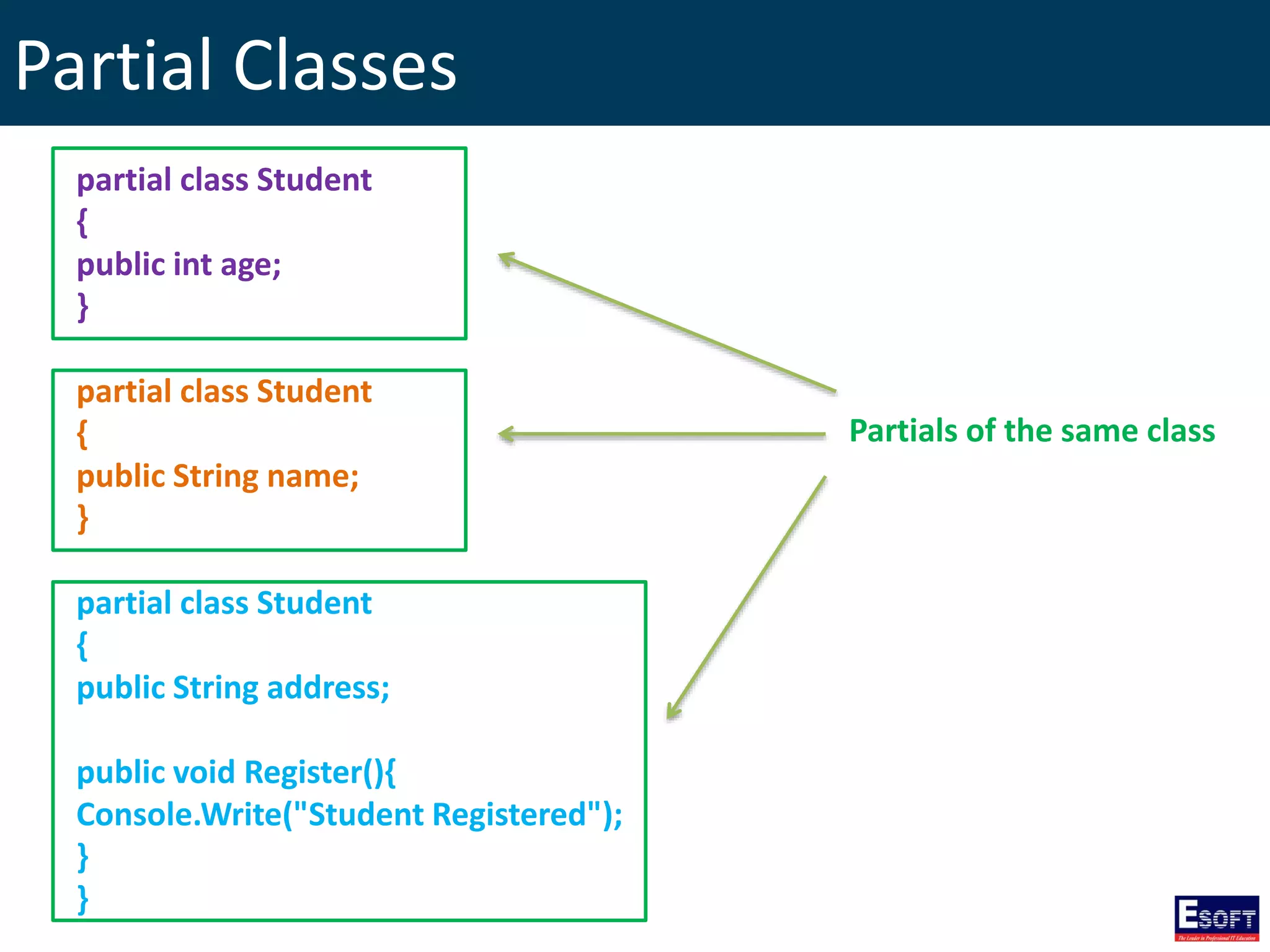
29. Partial Classes
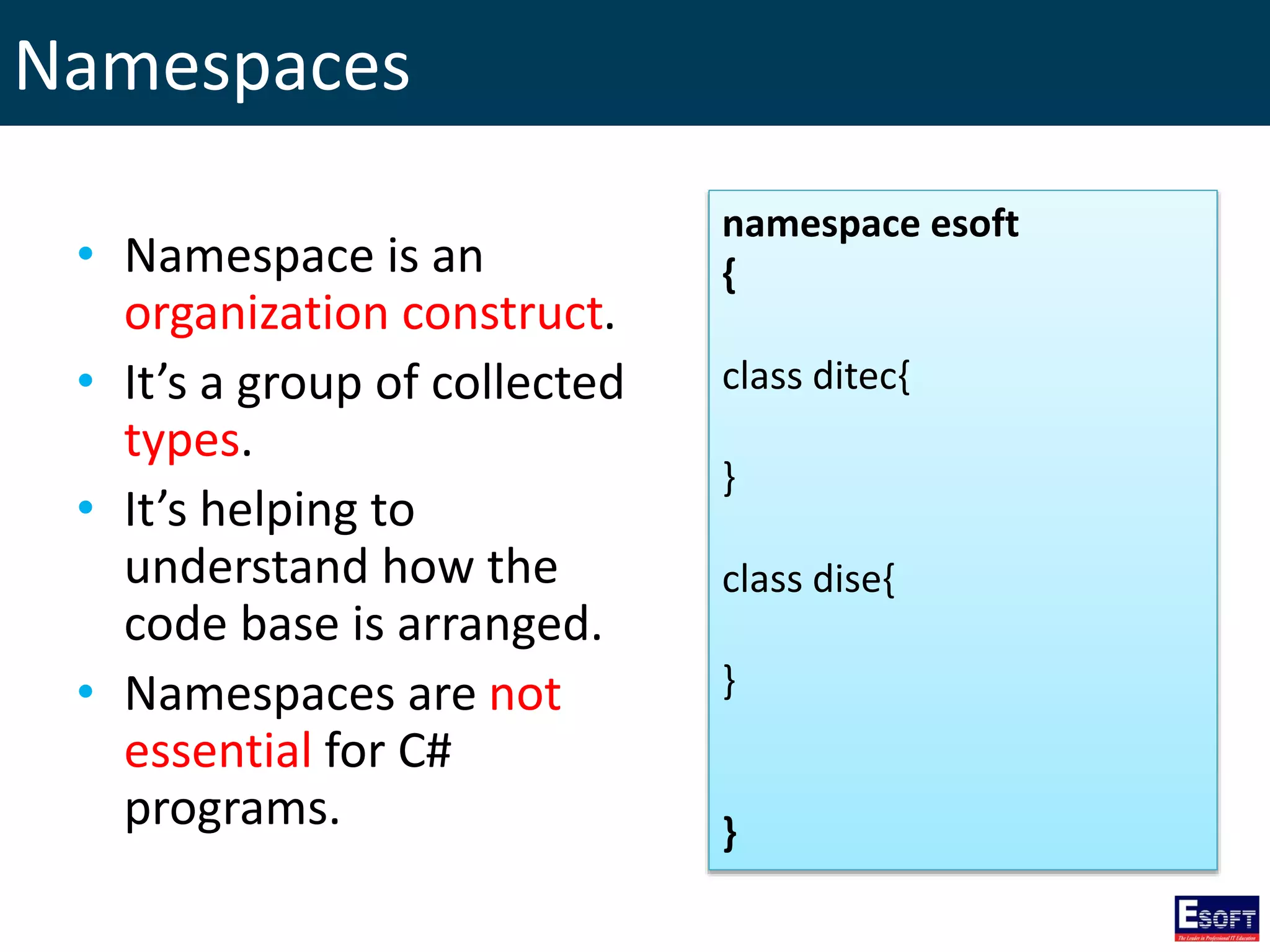
30. Namespaces
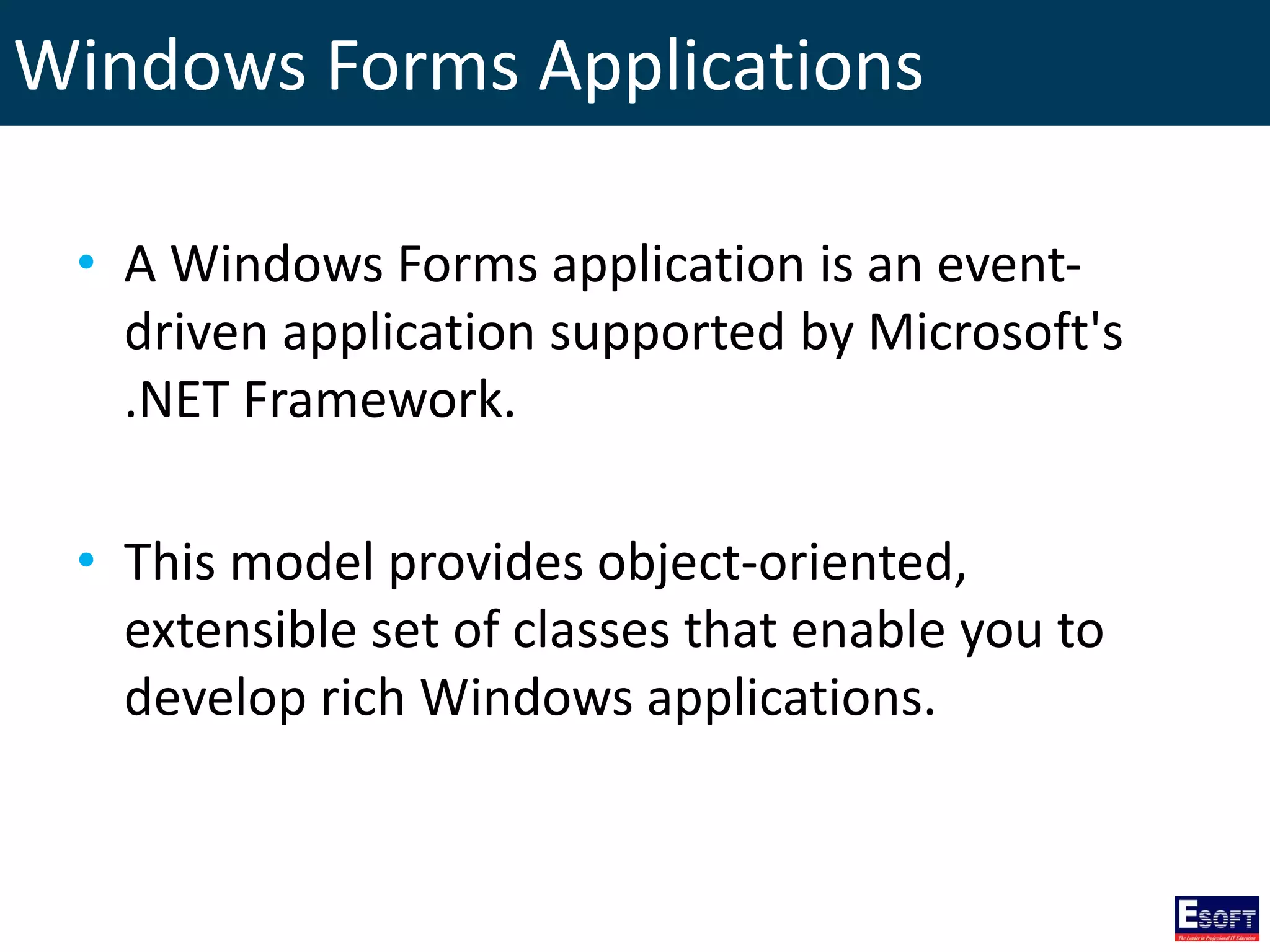
31. Windows Forms Applications
32. Using Buttons, Labels and Text Boxes
33. Displaying Message Boxes
34. Error Handling with Try… Catch… finally…
35. Using Radio Buttons
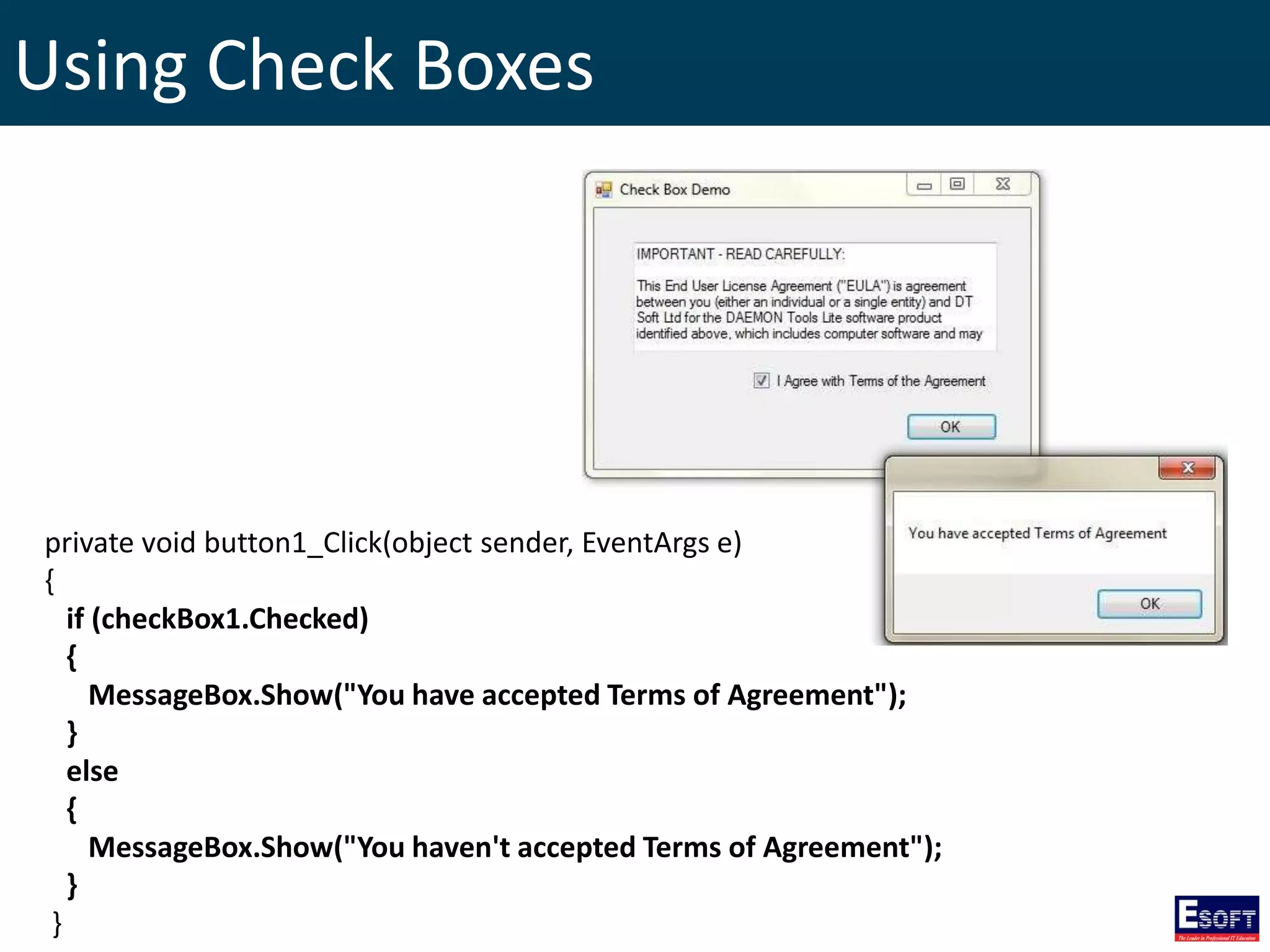
36. Using Check Boxes
37. Using List Boxes
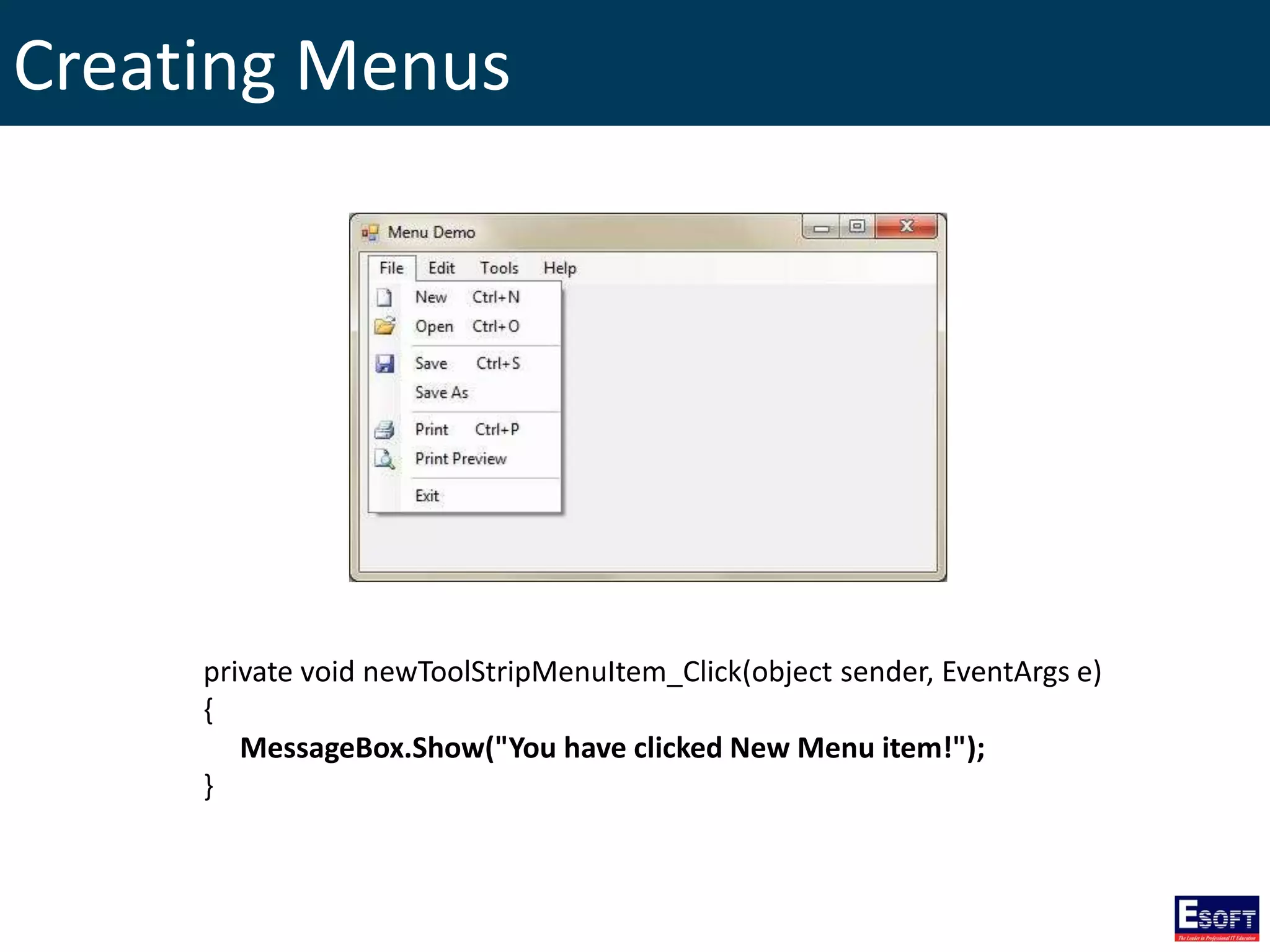
38. Creating Menus
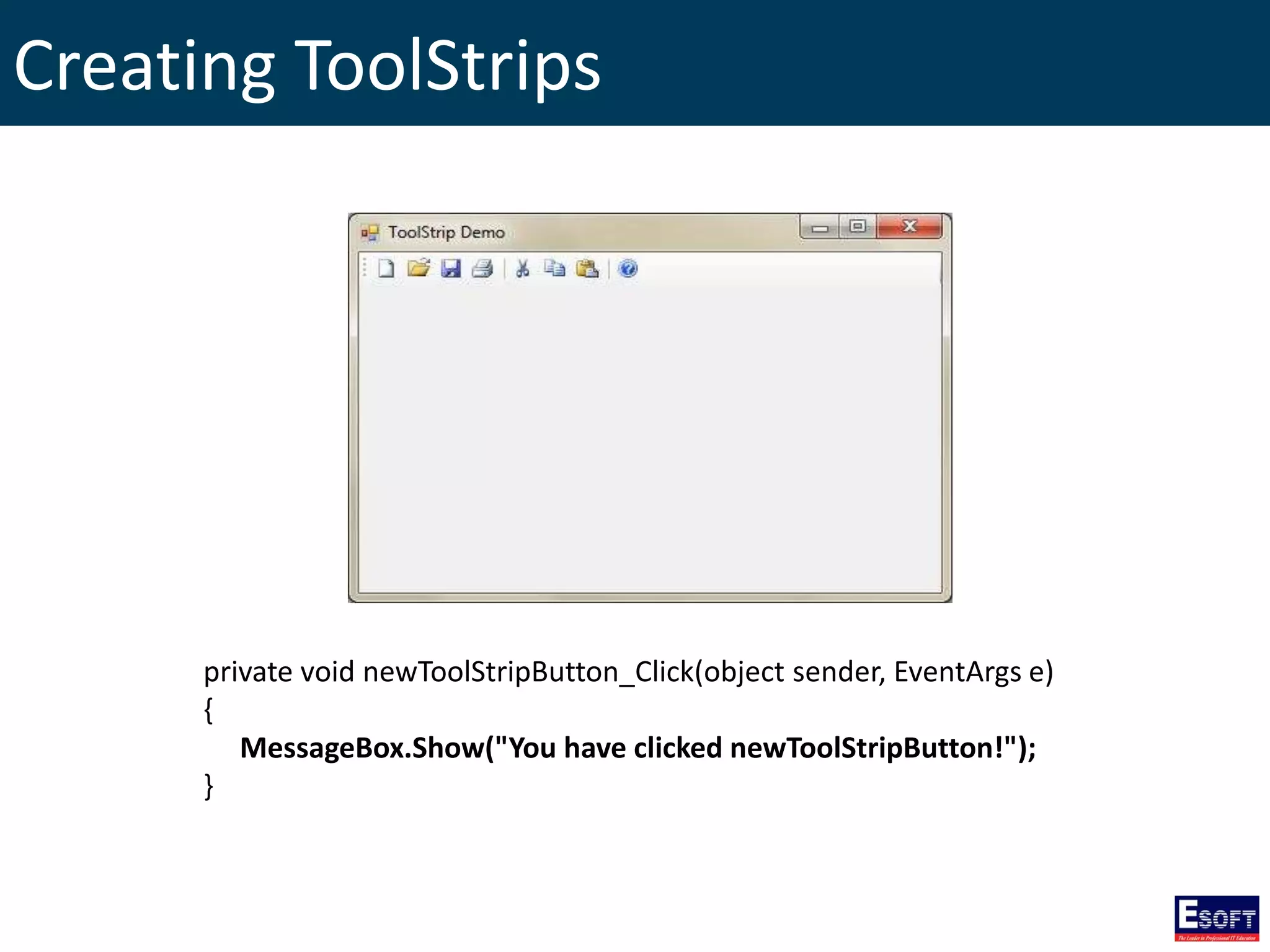
39. Creating ToolStrips
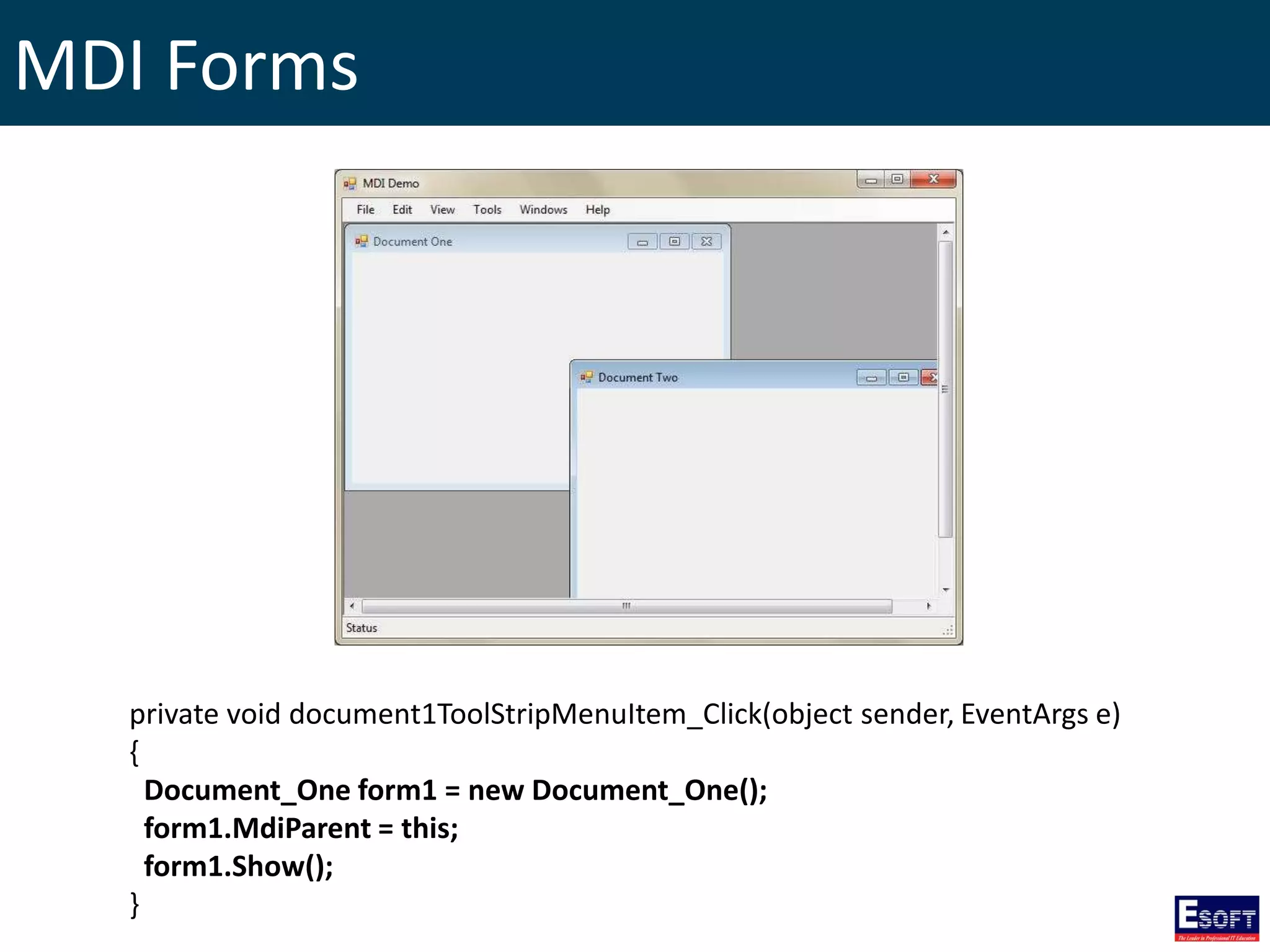
40. MDI Forms
41. Database Application in C#
42. Creating a Simple Database Application
43. SQL Insert / Update / Retrieving / Delete
44. SQL Command Execute Methods
45. Data Sets
Introduction to .NET Framework
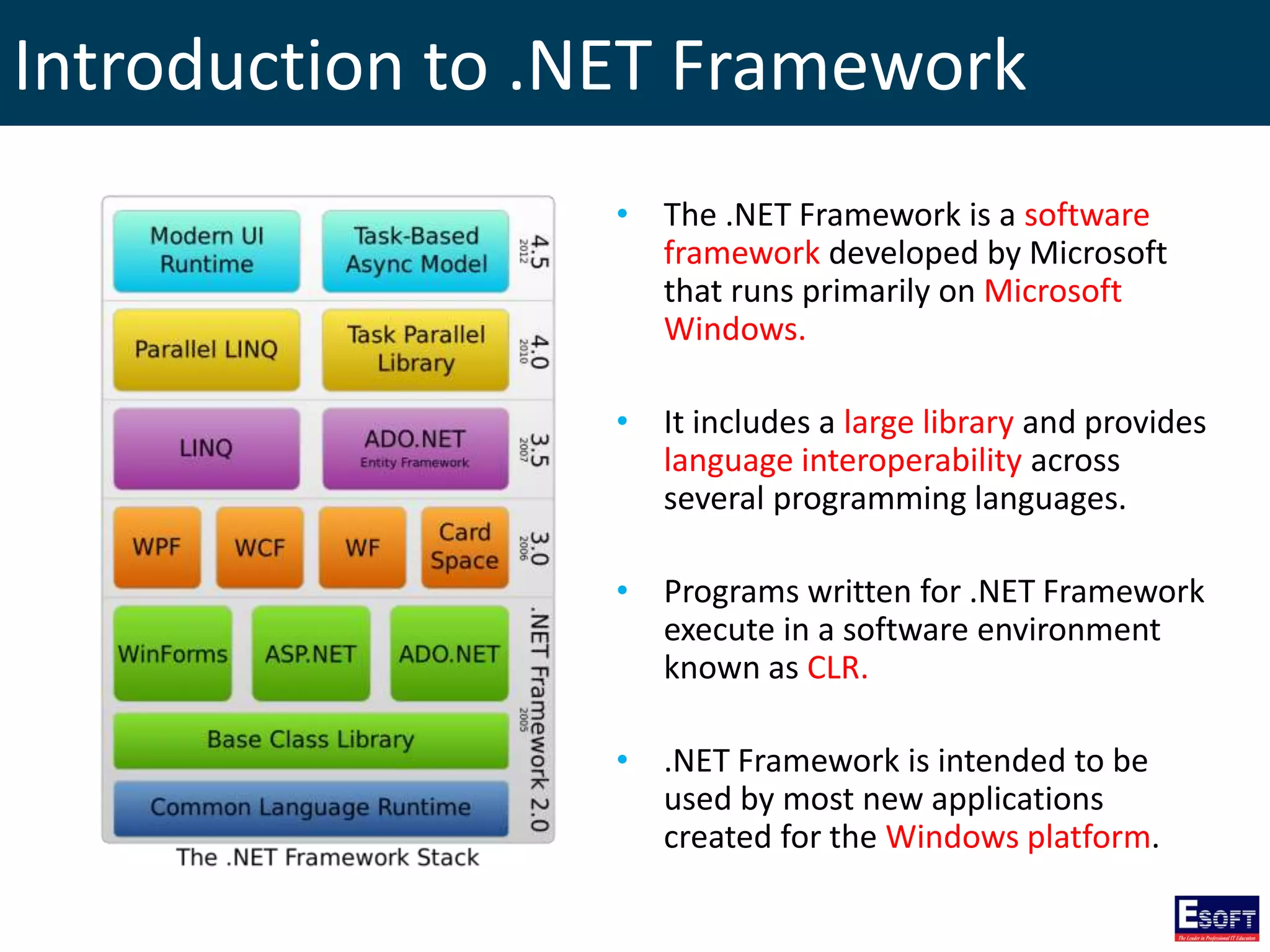
• The .NET Framework is a software
framework developed by Microsoft
that runs primarily on Microsoft
Windows.
• It includes a large library and provides
language interoperability across
several programming languages.
• Programs written for .NET Framework
execute in a software environment
known as CLR.
• .NET Framework is intended to be
used by most new applications
created for the Windows platform.
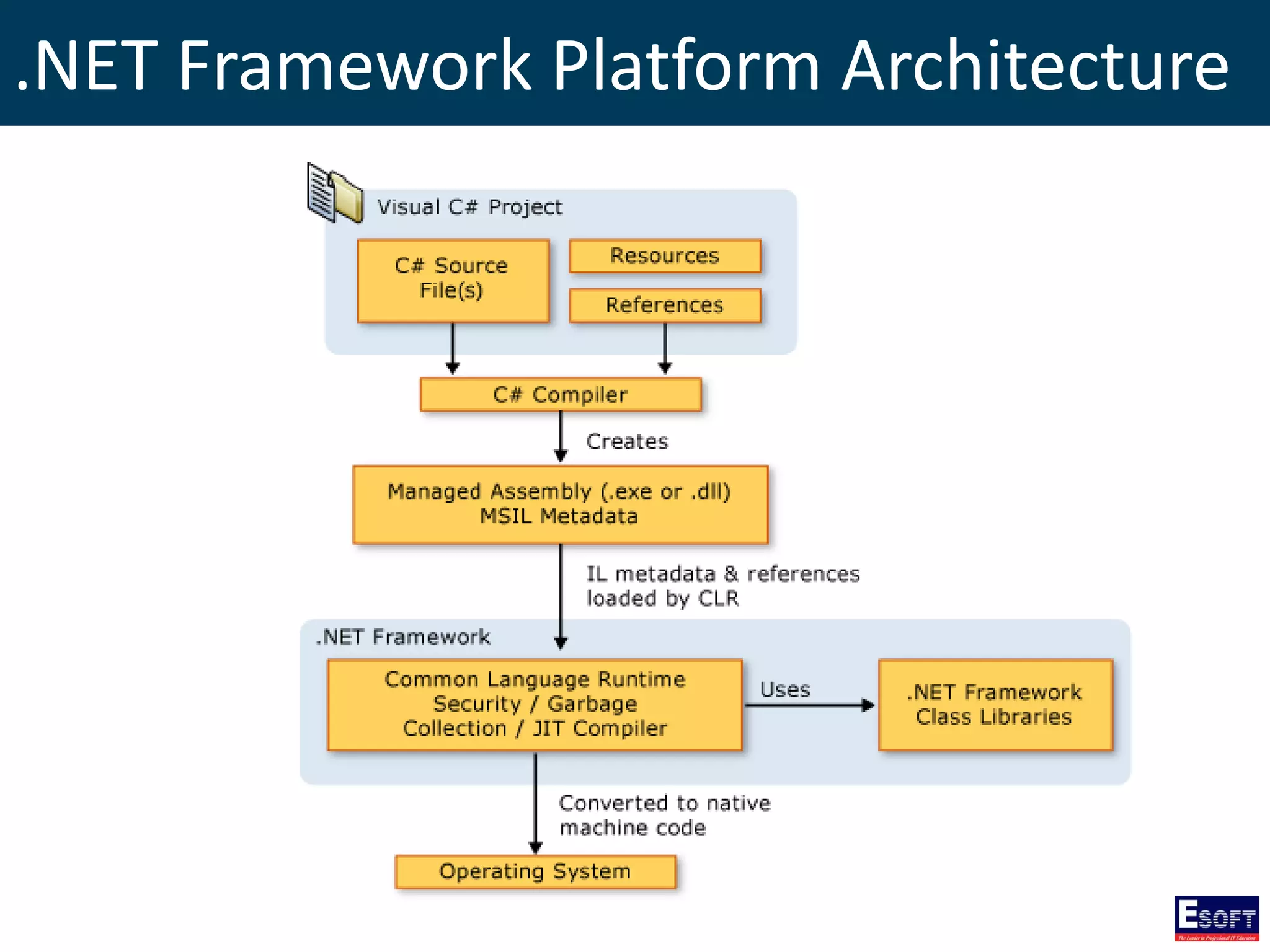
.NET Framework Platform Architecture
Microsoft Visual Studio
• Microsoft Visual Studio is an integrated development
environment (IDE) from Microsoft…
• To develop Windows Forms or WPF applications, web
sites, web applications, and web services…
• For Microsoft Windows, Windows Mobile, Windows
CE, .NET Framework and Microsoft Silverlight.
C# Language
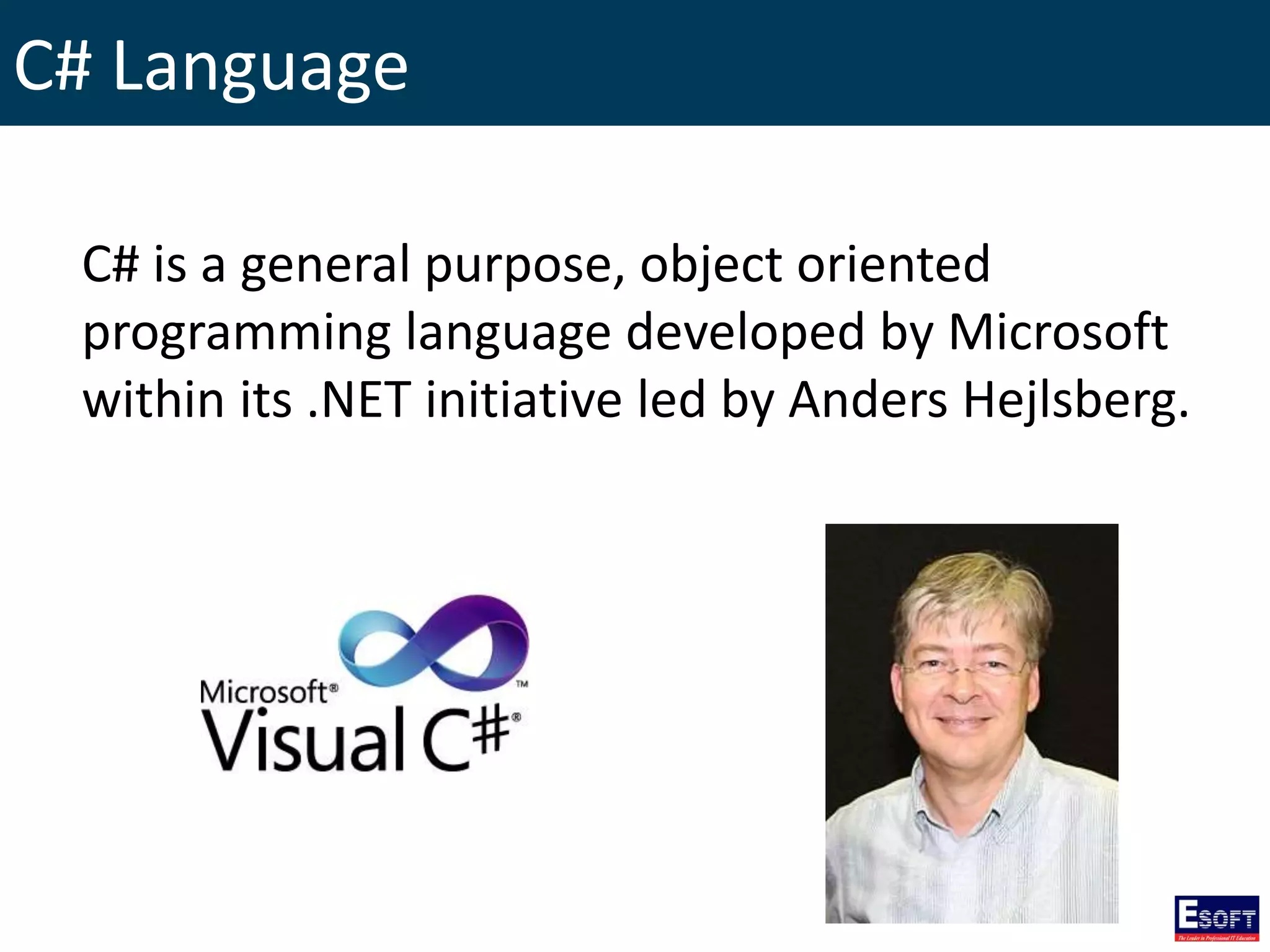
C# is a general purpose, object oriented
programming language developed by Microsoft
within its .NET initiative led by Anders Hejlsberg.
C# Language Features
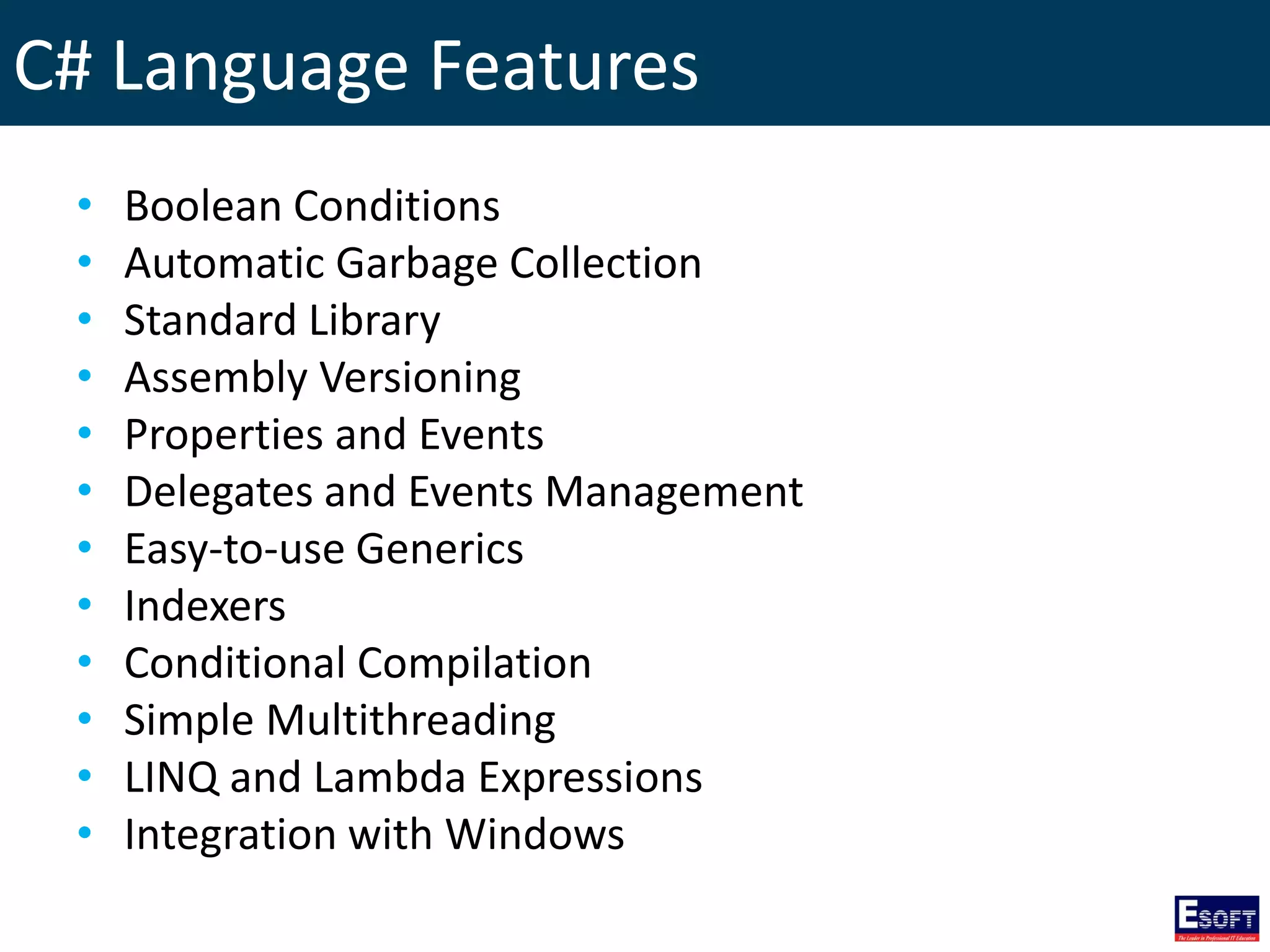
• Boolean Conditions
• Automatic Garbage Collection
• Standard Library
• Assembly Versioning
• Properties and Events
• Delegates and Events Management
• Easy-to-use Generics
• Indexers
• Conditional Compilation
• Simple Multithreading
• LINQ and Lambda Expressions
• Integration with Windows
C#, VS and .NET Framework Versions
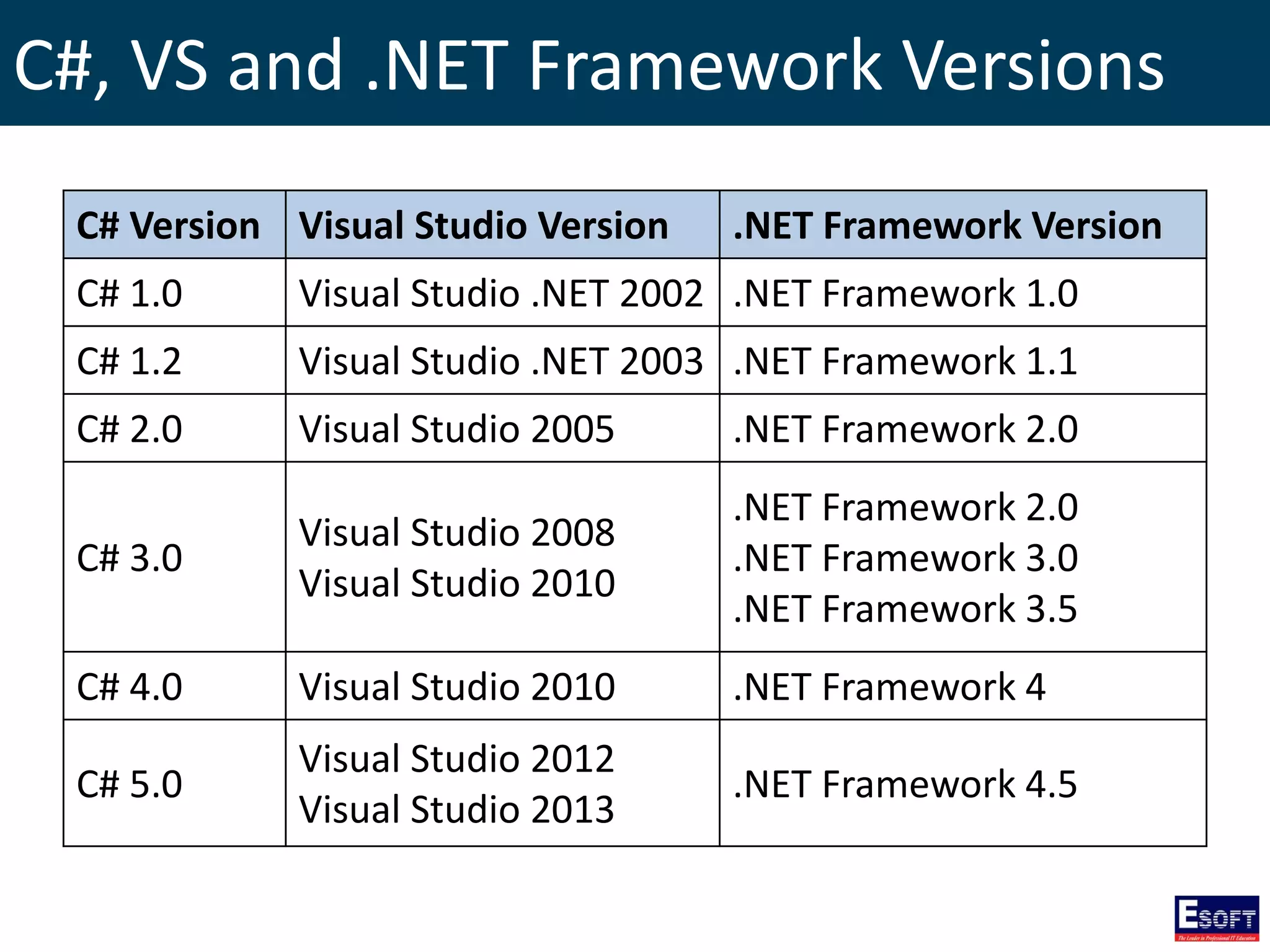
C# Version Visual Studio Version .NET Framework Version
C# 1.0 Visual Studio .NET 2002 .NET Framework 1.0
C# 1.2 Visual Studio .NET 2003 .NET Framework 1.1
C# 2.0 Visual Studio 2005 .NET Framework 2.0
C# 3.0
Visual Studio 2008
Visual Studio 2010
.NET Framework 2.0
.NET Framework 3.0
.NET Framework 3.5
C# 4.0 Visual Studio 2010 .NET Framework 4
C# 5.0
Visual Studio 2012
Visual Studio 2013
.NET Framework 4.5
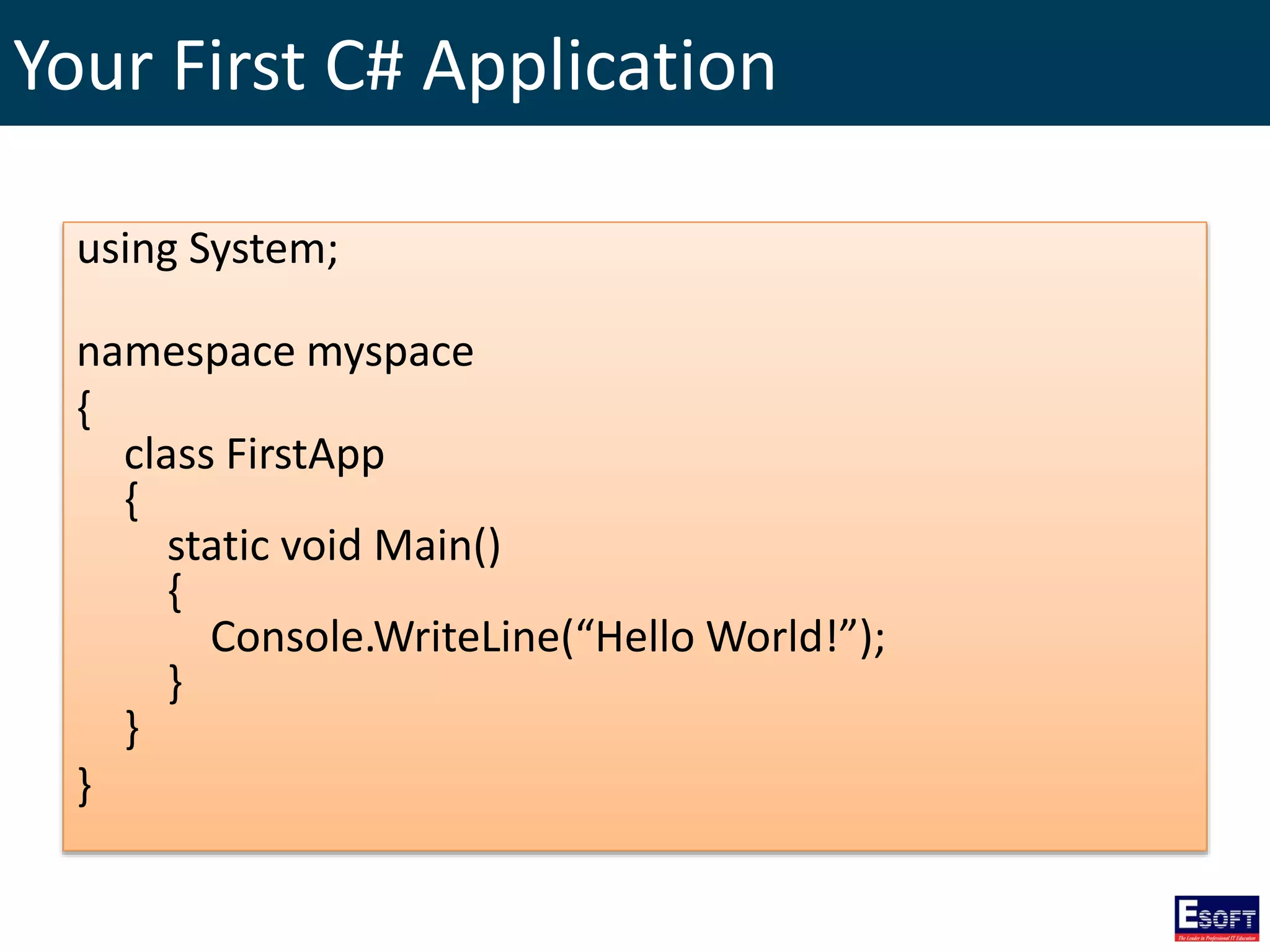
Your First C# Application
using System;
namespace myspace
{
class FirstApp
{
static void Main()
{
Console.WriteLine(“Hello World!”);
}
}
}
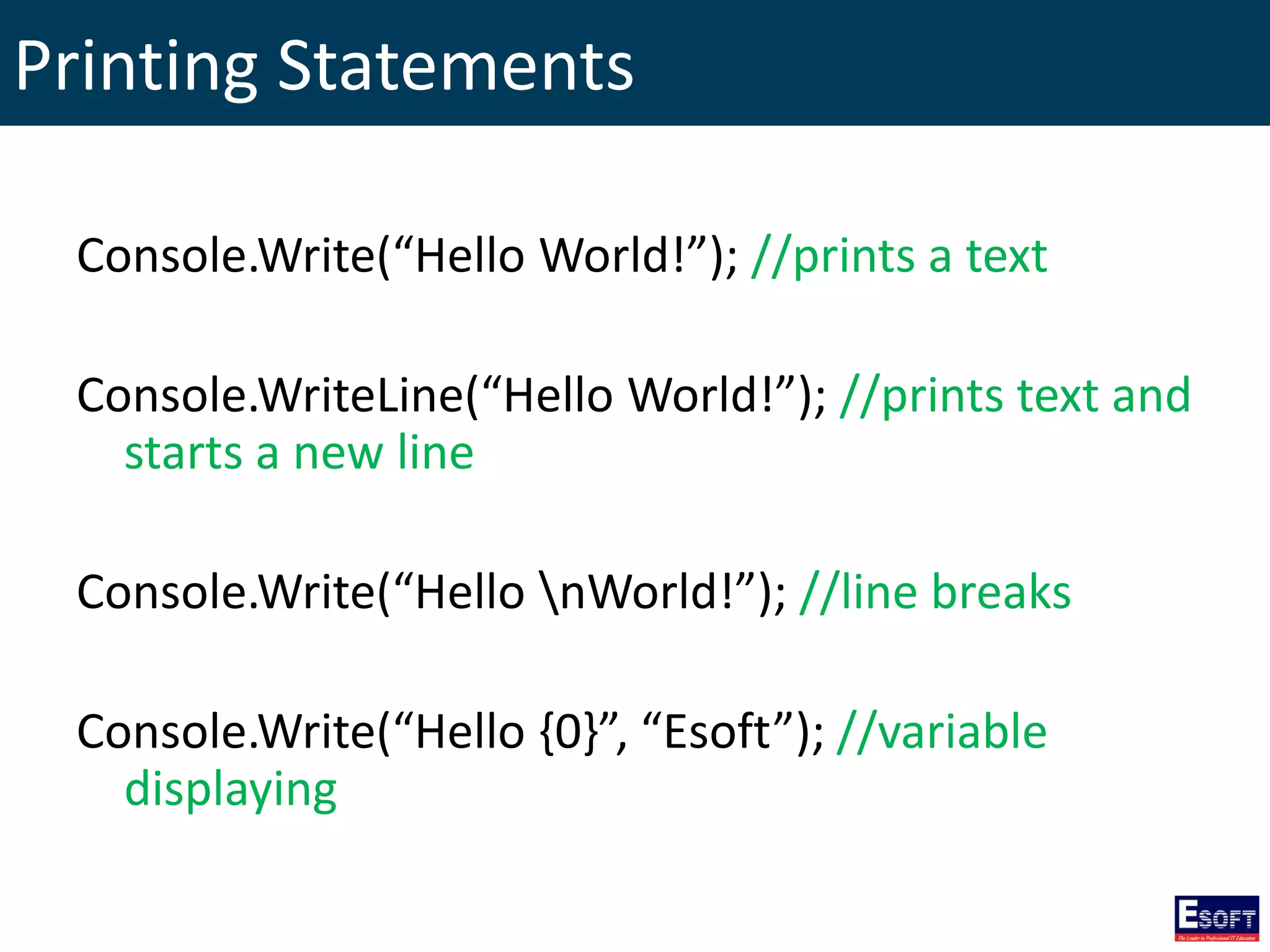
Printing Statements
Console.Write(“Hello World!”); //prints a text
Console.WriteLine(“Hello World!”); //prints text and
starts a new line
Console.Write(“Hello nWorld!”); //line breaks
Console.Write(“Hello {0}”, “Esoft”); //variable
displaying
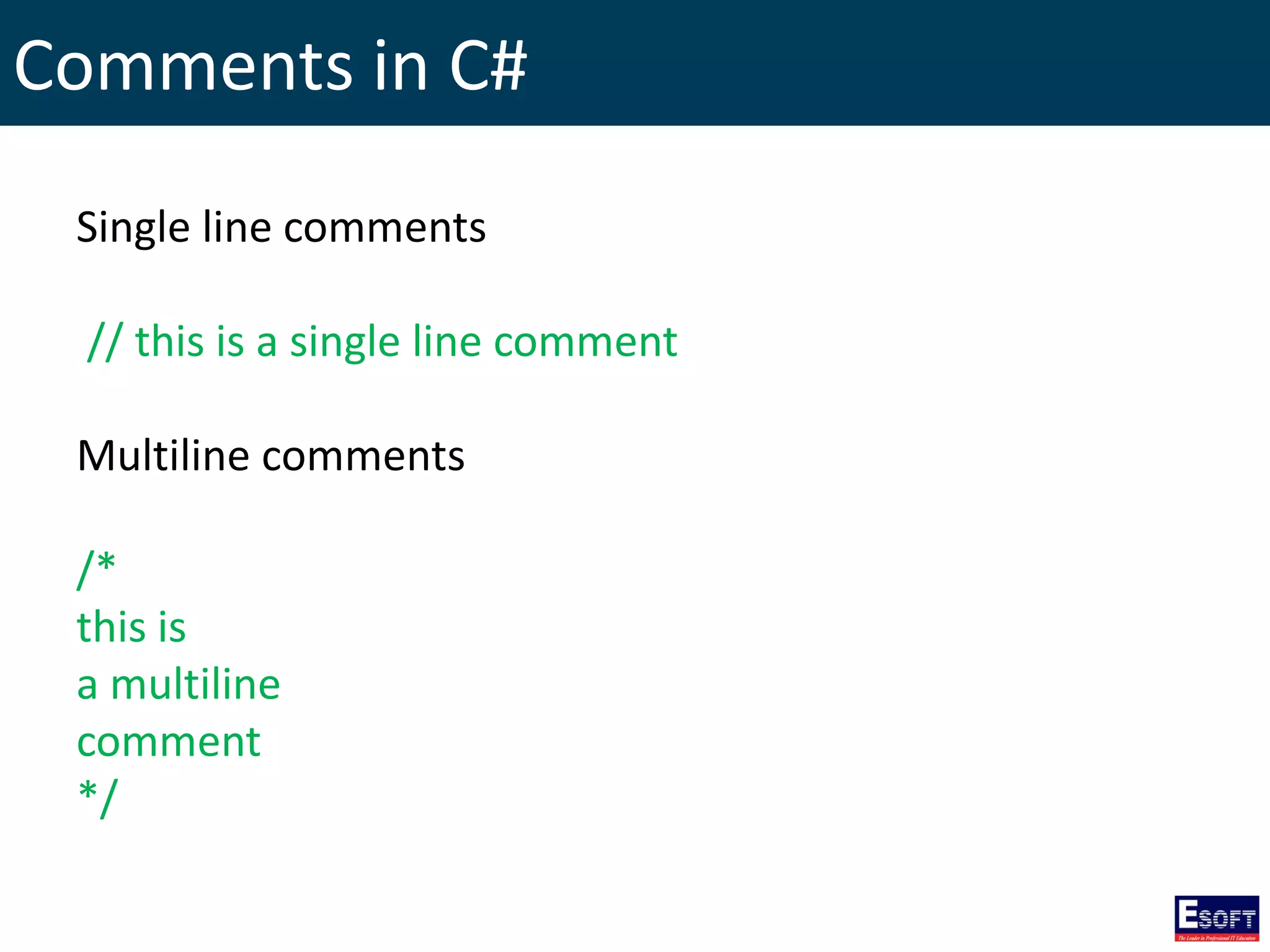
Comments in C#
Single line comments
// this is a single line comment
Multiline comments
/*
this is
a multiline
comment
*/
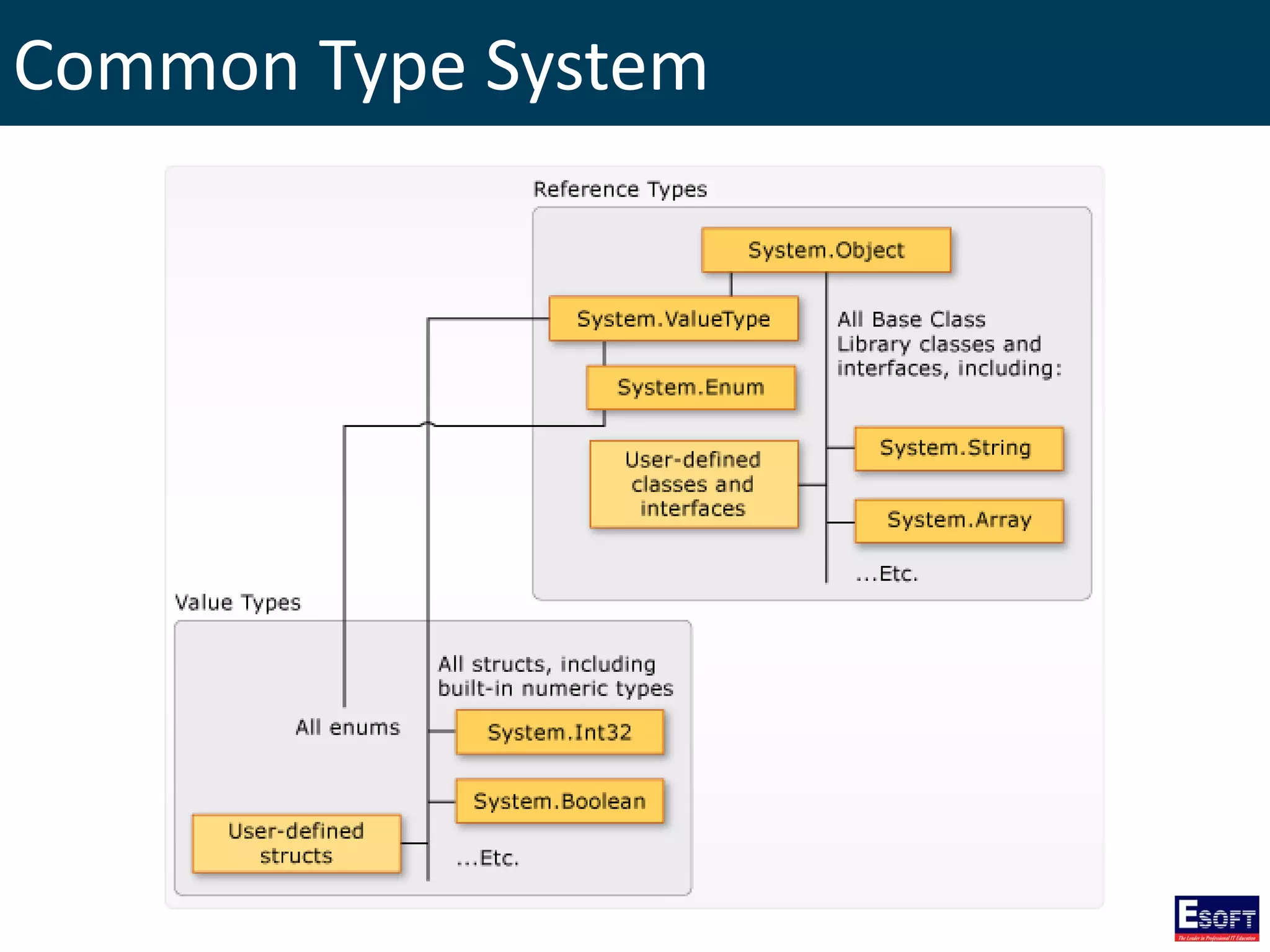
Common Type System
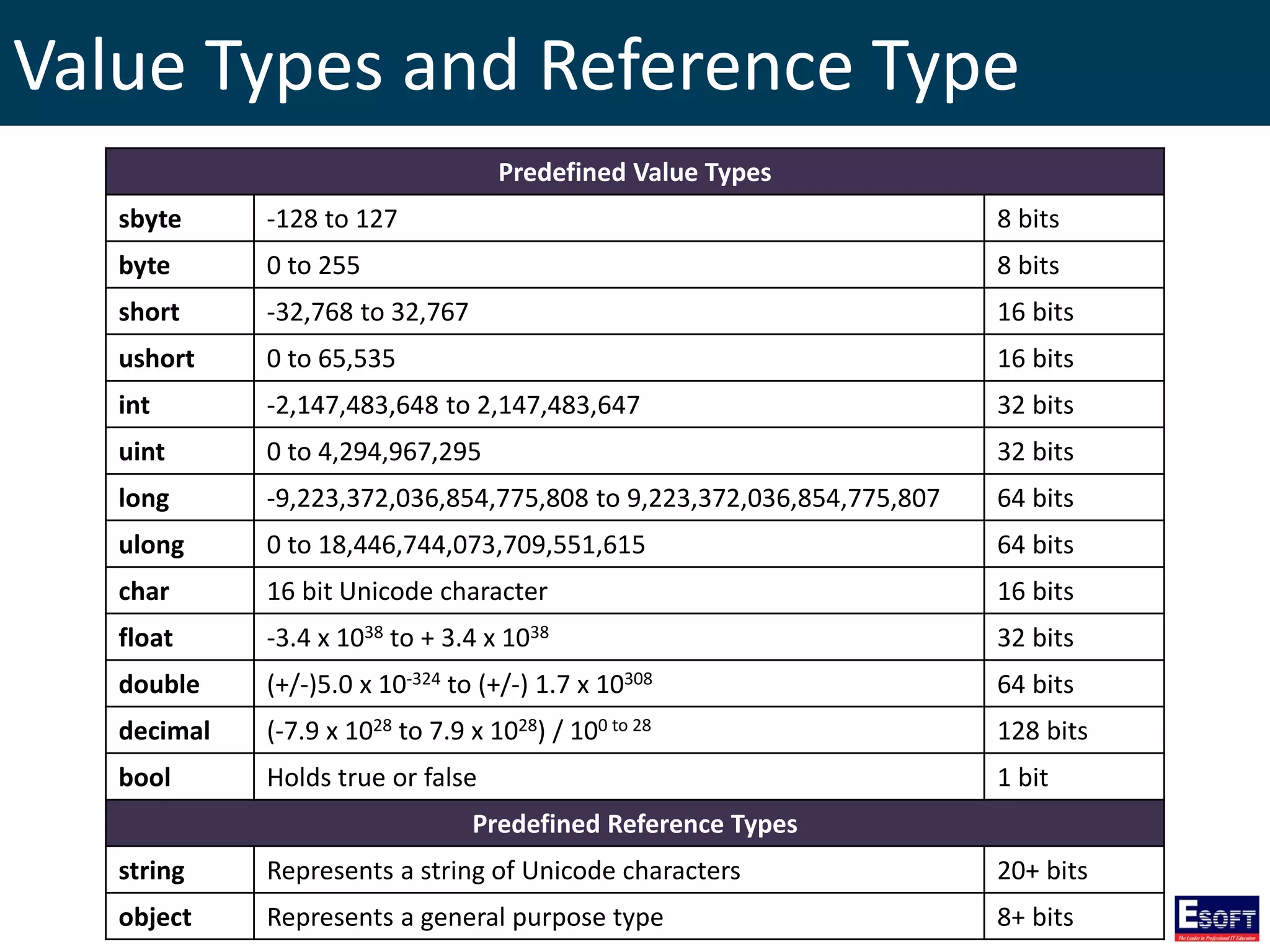
Value Types and Reference Type
Predefined Value Types
sbyte -128 to 127 8 bits
byte 0 to 255 8 bits
short -32,768 to 32,767 16 bits
ushort 0 to 65,535 16 bits
int -2,147,483,648 to 2,147,483,647 32 bits
uint 0 to 4,294,967,295 32 bits
long -9,223,372,036,854,775,808 to 9,223,372,036,854,775,807 64 bits
ulong 0 to 18,446,744,073,709,551,615 64 bits
char 16 bit Unicode character 16 bits
float -3.4 x 1038 to + 3.4 x 1038 32 bits
double (+/-)5.0 x 10-324 to (+/-) 1.7 x 10308 64 bits
decimal (-7.9 x 1028 to 7.9 x 1028) / 100 to 28 128 bits
bool Holds true or false 1 bit
Predefined Reference Types
string Represents a string of Unicode characters 20+ bits
object Represents a general purpose type 8+ bits
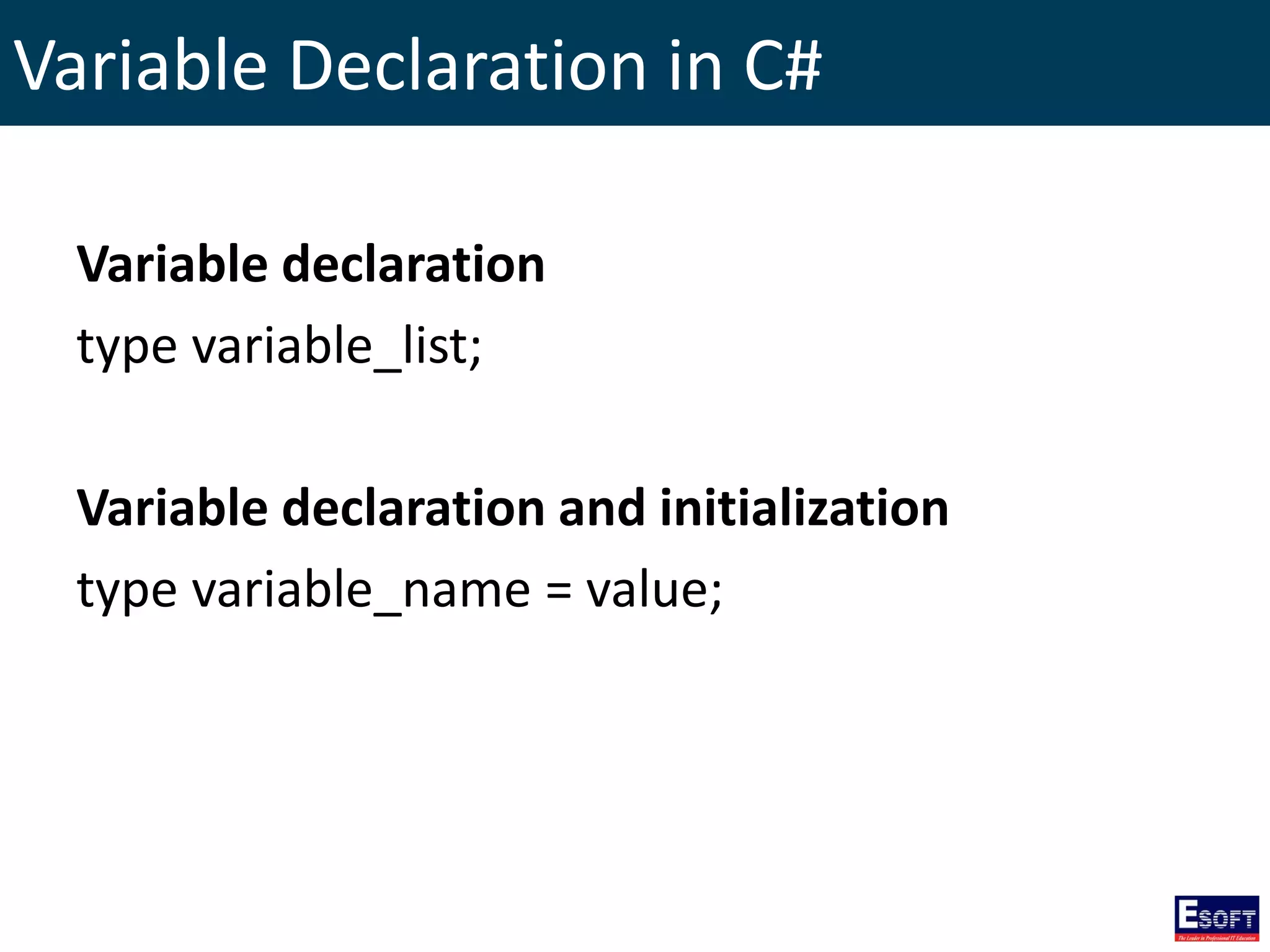
Variable Declaration in C#
Variable declaration
type variable_list;
Variable declaration and initialization
type variable_name = value;
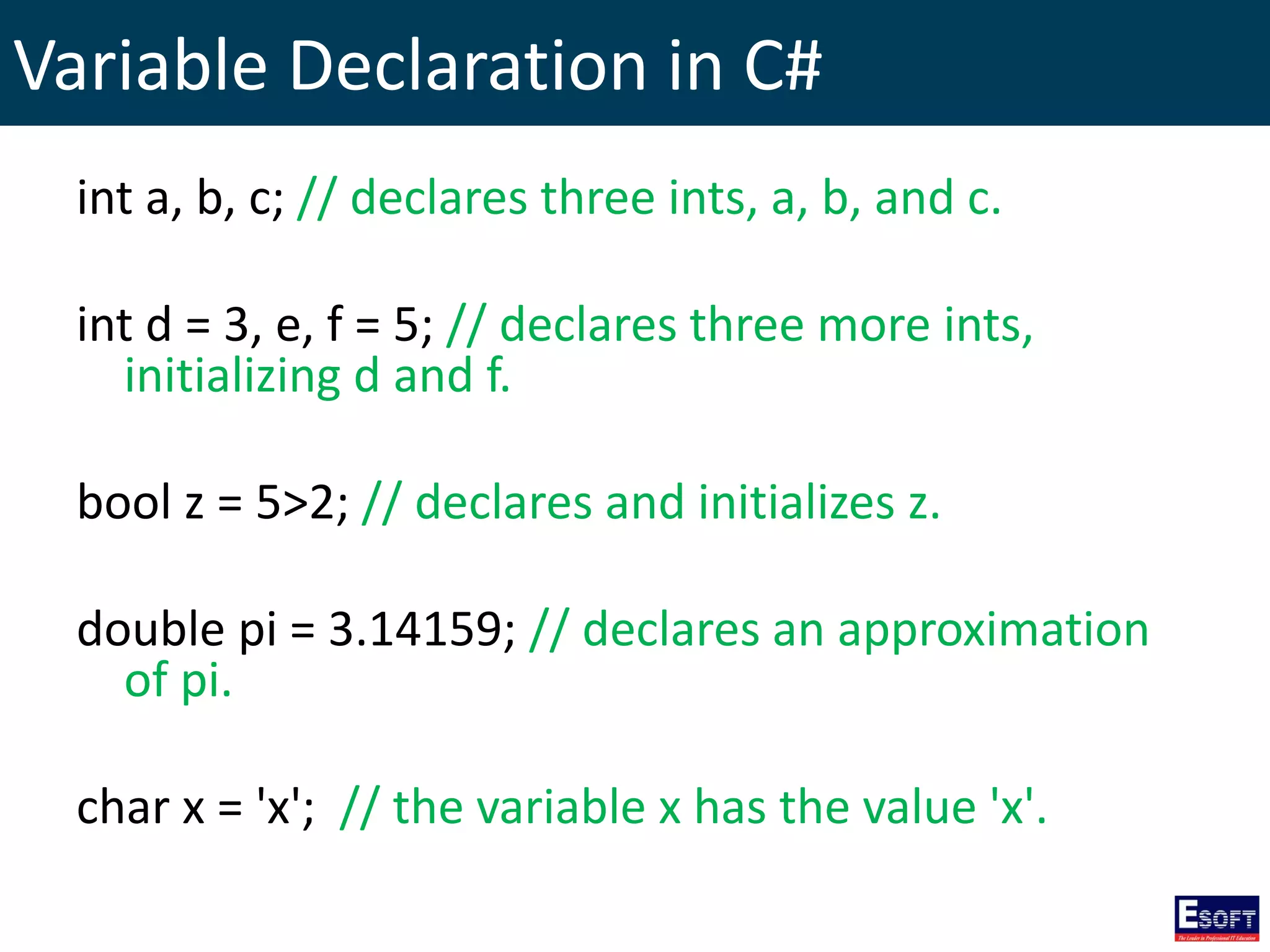
Variable Declaration in C#
int a, b, c; // declares three ints, a, b, and c.
int d = 3, e, f = 5; // declares three more ints,
initializing d and f.
bool z = 5>2; // declares and initializes z.
double pi = 3.14159; // declares an approximation
of pi.
char x = 'x'; // the variable x has the value 'x'.
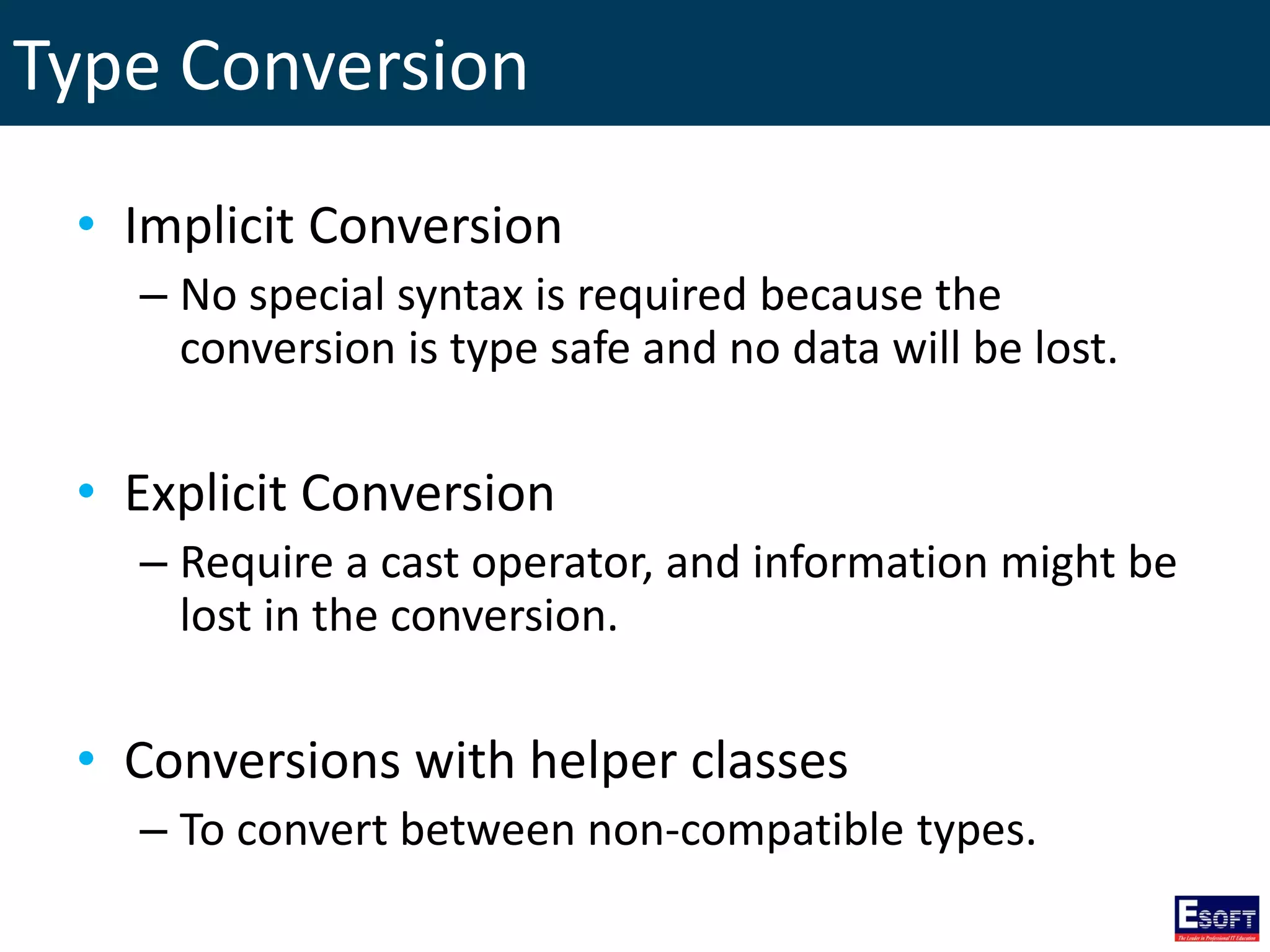
Type Conversion
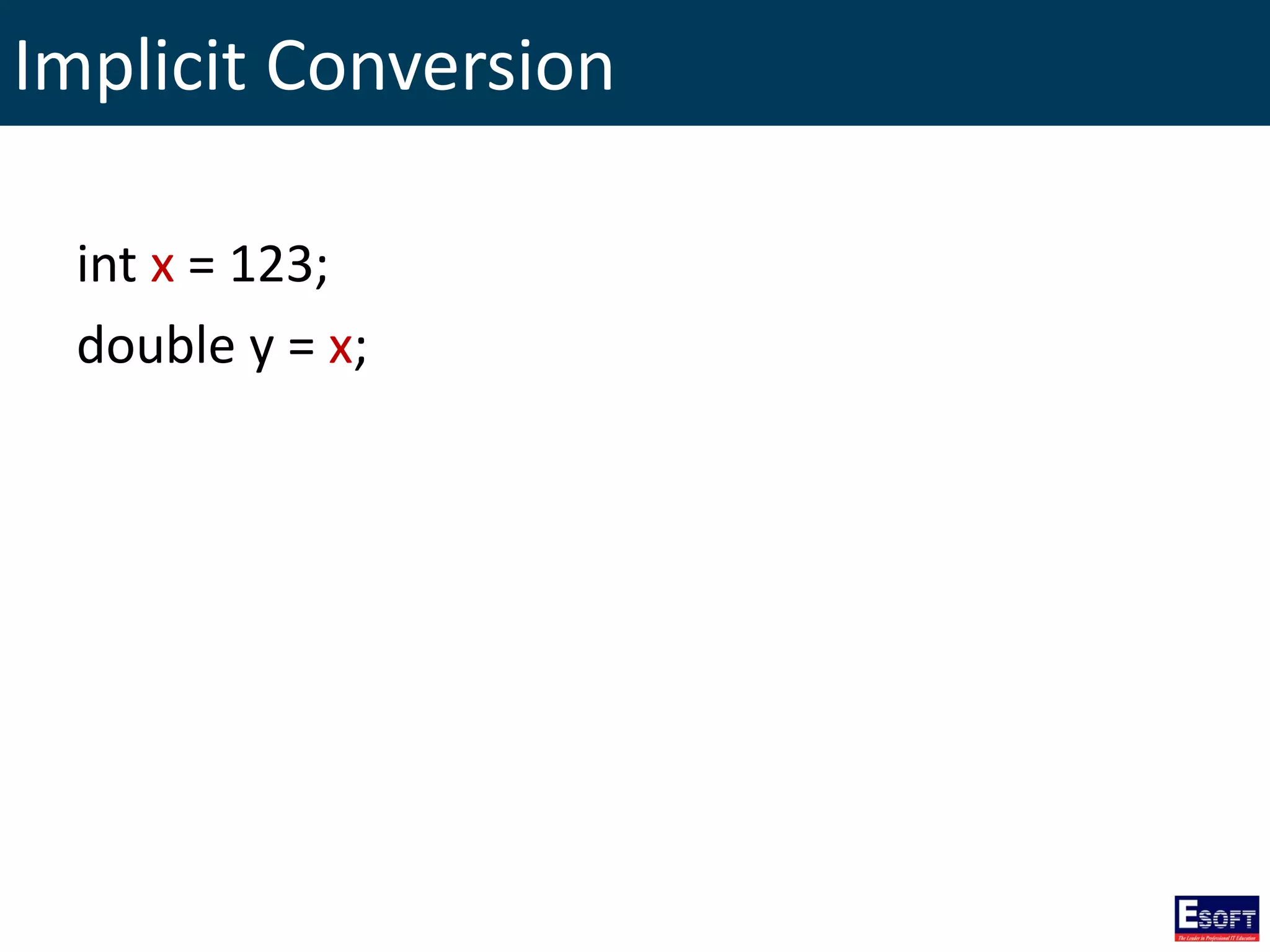
• Implicit Conversion
– No special syntax is required because the
conversion is type safe and no data will be lost.
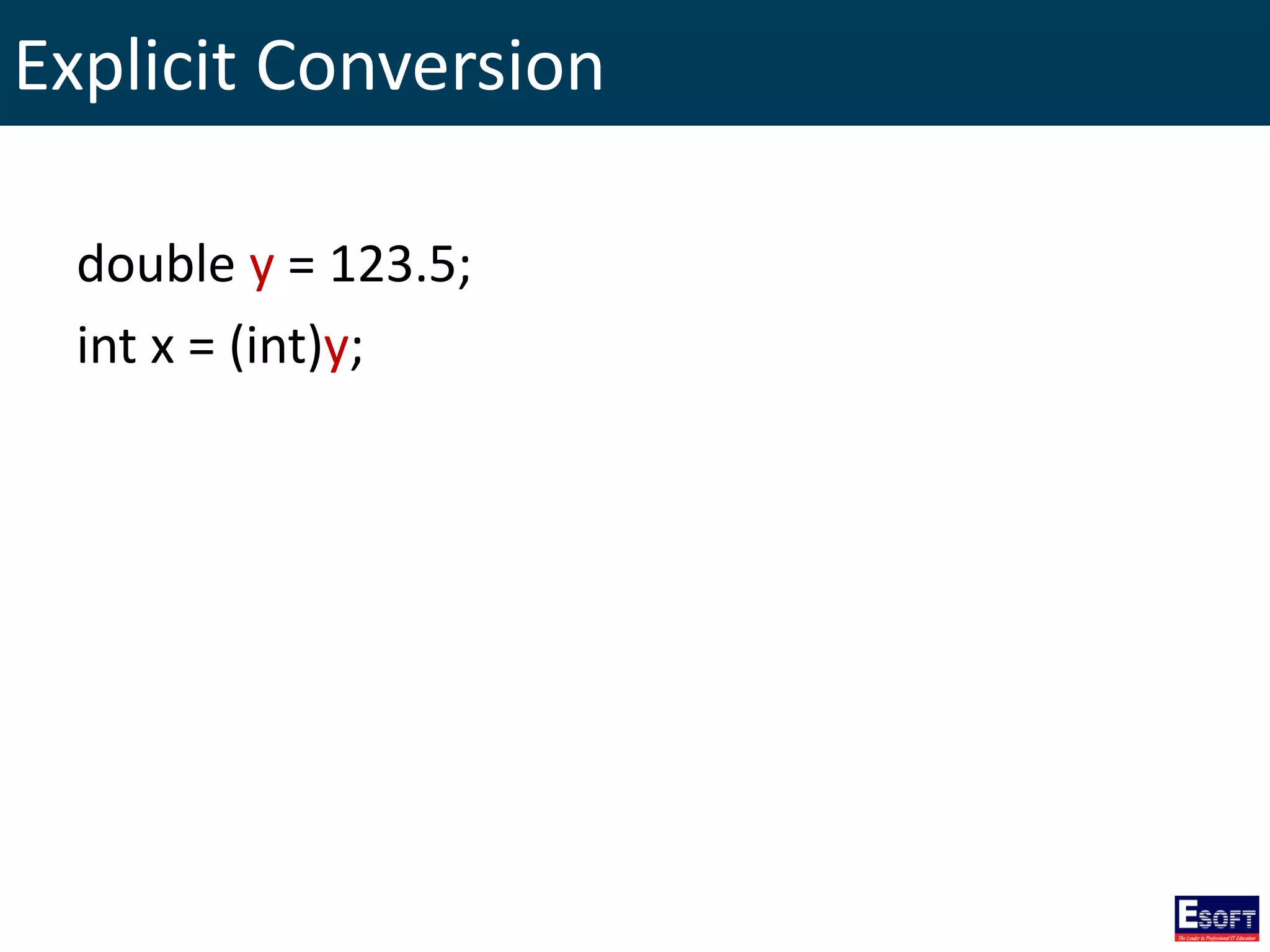
• Explicit Conversion
– Require a cast operator, and information might be
lost in the conversion.
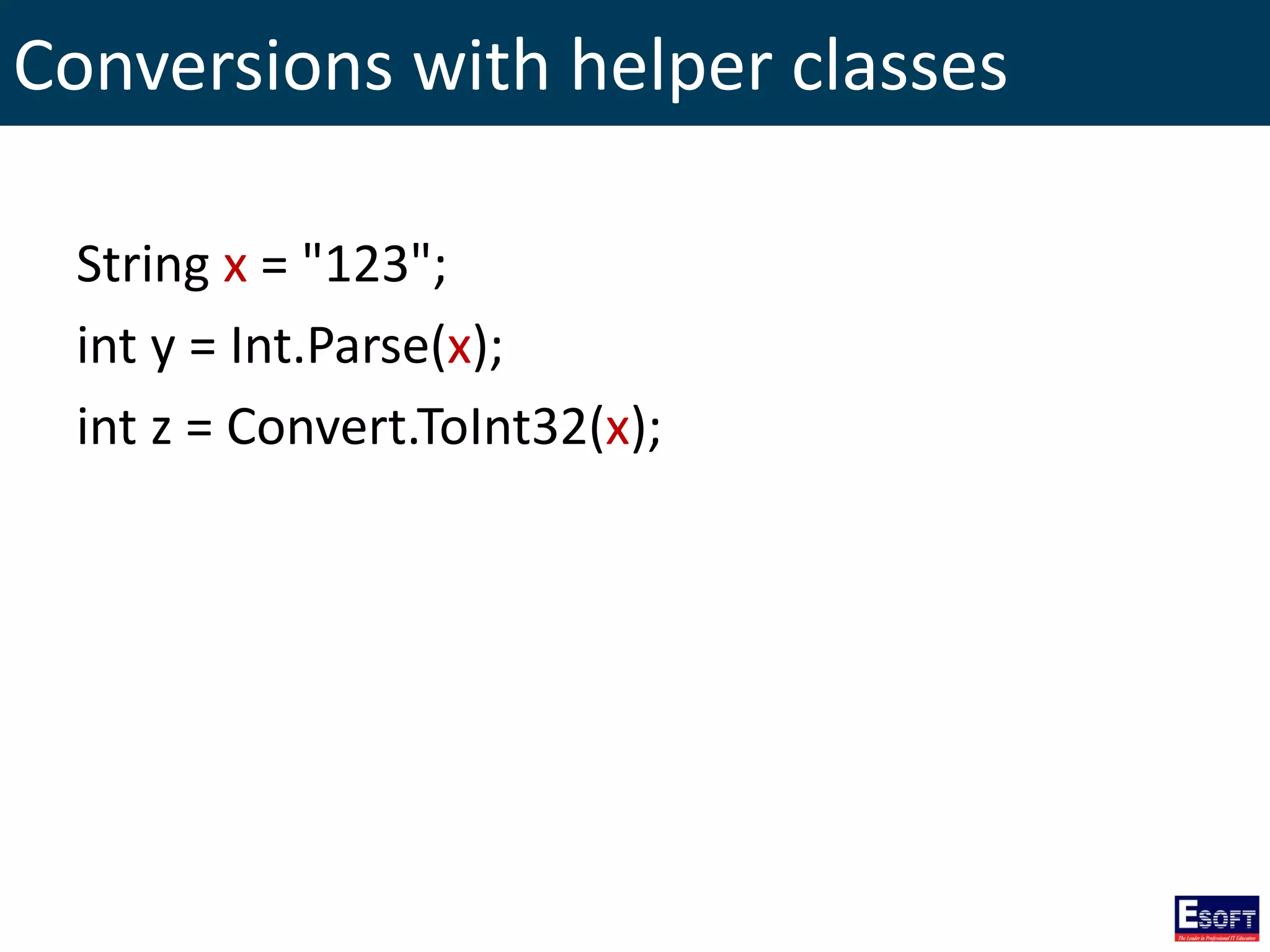
• Conversions with helper classes
– To convert between non-compatible types.
Implicit Conversion
int x = 123;
double y = x;
Explicit Conversion
double y = 123.5;
int x = (int)y;
Conversions with helper classes
String x = "123";
int y = Int.Parse(x);
int z = Convert.ToInt32(x);
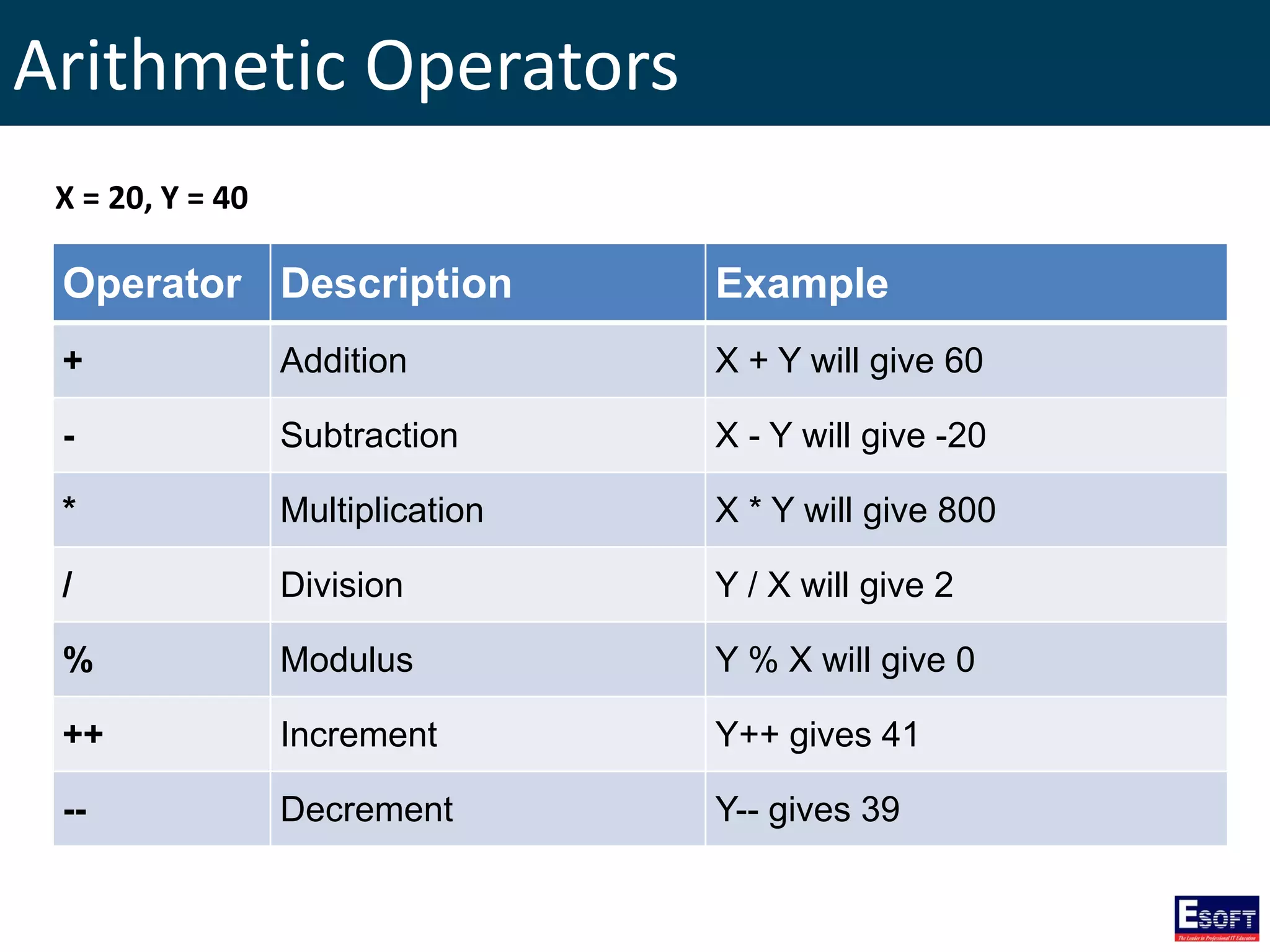
Arithmetic Operators
Operator Description Example
+ Addition X + Y will give 60
- Subtraction X - Y will give -20
* Multiplication X * Y will give 800
/ Division Y / X will give 2
% Modulus Y % X will give 0
++ Increment Y++ gives 41
-- Decrement Y-- gives 39
X = 20, Y = 40
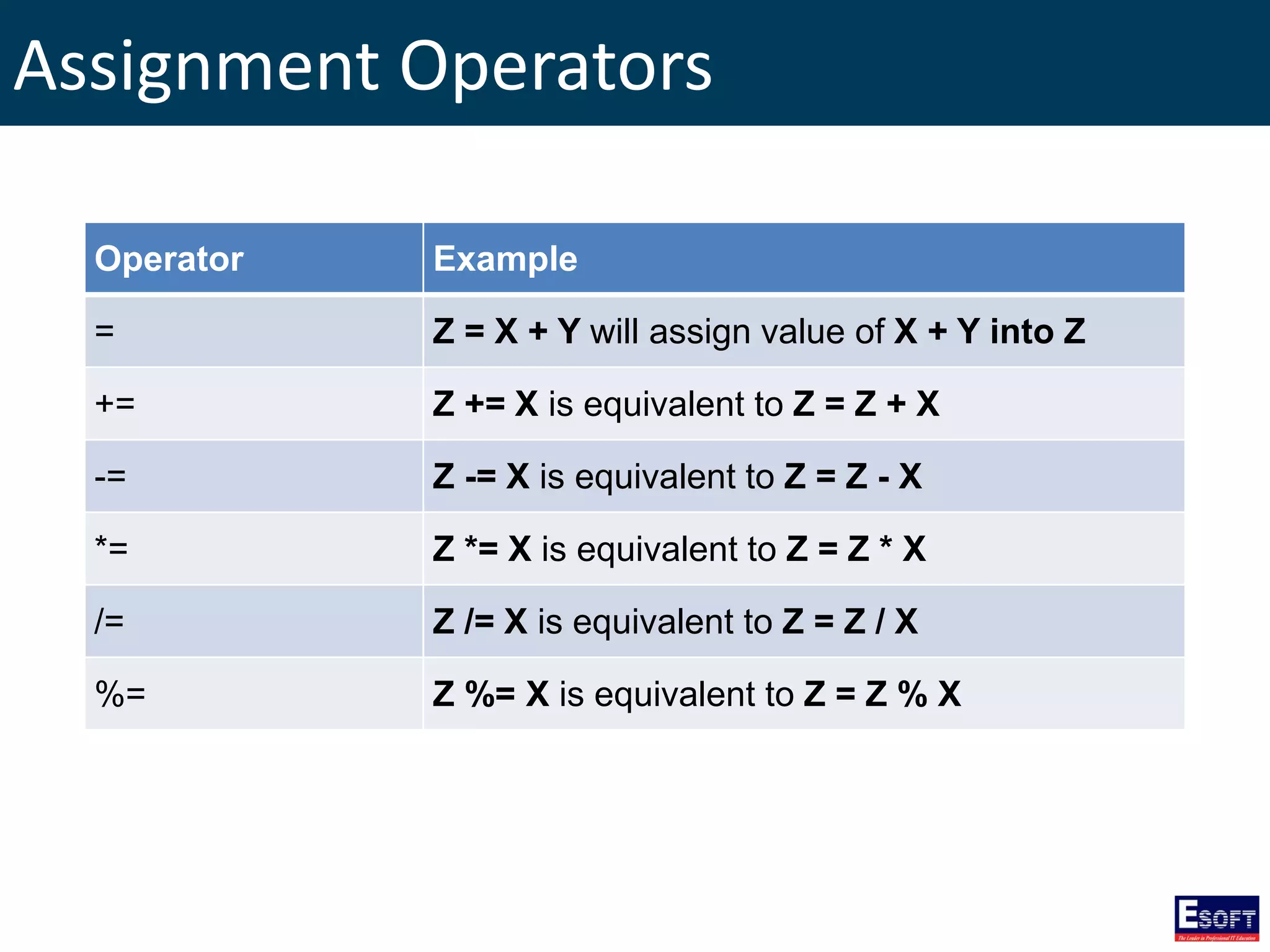
Assignment Operators
Operator Example
= Z = X + Y will assign value of X + Y into Z
+= Z += X is equivalent to Z = Z + X
-= Z -= X is equivalent to Z = Z - X
*= Z *= X is equivalent to Z = Z * X
/= Z /= X is equivalent to Z = Z / X
%= Z %= X is equivalent to Z = Z % X
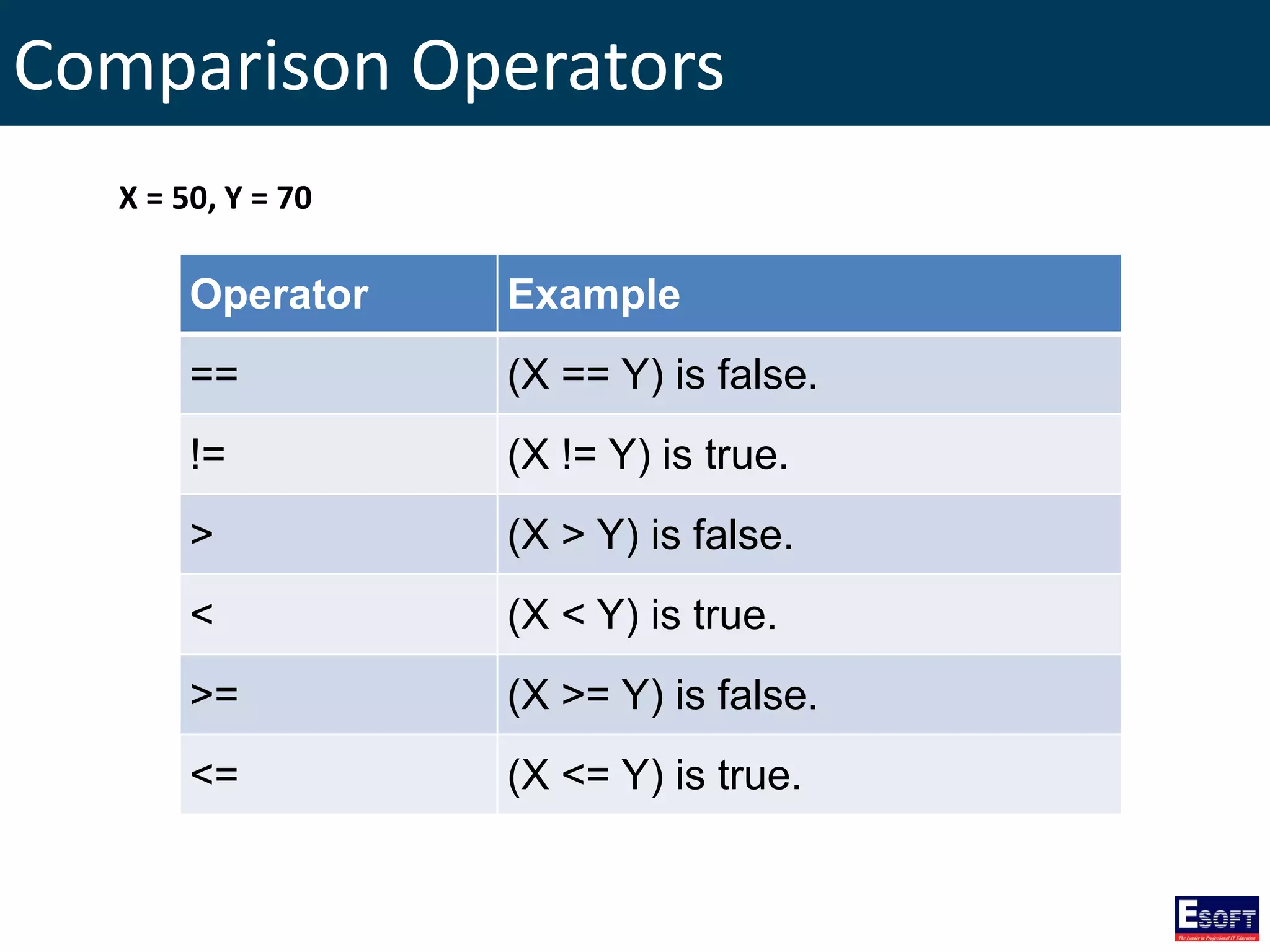
Comparison Operators
Operator Example
== (X == Y) is false.
!= (X != Y) is true.
> (X > Y) is false.
< (X < Y) is true.
>= (X >= Y) is false.
<= (X <= Y) is true.
X = 50, Y = 70
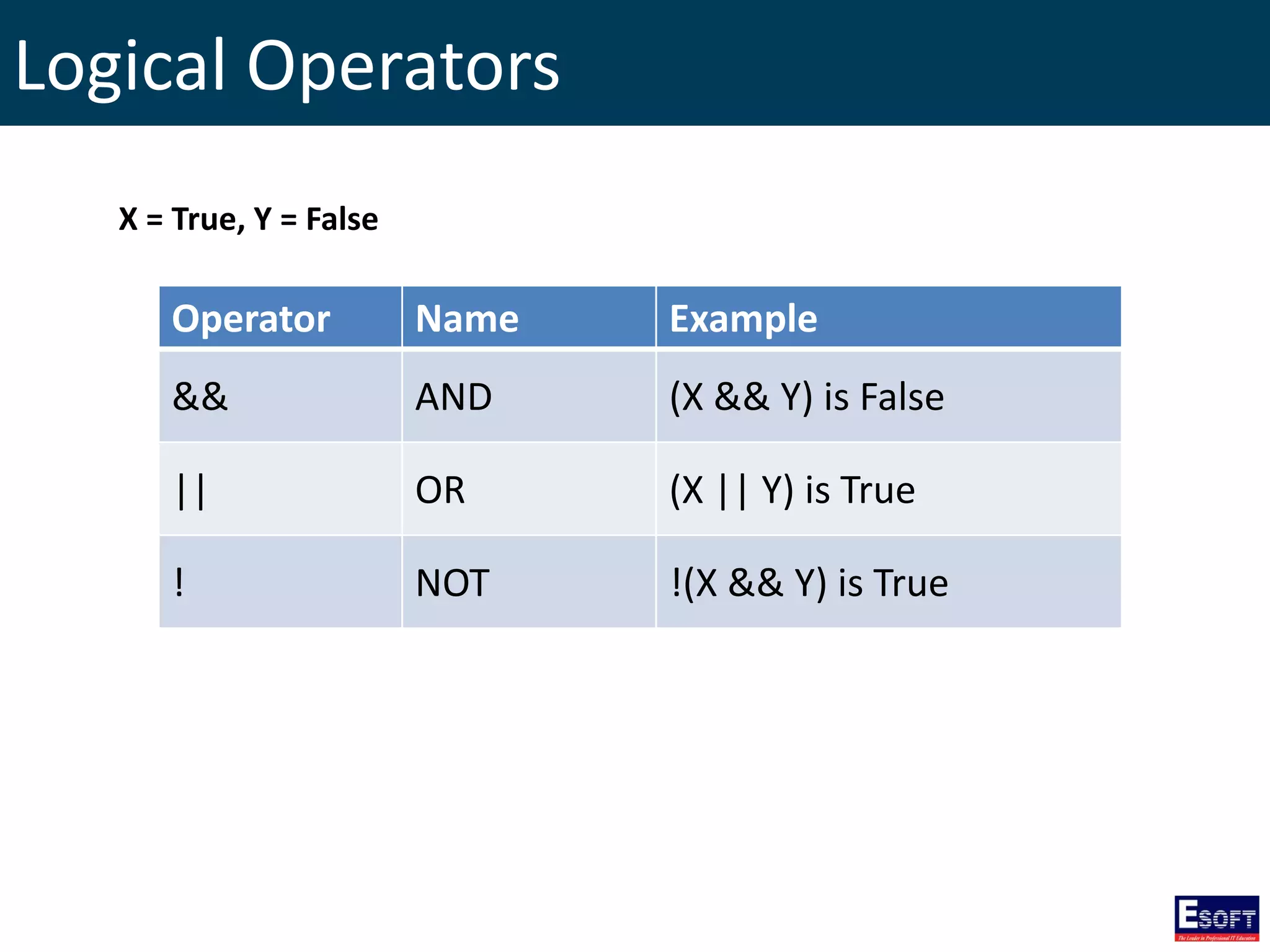
Logical Operators
Operator Name Example
&& AND (X && Y) is False
|| OR (X || Y) is True
! NOT !(X && Y) is True
X = True, Y = False
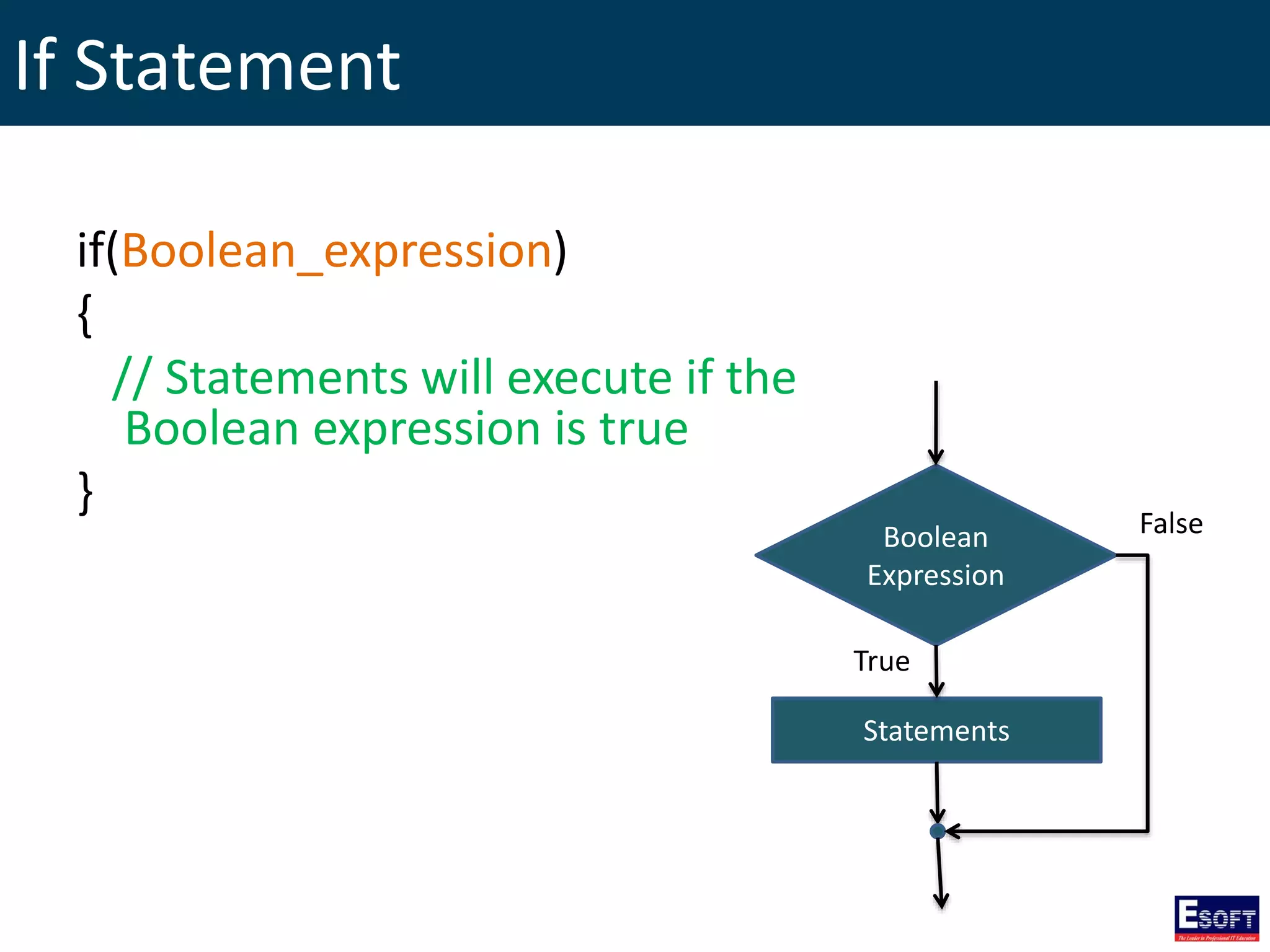
If Statement
if(Boolean_expression)
{
// Statements will execute if the
Boolean expression is true
}
Boolean
Expression
Statements
True
False
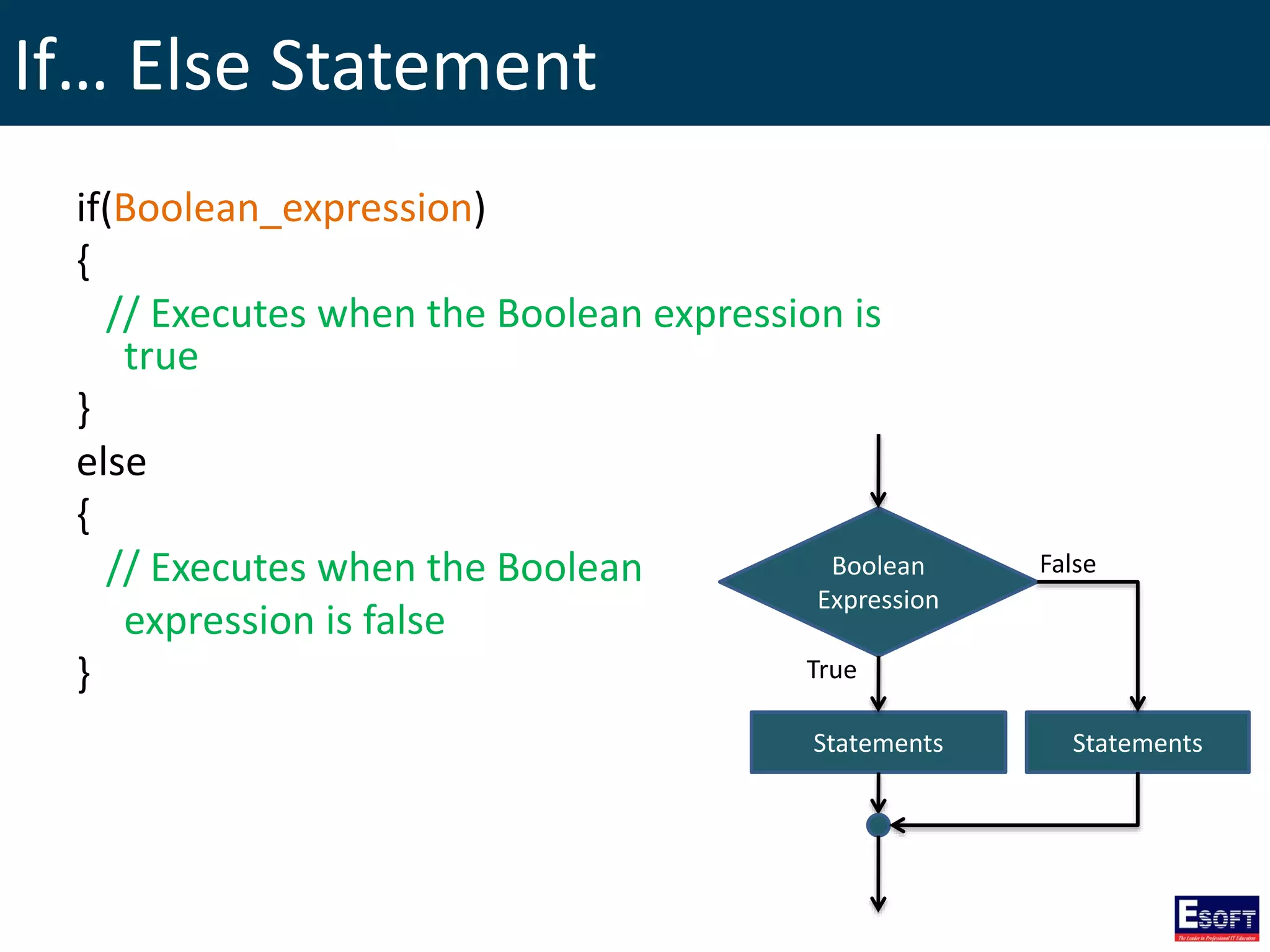
If… Else Statement
if(Boolean_expression)
{
// Executes when the Boolean expression is
true
}
else
{
// Executes when the Boolean
expression is false
}
Boolean
Expression
Statements
True
False
Statements
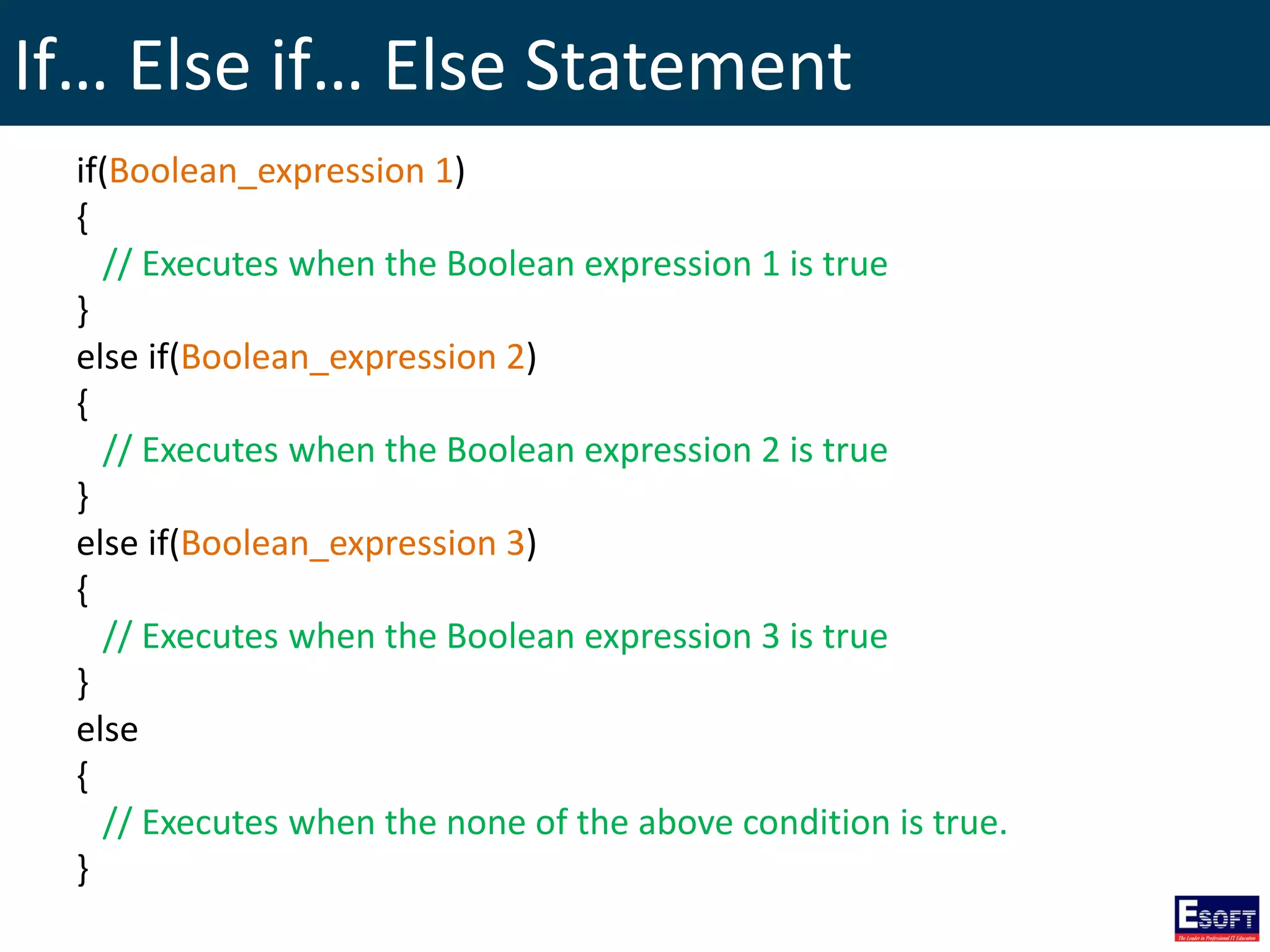
If… Else if… Else Statement
if(Boolean_expression 1)
{
// Executes when the Boolean expression 1 is true
}
else if(Boolean_expression 2)
{
// Executes when the Boolean expression 2 is true
}
else if(Boolean_expression 3)
{
// Executes when the Boolean expression 3 is true
}
else
{
// Executes when the none of the above condition is true.
}
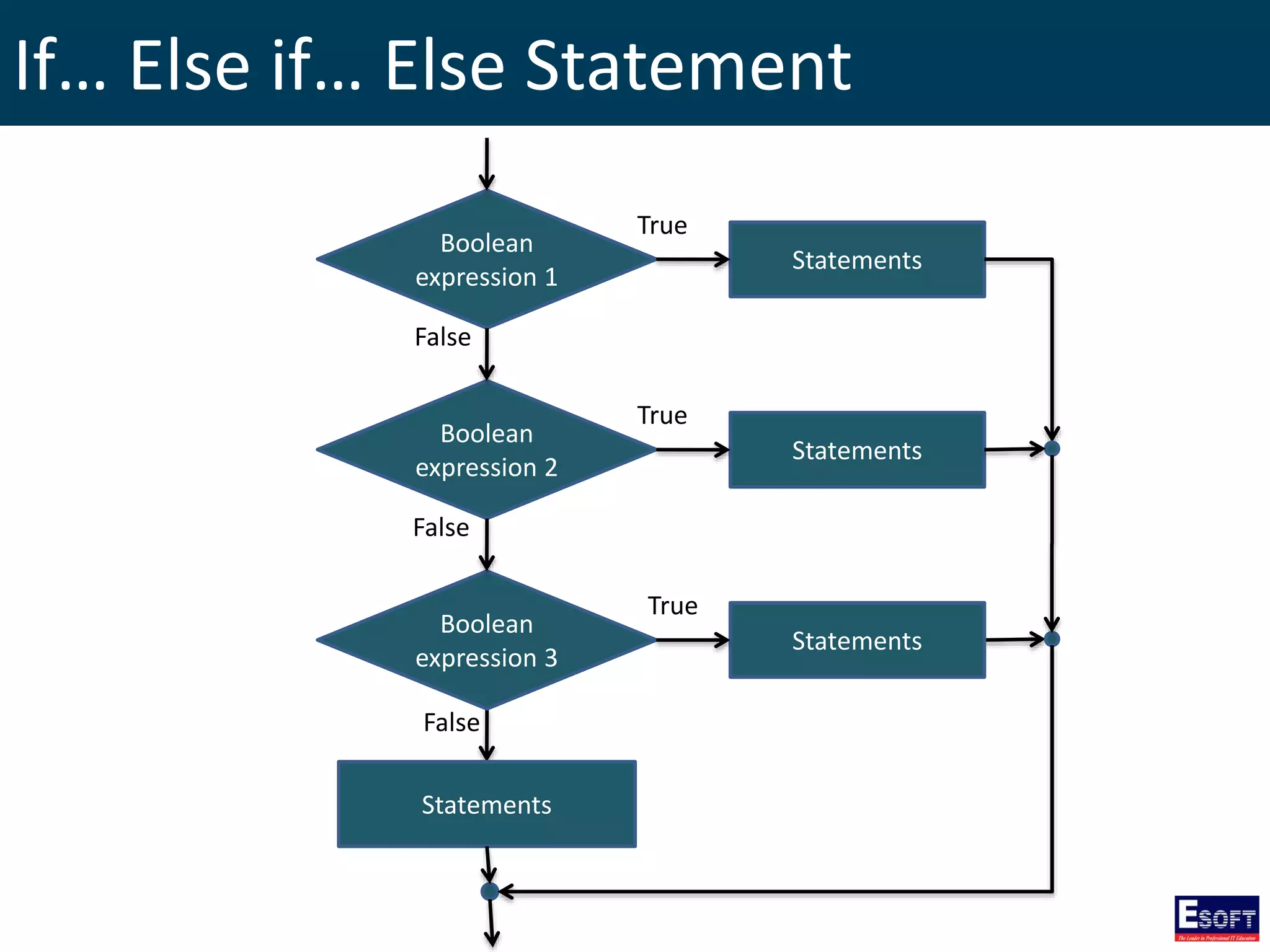
If… Else if… Else Statement
Boolean
expression 1
False
Statements
Boolean
expression 2
Boolean
expression 3
Statements
Statements
False
False
Statements
True
True
True
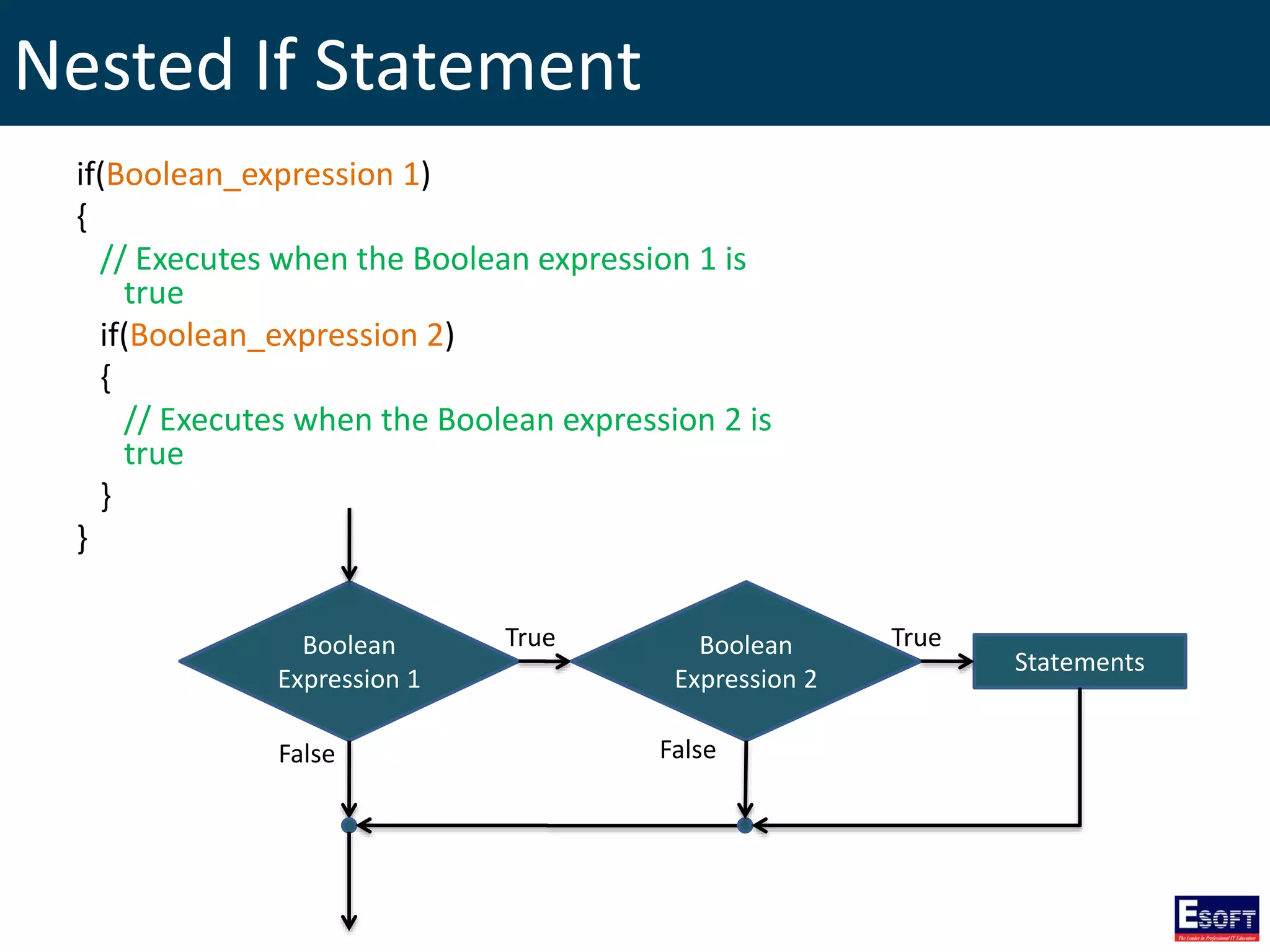
Nested If Statement
if(Boolean_expression 1)
{
// Executes when the Boolean expression 1 is
true
if(Boolean_expression 2)
{
// Executes when the Boolean expression 2 is
true
}
}
Boolean
Expression 1
True
False
Statements
Boolean
Expression 2
True
False
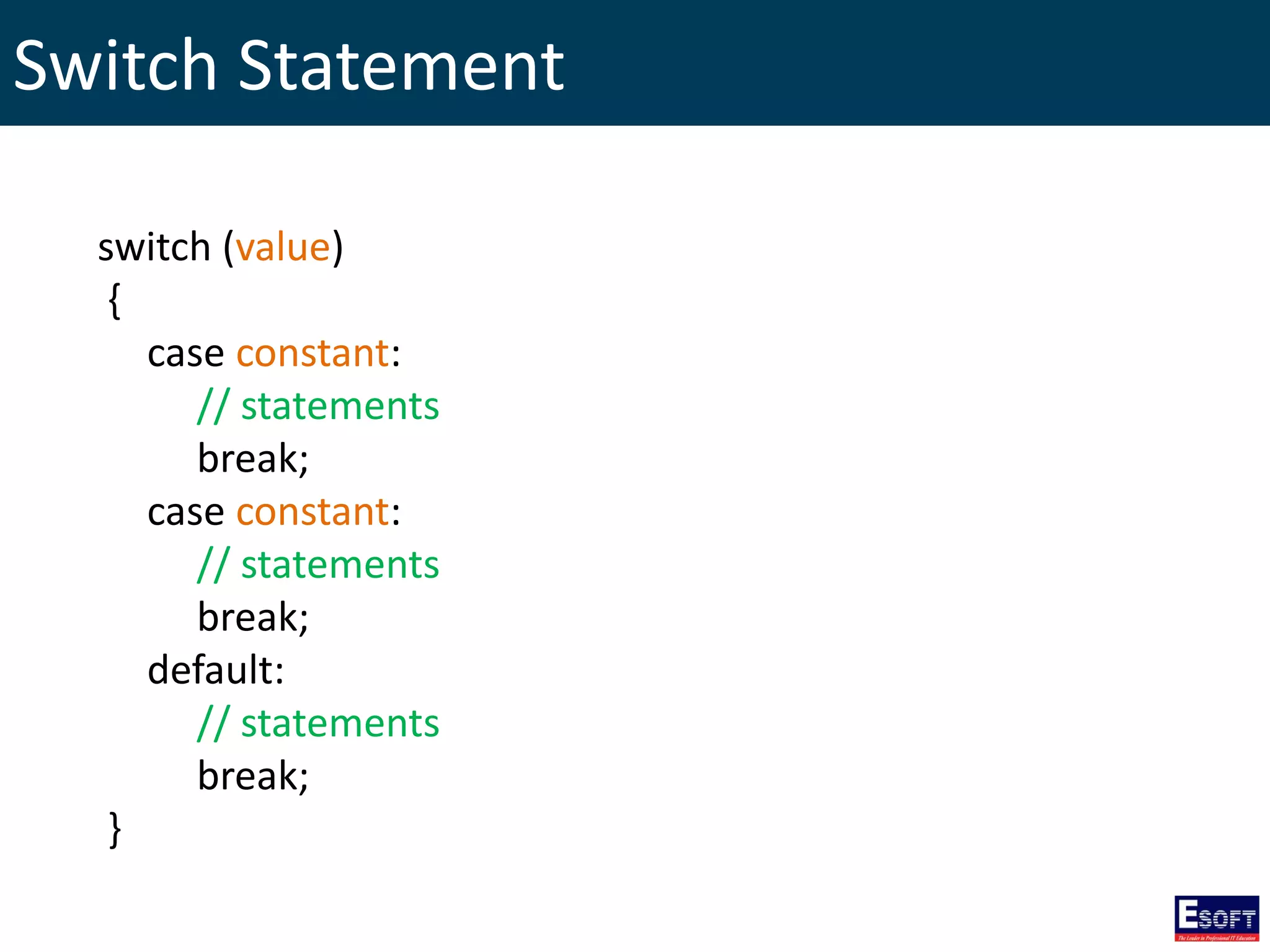
Switch Statement
switch (value)
{
case constant:
// statements
break;
case constant:
// statements
break;
default:
// statements
break;
}
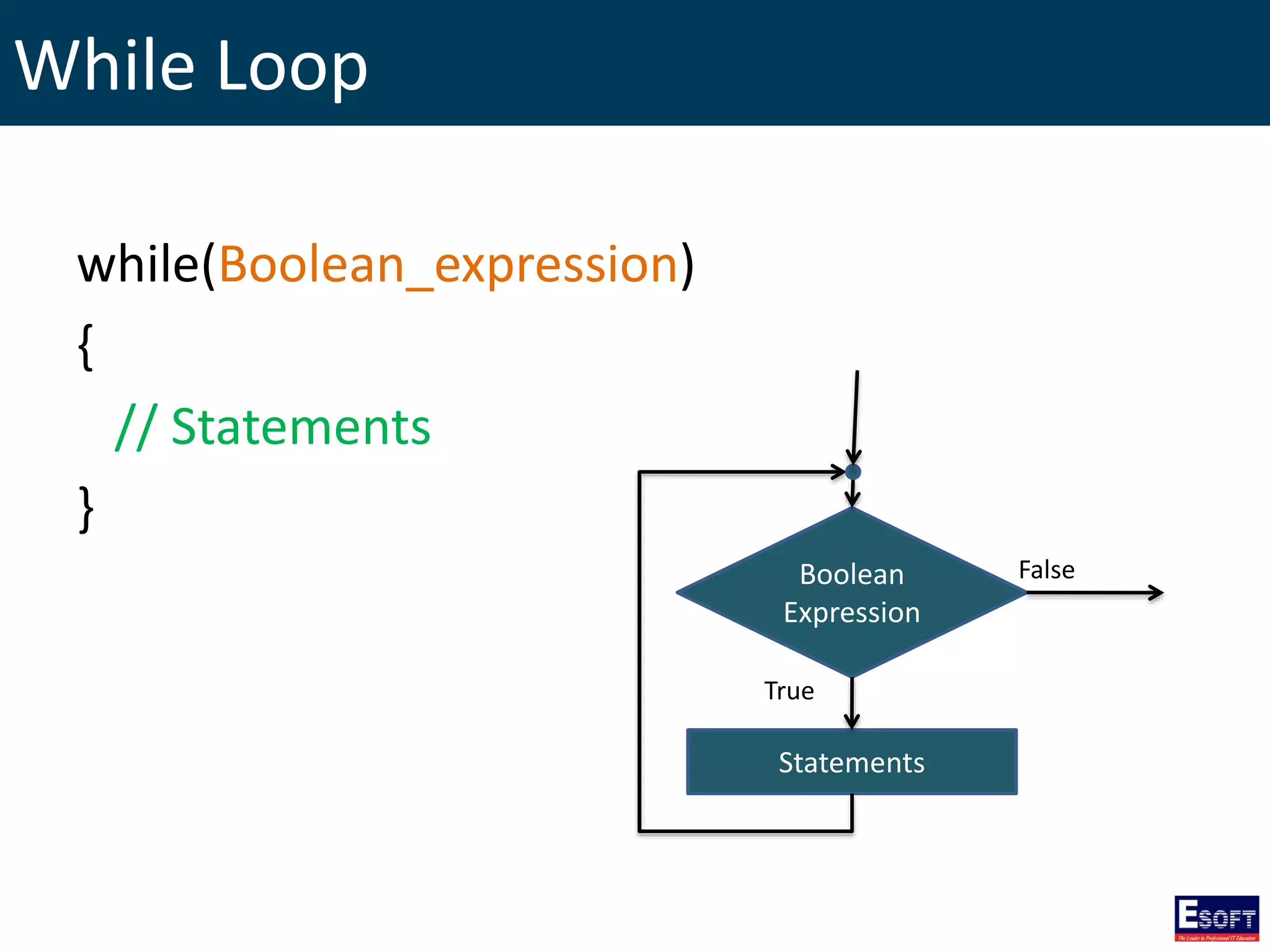
While Loop
while(Boolean_expression)
{
// Statements
}
Boolean
Expression
Statements
True
False
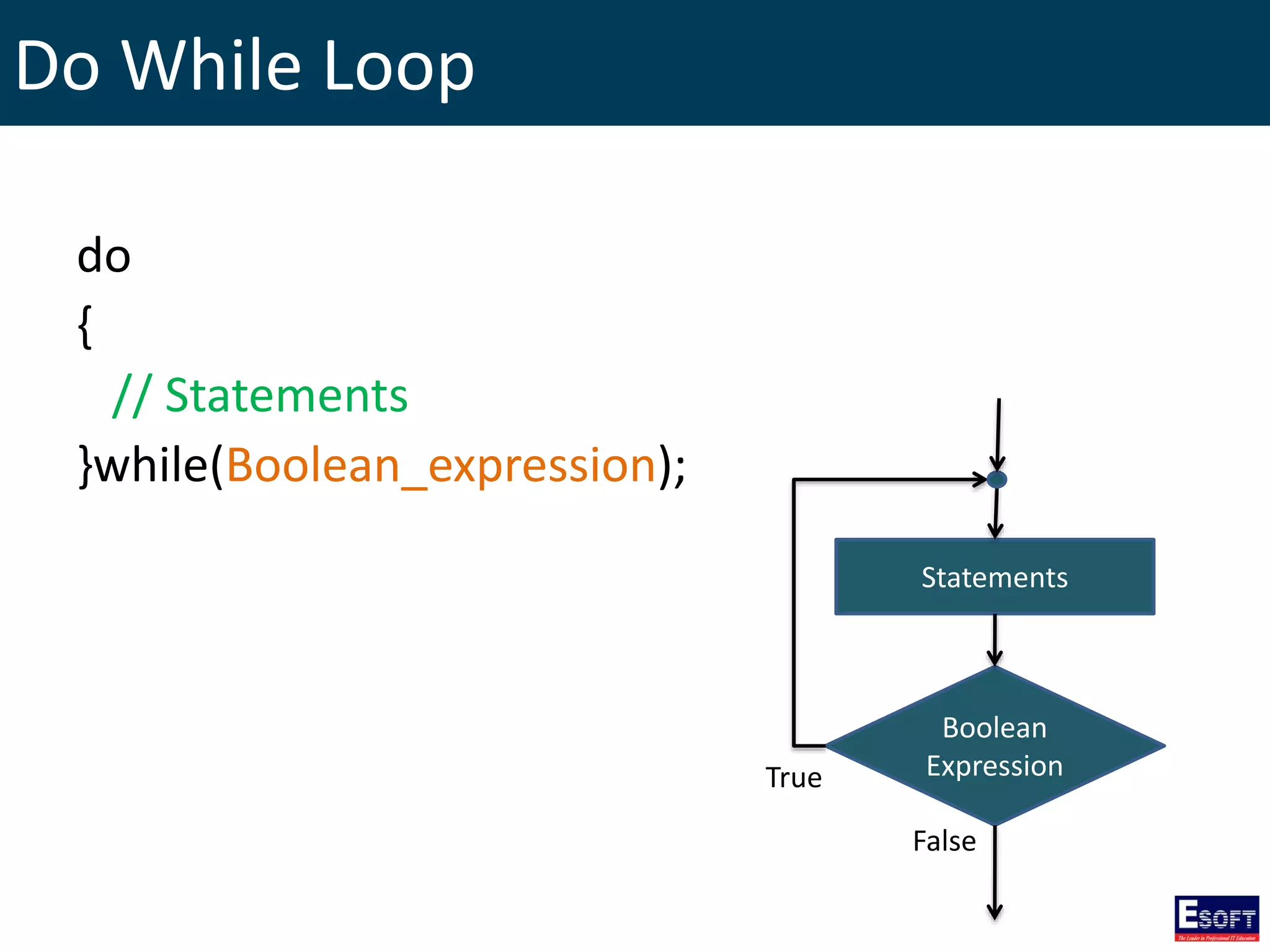
Do While Loop
do
{
// Statements
}while(Boolean_expression);
Boolean
Expression
Statements
True
False
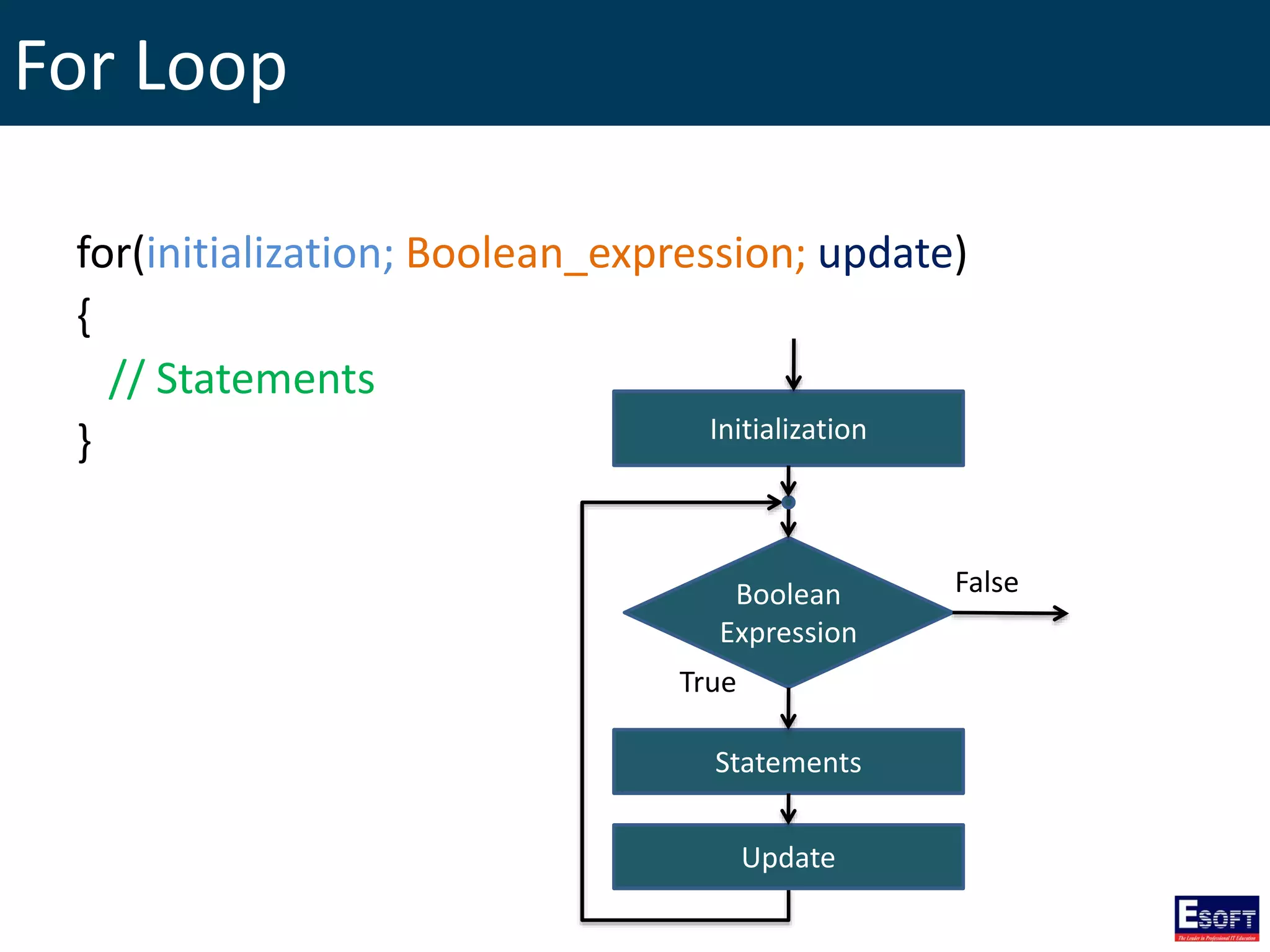
For Loop
for(initialization; Boolean_expression; update)
{
// Statements
}
Boolean
Expression
Statements
True
False
Update
Initialization
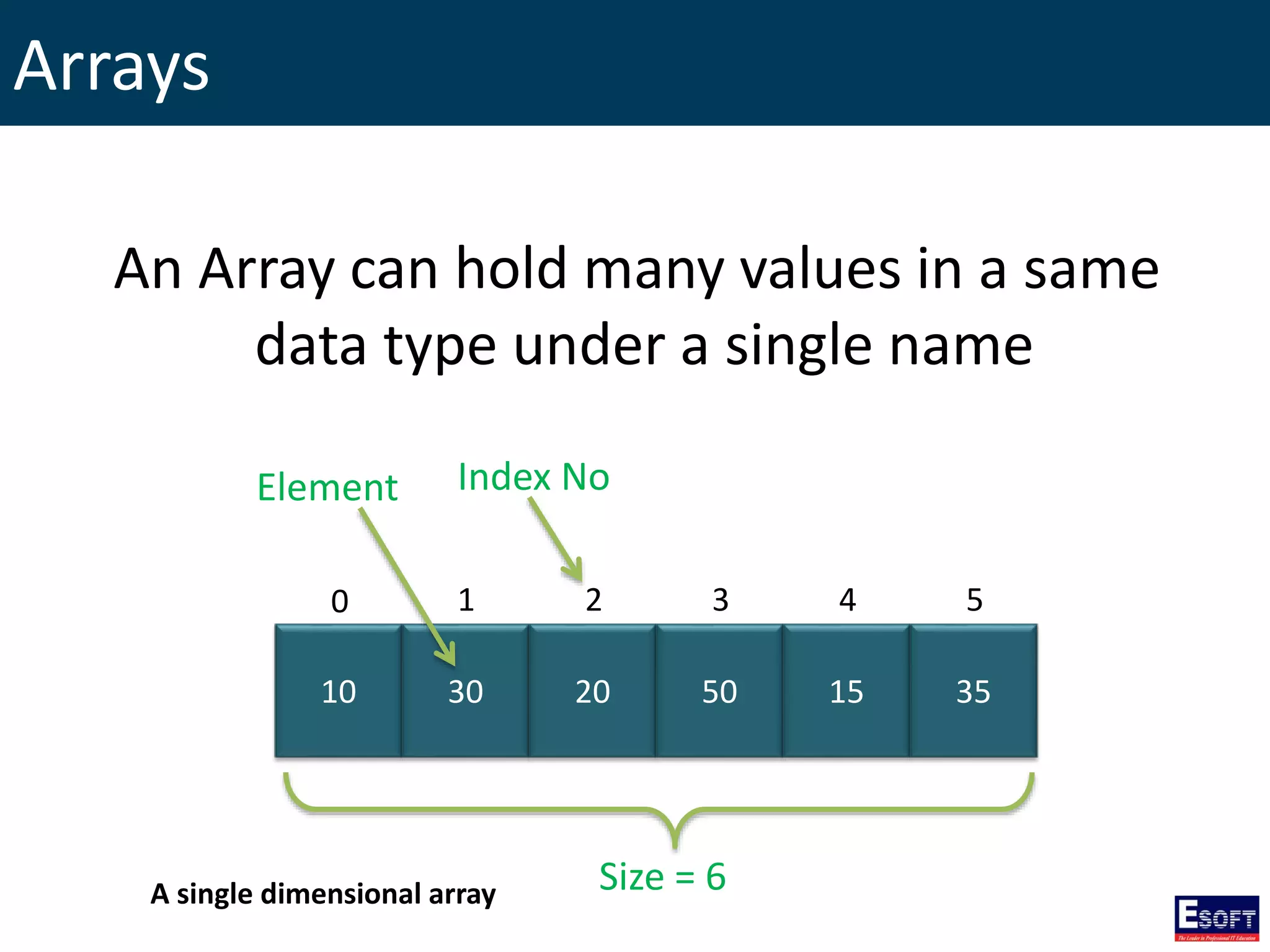
Arrays
10 30 20 50 15 35
0 1 2 3 4 5
Size = 6
Element Index No
An Array can hold many values in a same
data type under a single name
A single dimensional array
Building a Single Dimensional Array
// creating an Array
DataType[] ArrayName = new DataType[size];
// assigning values
ArrayName[index] = value;
……..
Building a Single Dimensional Array
char[] letters = new char[4];
letters[0] = ‘O’;
letters[1] = ‘P’;
letters[2] = ‘Q’;
letters[3] = ‘R’;
0 1 2 3
O P Q R
0 1 2 3
letters
letters
Values in an Array can access
by referring index number
Building a Single Dimensional Array
// creating an array using array initializer
DataType[] ArrayName = {element 1, element 2,
element 3, … element n};
int[] marks = {10, 20, 30, 40, 50}; 10 20 30 40
0 1 2 3
intArr
50
4
Accessing Arrays using foreach Loop
// creating an Array
int[] marks = {10, 29, 30, 40, 50, 70};
// accessing array elements
foreach(int n in marks)
{
System.Console.WriteLine(n);
}
Two Dimensional Arrays
5 10 15
25 50 75
0 1 2
0
1
int[,] myMatrix = new int[2,3];
myMatrix[0,0] = 5;
myMatrix[0,1] = 10;
myMatrix[0,2] = 15;
myMatrix[1,0] = 25;
myMatrix[1,1] = 50;
myMatrix[1,2] = 75;
Rows Columns
Column Index
Row Index
Two Dimensional Arrays
Using array initializer…
int[,] myMatrix = new int[2,3] {{5,10,15},{25,50,75}};
int[,] myMatrix = {{5,10,15},{25,50,75}};
Or
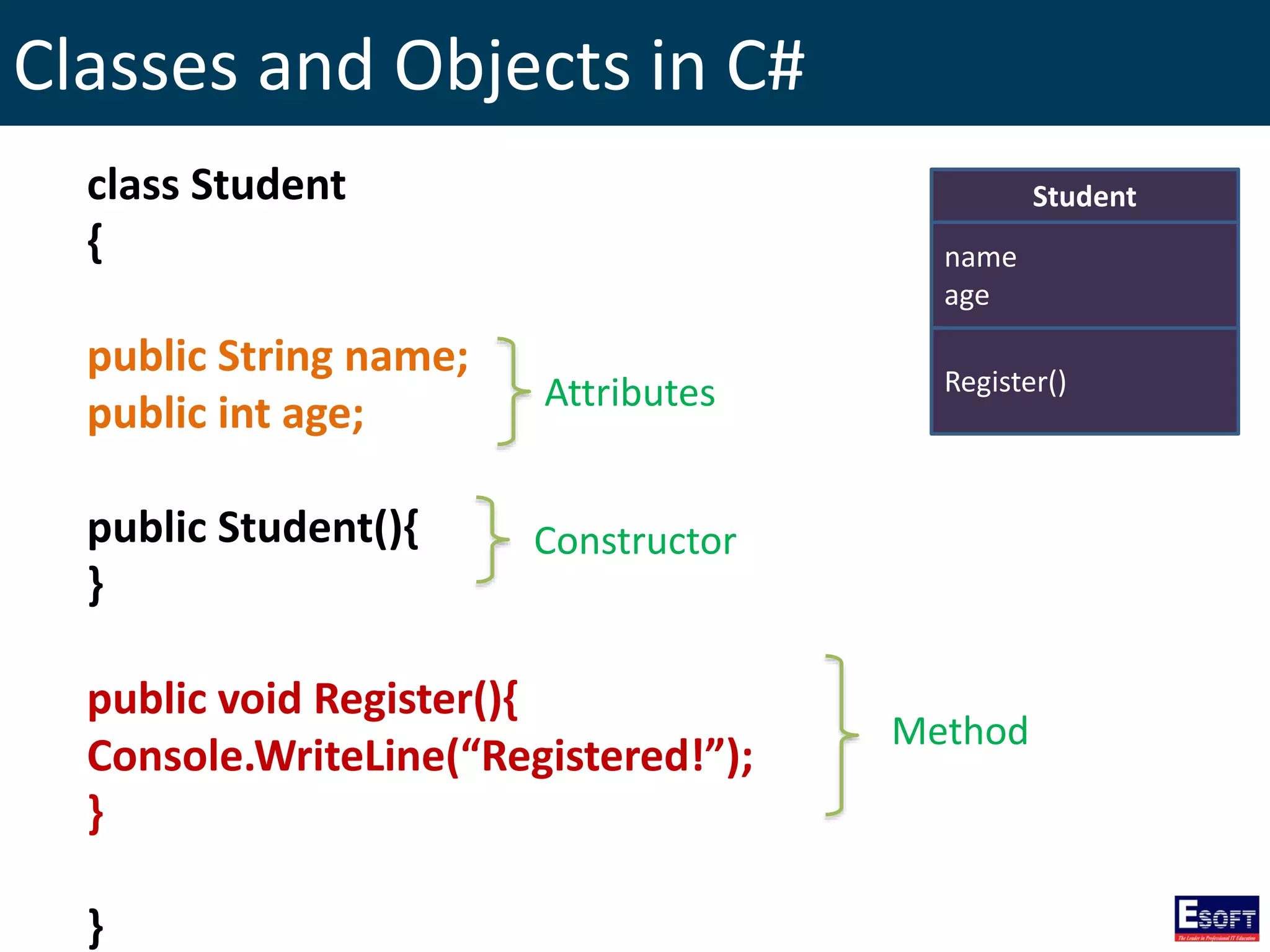
Classes and Objects in C#
Method
Student
name
age
Register()
class Student
{
public String name;
public int age;
public Student(){
}
public void Register(){
Console.WriteLine(“Registered!”);
}
}
Attributes
Constructor
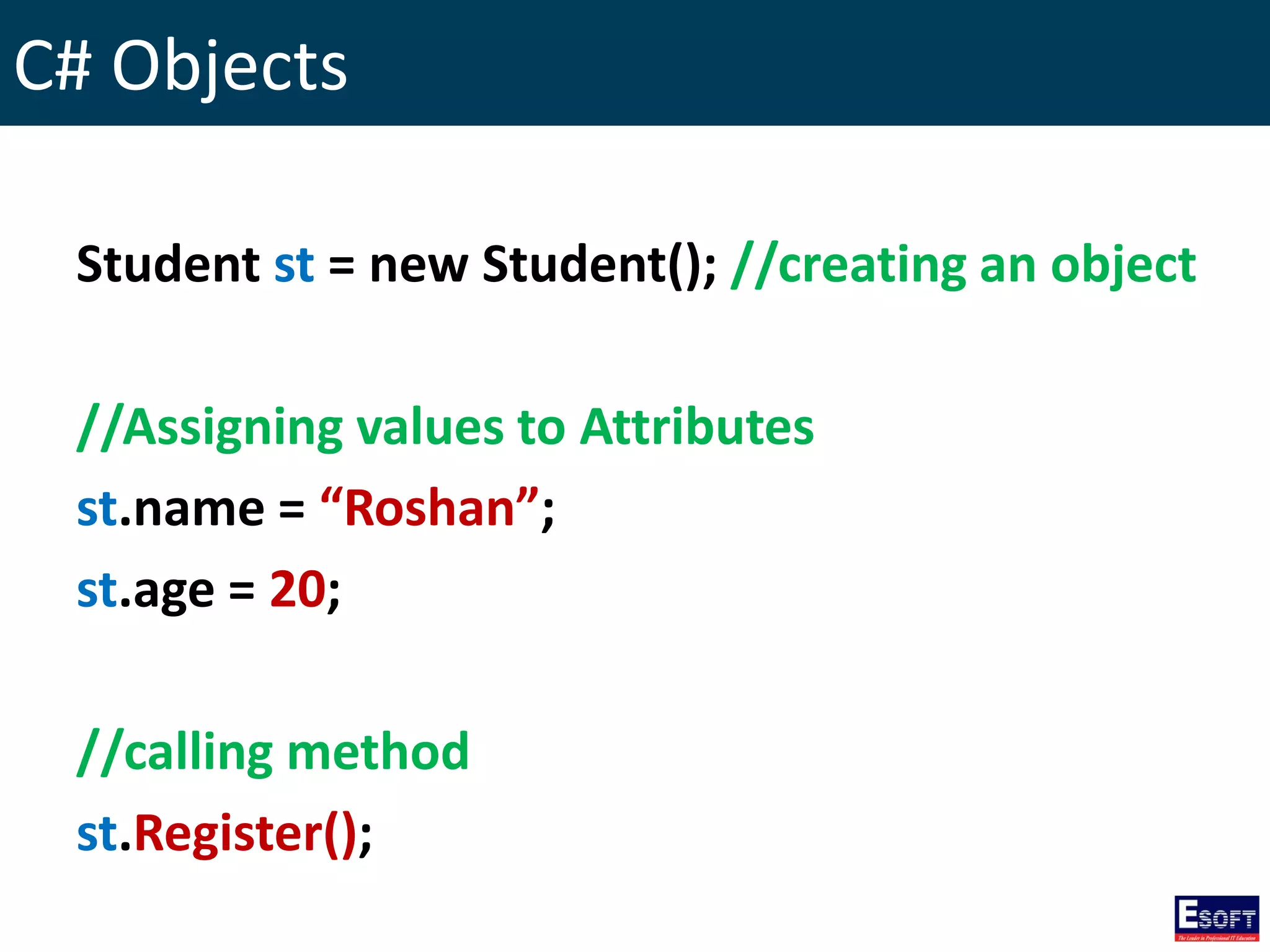
C# Objects
Student st = new Student(); //creating an object
//Assigning values to Attributes
st.name = “Roshan”;
st.age = 20;
//calling method
st.Register();
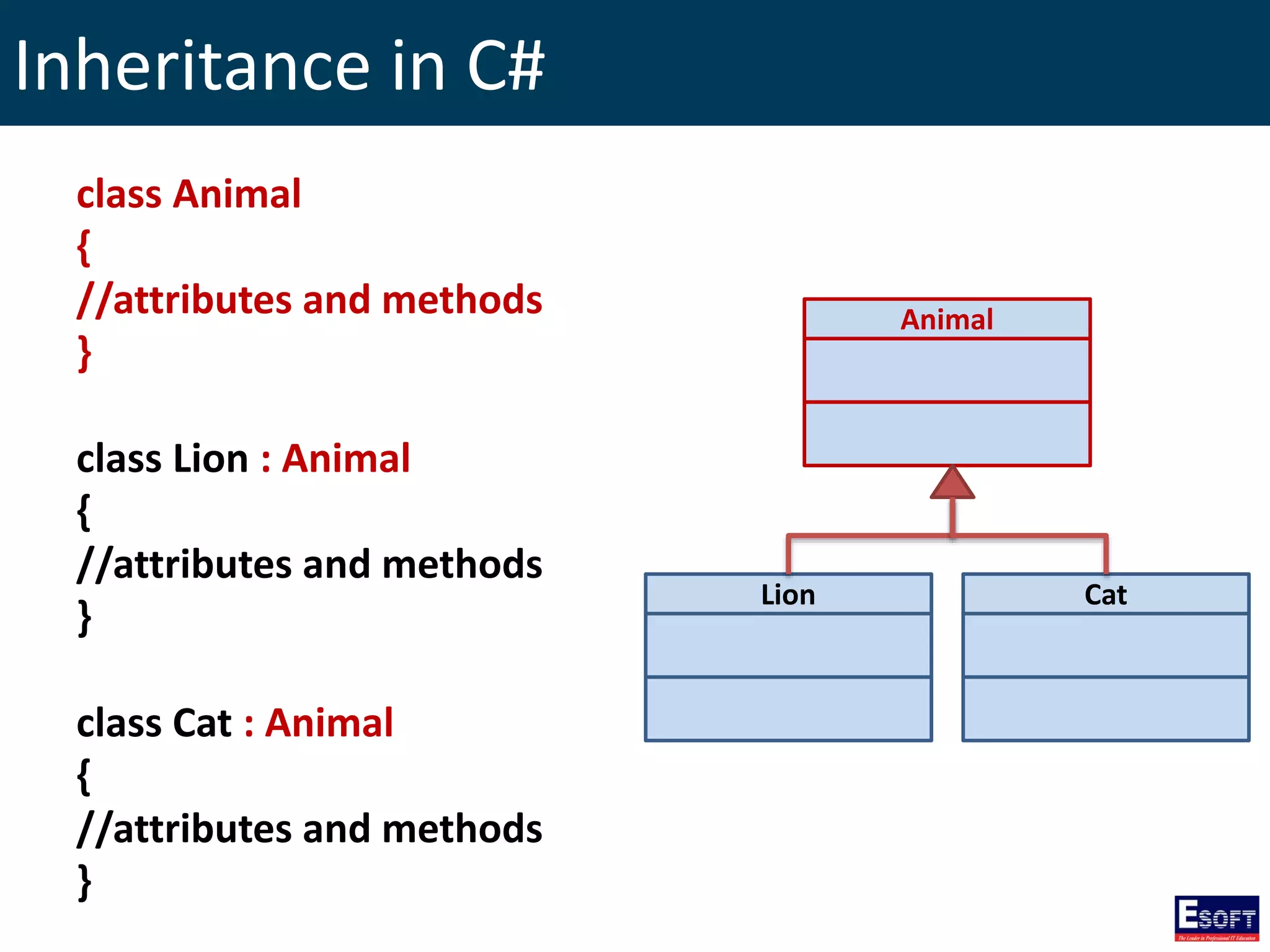
Inheritance in C#
class Animal
{
//attributes and methods
}
class Lion : Animal
{
//attributes and methods
}
class Cat : Animal
{
//attributes and methods
}
Animal
Lion Cat
Partial Classes
partial class Student
{
public int age;
}
partial class Student
{
public String name;
}
partial class Student
{
public String address;
public void Register(){
Console.Write("Student Registered");
}
}
Partials of the same class
Namespaces
• Namespace is an
organization construct.
• It’s a group of collected
types.
• It’s helping to
understand how the
code base is arranged.
• Namespaces are not
essential for C#
programs.
namespace esoft
{
class ditec{
}
class dise{
}
}
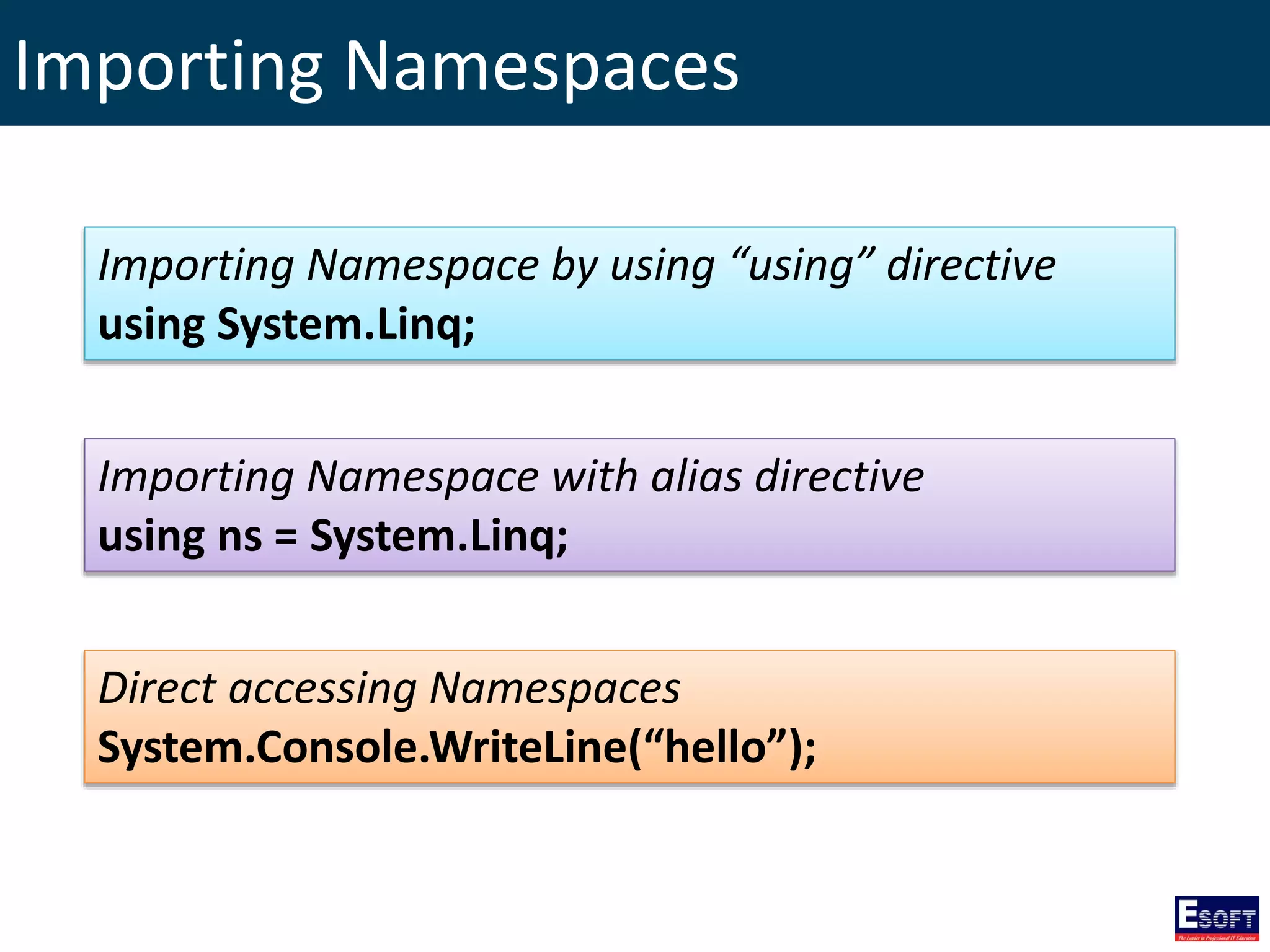
Importing Namespaces
Importing Namespace by using “using” directive
using System.Linq;
Importing Namespace with alias directive
using ns = System.Linq;
Direct accessing Namespaces
System.Console.WriteLine(“hello”);
Windows Forms Applications
• A Windows Forms application is an event-
driven application supported by Microsoft's
.NET Framework.
• This model provides object-oriented,
extensible set of classes that enable you to
develop rich Windows applications.
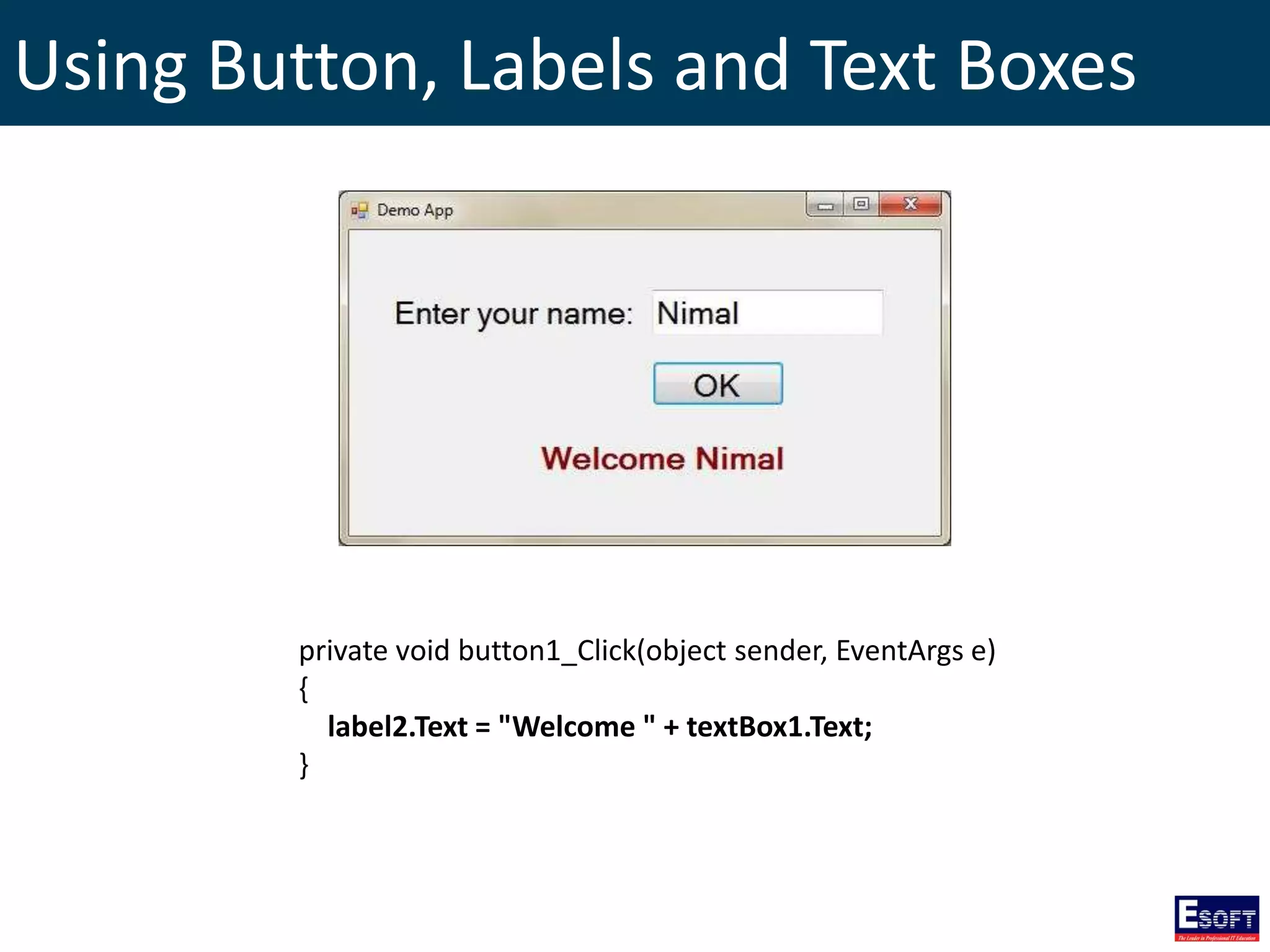
Using Button, Labels and Text Boxes
private void button1_Click(object sender, EventArgs e)
{
label2.Text = "Welcome " + textBox1.Text;
}
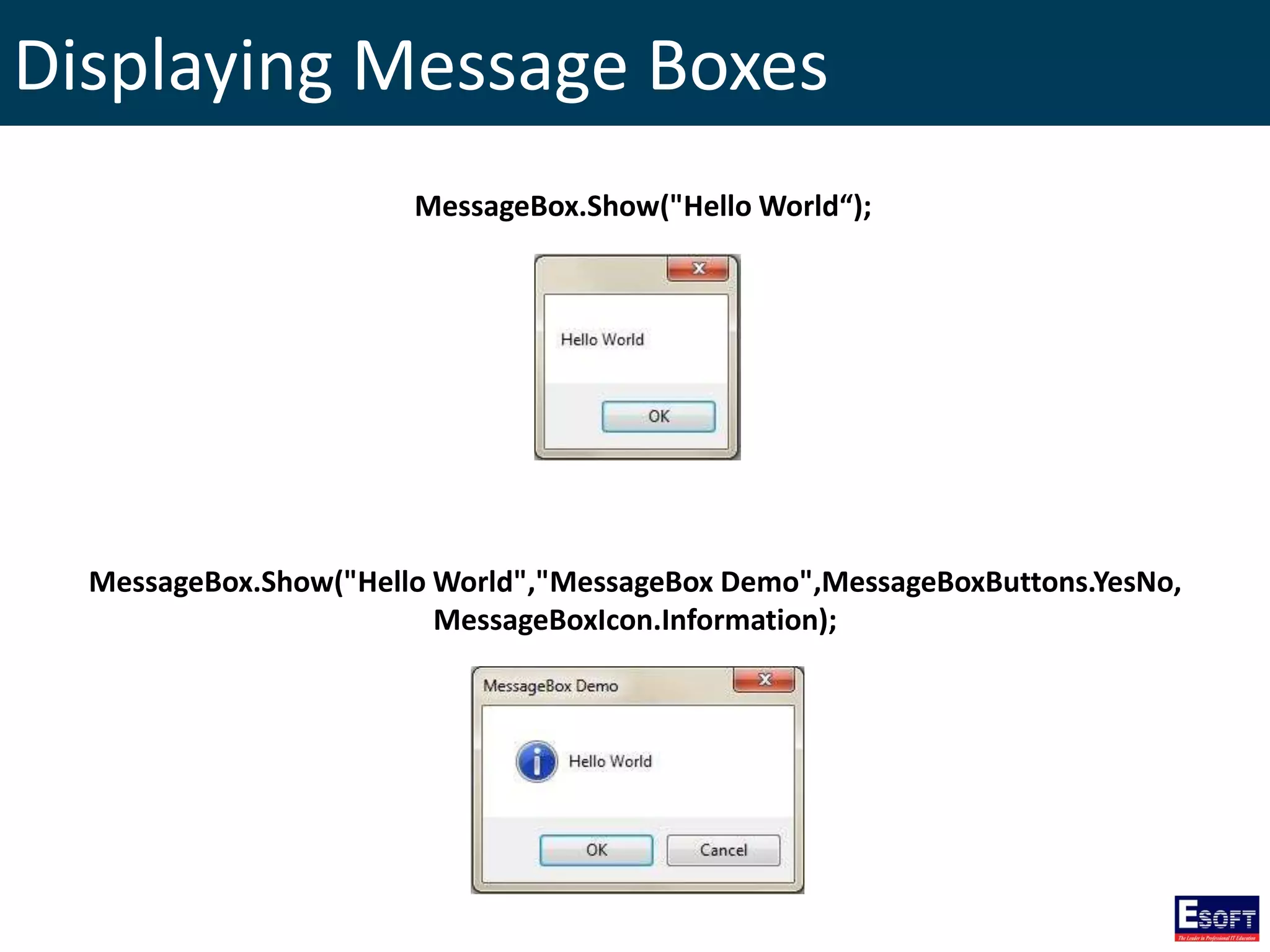
Displaying Message Boxes
MessageBox.Show("Hello World","MessageBox Demo",MessageBoxButtons.YesNo,
MessageBoxIcon.Information);
MessageBox.Show("Hello World“);
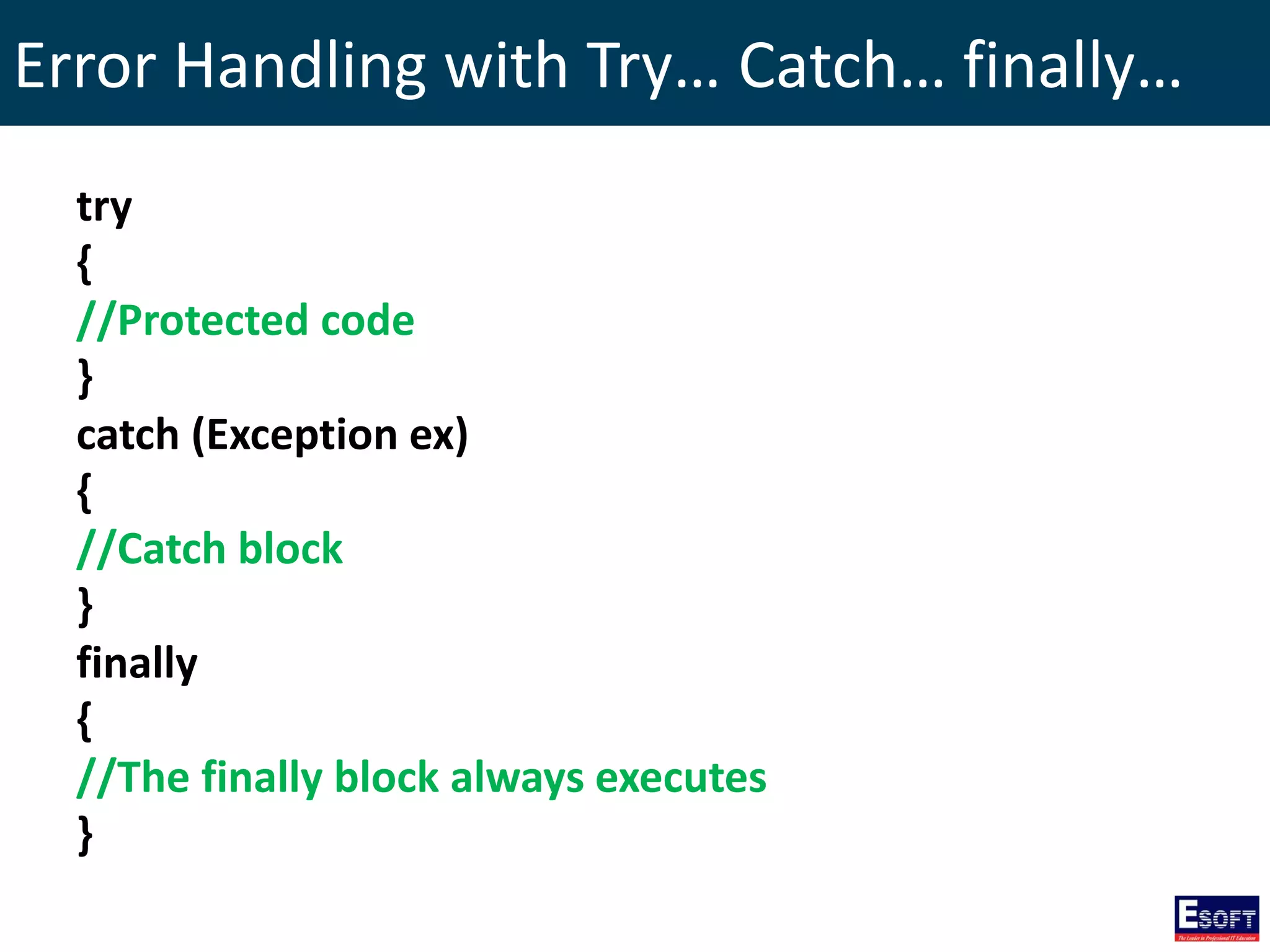
Error Handling with Try… Catch… finally…
try
{
//Protected code
}
catch (Exception ex)
{
//Catch block
}
finally
{
//The finally block always executes
}
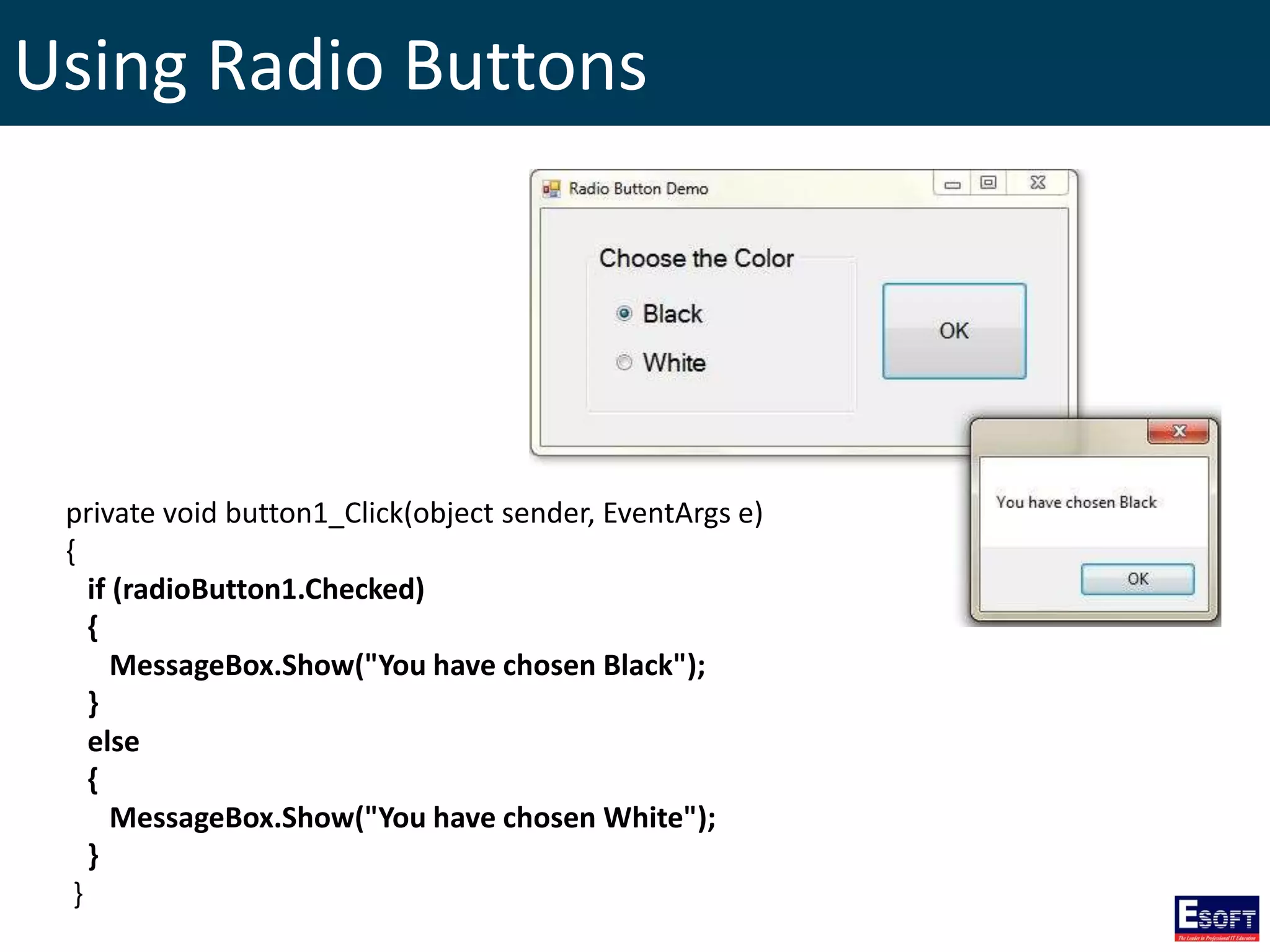
Using Radio Buttons
private void button1_Click(object sender, EventArgs e)
{
if (radioButton1.Checked)
{
MessageBox.Show("You have chosen Black");
}
else
{
MessageBox.Show("You have chosen White");
}
}
Using Check Boxes
private void button1_Click(object sender, EventArgs e)
{
if (checkBox1.Checked)
{
MessageBox.Show("You have accepted Terms of Agreement");
}
else
{
MessageBox.Show("You haven't accepted Terms of Agreement");
}
}
Using List Boxes
Statements for each button click events
listBox1.Items.Add(textBox1.Text);
listBox1.Items.AddRange(new String[] {
“America", “Japan", “India" });
listBox1.Items.Insert(0, textBox1.Text);
listBox1.Items.Remove(listBox1.SelectedItem);
listBox1.Items.RemoveAt(int.Parse(textBox1.Text
));
listBox1.Items.Clear();
listBox1.Sorted = true;
Creating Menus
private void newToolStripMenuItem_Click(object sender, EventArgs e)
{
MessageBox.Show("You have clicked New Menu item!");
}
Creating ToolStrips
private void newToolStripButton_Click(object sender, EventArgs e)
{
MessageBox.Show("You have clicked newToolStripButton!");
}
MDI Forms
private void document1ToolStripMenuItem_Click(object sender, EventArgs e)
{
Document_One form1 = new Document_One();
form1.MdiParent = this;
form1.Show();
}
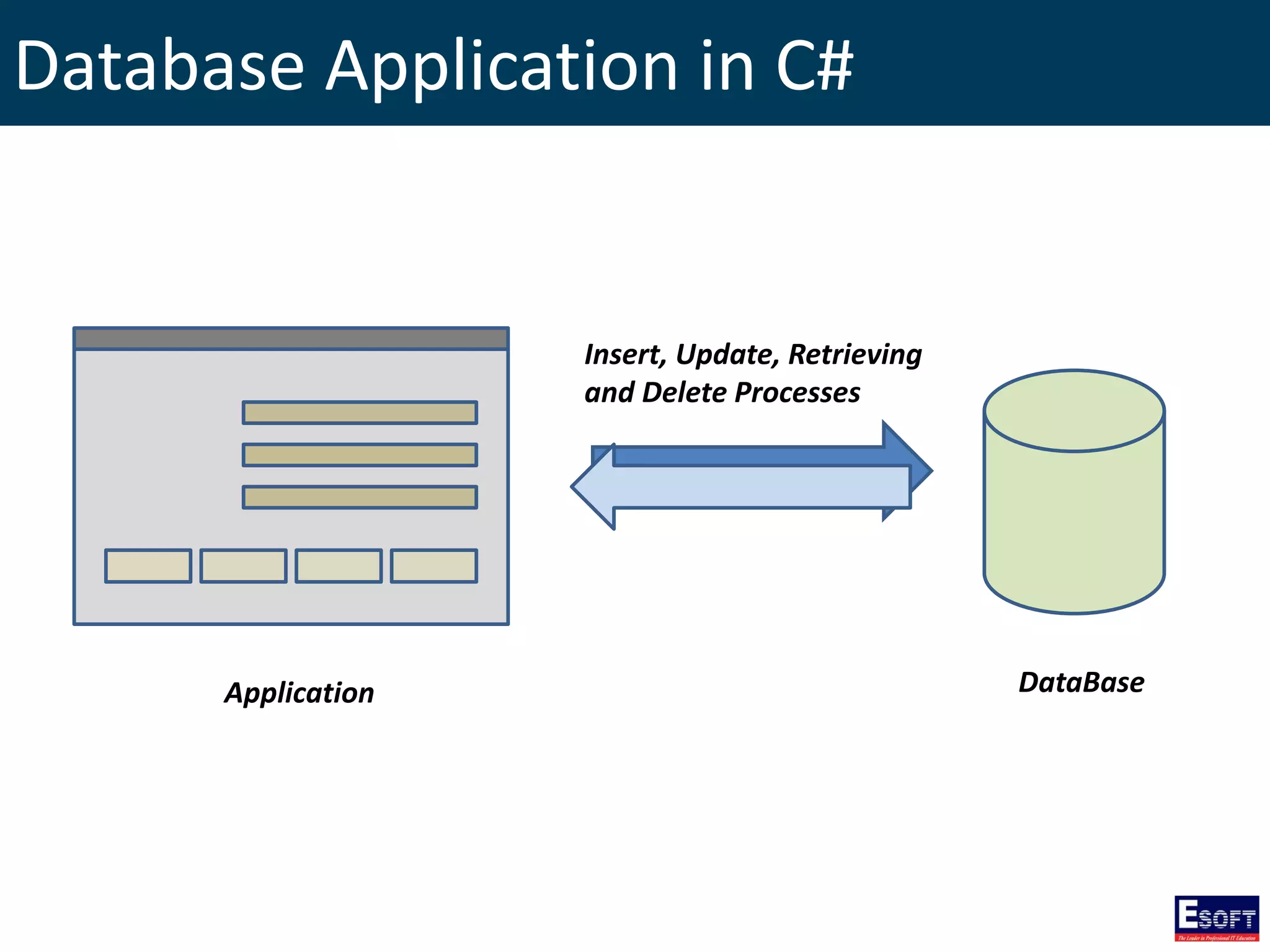
Database Application in C#
Application DataBase
Insert, Update, Retrieving
and Delete Processes
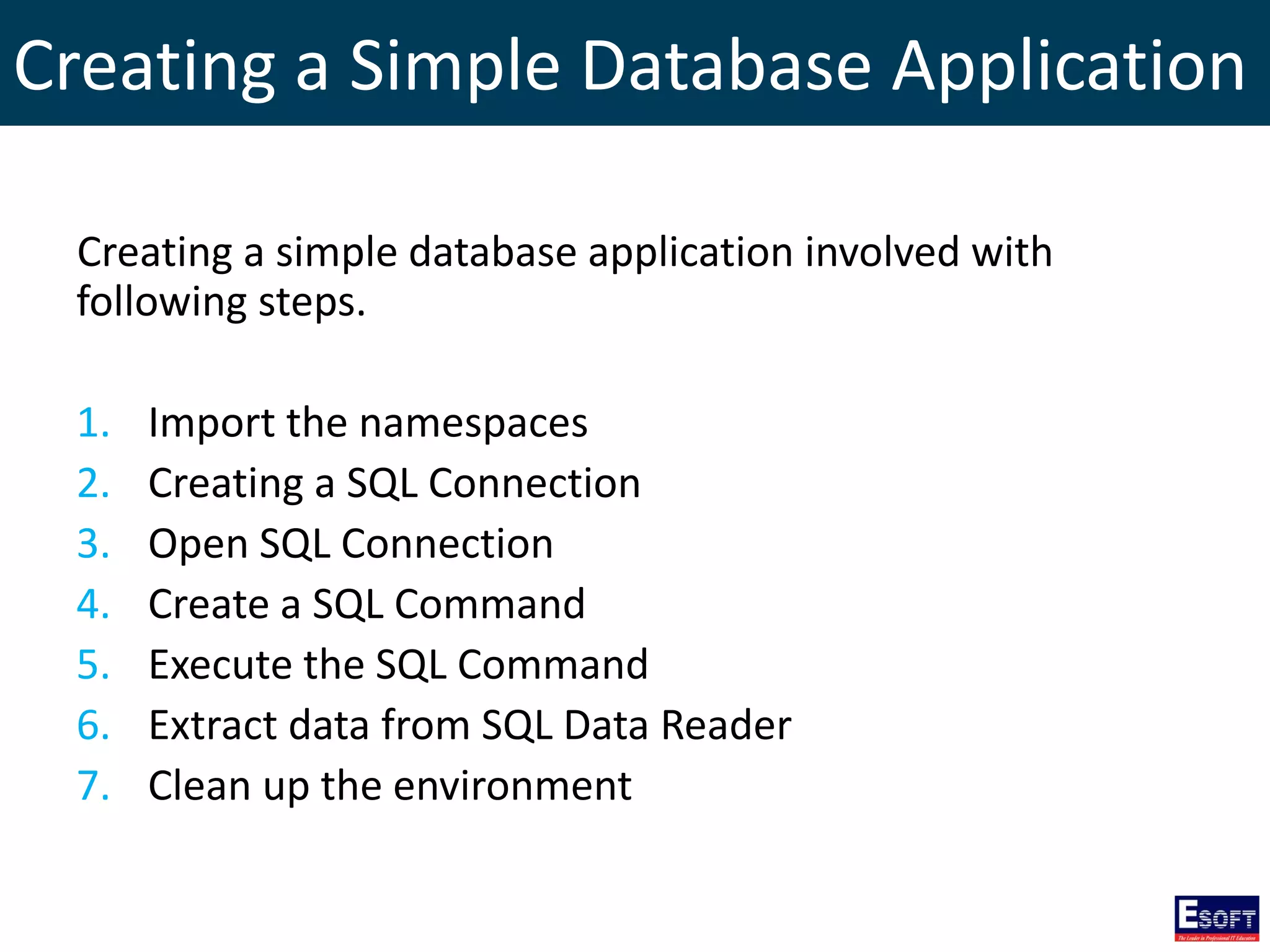
Creating a Simple Database Application
Creating a simple database application involved with
following steps.
1. Import the namespaces
2. Creating a SQL Connection
3. Open SQL Connection
4. Create a SQL Command
5. Execute the SQL Command
6. Extract data from SQL Data Reader
7. Clean up the environment
Creating a Simple Database Application
using System;
using System.Data.SqlClient;
class Program
{
static void Main(string[] args)
{
SqlConnection con = new SqlConnection("Data Source=.SQLEXPRESS; Initial Catalog=esoftdb;
Integrated Security=yes");
con.Open();
SqlCommand cmd = new SqlCommand("SELECT * FROM tblStudent", con);
SqlDataReader rd = cmd.ExecuteReader();
while (rd.Read())
{
Console.Write(rd["id"].ToString() + " ");
Console.Write(rd["name"].ToString() + " ");
Console.WriteLine(rd["address"].ToString());
}
rd.Close();
con.Close();
Console.ReadLine();
}
}
1
2
3
4
5
6
7
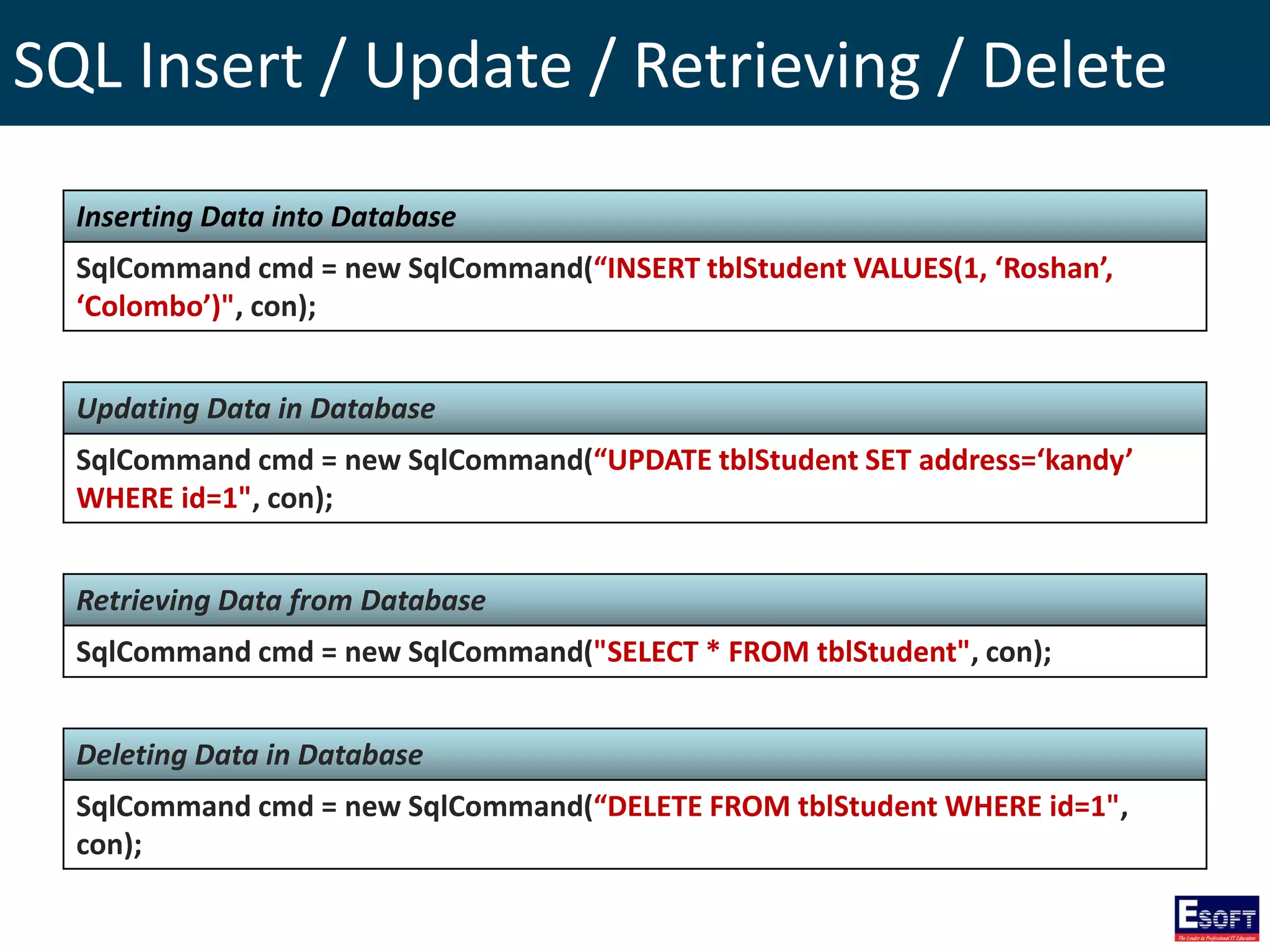
SQL Insert / Update / Retrieving / Delete
Inserting Data into Database
SqlCommand cmd = new SqlCommand(“INSERT tblStudent VALUES(1, ‘Roshan’,
‘Colombo’)", con);
Updating Data in Database
SqlCommand cmd = new SqlCommand(“UPDATE tblStudent SET address=‘kandy’
WHERE id=1", con);
Retrieving Data from Database
SqlCommand cmd = new SqlCommand("SELECT * FROM tblStudent", con);
Deleting Data in Database
SqlCommand cmd = new SqlCommand(“DELETE FROM tblStudent WHERE id=1",
con);
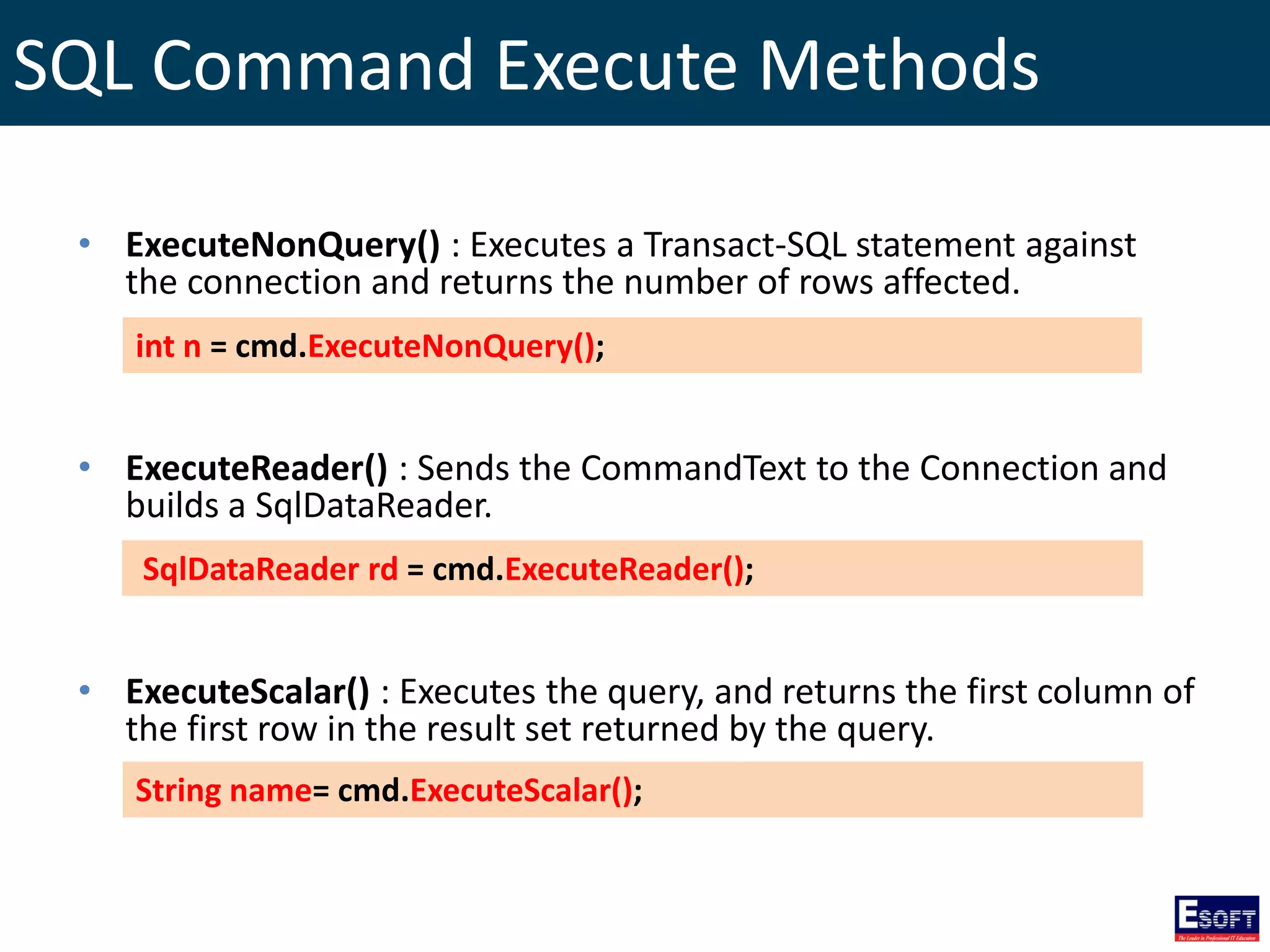
SQL Command Execute Methods
• ExecuteNonQuery() : Executes a Transact-SQL statement against
the connection and returns the number of rows affected.
• ExecuteReader() : Sends the CommandText to the Connection and
builds a SqlDataReader.
• ExecuteScalar() : Executes the query, and returns the first column of
the first row in the result set returned by the query.
int n = cmd.ExecuteNonQuery();
SqlDataReader rd = cmd.ExecuteReader();
String name= cmd.ExecuteScalar();
Data Sets
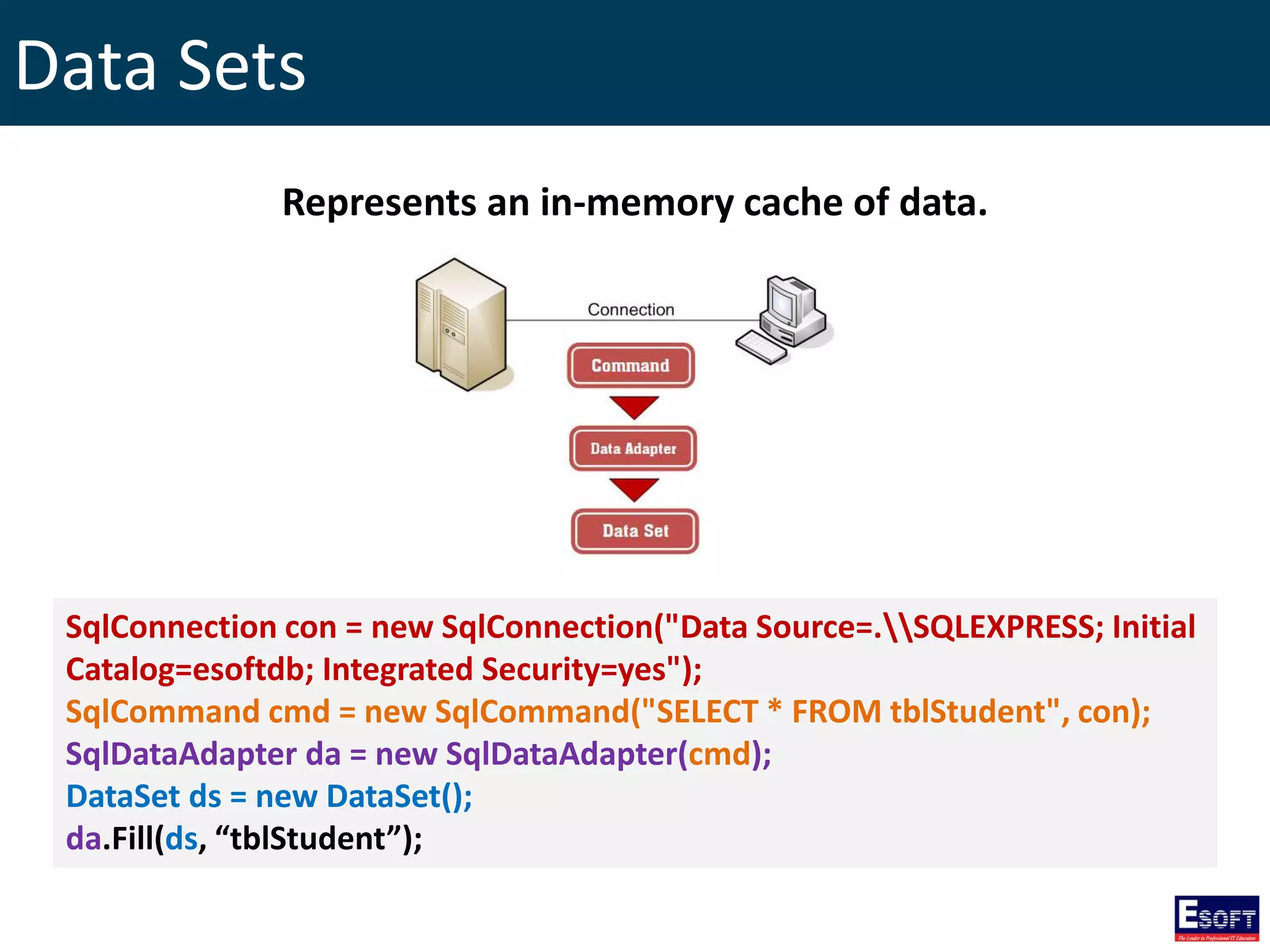
Represents an in-memory cache of data.
SqlConnection con = new SqlConnection("Data Source=.SQLEXPRESS; Initial
Catalog=esoftdb; Integrated Security=yes");
SqlCommand cmd = new SqlCommand("SELECT * FROM tblStudent", con);
SqlDataAdapter da = new SqlDataAdapter(cmd);
DataSet ds = new DataSet();
da.Fill(ds, “tblStudent”);
The End
http://twitter.com/rasansmn

DITEC - Programming with C#.NET

  • 1.
    Diploma in InformationTechnology Module IX: Programming with C#.NET Rasan Samarasinghe ESOFT Computer Studies (pvt) Ltd. No 68/1, Main Street, Pallegama, Embilipitiya.
  • 2.
    Contents 1. Introduction to.NET Framework 2. .NET Framework Platform Architecture 3. Microsoft Visual Studio 4. C# Language 5. C#, VS and .NET Framework Versions 6. Your First C# Application 7. Printing Statements 8. Comments in C# 9. Common Type System 10. Value Types and Reference Type 11. Variables Declaration in C# 12. Type Conversion 13. Arithmetic Operators 14. Assignment Operators 15. Comparison Operators 16. Logical Operators 17. If Statement 18. If… Else Statement 19. If… Else if… Else Statement 20. Nested If Statement 21. Switch Statement 22. While Loop 23. Do While Loop 23. For Loop 24. Arrays 25. Accessing Arrays using foreach Loop 26. Two Dimensional Arrays 27. Classes and Objects in C# 28. Inheritance in C# 29. Partial Classes 30. Namespaces 31. Windows Forms Applications 32. Using Buttons, Labels and Text Boxes 33. Displaying Message Boxes 34. Error Handling with Try… Catch… finally… 35. Using Radio Buttons 36. Using Check Boxes 37. Using List Boxes 38. Creating Menus 39. Creating ToolStrips 40. MDI Forms 41. Database Application in C# 42. Creating a Simple Database Application 43. SQL Insert / Update / Retrieving / Delete 44. SQL Command Execute Methods 45. Data Sets
  • 3.
    Introduction to .NETFramework • The .NET Framework is a software framework developed by Microsoft that runs primarily on Microsoft Windows. • It includes a large library and provides language interoperability across several programming languages. • Programs written for .NET Framework execute in a software environment known as CLR. • .NET Framework is intended to be used by most new applications created for the Windows platform.
  • 4.
  • 5.
    Microsoft Visual Studio •Microsoft Visual Studio is an integrated development environment (IDE) from Microsoft… • To develop Windows Forms or WPF applications, web sites, web applications, and web services… • For Microsoft Windows, Windows Mobile, Windows CE, .NET Framework and Microsoft Silverlight.
  • 6.
    C# Language C# isa general purpose, object oriented programming language developed by Microsoft within its .NET initiative led by Anders Hejlsberg.
  • 7.
    C# Language Features •Boolean Conditions • Automatic Garbage Collection • Standard Library • Assembly Versioning • Properties and Events • Delegates and Events Management • Easy-to-use Generics • Indexers • Conditional Compilation • Simple Multithreading • LINQ and Lambda Expressions • Integration with Windows
  • 8.
    C#, VS and.NET Framework Versions C# Version Visual Studio Version .NET Framework Version C# 1.0 Visual Studio .NET 2002 .NET Framework 1.0 C# 1.2 Visual Studio .NET 2003 .NET Framework 1.1 C# 2.0 Visual Studio 2005 .NET Framework 2.0 C# 3.0 Visual Studio 2008 Visual Studio 2010 .NET Framework 2.0 .NET Framework 3.0 .NET Framework 3.5 C# 4.0 Visual Studio 2010 .NET Framework 4 C# 5.0 Visual Studio 2012 Visual Studio 2013 .NET Framework 4.5
  • 9.
    Your First C#Application using System; namespace myspace { class FirstApp { static void Main() { Console.WriteLine(“Hello World!”); } } }
  • 10.
    Printing Statements Console.Write(“Hello World!”);//prints a text Console.WriteLine(“Hello World!”); //prints text and starts a new line Console.Write(“Hello nWorld!”); //line breaks Console.Write(“Hello {0}”, “Esoft”); //variable displaying
  • 11.
    Comments in C# Singleline comments // this is a single line comment Multiline comments /* this is a multiline comment */
  • 12.
  • 13.
    Value Types andReference Type Predefined Value Types sbyte -128 to 127 8 bits byte 0 to 255 8 bits short -32,768 to 32,767 16 bits ushort 0 to 65,535 16 bits int -2,147,483,648 to 2,147,483,647 32 bits uint 0 to 4,294,967,295 32 bits long -9,223,372,036,854,775,808 to 9,223,372,036,854,775,807 64 bits ulong 0 to 18,446,744,073,709,551,615 64 bits char 16 bit Unicode character 16 bits float -3.4 x 1038 to + 3.4 x 1038 32 bits double (+/-)5.0 x 10-324 to (+/-) 1.7 x 10308 64 bits decimal (-7.9 x 1028 to 7.9 x 1028) / 100 to 28 128 bits bool Holds true or false 1 bit Predefined Reference Types string Represents a string of Unicode characters 20+ bits object Represents a general purpose type 8+ bits
  • 14.
    Variable Declaration inC# Variable declaration type variable_list; Variable declaration and initialization type variable_name = value;
  • 15.
    Variable Declaration inC# int a, b, c; // declares three ints, a, b, and c. int d = 3, e, f = 5; // declares three more ints, initializing d and f. bool z = 5>2; // declares and initializes z. double pi = 3.14159; // declares an approximation of pi. char x = 'x'; // the variable x has the value 'x'.
  • 16.
    Type Conversion • ImplicitConversion – No special syntax is required because the conversion is type safe and no data will be lost. • Explicit Conversion – Require a cast operator, and information might be lost in the conversion. • Conversions with helper classes – To convert between non-compatible types.
  • 17.
    Implicit Conversion int x= 123; double y = x;
  • 18.
    Explicit Conversion double y= 123.5; int x = (int)y;
  • 19.
    Conversions with helperclasses String x = "123"; int y = Int.Parse(x); int z = Convert.ToInt32(x);
  • 20.
    Arithmetic Operators Operator DescriptionExample + Addition X + Y will give 60 - Subtraction X - Y will give -20 * Multiplication X * Y will give 800 / Division Y / X will give 2 % Modulus Y % X will give 0 ++ Increment Y++ gives 41 -- Decrement Y-- gives 39 X = 20, Y = 40
  • 21.
    Assignment Operators Operator Example =Z = X + Y will assign value of X + Y into Z += Z += X is equivalent to Z = Z + X -= Z -= X is equivalent to Z = Z - X *= Z *= X is equivalent to Z = Z * X /= Z /= X is equivalent to Z = Z / X %= Z %= X is equivalent to Z = Z % X
  • 22.
    Comparison Operators Operator Example ==(X == Y) is false. != (X != Y) is true. > (X > Y) is false. < (X < Y) is true. >= (X >= Y) is false. <= (X <= Y) is true. X = 50, Y = 70
  • 23.
    Logical Operators Operator NameExample && AND (X && Y) is False || OR (X || Y) is True ! NOT !(X && Y) is True X = True, Y = False
  • 24.
    If Statement if(Boolean_expression) { // Statementswill execute if the Boolean expression is true } Boolean Expression Statements True False
  • 25.
    If… Else Statement if(Boolean_expression) { //Executes when the Boolean expression is true } else { // Executes when the Boolean expression is false } Boolean Expression Statements True False Statements
  • 26.
    If… Else if…Else Statement if(Boolean_expression 1) { // Executes when the Boolean expression 1 is true } else if(Boolean_expression 2) { // Executes when the Boolean expression 2 is true } else if(Boolean_expression 3) { // Executes when the Boolean expression 3 is true } else { // Executes when the none of the above condition is true. }
  • 27.
    If… Else if…Else Statement Boolean expression 1 False Statements Boolean expression 2 Boolean expression 3 Statements Statements False False Statements True True True
  • 28.
    Nested If Statement if(Boolean_expression1) { // Executes when the Boolean expression 1 is true if(Boolean_expression 2) { // Executes when the Boolean expression 2 is true } } Boolean Expression 1 True False Statements Boolean Expression 2 True False
  • 29.
    Switch Statement switch (value) { caseconstant: // statements break; case constant: // statements break; default: // statements break; }
  • 30.
  • 31.
    Do While Loop do { //Statements }while(Boolean_expression); Boolean Expression Statements True False
  • 32.
    For Loop for(initialization; Boolean_expression;update) { // Statements } Boolean Expression Statements True False Update Initialization
  • 33.
    Arrays 10 30 2050 15 35 0 1 2 3 4 5 Size = 6 Element Index No An Array can hold many values in a same data type under a single name A single dimensional array
  • 34.
    Building a SingleDimensional Array // creating an Array DataType[] ArrayName = new DataType[size]; // assigning values ArrayName[index] = value; ArrayName[index] = value; ……..
  • 35.
    Building a SingleDimensional Array char[] letters = new char[4]; letters[0] = ‘O’; letters[1] = ‘P’; letters[2] = ‘Q’; letters[3] = ‘R’; 0 1 2 3 O P Q R 0 1 2 3 letters letters Values in an Array can access by referring index number
  • 36.
    Building a SingleDimensional Array // creating an array using array initializer DataType[] ArrayName = {element 1, element 2, element 3, … element n}; int[] marks = {10, 20, 30, 40, 50}; 10 20 30 40 0 1 2 3 intArr 50 4
  • 37.
    Accessing Arrays usingforeach Loop // creating an Array int[] marks = {10, 29, 30, 40, 50, 70}; // accessing array elements foreach(int n in marks) { System.Console.WriteLine(n); }
  • 38.
    Two Dimensional Arrays 510 15 25 50 75 0 1 2 0 1 int[,] myMatrix = new int[2,3]; myMatrix[0,0] = 5; myMatrix[0,1] = 10; myMatrix[0,2] = 15; myMatrix[1,0] = 25; myMatrix[1,1] = 50; myMatrix[1,2] = 75; Rows Columns Column Index Row Index
  • 39.
    Two Dimensional Arrays Usingarray initializer… int[,] myMatrix = new int[2,3] {{5,10,15},{25,50,75}}; int[,] myMatrix = {{5,10,15},{25,50,75}}; Or
  • 40.
    Classes and Objectsin C# Method Student name age Register() class Student { public String name; public int age; public Student(){ } public void Register(){ Console.WriteLine(“Registered!”); } } Attributes Constructor
  • 41.
    C# Objects Student st= new Student(); //creating an object //Assigning values to Attributes st.name = “Roshan”; st.age = 20; //calling method st.Register();
  • 42.
    Inheritance in C# classAnimal { //attributes and methods } class Lion : Animal { //attributes and methods } class Cat : Animal { //attributes and methods } Animal Lion Cat
  • 43.
    Partial Classes partial classStudent { public int age; } partial class Student { public String name; } partial class Student { public String address; public void Register(){ Console.Write("Student Registered"); } } Partials of the same class
  • 44.
    Namespaces • Namespace isan organization construct. • It’s a group of collected types. • It’s helping to understand how the code base is arranged. • Namespaces are not essential for C# programs. namespace esoft { class ditec{ } class dise{ } }
  • 45.
    Importing Namespaces Importing Namespaceby using “using” directive using System.Linq; Importing Namespace with alias directive using ns = System.Linq; Direct accessing Namespaces System.Console.WriteLine(“hello”);
  • 46.
    Windows Forms Applications •A Windows Forms application is an event- driven application supported by Microsoft's .NET Framework. • This model provides object-oriented, extensible set of classes that enable you to develop rich Windows applications.
  • 47.
    Using Button, Labelsand Text Boxes private void button1_Click(object sender, EventArgs e) { label2.Text = "Welcome " + textBox1.Text; }
  • 48.
    Displaying Message Boxes MessageBox.Show("HelloWorld","MessageBox Demo",MessageBoxButtons.YesNo, MessageBoxIcon.Information); MessageBox.Show("Hello World“);
  • 49.
    Error Handling withTry… Catch… finally… try { //Protected code } catch (Exception ex) { //Catch block } finally { //The finally block always executes }
  • 50.
    Using Radio Buttons privatevoid button1_Click(object sender, EventArgs e) { if (radioButton1.Checked) { MessageBox.Show("You have chosen Black"); } else { MessageBox.Show("You have chosen White"); } }
  • 51.
    Using Check Boxes privatevoid button1_Click(object sender, EventArgs e) { if (checkBox1.Checked) { MessageBox.Show("You have accepted Terms of Agreement"); } else { MessageBox.Show("You haven't accepted Terms of Agreement"); } }
  • 52.
    Using List Boxes Statementsfor each button click events listBox1.Items.Add(textBox1.Text); listBox1.Items.AddRange(new String[] { “America", “Japan", “India" }); listBox1.Items.Insert(0, textBox1.Text); listBox1.Items.Remove(listBox1.SelectedItem); listBox1.Items.RemoveAt(int.Parse(textBox1.Text )); listBox1.Items.Clear(); listBox1.Sorted = true;
  • 53.
    Creating Menus private voidnewToolStripMenuItem_Click(object sender, EventArgs e) { MessageBox.Show("You have clicked New Menu item!"); }
  • 54.
    Creating ToolStrips private voidnewToolStripButton_Click(object sender, EventArgs e) { MessageBox.Show("You have clicked newToolStripButton!"); }
  • 55.
    MDI Forms private voiddocument1ToolStripMenuItem_Click(object sender, EventArgs e) { Document_One form1 = new Document_One(); form1.MdiParent = this; form1.Show(); }
  • 56.
    Database Application inC# Application DataBase Insert, Update, Retrieving and Delete Processes
  • 57.
    Creating a SimpleDatabase Application Creating a simple database application involved with following steps. 1. Import the namespaces 2. Creating a SQL Connection 3. Open SQL Connection 4. Create a SQL Command 5. Execute the SQL Command 6. Extract data from SQL Data Reader 7. Clean up the environment
  • 58.
    Creating a SimpleDatabase Application using System; using System.Data.SqlClient; class Program { static void Main(string[] args) { SqlConnection con = new SqlConnection("Data Source=.SQLEXPRESS; Initial Catalog=esoftdb; Integrated Security=yes"); con.Open(); SqlCommand cmd = new SqlCommand("SELECT * FROM tblStudent", con); SqlDataReader rd = cmd.ExecuteReader(); while (rd.Read()) { Console.Write(rd["id"].ToString() + " "); Console.Write(rd["name"].ToString() + " "); Console.WriteLine(rd["address"].ToString()); } rd.Close(); con.Close(); Console.ReadLine(); } } 1 2 3 4 5 6 7
  • 59.
    SQL Insert /Update / Retrieving / Delete Inserting Data into Database SqlCommand cmd = new SqlCommand(“INSERT tblStudent VALUES(1, ‘Roshan’, ‘Colombo’)", con); Updating Data in Database SqlCommand cmd = new SqlCommand(“UPDATE tblStudent SET address=‘kandy’ WHERE id=1", con); Retrieving Data from Database SqlCommand cmd = new SqlCommand("SELECT * FROM tblStudent", con); Deleting Data in Database SqlCommand cmd = new SqlCommand(“DELETE FROM tblStudent WHERE id=1", con);
  • 60.
    SQL Command ExecuteMethods • ExecuteNonQuery() : Executes a Transact-SQL statement against the connection and returns the number of rows affected. • ExecuteReader() : Sends the CommandText to the Connection and builds a SqlDataReader. • ExecuteScalar() : Executes the query, and returns the first column of the first row in the result set returned by the query. int n = cmd.ExecuteNonQuery(); SqlDataReader rd = cmd.ExecuteReader(); String name= cmd.ExecuteScalar();
  • 61.
    Data Sets Represents anin-memory cache of data. SqlConnection con = new SqlConnection("Data Source=.SQLEXPRESS; Initial Catalog=esoftdb; Integrated Security=yes"); SqlCommand cmd = new SqlCommand("SELECT * FROM tblStudent", con); SqlDataAdapter da = new SqlDataAdapter(cmd); DataSet ds = new DataSet(); da.Fill(ds, “tblStudent”);
  • 62.