Distributed Logging Architecture
in Container Era
LinuxCon Japan 2016 at Jun 13 2016
Satoshi "Moris" Tagomori (@tagomoris)
Satoshi "Moris" Tagomori
(@tagomoris)
Fluentd, MessagePack-Ruby, Norikra, ...
Treasure Data, Inc.
http://www.linuxfoundation.org/news-media/announcements/2016/06/chaosuan-crunchy-data-qbox-storageos-and-treasure-data-join-cloud
Topics
• Microservices and logging in various industries
• Difficulties of logging with containers
• Distributed logging architecture
• Patterns of distributed logging architecture
• Case Study: Docker and Fluentd
Logging
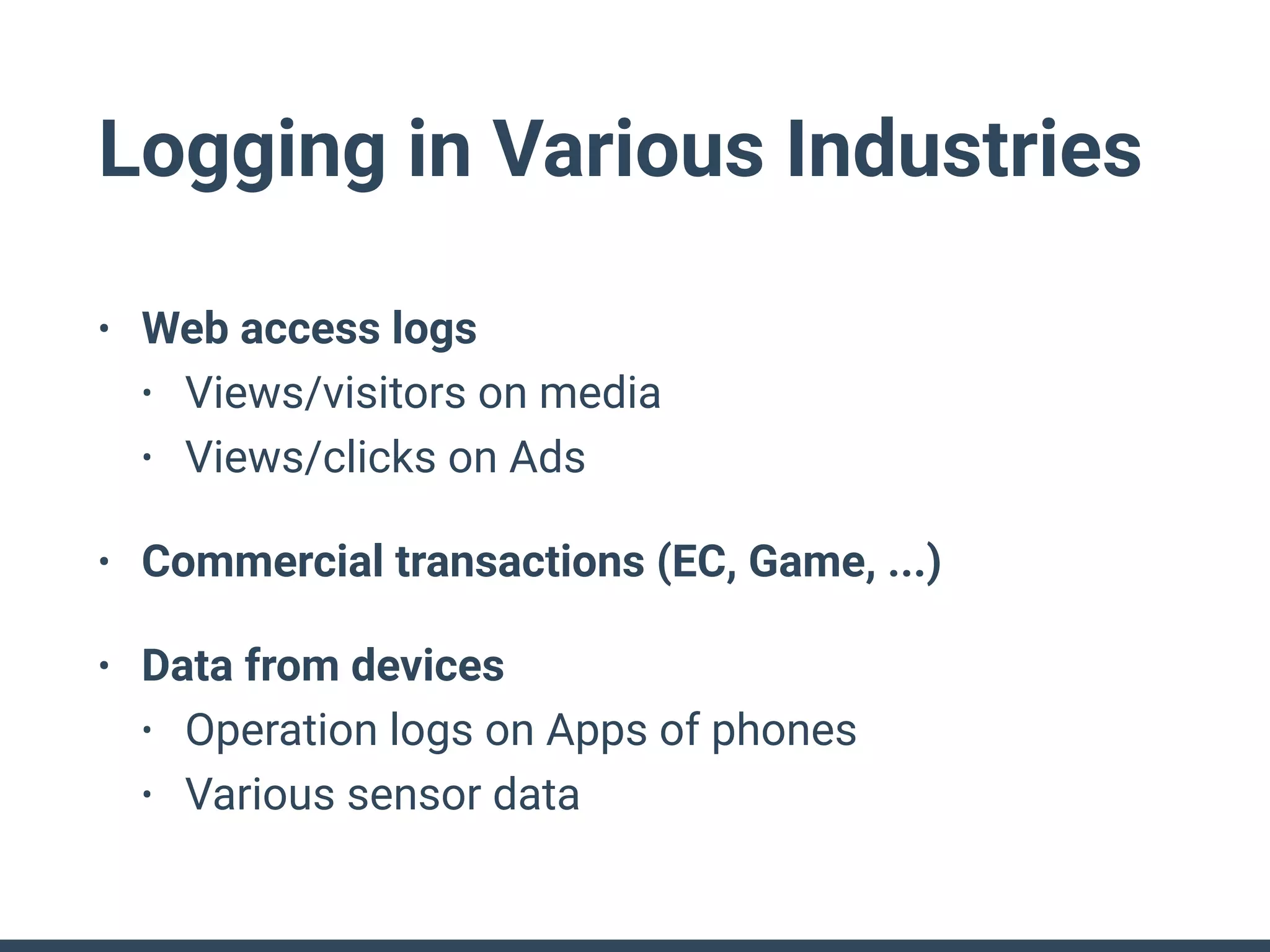
Logging in Various Industries
• Web access logs
• Views/visitors on media
• Views/clicks on Ads
• Commercial transactions (EC, Game, ...)
• Data from devices
• Operation logs on Apps of phones
• Various sensor data
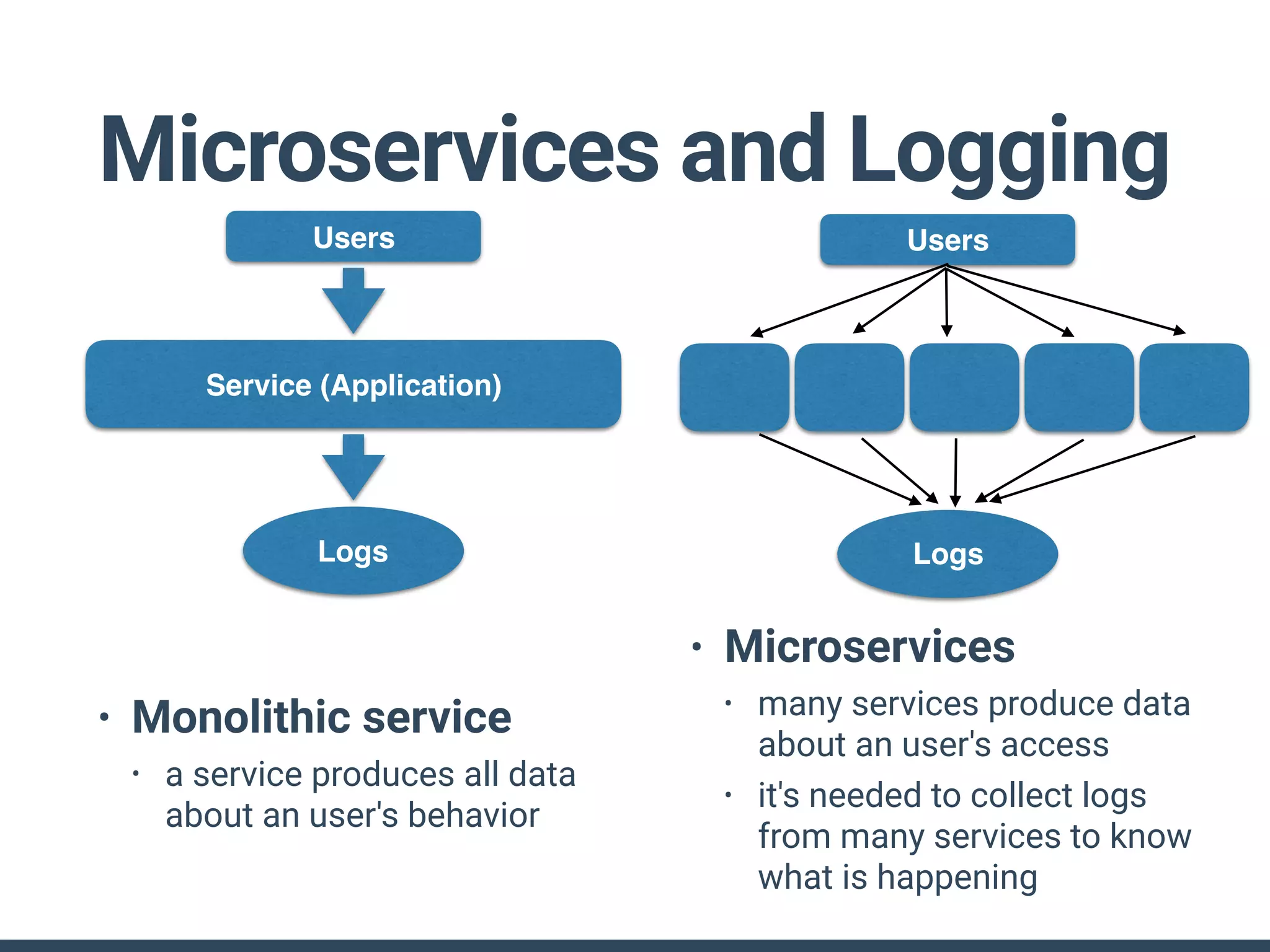
Microservices and Logging
• Monolithic service
• a service produces all data
about an user's behavior
• Microservices
• many services produce data
about an user's access
• it's needed to collect logs
from many services to know
what is happening
Users
Service (Application)
Logs
Users
Logs
Logging and Containers
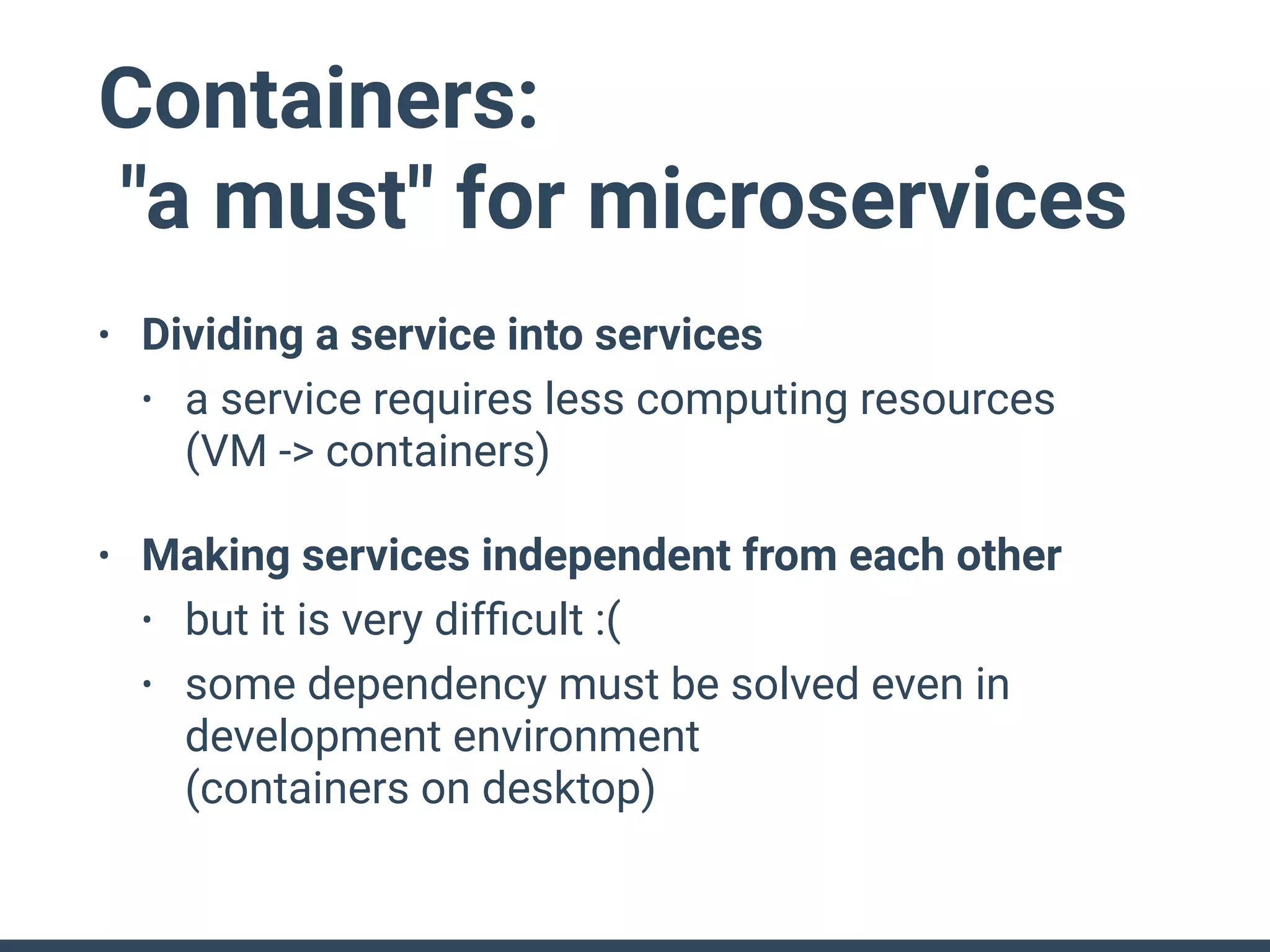
Containers:
"a must" for microservices
• Dividing a service into services
• a service requires less computing resources

(VM -> containers)
• Making services independent from each other
• but it is very difficult :(
• some dependency must be solved even in
development environment

(containers on desktop)
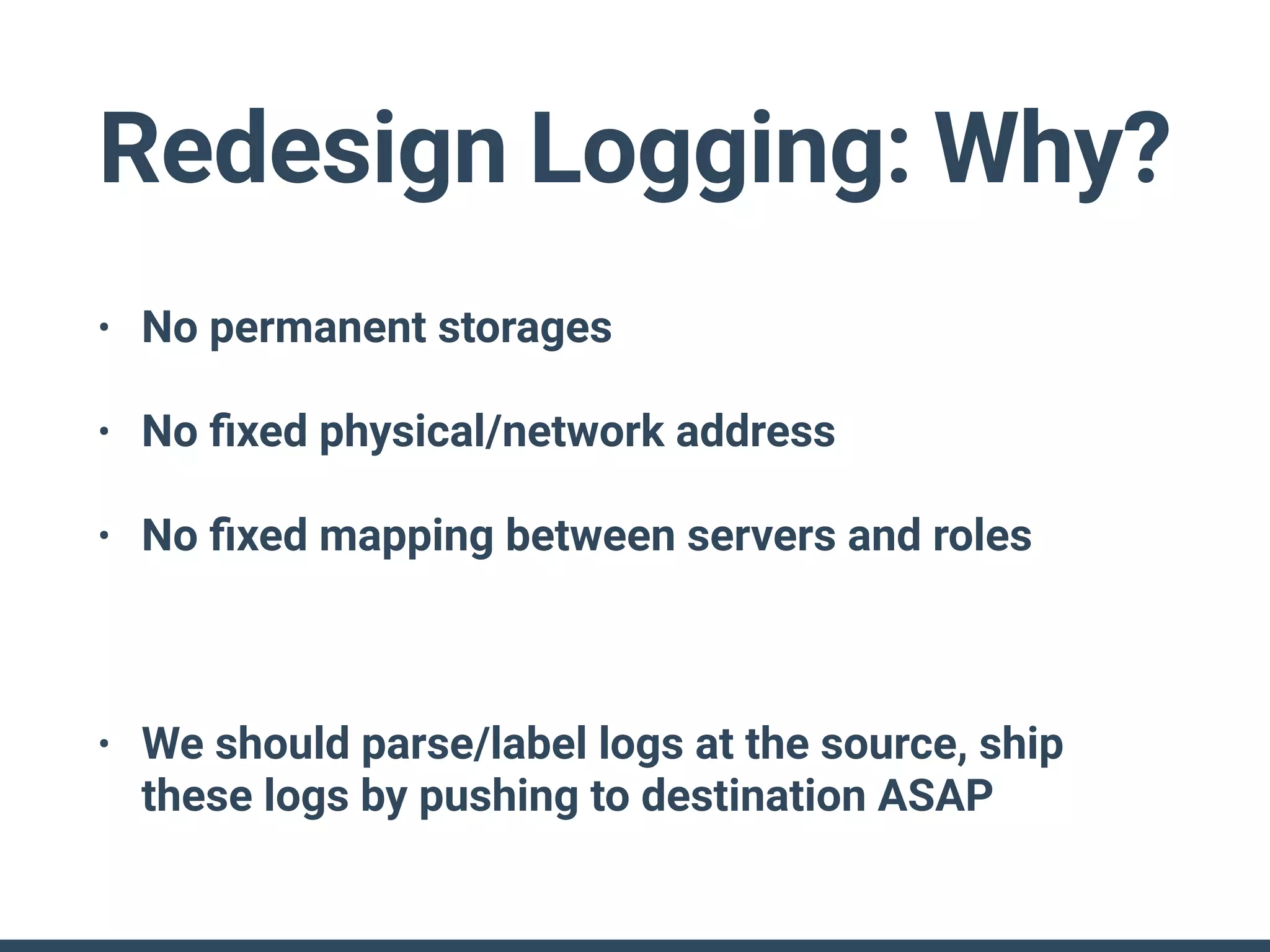
Redesign Logging: Why?
• No permanent storages
• No fixed physical/network address
• No fixed mapping between servers and roles
• We should parse/label logs at the source, ship
these logs by pushing to destination ASAP
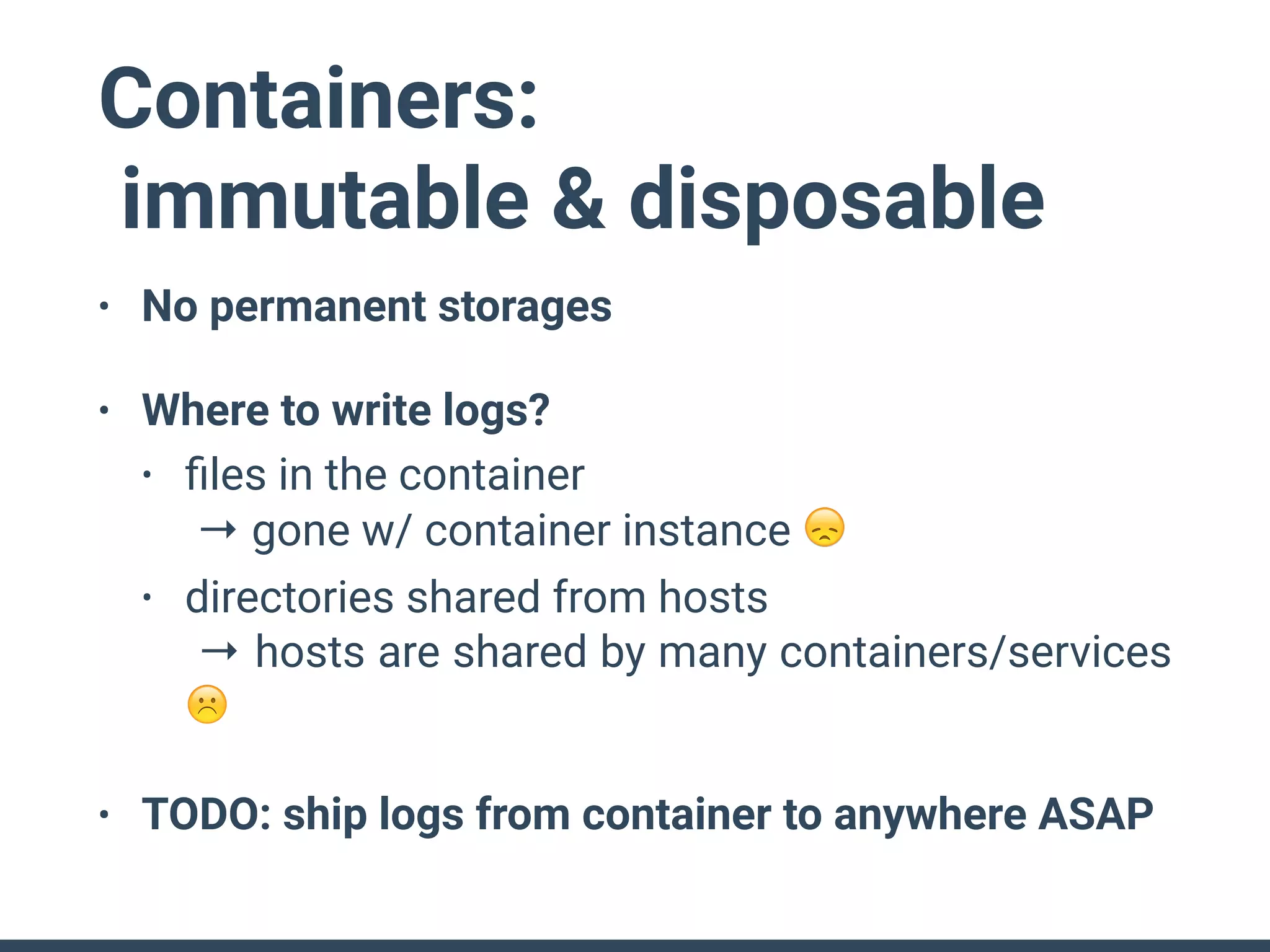
Containers:
immutable & disposable
• No permanent storages
• Where to write logs?
• files in the container

→ gone w/ container instance 😞
• directories shared from hosts

→ hosts are shared by many containers/services
☹
• TODO: ship logs from container to anywhere ASAP
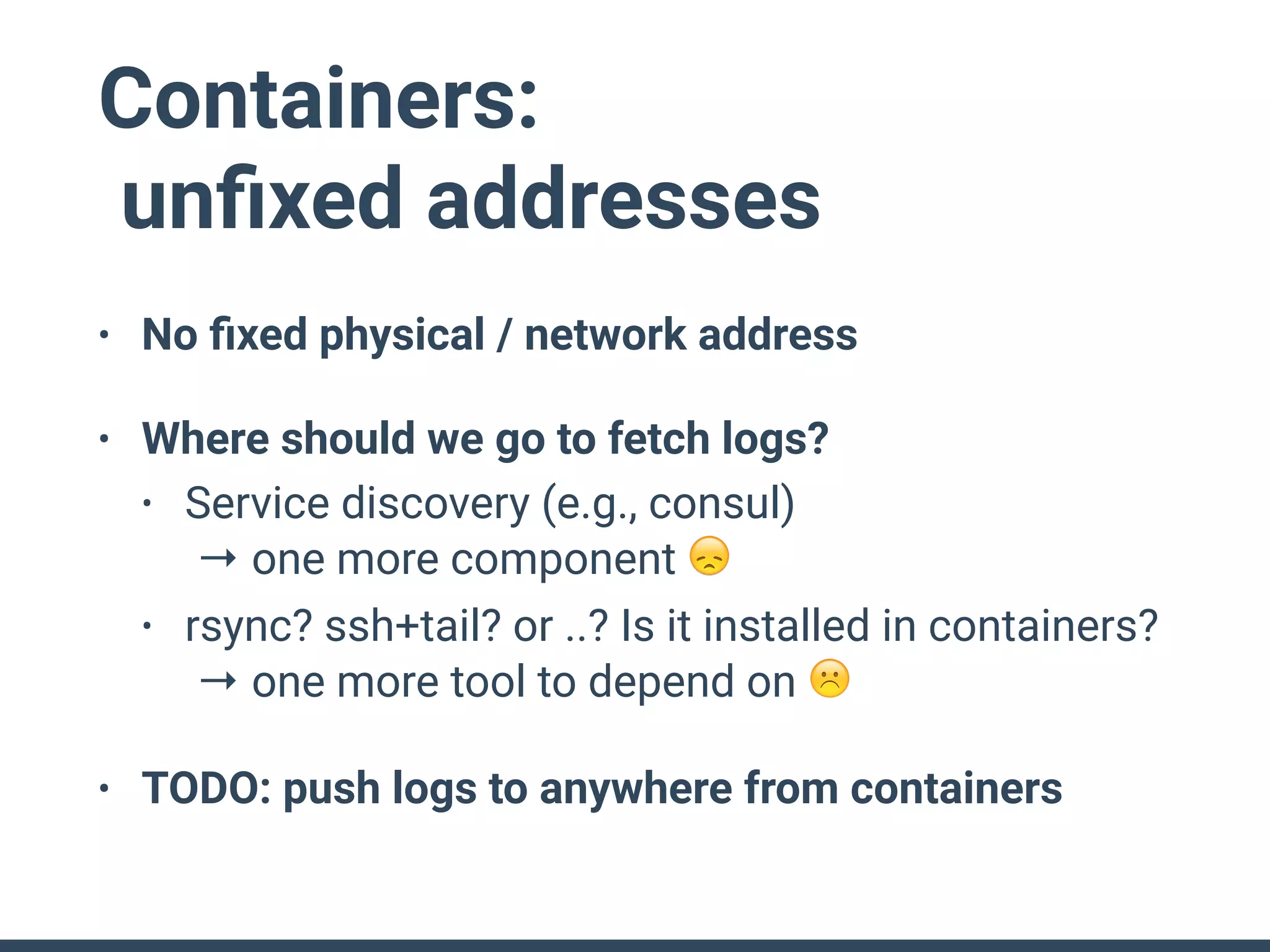
Containers:
unfixed addresses
• No fixed physical / network address
• Where should we go to fetch logs?
• Service discovery (e.g., consul)

→ one more component 😞
• rsync? ssh+tail? or ..? Is it installed in containers?

→ one more tool to depend on ☹
• TODO: push logs to anywhere from containers
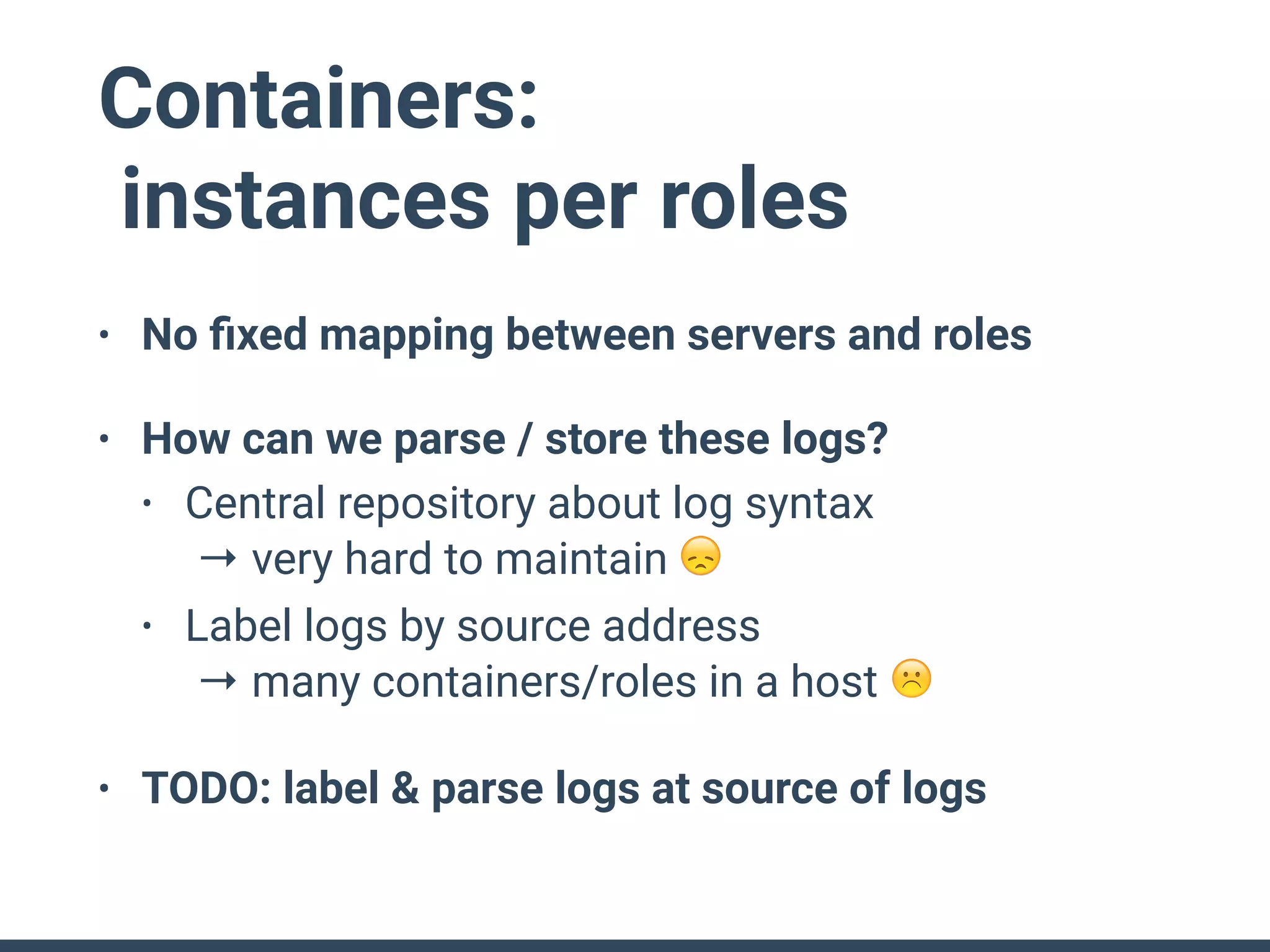
Containers:
instances per roles
• No fixed mapping between servers and roles
• How can we parse / store these logs?
• Central repository about log syntax

→ very hard to maintain 😞
• Label logs by source address

→ many containers/roles in a host ☹
• TODO: label & parse logs at source of logs
Distributed Logging
Architecture
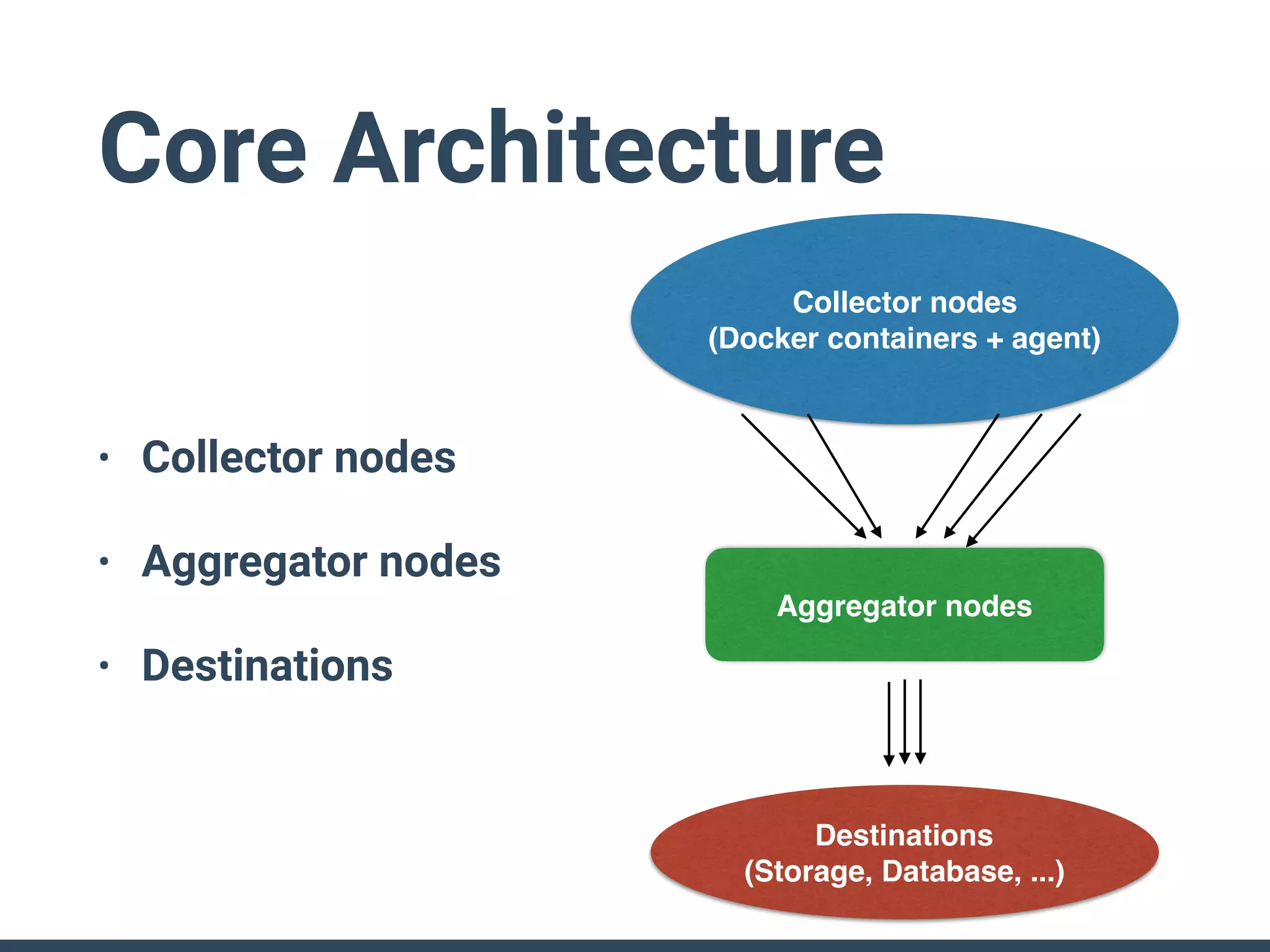
Core Architecture
• Collector nodes
• Aggregator nodes
• Destinations
Collector nodes
(Docker containers + agent)
Destinations

(Storage, Database, ...)
Aggregator nodes
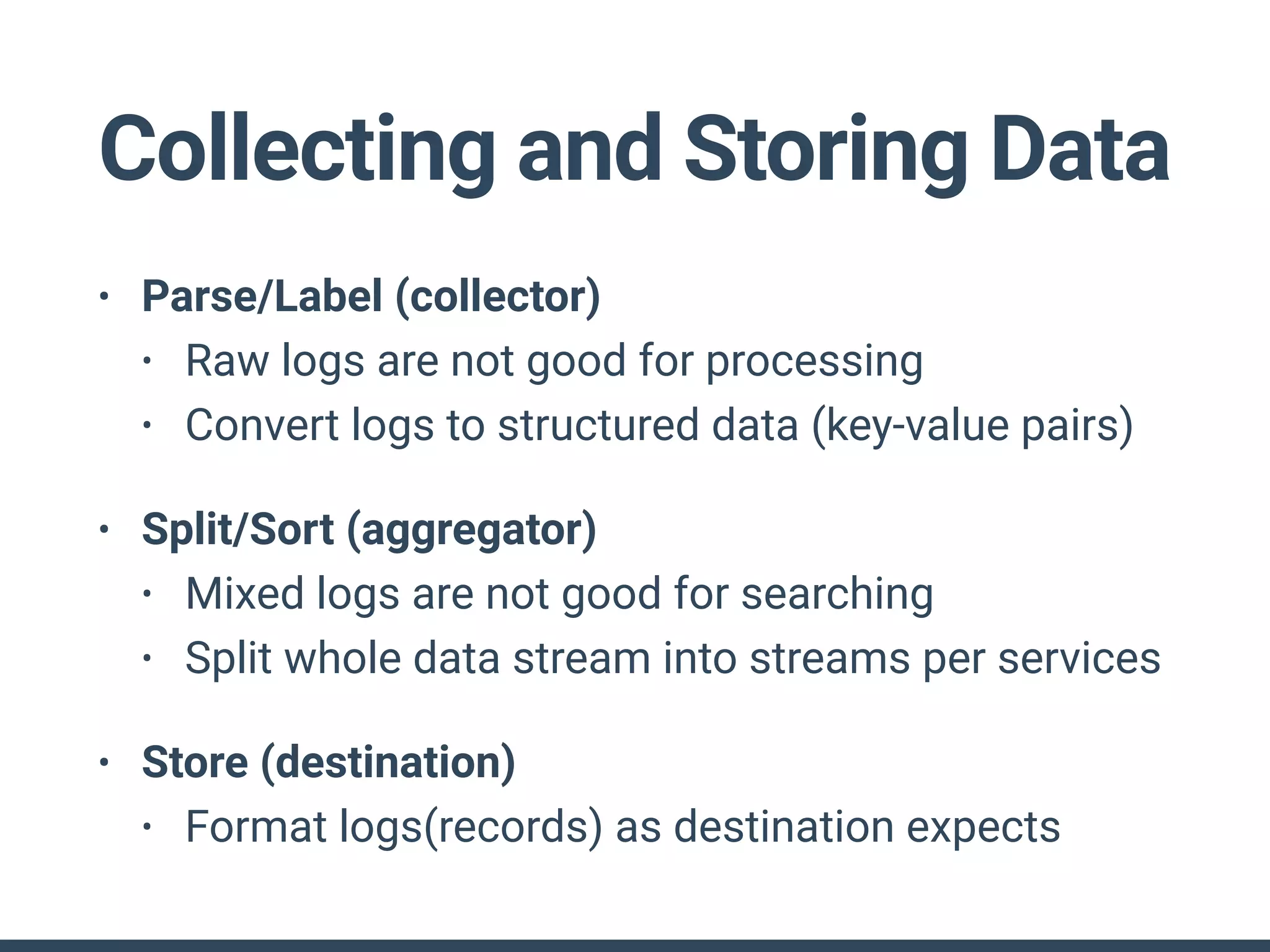
• Parse/Label (collector)
• Raw logs are not good for processing
• Convert logs to structured data (key-value pairs)
• Split/Sort (aggregator)
• Mixed logs are not good for searching
• Split whole data stream into streams per services
• Store (destination)
• Format logs(records) as destination expects
Collecting and Storing Data
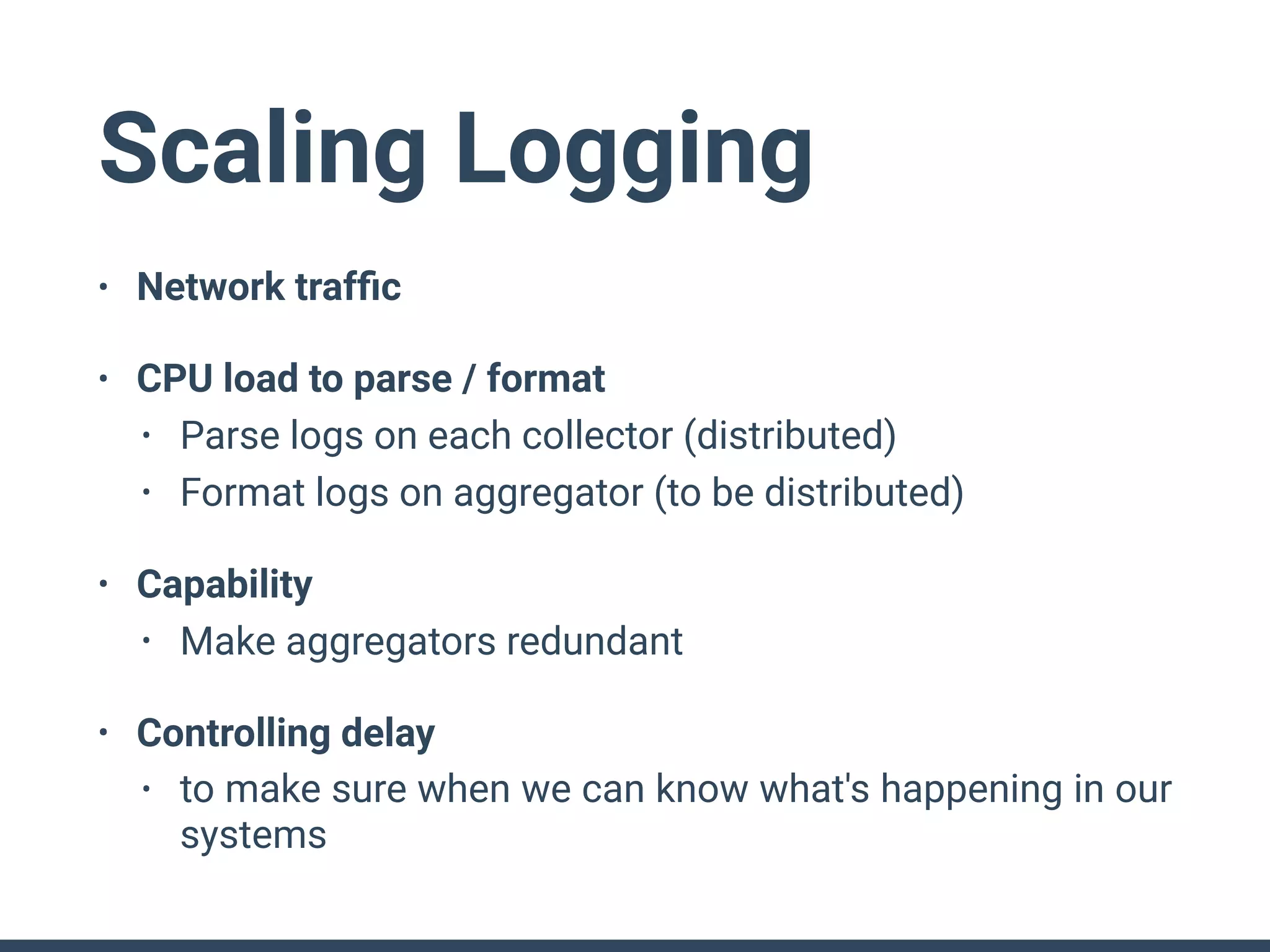
Scaling Logging
• Network traffic
• CPU load to parse / format
• Parse logs on each collector (distributed)
• Format logs on aggregator (to be distributed)
• Capability
• Make aggregators redundant
• Controlling delay
• to make sure when we can know what's happening in our
systems
Patterns
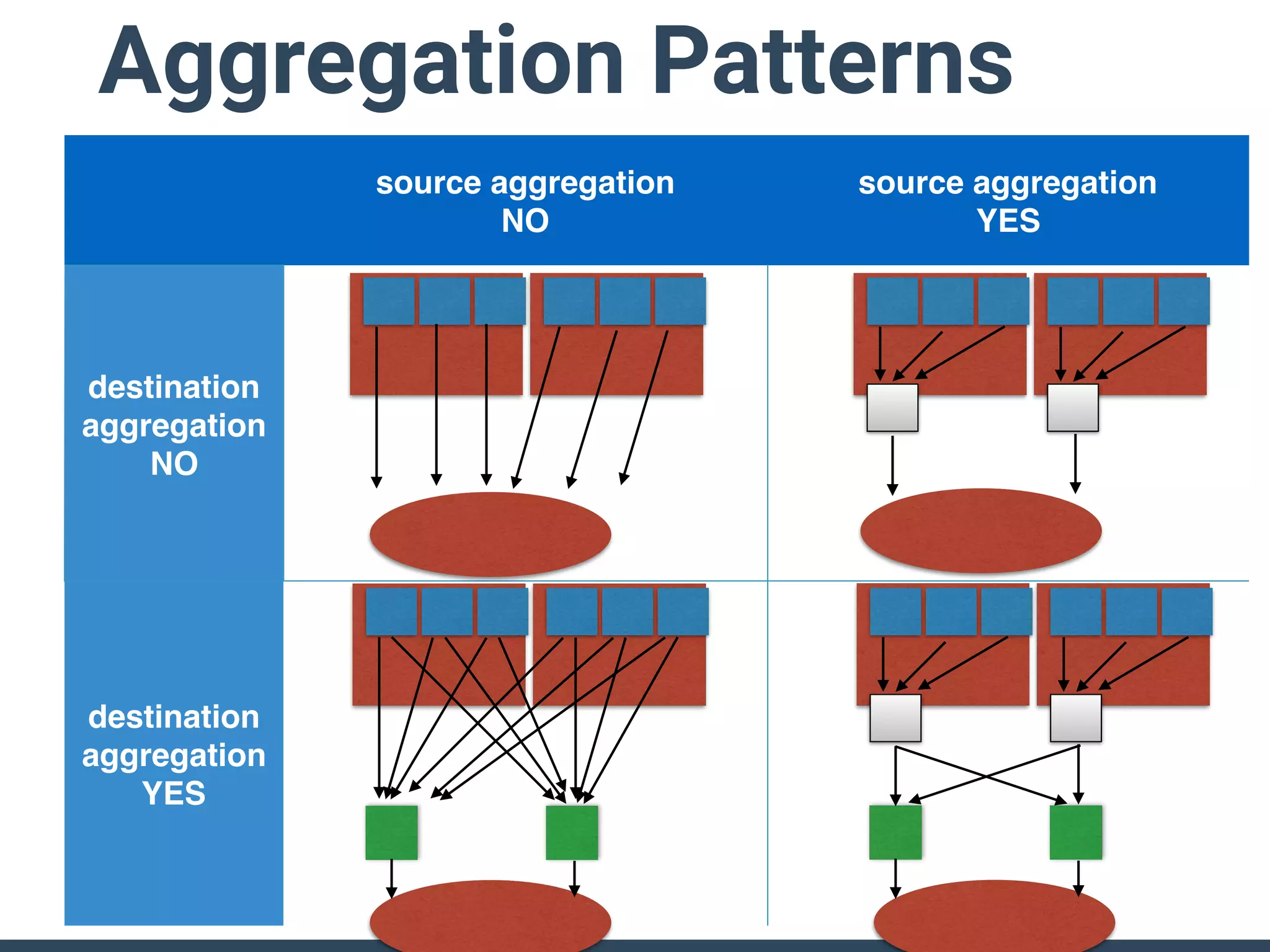
source aggregation
NO
source aggregation
YES
destination
aggregation
NO
destination
aggregation
YES
Aggregation Patterns
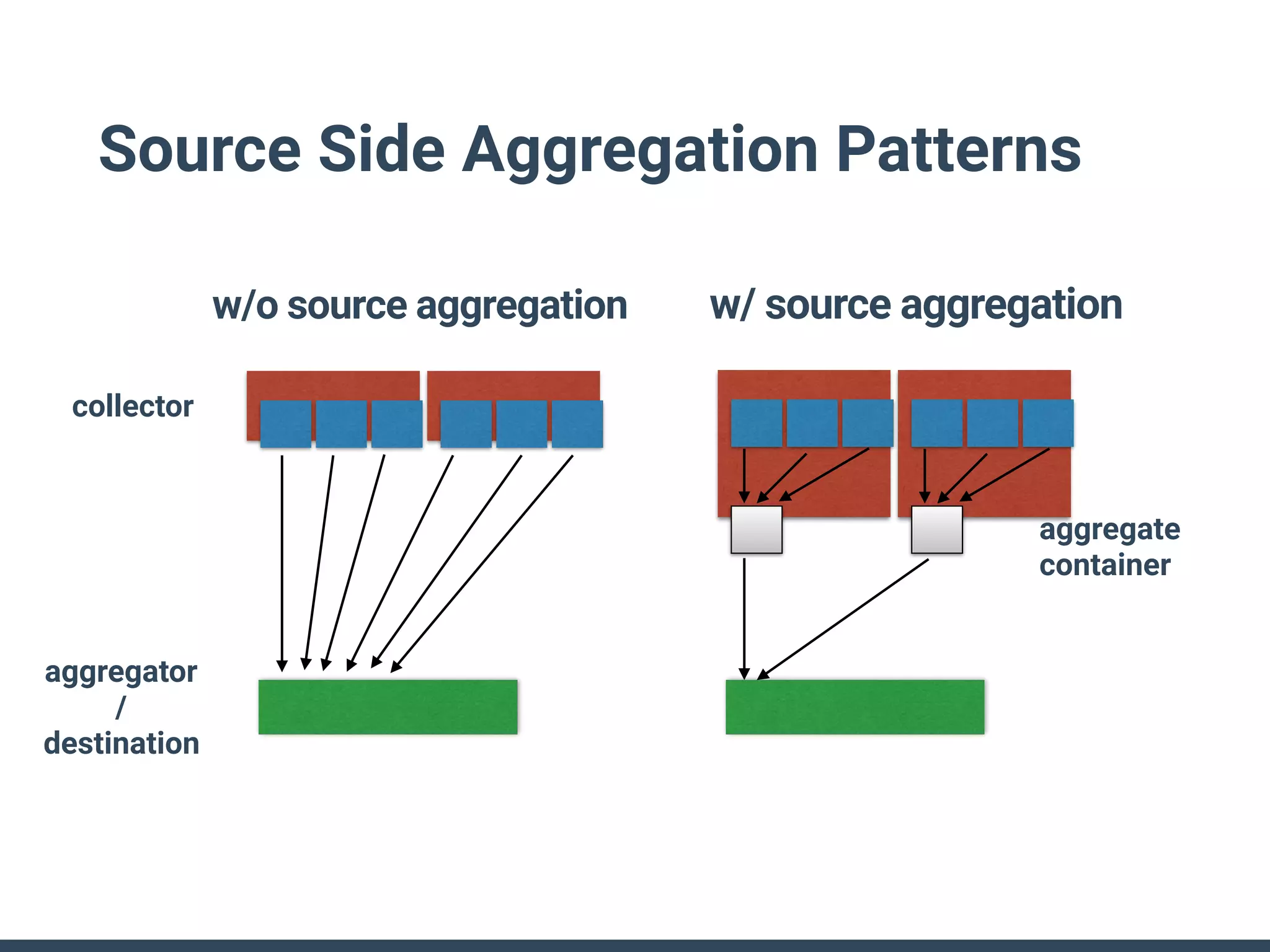
Source Side Aggregation Patterns
w/o source aggregation w/ source aggregation
collector
aggregator
/
destination
aggregate
container
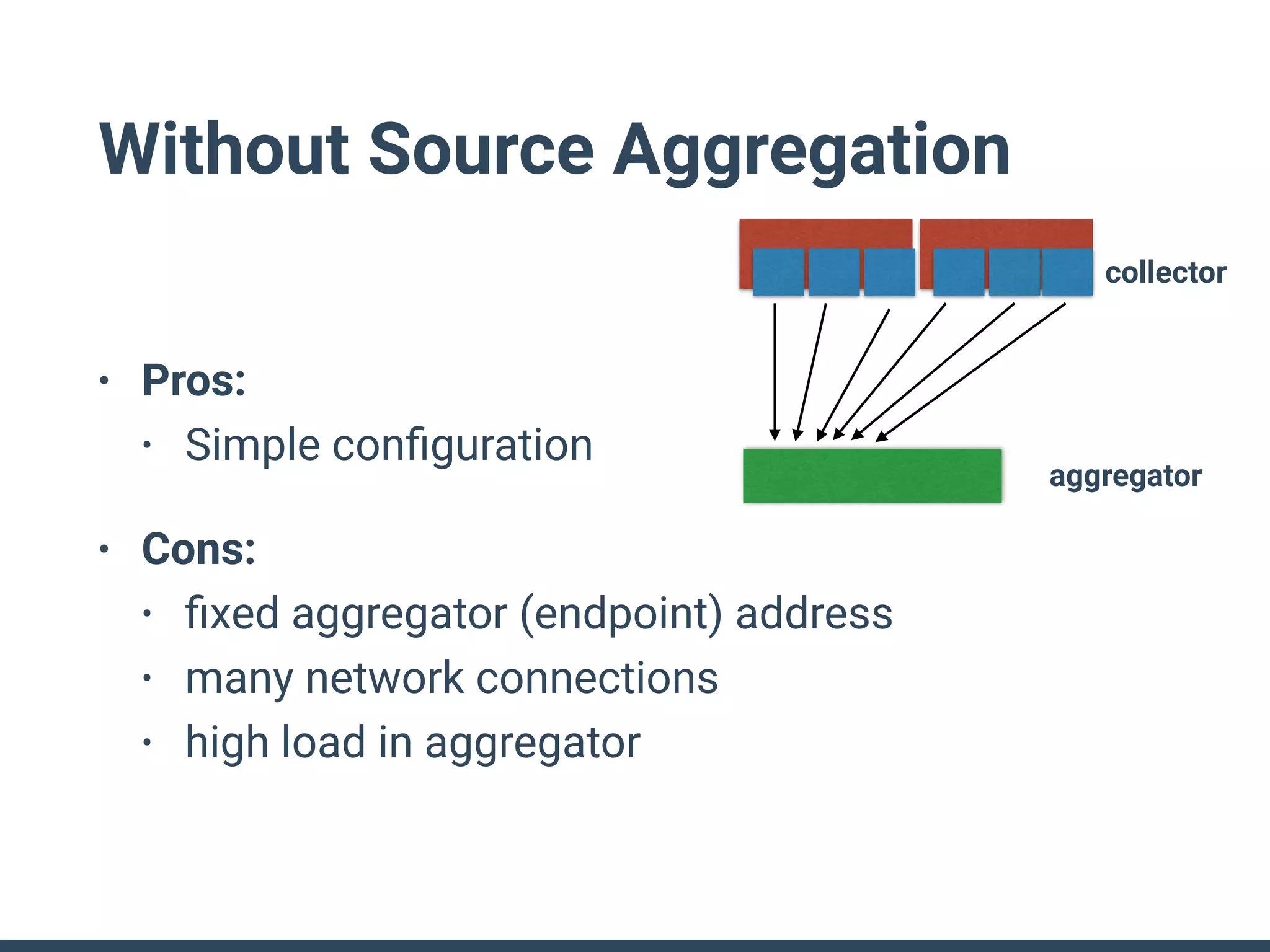
Without Source Aggregation
• Pros:
• Simple configuration
• Cons:
• fixed aggregator (endpoint) address
• many network connections
• high load in aggregator
collector
aggregator
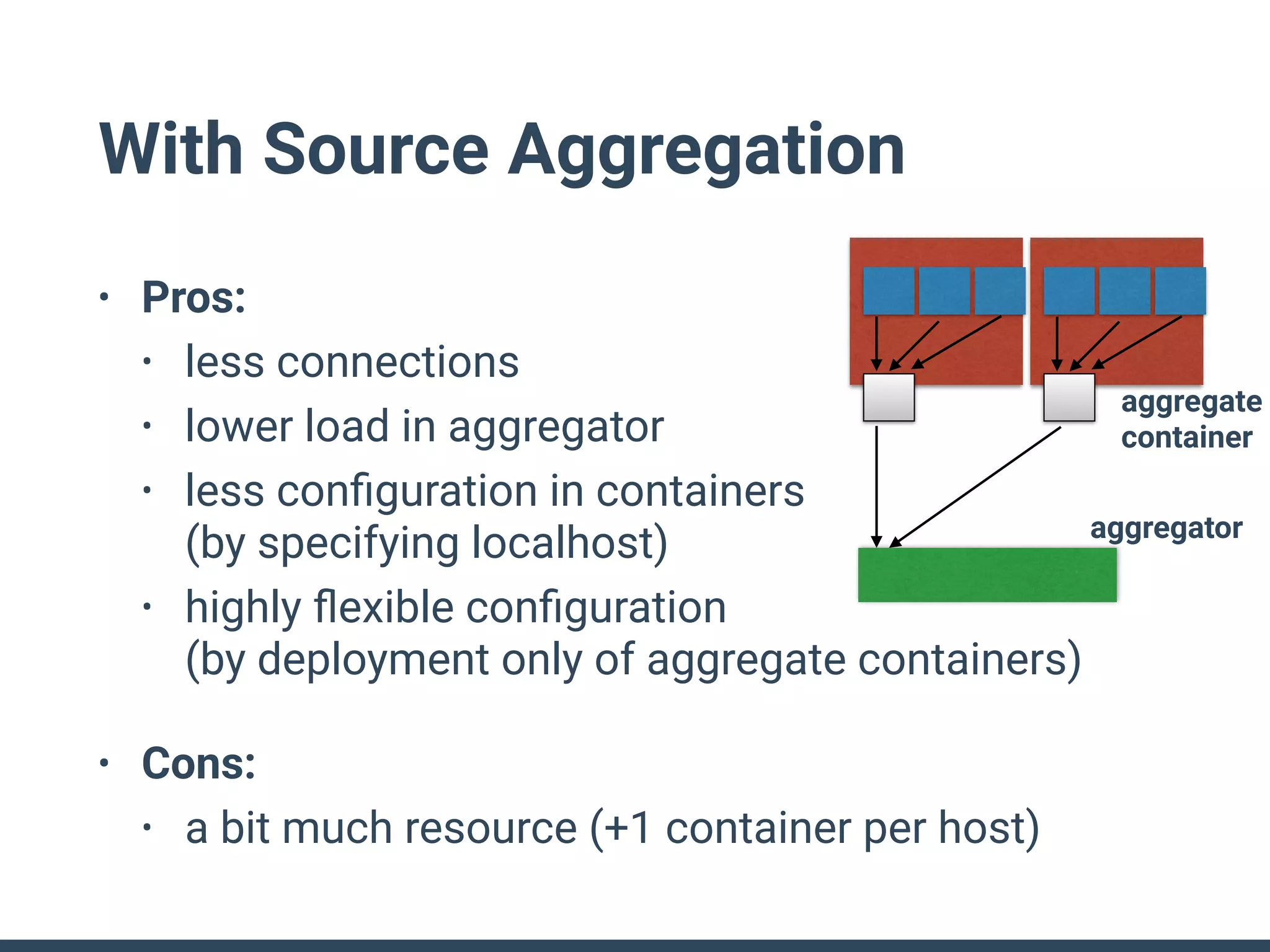
With Source Aggregation
• Pros:
• less connections
• lower load in aggregator
• less configuration in containers

(by specifying localhost)
• highly flexible configuration

(by deployment only of aggregate containers)
• Cons:
• a bit much resource (+1 container per host)
aggregate
container
aggregator
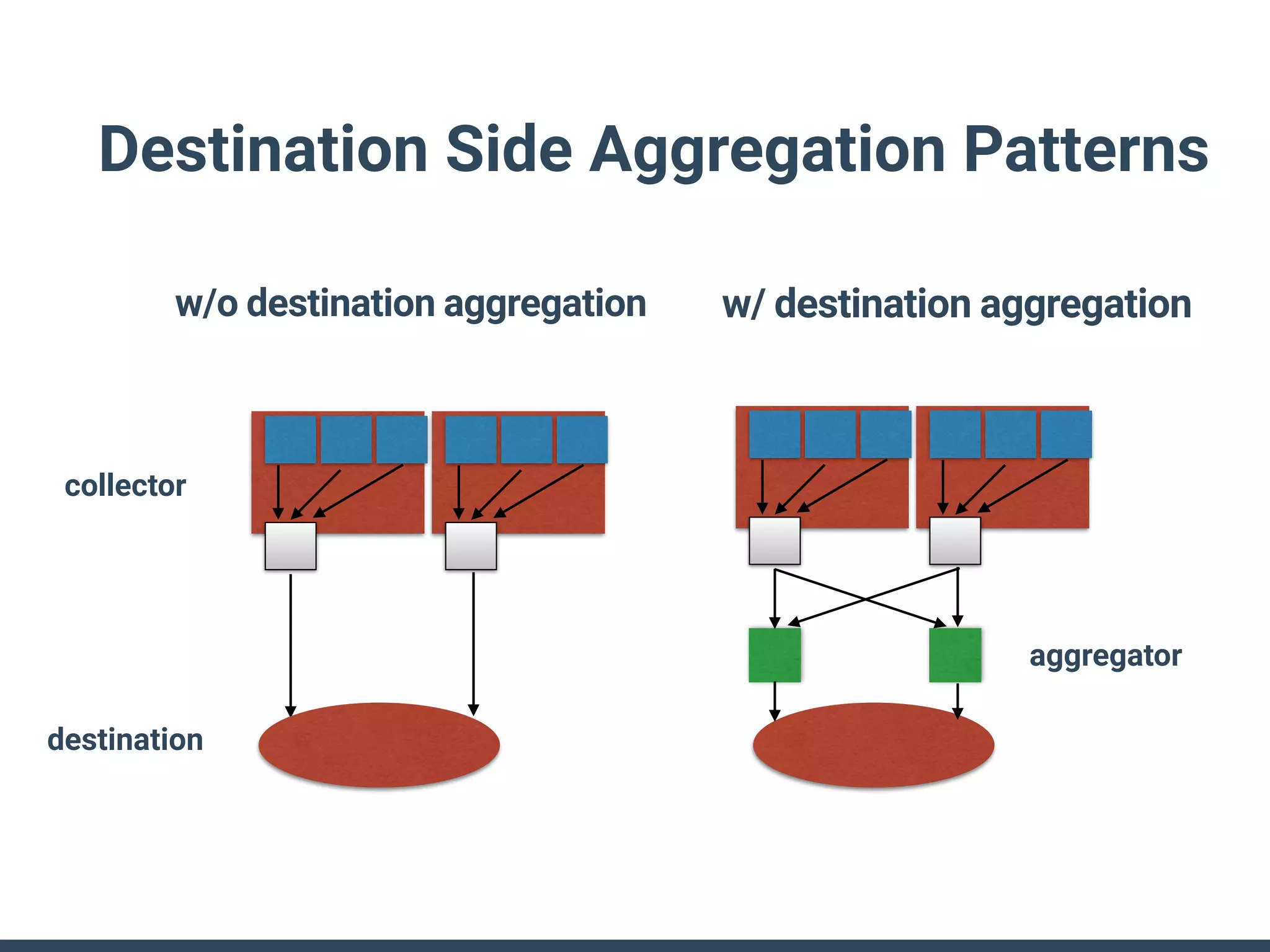
Destination Side Aggregation Patterns
w/o destination aggregation w/ destination aggregation
aggregator
collector
destination
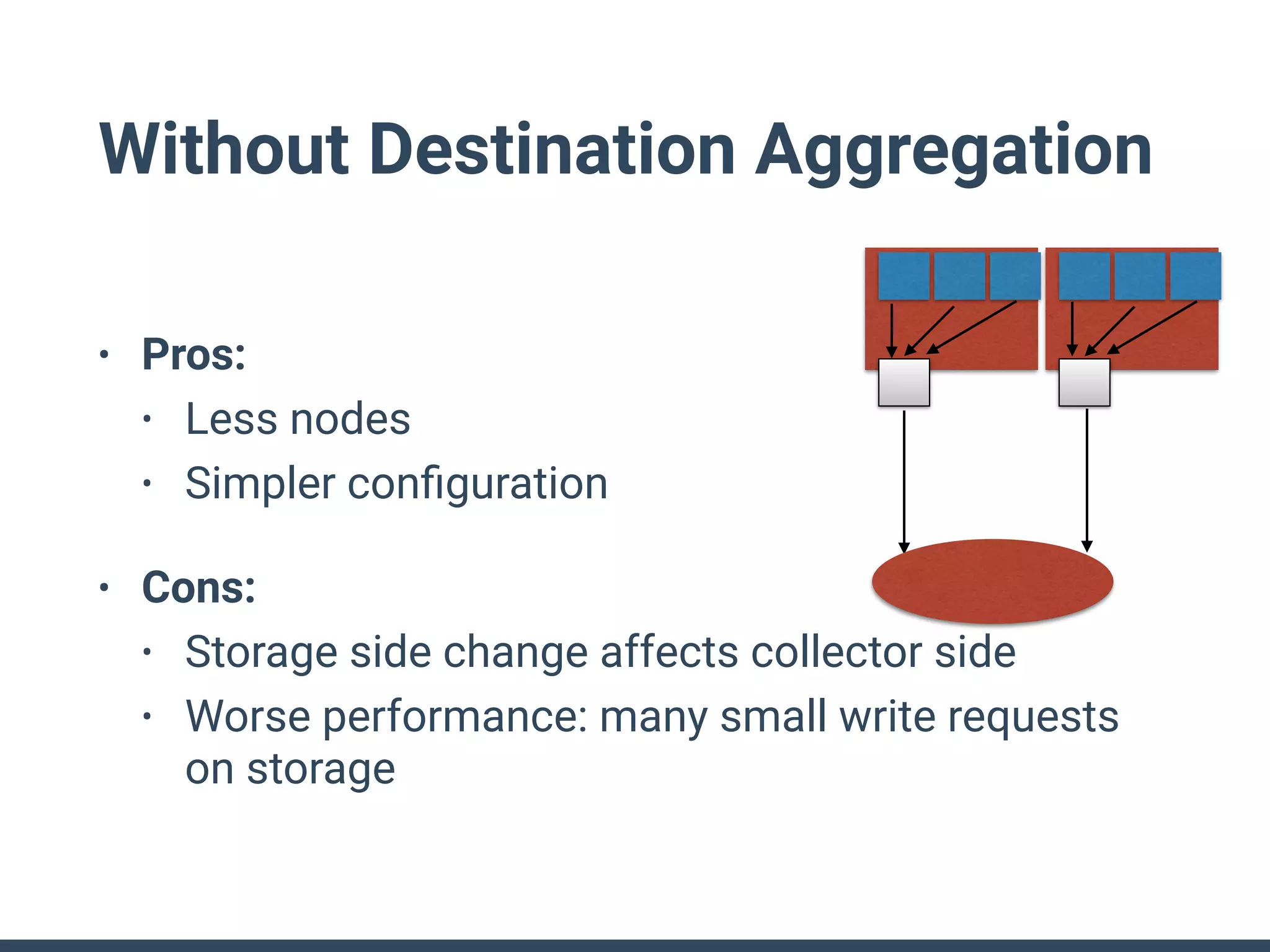
Without Destination Aggregation
• Pros:
• Less nodes
• Simpler configuration
• Cons:
• Storage side change affects collector side
• Worse performance: many small write requests
on storage
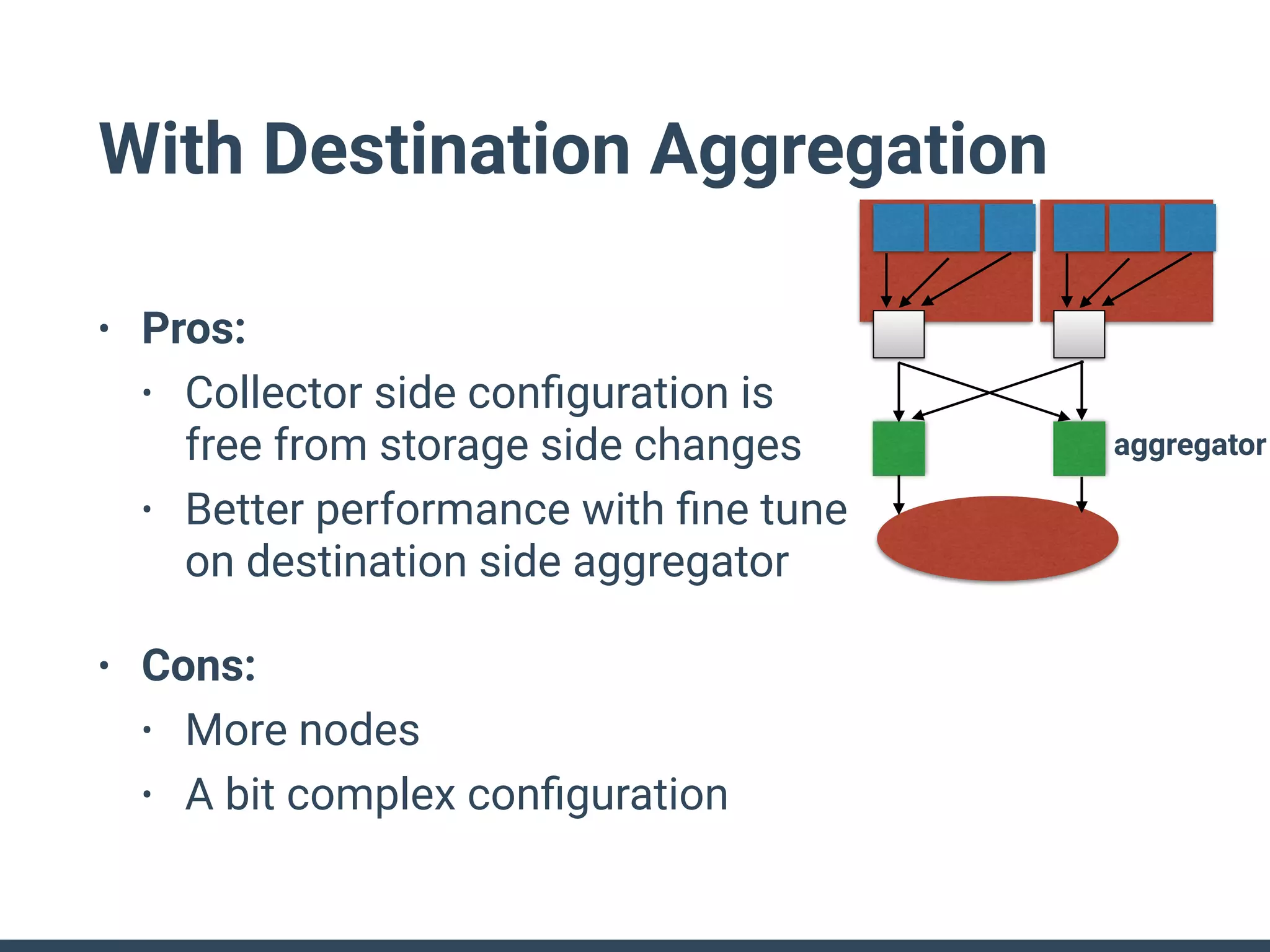
With Destination Aggregation
• Pros:
• Collector side configuration is

free from storage side changes
• Better performance with fine tune
on destination side aggregator
• Cons:
• More nodes
• A bit complex configuration
aggregator
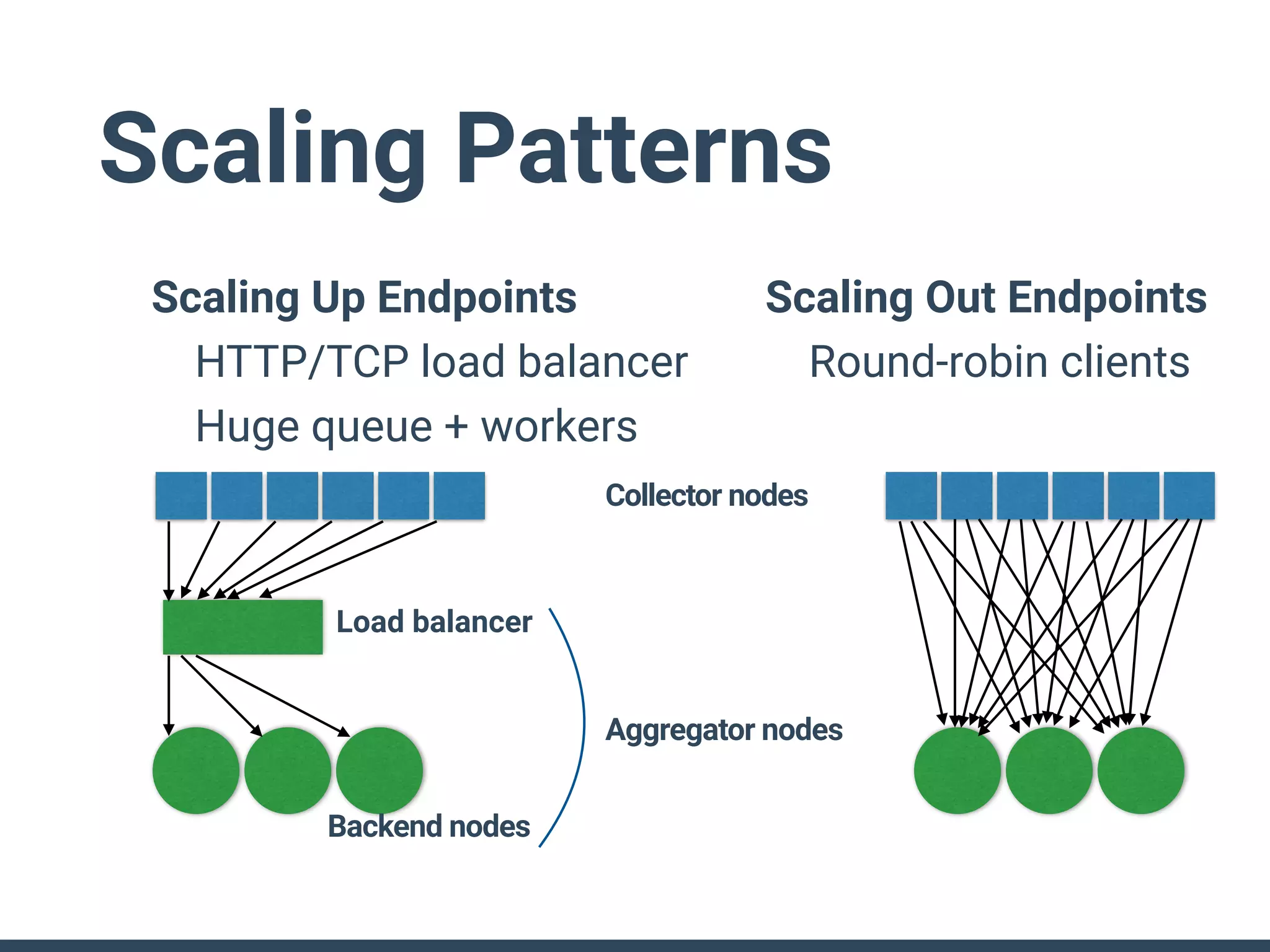
Scaling Patterns
Scaling Up Endpoints
HTTP/TCP load balancer
Huge queue + workers
Scaling Out Endpoints
Round-robin clients
Load balancer
Backend nodes
Collector nodes
Aggregator nodes
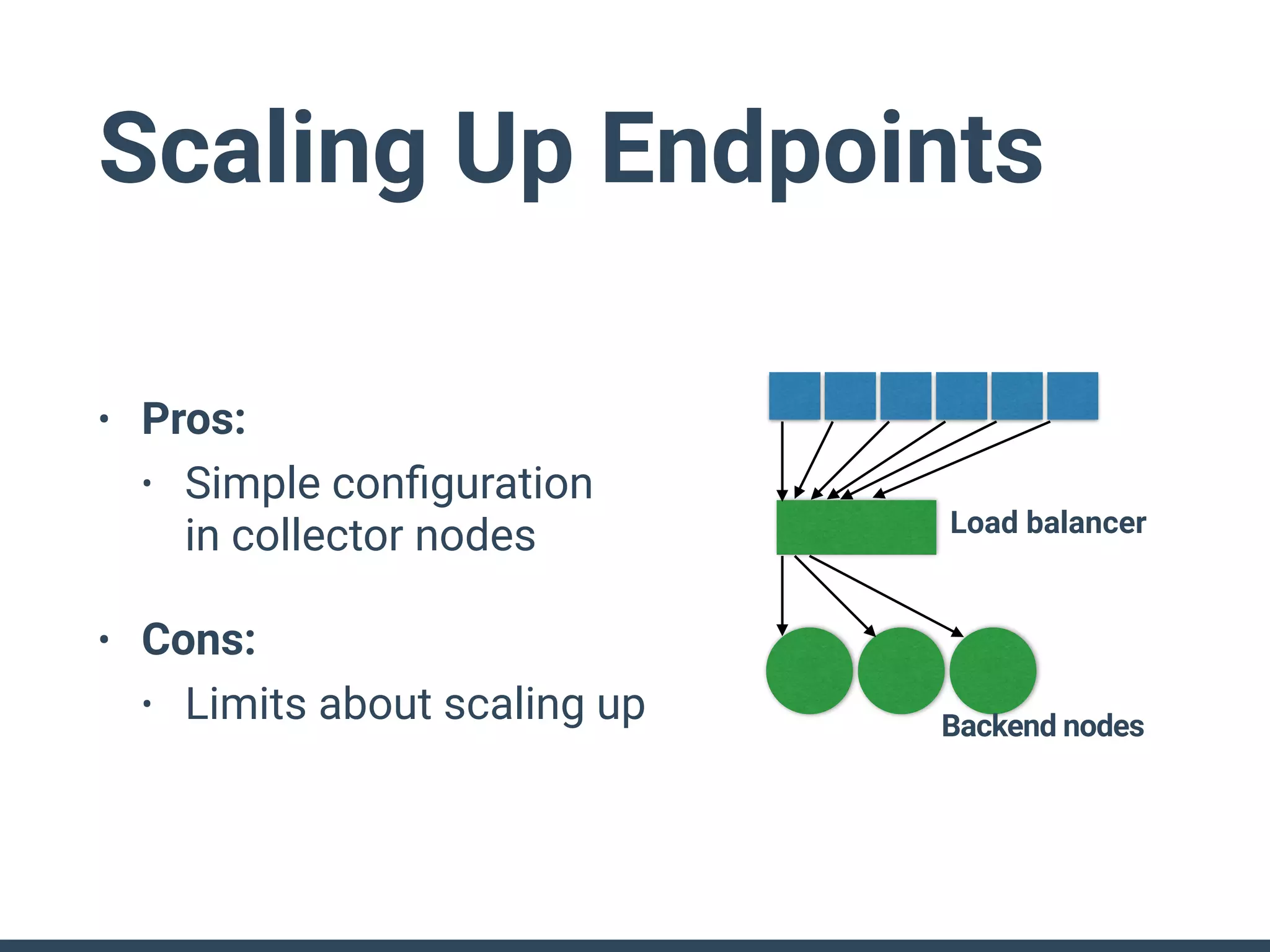
Scaling Up Endpoints
• Pros:
• Simple configuration

in collector nodes
• Cons:
• Limits about scaling up
Load balancer
Backend nodes
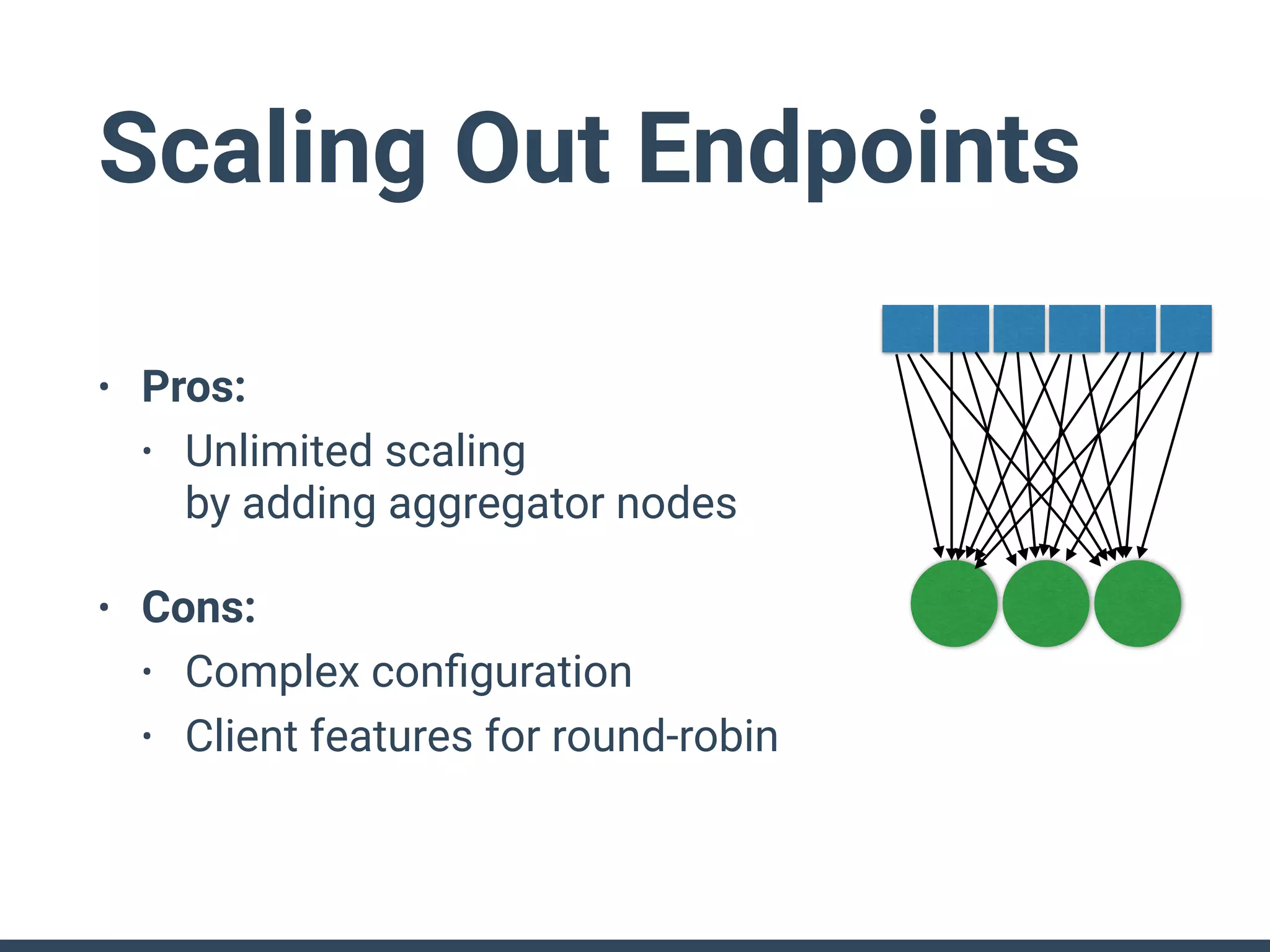
Scaling Out Endpoints
• Pros:
• Unlimited scaling

by adding aggregator nodes
• Cons:
• Complex configuration
• Client features for round-robin
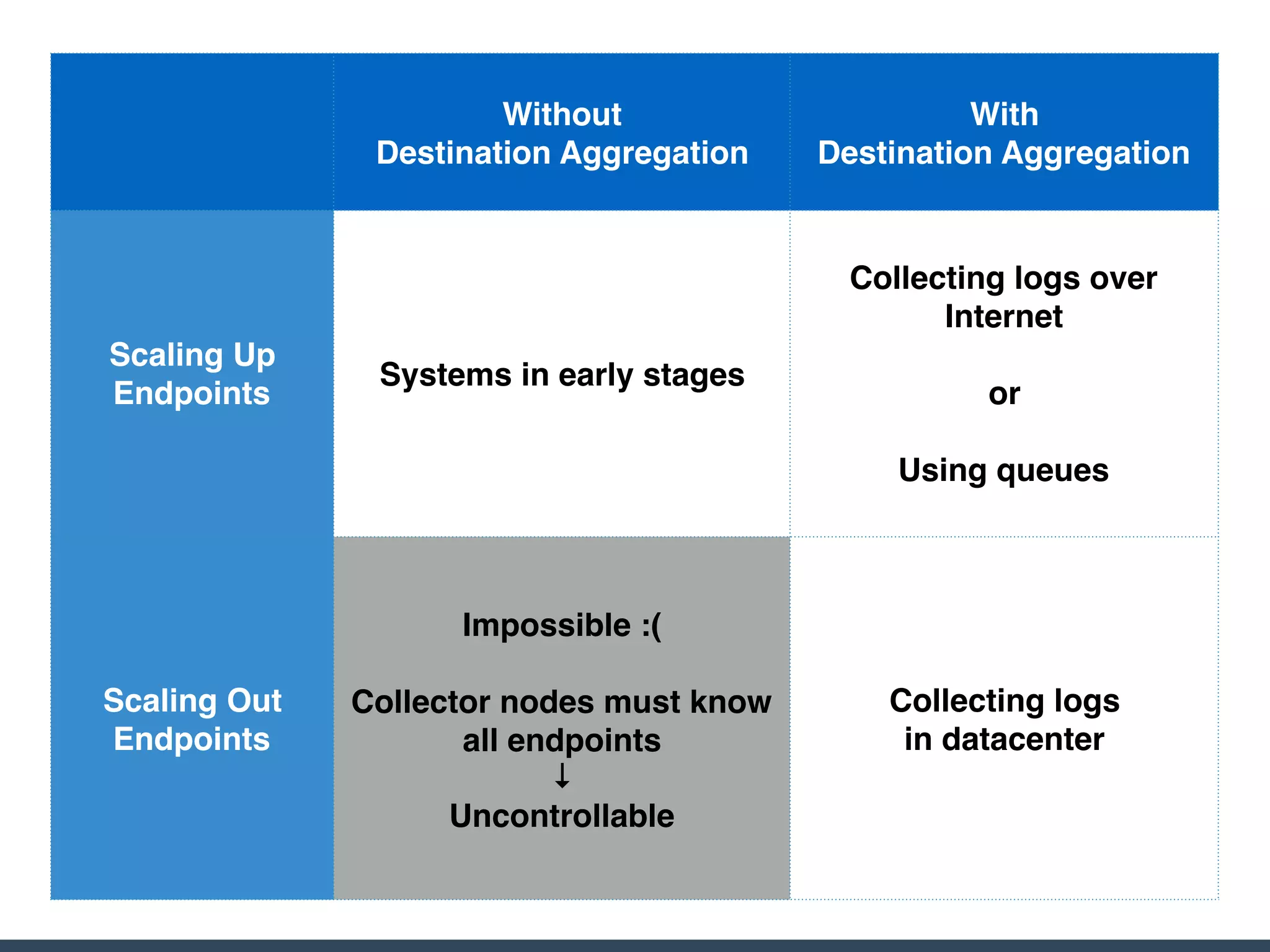
Without

Destination Aggregation
With

Destination Aggregation
Scaling Up
Endpoints
Systems in early stages
Collecting logs over
Internet
or
Using queues
Scaling Out
Endpoints
Impossible :(
Collector nodes must know
all endpoints
↓
Uncontrollable
Collecting logs
in datacenter
Case Studies
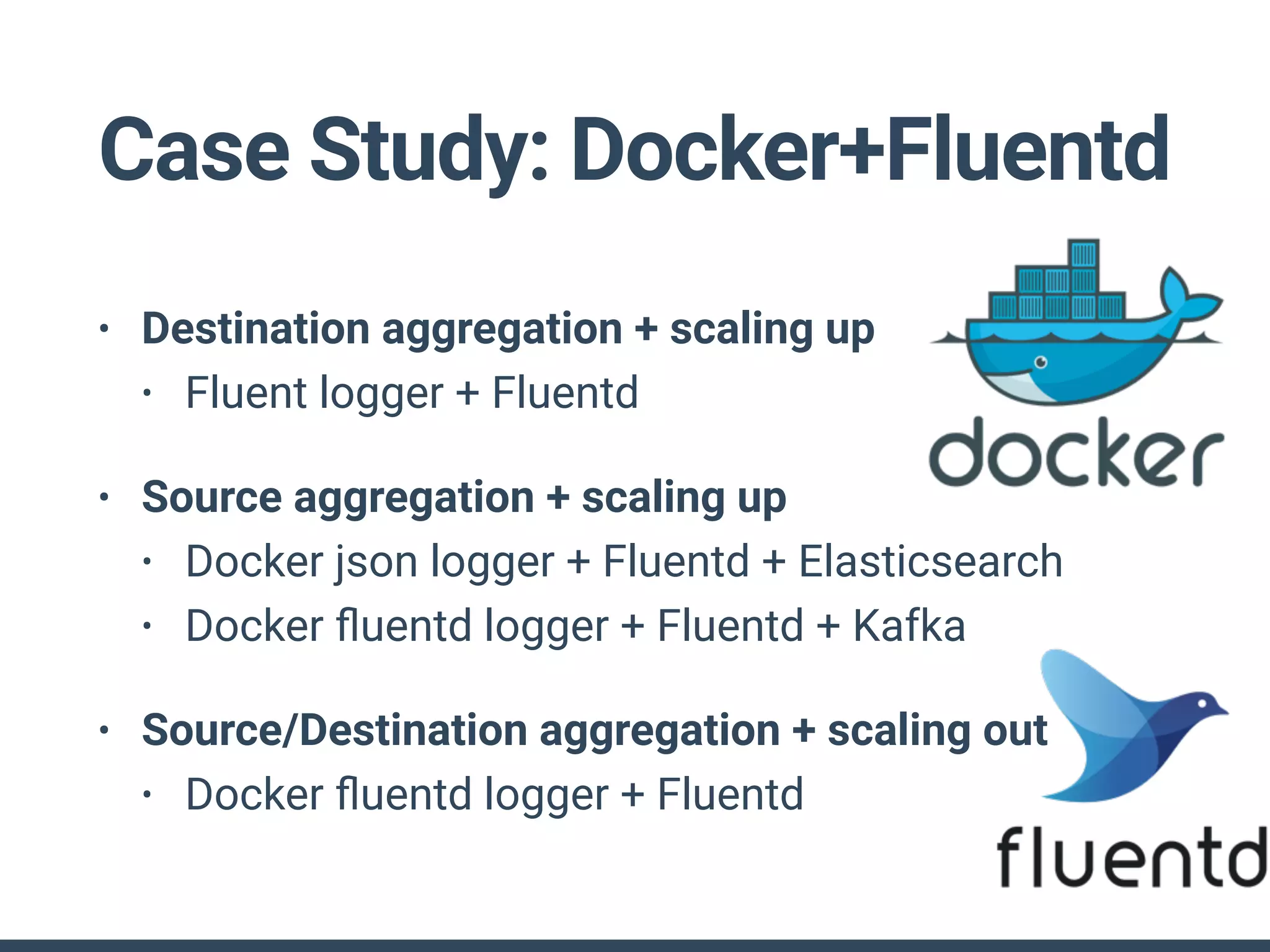
Case Study: Docker+Fluentd
• Destination aggregation + scaling up
• Fluent logger + Fluentd
• Source aggregation + scaling up
• Docker json logger + Fluentd + Elasticsearch
• Docker fluentd logger + Fluentd + Kafka
• Source/Destination aggregation + scaling out
• Docker fluentd logger + Fluentd
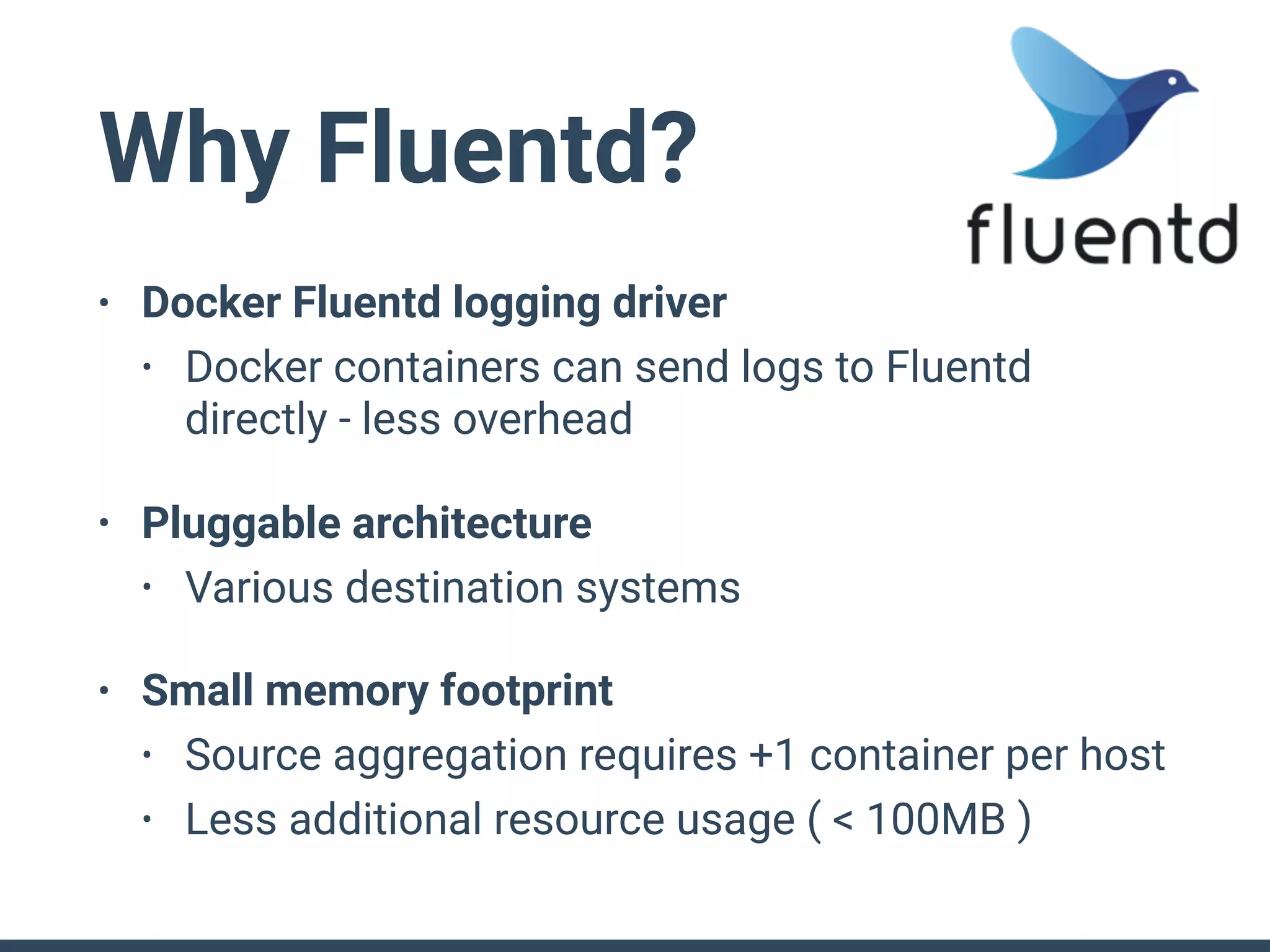
Why Fluentd?
• Docker Fluentd logging driver
• Docker containers can send logs to Fluentd
directly - less overhead
• Pluggable architecture
• Various destination systems
• Small memory footprint
• Source aggregation requires +1 container per host
• Less additional resource usage ( < 100MB )
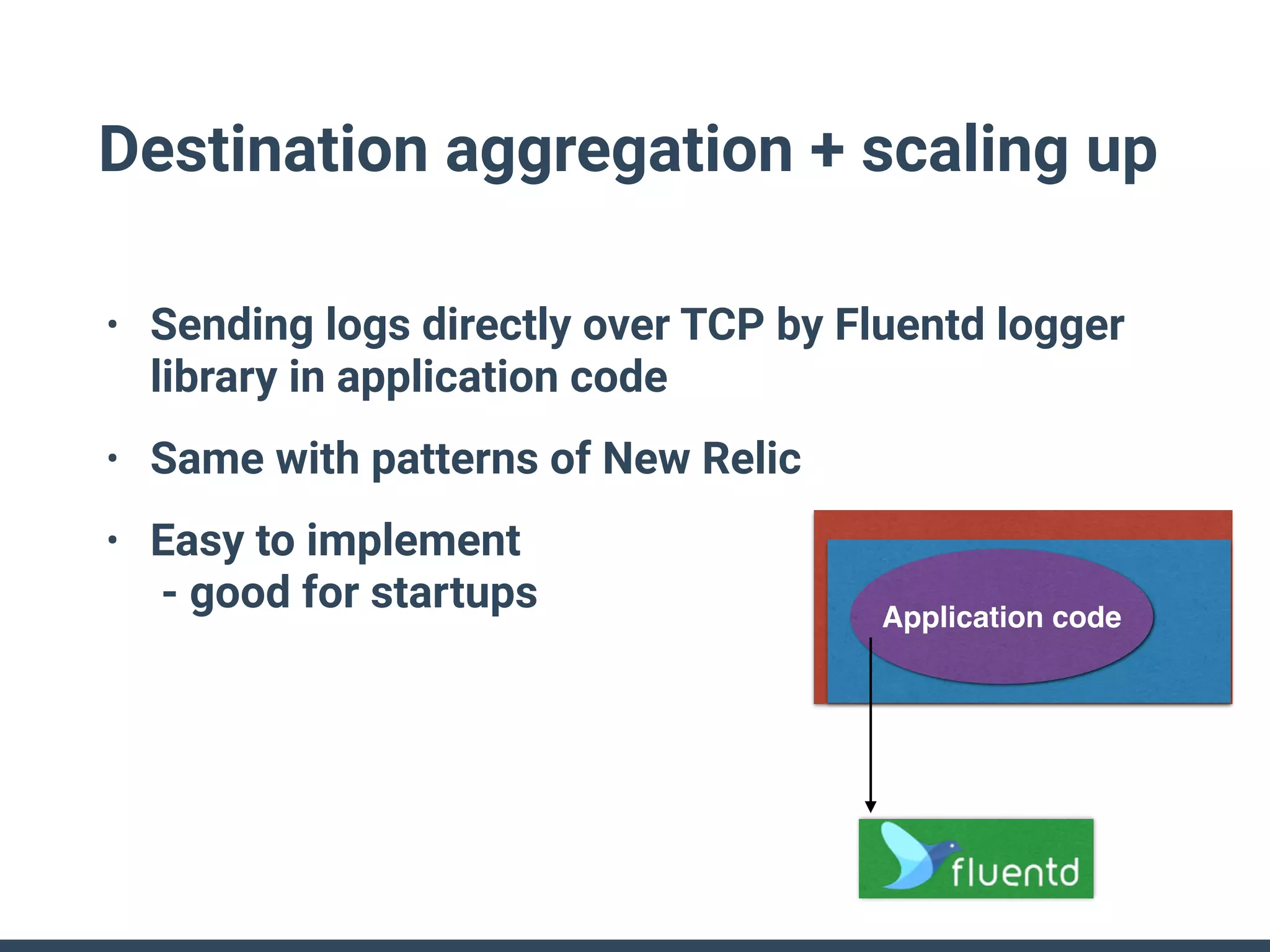
Destination aggregation + scaling up
• Sending logs directly over TCP by Fluentd logger
library in application code
• Same with patterns of New Relic
• Easy to implement

- good for startups Application code
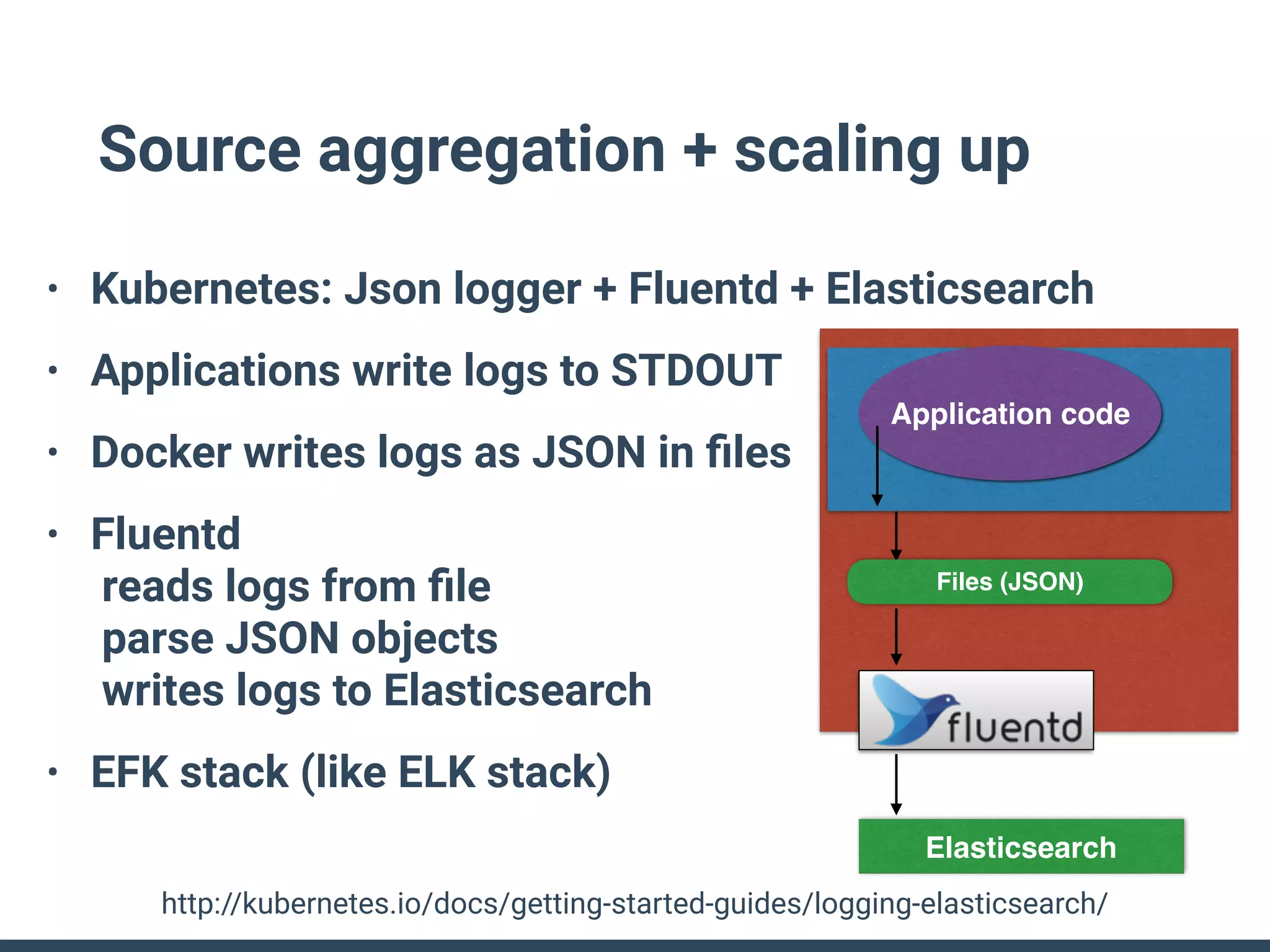
Source aggregation + scaling up
• Kubernetes: Json logger + Fluentd + Elasticsearch
• Applications write logs to STDOUT
• Docker writes logs as JSON in files
• Fluentd

reads logs from file

parse JSON objects

writes logs to Elasticsearch
• EFK stack (like ELK stack)
http://kubernetes.io/docs/getting-started-guides/logging-elasticsearch/
Elasticsearch
Application code
Files (JSON)
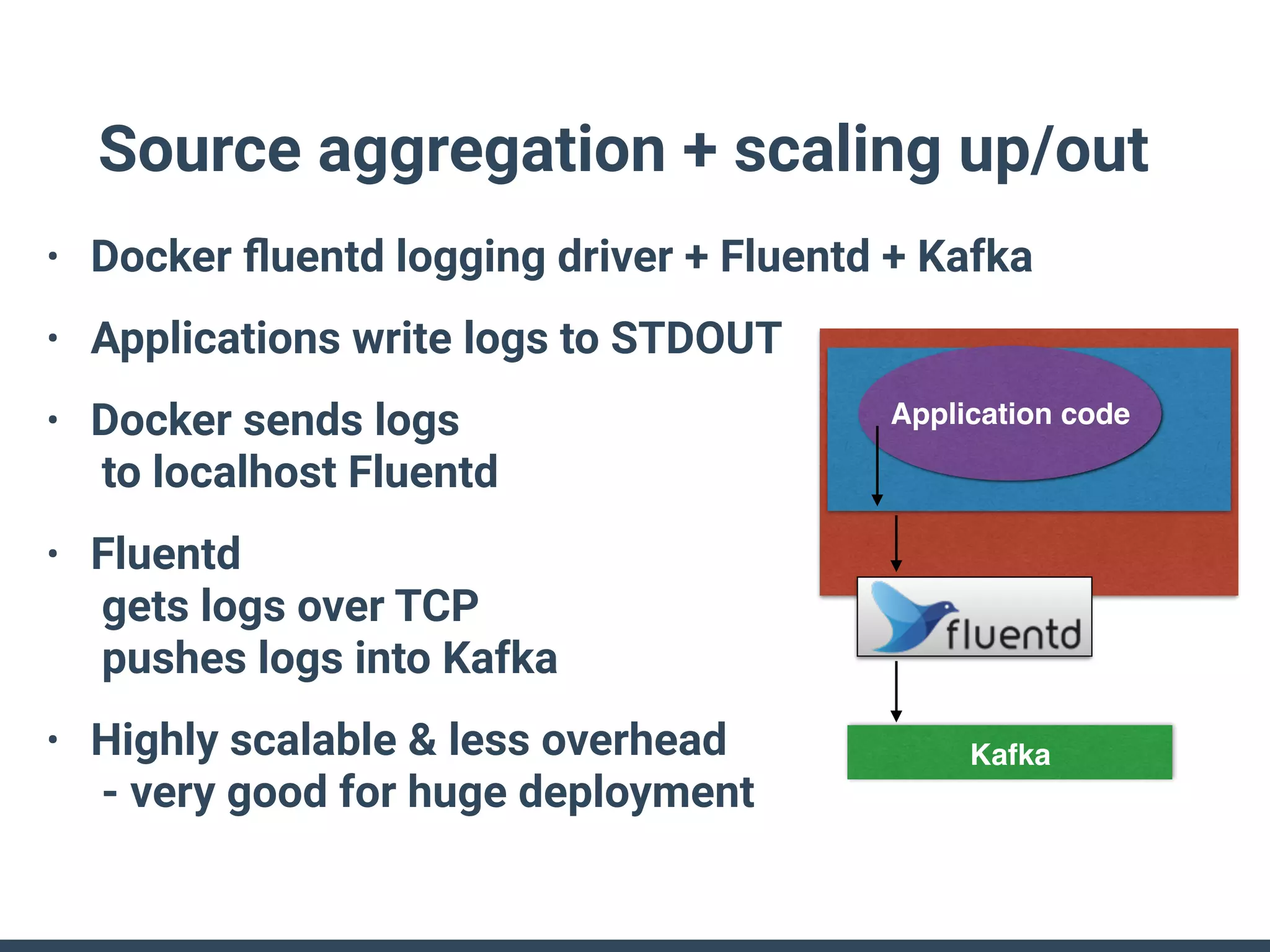
Source aggregation + scaling up/out
• Docker fluentd logging driver + Fluentd + Kafka
• Applications write logs to STDOUT
• Docker sends logs

to localhost Fluentd
• Fluentd

gets logs over TCP

pushes logs into Kafka
• Highly scalable & less overhead

- very good for huge deployment
Kafka
Application code
Application code
Source/Destination aggregation +
scaling out
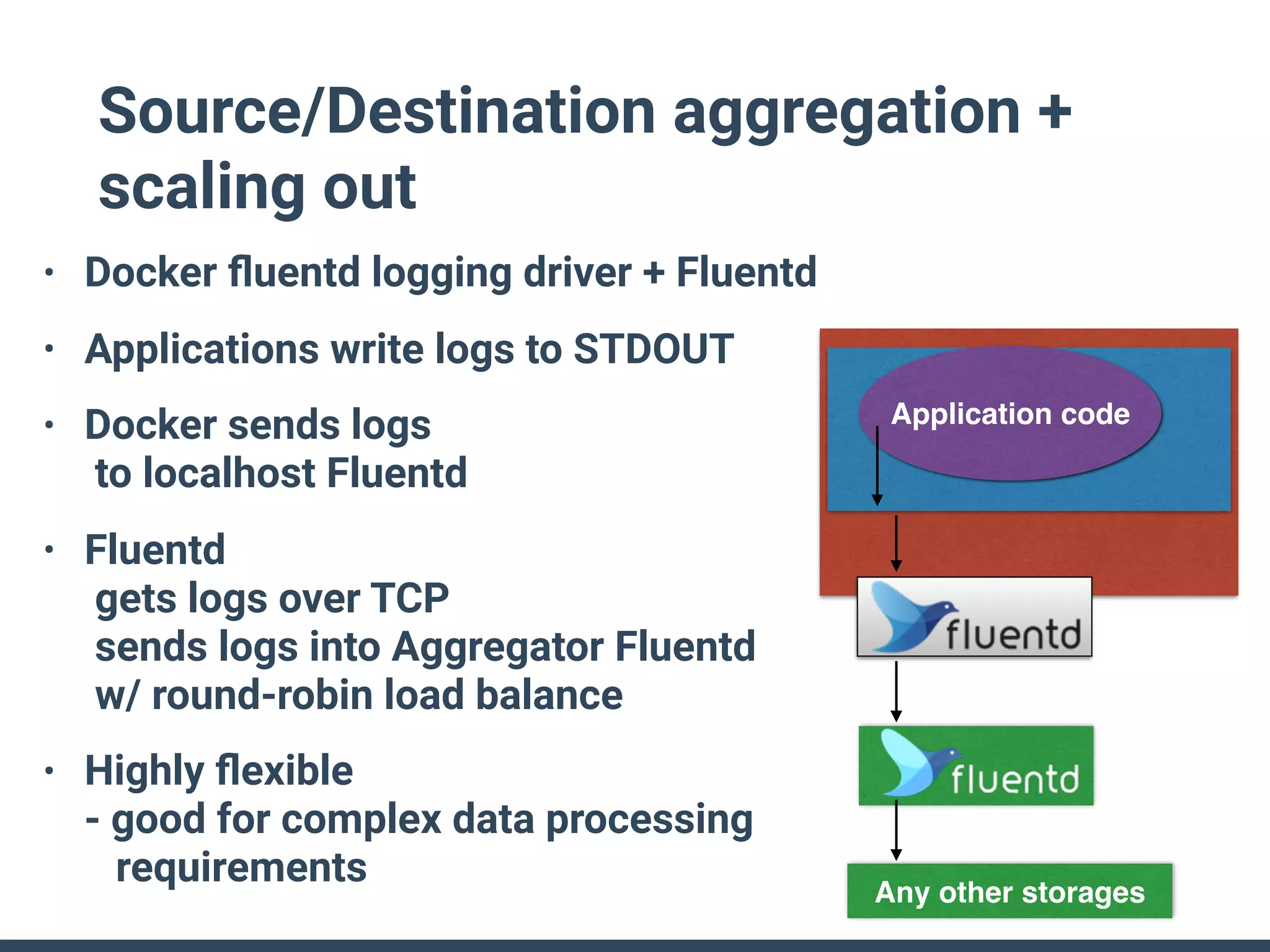
• Docker fluentd logging driver + Fluentd
• Applications write logs to STDOUT
• Docker sends logs

to localhost Fluentd
• Fluentd

gets logs over TCP

sends logs into Aggregator Fluentd

w/ round-robin load balance
• Highly flexible

- good for complex data processing

requirements
Any other storages
What's the Best?
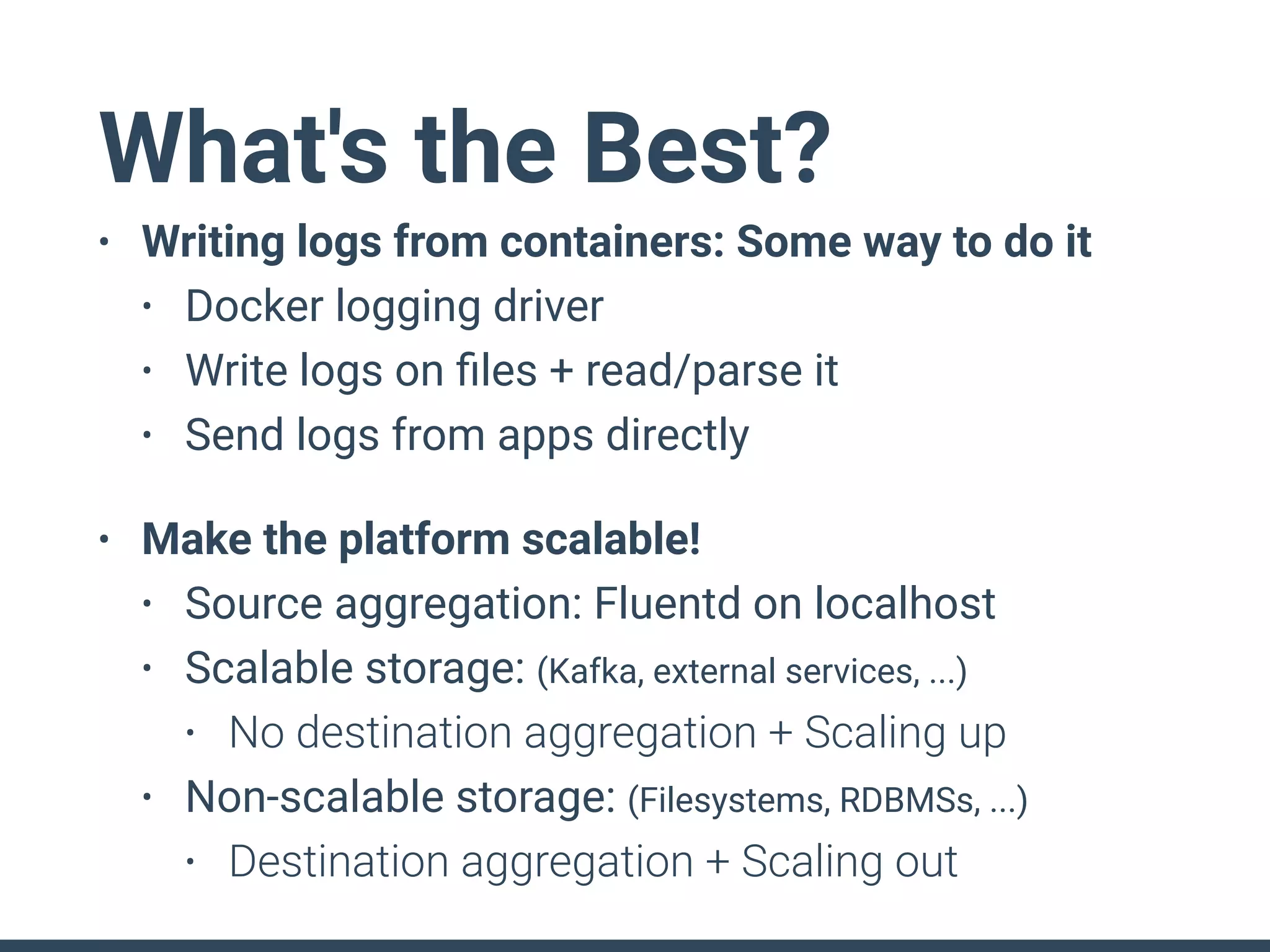
• Writing logs from containers: Some way to do it
• Docker logging driver
• Write logs on files + read/parse it
• Send logs from apps directly
• Make the platform scalable!
• Source aggregation: Fluentd on localhost
• Scalable storage: (Kafka, external services, ...)
• No destination aggregation + Scaling up
• Non-scalable storage: (Filesystems, RDBMSs, ...)
• Destination aggregation + Scaling out
Why OSS Are Important
For Logging?
Why OSS?
• Logging layer is interface
• transparency
• interoperability
• Keep the platform scalable
• number of nodes
• number of types of source/destination
Use OSS,
Make Logging Scalable
Thank you!

Distributed Logging Architecture in the Container Era

  • 1.
    Distributed Logging Architecture inContainer Era LinuxCon Japan 2016 at Jun 13 2016 Satoshi "Moris" Tagomori (@tagomoris)
  • 2.
    Satoshi "Moris" Tagomori (@tagomoris) Fluentd,MessagePack-Ruby, Norikra, ... Treasure Data, Inc.
  • 4.
  • 5.
    Topics • Microservices andlogging in various industries • Difficulties of logging with containers • Distributed logging architecture • Patterns of distributed logging architecture • Case Study: Docker and Fluentd
  • 6.
  • 7.
    Logging in VariousIndustries • Web access logs • Views/visitors on media • Views/clicks on Ads • Commercial transactions (EC, Game, ...) • Data from devices • Operation logs on Apps of phones • Various sensor data
  • 8.
    Microservices and Logging •Monolithic service • a service produces all data about an user's behavior • Microservices • many services produce data about an user's access • it's needed to collect logs from many services to know what is happening Users Service (Application) Logs Users Logs
  • 9.
  • 10.
    Containers: "a must" formicroservices • Dividing a service into services • a service requires less computing resources
 (VM -> containers) • Making services independent from each other • but it is very difficult :( • some dependency must be solved even in development environment
 (containers on desktop)
  • 11.
    Redesign Logging: Why? •No permanent storages • No fixed physical/network address • No fixed mapping between servers and roles • We should parse/label logs at the source, ship these logs by pushing to destination ASAP
  • 12.
    Containers: immutable & disposable •No permanent storages • Where to write logs? • files in the container
 → gone w/ container instance 😞 • directories shared from hosts
 → hosts are shared by many containers/services ☹ • TODO: ship logs from container to anywhere ASAP
  • 13.
    Containers: unfixed addresses • Nofixed physical / network address • Where should we go to fetch logs? • Service discovery (e.g., consul)
 → one more component 😞 • rsync? ssh+tail? or ..? Is it installed in containers?
 → one more tool to depend on ☹ • TODO: push logs to anywhere from containers
  • 14.
    Containers: instances per roles •No fixed mapping between servers and roles • How can we parse / store these logs? • Central repository about log syntax
 → very hard to maintain 😞 • Label logs by source address
 → many containers/roles in a host ☹ • TODO: label & parse logs at source of logs
  • 15.
  • 16.
    Core Architecture • Collectornodes • Aggregator nodes • Destinations Collector nodes (Docker containers + agent) Destinations
 (Storage, Database, ...) Aggregator nodes
  • 17.
    • Parse/Label (collector) •Raw logs are not good for processing • Convert logs to structured data (key-value pairs) • Split/Sort (aggregator) • Mixed logs are not good for searching • Split whole data stream into streams per services • Store (destination) • Format logs(records) as destination expects Collecting and Storing Data
  • 18.
    Scaling Logging • Networktraffic • CPU load to parse / format • Parse logs on each collector (distributed) • Format logs on aggregator (to be distributed) • Capability • Make aggregators redundant • Controlling delay • to make sure when we can know what's happening in our systems
  • 19.
  • 20.
  • 21.
    Source Side AggregationPatterns w/o source aggregation w/ source aggregation collector aggregator / destination aggregate container
  • 22.
    Without Source Aggregation •Pros: • Simple configuration • Cons: • fixed aggregator (endpoint) address • many network connections • high load in aggregator collector aggregator
  • 23.
    With Source Aggregation •Pros: • less connections • lower load in aggregator • less configuration in containers
 (by specifying localhost) • highly flexible configuration
 (by deployment only of aggregate containers) • Cons: • a bit much resource (+1 container per host) aggregate container aggregator
  • 24.
    Destination Side AggregationPatterns w/o destination aggregation w/ destination aggregation aggregator collector destination
  • 25.
    Without Destination Aggregation •Pros: • Less nodes • Simpler configuration • Cons: • Storage side change affects collector side • Worse performance: many small write requests on storage
  • 26.
    With Destination Aggregation •Pros: • Collector side configuration is
 free from storage side changes • Better performance with fine tune
 on destination side aggregator • Cons: • More nodes • A bit complex configuration aggregator
  • 27.
    Scaling Patterns Scaling UpEndpoints HTTP/TCP load balancer Huge queue + workers Scaling Out Endpoints Round-robin clients Load balancer Backend nodes Collector nodes Aggregator nodes
  • 28.
    Scaling Up Endpoints •Pros: • Simple configuration
 in collector nodes • Cons: • Limits about scaling up Load balancer Backend nodes
  • 29.
    Scaling Out Endpoints •Pros: • Unlimited scaling
 by adding aggregator nodes • Cons: • Complex configuration • Client features for round-robin
  • 30.
    Without
 Destination Aggregation With
 Destination Aggregation ScalingUp Endpoints Systems in early stages Collecting logs over Internet or Using queues Scaling Out Endpoints Impossible :( Collector nodes must know all endpoints ↓ Uncontrollable Collecting logs in datacenter
  • 31.
  • 32.
    Case Study: Docker+Fluentd •Destination aggregation + scaling up • Fluent logger + Fluentd • Source aggregation + scaling up • Docker json logger + Fluentd + Elasticsearch • Docker fluentd logger + Fluentd + Kafka • Source/Destination aggregation + scaling out • Docker fluentd logger + Fluentd
  • 33.
    Why Fluentd? • DockerFluentd logging driver • Docker containers can send logs to Fluentd directly - less overhead • Pluggable architecture • Various destination systems • Small memory footprint • Source aggregation requires +1 container per host • Less additional resource usage ( < 100MB )
  • 34.
    Destination aggregation +scaling up • Sending logs directly over TCP by Fluentd logger library in application code • Same with patterns of New Relic • Easy to implement
 - good for startups Application code
  • 35.
    Source aggregation +scaling up • Kubernetes: Json logger + Fluentd + Elasticsearch • Applications write logs to STDOUT • Docker writes logs as JSON in files • Fluentd
 reads logs from file
 parse JSON objects
 writes logs to Elasticsearch • EFK stack (like ELK stack) http://kubernetes.io/docs/getting-started-guides/logging-elasticsearch/ Elasticsearch Application code Files (JSON)
  • 36.
    Source aggregation +scaling up/out • Docker fluentd logging driver + Fluentd + Kafka • Applications write logs to STDOUT • Docker sends logs
 to localhost Fluentd • Fluentd
 gets logs over TCP
 pushes logs into Kafka • Highly scalable & less overhead
 - very good for huge deployment Kafka Application code
  • 37.
    Application code Source/Destination aggregation+ scaling out • Docker fluentd logging driver + Fluentd • Applications write logs to STDOUT • Docker sends logs
 to localhost Fluentd • Fluentd
 gets logs over TCP
 sends logs into Aggregator Fluentd
 w/ round-robin load balance • Highly flexible
 - good for complex data processing
 requirements Any other storages
  • 38.
    What's the Best? •Writing logs from containers: Some way to do it • Docker logging driver • Write logs on files + read/parse it • Send logs from apps directly • Make the platform scalable! • Source aggregation: Fluentd on localhost • Scalable storage: (Kafka, external services, ...) • No destination aggregation + Scaling up • Non-scalable storage: (Filesystems, RDBMSs, ...) • Destination aggregation + Scaling out
  • 39.
    Why OSS AreImportant For Logging?
  • 40.
    Why OSS? • Logginglayer is interface • transparency • interoperability • Keep the platform scalable • number of nodes • number of types of source/destination
  • 41.
    Use OSS, Make LoggingScalable Thank you!