Diary of a
Web SDK
Implementation:
Launch &
Debugging
Launch:
Extension, Data Elements
& Rules
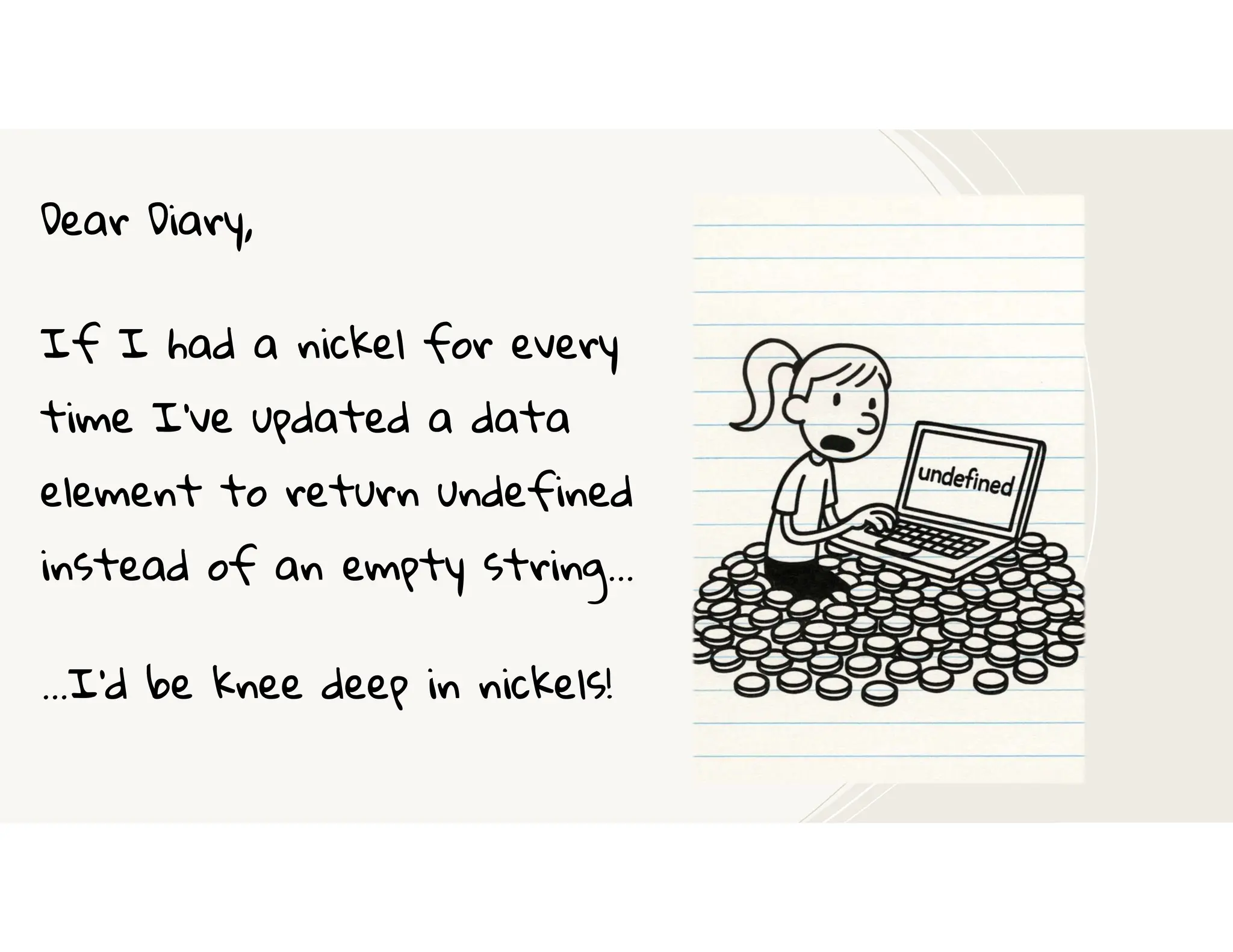
Dear Diary,
If I had a nickel for every
time I’ve updated a data
element to return undefined
instead of an empty string…
…I’d be knee deep in nickels!
`
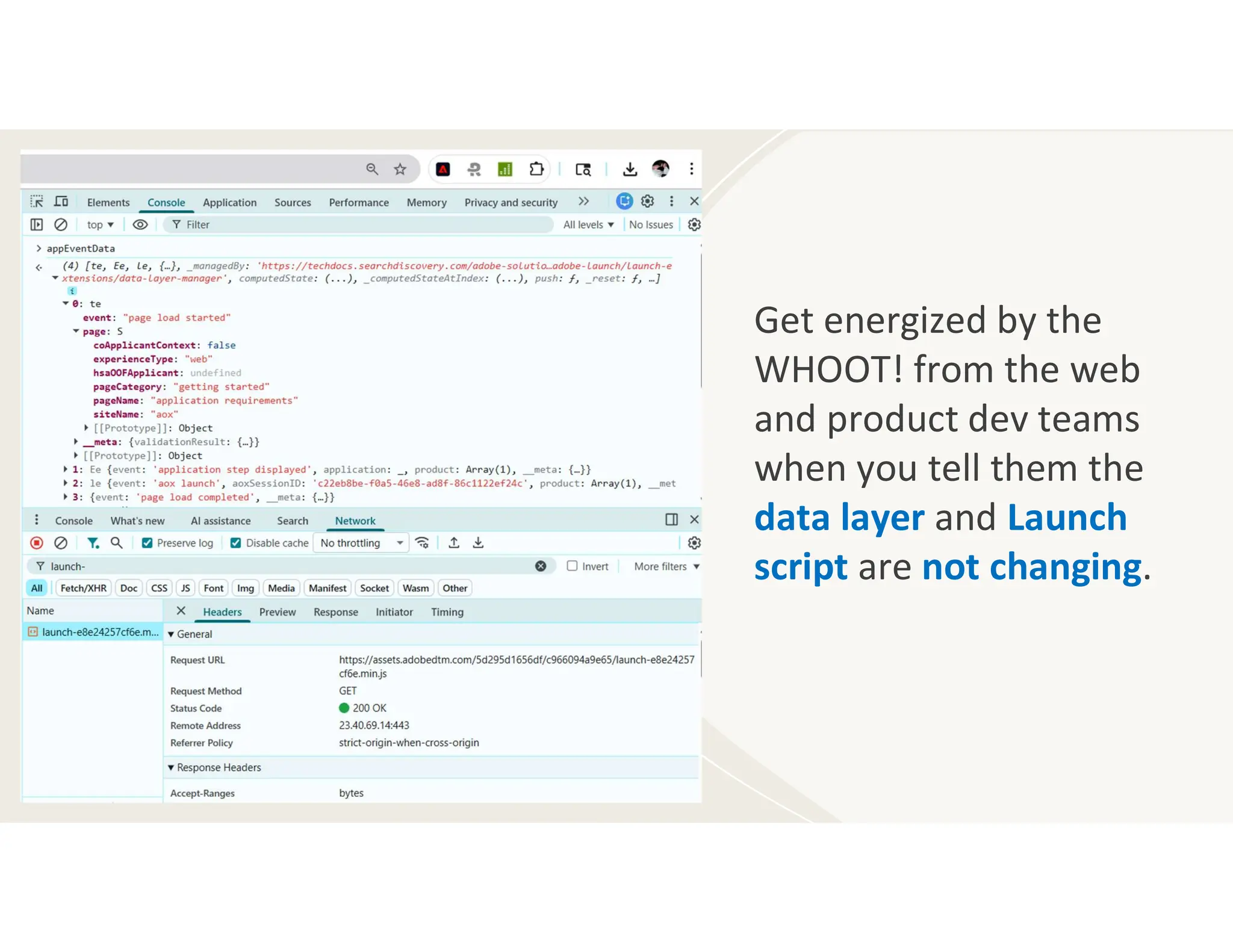
Get energized by the
WHOOT! from the web
and product dev teams
when you tell them the
data layer and Launch
script are not changing.
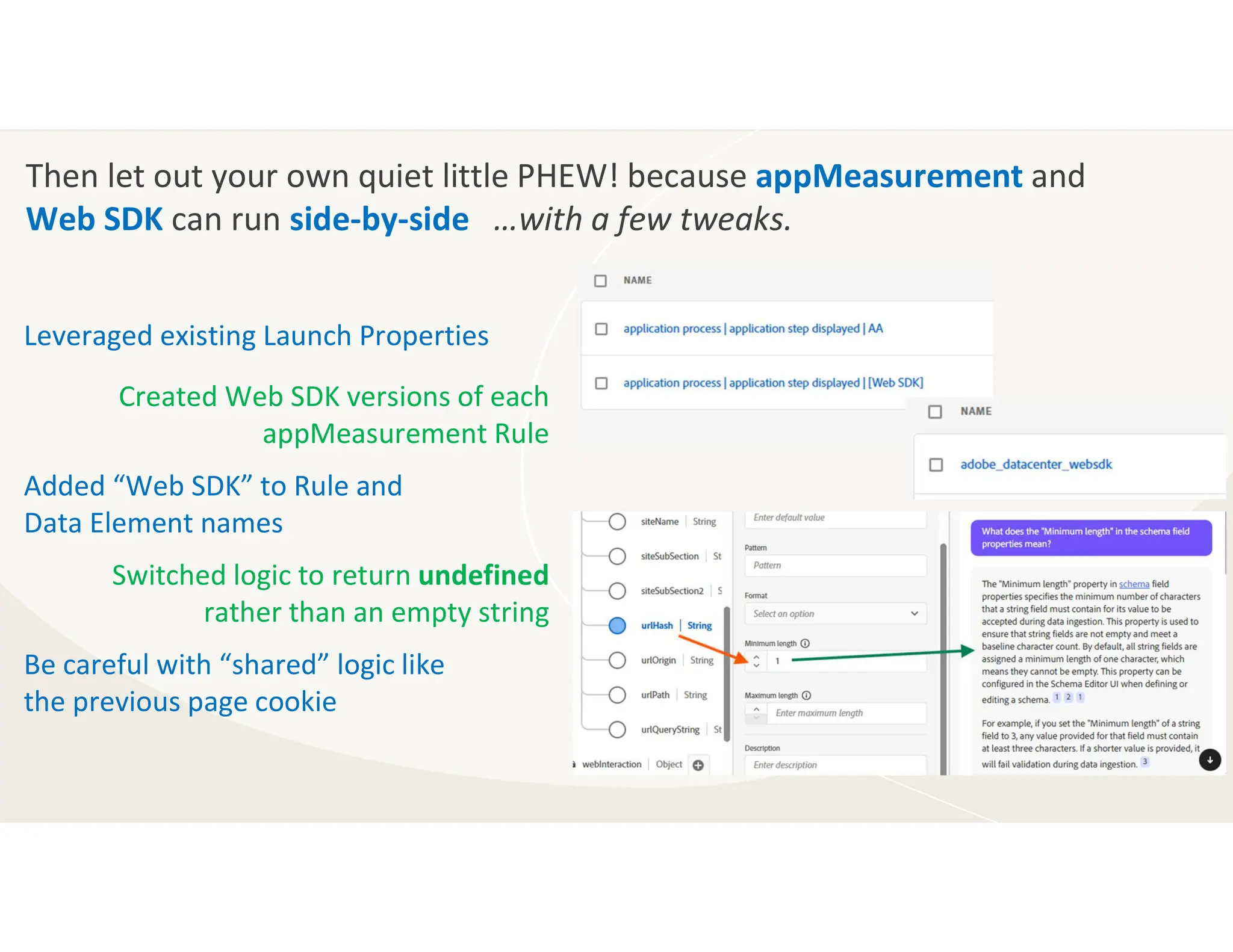
Then let out your own quiet little PHEW! because appMeasurement and
Web SDK can run side-by-side …with a few tweaks.
Leveraged existing Launch Properties
Created Web SDK versions of each
appMeasurement Rule
Added “Web SDK” to Rule and
Data Element names
Switched logic to return undefined
rather than an empty string
Be careful with “shared” logic like
the previous page cookie
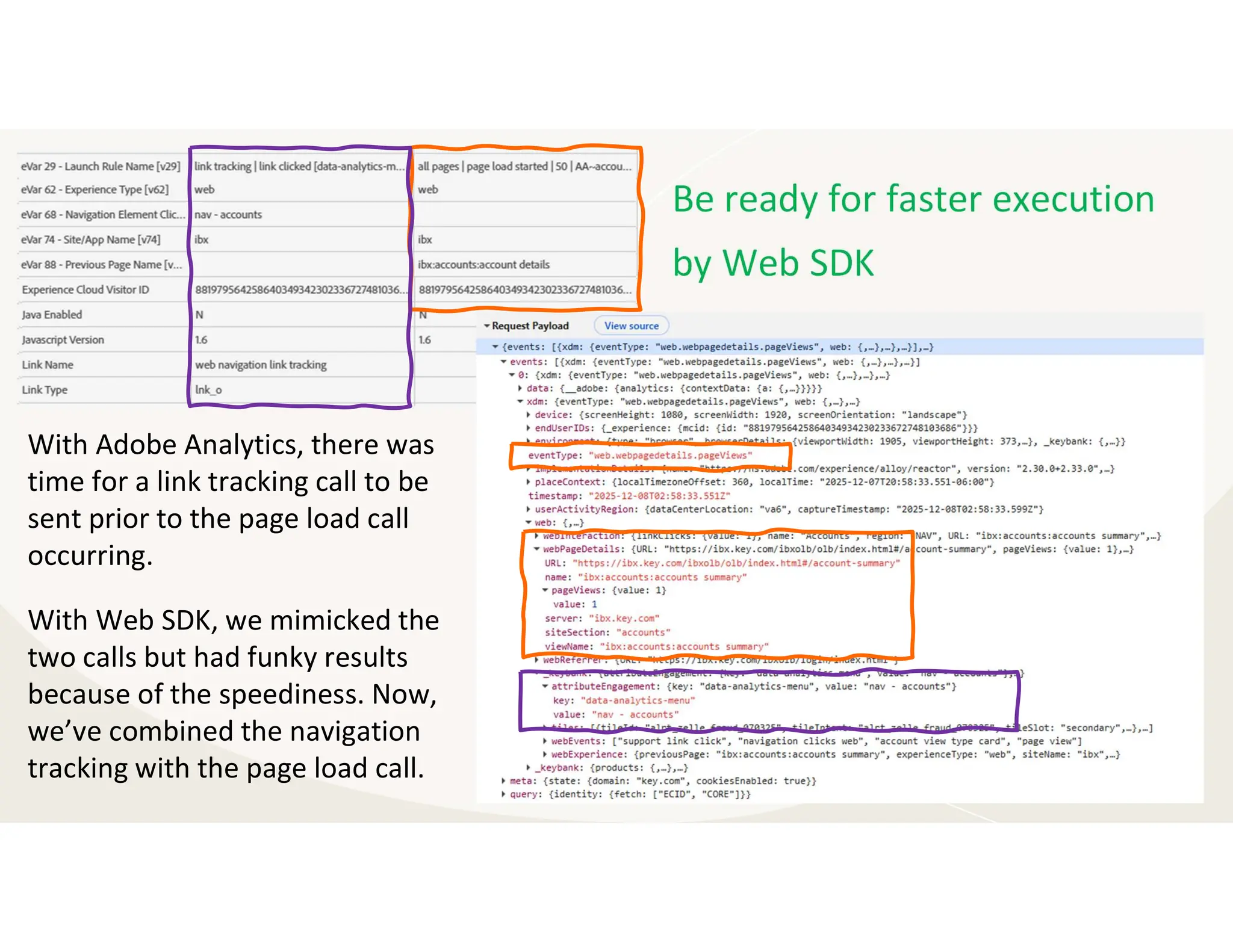
Be ready for faster execution
by Web SDK
With Adobe Analytics, there was
time for a link tracking call to be
sent prior to the page load call
occurring.
With Web SDK, we mimicked the
two calls but had funky results
because of the speediness. Now,
we’ve combined the navigation
tracking with the page load call.
Schema:
Out-of-the-box
AEP Web SDK
ExperienceEvent
Field Group & a
few custom
basic web fields
Launch:
Configured AEP
Web SDK
Extension,
created Web SDK
version of each
Rule & some Data
Elements
Learned:
Deleted the data
set, modified
the schema, re-
created the
data set
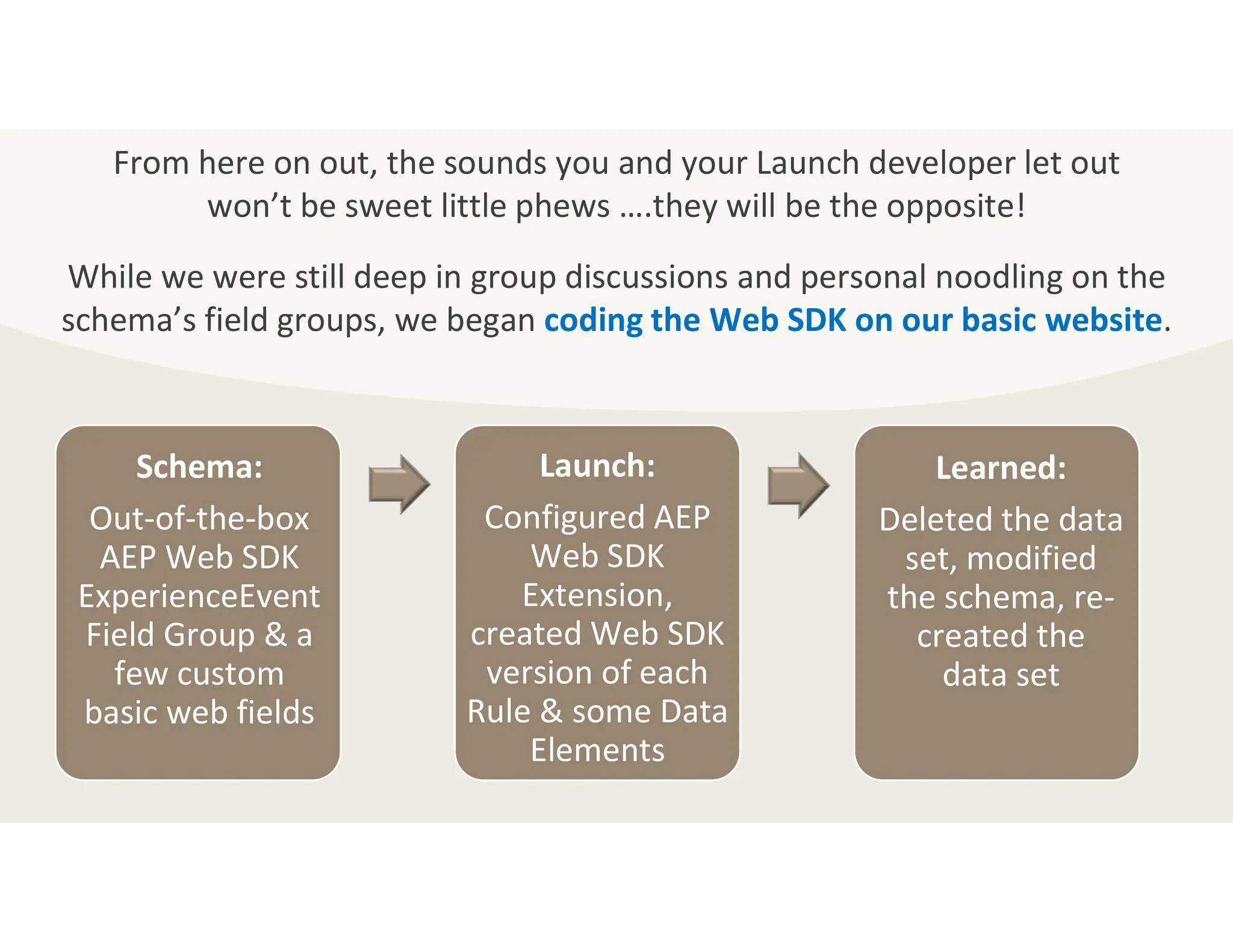
From here on out, the sounds you and your Launch developer let out
won’t be sweet little phews ….they will be the opposite!
While we were still deep in group discussions and personal noodling on the
schema’s field groups, we began coding the Web SDK on our basic website.
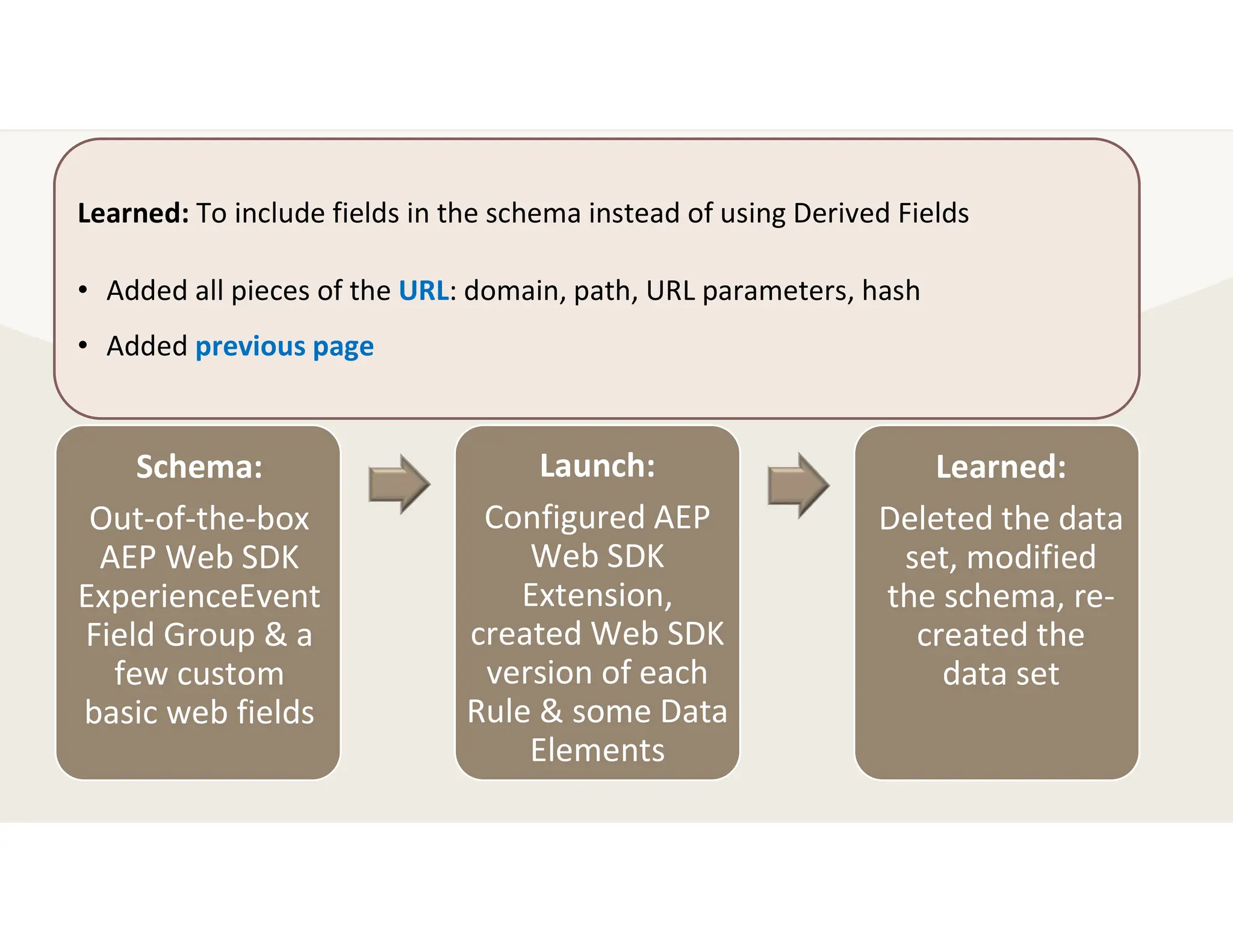
Schema:
Out-of-the-box
AEP Web SDK
ExperienceEvent
Field Group & a
few custom
basic web fields
Launch:
Configured AEP
Web SDK
Extension,
created Web SDK
version of each
Rule & some Data
Elements
Learned:
Deleted the data
set, modified
the schema, re-
created the
data set
Learned: To include fields in the schema instead of using Derived Fields
• Added all pieces of the URL: domain, path, URL parameters, hash
• Added previous page
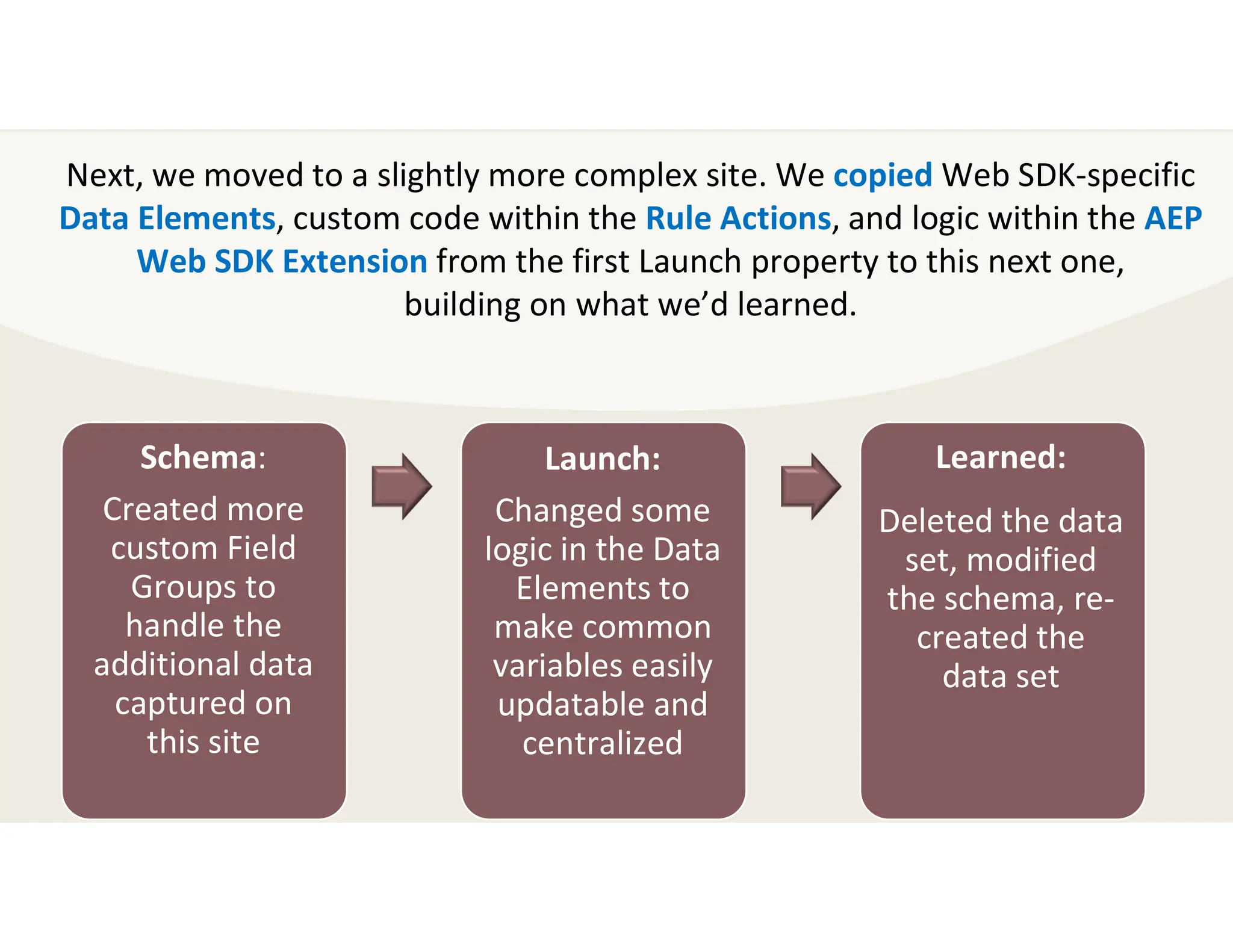
Schema:
Created more
custom Field
Groups to
handle the
additional data
captured on
this site
Launch:
Changed some
logic in the Data
Elements to
make common
variables easily
updatable and
centralized
Learned:
Deleted the data
set, modified
the schema, re-
created the
data set
Next, we moved to a slightly more complex site. We copied Web SDK-specific
Data Elements, custom code within the Rule Actions, and logic within the AEP
Web SDK Extension from the first Launch property to this next one,
building on what we’d learned.
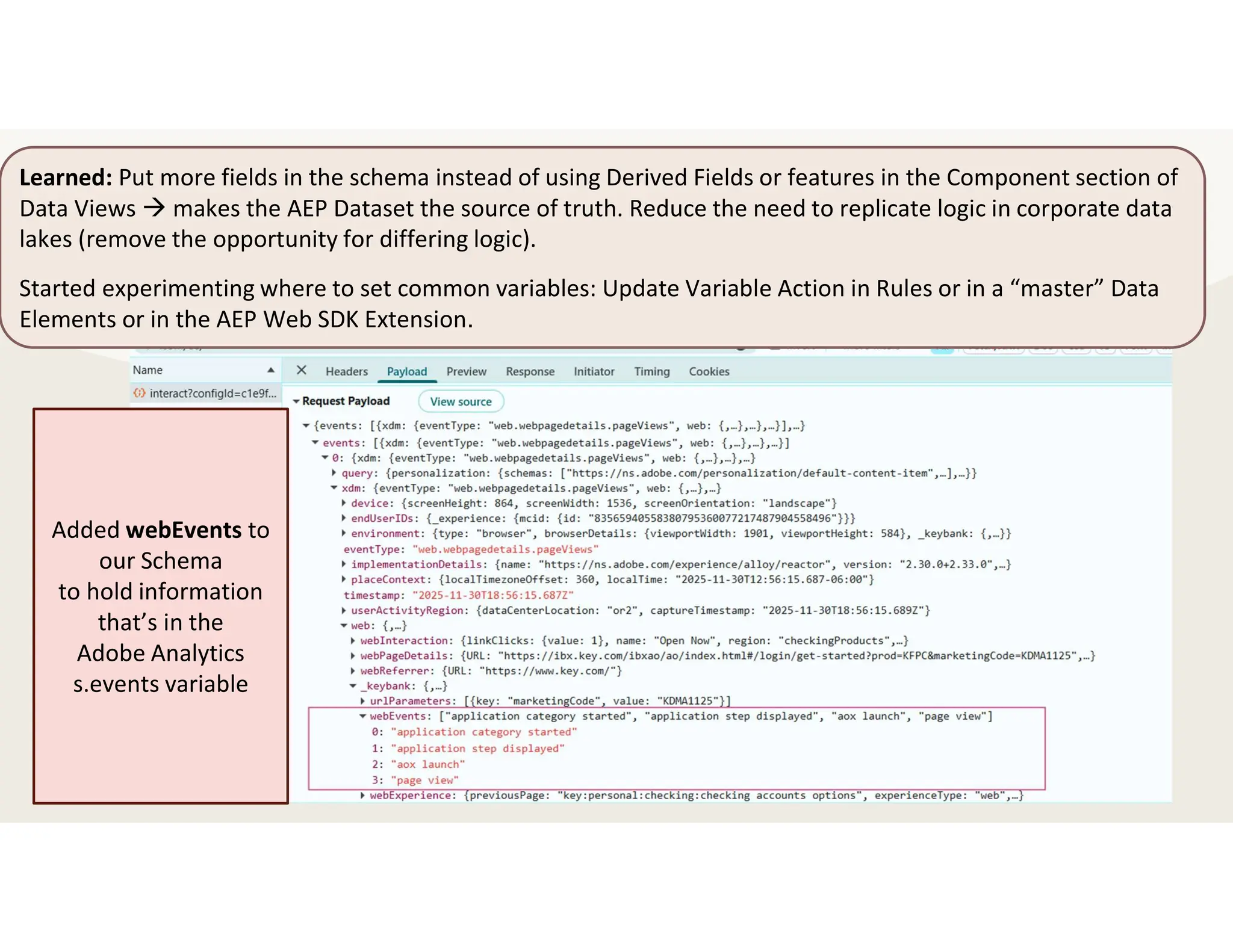
Learned: Put more fields in the schema instead of using Derived Fields or features in the Component section of
Data Views  makes the AEP Dataset the source of truth. Reduce the need to replicate logic in corporate data
lakes (remove the opportunity for differing logic).
Started experimenting where to set common variables: Update Variable Action in Rules or in a “master” Data
Elements or in the AEP Web SDK Extension.
Added webEvents to
our Schema
to hold information
that’s in the
Adobe Analytics
s.events variable
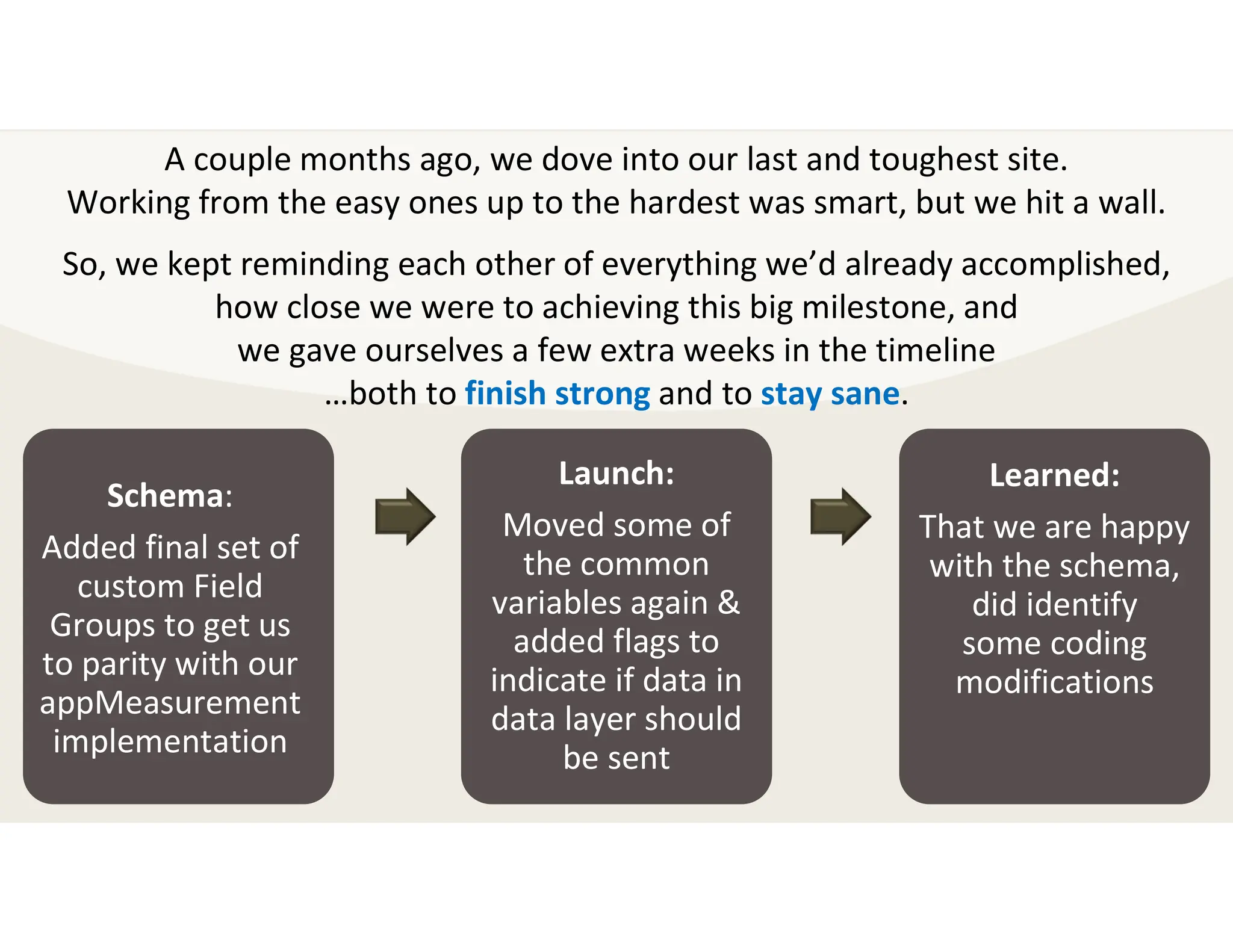
Schema:
Added final set of
custom Field
Groups to get us
to parity with our
appMeasurement
implementation
Launch:
Moved some of
the common
variables again &
added flags to
indicate if data in
data layer should
be sent
Learned:
That we are happy
with the schema,
did identify
some coding
modifications
A couple months ago, we dove into our last and toughest site.
Working from the easy ones up to the hardest was smart, but we hit a wall.
So, we kept reminding each other of everything we’d already accomplished,
how close we were to achieving this big milestone, and
we gave ourselves a few extra weeks in the timeline
…both to finish strong and to stay sane.
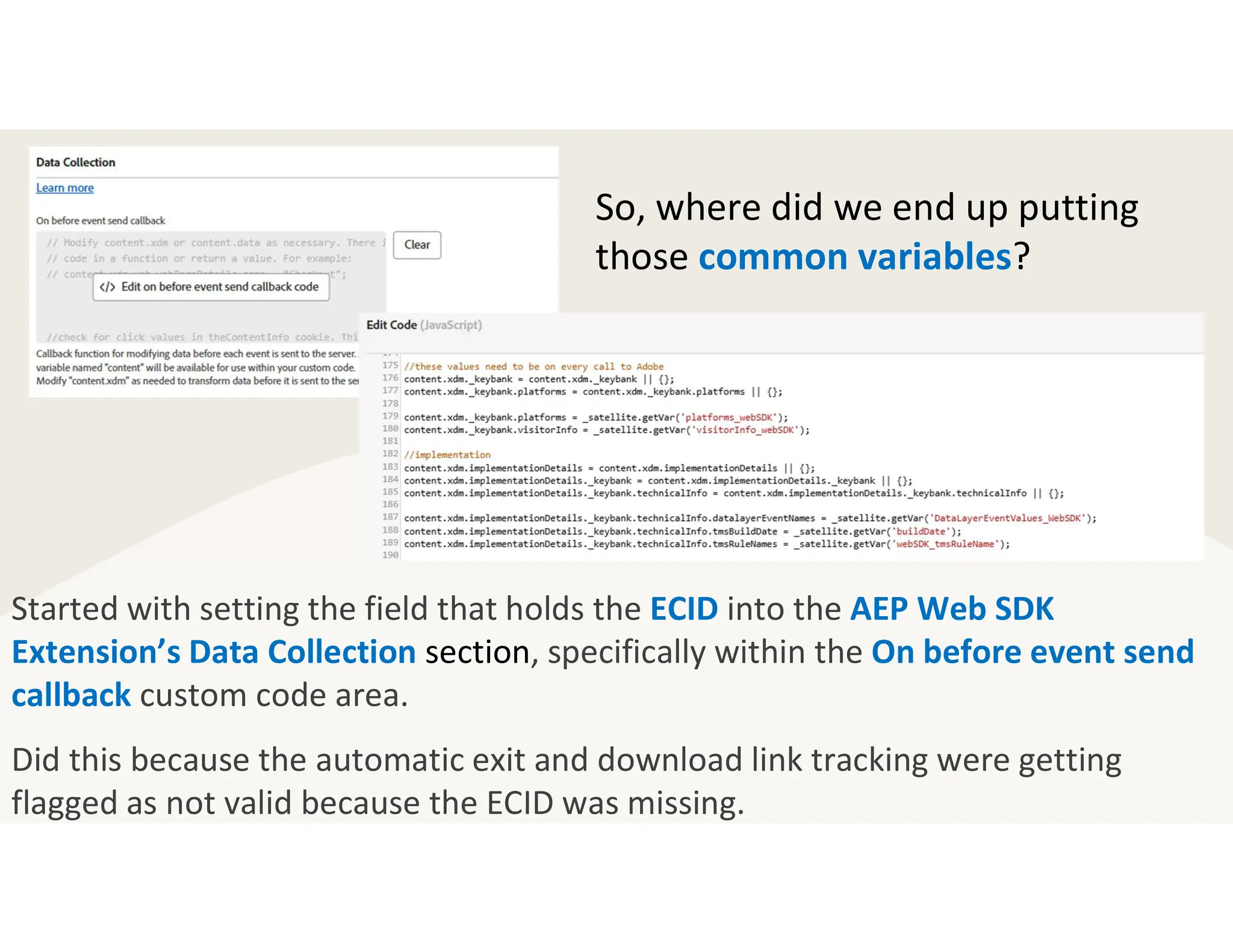
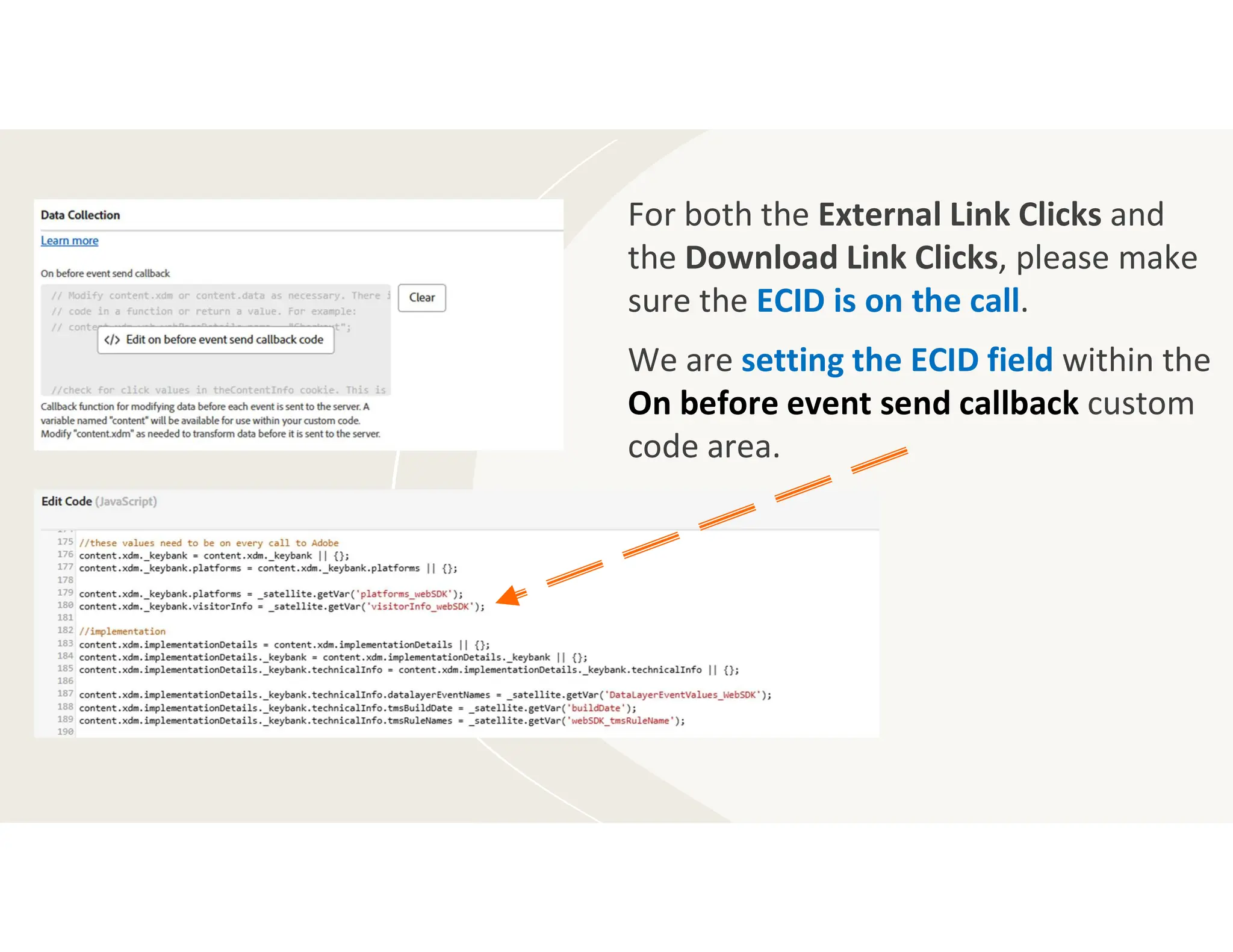
Started with setting the field that holds the ECID into the AEP Web SDK
Extension’s Data Collection section, specifically within the On before event send
callback custom code area.
Did this because the automatic exit and download link tracking were getting
flagged as not valid because the ECID was missing.
So, where did we end up putting
those common variables?
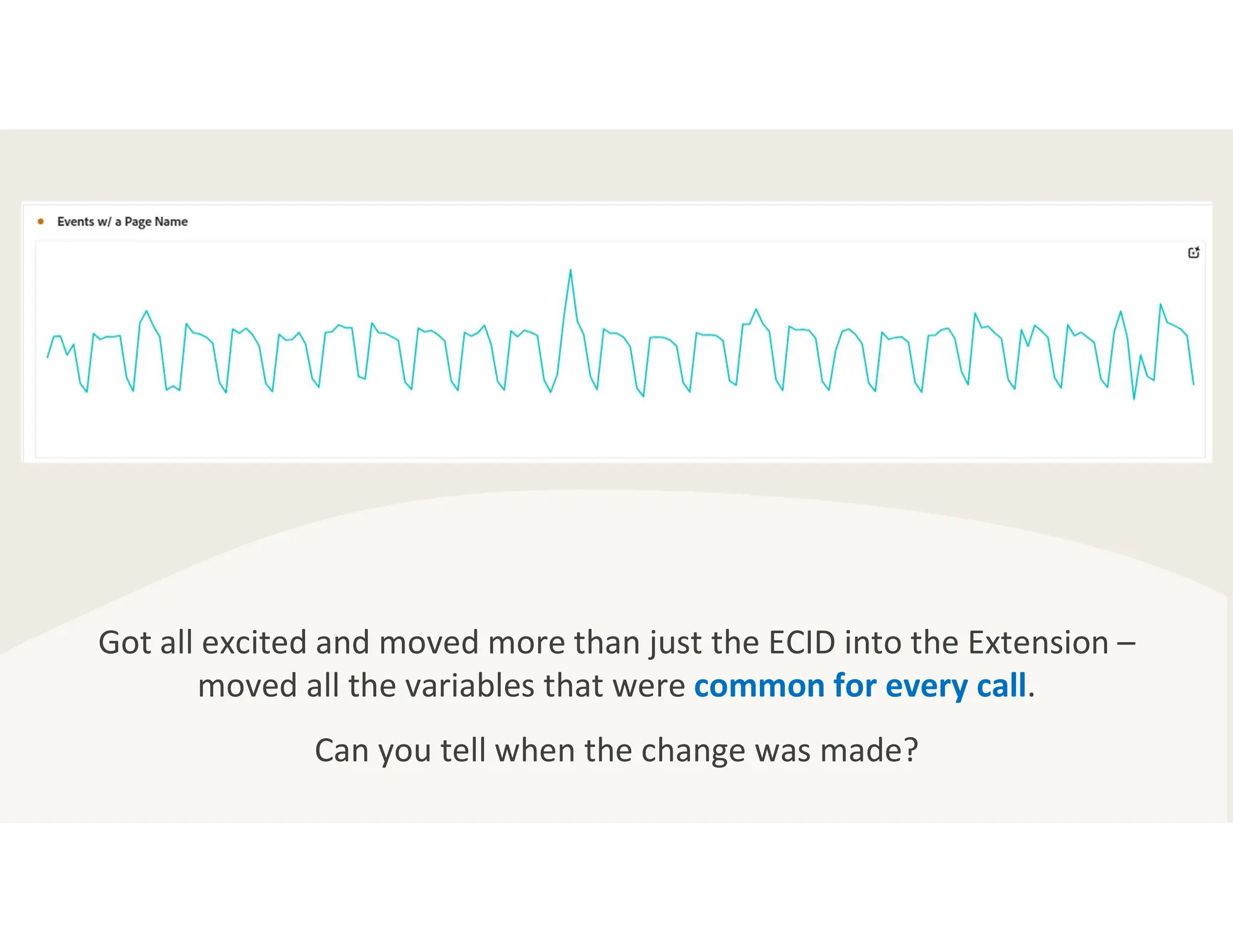
Got all excited and moved more than just the ECID into the Extension –
moved all the variables that were common for every call.
Can you tell when the change was made?
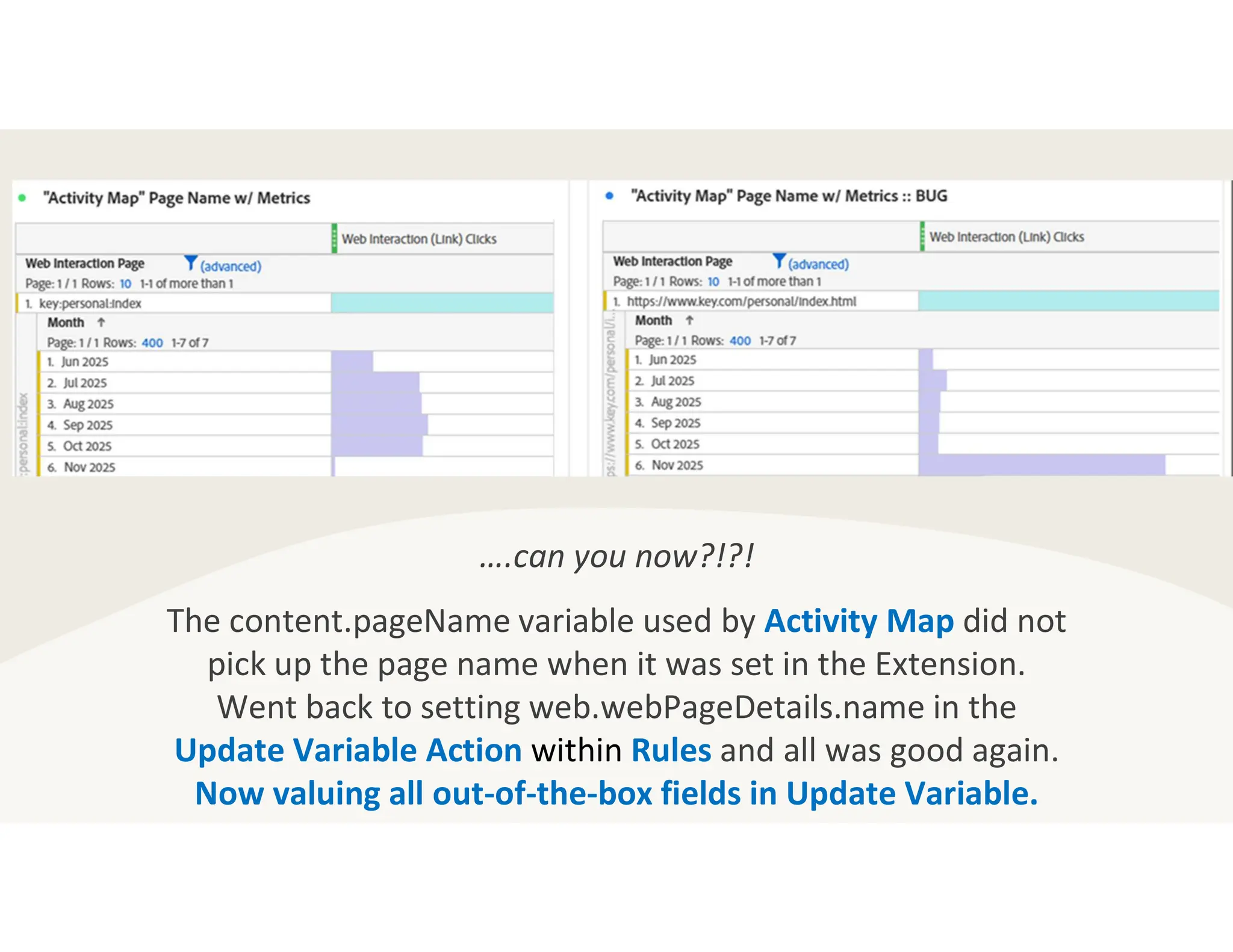
….can you now?!?!
The content.pageName variable used by Activity Map did not
pick up the page name when it was set in the Extension.
Went back to setting web.webPageDetails.name in the
Update Variable Action within Rules and all was good again.
Now valuing all out-of-the-box fields in Update Variable.
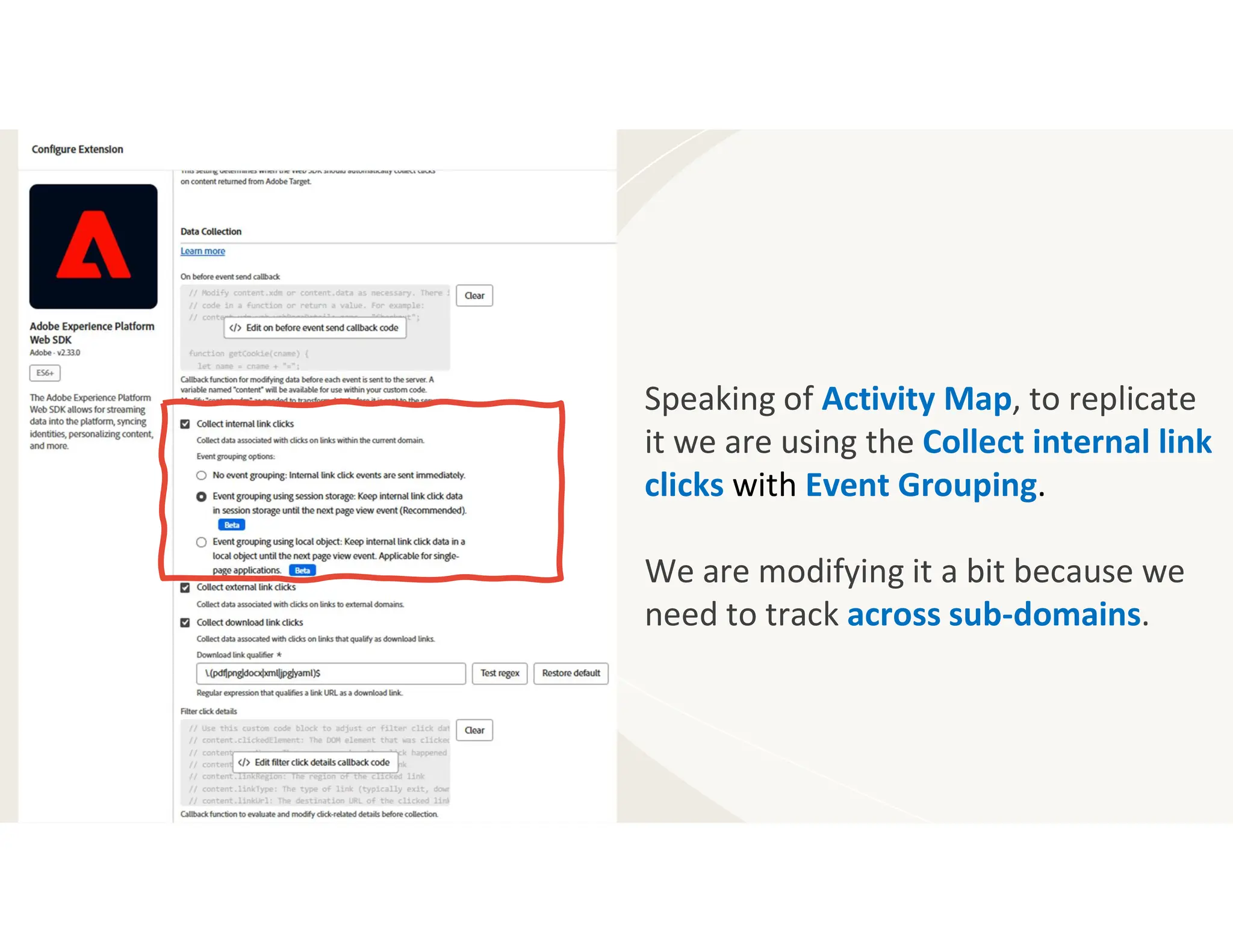
Speaking of Activity Map, to replicate
it we are using the Collect internal link
clicks with Event Grouping.
We are modifying it a bit because we
need to track across sub-domains.
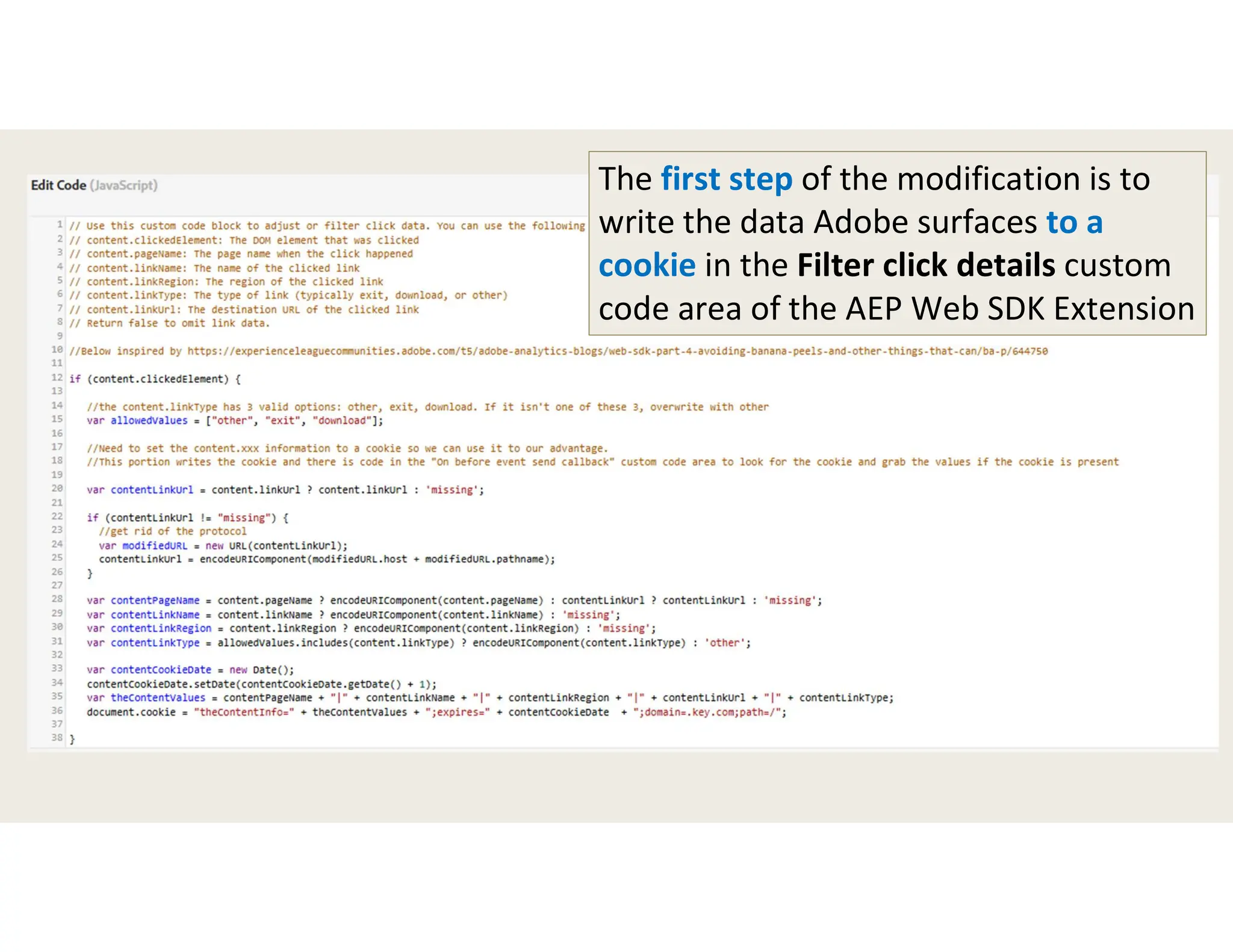
The first step of the modification is to
write the data Adobe surfaces to a
cookie in the Filter click details custom
code area of the AEP Web SDK Extension
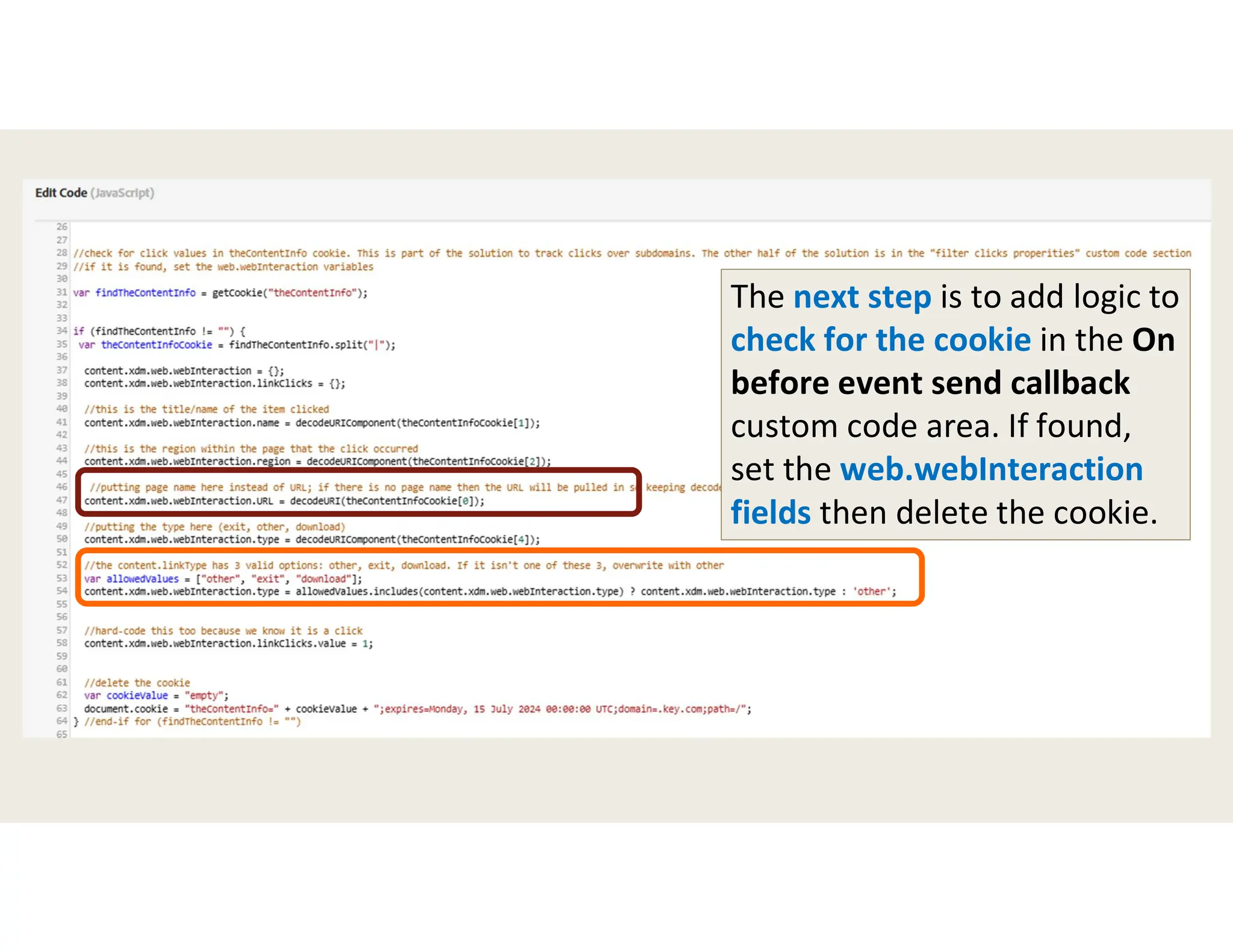
The next step is to add logic to
check for the cookie in the On
before event send callback
custom code area. If found,
set the web.webInteraction
fields then delete the cookie.
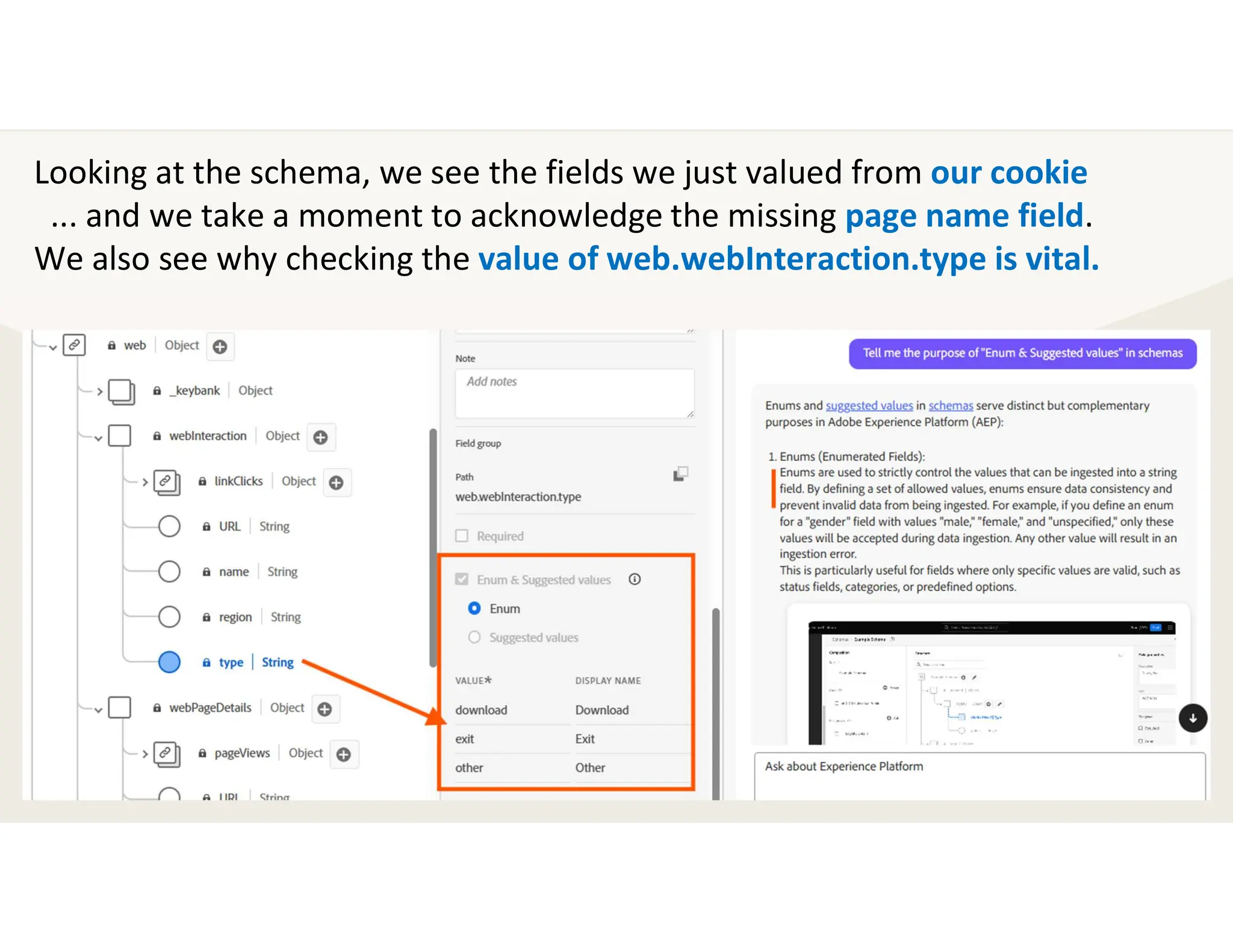
Looking at the schema, we see the fields we just valued from our cookie
... and we take a moment to acknowledge the missing page name field.
We also see why checking the value of web.webInteraction.type is vital.
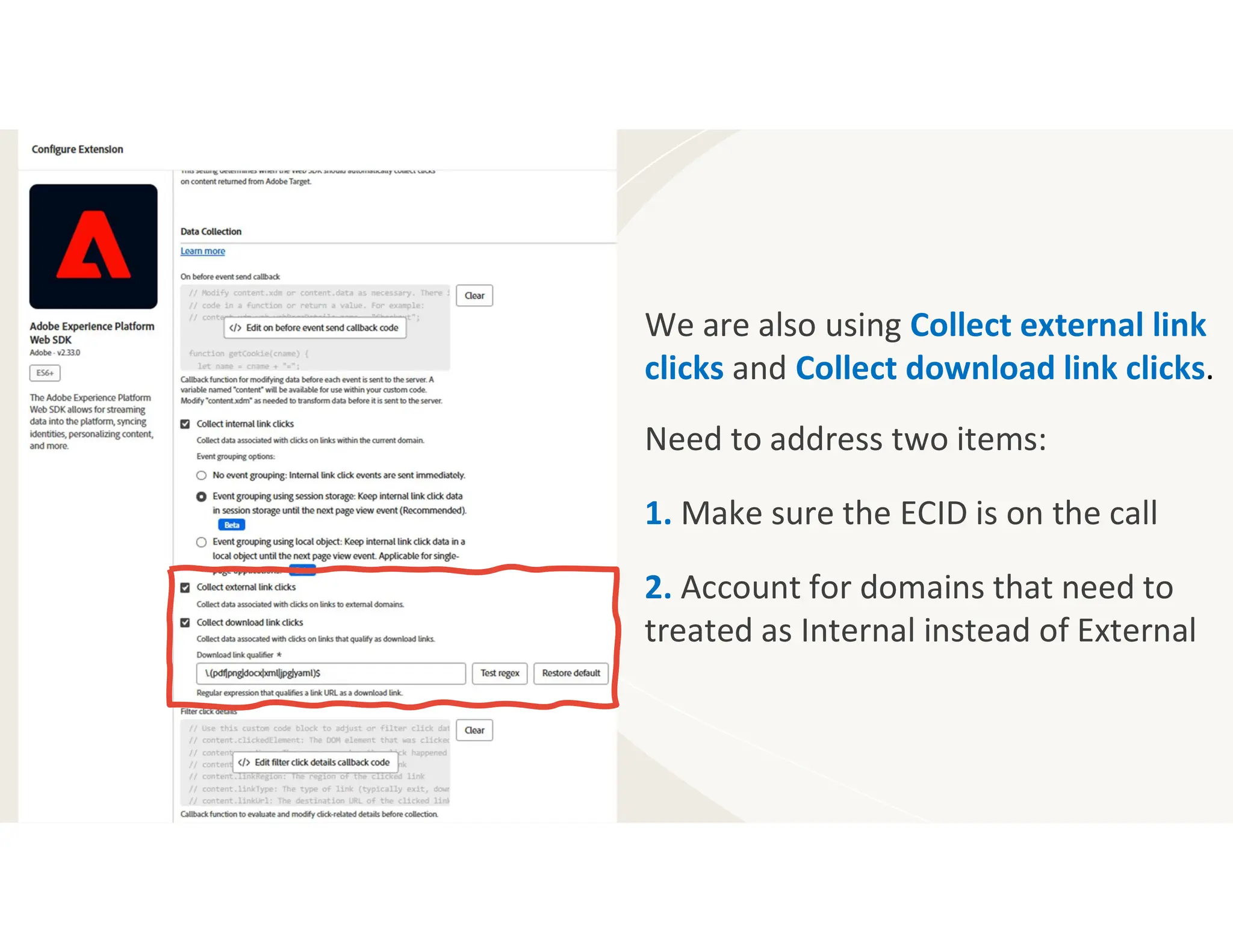
We are also using Collect external link
clicks and Collect download link clicks.
Need to address two items:
1. Make sure the ECID is on the call
2. Account for domains that need to
treated as Internal instead of External
For both the External Link Clicks and
the Download Link Clicks, please make
sure the ECID is on the call.
We are setting the ECID field within the
On before event send callback custom
code area.
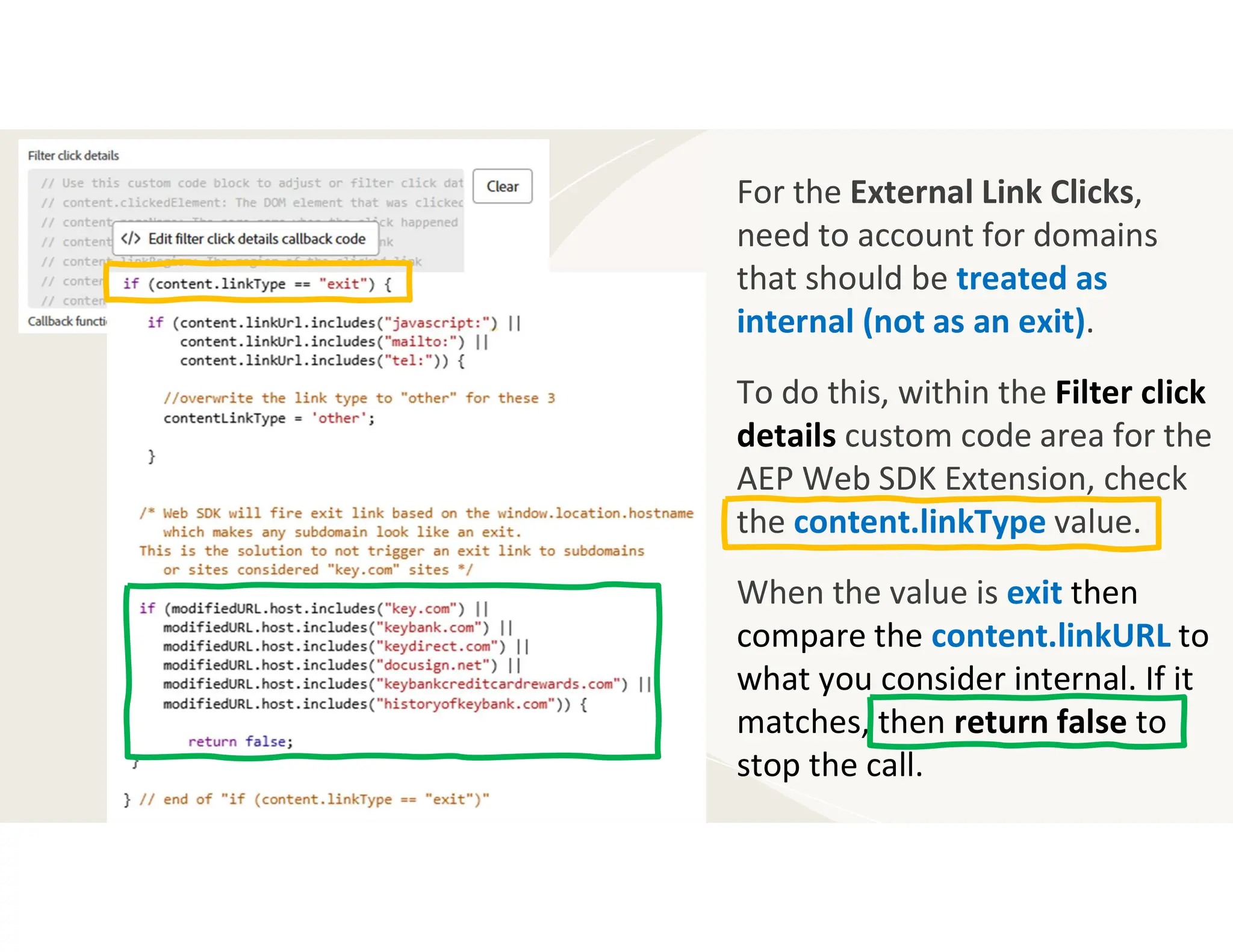
For the External Link Clicks,
need to account for domains
that should be treated as
internal (not as an exit).
To do this, within the Filter click
details custom code area for the
AEP Web SDK Extension, check
the content.linkType value.
When the value is exit then
compare the content.linkURL to
what you consider internal. If it
matches, then return false to
stop the call.
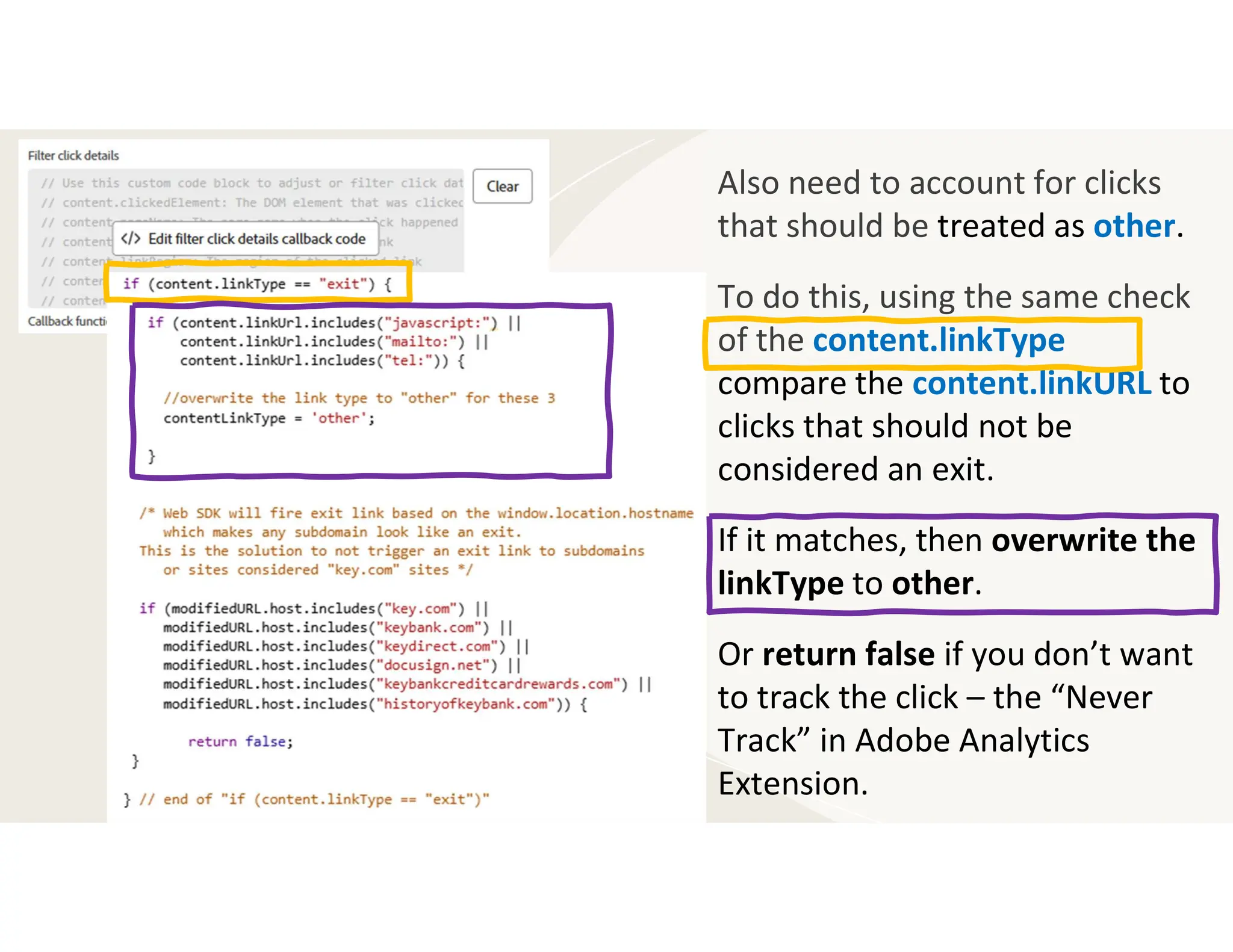
Also need to account for clicks
that should be treated as other.
To do this, using the same check
of the content.linkType
compare the content.linkURL to
clicks that should not be
considered an exit.
If it matches, then overwrite the
linkType to other.
Or return false if you don’t want
to track the click – the “Never
Track” in Adobe Analytics
Extension.
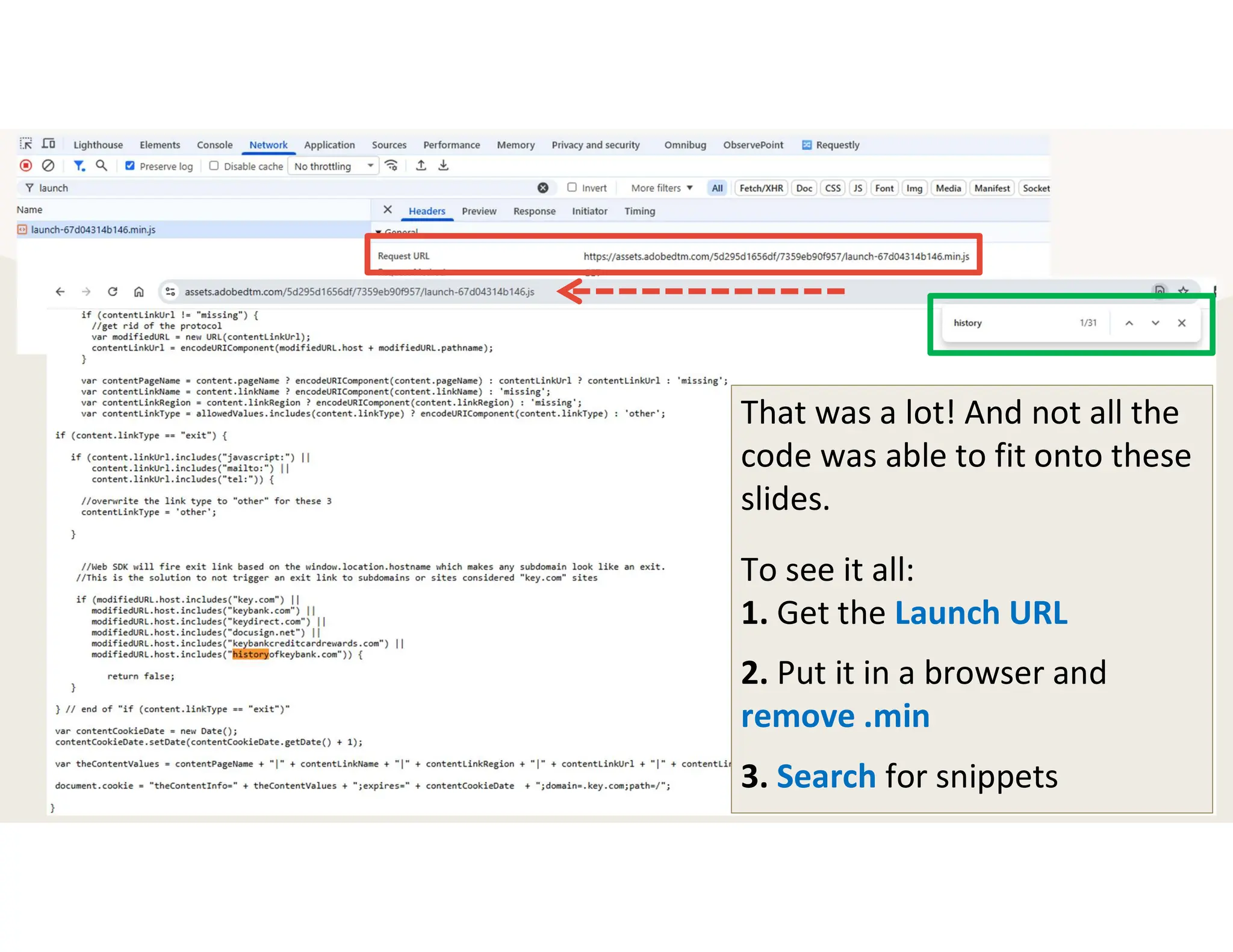
That was a lot! And not all the
code was able to fit onto these
slides.
To see it all:
1. Get the Launch URL
2. Put it in a browser and
remove .min
3. Search for snippets
Let’s take a moment to
reset and center ourselves.
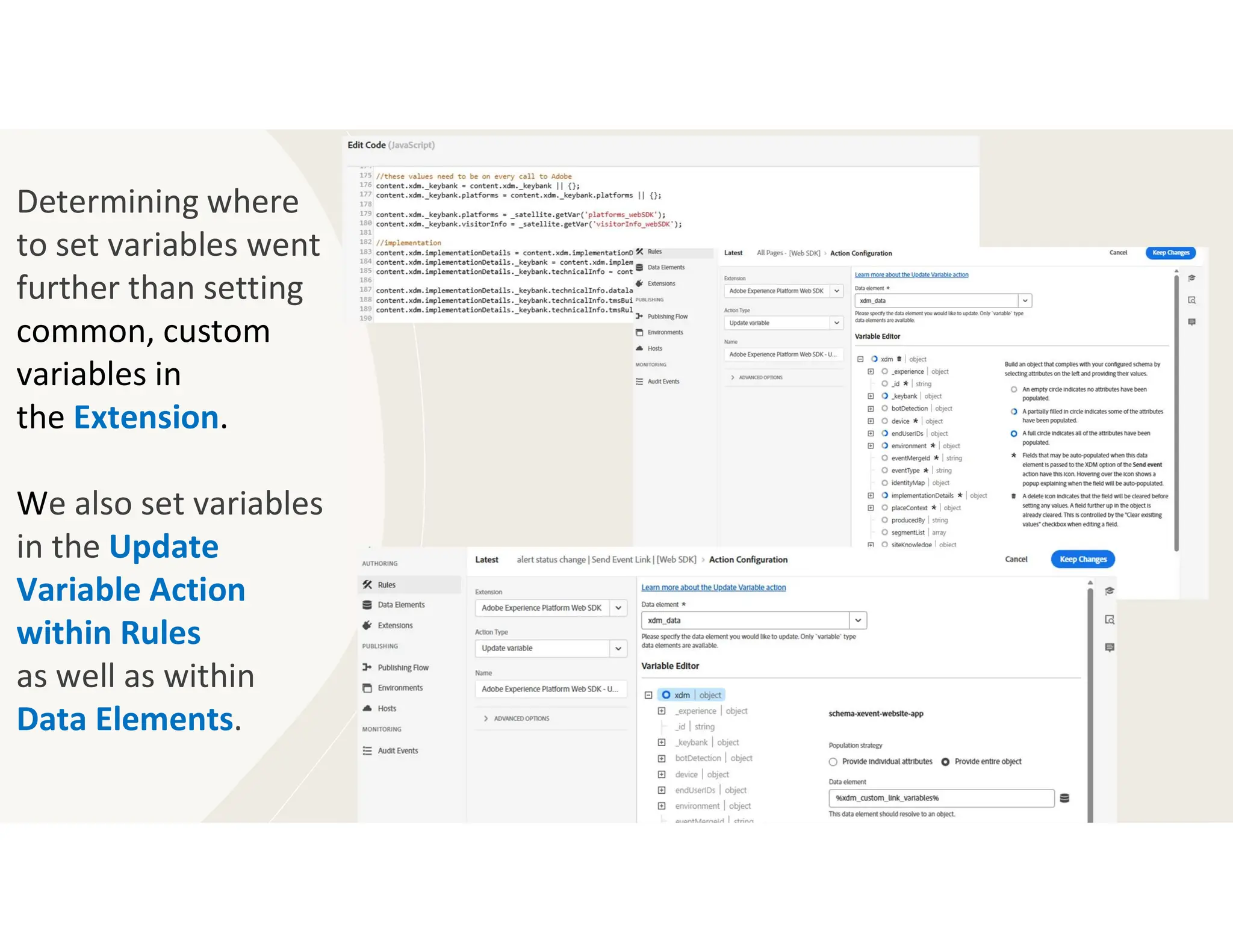
Determining where
to set variables went
further than setting
common, custom
variables in
the Extension.
We also set variables
in the Update
Variable Action
within Rules
as well as within
Data Elements.
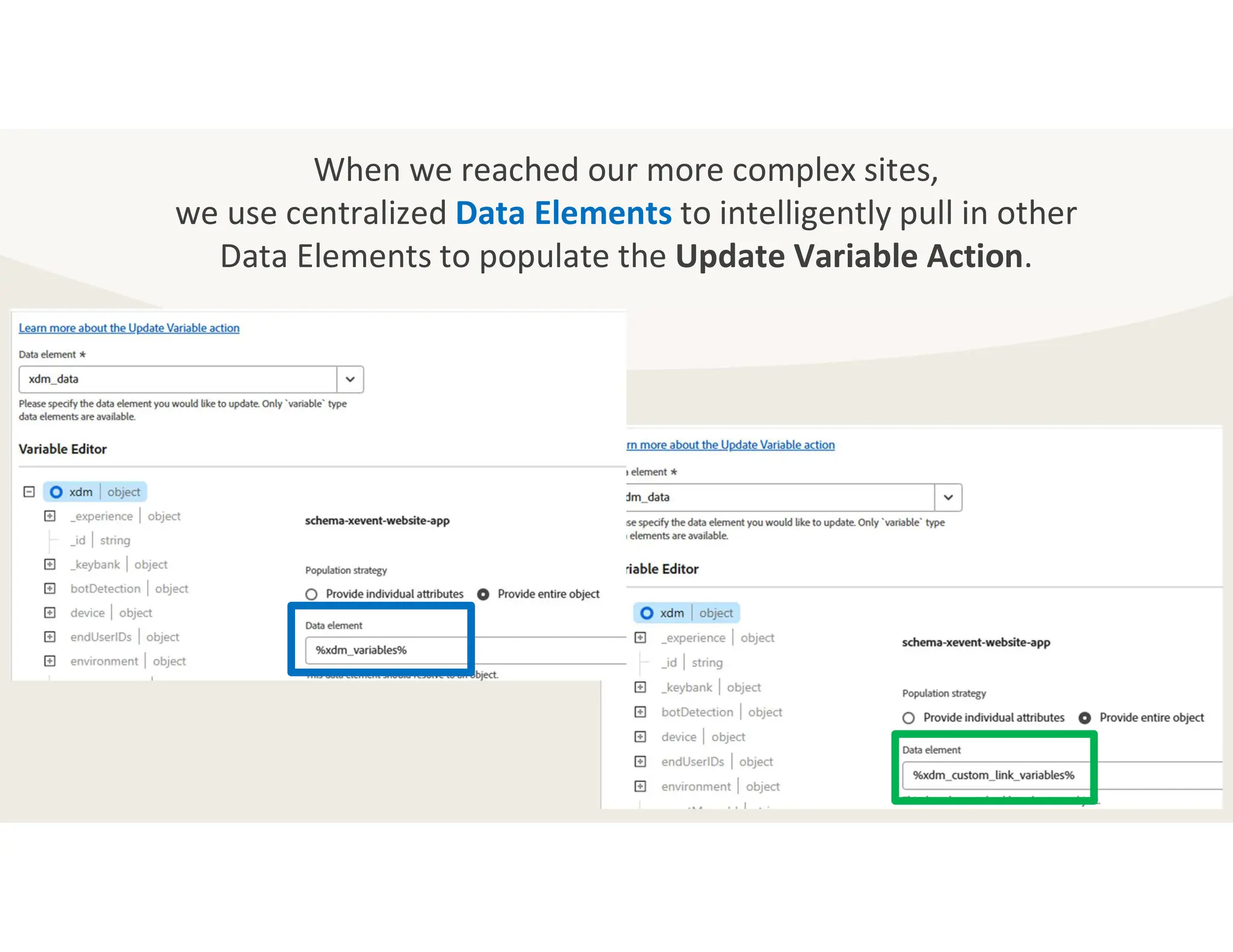
When we reached our more complex sites,
we use centralized Data Elements to intelligently pull in other
Data Elements to populate the Update Variable Action.
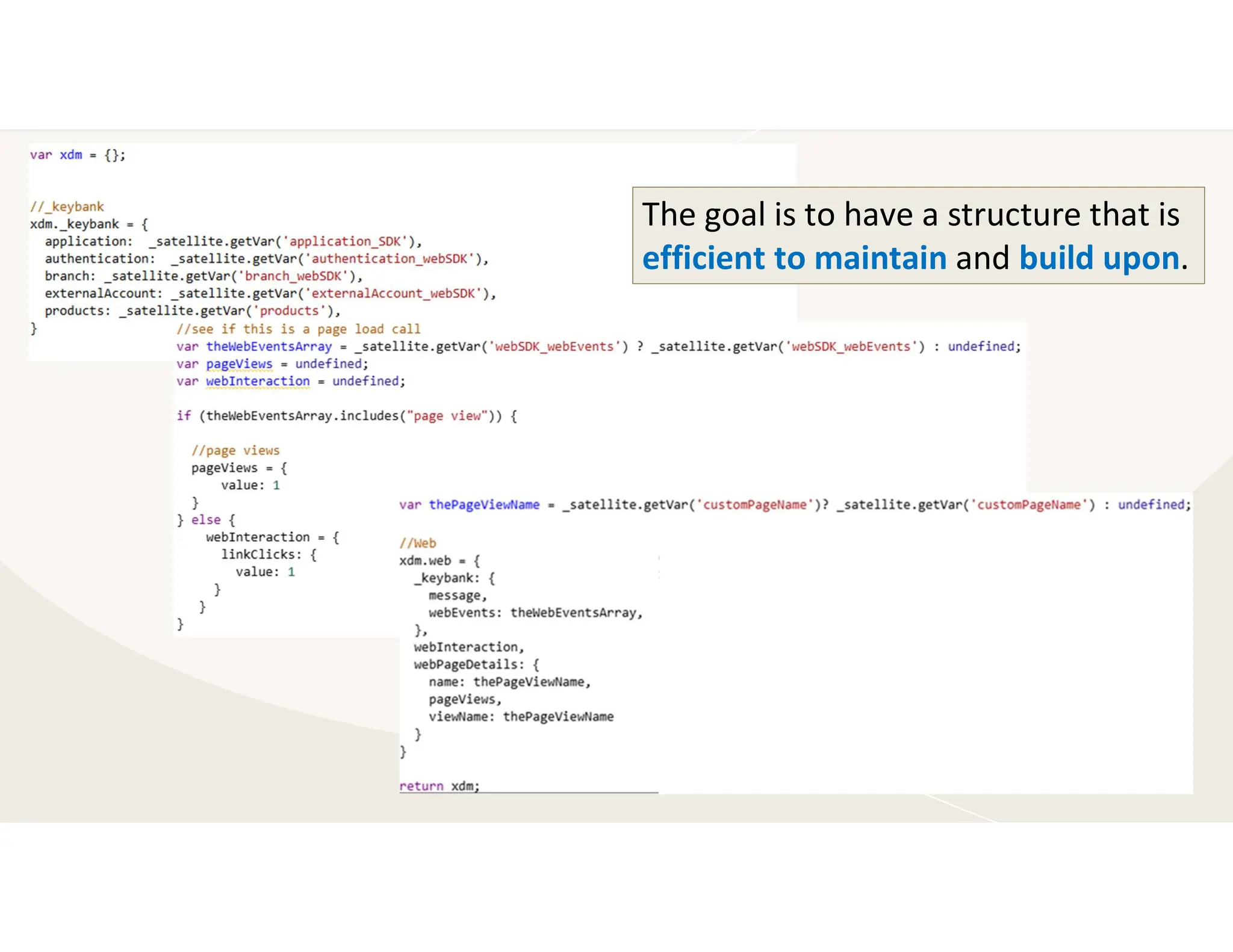
The goal is to have a structure that is
efficient to maintain and build upon.
Debugging:
Console Tab, Network Tab,
& AEP Debugger
Dear Diary,
I’m not sure what I am
more sad about: Adobe
Summit not being in March or
my favorite “Debugger for
Analytics” extension not being
compatible with Web SDK.
Good-bye dear friend.
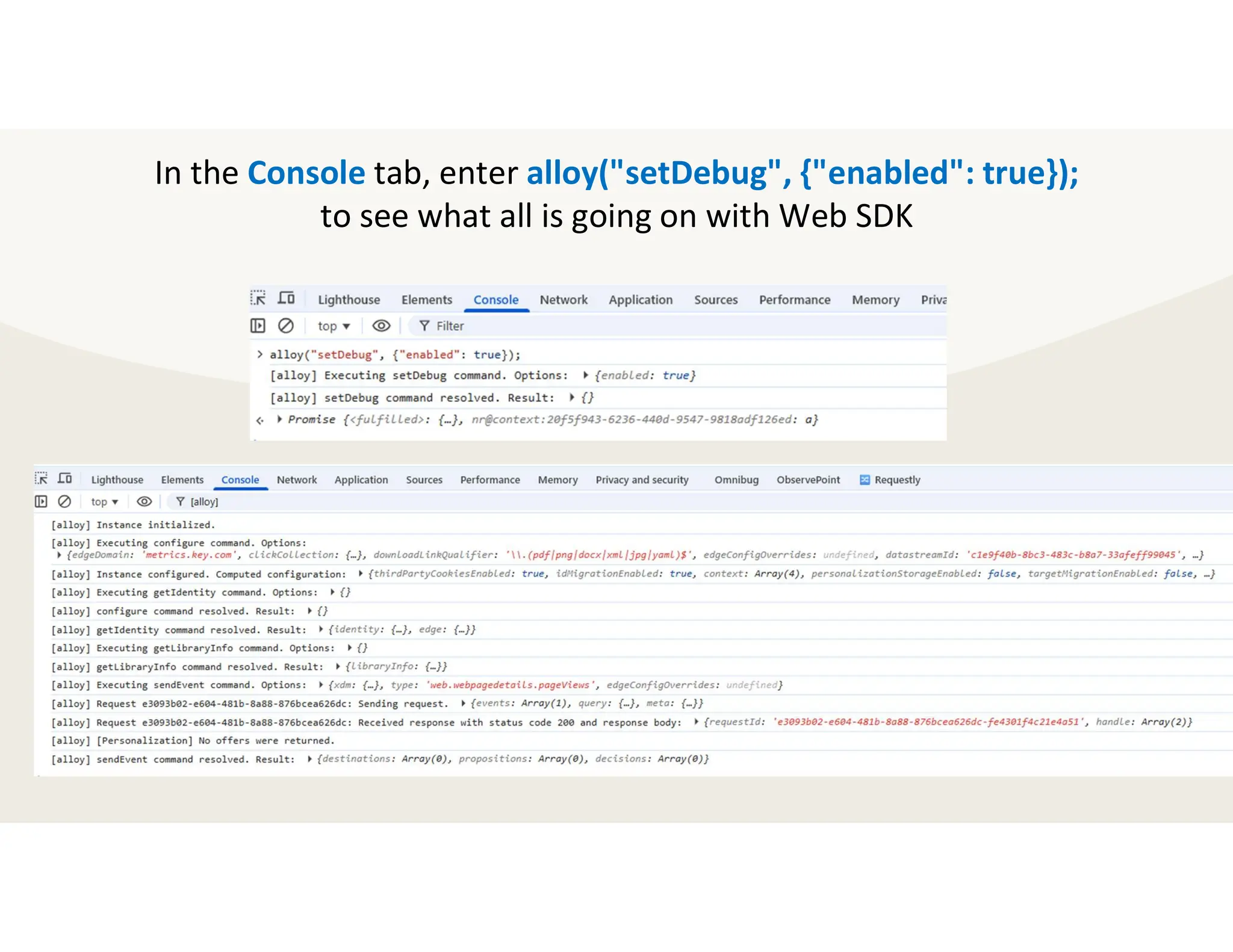
In the Console tab, enter alloy("setDebug", {"enabled": true});
to see what all is going on with Web SDK
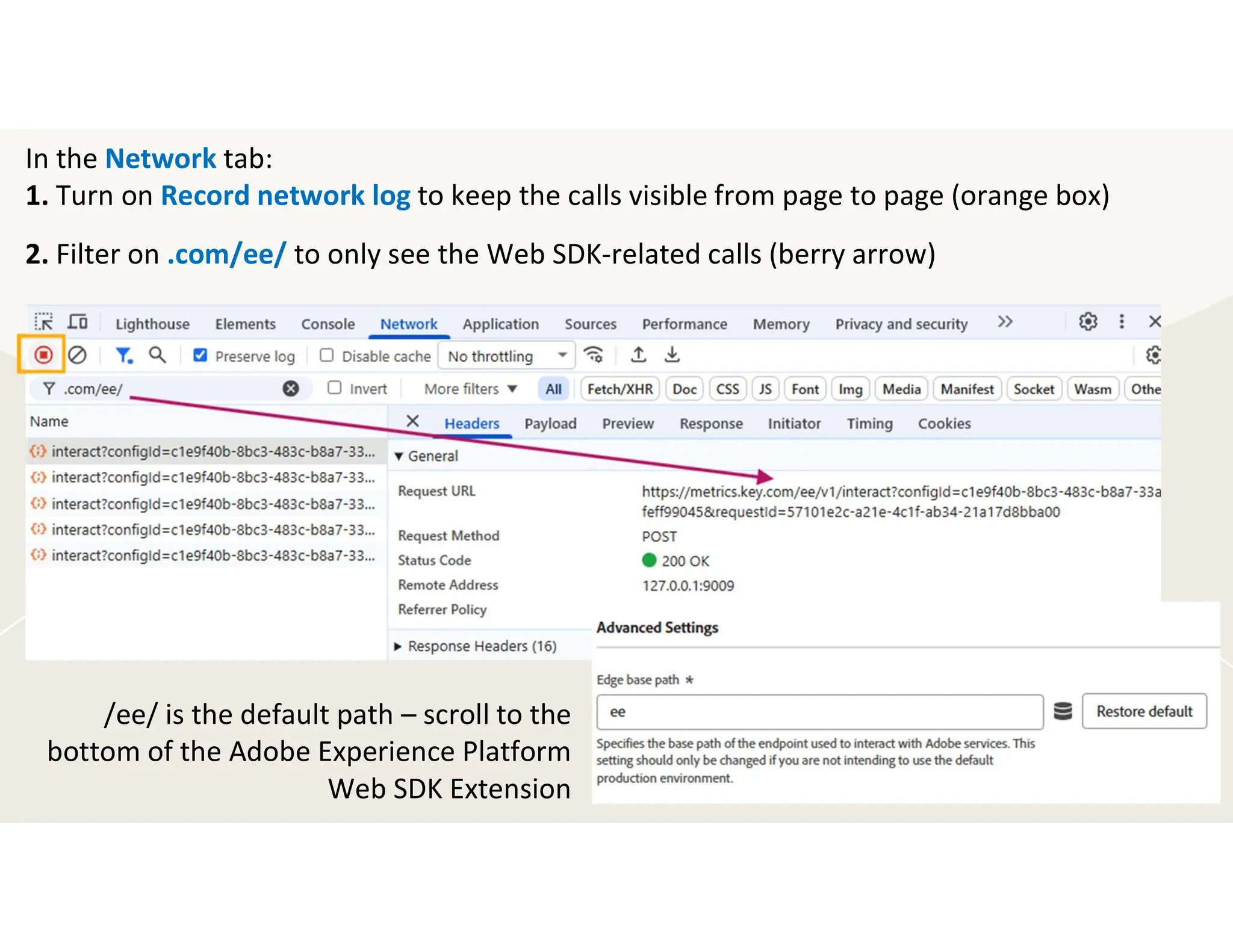
In the Network tab:
1. Turn on Record network log to keep the calls visible from page to page (orange box)
2. Filter on .com/ee/ to only see the Web SDK-related calls (berry arrow)
/ee/ is the default path – scroll to the
bottom of the Adobe Experience Platform
Web SDK Extension
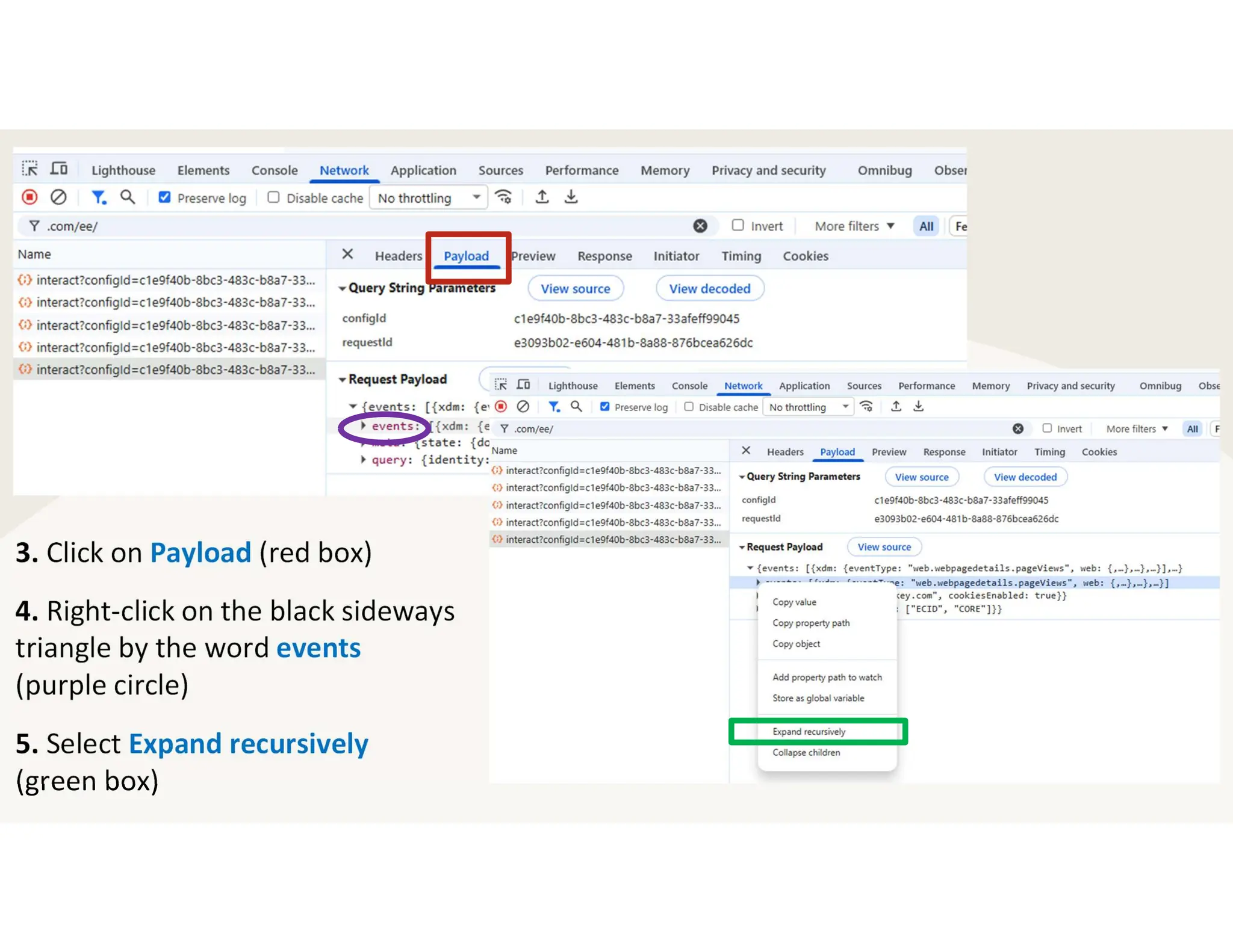
3. Click on Payload (red box)
4. Right-click on the black sideways
triangle by the word events
(purple circle)
5. Select Expand recursively
(green box)
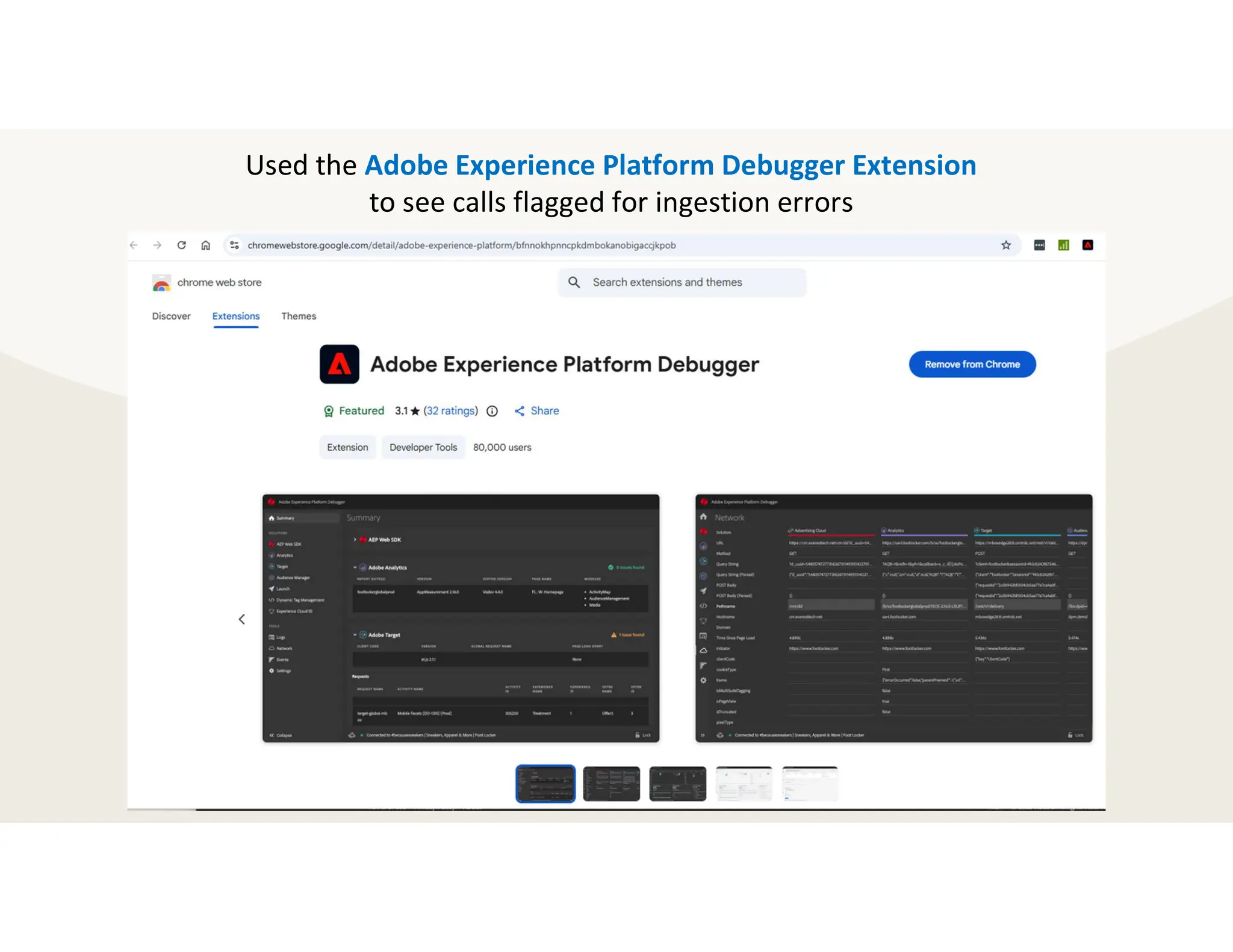
Used the Adobe Experience Platform Debugger Extension
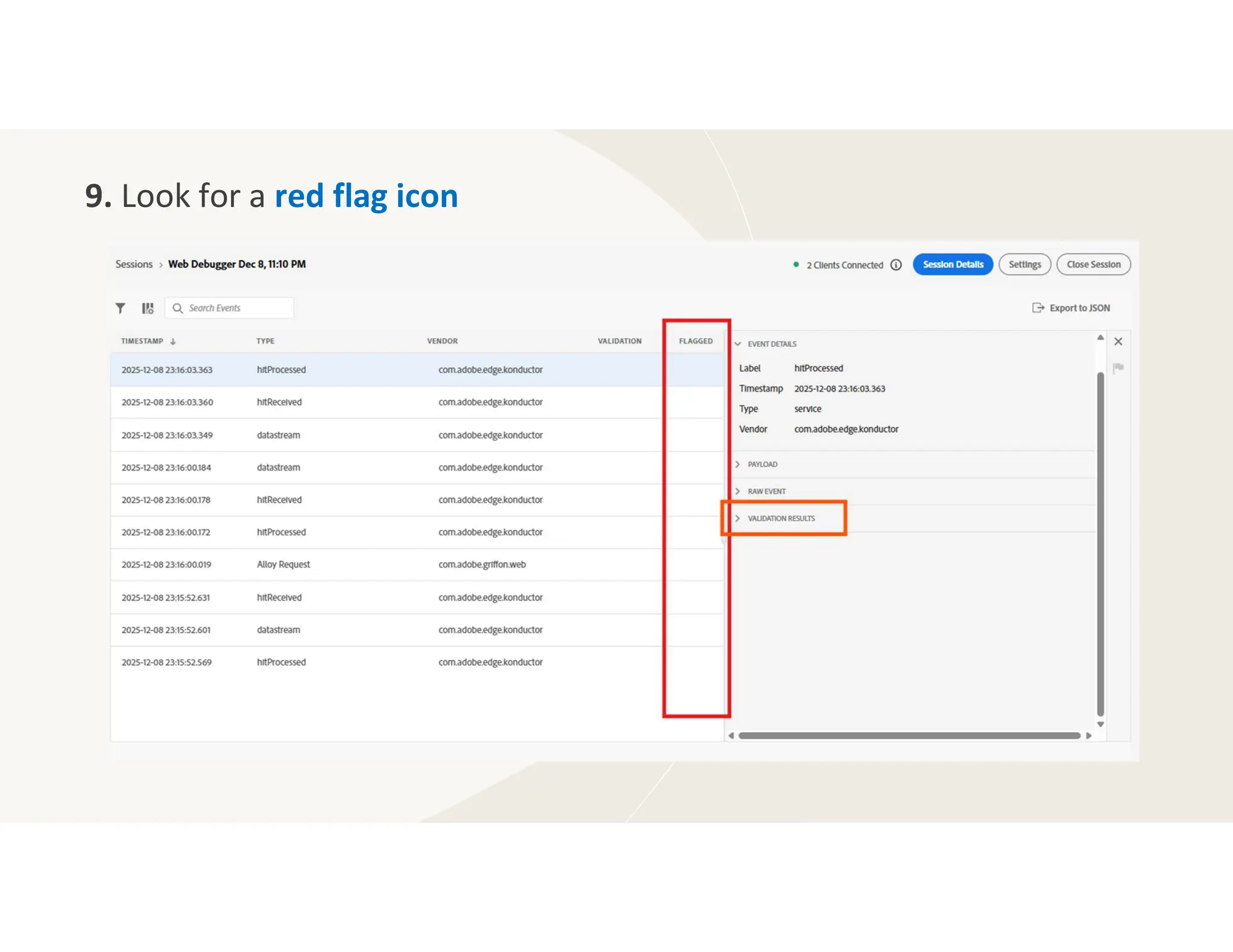
to see calls flagged for ingestion errors
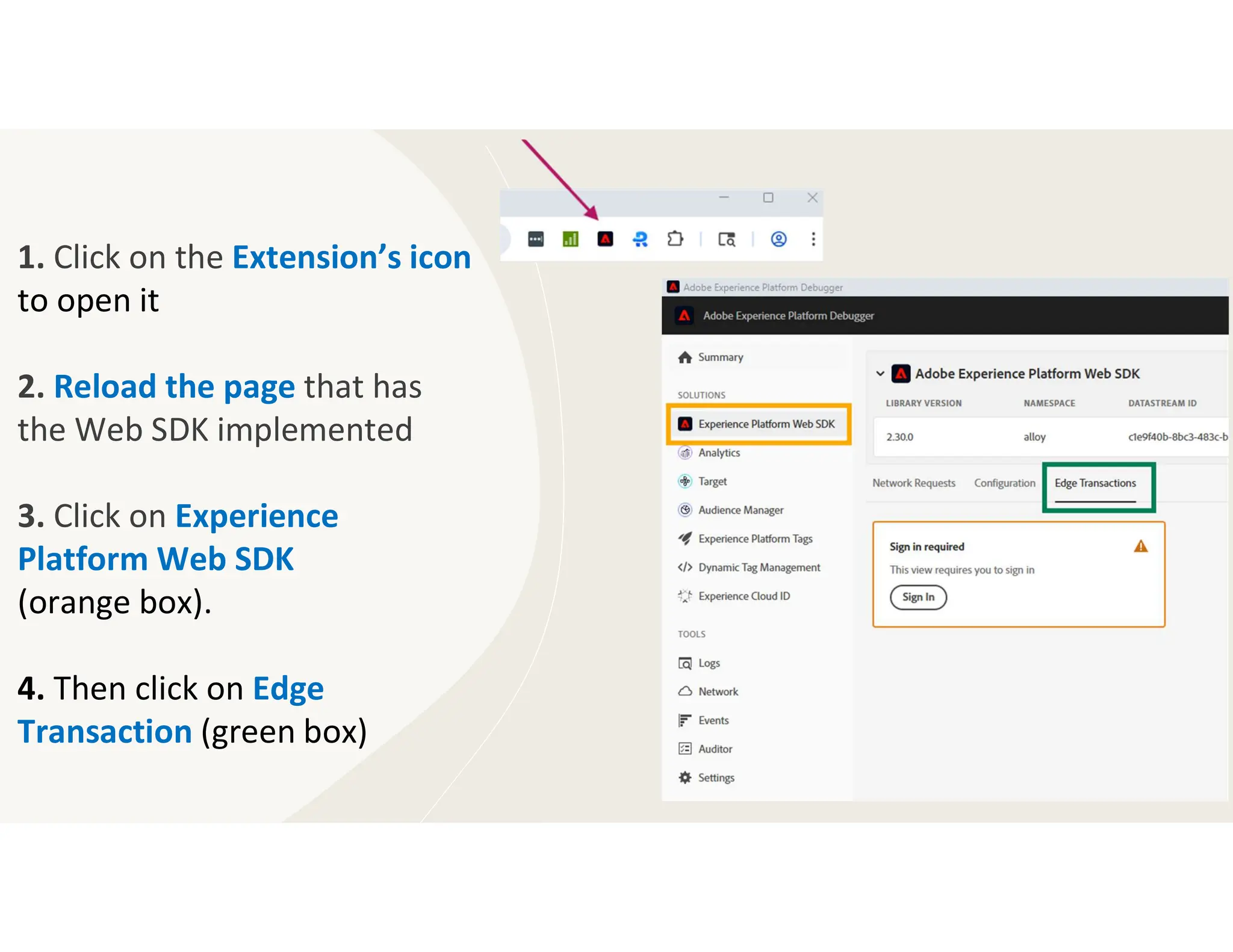
1. Click on the Extension’s icon
to open it
2. Reload the page that has
the Web SDK implemented
3. Click on Experience
Platform Web SDK
(orange box).
4. Then click on Edge
Transaction (green box)
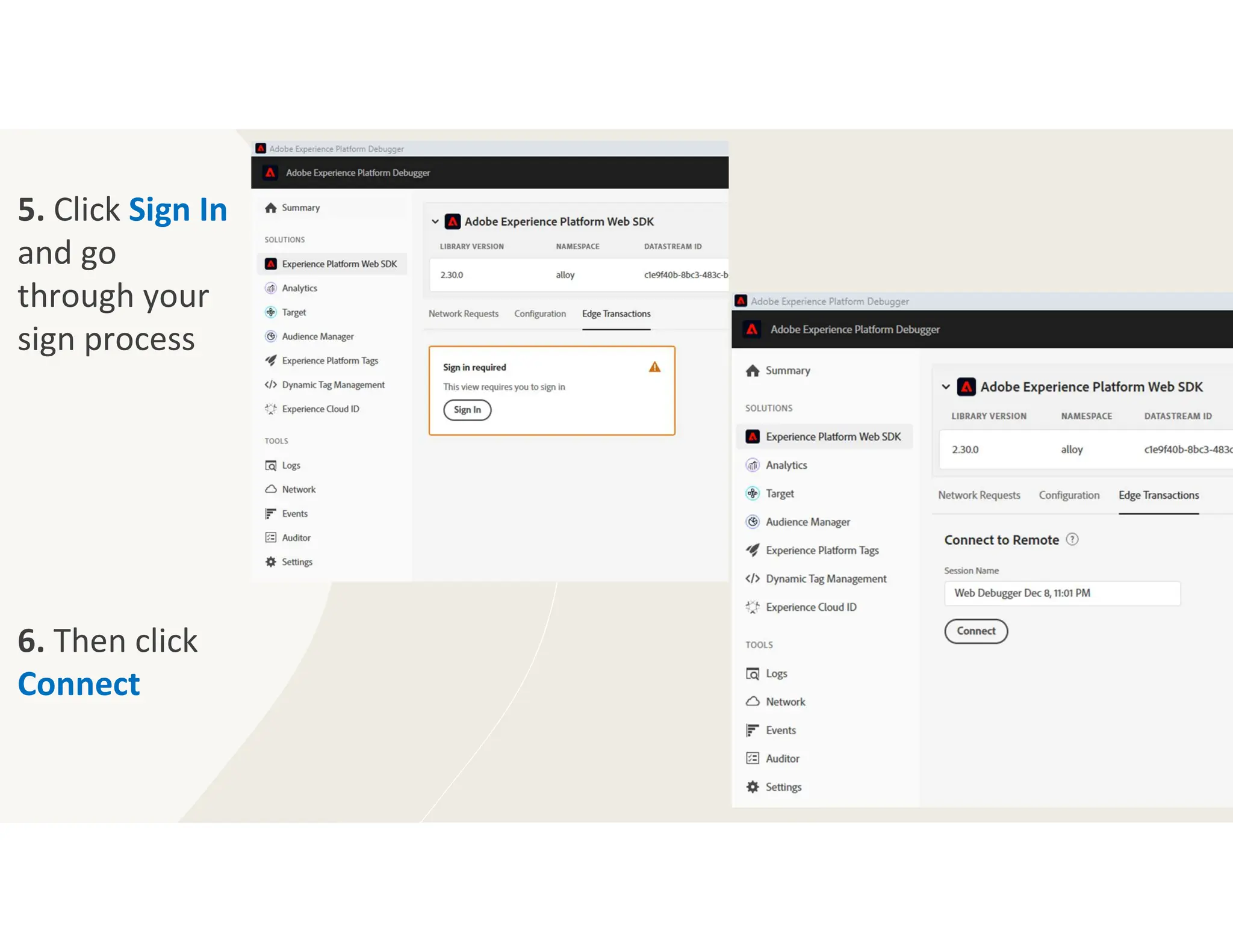
5. Click Sign In
and go
through your
sign process
6. Then click
Connect
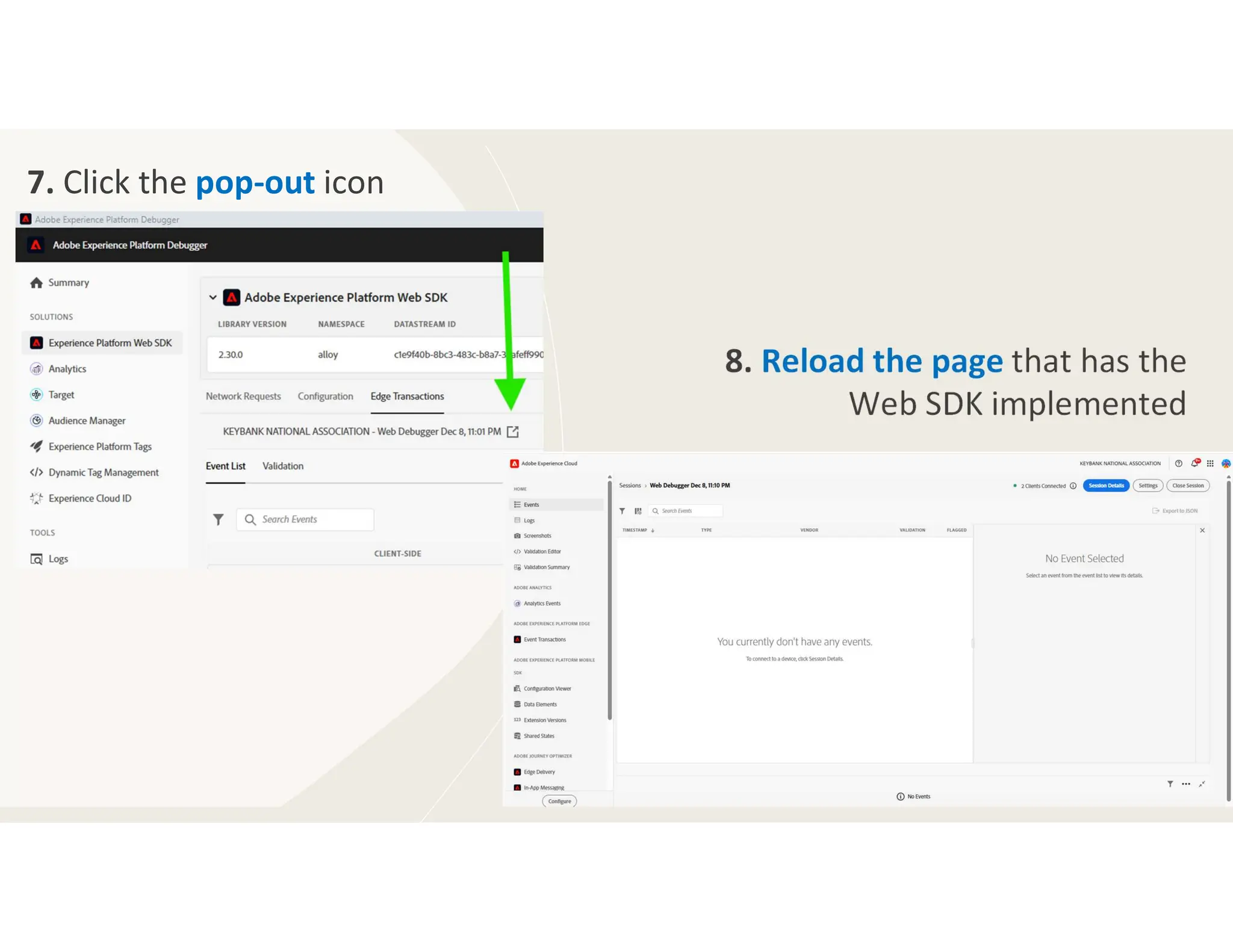
7. Click the pop-out icon
8. Reload the page that has the
Web SDK implemented
9. Look for a red flag icon
The End (for now…)
Well, that’s it for the second
chapter in our epic saga:
Diary of a Web SDK Implementation
We coded, we re-coded, we questioned our
life choices …but we made it
Next up: CJA Set-up & Run in Tandem

DiaryofaWebSDKImplemenation-LaunchDebugging.pdf

  • 1.
    Diary of a WebSDK Implementation: Launch & Debugging
  • 3.
  • 4.
    Dear Diary, If Ihad a nickel for every time I’ve updated a data element to return undefined instead of an empty string… …I’d be knee deep in nickels!
  • 5.
    ` Get energized bythe WHOOT! from the web and product dev teams when you tell them the data layer and Launch script are not changing.
  • 6.
    Then let outyour own quiet little PHEW! because appMeasurement and Web SDK can run side-by-side …with a few tweaks. Leveraged existing Launch Properties Created Web SDK versions of each appMeasurement Rule Added “Web SDK” to Rule and Data Element names Switched logic to return undefined rather than an empty string Be careful with “shared” logic like the previous page cookie
  • 7.
    Be ready forfaster execution by Web SDK With Adobe Analytics, there was time for a link tracking call to be sent prior to the page load call occurring. With Web SDK, we mimicked the two calls but had funky results because of the speediness. Now, we’ve combined the navigation tracking with the page load call.
  • 8.
    Schema: Out-of-the-box AEP Web SDK ExperienceEvent FieldGroup & a few custom basic web fields Launch: Configured AEP Web SDK Extension, created Web SDK version of each Rule & some Data Elements Learned: Deleted the data set, modified the schema, re- created the data set From here on out, the sounds you and your Launch developer let out won’t be sweet little phews ….they will be the opposite! While we were still deep in group discussions and personal noodling on the schema’s field groups, we began coding the Web SDK on our basic website.
  • 9.
    Schema: Out-of-the-box AEP Web SDK ExperienceEvent FieldGroup & a few custom basic web fields Launch: Configured AEP Web SDK Extension, created Web SDK version of each Rule & some Data Elements Learned: Deleted the data set, modified the schema, re- created the data set Learned: To include fields in the schema instead of using Derived Fields • Added all pieces of the URL: domain, path, URL parameters, hash • Added previous page
  • 10.
    Schema: Created more custom Field Groupsto handle the additional data captured on this site Launch: Changed some logic in the Data Elements to make common variables easily updatable and centralized Learned: Deleted the data set, modified the schema, re- created the data set Next, we moved to a slightly more complex site. We copied Web SDK-specific Data Elements, custom code within the Rule Actions, and logic within the AEP Web SDK Extension from the first Launch property to this next one, building on what we’d learned.
  • 11.
    Learned: Put morefields in the schema instead of using Derived Fields or features in the Component section of Data Views  makes the AEP Dataset the source of truth. Reduce the need to replicate logic in corporate data lakes (remove the opportunity for differing logic). Started experimenting where to set common variables: Update Variable Action in Rules or in a “master” Data Elements or in the AEP Web SDK Extension. Added webEvents to our Schema to hold information that’s in the Adobe Analytics s.events variable
  • 12.
    Schema: Added final setof custom Field Groups to get us to parity with our appMeasurement implementation Launch: Moved some of the common variables again & added flags to indicate if data in data layer should be sent Learned: That we are happy with the schema, did identify some coding modifications A couple months ago, we dove into our last and toughest site. Working from the easy ones up to the hardest was smart, but we hit a wall. So, we kept reminding each other of everything we’d already accomplished, how close we were to achieving this big milestone, and we gave ourselves a few extra weeks in the timeline …both to finish strong and to stay sane.
  • 13.
    Started with settingthe field that holds the ECID into the AEP Web SDK Extension’s Data Collection section, specifically within the On before event send callback custom code area. Did this because the automatic exit and download link tracking were getting flagged as not valid because the ECID was missing. So, where did we end up putting those common variables?
  • 14.
    Got all excitedand moved more than just the ECID into the Extension – moved all the variables that were common for every call. Can you tell when the change was made?
  • 15.
    ….can you now?!?! Thecontent.pageName variable used by Activity Map did not pick up the page name when it was set in the Extension. Went back to setting web.webPageDetails.name in the Update Variable Action within Rules and all was good again. Now valuing all out-of-the-box fields in Update Variable.
  • 16.
    Speaking of ActivityMap, to replicate it we are using the Collect internal link clicks with Event Grouping. We are modifying it a bit because we need to track across sub-domains.
  • 17.
    The first stepof the modification is to write the data Adobe surfaces to a cookie in the Filter click details custom code area of the AEP Web SDK Extension
  • 18.
    The next stepis to add logic to check for the cookie in the On before event send callback custom code area. If found, set the web.webInteraction fields then delete the cookie.
  • 19.
    Looking at theschema, we see the fields we just valued from our cookie ... and we take a moment to acknowledge the missing page name field. We also see why checking the value of web.webInteraction.type is vital.
  • 20.
    We are alsousing Collect external link clicks and Collect download link clicks. Need to address two items: 1. Make sure the ECID is on the call 2. Account for domains that need to treated as Internal instead of External
  • 21.
    For both theExternal Link Clicks and the Download Link Clicks, please make sure the ECID is on the call. We are setting the ECID field within the On before event send callback custom code area.
  • 22.
    For the ExternalLink Clicks, need to account for domains that should be treated as internal (not as an exit). To do this, within the Filter click details custom code area for the AEP Web SDK Extension, check the content.linkType value. When the value is exit then compare the content.linkURL to what you consider internal. If it matches, then return false to stop the call.
  • 23.
    Also need toaccount for clicks that should be treated as other. To do this, using the same check of the content.linkType compare the content.linkURL to clicks that should not be considered an exit. If it matches, then overwrite the linkType to other. Or return false if you don’t want to track the click – the “Never Track” in Adobe Analytics Extension.
  • 24.
    That was alot! And not all the code was able to fit onto these slides. To see it all: 1. Get the Launch URL 2. Put it in a browser and remove .min 3. Search for snippets
  • 25.
    Let’s take amoment to reset and center ourselves.
  • 26.
    Determining where to setvariables went further than setting common, custom variables in the Extension. We also set variables in the Update Variable Action within Rules as well as within Data Elements.
  • 27.
    When we reachedour more complex sites, we use centralized Data Elements to intelligently pull in other Data Elements to populate the Update Variable Action.
  • 28.
    The goal isto have a structure that is efficient to maintain and build upon.
  • 29.
  • 30.
    Dear Diary, I’m notsure what I am more sad about: Adobe Summit not being in March or my favorite “Debugger for Analytics” extension not being compatible with Web SDK. Good-bye dear friend.
  • 31.
    In the Consoletab, enter alloy("setDebug", {"enabled": true}); to see what all is going on with Web SDK
  • 32.
    In the Networktab: 1. Turn on Record network log to keep the calls visible from page to page (orange box) 2. Filter on .com/ee/ to only see the Web SDK-related calls (berry arrow) /ee/ is the default path – scroll to the bottom of the Adobe Experience Platform Web SDK Extension
  • 33.
    3. Click onPayload (red box) 4. Right-click on the black sideways triangle by the word events (purple circle) 5. Select Expand recursively (green box)
  • 34.
    Used the AdobeExperience Platform Debugger Extension to see calls flagged for ingestion errors
  • 35.
    1. Click onthe Extension’s icon to open it 2. Reload the page that has the Web SDK implemented 3. Click on Experience Platform Web SDK (orange box). 4. Then click on Edge Transaction (green box)
  • 36.
    5. Click SignIn and go through your sign process 6. Then click Connect
  • 37.
    7. Click thepop-out icon 8. Reload the page that has the Web SDK implemented
  • 38.
    9. Look fora red flag icon
  • 39.
    The End (fornow…) Well, that’s it for the second chapter in our epic saga: Diary of a Web SDK Implementation We coded, we re-coded, we questioned our life choices …but we made it Next up: CJA Set-up & Run in Tandem