
Coding 201
Parsing JSON in Python
Mike Maas, Technical Evangelist – IoE, DevNet, @mike_maas
© 2015 Cisco and/or its affiliates. All rights reserved. Cisco PublicPresentation ID
•  Introductions
•  Overview
•  Requirements
•  Tools
•  Requesting Content
•  Parsing Content
•  Resources
Agenda
3
© 2015 Cisco and/or its affiliates. All rights reserved. Cisco PublicPresentation ID
Introductions
•  Who Am I?
•  Mike Maas, Technical Evangelist – Internet of Everything, DevNet
•  Based out of Seattle, Washington
•  Why this session? Why Python?
•  It is a great way to learn programming skills
•  http://cacm.acm.org/blogs/blog-cacm/176450-python-is-now-the-most-popular-introductory-
teaching-language-at-top-us-universities/fulltext
•  It is a very flexible and quick "glue" language
•  Lots of bindings and existing packaged functionality
•  Ported to lots and lots of architectures/platforms
4
© 2015 Cisco and/or its affiliates. All rights reserved. Cisco PublicPresentation ID
Overview
5
© 2015 Cisco and/or its affiliates. All rights reserved. Cisco PublicPresentation ID
Overview
•  Goals
•  Build upon Coding 101
•  Deeper understanding of using Python to collect information from the network
•  Further inspection of JSON and the tools available to evaluate JSON content
•  Understand the methods and implementation of parsing JSON
•  What we won't be covering
•  Authentication
•  Oauth, Digest/Form/etc.
© 2015 Cisco and/or its affiliates. All rights reserved. Cisco PublicPresentation ID
Overview
•  What we are going to work on
•  Using Postman
•  Learning a little bit about CMX
•  Understanding how to use Python to parse data
•  Understanding some of the challenges of parsing data
•  Seeing some of the errors you might encounter
© 2015 Cisco and/or its affiliates. All rights reserved. Cisco PublicPresentation ID
Requirements
8
© 2015 Cisco and/or its affiliates. All rights reserved. Cisco PublicPresentation ID
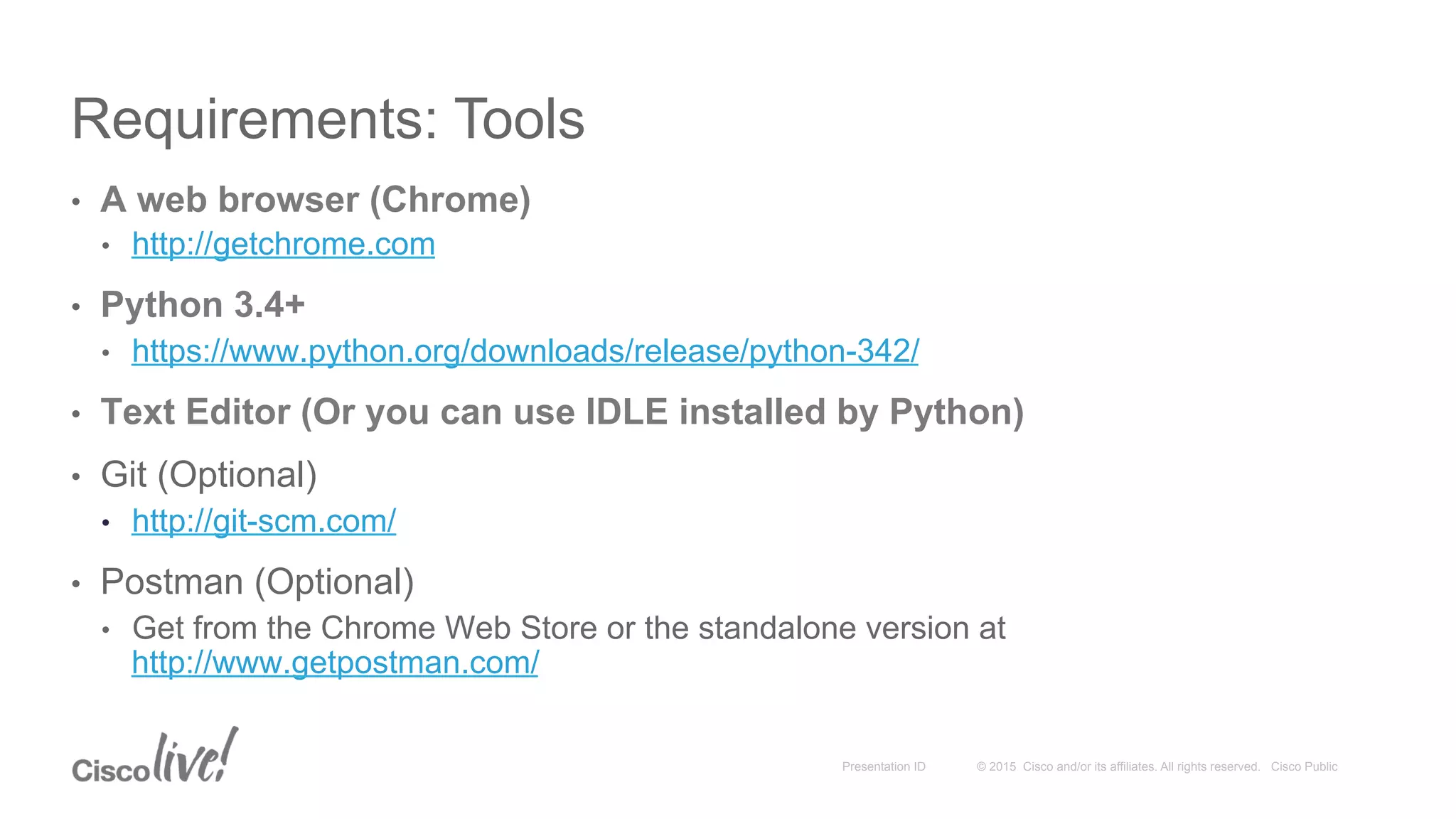
Requirements: Tools
•  A web browser (Chrome)
•  http://getchrome.com
•  Python 3.4+
•  https://www.python.org/downloads/release/python-342/
•  Text Editor (Or you can use IDLE installed by Python)
•  Git (Optional)
•  http://git-scm.com/
•  Postman (Optional)
•  Get from the Chrome Web Store or the standalone version at
http://www.getpostman.com/
© 2015 Cisco and/or its affiliates. All rights reserved. Cisco PublicPresentation ID
Requirements: Expertise
•  Basic computer skills / Accessing web sites
•  Using the command-line for your Operating System
•  Some skills in scripting or computer automation
© 2015 Cisco and/or its affiliates. All rights reserved. Cisco PublicPresentation ID
Requirements
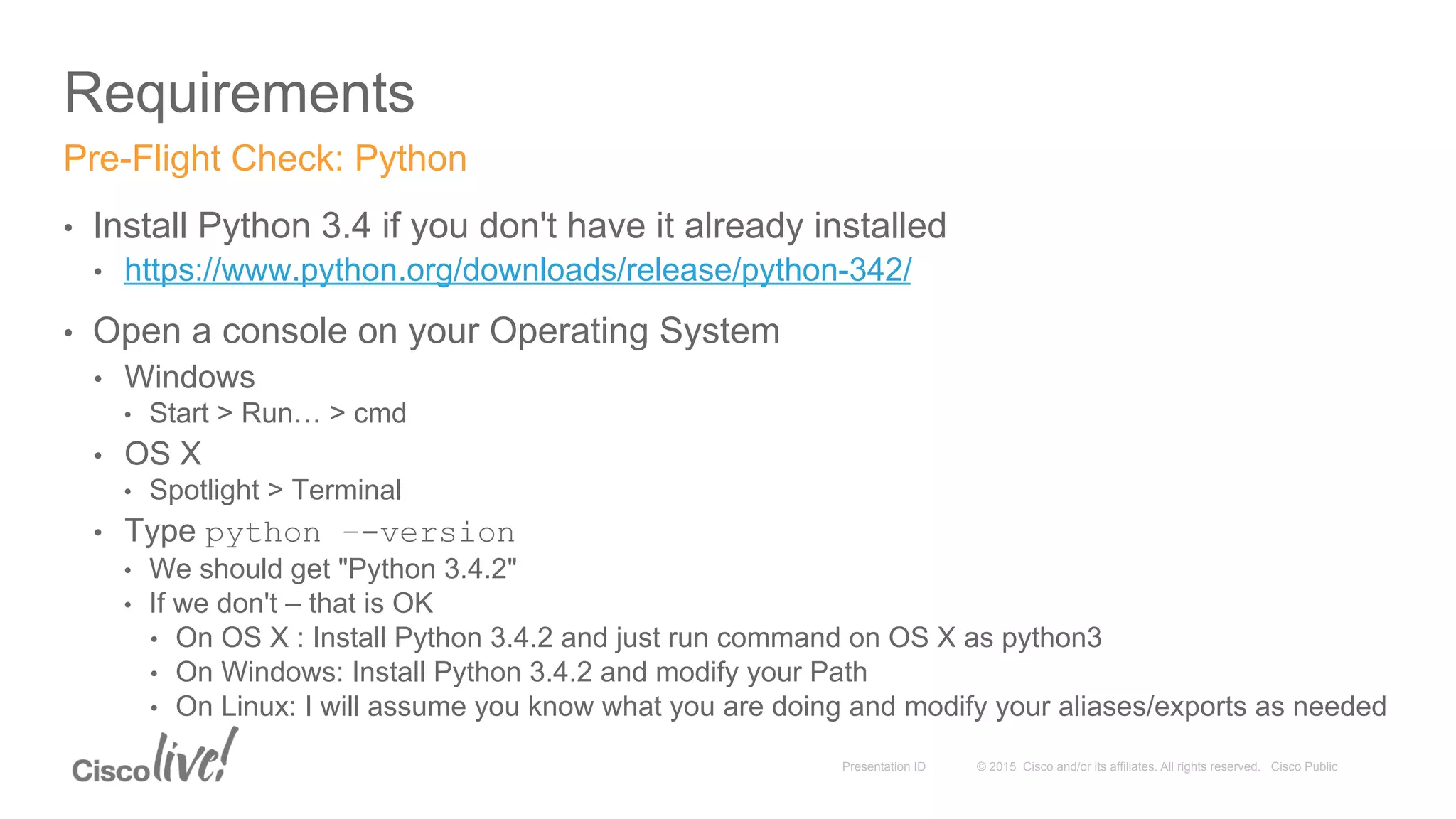
•  Install Python 3.4 if you don't have it already installed
•  https://www.python.org/downloads/release/python-342/
•  Open a console on your Operating System
•  Windows
•  Start > Run… > cmd
•  OS X
•  Spotlight > Terminal
•  Type python –-version
•  We should get "Python 3.4.2"
•  If we don't – that is OK
•  On OS X : Install Python 3.4.2 and just run command on OS X as python3
•  On Windows: Install Python 3.4.2 and modify your Path
•  On Linux: I will assume you know what you are doing and modify your aliases/exports as needed
Pre-Flight Check: Python
© 2015 Cisco and/or its affiliates. All rights reserved. Cisco PublicPresentation ID
Requirements
•  Install Postman if you don't already have it installed
•  This isn't required but it is a very useful tool
•  Available at http://www.getpostman.com/
•  If you are used to a different tool (SoapUI, Chrome DevTools, etc.) – Feel free
•  Browser-based version or Standalone packaged application is fine
Pre-Flight Check: Postman
© 2015 Cisco and/or its affiliates. All rights reserved. Cisco PublicPresentation ID
Requirements: Code
13
•  GitHub
•  https://github.com/CiscoDevNet/coding-skills-sample-code
•  coding202-parsing-json
•  To Clone locally run the following command:
•  git clone https://github.com/CiscoDevNet/coding-skills-sample-code.git
All the samples used are available online
© 2015 Cisco and/or its affiliates. All rights reserved. Cisco PublicPresentation ID
Optional: Tools
14
•  JSON Test
•  http://www.jsontest.com/
•  JSON Lint
•  http://jsonlint.com/
•  JSON Placeholder
•  http://jsonplaceholder.typicode.com/
Other online resources for our foray into JSON parsing
© 2015 Cisco and/or its affiliates. All rights reserved. Cisco PublicPresentation ID
Requesting Content
15
© 2015 Cisco and/or its affiliates. All rights reserved. Cisco PublicPresentation ID
Request and Response
•  Request
•  What you want
•  Parameters
•  Response results can often be controlled via Request elements
•  The URI itself or URL query params
•  Form-based transactions
•  HTTP Headers
•  Pseudo Extensions (https://stream.twitter.com/1.1/statuses/sample.json)
•  Response
•  What you get
•  Content
•  Can often return the same data in different formats per request
•  XML, JSON, ATOM, …
What you want; what you get
© 2015 Cisco and/or its affiliates. All rights reserved. Cisco PublicPresentation ID
HTTP
•  What does HTTP stand for? (HT) & (TP)
•  What is the most relevant part of the definition for us today?
•  Headers
•  Authorization
•  Accept
•  Charset, Encoding, Language
•  Actions
•  GET – Actually get content
•  POST – Create new content
•  DELETE – Delete content
•  PUT – Update content
•  Content Description
•  MIME Types
•  For HTTP the content is negotiated
A brief word about HTTP
© 2015 Cisco and/or its affiliates. All rights reserved. Cisco PublicPresentation ID
Requesting Content via Postman
18
•  From Postman
•  In the Request field enter our test URL
•  http://jsonplaceholder.typicode.com/users
•  Click Send
•  From a Browser
•  Just put http://jsonplaceholder.typicode.com/users in as the URL
•  We should get some JSON returned
Let’s get something to look at
http://jsonplaceholder.typicode.com/users
http://jsonplaceholder.typicode.com/todos
© 2015 Cisco and/or its affiliates. All rights reserved. Cisco PublicPresentation ID
Understanding the structure of the Response
[
{
"id" : 1,
"name": "Leanne Graham"
},
{
"id": 2,
"name": "Ervin Howell"
}
]
Let's look at this in JSON Lint and then JSON.org.
Let’s look at what we got (Condensed)
© 2015 Cisco and/or its affiliates. All rights reserved. Cisco PublicPresentation ID
Understanding the structure of the Response
[ (Array)
{ (Object)
"id" : 1, (Value)
"name": "Leanne Graham" (Value)
},
{ (Object)
"id": 2, (Value)
"name": "Ervin Howell" (Value)
}
]
Let’s look at what we got (Condensed)
© 2015 Cisco and/or its affiliates. All rights reserved. Cisco PublicPresentation ID
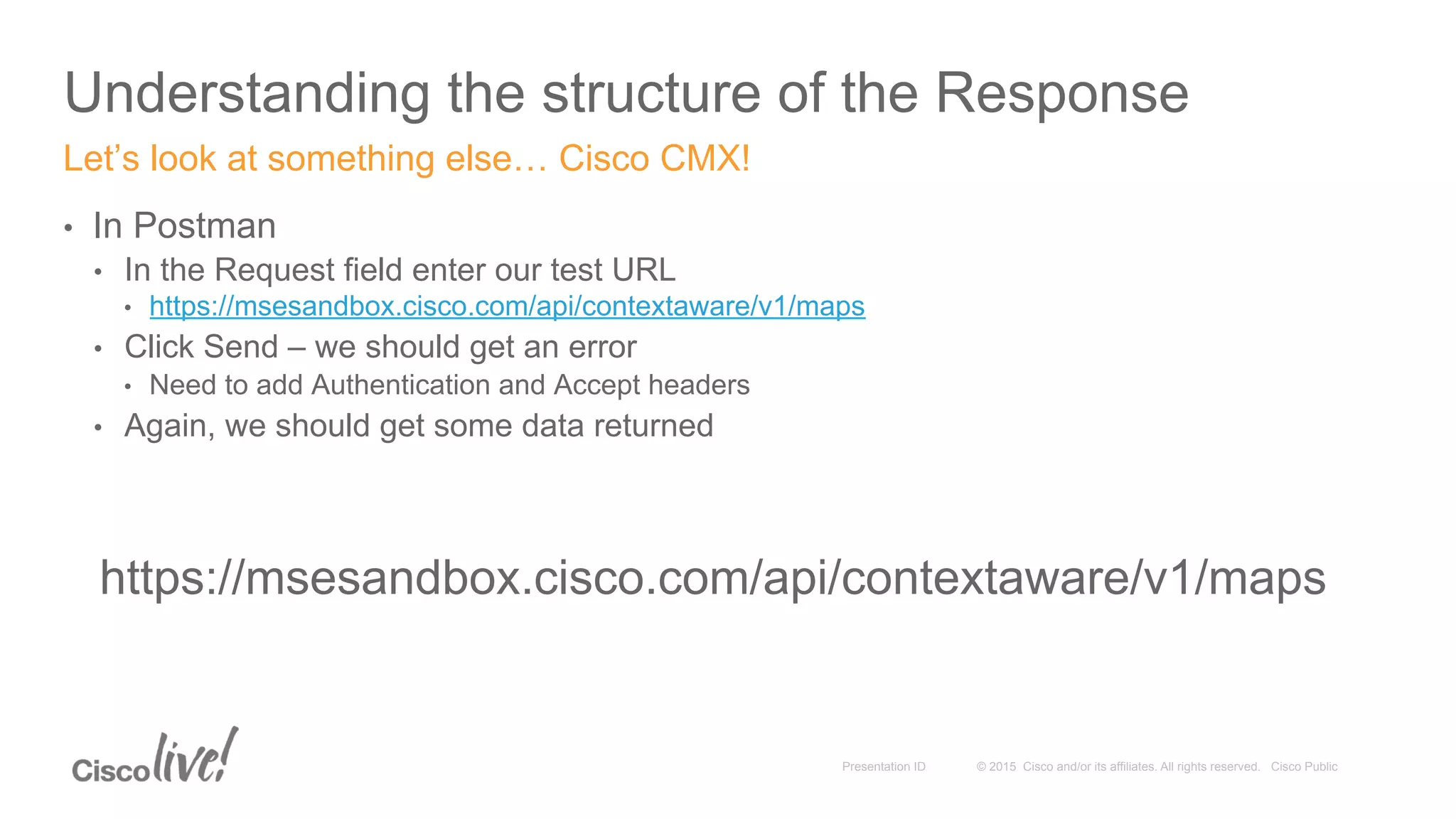
Understanding the structure of the Response
•  In Postman
•  In the Request field enter our test URL
•  https://msesandbox.cisco.com/api/contextaware/v1/maps
•  Click Send – we should get an error
•  Need to add Authentication and Accept headers
•  Again, we should get some data returned
Let’s look at something else… Cisco CMX!
https://msesandbox.cisco.com/api/contextaware/v1/maps
© 2015 Cisco and/or its affiliates. All rights reserved. Cisco PublicPresentation ID
Understanding the structure of the Response
{
"Maps": {
"Campus": [
{
"name": "DevNetCampus",
"Building": [
{
"name": "DevNetBuilding",
"Floor": [
{
"name": "DevNetZone"
}
]
}
]
}
]
}
}
Let’s look at what we got from CMX (Condensed)
© 2015 Cisco and/or its affiliates. All rights reserved. Cisco PublicPresentation ID
Activity: Requesting Content
© 2015 Cisco and/or its affiliates. All rights reserved. Cisco PublicPresentation ID
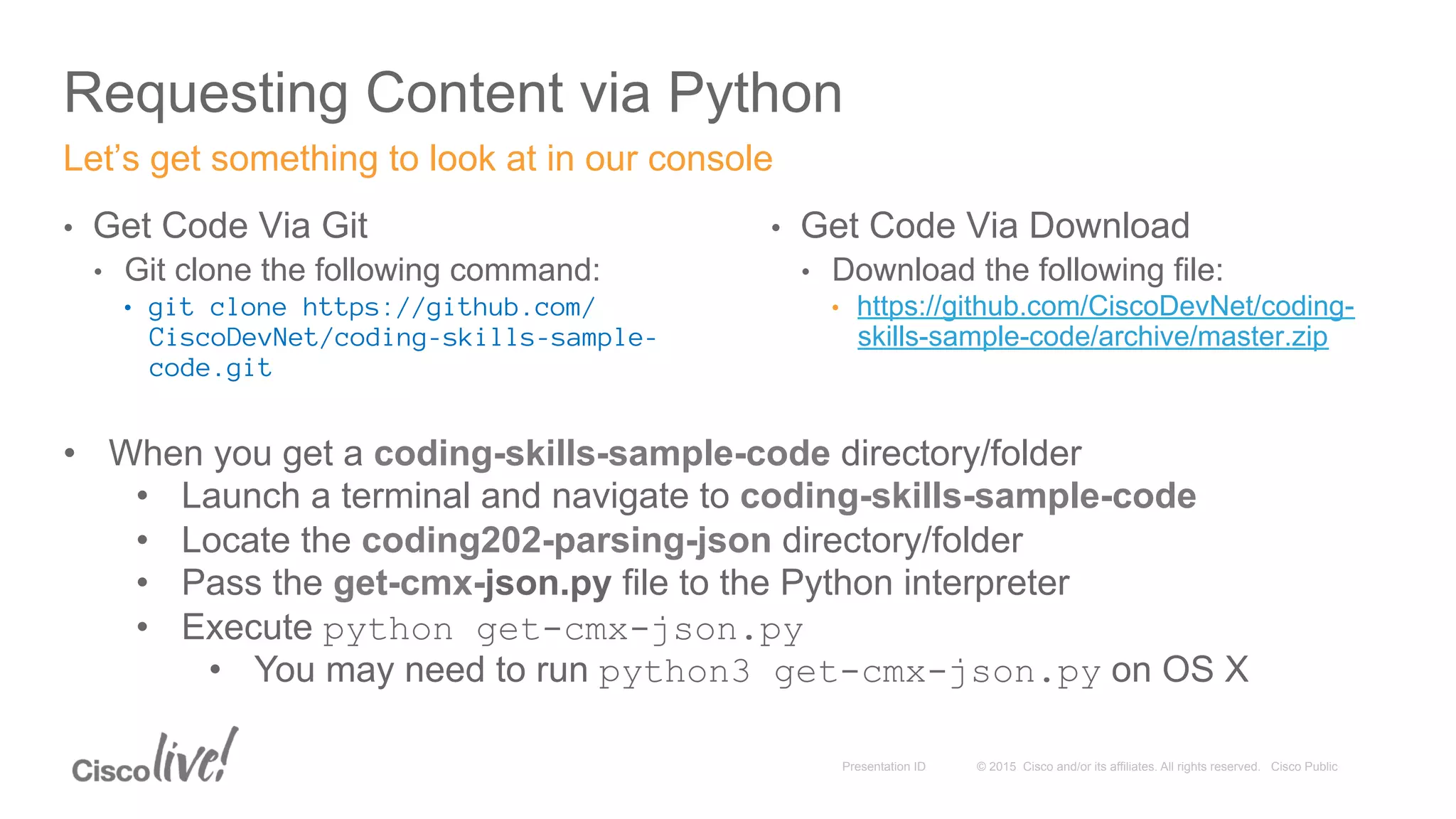
Requesting Content via Python
•  Get Code Via Git
•  Git clone the following command:
•  git clone https://github.com/
CiscoDevNet/coding-skills-sample-
code.git
Let’s get something to look at in our console
•  Get Code Via Download
•  Download the following file:
•  https://github.com/CiscoDevNet/coding-
skills-sample-code/archive/master.zip
•  When you get a coding-skills-sample-code directory/folder
•  Launch a terminal and navigate to coding-skills-sample-code
•  Locate the coding202-parsing-json directory/folder
•  Pass the get-cmx-json.py file to the Python interpreter
•  Execute python get-cmx-json.py
•  You may need to run python3 get-cmx-json.py on OS X
© 2015 Cisco and/or its affiliates. All rights reserved. Cisco PublicPresentation ID
Understanding the structure of the Response
{ (Object)
"Maps": { (Object)
"Campus": [ (Array)
{ (Object)
"name": "DevNetCampus", (Value)
"Building": [ (Array)
{ (Object)
"name": "DevNetBuilding", (Value)
"Floor": [(Array)
{ (Object)
"name": "DevNetZone" (Value)
}
]
}
]
}
]
}
}
Let’s look at what we got from Python (Condensed) - python get-cmx-json.py
© 2015 Cisco and/or its affiliates. All rights reserved. Cisco PublicPresentation ID
Parsing Content
26
© 2015 Cisco and/or its affiliates. All rights reserved. Cisco PublicPresentation ID
•  Why Parse?
•  Methods of Parsing
•  Don't Parse
•  Output is truly human-readable
•  Do-It-Yourself (DIY) String Parsing
•  Useful for really, really simple string extraction
•  Build or Use a Framework
•  A lot of ready-made libraries and tools are already available
Parsing Content
27
© 2015 Cisco and/or its affiliates. All rights reserved. Cisco PublicPresentation ID
•  Available Libraries
•  json (Python Standard Library)
•  simplejson
•  ultrajson
•  …
•  JSON.org has lists of utilities at http://json.org/
Methods of Parsing Content
28
© 2015 Cisco and/or its affiliates. All rights reserved. Cisco PublicPresentation ID
Parsing and Extraction
•  Understand
•  The Content
•  What it represents – A user? A book? A log entry? A data sample? An access point?
•  Schema – What is the order, form, and requirements of the data?
•  Size – How much content will you get back? And will that be a problem?
•  What you need
•  Names and Email Addresses, X and Y coordinates, Patient ID numbers
•  How much you need
•  Do you need a count of items, a representative sample, or everything?
•  Be aware that there is sometimes more than one path to the content…
•  Different web libraries (urllib, urllib2, Requests, etc.)
•  Different JSON parsers (JSON, SimpleJSON, UltraJSON, etc.)
Syntactic analysis and processing of the result
© 2015 Cisco and/or its affiliates. All rights reserved. Cisco PublicPresentation ID
Introduction to the code
•  Python syntax
•  Indentation
•  Python code blocks do not have explicit statement scope delimiters
•  Indentation amount is relative
•  Variables
•  Assignment
•  Arrays
•  Statements
•  Import statements
•  Print statements
•  Conditional statements
•  Looping constructs
Visit https://docs.python.org/3/reference/index.html for the complete docs
Lets orient ourselves to Python and how it is used in the example code
© 2015 Cisco and/or its affiliates. All rights reserved. Cisco PublicPresentation ID
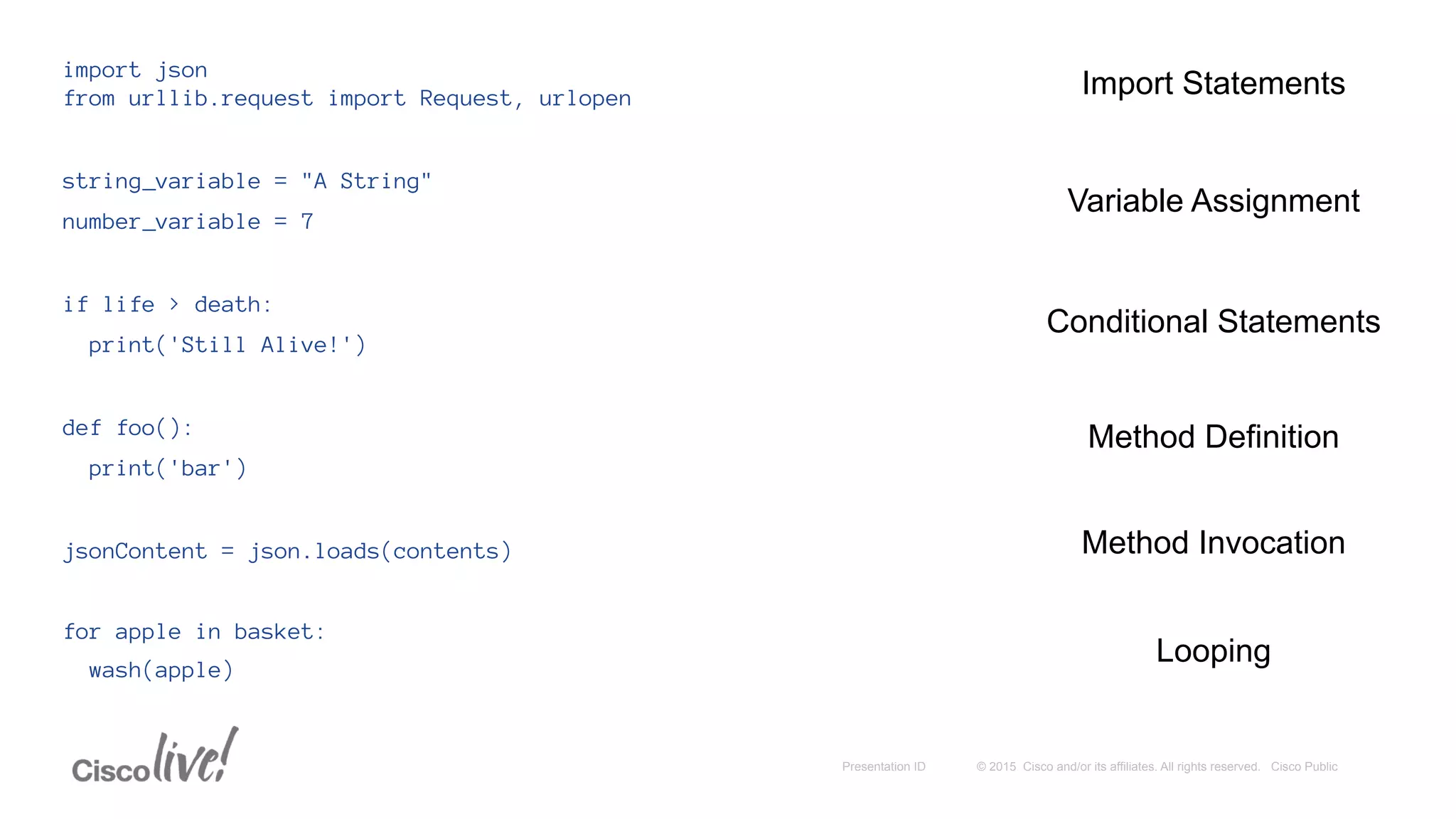
import json
from urllib.request import Request, urlopen
string_variable = "A String"
number_variable = 7
if life > death:
print('Still Alive!')
def foo():
print('bar')
jsonContent = json.loads(contents)
for apple in basket:
wash(apple)
Import Statements
Variable Assignment
Method Invocation
Looping
Conditional Statements
Method Definition
© 2015 Cisco and/or its affiliates. All rights reserved. Cisco PublicPresentation ID
opened_url = urllib2.urlopen(request)
content = opened_url.read()
- is functionally equivalent to the following -
content = urllib2.urlopen(request).read()
an_array = {'first element', 'second element', 'third element'}
element = an_array[1]
some_value = some_matrix[0][2]
buildings_array['Building']['Floor']
for entry in jsonContent['Device']['entries']:
if entry == "Device007":
print(entry['macAddress'])
Method Chaining
Arrays
Multidimensional Arrays
Compound Statements
Multidimensional Dictionaries
© 2015 Cisco and/or its affiliates. All rights reserved. Cisco PublicPresentation ID
Activity: Parse and Extract
33
© 2015 Cisco and/or its affiliates. All rights reserved. Cisco PublicPresentation ID
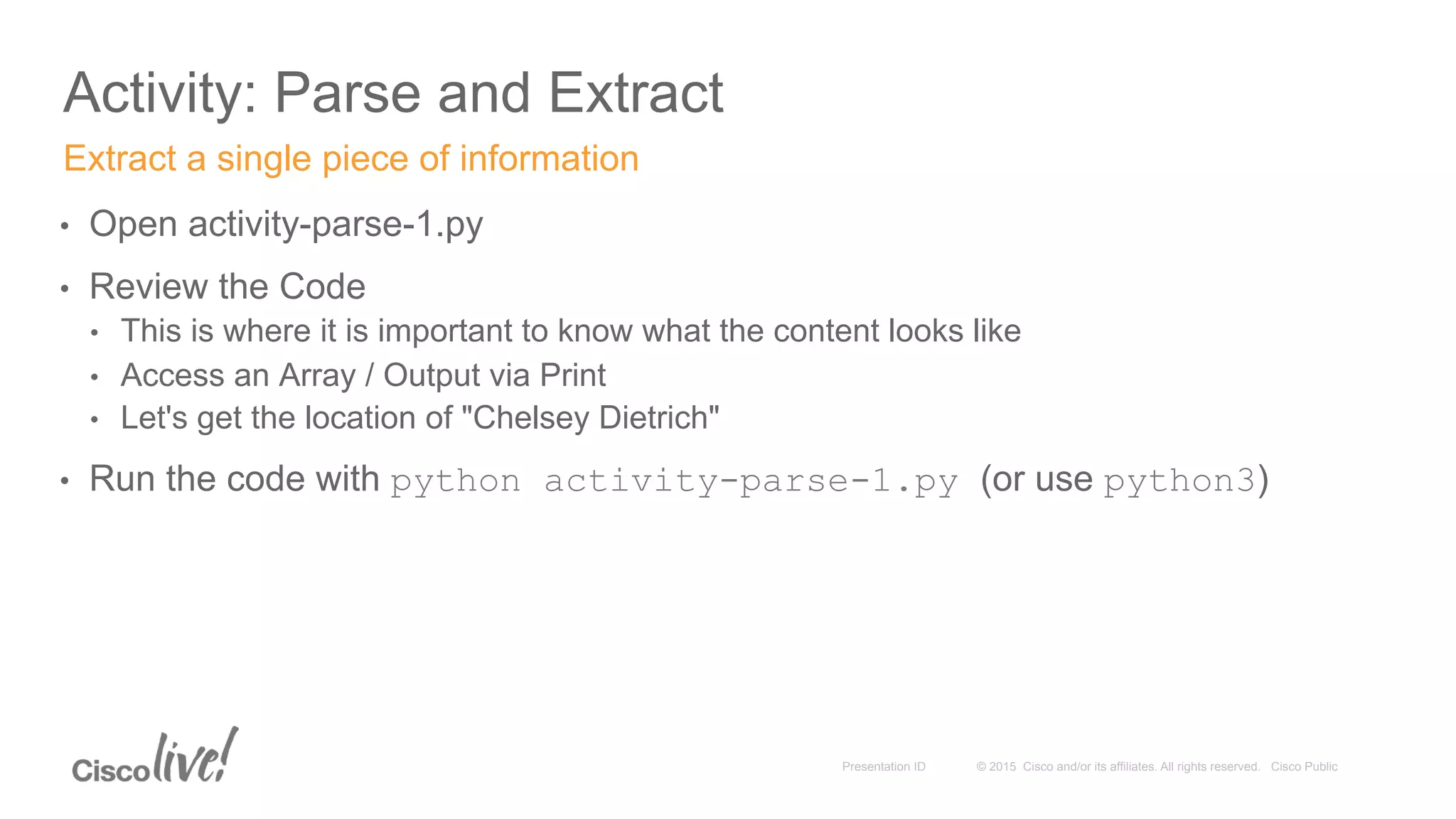
Activity: Parse and Extract
•  Open activity-parse-1.py
•  Review the Code
•  This is where it is important to know what the content looks like
•  Access an Array / Output via Print
•  Let's get the location of "Chelsey Dietrich"
•  Run the code with python activity-parse-1.py (or use python3)
Extract a single piece of information
© 2015 Cisco and/or its affiliates. All rights reserved. Cisco PublicPresentation ID
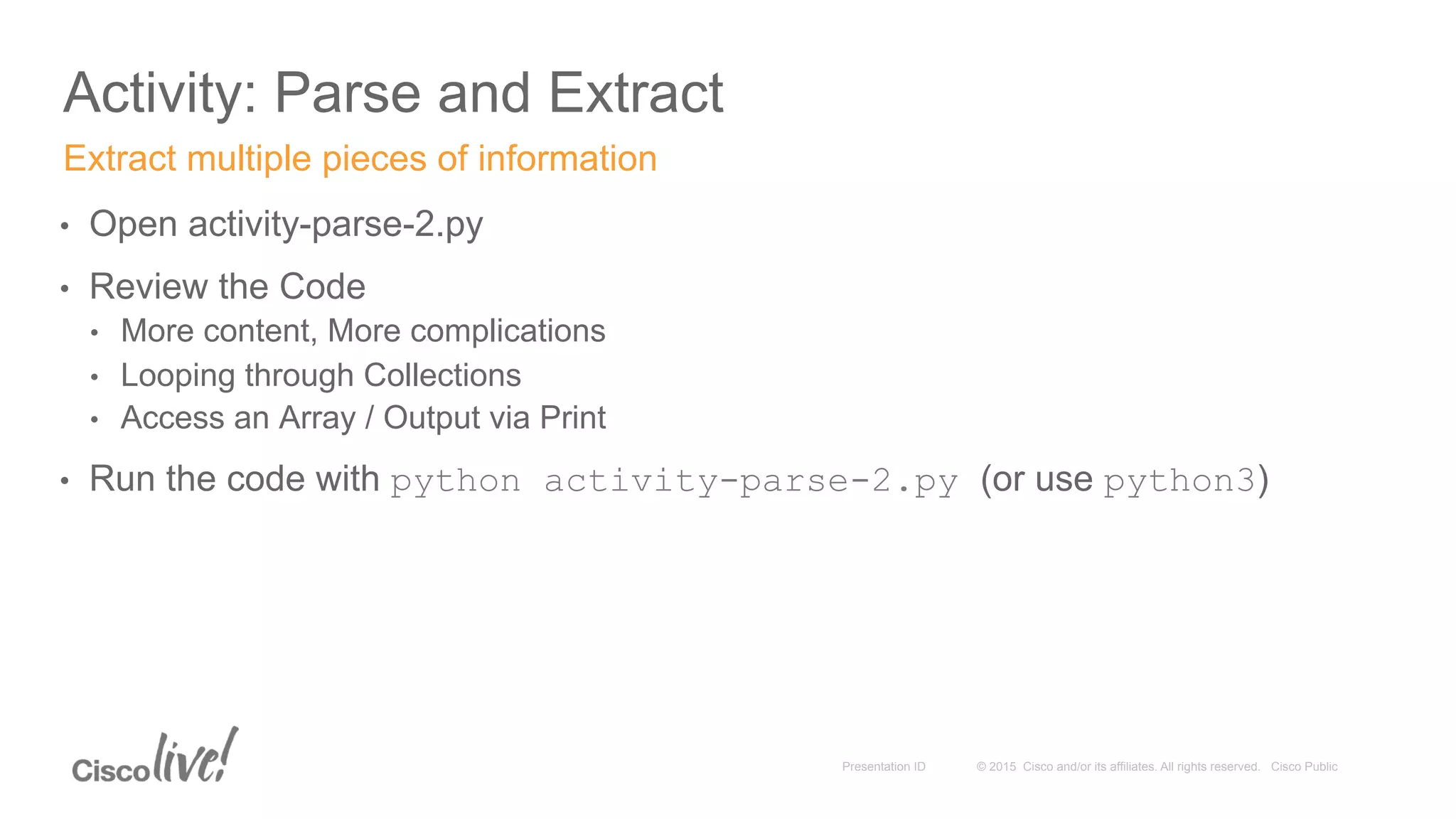
Activity: Parse and Extract
•  Open activity-parse-2.py
•  Review the Code
•  More content, More complications
•  Looping through Collections
•  Access an Array / Output via Print
•  Run the code with python activity-parse-2.py (or use python3)
Extract multiple pieces of information
© 2015 Cisco and/or its affiliates. All rights reserved. Cisco PublicPresentation ID
Activity: Parse and Extract
•  Open activity-parse-3.py
•  Review the Code
•  Keep what we want and show it how we want to
•  Looping through Collections
•  Storing Variables
•  Formatted output via Print
•  Run the code with python activity-parse-3.py (or use python3)
Extract and combine multiple pieces of information
© 2015 Cisco and/or its affiliates. All rights reserved. Cisco PublicPresentation ID
Activity: Parse and Extract
•  Open activity-parse-4.py
•  Review the Code
•  Storing relevant information
•  Python arrays
•  Querying a source (same or different)
•  Run the code with python activity-parse-4.py (or use python3)
Extract and combine multiple pieces of information forming a new Request
© 2015 Cisco and/or its affiliates. All rights reserved. Cisco PublicPresentation ID
Demo: IOx
38
© 2015 Cisco and/or its affiliates. All rights reserved. Cisco PublicPresentation ID
•  IOx
•  Edge Computing
•  Python on the Edge
Demonstration
39
© 2015 Cisco and/or its affiliates. All rights reserved. Cisco PublicPresentation ID
Resources
© 2015 Cisco and/or its affiliates. All rights reserved. Cisco PublicPresentation ID
Resources
•  On-Site
•  Learning Labs
•  https://learninglabs.cisco.com
•  DevNetizens
Information to help you on your way
© 2015 Cisco and/or its affiliates. All rights reserved. Cisco PublicPresentation ID
Resources
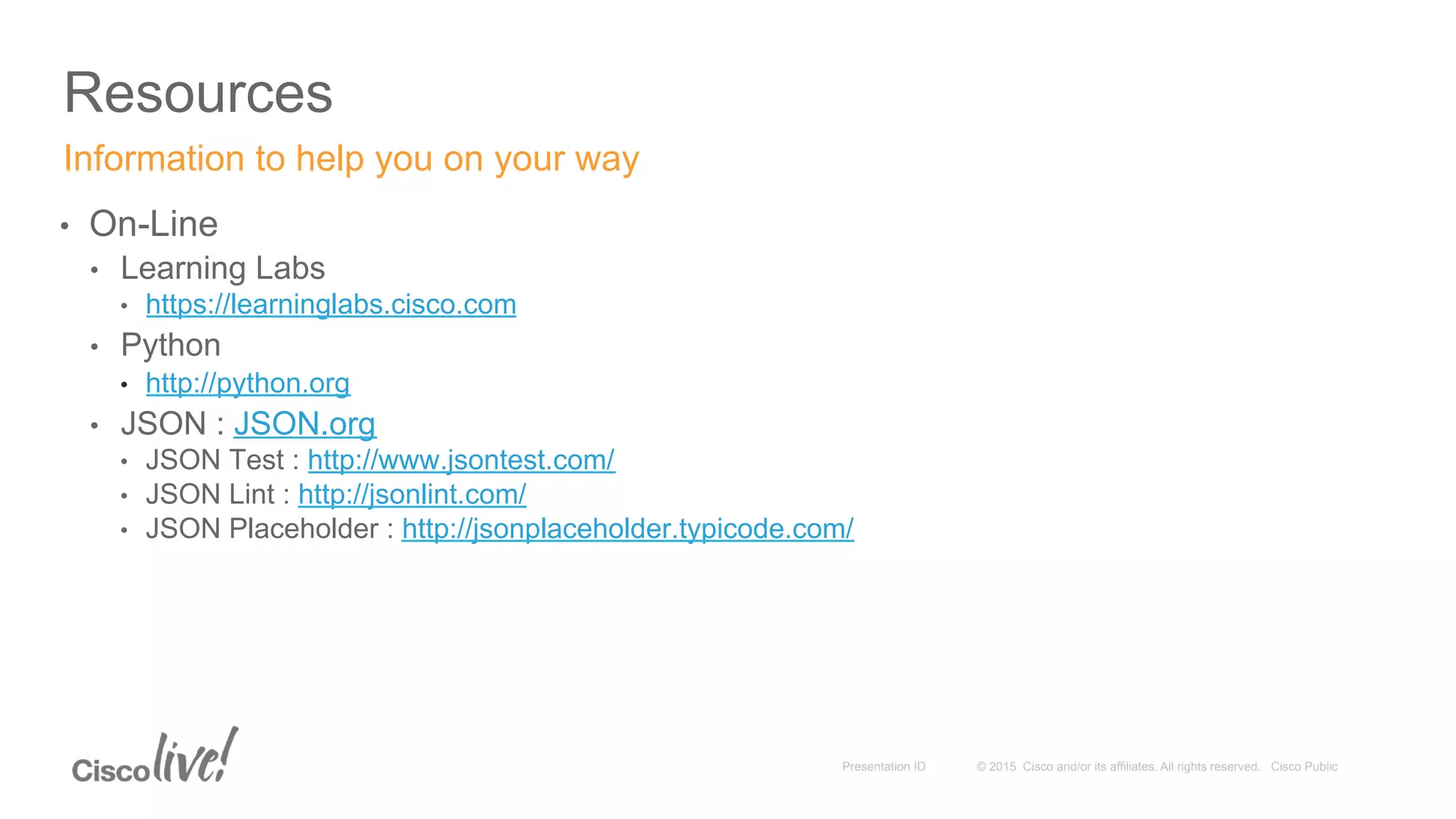
•  On-Line
•  Learning Labs
•  https://learninglabs.cisco.com
•  Python
•  http://python.org
•  JSON : JSON.org
•  JSON Test : http://www.jsontest.com/
•  JSON Lint : http://jsonlint.com/
•  JSON Placeholder : http://jsonplaceholder.typicode.com/
Information to help you on your way
Thank you
© 2015 Cisco and/or its affiliates. All rights reserved. Cisco PublicPresentation ID 43
© 2015 Cisco and/or its affiliates. All rights reserved. Cisco PublicPresentation ID
Debugging
© 2015 Cisco and/or its affiliates. All rights reserved. Cisco PublicPresentation ID
Debugging
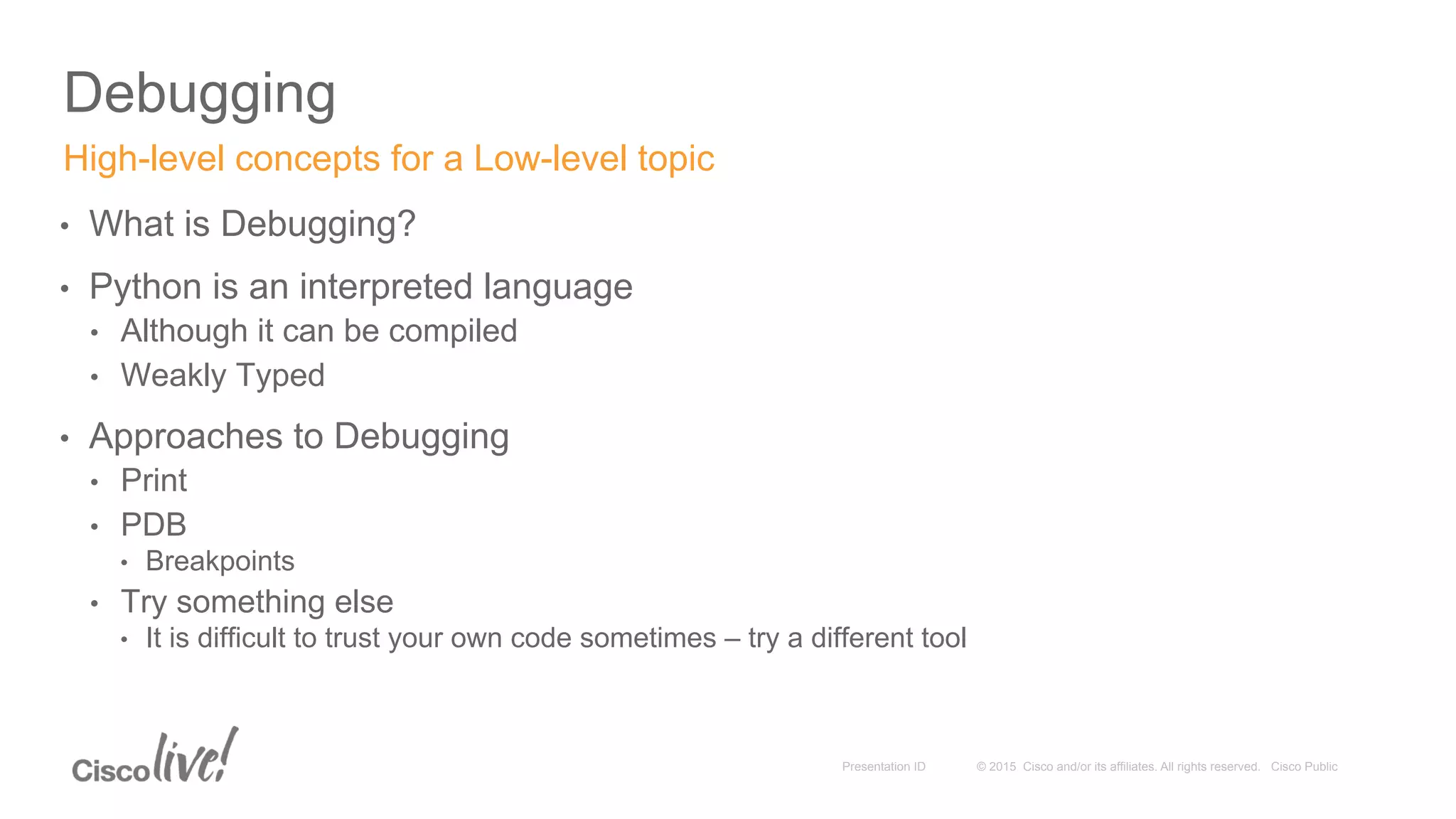
•  What is Debugging?
•  Python is an interpreted language
•  Although it can be compiled
•  Weakly Typed
•  Approaches to Debugging
•  Print
•  PDB
•  Breakpoints
•  Try something else
•  It is difficult to trust your own code sometimes – try a different tool
High-level concepts for a Low-level topic
© 2015 Cisco and/or its affiliates. All rights reserved. Cisco PublicPresentation ID
Debugging
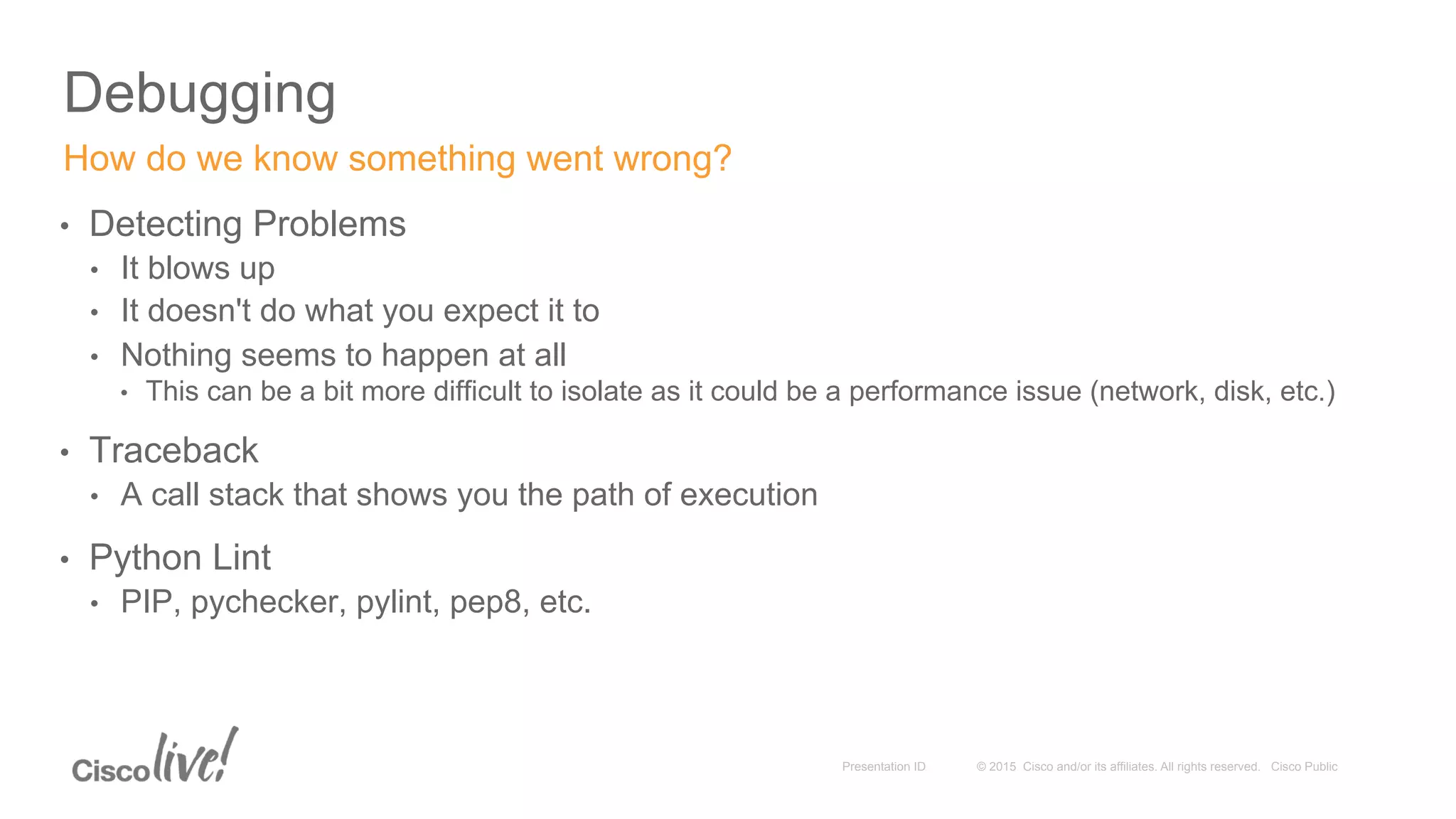
•  Detecting Problems
•  It blows up
•  It doesn't do what you expect it to
•  Nothing seems to happen at all
•  This can be a bit more difficult to isolate as it could be a performance issue (network, disk, etc.)
•  Traceback
•  A call stack that shows you the path of execution
•  Python Lint
•  PIP, pychecker, pylint, pep8, etc.
How do we know something went wrong?
© 2015 Cisco and/or its affiliates. All rights reserved. Cisco PublicPresentation ID
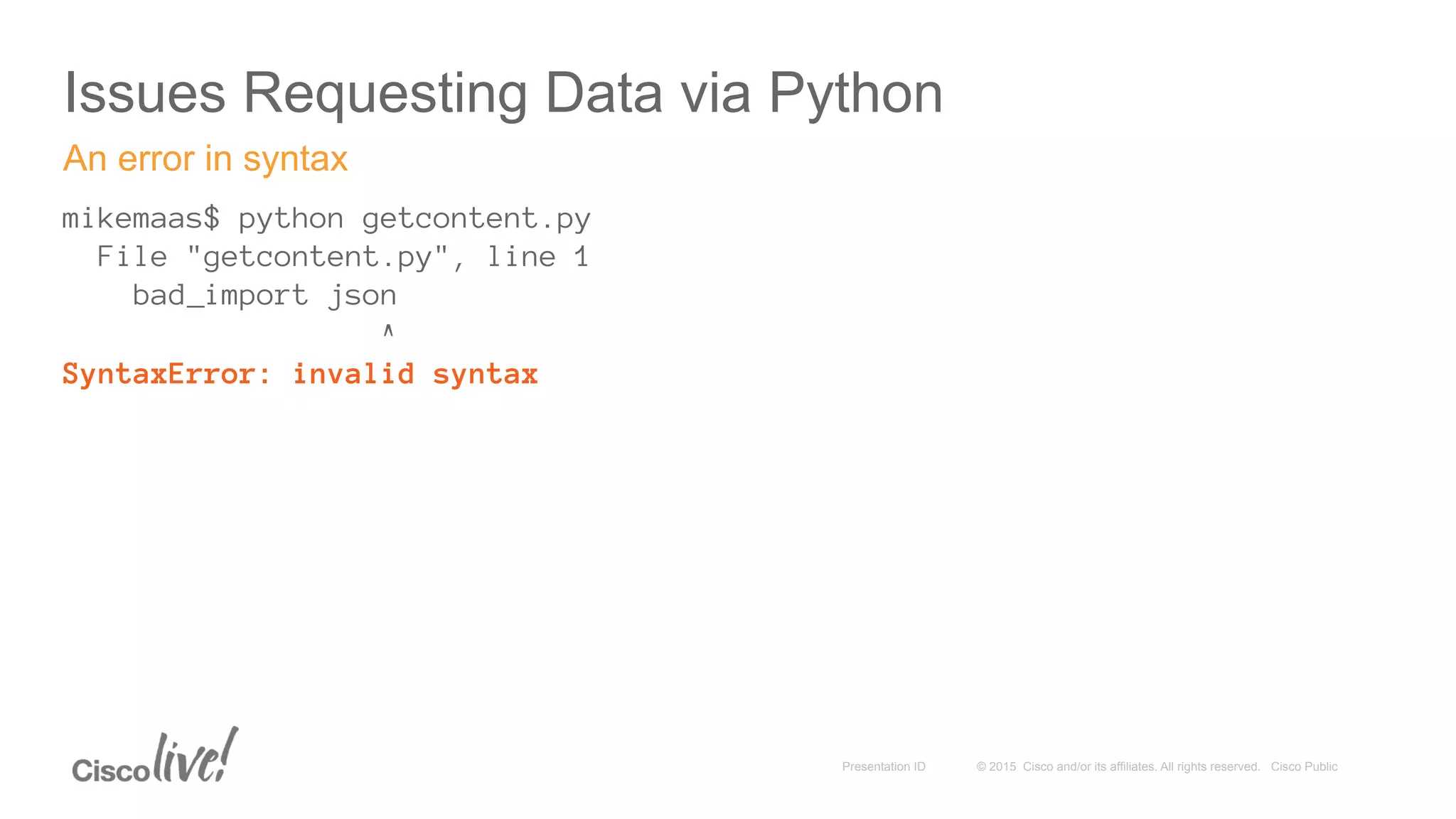
Issues Requesting Data via Python
mikemaas$ python getcontent.py
File "getcontent.py", line 1
bad_import json
^
SyntaxError: invalid syntax
An error in syntax
© 2015 Cisco and/or its affiliates. All rights reserved. Cisco PublicPresentation ID
Issues Requesting Data via Python
mikemaas$ python3.4 getcontent.py
File "getcontent.py", line 11
print entry['macAddress']
^
SyntaxError: Missing parentheses in call to 'print'
Version-specific Errors
© 2015 Cisco and/or its affiliates. All rights reserved. Cisco PublicPresentation ID
Issues Requesting Data via Python
mikemaas$ python getcontent.py
Traceback (most recent call last):
File "getcontent.py", line 6, in <module>
contents = urllib2.urlopen(request).read()
File "/System/Library/Frameworks/Python.framework/Versions/2.7/lib/python2.7/urllib2.py", line 127, in urlopen
return _opener.open(url, data, timeout)
File "/System/Library/Frameworks/Python.framework/Versions/2.7/lib/python2.7/urllib2.py", line 404, in open
response = self._open(req, data)
File "/System/Library/Frameworks/Python.framework/Versions/2.7/lib/python2.7/urllib2.py", line 422, in _open
'_open', req)
File "/System/Library/Frameworks/Python.framework/Versions/2.7/lib/python2.7/urllib2.py", line 382, in _call_chain
result = func(*args)
File "/System/Library/Frameworks/Python.framework/Versions/2.7/lib/python2.7/urllib2.py", line 1222, in https_open
return self.do_open(httplib.HTTPSConnection, req)
File "/System/Library/Frameworks/Python.framework/Versions/2.7/lib/python2.7/urllib2.py", line 1184, in do_open
raise URLError(err)
urllib2.URLError: <urlopen error [Errno 51] Network is unreachable>
No Network
© 2015 Cisco and/or its affiliates. All rights reserved. Cisco PublicPresentation ID
Activity: Debug
© 2015 Cisco and/or its affiliates. All rights reserved. Cisco PublicPresentation ID
Activity: Debug
•  Open activity-debug-1.py
•  Review the Code
•  Taking control of execution
•  Looking at things as they execute
•  Run the code
•  python -m pdb activity-debug-1.py
Step through a script
© 2015 Cisco and/or its affiliates. All rights reserved. Cisco PublicPresentation ID
Activity: Debug
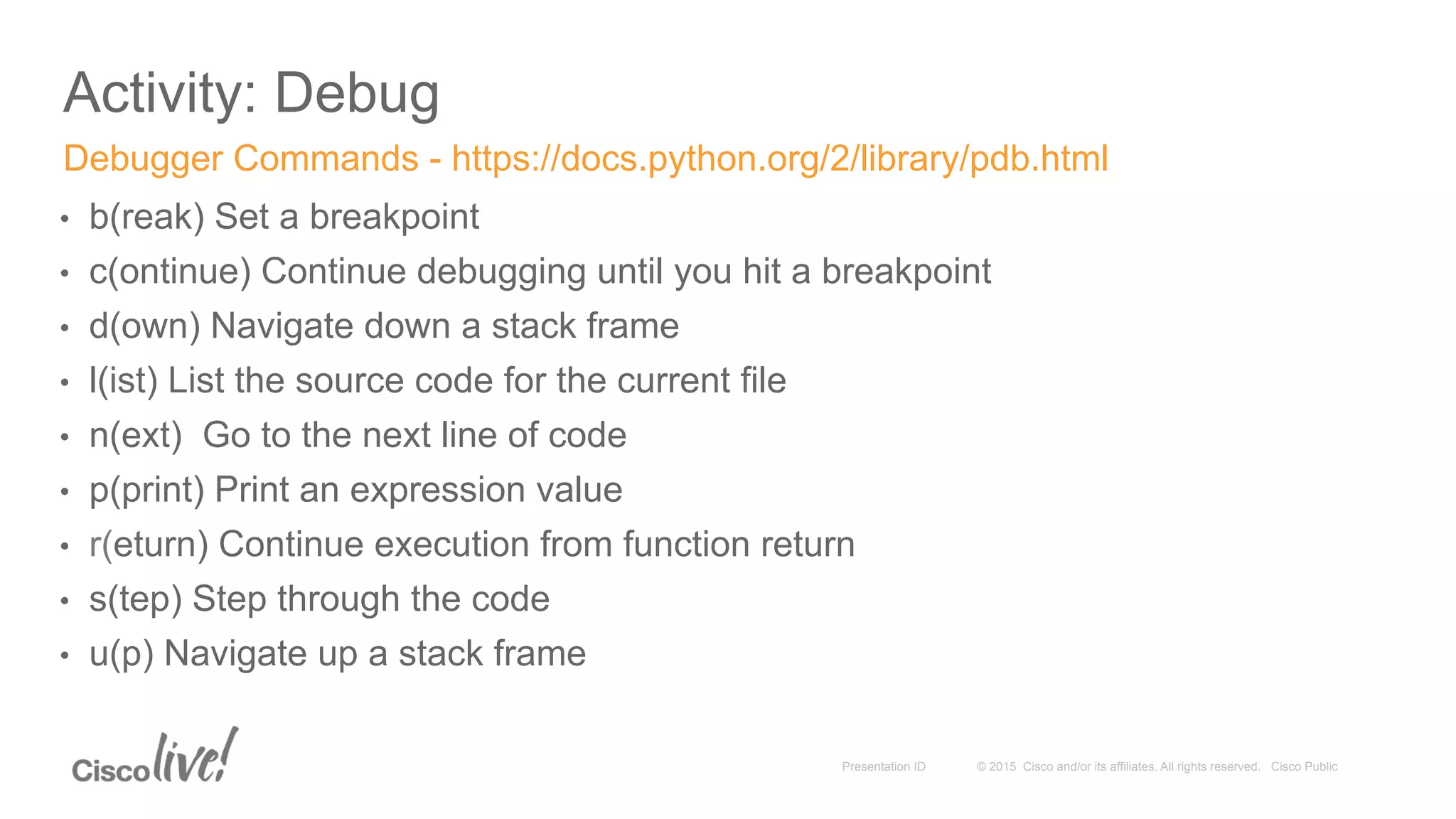
•  b(reak) Set a breakpoint
•  c(ontinue) Continue debugging until you hit a breakpoint
•  d(own) Navigate down a stack frame
•  l(ist) List the source code for the current file
•  n(ext) Go to the next line of code
•  p(print) Print an expression value
•  r(eturn) Continue execution from function return
•  s(tep) Step through the code
•  u(p) Navigate up a stack frame
Debugger Commands - https://docs.python.org/2/library/pdb.html

DEVNET-2002 Coding 201: Coding Skills 201: Going Further with REST and Python: JSON Parsing

  • 2.
    Coding 201 Parsing JSONin Python Mike Maas, Technical Evangelist – IoE, DevNet, @mike_maas
  • 3.
    © 2015 Ciscoand/or its affiliates. All rights reserved. Cisco PublicPresentation ID •  Introductions •  Overview •  Requirements •  Tools •  Requesting Content •  Parsing Content •  Resources Agenda 3
  • 4.
    © 2015 Ciscoand/or its affiliates. All rights reserved. Cisco PublicPresentation ID Introductions •  Who Am I? •  Mike Maas, Technical Evangelist – Internet of Everything, DevNet •  Based out of Seattle, Washington •  Why this session? Why Python? •  It is a great way to learn programming skills •  http://cacm.acm.org/blogs/blog-cacm/176450-python-is-now-the-most-popular-introductory- teaching-language-at-top-us-universities/fulltext •  It is a very flexible and quick "glue" language •  Lots of bindings and existing packaged functionality •  Ported to lots and lots of architectures/platforms 4
  • 5.
    © 2015 Ciscoand/or its affiliates. All rights reserved. Cisco PublicPresentation ID Overview 5
  • 6.
    © 2015 Ciscoand/or its affiliates. All rights reserved. Cisco PublicPresentation ID Overview •  Goals •  Build upon Coding 101 •  Deeper understanding of using Python to collect information from the network •  Further inspection of JSON and the tools available to evaluate JSON content •  Understand the methods and implementation of parsing JSON •  What we won't be covering •  Authentication •  Oauth, Digest/Form/etc.
  • 7.
    © 2015 Ciscoand/or its affiliates. All rights reserved. Cisco PublicPresentation ID Overview •  What we are going to work on •  Using Postman •  Learning a little bit about CMX •  Understanding how to use Python to parse data •  Understanding some of the challenges of parsing data •  Seeing some of the errors you might encounter
  • 8.
    © 2015 Ciscoand/or its affiliates. All rights reserved. Cisco PublicPresentation ID Requirements 8
  • 9.
    © 2015 Ciscoand/or its affiliates. All rights reserved. Cisco PublicPresentation ID Requirements: Tools •  A web browser (Chrome) •  http://getchrome.com •  Python 3.4+ •  https://www.python.org/downloads/release/python-342/ •  Text Editor (Or you can use IDLE installed by Python) •  Git (Optional) •  http://git-scm.com/ •  Postman (Optional) •  Get from the Chrome Web Store or the standalone version at http://www.getpostman.com/
  • 10.
    © 2015 Ciscoand/or its affiliates. All rights reserved. Cisco PublicPresentation ID Requirements: Expertise •  Basic computer skills / Accessing web sites •  Using the command-line for your Operating System •  Some skills in scripting or computer automation
  • 11.
    © 2015 Ciscoand/or its affiliates. All rights reserved. Cisco PublicPresentation ID Requirements •  Install Python 3.4 if you don't have it already installed •  https://www.python.org/downloads/release/python-342/ •  Open a console on your Operating System •  Windows •  Start > Run… > cmd •  OS X •  Spotlight > Terminal •  Type python –-version •  We should get "Python 3.4.2" •  If we don't – that is OK •  On OS X : Install Python 3.4.2 and just run command on OS X as python3 •  On Windows: Install Python 3.4.2 and modify your Path •  On Linux: I will assume you know what you are doing and modify your aliases/exports as needed Pre-Flight Check: Python
  • 12.
    © 2015 Ciscoand/or its affiliates. All rights reserved. Cisco PublicPresentation ID Requirements •  Install Postman if you don't already have it installed •  This isn't required but it is a very useful tool •  Available at http://www.getpostman.com/ •  If you are used to a different tool (SoapUI, Chrome DevTools, etc.) – Feel free •  Browser-based version or Standalone packaged application is fine Pre-Flight Check: Postman
  • 13.
    © 2015 Ciscoand/or its affiliates. All rights reserved. Cisco PublicPresentation ID Requirements: Code 13 •  GitHub •  https://github.com/CiscoDevNet/coding-skills-sample-code •  coding202-parsing-json •  To Clone locally run the following command: •  git clone https://github.com/CiscoDevNet/coding-skills-sample-code.git All the samples used are available online
  • 14.
    © 2015 Ciscoand/or its affiliates. All rights reserved. Cisco PublicPresentation ID Optional: Tools 14 •  JSON Test •  http://www.jsontest.com/ •  JSON Lint •  http://jsonlint.com/ •  JSON Placeholder •  http://jsonplaceholder.typicode.com/ Other online resources for our foray into JSON parsing
  • 15.
    © 2015 Ciscoand/or its affiliates. All rights reserved. Cisco PublicPresentation ID Requesting Content 15
  • 16.
    © 2015 Ciscoand/or its affiliates. All rights reserved. Cisco PublicPresentation ID Request and Response •  Request •  What you want •  Parameters •  Response results can often be controlled via Request elements •  The URI itself or URL query params •  Form-based transactions •  HTTP Headers •  Pseudo Extensions (https://stream.twitter.com/1.1/statuses/sample.json) •  Response •  What you get •  Content •  Can often return the same data in different formats per request •  XML, JSON, ATOM, … What you want; what you get
  • 17.
    © 2015 Ciscoand/or its affiliates. All rights reserved. Cisco PublicPresentation ID HTTP •  What does HTTP stand for? (HT) & (TP) •  What is the most relevant part of the definition for us today? •  Headers •  Authorization •  Accept •  Charset, Encoding, Language •  Actions •  GET – Actually get content •  POST – Create new content •  DELETE – Delete content •  PUT – Update content •  Content Description •  MIME Types •  For HTTP the content is negotiated A brief word about HTTP
  • 18.
    © 2015 Ciscoand/or its affiliates. All rights reserved. Cisco PublicPresentation ID Requesting Content via Postman 18 •  From Postman •  In the Request field enter our test URL •  http://jsonplaceholder.typicode.com/users •  Click Send •  From a Browser •  Just put http://jsonplaceholder.typicode.com/users in as the URL •  We should get some JSON returned Let’s get something to look at http://jsonplaceholder.typicode.com/users http://jsonplaceholder.typicode.com/todos
  • 19.
    © 2015 Ciscoand/or its affiliates. All rights reserved. Cisco PublicPresentation ID Understanding the structure of the Response [ { "id" : 1, "name": "Leanne Graham" }, { "id": 2, "name": "Ervin Howell" } ] Let's look at this in JSON Lint and then JSON.org. Let’s look at what we got (Condensed)
  • 20.
    © 2015 Ciscoand/or its affiliates. All rights reserved. Cisco PublicPresentation ID Understanding the structure of the Response [ (Array) { (Object) "id" : 1, (Value) "name": "Leanne Graham" (Value) }, { (Object) "id": 2, (Value) "name": "Ervin Howell" (Value) } ] Let’s look at what we got (Condensed)
  • 21.
    © 2015 Ciscoand/or its affiliates. All rights reserved. Cisco PublicPresentation ID Understanding the structure of the Response •  In Postman •  In the Request field enter our test URL •  https://msesandbox.cisco.com/api/contextaware/v1/maps •  Click Send – we should get an error •  Need to add Authentication and Accept headers •  Again, we should get some data returned Let’s look at something else… Cisco CMX! https://msesandbox.cisco.com/api/contextaware/v1/maps
  • 22.
    © 2015 Ciscoand/or its affiliates. All rights reserved. Cisco PublicPresentation ID Understanding the structure of the Response { "Maps": { "Campus": [ { "name": "DevNetCampus", "Building": [ { "name": "DevNetBuilding", "Floor": [ { "name": "DevNetZone" } ] } ] } ] } } Let’s look at what we got from CMX (Condensed)
  • 23.
    © 2015 Ciscoand/or its affiliates. All rights reserved. Cisco PublicPresentation ID Activity: Requesting Content
  • 24.
    © 2015 Ciscoand/or its affiliates. All rights reserved. Cisco PublicPresentation ID Requesting Content via Python •  Get Code Via Git •  Git clone the following command: •  git clone https://github.com/ CiscoDevNet/coding-skills-sample- code.git Let’s get something to look at in our console •  Get Code Via Download •  Download the following file: •  https://github.com/CiscoDevNet/coding- skills-sample-code/archive/master.zip •  When you get a coding-skills-sample-code directory/folder •  Launch a terminal and navigate to coding-skills-sample-code •  Locate the coding202-parsing-json directory/folder •  Pass the get-cmx-json.py file to the Python interpreter •  Execute python get-cmx-json.py •  You may need to run python3 get-cmx-json.py on OS X
  • 25.
    © 2015 Ciscoand/or its affiliates. All rights reserved. Cisco PublicPresentation ID Understanding the structure of the Response { (Object) "Maps": { (Object) "Campus": [ (Array) { (Object) "name": "DevNetCampus", (Value) "Building": [ (Array) { (Object) "name": "DevNetBuilding", (Value) "Floor": [(Array) { (Object) "name": "DevNetZone" (Value) } ] } ] } ] } } Let’s look at what we got from Python (Condensed) - python get-cmx-json.py
  • 26.
    © 2015 Ciscoand/or its affiliates. All rights reserved. Cisco PublicPresentation ID Parsing Content 26
  • 27.
    © 2015 Ciscoand/or its affiliates. All rights reserved. Cisco PublicPresentation ID •  Why Parse? •  Methods of Parsing •  Don't Parse •  Output is truly human-readable •  Do-It-Yourself (DIY) String Parsing •  Useful for really, really simple string extraction •  Build or Use a Framework •  A lot of ready-made libraries and tools are already available Parsing Content 27
  • 28.
    © 2015 Ciscoand/or its affiliates. All rights reserved. Cisco PublicPresentation ID •  Available Libraries •  json (Python Standard Library) •  simplejson •  ultrajson •  … •  JSON.org has lists of utilities at http://json.org/ Methods of Parsing Content 28
  • 29.
    © 2015 Ciscoand/or its affiliates. All rights reserved. Cisco PublicPresentation ID Parsing and Extraction •  Understand •  The Content •  What it represents – A user? A book? A log entry? A data sample? An access point? •  Schema – What is the order, form, and requirements of the data? •  Size – How much content will you get back? And will that be a problem? •  What you need •  Names and Email Addresses, X and Y coordinates, Patient ID numbers •  How much you need •  Do you need a count of items, a representative sample, or everything? •  Be aware that there is sometimes more than one path to the content… •  Different web libraries (urllib, urllib2, Requests, etc.) •  Different JSON parsers (JSON, SimpleJSON, UltraJSON, etc.) Syntactic analysis and processing of the result
  • 30.
    © 2015 Ciscoand/or its affiliates. All rights reserved. Cisco PublicPresentation ID Introduction to the code •  Python syntax •  Indentation •  Python code blocks do not have explicit statement scope delimiters •  Indentation amount is relative •  Variables •  Assignment •  Arrays •  Statements •  Import statements •  Print statements •  Conditional statements •  Looping constructs Visit https://docs.python.org/3/reference/index.html for the complete docs Lets orient ourselves to Python and how it is used in the example code
  • 31.
    © 2015 Ciscoand/or its affiliates. All rights reserved. Cisco PublicPresentation ID import json from urllib.request import Request, urlopen string_variable = "A String" number_variable = 7 if life > death: print('Still Alive!') def foo(): print('bar') jsonContent = json.loads(contents) for apple in basket: wash(apple) Import Statements Variable Assignment Method Invocation Looping Conditional Statements Method Definition
  • 32.
    © 2015 Ciscoand/or its affiliates. All rights reserved. Cisco PublicPresentation ID opened_url = urllib2.urlopen(request) content = opened_url.read() - is functionally equivalent to the following - content = urllib2.urlopen(request).read() an_array = {'first element', 'second element', 'third element'} element = an_array[1] some_value = some_matrix[0][2] buildings_array['Building']['Floor'] for entry in jsonContent['Device']['entries']: if entry == "Device007": print(entry['macAddress']) Method Chaining Arrays Multidimensional Arrays Compound Statements Multidimensional Dictionaries
  • 33.
    © 2015 Ciscoand/or its affiliates. All rights reserved. Cisco PublicPresentation ID Activity: Parse and Extract 33
  • 34.
    © 2015 Ciscoand/or its affiliates. All rights reserved. Cisco PublicPresentation ID Activity: Parse and Extract •  Open activity-parse-1.py •  Review the Code •  This is where it is important to know what the content looks like •  Access an Array / Output via Print •  Let's get the location of "Chelsey Dietrich" •  Run the code with python activity-parse-1.py (or use python3) Extract a single piece of information
  • 35.
    © 2015 Ciscoand/or its affiliates. All rights reserved. Cisco PublicPresentation ID Activity: Parse and Extract •  Open activity-parse-2.py •  Review the Code •  More content, More complications •  Looping through Collections •  Access an Array / Output via Print •  Run the code with python activity-parse-2.py (or use python3) Extract multiple pieces of information
  • 36.
    © 2015 Ciscoand/or its affiliates. All rights reserved. Cisco PublicPresentation ID Activity: Parse and Extract •  Open activity-parse-3.py •  Review the Code •  Keep what we want and show it how we want to •  Looping through Collections •  Storing Variables •  Formatted output via Print •  Run the code with python activity-parse-3.py (or use python3) Extract and combine multiple pieces of information
  • 37.
    © 2015 Ciscoand/or its affiliates. All rights reserved. Cisco PublicPresentation ID Activity: Parse and Extract •  Open activity-parse-4.py •  Review the Code •  Storing relevant information •  Python arrays •  Querying a source (same or different) •  Run the code with python activity-parse-4.py (or use python3) Extract and combine multiple pieces of information forming a new Request
  • 38.
    © 2015 Ciscoand/or its affiliates. All rights reserved. Cisco PublicPresentation ID Demo: IOx 38
  • 39.
    © 2015 Ciscoand/or its affiliates. All rights reserved. Cisco PublicPresentation ID •  IOx •  Edge Computing •  Python on the Edge Demonstration 39
  • 40.
    © 2015 Ciscoand/or its affiliates. All rights reserved. Cisco PublicPresentation ID Resources
  • 41.
    © 2015 Ciscoand/or its affiliates. All rights reserved. Cisco PublicPresentation ID Resources •  On-Site •  Learning Labs •  https://learninglabs.cisco.com •  DevNetizens Information to help you on your way
  • 42.
    © 2015 Ciscoand/or its affiliates. All rights reserved. Cisco PublicPresentation ID Resources •  On-Line •  Learning Labs •  https://learninglabs.cisco.com •  Python •  http://python.org •  JSON : JSON.org •  JSON Test : http://www.jsontest.com/ •  JSON Lint : http://jsonlint.com/ •  JSON Placeholder : http://jsonplaceholder.typicode.com/ Information to help you on your way
  • 43.
    Thank you © 2015Cisco and/or its affiliates. All rights reserved. Cisco PublicPresentation ID 43
  • 45.
    © 2015 Ciscoand/or its affiliates. All rights reserved. Cisco PublicPresentation ID Debugging
  • 46.
    © 2015 Ciscoand/or its affiliates. All rights reserved. Cisco PublicPresentation ID Debugging •  What is Debugging? •  Python is an interpreted language •  Although it can be compiled •  Weakly Typed •  Approaches to Debugging •  Print •  PDB •  Breakpoints •  Try something else •  It is difficult to trust your own code sometimes – try a different tool High-level concepts for a Low-level topic
  • 47.
    © 2015 Ciscoand/or its affiliates. All rights reserved. Cisco PublicPresentation ID Debugging •  Detecting Problems •  It blows up •  It doesn't do what you expect it to •  Nothing seems to happen at all •  This can be a bit more difficult to isolate as it could be a performance issue (network, disk, etc.) •  Traceback •  A call stack that shows you the path of execution •  Python Lint •  PIP, pychecker, pylint, pep8, etc. How do we know something went wrong?
  • 48.
    © 2015 Ciscoand/or its affiliates. All rights reserved. Cisco PublicPresentation ID Issues Requesting Data via Python mikemaas$ python getcontent.py File "getcontent.py", line 1 bad_import json ^ SyntaxError: invalid syntax An error in syntax
  • 49.
    © 2015 Ciscoand/or its affiliates. All rights reserved. Cisco PublicPresentation ID Issues Requesting Data via Python mikemaas$ python3.4 getcontent.py File "getcontent.py", line 11 print entry['macAddress'] ^ SyntaxError: Missing parentheses in call to 'print' Version-specific Errors
  • 50.
    © 2015 Ciscoand/or its affiliates. All rights reserved. Cisco PublicPresentation ID Issues Requesting Data via Python mikemaas$ python getcontent.py Traceback (most recent call last): File "getcontent.py", line 6, in <module> contents = urllib2.urlopen(request).read() File "/System/Library/Frameworks/Python.framework/Versions/2.7/lib/python2.7/urllib2.py", line 127, in urlopen return _opener.open(url, data, timeout) File "/System/Library/Frameworks/Python.framework/Versions/2.7/lib/python2.7/urllib2.py", line 404, in open response = self._open(req, data) File "/System/Library/Frameworks/Python.framework/Versions/2.7/lib/python2.7/urllib2.py", line 422, in _open '_open', req) File "/System/Library/Frameworks/Python.framework/Versions/2.7/lib/python2.7/urllib2.py", line 382, in _call_chain result = func(*args) File "/System/Library/Frameworks/Python.framework/Versions/2.7/lib/python2.7/urllib2.py", line 1222, in https_open return self.do_open(httplib.HTTPSConnection, req) File "/System/Library/Frameworks/Python.framework/Versions/2.7/lib/python2.7/urllib2.py", line 1184, in do_open raise URLError(err) urllib2.URLError: <urlopen error [Errno 51] Network is unreachable> No Network
  • 51.
    © 2015 Ciscoand/or its affiliates. All rights reserved. Cisco PublicPresentation ID Activity: Debug
  • 52.
    © 2015 Ciscoand/or its affiliates. All rights reserved. Cisco PublicPresentation ID Activity: Debug •  Open activity-debug-1.py •  Review the Code •  Taking control of execution •  Looking at things as they execute •  Run the code •  python -m pdb activity-debug-1.py Step through a script
  • 53.
    © 2015 Ciscoand/or its affiliates. All rights reserved. Cisco PublicPresentation ID Activity: Debug •  b(reak) Set a breakpoint •  c(ontinue) Continue debugging until you hit a breakpoint •  d(own) Navigate down a stack frame •  l(ist) List the source code for the current file •  n(ext) Go to the next line of code •  p(print) Print an expression value •  r(eturn) Continue execution from function return •  s(tep) Step through the code •  u(p) Navigate up a stack frame Debugger Commands - https://docs.python.org/2/library/pdb.html