Swift 
Programming in 
DevelopinigO AppSs using Swift
iOS 8- New 
Features 
App Extensions - for sharing, photo editing, storage, 
custom keyboards (yay!) and much more 
Touch ID - forget registration and login, Touch ID 
authentication is here 
Games - many improvements to SpriteKit, SceneKit, 
OpenGL and a new framework Metal - for high 
performance in games 
Health Kit - a new framework for managing health-related 
info. Make way for revolutionary health apps
iOS 8- New 
Features 
Home Kit - communicate with connected devices 
(you don’t need to go to the switch now) 
Handoff - seamless continuity of activities across 
devices 
Photos - there is so much more you can do with 
Photos now And much more 
Sharing documents between apps 
More inclusive notifications 
Better search
Why Swift?
What Apple says 
Fast - performance wise, Swift is much faster than 
Objective-C 
Modern - borrows from Haskell, Ruby, Javascript - 
skill barrier greatly lowered 
Interactive - a Playground allows programmers to 
experiment with Swift code and see results 
immediately - no building and running
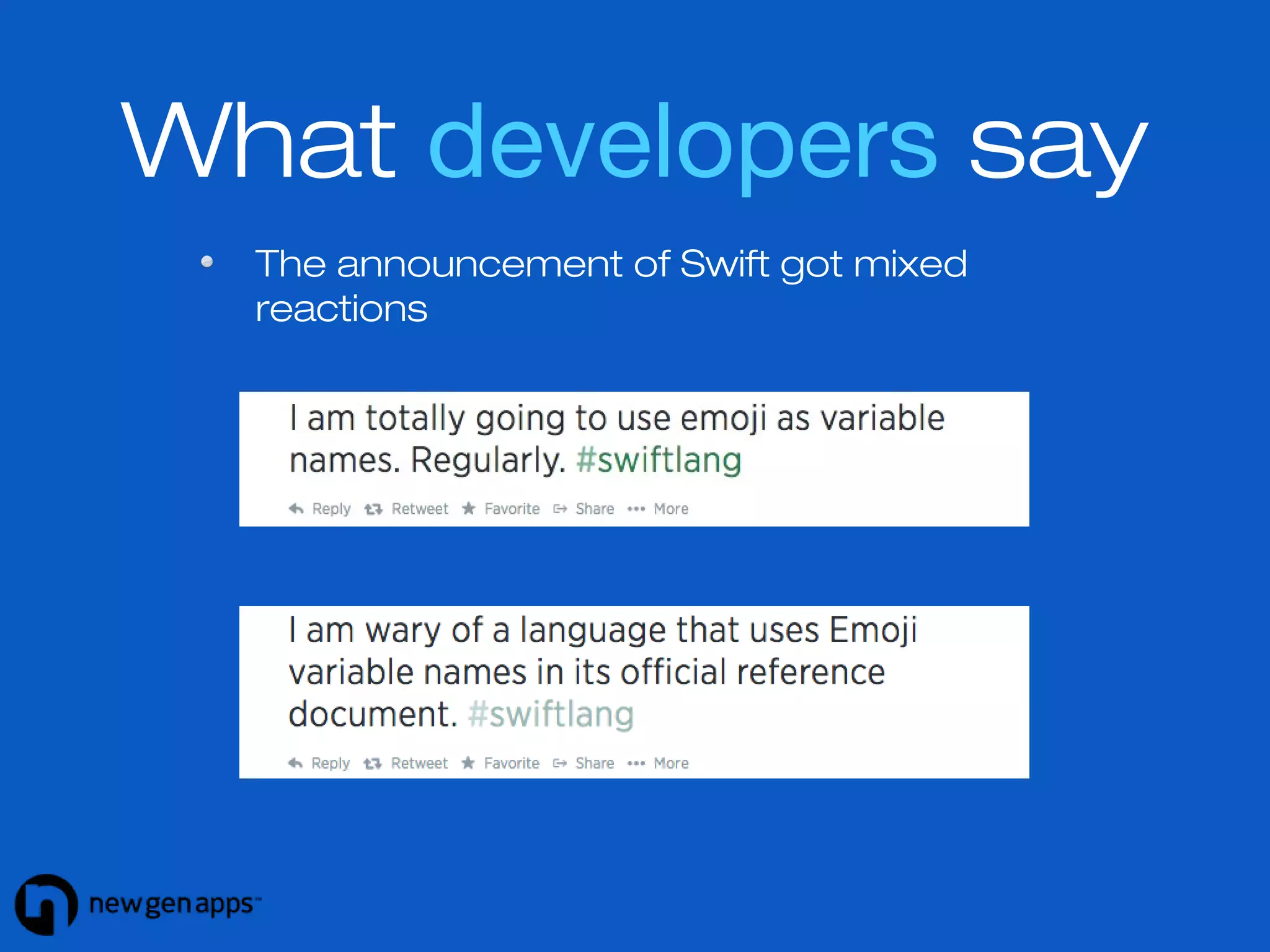
What developers say 
The announcement of Swift got mixed 
reactions
Show me the code!
Some key points 
Declaration and implementation are in the same file 
(no .h and .m files) 
Project size is largely reduced with Swift 
Swift auto-detects data types 
The code does not use semi-colons 
Braces are compulsory for if-else conditions
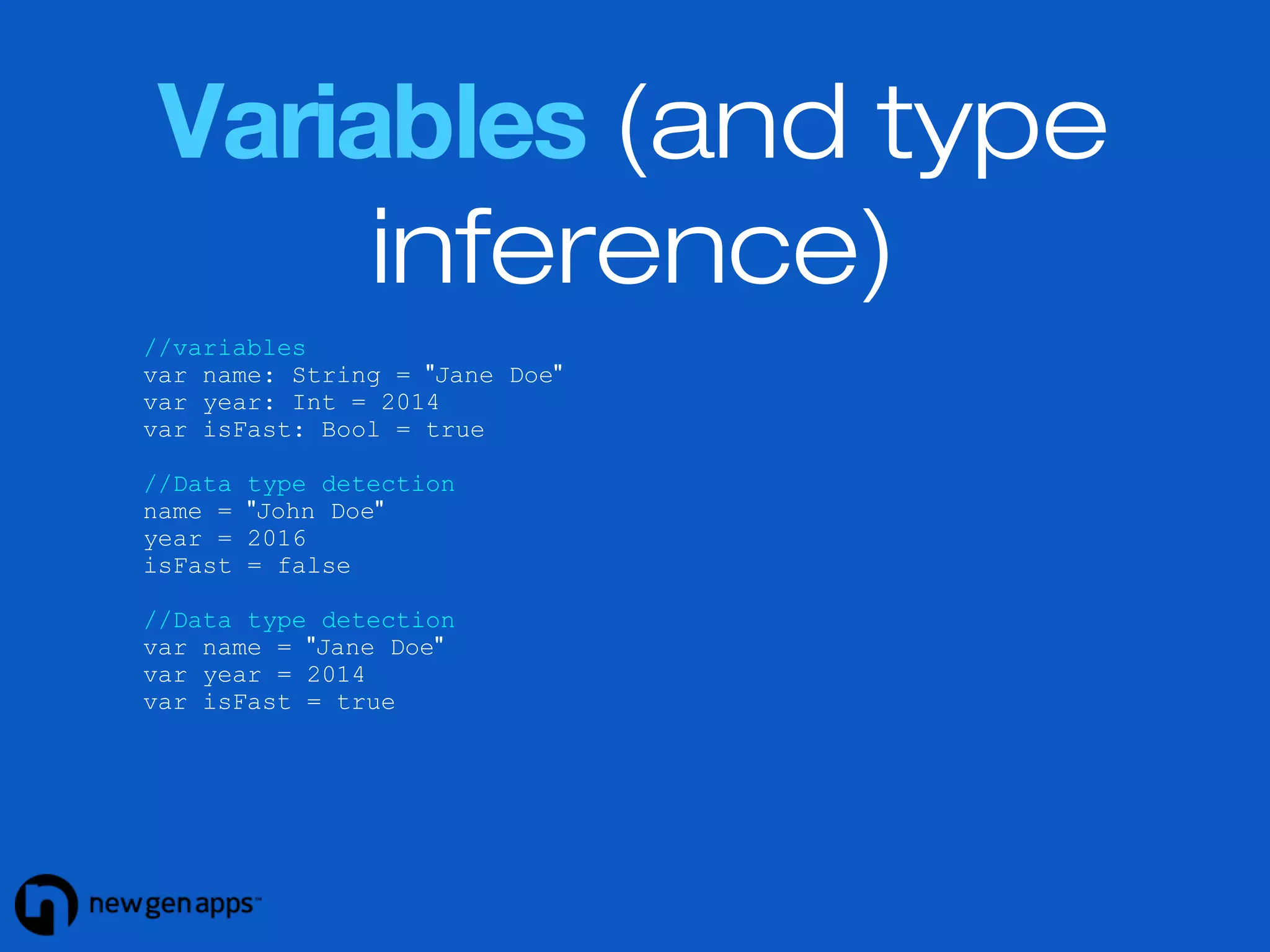
Variables (and type 
inference) 
//variables 
var name: String = "Jane Doe" 
var year: Int = 2014 
var isFast: Bool = true 
//Data type detection 
name = "John Doe" 
year = 2016 
isFast = false 
//Data type detection 
var name = "Jane Doe" 
var year = 2014 
var isFast = true
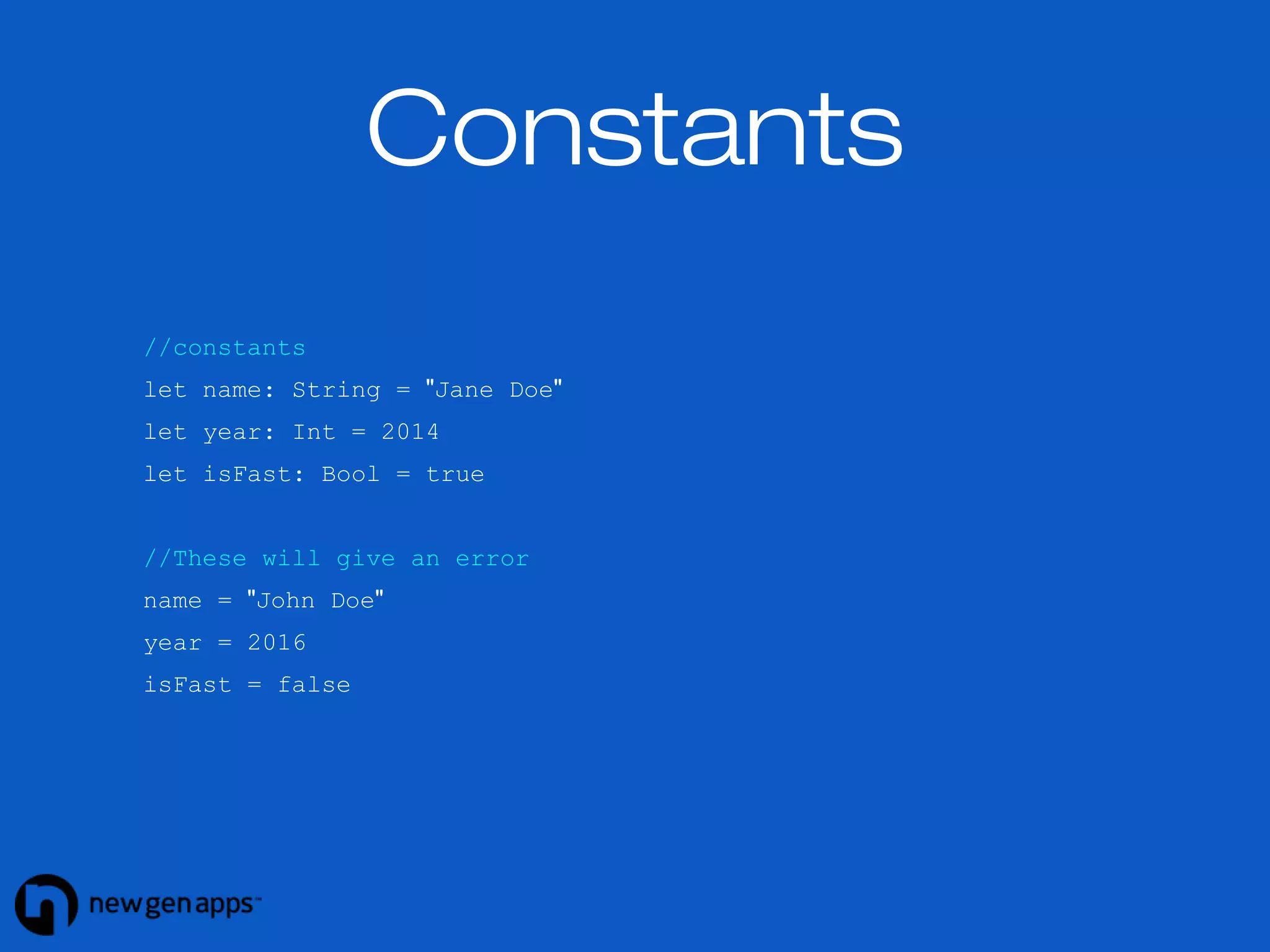
Constants 
//constants 
let name: String = "Jane Doe" 
let year: Int = 2014 
let isFast: Bool = true 
//These will give an error 
name = "John Doe" 
year = 2016 
isFast = false
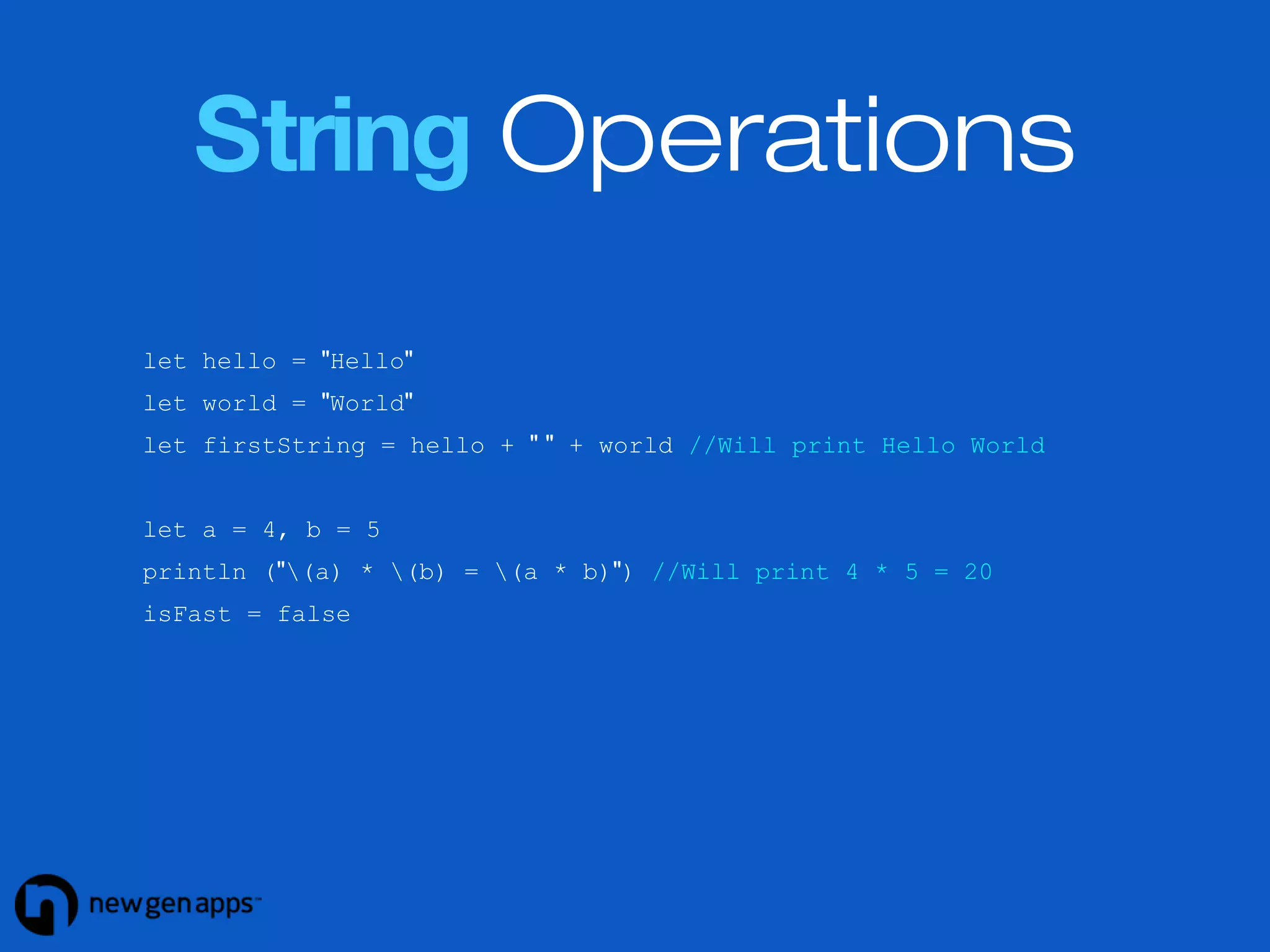
String Operations 
let hello = "Hello" 
let world = "World" 
let firstString = hello + " " + world //Will print Hello World 
let a = 4, b = 5 
println ("(a) * (b) = (a * b)") //Will print 4 * 5 = 20 
isFast = false
Arrays and Dictionaries 
//Typed arrays 
var typedList: String[] = ["Yes", "No", "Cancel"] 
typedList += ["OK"] //typedList - Yes, No, Cancel, OK 
//Mixed objects in an array 
var mixedList: String[] = ["India", 40.5, 3, false] 
//Dictionaries 
var comments = ["article1":4, "article2":6, "article3":0] 
comments["article4"] = 5; 
comments += ["article5":2, "article6":8]
Accessing Collections 
//Arrays 
typedList.insert("Later", atIndex:0) //typedList - Later, Yes... 
typedList.removeAtIndex(0) //typedList - Yes, No... 
typedList.append("Later") //typedList - Yes, No...Later 
typedList.removeLast() 
//Dictionaries 
let numberOfComments = comments["article4"] //will be 5
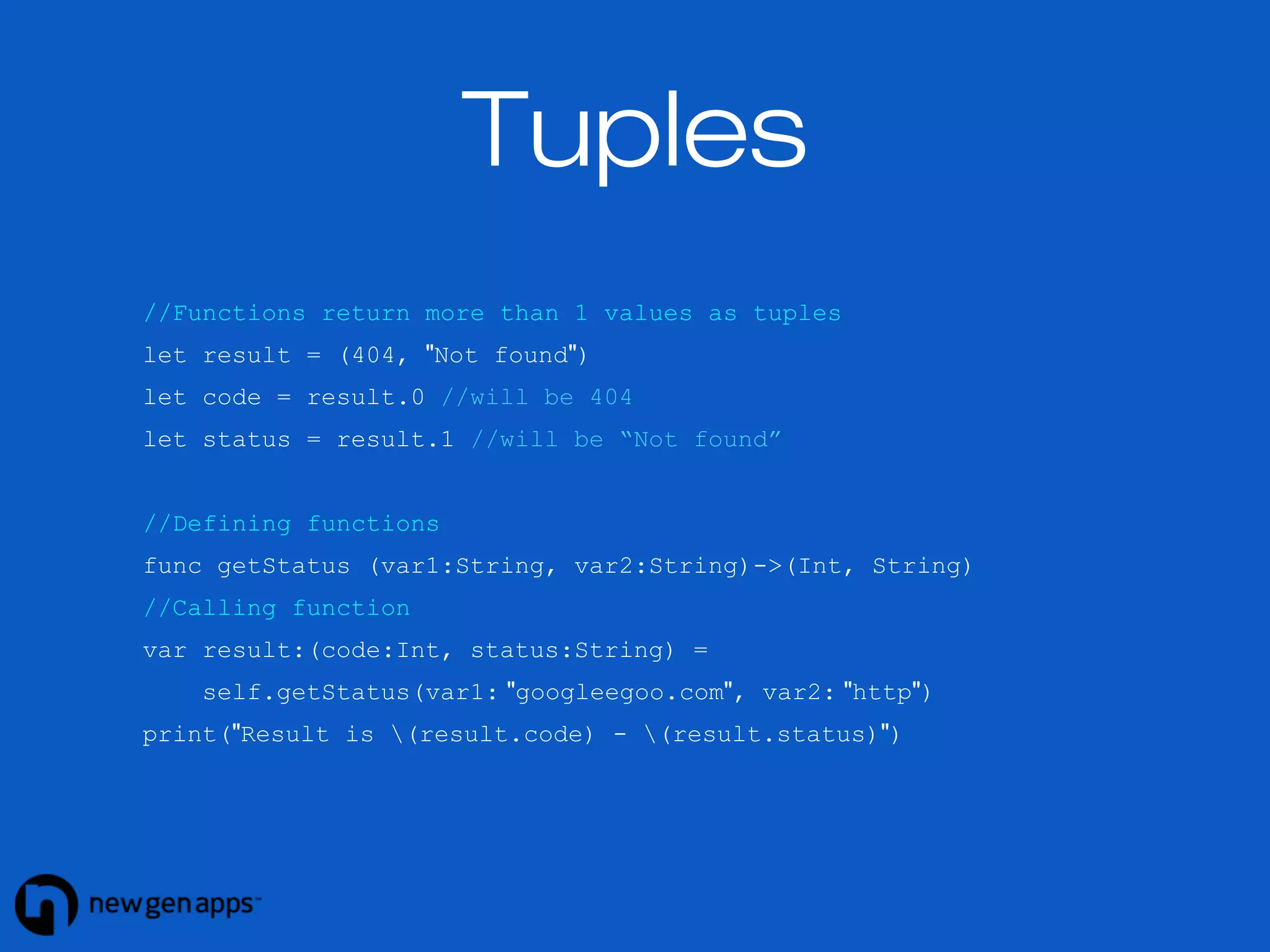
Tuples 
//Functions return more than 1 values as tuples 
let result = (404, "Not found") 
let code = result.0 //will be 404 
let status = result.1 //will be “Not found” 
//Defining functions 
func getStatus (var1:String, var2:String)->(Int, String) 
//Calling function 
var result:(code:Int, status:String) = 
self.getStatus(var1: "googleegoo.com", var2: "http") 
print("Result is (result.code) - (result.status)")
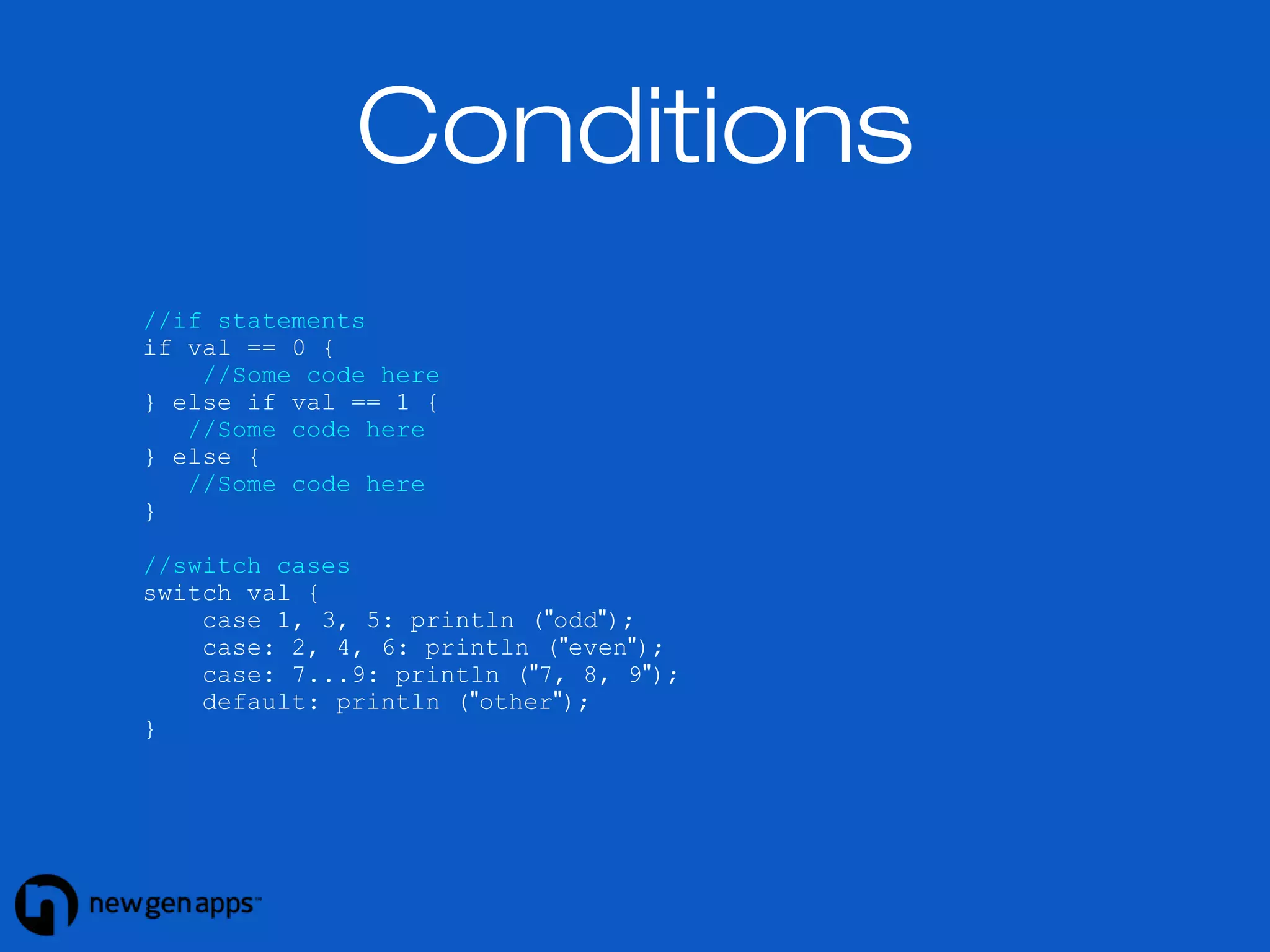
//if statements 
if val == 0 { 
//Some code here 
} else if val == 1 { 
//Some code here 
} else { 
//Some code here 
} 
//switch cases 
switch val { 
case 1, 3, 5: println ("odd"); 
case: 2, 4, 6: println ("even"); 
case: 7...9: println ("7, 8, 9"); 
default: println ("other"); 
} 
Conditions
Conditions 
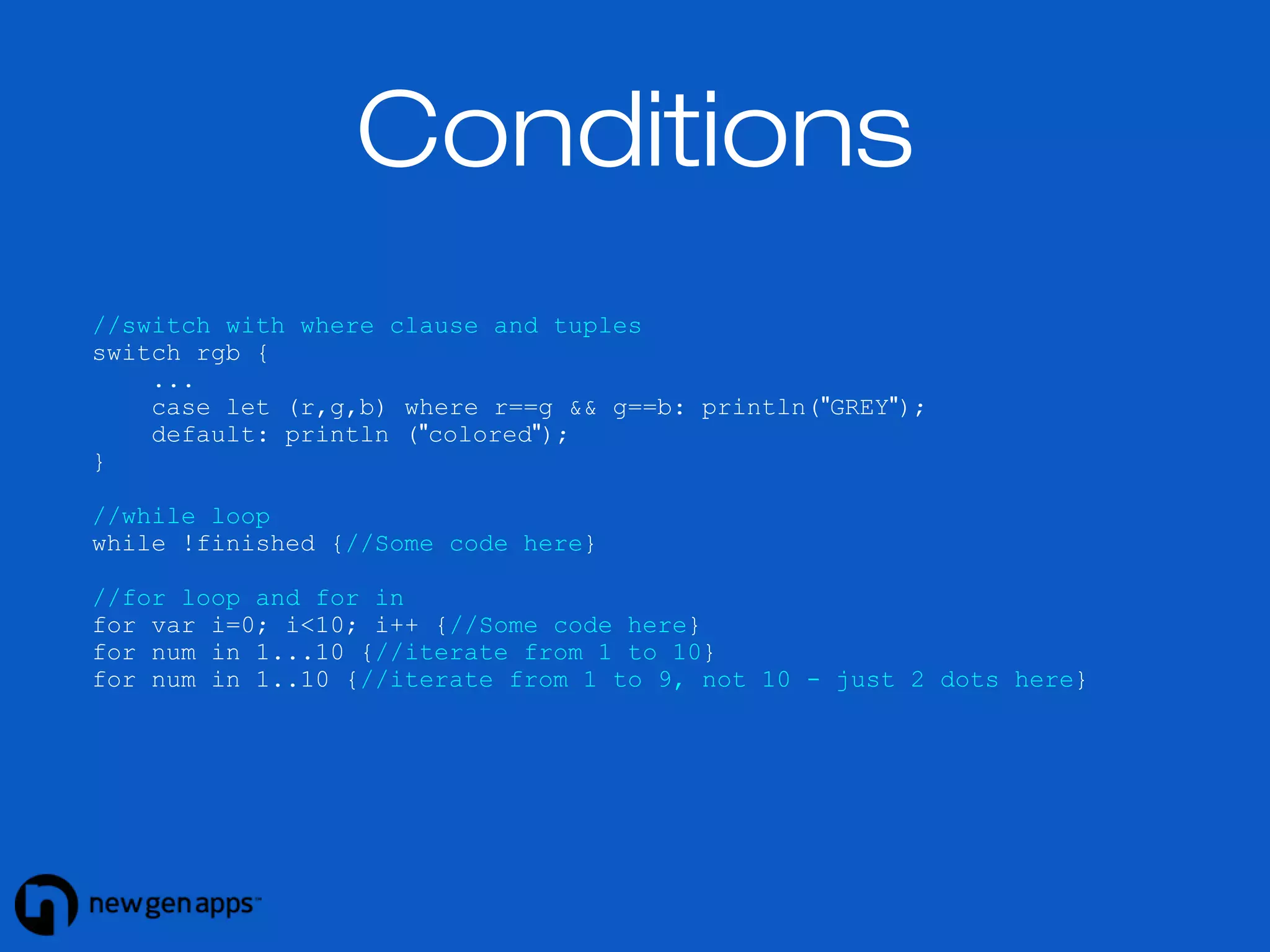
//switch with where clause and tuples 
switch rgb { 
... 
case let (r,g,b) where r==g && g==b: println("GREY"); 
default: println ("colored"); 
} 
//while loop 
while !finished {//Some code here} 
//for loop and for in 
for var i=0; i<10; i++ {//Some code here} 
for num in 1...10 {//iterate from 1 to 10} 
for num in 1..10 {//iterate from 1 to 9, not 10 - just 2 dots here}
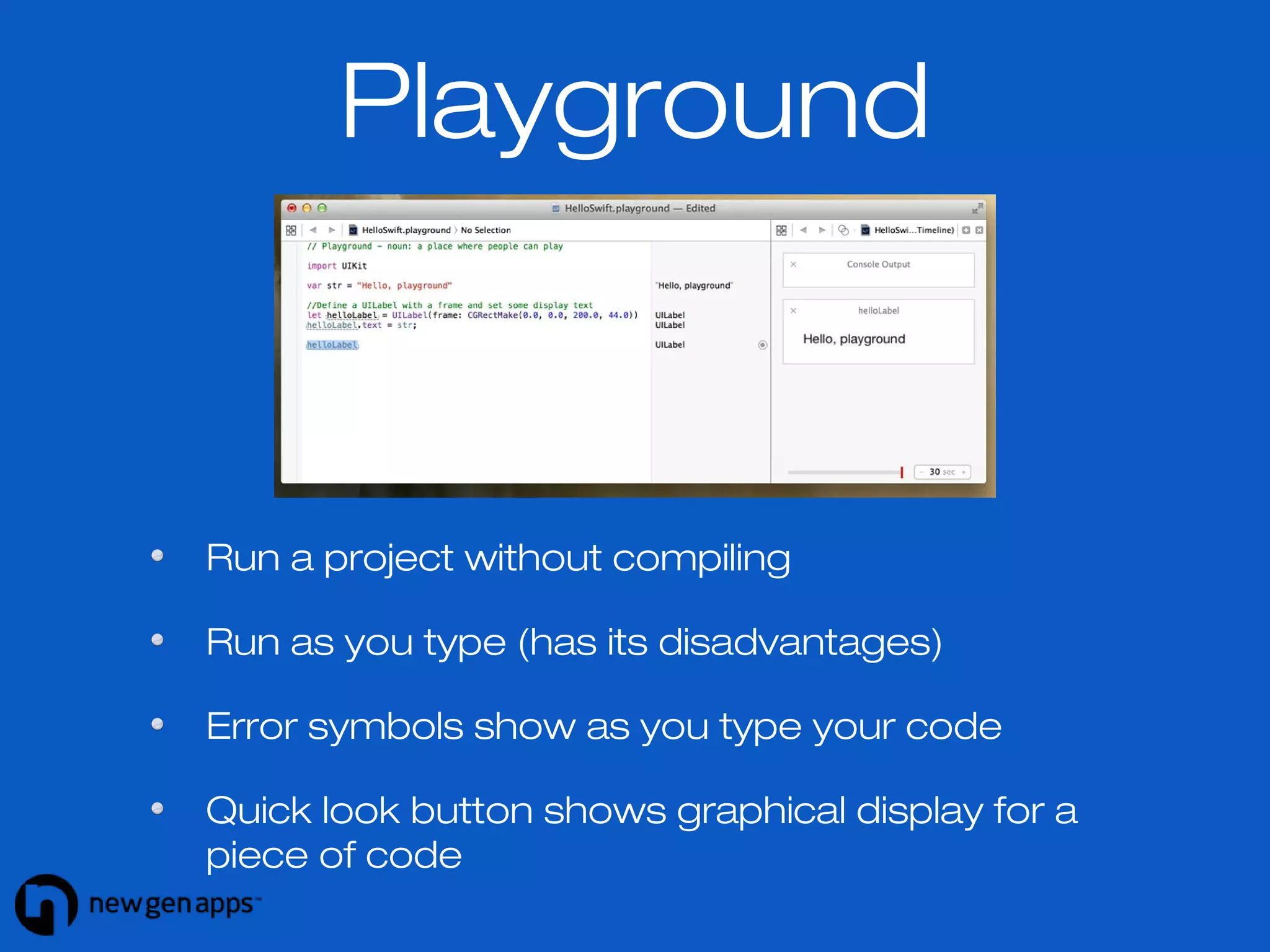
Playground 
Run a project without compiling 
Run as you type (has its disadvantages) 
Error symbols show as you type your code 
Quick look button shows graphical display for a 
piece of code
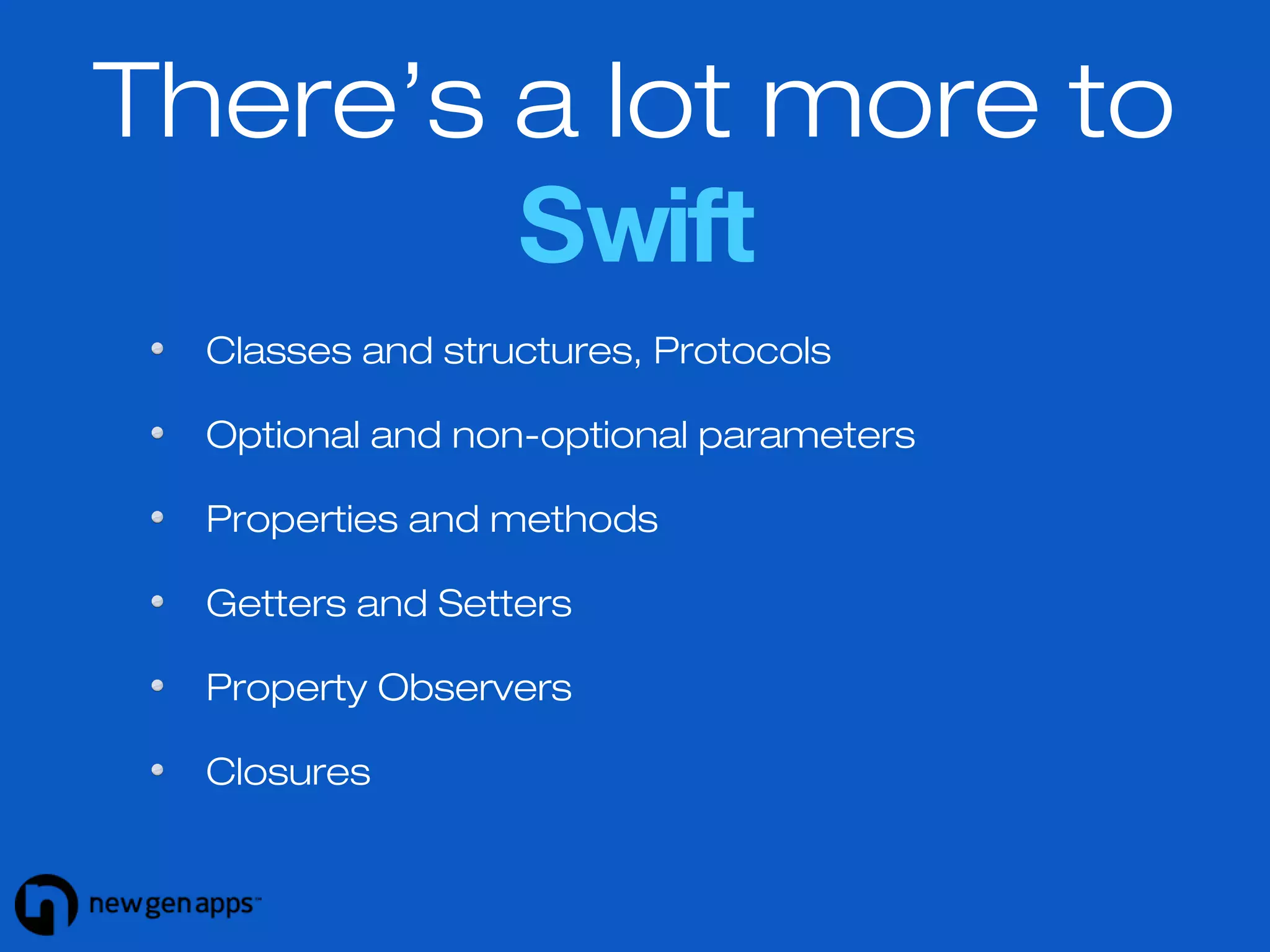
There’s a lot more to 
Swift 
Classes and structures, Protocols 
Optional and non-optional parameters 
Properties and methods 
Getters and Setters 
Property Observers 
Closures
There’s a lot more to 
Swift 
Designated and convenience initializers 
Labeled statements 
Lazy stored properties 
Downcasting 
Class methods 
Extensions
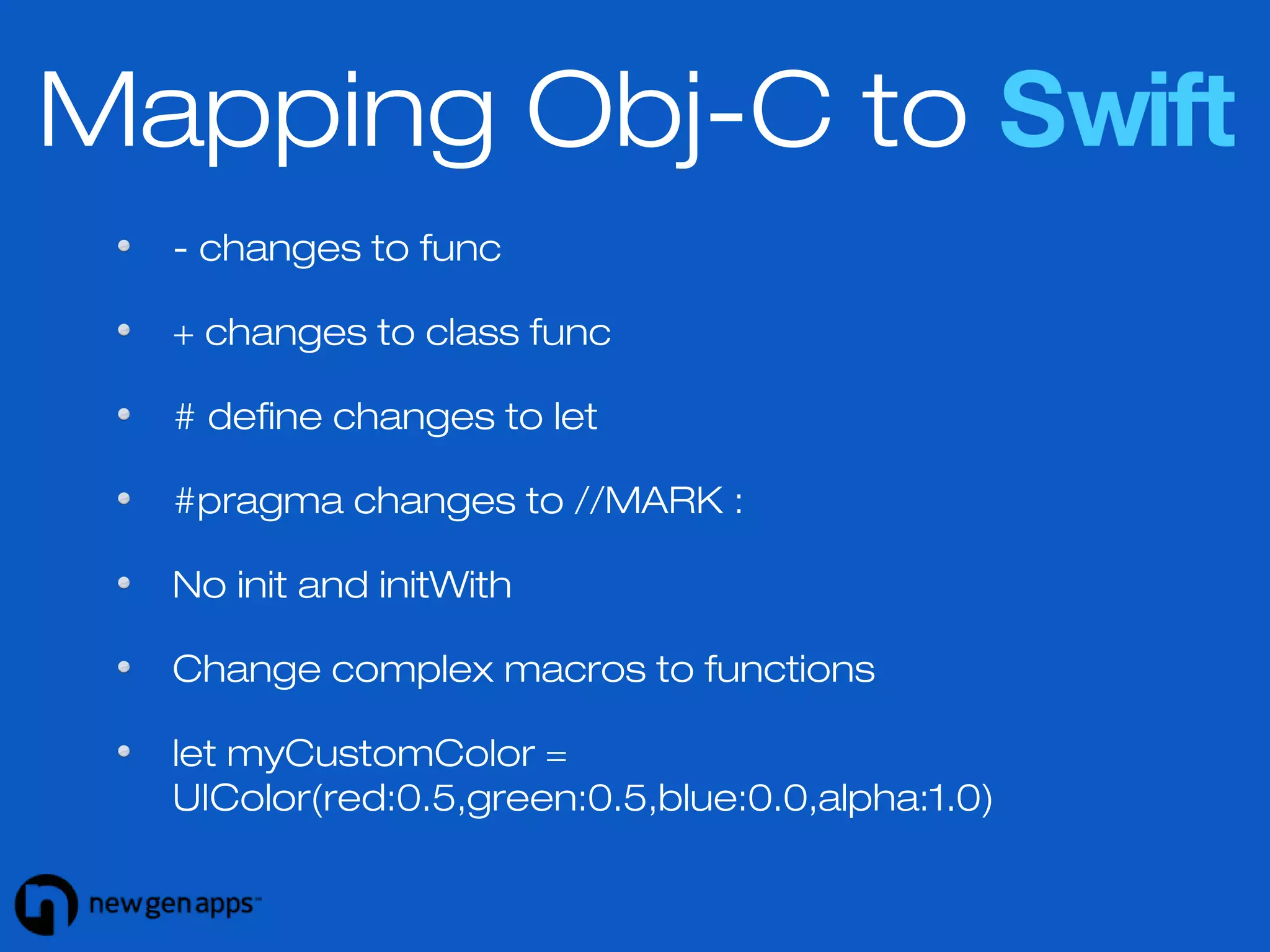
Mapping Obj-C to Swift 
- changes to func 
+ changes to class func 
# define changes to let 
#pragma changes to //MARK : 
No init and initWith 
Change complex macros to functions 
let myCustomColor = 
UIColor(red:0.5,green:0.5,blue:0.0,alpha:1.0)
References 
https://developer.apple.com/library/prerelease/ios/documentation/http://www.raywenderlich.com/74438/swift-tutorial- 
a-quick-start 
https://www.bloc.io/swiftris-build-your-first 
-ios-game-with-swift
What to get your iOS 
app developed with 
Swift? 
Contact us for a FREE 15-minute consultation 
http://newgenapps.com/contact/ 
Skype: lata.nga / newgenapps 
Phone: +1 415 800 4445

Developing iOS apps with Swift

  • 1.
    Swift Programming in DevelopinigO AppSs using Swift
  • 2.
    iOS 8- New Features App Extensions - for sharing, photo editing, storage, custom keyboards (yay!) and much more Touch ID - forget registration and login, Touch ID authentication is here Games - many improvements to SpriteKit, SceneKit, OpenGL and a new framework Metal - for high performance in games Health Kit - a new framework for managing health-related info. Make way for revolutionary health apps
  • 3.
    iOS 8- New Features Home Kit - communicate with connected devices (you don’t need to go to the switch now) Handoff - seamless continuity of activities across devices Photos - there is so much more you can do with Photos now And much more Sharing documents between apps More inclusive notifications Better search
  • 4.
  • 5.
    What Apple says Fast - performance wise, Swift is much faster than Objective-C Modern - borrows from Haskell, Ruby, Javascript - skill barrier greatly lowered Interactive - a Playground allows programmers to experiment with Swift code and see results immediately - no building and running
  • 6.
    What developers say The announcement of Swift got mixed reactions
  • 7.
  • 8.
    Some key points Declaration and implementation are in the same file (no .h and .m files) Project size is largely reduced with Swift Swift auto-detects data types The code does not use semi-colons Braces are compulsory for if-else conditions
  • 9.
    Variables (and type inference) //variables var name: String = "Jane Doe" var year: Int = 2014 var isFast: Bool = true //Data type detection name = "John Doe" year = 2016 isFast = false //Data type detection var name = "Jane Doe" var year = 2014 var isFast = true
  • 10.
    Constants //constants letname: String = "Jane Doe" let year: Int = 2014 let isFast: Bool = true //These will give an error name = "John Doe" year = 2016 isFast = false
  • 11.
    String Operations lethello = "Hello" let world = "World" let firstString = hello + " " + world //Will print Hello World let a = 4, b = 5 println ("(a) * (b) = (a * b)") //Will print 4 * 5 = 20 isFast = false
  • 12.
    Arrays and Dictionaries //Typed arrays var typedList: String[] = ["Yes", "No", "Cancel"] typedList += ["OK"] //typedList - Yes, No, Cancel, OK //Mixed objects in an array var mixedList: String[] = ["India", 40.5, 3, false] //Dictionaries var comments = ["article1":4, "article2":6, "article3":0] comments["article4"] = 5; comments += ["article5":2, "article6":8]
  • 13.
    Accessing Collections //Arrays typedList.insert("Later", atIndex:0) //typedList - Later, Yes... typedList.removeAtIndex(0) //typedList - Yes, No... typedList.append("Later") //typedList - Yes, No...Later typedList.removeLast() //Dictionaries let numberOfComments = comments["article4"] //will be 5
  • 14.
    Tuples //Functions returnmore than 1 values as tuples let result = (404, "Not found") let code = result.0 //will be 404 let status = result.1 //will be “Not found” //Defining functions func getStatus (var1:String, var2:String)->(Int, String) //Calling function var result:(code:Int, status:String) = self.getStatus(var1: "googleegoo.com", var2: "http") print("Result is (result.code) - (result.status)")
  • 15.
    //if statements ifval == 0 { //Some code here } else if val == 1 { //Some code here } else { //Some code here } //switch cases switch val { case 1, 3, 5: println ("odd"); case: 2, 4, 6: println ("even"); case: 7...9: println ("7, 8, 9"); default: println ("other"); } Conditions
  • 16.
    Conditions //switch withwhere clause and tuples switch rgb { ... case let (r,g,b) where r==g && g==b: println("GREY"); default: println ("colored"); } //while loop while !finished {//Some code here} //for loop and for in for var i=0; i<10; i++ {//Some code here} for num in 1...10 {//iterate from 1 to 10} for num in 1..10 {//iterate from 1 to 9, not 10 - just 2 dots here}
  • 17.
    Playground Run aproject without compiling Run as you type (has its disadvantages) Error symbols show as you type your code Quick look button shows graphical display for a piece of code
  • 18.
    There’s a lotmore to Swift Classes and structures, Protocols Optional and non-optional parameters Properties and methods Getters and Setters Property Observers Closures
  • 19.
    There’s a lotmore to Swift Designated and convenience initializers Labeled statements Lazy stored properties Downcasting Class methods Extensions
  • 20.
    Mapping Obj-C toSwift - changes to func + changes to class func # define changes to let #pragma changes to //MARK : No init and initWith Change complex macros to functions let myCustomColor = UIColor(red:0.5,green:0.5,blue:0.0,alpha:1.0)
  • 21.
  • 22.
    What to getyour iOS app developed with Swift? Contact us for a FREE 15-minute consultation http://newgenapps.com/contact/ Skype: lata.nga / newgenapps Phone: +1 415 800 4445