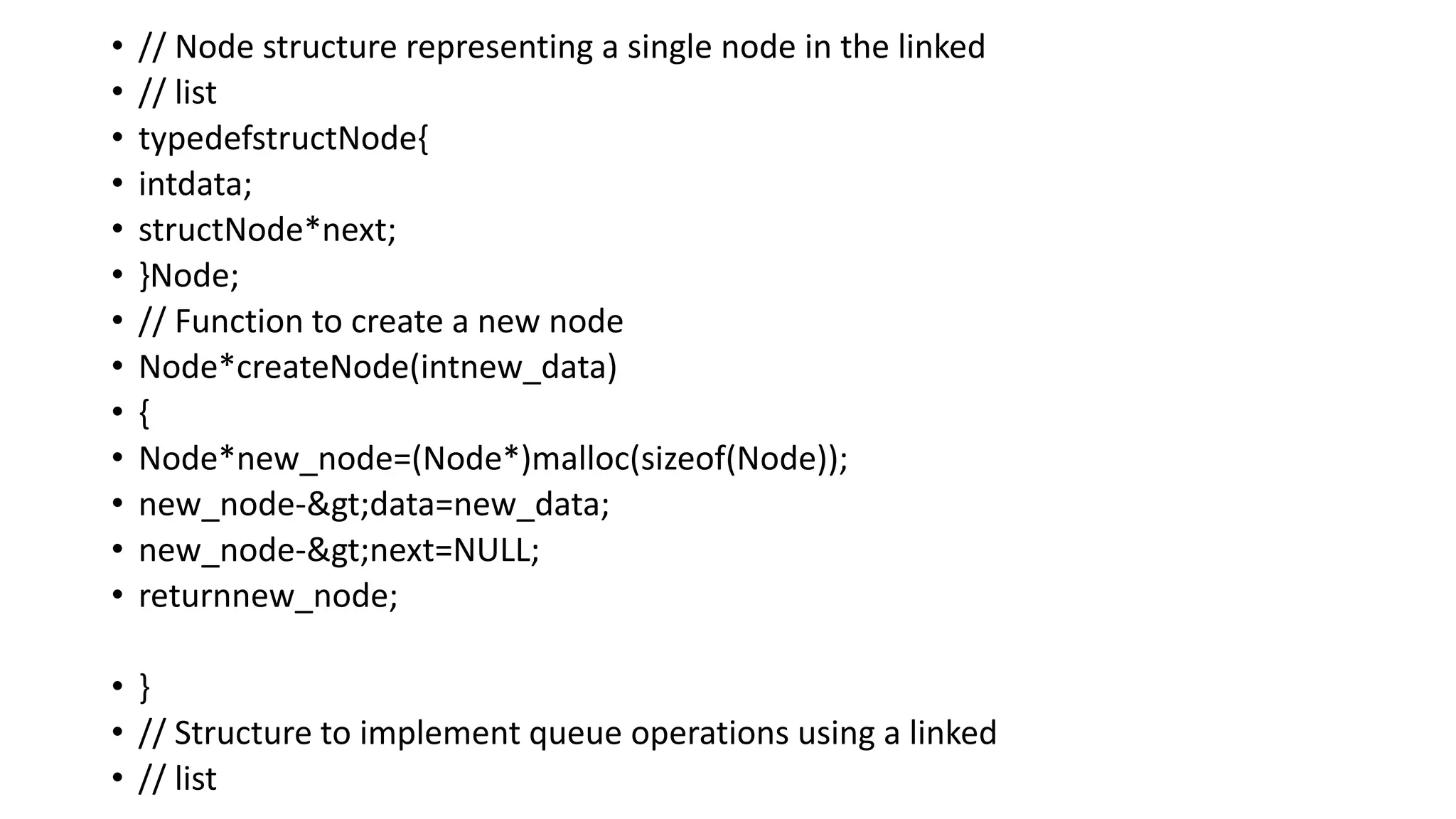
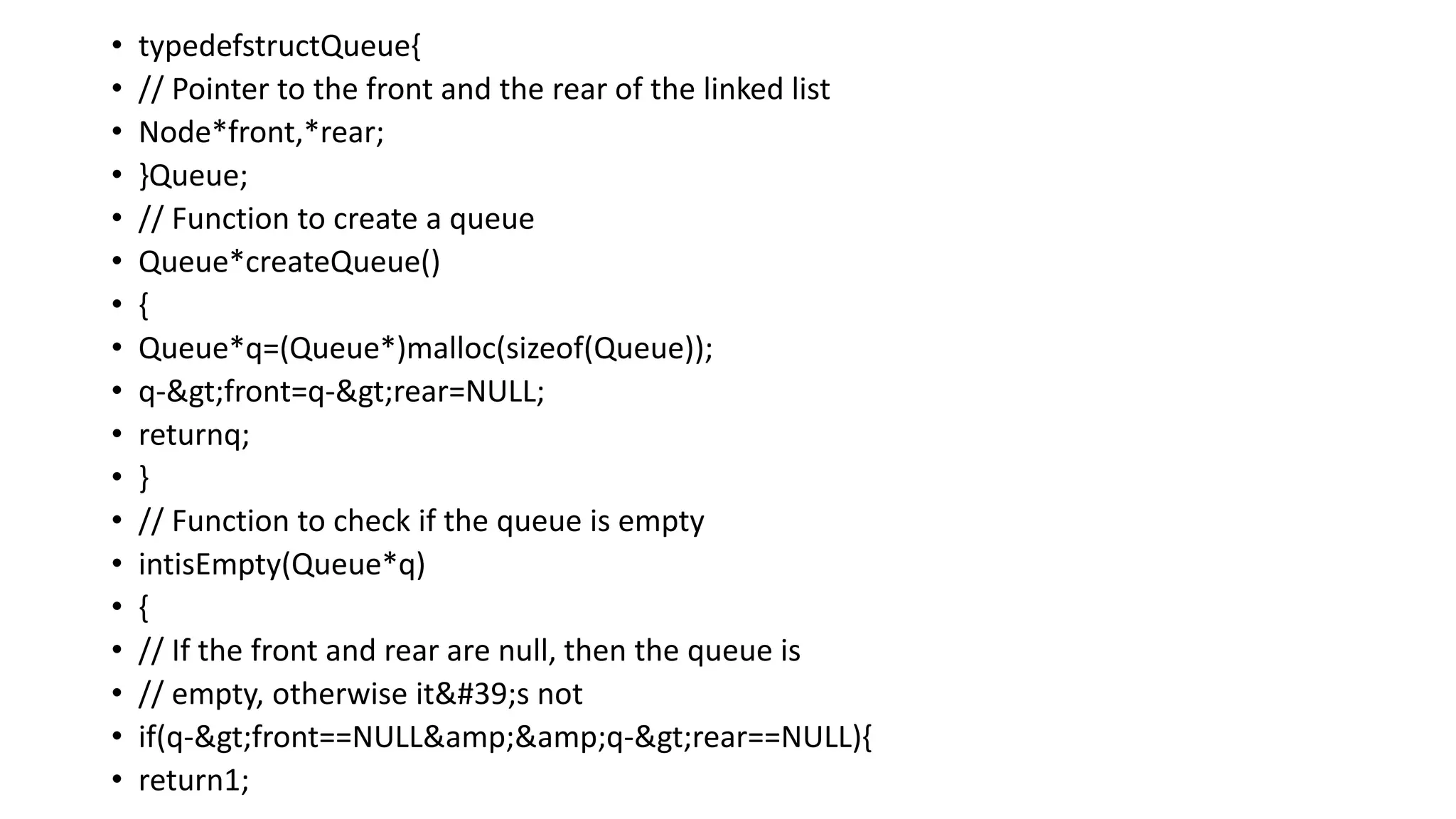
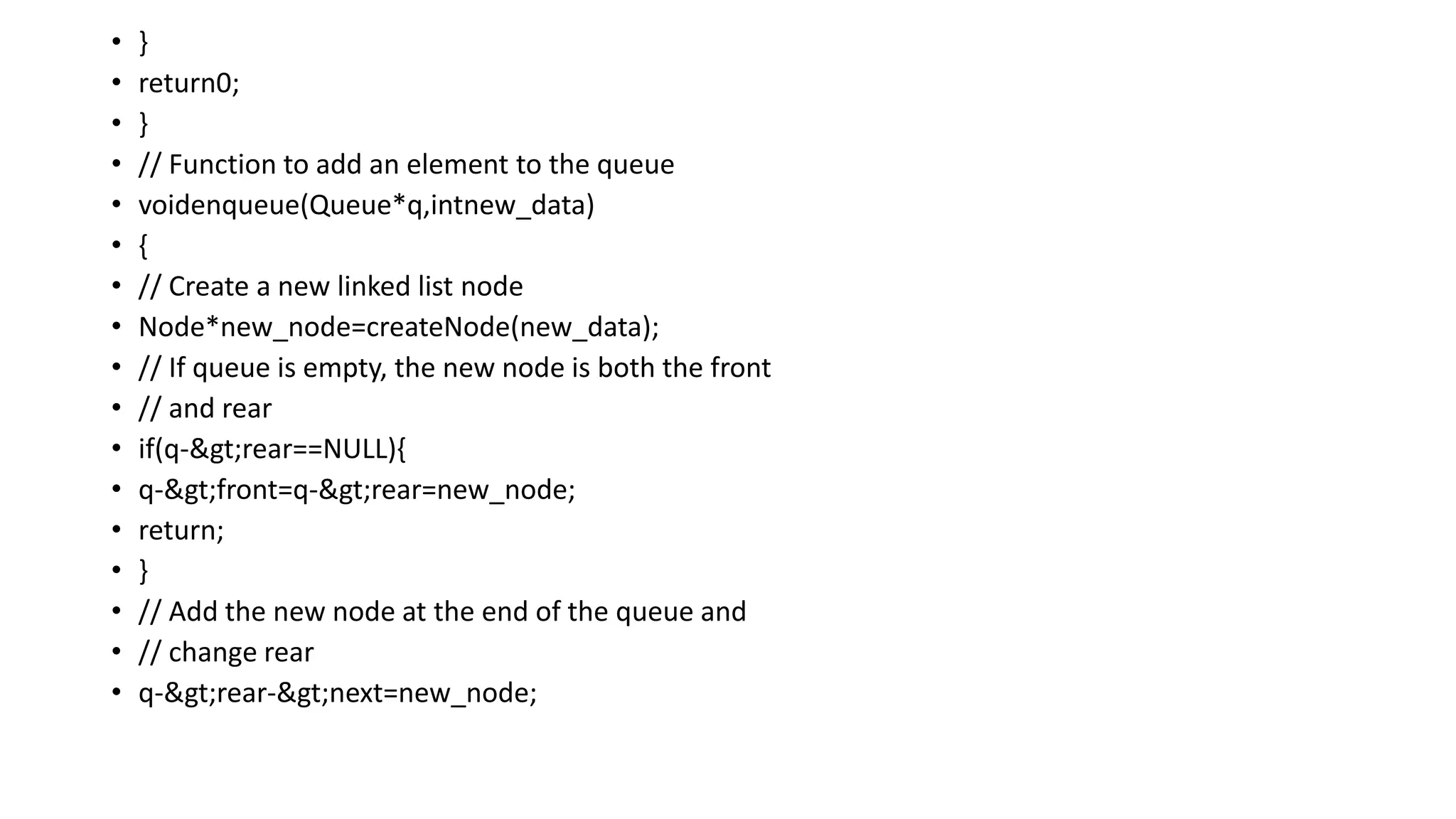
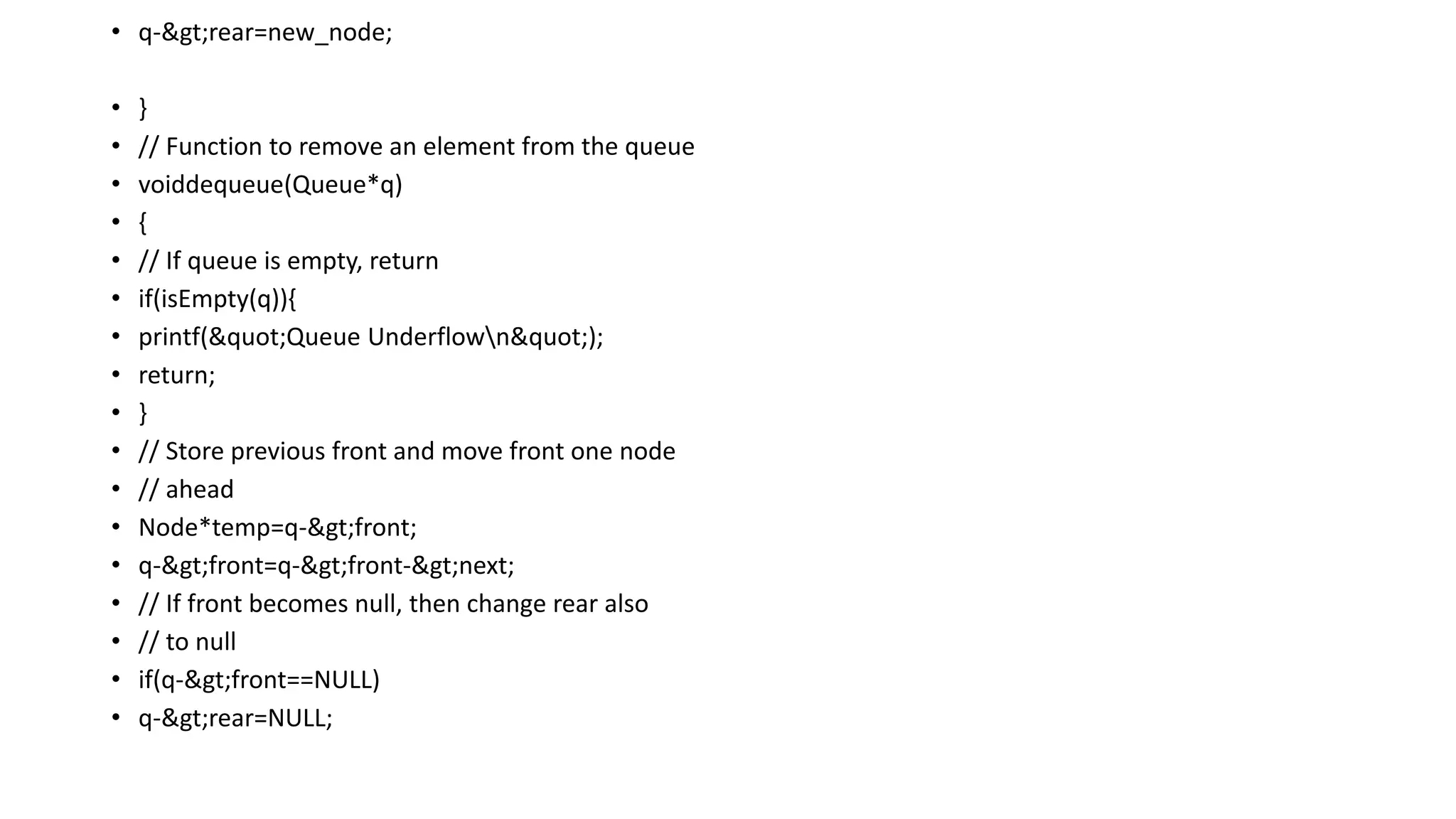
DATA STRUCTURE
LINKED LISTDATA STRUCTURE
STACK
QUEUE
Prepared by
Dr M Jaithoon Bibi
Assistant Professor
Department of Computer Science with Cognitive Systems
Sri Ramakrishna College of Arts & Science
2.
LINKED LIST
• LinkedList can be defined as collection of objects called nodes that are
randomly stored in the memory.
• A node contains two fields i.e. data stored at that particular address and
the pointer which contains the address of the next node in the memory.
• The last node of the list contains pointer to the null.
3.
USES OF LINKEDLIST
• The list is not required to be contiguously present in the memory.
• The node can reside anywhere in the memory and linked together to
make a list.
• This achieves optimized utilization of space.
• List size is limited to the memory size and doesn’t need to be declared
in advance.
• Empty node cannot be present in the linked list.
• We can store values of primitive types or objects in the singly linked
list.
4.
WHY USE LINKEDLIST OVER ARRAY
Array data structure to organize the group of elements that are to be
stored individually in the memory. However, Array has several
advantages and disadvantages which must be known in order to decide
the data structure which will be used throughout the program.
Array contains following limitations:
1. The size of array must be known in advance before using it in the
program.
2. Increasing size of the array is a time taking process. It is almost
impossible to expand the size of the array at run time.
3. All the elements in the array need to be contiguously stored in the
memory. Inserting any element in the array needs shifting of all its
predecessors.
5.
Linked list isthe data structure which can overcome all the limitations
of an array. Using linked list is useful because,
1. It allocates the memory dynamically. All the nodes of linked list are
non-contiguously stored in the memory and linked together with the
help of pointers.
2. Sizing is no longer a problem since we do not need to define its size
at the time of declaration. List grows as per the programs demand and
limited to the available memory space.
6.
LINKED LIST VSARRAY
Array: Arrays store elements in contiguous memory locations, resulting
in easily calculable addresses for the elements stored and this allows
faster access to an element at a specific index.
Linked List: Linked lists are less rigid in their storage structure and
elements are usually not stored in contiguous locations, hence they
need to be stored with additional tags giving a reference to the next
element.
7.
ADVANTAGES OF LINKEDLIST OVER
ARRAY
• Efficient insertion and deletion. : We only need to change few pointers
(or references) to insert (or delete) an item in the middle.
• Insertion and deletion at any point in a linked list take O(1) time.
• Whereas in an array data structure, insertion /deletion in the middle
takes O(n) time.
• Implementation of Queue and Deque : Simple array implementation is
not efficient at all.
• We must use circular array to efficiently implement which is complex.
• But with linked list, it is easy and straightforward.
8.
• That iswhy most of the language libraries use Linked List internally to
implement these data structures.
• Space Efficient in Some Cases : Linked List might turn out to be more
space efficient compare to arrays in cases where we cannot guess the
number of elements in advance.
• In case of arrays, the whole memory for items is allocated together.
• Even with dynamic sized arrays like vector in C++ or list in Python or
Array List in Java.
• The internal working involves de-allocation of whole memory and
allocation of a bigger chunk when insertions happen beyond the
current capacity.
• Circular List with Deletion/Addition : Circular Linked Lists are useful
to implement CPU round robin scheduling or similar requirements in
the real world because of the quick deletion/insertion in a circular
manner.
9.
ADVANTAGES OF ARRAYOVER
LINKED LIST
• Random Access : We can access ith item in O(1) time (only some
basic arithmetic required using base address). In case of linked lists, it
is O(n) operation due to sequential access.
• Cache Friendliness : Array items (Or item references) are stored at
contiguous locations which makes array cache friendly (Please
refer Spatial locality of reference for more details)
• Easy to use : Arrays are relatively very easy to use and are available
as core of programming languages Less Overhead : Unlike linked list,
we do not have any extra references / pointers to be stored with every
item.
10.
MEMORY ALLOCATION AND
DE-ALLOCATIONFOR A LINKED LIST
Memory allocation and deallocation are processes that involve assigning
and releasing memory space for programs and processes:
• Memory allocation: Assigning memory space for a program or
process.
• Memory deallocation: Releasing memory that is no longer needed.
Memory allocation and deallocation are critical for software
development because they determine how efficiently resources are
managed. The operating system (OS) manages memory allocation and
deallocation by loading processes into the RAM, running them, and then
deallocating them when they are finished.
11.
There are differenttypes of memory allocation, including:
• Static memory: The compiler allocates and deallocates memory, and
the memory is permanent. This speeds up program execution time.
• Dynamic memory: The program allocates and deallocates memory
during runtime. The programmer is responsible for deallocating
dynamically allocated memory that is no longer in use.
• Stack-based allocation: A memory allocation technique that uses the
Last-In-First-Out (LIFO) principle. Compaction is a process that can
make memory usage more efficient by reducing external
fragmentation. However, compaction can also reduce system
efficiency and increase coral time.
• As perthe above illustration, following are the important points to be
considered.
● Linked List contains a link element called first (head).
● Each link carries a data field(s) and a link field called next.
● Each link is linked with its next link using its next link.
● Last link carries a link as null to mark the end of the list.
14.
BASIC OPERATIONS INLINKED LIST
The basic operations in the linked lists are insertion, deletion,
searching, display, and deleting an element at a given key. These
operations are performed on Singly Linked Lists as given below
● Insertion − Adds an element at the beginning of the list.
● Deletion − Deletes an element at the beginning of the list.
● Display − Displays the complete list.
● Search − Searches an element using the given key.
● Delete − Deletes an element using the given key.
15.
INSERTION OPERATION
• Addinga new node in the linked list is a more than one step activity. We shall learn this with
• diagrams here. First, create a node using the same structure and find the location where it has to
• be inserted.
• Imagine that we are inserting a node B (NewNode), between A (LeftNode) and C (RightNode).
• Then point B.next to C –
• New Node.next ->RightNode;
• It should look like this −
16.
• Now, thenext node at the left should point to the new node.
• Left Node.next ->NewNode;
• This will put the new node in the middle of the two. The new list
should look like this −
• Insertion in the linked list can be done in three different ways. They
are explained as follows −
• Insertion at Beginning
• In this operation, we are adding an element at the beginning of the
list.
17.
INSERTION AT BEGINNING
Inthis operation, we are adding an element at the beginning of the list.
Algorithm
• 1. START
• 2. Create a node to store the data
• 3. Check if the list is empty
• 4. If the list is empty, add the data to the node and
• assign the head pointer to it.
• 5. If the list is not empty, add the data to a node and link to the
• current head. Assign the head to the newly added node.
• 6. END
18.
Example
• Following arethe implementations of this operation in various programming languages −
• #include<stdio.h>
• #include<string.h>
• #include<stdlib.h>
• structnode {
• int data;
• structnode*next;
• };
• structnode*head =NULL;
• structnode*current =NULL;
• // display the list
• voidprintList(){
• structnode*p = head;
• printf("n[");
• //start from the beginning
• while(p !=NULL) {
• printf(" %d ",p->data);
• p = p->next;
• }
• printf("]");
• }
19.
• //insertion atthe beginning
• voidinsertatbegin(int data){
• //create a link
• structnode*lk= (structnode*) malloc(sizeof(structnode));
• lk->data = data;
• // point it to old first node
• lk->next = head;
• //point first to new first node
• head=lk;
• }
• voidmain(){
• int k=0;
• insertatbegin(12);
• insertatbegin(22);
• insertatbegin(30);
• insertatbegin(44);
• insertatbegin(50);
20.
• printf("Linked List:");
• // print list
• printList();
• }
Output
Linked List:
[ 50 44 30 22 12 ]
INSERTION AT END
In this operation, we are adding an element at the ending of the list.
Algorithm
1. START
2. Create a new node and assign the data
3. Find the last node
4. Point the last node to new node
5. END
21.
Example
Following are theimplementations of this operation in various programming languages −
#include<stdio.h>
#include<string.h>
#include<stdlib.h>
structnode {
int data;
structnode*next;
};
structnode*head =NULL;
structnode*current =NULL;
// display the list
voidprintList(){
structnode*p = head;
printf("n[");
//start from the beginning
22.
while(p !=NULL) {
printf("%d ",p->data);
p = p->next;
}
printf("]");
}
//insertion at the beginning
voidinsertatbegin(int data){
//create a link
structnode*lk= (structnode*) malloc(sizeof(structnode));
lk->data = data;
// point it to old first node
lk->next = head;
//point first to new first node
head=lk;
}
voidinsertatend(int data){
//create a link
structnode*lk= (structnode*) malloc(sizeof(structnode));
23.
lk->data = data;
structnode*linkedlist=head;
// point it to old first node
while(linkedlist->next !=NULL)
linkedlist=linkedlist->next;
//point first to new first node
linkedlist->next =lk;
}
voidmain(){
int k=0;
insertatbegin(12);
insertatend(22);
insertatend(30);
insertatend(44);
insertatend(50);
printf("Linked List: ");
// print list
printList();
}
24.
Output
Linked List:
[ 1222 30 44 50 ]
INSERTION AT A GIVEN POSITION
In this operation, we are adding an element at any position within the list.
Algorithm
1. START
2. Create a new node and assign data to it
3. Iterate until the node at position is found
4. Point first to new first node
5. END
Example
#include<stdio.h>
#include<string.h>
#include<stdlib.h>
structnode {
int data;
25.
structnode*next;
};
structnode*head =NULL;
structnode*current =NULL;
//display the list
voidprintList(){
structnode*p = head;
printf("n[");
//start from the beginning
while(p !=NULL) {
printf(" %d ",p->data);
p = p->next;
}
printf("]");
}
//insertion at the beginning
voidinsertatbegin(int data){
//create a link
structnode*lk= (structnode*) malloc(sizeof(structnode));
lk->data = data;
// point it to old first node
26.
lk->next = head;
//pointfirst to new first node
head=lk;
}
voidinsertafternode(structnode*list, int data){
structnode*lk= (structnode*) malloc(sizeof(structnode));
lk->data = data;
lk->next = list->next;
list->next =lk;
}
voidmain(){
int k=0;
insertatbegin(12);
insertatbegin(22);
insertafternode(head->next, 30);
printf("Linked List: ");
// print list
printList();
}
Output
Linked List:
[ 22 12 30 ]
27.
DELETION OPERATION
• Deletionis also a more than one step process. We shall learn with
pictorial representation.
• First, locate the target node to be removed, by using searching
algorithms.
28.
• The left(previous) node of the target node now should point to the next node of the
target node −
• Left Node.next ->Target Node.next;
• This will remove the link that was pointing to the target node. Now, using the following
code, we
• will remove what the target node is pointing at.
• Target Node.next -> NULL;
• We need to use the deleted node. We can keep that in memory otherwise we can simply
• deallocate memory and wipe off the target node completely.
• Similar steps should be taken if the node is being inserted at the beginning of the list.
While
• inserting it at the end, the second last node of the list should point to the new node and
the new
• node will point to NULL.
• Deletion in linked lists is also performed in three different ways.
29.
DELETION AT BEGINNING
Inthis deletion operation of the linked, we are deleting an element from the
beginning of the list.
• For this, we point the head to the second node.
Algorithm
• 1. START
• 2. Assign the head pointer to the next node in the list
• 3. END
• Example
• #include<stdio.h>
• #include<string.h>
• #include<stdlib.h>
• structnode {
• int data;
30.
• structnode*next;
• };
•structnode*head =NULL;
• structnode*current =NULL;
• // display the list
• voidprintList(){
• structnode*p = head;
• printf("n[");
• //start from the beginning
• while(p !=NULL) {
• printf(" %d ",p->data);
• p = p->next;
• }
• printf("]");
• }
• //insertion at the beginning
• voidinsertatbegin(int data){
• //create a link
31.
• structnode*lk= (structnode*)malloc(sizeof(structnode));
• lk->data = data;
• // point it to old first node
• lk->next = head;
• //point first to new first node
• head=lk;
• }
• voiddeleteatbegin(){
• head= head->next;
• }
• intmain(){
• int k=0;
• insertatbegin(12);
• insertatbegin(22);
• insertatbegin(30);
• insertatbegin(40);
• insertatbegin(55);
• printf("Linked List: ");
• // print list
• printList();
• deleteatbegin();
DELETION AT ENDING
Inthis deletion operation of the linked, we are deleting an element from the ending of the list.
Algorithm
• 1. START
• 2. Iterate until you find the second last element in the list.
• 3. Assign NULL to the second last element in the list.
• 4. END
• Example
• #include<stdio.h>
• #include<string.h>
• #include<stdlib.h>
• structnode {
• int data;
• structnode*next;
• };
34.
• structnode*head =NULL;
•structnode*current =NULL;
• // display the list
• voidprintList(){
• structnode*p = head;
• printf("n[");
• //start from the beginning
• while(p !=NULL) {
• printf(" %d ",p->data);
• p = p->next;
• }
• printf("]");
• }
• //insertion at the beginning
• voidinsertatbegin(int data){
• //create a link
• structnode*lk= (structnode*) malloc(sizeof(structnode));
• lk->data = data;
• // point it to old first node
• lk->next = head;
35.
• //point firstto new first node
• head=lk;
• }
• voiddeleteatend(){
• structnode*linkedlist= head;
• while (linkedlist->next->next !=NULL)
• linkedlist=linkedlist->next;
• linkedlist->next =NULL;
• }
• voidmain(){
• int k=0;
• insertatbegin(12);
• insertatbegin(22);
• insertatbegin(30);
36.
• insertatbegin(40);
• insertatbegin(55);
•printf("Linked List: ");
• // print list
• printList();
• deleteatend();
• printf("nLinked List after deletion: ");
• // print list
• printList();
• }
Output
• Linked List:
• [ 55 40 30 22 12 ]
• Linked List after deletion:
• [ 55 40 30 22 ]
37.
DELETION AT AGIVEN POSITION
In this deletion operation of the linked, we are deleting an element at any position of the list.
Algorithm
• 1. START
• 2. Iterate until find the current node at position in the list.
• 3. Assign the adjacent node of current node in the list
• to its previous node.
• 4. END
• Example
• #include<stdio.h>
• #include<string.h>
• #include<stdlib.h>
• structnode {
• int data;
• structnode*next;
• };
38.
• structnode*head =NULL;
•structnode*current =NULL;
• // display the list
• voidprintList(){
• structnode*p = head;
• printf("n[");
• //start from the beginning
• while(p !=NULL) {
• printf(" %d ",p->data);
• p = p->next;
• }
• printf("]");
• }
• //insertion at the beginning
• voidinsertatbegin(int data){
• //create a link
• structnode*lk= (structnode*) malloc(sizeof(structnode));
• lk->data = data;
• // point it to old first node
• lk->next = head;
• //point first to new first node
39.
• head=lk;
• }
•voiddeletenode(int key){
• structnode*temp = head, *prev;
• if (temp !=NULL&& temp->data == key) {
• head= temp->next;
• return;
• }
• // Find the key to be deleted
• while (temp !=NULL&& temp->data != key) {
• prev= temp;
• temp= temp->next;
• }
• // If the key is not present
• if (temp ==NULL) return;
• // Remove the node
• prev->next = temp->next;
• }
• voidmain(){
• int k=0;
• insertatbegin(12);
• insertatbegin(22);
40.
• insertatbegin(30);
• insertatbegin(40);
•insertatbegin(55);
• printf("Linked List: ");
• // print list
• printList();
• deletenode(30);
• printf("nLinked List after deletion: ");
• // print list
• printList();
• }
Output
• Linked List:
• [ 55 40 30 22 12 ]
• Linked List after deletion:
• [ 55 40 22 12 ] O
41.
REVERSAL OPERATION
• Thisoperation is a thorough one. We need to make the last node to
be pointed by the head node and reverse the whole linked list.
• First, we traverse to the end of the list. It should be pointing to NULL.
Now, we shall make it point to its previous node −
42.
• We haveto make sure that the last node is not the last node. So will
have some temp node, which looks like the head node pointing to the
last node. Now, we shall make all left side nodes point to their
previous nodes one by one.
• Except the node (first node) pointed by the head node, all nodes
should point to their predecessor, making them their new successor.
The first node will point to NULL.
• We will make the head node point to the new first node by using the
temp node.
43.
•Algorithm
Step by stepprocess to reverse a linked list is as follows −
1. START
2. We use three pointers to perform the reversing:
prev, next, head.
3. Point the current node to head and assign its next value to
theprev node.
4. Iteratively repeat the step 3 for all the nodes in the list.
5. Assign head to the prev node.
Example
#include<stdio.h>
#include<string.h>
#include<stdlib.h>
structnode {
int data;
44.
structnode*next;
};
structnode*head =NULL;
structnode*current =NULL;
//display the list
voidprintList(){
structnode*p = head;
printf("n[");
//start from the beginning
while(p !=NULL) {
printf(" %d ",p->data);
p = p->next;
}
printf("]");
}
//insertion at the beginning
45.
voidinsertatbegin(int data){
//create alink
structnode*lk= (structnode*) malloc(sizeof(structnode));
lk->data = data;
// point it to old first node
lk->next = head;
//point first to new first node
head=lk;
}
voidreverseList(structnode** head){
structnode*prev=NULL, *cur=*head, *tmp;
while(cur!=NULL) {
tmp= cur->next;
cur->next =prev;
prev= cur;
cur=tmp;
}
*head =prev;
}
SEARCH OPERATION
• Searchingfor an element in the list using a key element. This
operation is done in the same way
• as array search; comparing every element in the list with the key
element given.
Algorithm
1 START
2 If the list is not empty, iteratively check if the list contains the key
3 If the key element is not present in the list, unsuccessful search
4 END
Example
•#include<stdio.h>
48.
• #include<string.h>
• #include<stdlib.h>
•structnode {
• int data;
• structnode*next;
• };
• structnode*head =NULL;
• structnode*current =NULL;
• // display the list
• voidprintList(){
• structnode*p = head;
• printf("n[");
• //start from the beginning
• while(p !=NULL) {
• printf(" %d ",p->data);
• p = p->next;
• }
• printf("]");
• }
• //insertion at the beginning
49.
• voidinsertatbegin(int data){
•//create a link
• structnode*lk= (structnode*) malloc(sizeof(structnode));
• lk->data = data;
• // point it to old first node
• lk->next = head;
• //point first to new first node
• head=lk;
• }
• intsearchlist(int key){
• structnode*temp = head;
• while(temp !=NULL) {
• if (temp->data == key) {
• return1;
• }
• temp=temp->next;
• }
• return0;
• }
• voidmain(){
• int k=0;
• insertatbegin(12);
• insertatbegin(22);
50.
• insertatbegin(30);
• insertatbegin(40);
•insertatbegin(55);
• printf("Linked List: ");
• // print list
• printList();
• intele=30;
• printf("nElement to be searched is: %d", ele);
• k =searchlist(30);
• if (k ==1)
• printf("nElement is found");
• else
• printf("nElement is not found in the list");
• }
Output
• Linked List:
• [ 55 40 30 22 12 ]
• Element to be searched is: 30
• Element is found
51.
TRAVERSAL OPERATION
• Thetraversal operation walks through all the elements of the list in an
order and displays the elements in that order.
Algorithm
1. START
2. While the list is not empty and did not reach the end of the list, print
the data in each node
3. END
Example
• #include<stdio.h>
• #include<string.h>
• #include<stdlib.h>
• structnode {
52.
• int data;
•structnode*next;
• };
• structnode*head =NULL;
• structnode*current =NULL;
• // display the list
• voidprintList(){
• structnode*p = head;
• printf("n[");
• //start from the beginning
• while(p !=NULL) {
• printf(" %d ",p->data);
• p = p->next;
• }
• printf("]");
• }
• //insertion at the beginning
• voidinsertatbegin(int data){
• //create a link
53.
• structnode*lk= (structnode*)malloc(sizeof(structnode));
• lk->data = data;
• // point it to old first node
• lk->next = head;
• //point first to new first node
• head=lk;
• }
• voidmain(){
• int k=0;
• insertatbegin(12);
• insertatbegin(22);
• insertatbegin(30);
• printf("Linked List: ");
• // print list
• printList();
• }
Output
• Linked List:
• [ 30 22 12 ]
54.
COMPLETE IMPLEMENTATION
• #include<stdio.h>
•#include<string.h>
• #include<stdlib.h>
• structnode {
• int data;
• structnode*next;
• };
• structnode*head =NULL;
• structnode*current =NULL;
• // display the list
• voidprintList(){
• structnode*p = head;
• printf("n[");
• //start from the beginning
• while(p !=NULL) {
• printf(" %d ",p->data);
• p = p->next;
• }
55.
• printf("]");
• }
•//insertion at the beginning
• voidinsertatbegin(int data){
• //create a link
• structnode*lk= (structnode*) malloc(sizeof(structnode));
• lk->data = data;
• // point it to old first node
• lk->next = head;
• //point first to new first node
• head=lk;
• }
• voidinsertatend(int data){
• //create a link
• structnode*lk= (structnode*) malloc(sizeof(structnode));
• lk->data = data;
• structnode*linkedlist= head;
• // point it to old first node
56.
• while(linkedlist->next !=NULL)
•linkedlist=linkedlist->next;
• //point first to new first node
• linkedlist->next =lk;
• }
• voidinsertafternode(structnode*list, int data){
• structnode*lk= (structnode*) malloc(sizeof(structnode));
• lk->data = data;
• lk->next = list->next;
• list->next =lk;
• }
• voiddeleteatbegin(){
• head= head->next;
• }
• voiddeleteatend(){
• structnode*linkedlist= head;
57.
• while (linkedlist->next->next!=NULL)
• linkedlist=linkedlist->next;
• linkedlist->next =NULL;
• }
• voiddeletenode(int key){
• structnode*temp = head, *prev;
• if (temp !=NULL&& temp->data == key) {
• head= temp->next;
• return;
• }
• // Find the key to be deleted
• while (temp !=NULL&& temp->data != key) {
• prev= temp;
• temp= temp->next;
• }
• // If the key is not present
• if (temp ==NULL) return;
• // Remove the node
• prev->next = temp->next;
• }
• deletenode(12);
• printf("nLinkedList after deletion: ");
• // print list
• printList();
• insertatbegin(4);
• insertatbegin(16);
• printf("nUpdated Linked List: ");
• printList();
• k =searchlist(16);
• if (k ==1)
• printf("nElement is found");
• else
• printf("nElement is not present in the list");
• }
Output
• Linked List:
• [ 50 22 12 33 30 44 ]
• Linked List after deletion:
• [ 22 33 30 ]
• Updated Linked List:
• [ 16 4 22 33 30 ]
• Element is found
60.
Types of LinkedList
• 1. Singly Linked List
• 2. Doubly Linked List
• 3. Circular Linked List
• 4. Circular Doubly Linked List
• 5. Header Linked List
• 6. Multi Linked List
Types of Linked List
Following are the various types of linked list.
Singly Linked Lists
Singly linked lists contain two “buckets” in one node; one bucket holds the
data and the other bucket holds the address of the next node of the list.
Traversals can be done in one direction only as there is only a single link
between two nodes of the same list.
61.
Doubly Linked Lists
DoublyLinked Lists contain three “buckets” in one node; one bucket
holds the data and the other buckets hold the addresses of the
previous and next nodes in the list. The list is traversed twice as the
nodes in the list are connected to each other from both sides.
Circular Linked Lists
Circular linked lists can exist in both singly linked list and doubly linked
list. Since the last node and the first node of the circular linked list are
connected, the traversal in this linked list will go on forever until it is
broken.
62.
Circular Doubly LinkedLists
A circular doubly linked list is defined as a circular linked list in which
each node has two links connecting it to the previous node and the
next node.
63.
Header Linked Lists
Aheader linked list is a special type of linked list that contains a header
node at the beginning of the list. So, in a header linked list START will
not point to the first node of the list but START will contain the address
of the header node. Below is the image for Grounded Header Linked
List:
64.
CIRCULAR SINGLY LINKEDLIST
In a circular Singly linked list, the last node of the list contains a pointer
to the first node of the list. We can have circular singly linked list as well
as circular doubly linked list. We traverse a circular singly linked list
until we reach the same node where we started. The circular singly
liked list has no beginning and no ending. There is no null value present
in the next part of any of the nodes.
The following image shows a circular singly linked list.
65.
Circular linked listare mostly used in task maintenance in operating
systems. There are many examples where circular linked list are being
used in computer science including browser surfing where a record of
pages visited in the past by the user, is maintained in the form of
circular linked lists and can be accessed again on clicking the previous
button.
Memory Representation of circular linked list:
In the following image, memory representation of a circular linked list
containing marks of a student in 4 subjects. However, the image shows
a glimpse of how the circular list is being stored in the memory. The
start or head of the list is pointing to the element with the index 1 and
containing 13 marks in the data part and 4 in the next part. Which
means that it is linked with the node that is being stored at 4th index of
the list. However, due to the fact that we are considering circular linked
list in the memory therefore the last node of the list contains the
address of the first node of the list.
66.
We can alsohave more than one number of linked list in the memory with
the different start pointers pointing to the different start nodes in the list.
The last node is identified by its next part which contains the address of the
start node of the list. We must be able to identify the last node of any linked
list so that we can find out the number of iterations which need to be
performed while traversing the list.
• 240. printf("%dn",ptr -> data);
• 241. }
• 242.
• 243. }
Output:
• *********Main Menu*********
• Choose one option from the following list ...
• ===============================================
• 1.Insert in begining
• 2.Insert at last
• 3.Delete from Beginning
• 4.Delete from last
• 5.Search for an element
• 6.Show
• 7.Exit
• Enter your choice?
• 1
• Enter the node data?10
• node inserted
• *********Main Menu*********
• Choose one option from the following list ...
• ===============================================
82.
• 1.Insert inbegining
• 2.Insert at last
• 3.Delete from Beginning
• 4.Delete from last
• 5.Search for an element
• 6.Show
• 7.Exit
• Enter your choice?
• 2
• Enter Data?20
• node inserted
• *********Main Menu*********
• Choose one option from the following list ...
• ===============================================
• 1.Insert in begining
• 2.Insert at last
• 3.Delete from Beginning
• 4.Delete from last
• 5.Search for an element
• 6.Show
• 7.Exit
83.
• Enter yourchoice?
• 2
• Enter Data?30
• node inserted
• *********Main Menu*********
• Choose one option from the following list ...
• ===============================================
• 1.Insert in begining
• 2.Insert at last
• 3.Delete from Beginning
• 4.Delete from last
• 5.Search for an element
• 6.Show
• 7.Exit
• Enter your choice?
• 3
• node deleted
• *********Main Menu*********
• Choose one option from the following list ...
• ===============================================
84.
• 1.Insert inbegining
• 2.Insert at last
• 3.Delete from Beginning
• 4.Delete from last
• 5.Search for an element
• 6.Show
• 7.Exit
• Enter your choice?
• 4
• node deleted
• *********Main Menu*********
• Choose one option from the following list ...
• ===============================================
• 1.Insert in begining
• 2.Insert at last
• 3.Delete from Beginning
• 4.Delete from last
• 5.Search for an element
• 6.Show
• 7.Exit
• Enter your choice?
• 5
• Enter item which you want to search?
• 20
• item found at location 1
85.
• *********Main Menu*********
•Choose one option from the following list ...
• ===============================================
• 1.Insert in begining
• 2.Insert at last
• 3.Delete from Beginning
• 4.Delete from last
• 5.Search for an element
• 6.Show
• 7.Exit
• Enter your choice?
• 6
• printing values ...
• 20
• *********Main Menu*********
• Choose one option from the following list ...
• ===============================================
• 1.Insert in begining
• 2.Insert at last
• 3.Delete from Beginning
• 4.Delete from last
• 5.Search for an element
• 6.Show
• 7.Exit
• Enter your choice?
• 7
86.
Insertion into circularsingly linked list at beginning
There are two scenario in which a node can be inserted in circular singly
linked list at beginning. Either the node will be inserted in an empty list or
the node is to be inserted in an already filled list. Firstly, allocate the memory
space for the new node by using the malloc method of C language.
1. struct node *ptr = (struct node *)malloc(sizeof(struct node));
In the first scenario, the condition head == NULL will be true. Since, the list in
which, we are inserting the node is a circular singly linked list, therefore the
only node of the list (which is just inserted into the list) will point to itself
only. We also need to make the head pointer point to this node. This will be
done by using the following statements.
• 1. if(head == NULL)
• 2. {
• 3. head = ptr;
• 4. ptr -> next = head;
• 5. }
87.
In the secondscenario, the condition head == NULL will become false
which means that the list contains at least one node. In this case, we
need to traverse the list in order to reach the last node of the list. This
will be done by using the following statement.
• 1. temp = head;
• 2. while(temp->next != head)
• 3. temp = temp->next;
At the end of the loop, the pointer temp would point to the last node
of the list. Since, in a circular singly linked list, the last node of the list
contains a pointer to the first node of the list. Therefore, we need to
make the next pointer of the last node point to the head node of the
list and the new node which is being inserted into the list will be the
new head node of the list therefore the next pointer of temp will point
to the new node ptr. This will be done by using the following
statements.
88.
• 1. temp-> next = ptr;
• the next pointer of temp will point to the existing head node of the list.
• 1. ptr->next = head;
• Now, make the new node ptr, the new head node of the circular singly linked list.
• 1. head = ptr;
• in this way, the node ptr has been inserted into the circular singly linked list at beginning.
Algorithm
• o Step 1: IF PTR = NULL
• Write OVERFLOW
• Go to Step 11
• [END OF IF]
• o Step 2: SET NEW_NODE = PTR
• o Step 3: SET PTR = PTR -> NEXT
• o Step 4: SET NEW_NODE -> DATA = VAL
• o Step 5: SET TEMP = HEAD
• o Step 6: Repeat Step 8 while TEMP -> NEXT != HEAD
• o Step 7: SET TEMP = TEMP -> NEXT
• [END OF LOOP]
• o Step 8: SET NEW_NODE -> NEXT = HEAD
• o Step 9: SET TEMP → NEXT = NEW_NODE
• o Step 10: SET HEAD = NEW_NODE
• o Step 11: EXIT
89.
C Function
• 1.#include<stdio.h>
• 2. #include<stdlib.h>
• 3. void beg_insert(int);
• 4. struct node
• 5. {
• 6. int data;
• 7. struct node *next;
• 8. };
• 9. struct node *head;
• 10. void main ()
• 50.
• 51.}
• 52.
Output
• Enter the item which you want to insert?
• 12
• Node Inserted
• Press 0 to insert more ?
• 0
• Enter the item which you want to insert?
• 90
• Node Inserted
• Press 0 to insert more ?
• 2
93.
Insertion into circularsingly linked list at beginning
• There are two scenario in which a node can be inserted in circular singly linked list at
• beginning. Either the node will be inserted in an empty list or the node is to be inserted in an
• already filled list.
• Firstly, allocate the memory space for the new node by using the malloc method of C
• language.
• 1. struct node *ptr = (struct node *)malloc(sizeof(struct node));
• In the first scenario, the condition head == NULL will be true. Since, the list in which, we are
• inserting the node is a circular singly linked list, therefore the only node of the list (which is
• just inserted into the list) will point to itself only. We also need to make the head pointer
• point to this node. This will be done by using the following statements.
• 1. if(head == NULL)
• 2. {
• 3. head = ptr;
• 4. ptr -> next = head;
• 5. }
94.
• In thesecond scenario, the condition head == NULL will become false which
means that the
• list contains at least one node. In this case, we need to traverse the list in order to
reach the
• last node of the list. This will be done by using the following statement.
• 1. temp = head;
• 2. while(temp->next != head)
• 3. temp = temp->next;
• At the end of the loop, the pointer temp would point to the last node of the list.
Since, in a
• circular singly linked list, the last node of the list contains a pointer to the first
node of the
• list. Therefore, we need to make the next pointer of the last node point to the
head node of
• the list and the new node which is being inserted into the list will be the new
head node of
• the list therefore the next pointer of temp will point to the new node ptr.
• This will be done by using the following statements.
95.
• 1. temp-> next = ptr;
• the next pointer of temp will point to the existing head node of the list.
• 1. ptr->next = head;
• Now, make the new node ptr, the new head node of the circular singly linked list.
• 1. head = ptr;
• in this way, the node ptr has been inserted into the circular singly linked list at beginning.
• Algorithm
• o Step 1: IF PTR = NULL
• Write OVERFLOW
• Go to Step 11
• [END OF IF]
• o Step 2: SET NEW_NODE = PTR
• o Step 3: SET PTR = PTR -> NEXT
• o Step 4: SET NEW_NODE -> DATA = VAL
• o Step 5: SET TEMP = HEAD
• o Step 6: Repeat Step 8 while TEMP -> NEXT != HEAD
• o Step 7: SET TEMP = TEMP -> NEXT
• [END OF LOOP]
• o Step 8: SET NEW_NODE -> NEXT = HEAD
• o Step 9: SET TEMP → NEXT = NEW_NODE
• o Step 10: SET HEAD = NEW_NODE
• o Step 11: EXIT
97.
• C Function
•1. #include<stdio.h>
• 2. #include<stdlib.h>
• 3. void beg_insert(int);
• 4. struct node
• 5. {
• 6. int data;
• 7. struct node *next;
• 8. };
• 9. struct node *head;
• 10. void main ()
• 11. {
• 12. int choice,item;
• 13. do
• 14. {
• 49. }
•50.
• 51. }
• 52.
Output
• Enter the item which you want to insert?
• 12
• Node Inserted
• Press 0 to insert more ?
• 0
• Enter the item which you want to insert?
• 90
• Node Inserted
• Press 0 to insert more ?
• 2
101.
Insertion into circularsingly linked list at the end
There are two scenario in which a node can be inserted in circular singly linked list at
beginning. Either the node will be inserted in an empty list or the node is to be inserted in
an already filled list.
Algorithm
• Step 1: IF PTR = NULL
WRITE OVERFLOW
GO TO STEP 1
[END OF IF]
• Step 2: SET NEW_NODE = PTR
• Step 3: SET PTR = PTR -> NEXT
• Step 4: SET NEW_NODE -> DATA = VAL
• Step 5: SET NEW_NODE -> NEXT = HEAD
• Step 6: SET TEMP = HEAD
• Step 7: Repeat Step 8 while TEMP -> NEXT != HEAD
• Step 8: SET TEMP = TEMP -> NEXT
• [END OF LOOP]
• Step 9: SET TEMP -> NEXT = NEW_NODE
• Step 10: EXIT
103.
C Function
void lastinsert(structnode*ptr, struct node *temp, int item)
{
ptr = (struct node *)malloc(sizeof(struct node));
if(ptr == NULL)
{
printf("nOVERFLOWn");
}
else
{
ptr->data = item;
if(head == NULL)
{
head = ptr;
Deletion in circularsingly linked list at beginning
In order to delete a node in circular singly linked list, we need to make a
few pointer adjustments. There are three scenarios of deleting a node
from circular singly linked list at beginning.
• Scenario 1: (The list is Empty)
• If the list is empty then the condition head == NULL will become true,
in this case, we just
• need to print underflow on the screen and make exit.
• 1. if(head == NULL)
• 2. {
• 3. printf("nUNDERFLOW");
• 4. return;
• 5. }
106.
• Scenario 2:(The list contains single node)
• If the list contains single node then, the condition head → next == head will become
true.
• In this case, we need to delete the entire list and make the head pointer free. This will be
• done by using the following statements.
• 1. if(head->next == head)
• 2. {
• 3. head = NULL;
• 4. free(head);
• 5. }
• Scenario 3: (The list contains more than one node)
• If the list contains more than one node then, in that case, we need to traverse the list by
• using the pointer ptr to reach the last node of the list. This will be done by using the
• following statements.
• 1. ptr = head;
• 2. while(ptr -> next != head)
• 3. ptr = ptr -> next;
107.
• At theend of the loop, the pointer ptr point to the last node of the list. Since, the last node of
• the list points to the head node of the list. Therefore this will be changed as now, the last
• node of the list will point to the next of the head node.
• 1. ptr->next = head->next;
• Now, free the head pointer by using the free() method in C language.
• 1. free(head);
• Make the node pointed by the next of the last node, the new head of the list.
• 1. head = ptr->next;
• In this way, the node will be deleted from the circular singly linked list from the beginning.
• Algorithm
• o Step 1: IF HEAD = NULL
• Write UNDERFLOW
• Go to Step 8
• [END OF IF]
• o Step 2: SET PTR = HEAD
• o Step 3: Repeat Step 4 while PTR → NEXT != HEAD
• o Step 4: SET PTR = PTR → next
• [END OF LOOP]
• o Step 5: SET PTR → NEXT = HEAD → NEXT
• o Step 6: FREE HEAD
• o Step 7: SET HEAD = PTR → NEXT
• o Step 8: EXIT
109.
C Function
• 1.#include<stdio.h>
• 2. #include<stdlib.h>
• 3. void create(int);
• 4. void beg_delete();
• 5. struct node
• 6. {
• 7. int data;
• 8. struct node *next;
• 9. };
• 10. struct node *head;
• 11. void main ()
• 12. {
• 13. int choice,item;
• 14. do
• 15. {
110.
• 16. printf("1.AppendListn2.Delete Node from beginningn3.Exitn4.Enter your c
hoice? ");
• 17. scanf("%d",&choice);
• 18. switch(choice)
• 19. {
• 20. case 1:
• 21. printf("nEnter the itemn");
• 22. scanf("%d",&item);
• 23. create(item);
• 24. break;
• 25. case 2:
• 26. beg_delete();
• 27. break;
• 28. case 3:
• 29. exit(0);
• 30. break;
• 31. default:
• Output
• 1.AppendList
• 2.Delete Node from beginning
• 3.Exit
• 4.Enter your choice?1
• Enter the item
• 12
• Node Inserted
• 1.Append List
• 2.Delete Node from beginning
• 3.Exit
• 4.Enter your choice?2
Node Deleted
115.
Deletion in Circularsingly linked list at the end
• There are three scenarios of deleting a node in circular singly linked
list at the end.
• Scenario 1 (the list is empty)
• If the list is empty then the condition head == NULL will become true,
in this case, we just
• need to print underflow on the screen and make exit.
• 1. if(head == NULL)
• 2. {
• 3. printf("nUNDERFLOW");
• 4. return;
• 5. }
116.
• Scenario 2(thelist contains single element)
• If the list contains single node then, the condition head → next == head will become
true.
• In this case, we need to delete the entire list and make the head pointer free. This will be
• done by using the following statements.
• 1. if(head->next == head)
• 2. {
• 3. head = NULL;
• 4. free(head);
• 5. }
• Scenario 3(the list contains more than one element)
• If the list contains more than one element, then in order to delete the last element, we
need
• to reach the last node. We also need to keep track of the second last node of the list. For
• this purpose, the two pointers ptr and preptr are defined. The following sequence of
code is
• used for this purpose.
117.
• 1. ptr= head;
• 2. while(ptr ->next != head)
• 3. {
• 4. preptr=ptr;
• 5. ptr = ptr->next;
• 6. }
• now, we need to make just one more pointer adjustment. We need to
make the next pointer
• of preptr point to the next of ptr (i.e. head) and then make pointer ptr
free.
• 1. preptr->next = ptr -> next;
• 2. free(ptr);
118.
• Algorithm
• oStep 1: IF HEAD = NULL
• Write UNDERFLOW
• Go to Step 8
• [END OF IF]
• o Step 2: SET PTR = HEAD
• o Step 3: Repeat Steps 4 and 5 while PTR -> NEXT != HEAD
• o Step 4: SET PREPTR = PTR
• o Step 5: SET PTR = PTR -> NEXT
• [END OF LOOP]
• o Step 6: SET PREPTR -> NEXT = HEAD
• o Step 7: FREE PTR
• o Step 8: EXIT
120.
• C Function
•1. #include<stdio.h>
• 2. #include<stdlib.h>
• 3. void create(int);
• 4. void last_delete();
• 5. struct node
• 6. {
• 7. int data;
• 8. struct node *next;
• 9. };
• 10. struct node *head;
• 11. void main ()
• 12. {
• 13. int choice,item;
• 14. do
• 15. {
• 16. printf("1.Append Listn2.Delete Node from endn3.Exitn4.Enter your choice?");
• 17. scanf("%d",&choice);
• 18. switch(choice)
Output
• 1.Append List
•2.Delete Node from end
• 3.Exit
• 4.Enter your choice?1
• Enter the item
• 90
• Node Inserted
• 1.Append List
• 2.Delete Node from end
• 3.Exit
• 4.Enter your choice?2
Node Deleted
126.
Doubly Linked Listsin Data Structures: An
Overview
1. What is a Doubly Linked List in Data Structures?
A doubly linked list is an enhancement of a singly linked list in which
each node consists of 3 components:
• 1. a pointer *prev: address of the previous node
• 2. data: data item
• 3. a pointer *next: address of next node
127.
Representation of aDoubly Linked List in Data Structures
In the given figure,
We can see a doubly linked list that consists of nodes, where each node
contains a value and two pointers: prev to the previous node,
and next to the next node. This allows for traversal in both directions.
The prev pointer of the first or the head node of the doubly linked list
points to NULL to mark the start of the list. The next pointer of the last
or the tail node points to NULL to mark the end of the list. It is also
known as a two-way linked list as there are two pointers.
128.
How to declare/createa Doubly-Linked List in Data Structures?
Algorithm for the Creation of a Doubly Linked List
• Step 1: Define a class or structure (if working with C/C++) Node with three
properties:
• i. data
• ii. prev (pointer to the previous node)
• iii. next (pointer to the next node).
• Step 2: Initially, initialize all the nodes you want to create with NULL.
• Step 3: Allocate memory by assigning values to the nodes.
• Step 4: Now, all nodes need to be connected to form a linked list. For this,
• i. Assign NULL to the prev pointer of the first node.
• ii. Point the prev pointers of all the other nodes except the last one to the
previous node in the series.
• iii. Point the next pointers of all the nodes except the last one to the
upcoming node in the series.
129.
Memory Representation ofa Doubly Linked List in Data Structures
A Doubly Linked List is represented using the linear Arrays in memory
where each memory address stores three components:
• 1. Data Value
• 2. The memory address of the next element.
• 3. The memory Address of the previous element
130.
• In theabove image, -1 represents NULL.
• Here 1060, 1061, 1062, etc represent the addresses in the memory,
and we traverse the Doubly Linked List until we find -1 in the Next of
the Node. This memory representation shows that the Values need not
be stored contiguously.
• You can see that the element A has Prev = -1 i.e. NULL, therefore it is
the first Node in the Doubly Linked List.
• A’s Next points to memory address 1062, where B is stored
hence, B is to the next of A.
• Similarly, B’s Next has a memory address of 1069 where C is stored.
• Similarly, D has its Next as -1, meaning it's the last Node of this
Doubly Linked List.
• So it forms the Doubly linked List like -1 ← A ⇆ B ⇆ C ⇆ D → -1.
131.
In the abovegiven doubly linked list, Insertion can be done in three ways:
1.Insertion at the beginning:
Here, we insert the newly created node before the head node, and
the head points to the new node. Let us understand this with an illustration.
Suppose we want to insert a node with value 6 at the beginning of the given
doubly linked list. The following three steps to accomplish this operation:
1. Create a new node
• allocate memory for new Node
• assign the data to the new Node.
132.
2. Set prevand next pointers of the new node
• point next of new Node to the first node of the doubly linked list
• point prev to NULL
3. Make new node the head node
• Point prev of the first node to new Node (now the previous head is
the second node)
• Point head to new Node
The above-given steps are implemented in the below program
133.
2.Insertion at aspecific position/in between the nodes:
Suppose, we have to insert a node at the position of let's say Node X.
The steps to be followed are:
• Traverse the doubly linked list to the position of Node X.
• Change the next pointer of the new Node to the next pointer of Node X.
• Change the prev pointer of the node following the Node X to the new
Node.
• Change the next pointer of Node X to the new Node.
• Change the prev pointer of the new Node to Node X.
Let us understand this with an illustration. Suppose we want to insert a node
with value 6 after the second node with value 2 in the given doubly linked
list. The following three steps to accomplish this operation:
1. Create a new node
• allocate memory for new Node.
• assign the data to new Node.
134.
2. Set thenext pointer of the new node and the previous node.
• assign the value of next from the previous node to the next of new
Node.
• assign the address of the new Node to the next of the previous node.
135.
3. Set theprev pointer of new node and the next node.
• assign the value of prev of next node to the prev of new Node.
• assign the address of the new Node to the prev of next node
136.
3. Insertion atthe end:
Here, we insert the newly created node at the end of the list or after
the tail node, and the tail points to the new node.
Let us understand this with an illustration. Suppose we want to insert a
node with value 6 at the end of the given doubly linked list. The
following two steps to accomplish this operation:
1. Create a new node
2. Set prev and next pointers of the new node and the previous node If
the linked list is empty, make the new Node as the head node.
Otherwise, traverse to the end of the doubly linked list.
138.
2.Deletion
Similar to Insertion,deletion in a Doubly Linked List is also fast. It can be done by
just changing the pointers of its adjacent Nodes.
In the above given doubly linked list, deletion can also be done in three ways:
1. Deletion at the beginning: Here, we will move the head to the next node to
delete the node at the beginning and make the previous pointer of the
current head point to NULL.
Let us understand this with an illustration. Suppose we want to delete the first
node with the value 1 at the beginning of the given doubly linked list. The
following two steps to accomplish this operation:
1. Reset value node after the del_node (i.e. node two)
140.
2. Deletion ata specific position: To remove a node from a specific position
in the list, you need to traverse the list until you reach the desired position.
Let the previous node of the Node be deleted at position pos be Node X and
the next node be Node Y. The steps to be followed are:
• Change the next pointer of Node X to Node Y.
• Change the prev pointer of Node Y to Node X.
Let us understand this with an illustration. Suppose we want to delete
the second node with value 2 after the first node with value 1 in the given
doubly linked list. The following three
steps to accomplish this operation:
1. For the node before the del_node (i.e. first node)
• Assign the value of the next of del_node to the next of the first node.
2. For the node after the del_node (i.e. third node)
• Assign the value of prev of del_node to the prev of the third node.
142.
3.Deletion at theend: Here we will move the tail to the previous node
to delete the node at the end and make the next pointer of
the tail node point to NULL.
Let us understand this with an illustration. Suppose we want to delete
the last node with the value 3 at the end of the given doubly linked list.
143.
Traversal
You can traversethe doubly linked list in both directions. We can go to the previous
node by following the previous pointers and similarly go to the next nodes by
following the next pointers to perform some specific operations like searching,
sorting, display, etc.
Algorithm for Traversing a Doubly Linked List
Step 1. Set a pointer current to the head of the doubly linked list.
Step 2. If the doubly linked list is empty (i.e., current is null), then the traversal is
complete.
Step 3. While the current pointer is not null:
a. Process the data of the current node.
b. Move the current pointer to the next node (current = current->next).
or
b. Move the 'current' pointer to the previous node (current = current-
>prev)
Step 4Th. e traversal is complete when the 'current'
144.
Search
To search inthe given doubly linked list, we need to traverse the entire
doubly linked list from the first node and keep moving to the next
nodes using the next pointer. We can compare each transversed
element against the one we are searching for.
Step 1. Start with a pointer current at the head of the doubly linked list.
Step 2. If the doubly linked list is empty (i.e., current is null), the value
is not found.
Step 3. While the current pointer is not null:
a. Check if the data in the current node is equal to the target value.
- If yes, the value is found, and you can return the node or its position.
b. Move the current pointer to the next node (current = current-
>next).
Step 4. If the current pointer becomes null and the value is not found,
then the value is not present in the list.
Applications of DoublyLinked List
1. Browser History: A doubly linked list is an ideal data structure for implementing
a browser history because it allows users to navigate forward and backward
through the pages they have visited.
2. Music and Video Player: Doubly linked lists can be used to implement a music or
video player’s playlist. The links between the nodes allow users to navigate through
the playlist in both the forward and backward directions.
3. Text Editor: Text editors use doubly linked lists to implement the undo and redo
features. Each node in the list represents the state of the document, and the links
between the nodes allow users to navigate through the document's history.
4. Cache: A cache is a temporary storage area used to speed up data access. Doubly
linked lists can be used to implement a cache, with the most recently accessed data
at the head of the list and the least recently accessed data at the tail.
5. Operating System: Doubly linked lists are used in many operating systems for
various purposes, such as managing processes, allocating memory, and handling
input/output operations.
6. File System: File systems use doubly linked lists to implement file directories.
Each node in the list represents a file or a directory, and the links between the
nodes allow users to navigate through the file system’s directory structure
150.
Advantages of DoublyLinked List
1. Efficient insertion and deletion: Unlike arrays, which require shifting of
elements to insert or delete an element, doubly linked lists only require
changing the pointers of the adjacent nodes.
2. Bidirectional traversal: The two pointers in each node allow for
bidirectional traversal of the linked list, meaning the developer can traverse
the list forward and backward. This is particularly useful in situations where
the a need to search for elements or perform operations from both ends of
the list.
3. Flexibility: Because nodes in a doubly linked list have pointers to both the
previous and next nodes, they can be easily removed from the list or inserted
into the list without affecting the rest of the nodes. This makes doubly linked
lists very flexible and adaptable to different situations.
4. Memory efficiency: The doubly linked list can be used to manage memory
efficiently, as nodes can be easily added or removed as needed.
5. Implementing other data structures:It can be used to implement
different tree data structures.
151.
Disadvantages of DoublyLinked List
1. Memory usage: Doubly linked lists require more memory than singly-
linked lists, as they need to store a pointer to the previous node in addition
to the next node.
2. Slower access and search times: Access and search operations
have O(n) time complexity, where n is the number of elements in the list.
This can result in slower performance than other data structures
like arrays or trees, especially for large lists.
3. Traversal: Traversing a doubly linked list can also be slower than traversing
an array or singly linked list, as it requires following both the previous and
next pointers.
4. Complexity: The use of doubly linked lists can add complexity to the code
and increase the risk of bugs, as there are more pointers to manage and
more edge cases to consider.
5. Not suitable for some algorithms: Some algorithms may require random
access to elements in a list, which is not efficient with doubly linked lists.
6. Extra work for maintaining the list: In a doubly linked list, the user needs
to handle the cases for both the next and previous node while inserting and
deleting the node, it increases the complexity and there is a chance for error
153.
Characteristics of CircularDoubly Linked List :
A circular doubly linked list has the following properties:
• Circular: A circular doubly linked list’s main feature is that it is circular
in design.
• Doubly Linked: Each node in a circular doubly linked list has two
pointers – one pointing to the node before it and the other pointing
to the node after it.
• Header Node: At the start of circular doubly linked lists, a header
node or sentinel node is frequently used. This node is used to make
the execution of certain operations on the list simpler even though it
is not a component of the list’s actual contents.
154.
Applications of CircularDoubly Linked List :
Circular doubly linked lists are used in a variety of applications, some of which include:
• Implementation of Circular Data Structures: Circular doubly linked lists are extremely helpful in
the construction of circular data structures like circular queues and circular buffers, which are
both circular in nature.
• Implementing Undo-Redo Operations: Text editors and other software programs can use circular
doubly linked lists to implement undo-redo operations.
• Music Player Playlist: Playlists in music players are frequently implemented using circular doubly
linked lists. Each song is kept as a node in the list in this scenario, and the list can be circled to
play the songs in the order they are listed.
• Cache Memory Management: To maintain track of the most recently used cache blocks, circular
doubly linked lists are employed in cache memory management.
Important operations related to Doubly Circular Linked List
Insertion in Doubly Circular Linked List
Circular Doubly Linked List has properties of both doubly linked list and circular linked list in which
two consecutive elements are linked or connected by the previous and next pointer and
the last node points to the first node by the next pointer and also the first node points to the last
node by the previous pointer. In this article, we will learn about different ways to insert a node in a
doubly circular linked list.
155.
Insertion at theBeginning in Doubly Circular Linked List – O(1) Time and O(1)
Space:
To insert a new node at the front of a doubly circular linked list,
• Allocate memory for the new node.
• If the list is empty, set the new node’s next and prev to point to itself, and
update the head to this new node.
• For a non-empty list, insert the new node:
o Set the new node’s next to the current head.
o Set the new node’s prev to the last node.
o Update the current head’s prev to the new node.
o Update the last node’s next to the new node.
• Set the new node as the new head of the list.
156.
• // Ccode of insert node at begin in
• // doubly Circular linked list.
• #include<stdio.h>
• #include<stdlib.h>
• structNode{
• intdata;
• structNode*next;
• structNode*prev;
• };
• structNode*createNode(intx);
• // Function to insert a node at the
• // beginning of the doubly circular linked list
• structNode*insertAtBeginning(structNode*head,intnewData){
• structNode*newNode=createNode(newData);
• if(!head){
• newNode->next=newNode->prev=newNode;
• head=newNode;
• }else{
• // List is not empty
• structNode*last=head->prev;
Output
5 10 2030
Time Complexity: O(1), Since we are not traversing the list.
Auxiliary Space: O(1)
Insertion at Specific Position in a Circular Doubly
Linked List
Given the start pointer pointing to the start of a Circular Doubly Linked
List, an element and a position. The task is to insert the element at the
specified position in the given Circular Doubly Linked List.
161.
The idea isto count the total number of elements in the list. Check whether
the specified location is valid or not, i.e. location is within the count.
If location is valid:
1. Create a newNode in the memory.
1. Traverse in the list using a temporary pointer(temp) till the node just
before the given position at which a new node is needed to be inserted.
1. Insert the new node by performing below operations:
• Assign newNode->next = temp->next
• Assign newNode->prev as temp->next
• Assign temp->next as newNode
• Assign (temp->next)->prev as newNode->next complexities
Analysis:
• Time Complexity: O(n) => for counting the list as we are using a loop to
traverse linearly, O(n) => Inserting the elements, as we are using a loop
to traverse linearly. So, total complexity is O(n + n) = O(n). Where n is the
number of nodes in the linked list.
• Auxiliary Space: O(1), as we are not using any extra space.
162.
Search an Elementin Doubly Circular Linked List
iven a doubly circular linked list. The task is to find the position of
an element in the list.
163.
Algorithm:
• Declare atemp pointer, and initialize it to the head of the list.
• Iterate the loop until temp reaches the start address (last node in the
list, as it is in a circular fashion), and check for the n element, whether
present or not.
• If it is present, raise a flag, increment count, and break the loop.
• At the last, as the last node is not visited yet check for the n element
if present does step 3.
• Time Complexity: O(n), as we are using a loop to traverse n times.
Where n is the number of nodes in the linked list.
• Auxiliary Space: O(1), as we are not using any extra space.
164.
Deletion in DoublyCircular Linked List
Let us formulate the problem statement to understand the deletion process.
Given a ‘key’, delete the first occurrence of this key in the circular doubly
linked list.
Algorithm:
Case 1: Empty List(start = NULL)
If the list is empty, simply return it.
Case 2: The List initially contains some nodes, start points at the first node of
the List
1. If the list is not empty, then we define two pointers curr and prev_1 and
initialize the pointer curr points to the first node of the list, and prev_1 =
NULL.
2. Traverse the list using the curr pointer to find the node to be deleted and
before moving from curr to the next node, every time set prev_1 = curr.
3. If the node is found, check if it is the only node in the list. If yes, set start =
NULL and free the node pointing by curr.
165.
4. If thelist has more than one node, check if it is the first node of the
list. The condition to check this is (curr == start). If yes, then move
prev_1 to the last node(prev_1 = start ->prev). After prev_1 reaches the
last node, set start = start -> next and prev_1 -> next = start and start -
>prev = prev_1. Free the node pointing by curr.
5. If curr is not the first node, we check if it is the last node in the list.
The condition to check this is (curr -> next == start). If yes, set prev_1 ->
next = start and start ->prev = prev_1. Free the node pointing by curr.
6. If the node to be deleted is neither the first node nor the last node,
declare one more pointer temp and initialize the pointer temp points to
the next of curr pointer (temp = curr->next). Now set, prev_1 -> next =
temp and temp ->prev = prev_1. Free the node pointing by curr.
• If the given key(Say 4) matches with the first node of the list(Step 4):
Algorithm:
• insertEnd(head, new_node)
•Declare last
• if head == NULL then
• new_node->next = new_node->prev = new_node
• head = new_node
• return
• last = head->prev
• new_node->next = head
• head->prev = new_node
• new_node->prev = last
• last->next = new_node
• reverse(head)
• Initialize new_head = NULL
• Declare last
• last = head->prev
• Initialize curr = last, prev
171.
• whilecurr->prev !=last
• prev = curr->prev
• insertEnd(&new_head, curr)
• curr = prev
• insertEnd(&new_head, curr)
• returnnew_head
Explanation: The variable head in the parameter list of insertEnd() is a
pointer to a pointer variable. reverse() traverses the doubly circular linked list
starting with the head pointer in the backward direction and one by one gets
the node in the traversal. It inserts those nodes at the end of the list that
starts with the new_head pointer with the help of the
function insertEnd() and finally returns the new_head.
Complexity Analysis:
• Time Complexity: O(n), as we are using a loop to traverse n times. Where n
is the number of nodes in the linked list.
• Auxiliary Space: O(1), as we are not using any extra space.
172.
Insertion at theEnd in Doubly Circular Linked List – O(1) Time and
O(1) Space:
To insert a new node at the end of doubly circular linked list,
• Allocate memory for the new node.
• If the list is empty, set the new node’s next and prev pointers to point
to itself, and update the head to this new node.
• For a non-empty list, insert the new node:
Find the current last node (the node whose next pointer points to
the head).
• Set the new node’s next pointer to point to the head.
• Set the new node’s prev pointer to point to the current last node.
• Update the current last node’s next pointer to point to the new node.
• Update the head’s prev pointer to point to the new node.
173.
• // Ccode of insert node at End in
• // doubly Circular linked list.
• #include<stdio.h>
• #include<stdlib.h>
• structNode{
• intdata;
• structNode*next;
• structNode*prev;
• };
• structNode*createNode(intx){
• structNode*newNode=
• (structNode*)malloc(sizeof(structNode));
• newNode->data=x;
• newNode->next=newNode->prev=NULL;
• returnnewNode;
• }
• // Function to insert a node at the end
• // of the doubly circular linked list
• structNode*insertAtEnd(structNode*head,intnewData){
174.
• structNode*newNode=createNode(newData);
• if(!head){
•// List is empty
• newNode->next=newNode->prev=newNode;
• head=newNode;
• }else{
• // List is not empty
• structNode*last=head->prev;
• // Insert new node at the end
• newNode->next=head;
• newNode->prev=last;
• last->next=newNode;
• head->prev=newNode;
• }
• returnhead;
• }
• voidprintList(structNode*head){
• if(!head)return;
• structNode*curr=head;
• do{
Output
10 20 305
Time Complexity: O(1). Since we are not travesing the list.
Auxiliary Space: O(1) Insertion after a given node in Doubly Circular Linked
List – O(n)
Time and O(1) Space: To insert a new node after a given node in doubly
circular linked list, Allocate memory for the new node. Traverse the list
to locate given node.
Insert the newNode:
• Set newNode->next to given node’next.
• Set newNode->prev to givenNode.
• Update givenNode->next->prev to newNode.
• Update givenNode->next to newNode.
• If givenNode is the last node (i.e., points to head), update head- >prev to
newNode.
C++CJavaPythonC#JavaScript
177.
• // Ccode to insert a node after a given node in
• // a doubly circular linked list
• #include<stdio.h>
• #include<stdlib.h>
• structNode{
• intdata;
• structNode*next;
• structNode*prev;
• };
• structNode*createNode(intx);
• // Function to insert a node after a given node in
• // the doubly circular linked list
• structNode*insertAfterNode(structNode*head,intnewData,intgivenData){
• structNode*newNode=createNode(newData);
• // If the list is empty, return nullptr
• if(!head)returnNULL;
• // Find the node with the given data
• structNode*curr=head;
178.
• do{
• if(curr->data==givenData){
•// Insert the new node after the given node
• newNode->next=curr->next;
• newNode->prev=curr;
• curr->next->prev=newNode;
• curr->next=newNode;
• // If the given node was the last node,
• // update head's prev
• if(curr==head->prev){
• head->prev=newNode;
• }
• // Return the updated head
• returnhead;
• }
• curr=curr->next;
• }while(curr!=head);
• returnhead;
• }
• head->next->next->prev=head->next;
• head->next->next->next=head;
•head->prev=head->next->next;
• head=insertAfterNode(head,5,10);
• printList(head);
• return0;
• }
Output
10 5 20 30
Time Complexity: O(n), Traversing over the linked list of size n.
Auxiliary Space: O(1)Insertion before a given node in Doubly Circular Linked
List – O(n)
Time and O(1) Space: To insert a new node before a specific node in doubly
circular linked list, Allocate memory for the new node. Traverse the list
to locate the givenNode.
Insert the New Node:
181.
• Set newNode->nextto givenNode.
• Set newNode->prev to givenNode->prev.
• Update givenNode->prev->next to newNode.
• Update givenNode->prev to newNode.
• Update Head (if givenNode is the head node), set head to newNode.
C++CJavaPythonC#JavaScript
• // C code to insert a node befor a given node in
• // a doubly circular linked list
• #include<stdio.h>
• #include<stdlib.h>
• structNode{
• intdata;
• structNode*next;
• structNode*prev;
• };
• structNode*createNode(intx);
• // Function to insert a node before a given node in
• // the doubly circular linked list
• structNode*insertBeforeNode(structNode*head,intnewData,intgivenData){
• structNode*newNode=createNode(newData);
182.
• // Ifthe list is empty, return nullptr
• if(!head)returnNULL;
• // Find the node with the given data
• structNode*curr=head;
• do{
• if(curr->data==givenData){
• // Insert the new node before the given node
• newNode->next=curr;
• newNode->prev=curr->prev;
• curr->prev->next=newNode;
• curr->prev=newNode;
• // If the given node was the head, update the head
• if(curr==head){
• head=newNode;
• }
• // Return the updated head
• returnhead;
• }
• curr=curr->next;
Time Complexity: O(n),Traversing over the linked list of size n.
Auxiliary Space: O(1) Insertion at a specific position in Doubly Circular Linked List – O(n)
Time and O(1) Space: To insert a new node at a specific position in doubly circular linked
list, Allocate memory for the new node. Initialize a pointer curr pointer to the head node
and start traversing the list we reach the node just before the desired position. Use a
counter to keep track of the curr position.
Insert the New Node:
• Set newNode->next to curr->next.
• Set newNode->prev to curr.
• Update curr->next->prev to newNode.
• Update current->next to newNode.
• Update Head (if the insertion is at position 0 and the list is empty), set head to newNode.
C++CJavaPythonC#JavaScript
• // C code to insert a new node at a specific position in
• // a doubly circular linked list.
• #include<stdio.h>
186.
• #include<stdlib.h>
• structNode{
•intdata;
• structNode*next;
• structNode*prev;
• };
• structNode*createNode(intx);
• // Function to add a node after a given position in
• // the doubly circular linked list
• structNode*addNode(structNode*head,intpos,intnewData){
• structNode*newNode=createNode(newData);
• // If the list is empty, return nullptr
• if(!head){
• if(pos>1){
• returnNULL;
• }
187.
• // Newnode becomes the only node in the circular list
• newNode->prev=newNode;
• newNode->next=newNode;
• // New node becomes the head
• returnnewNode;
• }
• if(pos==1){
• // Insert at the beginning of the list
• newNode->next=head;
• newNode->prev=head->prev;
• head->prev->next=newNode;
• head->prev=newNode;
• // New node becomes the head
• returnnewNode;
• }
• // Traverse to the p-th position
• structNode*curr=head;
• for(inti=1;i<pos-1;i++){
• curr=curr->next;
• if(curr==head){
188.
• printf("Position outof range!n");
• returnhead;
• }
• }
• // Insert the new node after the
• // current node (at the given position)
• newNode->next=curr->next;
• newNode->prev=curr;
• if(curr->next!=NULL){
• curr->next->prev=newNode;
• }
• curr->next=newNode;
• // Return the updated head
• returnhead;
• }
• voidprintList(structNode*head){
• if(!head)return;
• structNode*curr=head;
• do{
• printf("%d ",curr->data);
Header Linked List
Aheader linked list is a special type of linked list which consists of
a header node in the beginning of the list. The header node can store meta
data about the linked list. This type of list is useful when information other
than that found in each node is needed. For example, suppose there is an
application in which the number of items in a list is often calculated. Usually,
a list is always traversed to find the length of the list. However, information
can be easily obtained if the current length is maintained in an additional
header node.
Types of Header Linked List
1. Singly or Doubly Header Linked List
It is a list whose last node contains the NULL pointer. In the header linked list
the start pointer always points to the header node. start -> next =
NULL indicates that the header linked list is empty. The operations that are
possible on this type of linked list are Insertion, Deletion, and Traversing.
193.
This structure canbe implemented using a singly linked list or a doubly linked list. When
using a doubly linked list, the header node simplifies bidirectional traversal and
manipulation of the list, further enhancing the efficiency of operations like insertion and
deletion.
Below is the implementation of header linked list:
• // C program to implement header linked list.
• #include<stdio.h>
• #include<stdlib.h>
• structNode{
• intdata;
• structNode*next;
• };
• structNode*createNode(intnewData);
• // Inserts a node into the linked list.
• voidinsert(structNode*header,intx){
• structNode*curr=header;
2. Singly orDoubly Circular Header Linked List
A list in which the last node points back to the header node is
called circular header linked list. The chains do not indicate first or
last nodes. In this case, external pointers provide a frame of reference
because last node of a circular linked list does not contain
the NULL pointer. The possible operations on this type oflinked list
are Insertion, Deletion and Traversing
197.
Below is theimplementation of circular header linked list:
• // C program to implement circular header linked list.
• #include<stdio.h>
• #include<stdlib.h>
• structNode{
• intdata;
• structNode*next;
• };
• structNode*createNode(intx);
• // Inserts a node into the linked list.
• voidinsert(structNode*header,intx){
• // If list is empty
• if(header->next==NULL){
• structNode*newNode=createNode(x);
• header->next=newNode;
Output
1 2 34
Applications of Header Linked List
Header linked lists, which use dummy nodes, simplify complex linked
list tasks. For example, when merging two sorted linked lists, a dummy
node at the start makes the process smoother by avoiding extra steps
for the head node and ensuring all nodes are merged correctly.
Similarly, when segregating even and odd nodes in a list, dummy nodes
make it easier to organize and join the two lists. These uses show how
header linked lists can make linked list operations more straightforward
and manageable.
201.
Introduction to MultiLinked List
A multi-linked list is a special type of list that contains two or more logical key sequences. Before
checking details about multi-linked list, see what is a linked list. A linked list is a data structure that
is free from any size restriction until the heap memory is not full. We have seen different types of
linked lists, such as Singly Linked List, Circular Linked List, and Doubly Linked List. Here we will see
about multi- linked list. In a multi-linked list, each node can have N number of pointers to other
nodes. A multi-linked list is generally used to organize multiple orders of one set of elements.
Properties of Multi-Linked List:
The properties of a multi-linked list are mentioned below.
• It is an integrated list of related structures.
• All the nodes are integrated using links of pointers.
• Linked nodes are connected with related data.
• Nodes contain pointers from one structure to the other.
Structure of Multi-linked list:
The structure of a multi-linked list depends on the structure of a node. A single node generally
contains two things:
• A list of pointers
• All the relevant data.
Shown below is the structure of a node that contains only one data and a list of pointers.
202.
• typedefstructnode {
•intdata;
• vector<structnode*> pointers;
• } Node;
Use cases of Multi-Linked Lists:
Some use cases of a multi-linked list are:
• Multiple orders of one set of elements
• Representation of a sparse matrix
• List of List
Multiple orders of one set of elements:
• A multi-linked list is a more general linked list with multiple links from nodes.
• For example, suppose the task is to maintain a list in multiple orders, age and name here, we can
define a Node that has two references, an age pointer and a name pointer.
• Then it is possible to maintain one list, where if we follow the name pointer we can traverse the
list in alphabetical order
• And if we try to traverse the age pointer, we can traverse the list by age also.
• This type of node organization may be useful for maintaining a customer list in a bank where the
same list can be traversed in any order (name, age, or any other criteria) based on the need. For
example, suppose my elements include the name of a person and his/her age. e.g. (ANIMESH,
19), (SUMIT, 17), (HARDIK, 22), (ISHA, 18)
203.
Inserting into thisstructure is very much like inserting the same node
into two separate lists. In multi-linked lists it is quite common to have
back-pointers, i.e. inverses of each of the forward links; in the above
example, this would mean that each node had 4pointers.
Representation of Sparse Matrix: Multi Linked Lists are used to store
sparse matrices. A sparse matrix is such a matrix that has few non-zero
values. If we use a normal array to store such a matrix, it will end up
wasting lots of space.
206.
List of List:
Amulti-linked list can be used to represent a list of lists. For example,
we can create a linked list where each node is itself a list and have
pointers to other nodes.
See the structure below:
• It is a 2-dimensional data structure.
• Here each node has three fields:
• The first field stores the data.
• The second field stores a pointer to the child node.
• The third field stores the pointer to the next node.
208.
Comparison of Multi-LinkedList with Doubly Linked List:
Let’s first see the structure of a node of Doubly Linked List:
• typedefstructnode {
• intdata;
• structnode* prev;
• structnode* next;
• } Node;
209.
Comparing Doubly linkedlist and Multi-linked list:
• Unlike doubly nodes in a multilinked list may or may not have an
inverse for each pointer.
• A doubly Linked list has exactly two pointers, whether multi-linked list
can have multiple pointers
• In a doubly linked list, pointers are exactly opposite to each other, but
in a multi-linked list, it is not so.
• Doubly linked list is a special case of multi-linked list.
210.
Applications of linkedlist data structure
A linked list is a linear data structure, in which the elements are not
stored at contiguous memory locations. The elements in a linked list are
linked using pointers as shown in the below image:
211.
Applications of linkedlist in computer science:
1. Implementation of stacks and queues
2. Implementation of graphs: Adjacency list representation of graphs is the most popular which uses
a linked list to store adjacent vertices.
3. Dynamic memory allocation: We use a linked list of free blocks.
4. Maintaining a directory of names
5. Performing arithmetic operations on long integers
6. Manipulation of polynomials by storing constants in the node of the linked list
7. Representing sparse matrices
Applications of linked list in the real world:
1. Image viewer – Previous and next images are linked and can be accessed by the next and
previous buttons.
2. Previous and next page in a web browser – We can access the previous and next URL searched in
a web browser by pressing the back and next buttons since they are linked as a linked list.
3. Music Player – Songs in the music player are linked to the previous and next songs. So you can
play songs either from starting or ending of the list.
4. GPS navigation systems- Linked lists can be used to store and manage a list of locations and
routes, allowing users to easily navigate to their desired destination.
5. Robotics- Linked lists can be used to implement control systems for robots, allowing them to
navigate and interact with their environment.
212.
6. Task Scheduling-Operating systems use linked lists to manage task
scheduling, where each process waiting to be executed is represented as a
node in the list.
7. Image Processing- Linked lists can be used to represent images, where
each pixel is represented as a node in the list.
8. File Systems- File systems use linked lists to represent the hierarchical
structure of directories, where each directory or file is represented as a node
in the list.
9. Symbol Table- Compilers use linked lists to build a symbol table, which is a
data structure that stores information about identifiers used in a program.
10. Undo/Redo Functionality- Many software applications implement
undo/redo functionality using linked lists, where each action that can be
undone is represented as a node in a doubly linked list.
11. Speech Recognition- Speech recognition software uses linked lists to
represent the possible phonetic pronunciations of a word, where each
possible pronunciation is represented as a node in the list.
213.
Stack Data Structure
AStack is a linear data structure that follows a particular order in which
the operations are performed. The order may be LIFO(Last In First
Out) or FILO(First In Last Out). LIFO implies that the element that is
inserted last, comes out first and FILO implies that the element that is
inserted first, comes out last. It behaves like a stack of plates, where
the last plate added is the first one to be removed. Think of it this way:
• Pushing an element onto the stack is like adding a new plate on top.
• Popping an element removes the top plate from the stack.
215.
LIFO(Last In FirstOut) Principle in Stack Data
Structure:
This strategy states that the element that is inserted last will come out
first. You can take a pile of plates kept on top of each other as a real-life
example. The plate which we put last is on the top and since we
remove the plate that is at the top, we can say that the plate that was
put last comes out first.
Representation of Stack Data Structure:
Stack follows LIFO (Last In First Out) Principle so the element which is
pushed last is popped first.
217.
Basic Operations onStack Data Structure:
In order to make manipulations in a stack, there are certain operations
provided to us.
• push() to insert an element into the stack
• pop() to remove an element from the stack
• top() Returns the top element of the stack.
• isEmpty() returns true if stack is empty else false.
• isFull() returns true if the stack is full else false.
Algorithm for TopOperation:
• Before returning the top element from the stack, we check if the stack
is empty.
• If the stack is empty (top == -1), we simply print “Stack is empty”.
• Otherwise, we return the element stored at index = top
222.
isFull Operation inStack Data Structure:
• Returns true if the stack is full, else false.
Algorithm for isFull Operation:
• Check for the value of top in stack.
• If (top == capacity-1), then the stack is full so return true.
• Otherwise, the stack is not full so return false.
224.
Implement Stack usingArray
Stack is a linear data structure which follows LIFO principle. In this article, we
will learn how to implement Stack using Arrays. In Array-based approach, all
stack-related operations are executed using arrays. Let’s see how we can
implement each operation on the stack utilizing the Array Data Structure.
Implement Stack using Array:
To implement a stack using an array, initialize an array and treat its end as
the stack’s top. Implement push (add to end), pop (remove from end), and
peek (check end) operations, handling cases for an empty or full stack.
Step-by-step approach:
1. Initialize an array to represent the stack.
1. Use the end of the array to represent the top of the stack.
1. Implement push (add to end), pop (remove from the end),
and peek (check end) operations, ensuring to handle empty and full stack
conditions.
225.
Implement Stack Operationsusing Array:
Here are the following operations of implement stack using array:
Push Operation in Stack:
Adds an item to the stack. If the stack is full, then it is said to be
an Overflow condition.
Algorithm for Push Operation:
• Before pushing the element to the stack, we check if the stack is full .
• If the stack is full (top == capacity-1) , then Stack Overflows and we
cannot insert the element to the stack.
• Otherwise, we increment the value of top by 1 (top = top + 1) and the
new value is inserted at top position .
• The elements can be pushed into the stack till we reach
the capacity of
231.
• Top orPeek Operation in Stack:
Returns the top element of the stack.
Algorithm for Top Operation:
• Before returning the top element from the stack, we check if the stack is empty.
• If the stack is empty (top == -1), we simply print “Stack is empty”.
• Otherwise, we return the element stored at index = top .
isEmpty Operation in Stack:
Returns true if the stack is empty, else false.
Algorithm for isEmptyOperation :
• Check for the value of top in stack.
• If (top == -1) , then the stack is empty so return true .
• Otherwise, the stack is not empty so return false .
isFull Operation in Stack :
Returns true if the stack is full, else false.
Algorithm for isFull Operation:
• Check for the value of top in stack.
• If (top == capacity-1), then the stack is full so return true .
• Otherwise, the stack is not full so return false.
232.
Below is theimplementation of the above approach:
• C++CJavaPython3C#JavaScript
• // C program for array implementation of stack
• #include<limits.h>
• #include<stdio.h>
• #include<stdlib.h>
• // A structure to represent a stack
• structStack{
• inttop;
• unsignedcapacity;
• int*array;
• };
• // function to create a stack of given capacity. It initializes size of
• // stack as 0
• structStack*createStack(unsignedcapacity)
• {
• structStack*stack=(structStack*)malloc(sizeof(structStack));
• stack->capacity=capacity;
233.
• stack->top=-1;
• stack->array=(int*)malloc(stack->capacity*sizeof(int));
•returnstack;
• }
• // Stack is full when top is equal to the last index
• intisFull(structStack*stack)
• {
• returnstack->top==stack->capacity-1;
• }
• // Stack is empty when top is equal to -1
• intisEmpty(structStack*stack)
• {
• returnstack->top==-1;
• }
• // Function to add an item to stack. It increases top by 1
• voidpush(structStack*stack,intitem)
• {
234.
• if(isFull(stack))
• return;
•stack->array[++stack->top]=item;
• printf("%d pushed to stackn",item);
• }
• // Function to remove an item from stack. It decreases top by 1
• intpop(structStack*stack)
• {
• if(isEmpty(stack))
• returnINT_MIN;
• returnstack->array[stack->top--];
• }
• // Function to return the top from stack without removing it
• intpeek(structStack*stack)
• {
• if(isEmpty(stack))
• returnINT_MIN;
• returnstack->array[stack->top];
235.
• }
• //Driver program to test above functions
• intmain()
• {
• structStack*stack=createStack(100);
• push(stack,10);
• push(stack,20);
• push(stack,30);
• printf("%d popped from stackn",pop(stack));
• return0;
• }
Output
10 pushed into stack
20 pushed into stack
236.
• 30 pushedinto stack
• 30 Popped from stack
• Top element is : 20
• Elements present in stack : 20 10
• Complexity Analysis:
• Time Complexity:
• o push: O(1)
• o pop: O(1)
• o peek: O(1)
• o is_empty: O(1)
• o is_full: O(1)
• Auxiliary Space: O(n), where n is the number of items in the stack.
Advantages of Array Implementation:
• Easy to implement.
• Memory is saved as pointers are not involved.
Disadvantages of Array Implementation:
237.
• It isnot dynamic i.e., it doesn’t grow and shrink depending on needs at
runtime. [But in case of dynamic sized arrays like vector in C++, list in
Python, ArrayList in Java, stacks can grow and shrink with array
implementation as well].
• The total size of the stack must be defined beforehand.
Stack Using Linked List in C
Stack is a linear data structure that follows the Last-In-First-Out (LIFO)
order of operations. This means the last element added to the stack will be
the first one to be removed. There are different ways using which we can
implement stack data structure in C.
Implementation of Stack using Linked List in C
Stack is generally implemented using an array but the limitation of this
kind of stack is that the memory occupied by the array is fixed no matter
what are the number of elements in the stack. In the stack implemented
using linked list implementation, the size occupied by the linked list will be
equal to the number of elements in the stack. Moreover, its size is dynamic.
It means that the size is gonna change automatically according to the
elements present.
241.
Let’s see howthese operations are implemented in the stack.
Push Function
The push function will add a new element to the stack. As the pop
function require the time and space complexity to be O(1), we will insert the
new element in the beginning of the linked list. In multiple push operations,
the element at the head will be the element that is most recently inserted.
We need to check for stack overflow (when we try to push into stack when it
is already full).
Algorithm for Push Function
Following is the algorithm for the push function:
• Create a new node with the given data.
• Insert the node before the head of the linked list.
• Update the head of the linked list to the new node.
Here, the stack overflow will only occur if there is some error allocating the
memory in the heap so the check will be done in the creation of the new
node.
243.
Pop Function
The popfunction will remove the topmost element from the stack. As
we know that for stack, we need to first remove the most recently
inserted element. In this implementation, the most recently inserted
element will be present at the head of the linked list.
We first need to check for the stack underflow (when we try to pop
stack when it is already empty).
Algorithm for Pop Function
Following is the algorithm for the pop function:
• Check if the stack is empty.
• If not empty, store the top node in a temporary variable.
• Update the head pointer to the next node.
• Free the temporary node.
245.
Peek Function
The peekfunction will return the topmost element of the stack if the
stack is not empty. The topmost element means the element at the
head.
Algorithm for Peek Function
The following is the algorithm for peek function:
• Check if the stack is empty.
• If its empty, return -1.
• Else return the head->data.
IsEmpty Function
The isEmpty function will check if the stack is empty or not. This
function returns true if the stack is empty otherwise, it returns false.
246.
Algorithm of isEmptyFunction
The following is the algorithm for isEmpty function:
• Check if the top pointer of the stack is NULL.
• If NULL, return true, indicating the stack is empty.
• Otherwise return false indicating the stack is not empty.
C Program to Implement a Stack Using Linked List
The below example demonstrates how to implement a stack using a linked
list in C.
• C
• // C program to implement a stack using linked list
• #include<stdio.h>
• #include<stdlib.h>
• // ________LINKED LIST UTILITY FUNCITON____________
• // Define the structure for a node of the linked list
• typedefstructNode{
247.
• intdata;
• structNode*next;
•}node;
• // linked list utility function
• node*createNode(intdata)
• {
• // allocating memory
• node*newNode=(node*)malloc(sizeof(node));
• // if memory allocation is failed
• if(newNode==NULL)
• returnNULL;
• // putting data in the node
• newNode->data=data;
• newNode->next=NULL;
• returnnewNode;
• }
• // fuction to insert data before the head node
• intinsertBeforeHead(node**head,intdata)
• {
• // creating new node
• node*newNode=createNode(data);
248.
• // ifmalloc fail, return error code
• if(!newNode)
• return-1;
• // if the linked list is empty
• if(*head==NULL){
• *head=newNode;
• return0;
• }
• newNode->next=*head;
• *head=newNode;
• return0;
• }
• // deleting head node
• intdeleteHead(node**head)
• {
• // no need to check for empty stack as it is already
• // being checked in the caller function
• node*temp=*head;
249.
• *head=(*head)->next;
• free(temp);
•return0;
• }
• // _________STACK IMPLEMENTATION STARTS HERE_________
• // Function to check if the stack is empty or not
• intisEmpty(node**stack){return*stack==NULL;}
• // Function to push elements to the stack
• voidpush(node**stack,intdata)
• {
• // inserting the data at the beginning of the linked
• // list stack
• // if the insertion function returns the non - zero
• // value, it is the case of stack overflow
• if(insertBeforeHead(stack,data)){
• printf("Stack Overflow!n");
• }
• }
• // Function to pop an element from the stack
• intpop(node**stack)
• {
250.
• // checkingunderflow condition
• if(isEmpty(stack)){
• printf("Stack Underflown");
• return-1;
• }
• // deleting the head.
• deleteHead(stack);
• }
• // Function to return the topmost element of the stack
• intpeek(node**stack)
• {
• // check for empty stack
• if(!isEmpty(stack))
• return(*stack)->data;
• else
• return-1;
• }
• // Function to print the Stack
• voidprintStack(node**stack)
• {
251.
• node*temp=*stack;
• while(temp!=NULL){
•printf("%d-> ",temp->data);
• temp=temp->next;
• }
• printf("n");
• }
• // driver code
• intmain()
• {
• // Initialize a new stack top pointer
• node*stack=NULL;
• // Push elements into the stack
• push(&stack,10);
• push(&stack,20);
• push(&stack,30);
252.
• push(&stack,40);
• push(&stack,50);
•// Print the stack
• printf("Stack: ");
• printStack(&stack);
• // Pop elements from the stack
• pop(&stack);
• pop(&stack);
• // Print the stack after deletion of elements
• printf("nStack: ");
• printStack(&stack);
• return0;
• }
• Output
• Stack: 50-> 40-> 30-> 20-> 10->
253.
• Stack: 30->20-> 10->
Benifits of Linked List Stack in C
The following are the major benifits of the linked list implementation over the array
implementation:
1. The dynamic memory management of linked list provide dynamic size to the stack that changes
with the change in the number of elements.
1. Rarely reaches the condition of the stack overflow.
Conclusion
The linked list implementation of the stack here shows that even while providing such benifits,it can
only be used when we are ready to bear the cost of implementing the linked list also in our C
program. Though if we already have linked list, we should prefer this implementation over the array
one.
MULTIPLE STACKS
Data Structure Multiple Stack
A single stack is sometimes not sufficient to store a large amount of data. To overcome this
problem, we can use multiple stack. For this, we have used a single array having more than one
stack. The array is divided for multiple stacks. Suppose there is an array STACK[n] divided into two
stack STACK A and STACK B, where n = 10.
• STACK A expands from the left to the right, i.e., from 0th element.
• STACK B expands from the right to the left, i.e., from 10th element.
• The combined size of both STACK A and STACK B never exceeds 10.
255.
• Multi STACKProgram in C
• The following program demonstrates Multiple Stack -
• #include<stdio.h>
• #include<malloc.h>
• #define MAX 10
• intstack[MAX], topA = -1, topB = MAX;
• voidpush_stackA(intval)
• {
• if(topA == topB-1)
• printf("n STACK OVERFLOW");
• else
• {
• topA+=1;
• stack[topA] = val;
• }
• }
• intpop_stackA()
• {
• intval;
• if(topA == -1)
• ]
• Enter6 to display the STACK B
• Press 7 to exit
• Enter your choice: 5
• The STACK A elements are :
• 30 10
• -----Menu-----
• Enter 1 to PUSH a element into STACK A
• Enter 2 to PUSH a element into STACK B
• Enter 3 to POP a element from STACK A
• Enter 4 to POP a element from STACK B
• Enter 5 to display the STACK A
• Enter 6 to display the STACK B
• Press 7 to exit
• Enter your choice: 2
• Enter the value to PUSH on STACK B:23
• -----Menu-----
258.
• Enter 1to PUSH a element into STACK A
• Enter 2 to PUSH a element into STACK B
• Enter 3 to POP a element from STACK A
• Enter 4 to POP a element from STACK B
• Enter 5 to display the STACK A
• Enter 6 to display the STACK B
• Press 7 to exit
• Enter your choice: 2
• Enter the value to PUSH on STACK B:23
• -----Menu-----
• Enter 1 to PUSH a element into STACK A
• Enter 2 to PUSH a element into STACK B
• Enter 3 to POP a element from STACK A
• Enter 4 to POP a element from STACK B
• Enter 5 to display the STACK A
• Enter 6 to display the STACK B
• Press 7 to exit
• Enter your choice: 6
• The STACK B elements are :
• 24 23
259.
• -----Menu-----
• Enter1 to PUSH a element into STACK A
• Enter 2 to PUSH a element into STACK B
• Enter 3 to POP a element from STACK A
• Enter 4 to POP a element from STACK B
• Enter 5 to display the STACK A
• Enter 6 to display the STACK B
• Press 7 to exit
• Enter your choice: 4
• The value POPPED from STACK B = 24
• -----Menu-----
• Enter 1 to PUSH a element into STACK A
• Enter 2 to PUSH a element into STACK B
• Enter 3 to POP a element from STACK A
• Enter 4 to POP a element from STACK B
• Enter 5 to display the STACK A
• Enter 6 to display the STACK B
• Press 7 to exit
• Enter your choice:
261.
Applications of Stacks:
•Function calls: Stacks are used to keep track of the return addresses of
function calls, allowing the program to return to the correct location after a
function has finished executing.
• Recursion: Stacks are used to store the local variables and return addresses
of recursive function calls, allowing the program to keep track of the
current state of the recursion.
• Expression evaluation: Stacks are used to evaluate expressions in postfix
notation (Reverse Polish Notation).
• Syntax parsing: Stacks are used to check the validity of syntax in
programming languages and other formal languages.
• Memory management: Stacks are used to allocate and manage memory in
some operating systems and programming languages.
• Used to solve popular problems like Next Greater, Previous Greater, Next
Smaller, Previous Smaller, Largest Area in a Histogram and Stock Span
Problems.
262.
Advantages of Stacks:
•Simplicity: Stacks are a simple and easy-to-understand data structure, making them
suitable for a wide range of applications.
• Efficiency: Push and pop operations on a stack can be performed in constant time (O(1)),
providing efficient access to data.
• Last-in, First-out (LIFO): Stacks follow the LIFO principle, ensuring that the last element
added to the stack is the first one removed. This behavior is useful in many scenarios,
such as function calls and expression evaluation.
• Limited memory usage: Stacks only need to store the elements that have been pushed
onto them, making them memory-efficient compared to other data structures.
Disadvantages of Stacks:
• Limited access: Elements in a stack can only be accessed from the top, making it difficult
to retrieve or modify elements in the middle of the stack.
• Potential for overflow: If more elements are pushed onto a stack than it can hold, an
overflow error will occur, resulting in a loss of data.
• Not suitable for random access: Stacks do not allow for random access to elements,
making them unsuitable for applications where elements need to be accessed in a
specific order.
• Limited capacity: Stacks have a fixed capacity, which can be a limitation if the number of
elements that need to be stored is unknown or highly variable.
264.
Table of Content
•What is Queue Data Structure?
• Representation of Queue Data Structure:
• Types of Queue Data Structure
• Basic Operations in Queue Data Structure
• 1. Enqueue Operation in Queue Data Structure
• 2. Dequeue Operation in Queue Data Structure
• 3. Front Operation in Queue Data Structure
• 4. Rear Operation in Queue Data Structure
• 5. isEmpty Operation in Queue Data Structure
• 6. isFull Operation in Queue Structure
• Implementation of Queue Data Structure
• Complexity Analysis of Operations on Queue Data Structure
• Applications of Queue Data Structure
• Advantages of Queue Data Structure
• Disadvantages of Queue Data Structure
265.
What is QueueData Structure?
Queue Data Structure is a linear data structure that is open at both
ends and the operations are performed in First In First Out (FIFO) order.
We define a queue to be a list in which all additions to the list are made
at one end (back of the queue), and all deletions from the list are made
at the other end(front of the queue). The element which is first pushed
into the order, the delete operation is first performed on that.
268.
There are differenttypes of queues:
• 1. Simple Queue: Simple Queue simply follows FIFO Structure. We can only insert
• the element at the back and remove the element from the front of the queue.
• 1. Double-Ended Queue (Dequeue): In a double-ended queue the insertion and
• deletion operations, both can be performed from both ends. They are of two types:
Input Restricted Queue: This is a simple queue. In this type of queue, the
• input can be taken from only one end but deletion can be done from any of the
• ends.
Output Restricted Queue: This is also a simple queue. In this type of queue,
• the input can be taken from both ends but deletion can be done from only one
• end.
• 1. Circular Queue: This is a special type of queue where the last position is
• connected back to the first position. Here also the operations are performed in
• FIFO order.
269.
• 1. PriorityQueue: A priority queue is a special queue where the
elements are accessed based on the priority assigned to them. They
are of two types:
Ascending Priority Queue: In Ascending Priority Queue, the elements
are arranged in increasing order of their priority values. Element with
smallest priority value is popped first.
Descending Priority Queue: In Descending Priority Queue, the
elements are arranged in decreasing order of their priority values.
Element with largest priority is popped first.
• Basic Operations in Queue Data Structure:
• Some of the basic operations for Queue in Data Structure are:
• 1. Enqueue: Adds (or stores) an element to the end of the queue..
• 1. Dequeue: Removal of elements from the queue.
270.
• 1. Peekor front: Acquires the data element available at the front node of the
queue without deleting it.
• 1. rear: This operation returns the element at the rear end without removing it.
• 1. isFull: Validates if the queue is full.
• 1. isEmpty: Checks if the queue is empty.
• There are a few supporting operations (auxiliary operations):
• 1. Enqueue Operation in Queue Data Structure: Enqueue() operation in
Queue adds (or stores) an element to the end of the queue.
The following steps should be taken to enqueue (insert) data into a queue:
• Step 1: Check if the queue is full.
• Step 2: If the queue is full, return overflow error and exit.
• Step 3: If the queue is not full, increment the rear pointer to point to the next
empty space.
• Step 4: Add the data element to the queue location, where the rear is pointing.
• Step 5: return success.
274.
• Implementation ofEnqueue:
• // Function to add an item to the queue.
• // It changes rear and size
• voidenqueue(structQueue*queue,intitem)
• {
• if(isFull(queue))
• return;
• queue->rear=(queue->rear+1)%queue->capacity;
• queue->array[queue->rear]=item;
• queue->size=queue->size+1;
• printf("%d enqueued to queuen",item);
• }
• // This code is contributed by SusobhanAkhuli
• 2. Dequeue Operation in Queue Data Structure:
Removes (or access) the first element from the queue.
The following steps are taken to perform the dequeue operation:
• Step 1: Check if the queue is empty.
• Step 2: If the queue is empty, return the underflow error and exit.
• Step 3: If the queue is not empty, access the data where the front is pointing.
• Step 4: Increment the front pointer to point to the next available data element.
• Step 5: The Return success.
278.
• Implementation ofdequeue:
• // Function to remove an item from queue.
• // It changes front and size
• intdequeue(struct Queue* queue)
• {
• if (isEmpty(queue)) {
• printf("nQueue is emptyn");
• return;
• }
• int item = queue->array[queue->front];
• queue->front = (queue->front + 1) % queue->capacity;
• queue->size = queue->size - 1;
• return item;
• }
279.
• 3. FrontOperation in Queue Data Structure:
• This operation returns the element at the front end without removing it.
• // Function to get front of queue
• int front(struct Queue* queue)
• {
• if (isempty(queue))
• return INT_MIN;
• return queue->arr[queue->front];
• }
• 4. Rear Operation in Queue Data Structure:
• This operation returns the element at the rear end without removing it.
• int rear(struct Queue* front)
• {
• if (front == NULL) {
• printf("Queue is empty.n");
• return -1;
• }
• while (front->next != NULL) {
• front = front->next;
• }
• return front->data;
• }
280.
• 5. isEmptyOperation in Queue Data Structure:
• This operation returns a boolean value that indicates whether the queue is empty or
• not.
• // Queue is empty when size is 0
• boolisEmpty(struct Queue* queue)
• {
• return (queue->size == 0);
• }
• 6. isFull Operation in Queue Structure:
• This operation returns a boolean value that indicates whether the queue is full or
• not.
• // Queue is full when size becomes
• // equal to the capacity
• boolisFull(struct Queue* queue)
• {
• return (queue->size == queue->capacity);
• }
281.
Implementation of QueueData Structure:
Queue can be implemented using following data structures:
Introduction and Array Implementation of Queue Similar
to Stack, Queue is a linear data structure that follows a particular order
in which the operations are performed for storing data. The order is
First In First Out (FIFO). One can imagine a queue as a line of people
waiting to receive something in sequential order which starts from the
beginning of the line. It is an ordered list in which insertions are done
at one end which is known as the rear and deletions are done from the
other end known as the front. A good example of a queue is any queue
of consumers for a resource where the consumer that came first is
served first. The difference between stacks and queues is in removing.
In a stack we remove the item the most recently added; in a queue, we
remove the item the least recently added.
283.
Basic Operations onQueue:
• enqueue(): Inserts an element at the end of the queue i.e. at the rear
end.
• dequeue(): This operation removes and returns an element that is at
the front end of the queue.
• front(): This operation returns the element at the front end without
removing it.
• rear(): This operation returns the element at the rear end without
removing it.
• isEmpty(): This operation indicates whether the queue is empty or
not.
• isFull(): This operation indicates whether the queue is full or not.
• size(): This operation returns the size of the queue i.e. the total
number of elements it contains.
284.
Types of Queues:
•Simple Queue: Simple queue also known as a linear queue is the most basic
version of a queue. Here, insertion of an element i.e. the Enqueue operation
takes place at the rear end and removal of an element i.e. the Dequeue operation
takes place at the front end. Here problem is that if we pop some item from front
and then rear reach to the capacity of the queue and although there are empty
spaces before front means the queue is not full but as per condition in isFull()
function, it will show that the queue is full then. To solve this problem we
use circular queue.
• Circular Queue: In a circular queue, the element of the queue act as a circular
ring. The working of a circular queue is similar to the linear queue except for the
fact that the last element is connected to the first element. Its advantage is that
the memory is utilized in a better way. This is because if there is an empty space
• i.e. if no element is present at a certain position in the queue, then an element
can be easily added at that position using modulo capacity(%n).
• Priority Queue: This queue is a special type of queue. Its specialty is that it
arranges the elements in a queue based on some priority. The priority can be
something where the element with the highest value has the priority so it creates
a queue with decreasing order of values. The priority can also be such that the
element with the lowest value gets the highest priority so in turn it creates a
queue with increasing order of values. In pre-define priority queue, C++ gives
priority to highest value whereas Java gives priority to lowest value.
285.
• Dequeue: Dequeueis also known as Double Ended Queue. As the
name suggests double ended, it means that an element can be
inserted or removed from both ends of the queue, unlike the other
queues in which it can be done only from one end. Because of this
property, it may not obey the First In First Out property.
Applications of Queue:
• Queue is used when things don’t have to be processed immediately,
but have to be processed in First In First Out order like Breadth First
Search. This property of Queue makes it also useful in following kind
of scenarios.
• When a resource is shared among multiple consumers. Examples
include CPU scheduling, Disk Scheduling.
• When data is transferred asynchronously (data not necessarily
received at same rate as sent) between two processes. Examples
include IO Buffers, pipes, file IO, etc.
286.
• Queue canbe used as an essential component in various other data
structures.
Array implementation Of Queue:
For implementing queue, we need to keep track of two indices, front and
rear. We enqueue an item at the rear and dequeue an item from the front. If
we simply increment front and rear indices, then there may be problems, the
front may reach the end of the array. The solution to this problem is to
increase front and rear in circular manner.
Steps for enqueue:
• 1. Check the queue is full or not
• 2. If full, print overflow and exit
• 3. If queue is not full, increment tail and add the element
Steps for dequeue:
• 1. Check queue is empty or not
• 2. if empty, print underflow and exit
• 3. if not empty, print element at the head and increment head
287.
• Below isa program to implement above operation on queue
• // C program for array implementation of queue
• #include <limits.h>
• #include <stdio.h>
• #include <stdlib.h>
•
• // A structure to represent a queue
• structQueue {
• intfront, rear, size;
• unsigned capacity;
• int* array;
• };
288.
• // functionto create a queue
• // of given capacity.
• // It initializes size of queue as 0
• structQueue* createQueue(unsigned capacity)
• {
• structQueue* queue = (structQueue*)malloc(
• sizeof(structQueue));
• queue->capacity = capacity;
• queue->front = queue->size = 0;
•
• // This is important, see the enqueue
• queue->rear = capacity - 1;
• queue->array = (int*)malloc(
• queue->capacity * sizeof(int));
• returnqueue;
• }
•
• // Queue is full when size becomes
• // equal to the capacity
• intisFull(structQueue* queue)
• {
289.
• return(queue->size ==queue->capacity);
• }
•
• // Queue is empty when size is 0
• intisEmpty(structQueue* queue)
• {
• return(queue->size == 0);
• }
•
• // Function to add an item to the queue.
• // It changes rear and size
• voidenqueue(structQueue* queue, intitem)
• {
• if(isFull(queue))
• return;
• queue->rear = (queue->rear + 1)
• % queue->capacity;
• queue->array[queue->rear] = item;
• queue->size = queue->size + 1;
290.
• printf("%d enqueuedto queuen", item);
• }
•
• // Function to remove an item from queue.
• // It changes front and size
• intdequeue(structQueue* queue)
• {
• if(isEmpty(queue))
• returnINT_MIN;
• intitem = queue->array[queue->front];
• queue->front = (queue->front + 1)
• % queue->capacity;
• queue->size = queue->size - 1;
• returnitem;
• }
•
• // Function to get front of queue
• intfront(structQueue* queue)
• {
• if(isEmpty(queue))
• returnINT_MIN;
291.
• returnqueue->array[queue->front];
• }
•
•// Function to get rear of queue
• intrear(structQueue* queue)
• {
• if(isEmpty(queue))
• returnINT_MIN;
• returnqueue->array[queue->rear];
• }
•
• // Driver program to test above functions./
• intmain()
• {
• structQueue* queue = createQueue(1000);
•
• enqueue(queue, 10);
• enqueue(queue, 20);
• enqueue(queue, 30);
• enqueue(queue, 40);
292.
• printf("%d dequeuedfrom queuenn",
• dequeue(queue));
•
• printf("Front item is %dn", front(queue));
• printf("Rear item is %dn", rear(queue));
•
• return0;
• }
Output
10 enqueued to queue
20 enqueued to queue
30 enqueued to queue
40 enqueued to queue
10 dequeued from queue
Front item is 20
Rear item is 40
Complexity Analysis:
• Time Complexity Operations Complexity
293.
• Enqueue(insertion) O(1)
•Deque(deletion) O(1)
• Front(Get front) O(1)
• Rear(Get Rear) O(1)
• IsFull(Check queue is full or not) O(1)
• IsEmpty(Check queue is empty or not) O(1)
• AuxiliarySpace:
• O(N) where N is the size of the array for storing elements.
Advantages of Array Implementation:
• Easy to implement.
• A large amount of data can be managed efficiently with ease.
• Operations such as insertion and deletion can be performed with ease as it
• follows the first in first out rule.
Disadvantages of Array Implementation:
• Static Data Structure, fixed size.
• If the queue has a large number of enqueue and dequeue operations, at some
• point (in case of linear increment of front and rear indexes) we may not be able to
• insert elements in the queue even if the queue is empty (this problem is avoided
• by using circular queue).
294.
• Maximum sizeof a queue must be defined prior.
• Queue – Linked List Implementation
• In this article, the Linked List implementation of the queue data structure is discussed
• and implemented. Print ‘-1’ if the queue is empty.
• Approach: To solve the problem follow the below idea:
• we maintain two pointers, front, and rear. The frontpoints to the first item of the
• queue andrearpoints to the last item.
• enQueue(): This operation adds a new node after the rearand moves the rearto the
• next node.
• deQueue(): This operation removes the front node and moves the frontto the next
• node.
• Follow the below steps to solve the problem:
• Create a class QNode with data members integer data and QNode* next
• o A parameterized constructor that takes an integer x value as a parameter
• and sets data equal to x and next as NULL
• Create a class Queue with data members QNode front and rear
• Enqueue Operation with parameter x:
295.
• o InitializeQNode* temp with data = x
• o If the rear is set to NULL then set the front and rear to temp and
• return(Base Case)
• o Else set rear next to temp and then move rear to temp
• Dequeue Operation:
• o If the front is set to NULL return(Base Case)
• o Initialize QNode temp with front and set front to its next
• o If the front is equal to NULL then set the rear to NULL
• o Delete temp from the memory
• Below is the Implementation of the above approach:
• // C program to implement the queue data structure using
• // linked list
• #include<limits.h>
• #include<stdio.h>
• #include<stdlib.h>
296.
• // Nodestructure representing a single node in the linked
• // list
• typedefstructNode{
• intdata;
• structNode*next;
• }Node;
• // Function to create a new node
• Node*createNode(intnew_data)
• {
• Node*new_node=(Node*)malloc(sizeof(Node));
• new_node->data=new_data;
• new_node->next=NULL;
• returnnew_node;
• }
• // Structure to implement queue operations using a linked
• // list
297.
• typedefstructQueue{
• //Pointer to the front and the rear of the linked list
• Node*front,*rear;
• }Queue;
• // Function to create a queue
• Queue*createQueue()
• {
• Queue*q=(Queue*)malloc(sizeof(Queue));
• q->front=q->rear=NULL;
• returnq;
• }
• // Function to check if the queue is empty
• intisEmpty(Queue*q)
• {
• // If the front and rear are null, then the queue is
• // empty, otherwise it's not
• if(q->front==NULL&&q->rear==NULL){
• return1;
298.
• }
• return0;
•}
• // Function to add an element to the queue
• voidenqueue(Queue*q,intnew_data)
• {
• // Create a new linked list node
• Node*new_node=createNode(new_data);
• // If queue is empty, the new node is both the front
• // and rear
• if(q->rear==NULL){
• q->front=q->rear=new_node;
• return;
• }
• // Add the new node at the end of the queue and
• // change rear
• q->rear->next=new_node;
299.
• q->rear=new_node;
• }
•// Function to remove an element from the queue
• voiddequeue(Queue*q)
• {
• // If queue is empty, return
• if(isEmpty(q)){
• printf("Queue Underflown");
• return;
• }
• // Store previous front and move front one node
• // ahead
• Node*temp=q->front;
• q->front=q->front->next;
• // If front becomes null, then change rear also
• // to null
• if(q->front==NULL)
• q->rear=NULL;
300.
• // Deallocatememory of the old front node
• free(temp);
• }
• // Function to get the front element of the queue
• intgetFront(Queue*q)
• {
• // Checking if the queue is empty
• if(isEmpty(q)){
• printf("Queue is emptyn");
• returnINT_MIN;
• }
• returnq->front->data;
• }
• // Function to get the rear element of the queue
• intgetRear(Queue*q)
• {
• // Checking if the queue is empty
• if(isEmpty(q)){
• printf("Queue is emptyn");
• returnINT_MIN;
301.
• }
• returnq->rear->data;
•}
• // Driver code
• intmain()
• {
• Queue*q=createQueue();
• // Enqueue elements into the queue
• enqueue(q,10);
• enqueue(q,20);
• printf("Queue Front: %dn",getFront(q));
• printf("Queue Rear: %dn",getRear(q));
• // Dequeue elements from the queue
• dequeue(q);
• dequeue(q);
• // Enqueue more elements into the queue
• enqueue(q,30);
• enqueue(q,40);
• enqueue(q,50);
302.
• // Dequeuean element from the queue
• dequeue(q);
• printf("Queue Front: %dn",getFront(q));
• printf("Queue Rear: %dn",getRear(q));
• return0;
• }
• Output
• Queue Front: 10
• Queue Rear: 20
• Queue Front: 40
• Queue Rear: 50
• Time Complexity: O(1), The time complexity of both operations enqueue() and
• dequeue() is O(1) as it only changes a few pointers in both operations
• Auxiliary Space: O(1), The auxiliary Space of both operations enqueue() and
• dequeue() is O(1) as constant extra space is required
303.
• Different Typesof Queues and its Applications
• Introduction :
• A Queue is a linear structure that follows a particular order in which the operations
• are performed. The order is First In First Out (FIFO). A good example of a queue is
• any queue of consumers for a resource where the consumer that came first is served
• first. In this article, the different types of queues are discussed.
• Types of Queues:
• There are five different types of queues that are used in different scenarios. They
• are:
• 1. Input Restricted Queue (this is a Simple Queue)
• 2. Output Restricted Queue (this is also a Simple Queue)
• 3. Circular Queue
• 4. Double Ended Queue (Deque)
• 5. Priority Queue
• Ascending Priority Queue
• Descending Priority Queue
305.
1. Circular Queue:Circular Queue is a linear data structure in which the operations
are performed based on FIFO (First In First Out) principle and the last position is
connected back to the first position to make a circle. It is also called ‘Ring Buffer’.
This queue is primarily used in the following cases:
1. Memory Management: The unused memory locations in the case of ordinary
queues can be utilized in circular queues.
2. Traffic system: In a computer-controlled traffic system, circular queues are used
to switch on the traffic lights one by one repeatedly as per the time set.
3. CPU Scheduling: Operating systems often maintain a queue of processes that
are ready to execute or that are waiting for a particular event to occur.
The time complexity for the circular Queue is O(1).
2. Input restricted Queue: In this type of Queue, the input can be taken from one
side only(rear) and deletion of elements can be done from both sides(front and rear).
This kind of Queue does not follow FIFO(first in first out). This queue is used in
cases where the consumption of the data needs to be in FIFO order but if there is a
need to remove the recently inserted data for some reason and one such case can be
irrelevant data, performance issue, etc.
309.
Applications of aQueue:
The queue is used when things don’t have to be processed immediately, but
have to be processed in First In First Out order like Breadth First Search. This
property of Queue makes it also useful in the following kind of scenarios.
1. When a resource is shared among multiple consumers. Examples
include CPU
scheduling, Disk Scheduling.
2. When data is transferred asynchronously (data not necessarily received at
the
same rate as sent) between two processes. Examples include IO
Buffers, pipes,
file IO, etc.
3. Linear Queue: A linear queue is a type of queue where data elements are
added to the end of the queue and removed from the front of the queue.
Linear queues are used in applications where data elements need to be
processed in the order in which they are received. Examples include printer
queues and message queues.
310.
• 4. CircularQueue: A circular queue is similar to a linear queue, but the end of the
• queue is connected to the front of the queue. This allows for efficient use of
• space in memory and can improve performance. Circular queues are used in
• applications where the data elements need to be processed in a circular fashion.
• Examples include CPU scheduling and memory management.
• 5. Priority Queue: A priority queue is a type of queue where each element is
• assigned a priority level. Elements with higher priority levels are processed
• before elements with lower priority levels. Priority queues are used in
• applications where certain tasks or data elements need to be processed with
• higher priority. Examples include operating system task scheduling and network
• packet scheduling.
• 6. Double-ended Queue: A double-ended queue, also known as a deque, is a type of
• queue where elements can be added or removed from either end of the queue.
• This allows for more flexibility in data processing and can be used in
• applications where elements need to be processed in multiple directions.
• Examples include job scheduling and searching algorithms.
311.
• 7. ConcurrentQueue: A concurrent queue is a type of queue that is designed to
• handle multiple threads accessing the queue simultaneously. Concurrent queues
• are used in multi-threaded applications where data needs to be shared between
• threads in a thread-safe manner. Examples include database transactions and web
• server requests.
• Issues of Queue :
• Some common issues that can arise when using queues:
• 1. Queue overflow: Queue overflow occurs when the queue reaches its maximum
• capacity and is unable to accept any more elements. This can cause data loss and
• can lead to application crashes.
• 2. Queue underflow: Queue underflow occurs when an attempt is made to remove
• an element from an empty queue. This can cause errors and application crashes.
• 3. Priority inversion: Priority inversion occurs in priority queues when a low-
• priority task holds a resource that a high-priority task needs. This can cause
• delays in processing and can impact system performance.
• 4. Deadlocks: Deadlocks occur when multiple threads or processes are waiting for
• each other to release resources, resulting in a situation where none of the threads
• can proceed. This can happen when using concurrent queues and can lead to
• system crashes.
312.
• 5. Performanceissues: Queue performance can be impacted by various factors, such
• as the size of the queue, the frequency of access, and the type of operations
• performed on the queue. Poor queue performance can lead to slower system
• performance and reduced user experience.
• 6. Synchronization issues: Synchronization issues can arise when multiple threads
• are accessing the same queue simultaneously. This can result in data corruption,
• race conditions, and other errors.
• 7. Memory management issues: Queues can use up significant amounts of memory,
• especially when processing large data sets. Memory leaks and other memory
• management issues can occur, leading to system crashes and other errors.
• Reference :
• Some references for further reading on queues:
• 1. “Data Structures and Algorithms in Java” by Robert Lafore – This book provides
• an in-depth explanation of different types of queues and their implementations in
• Java.
313.
• 2. “Introductionto Algorithms” by Thomas H. Cormen et al. – This textbook
covers
• the basic concepts of data structures and algorithms, including queues and their
• various applications.
• 3. “Concurrency in C# Cookbook” by Stephen Cleary – This book provides
• practical examples of how to use concurrent queues in C# programming.
• 4. “Queue (abstract data type)” on Wikipedia – This article provides an overview
of
• queues and their properties, as well as examples of their applications.
• 5. “The Art of Computer Programming, Volume 1: Fundamental Algorithms” by
• Donald E. Knuth – This book includes a detailed analysis of different queue
• algorithms and their performance.
• 6. “Queues and the Producer-Consumer Problem” by Douglas C. Schmidt – This
• paper discusses how queues can be used to solve the producer-consumer
problem
• in concurrent programming.
314.
Applications, Advantages andDisadvantages of Queue
• A Queue is a linear data structure. This data structure follows a particular order in
• which the operations are performed. The order is First In First Out (FIFO). It means
• that the element that is inserted first in the queue will come out first and the element
• that is inserted last will come out last. It is an ordered list in which insertion of an
• element is done from one end which is known as the rear end and deletion of an
• element is done from the other which is known as the front end. Similar to stacks,
• multiple operations can be performed on the queue. When an element is inserted in a
• queue, then the operation is known as Enqueue and when an element is deleted from
• the queue, then the operation is known as Dequeue. It is important to know that we
• cannot insert an element if the size of the queue is full and cannot delete an element
• when the queue itself is empty. If we try to insert an element even after the queue is
• full, then such a condition is known as overflow whereas, if we try to delete an
• element even after the queue is empty then such a condition is known as underflow.
315.
• Primary QueueOperations:
• voidenqueue(int Element): When this operation is performed, an element is
• inserted in the queue at the end i.e. at the rear end. (Where T is Generic i.e we can define Queue of any
type of data structure.) This operation take constant time
• i.eO(1).
• intdequeue(): When this operation is performed, an element is removed from the
• front end and is returned. This operation take constant time i.eO(1).
• Auxiliary Queue Operations:
• int front(): This operation will return the element at the front without removing it
• and it take O(1) time.
• int rear(): This operation will return the element at the rear without removing it,
• Its Time Complexity is O(1).
• intisEmpty(): This operation indicates whether the queue is empty or not. This
• Operation also done in O(1).
• int size(): This operation will return the size of the queue i.e. the total number of
• elements present in the queue and it’s time complexity is O(1).
• Types of Queues:
• Simple Queue: Simple queue also known as a linear queue is the most basic
• version of a queue. Here, insertion of an element i.e. the Enqueue operation takes
• place at the rear end and removal of an element i.e. the Dequeue operation takes place at the front end.
316.
• Circular Queue:This is mainly an efficient array implementation of Simple
• Queue. In a circular queue, the element of the queue act as a circular ring. The
• working of a circular queue is similar to the linear queue except for the fact that
• the last element is connected to the first element. Its advantage is that the memory
• is utilized in a better way. This is because if there is an empty space i.e. if no
• element is present at a certain position in the queue, then an element can be easily
• added at that position.
• Priority Queue: This queue is a special type of queue. Its specialty is that it
• arranges the elements in a queue based on some priority. The priority can be
• something where the element with the highest value has the priority so it creates a
• queue with decreasing order of values. The priority can also be such that the
• element with the lowest value gets the highest priority so in turn it creates a queue
• with increasing order of values.
• Dequeue: Dequeue is also known as Double Ended Queue. As the name suggests
• double ended, it means that an element can be inserted or removed from both the
• ends of the queue unlike the other queues in which it can be done only from one
• end. Because of this property it may not obey the First In First Out property.
• Implementation of Queue:
• Sequential allocation: A queue can be implemented using an array. It can
• organize a limited number of elements.
• Linked list allocation: A queue can be implemented using a linked list. It can
• organize an unlimited number of elements.
317.
Applications of Queue:
•Multi programming: Multi programming means when multiple programs
are running in the main memory. It is essential to organize these multiple
programs and these multiple programs are organized as queues.
• Network: In a network, a queue is used in devices such as a router or a
switch. another application of a queue is a mail queue which is a directory
that stores data and controls files for mail messages.
• job Scheduling: The computer has a task to execute a particular number of
jobs that are scheduled to be executed one after another. These jobs are
assigned to the processor one by one which is organized using a queue.
• Shared resources: Queues are used as waiting lists for a single shared
resource.
• Real-time application of Queue: Working as a buffer between a slow and a
fast device. For example keyboard and CPU, and two devices on network.
• ATM Booth Line
• Ticket Counter Line
• CPU task scheduling
• Waiting time of each customer at call centers.
318.
Advantages of Queue:
•A large amount of data can be managed efficiently with ease.
• Operations such as insertion and deletion can be performed with ease as it
follows the first in first out rule.
• Queues are useful when a particular service is used by multiple consumers.
• Queues are fast in speed for data inter-process communication.
• Queues can be used in the implementation of other data structures.
Disadvantages of Queue:
• The operations such as insertion and deletion of elements from the middle
are time consuming.
• In a classical queue, a new element can only be inserted when the existing
elements are deleted from the queue.
• Searching an element takes O(N) time.
• Maximum size of a queue must be defined prior in case of array
implementation.
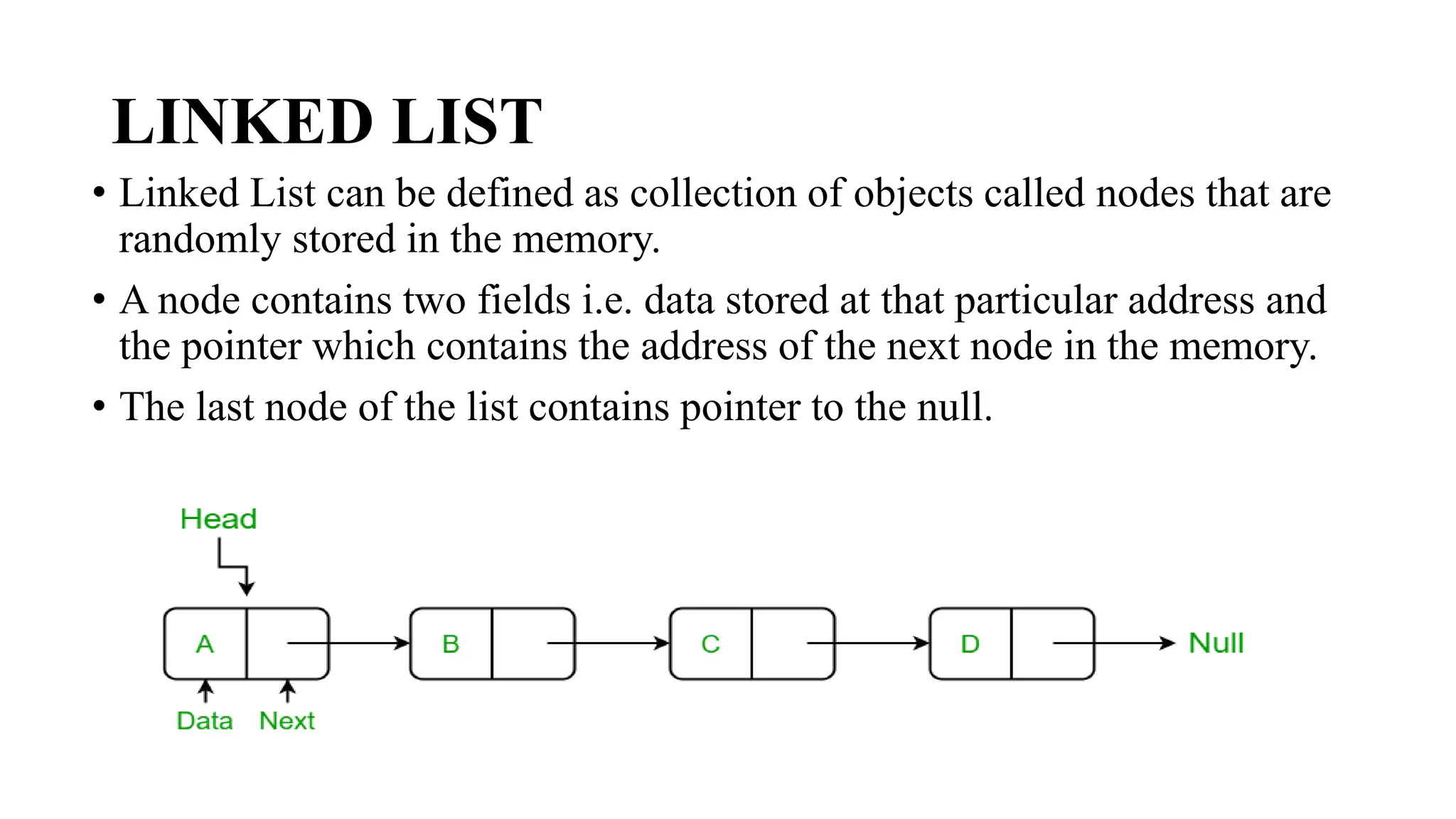
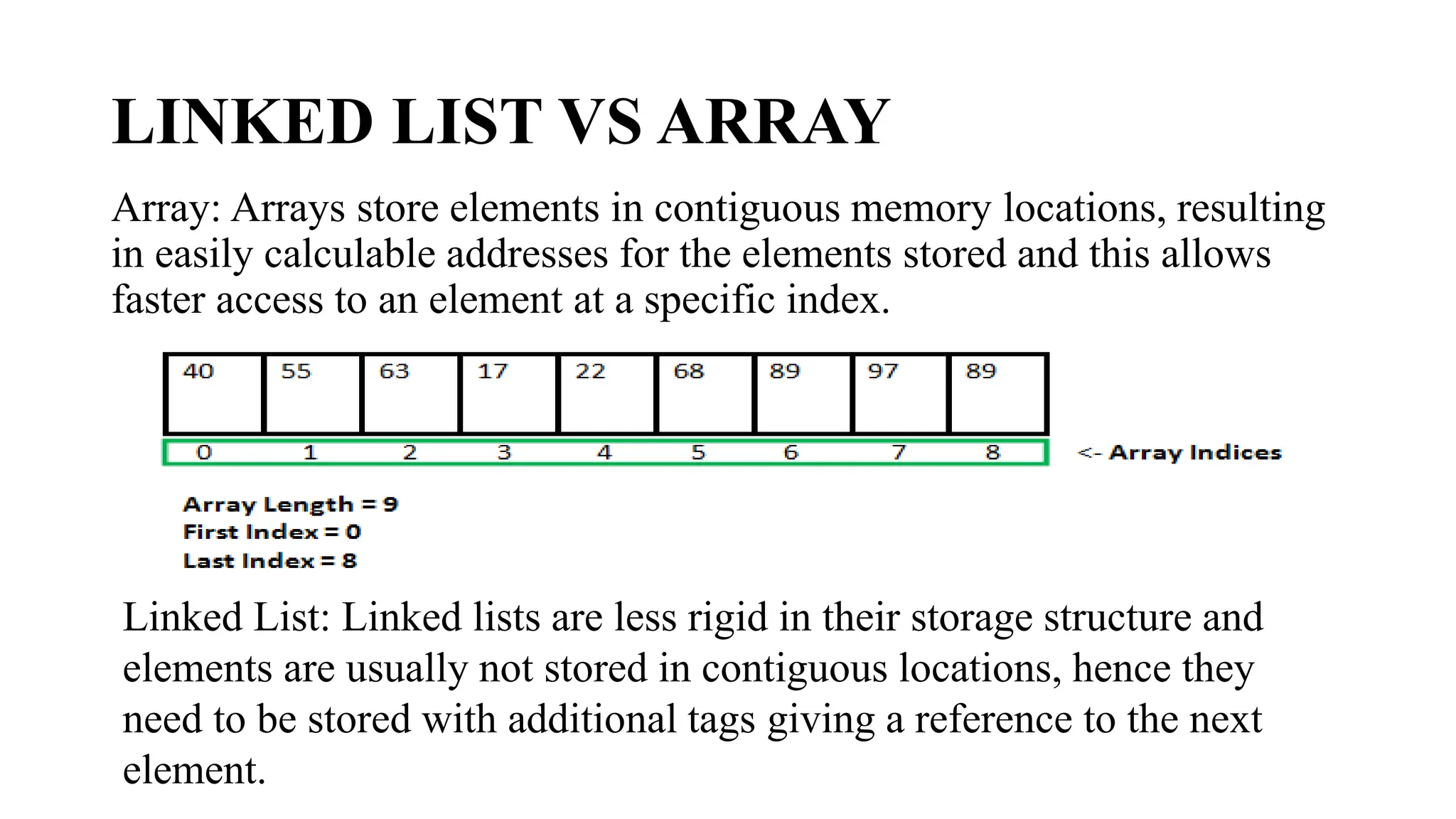
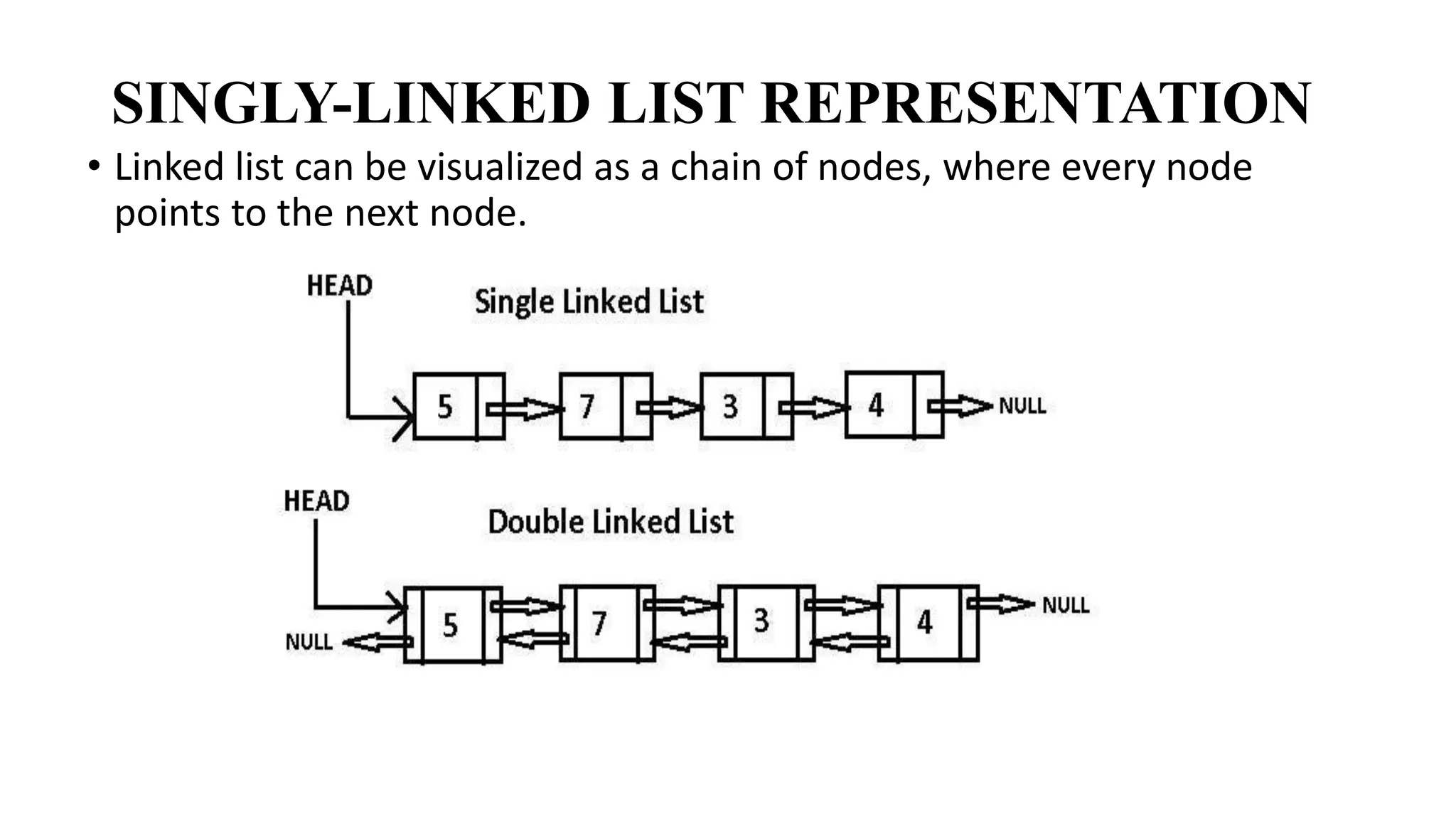
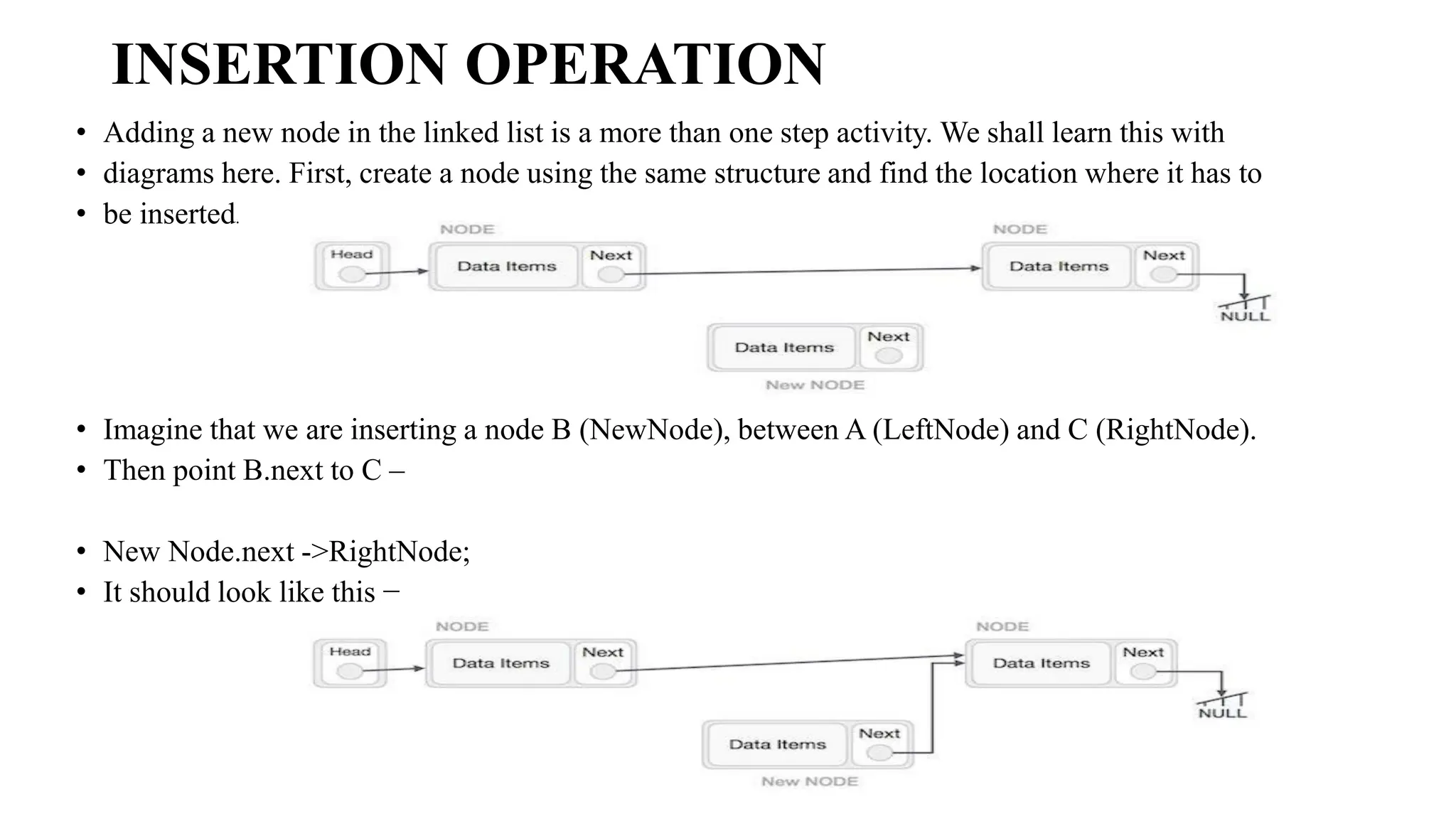
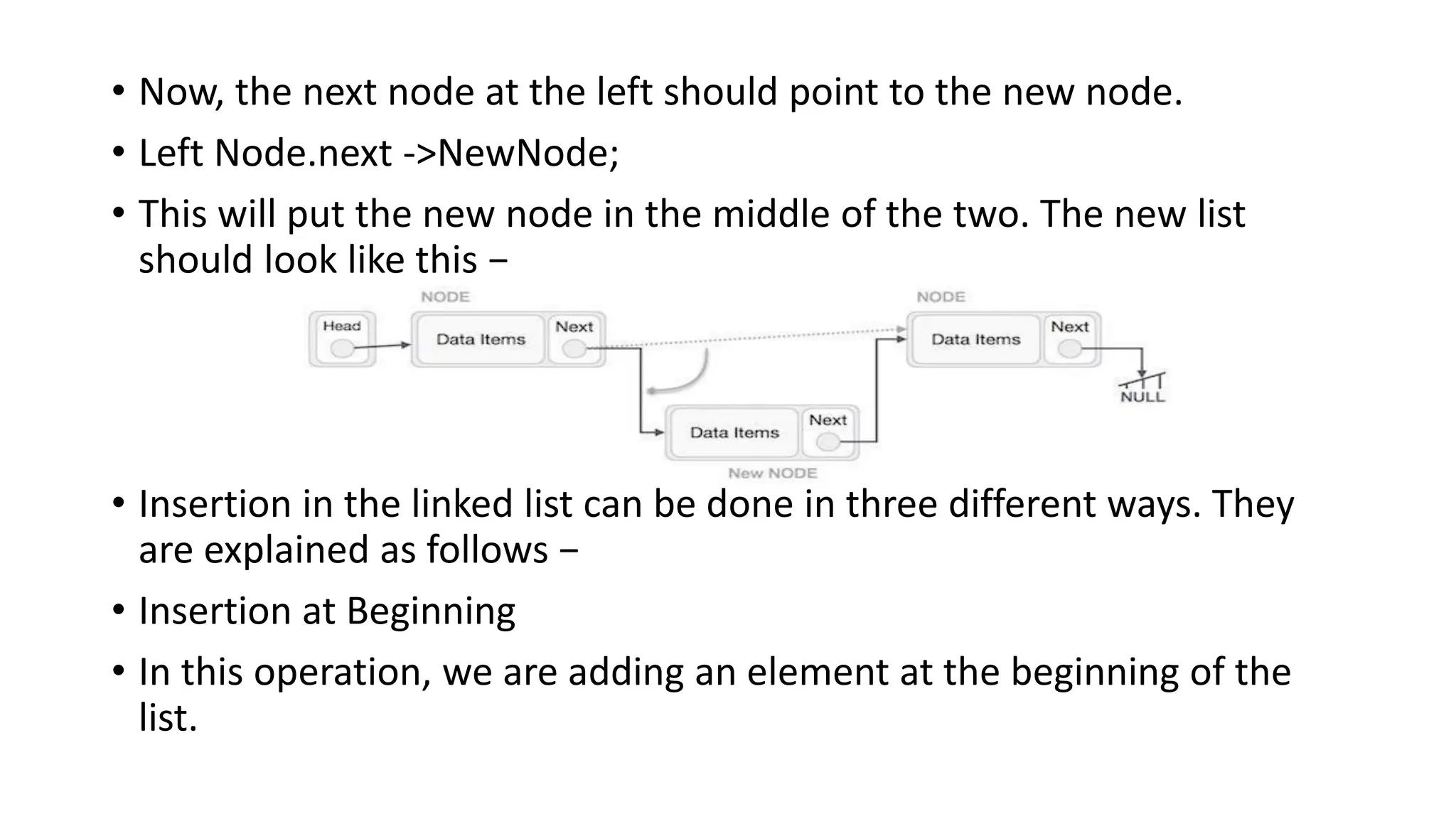
![Example
• Following are the implementations of this operation in various programming languages −
• #include<stdio.h>
• #include<string.h>
• #include<stdlib.h>
• structnode {
• int data;
• structnode*next;
• };
• structnode*head =NULL;
• structnode*current =NULL;
• // display the list
• voidprintList(){
• structnode*p = head;
• printf("n[");
• //start from the beginning
• while(p !=NULL) {
• printf(" %d ",p->data);
• p = p->next;
• }
• printf("]");
• }](https://image.slidesharecdn.com/datastructure-linkedliststackqueue-251209045411-31e533e9/75/Data-Structure-Linked-List-Stack-Queue-pdf-18-2048.jpg)
![• printf("Linked List: ");
• // print list
• printList();
• }
Output
Linked List:
[ 50 44 30 22 12 ]
INSERTION AT END
In this operation, we are adding an element at the ending of the list.
Algorithm
1. START
2. Create a new node and assign the data
3. Find the last node
4. Point the last node to new node
5. END](https://image.slidesharecdn.com/datastructure-linkedliststackqueue-251209045411-31e533e9/75/Data-Structure-Linked-List-Stack-Queue-pdf-20-2048.jpg)
![while(p !=NULL) {
printf(" %d ",p->data);
p = p->next;
}
printf("]");
}
//insertion at the beginning
voidinsertatbegin(int data){
//create a link
structnode*lk= (structnode*) malloc(sizeof(structnode));
lk->data = data;
// point it to old first node
lk->next = head;
//point first to new first node
head=lk;
}
voidinsertatend(int data){
//create a link
structnode*lk= (structnode*) malloc(sizeof(structnode));](https://image.slidesharecdn.com/datastructure-linkedliststackqueue-251209045411-31e533e9/75/Data-Structure-Linked-List-Stack-Queue-pdf-22-2048.jpg)
![Output
Linked List:
[ 12 22 30 44 50 ]
INSERTION AT A GIVEN POSITION
In this operation, we are adding an element at any position within the list.
Algorithm
1. START
2. Create a new node and assign data to it
3. Iterate until the node at position is found
4. Point first to new first node
5. END
Example
#include<stdio.h>
#include<string.h>
#include<stdlib.h>
structnode {
int data;](https://image.slidesharecdn.com/datastructure-linkedliststackqueue-251209045411-31e533e9/75/Data-Structure-Linked-List-Stack-Queue-pdf-24-2048.jpg)
![structnode*next;
};
structnode*head =NULL;
structnode*current =NULL;
// display the list
voidprintList(){
structnode*p = head;
printf("n[");
//start from the beginning
while(p !=NULL) {
printf(" %d ",p->data);
p = p->next;
}
printf("]");
}
//insertion at the beginning
voidinsertatbegin(int data){
//create a link
structnode*lk= (structnode*) malloc(sizeof(structnode));
lk->data = data;
// point it to old first node](https://image.slidesharecdn.com/datastructure-linkedliststackqueue-251209045411-31e533e9/75/Data-Structure-Linked-List-Stack-Queue-pdf-25-2048.jpg)
![lk->next = head;
//point first to new first node
head=lk;
}
voidinsertafternode(structnode*list, int data){
structnode*lk= (structnode*) malloc(sizeof(structnode));
lk->data = data;
lk->next = list->next;
list->next =lk;
}
voidmain(){
int k=0;
insertatbegin(12);
insertatbegin(22);
insertafternode(head->next, 30);
printf("Linked List: ");
// print list
printList();
}
Output
Linked List:
[ 22 12 30 ]](https://image.slidesharecdn.com/datastructure-linkedliststackqueue-251209045411-31e533e9/75/Data-Structure-Linked-List-Stack-Queue-pdf-26-2048.jpg)
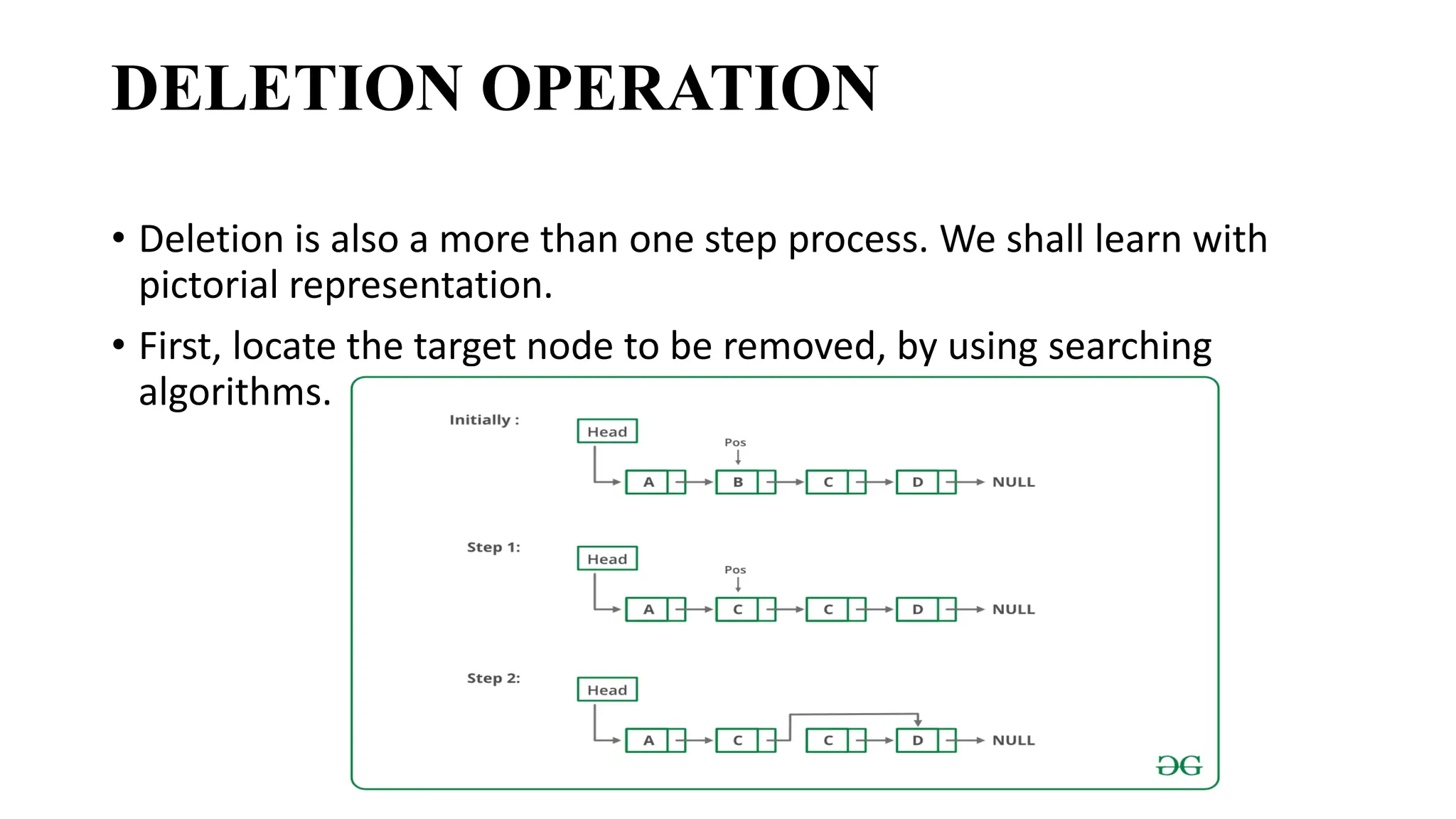
![• structnode*next;
• };
• structnode*head =NULL;
• structnode*current =NULL;
• // display the list
• voidprintList(){
• structnode*p = head;
• printf("n[");
• //start from the beginning
• while(p !=NULL) {
• printf(" %d ",p->data);
• p = p->next;
• }
• printf("]");
• }
• //insertion at the beginning
• voidinsertatbegin(int data){
• //create a link](https://image.slidesharecdn.com/datastructure-linkedliststackqueue-251209045411-31e533e9/75/Data-Structure-Linked-List-Stack-Queue-pdf-30-2048.jpg)
![• printf("nLinked List after deletion: ");
• // print list
• printList();
• }
• Output
• Linked List:
• [ 55 40 30 22 12 ]
• Linked List after deletion:
• [ 40 30 22 12 ]](https://image.slidesharecdn.com/datastructure-linkedliststackqueue-251209045411-31e533e9/75/Data-Structure-Linked-List-Stack-Queue-pdf-32-2048.jpg)
![• structnode*head =NULL;
• structnode*current =NULL;
• // display the list
• voidprintList(){
• structnode*p = head;
• printf("n[");
• //start from the beginning
• while(p !=NULL) {
• printf(" %d ",p->data);
• p = p->next;
• }
• printf("]");
• }
• //insertion at the beginning
• voidinsertatbegin(int data){
• //create a link
• structnode*lk= (structnode*) malloc(sizeof(structnode));
• lk->data = data;
• // point it to old first node
• lk->next = head;](https://image.slidesharecdn.com/datastructure-linkedliststackqueue-251209045411-31e533e9/75/Data-Structure-Linked-List-Stack-Queue-pdf-34-2048.jpg)
![• insertatbegin(40);
• insertatbegin(55);
• printf("Linked List: ");
• // print list
• printList();
• deleteatend();
• printf("nLinked List after deletion: ");
• // print list
• printList();
• }
Output
• Linked List:
• [ 55 40 30 22 12 ]
• Linked List after deletion:
• [ 55 40 30 22 ]](https://image.slidesharecdn.com/datastructure-linkedliststackqueue-251209045411-31e533e9/75/Data-Structure-Linked-List-Stack-Queue-pdf-36-2048.jpg)
![• structnode*head =NULL;
• structnode*current =NULL;
• // display the list
• voidprintList(){
• structnode*p = head;
• printf("n[");
• //start from the beginning
• while(p !=NULL) {
• printf(" %d ",p->data);
• p = p->next;
• }
• printf("]");
• }
• //insertion at the beginning
• voidinsertatbegin(int data){
• //create a link
• structnode*lk= (structnode*) malloc(sizeof(structnode));
• lk->data = data;
• // point it to old first node
• lk->next = head;
• //point first to new first node](https://image.slidesharecdn.com/datastructure-linkedliststackqueue-251209045411-31e533e9/75/Data-Structure-Linked-List-Stack-Queue-pdf-38-2048.jpg)
![• insertatbegin(30);
• insertatbegin(40);
• insertatbegin(55);
• printf("Linked List: ");
• // print list
• printList();
• deletenode(30);
• printf("nLinked List after deletion: ");
• // print list
• printList();
• }
Output
• Linked List:
• [ 55 40 30 22 12 ]
• Linked List after deletion:
• [ 55 40 22 12 ] O](https://image.slidesharecdn.com/datastructure-linkedliststackqueue-251209045411-31e533e9/75/Data-Structure-Linked-List-Stack-Queue-pdf-40-2048.jpg)
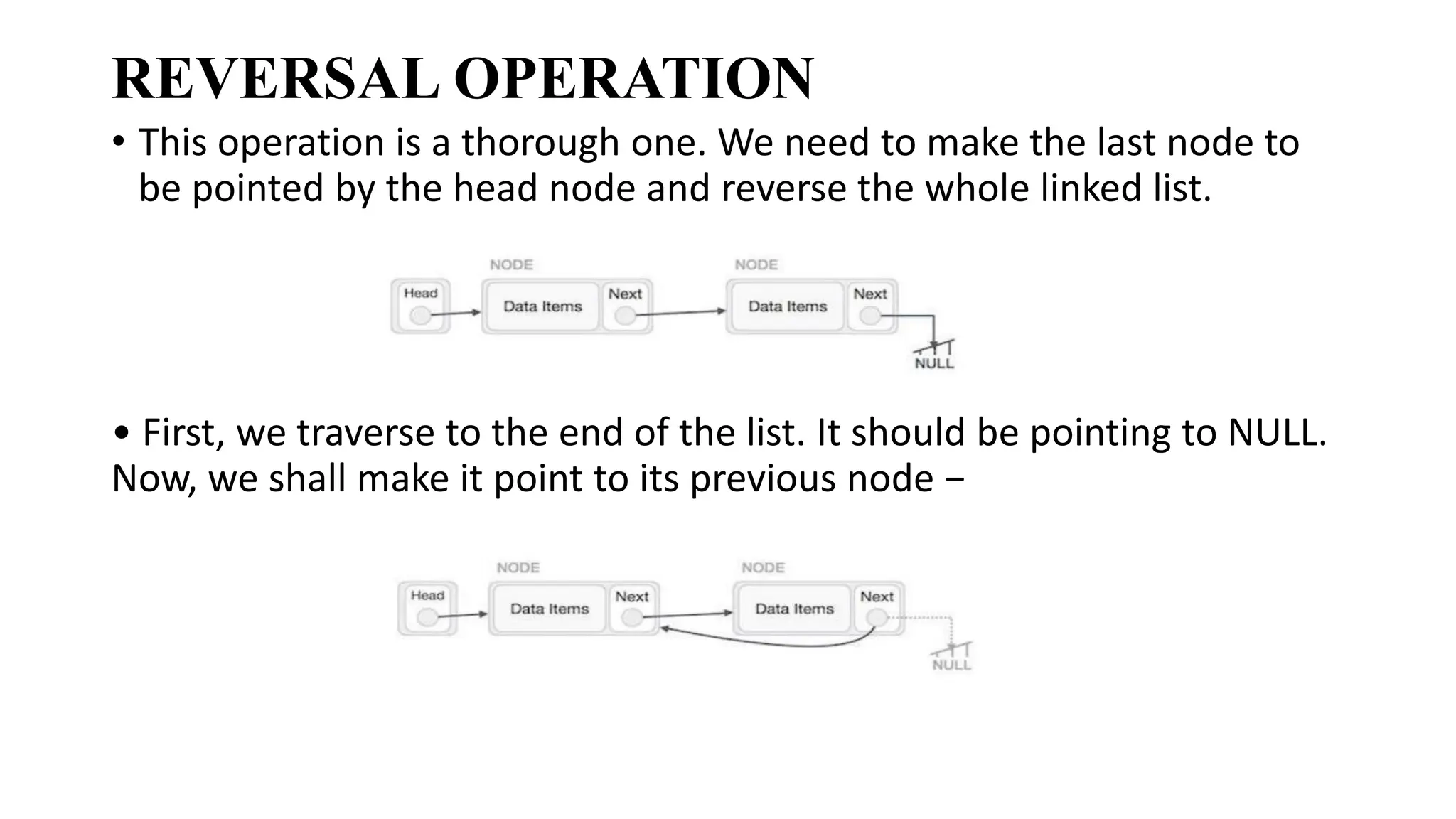
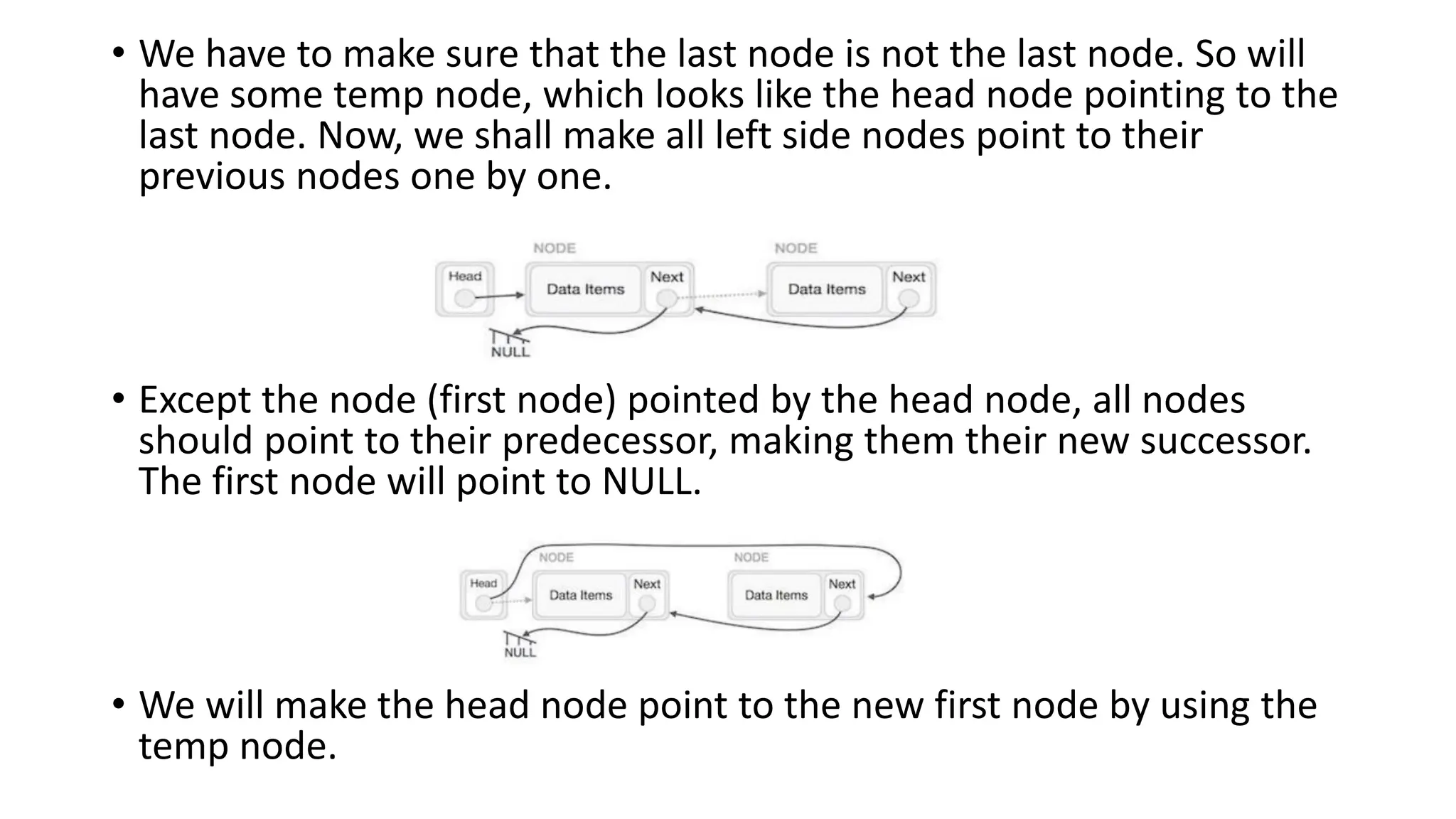
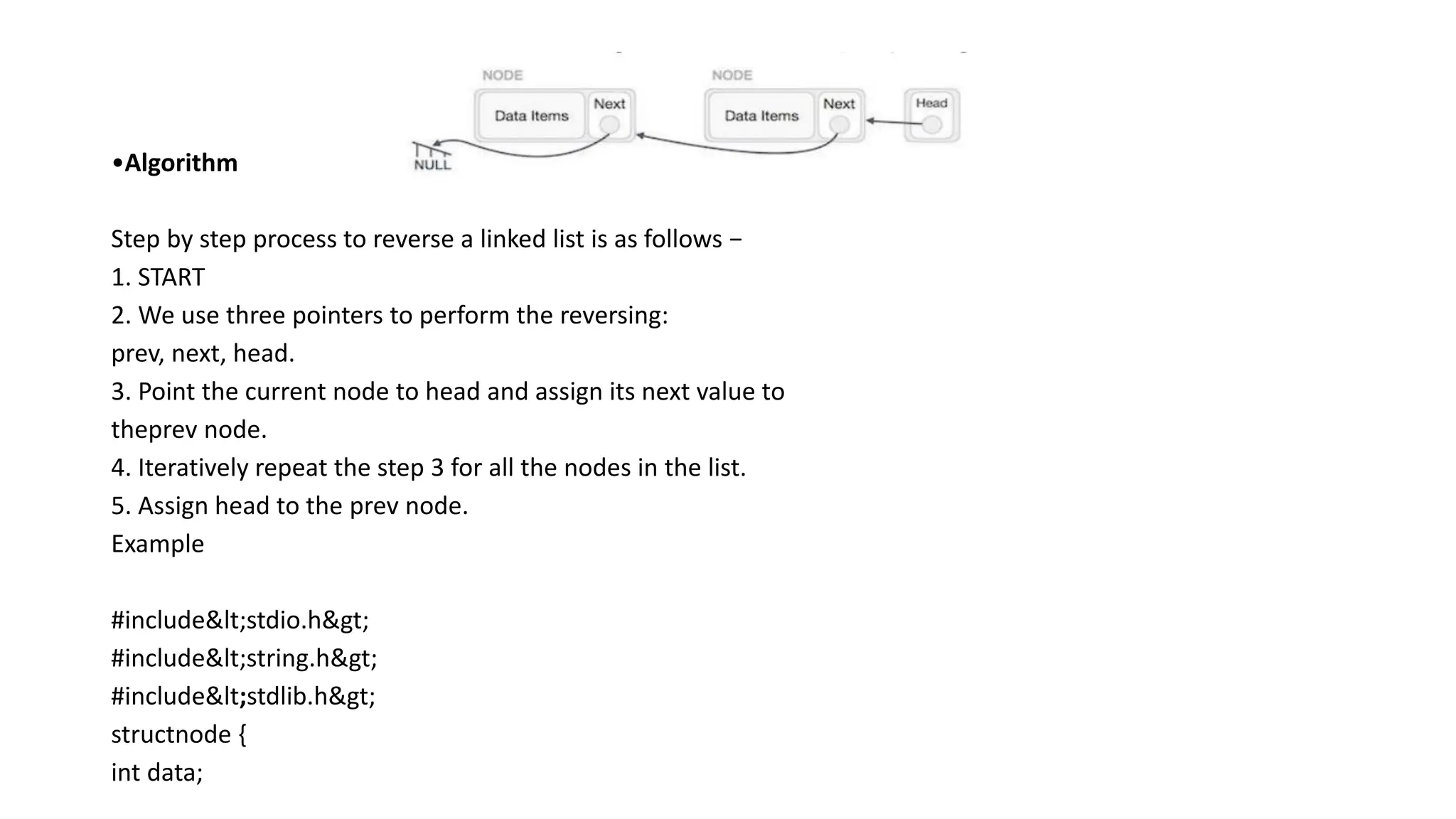
![structnode*next;
};
structnode*head =NULL;
structnode*current =NULL;
// display the list
voidprintList(){
structnode*p = head;
printf("n[");
//start from the beginning
while(p !=NULL) {
printf(" %d ",p->data);
p = p->next;
}
printf("]");
}
//insertion at the beginning](https://image.slidesharecdn.com/datastructure-linkedliststackqueue-251209045411-31e533e9/75/Data-Structure-Linked-List-Stack-Queue-pdf-44-2048.jpg)
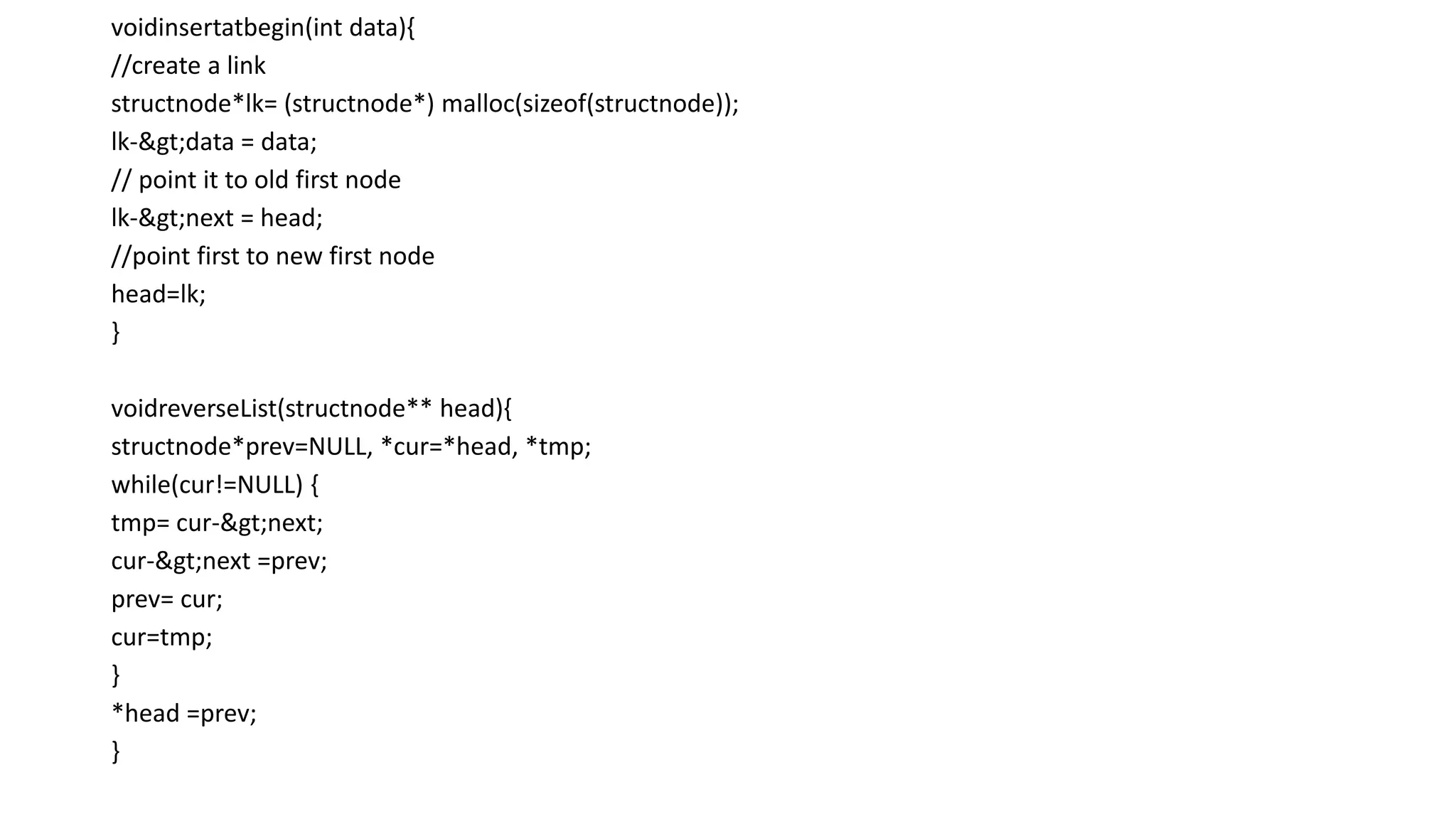
![voidmain(){
int k=0;
insertatbegin(12);
insertatbegin(22);
insertatbegin(30);
insertatbegin(40);
insertatbegin(55);
printf("Linked List: ");
// print list
printList();
reverseList(&head);
printf("nReversed Linked List: ");
printList();
}
Output
Linked List:
[ 55 40 30 22 12 ]
Reversed Linked List:
[ 12 22 30 40 55 ]](https://image.slidesharecdn.com/datastructure-linkedliststackqueue-251209045411-31e533e9/75/Data-Structure-Linked-List-Stack-Queue-pdf-46-2048.jpg)
![• #include<string.h>
• #include<stdlib.h>
• structnode {
• int data;
• structnode*next;
• };
• structnode*head =NULL;
• structnode*current =NULL;
• // display the list
• voidprintList(){
• structnode*p = head;
• printf("n[");
• //start from the beginning
• while(p !=NULL) {
• printf(" %d ",p->data);
• p = p->next;
• }
• printf("]");
• }
• //insertion at the beginning](https://image.slidesharecdn.com/datastructure-linkedliststackqueue-251209045411-31e533e9/75/Data-Structure-Linked-List-Stack-Queue-pdf-48-2048.jpg)
![• insertatbegin(30);
• insertatbegin(40);
• insertatbegin(55);
• printf("Linked List: ");
• // print list
• printList();
• intele=30;
• printf("nElement to be searched is: %d", ele);
• k =searchlist(30);
• if (k ==1)
• printf("nElement is found");
• else
• printf("nElement is not found in the list");
• }
Output
• Linked List:
• [ 55 40 30 22 12 ]
• Element to be searched is: 30
• Element is found](https://image.slidesharecdn.com/datastructure-linkedliststackqueue-251209045411-31e533e9/75/Data-Structure-Linked-List-Stack-Queue-pdf-50-2048.jpg)
![• int data;
• structnode*next;
• };
• structnode*head =NULL;
• structnode*current =NULL;
• // display the list
• voidprintList(){
• structnode*p = head;
• printf("n[");
• //start from the beginning
• while(p !=NULL) {
• printf(" %d ",p->data);
• p = p->next;
• }
• printf("]");
• }
• //insertion at the beginning
• voidinsertatbegin(int data){
• //create a link](https://image.slidesharecdn.com/datastructure-linkedliststackqueue-251209045411-31e533e9/75/Data-Structure-Linked-List-Stack-Queue-pdf-52-2048.jpg)
![• structnode*lk= (structnode*) malloc(sizeof(structnode));
• lk->data = data;
• // point it to old first node
• lk->next = head;
• //point first to new first node
• head=lk;
• }
• voidmain(){
• int k=0;
• insertatbegin(12);
• insertatbegin(22);
• insertatbegin(30);
• printf("Linked List: ");
• // print list
• printList();
• }
Output
• Linked List:
• [ 30 22 12 ]](https://image.slidesharecdn.com/datastructure-linkedliststackqueue-251209045411-31e533e9/75/Data-Structure-Linked-List-Stack-Queue-pdf-53-2048.jpg)
![• printf("]");
• }
• //insertion at the beginning
• voidinsertatbegin(int data){
• //create a link
• structnode*lk= (structnode*) malloc(sizeof(structnode));
• lk->data = data;
• // point it to old first node
• lk->next = head;
• //point first to new first node
• head=lk;
• }
• voidinsertatend(int data){
• //create a link
• structnode*lk= (structnode*) malloc(sizeof(structnode));
• lk->data = data;
• structnode*linkedlist= head;
• // point it to old first node](https://image.slidesharecdn.com/datastructure-linkedliststackqueue-251209045411-31e533e9/75/Data-Structure-Linked-List-Stack-Queue-pdf-55-2048.jpg)
![• deletenode(12);
• printf("nLinked List after deletion: ");
• // print list
• printList();
• insertatbegin(4);
• insertatbegin(16);
• printf("nUpdated Linked List: ");
• printList();
• k =searchlist(16);
• if (k ==1)
• printf("nElement is found");
• else
• printf("nElement is not present in the list");
• }
Output
• Linked List:
• [ 50 22 12 33 30 44 ]
• Linked List after deletion:
• [ 22 33 30 ]
• Updated Linked List:
• [ 16 4 22 33 30 ]
• Element is found](https://image.slidesharecdn.com/datastructure-linkedliststackqueue-251209045411-31e533e9/75/Data-Structure-Linked-List-Stack-Queue-pdf-59-2048.jpg)
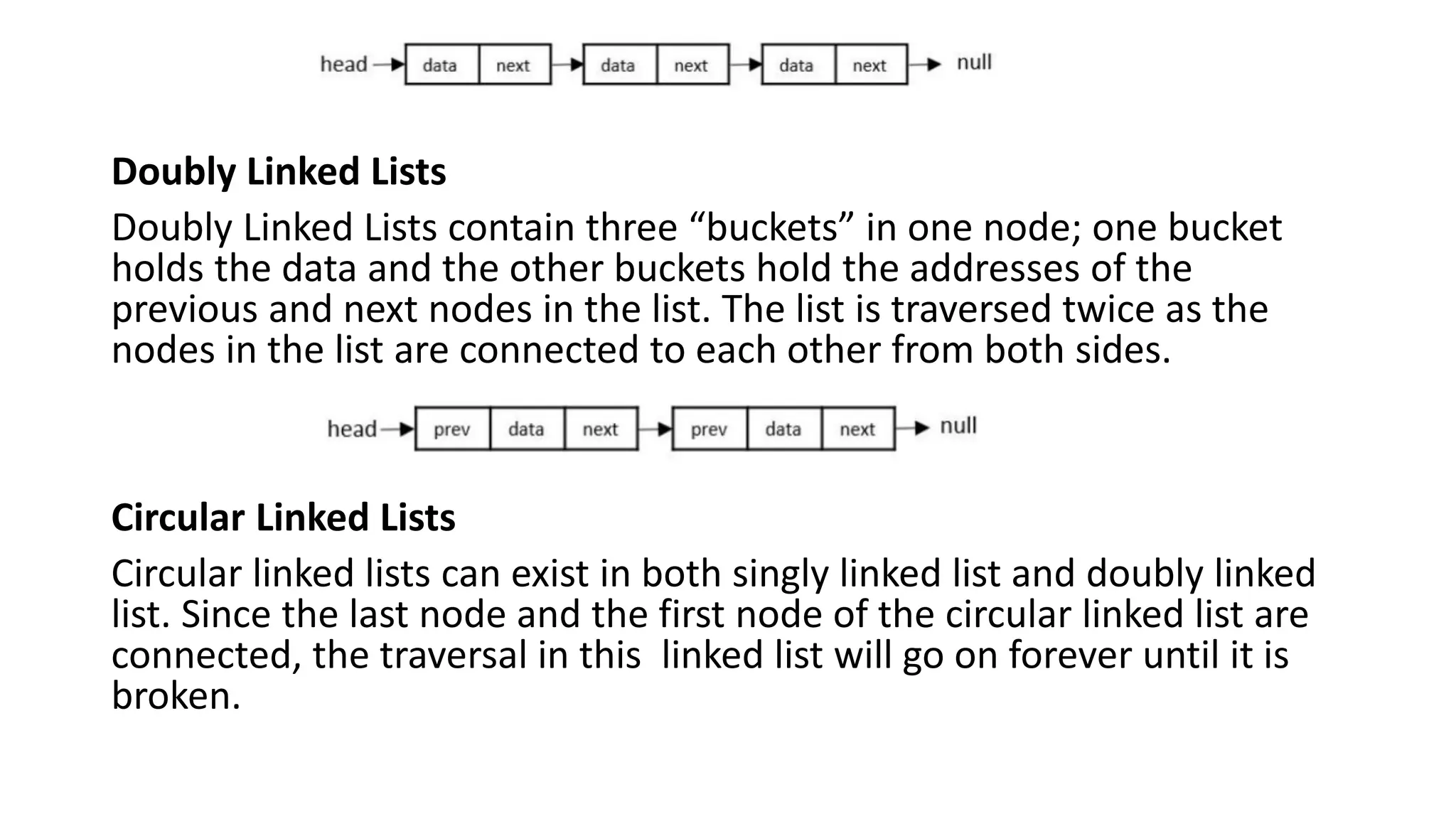
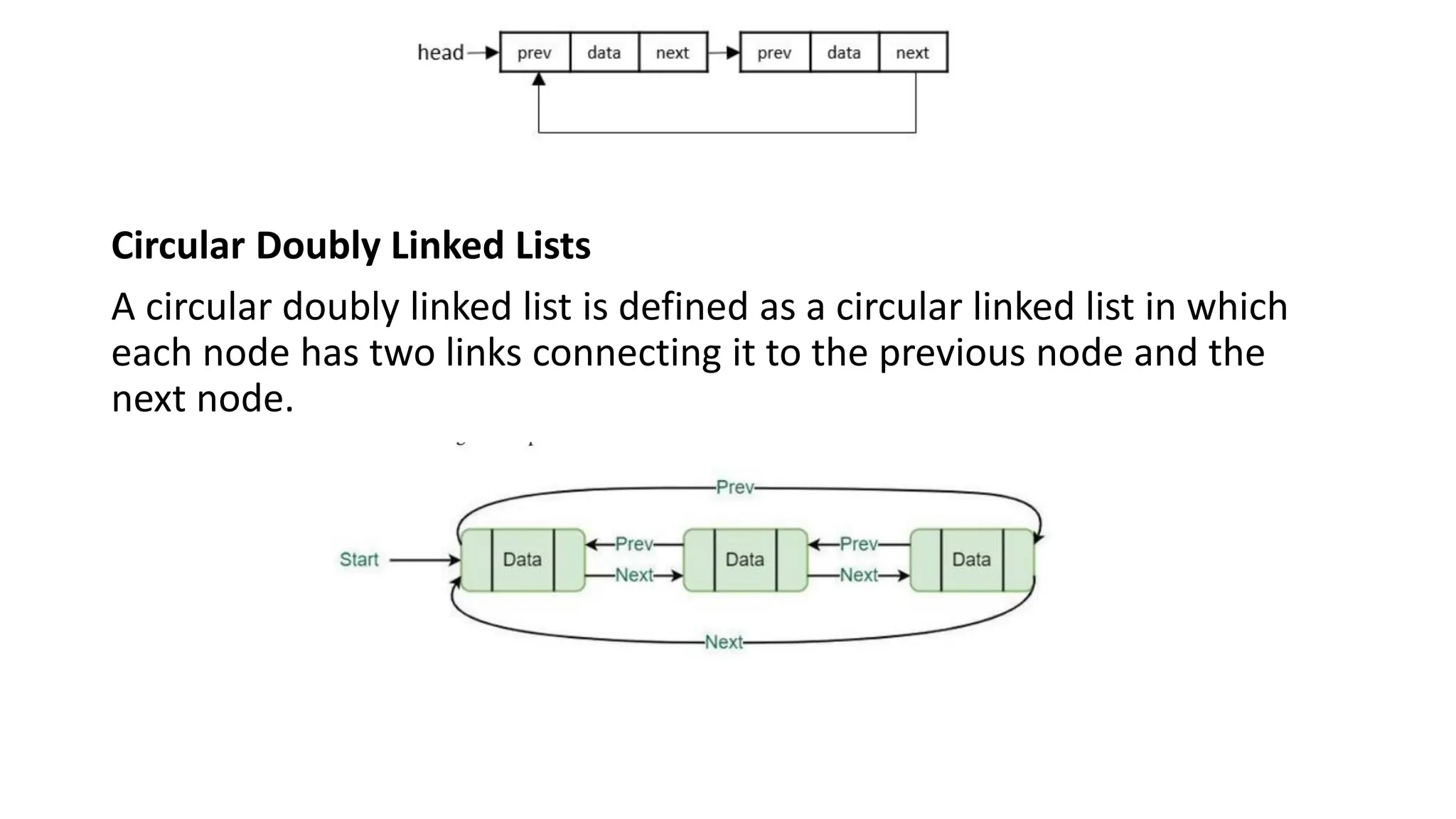
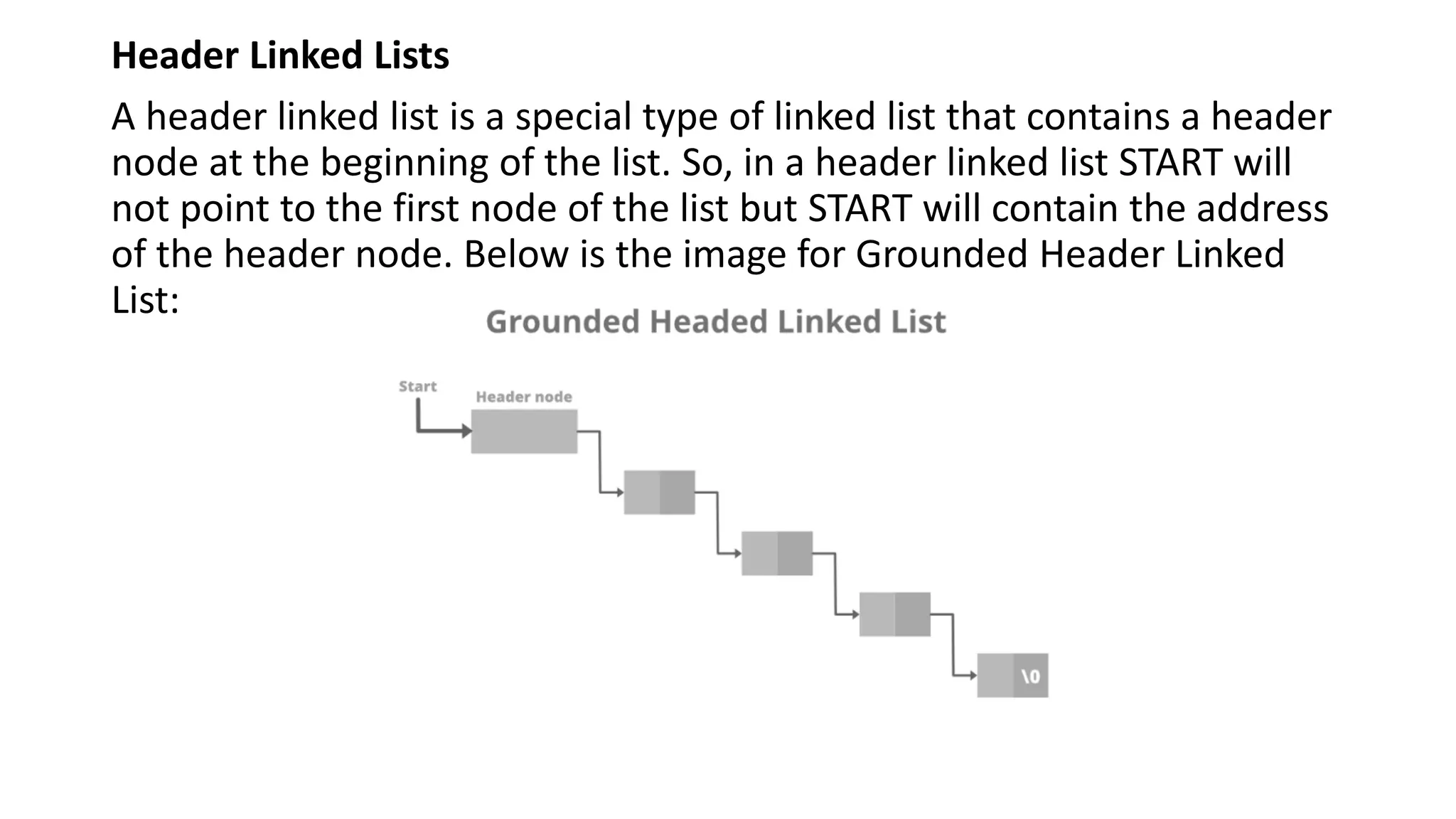
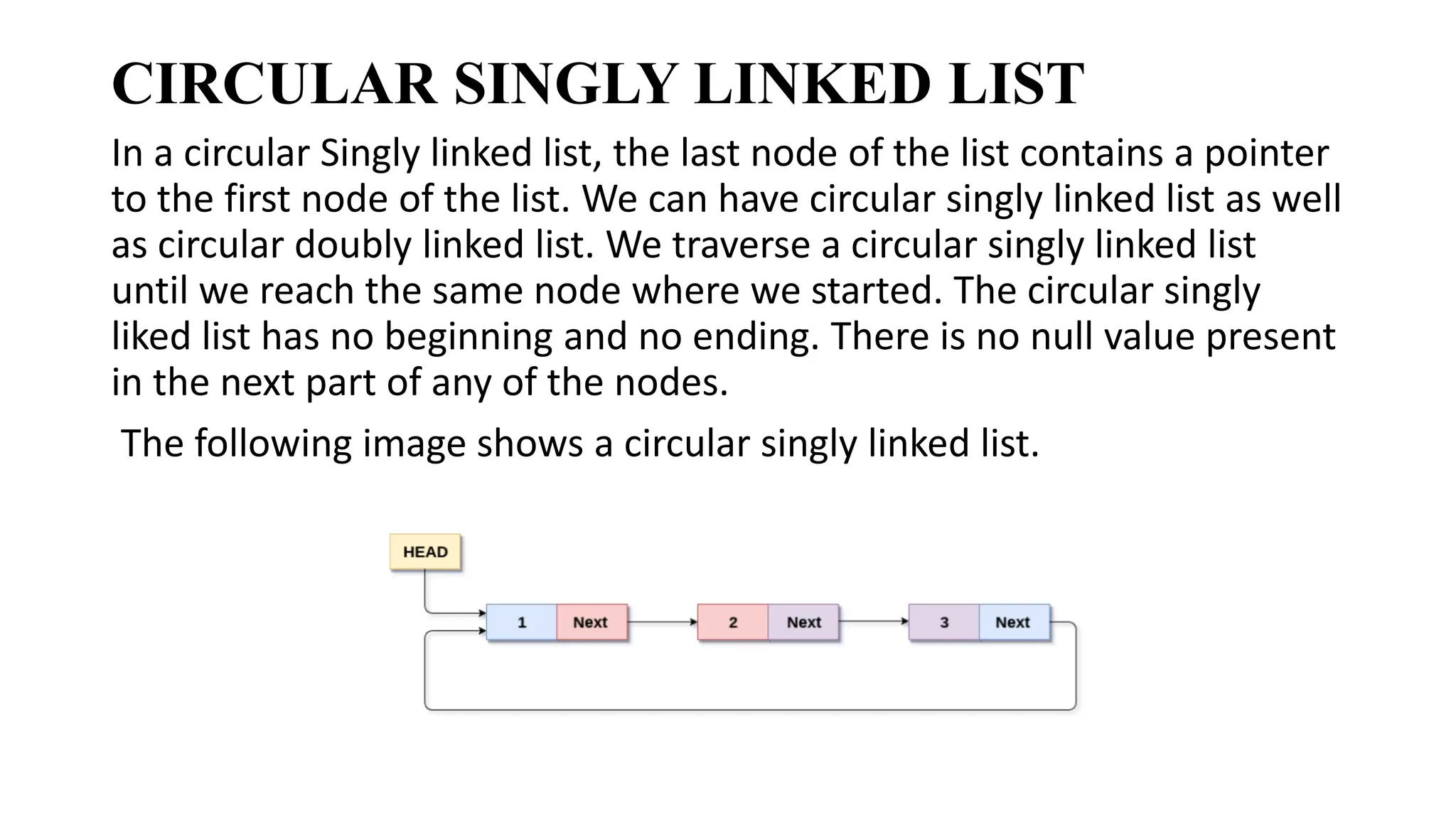
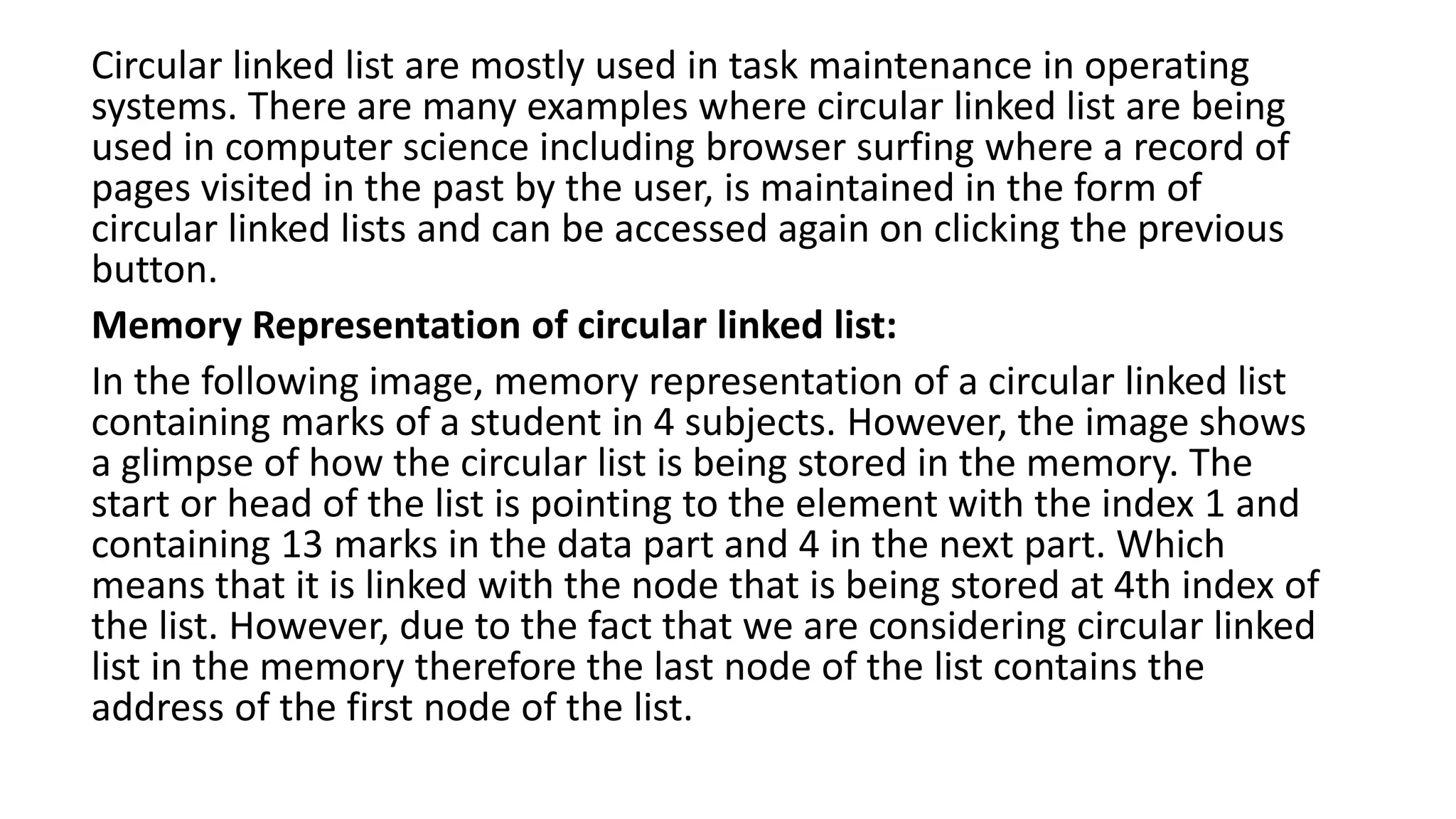
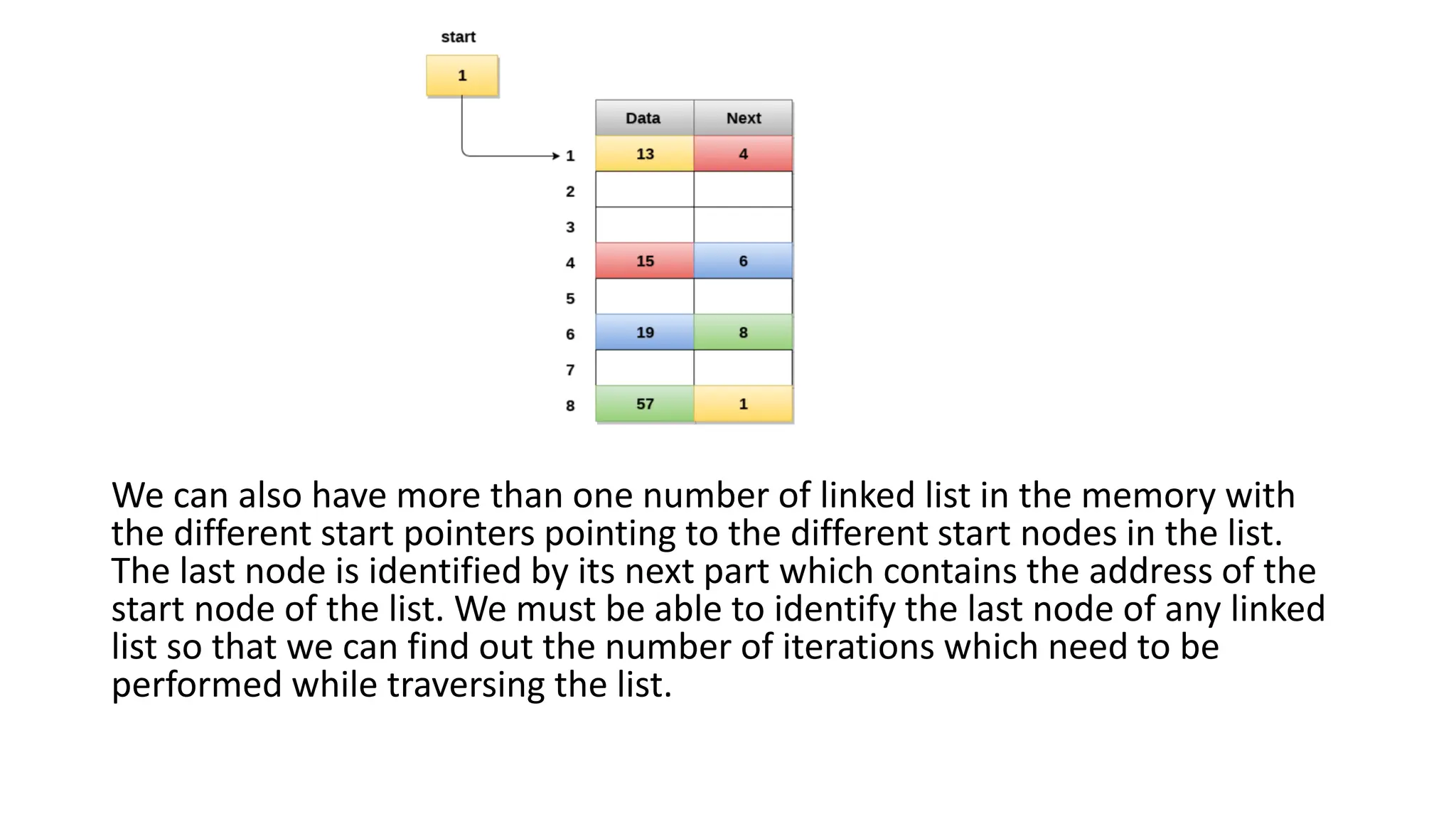
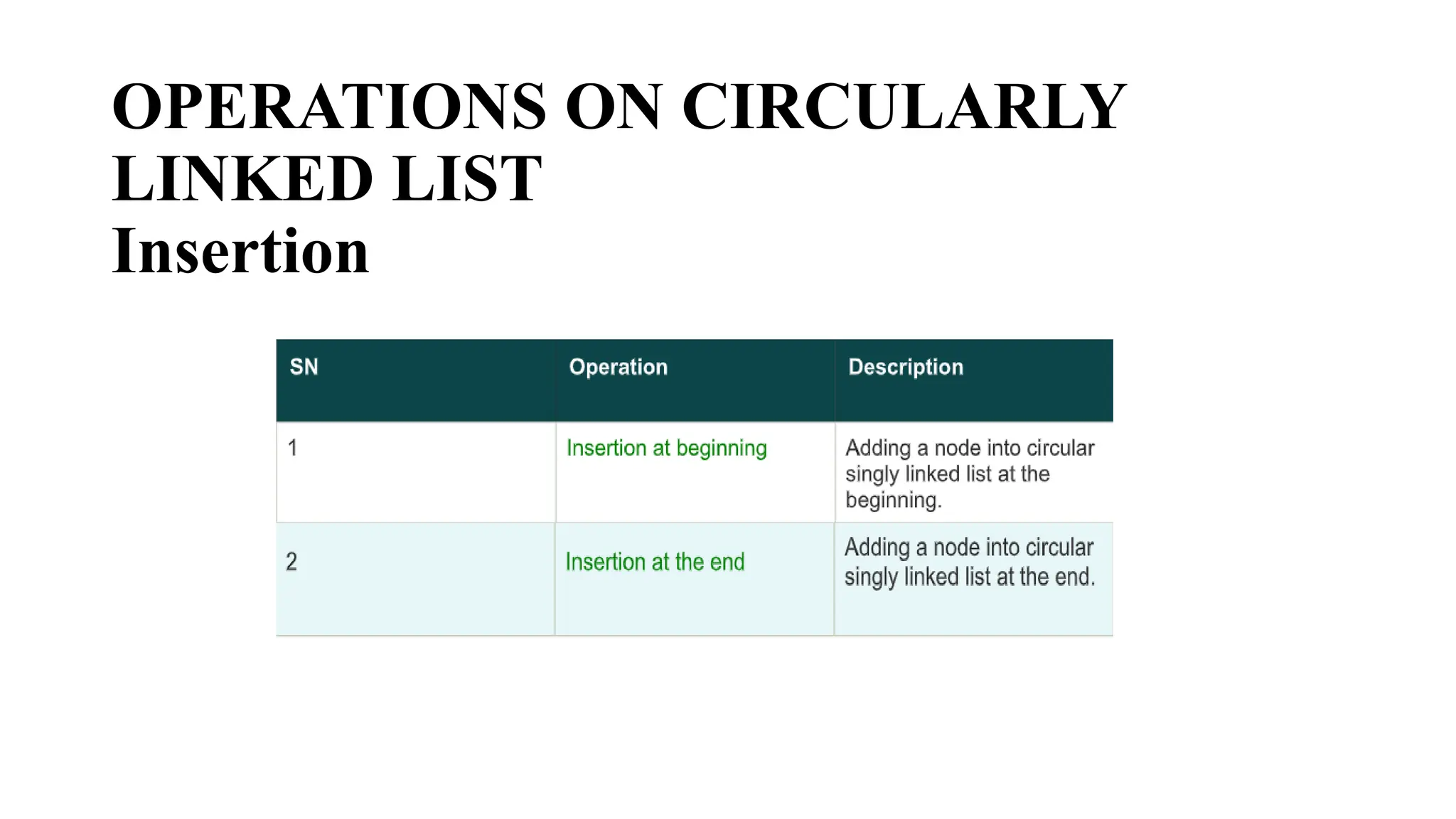
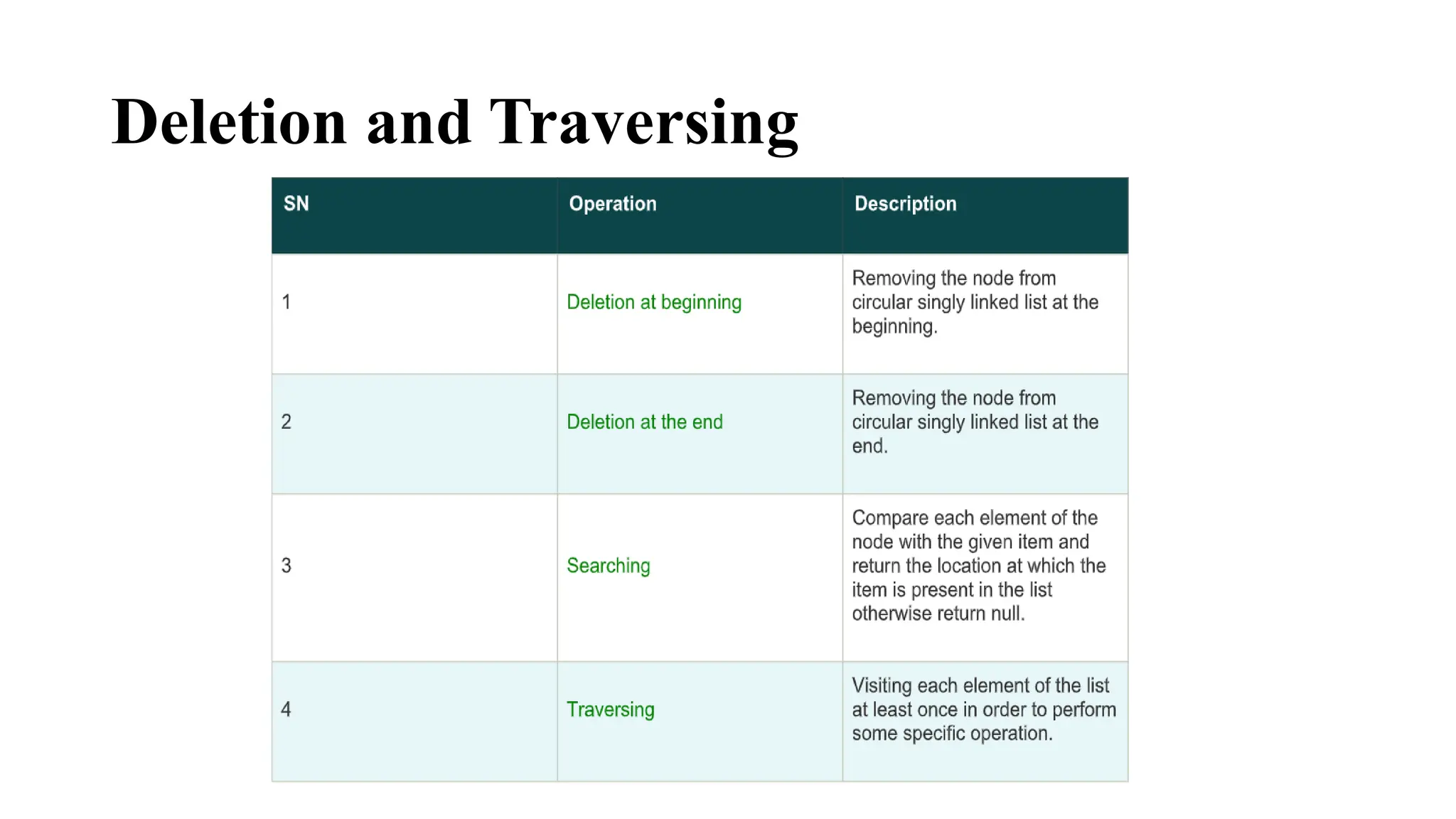
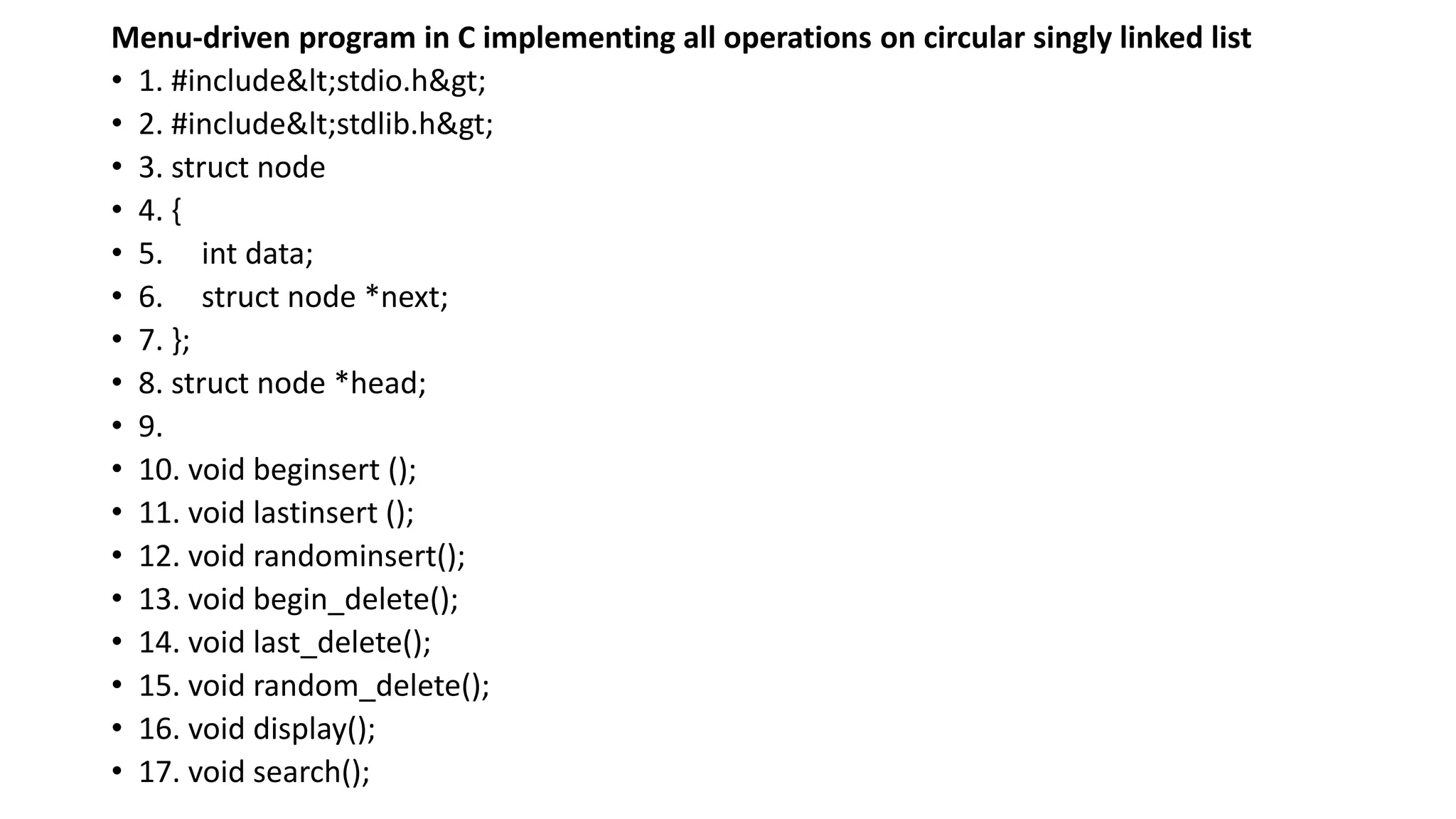
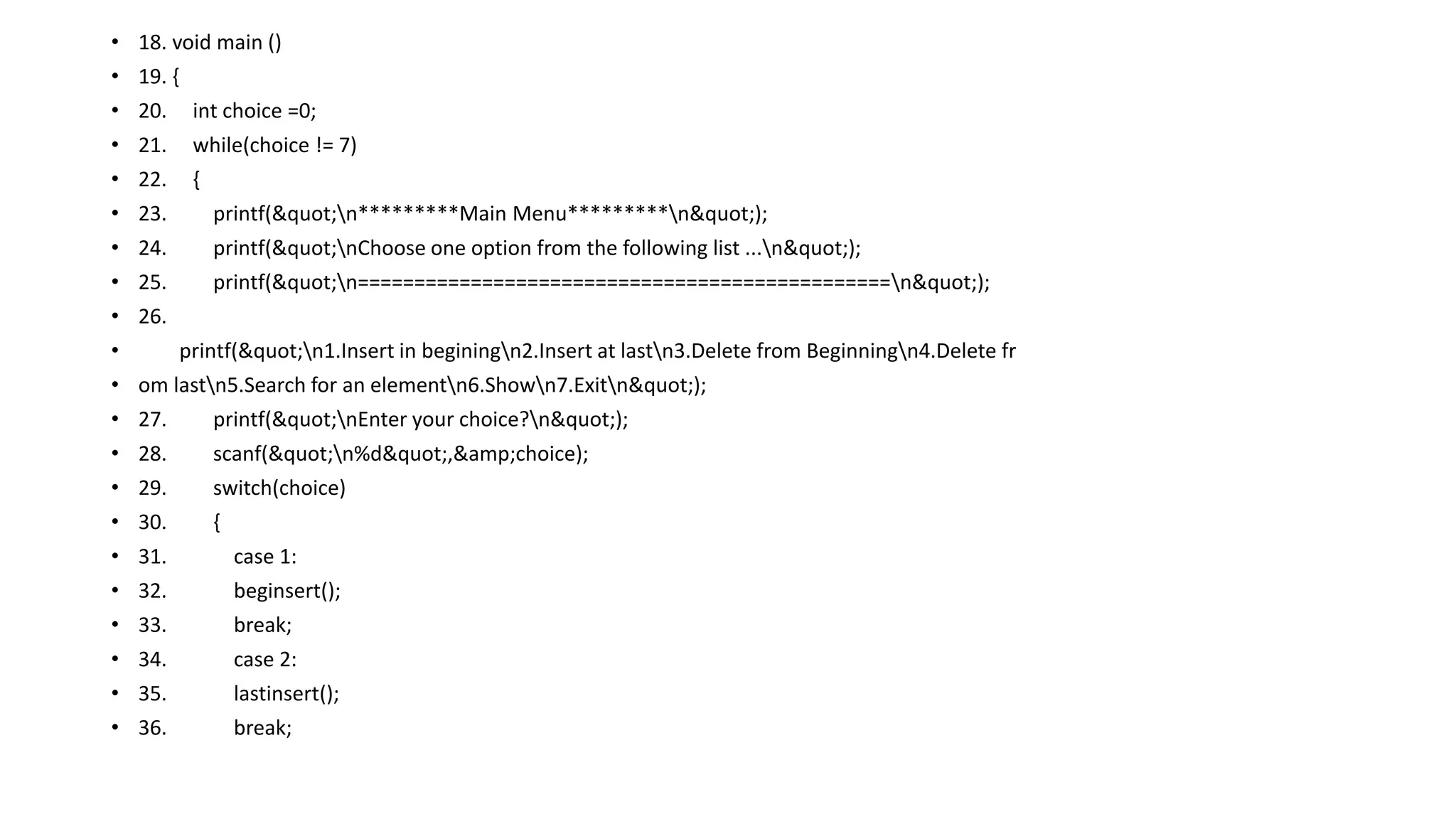
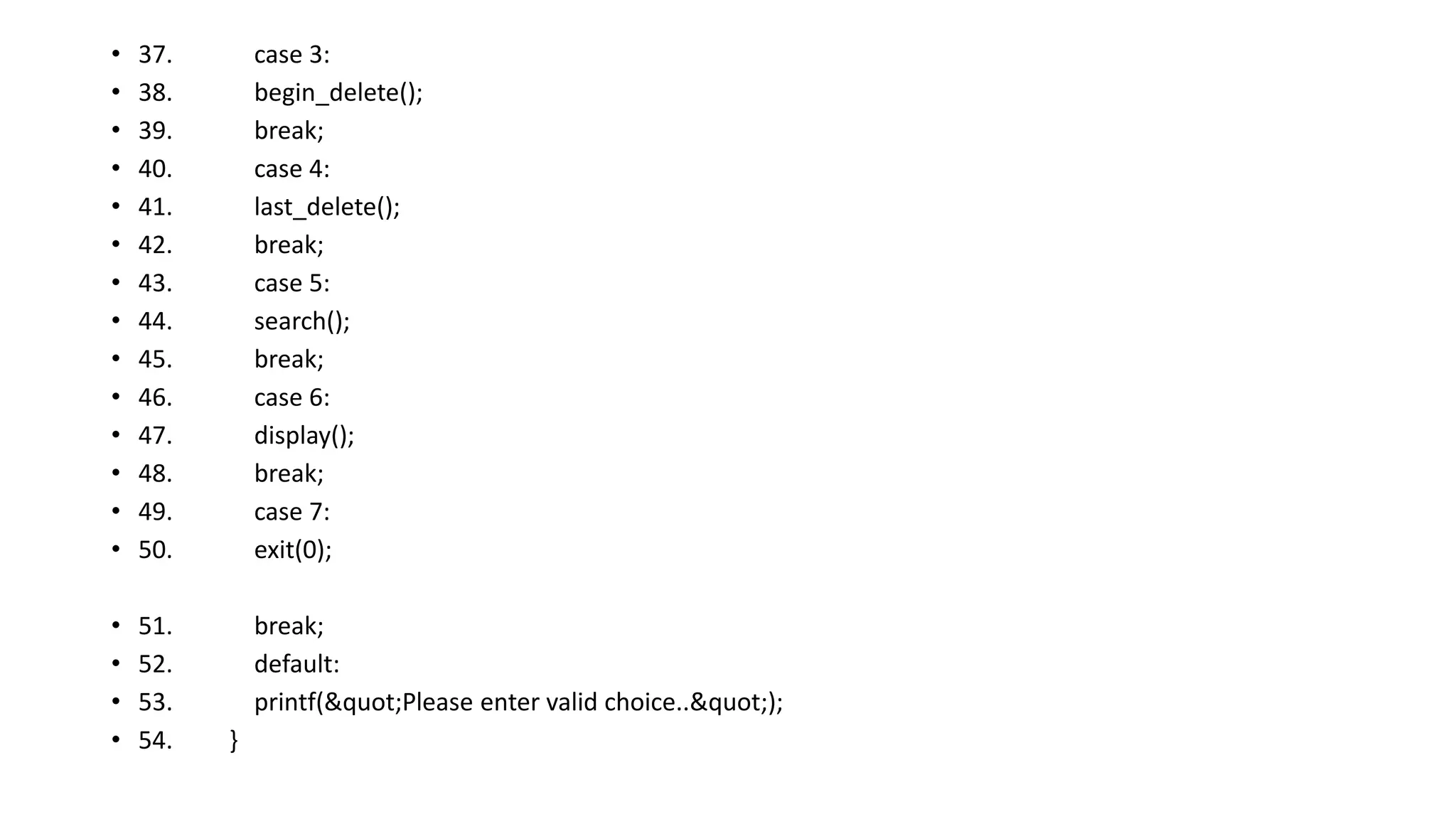
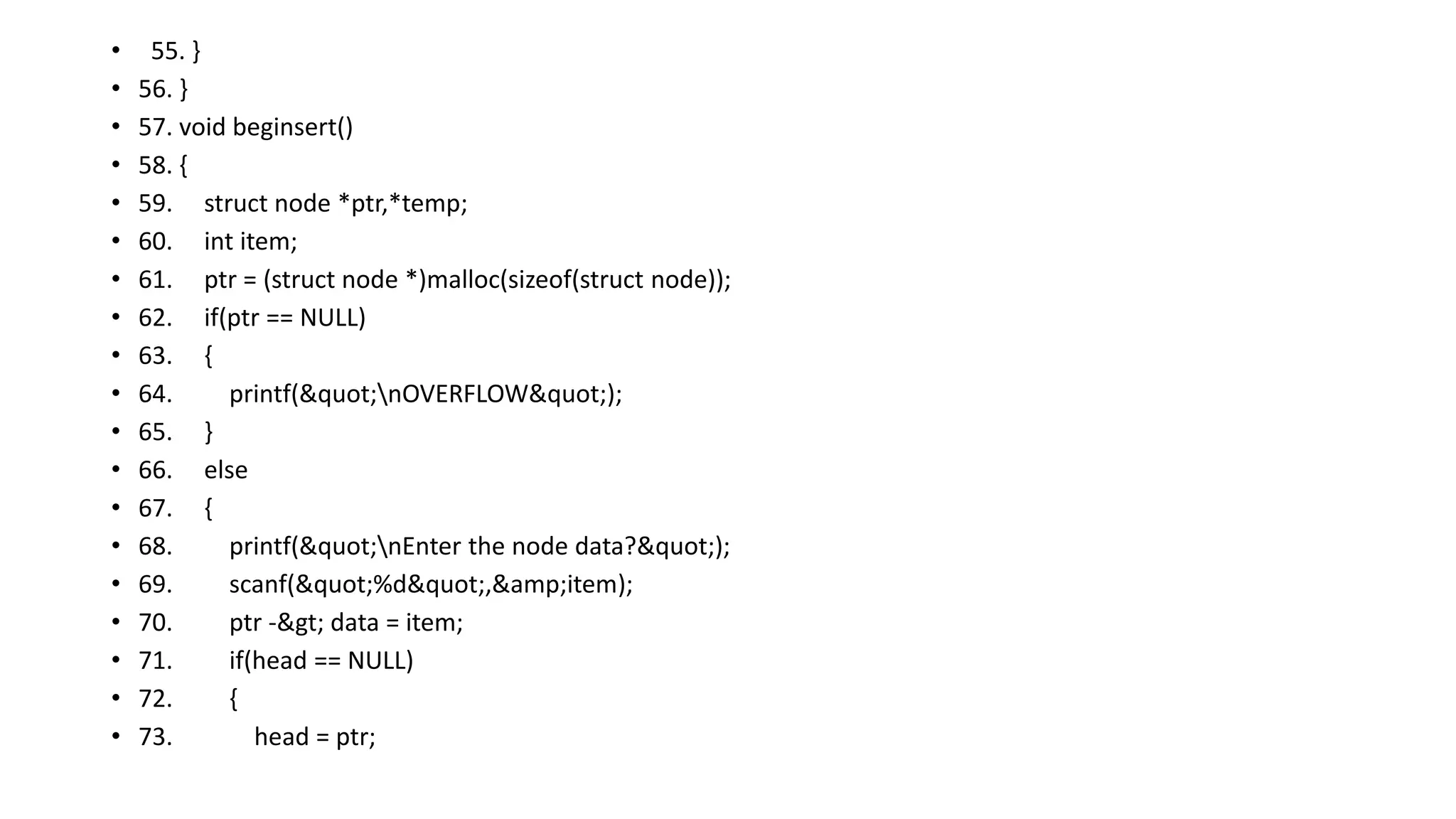
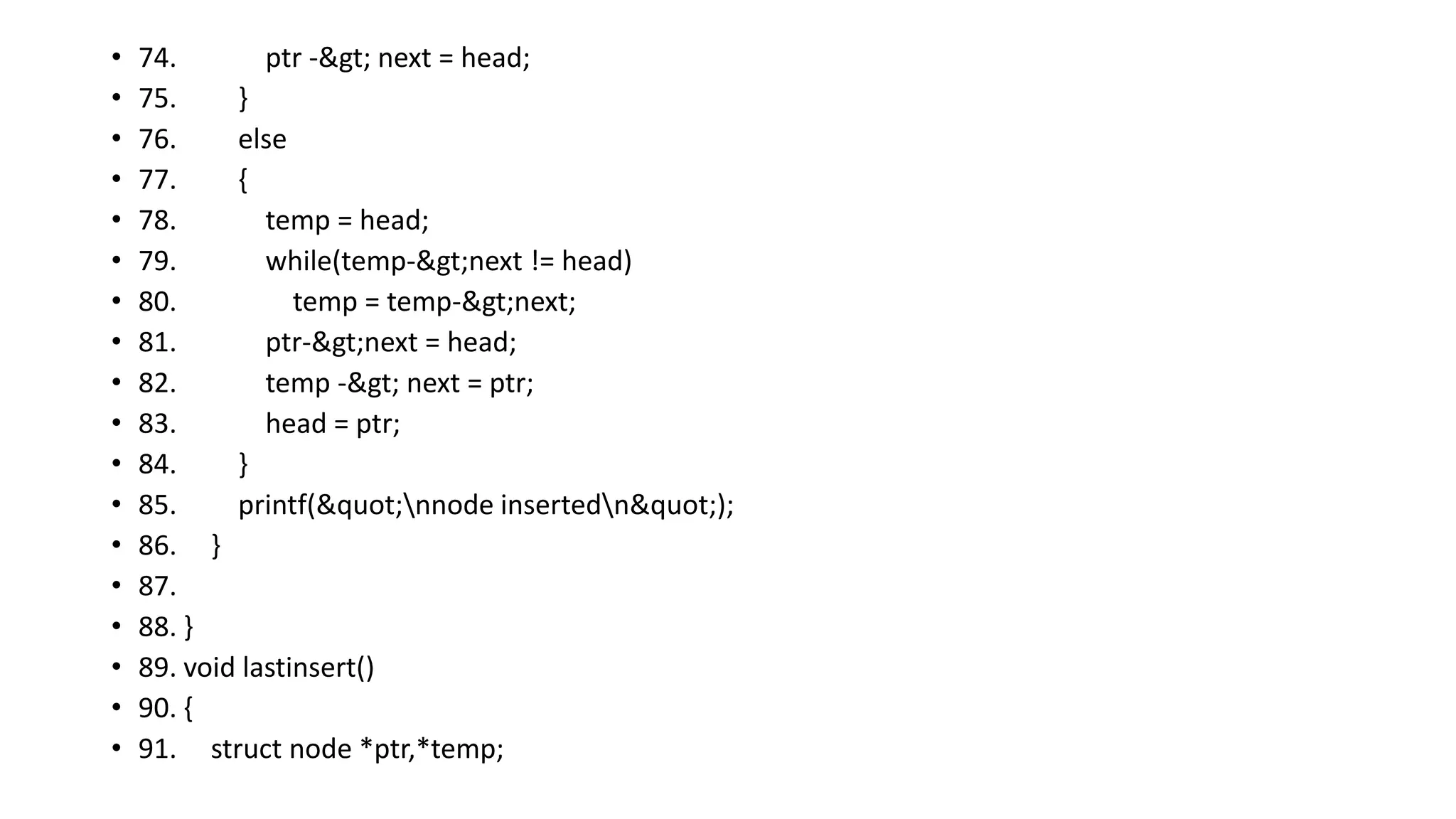
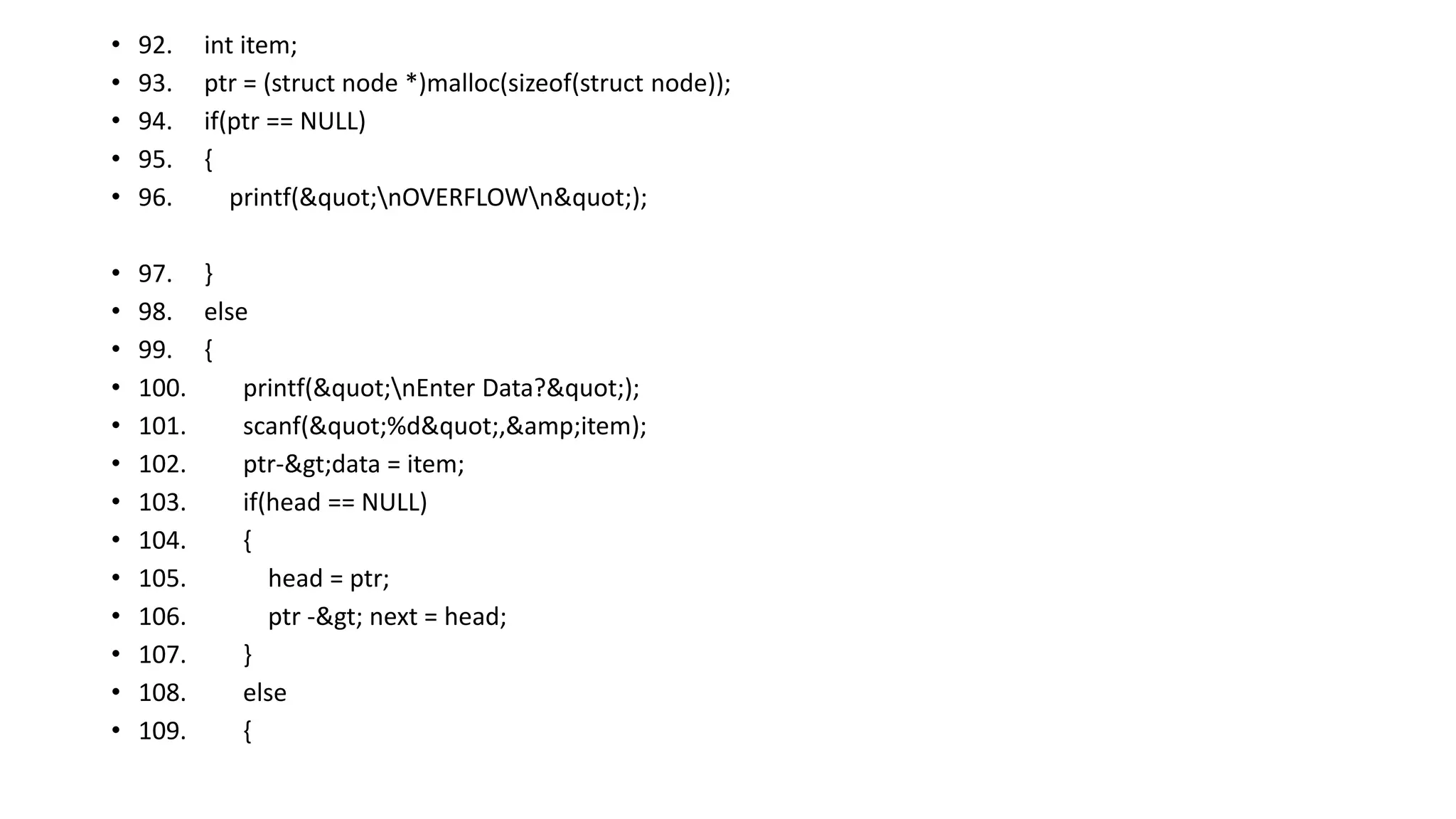
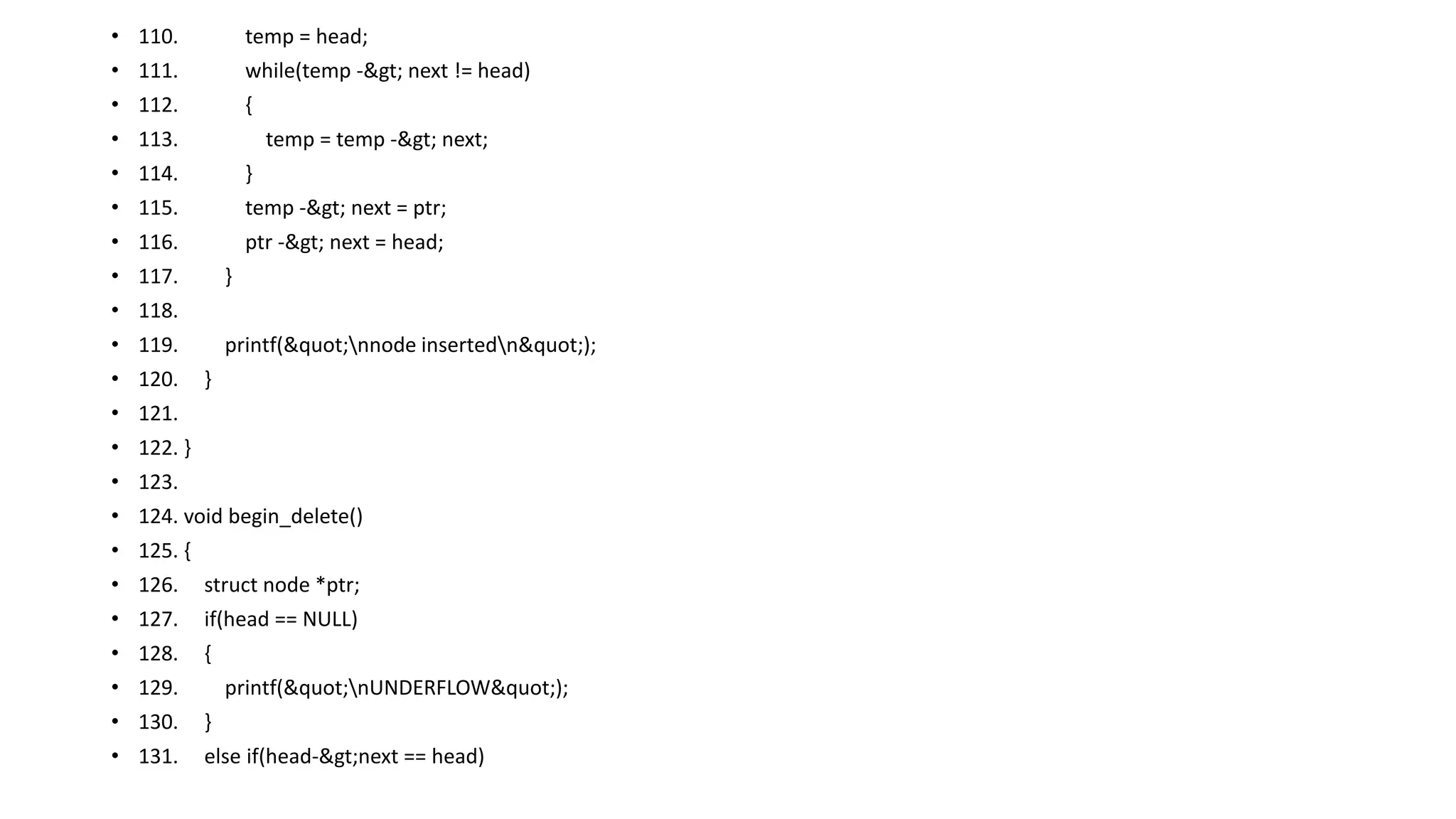
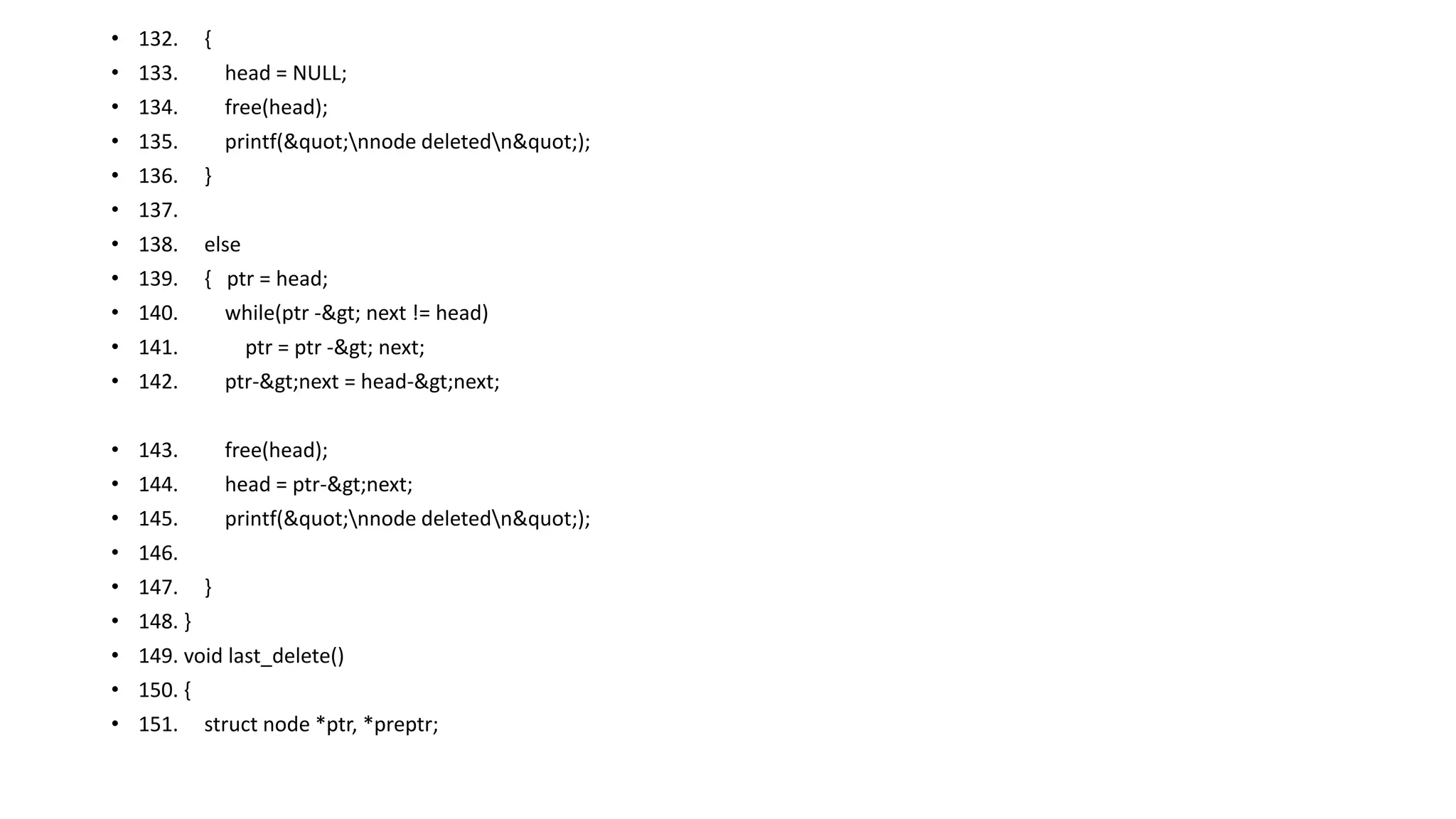
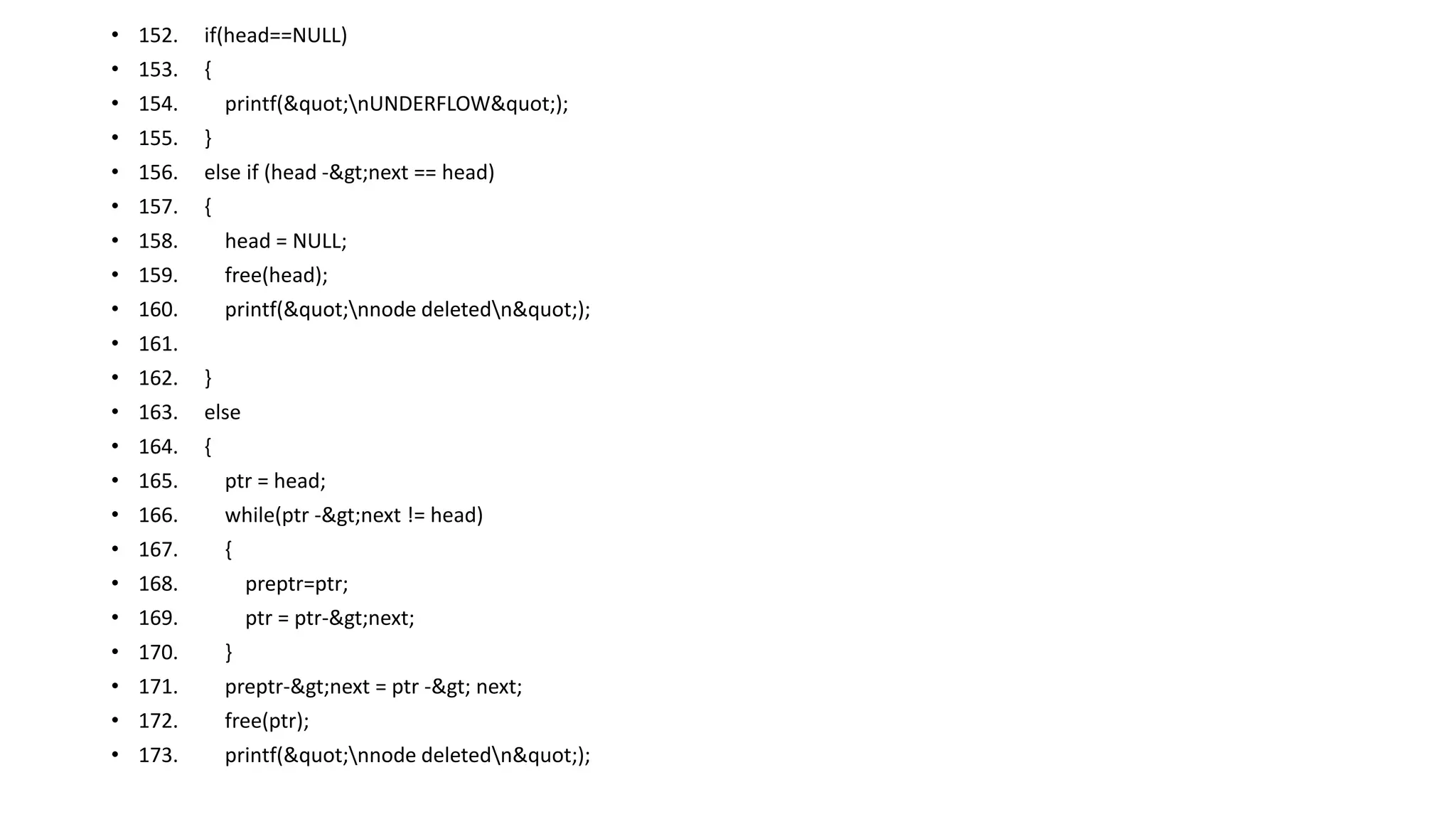
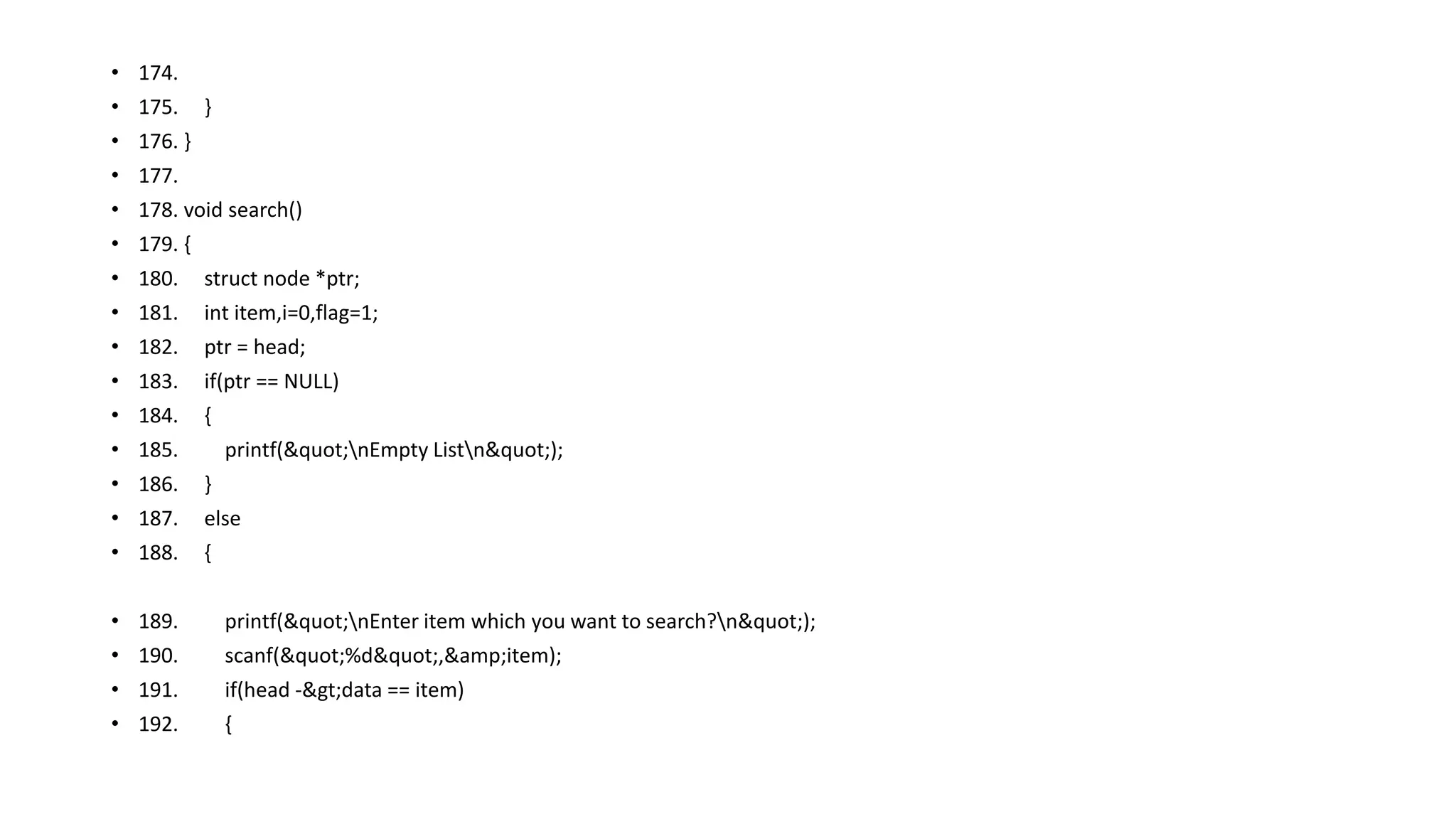
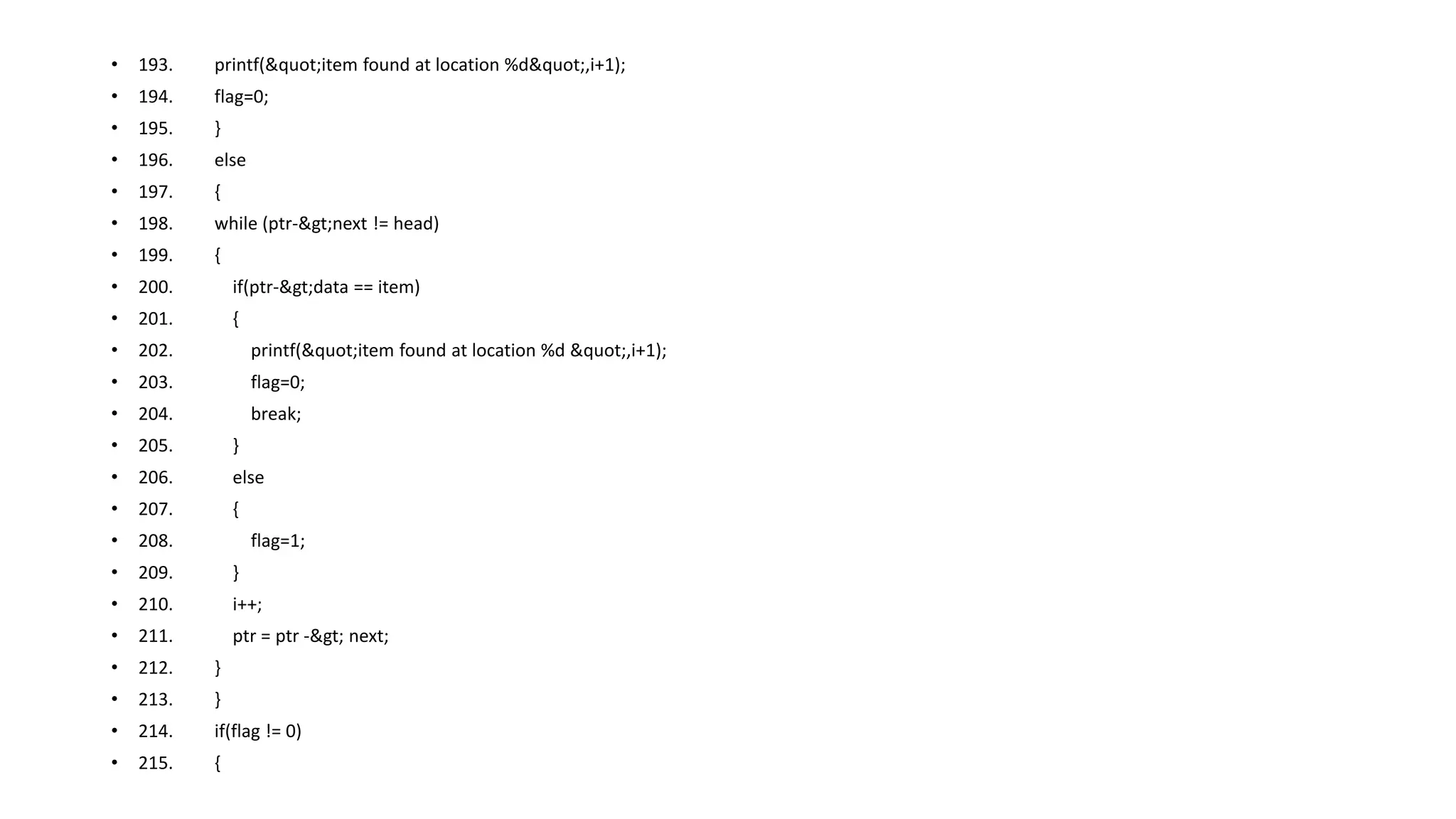
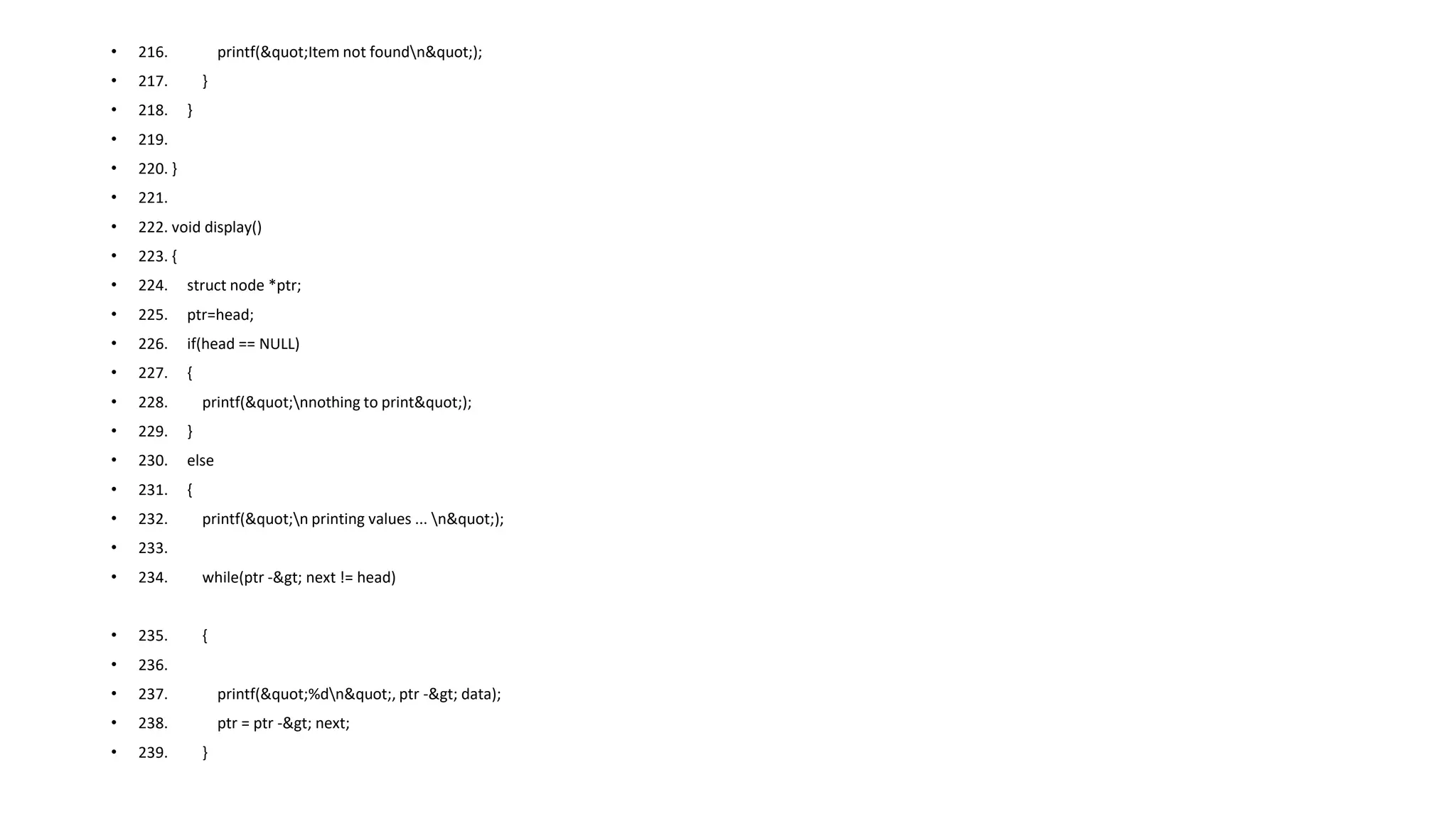
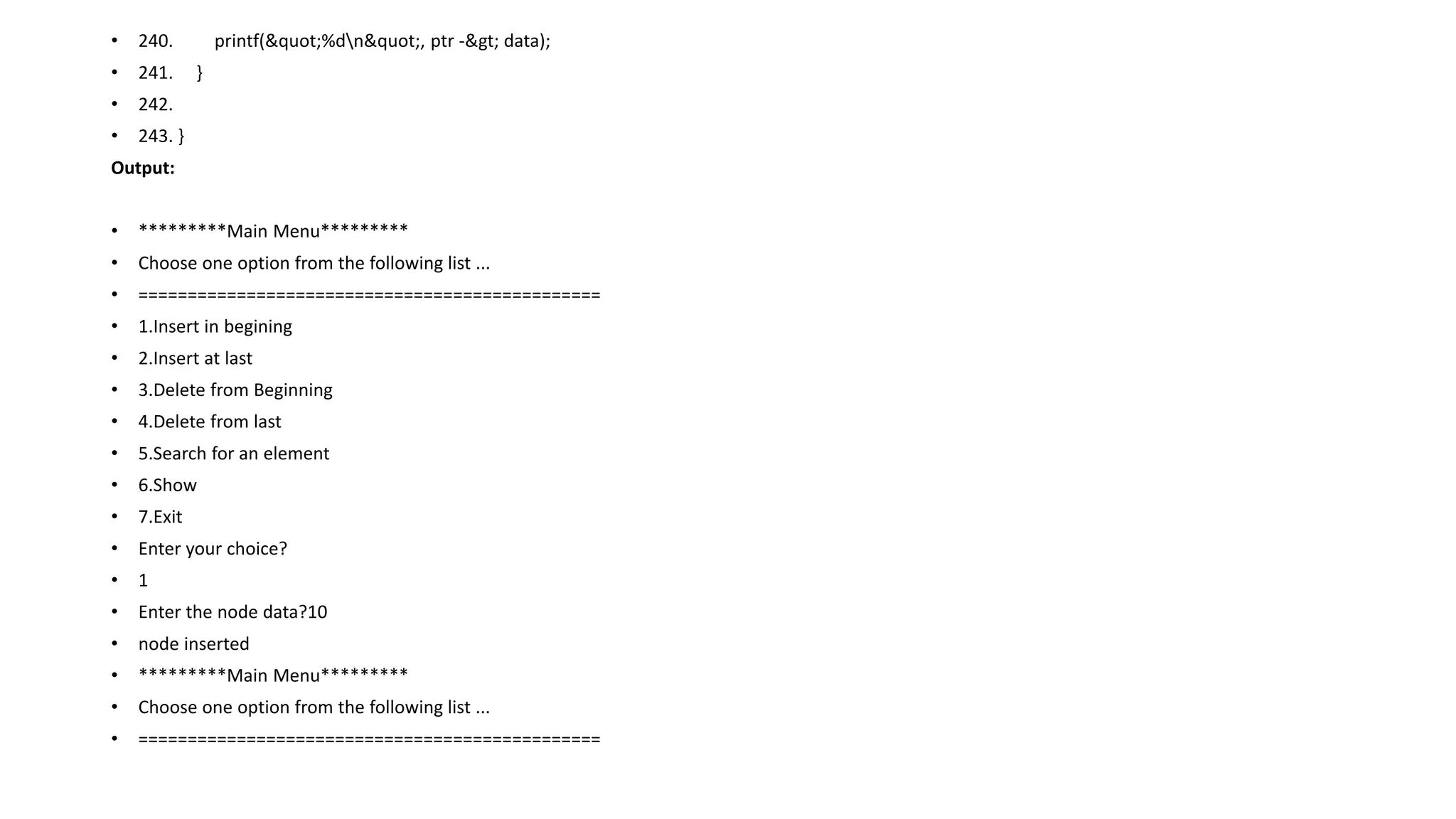
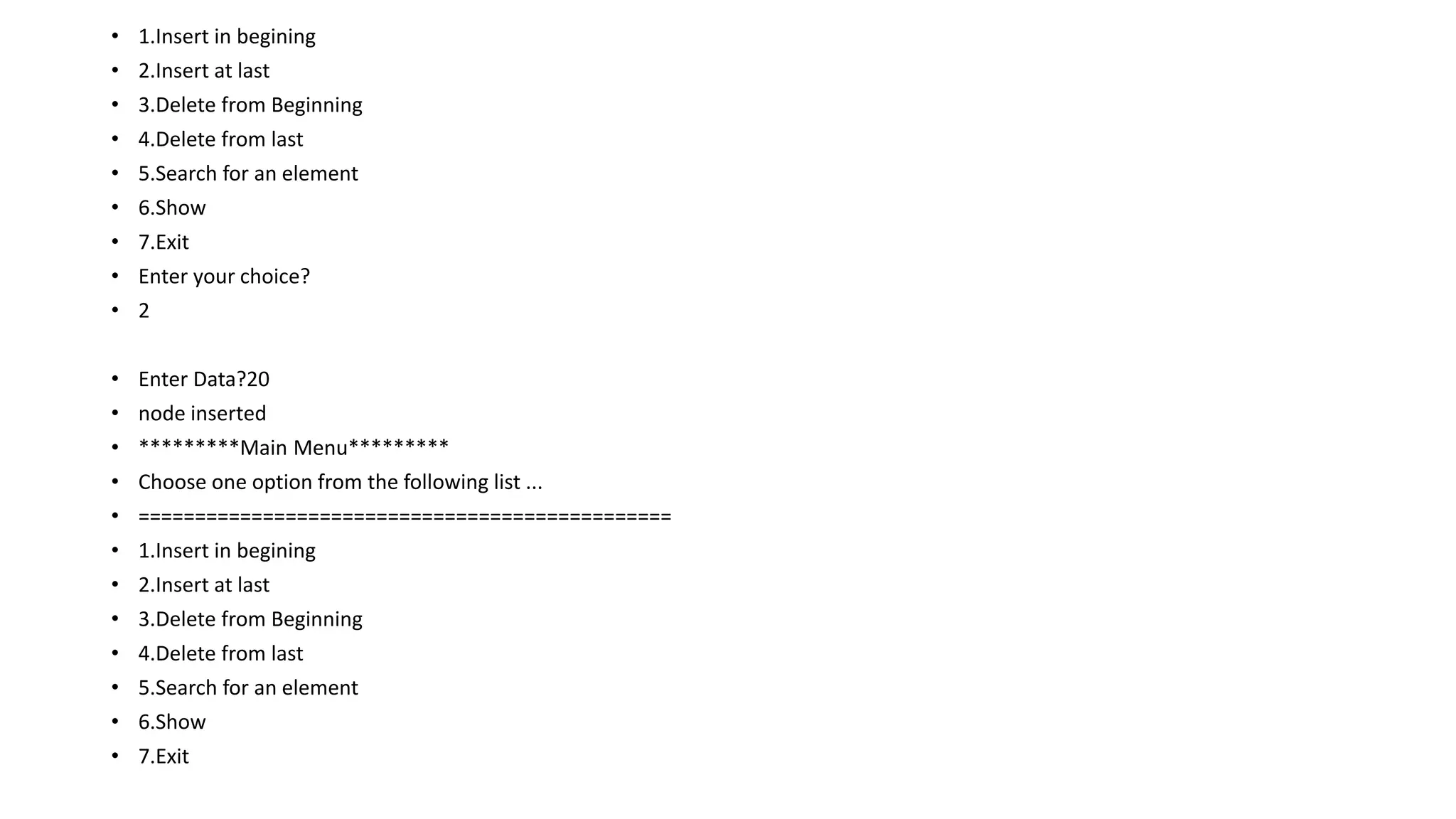
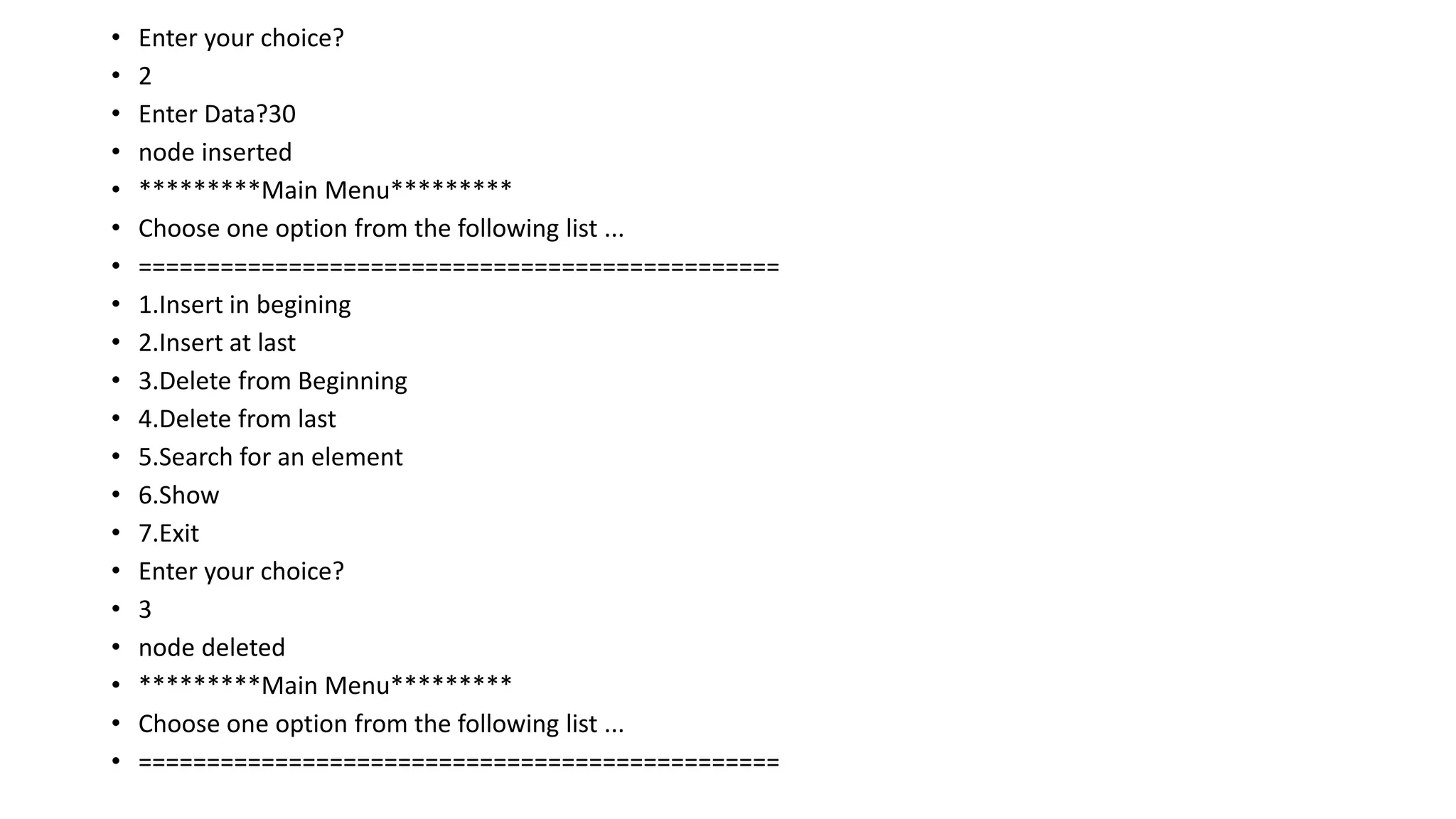
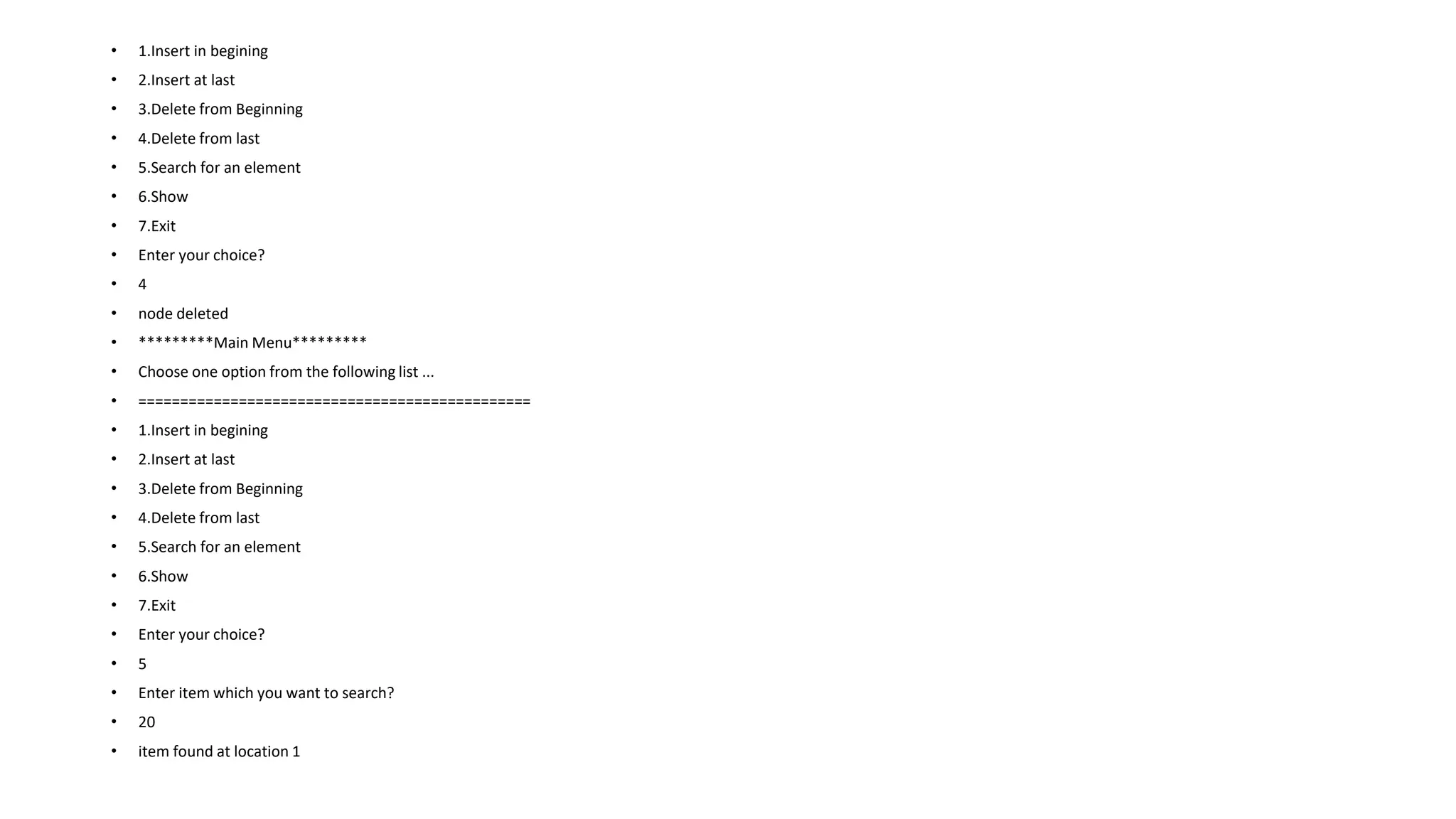
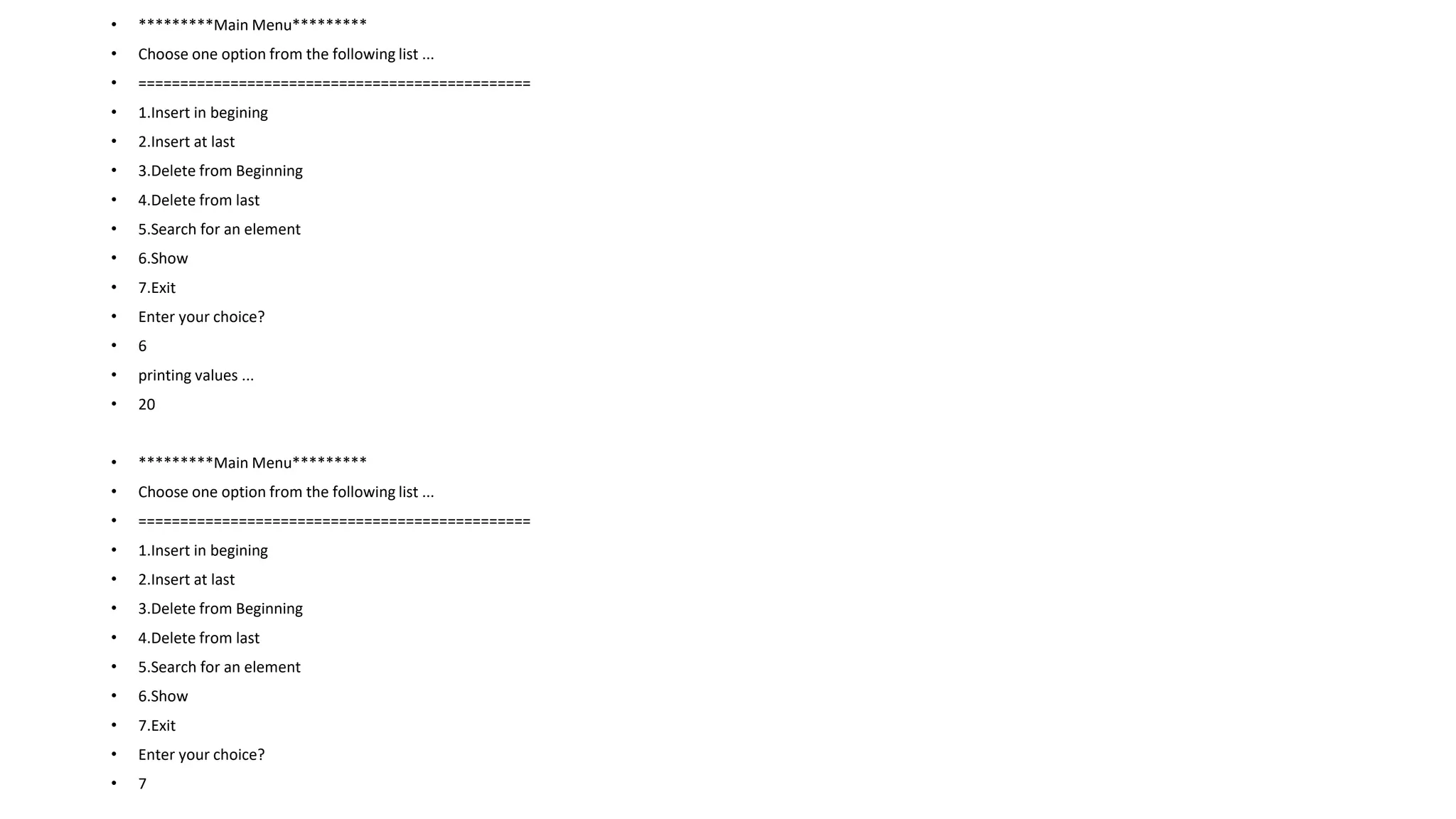
![• 1. temp -> next = ptr;
• the next pointer of temp will point to the existing head node of the list.
• 1. ptr->next = head;
• Now, make the new node ptr, the new head node of the circular singly linked list.
• 1. head = ptr;
• in this way, the node ptr has been inserted into the circular singly linked list at beginning.
Algorithm
• o Step 1: IF PTR = NULL
• Write OVERFLOW
• Go to Step 11
• [END OF IF]
• o Step 2: SET NEW_NODE = PTR
• o Step 3: SET PTR = PTR -> NEXT
• o Step 4: SET NEW_NODE -> DATA = VAL
• o Step 5: SET TEMP = HEAD
• o Step 6: Repeat Step 8 while TEMP -> NEXT != HEAD
• o Step 7: SET TEMP = TEMP -> NEXT
• [END OF LOOP]
• o Step 8: SET NEW_NODE -> NEXT = HEAD
• o Step 9: SET TEMP → NEXT = NEW_NODE
• o Step 10: SET HEAD = NEW_NODE
• o Step 11: EXIT](https://image.slidesharecdn.com/datastructure-linkedliststackqueue-251209045411-31e533e9/75/Data-Structure-Linked-List-Stack-Queue-pdf-88-2048.jpg)
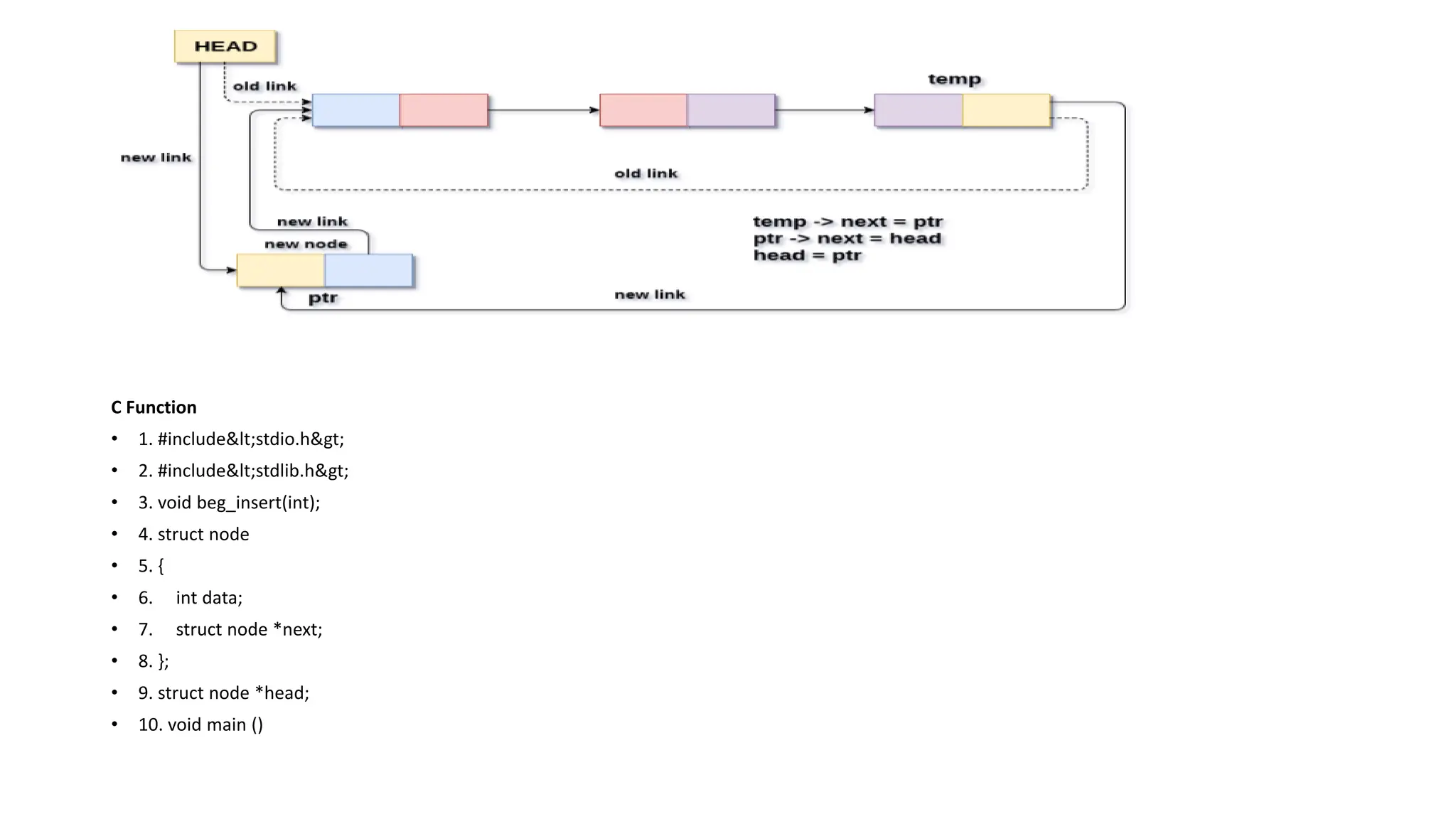
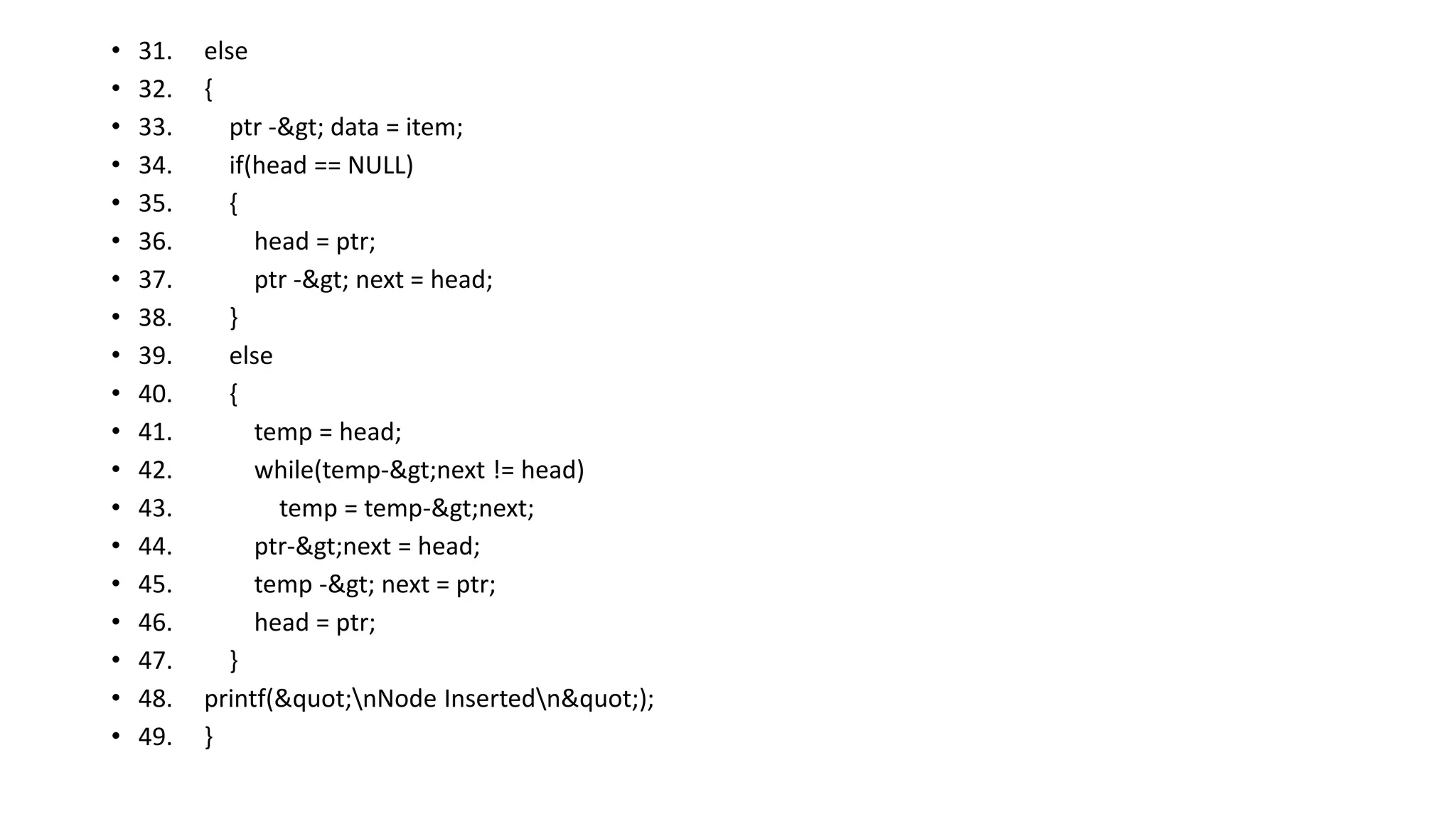
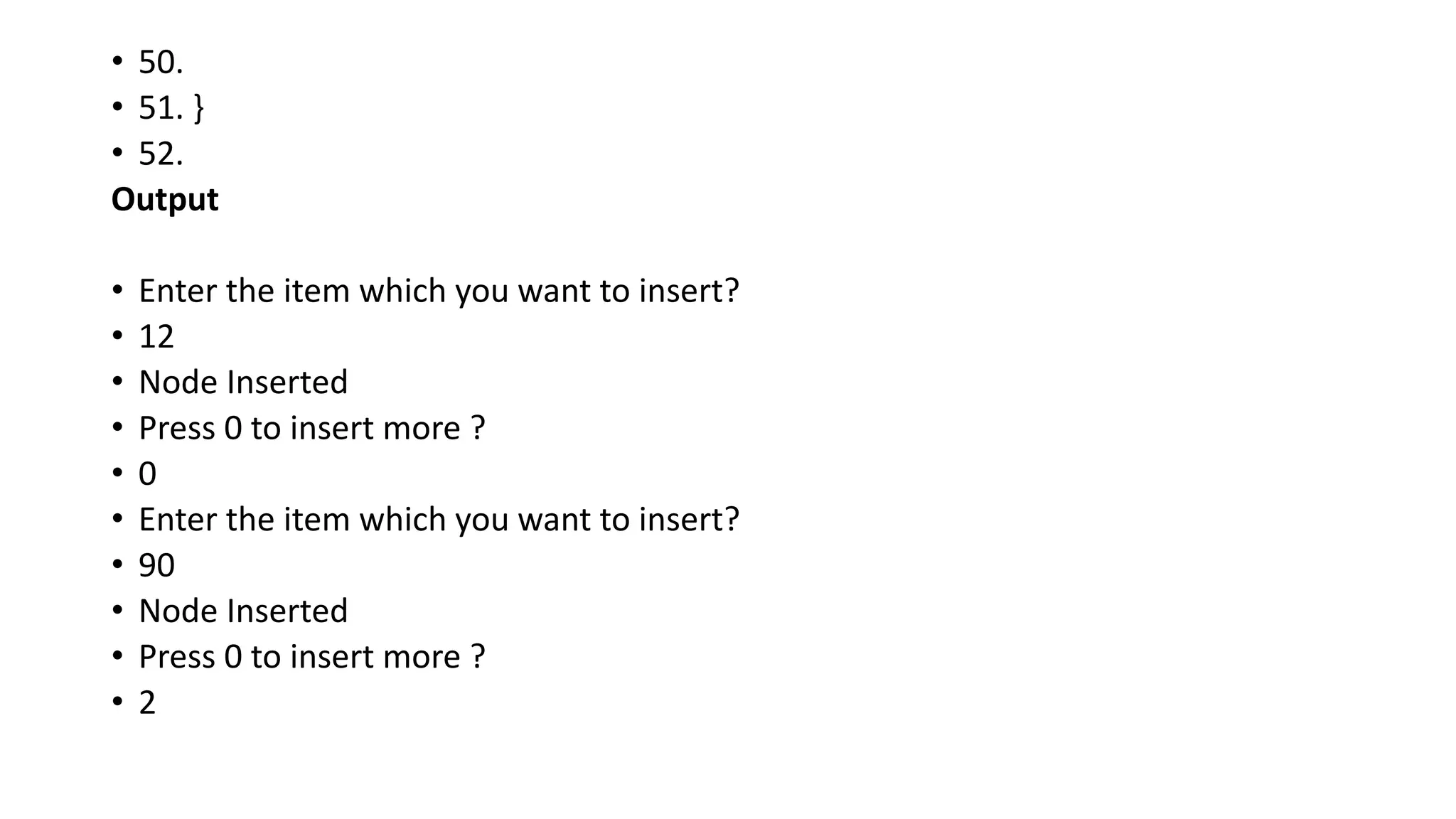
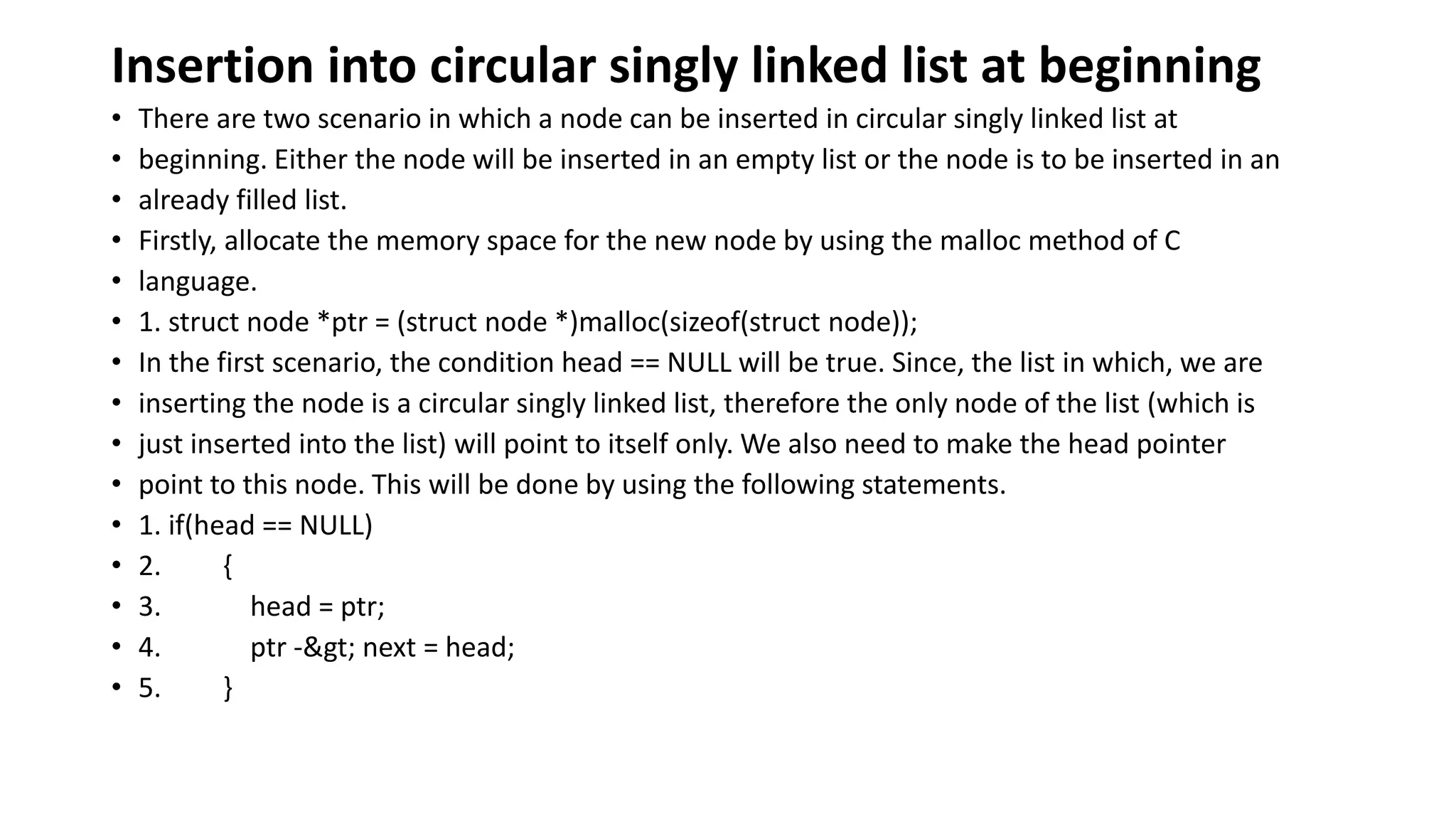
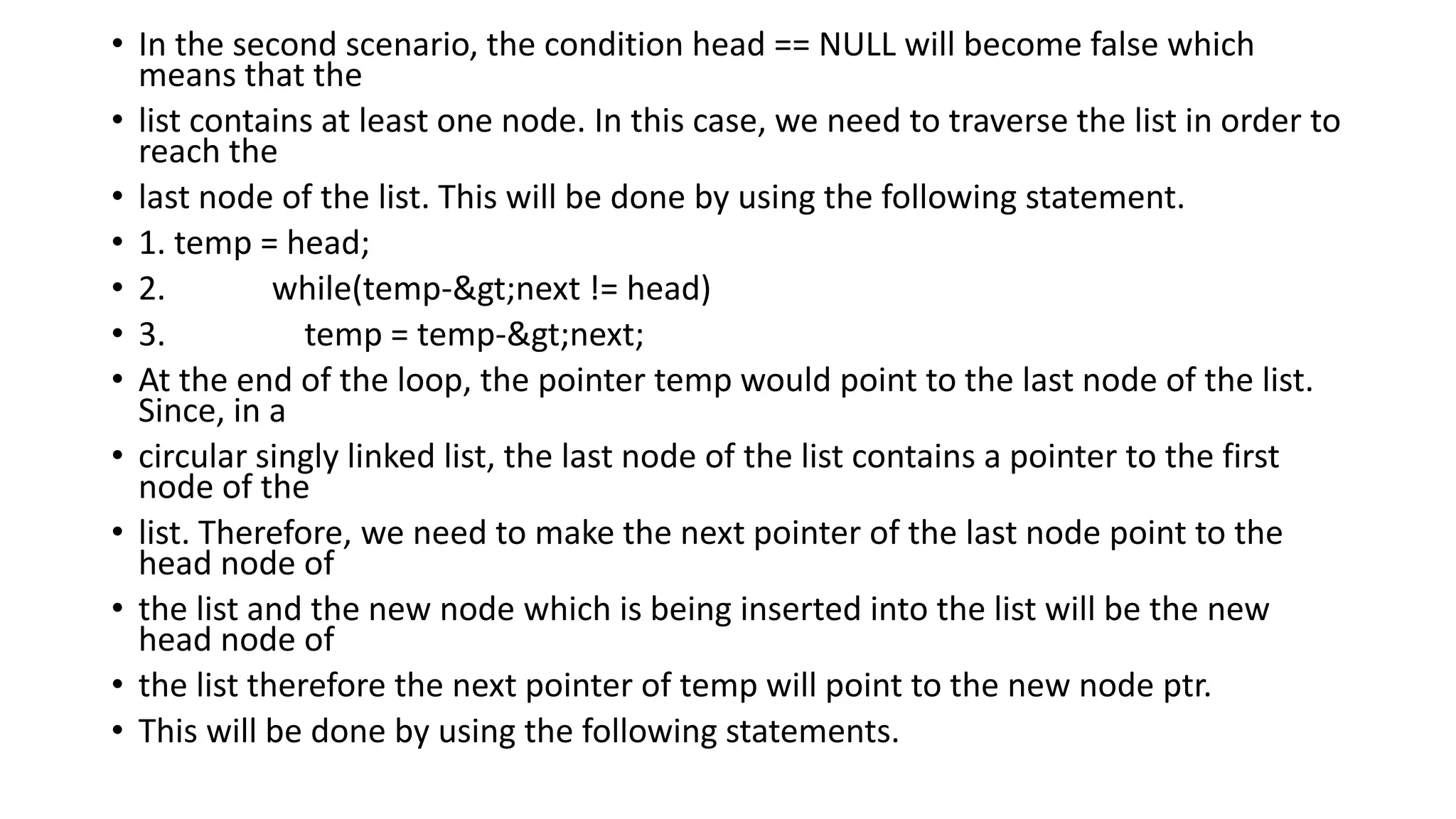
![• 1. temp -> next = ptr;
• the next pointer of temp will point to the existing head node of the list.
• 1. ptr->next = head;
• Now, make the new node ptr, the new head node of the circular singly linked list.
• 1. head = ptr;
• in this way, the node ptr has been inserted into the circular singly linked list at beginning.
• Algorithm
• o Step 1: IF PTR = NULL
• Write OVERFLOW
• Go to Step 11
• [END OF IF]
• o Step 2: SET NEW_NODE = PTR
• o Step 3: SET PTR = PTR -> NEXT
• o Step 4: SET NEW_NODE -> DATA = VAL
• o Step 5: SET TEMP = HEAD
• o Step 6: Repeat Step 8 while TEMP -> NEXT != HEAD
• o Step 7: SET TEMP = TEMP -> NEXT
• [END OF LOOP]
• o Step 8: SET NEW_NODE -> NEXT = HEAD
• o Step 9: SET TEMP → NEXT = NEW_NODE
• o Step 10: SET HEAD = NEW_NODE
• o Step 11: EXIT](https://image.slidesharecdn.com/datastructure-linkedliststackqueue-251209045411-31e533e9/75/Data-Structure-Linked-List-Stack-Queue-pdf-95-2048.jpg)
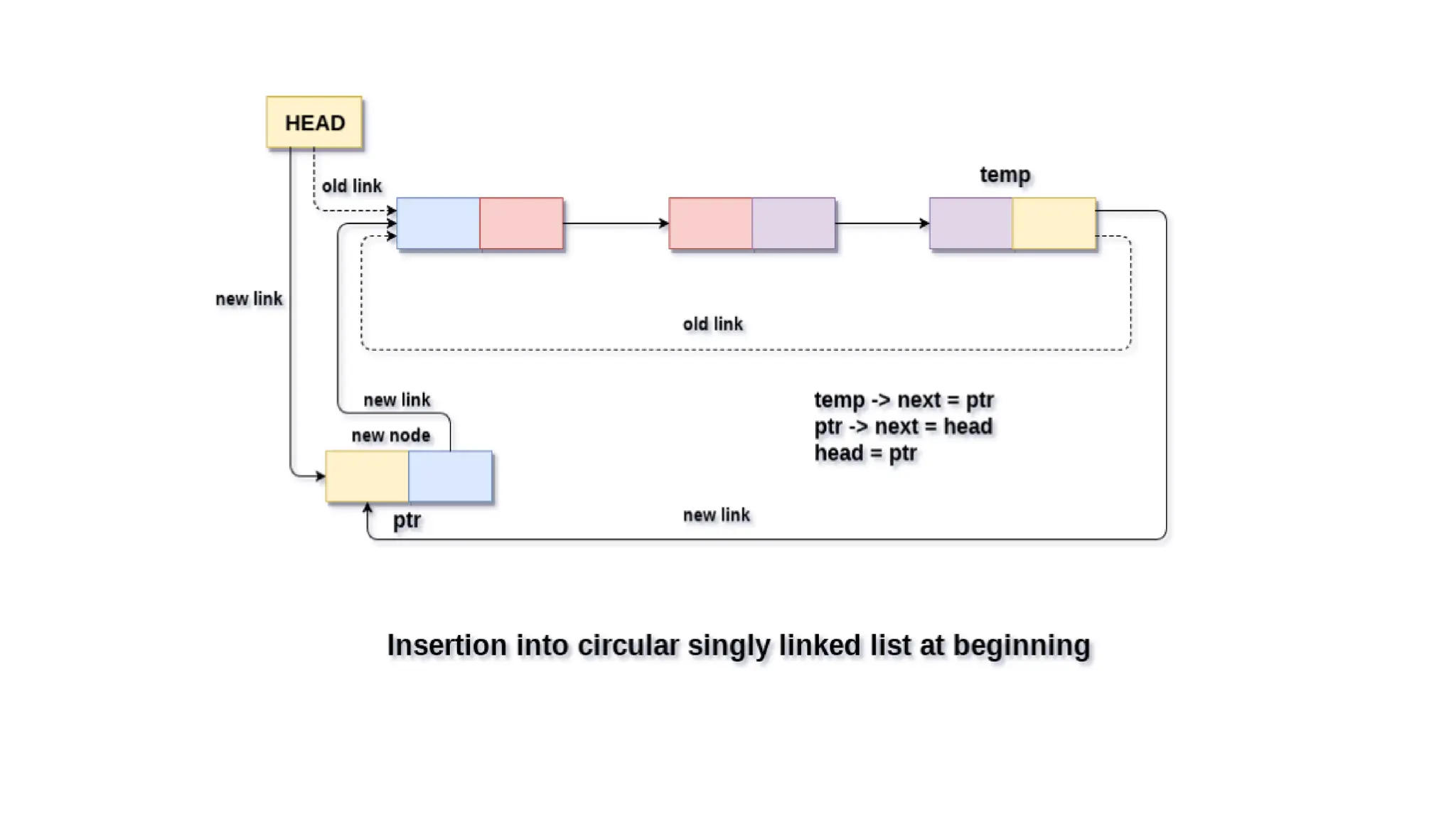
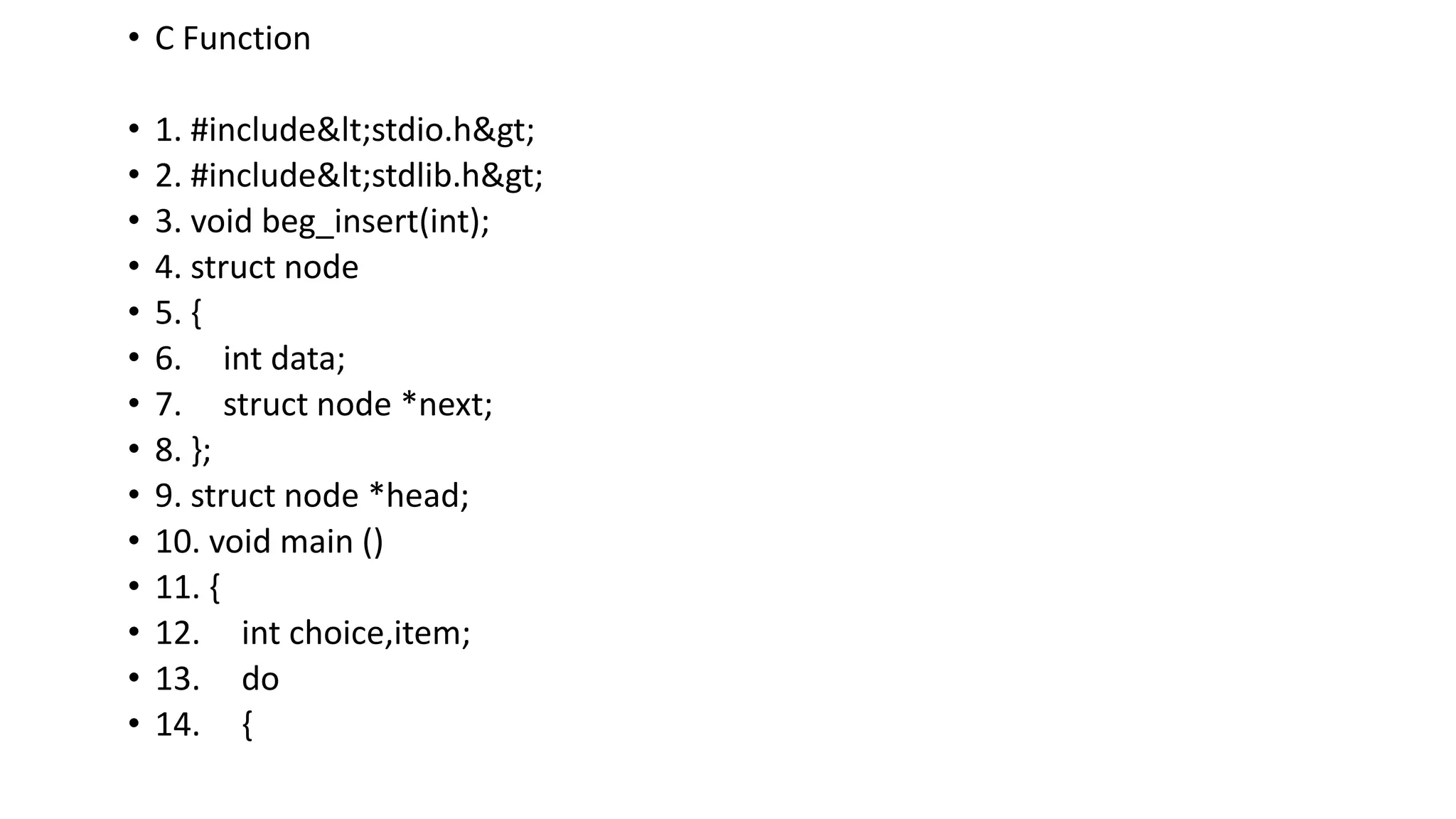
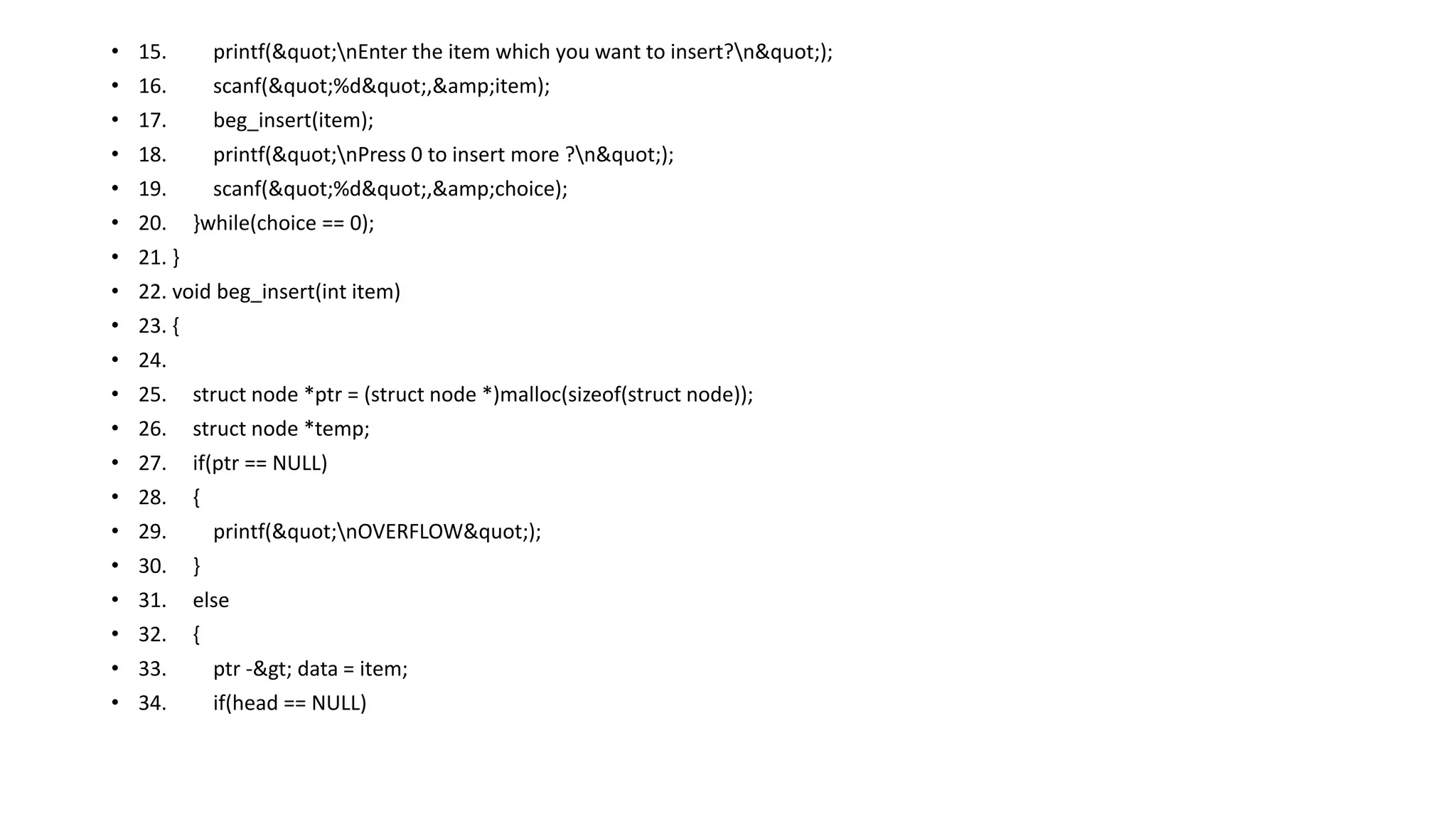
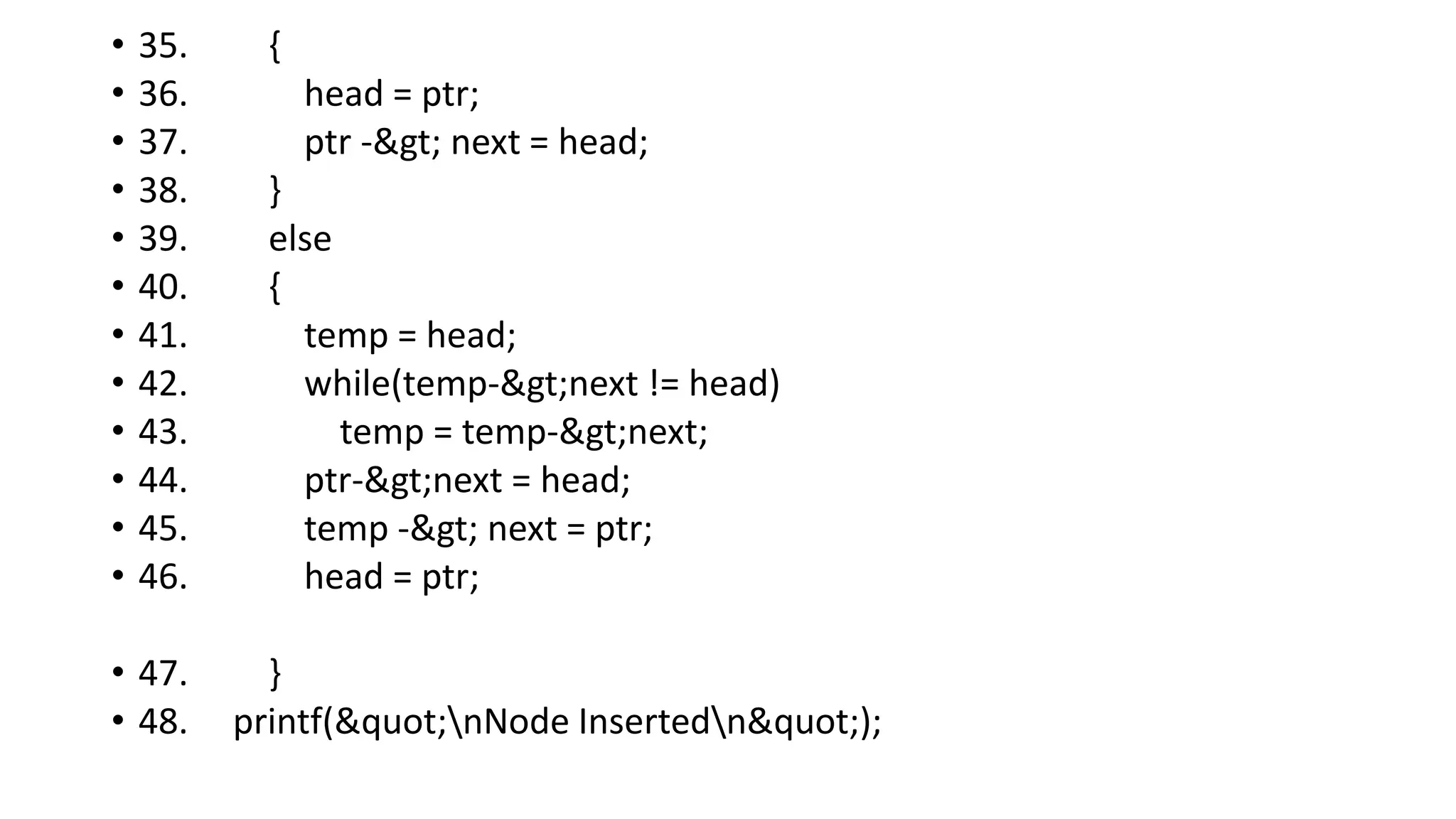
![Insertion into circular singly linked list at the end
There are two scenario in which a node can be inserted in circular singly linked list at
beginning. Either the node will be inserted in an empty list or the node is to be inserted in
an already filled list.
Algorithm
• Step 1: IF PTR = NULL
WRITE OVERFLOW
GO TO STEP 1
[END OF IF]
• Step 2: SET NEW_NODE = PTR
• Step 3: SET PTR = PTR -> NEXT
• Step 4: SET NEW_NODE -> DATA = VAL
• Step 5: SET NEW_NODE -> NEXT = HEAD
• Step 6: SET TEMP = HEAD
• Step 7: Repeat Step 8 while TEMP -> NEXT != HEAD
• Step 8: SET TEMP = TEMP -> NEXT
• [END OF LOOP]
• Step 9: SET TEMP -> NEXT = NEW_NODE
• Step 10: EXIT](https://image.slidesharecdn.com/datastructure-linkedliststackqueue-251209045411-31e533e9/75/Data-Structure-Linked-List-Stack-Queue-pdf-101-2048.jpg)
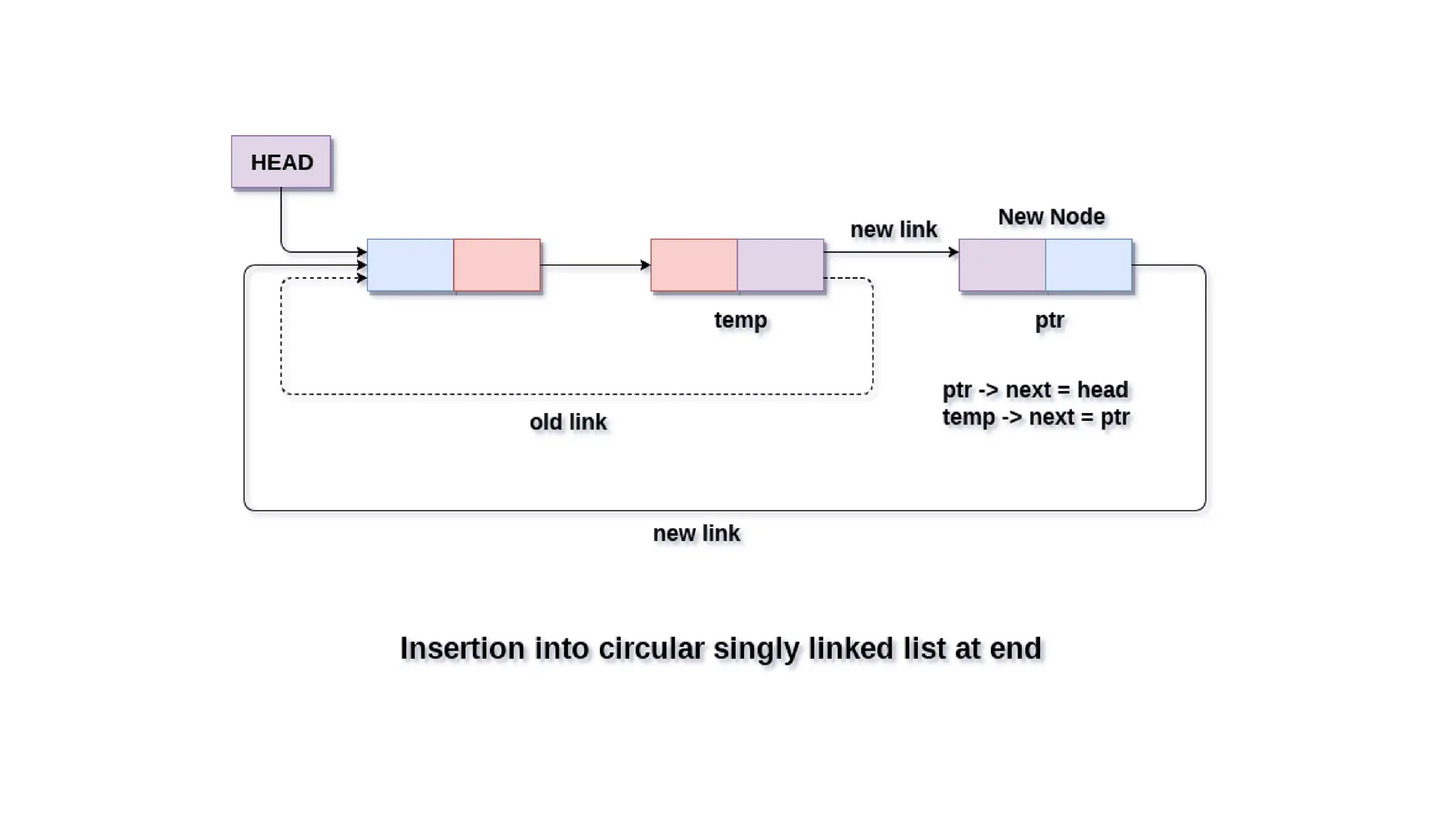
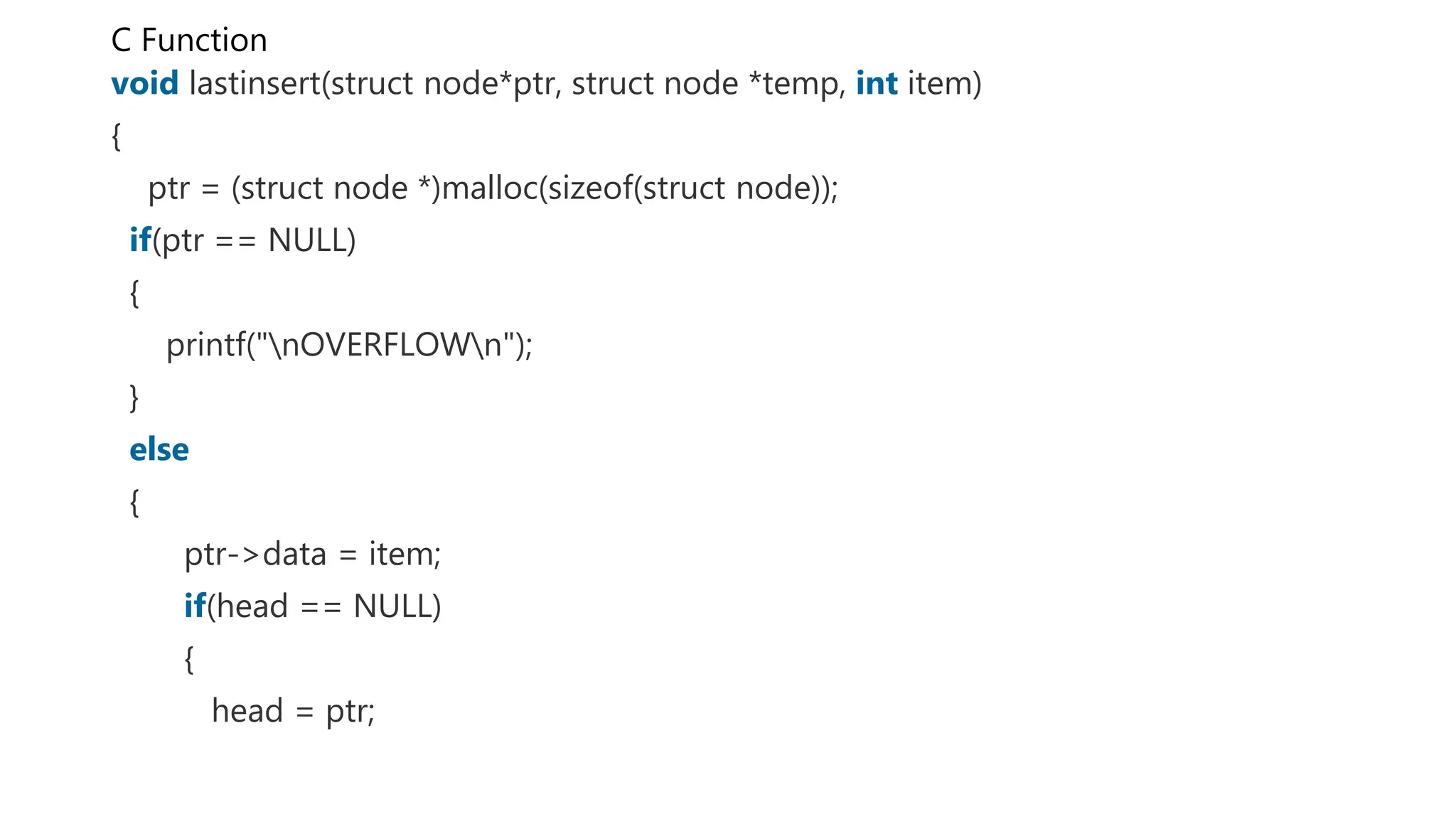
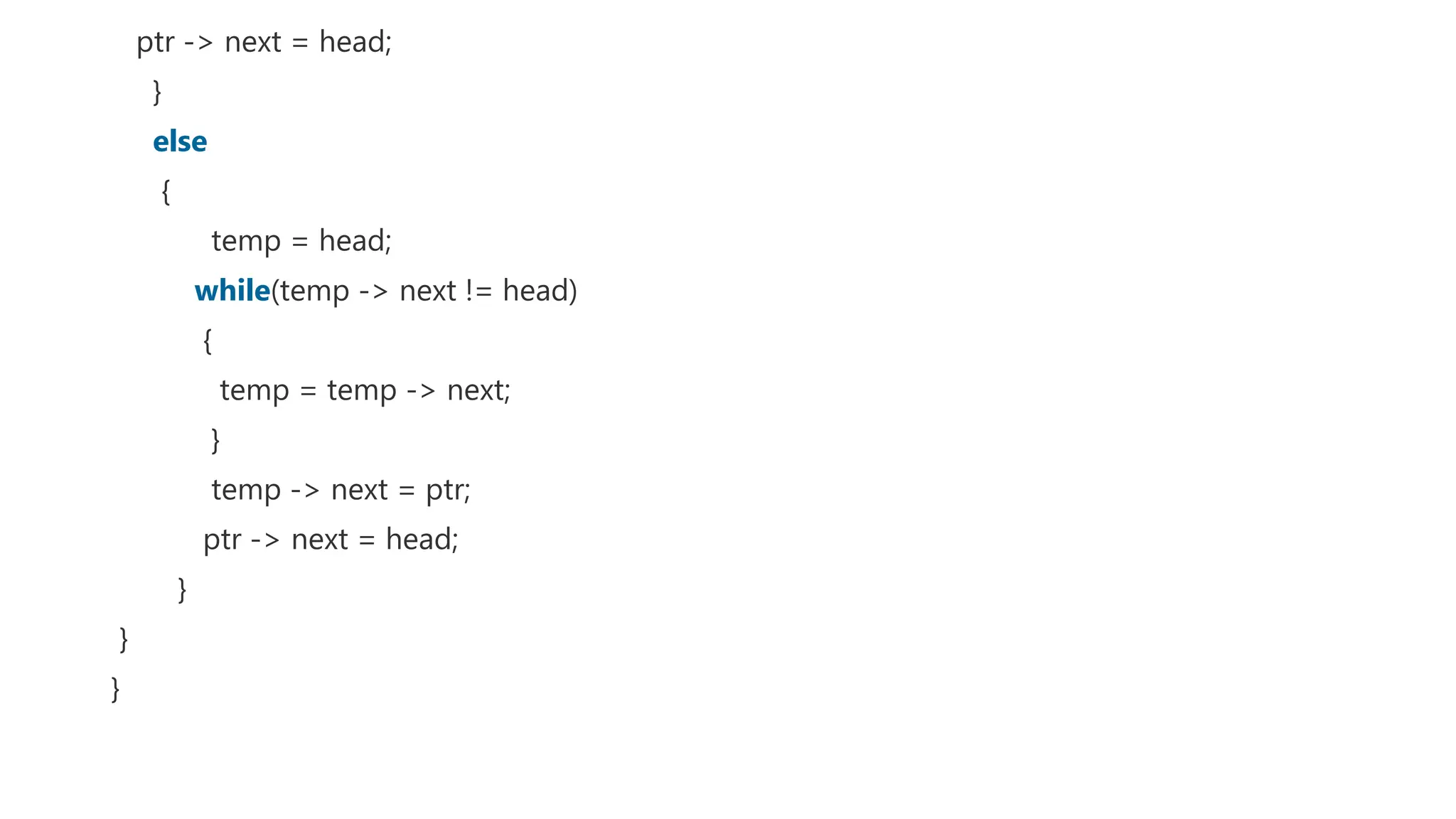
![• At the end of the loop, the pointer ptr point to the last node of the list. Since, the last node of
• the list points to the head node of the list. Therefore this will be changed as now, the last
• node of the list will point to the next of the head node.
• 1. ptr->next = head->next;
• Now, free the head pointer by using the free() method in C language.
• 1. free(head);
• Make the node pointed by the next of the last node, the new head of the list.
• 1. head = ptr->next;
• In this way, the node will be deleted from the circular singly linked list from the beginning.
• Algorithm
• o Step 1: IF HEAD = NULL
• Write UNDERFLOW
• Go to Step 8
• [END OF IF]
• o Step 2: SET PTR = HEAD
• o Step 3: Repeat Step 4 while PTR → NEXT != HEAD
• o Step 4: SET PTR = PTR → next
• [END OF LOOP]
• o Step 5: SET PTR → NEXT = HEAD → NEXT
• o Step 6: FREE HEAD
• o Step 7: SET HEAD = PTR → NEXT
• o Step 8: EXIT](https://image.slidesharecdn.com/datastructure-linkedliststackqueue-251209045411-31e533e9/75/Data-Structure-Linked-List-Stack-Queue-pdf-107-2048.jpg)
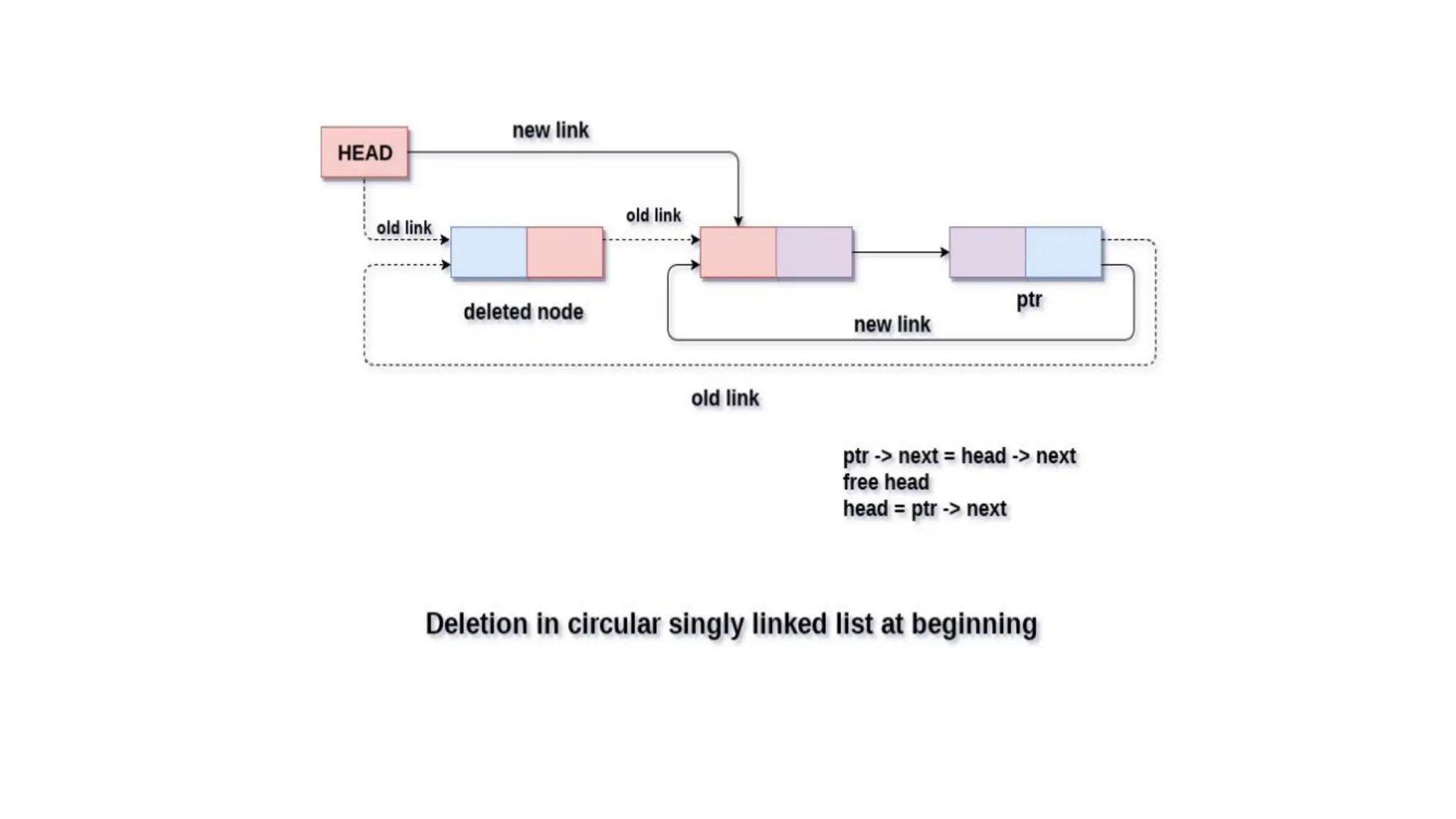
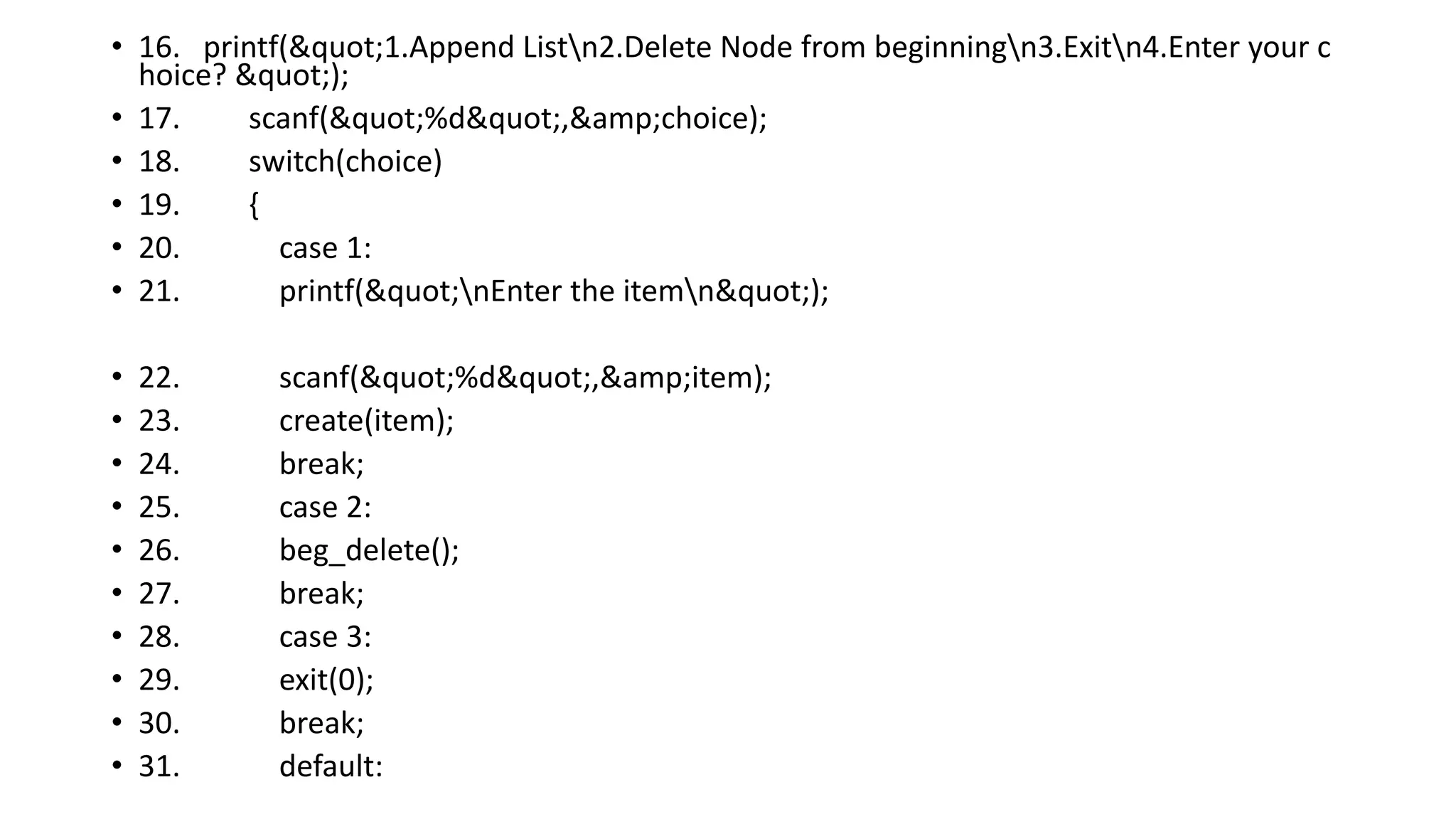
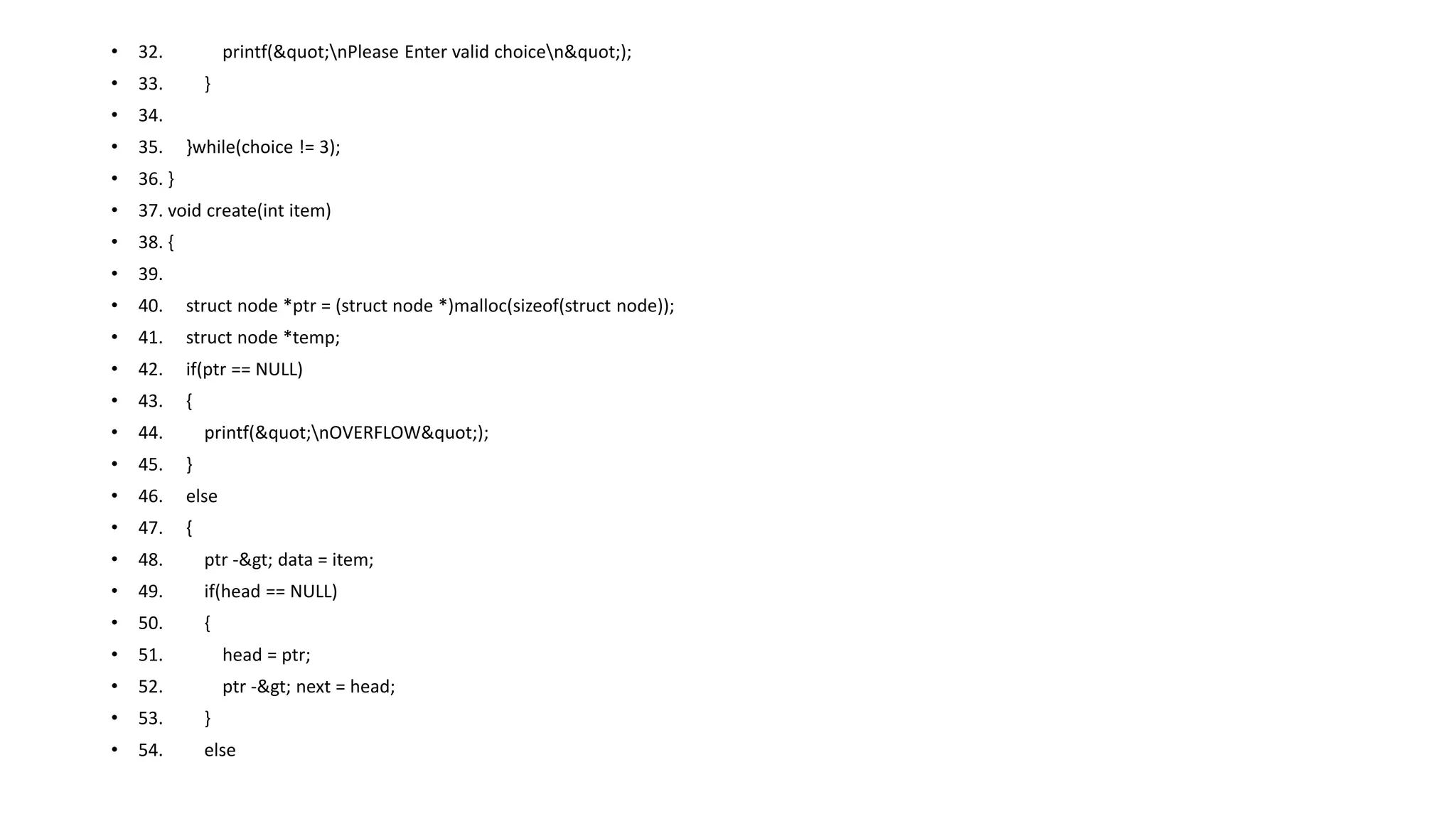
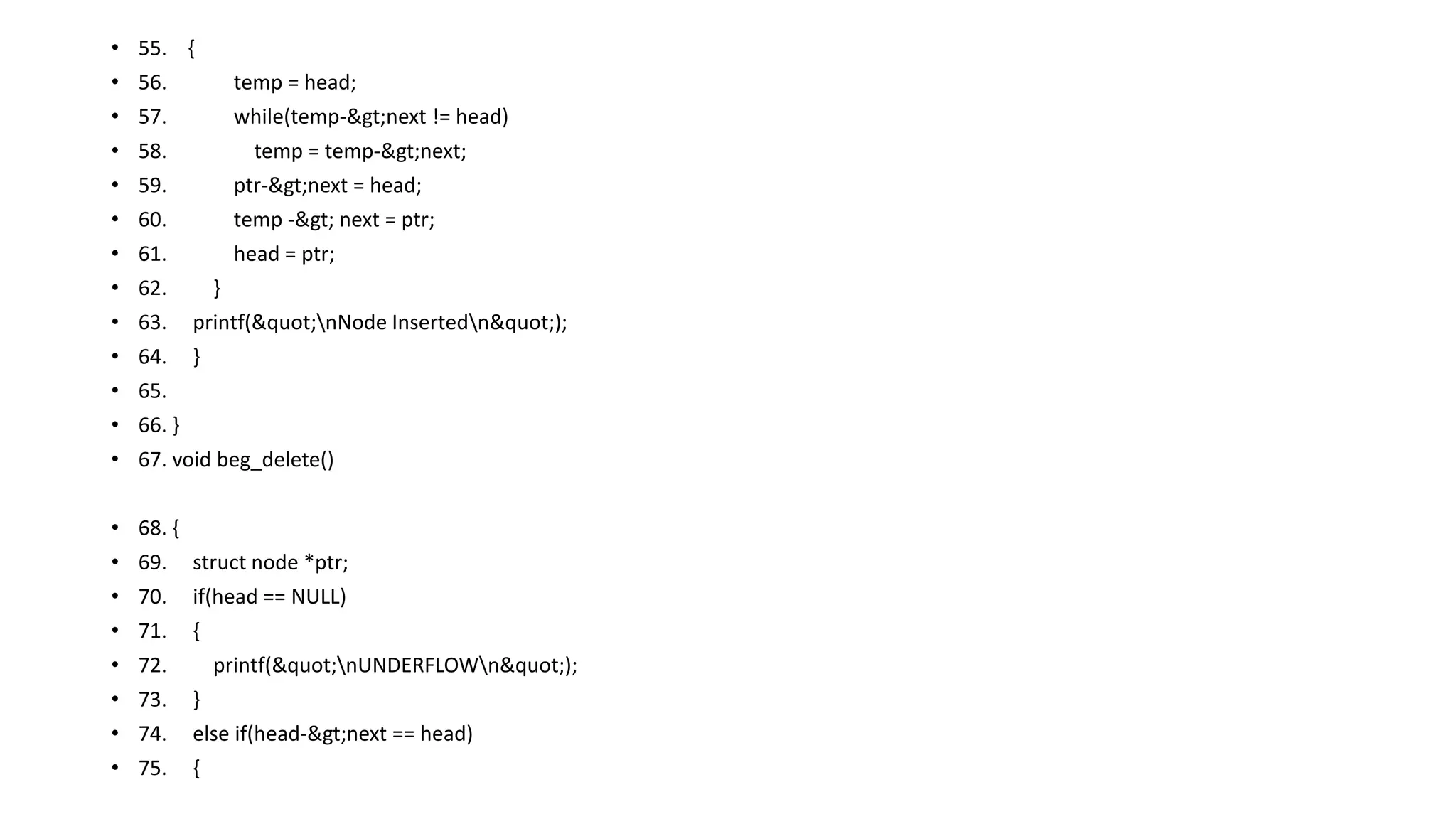
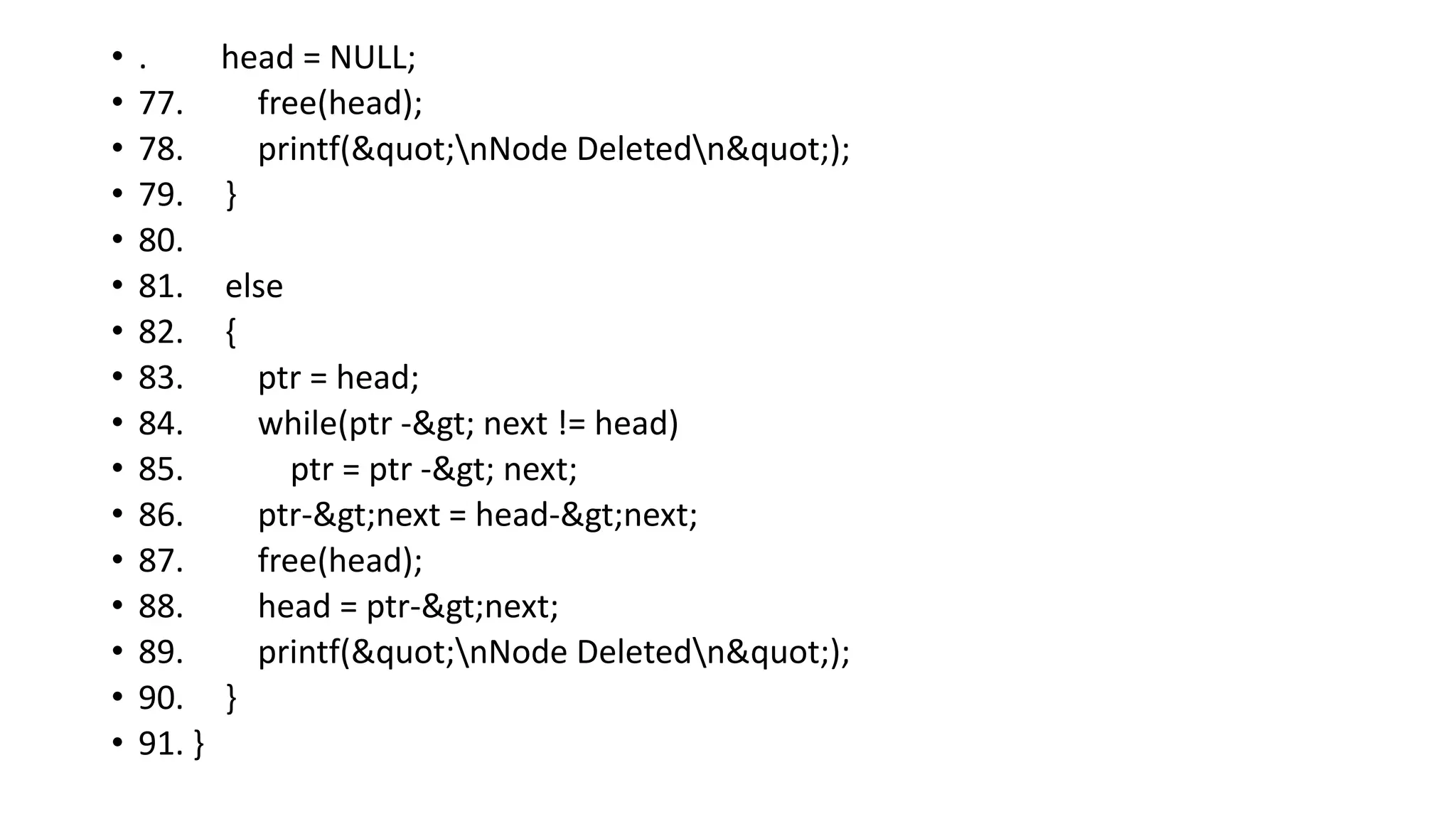
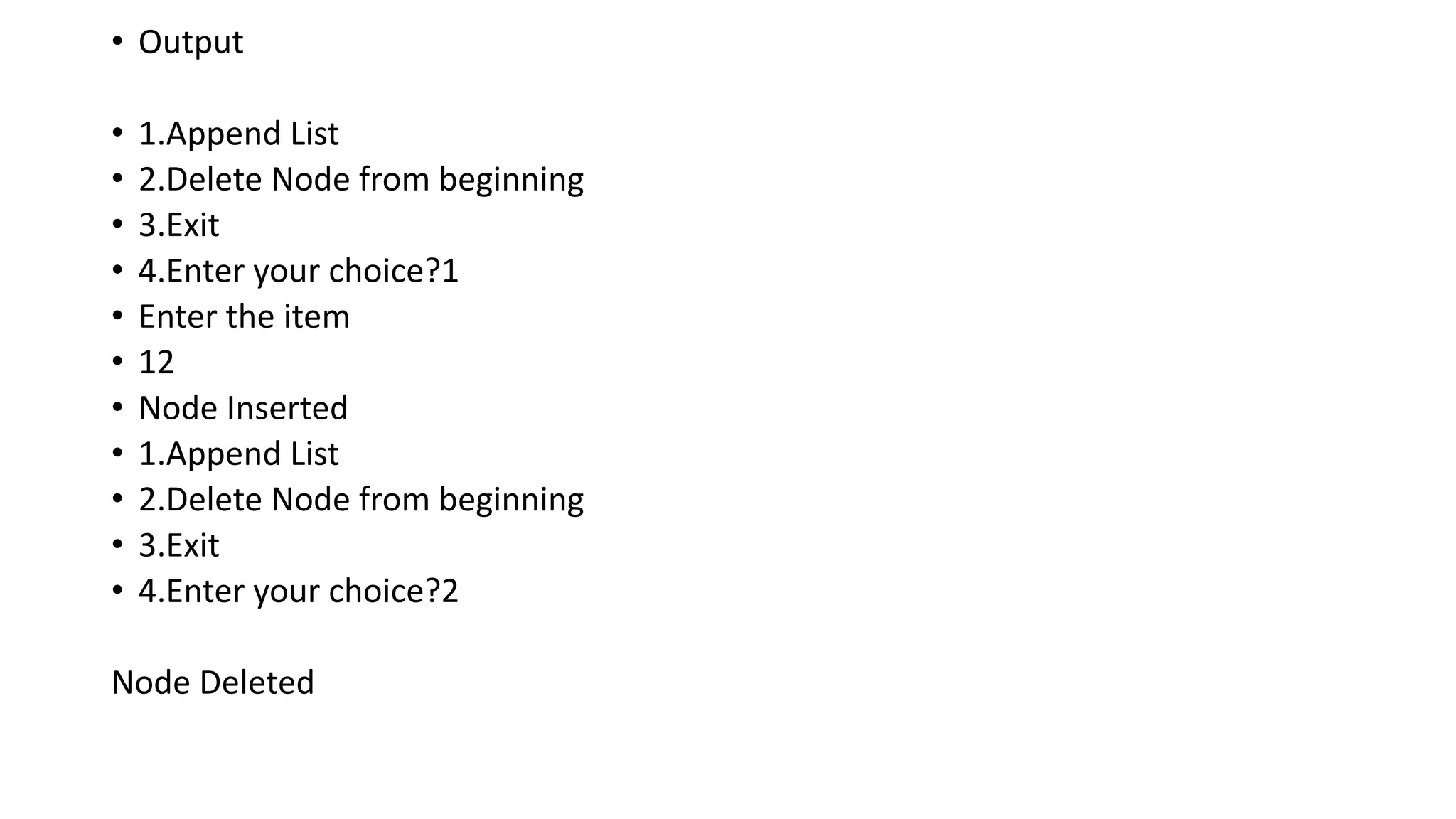
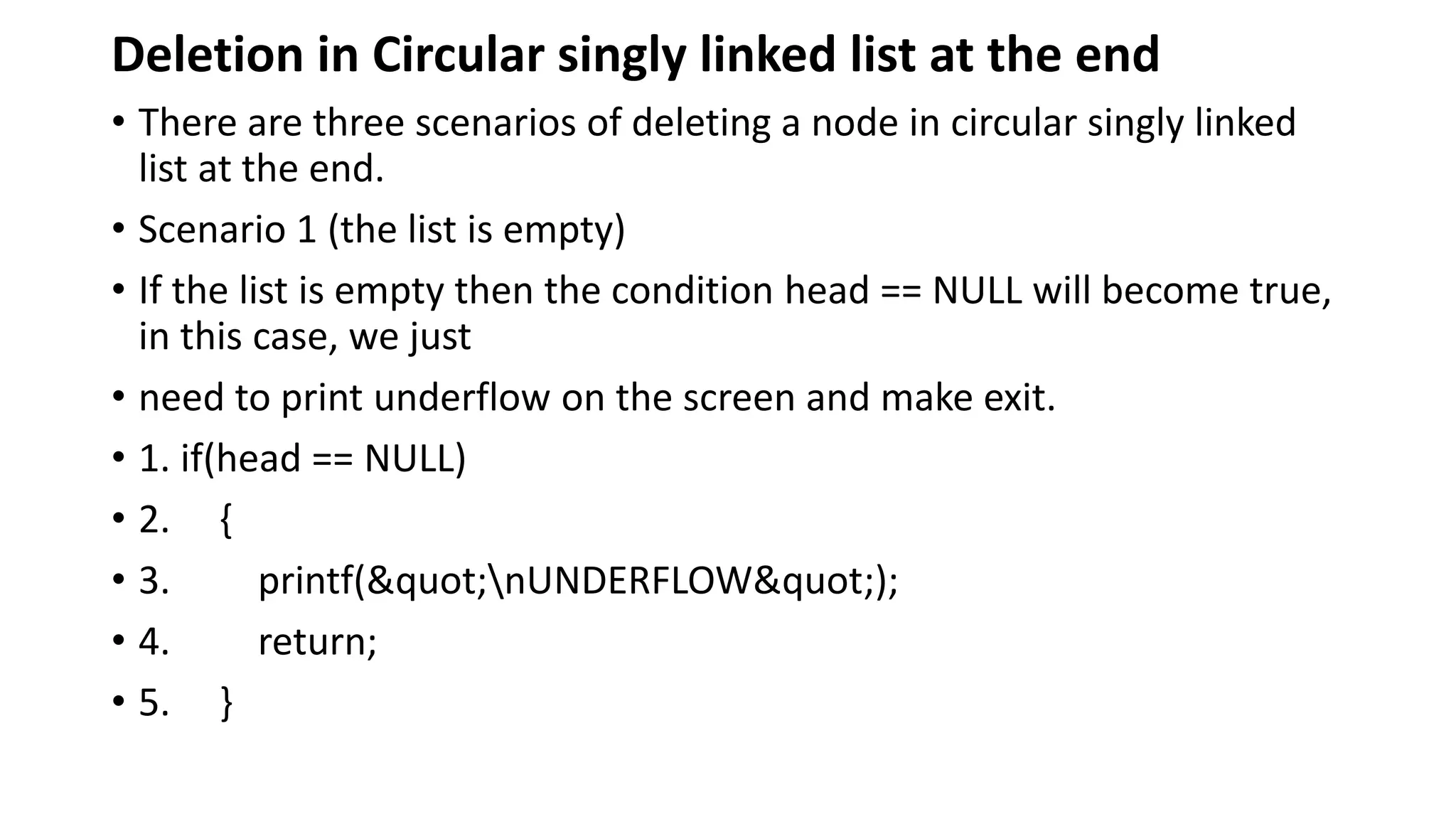
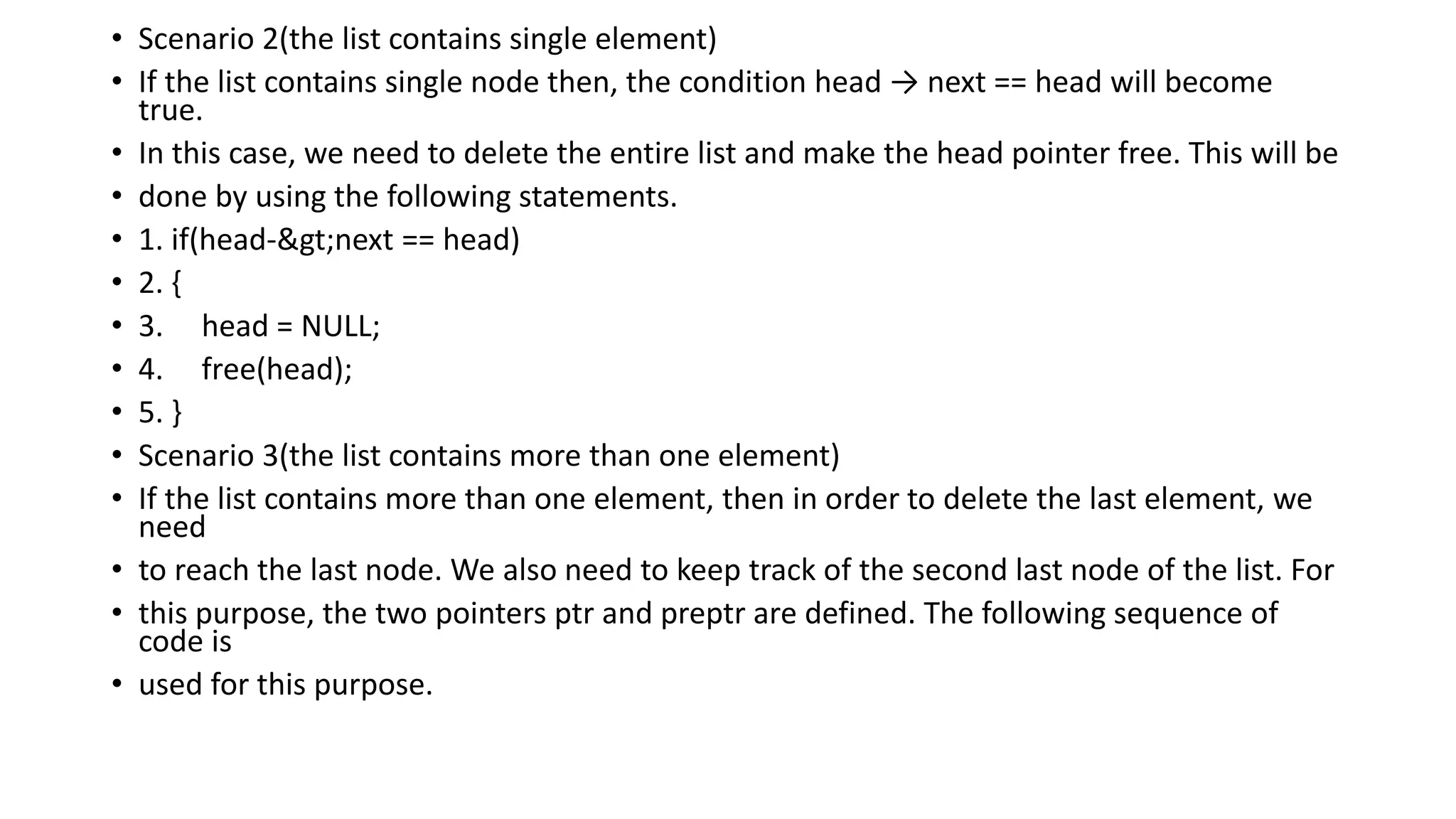
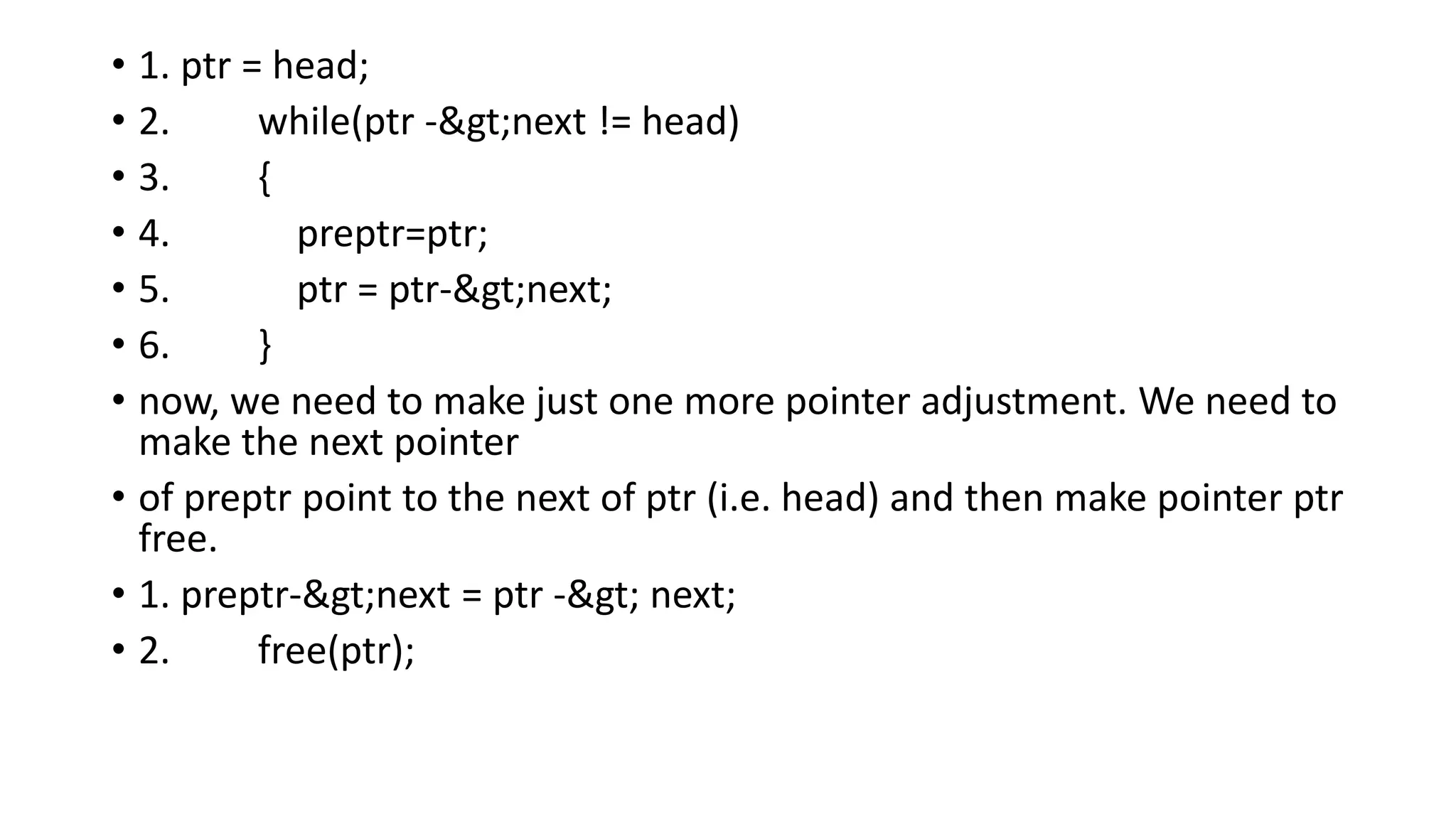
![• Algorithm
• o Step 1: IF HEAD = NULL
• Write UNDERFLOW
• Go to Step 8
• [END OF IF]
• o Step 2: SET PTR = HEAD
• o Step 3: Repeat Steps 4 and 5 while PTR -> NEXT != HEAD
• o Step 4: SET PREPTR = PTR
• o Step 5: SET PTR = PTR -> NEXT
• [END OF LOOP]
• o Step 6: SET PREPTR -> NEXT = HEAD
• o Step 7: FREE PTR
• o Step 8: EXIT](https://image.slidesharecdn.com/datastructure-linkedliststackqueue-251209045411-31e533e9/75/Data-Structure-Linked-List-Stack-Queue-pdf-118-2048.jpg)
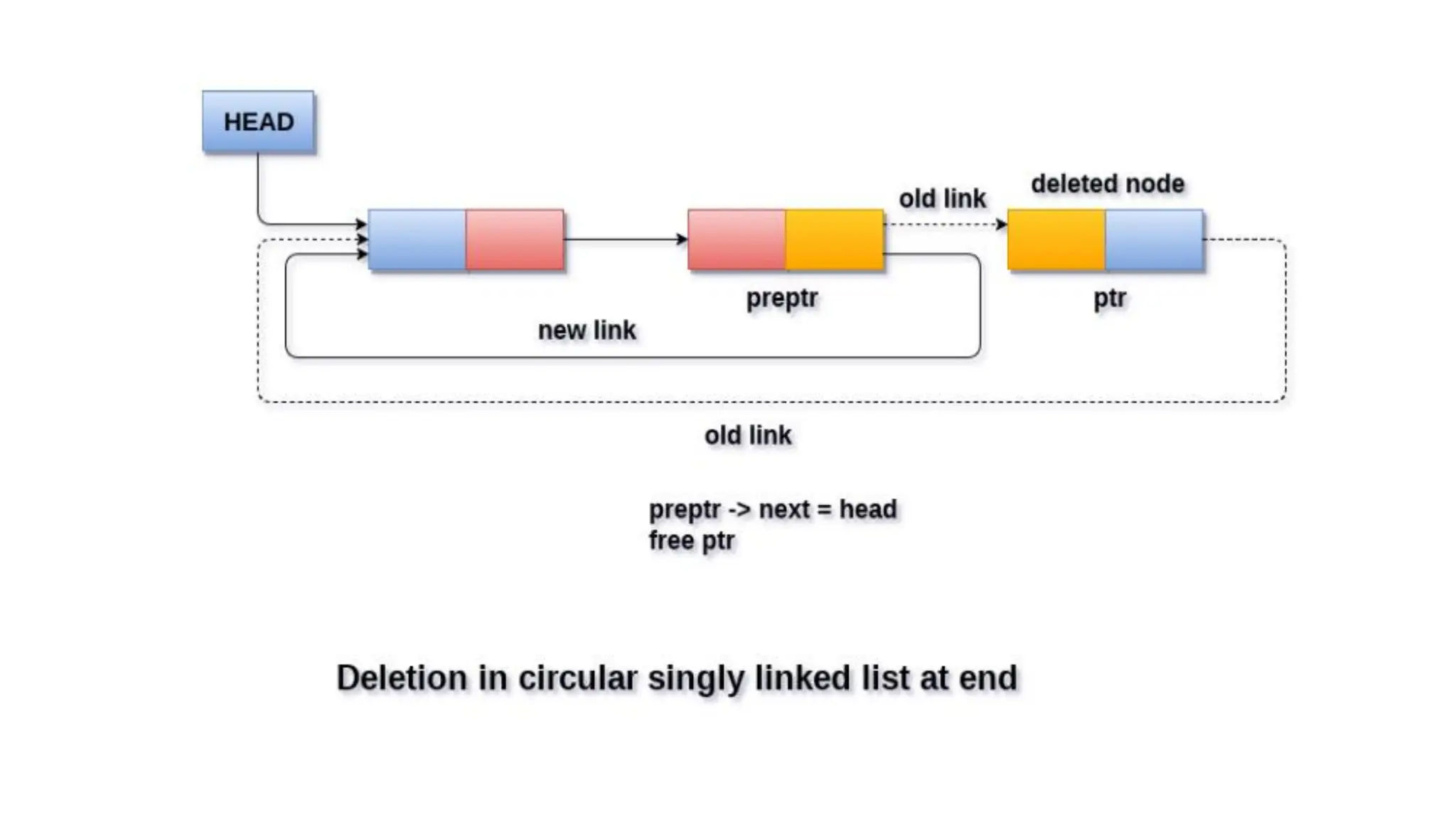
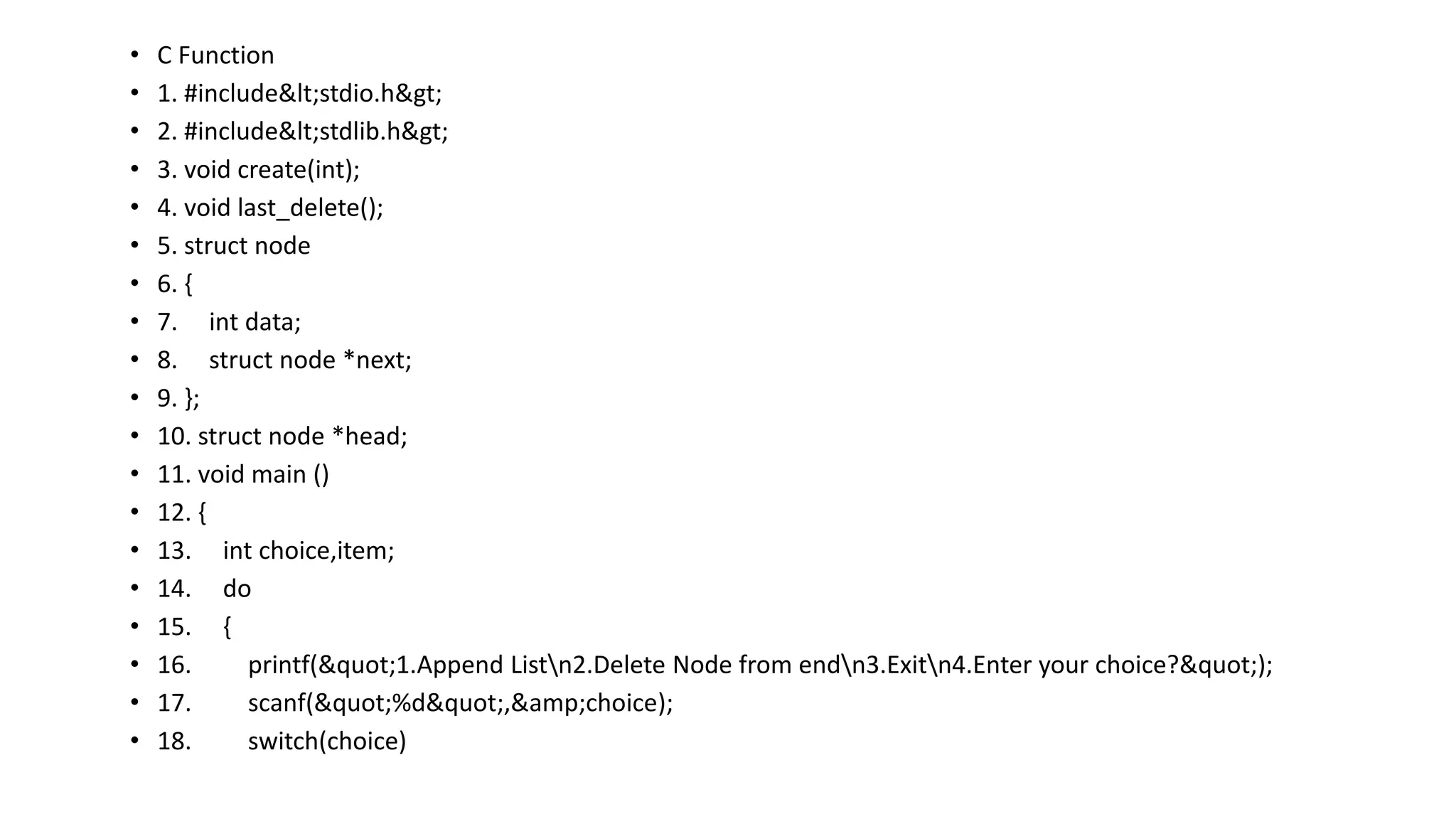
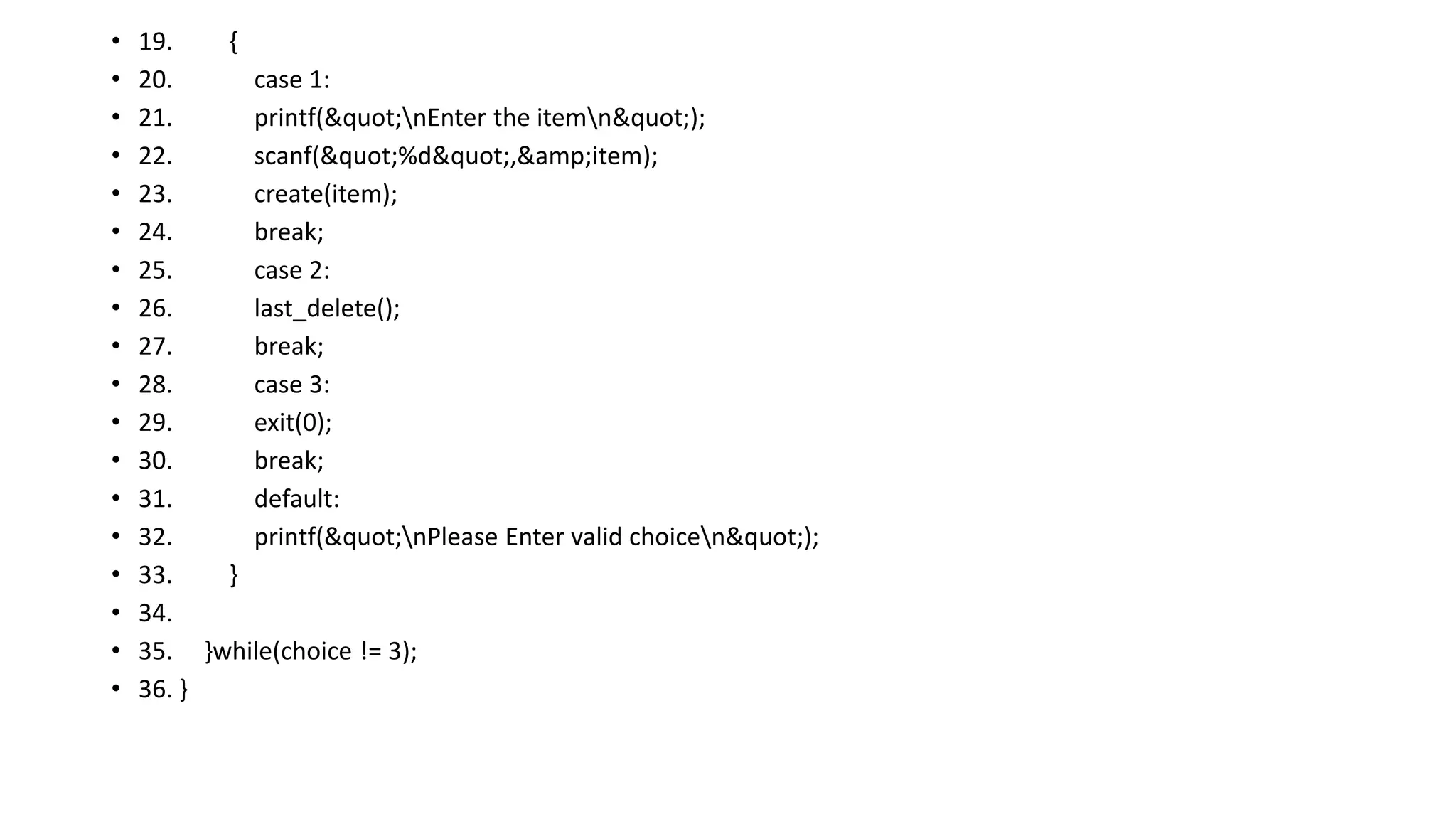
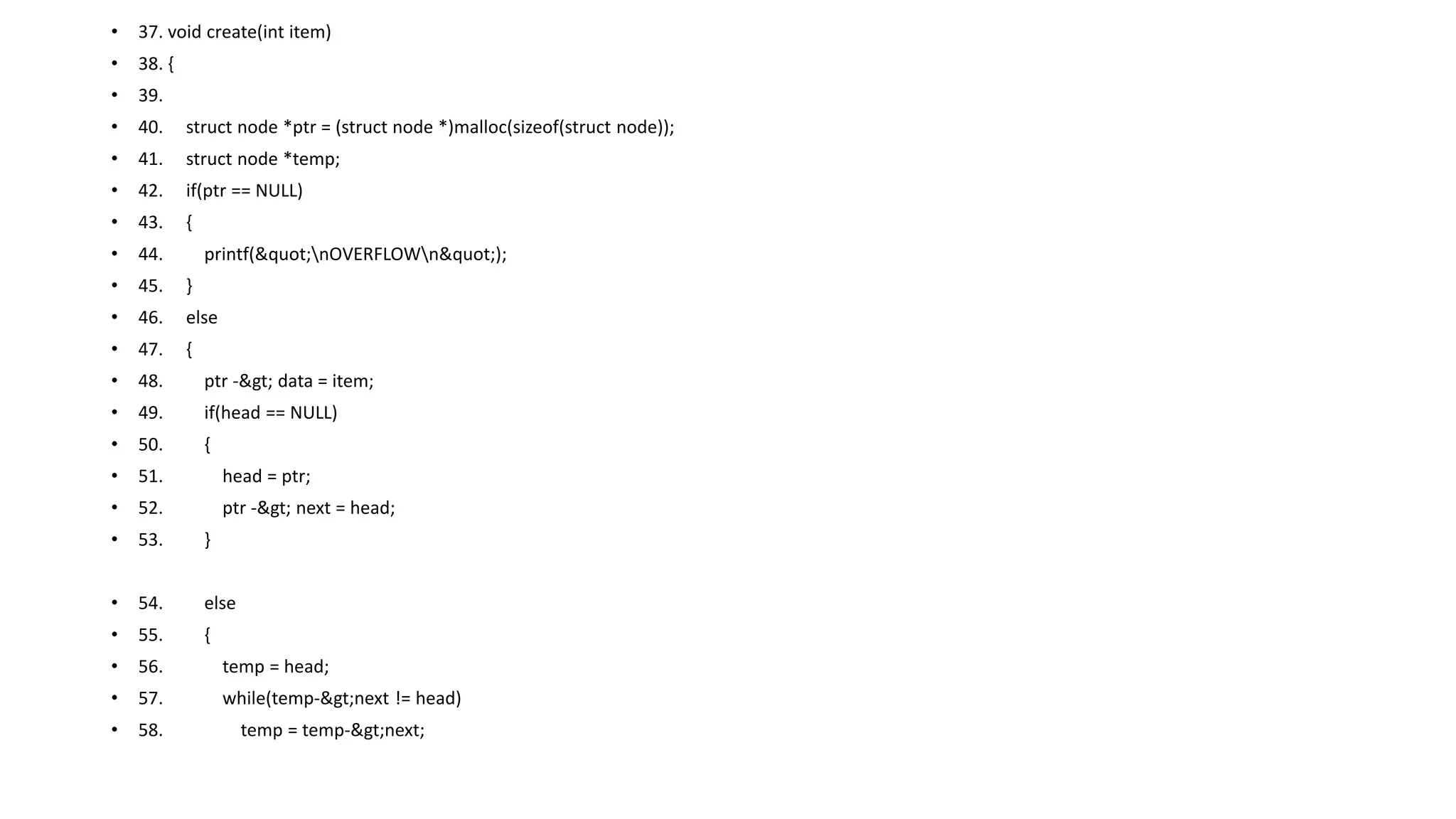
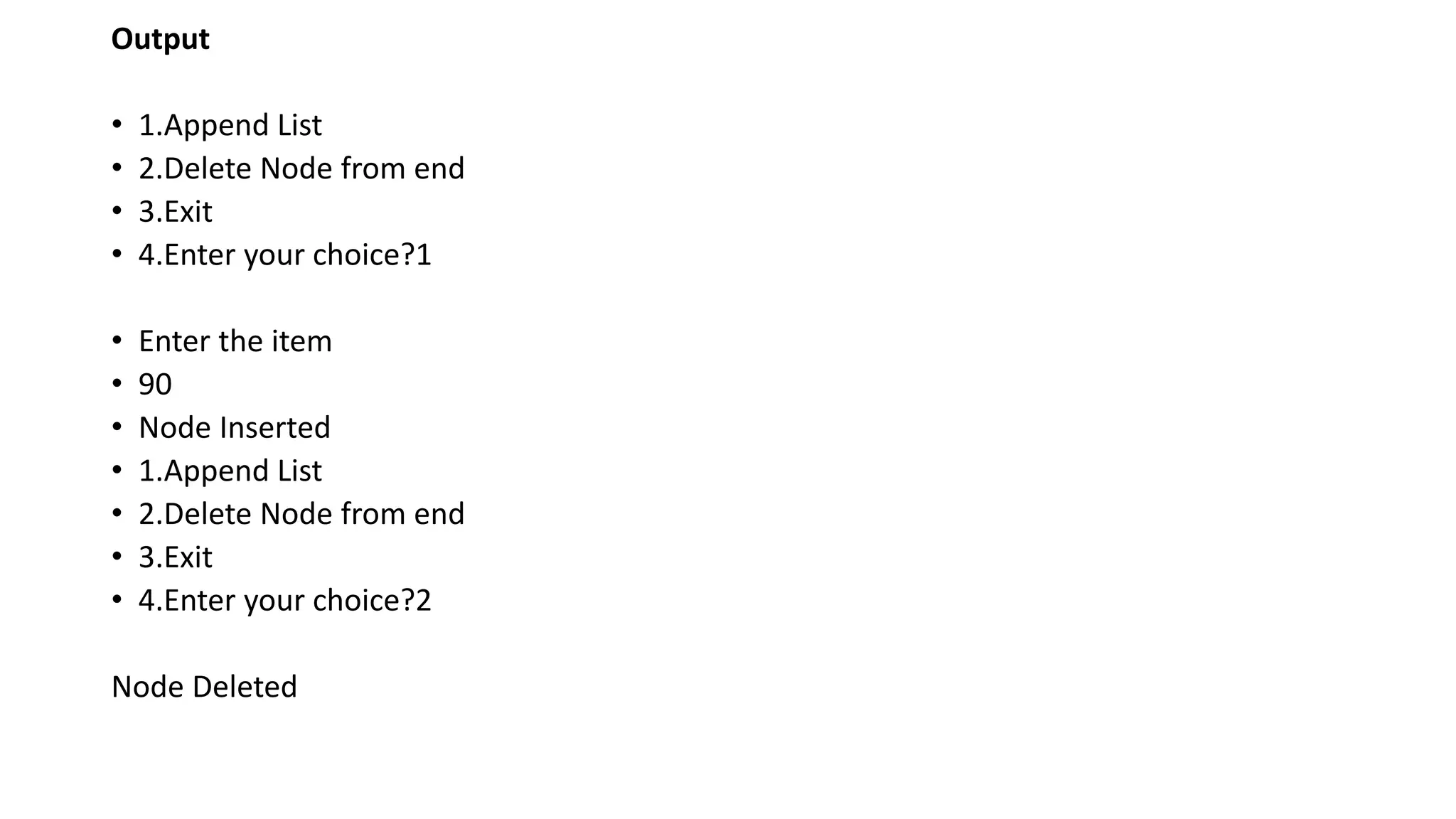
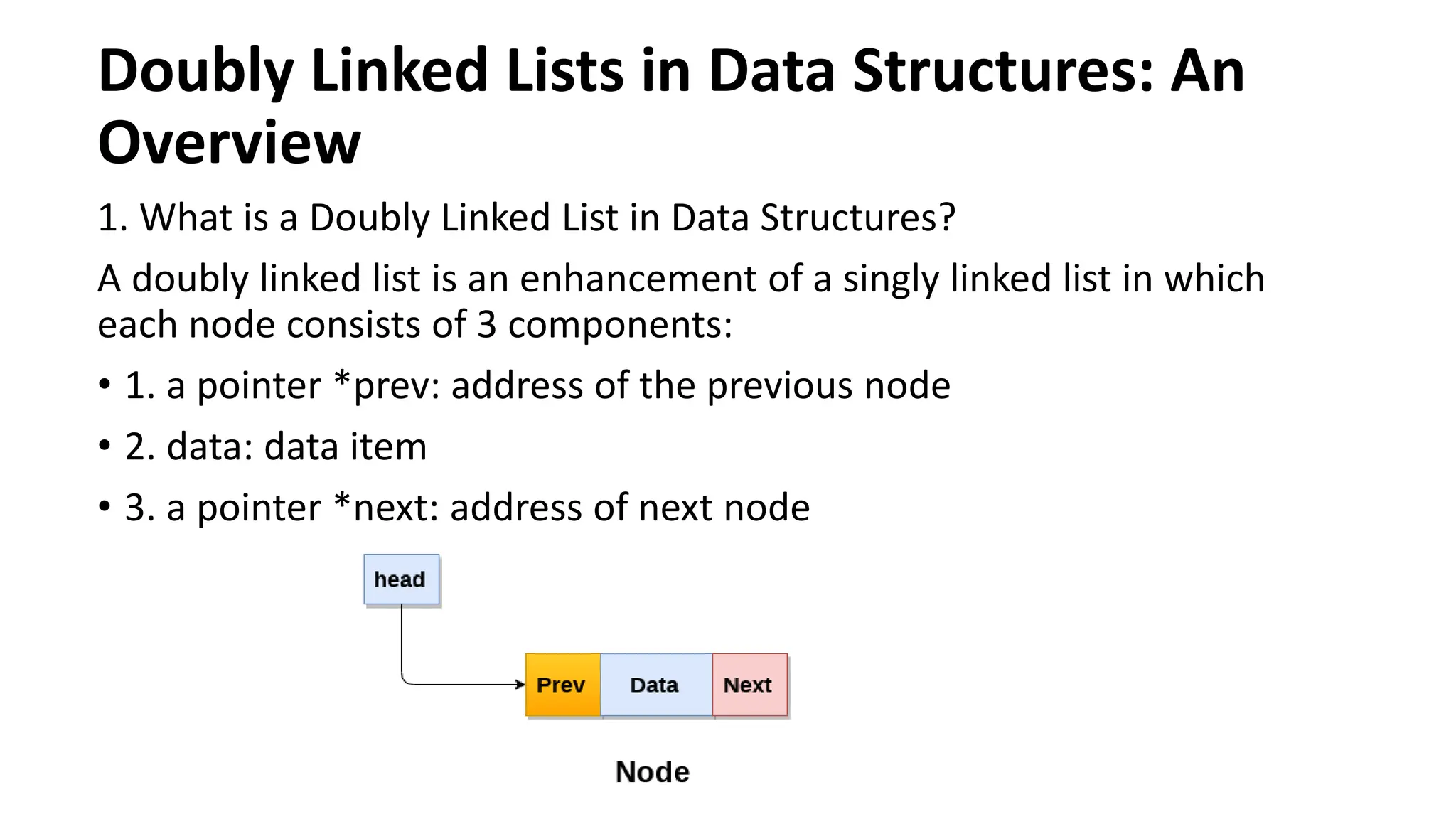
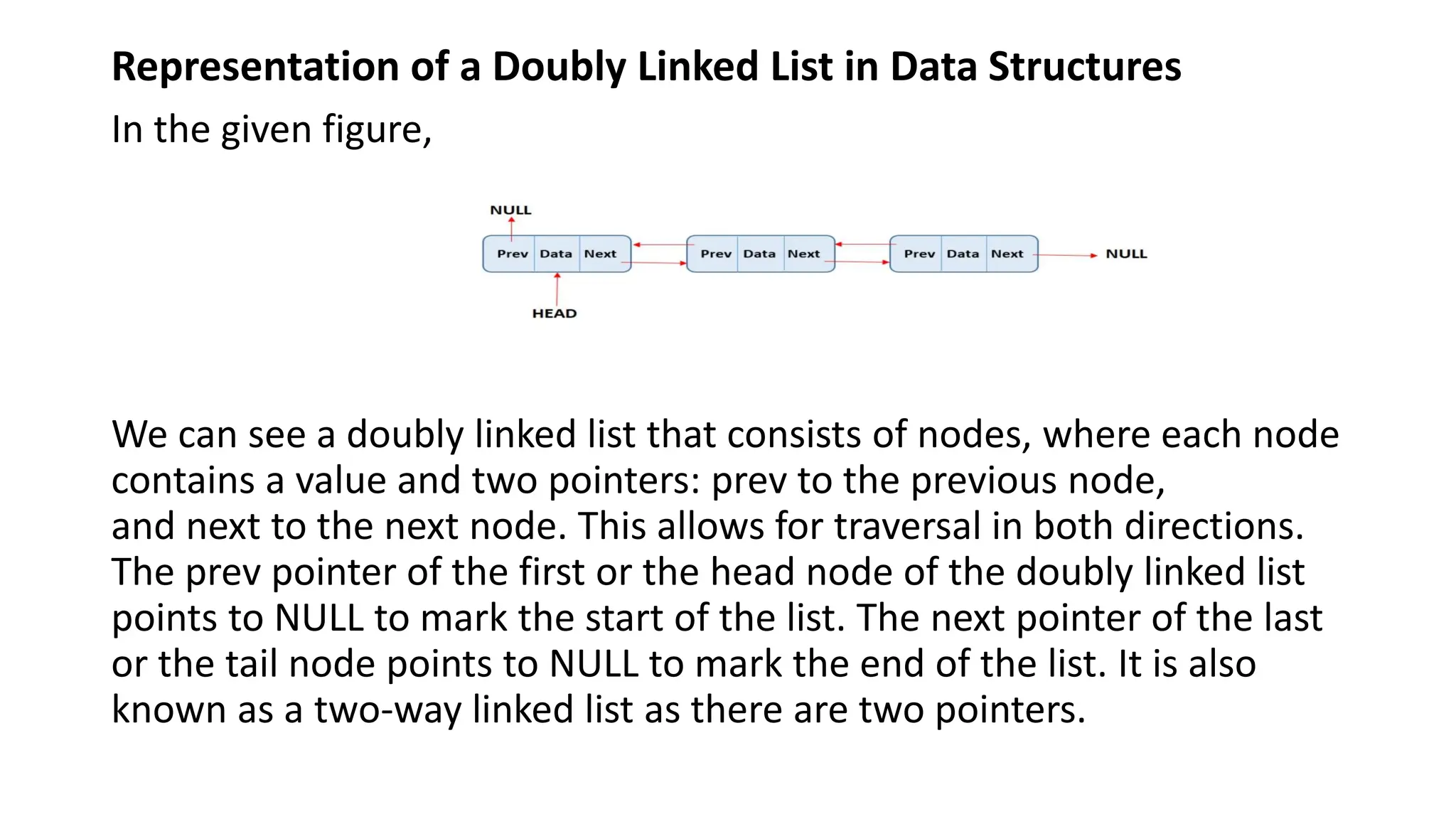
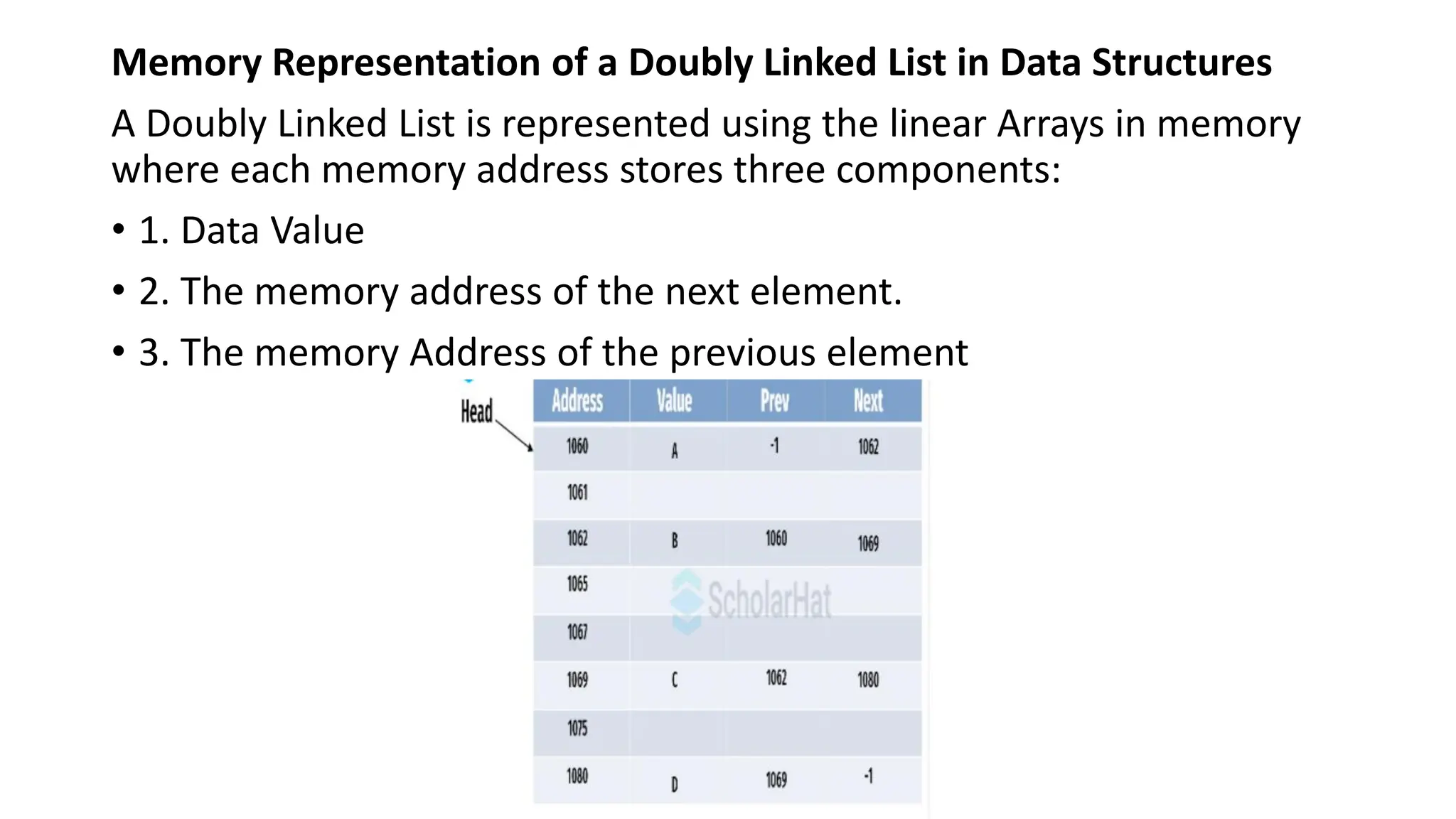
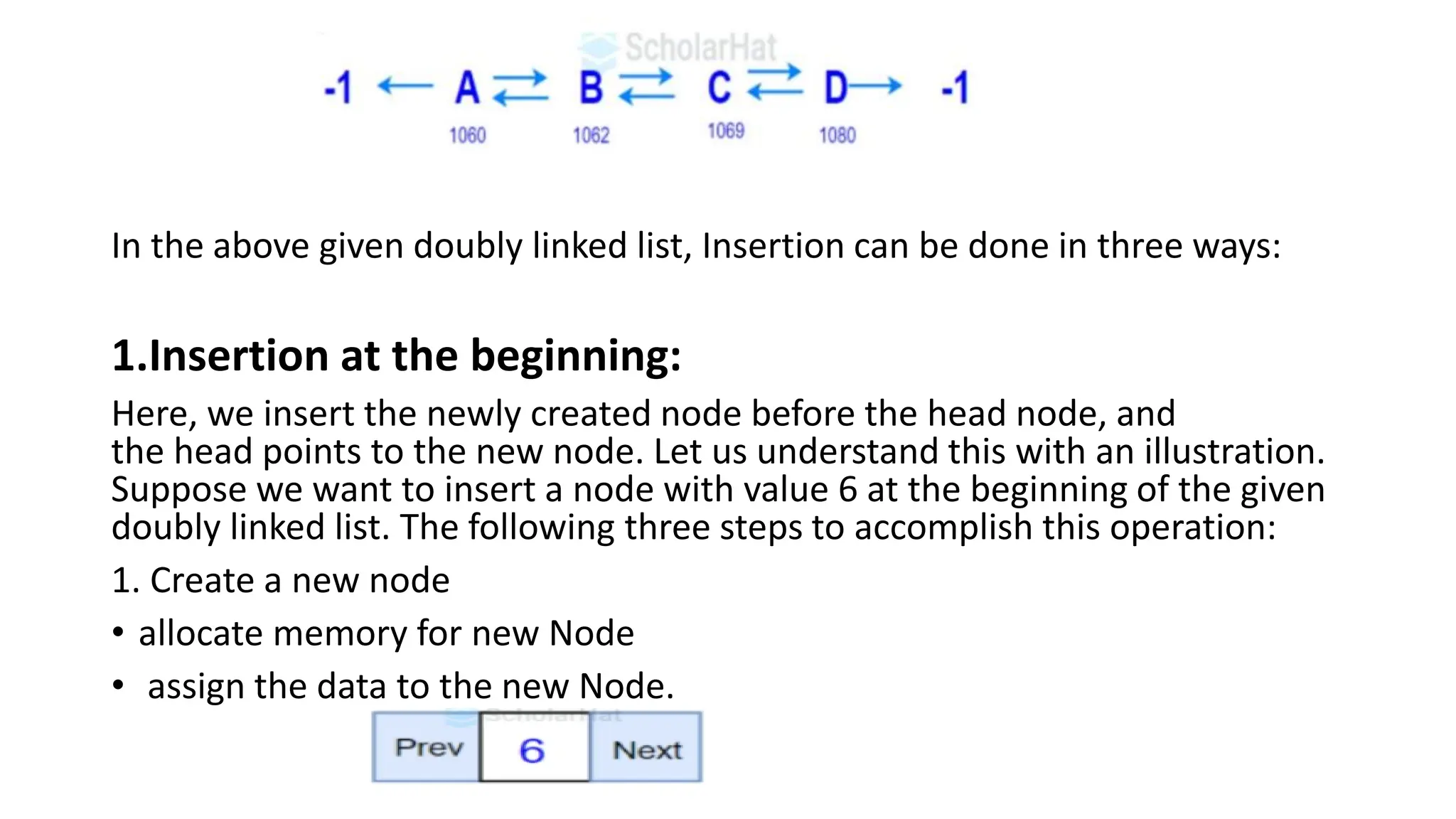
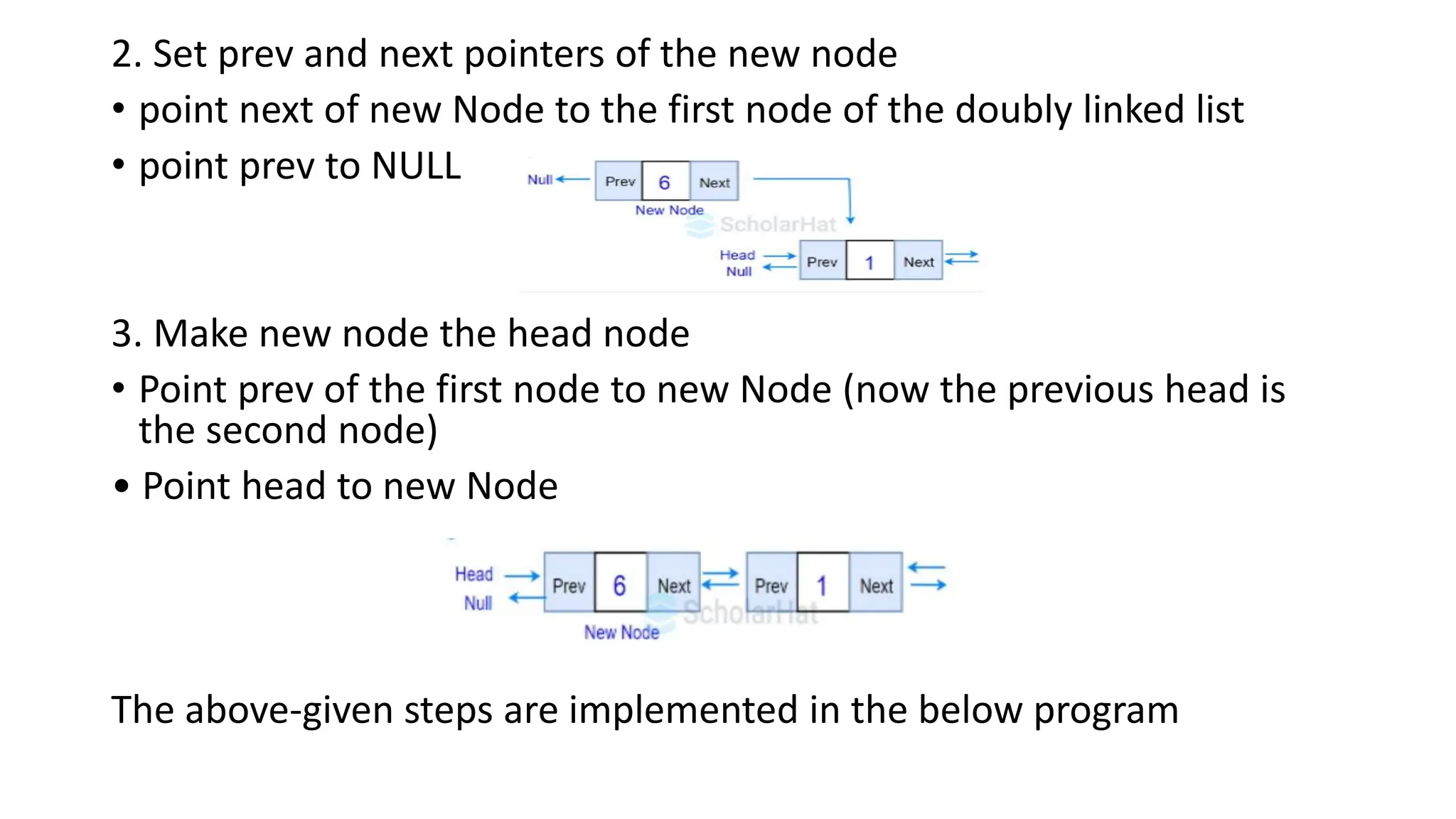
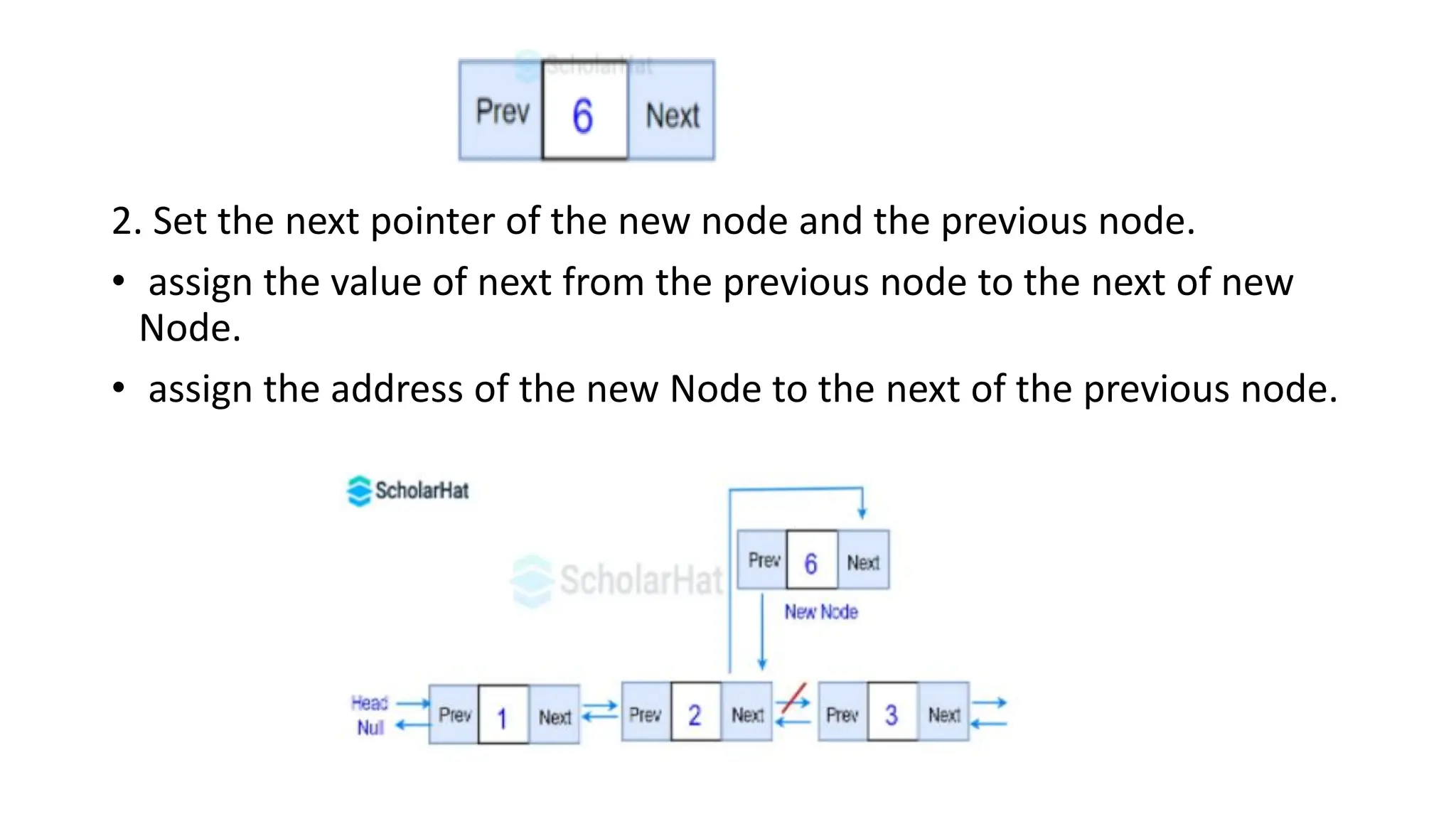
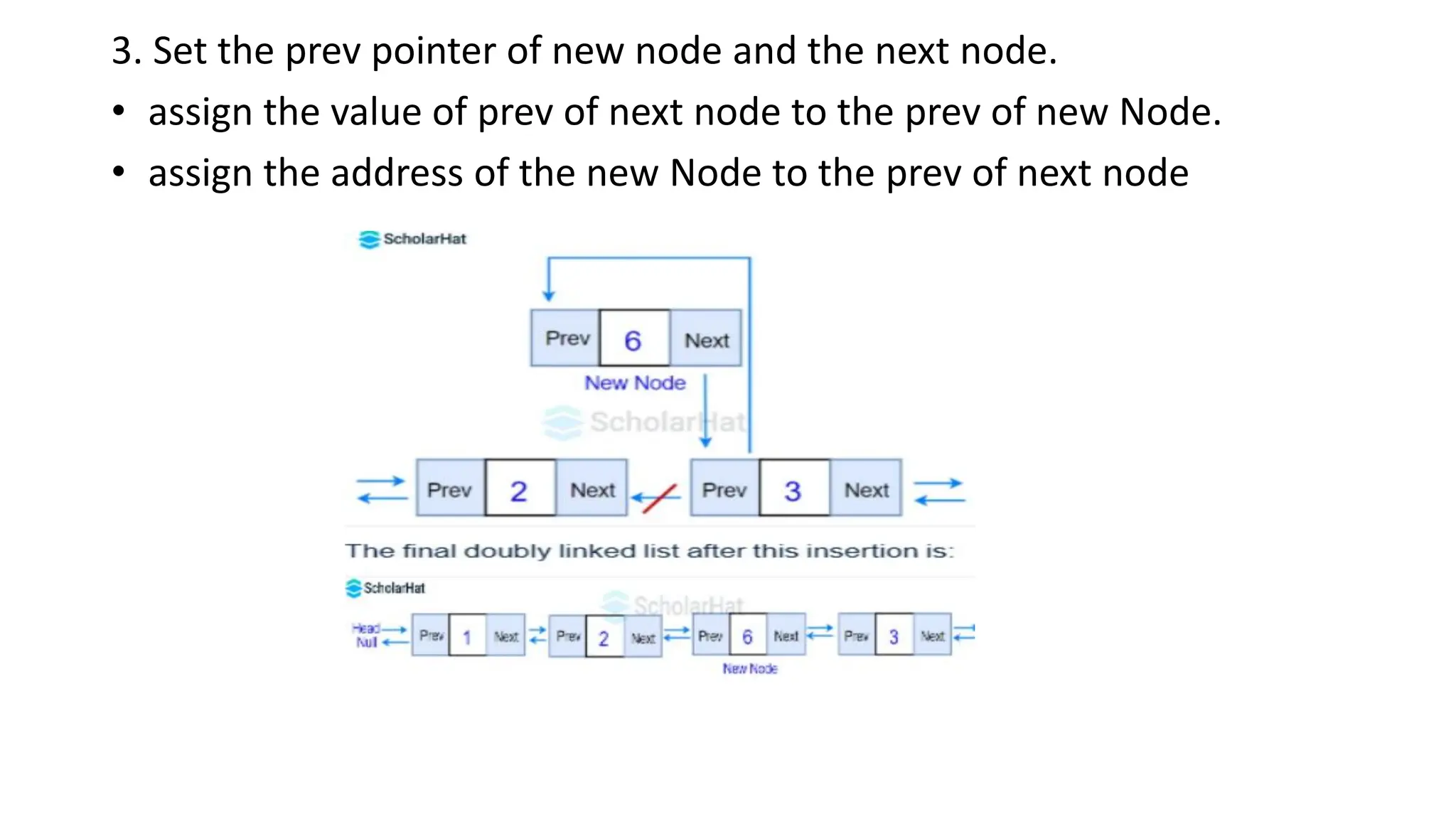
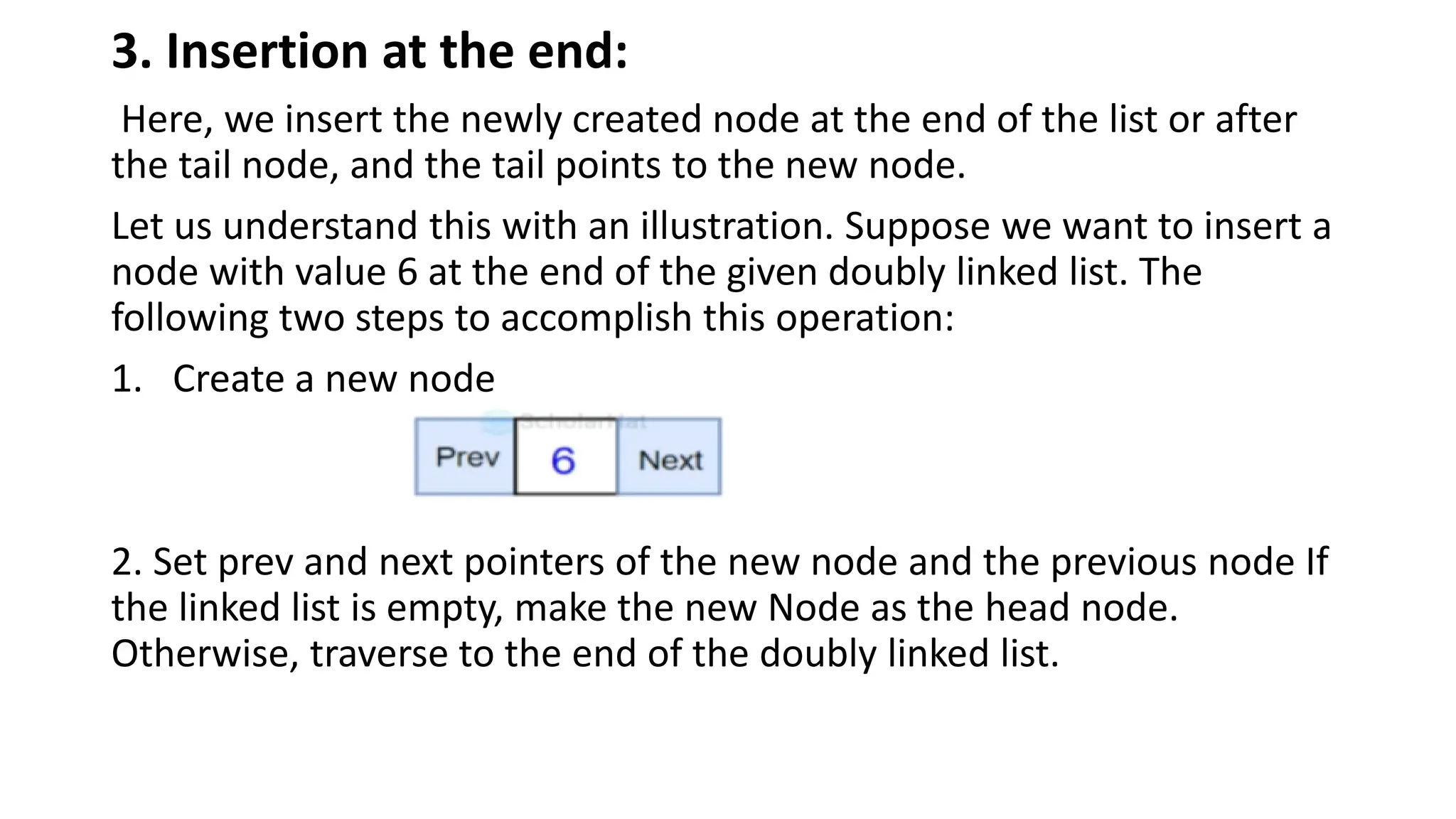
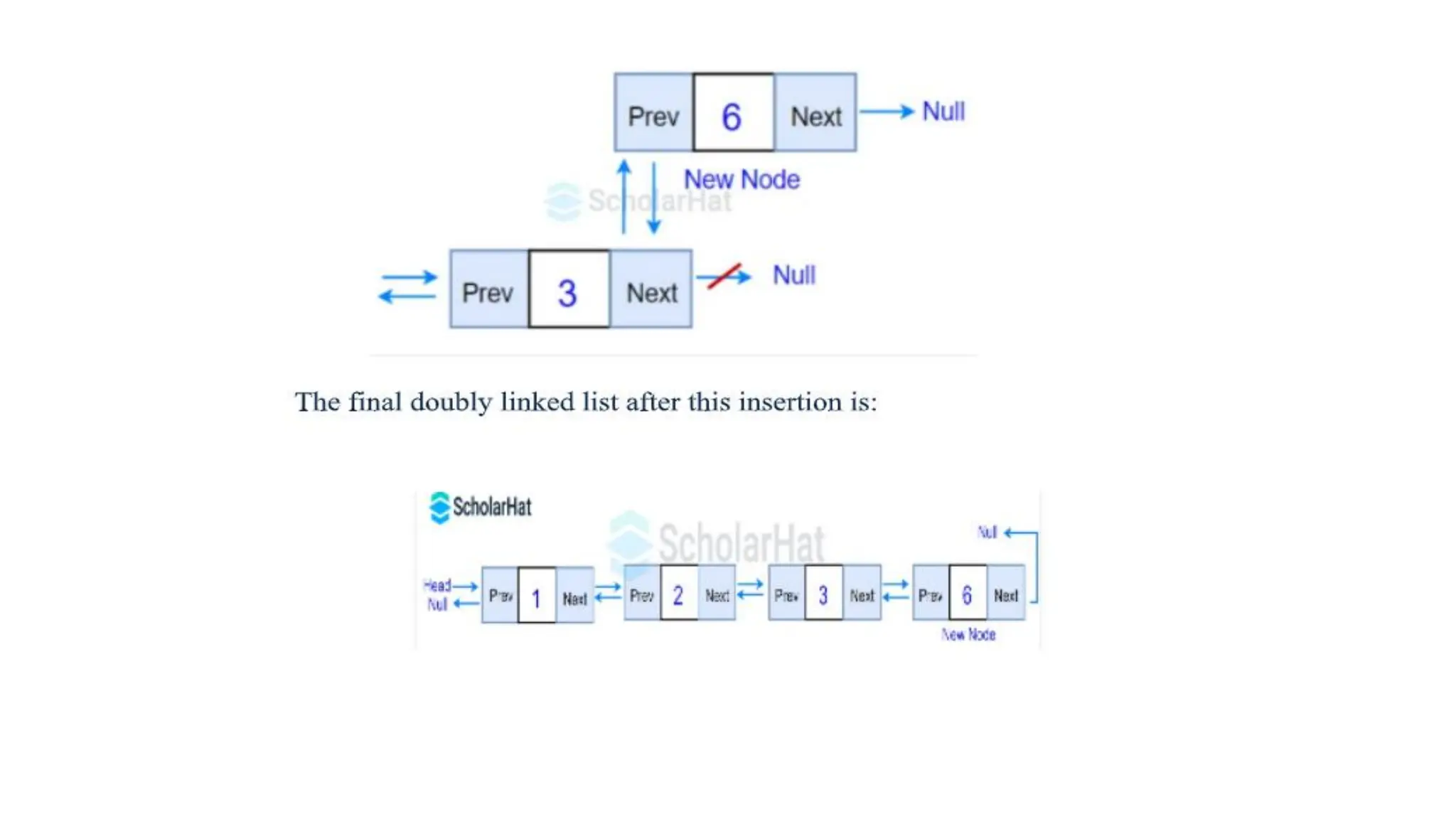
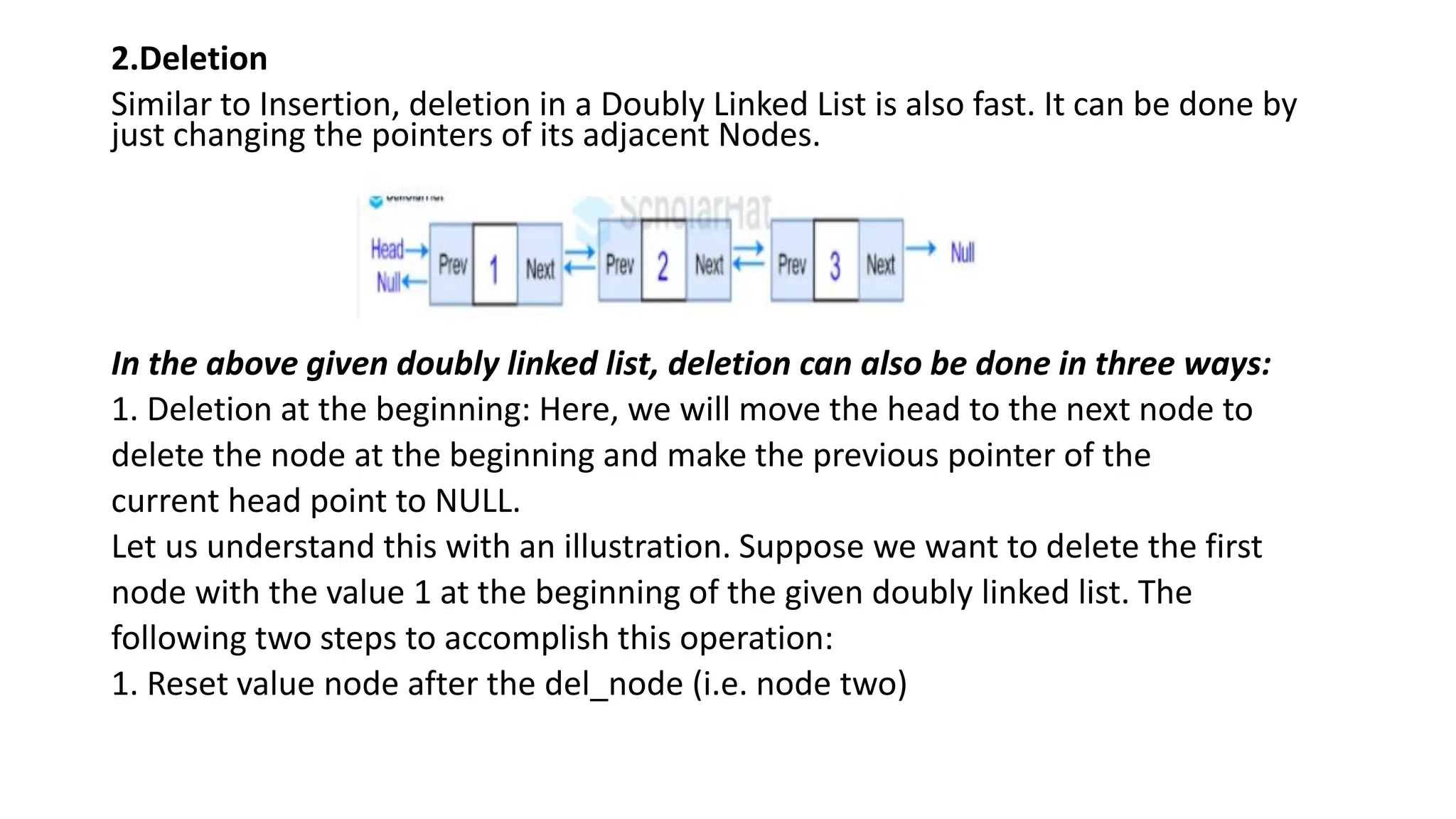
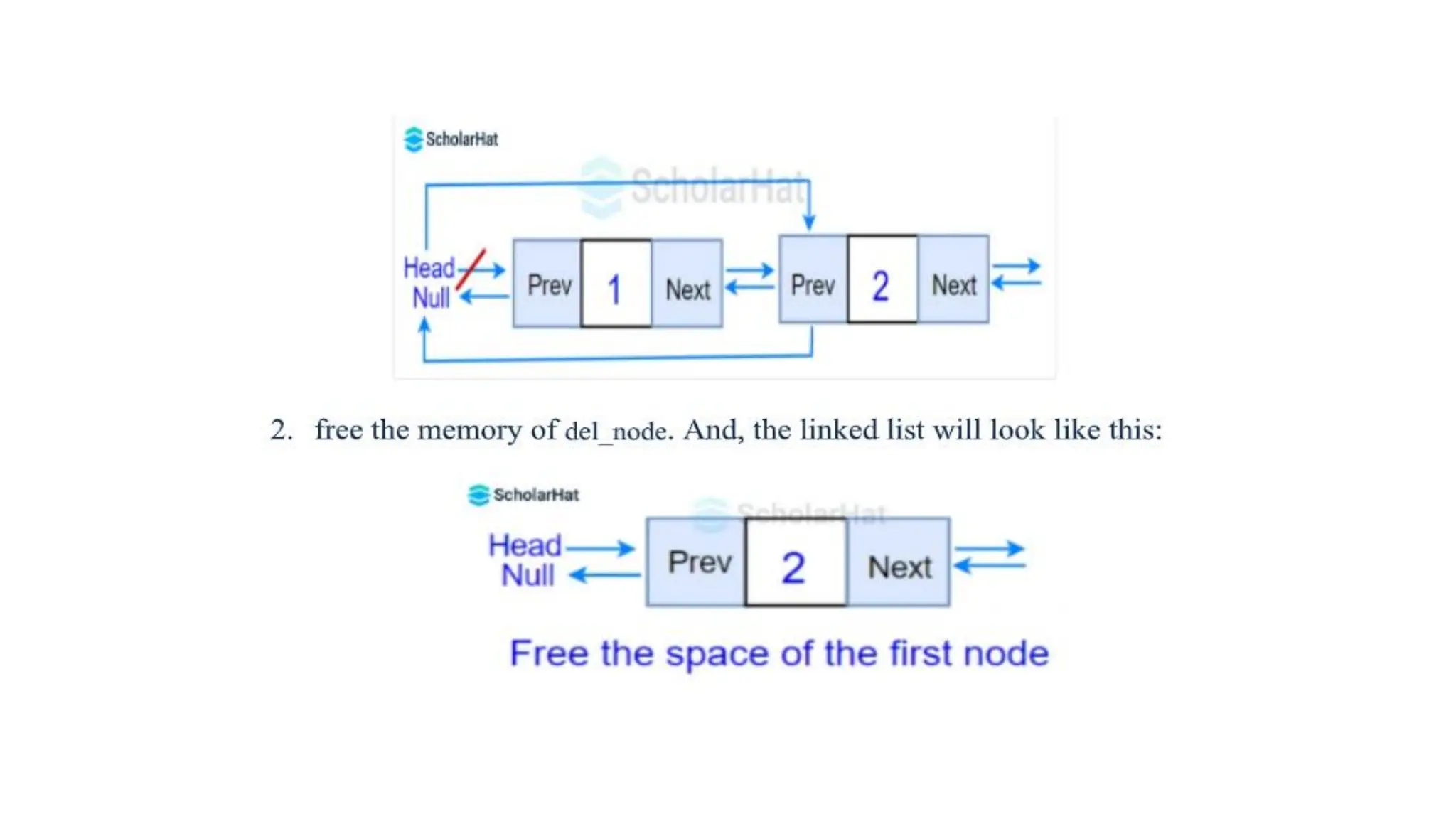
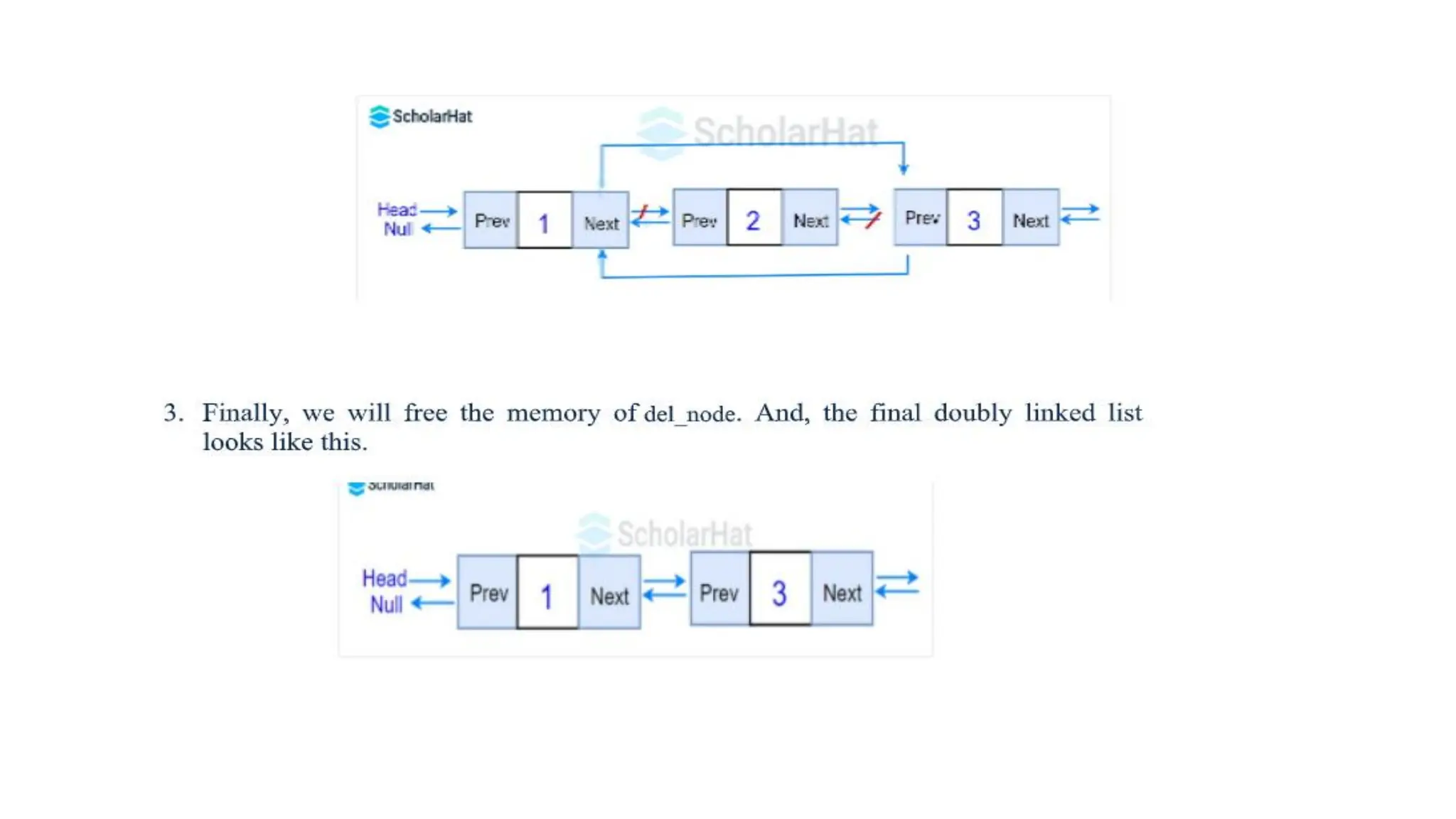
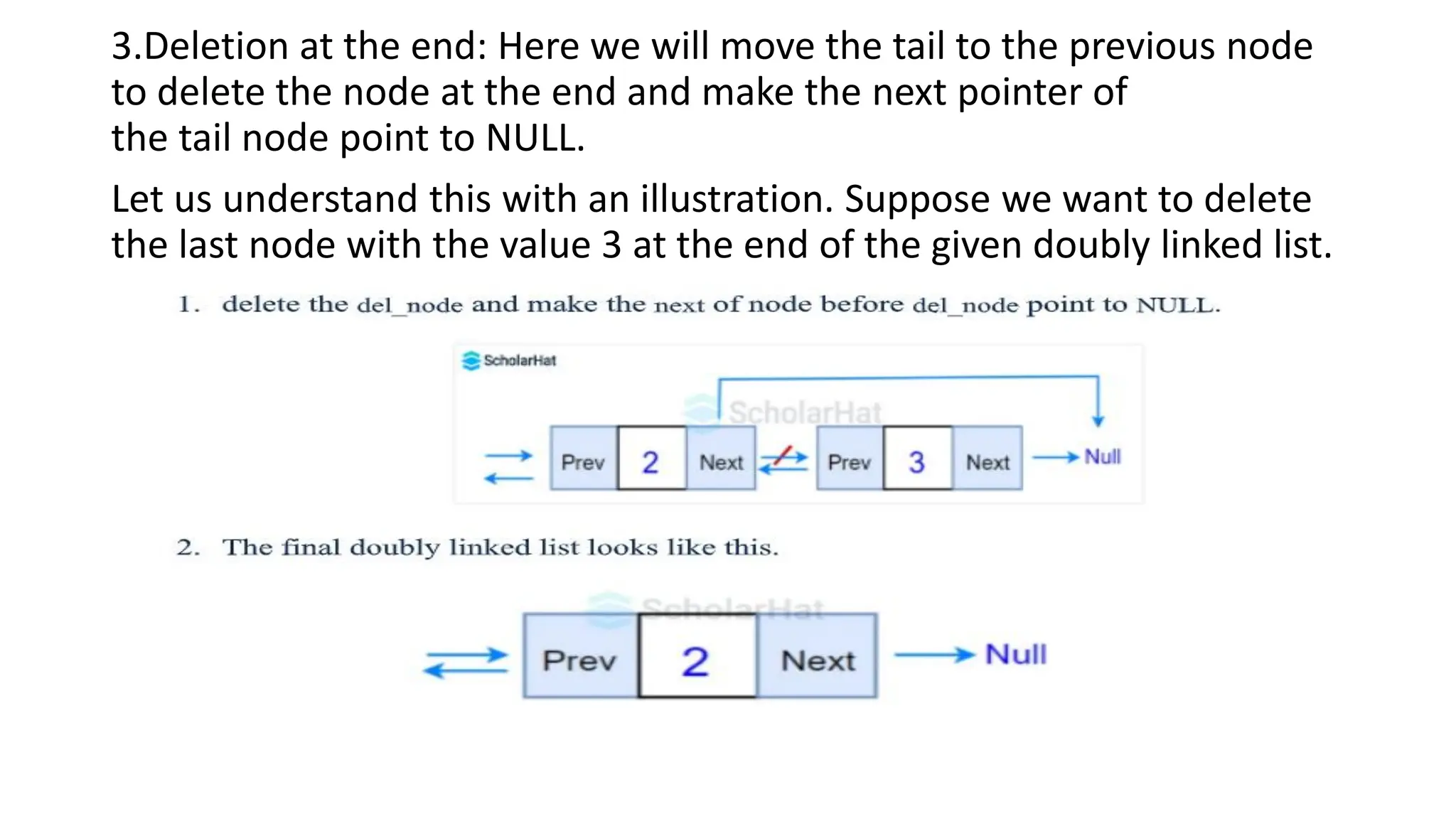
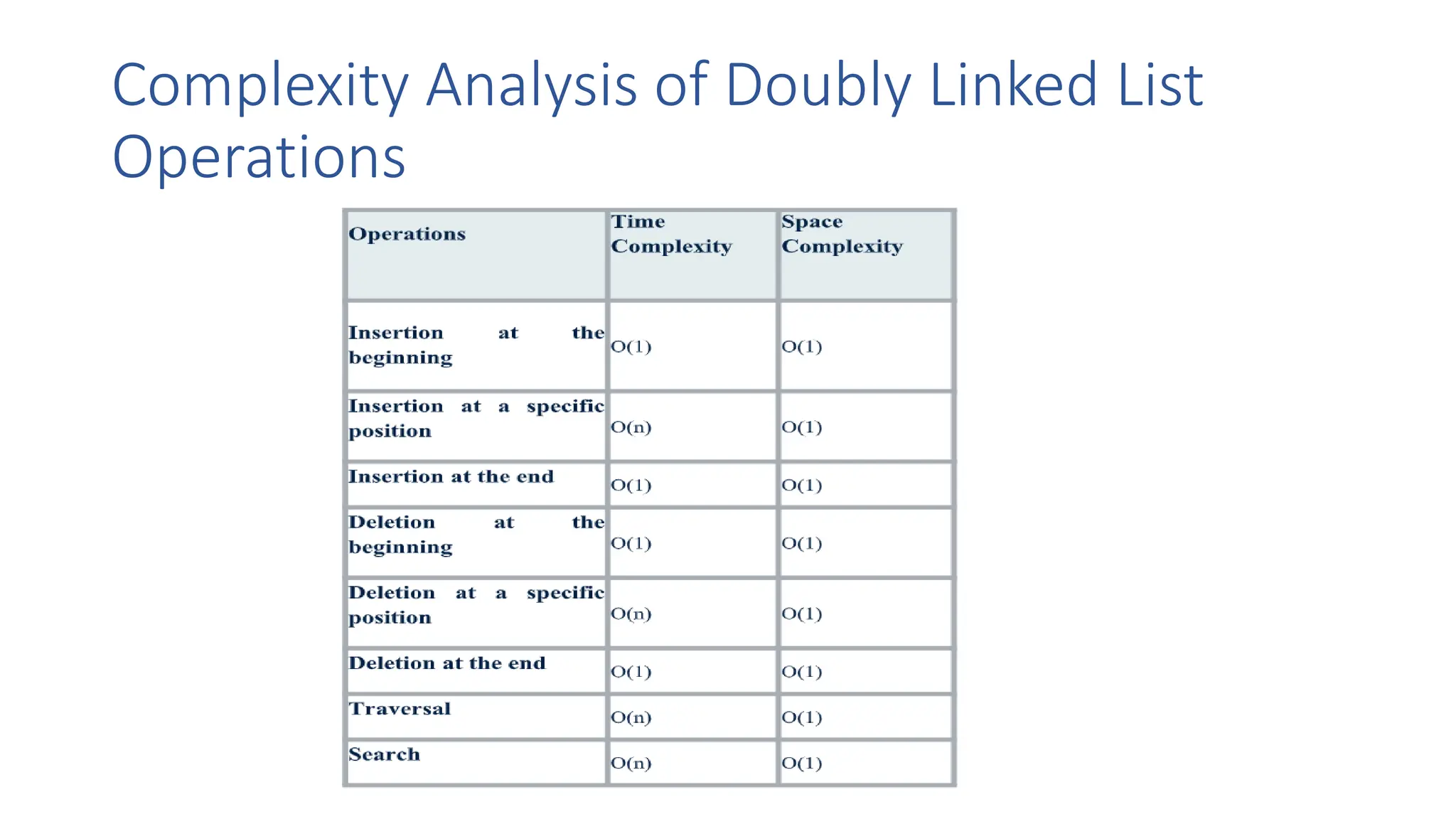
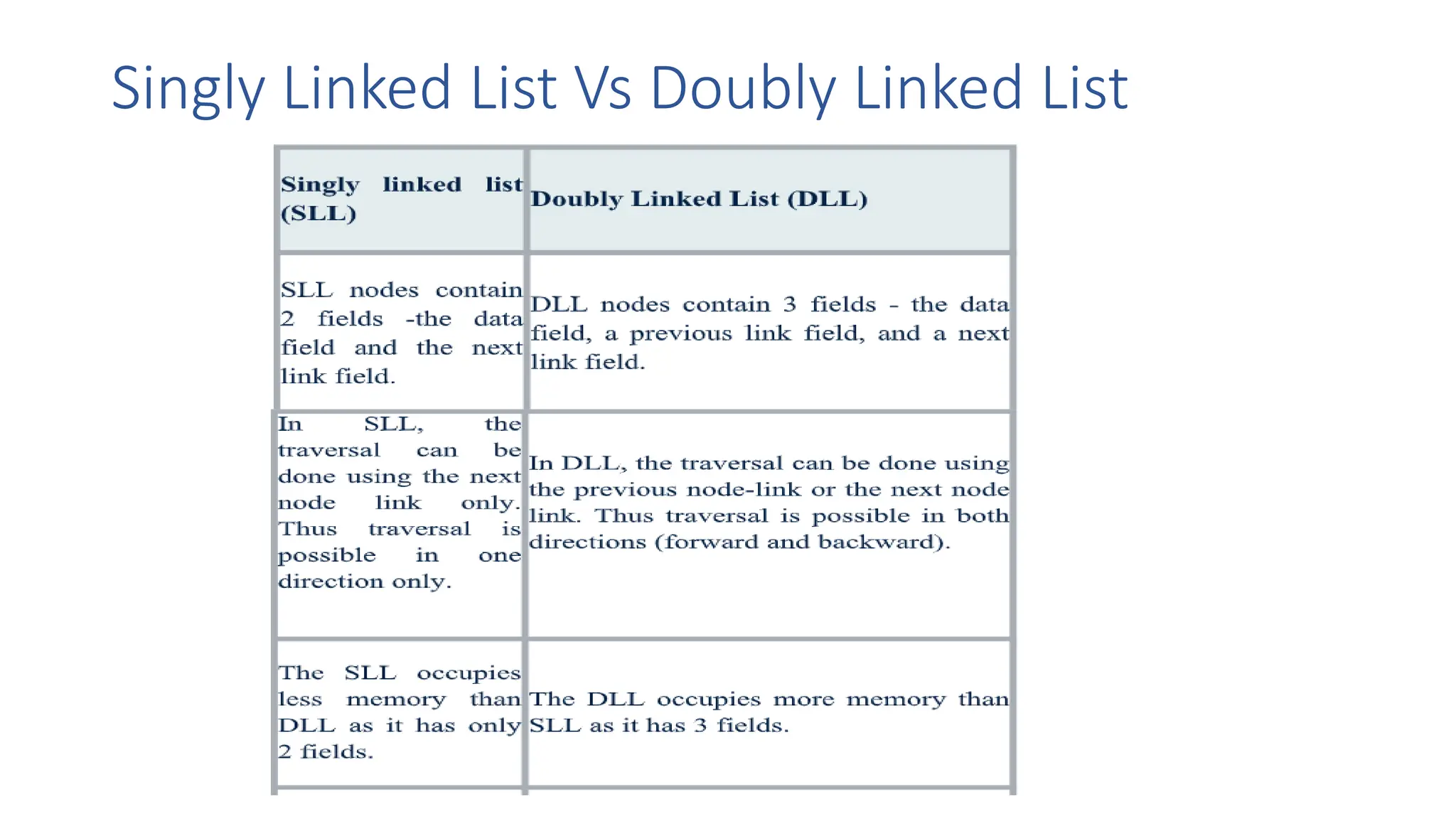
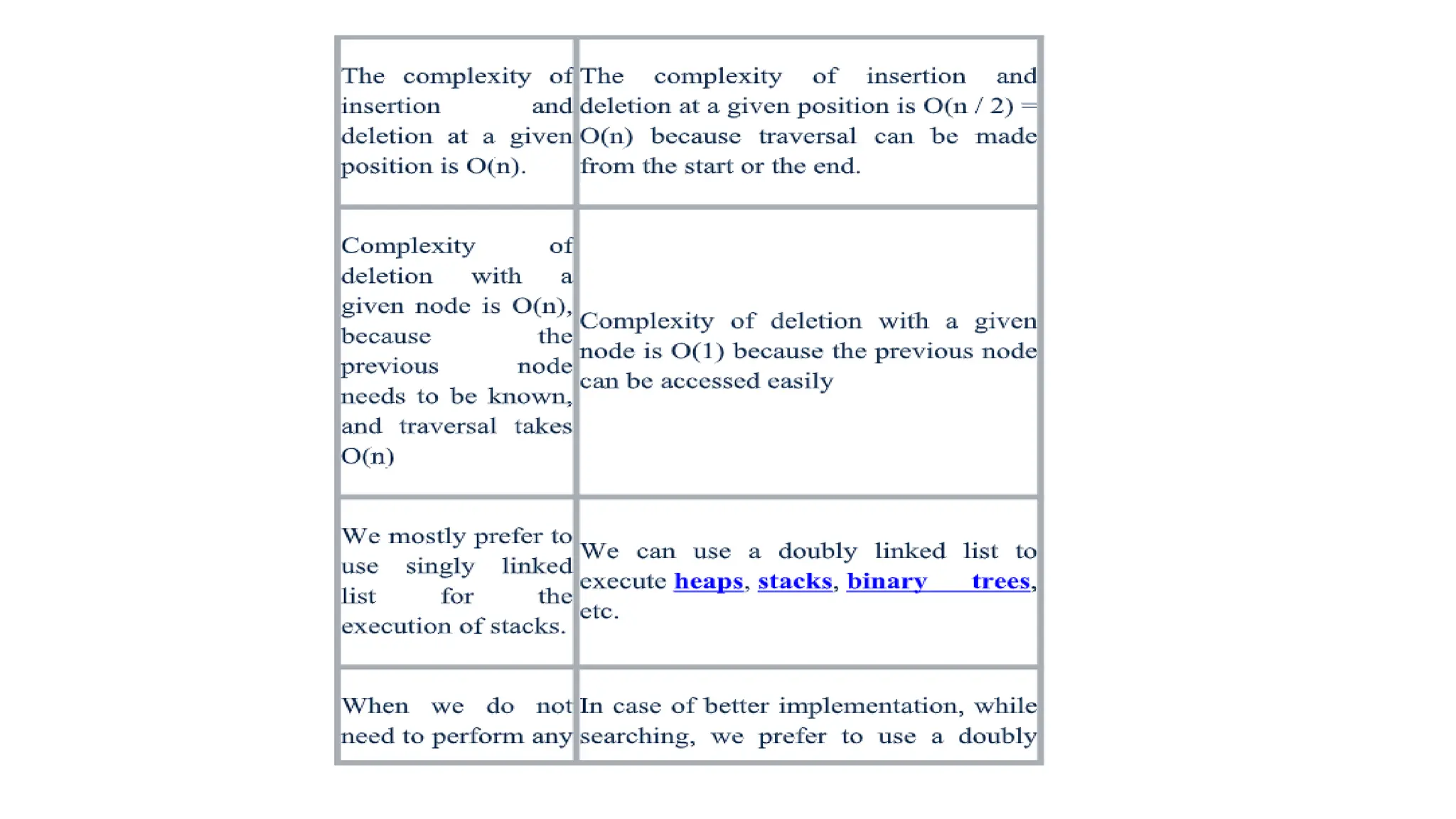
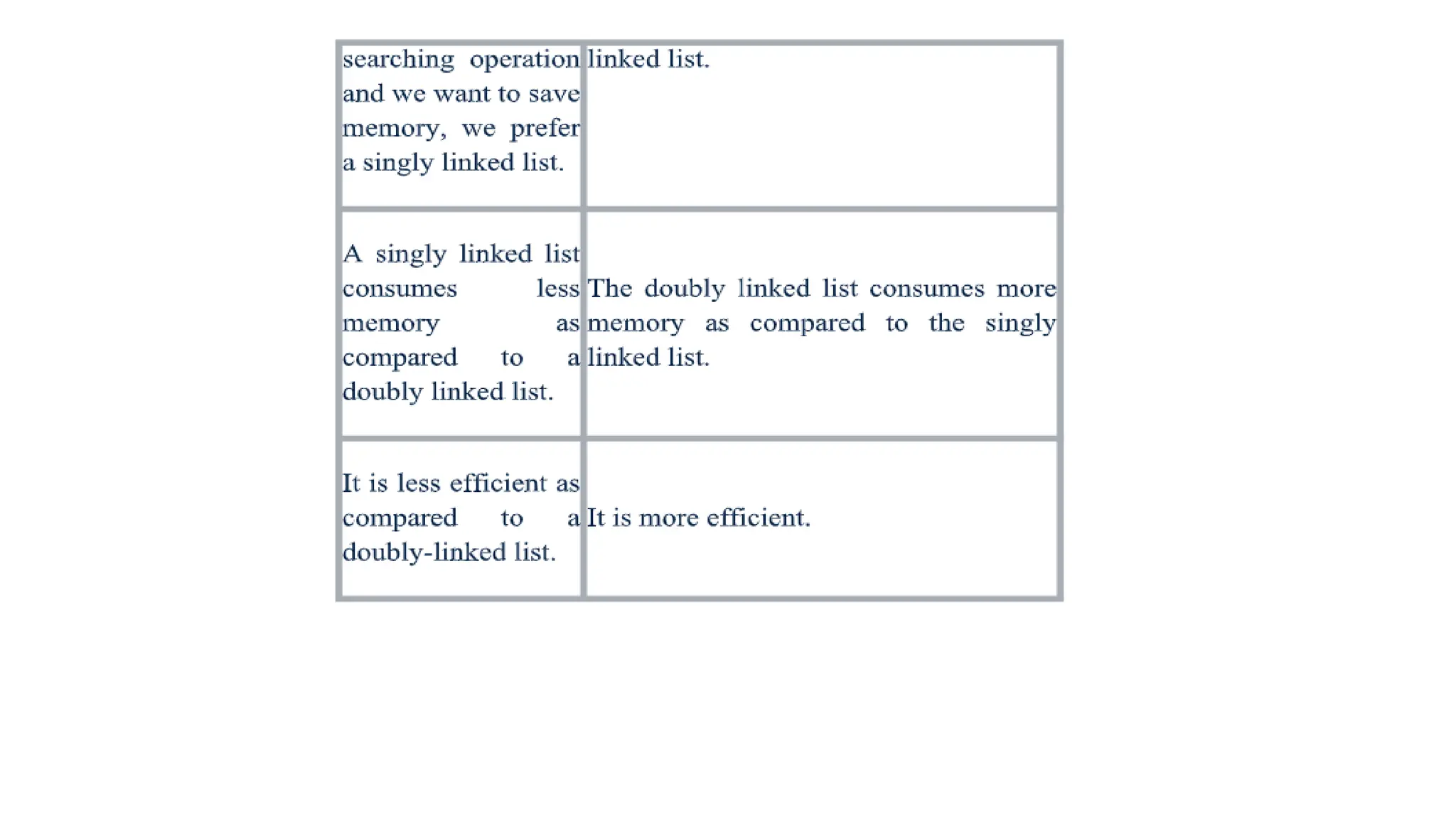

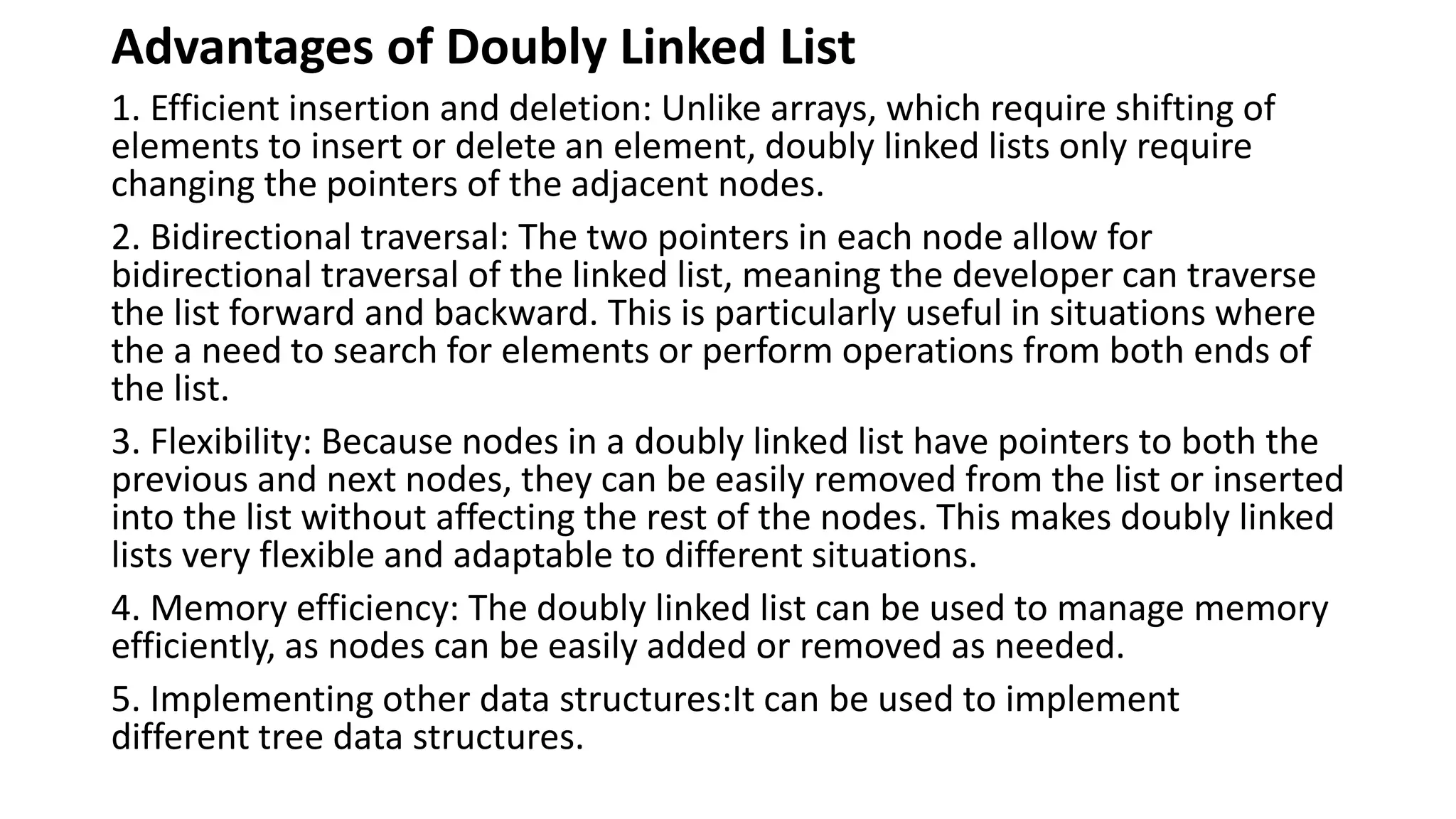
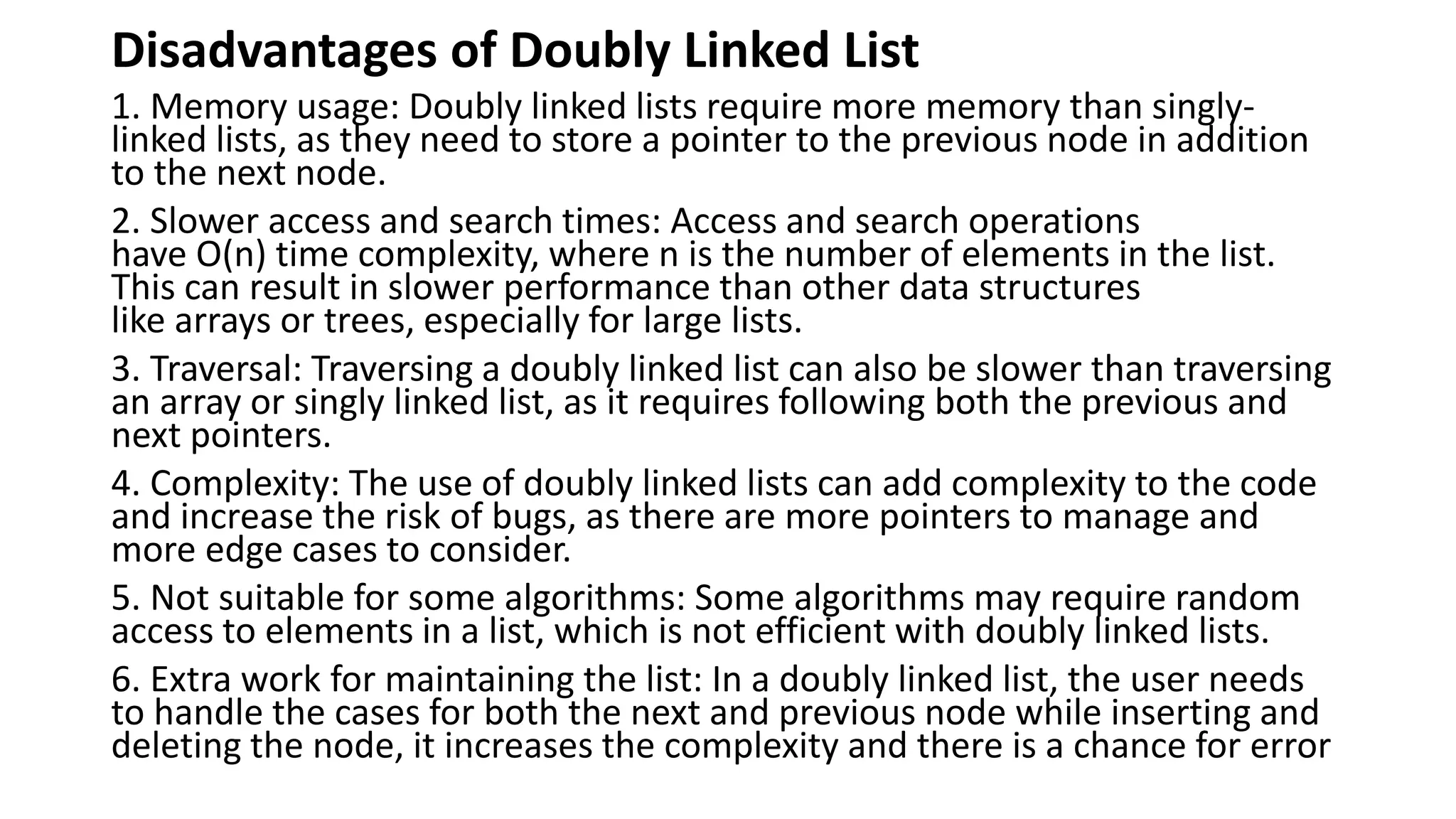
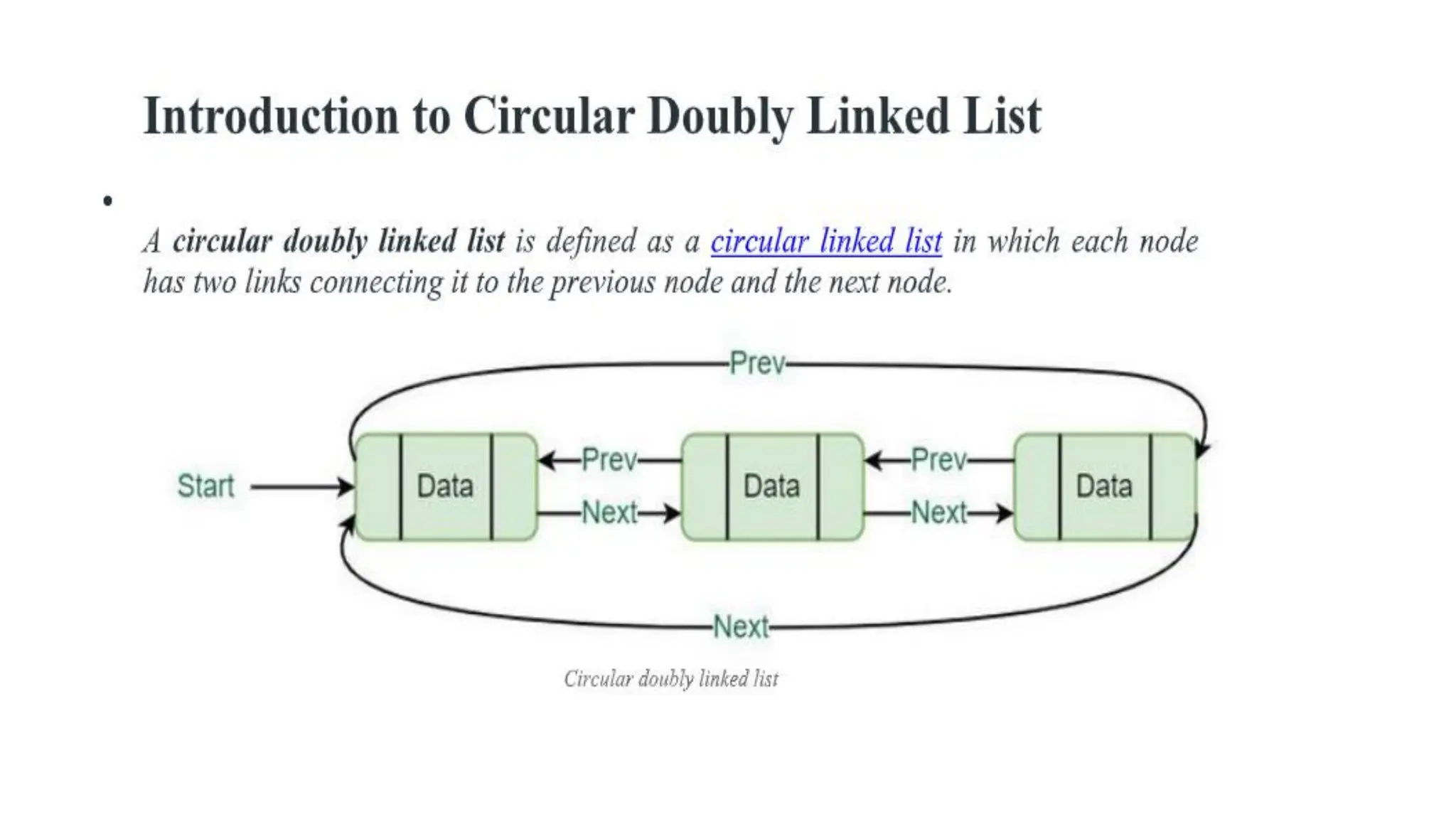
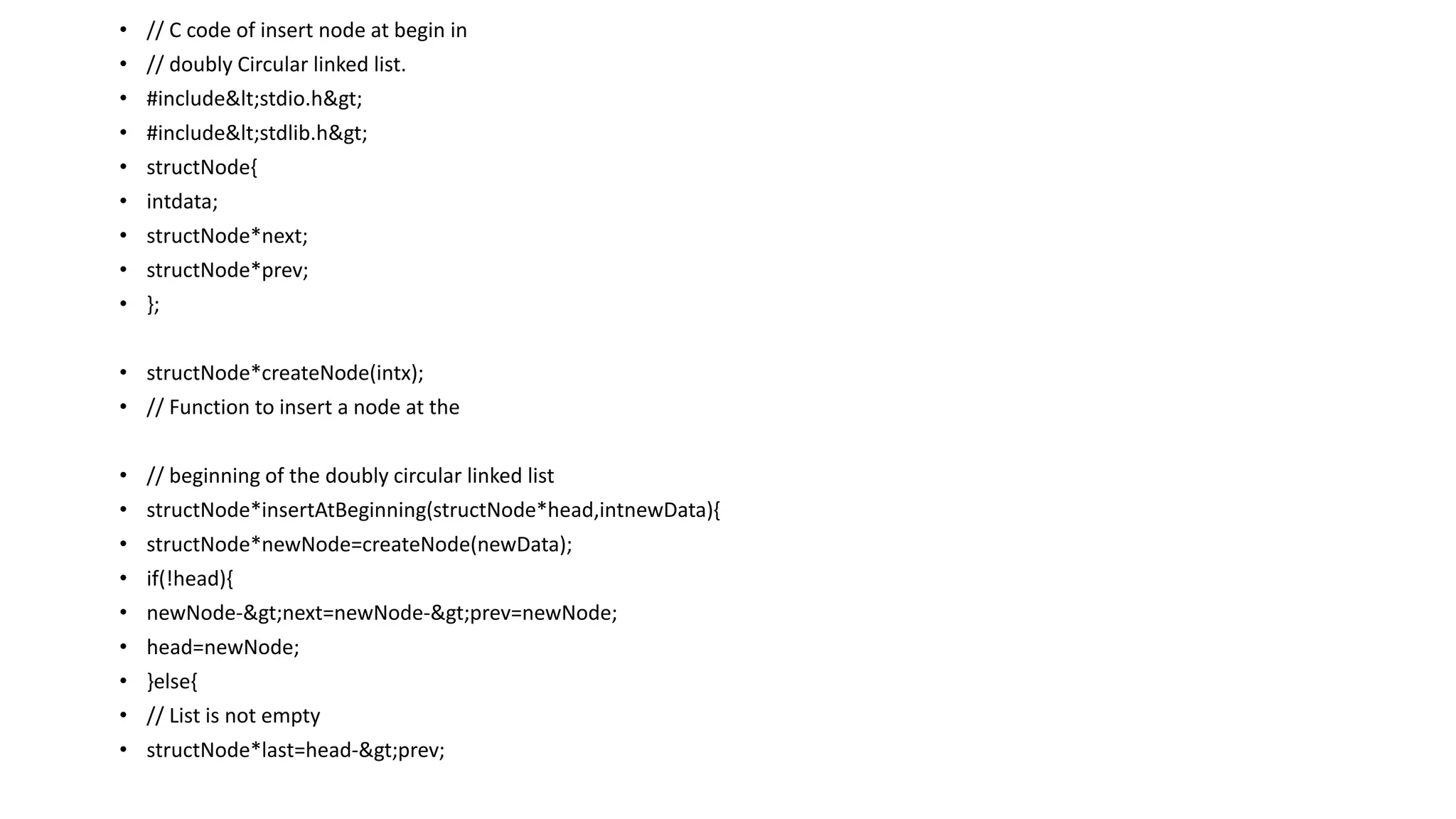
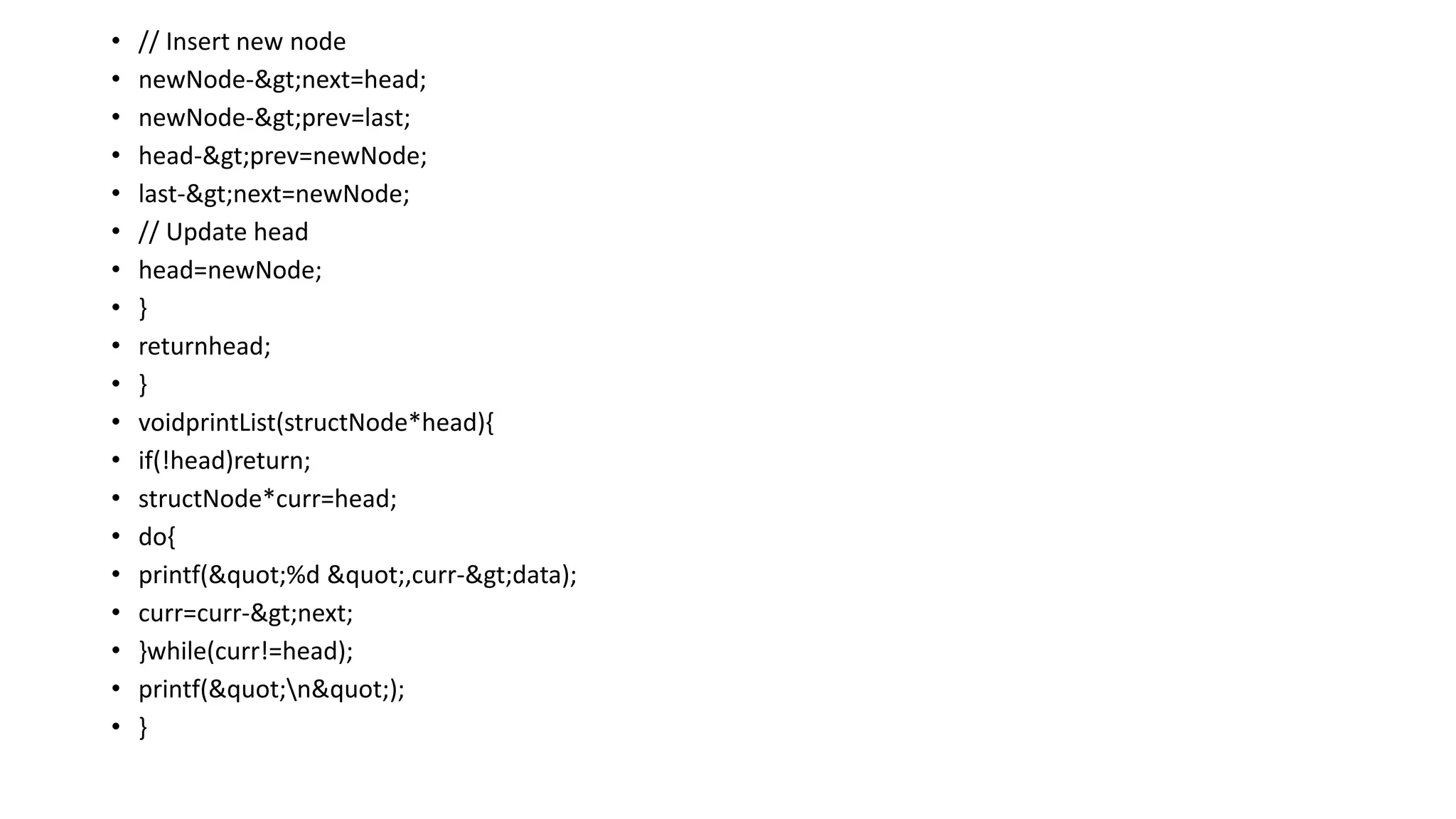
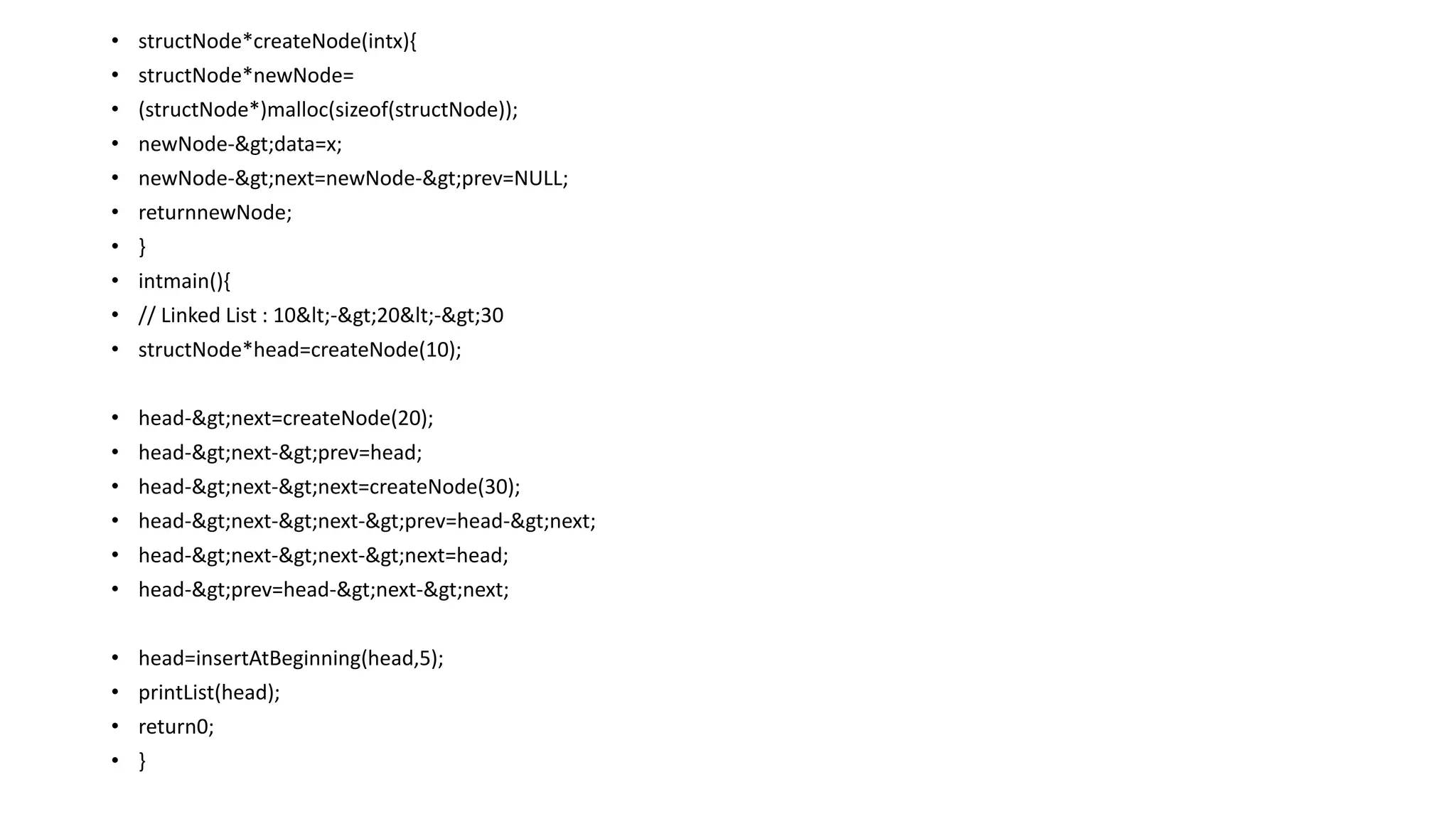
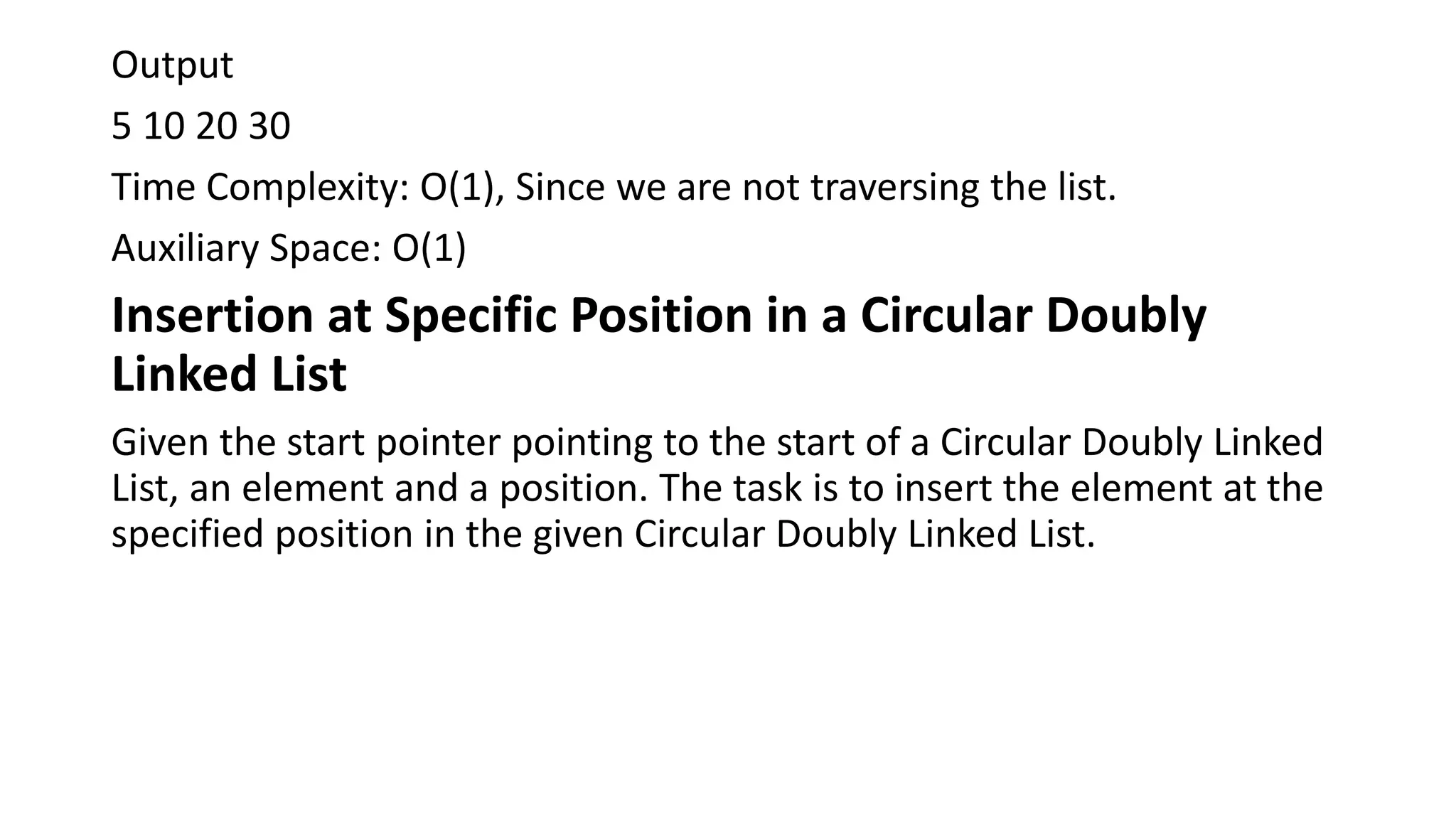
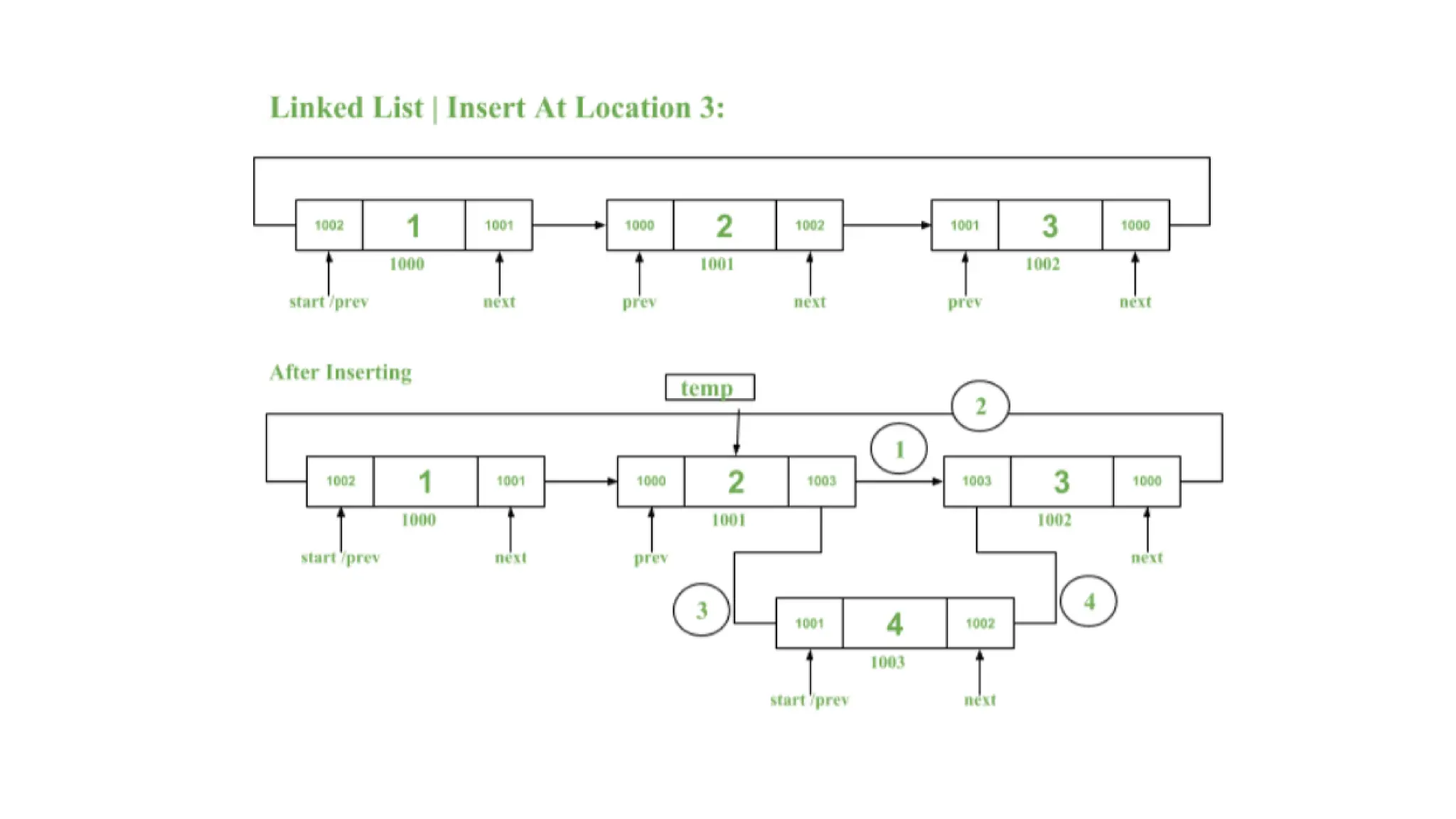
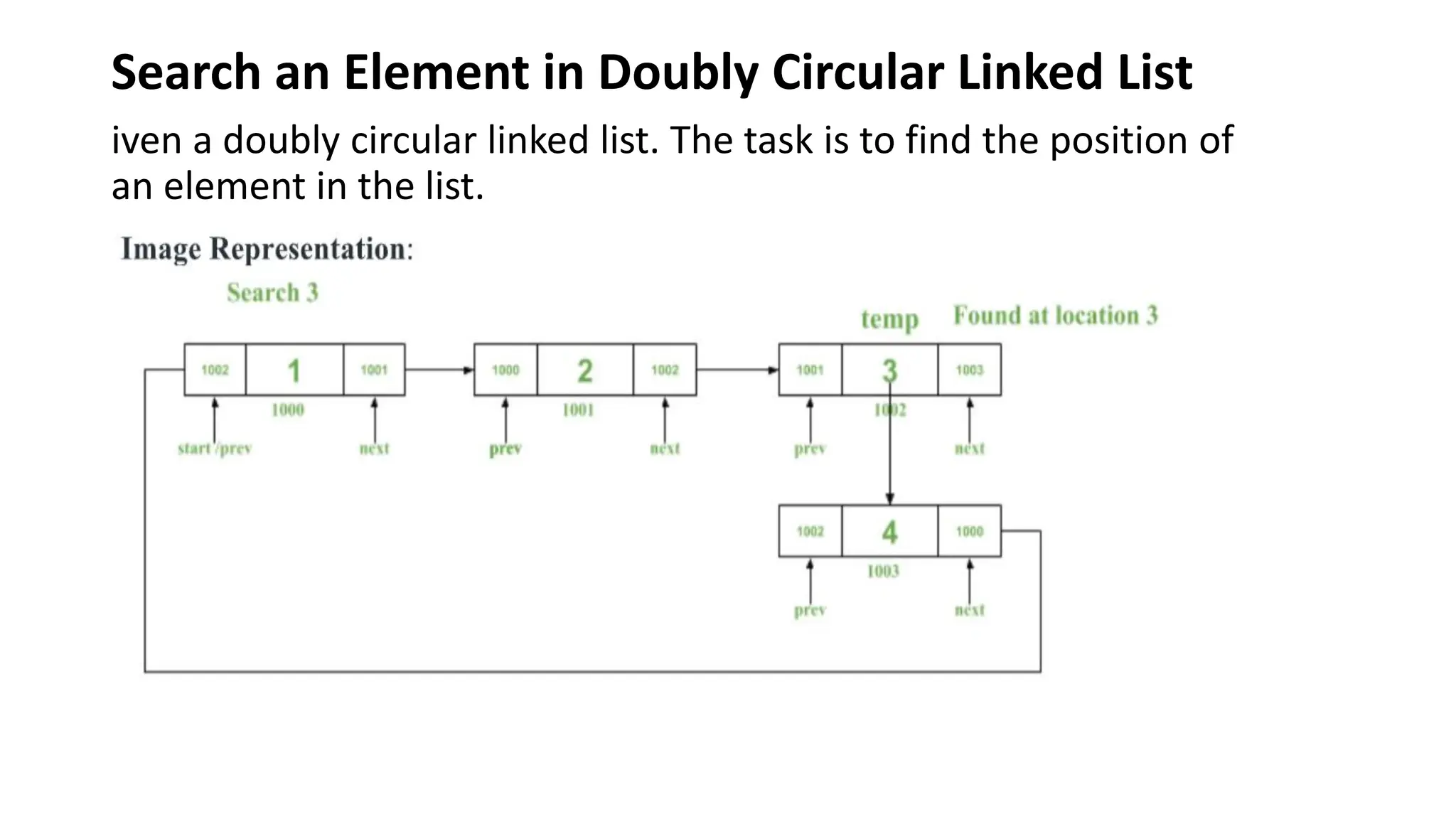
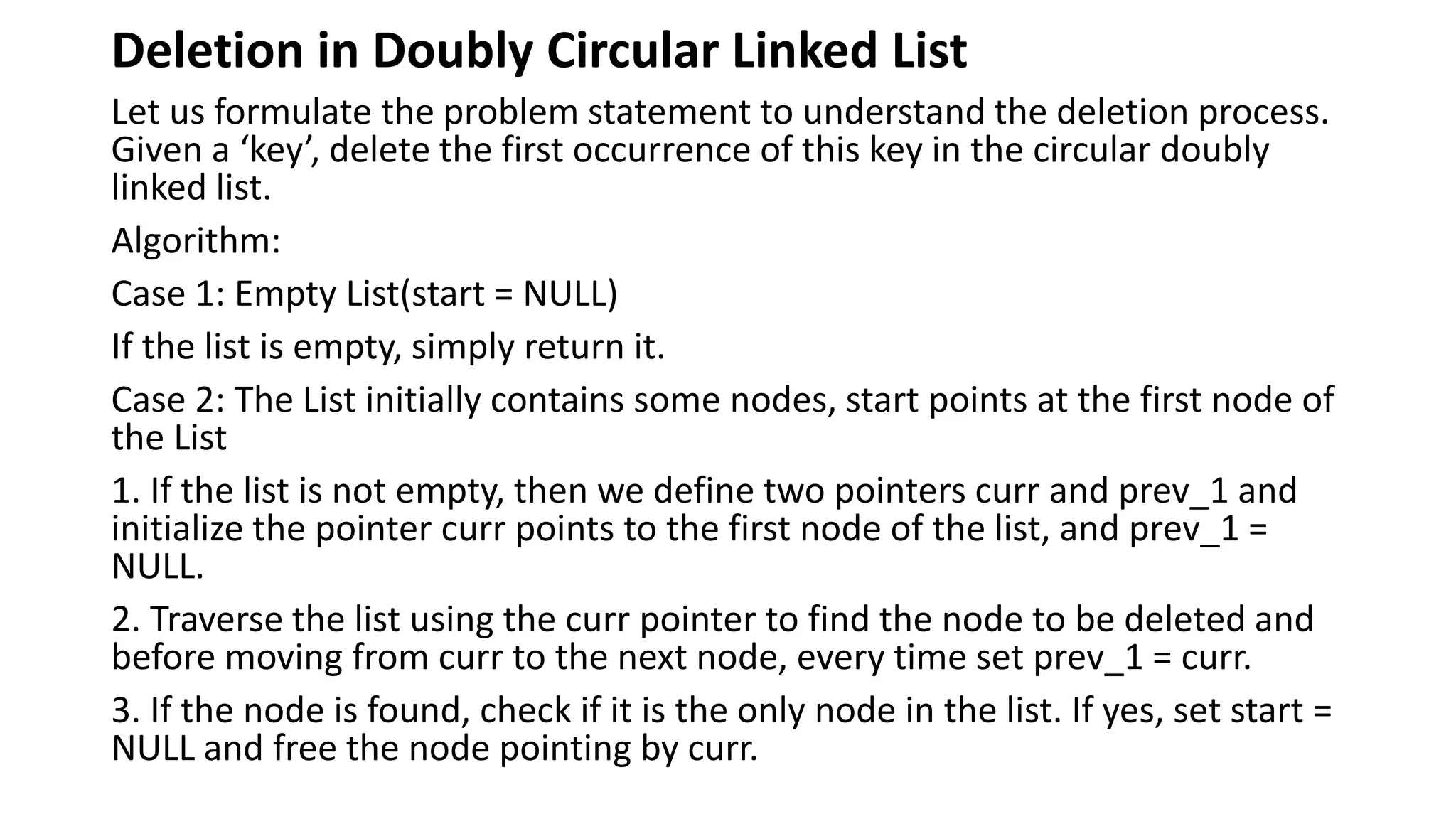
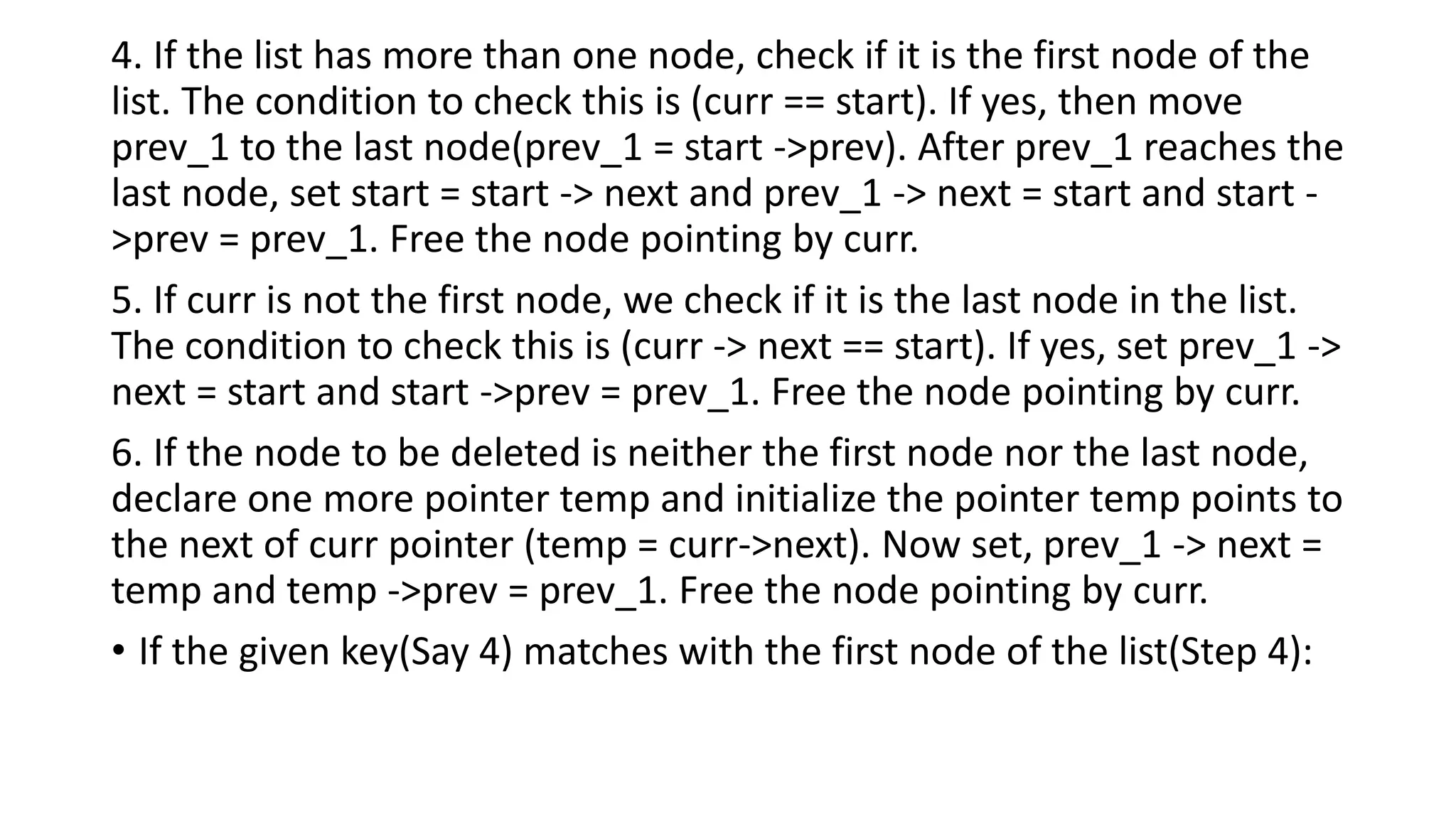
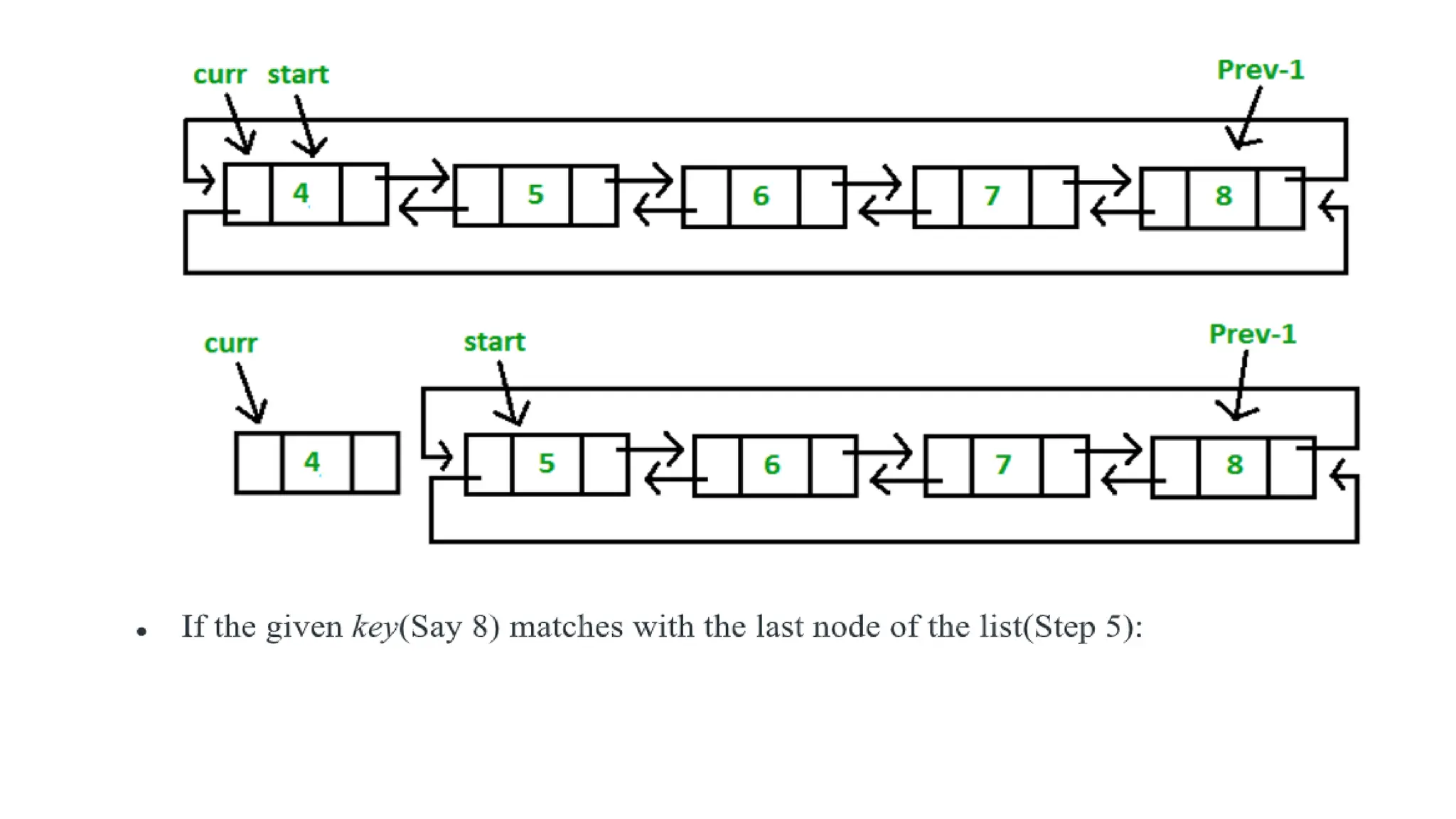
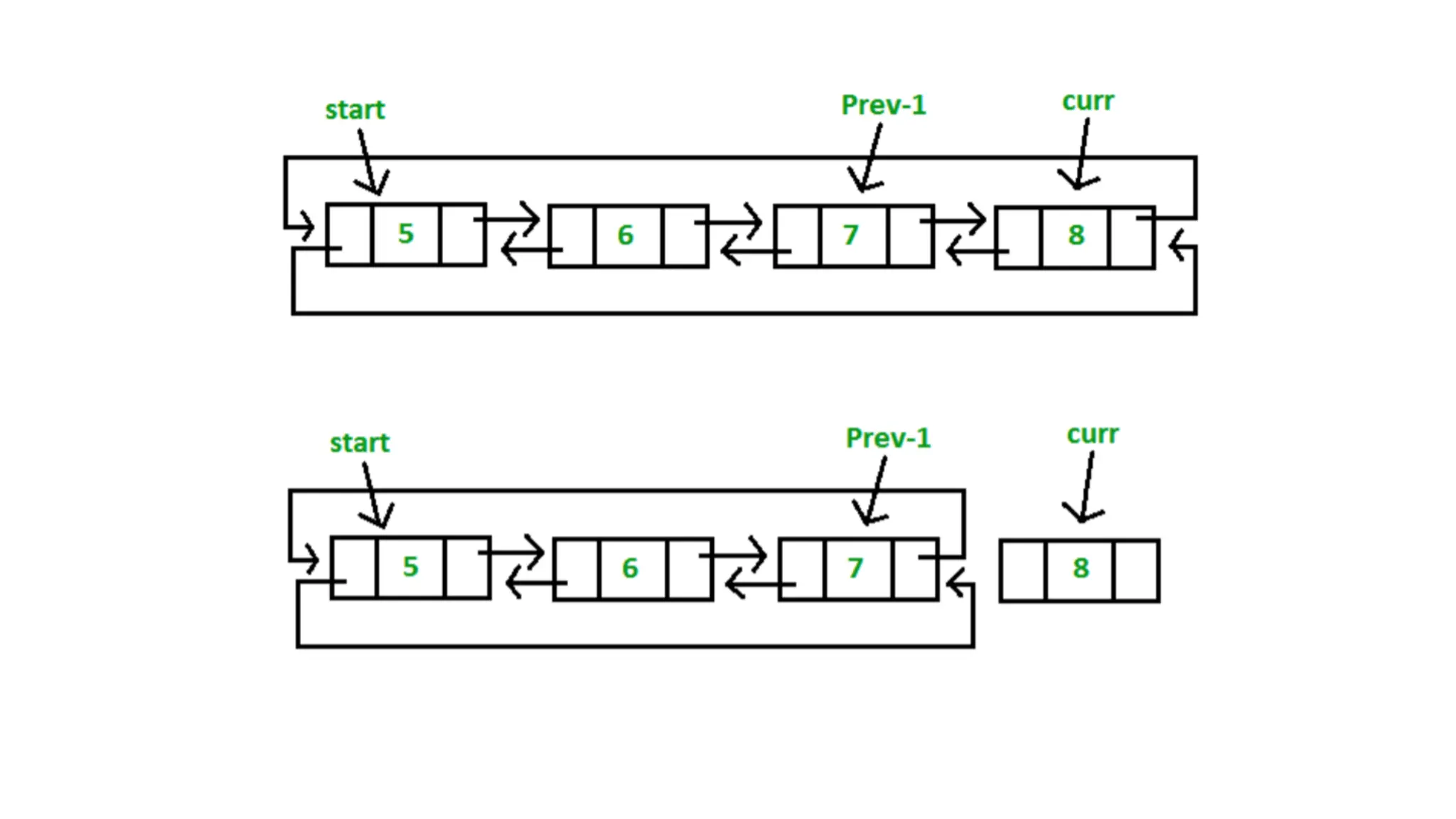
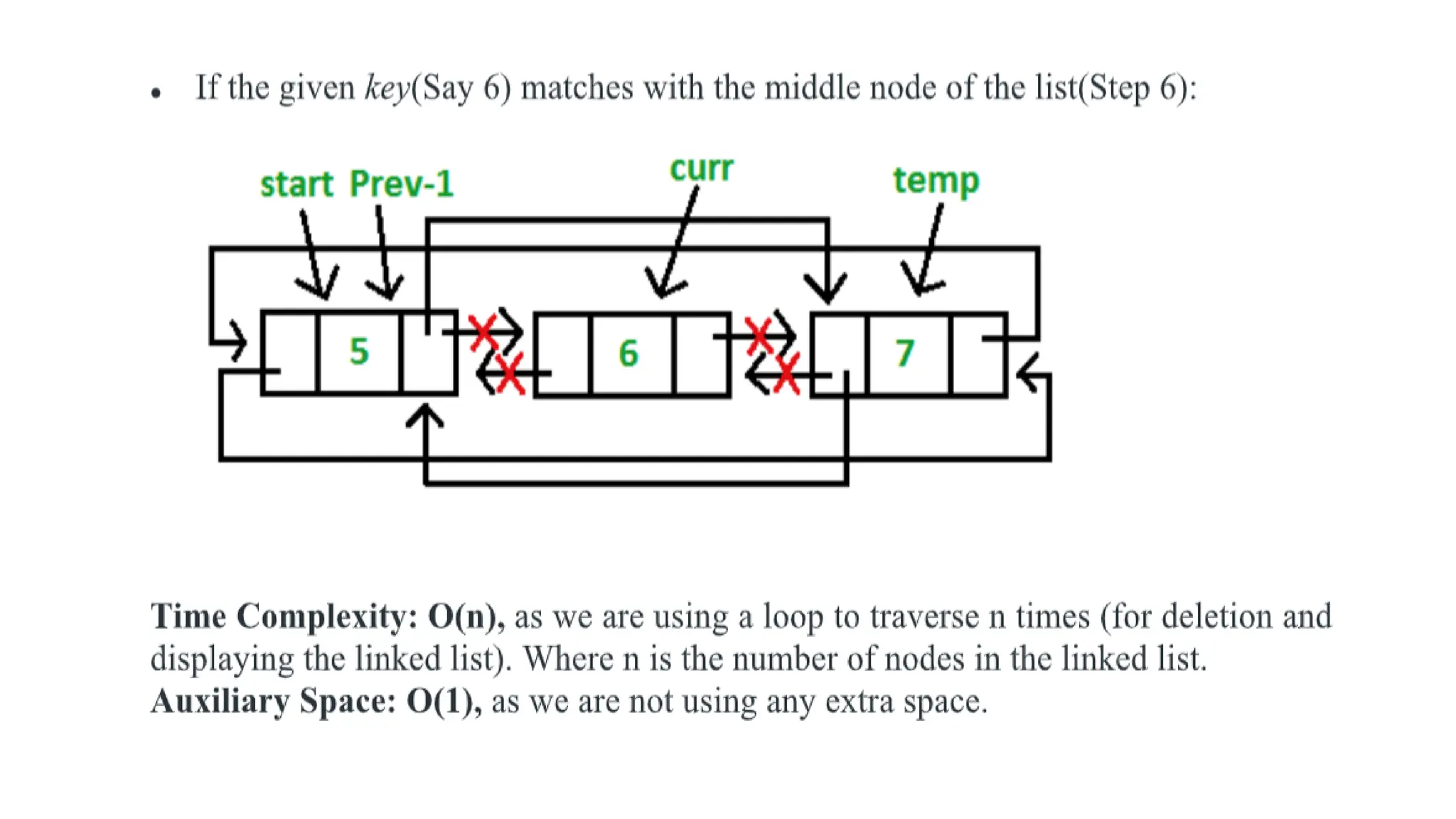
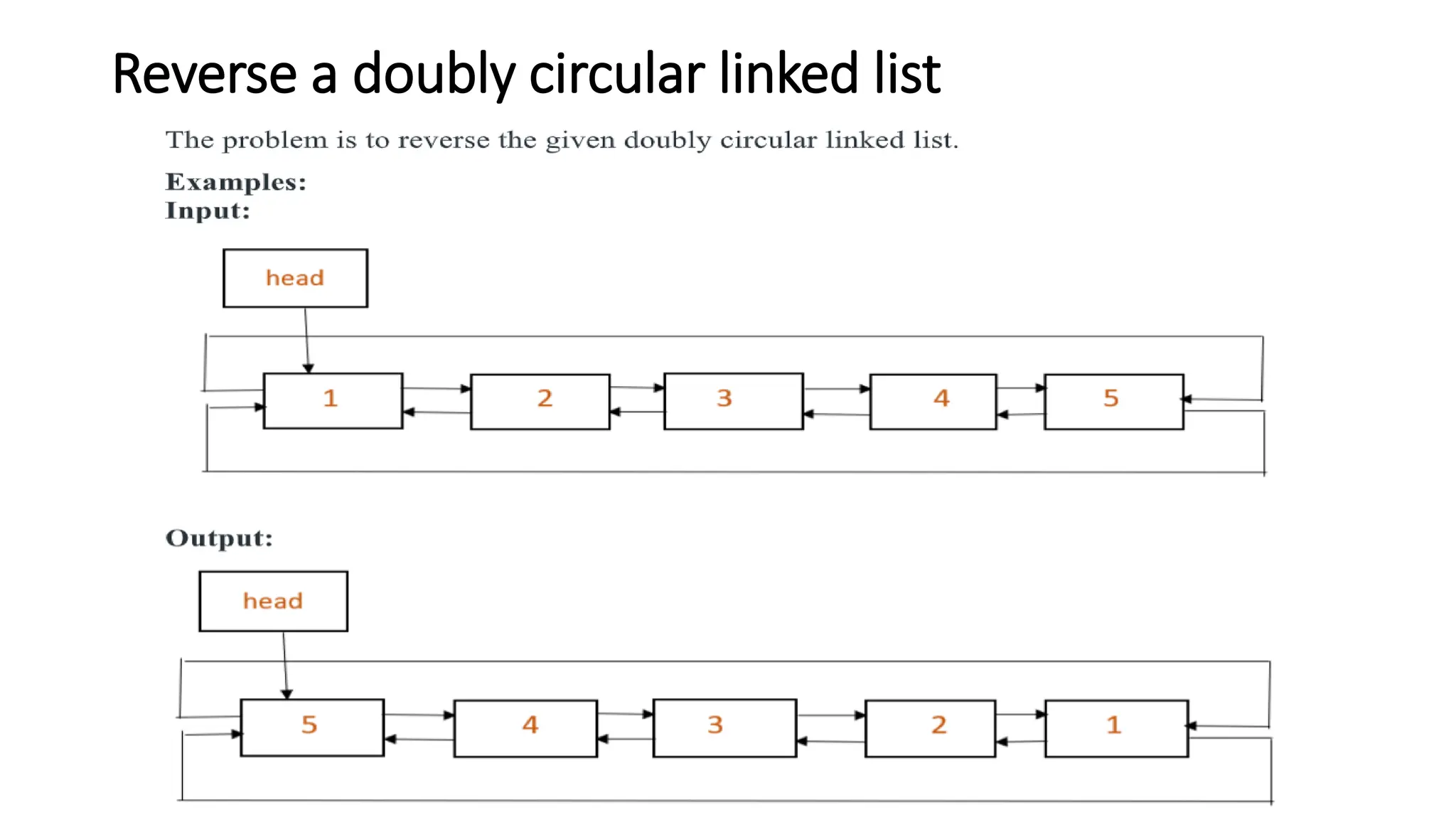
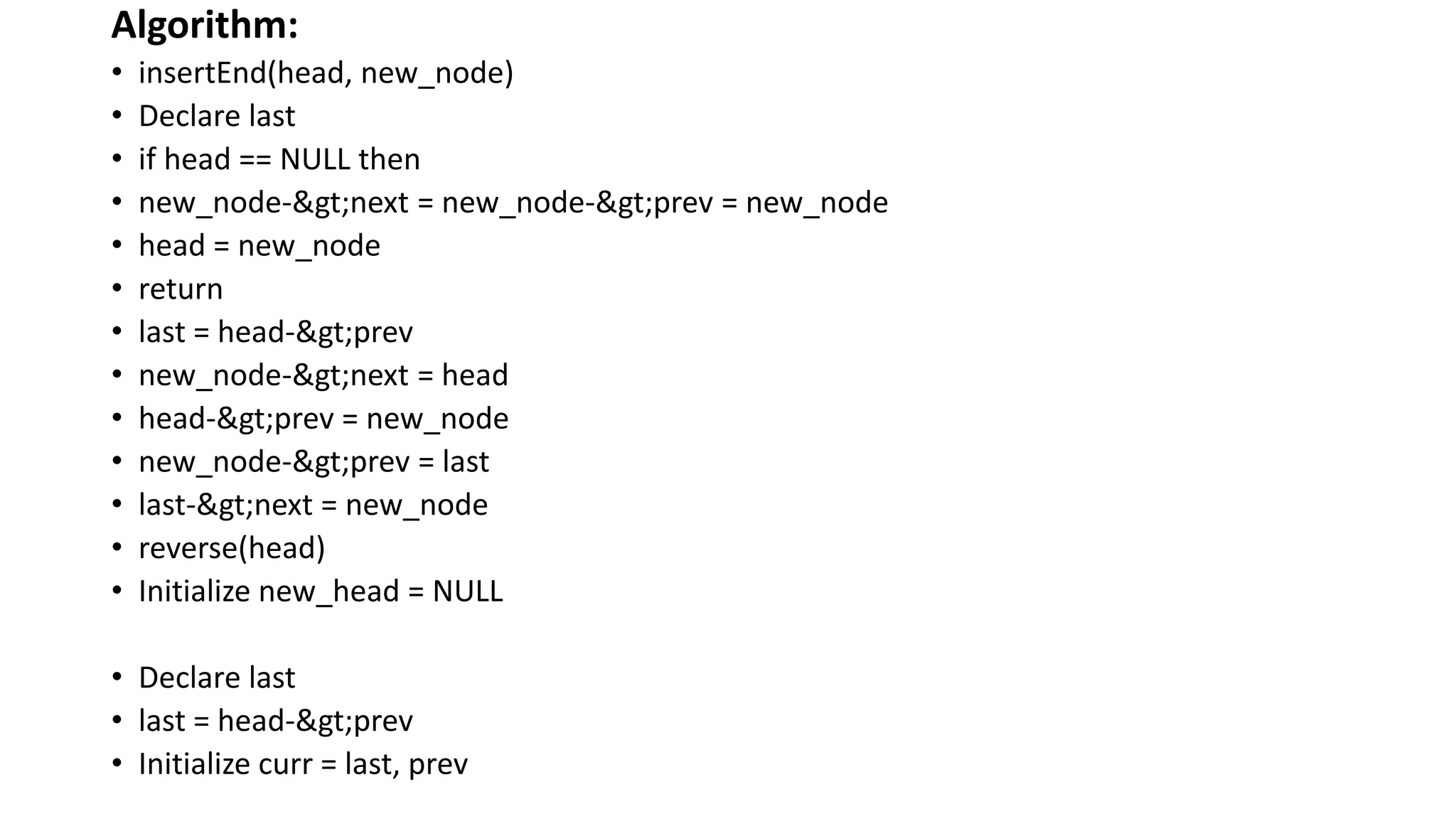
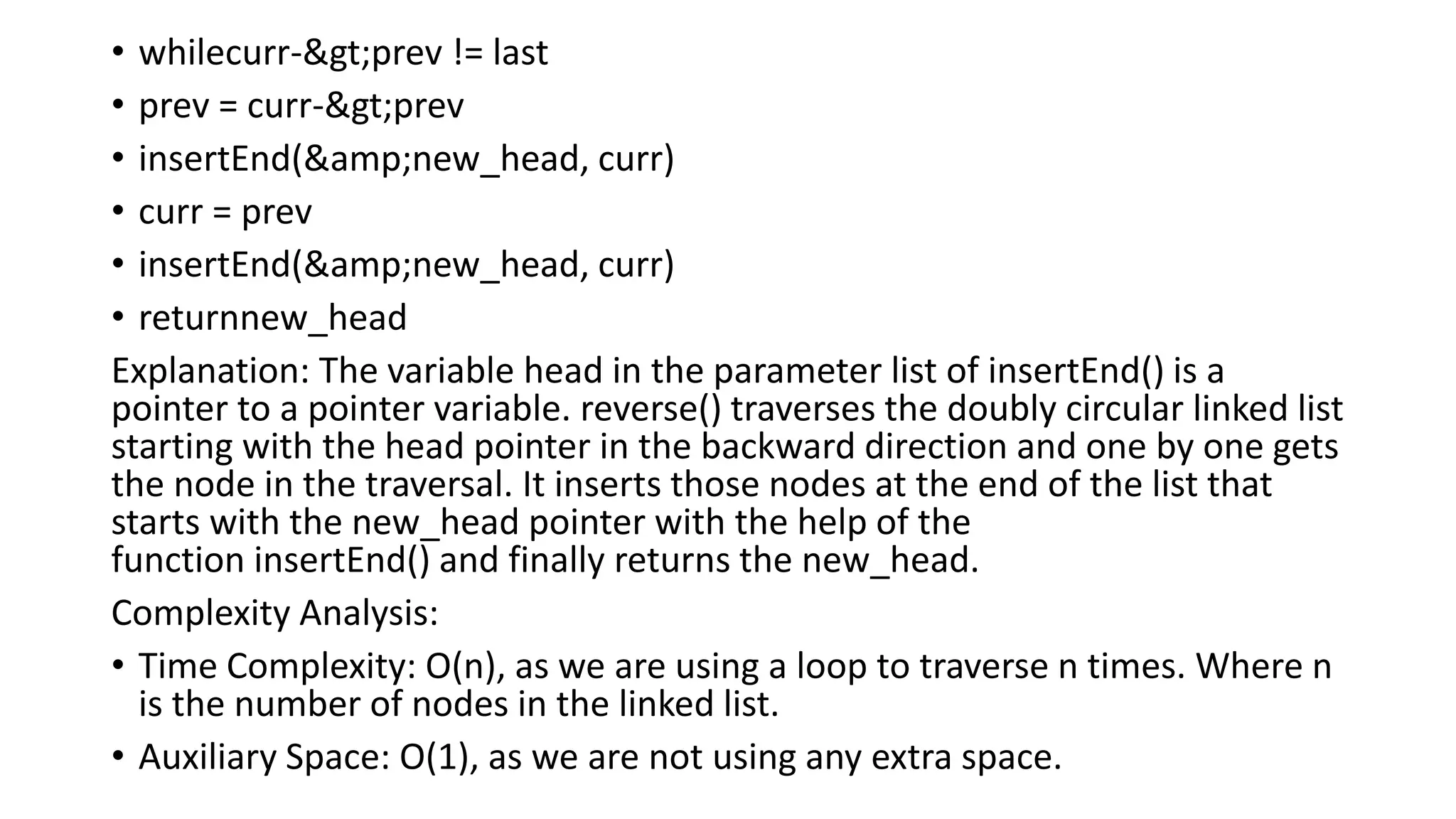
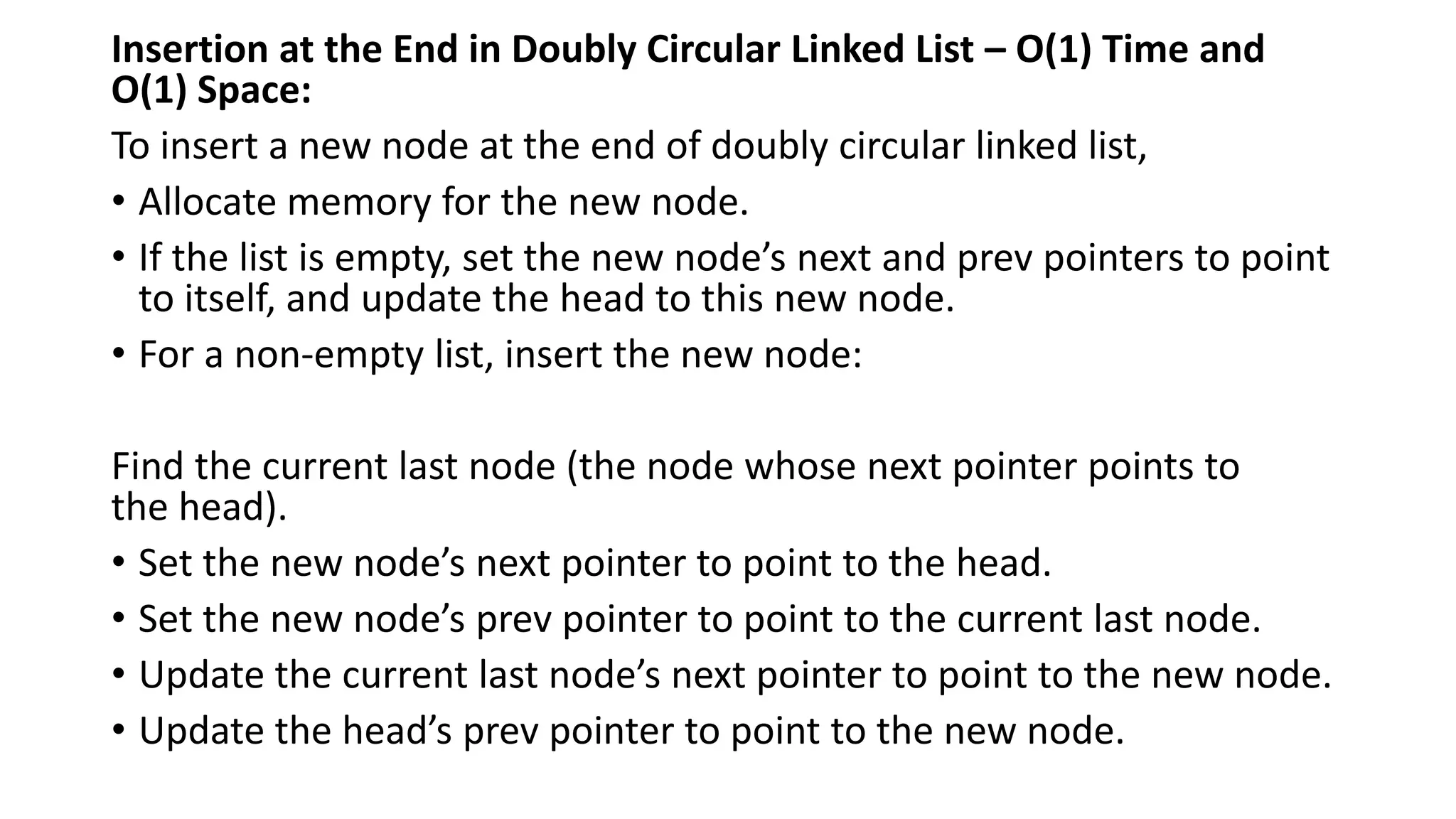
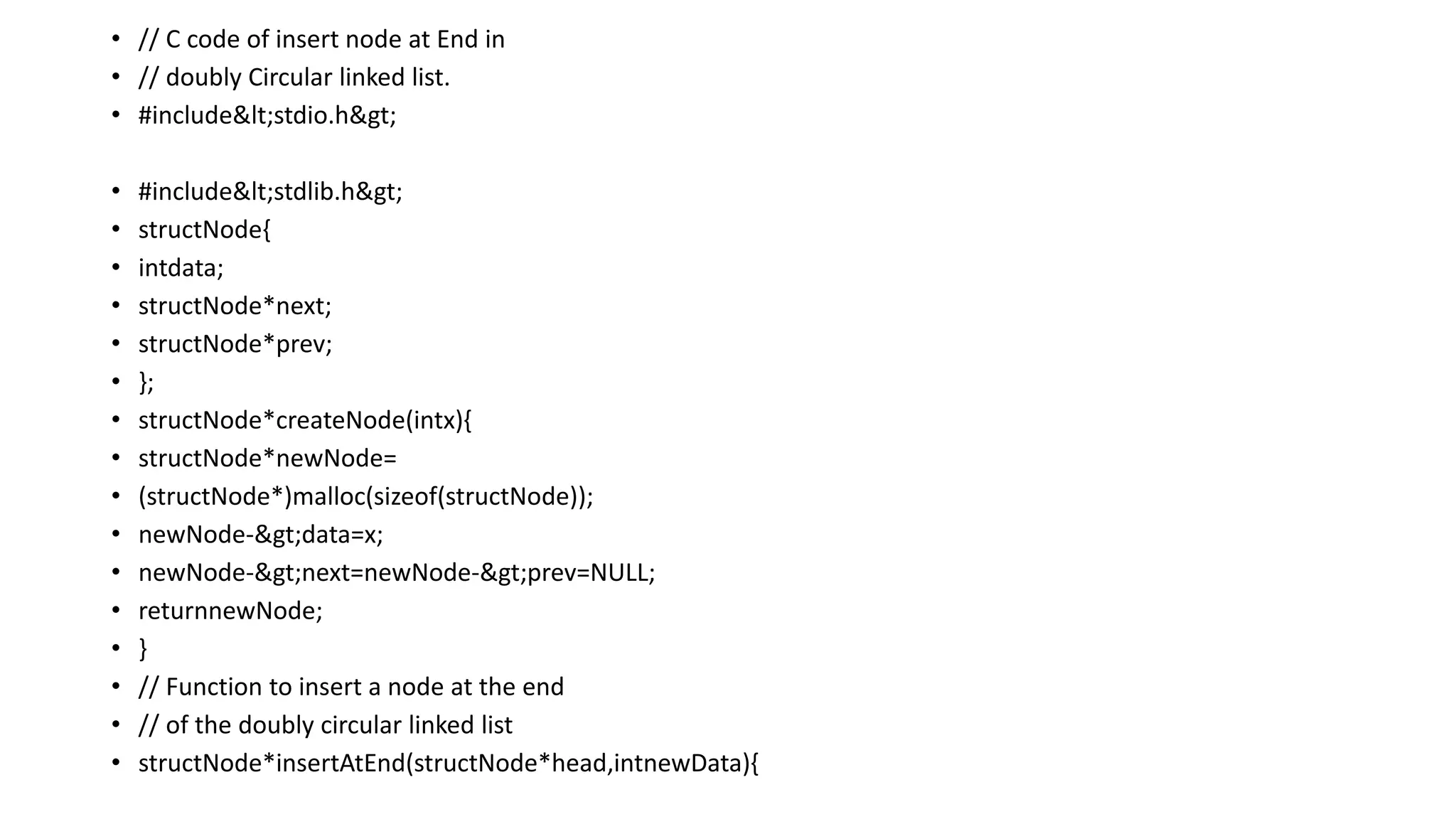
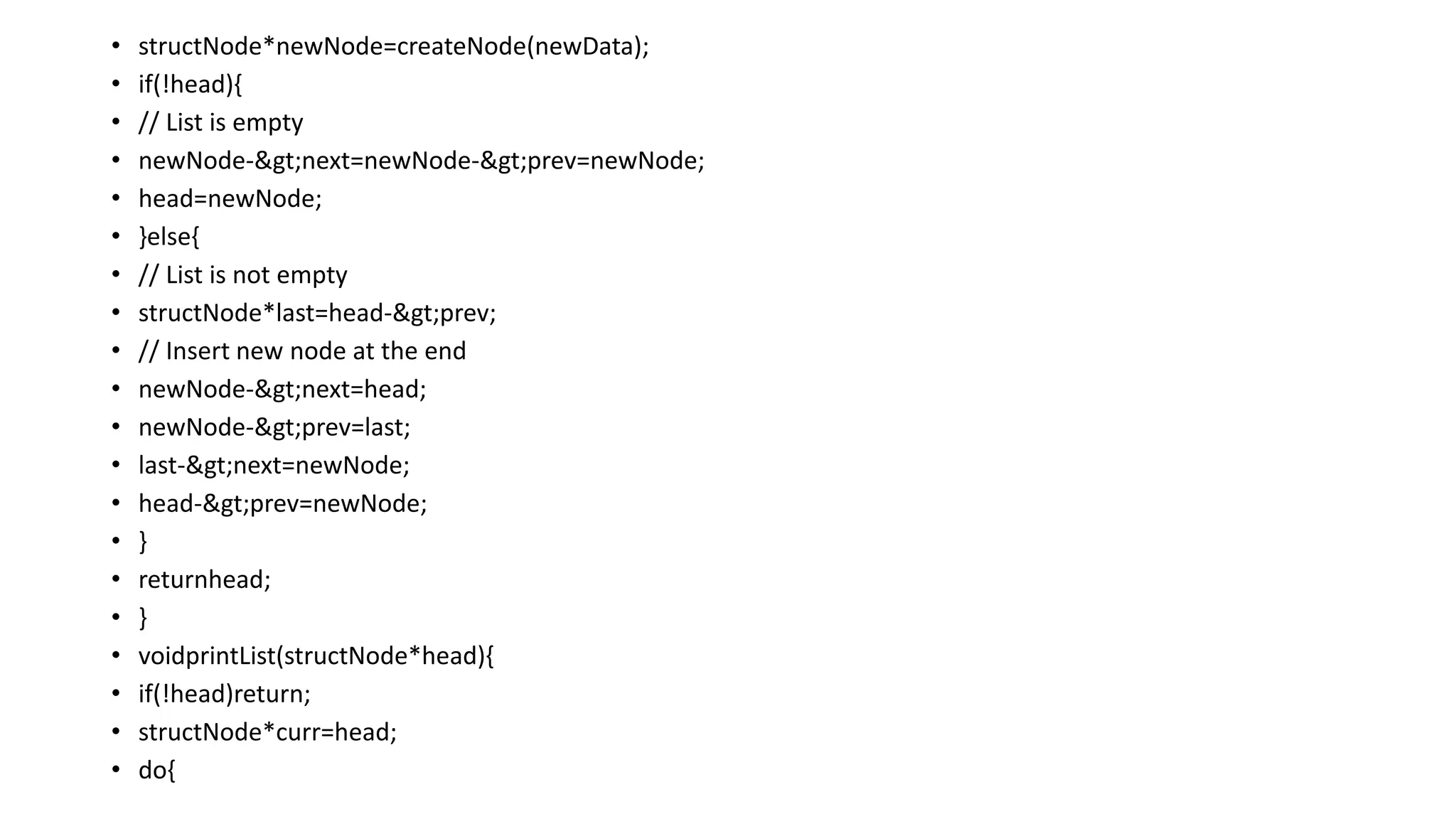
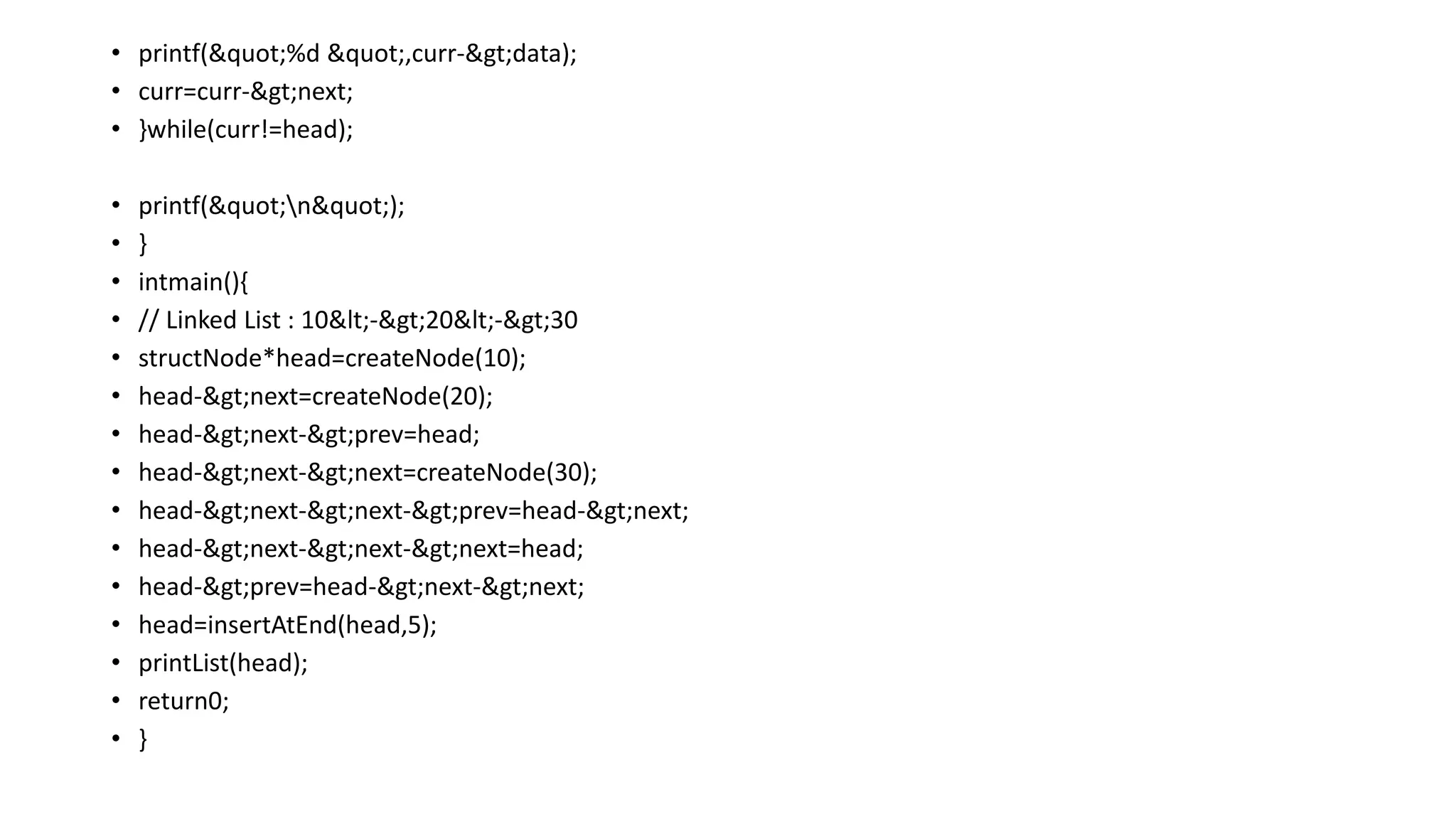
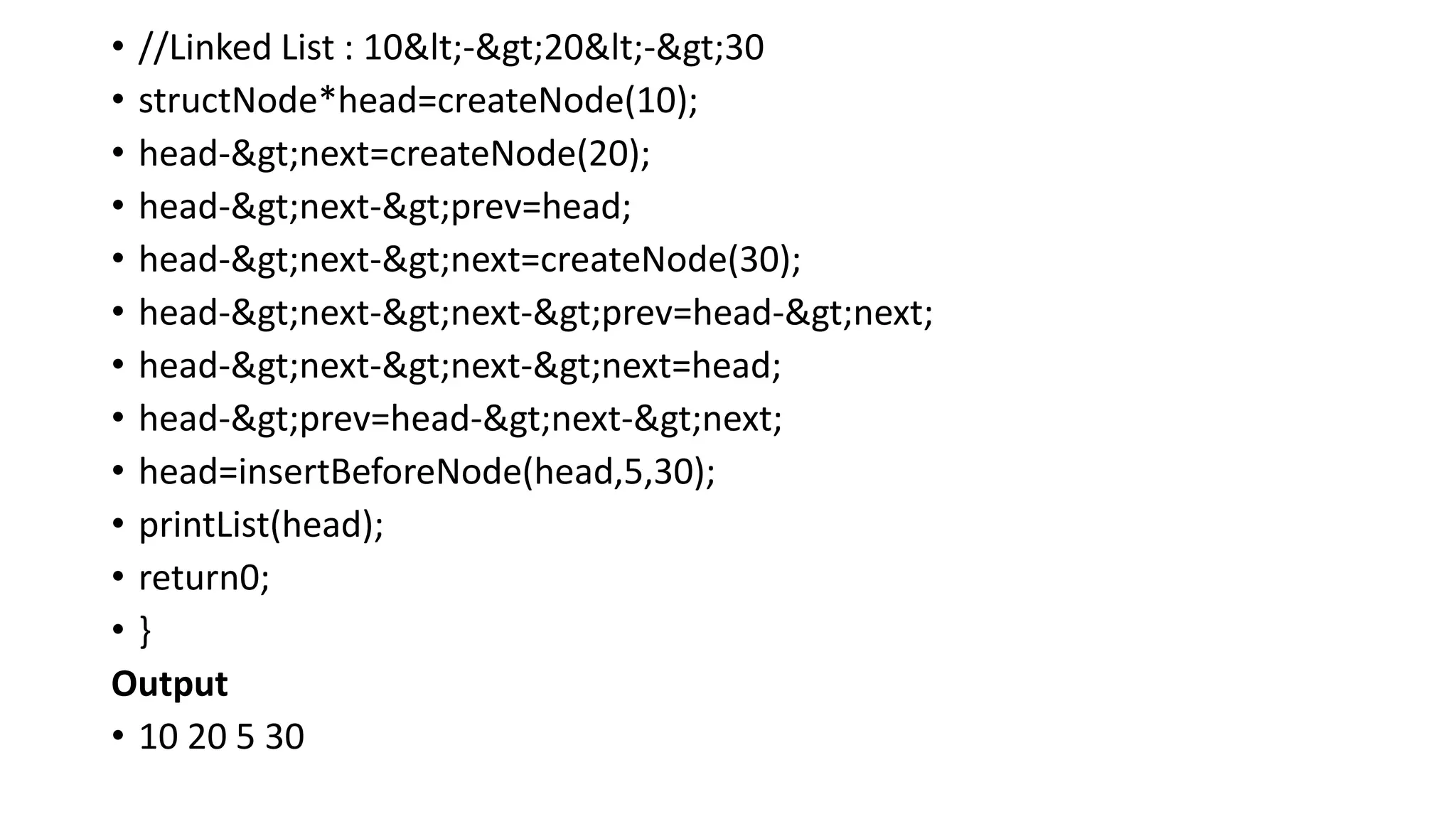
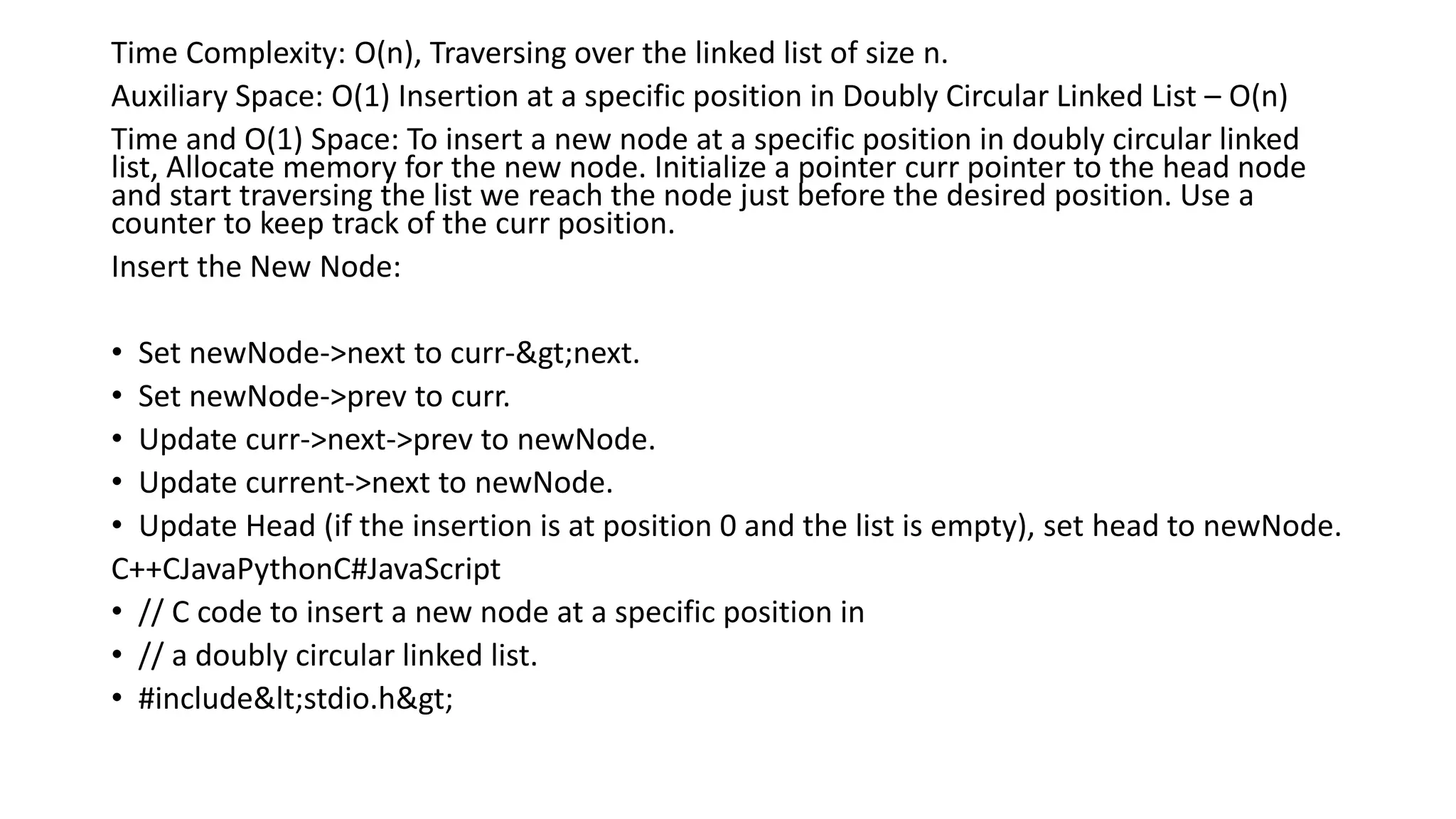
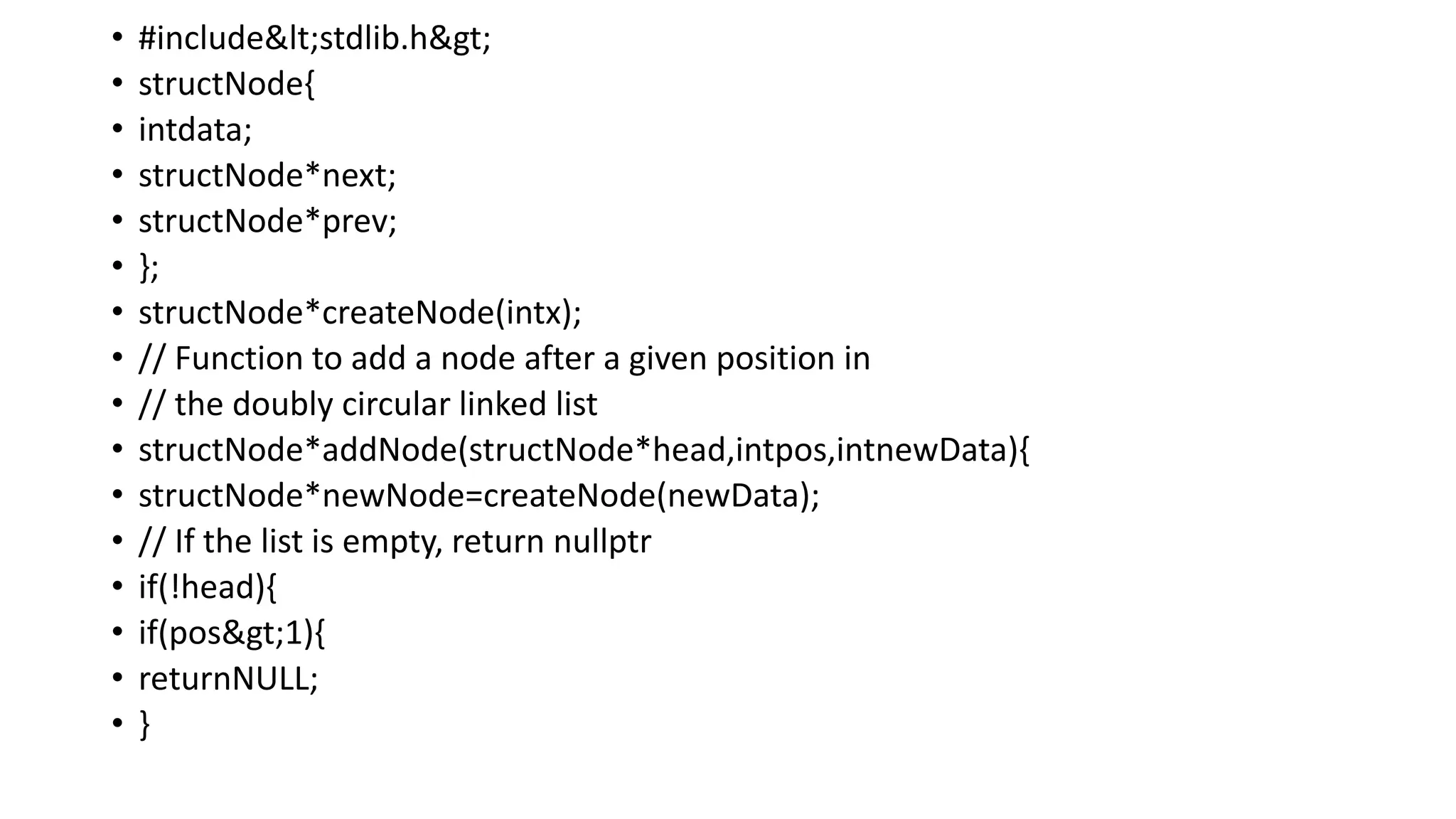
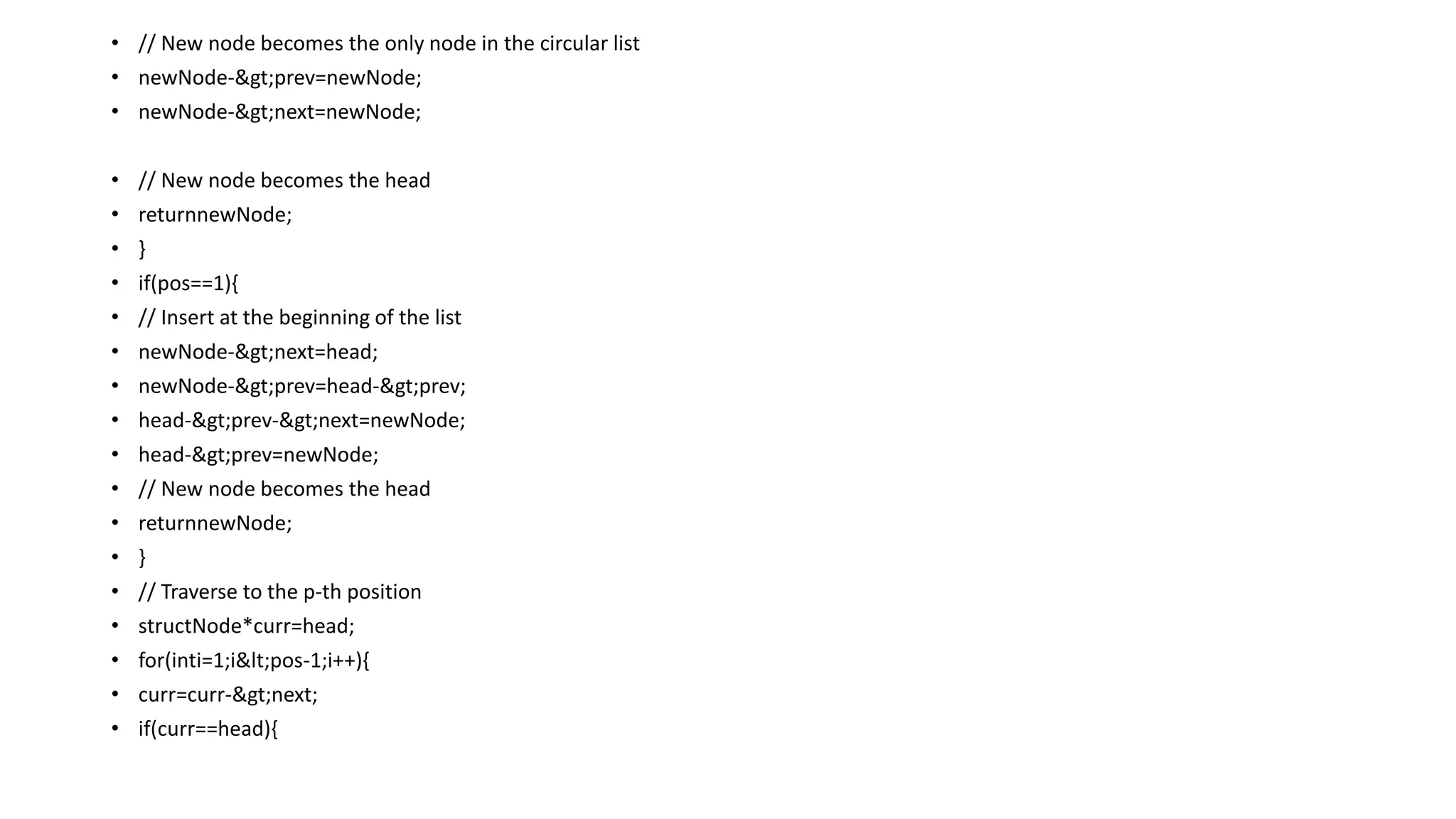
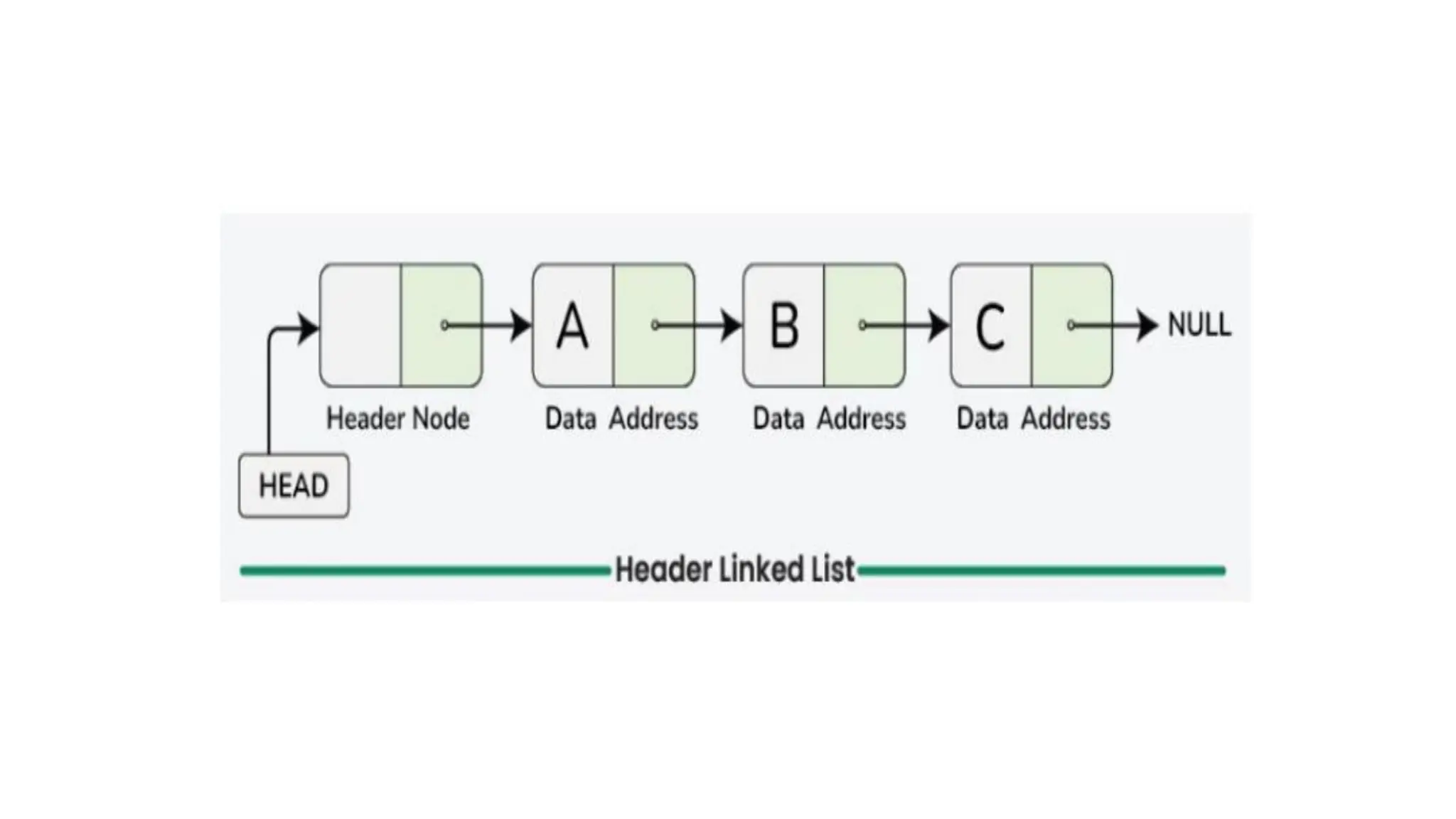
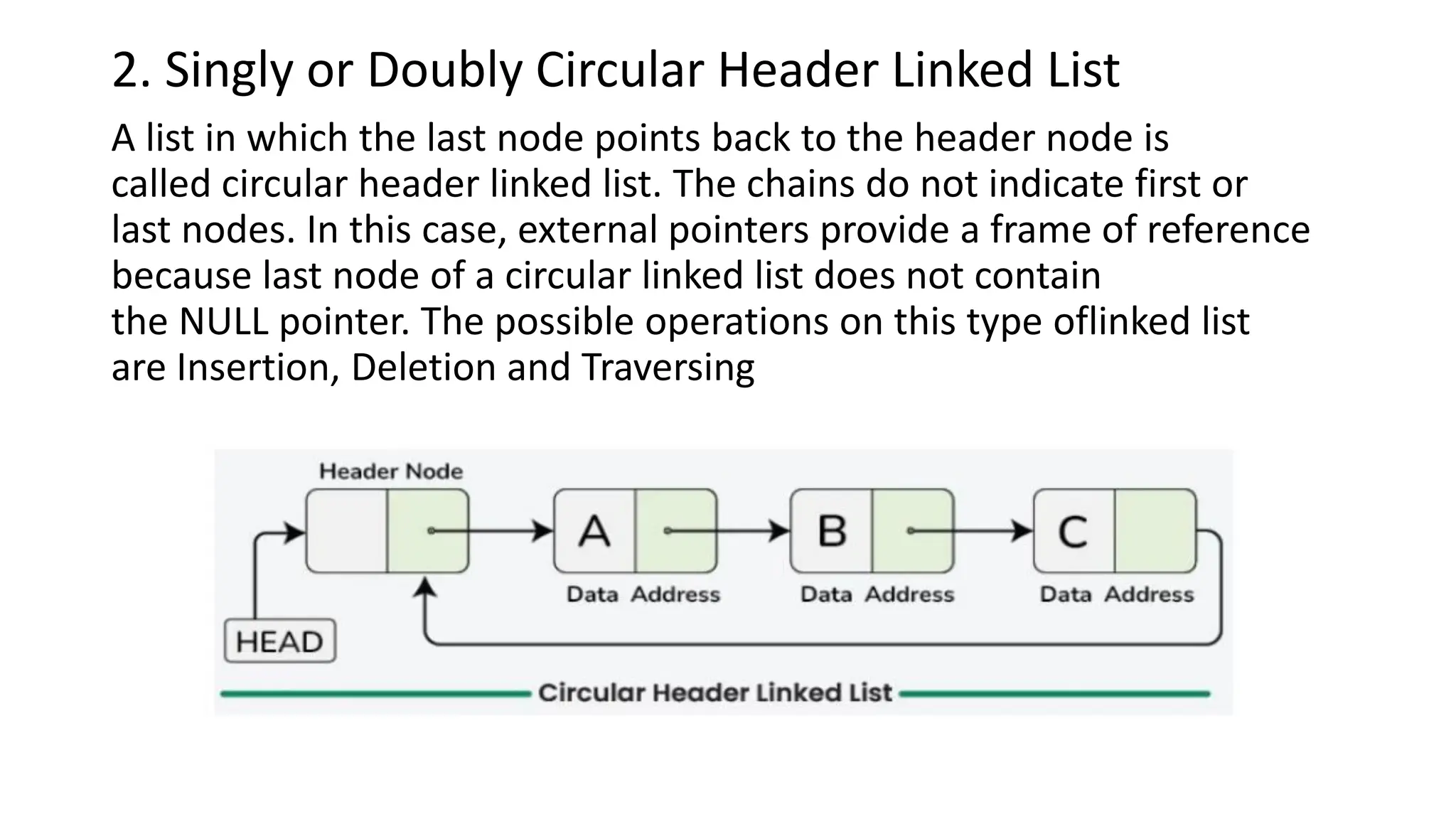
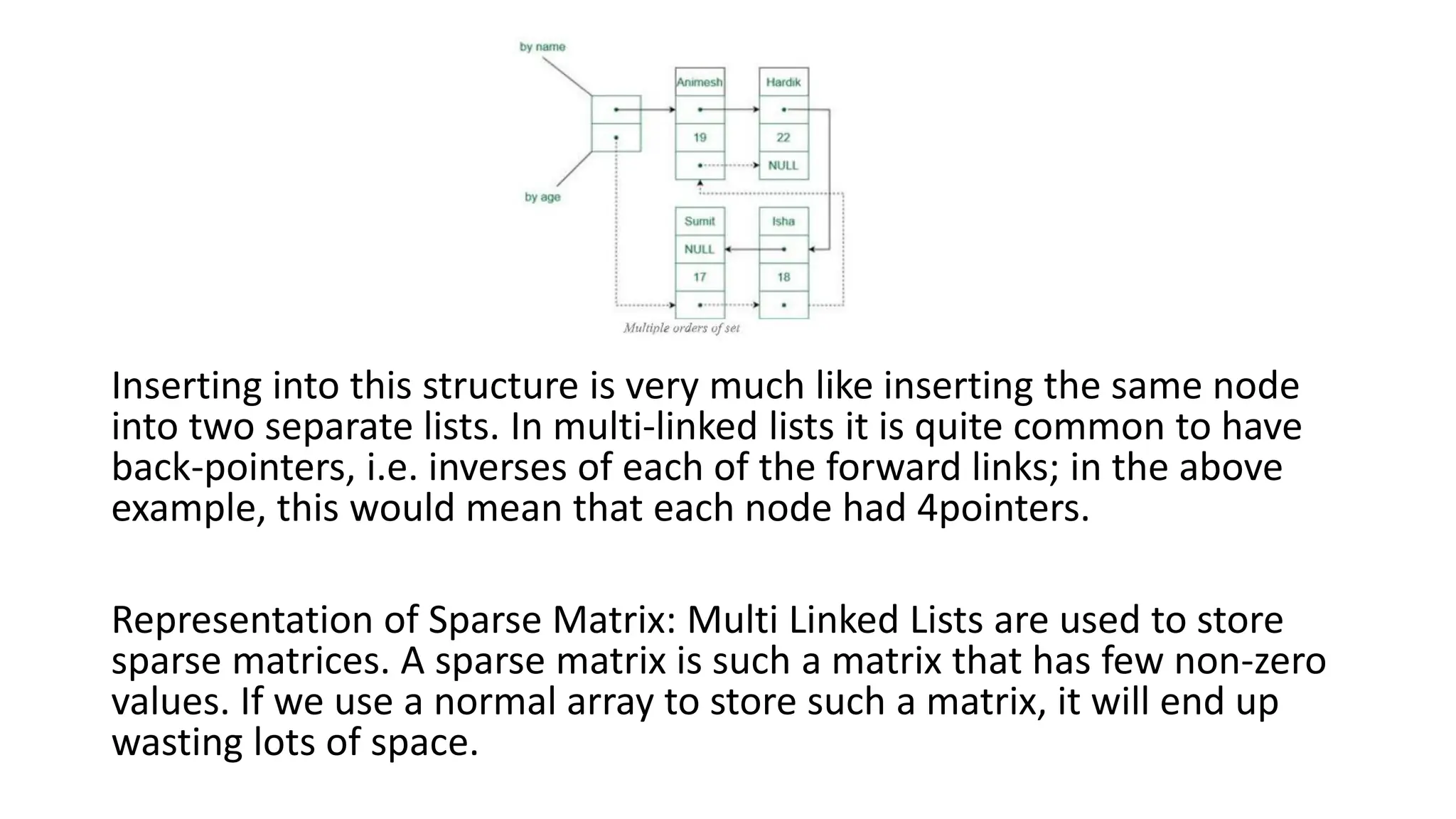
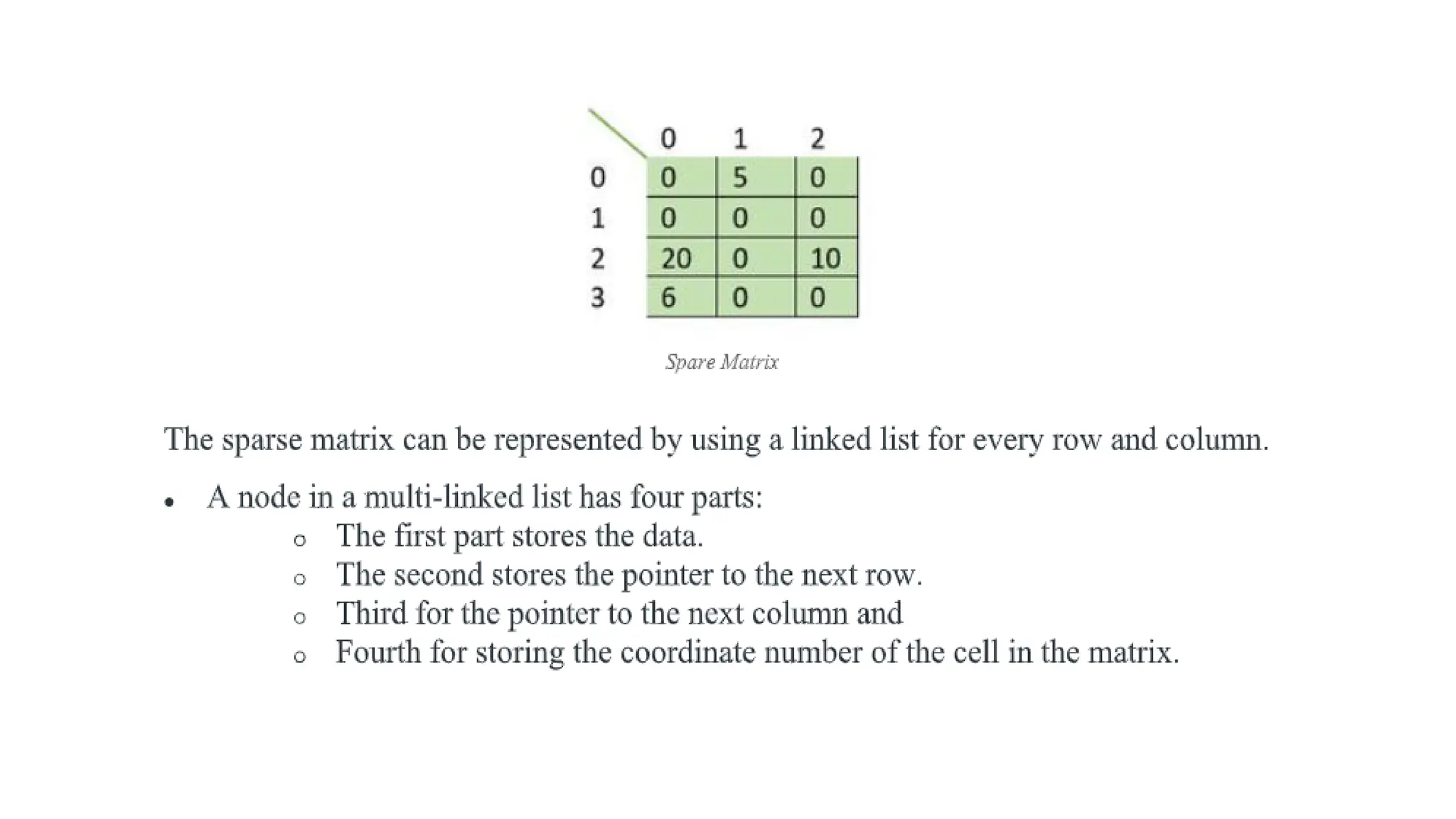
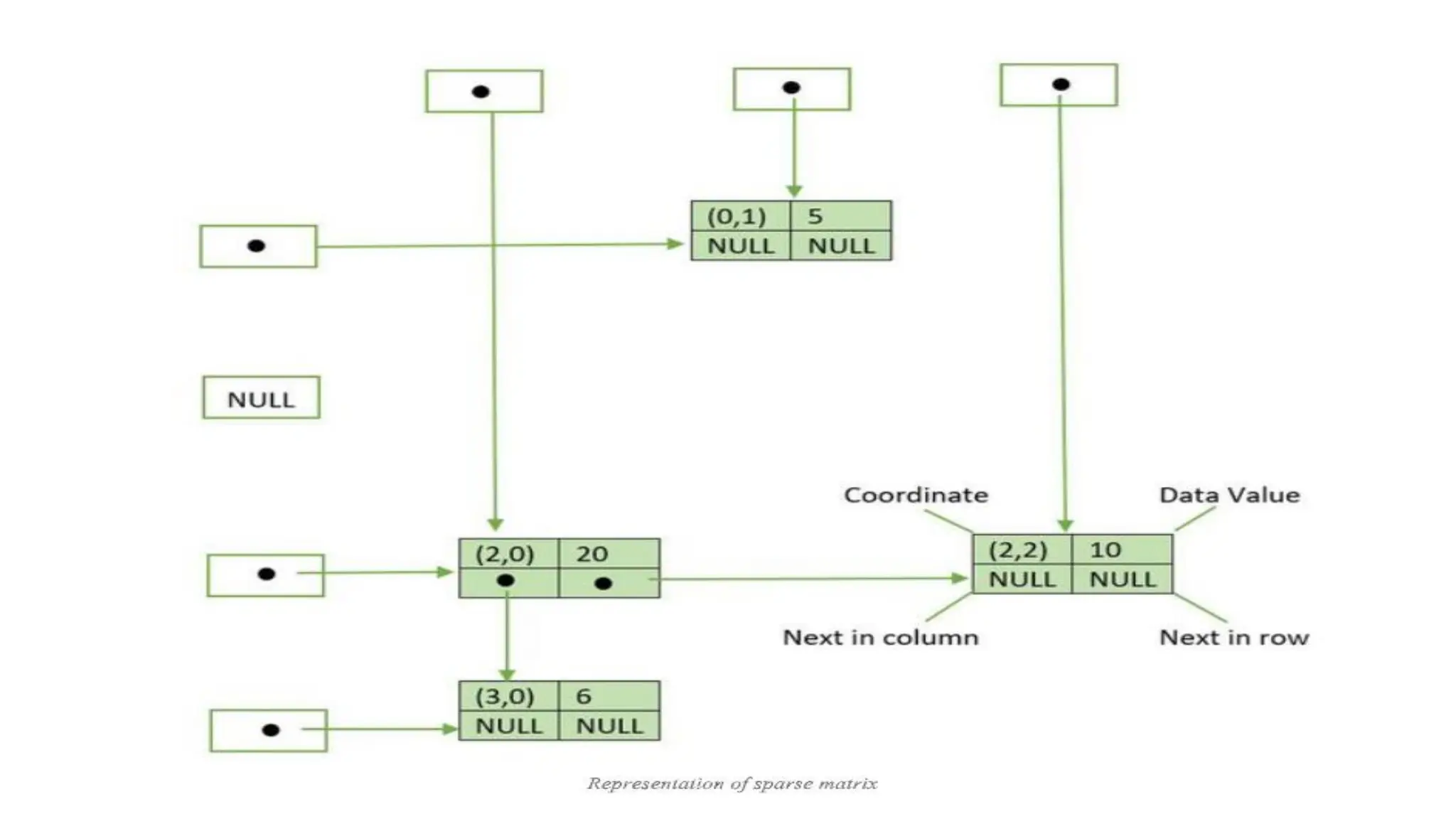
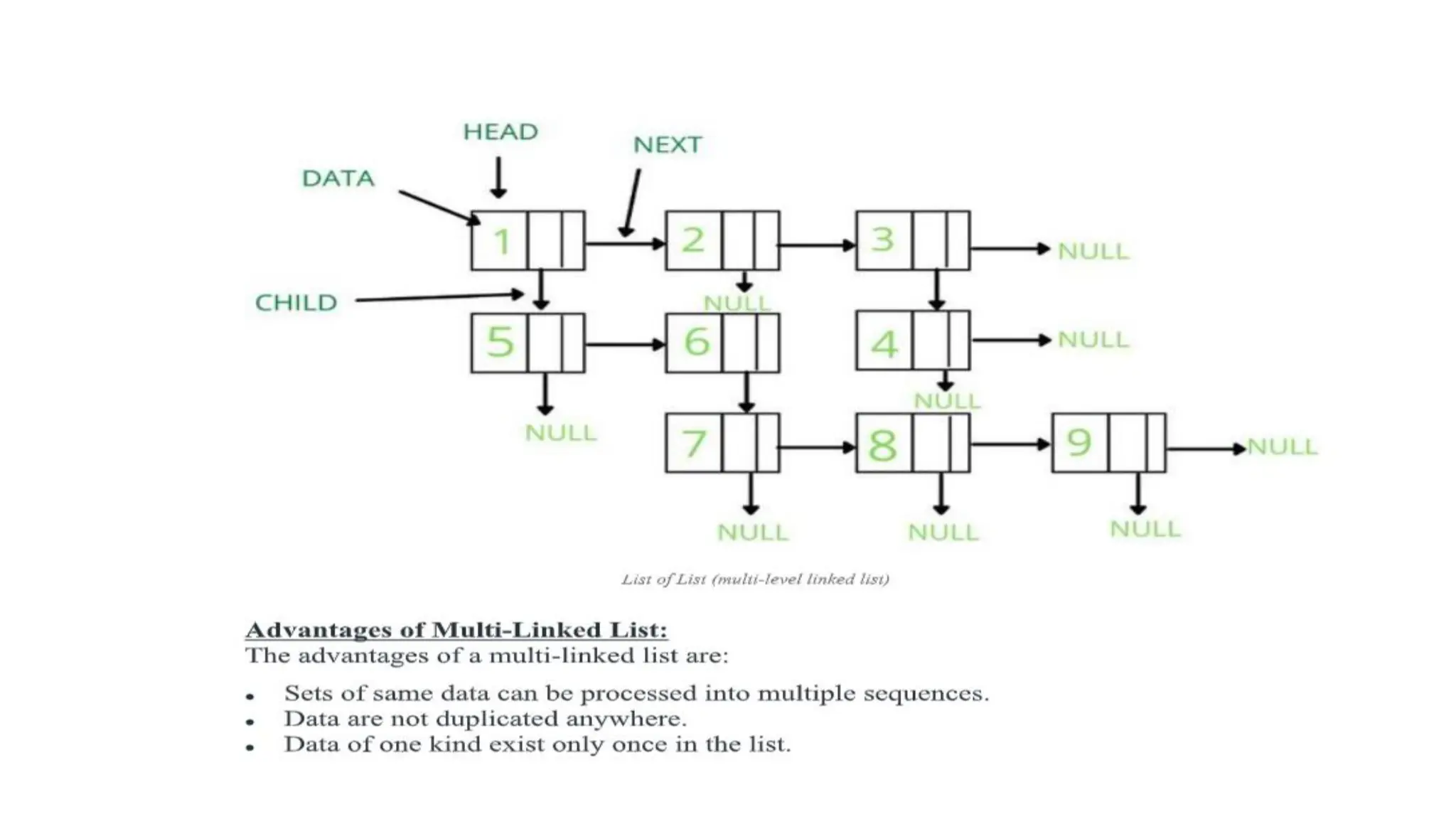
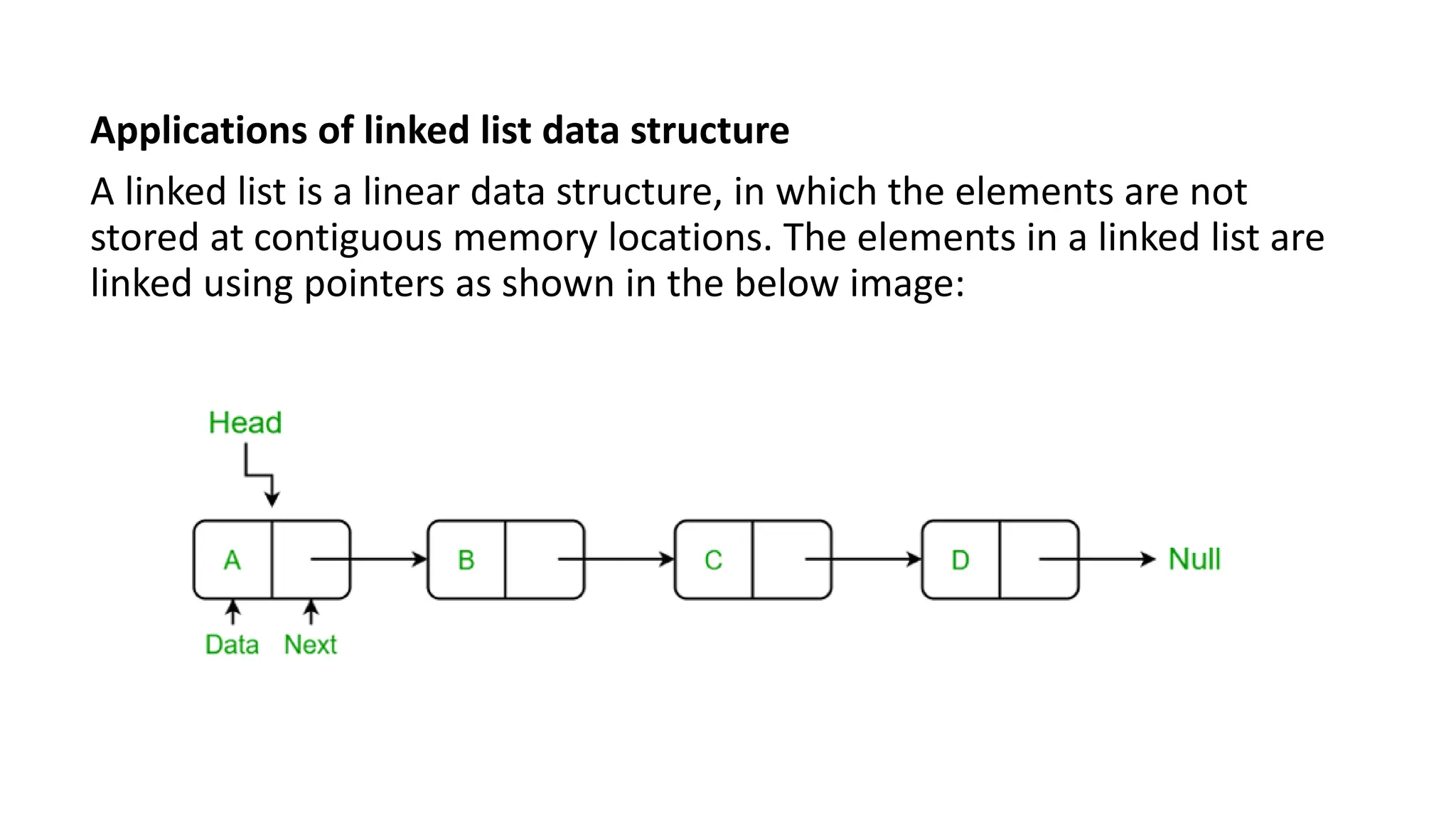
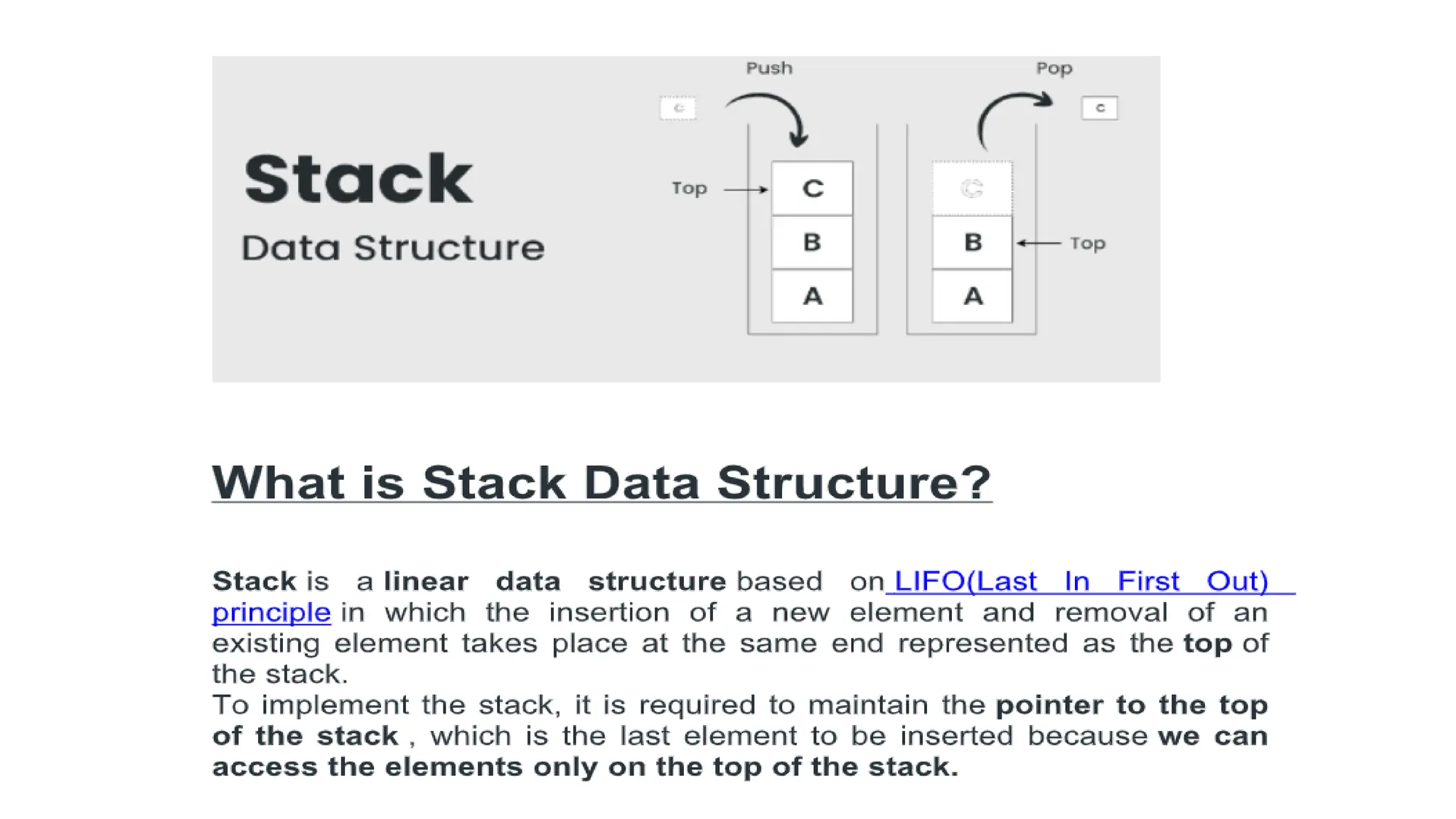
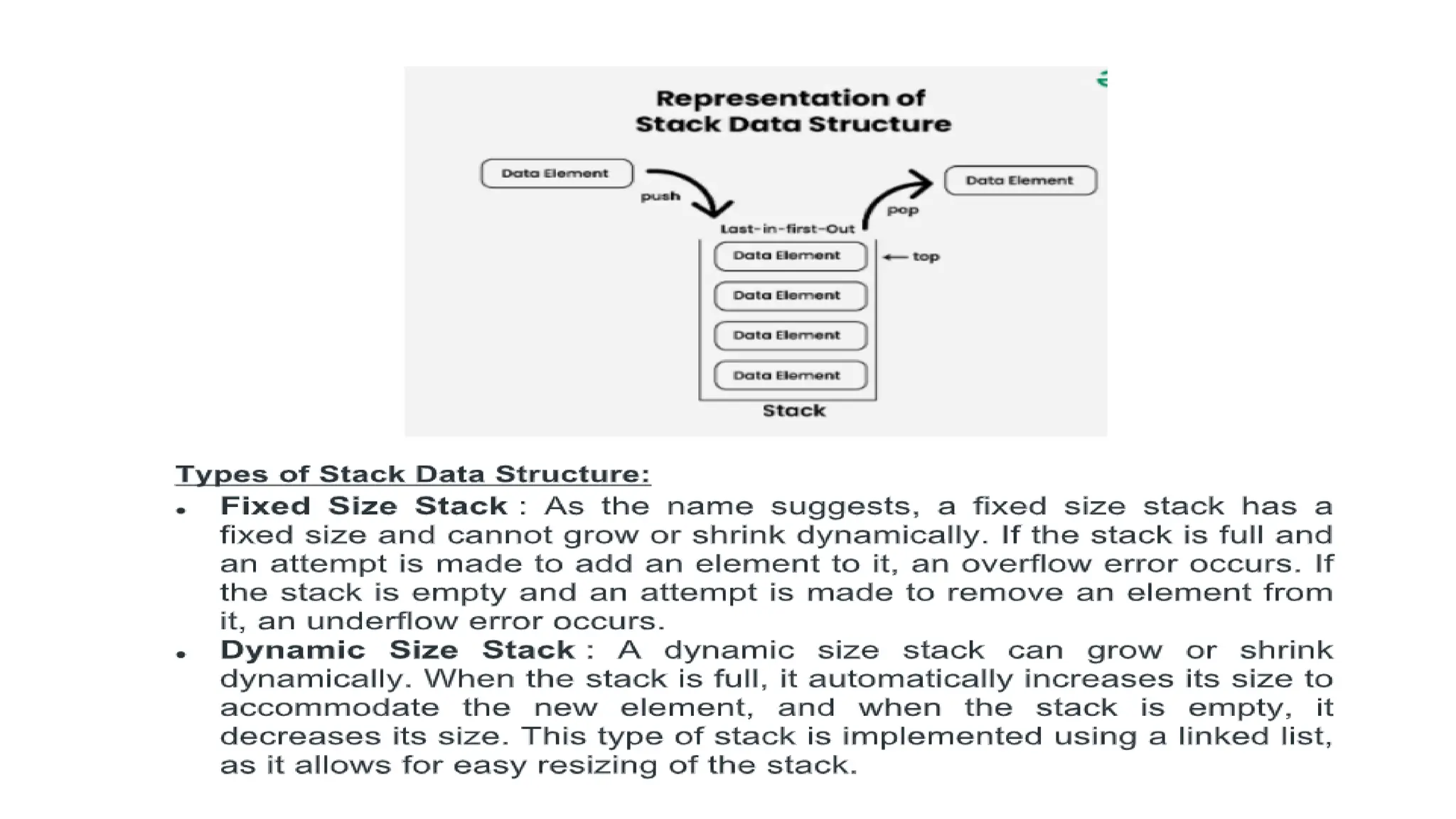
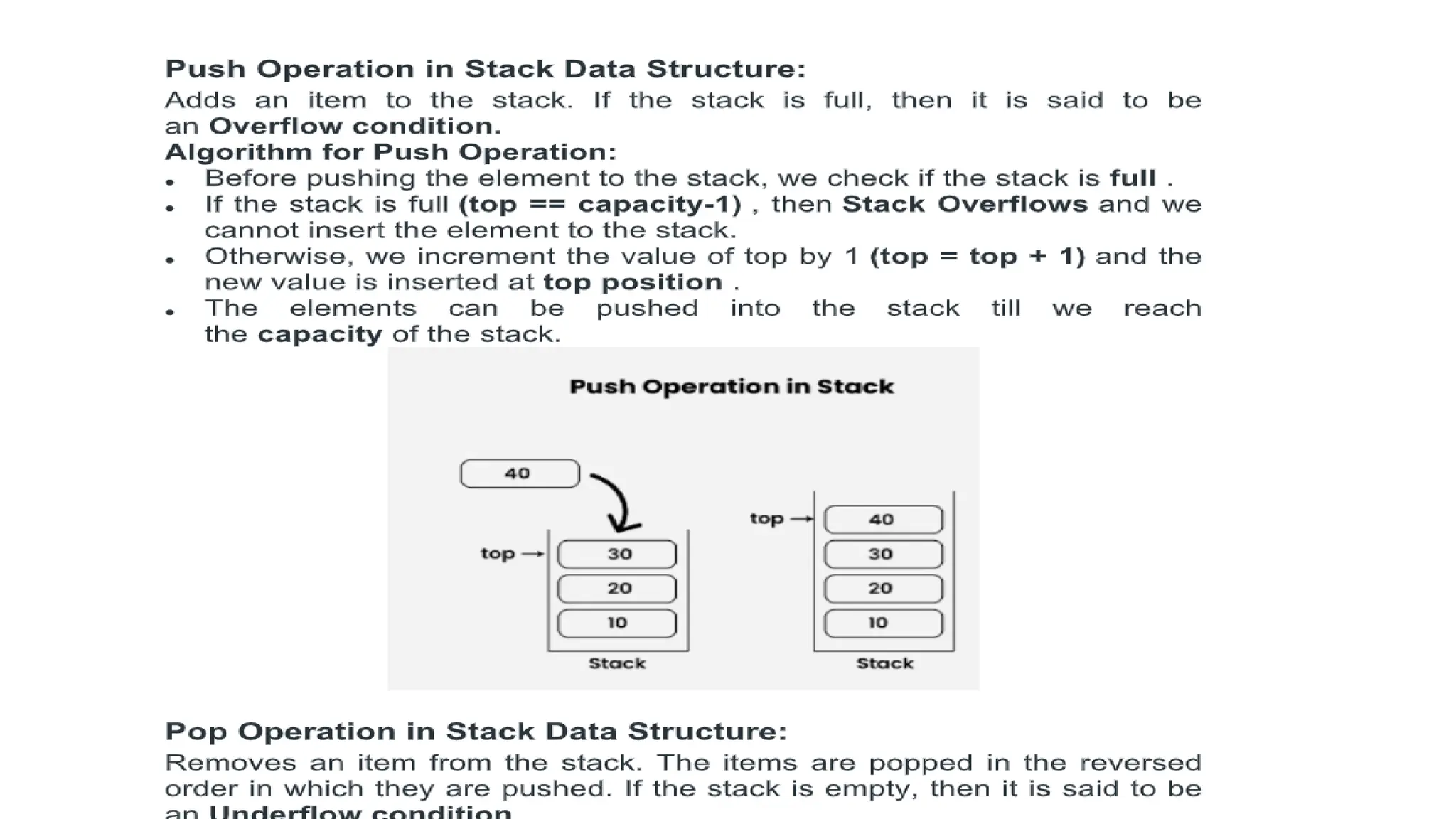
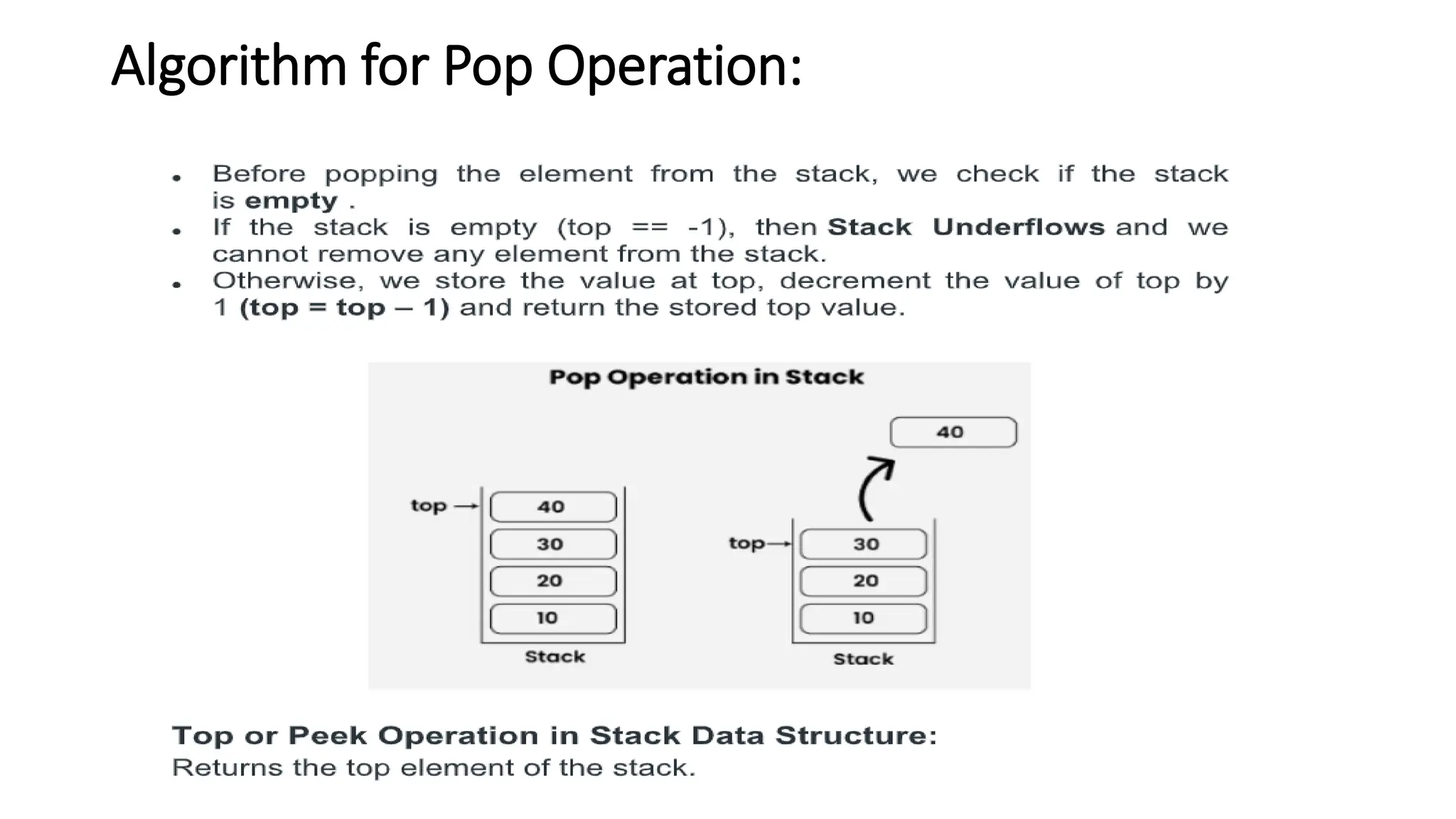
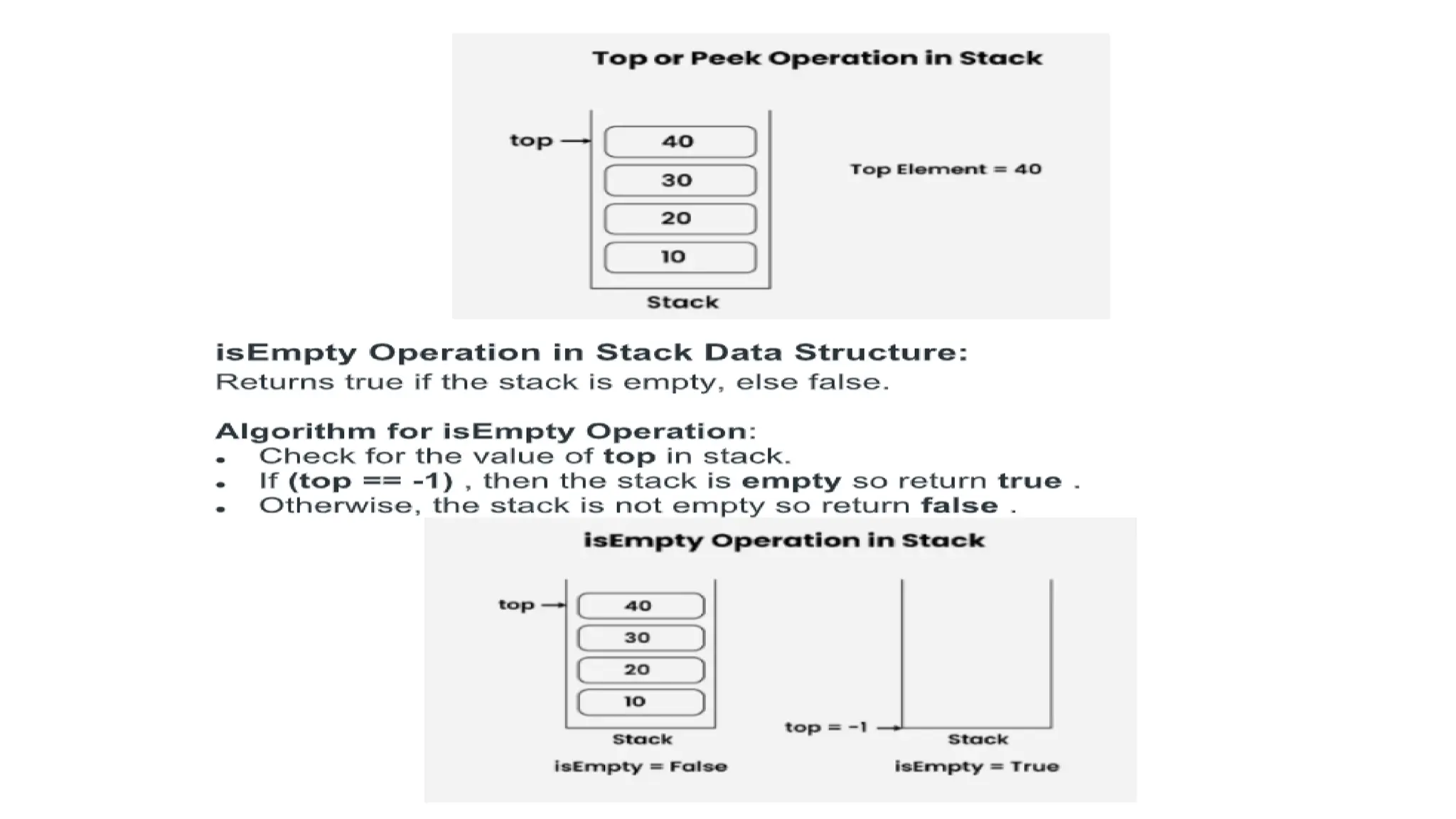
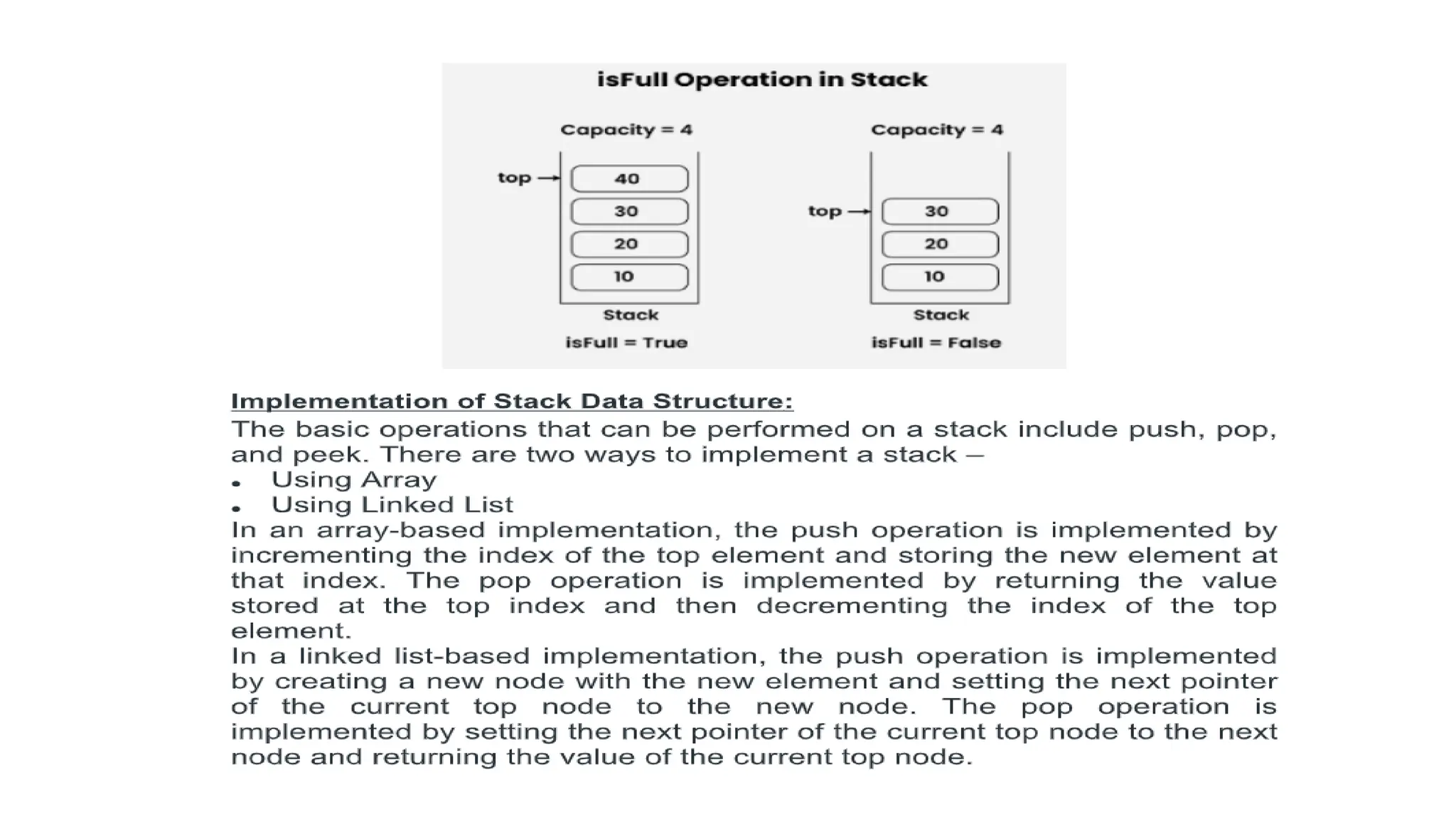
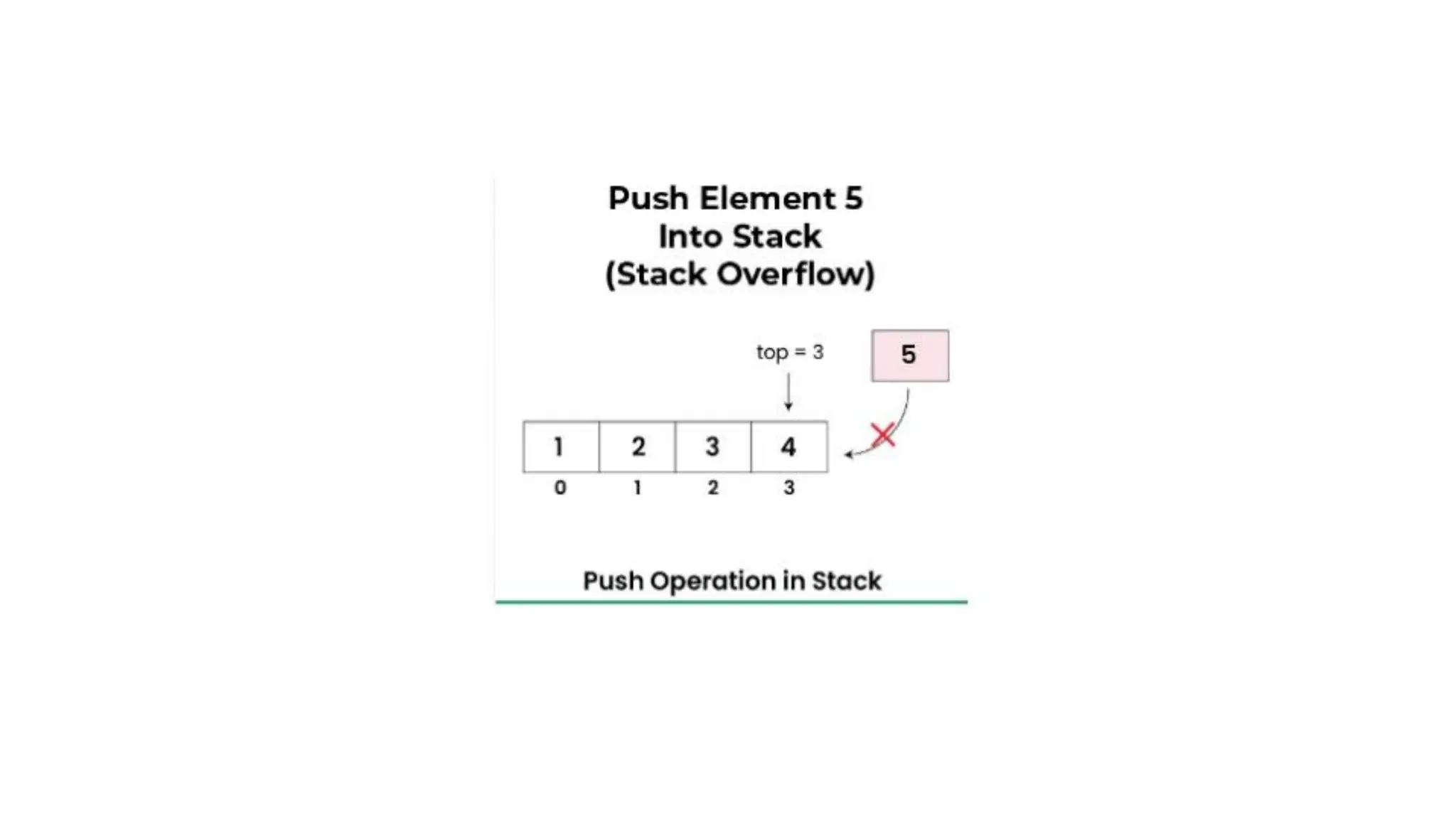
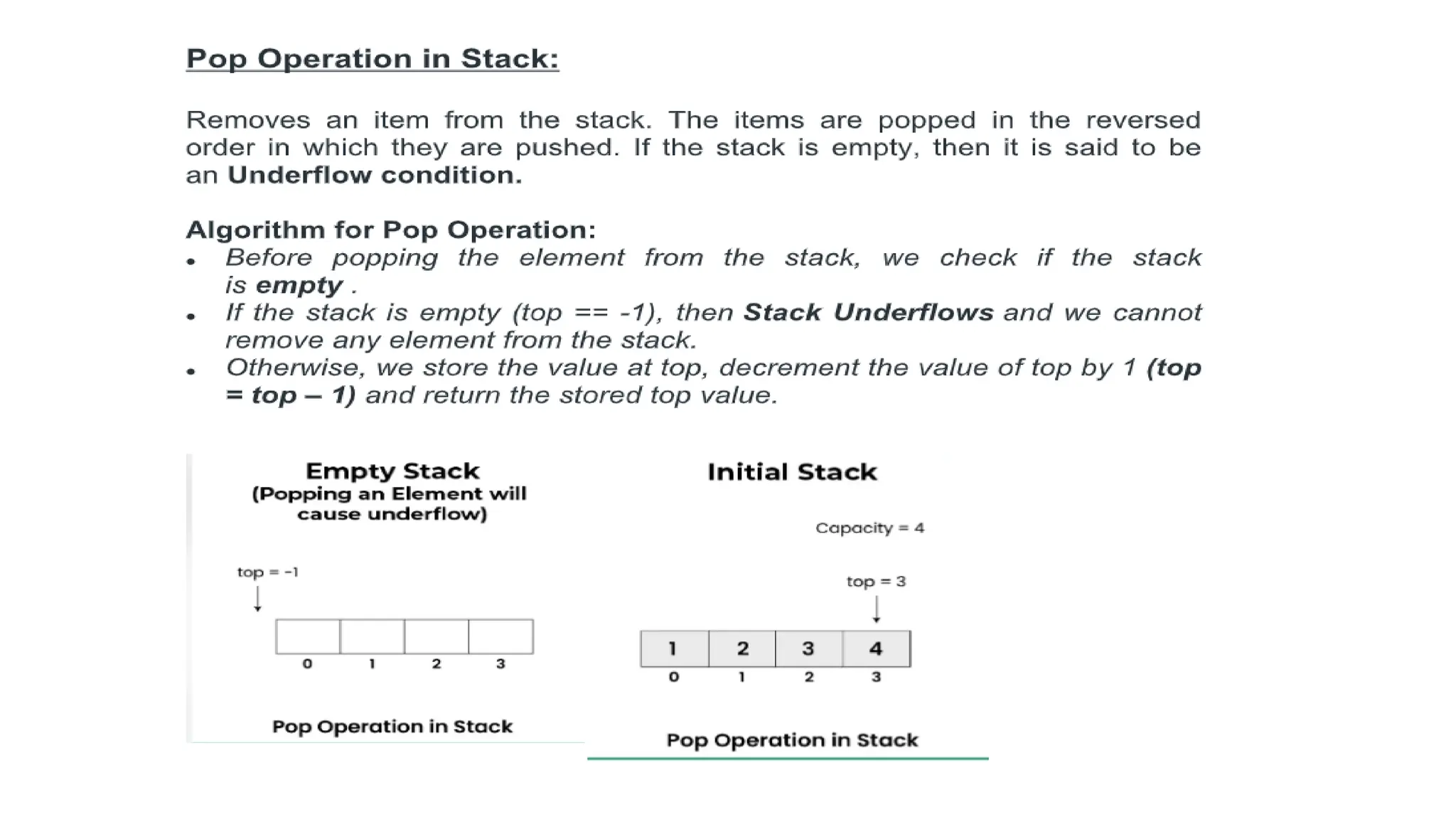
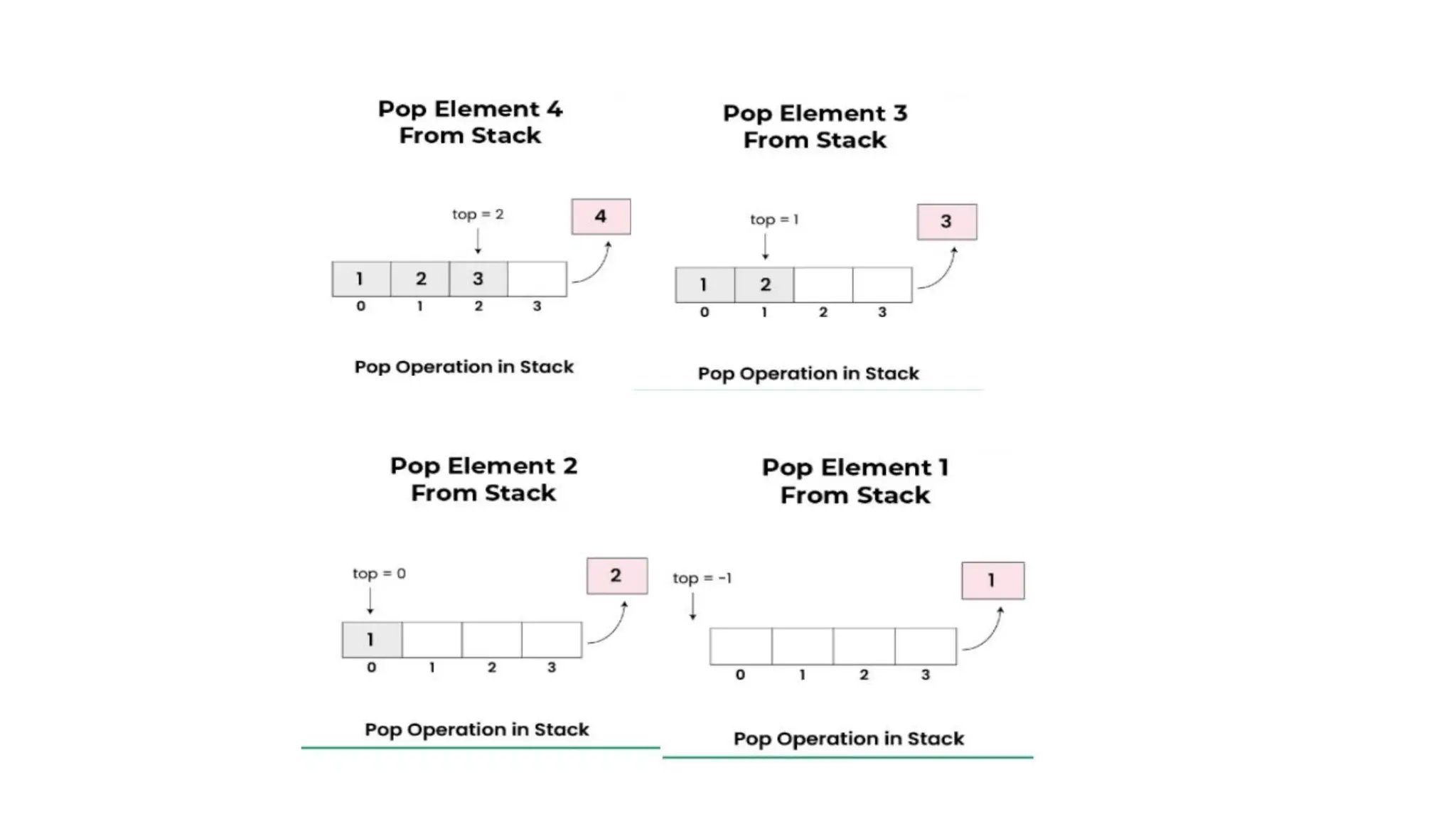
![• if(isFull(stack))
• return;
• stack->array[++stack->top]=item;
• printf("%d pushed to stackn",item);
• }
• // Function to remove an item from stack. It decreases top by 1
• intpop(structStack*stack)
• {
• if(isEmpty(stack))
• returnINT_MIN;
• returnstack->array[stack->top--];
• }
• // Function to return the top from stack without removing it
• intpeek(structStack*stack)
• {
• if(isEmpty(stack))
• returnINT_MIN;
• returnstack->array[stack->top];](https://image.slidesharecdn.com/datastructure-linkedliststackqueue-251209045411-31e533e9/75/Data-Structure-Linked-List-Stack-Queue-pdf-234-2048.jpg)
![• It is not dynamic i.e., it doesn’t grow and shrink depending on needs at
runtime. [But in case of dynamic sized arrays like vector in C++, list in
Python, ArrayList in Java, stacks can grow and shrink with array
implementation as well].
• The total size of the stack must be defined beforehand.
Stack Using Linked List in C
Stack is a linear data structure that follows the Last-In-First-Out (LIFO)
order of operations. This means the last element added to the stack will be
the first one to be removed. There are different ways using which we can
implement stack data structure in C.
Implementation of Stack using Linked List in C
Stack is generally implemented using an array but the limitation of this
kind of stack is that the memory occupied by the array is fixed no matter
what are the number of elements in the stack. In the stack implemented
using linked list implementation, the size occupied by the linked list will be
equal to the number of elements in the stack. Moreover, its size is dynamic.
It means that the size is gonna change automatically according to the
elements present.](https://image.slidesharecdn.com/datastructure-linkedliststackqueue-251209045411-31e533e9/75/Data-Structure-Linked-List-Stack-Queue-pdf-237-2048.jpg)
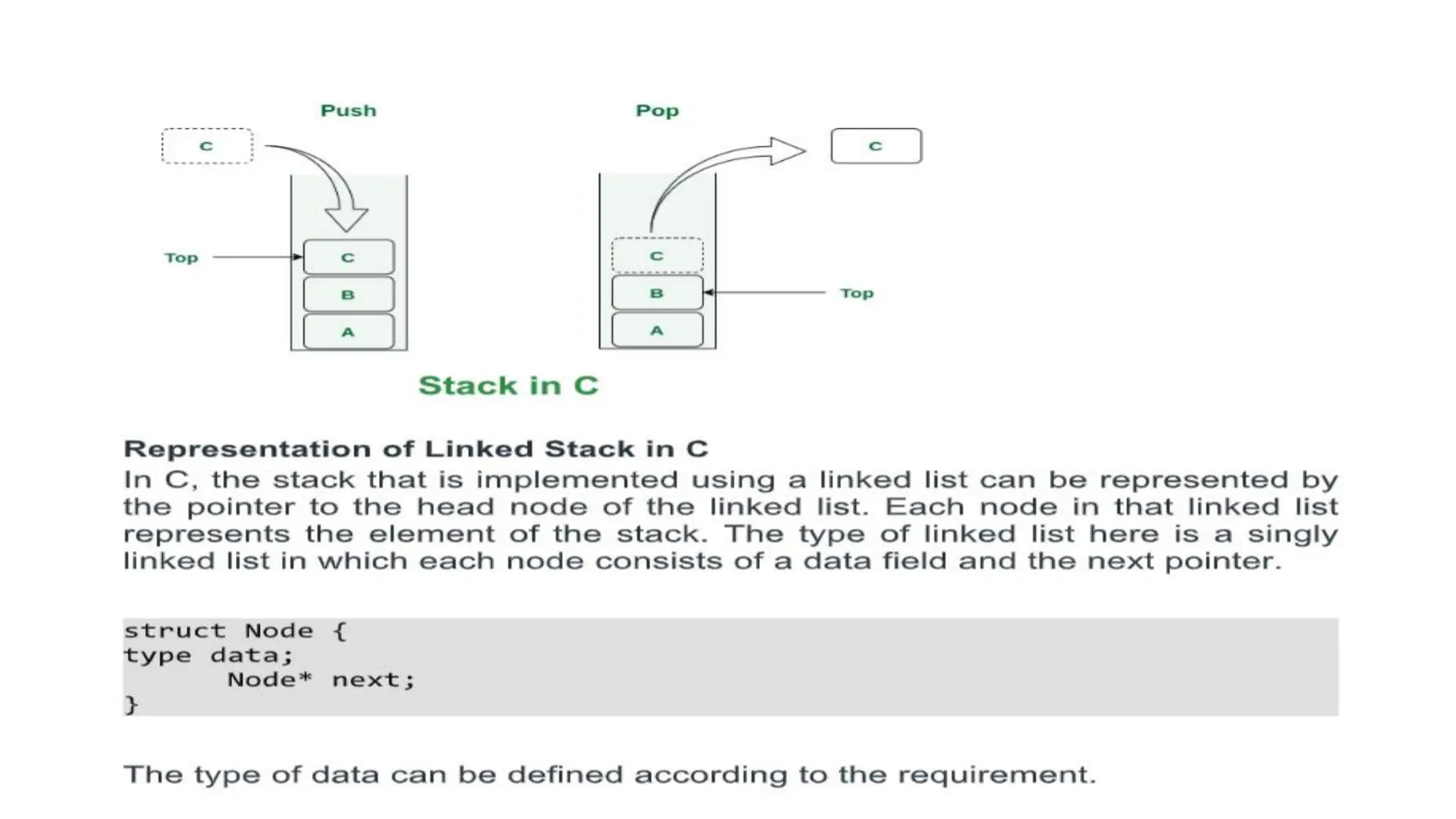
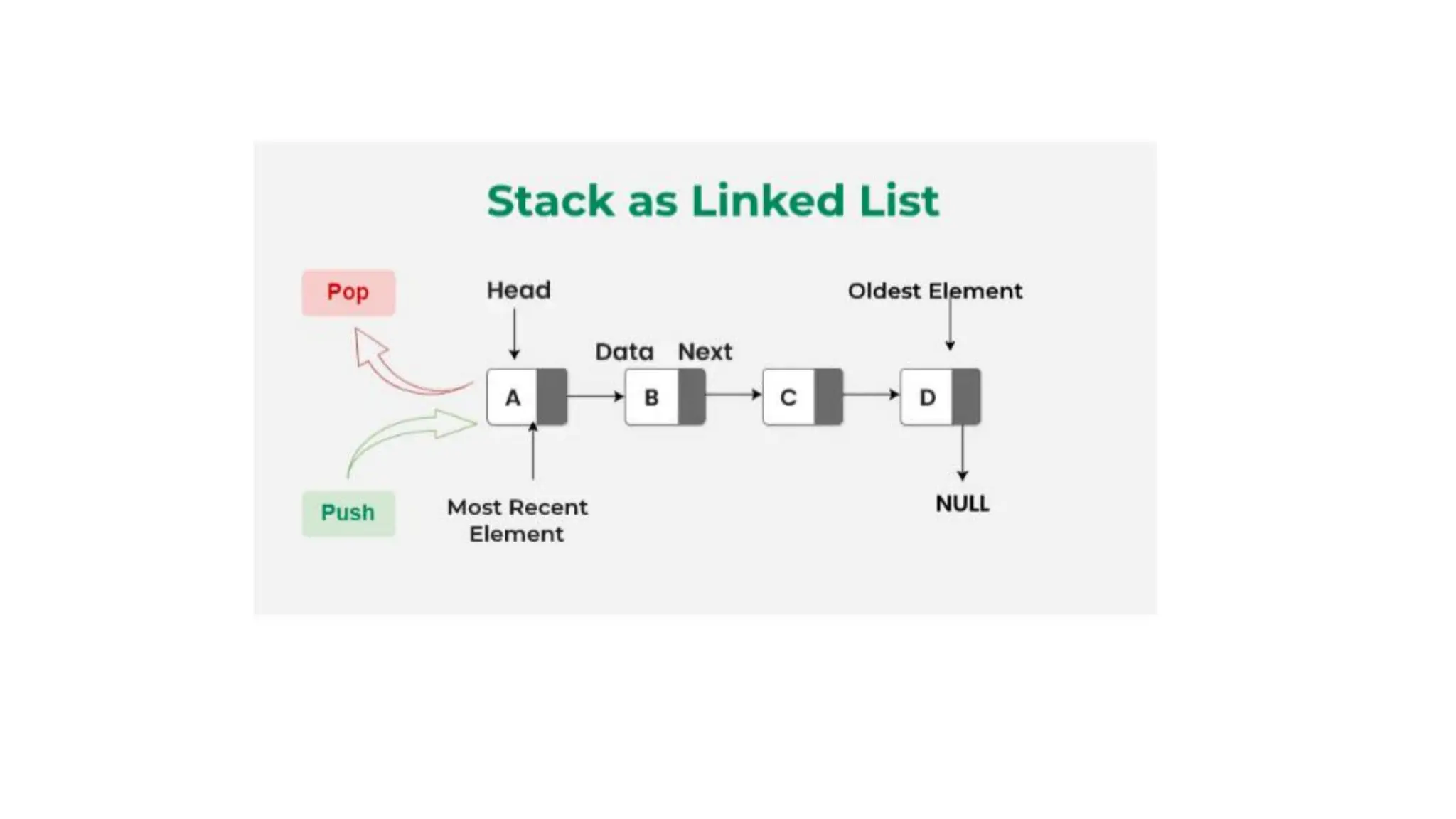
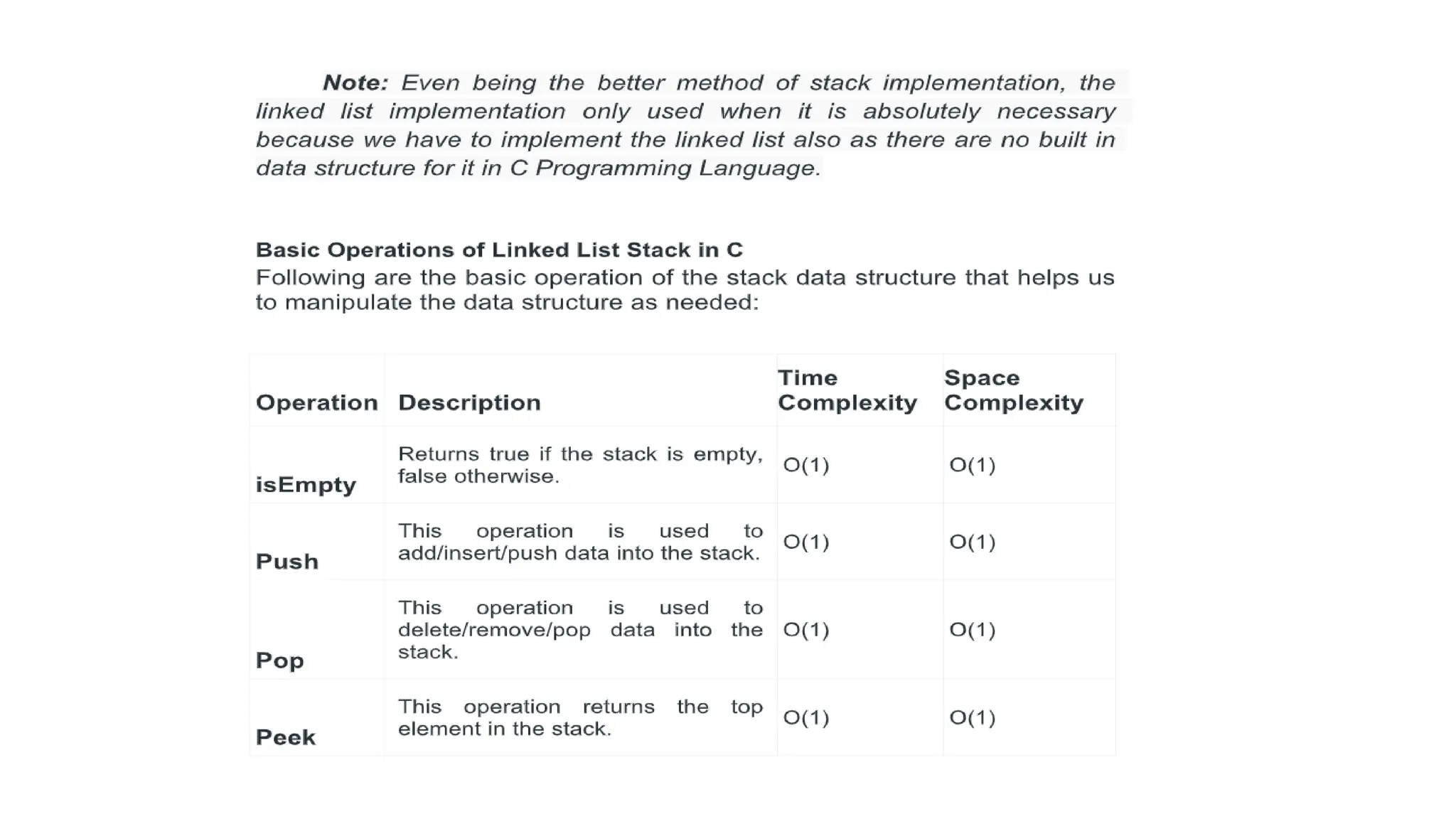
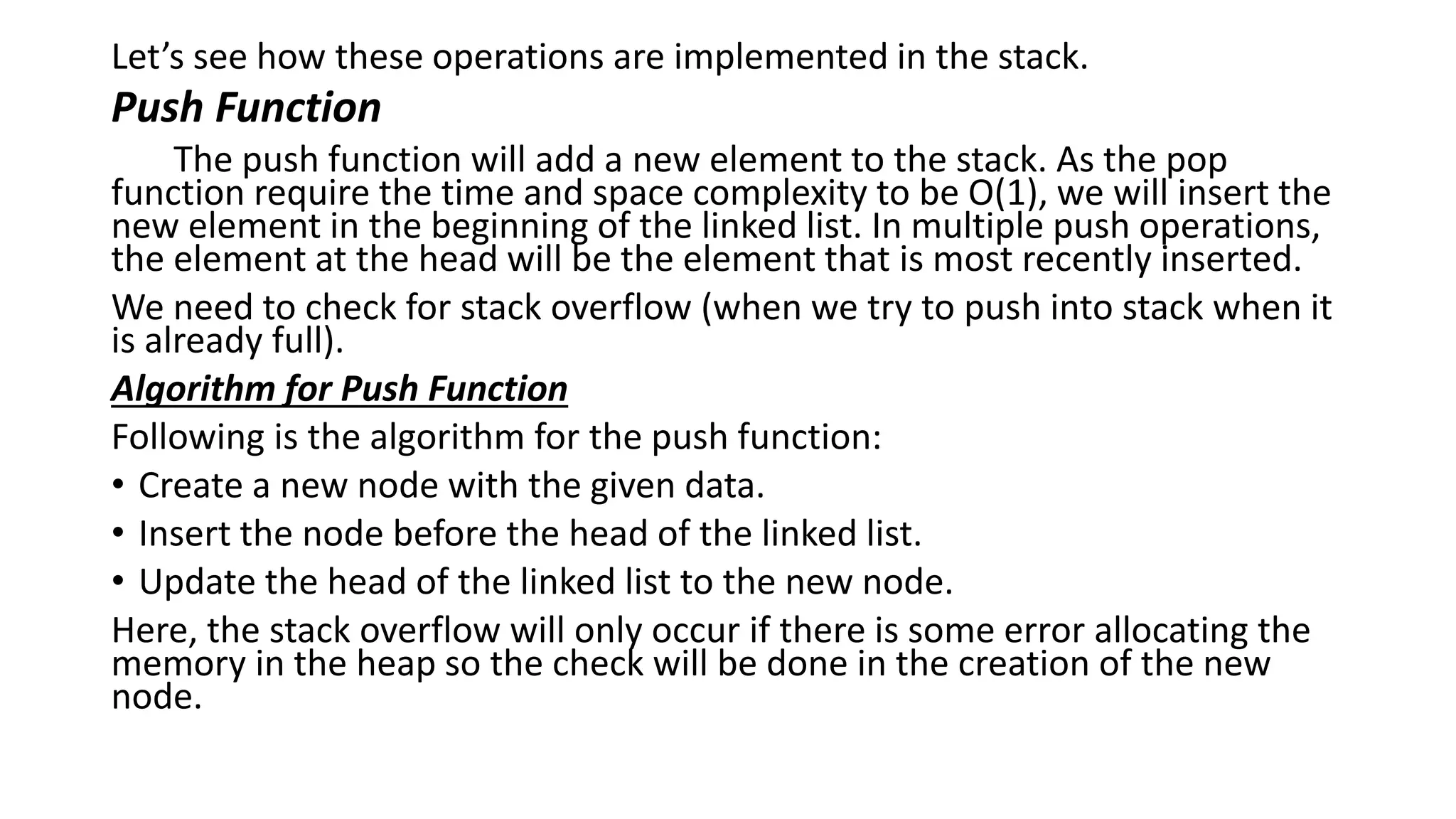
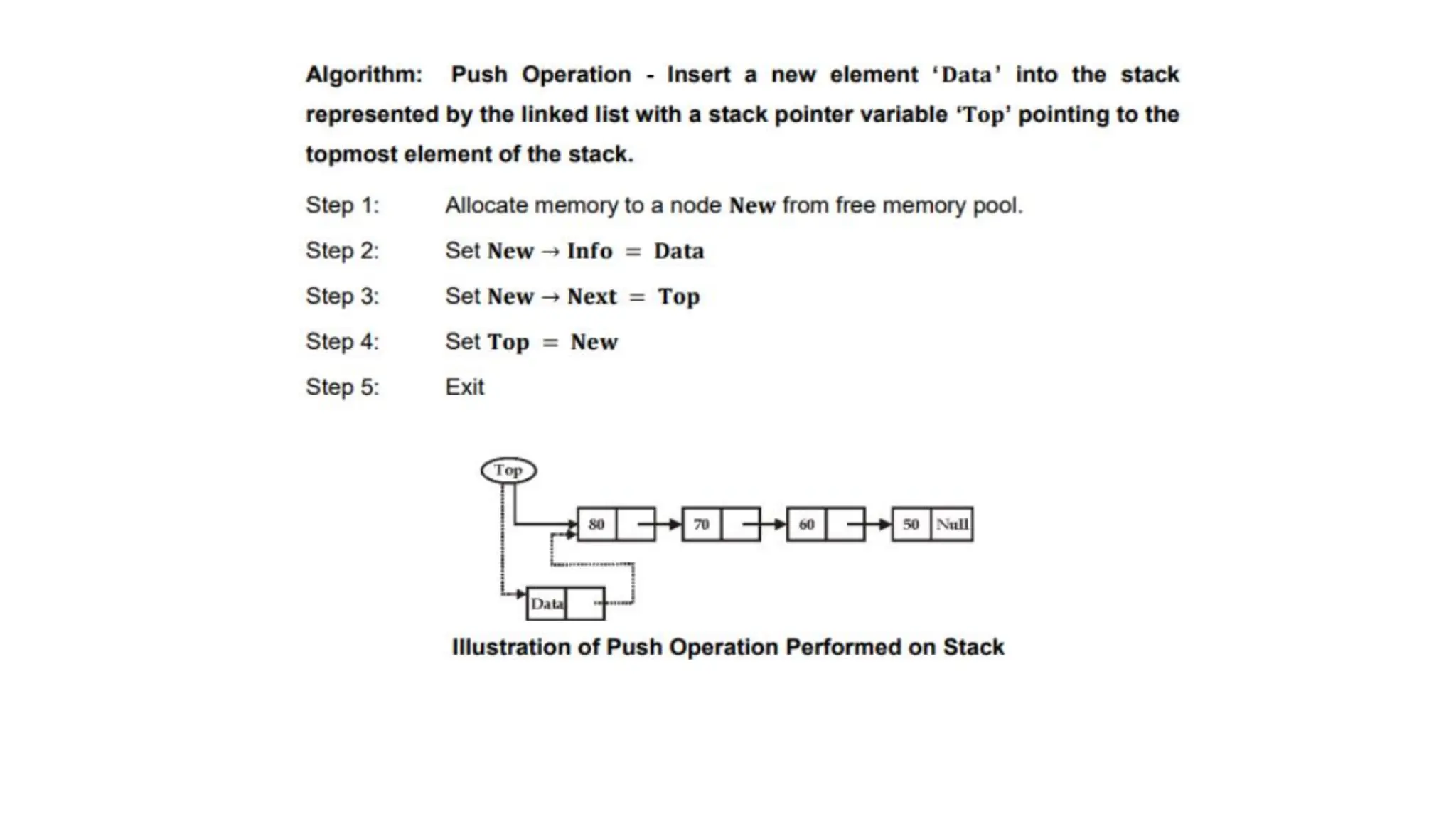
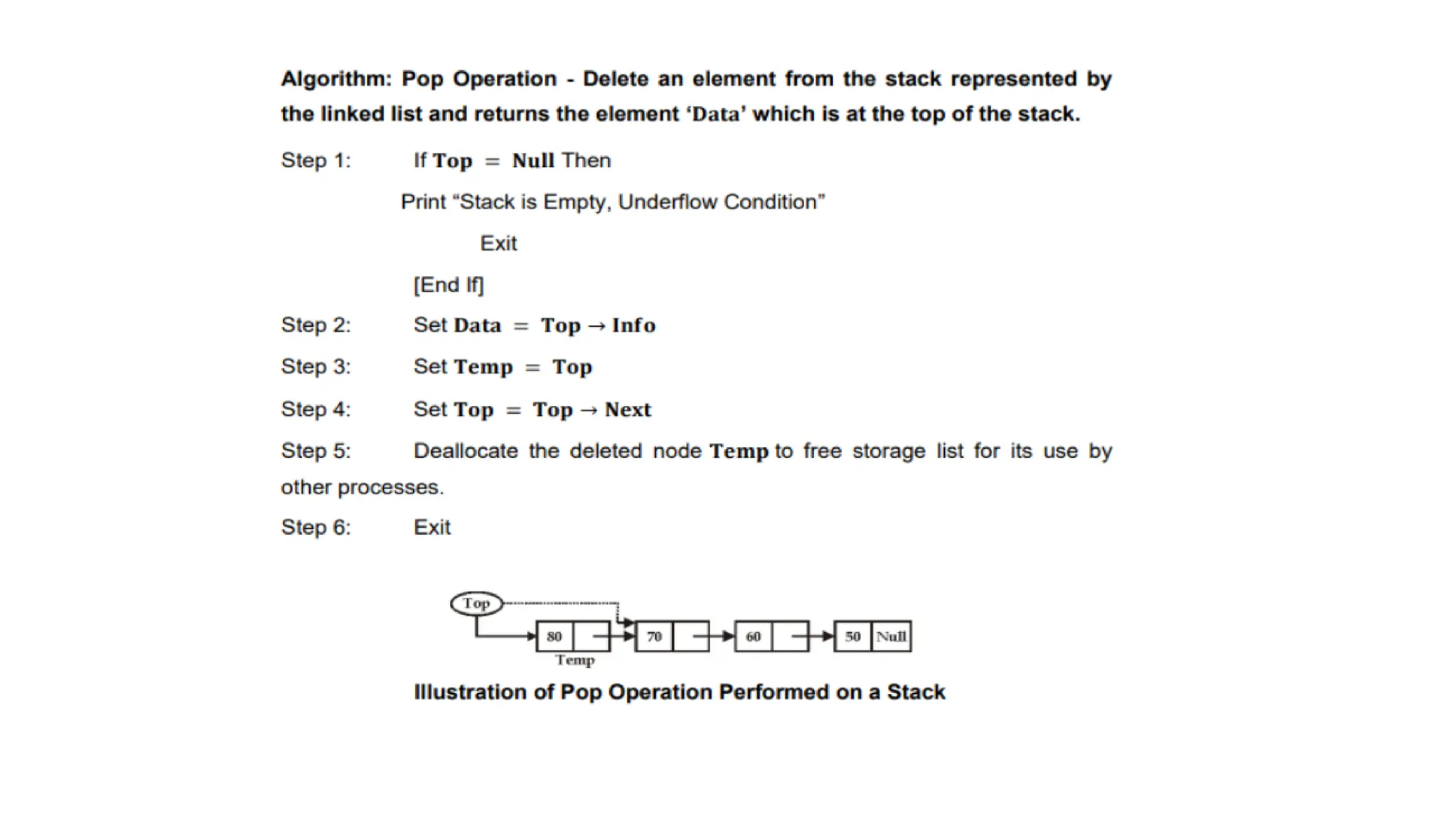
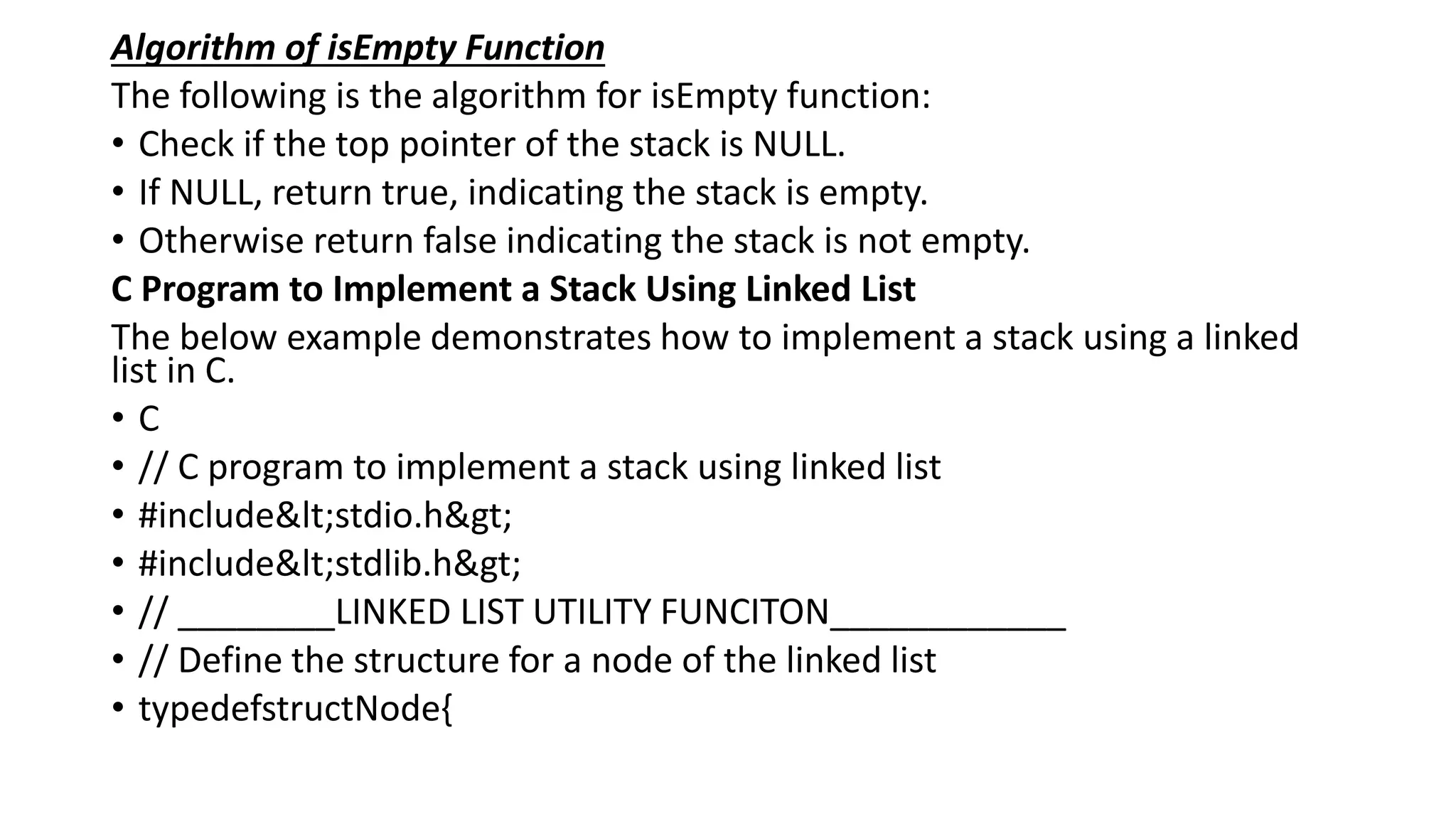
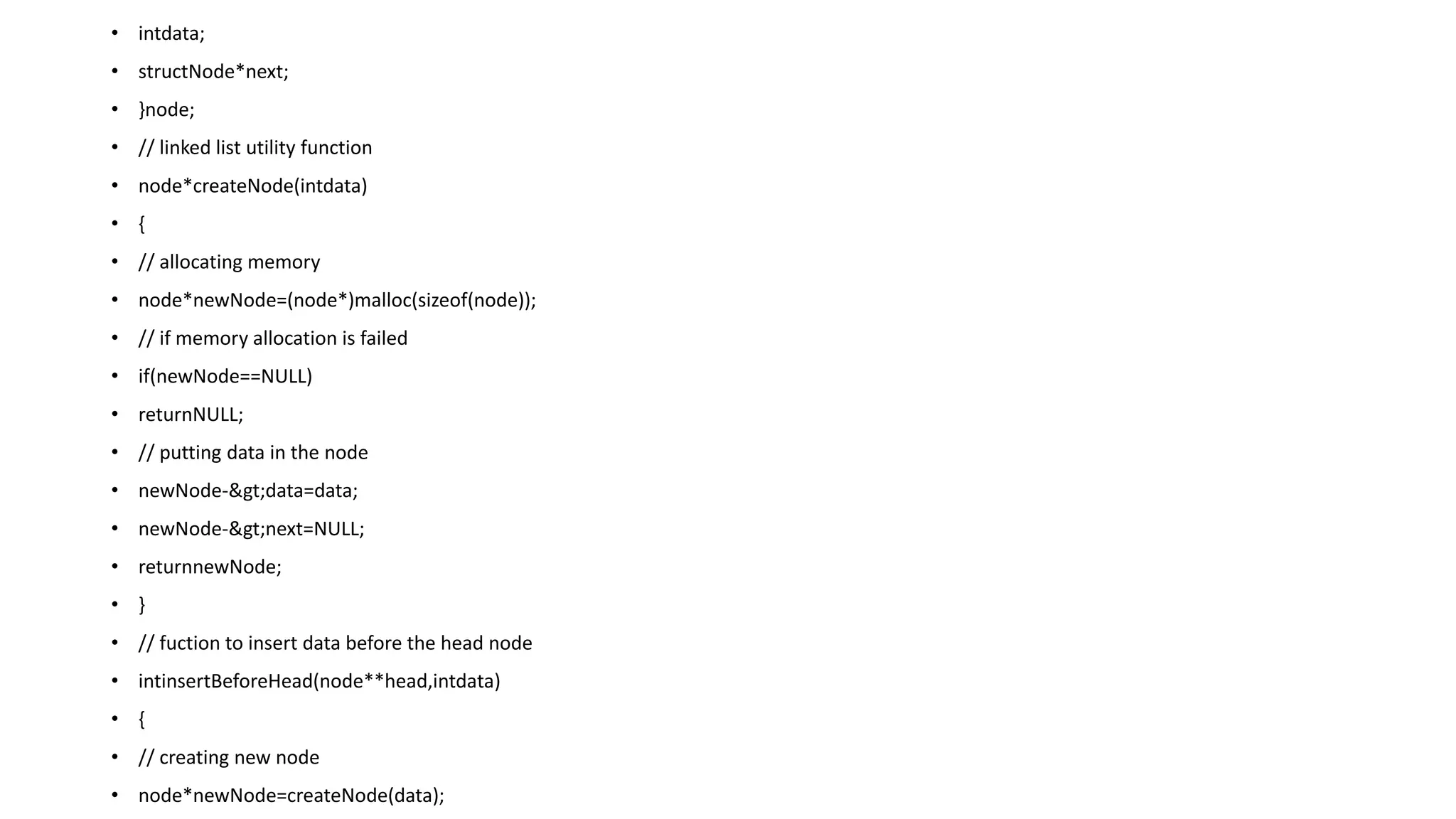
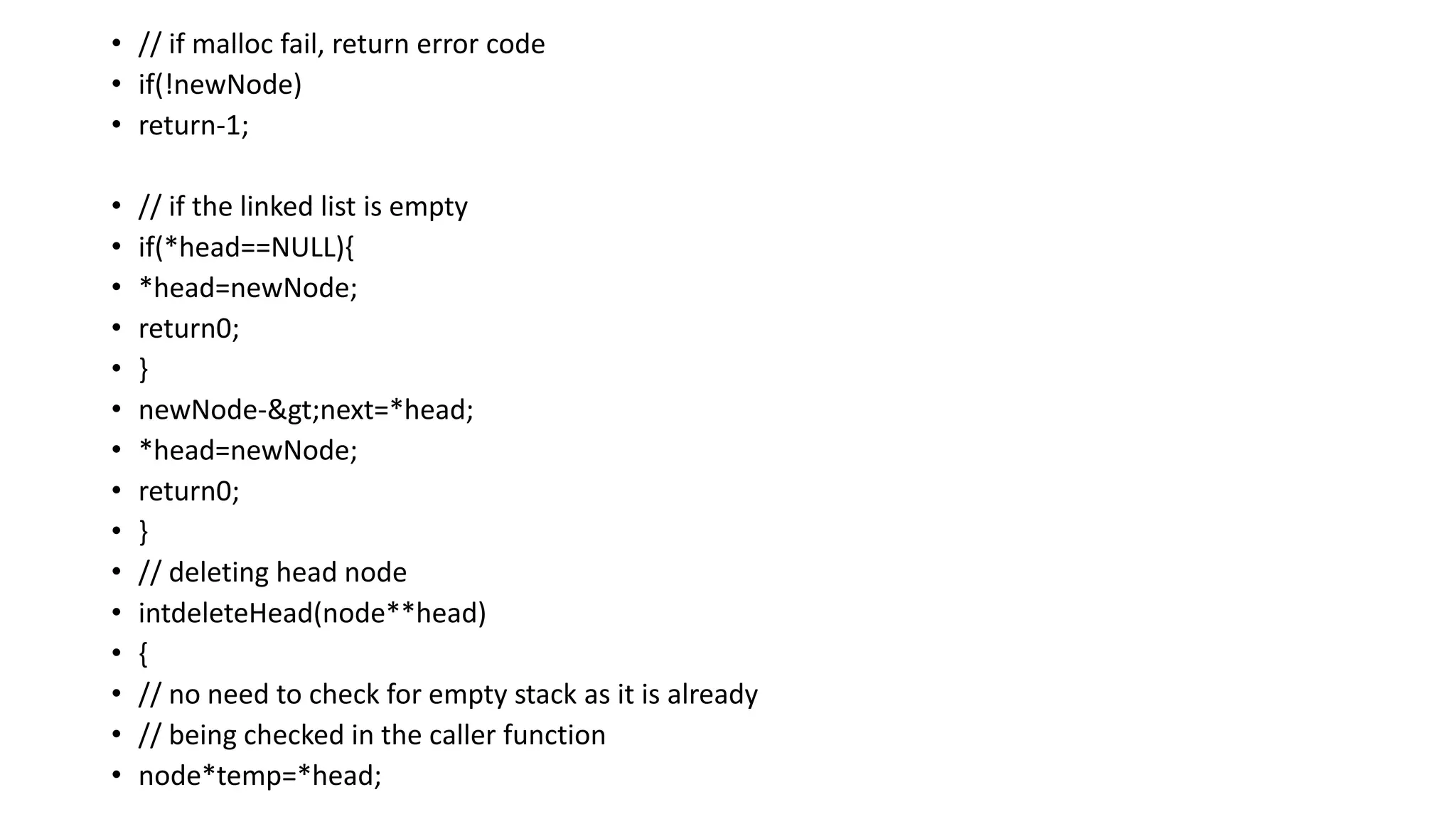
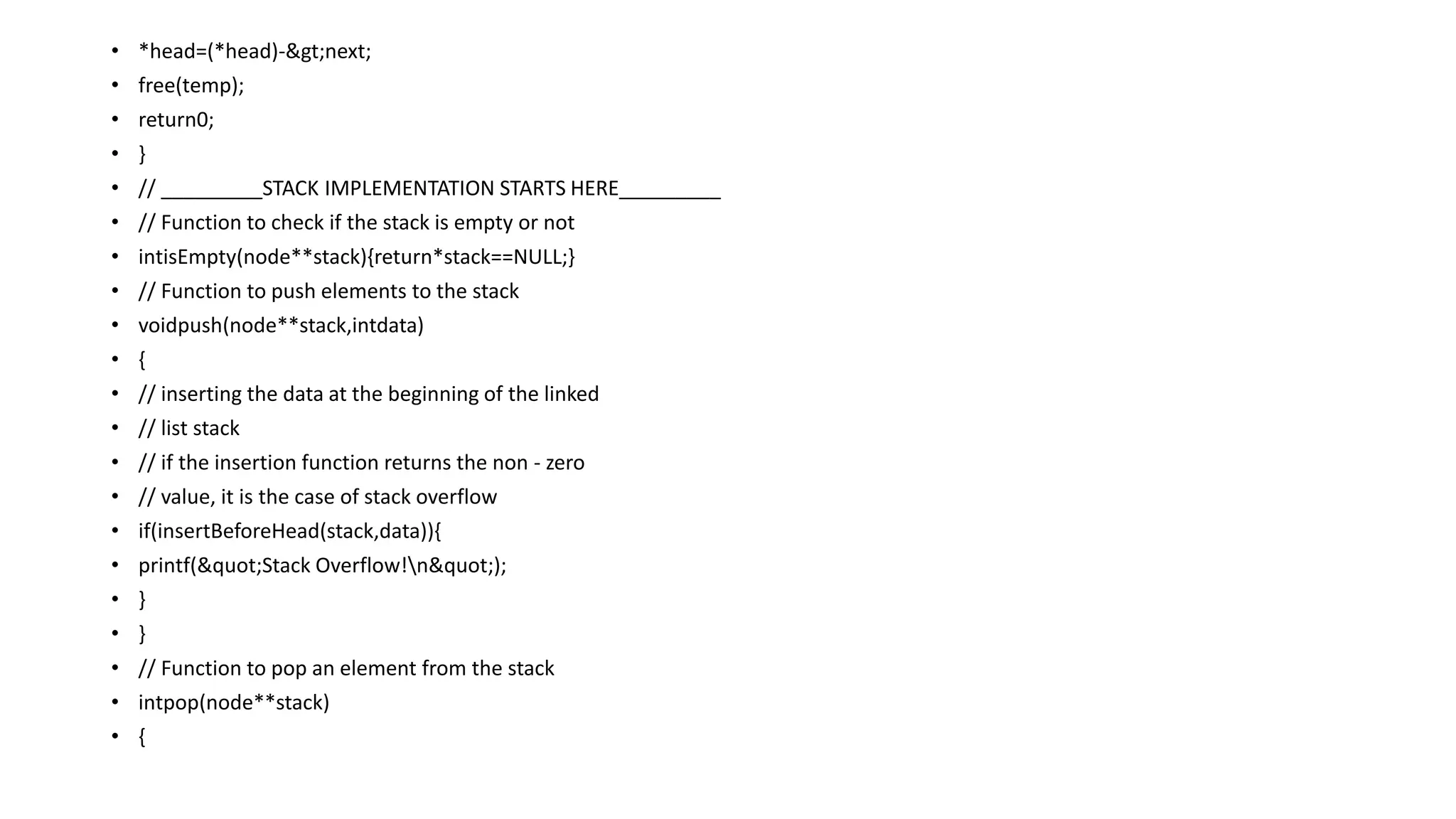
![• Stack: 30-> 20-> 10->
Benifits of Linked List Stack in C
The following are the major benifits of the linked list implementation over the array
implementation:
1. The dynamic memory management of linked list provide dynamic size to the stack that changes
with the change in the number of elements.
1. Rarely reaches the condition of the stack overflow.
Conclusion
The linked list implementation of the stack here shows that even while providing such benifits,it can
only be used when we are ready to bear the cost of implementing the linked list also in our C
program. Though if we already have linked list, we should prefer this implementation over the array
one.
MULTIPLE STACKS
Data Structure Multiple Stack
A single stack is sometimes not sufficient to store a large amount of data. To overcome this
problem, we can use multiple stack. For this, we have used a single array having more than one
stack. The array is divided for multiple stacks. Suppose there is an array STACK[n] divided into two
stack STACK A and STACK B, where n = 10.
• STACK A expands from the left to the right, i.e., from 0th element.
• STACK B expands from the right to the left, i.e., from 10th element.
• The combined size of both STACK A and STACK B never exceeds 10.](https://image.slidesharecdn.com/datastructure-linkedliststackqueue-251209045411-31e533e9/75/Data-Structure-Linked-List-Stack-Queue-pdf-253-2048.jpg)
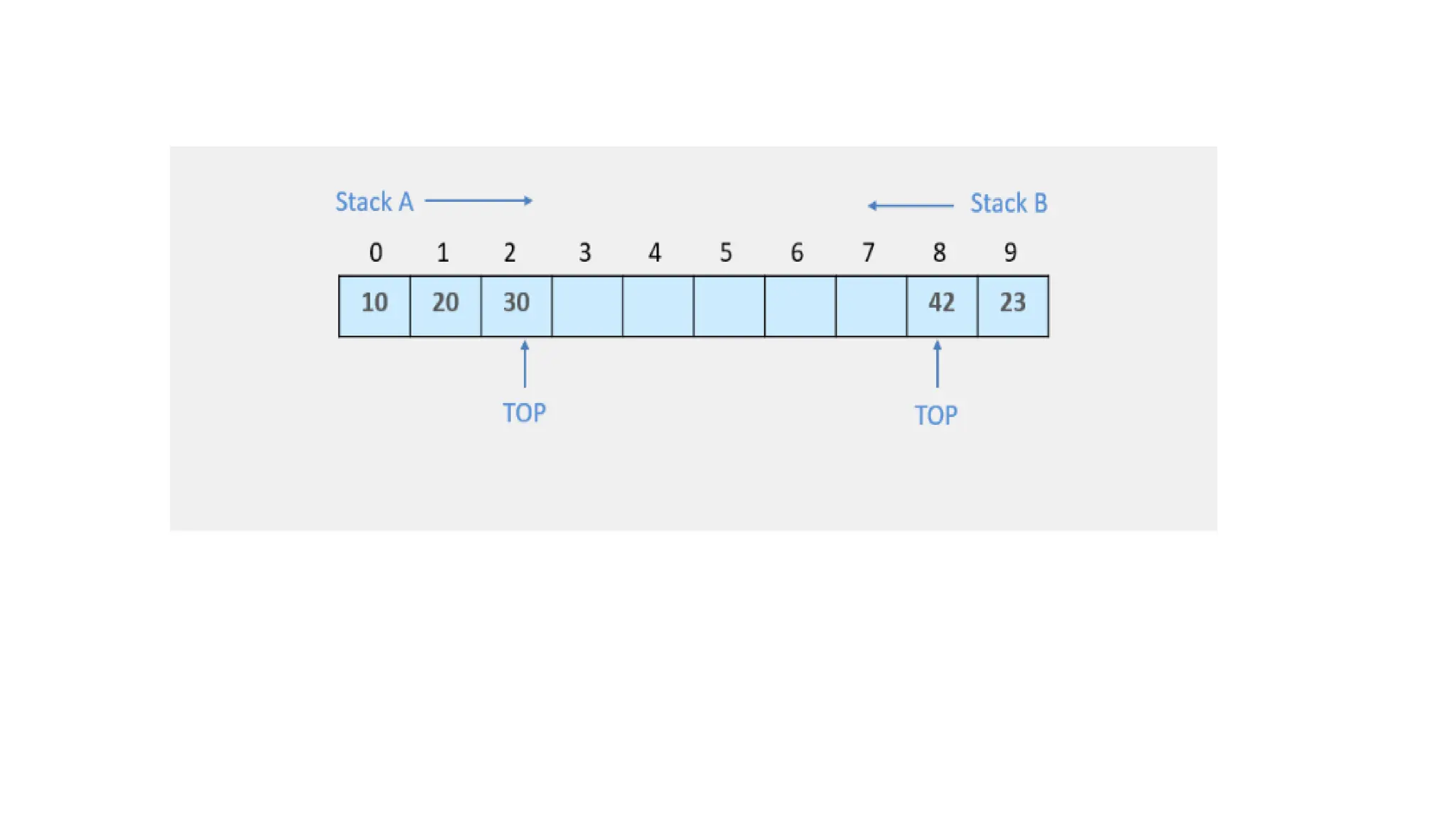
![• Multi STACK Program in C
• The following program demonstrates Multiple Stack -
• #include<stdio.h>
• #include<malloc.h>
• #define MAX 10
• intstack[MAX], topA = -1, topB = MAX;
• voidpush_stackA(intval)
• {
• if(topA == topB-1)
• printf("n STACK OVERFLOW");
• else
• {
• topA+=1;
• stack[topA] = val;
• }
• }
• intpop_stackA()
• {
• intval;
• if(topA == -1)](https://image.slidesharecdn.com/datastructure-linkedliststackqueue-251209045411-31e533e9/75/Data-Structure-Linked-List-Stack-Queue-pdf-255-2048.jpg)
![• {
• printf("n STACK UNDERFLOW");
• }
• else
• {
• val = stack[topA];
• topA--;
• }
• returnval;
• }
• voiddisplay_stackA()
• {
• int i;
• if(topA == -1)
• printf("n Empty STACK A");
• else
• {
• for(i = topA;i>= 0;i--)
• printf("t %d",stack[i]);
• }](https://image.slidesharecdn.com/datastructure-linkedliststackqueue-251209045411-31e533e9/75/Data-Structure-Linked-List-Stack-Queue-pdf-256-2048.jpg)
![• ]
• Enter 6 to display the STACK B
• Press 7 to exit
• Enter your choice: 5
• The STACK A elements are :
• 30 10
• -----Menu-----
• Enter 1 to PUSH a element into STACK A
• Enter 2 to PUSH a element into STACK B
• Enter 3 to POP a element from STACK A
• Enter 4 to POP a element from STACK B
• Enter 5 to display the STACK A
• Enter 6 to display the STACK B
• Press 7 to exit
• Enter your choice: 2
• Enter the value to PUSH on STACK B:23
• -----Menu-----](https://image.slidesharecdn.com/datastructure-linkedliststackqueue-251209045411-31e533e9/75/Data-Structure-Linked-List-Stack-Queue-pdf-257-2048.jpg)
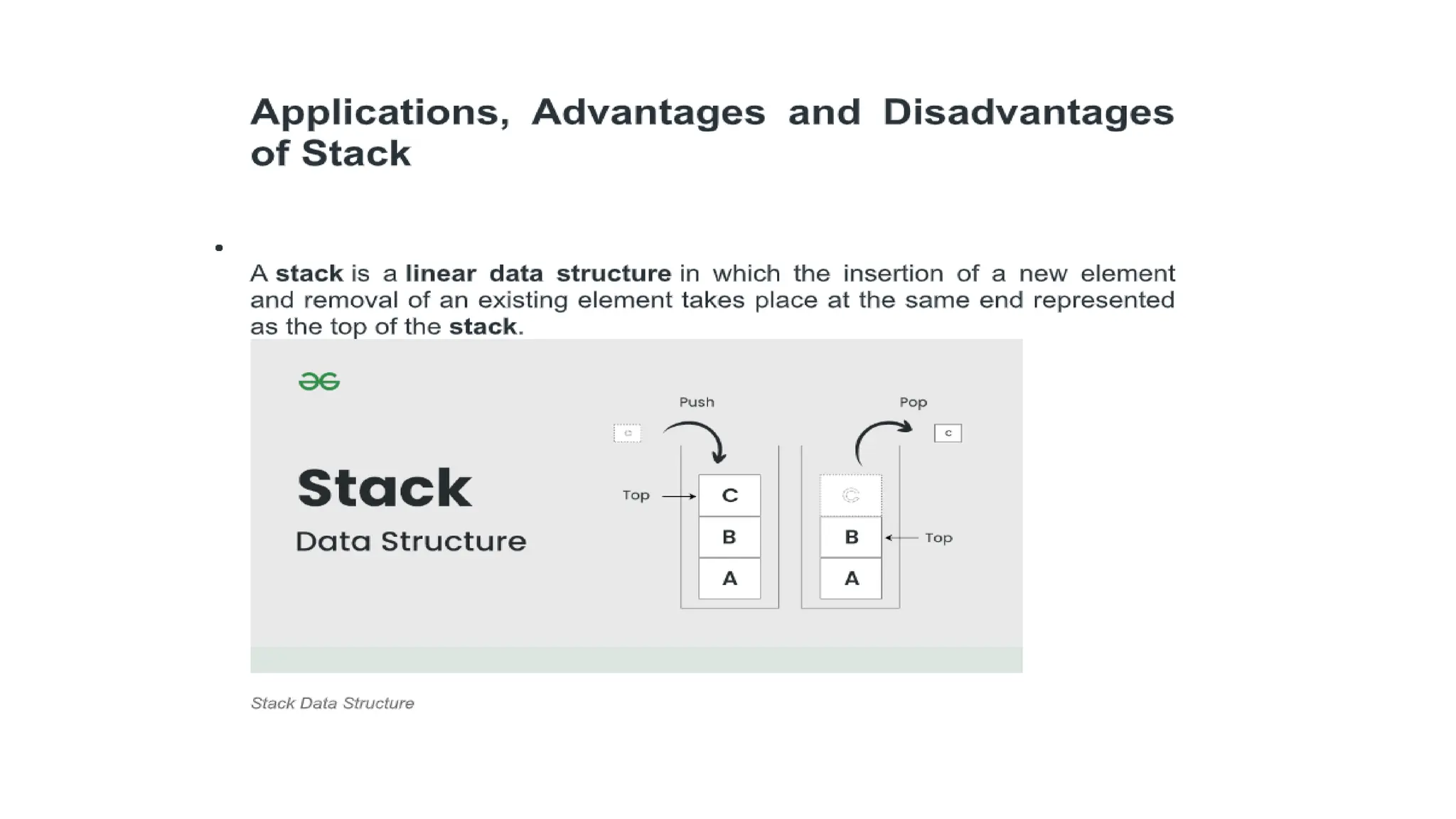
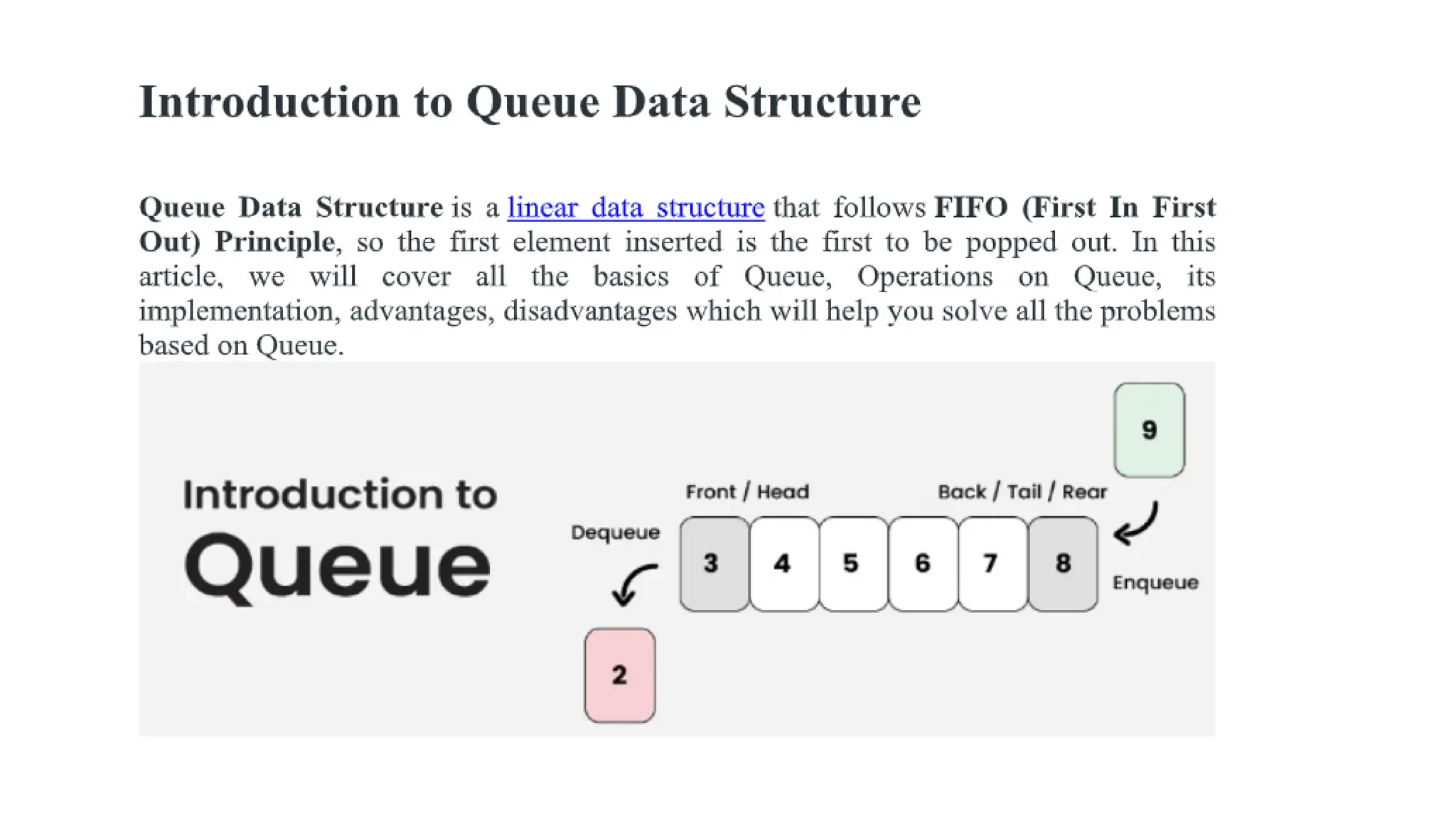
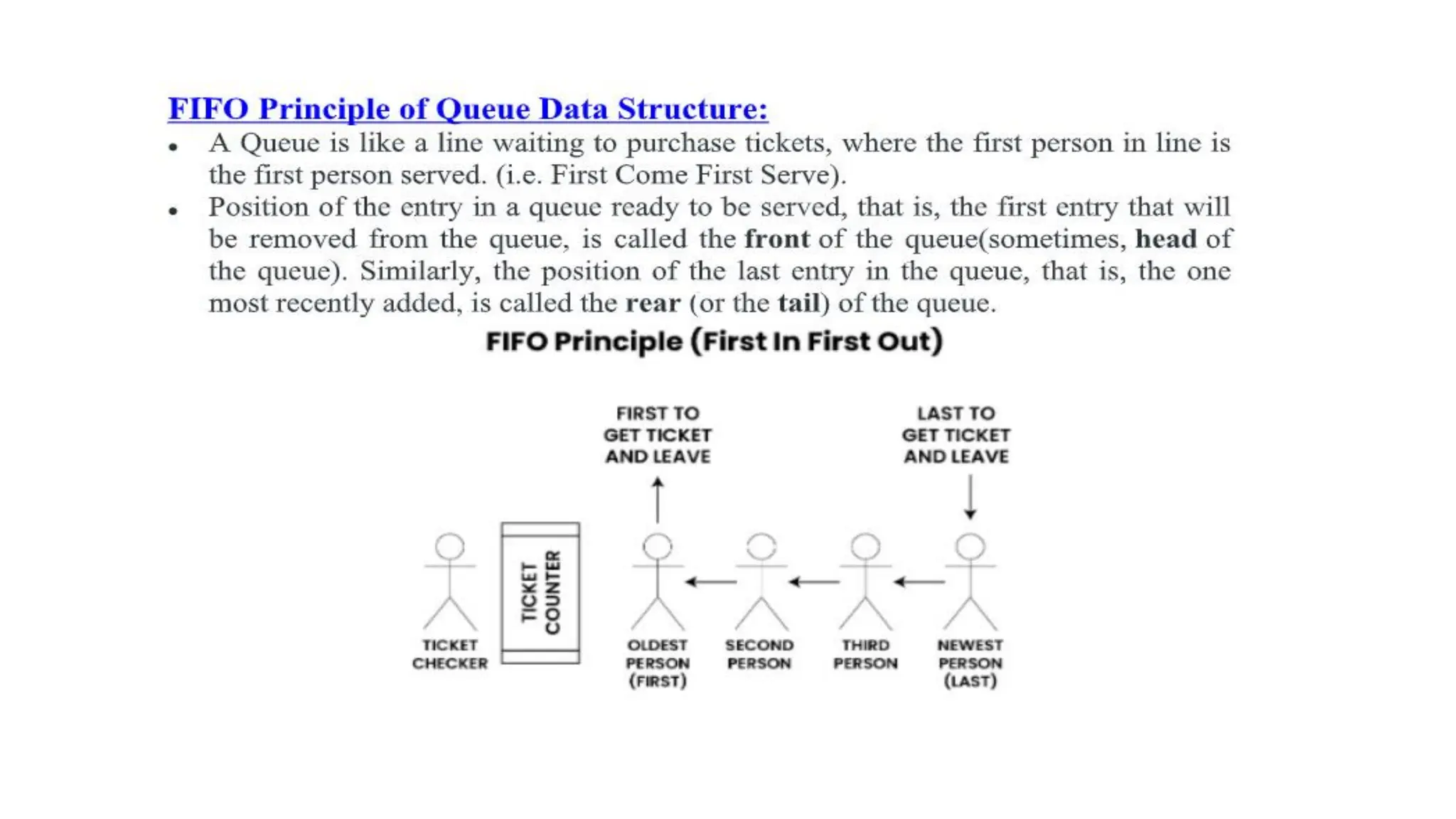
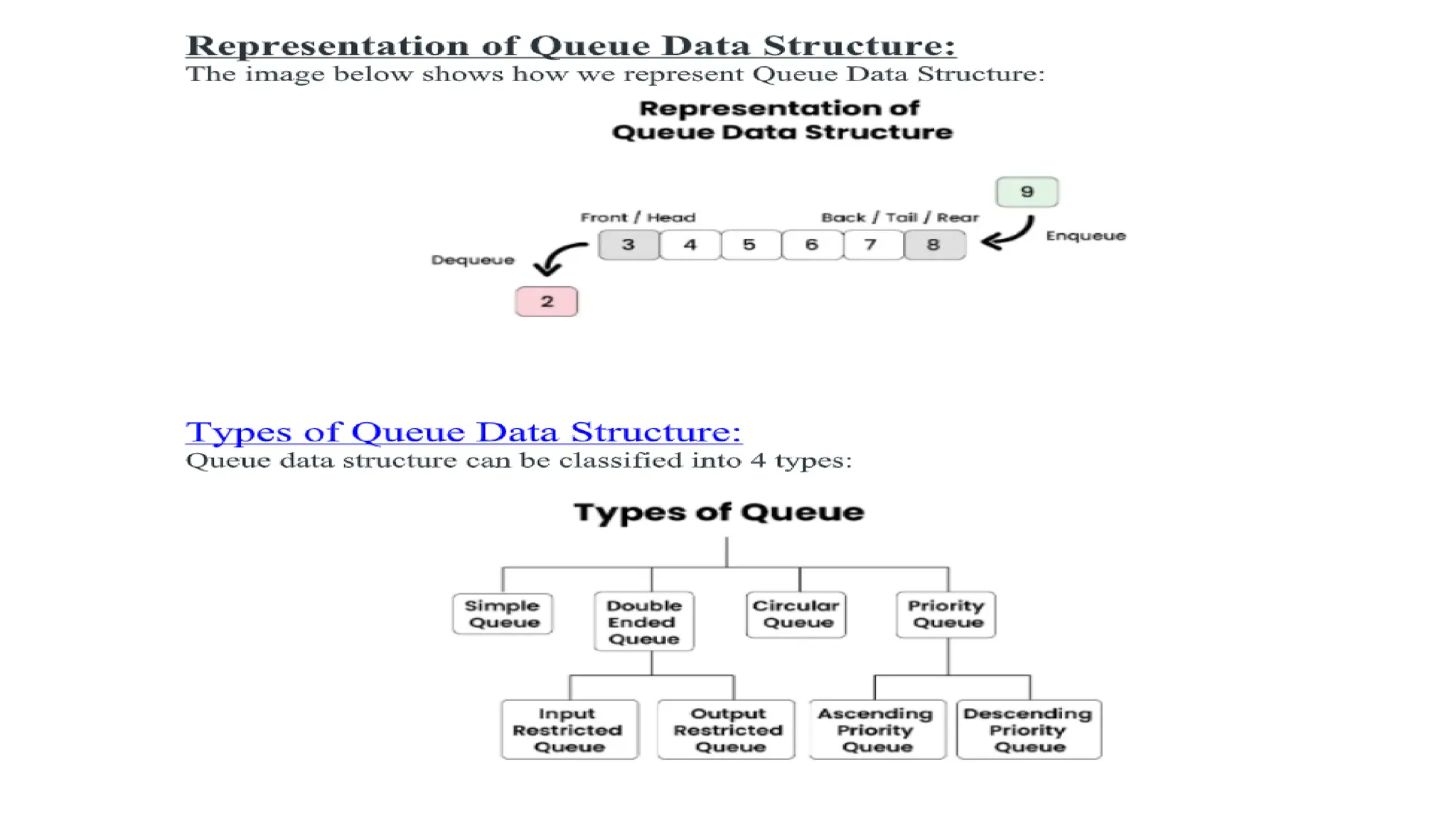
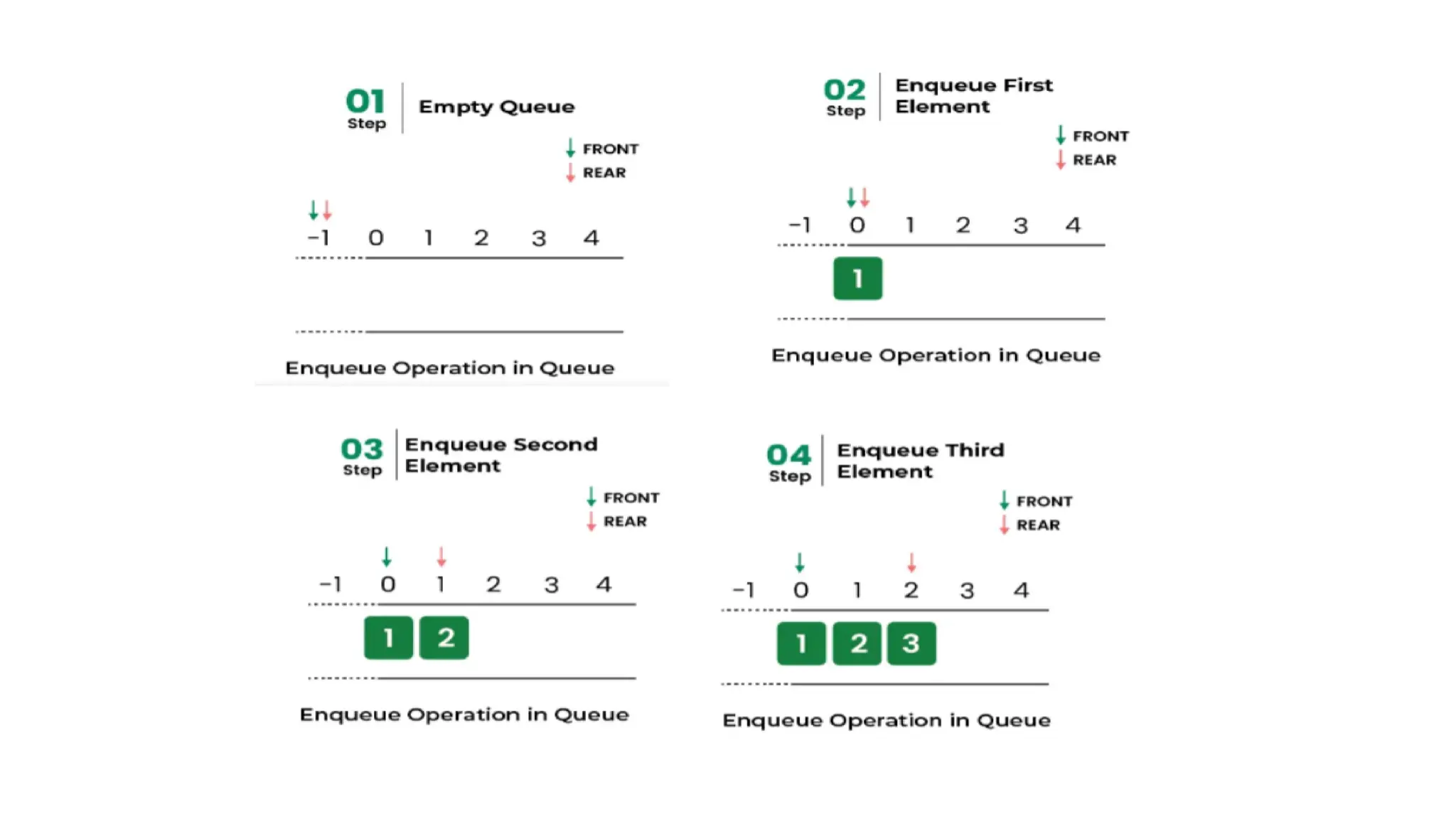
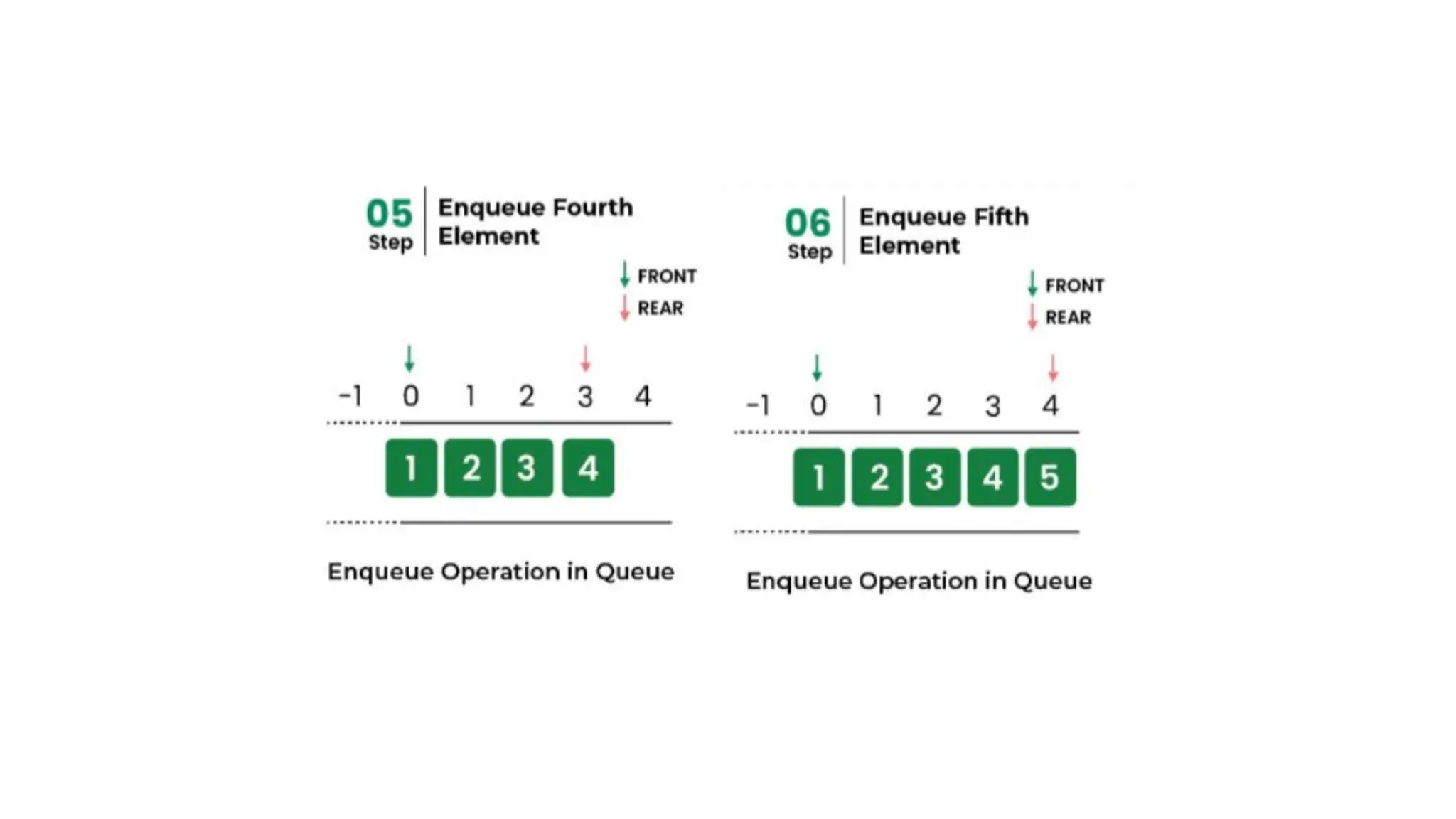
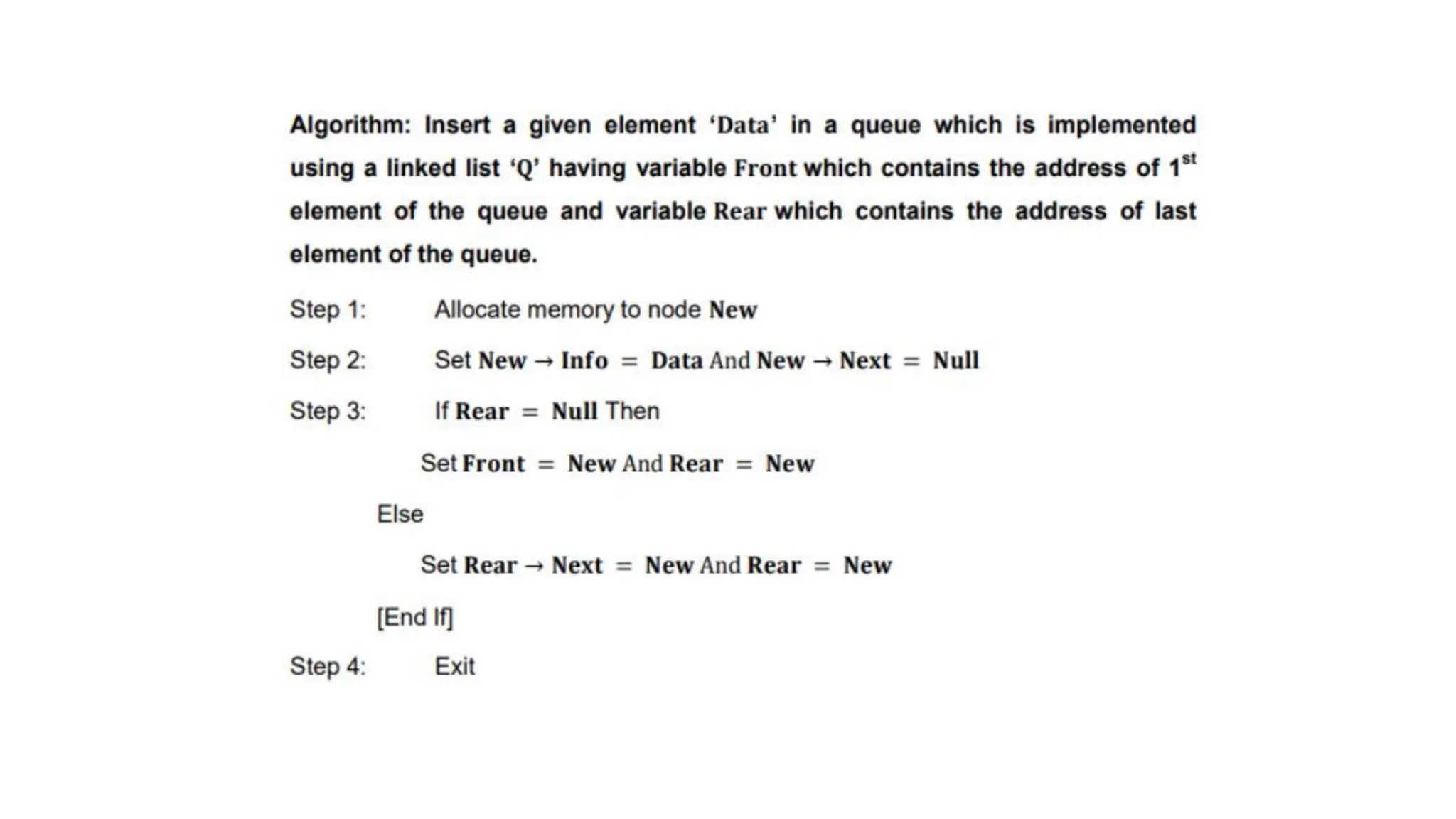
![• Implementation of Enqueue:
• // Function to add an item to the queue.
• // It changes rear and size
• voidenqueue(structQueue*queue,intitem)
• {
• if(isFull(queue))
• return;
• queue->rear=(queue->rear+1)%queue->capacity;
• queue->array[queue->rear]=item;
• queue->size=queue->size+1;
• printf("%d enqueued to queuen",item);
• }
• // This code is contributed by SusobhanAkhuli
• 2. Dequeue Operation in Queue Data Structure:
Removes (or access) the first element from the queue.
The following steps are taken to perform the dequeue operation:
• Step 1: Check if the queue is empty.
• Step 2: If the queue is empty, return the underflow error and exit.
• Step 3: If the queue is not empty, access the data where the front is pointing.
• Step 4: Increment the front pointer to point to the next available data element.
• Step 5: The Return success.](https://image.slidesharecdn.com/datastructure-linkedliststackqueue-251209045411-31e533e9/75/Data-Structure-Linked-List-Stack-Queue-pdf-274-2048.jpg)
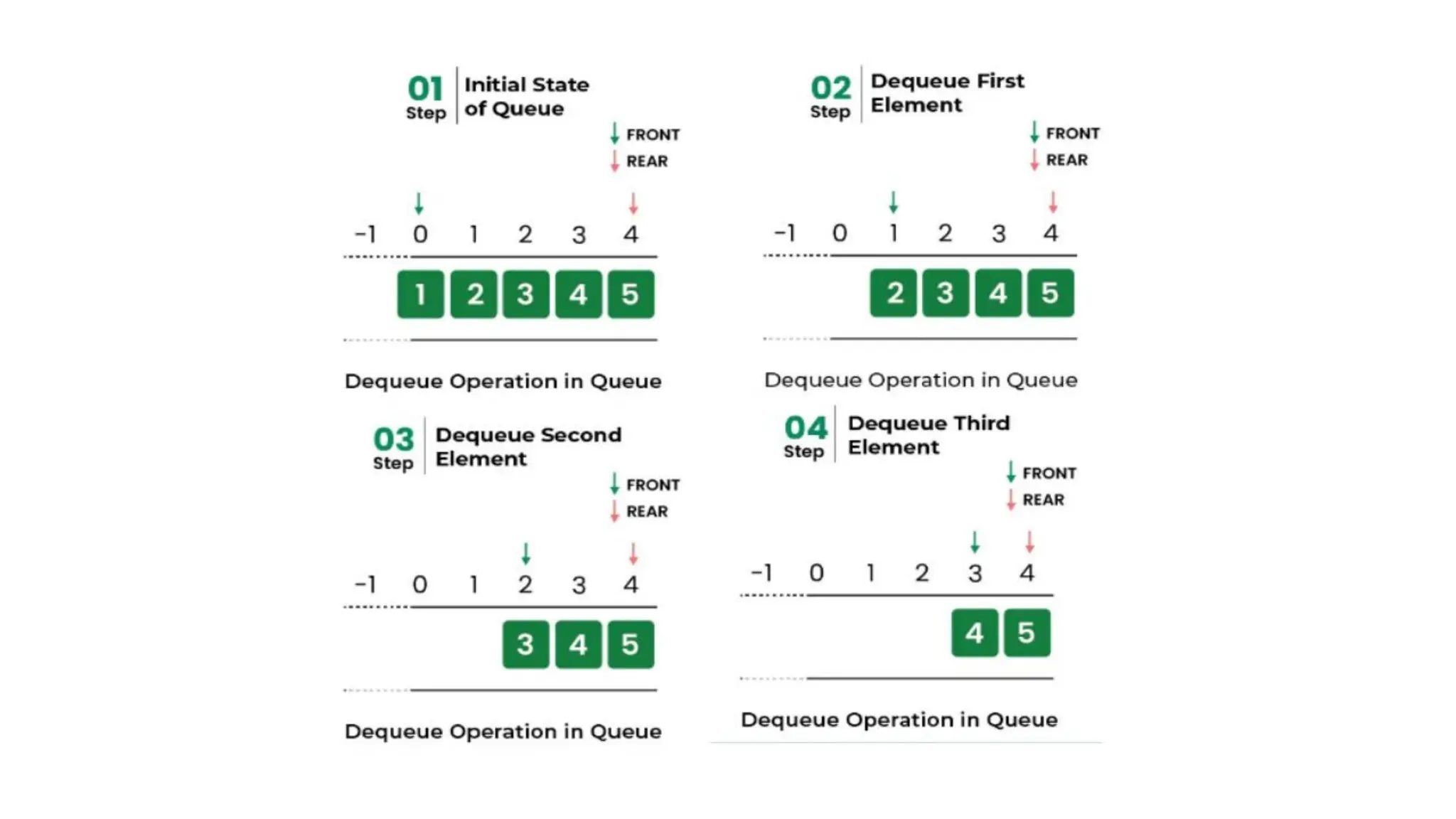
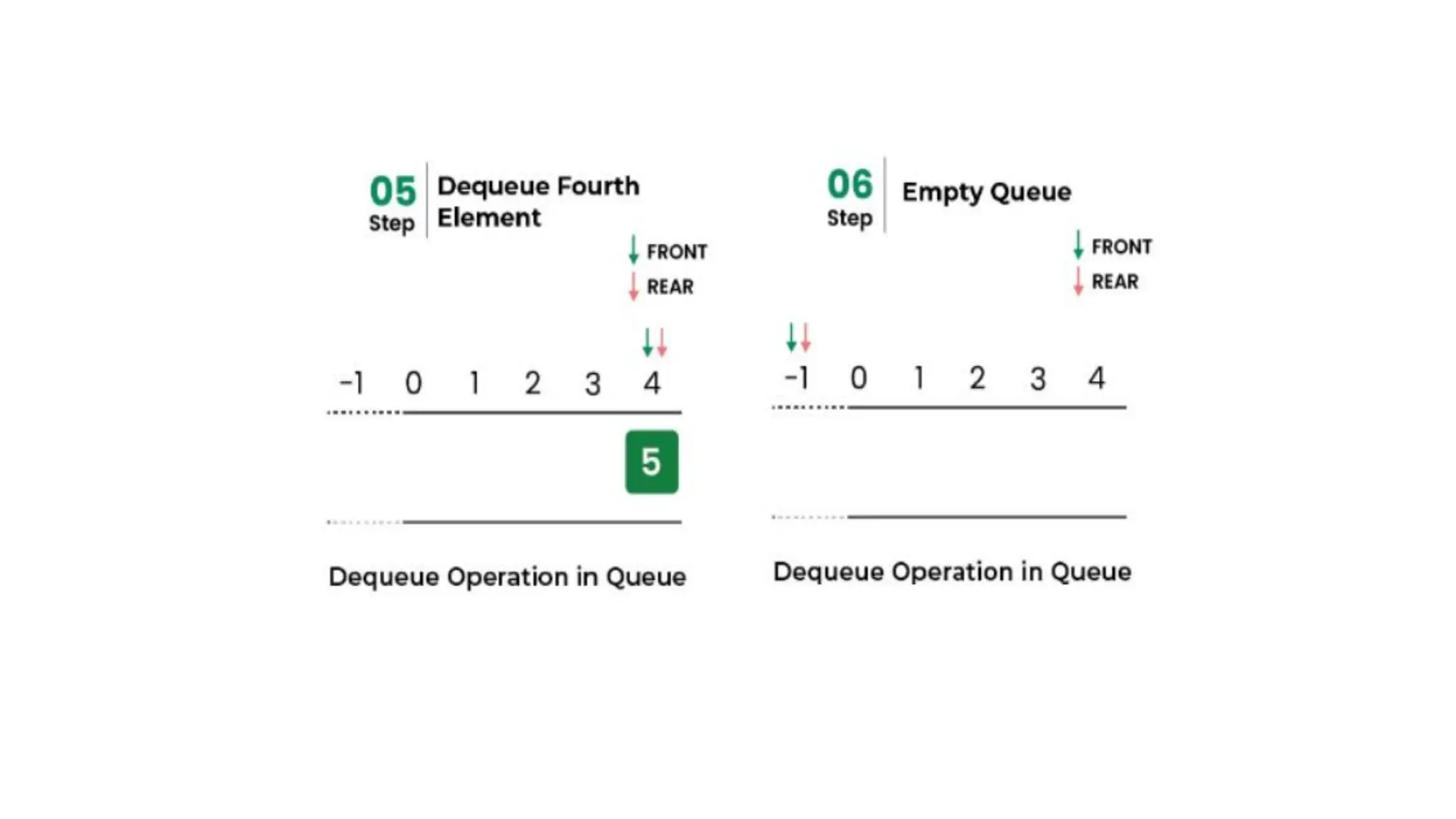
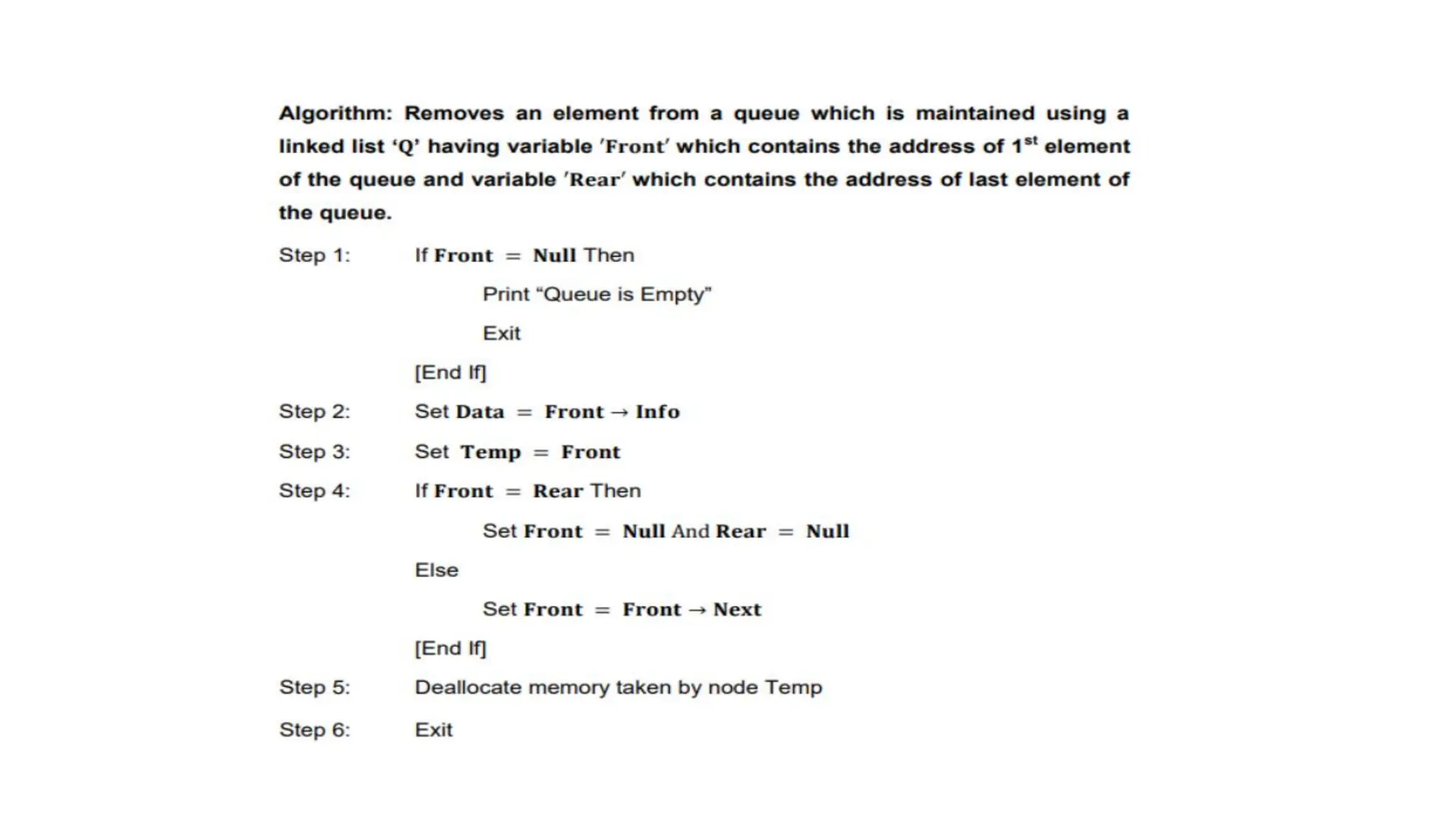
![• Implementation of dequeue:
• // Function to remove an item from queue.
• // It changes front and size
• intdequeue(struct Queue* queue)
• {
• if (isEmpty(queue)) {
• printf("nQueue is emptyn");
• return;
• }
• int item = queue->array[queue->front];
• queue->front = (queue->front + 1) % queue->capacity;
• queue->size = queue->size - 1;
• return item;
• }](https://image.slidesharecdn.com/datastructure-linkedliststackqueue-251209045411-31e533e9/75/Data-Structure-Linked-List-Stack-Queue-pdf-278-2048.jpg)
![• 3. Front Operation in Queue Data Structure:
• This operation returns the element at the front end without removing it.
• // Function to get front of queue
• int front(struct Queue* queue)
• {
• if (isempty(queue))
• return INT_MIN;
• return queue->arr[queue->front];
• }
• 4. Rear Operation in Queue Data Structure:
• This operation returns the element at the rear end without removing it.
• int rear(struct Queue* front)
• {
• if (front == NULL) {
• printf("Queue is empty.n");
• return -1;
• }
• while (front->next != NULL) {
• front = front->next;
• }
• return front->data;
• }](https://image.slidesharecdn.com/datastructure-linkedliststackqueue-251209045411-31e533e9/75/Data-Structure-Linked-List-Stack-Queue-pdf-279-2048.jpg)
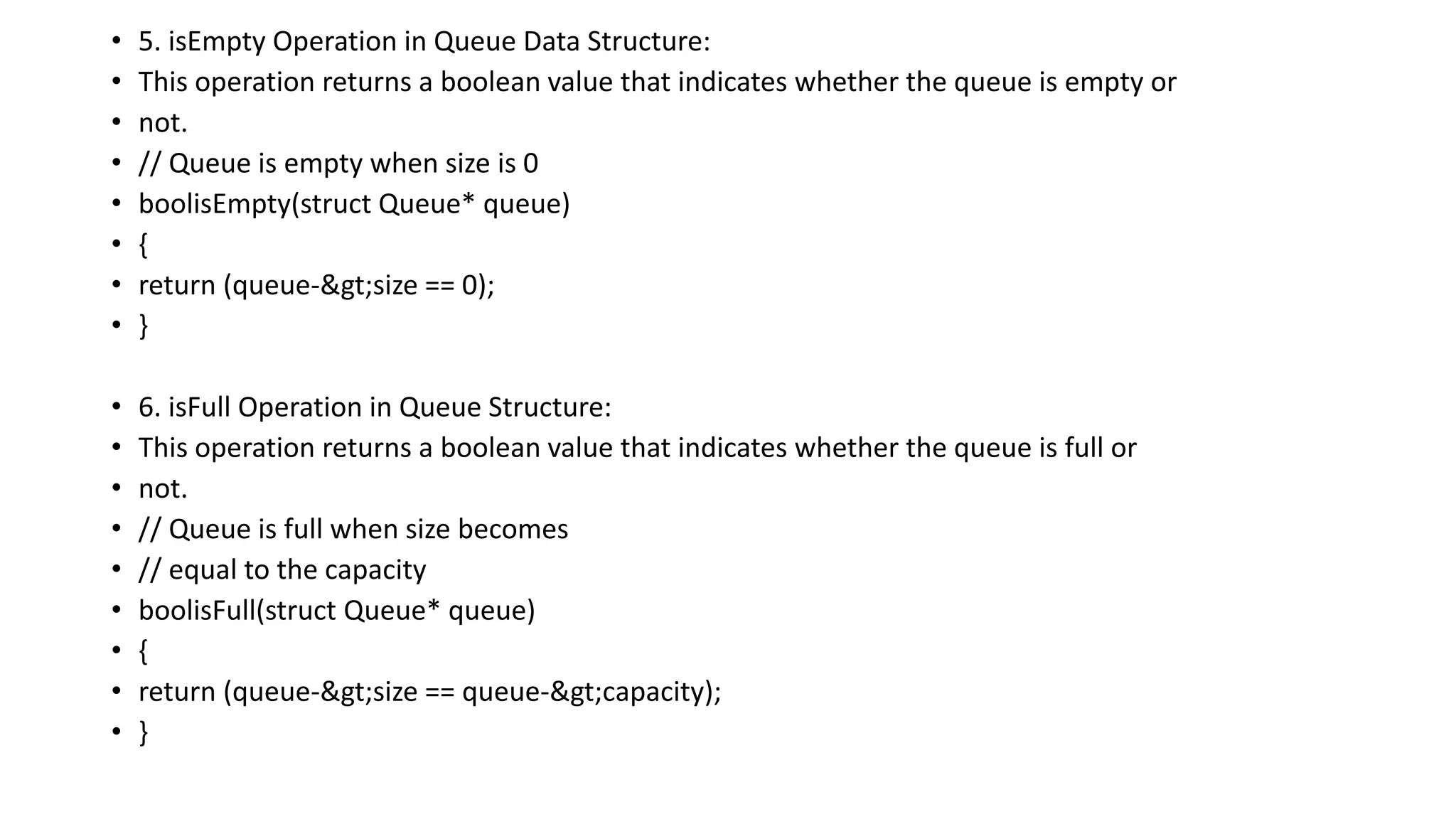
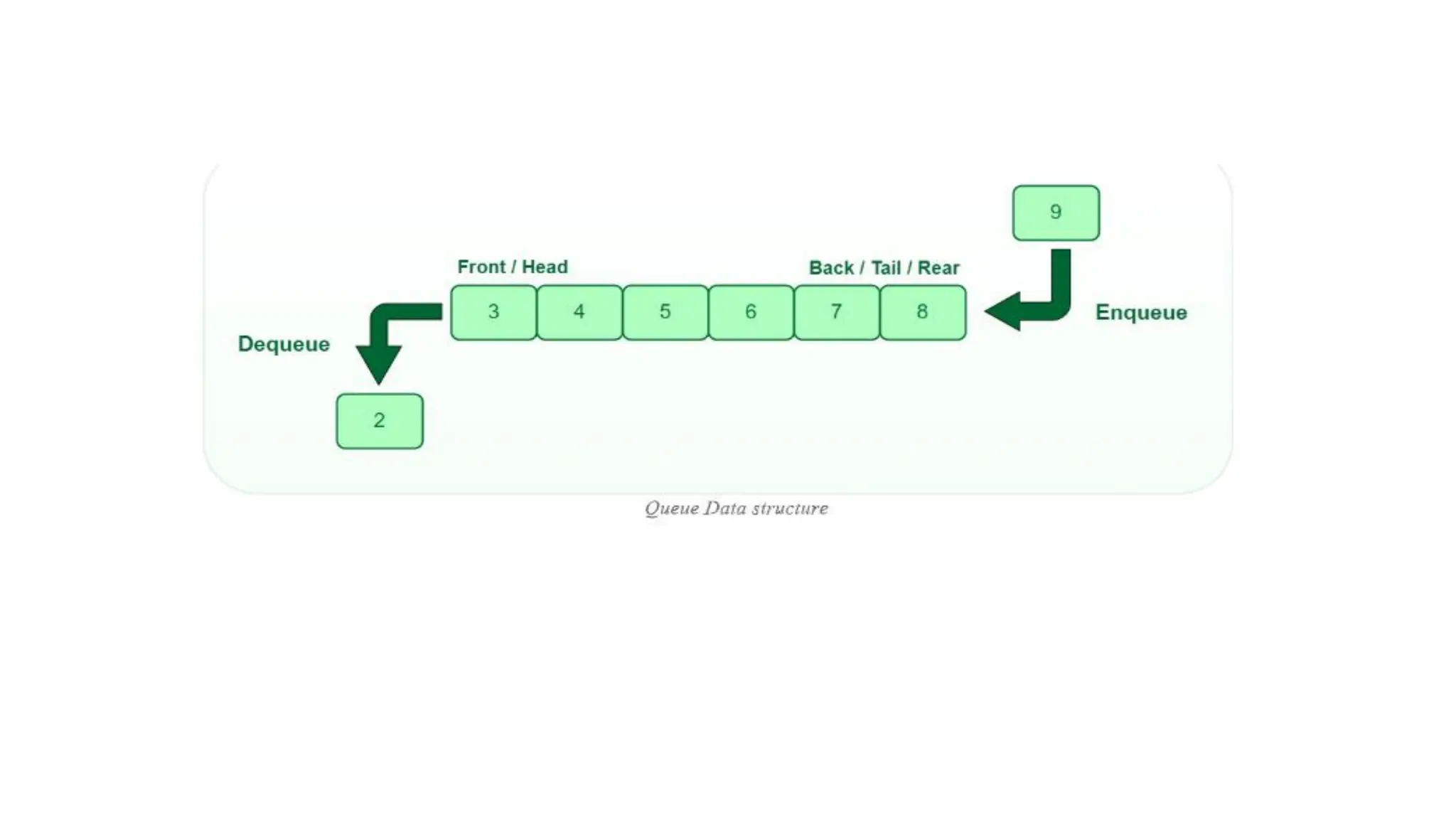
![• return(queue->size == queue->capacity);
• }
•
• // Queue is empty when size is 0
• intisEmpty(structQueue* queue)
• {
• return(queue->size == 0);
• }
•
• // Function to add an item to the queue.
• // It changes rear and size
• voidenqueue(structQueue* queue, intitem)
• {
• if(isFull(queue))
• return;
• queue->rear = (queue->rear + 1)
• % queue->capacity;
• queue->array[queue->rear] = item;
• queue->size = queue->size + 1;](https://image.slidesharecdn.com/datastructure-linkedliststackqueue-251209045411-31e533e9/75/Data-Structure-Linked-List-Stack-Queue-pdf-289-2048.jpg)
![• printf("%d enqueued to queuen", item);
• }
•
• // Function to remove an item from queue.
• // It changes front and size
• intdequeue(structQueue* queue)
• {
• if(isEmpty(queue))
• returnINT_MIN;
• intitem = queue->array[queue->front];
• queue->front = (queue->front + 1)
• % queue->capacity;
• queue->size = queue->size - 1;
• returnitem;
• }
•
• // Function to get front of queue
• intfront(structQueue* queue)
• {
• if(isEmpty(queue))
• returnINT_MIN;](https://image.slidesharecdn.com/datastructure-linkedliststackqueue-251209045411-31e533e9/75/Data-Structure-Linked-List-Stack-Queue-pdf-290-2048.jpg)
![• returnqueue->array[queue->front];
• }
•
• // Function to get rear of queue
• intrear(structQueue* queue)
• {
• if(isEmpty(queue))
• returnINT_MIN;
• returnqueue->array[queue->rear];
• }
•
• // Driver program to test above functions./
• intmain()
• {
• structQueue* queue = createQueue(1000);
•
• enqueue(queue, 10);
• enqueue(queue, 20);
• enqueue(queue, 30);
• enqueue(queue, 40);](https://image.slidesharecdn.com/datastructure-linkedliststackqueue-251209045411-31e533e9/75/Data-Structure-Linked-List-Stack-Queue-pdf-291-2048.jpg)