3
1.1 DATA COMMUNICATIONS
•Communication is the sharing of data, either locally (face-to-face)
or remotely (over distance). The word data refers to information
presented in whatever form is agreed upon by the parties creating
and using the data.
• Data communications are the exchange of data between two devices
via some form of transmission medium such as a wire cable or
wireless.
• The effectiveness of a data communications system depends on four
fundamental characteristics:
1. Delivery 2.Accuracy 3.Timelines 4.Jitter
Data Communications and Networking
4.
4
1. Delivery –Data must be sent to and received only by the correct
device or user.
2. Accuracy – Data must arrive without errors; altered data is
unusable.
3. Timeliness – Data must arrive when needed. For audio/video, it
should be in the correct order and without delay (real-time
transmission).
4. Jitter – Variation in packet arrival times, causing uneven or choppy
audio/video quality. Example: If video packets are sent every 30 ms
but some arrive after 40 ms, the video quality becomes uneven.
Data Communications and Networking
5.
Data Communications andNetworking 5
Topics discussed in this section:
Components
Data Représentation
Data Flow
Components
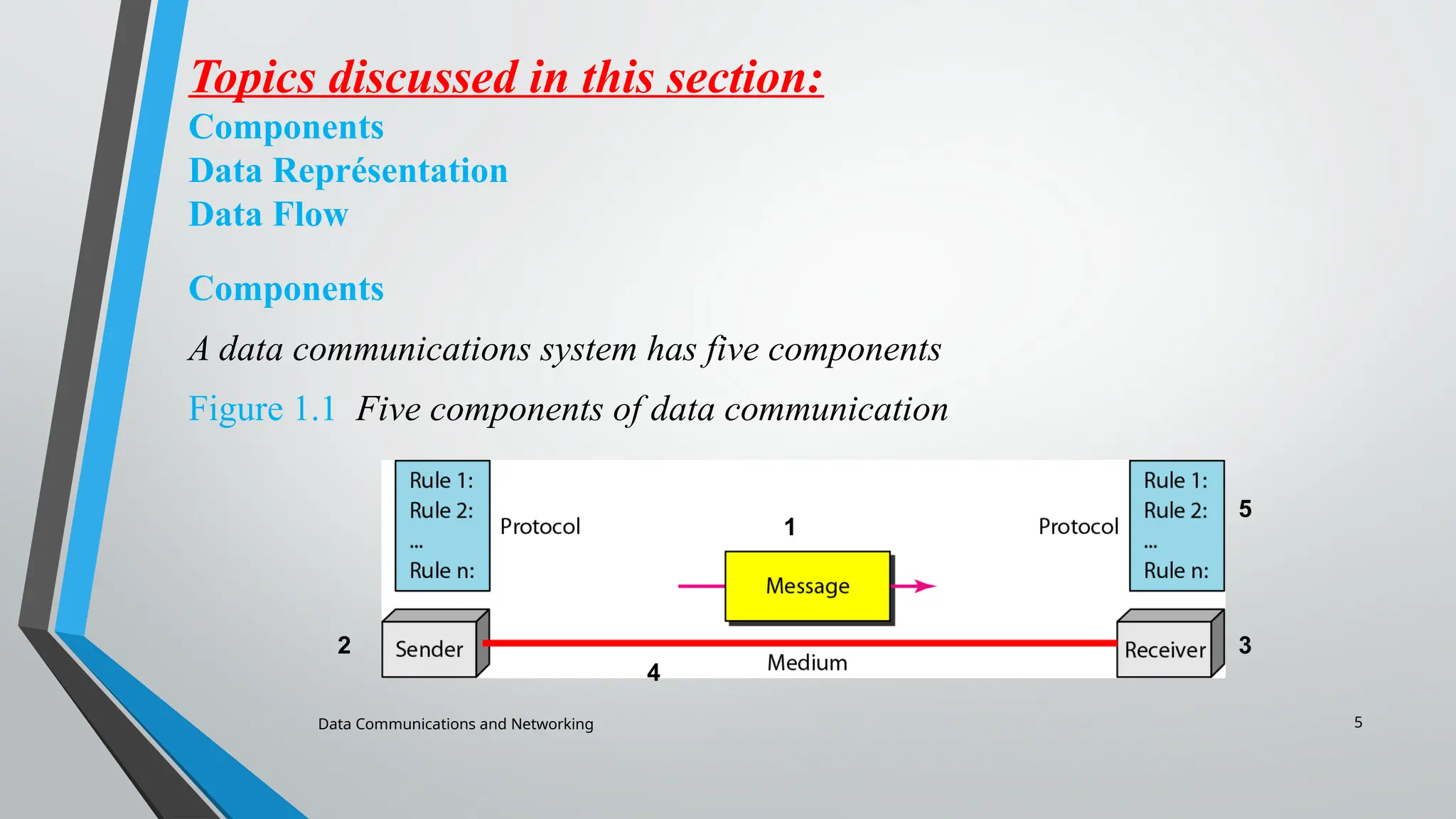
A data communications system has five components
Figure 1.1 Five components of data communication
2
1
3
4
5
6.
Data Communications andNetworking 6
Cont.….
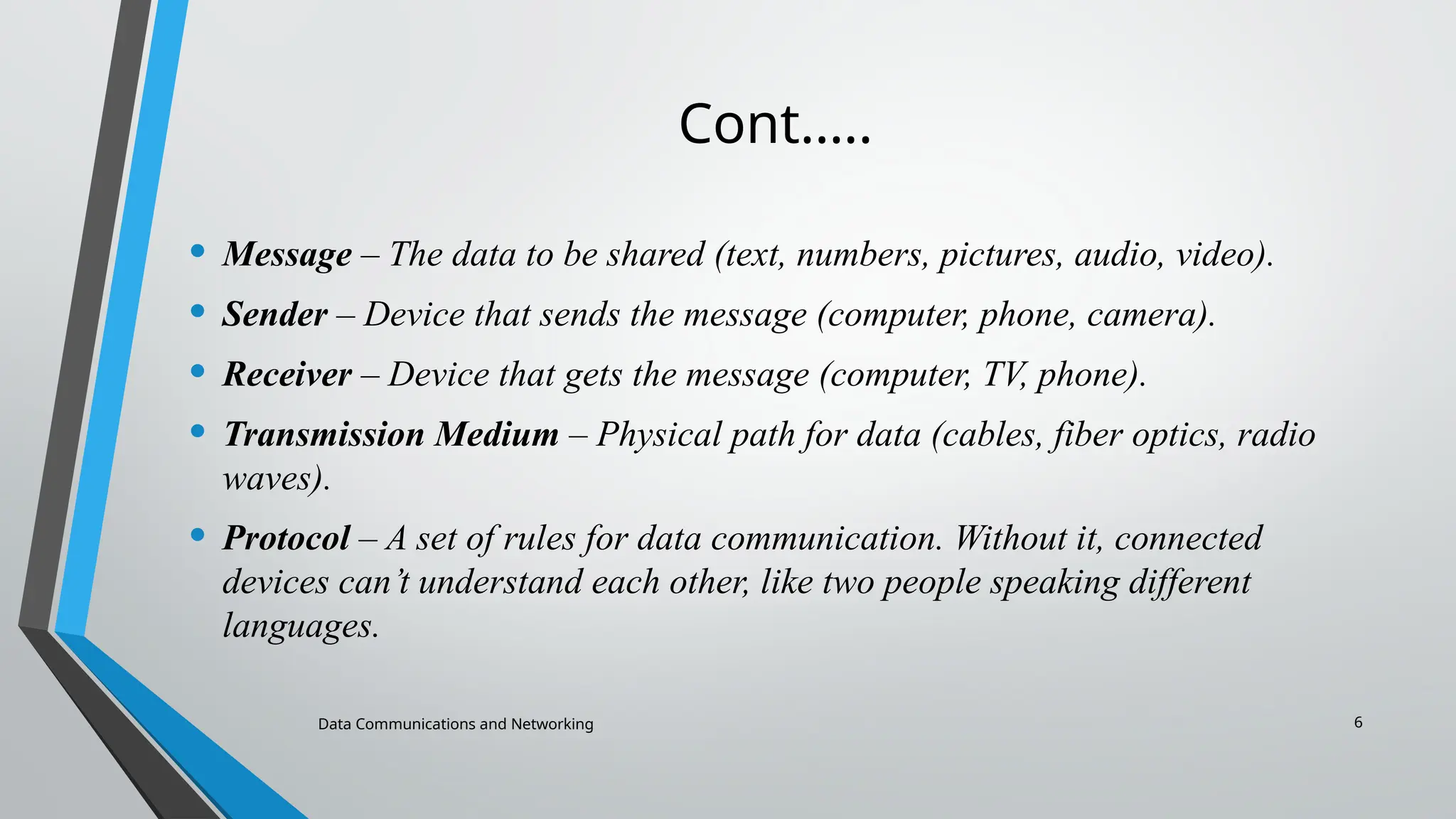
• Message – The data to be shared (text, numbers, pictures, audio, video).
• Sender – Device that sends the message (computer, phone, camera).
• Receiver – Device that gets the message (computer, TV, phone).
• Transmission Medium – Physical path for data (cables, fiber optics, radio
waves).
• Protocol – A set of rules for data communication. Without it, connected
devices can’t understand each other, like two people speaking different
languages.
7.
7
Data Représentation
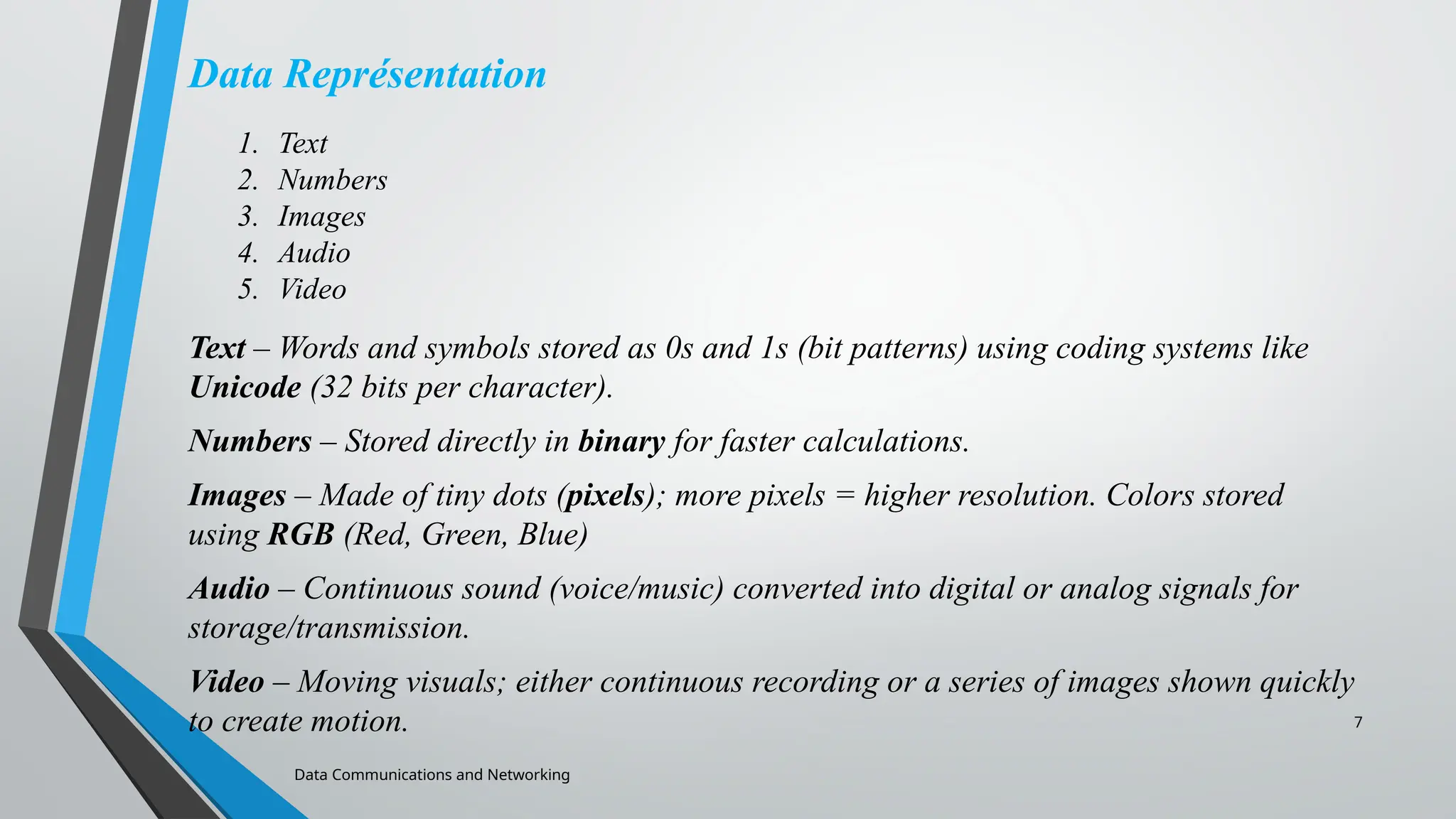
Text –Words and symbols stored as 0s and 1s (bit patterns) using coding systems like
Unicode (32 bits per character).
Numbers – Stored directly in binary for faster calculations.
Images – Made of tiny dots (pixels); more pixels = higher resolution. Colors stored
using RGB (Red, Green, Blue)
Audio – Continuous sound (voice/music) converted into digital or analog signals for
storage/transmission.
Video – Moving visuals; either continuous recording or a series of images shown quickly
to create motion.
Data Communications and Networking
1. Text
2. Numbers
3. Images
4. Audio
5. Video
Data Communications andNetworking 9
Cont...
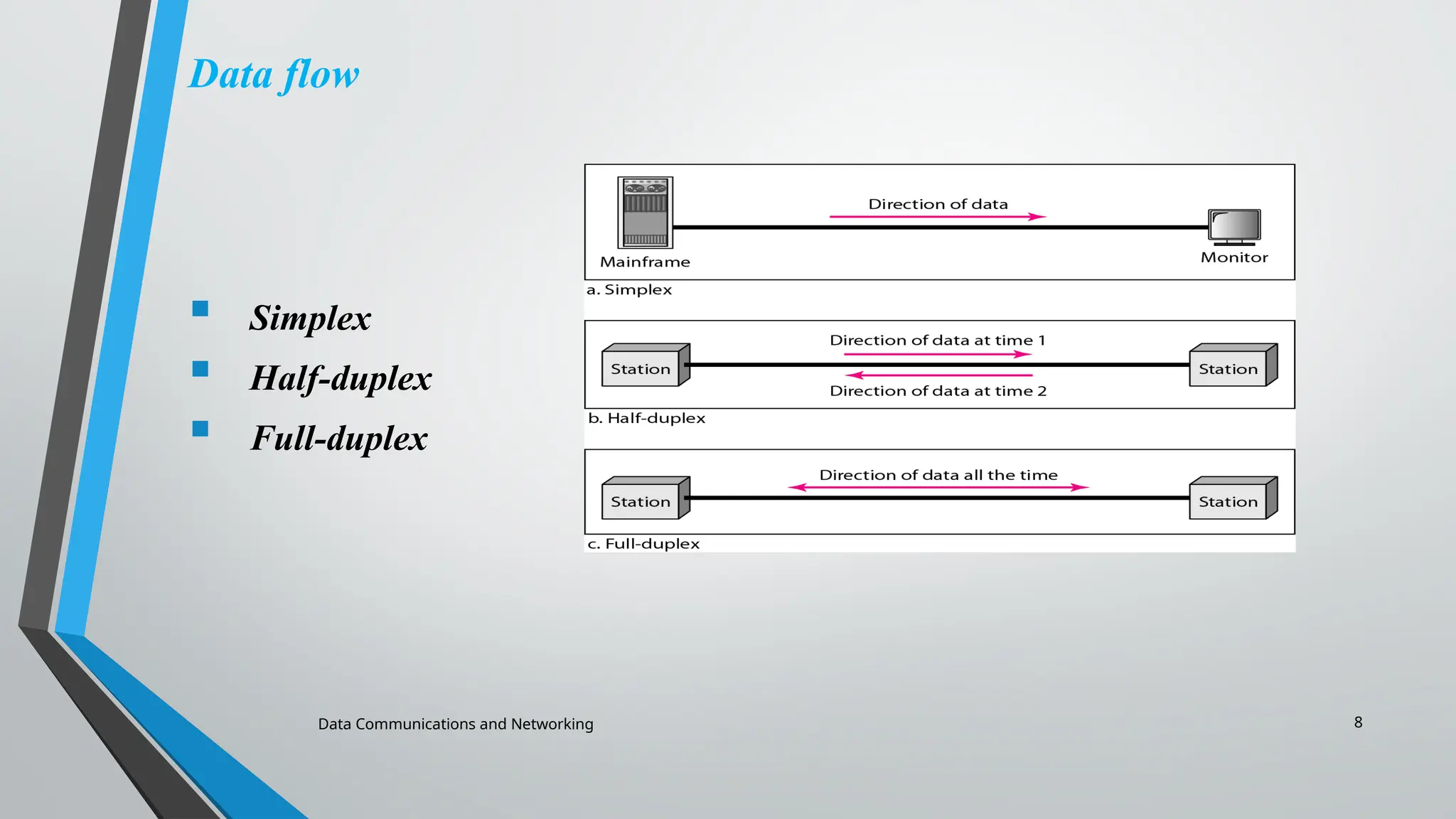
• Simplex: Communication is one-way only; one device sends, the other only
receives (e.g., keyboard to monitor).
• Half-Duplex: Both devices can send and receive, but not at the same time
(e.g., walkie-talkies).
• Full-Duplex: Both devices send and receive simultaneously, like a two-way
street (e.g., telephone calls).
10.
Data Communications andNetworking 10
1.2 NETWORKS
A network is a set of devices (nodes) connected by communication
links. A node can be a computer, printer, or any other device
capable of sending and/or receiving data generated by other nodes
on the network.
Topics discussed in this section:
Network Criteria (performance, reliability, and security)
Physical Structures ( type of connections and topologies)
Network Models
Networks Types ( PAN,LAN, MAN and WAN)
11.
11
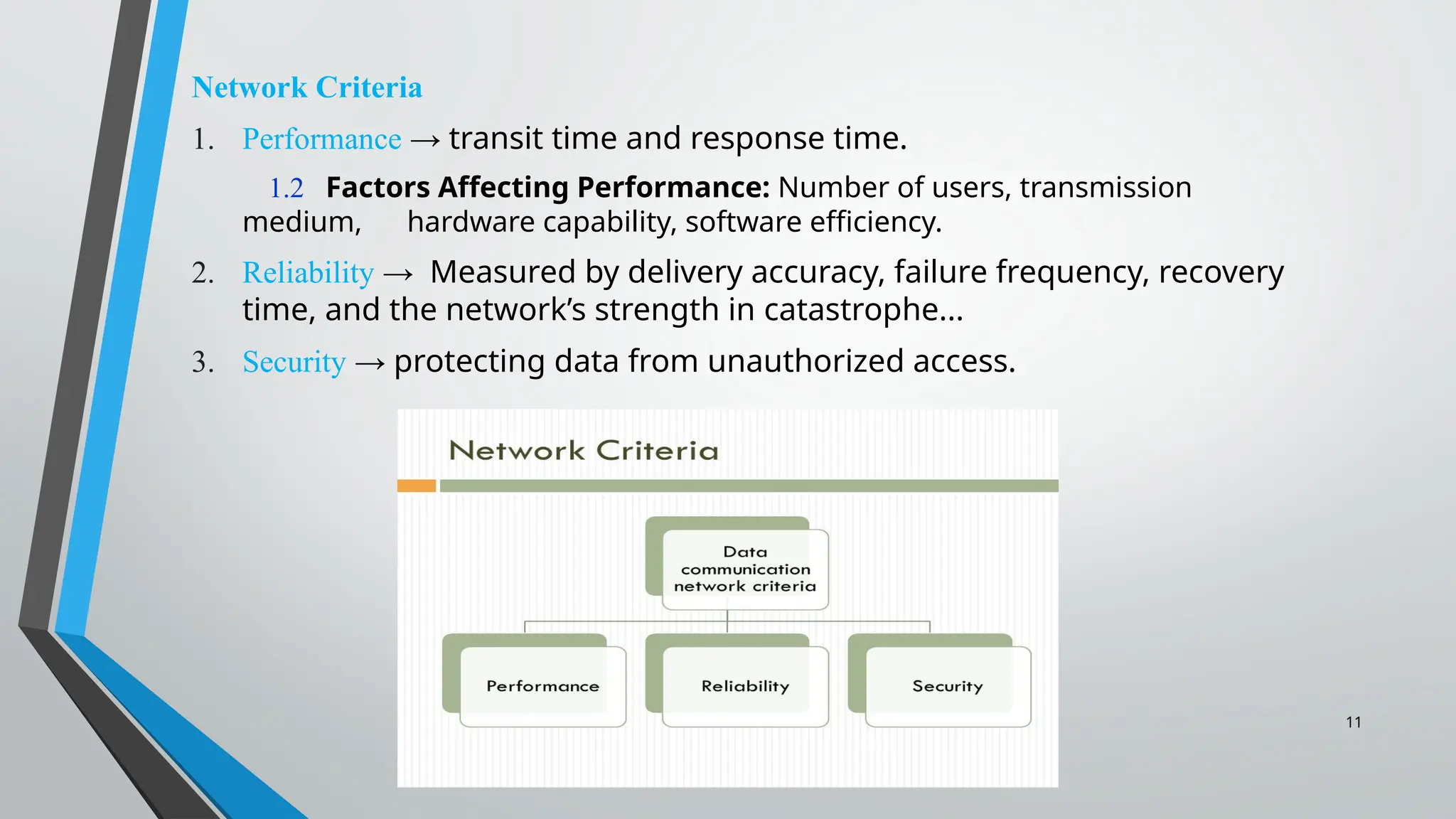
Network Criteria
1. Performance→ transit time and response time.
1.2 Factors Affecting Performance: Number of users, transmission
medium, hardware capability, software efficiency.
2. Reliability → Measured by delivery accuracy, failure frequency, recovery
time, and the network’s strength in catastrophe...
3. Security → protecting data from unauthorized access.
12.
Data Communications andNetworking 12
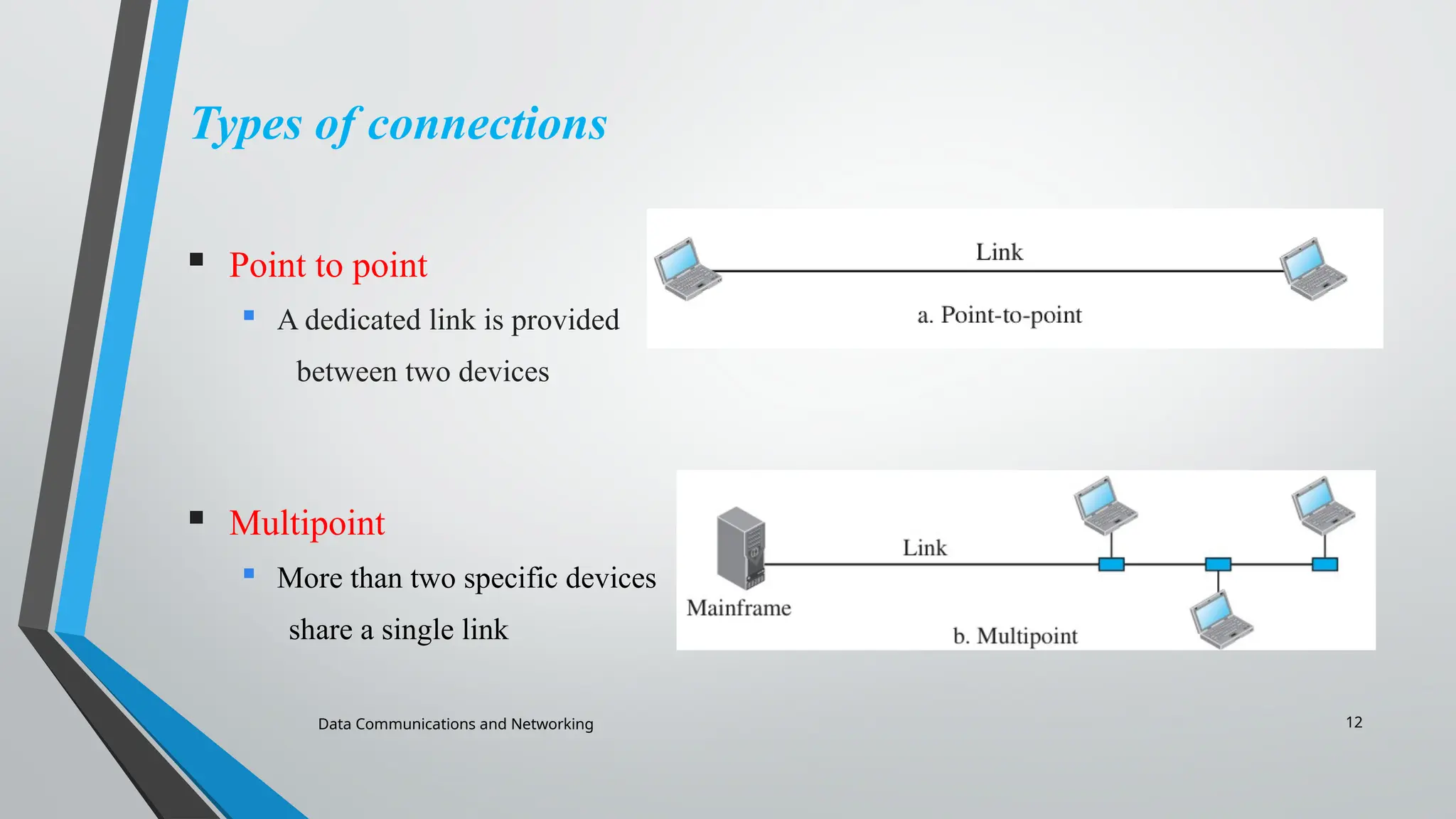
Types of connections
Point to point
A dedicated link is provided
between two devices
Multipoint
More than two specific devices
share a single link
13.
Data Communications andNetworking 13
Physical Topology
Physical Topology – The physical layout of a network, showing how links and devices
(nodes) are connected.
Types of Topology
Mesh
Star
Bus
Ring
Tree
Hybrid
14.
Data Communications andNetworking 14
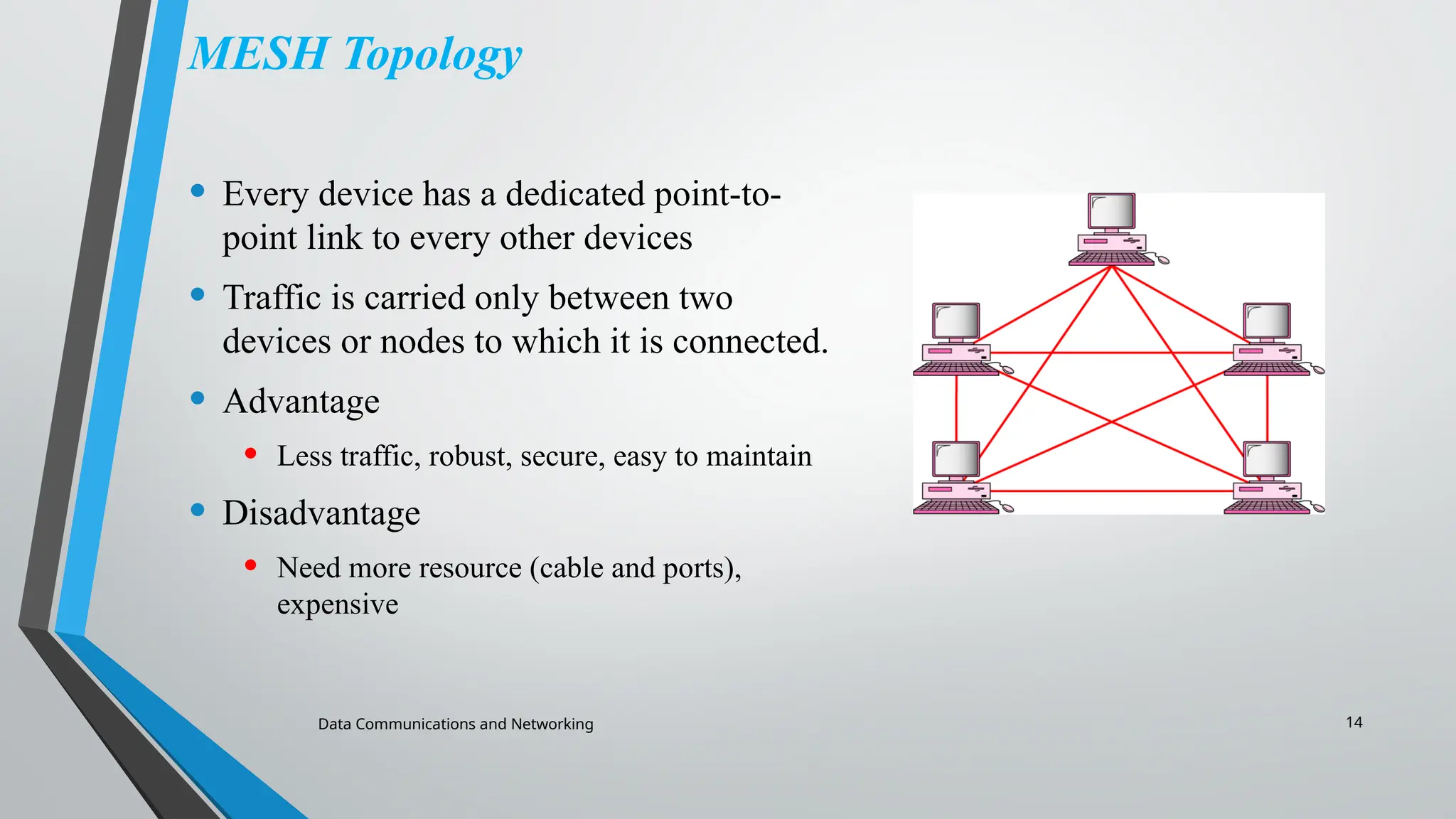
MESH Topology
• Every device has a dedicated point-to-
point link to every other devices
• Traffic is carried only between two
devices or nodes to which it is connected.
• Advantage
• Less traffic, robust, secure, easy to maintain
• Disadvantage
• Need more resource (cable and ports),
expensive
15.
Data Communications andNetworking 15
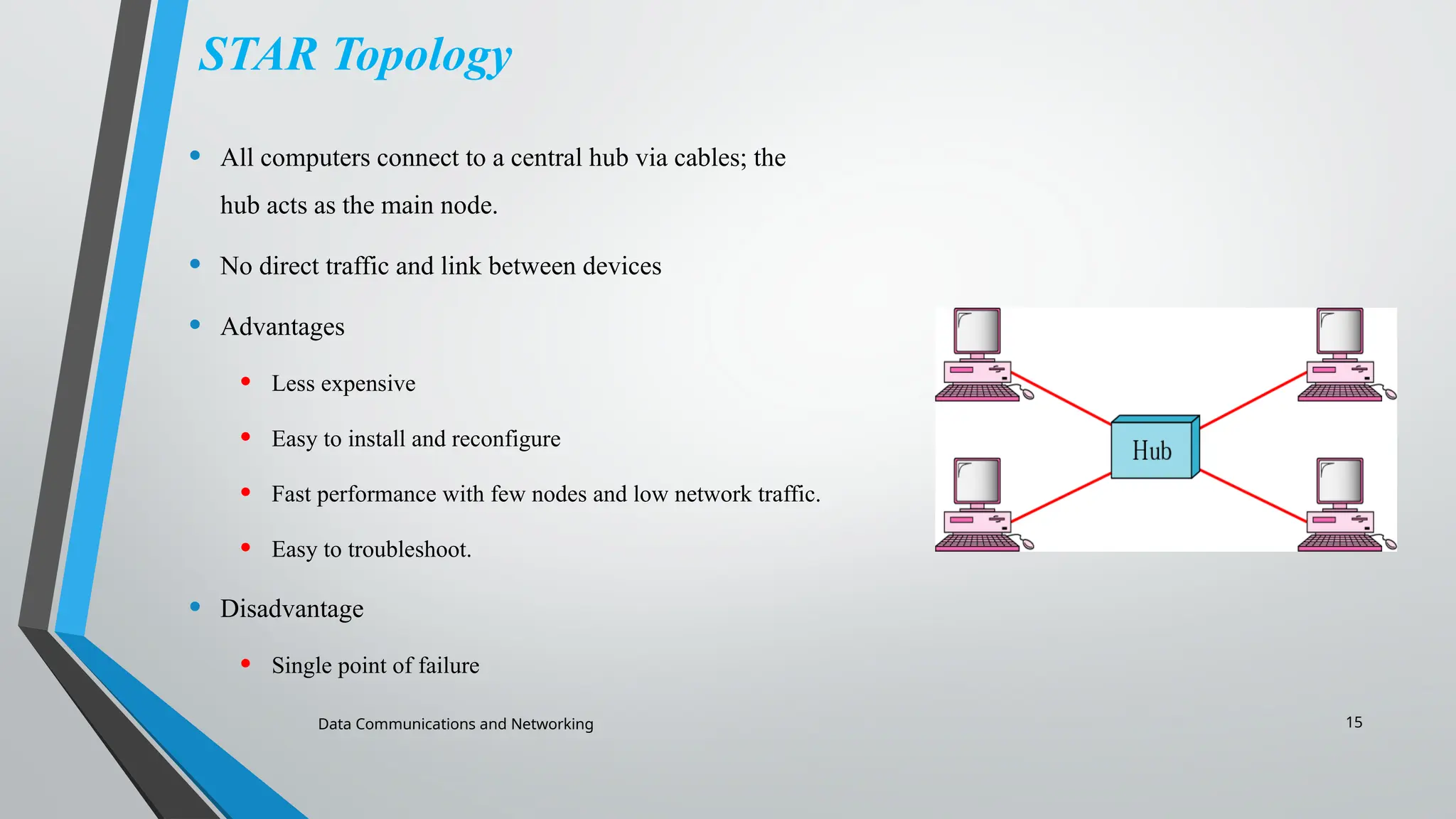
STAR Topology
• All computers connect to a central hub via cables; the
hub acts as the main node.
• No direct traffic and link between devices
• Advantages
• Less expensive
• Easy to install and reconfigure
• Fast performance with few nodes and low network traffic.
• Easy to troubleshoot.
• Disadvantage
• Single point of failure
16.
16
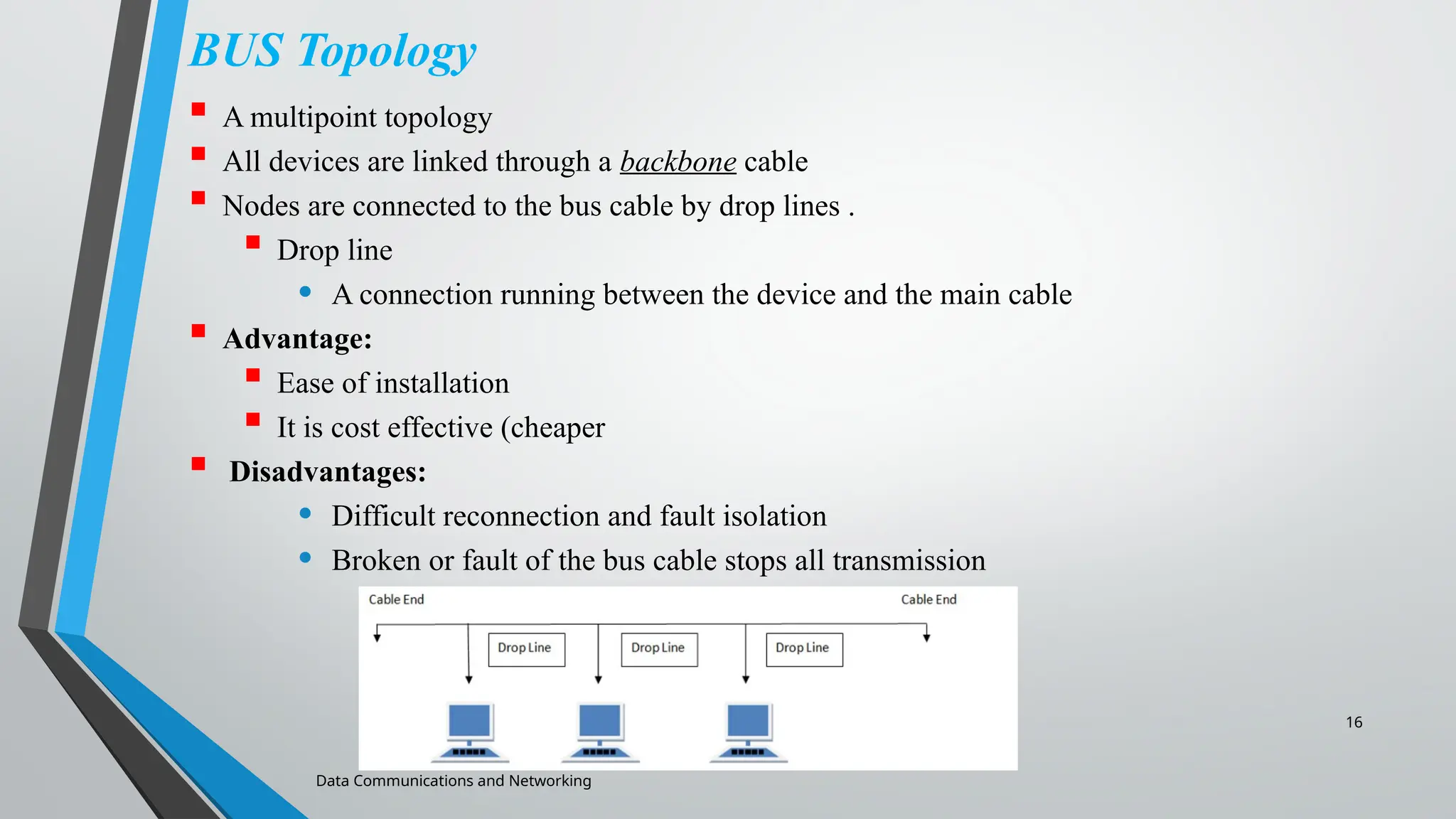
BUS Topology
Amultipoint topology
All devices are linked through a backbone cable
Nodes are connected to the bus cable by drop lines .
Drop line
• A connection running between the device and the main cable
Advantage:
Ease of installation
It is cost effective (cheaper
Disadvantages:
• Difficult reconnection and fault isolation
• Broken or fault of the bus cable stops all transmission
Data Communications and Networking
17.
Data Communications andNetworking 17
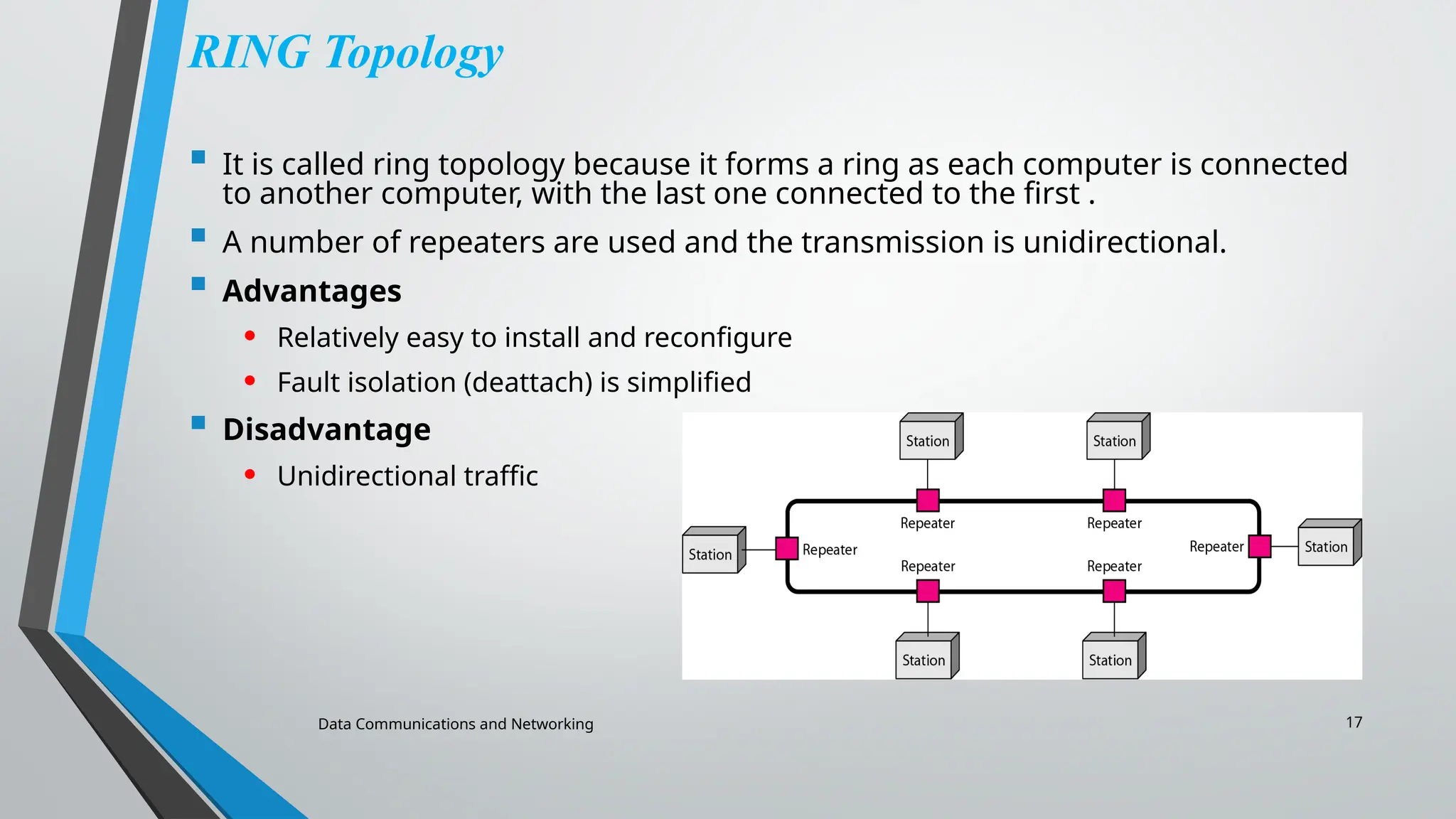
RING Topology
It is called ring topology because it forms a ring as each computer is connected
to another computer, with the last one connected to the first .
A number of repeaters are used and the transmission is unidirectional.
Advantages
• Relatively easy to install and reconfigure
• Fault isolation (deattach) is simplified
Disadvantage
• Unidirectional traffic
18.
Data Communications andNetworking 18
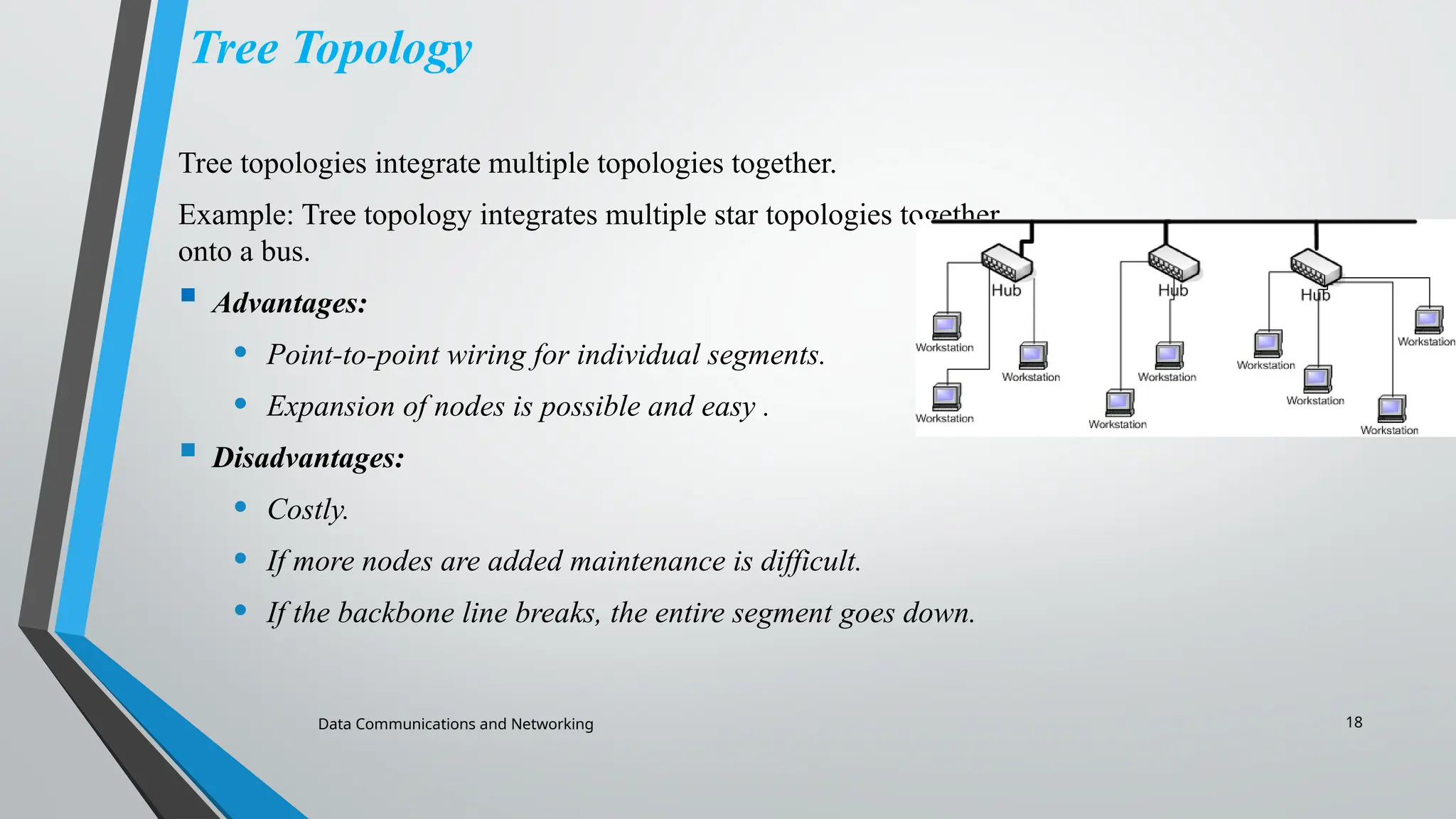
Tree Topology
Tree topologies integrate multiple topologies together.
Example: Tree topology integrates multiple star topologies together
onto a bus.
Advantages:
• Point-to-point wiring for individual segments.
• Expansion of nodes is possible and easy .
Disadvantages:
• Costly.
• If more nodes are added maintenance is difficult.
• If the backbone line breaks, the entire segment goes down.
19.
Data Communications andNetworking 19
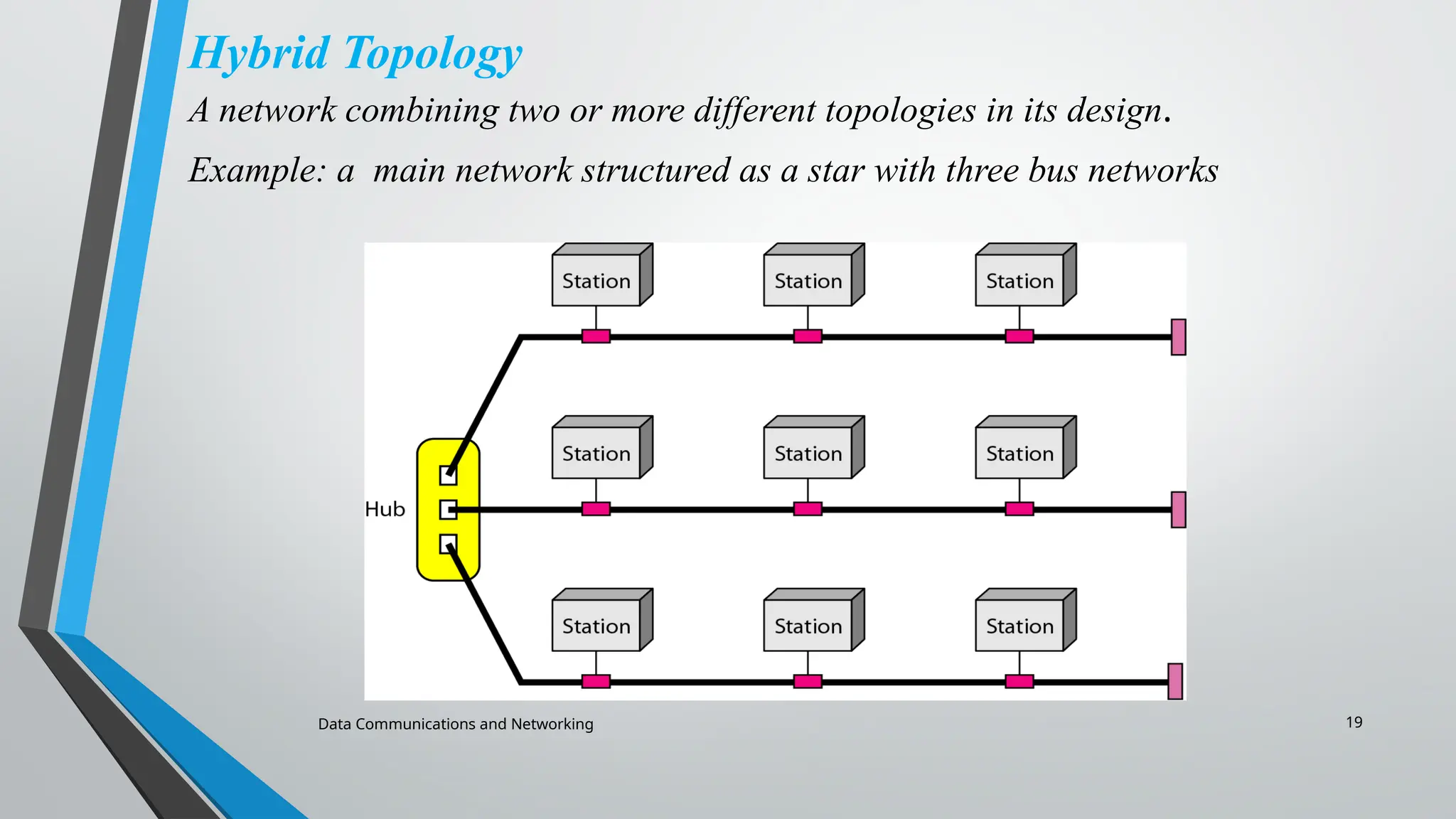
Hybrid Topology
A network combining two or more different topologies in its design.
Example: a main network structured as a star with three bus networks
20.
Data Communications andNetworking 20
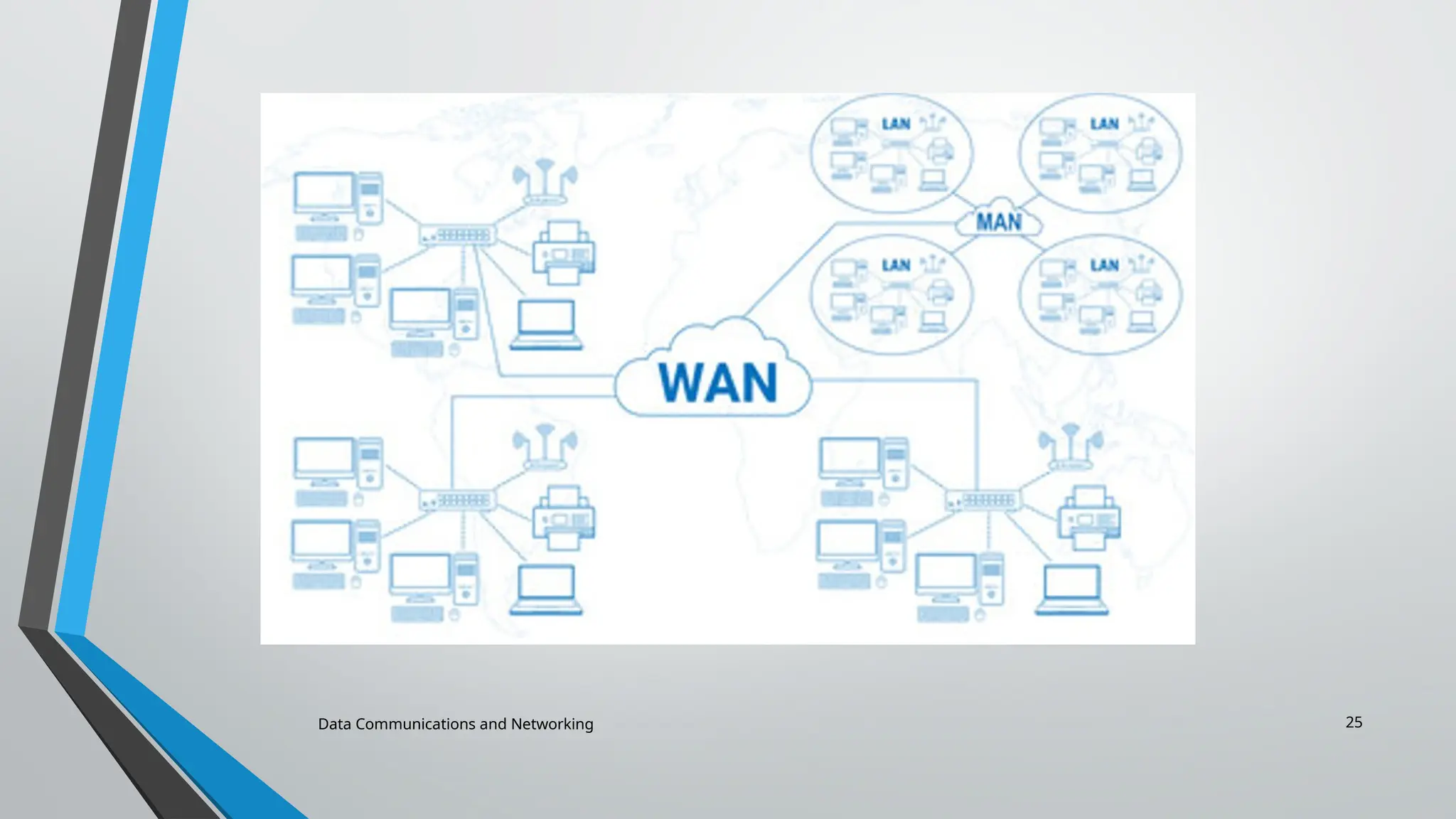
NETWORK TYPES
1. PAN (Personal Area Network)
2. Local Area Network (LAN)
3. Metropolitan Area Network (MAN)
4. Wide Area Network (WAN)
21.
Data Communications andNetworking 21
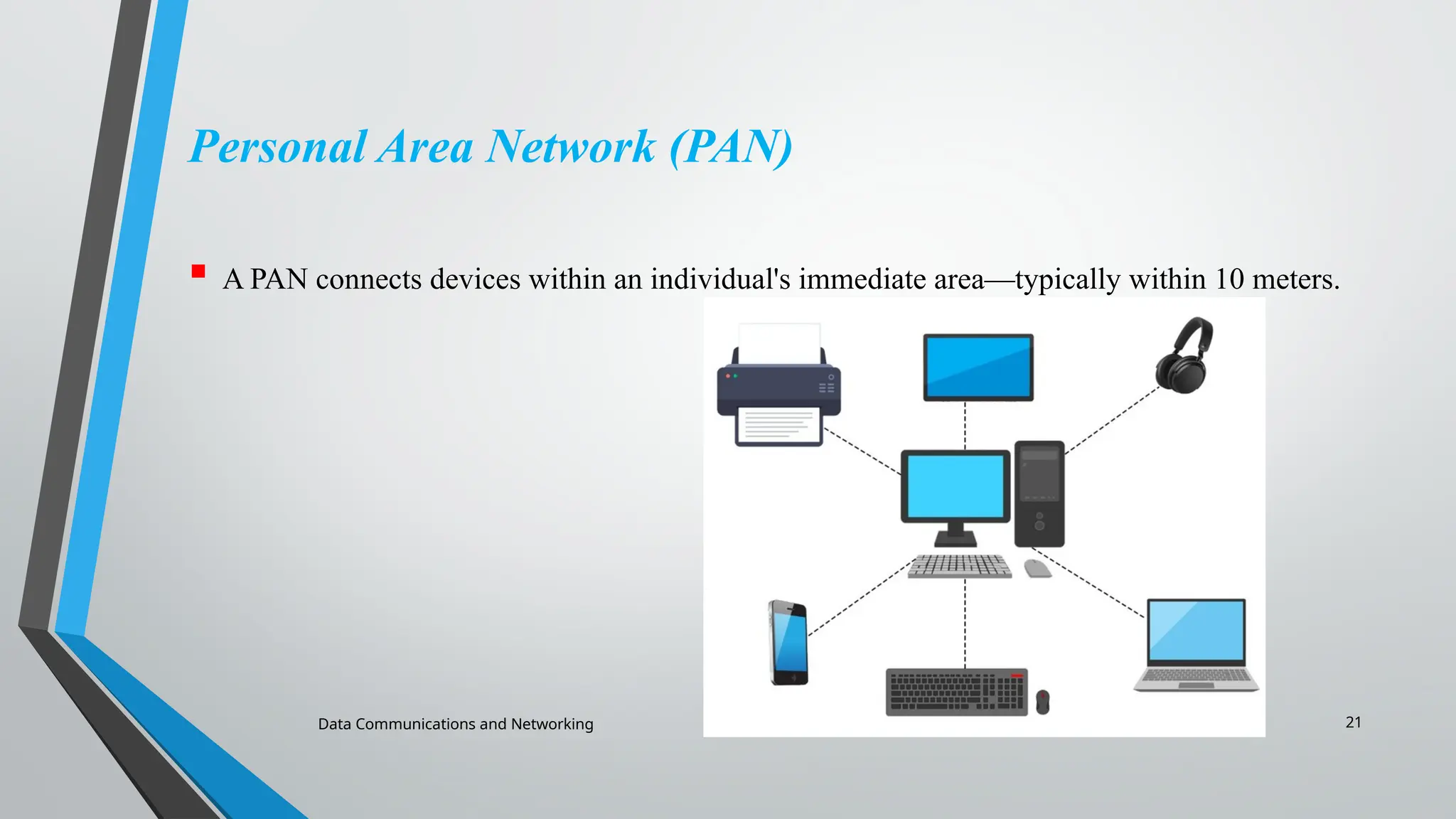
Personal Area Network (PAN)
A PAN connects devices within an individual's immediate area—typically within 10 meters.
22.
Data Communications andNetworking 22
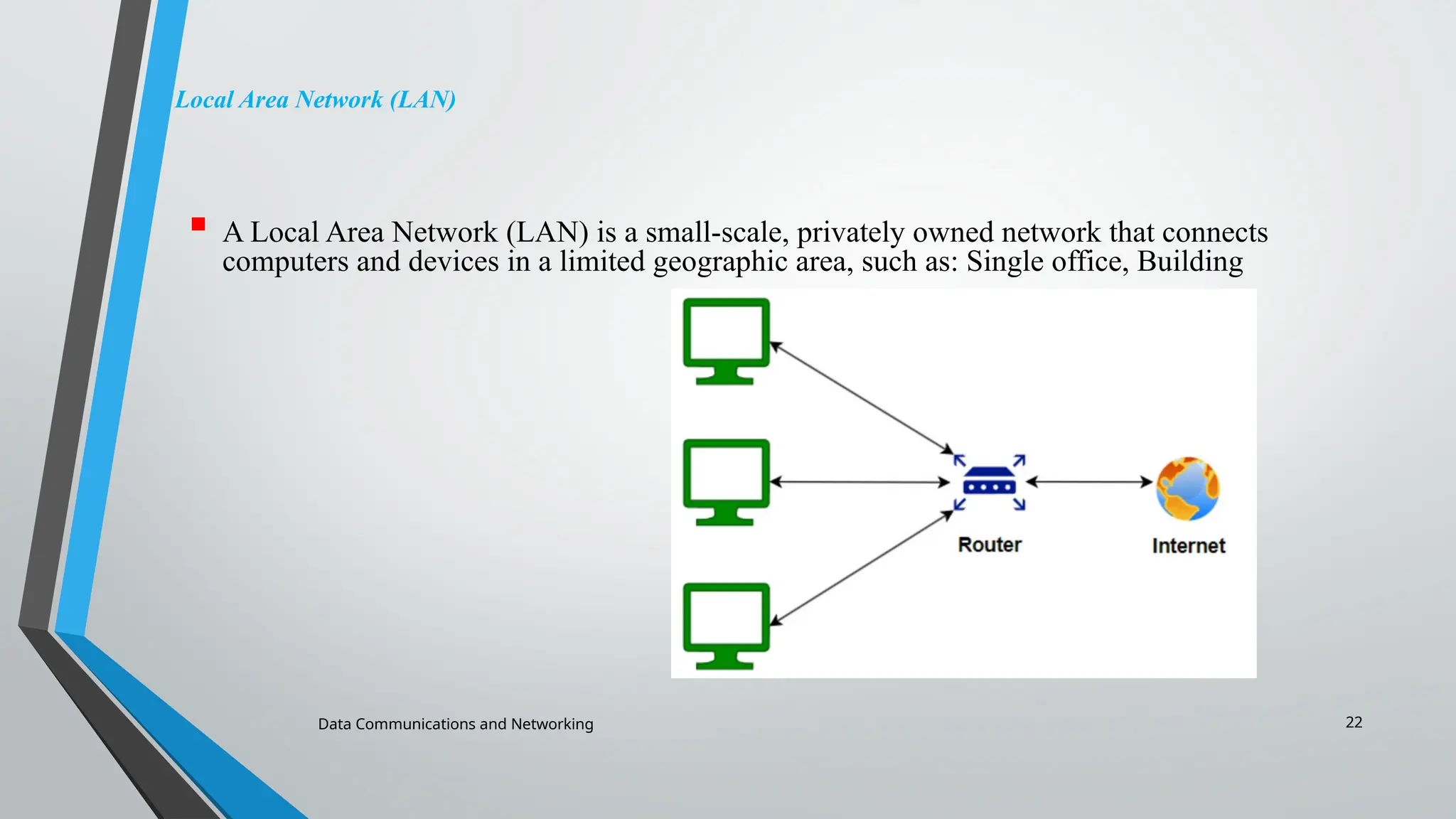
Local Area Network (LAN)
A Local Area Network (LAN) is a small-scale, privately owned network that connects
computers and devices in a limited geographic area, such as: Single office, Building
23.
Data Communications andNetworking 23
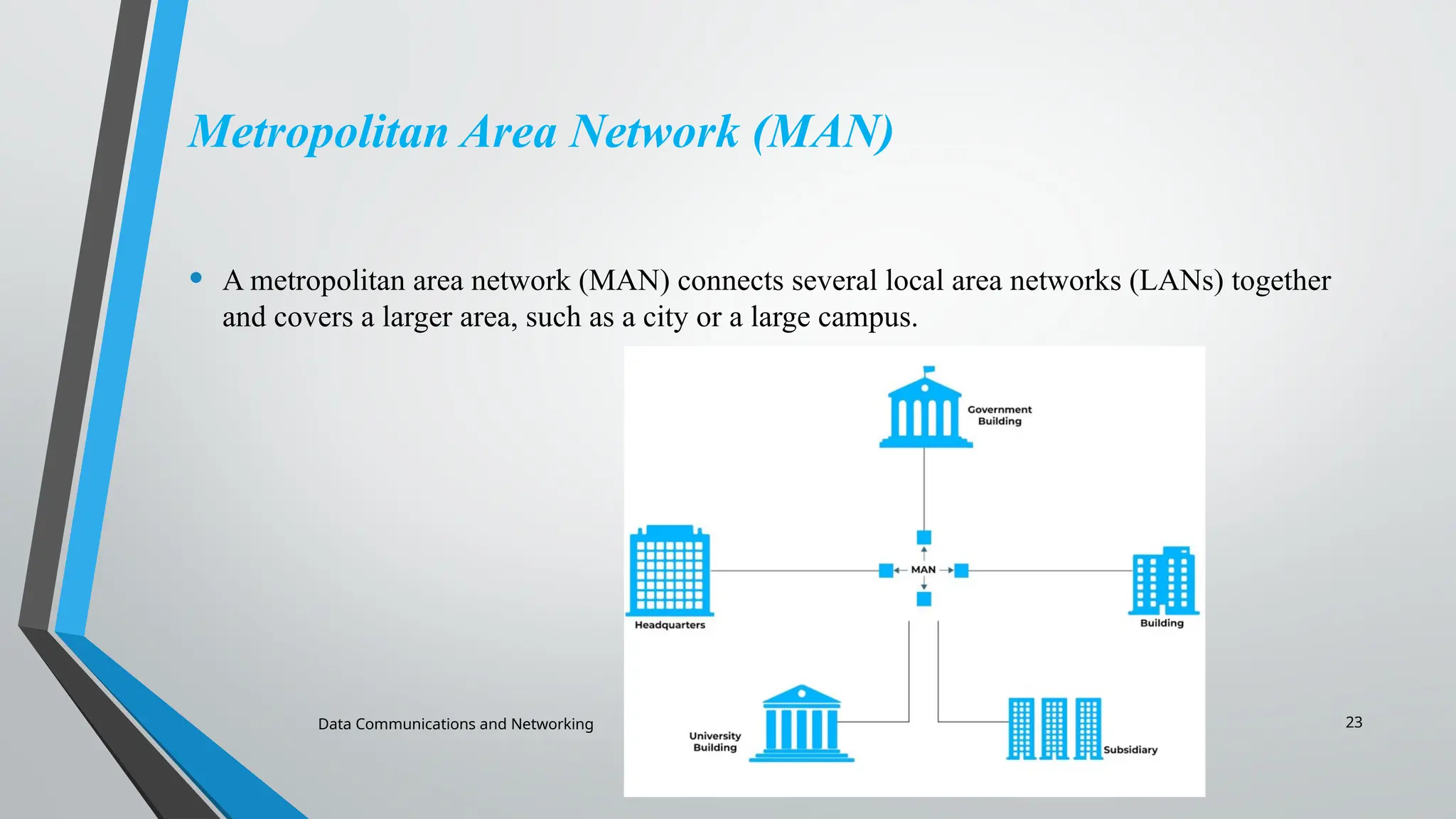
Metropolitan Area Network (MAN)
• A metropolitan area network (MAN) connects several local area networks (LANs) together
and covers a larger area, such as a city or a large campus.
24.
Data Communications andNetworking 24
Wide Area Network (WAN)
• A wide area network (WAN) covers a large geographical area and can span cities, regions, or
even countries. WANs connect multiple LANs or MANs, allowing organizations to
communicate and share data over long distances. The internet is the largest WAN in existence
Data Communications andNetworking 26
1.3 THE INTERNET
The Internet has changed many aspects of our daily lives. It has
affected the way we do business as well as the way we spend our
leisure time. The Internet is a communication system that has
brought a wealth of information to our fingertips and organized it
for our use.
A Brief History → ARPANET
• 1967 ACM
• 1969 UCLA, UCSB, SRI, UoU
• 1972 TCP
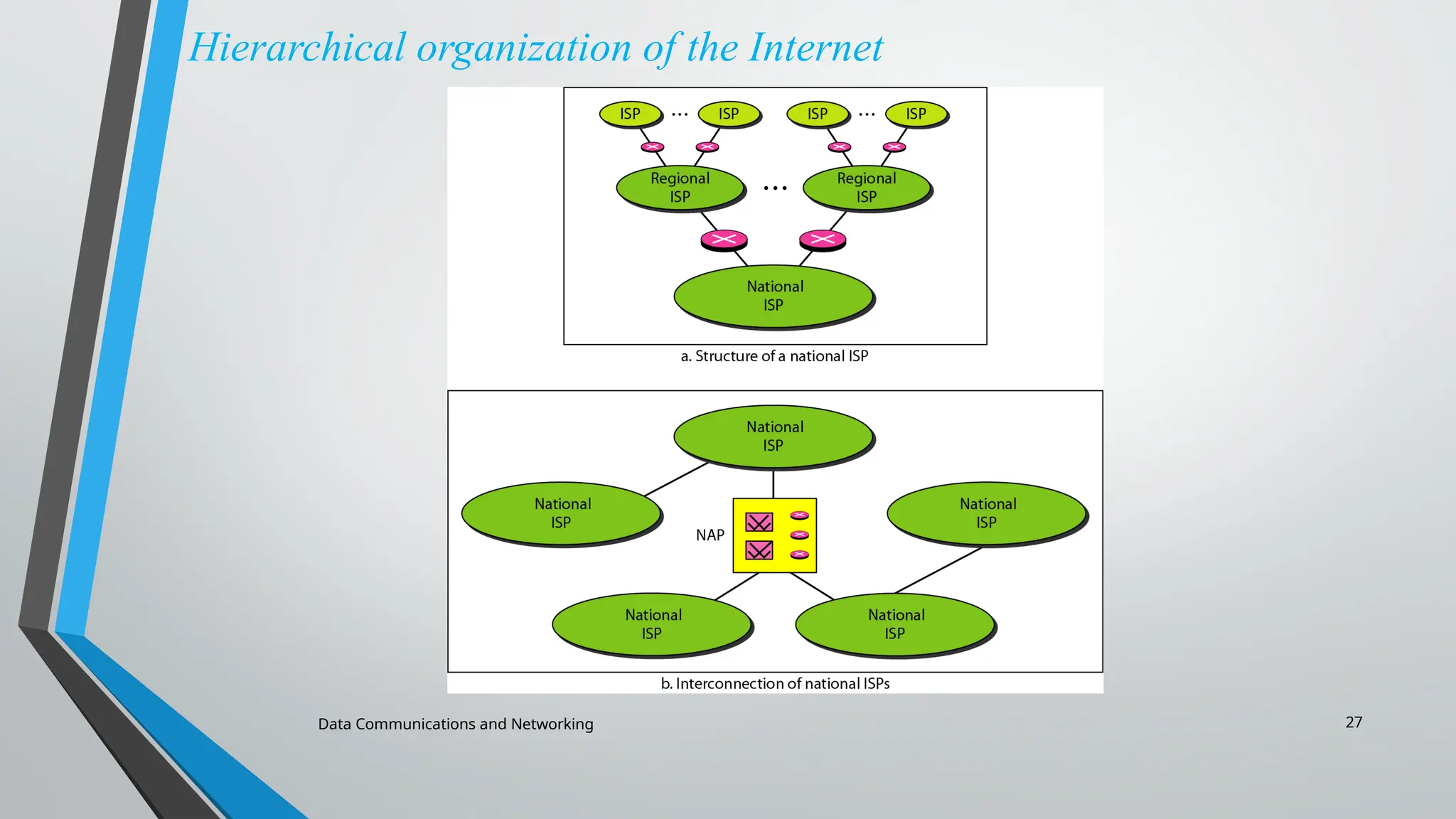
The Internet Today (ISPs)
Data Communications andNetworking 28
1.4 PROTOCOLS AND STANDARDS
• Protocol is synonymous with rule, It is a set of rules that govern
data communication.
• It determines:
• What is communicated?
• How it is communicated?
• When it is communicated?
• Standards are agreed-upon rules, It provides guidelines to
manufactures or vendors to ensure the kind of interconnectivity
nessaccery in todays market place and in international
communication.
29.
Data Communications andNetworking 29
PROTOCOLS AND STANDARDS
Topics discussed in this section:
Protocols
Standards
Standards Organisations
Internet Standards
30.
Data Communications andNetworking 30
PROTOCOLS AND STANDARDS
Key Element of Protocols
• Syntax → format of the data
• Semantics → meaning of each section means which field define what
action.
• Timing → when data should be sent and how fast.
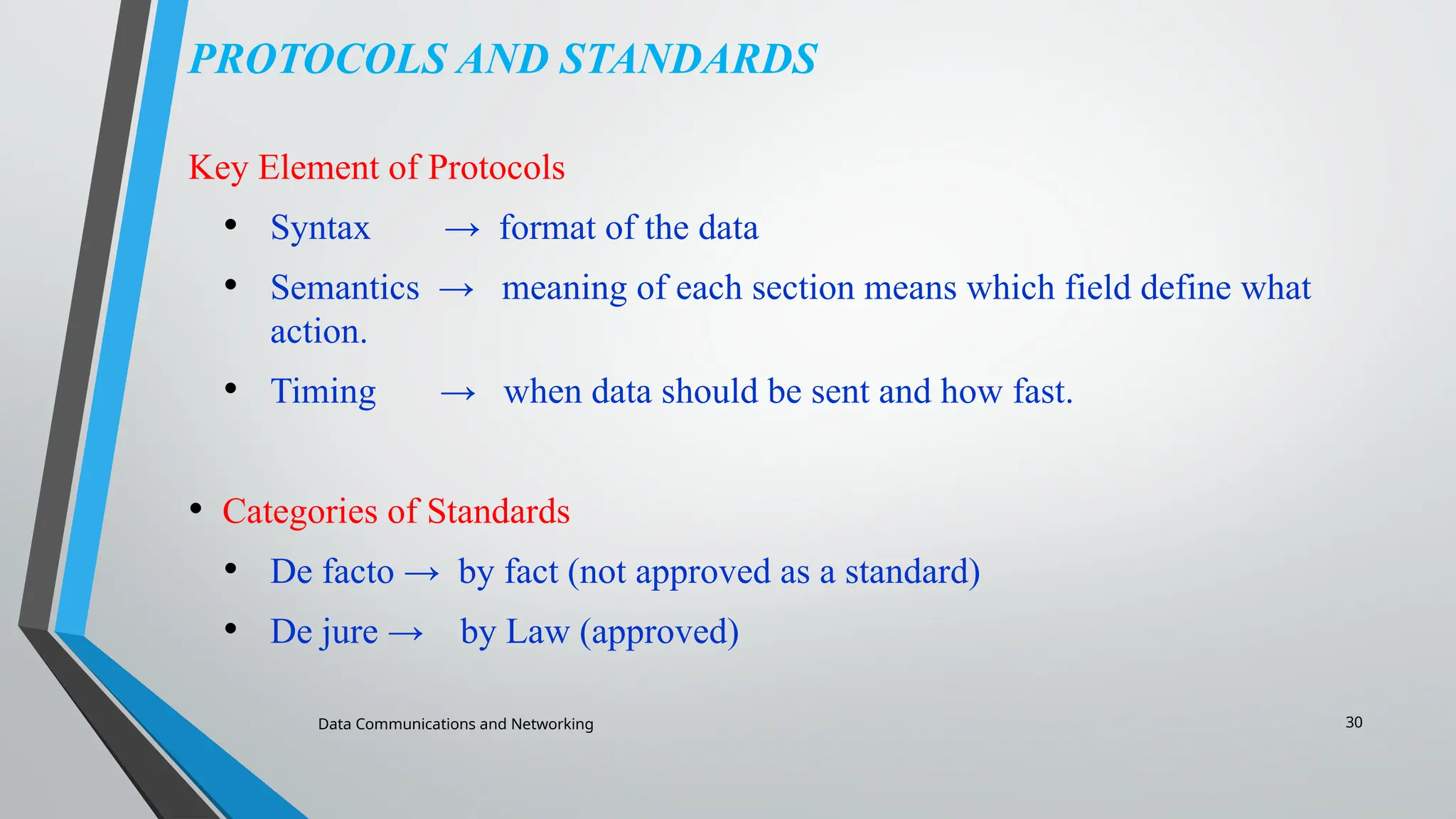
• Categories of Standards
• De facto → by fact (not approved as a standard)
• De jure → by Law (approved)
31.
Data Communications andNetworking 31
PROTOCOLS AND STANDARDS
Standards Organizations
• International Organization for Standardization (ISO)
• International Telecommunication Union - Telecommunication Standards
(ITU-T)
• American National Standards Institute (ANSI)
• Institute of Electrical and Electronics Engineers (IEEE)
• Electronic Industries Association (EIA)
Data Communications andNetworking 34
THE OSI MODEL
• Established in 1947, the International Organization for
Standardization (ISO) is a multinational body dedicated to
worldwide agreement on international standards.
• The OSI model, created in 1984 by ISO, is a reference
framework that explains the process of transmitting data
between computers.
35.
Data Communications andNetworking 35
ISO is the organization.
OSI is the model.
Topics discussed in this section:
Layered Architecture
Peer-to-Peer Processes
Encapsulation
36.
Data Communications andNetworking 36
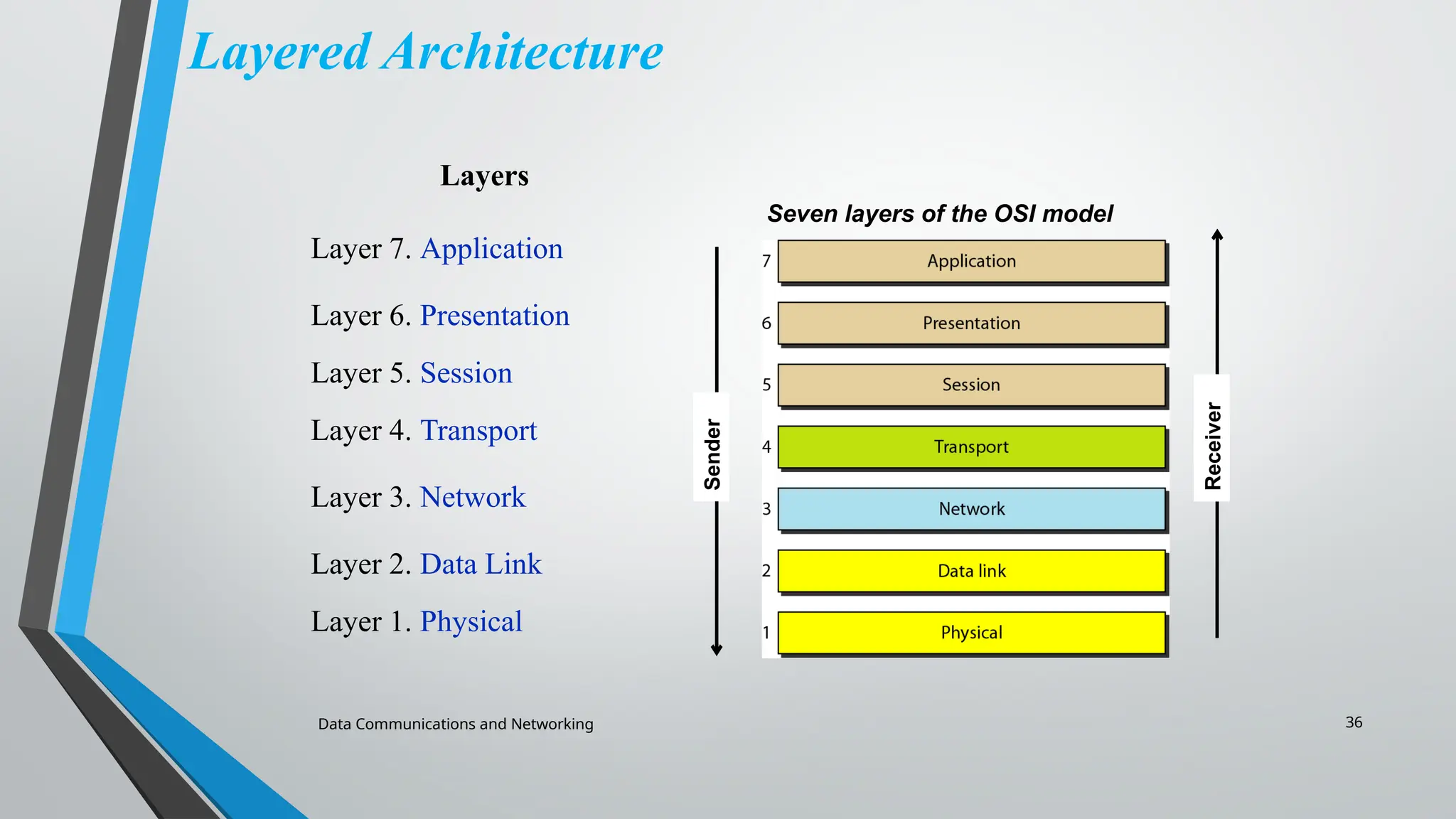
Layered Architecture
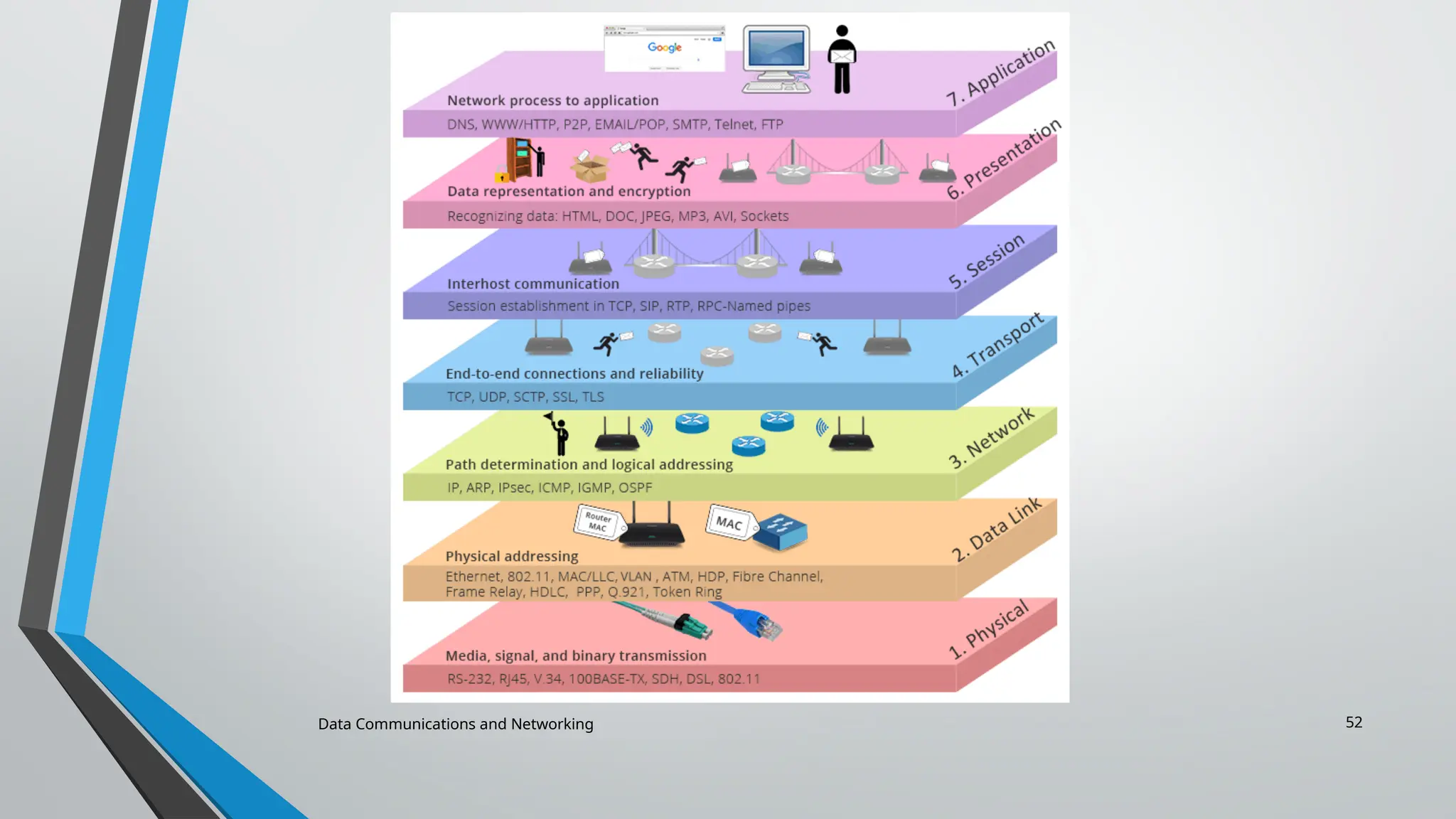
Seven layers of the OSI model
Layers
Layer 7. Application
Layer 6. Presentation
Layer 5. Session
Layer 4. Transport
Layer 3. Network
Layer 2. Data Link
Layer 1. Physical
Sender
Receiver
37.
Data Communications andNetworking 37
Application Layer – Layer 7
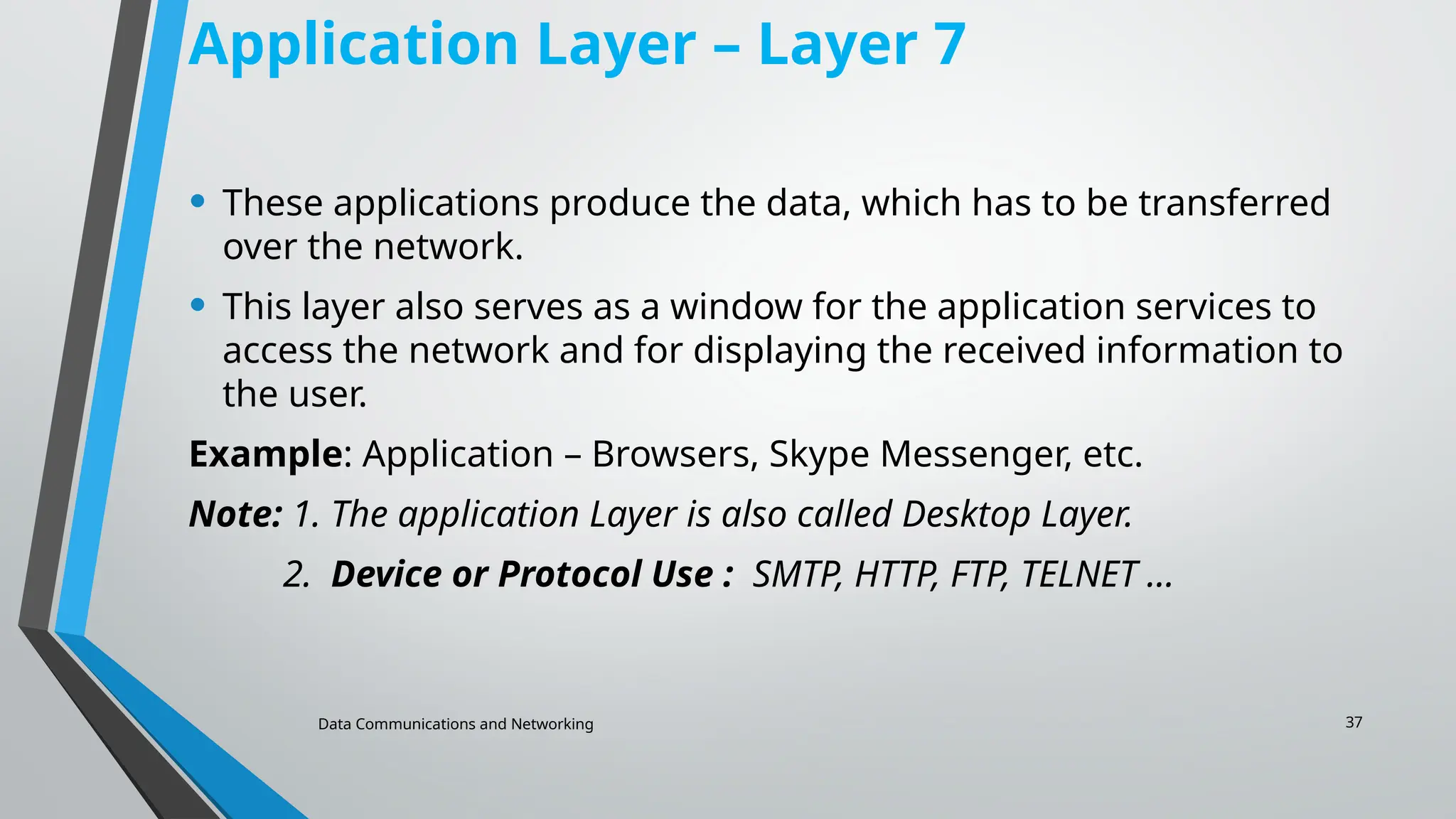
• These applications produce the data, which has to be transferred
over the network.
• This layer also serves as a window for the application services to
access the network and for displaying the received information to
the user.
Example: Application – Browsers, Skype Messenger, etc.
Note: 1. The application Layer is also called Desktop Layer.
2. Device or Protocol Use : SMTP, HTTP, FTP, TELNET …
38.
Data Communications andNetworking 38
Functions of the Application Layer
• Network Virtual Terminal: It allows a user to log on to a remote
host.
• FTAM- File transfer access and management : This application
allows a user to access file in a remote host, retrieve files in
remote host and manage or
control files from a remote computer.
• Mail Services : Provide email service.
39.
Data Communications andNetworking 39
Presentation Layer – Layer 6
• The data from the application layer is extracted here and
manipulated as per the required format to transmit over the
network.
Functions of the Presentation Layer
• Encryption/ Decryption: Data encryption translates the data into
another form or code. The encrypted data is known as the cipher
text and the decrypted data is known as plain text. A key value is
used for encrypting as well as decrypting data.
• Compression: Reduces the number of bits that need to be
transmitted on the network.
40.
Data Communications andNetworking 40
Session Layer – Layer 5
• This layer is responsible for the establishment of connection,
maintenance of sessions, and authentication, and also ensures security.
Functions of the Session Layer
• Session establishment, maintenance, and termination: The layer
allows the two processes to establish, use and terminate a connection.
• Synchronization: This layer allows a process to add checkpoints that are
considered synchronization points in the data. These synchronization
points help to identify the error so that the data is re-synchronized
properly, and ends of the messages are not cut prematurely and data
loss is avoided.
• Dialog Controller: The session layer allows two systems to start
communication with each other in half-duplex or full-duplex.
41.
Data Communications andNetworking 41
Transport Layer – Layer 4
• The data in the transport layer is referred to as Segments.
• It is responsible for the End to End Delivery of the complete
message.
• The transport layer also provides the acknowledgment of the
successful data transmission and re-transmits the data if an error is
found.
• At the sender’s side: The transport layer receives the formatted
data from the upper layers, performs Segmentation, and also
implements Flow & Error control to ensure proper data
transmission.
• It also adds Source and Destination port numbers in its header and
forwards the segmented data to the Network Layer.
42.
Data Communications andNetworking 42
Transport Layer – Layer 4 …
Note: The sender needs to know the port number associated with the
receiver’s application.
Generally, this destination port number is configured, either by default
or manually. For example, when a web application requests a web
server, it typically uses port number 80, because this is the default port
assigned to web applications. Many applications have default ports
assigned.
At the receiver’s side: Transport Layer reads the port number from its
header and forwards the Data which it has received to the respective
application. It also performs sequencing and reassembling of the
segmented data.
43.
Data Communications andNetworking 43
Functions of the Transport Layer
• Segmentation and Reassembly: This layer accepts the message
from the (session) layer, and breaks the message into smaller units.
Each of the segments produced has a header associated with it. The
transport layer at the destination station reassembles the message.
• Service Point Addressing: To deliver the message to the correct
process, the transport layer header includes a type of address
called service point address or port address. Thus by specifying this
address, the transport layer makes sure that the message is
delivered to the correct process.
• Services Provided by Transport Layer
• Connection-Oriented Service
• Connectionless Service
44.
Data Communications andNetworking 44
1. Connection-Oriented Service: It is a three-phase process that includes
Connection Establishment
Data Transfer
Termination/disconnection
In this type of transmission, the receiving device sends an acknowledgment, back to the source
after a packet or group of packets is received. This type of transmission is reliable and secure.
2. Connectionless service: It is a one-phase process and includes Data Transfer. In this type of
transmission, the receiver does not acknowledge receipt of a packet. This approach allows for
much faster communication between devices. Connection-oriented service is more reliable than
connectionless Service.
Note:
Data in the Transport Layer is called Segments.
Transport layer is operated by the Operating System. It is a part of the OS and communicates with the
Application Layer by making system calls.
The transport layer is called as Heart of the OSI model.
Device or Protocol Use : TCP, UDP NetBIOS, PPTP
45.
Data Communications andNetworking 45
Network Layer – Layer 3
• The network layer works for the transmission of data
from one host to the other located in different networks.
• It also takes care of packet routing i.e. selection of the
shortest path to transmit the packet, from the number of
routes available.
• The sender & receiver’s IP addresses are placed in the
header by the network layer.
46.
Data Communications andNetworking 46
Functions of the Network Layer
• Routing: The network layer protocols determine which route is suitable
from source to destination. This function of the network layer is known
as routing.
• Logical Addressing: To identify each device on Internetwork uniquely,
the network layer defines an addressing scheme. The sender &
receiver’s IP addresses are placed in the header by the network layer.
Such an address distinguishes each device uniquely and universally.
Note:
1. Segment in the Network layer is referred to as Packet.
2. Network layer is implemented by networking devices such as routers and
switches.
47.
Data Communications andNetworking 47
Data Link Layer (DLL) – Layer 2
• The data link layer is responsible for the node-to-node
delivery of the message.
• The main function of this layer is to make sure data
transfer is error-free from one node to another, over the
physical layer.
• When a packet arrives in a network, it is the
responsibility of the DLL to transmit it to the Host using
its MAC address.
• DLL also encapsulates Sender and Receiver’s MAC
address in the header.
48.
Data Communications andNetworking 48
Functions of the Data Link Layer
• Framing: Framing is a function of the data link layer. It provides a way for a
sender to transmit a set of bits that are meaningful to the receiver. This can be
accomplished by attaching special bit patterns to the beginning and end of the
frame.
• Physical addressing: After creating frames, the Data link layer adds physical
addresses (MAC addresses) of the sender and/or receiver in the header of each
frame.
• Error control: The data link layer provides the mechanism of error control in
which it detects and retransmits damaged or lost frames.
• Flow Control: The data rate must be constant on both sides else the data may
get corrupted thus, flow control coordinates the amount of data that can be sent
before receiving an acknowledgment.
• Access control: When a single communication channel is shared by multiple
devices, the MAC sub-layer of the data link layer helps to determine which device
has control over the channel at a given time.
49.
Data Communications andNetworking 49
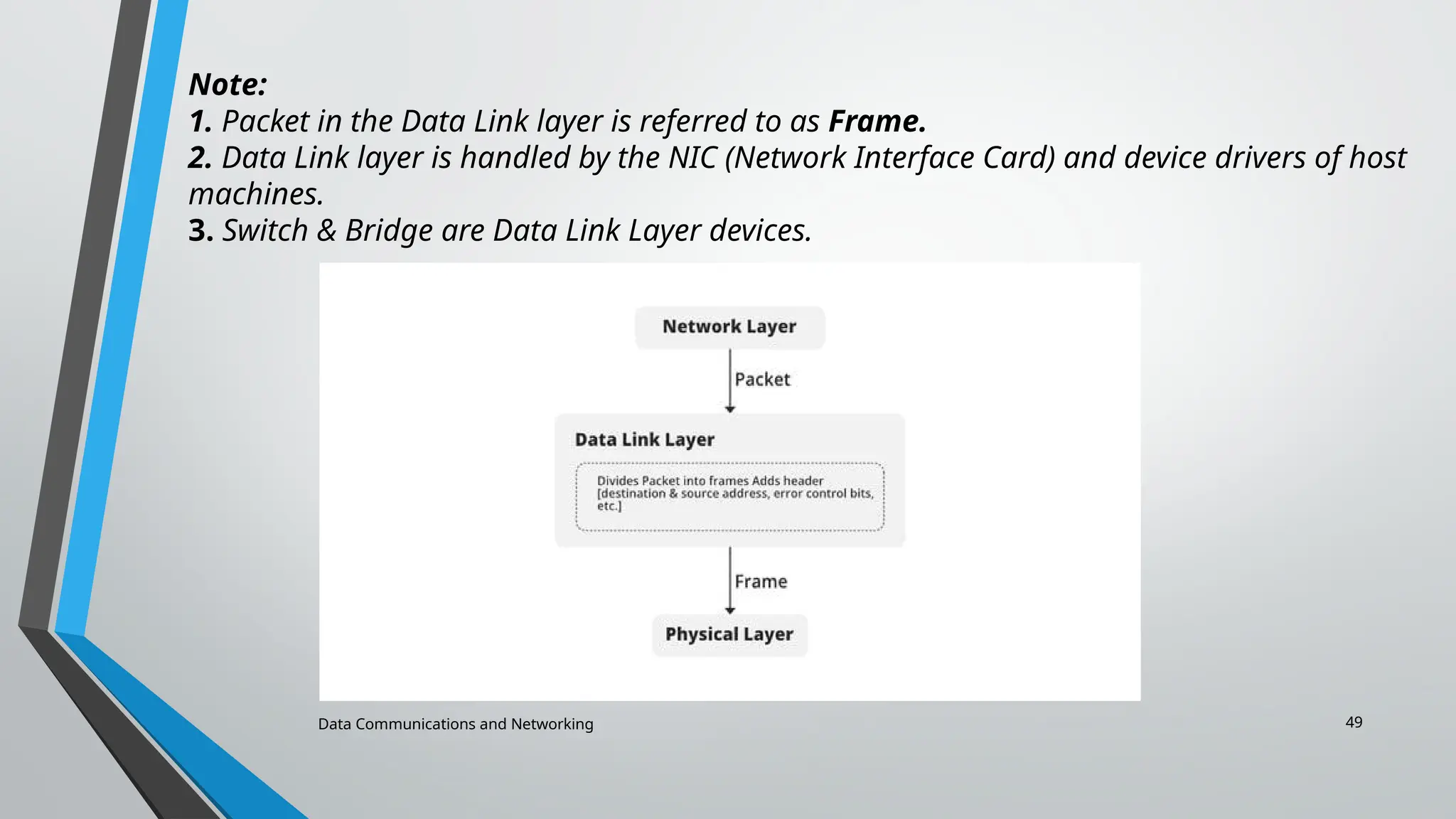
Note:
1. Packet in the Data Link layer is referred to as Frame.
2. Data Link layer is handled by the NIC (Network Interface Card) and device drivers of host
machines.
3. Switch & Bridge are Data Link Layer devices.
50.
Data Communications andNetworking 50
Physical Layer – Layer 1
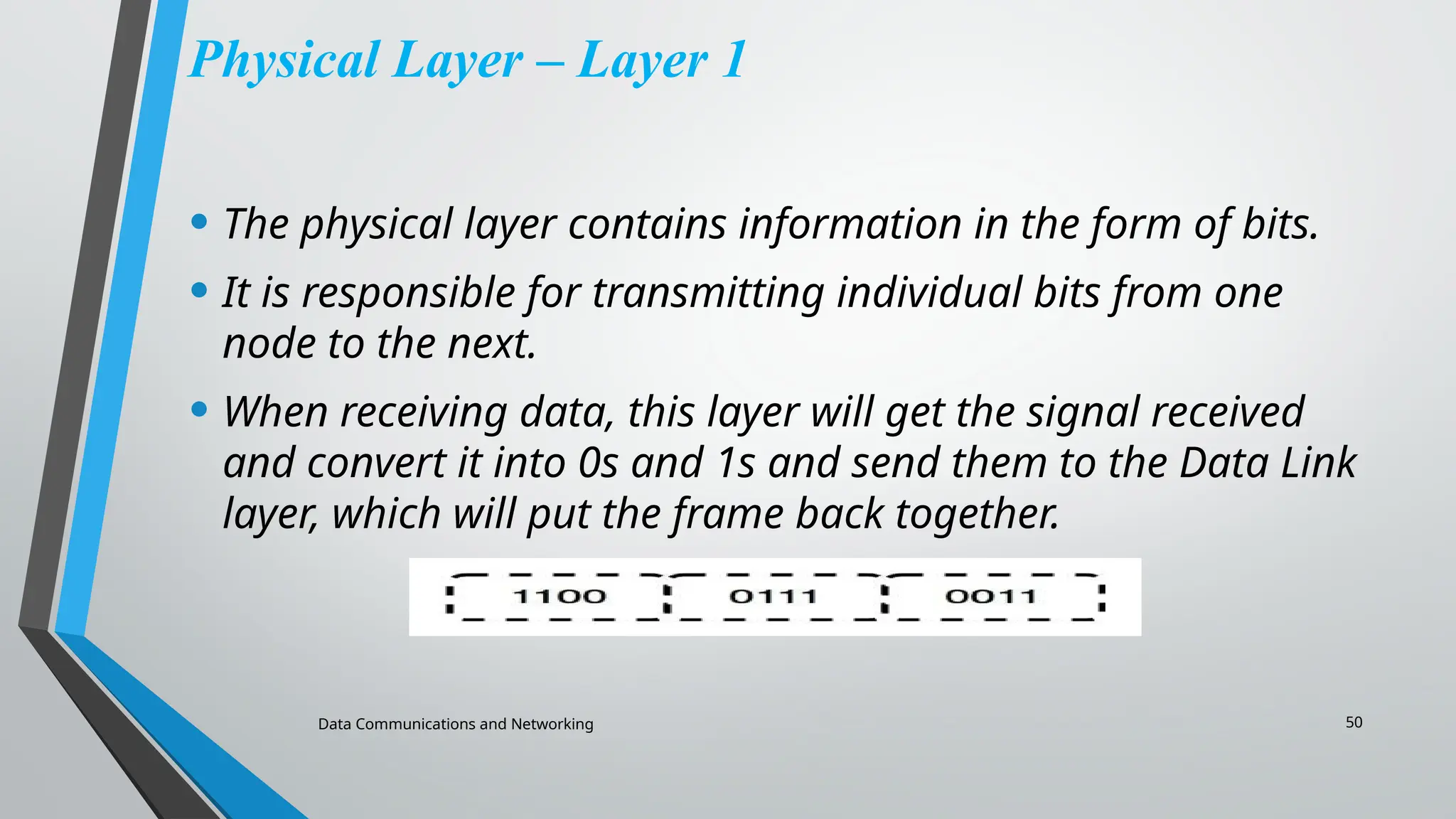
• The physical layer contains information in the form of bits.
• It is responsible for transmitting individual bits from one
node to the next.
• When receiving data, this layer will get the signal received
and convert it into 0s and 1s and send them to the Data Link
layer, which will put the frame back together.
51.
Data Communications andNetworking 51
Functions of the Physical Layer
• Bit synchronization: The physical layer provides the synchronization of
the bits by providing a clock. This clock controls both sender and
receiver thus providing synchronization at the bit level.
• Bit rate control: The Physical layer also defines the transmission rate
i.e. the number of bits sent per second.
• Physical topologies: Physical layer specifies how the different,
devices/nodes are arranged in a network i.e. bus, star, or mesh topology.
• Transmission mode: Physical layer also defines how the data flows
between the two connected devices. The various transmission modes
possible are Simplex, half-duplex and full-duplex.
Note:
1) Hub, Repeater, Modem, and Cables are Physical Layer devices.
2) Network Layer, Data Link Layer, and Physical Layer are also known as Lower
Layers or Hardware Layers.